• Здравствуйте. Сайт заработал в архивном режиме форум www.old.nado.in

Dl4ever Software

PilotEdit 14.80.0 (64bit) Multilingual

386b85ed9570bcbffd3877fae6d4fcf9.jpg

PilotEdit 14.80.0 (64bit) Multilingual | 40.8 Mb
​
PilotEdit is a handy and reliable file editor designed to help users to execute scripts, extract strings and edit large files. PilotEdit is a file editor that will help you search and replace multi line text, edit FTP files or even download and upload FTP files and directories. With PilotEdit file editing just became easier.


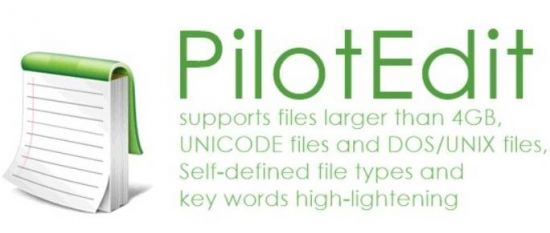
PilotEdit is an advanced text and hex editor that supports opening of files larger than 4GB. It offers customizable syntax and keyword highlighting, advanced search and replace operations, automatic text encoding, 256-bit AES encryption/decryption, and a built-in FTP client lets you open, edit and upload files directly to/from an FTP server.

In addition to standard text editing features, PilotEdit can compare and merge two files larger than 100MB. In addition, you can sort, find/remove duplicated lines and collect strings over a file larger than 1GB.

Here are some key features of "PilotEdit":
-The file size supported by PilotEdit is unlimited.
-PilotEdit only uses a little memory even you open a big file.
-ANSI, UTF-8, UTF-16 and UTF-16 big endian files are fully supported by PilotEdit. You may also change a file's encoding with PilotEdit easily.
-DOS, UNIX file support. When you copy/paste text, PilotEdit will adjust text encoding automatically.
-Self-defined file types and key words high-lightening.
-The user interface of HEX mode is as friendly as text mode.
-Column mode.
-Endless undo/redo. You may undo/redo your operations even after you switch between text mode and HEX mode.
-Word wrap enable you to view long lines within one page.
-PilotEdit provides a friendly interface for editing FTP files. You can also download/upload FTP files and directories with PilotEdit.
-Searching and replacing multi-line text has become so easy with PilotEdit.
-You may compare two files or two directories with PilotEdit.
-Self-defined string table enable you to add a pre-defined text by just one click.
-Regular expression has made search and replacement much more powerful.
-You may define some operations in a script file and execute this script file so that you don't need to repeat your work day after day.
-Find/remove duplicated lines
-String collection
-Find/replace in multiple directories
-Sort

Operating System: Windows 7, 8/8.1, 10

Home Page -
Код:
http://www.pilotedit.com/

Language: Multilingual


-:DOWNLOAD FROM LINKS:-

RapidGator
Код:
https://rapidgator.net/file/08944403890bc33015f2f6b34f60e2f9/PilotEdit_14.8.0.rar.html

NitroFlare
Код:
https://nitroflare.com/view/998567396FC5666/PilotEdit_14.8.0.rar
​
 
OkMap 15.1.0 (64bit) Multilingual


565db72f94a5bebffb9d125a8307d850.jpg

OkMap 15.1.0 (64bit) Multilingual | 168.97 Mb
​
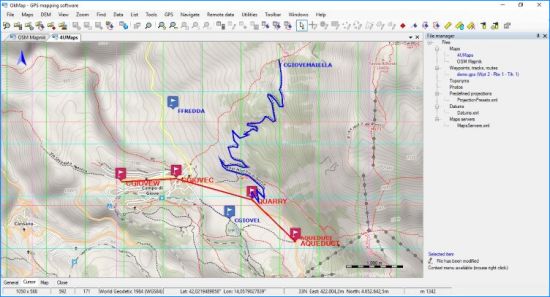
OkMap is an interactive software which allows you to work on your computer screen with web maps or digital maps that you have either bought or scanned. OkMap can also import vectorial data from the most common formats and DEM data relevant to height information. Through these maps, you can organize your paths by creating waypoints, routes and tracks on your computer monitor, and upload this data to your GPS. OkMap sets automatically altitude data and estimates travel times.


Features:
OkMap is an interactive software which allows you to work on your computer screen with web maps or digital maps that you have either bought or scanned. OkMap can also import vectorial data from the most common formats and DEM data relevant to height information.

Through these maps, you can organize your paths by creating waypoints, routes and tracks on your computer monitor, and upload this data to your GPS. OkMap sets automatically altitude data and estimates travel times. Furthermore OkMap provides you also with autorouting and geocoding functions.

Data collected by your GPS can be downloaded on your computer, stored and displayed on the maps. They can also be used to create different types of statistics.

By connecting a GPS to your laptop, you can plot your position on maps in real-time. If you are connected to the network you can constantly send your position to a remote computer, or receive the position of your companions on your computer and display the related tracks on maps in real time.

Whats New:
GPSBabel: New version 1.6.0.
C ++: New version 14.23.27820.0.
Enabled the management of vector data in web maps.
New function: Export vectorial data in OkMap format.
Preferences: Receiving remote data at startup (OkMap and GpsGate).
FIX: Importing vectorial data: The datum was not converted in the calculation of the metric coordinates.
FIX: File - Save - Map - KMZ: It always oriented the image to the north.
FIX: Tracks: The navigation bitmap overwrote the trace end bitmap.
FIX: Calculate distances: Incorrect management of the measurement window on the map change.
FIX: Menus were not enabled / disabled after drawing a pie / icon / comment.

Operating System: Windows 7 or higher (64-bit only)

Home Page -
Код:
https://www.okmap.org/

Language: Multilingual


-:DOWNLOAD FROM LINKS:-

RapidGator
Код:
https://rapidgator.net/file/b038ce80a64d4d83c4a4eaaf5568cc61/OkMap_15.1.0.rar.html

NitroFlare
Код:
https://nitroflare.com/view/AD3AA2AC1BDD1C5/OkMap_15.1.0.rar

​
 
Dashcam Viewer 3.6.2 (64bit) Multilingual


1d144be0d0788d80ca2e4f9487b7e13a.jpg

Dashcam Viewer 3.6.2 (64bit) Multilingual | 130.9 Mb
​
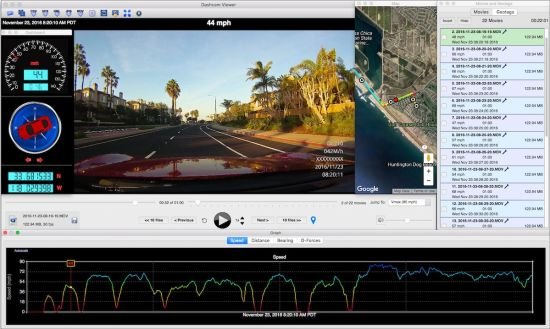
Dashcam Viewer is a software application for viewing movies, GPS data, and shock-sensor data recorded by your dashcam or action cam. Dashcam Viewer supports over 70 camera models. See below for the complete list of supported cameras and features.


What Dashcam Viewer can do for you:
Play your dashcam videos on the main screen while watching your vehicle's speed, distance, position, bearing, and shock-sensor data update on graphs, data displays, and maps.
"Geotag" points of interest along your route. Export these to a file. Or import them back in.
Export your GPS tracks to common file formats such as comma-separated value (CSV), Google Earth KML, and GPS-exchange (GPX) for further data analysis.
Export portions of videos to new clips
Combine multiple videos into a single video

System requirements:
Windows 10 is recommended but Dashcam Viewer may run on earlier OS's (Windows 7 and 8). 1600x1200 or higher resolution recommended. Low-end Windows PCs with poor video performance and limited screen resolution are not recommended.

Home Page -
Код:
https://dashcamviewer.com/

Language: Multilingual


-:DOWNLOAD FROM LINKS:-

RapidGator
Код:
https://rapidgator.net/file/513aa3556f1a778d649d762cd1025855/Dashcam_Viewer_3.6.2.rar.html

NitroFlare
Код:
https://nitroflare.com/view/0F7C7517FE20D3A/Dashcam_Viewer_3.6.2.rar

​
 
TablePlus v3.12.3 Build 152


82a5d831e1464f8c2a13f3d74a653034.jpg

TablePlus v3.12.3 Build 152 | 128.6 Mb
​
Modern, native, and friendly GUI tool for relational databases: MySQL, PostgreSQL, SQLite and more.


Native, lightweight and fast
With native build, simple design and powerful features, TablePlus makes database management easier, faster and more efficient for you.

Native, fast and secured
Query, edit and manage your databases easily with a native app that can run fast like a Lambo. It takes only half a second to get up and running.

Multi tabs and code review
Quickly get a snapshot of your database with multi-tab and multi-window view, as well as stay in control of what you have changed on your database with Code Review.

Built-in SSH
You don't need to install any SSH client in order to connect to the server. SSH is a part of TablePlus.

An intuitive GUI client
Browse, query, edit your data and database structure in a simple and clean spreadsheet-like editor.

Operating System: Windows 7, 8/8.1, 10

Home Page -
Код:
https://tableplus.com/


-:DOWNLOAD FROM LINKS:-

RapidGator
Код:
https://rapidgator.net/file/3292050949caf23af982ae1217ffd319/TablePlus3.rar.html

NitroFlare
Код:
https://nitroflare.com/view/55CCAAA4C6A638C/TablePlus3.rar

​
 
Flip PDF Professional v2.4.10.1 Multilingual


7640f95859e69cf050358e5aaf6b6dd9.jpg

Flip PDF Professional 2.4.10.1 Multilingual | 164.2 Mb
​
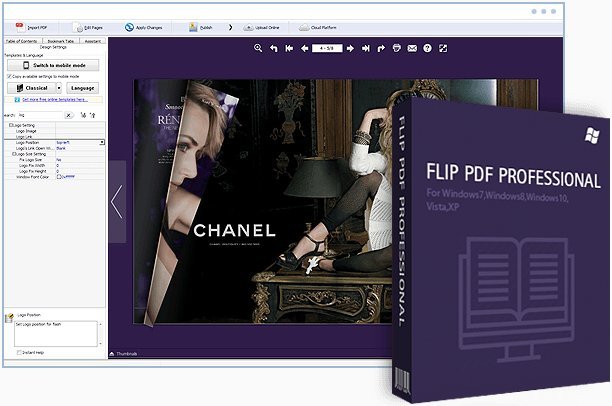
Flip PDF Professional is the feature-rich professional version of our already powerful classic Flip PDF software. We have kept powerful features from the original, like PDF hyperlink and bookmarks, and have added More POWER! Now you can embed image albums, video, audio, Flash, YouTube videos and links to your page-flipping eBooks, use the command line to automate the creation of page-flipping eBooks without opening the Windows desktop application.


Easy publish your books to FlipBuilder server
To make you publish your created flipbooks online more conveniently, we developed Upload Online Service. With using the service, you can upload or batch upload your book(s) online instantly after creating, no FTP or other upload tool needed. You can easy manage your books, and make people easy view your book in browser of PC, Mac, iPhone, iPad and Android devices.

Sell eBooks Online with Shopping Cart
FlipBuilder Shopping Cart enables you sell PDF ebook on your website, eBay, MySpace, Google Base, Craigslist and other websites using PayPal Payments Standard, PayPal Payments Advanced, PayPal Payments Pro, PayPal Payflow Pro For merchants selling ebooks, we automate and secure the digital delivery of ebook and codes.

Various Templates, Themes, Scenes, Backgrounds and Plugins
In Flip PDF Pro, you cannot only choose flash preloader for your book, but can also use different templates to present flipbooks with different layout and tool bar features, you can also customize your stylish eBooks with dozens of template settings. Multiple pre-designed Templates, Themes, Scenes and Backgrounds for you to use directly. And you can also add plugin to the book: banner, news rotator, image slider, music player, YouTube video banner, etc. There are also many online resources available now: multiple templates, 400+ themes, 200+ scenes and 700+ backgrounds. More stunning and amazing templates and other resourses will be published in future.

Operating System: Windows 10, 8, 7, Vista, XP

Home Page -
Код:
http://www.flipbuilder.com/


-:DOWNLOAD FROM LINKS:-

RapidGator
Код:
https://rapidgator.net/file/59874a110cfedf53dc42d65a211f6289/FlipPDFProfessional2.rar.html

NitroFlare
Код:
https://nitroflare.com/view/F1CCAB24758EDEA/FlipPDFProfessional2.rar

​
 
QILING Disk Master v5.5 Build 20201216 Multilingual


1a780eaffa7344c8aa3d59df55b16aec.png

QILING Disk Master v5.5 Build 20201216 Multilingual All Editions | 84.8 Mb
​
The biggest nightmare for a computer user is data loss and system crash, once happened, reliable and up-to-date backups are extremely necessary and important. QILING Disk Master covers all the needs to recover your lost data and restore crashed systems in minutes. It's advanced and reliable data backup & system disaster recovery software for home office and business desktops and laptops. It enables users to perform self-service backup operation with comprehensive full/differential/incremental backup.


Secure and reliable - back up any crucial data and protect them in a safe way.
More solutions - ramdisk, secure disk, partition manager, backup & recovery solutions.
Affordable yet powerful - more solustions, only 50% of the price of competitors

Operating System: Windows 10, 8.1, 8, 7, Vista, XP

Home Page -
Код:
http://www.idiskhome.com/


-:DOWNLOAD FROM LINKS:-

RapidGator
Код:
https://rapidgator.net/file/6279cfd279d6a60a2daec54511e4e534/Disk.Master.5.5.20201216.rar.html

NitroFlare
Код:
https://nitroflare.com/view/AA72A20C5914701/Disk.Master.5.5.20201216.rar

​
 
Emurasoft EmEditor Professional v20.4.2 Multilingual


3e5d909794119917d4dfa82ccd9b882a.png

Emurasoft EmEditor Professional v20.4.2 Multilingual | 39.4 MB
​
EmEditor Professional - professional version of the powerful text editor for programmers, Web developers and ordinary users with the illumination of syntax and Unicode support. Editor features such as search and replace in files using regular expressions, auto-detection coding, highlighting the links and email addresses, block selection mode, configure the button bar, menu, font and color elements. For each language, you can create a separate configuration. The program also has the support of powerful macros written in javascript or VBScript, allowing you to capture virtually any action, used often or occasionally.


This editor is an ideal tool for editing HTML, PHP, JSP and XML files. When you specify a web browser as an external application, you will be able to view HTML files during editing.
Supports syntax highlighting ASP, C, CSS, HTML, Java, javascript, JSP, Pascal (Delphi), Perl, Python, PHP, SQL, VBScript and other programming languages, function Drag and Drop, opening files size up to 248 GB the possibility of connecting additional external applications and plug-ins. In addition, the program allows to work with macros written in javascript or VBScript, and based on the Windows Scripting Host (WSH) engine, allows you to automate virtually any action. Adjustable backlight HTML and scripting languages makes it easy to detect spelling errors and typos.

Features:
- Support for file sizes up to 248 GB
- Edit binary files
- Optimized search and relocation
- Improved design plug-ins
- Ability to display panel functions
- Optimized speed when each row has a greater length
- Auto-panning by clicking the mouse wheel
- Supports Drag and drop
- Specify the temporary folder in the program settings
- Import INI files in the registry
- Unicode
- Syntax highlighting for ASP, C, CSS, HTML, javascript, JSP, Pascal, Perl, Python, PHP, SQL, VBScript and other
- User-friendly interface with customizable toolbar

EmEditor Professional Features List:
- Large File Support
- Unicode Support
- Macros
- Vertical Selection Editing
- Tabbed Windows, Drag and Drop
- Lightweight Design
- Regular Expressions
- Binary Editing
- Crash Recovery
- Grab Text

Supported OS: Windows 10/8.1/8/7/Vista/Server 2012/Server 2008

Home Page -
Код:
http://www.emeditor.com/


-:DOWNLOAD FROM LINKS:-

RapidGator
Код:
https://rapidgator.net/file/14c288621519af12df3836f72c842e90/EmEditor20.rar.html

NitroFlare
Код:
https://nitroflare.com/view/4B3C7655E83D561/EmEditor20.rar

​
 
Astro Panel for Adobe Photoshop 5.0


d6c71e8d28d0215f6d3d17aaba27770a.jpg

Astro Panel for Adobe Photoshop 5.0 Multilingual | 11 Mb
​
Made with passion for Photography. Astro panel is the best plug-in for Adobe Photoshop CC and integrates advanced functions for digital processing of the Milky Way, deep sky images and landscapes.


Innovation in Your PC
AstroPanel is the perfect tool for landscape, night and deep sky photography. Its innovation makes it perfect for all needs. Whether you are a professional or a beginner it doesn't matter, Astropanel will always guide you to the perfect photo. Immerse yourself in the world of Astropanel and discover what you didn't think you had!

For any type of photos
With the new Astro Panel you will find new features developed specifically for any type of photography. You will be able to process white balance and color tone with a click, remove digital noise and annoying hot pixels, increase image sharpness, recover shadows and highlights and manage many effects like Orton and Glow or Dodge and Burn.

Enhance your photos with few clicks
One of the strengths of Astro Panel is the simplicity and speed of the digital processing procedure that in a very short time and few clicks will make your photos better and more detailed.

Manage the light like a Master
When the lights and shadows become difficult to handle, the Masks section comes in handy. This section is able to guarantee a rapid and constant workflow, allows you to select in real time all luminosity masks and is able to select all the highlights, shadows and midtones of the main colors.

Get Perfect Colors
With the color masks you can make the colors of your photos unique. With the real-time management of brightness masks you can also manage the main colors. You can improve contrast, brightness, saturation and vividness in no time by giving your photos perfect and balanced colors. Your photos will seem to come out of the monitor thanks to Astro Panel.

Silk Effect
The silk effect can also be achieved without the use of ND filters. In fact, with Astro Panel you can add hundreds of shots in order to obtain the same effect.

Merge Photos in HDR
With Astro Panel you can add lots of photos to create the HDR effect. You can choose between the classic HDR and the Multi Blending Night HDR.

Created for astrophotography
Automatically or step by step change all the images of the milky way, deep sky or startrail. With the tools available you can enhance any detail, remove the stars in deep sky images or enhance the colors of your startrails.

Stacking of Milky way and Deep Sky
Astro Panel allows you to stack images of the Milky Way and the deep sky very quickly. You can also enter the dark, bias and flat and have custom options for star alignment.

Sensational Startrail
Sum hundreds of pictures to get beautiful linear Startrail and special effects on the stars. Then you can make your startrails fluid thanks to the functions contained in the Astro tab.

Requirements:
Adobe Photoshop CC versions from 2014 to 2021

Language Support:
English, Spanish, French, Italian, Nederlands

Home Page -
Код:
https://astropanel.it/


-:DOWNLOAD FROM LINKS:-

RapidGator
Код:
https://rapidgator.net/file/0252db8cc4e0ba49e35017b031ea1373/Astro.5.0.rar.html

NitroFlare
Код:
https://nitroflare.com/view/8BD1B160FC18C80/Astro.5.0.rar

​
 
soft Xpansion Perfect PDF Converter 10.0.0.1


992ec7499cc3d5d65f39968b03c52ae3.jpg

soft Xpansion Perfect PDF Converter 10.0.0.1 Multilingual | 131.5 Mb
​
The core functions of the PDF Creator of the Perfect PDF® product family, for example the PDF creation from within all programs that have a print functionality, the integration in common Microsoft applications and the conversion between PDF and XPS are still available - but much more powerful than ever.


Convert your documents into PDF - with Perfect PDF 10® Converter
It is possible to create a PDF file out of these applications with just one click. Perfect PDF® 10 Converter allows timesaving PDF creation, in the office or at home, and is the right program for PDF beginners. Further functions are printing and signing of PDF files, features to rearrange the document structure (move, remove, resize and rotate pages) and to annotate PDF documents using text notes, markup or pen.

You can also create PDF documents from text or image files and insert pages from image files or scanned images. A viewer for PDF or XPS files is also included. The integration of common Windows applications and its additional tools for managing your electronic documents make this software much more than just a PDF or printing program. Last but not least, the language switching allows selecting four widespread languages (German, English, French and Italian).

Functions
- PDF Printer: create PDF files in every application that has print function, via a virtual printer
- Create PDF files from text, RTF, XPS or image files or scanned images
- Integration in other software packages.
- Change the structure of PDF documents
- Advanced search function to find text in folders and embedded PDF files, in document properties, bookmarks and annotations
- Snapshot, measuring and selection tools, magnifier

System Requirements:
- Windows compatible PC, 200 MB HDD
- Windows 10, 8.1, 7 or Windows Server 2016, 2012 R2, 2008 R2 (32-bit and 64-bit)
- Windows Terminal Server or any kind of remote desktop session can be used with a Local Network License (LNL) only

Supported Languages:
German, English, French and Italian

Home Page -
Код:
https://soft-xpansion.com


-:DOWNLOAD FROM LINKS:-

RapidGator
Код:
https://rapidgator.net/file/3cee28d358b77e31550fb5a91d6458f5/Perfect.PDF.11.0.0.0.rar.html

NitroFlare
Код:
https://nitroflare.com/view/D153831C62A4648/Perfect.PDF.11.0.0.0.rar

​
 
soft Xpansion Perfect PDF Editor 9.0.1.3


197bcf8b29275d51542f9f811c14e898.jpg

soft Xpansion Perfect PDF Editor 9.0.1.3 Multilingual | 112.8 Mb
​
Soft Xpansions PDF Editor is a product with which you can create, edit and manage PDFs and other electronic documents for home and small- to mid-sized business users. Editing existing PDF documents professionally and annotating them, as well as designing documents, creating complex forms and signing PDFs are the main features of this software.


Create, convert, edit, design and annotate
With the powerful, user-friendly page editor, you can edit all of a given page's content, not just the text and images. In addition, you can create completely new documents.

Create PDF files
Out of text, RTF, XPS or imagefiles, or out of scanned pictures

Conversion
From PDF to PDF/A-1,A-2, A-3

Batch processing
Modification of the security settings or sign several data at once and carry it out automatically

Split PDF files
Export multilateral PDF files in separate PDFs

PDF Documents
Create and edit new PDF documents , page editor

Modify objects
Turn, change size, move

Comment PDF documents
Bookmarks, annotations, text marking, stamp, free-handed drawing, media-comments and appendixes

Interactive form fields
And a special designer mode included in the software

Detailed comparison
Between 2 pages, emphazise text changes, scroll simultaneously

Sharepoint linkage
As well as advanced search in folders and embedded PDF files

System Requirements:
- Windows compatible PC, 200 MB HDD
- Windows 10, 8.1, 7 or Windows Server 2016, 2012 R2, 2008 R2 (32-bit and 64-bit)
- Windows Terminal Server or any kind of remote desktop session can be used with a Local Network License (LNL) only

Supported Languages:
German, English, French and Italian

Home Page -
Код:
https://soft-xpansion.com


-:DOWNLOAD FROM LINKS:-

RapidGator
Код:
https://rapidgator.net/file/cbe9a856ed3872c99b53fc8f05762697/Perfect.PDF.Editor.9.0.1.3.rar.html

NitroFlare
Код:
https://nitroflare.com/view/FA2D637301D453F/Perfect.PDF.Editor.9.0.1.3.rar

​
 
Parted Magic 2020.12.25 (x64)


244a8a84809641fd38b858ebb2440d5d.jpg

Parted Magic 2020.12.25 (x64) | 1.5 Gb
​
Powerful Tools for Home or Office! - Parted Magic is a complete hard disk management solution. PartedMagic has the tools to get the job done. With the Partition Editor you can re-size, copy, and move partitions. You can grow or shrink your C: drive. Create space for new operating systems. Attempt data rescue from lost partitions.


Disk Partitioning
PartedMagic has the tools to get the job done. With the Partition Editor you can re-size, copy, and move partitions. You can grow or shrink your C: drive. Create space for new operating systems. Attempt data rescue from lost partitions.

Data Rescue
PartedMagic allows you to easily reset or change Windows passwords. Recover lost files. Rescue files from devices with disk read errors.

Disk Cloning
Clone a computer's entire disk or a single partition. The cloned data could be saved as an image-file or as a duplicated copy of the data. The data could then be saved to a locally attached storage device, an SSH server, a Samba Server, or a Network File System share. The clone file can then be used to restore the original when needed.

Disk Erasing
PartedMagic comes with easy to use solutions for conventional overwrite. Internal Secure Erase. Wiping of only Free Space.

Benchmarking
All the benchmarking tools you would ever need! Bonnie++, IOzone, Hard Info, System Stability Tester, mprime, and stress.

No Installation Required!
PartedMagic is a stand alone Linux operating system. Runs from a CD or USB drive. Nothing installed.

Disk Partitioning Software?
Disk partitioning divides a hard disk into multiple storage units referred to as partitions. A physical disk with multiple partitions is useful for running more than one operating system. Each Partition may use a different file system.

SSD Secure Erase?
When Parted Magic Secure Erase is issued against a SSD drive, all of its cells will be marked as empty.

Benchmarking Software?
A benchmark program tests the relative performance of computer by running a number of standard tests and trials against it.

Supported Hardware:
- Parted Magic requires at least a 686 processor with 1GB of RAM.
- 512MB in Live mode.
- Compatible with Secure Boot Windows machines.
- Runs well on Intel Macs.

Home Page -
Код:
https://partedmagic.com/


-:DOWNLOAD FROM LINKS:-

RapidGator
Код:
https://rapidgator.net/file/25141298e6c82ab325b137cdf13f1f8f/Parted.Magic.2020.12.25.part1.rar.html
https://rapidgator.net/file/915e776f25e27af9b9a42c9c2242171a/Parted.Magic.2020.12.25.part2.rar.html

NitroFlare
Код:
https://nitroflare.com/view/A8F44BFB9F8ED97/Parted.Magic.2020.12.25.part1.rar
https://nitroflare.com/view/CF3AC6DFCCC46D9/Parted.Magic.2020.12.25.part2.rar

​
 
PLC-Lab Pro 1.8.0.1


902e2daf62b5f0da8385717919ec94fb.png

PLC-Lab Pro 1.8.0.1 | 26.8 Mb
​
With PLC-Lab you can create your own simplified digital twin for PLC training or to find all logical bugs in your PLC program. The objects in PLC-Lab offer extensive design and setting options, so the variety of project types that can be implemented with PLC-Lab is very high


The objects can be assigned physical properties, which then influence the behavior of the objects during simulation. For example, objects can be depend on gravity and be magnetic. In addition, you can set parameters such as density, surface friction and elasticity. An integrated physics engine ensures the realistic simulation of the objects. The user interface and the drawing area of PLC-Lab are entirely vector-oriented. This means that the objects in PLC-Lab can be enlarged or reduced in size without any loss of quality. The user interface is also displayed razor sharp on high-resolution screens (e.g. 4K). The setup of a system or test environment is straightforward. Use of PLC-Lab is based on programs such as PowerPoint by Microsoft.

From simple to complex
The complexity of creating your digital twin is up to you. You can just use buttons, lamps and a few cylinders, or you can create a virtual scene as realistic as possible using real photos of the installation or images created by a designer. The goal should be that the virtual system delivers the same signals to the PLC and reacts to the outputs as the real system.

Differences to Factory I/O
Factory I/O is 3D and PLC-Lab is 2D. But much more important: Factory I/O is designed for PLC training and it can be used to build certain and simplified machine types. The visual representation of the created scenes in 3D and the real-time sound ensures a wow effect. If you can build your desired scene with the parts of Factory I/O, it is the perfect product for you. However, if you want to digitize an existing hardware model or have exact requirements for a virtual scene, then PLC-Lab is the right choice. PLC-Lab is suitable for PLC training and for professional users.

For education
A virtual system simulation is indispensable for educational institutions today. Every student has a virtual model at his fingertips to test his PLC program. But much more important is that working with virtual models brings much more fun and motivation than just working with lamps and switches. Furthermore the institutions can share the licenses of PLC-Lab over a cloud license server.

For professional users
Everyone knows this: If you prepare well, you are more relaxed about the task ahead. With PLC-Lab you can test your PLC program more precisely and you will not be surprised during commissioning. If you have tested insufficiently, you will have to fix the bugs under more difficult conditions. Reduce commissioning time and save expensive hotel bills.

System Requirements and languages support:
Operating system: Windows 7 SP1+ or higher
When using PLC-Lab with TIA PORTAL Min. 16 GB RAM, CPU Core™ i5 3.4 GHz or better
When using PLC-Lab with WinSPS-S7, Grafcet-Studio Min. 8 GB RAM or better, CPU: Core™ i3 3.2 GHz or better
.NET Framework 4.5.2 and 4.6.2.
Supported languages User-Interface: English and German, Documentation: English, German

Home Page -
Код:
https://www.mhj-tools.com/


-:DOWNLOAD FROM LINKS:-

RapidGator
Код:
https://rapidgator.net/file/7688245b7243a59667883e783728fbb3/PLC.Lab.1.8.0.1.rar.html

NitroFlare
Код:
https://nitroflare.com/view/0013FC468E14733/PLC.Lab.1.8.0.1.rar

​
 
Slate Digital Virtual Mix Rack Complete 2.5.2.1 (64bit)


5cf8de65b27f44e37a7792438e39337b.jpg


File Size: 505.8 MB
​
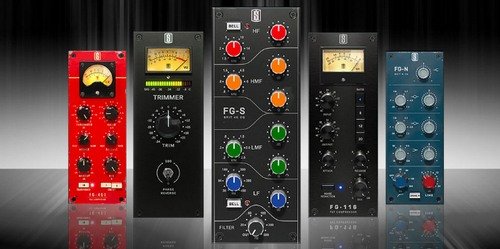
VMR 2.0 allows audio engineers to easily create the channel strips of their dreams using a library full of analog modeled plugins. Choose from dozens of modules including vintage modeled EQs, compressors, enhancers, filters, preamps, mixing consoles, and more. But even beyond the sound you can get with VMR 2.0, you also get the added bonus of speed and efficiency from having your entire processing chain in one convenient window. VMR 2.0 ships with the Mix Bundle One, which contains four Slate Digital processing modules: FG-401 Compressor, FG-S EQ, FG-161 FET Compressor and FG-N EQ.

Mix Faster & Easier With Dream Strips

VMR 2.0 opens with your own custom dream channel strip by default. So whenever VMR 2.0 is launched the leftmost Dream Strip always loads first. Now you can instantly start mixing with the modules you use the most.

VMR 2.0 comes with seven default Dream Strips, although you can remove them and make your own. You can change the vibe, color and sound of your mix with a single click and easily undo and redo your changes.

You can easily see all of the processing modules installed in the Library Pane, and you just drag and drop to get them into the signal chain. You can also drag to reorder the modules as well.

With VMR it's easy to clone an entire signal chain for comparison - just press the right arrow and everything currently on path A is copied to path B. Once cloned, you can change some parameters on the alternate path, or even swap out entire modules. To A/B the signal chains against each other, just press the A or B button in real time to hear that signal chain in action.

You can load up to eight modules at once into VMR, but it's still easy to solo or mute any of the processing modules you have loaded using the Solo and Power buttons. Push the "S" on any module to hear it alone in the signal chain, and hit the "power" button to turn it off.

• Dream Strips - 8 Instantly Recallable and Customizable Channel Strip Configurations Accessible with 1-Click
• Redesigned Interface
• Easy Undo & Redo
• Removed Noise from the following modules: FG-N, FG-S, FG-Stress, FG-73, FG-76
• Added a Clear Rack button
• Introduced the Oversampling option (through Settings menu)
• Added a second Library view: List view
• Added a "Search Modules" feature in the Library

What's New:
official site does not provide any info about changes in this version.


-:DOWNLOAD FROM LINKS:-
RapidGator
Код:
https://rapidgator.net/file/95c20499d2a40c745a20e848eb13ae7c/Virtual.Mix.Rack.Complete.v2.5.2.1.rar.html

NitroFlare
Код:
https://nitroflare.com/view/EF322313997D919/Virtual.Mix.Rack.Complete.v2.5.2.1.rar

​
 
Digimizer v5.4.7


8ee1fa414c5e4c1c111c21f17bc3b18e.jpg

Digimizer v5.4.7 | 12.4 Mb
​
Digimizer is an easy-to-use and flexible image analysis software package that allows precise manual measurements as well as automatic object detection with measurements of object characteristics. Pictures may be X-rays, micrographs, etc. Supported file formats are JPG, GIF, TIFF, BMP, PNG, WMF, EMF and DICOM files. Images can be rotated, flipped or straightened. Image brightness and contrast can be adjusted. Several filters can be applied.


Image file operations
Open, save and print image files
Acquire image from scanner
Grab image from live video stream
Supported file formats: DGZ (native Digimizer file format), JPG, GIF, TIFF, BMP, PNG, WMF, EMF, and DICOM files.Image manipulation
Resize
Crop
Rotate, flip
Zoom
Adjust contrast & brightness
Contrast auto fix
Stretch histogram
Background correction
Despeckle
Convert to grayscale
Convert to color
Invert
Negative
Sharpen
Filters: Emboss, Arithmetic Mean Filter, Geometric Mean Filter, Harmonic Mean Filter, Median Filter, Maximum Filter, Minimum Filter, Midpoint Filter, Yp Mean Filter

System requirements:
Windows 10
Windows Vista, Windows 7 or Windows 8
Windows XP with Service Pack 3 and Microsoft .NET Framework 4.0
Windows Server 2003 with Service Pack 1 and Microsoft .NET Framework 4.0
1024 Mb of memory.
20 Mb free space on the hard disk.

Home Page -
Код:
https://www.digimizer.com/


-:DOWNLOAD FROM LINKS:-

RapidGator
Код:
https://rapidgator.net/file/6e8e498c0b29ca038f4fcac444737974/Digimizer.5.rar.html

NitroFlare
Код:
https://nitroflare.com/view/B92E8F318CD82D4/Digimizer.5.rar

​
 
VovSoft Text Edit Plus version 8.0


abf4b4877fb994dac6112398432017e0.png

VovSoft Text Edit Plus 8.0 + Portable | 9/8 Mb
​
Text Edit Plus is a lightweight tool that enables users to easily create new text documents or to modify existing ones. The application is designed as an alternative to Notepad, by offering a wider set of features.


Some of the features: Adding date and time. Changeability of background color and font properties. Encode and decode text. Combine lines. Command system for extracting the desired text. Delete empty lines. Delete same lines. Filter lines. Find and Replace. Full screen view. Generate e-mail list. Generate quick stats. Generate word list. Import picture as text (ASCII art). Insert numbers. Insert text into beginning or end of lines. Lowercase and uppercase conversion. Randomize lines. Reverse lines. Sort lines. Trim lines.

Operating System: Windows XP, Vista, 7, 8/8.1, 10

Home Page -
Код:
https://vovsoft.com/software/text-edit-plus/


-:DOWNLOAD FROM LINKS:-

RapidGator
Код:
https://rapidgator.net/file/304ab69c373307e26a63acde736db414/Text.Edit.Plus.8.rar.html

NitroFlare
Код:
https://nitroflare.com/view/48B974266CC8813/Text.Edit.Plus.8.rar

​
 
Clip Studio Paint EX 1.10.6 (64bit) Multilingual


b78aeea70b8385268804c9ba1d7072e4.jpg

Clip Studio Paint EX 1.10.6 (64bit) Multilingual | 258.8 Mb
​
CLIP STUDIO PAINT is the world's leading comic and manga creation software and delivers powerful art tools for every manga and comic artist. It is designed both for artists wishing to enhance and perfect their pen-and-paper illustrations and for artists wishing to complete the entire process of creating manga and comics digitally. Sketching, inking and coloring your Comics and Manga has never been easier.


What's New in Clip Studio Paint EX?

Cel animation support (frame-by-frame animation)
Also known as frame-by-frame or traditional animation, this technique makes an object or character appear to move on its own. The artist can draw individual cels (frames), which act as transparent sheets that can be layered, and create the illusion of movement when the series of cels is played as a continuous sequence.

Animation timeline
The timeline provides granular control over timing and display adjustments to create fluid movement of the animations.
Light table function
The light table illuminates pages, rendering them semi-transparent and making it easier to use multiple layers for reference, which is ideal for creating in-betweens (transitions between cels), and clean-line art for cels and illustrations.

Onion skin display
Onion skinning is a technique used in creating animated cartoons and editing movies to see several cels at once, allowing the animator or editor to determine how to create or adjust an image based on the previous image in the sequence.

Multiple export options
Drawings and animations can be exported as sequential images, GIFs, and movie formats.

CLIP STUDIO PAINT EX Features
Formerly Manga Studio. CLIP STUDIO PAINT EX has all of the features of CLIP STUDIO PAINT PRO, professional story creation tools, as well as other special features, that make it the ultimate illustration tool for serious comic, manga and graphic artists.

Coloring
Powerful coloring tool make CLIP STUDIO PAINT your all-in-one manga and comic creation solution. Choose from an abundance of preset colors, create custom color sets or blend colors naturally as if you were mixing them with your own fingers using the color blend options.

Pens, Pencils, Brushes & Tools
Create original sketches using your mouse or draw naturally with a pen tablet. Draw using a suite of familiar tools including pens, pencils, brushes and selection tools. With vector mapping technology and smart pen pressure sensing, CLIP STUDIO PAINT gives you incredible sensation of drawing on paper.

Panels
Save time by easily adding and customizing panels for your pages or create panels of all shapes and sizes using Bezier curves.

Advanced Brush Effects
Simulate real work brushes with the new dedicated air brush which allows multiple air brush effects. Use the tone brush to create and share a wider array of visual effect.

Vector Tools
Vector Toolkit allows maximum flexibility, speeds up production and gives you the ability to view the centerline of vectors makes spotting trouble areas in need of smoothing a breeze. Coupled with the vector snapping tools, artists are now able to achieve exactly the lines they want.

New Advancements
Speed up your workflow with amazing advancements that include new layer effects like screen, overlay and multiply, even brushes can now have effects of their own.

Templates
Design with attention to detail and save time on tedious projects with tons of ready-to-use page template options.

Importing & Exporting
CLIP STUDIO PAINT imports and exports to common file formats including layered PSD files. Resize with no loss in quality.

3D Options
CLIP STUDIO PAINT EX now offers support for 3D objects and figures allows for reference and background materials. Manipulate 3D objects directly on the screen or use preset poses. Drag and Drop other 3D objects on the canvas.

Compatibility
Backwards compatibility allows you to import all of your Manga Studio 4 EX and 4 Debut files including your .CPG page files and your .CST story (project) files into CLIP STUDIO PAINT PRO or CLIP STUDIO PAINT EX.

Text
Advanced text allows adjustments to letter and word spacing, mixing of fonts, anti-aliasing, italics and underline options, line spacing and many more.

Faster Than Ever
64-Bit Architecture & Multi-Core CPU Support makes Manga Studio faster than ever with the capability to handle high definition and multiple layer art projects even more smoothly.

CLIP STUDIO PAINT Is Perfect for Comic Illustration
Adobe Photoshop has become the standard drawing and illustration tool, used in many industries, but it will not only cost you more, it's primarily a photo editing tool. Photoshop just doesn't have the tools and features that are ideal for comic illustration, CLIP STUDIO PAINT does.

Multiple-Page Story Layout
Create your whole story with the Multiple-Page Story Layout. This allows manga and comic artists to streamline their creative process and easily access their story files in one convenient area (EX only).

System Requirements:
- Windows. 7, 8, 8.1 or 10
- 2 GHz Intel. Pentium. 4 or equivalent
- Does not work with 64 bit version of XP or Vista
- Does not work with Windows RT
- Compatible with 32 bit and 64 bit OS
- 2 GB RAM recommended
- 2 GB free hard disk space recommended
- Graphic card with VRAM of 256MB or more and OpenGL 1.5 recommended
- XGA (1024x768) or higher, WXGA (1280x768) or higher, 16-Bit color display or higher
- Pen/Stylus Tablets - Wacom tablets (FAVO, Bamboo, Intuos, and Cintiq). Also known to work with Microsofts Surface Pro and other tablets.

Home Page -
Код:
http://www.clipstudio.net/en


-:DOWNLOAD FROM LINKS:-

RapidGator
Код:
https://rapidgator.net/file/497faf9f9cc619b905280a575f489421/Clip.Studio.Paint.EX.1.10.6.rar.html

NitroFlare
Код:
https://nitroflare.com/view/6659D4CED835C6B/Clip.Studio.Paint.EX.1.10.6.rar

​
 
XMind 2020 v10.3.0 Build 202012160243 (64bit) Multilingual


833f1b8bb65e1fd91180e676cff2f872.png

XMind 2020 v10.3.0 Build 202012160243 (64bit) Multilingual | 152.4 Mb
​
XMind 2020, A full-featured Swiss Army Knife for your brain. A modern replacement for pencil and paper.


What's New in 2020:

Outliner is ideal for managing lists, organizing facts and ideas, and for goal and task management. Freely switch between outliner and mind mapping, you are superior to your former self. You can tailor the style of themes to your preference, customize shapes, lines, colors, etc. which allows you to use it directly every instead of repeat editing. We make more possibilities for image exporting. Such as allowing all sheets to be exported at the same , more size to select, and export the transparent background that can be easily inserted to Keynote and PPT. It's surprising that just use one mind map, you can manage all the files on your computer. When you need to search for a file later, a simple click to the topic and you will be taken to the right file you want. Outliner

Outliner is ideal for managing lists, organizing facts and ideas, and for goal and task management. Freely switch between outliner and mind mapping, you are superior to your former self.

Theme Editor
You can tailor the style of themes to your preference, customize shapes, lines, colors, etc. which allows you to use it directly every instead of repeat editing.

All New UI
We call our all new UI - CREAM, like the energy in the early morning, a sweet feeling to liberate exhausted, the power to move your thought forward.

Enhance Image Export
We make more possibilities for image exporting. Such as allowing all sheets to be exported at the same , more size to select, and export the transparent background that can be easily inserted to Keynote and PPT.

File Link
It's surprising that just use one mind map, you can manage all the files on your computer. When you need to search for a file later, a simple click to the topic and you will be taken to the right file you want.

ZEN Mode
It's not easy to focus for a long , ZEN mode helps you only concentrate on one mind map. This way all your energy will go into it and you will accomplish it perfectly.

Equation
Equation, a feature with the highest voice. LaTeX command allows you to present mathematical and chal formulas. Wish you keep straight-A.

Style & Structure
We offer the fishbone chart, matrix, line, the org chart to enrich your mind maps. Various branch shape like the hexagon, capsule, circle etc. to emphasize your thoughts.

New From Library
Only good-looking works will be selected into the Library. You can choose your favorite mind map from it and open it directly as a template.

Set Password
Security is always the first priority. Set a password for your XMind file. Without a password, no one can open the file.

Print
Printing is no longer a dry thing. You can choose to tick/untick background color and decide to print on the actual size or fit page.

Fold/Unfold All Sub-branches
When you need to present your mind map to others, you can freely fold or unfold all the sub-branches by one click. Say goodbye to duplicate work.

Find/Replace
It is a small tip, if your mind map is particularly large, in addition to find and replace, you can also use it to locate a certain word.

Map Overview
Map Overview shows a general situation of your entire mind map, which can help you to check the approximate location of a topic quickly.

Topic Count
Topic Count is useful. In the process of creating a mind map, it will automatically show you how many topics have been completed.

Quick Entry (Mac Only)
It is a small window that can be opened from the menu. It will generate a new mind map after you type what you are thinking. (Mac Only)

CJK Font
After setting Chinese, Japanese and Korean fonts, mixed layout with western typeface displays better.

Shortcuts
Shortcuts can be found in Preference. You can set Shortcuts for up to 47 operations, which make you to create a mind map faster than others.

Multi-branch Color
We provide several choices for branches, you can use them to make your mind map look more beautiful and clearly.

Topic Free-positioning
We believe this is a very useful feature. If you tick it in the format panel, you will find you can use floating topic more freely.

Topic Free-positioning
We believe this is a very useful feature. If you tick it in the format panel, you will find you can use floating topic more freely.

Quick Style
You can set the priority of a topic quickly, such as Very Important, Important, Cross Out and Default.

Relationship
A relationship is a customized line connect with any two topics to show a special relationship between them. You can change the line into different shapes, colors, width and add description directly.

Boundary
A boundary can group topics with a closed area. You can use it to emphasize some content or tell readers some special concepts. We provide many style for your boundary.

Summary
A conclusion is always essential in every part. Like other types of topic, a summary topic can change the style, color, shape, and extend to subtopics.

Note
To make all topics are very concise, you can put your complementary ideas into the notes and view them when you need.

Label
A label appears with a topic, and typically used for simple notation and categorization.

Callout
Callout is a nifty way to insert additional text. In XMind, Callout is not only a shape, but also a real attachment to a topic.

Hyperlink
You can insert relevant hyperlinks into your topics, which allow you to access documents and web pages directly.

Attachment
You can attach a file or another mind map which is related to your current map. The attachment will become a new topic and will be previewed when you open it.

Audio Note
Helps to capture spoken information during meetings, brainstog sessions, or other activities. It enables you to annotate topics without typing.

Marker
Marker is widely used in mind maps and plays an important role. It's used to express specific meaning, like priority, progress, risk, feeling.

Local Image
Insert a local image to the mind map to make your work clearer. When you want to explain a problem, it is best to match the text with a picture.

Sticker
Images are always telling some concepts and ideas intuitively. There are 89 built-in stickers in XMind, and all of them are designer's original works.

System Requirements: Windows 7 and later (64 Bit)

Home Page -
Код:
https://www.xmind.net/


-:DOWNLOAD FROM LINKS:-

RapidGator
Код:
https://rapidgator.net/file/bc561952b7a93eb86aa6202a295d6bcc/XMind.2020.10.3.0.202012160243.rar.html

NitroFlare
Код:
https://nitroflare.com/view/F180138598863F0/XMind.2020.10.3.0.202012160243.rar

​
 
kiloHearts Toolbox Ultimate 1.8.13 (64bit)


86c2689e39def62fea05dab258c0c4ef.png


File Size: 832.2 MB
​
Kilohearts Toolbox ULTIMATE includes all the snapin hosts to take full advantage of the snapins you now own. Experience the flexibility of endless combinations between the effects and the host plugins!
Moving outside of the snapin eco-system, all other Kilohearts' plugins still support the modular workflow in one way or another (except kHs ONE). That's why we created the Kilohearts Toolbox ULTIMATE which gives you eveything we ever released so you can get as creative as you like.

Explore the hundreds of professional factory presets throughout these plugins by various professional preset makers and artists from around the world (but mostly Germany by some fluke). Just Phase Plant alone has over 400 carefully curated presets to start you off before getting into modifying, and creating your own.

Check out the individual product pages for tips and tricks on usage, and check YouTube for user videos on the various plugins as there is plenty to learn.

(Win64; AAX, VST, VSTi)


-:DOWNLOAD FROM LINKS:-
RapidGator
Код:
https://rapidgator.net/file/e282c0f96a133bb9367100db62b0fe81/Toolbox.Ultimate.v1.8.13.CE.rar.html

NitroFlare
Код:
https://nitroflare.com/view/E863D4634123AF1/Toolbox.Ultimate.v1.8.13.CE.rar

​
 
MindGenius 2020 version 9.0.1.7321


71c9e0e7fe38a05e7ce6085a7acf5e8f.jpg

MindGenius 2020 version 9.0.1.7321 | 148.7 Mb
​
MindGenius is committed to being a cost-effective Mind Mapping software solution for individuals and businesses. Use MindGenius mind mapping software to capture, visualize and use the information within your business.


Social Media Sharing
Now you can send a picture of a MindGenius map directly to Twitter or Facebook, automatically generating a post.

Sharing Maps with the MindGenius Community
If you have a map that could be useful to other MindGenius users, now it's easy to share it. On the Share tab, click the button that says, "To MindGenius." We'll make your map available as a template on our website.

Dynamic Views
HTML export enables you to share your mind maps with people who don't have MindGenius. The HTML version opens in any browser and includes the Map Explorer feature that lets people select specific branches to view.

Outlook Integration
Now you can convert your MindGenius project tasks into Outlook tasks. You also can do the same conversion for team members when you assign tasks to them.

Easier Export to MindGenius Online
You can start a project plan in MindGenius, take advantage of its many project management features, and then bring your entire project team into the project using MindGenius Online. It's the best of both worlds: Get in-depth functionality with MindGenius and easy collaboration among your project team with MindGenius Online.

Hide Project Information on Maps
Now you can hide most project information on mind maps to enable easier navigation, more flexible plan revisions, and a more compact mind map. When a map displays project information, just click the Task Info button on the Share tab to de-select it. All project information except resource assignments will be hidden.

Font Templates
There's a new way to give your mind maps a different look: Font templates let you pick from several text fonts when you launch a new map.

New in MindGenius 2020:

The World of One-Click.
One Click Styling - Our one-click technology allows you to create a style and apply it to all your branches, either on the map as a whole or to branches on the same level.
Default Map Template - Making multiple maps? Our one click technology also allows you to make a template and set it as your default.
These give you more freedom to be creative and express your ideas without the complexity.

Picture Perfect.
Icon Sizing - We've adopted a Windows style viewing system, making it easier than ever before to look at icons in your map in different size.
Picture Gallery Changes - Our Picture Gallery is now simpler. Now you have the option of viewing all images in a single view.
These new features makes your maps presentable and professional.

Happy to Help.
More Views - user-friendly dialog gives you the option to create your maps based on our 4 main options; Gannt View, Solution View, Slides View and an Ordinary map view.
"Get started" - MindGenius 20 comes with a free "Get Started" pack and various drop-down menus offer a variety of templates that can get your MindGenius Journey off to the right start.
Expanded help - More help when you're starting out with a series of focused help topics including videos from our YouTube Channel.

Minimum requirements:
OS: Windows 7 or later
Processor: Intel Core 2 (or equivalent) @ 1.8GHz
Memory: 2GB, Disk Space: 250MB free.

Home Page -
Код:
https://www.mindgenius.com/


-:DOWNLOAD FROM LINKS:-

RapidGator
Код:
https://rapidgator.net/file/fd7aa41ff3e625b2af619e79332be415/MindGenius.2020.rar.html

NitroFlare
Код:
https://nitroflare.com/view/F5675D6D6D9C06F/MindGenius.2020.rar

​
 
MiniTool Partition Wizard Server / Enterprise 12.3 (x64) Multilingual


5a27bd394d5c200f2617ff9e060116b5.jpg


Windows (x64) | Languages: Multilingual | File size: 27.9 MB
​
MiniTool Partition Wizard is a rich-featured partition magic, which is designed to optimize disk usage and to protect your data. It comes with so many powerful features with which you can completely control your hard disk and partition. With its user-friendly interface and straightforward guidance, you are able to resize partition, copy disk, scan lost partitions, and migrate OS to SSD easily and safely. Due to its outstanding performance, MiniTool Partition Wizard Free Edition has earned good reputation among global users.

Create/Delete/Format Partition
Create/delete partition in simple steps. Format inaccessible hard drive and convert RAW to NTFS to revive your hard drive.

Move/Resize Partition
Move non-adjacent partitions together for extending purpose; enlarge C drive to remove low disk space warning.

Copy Disk/Partition
Fully copy disk to disk, or copy the content of a partition to another location without data loss. Works for both system and non-system disk partition.

Wipe Disk/Partition
Erase the data on the partition completely and ensure that the data removed cannot be recovered by any data recovery solution.

Merge/Split Partition
Combine two partitions into one without losing data. Split a hard drive into two partitions for various data saving purpose.

Disk/Partition Check
Cover all the disk/partition checking features you can find from Free Edition like file system check, disk surface test, view disk property, etc

Features:

Extend System Partition
Extend system partition to solve low disk space issue by its "Move/Resize Partition" & "Extend Partition" f

Copy Disk Partition
Copy disk partition for hard drive upgrade or for data backup in case that your computer may run into a problem.

Merge Adjacent Partitions
Combine two adjacent partitions into a bigger one safely so as to make full use of the unused space.

Migrate OS to SSD
Migrate OS to SSD/HD to get better computer performance or to back up OS for system restoration.

Surface Test
Check disk/partition surface test to confirm whether there are bad sectors on the target location.

Basic Management
Enable to manage disk partitions such as create, delete, format, split, wipe, align partition and more.

Convert Disk Partition Table
Convert non-system disk from MBR to GPT and vice versa without data loss to support large drive or full OS.

Convert File System?
Convert NTFS to FAT or convert FAT to NTFS without formatting to support early Windows OS or to store large files.

Set Primary/Logical
Set partition logical to create more than four partitions or set partition primary to make it active.?

What's new
Код:
https://www.partitionwizard.com/upgrade-history.html


-:DOWNLOAD FROM LINKS:-
RapidGator
Код:
https://rapidgator.net/file/681837255f3ee54626cea92f8cd153d0/Partition_Wizard_Server__Entreprise_12.3.rar.html

NitroFlare
Код:
https://nitroflare.com/view/5F0C5E8062AD462/Partition_Wizard_Server__Entreprise_12.3.rar

​
 
Назад
Сверху