• Здравствуйте. Сайт заработал в архивном режиме форум www.old.nado.in

Dl4ever Software

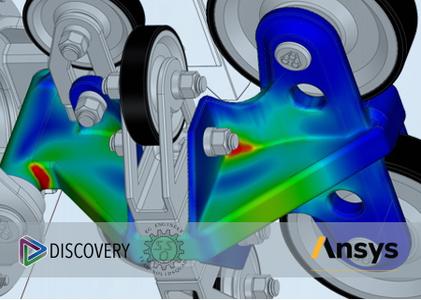
ANSYS Discovery Ultimate 2021 R1 (x64)

eaf60ea29cc3988fa53dd8412d826821.jpg

ANSYS Discovery Ultimate 2021 R1 | 5.4 Gb
​
The Ansys Discovery development team is pleased to announce the availability of Discovery 2021 R1 is the first simulation-driven design tool to combine instant physics simulation, proven Ansys high-fidelity simulation and interactive geometry modeling in a single user experience.


Ansys Discovery user interface

The first thing that's going to hit you when you open up Discovery is that the user interface is configured a little differently to other systems. The basics will be familiar - a ribbon across the top, offering operations categorised either by overall function (such as display) or by workflow step (design, prepare and so on).

You'll see a tree to the upper right that gives you control over your geometry tree as well as the physics that you have defined. You'll also notice three items at the bottom of the large model interaction window.

To the left, you have a radial menu that gives you access to display controls (shading scheme, for example), standard views, and the familiar view cube/triad control.

In the centre, meanwhile, you'll find another widget - the stage navigator. This is where you'll control the stage you're at in your simulation process and where you will receive information about the task you're working on.

This includes solving status, but also feedback on what the system needs to complete a study - we'll explain more about this in a moment.

To the right, you'll see the solve and results widget. This gives you direct control over starting and pausing your solves, as well as post-processing options that enable you to control the results that are displayed on screen. To see how this all works, let's work step by step through a job.


Fig 2. Interactive design exploration with real-time simulation of fluid flow behavior within a flow control valve

Ansys Discovery in use

The first step, as usual, is to define the geometry for your simulation study. To do this, ensure that the stage navigator is set to 'model'. This will bring up all of the model handling tools you'll need.

While many simulation tools require that you import the geometry from another system, Ansys Discovery has the benefit of being built on top of the SpaceClaim platform.

This gives you a number of advantages. The first is that your import options are wide and pretty well-rounded-out.

There are not many geometry formats the system can't work with; these include analytic geometry in both native and standard formats, as well as mesh data. (In fact, SpaceClaim comes with some very nifty mesh-editing tools.)

You also have the option to model up your geometry from scratch, using SpaceClaim's direct modelling tools. The reality is that, for most projects, you may well be using both kinds of geometry - particularly when you start to explore the interactive experimentation that's possible here.

Either way, assuming that your geometry is in a fit state, your next step is referred to as 'Explore' in the stage navigator.


Fig 3. Structural analysis of Advenchair assembly within Ansys Discovery. Image courtesy of Onward Project

Explore mode - time to experiment

This is the stage that follows the existing Ansys Discovery Live capabilities most closely. The goal is to take your geometry model and start to add in physics-related information.

This ranges from things like material definition for the parts in your project to adding in your physics attributes. (For the former, there's a good pre-built library, acquired in the purchase of materials data specialists Granta a while back. This can, of course, be expanded.)

Ansys Discovery can carry out both structural mechanical studies (for stress/ strain, modal simulation and so on), as well as thermal and fluid flow studies.

What Ansys has done is remove the need to define the type of study you're carrying out at this stage. Simply add in the physics entities and characteristics of the model and the system tells you when it's got enough information to begin solving in real time.

Taking the example of the bracket shown in Figure 1 (above), we added in the materials, loads and constraints. Once sufficient information is defined, you'll notice that certain areas activate.

One to pay close attention to is the simulation information display, situated above the stage navigator. This gives you visual feedback about whether you're ready to solve, the status of a solve, and what's still missing. As with all simulation systems, there are often points in the process where things get missed, or you've failed to provide enough information.

You'll be prompted about what needs doing by a hexagon with a speech bubble that appears. From here, you can also set up new studies within that project. This will be key later on.

Assuming that you have your study fully defined, the next step is to start solving. This is done by hitting the green power icon to the right of the screen, switching on the interactive solver. You'll start to see your simulation results stream into the window. I've been playing with this technology from Ansys since its launch and it still amazes me that you can get results back so quickly - whether you're performing structural studies, fluid flow simulation or solid thermal.

Because of the system's interactivity, it's entirely possible to experiment with both geometry and physics along the way. You can quickly try out new material options, geometry forms and loading conditions, for example. If you make edits to any of these, your results will stream back in as soon as you finish. And, if you find that too distracting, you can return to the power icon and pause the solve while you make your edits - then switch it back on.

It's important to note here that while you can bring in complex assemblies, careful use of that data is advisable. Strictly speaking, you should only apply the physics to those parts where doing so is appropriate and define proper contact conditions between them.

Fortunately, that's easy to do - but it's also essential for efficient use of the system. It's also worth noting that Ansys Discovery also includes topology optimisation, allowing you to optimise for stiffness, mass reduction or natural frequency (to maximise or for a target frequency), for example.

Again, set-up is derived from the physics that you've already defined, then you add in the topology optimisation targets and the system gets to work. A little more detail on this may be useful, because this is potentially a very valuable implementation of the technology. The system allows you to define offsets from the faces where your load and constraints are applied.

This essentially protects them from material removal. Of course, it's perfectly clear that other features, which might not have a bearing on the physics set-up of the study, might also be needed.

Currently, there are no 'leave out' or 'preserve' features, but using an old simulation trick, you can achieve this by applying a small pressure to faces you want to preserve and that should protect them.

When the system achieves the goal you've set for it, you have the option to take the 'optimised' body and make it a formal part of the model tree. This takes your results data as a mesh and makes it available.

To be frank, only perverts and additive manufacturing vendors are going to pretend that anyone in real life would take results from a topology optimisation routine and manufacture their product straight off. But what this does give you is a good set of reference geometry, portions of which you might be able to use to progress further using the SpaceClaim tools that allow you mix-and-match mesh and proper geometry nicely.

The goal in the Explore stage is to carry out rapid design experimentation using all of the tools available to get you where you want to be. It's here that the Discovery Live system stops, the intention being that users can take their results and progress them further through engineering, perhaps carrying out further simulation using different tools.


Fig 4. Use of a heads-up, at-cursor interface makes working with Ansys Discovery super-efficient and interactive

Refine mode - dial in details

If Explore is where Discovery Live ends, it's also where the new Discovery system really starts to gather pace, building on and enhancing that workflow.

By switching from Explore into Refine mode, you take all of your study set-up and results and refine your model further, using a deeper set of simulation tools, built on Ansys' world-leading solver technologies, Ansys Mechanical and Fluent.

The same set of physics models are available (structural fluid flow for both internal and external, as well as solid thermal), the natural frequency modal physics are available, and there's a topology optimisation solver, too.

At this point, since you're looking to push your simulation further, you'll presumably want to dive into those areas where you intend to build an engineered solution to your problems, using the full weight of simulation.

In this environment, the results are not real-time, GPU-enabled. Rather, the resolution of results is akin to what you would expect from a long-standing solver technology - that is to say, robust and comprehensive.

The Refine mode also adds in new capabilities that are unsupported in Explore mode. These include more tools for accurately representing an assembly, for bolt pre-tensioning and for mesh refinement. The post-processing tools, meanwhile, are also built on the same foundation, so knowledge you've built up in Explore mode transfers across quickly.

In other words, you're using the same tools you used for experimentation, so in Resolve mode, you can dig in to additional options that yield higher fidelity results.

Of course, it might be the case that you want to explore even further still. Since you've already got the physics set up and have already conducted studies using the Ansys Mechanical or Fluent solvers, it makes sense to be able to wrap up that data and push it into standalone tools, too.

This is entirely possible. In fact, the system provides you with direct links into those systems that are the targets for data already set up.

In conclusion

Ansys Discovery is the logical next step for the company and for its new generation of tools. The breakthrough speed of computation and the interactivity that Discovery Live has brought to the market has the potential to transform workflows at any organisation that adopts it.

Why? The answer is that Discovery Live allows users to truly experiment with fundamental factors of geometry, material and conditions of use, in order to identify an optimal solution to an engineering problem.

After all, it's no good having rapid modelling capabilities at your fingertips if you then find that your simulations take all day - and vice versa.

With Discovery Live, Ansys has managed to combine the best of rapid modelling technology from SpaceClaim with the GPU-enabled Discovery Live solvers, in order to build a system that allows you to dive in and quickly try out new ideas and concepts.

That's extremely useful, certainly. But with the new Ansys Discovery, you don't just get speedy simulation. What you also get is a far deeper understanding of the behaviour of a product - the kind of understanding typically associated with more traditional, tried-and-tested simulation tools.

In short, it's the best of both worlds - and that's quite a remarkable thing to behold.

Ansys Discovery is the first simulation-driven design tool to combine instant physics simulation, proven Ansys high-fidelity simulation and interactive geometry modeling in a single user experience. Leveraging the all-new Discovery early in your product design processes will drive substantial gains in engineering productivity, spur innovation and increase your product's overall performance.

With the launch of Ansys Discovery, Ansys has kicked off a significant expansion of its nextgeneration simulation products. But first, a bit of history, in case you've not been keeping a close eye on the company recently: A couple of years ago, it launched Ansys Discovery Live (ADL), which focuses on making simulation much faster to use.

Rather than following the traditional, step-by-step 'build-mesh-load-solve' approach, Ansys Discovery Live uses new technologies that take advantage of GPU compute power in order to obscure a good deal of the complexity of this multi-step process.

The result is a near-real-time simulation system for both fluid flow and static structural problems.

Discovery Live has since grown in capabilities and has also become a core part of PTC's simulation offering, with its integration into Creo 7. But the issue here - as always with simulation - is that when you boost speed dramatically, you typically experience some kind of trade-off.

To put it bluntly, there is an element of 'close enough' with Discovery Live. For many users, that's fine. Others, by contrast, much prefer finer, more accurate results over speed.

And even for that former, 'close enough' group, an issue with ADL is that while it provides them with quick insight into product performance and a way to vastly accelerate experimentation with the interplay of form, function and physics, this is achieved at some remove from their validation tools.

All of which brings us to the present day. Ansys has now launched a system - Ansys Discovery - that builds not only on the work done with Discovery Live, but also with other products in its portfolio, including Ansys AIM.

In short, the company has delivered a system that enables users to carry out fast-paced experimentation using real-time solvers, but subsequently validate them further, as needed, using a more traditional solver (such as Ansys Mechanical or Fluent), just as they might in a more traditional workflow.

Experience the new Discovery: MODEL - EXPLORE - ANALYZE

Founded in 1970, ANSYS employs nearly 3,000 professionals, many of whom are expert M.S. and Ph.D.-level engineers in finite element analysis, computational fluid dynamics, electronics, semiconductors, embedded software and design optimization. Our exceptional staff is passionate about pushing the limits of world-class simulation technology so our customers can turn their design concepts into successful, innovative products faster and at lower cost. As a measure of our success in attaining these goals, ANSYS has been recognized as one of the world's most innovative companies by prestigious publications such as Bloomberg Businessweek and FORTUNE magazines.

Product: ANSYS Discovery
Version: Ultimate 2021 R1 (Build 20201120)
Supported Architectures: x64
Website Home Page :
Код:
http://www.ansys.com
Language: multilanguage
System Requirements: PC *
Size: 5.4 Gb

Ansys Discovery Hardware Requirements

General Requirements
Minimum requirements for Ansys Discovery software are as follows:
- 64-bit Intel or AMD system, running Windows 10.
- 8 GB RAM
- A dedicated graphics card with latest drivers and at least 1GB video RAM, capable of supporting OpenGL 4.5 and DirectX 11, or higher. Use of integrated graphics (e.g. Intel HD/IRIS) is not recommended and is not support by the Analyze stage in Discovery. See below for special graphics requirements for ANSYS Discovery Live.
- 3 button mouse

Ansys Discovery Live and Explore Stage Graphics Requirements

Ansys Discovery Live or the Explore stage in Ansys Discovery relies on the latest GPU technology to provide its computation and visual experience. To run the software, you will require:

- A dedicated NVIDIA GPU card (Quadro recommended, GeForce supported) based on the Kepler, Maxwell, Pascal, or Turing architecture. Maxwell 2000 or better strongly recommended.
- At least 4GB of video RAM (8GB recommended) on the GPU.

The Discovery Live Compatibility Utility will be run following installation to verify if your current graphics hardware is capable of supporting Ansys Discovery Live. If you do not have a graphics card that meets these specifications, the software will not run. Also, please ensure you have the latest driver for your graphics card, available from NVIDIA Driver Downloads.


-:DOWNLOAD FROM LINKS:-

RapidGator
Код:
https://rapidgator.net/file/568b5eaf53c0707fe82eb828b1a8e08a/Discovery.2021.R1.part1.rar.html
https://rapidgator.net/file/dc3ba4280f26db7fc7c174fb9ad11c8d/Discovery.2021.R1.part2.rar.html
https://rapidgator.net/file/236c212496f7a638fcdb7d959e135e4d/Discovery.2021.R1.part3.rar.html
https://rapidgator.net/file/0aea9582f9a5fc4d8310771fa49590cd/Discovery.2021.R1.part4.rar.html
https://rapidgator.net/file/d97cf36066b58d15c8f74a0fa8c9d7d4/Discovery.2021.R1.part5.rar.html
https://rapidgator.net/file/c8cbb52232ec7235583d37eeaa96c7c7/Discovery.2021.R1.part6.rar.html

NitroFlare
Код:
https://nitroflare.com/view/E5646B26B7F3A56/Discovery.2021.R1.part1.rar
https://nitroflare.com/view/E3BA524C74AD4EF/Discovery.2021.R1.part2.rar
https://nitroflare.com/view/7194E5D2F7338FA/Discovery.2021.R1.part3.rar
https://nitroflare.com/view/629D307F12A27AA/Discovery.2021.R1.part4.rar
https://nitroflare.com/view/37BFC5430802792/Discovery.2021.R1.part5.rar
https://nitroflare.com/view/50D5993D8CCCE9A/Discovery.2021.R1.part6.rar

​
 
CAMWorks ShopFloor 2021 SP0 (x64)


8dcfdb7aa4aac24e3d69ad7bda7009c5.jpg

CAMWorks ShopFloor 2021 SP0 | 1.1 Gb
​
The GeometricPLM development team is pleased to announce the availability of CAMWorks ShopFloor 2021 SP0 is the latest Industry 4.0/Smart Manufacturing tool specially designed for the CNC machinist on the shop floor and promotes digital manufacturing by providing 3D models with MBD & PMI data and CNC programming information to the shop floor in a single, compact digital format.


What's new in CAMWorks ShopFloor 2021 SP0

CAMWorks ShopFloor provides tools for companies to adopt smart manufacturing/Industry 4.0 initiatives by moving beyond 2D drawings or static digital files. With the software, 3D digital models capture extensive data from the part design files and provide tools that machinists can use to produce parts with fewer miscommunications between the design and manufacturing departments, the company says.

CAMWorks ShopFloor is said to reduce errors by eliminating the need to repeatedly transfer part data to 2D drawings or other formats. Upon completion of a CAD part file, the designer publishes a CAMWorks ShopFloor file, which is transferred to the machinist. A complete CAD viewer enables the machinist to display the native design model with GD&T information and annotations for the 3D part model. Users can rotate, zoom, pan and section view the model. They can also take linear, radial, angular and area measurements. The MBD and PMI data can be viewed, searched and filtered.

The software provides a single source of part data in order to eliminate delays caused by questions as well as material waste caused by machining an outdated version of a part. All the information for a part is contained in a single file and is viewed under a single interface. CAMWorks ShopFloor includes automatic file checking to detect changes in either the CAD or CAM file and alert the user to avoid machining the wrong revision of the part and maintain associativity along the digital thread.

In addition to full toolpath simulation, CAMWorks ShopFloor also includes a step-through simulation option for each operation or the entire program. A CNC Editor, with back-plotting capabilities, allows the machinist to review and make any final changes.

About CAMWorks ShopFloor


GeometricPLM by HCL Technologies a specialist in the domain of engineering solutions, services and technologies. Its portfolio of Global Engineering services, Product Lifecycle Management (PLM) solutions, Embedded System solutions, and Digital Technology solutions enables companies to formulate, implement, and execute global engineering and manufacturing strategies aimed at achieving greater efficiencies in the product realization lifecycle.

On April 1st 2016, Geometric got into an agreement with HCL Technologies to transfer of its business to HCL Tech by way of demerger, except for its 58% share in the joint venture with Dassault Systèmes (3DS) (3DPLM Software Solutions Limited (3DPLM)). The transition has become effective on March 2nd 2017, after seeking all statutory approvals.

Product: CAMWorks ShopFloor
Version: 2021 SP0 build 2020/1214 14-December-2020)
Supported Architectures: x64
Website Home Page :
Код:
http://www.camworks.com
Language: english
System Requirements: PC *
Size: 1.1 Gb

Before installing CAMWorks ShopFloor 2020, ensure that the following system requirementsare fulfilled:

Supported Microsoft Windows Operating Systems
- 64-bit version of Windows 10
- 64-bit version of Windows 8.1
- 64-bit version of Windows 7 (SP1 or higher)

Hardware Requirements
RAM: 8 GB or more recommended
Video Card: Certified cards and drivers
Processor: Intel or AMD processors with SSE2 support. 64-bit operating system required.
USB port: If you choose to have CAMWorks ShopFloor licensing via a USB dongle (key),then access to an USB port is required to plug in the CAMWorks Hardware Dongle(key)into the USB port.
Network: Microsoft's Windows Networking and Active Directory network environments.
Install Media: Broadband Internet Connection

Supported Platforms:

CAMWorks versions:
- All CAMWorks 2020 x64 versions up to CAMWorks 2020 SP4
- CAMWorks 2019 x64 SP4
- CAMWorks 2019 x64 SP3

Compatible CAD Platforms:
- SOLIDWORKS 2020
- SOLIDWORKS 2021
- CAMWorks Solids 2020

Note: To view ShopFloor files in the CAMWorks ShopFloor 2021x64 SP0 application, a compatible CAMWorks version needs to be loaded as an Add-In in one of the above-listed CAD platforms. This will ensure successful publishing of ShopFloor files from programmed part models/ assemblies.
- CAMWorks Solids 2021 will be supported when released.


-:DOWNLOAD FROM LINKS:-

RapidGator
Код:
https://rapidgator.net/file/bba3484dec46864eb210db9f7542f660/CAMWorks.2021.SP0.part1.rar.html
https://rapidgator.net/file/a401ae9cd1af30e92d2a1d593ae181b2/CAMWorks.2021.SP0.part2.rar.html

NitroFlare
Код:
https://nitroflare.com/view/1FEF1741884E819/CAMWorks.2021.SP0.part1.rar
https://nitroflare.com/view/30A985BFA77B7A3/CAMWorks.2021.SP0.part2.rar

​
 
Siemens Tecnomatix Plant Simulation 16.0.0 (x64)


be1529f03e8b455efbd5de9b16dc1dae.jpg

Siemens Tecnomatix Plant Simulation 16.0.0 | 1.3 Gb

Languages: Deutsch, English, 日本語, 中文, Русский, Magyar
​
The Tecnomatix development team is pleased to announce the availability of Plant Simulation 16.0.This release added several new and cool features to simulation software, completing the content of the previous versions 15.1 and 15.2.

The most visible 16.0 version highlights are:

- JSON datatype for variables and attributes - JavaScript Object Notation is an open standard and human readable data interchange format
- Kanban-like material pull strategy for store objects that are used as fulfilment center (supermarket)
- Workplace with capacity for multiple operators at a station or machine
- New operating mode for the PlaceBuffer (sequentially indexing), implementing a buffer type that is often used in discrete manufacturing
- Reorganized, simplified and improved video capturing

Please have a book at the detailed chapter. There you will learn more about additional new and enhanced functionalities coming with Plant Simulation 16.0.


Tecnomatix Plant Simulation allows you to model, simulate, explore and optimize logistics systems and their processes. These models enable analysis of material flow, resource utilization and logistics for all levels of manufacturing planning from global production facilities to local plants and specific lines, well in advance of production execution.

Use the power of discrete event simulation for production throughput analysis and optimization to improve your manufacturing system performance.

Tecnomatix Plant Simulation Application 16.0


Siemens PLM Software is a world-leading provider of product lifecycle management and manufacturing operations management software. We help thousands of companies realize innovation by optimizing their processes, from planning and development through manufacturing, production and support.

Product: Tecnomatix Plant Simulation
Version: 16.0.0
Supported Architectures: x64
Website Home Page :
Код:
http://www.plm.automation.siemens.com
Language: multilanguage
System Requirements: PC *
Size: 1.3 Gb

System Requirements for Tecnomatix Plant Simulation 16

Minimum PC Configuration
Supported operating systems: Windows 8.1 64-bit or Windows 10 64-bit
Hardware:
2 GB of free disk space
4 GB RAM

Recommended PC Configuration
- Operating system: Windows 10 64-bit
- Intel Core i5 or i7 processor or comparable product
- 2 GB of free disk space
- 16 GB RAM
- For working with Plant Simulation 3D: Graphics card with at least 2GB RAM. We recommend graphics cards with NVidia GeForce chips. Graphics cards which have been optimized especially for CAD applications are not required. For 3D Navigation, we support the SpaceNavigator by 3Dconnexion.
- Graphics resolution of 1920 x 1080 pixels or higher
- Internet Explorer 11


-:DOWNLOAD FROM LINKS:-

RapidGator
Код:
https://rapidgator.net/file/95af7aadb9d0ddfd874757ec52950d2a/Simulate.16.0.1.part1.rar.html
https://rapidgator.net/file/cb0bfdc6bc67a65734f24f6dd505df3f/Simulate.16.0.1.part2.rar.html
https://rapidgator.net/file/fa41571eda01b01bde865b6e016df340/Simulate.16.0.1.part3.rar.html
https://rapidgator.net/file/db4b39a00d7fd5ada25dc69eaa7d2b08/Simulate.16.0.1.part4.rar.html

NitroFlare
Код:
https://nitroflare.com/view/BFE59DE0728E889/Simulate.16.0.1.part1.rar
https://nitroflare.com/view/4D9DD626B42C097/Simulate.16.0.1.part2.rar
https://nitroflare.com/view/0A0A902629D50AB/Simulate.16.0.1.part3.rar
https://nitroflare.com/view/D0AB467B286F1D1/Simulate.16.0.1.part4.rar

​
 
Siemens Solid Edge 2021 MP01 (x64) Update


bcef76faef6d3baec925489d772266aa.jpg

Siemens Solid Edge 2021 MP01 Update | 340.3 mb

Languages: 中文 (Simplified), 中文 (Traditional), Čeština, English, Français, Deutsch, Magyar,

Italiano, 日本語, 한국어, Polski, Português-Brazilian, Русский, Español

​
The Siemens Digital Industries Softwareis pleased to announce the availability first update of Solid Edge 2021 software. Last release includes design capability enhancements such as new subdivision modeling and improved reverse engineering performance with new deviation analysis.

===General===
PR 9912115: Detailed Report Incorrectly Repeats Parts List on Sheet 2,3,etc.
PR 9917365: reset docking panes does not do anything
PR 9865054: Paragraph spacing of Korean texts in Toolbar is abnormal

===API===
PR 9701624: Missing Solid Edge Type Libraries in VBAProject
PR 7513172: Need Pre/Post event notifications when an Occurrence is Replace in SE Assembly
PR 9854055: API Exception using AttachedTo when part has simplified model

===Assembly===
PR 9908877: Assembly Feature 3D Print > Reorient Bug
PR 8458497: Bolted Connector - if 'iterative solver' is set, the study fails to solve
PR 9896884: Solid Edge 2020 Textures no longer being picked up for UNC path
PR 9500343: Problem with Frame
PR 9804597: Color differs when assembly open as inactive/active
PR 9902608: Dim Surrounding Components during In-Place Edit not working for simplified asm
PR 9789423: Solid Edge terminates without warning.Crash log for development review
PR 9833146: Provide sample code to inspect interpart information about part
PR 9895426: Pathfinder scrolling pathfinder scrolling back up when hiding, showing, activating.
PR 9905633: Decal does not appear when assembly is reopened
PR 8450212: very poor performance when editing complex 3d sketch

===Draft===
PR 9410499: Dimension by 2 points detached and removed because of a rebind failure
PR 9545444: Very slow to place a 2D model view
PR 9870947: Mirror copying in 2d gives Crash
PR 8432241: Not possible to save draft to 2D PDF
PR 9817640: Update/Undo/Update gives incorrect results
PR 9459093: Removing dimensions from Alignment Set will mess up dimensions
PR 9855174: Property Text gets lost in Solid Edge 2020 MP08
PR 9825081: Problem with retrieving text box in draft
PR 9910780: Screen turns black when entering draw in view
PR 9911774: Property Text - Error [Document Name Formula]

===Solid Edge Data Management===
PR 9853155: Prop seed Manager column Keyword has no List of Value pulldown
PR 8445955: Solid Edge DM Local setup Part is not moved to obsolete folder

===Part/Profile/Sheetmetal===
PR 8450481: Solid Edge locks up using the Text Profile command when locale set to Hebrew
PR 8450770: Garbled Cyrillic characters in Property Manager
PR 9787321: System error appears and document get closed after cancelling Bead process
PR 9619860: Inconsistent behavior of Rectangular Pattern in Sketch
PR 9840793: Lofted Flange bend table changes values.
PR 9842195: Warning is shown when the new lofted flange functionality is used
PR 9843673: Detach method failing with error
PR 9830933: Different results with trim
PR 9849999: Polygon by Center does not create relation to selected geometry
PR 8453177: Retrieved property text in callout shows kg/mm2 instead kg/dm2.
PR 9852780: Wrong hole count in callout after update
PR 9909004: Face Relate cannot used for imported data
PR 9896595: If autoscale sketch is on result is not correct

===Teamcenter Integration for Solid Edge===
PR 9857211: Compare models is not working in SEEC
PR 9781553: Add to Teamcenter Interactive attribute mapping failed
PR 9783730: Use "add to Teamcenter interactive " to add the model and save it to Teamcenter
PR 9785245: The configuration before FOA creation remains
PR 9799650: Position Override is not removed by changing Adjustable Assembly to Rigid
PR 9831674: The back ground color change in case of Save as all Occurrences command.
PR 9742866: In SSO environment, Project ID displayed on the User settings on SEEC is empty
PR 9820103: PR9384849 has not been fixed on SolidEdge with SSO env
PR 9828983: Cannot create a correct CAD BOM View using AddToTeamcenter
PR 9806927: SaveAs Translated to filesystem does not show overwrite warning window
PR 8452883: Unable to set different folder for individual object being added
PR 9498560: SEEC_Synchronize_ItemNumbers does not work with Method=3 and Driven References
PR 8451425: SEEC_Property_ClearValue does not remove or empty properties after Revise
PR 8456513: SEEC: wrong object name in Pathfinder for published FOA member
PR 9772776: Korean Text inputted by single click is incorrect in Property Manager
PR 9820037: Unable to update assembly configurations
PR 9850590: Project is not assigned to 2D which is different from 3D
PR 8451716: Release to PDF fails when DFT dataset with Cyrillic symbols translated

===Translators===
PR 9784825: Inventor migration tool
PR 8448576: SW Migration tool is unable to migrate a complete product assembly
PR 9773940: The result of JT translation differs depending on the version
PR 9804654: The body turns into faces when the activated part convert to JT
PR 9812226: Solid Edge freeze while creating JT file
PR 8452004: Creo elements direct Migration Drawing not associative with model
PR 9848401: Solid Edge Import fails "general fault exception"

===2D Nesting===
PR 9912115 - Detailed Report Incorrectly Repeats Parts List on Sheet 2,3,etc.

===TechPub===
PR 9814114: English remains in the SE Illustrations 2021 Japanese GUI
PR 8456966: Issues of 3D PDF that was published from SE 3D Publishing
PR 8457054: SE Technical Publications 3D view issues
PR 9819385: Technical Publication Document cannot be opened
PR 9833647: HTML Storyboard animation issue
PR 9896502: Scaling of parts in 3D publishing causes them to become not visible
PR 9875035: Configurations not coming in properly from assembly to technical publications
PR 9727309: Model PMIs showing in tech pubs when there is no PMIs in assembly in Solid Edge
PR 9914121: The line segment display is different from SOLID EDGE

--
End
--

Solid Edge is a complete 3D CAD system that uses Siemens Synchronous Technology for accelerated design, faster revisions, and better imported re-use that helps companies design smarter. When it comes to 3D design, Solid Edge is your best choice for accelerating design, getting products to market quicker, speeding ECO execution, and maximizing your re-use of imported 2D and 3D data.
Siemens Digital Industries Software announces the 2021 version of Solid Edge software, which the company says includes design capability enhancements such as new subdivision modeling and improved reverse engineering performance with new deviation analysis. A new artificial intelligence-powered adaptive user interface to predict next steps, and a seamless integration with 3dfind.it, an intelligent 3D model search engine powered by CADENAS, can also be used to save time in the early phases of design.

Solid Edge 2021

Siemens Digital Industries (DI) is an innovation leader in automation and digitalization. Closely collaborating with partners and customers, DI drives the digital transformation in the process and discrete industries. With its Digital Enterprise portfolio, DI provides companies of all sizes with an end-to-end set of products, solutions and services to integrate and digitalize the entire value chain. Optimized for the specific needs of each industry, DI's unique portfolio supports customers to achieve greater productivity and flexibility. DI is constantly adding innovations to its portfolio to integrate cutting-edge future technologies. Siemens Digital Industries has its global headquarters in Nuremberg, Germany, and has around 75,000 employees internationally.
Siemens PLM Software is a world-leading provider of product lifecycle management and manufacturing operations management software. We help thousands of companies realize innovation by optimizing their processes, from planning and development through manufacturing, production and support.

Product: Siemens Solid Edge
Version: 2021 MP01 build 221.00.01.017
Supported Architectures: x64
Website Home Page :
Код:
https://solidedge.siemens.com/
Language: multilanguage
System Requirements: PC *
Software Prerequisites: Siemens Solid Edge 2021 (link below)
Size: 340.3 mb

Operating system requirements and information

Solid Edge 2021 has been certified to run on the following:
- Windows 10 Enterprise or Professional (64-bit only) version 1809 or later
- Internet Explorer 11
- Internet Explorer is not required to be the default browser.
- Microsoft Office Professional 2016, Microsoft Office Professional 2019 or Microsoft Office 365 Business.
Note
- Windows Home not supported.
- We recommend that you not run Solid Edge on Server operating systems.
- Solid Edge stops certifying new releases against an operating system shortly after Microsoft drops mainstream support for it. Microsoft dropped mainstream support for Windows 7 in January 2015. Microsoft dropped mainstream support for Windows 8.1 in January 2018. Due to limited support from Microsoft and graphics card vendors for older operating systems, installation of Solid Edge on Windows 7 or Windows 8.1 is not recommended. Solid Edge will install and run on these operating systems, but issues determined to be caused by an incompatibility between Solid Edge and an end of life operating system may not be fixed. Due to the potential for critical issues on these older operating systems, Solid Edge 2020 could be the last Solid Edge release that installs on Windows 7 or Windows 8.1.

Hardware system requirements

Recommended system configuration
- Windows 10 Enterprise or Professional (64-bit only) version 1809 or later
- 32 GB RAM or more
- True Color (32-bit) or 16 million colors (24-bit)
- Screen Resolution: 1920 x 1080
Minimum system configuration
- Windows 10 Enterprise or Professional (64-bit only) version 1809 or later
- 16 GB RAM
- 65K Colors
- Screen Resolution: 1920 x 1080
- 8.5 GB of disk space required for installation


-:DOWNLOAD FROM LINKS:-

RapidGator
Код:
https://rapidgator.net/file/4a77c0fd7bd1d468ba179af4d5f83d62/Solid.Edge.2021.MP1.Update-SSQ.rar.html

NitroFlare
Код:
https://nitroflare.com/view/98287DC25F4D5FB/Solid.Edge.2021.MP1.Update-SSQ.rar

​
 
Altair Compose 2020.1.1 build 5228 (x64)


c9494fa87814a56f5bf58883d7c08a76.jpg

Altair Compose 2020.1.1 build 5228 | 1.1 Gb
​
The Altair development team is pleased to announce the availability of Compose 2020.1.1. Apart from hotfixes in the detected issues, this version hosts a couple of noteworthy enhancements as well.


Altair Compose 2020.1.1
Altair Compose 2020.1.1 is a hotfix release (see Compose 2020.1 Release Notes below) and includes the following enhancements

Resolved Issues and Enhancements
• Fixed issues with the OML H3D commands
- Fixed a crash in writeh3ddata when passing a wrong argument.
- Updated writeh3ddata to not support string as subcase and datatype.
- Fixed an issue when "layers" is a number or a matrix in function createh3ddatatype.
- Updated the documentation and examples.
• Fixed issues with the input and pause commands.
• Fixed an issue with properties for UI creation due to the order of creation of the callback.
• Improved the performance of the command to read XLSX/XLSX files.

Altair Compose 2020.1
Altair Compose 2020.1 includes the following new features and enhancements.

New OML Functions
The following functions have been added to the OML language:
• omllinenumber
• kurtosis
• csvread / csvwrite
• filesep
• skipformat
• moga multiobjective optimization method*
• display

Integration and I/O
New commands to read HDF5 files (read groups, data, and attributes) have been added.
• readhdf5
• readhdf5toc
• readhdf5attributes
Extension of H3D file write commands.
• Support writing original and new results in a new .h3d file.*
• Handle complex data.

New Plot Features
• Implemented pan functionality on 3D plots.
• patch
• fill3
• Save plots in JPEG format.
• Panels are visible in UI control GUIs.

Compose Notebook New Features
• Support for sliders on plots in the Compose Notebook (using uicontrol).
• The following OML functions are supported in the Compose Notebook:
- text
- bar3
- view
- colormap
- colorbar
- plotyy
- text

Additional Enhancements for OML and OML Functions
• repmat enhancements
• ifft enhancements
• Improve try-catch error information.
• Cell-list indexing
• Support Unicode file path and file name in save
• Update error messages for Unicode file path and file names in readvector and readmultvectors.
• Support Unicode file path and file name in textread, rename, isdir, and copyfile commands.
• Example and documentation for Fortran routine with Binary Compatible interface.
• Print error messages with diary function.
• Printing empty cells/structs.
• writeh3ddata does not write complex data.
• Update the notebook plot to work with plotly 4.0.0.
• Sparse empty matrices should display the row and column information.
• Negative values in whos/memoryuse.
• isa function not working with inheritance.
• Executing a Tcl/Python file by Compose.bat.
• Improve load command.
• Keyword list not refreshed on every command in OML Command window.
• Implemented Whitespace, ReturnOnError options in textscan.
• Support Unicode file path in textread, copyfile, rename, isdir, dlmread, and cvsread.
• Print error messages in diary.

Additional Enhancements for Plotting and UI Commands
• Add mouseover message in GUI uicontrols.
• Add "Deselect All" option/button to listdlg.
• Support 'columnwidth' as uitable graphical object property.
• Set text font size.
• axis equal and axis square improvements.
• Missing optional arguments in graphical commands.
• Ability to type a new line in the title of a plot.
• Include a 'Size' or 'Resolution' control to 'saveas' command.
• Add columnname property for uitable.
• On hover curve name for 3D line in fanplot.

Resolved Issues
• Value is not being set correctly for some uicontrol styles.
• Matrix Allocation issue causes a crash.
• Issue with setting text color in plots.
• Using comma separated value from a cell fails in concat.
• Issue with non-active figures when saved with a certain resolution.
• fft([]) causes a crash.
• [V,L]=eig(A,B) produces incorrect Eigen vectors.
• Font size update in Preferences panel does not work.
• Multiple output functions force multiple expression evaluations.
• Wrong output in debug mode when you cancel the action in uiputfile file dialog.
• saefilter command crash for two signals with different sampling frequencies.*
• Whitespace not recognized in labels of bar plots.
• get()not working in uicontrol.
• Issue with string indexing of non-ASCII characters in OML.
• fft multidimensional performance issue.
• dlmread wrong behavior when setting "headerlines" or "linestoskip" options.
• dlmread not supporting \t delimiter.
• saefilter bug with default fft size.
• classdef with only 'properties' returns a syntax error.
• Memory leak with imagesc.
• Syntax error in try/catch can cause a crash.
• Plots in Notebook can hide other contents.
• Pagination commands are not properly displayed.
• rename doesn't support file name with UTF8 characters.
• Dots are connected in scatter plot in Linux.
• min() and max() issue for sparse matrix.
• Commands after interactive pagination not executed when pasted in OML Command Window.
• Cell content not properly assigned.
• Wrong output of textscan function.
• Display issue in console mode (-f option) with input command.
• [V,D]=eig(A,B) returns incorrect results for a B=0.
• hex2dec fails for numbers with different lengths.
• Overlay plot of bar and hist is not correct.
• Properties xdata/ydata are not valid when calling imshow.
• sortrows() produces different results on Windows and Linux platforms.
• contour3 in Compose Notebook isn't rendered correctly.
• OML library cannot be loaded in OptiStruct 2020.*
• dir command does not show utf8 directory on Windows.
• Cannot set 'parent' in uicontrol, uipanel.
• regexp issue with returned type.
• uibuttongroup can't have uiframe or uipanel as parents.
• Application can freeze when closing a large plot.
• Issue with global variables between different files with GUI handles.
• Error message displayed in Linux terminal when hiding a figure.
• Implicit function ends should make functions local, not nested.
• Labels not properly shown.
• Changing X axis scale interactively should not affect Y axis limits.
• On Linux: when importing Python Tensorflow module, importing mnist data errors out.
• Issue with 3D plots after saveas.
• Printing a large matrix in command window is too slow.
• Crash when saving a plot as .scm in the project browser.
• Multiple selection in uicontrol listbox, with Ctrl+mouse click.
• Issue with separator in dlmread function.
• Function 'hour' cannot support some formats which don't specify the hour.
• 'HH:MM PM' in function 'hour' doesn't work.
• Delete file/folder with unicode name doesn't work in the file browser.
• xlsopen open file in read-only mode doesn't work.
• Open file dialog issue in Debug mode.
• Brace symbol is evaluated in plot commands.
• Error printing large integers with fprintf.
• Issue in printed pause message when running a script using run() function.
• Issue when saving scripts in debug mode.
• Memory issue on imshow().
• Font name of bar plot is not correct.
• OML exit function argument is ignored.
• File path returned by uigetfile does not include final slash separator.

Altair Compose software is an environment for doing calculations, manipulating and visualizing data (including from CAE simulations or test results), programming and debugging scripts useful for repeated computations and process automation.

Compose allows users to perform a wide variety of math operations including linear algebra and matrix manipulations, statistics, differential equations, signal processing, control systems, polynomial fitting and optimization.

Other products in Altair's Model-Based Development offering include Altair Activate and Altair Embed.

Model Based Development with solidThinking Compose, Activate and Embed


Altair is a global technology company that provides software and cloud solutions in the areas of product development, high performance computing (HPC) and data analytics. Altair enables organizations across broad industry segments to compete more effectively in a connected world while creating a more sustainable future.

Product: Altair Compose
Version: 2020.1.1 build 5228
Supported Architectures: x64
Website Home Page :
Код:
http://www.altair.com
Language: english
System Requirements: PC *
Size: 1.1 Gb

Operating System
Windows 7, 8.1 and 10.
64 bits only
Hardware
OpenGL graphics card with at least 256 MB of onboard memory.
Integrated Intel graphics hardware is currently not supported.
Memory
4 GB of RAM (8 GB recommended).
10 GB or more of free hard disk space.


-:DOWNLOAD FROM LINKS:-

RapidGator
Код:
https://rapidgator.net/file/64e4d30f1401c88050a65170e0a2534f/Compose.2020.1.1.part1.rar.html
https://rapidgator.net/file/111337dc17abc11e74ff6b432e46cc9a/Compose.2020.1.1.part2.rar.html

NitroFlare
Код:
https://nitroflare.com/view/073988E6AF8BA63/Compose.2020.1.1.part1.rar
https://nitroflare.com/view/6EF03CD79ECEAF4/Compose.2020.1.1.part2.rar

​
 
PTC Creo Schematics 7.0.0.0 (x64)


080b740c9a508697735957425a13bfd0.jpg

PTC Creo Schematics 7.0.0.0 | 499.6 mb

Languages: English, Deutsch, Français, 日本語, Simplified 中文, Русский.
​
The PTC Creo development team is pleased to announce the availability of Creo Schematics 7.0.0.0 is a comprehensive, stand-alone 2D diagramming solution for creating 2D schematic diagrams of routed systems such as cabling, piping, HVAC, and hydraulic systems.

What's New in PTC Creo Schematics 7.0.0.0

Find Tool
A tool used for finding design and catalog items. User Interface Location: Click Data > Find.
Benefits and Description
You can easily find items in the design and catalog. You can search by design type, class, diagram type, and for specific parameters with specific values. Search by parameters allows finding items with specific parameter values and datasets assigned.

Telemetry
Diagnostic reporting is now enabled by default for Creo Schematics.
Benefits and Description
Quality Agent and the Session Logger utilities are now installed with Creo Schematics. These tool collect information and send reports to PTC on the performance and usage of Creo applications. It also reports the system information of a user, serving as a medium to help PTC improve the quality of its products.

Improvements to Design Export
Better quality of design export to different formats.
Benefits and Description
Improved export to PDF with better filtering of items that are not shown on the design sheet. Export of special characters and line types to EDA is improved. Support for export to DWG/DXF for AutoCAD versions up to 2018 was added. Improved export to HPGL.


Creo Schematics is a comprehensive, stand-alone 2D diagramming solution for creating 2D schematic diagrams of routed systems such as cabling, piping, HVAC, and hydraulic systems. The software automates the creation of detailed 3D routed system designs from existing 2D schematics within Creo Parametric and Creo Elements/Direct. This saves time, reduces errors, and eliminates tedious manual processes by correctly interpreting 2D logic and transferring it accurately into 3D. It also improves product quality by capturing both electrical and mechanical design intelligence within a single digital model. Now, design professionals across multiple disciplines can streamline product development processes and collaborate more effectively.

This Creo Schematics tutorial explains the required properties for connectors, wires, cables, and entry ports in order to perform Logical Referencing for driving 3D cable routing in Creo Parametric via an XML file. This video also shows how to access the Demo Database that comes in your Creo Schematics installation.


PTC has the most robust Internet of Things technology in the world. In 1986 we revolutionized digital 3D design, and in 1998 were first to market with Internet-based PLM. Now our leading IoT and AR platform and field-proven solutions bring together the physical and digital worlds to reinvent the way you create, operate, and service products. With PTC, global manufacturers and an ecosystem of partners and developers can capitalize on the promise of the IoT today and drive the future of innovation.

Product: PTC Creo Schematics
Version: 7.0.0.0
Supported Architectures: x64
Website Home Page :
Код:
http://www.ptc.com
Language: english
System Requirements: PC *
Size: 499.6 mb

System Requirements

Operating System: Windows 10 64-bit, Windows Server 2012 R2, Windows 8.1 64-bit, Windows 7 64-bit
Memory: 4GB or higher
Monitor: 1280x1024 (or higher) resolution with 24-bit or greater color
Graphics card: For 3D hardware acceleration, an OpenGL graphics card must be used that has been tested in a PTC-certified configuration.
Pointing device: Microsoft-approved three-button mouse
File systems: NTFS


-:DOWNLOAD FROM LINKS:-

RapidGator
Код:
https://rapidgator.net/file/4058521c3390833538816b0debc664c9/PTC.Creo.Schematics.7.0.0.0.rar.html

NitroFlare
Код:
https://nitroflare.com/view/CABDBC7CC954E65/PTC.Creo.Schematics.7.0.0.0.rar

​
 
Altium Designer Beta 21.0.8 Build 223 (x64)


0d76dfa666b0475d009777a5a7d72c67.jpg

Altium Designer Beta 21.0.8 Build 223 | 2.6 Gb
​
The Altium development team is pleased to announce the availability of exclusive preview of Altium Designer 21.0.8 Build 223 (beta) - the most powerful, modern, easy-to-use release to date.


Altium Designer represents decades of innovation and development focused on creating a truly unified design environment - One that enables users to effortlessly connect with every facet of the PCB design process. With features that have pioneered change and an ever-growing community of users, advocates, educators, and experts, Altium Designer is truly transforming the industry and pushing the boundaries of what's possible. Experience the world's finest PCB design product for yourself and see why more Engineers and Designers choose Altium than any other product available.

The Altium Beta Program gives every Altium software user the opportunity to take an active involvement in ensuring the high quality of Altium products. For the Altium beta program to be successful, we require the assistance of people like you, the experienced users of our software. Members of this program will be a limited to a number of existing users who are experienced designers or engineers. As a member of the beta program you should have shown a sound understanding of our products, and be prepared to use the beta software and promptly report all issues.

Altium Designer 21 Sneak Peek

Altium Ltd. is a multinational software corporation headquartered in San Diego, California, that focuses on electronics design systems for 3D PCB design and embedded system development. Altium products are found everywhere from world leading electronic design teams to the grassroots electronic design community. Founded in 1985, Altium has offices worldwide, with US locations in San Diego, Boston and New York City, European locations in Karlsruhe, Amersfoort, Kiev, Munich, Markelo and Zug, and Asia Pacific locations in Shanghai, Tokyo and Sydney.

Product: Altium Designer
Version: 21.0.8 Build 223 (beta)
Supported Architectures: x64
Website Home Page :
Код:
http://www.altium.com
Language: english
System Requirements: PC *
Size: 2.6 Gb

Below are the recommended and minimum system requirements to install and run Altium Designer.

Recommended System Requirements

- Windows 7 SP1 (64-bit only), Windows 8 (64-bit only), or Windows 10 (64-bit only) Intel Core i7 processor or equivalent
- 16GB RAM
- 10GB hard disk space (Install + User Files)
- SSD
- High performance graphics card (supporting DirectX 10 or better), such as GeForce GTX 1060/Radeon RX 470
- Dual monitors with 2560x1440 (or better) screen resolution
- 3D mouse for 3D PCB design, such as the Space Navigator
- Adobe Reader (version XI or later for 3D PDF viewing)
- Internet Connection
- Up to date Web browser
- Microsoft Office 32-bit or 64-bit (Microsoft Excel required for BOM, Microsoft Access required for DbLibs). 64-bit Microsoft Access Database Engine 2010 (required for DbLibs) - this is included in Microsoft Office 64-bit, but not included in Microsoft Office 32-bit). If you are running 32-bit and 64-bit versions of Altium Design software, see Using Database Libraries with 32-bit and 64-bit Altium Design Software on the same Computer.


-:DOWNLOAD FROM LINKS:-

RapidGator
Код:
https://rapidgator.net/file/ac3c8cf7182655ac852cd7bfb4f0d6ec/Altium_Designer_Beta_21.0.8_Build_223.part1.rar.html
https://rapidgator.net/file/4de29ad7bb393a691dd0708803fbe9dd/Altium_Designer_Beta_21.0.8_Build_223.part2.rar.html
https://rapidgator.net/file/04df9de77570a7ab425dd146a78a2252/Altium_Designer_Beta_21.0.8_Build_223.part3.rar.html

NitroFlare
Код:
https://nitroflare.com/view/77573B9AB1A6D39/Altium_Designer_Beta_21.0.8_Build_223.part1.rar
https://nitroflare.com/view/7C27F01FA81CC09/Altium_Designer_Beta_21.0.8_Build_223.part2.rar
https://nitroflare.com/view/F5E3F6D53387D84/Altium_Designer_Beta_21.0.8_Build_223.part3.rar

​
 
Microsoft Exchange Server 2019 CU8 (x64)


bb10fb82fea33629487678e9610c7cea.jpg

Microsoft Exchange Server 2019 CU8 | 1.3 Gb
​
The Microsoft development team is pleased to announce the availability of Cumulative Update 8 to Exchange Server 2019. This update includes fixes for nonsecurity issues and all previously released fixes for security and nonsecurity issues. This update also resolves vulnerabilities CVE-2020-17117, CVE-2020-17132, CVE-2020-17141, CVE-2020-17142, CVE-2020-17143.


This update also includes new daylight saving time (DST) updates for Exchange Server 2019.

Exchange Server 2019 CU8 Build 15.02.0792.003 - Release date: December 15, 2020

This cumulative update also fixes the issues that are described in the following Microsoft Knowledge Base articles:

- 4588297 Attachments can't be downloaded or previewed from Outlook Web App
- 4583531 Design change about inline images will be forced to download but not open in a new tab of OWA in Exchange Server 2019 and 2016
- 4583532 ELC MRM archiving fails due to DomainName in AuthServer in Exchange Server 2019 and 2016
- 4583533 Exchange Server 2019 or 2016 installation fails with error "The user has insufficient access rights"
- 4583534 Event ID 65535 System.Runtime.Serialization errors in Application log in Exchange Server 2019 or 2016
- 4583535 New-Moverequest, Resume-Moverequest, and Remove-Moverequest not logged in Audit logs in Exchange Server 2019 and 2016
- 4583536 Set-MailboxFolderPermission is included in Mail Recipient Creation in Exchange Server 2019 and 2016
- 4583537 Update Korean word breaker in Exchange Server 2019 and 2016
- 4583538 Microsoft Teams REST calls exceed the default value of maxQueryStringLength in Exchange Server 2019 and 2016
- 4583539 Non-breaking space is visible in message body in Outlook in Exchange Server 2019 and 2016
- 4583542 Server assisted search in Outlook doesn't return more than 175 items in Exchange Server 2019
- 4583544 Lots of LDAP requests for FE MAPI w3wp lead to DDoS on DCs in Exchange Server 2019
- 4583545 Make DomainName in Authserver a multivalued parameter in Exchange Server 2019 and 2016
- 4593465 Description of the security update for Microsoft Exchange Server 2019 and 2016: December 8, 2020
Exchange Server 2019 is designed to deliver security, performance and improved administration and management capabilities; attributes our largest on-premises customers expect from Exchange.


Security: Exchange Server 2019 requires Windows Server 2019. In fact, we recommend installing Exchange Server 2019 onto Windows Server 2019 Server Core. Exchange Server 2019 installed on Windows Server 2019 Core provides the most secure platform for Exchange. You also have the option of installing Exchange 2019 onto Windows Server 2019 with Desktop Experience, but we have worked hard to make sure running Exchange on Server Core is the best choice for our code.

We're aware all media for Windows Server 2019 and Windows Server, version 1809 has been temporarily removed and Microsoft will provide an update when refreshed media is available. Exchange Server 2019 will be fully compatible with version 1809, and the refreshed version.

We also built Exchange Server 2019 to only use TLS 1.2 out of the box, and to remove legacy ciphers and hashing algorithms.

We've done significant work to allow Exchange Server to take advantage of larger core and memory packed systems available in market today. With our improvements, Exchange Server can use up to 48 processor cores and 256GB of RAM.

We've re-engineered search using Bing technology to make it even faster and provide better results, and in doing so have made database failovers much faster, and administration easier.

We're adding dual storage read/write capabilities to Exchange Server 2019 using Solid State Drive (SSD) technology to provide a super-fast cache of key data for improving end user experience. We also talked about this in our Email Search in a Flash! Accelerating Exchange 2019 with SSDs session at Ignite.

We also changed the way database caching works to allocate more memory to active database copies, again improving the end user experience. You can learn more about Dynamic Database Cache from Welcome to Exchange Server 2019! video and slides.

The improvements we have made to Exchange Server 2019 will enable you to scale to a larger number of users per server than ever before, use much larger disks, and see the latency of many client operations being cut in half.

We all rely on Exchange for calendaring, and we know large enterprises are heavy calendar users. We are bringing a few key features such as restricting the forwarding of meeting requests and better control over OOF settings to Exchange Server 2019. Administrators get some new calendaring features too, as we're adding the ability to manage events on user's calendars and assign delegate permissions more easily.

We are also adding support for routing mail to and from EAI/IDN recipients and hope to add additional capabilities in this area in the future.

Microsoft Corporation, leading developer of personal-computer software systems and applications. The company also publishes books and multimedia titles, offers e-mail services, and sells electronic game systems, computer peripherals (input/output devices), and portable media players. It has sales offices throughout the world.

Product: Microsoft Exchange Server
Version: 2019 CU8 Build 15.02.0792.003
Supported Architectures: x64
Website Home Page :
Код:
http://www.microsoft.com
Language: multilanguage
System Requirements: PC *
Size: 1.3 Gb

Processor - Intel processor that supports Intel 64 architecture
- AMD processor that supports the AMD64 platform
Memory - Mailbox role: at least 128GB is recommended
- Edge Transport role: at least 64GB is recommended
Exchange Server 2019 supports up to 256 GB RAM
Paging file size 25% of installed memory is recommended (e.g. for 64GB RAM use 16GB page file)
Disk space At least 30GB of free space on the drive where you're installing Exchange
- At least 200MB of free space on the system drive
- At least 500MB on the drive containing the message queue database
Screen resolution 1024 x 768 pixels (XGA) or higher
File system NTFS is required on partitions that contain the following types of files:
- The System partition
- Exchange binaries
- Files generated by Exchange diagnostic logging
- Transport database files (for example, the mail queue database)
Optionally, you can use ReFS on the partitions that contain the following types of files:
- Mailbox databases and transaction logs.

NOTE: Microsoft doesn't support Exchange 2019 on Intel Itanium IA64 processors and recommends up to 2 processor sockets on a physical computer.

Software Prerequisites:
Microsoft encourages installing Exchange Server 2019 on a server running Windows Server Core, but you can't run Exchange Server 2019 on a nano server.

Exchange Server 2019 Requirement:
Mailbox and Edge Transport server roles
- Windows Server 2019 Standard or Datacenter
Management tools
- Windows Server 2019 Standard or Datacenter
- Windows 10 64-bit


-:DOWNLOAD FROM LINKS:-

RapidGator
Код:
https://rapidgator.net/file/3a3d1cfbc7e24bf2f3a4bb3efb8b945c/exchange_server_2019_cum_upd_8_x64.part1.rar.html
https://rapidgator.net/file/99bd0df5add6c8c07c4cab9401e17711/exchange_server_2019_cum_upd_8_x64.part2.rar.html

NitroFlare
Код:
https://nitroflare.com/view/6E8D33A8AE0368D/exchange_server_2019_cum_upd_8_x64.part1.rar
https://nitroflare.com/view/B7437E22A477041/exchange_server_2019_cum_upd_8_x64.part2.rar

​
 
Siemens NX 1946 Build 3121 (NX 1926 Series) Update only


c0a57cfa106dac663b979005495cd522.jpg

Siemens NX 1946 Build 3121 (NX 1926 Series) | 15.7 Gb

Languages: English, 中文, Čeština, Español, Français, Deutsch, Italiano,

日本語, 한국어, Polski, Português, Русский

​
The Siemens Digital Industries Software development team is pleased to announce the availability of NX 1946 Build 3121 (NX 1926 Series), the latest release of NX, which brings significant new and enhanced functionality in all areas of the product to help you work more productively to build your 3D digital twin.

NX 1946 Series Release Notes - Date: December 2020

1946.312,9879066,Library File extension is shown wrongly when load the brd file.
1946.312,9883059,pcbsa.exe is not signed from NX1926 on
1946.312,9934081,"JAVA error ""Failed TO RUN"" when trying to start Relations Browser in NX 1942"
1946.312,9935594,NX Relations Browser failed to launch

Siemens NX software is a flexible and powerful integrated solution that helps you deliver better products faster and more efficiently. NX delivers the next generation of design, simulation, and manufacturing solutions that enable companies to realize the value of the digital twin.

Supporting every aspect of product development, from concept design through engineering and manufacturing, NX gives you an integrated toolset that coordinates disciplines, preserves data integrity and design intent, and streamlines the entire process.

Siemens become the first major CAD/CAM/CAE vendor to deliver its software using Continuous Release methodology in January 2019. The new Continuous Release process significantly reduce the time between the proposal of a new enhancement, and its deployment to the end users. Customers will now have the opportunity to deploy the latest NX productivity enhancements more quickly in their production environment which helps them become more productive when using NX. In addition the Continuous Release will also reduce deployment costs for incremental updates.

Adopting a continuous release strategy also allows both Siemens NX and our customers to be more responsive to new ideas and trends in technology, once again allowing our customers to stay ahead of their competition.

What's New Siemens NX 1926 - X Form enhancement - you can now modify your poles symmetrically


Siemens Digital Industries is an innovation and technology leader in industrial automation and digitalization. In close cooperation with our partners and customers, we are the driving force for the digital transformation in the discrete and process industries.

Product: Siemens NX
Version: 1946 Build 3121 (NX 1926 Series) *
Supported Architectures: x64
Website Home Page :
Код:
http://www.plm.automation.siemens.com
Language: multilanguage
System Requirements: PC **
Size: 15.7 Gb

Siemens.NX.1946.3121.Win64.Full.Setup.iso
Siemens.NX.1946.3121.Win64.Update.Only.iso

Files save in the NX-1926 Series (NX-1926 and higher) cannot be opened in the NX-1899 Series and lower versions of the NX
Minimum Operating Systems
- Microsoft Windows 10 (64-bit) Pro and Enterprise editions

Windows 10
Windows 10 is the minimum supported release for NX 1926. The supported versions of Windows 10 are the Pro and Enterprise editions utilizing Semi-Annual Channel (SAC) updates.
Windows 7 and 8.1
Windows 7 has reached the end of life and mainstream support has ended. Windows 8.1 is still supported by Microsoft, but was rarely deployed. These two versions of Windows are no longer supported by NX 1926. Siemens Digital Industries Software has not performed testing on these version and cannot resolve any issues related to NX 1926 running on these operating systems. If NX 1926 is deployed on these versions of Windows, any issues will have to be replicated on Windows 10 before filing an incident report with GTAC.
Windows XP and Vista
Windows XP support from Microsoft has ended and Vista was rarely deployed so these two versions of Windows are not supported by NX 1926. Siemens PLM Software has not performed testing on these versions and cannot resolve any issues related to NX 1926 running on these operating systems. If NX 1926 is deployed on these versions of Windows, any issues will have to be replicated on Windows 10 before filing an incident report with GTAC

Recommended System Configuration:
- 64-bit Windows 10 operating system
- 4 GB RAM minimum, 8 GB or 16 GB RAM recommended
- True Color (32-bit) or 16 million colors (24-bit)
- Screen Resolution: 1280 x 1024 or higher, widescreen format


-:DOWNLOAD FROM LINKS:-

RapidGator
Код:
https://rapidgator.net/file/294a052ae2d8b980c4f4f463a31b6b6e/NX.1946.Build.3121.NX.1926.Series.Update.Only.part1.rar.html
https://rapidgator.net/file/89072265f9081c0a4eb2b6881ab4eb6a/NX.1946.Build.3121.NX.1926.Series.Update.Only.part2.rar.html
https://rapidgator.net/file/f60aabe906d5f28cb040c1222c3450a5/NX.1946.Build.3121.NX.1926.Series.Update.Only.part3.rar.html
https://rapidgator.net/file/217d2b16590c7189bf5edf1fa1ba2703/NX.1946.Build.3121.NX.1926.Series.Update.Only.part4.rar.html
https://rapidgator.net/file/000722fb0831b4bb2cfeafa59fbce45f/NX.1946.Build.3121.NX.1926.Series.Update.Only.part5.rar.html

NitroFlare
Код:
https://nitroflare.com/view/ADBA2331C3C51AC/NX.1946.Build.3121.NX.1926.Series.Update.Only.part1.rar
https://nitroflare.com/view/EE4557BB29CB407/NX.1946.Build.3121.NX.1926.Series.Update.Only.part2.rar
https://nitroflare.com/view/05DE90FE87068BE/NX.1946.Build.3121.NX.1926.Series.Update.Only.part3.rar
https://nitroflare.com/view/C5AE2DFAA38AE9B/NX.1946.Build.3121.NX.1926.Series.Update.Only.part4.rar
https://nitroflare.com/view/3A36F6CE943726F/NX.1946.Build.3121.NX.1926.Series.Update.Only.part5.rar

​
 
PhoneTrans 5.0.0.20201218 (x64) Multilingual


492f9572f8894dc4ea1521e4eff1c2e4.jpg

PhoneTrans 5.0.0.20201218 (x64) Multilingual | 197.9 Mb
​
From Phone to Phone, Transfer as You Like. PhoneTrans bridges the gap, and makes it one-click easy to migrate everything you need freely across iOS and Android phones & tablets, in any way you want. PhoneTrans offers 3 device-to-device migration options for you to transfer data directly from phone to phone. No matter you want to move everything in one click or just certain data you need, and no matter you want to 1:1 clone data and settings of your previous phone to the new one or merge the content of two phones, it goes as you like, easily and immediately.


Direct Phone to Phone Transfer in Your Preferred Way
PhoneTrans offers 3 device-to-device migration options for you to transfer data directly from phone to phone. No matter you want to move everything in one click or just certain data you need, and no matter you want to 1:1 clone data and settings of your previous phone to the new one or merge the content of two phones, it goes as you like, easily and immediately.

Transfer What You Really Need Efficiently
Just want to migrate what really matters to you instead of making a full restore? Need to switch from iPhone to an Android phone, or vice versa? PhoneTrans fulfills your dreams. It lets you freely select and transfer content you want, like contacts you saved, photos you shot, music you collected, etc. So you can save a huge amount of data migration time.

1:1 Clone of Data and Settings in One Tap
If you want to set up a new phone, this is your best choice. PhoneTrans lets you 1:1 clone data and settings of your previous phone to your new phone, in a simple tap. The calls you made yesterday, the important messages you kept for a long time, and the custom ringtones you used are all in the right place waiting for you.

Merge Data of Multiple Devices to Your New Phone
Apart from 1:1 clone, PhoneTrans can also merge data of two phones, which means content from both phones will be well organized on your desired one without data overwriting. So, even if your new phone is already in use, you can still make migration without losing any data. Or, if you need to merge data from multiple devices to your daily used one, it's a few clicks away. More intelligently, PhoneTrans skips duplicates automatically on the fly.

Move Apps to New iPhone at One Go, WhatsApp Data Included
Suffered enough of wasting time and bandwidth to redownload apps one by one on your new iPhone? Well, don't have to endure such pain now. As the only solution available, PhoneTrans moves all the apps from the previous iPhone/iPad straight to your new iPhone/iPad at one go. Want to transfer WhatsApp messages? Sure. No matter you're moving from an Android phone or iPhone, the entire chat history will be transferred to your new iPhone seamlessly with one click.

Back Up and Restore What You Want to New Phone
In addition to direct phone-to-phone transfer, you can also make data migration by restoring from a backup. So even when your previous phone is not around, you can still migrate your important data, files, and settings to your new phone.

Why Do You Need PhoneTrans to Create Backups?
It's the most complete and flexible backup solution out there. PhoneTrans backs up more types of data than iTunes, like imported photos, music, videos, ringtones, etc. You can also make backups the way you want - apart from whole content, PhoneTrans lets you back up one or several specific types of data as well. This way, the backup is faster, more space-saving, and more in line with your needs. You know what? You can even save backup files to an external drive if you like.

Restore from Any Backup Any Way You Want
No matter your required data lie in an iTunes backup or PhoneTrans backup, and whether you want a full restore or just certain data, PhoneTrans can always get what you need onto your phone the way you want. You can also select different data you need from different backups and restore them to the same device without erasing any data. Even seamlessly restore an iOS/iPadOS backup to your Android device, or restore an Android backup to iPhone/iPad. Yes, you can.

Transfer Data from iTunes Library, iCloud, and Google Account as Well
PhoneTrans integrates multiple sources, trying its best to help you migrate all the data and files you want to the new iOS/Android device, even if they are scattered in different places. Imagine that, you can transfer your favorite songs from iTunes library, download important contacts from iCloud, and save precious memories from Google Photos. Isn't it great? Actually, there's something better - you don't have to worry about compatibility issues, since all the data will be automatically converted to a format that's supported by your phone.

System Requirements
- Windows OS: Windows 10, 8, 7, 64bit (support for 32bit is coming soon.)
- iOS: Phone Clone & Phone Merge features: iOS 9 - iOS 14, other features: iOS 7 - iOS 14
- iPadOS: iPadOS14, iPadOS 13
- Android: Android 5 and above
- CPU (Windows): 1GHz (32 bit (Coming Soon) or 64 bit) or above

Supported Languages:
- English
- Japanese
- German
- French
- Arabic

Home Page -
Код:
https://www.imobie.com/phonetrans/


-:DOWNLOAD FROM LINKS:-

RapidGator
Код:
https://rapidgator.net/file/2f4bac6d5862853346b26e309437c1d0/PhoneTrans.5.0.0.rar.html

NitroFlare
Код:
https://nitroflare.com/view/F73D3B05CE85702/PhoneTrans.5.0.0.rar

​
 
WordWeb Pro Ultimate Reference Bundle version9.04


05b56cb53e15917cfc0fb52ff3c112ab.jpg

WordWeb Pro Ultimate Reference Bundle v9.04 | 885 Mb
​
WordWeb Pro can look up words in virtually any program with just one click: just hold down the Ctrl key and right-click on the word. If you are online, with one extra click you can also search web references, for example Wikipedia. The hotkey can be customized, or you can use a keyboard shortcut if you prefer.


If you are editing a document you can select a synonym and replace the look-up word. WordWeb has the option to highlight widely used synonyms, great for helping you write clear easy-to-understand English.

Exploring senses
If you are looking for a particular part of speech you can click on the Noun, Verb, Adjective or Adverb buttons to show only the relevant synonyms and related words. To look at a particular sense you can click on the sense number.

Browsing around related words is simple: click on the tabs for synonyms, antonyms, parts, part of, types, type of, similar, see also, and anagrams. To see the definition for one of the related words double-click on the word. You can also use the back and forward buttons. Related words also have "+" and "-" buttons to be more or less specific. For example if you look at the similar words, maybe you'd like to see words that are more loosely similar: you can do this by pressing the "+" button, and go back again by pressing the "-" button.

Web references
In addition to using the comprehensive English dictionary and thesaurus supplied, if you are online you can also search your choice of web references. Each reference is on a separate tabbed page for easy cross-referencing. The list of tabs can be customized to use your favorite references. Wikipedia and some online dictionaries are installed by default.

Use custom glossaries
You can add your own technical glossaries (or list of company acronyms, etc) using the option on the "Glossaries" menu.

Find words
Using the "Find Word" feature you can quickly find words matching a pattern. You can also search a wide range of optional extra word lists using the Find Word window. The screenshot shows what you'd get if you did a punctuation sensitive search in the optional "Compounds and Phrases" word list for phrases ending in "word".

Full-text definition search
Use the "full text" button to search for text appearing in any definition. For example search for "female fox" and it will find the definition of "vixen". The screenshot shows another example.

Anagrams
Enter a word and you can find all straight and multiple word anagrams. You can also find partial anagrams. How many words can you make using the letters in "constitutional"? WordWeb Pro's answer: 726!

Add definitions
Select "New Definition" from the "Edit" menu to add a new word (or set of words) with definition. You can also import and export to common spreadsheet-format files.

Learn vocabulary
Use the bookmark feature to remember useful words. There's a feature to randomly look one up as a way of helping you remember vocabulary. WordWeb also builds a list words you've looked up, so you can go back and check you remember definitions. You can also export the list to a text editor, delete items, or delete the entire history list.

Replace, copy and paste
If you are looking up a word from a document you are editing, you can select any word and press the "Replace" button to substitute a synonym. You can also copy to the clipboard parts of definitions, all of the definitions, the selected related word, or all of the listed related words (or anagrams/words matching a pattern).

Proper Nouns
Includes many names of places and people, with a concise definitions and related words.

System Requirements:
- You do not need to be online to use WordWeb
- You just need a computer running Windows XP, Vista, Windows 7, 8 or 10 (desktop).

Homepage -
Код:
http://wordweb.info


-:DOWNLOAD FROM LINKS:-

RapidGator
Код:
https://rapidgator.net/file/7c452a4d3d44dff35c4f9af82e887dd2/WWP.9.04.rar.html
https://rapidgator.net/file/624ba06bc1ca104030a11fd38ae22ce0/WWP.Bundle.rar.html

NitroFlare
Код:
https://nitroflare.com/view/ED42B7F9B577E7A/WWP.9.04.rar
https://nitroflare.com/view/4F3611FA05BEB94/WWP.Bundle.rar

​
 
CorelDRAW Technical Suite 2020 v22.2.0.532 (x64) Update 1 Only


2012201445070101.png

CorelDRAW Technical Suite 2020 v22.2.0.532 (x64) Update 1 Only | 552 Mb
​
Benefit from the versatile authoring tools in CorelDRAW® Technical Suite 2019 that allow you to create detailed assembly instructions, complex user manuals, multi-faceted documentation and more. Achieve unsurpassed productivity with new, high-caliber features to accelerate efficiency, and get full support for technical standards to publish, share or print with this expansive technical illustration and drafting software.


Technical illustration and drafting software
-Comprehensive suite of professional applications
-Graphically rich and technically accurate
-Dedicated illustration and design tools
-Industry-leading file compatibility

Comprehensive
Enjoy a full suite of professional applications that covers all aspects of visual communication authoring, project creation and publishing of technical documentation.

Precise
Apply exacting specifications to design visually detailed assembly instructions, complex user manuals, multi-faceted documentation and technical marketing with versatile design tools.

Productive
Achieve unsurpassed productivity with new high-caliber features, increasing workflow efficiency and effectively delivering multi-lingual technical communication.

Innovative
Explore groundbreaking tools for sketching and illustration to demonstrate your technical authoring expertise and impress your audience.

Intuitive
Experience a seamless workflow, from opening source files, such as 2D, 3D, photo, documents and data, to supporting output for print, online and mobile.

ind all the powerful applications you need for success
CorelDRAW® Technical Suite 2018 delivers an expansive toolbox of applications to create a wide variety of highly-detailed technical documentation, instructions, manuals and so much more!

Accessing design assets
Make the most of your content and important data by repurposing it from existing sources, including 3D designs with the integrated XVL Studio Corel Edition, and the optional XVL Studio 3D CAD Corel Edition add-on for advanced 3D CAD assembly formats. You'll benefit from full support for a variety of content exchange types including .DWG CAD files, and over 100 other data file formats, and the ability to instantly access content through Corel® CONNECT™.

Using precision illustration and graphics tools
Achieve unsurpassed productivity with new high-caliber features and functionality to accelerate workflow efficiency. Advance your technical communication capabilities with a collection of dedicated illustration tools that ensure accuracy and precision for isometric drawing, detailed callouts and expansive dimensioning capabilities.

Publishing industry-standard compliant output
Leverage all the power you need to publish, share and output important technical documents, including a new capability to publish to WordPress. Using a diverse set of cross-media publishing and distribution capabilities, including CGM, WebCGM, SVG, PDF, and 3D PDF, you will ensure all of your important technical files will be delivered in a readable format and accessible through online, print and mobile options.

System Requirements:
OS:Windows 10*, 8.1 or Windows 7, in 32-bit or 64-bit, all with latest Updates and Service Packs
CPU:Intel Core i3/5/7/9 or AMD Athlon 64
Memory:2 GB RAM
Space:10.7 GB hard disk space
Multi-touch screen, mouse or tablet
Display:1280 x 720 screen resolution at 100% (96 dpi)
Microsoft Internet Explorer 11 or higher
Microsoft .NET Framework 4.7.2
CD drive optional (for box installation). Installation from CD requires a download of up to 1.82 GB
Internet connection is required to install and authenticate CorelDRAW Technical Suite and access some of the included software components, online features and content.

Home Page -
Код:
https://www.coreldraw.com/


-:DOWNLOAD FROM LINKS:-

RapidGator
Код:
https://rapidgator.net/file/5c88c65aa11c95bb2caef1a55634bde1/CDTS2020U164.rar.html

NitroFlare
Код:
https://nitroflare.com/view/DF0E50FB1683A40/CDTS2020U164.rar

​
 
Veritas System Recovery 21.0.2.62028 Disk


2012201447140099.png


x64 | Languages:multilingual | File Size: 941 MB
​

Ensuring rapid, reliable disaster recovery across your entire infrastructure can be complicated and costly. With Veritas System Recovery, you can minimize downtime and avoid the impact of disaster by easily recovering in minutes, whether you're restoring a single file or email to an entire machine-physical or virtual..

-Reduce complexity with a single solution that protects servers, laptops and virtual machines
-Protect data and systems quickly, efficiently and frequently with image-based backup
-Minimize the disruption of system failure with fast, flexible, reliable recovery

Leverage a simple solution
-Easily protect and recover business-critical assets

-Use one interface to protect laptops, servers, and virtual machines
-Run a single backup job to protect a whole machine, including the system, data, and applications
-Restore granular objects direct from the storage device

Get efficient protection
-Protect quickly, frequently, and effectively

-Gain cloud resiliency including Amazon S3 and Azure
-Minimize storage consumption by protecting only those data blocks that have changed
-Benefit from rapid performance with image-based backup
-Realize quick, automated restore, direct to the data source

Enable reliable recovery
-Ensure recovery whatever your choice of hardware

-Get trusted bare metal restore to the same or different hardware
-Recover individual Exchange emails, SharePoint documents, files, and folders or whole machines
-Automatically duplicate backup data to the cloud or a second site for additional resiliency
-Fast backup to leading public cloud storage including Amazon S3 and Microsoft Azure
-Automatically duplicate backup data to the cloud or a second site for additional resiliency
-Support for Microsoft's latest Server Operating System, including Restore Anyware™ technology for dissimilar hardware and P2V restoration
-Enhanced Linux Environment Support
-Improved security with new support for SMTP with TLS (Transport Layer Security) and SSL (Secure Sockets Layer)

System Requirements:
OS:Windows7/8.1/10
Veritas System Recovery Disk: 1.5 GB (dedicated)
Space:1 GB is required for a full install
Memory:Veritas System Recovery Agent: 512 MB
Whats New
read:Readme.htm.pdf


-:DOWNLOAD FROM LINKS:-
RapidGator
Код:
https://rapidgator.net/file/2144b50034726092428e53affb94e140/Veritas_System_Recovery_21.0.2.62028_64Bit_DISK.rar.html

NitroFlare
Код:
https://nitroflare.com/view/9721ECA78430373/Veritas_System_Recovery_21.0.2.62028_64Bit_DISK.rar

​
 
Syncfusion Essential Studio Enterprise 2020 Volume 4 version18.4.0.30


2012201448560099.jpg

Syncfusion Essential Studio Enterprise 2020 Volume 4 version18.4.0.30 | 6.2 Gb
​
Syncfusion Essential Studio is a .NET based product which offers 800+ controls and frameworks which can be used in Visual Studio for developing stunning applications. Essential Studio consists of several .NET libraries that provide support for building modern Windows Forms, WPF, ASP.NET Web Forms, ASP.NET Core, PHP, JSP, ASP.NET MVC, JavaScript, File Formats, Universal Windows Platform , Flutter and Xamarin applications. The packages can be used in any .NET environment including C#, VB.NET, and managed C++.


Syncfusion products listed below:
Syncfusion Essential Android Binary
Syncfusion Essential Android Source
Syncfusion Essential Aspnet Binary
Syncfusion Essential Aspnet Source
Syncfusion Essential Aspnetcore Binary
Syncfusion Essential Aspnetcore Source
Syncfusion Essential Aspnetmvc Binary
Syncfusion Essential Aspnetmvc Source
Syncfusion Essential Blazor Binary
Syncfusion Essential Blazor Source
Syncfusion Dashboardplatform Binary
Syncfusion Dashboardplatformsdk Binary
Syncfusion Essential Fileformats Binary
Syncfusion Essential Fileformats Source
Syncfusion Essential Flutter Binary
Syncfusion Essential Flutter Source
Syncfusion Essential Javascript Binary
Syncfusion Essential Javascript Source
Syncfusion Essential Jsp Binary
Syncfusion Essential Jsp Source
Syncfusion Essential Lightswitch Binary
Syncfusion Essential Lightswitch Source
Syncfusion Essential Php Binary
Syncfusion Essential Php Source
Syncfusion Reportplatform Binary
Syncfusion Reportplatformsdk Binary
Syncfusion Infrastructure Library Shared
Syncfusion Essential Silverlight Binary
Syncfusion Essential Silverlight Source
Syncfusion Essential Windowsappsplatform Binary
Syncfusion Essential Windowsappsplatform Source
Syncfusion Essential Windowsforms Binary
Syncfusion Essential Windowsforms Source
Syncfusion Essential Wpf Binary
Syncfusion Essential Wpf Source
Syncfusion Essential Xamarin Binary
Syncfusion Essential Xamarin Source

System Requirements:
OS:Windows 7 SP1 / Windows 8, 8.1 / Windows 10
CPU:Processor: x86 or x64
RAM:512 MB (minimum), 1 GB (recommended)
Hard disk:up to 3 GB of available space may be required

Development Environment
-Microsoft Visual Studio 2015/2017/2019
-.NET Framework 4.5 and later
-ASP.NET MVC 4 or ASP.NET MVC 5

Home Page -
Код:
https://www.syncfusion.com/


-:DOWNLOAD FROM LINKS:-

RapidGator
Код:
https://rapidgator.net/file/7a845ae222ff486a1d2bfbca58358484/syncfusion.essential.studio.18.4.0.30.part1.rar.html
https://rapidgator.net/file/1137db3799a7db3fcba35f7455687ab3/syncfusion.essential.studio.18.4.0.30.part2.rar.html
https://rapidgator.net/file/3afdf41af0d5f91ac3d10c1917e084c8/syncfusion.essential.studio.18.4.0.30.part3.rar.html
https://rapidgator.net/file/0243664d1b40985179c0396b5052f1c6/syncfusion.essential.studio.18.4.0.30.part4.rar.html
https://rapidgator.net/file/b3e5ce2868391ec375b0277ee471beac/syncfusion.essential.studio.18.4.0.30.part5.rar.html
https://rapidgator.net/file/2fc402c3ff4439a90acd2b7766b4d394/syncfusion.essential.studio.18.4.0.30.part6.rar.html
https://rapidgator.net/file/4053a8d3289ba6139a69e1a08e89eecd/syncfusion.essential.studio.18.4.0.30.part7.rar.html

NitroFlare
Код:
https://nitroflare.com/view/509E661C10B0BF4/syncfusion.essential.studio.18.4.0.30.part1.rar
https://nitroflare.com/view/C92392996799AF3/syncfusion.essential.studio.18.4.0.30.part2.rar
https://nitroflare.com/view/7D9D0C88E63577D/syncfusion.essential.studio.18.4.0.30.part3.rar
https://nitroflare.com/view/74FA7196224B1D4/syncfusion.essential.studio.18.4.0.30.part4.rar
https://nitroflare.com/view/6CB8B3D82B9249E/syncfusion.essential.studio.18.4.0.30.part5.rar
https://nitroflare.com/view/64E9FC2A5564688/syncfusion.essential.studio.18.4.0.30.part6.rar
https://nitroflare.com/view/275DD4C2C61015E/syncfusion.essential.studio.18.4.0.30.part7.rar

​
 
Autodesk VRED Products 2021.3 (x64) official release


2012201450440097.jpg

Autodesk VRED Products 2021.3 official release | 6.6 Gb
​
The Autodesk solutions for Digital Prototyping development team is pleased to announce the availability of Autodesk VRED Products 2021.3. New release provides continued enhancements on existing functionality, as well as addressing issues as reported by our customers.


These enhancements include interactivity with the depth of field for rendering, Ambient Occlusion, further UV Editor improvements, and more options for our streaming capability and app. We also provide access to our Python API v2.0, giving you the power to create your own custom environments within VRED.

There are a total of 7 new features, 13 improvements and 32 fixes addressed in this release, almost double that of the previous release across the board.

Streaming Improvements
In the streaming app, you can now set yourself as a presenter and others as viewers, take snapshots of the field of view for collaboration, and share with your team. You can also create your own web interface with options like color and environment, and layer multiple scenes to compare vehicles.

Interactive Depth of Field
This feature works for both Open GL and CPU Raytracing. The interactive functionality includes an "Auto Focus" option, giving you a more realistic feel to your real-time scenes.

Screen Space Ambient Occlusion
More settings for Ambient Occlusion give you better control and quality of images, especially animations.

Requirement for VRED 2021.3
The following is required for VRED 2021.3:
- Nvidia v.441.66 (or higher) driver - Due to the introduction of GPU Ray Tracing, we recommend the use of the Nvidia driver version 441.66 (or higher).

New Features and Enhancements for VRED 2021.3

Improvements for VRED 2021.3
These are other improvements found in 2021.3:

- Reverse Z Buffer - Implemented reverse Z-Buffer to reduce Z-fighting issues when rendering.
- -edit_preferences - Allows the configuration of a WebInterface or other VRED Core parameters through the preferences. Use the VREDServerNode and VRED Core -edit_preferences parameter to open the Preference Editor without a UI and replace the VRED Core preference file with the VRED Professional one.
- Improved Stream Management - Refactored the code of native JPEG & H264 stream to support the improved stream management for touch devices and fullscreen displays. If the H264 codec is not installed, an error appears.
- Faster Stillframe Antialiasing in OpenGL on GPU - Does stillframe antialiasing in OpenGL on the GPU, which is much faster.
- OpenH264 Codec - Added support for the latest Cisco OpenH264 v2.0.0, v2.1.0, and v2.1.1 codecs required for H264 web streaming available from the official Cisco GitHub page.
- Presenter and Viewer - Added Presenter and Viewer modes to the Collaboration section in VRED StreamApp.

- Web Interface Redesign - Redesigned the Steam App user interface.


- Manipulate - Added a triplanar texture manipulator (use the Manipulate button) to the Projection section of the UV Editor.

- Python Types - These types used in the Python interface are now imported to the Python namespace by default:
QMainWindow
QMatrix4x4
QMenu
QPixmap
QPointF
QQuaternion
QSize
QTime
QToolBar
QVector2D
QVector3D
QVector4D
QWidget
QMimeData
QDomDocument
- Fit Size - Added the Fit Size option to the Place 2D Texture section for Triplanar projection.
- PDFs - Enabled PDFs to be displayed in WebEngines.

Fixed Issues for VRED 2021.3
These are the issues we fixed in VRED 2021.3 products:

- Stillframe Antialiasing: In OpenGL, stillframe antialiasing is now performed before tonemapping for depth of field to ensure the result isn't too dark and the bokeh effect is not lost when rendering
- Display Clustering OpenGL Stillframe Antialiasing: When using display clustering with a multisegment configuration, stillframe antialiasing for OpenGL now uses the same code path as the raytracer for still antialiasing. Internal nodes and selection are now also properly hidden
- Cluster: Offline rendering using clusters will display the preview on the master without crashing
- Cluster: CPU denoiser is working again when clustering
- A message now appears on screen when a machine times out
- Rendering: VR menus and controllers can now be seen even with adjustments to exposure and photometric parameters
- Rendering: A scene is no longer overexposed if photometric parameters are set
- Immersive stereo rendering is output in HMD when cluster and raytracing are activated in VRED
- Python documentation: vrReferenceService is no longer missing some function descriptions
- Python: Can successfully work with vrd base objects that have a specialized type that is not yet exposed
- Python: getMaterialsWithTag() behaves as it did in 2019
- Python: Executing Python scripts with Japanese characters work as expected
- Test IGES files now shows the correct trim face
- Varjo: Controllers are not visible in MR at startup when using the XR-1
- Varjo: Live on-screen renders no longer appear darker when in Varjo mode than they are
- Installer: All license types are now available for web deployment
- Web Interface: The web server is once again able to handle POST requests with GET handlers
- GPU Raytracing: Materials with alpha are rendered correctly in GPU raytracing when the Render Layer setting is set to Visible In Alpha


- GPU Raytracing: When Region rendering with GPU Raytracing, the material previews appear as expected
- GPU Raytracing: When GPU raytracing, bump texture mapping with a UV mapping type renders correctly
- GPU Raytracing: In GPU raytracing, clipped geometry casts correctly shaped shadows
- GPU Raytracing: Fixed GPU raytracing on machines without OpenGL, so VRED doesn't change them to use CPU raytracing when there is another GPU raytracing alternative, such as a Quadros running in TCC mode
- GPU Raytracing: Hiding the environments node switches off the environment lighting in Raytracing Full Global Illumination
- GPU Raytracing: Multipass materials with glass and decals now render correctly in GPU raytracing
- GPU Raytracing: Parallax mapping is now applied to transparency textures and UV coordinates are now correct
- When reloading a Substance material, the Use Cutout Transparency option retains its state and is not reset to default
- FileIO: File format information in the ADP data is no longer missing
- FileIO: Fixed the missing import part file for the NX assembly file
- FileIO: 'JT_' prefix is no longer added to material names in JT files imported using ATF
- FileIO: Correct material name for XTBrep data is now imported with JTOpen toolkit
- FileIO: Fixed uniform orientation of normals for some CATIA files
- Fixed file crash when creating a shared view for some files
- Unify normals works when enabled during import
- Light Editor: When loading spectral ray files into a scene, they no longer crash VRED
- Light Editor: The Ray File IES profile data slot only accepts supported file formats and provides a message when an unsupported format is entered


- Bake Light and Shadows: Fixed temporary usage of CPU raytracer, so the intended behavior of GPU raytracing is now restored. The raytracer is no longer switched over to CPU/spectral after the calculations
- Animation: Clip animation works correctly
- Smart Reference vpb files created from a CAD source file are displayed in the Camera Editor
- General: The idle timer is now reset when navigating with a space mouse
- UV Editor: When unfolding a mesh with one million triangles in a UV island, VRED no longer crashes
- VREDCore: Can now install VREDCore from the Accounts portal
- VREDCore: VREDCore can work with ATF translation
- VREDCore: The script setDisplayMode(VR_DISPLAY_SONY_10BIT) now works as expected in VREDCore
- VREDCore: VREDCore no longer crashes if a file is loaded many times with GPU raytracing and antialiasing enabled
- VREDCore: IES is now supported on the VREDCore Linux version
- VREDCore: Numbers are displayed for clipping plane on the VREDCore Linux version


- RED Core can now display text of annotation
The video below showcases all this new functionality and more.

Autodesk VRED (that's Virtual Reality Editor) covers advanced visualisation, rendering and design review. VRED is a visualisation system, but it's one that combines the progressive, physically based rendering available in other systems (such as KeyShot or V-Ray) with a set of tools to allow you to bake those visualisation properties (materials, textures, lightings, shadows and so on) into highly efficient datasets that support design review, collaboration, large-scale visualisation and increasingly, virtual reality.

VRED Professional is an innovative and powerful software solutionfor 3D visualization with a superior quality. Fitted with physical camera and material and light settings, based on plastic, metal, coal or fabric physical features, VRED Professional allows users to create visual phototrrealistic fixes. The higher quality that you can achieve straight from VRED Professional, reduces significantly post-production costs.

Autodesk VRED Professional offers a wide range of engineering tools that helps you to evaluate data in detail. Due to multiple exposure methods available, construction data errors are visible in advance before manufacturing the prototypes.

The integrated rendering engine of Autodesk VRED Professional i sable to render large volume of data in real time. Users can swap between OpenGL and raytrace rendering by click just one button without the need of modifying material features.

VRED Design enables users to create compelling imagery and animations for exploring, presenting, and communicating design ideas for efficient decision making and for further general communications. Teams can benefit from real-time design reviews, interactive aspects for design selection, and tools for exploring alternatives (material variations, shape, look, etc.).

VRED Render Node (aka VRED Raytracing Cluster) is an optional add-on for VRED Professional that provides real-time rendering using cluster processors. To speed up interactive presentations while enjoying high-quality ray tracing output, use multiple workstations or clustered server hardware to distribute the rendering. All rendering modes available in ray cast mode are supported.

VRED Presenter software is part of the Autodesk solution for Digital Prototyping and an independent viewer application for Autodesk VRED data files that can also be used in the area of 3D product presentation. It includes the Autodesk VRED Raytracing and OpenGL engine for photorealistic quality at interactive speed. It can act as a perfect technology base for point-of-sale systems or interactive product experiences. The customer's 3D data is always protected by rock-solid security features, such as file encryption and secured network traffic. Autodesk VRED Presenter can be controlled by external devices like tablet computers or mobile phones to enable easy navigation.

VRED What's New 2021

Autodesk helps people imagine, design and create a better world. Everyone-from design professionals, engineers and architects to digital artists, students and hobbyists-uses Autodesk software to unlock their creativity and solve important challenges.

Product: Autodesk VRED
Version: Products 2021.3 *
Supported Architectures: x64
Website Home Page :
Код:
http://www.autodesk.com
Language: english
System Requirements: PC **
Size: 6.6 Gb

Autodesk_VREDPRS_2021_3_Enu_Win_64bit_dlm.sfx.exe
Autodesk_VREDPRO_2021_3_Enu_Win_64bit_dlm.sfx.exe
Autodesk_VREDDES_2021_3_Enu_Win_64bit_dlm.sfx.exe
Autodesk_VREDCLU_2021_3_Enu_Win_64bit_dlm.sfx.exe
Operating system
- Microsoft Windows 10 (64-bit)
- Microsoft Windows 8.1 Professional (64-bit)

Browser
Autodesk recommends the latest version of the following Web browsers for access to online supplemental content:
- Apple Safari Web browser
- Google Chrome Web browser
- Microsoft Internet Explorer Web browser
- Mozilla Firefox Web browser

CPU: 2 GHz 64-bit Intel or AMD multi-core processor

Graphics hardware:
- Alias General: Supported NVIDIA or AMD graphics card with a minimum of 256 MB dedicated texture memory and DirectX 11 compatible.
- Alias VR: Any NVIDIA or AMD graphics card that is VR Ready certified.

RAM: 8 GB (16 GB recommended)

Pointing device:
- Three-button mouse
- Wacom graphics tablet for sketching (optional)

Optional Hardware: HTC Vive, Oculus Rift, Windows Mixed Reality devices

.NET Framework: .NET Framework Version 4.6 for Windows


-:DOWNLOAD FROM LINKS:-

RapidGator
Код:
https://rapidgator.net/file/6fbca98556ea51c928e86f133b031a4c/VREDPRO_2021_3.part1.rar.html
https://rapidgator.net/file/1f2fbfe7ac13fb0a9c8b01c0d2202458/VREDPRO_2021_3.part2.rar.html

NitroFlare
Код:
https://nitroflare.com/view/07AE73CD5796261/VREDPRO_2021_3.part1.rar
https://nitroflare.com/view/A1CE7C50964C08C/VREDPRO_2021_3.part2.rar

​
 
Hex-Rays IDA Pro 7.5.201028 (x64) SP3


2012201453210085.jpg


x64 | File Size: 409 MB
​

The IDA Disassembler and Debugger is an interactive, programmable, extendible, multi-processor disassembler hosted on Windows, Linux, or Mac OS X. IDA has become the de-facto standard for the analysis of hostile code, vulnerability research and COTS validation. See this executive overview for a summary of its features and uses.

Our Philosophy
Nothing beats the Human brain...
Because we know that one second of insight still beats hundred years of processing time, the IDA Disassembler offers as much interactivity as is possible. Virtually anything in the disassembly can be modified, manipulated, rearranged or redefined.

Static Disassembly is limited...
Mere static disassembly does not tell the whole story. Encrypted or obfuscated code is frequently present in today's hostile code; exact distinction between code and data is an art rather than a science. The IDA Disassembler's interactivity is complemented by an internal scripting language, a Windows application/kernel debugger , a Linux application debugger, a 80x86 Mac OS X application debugger (both 32 and 64 bits are supported) and much much more...

Innovation must be cherished...
As an additional incentive to create new plugins for our products, we hold an annual plugin contest. The creators of useful public plugins can win a cash prize. We also publish the names on our Hall of Fame pages.

Time is the essence...
Gone are the days when an assembly language wizard would glance at a few op-codes and grasp the purpose of a program. Today's viruses and worms are often written in high level language. Thanks to our unique FLIRT technology and our advanced stack tracking capabilities, IDA Disassembler works as close as is possible to the original source code .
You know better...
We are the disassembler and debugger specialists but you are the ones producing the real work. You know what you need better than we do. That is why the IDA SDK allows you to extend and tailor IDA to your specific needs. Visit the IDA Palace for a few examples of what has been publicly released.

Security is of high priority for us...
We want our users to be safe while using our tools. This is why in addition to in-house testing, code reviews, and secure coding practices we introduced a bug bounty program. Reporters of critical bugs in our software can win a cash bounty. This way vulnerabilities in our software are reported directly to us. Naturally, we react immediately and issue a hot fix as soon as possible.

Key Features:
Multitarget Disassembler
disassembler modules for a large number of processors. Our free SDK even allows you to roll your own custom disassembler.
full interactivity and extendability
direct, through keyboard interaction.
through an internal programming language.
through external plugins (unlimited power: our debuggers are plugins).
as close as possible to the high level source code
flirt technology (fast library identification and recognition technology).
type system and parameter tracking and identification
code graphing


-:DOWNLOAD FROM LINKS:-
RapidGator
Код:
https://rapidgator.net/file/266cc6b6d880eda20a9fecae1ebd2e86/IDA.Pro.v7.5.SP3.rar.html

NitroFlare
Код:
https://nitroflare.com/view/1322BD0C4586A0F/IDA.Pro.v7.5.SP3.rar

​
 
Autodesk ReCap Pro 2021.1 (x64) Hotfix Only


2012201455070093.png


x64 | File Size: 223 MB
​

Capture and integrate reality data directly into your design process with reality capture software and services that work with Autodesk design and creation suites.

Features:
ReCap Photo
Get expanded photogrammetry capabilities with ReCap Photo, now available with a subscription to ReCap Pro.

ReCap Pro for mobile
Register, mark up, and measure reality capture data in the field with an iPad Pro. Includes collaboration features.

Automatically register laser scans
Automatic registration creates an accurate, scalable 3D point cloud from your scan data in minutes.

Measure and edit point clouds
Use ReCap to to measure, markup, and communicate throughout the point cloud data and share it with collaborators.

Auto cleanup tool
Remove unwanted objects from your point clouds.

Scan-to-mesh
Convert your point cloud into a mesh with the scan-to-mesh service for use in other Autodesk products.

Aerial photogrammetry
Autodesk ReCap Photo is an extension of Autodesk ReCap Pro made for converting aerial and object photographs to 3D models.

Create videos
Explore video output features to showcase your project to collaborators and clients.

System requirements for Autodesk ReCap Pro 2020:
OS:Microsoft® Windows® 10 (64-bit)
CPU:2.0 gigahertz (GHz) or faster 64-bit (x64) processor
Memory:8 GB or more RAM
Display:1600 x 1050 or higher true color
Display Card:OpenGL 3.3 capable workstation-class graphics card with 1 GB or greater graphics memory
Brower:Google Chrome™ - latest version

System requirements for Autodesk ReCap Photo 2020:
OS:
Microsoft® Windows® 10 (64-bit)
Microsoft Windows 8 (64-bit);
CPU:2.0 GHz or faster 64-bit (x64) processor
Memory:64 GB system RAM
Display Card:Video Nvidia® GFX® card with 4GB VRAM ²
Microsoft Windows 7 Enterprise, Ultimate, or Professional (64-bit)


-:DOWNLOAD FROM LINKS:-
RapidGator
Код:
https://rapidgator.net/file/7605b8cfa1dc38f2f0e720c182132fe9/ReCap.Pro.2021.1.Hotfix.rar.html

NitroFlare
Код:
https://nitroflare.com/view/182B44988D6C523/ReCap.Pro.2021.1.Hotfix.rar

​
 
Autodesk CFD 2021 (x64) Ultimate


2012201456410097.png


x64 | Languages:Multilanguage | File Size: 2.52 GB
​

CFD Computational Fluid Dynamics or simply means Computational Fluid Dynamics, a branch of fluid mechanics that uses numerical methods, fluid flow analysis does. Autodesk Simulation CFD CFD software or earlier program called CFdesign known Autodesk's role fluid flow simulation software suite Autodesk Simulation is responsible. Simulation and analysis, and computational fluid dynamics to simulate the flow of heat transfer product using this program possible.

Facilities and software features of Autodesk CFD:
-has advanced computational fluid dynamics tools
-has the complete set of capabilities for the CFD simulation and analysis of heat transfer
-Ability to communicate and tones generated designs using CAD software program
-automate the form of smart meshing technology
-Fully flexible simulation according to user requirements

System Requirements:
OS:Windows® 10 / Windows® 8.1
Display:
-24-bit color setting at 1280 x 1024 or higher screen resolution
-512 MB DRAM or higher OpenGL-capable graphics card (recommended)

Hardware:

Recommended Desktop:
-Model:Dell T5600 with Intel Xeon E3-1241 v3 @3.5 GHz (8 cores) ¹
-RAM:32 GB
-Video: Nvidia Quadro 4000
-Hard Drive: 1 TB HDD
-If more speed is needed add a 2nd E3-1241 for a total of 16 cores

Recommended Laptop:
-Model:Dell M4700 with Intel i7-4710MQ @ 2.5 GHz (4 Cores)
-RAM:16 GB
-Video:Nvidia Quadro K2000M
-Hard Drive:256 GB SSD

-:DOWNLOAD FROM LINKS:-
RapidGator
Код:
https://rapidgator.net/file/3d377cb2888ac214d61416a72a22583b/CFD_Ultimate_2021.part1.rar.html
https://rapidgator.net/file/5c4dc9cbb75f2e5f5210001edcf46eaa/CFD_Ultimate_2021.part2.rar.html

NitroFlare
Код:
https://nitroflare.com/view/8479230A025A9AB/CFD_Ultimate_2021.part1.rar
https://nitroflare.com/view/1701BEDDA82D9B5/CFD_Ultimate_2021.part2.rar

​
 
Wolfram SystemModeler 12.2.0 (Win)


2012201458570090.png

Wolfram SystemModeler 12.2.0 (Win ) | 229 MB
​
Wolfram SystemModeler is an easy-to-use, next-generation modeling and simulation environment for cyber-physical systems. Using drag and drop from the large selection of built-in and expandable modeling libraries, you can build industrial strength, multidomain models of your complete system. Adding the power of the Wolfram Language gives you a fully integrated environment for analyzing, understanding and quickly iterating system designs. Driving insight, innovation and results.


Wolfram SystemModeler is the most complete physical modeling and simulation tool. Unlike other systems, SystemModeler requires no add-ons and fully supports the standard Modelica model language. And SystemModeler is designed to connect perfectly with the Wolfram Language, for the ultimate integrated modeling, simulation and analysis workflow

Drag, Drop & Connect
Quickly and intuitively create models using SystemModeler's drag-and-drop approach. Pick up components like transistors or springs and drop them onto the canvas. Draw lines between components to indicate physical connections like electrical wiring or mechanical attachment. Click components to specify parameters, units and configuration.

Full Simulation Control
Get complete control over simulations with an interactive notebook environment powered by the Wolfram Language. Programmatically specify initial conditions, parameter values and input signal functions. Sweeps of simulations across sets of parameter values, including Monte Carlo simulations, are automatically run in parallel. Access advanced simulation options, manage the tradeoff between simulation speed and simulation detail by selecting one of the many available solvers, change solver tolerance and step size, and much more.

Unlimited Analysis
Perform your own symbolic and numerical computations by accessing the full model equations and simulation results of your models. Bring the full power of the Wolfram Language to your model analysis.

Programmatically control SystemModeler simulations and use built-in functions for finding model equilibria, linearizing models and more. Perform model calibration and system optimization using Mathematica's symbolic and numerical features, and present your results with advanced graphics and interactivity. The Wolfram Language environment is designed to make exploration and analysis as efficient as possible. Entering commands into the notebook environment automatically creates a record of your work that can be shared with colleagues or reused and improved for future analyses. Notebooks combine code, data, explanatory text, plots, graphics and interactive elements in a single platform-independent document format. Prebuilt notebook templates for frequency and sensitivity analyses, model calibrations and more make it easy to get started right away.

Deploy Models to Millions
System model analysis functionality is built into all desktop Wolfram Language products. Take any model created in SystemModeler and directly share it with millions of Wolfram Language users.

Use manipulates, sliders, graphics and other Wolfram Language elements and deploy to colleagues, customers, students, etc. Let them interact with your models-exploring, configuring and analyzing.

Connect Simulations to Hardware & Software
Put your models in the loop by directly connecting your own hardware devices and software sources, or export models as components to a wide range of supported tools.

Connect to Arduino boards, OPC servers, gamepads, databases and more with streamlined Modelica libraries and the Wolfram Device Framework. Protect your intellectual property with royalty-free export of models using FMI for model exchange, or couple your model with a standalone simulation engine using co-simulation.


-:DOWNLOAD FROM LINKS:-

RapidGator
Код:
https://rapidgator.net/file/f5cc2dd8594e9e160c786a5051d97686/SystemModeler.12.2.0.x64.rar.html

NitroFlare
Код:
https://nitroflare.com/view/34A98D8FF08412D/SystemModeler.12.2.0.x64.rar

​
 
ReaConverter Pro 7.615


2012201513150107.jpg


Languages: Multilingual | File size: 232 MB
​
A Better Way to Handle Your Images. Flexible, Smart and Very Fast. Understandable on a hunch, reaConverter makes batch conversion and oft-recurring image editing simple. Every year thousands of users around the world save thousands of hours using reaConverter!

Versatility
As well as handling every conceivable format you may encounter, reaConverter also provides a command line utility allowing you to process images automatically.

Power
And of course, we've added all the most useful features, such as image editing and the most efficient batch processing in any software of this type.

Add Images
Load files you want to process.

Apply Editing
Select from a variety of editing actions.

Save the Result
Choose output format and folder, tune saving options.

Automate
All the actions are available in an automatized way.

Widest Range of Supported Formats
- Highly efficient software that makes it easy to convert millions of files and folders in a single operation.
- Convert between a great number of file formats, including archaic and rare ones.

Ample Scope for Image Editing
- Understandable on a hunch, reaConverter makes oft-recurring image editing simple.
- Touch up, transform, apply editing and effects to any number of images at the same time.

State-of-the-art Features
Uber-powerful tool with a great variety of features. It gives advanced solution for image processing and tuning. Get complete, fine-grained control over your work.

Windows Context Menu Integration
Managing basic image conversion processes with reaConverter's latest edition takes less time and effort than ever! And now it doesn't even have to include opening the actual program - you can manage everything from Windows Explorer. Simply browse and select the images you intend to convert, right click and opt for a regular conversion, or for a conversion with changes.

Watch Folders
Editing a large amount of images can be extremely time consuming and drain you of energy and creativity. For this reason, reaConverter brings you one step closer to avoiding repetitive and dull batch image editing operations by adding an additional feature called Watch Folders. With Watch Folders you can configure reaConverter to monitor your system folders and automatically apply specific processing actions to all files you drop in Watch Folder.

Command-line Image Processing
reaConverter functionality can be implemented into scripts, applications or websites via command-line tool. It provides command-line access to all reaConverter features and can be used to automate processes via scripting. Running through command-line is an advanced feature available with Pro edition - a piece of software intended mainly for users who do image processing professionally.

DLL
reaConverter's full range of conversion and image editing options can now be included into your own customized software solution using the latest edition's Dynamic Link Library (DLL) feature. This is mainly addressed to developers and proficient users and is designed for the Windows platform. The DLL feature works similarly with the command-line interface, however, the DLL works only via internal program calls. reaConverter DLL is available with Pro edition only.

System Requirements:
- Windows XP, Vista, 7, 8, 10
- Server 2003, 2008, 2012, 2016
RELEASE NOTES
Version 7 puts the functionality to the whole new level :
Ultra-fast multi-threaded conversion
entirely reworked user interface
image editing options and graphic filters
formats support including CAD and MS Office documents
ways to save the conversion result
Watch Folders feature to monitor folders and automatically apply processing
command-line tool for simple integration to server-side and third-party solutions


-:DOWNLOAD FROM LINKS:-
RapidGator
Код:
https://rapidgator.net/file/acf2ef685766997e0558ec45539fc161/ReaConverter_Pro_7.615_Multilingual.rar.html

NitroFlare
Код:
https://nitroflare.com/view/63A956CCAA24D65/ReaConverter_Pro_7.615_Multilingual.rar

​
 
Назад
Сверху