• Здравствуйте. Сайт заработал в архивном режиме форум www.old.nado.in

Dl4ever Software

QuarkXPress 2020 v16.1.2 (x64)
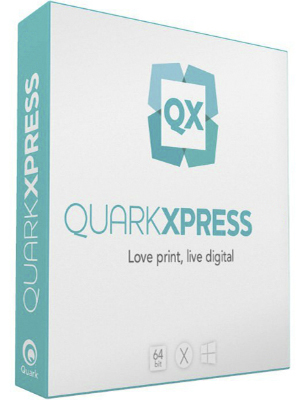

quarkxpress.jpg

QuarkXPress 2020 v16.1.2 (x64) Multilingual | 1 GB
​
QuarkXPress 2020 - QuarkXPress is the smart solution for every creative professional who wants to leverage the most modern and efficient design software in the market. Create gorgeous Illustrations, design color blends with Multi-color Gradients, control color channels, apply non-destructive image editing and allows you to Bring your Creativity ALIVE!


Page Layout
Match the brilliance of your layout, with powerful Typography that lets you achieve your design flair effortlessly Import and export to all major raster and vector files.

Graphics & Illustrations
Create gorgeous Illustrations, design color blends with Multi-color Gradients, control color channels, apply non-destructive image editing and allows you to Bring your Creativity ALIVE!

Photo Editing
Create Artifacts which can be as Aesthetic as Dramatic to Propel your Business Branding, with Superior Image Editing Capabilities.

Web Publication
Groundbreaking modern responsive web design where you can effortlessly generate rich interactive digital publications for truly rich, responsive experience.

Mobile App Publication
Switch seamlessly and transition your design from Print to Digital, create Mobile Apps for iOS and Android which carry the Flair of Print Design.

QuarkXPress 2020 Features:

Convert Adobe InDesign Files
Sit back, relax and don't think about working with existing InDesign files. In 3 simple steps, convert all your InDesign files effortlessly.

PDF Accessibility Support
QuarkXPress now supports all PDF accessibility standards, so you can export PDFs that are compliant with the PDF/UA (ISO 14289), PDF/A, and WCAG 2.0 requirements.

Table Styles
Designers can access table styles from the measurement palette, which offers much finer control over formatting tables at the cell level, plus unlimited opportunity to format borders and shading.

Responsive Web Design
Flex Layouts, a first in digital publishing for graphic designers. Flex Layouts do not require any HTML or CSS coding skills, which means graphic designers can start creating banner ads, landing pages, microsites, and more.

Craft Your Brilliant Ideas for Books & Magazines
QuarkXPress allows experimenting with contemporary, modern, and post-modern illustration techniques to display the brilliance of creativity and turn text into captivating pieces of art. Magazines are portrayed in a fashionable way using stunning graphics, designs,texture, and typography in the finest blend. To craft it like a masterpiece, it demands a great level of imagination and the right set of tools to transform imagination into reality.

Publish Captivating Catalogs and Brochures
Professionally-crafted brochures and catalogs reflect the reputation of your business. QuarkXPress allows designing brochures and catalogs that works as well as look fascinating. From single fold designs to double, multi-page, gate fold or parallel fold designs, there's an array of possibilities to come up with high-quality designs and portray key offerings creatively.

Delve Your Creativity to Design Posters and Banners
QuarkXPress is an all-in-one design tool that allows you to experiment creativity without any limits. Come up with a masterpiece and stun the world by creating stylish posters and banners of all kinds, for any occasion, topic and interest utilizing graphics, designs, texture, and typography capabilities in its finest blend. All that you need is the right set of tools to transform imagination into reality.

Your eBooks Deserve to be Beautiful!
Design beautiful eBooks when you have the amazing capabilities of the QuarkXPress - a modern design and publishing tool. To craft an eBook like a bestseller, it demands a great level of imagination and the right set of tools to transform imagination into reality. Make your eBooks interactive with popups, buttons, audio-visuals, and pictures.

Mastering the Art of Web Publishing
Delight your readers with a high-quality web publishing content clubbed with interactive visual elements, such as image galleries, videos, and animations. Design and publish digital version of your documents in minutes for all types of content; documents, magazines and catalogs or any content that is typically long-form.

Design Engaging Mobile Apps
Beautifully designed mobile publications and exporting them as Android and iOS apps is easier with the QuarkXPress. Remodel your print documents by publishing their digital version that can be viewed on mobile device. From multipage spreads to multiple pages layouts, everything is possible with the feature-rich QuarkXPress.

Requirements: Windows: 8.1 and 10 (64bit only, with latest updates)

Home Page -
Код:
http://www.quark.com/


-:DOWNLOAD FROM LINKS:-

RapidGator
Код:
https://rapidgator.net/file/75629a92dfd0c5348dd01b42d8e19096/Dl4eVeR.QuarkXPress.16.1.2_x64.rar.html

NitroFlare
Код:
https://nitroflare.com/view/AC038BA34D40A0A/Dl4eVeR.QuarkXPress.16.1.2_x64.rar
​
 
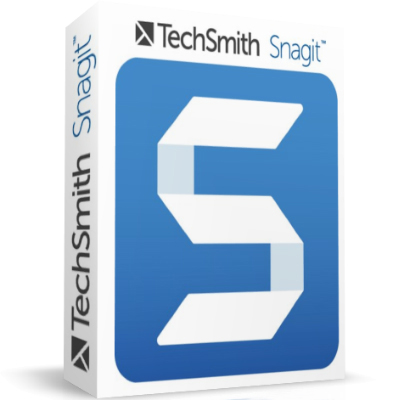
TechSmith Snagit 2021.0.1 Build 7380 Multilingual


snagit.jpg

TechSmith Snagit 2021.0.1 Build 7380 Multilingual | 606 Mb
​
Techsmith Snagit - the award-winning screen-capture software. Using SnagIt, you can select and capture anything on your screen, then easily add text, arrows, or effects, and save the capture to a file or share it immediately by e-mail or IM. Capture and share an article, image, or Web page directly from your screen. Or, capture and share any part of any application that runs on your PC. Automatically save in one of 23 file formats, or send to the printer, to your e-mail, or to the clipboard.


Use SnagIt's built-in editors to modify, annotate, and enhance your images and the Catalog Browser to organize your files. Increase your productivity while quickly creating professional presentations and flawless documentation. With powerful new features that allow you to edit previously placed objects, capture embedded links and add interactivity to your captures,SnagIt 8 makes it easier than ever before to capture, edit, and share anything on your screen.

Features of SnagIt:
» Capture - if you can see it, you can snag it!
» Don't waste time cropping your captures. Snag exactly what you need, with just a click.
» Profiles make it easy. SnagIt comes with eleven preset buttons that make screen capture a cinch! Capture a region of your screen, text from a window, the contents of a tall page that scrolls, all the images on a Web page, you get the idea.
» Custom suits you. Don't feel limited by the eleven profiles-create your own combinations for nearly unlimited capture possibilites. What's that? You want to set up a keystroke that captures a menu along with the mouse pointer.adds a drop shadow.and sends the image directly to your ***** dot com blog? Sure, no problem!

Edit - the right tools, right now!
» You don't need a million confusing options, you need the right tools at the right time. Unlike expensive, complex image editing suites,SnagIt makes everyday screen capture tasks one-click easy.
» Say more with pictures+words. Use an arrow to direct attention. Add a text callout to explain clearly. Apply ready-made objects from the menus.and your picture is worth 1,000 more words!
» Look like a pro. Make your screenshot pop with a drop shadow. Give it perspective, spotlight an area, or add other nifty effects.
» Convey complex ideas simply. Combine multiple images, callouts, shapes, and clip art stamps into a rich and detailed information graphic.
» Have fun! Add a speech balloon to that photo of your cat.

Share - send captures where they need to go.instantly!
» Yes, you can save your captures in all the common-and a few uncommon-image formats. But with SnagIt's free output accessories you can do so much more!
» Collaborate in a flash. Click a button to send a screen capture by email, AIM, or Skype.
» Be social. Share screenshots on Flickr. Post images directly to your blog. Publish to your Web site via FTP. No technical degree required!
» Get projects done quicker. Embed images directly into your Microsoft Office projects, MindManager map, or OneNote page.

Organize - SnagIt keeps track, so you don't have to
» Save nothing.save everything. SnagIt stores every capture automatically and keeps the most recent visible. A huge timesaver!
» Find your stuff. Whether or not you saved it, find that capture later with the new visual search pane. Remember just one detail-like the approximate date or the Web site you captured-and find your capture instantly.
» Get organized (if you want to). As you capture images for next month's big project, tag them with "big project" or set the "Important" flag. No need to save anything in folders.just come back next month and view all your big project files with a click!

System Requirements
Microsoft Windows 10 (1703, 1607, and 1511), Windows 8.1, Windows 7 SP1, Windows Server 2016, or Windows Server 2012 R2 (64-bit only)
.NET 4.6 or later
2.4 GHz single core processor (dual core i5 required for video capture)
1 GB of RAM (4 GB required for video capture)
500 MB of hard-disk space for program installation
Video and Panoramic capture on Windows N requires the Media Feature Pack for Windows N
We recommend the 64-bit Snagit installation when using multiple monitors or a 4k display

Home Page -
Код:
https://www.techsmith.com/


-:DOWNLOAD FROM LINKS:-

RapidGator
Код:
https://rapidgator.net/file/b4f007d02b127b6cb4f4d96c70452361/Dl4eVeR.Snagit.2021.0.1.rar.html
https://rapidgator.net/file/b2e59182ad87cde35e6a5a576a2fabb9/Dl4eVeR.Snagit.2021.0.1.x64.rar.html

NitroFlare
Код:
https://nitroflare.com/view/0F628BE85B4FE88/Dl4eVeR.Snagit.2021.0.1.rar
https://nitroflare.com/view/FB7AB973FFB3BF2/Dl4eVeR.Snagit.2021.0.1.x64.rar

​
 
progeCAD 2021 Professional 21.0.2.17 (x64)


89041bdde4bbf2050138c77b3e852561.jpg


Windows x64 | Languages: English | File Size: 715 MB
​
progeCAD is an AutoCAD® compatible 2D/3D CAD application that works with AutoCAD® DWG files from v. 2.5 to v. 2021 and imports Autodesk Revit® and IFC files! The best solution for AEC, MCAD and all generic CAD usages. progeCAD sells with perpetual licensing and offers more CAD functions than AutoCAD® LT at a fraction of the cost of AutoCAD®, ArchiCAD® or Microstation®.

10 Reasons for progeCAD Professional:
- Perpetual Licensing! No annual fee. You decide when to upgrade
- Nothing to learn, if you are AutoCAD® users
- Works natively with DWG! Fully compatible with AutoCAD® without conversion
- Import BIM projects and objects (Autodesk Revit® and IFC)
- PDF to DWG conversion included
- Convert your old paper draughts into CAD!
- Create architectural layouts in a flash with the EasyArch parametric plug-in
- 22.000 blocks ready to use + customizable blocks manager
- Import/Export - STEP, IGES, PDF, 3D PDF, DWF, 3DS, DAE, LWO, POV, Maya, OBJ, BMP, JPG, WMF, EMF, SVG
- Professional Artisan Render Engine included

progeCAD Advanced Features:
- PDF Export with Layers - includes PDF/A ISO19005 Standard export
- PDF to DWG conversion
- Insert BIM models into DWG. IFC and Autodesk Revit® files supported
- Exports STEP, IGES, PDF, DWF, 3DS, DAE (Collada), STL, LWO, POV, MA(Maya), OBJ(Wavefront), BMP, JPG, WMF, EMF, SVG
- Imports STEP, IGES, IFC, Rvt/Rfa (Revit®), ESRI-SHAPE SHP, 3DS, DGN(Microstation), LWO, OBJ, STL, IFC, RGT, KMZ, DXF, DWF, DWFx
- PointCloud import (ReCap® .rcp, .rcs, .pcg, .isd, .xyz, .ply, .las, .laz)
- Customizable Toolpalettes for Blocks, Hatches and frequently used Commands
- 3D Print - STL export for 3D Printer output
- iCADLib Blocks Manager. More than 22.000 2D/3D ready-to-use blocks
- Direct access to Traceparts, Cadenas and BIM&CO with millions of blocks and BIM objects ready-to-use
- Dynamic blocks editing
- EasyArch - 2D and 3D building plugin for architects
- SuperHatch
- Helix and Loft Commands
- Multileaders
- ADDSELECTED - create a new object of the same type and general properties of a selected object.
- Gradient Hatch
- Bitmap/Raster support - Jpeg, TIFF, Png, Gif, ECW, MrSID and Jpeg 2000
- Bitmap polygonal clipping
- Plot Margin Customization - cover the entire sheet area
- Digital signatures to .dwg files
- AUTOSEZ automatic creation of surface profiles (Topographic Sections - AutoCAD Civil 3D Feature)
- SLOPE creation of slope patterns
- Block Editor (BEDIT)
- Availability of industrial standard Pantone® and RAL™ Color Books
- Optimization for 4K displays
- Dynamic UCS
- Dynamic Input
- AEC, Civil, GeoMaps, Mechanical objects support
- Flatshot command - Generates an accurate flat view of a 3D model
- AREATEXT - Calculate boundary area and place the text with the value in the center of the area.
- Formulas in Tables: table cells can contain formulas
- ARRAYPATH - Place object copies uniformly along a path or a portion of a path
- Find and Replace
- Express Tools - A complete set of Extra functions for Blocks, Layers, Texts
- Annotative Objects
- Arc Aligned Text
- Multigrip Editing
- Render engine - progeCAD integrates for free the Artisan Renderer module
- Automatic Perspective image correction
- 3DConnection SpaceMouse support
- eTransmit - Compacting and transmitting DWG files with dependences by email
- Eattedit - Advanced Attribute editing
- Advanced Data Extraction
- QDIM - Quick dimensioning
- Google EarthTM Integration
- Spell Checker
- Publish (Batch Plot)
- Raster to Vector converter - Convert your paper drawings to editable DWG files
- Cloud - Share files on Cloud - Supports the major cloud services for file sharing and syncing like DropBox, Google Drive and Microsoft One Drive
- BetterWMF Integration
Release NotesSystem Requirements:
- CPU: 2.2 GHz or faster (recommended almost 2.5 GHz or more)
- Disk space: 4 Gb free hard disk space
- Memory (RAM): Minimum 4 GB (8 GB recommended)

Operating Systems:
- Windows 7®, Windows 8®, Windows 8.1® or Windows 10®
- (Windows Vista® is supported but not recommended)


-:DOWNLOAD FROM LINKS:-
RapidGator
Код:
https://rapidgator.net/file/91218240a35d3b301b5969b08aa0ea1b/Dl4ever.progeCAD.21.0.2.17.rar.html

NitroFlare
Код:
https://nitroflare.com/view/DEEEB92B042FABA/Dl4ever.progeCAD.21.0.2.17.rar

​
 
Tenorshare ReiBoot Pro 7.6.1.0 Multilingual


1793fdf55e7db8d463f89d0306f3a443.jpg


File size: 16 MB
​
Recover your iOS device's data using the intuitive and user-friendly one-click interface that this reliable software solution offers. ReiBoot is an extremely handy utility that can put your iOS device into recovery mode, as well as to pull it off this state with a single click. Usually, such an operation involves a tedious procedure which requires you to hold down the Home button of the device while disconnecting and connecting it to your computer, during which you also need to operate iTunes. Not to mention that sometimes the scenario gets even more complicated if boot issues occur.

ReiBoot is a wonderful resolution to all of these problems, making it possible to induce the Recovery mode, as well as exit it in an effortless manner, in a one-click operation.
Whether your device's Home button is broken, you've encounter a DFU black screen or even worse, the phone has entered an endless reboot loop, ReiBoot can help you nonetheless.

It's compatible with most modern iOS devices, including iPhones, iPods and iPads and is way less demanding than iTunes, which is the traditional way to accomplish such operations. Moreover, ReiBoot won't cause data loss, being able to preserve the files on the device untouched.
Manipulating ReiBoot is a child's play. Provided that you've connected the device to the computer, simply launch it, at which point the application detects your device model and lists it inside the main GUI.

If your device is already in Recovery mode, it will identify this accordingly, allowing you to pull it off the state by pressing the dedicated button.
Overall, it's incredibly easy and pleasant to work with ReiBoot. It is an effortless process - all you need to do in order to turn the Recovery mode on or off is to press one of two buttons.

Whats New:
Updates: official site does not provide any info about changes in this version.


-:DOWNLOAD FROM LINKS:-
RapidGator
Код:
https://rapidgator.net/file/09629bf5e09075880e1ff1660df43444/Dl4ever.ReiBoot7.6.rar.html

NitroFlare
Код:
https://nitroflare.com/view/4585362BB819F82/Dl4ever.ReiBoot7.6.rar

​
 
Machinery HDR Effects 3.0.85


8c6ff4b02f0822e77d67e82cadd9c3ad.png


Windows (x64) | Languages: English | File size: 28.9 MB
​
MACHINERY HDR is a photo editor that utilizes this technology. You do not need to be an expert to achieve dazzling effects - even from a single image saved in JPG format! MACHINERY is easy to use thanks to an intuitive interface and the available set of options. Predefined settings allow the user to achieve professional HDR effects with just a single click of the mouse!

Features:

Advanced HDR effects
Machinery HDR Effects has a number of tools for an advanced edition of the photo as well as for an end "polishing" effect.

Enhancing details in images
Move the "Microcontrast", "Details" and "Dynamic Contrast" track bar to draw out more details and accentuate the texture of objects.You do not need multiple images - the function also works with only one photograph!
You can compare the processed image with the original in every moment with use of a right mouse button in the screen.

Quick start
Drag series of exposed images (various exposures) from Windows files. Wait until the program processes the image and save it. There is really nothing more you need to do in order to obtain a naturally looking HDR image!

Get great effects with just one click of your mouse!
Load images and go to the "Presets" tab to use a ready setting. Great effects on-the-spot - it could not be any simpler!.

Samples
After you install the program, load sample projects from the "Samples" folder, to see that they were really created with Machinery Effects. Test the samples to see how changing parameters effects image processing.

Batch processing
The program includes an additional app - Machinery Explorer - which makes finding and viewing images much easier. It also makes it possible to create a list of images for batch processing.
Use the Machinery Explorer app to create a list of images that you want processed. Select the "Batch Processing" option to transfer files to the main program.


-:DOWNLOAD FROM LINKS:-
RapidGator
Код:
https://rapidgator.net/file/9d14000ad28165be2c5dc704b1a0a39f/Dl4ever.HDR_Effects_3.0.85.rar.html

NitroFlare
Код:
https://nitroflare.com/view/70BC565D1622264/Dl4ever.HDR_Effects_3.0.85.rar

​
 
InPixiInPixio Photo Editor 10.4.7612.28279 Multilingual + Portable


253b9b49aa819ffb7ba3dd7cab4a4eb7.jpg


File Size: 164 / 136.6 MB
​
inPixio Photo Editor is a photo software program that is loaded with features and easy to use. It offers you a whole host of editing options such as photo retouching, cropping, adding filters or frames. We have added several photo retouching modules to this new version, such as self-correction in 1 click or the possibility of adding color effects (LUT) will enhance your photos and give them an original and creative look worthy of a professional. After just a few minutes using inPixio Photo Editor, you will be turning out photographs worthy of a pro!

Create beautiful photos - with 1 click!
- Add filters & photo effects: warm, black & white, pink lady, negative, sepia, science fiction, vintage...
- Cut & crop: change the focus and size of your photos without being a pro.
- Edit your photos: change the colour & brightness etc. to get the most out of your favourite shots!
- NEW! Automatic correction in 1 click
- NEW! Addition of LUT styles
- NEW! Find tutorial videos for each module

Viewing your photos
Relax, Photo Editor is really quick to master. You will be able to easily navigate between the various tools. For viewing your photos you can choose a simple view but also:

- A double viewing window (original photo on the left and photo being modified on the right)
- A before-and-after view
- Use the Zoom feature to enhance the view and make your alterations in the closest detail.
- Batch processing - Apply changes to multiple photos at once
- Save your own settings which you can call up again in just one click during future projects

Add filters:
From over 100 filters classified by theme, choose the one which best suits your photo.

Add a frame:
Find the right frame for your photo from over 100 models sorted by type (classic, retro, sport, travel etc.)

Crop your photos:
- Crop your photos manually or choose from the suggested crop formats: 1/1; 16/9; 3/4 etc.
- You can also rotate your images and adjust the angle.

Noise reduction module
Effectively reduces the noise present in your photos taken under restricted light conditions.

Fog correction module
The (atmospheric) fog correction tool makes it possible to limit, or even remove altogether, the dull, gray overlay, and makes it more vibrant.

Selective touch-up module
Graduated filter, radial filter, correction brush.

Sharpness module
Allows greater sharpness to reveal all the details of the images

Film grain module
Adds grain to give the photo an artistic or retro effect.

Creative blur module
A brand new module allowing you to blur all or part of your photo.

Tone curve:
Play with the tone curves to obtain light or dark hues and adjust the RGB (Red, Green, Blue) curves one by one.

Color balance:
Adjust the hue and saturation with amazing precision. You can adjust the shadows, midtones and highlights of your photo on a case-by-case basis.

Add different textures:
- All categorized by theme (Light leak, grain, film, geometric, material etc.).
- It is also possible to adjust their opacity and the intensity of the texture as required.

Automatic correction in 1 click:
Amazing photos in just one click - using 100% automatic smart technology! Improve the quality and colors of your photos in under a second thanks to our fully automatic process. You no longer have to be a Photoshop expert to create perfect photos!

Addition of LUT styles
Incredible photos in just 1 click. Turn your pictures into one-of-a-kind shots by using styles worthy of a professional photographer. In just 1 click, your original photo is transformed and enhanced thanks to our selection of LUTs. You can also use this tool to import your own libraries or download and import free libraries from the Internet.

Automatic Red-Eye Correction
This new, 100% automatic technology recognises faces in your photos, and detects and corrects red eyes in a flash Give a new sparkle to your portraits or family photos from paper prints or slides, for instance.

Find tutorial videos for each Photo Editor module
To get the most out of Photo Editor 9's features, mini videos have been added to each of the software program's modules in the form of tooltips, making it easier and more effective to use. The old and new features of the program are explained in a fun and dynamic way. Simply hover over one of the features to reveal a demonstration of what you can do with it.

What's New:
official site does not provide any info about changes in this version.

You can download install version
Код:
http://anonymz.com/


-:DOWNLOAD FROM LINKS:-
RapidGator
Код:
https://rapidgator.net/file/0e8a67d0d19ba01bfe58d9281e995116/Dl4ever.Photo.Editor.10.4.7612.28279.Portable.rar.html
https://rapidgator.net/file/4e1e58d6b7431cdf1cece823aba408b7/Dl4ever.Photo.Editor.10.4.7612.28279.rar.html

NitroFlare
Код:
https://nitroflare.com/view/62F9C10E9D0BB56/Dl4ever.Photo.Editor.10.4.7612.28279.Portable.rar
https://nitroflare.com/view/5C105B856A790BF/Dl4ever.Photo.Editor.10.4.7612.28279.rar

​
 
InPixio Photo Maximizer Pro 5.11.7612.27781 + Portable


2981aab7772331960322efbacbadea22.jpg

InPixio Photo Maximizer Pro 5.11.7612.27781 Multilingual REPACK + Portable | 63.5/41 Mb
​
Ultra powerful zoom function which can enlarge images by up to 1000%. With 7 zoom algorithms, Photo Maximizer can tell you the target size of the image in pixels or centimeters.


The required resolution can also be adjusted to give you flawless results. This is particularly important when printing your photos and guarantees you the highest quality results. High precision zoom without quality loss
- Magnify up to 1000%
- NEW! Ultra-powerful zoom - 7 algorithms
- NEW! Define presets and process in batches
- NEW! Print oversized images and posters
- NEW! Simple, intuitive interface
- NEW! Touch-ups and enhancements in one click
- IMPROVED! Enlarge your photos and improve their quality

3 Simple Steps!
InPixio Photo Maximizer has been designed to be user-friendly and even includes a helpful wizard.

- Upload an image.
- Select the subject of your photograph
- Select the zoom setting: and that's it!

Before/after comparison
Display up to four different zoom settings simultaneously! Compare the images and choose the best result!

Enlarge photos on your PC, mobile, camera, etc.
Simply transfer your photos to your PC and zoom away!

Zoom your images and maintain extremely sharp edges
Usually when you enlarge an image you get pixilation and deterioration of colour and brightness. Photo Maximizer maintains image quality and undesirable noise. With InPixio Photo Maximizer say goodbye to pixelated, grainy and blurred photos when zooming in.

Batch processing - one thousand photos in one step
Define your zoom settings and Photo Maximizer will batch process up to 1000 images simultaneously!

Print projects
Print your enlarged images as posters, photos for framing, t-shirts, postcards and more.

Settings module - New!
Temperature, Hue, Brightness, Contrast, Shadows, Highlights, Clarity, Saturation

Share Module - New!
Facebook, Twitter FlickR, InstaCards - Share your photos with your friends and family on social networks, via email or as one-of-a-kind postcards (first card free)

Noise-reduction module - Improved! (Only in Pro Version)
Use this tool to effectively limit the noise in your enlarged image.

Sharpness module - Improved! (Only in Pro Version)
Reinforce sharpness to reveal all the details of your enlarged images.

Film grain module - New! (Only in Pro Version)
Enhance your prints by adding great-looking film grain.

Print and Formatting functions - New!
Determine image quality and easily print your photos from home

Photo roll - New!
One-click access to photos! All photos in the current folder are displayed and viewable in a preview area. Now you don't have to use the Open function to view photos!

InPixio bridge - New!
With a single click, switch from one editing function (e.g. cut) to the next (e.g. delete)!

"InPixio" enlargement algorithm - Improved!
The "InPixio" enlargement method has been significantly improved, so you can enlarge images and still get enhanced definition and quality during processing. The outlines of enlarged areas are also more precise.

Creating presets - Improved! (Only in Pro Version)
Create and save your own settings (presets) so you can use them again later: turn your photos into works of art! Each image processing setting can be saved as a preset for subsequent use. Simplify your work without having to reconfigure your settings!

Batch processing - Improved! (Only in Pro Version)
Make it easier on yourself: apply a preset to 1,000 or more photos and automate the image-processing step. Process large amounts of images with a single click.

New interface and workspace - New!
The new version has an attractive, ultra-modern user interface designed for even easier use.

Home screen - New!
Access all functions directly from a centralised start-up screen!

Getting started tutorial - Improved!
Interactive introductory lesson (tutorial) This short demonstration teaches you how to use the software and repeat the exact same steps on your own.

System Requirements:
- Windows 7, Windows 8, Windows 10
- Pentium IV 1.2 GHz and compatible processors
- 1 GB RAM (2 GB RAM for Windows 7/Vista)
- 15 MB hard disk memory

Home Page -
Код:
https://www.avanquest.com/


-:DOWNLOAD FROM LINKS:-

RapidGator
Код:
https://rapidgator.net/file/f87cc9cdfed77c36f143c36c7f8197dc/Dl4ever.Maximizer.5.11.7612.27781.Portable.rar.html
https://rapidgator.net/file/67e19a6c80e7a90e73ef0f2ddce71ce9/Dl4ever.Maximizer.5.11.7612.27781.rar.html

NitroFlare
Код:
https://nitroflare.com/view/2534BBBA1985E25/Dl4ever.Maximizer.5.11.7612.27781.Portable.rar
https://nitroflare.com/view/DC15403570D72C2/Dl4ever.Maximizer.5.11.7612.27781.rar

​
 
InPixio Photo Focus Pro 4.11.7612.28027 + Portable


9167abc184841a6d1ba14e066e72f4d6.jpg

InPixio Photo Focus Pro 4.11.7612.28027 Multilingual REPACK + Portable | 64.8/43 Mb
​
Improve sharpness! Getting sharp photos is not always easy - especially with spontaneous snapshots. InPixio Photo Focus solves this problem in a flash and creates clear, high-resolution images.


Improve the sharpness of your photos
- Improve the sharpness of your photos
- Simple 1-click sharpening tool
- Reinforce & accentuate the focus
- Includes Tilt-Shift & Artistic Blur effects that bring the subject of the photo to life!

ONLY IN THE PRO VERSION:
- Create professional looking photos with oval frames (vignetting)
- Add customised artistic blur to achieve the perfect finish
- Save personal presets that can be used in a single click for future projects

Improve sharpness
Getting sharp photos is not always easy - especially with spontaneous snapshots. InPixio Photo Focus solves this problem in a flash and creates clear, high-resolution images.

Increase focus
You can add sharpness, soft focus and blurred areas to your images. This helps you to further accentuate the difference between the background and the sharp centre of the image.

Refocus
Not all images are always correctly centred. Redefine the centre of your images and focus the attention towards the centre of the image.

Impressive effects with tilt-shift and soft focus functions
Add horizontal soft focus (tilt-shift) to your images. This creates fantastic miniature effects that allow the focal object of your image to look like miniature!

Create structure and details
Emphasise the finest details in your images. Manage contrast and clarity - for impressive and detailed photos!

Resharpening
You can get so much more from all your photos! Even the sharpest photos can be resharpened - for perfect prints or an extremely sharp impression!

Simple
During the development stage of InPixio Photo Focus, particular attention was given to making sure the software is easy to use. The programme is intuitive and helps you through with the various 1-Click Assistants. If you need help when using the software, there are tool tips offering brief explanations next to each function.

Only in the Professional Version:

MORE! Creative Blur
Add a selected blurred area to your image through iris blurring (only available with PRO version). In photography, this effect is achieved through maximum fade-in.

MORE! Add Presets
Store your personal optimisation settings (presets) Create and save your own presets with 1 click for future use.

MORE! Vignetting module
Add oval picture frame to your photos to (vignetting) Create atmospheric shots from your photos with an oval picture frame in black or white. You can select the transparency of the frame to suit your taste and choose sharp or blurred transitions.

What's New in Version 4:

NEW! Advanced cropping module with rotation and horizon correction
Crop your photos manually or choose from the suggested crop formats: 1/1; 16/9; 3/4 etc. You can also rotate your images and adjust the angle.

NEW! Tone Curves Module
Play with the tone curves to obtain light or dark hues and adjust the RGB (Red, Green, Blue) curves one by one.

IMPROVED! interface and workspace
The new version has an attractive, ultra-modern user interface designed for even easier use.

NEW! Find tutorial videos for each Photo Focus module
To get the most out of Photo Focus features, mini videos have been added to each of the software program's modules in the form of tooltips, making it easier and more effective to use.

System Requirements:
- Windows 7, Windows 8 and Windows 10 (32-bit & 64-bit)
- Intel® Pentium® 1 GHz processor or equivalent
- 2 GB of RAM - (4 recommended)
- 500 MB of free disk space, mouse and keyboard

Home Page -
Код:
https://www.inpixio.com/


-:DOWNLOAD FROM LINKS:-

RapidGator
Код:
https://rapidgator.net/file/7279476d3dc3ce439ae752c39d2e3ed8/Dl4ever.Focus.4.11.7612.28027.Portable.rar.html
https://rapidgator.net/file/d2c3697cd919540fefec1d44b9445830/Dl4ever.Focus.4.11.7612.28027.rar.html

NitroFlare
Код:
https://nitroflare.com/view/D1CB269136A4B6A/Dl4ever.Focus.4.11.7612.28027.Portable.rar
https://nitroflare.com/view/3DB9273EE6AC9D4/Dl4ever.Focus.4.11.7612.28027.rar

​
 
InPixio Photo Eraser 10.4.7612.28152 + Portable


e45b727f12d5a10619a9d83793df31d7.jpg

InPixio Photo Eraser 10.4.7612.28152 Multilingual REPACK + Portable | 62.9/39.7 Mb
​
Tired of taking pictures with all those unwanted background images? Have you ever wanted to just get rid of that sign behind your or those people walking by? Well now you can erase anything in your picture that you don't want there with Photo Eraser for PC. All you need to do is decide which image you want to erase, select it, and click! If there are any slight marks left behind, use the clone tool to blend the colours back in for smooth, seamless appearance. No one will ever know you erased anything and you will have that perfect picture you were trying to capture in the first place.


Remove unwanted elements like magic!
So often we spend too much time trying to get that ultimate family photo. Or, we want to take the most spectacular pictures from our trip to show our friends. It seems almost impossible to get exactly what we want out of our pictures and we end up having to just settle for what we take. With Photo Eraser for PC there is no need to worry anymore about background images ruining our photos and waiting and waiting for people to pass so we can get only our family in the picture and not a bunch of strangers. You can now easily erase things like people, signs, wires, shadows, and numbers or dates.

Don't lose the magic in your photos
Don't let people roaming in the background of your shots spoil your vacation photos. Erase them easily and maintain a natural look in the backgrounds of your images.

Once in a lifetime moment
Its difficult enough to capture that special moment let alone have an unwanted object in the shot. Don't let it happen, quickly remove the object with just a few clicks.

Ordinary into extraordinary
Take an existing photo and erase objects that take away from the mood of the occasion. Sometimes even the smallest changes can enhance the beauty of a landscape or romantic setting.

The perfect shot
No need to worry about waiting for that perfect picture in a tourist hotspot during your vacation. Just quickly take your picture, and then take out all the other tourists when you get home using Photo Eraser.

Pixel by pixel
Photo Eraser erases the unwanted object and restores your picture pixel by pixel.

Everyday objects
Completely remove unwanted objects from your picture. Things like, signs, wires, people, or any image that distracts you from what you are trying to capture are gone.

A natural look
The technical features of Photo Eraser automatically identify the sections of an image that need to be filled in and make your new photo look natural and seamless.

No need to be exact
Take the hassle out of trying to carefully cut out images that take time and concentration. Other image processing programs require you to be exact and it can be quite noticeable that you have altered your picture in some way.

System Requirements:
- Windows 10, Windows 8, Windows 7
- 1 GHz Intel® Pentium® processor or equivalent
- 1 GB RAM CD/DVD ROM drive
- 100 MB hard disk space, mouse and keyboard

Home Page -
Код:
https://www.inpixio.com


-:DOWNLOAD FROM LINKS:-

RapidGator
Код:
https://rapidgator.net/file/93588e4f30950da8d6b64c68911ab2fc/Dl4ever.Eraser.10.4.7612.28152.Portable.rar.html
https://rapidgator.net/file/07cf9e8c4c5600d6cf849de518c4dae1/Dl4ever.Eraser.10.4.7612.28152.rar.html

NitroFlare
Код:
https://nitroflare.com/view/F4701879A11105F/Dl4ever.Eraser.10.4.7612.28152.Portable.rar
https://nitroflare.com/view/E780CD50521B1B8/Dl4ever.Eraser.10.4.7612.28152.rar

​
 
Squirrels AirParrot 3.1.1.123 (x86/x64) Multilingual


b004994aedbc028a630907ca70d14eff.jpg

Squirrels AirParrot 3.1.1.123 (x86/x64) Multilingual | 145 Mb
​
Wirelessly mirror your screen or stream media files to a variety of receivers. AirParrot quickly finds available media receivers on your network and uses quick connect to connect directly to any device running Reflector 3. Easily mirror your screen, extend your desktop or stream files to share videos, audio, presentations and much more!


Mirror
Use AirParrot to mirror Windows and macOS screens. Everything you do on your computer is wirelessly mirrored without cables or adapters.

Extend
AirParrot turns any supported receiver into an extended desktop. Gain more workspace without buying a new monitor or plugging in wires!

Stream
Stream media files in 5.1 surround sound without quality loss. Create the ultimate entertainment solution and add unlimited content to any TV.

No Adapters Required
Share wirelessly with everyone in the room without the need for cables and adapters. AirParrot gives anyone the ability to share and engage the classroom, boardroom or beyond. Focus on what matters most and send content from any device to a receiver connected to a television or projector. Our patent-pending Quick Connect technology and Bluetooth discovery allows you to quickly discover and connect to devices, even when network configurations prevent it.

Use AirParrot with Multiple Receievers
AirParrot sends content to a number of media receivers, even simultaneously. Broadcast to multiple devices like Apple TV and Chromecast, or share audio around the house to AirPlay-enabled speakers. Use AirParrot in combination with Reflector to create a seamless mirroring experience to any computer or device. Never worry about compatibility issues again; share from any device, to any device!

OS Requirements:
- Windows 10 or newer

Network Specifications:
- Wireless 802.11n or ethernet highly recommended.

Receiver Requirements:
- Apple TV 2, 3 or 4 running the latest OS update¹
- Chromecast device
- AirPlay-compatible audio device
- Reflector for Mac 2.7.3 or later, Reflector for Windows 2.7.7 or later

Home Page -
Код:
http://www.airsquirrels.com/


-:DOWNLOAD FROM LINKS:-

RapidGator
Код:
https://rapidgator.net/file/708dfca61718cab8328b90d5d35d4513/Dl4ever.AirParrot.3.1.1.123.rar.html
https://rapidgator.net/file/49ebf8f3d7acb65a6da02879aa3d31e6/Dl4ever.AirParrot.3.1.1.123.x64.rar.html

NitroFlare
Код:
https://nitroflare.com/view/CDD23C189206619/Dl4ever.AirParrot.3.1.1.123.rar
https://nitroflare.com/view/18B3011A1AECA65/Dl4ever.AirParrot.3.1.1.123.x64.rar

​
 
Topaz Video Enhance AI 1.7.0 (x64)


3e10af62fd3c28194297a05f3bbce8f3.jpg

Topaz Video Enhance AI 1.7.0 (x64) | 1.62 GB
​
Beautiful video enlargements using machine learning. Trained on thousands of videos and combining information from multiple input video frames, Topaz Video Enhance AI enlarges your video up to 8K resolution with true details and motion consistency.


The best quality for upscaling video up to 8K.
Until now, there was no way to perfectly recreate a high-resolution video from low-resolution footage. From old home movies to low-quality SD to DVD quality and more, Video Enhance AI will transform your videos into clean upscaled footage up to 8K resolution.

Enhancing Footage up to 8K
Video Enhance AI is the perfect way to take good footage and make it great. Have you ever wanted your footage to look sharper with more detail? Take HD footage all the way up to 8K for use in high-quality projects. This model is perfect to use for:

- DVD Content
- DSLR Footage
- Game Footage
- HD Stock Footage

Restoring Low-quality Footage
With Video Enhance AI, you can take your footage from SD to HD with an incredible increase in quality. This model is perfect for older footage that you want to repurpose for modern use. Older footage like:

- Home Movies
- Commercials
- Music Videos
- Movie Content
- Youtube Videos

Quality
Until now, no deep-learning based approach existed for video enlargement as a commercial product. Video Enhance AI is the only product that uses machine learning to extrapolate detail from your footage for a realistic look. The quality of output from Video Enhance AI is simply better than any other product available.

Training
Video Enhance AI was trained using a neural network that analyzes thousands of video pairs to learn how details usually get lost. Unlike Gigapixel AI for photos, Video Enhance AI is able to extrapolate more detail for an even more realistic look given the amount of information available in a single video clip.

Easy to Use
With just a few clicks of a button, your video footage will start rendering to create beautiful high-resolution quality footage. There are no complicated processes or confusing tools - just a few simple steps and your footage is ready to go.

Operating System:
Windows: Windows 7, 8, 10 (64-bit only)

CPU:
- Intel i7 (7th generation) or greater (4GHz and above)
- AMD Ryzen 7 or greater (4GHz and above)

GPU/Graphics Card:
- Nvidia GTX 1080 (8GB) or greater
- Gigapixel AI for Video currently does not support AMD graphics processors.

RAM:
- Minimum: 8GB
- Recommended: 16GB
- Optimal: 32GB

Monitor:
A monitor that outputs at a resolution of at least 1024 x 768 is recommended.

What is the minimum hardware requirement for Video Enhance AI?
We suggest you run Video Enhance AI on high-end Nvidia graphic cards. The minimum requirement is GTX 1050 with 4 GB VRAM. Any graphic card later/better than GTX 1080 (included) will do a fairly fast job. If you do not have an Nvidia graphics card in your device, the software can run on your Intel iGPU. Typically, it will be 5 times slower. If you do not have an Intel iGPU, the software will finally fall back to your CPU, which can be 10 times slower than the Nvidia GPU version.

Home Page -
Код:
https://topazlabs.com


-:DOWNLOAD FROM LINKS:-

RapidGator
Код:
https://rapidgator.net/file/e8de6deea8b875f3b002da0b9e73a642/Dl4ever.Enhance.1.7.0.part1.rar.html
https://rapidgator.net/file/4df9b3504f1a7d83dd71fee21f3f1c14/Dl4ever.Enhance.1.7.0.part2.rar.html

NitroFlare
Код:
https://nitroflare.com/view/996BDA248B87DB9/Dl4ever.Enhance.1.7.0.part1.rar
https://nitroflare.com/view/90A09EE28CA4B9B/Dl4ever.Enhance.1.7.0.part2.rar

​
 
InPixio Photo Cutter 10.4.7612.27901


77d2f4b27b332d8415c1f1287086a0ac.jpg

InPixio Photo Cutter 10.4.7612.27901 Multilingual + Portable | 212.7 Mb
​
inPixio Photo Cutter lets you produce creative and realistic photomontages in just a few clicks. Thanks to these powerful digital scissors, no more time is wasted cutting out your images down to the nearest pixel since Photo Cutter does it all for you. The time saved can be devoted to coming up with original photomontages that are bound to impress your friends and family.


Create photomontages in a few clicks
- Cut out your photos easily
- Crop your photos to your liking
- Add a wallpaper from among the themes on offer or import your own images
- NEW! + 100 stickers and text templates
- NEW! Import several images into your photo montages

Cutting out in a few clicks
With inPixio Photo Cutter, your digital scissors, cut out any detail, individual, object or even landscape in your photos. Select the outline of the person using the slider or the background to erase, and the Photo Cutter algorithm then runs automatically! Conversely, you can use the "keep" slider for important features to make sure your cut-out is perfect. Even hair, drops of water and the finest details are removed from the background down to the nearest pixel.

Choose a background:
Then put the cut objects on the available backgrounds to make photomontages or collages in an instant! Just select your background pattern from the new original images, or download your own images for unique photomontages.

Even easier use and infinite creations
You can now import multiple photos in a single edit for spectacular and unexpected results. Also find over 100 stickers and text templates to add style to your photos and photomontages. Original content for every special occasion (birthdays, greetings, invitations, etc.).

Find tutorial videos for each Photo Cutter module
To get the most out of Photo Cutter 9's features, mini videos have been added to each of the software program's modules in the form of tooltips, making it easier and more effective to use. The old and new features of the program are explained in a fun and dynamic way. Simply hover over one of the features to reveal a demonstration of what you can do with it.

Solid-coloured wallpapers
In addition to the themed wallpapers, you can simply choose a solid colour in the background. You can choose from a wide range of colours while colour gradients are also an option.

System Requirements:
- OS : Windows 7/8/10
- Processor Intel® or AMD
- 1 GB RAM
- 100 MB free disk space
- Screen Resolution 1024 x 768

Home Page -
Код:
https://www.inpixio.com


-:DOWNLOAD FROM LINKS:-

RapidGator
Код:
https://rapidgator.net/file/9f80f1fa7835e3b65f663c41e571d65d/Dl4ever.Photo.Cutter.10.4.7612.27901.rar.html

NitroFlare
Код:
https://nitroflare.com/view/1BE9CFA846FC021/Dl4ever.Photo.Cutter.10.4.7612.27901.rar

​
 
Topaz Gigapixel AI 5.2.3 (64bit)


9775318cd71dd3d6bf3072f78b1f3064.jpg

Topaz Gigapixel AI 5.2.3 (64bit) | 1.97 Gb
​
Beautiful photo enlargements using machine learning. Enlarging your image without losing detail has always been impossible. until now. Upscale your photos by up to 600% while perfectly preserving image quality.


Enlarge Images by up to 600%
Create a beautiful 80 x 60 inch print from a simple iPhone photo. Or transform your DSLR photos into sharp and ultra-detailed 100MP images.

Use truly intelligent upscaling
After being trained with millions of sample images, Gigapixel can now enlarge your images with a surprising level of quality.

Get crisp and clear results.
Gigapixel performs around 2 million operations per pixel to get you results with as much detail and sharpness as possible.

No more fuzzy enlargements.
Breathtakingly sharp prints. High-resolution cropping in post-production. iPhone photos that look like they came out of a DSLR. No matter why you're enlarging your photos, you always want the best possible quality for your results. AI Gigapixel is currently the only photo enlargement product available that can actually add detail back to your upscaled photo.

Recover real details for actual sharpness
Increasing edge contrast is the simplest way to make an image look "sharp", and how most other upscaling software works. Gigapixel is different: it increases the actual sharpness of your upscaled photo by recovering real detail in your image. This is only possible through training and exposure to millions of test images.

Crisp photos that look like they were never upscaled
It's hard to believe that the crisp output image above was enlarged 4x, but it was. Gigapixel AI successfully determines which image features are stars (detail) and what's noise. Then, it naturally accentuates and recovers detail while suppressing noise in your upscaled photo.

The highest-quality image upscaling that you can get anywhere
Because of these exceptional results, Gigapixel AI is used by everyone from leading photographers, to video game modders, to major motion studios. If you ever need to upscale your photo while preserving beautiful detail, take advantage of the most modern technology in the space and give Gigapixel AI a try.

Image enlargement: interpolation vs machine learning

Interpolation-based photo enlargement software has been around for decades. Gigapixel's new approach based on machine learning is a giant leap ahead: state-of-the-art "deep learning" methods allow it to enlarge images while actually adding new details.

Interpolation
Interpolation algorithms work by approximating new pixels from the colors of surrounding ones. This does not add any detail to the image, it just smoothes out the transition between pixels.

Neural Network (Gigapixel AI)
A neural network analyzes thousands of photo pairs to learn how details usually get lost. The algorithm learns to "fill in" information in new images based on what it has learned. effectively adding new detail to your photo.

Operating System Version:
- Windows 7 x64
- Windows 8/8.1 x64
- Windows 10 x64

Hardware Requirements:
- System RAM: 8GB / 16GB recommended
- GPU VRAM: 2GB / 4GB recommended

Graphics Card Requirements:
- NVIDIA: GeForce GTX 770 2GB / GeForce GTX 960 4GB recommended
- AMD: Radeon HD 8570 2GB / Radeon R9 270 4GB recommended
- Intel: HD Graphics 5000 / Iris Plus Graphics 640 recommended

Home Page -
Код:
https://topazlabs.com/ai-gigapixel/


-:DOWNLOAD FROM LINKS:-

RapidGator
Код:
https://rapidgator.net/file/32f084b8941e78d9da57d64374f2c68d/Dl4ever.GigapixelAI-5.2.3..part3.rar.html
https://rapidgator.net/file/669d5f99956460e98149408919a86b19/Dl4ever.GigapixelAI-5.2.3.part1.rar.html
https://rapidgator.net/file/e69846da38eff45b9630a693ee3aeb7d/Dl4ever.GigapixelAI-5.2.3.part2.rar.html

NitroFlare
Код:
https://nitroflare.com/view/DAAEE3985233315/Dl4ever.GigapixelAI-5.2.3..part3.rar
https://nitroflare.com/view/81F76E1B02CAA3A/Dl4ever.GigapixelAI-5.2.3.part1.rar
https://nitroflare.com/view/AEA35C7D4375382/Dl4ever.GigapixelAI-5.2.3.part2.rar

​
 
LaunchBox Premium with Big Box v11.7 (x64) Multilingual


939470ddd0f92eff75e9f1b6919b7e3f.jpg

LaunchBox Premium with Big Box v11.7 (x64) Multilingual | 254.2 Mb
​
LaunchBox is a gaming frontend originally built for DOS. However, now LaunchBox supports a slew of emulators and PC games for an all-in-one multimedia solution. Whereas the likes of RetroPie, Batocera, Lakka, and Recalbox feature emulators built-in, LaunchBox doesn't. As such, you'll need to add your own. The difference in LaunchBox vs Retroarch is that Retroarch provides emulators, while LaunchBox offers a pretty user-interface. Thus, LaunchBox is used in conjunction with Retroarch.


I've used a ton of different standalone retro gaming operating systems, emulators, and frontends. But LaunchBox is by far my favorite. It's incredibly simple to set up and boasts an automatic scraper for downloading game metadata and box art. Scraping games with LaunchBox is pretty accurate. Unfortunately, it's Windows-only for PCs and desktops. There's no LaunchBox macOS or LaunchBox Ubuntu installer. However, LaunchBox Android debuted for gaming on phones or Android TV boxes such as the Nvidia Shield TV.

Features We Know You'll Love

A Game Launcher with Style
We originally built Launchbox as an attractive frontend for DOSBox, but it now boasts support for modern games and retro game emulation. We make all your games look pretty.

Organize Your Game Collection
We're not just pretty; we let you add as much or as little information to your games as you'd like. LaunchBox maintains its own crowd-sourced database for a massive number of games.

We Emulation
LaunchBox includes support for countless emulators. We're the best launcher for all your retro and console games. Go ahead, play your favorite game from 1985.

Steam Library Imports
We automatically import all your games, including your Steam library. It doesn't have to be complicated, so we made it easy to get started. If you're OCD like us, you're free to customize everything.

Excellent How-To Video Tutorials
The LaunchBox team produces regular how-to videos to address frequently asked questions which help you get your games up and running. Check out our YouTube channel.

We have a GREAT Community
Our forums are home to some of the gaming world's coolest people. If you need help figuring something out, we suggest that you start there. You'll find a friend or three.

Operating System: Windows 7, 8/8.1, 10 (64-bit only)

Home Page -
Код:
https://www.launchbox-app.com/


-:DOWNLOAD FROM LINKS:-

RapidGator
Код:
https://rapidgator.net/file/de6928e7354fe86157db508a806c93ef/Dl4ever.LaunchBox-11.7.rar.html

NitroFlare
Код:
https://nitroflare.com/view/8E316B60E13B27C/Dl4ever.LaunchBox-11.7.rar

​
 
Bluebeam Revu eXtreme 20.0.20 (64bit) Multilingual


4f88a16b23e8a3327bcb0ceda5f89959.jpg

Bluebeam Revu eXtreme 20.0.20 (64bit) Multilingual | 1.4 GB
​
Revu delivers award-winning PDF creation, editing, markup and collaboration technology for your design and construction workflows. You'll boost productivity by leveraging markup data across the entire project lifecycle, and streamline processes to get more done in less time.


Keep Everyone on the Same Page
Centralize entire projects in the cloud, mark up documents with team members in real time (or anytime).

Get to the Point 6x Faster
Enjoy consistent, smooth performance and quickly pan and zoom through complex linework with our new hardware-accelerated rendering engine.

Build Your Best Bid
Take quick, precise measurements with our newly improved takeoff features, which now include an automatic prompt for setting scale to ensure you make the most accurate bid possible.

Standardize in a Snap
Take control of deployment across your organization with our new enterprise-ready configuration tool.

Design Review
Design reviews go faster when teams can mark up the same digital documents in real time.

QA/QC
Markup and collaboration tools allow for faster, more accurate quality reviews.

Quantity Takeoffs
Custom measurement tools help capture a project's true scope for a stronger bid.

Submittal Review
Revu simplifies submittals with powerful markup and editing tools.

RFI Posting
Revu keeps RFIs clear and organized with smart markup and hyperlinking tools.

Punch Process
Revu helps project teams achieve a 90% completion rate on first back check.

Project Handover
Smart digital O&Ms give facilities managers easy access to critical project information.

System requirements:

Operating Systems:
Windows 10 (64-bit)
Windows 8.1 (64-bit)

.NET Framework
As part of the installation, the Microsoft® .NET Framework 4.7.1 will be installed if .NET 4.7.1 or higher does not already exist on the workstation.

Home Page -
Код:
https://www.bluebeam.com/


-:DOWNLOAD FROM LINKS:-

RapidGator
Код:
https://rapidgator.net/file/073e0ae972e5ab61c28d1c8499368e55/Dl4ever.eXtreme.20.part1.rar.html
https://rapidgator.net/file/c709ed559e2608eb7751dc4ec51655c3/Dl4ever.eXtreme.20.part2.rar.html

NitroFlare
Код:
https://nitroflare.com/view/83B7F853F087878/Dl4ever.eXtreme.20.part1.rar
https://nitroflare.com/view/EBF5E475CFD3655/Dl4ever.eXtreme.20.part2.rar

​
 
Allegorithmic Substance Designer 10.2.1.4191 (64bit) Multilingual


d52a65f97c8c8c2bb941bf2c9ff216b7.jpg

Allegorithmic Substance Designer 10.2.1.4191 (64bit) Multilingual | 375.5 Mb
​
Create, iterate. Substance Designer is the Ultimate 3D Material Authoring and Scan Processing Tool. It has become the standard in the entertainment industry for PBR material authoring.


Material authoring
- Create materials with full control and infinite variations.
- Edit complete texture sets instantly and produce Substance textures and MDL materials that will be directly handled in your renderer or game engine.

Scan Processing
- Process scans thanks to filters and tools in an adapted to photogrammetry workflow.
- Substance Designer features a complete set of tools and filters including: Crop Tool, Color Equalizer Tool, Extract Channels filters (Multi-angle to Albedo, Multi-angle to Normal, Normal to Height), Smart Patch Clone Tool, Smart Auto Tile Tool.

Import a wide variety of content
- Import procedural sbs and sbsar files, hand-painted images, photographs, scans and geometry (.fbx & .obj). No need to worry about tiling, either - Substance Designer handles it automatically.

Real-Time Physically Based Viewport with Iray Path Tracing
- Use the real-time PBR viewport to preview your work exactly as it appears in Unity and Unreal. Match any other game engine via custom shaders.
- Create photo-realistic renders with Iray path-trace technology while working, embellish your work with Yebis post-production effects, and share portfolio-ready materials directly on ArtStation.

Node-Based Non-Destructive Workflow
- Substance Designer features 4 graphs types: Tiling textures, MDL materials, Math Functions and Noise Editor. Edit complete texture sets instantly with the procedural node-based non-linear workflow. Want to change something while you're working? Make changes to any previous step while keeping your current work intact.

Powerful generators, tools and filters
- Combine a large number of pre-set filters and tools for Procedural and Hybrid Workflows.
- Access and modify the sources of all filters.

Integrated Full-Featured Bakers
- Bake quickly and easily with a complete set of bakers. Create non-uniform (non-square) bakes up to 8K resolution with Substance Designer.
- The bakers include: AO, normal, ID, height, curvature, position, polypaint, Bent Normals, Color Map, UV to SVG, Opacity Mask, Thickness, Transfered Texture, World Space Direction, World Space Normals.

Minimum Requirements:
- OS: Windows 7 / 8 / 10 - (64 bit)
- Memory: 8 GB RAM
- Graphics: VRAM 2GB
- DirectX: Version 11
- Resolution: 1280px width (= 1 Mega Pixels)

Recommended Requirements:
- OS: Windows 7 / 8 / 10 - (64 bit)
- Memory: 16 GB RAM
- Graphics: VRAM 4GB
- DirectX: Version 11
- Resolution: 1920x1080px

Supported GPUs:
- Intel HD 5000 / IRis Pro 6200 and above
- NVIDIA GeForce GTX 600 and above
- NVIDIA Quadro K2000 and above
- AMD Radeon HD 7000 and above
- AMD Radeon Pro WX-serie / Pro Duo and above
- AMD FirePro W-series / FirePro S-series and above

Languages Supported:
- English, Japanese, Korean.

Home Page -
Код:
https://www.allegorithmic.com


-:DOWNLOAD FROM LINKS:-

RapidGator
Код:
https://rapidgator.net/file/916656b81c105f65e2745ef5d31e2b40/Dl4ever.Designer.10.2.1.rar.html

NitroFlare
Код:
https://nitroflare.com/view/8CC2AB9ECAA718E/Dl4ever.Designer.10.2.1.rar

​
 
Hard Disk Sentinel 5.61.11 Pro Beta Multilingual


2be5ad98829208871f37637bc0ee69ec.jpg

Hard Disk Sentinel 5.61.11 Pro Beta Multilingual | 34.6 Mb
​
Hard Disk Sentinel (HDSentinel) is a multi-OS SSD and HDD monitoring and analysis software. Its goal is to find, test, diagnose and repair hard disk drive problems, report and display SSD and HDD health, performance degradations and failures. Hard Disk Sentinel gives complete textual description, tips and displays/reports the most comprehensive information about the hard disks and solid state disks inside the computer and in external enclosures (USB hard disks / e-SATA hard disks). Many different alerts and report options are available to ensure maximum safety of your valuable data.


No need to use separate tools to verify internal hard disks, external hard disks, SSDs, hybrid disk drives (SSHD), disks in RAID arrays as these are all included in a single software. In addition, since version 4.71.7, Hard Disk Sentinel Pro detects and displays status and S.M.A.R.T. information about LTO tape drives and appropriate industrial (micro) SD cards too.

Hard Disk Sentinel monitors hard disk drive / HDD status including health, temperature and all S.M.A.R.T. (Self-Monitoring, Analysis and Reporting Technology) values for all hard disks. Also it measures the disk transfer speed in real time which can be used as a benchmark or to detect possible hard disk failures, performance degradations.

HDSentinel is the perfect data protection solution: it can be effectively used to prevent HDD failure and SSD / HDD data loss because it has the most sensitive disk health rating system which is extremely sensitive to disk problems. This way even a small HDD problem can't be missed. The Professional version has scheduled and automatic (on-problem) disk backup options to prevent data loss caused by not only failure but by malware or accidental delete also.

How does Hard Disk Sentinel work?
Hard Disk Sentinel runs in the background and verifies SSD / HDD health status by inspecting the SMART status of the disk(s). If an error is found or unexpected behaviour is detected, it warns the user about the current situation and also can perform appropriate actions (for example, start an automatic backup).

Usually, hard disk health status may slowly decline, from day to day. The SMART monitoring technology can predict HDD failure by examining the critical values of the disk drive. Compared to other software, Hard Disk Sentinel detects and reports every disk problem. It is much more sensitive to disk failures and can display better and more detailed information about hard disk expected life and the problems found (if any). This is a more sophisticated way to predict failures than the "traditional" method: checking S.M.A.R.T. attribute thresholds and values only. For more information, please read how hard disk S.M.A.R.T. works and why Hard Disk Sentinel is different.

Software Requirements
Windows operating system: Windows 95, 98, 98SE, ME, NT4, 2000, XP, 2003, 2008, Vista, Windows 7, Windows Home Server, Windows 2012, Windows Server 2016, Windows 8, Windows 8.1, Windows 10 both 32 and 64 bit versions (where applicable)
System administrator account (in service mode, it is possible to use without administrator rights and without even user logged in)

Home Page -
Код:
https://www.hdsentinel.com/


-:DOWNLOAD FROM LINKS:-

RapidGator
Код:
https://rapidgator.net/file/a1c0e1a4150199b9ba685b72798a4ba9/Dl4ever.SentinelPro5.rar.html

NitroFlare
Код:
https://nitroflare.com/view/A318BA143B857A8/Dl4ever.SentinelPro5.rar

​
 
Nik Collection by DxO 3.3.0 (x64) Multilingual


404d3e4e6e8875b3e4a7599683c62bbf.jpg

Nik Collection by DxO 3.3.0 (x64) Multilingual | 813 Mb
​
Nik Collection 3 By DxO is the world's most exciting and creative suite of photo plugins for Adobe Photoshop and Lightroom. With a range of stunning visual effects and some brilliant new editing tools, Nik Collection 3 gives you total creative control over your photos!


MORE THAN 200 PRESETS
Get access to more than 200 stunning creative effects with a click of a mouse. Nik Collection 3 By DxO includes brilliantly creative plugins like Color Efex Pro, for injecting color and atmosphere into your photos. Presets will help you craft classic black-and-white shots using the superb Silver Efex Pro plugin. Nik Collection presets have been developed by award-winning photographers to bring a unique style to your photography. Combine presets and open up a million inspired possibilities that will take your photos to the next creative level.

UNLOCK CREATIVITY FROM INSIDE ADOBE PHOTOSHOP
The brilliant new Nik Selective Tool brings Nik Collection 3 plugins right into the heart of your favorite image-editing software and will save your loads of time and clicks. The new Last Edit feature lets you re-apply your last edits with just one click of a mouse. The new Quick Edit option can re-apply the last plugins you used without needing to launch the plugin interface. Access favorite presets for Silver Efex Pro and HDR Efex Pro, as well as your favorite Color Efex Pro effects. These new features give you an even-more-effective workflow, especially when editing a series of similar images.

NON-DESTRUCTIVE WORKFLOW FOR ADOBE LIGHTROOM USERS
The non-destructive workflow is a completely new feature and exclusive to Nik Collection 3. By using the TIFF MULTIPAGE file format, Nik Collection 3 can combine an input file with your original Lightroom edits as well as any changes you've made using Nik Collection 3 plugins. Save both sets of edits in a single file.

The plugins can open an image in Adobe Lightroom Classic without changing any of the filters that were applied the last time the file was saved. Return to edits as many times as you like without losing any original adjustments made with Adobe Lightroom Classic. Non-destructive workflow gives maximum flexibility when editing and is a huge improvement for users of Adobe Lightroom Classic and DxO PhotoLab.

GEOMETRIC CORRECTIONS
Perspective Efex automatically corrects geometric distortions in your photos. It's the quickest and easiest way to fix even the most complex geometric distortions. Either by using reference lines or automatic correction, Perspective Efex can correct any unsightly leading lines in urban and architectural photos, no matter how complex. It's your best tool to correct keystoning.

Using a one-of-a-kind database created from DxO's optical modules, Perspective Efex also removes all types of distortion, including barrel, pincushion, and fisheye distortion. Perspective Efex, is the only plugin on the market that can automatically correct distortions to the shapes of bodies and faces located along the edges of wide-angle photos, resulting in images that accurately reflect reality.

MINIATURE EFFECT
Take control of the focal point in your photos. Place the emphasis exactly where it works best. With two blur gradients and the flexibility to apply blur just where you want it, Nik's Miniature Effect can create the perfect amount of transition from sharpness to blur. Add dramatically shallow focus to food shots or turn regular photos into miniature scenes. This brilliant tool even lets you simulate wide-aperture settings for superb and convincing bokeh effects.

U POINT™ - DESIGNED FOR PRECISION
Based on Control Points, U POINT technology lets you flexibly apply local adjustments and tweak settings on specific areas of an image. Alterations can include attributes such as Brightness, Contrast, Saturation, Structure, and much more! The system is ideal for selecting areas that aren't completely round and selections can even be extended to areas that are partially shaded.

COLOR EFEX PRO - YOUR LAUNCHPAD TO CREATIVITY
Perhaps the best-loved and most-popular Nik Collection plugin. With more than 50 different filters and a raft of exciting image recipes, Color Efex pro will inject color and atmosphere into your photos. Add some instant sunshine with the Sunlight filter or create an atmospheric and moody landscape using Color Efex Pro's Fog filter. Change the color of leaves with the Foliage filter or conjure up a sober mood with the eerie Midnight filter. Color Efex Pro is the quickest and easiest way to add color, mood, and atmosphere to your photos with a creative look that's as unique as you are.

BLACK & WHITE PHOTOGRAPHY
Black and white photos are so much more than simply desaturated color images. Truly great black and white images feature fine-tuning of contrast, structure, grain, and tone. Nik Collection 3's Silver Efex Pro is the professional's favorite black-and-white plugin thanks to its unique set of algorithms and superbly creative tools. With its ultra-fine adjustments for brightness, soft contrast, white levels, as well as an advanced Grain Engine, Silver Efex Pro accurately recreates the classic look of the most iconic black and white film types of years gone by.

MAXIMUM CREATIVITY FROM A BYGONE AGE
With Analog Efex Pro you can create evocative and atmospheric vintage photos using a spectacular range of analog effects. Capture the old-time 'look and feel' of photos taken with classic cameras and lenses. Recreate the look of filmstock long since disappeared. Quickly and easily apply selective blur, bokeh, light leaks, lens vignetting - and even scratches - to your images. Analog Efex Pro provides you with an amazing arsenal of more than 80 tools and vintage effects for you to create images with an authentic antique atmosphere.

GET HIGH DYNAMIC RANGE IN A CLICK
Great HDR images are created using multiple photos shot at different exposure using your camera's bracket function. Compiling all those images into one great HDR photo takes tremendous skill and experience. Nik Collection's HDR Efex Pro takes all the guesswork out of turning multiple exposures into stunning HDR images. HDR Efex Pro can even use intelligent tone mapping to reproduce stunning HDR effects from a single exposure.

GET YOURSELF A SHARPER IMAGE
Nik Collection 3 By DxO includes the brilliant Sharpener Pro plugin with its two unique sharpening stages for creating ultra-crisp images. The first stage pulls out just the right amount of detail from your images to ensure the photos are perfectly prepared ready for you to adjust. The second stage guides you through the process of applying just the right amount of sharpening, so your photos are ready for their final destination, whether that's a photo printer or a large display screen.

TURN DOWN THE NOISE!
Digital noise is just a fact of digital photographic life, especially when photos taken at lower light levels. Unlike most noise-reduction tools, Nik Collection's Dfine plugin is unique. Dfine is a wavelet noise reduction algorithm-based tool. It transforms an image into a map of spacial frequencies and then identifies and removes the unwanted noise. Using its unique noise algorithms, Dfine can automatically remove the right amount of digital noise from your photos without impacting on their sharpness or presence.

System Requirements:
- Intel Core® 2 or AMD Athlon™ 64 X2 or higher (Intel Core® i5 or higher recommended)
- 4 GB of RAM (8 GB recommended)
- 4 GB or more of available hard-disk space
- Microsoft® Windows® 8.1 (64 bits), or Microsoft® Windows® 10 (64 bits and still supported by Microsoft®)
- Microsoft Surface are not supported
- Adobe Photoshop CS5 (64 bits) through CC 2020
- Adobe Photoshop Elements 13 (64 bits) through 2020 (apart from HDR Efex Pro 2, which is not compatible with Photoshop Elements)
- Adobe Photoshop Lightroom 3 through Classic CC 2020

Requirements to support HiDPI monitors:
- Microsoft Windows 10.1607 and later
- Adobe Photoshop CC 2015.5 and later (if launched from Adobe Photoshop)

GPU Compatibility:
- Starting from: NVIDIA GeForce 8 Series, ATI Radeon HD2000 Series, and Intel HD Graphics 2000 Series.
- If no compatible card is available, GPU acceleration will be disabled, and the CPU will be used.

Home Page -
Код:
https://nikcollection.dxo.com/


-:DOWNLOAD FROM LINKS:-

RapidGator
Код:
https://rapidgator.net/file/be2b3b1a19c1140ad6a73e6a759d75ec/Dl4ever.Nik.3.3.0.rar.html

NitroFlare
Код:
https://nitroflare.com/view/F205194B7228A21/Dl4ever.Nik.3.3.0.rar

​
 
Ashampoo Snap 11.1 Portable


61e637b15f0fb9494036879a01f53719.jpg


File size: 51.9 MB | Multilingual
​
Ashampoo Snap 11 is the fastest and most flexible solution to capture, edit and share anything on your screen as screenshots or videos. Quick snapshot, video recording or technical documentation, Ashampoo Snap 11 has got the tools you need to get the job done quickly and in style!
Save videos and images from the internet
The Internet is filled with fascinating images, texts and videos. Ashampoo Snap 11 makes it easy to capture what you like! Save image and videos and edit them to your liking! Anything you see on your screen, Snap can capture!

Share with ease
Would you like to share your images and videos with friends and family or upload them to social networks? Ashampoo Snap 11 shares your files across all popular online and cloud services, including Twitter, Facebook, Dropbox, OneDrive, Google Drive etc. Want an even simpler way? For an even simpler way, upload your files to Ashampoo Webspace for free. Naturally, you can always email your files as well, if all else fails.

Share information more quickly and save time
A picture is worth a thousand words and helps explain even the most difficult topics. Our brains can process visual information faster and recall it more rapidly! Ashampoo Snap 11 allows you to add comments and illustrations to your images to get to the point swiftly. Point out specific details, draw attention to errors or highlight essential passages with ease. Go try it out today. You'll be amazed how many lines of text you can save with the help of annotated visuals!

Always the right video for the job
Creating instructional videos or documentaries is a breeze with Ashampoo Snap 11. Recordings are live-annotable with texts, drawings and voice narration. For added clarity, mouse clicks and key strokes can be visualized and watermarks added to protect your IP. Add webcam live feeds and you'll have yourself a masterpiece in no time.

Perfect for multi-resolution and multi-display environments
Ashampoo Snap 11 fully supports multi-display setups, even with different resolution and DPI combinations, e.g. mixed Full HD and 4K environments. It's smooth sailing for beginners and professionals alike!

Create GIFs in a flash
Small animated GIFs are still very popular on the Internet. Ashampoo Snap 11 creates GIFs from any movie clip. All it takes is a few clicks!

Record games in high-quality
Ashampoo Snap 11 takes perfect screenshots of your games, even in fullscreen mode. Capture your 2D and 3D fullscreen adventures in resolutions up to 4K!

A new team
We've created a new team of specialists to drive the development of our number one screenshot application forward! From now on, suggestions and feature requests will be implemented quicker to create the perfect solution for you. Get ready for the next generation of screen capturing!

Fast and easy video cutting
Not every recording is an instant success. Ashampoo Snap 11 helps you keep the good scenes and get rid of the bad scenes, or ads. You can even save your recordings to individual episodes at the click of a button. Whether you're just capturing the moment or you're creating a high-quality presentation, this recording software has got you covered!

Smart and comfortable to use
Ashampoo Snap 11 does the heavy lifting for you. Automatic numbering, smart optical character recognition for 7 world languages and time-delayed recording will help you make the most of your images. Put the spotlight on noteworthy sections, obfuscate sensitive information or highlight individual passages. This is the screenshot maker for you!


-:DOWNLOAD FROM LINKS:-
RapidGator
Код:
https://rapidgator.net/file/f7bd2be7d072688f6dc270a3d6f6ca56/Dl4ever.Snap.11.1.Portable.rar.html

NitroFlare
Код:
https://nitroflare.com/view/8A1D8E41030470E/Dl4ever.Snap.11.1.Portable.rar

​
 
DVR Examiner 2.9.1 (x64)


33e239fe20d8a72d4980056bdaa98454.jpg

DVR Examiner 2.9.1 | 219.2 mb
​
The DME Forensics product team is pleased to announce the availability of DVR Examiner 2.9.1 is a software solution for the recovery of video and metadata from DVR surveillance systems in a forensically sound manner.


New Features:
- Introducing support for new DVR filesystem identified as BOX_WH commonly found in Samsung DVR SHR-5042.
- Added feature to check destination for required space available prior to export.
- Added feature for Support Data Request Creator to parse debug logs and create SDR.
- Added feature for SDRs to be collected from "Detection results"/"Undetected"/"Detected but not supported" screens.
- Added support for H.265 video in FIL_ASfm filesystem.

Bug fixes:
- Fixed an issue where good frames were being marked as bad.
- Fixed a Network/Enterprise licensing issue.
- Fixed an MD5 Hash reporting issue.
- Fixed an issue where Download link for FDU update did not open the updater.
- Fixed an issue pertaining to estimated time left during a scan.
- Fixed an issue where detected filesystem does not show on Session Log when loading a saved case.
- Fixed an issue where new pending support filesystem generates an error pop-up.
- Fixed a licensing issue conflict between local dongle and Enterprise server.
- Fixed an Enterprise Server performance issue.
- Fixed an Enterprise Server issue with enrollment key.
- Fixed a HIK_264 filesystem issue where Gallery View displayed more frames than were in actual preview.
- Fixed a startup screen issue.
- Fixed a crash caused by very large clips in Gallery view.
- Fixed an issue where incorrect frame types were being included in preview.
- Fixed a Blue_dc filesystem issue where incorrect scan type was displayed for fram level inaccessible vs inaccessible.
- Fixed a 60D_Slave issue where exports failed with more than one clip was selected.
- Fixed a DHFS_41 issue where some clips failed to preview or export.
- Fixed a Pictman filesystem issue where some clips failed to preview or export.
- Fixed a Box_264 filesystem issue where clips failed to preview or export.
- Fixed a HIK filesystem issue where inaccessible clips embedded date/time stamp is different than the file name.
- Fixed a 60_D drive detection issue.
- Fixed a FIL_ASfm issue where preview and exports fail.
- Fixed an MFS filesystem detection issue.
- Fixed an SDR verification issue.
- Fixed detection of MBR filesystem.
- Fixed an MFS filesystem issue.
- Fixed a DHFS_41C filesystem issue.
- Fixed a BOX_WH detection issue.
- Fixed an emgu/cvextern bug effecting preview and export of clips on Blue_dc, WFS, RSF4_L, and ef_264 filesystems.

DVR Examiner is a software solution for acquiring video and metadata from CCTV DVR Hard Drives in a forensically sound manner. Whether in the field or in the lab, DVR Examiner allows law enforcement and other forensic professionals to bypass DVR passwords and archaic menus to quickly extract evidence from the DVR hard drive directly. No need to carve out the data and decipher the time stamps and camera streams.

Data Recovery software is often capable of seeing the data on a hard drive but without specialist knowledge of the filesystem used by an individual DVR manufacturer it can be extremely time consuming to carve the data and piece it together into playable video with any relevant meta data tying up specialists on a task that can be easily carried out by DVR Examiner.

Getting Started with DVR Examiner


DME Forensics is an innovative technology and services company focused on providing digital and multimedia evidence solutions to the criminal and civil justice communities.

Our technologies are designed to help investigators quickly and easily retrieve and preserve critical video evidence in a forensically sound manner. By using our proprietary knowledge and technology, investigators are able to recover evidence that otherwise may never be recovered.

Product: DVR Examiner
Version: 2.9.1
Supported Architectures: x64
Website Home Page :
Код:
https://dmeforensics.com/
Language: english
System Requirements: PC
Supported Operating Systems: Windows 7even and above
Size: 219.2 mb


-:DOWNLOAD FROM LINKS:-

RapidGator
Код:
https://rapidgator.net/file/4311b8c82435cd8f5e9323043ab6bec2/Dl4ever.DVRExaminer_2.9.2.rar.html

NitroFlare
Код:
https://nitroflare.com/view/F527B103DD03038/Dl4ever.DVRExaminer_2.9.2.rar

​
 
Назад
Сверху