• Здравствуйте. Сайт заработал в архивном режиме форум www.old.nado.in

Dl4ever Software

Microsoft Visual Studio 2019 Build Tools 16.7.7 Final


7372379762cf9052bc21c1e97eec002f.jpg


Size File: 31.44 GB
​
This is the installer of the build tools from Microsoft (i.e., this is all that is tedious to build projects but without a development environment, without an IDE). If you need with a development environment, then install this
More specifically, unlike the full studio, this installer does not include the VS IDE Core component and, accordingly, you cannot install the visual development environment through BuildTools. Through this, an attempt is made to reduce the weight of the installer and reduce the size and impact on Windows. BuildTools does not provide any additional features (that is, it is like a "toolchain from small soft" ... it seems to me it would be worth calling this modification so that everything was clear at once ... but apparently the desire to be unique and inimitable prevents them from using calmly already available terms ).

Installation:
• Disconnect from the Internet ... so that the installer does not download the lists of installed components for the most recent version ... the one that may not yet be available in the distribution. If this happens, then the installer may no longer have enough of what is in the distribution and download errors may appear
• If the installer does not have access to the Internet, then install certificates for self-diagnostics of the installer by executing Certificates_Setup.cmd
ON BEHALF OF THE ADMINISTRATOR • Then run Setup_BuildTools <X>. cmd, where X specifies the version number you want to install (i.e. 16.7.X)

Other restrictions
Administrator rights are required to install Visual Studio.
.NET Framework 4.5 is required to install Visual Studio. Visual Studio requires .NET Framework 4.7.2, which will be installed during setup.
Windows 10 Enterprise LTSC edition and Windows 10 S are not supported for development. You may use Visual Studio 2019 to build apps that run on Windows 10 LTSC and Windows 10 S.
Internet Explorer 11 or Edge is required for internet-related scenarios. Some features might not work unless these, or a later version, are installed.
For Hyper-V emulator support, A supported 64-bit operating system is required. A processor that supports Client Hyper-V and Second Level Address Translation (SLAT) is also required.
For Android Emulator support, a supported processor and operating system is required.
Universal Windows app development, including designing, editing, and debugging, requires Windows 10. Windows Server 2016 and Windows Server 2012 R2 may be used to build Universal Windows apps from the command line.
The Server Core and Minimal Server Interface options are not supported when running Windows Server.
Running Visual Studio 2019 Enterprise in Windows containers is not supported.
Team Foundation Server 2019 Office Integration requires Office 2016, Office 2013, or Office 2010.
Xamarin.Android requires a 64-bit edition of Windows and the 64-bit Java Development Kit (JDK).
PowerShell 3.0 or higher is required on Windows 7 SP1 to install the Mobile Development with C++, JavaScript, or .NET workloads.

Learn more about the problem with updating studio
If you encounter a problem with the update, to begin with, you can try to simply restart the update process (i.e., pause the update, restart the installer and resume the update). If it doesn't help, then try the following.
If you remember the name of the folder from where you installed the studio, then make sure that the installer from this distribution starts from the folder with the same name (rename / move the folder or, it's easier, make a symlink ... if you can of course). If you don't remember where you installed it, then before updating, you better save your component configuration to a file, so that if the update breaks off, you could move the studio from this distribution with less effort using the saved component configuration (when reinstalling, you do not have to select your components manually).
In order for the installer to first ensure the availability of everything you need, and then start the update procedure, you need to refuse the automatic update offer, and update through the additional menu item "Download and update". Otherwise, you may get stuck in a situation where some of the old components have already been removed, but new ones have not
been installed instead.If you have access to the Internet, then this problem is not particularly critical for you (just some of the components that the installer will see on the disk will be downloaded from Internet).

Year / Date of Release : 2020
Version : 16.7.0-16.7.7
Developer : Microsoft ( docks )
Bit depth : 32bit (some components are in 64bit version, but this does not interfere with working on 32-bit Windows)
Language : English + Russian
Tabletka : not required
System requirements : Operating system :
Windows 10 version 1703 or higher: Home, Professional, Education, and Enterprise (LTSC and S are not supported ... but people work)
Windows Server 2008 R2 SP1
Windows Server 2012 R2 (with Update 2919355) : Essentials, Standard, Datacenter
Windows Server 2016: Standard, Datacenter, Core
Windows Server 2019
Windows 8.1 (with Update 2919355): Core, Professional, and Enterprise
Windows 7 SP1 (with latest Windows Updates): Home Premium, Professional, Enterprise, Ultimate
Hardware :
Hard disk space: from 1 GB to 22 GB, depending on the installed components.
1.8 GHz or faster processor. Quad-core or better recommended
2 GB of RAM; 8 GB of RAM recommended (2.5 GB minimum if running on a virtual machine)
Hard disk speed: to improve performance, install Windows and Visual Studio on a solid state drive (SSD).
Video card that supports a minimum display resolution of 720p (1280 by 720); Visual Studio will work best at a resolution of WXGA (1366 by 768) or higher.


-:DOWNLOAD FROM LINKS:-
RapidGator
Код:
https://rapidgator.net/file/c2eafbcb3afb761ad12612252e0025b4/Dl4eVeR.VC2019_16.7.7.part01.rar.html
https://rapidgator.net/file/e67c28fed505db6fb56c675cbdc1c4f7/Dl4eVeR.VC2019_16.7.7.part02.rar.html
https://rapidgator.net/file/82985c20370d409b4328505a1c1cbaf2/Dl4eVeR.VC2019_16.7.7.part03.rar.html
https://rapidgator.net/file/dd84063f610ab74d2c72d836fe5e3ef0/Dl4eVeR.VC2019_16.7.7.part04.rar.html
https://rapidgator.net/file/2861c635803f07d9ff23b7a0c4bb730b/Dl4eVeR.VC2019_16.7.7.part05.rar.html
https://rapidgator.net/file/f81d6d5af1e0e6f47388f609a87c7fbc/Dl4eVeR.VC2019_16.7.7.part06.rar.html
https://rapidgator.net/file/214c59afd1ad795901d79961a81933a0/Dl4eVeR.VC2019_16.7.7.part07.rar.html
https://rapidgator.net/file/8d8e2ebc9b2eb38c573d7e2323f68d26/Dl4eVeR.VC2019_16.7.7.part08.rar.html
https://rapidgator.net/file/f777eaea829c41a27443102f0ecb5432/Dl4eVeR.VC2019_16.7.7.part09.rar.html
https://rapidgator.net/file/e08df8be595d0a2e7c3ca3f9a409d274/Dl4eVeR.VC2019_16.7.7.part10.rar.html
https://rapidgator.net/file/62e0767d65870002edc060e8de892e9d/Dl4eVeR.VC2019_16.7.7.part11.rar.html
https://rapidgator.net/file/22713e84b245c1e2fa7666e9e3765faa/Dl4eVeR.VC2019_16.7.7.part12.rar.html
https://rapidgator.net/file/7e47e83c4896596da047f9b6475da630/Dl4eVeR.VC2019_16.7.7.part13.rar.html
https://rapidgator.net/file/a0bdf5566246439761ff43b814e6225b/Dl4eVeR.VC2019_16.7.7.part14.rar.html
https://rapidgator.net/file/8ff371e1813a3c5ff52e1fa8970e824f/Dl4eVeR.VC2019_16.7.7.part15.rar.html
https://rapidgator.net/file/5aeead875b1c74ffc29a13ac713314e3/Dl4eVeR.VC2019_16.7.7.part16.rar.html
https://rapidgator.net/file/6949be5b0e7f0b5c84ad45b8eb2331da/Dl4eVeR.VC2019_16.7.7.part17.rar.html
https://rapidgator.net/file/f847bef76b7b03ad6788b7b8ba95a696/Dl4eVeR.VC2019_16.7.7.part18.rar.html
https://rapidgator.net/file/2a28f94c4814eccce7741ca276adbefc/Dl4eVeR.VC2019_16.7.7.part19.rar.html
https://rapidgator.net/file/d628cb05604ae72f3e05e15abcf62302/Dl4eVeR.VC2019_16.7.7.part20.rar.html
https://rapidgator.net/file/81fad64578ee597fde3ed2578a2d55ee/Dl4eVeR.VC2019_16.7.7.part21.rar.html
https://rapidgator.net/file/36f53e71a1972afc8c6c7c5e62918352/Dl4eVeR.VC2019_16.7.7.part22.rar.html
https://rapidgator.net/file/35b774b313ad495d87e3b3c0bbc899d9/Dl4eVeR.VC2019_16.7.7.part23.rar.html
https://rapidgator.net/file/846e2ed160ae708c19d603bf411287bc/Dl4eVeR.VC2019_16.7.7.part24.rar.html
https://rapidgator.net/file/013909de97fc73eabfda279765943e29/Dl4eVeR.VC2019_16.7.7.part25.rar.html
https://rapidgator.net/file/f3b2253cb250849f746a709aba9966ef/Dl4eVeR.VC2019_16.7.7.part26.rar.html
https://rapidgator.net/file/7e60819c6c11ebc31272de778f18383d/Dl4eVeR.VC2019_16.7.7.part27.rar.html
https://rapidgator.net/file/a400b2f520c1d513d212588d9f4f3701/Dl4eVeR.VC2019_16.7.7.part28.rar.html
https://rapidgator.net/file/1eabe34b9eb122f78c473e5890047d30/Dl4eVeR.VC2019_16.7.7.part29.rar.html
https://rapidgator.net/file/409974c603b8cf01f150ca6a5f3de970/Dl4eVeR.VC2019_16.7.7.part30.rar.html
https://rapidgator.net/file/21923cf9db438f8d3e595bc1e870f695/Dl4eVeR.VC2019_16.7.7.part31.rar.html
https://rapidgator.net/file/e4b37554867532bf5a255deaf4ba6fda/Dl4eVeR.VC2019_16.7.7.part32.rar.html

NitroFlare
Код:
https://nitroflare.com/view/607DA161AAE7664/Dl4eVeR.VC2019_16.7.7.part01.rar
https://nitroflare.com/view/3245FC66E1BEE8B/Dl4eVeR.VC2019_16.7.7.part02.rar
https://nitroflare.com/view/FCDC6B0A170D865/Dl4eVeR.VC2019_16.7.7.part05.rar
https://nitroflare.com/view/2DC5A777EE10923/Dl4eVeR.VC2019_16.7.7.part06.rar
https://nitroflare.com/view/B571A52EB0328DB/Dl4eVeR.VC2019_16.7.7.part07.rar
https://nitroflare.com/view/6CEBFD1F1707C1C/Dl4eVeR.VC2019_16.7.7.part08.rar
https://nitroflare.com/view/728EBDD42E4706E/Dl4eVeR.VC2019_16.7.7.part09.rar
https://nitroflare.com/view/8E7D31F8BA09EE7/Dl4eVeR.VC2019_16.7.7.part10.rar
https://nitroflare.com/view/29E6AC6B06FEBAC/Dl4eVeR.VC2019_16.7.7.part11.rar
https://nitroflare.com/view/4BB93DC69E368AB/Dl4eVeR.VC2019_16.7.7.part12.rar
https://nitroflare.com/view/4102628C1A009B8/Dl4eVeR.VC2019_16.7.7.part13.rar
https://nitroflare.com/view/274E3C26747FAB5/Dl4eVeR.VC2019_16.7.7.part14.rar
https://nitroflare.com/view/9F9009C127EC8CA/Dl4eVeR.VC2019_16.7.7.part15.rar
https://nitroflare.com/view/77728F4C6EF4403/Dl4eVeR.VC2019_16.7.7.part16.rar
https://nitroflare.com/view/67BB7150F317788/Dl4eVeR.VC2019_16.7.7.part17.rar
https://nitroflare.com/view/F4F7957DCEBAD2F/Dl4eVeR.VC2019_16.7.7.part18.rar
https://nitroflare.com/view/3871FBBA99E96F3/Dl4eVeR.VC2019_16.7.7.part19.rar
https://nitroflare.com/view/37EFDB8784BCFBA/Dl4eVeR.VC2019_16.7.7.part20.rar
https://nitroflare.com/view/0DE919180C466CD/Dl4eVeR.VC2019_16.7.7.part21.rar
https://nitroflare.com/view/1630EC893F8CA16/Dl4eVeR.VC2019_16.7.7.part22.rar
https://nitroflare.com/view/3D68BB1C4770620/Dl4eVeR.VC2019_16.7.7.part23.rar
https://nitroflare.com/view/C95CD369D3E4B40/Dl4eVeR.VC2019_16.7.7.part24.rar
https://nitroflare.com/view/A3D0B076289E9CC/Dl4eVeR.VC2019_16.7.7.part25.rar
https://nitroflare.com/view/1A526F377151E6E/Dl4eVeR.VC2019_16.7.7.part26.rar
https://nitroflare.com/view/B6F78B7BD16DD16/Dl4eVeR.VC2019_16.7.7.part27.rar
https://nitroflare.com/view/F2E49F140DB3370/Dl4eVeR.VC2019_16.7.7.part28.rar
https://nitroflare.com/view/0641E84792F65E2/Dl4eVeR.VC2019_16.7.7.part29.rar
https://nitroflare.com/view/DCA6F91AC14EEAD/Dl4eVeR.VC2019_16.7.7.part30.rar
https://nitroflare.com/view/05E73DB25884BA8/Dl4eVeR.VC2019_16.7.7.part31.rar
https://nitroflare.com/view/2CFD478DCF2100D/Dl4eVeR.VC2019_16.7.7.part32.rar

​
 
HelpXplain 1.4.0 Build1345


eea0c48d2316674cbf02bbcaf90ab758.jpg

HelpXplain 1.4.0 Build1345 | 195 Mb
​
HelpXplain is perfect for slideshows embedded into web pages and technical documentation. Create animated step-by-step tutorials and quick instructions in minutes instead of hours. The magic is in the method: HelpXplain animates a series of simple screenshots, each of which can be edited or replaced at any time.


HelpXplain can also record multi-page screencasts of programs on your computer screen that run in autoplay mode like a video. Recording and editing them is massively easier and less stressful than trying to create a video!

All Xplains are 100% standards-compliant HTML5 and Javascript, 100% responsive and cross-platform. With an overhead small enough to load in less than a second!

Remember the last PowerPoint™ presentation you watched? Was it engaging or did you fight against falling asleep? More often than not it's the latter. But what is it that makes one slideshow boring and another one interesting and appealing?

The canvas makes a difference
HelpXplain uses an 'infinite canvas', a virtual surface on which you position your slides anywhere you want. The presentation plays by moving the canvas behind the 'viewport' on the screen. As the presentation plays, the slides move, zoom and rotate into and out of the viewport.

This helps the reader to stay focused. Staying focused on a detail requires awareness of the big picture. A visual understanding of where a detail fits into the lot helps our brains to create mental anchors, to remember details more easily and stay on topic.

Screencasts vs. HowTo Videos
HelpXplain comes with a built-in screen-capture and screencast tool. HelpXplain screencasts look like videos when they play, but they are actually an animated series of screenshots with an animated cursor. The individual screenshots are played one by one, creating a video-like effect as if the screen had been filmed.

Why would you prefer a HelpXplain screencast over creating a real video with a dedicated video tool?

Creating instruction videos requires a lot of planning ahead. They are stressful and thus unpleasant to work with, because you have to get everything right. If you make a mistake while making the video you have to start again. And again. And if you ever need to add something you have to remake it, again.

HelpXplain screencasts are a revelation. Making little HowTo tutorials is literally as easy as making a series of screenshots. You don't have to get the timing right and you don't need to worry about setting up everything in the first place. Between screenshots you can take your time and make any changes you want in the software. And if you ever need to add something you can do that at any time, without having to redo the whole screencast.

Endless Room for Your Creativity
HelpXplain is much more than just a slideshow and screencasting tool. It's also a tool to for enhancing static images, for online presentations, eLearning courses, interactive eBooks, for website sliders and picture galleries. The only limit is your imagination!

Supported OS: Windows 10, Windows 8, Windows 7 (Windows XP and older not supported).

Home Page -
Код:
https://www.helpandmanual.com/

-:DOWNLOAD FROM LINKS:-

RapidGator
Код:
https://rapidgator.net/file/5201495bdb8edac38141e0bfbaf8a3e9/Dl4eVeR.HelpXplain_1.4.0.1345.rar.html

NitroFlare
Код:
https://nitroflare.com/view/3D62739BF9C3CE1/Dl4eVeR.HelpXplain_1.4.0.1345.rar

​
 
Amrev Data Recovery 4.0


5c8adbbb866ca602f3c0ab6d22454813.png


Languages: English | File size: 11.8 MB
​
Amrev Data Recovery software recovers deleted files and retrieve formatted data. It can deal with any data loss situations to easily recover deleted data from USB drive, hard drive, external hard drive, memory card, digital camera, mobile phone, music player and other storage media due to deletion, formatting, software crash, hard drive damage, virus attacking, partition loss or other unpredictable reasons.

Features:
Deleted Data Recovery
Formatted Recovery
Advanced Scan
Read Only Utility
Recover from RAW and Inaccessible drive
Preview Feature
File System Supported

What's New :
Updates: official site does not provide any info about changes in this version.


-:DOWNLOAD FROM LINKS:-
RapidGator
Код:
https://rapidgator.net/file/a202970bd34fd557d09f60a6872f12ff/Dl4eVeR.Data_Recovery_4.0.rar.html

NitroFlare
Код:
https://nitroflare.com/view/D5A5A68AB08C357/Dl4eVeR.Data_Recovery_4.0.rar

​
 
FilmLight Baselight for Avid 5.2.13741


61b7fe0607c691cf2a7bf66fbb1b2248.jpeg


File size: 108 MB
​
Baselight Editions extends the capabilities of a high-end colour grading system directly onto the Avid timeline in a powerful, flexible, and tightly integrated workflow. This AVX plugin features unlimited layers of colors, grading inside and outside mattes, variable feathering, point tracking and area tracking " all live and fluidly interactive on the Avid timeline, minimising and even eliminating the need to go back into the colour suite with last-minute changes.

If you're not already familiar with Baselight, you'll find the intuitive and friendly interface quick to learn and a pleasure to work with. Take a look at the Baselight Editions Overview for a description of the features common to all products in the Baselight Editions range.

Renderless Workflows for Ultimate Efficiency & Flexibility
Everything you do within Baselight for Avid - or a full Baselight system - is saved within the project and can be embedded in an AAF file and/or saved to the FilmLight BLG file format. The grade can be exported from a full Baselight suite and imported into Avid so you can apply a full, complex grade in a matter of seconds - without rendering. It includes all grading layers, tracking information and even keyframes so no manual adjustment is needed.

And the workflow is fully bidirectional - if the grade is changed in Avid it can be exchanged with a Baselight system or even another Avid suite just as easily, with all edits intact and without needing to conform.

Baselight for Avid allows you to view - or to render - grades passed between departments via BLG data encoded in AAF files - without purchase. It's perfect for collaboration with colleagues or facilities that don't have Baselight, or that don't need complete creative control of the look.

The full licence for Baselight for Avid allows you to modify the grade if you need to - with the power of the Baselight core toolset and without leaving Avid.

Baselight Grade File (BLG) support
The BLG file is a small and portable data file that enables looks to be exchanged in a streamlined workflow with all FilmLight systems including Baselight, Daylight and Prelight. When we use the term 'look', we're not just talking about a LUT or a restricted grade - the look within the BLG is the full creative intent with all the individual grading layers.

Whats New:
Updates: official site does not provide any info about changes in this version.


-:DOWNLOAD FROM LINKS:-
RapidGator
Код:
https://rapidgator.net/file/bb3336c725401d0ffac51845e2b0a705/Dl4eVeR.Baselight.for.Avid.v5.2.13741.rar.html

NitroFlare
Код:
https://nitroflare.com/view/A29E16FD1CC49CA/Dl4eVeR.Baselight.for.Avid.v5.2.13741.rar

​
 
Nukeygara Akeytsu 20.2.6


148ef22432ce0e4c288bcb75fc52d665.jpg

Nukeygara Akeytsu 20.2.6 (x64) | 152.1 Mb
​
3D animation. Reinvented. Disruptive & Intuitive. Akeytsu disrupts the status-quo with its simplicity, velocity and ergonomics. With its focus on the artist's needs, Akeytsu does away with the dated and complex technical constraints of the traditional 3D animation toolset. Designed by animators, it offers a brand new approach to skinning, rigging and animation. Built from meticulous feedback and testing, the UI design and intuitive and accessible features meet every artist's expectations.


Fast & Easy
Akeytsu simplifies the rigging workflow by doing away with traditional control rigs and manipulators and instead lets the artist handle directly the mesh and skeleton. The Akeytsu 3D animation toolset is designed for both the aspiring artist and the professional animator to produce large volumes of high quality animation quickly and easily. Dedicated solely to rigging and animation, Akeytsu has one of the fastest learning curves of any software in the 3D industry. It provides flexible and intuitive functionalities that are easy to use, without making compromises on the quality of the content that can be produced.

Innovative & Comfortable
Create a pose in a quick time with the Akeytsu Spinner, a smart 2D manipulator. Manage keyframing with the Akeytsu Stacker, the most efficient keyframe editor in its class. Edit the F-Curve in the 3D viewport and manipulate the IK solvers through the FK skeleton. Akeytsu optimizes your creative control and allows you to switch seamlessly between rigging and animation.

Efficient & Stable
Akeytsu has been perfected over an extensive twelve beta version history and is already widely used by indie game developers and animators before it's much anticipated release. During this long, deliberate period of unlimited free beta access, Akeytsu has amassed a ton of user feedback from a variety of sources. This information has been used to develop, not only a very stable software, but one with proven gains of productivity within different game workflows. Production ready, reliable and stable Akeytsu is perfect for any creator of animation.

3D animation made simple
The dedicated animation toolset bringing creativity back into your workflow. Designed by and for animators, akeytsu is the most accessible and effective rigging and animation software solution to breath life into your 3D characters.

Light & Focused
At its core akeytsu relies on solid keyframe foundations to bring artistry back into 3D animation. With professional needs in mind, it revisits the traditional animation workflow to deliver impeccable user experience at every step of the way and offer the most accessible 3D animation suite.

No set-up time needed or plug-ins to look for to achieve what you want. From the refined interface to the natively integrated tools, everything is there at first boot to let you unleash your creativity. Load your 3D model or one of the included rigged characters and get started.

Simple & Intuitive
Thanks to its intuitive UX, the akeytsu toolset will appeal to trained animators as well as aspiring artists easing the pain of professionals while making animation look easy to beginners. With its fast learning curve, akeytsu is quick to get familiar with and implement into one's workflow.

With our Light Rig System, rigging and posing has never been easier. Every joint you create embarks basic transform tools including compensated rotation and toon scale. IK, RF and blendshapes controls are just a few clicks away.

System Requirements:
- Memory: 4 GB
- Graphics Card: AMD Radeon HD 5450
- akeytsu Indie 2020 CPU: Intel Core 2 Duo E8400
- File Size: 1 GB
- OS: Windows Vista x64 or higher

Home Page -
Код:
https://www.nukeygara.com/


-:DOWNLOAD FROM LINKS:-

RapidGator
Код:
https://rapidgator.net/file/ed2a149b07c890f51e8d5c7e3a634752/Dl4eVeR.Akeytsu20.rar.html

NitroFlare
Код:
https://nitroflare.com/view/62C4112D92BBBB7/Dl4eVeR.Akeytsu20.rar

​
 
EasyUEFI Enterprise 4.5 Winpe


703b5c920de691aef3b096149c05848e.png


x64 | File Size: 535 MB
​

EasyUEFI owns comprehensive EFI/UEFI boot option management functions, such as create, delete, edit, clean up, backup and restore EFI/UEFI boot options, specifies an one-time boot entry for the next restart, or change EFI/UEFI boot order, all these operations done under Windows without entering BIOS setup.

Create, Delete and Modify EFI/UEFI Boot Option
Backup & Restore EFI/UEFI Boot Option
Disable & Enable EFI/UEFI Boot Option
Boot Into UEFI firmware settings (UEFI BIOS) From Inside Windows
Specifies an One-time Boot Option
Change EFI/UEFI Boot Sequence
Command line support

EFI system partition management
EasyUEFI also releases a feature which allows you to manage the EFI System Partitions, with this feature you can easily backup, restore, rebuild the EFI System Partition (ESP), or move EFI System Partition from one drive to another.

Backup EFI System Partition
Restore EFI System Partition
Recreate EFI System Partition
Move EFI System Partition to Another Drive
Manage EFI system Partitions
Create Windows PE emergency disk

With EasyUEFI you can also build a bootable Windows PE image file. After building the image file, you can use it to create a bootable USB flash drives or use 3rd-party burner software to burn it to CD/DVD. With this Windows PE emergency disk you can easily fix EFI boot issues or repair efi system partition, such as missing or corrupt EFI boot option, missing or corrupt EFI System Partition.

Whats New:
Support for Windows 10 October 2020 Update (Windows 10 20H2)
Fixed bug: Failed to restore or rebuild ESP partition in some cases
Fix other minor bugs


-:DOWNLOAD FROM LINKS:-
RapidGator
Код:
https://rapidgator.net/file/39266de52e2bbe4f421979279b482046/Dl4eVeR.EasyUEFI4.5.WINPE.rar.html

NitroFlare
Код:
https://nitroflare.com/view/B156A16898CAB61/Dl4eVeR.EasyUEFI4.5.WINPE.rar

​
 
Free YouTube To MP3 Converter 4.3.32.1030 Premium Multilingual


0fca1c79621e10de274354657305bc99.jpg

Free YouTube To MP3 Converter 4.3.32.1030 Premium Multilingual | 61 Mb
​
Free YouTube to MP3 Converter Premium - Convert YouTube to MP3, extract audio from YouTube playlists, show lists, charts, video responses, channels, user favorites. The number of available options and formats is infinite, despite the fact that most of them are available in free version. You may download and convert playlists, channels, original streams, TV series and get them to iTunes at once.


Highlights:
- Convert YouTube to MP3. Fast. Free. The Best!
- Download original quality files without conversion.
- Get Insane and Extreme MP3 hi-fi files, nobody does it, but we!
- Convert to AAC, OGG, M4A, FLAC and WAV lossless audio.
- Convert any YouTube playlist to MP3.
- Available for Mac and PC. 100% clean and safe.

Bulk download
Get the whole world of MP3s. Find playlists and channels to match your mood. Download and convert YouTube Playlist to MP3. This is the unique feature of the program.

Pure sound
Convert to lossless and lossy. Formats available: MP3 (Lame Insane and Extreme Profiles), M4A (AAC), WAV, FLAC and OGG. Download the original stream to get hi-fi sound within the reach of the audiophile.

Functional
Enjoy multithreaded downloading. Download playlists and separate links - all at once. Customize output names easily. Fill MP3 tags and artworks automatically.

Requirements: Windows 10, 8, 7, Vista, XP SP3

Home Page -
Код:
https://www.dvdvideosoft.com

Language: Multilingual


-:DOWNLOAD FROM LINKS:-

RapidGator
Код:
https://rapidgator.net/file/9196d6714628c2ee361597688e9ef007/Dl4eVeR.MP3_Converter_4.3.32.1030_Premium.rar.html

NitroFlare
Код:
https://nitroflare.com/view/B9A44AAC96230C3/Dl4eVeR.MP3_Converter_4.3.32.1030_Premium.rar

​
 
VovSoft Batch URL Downloader 2.7


f5d4327659716871a17e9393757ece31.png

VovSoft Batch URL Downloader 2.7 | 2.6 Mb
​
Some of download managers may be more complex than some users would like. Batch URL Downloader is one of the simplest applications of its kind, so it can prove to be a good alternative to overly-complex download managers. It enables you to save multiple files as part of the same job.


Essentially, all you have to do is paste a list of URLs in the text field and then click the Download All button. The files will be saved in quick succession, and the jobs progress is displayed in the status bar.

If you need to download a large number of files and wish to avoid saving them individually, this application can certainly prove helpful. It can speed up the process of downloading a large number of files from a URL list.

Operating System: Windows 10/8.1/8/7/Vista/XP

Home Page -
Код:
https://vovsoft.com/


-:DOWNLOAD FROM LINKS:-

RapidGator
Код:
https://rapidgator.net/file/011adcc56bdc549fb88d69a5fe3d3ab6/Dl4eVeR.URL.Downloader.2.7.rar.html

NitroFlare
Код:
https://nitroflare.com/view/7C69B7D4D81B64C/Dl4eVeR.URL.Downloader.2.7.rar

​
 
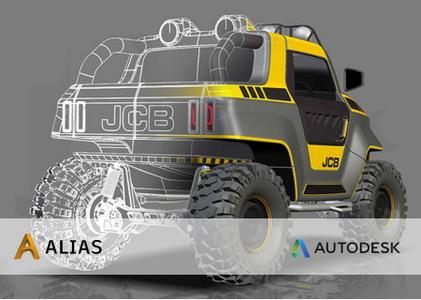
Autodesk Alias AutoStudio 2021.2.1 Hotfix


b0bdb05cbe37d98553b2c8f97692a67b.jpg

Autodesk Alias AutoStudio 2021.2.1 Hotfix | 3.0 Gb
​
The Autodesk Alias product family development team is pleased to announce the availability of AutoStudio 2021.2 is the next generation premium solution for automotive design, styling and technical surfacing.


Introducing Dynamo Player for Alias


Alias 2021.2 Update includes Dynamo Player, which lets you run Dynamo scripts from a dedicated window in Alias. With Dynamo Player, you can leverage Dynamo's visual programming platform to create parametric designs or generate geometry without knowing how to create Dynamo scripts.

Load a Dynamo script into the player, select the Alias geometry inputs and run it to quickly generate or modify complex geometry. Use slider controls to adjust the script's parameter values and see the updates in the Alias viewport right away.

Script makers can easily make your Dynamo scripts more adaptable to Dynamo Player by grouping input nodes as a way of organizing how they appear in the player, adding labels for the parameters, and setting maximum and minimum value ranges.

Alias provides several new Dynamo scripts for subdivision and NURBS geometry that are set up and ready to be run in Dynamo Player.

Improved Select from Alias input node

An improved Select from Alias node lets you specify the type of geometry the node uses as an input. When you predefine the geometry inputs, Dynamo Player automatically activates the selection filters for each input. This can simplify the process of setting up and running the script for Dynamo Player users.


Alias 2021.2 Update introduces subdivision (Sub-D) surface modeling in Create VR. You can now start shaping and sculpting conceptual designs with new patch, volume, and disc Sub-d primitives. Each Sub-d creation tool has the ability to move CVs, and extrude and welding components embedded in the tool, so you can begin shaping primitives as you create them.

In addition there is an extensive Sub-d modeling tool-kit that lets you:

- Extrude faces and edges using three different selection modes.
- Weld vertices, faces, and edges.
- Insert and crease edges.
- Bridge gaps between source and target edges.
- Shape primitives by cutting and rebuilding edges.

Subdivision geometry provides smooth continuous surfaces for creating objects and organic shapes. Create VR Sub-d bodies comply with standard Catmull-Clark subdivision surfaces. This means when you export your sub-d creations to the Autodesk FBX file format, you can continue working on the designs in Alias or other content creation applications, such as Autodesk Maya and Autodesk 3ds Max.

Other Create VR additions and improvements include a new Quick Menu attached to the Global hand, which displays tools that are relevant to your current selected tool and task. This means you don't need to switch between the workspace and the Tool menu to activate commonly used tools.


New Planarize Edge tool
A new Subdiv Planarize Edge tool planarizes subdivision edges and edge loops by projecting the edges to a best fit, view based plane, or perpendicular to the X, Z, or Y axis. Use this tool to quickly clean up uneven patterns in edges of the subdivision control cage. Like the Planarize Hull tool for NURBS surfaces, you can choose plane types based on current view, the X, Y, and Z axis, as well as a best fit plane. Each plane type displays a yellow preview plane in the viewport showing the orientation of the alignment. The distance and direction of the affected CVs' movement displays as yellow lines.

New Subdivision Thicken tool
A new Subdiv Thicken tool lets you quickly add thickness to subdivision bodies by uniformly offsetting the distance between the subdivision CVs. When you thicken closed subdivision bodies, the subdivision body gets duplicated and offset by the Distance amount.

Retopo tool improvements
- You can now create new geometry in all perspective views. For example, when you create geometry that's not snapped to a reference mesh, the tool now snaps to the view-based ground plane rather than automatically snapping to the Bottom ground plane.
- The ground plane for the Retopo Tool is now infinite. Previously, the ground plane had a preset size.

Other subdivision tool enhancements
- We've added a new Edge Flow option to the Subdivision Insert Edges and Subdivision Retopo tools. Edge Flow adjusts the placement of the new edges so they best fit the curvature of the neighboring edges to maintain the shape of the subdivision body. Edge Flow works when inserting perpendicular and parallel edges.


- The Align to Curve tool now supports degree-4 and degree-5 curves for driving alignment. Select Degree 4 or Degree 5 from the Approximation settings.


- We've improved the way history works with the subdivision tools. Now, you can choose which tool to query edit when your object has history from more than one subdivision tool.


We've added a Merge Subdiv option to the Duplicate > Mirror Options, which automatically merges the source and duplicate subdivision bodies when symmetrical copies are made. For best results, ensure the source object is on the symmetry plane as the tool merges the CVs that are aligned to the symmetry plane.

Modeling improvements

New Tubular Offset tool manipulator
An enhanced in-canvas manipulator for the Tubular Offset tool has been designed to increase the speed and efficiency of your tube and groove surface workflows. The new manipulator improvements include:

- Lets you input radius, tangent, and normal values directly in-canvas for primary manipulators as well as radius values for secondary manipulators.
- Ability to toggle between Tube and Groove surface types.
- Ability to manipulate the normal and tangent of the offset.
- Lets you add and remove manipulators using Shift + LMB.

Skin tool improvements

Improvements to the Skin tool include:

- A new Explicit option in the Explicit Controls lets you specify the number of U spans to insert in the output skin surface. When selected, use the U span control to specify the exact number of U spans to insert. Use the Max U Spans and option and control slider for setting the maximum number of spans.


- Short-Edge Tolerance has been renamed to Min Span Length for surfaces and Min Edge Length for Bezier surfaces (when Bezier surfaces is turned on).

Reference Manager improvements
- We've improved the reference data workflow when working with CATIA reference assemblies. If you import a CATIA assembly as a reference, Alias creates referenced files for each file contained in the assembly. This way, each part now maintains its connection to the external reference. When the external files change, only the affected reference files need to be updated in the Reference Manager. This new workflow improvement saves translation time. In previous versions, each CATIA part in an assembly would be imported as a node rather than as an individual file. If an external file was changed, the entire assembly needed to be re-translated.


- Setting a Point of Interest (POI) on referenced objects now works the same as it does with source objects. For example, you can set a POI on either a face or wireframe if the object is not shaded. For shaded objects, you can set a POI on the face. Ensure that Face selection is on in the Selection Options ( Preferences > Selection Options).

Other modeling enhancements

- Trimming controls have been added to the Freeform Blend tool (Surface > Freeform Blend). Choose to trim the source surface using Automatic or CoS Trim Types.
- You can now use Box select when picking curves for the Duplicate Curve and Rebuild Curve tools.
- You can now add an item to a selection set by dragging it from a Layer onto an existing selection set.
- You can now use Transform > Zero to reset any scaling, translation, and rotation applied to objects that are in folders or layers that use symmetry. Previously, you had to turn off layer symmetry before Transform > Zero could be applied to these objects.
- We've improved how the E single hotkey is used to rotate objects. Now, when the Single Hot Keys preference is on (Preferences > Interface > Toggle Single Hotkeys) after pressing E, you can use the LMB, MMB, and RMB to rotate objects in the X, Y, and Z axis respectively. This makes the E single hotkey behave similar to the W (Move) hotkey.
- The Transform tool manipulator now includes a Global and Pivot mode toggle, which lets you switch between the modes in-canvas. Previously, you had to open the Universal Transform Options window to switch between Global and Pivot modes.


- Improvements to the Tool Locator now make it faster and easier for you to locate tools in Alias. As you begin typing in the Find area, the Tool Locator window automatically populates with results based on your query, narrowing the search as you type more of the tool name. Hovering over a result displays the tool's ToolClip, which provides a brief description of the tool.


- The Information Window now displays Param. Min/Max information for curves.


- New options in the Variant Lister let you copy-and-paste camera views from one stage to another. Choose Edit from the Variant Lister menu to access the new Copy Variant Views and Paste Variant Views options.


- A new Apply ViewCube Home preference lets you configure a hotkey to return the canvas to the set Home view. To do this, choose Preferences > Interface > Hotkey/ Menu Editor, then scroll to and expand Special > Viewing. Beside Apply ViewCube Home, type the hotkey you want to use for returning to the Home view.
- We increased the color variations used by the Random Layer Colors (Layers > Custom Colors > Random Layer Colors) option for layers.

Visualization

Replace Shader by Name additions

The Replace Shader by Name feature has been extended to include the following:
- Added a Replace Shader by Name option to the File Import Options for .wire files. Now, when importing shaders along with your CAD files using Keep Shaders, an additional Replace Shaders option lets you choose to use the replace by name.


- When copying and pasting contents between stages, a new Replace Shader by Name option in the Paste Options lets you use the replace the shaders when pasting.


Other visualization improvements

- A New objects option in the diagnostic shader control window automatically shades new geometry created by tool operations with the current shader. This option is on by default.


- We've updated the diagnostic shading icons to make them more readable in both the Light and Dark UI color themes.


Data translation

- Import and Export options for DWG and DXF files are now available in the Import File Options, Open File Options, and Save Active/As Options windows.


- The top-left corner of the Save As window now displays the type of file being saved.


- You can now import .tss T-Spline files into Alias as subdivision surface control meshes.
- Alias now generates intermediate files during file translations of all supported formats. The intermediate files have a 'Translating_' prefix and appear in a temporary directory until the translation operation completes.
About Autodesk Alias product family. Autodesk Alias Design, Autodesk Alias Surface, Autodesk Alias AutoStudio, Autodesk Alias SpeedForm and Autodesk Alias Concept software-support concept visual communication, design modeling, technical surfacing, reverse engineering, real-time design visualization, and engineering development collaboration.

Autodesk Alias products, part of the Autodesk solution for Digital Prototyping, power your creative design process with advanced sketching, modeling, and visualization tools.

Autodesk Alias AutoStudio is the next generation premium solution for automotive design, styling and technical surfacing.

Alias AutoStudio software provides an extensive set of sketching, modelling, visualisation, and analysis tools for the entire vehicle design process. By providing a continuous workflow from concept generation through Class-A surfacing, the software helps automotive companies produce design iterations quicker, reduce rework and bring innovative vehicles to market faster.


Autodesk helps people imagine, design and create a better world. Everyone-from design professionals, engineers and architects to digital artists, students and hobbyists-uses Autodesk software to unlock their creativity and solve important challenges.

Product: Autodesk Alias AutoStudio
Version: 2021.2.1
Supported Architectures: x64
Website Home Page :
Код:
http://www.autodesk.com
Language: english
System Requirements: PC *
Size: 3.0 Gb

Operating system
- Microsoft Windows 10 (64-bit)
- Microsoft Windows 8.1 Professional (64-bit)
- Microsoft Windows 7 SP1 with Update KB3140245 ( 64-bit)
Browser
Autodesk recommends the latest version of the following Web browsers for access to online supplemental content:
- Apple Safari Web browser
- Google Chrome Web browser
- Microsoft Internet Explorer Web browser
- Mozilla Firefox Web browser
CPU: 2 GHz 64-bit Intel or AMD multi-core processor
Graphics hardware:
- Alias General: Supported NVIDIA or AMD graphics card with a minimum of 256 MB dedicated texture memory and DirectX 11 compatible.
- Alias VR: Any NVIDIA or AMD graphics card that is VR Ready certified.
RAM: 8 GB (16 GB recommended)
Disk space:
Free hard disk space required for installation:
- Autodesk Alias AutoStudio: 10 GB
- Autodesk Alias Surface: 5 GB
- Autodesk Alias Design: 5 GB
Pointing device:
- Three-button mouse
- Wacom graphics tablet for sketching (optional)
Optional Hardware: HTC Vive, Oculus Rift, Windows Mixed Reality devices
.NET Framework: .NET Framework Version 4.6 for Windows


-:DOWNLOAD FROM LINKS:-

RapidGator
Код:
https://rapidgator.net/file/5b44ff57f0376a3d775dd4baff03846b/Dl4eVeR.ALAUST_2021_2_1_64bit.part1.rar.html
https://rapidgator.net/file/7bbc45d5fffb5d671122e84dcda10c0d/Dl4eVeR.ALAUST_2021_2_1_64bit.part2.rar.html
https://rapidgator.net/file/c3cdccc9ea6d99c98caa30299e22f204/Dl4eVeR.ALAUST_2021_2_1_64bit.part3.rar.html

NitroFlare
Код:
https://nitroflare.com/view/3BAB87FBB25A263/Dl4eVeR.ALAUST_2021_2_1_64bit.part1.rar
https://nitroflare.com/view/350EF0F1AABD64A/Dl4eVeR.ALAUST_2021_2_1_64bit.part2.rar
https://nitroflare.com/view/4E16701C858F63E/Dl4eVeR.ALAUST_2021_2_1_64bit.part3.rar

​
 
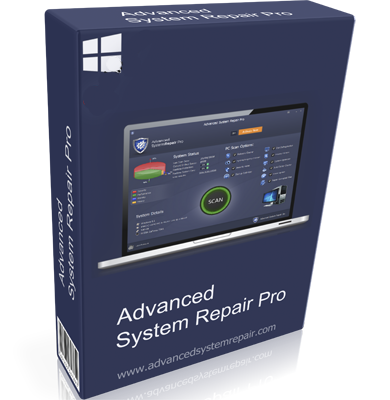
Advanced System Repair 1.9.3.6 Pro


d0c8760f01d001ab4da913e94499d037.png

Advanced System Repair 1.9.3.6 Pro | 19.1 Mb
​
Advanced System Repair Pro brings you all the tools you need in one program to clean, fix, protect, optimize and boost your PC!


Fix your PC problems
Our multi-scan feature will give you easy to read and simple results. Our software will intelligently scan and anallyze your computer in minutes and give you complete thorough organized, detailed results.

Speed up, tune up and protect your PC
Start with a free scan from Advanced System Repair. You'll immediately find out the root problems affecting your machine's performance.

1-Click Maintenance
All the tools to made simple and easy! It's like having a professional technician at the click of a mouse.

Put Draining Apps to Sleep
Disable background apps that are draining your system.

Malware Removal
Finds and removes all types of harmful malware including trojans, worms, bots, adware, spyware, PUPs and more!

System Tweak/Optimizer
ASR will analyze your complete system and settings to adjust your PC to function at its maximum performance.

Junk Cleaner
Keeping your computer free from unnecessary clutter also helps make your computer last longer. Like any other machine, if you keep it clean and take care of it, it will serve you better longer!

Disk Defrag
With a simple 1-click, Advanced System Repair speeds up your PC by assembling fragmented files on your machine and organizing them more efficiently.

Privacy Cleaner
The all-in-one privacy suite to Clean Your Tracks & Protect Your Privacy! Make your computer safe, secure and more efficient!

Registry Cleaner
Over time your registry can become cluttered with errors and broken settings which lead to crashes. Advanced System Repair will clear out this clutter to make your PC more stable.

Operating System: Windows XP, 7, 8/8.1, 10

Home Page -
Код:
http://advancedsystemrepair.com/


-:DOWNLOAD FROM LINKS:-

RapidGator
Код:
https://rapidgator.net/file/d44fce533db1e6acad63086df8a234d5/Dl4eVeR.SystemRepairPro1.rar.html

NitroFlare
Код:
https://nitroflare.com/view/A667D247CDE3F74/Dl4eVeR.SystemRepairPro1.rar

​
 
Internet Download Manager 6.38 Build 9 + Retail


5a8534374067fd2bd7b398cfe983be74.png

Internet Download Manager 6.38 Build 9 Multilingual | 9.95 MB
​
Internet Download Manager has a smart download logic accelerator that features intelligent dynamic file segmentation and safe multipart downloading technology to accelerate your downloads. Unlike other download accelerators and managers that segment files before downloading starts, Internet Download Manager segments downloaded files dynamically during download process.


Internet Download Manager reuses available connections without additional connect and login stages to achieve better acceleration performance. Internet Download Manager supports proxy servers, ftp and http protocols, firewalls, redirects, cookies, authorization, MP3 audio and MPEG video content processing. IDM integrates seamlessly into Microsoft Internet Explorer, Netscape, MSN Explorer, AOL, Opera, Mozilla, Mozilla Firefox, Mozilla Firebird, Avant Browser, MyIE2, and all other popular browsers to automatically handle your downloads. You can also drag and drop files, or use Internet Download Manager from command line. Internet Download Manager can dial your modem at the set time, download the files you want, then hang up or even shut down your computer when it's done.

Main Features:
• All popular browsers and applications are supported! Internet Download Manager has been tested with the following browsers: Internet Explorer, MSN Explorer, AOL, Netscape Communicator, Netscape 6, Netscape 7, Mozilla, Mozilla Firefox, Mozilla Firebird, Opera, NetCaptor, UltraBrowser, Slim Browser, Avant Browser, MyIE2, Optimal Desktop, Ace Explorer, Advanced Browser, 27 Tools-in-1 Wichio Browser, WindowSurfer, 550 Access Browser, FineBrowser Freeware, Kopassa Browser, Fast Browser Pro, Enigma Browser, GoSuRF, K-Meleon, Smart Explorer, The Off By One Web Browser, Smartalec Voyager, CrystalPort AppCapture, The Family Browser, XANA Web Browser, Bluto, AutoSurf, 32bit Web Browser, BrowseMan, WrestlingBrowser, Eminem Browser, UltraBrowser, Cygsoft LDAP Browser, and Net M@nager. Internet Download Manager supports all versions of popular browsers, and can be integrated into any 3rd party Internet applications.
• Easy downloading with one click. When you click on a download link in a browser, IDM will take over the download and accelerate it. IDM supports HTTP, FTP, HTTPS and MMS protocols.
• Download Speed Acceleration. Internet Download Manager can accelerate downloads by up to 5 times due to its intelligent dynamic file segmentation technology. Unlike other download managers and accelerators Internet Download Manager segments downloaded files dynamically during download process and reuses available connections without additional connect and login stages to achieve best acceleration performance.
• Download Resume. Internet Download Manager will resume unfinished download from the place where they left off.
• YouTube grabber. Internet Download Manager can grab FLV videos from popular sites like YouTube, MySpaceTV, and Google Video.
• Simple installation wizard. Quick and easy installation program will make necessary settings for you, and check your connection at the end to ensure trouble free installation of Internet Download Manager
• Drag and Drop. You may simply drag and drop links to IDM, and drag and drop downloaded files out of Internet Download Manager.
• Automatic Antivirus checking. Antivirus checking makes your downloads free from viruses and trojans.
• Advanced Browser Integration. When enabled, the feature can be used to catch any download from any application. None of download managers have this feature.
• Built-in Scheduler. Internet Download Manager can connect to the Internet at a set time, download the files you want, disconnect, or shut down your computer when it's done.
• IDM includes web site spider and grabber. IDM downloads all required files that are specified with filters from web sites, for example all pictures from a web site, or subsets of web sites, or complete web sites for offline browsing. It's possible to schedule multiple grabber projects to run them once at a specified time, stop them at a specified time, or run periodically to synchronize changes.
• IDM supports many types of proxy servers. For example, IDM works with Microsoft ISA, and FTP proxy servers.
• IDM supports main authentication protocols: Basic, Negotiate, NTLM, and Keberos. Thus IDM can access many Internet and proxy servers using login name and password.
• Download All feature. IDM can add all downloads linked to the current page. It's easy to download multiple files with this feature.
• Customizable Interface. You may choose the order, and what buttons and columns appear on the main IDM window.
• Download Categories. Internet Download Manager can be used to organize downloads automatically using defined download categories.
• Quick Update Feature. Quick update may check for new versions of IDM and update IDM once per week.
• Download limits. Progressive downloading with quotas feature. The feature is useful for connections that use some kind of fair access policy (or FAP) like Direcway, Direct PC, Hughes, etc.
• IDM is multilingual. IDM is translated to Albanian, Arabic, Azerbaijan, Bosnian, Bulgarian, Chinese, Croatian, Czech, Danish, Dutch, Farsi, French, German, Greek, Hebrew, Hungarian, Italian, Japanese, Korean, Lithuanian, Macedonian, Norwegian, Polish, Portuguese, Romanian, Russian, Serbian, Slovak, Slovenian, Spanish, Thai, Turkish, and Uzbek languages.

Operating System: Windows Vista, 7, 8/8.1, 10

Home Page -
Код:
http://www.internetdownloadmanager.com/


-:DOWNLOAD FROM LINKS:-

RapidGator
Код:
https://rapidgator.net/file/39e105bbc6d8a72040c93fe7f7903849/Dl4eVeR.idman6f.rar.html
https://rapidgator.net/file/e0c0d057e4879f5505fe384c56f8eed2/Dl4eVeR.idman6.rar.html

NitroFlare
Код:
https://nitroflare.com/view/8AD252B3231D937/Dl4eVeR.idman6.rar
https://nitroflare.com/view/9B7632EEB530591/Dl4eVeR.idman6f.rar

​
 
Pichon (Icons8) 9.1


e9316e05c3021465dab70506f6558e64.png

Pichon (Icons8) 9.1 | 120.8 Mb
​
Pichon - all our Icons Offline on Your Computer that works with Photoshop, Adobe XD, Visual Studio, or anything. The app stores all the Icons8 icons on your hard drive and these are available in any format, size, or color. ? No doubt, we have social media icons like Facebook, Twitter, Youtube, and all kinds of arrows. Surely, we have basic ones like phone, home, and settings. However, if you are up for something more unorthodox, simply request it. No charge. Guaranteed. ? We tweet, message, and conduct structured interviews to determine which features the community needs, not to mention that the community invented many of them We have been creating 3-20 new line and filled icons every working day since 2012.


Single Style
All icons are done by a single designer, so your user interface will look consistent.

Editable Vectors
Vector icons are not merged and have preserved shapes. Check it out

Fonts Generator
Goodbye monster fonts of 500 icons. Pick only the icons you need and build your own, small font. How-to

Icon Recoloring
Pick a color and we will generate recolored versions of your PNG or SVG.

Mac&Win Apps
Allows you to search icons quickly, and works well with Photoshop. Download

HTML Embedding
Get a code to paste an icon right into your HTML. Choose one of the 5 ways to insert an icon.

Pick your color, size, and format. Drag it to Photoshop. You're done.
- All icons have ~20 tags for effective search.
- Browse around 50 categories, with 50-200 icons each.
- Recolor PNG and SVG icons on the fly.
- Drag icon to Illustrator, Photoshop, Visual Studio, or anything else.

Operating System: Windows 7, 8/8.1, 10

Home Page -
Код:
https://icons8.com/app


-:DOWNLOAD FROM LINKS:-

RapidGator
Код:
https://rapidgator.net/file/1b57f4ef1d02a402f2629a394f8a155e/Dl4eVeR.Pichon8.rar.html

NitroFlare
Код:
https://nitroflare.com/view/00EEA76B6A43703/Dl4eVeR.Pichon8.rar

​
 
Emurasoft EmEditor Professional 20.2.2


592e2eada1baf30f414fd3286e962b2d.png

Emurasoft EmEditor Professional 20.2.2 Multilingual | 39.3 MB
​
EmEditor Professional - professional version of the powerful text editor for programmers, Web developers and ordinary users with the illumination of syntax and Unicode support. Editor features such as search and replace in files using regular expressions, auto-detection coding, highlighting the links and email addresses, block selection mode, configure the button bar, menu, font and color elements. For each language, you can create a separate configuration. The program also has the support of powerful macros written in javascript or VBScript, allowing you to capture virtually any action, used often or occasionally.


This editor is an ideal tool for editing HTML, PHP, JSP and XML files. When you specify a web browser as an external application, you will be able to view HTML files during editing.
Supports syntax highlighting ASP, C, CSS, HTML, Java, javascript, JSP, Pascal (Delphi), Perl, Python, PHP, SQL, VBScript and other programming languages, function Drag and Drop, opening files size up to 248 GB the possibility of connecting additional external applications and plug-ins. In addition, the program allows to work with macros written in javascript or VBScript, and based on the Windows Scripting Host (WSH) engine, allows you to automate virtually any action. Adjustable backlight HTML and scripting languages makes it easy to detect spelling errors and typos.

Features:
- Support for file sizes up to 248 GB
- Edit binary files
- Optimized search and relocation
- Improved design plug-ins
- Ability to display panel functions
- Optimized speed when each row has a greater length
- Auto-panning by clicking the mouse wheel
- Supports Drag and drop
- Specify the temporary folder in the program settings
- Import INI files in the registry
- Unicode
- Syntax highlighting for ASP, C, CSS, HTML, javascript, JSP, Pascal, Perl, Python, PHP, SQL, VBScript and other
- User-friendly interface with customizable toolbar

EmEditor Professional Features List:
- Large File Support
- Unicode Support
- Macros
- Vertical Selection Editing
- Tabbed Windows, Drag and Drop
- Lightweight Design
- Regular Expressions
- Binary Editing
- Crash Recovery
- Grab Text

Supported OS: Windows 10/8.1/8/7/Vista/Server 2012/Server 2008

Home Page -
Код:
http://www.emeditor.com/


-:DOWNLOAD FROM LINKS:-

RapidGator
Код:
https://rapidgator.net/file/6a0ed29dc3f2769d8059c3e3f60dcb54/Dl4eVeR.EmEditor20..rar.html

NitroFlare
Код:
https://nitroflare.com/view/469FB1CE92A2F82/Dl4eVeR.EmEditor20..rar

​
 
ISO Workshop Pro 10.0


f8a2991cf02abb1966b51a07f7c828e5.png

ISO Workshop Pro 10.0 Multilingual | 4 Mb
​
ISO Workshop is a application specifically designed to facilitate disc image management, conversion and burning operations. The program has a very simple user interface and enables you to make ISO images, extract specific files and folders from disc images, create disc backups by copying disc contents to an ISO or BIN image file, convert different disc image files into the ISO or BIN format and, of course, burn ISO and CUE images to blank discs.


Make standard and bootable ISO images
Extract files and folders from disc image
Copy disc to disc image (including Audio CD)
Convert disc image to ISO or BIN format
Burn ISO or CUE/BIN image to disc
Supports common formats (ISO, CUE, BIN, NRG, MDF, CDI etc.)
Supports CD-R/RW, DVD-R/RW, DVD+R/RW, DVD+R DL, BD-R/RE
Supports verification of written files

Benefits:
Supports all types of CD/DVD/BD Recorders
Super easy-to-use user interface
Small installation file size
Very low CPU resource usage
Free for personal and commercial use

OS: Windows NT/2000/XP/Vista/7/8/10 (32 and 64 bit)

Home Page -
Код:
http://www.glorylogic.com


-:DOWNLOAD FROM LINKS:-

RapidGator
Код:
https://rapidgator.net/file/068db3d61dd536dbbac2576264ea1648/Dl4eVeR.ISO.Workshop.Pro.10.0.rar.html

NitroFlare
Код:
https://nitroflare.com/view/67E4E9E7F49D91D/Dl4eVeR.ISO.Workshop.Pro.10.0.rar

​
 
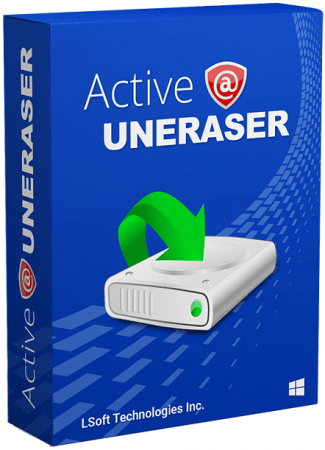
Active@ UNERASER Ultimate 16.0.1 (x64) WinPE


063ac9838433156c9bb3f919902b46d5.png

Active@ UNERASER Ultimate 16.0.1 (x64) WinPE | 394.5 Mb
​
Uneraser is an undelete software that can recover deleted files, as well as files and folders located on deleted/damaged/re-formatted volumes: NTFS, ReFS, FAT/exFAT, Linux Ext2/Ext3/Ext4 / XFS / JFS / BtrFS, Apple HFS+ & Unix UFS / JFS / XFS file systems.

Main Features:
- Unerase deleted: files, images & photos.
- Undelete damaged volumes & partitions.
- Recover accidentally formatted HDD,SSD,USB,SD.
- Unerase data from Disk Images & damaged RAIDs.

Features included in UNERASER Ultimate:
- Limited to number of files being recovered (No limit)
- Recovers files from deleted/damaged/re-formatted partitions and volumes
- Supports recovery drives of types: IDE / SATA / eSATA / SCSI / SAS / SSD / USB / Camera Cards and RAIDs
- Recovers FAT, exFAT, NTFS, ReFS, Apple HFS+, Linux Ext2/Ext3/Ext4/BtrFS, Unix UFS/XFS/JFS file systems
- Recovers volumes and files created in Windows, MacOS, Linux, Unix
- Recovers Dynamic Disks (LDM), Windows Storage Spaces(WSS) and Logical Volume Managers (LVM)
- Scans and recovers partitions damaged by virus or with damaged MBR
- Displays complete physical and logical drive information
- Displays object's integrity status and assesses ability to recover files & folders
- Supports recovery of fragmented, compressed, sparse and encrypted files
- Allows to preview files visually as well as in integrated HEX viewer before recovery
- Includes advanced search by file name, mask, size range and other attributes
- Displays content of any sector on the disk with integrated Disk Editor
- Creates, works with and recovers data from raw disk images
- Contains two types of drive and device scan: Basic (Fast) and Thorough (Slow)
- Includes bootable Windows Recovery environment (WinPE-based) for recovery when machine does not boot
- Includes bootable Linux-based Recovery environment for date recovery when machine does not boot
- Virtually rebuilds damaged RAID0, RAID1, RAID5 and Span disk arrays. Damaged RAID data recovery

Operating System:
- Windows XP
- Windows Vista
- Windows Server 2003, 2008, 2008 RC2, 2012
- Windows 7
- Windows 8
- Windows 10
- Windows PE (embedded Windows recovery environment loaded from CD-ROM or USB disk)

Home Page -
Код:
https://www.uneraser.com/


-:DOWNLOAD FROM LINKS:-

RapidGator
Код:
https://rapidgator.net/file/2e167764768707e75ace0e6dd1e90ee1/Dl4eVeR.UNERASER.Ultimate.16.0.1.WINPE.x64.rar.html

NitroFlare
Код:
https://nitroflare.com/view/0C54A55597EEDAA/Dl4eVeR.UNERASER.Ultimate.16.0.1.WINPE.x64.rar

​
 
Atlantis Word Processor v4.0.3.5


4d194d4a2802dc9fd3238287ec7132a5.jpg

Atlantis Word Processor v4.0.3.5 | 3.4 Mb
​
Atlantis is an innovative, no-nonsense word processor carefully designed with the end-user in mind. Compact, fast-loading, but still powerful and efficient, Atlantis will be the perfect companion for a wide range of your word processing tasks, - from simple to most complex. It does not matter if you are a novice or a power user, Atlantis has the tools you will ever need to compose highly professional documents. Using a most original and practical Control Board, you will create and manage all components of complex documents with unparalleled ease: sections, fields, headers & footers, newspaper columns, bulleted & numbered lists, styles, bookmarks, footnotes & endnotes, etc, all are a breeze with Atlantis.


Both the Safeguard and Backup Files features make sure that you work under extremely safe conditions. Private documents can also be encoded and secured: you can save them to a proprietary COD file format using powerful 256-bit encryption technology.

The Atlantis AutoCorrect and Spellcheck-As-You-Type features combine with a unique typing assist, the Atlantis Power Type, to dramatically simplify your word processing life. The Overused Words feature will help creative writers avoid repetitions and clich's.

The Atlantis interface is entirely customizable: menus, toolbars, hot keys, colors and sounds can all be adjusted to suit your own requirements. What's more, Atlantis is a fully portable word processor. You can install Atlantis to a memory flash drive, and Atlantis will travel with you wherever you go.

THE WORD PROCESSING FUNCTIONS:
Document creation and formatting is easy, using a customizable and expandable collection of document templates and sample letters.

Comprehensive Style Sheet support is available for advanced users.
A customizable and expandable Clip Library is stocked with text and graphic items ready to be inserted in larger documents whenever suitable. The Atlantis original collections of clips include everyday phrases, letter writing elements, clip art, etc.
Of course, all the traditional font and paragraph formatting commands are present:

choice of typeface, font size, font color. A state of the art typeface preview.
bold, italic, underline, strikeout, double strikeout, superscript, subscript, small caps, all caps, shadow, outline, emboss, engrave.

choice of 17 underline styles; choice of underline color.
character spacing, scaling, kerning, vertical offset.
fully customizable tab stops.
left/right paragraph indent, first line indent and outdent.
spacing before/after paragraph, 6 types of interline spacing.
keep with next paragraph, keep intact, page break before, widow/orphan control.
and plenty more, only a key press or mouse click away.

Operating System: Windows 2000, Windows XP, Windows Vista, Windows 7, Windows 8, Windows 10.

Home Page -
Код:
http://www.atlantiswordprocessor.com/


-:DOWNLOAD FROM LINKS:-

RapidGator
Код:
https://rapidgator.net/file/1facaa143309600e6d9592db16ddcbde/Dl4eVeR.WordProcessor4.rar.html

NitroFlare
Код:
https://nitroflare.com/view/9A86DA280844CCB/Dl4eVeR.WordProcessor4.rar

​
 
Cadence SPB Allegro and OrCAD 17.40.012-2019


322de6227b9cb5ef9f9cb67b93f4dbd3.jpg

Cadence SPB Allegro and OrCAD 17.40.012-2019 | 4.8 Gb
​
Cadence Design Systems, Inc. , the leader in global electronic design innovation, has unveiled a new of improvements in hotfix 011 to the Cadence SPB Allegro and OrCAD 17.40 families of products aimed at boosting performance and productivity through improvements features and big fixed issues.


=======
CCRID Product ProductLevel2 Title
=======
2313464 ADV_PKG_ROUTER OTHER APR fails to route because no routing path exists between pins
2321955 ADW COMPONENT_BRO UCB with SSL and variable CDS_ENABLE_UCBCLIENT_DOWNLOAD
2295605 ALLEGRO_EDITOR DFM Pin to shape same net DRC is not working
2325628 ALLEGRO_EDITOR DFM DRC Browser 'Layer Visibility' function is not working
2142093 ALLEGRO_EDITOR SHAPE Shape not updating automatically due to issue with cline void oversize: Manual "update to smooth" required
2300747 ALLEGRO_EDITOR SHAPE HotFix 008: 'Shift' cancels add shape
2312838 ALLEGRO_EDITOR SHAPE Unable to use 'Shift' while using the command 'shape add'
2324592 ALLEGRO_EDITOR SHAPE When adding shape, selecting the 'Shift' key ends the process
2234999 ALLEGRO_EDITOR UI_FORMS Weird behavior of license usage log functionality in release 17.4: Cannot see complete report and error on closing
2304892 ALLEGRO_EDITOR UI_GENERAL 'File > Save As' does not prompt for confirmation to override file
2309890 ALLEGRO_EDITOR UI_GENERAL "Save As" command overwrites existing files without warning.
2317739 ALLEGRO_EDITOR UI_GENERAL DML model does not load in SigXplorer
2297096 APD DFA The Minimum Shape Width check may not report an error.
2197727 CAPTURE PROJECT_MANAG 'Save Project As' to UNC path does not work properly: Saves directory locally
2306341 CONCEPT_HDL CORE NetGroup member removed/lost after 'Save Hierarchy'
2319615 CONSTRAINT_MGR CONCEPT_HDL DE-HDL CM-defined Region Class to Class Spacing constraints not exporting to Allegro PCB Editor
2226706 CONSTRAINT_MGR UI_FORMS Release 17.4: Constraint Manager font not sharp (appears fuzzy)
2299543 CONSTRAINT_MGR UI_FORMS Analysis Mode Electrical Form distorted
2305020 CONSTRAINT_MGR UI_FORMS Text is overlapped on the Electrical Constraints tab of Analyze Modes form of Constraints Manager with light theme.
2230544 PULSE R2PLM Publish to manufacturing does not launch if project path begins with an underscore
2308952 PULSE R2PLM Generate button inaccessible if there are many utilities on the Generate page
2323902 SIP_LAYOUT INTERACTIVE Rotation occurs randomly when copying objects multiple times.
2325542 SIP_LAYOUT INTERACTIVE Function key rotate of copied part does not show preview correctly
2328253 SIP_LAYOUT INTERACTIVE Rotate setting not being applied when copying and pasting symbol
2305709 SIP_LAYOUT ORBITIO_IF APD crashes when selecting the 'Help' button in the 'Orbit import' dialog
2310340 SIP_LAYOUT OTHER SiP Layout - Die Properties - adding shrink to a die at design coordinates other than 0,0 results in change of origin
1962599 SYSTEM_CAPTURE NAVLINKS The $XR property placeholders are not honored and orange dots appear at their locations
2037440 SYSTEM_CAPTURE NAVLINKS NavLinks location is reset after moving offpage body
Cadence OrCAD and Allegro 17.4-2019 is a sleeker and more modern version of the OrCAD and Allegro release, with enhanced usability and a slew of new productivity- enhancing features. You get more intuitive and easy- to- use flows that enable optimized schematic- to- board- to- manufacturing transitions. So, whether you design schematics, work with physical layouts, manage or create libraries and parts, or administer ECAD processes, there are features in this release that will benefit you.

Starting with OrCAD and Cadence Allegro PCB - Tutorial for Beginners

Cadence enables global electronic design innovation and plays an essential role in the creation of today's integrated circuits and electronics. Customers use Cadence software, hardware, IP and services to design and verify advanced semiconductors, consumer electronics, networking and telecommunications equipment, and computer systems. The company is headquartered in San Jose, Calif., with sales offices, design centers and research facilities around the world to serve the global electronics industry.

Product: Cadence SPB Allegro and OrCAD
Version: 17.40.012-2019
Supported Architectures: x64
Website Home Page :
Код:
http://www.cadence.com
Language: english
System Requirements: PC *
Software Prerequisites: Cadence SPB Allegro and OrCAD 17.40.000-2019 and above
Size: 4.8 Gb

System Requirements:

OS: Windows 10 (64-bit) Professional, Windows Server 2012 (All Service Packs); Windows Server 2012 R2; Windows Server 2016.
CPU: Intel Core i7 4.30 GHz or AMD Ryzen 7 4.30 GHz with at least 4 cores
Memory: 16 GB RAM
Space: 50 GB free disk space (SSD drive is recommended)
Display: 1920 x 1200 display resolution with true color (at least 32bit color)
GPU: A dedicated graphics card supporting OpenGL, minimum 2GB (with additional support for DX11 for 3D Canvas)
Monitors: Dual monitors (For physical design)
Supported MATLAB Version: R2019A-64Bit (For the PSpice-MATLAB interface)


-:DOWNLOAD FROM LINKS:-

RapidGator
Код:
https://rapidgator.net/file/0d553cfb356850e8e44be3cb126b320d/Dl4eVeR.Hotfix_SPB17.40.012.part1.rar.html
https://rapidgator.net/file/c3a1e9fb280dbfdff20404e505cb8cb9/Dl4eVeR.Hotfix_SPB17.40.012.part2.rar.html
https://rapidgator.net/file/4e3dde598d67b3113869f83462bfd789/Dl4eVeR.Hotfix_SPB17.40.012.part3.rar.html
https://rapidgator.net/file/fc1fec654434a4cd3e6cfaf22d8a3d6b/Dl4eVeR.Hotfix_SPB17.40.012.part4.rar.html
https://rapidgator.net/file/c411a49b4783fe12e732070c67548344/Dl4eVeR.Hotfix_SPB17.40.012.part5.rar.html

NitroFlare
Код:
https://nitroflare.com/view/58D18272F829627/Dl4eVeR.Hotfix_SPB17.40.012.part1.rar
https://nitroflare.com/view/4280AB94457EE8C/Dl4eVeR.Hotfix_SPB17.40.012.part2.rar
https://nitroflare.com/view/5596A6C658F7EFA/Dl4eVeR.Hotfix_SPB17.40.012.part3.rar
https://nitroflare.com/view/DBCAA6DB137A3E2/Dl4eVeR.Hotfix_SPB17.40.012.part4.rar
https://nitroflare.com/view/83F72B8AB003995/Dl4eVeR.Hotfix_SPB17.40.012.part5.rar

​
 
Windows 10 Pro 20H2 10.0.19042.572


b1c70c5afdea2929dd0ef48d60d18a80.jpg

Windows 10 Pro 20H2 10.0.19042.572 16in1 (x86/x64) Multilanguage Preactivated October 2020 | 5.4 GB
​
Languages:English,German,Greek,French,Spanish,Italian,Portuguese-Portuguese,Portuguese-Brazil,Turkish

Windows 10 is a series of personal computer operating systems produced by Microsoft as part of its Windows NT family of operating systems. It is the successor to Windows 8.1, and was released to manufacturing on July 15, 2015, and to retail on July 29, 2015. Windows 10 receives new releases on an ongoing basis, which are available at no additional cost to users. Devices in enterprise environments can receive these updates at a slower pace, or use long-term support milestones that only receive critical updates, such as security patches, over their ten-year lifespan of extended support.

One of Windows 10's most notable features is support for universal apps, an expansion of the Metro-style apps first introduced in Windows 8. Universal apps can be designed to run across multiple Microsoft product families with nearly identical code*-*including PCs, tablets,smartphones, embedded systems, Xbox One, Surface Hub and Mixed Reality. The Windows user interface was revised to handle transitions between a mouse-oriented interface and a touchscreen-optimized interface based on available input devices*-*particularly on 2-in-1 PCs, both interfaces include an updated Start menu which incorporates elements of Windows 7's traditional Start menu with the tiles of Windows 8. Windows 10 also introduced the Microsoft Edge web browser, a virtual desktop system,a window and desktop management feature called Task View, support for fingerprint and face recognition login, new security features for enterprise environments, and DirectX 12.

Net 3.5 Enabled
Converted:Install.wim<Install.esd


System Requirements:
Processor: 1 gigahertz (GHz) or faster.
RAM: 1 gigabyte (GB).
Free space on hard disk: 16 gigabytes (GB).
Graphics card: DirectX 9 graphics device or a newer version.
Additional requirements to use certain features.
To use touch you need a tablet or monitor that supports multitouch.
To access the Windows store to download and run apps, you need an active Internet connection and a screen resolution of at least 1024 x 768 pixels

HomePage -
Код:
https://www.microsoft.com/


-:DOWNLOAD FROM LINKS:-

RapidGator
Код:
https://rapidgator.net/file/483a95c3876ab5b951895b6bc2fc3d9e/Dl4eVeR.windows-10-x64-aio-16in1-20h219042572.part1.rar.html
https://rapidgator.net/file/2b53f8d1ffe4974fdcac4b5b83d2da12/Dl4eVeR.windows-10-x64-aio-16in1-20h219042572.part2.rar.html
https://rapidgator.net/file/5fcd9db0c4ab811f2ad0674f73bbb201/Dl4eVeR.windows-10-x64-aio-16in1-20h219042572.part3.rar.html
https://rapidgator.net/file/40345c487170eecb7c7672471f39770f/Dl4eVeR.windows-10-x64-aio-16in1-20h219042572.part4.rar.html
https://rapidgator.net/file/f596744e6ec7f9c2ac3bae9b17aad04d/Dl4eVeR.windows-10-x64-aio-16in1-20h219042572.part5.rar.html

NitroFlare
Код:
https://nitroflare.com/view/9E9DB15B1E18FBA/Dl4eVeR.windows-10-x64-aio-16in1-20h219042572.part1.rar
https://nitroflare.com/view/34EC0B19E0E4565/Dl4eVeR.windows-10-x64-aio-16in1-20h219042572.part2.rar
https://nitroflare.com/view/3BDA68AADD257EC/Dl4eVeR.windows-10-x64-aio-16in1-20h219042572.part3.rar
https://nitroflare.com/view/59592331C6E0365/Dl4eVeR.windows-10-x64-aio-16in1-20h219042572.part4.rar
https://nitroflare.com/view/BFF46854C58BF31/Dl4eVeR.windows-10-x64-aio-16in1-20h219042572.part5.rar

​
 
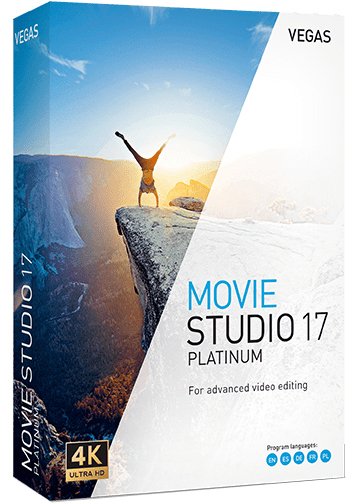
MAGIX VEGAS Movie Studio Platinum 17.0.0.204


bf60cef3f487d6ccf86bc721b824fdad.jpg

MAGIX VEGAS Movie Studio Platinum 17.0.0.204 (x64) Multilingual | 540.3 Mb
​
VEGAS Movie Studio 17 offers our most user-friendly approach ever to creating beautiful videos. Work fast with interactive storyboards. Work confidently with automatic saves. Work smoothly with GPU and hardware acceleration. Powerful and intuitive - nothing helps you create like VEGAS Movie Studio 17!


Import
Import video and digital photos from your smartphone, tablet, or video camera.

Edit
Drag your video clips and digital photos right onto the timeline for fast editing.

Enhance
Spice up your story with titles, video effects, music, scrolling credit rolls, and more.

Share
Share your videos with your family and friends on YouTube, Facebook, and Vimeo.

Included in VEGAS Movie Studio 17 Platinum:
VEGAS Movie Studio 17 Platinum adds even more exciting tools to the robust feature set with world-class video stabilization, a complete 360° editing workflow, motion tracking, and much more. Discover the innovations and edit like a pro with VEGAS Movie Studio 17 Platinum!

Highlighted Features:
- Mode-based workflow, including Power User mode
- Guided Video Creator
- Unique, interactive storyboard editing
- Project Media Enhancements
- Precise motion tracking
- World-class one-touch video stabilization
- Flexible Bézier masking
- Complete 360° editing workflow

What's New in Version 17:

New Features:
- Color Grading window: Several color-related Video Event FX (including Color Wheels, Color Curves, HSL and many more) are combined in a dedicated screen area that is easily shown or hidden with a toolbar button. To save you a lot of clicks it can stay open to apply the desired color grading to the different events, instead of opening each event's FX chain and loading the color FX separately.
- Improved Storyboard functionality: You can add the same piece of media to a single Storyboard, and thumbnails reflect the in point of the media that is used in the timeline.
- Improved Video FX, Transitions and Media Generator windows: Effects can be filtered by category and provider, you can search for an effect name and mark favorites to quickly find your favorite effect.
- Black Bar Fill plug-in: Fill the black bars that are created when inserting upright video or images into your movie with a blurred copy of the image.
- Warp Flow transition/Smart Split: The Warp Flow transition automatically fixes jump cuts by synthesizing movement. The Smart Split command cuts out parts of an event and applies the Warp Flow transition to conceal the cut.
- Lens Correction plug-in to compensate distortions from wide-angle lens systems as used in action cams.
- Adjustable Color temperature enhancement to White Balance plug-in.
- Audio synchronization for multicam: Synchronize Multicam footage by analyzing and matching the audio track of the recordings.

New Formats:
- Experimental MKV support.
- 10 bit intermediate format
- NVENC 10-bit HEVC rendering
- Hardware decoding for AVC and HEVC

User Interface improvements:
- You'll get a warning when you delete a track that has events on it.
- Hi-DPI interface improvements: The High DPI mode is now defaulted to on for Movie Studio Platinum17
- You can display the Event length on the header of timeline events. Find it in the hamburger menu for each event or under the View menu.
- Temporarily ignore event grouping when moving an event: Hold both the left and right mouse buttons as you drag an event to move it independently from other group members.
- There's a new indicator on an event to show if Media FX have been applied to the media the event holds (find it in the event hamburger menu)
- You will be asked to confirm if you click cancel in a render process.
- New, task specific, default layouts / Dashboard:Easy editing modes for beginners work with a simplified version of the user interface that show only the most important controls for a step-by-step walk-through from adding media to the final movie, everything put together in the Dashboard window. The Guided Video Creator from the Welcome Screen takes you through these steps.
- VEGAS Screen Capture utility: Record video streams from your browser or video game.
- Motion tracking: Track motion in a scene and let other events or text follow the movement.
- Super-smooth slow motion (optical flow and morphing) with the VEGAS Slow Motion plug-in

System Requirements:
- You need a 64-bit version of one the following operating systems:
- Windows 8 or Windows 10 (64-bit)
- 2 GHz processor (multicore or multiprocessor CPU recommended for HD or stereoscopic 3D)
- 1.5 GB hard-disk space for program installation
- 4 GB RAM (8 GB recommended; 16 GB recommended for 4K)
- USB 2.0 connection (for importing from AVCHD, XDCAM EX, NXCAM, or DVD camcorders)
- 512 MB GPU memory
- Supported NVIDIA, AMD or Intel GPU

Home Page -
Код:
http://www.vegascreativesoftware.com/


-:DOWNLOAD FROM LINKS:-

RapidGator
Код:
https://rapidgator.net/file/0b3308e1e999f6940b887fb733e1d60f/Dl4eVeR.Movie.Studio.17.0.0.204.Platinum_x64.rar.html

NitroFlare
Код:
https://nitroflare.com/view/24CDB9DBE8636F5/Dl4eVeR.Movie.Studio.17.0.0.204.Platinum_x64.rar

​
 
MAGIX VEGAS Movie Studio 17.0.0.159


b4cd807ec49d451cd8cd2c16b0e9c061.jpg

MAGIX VEGAS Movie Studio 17.0.0.159 (x64) Multilingual | 436.3 Mb
​
VEGAS Movie Studio 17 offers our most user-friendly approach ever to creating beautiful videos. Work fast with interactive storyboards. Work confidently with automatic saves. Work smoothly with GPU and hardware acceleration. Powerful and intuitive - nothing helps you create like VEGAS Movie Studio 17!


Import
Import video and digital photos from your smartphone, tablet, or video camera.

Edit
Drag your video clips and digital photos right onto the timeline for fast editing.

Enhance
Spice up your story with titles, video effects, music, scrolling credit rolls, and more.

Share
Share your videos with your family and friends on YouTube, Facebook, and Vimeo.

Highlighted Features:
- Mode-based workflow, including Power User mode
- Guided Video Creator
- Unique, interactive storyboard editing
- Project Media Enhancements

What's New in Version 17:

New Features:
- Color Grading window: Several color-related Video Event FX (including Color Wheels, Color Curves, HSL and many more) are combined in a dedicated screen area that is easily shown or hidden with a toolbar button. To save you a lot of clicks it can stay open to apply the desired color grading to the different events, instead of opening each event's FX chain and loading the color FX separately.
- Improved Storyboard functionality: You can add the same piece of media to a single Storyboard, and thumbnails reflect the in point of the media that is used in the timeline.
- Improved Video FX, Transitions and Media Generator windows: Effects can be filtered by category and provider, you can search for an effect name and mark favorites to quickly find your favorite effect.
- Black Bar Fill plug-in: Fill the black bars that are created when inserting upright video or images into your movie with a blurred copy of the image.
- Warp Flow transition/Smart Split: The Warp Flow transition automatically fixes jump cuts by synthesizing movement. The Smart Split command cuts out parts of an event and applies the Warp Flow transition to conceal the cut.
- Lens Correction plug-in to compensate distortions from wide-angle lens systems as used in action cams.
- Adjustable Color temperature enhancement to White Balance plug-in.
- Audio synchronization for multicam: Synchronize Multicam footage by analyzing and matching the audio track of the recordings.

New Formats:
- Experimental MKV support.
- 10 bit intermediate format
- NVENC 10-bit HEVC rendering
- Hardware decoding for AVC and HEVC

User Interface improvements:
- You'll get a warning when you delete a track that has events on it.
- Hi-DPI interface improvements: The High DPI mode is now defaulted to on for Movie Studio Platinum17
- You can display the Event length on the header of timeline events. Find it in the hamburger menu for each event or under the View menu.
- Temporarily ignore event grouping when moving an event: Hold both the left and right mouse buttons as you drag an event to move it independently from other group members.
- There's a new indicator on an event to show if Media FX have been applied to the media the event holds (find it in the event hamburger menu)
- You will be asked to confirm if you click cancel in a render process.
- New, task specific, default layouts / Dashboard:Easy editing modes for beginners work with a simplified version of the user interface that show only the most important controls for a step-by-step walk-through from adding media to the final movie, everything put together in the Dashboard window. The Guided Video Creator from the Welcome Screen takes you through these steps.
- VEGAS Screen Capture utility: Record video streams from your browser or video game.
- Motion tracking: Track motion in a scene and let other events or text follow the movement.
- Super-smooth slow motion (optical flow and morphing) with the VEGAS Slow Motion plug-in

System Requirements:
- You need a 64-bit version of one the following operating systems:
- Windows 8 or Windows 10 (64-bit)
- 2 GHz processor (multicore or multiprocessor CPU recommended for HD or stereoscopic 3D)
- 1.5 GB hard-disk space for program installation
- 4 GB RAM (8 GB recommended; 16 GB recommended for 4K)
- USB 2.0 connection (for importing from AVCHD, XDCAM EX, NXCAM, or DVD camcorders)
- 512 MB GPU memory
- Supported NVIDIA, AMD or Intel GPU

Home Page -
Код:
http://www.vegascreativesoftware.com/us/vegas-movie-studio/


-:DOWNLOAD FROM LINKS:-

RapidGator
Код:
https://rapidgator.net/file/8f8405de5ad3b899cc386f521fef5881/Dl4eVeR.Movie.Studio.17.0.0.159_x64.rar.html

NitroFlare
Код:
https://nitroflare.com/view/1BA6A7EFF037EE6/Dl4eVeR.Movie.Studio.17.0.0.159_x64.rar

​
 
Назад
Сверху