• Здравствуйте. Сайт заработал в архивном режиме форум www.old.nado.in

Dl4ever Software

Boris FX Optics 2021.2 (20201020.080816) x64

th-w-Q50m5u-Wj-Dd-Sz0vk-Xh6-Hb-N8-BEPx0zv-V6.jpg

Boris FX Optics 2021.2 (20201020.080816) x64 | 512 Mb
​
Optics (formerly called Digital Film Tools) is the definitive digital toolbox for photos. Created by professional feature film VFX artists, Optics is designed to simulate optical camera filters, specialized lenses, film stocks and grain, lens flares, optical lab processes, color correction as well as natural light and photographic effects. Take your images to the next level, try Optics.


FEATURES
Apply Optics and choose from 160 filters and thousands of presets. Optics provides everything you need to creatively enhance and improve photos using a staggering amount of filters and presets. Color grade your image using film style controls or go from reality to sci-fi with incredible lighting effects.

All filters can be limited to a portion of the image using sophisticated but simple to use masking controls. A layering system to apply multiple filters, a built-in paint system for touch-ups and the standalone's batch processing system round out Optics' robust set of tools. Filters are grouped into 9 categories: Color, Diffusion/Blurs, Film Lab, Grads/Tints. Image, Lens, Light, Render, and Stylize.

AWARD-WINNING FEATURE FILM EFFECTS
Create stunningly beautiful and realistic lens flares, subtle soft glows, photorealistic lightning effects, stylized looks and treatments, and more. Optics features 75 of the Emmy Award-winning Sapphire filters from Boris FX. Used by top visual effects artists on the world's most famous television and films, Sapphire's superior image quality and on screen controls offer massive time-savings and creative options.

Top effects included with Optics:
- Light filters
- Render filters
- Blur and Defocus filters and more.
- Stylize filters

OPTICAL GLASS FILTER SIMULATION
Optics is the only Photoshop filter set that specifically simulates optical camera filters. This includes diffusion filters such as Fog, Frost, Mist, Net, and Silk filters as well as color filters such as Color Gradient, Color Spot, ND Gradient, Photographic, Skin Tone and Sunset filters. Diffusion filters were created based on real world optical diffusion filters. Color filters were created by converting the spectral transmission curves to RGB values.

FILM STOCKS AND CLASSIC LOOKS
Recreate analog photography and classic film looks with ease. Match vintage film stocks and grain, then customize looks to add lustre and polish to your images. Or add film damage, scratches and borders for an artfully decayed aesthetic.

- 294 color and black and white still photographic film stocks, motion picture films stocks and historical photographic processes
- 89 color grading presets from Academy Award nominated movies including 2001 A Space Odyssey, Apocalypse Now, Blade Runner, Back to the Future, Frankenstein, Gone with the Wind, King Kong, Saving Private Ryan and Titanic
- 159 stylized color and black and white looks

ISOLATE EFFECTS WITH MASKING TOOLS
Optics features powerful masking tools to replace backgrounds and isolate effects based on a variety of user defined parameters.

- Sophisticated but easy to use masking tools
- Gestural stroke based masking
- Gradient, Spot, Path, Snap, EZ Mask, Selection and Paint mask types
- Combine multiple masks using blend modes

DESIGNED FOR CREATIVITY AND EXPLORATION
The Optics user interface was designed for creative decision making and optimized to produce responsive visual results. GPU acceleration provides fast, interactive effects editing and image adjustments.

- Viewer resolution preview controls allow fast preview of effects on highest resolution projects.
- Variation and seed generators on effect parameters produce limitless variations.
- Non-destructive workflow for ultimate flexibility. Can be applied as a Photoshop Smart Filter to make unlimited changes.
- Batch processing in the Optics standalone application to apply effects and looks to large image libraries.


-:DOWNLOAD FROM LINKS:-

RapidGator
Код:
https://rapidgator.net/file/b1c074386a24e2dd5704af2896f71dd9/Dl4eVeR.Optics.2021.2.rar.html

NitroFlare
Код:
https://nitroflare.com/view/CE90F8AE88A3604/Dl4eVeR.Optics.2021.2.rar
​
 
Icecream PDF Converter Pro 2.88 Multilingual


s-LAdqgv-Sid-Xfl-Pkwed-NMt-Gll6-Gt-Jt-Ta-W.jpg

Icecream PDF Converter Pro 2.88 Multilingual | 131.3 Mb
​
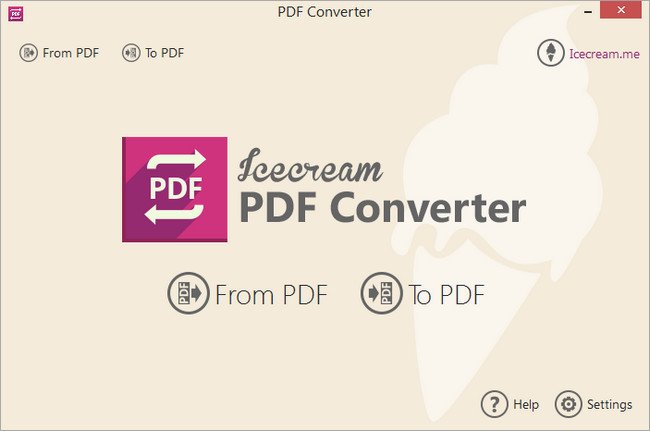
Icecream PDF Converter is a powerful tool for converting many file types to PDFs, or converting PDFs to individual images. The process starts by choosing a conversion type ("From PDF" or "To PDF"), then dragging and dropping your target files onto the program.


PDF files can be converted to various image formats: JPG, PNG, BMP, TIFF, GIF, EPS or WMF. In theory these can also be packaged as HTML, although this didn't work for us.

There's better support for creating PDFs, with the program importing some Office documents (DOC/ DOCX, XLS/XLSX, ODT, ODS), images (JPG, PNG, BMP), ebooks (EPUB, MOBI, FB2), HTML and more.

You get various options to control the conversion process. It's possible to extract page ranges from a document, for instance (10-15, 123-131), or to merge various input files into a single PDF.

Finally, you're able to choose the output folder. When converting "From PDF" this defaults to a subfolder (MyFile.PDF > MyFile\MyFile_1.JPG, MyFile\MyFile_2.JPG), but this can be set to whatever you like.

For some reason this didn't always work for us. One test PDF had its images missing from the original DOCX, and we had significant problems converting to HTML (that is, nothing happened at all).

Most of our conversions delivered excellent results, though, and if you need this kind of tool then Icecream PDF Converter is worth a try.

Operating System: Windows 10, 8, 7, Vista, XP

Home Page -
Код:
http://icecreamapps.com


-:DOWNLOAD FROM LINKS:-

RapidGator
Код:
https://rapidgator.net/file/4d13648a50b4daad361dcac56bd9c863/Dl4eVeR.PDFConverter2.rar.html

NitroFlare
Код:
https://nitroflare.com/view/0E895ED5BCB1183/Dl4eVeR.PDFConverter2.rar

​
 
Icecream Slideshow Maker Pro 4.05 Multilingual


icecreamslideshowmaker.jpg

Icecream Slideshow Maker Pro 4.05 Multilingual | 22.2 Mb
​
Meet Icecream Slideshow Maker, a software that you can use to create beautiful slideshows from your favorite photos. Breathe life into them by adding fancy transition effects and background audio. You don't need to be tech savvy to create a multimedia slideshow with music in a few minutes; just add photos, configure slides transitions and durations, add a suitable music file, preview the project and simply press the "Create" button to enjoy the end result!


Program features:

Controls
Control time and transition effects for each image in your slideshow.
Preview
Preview your slideshow prior to creating it for better results.
History
Never lose your creative work. You can always continue from where you stopped.

What else makes Icecream Slideshow Maker so special?

Your music
Choose a favorite music file as a background score for your slideshow. Offset and fade settings available too.
Transitions
Wide variety of transition effects: pixelate, mosaic, zoom in and zoom out, vertical stretch and more.
Full HD slideshow
Create HD slideshows with up to 1920x1080 resolution.
Youtube
Upload your slideshow to YouTube and share it with friends.

Operating System: Windows 10, 8.1, 8, 7, 2003, 2000, Vista, XP, Server 2008

Home Page -
Код:
http://icecreamapps.com/


-:DOWNLOAD FROM LINKS:-

RapidGator
Код:
https://rapidgator.net/file/6dffe50859ad785077538f58cfee4fea/Dl4eVeR.SlideshowMaker4.rar.html

NitroFlare
Код:
https://nitroflare.com/view/D26171E025606D9/Dl4eVeR.SlideshowMaker4.rar

​
 
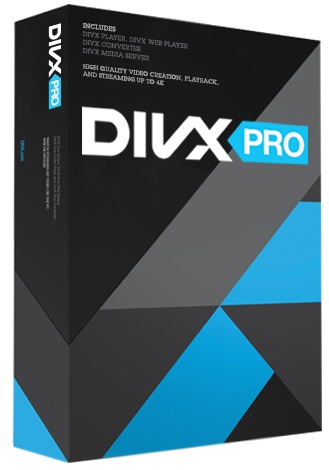
DivX Pro 10.8.9 Multilingual


p-Ho-K6y-Sfi2-Sj9-IVt-Rl-Lmw-BPZNANKYq-So.jpg

DivX Pro 10.8.9 Multilingual | 175.5 Mb
​
Watch amazing HD video from the Internet on your computer and TV using DivX Plus Software and devices. So what's DivX Plus all about? DivX Plus video, software and devices offer our highest quality and most comprehensive playback experience. How? By adopting and adding to the latest and greatest video technology (H.264 video in an MKV file container), you can play HD video on your computer or through a DivX Plus HD device, all with a small file size.


What's Included:
DivX Software is the first of its kind,award-winning video software that lets anyone play, create and stream their favorite videos, including DivX, MKV and HEVC up to 4K.

Player
Play your video library in high-quality up to 4K

Converter
Convert videos to DivX, MKV, HEVC and MP4

Web Player
Watch high-quality online videos up to 4K

Media Server
Stream to TV, Chromecast, tablets and more

DivX Pro
Advanced features, ad-free and more

DivX Pro Features:

Advanced Features
Unlock custom encode settings, HEVC 10bit playback and more.

Video Pack
Convert MPEG-2 and VC-1 video to DivX, MKV and MP4.

Dolby Audio Edition
Enjoy Dolby® audio in DivX Player and DivX Web Player.

Ad-Free
Enjoy your favorite videos without 3rd party ads or offers.

DTS-HD Plug-In
Convert and play videos with DTS-HD audio.

System Requirements:
- Windows XP SP3 (32-bit) with DirectX 9 or better, Windows Vista SP1 (32-bit, 64-bit), Windows 7 (32-bit, 64-bit), Windows 8 (32-bit, 64-bit), Windows 10 (32-bit, 64-bit)
- Intel® Pentium® III 733Mhz, AMD Duron™ 650, or equivalent for standard definition DivX
- Intel® Pentium® IV 2.4Ghz, AMD Athlon™ XP 2400+, or equivalent for high definition DivX
- Intel® Pentium® D 3.0Ghz, AMD Athlon™ 64 X2 4000+, or equivalent for Divx Plus HD

Home Page -
Код:
http://www.divx.com


-:DOWNLOAD FROM LINKS:-

RapidGator
Код:
https://rapidgator.net/file/7717cbb3a7ab9e840f938fa29eb8119f/Dl4eVeR.DivX.10.8.9.rar.html

NitroFlare
Код:
https://nitroflare.com/view/EEB79A2E1AACACA/Dl4eVeR.DivX.10.8.9.rar

​
 
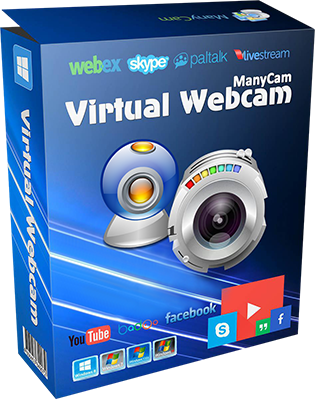
ManyCam 7.7.0.32 Multilingual


manycam-virtual-webcam-free.png

ManyCam 7.7.0.32 Multilingual | 94.4 Mb
​
Your Live Streaming Experience Enhanced.Create exciting videos while adding fun using ManyCam's simple and intuitive features. ManyCam is a webcam software and video switcher that allows you to enhance your video chats and create amazing live streams on multiple platforms at the same time. With ManyCam, you'll be able to create professional-looking broadcasts on your favorite platforms, record your screen, add many effects and much more.


The fastest and easiest to use ManyCam version yet!
- Amazing performance with higher resolution
- New features and customizable layout
- New 3D Face Masks, effects and filters

Create an amazing learning experience to help your students learn the most. Enhance teaching while enjoying the flexibility of working from home. Manage effects, digital props and masks with the organization folders.

- Customizable Effects Panel
- Screen Sharing
- Text & Draw

Performance
Every feature has been carefully designed to perform at its best. The overall performance of ManyCam has also been enhanced to give the most to our users. Now, ManyCam-ers can benefit from an even faster software to create:

- High quality live video
- Webcasts & Live Streaming
- Screen & Video Recording

ManyCam Gaming
Be the best game streamer you can be! Stream or record your PC & Console games, display your webcam with any background using the Chroma Key feature and easily control your game stream with the ManyCam overlay.

- Game Streaming Software
- Chroma Key (Green Screen)
- Twitch Integration

3D Face Masks & Effects
Get access to our Effects Gallery with hundreds of effects, objects, overlays, and 3D Face Masks to create fun online video chats and live streams. Get creating with your video calls and add your own effects to the gallery.

Multiple Channel Broadcasting
Broadcast to multiple channels simultaneously. Use ManyCam to live stream on multiple platforms at the same time.

Microphone Audio Effects
Change your voice and apply microphone effects to your videos and broadcasts.

Multiple-Tier Lower Thirds
Highlight important information, add your name, location and observations to your broadcasts.

Webcam Effects
Choose between many amazing effects or create new ones to add to your videos.

Screencasting
Broadcast your desktop screen live or record them before hand to present demonstrations, tutorials and online courses.

Custom Watermark
Display different watermarks during your broadcasts and video chats.

System Requirements:
- Windows 10
- Windows 8
- Windows 7

Home Page -
Код:
https://manycam.com/


-:DOWNLOAD FROM LINKS:-

RapidGator
Код:
https://rapidgator.net/file/5d6c20e57885940db8bd3a1ba76b5d92/Dl4eVeR.ManyCam7.7.0.rar.html

NitroFlare
Код:
https://nitroflare.com/view/A3230113B792CCF/Dl4eVeR.ManyCam7.7.0.rar

​
 
O&O BlueCon (Admin / Tech Edition) 17.3 Build 7213 + WinPE


ya-Vz1v-SYE7-J05k-UESwq-JSZTRDMRx26-G9.jpg

O&O BlueCon Admin / Tech Edition 17.3 Build 7213 + WinPE | 436/438/667/668 Mb
​
A blue screen usually means a lot of work for administrators. When things get really bad, there's no other choice but to configure a new system setup. And this is where O&O BlueCon comes in. O&O BlueCon is at an administrator's side during the course of a daily routine as well as whenever disaster strikes. Based on Windows PE, it offers a wide range of programs for, among other things, repairing systems, searching and correcting errors, restoring lost data, resetting passwords, and the list goes on. O&O BlueCon is an administrator's IT first aid kit for day to day use.


O&O BlueCon starts all programs directly from a bootable medium (CD/DVD or USB stick) and can so avoid the risk of data loss caused by overwriting data on the computer, which might be the case with a new installation. Seamless integration of all O&O BlueCon components saves the user the time-consuming job of collecting individual programs.

Benefits for your company:
Restoring accidentally deleted data
Backing up and restoring data
Driver problems and service issues
Secure deletion of data volumes
Resetting passwords
Partitioning hard disks
Combat errors in the registry database
Advanced error detection - EventViewer and CheckDisk
Locating and removing data
Downloading additional tools: Integrated web browser
Creation of a PXE Boot Medium direct from the Boot Assistant
Bitlocker drives can be unlocked and accessed
Scripting over Windows 10 networks
Support too for Hyper-V

Integration into the Windows Recovery Environment
Version 17 is integrated into the Windows operating system so that it can be started from the Windows rescue environment, with all additional drivers included. There is no longer any need to have a CD or DVD to hand in order to access the system and all the tools within O&O BlueCon. O&O BlueCon 17 is therefore the complete toolbox for emergencies - ready to help at any time!

Disaster Recovery that just works
A system crash! A nightmare for any Administrator of course, but for others just a challenge. Whereas one tries a lot of fancy tricks at breakneck speed, the other simply starts O&O BlueCon 17 directly from a boot medium and immediately has access to various tools that repair systems, find and solve errors, recover data, reset passwords and much more. Disaster recovery doesn't get any easier.

Application scenarios for O&O BlueCon
Defective driver installation after changing hardware causes blue screen
Windows fails to start for no explainable reason
Defective Windows updates
User has forgotten his Windows password
Files without backups are accidentally deleted
Malicious code has damaged the system
Data needs to be permanently deleted from the hard disk

Daily solutions with O&O BlueCon tools
Resolve problems with drivers and services
Search for errors and check drives
Resolve Windows errors and restore systems
Manage users and reset forgotten passwords
Secure data deletion before computer disposal or transfer
Recover files that were accidentally deleted
Search for, copy, and reposition data
Reload driver even before program start
Download additional tools: Integrated web browser

System requirements:
Windows® 8, 10, Windows Server 2008 R2, Windows Server 2012, Windows Server 2012 R2, Windows Server 2016 and Windows Server 2019 (all Editions). 4 GB RAM recommended for the base functionality of O&O BlueCon, bootable CD or DVD drive. You also need Microsoft Internet Explorer 6.0 or higher for correct functioning of O&O BlueCon.

Home Page -
Код:
https://www.oo-software.com/


-:DOWNLOAD FROM LINKS:-

RapidGator
Код:
https://rapidgator.net/file/69a23b7ac96f65a47fc1cd0c6650524f/Dl4eVeR.BlueConT17.3.rar.html
https://rapidgator.net/file/0bfd9736db0a254e7754c555f9f68d9a/Dl4eVeR.BlueConT17.3.iso.html
https://rapidgator.net/file/d351631d70256b5af646687b75ae6ed8/Dl4eVeR.BlueConA17.3.rar.html
https://rapidgator.net/file/07f16cf51db06c58fda30c244c0644cd/Dl4eVeR.BlueConA17.3.iso.html

NitroFlare
Код:
https://nitroflare.com/view/43A309744010706/Dl4eVeR.BlueConA17.3.iso
https://nitroflare.com/view/5FA2601E5267491/Dl4eVeR.BlueConA17.3.rar
https://nitroflare.com/view/7E466F3F16C173C/Dl4eVeR.BlueConT17.3.iso
https://nitroflare.com/view/ED2DF60B4FD346A/Dl4eVeR.BlueConT17.3.rar

​
 
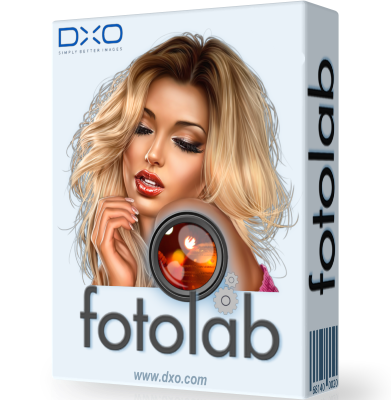
DxO PhotoLab 4.0.0 Build 4419 (x64) Elite Multilingual


dxo-photolab.png

DxO PhotoLab 4.0.0 Build 4419 (x64) Elite Multilingual | 442.6 Mb
​
DxO PhotoLab 4 - Enjoy a whole new world of possibilities. Featuring an artificial intelligence technology capable of simultaneously denoising and demosaicing images, a dynamic workspace that can be personalized, batch renaming, a watermarking tool, and more, DxO PhotoLab 4 will transform the way you edit your photographs.


Exclusive features
Harness your creativity with a range of powerful tools.

Workflow
Photo editing is a breeze with our preset options.

Local adjustments
Edit with pinpoint precision with our extensive palette of adjustment settings.

Easy photo management
Direct access to your files and a well-organized photo library.

And much more.
A selection of smart editing tools that will optimize your workflow.

Unparalleled optical corrections
Our laboratories have analyzed more than 60,000 lens and camera combinations to bring you automatic optical corrections that are fine-tuned to suit your specific equipment.

Reveal The Natural Radiance of Your Images
Brighten the horizon in your photographs by erasing haze from your landscape images with DxO ClearView Plus. Restore their natural radiance and automatically improve their look in a single click, and all without creating a halo effect around the edges, or high-contrast transitions. Sharpen your image quality with this exclusive DxO feature.

Expertly retouch your photos with U POINT technology
Apply intuitive and effective local adjustments in addition to automatic corrections, using our selection assistance technology U POINT™. Simply add a Control Point by clicking the area you want to edit, adjust its size to propagate your changes to similar pixels and fine-tune your brightness, contrast, saturation and structure values with the multi-setting slider. Local adjustments have never been easier.

Play with Color With DxO ColorWheel
Editing the colors in your photographs has never been more fun or creative. With DxO ColorWheel you can select color ranges from eight separate channels or take a color sample directly from your photograph using the Color Selector. Adjust your chromatic values precisely, select your replacement color and fine-tune your transitions and hues to enhance the color ambiance of your images. Make your image brilliant with DxO ColorWheel, the most sophisticated HSL (Hue-Saturation-Luminance) tool on the market.

Uncover Every Last Detail With DxO Smart Lighting
Reveal the hidden details in underexposed and overexposed areas in your photographs, even when there are strong contrasts or backlighting. DxO Smart Lighting intelligently analyzes your images to recover information you thought was lost, and produces even more beautiful portraits with its Spot Weighted Corrections tool, a feature that automatically recognizes faces for a natural and balanced result.

DxO PhotoLibrary: Manage Images With Ease
Finding the image you want has never been easier with DxO PhotoLibrary. Thanks to a dynamic search system using a range of criteria, you can now access the photograph you're looking for instantly. DxO PhotoLab also lets you add and display simple, or complex, keywords so you can better organize your images before you export them.

Filter a selected area of your image
Balance exposure, add depth to the sky, or draw the viewer's eye in to the subject of your image by darkening or blurring surrounding areas with graduated filters. As with our U POINT™ Control Points functionality, you can also use a multi-setting equalizer.

Play with the Brush
Try out our Brush tool and create an editing mask to correct specific areas, with amazing precision, by adjusting opacity. The Automatic Mask can even detect colors that are similar to those initially selected.

Correct blemishes
Erase elements that detract from the beauty of your photographs automatically. With the Repair Tool you can remove imperfections by activating the Clone or Repair mode in the selected area.

Manage masks
View a list of your recent edits instantly with the Local Adjustments palette. You can even deactivate some of them to see the difference at a glance. A flexible way to produce beautiful images.

Feed your creativity
With nearly 40 carefully calibrated presets from various categories, including portrait, landscape, black and white, and single-image HDR, DxO PhotoLab 4 helps channel your creativity and get the most from your photos.

Selective copy and paste
Synchronize your settings across multiple similar images, by reapplying individual edits from one photo to another with the new DxO PhotoLab 4 copy and paste feature.

Work seamlessly with Adobe Lightroom Classic
Enjoy an uninterrupted workflow when using both Adobe Lightroom Classic and DxO PhotoLab. Transfer your RAW images from your Lightroom catalog to DxO PhotoLab, edit them and then send a bitmap file (JPEG, TIFF, or Linear DNG) back to Lightroom Classic. Yes, it's as easy as that.

Direct access to your files
Manage every step in your production flow with DxO PhotoLibrary. Thanks to its open system, you can effortlessly access files stored on your computer, an external hard drive, or a remote server.

Get organized with keywords
With our advanced keyword management tool you can quickly and easily find the photographs you're looking for, and even search for keywords added using other programs such as Adobe Lightroom. Delete, rename or reassign keywords to batches of images without a fuss. Managing your library has never been more straightforward.

Use Projects and simplify your editing
Your photographs will differ according to many different technical parameters - date, shoot equipment, exposure, storage source, etc. Make the editing process easier for yourself by grouping them by Projects in your DxO PhotoLibrary.

ICC and DCP profile management
Use ICC profiles to even out your color renderings and ensure your prints are true to your edits.

Full screen View
View your images in full screen mode and browse your photo library at the same time, without losing your EXIF data display. This special viewer functionality makes it much easier to edit and select your photos while in editing and export mode and allows you to use keyboard shortcuts to sort through hundreds of photos in the blink of an eye.

Red eye correction
Detect faces and eyes, and correct red-eye automatically. For more complex photographs, for example when the image involves a profile view, the semi-automatic and manual modes allow you to identify the area you want to correct.

Moiré effect correction
Easily remove that strange colored effect that sometimes appears when you've photographed intricate patterns, such as clothing or grids.

Color protection
Reveal the richness of detail and textures in highly saturated areas of your images.

Multiple exports
Export your files in a variety of formats, or share them to social networks, such as Facebook, Flickr, etc. in just one click. With DxO PhotoLab you can perform parallel exports and optimize your digital development sessions.

DxO PhotoLab 4 New Features:

Pioneering Simultaneous Denoising AND Demosaicing
Using groundbreaking artificial intelligence (AI) technology, DxO DeepPRIME reduces digital noise at the same time as it demosaics your photographs with unprecedented efficiency. Push the boundaries of your equipment by increasing ISO sensitivity, compensate for the drawbacks of small sensors in compact cameras, and revamp photographs taken with older-generation cameras.

DxO Smart Workspace: An Entirely Customizable Workspace
Personalize your workspace to suit your needs with the new DxO Smart Workspace. Select the tools you want to see by modifying the settings to display, or hide, elements using the filters available. And if you need to temporarily access a tool you've chosen to hide, simply look it up and it'll reappear on your workspace instantly. Switch to DxO PhotoLab 4: Your workspace can look just like it did with your current software.

Batch file renaming: simple, fast, and effective
Editing a series of photos can be time consuming. Save time with DxO PhotoLab 4's new batch renaming tool. Alter the names of multiple images for cataloging purposes in just one click, search and replace text in the names of selected files, and even number them. Don't waste a minute. Get organized with DxO PhotoLab 4.

Your editing memory
DxO Advanced History is much more than a simple record of your edits. It's the only tool on the market that allows you to display group adjustments. And for complex edits, such as with presets, you can display or hide the corrections, as required.

Intuitive image synchronization
Synchronize the edit settings of several similar images with this new feature. Simply right click and select the editing parameters you want to apply to another photograph and synchronize them. It's that easy!

Preview and customize your watermark before export
Embed a watermark on your images and check the results immediately using the preview feature available with DxO Instant Watermarking. It is also the only tool to offer seven blend modes to accommodate background lighting variations and ensure your image or text signature is easily visible.

System Requirements:
- Intel Core® 2 or AMD Athlon™ 64 X2 or higher (Intel® Core™ i7 4th generation or better, or AMD Ryzen™ recommended)
- 8 GB of RAM (16 GB recommended)
- 4 GB or more of available hard-disk space
- Microsoft® Windows® 8.1 (64-bit), or Microsoft® Windows® 10 version 1809 or higher (64-bit, and still supported by Microsoft®), Windows® 10 version 2004 or later recommended.
- DirectX® 10-capable system
- OpenCl 1.2-capable graphic card with 1GB of video memory to handle OpenCL acceleration
- NVIDIA GTX™ 1060, AMD Radeon™ RX 580 or better recommended

Home Page -
Код:
https://www.dxo.com/


-:DOWNLOAD FROM LINKS:-

RapidGator
Код:
https://rapidgator.net/file/e844379609faf2b288dab64fc47ec7ed/Dl4eVeR.PhotoLab.4.0.0.rar.html

NitroFlare
Код:
https://nitroflare.com/view/4941593BED89D2D/Dl4eVeR.PhotoLab.4.0.0.rar

​
 
AnyTrans for iOS 8.8.0.20201014 Multilingual


th-Prl4-Ryzg-RNx4-Ym4h2jd-SDaz9ml90j149.jpg


Windows (x64) | Languages: Multilingual | File size: 336 MB
​
Update Your iPhone Experience with More Possibilities. Unlock more possibilities in managing and transferring your iPhone, iPad, iPod, even iTunes and iCloud content. Experience an easier and happier i-Life now. AnyTrans breaks the sync boundaries to bring you full-way transfer across iPhone, iPad, iPod, iTunes, iCloud and computer. Now it takes one step further to get it done by simple drag and drop or one quick click. Your data and files can fly straight to anywhere you want without a hassle.

Be The Master of Your Music
Set yourself free from iTunes restrictions, and transfer music freely between iPhone, iPad, iPod, computer and iTunes. You can export songs from iPhone to computer or iTunes library. Drag music you like to iPhone without erasing anything existing. Take your favorite playlists to your new iPhone. Everything that's impossible with iTunes is now easy in one click.

Take Care of Your iPhone Photos
iPhone photos record your life moments, and AnyTrans keeps them safe for you. In a single click, it smartly and rapidly exports photos to computer by category, like Live Photos, Selfies, or albums you created - even converts photos from HEIC to JPG if you need. You can then batch remove photos that are safely backed up from your iPhone, and make room for more memories.

Personal Info
Remove old contacts and messages to keep your list clear. Export important ones for backup. Or, move them to new iPhone and ensure your connections are always at your fingertips.

Apps
It's a breeze to download, install, update, remove and manage iPhone/iPad apps and app data from computer. You can even share app files between iPhone and computer seamlessly.

Messaging Apps
AnyTrans keeps WhatsApp/LINE/Viber chats and files right within your reach. Whether you want to move them to new iPhone, or create a backup to avoid accidents, it's a click away.

Files & Documents
Turn your iPhone into a USB flash drive to store files and documents. Using AnyTrans iOS app, you can then browse these files by category, and preview or share them directly from iPhone.

Warm Your New iPhone with Sweet Memories
Got a new iPhone? Warm it up with your sweet memories. No matter you're upgrading from an old iPhone or Android phone, AnyTrans migrates all your essentials in one simple click - photos you shot, music you enjoyed, contacts you kept, messages you saved, or anything you need. You can even move apps and app data at one go. Don't have to download apps one by one manually any more. What about the old phone? AnyTrans can permanently wipe everything on it, keeping your private info safe from falling into the wrong hands.

Never Worry About Data Loss Any More
Keeping a complete and up-to-date backup is the best way to protect you from unexpected data loss. Now AnyTrans provides a more complete iPhone backup solution, as well as a more flexible restore solution. It makes sure you can get back your valued data in an easy, quick and preferred way.

Use Your iCloud Easily and Securely
As the innate partner of iOS devices, iCloud is indispensable but complicated for most of us. Now no worries. AnyTrans lets you manage iCloud files easily as you do locally with Windows Explorer or Mac Finder. You can view and extract iCloud backups, delete old files to save precious iCloud storage, batch save photos to computer, move files seamlessly between iCloud accounts, etc. Every access is protected by Apple's encryption algorithm to keep your privacy absolutely private.

Update iTunes Experience As Well
AnyTrans breaks iTunes restrictions to give you better sync experience. With its 2-way transfer, you can not only transfer music and videos from iTunes library to iPhone, but also rebuild damaged iTunes library by exporting songs and playlists from iPhone, iPad or iPod. Also, never worry about losing current data on iPhone after iTunes sync, as the transfer can be done without erasing anything. So, feel free to enrich your iPhone music library from multiple iTunes libraries as you want.

System Requirements:
- Windows OS: Windows 10, 8, 7, Vista (both 32bit and 64bit)
- iOS: iOS 13, 12, 11, 10, 9, 8, 7, 6, 5
- Resolution: 1024x768 display or above
- CPU: Pentium IV 2.4 GHz or above
- RAM: 512MB system memory
- Display Card: Accelerated 3D graphics - 64MB RAM
- Sound Card: Windows-compatible sound card
- Hard Disk: 100 MB hard drive space
- Others (iOS): iTunes 9.0 or above; iTunesMobileDevice driver installed

Whats New:
Optimized iTunes Library/Media Library feature.
Added support for Audiobooks in iTunes Library.
Added support for Podcast and Books in Media Library (Mac 10.15).
Optimized the UI of Home Screen Manager feature.
Optimized the management function of messages to let users view attachments only.
Other optimizations in function.


-:DOWNLOAD FROM LINKS:-
RapidGator
Код:
https://rapidgator.net/file/d00f61acfdb50d7b9817cc50c8291852/Dl4eVeR.AnyTrans_for_iOS_8.8.0.20201014.rar.html

NitroFlare
Код:
https://nitroflare.com/view/1D482BE39BC17AD/Dl4eVeR.AnyTrans_for_iOS_8.8.0.20201014.rar

​
 
OkMap 14.13.2 Multilingual


i0jz-ZKLKm1-AU5-VYCj-In2i-BUcu-Vg-Iis1-B.jpg


Windows (x64) | File size: 147 MB
​
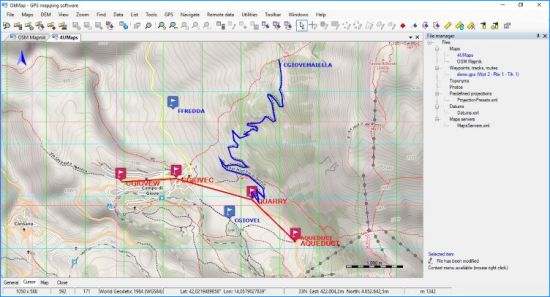
OkMap is an interactive software which allows you to work on your computer screen with web maps or digital maps that you have either bought or scanned. OkMap can also import vectorial data from the most common formats and DEM data relevant to height information. Through these maps, you can organize your paths by creating waypoints, routes and tracks on your computer monitor, and upload this data to your GPS. OkMap sets automatically altitude data and estimates travel times.

Features:
Calibration / display raster maps (over 30 image formats)
Display vectorial maps
Display hybrid maps (raster + vectorial data)
Ability to open multiple maps simultaneously
9 cartographic projections of the most used
Database with over 500 predefined projections by geographic area
Database with over 300 datum
Viewing 3D raster maps on Google Earth (for supported image formats)
Map add-ons management (icons, comments)
Vectorial data management (point, multipoint, line, polygon)
GPX data management (waypoints, tracks, routes)
Selecting multiple objects with the mouse
Context menu (right mouse)
Auto-info function
Zoom, autofit functions
Moving map function in 3 modes
Customizing toolbar
Showing yes / no toolbar
Showing yes / no statusbar
Check new releases at startup


-:DOWNLOAD FROM LINKS:-
RapidGator
Код:
https://rapidgator.net/file/43821cda536851b42db4c0df4b87ff02/Dl4eVeR.OkMap_14.13.2.rar.html

NitroFlare
Код:
https://nitroflare.com/view/373B81D436B3A88/Dl4eVeR.OkMap_14.13.2.rar

​
 
4K Video Downloader 4.13.3.3870 Multilingual


4k-video-downloader.png

4K Video Downloader 4.13.3.3870 (x86/x64) Multilingual | 155.8 Mb
​
4K Video Downloader allows to download video, audio and subtitles from YouTube in high-quality and as fast as your computer and connection will allow. If you want that video on your iPad, iPhone or other device we've got you covered. Downloading is simple and straightforward: just copy the video link from your browser and click 'Paste Url'. Done!


Features:
- Download entire playlists and channels from YouTube and save them in MP4, MKV, M4A, MP3, FLV, 3G, generate .m3u file for playlists.
- Download video in HD 1080p, HD 720p or 4K quality and enjoy high dimension video on your HD TV, iPad or other devices.
- Advanced subtitles download, select if you would like to have .srt file or embedd subtitles in video file to watch it on your Mac for example.
- Activate "Smart Mode" in order to apply the selected settings to all your downloads, easy and fast.
- Download video in 3D format, you will find a small special icon among available formats after video parsing. It's really impressive to watch live shows and cartoons in 3D.
- Download embedded YouTube videos from any web pages, just copy/paste link and the program will find the source of download.
- Download video from Vimeo, Facebook and DailyMotion.
- Use 4K Video Downloader on your PC, Mac or Linux, doesn't matter what OS you prefer.

Operating System: Windows 7, 8/8.1, 10

Home Page -
Код:
https://www.4kdownload.com/


-:DOWNLOAD FROM LINKS:-

RapidGator
Код:
https://rapidgator.net/file/907469179c75261851ee52eaff41349d/Dl4eVeR.4KVideoDownloader4.rar.html

NitroFlare
Код:
https://nitroflare.com/view/141095D0BC4DEF7/Dl4eVeR.4KVideoDownloader4.rar

​
 
Icecream Image Resizer Pro 2.11 Multilingual


th-VYd-X6-Ra-QTBPz-Qq-Tp-B7-Z0-GJEc-L5t-Cun-Yp.jpg

Icecream Image Resizer Pro 2.11 Multilingual | 9.5 Mb
​
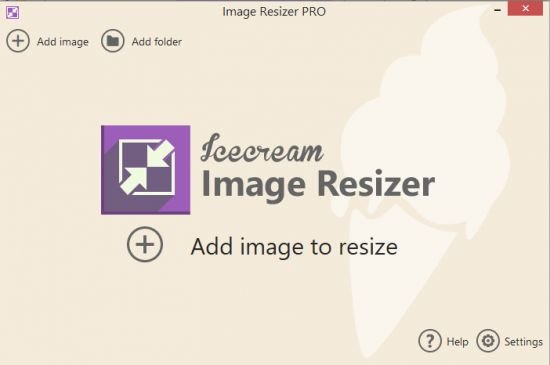
Meet Icecream Image Resizer, an application designed to help you resize your images quickly and conveniently. Add multiple files and even whole folders with photos and resize them in seconds. Just select the destination folder and simply click the "Resize" button! The tool supports all major graphic formats such as JPEG, JPG, PNG, BMP and TIFF. You can also set the desired width and height values either manually or using presets while retaining the original aspect ratio if desired.


Drag-and-drop
Simply drag and drop to add photos for resizing. It saves you both time and effort.

Presets
Choose one of the size presets for popular tasks: Facebook, email, mobiles, and more.

Original Ratio
Resize images while retaining their original aspect ratio.

VR System
Image resizer automatically applies reversed size settings for vertical images.

System Requirements
OS Windows 10, Windows 8.1, Windows 8, Windows 7, Windows 2003, Windows 2000, Windows Vista, Windows XP, Windows Server 2008
1.33Ghz Intel®, AMD or any other compatible processor / faster processor for netbooks;
512MB of RAM (1GB for better performance); 250MB to 1GB of free disk space

Home Page -
Код:
https://icecreamapps.com/


-:DOWNLOAD FROM LINKS:-

RapidGator
Код:
https://rapidgator.net/file/e376b0d21489f5a37d96103226a80ec5/Dl4eVeR.ImageResizer2.rar.html

NitroFlare
Код:
https://nitroflare.com/view/88093751525017F/Dl4eVeR.ImageResizer2.rar

​
 
Golaem Crowd 7.3.6


007d3b3e-medium.jpg

Golaem Crowd 7.3.6 | 123 MB
​
Golaem releases Golaem 7.3.6, the latest version of its crowd simulation and character layout software. The 7 release brings a new Character Layout Tool, including a DCC agnostic nodal editor and more capabilities, as well as a live link to Unreal Engine.

Important Notice

From this release, the version of Redshift supported by default is 3.0. Rendering plugin for Redshift 2.6 needs to be installed manually.

Improvements
- Added support for Redshift 3
- Added support for Mental Ray 3.14
- Added support for VRay For Maya 5
- Added support of LOD in Vray for 3dsMax
- Added support of Log Level in Vray for 3dsMax
- Added support of fur for Redshift
- Added PaintedLocator support in the SetShaderAttr Layer in the Layout Tool
- Added a reference frame in the FrameWarp Layer in the Layout Tool
- Added support of Python Script in Golaem Expressions
- Added support of initial state of Golaem Attributes in the ChOp Behavior
- Added support of initial state of Golaem Attributes in the Python API
- Added blendshapes detection in the updateSkeleton flag of the glmCharacterMaker
Bug fixes
- Fixed blendshapes normals conversion in the GCG File Format
- Fixed blendshapes deformation when using the GCG File Format
- Fixed blendshapes normals rendering when using the GCG File Format
- Fixed blendshapes export in GCG File Format when using empty targets
- Fixed Terrain adaptation when using multiple CrowdFields in Cache Replay Mode
- Fixed Speed Ratio conversion by the Crowd Unit in the Traffic Locator
- Fixed Traffic lights updates in the Traffic Locator
- Fixed face orientation in Renderman For Katana
- Fixed rendering of multiple VrayGolaem nodes in 3dsMax
- Fixed Shader Attribute multithread export in the Alembic baker
- Fixed Vector Shader Attribute conversion export in the Alembic baker
- Fixed a crash when exporting fur with a FBX Geometry Golaem Character
- Fixed name / value attributes accessors in the Simulation Cache Python devkit
- Fixed Chop Accu node not resetting when a ChOp Behavior is restarted
- Fixed layout ground adaptation for Redshift renders in the Golaem For Katana plugin
Refactoring
- Removed support of Redshift 2.6.14-48
- Removed support of Vray 3.6.X
API
- New glmAttributeInitialState command to set initial states of Golaem Attributes
- Added getSelectedEntitiesIdx flag in the glmLayoutTool command
Samples
- Added a Furry Character in the Character Pack
- Added a virus contagion sample in the Character Pack
Golaem releases Golaem 7, the latest version of its crowd simulation and character layout software. It brings a new Character Layout Tool, including a DCC agnostic nodal editor and more capabilities, as well as a live link to Unreal Engine.

A new Character Layout Tool
Born as a retake tool for Golaem simulations, Golaem Layout is now evolving as an independent tool for procedural character layout, enabling artists to easily populate shots by using Population Vignettes they can place in their scene and quickly edit them to fit with the shot direction.

A Population Vignette is similar to a proxy for characters and their animations which can be edited thanks to directable layers such as automatic feet adaptation to the ground, look at, duplicate, controllable geometry and shading variations, animation retiming, IK autorig to retake animation.
Artists can then adapt the scene very easily to frequent changes in directorial intentions or environment changes. For example, taking into account a new ground geometry can be done in one click.

Population Vignettes edits are non destructive, and performed using a new nodal editor which makes it easy to copy edits to others characters, rearrange modifications, test different stacks of modifications and so on. The new Layout architecture also makes it possible to drive edit with locators, or to keyframe their values using the standard Maya tools.

Population Vignettes can be layouted manually or scattered in the scene thanks to the Golaem Population Tool. Thousands of them can be animated in real time without slowing down Maya or making the scene file longer to open.

Golaem Layout has been unanimously acclaimed as a huge time and money saver by all its customers.


Round trip link with Unreal Engine
Golaem introduces a new plugin for Unreal Engine which enables loading Population Vignettes and layout them.

Unreal scenes can be refreshed instantly to take modifications done in Maya, and the Layout modifications can be edited directly in Unreal, and reloaded in Maya.
By avoiding things such as baking alembic caches and loading them in Unreal Engine, which wastes time and is always a pain to keep things in sync, this new workflow really facilitates the work of the team. It has already been used efficiently in production by Waterproof Studios and IGG Inc. for their in-game cinematics.

This new plugin takes advantage of Golaem C++/Python APIs which allows to quickly load Golaem simulation caches and layout in any platform (one of Golaem customers has implemented an Isotropix Clarisse integration in a few weeks). It also embeds the new Golaem Layout editor, which is independent from Maya, making it possible to use in any platform which supports Python.

The Unreal plugin source code is now available to customers so that they can compile their own Unreal Engine version with it, and contribute their developments.

Golaem develops artist-friendly tools to animate digital characters. Integrated in Autodesk Maya, Golaem makes it fast and affordable to populate worlds with directable digital characters, from a few to thousands. Artists from all over the globe use Golaem to bring life to commercials, episodic productions, feature films and games.

Product: Golaem Crowd
Version: 7.3.6
Supported Architectures: x64
Website Home Page :
Код:
http://golaem.com/
Language: english
System Requirements: **
Software Prerequisites: **


* The Character Pack is a set of ready-to-use characters and motions enabling faster crowd shots creation.
NB: the Character Pack HD only contains the HD casual and busines man, for other characters and sample scenes, install the GolaemCharacterPack

Platforms
- Windows 7 SP1, Windows 8 or 8.1, Windows 10 Pro 64 bit

Graphics
- OpenGL 3.3 (2010) or above

Supported DCCs
- Autodesk Maya 2017, 2018, 2019, 2020
- Autodesk 3ds Max 2017, 2018, 2019, 2020
- Foundry Katana 3.X
- Unreal Engine 4.25 (4.24 on demand)
- SideFx Houdini 17.5, 18.0.348

Supported Rendering Engines
- Arnold - Mtoa 4.0.1, 4.0.2 / KtoA 3.0
- V-Ray - For Maya 4.0X, 4.1X, 4.3X / For 3ds Max 4.30
- Renderman - For Maya 23.0 / For Katana 23.0
- USD Standalone 0.19.11 / For Houdini 18 / For Katana 3.5
- Mental Ray For Maya 3.14
- Guerilla Render 2.1, 2.2

Also supported (but must be manually installed):
- Arnold - Mtoa 3.1, 3.2, 3.3 / KtoA 2.X
- V-Ray For Maya 5.0.22
- Renderman - For Maya 22.4, 22.5 / For Katana 22.4, 22.5
- Redshift For Maya 2.6.49, 2.6.5X / For Katana 2.6.55


-:DOWNLOAD FROM LINKS:-

RapidGator
Код:
https://rapidgator.net/file/c3e1b29eb746fa0f710e7478addeefc7/Dl4eVeR.Golaem7.3.6.rar.html

NitroFlare
Код:
https://nitroflare.com/view/314FACB3063C656/Dl4eVeR.Golaem7.3.6.rar

​
 
Serif Affinity Photo 1.9.0.815 (x64) Beta Multilingual


serif-affinity-photo.png

Serif Affinity Photo 1.9.0.815 (x64) Beta Multilingual | 507 Mb
​
Five years in the making, Affinity Photo redefines the boundaries for professional photo editing software. With a meticulous focus on workflow it offers sophisticated tools for enhancing, editing and retouching your images in an incredibly intuitive interface, with all the power and performance you need.


Engineered for professionals
Built on rock solid foundations with principles of performance, stability and lack of bloat, Affinity Photo is a professional photography tool to the very core.

Comprehensive RAW editing
Develop camera RAW files in a dedicated built-in workspace with all the processing adjustments and corrections you need.

Unsurpassed file compatibility
We've got the best PSD support out there, plus all the standards you'd expect including PNG, JPG, TIFF, EPS, PDF, and SVG.

Work in any color space
RGB, CMYK, LAB, Grayscale. End-to-end CMYK workflow with ICC color management, and 32-bit per channel editing.

Dedicated RAW editing workspace
Compatible with all major camera file formats, the Develop persona offers a dedicated processing workspace offering incredibly accurate editing in an unbounded linear color space.

Complete digital darkroom
Affinity Photo includes all the tools you need from a professional photography application. Every tool has been painstakingly engineered for speed, power and accuracy - and they work in precisely the way you want them to.

Fast, customizable effects
Affinity Photo comes with a huge range of high-end filters including lighting, blurs, distortions, tilt-shift, shadows, glows and many more. Full control is given over every aspect of a filter's properties with incredibly precise controls - all the while seeing a real-time live preview of the result. Best of all, filters can be applied as live layers, enabling you to edit, erase away, or mask effects after they have been applied.

Advanced adjustment layers
Correct and enhance images with Levels, Curves, Black and White, White Balance, HSL, Shadows and Highlights and over a dozen other adjustments that are previewed instantly and can be edited any time. Adjust, readjust, and drag and drop onto any layer, group, mask, or in any place in a stack to control how they're applied.

Live blend modes
Remove trial and error from your workflow - see changes to blend modes live as you edit without having to click apply each time. Affinity Photo's 30 layer blends preview smoothly in real time while you scroll through them.

Sophisticated selection refinement
Accurate selections are critical, whether cutting out objects, creating masks or selectively applying adjustments. Our selection refinement algorithm is one of the most advanced available, making selections - even down to individual strands of hair - easier than ever before.

Precise photo stitching
Affinity Photo's stitching algorithm is one of the most advanced available. On top of accurate automatic alignment and perspective corrections, you get full control over each image and boundary in the composite to fine tune to perfection.

Extensive retouching tools
Whether you want to make quick corrections, or spend an hour on a detailed retouch, Affinity Photo has all the tools you need. That naturally includes dodge, burn, clone, patch, blemish, and red eye tools. But you'll also find an incredibly accurate inpainting brush, frequency separation capability, and a full set of liquify features built-in.

System Requirements:

Hardware
Windows-based PC with mouse or equivalent input device
DirectX 10-compatible Graphics Cards and above
2GB RAM minimum (4GB RAM recommended)
670MB of available space; more during installation
1280x768 display size or better

Operating systems (64 bit):
Windows 10 (1607 Anniversary update or higher)
Windows 8.1
Windows 7 (Service Pack 1; Aero enabled)

Home Page -
Код:
https://affinity.serif.com/


-:DOWNLOAD FROM LINKS:-

RapidGator
Код:
https://rapidgator.net/file/28d2b9e327dbd137748a402b897e98ec/Dl4eVeR.photo-customer1.9.0.815.rar.html

NitroFlare
Код:
https://nitroflare.com/view/98FDBB27C2A4441/Dl4eVeR.photo-customer1.9.0.815.rar

​
 
Serif Affinity Designer 1.9.0.815 (x64) Beta Multilingual


serif-affinity-designer.png

Serif Affinity Designer 1.9.0.815 (x64) Beta Multilingual | 530.2 Mb
​
Affinity Designer is the fastest, smoothest, most precise vector graphic design software available. Whether you're working on branding, concept art, print projects, icons, UI, UX, or web mock ups, Affinity Designer will revolutionise how you work, on Windows.


Design tools redefined
All the tools you need in a professional vector design app, from an incredible precise pen tool to a super smooth gradient tool. All carefully considered and meticulously developed, they just work-in precisely the way you want them to.

Built for your workflow
With core principles of performance, stability and lack of bloat, Affinity Designer has been meticulously crafted for a professional workflow.

Cross platform performance
With a professional pedigree forged on Mac, and matched step for step on Windows, common file format delivers stunning results on either platform.

Unsurpassed speed and accuracy
Pan at 60fps and zoom to an eye-popping 10,000,000%, you'll see all adjustments, effects, transformations and brushes in real time.

Work in any color space
RGB, CMYK, LAB, Grayscale. End-to-end CMYK workflow with ICC color management, and 16-bit per channel editing.

Unsurpassed file compatibility
The best PSD import engine available and full support for SVG, EPS, PDF, PDF/X and FH files means injecting Affinity Designer into your workflow is painless.

Pixel perfect control
With real-time pixel preview in standard or retina resolution available with a single click, you can always see what you're going to get. Can't achieve the perfect result purely in vector? Just edit the pixels - Affinity Designer has a full suite of raster tools too.

Non-destructive effects and adjustments
With a huge library of adjustment layers, effects and blend modes-combined with full support for masks and clipping layers-Affinity Designer offers the most advanced layer controls available in any vector based app.

Flexible workspaces. and workflows
With a focused, fully customisable workspace, including docked and floating UI modes, Affinity Designer lets you work how you want. Add regular and custom 2D and isometric grids for flexible layouts, work on multiple designs at once, and use macOS features like Split Screen and Full Screen. Plus, with savable history, unlimited undo and non-destructive filters and adjustments you can always go back and change your mind.

Natural brushwork
Use Force Touch, stylus pressure, tilt and other controls for natural-looking artwork. Edit vector brush strokes as cleanly and easily as regular curves, and add raster brushwork-on its own or with vector art-to add depth and high quality organic textures. Rotate the canvas, blend colors, edit brush parameters, create your own brushes and nozzles, and import .abr brushes for complete control over your work.

Throw some shapes
Affinity Designer delivers a comprehensive set of shape primitives with easy controls for adjusting geometry with corner settings and smart snapping indicators. A full set of Boolean geometry operations, non-destructive compound shapes, and full node editing means you can create beautiful complex geometry in no time.

Just your type
Add artistic text for headlines, text frames of any shape, or text that follows any vector path. Apply sophisticated styling and ligatures, previewing all your available fonts and style sets in on-screen panels. All the controls you need are built in, including leading, kerning, baseline shift, tab stops - and now in version 1.5 you can create text styles across your document.

New professional print controls
Affinity Designer features full professional print output. Pantone support, end-to-end CMYK and ICC color management are just part of it. You can also open, edit and output PDF/X files, set overprint controls, use spot colors, and add bleed area, trim and crop marks.

Powerful export
In export mode you get a complete workspace dedicated to image export. Select areas, layers or objects to export, controlling each item's output settings independently. For efficient web and UI design, you can automatically create new files whenever your design changes, in whatever resolution, file format and folder structure you wish.

Common Affinity file format
Affinity's shared file format makes mixed discipline design as smooth and simple as it should be. Open any native Affinity file in any Affinity app on any platform and just keep working - with shared history, unlimited undo and seamless switching. And for export, Affinity Designer takes all major file types in its stride.

Incredibly powerful artboards
In Affinity Designer you can create an unlimited number of different design variants, sizes and screens - laying them out in one document to see them all at once. When you come to export you get full control over what artboards to output and with what settings, dramatically simplifying your workflow for responsive and app design.

Operating systems (64 bit):
- Windows 10
- Windows 8.x
- Windows 7 (Service Pack 1; Aero enabled)

Home Page -
Код:
https://affinity.serif.com


-:DOWNLOAD FROM LINKS:-

RapidGator
Код:
https://rapidgator.net/file/c4c8b45fa9e1b387e9c64c476bace0a1/Dl4eVeR.designer-customer1.9.0.815.rar.html

NitroFlare
Код:
https://nitroflare.com/view/7B04175E9CD7336/Dl4eVeR.designer-customer1.9.0.815.rar

​
 
Aiseesoft Blu-ray Creator 1.1.8 Multilingual


th-B8-Ju-Y46x8xkwv-Ky-RZ3-Whg-Qmz-Dpp-Jife-T.jpg

Aiseesoft Blu-ray Creator 1.1.8 Multilingual | 50.5 Mb
​
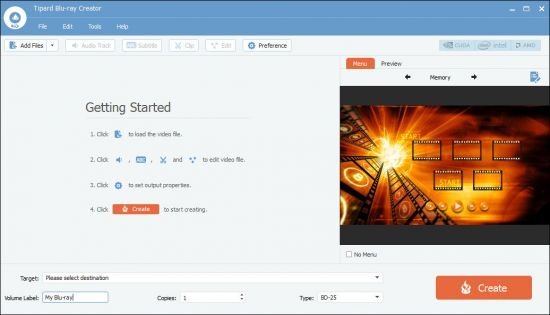
Aiseesoft Blu-ray Creator is the best video to Blu-ray creating software which enables you to create Blu-ray disc/folder/ISO file with any video.


Create Blu-ray disc with your own video
Create Blu-ray disc out from any popular video format like MP4, AVI, MOV, WMV and more with the high video quality.

Burn video to Blu-ray folder/ISO file
Make a Blu-ray folder or ISO file with your own MKV, AVI, MP4, WMV, MXF video for further use in super-fast creating speed.

Edit video and add audio/subtitle
It provides multiple editing options to edit video and customize output effects. You can also add audio track and subtitle.

Create Blu-ray disc with any video
Aiseesoft Blu-ray Creator allows you to create Blu-ray disc out from any video you have, no matter it's recorded by your camcorder, or downloaded from websites. All video formats, including HD videos, are supported, such as TS, M2TS, TP, TRP, MPG, MPEG, M4V, MP4, VOB, WMV, MXF, etc. You are offered with two Blu-ray types, BD-25 and BD-50. After burning, the Blu-ray disc can be played on various popular Blu-ray players, such as PS3, Sony BDP-S5, Samsung BD-F, LG Electronics BP, etc.

Turn your video to Blu-ray folder/ISO file
Besides the one mentioned above, this Blu-ray Creator offers you other burning options. If it is unnecessary for you to burn the video to Blu-ray disc immediately, you may prefer to create a Blu-ray folder or ISO file for future use. Video in any format, including TS, M2TS, MKV, AVI, MP4, WMV, MXF, etc. could be turned into Blu-ray ISO file. After being turned into Blu-ray folder/ISO file, the video can be further burned to Blu-ray disc easily.

Customize audio tracks, subtitles and menus
While creating a Blu-ray disc, you can edit audio tracks and subtitles. Add your favorite audio file as the background music. Audio in any popular format is importable. Insert subtitle by adding file in SRT, SSA and ASS format. Meanwhile, we provide menus of different themes, along with editable buttons, texts, etc. for your reference. In case any of them unsatisfying, edit it at your disposal.

Touch up the video as you wish
As to the editing feature, this Blu-ray Creator functions like a video converting tool before creating Blu-ray folder or file. The "Clip" feature allows you to remove the unwanted parts or clip it to segments if the video is too long. If you make the video by yourself with unsatisfying effect, options under "Effect" are of great help. Problem of bothering letterbox can also be solved by the "Crop" function. What's more, you get inspired by the "Watermark" function if you are looking for a more personalized feature.

System Requirements:
Supported OS: Windows 10, Windows 8.1, Windows 8, Windows 7, Windows Vista, Windows XP (SP2 or later)
CPU: 1 GHz(64 bit) or above
Processor: Intel® processor
Hard Disk Space: 200 MB and above free space
RAM: 1G or more of RAM

Home Page -
Код:
https://www.aiseesoft.com/


-:DOWNLOAD FROM LINKS:-

RapidGator
Код:
https://rapidgator.net/file/63d9374757819c57ce7dcda42e52dfcd/Dl4eVeR.blu-ray-creator1.1.8.rar.html


NitroFlare
Код:
https://nitroflare.com/view/5AB0FFC18A7F2CC/Dl4eVeR.blu-ray-creator1.1.8.rar

​
 
DeepL Pro 1.15.0


9kg-Gp-In-Ufm-DQo-KSWBk-Omg-ORX5-Ca-Q0852.png

DeepL Pro 1.15.0 | 139 Mb
​
DeepL Pro: faster, safer, better. Unleash the full power of the world's best online translator for you and your team. Try out the world's best machine translation. Translate text in any and all applications on your computer. The fastest and easiest way to translate is using DeepL


Data Confidentiality
Your texts are deleted immediately after you've received the translation.

Enhanced translator
Unlimited web translator use & fully-editable translated documents.

CAT tools
Translators can integrate DeepL's translations into their favourite translation software.

API access
The DeepL API plan allows developers to create new apps on top of DeepL's translation quality.

The World's Best Machine Translation
DeepL's neural networks are able to capture even the slightest nuances and reproduce them in translation unlike any other service. In blind tests pitting DeepL Translator against the competition, translators prefer DeepL's results by a factor of 3:1. DeepL also achieves record-breaking performance according to scientific benchmarks.

Your Data is Secure
We guarantee DeepL Pro subscribers that all texts are deleted immediately after the translation has been completed, and that the connection to our servers is always encrypted. This means that your texts are not used for any purposes other than your translation, nor can they be accessed by third parties. As a company based in Germany, all our operations comply with European Union Data Protection laws.

Translate Whole Documents
With DeepL Pro, you can translate an entire document with one click. All fonts, images, and formatting remain in place, leaving you free to edit the translated document any way you like. Get started today and let DeepL Pro translate your Microsoft Word (.docx), PowerPoint (.pptx), and text (.txt) files. Further formats coming soon!

API Access
If you sign up for the DeepL API plan, you will be able to integrate DeepL's JSON-based REST API into your own products and platforms. This allows you to incorporate the world's best machine translation technology into a variety of new applications. For example, a company could have their international service enquiries instantly translated by DeepL Pro, greatly simplifying business procedures and improving customer satisfaction.

CAT Tool Integration
Freelance translators, translation agencies, language service providers, or corporate language departments can all benefit from using DeepL Pro, the world's best machine translation technology, in their CAT Tool.

Requirements: Windows® 10, Windows® 8/8.1, and Windows® 7

Home Page -
Код:
https://www.deepl.com


-:DOWNLOAD FROM LINKS:-

RapidGator
Код:
https://rapidgator.net/file/5f74429fa3e13c1eff6578e956211179/Dl4eVeR.DeepL.1.15.0.rar.html

NitroFlare
Код:
https://nitroflare.com/view/F5D68D642068803/Dl4eVeR.DeepL.1.15.0.rar

​
 
Advanced Installer Architect 17.6


advanced-installer.jpg

Advanced Installer Architect 17.6 | 146.2 Mb
​
Advanced Installer is a Windows Installer authoring tool which enables developers and system administrators to easily build reliable MSI packages. Advanced Installer is a useful tool for administrators and developers which allows them to create reliable MSI packages.


Windows Installer is becoming the "de facto" software installation technology on Windows. Being preinstalled on the latest Microsoft operating systems, and also bundled with the most popular productivity packages (Office, etc.) this software installer provides a significant number of power features that improve application management and administration.

Save time and money
Businesses around the globe, large and small, save hundreds of hours and thousands of dollars by taking advantage of the expert knowledge built into Advanced Installer.

Save time on training
User-friendly, completely GUI driven, with no scripts to learn, no databases to edit and no XML to write.

Save time to market
Develop with wizards, import existing IDE projects, integrate into automated build tools and source control systems.

Save on development costs
Hundreds of powerful features ready to use with just a few mouse clicks. Tons of functionality configurable for your installers.

Reduce your support costs
Fewer incidents due to improper installers. Enjoy reliable installers crafted with great attention to detail.

Save on additional tool purchases
Included updater, launcher, bootstrapper, trialware, serial validation, dialog editor, additional languages, and countless others.

Increase customer satisfaction
Robust installers based on standard Windows Installer technology offering rollbacks, patches, auto-updates, etc.

Save on consulting
Advanced Installer's support team stands ready to help you with any installer questions you may have.

Save on migration tools
Leverage existing investments. Repackage older installers, import MSIs, WiX projects. Use open formats, avoid proprietary traps.

System Requirements:

Advanced Installer IDE
The following software must be installed on your system in order for Advanced Installer to run correctly:
Windows 7 or newer
Latest Windows Platform SDK (optional, required only to build certain types of packages)

Generated Install Packages
The MSI or EXE install files that Advanced Installer produces run on the following operating systems:
Windows XP SP3 or newer
Windows Server 2003 SP2 or newer

Windows 10 Compatibility
Both Advanced Installer and the EXE/MSI install packages it creates are tested and run on Windows 10.
Windows 10 is fully, officially supported by the latest Advanced Installer release.

Home Page -
Код:
http://www.advancedinstaller.com/


-:DOWNLOAD FROM LINKS:-

RapidGator
Код:
https://rapidgator.net/file/e15b9d91894d7c3322fda597316c9955/Dl4eVeR.AdvancedInstallerArchitect17.rar.html

NitroFlare
Код:
https://nitroflare.com/view/E63C8ED7408606D/Dl4eVeR.AdvancedInstallerArchitect17.rar

​
 
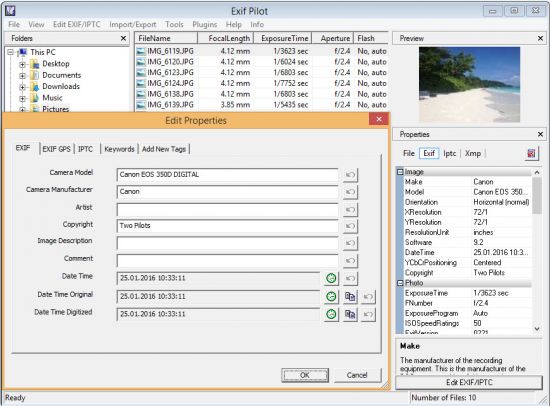
Exif Pilot 5.18.1


th-Xh-A1-Gj-KDWHf-O2aoyx-Cb-Q3-Wh-Bdzjk-Pry-M.jpg

Exif Pilot 5.18.1 Batch Editing Plug-in | 4.8 Mb
​
Exif Pilot is software for the edition and analysis of EXIF, IPTC, and XMP data (information that indicates digital camera settings and picture taking conditions). Exif Pilot allows you to view, create, and edit the EXIF, EXIF GPS, IPTC, and XMP data. You can import/export EXIF and IPTC data from/to XML format as well. Exif Pilot supports exporting EXIF and IPTC data to MS Excel or CSV format and importing EXIF and IPTC from MS Excel or CSV format.


With Exif Pilot, you can find the optimal parameters for taking pictures, for example, the relationship between the depth of field and the aperture of a particular lens.

Exif Pilot supports the following formats:
JPEG images read and write.
TIFF images read and write.
PNG images read and write.
DNG images read and write.
NEF images read and write.
PEF images read and write.
CRW images read and write.
JP2 images read and write.
PSD images read and write.
ORF images read and write.
SRW images read and write.
EXV images read and write.
CR2 images read only.
MRW images read only.
ARW images read only.
RAF images read only.
RW2 images read only.
PGF images read only.

Operating System: Windows XP/Vista/7/8/10 32/64-bit

Home Page -
Код:
http://www.colorpilot.com/exif.html


-:DOWNLOAD FROM LINKS:-

RapidGator
Код:
https://rapidgator.net/file/49aa06b547ba57cc64a32ecf4694b530/Dl4eVeR.ExifPilot5.rar.html

NitroFlare
Код:
https://nitroflare.com/view/A35BADFED4FF3F8/Dl4eVeR.ExifPilot5.rar

​
 
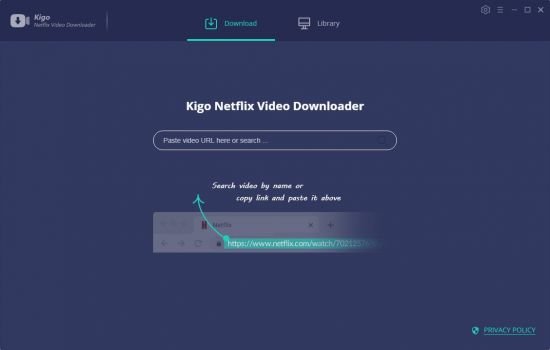
Kigo Netflix Video Downloader 1.3.0 Multilingual


th-x-Tzp2-Vbu-Lt-W5h-Cd-U2-NV0x-Vu1p-L2-OMQIl.jpg

Kigo Netflix Video Downloader 1.3.0 Multilingual | 73 Mb
​
Wanna save Netflix videos for offline playing without limitations. One button to download HD Netflix videos with fast speed.


Download NetFlix Videos
Whether you are movie fans or TV Shows fans, during you subscribe Netflix, you can download Movies & TV Shows & NetFlix Series & Documentaries for offline playing.

Support Up to 1080p Videos
According to your plan types, you can download the videos from low quality 240p to high quality 720p even 1080p. You can also reset the output quality in the setting window.

Save Netflix to MP4 Format
Save to MP4 format playable on any video player like WMP, VLC, Roku, RealPlayer, Amazon Fire TV, Microsoft Xbox 360, Samsung Phones, iPhone and other Android phones.

Retain Tracks and Subtitles
Please don't worry you will lost the audio track or subtitles, after the downloading, all the audio tracks and subtitles of the videos will also be kept.

Operating System:Windows 7, 8/8.1, 10

Home Page -
Код:
https://www.kigo-video-converter.com/

Language: Multilingual


-:DOWNLOAD FROM LINKS:-

RapidGator
Код:
https://rapidgator.net/file/713e01344c09dbdb13f5c09cff0699ee/Dl4eVeR.Video_Downloader_1.3.0.rar.html

NitroFlare
Код:
https://nitroflare.com/view/EC8A339C8207FEF/Dl4eVeR.Video_Downloader_1.3.0.rar

​
 
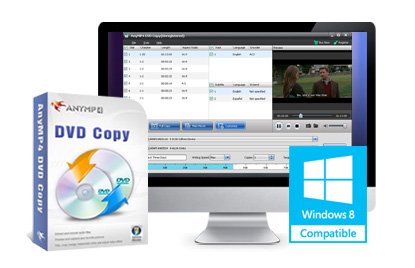
AnyMP4 DVD Copy 3.1.58 Multilingual


LNn-Nz-H8-Wrwek-OV7dh-IR3m-QVqjne-DCpgn.jpg

AnyMP4 DVD Copy 3.1.58 Multilingual | 22 Mb
​
Many DVD fans wonder if there's one way to move DVD movies from DVD disc to their PCs. AnyMP4 DVD Copy is designed to solve this problem with its powerful and efficient techniques to help copy, clone and backup DVD movies to PC.


This software can help you clone your DVD disc to your PC, copy your DVD movies to DVD-5 or DVD-9 disc, and burn DVD folders and ISO files to DVD disc with fast speed and high quality. Don't forget to try other featured functions such as audio track and subtitle selection, and watermark adding.

Copy DVD to DVD disc
AnyMP4 DVD Copy helps you clone your DVD-5 to DVD-5 disc, DVD-9 to DVD-9 disc in 1:1 ratio, and clone DVD-9 to DVD-5 disc with impressive video quality.

Copy DVD movies to PC
This software enables you to back DVD contents. You can backup DVD movie, folder and ISO image file to your PC with incredible speed.

DVD folder or ISO burning
Not only DVD movie, DVD folder and ISO image file can also be burnt to your DVD disc.

Preview and snapshot
Afraid of making mistakes? Use the built-in player to contrast the quality of the original DVD movie, and the output one.

Watermark adding
With the Watermark function you can easily add your unique mark to the burnt DVD file.

Audio track and subtitle selection
If you are not content with the original audio track, use AnyMP4 DVD Copy to choose your preferred audio track. You are also allowed to add downloaded subtitle to the video file.

File selection
If you only need to clone the main movie in the DVD disc, use this software to select and clone it, without cloning all the special features, intros, trailer and ads at the same time.

Include or skip menu
By selecting the check box, you can easily include or skip menu according to your preferences.

High copy speed
AnyMP4 DVD Copy is able to conduct the task with 400% speed, with the help of dual-core CPUs.

Easy to use
Built with an intuitive and user-friendly interface, AnyMP4 DVD Copy is easy for anyone to use.

Support all kinds of DVD discs
AnyMP4 DVD Copy is compatible with DVD+-R/RW, DVD-RAM, most DVD players and burners, and Dual Layer 8.5GB disc.

System requirements:
OS: Windows 10, Windows 8.1/8, Windows 7, Windows Vista, Windows XP (SP2 or later)
RAM: 2G RAM or more
CPU: 1GHz Intel/AMD CPU or above

Home Page -
Код:
http://www.anymp4.com/dvd-copy/


-:DOWNLOAD FROM LINKS:-

RapidGator
Код:
https://rapidgator.net/file/ca6644fb2ca727c8a6e9822dc951f6d6/Dl4eVeR.AnyMP4.DVD.Copy.3.1.58.rar.html

NitroFlare
Код:
https://nitroflare.com/view/11550CC851A3EFD/Dl4eVeR.AnyMP4.DVD.Copy.3.1.58.rar

​
 
Назад
Сверху