• Здравствуйте. Сайт заработал в архивном режиме форум www.old.nado.in

Dl4ever Software

AnyMP4 Blu-ray Creator 1.1.68

anymp4-blu-ray-creator.jpg


Languages: Multilingual | File size: 42.4 MB
​
This powerful Blu-ray Maker software has the ability to burn Blu-ray disc with any video file like AVCHD video, 1080P HD video, YouTube video, QuickTime video and other high definition and common videos. You are able to burn video files to BD-25 and BD-50 at will, and then play the DIY Blu-ray disc/movie on any mainstream Blu-ray Player device like Sony BDP-S5, Samsung BD-F, LG Electronics BP, PS3, and popular Blu-ray Player software like AnyMP4 Blu-ray Player. Create Blu-ray with any popular video

Create Blu-ray disc/folder/ISO image file with any popular video file from AVCHD videos, iPhone videos, QuickTime video, and other HD/SD videos
Convert video formats like MKV, M2TS, MTS, TS, MP4, MXF, AVI, WMV, FLV, M4V, MOV, M4V and more to Blu-ray
Edit the menu template and adjust video effects to get an ideal Blu-ray movie before you burn video into Blu-ray
Add favorite background music and picture for Blu-ray menu

Burn video to Blu-ray folder/ISO image file
With the wording leading Blu-ray ISO Creator software, you are allowed to create Blu-ray folder/ISO image files directly with any popular HD and SD video file (M2TS, MTS, TS, MXF, TRP, MP4, MOV, AVI, WMV, MKV, FLV, 3GP, M4V, and MPEG, etc.) at blazing-fast speed. Thus you can backup your favorite video files on computer as the Blu-ray format, even you do not have any Blu-ray disc.

Make your preferred Blu-ray menu and background style
It provides you various Blu-ray menu templates/frames/buttons to choose in the "Edit Menu" interface. You can also free download Blu-ray menu templates online at will if the local templates didn't satisfy your needs. You can rename for each Blu-ray title and customize text titles with font type, color, size, alignment that best suit your menu design and video content. Even you are able to add background music such as an audio track or dialog you've recorded to your menu templates and choose background picture for the Blu-ray menu.

Customize Blu-ray movie with multiple editing features
You can add your ideal audio track and subtitle for Blu-ray movie. Editing audio track for adjusting the Volume, Latency, Encoder, Bitrate and Channels, and subtitle for adjusting font, size, color, display position.
With multiple video editing features, you are freely adjust video effect like brightness, contrast, saturation and hue; crop video frame to get rid of unwanted video black edges; add text and image watermark to the video and more.

East to use and super fast creating speed
AnyMP4 Blu-ray Creator software, featuring user-friendly design and intuitive interface, enables you to handle the whole creating process in the easiest way and super fast creating speed.
With NVIDIA® CUDA™, AMD APP Acceleration, and Intel® Quick Sync Video Tech, it accelerates the conversion of standard and high definition video content and encodes H.264 HD video significantly faster by leveraging the power of the GPU, while enabling the processor to complete other tasks, improving overall PC performance.

Tech Species:
System
System Requirement: Windows 10, Windows 8.1/8, Windows 7, Windows Vista, Windows XP (SP2 or later)
CPU: 2GHz Intel or AMD CPU or above
RAM: 2GB RAM or more
Drive: A Blu-ray drive and 10 GB of available hard disk space or higher

Format
Video (Input format): MXF, AVI, MPG, MPEG, MP4, MOV, WMV, and more
HD Video: MXF, MTS, M2TS, TS, AVI, MPG, MP4, MOV, WMV, FLV, and more
Blu-ray Disc (Output): BD-25, BD-50, Blu-ray folder/ISO image file

Whats New:
Updates: official site does not provide any info about changes in this version


-:DOWNLOAD FROM LINKS:-
RapidGator
Код:
https://rapidgator.net/file/163877683e9cf32e5f1052d62ff7be32/dl4ever.Blu-ray_Creator_1.1.68.rar.html

NitroFlare
Код:
https://nitroflare.com/view/7549FEAF0CF089F/dl4ever.Blu-ray_Creator_1.1.68.rar
​
 
DataNumen Zip Repair v3.0.0


zdkvvshhvoc-Xq-I3yi7-Cqxlj-QVBHT0u-UI.png


Languages: English | File size: 8.37 MB
​
DataNumen Zip Repair is the best Zip repair and recovery tool in the world. It can repair the corrupt Zip files and recover as much of your data as possible, thereby minimizing the loss in file corruption.

Main Features:
Support for Windows 95/98/ME/NT/2000/XP/Visa/7/8/8.1/10 and Windows Server 2003/2008/2012/2016/2019.
Can fix all sub-types of Zip files and all kinds of self-extracting files.
Check data integrity and fix incorrect CRC values in the archive.
Support to repair Zip files and Zip item files larger than 4GB.
Support to repair spanned Zip files, split Zip files and encrypted Zip files.
Support to repair Zip files on corrupted media, such as floppy disks, Zip disks, CDROMs, etc.
Support to repair a batch of files.
Support to find and select the Zip files to be repaired on the client computer.
Support to extract recovered items in the fixed Zip or SFX archive.
Integrated with Windows shell, so you can repair a file with the context (right click) menu of Windows Explorer easily.
Support drag & drop operation.
Support command line (DOS prompt) parameters.
Can be used as a computer forensic tool and electronic discovery (or e-discovery, eDiscovery) tool.

Whats New:
- Improve the processing of temporary files.
- Fix some minor bugs.


-:DOWNLOAD FROM LINKS:-
RapidGator
Код:
https://rapidgator.net/file/cc5509af6dbd7d3725128412696bbc94/dl4ever.Zip_Repair_3.0.0.rar.html

NitroFlare
Код:
https://nitroflare.com/view/8A2CFE6217BEFB5/dl4ever.Zip_Repair_3.0.0.rar

​
 
Aiseesoft Video Downloader 7.1.20


aiseesoft-video-downloader.png

Aiseesoft Video Downloader 7.1.20 Multilingual | 43 Mb
​
Aiseesoft Video Downloader is the professional online video downloader which is able to download online videos from almost 150 video sites, including YouTube, Google Video, Yahoo Video, iFilm, MySpace, Dailymotion, and many others. It support multi-downloading tasks and multi-threads. This FLV downloader can set maximum downloading tasks and maximum threads for every task. The supported protocols including http, rtsp, rtmp, mms and more threads for downloading task.


Download videos from online websites to computer
Whether HD 1080P/720P, SD or 3D videos, Aiseesoft Video Downloader lets you directly save and convert videos from online video sites to your computer. The supported video websites include YouTube, Vimeo, Metacafe, Facebook, Dailymotion, Vevo, and Yahoo.

Convert local or downloaded files to computer
It offers a wide selection of video formats for popular portable devices, like iPhone, iPad, Samsung Galaxy S4, etc. and media player software like Windows Media Player, VLC, and so on. So you can convert both local and downloaded videos to playable files on your devices or applications. This amazing YouTube downloader even allows you to convert video files to 3D formats.

Fast, Easy and Quality
With the clean and uncluttered interface, Aiseesoft Video Downloader is very easy to use. You can complete the whole process of downloading and converting video files by just a few clicks and enjoy your favorite video files anytime and anywhere.

System Requirements
Supported OS: Windows 10, Windows 8.1, Windows 8, Windows 7, Windows Vista, Windows XP (SP2 or later)
Processor: 1GHz Intel/AMD CPU or above
RAM: 1G RAM or more

Home Page -
Код:
http://www.aiseesoft.com


-:DOWNLOAD FROM LINKS:-

RapidGator
Код:
https://rapidgator.net/file/05b9e154240bc0813fed8f528464eb72/dl4ever.Video_Downloader_7.1.20.rar.html

NitroFlare
Код:
https://nitroflare.com/view/96BC4EF39BCEF0D/dl4ever.Video_Downloader_7.1.20.rar

​
 
StartIsBack++ 2.9.7


startback.png

StartIsBack++ 2.9.7 Multilingual | 1.5 Mb
​
StartIsBack is fully native lightweight zero-privileges program, cheap and fair, fast, stable and secure. Boot to desktop; Original fully-featured Windows start menu; Desktop and Modern interfaces clearly separated; Make Start screen clutter-free; Totally native; Rich customization and configuration; And More to come!


Unlike other similar apps which return the old Start menu and button, the side menu of StartIsBack is transparent and highlights every new program in the list.

When it comes to functionality, StartIsBack integrates some useful features. For example, if you search the computer for a new item, this is instantly shown in the results area (if it was previously indexed by Windows).

As we have mentioned before, StartIsBack comes with a multitude of configuration settings; these concern the Start menu items and behavior (e.g. display My Computer as a link, hide Default Programs and Device and Printers), appearance (e.g. disable taskbar translucency, hide the Start button) and switching rules (e.g. show the desktop when logging onto the PC, switch to the last used application when clicking the Start screen).

Other options refer to uncluttering items in the Start screen (by renaming the Start screen to "Apps" and by keeping only the modern apps in that location), the advanced system commands menu (combine the Start button context menu with the one of the Start screen) and Windows tweaks (e.g. store and display recently opened programs). Furthermore, you can disable StartIsBack for the current user.

StartIsBack does not put a strain on the computer's overall performance, as it uses a pretty low amount of CPU and system memory. It is pretty responsive to key strokes and mouse commands. We have not encountered any issues throughout our testing; StartIsBack did not hang, crash or display error dialogs. Thanks to its intuitive yet rich features, the application should please users of all skill levels.

Operating System: Windows 10

Home Page -
Код:
http://startisback.com/


-:DOWNLOAD FROM LINKS:-

RapidGator
Код:
https://rapidgator.net/file/7207a47d62b3a5b6aa3c58a041ee4d11/dl4ever.StartIsBack2.rar.html

NitroFlare
Код:
https://nitroflare.com/view/A100E468AEBBE81/dl4ever.StartIsBack2.rar

​
 
Rollback Rx Pro 11.2.2705924873


K7-M9c-Na-Hj-UPLxmek-W81h-W6-OG1-GEv-V3-Wd.png

Rollback Rx Pro 11.2.2705924873 Multilingual | 52.7 Mb
​
RollBack Rx™ is an instant time machine for your PC. A Comprehensive Windows System Restore solution that empowers users and IT administrators to easily restore their PC's to any previous state within seconds! RollBack Rx offers a fresh approach to managing PC's. Any unforeseen incidents such as user errors, viruses or even botched software installations can be easily and absolutely reversed in a fast and efficient way.


Instant Restore
Restore the system to any snapshot within seconds.

Disaster Recovery
Restore files and folders from any snapshot or crashed system state.

Instant Snapshots
Take a snapshot of the system within seconds (no reboot required)

Features :
Go back to any previous point in time within seconds.
Go back minutes, hours, days, weeks, or even months to any previous snapshot.
Does not effect computer performance, uses minimal system resources.
Supports unlimited snapshots.
Creates a complete system snapshot without having to restart the system.
Reverse any system crash within seconds (even if Windows cannot startup).
Back out of any failed program, OS updates, and botched updates.
Recover from any malware or virus attack within seconds.
Works with VMWare and Virtual Machines, both as a host or within the virtual machine as a client.
Supports Multi-boot, Multi OS workstations.
Lock snapshots to prevent deletion.
Intuitive GUI based snapshot manager.
Explore, browse and retrieve files and folders from any snapshot. Drag and drop them into your active system.
Roll backwards as well as forwards to any available system snapshot.
Allows users to safely test any software. Fast, 100% complete uninstaller.
Retrieve files from a crashed PC, even if Windows cannot boot.
Access control - manage levels of multiple user and administrative privileges.
Automatically schedule snapshots to be taken on a fixed schedule or upon execution of specific files (ie. setup.exe) as well as manually.
256 bit AES snapshot encryption.
Prevent unauthorized data theft in case of stolen laptop.
Group Management and Enterprise Network Administration Control (FREE utility).
Comes with Stealth Mode where you can hide the RollBack Rx tray icon and splash screen (seen during boot up)
Change the start up hot key for sub-console access (default is HOME).
Built in snapshot defragmenter which will optimize system resources and recover free space.
Option to keep files and folders unchanged when you roll-back.
Advanced setup configuration wizard for system administrators which will set deployment options and predefined RollBack Rx settings.
Offers detailed program operation logging.
Supports all industry standard deployment options including silent installations and pre-installation configuration.

OS : Windows 7, 8, 10 (all 32 and 64 bit versions)

Home Page -
Код:
https://horizondatasys.com


-:DOWNLOAD FROM LINKS:-

RapidGator
Код:
https://rapidgator.net/file/572ac48278fdb1a7dd41e743653fac8e/dl4ever.Rollback.Rx.Pro.11.2.rar.html

NitroFlare
Код:
https://nitroflare.com/view/0726C8088E65AC8/dl4ever.Rollback.Rx.Pro.11.2.rar

​
 
Reboot Restore Rx Pro 11.2 Build 2705882369


z-Uz-C3p-Fd-Cf-Md-Xlnjgr-HEy9u-B4c58n-Gdc.png

Reboot Restore Rx Pro 11.2 Build 2705882369 Multilingual | 50 Mb
​
Reboot Restore Rx Pro (formerly Drive Vaccine) prevents any and all changes made on your drive(s) making those PC's bulletproof and unbreakable. It is designed for public access computing environments such as schools, computer labs, kiosks, hotels, Internet cafes, and libraries.


We understand it takes a certain fortitude to service PC's in the public domain where users are not always careful and computer usage is high. That is why we built Reboot Restore Rx Pro to be fast, effective and efficient. Regardless of what a user does (including erasing files, installing software or even hacking the system registry) Reboot Restore Rx Pro will automatically restore the PC to your desired system state on a schedule you set.

Reboot on Restore
Instantly reset to the baseline on startup or hard reset.

One-Click Instant Update
Update the baseline without restarting your computer.

Reduce Maintenance Cost
Drastically reduces computer maintenance, and can be used to protect tier one public access computing environments..

Reboot Restore Rx Pro Features:
- VMWare Support
- Protects the MBR
- Mini OS Access
- Access Control & Data Security
- Stealth Mode
- Restore On Any Schedule
- Remote Management
- Back Out From Baseline Update
- Automate Updates
- Exclusion Drive / Registry Exclusion

OS : Windows 7, 8 & 10 (all 32 and 64 bit versions)

Home Page -
Код:
http://www.horizondatasys.com/


-:DOWNLOAD FROM LINKS:-

RapidGator
Код:
https://rapidgator.net/file/898b8656c3ef9296b66a93a5084907c0/dl4ever.Reboot.Restore.Rx.Pro.11.2.rar.html

NitroFlare
Код:
https://nitroflare.com/view/DA8B5CE690607F7/dl4ever.Reboot.Restore.Rx.Pro.11.2.rar

​
 
RollBack Rx Server 3.3 Build 2705986004


th-m-Tdjd3y-Rfjcmfv-Ywq-Dh6p-AAt-K6-D7-Vc7-E.png

RollBack Rx Server 3.3 Build 2705986004 Multilingual | 28.9 Mb
​
RollBack Rx™Server Edition is a robust Windows Server backup and restore utility that enables IT professionals a instant backup capability that can quickly restore mission critical systems back to any number of multiple restore points with unrivaled speeds. RollBack Rx Server Edition makes it quick and easy to safely sandbox updates and service patches with a failsafe approach to system recovery.


Key Features:
- Instant (one reboot) real-time recovery
- Fully supports active databases (MS SQL etc.)
- Fully supports Microsoft MultiPoint Server operating systems
- Fully supports RAID0-6 arrays
- Easy migration for drive replacements
- Robust disaster recovery protection
- Scalable from small business to enterprise-level
- Ulta-fast backup with no latency
- Restore files, folders, partitions, or whole drives in seconds
- Highly customizable backup schedules, and recovery snapshots
- On-the-fly background snapshots regardless of database or hard drive size, down to every minute
- User-friendly interface
- Instantly perform a complete server rebuild in seconds.
- Set-up Multiple levels of access control
- Automatically schedule regular snapshots or server restores
- 256 AES hard drive encryption built in
- Day Zero Disaster Recovery with no data loss

Background Backups of Multiple Restore Points
RollBack Rx Server Edition offers unrivaled background protection and real-time recovery speeds. This allows you to store a locally backed-up sector-map repository of complete multiple instances (or "snapshots") of the server state. These snapshots can be scheduled to occur at intervals you specify - as frequently as every minute - and can number many thousands. This continual snapshot-taking can be set to occur in the background with no perceptible impact on day-to-day server response times. RollBack Rx Server Edition easily meets today's big data challenges of backing-up hundreds of millions of files simultaneously without affecting server workloads.

Fully Supports Microsoft MultiPoint Servers
Windows MultiPoint Server simplifies the management of shared computing resources. Windows MultiPoint Servers were designed for non-technical administrators such as teachers. RollBack Rx Server edition enables teachers to instantly restore their Windows MultiPoint Servers quickly and easily.

Rapid Recovery After Disaster Strikes
RollBack Rx Server Edition has lightning-fast recovery times back to any one of multiple available snapshots (as recently as a minute ago) with a single harddrive restart. Accelerate recovery time from minutes down to seconds! But instead of restoring an entire drive back to an earlier snapshot you can instead retrieve specific documents. RollBack Rx Server Edition's flexible recovery options allow you to get a granular recovery of individual files, folders, partitions, whole drives, or the entire array in a matter of seconds. This allows you to recover and continue everyday operations with imperceptible disruptions to your endpoint operations.

Minimal Server Maintenance Downtime
RollBack Rx Server Edition allows you to test the stability and compatibility of system updates before committing to them. You can ensure your preparedness to recover by performing background verification of vital data. RollBack Rx Server Edition provides continuous data protection with very minimal system resources. RollBack Rx Server Edition achieves maximum storage efficiency and optimizes system resources by performing background defragmentation of all your snapshots. RollBack Rx Server Edition also allows you to easily schedule application roll-outs and recurring software and OS updates without service disruptions. The failsafe pre-Windows I/O utility (subconsole or mini-OS) allows you to restore to a previous snapshot even in the event of a catastrophic Server OS failure.

Central Management for Multisite Monitoring
A single, unified control utility provides a powerful means for multisite monitoring and management. This single intuitive console allows even non-technical staff to easily manage all your storage and service access requirements. RollBack Rx Server Edition's powerful built-in AES 256-bit data security ensures comprehensive data protection even in the event of hardware theft. Multi-level access control allows you to define specific privileges to your various staff members.

Home Page -
Код:
http://www.horizondatasys.com/


-:DOWNLOAD FROM LINKS:-

RapidGator
Код:
https://rapidgator.net/file/c585f44599fbe3834777c7f8e58bf7ab/dl4ever.RollBack.Rx.Server.3.3.rar.html

NitroFlare
Код:
https://nitroflare.com/view/0C1007F7C56C859/dl4ever.RollBack.Rx.Server.3.3.rar

​
 
Adobe Captivate 2019 v11.5.5.553 (x64)


x-Kt-N8-Fv-Cmad-N4h-ALKn-Mn-Nu-KVF2p-C35-DB.jpg

Adobe Captivate 2019 v11.5.5.553 (x64) Multilingual | 2.04 GB
​
Unlock the future of smart eLearning design. Conquer new learning landscapes with a smart authoring tool that lets you create all kinds of fully-responsive eLearning content. Effortlessly design immersive learning experiences with VR and 360° media assets. Amplify video-based learning by easily adding interactivity to your videos.


Virtual Reality: head-turning learning
Introducing 360° media support in the 2019 release of Adobe Captivate to help you deliver immersive learning experiences in VR that allow learners to navigate near real-life situations in a risk-free environment. Use VR to deliver experiences such as virtual tours, safety drills, product walk-throughs, first responder situations and more.

Interactive videos: play to learn
Record your webcam and computer screen or bring in YouTube videos, add questions and interactive elements and publish to HTML5. Save time, money and effort while you create or curate video learning modules for increased learner retention.

Responsive eLearning: learning that moves for learners who move
Use the newly enhanced Fluid Boxes to automatically author fully responsive eLearning content that works across all devices and browsers. Also, convert legacy desktop courses to mobile learning with a few clicks.

PowerPoint to mobile learning: from drab to fab
Easily convert your PowerPoint slides to interactive eLearning without any programming. Choose from 75,000+ free eLearning assets, characters, themes, quizzes and more, to deliver learning content that works on every device.

Advanced eLearning: power when you need it
Create everything from best-in-class simulations to complex branching scenarios and configurable conditional logic. Write your own scripts to effectively control learning outcomes.

System Requirements:
- 2 GHz or faster Intel processor
- Windows operating systems - Microsoft Windows 7 with Service Pack 1, Windows 8.1, or Windows 10
- Windows 64-bit operating system is supported.
- 8 GB RAM
- 10GB of available hard-disk space for installation; additional free space required during installation (cannot install on removable flash-based storage devices)
- Adobe Flash Player 10 (or more) for viewing multimedia content
- 1024x768 display (1280x1024 recommended) with WebGL compatible Graphics Cards

Adobe Captivate is available in the following languages:
- English
- French
- German
- Japanese
- Korean
- Portuguese (Brazilian)
- Spanish

Home Page -
Код:
http://www.adobe.com


-:DOWNLOAD FROM LINKS:-

RapidGator
Код:
https://rapidgator.net/file/47c0cd85366fcc11e684d9f60ed59716/dl4ever.Captivate.11.5.5.part1.rar.html
https://rapidgator.net/file/68fd3c0a262637935008a83ff8174ee7/dl4ever.Captivate.11.5.5.part3.rar.html

NitroFlare
Код:
https://nitroflare.com/view/EF4D690D37D735F/dl4ever.Captivate.11.5.5.part1.rar
https://nitroflare.com/view/64C7E7DA75B2AAD/dl4ever.Captivate.11.5.5.part3.rar

​
 
Topaz DeNoise AI 2.3.2 (x64)


th-4v-B34-Sxgf-Ivj-Q2-Msa2-KRZFtp6e-ZPA3-Qs.jpg

Topaz DeNoise AI 2.3.2 (x64) | 1.3 Gb
​
Shoot anywhere in any light with no reservations. Eliminate noise and recover crisp detail in your images with the first AI-powered noise reduction tool. You may be surprised at the results you get.


Shoot anywhere in any light
Great noise reduction is like a lens upgrade. You'll be able to get much higher-quality results when you're shooting fast action shots, night images, or any other situation that requires a high ISO. Use DeNoise AI to help you create a pixel-perfect photo in any situation.

Groundbreaking technology
Noise reduction technology has basically been the same for a decade, with only minor incremental improvements here and there. (We would know - we made one!) DeNoise AI is different: we fed an algorithm millions of noisy/clear images until it actually learned what noise is and how best to remove it.

Recover true detail
DeNoise AI examines the whole image and holistically determines the difference between detail and noise in that photo. (Other NR tools only look at pixel-level detail.) After understanding what noise vs detail looks like for that specific image, DeNoise AI recovers a surprising amount of detail from noise.

Lightroom vs DeNoise AI
When you need pixel-level perfection in your results, DeNoise AI offers the absolute best quality currently available anywhere. Existing noise reduction tools like Lightroom give you a choice: keep some noise or remove some detail. DeNoise AI's technology allows you to get the best of both worlds: to remove noise while actually strengthening detail. The original noisy image (© Luis Garena) is on the left; we compare the Lightroom vs DeNoise AI results on the right. Pay special attention to the increased definition in the image, especially in the car wheels and center signs.

- Enhance real detail
- Remove noise naturally with no smudging
- Best for moderate to ultra-high ISOs

Any noise reduction tool can remove noise - the really tricky part is to tell the difference between noise and detail. DeNoise AI helps you get the best quality at 100% by removing noise while recovering original image detail. Give it a try to see the difference for yourself!

Operating System Version:
- Windows 7 x64
- Windows 8/8.1 x64
- Windows 10 x64

Hardware Requirements:
- System RAM: 8GB / 16GB recommended
- GPU VRAM: 2GB / 4GB recommended

Graphics Card Requirements:
- NVIDIA: GeForce GTX 770 2GB / GeForce GTX 960 4GB recommended
- AMD: Radeon HD 8570 2GB / Radeon R9 270 4GB recommended
- Intel: HD Graphics 5000 / Iris Plus Graphics 640 recommended

Home Page -
Код:
http://www.topazlabs.com/


-:DOWNLOAD FROM LINKS:-

RapidGator
Код:
https://rapidgator.net/file/bcfd642b0ac40927c7b353177bb27651/dl4ever.DeNoise.2.3.2.part1.rar.html
https://rapidgator.net/file/8b7f763f3af59d32f64051a4d5968f69/dl4ever.DeNoise.2.3.2.part2.rar.html

NitroFlare
Код:
https://nitroflare.com/view/127A319B92F11BF/dl4ever.DeNoise.2.3.2.part1.rar
https://nitroflare.com/view/EC584F15A04DF20/dl4ever.DeNoise.2.3.2.part2.rar

​
 
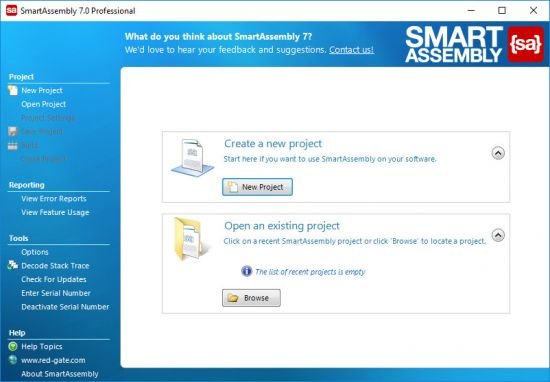
Red Gate SmartAssembly v7.5.1.4370


th-UOdu-DR6s-VBgb-KXXYu-TOyxzkcq-Kn-IWub-Q.jpg

Red Gate SmartAssembly v7.5.1.4370 | 15.4 Mb
​
SmartAssembly is an obfuscator that helps protect your application against reverse-engineering or modification, by making it difficult for a third-party to access your source code.


If your entire business rests on the IP embodied in your software or you don't want your C# or VB.NET code exposed internationally, then obfuscating your code becomes a necessity, not a luxury.

With SmartAssembly, you get a comprehensive set of obfuscation features, including name mangling, control flow obfuscation, strings encoding, reference dynamic proxy, and declarative obfuscation.

Key features:

Name mangling
Changes the names of methods and fields to make it hard to understand their purpose.

Control flow obfuscation
Converts the code inside methods to 'spaghetti code' to make it difficult to see how the application works.

References dynamic proxy
Creates a proxy for calls to methods outside of your assembly to make it hard to find external calls.

Strings encoding
Encodes the strings used in your software to hide such information as passwords and SQL queries.

Resources compression and encryption
Compresses and encrypts managed resources to make them hard to understand, and to reduce the size of the assembly.

Pruning
Removes non-useful metadata to make the code harder to reverse-engineer, reduce the size of the assembly, and improve loading time.

Dependencies merging
Takes all the DLLs and merges dependencies into the main assembly, so you don't have to load lots of DLL files, and so that they can also be obfuscated.

Dependencies compression and embedding
Compresses and embeds your dependencies into your main assembly, simplifying the deployment of your software and reducing the size of your program.

Method parent obfuscation
Moves methods in your code by changing the class they are in, making it harder to understand how methods and classes relate to each other.

Strong name signing with tamper protection
Signs your assembly and helps to protect it against modification (the additional tamper protection is not available in the Standard edition).

Declarative obfuscation
Excludes a member from obfuscation using custom attributes directly in your code.

System requirements:
512MB RAM (minimum)
10 MB free hard disk space
Microsoft .NET Framework version 3.5 SP1 Client Profile or above must be installed in order for SmartAssembly to run.
Microsoft .NET Framework version 3.5 SP1 Full Profile or above must be installed in order to install SmartAssembly.
Access to a SQL database - see below for specific requirements.

Supported operating systems
Windows Server 2008
Windows Server 2008 R2
Windows 7
Windows 8
Windows Server 2012 R2
Windows 10
Both 32 and 64-bit operating systems are supported.

Supported SQL Server versions
You must use one of the following versions of SQL Server (SQL Express and SQL LocalDB also work):
SQL Server 2008
SQL Server 2008 R2
SQL Server 2012
SQL Server 2014
SQL Server 2016

Home Page -
Код:
https://www.red-gate.com/


-:DOWNLOAD FROM LINKS:-

RapidGator
Код:
https://rapidgator.net/file/33b753a4a45e0b3d4ec0edb89e6185e5/dl4ever.SmartAssembly7.5.1.rar.html

NitroFlare
Код:
https://nitroflare.com/view/A26E3ED099864C9/dl4ever.SmartAssembly7.5.1.rar

​
 
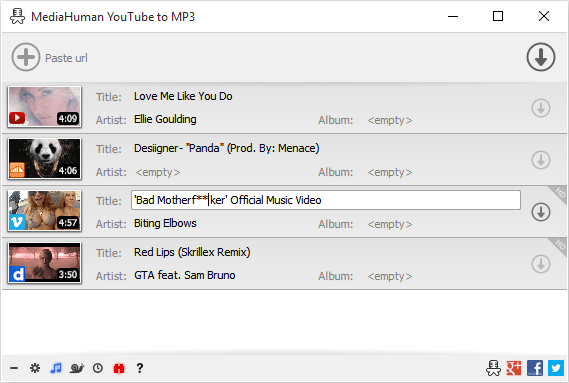
MediaHuman YouTube To MP3 Converter 3.9.9.47 (1510)


WB84-Zci7jn-YNo-ARGn-XALBIE1fg-P1jw5f.png

MediaHuman YouTube To MP3 Converter 3.9.9.47 (1510) (x86/x64) Multilingual | 113.6 Mb
​
You like to listen to music on YouTube or SoundCloud and want to save it for offline playing. Or you want to download soundtrack of a new movie. Then we recommend you to try out this software developed specifically for this purpose.


Downloads all music from playlist or channel
Downloads highest available quality up to 320 kbps
Supports YouTube, Vimeo, SoundCloud, Dailymotion, VEVO, etc.
Downloads simultaneously several tracks
Includes simple tag editor with cover art support
Works on all modern platforms (macOS, Windows, Ubuntu)
Imports into iTunes

Playlists and channels
The software supports downloading all videos of a playlist or a channel. And there is also an option for subscribing to and downloading only newly uploaded tracks.

iTunes support
In the preferences of the application you can select an option to add downloaded tracks into iTunes automatically. You can also specify iTunes playlist, where the converted track should be added.

Saves your time & traffic
The app detects audio track in YouTube video clip and downloads it, skipping the video part. As a result download speed increases dramatically, especially on HD-quality content.

Simple tag editor
Application automatically detects artist name and track title of the video and saves it in the downloaded file. But at the same time, you can easily change tags to whatever you want. You can even change a cover art image.

Original format, no conversions
You can save audio tracks in original quality without any conversion. It means that there will be no loss of quality and it greatly reduces the downloading time.

Free music
There is a great amount of music on YouTube. You can always find the one you like there. And YouTube to MP3 Converter allows you to save it on your computer for free. Just find the track you like and download it in the quality you need.

Not only YouTube
Vevo.com, Vimeo, DailyMotion, Soundcloud, Bandcamp, HypeMachine, MixCloud, UOL and many other sites are also supported. So you can download music as easy as from YouTube.

Clipboard tracking
The program tracks the content of the system clipboard. It means that you can easily add a video clip without switching from your favorite browser. Just copy an URL into the clipboard and it will be added to the download queue.

Multilingual interface
Localized to: Arabic, Armenian, Azerbaijani, Bulgarian, Catalan, Chinese (Taiwan), Croatian, Czech, Danish, Dutch, English, Esperanto, French, German, Greek, Hebrew (Israel), Hungarian, Indonesian, Italian, Japanese, Korean, Latvian, Lithuanian, Malay, Norwegian Bokmål, Polish, Portuguese, Portuguese (Brazil), Romanian, Russian, Spanish, Swedish, Turkish, Vietnamese

Operating System: Windows 7, 8/8.1, 10

Home Page -
Код:
https://www.mediahuman.com/


-:DOWNLOAD FROM LINKS:-

RapidGator
Код:
https://rapidgator.net/file/2b0797d71e57b71e5d64c1bf6de02b75/dl4ever.YouTube.To.MP3.Converter.3.9.9.47.1510.rar.html

NitroFlare
Код:
https://nitroflare.com/view/B25D0E4F33D2CBB/dl4ever.YouTube.To.MP3.Converter.3.9.9.47.1510.rar

​
 
PDF Annotator 8.0.0.815 (x64)


pdf-annotator.png

PDF Annotator 8.0.0.815 (x64) Multilingual | 59.5 Mb
​
PDF Annotator lets the user open any PDF file and add annotations, using the mouse or a Tablet PC pen, directly on the PDF file's pages. The annotated documents can then be saved directly back to PDF format. In this way, anyone can read or print the annotated PDF documents. Annotated documents can also be easily attached to emails.


Previously, annotating, commenting or proofreading a document received for review in PDF file format was possible only by using multiple software products in a row-or only by printing the document and adding comments manually. With PDF Annotator, annotations can also be added in a natural way-using a pen-but everything remains in digital format. PDF Annotator allows commenting of PDF files in a single step.

Annotation Manager in the Sidebar
• Get a quick overview of all annotations in a document.
• Navigate to any annotations quickly.
• Perform operations on any selection of annotations.

Filter Annotations
• Only display a filtered subset of your annotations in the new Annotations sidebar.
• Filter by type, color, or page number.

Print Annotations Overviews
• Print a detailed list with small previews of every single annotation in a document.
• Print an overview only outlining the pages containing annotations.

Operating System: Windows 7, 8.1, 10 (64-bit only)

Home Page -
Код:
http://www.pdfannotator.com/en/index


-:DOWNLOAD FROM LINKS:-

RapidGator
Код:
https://rapidgator.net/file/5a3991a20a597b264fc99c97042aea3d/dl4ever.PDF.Annotator.8.0.0.815_x64.rar.html

NitroFlare
Код:
https://nitroflare.com/view/B9A4B73E75D059E/dl4ever.PDF.Annotator.8.0.0.815_x64.rar

​
 
Serif Affinity Designer 1.9.0.791 (x64) Beta


serif-affinity-designer.png

Serif Affinity Designer 1.9.0.791 (x64) Beta Multilingual | 498 Mb
​
Affinity Designer is the fastest, smoothest, most precise vector graphic design software available. Whether you're working on branding, concept art, print projects, icons, UI, UX, or web mock ups, Affinity Designer will revolutionise how you work, on Windows.


Design tools redefined
All the tools you need in a professional vector design app, from an incredible precise pen tool to a super smooth gradient tool. All carefully considered and meticulously developed, they just work-in precisely the way you want them to.

Built for your workflow
With core principles of performance, stability and lack of bloat, Affinity Designer has been meticulously crafted for a professional workflow.

Cross platform performance
With a professional pedigree forged on Mac, and matched step for step on Windows, common file format delivers stunning results on either platform.

Unsurpassed speed and accuracy
Pan at 60fps and zoom to an eye-popping 10,000,000%, you'll see all adjustments, effects, transformations and brushes in real time.

Work in any color space
RGB, CMYK, LAB, Grayscale. End-to-end CMYK workflow with ICC color management, and 16-bit per channel editing.

Unsurpassed file compatibility
The best PSD import engine available and full support for SVG, EPS, PDF, PDF/X and FH files means injecting Affinity Designer into your workflow is painless.

Pixel perfect control
With real-time pixel preview in standard or retina resolution available with a single click, you can always see what you're going to get. Can't achieve the perfect result purely in vector? Just edit the pixels - Affinity Designer has a full suite of raster tools too.

Non-destructive effects and adjustments
With a huge library of adjustment layers, effects and blend modes-combined with full support for masks and clipping layers-Affinity Designer offers the most advanced layer controls available in any vector based app.

Flexible workspaces. and workflows
With a focused, fully customisable workspace, including docked and floating UI modes, Affinity Designer lets you work how you want. Add regular and custom 2D and isometric grids for flexible layouts, work on multiple designs at once, and use macOS features like Split Screen and Full Screen. Plus, with savable history, unlimited undo and non-destructive filters and adjustments you can always go back and change your mind.

Natural brushwork
Use Force Touch, stylus pressure, tilt and other controls for natural-looking artwork. Edit vector brush strokes as cleanly and easily as regular curves, and add raster brushwork-on its own or with vector art-to add depth and high quality organic textures. Rotate the canvas, blend colors, edit brush parameters, create your own brushes and nozzles, and import .abr brushes for complete control over your work.

Throw some shapes
Affinity Designer delivers a comprehensive set of shape primitives with easy controls for adjusting geometry with corner settings and smart snapping indicators. A full set of Boolean geometry operations, non-destructive compound shapes, and full node editing means you can create beautiful complex geometry in no time.

Just your type
Add artistic text for headlines, text frames of any shape, or text that follows any vector path. Apply sophisticated styling and ligatures, previewing all your available fonts and style sets in on-screen panels. All the controls you need are built in, including leading, kerning, baseline shift, tab stops - and now in version 1.5 you can create text styles across your document.

New professional print controls
Affinity Designer features full professional print output. Pantone support, end-to-end CMYK and ICC color management are just part of it. You can also open, edit and output PDF/X files, set overprint controls, use spot colors, and add bleed area, trim and crop marks.

Powerful export
In export mode you get a complete workspace dedicated to image export. Select areas, layers or objects to export, controlling each item's output settings independently. For efficient web and UI design, you can automatically create new files whenever your design changes, in whatever resolution, file format and folder structure you wish.

Common Affinity file format
Affinity's shared file format makes mixed discipline design as smooth and simple as it should be. Open any native Affinity file in any Affinity app on any platform and just keep working - with shared history, unlimited undo and seamless switching. And for export, Affinity Designer takes all major file types in its stride.

Incredibly powerful artboards
In Affinity Designer you can create an unlimited number of different design variants, sizes and screens - laying them out in one document to see them all at once. When you come to export you get full control over what artboards to output and with what settings, dramatically simplifying your workflow for responsive and app design.

Operating systems (64 bit):
- Windows 10
- Windows 8.x
- Windows 7 (Service Pack 1; Aero enabled)

Home Page -
Код:
https://affinity.serif.com


-:DOWNLOAD FROM LINKS:-

RapidGator
Код:
https://rapidgator.net/file/4ead324e4c6b57a231a2b6df5208d469/dl4ever.affinity-designer-customer1.9.0.791.rar.html

NitroFlare
Код:
https://nitroflare.com/view/647C0EFA9ADE160/dl4ever.affinity-designer-customer1.9.0.791.rar

​
 
Serif Affinity Photo 1.9.0.780 (x64) Beta


serif-affinity-photo.png

Serif Affinity Photo 1.9.0.780 (x64) Beta Multilingual | 507 Mb
​
Five years in the making, Affinity Photo redefines the boundaries for professional photo editing software. With a meticulous focus on workflow it offers sophisticated tools for enhancing, editing and retouching your images in an incredibly intuitive interface, with all the power and performance you need.


Engineered for professionals
Built on rock solid foundations with principles of performance, stability and lack of bloat, Affinity Photo is a professional photography tool to the very core.

Comprehensive RAW editing
Develop camera RAW files in a dedicated built-in workspace with all the processing adjustments and corrections you need.

Unsurpassed file compatibility
We've got the best PSD support out there, plus all the standards you'd expect including PNG, JPG, TIFF, EPS, PDF, and SVG.

Work in any color space
RGB, CMYK, LAB, Grayscale. End-to-end CMYK workflow with ICC color management, and 32-bit per channel editing.

Dedicated RAW editing workspace
Compatible with all major camera file formats, the Develop persona offers a dedicated processing workspace offering incredibly accurate editing in an unbounded linear color space.

Complete digital darkroom
Affinity Photo includes all the tools you need from a professional photography application. Every tool has been painstakingly engineered for speed, power and accuracy - and they work in precisely the way you want them to.

Fast, customizable effects
Affinity Photo comes with a huge range of high-end filters including lighting, blurs, distortions, tilt-shift, shadows, glows and many more. Full control is given over every aspect of a filter's properties with incredibly precise controls - all the while seeing a real-time live preview of the result. Best of all, filters can be applied as live layers, enabling you to edit, erase away, or mask effects after they have been applied.

Advanced adjustment layers
Correct and enhance images with Levels, Curves, Black and White, White Balance, HSL, Shadows and Highlights and over a dozen other adjustments that are previewed instantly and can be edited any time. Adjust, readjust, and drag and drop onto any layer, group, mask, or in any place in a stack to control how they're applied.

Live blend modes
Remove trial and error from your workflow - see changes to blend modes live as you edit without having to click apply each time. Affinity Photo's 30 layer blends preview smoothly in real time while you scroll through them.

Sophisticated selection refinement
Accurate selections are critical, whether cutting out objects, creating masks or selectively applying adjustments. Our selection refinement algorithm is one of the most advanced available, making selections - even down to individual strands of hair - easier than ever before.

Precise photo stitching
Affinity Photo's stitching algorithm is one of the most advanced available. On top of accurate automatic alignment and perspective corrections, you get full control over each image and boundary in the composite to fine tune to perfection.

Extensive retouching tools
Whether you want to make quick corrections, or spend an hour on a detailed retouch, Affinity Photo has all the tools you need. That naturally includes dodge, burn, clone, patch, blemish, and red eye tools. But you'll also find an incredibly accurate inpainting brush, frequency separation capability, and a full set of liquify features built-in.

System Requirements:

Hardware
Windows-based PC with mouse or equivalent input device
DirectX 10-compatible Graphics Cards and above
2GB RAM minimum (4GB RAM recommended)
670MB of available space; more during installation
1280x768 display size or better

Operating systems (64 bit):
Windows 10 (1607 Anniversary update or higher)
Windows 8.1
Windows 7 (Service Pack 1; Aero enabled)

Home Page -
Код:
https://affinity.serif.com/


-:DOWNLOAD FROM LINKS:-

RapidGator
Код:
https://rapidgator.net/file/0b433814f4fe8388180698cd6ce20aac/dl4ever.affinity-photo-customer1.9.0.791.rar.html

NitroFlare
Код:
https://nitroflare.com/view/8E966110986BE7A/dl4ever.affinity-photo-customer1.9.0.791.rar

​
 
Serif Affinity Publisher 1.9.0.798 (x64) Beta


TPDv-N5-A1-Pw-Sir-CPDLZyo1-V800-KZUp-Npj.png

Serif Affinity Publisher 1.9.0.798 (x64) Beta Multilingual | 509.6 Mb
​
Fluid publishing powerhouse. Bring your vision to life with Affinity Publisher, the next generation of professional publishing software. From magazines, books, brochures, posters, reports and stationery to other creations, this incredibly smooth, intuitive app gives you the power to combine your images, graphics and text to make beautiful layouts ready for publication.


Engineered for advanced technology
Engineered with the same no-compromise vision as our acclaimed photo editing and graphic design apps, thousands of global professionals have contributed to the development of Affinity Publisher to meet the demands of the 21st century designer.

Pioneering performance
Superpower your layouts with the latest and greatest publishing technology. The refreshing lack of unnecessary or obsolete features in Affinity Publisher means it runs like the sweetest dream, even on the most content-heavy documents.

Spectacular layouts
With essentials like master pages, facing page spreads, grids, tables, advanced typography, text flow, full professional print output and other amazing features, Affinity Publisher has everything you need to create the perfect layout - whatever your project.

Text to match the power of your words
Free yourself from the constraints of tired, traditional text layouts. Let Affinity Publisher help you visualise your text in creative new ways and flow it seamlessly through your document.

Text styles
Link the style of your text across all pages in your document

OpenType support
Open up all stylistic features of the latest OpenType fonts

Text decorations
Add lines and borders to elements of your typography

Drop caps
Add drop capitals to any paragraph

Text on a path
Draw any curve and type along it

Artistic text
Gain creative control over titling and other stand out text

Flow options
Avoid orphaned or widowed lines, among many other features

Baseline grid
Ensure the baseline of your text is aligned across all columns and spreads

Perfect graphics
Whatever the brief calls for, you can rely on Affinity Publisher to handle all the standard file types you'd expect, leaving you free to create the most ambitious, content-rich combination designs, pulling in raster or vector assets from multiple sources.

Fine tune your images
Ensure your images match the brilliance of your layout. Affinity Publisher comes with a full collection of powerful, non-destructive adjustment layers to make crucial image corrections right there in your document.

Advanced design tools
Create and edit vector graphics in your layout using the powerful pen, node and comprehensive shape tools - all with fine control over gradients and transparency.

Unrivalled compatibility
Import and export to all major raster and vector files, including layered PSD, PDF and EPS formats.

Full colour control
Affinity Publisher can handle RGB, LAB, greyscale and CMYK colour spaces, with advanced control over professional colour requirements for print.

Professional Output
Pantone support, end-to-end CMYK and ICC colour management are just part of it. You can also open, edit and output PDF/X files, set overprint controls and add bleed, trim and crop marks for press-ready output.

And so much more.
Here are just some of the other capabilities built into this incredible app.

Instant undo history
Instantly scrub through hundreds of undo steps with the history slider. Plus, save your history with your document.

Rotate canvas
Rotate your whole document by 90, 180 and 270 degrees.

Smart colour picker
Dedicated colour picker tool to accurately pick a colour, including single point or averaged sampling over an area.

Asset management
Create sets of regularly used assets which can be instantly accessed and dragged onto your project.

Transform panel
Precisely adjust an object's position, size, rotation and shear.

Transparency tool
Drag a transparency gradient over any object, with support for linear, radial, elliptical and conical types.

Glyph browser
Browse the full set of available glyphs for any font.

Stroke panel
Offering full control over dashed line styles, arrowheads and pressure properties.

Customisable keyboard shortcuts
Affinity Publisher comes loaded with default keyboard shortcuts, but you can tailor to your own muscle memory.

Add noise
Apply noise to colour fills for a textured look to your work.

Preview mode
Instantly switch from viewing grids, guides, bleed and margins to a completely clean preview of your document.

Blistering performance
Pan, zoom and scroll through documents at 60fps.

Organisational tools
Organise your documents with the section manager and automatically generate indexes and a table of contents.

System Requirements:
- Windows® 10 (1607 Anniversary update or higher)
- Windows® 8.1
- Windows® 7 (Service Pack 1; Aero enabled)
- Windows-based PC (64 bit) with mouse or equivalent input device
- DirectX 10-compatible Graphics Cards and above
- 4GB RAM
- 593MB of available space; more during installation
- 1280x768 display size or better

Home Page -
Код:
https://affinity.serif.com/


-:DOWNLOAD FROM LINKS:-

RapidGator
Код:
https://rapidgator.net/file/7b7e9616e40826aab531630277861535/dl4ever.affinity-publisher-customer-1.9.0.798.rar.html

NitroFlare
Код:
https://nitroflare.com/view/626770D123604E5/dl4ever.affinity-publisher-customer-1.9.0.798.rar

​
 
MediaHuman YouTube Downloader 3.9.9.47 (1510) (x64)


media-human.png

MediaHuman YouTube Downloader 3.9.9.47 (1510) (x64) Multilingual | 61.6 Mb
​
MediaHuman YouTube Downloader is a handy application for those who found a favorite music video or trailer of a new movie and wants to keep it on your computer for viewing offline. Or you need to download a video lesson/tutorial. Our video downloader is an ideal solution for such kind of tasks.


Simultaneous downloads
- Supports Ultra High resolutions up to 4K
- Download whole playlists and channels
- YouTube, Vimeo, Dailymotion, Soundcloud
- Extract audio track and save it as MP3
- iTunes support
- VEVO support

System Requirements:
Internet connection
Windows 10, Windows 8, Windows 7, Windows Vista, Windows 2003, Windows XP for PC systems (32bit/64bit)
About 70 Mb of free hard drive space

HomePage -
Код:
http://www.mediahuman.com/

-:DOWNLOAD FROM LINKS:-

RapidGator
Код:
https://rapidgator.net/file/dde011191cafc36c176fdd22e9c7a551/dl4ever.YouTube.Downloader.3.9.9.47.1510.rar.html

NitroFlare
Код:
https://nitroflare.com/view/2CB3729C9BB3A58/dl4ever.YouTube.Downloader.3.9.9.47.1510.rar

​
 
XYplorer 21.20.0000


xyplorer.png

XYplorer 21.20.0000 Multilingual | 5.1 Mb
​
XYplorer is a tabbed file manager for Windows. It features a powerful file search, a versatile preview, a highly customizable interface, and a large array of unique ways to efficiently automate frequently recurring tasks. It's extremely fast and light, it's innovative, and it's fun!


Export extended file informations of whole directories (or even directory trees) to CSV-formatted files. [new in 3.21] Column Width Auto-Adjustment. Highly customizable display formats for file size and date information. For each file and folder, the (real!) disk space used is immediately displayed. Remembers last folder location and sort order. Browser-like history functionality. Can define favorite folders. A large suite of useful commands added to the standard file context menu, including Copy To, Move To, Copy Filename with Path, Copy File Properties, Copy Large/Small Icon, Multi-file Rename. Icon-extraction, multi-file time-stamping and attribute-stamping. Instant display of complete file/version information for each selected file. Instant preview of image, audio, and video files (displaying detailed media information). Instant file content view for all files (ASCII and binary), including text extraction from binaries (BTW: the fastest on the market). Full support for drag'n'drop and wheel mouse. Made to handle heavy-duty jobs. Easy to install, and easy to remove. Installing and running the program does not change your system or registry. Easy to use, start working in no time (interface closely follows Explorer standards). Small, fast, and RAM-friendly.

Features:
- Tabbed Browsing: have an unlimited number of tabs to make jumping around between folders a one-click affair. Rename the tabs, shift them around, hide them, drag-drop stuff onto the tab headers. the tabs remember their configuration individually and between sessions. You often search your system for files added in the last 24 hours? Let a "finding tab" do the job at a single click!
- High end find files engine with tremendous power and amazing speed. Find files fully supports Boolean logic (up to 256 nesting levels), advanced pattern matching, Regular Expressions, whole word and fuzzy matching, binary string search, multiple location search (find files in all selected directories) and much more.
- Instant preview of image (incl. PNG, JPEG, GIF, TIFF, ICO and many more), audio, and video files (displaying detailed media information).
- Thumbnails of image files shown right in the file list, introducing the unique "Mouse Down Blow Up" functionality.
- Instant preview of installed and uninstalled TrueType and Type-1 font files (displaying detailed font information).
- Instant preview of HTML, MHT, PHP files (including configurable server mappings) with printing option.
- Instant display of complete file/version information for each selected file.
- Various revolutionary highlighting features add more visual grip to tree and list. Highlight Folder, Boxed Branch, Favorite Folder Bold, Highlight Focused Row, Highlight Sorted Column, . all colors are fully customizable. And then there's a wildcard-configurable Color Filter for list items.
- You have a Visual Filter for the file list. Control what you see by stating simple wildcard patterns like *.txt. The Visual Filter is per-tab and, as virtually all XYplorer settings, saved between sessions.
- File Info Tips and MP3 Info Tips: extensive file information (depending on file type and individual file up to 35 fields!) pops up when you move the mouse over a file's icon.
- Special MP3 service: instant ID3v1.1-tag view and edit, plus automatic filename to ID3v1.1-tag routine.
- Instant file view (ASCII and HEX) for all files, including text extraction from binaries (BTW: the fastest on the market).
- Generates various sorts of file system reports (to clipboard, file, and printer - we're talking about one-click directory print-outs here).
- Export extended file informations of whole directories (or even directory trees) to CSV-formatted files.
- Created Date, Last Accessed Date and Attributes are shown right in the file list. Optionally in the revolutionary Age format, - which immediately tells you how old a file is (as opposed to when it was born).
- Column Width Auto-Adjustment.
- Highly customizable display formats for file size and date information.
- For each file and folder, the (real!) disk space used is immediately displayed.
- Remembers last folder location, sort order, scroll position, and selected file.
- Browser-like history functionality.
- Can define favorite folders.
- A large suite of useful commands added to the standard file context menu, including Copy To, Move To, Copy Filename with - Path, Copy File Properties, Copy Large/Small Icon, Multi-file Rename (optionally using Regular Expressions).
- Icon-extraction, multi-file time-stamping and attribute-stamping.
- Full support for drag'n'drop and wheel mouse.
- Made to handle heavy-duty jobs.
- Installing (1.7 MB total) and running the program does not change your system or registry. In other words: XYplorer is 100% portable. Ideal for your USB memory stick.
- Easy to use, start working in no time (interface closely follows Explorer standards).
- Small, fast, and RAM-friendly.
- Quick 24/7 support.

Operating System: Windows 10, 10 Server, 8.1, 8, Server 2012, 7, Server 2008, Vista, XP, Server 2003; 32-bit and 64-bit versions.

Home Page -
Код:
http://www.xyplorer.com


-:DOWNLOAD FROM LINKS:-

NitroFlare
Код:
https://rapidgator.net/file/4f8c9197cb7811a57142cc6573de6212/dl4ever.XYplorer21.rar.html

RapidGator
Код:
https://nitroflare.com/view/E3F125FF4DEF7F7/dl4ever.XYplorer21.rar

​
 
Abelssoft WashAndGo 21 25.9.73


th-PLWf88-Adg-Qrp-IRs-Hqb86-TZi9z-J0vjkz-P.jpg


File size: 28.6 MB
​
Gets rid of old data littering the system - and has been doing so for 20 years. WashAndGo cleans up your system and increases the system speed. Your system becomes more stable and faster. WashAndGo removes internet traces, e.g. browser caches, cookies or unnecessary waste data.

Removes unnecessary waste data
WashAndGo cleans up your system and increases the system speed.

Repairs system errors
Your system becomes more stable and faster.

Removes traces
WashAndGo removes internet traces, e.g. browser caches, cookies or unnecessary waste data

Removes traces
WashAndGo removes internet traces: the browser cache, cookies, the browser history and many more traces of the most common browsers.

Scans the registry for errors
Changing entries within your registry can quickly end in catastrophes if you are not an expert. Our SmartClean feature protects you from this by only cleaning and correcting entries that are garbage. None of your working entries will be touched.

Corrects system errors
WashAndGo is able to detect system errors and correct them. Your PC will become more stable. The following errors can be recognized and corrected: defective shortcuts, Windows registry errors, orphaned entries in your recent files folder and wrong uninstall entries in Windows.

Whats New:
Updates: official site does not provide any info about changes in this version.


-:DOWNLOAD FROM LINKS:-
RapidGator
Код:
https://rapidgator.net/file/a618041569272cad572ce4ce173d3151/dl4ever.WashAndGo21.rar.html

NitroFlare
Код:
https://nitroflare.com/view/4633C5FECD8C28F/dl4ever.WashAndGo21.rar

​
 
Articulate Storyline 3.11.23355.0


Kgjdpiv-Ncz-X85l-BQZVIribx-Y9l-T898u-U.jpg


Languages: Multilingual | File Size: 478.46 MB
​
Articulate Storyline is the industry's favorite software for creating interactive courses. It's simple enough for beginners, yet powerful enough for experts. And it lets you create virtually any interaction you can imagine, in minutes. With the new perpetual version of Storyline, you'll be able to deliver mobile and accessible courses with enhanced interactivity faster.

Deliver a responsive multi‑device experience
Simply create your course in Storyline 3 and click publish. The new responsive player dynamically adapts to tablet and smartphone screens, providing an optimal view of your course on every device-without you tweaking a thing. It supports touchscreen gestures, hides sidebar menus, eliminates browser chrome, and delivers mobile‑friendly playback controls.

Add closed captioning
Make your courses more accessible for all of your learners by adding closed captions. Simply import a caption file for each audio track and video in your course, then style captions using any font you want. You can even use triggers to toggle captions on and off when you've disabled player chrome.

Dial up the interactivity
Let learners manipulate data and slide content with dial interactions. Customize prebuilt dials or create your own from any object, graphic, or image. Use dials to simulate real‑world objects and tasks or let learners explore cause‑and‑effect relationships.

Get your game on
Create game‑like interactions easily with new triggers and motion path features. You can now trigger events when objects intersect, stop intersecting, enter the slide, or leave the slide. And take motion path animations to a whole new level by orienting moving objects to the paths they're traveling.

Publish high‑performance HTML5 courses
HTML5 output looks better, runs faster, and supports more features than ever before. All accessibility features, including closed captions and custom tab order, are supported in HTML5 output. And you can choose to publish HTML5‑only or HTML5‑first courses.

Work more efficiently
Let Storyline do more of the work for you. With productivity enhancements, Storyline 3 finds and replaces fonts in seconds, automatically scales and crops images to fit any placeholder shape, and maintains triggers when you swap out placeholder images. You can also now name your motion paths, duplicate and set properties for multiple slide layers at once, and publish a single slide or scene.
Release NotesOperating System:
- Windows 10 (32-bit or 64-bit)
- Windows 8 (32-bit or 64-bit)
- Windows 7 SP1 or later (32-bit or 64-bit)


-:DOWNLOAD FROM LINKS:-
RapidGator
Код:
https://rapidgator.net/file/3e4a2bb84e3ad660680baf810dae9714/dl4ever.Storyline.3.11.23355.0.rar.html

NitroFlare
Код:
https://nitroflare.com/view/C3D891B289619CC/dl4ever.Storyline.3.11.23355.0.rar

​
 
AVS4YOU Software AIO Installation Package v5.0.2.164


2-Bqe-Er-OYF52-Z5-Xx-NZT8-Zj-Ike-QHny-U5y-W.jpg


File Size: 280.4 MB
​
AVS All-In-One Install Package - a powerful multimedia package consisting of more than 15 applications such as: AVS Video Converter, AVS Video Editor, AVS Video ReMaker, AVS Audio Converter, AVS Audio Editor, AVS Audio Recorder, AVS Disc Creator, AVS DVD Authoring, AVS DVD Copy, AVS Ringtone Maker, AVS Media Player, AVS Registry Cleaner, AVS Image Converter, AVS Photo Editor, AVS Cover Editor etc. All programs have a English and Russian interface.

List of programs that are multimidiyny package:

AVS Video Converter - convert video to ALL KEY FORMATS with AVS Video Converter. Create HD-, Blu-ray videos with enhanced menus. ?onvert files for various devices and upload videos on popular websites directly from the program interface.

AVS Video Editor - edit your video recordings and make your own movie with a few simple drag-and-drops. Enhance your videos with effects, menus and audio, so that they have a professional look.

AVS Video ReMaker - edit video files without reconversion. Cut unwanted scenes from videos recorded with various PVR, DVR & DVD camcorders. Insert DVD and Blu-ray menus.

AVS Audio Converter - convert between most known audio file types - MP3, WAV, WMA, M4A, FLAC, PCM, OGG, AAC, AMR and others. Create ringtones, use batch mode, apply effects and custom parameters.

AVS Audio Editor - edit your audio files with AVS Audio Editor . Cut, split, merge, record, apply various effects. Save output files to all key audio formats.

AVS Audio Recorder - AVS Audio Recorder is a compact audio program that records audio data from various devices. A user-friendly
interface makes work with AVS Audio Recorder easy and convenient.

AVS Disc Creator - simple and intuitive interface, a variety of hot features and supported media types make AVS Disc Creator a most convenient and demanded software to make home video DVD copies, create DVD discs for home DVD and Blu-Ray players and perform other burning tasks.

AVS DVD Authoring - AVS DVD Authoring is an easy-to-use disc authoring and burning software that lets you do more with digital media. It has been designed to help you organize your video footage into a professional and good-looking DVD
project.

AVS DVD Copy - simple one-click interface, a variety of hot features and supported media types make AVS DVD Copy a most
convenient and demanded software to make home video DVD copies.

AVS Ringtone Maker - AVS Ringtone Maker is a compact full-featured ringtone composer software which allows you to create your own custom ringtones from any sound, be it your favorite song, your friends' voices, your kids' laugh, your cat or your doorbell. The best way to add an air of individuality to your cell phone!

AVS Media Player - watch video, play audio and view your pictures with AVS Media Player . The program combines rich functionality and a user-friendly interface.

AVS Registry Cleaner - scan, clean and fix your PC Windows registry. Remove obsolete, harmful or unused items from the registry. Make your PC operate safe and fast.

AVS Image Converter - convert piles of images to all key formats at one go! Make quick adjustments - resize, rotate, apply auto-correction settings. Select between a number of effects. Get your pictures ready to be printed or uploaded to websites!

AVS Photo Editor - improve your photos - adjust size, zoom, change and improve colors, sharpen objects shapes. Apply pre-made effects. Make your photos look perfect.

AVS Document Converter - is designed to view and convert various types of documents. It reads text and image files and converts them to PDF, DOC, DOCX, RTF, TXT, ODT, HTML, JPEG, TIFF, EPUB and other formats.

Whats New:
Updated all products.


-:DOWNLOAD FROM LINKS:-
RapidGator
Код:
https://rapidgator.net/file/c5fb74450920ed5d87e663023cf3ee91/dl4ever.AIO.Installation.Package.5.rar.html

NitroFlare
Код:
https://nitroflare.com/view/065AC9A5A713065/dl4ever.AIO.Installation.Package.5.rar

​
 
Назад
Сверху