• Здравствуйте. Сайт заработал в архивном режиме форум www.old.nado.in

Dl4ever Software

Telerik Ultimate Collection for .NET 2020 R3


007cb62d-medium.jpg

Telerik Collection for .NET 2020 R3 | 1.7 Gb
​
The Progress Dev.msielopment team is pleased to announce the availability new version of its developer tools (R3 2020 Release), the modular platform that combines a rich set of UI tools with powerful cloud services to developer tools web, hybrid and native apps.


The R3 2020 Release is Live - What's New

Telerik & Kendo UI R3 2020: 45+ New Components, Blazor and WinUI Updates, Support for .NET 5, Angular 10, Vue 3.0 & More.

The One UI Library You Need.
The .NET and JavaScript ecosystems are evolving rapidly, and our Telerik and Kendo UI R3 2020 release is LIVE to help you keep up with the latest innovations in creating stunning web, desktop and mobile apps.

Telerik's Ultimate collection for .NET includes Telerik's entire suite of developer tools and automated testing to help software development teams build applications faster with more powerful features out of the box. The bundle includes all Telerik user interface control suites including ASP.NET AJAX, Silverlight, MVC, WinForms, and WPF; tools for Reporting and ORM, Code Analysis, and Mocking; and WebUI Test Studio developer Edition.

Building a modern UI for web, desktop and mobile apps has never been easier.

Tech Is Evolving, and so Is Telerik with R3 2020: Telerik UI for Blazor Now with 50+ Truly Native Components, UI for ASP.NET Core with Support for .NET 5 & More!

Building modern, professional-looking UI for business applications is hard work. You can make it faster and easier with the Telerik UI component libraries and data visualization solutions for Blazor, ASP.NET Core, ASP.NET MVC, and ASP.NET AJAX.

Always in step with the rapidly evolving .NET ecosystem, our Telerik R3 2020 release is here to help you keep up with the latest innovations in creating stunning web apps.

Telerik UI for Blazor now shines with 50+ truly native components and the most anticipated Grid features. In addition, Telerik enables Blazor integration across its toolset-Reporting, JustMock, Test Studio, and Xamarin.

Telerik UI for ASP.NET Core ships with support for the latest preview of .NET 5, along with many new components and improvements across the entire Core library.


Progress Telerik offers a leading platform for Dev.msieloping and deploying mission-critical business applications. The creator of the award-winning .NET and Kendo UI JavaScript user interface components/controls, reporting solutions and productivity tools, Progress Telerik has been providing the tools developers need to easily and efficiently build high-performant modern apps with outstanding UI for more than 20 years.

Product: Progress Telerik
Version: Ultimate Collection for .NET 2020 R3 *
Supported Architectures: 32bit / 64bit
Website Home Page :
Код:
http://www.telerik.com
Language: english
System Requirements: PC **
Software Prerequisites: Microsoft .NET Framework
Size: 1.7 Gb

JustMock_2020_3_916_1_Dev.msi
kendoui.for.jquery.2020.3.915.commercial.msi
telerik.ui.for.aspnet.core.2020.3.915.commercial.msi
telerik.ui.for.aspnetmvc.2020.3.915.commercial.msi
telerik.ui.for.blazor.2.17.0.commercial.msi
telerik.ui.for.jsp.2020.3.915.commercial.msi
telerik.ui.for.php.2020.3.915.commercial.msi
Telerik_Reporting_R3_2020_14_2_20_916_Dev.msi
Telerik_ReportServer_6_2_20_916_Dev.msi
Telerik_UI_for_ASP.NET_AJAX_2020_3_915
Telerik_UI_for_Silverlight_2020_3_915_Dev.msi
Telerik_UI_for_UniversalWindowsPlatform_2020_3_0902_1_Dev.msi
Telerik_UI_For_WinForms_2020_3_915_Dev.msi
Telerik_UI_for_WPF_2020_3_915_Dev.msi
Telerik_UI_for_Xamarin_2020_3_916_1_Dev.msi
Telerik_Web_Parts_For_Sharepoint2010_2020_3_915_Dev.msi
Telerik_Web_Parts_For_Sharepoint2013_2020_3_915_Dev.msi


-:DOWNLOAD FROM LINKS:-

RapidGator
Код:
https://rapidgator.net/file/6461ccb8f3c11e3dfb679ef628e3d741/telerik.ui.for.aspnetmvc.2020.3.915.commercial.rar.html
https://rapidgator.net/file/691fb60aac24407a22b48382fa33da2d/telerik.ui.for.blazor.2.17.0.commercial.rar.html
https://rapidgator.net/file/528c949c11426d994860cc63776180af/telerik.ui.for.php.2020.3.915.commercial.rar.html
https://rapidgator.net/file/977800f245cf73f7611d97a6b255dd77/TelerikReportingR3202014220916DEV.rar.html
https://rapidgator.net/file/938806316e5769612e838c562c20542f/TelerikReportServer6220916Dev.rar.html
https://rapidgator.net/file/f8c617089a2b85cc0bc4e81eac83ff19/TelerikUIforASP.NETAJAX20203915.rar.html
https://rapidgator.net/file/d70bb0ec76875547a332677ea57a12c0/TelerikUIforSilverlight20203915Dev.rar.html
https://rapidgator.net/file/6e40fe64d264e22868544e98d0176c3d/TelerikUIforUniversalWindowsPlatform2020309021Dev.rar.html
https://rapidgator.net/file/bbdd2280183b288d800e0ca017219f4f/TelerikUIforWPF20203915Dev.rar.html
https://rapidgator.net/file/8daf3596d373cf6150dca51e256e2fa2/TelerikUIforXamarin202039161Dev.rar.html
https://rapidgator.net/file/25568dcaf50d590dd69c5bb6aba8541e/TelerikWebPartsForSharepoint201020203915Dev.rar.html
https://rapidgator.net/file/d733a9a1e8f5a82537de4461f4524be4/TelerikWebPartsForSharepoint201320203915Dev.rar.html

NitroFlare
Код:
https://nitroflare.com/view/0D85109783E969D/telerik.ui.for.aspnetmvc.2020.3.915.commercial.rar
https://nitroflare.com/view/FF9DDBE559EB6BA/telerik.ui.for.blazor.2.17.0.commercial.rar
https://nitroflare.com/view/BC2E607EC2B40BC/telerik.ui.for.php.2020.3.915.commercial.rar
https://nitroflare.com/view/46E7672C1121BE4/TelerikReportingR3202014220916DEV.rar
https://nitroflare.com/view/35B04A9C1BAFAF9/TelerikReportServer6220916Dev.rar
https://nitroflare.com/view/15DE67087863288/TelerikUIforASP.NETAJAX20203915.rar
https://nitroflare.com/view/7A359B37CBDB54C/TelerikUIforSilverlight20203915Dev.rar
https://nitroflare.com/view/C07A46D90FCBDDA/TelerikUIforUniversalWindowsPlatform2020309021Dev.rar
https://nitroflare.com/view/5A9E41F5D942894/TelerikUIforWPF20203915Dev.rar
https://nitroflare.com/view/ED3F167507CB291/TelerikUIforXamarin202039161Dev.rar
https://nitroflare.com/view/7922888864E21C6/TelerikWebPartsForSharepoint201020203915Dev.rar
https://nitroflare.com/view/9578BDD413C6FC4/TelerikWebPartsForSharepoint201320203915Dev.rar
​
 
R&B ElectrodeWorks 2019 SP0 (x64)


007cc1b2-medium.jpg

R&B ElectrodeWorks 2019 SP0 | 64.5 mb

Languages: English, Français, Deutsch, Italiano, Português, Español, Polski, Türkçe
​
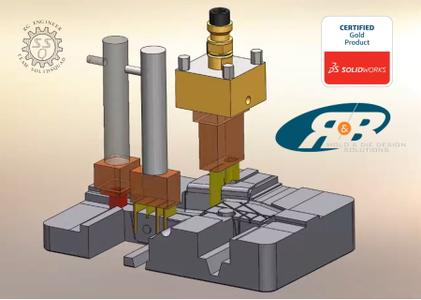
R&B, developer of the computer-aided mold design (CAMD) technology used by over 1,500 customers around the world, announces the release of ElectrodeWorks 2019 Service Pack 0 for SOLIDWORKS 2015 through 2020.

This service pack includes extra EDM post-processor customization files, new Post-processor machine definitions and output and modifications of nearly every menu to include improvements and debug. Improvements include ability to define alternative burn direction properly align electrode coordinate systems to x-axis, localized project settings, holder folders to add holders to blanks and new default options.


ElectrodeWorks automates all aspects of extraction, design, management, documentation and manufacturing of EDM electrodes. Fully integrated into the SOLIDWORKS environment ElectrodeWorks guides you through the electrode design and production process. You design the electrode through a comprehensive yet easy to use user interface; the electrode manufacturing and EDM positioning drawings, and the machining files are created automatically.

ElectrodeWorks - Electrodes in 3 simple steps


R&B, Ltd. develops and markets powerful, easy-to-use; 3D mold design tools for the plastic mold and die industry. Today, R&B develops the following products: MoldWorks, SplitWorks, and ElectrodeWorks for SOLIDWORKS and MoldBase for CoCreate(PTC) all running within native CAD products. R&B's CAMD solutions provide engineers with intuitive intelligence, powerful functionality, unprecedented ease-of-use and a huge library of commercial components from numerous manufacturers. R&B distributes its products through a network of distributors and resellers worldwide.

Product: R&B ElectrodeWorks
Version: 2019 SP0
Supported Architectures: x64
Website Home Page :
Код:
http://www.rnbusa.com
Language: english
System Requirements: PC *
Software Prerequisites: SolidWorks 2016-2021
Size: 64.5 mb

System requirements

- Microsoft WindowsWindows7/10-64 bit.
- 16GB RAMor greater recommended.
- Prerequisites: SOLIDWORKS.


-:DOWNLOAD FROM LINKS:-

RapidGator
Код:
https://rapidgator.net/file/1dd8875d2093cd508ff205ef2908774a/dl4ever.R&B.ElectrodeWorks.2019.SP0.rar.html

NitroFlare
Код:
https://nitroflare.com/view/8E179C1F79ED137/dl4ever.R%26B.ElectrodeWorks.2019.SP0.rar

​
 
ProPresenter v7.2.1 (117571849)


th-XWKPIRpi-V7-ASak3-NNZ7y53-Lv-Ek9-T2nlg.jpg

ProPresenter v7.2.1 (117571849) | 81 Mb
​
ProPresenter is a cross-platform (Mac and Windows) presentation & production application for live events. It seamlessly displays lyrics, slides, and media, making high-quality live productions easy. It is the indispensible tool for worship gatherings, sporting events, conferences, trade shows, and studio broadcasts.


ProPresenter operators control presentations on one screen, while dynamically presenting to an audience on one or more additional screens.
- No separate edit and present modes
- Outputs are always live
- Completely non-linear flexibility
- On demand Scripture lookup
- Separate Outputs, for lobby, auditorium, and stage displays
- Volunteer friendly
- On the fly run-of-show changes

Tell Your Story. Extraordinarily
Whatever the story you want to tell, ProPresenter has the tools to help you tell it in the most engaging way possible. With a completely revamped video engine that is equally suitable for powering presentations in a room of 100 people or 100,000, the quality and professionalism of ProPresenter's output is unprecedented.

High quality video output
The ability to create high-quality video is becoming increasingly easy, making the use of videos in productions more prevalent than ever. The ProPresenter video engine (the same as is at the heart of PVP3) is the perfect way to present your final edit.

You can import and play videos instantly in ProPresenter. It also includes the ability to set in and out points dynamically, effect color, brightness, and volume, and crop/scale videos dynamically. Video effects empower you to leverage your video library to create limitless new looks for your pre-produced content. In addition, these same effects and manipulations can also be used on live video sources.

MULTI-LAYERED ARCHITECTURE
A multi-layered architecture allows for backgrounds, live video layers, slides, props, and masks to be controlled independently.

- High-quality transistions
- Announcements layer to show rolling announcements on one screen while rehearsing on another
- Individual slide settings for transitions and object builds
- Scale and cropping of media
- Data-driven text boxes (such as current time and countdown timers)
- Dynamically overlaid content
- Context driven visibility (clear a timer when it reaches the end)

Advanced Features - Now included!
ProPresenter 7 has a number of advanced features previously sold separately in Pro6 as add-on, paid for "modules" that offered additional features and capabilities beyond what your typical church needed. The typical church these days, however, has grown more sophisticated in their productions. We love seeing this and want to see more of it so Renewed Vision is now including these advanced features in Pro7 at no additional cost (a $2,593 value if all were purchased separately)!

Multi-Screen
Output to multiple displays with different combinations of content all at once, including multiple stage displays

Alpha Keyer
Output Broadcast-quality key and fill channels

Edge Blending
Project onto wide screens with multiple projectors and blend their edges to create one seemless, extra wide image

Master Control
Control multiple ProPresenter machines from a single computer (coming soon)

Communications
Control ProPresenter's functions from MIDI, DMX, or broadcast video

SDI / NDI
Send video out over SDI (coaxial cable) or over your network (Ethernet).

Stage Display
A sophisticated Stage Display output empowers you to communicate information to the people on stage. Show the content your stage talent needs to see including clocks, timers, current slide, next slide, slide notes, and stage announcements. Maintain flexibility of your Stage Display layouts using our advanced editor. With the output capabilities of ProPresenter you can use any layout on as many stage displays that you have available.

You deserve software that's easy to use
Regardless of how powerful a tool is, its value is determined by how easy it is to access that power. ProPresenter was designed from the beginning to allow beginners to feel confident in running the software with only a few minutes of training. We make all of our training available online via free video tutorials you can access before you even purchase the software. Here are just some of the ways that we make it easy for you to create the presentations that tell your story.

System Requirements:
- Windows 10: Version 1903 (build 18362) or newer
- GPU: If you are outputting to more than 4 HD screens, you should have a dedicated (meaning, not integrated) GPU.
- Video compression: H264 or H265 (HEVC) at 30mbps or less for HD, 50mbps for 4K; For videos with Alpha channels, ProRes 4444 is recommended.

Homepage -
Код:
https://renewedvision.com


-:DOWNLOAD FROM LINKS:-

RapidGator
Код:
https://rapidgator.net/file/e5742344d18f3d9f90538bb897e8a656/dl4ever.PP.7.2.1.rar.html

NitroFlare
Код:
https://nitroflare.com/view/ACBE9A780698562/dl4ever.PP.7.2.1.rar

​
 
ConceptDraw MINDMAP 12.0.0.135 (x64)


a5-Ss-DEQNb9mwbyje-AEFD9hi-M0-ZIELl-Yj.png

ConceptDraw MINDMAP 12.0.0.135 (x64) | 121.4 Mb
​
ConceptDraw MINDMAP v12, a leading mind mapping software tool includes a comprehensive set of solutions for designing and building timesaving mind maps. Create mind maps that intuitively illustrate your thought process. Organize ideas and data with a comprehensive productivity tool that is flexible and easy-to-use. Generate a great assortment of document styles and formats. Make live presentations from mind maps and then export them to MS PowerPoint or Web pages. Perfect for brainstorming, project planning, meeting management, note-taking, and much more. Apply your creativity for planning, organizing and communicating. We suppose ConceptDraw MINDMAP v12 to become an assistant to help you with this.


Brainstorm Ideas
All teams involved in idea generation need the organizational capability found in Brainstorm mode. ConceptDraw MINDMAP v12 provides a one-click brainstorm mode. A built-in timer keeps the team's brainstorming session on track. When the brainstorming session is finished the resulting mind map is a great way to discuss, edit, develop, remove, and organize ideas.

Data Exchange
ConceptDraw MINDMAP v12 breaks boundaries in mind mapping data exchange for project managers and mind mappers. It offers the ability to exchange data with Microsoft Project, Microsoft Office, ConceptDraw PROJECT v11, MindManager, XMind, and FreeMind. MINDMAP v12 also provides the ability of export to ConceptDraw DIAGRAM v14 file format.

Mind Map Presentation
ConceptDraw MINDMAP v12 provides a set of tools to quickly create a slideshow. Using MINDMAP editing tools there is no faster way to build a presentation. Intuitive features allow for the selection of mind map areas that are to be included in each slide. Then drag-and-drop views to sequence slides. When slide sequencing is completed it is then easy to quickly transition to presentation preview mode. The resulting slide presentation can be exported to MS PowerPoint to share with the team or the world.

Visual Elements
With ConceptDraw MINDMAP v12 it easy to incorporate graphic images into your maps, making maps even more impactful. There is nothing easier than adding images to a mind map using the tool's graphics panel. Images can add a blend of creativity and functionality, and provide your map a distinctive look. You can add images to any part of the map.

Hyperlinks and Notes
Extend any mind map topic by using Hypernote. It is the blend of a note with multiple hyperlinks. Mind naps with hypernotes can easily support an impressive amount of knowledge in a single map. Everything is at your fingertips.

Intelligent Topics
A mind map can be turned into an electronic file cabinet by adding attachments in any file format. Keeping all information for a project or process one click away makes embedded files a productivity booster.

Splendid Appearance
More than 20 built-in styled themes, plus the ability to design custom themes makes ConceptDraw MINDMAP v12 an impressive visual tool. Quickly make a mind map template for organization meeting schedules and reporting. Create mind maps that stand out from the crowd.

What is New in ConceptDraw MINDMAP v12:
With the release of the new MINDMAP v12, it empowers users in their creative thinking and allows them to more effectively capture, organize and visualize ideas and information, both in professional work and in life.

Color Schemes
The new Color Schemes feature makes it easy to match the colors of the Map Themes and quickly update them. You can instantly change all the colors used in the current mind map theme by choosing the built-in color palette. New background uses allow you to personalize mind maps by quickly and easily adding beautiful gradient colors, patterns, and even images in the background.

Improved Color Tools
Color is an important element of a mind map. The use of colors enhances the visual impact of the mind map, as the human brain prefers colored objects over black and white. Simple and intuitive color tools are a useful addition to the creative ConceptDraw MINDMAP toolbox.

Improved Work with Topic Types
The Topic Type functionality helps you structure your mind map content based on the type of information it contains. Each topic type supports a specific set of topic data related to topic content, including attached documents and hyperlinks. The new Topic Types and Data panel makes it faster and easier to assign topic types and manage related data.

System Requirements:
- Microsoft Windows® 7 SP1, 8.1, 10 (64-bit certified)
- CPU: Intel or AMD; 1.8 GHz or higher
- RAM: minimum 2 GB
- HDD: 540 Mb disk space (1.5 GB during the installation)


-:DOWNLOAD FROM LINKS:-

RapidGator
Код:
https://rapidgator.net/file/c2d3d9cd6382cbd19d725dd8e38fa218/dl4ever.MINDMAP.12.0.0.135.rar.html

NitroFlare
Код:
https://nitroflare.com/view/AE17A7DB32EE330/dl4ever.MINDMAP.12.0.0.135.rar

​
 
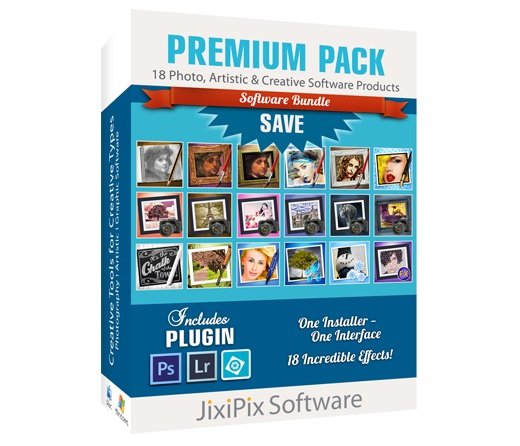
JixiPix Premium Pack v1.2.0 (x64)


g-Fe3-ZMo-Iaa-Zmiljk-Jvxfa-WL32-QYUU1pt.jpg

JixiPix Premium Pack v1.2.0 (x64) | 820.5 Mb
​
For maximum savings and convenience, the Premium Pack bundles 18 incredible creative apps into one powerful package: Aquarella, Artista Haiku, Artista Oil, Artista Sketch, Artoon, Chalkspiration, Dramatic Black&White, Grungetastic, Kyoobik Photo, Moku Hanga, NIR Color, Pop Dot Comics, Portrait Painter, Rainy Daze, Romantic Photo, Simply HDR, Snow Daze and Vintage Scene. The Premium Pack comes wrapped together for convenience - one application, one installer, one interface, and a plugin for Photoshop, Elements, Lightroom and PaintShop Pro.


PREMIUM PACK
Created for convenience with one installer and one interface. Includes 5 Photography, 8 Artistic and 5 Creative Apps for Mac or Windows.

Included in the Premium Pack is a Plugin-which is the perfect complement to Photoshop, Elements, Lightroom and PaintShop Pro. Having the products within Adobe's applications saves valuable time with batch processing and actions, while the products themselves offer a level of creativity beyond using Photoshop alone.

Photoshop Plugin
Allows quick access to 18 Jixi products from inside Photoshop, Elements, Lightroom and PaintShop Pro. Supports actions, transparency, blending, last filter command, batch processing and 16bit RGB/Greyscale modes.

Every JixiPix Product Features
Support for high resolution images and output
Multiple undo
Randomize button
Quick previewing
Customizable settings
Superior customer service
Contact us any time we are committed to your long term satisfaction!

Operating System: Windows 7, 8/8.1, 10 (64-bit only)

Home Page -
Код:
http://jixipix.com/


-:DOWNLOAD FROM LINKS:-

RapidGator
Код:
https://rapidgator.net/file/dc6df6ba06e5a1429c3b884dff00bf05/dl4ever.JixiPix.Premium.Pack.v1.2.0.rar.html

NitroFlare
Код:
https://nitroflare.com/view/18DD93A0F99081F/dl4ever.JixiPix.Premium.Pack.v1.2.0.rar

​
 
Boris FX Continuum Complete 2020.5 version 13.5.1.1378


th-EQ8qpbk4ee8-Ymmcd-K54w-LJ07-Fh-LW7r-GM.jpg

Boris FX Continuum Complete 2020.5 version 13.5.1.1378 | 245.81 MB | 240.21 Mb
​
A plug-in collection for Adobe, Apple, Avid and OFX host applications, Continuum features range from Image Restoration, to Extruded Text, titling and 3D Objects, to Chromakey and Compositing, Particles, and Image Stabilization. Continuum serves NLE editors and Compositors alike with the newly integrated Masking and Planar Tracking Pixel Chooser powered by Academy Award-winning Mocha technology.


What's New:

Primatte Studio
Easily chroma key and composite using the same Academy Award nominated compositing tech (Photron's Primatte) as major blockbusters like the Lord of the Rings series, Harry Potter films, and Spider-Man. The new Primatte Studio is the ultimate blue/green screen toolset. Exclusive features include:

- Automatic green/blue screen analysis
- Manual transparency tuning
- Adjust lighting to correct unevenly lit screens
- Foreground object detection to deliver a perfect key with a single color sample
- Integrated Academy Award winning Mocha masking and planar tracking system

VR Unit
Editing and finishing immersive 360 video is a time consuming task. The VR Unit gives editors five new 360 optimized filters to speed up post workflows. Work inside your host timeline while avoiding the seams inherent to regular non-VR filters. Supports 180, 360, mono, and stereoscopic! Based on Mocha VR's award-winning 360/VR tech.

Broadcast Safe
Tired of your projects failing broadcast safe standards? The new Broadcast Safe filter is the one click-solution you've been looking for. Simply choose the desired broadcast standard preset and the filter automatically produces the final picture-perfect result - guaranteed. Part of Image Restoration Unit, the Broadcast Safe filter offers:

- Automatic operation - just select the desired preset
- Presets included for all broadcast standards such as EBU 103, PAL, NTSC
- Filter automatically detects correct color range for both 709 and 601 color spaces
- Multiple color modes including RGB, YRGB, Composite, Chroma
- Custom mode with total manual control over knee and clip across all color ranges
- Develop and save customized presets

Title Studio Updates
New improvements to Title Studio include a 3D render engine for realistic 3D cast shadows and depth-of-field, a spline-based motion path for animating multiple objects on one path, faster performance, a simplified user interface, and many more presets/templates.

Title Studio is a next-gen 2D/3D titling plug-in. Features include:
- Create stylized 2D or 3D titles with custom bevels, fills and styles.
- OpenGL-accelerated features include 3D extrusions, materials, cameras, lights, and deformers
- Import 3D models from Maxon C4D or Adobe Illustrator EPS files.
- Includes a custom interface plug-in and stand-alone application.

System Requirements:
- Creative Cloud, CS5.5-CC 2018 - After Effects and Premiere Pro
- Blackmagic: DaVinci Resolve 12.5+
- Sony: Vegas Pro 13
- Magix: Vegas Pro 14+
- Foundry: Nuke 9+

Homepage -
Код:
http://borisfx.com


-:DOWNLOAD FROM LINKS:-

RapidGator
Код:
https://rapidgator.net/file/aee9948a578903c10842c5ab17014d2b/dl4ever.BCC.13.5.1.1378.Adobe.rar.html
https://rapidgator.net/file/55557280da3405cf7b4329db16583202/dl4ever.BCC.13.5.1.1378.OFX.rar.html

NitroFlare
Код:
https://nitroflare.com/view/DBF2EE73B11A338/dl4ever.BCC.13.5.1.1378.Adobe.rar
https://nitroflare.com/view/F96A6BE341D139F/dl4ever.BCC.13.5.1.1378.OFX.rar

​
 
InPixio Photo Editor v10.4.7584.16393 Multilingual


th-of-RFhf-POt-K4urtbv3-Ghw0-OZr-S2-Dq-TWUE.jpg

InPixio Photo Editor v10.4.7584.16393 Multilingual | 163.2 Mb
​
inPixio Photo Editor is a photo software program that is loaded with features and easy to use. It offers you a whole host of editing options such as photo retouching, cropping, adding filters or frames. We have added several photo retouching modules to this new version, such as self-correction in 1 click or the possibility of adding color effects (LUT) will enhance your photos and give them an original and creative look worthy of a professional. After just a few minutes using inPixio Photo Editor, you will be turning out photographs worthy of a pro!


Create beautiful photos - with 1 click!
- Add filters & photo effects: warm, black & white, pink lady, negative, sepia, science fiction, vintage.
- Cut & crop: change the focus and size of your photos without being a pro.
- Edit your photos: change the colour & brightness etc. to get the most out of your favourite shots!
- NEW! Automatic correction in 1 click
- NEW! Addition of LUT styles
- NEW! Find tutorial videos for each module

Viewing your photos
Relax, Photo Editor is really quick to master. You will be able to easily navigate between the various tools. For viewing your photos you can choose a simple view but also:

- A double viewing window (original photo on the left and photo being modified on the right)
- A before-and-after view
- Use the Zoom feature to enhance the view and make your alterations in the closest detail.
- Batch processing - Apply changes to multiple photos at once
- Save your own settings which you can call up again in just one click during future projects

Add filters:
From over 100 filters classified by theme, choose the one which best suits your photo.

Add a frame:
Find the right frame for your photo from over 100 models sorted by type (classic, retro, sport, travel etc.)

Crop your photos:
- Crop your photos manually or choose from the suggested crop formats: 1/1; 16/9; 3/4 etc.
- You can also rotate your images and adjust the angle.

Noise reduction module
Effectively reduces the noise present in your photos taken under restricted light conditions.

Fog correction module
The (atmospheric) fog correction tool makes it possible to limit, or even remove altogether, the dull, gray overlay, and makes it more vibrant.

Selective touch-up module
Graduated filter, radial filter, correction brush.

Sharpness module
Allows greater sharpness to reveal all the details of the images

Film grain module
Adds grain to give the photo an artistic or retro effect.

Creative blur module
A brand new module allowing you to blur all or part of your photo.

Tone curve:
Play with the tone curves to obtain light or dark hues and adjust the RGB (Red, Green, Blue) curves one by one.

Color balance:
Adjust the hue and saturation with amazing precision. You can adjust the shadows, midtones and highlights of your photo on a case-by-case basis.

Add different textures:
- All categorized by theme (Light leak, grain, film, geometric, material etc.).
- It is also possible to adjust their opacity and the intensity of the texture as required.

Automatic correction in 1 click:
Amazing photos in just one click - using 100% automatic smart technology! Improve the quality and colors of your photos in under a second thanks to our fully automatic process. You no longer have to be a Photoshop expert to create perfect photos!

Addition of LUT styles
Incredible photos in just 1 click. Turn your pictures into one-of-a-kind shots by using styles worthy of a professional photographer. In just 1 click, your original photo is transformed and enhanced thanks to our selection of LUTs. You can also use this tool to import your own libraries or download and import free libraries from the Internet.

Automatic Red-Eye Correction
This new, 100% automatic technology recognises faces in your photos, and detects and corrects red eyes in a flash Give a new sparkle to your portraits or family photos from paper prints or slides, for instance.

Find tutorial videos for each Photo Editor module
To get the most out of Photo Editor 9's features, mini videos have been added to each of the software program's modules in the form of tooltips, making it easier and more effective to use. The old and new features of the program are explained in a fun and dynamic way. Simply hover over one of the features to reveal a demonstration of what you can do with it.

System Requirements:
- OS : Windows 7/8/10
- Processor Intel® or AMD
- 1 GB RAM
- 100 MB free disk space
- Screen Resolution 1024 x 768

Home Page -
Код:
https://www.inpixio.com


-:DOWNLOAD FROM LINKS:-

RapidGator
Код:
https://rapidgator.net/file/fddcc23963786413a868cc94e7a0b878/dl4ever.Photo_Editor_10.4.7584.16393.rar.html

NitroFlare
Код:
https://nitroflare.com/view/B01DD633A448E9E/dl4ever.Photo_Editor_10.4.7584.16393.rar

​
 
InPixio Photo Cutter v10.4.7584.16850 Multilingual


th-dlu-J9-BVlfv-Is-LIMHGg-CV0-KDg-Sc-NUxu-Ir.jpg

InPixio Photo Cutter v10.4.7584.16850 Multilingual | 198 Mb
​
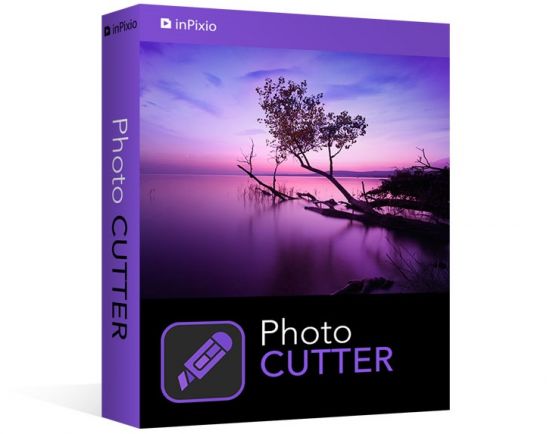
inPixio Photo Cutter lets you produce creative and realistic photomontages in just a few clicks. Thanks to these powerful digital scissors, no more time is wasted cutting out your images down to the nearest pixel since Photo Cutter does it all for you. The time saved can be devoted to coming up with original photomontages that are bound to impress your friends and family.


Create photomontages in a few clicks
- Cut out your photos easily
- Crop your photos to your liking
- Add a wallpaper from among the themes on offer or import your own images
- NEW! + 100 stickers and text templates
- NEW! Import several images into your photo montages

Cutting out in a few clicks
With inPixio Photo Cutter, your digital scissors, cut out any detail, individual, object or even landscape in your photos. Select the outline of the person using the slider or the background to erase, and the Photo Cutter algorithm then runs automatically! Conversely, you can use the "keep" slider for important features to make sure your cut-out is perfect. Even hair, drops of water and the finest details are removed from the background down to the nearest pixel.

Choose a background:
Then put the cut objects on the available backgrounds to make photomontages or collages in an instant! Just select your background pattern from the new original images, or download your own images for unique photomontages.

Even easier use and infinite creations
You can now import multiple photos in a single edit for spectacular and unexpected results. Also find over 100 stickers and text templates to add style to your photos and photomontages. Original content for every special occasion (birthdays, greetings, invitations, etc.).

Find tutorial videos for each Photo Cutter module
To get the most out of Photo Cutter 9's features, mini videos have been added to each of the software program's modules in the form of tooltips, making it easier and more effective to use. The old and new features of the program are explained in a fun and dynamic way. Simply hover over one of the features to reveal a demonstration of what you can do with it.

Solid-coloured wallpapers
In addition to the themed wallpapers, you can simply choose a solid colour in the background. You can choose from a wide range of colours while colour gradients are also an option.

System Requirements:
- OS : Windows 7/8/10
- Processor Intel® or AMD
- 1 GB RAM
- 100 MB free disk space
- Screen Resolution 1024 x 768

Home Page -
Код:
https://www.inpixio.com


-:DOWNLOAD FROM LINKS:-

RapidGator
Код:
https://rapidgator.net/file/ad56048051f6d79d7c7ee8ac4f0b95c0/dl4ever.Photo_Cutter_10.4.7584.16850.rar.html

NitroFlare
Код:
https://nitroflare.com/view/74F4E1147AAC4A3/dl4ever.Photo_Cutter_10.4.7584.16850.rar

​
 
InPixio Photo Maximizer Pro v5.11.7584.16761 Multilingual


th-RLept-LGhb-QXgfl16kl0-Cvfp9-Pkw-Qb-Hj2.jpg

InPixio Photo Maximizer Pro v5.11.7584.16761 Multilingual | 62.9 Mb
​
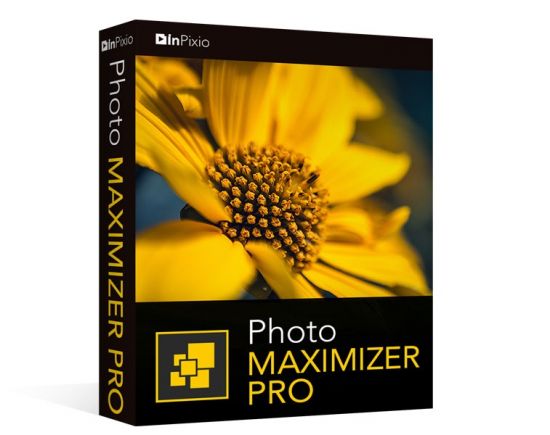
Ultra powerful zoom function which can enlarge images by up to 1000%. With 7 zoom algorithms, Photo Maximizer can tell you the target size of the image in pixels or centimeters. The required resolution can also be adjusted to give you flawless results. This is particularly important when printing your photos and guarantees you the highest quality results.


High precision zoom without quality loss
- Magnify up to 1000%
- Ultra-powerful zoom - 7 algorithms
- Define presets and process in batches
- Print oversized images and posters
- Touch-ups and enhancements in one click
- Enlarge your photos and improve their quality
- NEW! Tone Curve module to adjust RGB

Ultra powerful zoom function which can enlarge images by up to 1000%
With 7 zoom algorithms, Photo Maximizer can tell you the target size of the image in pixels or centimeters. The required resolution can also be adjusted to give you flawless results. This is particularly important when printing your photos and guarantees you the highest quality results.

Zoom your images and maintain extremely sharp edges
Usually when you enlarge an image you get pixellation and deterioration of colour and brightness. Photo Maximizer maintains image quality and undesirable noise. With InPixio Photo Maximizer say goodbye to pixelated, grainy and blurred photos when zooming in.

Before/after comparison
Display up to four different zoom settings simultaneously! Compare the images and choose the best result!

Enlarge photos on your PC, mobile, camera, etc.
Simply transfer your photos to your PC and zoom away!

Print projects
Print your enlarged images as posters, photos for framing, t-shirts, postcards and more.

Batch processing - one thousand photos in one step - Pro Version
Define your zoom settings and Photo Maximizer will batch process up to 1000 images simultaneously!

Creating presets - Pro Version
Create and save your own settings (presets) so you can use them again later: turn your photos into works of art! Each image processing setting can be saved as a preset for subsequent use. Simplify your work without having to reconfigure your settings!

What's New in Version 5:

NEW! Advanced cropping module with rotation and horizon correction
Crop your photos manually or choose from the suggested crop formats: 1/1; 16/9; 3/4 etc. You can also rotate your images and adjust the angle.

NEW! Tone Curves Module
Play with the tone curves to obtain light or dark hues and adjust the RGB (Red, Green, Blue) curves one by one.

Noise reduction module
Effectively reduces the noise present in your photos taken under restricted light conditions.

Sharpness module - Only in Pro Version
Reinforce sharpness to reveal all the details of your enlarged images.

Film grain module - Only in Pro Version
Enhance your prints by adding great-looking film grain.

Improved! InPixio enlargement algorithm
The "InPixio" enlargement method has been significantly improved, so you can enlarge images and still get Improved definition and quality during processing. The outlines of enlarged areas are also more precises.

Improved! interface and workspace
The new version has an attractive, ultra-modern user interface designed for even easier use.

NEW! Find tutorial videos for each Photo Maximizer module
To get the most out of Photo Maximizer features, mini videos have been added to each of the software program's modules in the form of tooltips, making it easier and more effective to use.

System Requirements:
- Windows 7, Windows 8 and Windows 10 (32-bit & 64-bit)
- Intel® Pentium® 1 GHz processor or equivalent
- 2 GB of RAM - (4 recommended)
- 500 MB of free disk space, mouse and keyboard

Home Page -
Код:
https://www.avanquest.com/


-:DOWNLOAD FROM LINKS:-

RapidGator
Код:
https://rapidgator.net/file/42852198f630ee9fcf99efd482af028a/dl4ever.Photo_Maximizer_Pro_5.11.7584.16761.rar.html

NitroFlare
Код:
https://nitroflare.com/view/FE3C270080DC69A/dl4ever.Photo_Maximizer_Pro_5.11.7584.16761.rar

​
 
InPixio Photo Focus Pro v4.11.7584.16641 Multilingual


th-5-EFBQv-Wx1-KUBQDMxl-Ge-VYYfsm-UNr-NGCS.jpg

InPixio Photo Focus Pro v4.11.7584.16641 Multilingual | 63.2 Mb
​
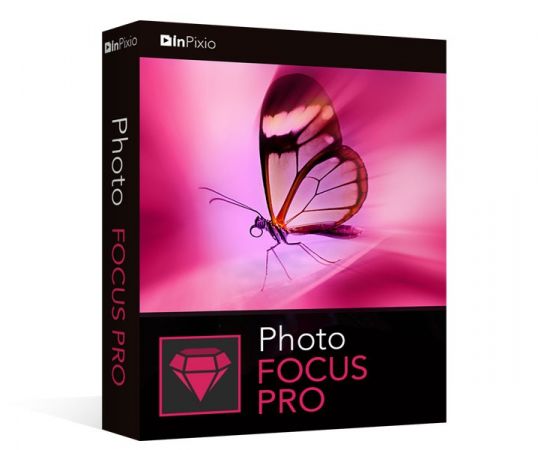
Improve sharpness! Getting sharp photos is not always easy - especially with spontaneous snapshots. InPixio Photo Focus solves this problem in a flash and creates clear, high-resolution images.


Improve the sharpness of your photos
- Improve the sharpness of your photos
- Simple 1-click sharpening tool
- Reinforce & accentuate the focus
- Includes Tilt-Shift & Artistic Blur effects that bring the subject of the photo to life!

ONLY IN THE PRO VERSION:
- Create professional looking photos with oval frames (vignetting)
- Add customised artistic blur to achieve the perfect finish
- Save personal presets that can be used in a single click for future projects

Improve sharpness
Getting sharp photos is not always easy - especially with spontaneous snapshots. InPixio Photo Focus solves this problem in a flash and creates clear, high-resolution images.

Increase focus
You can add sharpness, soft focus and blurred areas to your images. This helps you to further accentuate the difference between the background and the sharp centre of the image.

Refocus
Not all images are always correctly centred. Redefine the centre of your images and focus the attention towards the centre of the image.

Impressive effects with tilt-shift and soft focus functions
Add horizontal soft focus (tilt-shift) to your images. This creates fantastic miniature effects that allow the focal object of your image to look like miniature!

Create structure and details
Emphasise the finest details in your images. Manage contrast and clarity - for impressive and detailed photos!

Resharpening
You can get so much more from all your photos! Even the sharpest photos can be resharpened - for perfect prints or an extremely sharp impression!

Simple
During the development stage of InPixio Photo Focus, particular attention was given to making sure the software is easy to use. The programme is intuitive and helps you through with the various 1-Click Assistants. If you need help when using the software, there are tool tips offering brief explanations next to each function.

Only in the Professional Version:

MORE! Creative Blur
Add a selected blurred area to your image through iris blurring (only available with PRO version). In photography, this effect is achieved through maximum fade-in.

MORE! Add Presets
Store your personal optimisation settings (presets) Create and save your own presets with 1 click for future use.

MORE! Vignetting module
Add oval picture frame to your photos to (vignetting) Create atmospheric shots from your photos with an oval picture frame in black or white. You can select the transparency of the frame to suit your taste and choose sharp or blurred transitions.

What's New in Version 4:

NEW! Advanced cropping module with rotation and horizon correction
Crop your photos manually or choose from the suggested crop formats: 1/1; 16/9; 3/4 etc. You can also rotate your images and adjust the angle.

NEW! Tone Curves Module
Play with the tone curves to obtain light or dark hues and adjust the RGB (Red, Green, Blue) curves one by one.

IMPROVED! interface and workspace
The new version has an attractive, ultra-modern user interface designed for even easier use.

NEW! Find tutorial videos for each Photo Focus module
To get the most out of Photo Focus features, mini videos have been added to each of the software program's modules in the form of tooltips, making it easier and more effective to use.

System Requirements:
- Windows 7, Windows 8 and Windows 10 (32-bit & 64-bit)
- Intel® Pentium® 1 GHz processor or equivalent
- 2 GB of RAM - (4 recommended)
- 500 MB of free disk space, mouse and keyboard


-:DOWNLOAD FROM LINKS:-

RapidGator
Код:
https://rapidgator.net/file/0ed3bbf47fa86c75cbda5b495dbc2c2f/dl4ever.Photo_Focus_Pro_4.11.7584.16641.rar.html

NitroFlare
Код:
https://nitroflare.com/view/2CC7F90D6DC6E3E/dl4ever.Photo_Focus_Pro_4.11.7584.16641.rar

​
 
InPixio Photo Eraser v10.4.7584.16558 Multilingual


th-Xr-Ril-T60-Quwbna-Cu-Dkd-DVXx6-AQCW4c-E5.jpg

InPixio Photo Eraser v10.4.7584.16558 Multilingual | 62.3 Mb
​
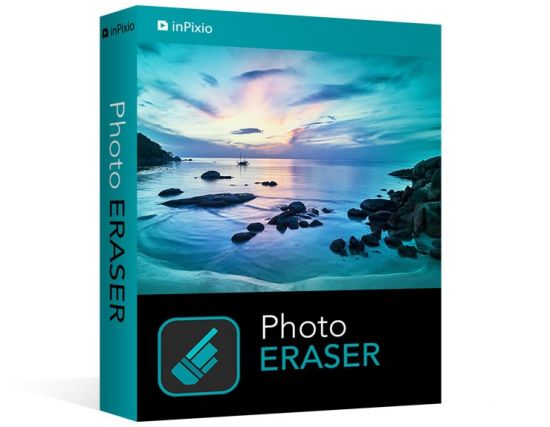
Tired of taking pictures with all those unwanted background images? Have you ever wanted to just get rid of that sign behind your or those people walking by? Well now you can erase anything in your picture that you don't want there with Photo Eraser for PC. All you need to do is decide which image you want to erase, select it, and click! If there are any slight marks left behind, use the clone tool to blend the colours back in for smooth, seamless appearance. No one will ever know you erased anything and you will have that perfect picture you were trying to capture in the first place.


Remove unwanted elements like magic!
So often we spend too much time trying to get that ultimate family photo. Or, we want to take the most spectacular pictures from our trip to show our friends. It seems almost impossible to get exactly what we want out of our pictures and we end up having to just settle for what we take. With Photo Eraser for PC there is no need to worry anymore about background images ruining our photos and waiting and waiting for people to pass so we can get only our family in the picture and not a bunch of strangers. You can now easily erase things like people, signs, wires, shadows, and numbers or dates.

Don't lose the magic in your photos
Don't let people roaming in the background of your shots spoil your vacation photos. Erase them easily and maintain a natural look in the backgrounds of your images.

Once in a lifetime moment
Its difficult enough to capture that special moment let alone have an unwanted object in the shot. Don't let it happen, quickly remove the object with just a few clicks.

Ordinary into extraordinary
Take an existing photo and erase objects that take away from the mood of the occasion. Sometimes even the smallest changes can enhance the beauty of a landscape or romantic setting.

The perfect shot
No need to worry about waiting for that perfect picture in a tourist hotspot during your vacation. Just quickly take your picture, and then take out all the other tourists when you get home using Photo Eraser.

Pixel by pixel
Photo Eraser erases the unwanted object and restores your picture pixel by pixel.

Everyday objects
Completely remove unwanted objects from your picture. Things like, signs, wires, people, or any image that distracts you from what you are trying to capture are gone.

A natural look
The technical features of Photo Eraser automatically identify the sections of an image that need to be filled in and make your new photo look natural and seamless.

No need to be exact
Take the hassle out of trying to carefully cut out images that take time and concentration. Other image processing programs require you to be exact and it can be quite noticeable that you have altered your picture in some way.

System Requirements:
- Windows 10, Windows 8, Windows 7
- 1 GHz Intel® Pentium® processor or equivalent
- 1 GB RAM CD/DVD ROM drive
- 100 MB hard disk space, mouse and keyboard

Home Page -
Код:
https://www.inpixio.com


-:DOWNLOAD FROM LINKS:-

RapidGator
Код:
https://rapidgator.net/file/f6cdfb0bae9e410ede6ed9e9a0918b9a/dl4ever.Photo_Eraser_10.4.7584.16558.rar.html

NitroFlare
Код:
https://nitroflare.com/view/F0A0774ADB42423/dl4ever.Photo_Eraser_10.4.7584.16558.rar

​
 
DigitalOfficePro HTML5Point v4.1.51


JAa-KEn1-J2ry-MCkod-AH8-Nom-ZRlm-IWjqqt.jpg

DigitalOfficePro HTML5Point v4.1.51 | 96.8 Mb
​
HTML5Point - is the world's first PowerPoint to HTML5 converter that lets you to convert your PowerPoint presentation into an interactive HTML5 content that can be viewed on iPads, iPhones, other mobile devices and on all modern browsers - all in a Single click!


PowerPoint to HTML5 Converter:
- Convert PPT to HTML5 in a single click
- Say goodbye to expensive programmers
- Flexible publishing / delivery options

Accurate Conversion
Output works exactly like PowerPoint retaining all the special effects

High Speed Conversion
HTML5 output done 5X quicker than in other converters

SCORM /AICC Support
SCORM / AICC compliant interactive HTML5 output support

View Converted HTML5 presentations on iPad, iPhone and other devices
Develop interactive presentations for desktops, laptops, Android tablets, iPads & iPhone with a single click. HTML5Point accurately converts your PowerPoint content to HTML5 preserving all the animations, transitions and other special effects associated with the original PowerPoint presentation. Developing an e-Learning package with support on all devices is now very easy with HTML5Point.

HTML5 slideshows support on all modern browsers
Converted HTML5 output works flawlessly on almost all modern browsers without any additional plugins (unlike flash which requires additional plugins) installed on your machine. It is due to this cross platform compatible nature that publishers recommend the new HTML5 format over any other conventional formats.

Animations and Transitions in HTML5
HTML5Point PPT to HTML5 converter completely retains the animations and transition effects of original PowerPoint presentation. The superior plug-in also has the capability to support auto timing feature associated with the presentation.

Compatible with SCORM
With HTML5Point PowerPoint to HTML5 conversion tool you can create SCORM [SCORM 2004 (2nd, 3rd and 4th edition)] compatible presentation that can be uploaded to any SCORM compliant LMS (Learning Management System) on the cloud.

Installed to right within PowerPoint
PPT to HTML5 converter called HTML5Point is downloaded as a PowerPoint add-in. The HTML5Point installer places a tab to your PowerPoint ribbon, and you can access all its functions from this tab. We have updated this plugin with the latest features to get your work done quickly and accurately.

HTML5Point Key Features:
- YouTube & Video Support
- Narration & Continuous Audio
- Animated Gifs
- Hyperlinks
- Optimize compression of images
- Animations & Transitions
- No Additional Plugins
- Cross browser compatibility
- Consistency
- Search Engine friendly
- Improved Semantics
- Improved Accessibility

System & Software Requirements:
- Windows 10, 8, 7, Vista, XP
- Office 2019, 2016, 2013, 2010, 2007

Home Page -
Код:
https://www.digitalofficepro.com


-:DOWNLOAD FROM LINKS:-

RapidGator
Код:
https://rapidgator.net/file/f26aa5f0f05ab6487d23f85698d23727/dl4ever.HTML5Point_4.1.51.rar.html

NitroFlare
Код:
https://nitroflare.com/view/5A676CE9B866086/dl4ever.HTML5Point_4.1.51.rar

​
 
VisualCron Pro v9.4.0 Build 37538 Multilingual


Xt-JFr-CAl-Dl-XRe-L2-Pnu6-RMIi-Posx-Psayr.jpg

VisualCron Pro v9.4.0 Build 37538 Multilingual | 272.6 Mb
​
VisualCron is an automation, integration and task scheduling tool for Windows. VisualCron is a complex automation utility that delivers a user-friendly, yet feature-rich working environment for easy task scheduling. The plethora of options it comes with makes it stand out, and the array of predefined tasks it bundles helps you automate repetitive or time-consuming tasks without any programming or scripting knowledge.


No programming skills
You do not have to have a programming background to learn and create Tasks with VisualCron.

Easy to use interface
Drag, click and create. The interface is consistent and easy to learn.

Tasks for everything
With 300+ custom Tasks for different technologies we are sure we can solve and automate your problems.

Customer driven development
We base our development on feature requests from our customers.

Fast and accurate support
We know our product inside out as well as Windows environment in general.

Extended logging
With audit, Task and Job logs, as well as output for each Task you will have enough information for debugging.

Flow and error handling
React and control flow based on error type and output.

Interact with anything
A range of Tasks uses common protocols for file transfer and script execution across different platforms.

Programming interface
Interact with VisualCron on a programming level by using our API

Save time and money
Automating Tasks along with easy configuration saves your company time and money.

Eliminate human errors
By automating advanced Tasks and handle errors automatically you eliminate human errors and downtime.

System Requirements:
- VisualCron is designed for Windows based computers
- VisualCron works on the following operating systems: 2008 R2/2012/2016/2019/Windows 7/Windows 8/Windows 10
- VisualCron works on both 32-bit and 64-bit processors
- Requires .NET 4.8

Home Page -
Код:
https://www.visualcron.com/


-:DOWNLOAD FROM LINKS:-

RapidGator
Код:
https://rapidgator.net/file/111884fef6bb2bd6d6f576dbcfbd472f/dl4ever.VisualCron.9.4.0.rar.html

NitroFlare
Код:
https://nitroflare.com/view/C41DE7BAFD2899E/dl4ever.VisualCron.9.4.0.rar

​
 
Key Metric FolderSizes 9.1.276 Enterprise


CZNMSHMC7-PA2-ZIXf-EMm-BFGH3tm-Hosj44.png

Key Metric FolderSizes 9.1.276 Enterprise | 36.4 Mb
​
Desktop PCs and servers can quickly end up accumulating large quantities of unused, temporary, and duplicate files. Before you know it, you're out of drive space, backups are taking far too long to run, and users can't find the data they need when they need it. You need a visual, interactive software tool to help you manage disk usage. You need FolderSizes. FolderSizes is an award-winning, network-enabled disk space analysis tool. It can quickly isolate large, old, temporary, and duplicate files, or even show file distribution by type, attributes, or owner. All with multiple export formats, command-line support, shell context menu integration, and much more.


Benefits & Solutions
Explore, visualize, and comprehend local and network storage
Reclaim gigabytes of drive space - fast!
Improve storage capacity planning capability
Find the disk space hogs with just a few clicks
Manage and monitor disk space across the network (Pro edition only)
Publish disk usage reports right to your web server share
Streamline file systems to optimize backups
Monitor and enforce employee data storage policies
Find excessively long file names that interfere with CD storage, etc.
Find recently saved files without knowing their names (find recently modified)
Find files owned by a specific individual or group
View the "size on disk" (actual space consumed) for any file or folder
Visualize the distribution of files by file type, age, and size
Find and eliminate empty folders
Search files by nearly any file attribute combination
Schedule the generation of nearly any FolderSizes report (Pro edition only)

Features
Hierarchical folder map visualization (based upon treemap technology)
Integrated scheduler (Pro edition only)
Unicode file and folder name support
Interactive, dynamic, full-color bar and pie graphs
Fast, multi-threaded, network-aware file system scanning
Isolate largest, oldest, duplicate, and temporary files
View disk space utilization by file type / attributes
View local & network disk space usage by owner / group
Command line interface for scripting & integration (Pro edition only)
FilterZip regular-expression based compression system
See total & free space for fixed, removable, network drives
Export reports in HTML, XML (Pro edition only), CSV, and more
Integrates with the Windows shell context menu (32 and 64 bit support!)
Extremely configurable - colors, fonts, print options, etc.
Flexible, multi-path oriented search and file reporting systems
Strong support for viewing allocated disk space (e.g. "size on disk")
"Command Prompt from Here" in all context menus
Super-fast, in-memory database provides stunning performance
Support for direct entry of UNC network paths in all reports
Optional symbolic link skipping

Operating System:
Any edition of Windows 10, 8, 7, Vista, XP, Server 2003, Server 2008, Server 2012, and Server 2016.
Both 32 and 64 bit environments are fully supported.

Home Page -
Код:
https://www.foldersizes.com/

Language: English


-:DOWNLOAD FROM LINKS:-

RapidGator
Код:
https://rapidgator.net/file/0b43cb73bbc4fff417fea7521d450726/dl4ever.FolderSizes9.rar.html

NitroFlare
Код:
https://nitroflare.com/view/5850689570BDF8D/dl4ever.FolderSizes9.rar

​
 
DataNumen Excel Repair 2.9.0.0


YDXKXi-B4-XU4g-XNv-HT0-Ug8-K6-RZSjd-E6j9.png


Languages: English | File size: 8.65 MB
​
DataNumen Excel Repair is the best Excel repair and recovery tool in the world. It can repair the corrupt Excel xls and xlsx files and recover as much of your data as possible, thereby minimizing the loss in file corruption.

Features :
Support for Windows 95/98/ME/NT/2000/XP/Visa/7/8/8.1/10 and Windows Server 2003/2008/2012/2016/2019.
Support to fix Excel xls, xlw and xlsx files in Excel version 3, 4, 5, 95, 97, 2000, XP, 2003, 2007, 2010, 2013, 2016, 2019 and Excel for Office 365 formats.
Support files generated by Excel for Windows and Mac.
Support to recover cell data in Excel files.
Support to recover formulas, including shared formula and array-entered formula.
Support to recover standard formats and custom formats for the cells and formulas.
Support to repair Excel files on corrupted media, such as floppy disks, Zip disks, CDROMs, etc.
Support to repair a batch of Excel files.
Can be used as a computer forensic tool and electronic discovery (or e-discovery, eDiscovery) tool.
Support integration with Windows Explorer, so you can repair xls and xlsx file with the context menu of Windows Explorer easily.
Support drag & drop operation.
Support to perform Excel recovery via command line parameters.

Whats New:
Updates: official site does not provide any info about changes in this version.


-:DOWNLOAD FROM LINKS:-
RapidGator
Код:
https://rapidgator.net/file/02bb4b18b1e06318ff50ec945c48e284/dl4ever.Excel_Repair_2.9.0.0.rar.html

NitroFlare
Код:
https://nitroflare.com/view/968E5416B99745B/dl4ever.Excel_Repair_2.9.0.0.rar

​
 
Axure RP 9.0.0.3719 Pro / Team / Enterprise Edition


axure-rp-pro.jpg

Axure RP 9.0.0.3718 Pro / Team / Enterprise Edition | 109.8 Mb
​
Design the right solution. Create simple click-through diagrams or highly functional, rich prototypes with conditional logic, dynamic content, animations, math functions, and data-driven interactions without writing a single line of code.


Easy to share
Click a button, and Axure RP will publish your diagrams and prototypes to Axure Share on the cloud or on-premises. Just send a link (and password) and others can view your project in a browser. On mobile devices, use a browser or the Axure Share App for iOS and Android.

Diagramming and Documentation
Create flowcharts, wireframes, mockups, user journeys, personas, idea boards and more. Quickly drag and drop elements from built-in or custom libraries to create your diagrams. Then, style it with fills, gradients, line styles, and text formatting. Annotate your diagrams and prototypes to specify functionality, keep track of tasks, or store project information. Organize your notes into separate fields for different audiences. Choose which notes to present in the HTML or in an auto-generated Word document that includes screenshots.

Easier Team Collaboration
Axure RP allows multiple people to work on the same file at the same time, making it easier for your team to work together. Create a team project on Axure share or SVN and use a check-in and check-out system to manage changes. Team projects also keep a history of changes with notes for each check-in.

System Requirements:
- Windows 7 SP1, 8, or 10
- 2 GB memory (RAM) minimum, 4 GB recommended
- 1 GHz processor
- 5 GB disk space
- For Word documentation: Microsoft Office Word 2000,
- XP, 2003, 2007, 2010. 2013, or 2016
- For generated HTML: IE/Edge, Firefox, or Chrome

Home Page -
Код:
https://www.axure.com/


-:DOWNLOAD FROM LINKS:-

RapidGator
Код:
https://rapidgator.net/file/6c7fc87a028bcbe889c38f05f2c6c101/dl4ever.Axure.RP.9.rar.html

NitroFlare
Код:
https://nitroflare.com/view/D136050D4DB6F4A/dl4ever.Axure.RP.9.rar

​
 
Movavi Video Suite 21.0.0 (x86/x64) Multilingual


b-IRl0wrp-IKr-F3-Mlsyac-Lasj-RKMb-Fzvq-L.png

Movavi Video Suite 21.0.0 (x86/x64) Multilingual | 143.4/129.2 Mb
​
Movavi Video Suite is comprehensive video making software that helps you create professional-looking movies and slideshows on your home computer - even if you have no experience.Incorporate music, create text captions, apply visual effects and transitions - you can do whatever you want with your video. In addition to the video making app, Movavi Video Suite contains a number of useful apps to help every video maker: powerful video converter that supports 180+ media formats, convenient utility for burning DVDs, a special tool for digitizing analog video, and more. Making video with Movavi is easy and fun! So, let's get started!


With Movavi movie making software you can:
- Make a movie from video or audio clips already stored on your computer, mobile device, or camera
- Create a slideshow from photos or pictures
- Capture video from a screen and make a video tutorial
- Record yourself on a webcam to create a unique entry for your blog

Improve Video Quality
Stabilize shaky video, tweak color settings, sharpen blurry video, and much more

Cut and Join
Cut out unnecessary fragments or join individual clips to make one longer movie

Let Your Story Flow Smoothly
Link the different segments of your video with stylish transitions

Work with Audio
- Add background music and sound effects in almost any format
- Take advantage of the built-in ready-made audio tracks and samples
- Record your own voice-over using your microphone
- Vary audio volume and playback speed, equalize sound, apply fade-in/out effects
- Overlay creative filters like Robot, Echo, Radio, and more

Add Captions and Labels
- Choose from over 100 fonts
- Add atmosphere with animated text
- Create colorful text backgrounds
- Enliven your movies with stickers and callouts

And that's not all!
In addition to Movavi's video maker, you also get a set of useful apps that will come in handy anytime you're working with video. You'll find:

The most powerful video converter ever!
Supports more than 180 video, audio, and image formats, changes the file format as quickly as copying it from one folder to another.

Convenient app for screen capturing
Records all your screen activity at the best quality possible: your use of applications, streaming video and audio, and much more.

Video Digitizer
Will accurately digitize your VHS collection or video stream from your TV tuner, as well as transfer AVCHD-camera recordings to your computer.

System Requirements:
- Microsoft® Windows® XP/Vista/7/8/10 with up-to-date patches and service packs installed
- Intel®, AMD®, or compatible dual-core processor, 1.5 GHz
- NVIDIA® GeForce® series 8, Intel® HD Graphics 2000, AMD Radeon™ R600 or higher graphics card with up-to-date drivers
- 1280 x 768 screen resolution, 32-bit color
- 512 MB RAM for Windows XP and Windows Vista,
- 2 GB for Windows 7, Windows 8, and Windows 10
- 830 MB available hard disk space for installation,
- 2 GB for ongoing operations
- Administrator permissions are required for installation

Home Page -
Код:
http://www.movavi.com/suite/


-:DOWNLOAD FROM LINKS:-

RapidGator
Код:
https://rapidgator.net/file/ab3415e1042f670ee9c0bdce66faac73/dl4ever.Video.Suite.21.0.0_x64.rar.html
https://rapidgator.net/file/f40f6ab5821dfde9b58dff2b1b6c2224/dl4ever.Video_Suite_21.0.0.rar.html

NitroFlare
Код:
https://nitroflare.com/view/F883A6C7DC4B755/dl4ever.Video_Suite_21.0.0.rar
https://nitroflare.com/view/1D82A73FFC97E16/dl4ever.Video.Suite.21.0.0_x64.rar

​
 
Movavi Video Suite 21.0.0 (x86/x64) Multilingual


b-IRl0wrp-IKr-F3-Mlsyac-Lasj-RKMb-Fzvq-L.png

Movavi Video Suite 21.0.0 (x86/x64) Multilingual | 143.4/129.2 Mb
​
Movavi Video Suite is comprehensive video making software that helps you create professional-looking movies and slideshows on your home computer - even if you have no experience.Incorporate music, create text captions, apply visual effects and transitions - you can do whatever you want with your video. In addition to the video making app, Movavi Video Suite contains a number of useful apps to help every video maker: powerful video converter that supports 180+ media formats, convenient utility for burning DVDs, a special tool for digitizing analog video, and more. Making video with Movavi is easy and fun! So, let's get started!


With Movavi movie making software you can:
- Make a movie from video or audio clips already stored on your computer, mobile device, or camera
- Create a slideshow from photos or pictures
- Capture video from a screen and make a video tutorial
- Record yourself on a webcam to create a unique entry for your blog

Improve Video Quality
Stabilize shaky video, tweak color settings, sharpen blurry video, and much more

Cut and Join
Cut out unnecessary fragments or join individual clips to make one longer movie

Let Your Story Flow Smoothly
Link the different segments of your video with stylish transitions

Work with Audio
- Add background music and sound effects in almost any format
- Take advantage of the built-in ready-made audio tracks and samples
- Record your own voice-over using your microphone
- Vary audio volume and playback speed, equalize sound, apply fade-in/out effects
- Overlay creative filters like Robot, Echo, Radio, and more

Add Captions and Labels
- Choose from over 100 fonts
- Add atmosphere with animated text
- Create colorful text backgrounds
- Enliven your movies with stickers and callouts

And that's not all!
In addition to Movavi's video maker, you also get a set of useful apps that will come in handy anytime you're working with video. You'll find:

The most powerful video converter ever!
Supports more than 180 video, audio, and image formats, changes the file format as quickly as copying it from one folder to another.

Convenient app for screen capturing
Records all your screen activity at the best quality possible: your use of applications, streaming video and audio, and much more.

Video Digitizer
Will accurately digitize your VHS collection or video stream from your TV tuner, as well as transfer AVCHD-camera recordings to your computer.

System Requirements:
- Microsoft® Windows® XP/Vista/7/8/10 with up-to-date patches and service packs installed
- Intel®, AMD®, or compatible dual-core processor, 1.5 GHz
- NVIDIA® GeForce® series 8, Intel® HD Graphics 2000, AMD Radeon™ R600 or higher graphics card with up-to-date drivers
- 1280 x 768 screen resolution, 32-bit color
- 512 MB RAM for Windows XP and Windows Vista,
- 2 GB for Windows 7, Windows 8, and Windows 10
- 830 MB available hard disk space for installation,
- 2 GB for ongoing operations
- Administrator permissions are required for installation

Home Page -
Код:
http://www.movavi.com/suite/


-:DOWNLOAD FROM LINKS:-

RapidGator
Код:
https://rapidgator.net/file/ab3415e1042f670ee9c0bdce66faac73/dl4ever.Video.Suite.21.0.0_x64.rar.html
https://rapidgator.net/file/f40f6ab5821dfde9b58dff2b1b6c2224/dl4ever.Video_Suite_21.0.0.rar.html

NitroFlare
Код:
https://nitroflare.com/view/F883A6C7DC4B755/dl4ever.Video_Suite_21.0.0.rar
https://nitroflare.com/view/1D82A73FFC97E16/dl4ever.Video.Suite.21.0.0_x64.rar

​
 
Windows 10 Pro 20H1 2004.10.0.19041.546 + Office 2019 Preactivated October 2020


th-ce320w-AGv-DN6-F2djh-Bhfl4-AVaz7cb-Tm-S.jpg


Windows x64 | Languages:Arabic,English,Deutsch,French,Nederlands| File Size: 6.38 GB
​
Windows 10 is a series of personal computer operating systems produced by Microsoft as part of its Windows NT family of operating systems. It is the successor to Windows 8.1, and was released to manufacturing on July 15, 2015, and to retail on July 29, 2015. Windows 10 receives new releases on an ongoing basis, which are available at no additional cost to users. Devices in enterprise environments can receive these updates at a slower pace, or use long-term support milestones that only receive critical updates, such as security patches, over their ten-year lifespan of extended support.

Note : Office is Automatically Multilingual

System Requirements:
Processor: 1 gigahertz (GHz) or faster.
RAM: 1 gigabyte (GB).
Free space on hard disk: 16 gigabytes (GB).
Graphics card: DirectX 9 graphics device or a newer version.
Additional requirements to use certain features.
To use touch you need a tablet or monitor that supports multitouch.
To access the Windows store to download and run apps, you need an active Internet connection and a screen resolution of at least 1024 x 768 pixels
Whats New
October 1, 2020 - KB4577063 (OS Build 19041.546)

Highlights

Adds a notification to Internet Explorer 11 that informs users about the end of support for Adobe Flash in December 2020. For more information, see KB4581051.
Updates an issue that causes games that use spatial audio to stop working.
Reduces distortions and aberrations in Windows Mixed Reality head-mounted displays (HMD).
Ensures that new Windows Mixed Reality HMDs meet minimum specification requirements and default to a 90Hz refresh rate.
Adds support for certain new Windows Mixed Reality motion controllers.
Improvements and fixes

This non-security update includes quality improvements. Key changes include:

Adds a notification to Internet Explorer 11 that informs users about the end of support for Adobe Flash in December 2020. For more information, see KB4581051.
Addresses an issue with Microsoft Edge IE Mode that occurs when you enable Configure enhanced hang detection for Internet Explorer mode in Microsoft Edge.
Addresses an issue that, in some instances, prevents the Language Bar from appearing when the user signs in to a new session. This occurs even though the Language Bar is configured properly.
Addresses an issue that fails to recognize the first East Asian language character typed into a Microsoft Foundation Class Library (MFC) DataGrid.
Addresses an issue the prevents you from reconnecting to a previously closed session because that session is in an unrecoverable state.
Addresses an issue that causes games that use spatial audio to stop working.
Addresses an issue that prevents the deletion of stale user profiles when you configure a profile cleanup Group Policy object (GPO).
Addresses an issue in which selecting I forgot my Pin from Settings>Accounts>Sign-in options fails in a Windows Hello for Business On-Premise deployment.
Updates 2021 time zone information for Fiji.
Addresses an issue that affects the Microsoft's System Centre Operations Manager's (SCOM) ability to monitor a customer's workload.
Addresses an issue that causes random line breaks when you redirect PowerShell console error output.
Addresses an issue with creating HTML reports using tracerpt.
Allows the DeviceHealthMonitoring Cloud Service Plan (CSP) to run on Windows 10 Business and Windows 10 Pro editions.
Addresses an issue that prevents the content under HKLM\Software\Cryptography from being carried over during Windows feature updates.
Addresses an issue that causes an access violation in lsass.exe when a process is started using the runas command in some circumstances.
Addresses an issue in which Windows Defender Application Control enforces package family name rules that should be audit only.
Addresses an issue that displays an error that states that a smart card PIN change was not successful even though the PIN change was successful.
Addresses an issue that might create duplicate Foreign Security Principal directory objects for Authenticated and Interactive users in the domain partition. As a result, the original directory objects have "CNF" added to their names and are mangled. This issue occurs when you promote a new domain controller using the CriticalReplicationOnly flag.
Updates the configuration of Windows Hello Face recognition to work well with 940nm wavelength cameras.
Reduces distortions and aberrations in Windows Mixed Reality head-mounted displays (HMD).
Ensures that new Windows Mixed Reality HMDs meet minimum specification requirements and default to a 90Hz refresh rate.
Addresses an issue that causes a stop error on a Hyper-V host when a virtual machine (VM) issues a specific Small Computer System Interface (SCSI) command.
Addresses an issue that might cause attempts to bind a socket to a shared socket to fail.
Addresses an issue that might prevent applications from opening or cause other errors when applications use Windows APIs to check for internet connectivity and the network icon incorrectly displays "No internet access" in the notification area. This issue occurs if you use a group policy or local network configuration to disable active probing for the Network Connectivity Status Indicator (NCSI). This also occurs if active probing fails to use a proxy and passive probes fail to detect internet connectivity.
Addresses an issue that prevents Microsoft Intune from syncing on a device using the virtual private network version 2 (VPNv2) configuration service provider (CSP).
Suspends uploads and downloads from peers when a VPN connection is detected.
Addresses an issue that prevents Microsoft Internet Information Services (IIS) management tools, such as IIS Manager, from managing an ASP.NET application that has configured SameSite cookie settings in web.config.
Addresses an issue with ntdsutil.exe that prevents you from moving Active Directory database files. The error is, "Move file failed with source <original_full_db_path> and Destination <new_full_db_path> with error 5 (Access is denied.)"
Addresses an issue that incorrectly reports that Lightweight Directory Access Protocol (LDAP) sessions are unsecure in Event ID 2889. This occurs when the LDAP session is authenticated and sealed with a Simple Authentication and Security Layer (SASL) method.
Addresses an issue that might cause Windows 10 devices that enable Credential Guard to fail authentication requests when they use the machine certificate.
Restores the constructed attribute in Active Directory and Active Directory Lightweight Directory Services (AD LDS) for msDS-parentdistname.
Addresses an issue that causes queries against large keys on Ntds.dit to fail with the error, "MAPI_E_NOT_ENOUGH_RESOURCES." This issue might cause users to see limited meeting room availability because the Exchange Messaging Application Programming Interface (MAPI) cannot allocate additional memory for the meeting requests.
Addresses an issue that intermittently generates Online Certificate Status Protocol (OSCP) Responder audit events (5125) to indicate that a request was submitted to the OCSP Responder Service. However, there is no reference to the serial number or the domain name (DN) of the issuer of the request.
Addresses an issue that displays strange characters before the day, month, and year fields in the output from console commands.
Addresses an issue that causes lsass.exe to stop working, which triggers a restart of the system. This issue occurs when invalid restart data is sent with a non-critical paged search control.
Addresses an issue that fails to log events 4732 and 4733 for Domain-Local group membership changes in certain scenarios. This occurs when you use the "Permissive Modify" control; for example, the Active Directory (AD) PowerShell modules use this control.
Addresses an issue with the Microsoft Cluster Shared Volumes File Systems (CSVFS) driver that prevents Win32 API access to SQL Server Filestream data. This occurs when the data is stored on a Cluster Shared Volume in a SQL Server failover cluster instance, which is on an Azure VM.
Addresses an issue that causes a deadlock when Offline Files are enabled. As a result, CscEnpDereferenceEntryInternal holds parent and child locks.
Addresses an issue that causes deduplication jobs to fail with stop error 0x50 when you call HsmpRecallFreeCachedExtents().
Addresses an issue that causes applications stop working when they use Microsoft's Remote Desktop sharing APIs. The breakpoint exception code is 0x80000003.
Removes the HTTP call to
Addresses an issue with evaluating the compatibility status of the Windows ecosystem to help ensure application and device compatibility for all updates to Windows.
Adds support for certain new Windows Mixed Reality motion controllers.
Addresses an issue that causes apps that use Dynamic Data Exchange (DDE) to stop responding when you attempt to close the app.
Adds an Azure Active Directory (AAD) Device Token that is sent to Windows Update (WU) as part of each WU scan. WU can use this token to query for membership in groups that have an AAD Device ID.
Addresses an issue with setting the "Restrict delegation of credentials to remote servers" Group Policy with the "Restrict Credential Delegation" mode on the Remote Desktop Protocol (RDP) client. As a result, the Terminal Server service tries to use "Require Remote Credential Guard" mode first and will only use "Require Restricted Admin" if the server does not support "Require Remote Credential Guard".
Addresses an issue in Windows Subsystem for Linux (WSL) that generates an "Element not found" error when you try to start WSL.
Addresses an issue with certain WWAN LTE modems that might show no internet connection in the notification area after waking from sleep or hibernation. Additionally, these modems might not be able to connect to the internet.


-:DOWNLOAD FROM LINKS:-
RapidGator
Код:
https://rapidgator.net/file/c3624d6459be2cebd282a8d17f244a01/dl4ever.W10.Pro.Office.64Bit.October.2020.part1.rar.html
https://rapidgator.net/file/218237e53bb10298c9549190ecf8aa16/dl4ever.W10.Pro.Office.64Bit.October.2020.part2.rar.html
https://rapidgator.net/file/5a472961c73ab0b843581ab275489876/dl4ever.W10.Pro.Office.64Bit.October.2020.part3.rar.html
https://rapidgator.net/file/1954cee9caadde50d260cfe0ac5f6fa0/dl4ever.W10.Pro.Office.64Bit.October.2020.part4.rar.html
https://rapidgator.net/file/f9ffd7ba47b7ede904a1ebb8b3bb4dc7/dl4ever.W10.Pro.Office.64Bit.October.2020.part5.rar.html
https://rapidgator.net/file/32c1eca5ed12f05f2b8923d43b79c04d/dl4ever.W10.Pro.Office.64Bit.October.2020.part6.rar.html
https://rapidgator.net/file/49651cf85861acac7f4700fb8cf77fcb/dl4ever.W10.Pro.Office.64Bit.October.2020.part7.rar.html

NitroFlare
Код:
https://nitroflare.com/view/B2C9F6C318A54CE/dl4ever.W10.Pro.Office.64Bit.October.2020.part1.rar
https://nitroflare.com/view/5104C9467B5D519/dl4ever.W10.Pro.Office.64Bit.October.2020.part2.rar
https://nitroflare.com/view/C06224C025793C2/dl4ever.W10.Pro.Office.64Bit.October.2020.part3.rar
https://nitroflare.com/view/908D59112E61E63/dl4ever.W10.Pro.Office.64Bit.October.2020.part4.rar
https://nitroflare.com/view/5D90B60E8442E03/dl4ever.W10.Pro.Office.64Bit.October.2020.part5.rar
https://nitroflare.com/view/9C8813EE250FC6E/dl4ever.W10.Pro.Office.64Bit.October.2020.part6.rar
https://nitroflare.com/view/0FFE1EB1B7992C8/dl4ever.W10.Pro.Office.64Bit.October.2020.part7.rar

​
 
Office 2013-2019 C2R (Install / Install Lite) 7.0.7 b6


office-2013-2019-c2r-install.jpg


File Size: 15.8 MB
​
This program designed for on-line installation and activation Microsoft Office 2013/2016/2019 C2R. You also can create custom installation of Office off-line for using later.

How to use the program:
1. Uninstall Office via (Control panel) applet "Add or remove Programs".
2. Uninstall Office using the "Force Remove Office" and restart your computer.
3. Install Office by clicking the "Install Office" button.
4. Go to "Utilities" tab and do the conversion "Office RETAIL => VL".
5. Then click "Activate Office" button.

or
6. Start KMSAuto Net 2016 and click "Activate Office".

How to use Bookmark Download Office:
Bookmark Download Office serves to create the off-line installation varying versions and editions of Microsoft Office
with the possibility for the subsequent installation of the product without receiving files from outside..

1. Select the appropriate version of Office, bit and language. I recommend to make a full x86-x64 distribution.
To do this, select the tab-width All (the lowest). Click the Download button and choose a folder to the distribution files.
You can select the folder of the previous session of the program to further develop distribution, or will start a new session.
2. If you want to make multilingual distribution - after complete loading of the first language, switch to the pre-
Executive language, click the Download button, and select the same download folder.
3. After downloading all required bit and spoken recommend creating ISO-image office suite.
To do this, click Create ISO.
4. As a result, in the selected folder you will see a ready to use off-line installer Microsoft Office
chosen version.
In one session, downloading files does not use different versions of MS Office 2016 and 2013. It is possible to manipulate
with x86-x64 and languages, but not versions. Or use a different folder assignment is. Otherwise you will get unusable distribution.
5. Now you can create multiple projects distributions of return, additions and corrections have
downloaded. You can choice the versions builds. For Office 2013 Branch-choice and does not matter. Always will
be download the most current build. For Office 2016, you can choose the source of download (branch). Button Check version
has been added to check the build number the selected Branch.

Whats New:
Added a check mark in the "Use ODT" settings


-:DOWNLOAD FROM LINKS:-
RapidGator
Код:
https://rapidgator.net/file/b9a623b48dc831b872fedd884ffddb3d/dl4ever.Office_2013-2019_C2R_Install_+_Lite_v7.07_b6.rar.html

NitroFlare
Код:
https://nitroflare.com/view/70293B85FFD46C5/dl4ever.Office_2013-2019_C2R_Install_%2B_Lite_v7.07_b6.rar

​
 
Назад
Сверху