• Здравствуйте. Сайт заработал в архивном режиме форум www.old.nado.in

Dl4ever Software

Fast Video Downloader 3.1.0.78


th-5mx-Wvm-IAWn-Mx-Rjg-Cl4-Snqqep-Tpxa-Uenw.png


Languages: Multilingual | File size: 47.1 MB
​
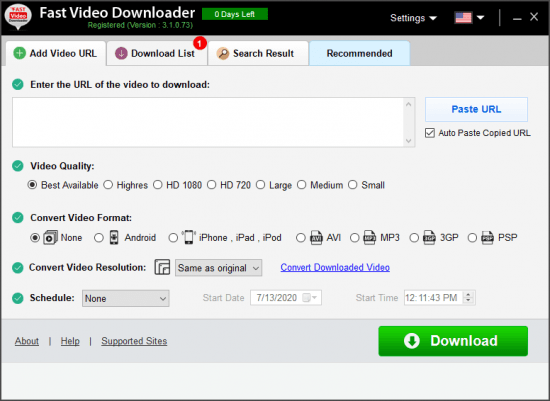
Fast Video Downloader is software, which allows you to download videos from youtube, dailymotion, vimeo, metacafe, facebook, bing and many more video sites and convert them to iPhone, iPad, iPod, Android, psp device compatible format. You may schedule your download list.

Download from
Download videos from Youtube, Dailymotion, Vimeo, Metacafe, Facebook, Bing & more video sites.

Multiple download
Download one or more video simultaneously on same time.

Download HD Video
Download high resolution, Full HD (1080p), HD(720p) videos from YouTube and other videos sites (if video site supports High Definition Videos).

Download schedule
Schedule your download video.

Video Search
This is very smart feature. You may search videos & add to download list in a single click.

Paste Video URL
Automatically paste video URL which you copied.

Convert Videos
Convert downloaded videos to Iphone, Ipad, Ipod, Android, psp device compatible format. You can also convert videos to 3gp, AVI format.

Convert Video Resolution
Change resolution of the video without changing format.

Convert Video Format
Automatic convert videos when download complete. Convert for iPhone, iPad, iPod, Android, PSP device compatible format. You can also convert videos to 3GP, AVI format.

Fast Speed
Application does not apply any restriction on download speed of the videos. So video download will complete in less time.

Proxy Setting
If you use proxy for connecting to internet then you can specify that proxy to download videos.

Submit Feedback
Send and share your using experience for improvement also report video URL, if have any error.

Whats New:
Updates: official site does not provide any info about changes in this version.


-:DOWNLOAD FROM LINKS:-
RapidGator
Код:
https://rapidgator.net/file/4ba3e0c52c2295b870d23f2f0b8fbc4f/Fast_Video_Downloader_3.1.0.78.rar.html

NitroFlare
Код:
https://nitroflare.com/view/099A68D691627FA/Fast_Video_Downloader_3.1.0.78.rar

​
 
Fast Video Maker v1.0.0.3


th-j-LRi7-VNtqwq-Oi-LAAt-RPP4-DWQAD3lys7-U.png


Languages: English | File size: 36 MB
​
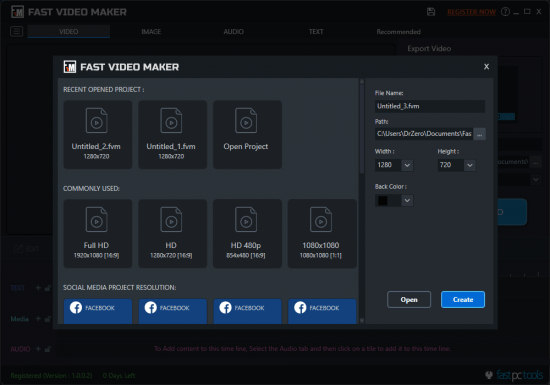
Fast Video Maker software allows you to make videos of your recorded videos, clicked photos (jpg, jpeg, png, BMP) with text and sound effects in your video. So you can create multiple types of videos with this powerful software like tutorial videos, Social media posts videos, and Youtube channel videos by which you may earn money as well.

Video For Training
Create videos with Fast Video Maker (FVM) for your training or presentation purpose for your official works within minutes.

Create video for family fun
Gratifies your memories with the creation of videos using your's old videos, photos, text, and songs with Fast Video Maker software for your family and friends in just a few steps.

Create video for social media
Create all popular size videos from your social media with this tool. You can create videos for all social media platforms like Facebook, Instagram, Youtube, Twitter, Tiktok etc.

Add Your Media
You can make video with multiple videos & photos and also you can cut and join video with Fast Video Maker.

Add text in video
You can add text in your video to gratify the video presentation.

Add audio in video
Add your desired sound or songs to enrich your videos with using of Fast Video Maker.

Set effects on photos & videos
You can resize, move your photos, videos and set background colour for video. Also set zoom and pan effect on your photos.

Set text effects
Customize your text according to your desire which you want to have in your videos. You have many features to design your text like animations, colors, borders, etc.

Set audio effects
In your videos, you can set audio according to your desire. You can set audio volume and fade-in fade-out audio.

Save and Edit
Fast Video Maker provides to save and edit your video project. So you can edit later or modify your video in future.

Internet not required
With FVM you can create your videos without the internet. The best thing is that you can create videos anytime or anywhere without thinking of the Internet.

Make reverse video
In Fast Video Maker you can also have many types of options to export your videos in reverse.

What's new:
official site does not provide any info about changes in this version.


-:DOWNLOAD FROM LINKS:-
RapidGator
Код:
https://rapidgator.net/file/6830e9c4c91b0cc6ef482de7516c7253/Fast_Video_Maker_1.0.0.3.rar.html

NitroFlare
Код:
https://nitroflare.com/view/C6A1E20191AC342/Fast_Video_Maker_1.0.0.3.rar

​
 
Altair Inspire PolyFoam 2020.1.1 Build 850 (x64)


007cb0dd-medium.jpg

Altair Inspire PolyFoam 2020.1.1 Build 850 | 1.9 Gb
​
Altair announced the acquisition of S&WISE Co., Ltd., a Seoul-based leading provider of polyurethane foaming simulation. Altair Inspire PolyFoam 2020.1.1 - the release is a cumulative stream of all hotfixes that are submitted after the base release.


Altair Inspire PolyFoam 2020.1.1 - release notes

The following issues were resolved for Altair Inspire PolyFoam 2020.1.1.
- Fixed an error with solver files in Chinese, Japanese, and Korean. [IPFM-423]
- Fixed errors with missing translations that were displaying in English.


Altair a global technology company providing solutions in product development, high-performance computing (HPC), and data analytics, announced the acquisition of S&WISE Co., Ltd., a Seoul-based leading provider of polyurethane foaming simulation.

The acquisition will allow Altair to offer customers the most advanced solution for polyurethane foam processing on the market. S&WISE accurately simulates the injection, foaming, and gelling processes, accounting for the important effects of chemical reactions during the process. An enhanced version of S&WISE's solver released within Altair Inspire PolyFoam, providing the ease-of-use and productivity of other Inspire solutions.

Inspire PolyFoam is the newest simulation analysis tool of Altair. It is an integral part of Inspire for manufacturing platform. With Inspire Polyfoam, learn and perform a mold filling simulation and evaluate design concepts.

Inspire PolyFoam software predicts polyurethane reaction phenomena during the foaming process such as injection, foaming, curing and post-foaming considering chemical reactions and physical reactions. Inspire PolyFoam can predict the foaming pattern, heat and mass transfer including density distribution and temperature distribution according to the foaming component that affects the quality of the product.


Altair transforms design and decision making by applying simulation, machine learning and optimization throughout product lifecycles. Our broad portfolio of simulation technology and patented units-based software licensing model enable Simulation-Driven Innovation for our customers. With more than 2,000 employees, Altair is headquartered in Troy, Michigan, USA and operates 71 offices throughout 24 countries. Altair serves more than 5,000 customers across broad industry segments.

Product: Altair Inspire PolyFoam
Version: 2020.1.1 Build 850
Supported Architectures: x64
Website Home Page :
Код:
http://www.altair.com
Language: english
System Requirements: PC *
Size: 1.9 Gb

Platform support and system requirements

The recommended computer configuration is an Intel I7 or I9 or Xeon based computer; 4-cores (8-threads); 16 GB of memory; OpenGL compatible graphics card with OpenGL 3.1 or later; running Microsoft Windows 10 (64-bit only).


-:DOWNLOAD FROM LINKS:-

RapidGator
Код:
https://rapidgator.net/file/a95f35b18dfb6a2dfc8556aebb8d7a93/PolyFoam.2020.1.1.part1.rar.html
https://rapidgator.net/file/0f054d5a670aa57892756b1485ce8bf6/PolyFoam.2020.1.1.part2.rar.html

NitroFlare
Код:
https://nitroflare.com/view/25E1D3AD83B1EE7/PolyFoam.2020.1.1.part1.rar
https://nitroflare.com/view/487F006E5FC1D9A/PolyFoam.2020.1.1.part2.rar

​
 
Altair Inspire Mold 2020.1.1 Build 2017 (x64)


007caf5b-medium.jpg

Altair Inspire Mold 2020.1.1 Build 2017 | 2.0 Gb
​
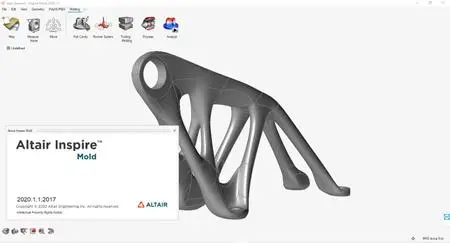
Altair announces most significant software update release in company history. Altair Inspire Mold 2020.1.1 - simulates all stages of the injection molding process.


All of Altair's software products have been updated with advancements in user experience and countless new features, including intuitive workflows that empower users to streamline product development, allowing customers to get to market faster.

The software update release expands on the number of solutions available for designers, engineers, data analysts, IT and HPC professionals, facility managers, and more to drive better decisions and accelerate the pace of innovation. It broadens the scope of the new user experience, enables access to more physics, data analytics, and machine learning, and makes the Altair software delivery method more flexible and accessible.

Altair Inspire Mold 2020.1.1 Release Notes

The following issues were resolved for Altair Inspire Mold 2020.1.1.

- Fixed an error with vector tensor visualization. [CMG-875]
- Fixed an error with front flow temperature visualization. [CMG-876]
- Fixed errors with missing translations that were displaying in English.

007caf5c_medium.jpg

Inspire Mold is Altair's advance analysis tool to perform Injection molding simulation. It allows user to learn the concept of different Injection molding process modules like Filling, Packing, Cooling and Warpage virtually. With Inspire Mold, user can understand how to avoid typical molding defects including welding lines, air entrapments, sink marks, and more by means of minimal training required.

Altair Inspire Mold 2020


Altair is a global technology company that provides software and cloud solutions in the areas of product development, high performance computing (HPC) and data analytics. Altair enables organizations across broad industry segments to compete more effectively in a connected world while creating a more sustainable future.

Product: Altair Inspire Mold
Version: 2020.1.1 Build 2017
Supported Architectures: x64
Website Home Page :
Код:
http://www.altair.com
Language: english
System Requirements: PC *
Size: 2.0 Gb

Operating Systems:
- Windows 7, Windows 8.1, Windows 10
- 64 bit only

Hardware:
- OpenGL graphics card with at least 256 MB of onboard memory
- Integrated Intel graphics hardware is currently not supported/li>

Memory:
- 4 GB of RAM (8 GB recommended)
- 10 GB or more of free hard disk space


-:DOWNLOAD FROM LINKS:-

RapidGator
Код:
https://rapidgator.net/file/a275e3e1d1634a9151918750e45276bd/Mold.2020.1.1.part1.rar.html
https://rapidgator.net/file/e049c379b1029838b01c4eec47c050d8/Mold.2020.1.1.part2.rar.html
https://rapidgator.net/file/466301434763730cdd1767ae5c1f9a0d/Mold.2020.1.1.part3.rar.html

NitroFlare
Код:
https://nitroflare.com/view/4C29979DC38DD4E/Mold.2020.1.1.part1.rar
https://nitroflare.com/view/55DAD71323D23C4/Mold.2020.1.1.part2.rar
https://nitroflare.com/view/9052F07593CD79F/Mold.2020.1.1.part3.rar

​
 
Softorino WALTR v2.8.2


raezy-XJl-Oiac15ret-Eqm-J2-BU0-XKs8wke.jpg

Softorino WALTR v2.8.2 | 61 Mb
​
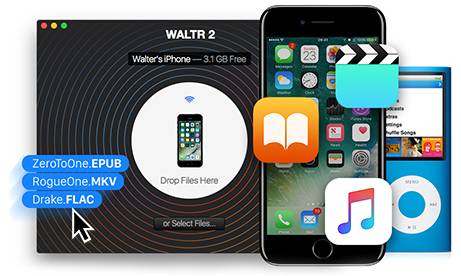
Wirelessly drag-and-drop any Music, Ringtones, Videos, PDF & ePUB files onto your iPhone, iPad or iPod without iTunes. Or resurrect your legacy by pushing FLAC & MP3's into iPod Classic or iPod shuffle. It is the 2nd major version of Softorino's critically-acclaimed original WALTR app.


Defining Genuine Experience.
WALTR 2 introduces smart Automatic Content Recognition built for Music, Movies & TV shows. This invisible improvement makes a visible change to the way you see movies in your 'Videos' app. Apart from artworks, WALTR 2 recognizes and fills in title, genre, episode description, actor information and more.

Cableless.
With High Speed Wi-Fi connectivity - WALTR 2 brings a new dimension to freedom. As soon as you open WALTR 2, it instantly looks for any Wi-Fi enabled iOS devices around you and connects to them. This only takes a few seconds to discover the bridge between WALTR 2 and your iPhone. Fast connectivity allows you to drop even large files, such as movies.

Resurrect The Legacy.
WALTR 2 goes beyond iOS devices. It now includes support for the entire lineup of Apple iPods starting from the original iPod Classic built in 2001. When you connect an iPod to your computer, WALTR 2 instantly detects it and shows up on your launch screen. All music formats are supported, including FLAC, APE. This is the best time to blow the dust off your favourite music players.

Get a Good Read.
Apple's iBooks app for iOS is perfect for both - reading books & managing your documents. WALTR 2 brings full support for EPUB and PDF formats. When pushed into WALTR 2 - your books and documents appear in your iBooks app available from the corresponding tab. And as always, you don't need to install any 3rd party iOS apps for this.

Convert Any Video & Music to iOS
Instead of copying the limited file formats that iPad/iPhone & iTunes is used to, we engineered a technology that lets you directly convert MKV, AVI, MP4 videos to iPhone, iPad & iPod Touch without having to use addional software like Handbrake or iTunes. You can also copy Music in any format, such as CUE, FLAC, APE, ALAC, OGG, AAC, AIFF, WAV & more without using iTunes.

Copy Video & Music to iOS Blazingly Fast
Copying music and video to iPhone, iPad without iTunes just takes a few steps. Here's how WALTR makes your jaw drop: You launch the app, connect your device, you drag a Video or Audio file onto it and it automatically starts copying into your iPad or iPhone. And that's it! All converting and transcoding is done on-the-fly.

Play all Converted Video & Music from Stock iOS Players
Playing non-Apple-approved media formats is a constant source of hair-pulling for iPhone, iPad users and the workarounds make you use various converters or install special iOS apps on the device for playback. Not anymore. Watch MKV files directly from the default iOS Videos player or listen to any music format ever created directly from your default Music player.

Operating System: Windows 7, 8/8.1, 10

Home Page -
Код:
https://softorino.com/


-:DOWNLOAD FROM LINKS:-

RapidGator
Код:
https://rapidgator.net/file/280f5d306925af9b234f0372e669f687/WALTR.2.8.rar.html

NitroFlare
Код:
https://nitroflare.com/view/F63F4F7852DB51E/WALTR.2.8.rar

​
 
DATAKIT CrossManager 2020.4 (build 2020-09-30)


007cb85c-medium.jpg

DATAKIT CrossManager 2020.4 (build 2020-09-30) | 136.8 mb

Languages: English, Français, Deutsch, Italiano, Čeština, 中文, Русский, 한국어.
​
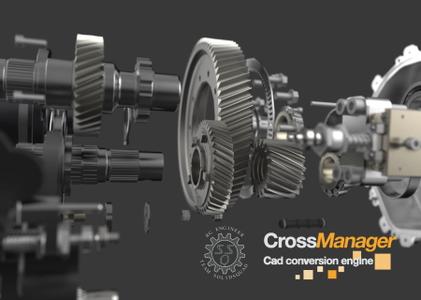
Datakit, specialist in data transfer between CAD systems, is pleased to announce the availability of CrossManager version 2020.4, is a standalone software allowing you to convert files from most CAD formats.

New in this version:

- IFC input : improved IFC4 add2 reading
- Inventor input : improved color reading on part
- Revit input : entities transparency is now correct, improved color retrieving for site, floor and roof elements
- STEP input : added "OriginalName" on root components of STEP files, improved reading of external references on compressed STEP files
- Solid Edge input : improved support for Parasolid, fixed assembly and part names inconsistencies
- SolidWorks input : fixed crashes due to parsing errors
- UG NX input : support of latest version NX 1926 Series until 1934
- 3D PDF output : handling of 3d entities, nodes persistent names and non persistent IDs
- STEP output : improved color/visibility on 1st level instances


Cross Manager is a standalone software allowing you to convert files from most CAD formats. With CrossManager, you can easily exchange your CAD models, w hatever the software you use. It supports most of the 2D and 3D, native and neutral CAD formats. More than 30 reading formats and 20 writing formats are available, so you can obtain a conversion solution that perfectly suits your data exchange needs. Indispensable to companies working in a multi-CAD environment, this tool avoids data loss and wasted time when exchanging between CAD software.


Is a quick demo showing how it works: You just have to select or drag & drop a file in the software to convert it in the format that you want. In this video, you can see a CATPart file Converted to 3DPDF, but dozen of other formats are also available.


Datakit is a company specialized in CAD data exchange. It offers standalone converters, plug-ins and SDK that import, analyze and export many CAD formats. Datakit exposes a wide range of geometrical and semantic data and works with many ISV who integrate its technology into their own software.

Product: DATAKIT CrossManager
Version: 2020.4.0 Build date 2020-09-30
Supported Architectures: x64
Website Home Page :
Код:
http://www.datakit.com
Language: multilanguage
System Requirements: PC *
Size: 136.8 mb

Configuration Requirements

- Windows (Vista/7/8/10).

The hardware configuration (i.e. processor speed, RAM, etc.) mostly depends on the size of the files that have to be converted. However, a 2 GHz CPU and 4 GB of RAM are recommended. The installation of CrossManager will take about 150 MB on your hard disk drive.


-:DOWNLOAD FROM LINKS:-

RapidGator
Код:
https://rapidgator.net/file/b48b05d0f7a330f814f7ab6792edb212/CrossManager.2020.4.rar.html

NitroFlare
Код:
https://nitroflare.com/view/45C690CA5405A3F/CrossManager.2020.4.rar

​
 
IDimager Photo Supreme 5.5.1.3169


photo-supreme.png

IDimager Photo Supreme 5.5.1.3169 Multilingual | 111 Mb
​
Do you own a digital camera or do you have a large collection of images to manage? Then in no time finding that one image you're looking for becomes a chore. But Photo Supreme can change all that. Photo Supreme's integrated cataloging and management features will help you quickly find and work with your desired image.


Highlights

Advanced search capabilities
When looking for that one image, Photo Supreme will help you with deep text searches, tag searches, duplicate detection, similarity detection, dynamic search combinations and advanced filtering.

Limit access to those who need it
The Server Edition allows you to control who can access your Catalog. You control who can add or delete. You control who sees what in their screen.

Multi tab browsing
Photo Supreme brings tabbed browsing to your image archive. Take advantage of having multiple sets open at the same time.

Import & ingest images
Import your images in your Catalog the way you want. You can define naming conventions, apply metadata on import, version rules, and of course copy files.

Keyword tagging
Tagging your images has never been easier. GEO tagging, parent cascading, face tagging, and automatic metadata enrichment are just a few of many features.

Get organized
Organize your images in Portfolios and Collections.

Multi version control
Logically hold your pictures together so you can find them again more easily.

Features
Advanced search capabilities
Multi tab browsing
Import & ingest images
Side-by-side comparison (up to 6 images)
Keyword tagging
Advanced GEO tagging
Image organization in portfolios
Duplicate detection
Share images with Flickr, Smugmug, Zenfolio, Google+ (former Picasaweb), FTP, EMail
Dual monitor support
Creative Commons support
Lossless image editing
Supports Darwin Core metadata
Dynamic collections
Face detection
Area tagging
Extensible metadata with custom field definitions
Take your previews with you while travelling
Color managed
Fully scriptable
English, German, French, Italian, and Dutch locale
Full HD, 2K, 4K, 5K, Retina screen resolutions supported

Operating System: Windows Vista or higher

Home Page -
Код:
http://www.idimager.com/


-:DOWNLOAD FROM LINKS:-

RapidGator
Код:
https://rapidgator.net/file/10f3dec5f002dfcd64311fa22833f374/Photo_Supreme_5.5.1.3169.rar.html

NitroFlare
Код:
https://nitroflare.com/view/196BD5C79B5198E/Photo_Supreme_5.5.1.3169.rar

​
 
PVS-Studio v7.09.42245


AsFJxoPomWK6GINGe7D8GisXyo7Tm52X.jpg

PVS-Studio v7.09.42245 | 113 Mb
​
PVS-Studio performs static code analysis and generates a report that helps a programmer find and fix bugs. PVS-Studio performs a wide range of code checks, it is also useful to search for misprints and Copy-Paste errors. Examples of such errors: V501, V517, V522, V523, V3001.


The main value of static analysis is in its regular use, so that errors are identified and fixed at the earliest stages. There is no point in wasting 50 hours looking for a bug that could be found with static analysis. So, let's point out that again - the main idea of static analysis is not to find one hidden bug on the day before the release, but to fix dozens of bugs day by day.

The analyzer can be run at night on the server and warn about suspicious code fragments. Ideally, these errors can be detected and fixed before getting into the repository. PVS-Studio can automatically be launched immediately after the compiler for the files that have been just modified.

PVS-Studio can integrate into Visual Studio development environment 2010-2017. If you use this IDE, then most likely you will just have to go to the menu of PVS-Studio plugin and choose "Check Current Project".

Main features of PVS-Studio
Simple and seamless integration with Visual Studio 2010-2017
Automatic analysis of individual files after their recompilation
Online reference guide concerning all the diagnostics available in the program, on the web site and documentation (presented as a .pdf file) Up to 550 pages of documentation
Saving and loading analysis results allow doing overnight checks - during the night the analyzer does the scanning and provides you with the results in the morning.
You can save analysis results as HTML with full source code navigation.
Project analysis run from the command line: helps integrate PVS-Studio into overnight builds; a new log will be issued in the morning.
Great scalability Support of multi-core and multi-processor systems with the possibility to specify the number of the cores to use; IncrediBuild support.
Interactive filtering of the analysis results (the log file) in the PVS-Studio window: by the diagnostic number, file name, the keyword in the text of the diagnostic.
Automatic check of PVS-Studio updates (during the work in IDE and overnight builds).
BlameNotifier utility. The tool allows you to send e-mail notifications to the developers about bugs that PVS-Studio found during a night run.

Supported languages and compilers
Windows. Visual Studio 2010-2017 C, C++, C++/CLI, C++/CX (WinRT), C#
Windows IAR Embedded Workbench, C/C++ Compiler for ARM C, C++
Windows Keil µVision, DS-MDK, ARM Compiler 5/6 C, C++
Windows Texas Instruments Code Composer Studio, ARM Code Generation Tools C, C++
Windows GNU Arm Embedded Toolchain, Arm Embedded GCC compiler, C, C++
Windows Clang C, C++
Windows MinGW C, C++
Windows Java

Home Page -
Код:
https://www.viva64.com/en/pvs-studio/


-:DOWNLOAD FROM LINKS:-

RapidGator
Код:
https://rapidgator.net/file/d6c6d98fc237a48d913bbc40e709e7eb/PVSStudio7.09.rar.html

NitroFlare
Код:
https://nitroflare.com/view/2533CC1BD4E743B/PVSStudio7.09.rar

​
 
Siemens Solid Edge 2021 (build 221.00.00.104)


007cb6f6-medium.jpg

Siemens Solid Edge 2021 | 3.7 Gb

Languages: 中文 (Simplified), 中文 (Traditional), Čeština, English, Français, Deutsch, Magyar,

Italiano, 日本語, 한국어, Polski, Português-Brazilian, Русский, Español

​
Siemens Digital Industries Software announces the 2021 version of Solid Edge software, which the company says includes design capability enhancements such as new subdivision modeling and improved reverse engineering performance with new deviation analysis.

Solid Edge 2021 neatly combines improvements to existing tools with the introduction of new technologies from elsewhere in Siemens' growing software portfolio.

Over the course of the last quarter-century, Solid Edge has acquired some interesting technologies. These have included tools for surfacing, referred to as BlueSurf and dating back to the early 2000s; its synchronous technology, which mixes direct modelling with intelligent feature and relationship management; and the more recent introduction of convergent modelling, which sees a more cohesive set of tools for working with solids, surfaces and polygons, all mixed together.

Alongside these geometry-focused updates, Solid Edge 2021 has also benefited from an expansion in add-ons, based on technologies acquired by Siemens.

These include the introduction of FloEFD for fluid flow and thermal simulation; better PCB import; and electrical design capabilities using technologies from Mentor. So shall we explore what the 2021 release has to offer.

Several enhancements were announced for Solid Edge 2021, including:

- Lightning-fast reverse engineering enhancements
- New subdivision modeling technology for advanced stylized design
- Improved productivity with new adaptive UI capabilities that harness AI to predict next steps based on user behavior
- A streamlined process of finding 3D models using intelligent search functions through integration with the CADENAS 3D models and catalog parts
- Rapid creation and evaluation of multiple design scenarios enabled by concept modeling
- Fast, accurate 2D layout of industrial control panels with new cabinet panel design capabilities
- An optimized integration between flow and structural simulation
- A new searchable postprocessor database and improved roughing and adaptive milling capabilities
- Enhanced cloud-based collaboration options with the introduction of Teamcenter Share, which can be used with Solid Edge to synchronize desktop files to secure cloud storage.

Core modelling & UX updates to Solid Edge 2021

Let's kick things off with a look at enhancements and updates made to the core tools within Solid Edge. As ever, a good place to start is the user interface. While the Solid Edge interface hasn't changed to any huge extent for the 2021 release, one new tool in particular will make using it a little more efficient - namely, the adaptive Command Prediction tool.

This tool analyses the commands you use most frequently and then automatically presents them to you - in the first instance, in a ribbon bar found at the top of the modelling window. In other words, the system uses machine learning to 'understand' how you tend to work, depending on the task and based on your previous operations.

If this sounds familiar, that's because it's the same technology that Siemens introduced to its NX system last year.

As with the NX implementation, there are some interesting capabilities running alongside this. It's possible to take the data gleaned from the actions of an experienced user and reuse it to get new users on your team up to speed with the way things are done, pointing them to the most commonly used commands within your organisation.

It's worth noting here, however, that there are no aggregation tools, so you need to pick one specific user whose data you want to reuse. This approach, of course, runs the risk of reinforcing bad practices, too, so my advice would be to pick well and use this capability cautiously.

Alongside this, there have also been a number of updates to how Solid Edge's core modelling tools work. Since these will be applicable to most users, irrespective of industry, let's walk through them.

One of the big changes is how the system handles large assembly data during import. With systems like Solid Edge, the typical data import process has been to take a STEP or IGES file, parse it and create separate part and assembly files on disk that reconstruct that geometry.

By contrast, the system now keeps part and sub-assembly data as part of the original assembly file, without creating any additional data files on disk. This means they should load more quickly, since the system isn't spending time pulling together all of the external references and displaying them on screen.

Elsewhere in the core updates, there have been a few tweaks to how the system handles operations on 'inactive' parts and subassemblies. Like many systems, Solid Edge allows you to display just the graphic representation of parts and assemblies, mostly to make working with complex and large scale assemblies more efficient.

For Solid Edge 2021, it's now possible to carry out more operations on those graphics only, such as creating assembly relationships (mates, aligns and so on), taking measurements, and making synchronous edits at the assembly level.

Also on the assembly front, it's now possible to copy and paste multiple parts and sub-assemblies from one assembly to another. Here, all internal relationships to the copied parts come along for the ride. Solid Edge 2012 also walks the user through creating the relationships needed to position all the new parts.

The last generally applicable update I'm going to cover before getting into other areas of Solid Edge 2021 is a small one, but important for those who use their product models to replicate how a physical product will appear.

In short, it's now possible to add decals to your models. This works exactly as you might expect, allowing you to add product information, proof labels and warnings and such, before they get anywhere near a vinyl cutter.

Fabrication, frames & sheet metal

Sheet metal functions have been a strong selling point for Solid Edge for many years now. The system has attracted a healthy share of its users who, if not solely focused on sheet metal fabrication, are certainly engaged heavily in design and fab as part of their wider manufacturing processes.

The existing tools in Solid Edge are already mature, but that doesn't mean that there's no room for innovation or, indeed, catching up with what other vendors are doing.

One such enhancement for this release focuses on multi-edge flanges, making it possible to create multiple flanges from an edge selection in one step. At first glance, this looks like a common feature in most 3D design systems these days, but what's really interesting here is that these flanges are intelligent.

Trimming is performed automatically where they meet and you can also include an offset gap between forms, for both fabrication/assembly and welding.

While Solid Edge has had the tools to design and engineer sheet metal forms for decades now, a more recent addition is the ability to carry out nesting of sheet metal forms.

While this isn't the fully fledged specialist application set needed by those deeply embedded in fabrication, it does provide a set of tools to carry out quick nesting operations, identify the optimum use of sheets and gain a better understanding of both material and cost - whether that's for production or just estimation/quotation.

On that point, an update to this toolset for this release that will help with estimation/quotation is the ability to open an assembly file and have the nesting tools find all applicable forms. By allowing you to add in your material requirements, the system performs the layout across multiple sheets for you, taking into account multiples, if found.

On the frame design side of things, the current tools are well-developed and mature, but as ever, a few tweaks here and there can make life easier for those who use them regularly.

For the 2021 release, the ability to automatically add weld gaps between frame members can be turned on - something that's increasingly important if you're using laser or plasma cut tubing. You can also add in end caps to your frame members quickly, either using a standard size or basing them off the frame section with a number of controls.

Subdivision Surface Modelling

Now let's move on to some new technology for Solid Edge: subdivision surface modelling. If you've been watching the wider 3D design technology industry, you'll be aware that almost every vendor has integrated some form of sub-d modelling into its toolset.

The Solid Edge team is probably one of the last to make the move. If you're not familiar with this technology, it provides a set of tools for defining complex organic shapes that previously would have required some pretty heavy solid and surface modelling to achieve.

Where needed, sub-d bodies can maintain curvature continuity to get the shape you want quickly. (They're also useful for creating sharp blends between complex junctions and surface transitions.) As you might also expect, the sub-d tools in Solid Edge feature the usual array of form pushing and pulling, symmetry control, bridging, blending controls and so on.

In terms of how these modelling tools work with both ordered (history-based) and synchronous model-led parts, they follow a familiar pattern, with the sub-d form stored as a separate 'feature' on the feature/history tree.

Reverse engineering in Solid Edge 2021

Next up, let's look at reverse engineering tools. This has been a focus for Solid Edge for a few releases now.

Two years ago, Siemens introduced the concept of convergent modelling to Solid Edge. This allows you to work with mesh-based data alongside more traditional forms of solid and surface geometry. At the same time, the development team also started introducing tools that allow you to bring in mesh-based data from reality capture workflows (such as laser scans) and do some of the post-processing work you'd typically perform on the scanner side.

These tools range from mesh fixing and repair tools to mesh decimation, making what might otherwise be very heavy data work far more efficient. They also include surface-fitting tools to build up analytical geometry from the basis of scanned data.

For the 2021 release, new performance enhancements make the system work more quickly - up to 50 times quicker, according to Siemens executives. Deviation analysis, meanwhile, shows you any deviations between your scan and the model you've worked up.

Electrical design & PCB

Recent releases have seen Siemens place a great deal of focus on the integration of electrical design with Solid Edge. In 2019, for example, we saw the introduction of an add-on for wire, harness and routing, as well as PCB import and interoperability.

For the 2021 release, there's a new addition to this stable of tools, specifically focused on the layout of control panels. Considering the prevalence of machine design in the Solid Edge community, this is going to be seriously interesting.

The workflow looks like this. You begin by preparing the wiring of the panel at a schematic level, as you would with most electrical design projects. Once that's done, you start a new panel layout, adding in your shape, a border, a back plate and bringing in a terminal strip. You then start snapping devices to that rail and positioning your components.


What's interesting is that Solid Edge uses your schematic representation to help you in this process, so you lay it out more intelligently. Of course, you'll also need to route from your control panels to the components and subsystems that they control - and there's been work done on this front too.

Solid Edge has had formal routing options for wiring for a while, but this new approach is a little less formal, allowing you to quickly route a cable or harness from your panels to components/subsystems and quickly pick points and geometric features/surfaces to snap them to along the way.

It'll save you all of the effort of positioning those clips and other mounting components you'd typically have to organise and give you solid, sufficiently accurate data on wire lengths, which subsequently get passed back to the BOM.

On the PCB front, there hasn't been too much action other than an update to the import options, with the addition of IDX 3 support, and support for swapping detailed models within Solid Edge when working with the Pads Professional and Xpedition, compared to the usual abstracted outline view.


Flow simulation

Alongside the core 3D design and manufacturing tools, the last few releases of Solid Edge have seen greater inclusion in the mainstream offering of technology from the wider Siemens product portfolio.

One of the highlights for those with an interest in fluid flow simulation has to be the introduction of Simcenter FloEFD (the new name for FloEFD for Solid Edge). This brings both fluid flow and thermal simulation to Solid Edge in an integrated manner for the first time. (It's the result of Siemens acquiring CD Adapco and its Flomerics products some time ago.)

For the 2021 release, there have been a few important updates here that are worth discussing. One of these is the new Package Creator, which allows you to create components as a complete package, along with all of your manufacturing and performance specification information, which can be integrated into a flow simulation.

There has also been work done to improve the connection between thermal results from Flo-EFD and the structural simulation tools in Solid Edge. It's now possible to export results and bring them into a structural study as a thermal load. This, of course, requires that you maintain the same set of geometry between the two simulation types (so that the system can map thermal loads to faces), so care needs to be taken with any abstraction or defeaturing.

Solid Edge 2021 & data management

To round things out, let's look at data management. It may not be the most exciting of topics, but it's crucial for many organisations. The Covid-related shift away from central design and engineering offices towards more remote working practices, in particular, makes this a big focus for customers right now.

While Solid Edge's data management offerings have shifted over the years, they have always done so with the idea of offering two levels of support and capability. At a basic level, the core data management tools in Solid Edge 2021 work alongside your file structure and basic networked drives/shared folders, to support rudimentary operations like searches (whilst remaining aware of the complex interactions and links between parts, assemblies and drawings) and data protection (check-in/check-out), as well as enabling OS-level previews and such.

For the 2021 release, there are two updates. The first is that it's now possible to use the right-click menu in the file browser to open assemblies in a number of ways - either as standard, as a reduced size assembly, or as a specific configuration.

There's also a new add-on for this release that enables search by shape. What's that, you might ask? The answer is pretty simple. Instead of using only textural, metadata-based strings or classifications to search for parts, you can use geometry to search for similarly shaped parts. This new Shape Search Server add-on for Solid Edge Data Management allows you to use the sketch of a part in Solid Edge to search against all of the data within your file system that it has already indexed.

If you're looking to get more serious about data management, Siemens also introduced a Solid Edge-focused implementation of its Teamcenter PLM system some time ago. This is intended to be useful on an out-of-the-box basis, but as always with PLM systems, the more you do with them, the more you need to configure them to suit your requirements. Teamcenter is a complex beast, but the Solid Edge team has built a set of presets and templates designed to get smaller organisations up and running more quickly.

For the latest release, Teamcenter for Solid Edge 2021 brings a bunch of updates and enhancements, so we'll just outline the most useful ones.

The Teamcenter Concept Workspace tools, for example, are interesting. We're all accustomed to the idea that data management systems allow you to manage design, engineering and production data in a controlled and centralised manner. But it's often the case that it would be useful to carry out the earliest stages of a project outside of a managed environment, because it's here that thinking, experimentation and iteration are quickest and fundamental to success.

This is the purpose of the Teamcenter Concept Workspace, which allows you to take data from Teamcenter (for example, that which relates to a product you're looking to refresh) and place it in a sandbox.

In that way, you can work on it without messing up your carefully managed revisions and intelligence. This also provides you with tools to compare your experiments with data held inside Teamcenter, then transition them into a managed environment when appropriate.


In conclusion

Solid Edge has certainly grown in the last few releases. In particular, it now benefits to a far greater extent from technologies derived from elsewhere in Siemens's expanding product portfolio. While other vendors have expanded their toolsets through partnerships with third-party vendors, Siemens has the benefit of already owning those tools in-house.

While the tools added to Solid Edge typically focus on expanding its reach within a customer organisation (to include electrical design specialists, for example, rather than just the mechanical engineers), it's also good to see that there's been work done to expand the tools for core users too.

Subdivision surface modelling is something that a lot of users are interested in. But while it's often pitched as a way to quickly create complex models, the reality is a little less 'magic bullet'. You still need to have a good idea of what you're doing and plan your workflow carefully, otherwise you'll end up in a horrendous mess. That said, those with a need for complex forms will find it an awesome tool to have in their armoury.

The expansion of the reverse engineering toolset, along with a performance boost for polygon mesh data, means that this type of work can be conducted in your workhorse design system, rather than relying on third-party applications - something that's always a benefit for efficiency, over and above the associated cost reductions.

All in all, Solid Edge 2021 is a pretty solid release, which neatly combines the expansion of existing tools to do more and to work more efficiently with bringing new technology to the product range.

After all, when you're looking at a system like Solid Edge, a mature toolset is an incredible benefit. But finding new, more efficient ways to work is just as important - and arguably, more so.

Solid Edge 2021 offers a good mix of both.

Teamcenter Share: Bringing Data Collaboration & AR to All

One of the most interesting additions to the Solid Edge 2021 release is the Teamcenter Share service.

This is not a Solid Edge-specific enhancement per se, since it's just as applicable to NX users or indeed, users of any other CAD system. But it's certainly worth taking a look at in the context of this review, as it's strikingly similar to the Solid Edge Portal service that Siemens launched a few years ago.

Essentially, it's a cloud-based view, mark-up and collaboration service that centres on 3D CAD data.

You sign up for it, get a certain quantity of storage space, and you're able to upload your CAD geometry. For this, you either use the browser or the new desktop synchronisation tool, which monitors a specified folder on your desktop for file types to send to the cloud.

There's the usual mix of viewing tools: simple view, rotate and zoom; assembly structure exploration; and part visibility, sectioning and measurement capabilities.

The redline and mark-up capabilities allow you to mark up your model and add comments. These are tagged to your model and available to view by anyone else who has access to the project files.

What's interesting is that because this is browser-based, you can perform these tasks on pretty much any device that gives you access to the system - whether that's a lower-end laptop, a smartphone or a tablet. For non-technical staff, this is a neat way to get access to 3D data visualisation tools without a heavy overhead.

If the device you use is AR-capable, meanwhile, you can use it to position the model in the real world. The system uses a detected surface to place the part (on the desk or on the floor, for example) and you can then walk around the object, using your device as your viewing tool. By default, your object is imported at 1:1 scale, but this can be adapted with a quick two-finger ninja move, in order to scale up or down as needed.

Solid Edge is a complete 3D CAD system that uses Siemens Synchronous Technology for accelerated design, faster revisions, and better imported re-use that helps companies design smarter. When it comes to 3D design, Solid Edge is your best choice for accelerating design, getting products to market quicker, speeding ECO execution, and maximizing your re-use of imported 2D and 3D data.
Siemens Digital Industries Software announces the 2021 version of Solid Edge software, which the company says includes design capability enhancements such as new subdivision modeling and improved reverse engineering performance with new deviation analysis. A new artificial intelligence-powered adaptive user interface to predict next steps, and a seamless integration with 3dfind.it, an intelligent 3D model search engine powered by CADENAS, can also be used to save time in the early phases of design.

Solid Edge 2021


Siemens Digital Industries (DI) is an innovation leader in automation and digitalization. Closely collaborating with partners and customers, DI drives the digital transformation in the process and discrete industries. With its Digital Enterprise portfolio, DI provides companies of all sizes with an end-to-end set of products, solutions and services to integrate and digitalize the entire value chain. Optimized for the specific needs of each industry, DI's unique portfolio supports customers to achieve greater productivity and flexibility. DI is constantly adding innovations to its portfolio to integrate cutting-edge future technologies. Siemens Digital Industries has its global headquarters in Nuremberg, Germany, and has around 75,000 employees internationally.
Siemens PLM Software is a world-leading provider of product lifecycle management and manufacturing operations management software. We help thousands of companies realize innovation by optimizing their processes, from planning and development through manufacturing, production and support.

Product: Siemens Solid Edge
Version: 2021 build 221.00.00.104
Supported Architectures: x64
Website Home Page :
Код:
https://solidedge.siemens.com/
Language: multilanguage
System Requirements: PC *
Size: 3.7 Gb

Operating system requirements and information

Solid Edge 2021 has been certified to run on the following:
- Windows 10 Enterprise or Professional (64-bit only) version 1809 or later
- Internet Explorer 11
- Internet Explorer is not required to be the default browser.
- Microsoft Office Professional 2016, Microsoft Office Professional 2019 or Microsoft Office 365 Business.
Note
- Windows Home not supported.
- We recommend that you not run Solid Edge on Server operating systems.
- Solid Edge stops certifying new releases against an operating system shortly after Microsoft drops mainstream support for it. Microsoft dropped mainstream support for Windows 7 in January 2015. Microsoft dropped mainstream support for Windows 8.1 in January 2018. Due to limited support from Microsoft and graphics card vendors for older operating systems, installation of Solid Edge on Windows 7 or Windows 8.1 is not recommended. Solid Edge will install and run on these operating systems, but issues determined to be caused by an incompatibility between Solid Edge and an end of life operating system may not be fixed. Due to the potential for critical issues on these older operating systems, Solid Edge 2020 could be the last Solid Edge release that installs on Windows 7 or Windows 8.1.

Hardware system requirements

Recommended system configuration
- Windows 10 Enterprise or Professional (64-bit only) version 1809 or later
- 32 GB RAM or more
- True Color (32-bit) or 16 million colors (24-bit)
- Screen Resolution: 1920 x 1080
Minimum system configuration
- Windows 10 Enterprise or Professional (64-bit only) version 1809 or later
- 16 GB RAM
- 65K Colors
- Screen Resolution: 1920 x 1080
- 8.5 GB of disk space required for installation


-:DOWNLOAD FROM LINKS:-

RapidGator
Код:
https://rapidgator.net/file/ddceb102d0ca867f95dcfd9693152d32/Solid.Edge.2021.part1.rar.html
https://rapidgator.net/file/76f96c116c0f1bb57b06a4c66e482acb/Solid.Edge.2021.part2.rar.html
https://rapidgator.net/file/6237072f984da2ad66a1def61353edcd/Solid.Edge.2021.part3.rar.html
https://rapidgator.net/file/4ba5bc175fc48dde8478ded6e365e89c/Solid.Edge.2021.part4.rar.html

NitroFlare
Код:
https://nitroflare.com/view/19306D023D7A548/Solid.Edge.2021.part1.rar
https://nitroflare.com/view/AB25B51D2A6607E/Solid.Edge.2021.part2.rar
https://nitroflare.com/view/3356B9C1234555D/Solid.Edge.2021.part3.rar
https://nitroflare.com/view/6BC374DB4A7B787/Solid.Edge.2021.part4.rar

​
 
ToolsToo v8.2.2.0


th-c0egyx-SW2-T1qc-C32fpkj-Dg-Wu-Zk3-KX2i-R.png

ToolsToo v8.2.2.0 | 2.6 Mb
​
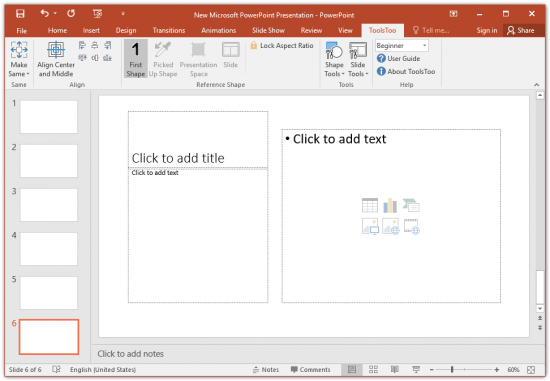
ToolsToo adds more than 100 powerful yet easy-to-use productivity tools to the Microsoft® Office PowerPoint® ribbon.


The shape tools include:
Select Same fill, shape, font color, font name, font size, line color, line dashes, line weight
Make Same size, spacing, format, rotation, adjustments, rounded corners, table column widths, table format, animation, and motion path end
Adjoin shapes end-to-end
Stretch shapes
Align and Distribute shapes
Replicate shape
Rearrange z-order and animation sequence
Add Connection Sites
Add to Group
Hide/Show
Make Body/Title
Make Line Horizontal/Vertical
Paste Thumbnail
Scale to 100%/height/width
Swap
Text Split/Join
Copy to Motion Path End
Reset Motion Path Start

Reference Shapes
Many of the shape tools within ToolsToo use a Reference Shape as the basis for their function: when aligning left, for example, the selected shapes are aligned to the left side of the Reference Shape.

The Reference Shape can be one of the following:
the first shape selected
a previously picked up shape, from the same presentation or any other open presentation
a predetermined presentation area called Presentation Space that is typically used to indicate the region of the slide to be used for its content
the slide

The slide tools include:
Copy Agenda Slide - copies agenda slides and shows progress within the presentation. This tool alone will save you hours!
Insert Picture from Clipboard - pastes clipboard as new slide and scales to fit
Reformat Slides - reformats selected slides using colors from first selected slide and theme of the preceding slide
Set Language - sets the language for the entire presentation
Set Title - sets the title for the selected slides
Split Animation - splits on-click animation sequences to multiple slides
Split Text - splits text to two slides
Slide Statistics - shows various slide statistics and estimated duration
Word Count - shows word, character, and paragraph counts
Extract Notes - extracts notes to a Microsoft Word document
Extract Selected Slides - extracts and optionally e-mails slides while preserving all formatting
Save Guides - saves presentation-level, layout-level, and master-level guides to a file
Restore Guides - restores presentation-level, layout-level, and master-level guides from a file
Consolidate Layouts - consolidates all layouts with the same name
Remove Animation/Embedded Chart Data/Empty Sections/Guides/Hidden Slides/Notes/Unused Slide Masters/Unused Slide Layouts

System Requirements
Microsoft® PowerPoint® for Office 365 (32/64 bit) or
Microsoft® Office PowerPoint® 2010/2013/2016/2019 (32/64 bit)
Microsoft® Windows 7 SP1 or Microsoft® Windows 10
Microsoft® .NET Framework V4.8
Some features also require:

Microsoft® Outlook for Office 365 (32/64 bit) or
Microsoft® Office Outlook 2010/2013/2016/2019 (32/64 bit)
Microsoft® Word for Office 365 (32/64 bit) or
Microsoft® Office Word 2010/2013/2016/2019 (32/64 bit)

Home Page -
Код:
https://www.toolstoo.com/


-:DOWNLOAD FROM LINKS:-

RapidGator
Код:
https://rapidgator.net/file/45d8b6d1f125fab40525429b5d935b88/ToolsToo.8.2.2.0.rar.html

NitroFlare
Код:
https://nitroflare.com/view/5F50754C0127F89/ToolsToo.8.2.2.0.rar

​
 
Microsoft Office Professional Plus 2016-2019 Retail-VL v2002 (Build 12527.21104) 2019


dan-Zffm-KDlh6o-TIh406-Lw-Iki6-H8f-Uz-V7.png


Windows: 7/8/8.1/10 | x86,x64 | Languages:Arabic,English,German,Greek,French,Spanish,Italian,Russian,Turkish | File Size: 4.57/4.86 GB
​
Office 365 ProPlus, the cloud-connected version of Office, delivers the most productive and most secure Office experience-with the lowest total cost of ownership for deployment and management. However, for customers who aren't ready for the cloud, Office 2019 provides new features and updates to the on-premises apps for both users and IT professionals. Like Windows Long Term Servicing Channel (LTSC) releases, Office 2019 provides a set of valuable enhancements for customers who can't be cloud-connected or receive regular updates.

The new enhancements in Office 2019 are a subset of a long list of features that have been added to Office 365 ProPlus over the last three years. Office 2019 is a one-time release and won't receive future feature updates. However, we'll continue to add new features to Office 365 ProPlus monthly, including innovations in collaboration, artificial intelligence (AI), security, and more. Office 2019 delivers features across apps to help users create amazing content in less time. In PowerPoint 2019, you can create cinematic presentations with new features like Morph and Zoom. And improved inking features across the apps in Windows-like the roaming pencil case, pressure sensitivity, and tilt effects-allow you to naturally create documents.

Microsoft Office 2019 Select Edition includes:
Microsoft Office 2019 Professional Plus
Microsoft Access 2019
Microsoft Excel 2019
Microsoft Lync 2019
Microsoft OneNote 2019
Microsoft Outlook 2019
Microsoft PowerPoint 2019
Microsoft Publisher 2019
Microsoft Visio Viewer 2019
Microsoft Word 2019
Skype for business 2019
Office Shared Features
Office Tools
And many more

System Requirements:
OS:Windows 7/8/8.1/10


-:DOWNLOAD FROM LINKS:-
RapidGator
Код:
https://rapidgator.net/file/266efa6728dfcff3a0ab84bb2f8c2fda/Office_2016_19_x64__16.0.12527.21104.part1.rar.html
https://rapidgator.net/file/c9b7cdeb789ab13a86844b2724044898/Office_2016_19_x64__16.0.12527.21104.part2.rar.html
https://rapidgator.net/file/a193670ab824965de4f7d30b036e2ece/Office_2016_19_x64__16.0.12527.21104.part3.rar.html
https://rapidgator.net/file/12c63c8b16343a3fd9bcb9e69d989c8b/Office_2016_19_x64__16.0.12527.21104.part4.rar.html
https://rapidgator.net/file/4f77df22a84c2fe9bfa7712479647c32/Office_2016_19_x64__16.0.12527.21104.part5.rar.html
https://rapidgator.net/file/75a7d2cdf3e0c894b06cb63d1f792dd5/Office_2016_19_x64__16.0.12527.21104.part6.rar.html
https://rapidgator.net/file/0a95c404bb83aa092955706e3bdc70c4/Office_2016_19_x86__16.0.12527.21104.part1.rar.html
https://rapidgator.net/file/e9049ea4ca24a0c7d5ce99050974052b/Office_2016_19_x86__16.0.12527.21104.part2.rar.html
https://rapidgator.net/file/c97394c5afffb58a6f2d75da2e58cd3b/Office_2016_19_x86__16.0.12527.21104.part3.rar.html
https://rapidgator.net/file/a8cea10cab3d0abad319ebe592d39ddf/Office_2016_19_x86__16.0.12527.21104.part4.rar.html
https://rapidgator.net/file/c6d1907b05b1f81cb6236406c3ee4c50/Office_2016_19_x86__16.0.12527.21104.part5.rar.html

NitroFlare
Код:
https://nitroflare.com/view/645AEB5FFF194BB/Office_2016_19_x64__16.0.12527.21104.part1.rar
https://nitroflare.com/view/9448B1F47D7F5ED/Office_2016_19_x64__16.0.12527.21104.part2.rar
https://nitroflare.com/view/BC0F53F3509E306/Office_2016_19_x64__16.0.12527.21104.part3.rar
https://nitroflare.com/view/761D998EF8D49A4/Office_2016_19_x64__16.0.12527.21104.part4.rar
https://nitroflare.com/view/F7DF69FDA393416/Office_2016_19_x64__16.0.12527.21104.part5.rar
https://nitroflare.com/view/31BACD75749F70B/Office_2016_19_x64__16.0.12527.21104.part6.rar
https://nitroflare.com/view/20868B6AF59C5D9/Office_2016_19_x86__16.0.12527.21104.part1.rar
https://nitroflare.com/view/F13C08EF25DAA07/Office_2016_19_x86__16.0.12527.21104.part2.rar
https://nitroflare.com/view/B45347E8AD0B950/Office_2016_19_x86__16.0.12527.21104.part3.rar
https://nitroflare.com/view/DB4C016D814FA91/Office_2016_19_x86__16.0.12527.21104.part4.rar
https://nitroflare.com/view/656F1852B81D87B/Office_2016_19_x86__16.0.12527.21104.part5.rar

​
 
gBurner 5.0


th-7-MSLq-X3-HMc4kf-QPc-MEBb-Mql-DV4-SUb-Pv-K.jpg

gBurner 5.0 Multilingual | 5 Mb
​
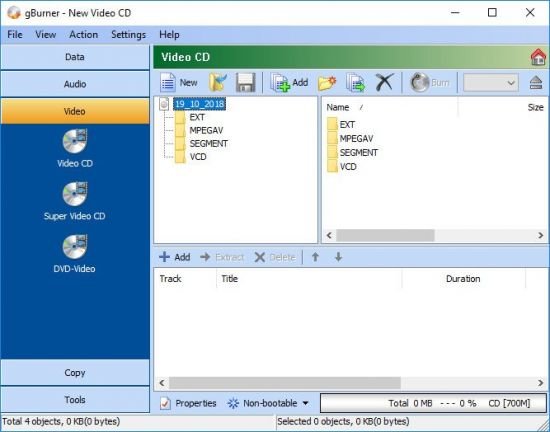
gBurner is a powerful and easy-to-use CD/DVD burning tool, which allows you to create and burn data/audio CDs and DVDs, make bootable data CDs and DVDs, create multisession discs. Moreover, this software can be used as a disc image file processing tool, therefore it will allow you to create, extract, open, edit, convert or burn ISO/BIN image files.


Key features of "gBurner":
· Create and burn data / audio CD and DVD. gBurner supports the following disc types: CD-R, CD-RW, DVD-R, DVD-RW, DVD-R DL, DVD+R, DVD+RW, DVD+R DL, DVD-RAM
· Create multisession CD/DVD
· Make bootable CD/DVD
· Burn data, audio and video image file
· Copy CD/DVD
· Erase rewritable disc
· Optimize file layout to save disc space
· Open, create, extract, edit and convert ISO/BIN Image file. gBurner can convert almost all image file formats to ISO/BIN image file format
· Easy and friendly interface. gBurner supports context menu, drag and drop, clipboard copy and paste

Supported operating systems:
Windows 10, Windows 8 / 8.1, Windows 7, Windows Vista, Windows XP, Windows 2008/2003/2000, Windows NT 4.0
32-bit and 64-bit editions of Windows supported

Home Page -
Код:
http://www.gburner.com/


-:DOWNLOAD FROM LINKS:-

RapidGator
Код:
https://rapidgator.net/file/2e4f8da30a7f37292aad316b05315451/gBurner.5.rar.html

NitroFlare
Код:
https://nitroflare.com/view/CECA6C255F48B1A/gBurner.5.rar

​
 
Advanced Identity Protector 2.2.1000.2685


4-X3c-Zo0t-UPACv-Vux50-X9-H9-Wuh-Ks-UHc5-L.jpg

Advanced Identity Protector 2.2.1000.2685 Multilingual | 25.2 Mb
​
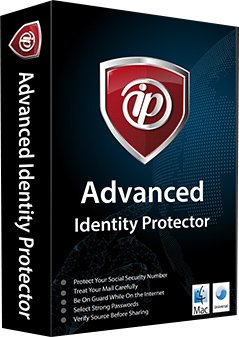
Advanced Identity Protector the best id theft protection tool ensures confidential information such as passwords, email accounts, credential details, credit card information and social security number etc. cannot be accessed by anyone except you.


How Advanced Identity Protector Works?
Using Advanced Identity Protector is extremely simple. Once this identity protection software gets installed, launch, and click Start Scan Now to identify any hidden privacy exposing identity traces. These traces contain sensitive information such as email ids, login ids, passwords, credit card numbers, contact information and social security number etc. Once Advanced Identity Protector detects these traces, you can either delete or can save them in the in-built Secure Vault.

The scan results are neatly organized in distinct categories, you can choose what to delete and what to store in Secure Vault. Once moved to Secure Vault, the information is encrypted and accessible via a password known only to you.

Protect Sensitive Information
Best id theft protection tool to protect, identity traces such as passwords, email ids, login details and credit card information.

Organize Personal Data Securely
Traces such as social security numbers, credit card information, passport details etc. are conveniently moved to a in-built Secure Vault offered by the best id theft protection tool to prevent identity theft.

Protect Credit Card Information
Financial details such as credit card information is protected by best identity theft protection tool from online spying. The information stored in Secure Vault is encrypted and is only accessible by the user.

Quickly Access Multiple Information
No longer remembering multiple passwords for different accounts. Use the in-built Secure Vault.

Web Browsers
All versions of Internet Explorer, Mozilla Firefox, and Google Chrome.

Email Clients
Microsoft Outlook/Outlook Express etc.

Documents & Files
All file formats such as doc, docx, xlsx, xls, pdf, txt, rtf etc.

Windows Registry
Detects any hidden sensitive information in Windows Registry.

Operating System: Windows XP, Vista, 7, 8/8.1, 10

Home Page -
Код:
https://www.systweak.com/


-:DOWNLOAD FROM LINKS:-

RapidGator
Код:
https://rapidgator.net/file/37759df52256e8c4a3ea5e833897fc28/Identity_Protector_2.1.1000.2685.rar.html

NitroFlare
Код:
https://nitroflare.com/view/5000436DDA52489/Identity_Protector_2.1.1000.2685.rar

​
 
2BrightSparks SyncBackPro 9.4.2.15


p-NGvaonmmlws-En-XATZi-ZXc6tv-V7-Ekwx-K.png


File Size: 59.1 MB
​
SyncBackPro is a professional and advanced backup, restore and Synchronization utility with lots of advanced features. With this backup utility you can copy any file whether it is locked or it is open which is normally not possible to copy in these conditions. But this feature work only on window XP or higher version of window. Taking backup with SyncBackPro is a very fast process and it can process an unlimited number of files. It always keep your files of old versions as it support versioning and incremental backup to save the time and reduce the burden on the resources.

SyncBackPro has a powerful inbuilt FTP engine to take backup on any FTP site. It also provides you very high level of security with the AES 256-bit encryption. SyncBackPro comes with an automatic scheduler for automatic backup jobs. SyncBackPro has option to take backup to CD/DVD and even it has option to email the backup whether it is SMTP, POP3 or IMAP4. SyncBackPro have support for scripting n so you can use your own scripts to configure the program. This utility also has a compression tool to reduce the backup size of the files and to reduce the resources.

Backup to CD/DVD
Backup to CD/DVD with disk spanning (compression not required). SyncBackPro can also backup to an ISO image file which can be mounted as a virtual drive (using 3rd party software). SyncBackPro also performs automatic disk spanning, i.e. if your files do not fit onto the CD/DVD then it will split the files and continue onto another CD/DVD.

Backup To or Restore From an Email Server
SyncBackPro allows the user to backup or synchronize their files with an email server whether SMTP, POP3, or IMAP4 (not to be confused with synchronizing emails). This is similar to backing up via FTP, however the backup is made via an email server e.g. Gmail, Yahoo!, etc. SyncBackPro provides advanced customization of the settings that allow the user to define SMTP and POP3/IMAP4 server connection details like "Must use SSL/TLS connection", "Direct SSL/TLS connection", and includes the ability to create a custom email body instead of using the default.

Scripting Support
SyncBackPro allows the user to configure the program and profiles using their own scripts. Scripts are distinct from the core code of the application, which is written in a different language. Scripting is a way in which the functionality of SyncBackPro can be changed or extended. A script is a set of instructions and is similar to the macro support in Microsoft Office, and Java Script in web pages. SyncBackPro can use scripts written in any scripting language (supported by the Windows Scripting Host) that is installed on the computer...


-:DOWNLOAD FROM LINKS:-
RapidGator
Код:
https://rapidgator.net/file/f84b3b422af6a22113def5ff9e4ac81d/SyncBackPro.9.rar.html

NitroFlare
Код:
https://nitroflare.com/view/5F37CED4E09D76A/SyncBackPro.9.rar

​
 
TablePlus v3.10.1 Build 142


th-fwhd7-FACKs-Ij-Oo-ASNx5u-Et0w7-N1-X9u-NL.jpg

TablePlus v3.10.1 Build 142 | 121.8 Mb
​
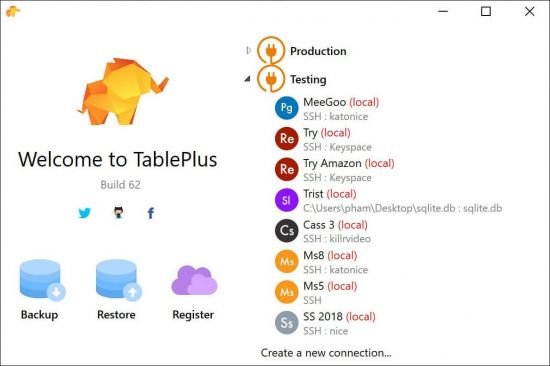
Modern, native, and friendly GUI tool for relational databases: MySQL, PostgreSQL, SQLite and more.


Native, lightweight and fast
With native build, simple design and powerful features, TablePlus makes database management easier, faster and more efficient for you.

Native, fast and secured
Query, edit and manage your databases easily with a native app that can run fast like a Lambo. It takes only half a second to get up and running.

Multi tabs and code review
Quickly get a snapshot of your database with multi-tab and multi-window view, as well as stay in control of what you have changed on your database with Code Review.

Built-in SSH
You don't need to install any SSH client in order to connect to the server. SSH is a part of TablePlus.

An intuitive GUI client
Browse, query, edit your data and database structure in a simple and clean spreadsheet-like editor.

Operating System: Windows 7, 8/8.1, 10

Home Page -
Код:
https://tableplus.com/


-:DOWNLOAD FROM LINKS:-

RapidGator
Код:
https://rapidgator.net/file/9f4c519b5b85171b10e64100188add05/TablePlus.3.rar.html

NitroFlare
Код:
https://nitroflare.com/view/88D6115DC7E9E6A/TablePlus.3.rar

​
 
Backuptrans Android iPhone WhatsApp Transfer Plus 3.2.139


th-i-RUj-Tmuzshez-Sea-QEsa-Bc72-Y3-HT0c4iu.jpg

Backuptrans Android iPhone WhatsApp Transfer Plus 3.2.139 (x64) | 23.2 Mb
​
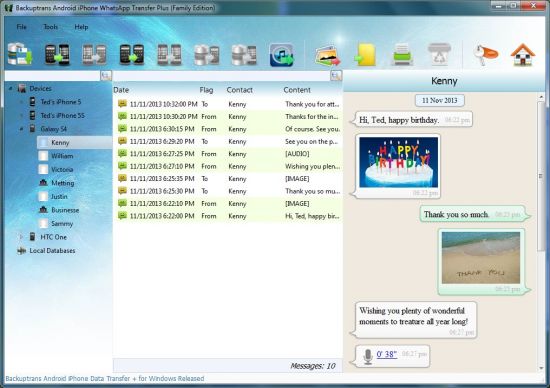
Copy Android/iPhone WhatsApp Messages to PC or another Android/iPhone. If you have two Android/iPhone devices or one Android and one iPhone, it's always wise to find a tool to help you manage WhatsApp Chat History for your Android/iPhone devices or to transfer WhatsApp Messages between Android and iPhone. Backuptrans Android iPhone WhatsApp Transfer + is the best all-in-one WhatsApp Messages manager package which lets you copy & share WhatsApp Chat Mesages for Android/iPhone on computer directly. No Root/Jailbreak required.


Backup WhatsApp Chat History from Android/iPhone to PC
Restore WhatsApp Chat History from Computer to Android/iPhone
Transfer WhatsApp Messages between Android and iPhone
Recover WhatsApp Messages from iTunes Backup to Android/iPhone
Export WhatsApp Messages to document file(Txt, Csv, Doc, Html, PDF)
Print out WhatsApp Messages in conversations on PC
Extract WhatsApp pictures videos audios etc attachments on PC
Support iPhone, Samsung, HTC, Motorola, Sony Ericsson, LG, Huawei and More

Operating System: Windows NT/2000/XP/2003/Vista/7/8/10 (64-bit only)

Home Page -
Код:
http://www.backuptrans.com/


-:DOWNLOAD FROM LINKS:-

RapidGator
Код:
https://rapidgator.net/file/68b9200726298e3615856153214b6ba5/WhatsApp.Transfer.3.2.139.rar.html

NitroFlare
Код:
https://nitroflare.com/view/77B69B0730EA674/WhatsApp.Transfer.3.2.139.rar

​
 
PDF ePub DRM Removal v4.20.1002.368


th-j-Vm-QOak-Sok6-OXNi7-Vz1u4-WHXGk-ZYFWa-Y.jpg

PDF ePub DRM Removal v4.20.1002.368 | 10.3 Mb
​
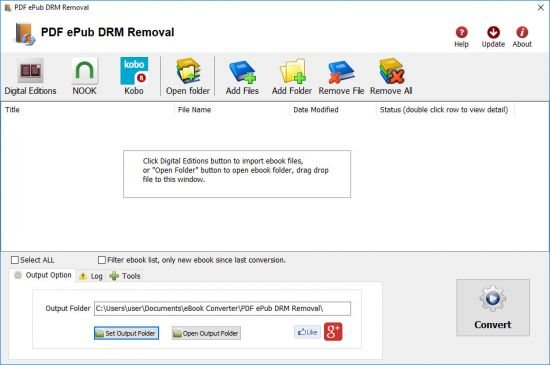
PDF ePub DRM Removal quickly and easily remove ebook ADEPT DRM protection for PDF epub files with 1-click. user can view PDF ePub ebook on iPad, NOOK, Sony Reader or other device without limitation, user also can print Digital Edition ebook. It is very easy to user, just 1-click to decrypt epub ebook.


Key Features
One-click converter.
No quality lose, the same quality as source ebook.
Create a new epub/pdf file, no need to backup the source files.
Support both epub and PDF file.
Remove ebook DRM

Operating System: Windows 7, 8/8.1, 10

Home Page -
Код:
https://www.ebook-converter.com/


-:DOWNLOAD FROM LINKS:-

RapidGator
Код:
https://rapidgator.net/file/5022f480f68942a5c492d376a2d43046/pdfdrms4.20.rar.html

NitroFlare
Код:
https://nitroflare.com/view/E98365CC465662E/pdfdrms4.20.rar

​
 
eBook DRM Removal Bundle v4.20.1002.400


w-Rfoz-WYXk-AAYbx-Qc8a-Qks9-Cmm-Xpf-E1tb.jpg

eBook DRM Removal Bundle v4.20.1002.400 | 10.3 Mb
​
DRM Removal Bundle is all in one tools to remove ebook DRM protection, it support Adobe Digital editions drm ADEPT, Kindle and Barnes Noble ebooks. it is easy to use and drag drop to work. user can view non-drm ebook on iPad, NOOK, Sony Reader or other device without limitation, convert ebook to pdf/doc format in Calibre to print and share ebook with friends.


Features:
Drag Drop and fly.
No quality lost, just remove drm protection, the same quality as source ebook files.
No change to source files, no need to backup the source files.
Remove ebook DRM.
iBook epub doesn't support.
OverDrive eBooks, Public library ebook.
Purchased Google books.
Kindle ebooks.
Barnes Noble ebook
All other epub ebook opened in digital editions.
itunes ibooks doesn't support.

Operating System: Windows 7, 8/8.1, 10

Home Page -
Код:
https://www.ebook-converter.com/


-:DOWNLOAD FROM LINKS:-

RapidGator
Код:
https://rapidgator.net/file/87fa74a41bd5d4c45ce56e52200e0a01/alldrm4.20.rar.html

NitroFlare
Код:
https://nitroflare.com/view/9328C33090552F9/alldrm4.20.rar

​
 
VX Search (Ultimate / Enterprise) 13.1.26


th-Ty9-Jkdh-GDWD7-Pxj-ILn1-Qc4-RUs-JIBp6di.jpg

VX Search Ultimate / Enterprise 13.1.26 (x86/x64) | 26.3 Mb
​
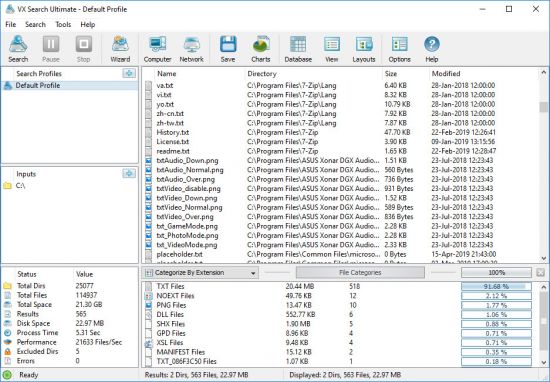
VX Search is an automated, rule-based file search solution allowing one to search files by the file type, category, file name, size, location, extension, regular expressions, text and binary patterns, creation, modification and last access dates, EXIF tags, etc. Users are provided with the ability to categorize and filter results, copy, move or delete files, save reports and export results to an SQL database.


VX Search Main GUI Application
The VX Search main GUI application allows one to execute file search operations, review file search results, categorize and filter search results, perform file management operations, export reports, generate pie and bars charts, export search results to an SQL database and much more.

File Search Dialog
VX Search allows one to search files by the file type, category, file name, location, file size, creation, modification and last access dates, file attributes, JPEG EXIF tags, etc. In addition, users are provided with the ability to specify sophisticated, multi-level file search rules capable of searching files by multiple criteria combined with logical operators.

Searching Files in Network Servers and NAS Storage Devices
VX Search allows one to scan the network, discover network servers and NAS storage devices, automatically detect all accessible network shares and search files in hundreds of network servers and NAS storage devices.

File Search Results Charts
The VX Search charts dialog provides the ability to generate various types of pie and bars charts, edit the chart's title and footer and copy charts to the clipboard making it very simple to integrate VX Search charts into user's custom reports and presentations.

File Search Reports
VX Search allows one to export HTML, PDF, Excel, text, XML and CSV reports. In addition, the user is provided with the ability to save search results into the VX Search native report format and export search results to an SQL database.

Conditional File Search Actions
Power computer users and IT administrators are provided with the ability to execute custom actions when a search operation finds a user-specified number of files. VX Search allows one to specify the number of search results that should trigger an action and select the action type to perform such as save a report file, export results to an SQL database or send an E-Mail notification.

Supported Operating Systems:
Windows XP, Vista, 7, 8, 8.1, 10 Server 2003, 2008, 2008 R2, 2012, 2012 R2, 2016

Home Page -
Код:
https://www.vxsearch.com/


-:DOWNLOAD FROM LINKS:-

RapidGator
Код:
https://rapidgator.net/file/a98876b10c88fec9ec8ac8713500c698/VXSearch13.rar.html

NitroFlare
Код:
https://nitroflare.com/view/93F0DC56404ED38/VXSearch13.rar

​
 
Mirillis Action! 4.12


action.png

Mirillis Action! 4.12 Multilingual | 93.7 Mb
​
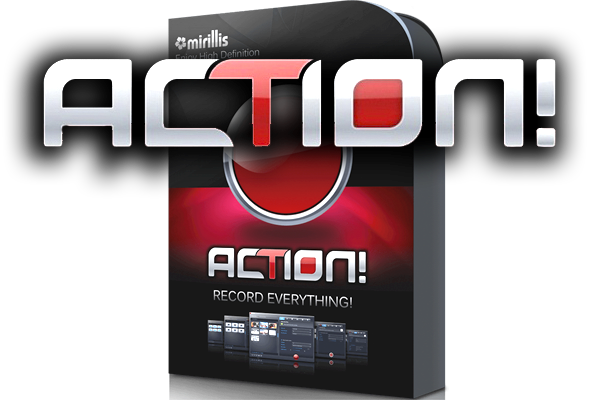
Mirillis Action! screen recorder allows streaming and real-time recording of Windows desktop in a superb HD video quality. With Action! you can record and stream your gameplay, web player videos, record music, capture screenshots, add webcams, microphone commentary and more!


The most user friendly and stylish interface of all screen recorders!
Action! is compact, stylish and user friendly. Built-in screen and gameplay recording manager allows to browse, delete selected items and export recordings to popular formats and devices. Action! screen recorder defines new standard of user experience for games benchmarking, gameplay and Windows desktop real-time recording software.

Greenscreen Mode
Action! gives you Greenscreen Mode. Now you can cut out the background, while recording with your webcam, from your video recording. You don't need to have special camera for that - all you need is Action! screen recorder and any solid color background, what is much cheaper solution and gives the same, if not better, results.

Record webcam or USB/HDMI Capture Devices
Select device recording mode to capture video from gaming consoles, other PC, TV broadcasts, webcams or camcorders. Add your own logo, webcam, microphone commentary and record video to your local disk or live stream to popular services.

Try screen recording with Selected Application recording option.
This brand new recording mode allows you to record your Windows desktop screen in complete privacy! Record only the application you want to show to others on your screen recording, while the rest of your desktop screen will be blackened-out and not recorded on your video.

Record gameplay in HD. Benchmark games performance.
Outstanding screen and gameplay recording performance and GPU utilization allows the smoothest real-time HD gameplay recording ever! Display current and average game framerate (FPS) during gameplay and save your benchmark results.

The outstanding screen recording performance!
Action! defines a new standard of performance for gameplay and desktop recording software. It uses Mirillis ultra-fast, multicore optimized, proprietary video codec (FICV - Fast Intra Compression Video standard) which together with highly optimized application engine provides the ultimate performance of real-time HD video recording. Action! screen recorder also captures video directly to MP4 format utilizing NVIDIA NVENC, AMD APP or Intel Quick Sync Video hardware acceleration.

Live stream gameplay and desktop activity to popular services!
Action! LIVE Streaming service allows to stream all your gameplays, videos or desktop activity to popular streaming services like Twitch.tv, YouTube, Smashcast (hitbox), Ustream, Livestream, Facebook, Aliez and more! With Action! screen recorder live streaming is easy and fun!

Operating System: Windows Vista, 7, 8/8.1, 10

Home Page -
Код:
https://mirillis.com/


-:DOWNLOAD FROM LINKS:-

RapidGator
Код:
https://rapidgator.net/file/bae5d93a71dc7e4420a5ba8580ce8888/MirillisAction4.rar.html

NitroFlare
Код:
https://nitroflare.com/view/7033F2EE54E2C6C/MirillisAction4.rar

​
 
Назад
Сверху