• Здравствуйте. Сайт заработал в архивном режиме форум www.old.nado.in

Dl4ever Software

Adobe After Effects 2020 v17.1.2.37 (x64)


387935d71c75c9bf716f84e42b969efe.png

Adobe After Effects 2020 v17.1.2.37 (x64) Multilingual REPACK | 2.1 Gb
​
Make a big scene bigger. Create cinematic movie titles, intros, and transitions. Remove an object from a clip. Start a fire or make it rain. Animate a logo or character. With After Effects, the industry-standard motion graphics and visual effects software, you can take any idea and make it move.


There's nothing you can't create with After Effects.
Animators, designers, and compositors use After Effects to create motion graphics and visual effects for film, TV, video, and the web.

Roll credits. Spin words. Twirl titles.
Create animated titles, credits, and lower thirds. Start from scratch or with one of the animation presets available right inside the app. From spin to swipe to slide - there are countless ways to make your text move with After Effects.

Explosive effects. Mind-blowing results.
Combine videos and images to send a UFO across the sky or create an explosion - the possibilities are endless. Remove objects like booms, wires, or even people. Apply hundreds of effects to do anything from adding fog to making it snow. And create VR videos to drop your audience right into the center of the action.

Get animated.
Set anything in motion-from logos to shapes to cartoons-with keyframes or expressions. Or use presets to kick-off your designs and get unique results.

Plays well with others.
After Effects works seamlessly with other Adobe apps. Create comps and immediately see how they look in Premiere Pro with Adobe Dynamic Link. Import work from Photoshop, Illustrator, Character Animator, Adobe XD, and Animate. Use Team Projects to collaborate with editors no matter where they're located. And After Effects is integrated with 300+ software and hardware partners.

Remove objects from video clips fast and easy
Want an object or person gone from your footage? With Content-Aware Fill, remove unwanted items quickly - no need to mask or cut out frame by frame.

Supercharge your animation flow
A JavaScript expression engine delivers up to a 6x boost in performance. And a new Expressions Editor makes writing easier and faster, including automatically identifying errors in your code.

Get depth passes from native 3D elements
Apply depth effects such as Depth of Field, Fog 3D, and Depth Matte so elements look natural - or use depth data to simulate 3D looks.

System Requirements:
- Processor: Multicore Intel processor with 64-bit support
- Operating system: Microsoft Windows 10 (64 bit) versions 1703 (Creators Update) and later
- RAM: 8 GB minimum (16 GB recommended)
- 4 GB of GPU VRAM
-Hard disk space
- 5GB of available hard-disk space; additional free space required during installation (cannot install on removable flash storage devices)
- Additional disk space for disk cache (10GB recommended)
- Monitor resolution 1280x1080 or greater display resolution

Home Page -
Код:
https://www.adobe.com/


-:DOWNLOAD FROM LINKS:-

RapidGator
Код:
https://rapidgator.net/file/10551bfe3d0e5e74358b8a246ac1ac8e/After_Effects_2020_17.1.2.37.part1.rar.html
https://rapidgator.net/file/c1e3613dffa1b9cf3bb411e55579077b/After_Effects_2020_17.1.2.37.part2.rar.html
https://rapidgator.net/file/5bad3a9d29e53796b0378f3e095be099/After_Effects_2020_17.1.2.37.part3.rar.html

NitroFlare
Код:
https://nitroflare.com/view/9ADDBD627361394/After_Effects_2020_17.1.2.37.part1.rar
https://nitroflare.com/view/2CB4478288349C6/After_Effects_2020_17.1.2.37.part2.rar
https://nitroflare.com/view/EB2D87C6653DEFE/After_Effects_2020_17.1.2.37.part3.rar

​
 
DLL Escort 2020 version 2.6.20


fc38b0c908cecc0355370c59d4ea3ed3.jpg

DLL Escort 2020 v2.6.20 + Portable | 9.2/11.5 Mb
​
DLL Escort is the number-one DLL fixer for repairing your Windows PC problems. It fixes DLL errors, cleans and defragments registry, optimizes Windows, restores your system and makes your computer faster and more secure.


Fix File Errors:
• Repair and resolve error in DLLs with .dll, .exe, .sys, .drv, .ocx, bpl and other file extensions.
• Fix your .dll file errors
• Repair and clean your Registry
• Prevent your applications and PC from crashing
• Optimize system speed

Common symptoms of DLL error:
• .dll is missing or was not found
• .sys blue screen of death BSOD
• .exe high CPU / Memory usage

Clean & Compact Registry
• Repair registry issues and optimize your Windows registry.

Registry engine will scan following sections:
• Add/Remove Programs
• Custom Controls
• Deep Scan
• File Extensions
• Help and Resources
• Temp Files/Shortcuts
• Registry Integrity
• Software Locations
• Shared DLLs
• Startup Programs
• Virtual Devices
• Windows Fonts
• Repair registry issues and optimize your Windows registry.

Junk File Cleaner Junk File Cleaner:
• This built-in utility scans and cleans up the junk files from your system to provide more free space on your hard drives and allow applications to run faster and more efficiently.

Boost System Startup
• Speed up your Windows startup times.

OS Supported: Windows 10, 8, 7, Vista and XP, both 32 and 64 bits

Home Page -
Код:
https://www.dllescort.com/


-:DOWNLOAD FROM LINKS:-

RapidGator
Код:
https://rapidgator.net/file/0681c411b5506767bee1c7d5e2c58672/DLLEscort.2.6.20.rar.html

NitroFlare
Код:
https://nitroflare.com/view/A170EB0A5D73F43/DLLEscort.2.6.20.rar

​
 
Luminar 4.3.0.6175 (x64) Multilingual


6022ecae9ad11250ceb2b64564c8dcc4.jpg

Luminar 4.3.0.6175 (x64) Multilingual + Portable | 634 MB | 436 MB
​
Your Photography. Elevated. Revolutionary tools and AI technologies in Luminar 4 bring new heights to photo editing. Luminar 4 is the next generation of our all-in-one image editing and photo management software. Luminar 4 is designed to deliver professional results in less time and to help photographers unlock their best images.


All New in Luminar 4:

AI Sky Replacement
Replace the sky to change the mood of your photo - instantly. Thanks to intelligent algorithms, this challenging task is now automated.

AI Skin Enhancer & Portrait Enhancer
Enhance your portraits faster than ever with revolutionary human-aware technology. Get amazingly realistic results on portraits shot outdoors or in a studio.

AI Structure
Quickly reveal important parts of each image without spoiling the rest of the photo. This content-aware tool detects areas that could look richer and enhances them.

Sunrays
Create realistic light rays. Add a source of sunlight and move it around your image. Watch volumetric sunbeams magically seep between objects such as trees and buildings.

AI Enhance
AI Accent makes dozens of complex adjustments when you move just one slider. New human-aware technology recognizes people and applies adjustments selectively for ultra-realistic results.

Browse beautifully
Explore, rate, sort & enjoy images from all your folders with ease and pleasure.

Apply instant Looks
Immerse in more than 70 Looks, handcrafted by recognized photo artists. Divided into seven Categories. Create and share your own unique Looks.

Make your landscapes pop
With Landscape Enhancer toolset it takes few slides to add more charm to your landscapes. Apply Dehaze to restore depth and color. Add warm sunlight with Golden Hour. Works perfectly on landscapes or outdoor portraits. Improve colors of plants, trees or flowers with Foliage Enhancer.

Erase unwanted objects
Get rid of unwanted objects, strangers, and odd details - in a click, with Erase tool.

Boost creativity with Creative tools
- Use it for a gritty cinematic look. Often used in stylized fashion shoots and grungy athletic portraits.
- For an aged look with flat color and high contrast. Works great for both landscapes and portraits.
- Creates a dreamy look with increased contrast and a delicate glow.
- Remap the colors in an image for creative new options. LUTs can be used for color grading, B&W conversion, or digital film stocks.
- Textures give your photos a new appearance. They're especially great when you're trying to achieve a vintage or grungy look.
- Creates a lighting effect, especially around bright areas such as streetlights and sky.
- Emulates the structure of analog film stock by introducing a random, stylized texture into your image.
- Adds a strong softening or blurring effect to part of your photo, simulating fog.

Remove noise
Flawlessly remove digital noise from any type of photo. Get perfect images no matter the camera or shooting conditions.

Enhance details
Create more dramatic shots. Bring crystal-clear sharpness to your images. Enhance the clarity of small, medium or large details selectively.

System Requirements:
- Graphics: Open GL 3.3 or later compatible
- Processor: Intel Core i5 or better
- OS: Windows 7 or higher (only x64-bit OS)
- RAM: 8 GB or more
- Disk Space: 10 GB free space

Homepage -
Код:
https://skylum.com


-:DOWNLOAD FROM LINKS:-

RapidGator
Код:
https://rapidgator.net/file/1d115d8f5f7d4917b9b3e47a522e3b43/Luminar_4.3.0.6175.rar.html

NitroFlare
Код:
https://nitroflare.com/view/A12FEBEAD3B2807/Luminar_4.3.0.6175.rar

​
 
Imadio Fisheye-Hemi Photoshop Plug-In v2.0.8


d0c852246853ca97183d4f4ad954136e.png


Languages: English | File Size: 40 MB
​
Fisheye-Hemi Plug-In - See the entire Hemisphere without the distortion. The Fisheye-Hemi Plug-In automaticaly remaps your fisheye images to minimize distortion and maximize the preservation of all image details.

About Fisheye-Hemi™ Plug-Ins
Fisheye-Hemi is a set of plug-in filters for Photoshop, Photoshop plug-in compatible applications, Lightroom and Apple Aperture which provide correction for hemispheric fisheye lens distortion. Fisheye Hemispheric lenses in the hands of a photographer provide an expanded view of the world across approximately a 180 degree diagonal field. Until now, the primary option available to the photographer was to render these fisheye images using rectilinear mapping techniques. These methods have many drawbacks, such as distortion of people near the perimeter and loss of resolution and data. Although the image is similar to what is seen by the eye, printed, the images appear distorted.

Fisheye-Hemi offers an aesthetically pleasing and natural view of the image using a unique mapping technology! Fisheye-Hemi provides a more normal view of people by not distorting their faces and bodies, and straightens vertical lines. It has improved resolution of the image plus it displays the intended composition and framing better than other un-warping programs. The most important requirement for Fisheye-Hemi is to not distort people, no matter where they are in the image. The faces and bodies must appear as normal as possible; given it is a fisheye lens! The Fisheye-Hemi Plug-In preserves the people.

Another important feature of Fisheye-Hemi is the clarity of the mapping. A rectilinear mapping will discard approximately one third of the pixels and crop to the center along the horizontal axis. Photographers purchase a lens to capture up to 180 degrees. Much of the data is discarded in a rectilinear view. Fisheye-Hemi uses almost all of the pixel data in that view. A rectilinear view will shrink the center of the image which has the most detail. Fisheye-Hemi preserves this detail by using advanced mathematics to preserve all of the content of the original fisheye image.

Additionally, a rectilinear projection discards much of the framing of the image as composed by the photographer through fisheye lens. Fisheye-Hemi preserves all of this framing; what was seen on the top and bottom of the image in the viewfinder is included in the processed image. Last, but equally important, Fisheye-Hemi straightens vertical lines. The Fisheye-Hemi Plug-in produces an aesthetically pleasing image from the fisheye lens!

Fisheye-Hemi 1 (Circle)
Works best with a lens and camera combination that covers 180 degrees horizontally across the field, such as a Nikon D80 with an 8mm lens.

Fisheye-Hemi 2 (Full Frame)
Works best with a lens and camera combination that covers 180 degrees diagonally, but the captured image has no black edges in the corners. This combination is commonly called a "full frame fisheye image".

Fisheye-Hemi 3 (Cropped)
Works best with a lens and camera combination that covers less than 180 degrees, where the captured image appears almost normal with mild fisheye distortion.

Fisheye-Hemi is a plug-in filter which provides correction for hemispheric fisheye lens distortion.
Fisheye Hemispheric lenses provide a broader view of the world than is possible with any other lens. Until now, the primary correction option available to the photographer was to render these images using rectilinear mapping techniques. These methods have many drawbacks, such as distortion of people and loss of resolution and data.

The Fisheye-Hemi filter provides an aesthetically pleasing and natural view of the image using a unique mapping technology. Fisheye-Hemi provides a more normal view of people when photographed at acceptable distances. It improves the resolution of the image by including more of the original pixels (in comparison to a rectilinear view), displays the intended composition and framing, and straightens vertical lines.

How does Fisheye-Hemi work?
Let's begin with a basic understanding of what a fisheye lens does and how the eye perceives the information. Light projects conically into the human eye. The cornea and lens are similar to a fisheye lens. The light is projected onto the curved retina. The human brain uses complex mathematics to correctly interpret the objects that you see into a three dimensional image.

To a person holding a camera, the surrounding space appears to be a sphere centered on the camera. The process of taking a picture projects this sphere inward onto a flat (planar) surface. This surface could be film or a digital sensor representing a planar surface. Fisheye-Hemi provides an improved way of mapping the surface of the sphere to the planar surface.

In Summary...
The fisheye lens (depending on the camera sensor size) can typically capture a full 180 degree field measured from corner to corner of the sensor.
Release Notes Fisheye-Hemi v2:

Powerful, flexible and still easy to use
Fisheye-Hemi version 2 for Photoshop® provides a user interface that is as easy to use as the version 1 set of plug-ins but also allows you as much control and flexibility as you want in tuning your images.
System Requirements:

Applications:
- Adobe Photoshop 7.0 and higher versions Adobe Lightroom 3.0 and higher versions Apple Aperture 2.1 and higher versions Photoshop Elements 2 and higher versions PaintShop Pro 7 and higher versions Affinity Photo 1.4.3 and higher versions

Operating Systems:
- Windows 10, 8, 7 (64-bit)

Image modes:
- RGB, CMYK, Lab Color Gray Scale, Multi-channel 8 bits and 16 bits


-:DOWNLOAD FROM LINKS:-
RapidGator
Код:
https://rapidgator.net/file/fdd865d5963f596d7f28ded6d42be0c2/Fisheye-Hemi.2.0.8.rar.html

NitroFlare
Код:
https://nitroflare.com/view/ACEAB00CB7831DC/Fisheye-Hemi.2.0.8.rar

​
 
Qiplex Speedy Duplicate Finder v1.2.0


93894d0f0bc540473f090931b2115684.jpg


Languages: English | File Size: 52.76 MB
​

Speedy Duplicate Finder - Find and remove duplicate files and free up disk space easily. Duplicates could become a considerable source of annoyances, especially if you have failed to address the issue for a large period of time. Fortunately, however, there are applications that could look into the problem and make sure there are no repercussions whatsoever, and one of them is Speedy Duplicate Finder.

Blazingly Fast
Scanning 10,000 files takes less than half a second!

Disk Support
You can search for duplicates not only in folders but on entire disk!

Smart Filters
Easily filter group of duplicates by Kind, by Extension or by Size

Intuitively Simple
It is so simple as 1 2 3. For all ages and for all users.
Release Notes- Release notes were unavailable when this listing was updated.
Requirements: Windows® 10, Windows® 8/8.1, Windows® 7 and below.


-:DOWNLOAD FROM LINKS:-
RapidGator
Код:
https://rapidgator.net/file/7d4a73a3355eb5c3b658bd0ef079b5df/Duplicate.Finder.1.2.0.rar.html

NitroFlare
Код:
https://nitroflare.com/view/D28BE2B5D9F8057/Duplicate.Finder.1.2.0.rar

​
 
WebAcappella Grid 1.6.13


f85aeae263fa6c2dcf03b1afbcde7030.jpg

WebAcappella Grid 1.6.13 Multilingual | 59 Mb
​
Create a unique site that looks like you. The creation of a site, a complex, time-consuming and tedious work? No time to code in HTML and Javascript to adapt your site for all types of screens? Create a multilingual site and give real visibility to your business on the Internet without subscription or hidden costs. Pilot your website in complete autonomy.


No subscription or hidden fees
WebAcappella and its visual editor accompanies you since 2005 in the creation of your Internet site by forgetting the technique.

Google Friendly
An ALL RESPONSIVE site with no duplicate content and integrated SEO tools. Everything to follow Google's recommendations.

Go international
Expand your business worldwide with multilingual site management!

Follow the trends
One Page Scrolling or Multipage, Parallax Effect .
Easy to create a trendy and optimized website!

Taste the unlimited
Create as many pages as you want!

Let your creativity speak for itself
- Contact forms and sending files
- Google Web Fonts integration
- Creation of reusable styles
- Navigation menu
- Text Zone
- Image
- Photo gallery and slideshow
- Integrate your HTML code
- Audio and video element
- Customization of meta title and description tags
- Publication in 1 click
- And a lot of other things.

Webacappella Grid
WebAcappella Grid is based on a grid layout (Bootstrap style) that requires more patience and learning but allows you to automate some layouts (cascading for mobile).

Home Page -
Код:
https://www.webacappella.com


-:DOWNLOAD FROM LINKS:-

RapidGator
Код:
https://rapidgator.net/file/8d01f3129981f149f411007ba695736f/WebAcappella.Grid.1.6.13.rar.html

NitroFlare
Код:
https://nitroflare.com/view/FD3AD29EFC37B26/WebAcappella.Grid.1.6.13.rar

​
 
Reallusion Cartoon Animator 4.21.1908.1 Pipeline (x64)


a2ed4bed3cc84f7c6b5bbd303449646f.jpg


Windows x64 | Languages: Multilingual | Incl. Resource Pack | File Size: 1.01 GB (In Total)
​
Cartoon Animator 4 (formerly known as CrazyTalk Animator) is a 2D animation software designed for both ability of entry and productivity. You can turn images to animated characters, control characters with your expressions, generate lipsync animation from audio, accomplish 3d parallax scenes, produce 2D visual effects, access content resources, and wield a comprehensive photoshop pipeline to rapidly customize characters and create content.

All New in Cartoon Animator 4:

ENHANCED CHARACTER ANIMATION
This WIP 1 demonstrates how Reallusion made 2D Character Animation more precise, powerful, yet more intuitive. Say goodbye to foot sliding, sinking or floating problems, the new Smart IK/FK system not only switches automatically, it makes creating amazing cartoon animation so much easier. Posing with locking end effectors gives you power to precisely animate characters with scene interaction. In addition, you can perfectly adapt motion files with different body shapes from our motion library, even fine-tune the character's stride or alter its motion genre.

Smart IK (Inverse Kinematic)
Simple and functional design sets Cartoon Animator apart from other 2D Animation tools. The intuitive 2D in IK / FK system auto-switches invisibly so character posing for animation is a fluid, and logical process. Just lock the character feet to have perfect non-sliding foot contact, and lock the character's hand to get a precise interaction with props or scene.

Easy IK Editing
- Stretches, squatting, and hip rotation made simple by moving the hip bone.
- Easy-locking feet and hands for unlimited motion possibilities.
- Position character end effectors for precise IK interaction.
- Keep or Flip Joint Bend Direction during animation editing.

Intuitive Auto IK/FK Switch
- Drag-and-move end effectors for IK editing, directly rotate joins for FK editing.
- Intuitive pose-to-pose editing without switching IK and FK modes.
- One transform timeline track can keep End Effector Constraints and it's Effective Range.
- Set keys only to Selected Body Parts, or to Full Body motion layers.

Stretch Animation
- Freely extend any character's end segments - head, hands and feet.
- Rubber-band stretch midpoint segments like elbow, waist, knee.
- After releasing stretching, the segment can resume to its original length.
- Stretch neck and torso parts by locking hands and feet.
- Smoothly interpolate stretch animation, and add Motion Curve for timing control.

Precise Scene and Prop Interaction
- Lock hands and feet to precisely interact with scene objects.
- IK Constraints - use "Keep End Effort Rotation" to tip toe or bend wrist, or use "Keep End Effector Angle" to sustain feet angle on the skateboard or bicycle pedal.
- Use "Keep Bend Direction" to ensure character's elbow or knee always bend at the right direction.
- Lock hand and feet to make stable spider-like crawling movement.

Works with All Kinds of Cartoon Characters
- Correct backward knee bend animation for quadruped animals.
- Use Shift+drag to alter the bone length between two bone segments producing a uniform transform effect such as the gorilla arm movement.
- The same effect can apply to breathing or neck-stretching animation.
- Use End Effector Rotation to easily let the dog naturally sit down.

Smart Motion Retargeting
Unique animation feature translates motions automatically to various character styles with different body scale. Smart Motion Retargeting correctly applies the collected motion files to different body shapes, automatically aligns characters to the motion's pose regardless it's initial pose settings, innovatively creates different motion performance styles.

Adapt Motions to any Character Scale
- No more Foot Sliding, Sinking, or Floating problems caused by characters' bone scale difference.
- Library Animation applied perfectly to all types of template characters.
- Works with all Template-based Motion - human biped, quadruped, wings, spine bone.

Creative IK Motion Varieties
- Auto-align character bones to the Motion Data pose, regardless of the character's initial pose setting.
- Recalculate character's Initial Pose Offset for accurate animation editing.
- Change characters' foot stride, or arm reach distance by altering the overall Motion Data Scale.
- Adjust individual End Effector bone ratio for precise character to object interaction.

Create IK Rig
Generate IK-ready 2D animated characters, CTA4 provides standardized IK Controls for template-based characters. We've also added the Auto IK Rig for Photoshop Imported characters. For custom created free-bone characters, now users may create a custom GUI from the Custom Rig GUI.

Auto IK Rig
- Auto IK Rig for Imported Photoshop Template Characters (PSD).
- Works for All Character Templates - Human, Quadruped, Wings, Spine.
- Default Human End Effector Presets - Toe, Ankle, Finger and Wrist
- Free to add IK lock to selected bone segments
- Auto assign End Effectors to Free Bone Characters, allowing custom IK definition

Custom GUI
- Snapshot a Character with a Custom Pose to create a Character Rig GUI.
- Import an image file as a custom rig image.
- Move and place End Effector Locks for ideal layout.
- Specify Bone Size, Segment On/Off in the UI display.

360 Head Creation
This WIP 2 shows how Reallusion breaks through the limitations of 2D Art, and delivers a practical way for 2D animators to create characters with advanced animation along with vivid expressions. The 360 evolution streamlines the workflow for Head Creation, Expression Setup, and directly to the animation core with face key editing, puppeteering and the timeline system. Apart from introducing a set of 360 assets and new professional animation library, users also have the path to convert existing content into 360 heads with a full range of motion.

Quickly Transform a 2D Face into a 3D Head
3D Head Creator transforms 2D art into 3D styled characters with up to 360 degree of motion for deeply rich performances. Photoshop round trip integration for editing multi-angle character in and out of 3D Head Creator.

Anchor Nine Head Turn Directions
- Inherit basic angle settings from Quick Setup
- Transform and deform head sprites for perfect 3D turn
- Optional FFD resolution from 2x2 (perspective correction) to 5x5 (precise shape definition)
- Mask-out features outside the face to create the 3D illusion

Smart Designs to Speedup Multi-angle Settings
- Copy and paste the angle definition
- Mirror setup from one side to another, flip or replace sprites to match angle requirements
- Onion Skin - proper sprite placement with neighboring setup reference
- Average - average the angle setting value from two selected points

Add Additional Decorative Items
- Apart from main facial features, users can freely add other decorative elements
- The cat has whiskers and the nose stripe seamlessly blended with the parent turning head base
- The same techniques can be used to emphasize a 3D effect with highlight and shadow layers

Free Angle Definition - Up to 360°
- More than creating a turning head, you can give a full spin to a simple shaped creature, even a moody bird
- Freely add angle points to setup the character look as the head turns
- Each angle point contains data for sprites transformation, deformation, and sprite change
- A total of 25 optional angle points are provided and a perfect 360° character can be achieved by properly adding angle definition for horizontal and vertical turn

Designing 360 Heads with Photoshop Layers
- Complete PSD to CTA round-trip workflow for 360 Head Creation
- The PSD character template is extended with angle layers for sprite change
- Use several image layers to accentuate depth such like a hog's nose
- Build the layer hierarchy using a simple naming rule, eg. Parent > Child
- The 360 Head Creator can generate and send angle definitions back to Photoshop, new PSD layers are generated for the 360 angle adjustments

3D Expression Setup
- The Cartoon Animator Expression Setup is enhanced for new 360 Performance
- Transform and deform facial sprites to setup 3D-like Expressions
- Turn on Smooth Mode to achieve extremely smooth facial blendshape animation
- Easily Guide the Head Movement using Head Turn Gizmo
- Combine with the Face Key Editor for amazing results!

New Generation of 360 Creative Assets
- Mix and match facial features to create new 360 characters
- Dynamic hairstyles and accessories can also include multiple view angles
- Combine 360 Head with selected Body style for perfect Smart IK Animation

360 Animation Controls and Timeline Editing
- Head Turn Gizmo - Easily guide the head direction using mouse cursor, a quick way to layout the animation tempo
- Face Key Editor layers up precise facial expressions, detailed adjustment can be achieved by selecting facial features, choosing from an expression list, and customizing with muscle morph sliders
- Face Puppet is enhanced for generating expressions with dynamic head turns
- Use Transform and deform to exaggerate the cartoon performance
Release NotesFixed
- Reallusion content, G3 Elastic Folks, suffered from quality isseues after applied with PSD export feature.
- Possible installtion failure due to Cartoon animator installation was bloacked by anitivirus software.
Recommended System Requirements:
- Windows 10 / Windows 8 / Windows 7 SP1 (64-bit).
- Dual core CPU or higher
- 4 GB RAM or higher recommended
- 10 GB free hard disk space or higher recommended
- Display Resolution: 1440 x 900 or higher
- Graphics Card: Nvidia GeForce 9800 GX2 or higher /ATI Radeon HD 4890 Series or higher
- Video Memory: 1 GB RAM or higher recommended

Supported Languages:
- English, German, Traditional Chinese, Simplified Chinese, Japanese.


-:DOWNLOAD FROM LINKS:-
RapidGator
Код:
https://rapidgator.net/file/03f88f1322232df354f0b74f0838c86b/CA.4.21.1908.1.rar.html
https://rapidgator.net/file/1079d80be48e59f6da15d89c3e08eaa7/CA.4.2.Res.rar.html

NitroFlare
Код:
https://nitroflare.com/view/AE9B384D27FC649/CA.4.2.Res.rar
https://nitroflare.com/view/6143CC0711081EC/CA.4.21.1908.1.rar

​
 
Final Draft v11.1.3 Build 83


4e98c437eb491ac40f55efa85f973913.jpg


Languages: English | Fie Size: 78.43 MB
​
For over twenty years now, Final Draft has shown itself to be the most vital tool available to the screenwriter. Final Draft has eclipsed all of its competitors because it is the best. It does everything you could possibly think of and then you can write and not think of it at all.

Advanced Brainstorming
With Final Draft 11, you can brainstorm, visualize, report, tag, collaborate and customize your writing environment like never before.

Refined Beat Board
Limitless space to organize your ideas in a customizable, visual way. Plan set pieces, store character research, and much more.

- Beats can be anything - plot points, character arcs, research, location ideas
- Beats can contain both stylized text and images
- Drag content to and from your script and Beat Board, preserving formatting
- Color code for easy reference with a vibrant color palette

New Story Map
Connect your Beat Board ideas to your script. Keep on track with visual guideposts to your story.

- Organize Beats and Structure Points from the Beat Board
- View Beat content easily while writing
- Visually plan milestones and plot points
- Easily navigate your script and Beat Board

Easier Formatting
Use your creative energy to focus on your story and characters - let Final Draft take care of the rest.

Title Page
All Final Draft templates come with industry standard title pages that are easy to customize.

Tab & Enter
Use just the Tab and Enter keys to write your script quickly and easily.

Format Assistant
Be confident your script is professionally formatted before you print or email it.

Reformat Tool
Speed through the reformatting process when importing different file types.

Automatic Backup Folder
Protect your work with automatic file backups.

Unicode Support
Final Draft 11 ships with fonts which support over 97 different languages. Users can also add their own fonts to type in additional languages.

Pagination & Page Management
Automatically format and paginate to industry standards. Meet page count requirements by using any of the Final Draft 11 custom formatting tools.

Keyboard Shortcuts
Customize your workflow and save time.
Release NotesWindows System Requirements:
- Microsoft® Windows 7 and above
- Minimum 512 MB of RAM
- 60 MB available hard drive space
- Internet connection required during installation


-:DOWNLOAD FROM LINKS:-
RapidGator
Код:
https://rapidgator.net/file/689eb92b9fdca11d0a3109b9a08323bc/Final.Draft.11.1.3.rar.html

NitroFlare
Код:
https://nitroflare.com/view/723A768B36455EA/Final.Draft.11.1.3.rar

​
 
3DF Zephyr 5.001 (x64) Multilingual


Fe2VpOiMYGmZqAERtOw8bDNDEJgc1oEE.png


Windows x64 | Languages: Multilingual | File Size: 274.76 MB
​
3DF Zephyr is the photogrammetry software solution by 3Dflow to automatically reconstruct 3D models from photos: deal with any 3D reconstruction and scanning challenge. No matter what camera sensor, drone or laser scanner device you are going to use.

From the camera orientation to the texture generation phase.
Get full control over all the four 3D reconstruction steps benefiting from a blazing fast experience provided by Zephyr's multi-GPU support.

Just Versatile
Hundreds of applications, projects and scenarios. Define your goals, and let 3DF Zephyr tune in to your needs and skills. Leverage photogrammetry, laser scans or both inside just one application.

Beyond 3D Model
Get true orthophotos, Digital Terrain and Surface models (DTM, DSM), stats and project reports. Perform CAD drawing and generate sections, paths and contour lines. Measure anything. Then, export your data to the file format that suits you best.

Release Notes+ Introducing 3DF Scarlet! A new dedicated standalone software explicitly designed for laser scan data registration (bundled with 3DF Zephyr)
+ Out of core mesh processing
+ Significant SfM improvements both for accuracy and speed
+ WIC is now the default imaging engine
+ Merge workspace improvements (can now specify which elements to merge)
+ Added splines to drawing elements (only 3DF Zephyr)
+ Photoconsistency computation is now split in chunk to minimize memory usage
+ Photoconsistency speed improvements
+ Texture computation is now divided in chunks to minimize memory usage
+ Added edge filter in the photoconsistency computation.
+ Texturing improvements and better management of triangles without valid reprojection.
+ New Dark Blue skin
+ New 3DF Zephyr logo
+ Added French translation
+ Added Turkish translation
+ Added pivot support on the gizmo
+ User can now set CRS in batch and quick project wizard dialog (only 3DF Zephyr)
+ Added full resolution image loading on the rendering show view
+ Zephyr cache is now compressed to minimize disk usage
+ User can now specify an additional autosave folder
+ User can now specify a custom field of view in the decomposer tool
+ Improved Fls, ZF, and Riegl native laser scan file support
+ Revit plugin updated
+ Faster rendering
+ Duplicated camera names are now disambiguated better when moving a zep file to another location
+ Point inspection tool improved
+ User can now define selections of meshes and point clouds from any planar polyline in the workspace
+ Added command to "clone and make structured"
+ Exposed full parameters during marker detection
+ Added mask inversion for Masquerade
+ Masquerade automagic button now starts form the previous computation
+ Improved resolution when exporting an orthophoto to pdf
+ Fixed an issue which caused deadlock during surface computation in some rare cases
+ Improved level curves extraction
+ Added mesh wrapping with a template mesh with known topology (experimental feature)
+ Can now add an entire folder during project wizard
+ Added possibility to transfer texture mesh (instead of recomputing it) when importing a mesh with UV maps
+ Added full projection threshold control in the marker detection dialog
+ Rotated photos are now also rotated in the control point selection dialog
+ Fixed an issue with bundle adjustment on large datasets and variable parameters
+ Added a combo box to change control points to the edit control point dialog
+ Added a photoconsistency and blurriness checks during the orthophoto creation
+ You can now define a background color for orthophotos
+ 16 decimals xmp export
+ Export dialogs now keep you previous checkbox choices when you switch formats
+ Improved image I/O speed and undistorted image creation
+ Preset rebalancing
+ Added command to "reset" camera
+ Fixed an issue with progress bar showing the text of a previous job
+ Added the possibility to use only check-points to generate a report in the control points alignment dialog
+ Loading calibrated focal length from images storing the value
+ Fixed an issue that prevents to send dump files on certain configurations
+ Textured mesh rendering speed up
+ Added function to convert a surface drawing element to a mesh
+ Fixed a problem when exporting e57 georeferenced data
+ Fixed a crash when importing a point cloud with few points
+ Fixed a crash when using the densified mesh enhancer workflow
+ Fixed an issue with marker detection and unstable triangulation
+ Fixed an issue of missing triangles when importing a quad mesh for retexturing
+ Fixed export on SCR (improved precision)
+ Fixed a crash during Cuda check at startup
+ Fixed a crash related to key points animation
+ Fixed a crash during stereo point clouds merging
+ Do you really read all the changelog? This time it was huge, and we didn't report lots of .
+ Minor fixes
System Requirements:
3DF Zephyr is a standalone application that runs on a Windows environment. Internet connection is needed for the first time product activation. Please note that 3DF Zephyr is a computationally demanding application as it takes advantage of all available CPU cores and it makes use of the Nvidia Cuda technology where available. Please note that a CUDA enabled Video card can drastically improve the performances.

Minimum System Requirement:
- OS: Windows 10/8.1/8 64 bit
- Processor: Dual Core 2.0GHz or equivalent processor
- Memory: 16GB System RAM
- Hard Disk Space: 10GB free HDD Space
- Video Card: Direct X 9.0c compliant video card with 256 MB of RAM

Recommended System Requirements:
- OS: Windows 10/8.1/8 64 bit
- Processor: Quad-core Intel or AMD CPU
- Memory: 32GB System RAM
- Hard Disk: 20GB free HDD Space - SSD drive
- Video Card: NVIDIA video card with 2GB of RAM and Cuda Capabilities >= 3.0


-:DOWNLOAD FROM LINKS:-
RapidGator
Код:
https://rapidgator.net/file/0c56d47dfd3a323c370ddb07508ef0e1/3DF.Zephyr.5.001.rar.html

NitroFlare
Код:
https://nitroflare.com/view/C9E0F7E6AE6F645/3DF.Zephyr.5.001.rar

​
 
Ashampoo WinOptimizer 17.00.32


03c7597aad3cd380cfc768d3ca2409df.jpg

Ashampoo WinOptimizer 17.00.32 Multilingual | 18.4 Mb
​
Ashampoo WinOptimizer 17 cleans, protects and optimizes your PC like no other program can. Gain new disk space, disable unwanted services and boost your PC performance to the max! Protect your privacy and customize Windows to your needs. Enjoy steady performance and a lean, secure system!


Ashampoo® WinOptimizer comes packed with 38 powerful modules to make your computer life incredibly easy. It doesn't matter whether you seek to customize Windows, enhance your security and privacy or analyze your system in depth. All modules are refined and updated every year for best compatibility and performance with old and new Windows versions alike. Discover the wealth of useful features in WinOptimizer yourself!

Robust early warning system against system failure
Start page with eight optimization tools
Handy task scheduler for maintenance and optimization
More than 30 modules for the perfect Windows system
Enhanced Uninstall Manager with additional details
Brand new cleaner modules
Two program skins available
Full secure boot support
ADS Scanner for hidden data streams

Maximum security and privacy - guaranteed!
Windows collects a lot of data and makes some foul compromises regarding system security. Win10 Privacy Control and Antispy, both included in the program, give you back control of your system! You decide which passwords, telemetry data or photos are sent out or, even better, kept private. Crack down on unsolicited tracking of your PCs, personalized ads or far too nosy programs!

Indispensable: 1-click optimization
1-click optimization is so popular because it takes care of several issues at once. Three powerful modules spring into action to clean your system in-depth. Internet Cleaner eliminates web browsing traces that not only occupy space but also compromise your privacy and security. Drive Cleaner deletes redundant files to reclaim disk space and Registry Cleaner removes invalid Registry entries for improved performance and to avoid system errors. All it takes is a single click from you!

Smart auto-features for your PC
A total of three clever modules take the bulk of the work off your shoulders. Auto-Clean not only remove junk data but prevents it before it happens! Whenever you close your browser or any other program, it makes a clean sweep and gets rid of no longer needed files. Live-Tuner performs real-time tweaking to accelerate program launches. You can also customize it manually to modify process priorities for that extra bit of oomph. Game-Booster terminates all background processes non-essential for gaming to give your games the ultimate performance boost! Once you exit the game the changes are reverted automatically so you can continue working normally.

Our cleaners: scrupulous cleanliness guaranteed!
Cleaning modules have always been at the heart of WinOptimizer. That's why we'll never stop improving them! Where do the latest browsers or setup programs store junk files? Which files pose a risk to your privacy? New threats are constantly analyzed and detection built into the new version. But that's not all. Ashampoo® WinOptimizer fully supports multi-user environments. From now on, you no longer have to clean each profile separately!

Ashampoo® WinOptimizer shows you what's going on on your PC. For example, you will automatically be notified when the health of your drives deteriorates before disaster strikes. Detect performance bottlenecks and potential errors with ease. If you need extensive details on disk space usage, installed hardware components or running background processes, here is where you'll find them!

Your PC will feel like new
Windows changes slightly with each new update and Ashampoo WinOptimizer 17 accommodates for the latest changes! The new Task Scheduler allows you to run system maintenance or One Click Optimizer automatically at custom intervals and the new innovative ADS Scanner provides insights into the hidden world of alternate data streams. The popular cleaner modules have been updated and now delete even more junk data. Track down duplicates, remove installations in style with a more powerful Uninstall manager or fine-tune your internet connection with the revised Internet Tuner! And by the way: WinOptimizer has never looked better!

Create and forget: system maintenance schedules
Many of our customers love the system maintenance and One Click Optimizer features that perform highly effective system optimization, maintenance and cleaning. Web browsing traces, hidden data clutter, redundant Registry entries or system settings that need improving, these features make your PC better and faster. And thanks to Task Scheduler, you can have them run fully automatically at regular intervals to keep your PC in the best shape possible, always!

Reveal hidden data streams with ADS Scanner
Have you heard of alternate data streams? This feature allows programs to attach hidden information to the files as they appear in Windows Explorer, e.g. to determine whether a file was downloaded or is part of the system. Unfortunately, this feature can also be abused to attach malware to your files. ADS Scanner detects and lists alternate data streams to help you locate and remove dubious entries!

Continuous development
Development never stops so each version comes with improved and enhanced modules. For example, Uninstall Manager now provide more details, Duplicate Finder supports additional filters and Browser Extension Manager now supports Opera. Based on extensive customer feedback, we continuously fix issues, implement feature requests (like new Internet Tuner profiles) and optimize work flows. This ensures that your favorite feature are always up to date and that WinOptimizer never ceases to surprise you in a positive way!

Operating System: Windows 7, 8/8.1, 10

Home Page -
Код:
https://www.ashampoo.com/

-:DOWNLOAD FROM LINKS:-

RapidGator
Код:
https://rapidgator.net/file/1009a2c872daf906092648c800cbb84e/WinOptimizer.17.rar.html

NitroFlare
Код:
https://nitroflare.com/view/58416DE53FF89A8/WinOptimizer.17.rar

​
 
Hasleo Data Recovery 5.6 (x64)


a2d43ff4be336ea2096d51811c3b4dd1.jpg

Hasleo Data Recovery 5.6 (x64) Professional / Enterprise / Ultimate / Technician | 26 Mb
​
Hasleo Data Recovery is a powerful and reliable data recovery software to solve your data loss problems whether you deleted some files by accident, formatted a drive or encountered a system crash and lost some files. With only three-step, you can get back lost files from PC hard drive, external hard drive, USB flash drive, SD card, digital camera, mobile phone, MP3/MP4 player and other storage media. And you can recover all your lost files from Windows BitLocker encrypted drive.


Best Data Recovery Software For Windows!
• All-in-one free data recovery software for Windows.
• Recover data from BitLocker encrypted partition.
• Supported file system types: FAT32, NTFS and exFAT file systems.
• Recover documents, emails, photos, videos, audio files and more.
• Recover lost data from hard drive, USB drive, Memory card, digital camera and other storage media.
• Compatible with Windows 10/8.1/8/7/Vista/XP and Windows Server 2016/2012/2008/2003.

Recover Lost Data from All Data Loss Scenarios
Various reasons may result in data loss. Hasleo Data Recovery can help you recover data due to unexpectedly data deleting, formatting, inaccessibility or raw, virus attacking, improper operation, disk repartitioned or other unknown reasons. It guarantees you the most safe way to get lost or deleted data back.

Recover Data from Any Kind of Storage Device
Hasleo Data Recovery allows you to not only recover lost data from PC, laptop or hard drive, bust also recover lost data from external storage devices like external hard disk, USB flash drive, SD Memory card, digital device, cellphone or other storage media.

Recover All Different File Types
Hasleo Data Recovery supports all major file types, including photos, emails, videos, documents, audio, archives, engineering drawings and more.

Operating System: Windows 10, 8.1, 8, 7, Vista, XP, 2000 and Windows Server 2016, 2012, 2010, 2008, 2003, 2000 (64-bit only)

Home Page -
Код:
http://www.hasleo.com/


-:DOWNLOAD FROM LINKS:-

RapidGator
Код:
https://rapidgator.net/file/154ecc477d97ac8c730631e8c34dbc30/hdr.5.6_x64.rar.html

NitroFlare
Код:
https://nitroflare.com/view/9C97A486ABC3472/hdr.5.6_x64.rar

​
 
Abelssoft Undeleter 6.0.25


011a9675d8a7d82a59f56d18a3b755c6.jpg


Multilingual | File size: 19.5 MB
​
You deleted your files accidentally? Even data which has already been removed from the Recycle Bin finds the Undeleter reliable and recovers it.

Huge Problem - Simple Solution!

Rescues lost files
Oh no! That happens really fast: Accidentally, you deleted an important file within a second, although it was still needed - gone forever! Most of the Windows user already had that experience once in their lifetime.

Against this classic pc glitch only Abelssoft Undeleter helps. This program rescues your sensitive and important data, even if they already disappeared from the Windows Recycle Bin. With all of that, the Abelssoft Undeleter offers you the possibility to rescue photos, documents and other files which would otherwise be lost forever.

Faster results with SMART Scan
With SMART Scan you can search your harddisk even faster. The search algorithm filters damaged files and only shows you the ones that are recoverable.

When it matters: DEEP Scan
Sometimes, files are so important that every piece is worth a mint. That's the reason why our developer created the DEEP Scan. This special algorithm finds every little file - even the ones which are already damaged or got partially overwritten and tries to recover them. This feature is available in the PRO version.

The mobile rescue team ensures order!
Over time a huge amount of deleted files will accumulate. To keep an overview, Abelssoft Undeleter offers you efficient filters with which you can view even huge amounts of data quickly. A custom search lets you pinpoint exactly the files you accidentally deleted. That makes your rescue team being well positioned.

Features of the PRO-Version
Use the advantages of the PRO version. Besides ad-free usage, you will get the DEEP Scan functionality. With it you can find even partially overwritten files. Especially valuable when every file matters! Furthermore, you will support the ongoing development of software like this. Don't hesitate any longer, order now!
RELEASE NOTESUpdates: official site does not provide any info about changes in this version.


-:DOWNLOAD FROM LINKS:-
RapidGator
Код:
https://rapidgator.net/file/d21a5d187eccd34b5e9fd321a2fd3f61/Undeleter_v6.0.25.rar.html

NitroFlare
Код:
https://nitroflare.com/view/14ED054CA8C97DD/Undeleter_v6.0.25.rar

​
 
Adobe Master Collection CC 17.07.2020 (x64)


a22328bc8810ef2cfed3ed14dd7377b1.jpg


File Size: 17 GB
​
As I hope you know, Adobe Master Collection CC 2020 does not exist in nature, Adobe has never released it. But, nevertheless, he is in front of you! And it is assembled on the basis of a modern installer, manufactured by Adobe, the transition to which was made possible through joint efforts, both by mine and by many of the famous PainteR. We both did our best to bring this package to life.
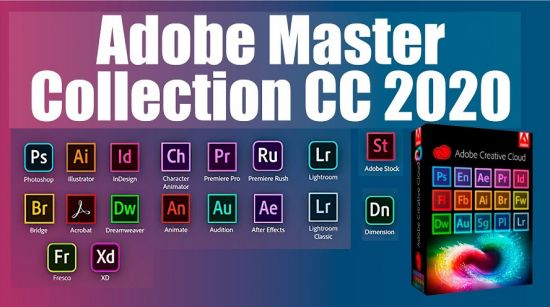
Adobe Master Collection CC 2020 is a collection of applications from the Creative Cloud 2020 line and a number of junior version programs combined by a single installer with the ability to select the installation path and the language of the installed programs.In terms of functionality, everything is very similar to the well-proven Adobe Master Collection CS6 in the past. Only here, the installer interface has changed, the current package includes significantly more programs than its namesake Creative Suite 6, and the versions of the programs themselves are mostly fresher.

The contents of the package:
Adobe Acrobat Pro DC 2020.009.20074
Adobe After Effects 2020 v17.1.2.37
Adobe Animate 2020 v20.5.0.29329
Adobe Audition 2020 v13.0.8.43
Adobe Bridge 2020 v10.1.1.166
Adobe Character Animator 2020 v3.3.1.6
Adobe Dimension 2020 v3.3.0
Adobe Dreamweaver 2020 v20.2.0.15263
Adobe Illustrator 2020 v24.2.1.496
Adobe InCopy 2020 v15.1.1.103
Adobe InDesign 2020 v15.1.1.103
Adobe Photoshop Lightroom Classic 2020 v9.3.0.10
Adobe Media Encoder 2020 v14.3.0.39
Adobe Photoshop 2020 21.2.1.265
Adobe Prelude 2020 9.0.0.415
Adobe Premiere Pro 2020 v14.3.0.38
Adobe Premiere Rush 1.5.16.564
Adobe XD 30.3.12
Adobe Fresco 1.8.0.195

What's New:
Adobe Photoshop 2020 21.2.1.265
Adobe Photoshop Lightroom Classic 2020 v9.3.0.10
Adobe After Effects 2020 v17.1.2.37
Adobe Fresco 1.8.0.195
Adobe Audition 2020 v13.0.8.43
Adobe Bridge 2020 v10.1.1.166
Adobe XD 30.3.12
Adobe Acrobat Pro DC 2020.009.20074
Adobe Premiere Rush 1.5.16.564


-:DOWNLOAD FROM LINKS:-
RapidGator
Код:
https://rapidgator.net/file/d67a4e308dd5dd59dfa762ab9d700b51/Cloud.Collection.202.17-07-2020.part01.rar.html
https://rapidgator.net/file/6529994aec8b1c4f7a5eac05a682e468/Cloud.Collection.202.17-07-2020.part02.rar.html
https://rapidgator.net/file/f8464ff143e8f7022564f16947c83f96/Cloud.Collection.202.17-07-2020.part03.rar.html
https://rapidgator.net/file/35a8040a61068a432329f71be35eded1/Cloud.Collection.202.17-07-2020.part04.rar.html
https://rapidgator.net/file/aef92c761ea4a26c4e9cfda113ddafc7/Cloud.Collection.202.17-07-2020.part05.rar.html
https://rapidgator.net/file/82d93080ed3e851d09ca53a03e73f7ff/Cloud.Collection.202.17-07-2020.part06.rar.html
https://rapidgator.net/file/171f1c89f0286f2d167b81cfad7d9519/Cloud.Collection.202.17-07-2020.part07.rar.html
https://rapidgator.net/file/a4576c8d9457b4e43ee46e79aa9a498a/Cloud.Collection.202.17-07-2020.part08.rar.html
https://rapidgator.net/file/05d38419683bb228a2b343819365870f/Cloud.Collection.202.17-07-2020.part09.rar.html
https://rapidgator.net/file/9f5e3ae9fb91d91ecd2c2f2259acc322/Cloud.Collection.202.17-07-2020.part10.rar.html
https://rapidgator.net/file/6a9d2766c6114e0d51399501814e44e4/Cloud.Collection.202.17-07-2020.part11.rar.html
https://rapidgator.net/file/ddebb819aa64c75c341f419d93377d97/Cloud.Collection.202.17-07-2020.part12.rar.html
https://rapidgator.net/file/0c1e6c173d6d519b560c3a34b4325609/Cloud.Collection.202.17-07-2020.part13.rar.html
https://rapidgator.net/file/3373e365591e3b7085b08153e1d092af/Cloud.Collection.202.17-07-2020.part14.rar.html
https://rapidgator.net/file/eed53ca89117c91d1d8c8a50ae35d0b6/Cloud.Collection.202.17-07-2020.part15.rar.html
https://rapidgator.net/file/10b7dc7c23c8fdc73768d24827660f3c/Cloud.Collection.202.17-07-2020.part16.rar.html
https://rapidgator.net/file/fcac3082c4b1417081dcc13cdd00fe88/Cloud.Collection.202.17-07-2020.part18.rar.html
https://rapidgator.net/file/fa8ddb92cfdef531c780101abf047b3f/Cloud.Collection.202.17-07-2020.part17.rar.html

NitroFlare
Код:
https://nitroflare.com/view/C7DF3A78332FAAC/Cloud.Collection.202.17-07-2020.part01.rar
https://nitroflare.com/view/B0F52105C52BAE8/Cloud.Collection.202.17-07-2020.part02.rar
https://nitroflare.com/view/2155DAA6ACD9EC7/Cloud.Collection.202.17-07-2020.part03.rar
https://nitroflare.com/view/127768ADACCF414/Cloud.Collection.202.17-07-2020.part04.rar
https://nitroflare.com/view/8C82A3DD0925A09/Cloud.Collection.202.17-07-2020.part05.rar
https://nitroflare.com/view/FBD32338C5A3140/Cloud.Collection.202.17-07-2020.part06.rar
https://nitroflare.com/view/B6C82583751DC12/Cloud.Collection.202.17-07-2020.part07.rar
https://nitroflare.com/view/EA29150B2A0F20F/Cloud.Collection.202.17-07-2020.part08.rar
https://nitroflare.com/view/3A074AB2C197785/Cloud.Collection.202.17-07-2020.part09.rar
https://nitroflare.com/view/05C686A3DDFB9FD/Cloud.Collection.202.17-07-2020.part10.rar
https://nitroflare.com/view/320402B01C14D44/Cloud.Collection.202.17-07-2020.part11.rar
https://nitroflare.com/view/063F234C74BAE86/Cloud.Collection.202.17-07-2020.part12.rar
https://nitroflare.com/view/9939B89208C38D8/Cloud.Collection.202.17-07-2020.part13.rar
https://nitroflare.com/view/2148E67CC2AEC8D/Cloud.Collection.202.17-07-2020.part14.rar
https://nitroflare.com/view/A4EF2F4CABCA294/Cloud.Collection.202.17-07-2020.part15.rar
https://nitroflare.com/view/47887E990DDDB16/Cloud.Collection.202.17-07-2020.part16.rar
https://nitroflare.com/view/052B12E5FE343F2/Cloud.Collection.202.17-07-2020.part17.rar
https://nitroflare.com/view/947A0D36A6E7172/Cloud.Collection.202.17-07-2020.part18.rar

​
 
Adobe Photoshop CC 2019 20.0.10.120 (x64)


c7722b8633dfb949f99a813230a28c0b.png


x64 | Languages:Multilingual | File Size: 1.73 GB
​

Adobe Photoshop CC 2019 - the essential software for perfecting your images. It offers productivity and workflow enhancements, powerful new editing tools, and breakthrough compositing capabilities. Adobe Photoshop CC software accelerates your path from imagination to imagery. Ideal for photographers, graphic designers, and web designers. The professional standard delivers new features such as automatic layer alignment and blending that enable advanced compositing.

Overall Adobe Photoshop CC 2019 features:
Revolutionary new features, a fluid user experience, and improved access to the unrivaled power of Photoshop
A more intuitive user interface and new nondestructive editing features that put you in control, including the new Adjustments and Masks panels
Content-Aware Scaling - advanced auto-blending that extends depth of field, and industry-leading editing and compositing with reengineered color-correction tools
Significant productivity enhancements that provide increased flexibility and enable you to leverage the power of today's faster graphics processors
Breakthrough 3D editing and compositing capabilities and improved video controls to dramatically expand your creative options
Comprehensive image analysis with enhanced measurement and counting tools, as well as support for DICOM images and MATLAB processing routines

Enhanced Features:
Artboards
Creative Cloud Libraries
Adobe Stock
Design Space (Preview)
Export artboards, layers, and more
Layer Styles
Device Preview and the Preview CC companion app
Blur Gallery | Restore noise in blurred areas
Glyphs panel
Camera Raw
3D printing
3D imaging
UI toolkit for plug-ins and scripts
Adobe Photoshop CC 2019 is part of Creative Cloud. That means you have access to all the latest updates and future releases the moment they're available. Use Save to Cloud to keep your files organized across multiple computers. And with Behance integration, you can share your projects straight from Photoshop CC and get immediate feedback from creatives around the world.

Adobe Photoshop CC 2019 Highlights:
Get started faster
In-app search
Tighter integration with Adobe XD
Stock templates, 3D objects, and search
Support for SVG color fonts
New Creative Cloud Libraries capabilities
Creative Cloud Assets improvements
Introducing Typekit Marketplace
Enhanced Properties panel
Better overall performance

Windows Minimum requirement:
Processor: Intel or AMD processor with 64-bit support; 2 GHz or faster processor
Operating system: Microsoft Windows 7 with Service Pack 1 (64-bit), Windows 10 (Version 1709 or later)
RAM:2 GB or more of RAM (8 GB recommended)
Hard disk space: 3.1 GB or more of available hard-disk space for 64-bit installation; additional free space required during installation (cannot install on a volume that uses a case-sensitive file system)
Monitor resolution: 1024 x 768 display (1280x800 recommended) with 16-bit color and 512 MB or more of dedicated VRAM; 2 GB is recommended
Graphics processor acceleration requirements: OpenGL 2.0-capable system
Internet: Internet connection and registration are necessary for required software activation, validation of subscriptions, and access to online services

Whats New:
Updates: official site does not provide any info about changes in this version.


-:DOWNLOAD FROM LINKS:-
RapidGator
Код:
https://rapidgator.net/file/3e8c411266ada4ba281ae2eeaf9374f3/Photoshop_CC_2019_20.0.10.120.part1.rar.html
https://rapidgator.net/file/b0a338b18571abe8316c00a51f7d16a6/Photoshop_CC_2019_20.0.10.120.part2.rar.html

NitroFlare
Код:
https://nitroflare.com/view/1BF21DFAE87448B/Photoshop_CC_2019_20.0.10.120.part1.rar
https://nitroflare.com/view/4521B7B5F941F31/Photoshop_CC_2019_20.0.10.120.part2.rar

​
 
AnimaShooter Pioneer v3.8.15.7


c5503344e654aadd21f20abc456137d0.png

AnimaShooter Pioneer 3.8.15.7 | 26.2 Mb
​
Working as an animation artist can be a challenging job, especially if you lack appropriate tools to help you generate your projects. While it is possible to rely on traditional methods, like pencil and paper, specialized software can yield faster and better results.


Herefore, if you are interested in creating frame-by-frame animations, you can rely on AnimaShooter Pioneer, as it comes with a wide variety of useful features that can simplify your work.

Stylish user interface and polished buttons
This program can be easily installed, as it does not require you to perform additional configurations. It comes with a smooth, visually appealing design that organizes its functions neatly, most of them are available as buttons.

Note that you need medium to advanced PC skills and a good understanding of certain animation concepts to operate this application with minimal efforts.
Since most of the functions are available as buttons, you might need to rely on tooltips by hovering the mouse pointer over the desired feature.

Handy webcam frame grabber
You can generate stop-motion animations by relying on this software, as it allows you to use image files on your computer or content that you import from your webcam.

It is possible to add image files that you can link together and create a frame-by-frame animation project. Also, instead of individually importing files, you can add a series of documents, thus simplifying your work.

Exports to various video formats
After you are finished editing your document, it is possible to export the resulting content to a video file on your computer. This application supports various formats, including MPEG4, OGV, WebM or WebP and each of them can be customized according to your preference. Additionally, you can save your project as an uncompressed, large file.

To sum it up, AnimaShooter Pioneer is a reliable application that allows you to create frame-by-frame animation by relying on image files on your computer or webcam-generated content. However, note that you need to have certain PC skills in order to operate it accordingly.

Operating System: Windows 7, 8/8.1, 10

Home Page -
Код:
http://www.animashooter.com/


-:DOWNLOAD FROM LINKS:-

RapidGator
Код:
https://rapidgator.net/file/f0c209d507f86ad3ff10c936ae3d4d48/AnimaShooter.Pioneer.3.8.15.7.rar.html

NitroFlare
Код:
https://nitroflare.com/view/6F2E74919609673/AnimaShooter.Pioneer.3.8.15.7.rar

​
 
AnimaShooter Capture v3.8.15.7


63b17734f37c97ab2bcaf833dd325eb0.png

AnimaShooter Capture v3.8.15.7 | 26.7 Mb
​
AnimaShooter Capture is a user-friendly stop-motion animation software with support for Canon DSLR cameras. Easy to learn, easy to use. AnimaShooter Capture supports any Canon digital reflex camera which is able to be remotely controlled from PC and has Live View feature. Remember to test your camera with AnimaShooter Capture (in trial mode) to ensure compatibility.


Features:
- DSLR camera
- USB HD Webcam / USB Webcam
- Switch between multiple cameras
- USB HD Webcam/ USB Webcam. Supported resolution: up to
- Camcorder/DV camcorder compatibility (with Firewire (IEEE 1394) connection)
- Auto capture (Time-lapse)
- Rotoscope
- Looping function: Loop single (Flip-flop)
- Onionskinning
- Image Review (to check images at full-resolution)
- Non-integer Frame Rates
- CRW, CR2 import
- Y Waveform, RGB Parade and Vectorscope
- Rule of thirds grid
- Grid
- Dual monitors (separate window to view full resolution images)
- Ram-preview (preview animation as you film it instantly)
- Duplicate, Copy & Move one frame or group of frames
- Import images (JPG, PNG, WEBP)
- Import video
- Export HD video: WEBM, OGV, AVI, Uncompressed
- Export animated WEBP
- Export sequences (JPG, PNG, TIFF, WEBP, BMP)
- Overlay a frame counter: export video or sequences with timecode
- X-sheet
- Control AnimaShooter via Keypad

Operating System: Windows 7, 8/8.1, 10

Home Page -
Код:
http://www.animashooter.com/


-:DOWNLOAD FROM LINKS:-

RapidGator
Код:
https://rapidgator.net/file/07f63cda2db6a91d4302e45f31f21bb8/AnimaShooter.Capture.3.8.15.7.rar.html

NitroFlare
Код:
https://nitroflare.com/view/8A06CA3178422A2/AnimaShooter.Capture.3.8.15.7.rar

​
 
Adobe Premiere Rush 1.5.20.571 (x64)


1a37bda1014ed2a96f2eda5297364624.jpg

Adobe Premiere Rush 1.5.20.571 (x64) Multilingual | 825.9 Mb
​
Adobe Premiere Rush, the video making app designed for youtubers. Give your followers a steady stream by creating and sharing online videos with Adobe Premiere Rush.


Give an extra touch to social media.
Impress your followers with professional models directly in the app. Change the color, size, font and more to adapt it to your personal brand.

Create your show on the road.
Capture movies on your phone, then edit and share on social media from any device. Everything syncs with the cloud, and the latest change is always close at hand, wherever you are.

System Requirements:
OS:Microsoft Windows 10 with 64-bit support (Version 1703 or later)
CPU:Multicore processor with 64-bit support (Recommended: Intel Core i5 or i7, or equivalent)
Memory:8 GB of RAM
Hard Disk:8 GB of available hard-disk space for installation; extra free space required during installation (cannot install on removable flash storage devices)
Monitor:1280x800 display (1920x1080 or larger recommended)

Home Page -
Код:
https://www.adobe.com/


-:DOWNLOAD FROM LINKS:-

RapidGator
Код:
https://rapidgator.net/file/056f776e4eab6f0685e6afd20fcf113b/Adobe.Premiere.Rush.v1.5.20.rar.html

NitroFlare
Код:
https://nitroflare.com/view/B88FE60D5EF8ABA/Adobe.Premiere.Rush.v1.5.20.rar

​
 
Symantec Ghost Boot CD v12.0.0.11197 (x64)


f9a7b132a4211f34190a147fe8c56431.jpg


File Size: 445.8 MB
​
Symantec Ghost Boot CD - creates and restores backup images of the entire disk, partition, or individual folders, and allows you to recover the system even when everything seems compromised.
The Symantec Ghost Boot CD for Windows from Symantec allows you to create a full system backup that you can use to restore your computer in the event of a hard drive failure or major system problem. Ghost allows you to backup to any type of media, including CD and DVD discs, external hard drives or Iomega Zip and Jazz disks. You can even schedule incremental backups, allowing you to backup only items that have changed since your last backup. Ghost is an excellent option for backing up and quickly restoring your computer system.

Ghost can backup and recover the important data stored on your computer. It works by making a full system image of your computer which can be restored in the event of a hard drive failure or if you can't enter your operating system, allowing you to pick up working without losing data.

Overview of Symantec Ghost Boot CD 12 Features
- The software features advanced features such as incremental backup, scheduled backups and triggered backups to help optimally protect the data stored on your computer system.
- Ghost features a LightsOut Restore feature that allows you to restore a system via on-disk software. This facilitates restoration without the need for a bootable CD. You'll also be able to create a virtual disk image, compatible with VMWare and Microsoft formats, from a recovery image.

Symantec Corporation, the world's leading cyber security company, helps organizations, governments and people secure their most important data wherever it lives. Organizations across the world look to Symantec for strategic, integrated solutions to defend against sophisticated attacks across endpoints, cloud and infrastructure. Likewise, a global community of more than 50 million people and families rely on Symantec's Norton and LifeLock product suites to protect their digital lives at home and across their devices. Symantec operates one of the world's largest civilian cyber intelligence networks, allowing it to see and protect against the most advanced threats.

What's new:
official site does not provide any info about changes in this version.


-:DOWNLOAD FROM LINKS:-
RapidGator
Код:
https://rapidgator.net/file/2fe475f8dd9f41543b30c90f99a490ec/ghost_12.0.0.11197.rar.html

NitroFlare
Код:
https://nitroflare.com/view/95104D7174B514D/ghost_12.0.0.11197.rar
 
iDevice Manager 10.1.0.0 Pro Edition Multilingual


b6cf540a64aa23d28a062e2b215f9336.png

iDevice Manager 10.1.0.0 Pro Edition Multilingual | 49.3 Mb
​
The iDevice Manager Pro Edition is an extension of the free iDevice Manager 10.0 to backup of iPhone and iPad files on your Windows computer and to create new unlimited ringtones from MP3 files. Together with the free iManager App is it possible to upload address book contacts, photos and videos to the iPad and iPhone.


iDevice Manager your iTunes alternative
- iPhone 11, 11 Pro, 11 Pro MAX and older
- Copy Photo, Video onto Computer
- Transfer Photo, Video onto iPhone
- Copy Contact vCard files to iPhone
- Explore the iPhone and iPad Filesystem
- Convert High Efficiency Image Format to JPG
- Transfer Photos from iPhone to PC
- Transfer Videos from iPhone to PC
- Photos and images upload to iPhone
- Video transfer to iPhone
- Transfer of Contacts to iPhone
- File Transfer in File System

Transfer Photos and Videos from iPhone onto Computer
Easy coping of your iPhone photos and videos from iPhone or iPad to your computer without iTunes. For safely storing of your photos, use you alternatively copy directly to your online storage Dropbox or OneDrive. The annoying buffering and manual transfer of the pictures is done by the iDevice manager for you.

Copy Photos and Videos to iPhone
Copying of photos and videos from computer to iPhone and iPad is just as easy as downloading from iPhone. Connect your iPhone with the USB cable on the computer and start the iDevice Manager. Select the photos and videos, which you want to transfer and start the process when the iManager app is also paired to the computer.

High Efficiency Image Format Converter
Since iOS 11, the iPhone has been offering the High Efficiency Image format for high-resolution photos instead of the JPG format. Because these photos cannot be easily viewed on the Windows computer, offers the iDevice Manager a converter to convert such images to JPG. The iDevice Manager contains a converter with which high quality photos (HEIC and HEIF) can be converted into JPG. If you want, can you activate this function in the settings for permanently converting of HEIC to JPG, if you transfer HEIC images to the Computer.

File Explorer to download any files
Who wants to sniff the iPhone file system e.g. want to download files, has the right software within iDevice Manager (formerly iPhone Explorer). The latest version also has a File Explorer like in Windows Explorer to find files and data.

Supported Devices:
- Apple iOS 13, 12, 11 firmware devices
- iPad Pro, iPad Air, iPad, iPad mini
- iPhone 11 & Pro & Pro MAX, XS & MAX, XR, iPhone X, iPhone 8 Plus, 8, iPhone 7 Plus, 7, 6S Plus, 6S, 6 Plus, 6

Supported Windows Versions:
- Windows 10
- Windows 8, 8.1
- Windows 7

Homepage -
Код:
https://www.software4u.info


-:DOWNLOAD FROM LINKS:-

RapidGator
Код:
https://rapidgator.net/file/ad3a13bbfcb2b0695d623facfc8aa305/DL4eVeR_iDevice.Manager.10.1.0.0.rar.html

NitroFlare
Код:
https://nitroflare.com/view/B60CEFC04A71E18/DL4eVeR_iDevice.Manager.10.1.0.0.rar

​
 
NewBlueFX Titler 7 Pro Ultimate 7.2.200609 (x64)


b3306f4a782ebe03087050116ae401d7.jpg

NNewBlueFX Titler 7 Pro Ultimate 7.2.200609 (x64) | 668 Mb
​
The faster, smarter way to add stunning titles to your video projects. Bring your audience into the story with compelling titles and graphics - without sacrificing production time. Titler Pro 7 is the industry standard in titling software for video editors. Deliver exceptional production value with stunning 3D animated titles and motion graphics-all right within your favorite editing software.


Create Professional Titles With Minimal Effort
Need inspiration? Browse our extensive collection of over 700 professionally crafted designs to find the right fit for your project. Easily customize shape, color, animation and more to match your desired look and have great-looking graphics within minutes.

Take Your Graphics To The Next Level
Your vision becomes a reality with our fast and powerful Title Designer. Easily create your own custom graphics with an intuitive interface and library of pre-built animations, effects and other creative tools.

Import Existing Designs
Import existing images and videos, PSD, AE*, and vector files. PSD and AE import features let you modify the elements of the original file directly inside Titler Pro. *Ultimate version only

Save Critical Production Time
Work smarter, not harder with Titler Pro's intelligent workflow controls. Respond quickly to last-minute requests with unique features - like Multi-Title Management and Elastic Timeline - that let you implement project-wide graphics changes in a fraction of the time.

Work Faster with the New Engine
Titler Pro 7's entirely re-tooled NTX engine delivers faster-than-ever performance and next-level flexibility. Faster, lighter compression now allows titles to be stored using less memory while simultaneously improving image quality and achieving real-time playback.

Improved Timeline Flexibility
We've reworked our Elastic Timeline to make it easier than ever for title animations to dynamically follow your trim points, allowing you to have multiple title durations from a single design.

Simplified Multi Title Management
Set a design to be used by each title and enjoy time-saving workflows for editing multiple titles at once.

Simple, Smooth Rolling Credits
Experience this game-changing new technology and overcome the common industry problem of flickering text edges. Take the complexity out of the high-quality credit rolls with just a few simple controls, all within your editor

Object Following
Not sure if your lower third will need to fit 10 characters or 50? No problem. Pick the title layer of your choice and set the rest of the design to follow suit. The other title layers will dynamically adjust scale and position based on changes made to the "lead" layer, eliminating the need for manual modification.

Style Breaks
Now when you apply separate styles - like font, color and thickness - to different words within a text box, Titler Pro can remember those style settings and automatically apply them to your other titles

Looping Assets
Set any object, like a background, to loop with specific start and end points, including delay time between loops, allowing your titles to animate for any specified duration

500+ New Designs
Titer Pro 7's rich template library has been upgraded with dozens of new versatile collections, including over 500 new professionally-crafted designs

Integrated Graphics for Live and Post
NewBlue's Titler Live and Titler Pro solutions are fully compatible - meaning the same designs used in your live broadcasts can be seamlessly leveraged in your video editor. Save time and streamline your graphics across all production environments; easily pre-edit segments or tweak live-to-tape show titles, intros, and more - with zero rework.

Home Page -
Код:
https://newbluefx.com


-:DOWNLOAD FROM LINKS:-

RapidGator
Код:
https://rapidgator.net/file/2d668860363eb5354c52f1767807a4f6/DL4eVeR_Titler.Pro.Ultimate.7.2.200609.rar.html

NitroFlare
Код:
https://nitroflare.com/view/0E36075E9C043DB/DL4eVeR_Titler.Pro.Ultimate.7.2.200609.rar

​
 
Назад
Сверху