• Здравствуйте. Сайт заработал в архивном режиме форум www.old.nado.in

Dl4ever Software

FotoWorks XL 2020 version 20.0.1

6df3cb26a6213db0a767faaee57c6db5.jpg

FotoWorks XL 2020 version 20.0.1 Multilingual | 78 Mb
​
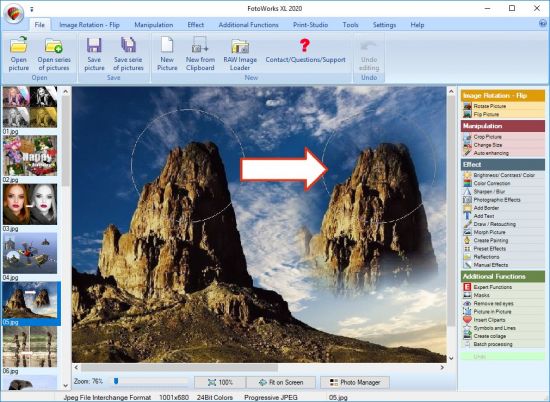
Now you can edit your digital photos and graphics very easy and comfortable with this innovative photo editing software "FotoWorks XL". The extensive functions for photo editing with this easy photo editor are arranged in a very clear menu structure and for better control you can see always the original picture and the edited version of your pics! Fotoworks XL 2 photo editor is particularly suitable for beginners of all ages, but also for advanced users.


The Photo Software provides extensive image editing and printing functions for custom made photo albums, photo cards or photo calendars or for the printing of photos in all standard sizes. Also included is a very easy photo collage maker and many batch processing routines for exposure compensation or other recording errors of whole image series or complete image folders or for example to add easily to all your photos a copyright watermark, to prevent theft, if you want to publish your images to the web!

On top there are integrated a lot of functions for light reflections, photographic effects to make your photos to unique works of art!

Photo Editing
• Preview Original and edited picture
• Batch processing for editing and saving
• Brightness photo editing software
• Color and Contrast Correction
• Sepia Effekts photo editing software
• Black and White Effects
• Color Correction RGB photo imaging software
• Rotate and Flip pictures
• Remove Red Eyes
• Sharpen / Blur
• Cut and Crop Pictures

Effects
• Split-Light
• Relief
• Shear
• Plasma
• Posterize
• Poster-Effect
• Blur
• Noise Color
• Noise Mono
• Movement
• Mosaic
• Twist
• Fisheye
• Red
• Green
• Blue
• XRed
• XGreen
• XBlue
• Ripple tooth

Import from digital camera
• Import your pictures from your camera
• Read EXIF datas of the camera

Morphing
• Included Morphing Effect for funny pictures

Prepare Photographic Paper
• Choose your favourite size
• 9 x 13 cm
• 10 x 15 cm
• 13 x 18 cm
• 20 x 30 cm

Texts
• Insert Texts in a multiline format
• Pick color of Text with pipettev

Draw / Retouch / Airbrush
• Choose your favorite brush form, size and color or pick the color with the pipette.

Print Picture in Picture
• With Mask Effects
• Several Formats with hard and soft Borders
• Import of transparent or rotated Pictures
• Choose correct order of pictures by yourself

Insert Cliparts
• Insert transparent or rotated Cliparts
• Choose correct order of Cliparts by yourself

Insert Symbols and Lines
• choose Symbols like - Circle, Triangle, Pentagon, Star or Line
• select any color you like
• freely selectable line width and borders
• Import of transparent or rotated Symbols
• define correct order of Symbols by yourself

Create collage / Design Presentations - Photo Collage Maker
• design new Presentations by using Pictures, Symbols, Text and Cliparts , Collages

Convert Picture - Convert Image
• Convert pictures to the formats: BMP, GIF, TIF, TIFF, JPG, JPEG with batchprocessing

Colors of the Program
• Pick your favourite background color of the program

Better quality of Pictures
• Manipulate your pictures without loss = better results

Addons free Download
• New Borders
• New Cliparts
• New Masks

Advanced printpreview
• Print Preview with Thumbnails and Stand alone Pictures
• Settings of Printer, Zoom and Page possible

Print Calendar.
• Print Calendars with your own Pictures and choose several Layouts for different years

Star Cut/ Life-sized Poster Printing - Photo Crop
• Print your Posters life-sized or up to a size of 4 x 4 m
• Stick the detail sites to one big poster or wallpaper.

Send pictures by Email
• All Pictures were automatically converted and send by email
• Three Picture Sizes for including in email available

Print Photo Album
• Print your Photo Album with Title, Text Descriptions, Borders, Shadows, Footer and Date

Operating System: Windows 7, 8/8.1, 10

Home Page -
Код:
http://www.in-mediakg.com/


-:DOWNLOAD FROM LINKS:-

RapidGator
Код:
https://rapidgator.net/file/ffa36cbd44c0909facf1a1268c28b8e9/FotoWorks.20.0.1.rar.html

NitroFlare
Код:
https://nitroflare.com/view/9AFEEABFCF5BBF2/FotoWorks.20.0.1.rar

​
 
Office Timeline (Plus / Pro Edition) 4.04.01.00


1a64c399a2aa784293767455e41a1245.png

Office Timeline (Plus / Pro Edition) 4.04.01.00 | 18.1 Mb
​
The #1 PowerPoint Timeline Maker for Windows and Office. Create PowerPoint timelines or roadmaps as fast as clients and executives need them. Simple but powerful PowerPoint add-in that anyone can use to quickly make and manage impressive timelines.


Beauty trumps complexity.
Build stunning PowerPoint timelines without the effort and cost.

Free yourself from manually building and managing visual project plans.
Office Timeline helps you make timelines, Gantt charts and Swimlanes in PowerPoint almost instantly. Customize them with just a few clicks to create clear, elegant high-level presentations that everyone will understand.

User-friendly PowerPoint timeline generator. Works the way clients and colleagues do.
Office Timeline works with all versions of PowerPoint. Give them stunning PowerPoint slides that can be viewed, edited and shared by anyone who has Microsoft Office.

Manage and change data with ease.
The plugin's powerful Data wizard and drag & drop Visual Editor make timeline management agile and intuitive. Updating timelines when projects and plans change is quick and easy.

PowerPoint timelines made easy.
No complex steps. No learning curve. No hassle!

Start from scratch or pick a template.
The timeline wizard was designed to make it simple. It all starts by selecting the type of timeline you want to make.

Enter your data and click Create.
Once you've selected a timeline template, enter or import your key milestones and tasks. Set their dates, click the Create button, and voilà! Timeline created.

Arrange and style to impress.
Use Drag & Drop to instantly rearrange or update your visual. Then customize it your way - colors, shapes, date formats, task duration, percent complete. change any detail, anyway you want.

Enjoy more freedom with Plus Edition.
While the Free edition is fully functional, Office Timeline Plus brings more! Plus Edition unlocks predesigned templates and gives you the freedom to add as much data as needed, so you can create detailed, unique PowerPoint timelines and Gantt charts.

See the power of Pro Edition.
Office Timeline Pro gives you everything you get with the Plus add-in, but adds powerful extra features. Pro Edition creates impressive Swimlanes and roadmaps, so you can manage complex projects with big-picture visuals that anyone can understand.

What's New?
- Launched the all-new Office Timeline Pro add-in!
- Revamped Free Edition with full customization options.
- Major enhancements available in all Editions.

Pro Edition
- Brings everything available in Plus Edition, plus powerful Swimlane features.
- Create impressive Swimlanes to show multiple projects or phases on your timeline.
- Rearrange whole Swimlanes, reposition any object, update dates, all using drag & drop.
- Use stylish Swimlane templates to get you start fast.
- Place milestones inside Swimlanes or on Swimlane tasks for accuracy.
- Line up milestones and tasks to save space.

Plus Edition
- Instantly rearrange any object or update dates by drag & drop in the new visual editor.
- Place milestones on tasks to create unique, impressive visuals.
- Enhancements to the Edit Data interface.
- Quality and usability improvements.

System Requirements:
- Microsoft Windows Vista, Windows 7 (SP1), Windows 8, or Windows 10 (LTSB, CBB and CB). Office Timeline does not run on Windows 10 S. The add-in is functional on Windows XP and Windows Server but unsupported.
- 32-bit versions of Microsoft Office 2007 (SP3), 2010, 2013, or 2016. Although Office Timeline works with 64-bit versions of Office, we do not formally test or support it on 64-bit. The vast majority of the Office install base is the 32-bit version of Office. 32-bit is recommended by Microsoft unless you have very specific needs for 64-bit.
- .NET Framework 4.5.2 or greater.

Home Page -
Код:
https://www.officetimeline.com


-:DOWNLOAD FROM LINKS:-

RapidGator
Код:
https://rapidgator.net/file/40c2cb3fb8c1efe7cda4ae0b9fdb15f8/Office.Timeline.4.04.01.00.rar.html

NitroFlare
Код:
https://nitroflare.com/view/FC58D48B583B049/Office.Timeline.4.04.01.00.rar

​
 
Focus Magic v5.00


5481c9abbd7cac8a294c216d5fd36d43.jpeg

Focus Magic 5.00 | 4 Mb
​
Focus Magic uses advanced forensic strength deconvolution technology to literally "undo" blur. It can repair both out-of-focus blur and motion blur (camera shake) in an image. It is the only software that can significantly recover lost detail from blurry images.


Forensic-Strength for Out-of-Focus Blur
Focus Magic is the only software available that can recover the license plate shown. It uses the most sophisticated deconvolution technology to literally "undo" blur.

Forensic-Strength for Motion Blur
Here Focus Magic is used to recover the license plate of a car speeding along causing motion blur. Again, this license plate can only be recovered with Focus Magic.

Repair Old Photos
Use Focus Magic to enhance old historic photos which have high sentimental value. From the examples in the comparison above, you can see that Focus Magic has the most accurate algorithm for reversing the blur in a photo.

Repair Special Photos
For this photo, the camera focused on the background instead of the foreground (see full photo). With Focus Magic you can switch the depth-of-field around so that the focus is on the correct subject.

Photoshop Compatible
Join the tens of thousands of people who use Focus Magic as a plug-in for Photoshop from around the world (also works in other image editing programs)

Forensic Strength
No other product even comes close in recovering license plate numbers from blurred images

Operating System: Windows XP to Windows 10 (32-bit & 64-bit)

Home Page -
Код:
https://www.focusmagic.com/


-:DOWNLOAD FROM LINKS:-

RapidGator
Код:
https://rapidgator.net/file/55de05b89110e50d84b4c0d44f79f6b6/Focus.Magic.5.00.rar.html

NitroFlare
Код:
https://nitroflare.com/view/3CA7C6D5639087B/Focus.Magic.5.00.rar

​
 
R-Wipe & Clean v20.0 Build 2282


58ed6d6c6aa785c91bceb7922247e61a.png

R-Wipe & Clean v20.0 Build 2282 | 23.7 Mb
​
R-Wipe & Clean is a complete R-Tools solution to remove useless files, free up your disk space, and clean various privacy-compromising information on your online and offline activity. This includes internet history and cookies, lists of downloaded files and opened documents, various data caches, temporary files, and many more items, created by the operating system, most contemporary internet browsers and communication programs, and by hundreds of third-party applications.


It is also possible to create specific lists of traces to be cleaned for unsupported applications. All small computer cleaning and file erasing jobs can be combined into large computer cleaning tasks that can be started immediately, or at scheduled time/events.

Computer Cleaning
Traces Selection helper: a tool to quickly select some of the most common traces to clean.
Cleaning Internet activity: removing traces from most contemporary browsers and communication programs.
Cleaning personal traces: removing various lists, logs, caches, temporary files, and other traces of your activity.
Cleaning system traces: removing registry traces, temp files, system history, and various log files.
Cleaning traces from various third-party programs: removing various caches, logs, temporary files, recent file lists, and other traces left by applications.
Cleaning can be performed as a background task and computer can be turn off upon its completion.

Wiping
Support for SSD devices: R-Wipe & Clean correctly recognizes SSD devices and by default wipes only necessary data on the disk preventing them from additional wear.
Strong or fast erase algorithms, including DoD-approved, for wiping files and free disk space.
Support for FAT/exFAT and NTFS file systems.
Wiping files' alternate data streams and cluster "tips", or free parts of file clusters.
Wiping files directly from File Explorer.
Wiping free space on a single disk directly from its shortcut menu.
Wiping unused space of several disks through one single wipe task.
Wipe records of small files stored directly in the NTFS Master File Table.
Predefined wipe lists of files, folders, and Registry keys to be wiped through a single task. Files or folders can be added to a current wipe list directly from File Explorer.

Advanced Features
All separate cleaning and wiping actions can be combined into large wipe and clean tasks to launch them manually or at scheduled times or events (user log-on/log-off, system start-up/shutdown, closing any or all browsers, etc.)
Detailed representation of all trace items on your computer.
Detailed logging of all wipe and clean operations.
Customization: R-Wipe & Clean can hide those items you will never want to clean.
Full system integration: Most wipe and clean operations can be performed directly from Windows.
Password protection.
R-Wipe & Clean Smart: an advanced tool to create and manage very complex wipe lists.
Cleaning and wiping task can be started from a command line.
Boss Key to close a web-browser in emergency.
Stealth mode to hide computer cleaning.
Standby/hibernate control: Your computer will not hibernate until R-Wipe & Clean finishes its long job.
Startup Renaming for files/folders locked by Windows and other programs. They will be renamed and cleaned during the next start-up.

System Requirements
An Intel-compatible platform running Windows 7/8/8.1/10 or Windows Server 2008 R2/2012/2012 R2/2016.
The administrative privileges are required during installation to install R-Wipe & Clean's Windows Explorer shell extensions.

Home Page -
Код:
https://www.r-wipe.com/


-:DOWNLOAD FROM LINKS:-

RapidGator
Код:
https://rapidgator.net/file/6b1b8404e8dbf0f012bd0caafd87e92d/R-Wipe.Clean.20.rar.html

NitroFlare
Код:
https://nitroflare.com/view/C36D4F6BDC09B3C/R-Wipe.Clean.20.rar

​
 
Turbo Studio v20.6.1353


a946a93f799749f47b82753365e431ff.jpg

Turbo Studio v20.6.1353 | 43.4 Mb
​
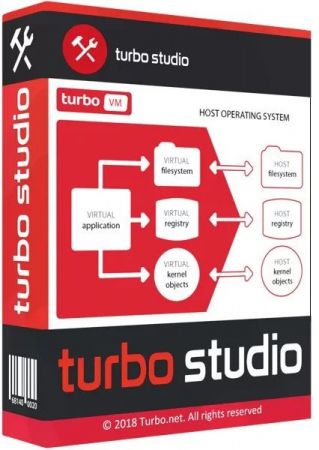
Turbo Studio (formerly known as Spoon Studio) - with this app you can combine files needed to make an app run into a package that is ready for use without deployment. The application allows you to create a virtual container and run programs in a virtual environment without the installation and make changes in registry and system.


Run .NET Without .NET
Embed runtime dependencies such as .NET, Java, AIR, and SQL CE directly into virtual applications. Launch on completely clean desktops.

Migrate to Windows 10
Turbo.net allows legacy applications such as Internet Explorer 6 to execute on Windows 7, 8, and 10 unblocking operating system rollouts and assuring business continuity.

Deploy Anywhere
Deploy in standalone EXEs, traditional MSIs, on intranets with Turbo Server, or on the web with Turbo.net.

#1 in Compatibility
Virtualize both 32-bit and 64-bit applications, databases such as SQL Server, services such as IIS, as well as DCOM and SxS.

Easy to Use
Application templates and the new Desktop Import wizard allow painless migration of applications. Or, use setup capture to virtualize custom applications.

Eliminate Conflicts
Applications run in isolated sandboxes, eliminating conflicts, administrator privilege requirements, and other sources of application failure. Launch multiple application versions side-by-side.

Operating System: Windows XP, Vista, 7, 8, and 10

Home Page -
Код:
https://turbo.net/studio


-:DOWNLOAD FROM LINKS:-

RapidGator
Код:
https://rapidgator.net/file/1a540743b7c37db1916ad6681f27ec6a/Turbo.Studio.20.6.1353.rar.html

NitroFlare
Код:
https://nitroflare.com/view/43387DABBDE9E89/Turbo.Studio.20.6.1353.rar

​
 
Altair SimSolid 2020.0.0.78 (x64)


20751873afedaefb943ba675da1b53d0.jpg

Altair SimSolid 2020.0.0.78 | 516.8 mb
​
Altair announces most significant software update release in company history. Altair SimSolid 2020.0 - includes advanced 3D seam weld connections to further improve speed.


All of Altair's software products have been updated with advancements in user experience and countless new features, including intuitive workflows that empower users to streamline product development, allowing customers to get to market faster.

The software update release expands on the number of solutions available for designers, engineers, data analysts, IT and HPC professionals, facility managers, and more to drive better decisions and accelerate the pace of innovation. It broadens the scope of the new user experience, enables access to more physics, data analytics, and machine learning, and makes the Altair software delivery method more flexible and accessible.

Highlights of this release include new SimSolid Basic product package, 3D solids seam welds, joints connectors, liquid bodies and distributed mass. Several new static and dynamic result types are available. Updated CAD file readers are provided including an all new reader for the JT file format. In addition, many minor usability improvements have been made. See the feature descriptions below for more details.

New Features

SimSolid Basic product package
New from Altair in 2020 is Altair Units, a unified licensing system that gives access to every Altair product in varying capability product bundles. To support this, a new product, SimSolid Basic, in now offered in the Mechanical Designer product bundle. SimSolid Basic provides all modeling functions but is limited to linear statics and modal analysis only.

3D solid seam welds
Seam welds are now modeled as 3D solids. This replaces the previous connection based approach. Welds are defined by section size and length along the edge. Simple trapezoidal shapes are used to represent the welds. Weld material properties are taken from the adjacent parts.

Rotating-sliding hinge
A new remote support is now available. It allows rotation and sliding along a hinge axis between 1 or more faces and ground. This is found as a third option in the virtual connectors Remote support dialog.

Joints
A new set of joint virtual connectors are now available. Virtual joints can be used to connect faces/spots that can have relative motion in the form of displacements and/or rotations. The following joints types are available:

- Ball - A ball joint allows free rotations in any direction about the joint center, while the translations are fully constrained.
- Hinge - A hinge joint only allows rotations about the joint axis. The axis is defined by the joint center and a vector.
- Cylinder - A cylindrical joint allows rotations about the joint axis and sliding along the axis. The axis is defined by the joint center and a vector.
- Linear guide - A linear guide joint only allows sliding along the joint axis. The axis is defined by the joint center and a vector.
- Universal - A universal joint allows rotary motion transmission in multiple shafts which are at an angle to each other. The joint works by allowing free rotations along two mutually perpendicular axis while constraining the rotations about the axis. This joint also constraints all the translations. This joint requires definition of a joint center and axis of the both the shafts connected.
- Flexible shaft - A flexible shaft joint allows complete rotary motion transmission between the two shafts. The joint works by constraining the rotations about the shaft axes. This joint requires definition of flexible-shaft end coordinates and respective shaft axes.

Note: Virtual joints create perfectly rigid boundaries, stresses along the boundary faces can have local concentrations. It is recommended to create joints between parts locally using spots.

Liquid bodies
A new virtual part that represents fluid mass. Adds distributed mass to the structure and, therefore, changes its inertia and dynamics. Mass is determined by the specified fluid density and volume found between the selected faces. The selected faces will represent the wetted surfaces that are in contact with the liquid. The liquid is assumed to be inviscid and incompressible. Sloshing effects are not considered.

Distributed mass
A new distributed mass boundary condition is now available for static and dynamic analysis.

Dynamic results
New velocity, acceleration and equivalent radiated power (ERP) results available for frequency response analysis.

Mode shape export
Mode shapes can now be exported in Universal file (UNV) formatat a given set of datum points using the Pick Info dialog. Datum points can be read in from external comma separated value (CSV) file.

Enhancements/Performance improvements

Harmonic function
Inputs for creating harmonic functions in frequency and random response is now contain amplitude, phase and period.

Static animation
New in frequency response analysis, deformed shape and static animation of displacement, velocity, and acceleration results is now available for each frequency. New selection by face option. This provides an average of the result value over the selected face. In addition to average values, the total thermal flux and total equivalent radiated power (ERP) are provided

Spots on cylinder
Spots in the shape of a circular ring of a specified width on a cylindrical face can now be created. Rig spots can be created on inner or outer cylindrical faces.

Import spots from CSV
Circular spots of a specified diameter can now be createdfrom a list of XYZ locations which are read from an external comma separated values (CSV) file.

New JT CAD reader
A new JT CAD reader is now available. Performance and robustness have been significantly improved.

Updated CAD import formats
The list of supported CAD formats has been updated. JT file support has been extended to release 10.4. Other updates include SOLIDWORKS 2020, Inventor 2020 and NX CR version 1888. The complete list of supported formats and versins is as follows:


Assembly info
More information is provided with respect to CAD settings used andgeometry import/connection search time.

Periodic function
Dynamic functions can now be set to periodic in time/frequency/PSD function dialog.

Export spot weld reaction forces.
Spot weld forces can now be exported in global system.

Info on Spots, spot welds and rivets expanded
The Info dialogs for Spots, spot welds and rivetsnow contain more information such as connected parts names.

Resolved Issues
- Fixed - The Cancel button on connection search and analysis progress is now more responsive.
- Fixed - issues with displacement as base excitation.
- Fixed - numerical issues with inertia relief.
- Fixed - numerical issues with remote mass.
- Fixed - a number of issues with spot weld creation.
- Fixed - issues related to adapt for thin solids especially on wired structures.
- Fixed - Issues with bonded contact in geometric nonlinear analysis.
- Removed - cylindrical coordinate system from general constraints in modes

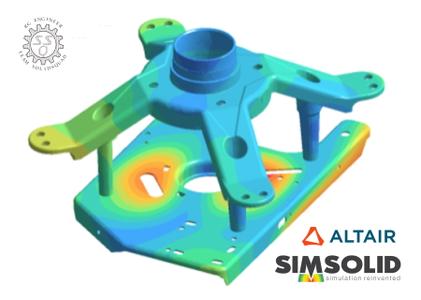
Altair SimSolid is structural analysis software developed specifically for rapidly evolving design processes. It works directly on CAD geometry and eliminates geometry simplification and meshing, the two most time consuming and expertise extensive tasks done in traditional FEA. Moreover, SimSolid can analyze complex parts and large assemblies not practical with traditional FEA and do it efficiently on a desktop class computer. Both fast and accurate, SIMSOLID controls solution accuracy using a unique multi-pass adaptive analysis.

Join the Simulation Revolution with Altair SimSolid - No Meshing Required


Altair transforms design and decision making by applying simulation, machine learning and optimization throughout product lifecycles. Our broad portfolio of simulation technology and patented units-based software licensing model enable Simulation-Driven Innovation for our customers. With more than 2,000 employees, Altair is headquartered in Troy, Michigan, USA and operates 71 offices throughout 24 countries. Altair serves more than 5,000 customers across broad industry segments.

Product: Altair SimSolid
Version: 2020.0.0 Build 78
Supported Architectures: x64
Website Home Page :
Код:
http://www.altair.com
Language: english
System Requirements: PC *
Supported Operating Systems: *
Size: 516.8 mb

Platform support and system requirements

The recommended computer configuration is an Intel I7 or I9 or Xeon based computer; 4-cores (8-threads); 16 GB of memory; OpenGL compatible graphics card with OpenGL 3.1 or later; running Microsoft Windows 10 (64-bit only). SimSolid is multi-threaded so more cores are always better. To use the direct document integration to Onshape, you must have either a free or paid Onshape account. There will be a one-time prompt to authorize SimSolid to access your Onshape account. To use the SOLIDWORKS add-in, you must have a 2013 through 2020 version of SOLIDWORKS.


-:DOWNLOAD FROM LINKS:-

RapidGator
Код:
https://rapidgator.net/file/3adfdaad7e7c06d218dccb8399548b8f/Altair.SimS.rar.html

NitroFlare
Код:
https://nitroflare.com/view/8D255F2E71A1E75/Altair.SimS.rar

​
 
Siemens Simcenter Amesim 2020.1.0 (x64)


f85438b3d20454b923ac0938ee980e9a.jpg

Siemens Simcenter Amesim 2020.1.0 | 8.5 Gb
​
Siemens Digital Industries Software announces the new release of Simcenter Amesim software, its market-leading 1D mechatronic system simulation platform. This version hosts noteworthy enhancements and implementations.


With the 2020.1 release of Simcenter software system simulation solutions, Siemens Digital Industries Software continues to keep pace with the industry 's rapid technological evolution. With this update the Simcenter simulation factory becomes even more customizable and easy to use. With environmentally sustainable design and performance expectations, the race for electrification, new mobility, stringent regulations and quality and safety requirements, Simcenter system simulation solutions enhance productivity across the enterprise. Its interoperability and synergies boost collaboration and efficiency with new solutions and targeted user experiences to help accelerate innovation in this fast-evolving environment.

The new 2020.1 version of Simcenter Amesim software brings more accuracy and speed for setup, measurements and simulation results. For example, in the aerospace industry, an improved gas turbine performance tool eases parametrization and performance assessment, thereby helping reduce time to set up the model by a factor of 100.

For electrification, Simcenter Amesim 2020.1 can be used to quickly evaluate architecture design options and performance of a fuel cell hybrid electrical vehicle using the improved hybrid optimization tool and equivalent consumption minimization strategy.

For the automotive industry specifically, a major update of the three-way catalyst calibration workflows supports test data and hydrocarbon (HC) species, reducing time spent and enhancing the accuracy of TWC calibration.

It is also now possible to define the composition of a two-phase flow fluid mixture and calculate its thermodynamic properties to optimize constituents' proportion of a refrigerant mixture and assess cycle performance. In addition, with Simcenter Amesim you can import native CAD format with software used in your company to retrieve the exact measurement no matter which native software was used to build the CAD.

Simcenter system simulation solutions 2020.1


Simcenter Amesim allows system simulation engineers to virtually assess and optimize the performance of mechatronic systems. This will boost overall systems engineering productivity from the early development stages until the final performance validation and controls calibration.

Simcenter Amesim includes ready-to-use multi-physics libraries combined with application and industry-oriented solutions that are supported by powerful platform capabilities, to let you rapidly create models and accurately perform analysis. It is an open environment that can be integrated into your enterprise processes. You can easily couple the software with major computer-aided engineering (CAE), computer-aided design (CAD) and controls software packages, interoperate it with the Functional Mock-up Interface (FMI), Modelica, and connect it with other Simcenter solutions, Teamcenter and Excel.

Doug Wenk and Joris De Cuyper introduce Simcenter 3D 2020.1. Investments in this latest version of Simcenter 3D are aimed at continuing to deliver the most comprehensive, fully-integrated CAE solution on the market today to meet complex engineering challenges


Siemens Digital Industries Software is driving transformation to enable a digital enterprise where engineering, manufacturing and electronics design meet tomorrow. The Xcelerator portfolio helps companies of all sizes create and leverage digital twins that provide organizations with new insights, opportunities and levels of automation to drive innovation.

Product: Siemens Simcenter Amesim
Version: 2020.1
Supported Architectures: x64
Website Home Page :
Код:
http://www.plm.automation.siemens.com
Language: english
System Requirements: PC / Linux *
Supported Operating Systems: *
Size: 8.5 Gb


-:DOWNLOAD FROM LINKS:-

RapidGator
Код:
https://rapidgator.net/file/dcc795cc92d246fd683097ac61e3eb2d/Siemens.Sim.part01.rar.html
https://rapidgator.net/file/b4385352d56c2f6e765ad90e95ac65bb/Siemens.Sim.part02.rar.html
https://rapidgator.net/file/12b661b640bc345368415d0784cea9a0/Siemens.Sim.part03.rar.html
https://rapidgator.net/file/17104f164d7b34791ac70c0302695076/Siemens.Sim.part04.rar.html
https://rapidgator.net/file/5a15b86451ddeaaf79c325ecf39b670d/Siemens.Sim.part05.rar.html
https://rapidgator.net/file/ce1b58fc8624b66abe0305527f1ba6f8/Siemens.Sim.part06.rar.html
https://rapidgator.net/file/ae8100f10c2a5c8d788c45996c064868/Siemens.Sim.part07.rar.html
https://rapidgator.net/file/134756343d3298bb0e0f9c0a0dd1e026/Siemens.Sim.part08.rar.html
https://rapidgator.net/file/b6dbd8650f305fb6459e52ddf83595c9/Siemens.Sim.part09.rar.html

NitroFlare
Код:
https://nitroflare.com/view/79E0C5B0D286A40/Siemens.Sim.part01.rar
https://nitroflare.com/view/FB029F201210F80/Siemens.Sim.part02.rar
https://nitroflare.com/view/4ADB40D3D1532EE/Siemens.Sim.part03.rar
https://nitroflare.com/view/BB8775AFBF7D979/Siemens.Sim.part04.rar
https://nitroflare.com/view/6FEB055394A0612/Siemens.Sim.part05.rar
https://nitroflare.com/view/4D97A7DE329F218/Siemens.Sim.part06.rar
https://nitroflare.com/view/9B6C4358F2B99AC/Siemens.Sim.part07.rar
https://nitroflare.com/view/AE2A5E887B97516/Siemens.Sim.part08.rar
https://nitroflare.com/view/3033BC04DC37F62/Siemens.Sim.part09.rar
https://nitroflare.com/view/DF4630E39D5F00D/Siemens.Sim.part10.rar

​
 
Ikon Science RokDoc 6.6.0.290 (x64)


ff2876ed1ddfdb04ae8d5eb7cf497fd6.jpg

Ikon Science RokDoc 6.6.0.290 | 558.6 mb
​
Ikon Science, the leading Geoprediction Company, launches RokDoc 6.6.0. This release demonstrates Ikon's continuing focus on enabling E&P companies to improve efficiencies, reduce costs and maximise ROI.


Highlights of the release:

RokDoc Reservoir Monitoring offers significant new functionality. RokDoc now supports corner point grid data, allowing the integration of static (geomodel) and dynamic (flow simulation) property models into 3D/4D shared earth models that can be utilised for 4D time lapse feasibility and 'close the loop' workflows. Using this comprehensive new toolset, asset teams can work collaboratively to update geomodel and simulation data with information from 4D seismic and other sources.

RokDoc 6.6.0 see's numerous usability and workflow improvements for the handling of large well datasets, with the addition of new multi-well selection capabilities across the software. In response to customer feedback, RokDoc 6.6 now supports the loading, manipulation and conversion of gather datasets with irregular offsets, common in land-based projects.

End users can now move seamlessly from well-based rock physics, pressure and geomechanical analysis of conventional and unconventional reservoirs through to data-driven, 3D seismic reservoir characterisation, delivering 3D analytical geomechanical, petrophysical and elastic property models in a single, unified platform.


RokDoc is the rock physics package of choice used on every continent worldwide by all the Super Majors, most of the Majors, National Oil Companies, Independents and a host of smaller companies. It is the fastest, easiest to use and most integrated package to help interpreters understand rocks, predict pressures and optimize reservoirs. RokDoc delivers real value to the bottom line and company share price.

RokDoc 6.6.0 has released at SEG 2018 providing Improved Onshore Data Handling and Delivering Powerful New Workflows to Extend Field Life and Maximise Value of Large Datasets through Improved Knowledge Management and Machine Learning.

RokDoc: Rock Physics


Ikon Science provides comprehensive software technology and consulting services that improve the value of reserves while reducing drilling costs and operational uncertainty. Through this RokDoc software and integrated geoscience consulting business, Ikon Science brings the necessary detail required to build knowledge and confidence in sub-surface decision-making. Ikon Science's multi-disciplinary business predicts safer, cheaper and more efficient exploration, reservoir optimisation and drilling.

Product: Ikon Science RokDoc
Version: 6.6.0.290
Supported Architectures: x64
Website Home Page :
Код:
http://www.ikonscience.com
Language: english
System Requirements: PC *
Supported Operating Systems: *
Size: 558.6 mb


RokDoc is supported on the following operating systems:
- 64bit Windows: Windows 7 (final version), Windows 10

Processor / hard disk requirement:
- Preferred: dual quad-core processor / SSD
- Minimum: quad-core processor / fast rotational speed HDD

System memory (RAM) requirement:
- Preferred: 64GB
- Minimum: 8GB (16GB practical minimum for RokDoc-3D usage)

Graphics card requirement:
- Preferred: NVIDIA Quadro K5200 (desktop) / NVIDIA Quadro K5100M (laptop)
- Minimum: NVIDIA Quadro K4200 (desktop) / NVIDIA Quadro K3100M (laptop)


-:DOWNLOAD FROM LINKS:-

RapidGator
Код:
https://rapidgator.net/file/ce8334866581c4d973695adc1fb8b7df/Ikon.Science.RokDoc.6.6.0.290.rar.html

NitroFlare
Код:
https://nitroflare.com/view/47B535A6F4F514B/Ikon.Science.RokDoc.6.6.0.290.rar

​
 
ESI SysWeld 2019.0 (x64)


b4ac1e20638fb1a8e8494b294e3778e9.jpg

ESI SysWeld 2019.0 | 979.0 mb
​
ESI Group is a leading innovator in Virtual Prototyping software and services for manufacturing industries, announces the release of SysWeld 2019.0, ESI's software solution for Assembly, Welding and Heat Treatment.


Highlights of the release:

Visual Weld and HT:
Fast, intuitive and easy-to-use welding and heat treatment simulation tool which covers all activities of the welding & heat treatment engineer. Some key new functionalities are:

- Sub-assembly management (mapping on deformed geometry, mapping with initialization of physical properties, mapping with geometrical transformation.)
- Clamping condition based on the current deformed geometry (not the initial one)
- Update in contact parameters to improve convergence performance
- Heat treatment - machining chaining solution for part distortion

Visual Assembly:
New generation, easy-to-use assembly simulation for distortion control which:

- Covers complete car body manufacturing chain starting from the stamped part to pre-positioning to holding/clamping and finally welding/joining. Inheriting details of the "as manufactured" components from the press shop, visual assembly simulates step by step the entire assembly and welding process chain in the body shop.
- Covers large welded assemblies with thick plates and multi-pass welds, which are common in the shipbuilding industry. Aimed at shop floor production, the software can deliver the optimization of a weld sequence plan thanks to a streamlined and intuitive interface, offering dedicated automatic meshing functionalities and easy model set-up.


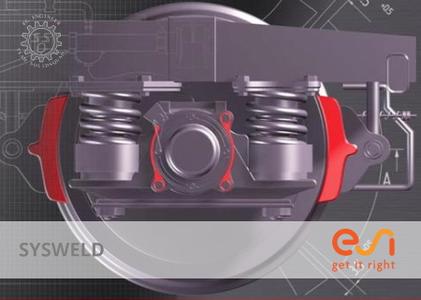
ESI SysWeld is the most accurate Finite Element Analysis (FEA) multi-physics software on the market to simulate thermal joining (arc, electron beam, laser, friction stir, spot welding) and heat treatment (carburizing, carbonitriding, quenching). SYSWELD accurately predicts material characteristics, residual stresses and distortions of structures. By accounting for all relevant manufacturing effects and enabling the transport of simulation results from one manufacturing step to the next, SYSWELD delivers a truly predictive end-to-end solution for the manufacturing of welded and assembled industrial parts.

These unique capabilities enable manufacturers in ground transportation and other industry sectors - aerospace, heavy industries and marine - to reduce product development costs and time to market and ensure process automation and optimization. For example, COMIL, a major bus manufacturer in Brazil, employed SYSWELD to manage to geometrical distortions induced by welding and assembly of a bus door frame.

Sysweld Visual Weld Spot Weld interface and Analysis

ESI Group, the French company listed in compartment B of NYSE Euronext Paris is a leading innovator in Virtual Prototyping software and services. Present in more than 40 countries, and addressing every major industrial sector, ESI Group employs about 1200 high-level specialists around the world.

Product: ESI SysWeld
Version: 2019.0 *
Supported Architectures: x64
Website Home Page :
Код:
http://www.esi-group.com
Language: english
System Requirements: PC **
Supported Operating Systems: **
Size: 979.0 mb

] Welding Simulation: Visual-Weld 14.5 and SYSWELD Solvers 2019.0
Heat Treatment Simulation: Visual-HT 14.5 and SYSWELD Solvers 2019.0
Assembly Simulation: Visual-Assembly 14.5 and Virtual Assembly Solver (CSM) 2018.5, for distortion control in:
- Body manufacturing for auto industry
- Thick plate and large welded assemblies for shipbuilding
- Welding Sequence Optimization with help of PAM-OPT 2019.0
Minimum Requirements:

Microsoft Windows 64-Bit Operating Systems:
- Windows 10 Version 1709
- Windows 8.1 with Update
- Windows 7 SP1 with latest hotfixes

- It is recommended to perform installation with administrative privileges.
- x64 compatible processors (Intel, AMD .).
- OpenText Exceed and Exceed 3D version 14 (for SYSWELD Solver GUI)
- 2 Gigabytes (Gb) of RAM (4 Gb recommended)
- Disk (free) space required: 2.6 Gb in the Program Files folder for complete installation (around 1.1 Gb for Assembly Solvers or 1.3 Gb for SYSWELD Solvers)


-:DOWNLOAD FROM LINKS:-

RapidGator
Код:
https://rapidgator.net/file/801c00fcacb264018d669bd4510ba46d/ESI.SysWeld.2019.0.rar.html

NitroFlare
Код:
https://nitroflare.com/view/BB19D5847326C5A/ESI.SysWeld.2019.0.rar

​
 
ADINA System 9.6.1 (x64)


9db03fc5b910e0de7d868063be5eab1e.jpg

ADINA System 9.6.1 | 953.2 mb
​
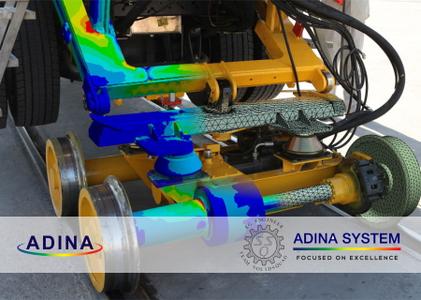
ADINA R&D Inc., is pleased to announce the availability of ADINA System 9.6.1 is a fully integrated modular system - with a full pre and post processor, and structural, heat transfer, fluid dynamics and electromagnetics modules, forming the multi physics suite. The system is designed for full multi domain coupling based on one user interface.


ADINA 9.6.0 Release Notes - Date: June 2020

Код:
This file ([url=https://rapidgator.net/file/b8066eee6ce71e8c25b703fc947b222c/relnotes961.pdf.html
]relnotes_961.pdf[/url]) lists the new and updated features that are available in ADINA System 9.6.1, as compared with ADINA System 9.5.4. There are new commands and new and changed parameters associated with the new and updated features. The release notes refer to the commands and parameters in the command-line formats.


The ADINA system has been developed in recent years into a complete system for the analysis of solid, fluid and coupled problems. Fluid flows can be modeled as Navier-Stokes incompressible, slightly compressible and fully compressible flows. They can also be modeled as porous medium flows. Structures can be modeled as 2D/3D solids, beams or shells. The response of the structure can be linear or nonlinear, and can also include contact effects. The fluid and structure can be coupled through their interface (FSI), porous media (PFSI) or thermal materials (TFSI). Both iterative and direct solution procedures can be used for solving the fully coupled system. These capabilities, together with the extensive boundary conditions and material models, and the user-friendly graphical system for pre- and post-processing (AUI), make the ADINA system a powerful tool for engineers and researchers.

ADINA is also used as the Siemens NX Nastran non-linear solvers (sol 601 and 701), and has translators for Siemens FEMAP pre and post processor if the user wishes to take advantage of FEMAP. The Siemens NX Nastran can be imported and exported from ADINA.

Proceanic's Structural Analysis Group carried out a collision analysis for a Floating, Storage, Production, and Offloading (FPSO) vessel. The analysis considered a variety of collision cases including a supply vessel colliding with the side of the FPSO (as shown in this video) and a shuttle tanker colliding with the rear of the FPSO.


ADINA R&D, Inc. was founded in 1986 by Dr. K.J. Bathe. The exclusive mission of the company is the development of the ADINA System for linear and nonlinear finite element analysis of solids and structures, heat transfer, CFD and electromagnetics. ADINA also offers a comprehensive array of multiphysics capabilities including fluid-structure interaction and thermo-mechanical coupling. Some of the nonlinear structural analysis capabilities of ADINA are offered as Solution 601/701 of NX Nastran by Siemens PLM Software.

Product: ADINA System
Version: 9.6.1
Supported Architectures: x64
Website Home Page :
Код:
http://www.adina.com
Language: english
System Requirements: PC / Linux *
Supported Operating Systems: *
Size: 953.2 mb

Minimum Requirement Linux

Operating System Linux kernel 2.6.32, glibc 2.12
Hardware About 500 MB free disk space CD-ROM drive if installing from CD
Software Intel Fortran compiler (optional) version 11 (or 14 for AVXversion) to customize the user-coded subroutines
Memory 256MB (more recommended)

Minimum Requirement Windows

Operating system: 64-bit Windows 7 or higher
Memory: 256 MB RAM or more
Disk space: 500 MB for typical installation
Optional: OpenGL 3.3 compatible graphics card with at least 1GB memory for fast graphics mode display
Optional: Intel Visual Fortran 14-only needed for customization of user-supplied subroutines.


-:DOWNLOAD FROM LINKS:-

RapidGator
Код:
https://rapidgator.net/file/75774380d4e69a9356c68c61073f1322/aInAtEsm961.Linux64.rar.html
https://rapidgator.net/file/39594115858f7a4449158d795ce38397/aInAtEsm961.Win64.rar.html

NitroFlare
Код:
https://nitroflare.com/view/AD7F610E59A6C25/aInAtEsm961.Linux64.rar
https://nitroflare.com/view/7A3DB0F4BB6A49D/aInAtEsm961.Win64.rar

Код:
https://nitroflare.com/view/51009BBB165136F/relnotes961.pdf

​
 
SolidCAM 2020 SP2 HF2 build 110374


a8d0e8f1557794c535e063bddefa955e.jpg

SolidCAM 2020 SP2 HF2 | 4.7 Gb

Languages: 中文, Čeština, Dansk, Nederlands, English, Français, Deutsch, עברית, Magyar, Italiano,

日本語, 한국어, Polski, Português, Русский, Español, Türkçe

​
SolidCAM has launched Hot Fix 2 for their flagship CAM software - SolidCAM 2020 SP2. Last release brings major enhancements to many CAM modules available inside SolidCAM, as well as general improvements that provide an even greater ease-of-use for the end user.


SolidCAM 2020 SP2 HF2 Release Notes - Date: June 23, 2020

SOL-12105 Japanese translation issue
SOL-12807 language/ENG expression in CZ version
SOL-13071 iMachining/no paths in Job from 2020 SP1 HF1


SolidCAM is a CAM software that integrates directly into SolidWorks and Inventor. That does not only mean you can program tooling paths from the comfort of the CAD software you know and love, but it is also advantageous in that all tool paths retain associativity with the original CAD design. In other words, any changes made to the CAD file will instantly be reflected in updated tool paths, saving you time and money.

Take out the guesswork of milling, turning and other processes by using the patented Technology Wizard. The wizard allows you to automatically fine-tune optimized feeds, speeds, depth and width of cuts. What is more, this CAM software automatically recognizes the distinct geometrical features of your design and assigns toolpaths accordingly. Hence, this approach eliminates the need for time-consuming manual geometry definition.

The tool paths created with this CAM software rely on an advanced, patented morphing spiral that gradually conforms to the geometry of the feature being machined rather than an old-fashioned, simple spiral tool path. This increases the amount of time the tool actually works the stock and thus makes your machine more productive.

SolidCAM & iMachining - The amazing CAM solution.

SolidCAM Inc is a world leader in advanced tool path generation technology (CAM) running directly inside SolidWorks. SolidCAM features a full line of CNC machine programming software solutions ranging from 2 axis lathes and 3 axis mills to extremely complex multi-axis MillTurn machines and Wire Edm. All products run directly inside SolidWorks and provide the user with a true "SolidWorks look and feel" for ease of use and maximum efficiency. Along with the integrated interface and scalability for new machines, SolidCAM also has its patented "iMachining" that powers users to new levels of productivity and profits, through unmatched cycle time reduction and unrivaled tool life.

Product: SolidCAM
Version: 2020 SP2 HF2 build 110374
Supported Architectures: x64
Website Home Page :
Код:
http://www.solidcam.com
Language: multilanguage
System Requirements: PC *
Supported Operating Systems: *
Software Prerequisites: SolidWorks 2012-2020
Size: 4.7 Gb
Microsoft Windows 10 x64 Professional and Enterprise Editions; Microsoft Windows 8.1 x64 Professional and Enterprise Editions (with latest Service Pack); Microsoft Windows 7 x64 Professional and Ultimate Editions (with latest Service Pack)
- Intel Xeon, Intel Core, Intel Core 2 Duo, Intel Core 2 Quad or higher (If you use other processors we assume no responsibility and no support)
- 4 GB RAM (for the processing of large components, we recommend 8 GB RAM (or more)
- 15 GB free disk space for installation
- Hard disk with at least 100 GB of storage
- NVIDIA graphics card of the current Quadro series with min. 512 MB ​​(1024 MB recommended) and current, certified graphics driver (With the use of other and on-board graphics cards, we accept no responsibility and no support)
- 1,280 x 1,024 or higher screen resolution
- Microsoft Direct3D 9 or compatible graphics card (Microsoft Direct3D 11 or higher recommended)
- USB 2.0 interface
- DVD drive


-:DOWNLOAD FROM LINKS:-

RapidGator
Код:
https://rapidgator.net/file/78205d55d8c83a3f21c947433543a614/SolidCAM2020SP2hf2Englishx64.part1.rar.html
https://rapidgator.net/file/09e1669ca08a4425630a89451311af6f/SolidCAM2020SP2hf2Englishx64.part2.rar.html
https://rapidgator.net/file/d34cf42e04d7b084923af7dc7439b455/SolidCAM2020SP2hf2Englishx64.part3.rar.html
https://rapidgator.net/file/6594e5babb8e5b6cba1f8665abbedd4d/SolidCAM2020SP2hf2Englishx64.part4.rar.html
https://rapidgator.net/file/b5d91adf1ebd71f1f89c4753b1b37358/SolidCAM2020SP2hf2Englishx64.part5.rar.html
https://rapidgator.net/file/55fc7a3f1cff96f1800e62d1d6ed492a/SolidCAM2020SP2hf2Englishx64.part6.rar.html
https://rapidgator.net/file/c788c621441c78e5d0cd9ad747cb08a4/SolidCAM2020sp2hf2LocalizationChineseSimplified64bit.rar.html
https://rapidgator.net/file/e29e84ef41fab4b400db835458f1d588/SolidCAM2020sp2hf2LocalizationChineseTraditional64bit.rar.html
https://rapidgator.net/file/7cab27d356aeccd82a9c51dde7c76099/SolidCAM2020sp2hf2LocalizationCzech64bit.rar.html
https://rapidgator.net/file/aa0108b71953023747f8e158607aa852/SolidCAM2020sp2hf2LocalizationDanish64bit.rar.html
https://rapidgator.net/file/a1c60931180b8f38eff04d0a600b27df/SolidCAM2020sp2hf2LocalizationDutch64bit.rar.html
https://rapidgator.net/file/186d935698fa1e97f94d77d007a252ce/SolidCAM2020sp2hf2LocalizationFrench64bit.rar.html
https://rapidgator.net/file/8f4cd6817aaca37e458deba5f63e5207/SolidCAM2020sp2hf2LocalizationGerman64bit.rar.html
https://rapidgator.net/file/fa178375404d36e113d60c8c3737f51a/SolidCAM2020sp2hf2LocalizationHebrew64bit.rar.html
https://rapidgator.net/file/ad559a773198b1a5922df4be71bd3c80/SolidCAM2020sp2hf2LocalizationHungarian64bit.rar.html
https://rapidgator.net/file/1ba92b3f6b2a6345f2dfc19610d66e87/SolidCAM2020sp2hf2LocalizationItalian64bit.rar.html
https://rapidgator.net/file/3f346c80af1ac5e84fac7540397dcb33/SolidCAM2020sp2hf2LocalizationJapanese64bit.rar.html
https://rapidgator.net/file/455d789819f7bf1bf27d91ebc095be58/SolidCAM2020sp2hf2LocalizationKorean64bit.rar.html
https://rapidgator.net/file/d68838c5748f80daf6fcd1399ddc2b81/SolidCAM2020sp2hf2LocalizationPolish64bit.rar.html
https://rapidgator.net/file/a3c67570f6d5f655afce74931b4b3f23/SolidCAM2020sp2hf2LocalizationPortuguese64bit.rar.html
https://rapidgator.net/file/54fc7cb0ce88e9d6b047a7af57d6df60/SolidCAM2020sp2hf2LocalizationRussian64bit.rar.html
https://rapidgator.net/file/1a150ce07246476d347267349c961b90/SolidCAM2020sp2hf2LocalizationSpanish64bit.rar.html
https://rapidgator.net/file/acc07ad65abed6d107ee1e3aafe5e4d5/SolidCAM2020sp2hf2LocalizationTurkish64bit.rar.html

NitroFlare
Код:
https://nitroflare.com/view/7734DD709E39B50/SolidCAM2020SP2hf2Englishx64.part1.rar
https://nitroflare.com/view/AE87555C051BCFE/SolidCAM2020SP2hf2Englishx64.part2.rar
https://nitroflare.com/view/4DCEA8CE6DDFEFD/SolidCAM2020SP2hf2Englishx64.part3.rar
https://nitroflare.com/view/97EF59B84507DBA/SolidCAM2020SP2hf2Englishx64.part4.rar
https://nitroflare.com/view/E6DB1B38932E792/SolidCAM2020SP2hf2Englishx64.part5.rar
https://nitroflare.com/view/99D772569EAF8F4/SolidCAM2020SP2hf2Englishx64.part6.rar
https://nitroflare.com/view/C1A3269205C406B/SolidCAM2020sp2hf2LocalizationChineseSimplified64bit.rar
https://nitroflare.com/view/F796E288D6CCF16/SolidCAM2020sp2hf2LocalizationChineseTraditional64bit.rar
https://nitroflare.com/view/48C54DF883F324C/SolidCAM2020sp2hf2LocalizationCzech64bit.rar
https://nitroflare.com/view/BBB8A1B5E16A8B1/SolidCAM2020sp2hf2LocalizationDanish64bit.rar
https://nitroflare.com/view/FF3F4C694E81D57/SolidCAM2020sp2hf2LocalizationDutch64bit.rar
https://nitroflare.com/view/FB6EC6006BDBA20/SolidCAM2020sp2hf2LocalizationFrench64bit.rar
https://nitroflare.com/view/2250BDFA83A7EA9/SolidCAM2020sp2hf2LocalizationGerman64bit.rar
https://nitroflare.com/view/728C522281E545A/SolidCAM2020sp2hf2LocalizationHebrew64bit.rar
https://nitroflare.com/view/2696A842D2380F3/SolidCAM2020sp2hf2LocalizationHungarian64bit.rar
https://nitroflare.com/view/492D621EB3A6877/SolidCAM2020sp2hf2LocalizationItalian64bit.rar
https://nitroflare.com/view/1F8DC1345F3EA07/SolidCAM2020sp2hf2LocalizationJapanese64bit.rar
https://nitroflare.com/view/195CAFF59BAFC99/SolidCAM2020sp2hf2LocalizationKorean64bit.rar
https://nitroflare.com/view/909C21D8FAD44AD/SolidCAM2020sp2hf2LocalizationPolish64bit.rar
https://nitroflare.com/view/834D0F12CC4EECB/SolidCAM2020sp2hf2LocalizationPortuguese64bit.rar
https://nitroflare.com/view/8D2EDCCB89067E1/SolidCAM2020sp2hf2LocalizationRussian64bit.rar
https://nitroflare.com/view/D0FC9CF5F33C67D/SolidCAM2020sp2hf2LocalizationSpanish64bit.rar
https://nitroflare.com/view/811A6F327186FD7/SolidCAM2020sp2hf2LocalizationTurkish64bit.rar

​
 
InventorCAM 2020 SP2 HF2 (x64)

96ca2973641e8a01e54884c5e03764dd.jpg

InventorCAM 2020 SP2 HF2 | 4.3 Gb
Languages: 中文, Čeština, Dansk, Nederlands, English, Français, Deutsch, עברית, Magyar, Italiano,
日本語, 한국어, Polski, Português, Русский, Español, Türkçe
​
SolidCAM is pleased to announce the availability of InventorCAM 2020 SP2 HF2 - the latest version of their flagship CAM software, fully integrated in Autodesk Inventor. Last release brings major enhancements to many CAM modules available inside InventorCAM, as well as general improvements that provide an even greater ease-of-use for the end user.

InventorCAM 2020 SP2 HF2 Release Notes - Date: June 23, 2020

SOL-12105 Japanese translation issue
SOL-12807 language/ENG expression in CZ version
SOL-13071 iMachining/no paths in Job from 2020 SP1 HF1


About SolidCAM product family. SolidCAM, InventorCAM and the standalone SolidCAM CAD/CAM suite are the flagship products. SolidCAM and InventorCAM integrate with SolidWorks and Inventor, respectively. Officially approved partners and all that. Their CNC programming toolsets look and feel like the CAD systems as much as possible, making the learning curve shorter. You define, calculate and verify all your machining operations without leaving the CAD environment. They can handle programming 2.5- to 5-axis machining, high-speed surface milling, wire EDM, etc. Their models are fully associative, so your toolpaths update when you make a part change. There are no import/export hassles, and you don't have to learn some CAM system's idea of a CAD application to make them work.

iMachining - basically, this is a wizard-based technology - patented, BTW - that makes defining cutting conditions easy by automatically calculating the cutting conditions for your toolpath. You give it your toolpath, stock, tool material and machine specifications then it derives optimal feeds, step over depths and widths as well as cutting speeds. For you old hands, the company says iMachining can save you 70% or more in CNC machining time and extends tool life dramatically.

SolidCAM & InventorCAM Tutorial 2 | 2.5D Milling


SolidCAM Inc is a world leader in advanced tool path generation technology (CAM) running directly inside SolidWorks. SolidCAM features a full line of CNC machine programming software solutions ranging from 2 axis lathes and 3 axis mills to extremely complex multi-axis MillTurn machines and Wire Edm. All products run directly inside SolidWorks and provide the user with a true "SolidWorks look and feel" for ease of use and maximum efficiency. Along with the integrated interface and scalability for new machines, SolidCAM also has its patented "iMachining" that powers users to new levels of productivity and profits, through unmatched cycle time reduction and unrivaled tool life.

Product: InventorCAM
Version: 2020 SP2 HF2 build 110374
Supported Architectures: x64
Website Home Page :
У Вас недостаточно прав для просмотра ссылок. Войдите или зарегистрируйтесь.

Language: multilanguage
System Requirements: PC *
Supported Operating Systems: *
Software Prerequisites: Autodesk Inventor 2021 and below
Size: 4.3 Gb

Microsoft Windows 10 x64 Professional and Enterprise Editions; Microsoft Windows 8.1 x64 Professional and Enterprise Editions (with latest Service Pack); Microsoft Windows 7 x64 Professional and Ultimate Editions (with latest Service Pack)
- Intel Xeon, Intel Core, Intel Core 2 Duo, Intel Core 2 Quad or higher (If you use other processors we assume no responsibility and no support)
- 4 GB RAM (for the processing of large components, we recommend 8 GB RAM (or more)
- 15 GB free disk space for installation
- Hard disk with at least 100 GB of storage
- NVIDIA graphics card of the current Quadro series with min. 512 MB ​​(1024 MB recommended) and current, certified graphics driver (With the use of other and on-board graphics cards, we accept no responsibility and no support)
- 1,280 x 1,024 or higher screen resolution
- Microsoft Direct3D 9 or compatible graphics card (Microsoft Direct3D 11 or higher recommended)
- USB 2.0 interface
- DVD drive


-:DOWNLOAD FROM LINKS:-
RapidGator
Код:
https://rapidgator.net/file/9284b0557c3f031cfad57b9eaa10dc02/InventorCAM2020SP2hf2Englishx64IV.part1.rar.html
https://rapidgator.net/file/13a82cdcad9276177f32649c76242e90/InventorCAM2020SP2hf2Englishx64IV.part2.rar.html
https://rapidgator.net/file/aea7e3b1838bca28323080e2f3bd022e/InventorCAM2020SP2hf2Englishx64IV.part3.rar.html
https://rapidgator.net/file/6dfb7142f895a8a15f6fd0a08b34b10d/InventorCAM2020SP2hf2Englishx64IV.part4.rar.html
https://rapidgator.net/file/ff44b58160984a71c83d1fea33ab65a1/InventorCAM2020SP2hf2Englishx64IV.part5.rar.html
https://rapidgator.net/file/651929b2cba9b1e7ae8a5457db44514f/InventorCAM2020sp2hf2LocalizationChineseSimplified64bit.rar.html
https://rapidgator.net/file/b2970610271581a24239ea28cdf1c84d/InventorCAM2020sp2hf2LocalizationChineseTraditional64bit.rar.html
https://rapidgator.net/file/09811c3123155bf02336bbfdd5816808/InventorCAM2020sp2hf2LocalizationCzech64bit.rar.html
https://rapidgator.net/file/6094331725316114eb0d18d8ad55c715/InventorCAM2020sp2hf2LocalizationDanish64bit.rar.html
https://rapidgator.net/file/f8c057e67fc478d4aec8fc2534fd7c84/InventorCAM2020sp2hf2LocalizationDutch64bit.rar.html
https://rapidgator.net/file/2846ed08badeb27f2caf811fe2e651cc/InventorCAM2020sp2hf2LocalizationFrench64bit.rar.html
https://rapidgator.net/file/1e257e0d706473237875e8b9b536f41e/InventorCAM2020sp2hf2LocalizationGerman64bit.rar.html
https://rapidgator.net/file/864426c9fcc05cfb832f2a45937cd32f/InventorCAM2020sp2hf2LocalizationHebrew64bit.rar.html
https://rapidgator.net/file/85ece697130de5ce40a62d30a3dd4f23/InventorCAM2020sp2hf2LocalizationHungarian64bit.rar.html
https://rapidgator.net/file/e90fe5862f0049ca70b00c9bdd49f35b/InventorCAM2020sp2hf2LocalizationItalian64bit.rar.html
https://rapidgator.net/file/860dfee054d5c080121dac32a04b6833/InventorCAM2020sp2hf2LocalizationJapanese64bit.rar.html
https://rapidgator.net/file/2ee8bfe4ed428b8a7ae26ef11df94d3d/InventorCAM2020sp2hf2LocalizationKorean64bit.rar.html
https://rapidgator.net/file/a08b6d2c4b5dfcc623cc17c82daff0f2/InventorCAM2020sp2hf2LocalizationPolish64bit.rar.html
https://rapidgator.net/file/5c6592b0cfd79d9baef40a1f4b59daa6/InventorCAM2020sp2hf2LocalizationPortuguese64bit.rar.html
https://rapidgator.net/file/183cca54def75992f4336870d3332d4d/InventorCAM2020sp2hf2LocalizationRussian64bit.rar.html
https://rapidgator.net/file/bcf5e7e0dae1e5b11dd8b172adc57ca2/InventorCAM2020sp2hf2LocalizationSpanish64bit.rar.html
https://rapidgator.net/file/6348bc1f70b0dcc8a0c5ae0b8951e2a1/InventorCAM2020sp2hf2LocalizationTurkish64bit.rar.html

NitroFlare
Код:
https://nitroflare.com/view/43BAA5A34EAD349/InventorCAM2020SP2hf2Englishx64IV.part1.rar
https://nitroflare.com/view/6F64FA9B90200DF/InventorCAM2020SP2hf2Englishx64IV.part2.rar
https://nitroflare.com/view/21A5975D64682A2/InventorCAM2020SP2hf2Englishx64IV.part3.rar
https://nitroflare.com/view/8C6B988910436C3/InventorCAM2020SP2hf2Englishx64IV.part4.rar
https://nitroflare.com/view/B377A3F9038A788/InventorCAM2020SP2hf2Englishx64IV.part5.rar
https://nitroflare.com/view/4741C5D25F96CCF/InventorCAM2020sp2hf2LocalizationChineseSimplified64bit.rar
https://nitroflare.com/view/1BC05D58BAA19A0/InventorCAM2020sp2hf2LocalizationChineseTraditional64bit.rar
https://nitroflare.com/view/D735A1B5B1DFEC2/InventorCAM2020sp2hf2LocalizationCzech64bit.rar
https://nitroflare.com/view/2A5F4D17BA3069D/InventorCAM2020sp2hf2LocalizationDanish64bit.rar
https://nitroflare.com/view/BB1D0C911D55750/InventorCAM2020sp2hf2LocalizationDutch64bit.rar
https://nitroflare.com/view/BEDB2A6D7AE06C7/InventorCAM2020sp2hf2LocalizationFrench64bit.rar
https://nitroflare.com/view/E52B1DA0A987FA3/InventorCAM2020sp2hf2LocalizationGerman64bit.rar
https://nitroflare.com/view/2B976139CDF3885/InventorCAM2020sp2hf2LocalizationHebrew64bit.rar
https://nitroflare.com/view/09F98E11BC1AC21/InventorCAM2020sp2hf2LocalizationHungarian64bit.rar
https://nitroflare.com/view/2F85595C1DB85A5/InventorCAM2020sp2hf2LocalizationItalian64bit.rar
https://nitroflare.com/view/77D8390CE95C4C0/InventorCAM2020sp2hf2LocalizationJapanese64bit.rar
https://nitroflare.com/view/2E333B41BFC79BC/InventorCAM2020sp2hf2LocalizationKorean64bit.rar
https://nitroflare.com/view/EB0328481FF6460/InventorCAM2020sp2hf2LocalizationPolish64bit.rar
https://nitroflare.com/view/D29D13B4748D030/InventorCAM2020sp2hf2LocalizationPortuguese64bit.rar
https://nitroflare.com/view/BB8FEC676A70818/InventorCAM2020sp2hf2LocalizationRussian64bit.rar
https://nitroflare.com/view/E4AA15053502997/InventorCAM2020sp2hf2LocalizationSpanish64bit.rar
https://nitroflare.com/view/1F7F244595B372F/InventorCAM2020sp2hf2LocalizationTurkish64bit.rar

​
 
CIMCO Machine Simulation 8.08.01 (x86)

d879b2ea72335972fbd66ae20497a6e3.jpg

CIMCO Machine Simulation 8.08.01 | 371.7 mb​
CIMCO A/S is pleased to announce the availability of CIMCO Machine Simulation 8.08.01, is an add-on for CIMCO Edit which enables CNC machine simulation. Includes CIMCO Edit and pre-defined Haas machines for testing.

Changes in CIMCO Machine Simulation 8.08.01 - Released: 06-03-20

- Fixes a possible crash when changing solid model quality
- Fixes an issue with saving stock model to STL file
- Added support for cylinder stock model
- Added support for defining rectangular stock by dimensions
-
- Reverse Post:
- Fixed an issue with non-enclosed math expressions
- Fixed an issue with modal commands being falsely activated
- Fixed an issue with wrong rotary axes position from G53.1/PLANE SPATIAL TURN
- Improved command identification accuracy
- Added support for variables
- Added support for IF, THEN, WHILE, DO
- Added clamped rapid movement type
- Added support for vector input for rotary axes

CIMCO Machine Simulation helps eliminate costly programming mistakes and accelerates onsite startup by providing a price competitive and user-friendly solution for CNC machine simulation.

Machine Simulation enables you to prove-out your NC code on a 3D model of your CNC machine and see the exact movement of components such as heads, rotary tables, spindles, tool changers, fixtures, workpieces, and even peripheral devices. Collisions, over-travel errors, and close-calls are automatically detected to ensure that error-free code is sent to the physical machine.


Founded in 1991, CIMCO A/S has sold more than 100,000 software licenses through experience and customer service all over the world. Cimco known for their Reliable DNC software, Cimco also has the world's best G Code editor available on the market. So even if you are happy with your current DNC and CAM solution the Cimco Editor will compliment anyone's day to day needs.

Product: CIMCO Machine Simulation
Version: 8.08.01 * Preview
Supported Architectures: x86
Website Home Page :
У Вас недостаточно прав для просмотра ссылок. Войдите или зарегистрируйтесь.

Language: english
System Requirements: PC **
Supported Operating Systems: **
Size: 371.7 mb

* Note: CIMCO software releases are made available in two versions: Preview and Stable.

- Preview releases contain the latest features and bugfixes as they are made publicly available. Changes made to the Preview releases are not guaranteed to be feature stable.
- Stable releases are feature stable and recommended for use in production environments. We primarily recommend using the Stable version.

Before you install or use any CIMCO product, we recommend that you verify that your computer meets or exceeds the minimum system requirements detailed below.
Operating systems


- Windows Vista, 7, 8, 8.1 and 10 are supported.
- Windows Server 2008 / 2008 R2, Server 2012 /2012 R2 and Server 2016 are supported.
- 32 bit and 64 bit versions supported.
Operating systems (not supported)
- Windows Embedded not supported.
- Windows CE not supported.
- Linux not supported.
- Apple OS X not supported.
Mobile requirements
- CIMCO DNC-Max and MDC-Max Web Clients require a mobile device with internet browser.
PC hardware requirements
- 1.5GHz. Intel or AMD Processor.
- 1 GB RAM.
- 1.5 GB free harddisk space.
- Open GL compatible graphics card required for backplot option in CIMCO Edit.
- Monitor with minimum resolution of 1024 x 768 pixels.

-:DOWNLOAD FROM LINKS:-
RapidGator
Код:
https://rapidgator.net/file/26d7c45dedb191df175f9518ed6bee12/CIMCO.Machine.Simulation.8.08.01.rar.html

NitroFlare
Код:
https://nitroflare.com/view/68D4888575B206C/CIMCO.Machine.Simulation.8.08.01.rar

​
 
Red Giant Shooter Suite 13.1.14


d5158277857fb2d0f3f1ea6be192249f.jpg

Red Giant Shooter Suite 13.1.14 (x64) | 424.2 Mb
​
Red Giant Shooter Suite is a set of tools that gives you the freedom to shoot the way you want, with the confidence that your footage will make it from your camera to the editing timeline safe, sound and in sync.


INCLUDED IN

PLURALEYES 4.1
Audio/Video Sync in Seconds. No clapboards or timecode needed.
- The most accurate A/V sync available for any NLE.
- Syncs audio and video with the touch of a single button.
- Sync directly in Adobe Premiere Pro.

OFFLOAD 1.0
Simple & reliable backup of your footage in the field.
- Easy to use and makes sure your files are safe.
- Works with virtually every camera, card, and format.
- Compares your backup to the original, verifying an exact copy.

INSTANT 4K
Upconvert video to 4K resolution and other high-resolution formats.
- Better results than scaling tools provided by host applications.
- Simple resolution presets that make it easy to upconvert.
- Up to 400% faster than Instant HD.

FRAMES 1.1
Deinterlace your older footage and convert it to 24P.
- Fast field-blending algorithm for quick results.
- High quality motion-adaptive algorithm for intelligent smoothing.
- De-artifacts and repairs lost color information in DV and HDV footage.

System Requirements:
Windows 10 (x64)
Adobe Creative Cloud (2017 - 2020)

Home Page -
Код:
https://www.redgiant.com/


-:DOWNLOAD FROM LINKS:-

RapidGator
Код:
https://rapidgator.net/file/1fcc2504da645b0d5c59fadb7555181a/Red.Giant.Shooter.Suite.13.1.14.rar.html

NitroFlare
Код:
https://nitroflare.com/view/1770C9163D8D28C/Red.Giant.Shooter.Suite.13.1.14.rar

​
 
EdrawSoft Edraw Max 10.0.4 Proper


fb8fb17aece4ee0ee3a7b122620ba8a5.jpg

EdrawSoft Edraw Max 10.0.4 Proper Multilingual | 254 Mb
​
Edraw Max is an extremely powerful all-in-one diagramming tool that can serve all of your purposes. Whether you need to draw flowcharts, fishbone diagrams, UML diagrams or design floor plans, office layouts, you can find what you want in Edraw Max. Importantly, it is quite affordable.


Massive Templates & Symbols
Templates let you go fast. Get inspired and start your design quickly by choosing from thousands of our professionally designed templates.

Robust File Compatibility
Excellent file compatibility allows you to import Visio files or export your drawings to a variety of familiar file formats, such as Visio, PDF, Word, PPT, JPEG, Html, etc.

More Powerful than Visio®
Edraw Max allows you to create more than 280 sorts of diagrams effortlessly, from the technical diagrams to the attractive infographics, which leaves Visio far behind.

Visualize Your Ideas in the Most Impressive Way
Present data intuitively. Draw anything including innovative ideas, knowledge and process to get a better solution.

Share Your Designs Anytime, Anywhere
You can easily export your diagrams to other files such as Office, PDF, Visio, and graphic files. Meanwhile, you can also share your amazing work on social media through Html link!

Edraw System Requirements:

- Windows 2000/2003/2008/Vista/7/8/10
- 1 GB of RAM, 800 MB of hard disk space
- Inter 1 G processor
- 1,024 x 768 or better monitor resolution

Home Page -
Код:
https://www.edrawsoft.com/EDrawMax.php


-:DOWNLOAD FROM LINKS:-

RapidGator
Код:
https://rapidgator.net/file/1d40a4bd0f4b6b20ea1516e38e9ce396/Edraw.Max.v10.04.rar.html

NitroFlare
Код:
https://nitroflare.com/view/1A2BEE3D50912D1/Edraw.Max.v10.04.rar

​
 
Serato DJ Pro 2.3.6 Build 1350 (x64)


80064493ffd0a63bdfa5577895ce39b1.jpg

Serato DJ Pro 2.3.6 Build 1350 (x64) Multilingual | 608 MB
​
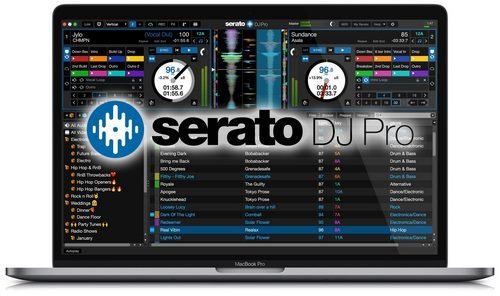
Serato DJ has a brand new look and a greatly improved software layout, optimized for simplicity and a great experience. The new interface also offers two and four deck view modes for four deck controllers, alongside improvements to the cue point and looping controls, which now allow you to display either 8 cues, 8 loops or a combination of both depending on how you perform.


New Key analysis features and display
We have added Serato key features and changed the workflow of the track analysis process. Get an accurate key reading for each track in your library without having to re-analyse BPM and beatgrids. Choose from 4 different key display options with optional color coding for easy harmonic mixing and library organization. Key information is written to your tracks ID3 tags and can be used in a number of other applications.

Key Shifting/PnT 2.0 updates
Make any mix harmonic with new Pitch 'n Time DJ key shifting and syncing features. Change the key of your tracks by +/- 12 semitones without affecting the tempo. Click key sync to match the keys of any tracks in your library and check the compatibility of your blends with the new key display area. These updates are part of the Pitch 'n Time DJ expansion pack, free for existing Pitch 'n Time DJ users. Speed up or slow down your track to extreme tempo values while maintaining its key perfectly, with the highest quality and definition of any available software.

Remap your primary hardware
The latest version of Serato DJ allows you to remap the buttons and knobs on your primary MIDI device. Change the MIDI mapping of your hardware to gain access to new features or customize your controller to suit your workflow.

Pioneer DJ DJM-S9
Announcing support for the all new Pioneer DJ DJM-S9 battle mixer. Plug-and-play support provided with two soundcards, for easy B2B sets and DJ changeover. The DJM-S9 is a Serato DJ and DVS Enabled device. Building on the legacy of Pioneer's classic DJM-909 mixer, the DJM‑S9 takes things a step further. Offering new hardware developments as well as tightly developed integration with Serato DJ. Large performance pads and customizable FX controls give DJs access to take control of their music.

Club Kit License Bundle & Hardware
The Serato DJ Club Kit is a license bundle containing Serato DJ and the DVS Expansion Pack. This is available with Serato DJ 1.7.4 to coincide with support for the Rane MP2015, Pioneer DJM-850, DJM-900NXS and the Allen & Heath Xone:43C, Xone:DB2 & Xone:DB4.

International Language Support
Serato DJ supports 7 languages including: English, German, French, Spanish, Simplified Chinese, Japanese and Portuguese. All the core features of the software have been translated along with the setup screen and the My Serato window.

System Requirements:
- Windows 10, 8.1 (32-bit and 64-bit).
- Windows 7 (32-bit and 64-bit).

Home Page -
Код:
https://serato.com/


-:DOWNLOAD FROM LINKS:-

RapidGator
Код:
https://rapidgator.net/file/b20f0138a9ae1c457694eedf4a2a8517/Serato.DJ.2.3.6.rar.html

NitroFlare
Код:
https://nitroflare.com/view/8929AA43BE70BA2/Serato.DJ.2.3.6.rar

​
 
1CLICK DVD Copy Pro 5.2.1.7


1417e684d89f54317b81bab483990716.png

1CLICK DVD Copy Pro 5.2.1.7 Multilingual | 9 Mb
​
1CLICK DVD COPY - PRO is a fast, easy-to-use, full featured program for copying DVD movies onto DVD discs. The latest version now incorporates CPRx technology to ensure the highest level of success copying the latest generation of DVD movies. You now have complete control over the final copy. Use the Copy Presets; or the more advanced features to select what content will be copied and how much compression will be used. With 1CLICK DVD COPY - PRO, you can make a perfect copy with just one click.


Key Features
Windows 10 Compatible.
CPRx technology for copying new DVD movies.
Copy Presets - One click preset for each type of DVD copy.
Preview the movie, extras and menus.
Include or exclude movie and menus based on preview.
Select individual audio, video, and subtitles streams.
Control the amount of video compression used.
Make additional backup copies without re-copying the DVD.
Copy Episodic DVD Movies, TV Series, etc.
Copy a movie to your hard drive - great for laptops.
Supports copying of Multi-Channel Audio (Dolby Digital 5.1, DTS).
Supports both NTSC and PAL DVD movies.
Supports Dual Layer media.

System requirements:
Windows 10, 8, 7, Vista, or XP
Up to 9 GB available hard disc space for DVD images and temporary DVD files
DVD reader (DVD writer required for burning DVDs)

Home Page -
Код:
http://www.lgsoftwareinnovations.com/


-:DOWNLOAD FROM LINKS:-

RapidGator
Код:
https://rapidgator.net/file/e94bd1d9d06613de921f6a341f269856/1CLICK.DVD.Copy.Pro.5.rar.html

NitroFlare
Код:
https://nitroflare.com/view/3D7662879315EF6/1CLICK.DVD.Copy.Pro.5.rar

​
 
3D-Coat 4.9.52 (x64)


4ca4dd35a780e809cded89166e250a0f.jpg

3D-Coat 4.9.52 (x64) Stable Multilingual | 1.2 GB
​
3DCoat is the one application that has all the tools you need to take your 3D idea from a block of digital clay all the way to a production ready, fully textured organic or hard surface model.


Key Features:
- Possibility to attach Smart Materials to layers! Materials managing becomes even easier.
- Improved Curvature calculation. This is crucial for Smart Materials to be looking even more realistic.
- New Primitives in Retopo room: cylinder, torus, cube, ellipse, spiral, etc. We are getting closer and closer to a low-poly modeling!
- Possibility to change resolution of textures, attached materials will automatically be re-sampled!
- Smart Materials usage history.
- Render scene in Renderman. Yep, you heard it right!
- Proxy Slider. Set your proxy degree with an easy slider movement.
- Baking Scan. Paint baking depth with brush. Now you can define with an ease of a brush stroke how big the depth of scanning will be.
- 4K monitors support. Now UI elements and font size will automatically fit your screen resolution.
- Rotation mode quick switch - around Y or free rotation. See navigation panel.

Operating System: Windows Vista, 7, 8/8.1, 10 (64-bit only)

Home Page -
Код:
https://3dcoat.com/


-:DOWNLOAD FROM LINKS:-

RapidGator
Код:
https://rapidgator.net/file/0f7bbe65d48adf0d65760d001d82102a/3D.Coat.4.9.52.rar.html

NitroFlare
Код:
https://nitroflare.com/view/114C6EFDD460EEB/3D.Coat.4.9.52.rar

​
 
priPrinter Professional 6.6.0.2498 Beta


f257042593d99c8dbadaed6da2b89a74.jpg


File size: 5.04 MB
​
priPrinter is a printer driver that allows you to manipulate printer output before it is printed. priPrinter is installed and selected in the same way as other printer drivers. After printing it automatically displays print preview where you can preview your printings, change layout, reposition pages, crop them and many more. After that you print it to the real printer or save your document for later using. With priPrinter you always will be sure how your printings will look. You may measure items on the paper, define margins and pages layout. There is no need to print again and again trying to achieve desired placement.

Features:
• Provides every feature you need to make your print easy and simple.
• Preview your printing in many ways. Explore content of your jobs.
• Print to images. You may save your prints to various image formats.
• Booklet and posters.
• Duplex printing.
• Measurements.
• Print themes
• Loupe tool.
• Margins and gutters. Change margins and gutters with mouse click and drag.
• Crop and Cut. Remove blank space and redundant information.
• Undo/Redo
• Small and fast.
• Save jobs to file.
• Tray control
Release Notes
У Вас недостаточно прав для просмотра ссылок. Войдите или зарегистрируйтесь.


• official site does not provide any info about changes in this version
Works on Windows 10, 8.1, 8, 7, Vista™, XP, 2000. 32 and 64-bit Operating Systems.


-:DOWNLOAD FROM LINKS:-
RapidGator
Код:
https://rapidgator.net/file/b41aef6811ec02af0d28559305fb197a/priPrinter.Pro.6.6.0.2498.Beta.rar.html

NitroFlare
Код:
https://nitroflare.com/view/06571758D76BB52/priPrinter.Pro.6.6.0.2498.Beta.rar

​
 
Topaz Gigapixel AI 5.0.1


e4125619bd20e8597ed165aba8ed6a3a.jpg

Topaz Gigapixel AI 5.0.1 (x64) | 1.55 Gb
​
Beautiful photo enlargements using machine learning. Enlarging your image without losing detail has always been impossible. until now. Upscale your photos by up to 600% while perfectly preserving image quality.


Enlarge Images by up to 600%
Create a beautiful 80 x 60 inch print from a simple iPhone photo. Or transform your DSLR photos into sharp and ultra-detailed 100MP images.

Use truly intelligent upscaling
After being trained with millions of sample images, Gigapixel can now enlarge your images with a surprising level of quality.

Get crisp and clear results.
Gigapixel performs around 2 million operations per pixel to get you results with as much detail and sharpness as possible.

No more fuzzy enlargements.
Breathtakingly sharp prints. High-resolution cropping in post-production. iPhone photos that look like they came out of a DSLR. No matter why you're enlarging your photos, you always want the best possible quality for your results. AI Gigapixel is currently the only photo enlargement product available that can actually add detail back to your upscaled photo.

Recover real details for actual sharpness
Increasing edge contrast is the simplest way to make an image look "sharp", and how most other upscaling software works. Gigapixel is different: it increases the actual sharpness of your upscaled photo by recovering real detail in your image. This is only possible through training and exposure to millions of test images.

Crisp photos that look like they were never upscaled
It's hard to believe that the crisp output image above was enlarged 4x, but it was. Gigapixel AI successfully determines which image features are stars (detail) and what's noise. Then, it naturally accentuates and recovers detail while suppressing noise in your upscaled photo.

The highest-quality image upscaling that you can get anywhere
Because of these exceptional results, Gigapixel AI is used by everyone from leading photographers, to video game modders, to major motion studios. If you ever need to upscale your photo while preserving beautiful detail, take advantage of the most modern technology in the space and give Gigapixel AI a try.

Image enlargement: interpolation vs machine learning

Interpolation-based photo enlargement software has been around for decades. Gigapixel's new approach based on machine learning is a giant leap ahead: state-of-the-art "deep learning" methods allow it to enlarge images while actually adding new details.

Interpolation
Interpolation algorithms work by approximating new pixels from the colors of surrounding ones. This does not add any detail to the image, it just smoothes out the transition between pixels.

Neural Network (Gigapixel AI)
A neural network analyzes thousands of photo pairs to learn how details usually get lost. The algorithm learns to "fill in" information in new images based on what it has learned. effectively adding new detail to your photo.

Operating System Version:
- Windows 7 x64
- Windows 8/8.1 x64
- Windows 10 x64

Hardware Requirements:
- System RAM: 8GB / 16GB recommended
- GPU VRAM: 2GB / 4GB recommended

Graphics Card Requirements:
- NVIDIA: GeForce GTX 770 2GB / GeForce GTX 960 4GB recommended
- AMD: Radeon HD 8570 2GB / Radeon R9 270 4GB recommended
- Intel: HD Graphics 5000 / Iris Plus Graphics 640 recommended

Homepage -
Код:
https://topazlabs.com/ai-gigapixel/

Language: English


-:DOWNLOAD FROM LINKS:-

RapidGator
Код:
https://rapidgator.net/file/5156bedeb5676acb3200800fb546029c/Topaz.Gigapixel.AI.5.0.1.part1.rar.html
https://rapidgator.net/file/f635b1ad3789651cd85a84f7212c4920/Topaz.Gigapixel.AI.5.0.1.part2.rar.html

NitroFlare
Код:
https://nitroflare.com/view/1AE74A90383ACF1/Topaz.Gigapixel.AI.5.0.1.part1.rar
https://nitroflare.com/view/5DF28B13ABD7C2E/Topaz.Gigapixel.AI.5.0.1.part2.rar

​
 
Назад
Сверху