• Здравствуйте. Сайт заработал в архивном режиме форум www.old.nado.in

Dl4ever Software

Chaos Group V-Ray Next 5.00.03 (x64) for 3ds Max


501051db78e52a443dcdca6cde88f3e1.jpg

Chaos Group V-Ray Next 5.00.03 for 3ds Max | 2.4 Gb
​
The Chaos Group development team is pleased to announce the availability of V-Ray Next 5.00.03 for Autodesk 3ds Max. Last release brings a modern and efficient material library workflow, faster look-development with material presets and flexible post-processing features that save you time and let you go beyond just rendering.


What's New in V-Ray 5 Official release - Date: 16 June, 2020

V-Ray 5 for 3ds Max - Now Available


LIGHT MIXING
Explore lighting possibilities interactively in real-time. Use LightMix in the new V-Ray Frame Buffer to freely experiment with lighting changes after you render, save out permutations, and push back improvements you'd like to have in your scene.

LAYERED COMPOSITING
The new Layer compositor lets you fine-tune and finish your images directly in the new V-Ray Frame Buffer - without the need for a separate post-processing app


Chaos Group is a worldwide leader in computer graphics technology, helping artists and designers create photoreal imagery and animation for design, television, and feature films. Chaos Group specializes in physically-based rendering and simulation software used daily by top design studios, architectural firms, advertising agencies, and visual effects companies around the globe. Today, the company's research and development in cloud rendering, material scanning, and virtual reality is shaping the future of creative storytelling and digital design. Founded in 1997, Chaos Group is privately owned with offices in Sofia, Los Angeles, Baltimore, Seoul, and Tokyo.

Product: Chaos Group V-Ray
Version: Next 5.00.03
Supported Architectures: x64
Website Home Page :
Код:
http://www.chaosgroup.com
Language: english
System Requirements: PC *
Supported Operating Systems: *
Software Prerequisites: *
Size: 2.4 Gb

The requirements listed here are for the latest version of V-Ray in 3ds Max. Please make sure that your system meets the requirements listed below before installing V-Ray.

Processor 1st Gen Intel Core or compatible processor with SSE4.2 support (x64)
RAM 4 GB RAM and 4 GB swap minimum - recommended 8 GB or more RAM, 8 GB or more swap file
Operating system Microsoft Windows 7 (SP1), Windows 8.1, or Windows 10 Professional operating system
Autodesk 3ds Max 3ds Max 2016, 2017, 2018, 2019, 2020 and 2021 (64-bit)
USB port Required for hardware lock, preferably USB 2.0
TCP/IP Only IPv4 is supported. IPv6 is currently not supported.
License Server 4.5.1 or later
GPU Support Maxwell-, Pascal-, Volta- and Turing-based NVIDIA card(s) with latest video driver or at least version 411.31


-:DOWNLOAD FROM LINKS:-

RapidGator
Код:
https://rapidgator.net/file/9d905968590885134ed9bf3b91ee1f2e/vrayadv50003max2016x64.rar.html
https://rapidgator.net/file/04c725a919b4e6b611aa584ad1609ed9/vrayadv50003max2017x64.rar.html
https://rapidgator.net/file/e533e580713000acd88ee749b54336fb/vrayadv50003max2018x64.rar.html
https://rapidgator.net/file/5007873c61d3f85417478c5e26ca3799/vrayadv50003max2019x64.rar.html
https://rapidgator.net/file/7a6e0a3d12a3e3f1bf00a04534c7e94f/vrayadv50003max2020x64.rar.html
https://rapidgator.net/file/76bfb9d539cf2a1bfa8064821eba741a/vrayadv50003max2021x64.rar.html

NitroFlare
Код:
https://nitroflare.com/view/738B0F3F4B67C24/vrayadv50003max2016x64.rar
https://nitroflare.com/view/B87F6388F3DE97B/vrayadv50003max2017x64.rar
https://nitroflare.com/view/2D6B2D0A81DE61B/vrayadv50003max2018x64.rar
https://nitroflare.com/view/4196A1A9812D587/vrayadv50003max2019x64.rar
https://nitroflare.com/view/66B8833F838E267/vrayadv50003max2020x64.rar
https://nitroflare.com/view/A93226EBD0FE107/vrayadv50003max2021x64.rar

​
 
SideFX Houdini FX 18.0.499 (x64)


229b980b30fed14254d1b48e49a8659d.jpg

SideFX Houdini FX 18.0.499 | 1.4 Gb
​
SideFX has released a new sneak peek for Houdini FX 18.0.499, the next update to its 3D animation and FX software withen delivers a powerful and accessible 3D experience with its procedural node-based workflow, while providing tools for simulating fluids, destruction fx, pyro fx, grains, cloth and crowds.


Houdini Main Changelogs - version 18.0.499 - Date:June 15, 2020

- Rectangle lights in LOPs now project the texture in GL, either as a 2D texture (spotlight) or a cubemap (omni). In Objects, all area lights now support projection maps except geometry lights. The LOPs restriction for rectangle lights from the USD spec.
- Fixed bugs where closing a pane with a textport or python shell with keyboard focus could result in accessing freed memory.
- Fixed bugs where textports and python shells destroyed feels in an unsafe order.
- Fix for HAPI_GetTotalCookCount crashing when node is deleted.
- Added snippets to the tractorscheduler Python parm.
- Improvements to PDGMQ script - print timestamped logging output and allow the override of the initial connection timeout with environment variable PDG_MQ_FIRST_CONNECTION_TIMEOUT.
- hou.TopNode.getPDGNode() will now cook the TOP node if it is a scheduler node that has never been cooked before (so that the pdg.Scheduler will be created and returned)
- Improved description of CookedCache entries in submit-graph-as-job jobs.
- Changed the default Draw Mode value in the Configure Primitives LOP from an empty string to "default", since an empty string is not a legal value.


SideFX has unveiled the new features in Houdini 18, the next major update to its procedural 3D animation and effects software.

The release will introduce new artist-focused modelling tools, add a new Substance integration plugin, and overhaul Houdini's key simulation toolsets, including the Vellum, FEM, Pyro and FLIP fluid solvers.

Solaris, SideFX's much-anticipated look dev and shot layout system, will also ship as part of Houdini 18.

Solaris: a complete new USD-based look dev and layout toolset.

The biggest new feature in Houdini 18 - and one to which half of the presentation at the launch event was devoted - is Solaris: a new USD-based lighting, look development and shot layout environment. The toolset is designed to enable less technically minded artists to use Houdini as a look dev and layout tool, using a non-destructive drag-and-drop workflow.

New Karma renderer set to become a replacement for Mantra in production.

Another interesting announcement from the launch event is that Karma, the new render engine developed for Solaris, is set to become a full replacement for Houdini's Mantra renderer. Although Karma was initially intended as a tool for visualising dense production scenes during look dev and layout, SideFX emphasised that it is "a full production renderer . not just a preview renderer".

Another interesting feature shown in the presentation is the set of Hydra render delegates, which enable users to choose which render engine Solaris will use to display assets in the 3D viewport.

As well as Solaris's native Karma renderer, and the previously announced support for RenderMan, there are delegates for both Arnold and, less predictably, AMD's Radeon ProRender. Support for V-Ray, Redshift and 3Delight is also planned.

New artist-focused modelling tools, plus updates to key SOPs for procedural modelling.

The modelling tools get one of the longest changelogs, with the update continuing the trend established in recent releases of exposing Houdini's existing functionality in more artist-friendly ways. Examples include new options to slide points, edges and faces around manually when using the interactive modelling tools; and a new interactive Point Weld tool for merging vertices in geometry.

For procedural modelling, there are updates to several of Houdini's key SOP (Surface OPerator) nodes. The Bend SOP has been overhauled to make workflow more accessible, including more intuitive control handles and hotkeys for operations like snapping. The Bevel SOP - previously PolyBevel - gets support for convex bevels, plus better collision recognition.

For artists using Houdini to generate terrain, the HeightField Terrace SOP has also been updated, including the option to use a custom profile graph to control the sizes of the steps it generates.

More accurate Vellum simulations for soft bodies and cloth.

Houdini's principal simulation toolsets have also been updated, improving the realism of complex simulations, and reducing simulation times.

Vellum, the cloth/multiphysics solver introduced in Houdini 17, gets support for velocity blending. Users can control how velocity is transferred to the simulation, making it possible to tone down physically accurate, but visually distracting, secondary motion of cloth.

There is also a new sliding constraint for the solver, which enables the point of constraint to move freely across the surface of geometry: for example, enabling the constrained object to move under gravity.

SideFX also says that the resolution-independence of simulations has been improved, so low-resolution test sims should be more representative of the final high-res output. In addition, the Vellum solver is now 64-bit.

Faster fluid simulations - both for FLIP liquids and Pyro smoke and fire.

Changes to fluid simulation include support for adaptive pressure projection when using FLIP fluids. The system adjusts the size of simulation grid cells automatically, focusing computational effort on key areas, such as the liquid surface and areas of contact with rigid bodies.

In the test scenes shown, activating adaptive projection cuts simulation times by 30-40%: in the case of a fairly complex shot of a submerged craft surfacing, from 41 hours 13 minutes to 26 hours 50 minutes.

The Pyro solver, used for simulating gaseous fluids, also gets a big update. SideFX described Houdini 18's 'sparse' Pyro solver, which focuses computation on active parts of the fluid container, as "basically . completely new", although parts of the old code base have been reused.

In the demo scenes shown, the new solver cuts both simulation times and file sizes to around a third compared to the previous implementation - although interestingly, voxel count actually rises. In addition, the entire Pyro pipeline, including post-processing, is now available in SOPs.

New art-directable fracturing tools for destruction sims.

Houdini 18 also introduces a number of improvements to the destruction toolsets.

When fracturing geometry, the chipping algorithm has been improved, generating chips more selectively in the places where they should occur, such as the sharp ends of larger fragments. There are also new options to control which fracture lines are shown when visualising fractured geometry. The entire fracturing process is now more art-directable, including the option to use custom cutter objects to break up the base geometry.

Destruction sims can also now be driven by the Bend SOP or FEM solver, resulting in some pretty crazy effects, such as the skyscraper being cleaved by a giant axe shown above. Again, the "entire destruction pipeline" is now available in SOPs

New Neo-Hookean material model preserves volume better in the FEM solver.

The FEM solver itself, often used for simulating organic tissue, gets a new Neo-Hookean material model, which should preserve volume better than the previous Corotational model. Another interesting aspect of the solver shown in the launch event was the option to set the properties of the surface independently of the main volume of the simulation.

Support for blendshapes in crowd simulations, plus improved export to other DCC software.

The update adds support for blendshape animation in crowd agents, which should make it easier to give crowd characters unique facial expressions. For pipeline integration, Houdini now supports USDSkel when exporting characters in USD format; and there are improvements when round-tripping crowd animations with other DCC tools in FBX format.

Other changes: workflow improvements, new Substance plugin and Python 3 support.

Other highlights from the Houdini 18 feature list include a "redesigned, stroke-based" Attribute Paint SOP for 3D painting objects in the viewport. Workflow improvements include the option to use hotkeys for radial menu controls, and to perform 2D pans and zooms when navigating the 3D viewport.

In addition, the update introduces "initial support" for Python 3, ahead of its introduction in next year's industry-wide VFX Reference Platform specification.

Outside the core software, there is a new Substance integration plugin, for editing procedural materials in .sbsar format. You can find full details in our original story.

The launch event also showed plugins for other third-party tools - some new, some already released - including RealityCapture, ZBrush bridge GoZ, retopology tool QuadRemesher, and UV app RizomUV.

Other useful-sounding add-ons include an Extract Silhouette SOP, a MTL file format importer for OBJ models, and a Quadrangulate SOP for converting triangular meshes to all-quad geometry.
Check out the latest additions to Houdini - including Solaris - the USD-native layout, lookdev and lighting platform. Plus learn about the other new Houdini features and enhancements in Vellum, fluids, pyro, destruction, modelling and more.


Side Effects Software. is a world leader in the development of Houdini, our advanced 3D animation and special effects software for use in film, commercials and video games. Side Effects Software has been recognized three times with Scientific and Technical awards from the Academy of Motion Picture Arts and Sciences. The Houdini family of animation software offers digital artists an unprecedented level of power, flexibility and control based on award-winning procedural technology. The comprehensive feature set includes: modeling, rigging, animation, particle effects, dynamics, compositing, integrated rendering, and more. All Houdini applications work together seamlessly and are available for the Mac OS X, Linux and Windows operating systems.

Product: SideFX Houdini FX
Version: 18.0.499
Supported Architectures: x64
Website Home Page :
Код:
http://www.sidefx.com
Language: english
System Requirements: PC *
Supported Operating Systems: *
Size: 1.4 Gb

Operating System - 64bit only - Windows 10 (64 bit)
- Windows 8.1
- Windows 8
- Windows 7 SP1 (future versions of Houdini will not be supported on Win7)
- Windows Server (any version) is NOT supported
Memory- 4 GB required
- 8 GB or higher and 64GB strongly recommended for fluid simulations
Processor
- Intel or AMD x64 CPU with SSE 4.2 required. Houdini 17.0 will not run on a system with an instruction set lower than SSE 4.2.
Disk Space
- 2GB required for installation
Input Devices
- 3 Button mouse required
- Scroll wheel used where present
- Wacom tablet recommended for Houdini's brush-based tools
Graphics Cards
A GL4.0 compliant graphics card is required. GL3.3 cards will have missing features and lower GL versions will not run Houdini 17 at all.
4GB VRAM or more is required. Less than this can result in display errors such as blank windows. High DPI displays (4K, 5K) or multiple monitors require a minimum of 4GB.
Graphics card must support OpenCL version 1.2.
The OptiX Denoiser requires a Kepler or later Nvidia GPU (K, P, M, V prefixes).
It is VERY important that you install the latest driver for your graphics card. Failing to do so may result in display issues and/or slow performance:
Windows
- NVidia GeForce GPUs: 390.77 or higher (don't use 376.xx - you'll have slow performance and crashes)
- NVidia Quadro GPUs: 390.77 or higher
- AMD: 19.Q1 or higher
- Intel 10.18.10.3958 or higher.


-:DOWNLOAD FROM LINKS:-

RapidGator
Код:
https://rapidgator.net/file/0f976ba255de2101e9d4659eeea419d5/SideFX.Houdini.FX.18.0.499.part1.rar.html
https://rapidgator.net/file/db3ffd1a71fe24b1a0c14aa24d2dd1db/SideFX.Houdini.FX.18.0.499.part2.rar.html

NitroFlare
Код:
https://nitroflare.com/view/E8164E57728405D/SideFX.Houdini.FX.18.0.499.part1.rar
https://nitroflare.com/view/6AE02F8BBC71BA4/SideFX.Houdini.FX.18.0.499.part2.rar

​
 
The Foundry Katana 3.6v1 (x64)


d62d46dc336a605416c6f43bbc91446f.jpg

The Foundry Katana 3.6v1 | 341.2 mb
​
The Foundry launches the newer update to its professional look development and lighting tool which include new Feature Enhancements and bug fixes that improve the 3.5v3 to 3.6v1 release.


Katana 3.6v1 Release Notes - Release Date: 29 April 2020

Dockable Tabs

- The following menu commands have been added to the context menu of tab titles, to allow users to move the respective tab to a particular dock widget area in Katana's main window:

Move Tab To >
Left Dock
Right Dock
Top Dock
Bottom Dock

Tabs in dock widgets can be dragged to one of the other dock widget areas, and can also be turned into floating panes, by clicking the Detach Tab button in the title bar of the dock widget, by double-clicking its title bar, or by dragging a docked tab away from the dock widget areas of the main window.

Docked tabs on the left and right of the main window span the entire height of the main window, whereas those at the top and bottom span the width of the main window's central widget only (containing its classic panes and tabs).

Docked tabs are saved and restored as part of Katana layout XML files. A Save <n> Dock Widgets checkbox has been added to the Save Current Layout dialog that opens when choosing the Layouts > Save Current Layout menu command. By default, the checkbox is turned on. The checkbox can be turned off to not save docked tabs as part of the layout.

NetworkMaterialEdit

- NetworkMaterialEdit nodes allow users to edit network materials that have been created using NetworkMaterialCreate nodes, by adding shading nodes to an existing network, deleting shading nodes from an existing network, or modifying any of the parameters of shading nodes of an existing network. The contents of NetworkMaterialEdit nodes are drawn in the same style that was introduced for NetworkMaterialCreate nodes in Katana 3.2, with exposed ports on shading nodes and a left-to-right node layout.

NetworkMaterialEdit nodes leverage the functionality of the existing NetworkMaterialParameterEdit and NetworkMaterialSplice node types, but in a UI that is visually representative of how the material was originally authored.

Notable API/SDK Changes

- Python code that was never used in commercial Katana has been removed from the Katana codebase, to avoid unnecessary porting work in the transition to Python 3.

OpWrite Node Type

- OpWrite nodes allow users to write custom, dynamic Ops in C++ right within Katana's user interface, and iterating on them without having to restart Katana. The OpWrite node type has been modelled after the OpScript node type, with regards to its parameter interface and general functionality, including the ability for deferred execution of the custom Op in question.

By default, the OpWrite node type is not made available in Katana's node creation menus in the Node Graph tab. You can set the KATANA_ENABLE_OPWRITE_NODE environment variable to 1 before launching Katana to make it available.

More details on writing Ops using OpWrite nodes can be found in the Ops And OpScript > OpWrite section of the Katana Developer Guide.

Snapping in the Hydra Viewer

- Support for snapping to locations has been added to the Viewer (Hydra) tab.

Snapping can be turned on and off using the new Snapping tool button in the tab, using that button's menu, or by pressing the V key, and can also be turned on temporarily by holding the V key. Turning the feature on allows users to snap any location's translate or COI manipulator (including individual axes) to a target location's individual Vertices, Edges, Faces, Center or Object.
. When snapping to vertices (Vertex mode), only vertices of front-facing faces are considered.
. When snapping to edges, users can choose to snap to the center of a given edge (Edge - Center mode), or to slide along a given edge (Edge - Slide along mode).
.. In these modes, the target edge is highlighted in addition to the target mesh's snapping wireframe.
. When snapping to faces, users can choose to snap to the center of a given face (Face - Center mode), and also orient the transformed mesh's rotation to point along the normal of the target face (Face - Center - Oriented to Normal mode).
.. In these modes, the target face is highlighted in addition to the target mesh's snapping wireframe.
.. In Face - Center - Oriented to Normal mode, the normal is indicated by a white arrow with a dashed line.
. In Oriented to Normal modes, the OrientAxis and UpAxis can be specified via viewerHydra/snapping preferences.
. When snapping to objects, users can choose to snap to the closest point on an object's surface (Object Surface mode), and also orient the transformed mesh's rotation to point along the normal of the closest face (Object Surface - Oriented to Normal mode), or to the object's origin (Object - Origin mode).
.. In Object Surface modes, the target mesh is drawn with an outline, in addition to the target mesh's snapping wireframe being drawn.
.. In Object - Center mode, the center of an object (defined by a bounding box automatically generated by the extents of the geometry) will be highlighted with a cross-hair icon.
.. In Object - Origin mode, the origin of the targeted object is highlighted with a cross-hair icon.
. Proxy geometry shown in the current scene will work with all the above modes.
. When snapping to Lights, Cameras, and Locators, users can choose to snap to the center of a given location of the type Light, Camera or Locator. Geometry in the scene will be ignored by this modes.

NOTE: The color used for drawing the target mesh's snapping wireframe can be customized via the new viewerHydra/snapping/wireframeColor preference.

The current snapping mode can be changed via the Snapping tool button's menu, or by pressing Shift+V to cycle through the available snapping modes.
3Delight
- The version of 3Delight that we ship with Katana has been upgraded to version 2.0.1.

API/SDK Changes
- The deprecation warning that is logged when Python-based AssetAPI plug-ins are registered has been revised for clarity.
- The base class of the Katana main window has been changed from QWidget to QMainWindow, allowing for toolbars and dock widgets to be placed around a central widget.
- Improved efficiency of the Hydra Viewer's Op update system, reducing scope of transient, incomplete Geolib runtime configurations. (This change applies to the BaseViewerTab class.)
- The Python ViewerDelegate.setViewOp() method now accepts a Geolib Runtime Op (or Op ID for compatibility) as its first parameter. It also now accepts an optional Geolib Runtime transaction, to which Runtime configuration changes are added.
- The C++ FnViewerDelegate API ViewerDelegatePluginBase class no longer has a setViewOp() member function. This functionality is available in the Python ViewerDelegate class, which has responsibility for configuration.
- A Port Op Client (Nodes3DAPI.PortOpClient.PortOpClient) now accepts None as its Port, in which case a default source Op is used (a no-op that produces an empty /root location).

Example Plug-ins
- A number of implicit conversion compilation warnings in the TransformManipulators plug-in have been addressed.

Hydra Viewer
- The default keyboard shortcut for Look Through Selected Object in the Viewer (Hydra) tab has been reassigned from V to K. The V keyboard shortcut is now used for the new Snapping feature.

Network Materials
- TP 369014 - It is now possible to select all upstream or downstream shading nodes in a NetworkMaterialCreate node by pressing Ctrl+Left or Ctrl+Right. (This is similar to the existing Ctrl+Up and Ctrl+Down keyboard shortcuts in the regular node graph context.)
- User parameters and locally set parameter values of shading nodes are now stored as part of the Network Material attribute conventions.

Node Graph
- TP 357364 - Parameter reference expressions now support concatenation using the + operator. See the Katana Developer Guide for details.

Performance
- Improved the scheduling of location cook requests via CookInterface::prefetch().
- The scenewalker command-line tool now outputs a profiling JSON file if run with the command-line option -profile=<output path>, where <output path> is the path and name of the file to write. This file has the same format as the JSON file that is created when starting a Preview Render with Profiling from the context menu of a node in the Node Graph tab.
- In certain edge cases, the Op Tree Optimizer would incorrectly identify a chain of Ops that could be collapsed, effectively removing a part of the Op tree. This no longer happens, and the optimizer is much faster at manipulating the tree. Moreover, there are two additional optimization passes: one removes no-ops, and the other flattens hierarchies of Merge Ops into a single Merge Op, saving cook time and memory.
- TP 421213 - The summary report printed to the Render Log following a Preview Render with Profiling now shows Most costly Nodes and Most costly Ops in two separate tables.
- TP 426927 - Improved responsiveness in the Viewer (Hydra) manipulators when the currently selected location is cooked.

Rendering
- TP 86310 / BZ 41764 - Support for custom tile locations has been added.

Previously, the "tile_x_y." prefix was always prepended to the file name of the tiles. Now, the tile path can be customized by defining the following environment variable:

KATANA_TILE_FILENAME

These are the wildcards that can be used:
@STEM@
@EXT@ (includes dot)
@COLUMN@
@ROW@
@COLUMNS@
@ROWS@
@DEFAULT@ (equivalent to tile_@COLUMN@_@ROW@.@STEM@@EXT@)

For example, the following setup would append the tile column and row, as well as the total number of columns and rows, to the tile location:

export KATANA_TILE_FILENAME="@STEM@_(@COLUMN@,@ROW@)_@COLUMNS@x@ROWS@@EXT@"

UI Improvements
- Boolean preferences now use checkboxes instead of Yes/No combo boxes.
- A hover effect has been added to titles of tabs and to handles of scroll bars.
- It is now possible to drag and drop a NetworkMaterialCreate or NetworkMaterialEdit node onto a MaterialAssign node's materialAssign parameter. Doing so will set the materialAssign parameter of the MaterialAssign node to a Python-based parameter expression that evaluates to the path of the scene graph location that is created by the NetworkMaterialCreate node or that is edited by the NetworkMaterialEdit node.
API/SDK Changes
- TP 426773 - Viewer API: When opening and closing a manipulation group in a viewer delegate without performing any actions while the group is open, an exception could be raised from the ManipulatorBridge Python module.

Example Plug-ins
- TP 427125 - When trying to build ViewerPlugins from source, compilation could fail due to a missing declaration of a dependency on Qt 5.6.1. ViewerPlugins can now be built on systems without Qt 5.6.1 present, in which case the manipulator handles are not modified visually when entering snapping mode.

Node Graph
- TP 422514 - When using reference expressions to concatenate two or more node parameters, the relative relationships between the parent and child nodes could break when the node network was copied and pasted.
- TP 430188 - When the deletion of a Macro node was undone, the node's shape attributes (e.g. background color) were not restored correctly. (This issue was a regression in Katana 3.2v1.)

Performance
- TP 417237 - When running the scenewalker command-line tool with the -profile flag set, the summary report would not be written to the console.
- TP 420218 - When attempting to access scene graph location delegates from multiple threads, Katana sometimes crashed due to a thead-unsafe data structure in FnScenegraphLocationDelegateCache.
- TP 420641 - When cooking Op Trees with multiple paths between Ops (i.e. are not trees), the cache pre-population step would perform very poorly.

Rendering
- TP 128538 / BZ 51663 - Live Renders started while the Live Render from Viewer Camera option is turned on did not initially use the viewer camera.
- The initial Op Graph passed to a Live Render now overrides the render settings camera and creates a virtual camera location as necessary.

NOTE: Support for using non-camera locations (e.g. lights, which may provide camera interface attributes) as the render camera depends on the renderer plug-in that is being used.

Scene Graph
- TP 420753 - Newly created Geolib Runtime Clients could incorrectly be reported as being in 'all open' mode.

UI
- TP 425492 - When setting the value of a numeric preference for which minimum and/or maximum values are provided via hints, the resulting value could wrongly be set to that minimum or maximum value, rather than the entered value.

Other Bug Fixes
- TP 418460 - When editing a promoted drop-down parameter that provides a string attribute, for some renderer plug-ins, Material nodes set to edit material downstream failed to reflect these edits.

Known Issues

Hydra Viewer
- TP 431869 - When selecting a light or camera while the Center of Interest manipulator is selected, Katana stalls briefly before the manipulator's handles appear.
- TP 427252 - Locators created via PrimitiveCreate nodes can be snapped to in all modes, rather than just the Lights, Cameras, and Locators mode.
- TP 420882 - Changing between the Viewer (Hydra) tab's multipane layout options quickly can cause a crash or many error messages to be written to the terminal/console.

Live Groups
- TP 85118 / BZ 41152 - When editing parameters of a node that is part of a LiveGroup node and reloading the parent LiveGroup node, the UI state of the Parameters tab is reset. This includes scroll bar positions, selections of items, and selections of nested tabs (for example Object, Material and Linking tabs for a Gaffer node).
- TP 84998 / BZ 41092 - When reloading a LiveGroup node's parameter interface and contents from its source, parameters of child nodes that are edited in floating panes disappear from those panes.
- TP 84020 / BZ 40598 - Reverting a LiveGroup node does not revert its user parameters.
- TP 84019 / BZ 40599 - Parameters that are added to LiveGroup nodes are wrongly discarded when performing a reload from source, leading to loss of data.
- TP 84018 / BZ 40600 - Undoing a revert of an unpublished LiveGroup node does not restore the LiveGroup's editable and modified state.
- TP 83061 / BZ 40237 - Nodes can be dragged into the Group bubble of a non-editable LiveGroup node.

Materials
- TP 429775 - NetworkMaterialEdit nodes do not currently respect local Graph State changes, for example as performed by VariableSet nodes downstream.
- TP 429302 - When editing a locked node inside a NetworkMaterialEdit node graph, the parameters will be shown at their default state.
- TP 429206 - Parameter expressions when promoted from shading nodes in a NetworkMaterialCreate node are of a constant value, relative to the resolved expression at time of creation.
- TP 427408 - When entering a NetworkMaterialEdit node whose sceneGraphLocation parameter is empty, warnings are logged by the Geolib3 Runtime.
- TP 427353 - NetworkMaterialEdit nodes support editing of network materials that were created by NetworkMaterialCreate nodes only, not network materials that were created with legacy shading nodes in the classic node graph context.
- TP 423341 - In a NetworkMaterialEdit node graph, connections can be displayed incorrectly if a node's name begins with a number.
- TP 410474 - In a NetworkMaterialCreate context, shading nodes appear to shake during view state changes if the node's width is adjusted.
- TP 402064 - In a ShadingGroup node graph, the connection between a Dot node and a shading node port can be wrongly colored in some cases.
- TP 269449 - Choosing Edit Shader Parameters from the main wrench menu of Material nodes does not show wrench buttons next to shader parameters. This can be worked around by toggling the edit flag on the node.
- TP 199304 - The namespace parameter on Material nodes wrongly allows the insertion of Unicode codepoints outside the ASCII range.
- TP 191052 - Katana does not have any support for the texture reference object workflows of V-Ray for Maya.

Parameter Expressions
- TP 188533 - Expressions linked to non-local parameters on not previously edited Material nodes can't be evaluated.
- TP 105434 / BZ 47520 - Reference Expressions may not refer to dynamic parameters such as shader parameters.
- TP 60457 / BZ 31790 - Setting an array or group parameter to an expression results in an invalid expression. Upon setting a valid expression (for example, an evaluation of an equivalent parameter on another node using getParam), the parameter is not immediately updated. To workaround this issue, close and reopen the parameter, or flush caches while the node is not edited.

Qt 5
- TP 356345 - Partially covering the Hydra Viewport with a floating tab will cause it to repaint continuously.

Rendering
- TP 381284 - The 3Delight renderer plug-in makes use of source material locations rather than resolved material attributes as a means of de-duplication. This can result in material data being lost when excluding material locations from the Render Working Set during a Live Render session.
- TP 344118 - (Windows only) When installing Katana and opting to install the bundled version of 3Delight, the installation of 3Delight is made by modifying system-wide environment variables such as KATANA_RESOURCES. Thereafter, launching any version of Katana will pick up this installation of 3Delight, which may be incompatible with the version of Katana being launched.

NOTE: This does not affect Linux, where a bundled 3Delight installation is tied to its corresponding Katana installation.

- TP 208802 - Closing the Histogram tab after use leaves the Monitor tab unable to display rendered images.
- TP 176598 - Use of nodes that modify Graph State Variables in Interactive Render Filters is not currently supported.
- TP 114182 / BZ 49288 - When exporting a Catalog item you need to specify the export folder path to an existing folder. If the folder you're trying to export to does not exist on disk Katana will fail to export.
- TP 94052 / BZ 44199 - The Repeat Previous Render menu command only works on renders started from a 3D node's context menu.
- TP 74799 / BZ 36926 - The rendererSettings > displayOptions parameter of a RenderOutputDefine node for the PRMan renderer, shown when its type parameter is set to 'raw', cannot be set using the Parameters tab.
- TP 70016 / BZ 36137 - Rendering repeatedly with a large number of AOVs consumes more and more memory, possibly leading to a crash when running out of memory.
- TP 12517 / BZ 16168 - Only one Monitor tab may display the results of a Preview Render. The use of multiple Monitor tabs is not currently supported.

Widgets
- TP 373702 - Clicking in the Viewport and pressing a shortcut whilst the mouse is hovered in another widget will still send the event back to the 'focused' Viewport widget, for shortcuts where the widget hovered over does not handle the shortcut.
- TP 123558 / BZ 50911 - When changing an array parameter's tuple count/size, any corresponding attributes are not properly updated in the Attributes tab.
- TP 65347 / BZ 34949 - Using Compiz can lead to text fields not receiving focus events correctly due to an incompatibility between Compiz and Qt. Depending on your configuration, disabling Compiz "desktop effects" may resolve the problem.

Miscellaneous
- TP 381692 - (Windows only) When logging out and logging back in again, the colors in the UI are incorrect. For example, certain parts of certain types of tabs may appear with a white background color.
- TP 337653 - Katana logs deprecation warnings when loading the PyMockAsset, PyMultiMockAsset and PyMockFileSeq shipping example Asset API plug-ins.
- TP 218742 - (Windows only) Katana must be installed to a path no longer than ~140 characters. Attempting to install to a longer path results in an unintuitive error: "The system cannot find the path specified."
- TP 112544 / BZ 49051 - The Viewer tab may lose sync with the Scene Graph tab when changes to expansion state are interrupted.
- TP 107038 / BZ 47853 - Indication of attribute source nodes (such as the yellow 'glow' in the Node Graph tab) is unavailable as of Katana 2.0v1.
- TP 84326 / BZ 40709 - The Alembic library does not support multiple process or thread access to an Alembic file. This means that a crash occurs when modifying an Alembic file outside Katana, while it's loaded in an open Katana scene. To avoid this, you must Flush Caches before attempting to update any modified Alembic files.
- TP 80738 / BZ 39261 - Operations that lock and unlock nodes do not currently create entries in the Undo History, which can lead to an incorrect node graph state when undoing and redoing operations.
- TP 71965 / BZ 36691 - State badges are currently shown for attribute values of dynamic array child parameters, even though only their parent array parameter should appear with a state badge.
- TP 70217 / BZ 36176 - The 2D node Disk Render Upstream Render Outputs option does not use the batch render method, batchRender, for upstream render nodes, instead using diskRender.
- TP 70196 / BZ 36170 - Control keys (notably arrow keys) do not function as expected in shell mode.
The Foundry Katana is a 3D application specifically designed for the needs of look development and lighting in an asset-based pipeline. Originally developed at Sony Pictures Imageworks, Katana has been their core tool for look development and lighting for all their productions since Spider-Man 3, Beowulf, and Surf's Up!. Katana provides a very general framework for efficient look development and lighting, with the goals of scalability, flexibility, and supporting an asset-based pipeline.

Katana is used in VFX, broadcast, and animation as a post-processing tool for final lighting. It uses a recipe approach to establishing lighting, making it easier for users to establish a lighting profile that can be reused in other scenes or projects.


The Foundry is a leading global developer of creative software used to deliver high-end visual effects and 3D content for the design, visualization and entertainment industries. The portfolio empowers artists to create inspiring and technical images and visual experiences in media production (film, commercials, episodic television, gaming, and virtual and augmented reality), and product and industrial design.

The company was founded in 1996 and is headquartered in London, with offices in Silicon Valley, Manchester, Los Angeles, Shanghai, Dublin and Austin. In November 2015 Alex Mahon was appointed as CEO while Bill Collis became president.

Product: The Foundry Katana
Version: 3.6v1
Supported Architectures: x64
Website Home Page :
Код:
http://www.foundry.com
Language: english
System Requirements: PC *
Supported Operating Systems: *
Size: 341.2 mb

Officially Supported Operating Systems
- Windows 7 64-bit or higher
Hardware Requirements
CPU: Dual-core processor
Storage: 1+ GB available for installation
System RAM: 1+ GB available
Graphics RAM: 1+ GB available: 2+ GB available (Recommended)
Display: 800 x 600: 1920 x 1080 (Recommended)
OpenGL OpenGL: 4.3+


-:DOWNLOAD FROM LINKS:-

RapidGator
Код:
https://rapidgator.net/file/ad60c18b1c5eb98727bcd196b9176939/The.Foundry.Katana.3.6v1.rar.html

NitroFlare
Код:
https://nitroflare.com/view/1BB2665204844A3/The.Foundry.Katana.3.6v1.rar

​
 
Structural Synchronizer CONNECT Edition V11 (x64)

6b657cbef1082fd7b6b0b52c69f7f6c0.jpg

Structural Synchronizer CONNECT Edition V11 | 1.1 Gb​
The Integrated Structural Modeling (ISM) development team is pleased to announce the availability of Structural Synchronizer CONNECT Edition V11 (version 11.00.03.04). This release of ISM and Structural Synchronizer expands the possible workflows in ISM.

Structural Synchronizer 11.00 Release Notes - Release Date: 3rd September 2019

New Features
This release of ISM and Structural Synchronizer expands the possible workflows in ISM.
Support for Node Links
Node Links (Rigid Links) can now be written to and read from an ISM model with the ISM 8.0 API. Likewise, Structural Synchronizer now supports visualization and revision management of Node links.
Support for ISM API 8.0
This version of Structural Synchronizer works with version 8.0 of the Integrated Structural Modeling (ISM) API. This version of the ISM API is backward compatible to version 3.0.

Bug Fixes
This release of Structural Synchronizer includes the fixes described below.
- Update from ISM command shows too many modified objects in AutoPipe(954553)
- Unit conversion is incorrectly applied to factor when performing node operations(1010087)
- Compared values during update are swapped for calculated properties (1041982)

Structural Synchronizer 11.00.03 Release Notes - Release Date: 20th December 2019

Bug Fixes
This release of Structural Synchronizer includes the fixes described below.
- There are conflict in assembly versions deployed in OpenBuilding Designer and OpenBuilding Station Designer and Structural Synchronizer version 11.00.00.15 - currently workaround of user environment variable of ISM_MULTI_APPLICATION_DOMAIN is used as described
У Вас недостаточно прав для просмотра ссылок. Войдите или зарегистрируйтесь.

- This release contains added logic for detecting both OpenBuilding products installed and forcing Structural Synchronizer to use multi-AppDomain isolation mode so that the above workaround is no longer required.

The viewing and revision management application for ISM, Structural Synchronizer has an intuitive graphical interface that is ideal for managing changes to ISM repositories or just for basic review and navigation.

Bentley's Integrated Structural Modeling (ISM) allows you to share structural engineering project information among modeling, analysis, design, drafting, and detailing software applications. ISM facilitates interoperability across engineering teams and design disciplines, allowing designers to choose the products best suited for a particular project.

In this video, you will learn how to import an ISM Repository into the STAAD.Pro Physical Modeler.


Bentley Systems, Incorporated. is the global leader dedicated to providing architects, engineers, constructors, and owner-operators with comprehensive architecture and engineering software solutions for sustaining infrastructure. Founded in 1984, Bentley has nearly 3,000 colleagues in more than 45 countries, $500 million in annual revenues, and, since 2001, has invested more than $1 billion in research, development, and acquisitions.

Product: Structural Synchronizer
Version: CONNECT Edition V11 (version 11.00.03.04)
Supported Architectures: x64
Website Home Page :
У Вас недостаточно прав для просмотра ссылок. Войдите или зарегистрируйтесь.

Language: english
System Requirements: PC *
Supported Operating Systems: *
Size: 1.1 Gb

Recommended Computer Specifications for Structural Products

Operating System requirements
Supported: Windows 7 Professional 64-bit, Windows 8 Professional 64-bit, Windows 10 Pro 64-bit
Recommended: Windows 10 Professional 64-bit (all with latest updates applied)

Internet Connection
For the Subscription Entitlement Service (SES) Licensing used in all RAM and STAAD CONNECT Edition software an internet connection is required. A license file can be reserved and copied to a machine in the rare case where no internet connection is allowed.

Graphics card
Bentley strongly recommends avoiding onboard graphics chips in favor of a discrete GPU from the nVidia GeForce or Quadro range with at least 128-bit bus and 1 GB of RAM, or equivalent solution from ATI/AMD.

Processor
While some of the solvers in our structural products can utilize multiple processors, most product routines utilize one processor at a time. Consequently, processor clock speeds are more important than the number of processors for performance. One of our solvers in RAM products uses Intel-provided technology, which only works on Intel brand processors. Alternative solvers still work with AMD or other processors.

Hard Disk
At least 2 GB free space on the partition where the Windows is installed, and 2 GB free space on the partition where projects are saved. Large projects may require significantly more space.

Random Access Memory (RAM)
Recommended: at least 4 GB. Large projects may require more.

Video modes
Required: 1024 x 768 pixels, 32-bit color palette
Recommended: 1920 x 1080 pixels, 32-bit color palette

-:DOWNLOAD FROM LINKS:-
RapidGator
Код:
https://rapidgator.net/file/b141b297d6f62b78d49c0e13fdd6c2f9/StructuralSynchronizerx64_11.00.03.004.part1.rar.html
https://rapidgator.net/file/71304cc6b57647d62e3279529ffd906e/StructuralSynchronizerx64_11.00.03.004.part2.rar.html

NitroFlare
Код:
https://nitroflare.com/view/F52B5DE25227EE3/StructuralSynchronizerx64_11.00.03.004.part1.rar
https://nitroflare.com/view/F7B92F0B844603B/StructuralSynchronizerx64_11.00.03.004.part2.rar

​
 
7-PDF Split and Merge 3.1.0.164 Pro


98e593ebc6965a039fb636a1ba4dfa19.jpg

7-PDF Split and Merge 3.1.0.164 Pro | 4.5 Mb
​
Split PDF and merge PDF together made easy! Our PDF Split and Merge software allows you to split and merge pdf files together, and this very simple and up to 3x faster than comparable pdfsam tools. Extract pdf pages flexible in ranges, by groups or in any way you like. Stick multiple pdf files together, or sort pdf pages and ranges of pdf files easily together.


Features:
Assemble your preferred PDF easily
Support for Citrix MetaFrame and Terminal Server
Flexible disassembly and assembly of PDF files
Up to 3x faster than comparable tools
Even processes protected PDF files

Operating System: Windows XP, Vista, 7, 8/8.1, 10

Home Page -
Код:
https://www.7-pdf.com/


-:DOWNLOAD FROM LINKS:-

RapidGator
Код:
https://rapidgator.net/file/3dfe57001212b28fb09f7c4baa98ce12/DL4eVeR_PDF_Split_and_Merge_Pro_3.2.0.164.rar.html

NitroFlare
Код:
https://nitroflare.com/view/B167D279CD845CE/DL4eVeR_PDF_Split_and_Merge_Pro_3.2.0.164.rar

​
 
7-PDF PDF2Word Converter v3.5.0.174


ff10b98281711e56a93e5d101bb27da0.jpg


English , German | File size: 23.3 MB
​
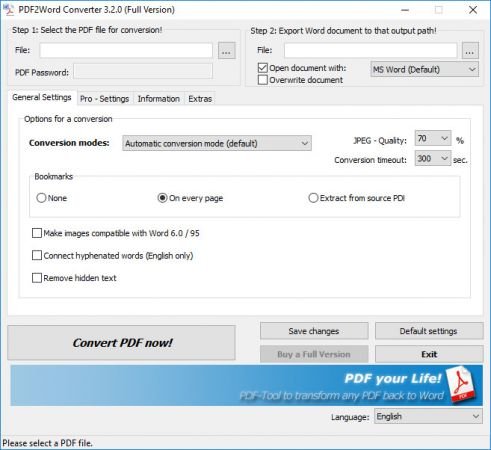
PDF to Word Converter : Best PDF Editor to convert and change pdfs for free with Word!

Features:
Premium PDF TO WORD converter
Support for Citrix MetaFrame and Terminal Server
Conversions are running only on your system! No transfer of your pdfs to web/cloud
NEW! Converts PDF files directly inside your Windows-Explorer
Converts PDF documents and tables while retaining layout
Super fast conversion rate
Transfers graphics, text alignment and paragraph formatting to Word
Supports conversion of headers and footers
Transfer of PDF tables of contents to Word
Transfer of PDF links
Identifies and positions lists and list elements
Automatic syllable division for continuous text
Conversion of complex tables for further processing in Excel while maintaining layout
Whats NewUpdates: official site does not provide any info about changes in this version.


-:DOWNLOAD FROM LINKS:-
RapidGator
Код:
https://rapidgator.net/file/ec16018dbc745e1430a91d1dcf380e72/DL4eVeR_PDF2Word_Converter_3.5.0.174.rar.html

NitroFlare
Код:
https://nitroflare.com/view/7EA68F443596EAD/DL4eVeR_PDF2Word_Converter_3.5.0.174.rar

​
 
Disk Savvy (Pro / Ultimate / Enterprise) 12.9.18


f4332125d31c7b2ac9d90a24998146d6.jpg


File size: 41 MB
​
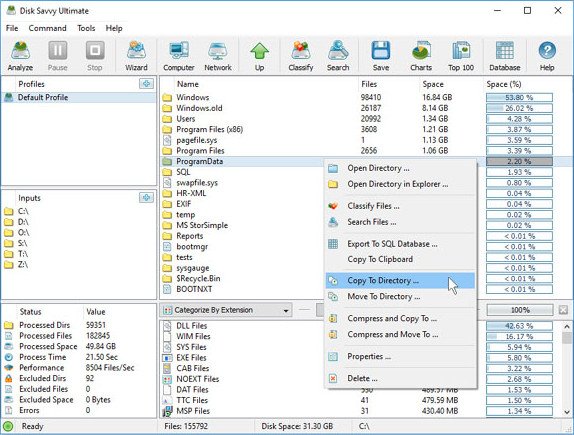
DiskSavvy is a disk space usage analyzer capable of analyzing disks, network shares, NAS devices and enterprise storage systems. Users are provided with multiple disk usage analysis and file classification capabilities allowing one to gain an in-depth visibility into how the disk space is used, save reports and perform file management operations.

DiskSavvy is a powerful disk space usage analyzer allowing one to analyze disks, network shares, NAS storage devices and enterprise storage systems. The user is provided with the ability to analyze one or more disks, directories or network shares, detect directories and files using significant amounts of the disk space, generate various types of pie charts, save disk space usage reports and perform disk space usage history trend analysis operations.

DiskSavvy Disk Space Analyzer
In addition, DiskSavvy provides built-in file classification capabilities allowing one to classify and categorize files using a number of file classification plug-ins capable of recognizing more than 3,000 types of files and showing disk space usage per file type, category, file extension, user name, creation, last modification and last access time, etc. Users are provided with the ability to perform different types of file management operations on disk space analysis results, specific types of files or file categories.

Disk Space Analysis Pie Charts
DiskSavvy allows one to save disk space analysis results to a number of standard formats including HTML, PDF, Excel, XML, CSV, text and the native DiskSavvy report format. In addition, IT and storage administrators are provided with the ability to export disk space analysis results from multiple servers and/or NAS storage devices to a centralized SQL database and then perform advanced disk space usage history trend analysis operations and display disk space usage per server and disk space usage per user.

Analyzing Network Servers and NAS Storage Devices
DiskSavvy allows one to scan the network, discover network servers and NAS storage devices, automatically detect all accessible network shares and analyze disk space usage in hundreds of network servers and NAS storage devices. In addition, the user is provided with the ability to export the list of detected servers and NAS storage devices (including lists of network shares for each server) into HTML, PDF, text and CSV reports.

Analyzing Network Servers
In order to analyze one or more servers or NAS storage devices, press the 'Network' button located on the main toolbar and wait while DiskSavvy will scan the network and show a list of detected network servers and NAS storage devices. On the network servers and NAS storage devices dialog, select the required servers and press the 'Analyze' button.

Analyzing Network Shares
DiskSavvy will show all network shares hosted on the selected servers and NAS storage devices allowing one to analyze disk space usage and save various type of disk space analysis charts and reports. In addition, DiskSavvy provides a large number of advanced disk space analysis options allowing one to tune and customize disk space analysis operations for user specific needs and hardware configurations.

DiskSavvy Command Line Utility
In addition to the DiskSavvy desktop GUI application, IT administrators are provided with a command line utility allowing one to perform disk space analysis operations, save disk space usage reports and export disk space analysis results to an SQL database. The DiskSavvy command line utility may be used to automate disk space analysis operations and integrate disk space analysis capabilities into user-custom batch files and shell scripts.

DiskSavvy Command Line Utility
DiskSavvy Disk Space Analysis Server
Finally, enterprise customers are provided with DiskSavvy Server, a server-based product version, which runs in the background as a service and allows one to analyze a number of servers or NAS storage devices simultaneously, schedule periodic disk space analysis operations, submit disk space analysis reports from multiple servers to a centralized SQL database, perform advanced disk space usage history trend analysis operations, analyze disk space usage per server, analyze disk space usage per user and execute conditional, rule-based disk space analysis actions.

DiskSavvy Disk Space Analysis Server
DiskSavvy Server may be controlled using a full-scale client GUI application locally or via the network. The client GUI application provides all features available in the desktop product version and additional capabilities allowing one to analyze multiple servers and/or NAS storage devices simultaneously, schedule periodic disk space analysis operations and perform advanced disk space usage history trend analysis operations. In addition, to the client GUI application, DiskSavvy Enterprise provides a web-based management interface, which can be used to control one or more servers using a regular web browser.

Batch Disk Space Analysis Operations
DiskSavvy Server and DiskSavvy Enterprise provide the ability to scan the network, detect all network servers and NAS storage devices, execute one or more pre-configured disk space analysis commands on hundreds of network servers and NAS storage devices and generate an individual report for each analyzed server, NAS storage device or network share.

Batch Disk Space Analysis Operations
In the simplest case, just press the 'Network' button located on the main toolbar, search all network servers and NAS storage devices on the network, select one or more servers to be analyzed, press the right mouse button and select the 'Batch Disk Space Analysis' menu item. DiskSavvy will show a list of pre-configured disk space analysis commands allowing one to select one or more commands to be executed on all selected network servers and NAS storage devices.

Batch Disk Space Analysis Mode
Depending on the selected configuration, DiskSavvy will save in the built-in reports database an individual disk space analysis report for each analyzed network server, NAS storage device or network share. Once the batch disk space analysis is completed, the user will be provided with the ability to open saved disk space analysis reports, review disk space analysis results, generate various types of pie charts and export reports to a number of standard formats including HTML, PDF, Excel, text, CSV and XML.


-:DOWNLOAD FROM LINKS:-
RapidGator
Код:
https://rapidgator.net/file/1d50239e8747e677d4d3e470be94a6d8/DL4eVeR_DiskSavvy12.rar.html

NitroFlare
Код:
https://nitroflare.com/view/D37B88F7318E48C/DL4eVeR_DiskSavvy12.rar

​
 
Disk Pulse (Pro / Ultimate / Enterprise) 12.9.18


43b52eee7158eac66e743448bb769a15.jpg


File size: 41 MB
​
DiskPulse is a real-time disk change monitoring solution allowing one to monitor one or more disks or directories, save reports and disk change monitoring statistics, export detected changes to a centralized SQL database, execute custom commands and send E-Mail notifications when unauthorized changes are detected in critical system files.

DiskPulse Main GUI Application
The DiskPulse GUI application provides the user with the ability to start/stop disk change monitoring operations, review detected file system changes and export reports.

Disk Change Monitoring Filters
The bottom part of the DiskPulse GUI application includes the 'Categories' pane, which is capable of categorizing detected file system changes by the file type, size, extension, user name, etc. and allows one to filter changes by one or more change categories.

Disk Change Monitoring Statistics
The pie charts dialog is capable of showing numbers of changed files and the amount of changed disk space per extension, change type, file size and file type. In addition, the user is provided with the ability to copy the chart image to the clipboard allowing one to easily integrate DiskPulse charts into presentations and documents.

Disk Change Monitoring Directories
The profile dialog's 'Monitor' tab allows one to specify one or more disks or directories that should be monitored. All the specified directories will be monitored recursively including all subdirectories.

Disk Change Monitoring Events
The profile dialog's 'Events' tab allows one to select one or more file system event types that should be monitored.

Disk Change Monitoring Rules
The profile dialog's 'Rules' tab provides the user with the ability to limit a disk change monitoring operation to one or more specific file types.

Disk Change Monitoring Actions and E-Mail Notifications
The profile dialog's 'Advanced' tab allows one to automatically save reports, submit changes to a database, send E-Mail notifications and/or execute custom commands when a disk change monitoring operation will detect a specified number of changes.

Search File System Changes
The search dialog allows one to search disk changes by the file name, location, modification date, category, file size, file owner, etc. in all disk change monitoring reports stored in an SQL database.

DiskPulse Disk Change Monitor Server
DiskPulse Server is a server-based product version, which runs in the background as a service and allows one to perform multiple, parallel disk change monitoring operations, send E-Mail notifications, save reports, export detected changes to a centralized SQL database, send error messages to the system event log and/or execute custom user commands when a user-specified number of changes detected.

DiskPulse Enterprise
DiskPulse Enterprise can be used as a centralized reports database server capable of receiving disk change monitoring reports from multiple production servers. DiskPulse Enterprise allows one to define a centralized set of report analysis rules, which are automatically applied to disk change monitoring reports received from production servers, detect critical file system changes and send E-Mail notifications.


-:DOWNLOAD FROM LINKS:-
RapidGator
Код:
https://rapidgator.net/file/dbdff48aa9afff12da8717c93a68aa2c/DL4eVeR_DiskPulse12.rar.html

NitroFlare
Код:
https://nitroflare.com/view/9EAAB181786D8C4/DL4eVeR_DiskPulse12.rar

​
 
Movavi Video Converter 20.2.0 Premium


bb0dff4f126c768cbc0929ad9ba17000.png

Movavi Video Converter 20.2.0 Premium Multilingual | 93.6 Mb
​
Enjoy video and music your way! With Movavi Video Converter, you can prepare your multimedia files for instant playback in any format and on any device. And you don't need to be a geek to do it: just select the format or device you want from the vast list of supported options and hit one button - your files will be ready in seconds.


Plus you get a huge range of exciting extras: enhance video quality, adjust and normalize sound levels, trim, merge, crop, and rotate files before you convert - all through our trademark user-friendly interface that's so easy to master!

Work with video, audio, and images in any format
- Open video files in any format and resolution, including Ultra HD.
- Transfer your DVD collection to your hard drive - rip DVDs and save them as video files.
- Process your entire music library with one click.
- Convert image files between most popular formats.

Be sure you get the best-possible quality results
- Choose the exact format you need: the program supports all current video, audio, and image formats and codecs.
- Enjoy one-click conversion of media files for 200+ mobile devices using our handy ready-made presets.
- Prepare your video for uploading to video hosting sites and social networks quickly, easily - and automatically.

Save time thanks to leading-edge technologies
- Using our innovative SuperSpeed mode, you can convert video up to 79x faster than using traditional conversion methods. No re-compression or loss of quality!
- Support for NVIDIA CUDA, NVENC, and Intel HD Graphics hardware acceleration increases conversion speed up to 3.5 times.
- Use your multicore processor to the max! The software estimates your CPU usage and loads the processor cores in the most efficient way, converting 2 or 4 H.264 files simultaneously.

Other Features:

Extract Audio
Extract audio from video and save any portion of a movie soundtrack to create ringtones and music samples.

Adjust Sound
Increase, decrease or normalize sound volume. Transfer up to 16 soundtracks to your final video.

Create GIFs
Create comic GIF animations from your video files. Specify the video segments you want to convert to GIF.

Save Frames
Capture screenshots from videos and save them in popular image formats.

Share Online
Upload converted files to social media sites from right inside the program using the built-in Share Online app.

Watch Folder
Specify a folder and conversion parameters, and all video files in that folder will be converted automatically.

Flexible Settings
Choose video and audio codecs, specify custom resolution, bitrate, and other advanced settings.

Two-pass Encoding
Choose this option for optimal balance between size and quality of output video.

System Requirements:
- Microsoft Windows® XP/Vista/7/8/10 with up-to-date patches and service packs installed
- Intel®, AMD® or compatible processor, 1 GHz
- NVIDIA® GeForce™ series 6 or higher, AMD Radeon™ R600 or higher graphics card with up-to-date drivers
- 1024x768 screen resolution, 32-bit color
- 256 MB RAM for Windows XP, 512 MB for Windows Vista,
- 1 GB for Windows 7, Windows 8, and Windows 10
- 140 MB available hard disk space for installation,
- 750 MB for ongoing operations
- Administrator permissions are required for installation

Home Page-
Код:
http://www.movavi.com


-:DOWNLOAD FROM LINKS:-

RapidGator
Код:
https://rapidgator.net/file/239865b17388a0207e090451acffa4e1/DL4eVeR_Video.Converter.Premium.20.2.0.rar.html

NitroFlare
Код:
https://nitroflare.com/view/C9EA85B821C468A/DL4eVeR_Video.Converter.Premium.20.2.0.rar

​
 
High-Logic FontCreator 13.0.0.2663 All Editions


0bd7d95b2b4cb4f23660809c64ce25fc.jpg

High-Logic FontCreator 13.0.0.2663 All Editions | 41 Mb
​
With over 4.5 million downloads to date, FontCreator is the world's most popular font editor. An advanced feature set makes it the tool of choice for professionals, and its intuitive interface is straightforward enough for users at any expertise level. Create your own fonts, redesign existing characters, add kerning, edit advanced OpenType layout features, and much more.


When you create or open a font, FontCreator displays an overview of all available characters. You can simply add missing characters, or select an existing character, and modify its appearance. You can import (scanned) images of your signature or company logo, or make a font from your own handwriting. With FontCreator you can also fix character code-points, font names, glyph names, kerning pairs, and at all times you can preview your typefaces before installing. OpenType features are preserved upon opening a font. This professional font editor supports both quadratic- and cubic-based contours, and has several smart features to ensure smooth connections where you need them. The validation features help you locate and fix possible outline issues.

Font Overview with Categories
The glyph and character category panel gives you quick and easy access to the glyphs, character subsets and Unicode ranges.

Work with OpenType, TrueType and Web fonts
FontCreator supports Open Type, True Type and Web Open Font Format (WOFF) fonts which can be used on Windows, Mac OS X, Linux, and in all modern web browsers.

Design High Quality Fonts
The standard and professional edition include font validation features which enable you to improve the quality of your fonts by locating and solving common glyph problems.

Optimize Contours
Optimizing glyph outlines will reduce the number of points that make up the contour(s).

Import SVG Images
High quality vector graphics can be easily imported. You can even copy and paste between FontCreator and your favorite vector editing software.

Import Raster (bitmap) Images
Import (scanned) images and convert them into glyphs. Create your own handwriting font by scanning your handwriting and import it into FontCreator.

Scalable Color Fonts
FontCreator is the first font editor to support the new scalable color fonts extension. This new feature allows you to create multi-colored glyphs for systems that support it, while maintaining backwards compatibility for systems that do not. Watch the video above for a quick introduction on how to create color fonts with FontCreator.

Visual OpenType Designer
The intuitive OpenType Designer allows you to easily add and modify OpenType Layout Features for glyph positioning. The build-in anchor manager makes adding and editing Mark to Base and Mark to Mark positioning a breeze!

OpenType Layout Scripts Editor
The Script Editor allows you to quickly add and modify OpenType Glyph Substitutions through an easy to learn scripting language.

OpenType Layout Features Made Easy
Common OpenType layout features are automatically added to your fonts and with the standard and professional editions you can take full control over these features through custom scripts.

Easy Access to Common Glyph Properties
The glyph properties toolwindow gives you easy access to the glyph's name, codepoints and bearings.

Kerning
Manually add kerning to your font or let the Autokerning take care of kerning for you in the standard and professional edition.

Optical Metrics
The Optical metrics feature in the professional edition simplifies one of the most complex and time consuming tasks in font design. It analyzes a set of most common characters to find the best left and right side bearings of each of these glyphs.

Test Your Fonts
At any time during your font development, you can test it in other applications. You can even generate a local webpage to test it as a Web font.

Powerful Transform Wizard
The standard and professional edition come with a powerful transform wizard that allows you to easily transform glyphs with just a few clicks. Transform your font to Italic, Bold, automatically add characters for other languages, small capitals and more.

Easily Rename Fonts
On the font properties dialog you can view and edit the font name, legal and copyright information, embedding rights and more.

Complete Composites
The standard and professional edition allow intelligent generation of outlines for more than 2,200 (mostly accented) composite characters.

Operating System: Windows Vista, 7, 8/8.1, 10

Home Page -
Код:
http://www.high-logic.com/


-:DOWNLOAD FROM LINKS:-

RapidGator
Код:
https://rapidgator.net/file/82b0361fb1d3a1b63a313c12ea354625/DL4eVeR_FontCreator13.0.rar.html

NitroFlare
Код:
https://nitroflare.com/view/7AF06E3B7870269/DL4eVeR_FontCreator13.0.rar

​
 
UnHackMe v11.80 Build 980


af8948392a7420fce506ee83d637cc09.jpg

UnHackMe v11.80 Build 980 | 26.2 Mb
​
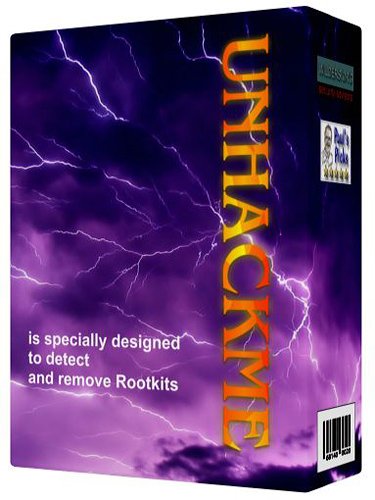
UnHackMe - First BootWatch AntiRootkit! Now it is the must have tool for you! UnHackMe is specially designed to detect and remove Rootkits (a new generation of Trojan programs - invisible Trojans). A rootkit is a program that a hacker uses to mask intrusion and obtain administrator-level access to a computer or computer network. The intruder installs a rootkit on a computer using a user action or by exploiting a known vulnerability or cracking a password.


The rootkit installs a backdoor giving the hacker a full control of the computer. It hides their files, registry keys, and process names, and network connections from your eyes. Your antivirus could not detect such programs because they use compression and encryption of its files. The sample software is Hacker Defender rootkit. UnHackMe allows you to detect and remove Rootkits.

Benefits:
UnHackMe Pro includes special designed tools for detecting deep hidden rootkits.
UnHackMe Pro is unique for each user and it is invisible for a rootkit.
You can open UnHackMe Pro from CD-ROM or from a flash drive.
You can use UnHackMe Pro license for checking and removing rootkits from user computers.
No need to install UnHackMe on a user computer.
No need to purchase additional licenses.
Easy in use. No comments!

System Requirements: Windows 2000-Windows 7/8.1/Windows 10

Home Page -
Код:
http://www.greatis.com/


-:DOWNLOAD FROM LINKS:-

RapidGator
Код:
https://rapidgator.net/file/98de93b0a47a07237143816aee344884/DL4eVeR_UnHackMe11.80.rar.html

NitroFlare
Код:
https://nitroflare.com/view/A76C1040B698DED/DL4eVeR_UnHackMe11.80.rar

​
 
Youtomato YT Downloader Plus v4.12.12


dcace5fe9d779f9eacd1d57bbb9160fc.png


English | File size: 17.6 MB
​
YT Downloader is a software utility designed to provide you with a simple and reliable way to save YouTube clips to your hard drive, as well as choose the desired quality and modify their output format. Moreover, the videos can also be re-encoded using one of the available codecs and exported to your iTunes library.

When it comes to the supported formats, the application provides you with a wide range of extensions, resolutions and bitrates, depending on the desired quality. Thus, every format can be customized separately and you can even add your own presets from scratch, by supplying your own frame rate, bitrate and audio settings.
Reach the utility from your web browser
Beside the actual application, the installation also adds a browser extension that enables you to start downloading the videos without switching to the standalone utility. Hence, you can simply press the appropriate button while you are watching a YouTube clip and save it to your computer, while also making the desired format and quality modifications.

When it comes to the supported video resolutions, YT Downloader is capable of working with everything up to 4K ultra-HD dimensions, although the resulting quality is based on the original resolution of the selected video. You can, however, choose to automatically download the highest quality available and skip the manual customization process.

A fully-featured video downloader :

In the end, YT Downloader is a powerful software utility that provides you with a comprehensive range of options and features regarding the quality and format of the downloaded clips. Moreover, it also integrates well with your Internet browser and it is capable of switching between a wide array of video formats, while still remaining very easy-to-use and friendly with beginners.

-Classic user interface, simple to understand and easy to use.
-Download your favorite videos from YouTube and hundreds of other video sites.
-Increase download speeds by up to 500%, or even more.
-Download HD 720p, 1080p, 2K, 4K, 8K videos from YouTube.
-Support drag-and-drop. Just drag and drop video link from your web browser to the program window to start download.
Whats NewUpdates: official site does not provide any info about changes in this version.


-:DOWNLOAD FROM LINKS:-
RapidGator
Код:
https://rapidgator.net/file/0cde48f557053385656d9c48b79f7284/DL4eVeR_YT_Downloader_Plus_4.12.12.rar.html

NitroFlare
Код:
https://nitroflare.com/view/E723C28CDC5062B/DL4eVeR_YT_Downloader_Plus_4.12.12.rar

​
 
Blackmagic Design DaVinci Resolve Studio 16.2.3.15 (x64)


89a30d3abe8c4ef3d7e4be148320c021.jpg

Blackmagic Design DaVinci Resolve Studio 16.2.3.15 (x64) Multilingual | 1.47 GB
​
DaVinci Resolve 16 is the world's only solution that combines professional 8K editing, color correction, visual effects and audio post production all in one software tool! You can instantly move between editing, color, effects, and audio with a single click. DaVinci Resolve Studio is also the only solution designed for multi user collaboration so editors, assistants, colorists, VFX artists and sound designers can all work live on the same project at the same time! Whether you're an individual artist, or part of a large collaborative team, it's easy to see why DaVinci Resolve is the standard for high end post production and finishing on more Hollywood feature films, television shows and commercials than any other software.


What's New:
DaVinci Resolve 16 features a revolutionary new cut page specifically designed for editors that need to work quickly and on tight deadlines! The new DaVinci Neural Engine uses machine learning to enable powerful new features such as facial recognition, speed warp and more. Adjustment clips let you apply effects and grades to clips on the timeline below, quick export can be used to upload projects to YouTube and Vimeo from anywhere in the application, and new GPU accelerated scopes provide more technical monitoring options than before. Plus, Fusion is dramatically faster and Fairlight adds immersive 3D audio. DaVinci Resolve 16 is a massive release with hundreds of features customers have asked for!

Introducing the Cut Page!
Designed specifically for editors working on high end fast turn around work such as television commercials and even news cutting, the cut page is all about speed. It's an alternate edit page with a streamlined interface and revolutionary new tools that will help you work faster than ever. The cut page lets you import, edit, trim, add transitions, titles, automatically match color, mix audio and more. Whether you're delivering for broadcast or for YouTube, the cut page has everything you need to get the job done, all in one place. Plus, the regular edit page is still available so you can switch between edit and cut pages to change editing style right in the middle of a job.

New Editing Features in DaVinci Resolve 16:
DaVinci Resolve includes everything professional editors need to cut blockbuster films, television shows, and commercials. It's perfect for both offline and online editing. The high performance playback engine makes editing and trimming incredibly fast, even for processor intensive formats such as H.264 and RAW.

New Fusion VFX Features in DaVinci Resolve 16:
With over 250 built in tools, Fusion VFX's advanced 3D compositing engine and node based workflow let you quickly connect effects and tools together in a flow chart style, making it easy to create cinematic feature film quality visual effects and broadcast motion graphics right inside of DaVinci Resolve!

New Color Features in DaVinci Resolve 16:
DaVinci Resolve's legendary color tools let you manipulate color in breathtaking ways to get results that are simply impossible on other systems. That's why DaVinci Resolve has been used on more feature films and television shows than any other grading system! You get powerful primary and secondary tools, curves, tracking, stabilization and more!

New Fairlight Features in DaVinci Resolve 16:
With Fairlight in DaVinci Resolve, audio is no longer an afterthought in post production! You get a completely integrated and powerful digital audio workstation with full mixer, EQ and dynamics processing, sample level audio editing, ADR tools, sound library support, FairlightFX audio plugins and more!

New Collaboration Features in DaVinci Resolve 16:
Featuring a universal timeline, powerful database driven design, bin and clip locking, built in chat, timeline comparison tools and more, DaVinci Resolve Studio is the world's only post production solution that lets different artists all work together on the same project at the same time!

DaVinci Resolve Studio
Upgrade to DaVinci Resolve Studio for even more creative tools and options! You get a huge set of indispensable ResolveFX and FairlightFX plugins, along with support for 4K, 8K and higher resolution projects at frame rates up to 120 frames per second. You also get the new DaVinci Neural Engine which enables features such as facial recognition, speed warp retiming, automatic color balancing and automatic color matching. DaVinci Resolve Studio also adds film grain tools, advanced noise reduction, blur and mist effects, HDR grading, 10bit H.264 support, 3D immersive audio, stereoscopic 3D support, multi user collaboration tools and more!

DaVinci Neural Engine
The new DaVinci Neural Engine uses state of the art deep neural networks and learning, along with artificial intelligence to power new features such as speed warp motion estimation for retiming, super scale for up-scaling footage, auto color and color matching, facial recognition and more! The DaVinci Neural Engine is entirely cross-platform and uses the latest GPU innovations for AI and deep learning to provide unparalleled performance and quality. The DaVinci Neural Engine provides simple tools to solve complex, repetitive and time consuming problems. For example, it enables facial recognition to automatically sort and organize clips into bins based on people in the shot!

New and Improved ResolveFX
DaVinci Resolve Studio 16 features major improvements to existing ResolveFX, along with several new plugins that editors and colorists will love! You get new ResolveFX plugins for adding vignettes, drop shadows, removing objects, adding analog noise and damage, chromatic aberration, stylizing video and more! There are also improvements to the scanline, beauty, face refinement, blanking fill, warper, dead pixel fixer and colorspace transformation plugins. Plus, you can now view and edit ResolveFX keyframes from the timeline curve editor on the Edit page or from the keyframe panel on the Color page!

Legendary DaVinci Quality
DaVinci Resolve's Emmy™ award-winning image processing technology features deep 32-bit float processing combined with unique, patented YRGB color science that processes luminance independent of color. This allows you to adjust the luminance of video without rebalancing the color of your highlights, midtones, or shadows! The massive internal color space is perfect for the latest HDR and wide color gamut workflows.

Blackmagic RAW
Blackmagic RAW is a new and modern codec that gives you stunning image quality and blazing fast performance in an intelligent new file format. Featuring advanced de-mosaic technology and a revolutionary intelligent design, Blackmagic RAW gives you both the quality and benefits of RAW with the speed, ease of use and file sizes of traditional video formats.

Hardware Control Panels
When you have a client looking over your shoulder you need to work fast. DaVinci Resolve control panels are designed to give you fluid, hands-on control over multiple parameters at the same time, allowing you to create looks that are simply impossible with a standard mouse! All controls are logically placed near your natural hand positions and are made out of the highest quality materials. You get smooth, high resolution weighted trackballs, along with precision engineered knobs and dials that feature the perfect amount of resistance so you can accurately adjust any setting. DaVinci Resolve control panels let you instinctively touch every part of the image!

Fairlight Professional Consoles
Fairlight mixing consoles provide high quality controls for nearly every parameter and feature in the software. Unique user interfaces and dynamic configuration changes provide fast to use buttons and controls that are optimized for the task at hand allowing you to work faster with Fairlight audio than any other tool in the world. With the modular design you can start with a larger console frame than you need and add more modules to meet the growing needs of your facility.

Minimum system requirements for Windows:
- Windows 10 Update
- 16 GB of system memory is recommended and 32 GB is recommended minimum when using Fusion
- Blackmagic Design Desktop Video version 10.4.1 or later
- NVIDIA/AMD/Intel GPU Driver version - As required by your GPU
- RED Rocket-X Driver 2.1.34.0 and Firmware 1.4.22.18 or later
- RED Rocket Driver 2.1.23.0 and Firmware 1.1.18.0 or later

Homepage -
Код:
https://www.blackmagicdesign.com


-:DOWNLOAD FROM LINKS:-

RapidGator
Код:
https://rapidgator.net/file/77ba12b1ffbfd8bc392612660c3efca1/DL4eVeR_DRS.16.2.3.part1.rar.html
https://rapidgator.net/file/8aa636f285e36459d42d35b5f4ceb09a/DL4eVeR_DRS.16.2.3.part2.rar.html

NitroFlare
Код:
https://nitroflare.com/view/0ED14702B258220/DL4eVeR_DRS.16.2.3.part1.rar
https://nitroflare.com/view/8530B475A6EDD65/DL4eVeR_DRS.16.2.3.part2.rar

​
 
iSumsoft Cloner v3.1.1.2


80444e2ae2a1727c551e4f5f768406e8.jpg


English | File size: 41.3 MB
​
iiSumsoft Cloner is the secure and reliable system/partition cloning software that can accurately copy, backup and restore Windows operating system or hard disk partition. With this software, you can perfectly clone your system or partition from one hard drive to another, from HDD to SSD, or from one computer to another, with no data loss.

• 100% secure, clean and easy-to-use.
• Copy Windows operating system to another SSD/HDD without reinstalling.
• Back up and restore system/partition to HDD/SSD without any data loss.
• Allow you to create a WinPE boot disk, with which you can clone, backup and restore system/partition without logging into Windows.

Clone Windows OS to HDD/SSD

Copy: Accurately copy Windows operating system from one computer hard drive onto another drive/HDD/SSD. The copied Windows OS will work perfectly without reinstalling.
Backup & Restore: Back up the Windows operating system to an archive file and restore the backup file to any disk with enough space when needed. The restored Windows OS will work perfectly on the disk without any problem.

Protect you from data loss
With iSumsoft Cloner, you can copy the contents of an entire partition to another drive like from HDD to SSD, without any data loss. What's more, you are allowed to back up an entire partition to an archive file on an HDD/SDD and restore the backup archive when needed. This will protect you from data loss in the event of system failure, Windows upgrade, hard drive replacement or other unexpected situations.

How it works
Step 1: Install and launch iSumsoft Cloner on your Windows computer.
Step 2: Choose the function you want from Copy, Backup, and Restore.
Step 3: Select the source partition and target partition.
Step 4: Click on Start to start copying or backing up.
Whats NewUpdates: official site does not provide any info about changes in this version.


-:DOWNLOAD FROM LINKS:-
RapidGator
Код:
https://rapidgator.net/file/de6fb09fabdd98875e6cfcb63eb35a29/DL4eVeR_iSumsoft_Cloner_3.1.1.2.rar.html

NitroFlare
Код:
https://nitroflare.com/view/60174A1B4BA7721/DL4eVeR_iSumsoft_Cloner_3.1.1.2.rar

​
 
iSunshare CloneGo v3.0.3.3


ad7c6f76a0fee3b50e528abdeb51baa0.png


File size: 41.2 MB
​
CloneGo is the reliable system/partition clone software to copy, backup and restore Windows system or partition data. It is 100% secure and clean to create a copy of the system or partition.
Copy Windows operation system to SSD/HDD without reinstallation.

Backup and restore system/partitions with no data loss.
Clone partitions or system to protect your data.
Clone dynamic volume to basic disk.
Clone Windows partition to mobile hard disk.
Intuitive set-and-run software, super easy to use.

Features :
Clone Windows operating system to an SSD/HDD, support: Windows 10, Windows 8.1, Windows 8, Windows 7, Windows Vista and Windows XP.
Clone the selected partitions to a new disk for hard drive replacement or upgrade; convert dynamic disk to basic disk via cloning; clone Windows partition to external mobile hard disk.
Backup and restore the entire Windows system or the selected partitions.
Restore the backup archive on any Windows computer with iSunshare CloneGo to be installed on the machine.
Give you the opportunity to run a new computer on SSD/HDD without reinstalling the operating system.
Enhance data protected mode and improve the recoverability of the system and partitions.
Whats NewUpdates: official site does not provide any info about changes in this version.


-:DOWNLOAD FROM LINKS:-
RapidGator
Код:
https://rapidgator.net/file/c9936014d1008cb72b324a09e7390c2c/DL4eVeR_.iSunshare_CloneGo_3.0.3.3.rar.html

NitroFlare
Код:
https://nitroflare.com/view/DA68F53E5F57C08/DL4eVeR_.iSunshare_CloneGo_3.0.3.3.rar

​
 
Blackmagic Design Fusion Studio 16.2.3 Build 7 (x64)


9cb1c73354155b1c3e06bd669dd38b80.jpg

Blackmagic Design Fusion Studio 16.2.3 Build 7 (x64) | 691 MB
​
Fusion is the world's most advanced compositing software for visual effects artists, broadcast and motion graphic designers, and 3D animators. Over the last 30 years, Fusion has been used on thousands of Hollywood blockbuster movies and television shows. Fusion features a powerful node based interface that lets you quickly and easily create sophisticated effects by connecting different types of image processing tools together! You get a massive range of tools, incredible VR and 3D support, GPU accelerated performance, unlimited network rendering and more! Fusion gives you everything you need to create exciting broadcast graphics, dramatic titles, and even major feature film visual effects!


What's New in Fusion 16:
Fusion Studio 16 is a major upgrade that brings all of the improvements made to Fusion inside of DaVinci Resolve to the stand alone version of Fusion. You get an updated and more modern user interface, along with dramatically faster performance. All 3D operations are GPU accelerated, making Fusion much more responsive and interactive. In addition, there are dozens of GPU accelerated tools such as time effects, dissolves, stereo tools, vector motion, corner pinning, color tools and more! B-spline and bitmap mask operations are accelerated, as are the planar and camera trackers. Improved memory management makes large compositions with high tool counts more reliable, making Fusion 16 dramatically faster and more stable than ever before!

Hollywood's Biggest Blockbusters
Thousands of Hollywood's biggest blockbusters and hit television shows use Fusion to create their groundbreaking visual effects. Fusion has been used on feature films like The Hunger Games, Dr Strange and Guardians of the Galaxy, as well as hit television shows like Empire, NCIS and American Horror Story. Fusion also plays a major role in the development of cinematics for major video games such as Dawn of War III, Halo 5 and more!

Nodes are a Much Faster Way to Work!
Nodes are incredibly easy to use, especially as scenes become more complex. Fusion's nodes are small icons that represent effects, filters and other image processing operations. Nodes can be easily connected together to build larger and more complex visual effects. Tools, images, and objects can be combined in any order to create unlimited visual effects. Simply click on a node to quickly adjust any single part of your project. That's much faster than a timeline based tool because you don't need to hunt through nested stacks of confusing layers and filters!

Get the most Powerful VFX Software Available!
Whether you need to pull a key, track objects, retouch images, animate titles, or create amazing particle effects, Fusion has a massive toolset that lets you tackle the most demanding jobs. You get a true 3D workspace along with tools for compositing, keying, painting, animation, virtual reality, stereoscopic 3D and more. Fusion combines effects and motion graphics, along with 3D modeling and rendering into a single toolset. That means you can import and render 3D models and scenes with the rest of your composite in Fusion. You don't have to pre‑render assets or transfer between multiple applications!

GPU Accelerated Workflow
Fusion is extremely fast and responsive enough to be used in high pressure, client driven sessions. With its Metal, CUDA and OpenCL GPU acceleration, you get instant feedback while you work so you can see exactly what you're doing. Fusion 16 features more GPU optimisation than ever so whether you're working alone or with a client, you get the real time control you need. That means you'll be able to spend more time being creative and less time waiting! Fusion is so fast that you can even work in VR while wearing a headset and still get over 90 frames per second of interactivity!

Unlimited Render Power
Fusion has the world's fastest production quality render engine! You can even distribute your render jobs across an unlimited number of networked computers for incredible performance, at no additional cost! There's no "per node" render license fees. Simply install it on as many render nodes as you need! That means you can render complex scenes incredibly fast to meet the intense deadlines of production, without having to sacrifice creativity or quality.

Collaborate with Large Teams
When you're working with a large creative team, Fusion Studio also includes the new Studio Player application. Studio Player features a single layer timeline with basic shot trimming, storyboard tools, versioning and annotation notes. Fusion Studio also features a bin server to let everyone share and see common assets that are needed for the job. That means you don't have to copy and track multiple elements on different computers.
sometimes show incorrect results when using GPU processing
- General performance and stability improvements

Minimum system requirements for Windows:
- Microsoft Windows 10 64-bit
- Minimum 16 GB RAM
- GPU with at least 2GB of VRAM which supports Metal, OpenCL 1.2 or CUDA 10
- Latest graphics driver as recommended by your GPU manufacturer

Homepage -
Код:
https://www.blackmagicdesign.com


-:DOWNLOAD FROM LINKS:-

RapidGator
Код:
https://rapidgator.net/file/a737f8370f1a9b6b01147f8f6cd62dc4/DL4eVeR_FS.16.2.3.rar.html

NitroFlare
Код:
https://nitroflare.com/view/5AB6096CFE69AE0/DL4eVeR_FS.16.2.3.rar

​
 
Black Rooster Audio Plugin Pack v2.5.0


da6d8412da93dc31007d6da75e823da6.jpg


File size: 112 MB
​
The vintage breeze of classic studio equipment combined with modern day, easy to apply digital processing makes this bundle the perfect chain of tools for everyday mixing. This amazing bundle includes everything you will need for just a joke of a price.

VPRE-73
The VPRE-73 is inspired by one of the most classic preamps in recording studio history. It provides you with the low end magic, the super smooth high end and just the right amount of THD required to recreate a unique and classic vibe.

Magnetite
Magnetite is our homage to the sound of magnetic tape recorders. Simply dial in the desired amount of saturation and warmth using the recording gain knob and Magnetite will add the analog tape sonics that you're looking for to your mixes.

VLA-2A
Black Rooster Audio is proud to present the VLA-2A - the world's finest emulation of THE opto-electronic compressor of the late 1960s. Let the VLA-2A plugin feature your signals' dynamic in a lively and very musical way.

VLA-3A
The VLA-3A takes aspects from its predecessor and combines it with a discrete solid-state circuitry. It still maintains the classic T4 based opto-compressor sound but features a quicker, brighter and more modern response.

Blueface SC-5
Accurately modeled after the original 70s Blueface version of a classic and sought-after VCA compressor the SC-5 audio plugin opens up a whole world of versatility: Super gentle compression to smashed-up live drums - the Blueface SC-5 handles it all.

Blackface SC-5
Faithfully modeled after the 80s revision of its blue-faced brother the Blackface SC-5 audio plugin offers a slightly darker tone and adds an external sidechain input. Super transparent vocal treatment to colorful compression - meet the Blackface SC-5.

VEQ-5
The VEQ-5 plugin is inspired by one of the most famous and renowned equalizers in studio history - focussing on the power range frequencies from 200Hz to 7kHz it is aimed at cleaning up and sweetening vocals. But it also does a great job on guitars and keys.

VHL-3C
Built around a cascade of two constant-K filters the VHL-3C's analog counterpart - a sought-after processor from the early 1950s - comprises an entirely passive design with very musical and interactive pass filters.

Cypress TT-15
You are looking for a super versatile, no-nonsense valve guitar amp emulation that gives you a wide range of tones? But at the same time, you don't want to spend a lot of money? Then you should definitely check our Cypress TT-15 head. Get it now, it's free!

The Canary
Who doesn't know the phenomenon? You are recording a great drummer with good sounding drums, but you simply aren't able to convey the energy and impact of his/her performance using your gear. The Canary plugin is here to help you out.

Whats New:
Updates: official site does not provide any info about changes in this version.


-:DOWNLOAD FROM LINKS:-
RapidGator
Код:
https://rapidgator.net/file/907a311eb6929ce2ca97714923375b3d/DL4eVeR_Audio.Plugin.Pack.v2.5.0.CE.rar.html

NitroFlare
Код:
https://nitroflare.com/view/487FD9BDB6B5B91/DL4eVeR_Audio.Plugin.Pack.v2.5.0.CE.rar

​
 
Reallusion Cartoon Animator 4.21.1808.1 Pipeline (x64)


8c17a4a7002ac7798fc520d0a371bd0a.jpg

Reallusion Cartoon Animator 4.21.1808.1 (x64) Pipeline Multilingual | Incl. Resource Pack | 1 GB (Total)
​
CrazyTalk Animator (CTA) brought the power of 2D face creation and facial animation from CrazyTalk to a full body 2D character with scenes, props, cameras and a stage to bring it all to life. Now CrazyTalk Animator is growing again and this next version is evolving the power into a robust 2D animation studio that deserves its own unique brand. Reallusion now is ready to start unveiling the next exciting features to elevate 2D animation production with intuitive character creation, smart animation and live performance capture. Reallusion introduces, Cartoon Animator 4 (CrazyTalk Animator) with all the favorite crazy features and many new tools to easily approach animation or innovate existing pipelines.


All New in Cartoon Animator 4:

ENHANCED CHARACTER ANIMATION
This WIP 1 demonstrates how Reallusion made 2D Character Animation more precise, powerful, yet more intuitive. Say goodbye to foot sliding, sinking or floating problems, the new Smart IK/FK system not only switches automatically, it makes creating amazing cartoon animation so much easier. Posing with locking end effectors gives you power to precisely animate characters with scene interaction. In addition, you can perfectly adapt motion files with different body shapes from our motion library, even fine-tune the character's stride or alter its motion genre.

Smart IK (Inverse Kinematic)
Simple and functional design sets Cartoon Animator apart from other 2D Animation tools. The intuitive 2D in IK / FK system auto-switches invisibly so character posing for animation is a fluid, and logical process. Just lock the character feet to have perfect non-sliding foot contact, and lock the character's hand to get a precise interaction with props or scene.

Easy IK Editing
- Stretches, squatting, and hip rotation made simple by moving the hip bone.
- Easy-locking feet and hands for unlimited motion possibilities.
- Position character end effectors for precise IK interaction.
- Keep or Flip Joint Bend Direction during animation editing.

Intuitive Auto IK/FK Switch
- Drag-and-move end effectors for IK editing, directly rotate joins for FK editing.
- Intuitive pose-to-pose editing without switching IK and FK modes.
- One transform timeline track can keep End Effector Constraints and it's Effective Range.
- Set keys only to Selected Body Parts, or to Full Body motion layers.

Stretch Animation
- Freely extend any character's end segments - head, hands and feet.
- Rubber-band stretch midpoint segments like elbow, waist, knee.
- After releasing stretching, the segment can resume to its original length.
- Stretch neck and torso parts by locking hands and feet.
- Smoothly interpolate stretch animation, and add Motion Curve for timing control.

Precise Scene and Prop Interaction
- Lock hands and feet to precisely interact with scene objects.
- IK Constraints - use "Keep End Effort Rotation" to tip toe or bend wrist, or use "Keep End Effector Angle" to sustain feet angle on the skateboard or bicycle pedal.
- Use "Keep Bend Direction" to ensure character's elbow or knee always bend at the right direction.
- Lock hand and feet to make stable spider-like crawling movement.

Works with All Kinds of Cartoon Characters
- Correct backward knee bend animation for quadruped animals.
- Use Shift+drag to alter the bone length between two bone segments producing a uniform transform effect such as the gorilla arm movement.
- The same effect can apply to breathing or neck-stretching animation.
- Use End Effector Rotation to easily let the dog naturally sit down.

Smart Motion Retargeting
Unique animation feature translates motions automatically to various character styles with different body scale. Smart Motion Retargeting correctly applies the collected motion files to different body shapes, automatically aligns characters to the motion's pose regardless it's initial pose settings, innovatively creates different motion performance styles.

Adapt Motions to any Character Scale
- No more Foot Sliding, Sinking, or Floating problems caused by characters' bone scale difference.
- Library Animation applied perfectly to all types of template characters.
- Works with all Template-based Motion - human biped, quadruped, wings, spine bone.

Creative IK Motion Varieties
- Auto-align character bones to the Motion Data pose, regardless of the character's initial pose setting.
- Recalculate character's Initial Pose Offset for accurate animation editing.
- Change characters' foot stride, or arm reach distance by altering the overall Motion Data Scale.
- Adjust individual End Effector bone ratio for precise character to object interaction.

Create IK Rig
Generate IK-ready 2D animated characters, CTA4 provides standardized IK Controls for template-based characters. We've also added the Auto IK Rig for Photoshop Imported characters. For custom created free-bone characters, now users may create a custom GUI from the Custom Rig GUI.

Auto IK Rig
- Auto IK Rig for Imported Photoshop Template Characters (PSD).
- Works for All Character Templates - Human, Quadruped, Wings, Spine.
- Default Human End Effector Presets - Toe, Ankle, Finger and Wrist
- Free to add IK lock to selected bone segments
- Auto assign End Effectors to Free Bone Characters, allowing custom IK definition

Custom GUI
- Snapshot a Character with a Custom Pose to create a Character Rig GUI.
- Import an image file as a custom rig image.
- Move and place End Effector Locks for ideal layout.
- Specify Bone Size, Segment On/Off in the UI display.

360 Head Creation
This WIP 2 shows how Reallusion breaks through the limitations of 2D Art, and delivers a practical way for 2D animators to create characters with advanced animation along with vivid expressions. The 360 evolution streamlines the workflow for Head Creation, Expression Setup, and directly to the animation core with face key editing, puppeteering and the timeline system. Apart from introducing a set of 360 assets and new professional animation library, users also have the path to convert existing content into 360 heads with a full range of motion.

Quickly Transform a 2D Face into a 3D Head
3D Head Creator transforms 2D art into 3D styled characters with up to 360 degree of motion for deeply rich performances. Photoshop round trip integration for editing multi-angle character in and out of 3D Head Creator.

Anchor Nine Head Turn Directions
- Inherit basic angle settings from Quick Setup
- Transform and deform head sprites for perfect 3D turn
- Optional FFD resolution from 2x2 (perspective correction) to 5x5 (precise shape definition)
- Mask-out features outside the face to create the 3D illusion

Smart Designs to Speedup Multi-angle Settings
- Copy and paste the angle definition
- Mirror setup from one side to another, flip or replace sprites to match angle requirements
- Onion Skin - proper sprite placement with neighboring setup reference
- Average - average the angle setting value from two selected points

Add Additional Decorative Items
- Apart from main facial features, users can freely add other decorative elements
- The cat has whiskers and the nose stripe seamlessly blended with the parent turning head base
- The same techniques can be used to emphasize a 3D effect with highlight and shadow layers

Free Angle Definition - Up to 360°
- More than creating a turning head, you can give a full spin to a simple shaped creature, even a moody bird
- Freely add angle points to setup the character look as the head turns
- Each angle point contains data for sprites transformation, deformation, and sprite change
- A total of 25 optional angle points are provided and a perfect 360° character can be achieved by properly adding angle definition for horizontal and vertical turn

Designing 360 Heads with Photoshop Layers
- Complete PSD to CTA round-trip workflow for 360 Head Creation
- The PSD character template is extended with angle layers for sprite change
- Use several image layers to accentuate depth such like a hog's nose
- Build the layer hierarchy using a simple naming rule, eg. Parent > Child
- The 360 Head Creator can generate and send angle definitions back to Photoshop, new PSD layers are generated for the 360 angle adjustments

3D Expression Setup
- The Cartoon Animator Expression Setup is enhanced for new 360 Performance
- Transform and deform facial sprites to setup 3D-like Expressions
- Turn on Smooth Mode to achieve extremely smooth facial blendshape animation
- Easily Guide the Head Movement using Head Turn Gizmo
- Combine with the Face Key Editor for amazing results!

New Generation of 360 Creative Assets
- Mix and match facial features to create new 360 characters
- Dynamic hairstyles and accessories can also include multiple view angles
- Combine 360 Head with selected Body style for perfect Smart IK Animation

360 Animation Controls and Timeline Editing
- Head Turn Gizmo - Easily guide the head direction using mouse cursor, a quick way to layout the animation tempo
- Face Key Editor layers up precise facial expressions, detailed adjustment can be achieved by selecting facial features, choosing from an expression list, and customizing with muscle morph sliders
- Face Puppet is enhanced for generating expressions with dynamic head turns
- Use Transform and deform to exaggerate the cartoon performance

Recommended System Requirements:
• Windows 10 / Windows 8 / Windows 7 (64-bit).
• Dual core CPU or higher
• 4 GB RAM or higher recommended
• 10 GB free hard disk space or higher recommended
• Display Resolution: 1440 x 900 or higher
• Graphics Card: Nvidia GeForce 9800 GX2 or higher /ATI Radeon HD 4890 Series or higher
• Video Memory: 1 GB RAM or higher recommended

Home Page -
Код:
https://www.reallusion.com/


-:DOWNLOAD FROM LINKS:-

RapidGator
Код:
https://rapidgator.net/file/aa7ac0e15fc832df60513a096228cf20/DL4eVeR_CA.4.2.Res.rar.html
https://rapidgator.net/file/bc53b2c6c51a1f81adfb610d41ffa99b/DL4eVeR_CA.4.21.rar.html

NitroFlare
Код:
https://nitroflare.com/view/B77D2C464BD1E3C/DL4eVeR_CA.4.2.Res.rar
https://nitroflare.com/view/595D91A51796CBC/DL4eVeR_CA.4.21.rar

​
 
TriSun PDF to JPG 15.0 Build 065


76b447e171bb1e2bca3493a21bcab2e9.png


Multilingual | File size: 2.95 MB
​
PDF to JPG is used to convert PDF files to JPG, PNG, BMP, TIF, GIF, PCX and TGA images in batch mode. It works without Adobe Acrobat or Adobe Reader, and has Command Line Interface (CLI), fast and accurate conversion ability, friendly interface, small size.

It retains the original appearance of PDF files in the output jpg/png/bmp and other image files.

Also, PDF to JPG supports Unicode PDF file name and content, converting the password-protected PDF files, setting output resolution & colors, rotating the output images, adding header & footer to protect your copyright, and specifying page range to convert.
Features:
Converts PDF to JPG/PNG/BMP/TIF/GIF/PCX/TGA
Images in Batch Mode
+ Fast, Accurate, Small & Friendly UI
+ Sets Resolution & Color for Outputs
+ Rotates Output Images
+ Adds Header & Footer to Protect Copyright
+ Supports System Level Context Menu
+ Converts Specific Page Range
+ No Adobe Acrobat/Reader Needed
+ Command Line Interface (CLI)

Whats new:
Important: supports system level context menu.
Optimized "Request support..." related features.


-:DOWNLOAD FROM LINKS:-
RapidGator
Код:
https://rapidgator.net/file/61d885a654c5ec10928e945f44e67afb/DL4eVeR_PDF_to_JPG_15.0_Build_065.rar.html

NitroFlare
Код:
https://nitroflare.com/view/A32EDFB9C8C73F9/DL4eVeR_PDF_to_JPG_15.0_Build_065.rar

​
 
TriSun PDF to X 12.0 Build 064


f82e1d8e4c7bc21c84427391f7fdd4fc.png


Multilingual | File size: 5.01 MB
​
PDF to X is used to convert PDF documents to Word (.doc)/WordPad (.rtf) documents, HTML web pages, JPG/PNG/BMP/TIF/GIF/PCX/TGA images and plain text files in batch mode. It works without Adobe Acrobat or Adobe Reader, and has Command Line Interface (CLI), friendly interface, small size, accurate and fast conversion ability.

It retains the original text, images, format and layout of PDF documents in various output files as much as possible.
Also, PDF to X supports converting the password-protected PDF files and specifying page range to convert (for DOC, RTF, JPG, GIF, PNG, BMP, TIF, PCX, TGA files), and supports converting the PDF files that have some restrictions, such as Content Copying, Saving as Text, Page Extraction, Printing are not allowed (for HTML and TXT files).
Features:
+ Fast, accurate, small and friendly UI.
+ Retains original text, images, format and layout in output files.
+ Supports converting password-protected PDFs (DOC/RTF/Images).
+ Supports converting specific page range (DOC/RTF/Images).
+ Works in batch mode.
+ Converts all pages of a PDF into ONE HTML/TXT/RTF/DOC file.
+ Supports system level context menu.
+ Supports Command Line Interface (CLI).

Whats new:
Important (I): supports system level context menu.
I: can display the up/down arrows on the sorted column header.
I: can sort the [Size] column accurately.
I: unified PTD icon with other three icons.
Optimized "Request support..." related features.
Optimized the color of license type and "license to..." labels for about interface.
Added a splitter above "Get free license by translation" menu item.
Optimized internal efficiency.


-:DOWNLOAD FROM LINKS:-
RapidGator
Код:
https://rapidgator.net/file/69565975cc5e3ce567c0b571964acfd9/DL4eVeR_PDF_to_X_12.0_Build_064.rar.html

NitroFlare
Код:
https://nitroflare.com/view/3209044B2A0F86F/DL4eVeR_PDF_to_X_12.0_Build_064.rar

​
 
Назад
Сверху