• Здравствуйте. Сайт заработал в архивном режиме форум www.old.nado.in

Dl4ever Software

proDAD Mercalli V5 Suite for MAGIX 5.0.509.1 (x64)


4968451076a4994f768e5b80abf04c84.jpg

proDAD Mercalli V5 Suite for MAGIX 5.0.509.1 (x64) Multilingual | 39 Mb
​
proDAD Mercalli is well known as an industry standard. Therefore, professionals and enthusiasts consider Mercalli to be the probably most efficient and most versatile stabilization solution. The only obstacle, especially for those who like to work intuitively and fast as possible, has been the rather time-consuming process of analyzing the footage, which used to be necessary. But this was only necessary up until now! With proDAD Mercalli RT there is no longer a need for a thorough video analysis prior to stabilizing.


For the very first time the footage is being stabilized live - in real time - right on your timeline. If you wish to, you may creatively control the degree of stabilization, the amount of zoom and choose the character of stabilization to perfectly match the character of each individual scene.

Since a high-quality video stabilization does not require any extra amount of time anymore, you may now apply the proven Mercalli stabilization to all your projects. And even better: Along with proDAD Mercalli RT we introduce proDAD Picture Enhanzr as the complementing real time plugin image-solution of the Mercalli V5 Suite for Magix. Picture Enhanzr analyses and optimizes dynamics, contrast and brightness of your footage - all automatic in real time. Your images will look more brilliant, detailed and vivid. If you wish to, you may also finetune the setting to your liking or have Mercalli automatically set the optimal values matching the individual scene. You and your viewers will see the difference and enjoy your work even more.

The real time life performance power of proDAD Mercalli RT is another milestone in video stabilization now also accompanied by the Picture Enhanzr as another real time plugin making your footage stand out with even richer colors and stunning dynamics. For intensive CMOS corrections within Magix - capable of even correcting wobble or yellow distortions - CMOS FIXR Pro is your plugin tool and for the most demanding stabilizing jobs, Mercalli Pro is the right plugin for you. With these two new plugins, Mercalli RT and Picture Enhanzr of the Mercalli V5 Suite for Magix - complementing Mercalli Pro, the CMOS Fixr Pro und Mercalli Standalone - you are perfectly prepared to optimize, stabilize and CMOS-correct almost any type of video footage.

NEW: Real time stabilization for all your video material
- Real time live performance
- No analysis needed prior to stabilizing
- New stabilization profile "Fixed Cam" added to remove all movements achieving an ultra-stable look (especially suited for interviews, stage recordings and documentary shooting with long telephoto lenses)
- "Content aware fill": empty borders resulting during the stabilization process may optionally be filled by matching content of nearby picture frames
- Correcting simple rolling shutter effects
- Stabilization profiles for common applications like:
- "Glide Cam": The virtual camera follows smoothly the movement of the real camera and removes sudden and shaky movements.
- "Sports Cam": The virtual camera generally follows the fast movement of the real camera and smoothens sudden and shaky movements.
- "Science Cam": Comparable stabilization to "Steadycam" but without limitation and edge fill. (Well suited to evaluate parameters and optimize settings.)
- "Fixed Cam": The virtual camera is set to a fixed point without following the real camera.
- "Steadycam": (floating camera) The virtual camera follows the movements of the real camera more subtle so that sudden movements are being avoided.
- Extensive detail options to control stabilization
- "Diagnostics": technical information is being displayed
- Overlay display visualizing the stabilization to optimize settings
- Overlay display to evaluate processing time vs. real time performance
- Score display to evaluate real time capacity vs. degree of stabilization
- Supports up to 256 cores for faster processing or computing higher resolution or framerates in real time

NEW: Real time video optimizing for all purposes
- Real time life performance
- No prior analysis needed
- Suports up to 256 cores for faster processing or computing higher resolution or framerates in real time
- Automatic optimization of contrast and brightness according to picture content. Balancing uneven levels of contrast and brightness within a video sequence. Optionally the image may be divided into separate areas. This allows to treat (for example) the sky differently to the ground.
- Brightness, dynamics and color saturation can additionally be finetuned manually.
- "Safe Colors" forces values to stay within the YUV limits. This optional setting may be important working within a studio/broadcast environment, because values out of this range cannot be displayed correctly.
- Works internally within native color space RGB; YUV-444; 8bit / 10bit

proDAD Mercalli Stabilizr PRO for Magix and proDAD Mercalli CMOS-Fixr PRO for Magix
Both plugins share the proven and further optimized and accelerated comprehensive video analysis as basis of the very robust and versatile image stabilization. This intensive processing - only needed for complex cases - guarantees stable footage even under exceptionally demanding circumstances.

Compared to the real time plugins these are the differences in handling and use case:
- Performance: supports high end hardware architecture (up to 256 cores) enabling a fast analysis as well as a fast frame rendering
- The all automatic stabilizer can very comfortably be applied to multiple clips.
- Interactive overlay charts for an easy detection of critical zones in a video sequence to manually optimize the degree and quality of stabilization.
- Highly increased sharpness in stabilized video because of less need to zoom in due to new algorithms especially with interlaced video
- Less degree of zoom-in results in a higher resolution and preserves more wider angle
- Fading in and out stabilization allows an easy and fast stabilization of shorter areas of a video sequence with no need to splice the clip
- Spheric videos up to 170° can be stabilized maintaining the spheric view
- Stereoscopic 3D footage can now be stabilized
Comprehensive set of camera profiles for numerous lenses

Extremely robust against obstacles like:
- Other objects
- Extreme light conditions
- Image noise
- Plain areas (like for example a white sky or a water surface without any visible structure or contrast)
- Overlay display visualizing the stabilization process to further improve settings.
- Works internally within the native color space: RGB; YUV-444; 8bit/10bit
Supports 4K and Cinemascope
- Enhanced rolling shutter correction
- GPU support a to further speed up processing (compatible graphics card needed)

proDAD Mercalli CMOS-Fixr PRO for Magix
- Performance: supports high end hardware (up to 256 cores) enabling a fast analysis
- Comprehensive and intensive rolling shutter correction
- Even massive CMOS effects like skew, wobble or jello are being corrected
- Works internally within the native color space: RGB; YUV-444; 8bit

System Requirements:

For proDAD Mercalli RT:
Win7-Win10, Recommended Hardware: 8GB Main Memory; 1GB HDD; 8-Core CPU

For proDAD Picture Enhanzr:
Win7-Win10, Recommended hardware: 6GB main memory; 1GB HDD; 4-Core CPU

For Stabilizr PRO for Magix:
Win7-Win10, Recommended Hardware: 6GB Main Memory; 1GB HDD; 4-Core CPU

For cmosFIXR PRO for Magix:
Win7-Win10; Graphics card with shader model 3.0 or higher, Recommended hardware: 6GB main memory; 1GB HDD; 4-core CPU; 1GB graphics card memory

Homepage
Код:
https://www.prodad.com


-:DOWNLOAD FROM LINKS:-

RapidGator
Код:
https://rapidgator.net/file/a4418082ef05f2ea71d7703371410753/Mercalli.MAGIX.5.0.509.1.rar.html

NitroFlare
Код:
https://nitroflare.com/view/BD973415067A52D/Mercalli.MAGIX.5.0.509.1.rar

​
 
Tenorshare 4uKey for Android 2.1.0.12


8d3cf8e81868f299f1082559951b3342.jpg

Tenorshare 4uKey for Android 2.1.0.12 Multilingual | 36.7 Mb
​
Unlock Android Just One Click Away. Remove Android password, pattern, PIN & fingerprint lock. Remove Google account from Samsung device without password. Secure unlocking in minutes with easy operations.


Completely Remove FRP Lock (NEW!)
Your Samsung device stuck in Google account verification, and how to remove samsung account without password? Tenorshare 4uKey for Android will solve these problems with high rate.

- Delete Samsung account without password
- Fully control your device without any limiations
- Support 99% Samsung devices, including Samsung Galaxy S10+, S10

Remove Any Android Screen Locks in Minutes
Tenorshare Android unlocker is capable of removing any formats of screen lock on your Android device. One can easily handle it without professional knowledge. Easy and quick.

Auto System Detection before Unlocking Android
For each Android device that has a password lock, it will prepare corresponding test profile to detect whether your device is ready to perform the next operation, making it's less likely to get your Android device bricked when you reset Android screen lock.

Never Worried When Locked out of Android Phones
No matter what reasons caused your Android phone getting locked, this smart tool can easily solve the problem and bypass Android lock screen in minutes. Quick and Easy.

Operating System: Windows XP, Vista, 7, 8/8.1, 10

Home Page -
Код:
https://www.tenorshare.com/


-:DOWNLOAD FROM LINKS:-

RapidGator
Код:
https://rapidgator.net/file/40034bec70eb63bb34c9cb445049b5c3/4uKey2.1.rar.html

NitroFlare
Код:
https://nitroflare.com/view/70F8B5DFFB12D18/4uKey2.1.rar

​
 
Adobe Bridge 2020 v10.1.0.163 (x64)


80243dfa2ba5d38b93eed02dafa52525.png

Adobe Bridge 2020 v10.1.0.163 (x64) Multilingual REPACK | 0.97 GB
​
Bridge CC gives you centralized access to all the files and assets you need for your creative projects. Organize personal and team assets, batch edit with ease, add watermarks, set centralized color preferences, and even upload your photos to Adobe Stock. Bridge simplifies your workflow and keeps you organized and now with CC Libraries.


Features:
- Bulk import, export and preview CC Libraries assets
- Edit photo capture time
- Export/ Import network cache
- Native PDF Output Module
- Easy upload of images to Adobe Stock so you can get royalties for your work
- Support for Retina and HiDPI displays with the ability to scale
- Automated cache management
- Publishing to Adobe Portfolio to build your personalized website
- Quick organization and stacking of panoramic and HDR images
- On-demand thumbnail and metadata generation
- Option to import photos and videos from your mobile device or digital camera on macOS
- Support for CEP HTML5
- Flexible batch processing
- Drag-and-drop file flexibility
- Centralized color settings

What's New in Bridge:

Consistent user experience
Adobe Bridge now has an enhanced user interface to provide you a similar experience like other Creative Cloud applications. You can also change the default user interface appearance, text size, and scaling by setting the User Interface preferences in the Edit > Preferences > Interface dialog.

Enhanced Creative Cloud Libraries
The Libraries workspace in Bridge now displays a high-quality preview of library items. You can select multiple items to see their previews together.

Centralized cache management
You can now share a cache with other Bridge users and let them use the shared cache instead of creating a cache. Any Adobe Bridge user can export a cache to a shared folder, and other users can import a copy of the shared cache to their local systems. Given that the systems are in synchronization, managing the cache at a centralized location lets you reuse the exported cache, without the need to rebuild the cache on different user machines. You can create and manage the shared cache by using the Manage Cache dialog (Tools > Manage Cache), which has now been enhanced to provide options for building, importing, and purging cache. In addition, the cache preferences have been enhanced (Edit > Preferences > Cache and Edit > Preferences > Cache Management).

Edit capture time
Adobe Bridge now lets you change the capture time of the JPEG and RAW image files, just like the way it is done in Adobe Lightroom. This feature is helpful if you travel to a different time zone and do not change the date or time setting of your camera before you start photographing. With this feature, you can edit the capture time after capturing the image.

Support for XD file formats
Bridge now supports preview, thumbnail generation, metadata tagging, and keyword generation for Adobe XD files.

Media cache preferences
Bridge now processes and maintains a cache of all audio and video playback files. This capability improves the performance of playback files because the files are available for ready access whenever you want to view them later. It is recommended that you regularly clean the old and unused media cache files to optimize the performance. The preferences for media cache can be set by choosing Edit > Preferences > Media Cache.

Cut, copy, or move files and folders across Bridge and File Explorer or Finder
Bridge now lets you perform the following operations:

- Cut, copy, or move files and folders from File Explorer (Windows) or Finder (macOS) and paste them in Bridge
- Cut, copy, or move files and folders from the Bridge workspace and paste them in File Explorer (Windows) or Finder (macOS)

Other enhancements:
- Bridge now displays the selected assets with a more prominent highlight and background.
- Bridge now consumes less disk space while browsing videos.
- If you reject a cached item by selecting Label > Reject, a Reject tag in red is displayed below the image.
- Bridge generates thumbnails of mp3 audio files that contain images. You can adjust the size of the thumbnail in the Content panel using the Thumbnail slider.

System Requirements:
- Processor: Intel® Core™2 Duo or AMD Athlon® 64 processor; 2 GHz or faster processor
- Operating system: Microsoft® Windows® 7 with Service Pack 1 or Windows 10
- RAM: 2 GB of RAM (8 GB recommended)
- Hard disk space: 2 GB of available hard-disk space for 32-bit installation; 2.1 GB of available hard-disk space for 64-bit installation; plus additional free space required during installation (cannot install on removable flash storage devices)
- Monitor resolution: 1024x768 display (1280x800 recommended) display with 16-bit color and 512 MB of VRAM (1 GB recommended)
- GPU: OpenGL 2.0-capable system

Language versions available for Bridge CC:
- Dansk, Deutsch, English, Español, Français, Hebrew*, Hungarian, Italiano, Nederlands, Norwegian, Polish, Português (Brasil), Suomi, Svenska, Turkish, Ukrainian, čeština, Русский, 日本語, 简体中文, 繁體中文, 한국어

Home Page -
Код:
http://www.adobe.com


-:DOWNLOAD FROM LINKS:-

RapidGator
Код:
https://rapidgator.net/file/f2dbe93f502f0c72c3c584f768c43d26/Bridge_2020_10.1.0.163_ACR12.3.rar.html

NitroFlare
Код:
https://nitroflare.com/view/8E84940FAF5FD13/Bridge_2020_10.1.0.163_ACR12.3.rar

​
 
Craft Edge Sure Cuts A Lot Pro 5.035


ce18845d4d0e30b76e1692165d26ff84.jpg

Craft Edge Sure Cuts A Lot Pro 5.035 (x86/x64) Multilingual | 145 Mb
​
Sure Cuts A Lot Pro is an extremely easy program to allow you to cut virtually any shape with your electronic cutting machines. With the combination of using your fonts, importing custom artwork and drawing your own shapes, the possibilities are endless!


What's New in Version 5:
Available as a 64 bit program
Have multiple projects open
New effects added, including Bridge Warp, Drop Shadow, QR Code & Symmetrical Mirror
Nesting
Add mat templates
Add Guidelines
Import additional file formats, including PES,PEC,HUS,JEF,SEW,VIP & more
Additional text justification and sizing options
Convert stroke to path
New trace image options for background removal and mask editing
Options to control the cut order
Assign cut presets to layers
and more!

Sure Cuts A Lot supports a variety of electronic cutting machines:
Black Cat Cougar/Lynx
BossKut Gazelle
Brother ScanNCut (export as FCM compatible files only)
Craftwell eCraft
CraftRobo/Graphtec
Cricut Explore/Maker (export as SVG to upload into Design Space only)
GCC
Foison
i-Craft
Janome Artistic Edge
KNK
Liyu
MyDigiDi
Pazzles Inspiration/Pro/Vue
Ramtin
Roland
Seiki
Silhouette SD/CAMEO/Portrait/Curio
Silver Bullet
USCutter Copam/LaserPoint/MH/PCUT/SC/TC/TITAN
Vinyl Express
Wishblade

Pro Features
Extended cutting length to cut longer than 72 inches
Weeding options to easily add weeding boxes and lines
Tiling
Duplicate cutting
Cut by color
Color layer alignment
Print & Cut (Contour Cutting)*
3D shadow
Import DXF, PLT
Assign cut presets to layers
Options to control the cut order

System Requirements:
Pentium processor-based PC or compatible computer (Windows)
Windows XP SP3/Vista/7/8/10 (Windows)
Intel based Macintosh (Mac)
512 MB of RAM or more
At least 50 MB of available hard disk space

Home Page -
Код:
http://www.craftedge.com/


-:DOWNLOAD FROM LINKS:-

RapidGator
Код:
https://rapidgator.net/file/42bb0628a95d085600bff4445a77facc/Lot.Pro.5.036.rar.html

NitroFlare
Код:
https://nitroflare.com/view/C11E03814E1F01B/Lot.Pro.5.036.rar

​
 
Microsoft Office 2016 Pro Plus v16.0.5017.1000 VL June 2020


63c3222482584ef73037000806f8d250.jpg


OS: x64/x86 | Language: English | File Size: 1.83 GB/2.14 GB
​
Microsoft Office 2016 is the complete, cross-platform, cross-device solution for the modern workplace, with smart tools for individuals, teams, and businesses. It can open your applications, documents anywhere, across multiple devices. Get the installed applications you know and trust - Word, Excel, PowerPoint, OneNote,Outlook, Publisher, Access. Always have the latest, full installed versions of Word, Excel, PowerPoint, OneNote, Outlook, Publisher, and Access and capture your ideas however you work best - using a keyboard, pen, or touchscreen. Microsoft Office 2016 will offer new security, compliance, and deployment features, giving organizations more control over sensitive data and IT more flexibility in deployment and management. Here is a new version of Microsoft Office 2016 - update of one of the most important products of the company, which in spite of the status of the Preview is already quite stable. Microsoft Office 2016 well demonstrates how today has changed the approach to create documents and work with them.

Microsoft expanded the Office footprint to iPad and Android tablets. Upgraded Office experiences on the Mac, the iPhone and on the web. Also have been added new apps to the Office family with Sway and Office Lens. All designed to keep your work moving, everywhere. While you've seen us focus on tuning Office for different platforms over the last year, make no mistake, Office on Windows desktop is central to our strategy.

Microsoft Office 2016 suite includes applications such as Word, Excel, PowerPoint, and Outlook. Office 2007, Office 2010, Office 365, or Office 2013 users can open documents created without any additional action. Customers using earlier versions of Office may need to download and install a compatibility pack.

New in Microsoft Office 2016:
Your documents, anywhere - Across the Office 2016 applications, it's easier to use the power of feature-rich applications to create, open, edit and save files in the cloud from your desktop, so you can access them from anywhere and on any device. In addition, new modern attachments in Outlook make it easy to attach files from OneDrive and automatically configure permission for the recipients - without leaving Outlook. All making it easier to share and collaborate on your work with others.

Collaboration - Real-time co-authoring is available in the Office Online apps today and we're bringing that experience to the Windows Desktop applications, starting with Word. When you and your team are working in Word 2016 and/or Office online, you'll be able to see where other editors are working and what they are writing - all in real-time.

Smart Applications - Applications will learn as you work, taking advantage of subtle cues and clues to help you stay on task and get more out of Office. Tell Me, a new search tool available in Word, PowerPoint, and Excel, serves up the commands you need by simply typing what you want to do. Clutter - a new Exchange feature that lights up in Outlook - uses machine learning to analyze your email patterns and de-clutter your inbox by moving lower priority messages out of your way and into a new Clutter folder. And Insights, powered by Bing, finds you contextual information from the web within the reading experience.

Data analysis made faster and easier - New analysis capabilities are built into Excel, so you can pull, map, analyze and visualize your data faster and easier than ever.

• One-click forecasting. Create forecasts on your data series with one click to future trends.
• Intuitive data connecting and shaping capabilities. With integrated Power Query, use Excel as your personal analysis workspace by connecting to and viewing all the data around you. Take advantage of a broad range of data sources, including tables from websites, corporate data like SAP Business Objects, unstructured sources like Hadoop, and services like Salesforce. After bringing all your data together in one place, quickly shape and combine to fit your unique business needs and get to analysis in seconds
• Easy data modeling and powerful analysis. With improved Power Pivot features as part of Excel, map different data sets with drag-and-drop ease to build data models to give you the bigger picture of your business. Take advantage of intuitive analysis functions, automatic time grouping and other features that enhance your PivotTable and PivotChart analysis experience. Now with the ability to calculate 100s of millions of rows of data, perform deeper analysis with high speed.
• Publish to Microsoft Power BI Preview. Effortlessly publish and share your Excel workbooks to users of Power BI.
• New modern charts and graphs, including TreeMap, Sunburst, Waterfall, Box and Whisker and Histogram and Pareto in Excel help you to present your data in fresh ways.

Package:
Microsoft Office Professional Plus 2016
Microsoft Access 2016
Microsoft Excel 2016
Microsoft InfoPath 2016
Microsoft OneDrive for business in 2016
Microsoft OneNote 2016
Microsoft Outlook 2016
Microsoft PowerPoint 2016
Microsoft Publisher 2016
Skype for business in 2016
Microsoft Word 2016

What's New:
Update for Excel 2016: June 9, 2020 (KB4484403)
Update for Office 2016: June 9, 2020 (KB4484342)
Update for Office 2016 (KB4484394)
Update for Office 2016 (KB4484171)
Update for Office 2016 (KB4484392)
Update for Office 2016 (KB4484335)
Update for OneNote 2016 (KB4484329)
Update for Outlook 2016 (KB4484398)
Update for Project 2016: June 9, 2020 (KB4484399)
Update for Word 2016: June 9, 2020 (KB4484396)


-:DOWNLOAD FROM LINKS:-
RapidGator
Код:
https://rapidgator.net/file/3032579c6007844157b1f51454d37219/Office16.0.5017.1000.x64.part1.rar.html
https://rapidgator.net/file/c3c1d206f2414348b8cbd5cde7f04bbd/Office16.0.5017.1000.x64.part2.rar.html
https://rapidgator.net/file/a1aedd5b772af4a6ab97936c38b209a5/Office16.0.5017.1000.x64.part3.rar.html
https://rapidgator.net/file/8aca11f66718a0ca5ba6ea7c88fd461b/Office16.0.5017.1000.x86.part1.rar.html
https://rapidgator.net/file/52121c80cc95e38c8246cafa360c31a6/Office16.0.5017.1000.x86.part2.rar.html

NitroFlare
Код:
https://nitroflare.com/view/5B1D332A0BF1C24/Office16.0.5017.1000.x64.part1.rar
https://nitroflare.com/view/AD5A217A4E751A1/Office16.0.5017.1000.x64.part2.rar
https://nitroflare.com/view/5E7AFF07F2124E5/Office16.0.5017.1000.x64.part3.rar
https://nitroflare.com/view/AD91824562C2539/Office16.0.5017.1000.x86.part1.rar
https://nitroflare.com/view/4B71FA404751E36/Office16.0.5017.1000.x86.part2.rar

​
 
The Foundry Nuke Studio 12.1v3


a7089c844f15e36e92a9507890775f5a.jpg


File size: 905 MB
​
Nuke®, NukeX® and Nuke Studio® offer cutting-edge toolkits for node-based compositing, editorial and review. The Nuke family's unparalleled flexibility and collaborative workflows help you get the highest quality results-fast.

Compositing and much more
All the tools you need to get the job done, no matter how you're working. From advanced node-based compositing, to 3D tracking and model building, to editorial and conform, the Nuke range can scale to suit your needs.

Highest quality results
Used by many of the best VFX houses in the industry, the Nuke family's state-of-the-art tools make producing pixel perfect, film-grade results both painless and creatively satisfying.

Power and performance
Built to meet the needs of modern production work, the Nuke family offers unparalleled levels of power and performance, whether you're a team with a deadline or tackling a solo project.

Collaborative workflow
Efficient, collaborative workflows lie at the heart of the Nuke range. Easily communicate, share and work together with others, whether you're sitting side by side or across the globe.

Speed and efficiency
Work fast and interactively with Nuke's cutting-edge toolkits, GPU acceleration and fluid workflows. Everything you need to complete your project on time is built in and ready to go.

The perfect fit for your pipeline
Open and customizable, Nuke fits perfectly into your pipeline, with major operating system support, low hardware requirements, support for industry standards like OCIO and Alembic, and a Python API and Pyside included.

2D compositing and visual effects
Nuke's industry-leading nodel toolset making compositing and review faster and easier than ever before

With over 200 creative nodes, Nuke delivers everything you need to tackle the diverse challenges of digital compositing. This includes industry-standard keyers, rotoscope, vector paint tools, color correction and so much more.

Nodal toolset
With over 200 creative nodes, Nuke delivers everything you need to tackle the diverse challenges of digital compositing. This includes industry-standard keyers, rotoscope, vector paint tools, color correction and so much more.

Deep Image compositing
Deep Image compositing tools let you create and work with images that contain multiple opacity, color and camera-relative depth samples per pixel, so there's no need to re-render CG elements when content changes.

3D compositing and visual effects
3D Camera Tracker
The integrated Camera Tracker in NukeX® and Nuke Studio replicates the motion of a 2D camera with an animated 3D camera or point cloud in Nuke's 3D space, allowing you to composite 2D/3D elements accurately with reference to the original camera used for the shot. Refinement options, advanced 3D feature preview and lens distortion handling improve efficiency and accuracy on the trickiest tracking tasks.

3D workspace
Nuke offers a limitless, integrated 3D environment that lets you create and render complex scenes composed of 2D footage, 3D models, cards, basic geometry, cameras, lights, and meshes. Great for camera projections for set replacements and other tasks where you need to simulate a "real" environment.

Collaboration
User presets and node toolsets
Nuke's time-saving user presets enable you to set and save tailored node parameters for effects to use across multiple projects. Node toolsets let you automate your workflow by creating grouped configurations of nodes for specific tasks.

Versioning
Nuke's powerful versioning functionality allows you to bring new versions of shots into Nuke Studio's timeline or Nuke's nodegraph and swap between them quickly and easily. This capability makes comparing and reviewing work at different stages, and work done by different artists, simple.

Editorial
SDI broadcast monitor support
All Nuke editions provide SDI broadcast monitor support on compatible AJA and Blackmagic SDI-out hardware. With this support, you can accurately check color space and aspect ratios on broadcast content during the review process.

Multi-track editorial timeline
Nuke Studio® comes complete with a multi-track editorial timeline that lets you playback, review and edit multi-layered sequences of video, CG and audio tracks. You can stack unlimited tracks containing as many clips as you need and blend tracks to easily create overlays. Create timeline effects and flip them into the node graph, or edit and render compositions right from the timeline.

Performance and pipeline
Python API and PySide
Available across the entire Nuke® family, the Python API can be used for full pipeline integration and automating common tasks and procedures. PySide is also included to allow users to build custom user interfaces via Python and the Qt frameworks.

OpenColorIO color management
With OpenColorIO (OCIO), the open-source color management solution from Sony Picture Imageworks, Nuke can setup a single profile to provide consistent colors across all compatible applications to simplifying the color management process.

Supported operating systems:
For full details on the requirements for GPU Acceleration see the release notes.
Windows 7 or Windows 10 (64-bit only)
*Note: Other operating systems may work, but have not been fully tested


-:DOWNLOAD FROM LINKS:-
RapidGator
Код:
https://rapidgator.net/file/0eb8e66d9b88705fa80aed9879974805/Nuke12.1v3.rar.html

NitroFlare
Код:
https://nitroflare.com/view/490AB509B87FB47/Nuke12.1v3.rar

​
 
Deskshare My Screen Recorder 5.20


7f9690c1ae1afbb455cefaa04881d483.jpg

Deskshare My Screen Recorder 5.20 Multilingual | 52.6 Mb
​
My Screen Recorder is intuitive and efficient software which offers a complete suite of tools and options for screen capture with audio. With our screen recording software you can record videos, webinars, games and much more in a quick and hassle-free way.


My Screen Recorder captures your PC desktop activity into standard WMV or AVI video files. The program creates high-quality, small-size video files. It records everything you see on the computer screen, including the entire desktop, windows, mobile screen, menus, cursors even video with sound.

You can record your PC applications to demonstrate a product, create a presentation, make a tutorial, or perform a web site review. This software lets you record webinars, video calls and gameplays via its user friendly interface.

There are several features of My Screen Recorder which helps you to make your screen recordings more effective. With this software, you can easily:
- Record both system speaker and microphone with your screen recordings
- Capture full screen or custom region of the screen
- Create a picture-in-picture effect of your Windows and mobile apps
- Create demonstration videos for any software program and mobile applications

My Screen Recorder is capable of recording audio from your speakers and the microphone at the same time and create instant output in a standard WMV format. This means you can record Internet chat applications and online video conferences.

Do you want to show demo of how to use specific mobile application? My Screen Recorder helps you to cast and record mobile along with the PC screen to create video demos of your applications.

The ability to play a recording of your activity allows you to communicate your point clearly and quickly. My Screen Recorder is vital to anyone who needs to demonstrate, share, teach, or explain.

Operating System: Windows 7, 8/8.1, 10, 2012

Home Page -
Код:
https://www.deskshare.com/


-:DOWNLOAD FROM LINKS:-

RapidGator
Код:
https://rapidgator.net/file/af73c55ffd4f78f1b3b3d1cf07d9ff76/MyScreenRecorder5.2.rar.html

NitroFlare
Код:
https://nitroflare.com/view/4F8F08FB8FC56C6/MyScreenRecorder5.2.rar

​
 
Vinitysoft Vehicle Fleet Manager 2020.6.10.0


02d6292cdeefb5248df4d239b5ece4b4.jpg

Vinitysoft Vehicle Fleet Manager 2020.6.10.0 Multilingual | 36.8 Mb
​
Your fleet of vehicles is the lifeblood of your organization. Why trust the management of that fleet to fleet management software that hasn't been designed with your specific needs in mind? We are proud to present one of the most comprehensive and detailed vehicle fleet management software suites available today - Vinity Soft's Vehicle Fleet Manager.


With a list of features more comprehensive than anything we've ever produced, Vehicle Fleet Manager 4.0 delivers a complete fleet management experience.

Track vehicle expenses, create maintenance programs and service schedules, monitor fuel consumption, track vehicle values and depreciation, and manage driver records all from the same interface. Start your day with a daily email from Vehicle Fleet Manager telling you what's due and what's past due. Run in-depth reports and dive deep into your data to find ways that your fleet excels at efficiency and where there may be room for improvement.

This is the life of a fleet manager who has the power of high-quality fleet management software behind them.

Operating System: Windows 7, 8/8.1, 10

Home Page -
Код:
https://www.vinitysoft.com/


-:DOWNLOAD FROM LINKS:-

RapidGator
Код:
https://rapidgator.net/file/5a25074742a3bd795f44c225a448becc/vfm40.rar.html

NitroFlare
Код:
https://nitroflare.com/view/B4D9FD351513B35/vfm40.rar

​
 
SolidCAM 2020 SP2 HF1 build 110016


1ccbf7f22e36d2cf71e399ac3cde35b9.jpg

SolidCAM 2020 SP2 HF1 | 4.7 Gb
​
Languages: 中文, Čeština, Dansk, Nederlands, English, Français, Deutsch, עברית, Magyar, Italiano,日本語, 한국어, Polski, Português, Русский, Español, Türkçe


SolidCAM has launched Hot Fix 1 for their flagship CAM software - SolidCAM 2020 SP2. Last release brings major enhancements to many CAM modules available inside SolidCAM, as well as general improvements that provide an even greater ease-of-use for the end user.

SolidCAM 2020 SP2 HF1 Release Notes - Date: June 9, 2020

SOL-7880 HSM/ contour rest finishing/ Holder collision checking doesn't work
SOL-9693 HSM/Contour Rest Machining/ Define Holder
SOL-11550 Templates / 'Geometry does not exist' error when creating geometry
SOL-12193 Language/French/Settings-Geometry GUI problem
SOL-12777 tool table/impossible to choose in tool type C80-Insert lead angle-R75 if tool table screen not maximize
SOL-12808 Stock type " Cylinder " takes incorrect Z level for Top of Stock
SOL-12829 hole wizard / change sequence of features in feature manager tree causes geometry loss
SOL-12879 Czech/GUI problems
SOL-12906 Setup/MPR/Model doesn`t move with fixture
SOL-12936 Face-Mill/GUI garbage

SolidCAM is a CAM software that integrates directly into SolidWorks and Inventor. That does not only mean you can program tooling paths from the comfort of the CAD software you know and love, but it is also advantageous in that all tool paths retain associativity with the original CAD design. In other words, any changes made to the CAD file will instantly be reflected in updated tool paths, saving you time and money.

Take out the guesswork of milling, turning and other processes by using the patented Technology Wizard. The wizard allows you to automatically fine-tune optimized feeds, speeds, depth and width of cuts. What is more, this CAM software automatically recognizes the distinct geometrical features of your design and assigns toolpaths accordingly. Hence, this approach eliminates the need for time-consuming manual geometry definition.

The tool paths created with this CAM software rely on an advanced, patented morphing spiral that gradually conforms to the geometry of the feature being machined rather than an old-fashioned, simple spiral tool path. This increases the amount of time the tool actually works the stock and thus makes your machine more productive.

SolidCAM & iMachining - The amazing CAM solution.


SolidCAM Inc is a world leader in advanced tool path generation technology (CAM) running directly inside SolidWorks. SolidCAM features a full line of CNC machine programming software solutions ranging from 2 axis lathes and 3 axis mills to extremely complex multi-axis MillTurn machines and Wire Edm. All products run directly inside SolidWorks and provide the user with a true "SolidWorks look and feel" for ease of use and maximum efficiency. Along with the integrated interface and scalability for new machines, SolidCAM also has its patented "iMachining" that powers users to new levels of productivity and profits, through unmatched cycle time reduction and unrivaled tool life.

Product: SolidCAM
Version: 2020 SP2 HF1 build 110016
Supported Architectures: x64
Website Home Page :
Код:
http://www.solidcam.com
Language: multilanguage
System Requirements: PC *
Supported Operating Systems: *
Software Prerequisites: SolidWorks 2012-2020
Size: 4.7 Gb

Microsoft Windows 10 x64 Professional and Enterprise Editions; Microsoft Windows 8.1 x64 Professional and Enterprise Editions (with latest Service Pack); Microsoft Windows 7 x64 Professional and Ultimate Editions (with latest Service Pack)
- Intel Xeon, Intel Core, Intel Core 2 Duo, Intel Core 2 Quad or higher (If you use other processors we assume no responsibility and no support)
- 4 GB RAM (for the processing of large components, we recommend 8 GB RAM (or more)
- 15 GB free disk space for installation
- Hard disk with at least 100 GB of storage
- NVIDIA graphics card of the current Quadro series with min. 512 MB ​​(1024 MB recommended) and current, certified graphics driver (With the use of other and on-board graphics cards, we accept no responsibility and no support)
- 1,280 x 1,024 or higher screen resolution
- Microsoft Direct3D 9 or compatible graphics card (Microsoft Direct3D 11 or higher recommended)
- USB 2.0 interface
- DVD drive


-:DOWNLOAD FROM LINKS:-

RapidGator
Код:
https://rapidgator.net/file/0d941092f8e61407b6f6c3928aff58cb/SolidCAM_2020_SP2hf1.part1.rar.html
https://rapidgator.net/file/f6cb930d6896e184b13bfbb34b414f29/SolidCAM_2020_SP2hf1.part2.rar.html

NitroFlare
Код:
https://nitroflare.com/view/A819CB772DD7B40/SolidCAM_2020_SP2hf1.part1.rar
https://nitroflare.com/view/E507A954D2C3ECC/SolidCAM_2020_SP2hf1.part2.rar

​
 
Altair FluxMotor 2019.1.1 HotFix (x64)


ed537a46bafafe21fa9fd7f94aa8c201.jpg

Altair FluxMotor 2019.1.1 HotFix | 996.8 mb
​
Altair announces the release of FluxMotor 2019.1.1, a dedicated platform focusing on the pre-design of electric rotating machines. Apart from fixes in the detected issues, this version also hosts noteworthy enhancements and implementations.


Altair FluxMotor 2019.1.1 Release Notes - Date: 14 May 2020

Altair FluxMotor 2019.1.1 is available with corrections and improvements. It can be applied as an update to an existing installation of FluxMotor 2019.1.

Fixed issues of FluxMotor 2019.1.1

Induction machines with skewed topologies - Motor Factory - Test Environment
- Very often, the results of computations may be wrong when a skewed topology is considered for the squirrel cage or for the slot (ref.: FXM-12398).
The visible signs of this problem were mainly the following ones:
. Anomalies on the shape of the generated curves versus slip (or speed) like torque-slip curve
for instance
. The results got with the test "Working point / Sine Wave / U, f, N" are not consistent with
those got with the test "Performance mapping / Sine Wave/ T(Slip)"

Induction machines - Motor Factory - Design and Test Environment
- End-ring impedance computations using the user mode fails (ref.: FXM-12399).


- The rounding value for the slip is not well considered. For instance, a slip equal to 2.33333 % cannot be considered. The nearest possible value is 2.334 %. This leads to a crash when the tests are run. (ref.: FXM-12368).
- CS and OCS temperature are not considered for computing end-ring inter-bar resistance in the DESIGN environment. The temperature of bars is considered instead (ref.: FXM-12451).
- OCS temperature is not considered for computing end-ring inter-bar resistance in the TEST environment. The Connection Side temperature is considered for both sides (ref.: FXM-12452).
- The computation of the average value of the end ring inductance doesn't consider the Opposite Connection Side component (ref.: FXM-12561).

Induction machines - Motor Factory - Export Environment
- The X-Factors of end ring resistance and inductance are not reported in the section ("Winding and cage") where test result values are displayed. To be noted that X-Factors are well considered in the computation (ref.: FXM-12550).
- The inductance X-Factor using for induction machine tests and exports is wrong. It is replaced by resistance X-Factor (ref.: FXM-12562).

This issue has been corrected


FluxMotor is a flexible open software tool dedicated to the pre-design of electric rotating machines. FluxMotor is part of Altair's HyperWorks CAE Suite, which includes Flux the leading software for low frequency electromagnetic and thermal simulations.

The software tool allows users to design and create machines from standard or customized parts, as well as to intuitively add windings and materials to run a selection of tests and compare machine capacity. Based on modern technology, the standalone platform offers fast and accurate computations. When necessary, connection with Altair Flux finite element software enables more advanced studies, taking into account more complex phenomenon.

Discover Altair FluxMotor an Easy to Use Software Dedicated to e-Motor Concept Design

Altair is a global technology company that provides software and cloud solutions in the areas of product development, high performance computing (HPC) and data analytics. Altair enables organizations across broad industry segments to compete more effectively in a connected world while creating a more sustainable future.

Product: Altair FluxMotor
Version: 2019.1.1 HotFix Only
Supported Architectures: x64
Website Home Page :
Код:
http://www.altairhyperworks.com
Language: english
System Requirements: PC *
Supported Operating Systems: *
Software Prerequisites: Altair FluxMotor 2019.0 and above
Size: 996.8 mb
To install the hot fix FluxMotor 2019.1.1, you must have previously installed a version of FluxMotor 2019.

Supported operating systems

FluxMotor 2019.1.1 is qualified * on the following operating systems:
✓ Windows 10 - 64 bits
* Note: A qualified platform is a platform on which all the quality assurance tests have been performed.


-:DOWNLOAD FROM LINKS:-

RapidGator
Код:
https://rapidgator.net/file/2fdbba096cc39969640137968216286e/FluxMotor.2019.1.1.HotFix.rar.html

NitroFlare
Код:
https://nitroflare.com/view/9BC34D2CDB937DB/FluxMotor.2019.1.1.HotFix.rar

​
 
High-Logic FontCreator 13.0.0.2656


7316e230679bc5ce70274dce0838eef6.jpg

High-Logic FontCreator 13.0.0.2656 All Editions | 40.6 Mb
​
With over 4.5 million downloads to date, FontCreator is the world's most popular font editor. An advanced feature set makes it the tool of choice for professionals, and its intuitive interface is straightforward enough for users at any expertise level. Create your own fonts, redesign existing characters, add kerning, edit advanced OpenType layout features, and much more.


When you create or open a font, FontCreator displays an overview of all available characters. You can simply add missing characters, or select an existing character, and modify its appearance. You can import (scanned) images of your signature or company logo, or make a font from your own handwriting. With FontCreator you can also fix character code-points, font names, glyph names, kerning pairs, and at all times you can preview your typefaces before installing. OpenType features are preserved upon opening a font. This professional font editor supports both quadratic- and cubic-based contours, and has several smart features to ensure smooth connections where you need them. The validation features help you locate and fix possible outline issues.

Font Overview with Categories
The glyph and character category panel gives you quick and easy access to the glyphs, character subsets and Unicode ranges.

Work with OpenType, TrueType and Web fonts
FontCreator supports Open Type, True Type and Web Open Font Format (WOFF) fonts which can be used on Windows, Mac OS X, Linux, and in all modern web browsers.

Design High Quality Fonts
The standard and professional edition include font validation features which enable you to improve the quality of your fonts by locating and solving common glyph problems.

Optimize Contours
Optimizing glyph outlines will reduce the number of points that make up the contour(s).

Import SVG Images
High quality vector graphics can be easily imported. You can even copy and paste between FontCreator and your favorite vector editing software.

Import Raster (bitmap) Images
Import (scanned) images and convert them into glyphs. Create your own handwriting font by scanning your handwriting and import it into FontCreator.

Scalable Color Fonts
FontCreator is the first font editor to support the new scalable color fonts extension. This new feature allows you to create multi-colored glyphs for systems that support it, while maintaining backwards compatibility for systems that do not. Watch the video above for a quick introduction on how to create color fonts with FontCreator.

Visual OpenType Designer
The intuitive OpenType Designer allows you to easily add and modify OpenType Layout Features for glyph positioning. The build-in anchor manager makes adding and editing Mark to Base and Mark to Mark positioning a breeze!

OpenType Layout Scripts Editor
The Script Editor allows you to quickly add and modify OpenType Glyph Substitutions through an easy to learn scripting language.

OpenType Layout Features Made Easy
Common OpenType layout features are automatically added to your fonts and with the standard and professional editions you can take full control over these features through custom scripts.

Easy Access to Common Glyph Properties
The glyph properties toolwindow gives you easy access to the glyph's name, codepoints and bearings.

Kerning
Manually add kerning to your font or let the Autokerning take care of kerning for you in the standard and professional edition.

Optical Metrics
The Optical metrics feature in the professional edition simplifies one of the most complex and time consuming tasks in font design. It analyzes a set of most common characters to find the best left and right side bearings of each of these glyphs.

Test Your Fonts
At any time during your font development, you can test it in other applications. You can even generate a local webpage to test it as a Web font.

Powerful Transform Wizard
The standard and professional edition come with a powerful transform wizard that allows you to easily transform glyphs with just a few clicks. Transform your font to Italic, Bold, automatically add characters for other languages, small capitals and more.

Easily Rename Fonts
On the font properties dialog you can view and edit the font name, legal and copyright information, embedding rights and more.

Complete Composites
The standard and professional edition allow intelligent generation of outlines for more than 2,200 (mostly accented) composite characters.

Operating System: Windows Vista, 7, 8/8.1, 10

Home Page -
Код:
http://www.high-logic.com/


-:DOWNLOAD FROM LINKS:-

RapidGator
Код:
https://rapidgator.net/file/06e8355d83a97e1243a9d3d3cf0bd7a0/FontCreator13.rar.html

NitroFlare
Код:
https://nitroflare.com/view/DBC281135962C63/FontCreator13.rar

​
 
InstallAware Studio Admin X12 v29.00.00.2020 Build 06.12.2020


7970ff4c5913a969ec4370127b2c3ad0.jpg


x86,x64 | Languages:English | File Size: 3.11 GB
​

InstallAware produced one of the software to build installer for various applications in the field of various apps that between them Rayganhay Inno Setup and among the more commercial InstallShield reputation. Program InstallShield is the oldest and best of the field but new versions of the crack does not exist; therefore, software, InstallAware according to claim its creators, the InstallShield stronger and features comprehensive to build Setup program available to developers put, as powerful and worthy alternative to InstallShield is provided.

InstallAware Studio Admin Features:

Exclusive! Hybrid Installation Technology with InstantInstall Acceleration:
Your setups are now faster, immune to corrupted Windows Installer stacks on target systems (which would cause your setups to fail through no fault of your own), and best of all, you get to switch between Native Code and Windows Installer setup engines at runtime, as often as you need! Choose the Native Engine and enjoy setups an order of magnitude faster with InstantInstall Acceleration.

New! InstallTailor MST Transform Creator:
InstallAware Transformer InstallTailor MST Creator runs through the setup wizards of an MSI file, collecting any changes you make to built-in properties, directories, and features; then saving these (after you pick and edit the changes to include) in an MST transform file, together with an optional shortcut (.LNK) to install your MSI with your brand-new MST pre-applied!

New! MSIX Builder:
InstallAware shipped the first MSIX Builder of the industry in 2018! An enterprising vendor, who shall remain unnamed, had a clever idea. They simply searched and replaced all APPX strings in their legacy tool with MSIX instead, including the output file extension, and advertised MSIX support, months before they were ready. With InstallAware, what you see is what you get - no trickery involved!

Exclusive! Windows Store Bridge:
InstallAware effortlessly bridges Win32, Win64, and .NET apps to the Windows Store, creating a Universal Windows app from a customizable template and helping your end-users download your apps directly from the Windows Store.

New! Application Runtime Wizard:
The Application Runtime Wizard is a point-and-click way to create new, reusable technology prerequisite installers for application frameworks in addition to those that ship built-in with InstallAware. Consume new runtimes you build from all your InstallAware IDE instances, and inside any setups you create.

New! Build Events:
New Build Events fire before and after compiling your setup, then before and after compressing your setup, and finally before and after wrapping your setup inside a Group Policy MSI container - giving you all the interrupts needed to inject any type of custom logic into the InstallAware build process.

Exclusive! Automated Virtual Machine Unit Testing:
InstallAware is the only installer featuring virtual machine testing for your setups in an automated, customizable fashion. Use InstallAware's default unit test script, or customize and build your own. Test on multiple virtual machines simultaneously and see at a single glance failure and success on different guest operating systems.

Exclusive! Simplified Windows Installer Development:
InstallAware's powerful MSIcode simplifies setup development by transparently managing all of your Windows Installer conditions, installation sequences and parameters using a concise and human-readable setup language. Drop-in setup actions are configured using dialogs, without requiring programming skills. MSIcode builds a standard Windows Installer database package that fully supports advertising, install-on-demand, elevated privilege installation, and resiliency.

Exclusive! Hybrid App-V Builder:
Instantly build any InstallAware setup project as an App-V Application Virtualization Package. There's nothing new to learn! Embrace and extend App-V technology by packaging both 32 bit and 64 bit applications inside a single, merged App-V binary. Best of all, InstallAware's App-V Builder costs only 1/5th of the competition - for a more capable product!.

Exclusive! App-V Viewer:
InstallAware is the only installer to ship with a fully functionaly App-V Viewer. Inspect the files, registry keys, application entry points, virtual services, and even the environment variables contained inside any App-V binary - even those that weren't built using InstallAware's App-V Builder.

New! Digital Rights Management:
InstallAware DRM protects any Win32, Win64, or .NET application - with zero changes to your existing source code! Use any number of expiration parameters in Try-and-Die mode.

Exclusive! Out-of-the-Box Windows 10 April 2019 Update Support:
From displaying installation progress on the Windows Taskbar, to pinning them to the new Windows 10 Start Menu Live Tiles/Taskbar, InstallAware gives you the best exposure for your applications through smart use of the latest technology. Now with Visual Studio 2019, .NET Framework 4.8, and Windows 10 April 2019 Update eco-system integration.

Exclusive! Set up 64 Bit and 32 Bit Systems with the Same Installer:
Detect and support x64 systems including AMD64, EM64T, and ARM64! Only InstallAware allows you to ship a single hybrid MSI for both your 32 bit and 64 bit customers.

Exclusive! Detect and Manage Setups on Virtual Machines:
Now InstallAware can check your target system and detect whether the operating system is running on a virtual machine. A simple checkbox lets you limit distributions to physical machines.

Exclusive! Mirrored Code and Visual Development:
InstallAware's advanced development tools include wizards, templates, drag-and-drop editing, and refined task views-with the added benefit of immediate MSIcode generation. Start a project in seconds in with visual tools, then switch to the Code View to add branching logic, variables, and advanced configuration options. Unlike InstallShield's isolated script and visual environments, when you modify settings in one view, the other view changes instantly.

Import .MSI and .MSM Files:
Directly import MSI databases and Merge Modules created by other packaging applications, and edit them within InstallAware.

Exclusive! Acrylic Material with Fading/Sliding Wizard Transition Special Effects:
InstallAware is the only installer that lets you build Microsoft Fluent Design System compliant installation wizards. InstallAware also ships with a built-in Acrylic Material setup theme so your setups look light years ahead of your competition! Now with fading/sliding wizard transition special effects, to the delight of your your app-savvy end-users.

Dialog Designer:
InstallAware's powerful dialog editor lets you customize the 18 pre-built setup themes, or design your own themes. A full range of visual controls are available, including Explorer-style browse functionality, and HTML/Flash containers.

Exclusive! One-Click Technology Preinstalls:
Deploy technology modules and runtimes, such as Microsoft SQL Express 2014, from your setup in a single step. Any related preinstalls are added to your project automatically. Plus, the preinstall sequence branches by platform.

Exclusive! Customization without Complexity:
InstallAware setups launch without having to install dependencies or script engines. Still, you can completely customize your setup even if you don't have a computer science degree, or advanced Windows Installer knowledge.

Exclusive! 1-Click Patching:
Select your old and new setups, click Build Patch, and InstallAware automatically generates a native MSP-file that is packaged using advanced compression.

Extend Setups with DLLs:
Run any DLL as part of your setup, without requiring a particular function format or Windows Installer sequencing. MSIcode allows you to pass parameters from your setup to a DLL and integrate the return values.

Exclusive! Extend Setups with Plug-Ins:
Build your own setup plug-ins that natively interact with InstallAware MSIcode. Use your favorite programming language to perform complex setup tasks, without being encumbered by MSI constraints or a foreign development environment.

Automation Interface:
Programmatically create, modify, and compile setups. Available in a standard Win32 DLL that can be called from any Windows application, and as a COM object for use in ASP scripts on a web server.

Exclusive! Integrated Product Configuration Management:
All the code necessary to build different configurations of your product is included in your project, plus compiler variables allow you to specify different output media, product names, compression settings, even different feature sets from the same source.

Reusable Scripts:
Reference separate blocks of MSIcode using the Include Scripts command, which allows you to build a collection of setup functions that can be used in many different setup projects.

New! Script Functions:
MSIcode now includes a new Return from Include Script command, which helps you build your very own MSIcode functions with their custom return values.

Integrated Debugging:
Debug your setups visually with the integrated debugger. Set variable watches, step through code line by line, override variable values.

Dynamic Scanning Tool:
Automatically add the file dependencies for your application to any selected directory or feature in your project.

Enhanced! Automated Translations:
Use InstallAware's Localization Wizard to automatically translate your user interface and MSIcode script. Switch languages at compile time or runtime. Existing translations are preserved when making changes to your MSIcode and user interface.
Project converters for Wise, InnoSetup, and NSIS.

Legacy Project Converters:
Automatically import or convert project files from Wise, Inno Setup, or NSIS. Import compiled InstallShield Express or InstallShield Basic MSI projects as .MSI files.

Import .REG Files:
Directly import Registry Keys and Values stored in .REG files or COM servers. Simply click Import from the Registry View, then browse to the file.
Help balloons and context-sensitive help

New! Auto-Correcting Fields:
Now with the auto-correcting IDE, you are spared from common authoring mistakes and pitfalls. Dismissible help hints have also been added to guide you through certain processes.

System Requirements:
OS:Windows 10 1903
CPU: Intel Itanium 64 bit compatible architecture OR X64 (Intel EM64T or AMD64) 64 bit compatible architecture.
Net Framework: 4.7.2 or 4.8
Visual Studio Supports: 2019
Whats New
What's New in InstallAware X12

InstallAware X12 contains the following new features and enhancements for developing MSIX, App-V, and Windows Installer/Native Code packages.

IDE
The InstallAware IDE now features a dedicated Team Project Explorer.
The InstallAware IDE, together with all available InstallAware tools, now uses modern folder browse dialogs where supported by the underlying operating system.
The script editor now offers in-place search for text with new advanced search options.
The Project Manager window may now be configured to show full file paths.

Tools and Libraries
The build process now automatically code signs Web Media Blocks using authenticode technology when code signing is enabled, unless the pre-defined #SKIP_WEBLOCK_SIGN# compiler variable has been set to TRUE.
All standard InstallAware plug-ins and redistributable library files are now code-signed, to help defeat false anti-virus positives while setups are running on end-user systems.
The Dialog Editor now offers direct access to Intra-Dialog Relations and Dialog Behavior on its menu bar.
A new User Mode template builds an installer that runs under a limited user account without requiring elevation.
A new Delayed Elevation template illustrates how to elevate a setup right before the main installation phase, as well as delaying earlier version removals until the same stage, and saving/loading feature selections during elevation.
The updated Triple-Hybrid Win64 Setup template now enables installations on X86-only platforms, in addition to X64 and ARM64.

Plug-Ins
The Windows Features plug-in internal feature listings have been updated to support Windows 10 20H1/2004.
The Windows Features plug-in now configures ARM64 (AARCH64) targets.

Setup Engine
The setup engine now automatically verifies authenticode signatures on built Web Media Blocks that are downloaded and/or pre-existing locally. If a downloaded Web Media Block fails verification, it will be re-downloaded (from another redundant source where available). If a locally pre-existing Web Media Block fails verification, it will be ignored, and a fresh download for that Web Media Block will be attempted from the list of available online sources. The setup engine treats authenticode signature verification errors as ordinary download/extraction errors.

New Scripting Commands
The Format String command formats a string for display.
The Generate GUID command returns a globally unique identifier.
The Generate System ID command returns a hash, amalgamated from desired system components.
The Get String Length command returns the length of a string.
The Get String Position command returns the position of a substring in a string.
The Match Regular Expression command determines whether a string matches a particular regular expression pattern.
The Refresh Shell command explicitly refreshes the Windows Explorer shell.
The Remove Directory command removes a directory, together with any files and subfolders it may contain, as an atomic operation.
The Verify Code Signature command confirms the authenticode signature found on any file, optionally together with the name of the entity that signed the file.

Updated Scripting Commands
The Create File Type command now performs per user (or per machine) file type registrations. It also forcefully associates applications with file types, and registers applications as well-known file type handlers.
The Get Folder Location command may now query the download folder path.
The Get OS or SP Level command now detects Windows 10 April 2020 Update (2004/20H1/Redstone 8).
The Get System Settings command now detects Windows 10 April 2020 Update (2004/20H1/Redstone 8).
The Get System Settings command now detects the operating system edition.
The Get System Settings command now detects the pseudo-unique machine identifier.
The Run Program As command may now elevate processes


-:DOWNLOAD FROM LINKS:-
RapidGator
Код:
https://rapidgator.net/file/9347121ad8e273113152664b41742d7e/InstallAware_Studio_Admin_X12.part1.rar.html
https://rapidgator.net/file/80726b2d2072d65d18a32451e20c2727/InstallAware_Studio_Admin_X12.part2.rar.html
https://rapidgator.net/file/6cdf0986b4c92fb5a037bc8eef91e442/InstallAware_Studio_Admin_X12.part3.rar.html
https://rapidgator.net/file/9e9c6f35c224cb47742c7a0ac4219b73/InstallAware_Studio_Admin_X12.part4.rar.html

NitroFlare
Код:
https://nitroflare.com/view/3508351139CF8EB/InstallAware_Studio_Admin_X12.part1.rar
https://nitroflare.com/view/B35117A20C700B5/InstallAware_Studio_Admin_X12.part2.rar
https://nitroflare.com/view/2F0EE0CF76D711E/InstallAware_Studio_Admin_X12.part3.rar
https://nitroflare.com/view/069877698B49C4B/InstallAware_Studio_Admin_X12.part4.rar

​
 
Win2PDF v10.0.72


b8b57cbbd05da42c84ee8ec7dba6c706.jpg


File size: 24.4 MB
​
Win2PDF is a simple software that allows you to create PDF files from any Windows printable applications. The tool can be accessed once you initiate the "Print" option in any program that supports this operation.

You can configure "Printing Preferences" when it comes to orientation (portrait, landscape or rotate landscape), and you can also print on both sides (select "Flip on short edge").

Furthermore, you can select the paper source and color (grayscale or colored), and you can access advanced settings to set the paper size (e.g. letter, note, tabloid, statement, envelope), graphic resolution (from 72 to 1440) and scaling.

Once you hit the "OK" button, you can set the output name and destination of your new PDF file. Plus, there's an option to send the PDF via email, and to access "PDF Options" on the bottom left corner of the file browser in which you can enable URL detection and optimize image file size.

Whats New:
Our newest release of Win2PDF 10.0.31 includes performance and stability improvements for the Windows 10 April 2018 Update, version 1803. If you are having problems setting passwords, watermarks, or backgrounds in Win2PDF Pro after a Windows update, this update should fix the problem.


-:DOWNLOAD FROM LINKS:-
RapidGator
Код:
https://rapidgator.net/file/6a436981f535ba5560aa01ed0e6abaac/Win2PDF_10.0.72.rar.html

NitroFlare
Код:
https://nitroflare.com/view/D9A4485006504E0/Win2PDF_10.0.72.rar

​
 
Prepros v7.2.27


d1d5431192c79240319fac50c5bfdfbd.jpg

Prepros v7.2.27 | 159.6 Mb
​
Compile Sass, Less, Stylus, Jade, CoffeeScript on Mac, Windows & Linux with Live Browser Reload. Prepros can compile almost all preprocessing languages like Sass, Less, Stylus, Cssnext, Jade/Pug, Markdown, Slim, Coffeescript etc.


Find Out Errors At a Glance
Forget black screen full of millions of unreadable errors.

Live Reload
Prepros reloads your browser automatically every time you save a file in code editor.

Minify & Optimize
Prepros can minify and optimize CSS, javascript & images with just one click.

JS Concatenation
Concatenate and combine javascript files to reduce http requests.

File Minification
Minify & Uglify files with ease to reduce bandwidth and load time.

Image Optimization
Losslessly optimize image to reduce bandwidth and load time.

Network Preview
Prepros has built in server that can help preview your site in multiple devices like phones and tablets.

Browser Sync
Prepros synchronizes browsers across multiple devices for easier testing

Scroll Sync
Cross browser synchronized scroll in real time. No complicated setup.

Click Sync
Synchronize clicks and other mouse events in real time.

Form Sync
Synchronize user input such as forms and other keyboard events in real time.

Remote Inspect
Prepros has Chrome DevTools like inspector to remotely inspect & debug devices.

Build & Deploy
Prepros can export files ready for deployment or It can just upload all the files via FTP or SFTP for you.

Operating System: Windows 7, 8/8.1, 10

Home Page -
Код:
https://prepros.io/


-:DOWNLOAD FROM LINKS:-

RapidGator
Код:
https://rapidgator.net/file/6f45935e65155cb2f4aead1b8d38c786/Prepros7.2.27.rar.html

NitroFlare
Код:
https://nitroflare.com/view/D1CAA3129E2B501/Prepros7.2.27.rar

​
 
Epubor Ultimate Converter 3.0.12.610


af01606f4eb9ec07b5e56a7b084c8170.jpg

Epubor Ultimate Converter 3.0.12.610 Multilingual | 89.4 Mb
​
Epubor Ultimate eBook Converter, helps you reading books anywhere, include the best eBook Converter + DRM Removal functions. Epubor Ultimate Converter makes it simple to convert bunch of books to EPUB, PDF or Mobi, and the converted books are displayed exactly the way they are. Drag and drop books from the right side library, choose an output format in the lower left corner, and click the big "Convert" button. Then, all the books will be transformed to the files you need.


Convert eBooks from almost all the popular retailers
Support eBooks purchased from: Amazon Kindle, Barnes&Noble Nook, Sony, Kobo, Google Play, Lulu, Smashwords, Fictionwise, and more.
Input formats: EPUB, PDF, AZW, AZW1, AZW3, AZW4, Mobi, PRC, TPZ, Topaz, TXT and HTML.
Output formats: EPUB, Mobi and PDF(Common font size and large font size).

Modify meta data, bring intactness to a book
Get a book but the title and author name are spelled improperly? The book cover is not the edition you like? All the meta data problems can be fixed by Epubor Ultimate Converter like a cork.

Once import a book into the program, you can see an "Edit" button on the right. Click it you can edit all the important and useful meta information, including title, author, identifiers, publishing data, language, publisher, your ratings and the book introduction.

Library Search, locate books instantly
Some hard-core eBook readers might have hundreds even thousands of eBooks saved in the local drive. With library search feature, any book can be located instantly with any tiny clue. You can search a book by a single word in title, author, publisher, or even introduction.

User Manual helps you get started quickly
Comprehensive user manual is provided even the program is easy to use. You can access to the specific user manual in the division below, and you can also get it after installing our program.

Attentive Customer Service & Instant Help
Whenever you meet a problem in using the program, an instant trouble shooting will pop out and offer you the solution. Our customer service is online 12*6, it is totally free for requesting technical support.

Operating System: Windows XP/Vista/7/8/10

Home Page -
Код:
http://www.epubor.com/


-:DOWNLOAD FROM LINKS:-

RapidGator
Код:
https://rapidgator.net/file/f30531cacecdce12a114508f4f16ab54/EpuborUltimateConverter3.0.12.rar.html

NitroFlare
Код:
https://nitroflare.com/view/002A0BF143DBE9A/EpuborUltimateConverter3.0.12.rar

​
 
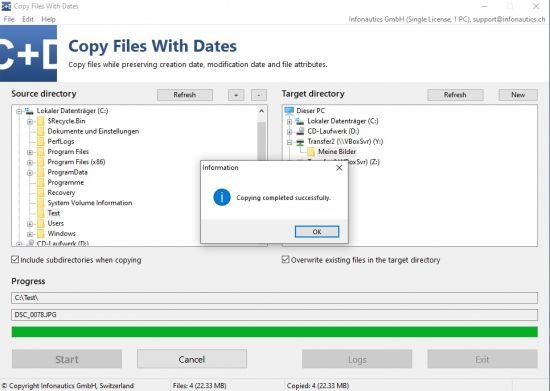
Infonautics Decision Making Helper v1.34


778dc616608ca93dbfd824eed47353a2.png

Infonautics Decision Making Helper v1.34 | 4.34 Mb
​
Decision Making Helper for Microsoft Windows™ supports you in a very easy way in the decision-making process. When using the decision making software you will make rational, comprehensive, understandable and clear decisions. Making the right decisions will become a child's play without losing sight of the seriousness of the decision-making process. The decisions once taken are transparent and comprehensible and can be presented confidently and reasonably towards third parties and partners.


Benefits of Decision Making Helper

Sound Decisions
A decision will not only be taken based on a pure gut feeling but made in a structured, informed and objective way.

Structured Approach
The structured approach of Decision Making Helper automatically prompts the user to give detailed thoughts to the possible options of the decision.

Reasonable Decisions
The decisions once taken are reasonable and understandable.

Confident Decisions
Through the insightful decision making with Decision Making Helper the decisions taken can be presented confidently and reasonably towards third parties and partners.

Saving Time
Decision Making Helper helps to save time.

Having Fun
Making decisions using Decision Making Helper is fun without losing sight of the seriousness of the decision-making process.

Home Page:
Код:
http://www.infonautics-software.ch

Language: English


-:DOWNLOAD FROM LINKS:-

RapidGator
Код:
https://rapidgator.net/file/3936bdf5b1860ef4407720c11ab49267/Infonautics_Decision_Making_Helper_1.34.rar.html


NitroFlare
Код:
https://nitroflare.com/view/5FF86E0A1613E24/Infonautics_Decision_Making_Helper_1.34.rar

​
 
MathWorks MATLAB R2020a v9.8.0.1396136 (Win)


bbda9f8df586f72aeaf3b2e3f08959bd.png

MathWorks MATLAB R2020a v9.8.0.1396136 (Win) | 4.01 GB
​
Includes MathWorks MATLAB R2020a Update 3 only

Millions of engineers and scientists worldwide use MATLAB to analyze and design the systems and products transforming our world. MATLAB is in automobile active safety systems, interplanetary spacecraft, health monitoring devices, smart power grids, and LTE cellular networks. It is used for machine learning, signal processing, image processing, computer vision, communications, computational finance, control design, robotics, and much more.

Math. Graphics. Programming.
The MATLAB platform is optimized for solving engineering and scientific problems. The matrix-based MATLAB language is the world's most natural way to express computational mathematics. Built-in graphics make it easy to visualize and gain insights from data. A vast library of prebuilt toolboxes lets you get started right away with algorithms essential to your domain. The desktop environment invites experimentation, exploration, and discovery. These MATLAB tools and capabilities are all rigorously tested and designed to work together.

Scale. Integrate. Deploy.
MATLAB helps you take your ideas beyond the desktop. You can run your analyses on larger data sets and scale up to clusters and clouds. MATLAB code can be integrated with other languages, enabling you to deploy algorithms and applications within web, enterprise, and production systems.

Key Features
  • High-level language for scientific and engineering computing
  • Desktop environment tuned for iterative exploration, design, and problem-solving
  • Graphics for visualizing data and tools for creating custom plots
  • Apps for curve fitting, data classification, signal analysis, and many other domain-specific tasks
  • Add-on toolboxes for a wide range of engineering and scientific applications
  • Tools for building applications with custom user interfaces
  • Interfaces to C/C++, Java®, .NET, Python®, SQL, Hadoop®, and Microsoft® Excel®
  • Royalty-free deployment options for sharing MATLAB programs with end users

Why MATLAB?
MATLAB is the easiest and most productive software for engineers and scientists. Whether you're analyzing data, developing algorithms, or creating models, MATLAB provides an environment that invites exploration and discovery. It combines a high-level language with a desktop environment tuned for iterative engineering and scientific workflows.

MATLAB Speaks Math
The matrix-based MATLAB language is the world's most natural way to express computational mathematics. MATLAB supports both numeric and symbolic calculations. Linear algebra in MATLAB looks like linear algebra in a textbook; symbolic calculations look like the equations you write on paper. This makes it straightforward to capture the mathematics behind your ideas, which means your code is easier to write, easier to read and understand, and easier to maintain.

You can trust the results of your computations. MATLAB, which has strong roots in the numerical analysis research community, is known for its impeccable numerics. A MathWorks team of 350 engineers continuously verifies quality by running millions of tests on the MATLAB code base every day.

MATLAB does the hard work to ensure your code runs quickly. Math operations are distributed across multiple cores on your computer, library calls are heavily optimized, and all code is just-in-time compiled. You can run your algorithms in parallel by changing for-loops into parallel for-loops or by changing standard arrays into GPU or distributed arrays. Run parallel algorithms in infinitely scalable public or private clouds with no code changes.

The MATLAB language also provides features of traditional programming languages, including flow control, error handling, object-oriented programming, unit testing, and source control integration.

MATLAB Is Designed for Engineers and Scientists
MATLAB provides a desktop environment tuned for iterative engineering and scientific workflows. Integrated tools support simultaneous exploration of data and programs, letting you evaluate more ideas in less time.

  • You can interactively preview, select, and preprocess the data you want to import.
  • An extensive set of built-in math functions supports your engineering and scientific analysis.
  • 2D and 3D plotting functions enable you to visualize and understand your data and communicate results.
  • MATLAB apps allow you to perform common engineering tasks without having to program. Visualize how different algorithms work with your data, and iterate until you've got the results you want.
  • The integrated editing and debugging tools let you quickly explore multiple options, refine your analysis, and iterate to an optimal solution.
  • You can capture your work as sharable, interactive narratives.

Comprehensive, professional documentation written by engineers and scientists is always at your fingertips to keep you productive. Reliable, real-time technical support staff answers your questions quickly. And you can tap into the knowledge and experience of over 100,000 community members and MathWorks engineers on MATLAB Central, an open exchange for MATLAB and Simulink® users.

MATLAB and add-on toolboxes are integrated with each other and designed to work together. They offer professionally developed, rigorously tested, field-hardened, and fully documented functionality specifically for scientific and engineering applications

MATLAB Integrates Workflows
Major engineering and scientific challenges require broad coordination to take ideas to implementation. Every handoff along the way adds errors and delays.

MATLAB automates the entire path from research through production. You can:
  • Build and package custom MATLAB apps and toolboxes to share with other MATLAB users.
  • Create standalone executables to share with others who do not have MATLAB.
  • Integrate with C/C++, Java, .NET, and Python. Call those languages directly from MATLAB, or package MATLAB algorithms and applications for deployment within web, enterprise, and production systems.
  • Convert MATLAB algorithms to C, HDL, and PLC code to run on embedded devices.
  • Deploy MATLAB code to run on production Hadoop systems.

MATLAB is also a key part of Model-Based Design, which is used for multidomain simulation, physical and discrete-event simulation, and verification and code generation.

У Вас недостаточно прав для просмотра ссылок. Войдите или зарегистрируйтесь.

MATLAB Web Apps
MATLAB Web App Server™ lets you host MATLAB® apps and Simulink® simulations as interactive web apps. You can create apps using App Designer, package them using MATLAB Compiler™, and host them using MATLAB Web App Server. Your end-users can access and run the web apps using a browser without installing additional software.

MATLAB Web App Server supports integration with authentication standards such as OpenID Connect and LDAP so that you can control access to your web apps. You can host and share multiple apps developed using different releases of MATLAB and Simulink.

Simulink Compiler
Simulink Compiler™ enables you to share Simulink® simulations as standalone executables. You can build the executables by packaging the compiled Simulink model and the MATLAB® code used to set up, run, and analyze a simulation. Standalone executables can be complete simulation apps that use MATLAB graphics and UIs designed with MATLAB App Designer. To co-simulate with an external simulation environment, you can generate standalone Functional Mockup Unit (FMU) binaries that adhere to the Functional Mockup Interface (FMI) standard.

To provide browser-based access to your deployed simulation, you can create a web app and host it with MATLAB Web App Server™. Simulink simulations can be packaged into software components for integration with other programming languages (with MATLAB Compiler SDK™). Large-scale deployment to enterprise systems is supported through MATLAB Production Server™. To generate C and C++ source code from Simulink, use Simulink Coder™.

Deep Learning

Data Preparation and Labeling

  • Video Labeler: Label ground-truth data in a video or image sequences
  • Audio Labeler: Interactively define and visualize ground-truth labels for audio datasets
  • New Signal Labeler: Visualize and label signals interactively
  • New Pixel label datastore: Store pixel information for 2D and 3D semantic segmentation data
  • New Audio datastore: Manage large collections of audio recordings
  • New Image datastore: Support for 3D data

Network Architectures
  • New Build advanced network architectures like GANs, Siamese networks, attention networks, and variational autoencoders
  • Train a "you-only-look-once" (YOLO) v2 deep learning object detector and generate C and CUDA code
  • Deep Network Designer: Graphically design and analyze deep networks and generate MATLAB code
  • Custom layers support: Define new layers with multiple inputs and outputs, and specify loss functions for classification and regression
  • Combine LSTM and convolutional layers for video classification and gesture recognition

Deep Learning Interoperability
  • Import and export models with other deep learning frameworks using the ONNX model format and generate CUDA code
  • New Ability to work with MobileNet-v2, ResNet-101, Inception-v3, SqueezeNet, NASNet-Large, and Xception
  • Import TensorFlow-Keras models and generate C, C++ and CUDA code
  • Import DAG networks in Caffe model importer

Network Training
  • Automatically validate network performance, and stop training when the validation metrics stop improving
  • New Train deep learning networks on 3D image data
  • Perform hyperparameter tuning using Bayesian optimization
  • Additional optimizers for training: Adam and RMSProp
  • Train DAG networks in parallel and on multiple GPUs
  • Train deep learning models on NVIDIA DGX and cloud platforms

Debugging and Visualization
  • DAG activations: Visualize intermediate activations for networks like ResNet-50, ResNet-101, GoogLeNet, and Inception-v3
  • Monitor training progress with plots for accuracy, loss, and validation metrics
  • Network Analyzer: Visualize, analyze, and find problems in network architectures before training
  • New Visualize activations of LSTM networks and use Grad-CAM to understand classification decisions

Deployment
  • New Generate code for networks such as YOLO V2 object detector, DeepLab-v3+, MobileNet-v2, Xception, DenseNet-201, and recurrent networks
  • New Deploy deep learning networks to ARM Mali GPUs
  • New Automated deployment to Jetson AGX Xavier and Jetson Nano platforms
  • Apply CUDA optimized transposes using shared memory for improved performance

Reinforcement Learning
  • New Reinforcement Learning Algorithms: Train deep neural network policies using DQN, DDPG, A2C, PPO, and other algorithms
  • Environment Modeling: Create MATLAB and Simulink models to represent environments and provide observation and reward signals for training policies
  • Training Acceleration: Parallelize policy training on GPUs and multicore CPUs
  • New Reference Examples: Implement policies for automated driving, robotics, and control design applications

Wireless Communications

5G and LTE Mobile Communications Standards

  • New 5G support in Wireless Waveform Generator App: Generate NR-TM, and uplink and downlink FRC waveforms using the Wireless Waveform Generator app
  • New Support for PRACH physical channels: Model physical random access channel (PRACH) used in initial system access
  • Support for SRS, DM-RS and PT-RS signals: Model 5G signals used for uplink channel sounding, channel estimation and phase tracking
  • New Deep learning data synthesis for 5G channel estimation: Generate deep learning training data for convolutional neural networks (CNN) used in 5G channel estimation
  • NB-IoT Uplink Shared Channel Modeling: Generate and decode the narrowband Internet of Things (NB-IoT) uplink shared channel

WLAN and Connectivity Standards
  • New System-level simulation Examples: Model an 802.11ax downlink orthogonal frequency-division multiple access (OFDMA) scenario, multiple space-time streams, and 802.11a Minstrel rate adaptation
  • New Support for IEEE 802.11ax Draft 4.1 (Wi-Fi6): Generate high-efficiency single-user null data packets (NDPs) with preamble puncturing, as defined in IEEE® P802.11ax™ Draft 4.1
  • New Link-level simulation of IEEE 802.11ax Trigger-Based Format: Configure, generate, demodulate and decode high-efficiency trigger-based (HE TB) waveforms
  • New Blind Signal Recovery and Analysis Example: blindly detect, decode and analyze multiple IEEE 802.11a and IEEE 802.11ax packets in a waveform
  • New Bluetooth Low Energy BR/EDR waveform generation and link-level simulation: Generate, demodulate, and decode Bluetooth® basic rate (BR)and extended data rate (EDR) PHY waveforms
  • Bluetooth Support in Wireless Waveform Generator App: Generate and export Bluetooth Low Energy waveforms from the Wireless Waveform Generator app
  • Bluetooth Low Energy (BLE) Examples: Simulate BLE coexistence with WLAN, and perform BLE RF-PHY blocking, intermodulation, and carrier to interference (C/I) performance receiver tests

Massive MIMO, Multi-User MIMO, and Beamforming
  • New Multiuser Block Diagonalization Beamforming: Compute precoding and combining weights for multiuser MIMO systems
  • Massive MIMO: Simulate an end-to-end MIMO link using hybrid beamforming
  • New Transmit and Receive Signals with Unlimited Antennas: Apply WLAN transmission, multipath channel modeling and receiver operations with arbitrary number of antennas and links
  • Wireless LAN: 802.11ad waveform generation with beamforming

Channel and Propagation Modeling
  • New Ray Tracing Propagation Model: New propagation model using ray tracing method of images with material reflection loss
  • New RF propagation using ray tracing: Predict the total received power and generate coverage maps with ray tracing
  • New Rain Attenuation Models: Predict signal attenuation with Global Crane Rain Attenuation and ITU models
  • RF Propagation Visualization with Ray Tracing: Configure and visualize transmitter and receiver sites, buildings, links, ray tracing results, and coverage maps using free-space, terrain, and weather-effects propagation models
  • SINR Visualization: Visualize transmitter site signal-to-interference-plus-noise ratio (SINR) on a map

RF and Digital Front End
  • Power amplifier (PA) modeling: Model wideband and narrowband power amplifiers, capturing non-linearity and memory effects based on input/output device characteristics
  • S-parameter block: Model frequency response of RF devices using S-parameter data
  • Linearize power amplifiers with DPD: Simulate linearization of RF power amplifiers with memory using digital predistortion (DPD)
  • RF budget analyzer: Analytically compute gain, noise figure, and IP3 for cascaded RF components, and visualize using Smith and polar plots

Antenna Modeling
  • New Custom Antenna Patterns: Import custom patterns expressed in phi-theta coordinates using Sensor Array Analyzer app
  • Antenna designer: Interactively select and analyze antennas with desired characteristics
  • PCB stack antenna: Design custom PCB antennas with arbitrary metal-dielectric layers and advanced meshing control
  • Gerber file generation: Prototype and implement antennas using a customizable library of RF connectors and PCB manufacturing services

Software-Defined Radio
  • Standard-compliant LTE and WLAN: Over-the-air waveform generation and capture
  • USRP E300 Series software-defined radio: Prototype and test wireless system designs on Ettus Research USRP E-300 SDRs
  • ADALM-PLUTO software-defined radio: Prototype and test wireless system designs on Analog Devices PlutoSDR

C/C++ Code Generation
  • MATLAB Coder: Generate C++ classes from MATLAB classes
  • Embedded Coder: Generate C/C++ Code for Software Compositions with Message-Based Communication
  • Fixed-Point Designer: Explore signal ranges and convert Simulink models using data type optimization

Automotive

Perception System Design

  • New Lidar Sensor Model: Generate synthetic point clouds from programmatic driving scenarios
  • New Tracking Examples: Fuse radar and lidar tracks, perform track-to-track fusion in Simulink
  • Unreal Engine® Compatible Sensor Models: Integrate your Simulink model with a camera, lidar, or radar sensor model simulating in an Unreal Engine scene
  • Monocular Camera Parameter Estimation: Configure a monocular camera by estimating its extrinsic parameters
  • Radar Sensor Model Enhancements: Model occlusions in radar sensors
  • Sensor fusion and tracking examples
  • Path Planning: Plan driving paths using an RRT* path planner and costmap
  • Lidar Segmentation: Quickly segment 3D point clouds from lidar

Test and Verification
  • New MDF Read on Linux: Open and read MDF files on Linux platform
  • MDF File Information and Sorting Functions: Quickly access MDF file metadata and sort the contents of an MDF file
  • MDF File Import Performance: Open and read MDF files significantly faster than in previous releases
  • Kinematics and Compliance Virtual Test Laboratory: Generate mapped suspension calibration parameters from spreadsheet data
  • Vector BLF File Format Support: Read and write binary BLF logging files from MATLAB
  • Prebuilt Driving Scenarios: Test driving algorithms using Euro NCAP® and other prebuilt scenarios
  • OpenDRIVE® File Import Support: Load OpenDRIVE roads into a driving scenario
  • Driving Scenario Designer: Interactively define actors and driving scenarios to test controllers and sensor fusion algorithms
  • Preassembled maneuvers for common ride and handling tests, including a double-lane change and constant radius test

Ground Truth Labeling
  • New Lidar labeling: Label lidar point clouds to train deep learning models
  • New Multisignal Ground Truth Labeling: Label multiple lidar and video signals simultaneously
  • Ground Truth Labeling: Organize labels by logical groups
  • Define multiple custom labels in Ground Truth Labeler connector
  • Ground Truth Pixel Labeling: Interactively label individual pixels in video data
  • Ground Truth Label Attributes: Organize and classify ground truth labels using attributes and sublabels

Visualization
  • New 3D Simulation Version Upgrade: Run 3D simulations using Unreal Engine, Version 4.23
  • New Headless Mode: Run 3D simulations without opening the Unreal Engine 3D visualization display
  • 3D Simulation: Develop, test, and verify driving algorithms in a 3D simulation environment rendered using the Unreal Engine by Epic Games®
  • Unreal Engine Scenes: Use prebuilt 3D scenes, including a parking lot, highway segment, and Mcity, or create your own custom scene with the Unreal Editor
  • HERE HD Live Map Reader: Read and visualize data from high-definition maps designed for automated driving applications
  • Unreal Engine 4 Interface: Use support package to customize and install additional 3D scenes
  • Maneuver Reference Applications: Use 3D environment ray tracing to determine ground location under tires during vehicle maneuver
  • Bird's-Eye Scope for Simulink: Analyze sensor coverages, detections, and tracks in your model

Electrification
  • Virtual Calibration: Use Model-Based Calibration Toolbox™ to calibrate Mapped Motor and Three-Phase Voltage Source Inverter block efficiency maps with measured data
  • Getting Started Example: Generate current controller calibration tables for flux-based motor controllers
  • Libraries of propulsion, steering, suspension, vehicle body, brake, and tire components
  • Flux-Based Motor Parameterization: Generate parameters for Flux-Based PMSM and Flux-Based PM Controller blocks​
  • Battery Parameterization: Generate parameters for Datasheet Battery and Equivalent Circuit Battery blocks

Engine Calibration
  • Deep Learning Engine Model: Generate a deep learning engine model for algorithm design and performance, fuel economy, and emissions analysis
  • ASAM CDFX File Format Support: Import, export, and modify files in calibration data file format (CDFX)
  • Timestamp Support for XCP Blocks: Communicate timestamped data between Simulink models and XCP slaves
  • Virtual Calibration: Use Model-Based Calibration Toolbox to calibrate SI and CI mapped engine blocks
  • CI and SI Engine Dynamometer Reference Applications: Resize engines and recalibrate controllers based on desired engine displacement and number of cylinders

Fuel Economy and Performance Analysis
  • New Vehicle and Trailer Blocks: Implement 3DOF trailers and vehicles with three axles
  • New Transmission Control Module: Optimize shift schedules for algorithm design and performance, fuel economy, and emissions analysis
  • HEV Reference Applications: New or updated reference applications for single-motor HEV architectures P0, P1, P2, P3, and P4. Fully assembled models use a new equivalent consumption minimization strategy (ECMS) for the supervisory hybrid control
  • Powertrain Efficiency: Evaluate and report energy and power losses at the component and system level
  • HEV Input Power-Split Reference Application: Use fully assembled model for HIL testing, tradeoff analysis, and control parameter optimization of a power-split hybrid like the Toyota Prius

AUTOSAR
  • New AUTOSAR Adaptive Platform Release 19-03: Use the 000047 (R19-03) schema to import and export ARXML files and generate AUTOSAR-compatible C ++ code
  • Blocks for Basic Software Services: Use blocks for modeling and simulating Basic Software services, including Diagnostic Event , Function Inhibition and NVRAM Manager blocks
  • Create AUTOSAR Architecture Models: Author AUTOSAR compositions, view component/composition dependencies via spotlights and simulate functional behavior with basic software services using Composition Editor (requires System Composer™). Then you can generate and package composition arxml descriptions and component code (requires Embedded Coder®).
  • AUTOSAR SW-C App: Easily configure a model as AUTOSAR classic component or adaptive application

Motor Control Blockset
Motor Control Blockset™ provides Simulink® blocks that let you create an accurate motor model. The blockset also provides tools for collecting data directly from hardware and calculating motor parameters.


-:DOWNLOAD FROM LINKS:-

RapidGator
Код:
https://rapidgator.net/file/268b67a1ed2251c509715fd7b0d042c5/R2020a_Update_3_Windows.part1.rar.html
https://rapidgator.net/file/90afb18b7a3ab8c4927dd0c79c06f40b/R2020a_Update_3_Windows.part2.rar.html
https://rapidgator.net/file/7d130a7df845cd573e8d377af9e88193/R2020a_Update_3_Windows.part3.rar.html
https://rapidgator.net/file/4456b707324cb50ffa33073356d711e4/R2020a_Update_3_Windows.part4.rar.html
https://rapidgator.net/file/db979a42ac99249b3c275d3a64781cad/R2020a_Update_3_Windows.part5.rar.html

NitroFlare
Код:
https://nitroflare.com/view/B7E14B66EEB8E73/R2020a_Update_3_Windows.part1.rar
https://nitroflare.com/view/721949083C1B833/R2020a_Update_3_Windows.part2.rar
https://nitroflare.com/view/15FE017C23DC0D1/R2020a_Update_3_Windows.part3.rar
https://nitroflare.com/view/21B115782547D55/R2020a_Update_3_Windows.part4.rar
https://nitroflare.com/view/D1BD57729F1D124/R2020a_Update_3_Windows.part5.rar

​
 
Infonautics Copy Files With Dates v1.12


ef6e2a2f0ca2f00fef6106d422a03e19.jpg

Infonautics Copy Files With Dates v1.12 | 1.94 Mb
​
The program quickly and easily solves the fundamental problem that Windows™ sets the date of copying as the new creation date of files and folders when copying files between different drives and devices, and the original creation date of files and directories is lost.


Further features at a glance:

When copying the files, Copy Files With Dates transfers not only the creation date, but also the existing last modification date and the date of last access (if updated by Windows), as well as the original file attributes such as "Read-only", "Hidden", "System", "Archive", "Index" etc.

For the copied subdirectories, the original creation date and the original modification date as well as all existing directory attributes are also transferred to the new directories.

Encrypted files are encrypted again when they are copied to the destination disk if it supports encryption, otherwise without encryption.

Symbolic links (SymLinks) to files and directories are equally copied as symbolic links, not the linked files themselves.

The program also copies auxiliary files hidden by the system such as "Desktop.ini" and "Thumbs.db".

For files already existing on the target medium, you can choose whether they should be overwritten or not.

Also you can specify whether subdirectories should be copied as well, or only files from the selected directory.

Filter files and directories according to text criteria (include / exclude).

Before copying, the program calculates the size of the files to be copied, and then provides continuous information on the exact status of the copying process.

Drag & Drop for source and target directories by dragging a directory or contained file from Windows Explorer to the corresponding directory tree (Source directory / Target directory). The same applies to previously saved configuration files that are dragged onto the rest of the program window.

Save settings in configuration files and reload them.

Each copying process is documented in a log file.

Test copying process without actually copying files.

The program is UNICODE-compatible and can copy file names with characters from all languages.

Home Page:
Код:
http://www.infonautics-software.ch

Language: English


-:DOWNLOAD FROM LINKS:-

RapidGator
Код:
https://rapidgator.net/file/db540f780b61b7f88ca970f5158a94c1/Infonautics_Copy_Files_With_Dates_1.12.rar.html

NitroFlare
Код:
https://nitroflare.com/view/6CF2914C417341D/Infonautics_Copy_Files_With_Dates_1.12.rar

​
 
Fotosifter v2.5.0 (x64)


f966a957994e904bee5ba4927797ada7.png


File Size: 219 MB
​
A program that allows you to classify images, edit them through multiple options, print them and even create video presentations With a wide variety of options and features, Fotosifter is throwing its hat in the ring of graphical editing software.

One-Click Photo Sorting
Have you ever been frustrated to enter and get out from countless folders or albums to find wanted photos or to delete unwanted ones that take storage space? Fotosifter makes it easy to sort your photos automatically and quickly with advanced technology and algorithm. It also allows you to organize pictures flexibly in your own ways.

Quick Photo Editing
Want to enhance or stylize your photos but have little experience on that? Fotosifter contains dozens of photo editing widgets and offers you one-click approaches to edit your pictures. You can quickly re-color, crop, rotate your pictures, add interesting stickers and text, remove red-eye, improve sharpness, and etc.

Photo Slideshow Maker
Photo slideshow videos can make your photo moments into a vivid story and remain memories fresh. Fotosifter offers over 150+ slide effects, text stickers, openings and closings, and music pieces to let you easily make a photo video with just a few mouse clicks.

Export & Print
After sorting, editing your photos, and making a slideshow video, Fotosifter enables you to export your well-organized and enhanced files or folders out from the program to your devices. You can also easily print them and share them on social media platforms through the program.

Extra Highlighted Functions:
Speedy Importing
Import Folders/Albums
Multi-Device Importing
Rapid Scan
Customized Scan
Add Tag to Photo
Tag Pictures in Bulk
Sort by Tags
Similar Pic Presentation
Smart Selection
Add Pics to Favorites
Built-in Gallery Resources
3 Overview Modes
B/A Comparison
Alt Property Info
Sorting in Background

What's New:
official site does not provide any info about changes in this version.


-:DOWNLOAD FROM LINKS:-
RapidGator
Код:
https://rapidgator.net/file/6a727df48b765e1b57fc088dc8a657dc/Fotosifter_2.5.0.2_x64.rar.html

NitroFlare
Код:
https://nitroflare.com/view/17564B94FA4F81A/Fotosifter_2.5.0.2_x64.rar

​
 
Infonautics File Date Corrector v1.60


97ce5d4765a45412f610ef92b572abd1.png

Infonautics File Date Corrector v1.60 | 8.78 Mb
​
File Date Corrector - Correct 'Date Created' and 'Date Modified' and Restore Original Creation Date. You set up your new computer and all imported files on your new hard disk have now a wrong "Date Created"? Or you copied all your vacation photos from your digital camera or your smartphone to your computer and you have discovered that the "Date Created" of all pictures is the date of copying?


For many applications it is important that the system displays the original creation and modification dates of the files. In particular what legal documents concerns, the original "Date Created" is of importance. Also when sorting your pictures, the original "Date Taken" is needed in order to document your reportage in the correct time sequence.

What Happened?
When copying files, Microsoft Windows™ takes the date of copying as the new file date "Created" and not the original creation date or date taken of files. Therefore, the "Date Created" can be more recent than the "Date Modified".

The Solution
File Date Corrector for Windows is able to correct simply and fast the system-provided file dates "Created" and "Modified", taking into account the correct time zone. For this purpose, File Date Corrector is extracting the necessary information from metadata and file information of various files such as pictures, video, audio, documents (Microsoft Office Documents as well as Open Document Formats like Open Office, Libre Office etc.) and PDFs in order to correct the file date "Created" and restore the original creation date / date taken.

File Date Corrector enables to correct file dates "Created" and "Modified" of complete file directories at once. Before the definitive execution of corrections, a preview with the intended date corrections is displayed.

File Formats Containing Meta Information Supported by File Date Corrector

Document files, which may include meta information:
pdf, doc, docx, docm, xls, xlsx, xlsm, ppt, pptx, odt, ods, odp, odg, odc, odf, odi, odm

Image files, which may include EXIF and IPTC meta information:
jpg, jpeg, jpeg2000, jp2, j2k, j2c, jng, jif, jpe, tiff, tif

Audio files, which may include meta information:
ogg, ogm, mp2, mp3, wma, ra, ape, mac, flac, ac3, aac, dts, m4a, m4b

Video files, which may include meta information:
avi, mpeg, mpg, vob, mp4, mpgv, mpv, m1v, m2v, m4v, asf, wmv, qt, mov, rm, rmvb, ifo, wtv, dvr-ms, mkv, mka, mks, divx, xvid, m2ts, m2t, mts, ts, flv, 3gp

System Requirements
Microsoft Windows 7 / 8 / 10 (32bit and 64bit).
About 15 MB disk space.

Home Page -
Код:
http://www.infonautics-software.ch/filedatecorrector/

Language: English


-:DOWNLOAD FROM LINKS:-

RapidGator
Код:
https://rapidgator.net/file/29fb9785fb0fd082349619ba9cc99582/Infonautics_File_Date_Corrector_1.60.rar.html

NitroFlare
Код:
https://nitroflare.com/view/D8FB709D7F87D37/Infonautics_File_Date_Corrector_1.60.rar

​
 
Назад
Сверху