• Здравствуйте. Сайт заработал в архивном режиме форум www.old.nado.in

Dl4ever Software

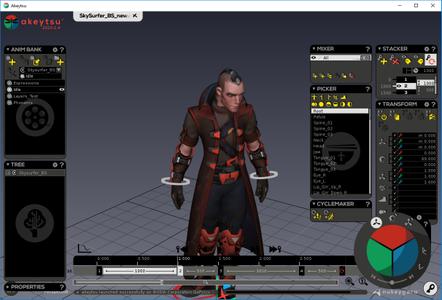
Nukeygara Akeytsu 20.1.4 (64-bit)


2fe404514720779d3ccdc2d898c8db1e.jpg

Nukeygara Akeytsu 20.1.4 (64-bit) | 151.1 Mb
​
3D animation. Reinvented. Disruptive & Intuitive. Akeytsu disrupts the status-quo with its simplicity, velocity and ergonomics. Withits focus on the artist's needs, Akeytsu does away with the dated and complex technical constraints of the traditional 3D animation toolset. Designed by animators, it offers a brand new approach to skinning, rigging and animation. Built from meticulous feedback and testing, the UI design and intuitive and accessible features meet every artist's expectations.


Fast & Easy
Akeytsu simplifies the rigging workflow by doing away with traditional control rigs and manipulators and instead lets the artist handle directly the mesh and skeleton. The Akeytsu 3D animation toolset is designed for both the aspiring artist and the professional animator to produce large volumes of high quality animation quickly and easily. Dedicated solely to rigging and animation, Akeytsu has one of the fastest learning curves of any software in the 3D industry. It provides flexible and intuitive functionalities that are easy to use, without making compromises on the quality of the content that can be produced.

Innovative & Comfortable
Create a pose in a quick time with the Akeytsu Spinner, a smart 2D manipulator. Manage keyframing with the Akeytsu Stacker, the most efficient keyframe editor in its class. Edit the F-Curve in the 3D viewport and manipulate the IK solvers through the FK skeleton. Akeytsu optimizes your creative control and allows you to switch seamlessly between rigging and animation.

Efficient & Stable
Akeytsu has been perfected over an extensive twelve beta version history and is already widely used by indie game developers and animators before it's much anticipated release. During this long, deliberate period of unlimited free beta access, Akeytsu has amassed a ton of user feedback from a variety of sources. This information has been used to develop, not only a very stable software, but one with proven gains of productivity within different game workflows. Production ready, reliable and stable Akeytsu is perfect for any creator of animation.

3D animation made simple
The dedicated animation toolset bringing creativity back into your workflow. Designed by and for animators, akeytsu is the most accessible and effective rigging and animation software solution to breath life into your 3D characters.

Light & Focused
At its core akeytsu relies on solid keyframe foundations to bring artistry back into 3D animation. With professional needs in mind, it revisits the traditional animation workflow to deliver impeccable user experience at every step of the way and offer the most accessible 3D animation suite.

No set-up time needed or plug-ins to look for to achieve what you want. From the refined interface to the natively integrated tools, everything is there at first boot to let you unleash your creativity. Load your 3D model or one of the included rigged characters and get started.

Simple & Intuitive
Thanks to its intuitive UX, the akeytsu toolset will appeal to trained animators as well as aspiring artists easing the pain of professionals while making animation look easy to beginners. With its fast learning curve, akeytsu is quick to get familiar with and implement into one's workflow.

With our Light Rig System, rigging and posing has never been easier. Every joint you create embarks basic transform tools including compensated rotation and toon scale. IK, RF and blendshapes controls are just a few clicks away.

System Requirements:
- Memory: 4 GB
- Graphics Card: AMD Radeon HD 5450
- akeytsu Indie 2020 CPU: Intel Core 2 Duo E8400
- File Size: 1 GB
- OS: Windows Vista x64 or higher

Home Page -
Код:
https://www.nukeygara.com/


-:DOWNLOAD FROM LINKS:-

RapidGator
Код:
https://rapidgator.net/file/196d739336da9d34bfe061b9e6db7fe3/Akeytsu20.1.4.rar.html

NitroFlare
Код:
https://nitroflare.com/view/5351EF3C9110EB1/Akeytsu20.1.4.rar

​
 
Automatic Email Processor 2.6.5 Ultimate


a6a78308ad7aba49f8db6c7e67044d6d.jpg

Automatic Email Processor 2.6.5 Ultimate | 34.4 Mb
​
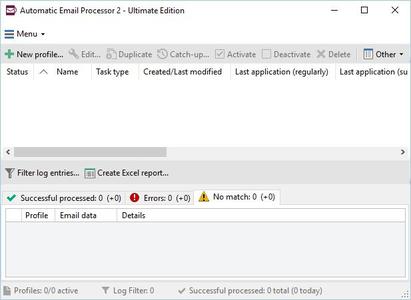
Automatic Email Processor is the complete solution for Outlook to store and print incoming emails and their attachments automatically. For this, various filters, flexible configuration options, such as individually definable storage folders and the possibility of subsequent processing are available. For example, the path of the location where you want Automatic Email Processor to save certain emails or email attachments, can be assembled dynamically from individual properties of an email.


For storing email messages, among other things, the output format can be specified (e.g. PDF, RTF or HTML). The standard Outlook message format (save email as MSG file) is particularly suitable for archiving important messages. The program supports the creation of an unlimited number of rules in order to be able to make separate settings for different email accounts. In addition, rules can be applied to emails of a certain period of time or to all emails already received in an Outlook folder.

Monitor Outlook folders
Examine incoming emails and apply appropriate rules.

Automatically save emails and attachments
Save emails and email attachments from Outlook automatically into dynamically created folders.

Print emails automatically
Send certain emails and attachments directly to the printer (for example, fax emails).

Optional further processing
Perform subsequent tasks, e.g., run a program with the filename of a saved attachment passed as parameter.

With Automatic Email Processor, you can:
• save emails automatically (as PDF file or in the original format)
• automatically print emails and email attachments (PDF files, Office documents etc.)
• save attachments automatically (save all or certain attachments of an email by using a filter)
• extract or print certain or all files from ZIP files
• monitor an unlimited number of Outlook folders
• create custom rules for different tasks
• filter by subject, sender, recipient, attachment file name .
• receive status reports by email, forward messages or inform the sender
• use command line parameters: only one run, exit, catch-up
• create storage folders dynamically from properties of an email
• perform subsequent actions such as start a program with parameters, mark the message as read, or move the email into another Outlook folder
• re-process all emails (with certain criteria) of an Outlook email folder
• archive emails from any Outlook folder and period (e.g. as MSG files)
• have the email moved to a different Outlook folder after processing and have subfolders generated dynamically from properties of the email
• have an Excel report with an overview and detailed information sent to you on a regular basis
• limit the automatic processing of email messages to certain days and times

Automatically print emails and attachments from Outlook
Automatic Email Processor monitors Outlook and allows you to send emails or attachments that meet pre-defined criteria directly to a printer upon receipt. Different print settings can be defined for each rule, for example to be able to print certain emails in a different quality. The respective printer can be defined individually for each rule as well as separately for printing the email message or attachment. You can also specify that only certain pages of the email should be printed automatically (for example, print only the first or last page of a PDF attachment of the email).

Automatically save incoming emails as PDF files
With Automatic Email Processor, emails received in Outlook can automatically be saved into a specified directory as PDF file, for example, in order to keep a copy of the message for backup purposes. Attachments and the email itself can also be embedded (as MSG file with or without digital signature) in the PDF file. The path as well as the folder and file name of the PDF file to be saved can be composed of various properties of the email, such as the date and, for example, a part of the subject.

Automatically save and optionally detach Outlook email attachments
In addition to archiving the complete email, Automatic Email Processor can also automatically save attachments. The properties of the email and the name of the attachment can become part of the path, i.e. properties such as the sender name can be integrated in the folder and file name. After successfully saving the attachments, they can be detached or, more precisely, replaced by a link file containing only the path of the saved attachment. This can prevent problems caused by too large Outlook PST files and save storage space. The detachment of the attachment can optionally be done with a time delay - for example, two weeks.

Operating System: Windows 10, 8, 7 or Server (32-bit or 64-bit version).

Home Page -
Код:
https://gillmeister-software.com/


-:DOWNLOAD FROM LINKS:-

RapidGator
Код:
https://rapidgator.net/file/7cfd4aab8f4a3a1a92b2db551a396fa8/aep2.6.5.rar.html

NitroFlare
Код:
https://nitroflare.com/view/AF37F245BC3C93E/aep2.6.5.rar

​
 
Telerik Ultimate Collection (32bit / 64bit) for .NET 2020 R2


a681c6432b7fec032e2e750c8773b7ba.jpg

Telerik Ultimate Collection for .NET 2020 R2 | 1.6 Gb
​
The Progress development team is pleased to announce the availability new version of its developer tools (revision 2020 R2), the modular platform that combines a rich set of UI tools with powerful cloud services to develop web, hybrid and native apps.


Telerik and Kendo UI R2'20 Release Webinars

The Kendo UI development teams across Angular, React, jQuery and Vue have been hard at work ensuring that no matter what type of apps you may be building, we've got you covered with new UI components and highly requested features across all JavaScript technologies that we support.

Discover the newly released components and features and get ideas how to use them in your projects!


The Telerik development teams have been hard at work ensuring that no matter what type of apps you may be building, we've got you covered with new UI components and important features compatible with the latest and greatest technologies in web, desktop and mobile development.

We are shipped our R2 release as planned on May 13. Check out the Telerik R2 release webinar, where Sam Basu, Ed Charbeneau and Alyssa Nicoll will dive into all the goodies, we've prepared for you. Discover the newly released components, features and themes and get ideas how to use them in your projects!


Telerik's Ultimate collection for .NET includes Telerik's entire suite of developer tools and automated testing to help software development teams build applications faster with more powerful features out of the box. The bundle includes all Telerik user interface control suites including ASP.NET AJAX, Silverlight, MVC, WinForms, and WPF; tools for Reporting and ORM, Code Analysis, and Mocking; and WebUI Test Studio Developer Edition.

Building a modern UI for web, desktop and mobile apps has never been easier.

In this episode, Robert is joined by Sam Basu and Ed Charbeneau, who take us on a whirlwind tour of the Telerik UI toolkit for .NET applications and the Kendo UI toolkit for modern Web apps.

Progress Telerik offers a leading platform for developing and deploying mission-critical business applications. The creator of the award-winning .NET and Kendo UI JavaScript user interface components/controls, reporting solutions and productivity tools, Progress Telerik has been providing the tools developers need to easily and efficiently build high-performant modern apps with outstanding UI for more than 20 years.

Product: Progress Telerik
Version: Ultimate Collection for .NET 2020 R2 *
Supported Architectures: 32bit / 64bit
Website Home Page :
Код:
http://www.telerik.com
Language: english
System Requirements: PC **
Supported Operating Systems: **
Software Prerequisites: Microsoft .NET Framework
Size: 1.6 Gb

JustMock_2020_2_513_1_Dev.rar
kendoui.for.jquery.2020.2.513.commercial.rar
telerik.ui.for.aspnet.core.2020.2.513.commercial.rar
telerik.ui.for.aspnetmvc.2020.2.513.commercial.rar
telerik.ui.for.blazor.2.14.0.commercial.rar
telerik.ui.for.jsp.2020.2.513.commercial.rar
telerik.ui.for.php.2020.2.513.commercial.rar
Telerik_Reporting_R2_2020_14_1_20_513_DEV.rar
Telerik_ReportServer_6_1_20_513_Dev.rar
Telerik_UI_for_ASP.NET_AJAX_2020_2_512_Dev.rar
Telerik_UI_for_Silverlight_2020_2_513_Dev.rar
Telerik_UI_for_UniversalWindowsPlatform_2020_2_0427_1_Dev.rar
Telerik_UI_For_WinForms_2020_2_512_Dev.rar
Telerik_UI_for_WPF_2020_2_513_Dev.rar
Telerik_UI_for_Xamarin_2020_2_513_1_Dev.rar
Telerik_Web_Parts_For_Sharepoint2010_2020_2_512_Dev.rar
Telerik_Web_Parts_For_Sharepoint2013_2020_2_512_Dev.rar


-:DOWNLOAD FROM LINKS:-

RapidGator
Код:
https://rapidgator.net/file/3813418373ed59db243ed92b9b6edb63/JustMock202025131Dev.rar.html
https://rapidgator.net/file/ce9b31a553c2daee2c59b2230ed187d4/kendoui.for.jquery.2020.2.513.commercial.rar.html
https://rapidgator.net/file/62378bbf2565403a69ee97da67924d51/TelerikReportServer6120513Dev.rar.html
https://rapidgator.net/file/7eca78d5376202cbb50d5b1d44883b15/TelerikReportingR2202014120513DEV.rar.html
https://rapidgator.net/file/8f953401fe3de0adad9660ea025f0ce8/TelerikUIForWinForms20202512Dev.rar.html
https://rapidgator.net/file/7ca574688957ce62afba924b52318f69/TelerikUIforASP.NETAJAX20202512Dev.rar.html
https://rapidgator.net/file/2a5519f782d7c7653fe8f4c97136d293/TelerikUIforSilverlight20202513Dev.rar.html
https://rapidgator.net/file/4ef53f4645c74f93a4da3cbc11370a93/TelerikUIforUniversalWindowsPlatform2020204271Dev.rar.html
https://rapidgator.net/file/776efe1a0992d496f4ed4e7c783bf797/TelerikUIforWPF20202513Dev.rar.html
https://rapidgator.net/file/85485f95f6ae5c3ade3f656c60a959d9/TelerikUIforXamarin202025131Dev.rar.html
https://rapidgator.net/file/ec878e8b9f39df67e2b5f59c2cfde7cd/TelerikWebPartsForSharepoint201020202512Dev.rar.html
https://rapidgator.net/file/7107a3a9582c8ec50cba3a9145f579b1/TelerikWebPartsForSharepoint201320202512Dev.rar.html
https://rapidgator.net/file/602c17f675b87795154026f336d01401/telerik.ui.for.aspnet.core.2020.2.513.commercial.rar.html
https://rapidgator.net/file/453948eab1fcbd8d55f3c751d7e6214a/telerik.ui.for.aspnetmvc.2020.2.513.commercial.rar.html
https://rapidgator.net/file/e5ffe1e4b39a8890499f528c144b78e4/telerik.ui.for.blazor.2.14.0.commercial.rar.html
https://rapidgator.net/file/9b6a6e398242eef919435f35065d04ad/telerik.ui.for.jsp.2020.2.513.commercial.rar.html
https://rapidgator.net/file/76ccac8781eef3fa3a53bc7f0adff9f1/telerik.ui.for.php.2020.2.513.commercial.rar.html

NitroFlare
Код:
https://nitroflare.com/view/8AB4FE0EABDD0EE/JustMock202025131Dev.rar
https://nitroflare.com/view/6632246A0F0702F/kendoui.for.jquery.2020.2.513.commercial.rar
https://nitroflare.com/view/84740338D06840A/telerik.ui.for.aspnet.core.2020.2.513.commercial.rar
https://nitroflare.com/view/7363A68E33D3644/telerik.ui.for.aspnetmvc.2020.2.513.commercial.rar
https://nitroflare.com/view/187D83956384775/telerik.ui.for.blazor.2.14.0.commercial.rar
https://nitroflare.com/view/05CEF9140E74AE8/telerik.ui.for.jsp.2020.2.513.commercial.rar
https://nitroflare.com/view/0A47856560CC86C/telerik.ui.for.php.2020.2.513.commercial.rar
https://nitroflare.com/view/669D77CA75DCF4C/TelerikReportingR2202014120513DEV.rar
https://nitroflare.com/view/9C5FE435AFF7CE1/TelerikReportServer6120513Dev.rar
https://nitroflare.com/view/1A689037AFC1682/TelerikUIforASP.NETAJAX20202512Dev.rar
https://nitroflare.com/view/CA6D37BA54A4715/TelerikUIforSilverlight20202513Dev.rar
https://nitroflare.com/view/91B78900388394F/TelerikUIforUniversalWindowsPlatform2020204271Dev.rar
https://nitroflare.com/view/AA5A4EC0BC1BC37/TelerikUIForWinForms20202512Dev.rar
https://nitroflare.com/view/447F2A244C1041B/TelerikUIforWPF20202513Dev.rar
https://nitroflare.com/view/3D833B48FAB1260/TelerikUIforXamarin202025131Dev.rar
https://nitroflare.com/view/6FC16F961164F66/TelerikWebPartsForSharepoint201020202512Dev.rar
https://nitroflare.com/view/CD81823CE8F0591/TelerikWebPartsForSharepoint201320202512Dev.rar

​
 
Altium NEXUS 3.1.11 build 63 (Update 3)


8e24c48f706161a44a2ce9e8735e3bcb.jpg

Altium NEXUS 3.1.11 build 63 | 3.3 Gb
​
The Altium NEXUS development team is pleased to announce the availability of NEXUS 3.1.11 (Update 3) Build 63. This latest update continues to deliver new features and enhancements to the software's core technologies, while also addressing many issues raised by customers through the AltiumLive Community's BugCrunch system.


Schematic
37555 Vertical scrolling and auto-panning did not function properly in a Schematic library document after attempting to place a pin object.
37801 No import performance occurred when attempting to import a DFX/DWG file.
37917 Unconnected pins ignored inherited net classes. (BC:13238)
38149 When connected to a server, a crash occurred when changes were made in the schematic editor.
38242 Graphical editing keyboard shortcuts closed when attempting to move Schematic objects, causing data loss in objects if the F1 key was used during dragging. (BC:13188)
38357 File extensions in *.PrjPCBStructure of certain schematics were removed upon saving.
38488 Crash occurred when opening some Schematic Library documents. (BC:13522)
38536 The newest revision of a Schematic template was not immediately available for use upon saving. (BC:13578)
38575 Diagonal wires caused improper connectivity and shortened nets when updating the design. (BC:13597)
38694 Certain edit operations in the Schematic caused a disconnect of power ports from sheet entries.
38889 Clicking the parameter visibility icon in the Properties panel did not change the parameter visibility
PCB
35306 Project Releaser displayed incorrectly auto-generated naming formatting for PCB Assembly Variants.
37522 ECO failure when importing changes from (or silent crash when inserting) a PCB into a Multi-board Assembly document that contained a specific board cutout. (BC:13054)
38404 Colors configured in the PCB Editor- Layer Colors Preferences page were not saved.
38444 Error message after generating an ODB++ file from an embedded board array when using mm units then importing the file into CAMtastic.
38465 Error occurred when trying to view the Layer Stack Manager.
Draftsman
37925 Incorrectly overlaid components for different variants.
38505 Special strings were not recognized on Draftsman outputs for 'No Variant' Assembly and Fabrications.
Platform
35584 Select dialogs and panels experienced issues in certain UI themes and high dpi monitors.
38059 Error in managed components caused empty designator fields and batch settings to not function.
38503 Added ability for unmanaged templates to be used while connected to Altium 365.
38731 Server configurations defined in preferences were not applied in the software.
Data Management
35371 Freeze occurred when entering an incorrect setting on the Item Naming tab of the Project Release Options dialog.
35614 Components placed from the Components and Explorer panel did not contain information about the simulation model. (BC:12770)
36200 Column sorting did not work properly in Components panel. (BC:12505)
36601 Exception error when scrolling through Explorer panel after adding columns. (BC:12728)
36873 Improved performance when releasing with a newly-created or edited footprint.
36874 Improved performance when using the Components panel to search for a replacement component in a Schematic.
36936 Cloned projects from the Explorer panel were incorrectly saved to the default path after specifying a local, custom path. (BC:12904)
37210 Improved performance when searching in the Manufacturer Part Search panel.
37255 Added confirmation pop-up dialog for dragging and dropping of folders in the Explorer panel to prevent accidental broken folder structure. (BC:11087, BC:12993)
37511 Improved Altium 365 performance regarding sharing permissions.
37964 Inability to place a component from the 'File-Based Libraries Search' option if 'No' was selected when asked if you would like to install the library that contained your selected component.
38137 Error occurred when saving .Cmplib file after adding part choices.
38168 Template parameter values were not applied to managed templates.
38187 'Category' and 'Type' source library parameters were not recognized by the Library Migrator when migrating to the server.
38194 Project templates shown in the Explorer panel did not appear in the Create Project dialog.
38196 Existing project files that were added to a managed template item did not appear after releasing the template to the server.
38333 Added the capability to save the 'All' library category status in the Components panel.
38384 The Components panel performance has been optimized to not generate empty conditions when none of the text in the search request string matches.
38522 Error occurred during component releasing.
38573 Where-used tab of the Explorer panel incorrectly displayed the first revision, not the latest.
38673 Exception error after attempted PCB update when Library contained a large number of Footprints.
38748 Crash or freeze while dynamic compilation collected data for validation.
Import/Export
37402 Import Wizard could not reestablish Component Links when adding Schematic and PCB docs from OrCAD and PADs to the same project.
37471 The software did not import Allegro projects with versions 17.3 and 17.4.
Altium NEXUS is an easy to implement, team-based PCB workflow solution designed to provide the transparency needed for engineering teams to collaborate with confidence. Even though Altium NEXUS includes all the various industry leading PCB domain editors required to create a circuit board, its core DNA is enabling design teams to work together.

Design collaboration is enabled through user roles and managed data (library and design), while providing process automation and a framework to configure common electronic design activities and workflows. This provides organizational transparency to design data changes and workflow states through role based notification. By using Altium NEXUS, companies will have the ability to manage their PCB data, improve communication as it relates to multidisciplinary engineering, and configure and automate workflows replacing existing manual processes - resulting in the reduction of design respins and delivery of higher quality products in a shorter period of time.

Altium NEXUS introduces new technology in PCB data management, design collaboration, and process and workflow control, making it the most comprehensive circuit board design solution, while taking the risk out of integration and deployment. Altium NEXUS includes server technology to support collaboration, process management, and data management, hosted either on-premise (same as Altium Vault), or cloud (option not available previously) environments. The core schematic and PCB design technology of Altium NEXUS is identical to that of Altium Designer 18.0, sharing 100% of the design capabilities - now and always.

What's this Vault, AVS, NEXUS, Concord Pro all about

Altium LLC. is a multinational software corporation headquartered in San Diego, California, that focuses on electronics design systems for 3D PCB design and embedded system development. Altium products are found everywhere from world leading electronic design teams to the grassroots electronic design community. Founded in 1985, Altium has offices worldwide, with US locations in San Diego, Boston and New York City, European locations in Karlsruhe, Amersfoort, Kiev, Munich, Markelo and Zug, and Asia Pacific locations in Shanghai, Tokyo and Sydney.

Product: Altium Nexus
Version: 3.1.11 (Update 3) Build 63
Supported Architectures: x64
Website Home Page :
Код:
http://www.altium.com
Language: english
System Requirements: PC *
Supported Operating Systems: *
Size: 3.3 Gb

Below are the recommended system requirements to install and run Altium NEXUS.

Recommended System Requirements

- Windows 7 SP1 (64-bit only), Windows 8 (64-bit only), or Windows 10 (64-bit only) Intel Core i7 processor or equivalent
- 16GB RAM
- 10GB hard disk space (Install + User Files)
- SSD
- High performance graphics card (supporting DirectX 10 or better), such as GeForce GTX 1060/Radeon RX 470
- Dual monitors with 2560x1440 (or better) screen resolution
- 3D mouse for 3D PCB design, such as the Space Navigator
- Adobe Reader (version XI or later for 3D PDF viewing)
- Internet Connection
- Up to date Web browser
- Microsoft Office 32-bit or 64-bit (Microsoft Excel required for BOM, Microsoft Access required for DbLibs). 64-bit Microsoft Access Database Engine 2010 (required for DbLibs) - this is included in Microsoft Office 64-bit, but not included in Microsoft Office 32-bit).


-:DOWNLOAD FROM LINKS:-

RapidGator
Код:
https://rapidgator.net/file/2ea02fdffcb0c29379b0fee1ac60bc95/Altium.NEXUS.3.1.11.build.63.part01.rar.html
https://rapidgator.net/file/2321b35bc8d52a5976e00489bc3c2045/Altium.NEXUS.3.1.11.build.63.part02.rar.html
https://rapidgator.net/file/1c6e5e558fad1f59bafa37a68806e9ef/Altium.NEXUS.3.1.11.build.63.part03.rar.html
https://rapidgator.net/file/3598c26706165258d5920d1d342c9524/Altium.NEXUS.3.1.11.build.63.part04.rar.html
https://rapidgator.net/file/9b4cb01a1e9f2a3d8a196422d1c0fadd/Altium.NEXUS.3.1.11.build.63.part05.rar.html
https://rapidgator.net/file/98a6c6475cf23c0b88befd9cf65f993a/Altium.NEXUS.3.1.11.build.63.part06.rar.html
https://rapidgator.net/file/152a8e232cf6866b5003a4e16107d89c/Altium.NEXUS.3.1.11.build.63.part07.rar.html
https://rapidgator.net/file/d6131406b21818f472b89aa13019eb7e/Altium.NEXUS.3.1.11.build.63.part08.rar.html
https://rapidgator.net/file/2382529930c23e2b8b79275d54521603/Altium.NEXUS.3.1.11.build.63.part09.rar.html
https://rapidgator.net/file/fdad786585b96b4060d5e64da0a5af1d/Altium.NEXUS.3.1.11.build.63.part10.rar.html
https://rapidgator.net/file/9ad3e88591041a2195b73774998039c0/Altium.NEXUS.3.1.11.build.63.part11.rar.html

NitroFlare
Код:
https://nitroflare.com/view/A93B2664D0FAF6E/Altium.NEXUS.3.1.11.build.63.part01.rar
https://nitroflare.com/view/947B3E8C8275B50/Altium.NEXUS.3.1.11.build.63.part02.rar
https://nitroflare.com/view/9551153A5E6C7EF/Altium.NEXUS.3.1.11.build.63.part03.rar
https://nitroflare.com/view/25FEC12ABFF4DE8/Altium.NEXUS.3.1.11.build.63.part04.rar
https://nitroflare.com/view/7C83F724E22B0FD/Altium.NEXUS.3.1.11.build.63.part05.rar
https://nitroflare.com/view/DDBD98DB45F7FA2/Altium.NEXUS.3.1.11.build.63.part06.rar
https://nitroflare.com/view/5BDD7AF9C792BCC/Altium.NEXUS.3.1.11.build.63.part07.rar
https://nitroflare.com/view/D2050BEE2A9C153/Altium.NEXUS.3.1.11.build.63.part08.rar
https://nitroflare.com/view/9557CDE9253236E/Altium.NEXUS.3.1.11.build.63.part09.rar
https://nitroflare.com/view/A1DEE6777939CA0/Altium.NEXUS.3.1.11.build.63.part10.rar
https://nitroflare.com/view/E6571B583DBF99D/Altium.NEXUS.3.1.11.build.63.part11.rar

​
 
Maxon CINEMA 4D Studio S22.114 (x64)


46362b1ef31203da802f06c66cd49491.jpg

Maxon CINEMA 4D Studio S22.114 (x64) Multilingual | 359 Mb
​
Easy to learn and extremely powerful: Cinema 4D is the perfect package for all 3D artists who want to achieve breathtaking results fast and hassle-free. Beginners and seasoned professionals alike can take advantage of Cinema 4D's wide range of tools and features to quickly achieve stunning results. Cinema 4D's legendary reliability also makes it the perfect application for demanding, fast-paced 3D production.


EASE OF USE
Getting started in the world of 3D is a blast when you can quickly create great-looking results! Cinema 4D's intuitive and easy to understand operation and logically arranged interface makes it easy for beginners to jump right in and take control. And it never ceases to amaze professional users just how easy Cinema 4D is to use. Countless tutorials and a global, highly-skilled community play an important role in bringing beginners to a professional level of use.

INTUITIVE INTERFACE
Cinema 4D is a pillar in our users' everyday workflow. This is why we make sure from the start that new functions work intuitively and are exactly where users will expect to find them. The Cinema 4D layout can also be easily customized to precisely fit a user's needs and saved for later use.

STABILITY
Cinema 4D's stability is renowned throughout the 3D community and beyond. All new features and functions are thoroughly put through their paces by our QA and beta testers before being released. Our free service packs, which are released on a regular basis, further optimize Cinema 4D and let us rapidly respond to changes in operating systems and drivers!

POWERFUL HELP SYSTEM
Any questions about a specific function can be quickly answered by right-clicking on it and jumping straight to the integrated software documentation.

PROCEDURAL WORKFLOWS
Stay flexible from beginning to end! Staying flexible for last-minute changes is important no matter which project you're working on. Cinema 4D offers numerous options for working non-destructively: parametric modeling, procedural shaders, textures and more. And the Cinema 4D Take System lets you save and manage multiple versions of a scene in a single file!

Minimum System Requirements Cinema 4D:
- Windows 10 64-bit on Intel or AMD 64-bit CPU with SSE3 support.
- 4 GB RAM (8 GB or more recommended), OpenGL graphics card supporting OpenGL 4.1 (dedicated GPU recommended)
- The GPU renderer requires an NVIDIA or AMD graphics card on Windows or AMD.
- We recommend at least 4 GB VRAM for GPU rendering.

Home Page -
Код:
https://www.maxon.net/


-:DOWNLOAD FROM LINKS:-

RapidGator
Код:
https://rapidgator.net/file/603c325e604e0d085c7e7e617d632909/CINEMA_4D_Studio_S22.114.rar.html

NitroFlare
Код:
https://nitroflare.com/view/316AF73D9E34350/CINEMA_4D_Studio_S22.114.rar

​
 
Pixologic ZBrush 2020.1.4(x64)


2faf2bd433f12f0397f92a46af0aff75.jpeg

Pixologic Zbrush 2020.1.4 (x64) Multilingual | 1.22 GB
​
ZBrush 2020 empowers artists with greater sculpting flexibility via powerful additions to the award winning brush system. We have expanded the library of sculpting brushes with the new XTractor, HistoryRecall and DecoCurve brushes. In addition, you can now constrain your brush strokes to only forward gestures with the new No Back&Forth modifier.


Beyond the new brushes we've expanded the capabilities of the MorphUV feature, which makes it possible to view the unwrapped UV layout of a model within ZBrush. Sculpt & Paint in Morph UV allows you to sculpt and paint on the 2D unwrap of a model, applying all updates to the 3D model.

Sculpt & Paint in Morph UV
Now with the ability to sculpt and PolyPaint on the UV unwrap of a model, it's never been easier to apply long continuous strokes across a mesh. One such example would be applying a stroke from the waist up through an armpit to the wrist of a character. Or perhaps you wish to apply a pattern on a mesh that is too complicated in the 3D form.
Have you ever had a difficult time reaching certain areas of a sculpt? With Sculpt & Paint in Morph UV, that is a thing of the past!

XTractor Brushes
These three brushes convert detail from your model into a new alpha or texture for future reuse. Simply drag your stroke across the surface of any model to capture the details of your sculpt. The captured details can then be used elsewhere on the same model, or on any other model in the future.

HistoryRecall
Have you ever wished you could undo just a portion of your sculpting without losing everything else that has been done on the model? Now you can! This brush uses your model's Undo History but restricts the effect to the area where the brush is used. It can also be used in the other direction, projecting Redo History from part of one model to another regardless of any topology differences.

Move Infinite Depth
Alter your brush to apply details to anything that is directly inline with the brush cursor. For example, add volume to the front and hind legs of a dog or move several vertex points on multiple individual meshes without applying a mask. The infinite depth option can be applied to several brushes.

You Can't Pick Just One Color
Never again will you struggle contemplating what color combination to apply to a model. Now you can take any PolyPainted or textured model and adjust its color hue, intensity, contrast, gamma or tint on the fly using the new Texture Adjust by Color and PolyPaint Adjust by Color features.

Texture Adjust by Color & PolyPaint Adjust by Color
Texture Adjust by Color & PolyPaint Adjust by Color not only gives you the power to adjust the colors in a model's PolyPaint or Texture Map, it also allows you to restrict these adjustments to specific color selections. In addition you can use color picking to mask or unmask portions of the model.

Ready, Set, Analyze & Print
ZBrush 2020 continues to widen your ability to 3D print straight from ZBrush with new mesh analysis features: Wall Thickness, Real-Time Draft Analysis and Surface Area calculations. Now anyone will be able to easily prepare a model for production!

System Requirements:
Highly Recommended:
OS: 64-bit editions of Windows Vista or newer.
CPU: Intel i5/7/Xeon technology or AMD equivalent.
RAM: 8 GB required for working with multi-million poly models. (16+ GB preferred.)
HDD: 100 GB of free hard drive space for ZBrush and its scratch disk. (SSD drive highly recommended.)
Pen Tablet: Wacom or Wacom compatible. (WinTab API.)
Monitor: 1920x1080 monitor resolution or higher with 32-bit color.
Video card: All types.

Home Page -
Код:
http://pixologic.com/


-:DOWNLOAD FROM LINKS:-

RapidGator
Код:
https://rapidgator.net/file/49d812f1fde596fa222d5ea02eff14ef/ZBrush.2020.1.4.part1.rar.html
https://rapidgator.net/file/a95390b81355ca8da3f17db9df50cad8/ZBrush.2020.1.4.part2.rar.html

NitroFlare
Код:
https://nitroflare.com/view/6D71961FACC9272/ZBrush.2020.1.4.part1.rar
https://nitroflare.com/view/692207A608EEEFE/ZBrush.2020.1.4.part2.rar

​
 
Burp Suite 2020.4.1 Build 2502 Professional


7cf8feb61c18e152372cfec470e4fd10.png

Burp Suite 2020.4.1 Build 2502 Professional | 348.6 Mb
​
Burp Suite is an integrated platform for performing security testing of web applications. Its various tools work seamlessly together to support the entire testing process, from initial mapping and analysis of an application's attack surface, through to finding and exploiting security vulnerabilities.


Burp gives you full control, letting you combine advanced manual techniques with state-of-the-art automation, to make your work faster, more effective, and more fun.

Burp Suite contains the following key components:
- An intercepting Proxy, which lets you inspect and modify traffic between your browser and the target application.
- An application-aware Spider, for crawling content and functionality.
- An advanced web application Scanner, for automating the detection of numerous types of vulnerability.
- An Intruder tool, for performing powerful customized attacks to find and exploit unusual vulnerabilities.
- A Repeater tool, for manipulating and resending individual requests.
- A Sequencer tool, for testing the randomness of session tokens.
- The ability to save your work and resume working later.
- Extensibility, allowing you to easily write your own plugins, to perform complex and highly customized tasks within Burp.

Burp is easy to use and intuitive, allowing new users to begin working right away. Burp is also highly configurable, and contains numerous powerful features to assist the most experienced testers with their work.

Features of Professional Edition:
- Burp Proxy
- Burp Spider
- Burp Repeater
- Burp Sequencer
- Burp Decoder
- Burp Comparer
- Burp Intruder
- Burp Scanner
- Save and Restore
- Search
- Target Analyzer
- Content Discovery
- Task Scheduler
- Release Schedule


What operating systems does the software run on?
Burp requires a computer with the official Java Runtime Environment (64-bit edition, version 1.8 or later) installed. JREs are available for various popular operating systems, including Windows.

What are the system requirements for running the software?
Burp requires a minimum of 4Gb of memory. If you are performing large amounts of work, or testing large or complex applications, you may need more memory than this.

Home Page -
Код:
https://portswigger.net/


-:DOWNLOAD FROM LINKS:-

RapidGator
Код:
https://rapidgator.net/file/67659a6035b6f2595364d0f43a7590ee/Burp.Suite.Pro.2020.4.1u200b.rar.html

NitroFlare
Код:
https://nitroflare.com/view/B72929BEBBCF8BA/Burp.Suite.Pro.2020.4.1u200b.rar

​
 
ImageRanger Pro Edition 1.7.1.1530 (x64)


ed8b82f416fe7cdd71fa74b9a4a2f9f0.jpg

ImageRanger Pro Edition 1.7.1.1530 (x64) | 105 Mb
​
We live in the day in which pictures are a common thing, especially with all phones being equipped with pretty powerful cameras. As such, your computer can end up the storage place of your picture collections, but it can be a hassle to manually handle it. In this regard, ImageRanger comes as an advanced picture finding and organizing tool.


ImageRanger will index photos on your PC or storage drives so you can:
Quickly load thousands of images
Find portraits, faces
Sort and filter
Find duplicates and remove copies
Organize in folders by year, location
Crop, resize very quickly
Manually sort collections from multiple folders
Sort out your images from other illustrations, clip arts
Find low quality images and improve image contrast
Perform general photo managment tasks
Print hundreds of photos

ImageRanger Features
- Image Indexing
ImageRanger only needs to traverse your photo collection once, and you're free to search, sort and filter images anytime.
- NAS and USB drives support
ImageRanger index can be recorded directly in remote folders. This way you can quickly search and sort your photos on any other machine, using a previously built index.
- Manual Sorting
Exclude or include only folders you need while browsing images. Alternatively, ImageRanger can read your entire storage drive.
- Collections
Save and load previously found image collections to make sure you quickly restore important slideshows with manual ordering.
- Face Recognition
ImageRanger detects faces even in big portraits and group photos, letting you tag faces and quickly find images with specific people.
- Duplicates Removal
ImageRanger shows you the number of duplicated images and lets you remove redundant content.
- Arrange into folders
Option to import all your photos into a new folder structure, organized by capture time and location.
- GPS filtering
With built-in GPS locations, your images are sorted by captured city automatically. You can find all photos 5 meters away from any point on earth.

Operating System: Windows 7, 8/8.1, 10 (64-bit only)

Home Page -
Код:
https://imageranger.com/


-:DOWNLOAD FROM LINKS:-

RapidGator
Код:
https://rapidgator.net/file/5950fd2f555069e83e36880f2eb537d7/ImageRanger.1.7.1.1530.rar.html

NitroFlare
Код:
https://nitroflare.com/view/0475C34697DA179/ImageRanger.1.7.1.1530.rar

​
 
Prima Cartoonizer v1.4.9


3876d5f4b5fdd945e23b17ee3b23cdee.jpg

Prima Cartoonizer v1.4.9 | 75 Mb
​
Convert photos into cartoons with just few clicks of a mouse with our Prima Cartoonizer for PC. Now, you can convert all of your pictures and images into cartoon effect more quickly and precisely. You can convert large or high-quality photos into cartoons with best results. Besides, you can also edit your photos and make multiple adjustments even before or after converting them. Add many items, crop your photos, resize and adjust the brightness and contrast.


Enjoy fantastic cartoon effects with Prima Cartoonizer!
- Amazing Cartoon Effects!
- Automatic conversion process!
- It works without internet connection!
- Output image size up to 4096px!

It's the time to replace the cookie cut forum avatar by a real cartoon of you:
- The good thing is that you can let the people know how you look like without sharing your actual photo but a cartoon of yourself.
- You can make cartoons of your friends, pets, house, neighborhood and especially the celebrities and the politicians.
- Cartoons will be the best gift for your family and friends. You can also use them on mugs and T-shirts.
- Undoubtedly, this software is a great fun and addictive, too. It is very easy to use and also intuitive.
- No need of great artistic skills because no manual drawing is involved.
- The software uses very novel technology to execute the whole process.
- First of all, it splits the image into solid color patterns just similar to a mosaic. After that, it converts the minute details of the image into cartoon format.
- Since it applies effects throughout the photo, the end result is always of high-quality.
- Cartoon yourelf without any Watermark or Logo!
- Standalone software!

Comes with several neat customization features
Following a quick installation, you are prompted to add a picture to get started, an event that also brings forth the effects, features and options of the application. Therefore, on the ride side, you can use the small menu to customize the brightness, contrast and RGB. The app also comes with a zoom feature that can come in handy when adjusting these parameters.

An app for anyone who enjoys cartoons or this particular effect
Depending on the number of effects you want to add to your pictures the conversion process can take some time. But then again, nobody is really in a hurry when processing images and overall, it's not a big setback. All in all, Prima Cartoonizer is an easy to use application that provides an effective way to add a toon effect to your images.

More Features:
- You can even make all types of adjustments with the cartoonized photo.
- Avail multiple effects to make your pictures desirable and mesmerizing.
- You can conveniently convert your photos into cartoons just within seconds.
- It is extremely simple software with the main theme of turning images into cartoons.
- It allows the users to covert photos into cartoons really fast than normal process.
- With the help of crop function, you can remove any unwanted part/parts of your image.
- You can edit your images and adjust the brightness and the contrast.etc
- No other standalone program or software is needed; it does all the functions itself.
- The converted cartoon does not contain any watermark or logo.(Paid version only)
- You need not to save the photo to print it. You can do it right from within your software.
- Resize function available, you can resize your photo before or after the conversion.
- Different goodies enhance the overall fun and joy, thus bringing extra colors to your cartoons.

Requirements: Windows® 10, Windows® 8/8.1, and Windows® 7

Home Page -
Код:
https://primacartoonizer.com/


-:DOWNLOAD FROM LINKS:-

RapidGator
Код:
https://rapidgator.net/file/37e8b1c2d6d5540487aa1a4dac698b85/Prima.1.4.9.rar.html

NitroFlare
Код:
https://nitroflare.com/view/8F18E05A9745183/Prima.1.4.9.rar

​
 
CFTurbo 2020 R1.1.32 (x64)


a8414ca2c31bc3ea0e9cc533d54d64ea.jpg

CFTurbo 2020 R1.1.32 | 108.9 mb
​
Languages: English, Deutsch

CFturbo, Inc., a software company specializing in turbomachinery design software and consulting, announced the Maintenance release of CFturbo 2020.R1.

ChangeLog CFturbo 2020 R1.1 - Date: 29 May 2020

11654 Some files in folder are deleted when running in batch mode.
11668 Specific example cannot be loaded correctly
11663 Manual modification of blade angles initially not possible
11645 Internal volute produces unreasonable geometry for last spiral section.
11642 System characteristic panel is only partially visible
11606 Simerics export: boundary conditions for turbines and compressors "mass flow rate"
11648 Parameter "ζS" not read from old cft-file
11630 Missing documentation of log file feature
11669 For axial impellers, the hub diameter dH1 ist not disabled in automatic mode
11643 Value of hydraulic resistance is lost after Undo
11640 Wrong values of wrap angle are displayed in "blade loading" or "blade angle progression" design modes
11651 Design point pressure ratio not correctly displayed
11542 Blade profile properties seem editable although automatic calculation is activated
11641 Combobox "Area progression" is too small
11639 Inconsistent parameter symbols
11623 Make default value for max. x-coordinate value depending on design point data
11597 Caption of internal meridional velocity not clearly
11667 Incorrect names for machine types in "Initial default settings"
11666 Default blade shape for Inducer should be "Radial elements"


CFturbo is made to interactively design radial, mixed-flow and axial turbomachinery: pumps, ventilators, compressors, turbines. The software is easy to use and does enable quick generation and variation of impeller, stator and volute geometries. Several models can be displayed, compared and modified simultaneously.

It contains numerous approximation functions that may be customized by the user in order to implement user specific knowledge into the CFturbo-based design process. In spite of the creation of semiautomatic proposals, fundamental experiences in turbomachinery design are helpful but not necessary. An experienced turbomachinery design engineer should be able to design new high-quality impellers and volutes more easily and quickly.

In this video we'll be demonstrating the aerodynamic design of an axial, contra-rotating fan, including a CFD-simulation.


CFturbo is headquartered in Dresden, Germany, with another office in Brooklyn, New York. Founded in 2008, CFturbo is an industry leader in turbomachinery design software. CFturbo services customers spanning a wide variety of industries including aerospace & defense, automotive, energy, oil & gas, HVAC, marine, process industry, appliances and medtech.

Product: CFTurbo
Version: 2020.1.1.32
Supported Architectures: x64
Website Home Page :
Код:
http://www.cfturbo.de
Language: English, Deutsch
System Requirements: PC *
Supported Operating Systems: *
Size: 108.9 mb

CFturbo runs under the 64 bit Windows versions currently supported by Microsoft. Currently these are Windows 8.1 and Windows 10. Hardware requirement is a modern office PC. Integration of geometry data into the CAE environment is easily possible by direct interfaces to various CAD- and CFD-systems.


-:DOWNLOAD FROM LINKS:-

RapidGator
Код:
https://rapidgator.net/file/16e27429db342745477d16ec8d8a79d1/CFTurbo.202.rar.html

NitroFlare
Код:
https://nitroflare.com/view/4AB7279CFD8ED45/CFTurbo.202.rar

​
 
NI DIAdem 2020 (x64)

279daffe07f138e57648c4ca27fc55f4.jpg

NI DIAdem 2020 | 2.8 Gb
Languages: English, Deutsch, 日本語​
National Instruments is pleased to announce the availability of DIAdem 2020, the tool of software designed specifically so that engineers and scientists are more efficient when locating, inspect, analyse and inform on the data of measure.

DIAdem 2020 Release Notes - Date: May 2020

DIAdem NAVIGATOR, DataFinder, Data Portal
- You can sort channels and channel groups alphabetically in the Data Portal.
- If you drag one or more channels from DIAdem NAVIGATOR into a group of the Data Portal, you can insert the selected channels into this channel group by hovering over a channel group for a short time.
- Creating custom properties in the Data Portal has become easier, as it is now possible to create custom properties for multiple channels in a clearly arranged dialog box.
- The DataPlugin wizard has been enhanced to let you specify the first channel as the x-channel for all channels in this group.
- To simplify the transfer of a configuration file in the Bus Log Converter, you can also place the corresponding database file next to the TCC file. If DIAdem does not find the specified folder of the database file, DIAdem also searches for the file in folder of the TCC file.
- The units catalog was extended by a new quantity "mass per length" for exhaust gas analysis.

DIAdem VIEW
- By default DIAdem now uses the curve cursor instead of the free cursor. This makes cursor synchronization between different curve and table areas easier.
- You can hide the toolbar of each area to provide more space for the data you want to analyze in the various VIEW areas. However, all functions of the toolbar are still available in a menu that you open through the title bar. Each toolbar also has a gear button that you can use to open the associated Settings dialog box.
- The area outside of the band or frame cursor is displayed in a light gray color to give focus to the area under investigation.

DIAdem ANALYSIS
- All functions that work with channel pairs also support xy-channels.
- The "Concatenate Channels" function has been extended by the setting "Groupwise with NoValue padding". When you select this setting, DIAdem adds all channels of selected groups to the channels of the base group. DIAdem concatenates channels with the same name. To bring all channels to the same length, DIAdem adds NoValues to the channels that are not contained in all groups.
- The "Linear Mapping" function can now map several signals to a new x-range.
- The "Resampling" function can now map several signals to a new time channel.
- The performance of the "Remove Duplicates" function has been increased. The function has also been extended to include an optional parameter that you can use to determine which value DIAdem accepts from the dependent channels.
- The following commands have been extended by adding return values that contain the result channels as text with the channel name or as channel list objects: ChnApprXYCalc, ChnApprYCalc, ChnConvexHull, ChnD3Appr, ChnD3Interp, ChnDeriveCalc, ChnDurPosCalc, ChnDurPosInjCalc, ChnDurPosNegCalc, ChnDurationCalc, ChnGaussFitXY, ChnGaussFitXYWeighted, ChnGaussFitY, ChnGaussFitYWeighted, ChnGenLSFit, ChnGenLSFitWeighted, ChnInverseFFT, ChnMapLinCalc, ChnMatConvert, ChnNConvexHull, ChnNonLinearFitXY, ChnNonLinearFitXYWeighted, ChnNonLinearFitY, ChnNonLinearFitYWeighted, ChnPhaseUnwrap, ChnPhaseWrap, ChnRegrYCalc, ChnResampleChnBased, ChnResampleFreqBased, ChnTHIVCalc, CircleConcCalc, CircleExtremCalc, MatChnConvert, MatD3Appr, MatD3Interp, MatIntegrate, MatSort, MatSum, MatTranspose, MatVAlgebr, and SubMat.

DIAdem REPORT
- When you drop channels from the Data Portal onto an empty area in a REPORT worksheet, DIAdem opens the Chart Wizard.
- The Chart Wizard has been completely revised and enhanced with new display types.
- When you create a new curve in 2D axis systems, you also define the default curve type for the curves you create later on.
- The function group bar of REPORT has been revised so that the default curve type is defined when you create the axis system.
- In layouts, you can search and replace text in labels, free texts, and channel names.
- You can assign axes to different groups in 2D axis systems. DIAdem synchronizes the scaling of all axes in a group, so if you change the scaling of one axis, DIAdem automatically adjusts the scaling of the other axes.
- The legends of 2D axis systems have a simplified mode in which DIAdem automatically determines the best possible display of the legend.
- The axis scaling of 2D axis systems has been extended by additional options.
- You can now align the scale labels of the y-axes of 2D axis systems to the right, the center, or the left.
- DIAdem always plots a cross at the crossing points of dashed grid lines.
- DIAdem now displays headers in 2D tables, even if the channel reference is invalid.
- In 2D tables, you can specify for individual columns that DIAdem does not expand these columns.
- You can define the sort order of expanded columns by groups or channels individually for each table.
- 2D tables have been extended with footers that have the same formatting options as the header.
- Headers and footers in 2D tables enable the display of statistical values like column total, mean, maximum, and more.
- 2D tables were extended by the curve transformation.
- 3D axis systems have been extended by the curve transformation, with the exception of the display modes that expect data in matrix structure.
- In 3D axis systems, you can now assign a unit to the axes, to which DIAdem converts the channels to be displayed.

DIAdem SCRIPT
- The recording mode displays an additional dialog box. This allows you to pause the recording mode and then continue recording. If you click the corresponding button, DIAdem also records the settings of the active dialog box without you having to press <Ctrl-Shift-C>.
- Python is now also available in the SCRIPT module as an alternative scripting language to VBS. In the DIAdem settings, you can enable Python as the scripting language if you prefer to use this language. Even if you are using Python syntax, you can use the record mode and the integrated script editor that provides auto-completion and a tooltip with syntax information and a short command description.
- You can use Python to create DataPlugins.
- DIAdem provides new commands for working with SQLite databases: SQLiteAddExtension, SQLiteClose, SQLiteOpen, and SQLiteQuery. The SQLite database is included.
- The new ResetModified method in the script API units catalog resets the changed state of the current units catalog.
- DIAdem can now also profile user commands. The times are recorded regardless of whether they are executed from a script or, for example, as an event or @@ syntax.
- You activate profiling by starting DIAdem with the parameter /PROFILING, for example, "C:\Programs\National Instruments\DIAdem\DIAdem.exe" /PROFILING.
- You can then use the script profiler to measure and analyze the execution times of user commands.

Preview Feature
The preview features give an outlook on features in future versions. The functions to be unlocked are still under development and the user interface, the API, or the scope of functions may change. To enable this function the dialog box Settings»DIAdem Settings»General.
- You can create calculation channels by executing mathematical operations on the channels of an existing channel group using a simple formula, or by using a calculation from the calculation manager. Calculation channels always calculate non-quantity-based.
- The data storage in DIAdem DAC can also create xy-channel references.
- The functions for calculating real driving performance data based on measurements with a portable emission measurement system in accordance with the "COMMISSION REGULATION (EU) 2016/646" of April 20, 2016 and the "COMMISSION REGULATION (EU) 2016/427" of March 10, 2016 have been extended.
- In the Bus Log Converter the ID mode NMEA2000 has been added in the database configuration. This mode is standard for serial data networking of electronic devices in naval vessels and is also frequently used by GPS hardware on commercial vehicles or agricultural machinery. For more information, visit the National Marine Electronics Association website.
The following items are the IDs and titles of a subset of issues fixed in DIAdem 2020. This is a list of the most important issues fixed.

General
901665 DIAdem does not save in the desktop file whether underscore or tilde is used as separator for the inheritance of properties.

Data Portal
336429 Copying text channels leads to an error if the output channel contains the text "NoValue".
336411 You cannot pin channels in the structure view of the Data Portal to always display these channels regardless of the enabled filters.

NAVIGATOR
336476 In the Bus Log Converter, DIAdem does not write special properties of PCAN files to the root.
902370 A file with the text "%s" in the filename cannot be opened by the DataPlugin Wizard.
903229 In the Bus Log Converter, J1939 messages sent from all addresses to all other addresses are not processed correctly.
943420 The Bus Log Converter may crash when there are ByteArray type signals.
951880 Appended loading using the LoadData method for Navigator does not work if the third parameter has the value Nothing.
962457 When the Bus Log Converter converts vector BLF files with CAN-FD formats, signals are missing.
975367 When processing multiplexer frames, the Bus Log Converter may not process shorter frames.

VIEW
221472 Searching for a time value in tables leads to an error.
221455 The frame zoom creates an incorrect section in the Cascade display if you drag open the frame from the front and left across the axis origin.
959813 DIAdem crashes when you change the first value of a specific channel already displayed in VIEW to NOVALUE in a dialog box and then refresh the VIEW display.
971958 The map display does not show a map if you use a cache for the map material.

ANALYSIS
221441 If you use a waveform channel as signal channel in the "FFT (one time signal)" function and have selected Octave for Third/Octave on the "FFT Functions" tab, DIAdem does not generate the result channel CenterFrequencyOctaveFrequency.
221451 The corridor violations detection algorithm for the ChnCorridorCheck command does not work properly and may cause a crash.
336468 When using the functions PulseDetectedRevolution and PulseDetectedRevolutionTime, the last value of the result channel is unusable if the specified number of pulses per revolution is greater than 1.
336496 Bit operations do not correctly include the highest bit (bit 31).
451844 If you select "Store result in original channel" in the "Detrend" dialog box, DIAdem does not store the results in the original channel but creates a new result channel.
336428 The ChnEventCreateFilteredTrueChn function does not consider the first value of an event during an inplace operation.
336471 The ChnOrderBodeCalc function miscalculates if the time signal contains an offset.
336479 The ChnResampleFreqBasedXOffsetCalc2 function cannot correctly synchronize certain data sets.
336414 Using the ChnDifferentiate function causes a crash if empty channels or channels with a channel length shorter than 2 are used in the function.
902342 If you apply the "Remove Duplicates" function to a time channel, the result channel is no longer a time channel.
962516 If you apply the "Remove Duplicates" function to a channel with only one value, the result channel will be empty.
956900 The ChnXMSCalc function gives nonsensical results for size-based calculations if the function is called with the "Calculation including all peaks" parameter and the unit of the x-axis is not seconds.
963907 If you use the statistical parameter "Anderson-Darling-Test" (eStatsNormDistB) in "Descriptive Statistics" and save the statistical results in data channels, DIAdem crashes.
968673 When converting waveform channels to numeric channels, unnecessary time channels may occur.
987380 Compound classification using the Time-at-level 1 classification method according to DIN 45667 gives incorrect results if at least one of the input channels contains only NoValues.
987383 The "Resampling" dialog box does not allow the anti-aliasing filter if you use two waveform channels as y-channels.
987389 If you want to calculate the FFT across more than one time interval, DIAdem does not display a warning that this is only possible for the first signal pair.

REPORT
221374 In 2D tables with the "Auto row height" formatting, DIAdem incorrectly interprets the "Start at row" setting.
221454 DIAdem does not plot bars of height 0 in 2D and 3D axis systems.
452731 The value of the axis begin and axis end in a 2D axis system may change if you used Cancel to exit the dialog box.
452725 The configuration of a REPORT object through a dialog box does not work correctly if VBScript fields are stored in the TagTemporary properties.
452727 The text effects of labels in a 2D axis system cannot be used correctly.
903758 When you transfer the format of table columns that use a DIAdem expression, variable, or text list, DIAdem also changes the displayed data.
937971 Some curve transformations in 2D axis system lead to an error.
950039 The Chart Wizard does not include the channels selected in the Data Portal if you do not access it through the Data Portal.
956329 The isolines color in characteristic diagrams is incorrect if the value of the extended isoline is outside the displayed measured values.
961656 The height of the y-axes of 2D axis systems with several y-axes cannot be adjusted with the mouse.
961658 DIAdem may not display the mini tick grid correctly in 2D axis systems.
972583 Copying and pasting axis systems will interrupt axis synchronization.
986831 DIAdem calculates the number of intervals for the miniticks using the labeled ticks instead of the number of miniticks.

DAC
336425 Some variables of the NI-DAQ driver cannot be accessed.
944359 Measurements with Ethernet chassis for CompactDAQ no longer work.

SCRIPT
452724 The elements selected in a pie chart cannot be edited with a script using the SelectedElements property.
939037 When you call the AddElementList method within the script profiler, DIAdem crashes.
957464 If you create a new tab in user dialog boxes, the changed font of the dialog box is not taken into account.
961989 The WndShow command generates an error message in worker objects without a user interface.
965729 The obsolete function UserVarCompile() changes the variable type and the variable content when called with the "append" parameter.
974132 After executing the WndShow command, DIAdem may stop displaying error messages when errors occur.
NI DIAdem is the only comprehensive, configuration-based software specifically designed to help engineers and scientists quickly locate and process measurement data using a single off-the-shelf software tool. Optimized to operate on large data sets, DIAdem includes engineering-specific analysis functions, provides informative data visualization, features a powerful drag-and-drop report editor, and runs scripts for automating repetitive tasks to help you move from raw data to knowledge-driven decisions faster.

This video gives a brief introduction to NI DIAdem. Use NI DIAdem for finding, viewing, and analyzing data and for presenting the measured and analyzed data in reports.


Since 1976, National Instruments has equipped engineers and scientists with tools that accelerate productivity, innovation and discovery. NI's graphical system design approach to engineering provides an integrated software and hardware platform that speeds the development of any system needing measurement and control. The company's long-term vision and focus on improving society through its technology supports the success of its customers, employees, suppliers and shareholders.

Product: NI DIAdem
Version: 2020
Supported Architectures: x64
Website Home Page :
Код:
http://www.ni.com
Language: English, Deutsch, 日本語
System Requirements: PC *
Supported Operating Systems: *
Size: 2.8 Gb

Hardware
CPU x64 compatible processor, 1.6 GHz or more
Amount of memory 2 GB or more
Hard disk memory Depending on the operating system, up to 6 GB free storage space on the system partition
Graphic card Color depth at least 16-bit (High Color), 24-bit, or 32-bit (True Color) recommended
Screen resolution From 1280x800 with a scaling step of 100%

Supported Operating Systems
- Windows 10 64-bit
- Windows 8.1 Update 1 64-bit
- Windows 7 64-bit with Service Pack 1
- Windows Server 2016
- Windows Server 2012 R2 Update
- Windows Server 2008 R2 with Service Pack 1

-:DOWNLOAD FROM LINKS:-
RapidGator
Код:
https://rapidgator.net/file/1d0a22e023416c87f32c6da0c7f5db2f/idMeDa20DE.rar.html
https://rapidgator.net/file/45505b6a3766d457c87db5c13bd9c631/idMeDa20EN.rar.html
https://rapidgator.net/file/a9927c63a6dd52362bd9e4ed0af5c6b7/idMeDa20JA.rar.html

NitroFlare
Код:
https://nitroflare.com/view/D7D5512BFAF18F9/idMeDa20DE.rar
https://nitroflare.com/view/605A2605CAB8FD2/idMeDa20EN.rar
https://nitroflare.com/view/A925F620464817D/idMeDa20JA.rar

​
 
Coolutils PDF Splitter 5.2.0.13


362e6a623453dbcb2e796a54b3657605.png

Coolutils PDF Splitter 5.2.0.13 Multilingual | 129.63 Mb
​
Coolutils PDF Splitter smart enough to split extra large PDF files by invoice number or a key word.


Features :

All Options of PDF Splitter Plus..

Split extra large PDFs :
How to split a PDF file with thousands of pages? PDF Splitter Pro can do that fast and error-free.

Split by Key Word :
It works fine when you have various documents inside one PDF that start or end with one particular phrase. It may be invoice or your company's name or Purchase Order. Set the key word and PDF Splitter Pro will divide the file once it encounters it in your PDF.

If you have different invoices (i.e. 1-page and 3-page) in one document, you would have to split them manually. With PDF Splitter Pro you can automate the task!

Split by Invoice
Split By Shipping Number
Split By Purchase Order
Split By Medical Insurance Claim Form :
Moreover, the app can add the number to the resulting file name! You will get Invoice781.pdf, Invoice782.pdf, Invoice783.pdf, etc.

Manual Split :
If your document has no template, you can split it manually. View all the pages and set the breaks. The app will split the file according to them.

Home Page:
Код:
https://www.coolutils.com

Language: Multilingual


-:DOWNLOAD FROM LINKS:-

RapidGator
Код:
https://rapidgator.net/file/d11634013439fe435caa935511790d38/PDF_Splitter_5.2.0.13.rar.html

NitroFlare
Код:
https://nitroflare.com/view/CE896FA96BF24CC/PDF_Splitter_5.2.0.13.rar

​
 
App Builder 2020.86


4481762ae13fa306e4b9b75a9b20cfdf.png


File Size: 116.7 MB
​
If you want to create modern desktop and mobile apps you're in the right place! DecSoft App Builder is a professional visual development environment to create HTML5 apps, WebApps, Progressive WebApps, Web Extensions and Hybrid apps for the modern mobile and desktop browsers, as well platforms like Google Android, Apple iOS and Microsoft Windows.

Languages
The DecSoft App Builder apps are based in HTML, CSS and Javascript. These are the languages that you must know (more or less) in order to create modern apps that run in all the mobile and desktop browsers, as well platforms like Android, iOS and Microsoft Windows. All with the same base code! This is a big reason to choose DecSoft App Builder.

Visual designer
App Builder provide us dozens of visual and non visual controls ready to be placed in the application's designer. Simply drag and drop the control that you need into the designer and then place it where you wanted.

Contextual help
DecSoft App Builder has a contextual help that point you exactly to the control, property, event reference, etc. Just press the F1 key where you are in the IDE. For your convenience, the help is also available online in: getappbuilderhelp.com

Apache Cordova
DecSoft App Builder is integrated with Apache Cordova and prepares for your app the right config file, platform icons, splash screens, batch files, shell files and JSON files. DecSoft App Builder integrates also the officials Apache Cordova plugins.

Quick code list
The DecSoft App Builder code editors provides the Quick code list for your convenience. The Quick code list helps you to write Javascript code more faster, providing all the available controls properties, methods and more.

App Files manager
The DecSoft App Builder IDE incorporates the right Files manager for your app, so you can link Javascript and stylesheet files, but also add images, other files (like JSON files) and even entire directories, to be available in your app at runtime.

User Functions
In addition to the available app methods and the methods provided by the app views, app dialogs, app frames, the Apache Cordova plugins methods, and, all the possible controls that you can use, its also possible to setup your own User Functions in order to be available for your app at runtime.

Auto scale apps
There are many themes availables for your app, and, you can also set the fixed and scaled styles, even at runtime. The auto scale style made the app properly show in different screen sizes.

Whats New:
* Fix an error that occur if we check one or more Apache Cordova plugin in the app options, and, after that, try to use the code editor. The problem occur because some expected files cannot be found, since the installation assistant are not including it. This problem has been solved in this release and the appropriate files are shipped.


-:DOWNLOAD FROM LINKS:-
RapidGator
Код:
https://rapidgator.net/file/af53242d4fff73d350624ec8856f9a61/App.Builder.2020.rar.html

NitroFlare
Код:
https://nitroflare.com/view/67948EE857FA95F/App.Builder.2020.rar

​
 
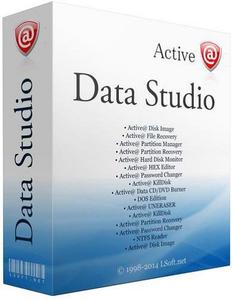
Active Data Studio 16.0.0 (x64) +WinPE


2de0b4f1851614a5c913c91ae4931799.jpeg

Active Data Studio 16.0.0 (x64) +WinPE (x64) | 560 / 393 Mb
​
Need to backup & restore your disks, recover deleted documents & photos, erase disks securely, monitor HDD health, or even repair PC when Windows can't start normally? Active@ Data Studio is a set of both desktop applications plus a bootable CD/DVD or USB Disk for booting up any system into a Windows Recovery Environment.


To perform data recovery?
-Active@ File Recovery - restores deleted files & folders, even from deleted, damaged or formatted volumes
-Active@ Partition Recovery - recovers damaged and accidentally deleted partitions
-Active@ UNDELETE - advanced data recovery toolset
-Active@ Partition Manager - creates, deletes, edits & formats partitions on your computer.
-Active@ Password Changer - resets Windows user account passwords
-Active@ Disk Editor - low level advanced disk editor (Hex Viewer)

Disk Backup & Imaging
-Active@ Disk Image - complete solution for data backup and restoring
-Active@ Data Burner - burns data to CD/DVD/BD media, command line supported
-Active@ ISO Manager - tool for mastering ISO image data files for CD/DVD/Blu-ray media;

PC Repair
-Active@ Boot Disk Creator - utility for creating a bootable Windows on CD/DVD or USB flash media;
-Active@ Boot Disk - is a complete and functioning computer operating system on CD/DVD/USB disk;
-Active@ Disk Monitor - monitors hard disk drive health and status
-Active@ BCD Editor - Views & Edits BCD (Bootable Configuration Data) Store, restoring PC bootable partition

Latest software versions:
- Active@ KillDisk 12 (build 12.0.27)
- Active@ File Recovery 20
- Active@ Partition Recovery 20
- Active@ Password Changer 10

Home Page -
Код:
https://www.lsoft.net/


-:DOWNLOAD FROM LINKS:-

RapidGator
Код:
https://rapidgator.net/file/85fa5a47fbbefa7d6d0accfde93fa8f6/ActiveDataStudio.x64.v16.iso.html

NitroFlare
Код:
https://nitroflare.com/view/646F09E4F32C20A/ActiveDataStudio.x64.v16.iso

​
 
AnyTrans for Android v7.3.0.20200416


5d69927b140364ddd62537941599b386.jpg

AnyTrans for Android 7.3.0.20200416 Multilingual REPACK | 149 Mb
​
Your All-Powerful Android Manager. From data management to cross-device transfer, take complete control of your Android mobile content from one convenient place and in every way you'll enjoy.


The Beautifully Organized Android Life, Come with Ease and Free from Cords
AnyTrans is designed to make your data management experience more instant, more convenient, and more delightful. Now, free yourself from USB cables, and take care of your whole Android content on computer instantly via Wi-Fi. Get ready to spend less time managing and more time enjoying your colorful Android life.

Media Collections, Controlled
Your phone is crowded with growing media, and AnyTrans keeps them under control to save you from mess. A single click backs up photos and albums to preserve your memories. So you can make space for more life moments. Want to bring your music collection wherever you go, or enjoy videos you shot on phone from computer's big screen? It's a tap away.

Personal Connections, Secured
As contacts and messages connect you with everyone you care about, AnyTrans makes sure your connections are secure. You can back up contacts as your preferred format for future use. Browse messages and attachments from computer, and safely save precious conversations. Or, move them to a new phone at one go. Your connections are always at your fingertips.

Apps and All Your Files, Handled
AnyTrans handles almost all types of files on your phone. It lets you batch install, uninstall, and back up a bunch of apps in a blink of an eye. Easily explore files by category. Quickly spot what you want by searching keywords. Categorize scattered files into folders to keep neat. You will experience the most comprehensive and comfortable content management ever.

In-depth Management for Whole Content
Whether you want to transfer, organize or back up your phone, AnyTrans is here for you. No matter you want to manage photos, music, contacts, messages or any other data and files, AnyTrans gets there easily. It's just a few clicks away from keeping your content rich, organized and secure.

Instant Transfer with Lighter Experience
Need to add new songs or videos to your phone or export photos you took to computer? AnyTrans gives you lighter experience. Don't have to install any program on PC/Mac. No need of a USB cable. Skip tedious process. Simply scan a QR code, and you can start transferring files instantly.

Direct File Sharing Between Phones
AnyTrans makes file sharing easy peasy. Just install AnyTrans Android app on two phones and they'll communicate directly. Whether you want to share photos with family, share fun videos with friends, or send documents to your colleague, the files will fly fast to your wanted destination.

Take Precious Memories with You to The New Phone
Switching to a new phone doesn't necessarily mean to leave your precious memories behind. With AnyTrans, you can move over all your essentials seamlessly, safely, and speedily. Contacts of friends and family, photos of life highlights, messages you want to keep, songs you like to listen to, even the apps you need to use everyday. Everything you love is there on your new phone - no matter it's from an old Android phone or iPhone, or even iTunes and iCloud.

Move Between Android Phones
Covering literally all Android mobiles out there, AnyTrans enables you to migrate data freely between any phones - or from a tablet if you like. It breaks the boundaries of brands, models and Android versions. So you can bring everything important with you and move around smoothly.

From iOS to Android, One Seamless Switch
Switching from iOS to Android doesn't have to be a scary or tedious process. Actually, AnyTrans makes it a breeze. With one simple click, you can seamlessly transfer all essential content from iPhone, iTunes, and iCloud to your new Android phone. You'll never worry about the compatibility issues, since every file and data will be automatically converted to an Android friendly format on the fly.

A World of Videos & Music, Right in Your Hand
You like watching videos and listening to music, so AnyTrans brings the world of entertainment into your hand. You can download movies, TV shows, and songs you like, from YouTube, SoundCloud, and other 1000+ sites. Pick your preferred format and quality, and save it straight to your phone. Don't worry about compatibility issues, as all incompatible videos and music will be automatically converted to widely supported MP4 or MP3. Now, you'll always have something great to enjoy during your daily commute to work, long flight, or whenever you feel bored.

System Requirements:
- Windows OS: Windows 10, 8, 7, both 32bit and 64bit
- iOS Version: 12, 11, 10, 9, 8, 7, 6, 5
- Resolution: 1024x768 display or above
- CPU: Pentium IV 2.4 GHz or above

Home Page -
Код:
https://www.imobie.com


-:DOWNLOAD FROM LINKS:-

RapidGator
Код:
https://rapidgator.net/file/b2b34d37a6c7e0ab62998a25e6a2c552/AnyTrans.Android.7.3.0.20200416.rar.html
https://rapidgator.net/file/d60d455fa2569c887d2cd6e2f8d3d625/AnyTrans.Android.7.3.0.20200416.x64.rar.html

NitroFlare
Код:
https://nitroflare.com/view/691619ED103586B/AnyTrans.Android.7.3.0.20200416.rar
https://nitroflare.com/view/926EC6A2E1DECB9/AnyTrans.Android.7.3.0.20200416.x64.rar

​
 
AnyTrans for iOS v8.6.1.20200601


89d09b0b52fbdb07e61462b84f79cb6d.jpg

AnyTrans for iOS v8.6.1.20200601 Multilingual REPACK | 330 Mb
​
Start Your iPhone Life Immediately with Ultra Ease. Now that you've made the smart decision to move from Android to iOS ecosystem, AnyTrans helps you start your iPhone life smoothly. Surpassing the Move to iOS app in workflow and final results, it makes the switch much easier, faster, safer, and more capable. Even if you have no prior knowledge of data transfer, you can still migrate important data from your Android phone to iPhone effortlessly and securely in minutes.


All your memories and essentials from the old Android phone will be well organized in iPhone. Photos you shot, music and videos you enjoyed, contacts of importance, messages you want to keep, even your custom ringtones - just everything you need for everyday use. Now, you can get started with a wonderful life on iPhone easily and immediately.

Enjoy Millions of Online Movies & Music on The Go
With the best display in the smartphone industry and immersive stereo speakers, iPhone and iPad give you the cinema-standard experience of watching movies. And, now AnyTrans lets you freely enjoy millions of online videos from 900+ sites with your personal cinema whenever and wherever you want, even on the go.

For the first time, your favorite online videos, as well as music, can be batch downloaded directly into iPhone, iPad, and iPod, with auto conversion to an iOS compatible format for perfect playback. To ensure the best viewing experience, AnyTrans would intelligently pick out the optimal resolution of each video for you, certainly, with no pre-roll ads.

Make Better Use of Your iCloud Easily and Securely
As the innate partner of iOS devices, iCloud stores your important data and files. Now with AnyTrans, you can easily manage and better use your iCloud content. All your wanted iCloud photos can be backed up to any hard disk as you wish. Contacts and messages will get safely exported to your computer in the most practical formats. You can even integrate data from multiple iCloud accounts to your daily used one for quicker access. It's never been so easy and pleasant to manage your iCloud.

Not just pleasant, it's secure as well. Taking your privacy as the first concern, AnyTrans promises you the absolute security of your iCloud account and all content inside. Every iCloud login within AnyTrans is protected with the same encryption used by Apple, and we have no way to decrypt it. Your privacy always stays 100% private.

Be The Real Master of Your Music Collections
You have different music collections scattered on iPhone, iPad, iPod and computer. AnyTrans builds a bridge among them, so you can freely enjoy any music on any device of yours.

Add music to iPhone or iPod, and keep yourself amused during a train ride; set favorite melody as your ringtone; enjoy your playlists of an old iPhone on new iPhone; or even rebuild a crashed iTunes Library with songs from iPod. No risk of overwriting existing tracks on your devices, and no limitation of what and where to transfer. Your music and playlists will always go with you.

Take Good Care of Your iPhone Photos & Videos
iPhone gives you the most amazing camera in the world to record your life highlights with photos and 4K videos. AnyTrans keeps all these best moments safe and sound.

It lets you export iPhone photos and videos to computer for backup. Also, if you want to transfer them to iPad with bigger screen for better viewing, it's ultra easy with just one tap. What about transferring photos from computer to iPhone? It's never been so convenient. All your photos, selfies, bursts, panoramas, videos and albums are in your control.

Give All Your Personal Data A Safe Boat
As your iPhone keeps all your essential personal data for daily life and work, AnyTrans creates a safe boat for them, and makes sure you will never get into troubles.

You can back up contacts and messages to computer, or move them directly to another iPhone if you want; sync important calendars and notes to new iPhone or iPad, so you'll never miss your schedule; save your Safari bookmarks to desktop, and seamlessly browse your favorite sites later on computer; and much more. With AnyTrans, your personal info will always be safe, organized, and instantly available.

Turn Your Stunning New iPhone into Your Familiar Look
Have bought a new iPhone? Warm it up with everything you need from the old one - or even from your iPad. AnyTrans gives you multiple data migration options to meet your various demands. You can 1-click copy whole content along with custom settings, like ringtones and wallpapers, from old iPhone to new one. Or flexibly select your wanted data only. You're also able to merge content from several iOS devices to new iPhone, with duplicates skipped automatically. It's time to customize a brand-new iPhone in your own style.

Extract Only What You Need from iTunes/iCloud Backups
iTunes and iCloud backups store all of your iPhone stuff. Once your iPhone gets lost, they will be the most reliable - even only available - way to retrieve your important data. Now, AnyTrans gives you a better and clearer way to explore and manage them. You can peek into every iTunes/iCloud backup, preview every piece of data, select and extract photos, messages, contacts or anything that you wish to get back.

Enjoy A Simpler yet Stronger iTunes Sync
iTunes works decently to sync iPhone content, and AnyTrans makes the whole process much easier, safer and literally full-way. Now, no worries of losing current iPhone data after iTunes sync, since transfer will be done without erasing anything. With full-way transfer, you can also move music from iOS devices back to iTunes Library. Everything about iTunes has got much simpler yet stronger than ever before.at for both read and further use; retrieve your bookmarks, or Surf on your iPhone and pick up where you just left off on.

Operating System: Windows 7, 8/8.1, 10

Home Page -
Код:
https://www.imobie.com/anytrans/


-:DOWNLOAD FROM LINKS:-

RapidGator
Код:
https://rapidgator.net/file/0b09df94e8f0362b6b27d212a1a290c7/AnyTrans.iOS.8.6.1.rar.html
https://rapidgator.net/file/e9bade91b200c02c7f926c88854eaf93/AnyTrans.iOS.8.6.1.x64.rar.html

NitroFlare
Код:
https://nitroflare.com/view/68BE6F015EAB00F/AnyTrans.iOS.8.6.1.rar
https://nitroflare.com/view/5D2BB78D4C041AD/AnyTrans.iOS.8.6.1.x64.rar

​
 
Prevent Restore 2020.00 Professional


2006080754000105.jpg

Prevent Restore Professional 2020.00 Multilingual | 1.8 Mb
​
Prevents file Recovery If you clean computer's Recycle Bin, the files and folders are not deleted forever. Anyone can use special recovery software and restore any deleted data (files and folders) because any deleted file still exists on the hard disk until will be overwritten with other data.


Prevents file Recovery
If you clean computer's Recycle Bin, the files and folders are not deleted forever. Anyone can use special recovery software and restore any deleted data (files and folders) because any deleted file still exists on the hard disk until will be overwritten with other data.

Very powerful
The main purpose of this software is to make impossible recovery of files and folders which was deleted in the past. Software uses several security algorithms (DoD 5220.22, Gutmann and other). While working this software fills out information to the end of each cluster, leaving no chance to restore even just one word!

Additional features
Prevent Restore can wipe deleted files on any disk, for example: usb flash, SSD, memory stick or any other sort of removable disk (media storage). However you cannot use it on CD (CDR, DVD) - such disks you should physically burn to avoid any possibility of recovery. As an additional feature the software can erase paging file of OS Windows (virtual memory cache) which contains cache of personal information, for example: usernames and passwords.

Requirements: Windows XP, 7, 8, 10 / .Net Framework 3.5

Home Page -
Код:
https://privacyroot.com/software/www/en/wfds-ss.php


-:DOWNLOAD FROM LINKS:-

RapidGator
Код:
https://rapidgator.net/file/ececa8fc7c39b99e103bcc036732759c/Prevent.Restore.2020.0.rar.html

NitroFlare
Код:
https://nitroflare.com/view/18D19E0E0C4E35A/Prevent.Restore.2020.0.rar

​
 
EasternQuicken Legal Business Pro v15.6.0.3613


2682b2fee57a911af1c61eec530fcf3f.jpg

Quicken Legal Business Pro v15.6.0.3613 | 118 Mb
​
You don't need an attorney to start and run a business - most of the legal work involved simply requires reliable information and the right legal forms. With Quicken Legal Business Pro, you'll get everything you need to get the job done. Completely updated to reflect the latest laws and regulations of your state.


Quicken Legal Business Pro provides:
- over 100 contracts, forms, and worksheets
- five completely searchable Nolo business bestsellers
- comprehensive "How to" checklists that help you through complex tasks

Plus, prepare cash flow, sales revenue and profit and loss forecasts, and use dozens of sample letters and policies, including collection and loan request letters. Quicken Legal Business Pro brings these six Nolo bestsellers together in one easy-to-use software package:

- Legal Guide for Starting & Running a Small Business
- The Manager's Legal Handbook
- How to Write a Business Plan
- Contracts: The Essential Business Desk Reference
- Deduct It! Lower Your Small Business Taxes
- The Essential Guide to Federal Employment Laws

With over 100 legal forms, you'll have access to the documents you need, when you need them. You can also take notes, create bookmarks, and read real-world examples of situations you're likely to face. Need more details? Here's a deeper look at what you can do with Quicken Legal Business Pro:

Plan for Success
Select the best structure for your business, obtain licenses and permits, buy or sell a franchise, file required documents, and minimize the chances of legal disputes. Figure out if your business idea will make money and present a comprehensive plan to potential investors.

Manage Taxes
Identify deductions allowed by the IRS, write off long-term business assets, maximize retirement funds, and minimize the chance of an audit.

Create a Business Plan
Figure out if your business idea will make money, find potential sources of financing, prepare cash flow and profit & loss forecasts, determine your assets, liabilities, and net worth, create a marketing and personnel plan, and present a comprehensive plan to potential investors.

Build Your Team
Hire workers, develop sensible personnel policies, supervise independent contractors, communicate effectively with employees, minimize the chance of employee lawsuits, and legally terminate workers when necessary.

Get Financing
Identify the best prospects for loans from a bank or loved ones, understand the legal and tax issues of borrowing money from family and friends, determine the best structure for each loan, draft a loan request letter, receive guidance on the best way to pitch your loan requests, protect your lenders, and deal with necessary documents, such as promissory notes.

List of forms:

Buying or Selling a Business
- Amendment to Contract (General)
- Attachment to Contract (General)
- Bill of Sale for Business Assets
- Contract for Purchase of Corporate Assets
- Contract for Purchase of Corporate Stock
- Contract for Purchase of Unincorporated Business
- Corporate Resolution Authorizing Sale of Assets
- Security Agreement for Buying Business Assets
- and more!

Contracts for Goods and Services
- Bill of Sale for Goods
- Consignment Contract
- Contract for Manufacture of Goods
- Contract for Services
- Equipment Rental Contract
- Invoice
- Mutual Release of Contract Claims
- Proposal
- Request for Proposal
- Sales Contract
- and more!

Corporate Minutes and Consents
- Consent of Directors
- Consent of Shareholders
- Minutes of Directors' Meeting
- Minutes of Shareholders' Meeting
- Notice of Directors' Meeting
- Notice of Shareholders' Meeting
- Shareholder Proxy
- and more!

Forming a Business
- Affidavit of Lost Stock Certificate
- Corporate Bylaws
- Operating Agreement for Single-Member LLC
- Partnership Agreement
- Pre-Incorporation Agreement
- Stock Agreement
- and more!

Hiring Workers
- Authorization to Release Information
- Confidentiality Agreement
- Contract with Independent Contractor
- Employment Application
- Non-compete Agreement
- Offer of Employment
- and more!

Leasing Space
- Amendment to Lease
- Assignment of Lease
- Attachment to Lease
- Extension of Lease
- Gross Lease
- Landlord's Consent to Sublease
- and more!

LLC Minutes and Consents
- Consent of LLC Members
- Minutes of LLC Meeting
- Notice of LLC Meeting
- and more!

Managing Finances
- Limited Power of Attorney for Finances
- Promissory Note (Amortized Payments)
- Promissory Note (Balloon Payment)
- Security Agreement for Borrowing Money
- and more!

Buying and Selling Real Estate
- Amendment to Real Estate Purchase Contract
- Attachment to Real Estate Purchase Contract
- Contract to Purchase Building
- Contract to Purchase Vacant Land
- Exercise of Option to Purchase Real Estate
- Removal of Contingency
- and more!

System Requirements:
Pentium 400 MHz • Microsoft® Windows® 10, Windows 8, Windows 7, or Vista • 510 RAM or higher • 75 MB (plus 500 MB to 1.5 GB for Microsoft .NET 4.0 if not already installed) • 800 x 600 (1024 x 768 recommended; with 16-bit color) • CD-ROM Drive: 2x speed • Internet Connection: 56 Kbps modem required to access online features • Printer: Any printer supported by Windows 10, Windows 8, Windows 7, or Vista • Software: Microsoft Internet Explorer 7.0 or higher; Adobe Reader; Spreadsheet Program

Home Page -
Код:
http://www.individualsoftware.com


-:DOWNLOAD FROM LINKS:-

RapidGator
Код:
https://rapidgator.net/file/603df73c90a671bfabfe9010dd675ea5/Legal.Business.Pro.15.6.0.3613.rar.html

NitroFlare
Код:
https://nitroflare.com/view/82CBB2B289AE712/Legal.Business.Pro.15.6.0.3613.rar

​
 
Ablebits Ultimate Suite for Excel 2020.1.2424.506 Business Edition


ca10b0b5eac9ea617f1c5aef062f9b64.jpg

Ablebits Ultimate Suite for Excel 2020.1.2424.506 Business Edition | 26.5 Mb
​
With this collection of 60+ professional tools, you can accomplish any task impeccably without errors or delays. It's 15 years of experience with Office development embodied in the perfect code of solutions that work flawlessly on all Excel versions and all datasets.


Make your text data as perfect as numbers
Microsoft Excel is not all about numbers and formulas, but also text. Regrettably, it doesn't provide that many ways for managing text content. Luckily, Ultimate Suite makes up for that omission with a selection of lovely utilities to remove excess spaces, get rid of extra blanks, extract substrings, change case, delete or replace unwanted characters, clear formatting and convert text to numbers.

Manage formulas and selections with a click
The Ultimate Suite offers 9 beautiful tools to manage formulas and select cells that meet certain criteria. Using these features you can swiftly replace formulas with their values, count and sum cells by color, filter by selected cells, recalculate ranges, select cells of a certain type, all with a single button click!

Little time-savers that make a big difference
The Ultimate Suite was designed to address the needs of all users that work with Excel on a daily basis. So, why don't we add a few more tools to make your life a little easier and your work a bit more comfortable? Just think of them as a nice bonus to help you manage your workbooks, watermarks, comments and blanks.

Combine data from different sources in no time
If you deal with large worksheets, hundreds or thousands of rows in each, matching and merging data is always a nightmare. unless you have a few specialized wizards at your fingertips. From joining individual cells to consolidating multiple workbooks, the Ultimate Suite covers all of the merging tasks you perform in Excel.

Slice and dice your tables the easy way
The Ultimate Suite will revolutionize the way you manage and analyze data in Excel. With the ability to combine entries from multiple rows, ignoring duplicates and skipping empty cells, you can make your tables compact and clear. Or look at your data from different viewpoints with a set of splitting tools.

Elegant solutions to remove duplicates and find uniques
Duplicates may crawl into your worksheets in so many ways. The Ultimate Suite delivers three essential tools to eliminate them. Powerful and versatile, they will help you quickly find duplicate and unique entries within a table or compare two different worksheets.

Rearrange ranges effortlessly
Data in an Excel file may be arranged in a way that simply doesn't work. With multipurpose range transformation capabilities, you can reshape your worksheets on the fly. A number of simple-yet-beautiful solutions enable you to transpose, unpivot, rebuild, convert, flip and swap your ranges to adjust the layout to your liking.

Fill blanks and get random data sets in a flash
Empty cells in your worksheets can be troublesome, if not downright destructive. The Ultimate Suite protects the integrity of your data by offering a quick way to fill blanks with values from adjacent cells, upwards or downwards.

Keep your data accurate, consistent and up-to-date
Maintaining data accuracy in large worksheets is increasingly difficult as your data evolves. But who says it has to be that way? Leverage handy at-a-glance options to find and fix broken links, fuzzy matches, typos and similar entries. Use the advanced find capabilities to search and replace in several workbooks at a time.

Ultimate Suite Features:

Merge and Consolidate
- Merge two tables and add missing columns and rows.
- Match and merge two tables based on key columns.
- Summarize data from several ranges into one sheet.
- Copy data from the selected ranges to one worksheet.
- Turn workbooks to worksheets and place the resulting sheets to one file.
- Combine identically named worksheets into one.
- Copy the selected worksheets to one workbook.
- Merge the selected rows or columns.
- Join several cells keeping all data.

Dedupe and Compare
- Compare two tables for duplicate and unique values.
- Find unique values in one table.
- Find and delete, select, color, copy or move duplicates in one Excel table.
- Find and process duplicates and their 1st occurrences.

Combine and Split
- Combine duplicate rows and paste unique data to one line.
- Split a big table into separate lists by values in the selected column.
- Split multi-part names into several columns.

Transform and Reshape
- Convert summary table to a flat list.
- Transform your table into label cards.
- Swap two ranges in your sheet or workbook.
- Flip the selected range vertically or horizontally.
- Convert rows to columns and vice versa.

Randomize and Fill
- Generate unique random numbers.
- Get random dates and Booleans.
- Save custom lists with values to get random data from them.
- Generate strong passwords, codes, and testing data.
- Shuffle cells in rows, columns, or in the selected range.
- Select certain number or percentage of data at random.
- Fill empty cells with value above or below.

Find and Check
- Find partial duplicates, typos and misspelled words.
- Search and replace data in values, formulas, hyperlinks, and comments.
- Search and export or select the found values.
- Find and fix broken references to other workbooks.

Trim and Clean
- Trim extra leading, trailing, in-between spaces, and  .
- Add text to the selected cells by position.
- Split a column with text to several columns.
- Change text case in your Excel table.
- Convert numbers stored as text to numbers.
- Extract text.
- Remove characters by position.
- Clear formatting in your table.
- Remove non-printing, numeric, text characters, symbols and punctuation marks.
- Convert line break and other characters to any custom symbol.

Select and Calculate
- Count and sum cells based on their color.
- Select certain color to count or sum cells.
- Apply Average/Max/Min functions to the colored data.
- Select cells by type.
- Select cells by value.
- Keep the same selection when switching between sheets.
- Select any value in your list to filter your table.
- Search cells based on their value or color.
- Apply basic calculations to the selected cells.

Quick Utilities
- Delete empty rows, columns and sheets.
- See all open workbooks and sheets on one pane.
- Instantly move columns in your table.
- Insert a watermark in Excel
- Add a Table of Contents
- Get cell or range address to Clipboard.
- Convert formulas to relative or absolute.
- Insert a picture comment in 2 clicks.
- Change a comment shape.
- Manage comments.
- Replace formulas with values.

Supported Windows versions:
- Windows 10
- Windows 8.1
- Windows 8
- Windows 7
- 32-bit and 64-bit

Supported Excel versions:
- Excel 2019
- Excel 2016
- Excel 2013
- Excel 2010
- Excel 2007
- 32-bit and 64-bit
- Desktop Excel included in Office 365 / Office 365 ProPlus

Homepage -
Код:
https://www.ablebits.com


-:DOWNLOAD FROM LINKS:-

RapidGator
Код:
https://rapidgator.net/file/43933dfa1118173cc220eb4322c01fb4/Excel_Business_Edition_2020.1.2424.506.rar.html

NitroFlare
Код:
https://nitroflare.com/view/489A8819B4B0A1F/Excel_Business_Edition_2020.1.2424.506.rar

​
 
PDF Document Scanner 4.27.0.0 Premium


1a7f3dbf624381e6998cf05cd53d422c.jpg

PDF Document Scanner 4.27.0.0 Premium | 416 Mb
​
Why keep filing cabinets full of old documents and paperwork? It's the 21st century after all. Sure those tax returns from 1976 are fun to dig out and look at from time to time, but do you really still need the paper copy after all these years? Fear not, now there is an easy way to create digital copies of your old documents with PDF Document Scanner!


Features:
- Create digital copies of your old documents with PDF Document Scanner!
- PDF Document Scanner is quick and easy to use.
- Simply set your document on the table and then frame it up on the screen.

PDF Document Scanner is quick and easy to use. Simply set your document on the table and then frame it up on the screen and take a picture. The document will be converted to a PDF file and stored on your device! Create multiple page PDF document projects and save them to cloud storage for backup, burn them to DVD, or whatever else you choose!

How does it work?
It's quite simple. Once you load the app, your next move is to select the source of the scan. It can be a photo or image file on your computer, or you could directly capture a photo with a mobile device or webcam. Either will work wonders. It's quite easy to get a scan loaded into the app, and the options you gain access to afterwards make your job much easier.

Does it perform well enough?
The application works like magic. There are no stutters, and errors are something you will not encounter while using this app. It will definitely make life easier for you. It's useful, and it will definitely prove its worth once you get the chance to use it. PDF Document Scanner is an application that should not be missed if you have plenty of documents to scan and not that much time to actually do it with a normal scanner. It's fast and almost as reliable as the hardware variant would be. Furthermore, this application has a couple of added features that you would not get otherwise with normal scanning equipment.

Supported Platforms: Windows 10 (32bit or 64bit)

Home Page -
Код:
https://apps.ape-apps.com/pdf-document-scanner/


-:DOWNLOAD FROM LINKS:-

RapidGator
Код:
https://rapidgator.net/file/a648d18c3f979755a830e4d423ccaabf/PDF.Document.Scanner.4.27.0.0.rar.html

NitroFlare
Код:
https://nitroflare.com/view/CCA748B2EC57437/PDF.Document.Scanner.4.27.0.0.rar

​
 
Назад
Сверху