• Здравствуйте. Сайт заработал в архивном режиме форум www.old.nado.in

Dl4ever Software

NextLimit Maxwell 5 version 5.0.2 (x64) for SketchUp


2005081053510117.jpg

NextLimit Maxwell 5 version 5.0.2 for SketchUp | 713.4 mb
​
The Maxwell for SketchUp plugin has been designed to work in as simple a manner as possible. Wherever appropriate, unnecessary items have been optimized away, leaving what is intended to be a very simple and straightforward, yet complete, interface to Maxwell Render from within SketchUp. After reading this overview, you may wish to continue on to the Quick Start. Maxwell SketchUp offers seamless integration with SketchUp Make and Pro. This product has been designed for rendering in SketchUp with a Maxwell toolbar. It brings you advanced Maxwell Render technology in a simple package.


GROUND TRUTHQUALITY
Maxwell is all about quality. Period. This has been our sacred mantra for most than 15 years of development. Our secret sauce is a physically-correct unbiased spectral engine, which produces not only beautiful images but also lighting-accurate simulations. In fact, Maxwell is considered the ground-truth in rendering and CGI production. We strive to inspire others, and you inspire us.

MULTI-GPUSPEED
If you have ever heard that Maxwell is slow.well, it was. Our commitment to developing the most accurate render engine on the market wasn't negotiable. The story has changed in Maxwell 5. A fully rewritten multi-GPU core now delivers final results in minutes and accurate previews in seconds, keeping physical accuracy intact. With multiple GPUs working in parallel you'll get an unprecedented Maxwell experience. With Maxwell 5, time is now in your hands.

CLOUDSPEED
The new Cloud Render service allows you to access the most powerful machines available in the cloud (up to 96 cores) speeding up the render process and thus improving your productivity. Cloud render jobs can be easily dispatched from Maxwell Studio and the plugins, freeing the local computer from high CPU loads. Cloud Render helps you optimize your time and resources more efficiently.

INTEGRATIONS
Maxwell 5 is seamlessly integrated in most of the major 3D/CAD software solutions such as Rhino, SketchUp, Autodesk Maya, Autodesk 3ds Max, Revit, ArchiCAD, Cinema 4D and formZ. As an alternative, the standalone Maxwell Studio offers an independent production/rendering environment to create, edit and render Maxwell scenes. Render nodes and network tools for advanced deployments are included. Maxwell is available for Windows, MacOS and Linux.

System Requirements:
OS:Windows Windows 7 and up
Combability: SketchUp 2017 - 2020


Website Home Page :
Код:
https://maxwellrender.com/


-:DOWNLOAD FROM LINKS:-

RapidGator
Код:
https://rapidgator.net/file/4b6cc3ad57a17a20b09a474512b0ab98/Maxwell_5__SketchUp_v5.0.2.rar.html

NitroFlare
Код:
https://nitroflare.com/view/B6F029C11DAB5C2/Maxwell_5__SketchUp_v5.0.2.rar

​
 
NextLimit Maxwell 5 Studio version 5.0.2.21 (x64)


2005081055230108.jpg

NextLimit Maxwell 5 Studio version 5.0.2.21 | 787.2 mb
​
Maxwell 3D rendering software for architects and designers. Maxwell is legendary for its quality and realism, and delivers great results via a simple set-up, which lets you focus on lighting.


GROUND TRUTHQUALITY
Maxwell is all about quality. Period. This has been our sacred mantra for most than 15 years of development. Our secret sauce is a physically-correct unbiased spectral engine, which produces not only beautiful images but also lighting-accurate simulations. In fact, Maxwell is considered the ground-truth in rendering and CGI production. We strive to inspire others, and you inspire us.

MULTI-GPUSPEED
If you have ever heard that Maxwell is slow.well, it was. Our commitment to developing the most accurate render engine on the market wasn't negotiable. The story has changed in Maxwell 5. A fully rewritten multi-GPU core now delivers final results in minutes and accurate previews in seconds, keeping physical accuracy intact. With multiple GPUs working in parallel you'll get an unprecedented Maxwell experience. With Maxwell 5, time is now in your hands.

CLOUDSPEED
The new Cloud Render service allows you to access the most powerful machines available in the cloud (up to 96 cores) speeding up the render process and thus improving your productivity. Cloud render jobs can be easily dispatched from Maxwell Studio and the plugins, freeing the local computer from high CPU loads. Cloud Render helps you optimize your time and resources more efficiently.

INTEGRATIONS
Maxwell 5 is seamlessly integrated in most of the major 3D/CAD software solutions such as Rhino, SketchUp, Autodesk Maya, Autodesk 3ds Max, Revit, ArchiCAD, Cinema 4D and formZ. As an alternative, the standalone Maxwell Studio offers an independent production/rendering environment to create, edit and render Maxwell scenes. Render nodes and network tools for advanced deployments are included. Maxwell is available for Windows, MacOS and Linux.

System Requirements:
OS:Windows Server 2008 R2 SP1, Windows 7, 8, 8.1, Windows Server 2012, Windows 10 or Windows Server 2016.
CPU:2 GHz Intel Core2 processor, AMD Athlon 64 or better
Memory:1GB RAM minimum. 16 GB of RAM memory is highly recommended
Space:1.7 GB available hard disk space for installation
GPU:Accelerated OpenGL drivers


Website Home Page :
Код:
https://maxwellrender.com/


-:DOWNLOAD FROM LINKS:-

RapidGator
Код:
https://rapidgator.net/file/21d9d1957924aa547cebfab1b4cbfc7f/Maxwell_5_Studio_v5.0.2.21_Win.rar.html

NitroFlare
Код:
https://nitroflare.com/view/0CA0653F133ED4E/Maxwell_5_Studio_v5.0.2.21_Win.rar

​
 
SIMetrix / SIMPLIS 8.3g (x64) Update

2005081057350092.jpg

SIMetrix SIMPLIS 8.3g (x64) Update | 24.0 mb​
SIMetrix Technologies has released an update to SIMetrix/SIMPLIS 8.30. This product families provide professional circuit design and simulation tools for analog and power electronics engineers.

SIMetrix and SIMetrix/SIMPLIS Version 8.30 Change Log : The following lists the changes to SIMetrix and SIMetrix/SIMPLIS for the Version 8.3 release.

Changes for both the SIMetrix and SIMPLIS simulators
- Colour and label curve editor
- Schematic pan using right mouse button
- Schematic auto-pan during edit operations
- Replot previously closed waveforms
- Load Component Values for only selected items

Changes for the SIMetrix simulator
- Sensitivity and Worst-case Analysis
- Verilog-A New Features
- Z-transform filter functions
- Indirect branch contributions
- $table_model full LRM 2.4 implementation including cubic spline interpolation
- idt() support for assert argument
- idtmod() function supported

Changes for the SIMPLIS simulator
- 4-Quadrant Multiplier
- Custom MOSFET


SIMetrix and SIMPLIS are separate simulators working within the SIMetrix development envionment that provides schematic entry, waveform capture and built-in scripting.

SIMetrix is a mixed-signal circuit simulator designed for ease and speed of use.

The core algorithms employed by the SIMetrix analog simulator are based on the SPICE program developed by the CAD/IC group at the department of Electrical Engineering and Computer Sciences, University of California at Berkeley. The digital event driven simulator is derived from XSPICE developed by the Computer Science and Information Technology Laboratory, Georgia Tech. Research Institute, Georgia Institute of Technology.

Although originally derived from these programs only a tiny fraction of the overall application code can be traced to them. Nearly all of the simulator code is either new or has been rewritten in order to provide new analysis features and to resolve convergence problems.

SIMPLIS is a circuit simulator designed for rapid modelling of switching power systems. An acronym for "SIMulation for Piecewise LInear System", it is supplied with our SIMetrix/SIMPLIS product range.

SIMPLIS is a component level simulator like SPICE but is typically 10 to 50 times faster when simulating switching circuits. It achieves its speed by modelling devices using a series of straight-line segments rather than solving non-linear equations as SPICE does. By modelling devices in this way, SIMPLIS can characterise a complete system as a cyclical sequence of linear circuit topologies. This is an accurate representation of a typical switching power system where the semiconductor devices function as switches. However, a linear system can be solved very much more rapidly than the non-linear systems that SPICE handles. The end result is accurate, but extremely fast simulations, allowing the modelling of complex topologies that would not be viable with SPICE.

SIMPLIS has three analysis modes: Transient, Periodic Operating Point and AC. Transient analysis is similar to the SPICE equivalent but is typically 10-50 times faster. Periodic Operating Point is a unique analysis mode that finds the steady-state operating waveforms of switching systems. AC analysis finds the frequency response of a switching system without needing to use averaged models. This is especially useful for what-if studies on new circuit topologies or control schemes where the small-signal averaged model has not yet been derived.

Because non-linear devices are defined using a sequence of straight line segments, models for such devices are quite different from SPICE models. There are of course many SPICE models available and so in order to retain compatibility with these, SIMetrix/SIMPLIS has the ability to convert models for some types of device into SIMPLIS format. This conversion is performed when the device is placed on the schematic. Devices currently supported are MOSFETs, BJTs and diodes. In the case of MOSFETs and Zener diodes, the conversion is achieved by performing a sequence of simulations using the SIMetrix-SPICE simulator. This method is independent of the method of implementation of the device.

Learn the basics of the SIMetrix/SIMPLIS circuit analysis software. Lesson includes creating new projects, switching between simulators, drawing circuits, running simulations, editing parts values, editing models and an overview of advanced options such as Monte Carlo, POP and writing automation scripts.


About SIMetrix Technologies Ltd. We are an independent company dedicated to providing cost-effective, class-leading analog design tools to the professional engineering community. Our company was borne out of frustration. As professional electronics engineers, we couldn't find a circuit simulator on the market that would give us the features we wanted at a price we could afford. so we wrote our own. That was in 1992.

In 2001 we established a partnership with SIMPLIS Technologies, which created the SIMetrix/SIMPLIS product for analysis of power circuits. We now operate seamless sales channels offering each other's complementary products, although we remain as separate companies.

Product: SIMetrix/SIMPLIS Elite
Version: 8.30g with DVM and Verilog for SIMPLIS Update *
Supported Architectures: x64
Language: english
System Requirements: PC **
Supported Operating Systems: **
Software Prerequisites: SIMetrix/SIMPLIS Elite 8.30 and above
Size: 24.0 mb

* These patch files apply service updates only and cannot be used to apply feature upgrades. You cannot, for example, upgrade from 8.1 to 8.2 using an update patch. You must download the full install program to upgrade your installation.
Operating System - 64 bit Versions

The following operating systems are fully supported for SIMetrix and SIMetrix/SIMPLIS 64-bit versions:

- Windows 10 Home, Pro and Enterprise - 64 bit editions
- Windows 8.1, Windows 8.1 Pro, Windows 8.1 Enterprise - 64 bit editions
- Windows 8, Windows 8 Pro, Windows 8 Enterprise - 64 bit editions
- Windows 7 Home Premium/Professional/Enterprise/Ultimate - 64 bit editions

Operating System - 32-bit Versions

The following operating systems are fully supported for SIMetrix and SIMetrix/SIMPLIS 32-bit versions:

- Windows 7 Home Premium/Professional/Enterprise/Ultimate - 32 bit editions

-:DOWNLOAD FROM LINKS:-
RapidGator
Код:
https://rapidgator.net/file/920fe7b2285bff176d576d0f1c26d33e/SIMetrix..SIMPLIS.8.3g.x64.Update.rar.html

NitroFlare
Код:
https://nitroflare.com/view/820E06318247601/SIMetrix..SIMPLIS.8.3g.x64.Update.rar

​
 
CulvertMaster CONNECT Edition V10 (32bit / 64bit) Update 3


00775333_medium.jpg

CulvertMaster CONNECT Edition V10 Update 3 | 206.1 mb
​
The Hydraulics and Hydrology development team is pleased to announce the availability of CulvertMaster CONNECT Edition V10 Update 3. The FEMA-approved Bentley OpenFlows CulvertMaster is hands down the best tool available for solving culvert hydraulics problems.


What's new in CulvertMaster CONNECT Edition V10 Update 3

ProjcetWise Integration Support: CulvertMaster CONNECT Edition now supports integration with ProjectWise CONNECT Edition.
Updated Licensing Method: Subscription Entitlement Services: The CONNECT Edition release of CulvertMaster introduces support for Bentley's a new licensing method, Subscription Entitlement Services (SES), a major advancement in Bentley's product licensing methodology. This new method gives organizations much more control over license usage and reporting, with the capability to establish concurrent use thresholds, groups of users with different levels of access and more. This also means you can now manage license activation for all of your OpenFlows products with Subscription Entitlement Services.
Fixes to User-reported Issues: This release includes all patches from the previous release for user-reported issues, plus updates to the Help menu item links.
Project Compatibility: Projects saved in CulvertMaster CONNECT Edition are compatible with previous releases. Meaning, CulvertMaster version 3.3 can open a project saved in CONNECT Edition.
Silent mode syntax: This version uses newer installation technology similar to the CONNECT Edition of the other OpenFlows products, which use a /q switch for silent mode.


Bentley CulvertMaster Test is an extremely powerful, yet easy-to-use program that helps civil engineers design and analyze culvert hydraulics, from single barrel to complex multi-barrel culverts with roadway overtopping. You will be able to use Bentley CulvertMaster within minutes of installing it. Just click the appropriate button to create a new analysis, design, or Quick Culvert Calculator Worksheet. Then enter data in clearly labeled fields with full context-sensitive help, and click to calculate. It is really that easy. Bentley CulvertMaster also allows you to solve for most hydraulic variables, including culvert size, flow, and headwater, as well as plot and generate output for rating tables showing computed flow characteristics.

You have a choice of culvert barrel shapes, including circular pipes, pipe arches, boxes and more. Flow calculations handle pressure and varied flow situations such as backwater and drawdown curves. Design discharge can be calculated using either the Rational or SCS method. Rainfall information is calculated using rainfall tables, equations, or the National Weather Services' Hydro-35 data. Bentley CulvertMaster also plots Intensity-Duration-Frequency (IDF) curves. Bentley CulvertMaster's flexible reporting feature allows you to print the design and analysis results in report format or as a graphical plot.

In this short demonstration you will learn how to quickly analyze and design culverts using CulvertMaster.


Bentley Systems, Incorporated is the global leader dedicated to providing architects, engineers, constructors, and owner-operators with comprehensive architecture and engineering software solutions for sustaining infrastructure. Founded in 1984, Bentley has nearly 3,000 colleagues in more than 45 countries, $500 million in annual revenues, and, since 2001, has invested more than $1 billion in research, development, and acquisitions.

Product: Bentley CulvertMaster
Version: CONNECT Edition V10 Update 3 (version 10.03.00.03)
Supported Architectures: 32bit / 64bit
Website Home Page :
Код:
http://www.bentley.com
Language: english
System Requirements: PC *
Supported Operating Systems: *
Size: 206.1 mb

Installation Requirements

Operating System:
- Windows 7, SP1(32 bit/64 bit)
- Windows 8, 8.1(32 bit/64 bit)
- Windows 10 (32 bit/64 bit)

Software Prerequisites:
- Microsoft .NET framework 4.5.1 (Installer will attempt to download and install this prerequisite if it is not present during installation)

Minimum Profile

The minimum recommended workstation profile for running CulvertMaster CONNECT Edition (e.g., for simple systems) is:

Processor: As per minimum operating system requirements.
RAM: As per minimum operating system requirements.
Hard Disk: The software itself requires approximately 1.8 Gigabytes (GB) of disk space for installation. Additional space is also required for user model and data files.
Display: As per minimum operating system requirements.


-:DOWNLOAD FROM LINKS:-

RapidGator
Код:
https://rapidgator.net/file/840eaf9177c65d67a766b8ad3451aa59/CulvertMaster_CONNECT_Edition_V10_Update_3.rar.html

NitroFlare
Код:
https://nitroflare.com/view/F1DFB2CF0920035/CulvertMaster_CONNECT_Edition_V10_Update_3.rar

​
 
PTC Creo 4.0 M130 (x64)


2005081103410095.jpg

PTC Creo 4.0 M130 with HelpCenter | 6.0 Gb
​
Languages *: English, Français, Deutsch, Italiano, 日本語, 한국어, Русский,Simplified 中文, Traditional 中文, Español, Brazilian Português


PTC is pleased to announce the availability new version of Creo 4.0 M130 computer-aided design (CAD) software, is enables smarter design and greater productivity with a vast array of core modeling enhancements and new functionality that allow designers to create the products of the future.

4.0 M130 - Release notes

Creo Flow Analysis Wizard
Creo Flow Analysis provides a wizard workflow to guide step-by-step through setting up an analysis. The wizard greatly simplifies navigation by laying out all relevant properties and parameters in a single window.
Updated ANSYS Solver for Creo Simulation Live
The solver for Creo Simulation Live has been updated to the latest ANSYS Solver (2020R1). This solver is more efficient in allocating video memory and provides more GPU power in solving Creo Simulation Live studies. This results in more accurate results with less resources. This new solver handles thin walled geometry with much higher resolution than previous releases. In addition to the new solver, the following capabilities are also added:
- Inspect Deviation option - This option provides a diagnostic display to help you evaluate the difference between the true geometry and the geometry used by the solver.
- Minimum element size is displayed, when you hover over the Simulation Quality dragger. This helps to understand the smallest size value for an element edge in the model.
Configuration Option to Control the Default Tolerance Table Setting for Dimensions in Detailed Drawings and Model-Based Definition
Use the new configuration option default_iso_tol_table_type to specify the default value for the tolerance table setting for the dimension tolerance. This configuration option saves the unnecessary clicks when defining dimension tolerances. The valid values for this option are:
- general - This is the default.
- broken_edge
- none
Configuration Option to Control the Display State of Layers in Drawings
The configuration option def_shown_layers_in_view is added to control the display state of layers when switching Layer Tree display from detailed drawing to individual view mode. You can set the value of this option to one of the following to get the desired behavior and save time on setting layer visibility:
- all-All the layers are displayed. This is the default.
- drawing-The layer's state is copied from the drawing.
- none-All the layers are hidden.
New Values for Drawing Detail Option gtol_datums for Detailed Drawings
The two new values for the drawing detail option gtol_datums control the display of leader attachment for stacked gtols according to the selected detailing standards. The new values for the drawing detail option gtol_datums are: std_iso_1101_2017 and std_asme_y14.5_2018.
Shortcut to Apply Box Formatting to Text in Notes
You can easily define box formatting for a text in a note using a keyboard shortcut. Select the desired note text in the graphics window and press Ctrl+ (opening square bracket) to add a box around the selected text. To remove the box, press Ctrl+ again.

PTC Creo 4.0 was launched 15 November 2016., the top highlights in PTC Creo Parametric 4.0 are from improvements in Mini toolbar, new 3D Sweep, new Flexible Modeling in Sheetmetal.

When you're familiar with function sets in certain CAD packages, it can come as a surprise to learn what other ones do - or don't do. Creo 4.0, for instance, adds some basic functions other CAD packages have had for years, even decades. For example, box selection is new, where dragging the cursor diagonally left-to-right selects enclosed objects, and right-to-left selects crossing and enclosed objects. AutoCAD and its clones have had this for ages. Other examples of not-so-new functions new to Creo include a mini toolbar that appears when objects are selected, customization of shortcut keys and full-screen editing mode.

With each Creo release, direct editing becomes stronger. In release 4.0, a new clipping mode lets us see the part we are editing within the assembly. To help draw parts, we can now snap to other parts for reference. Opposite faces of parts can be dragged at the same time, and we can make negative offsets. In the View Manager, the Appearances tab lets us changes the colors of parts

Also with this release, PTC have added many new capabilities including design for additive manufacturing, model-based definition and much more.

What s New in Creo 4.0


PTC has the most robust Internet of Things technology in the world. In 1986 we revolutionized digital 3D design, and in 1998 were first to market with Internet-based PLM. Now our leading IoT and AR platform and field-proven solutions bring together the physical and digital worlds to reinvent the way you create, operate, and service products. With PTC, global manufacturers and an ecosystem of partners and developers can capitalize on the promise of the IoT today and drive the future of innovation.

Product: PTC Creo
Version: 4.0 M130 with Help Center
Supported Architectures: x64
Website Home Page :
Код:
http://www.ptc.com
Language: multilanguage *
System Requirements: PC **
Supported Operating Systems: **
Size: 6.0 Gb

Depending on the Creo application, the user interface and documentation are translated to varying degrees into French, German, Italian, Japanese, Korean, Russian, Simplified Chinese, Spanish, and Traditional Chinese. In Creo 4.0 M020 and later, the user interface is also translated into Brazilian Portuguese. The translation of documentation into Brazilian Portuguese is available in Creo 5.0.0.0 and later. A detailed list of translated materials is available in the


-:DOWNLOAD FROM LINKS:-

RapidGator
Код:
https://rapidgator.net/file/dbdad8fc15797b6f59dde5a8196554cd/PTC.Creo.4.0.M130.HelpCenter.part1.rar.html
https://rapidgator.net/file/a560333cd0f5612b83c4306e12ded405/PTC.Creo.4.0.M130.HelpCenter.part2.rar.html
https://rapidgator.net/file/d316e878a097b9fef17826aef6e5f71a/PTC.Creo.4.0.M130.part1.rar.html
https://rapidgator.net/file/6633dc780475d23110ec7b4a2d4c5c0e/PTC.Creo.4.0.M130.part2.rar.html
https://rapidgator.net/file/c1aeba58dd07ec84ec8ef454b228f40f/PTC.Creo.4.0.M130.part3.rar.html
https://rapidgator.net/file/158bd28ca4b0520f1ed31b850473dcca/PTC.Creo.4.0.M130.part4.rar.html
https://rapidgator.net/file/765ad088c49e6a8be7efa4cd24a97630/PTC.Creo.4.0.M130.part5.rar.html

NitroFlare
Код:
https://nitroflare.com/view/31B53D4E4B12C6A/PTC.Creo.4.0.M130.HelpCenter.part1.rar
https://nitroflare.com/view/11320E785DA7C50/PTC.Creo.4.0.M130.HelpCenter.part2.rar
https://nitroflare.com/view/30BF65F131FCCC8/PTC.Creo.4.0.M130.part1.rar
https://nitroflare.com/view/6BABD20060BF13C/PTC.Creo.4.0.M130.part2.rar
https://nitroflare.com/view/E0785E52730DFB7/PTC.Creo.4.0.M130.part3.rar
https://nitroflare.com/view/3188E20165500BD/PTC.Creo.4.0.M130.part4.rar
https://nitroflare.com/view/19CEB0F25CD0FE7/PTC.Creo.4.0.M130.part5.rar

​
 
Cisco Packet Tracer 7.3


2005081123220102.jpg


File Size: 172.5 MB
​
An innovative and powerful networking simulation tool used for practice, discovery and troubleshooting. Cisco developed Packet Tracer to help Networking Academy students achieve the most optimal learning experience while gaining practical networking technology skills. Packet Tracer is a powerful network simulation platform inspiring students to experiment with network behavior and ask 'what if' questions. It supplements physical equipment in the classroom by allowing students to create a network with an almost unlimited number of devices, encouraging practice, discovery and troubleshooting. 

Who Uses Packet Tracer?
Networking Curious & Aficionados
CCNA, CCNA Security and CCNP Students
Engineers, Educators, & Trainers
Those looking to get into IoT

Use it to
Create virtual networks
Experiment while building, managing & securing infrastructures
Visualize internal processes in real-time
Apply skills with labs & interactive activities


-:DOWNLOAD FROM LINKS:-
RapidGator
Код:
https://rapidgator.net/file/e56c85412d29d99ce7037eee14219eec/Tracer_7.3.rar.html

NitroFlare
Код:
https://nitroflare.com/view/3FAC72F659C967D/Tracer_7.3.rar

​
 
Topaz Gigapixel AI 4.8.2


Topaz-Gigapixel-AI.png

Topaz Gigapixel AI 4.8.2 (x64) | 1.10 Gb
​
Beautiful photo enlargements using machine learning. Enlarging your image without losing detail has always been impossible. until now. Upscale your photos by up to 600% while perfectly preserving image quality.


Enlarge Images by up to 600%
Create a beautiful 80 x 60 inch print from a simple iPhone photo. Or transform your DSLR photos into sharp and ultra-detailed 100MP images.

Use truly intelligent upscaling
After being trained with millions of sample images, Gigapixel can now enlarge your images with a surprising level of quality.

Get crisp and clear results.
Gigapixel performs around 2 million operations per pixel to get you results with as much detail and sharpness as possible.

No more fuzzy enlargements.
Breathtakingly sharp prints. High-resolution cropping in post-production. iPhone photos that look like they came out of a DSLR. No matter why you're enlarging your photos, you always want the best possible quality for your results. AI Gigapixel is currently the only photo enlargement product available that can actually add detail back to your upscaled photo.

Recover real details for actual sharpness
Increasing edge contrast is the simplest way to make an image look "sharp", and how most other upscaling software works. Gigapixel is different: it increases the actual sharpness of your upscaled photo by recovering real detail in your image. This is only possible through training and exposure to millions of test images.

Crisp photos that look like they were never upscaled
It's hard to believe that the crisp output image above was enlarged 4x, but it was. Gigapixel AI successfully determines which image features are stars (detail) and what's noise. Then, it naturally accentuates and recovers detail while suppressing noise in your upscaled photo.

The highest-quality image upscaling that you can get anywhere
Because of these exceptional results, Gigapixel AI is used by everyone from leading photographers, to video game modders, to major motion studios. If you ever need to upscale your photo while preserving beautiful detail, take advantage of the most modern technology in the space and give Gigapixel AI a try.

Image enlargement: interpolation vs machine learning

Interpolation-based photo enlargement software has been around for decades. Gigapixel's new approach based on machine learning is a giant leap ahead: state-of-the-art "deep learning" methods allow it to enlarge images while actually adding new details.

Interpolation
Interpolation algorithms work by approximating new pixels from the colors of surrounding ones. This does not add any detail to the image, it just smoothes out the transition between pixels.

Neural Network (Gigapixel AI)
A neural network analyzes thousands of photo pairs to learn how details usually get lost. The algorithm learns to "fill in" information in new images based on what it has learned. effectively adding new detail to your photo.

Operating System Version:
- Windows 7 x64
- Windows 8/8.1 x64
- Windows 10 x64

Hardware Requirements:
- System RAM: 8GB / 16GB recommended
- GPU VRAM: 2GB / 4GB recommended

Graphics Card Requirements:
- NVIDIA: GeForce GTX 770 2GB / GeForce GTX 960 4GB recommended
- AMD: Radeon HD 8570 2GB / Radeon R9 270 4GB recommended
- Intel: HD Graphics 5000 / Iris Plus Graphics 640 recommended

Homepage -
Код:
https://topazlabs.com/ai-gigapixel/

Language: English


-:DOWNLOAD FROM LINKS:-

RapidGator
Код:
https://rapidgator.net/file/dc1bb1416e7796d0d5cf1e7dee483b55/Gigapixel.AI.4.8.2.rar.html

NitroFlare
Код:
https://nitroflare.com/view/87183C217F3B046/Gigapixel.AI.4.8.2.rar

​
 
IObit Malware Fighter Pro 7.7.0.5872


2005081210380094.jpg

IObit Malware Fighter Pro 7.7.0.5872 Multilingual | 63.3 Mb
​
IObit Malware Fighter is an advanced malware & spyware removal utility that detects, removes the deepest infections, and protects your PC from various of potential spyware, adware, trojans, keyloggers, bots, worms, and hijackers. With the improved, unique "Dual-Core" engine and the heuristic malware detection, IObit Malware Fighter detects the most complex and deepest spyware and malware in a very fast and efficient way.


Here are some key features of "IObit Malware Fighter":
One-click Solution and Very Easy to Use:
· Traditional advantages of IObit products. We love simple and automatic styles.
Complete PC Security Care:
· Anti-malware, anti-spyware, anti-adware, anti-trojan, anti-bots, and more. IObit Malware Fighter can assist your antivirus to defend any tricky and complex threats.
Finds the Deepest Infections:
· Using DOG (Digital Original Gene), a novel heuristic malware detection method, while IObit Malware Fighter can find the most complex threats.
· Very Fast and Light Thanks to the improved, unique "Dual-Core" anti-malware engine, complicated analysis can be made faster now.
· Work with All Antivirus Products Everyone needs a qualified antivirus software, and IObit Malware Fighter will surely be the best mate for your current antivirus.
· Automated Working in the Background Just install it and forget it. This powerful utility works continuously, automatically and quietly in the background on your PC. You can set it as your schedule or just let it work automatically when your PC is idle.
· Automatic and Frequent Updates By the new-generation malware analysis system and our professional database team, IObit Malware Fighter catches the emerging dangerous malware in the Internet.

System Requirements
OS: Windows XP/Vista/7/8/8.1/10
Hardware requirements:
1 GHz processor or faster processor
1 GB of RAM
1,000 MB of free hard disk space
1024*768 screen resolution and above

Home Page -
Код:
http://www.iobit.com/


-:DOWNLOAD FROM LINKS:-

RapidGator
Код:
https://rapidgator.net/file/6be8b9858dd9aa39f9a36ef49f4ba74d/Malware.Fighter.Pro.7.rar.html

NitroFlare
Код:
https://nitroflare.com/view/CB992BEC343B1B5/Malware.Fighter.Pro.7.rar

​
 
Symantec Endpoint Protection v14.3.558


2005081211520103.jpg


File Size: 195.5 MB
​
The world's most advanced single-agent endpoint security with prevention, detection and response, deception and adaptation. Symantec is positioned by Gartner as the highest in execution and furthest in vision in the Endpoint Protection Platforms Magic Quadrant

Only Symantec can secure your endpoints via one single agent to:
• Beat crippling ransomware and unknown attacks with multilayered protection that combines signatureless and critical endpoint technologies.
• Maximize protection and minimize false positives with advanced machine learning and behavioral analysis.
• Block zero-day attacks that prey on memory-based vulnerabilities in popular applications with memory exploit mitigation.
• Fine-tune your detection engines on the fly to optimize your security posture.

Phish the Phishers with Deception
• Detect attackers by luring them into a decoy minefield.
• Reveal their intent, tactics, and targets-so security teams can pre-emptively adapt their security posture.
• Set the trap as simply as flipping a switch.

Cage Your Vulnerabilities. Unleash Your Applications.
• Auto-classify risk levels of all endpoint applications, whether or not they're in use.
• Use application isolation to limit exploits.
• Implement hardening in minutes with an intuitive cloud console.

Attack Your Stack to Kill Complexity
• Detect and respond to threats anywhere by integrating SEP with network security infrastructure.
• Built-in integration delivers prevention, Detection and Response (EDR), Deception, and Hardening with one single agent.
• Use open APIs to coordinate with existing IT infrastructure for automation and orchestration.

Stronger, Faster, Lighter
• Reduces bandwidth usage and definition file sizes by 70 percent compared to SEP 12.
• Enables faster scanning times using our proprietary real-time cloud lookup.
• Reduces IT resource use via automated updates to lower costs.


-:DOWNLOAD FROM LINKS:-
RapidGator
Код:
https://rapidgator.net/file/a24d98c6c06d70c9cb5aeadb461eec68/Endpoint_Protection_14.3.rar.html

NitroFlare
Код:
https://nitroflare.com/view/D727CB75C3478AB/Endpoint_Protection_14.3.rar

​
 
Cash Register 2.0.5.6 Pro


2005081250470101.jpg

Cash Register 2.0.5.6 Pro | 14.8 Mb
​
Cash Register provides all of the functionalities that you need to keep track of your inventory and sell your products using your phones, tablets or computers as a cash register/inventory system. This desktop version runs on Microsoft Windows Vista or higher.


Features Include
Cash Register: Calculate transaction totals just like a regular cash register machine.
Barcode scanner: Allow you to enter your product by using barcode scanner machine.
Custom Tax rates: Allow you to enter your state/country tax rate.
Product Inventory: You can keep track of what you are selling.
Reporting: Show sales report by day, month or year.
Charting: Show inventory and profit by month or year.
User friendly: Easy and simple user interface.
Reporting: Show sales report by day, month or year.
Charting: Show inventory and profit by month or year.
User friendly: Easy and simple user interface.

Operating System: Windows 7, 8/8.1, 10

Home Page -
Код:
http://ipcamsoft.com/


-:DOWNLOAD FROM LINKS:-

RapidGator
Код:
https://rapidgator.net/file/2d96526297bfa1c5bc02c6e5948d66e1/Cash.Register.Pro.2.rar.html

NitroFlare
Код:
https://nitroflare.com/view/010D7B0112BD148/Cash.Register.Pro.2.rar

​
 
Advanced SystemCare Ultimate 13.2.0.133


2005081255530104.jpg

Advanced SystemCare Ultimate 13.2.0.133 Multilingual | 116.3 Mb
​
IObit Advanced SystemCare Ultimate incorporates top antivirus capabilities, as well as the already proven comprehensive PC tune-up ability. Moreover, it has a one-click approach to help protect, repair, clean, and optimize your PC. Lots of users have no idea whether if our PC were infected or safe. To make sure your PC is safe from attacking, Advanced SystemCare Ultimate has gathered brand new anti-virus engine. That it makes always sensitive while detecting and removing the latest Virus, Spyware, Adware, Dialer and Hide-app, and then guarantee you a safe and healthy PC.


Advanced SystemCare Ultimate has new DNS Protect and Windows 10 Reinforce. It will ensure you a full protection from latest virus and malware in real-time before they harm your PC. The Surfing Protection, Browser Anti-tracking and Homepage Protection will keep your privacy confidential by cleaning your surfing traces, and restore your hijacked browser.

Windows 10 Reinforce added to help you stop all the privacy gathering behaviors by Windows 10 itself, including your location, sound message, contacts, etc. And when you use Microsoft Edge, Advanced SystemCare Ultimate will guarantee your online activities would not be attacked by malicious applications and browser add-ons.

Advanced SystemCare Ultimate enhances the database of Registry Fix, Privacy Sweep and Junk Files. That may save you lots of time in one-click optimizing and cleaning. And it make your PC run like a new one, by boosting startup speed, optimizing registry. As well as removing unwanted applications and other useless files which makes your computer slower.

Advanced SystemCare Ultimate is compatible with other security softwares like antivirus, antimalware, firewall, etc.

Advanced SystemCare Ultimate Features:
Based on Dual engine: the BitDefender antivirus engine and IObit antimalware engine
Defends against possible virus infection, while speeds up PC rapidly in the meantime
Scans and detects more threats, proven by generally recognized testing organization
Fast scanning ability provides reliable protection against viruses, spyware and other threats
Real-time and proactive protection detects and stops all kinds of malicious behavior
Rapid virus database updates provides high-level of detection and keep protection current
Scans and removes spyware and adware with the latest definition
Prevents spyware, hijackers and malicious websites with Surfing Protection Technology
Monitors PC performance in Real-time with Performance Monitor
Erases the history of all activities in your computer
Scans and fixes invalid and improper registry entries
Detects and removes invalid startup items
Searches and Cleans up unused Windows garbage
Repairs system configurations, Eliminates System Bottlenecks and Prevents Crashes
Tunes up Windows to improve both system and Internet performance
Analyzes and Shows detailed information of hardware and Windows
Two Modes to meet all user's needs, finishes all work with one click, Super Easy to Use

Operating Systems: Windows XP, Vista, Windows 7, 8, 8.1, 10 (32-bit, 64-bit)

Home Page -
Код:
http://www.iobit.com/en/index.php


-:DOWNLOAD FROM LINKS:-

RapidGator
Код:
https://rapidgator.net/file/71b2ab895a7c2601132ff049118aaec5/SystemCare.Ultimate.13.rar.html

NitroFlare
Код:
https://nitroflare.com/view/467F6B8721A8633/SystemCare.Ultimate.13.rar

​
 
BETA-CAE Systems 19.1.7 (x64)


2005081256450107.jpg

BETA-CAE Systems 19.1.7 | 1.9 Gb
​
BETA CAE Systems announces the 7th bug-fix release of ANSA/EPILYSIS/META v19.1.x series. This version particularly hosts fixes in detected issues, but also a few noteworthy enhancements and implementations.


Known issues resolved in ANSA

Translators
CATIA files designed in R29, would not be imported properly in ANSA, leading to missing Faces.
Connections & Assemby
Import of the VIP2 files in ANSA would lead to bad interpretation of VIP2 Subtype attribute.
Applying Template Scenario to connections performance issue fixed.
Plugins
Test/Impact Device Positioning Plugin would not run for NASTRAN or unsupported solvers.

Known issues resolved in META

Automation
The command "window arrange convert" would not perform as expected.


BETA CAE Systems transformed CAE by introducing revolutionary automation software tools and practices into Simulation and Analysis processes almost 30 years ago.

Committed to our mission to enable engineers to deliver results of high value, we continue to offer state-of-the-art, high-performance software and best-in-class services. Our simulation solutions liberate low risk and high Return-On-Investment innovation.

The ground breaking technology, the excellent services and our high standards of business ethics are the three pillars on which BETA was founded and grows since then.

Our passion for engineering, our drive for excellence, and our loyalty to customers and partners, are the key ingredients of our success. We first established our reputation in the Automotive sector and now we are proud of the deployment of our software also in the Aerospace, Defense, Biomechanics, Electronics, Energy and other Industries. Our solutions exceed their requirements in all the simulation disciplines, and allow them to develop the right product, for the right market, at the right time.

- ANSA is an advanced multidisciplinary CAE pre-processing tool that provides all the necessary functionality for full-model build up, from CAD data to ready-to-run solver input file, in a single integrated environment.
- META is a thriving multi-purpose post-processor meeting diverging needs from various CAE disciplines.It owes its success to its impressive performance, innovative features and capabilities of interaction between animations, plots, videos, reports and other objects.
- CAD to ANSA Translators . Porting product data and meta-data from diverse CAD systems to CAE pre-processing is a challenging task that requires advanced and configurable tools. The CAD data to ANSA translators meet the industries requirements by offering a wide portfolio of supported CAD formats, settings and options. Offered with ANSA or as add-on to it, the translators, allow the trouble-free kick off of the CAE processing.
- EPILYSIS serves as a contemporary solution in the field of Finite Element Analysis, embodying the accumulated knowledge from 30 years of collaboration with the CAE community. It covers numerous solution types and intends to bridge the gap between pre- and post- processing for disciplines such as Structural, NVH, Optimization, and more.

This video demonstrates META post-processor's capabilities for handling Composite results through a user friendly toolbar.


BETA CAE Systems is a private engineering software company committed to the development of state of the art CAE software systems that meet the requirements of all simulation disciplines. The company's products, the ANSA pre-processor/ EPILYSIS solver and META post-processor suite, and SPDRM, the simulation-process-data-and-resources manager, hold a worldwide leading position across a range of industries, including the automotive, railway vehicles, aerospace, motorsports, chemical processes engineering, energy, electronics, heavy machinery, power tools, and biomechanics.

Product: BETA CAE Systems
Version: 19.1.7
Supported Architectures: x64
Website Home Page :
Код:
http://www.beta-cae.com
Language: english
System Requirements: PC *
Supported Operating Systems: *
Size: 1.9 Gb

Compatibility and Supported Platforms

ANSA files saved by all the first and second point releases of a major version are compatible to each other. New major versions can read files saved by previous ones but not vice versa.

META Project files saved from version 19.1.7 are compatible and can be opened by META version 16.0.0 or later. To be readable by META versions earlier than v16.0.0, they have to be saved selecting the option "Version 16.0.0" or "Version <16.0.0".

Support for 32-bit platform has been discontinued for all operating systems.

Recommended system requirements
CPU: 4-core/8-thread intel i7 CPU (e.g. i7 960)
Memory: 16GB
HDD: 1TB
Network: 1Gbit, StaticIP
Recommended GPU (OpenCL Support) requirementsAMD
Radeon HD 7xxx, 6xxx (with at least 1GB of video memory size)
Firepro W series, V series(with at least 1GB of video memory size)
NVIDIA
Tesla (all)(with at least 1GB of video memory size)
Quadro (with at least 1GB of video memory size)
Intel *
i3, i5, i7
* Intel Platform is also supported, with the prerequisite that Intel SDK for OpenCL Applications 2012-13 is already installed.
Minimum system requirements for CAD to ANSA translators
Windows 7
Microsoft Visual C++ 2005 Redistributable Package
Microsoft Visual C++ 2008 Redistributable Package
Microsoft Visual C++ 2010Redistributable Package


-:DOWNLOAD FROM LINKS:-

RapidGator
Код:
https://rapidgator.net/file/cff017799122ce955a1965d22fcd5762/BETA.CAE.Systems.V19.1.7.part1.rar.html
https://rapidgator.net/file/8d7462bf5d5e4eb1bcb6c3d7ca2dc9a1/BETA.CAE.Systems.V19.1.7.part2.rar.html
https://rapidgator.net/file/0b52df3e7326231864ded22adbcf2fd8/BETA.CAE.Systems.V19.1.7.part3.rar.html

NitroFlare
Код:
https://nitroflare.com/view/64803ECB8C49060/BETA.CAE.Systems.V19.1.7.part1.rar
https://nitroflare.com/view/0918CB309AA0983/BETA.CAE.Systems.V19.1.7.part2.rar
https://nitroflare.com/view/45208ECD524B8FA/BETA.CAE.Systems.V19.1.7.part3.rar

​
 
Bricsys BricsCAD Ultimate 20.2.06.1


2005081258340097.jpg

Bricsys BricsCAD Ultimate 20.2.06.1 | 428.9 mb
​
A powerful CAD platform, with features familiar to you from native .dwg applications. BricsCAD unifies advanced 2D design with the intelligence of 3D direct modeling. For Windows. BricsCAD offers CAD features familiar from other .dwg programs, and then adds timesaving tools and 3D direct modeling. With BricsCAD, you get more for less. Familiar Interface

The powerful features that you know and love in a clean and consistent user experience.

2D Drafting
Create 2D technical drawings, floor plans, and other layouts quickly and accurately.

3D Modeling
BricsCAD performs 3D direct modeling with assemblies in the standard .dwg format.

The Quad cursor
Speed up your workflow with our context-sensitive Quad™ cursor.

Cloud Connectivity
Collaborate and annotate projects, all in the cloud.

Applications
BricsCAD's application developers create innovative solutions for a broad range of industries.

And there's more
BricsCAD supports solutions for sheet metal design, Building Information Modeling, and 3D data exchange. All stored in standard .dwg files.

BricsCAD Platinum Features:
- Powerful CAD functions
- 2D constraints solving
- Full support of LISP
- Chapoo connectivity
- Direct 3D modeling
- Rendering, materials, and lighting
- VBA1 & BRX
- 3D constraints solving
- BricsCAD Communicator 2
- 3D constraint creation
- Design intent recognition
- Assembly modeling
- Sheet Metal
- BIM

Website Home Page :
Код:
http://www.bricsys.com


-:DOWNLOAD FROM LINKS:-

RapidGator
Код:
https://rapidgator.net/file/370107b8ef4ba8fd57d8f93f0e2342ba/BricsCAD-20.2.06-1.rar.html

NitroFlare
Код:
https://nitroflare.com/view/FF421CF9B54117E/BricsCAD-20.2.06-1.rar

​
 
Turbo Studio v20.5.1337


2005091603160091.jpg


File size: 43 MB
​
Turbo Studio (formerly known as Spoon Studio) - with this app you can combine files needed to make an app run into a package that is ready for use without deployment. The application allows you to create a virtual container and run programs in a virtual environment without the installation and make changes in registry and system.

Since driver and system updates are constantly developed to reduce the possibilities of errors to occur, applications might need to be rooted to your system and registries so they can keep up the pace. However, with the help of utilities like Spoon Virtual Application Studio you can combine files needed to make an app run into a package that is ready for use without deployment.

Work fast with a customizable wizard
In case you don't want to spend too much time with configuring files needed for packing content, you can run a wizard with several options available. The wizard enables you to quickly build a virtual application from provided or downloaded media, scan your desktop for applications and choose the one to process, handle third-party apps using a snapshot, as well as manually configuring wizard settings.

Manually set deployment options
Additionally, you can dive directly into the abundance of features the main window gives you access to. A side panel lets you navigate through major areas such as filesystem, registry, settings, components, setup, as well as expiration. Depending on the chosen category, your workspace provides a large variety of dedicated settings.
You are able to insert new files you consider need to be included in the package. What's more, isolation can be set either to full or merge, with the possibility to also hide components, make them read only or disable synchronization.

Easily include required components
Switching to the registry tab lets you add values and keys or modify existing ones so that the application you want processed does not need to change the host registry. All settings and files can easily be bundled up in a basic MSI setup package that deploys your custom settings, as well as file associations and shortcuts on the target computer.
Furthermore, the application lets you select a runtime environment your product is dependent of, snatching system configurations so it won't require them on the PC it is deployed. Once finished, a few clicks create the setup package in a custom directory.

A few last words
Taking everything into consideration, we can say that Spoon Virtual Application Studio promises and manages to change the way your applications are deployed. It can be used to eliminate the need for any other third-party requirements or simply migrate whole applications and ongoing projects to a new machine.


-:DOWNLOAD FROM LINKS:-
RapidGator
Код:
https://rapidgator.net/file/c4e397f5aa37efc8d9f6549aa618d288/TurboStudio20.5.1337.rar.html

NitroFlare
Код:
https://nitroflare.com/view/DCF0945EECA4F75/TurboStudio20.5.1337.rar

​
 
Digital Media Doctor Professional 3.2.0.3


2005091606400094.png

Digital Media Doctor Professional 3.2.0.3 Multilingual | 13.5 Mb
​
The ULTIMATE Tool for Pro and Amateur Photographers! If you are concerned with the performance or reliability of your media, Digital Media Doctor can help. Compatible with all camera formats from Digital Backs to Point-and-Shoot, Digital Media Doctor diagnoses and fixes the most common issues with the lifeblood of the digital photographer - the Digital Memory card!


Featuring innovative algorithms, Digital Media Doctor gives you the ability to test, benchmark and report on nearly all types of removable digital to determine the integrity of the digital media you're using. The simple to use interface makes it easy to diagnose your media with just a few mouse clicks!

Digital Media Doctor works with most USB, FireWire or other Digital Media readers and can test the removable digital media from Palm Pilots, Windows CE devices, Digital Cameras and Camcorders, MP3 players, Digital Recorders and other devices.

Diagnostic Tests and Benchmarks:
Sequential Read
Random Access Read
Butterfly Read
Sequential Write
Random Access Write
Butterfly Write

Repair Features:
Backup
Wipe
Format
Restore

Supported Operating Systems:
System running Windows Vista (SP2)/Win7 (SP1)/Win8/Win10, Minimum of 1 GB RAM Minimum of free hard disk space as large as the media you wish to examine, You will also need a card reader for your media.

Home Page -
Код:
https://www.lc-tech.com/


-:DOWNLOAD FROM LINKS:-

RapidGator
Код:
https://rapidgator.net/file/ff770ac811256735df91307725162b72/DMD.Pro.3.2.0.3.rar.html

NitroFlare
Код:
https://nitroflare.com/view/48E9761C3202F0F/DMD.Pro.3.2.0.3.rar

​
 
LC Technology PHOTORECOVERY Professional 2020 v5.2.2.1


2005091608290105.jpg

LC Technology PHOTORECOVERY Professional 2020 v5.2.2.1 Multilingual | 14.8 Mb
​
Recovers "once in a lifetime" moments thought to be lost forever! PHOTORECOVERY 2019 recovery software is designed to recover digital images, movies and sound files from all types of digital media. It is the #1 data recovery software for Memory Sticks, SmartMedia, CompactFlash I & II, SD/XD cards, MMC, USB flash drives and most other forms of digital media.


PHOTORECOVERY is easy-to-use application that recovers images, movies, sound files and other popular file types from all types of digital media, also supports all RAW files and HD Video. Also included are utilities that allow you to safely format and wipe media cards. Compatible with all types of digital media including Memory Stick, SmartMedia, CompactFlash, all types of SD cards, XD cards, MMC, USB flash drives and any other type of flash storage media.

PHOTORECOVERY supports all major camera manufactures including, Nikon, Canon, Olympus, Sony, Kodak, Casio, Panasonic, Samsung, Fuji, Minolta, Pentax, Leaf, Hasselblad, Sigma and many more. File formats supported include MOV, AVI, ASF, M2TS, MOD, WMV, MP4, JPEG, TIFF, BMP, GIF, PNG, CRW, CR2, NEF, ORF, SRF, PEF, DNG and all other types of RAW images currently in use.

Audio file formats include, WAV, MP3, AIFF, MIDI, M4A, M4P, WMA and others. As soon as new file types are released, they are immediately added to the file signature database to insure compatibility with all current file types. Simply attach the media to your computer (a card reader is recommended) and run PHOTORECOVERY. The files are automatically saved to a folder on your hard drive.

Professional Features: - All the great features of PHOTORECOVERY Standard plus:
- Compatible with all camera formats - Digital Backs to Point-and-Shoot models
- Includes Digital Media Doctor for Performance Testing and Media Restoration
- Quickly Backup, Wipe, Format, and Restore your used Digital Memory Cards to "like new" Performance
- Know when to replace your memory cards - before its too late!

Operating System: Windows 7, 8/8.1, 10

Home Page -
Код:
http://www.lc-tech.com/pc/photorecovery/


-:DOWNLOAD FROM LINKS:-

RapidGator
Код:
https://rapidgator.net/file/9b11f60f18e89b5f16e81621512017fc/PHOTORECOVERY.Pro.5.2.2.1.rar.html

NitroFlare
Код:
https://nitroflare.com/view/C8F031991C50369/PHOTORECOVERY.Pro.5.2.2.1.rar

​
 
MultiBoot 2k10 7.25.3 (Unofficial) 04.2020


2005091609510115.png


File size: 5.13 GiB | Language: English, Russian/Русский
​
MultiBoot WindowsPE and collection of various emergency/rescue tools/utilities (Acronis, Paragon, Hiren's, ...) for creating a bootable DVD, USB stick, USB harddisk.

Developed by: conty9 + Viktor Kisel

Note: Interface is in English and Russian language, but some applications and instructions are in Russian language only.

If you are are looking for great WindowsPE software in English only:

Description:
Multiboot system administrator disk, based on BOOTMGR (Windows 8.1), Isolinux/Syslinux v.4.06 and Grub4Dos v.0.4.6a boot loaders. The disk consists of a large number of shell products with the ability to boot from CD/DVD, USB Flash Drive, USB-HDDD and a regular HDD. The main purpose - HDD preparation, OS installation (with the ability to install Win 2000/XP/2003/Vista/7 - WinNTSetup utilities, installation packages are not included in the build!), creating/uninstalling system images, restore/copy data, operating system resuscitation and boot recovery, OS cleaning from viruses / Trojans and blockers / pornobanners, testing the main components of the PC and much more. There is network support with Internet access and multimedia support. It is possible to use most of the programs from the assembly as a "portable" (fully portable they are not, it's just self-extracting into a TEMP directory with auto registration) and a convenient way to connect the software package assembly for use in a conventional OS or other PE-assemblies.
List of programs in this assembly
USB-driver PLOP v.5.0.11
C9PE Plus Pack (@ conty9) 2k10
WinPE 7x86 Live (@ Xemom1) Special Edition 2k10
WinPE 7x64 Live (@ Xemom1) Special Edition 2k10
WinPE 8.1x86 Live (@ Xemom1) Special Edition 2k10
WinPE 8.1x64 Live (@ Xemom1) Special Edition 2k10
WinPE 10x86 Live (@ Xemom1) Multilingual Edition 2k10
WinPE 10x64 Live (@ Xemom1) Multilingual Edition 2k10
Parted Magic 2017.03.14 / Linux Live-CD /
Linux-version of Acronis DDH v.12.0.3270 (rus)
Linux-version of Acronis TIES v.9.7.8398 (rus)
Linux-version of the Acronis TI Premium 2014 v.17.0.6673 (rus)
Linux-version of Acronis Universal Restore v.11.5.38938 (rus)
Linux-version of Acronis B & R Advanced v.11.5.39029 (rus)
Linux-version of Acronis Snap Deploy v.5.0.1416 (rus)
Linux-version of Acronis Align Tool for WD / Hitachi v.2.0.154 (eng)
Linux-version of Paragon HDM 12 v.10.1.21.471 (rus)
Linux-version of Paragon HDM 15 v.10.1.25.813 (rus)
Linux-version of MiniTool Partition Wizard Server Edition v.9.1 (eng)
Linux-version of TeraByte Image for Linux v.3.17 (eng)
DOS-version Acronis TIES v.9.7.8398 (rus)
DOS-version Paragon HDM 15 v.10.1.25.813 (rus)
DOS-version Hiren's Boot CD 15.2 (rus)
Big set of different DOS-utilities, and much more.
How to create a bootable DVD, USB stick, USB harddisk.1. For CD/DVD:
You will need a program for recording images - for example, Nero Burning ROM. Upustiti the program, Recorder -> apasati image, specify the image file, to make sure that it was noted "Finalize disc" and a recording method "Disc-At-Once (DAO)".The disc recording with the other settings will not boot!For Nero also recommended "Enable generation of short Lead-Out" (File -> Options -> Expert Features), it can reduce the recording time to speed up the recognition time of the compact and a bitto increase the "capacity" blanks. The write speed - the minimum within reasonable limits. Recommend 8-16x for CD-ROM or 4 - to DVD. The principle is that slower write -> faster (reliable) read.
You can also use other programs, allows you to record images (for example, UltraISO, Alcohol 120, ...).

2. Installing Assembly on flash drive:
Attention !!! Many utilities (for example, the standard windows format) are not fully format a USB flash drive, they see what it is, and do not touch the areas that they seem to be correct.Therefore, it is advisable to clean the stick, eg by RMPrepUSB, HDD Low Level Format Tool or run a test to record any of the utilities FlashNull, Check Flash, HD Tune Pro, Flash MemoryToolkit Pro, it is guaranteed to kill the layout and formatting make the program do everything from scratch. After cleaning necessarily "distort" the stick, after formatting and perform its validation using CheckDisk (2k10\Programs-2k10\HDD-Utilites\).When bugs repeat cleaning stick and formatting. If you use formatting with BootICE -> Parts Manage -> ReFormat USB disk, it is unnecessary operations. BootICE when formatting automatically makes cleaning.

2.1 The flash drive you must first format (Warning! All data on the flash drive will be destroyed). This is required in order to flash drive was seen as Bios USB-HDD, with which it is possible to load the operating system.If the flash drive / propeller is already used as a boot, you can skip this item. The stick is recommended to format under FAT32 (on the filesystem it works longer and more stable) but if necessary you can use NTFS (faster "kills" the stick, requires a safe removal, but supports files larger than 4Gb). This is best done by using RMPrepUSB (present in the Assembly on the way 2k10\Programs-2k10\Flash-Utilites\RMPrepUSB or from the menu P2Start.EXE "Programs 2k10\USB-Flash utility"). This utility creates as close as possible to the screw geometry on a flash drive.If you check Boot as HDD (C: 2PTNS), on a flash drive will be created two partitions (half the minimum size for maximum imitation screws). Ho I don't recommend using this option this flash drive will "hang" appliances (TVs with flash player, players, etc.). Enough to do, as in the figure.

Alternative methods for formatting the stick (instead of 2.1)
2.1.1 Formatted the stick with HP USB Disk Storage Format Tool (is in the Assembly on the way 2k10\Programs-2k10\Flash-Utilites\HPUSBFW\ or in the menu, under USB-Flash utility), you can use a quick format. Ha some PCs may not work (on a flash drive is connected correctly loader). If it works, you can use both for FAT32, and for NTFS.
2.1.2 Formatted the flash drive using BootICE (2k10\Programs-2k10\Flash-Utilites\BootICE\)...It is recommended to format the way: BootICE (choose the stick) -> Parts Manage -> ReFormat USB disk -> USB-HDD mode (Single Partition) - Align to sectors: 2048 -> Next -> FAT32 (NTFS) -> OK. The same does not always work, I - the loader is connected correctly only on NTFS.
2.1.3 Use FBInstTool (2k10\Programs-2k10\Flash-Utilites\FBInstTool\). Utility for custom formatting flash drives, creates a structure of a special type (USB-ZIP or USB-HDD). Select the USB flash drive (focus on size!), noted in the formatting options: -raw force, format.
2.1.4 Use the script FlashFormat_2k10_FBinst (2k10\Programs-2k10\Flash-Utilites\FBinst-FF\). Utility for custom formatting flash drives, creates a structure of a special type (USB-ZIP + USB-HDD). Select the USB flash drive (focus on size!), use method 7. RAW FORMAT, format.
Scripts automatically reconnect the USB flash drive so "juggle" it after formatting is not required.
2.1.5 To format the flash with automatic connection loader XORBOOT it is recommended to use scripts:
a) FlashFormat_2k10_FBinst - method 1 (up to 2Gb stick under FAT16) or method 2 (stick 4-32Gb under FAT32). Support USB-ZIP. Ha older systems will be loaded only WinXP-PE.
b) FlashFormat_2k10_FBinst - method 5 (up to 2Gb stick under FAT16) or method 6 (stick 4-32Gb under FAT32). Support for USB-ZIP + USB-HDD. Ha older systems will be loaded only Win7-PE.
c) FlashFormat_2k10_RMprep - apply if the required support NTFS, use method 5 (stick of any size). Support only USB-HDD.
Scripts automatically connects the stick so "juggle" it after formatting is not required.
Scripts can be used as OS, and under Assembly (any), they will automatically connect XORBOOT in the MbR (sector 63, PBR is ignored). Immediately after formatting the flash drive, you can check for bootable (startup XORBOOT) under any V-world (eg, MobaLive).

2.2 After formatting remove the flash drive and connect again.

2.3 You need to add to the stick Assembly files - folders 2k10. EFI and file P2Start.exe. The bootmgr file on a flash drive/HDD is not used, so it is not copied.They can be unpacked from an image using 7-zip, WinRar, Total Commander, FAR, UltraISO or copy any of the installed Dev for CD / DVD drive in the virtual root of the stick. If reformatting the stick produced scripts - bootable media ready (boot XORBOOT connected).
Faster to first unpack the image contents to a temporary folder on the screw, and then copy all of it on the stick - repeatedly verified experience.You can also mount an image as a virtual CD-ROM and copy from it - the effect is the same. If the creation of the stick is made under the loaded assembly, convenient to mount the image using ImDisk (RMB on the way, "mount ...").
Main loader, if you wish, you can set/change at any time as in conventional operating systems, and under any PE-Assembly (using a utility SetLDR-2k10 the 2k10 folder).

2.4 Using a bootloader Syslinux/Grub4Dos/BOOTMGR/XORBOOT using SetLDR-2k10 for flash drives/HDD:
You need to make the flash drive bootable. Akudim in the folder 2k10\ on the flash drive, run the utility SetLDR-2k10 and set the appropriate boot loader from the Assembly 2k10. The checkbox (to the right of the inscription Xorboot) - allows for the addition of XORBOOT intermediate boot loader BOOTMGR/GRLDR (it will immediately download the latest). The utility also checks for executable rights (if UAC is active), the presence of downloaders, and to make the partition active (if necessary).

3. Installation to a USB/USB-HDD/HDD:
3.1 The screw you want to format any program on the breakdown of HDD, create a primary active/boot partition of suitable size (at least 2Gb). File system choose FAT32, but if necessary you can use NTFS.
If the HDD is used for parallel data transfer it is convenient to break it down like this: make two primary partitions (if needed - many sections, but definitely the first and last, for Assembly - primary, in the middle can be logical). The first partition formatted to fit your needs in FAT32/NTFS/..., the size of the screw container minus 3-5Gb. The second (or last section, for Assembly) - certainly do active/bootable under FAT32. Ha, this section of the installed Assembly. Why so? It is most convenient - if you want to delete the partition with the Assembly, or, conversely, increase the place under this section, the operation will be QUICKLY made using virtually any Manager disks without data loss in the first sections.
P.S. When used in NTFS loader Syslinux possible problems with the download, so it is recommended to do a breakdown/pereyaslivka USB/HDD using Paragon HDM.
3.2 Performed the Assembly is copied to the active partition HDD (similar to claim 2.3) and connect the loader (p.2.4).

Alternative methods of using boot Grub4Dos using BootICE (2012) for flash drives/HDD:

1. Agnostic WEE. Is placed fully in the MbR (PBR ignored), occupies 63 sectors (outside the box!). There is a built-in menu (you can edit at installation), allows to find and load NTLDR, BOOTMGR, GRLDR,... In connection with the non-standard is not recommended for universal flash, but very useful, for example, as a Boot-Manager on the system drive.
2. GRUB4DOS in the MbR (PBR ignored), occupies 18 sectors (outside the box!). Immediately launches GRLDR. In connection with the non-standard is not recommended for universal stick.
3A. USB-HDD+ in MbR, registration GRUB4DOS in PBR. Not a bad option, and put runs on most flash drives especially suitable for FAT32.
3B. USB-HDD+ in MbR, NTLDR residence in PBR. When installing or rename loader rough in the root directory on the NTLDR or specify the name of GRLDR at registration in PBR (see the picture). Not a bad option, similar 3A.
3C. USB-HDD+ in MbR, registration BOOTMGR in PBR. When installing or rename loader rough in the root directory on the BOOTMGR or specify the name of GRLDR (or GRUBMGR for Assembly) when registration in PBR. Not a bad option, similar 3A.
4B. Windows NT 5.x MbR in MbR, NTLDR residence in PBR. When installing or rename loader rough in the root directory on the NTLDR or specify the name of GRLDR at registration in PBR (see the picture). Good option for bootability on different hardware, but rarely the stick works (depending on chip flash?), especially under FAT32.
5C. Windows NT 6.x MbR in MbR, BOOTMGR residence in PBR. When installing or rename loader rough in the root directory on the BOOTMGR or specify the name of GRLDR (or GRUBMGR for Assembly) when registration in PBR. Good option for bootability on different hardware, for some stick may not work under FAT32 (depends on chip flash?). Implemented utility SetLDR-2k10.
My recommendations: for flash drives, unless you want to transfer files larger than 4Gb to try to install the utility SetLDR-2k10, check loading in MobaLive. If not work - use NTFS+SetLDR-2k10 or installation option using BootICE - 3C (3A 3B - they are virtually identical) to FAT32.
How to create a bootable USB stick with the help of Rufus
To create a bootable USB drive first be sure to properly format a USB flash drive (that it is understood in the Bios as a USB-HDD-device with which you can boot.

The easiest and fastest way to create bootable flash drives - use the utility Rufus. Sel&ct the flash drive (1), the scheme of the section (2), file system (3, FAT32, or NTFS, FAT32 is recommended as preserving the resource of flash cells), if desired, change the label stick (4). In the formatting options on (5) expand additional options, and note (6,7 - optional, but recommended for older PCs). Note (8,9), sel&ct the assemblies (10) and remove the bird (11 - in the root of the stick was not created autorun.inf). Once again, check the correct stick (1) and image (12) click Start (13). To speed up the process you can temporarily disable AntiVir.

After creating the stick it is ready for use. Ho to speed up the loading it is recommended to connect the desired loader utility SetLDR-2k10.

To install trebuetsja the loader from the Assembly 2k10, after preparing the flash utility SetLDR-2k10 from 2k10 folder.

Some antivirus/OS can block the installation of the bootloader Grub4Dos or BOOTMGR. If this happens, boot with the build on the CD and adjust, or try the operation on another PC (wh&re was not so aggressive)!

If the Assembly of the previous version is already present on the flash drive, simply delete the folder 2k10 of flash drives and add a new one from distribution, and then connect the loader utility SetLDR-2k10.
Install Windows XP/7/8.1/10 from the assembly
In the Assembly there are different ways to install Windows.
Some installation methods, including using add-ons, painted in the file 2k10\GRUB4DOS\WINXP.txt and in 2k10\Programs-2k10\-Help\2k10-FAQ.chm. Here is one of them.
Installing Windows 7/8/10 with the stick from the folder _WIN\
Download and unzip the addon ~2k10-WIN7-10~ on a flash drive/HDD. Folder _WIN\ must be in the root of the stick/HDD. Copy from your image with Windows 7/8/10 from the Sources file install.wim/install.esd/install.swm in the appropriate subfolder of the addon according to the edition of Windows 7/8/10:

for Windows 7 x86 -> folder _WIN\7x32
for Windows 7 x64 -> folder _WIN\win 7x64
for Windows 7 x86-x64 -> folder _WIN\7AIO
Windows 8.1 x86 -> folder _WIN\8132
for Windows 8 x64 -> folder _WIN\8164
Windows 8.1 x86-x64 -> folder _WIN\8AIO
Windows 10 x86 -> folder _WIN\1032
Windows 10 x64 -> folder _WIN\1064
Windows 10 x86-x64-> folder _WIN\10AIO

To throw, if any, the folder is $OEM$ file unattend.xml (for Windows builds).
Menu/submenu Grub4Dos "DOS-Windows install" the addon will automatically appear.
In BCD-menu and EFI BCD menu it is already registered.

Folder _WIN setup files/Windows may be located under any drive/partition of your HDD/USB-HDD.
You can also install the files install.wim/esd/swm selecting the 78Setup utility window using the button "Sel&ct archive manually" (file install.wim/esd/swm) for installation.

Add your own images installation CDs of Windows 7/8/10 folder _WIN, _ISO, 2k10\User.Image.
The first image in the list will be displayed in the utility window 78Setup.
Other images can be selected and run by pressing the button "Choose image manually".

Note:
For Windows installations, there are two boot8x86.wim bootloaders & boot8x64.wim
With the (x86) bootloader, you install Windows of any bit depth from any subfolder (only in Legacy BIOS boot mode).
With the (x64) bootloader, only (x64) -bit Windows is installed (in the Legacy BIOS boot mode and in the EFI / UEFI boot mode).
In EFI / UEFI boot mode, using the boot8x64.wim bootloader, you can only install (x64) -bit Windows and only on a disk with GPT markup.
If you do not need to install in EFI / UEFI boot mode, then in general you can use only (x86) the boot8x86.wim boot loader.
Release Notes
Changes in v7.25.3: some minor improvements.
Note: If you like this download, please click on the "Say Thank You" button.


-:DOWNLOAD FROM LINKS:-
RapidGator
Код:
https://rapidgator.net/file/c2dda0e2d472c6daef6c7a591fe5a8ae/MultiBoot_2k10_v7.25.3.part1.rar.html
https://rapidgator.net/file/fbd70dcd8aa817705568f3472514cd8e/MultiBoot_2k10_v7.25.3.part2.rar.html
https://rapidgator.net/file/876375911f76ee45b41d70d2af0ac7c7/MultiBoot_2k10_v7.25.3.part3.rar.html
https://rapidgator.net/file/3f9f4dd9baf7888d1b547276e0df0d8c/MultiBoot_2k10_v7.25.3.part4.rar.html
https://rapidgator.net/file/ecf868f048bc1f028a68ec1ece30fcdb/MultiBoot_2k10_v7.25.3.part5.rar.html
https://rapidgator.net/file/36cfb5ed7035510024e51c6e95fae9ad/MultiBoot_2k10_v7.25.3.part6.rar.html

NitroFlare
Код:
https://nitroflare.com/view/150D9A3AAD31E37/MultiBoot_2k10_v7.25.3.part1.rar
https://nitroflare.com/view/08A9309B86FD971/MultiBoot_2k10_v7.25.3.part2.rar
https://nitroflare.com/view/8970F675879A7F0/MultiBoot_2k10_v7.25.3.part3.rar
https://nitroflare.com/view/8DA108CD8A4EF02/MultiBoot_2k10_v7.25.3.part4.rar
https://nitroflare.com/view/46F3C1331260179/MultiBoot_2k10_v7.25.3.part5.rar
https://nitroflare.com/view/99F4BE044DB4B61/MultiBoot_2k10_v7.25.3.part6.rar

​
 
LC Technology VIDEORECOVERY 2020 v5.2.2.1


00664310_medium.jpg

LC Technology VIDEORECOVERY 2020 v5.2.2.1 Multilingual | 8.6 Mb
​
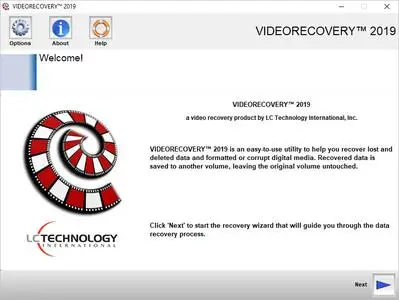
VIDEORECOVERY is a safe and affordable do-it-yourself data recovery solution that is designed to recover lost files from all types of digital media such as Memory Sticks, SmartMedia, CompactFlash, Micro Drives, SD/XD cards, MMC, optical drives, flash media drives, and multi-media or mobile devices, and most other forms of digital media.


VIDEORECOVERY recovers files whether they have been deleted from the camera, from a card reader, deleted by an application, or even if your media has been formatted. (Please note that some cameras and applications wipe the images during delete/format and cannot be recovered).

VIDEORECOVERY is easy to use. Simply attach the media to your computer (a card reader is recommended) and run VIDEORECOVERY. The pictures are automatically saved off to another location.

VIDEORECOVERY is a non-destructive read-only application and will not write or make changes to the drive it is recovering from.

Features
Easy to use wizard driven interface
Secure data recovery: VIDEORECOVERY does not write on the drive it is scanning
Recovers Image, Video, and Audio files
Recovers Documents, Spreadsheets, Text files, & more
Creates a backup image of your media card for archiving
Also supports RAW files and HD Video

ADVANTAGES
Easy to use and a fully automated wizard, which walks the user through the program
Automatically saves the data and allows burning to CD/DVD from the application.

Operating System: Windows 7, 8/8.1, 10

Home Page -
Код:
https://www.lc-tech.com/


-:DOWNLOAD FROM LINKS:-

RapidGator
Код:
https://rapidgator.net/file/15b103d0cb0e67c357658d0f788abae5/VIDEORECOVERY.5.2.2.1.rar.html

NitroFlare
Код:
https://nitroflare.com/view/7BD74EAA2963C23/VIDEORECOVERY.5.2.2.1.rar

​
 
LC Technology Solid State Doctor 3.1.4.9


2005091614490088.jpg

LC Technology Solid State Doctor 3.1.4.9 Multilingual | 10.7 Mb
​
Solid State Doctor - Solid State Drive Utility is an essential tool to provide performance enhancement, optimization, disk cloning capability, data security and firmware management for Solid State Drives (SSD's). More importantly, the SSD utility suite is a proactive support tool, giving you the ability to make informed decisions regarding your data - whether to back it up, erase it securely or optimize the drive using the TRIM* command.


This suite is designed to enable maximum performance and lifespan of your Solid State Drive on Microsoft® Operating Systems. The Solid State Doctor - Solid State Drive Utility gives you access to some of the unique features built into today's Solid State Drives.

Features
- Drive information Tool - This will show you the basic information of every drive in your system. The information displayed will include the drive model number, serial number, firmware version, port number, drive size, ATA version, supported features, drive temperature, lifetime drive usage.
- Overprovision Tool - The overprovision tool will allow the user to allocate a portion of the free space on the SSD to be used by the controller in the SSD within certain guidelines. This overprovisioned space created on the drive will allow the controller to better manage and maintain the performance and longevity of the SSD drive. Please note: Overprovisioning is not supported under Windows XP.
- Disk Clone Tool - The disk cloning tool copies the contents of the selected source drive to the selected destination drive.
- Optimize TRIM Tool* - The Optimize Tool issues a TRIM command to the SSD which tells the SSD which data blocks are no longer in use, such as those left by deleted files. Regular use of the TRIM command will help the SSD maintain maximum performance. We include support for Microsoft AHCI and Intel Matrix Storage Manager on all MS OS's*.
- S.M.A.R.T Status Tool - This will display the current S.M.A.R.T. (Self-Monitoring, Analysis and Reporting Technology) status of the drive overall as well as the status of individual attributes of the drive.
- Secure Drive Wipe - The Secure Wipe Tool will allow the user to securely delete the entire contents of the drive. This feature will place the drive in its original unformatted RAW state without any file system. The data on your drive cannot be recovered after running a secure wipe. As a safety feature, the Secure Wipe Tool will NOT allow the user to erase the contents of their boot drive.
- Write Cache Management - The Write Cache Management tool allows the user the option to enable or disable the storage device and/or Windows write caching. Write caching will increase storage drive performance, but carries a risk of data loss or drive corruption in the event of a power failure or Windows fatal error.

Operating System: Windows 7, 8/8.1, 10

Home Page -
Код:
https://www.lc-tech.com/


-:DOWNLOAD FROM LINKS:-

RapidGator
Код:
https://rapidgator.net/file/090ae395bfd9eb2f516b277d61bc1171/Solid.State.Doctor.3.1.4.9.rar.html

NitroFlare
Код:
https://nitroflare.com/view/20C482E2EFFC709/Solid.State.Doctor.3.1.4.9.rar

​
 
IObit Uninstaller Pro 9.5.0.12


2005091712530102.jpg

IObit Uninstaller Pro 9.5.0.12 Multilingual | 22.1 Mb
​
Integrated with up to date uninstall technology, IObit Uninstaller helps you remove unneeded programs easily even when Windows "Add or Remove Programs" fails. Besides removing unwanted applications, it also scans and removes leftovers easily. The most attractive part is that it makes a restore image before every uninstallation. With the new added Toolbars Uninstallation Module, IObit Uninstaller helps you remove unwanted toolbars thoroughly.


Cleaner & More Stable PC
As time going on, your PC will easily become slow after piling up too many leftovers in registry after general uninstallation. But now users can remove the programs and all leftovers quickly by just 1 click in IObit Uninstaller 5; and get a cleaner, faster and more stable PC. Additionally, IObit Uninstaller 5 can also remove programs and pre-installed apps in Windows 10.

Faster & Safer Browsing
Some malicious plug-ins, toolbar and unwanted injected programs will be installed into browsers without any notice, which will frustrate you by slowing down your surfing speed and annoying ads pop-ups. The improved Toolbar & Plug-in removal will monitor and remove all these useless programs and give you fast and clean online surfing experience. And the newly enhanced Chrome plug-ins removal can remove the plug-ins not installed via Chrome store.

Powerful & Safe Uninstallation
Many stubborn programs cannot be uninstalled or uninstalled completely in an easy way. IObit Uninstaller 5 can powerfully remove them and delete all the leftovers, including the registry and file directory of some stubborn antivirus programs. IObit Uninstaller 5 will continue the unfinished uninstall process caused by system reboot; and it also can create a system restore point before every uninstallation in case of unexpected happens.

More Powerful Tools
Sometimes users will forget to remove the leftovers after uninstallation, and the new tools in IObit Uninstaller 5 can help them continuing powerful scan for the programs in the uninstall history, as well as cleaning other useless update/install package and invalid shortcuts etc. Download IObit Uninstaller 5, and you can even easily find the basic Windows Tools in it.

Operating System: Windows 7, 8/8.1, 10

Home Page -
Код:
http://www.iobit.com/


-:DOWNLOAD FROM LINKS:-

RapidGator
Код:
https://rapidgator.net/file/3145da3f202dda4d104e51d2ccc7214b/Uninstaller.Pro.9.rar.html

NitroFlare
Код:
https://nitroflare.com/view/C35BD5B54503F33/Uninstaller.Pro.9.rar

​
 
Назад
Сверху