• Здравствуйте. Сайт заработал в архивном режиме форум www.old.nado.in

Dl4ever Software

Diving Log 6.0.17


8aa8d9d8b784209f5ae24ddd77371ccf.jpg


File size: 39.4 MB
​
Diving Log 6 is the perfect scuba logbook solution to manage your dives. You can import your dive log data from almost every dive computer, either by importing from the manufacturer software or by direct download from the dive computer. All data can be exported to several formats, synchronized to iPhone, Windows Phone and Android, or uploaded into the web for online presentation.

Create your own logbook printouts with the powerful integrated report designer and share your logbook design with other users. With the numerous statistics and charts you can analyze your dive data and with the powerful search and filter function you will quickly find everything you need.
In addition to your dives you can organize your equipment, buddies, photos and dive sites. Share your dives with other divers in online logbooks and visit dive sites in the map viewer prior to your vacation.


-:DOWNLOAD FROMLINKS:-
RapidGator
Код:
https://rapidgator.net/file/5744e7264a5003eef610849da0357dd7/Divinglog60.rar.html

NitroFlare
Код:
https://nitroflare.com/view/DCE0E00E2288795/Divinglog60.rar

​
 
Blue Cat's PatchWork v2.42


ff0dbee70e90edab921c70105a99da58.jpg


File size: 351 MB
​
Blue Cat's PatchWork is a universal plug-ins patchbay that can host up to 64 VST, VST3, Audio Unit or built-in plug-ins into any Digital Audio Workstation (DAW) in one instance.

It is possible to chain effects in series or create up to 8 parallel chains that can be activated independently. This lets you create your favorite effects or instruments configurations within the plug-in, without the need for multiple busses. These configurations can be saved as presets and recalled instantly, or shared with multiple DAWs, using any plug-in format (full list below). Use the built-in audio effects to add color to your own plug-in chains.

Despite the name, you can forget about wires or cables: configuring plug-ins routing is as simple as adding or removing a row or a column in the rack's matrix. All plug-ins can also communicate with each other or with the host application using the virtual MIDI ports offered by the plug-in.

For each plug-in slot, latency compensation, presets management, undo/redo integration, audio i/o selection and individual plug-in bypass are included for optimal operation. The plug-in also stores the position of the window for each plug-in so that the layout is restored with your session or saved with presets.

Also, sub plug-ins can be automated or controlled with external control surfaces using Blue Cat's PatchWork parameters mapping capabilities.
This product is available as an audio plug-in (effect or a virtual instrument) and standalone application, so that it can used alone or inserted on any type of track in your favorite DAW, with up to 16 audio channels.
Input and output level meters are also available to monitor the signal that is dispatched to inserted plug-ins, including side chain and aux channels.

Main Features:
Configurable VST, VST3 or Audio Unit plug-ins rack: host up to 64 third party plug-ins or instruments in series or parallel.
30 built-in effects: Reverb, EQ, filters, pitch & frequency shifter, delays, modulation effects, compressor, gate, bit crusher, wave shaper and more.
Available as an effect, virtual instrument or standalone application.
Build your own effects chains: up to 8 "pre" and "post" plug-ins slots to chain plug-ins in series.
Parallel processing made easy: up to 8 parallel plug-ins chains, with phase flip, solo and gain controls.
Host up to 8 virtual instruments in parallel and mix them within the plug-in.
Global Dry/Wet control ("Mix").
Parameters Mapping: map sub plug-ins parameters to automate them or use a control surface.
Flexible MIDI routing: connect sub plug-ins together or with the host application.
Flexible Audio routing: connect sub plug-ins i/o to any audio channel.
External side chain and multiple outputs support.
Link pre and post gains for automatic gain compensation.
Drag and drop or cut, copy and paste plug-ins with their settings between slots.
Recall complex processing setups and plug-ins layouts with one click and share them between your DAWs.
Input and output levels monitoring.
Plug-ins Latency compensation.
Supports VST Shell plug-ins.
Integrated undo/redo.
Fully customizable user interface, with multiple sizes.

Platform: WiN32/64 - EXE/VST/VST3/RTAS/AAX


-:DOWNLOAD FROMLINKS:-
RapidGator
Код:
https://rapidgator.net/file/b34b06555e9b37c0624784fdde46f2c2/PatchWork2.42.rar.html

NitroFlare
Код:
https://nitroflare.com/view/486C6DD83CC9BD4/PatchWork2.42.rar

​
 
Anthemion DialogBlocks v5.16.5


1d18751d13ee1ef215961e6cb91de2e7.jpg


Standalone & Developer Bundle | File size: 28.6 MB
​
DialogBlocks is a sizer-based resource editor that quickly gets you creating professional-looking dialogs, wizards and frames for deployment on Windows, Linux, Mac or any other supported wxWidgets platform.

Features:
• create resizeable, portable dialogs;
• create complex wizards;
• create frames complete with menubar and toolbar;
• see and edit the properties for each control or sizer in a convenient, consistent property editor;
• output to C++ or XRC;
• give your dialogs context-sensitive help and tooltips;
• store image resources and convert to inline or file-based XPMs;
• edit the generated C++ code by hand, but have DialogBlocks insert changes to the dialog;
• preview your dialogs, then quickly compile and run the application from within DialogBlocks;
• migrate your old RC dialogs as first-shot wxWidgets dialogs before full sizer-based conversion.

Developer Bundle: Contains DialogBlocks, wxWidgets 2.8.12, and the TDM-GCC MinGW installer

-:DOWNLOAD FROMLINKS:-
RapidGator
Код:
https://rapidgator.net/file/1455eddce98feef670027e9e83e1400d/DialogBlocks5.16.rar.html

NitroFlare
Код:
https://nitroflare.com/view/A43FF6BF8E9EF25/DialogBlocks5.16.rar

​
 
Iperius Backup Full 6.5.1


3c50e504a8910f8e7648d27e2e86d3b0.png

Iperius Backup Full 6.5.1 Multilingual | 54.5 Mb
​
Iperius Backup is the perfect software to get the advantages of the many cloud storage services offered by well-known providers like Google or Microsoft. With a single application you will be able to easily save your files offsite to Google Drive, Dropbox or Microsoft SkyDrive. This backup task can be configured with a few clicks, and the result of this is the full security of automatic online backups, compressed and protected by an AES 256-bit encryption.


Iperius Backup uses the most advanced Windows drive imaging technology, that allows to copy the whole operating system with a fast and incremental backup (block-level backup). Iperius Backup can create full disk images, allowing to recover a server system in minutes (bare-metal restore). You can also restore individual files, mount the VHD image file, and restore the system to a dissimilar hardware (hardware independent restore).

Iperius Backup is an advanced and affordable tape backup software for Windows Server 2008 and Windows Server 2012. Iperius is one of the best tape backup software: extremely easy and quick to setup, reliable, fast, and with flexible recovery features. Iperius Backup supports any tape drive, starting from the common HP DAT 72 USB or SCSI, to AIT, DLT and SDLT, and up to the powerful and high-capacity LTO 5 and LTO 6 devices, that allows to back up several terabytes.

Iperius Backup is an advanced software for FTP backup on any type of server or NAS. Iperius can send backups to a remote server with a few simple configurations, with the secure FTPS protocol and also with zip compression and AES 256 bit encryption. Iperius can perform automated upload of entire websites, limit the transfer bandwidth, make parallel transfers to multiple servers and help system administrators to build a centralized backup strategy for clients.

Iperius Backup can synchronize an unlimited number of files and folders from your computer to external hard drives or to network devices (like NAS servers). You can copy files and folders to an unlimited number of destinations and keep mirror copies deleting those files no more existing in the source folders. This allows to save space on your backup device and to always have a perfectly synchronized backup.

Operating System: Windows XP, Vista, 7, 8, Windows 10 - 2003, 2008, Server 2012, Server 2016 / 32-64 bit

Home Page -
Код:
http://www.iperiusbackup.com


-:DOWNLOAD FROMLINKS:-

RapidGator
Код:
https://rapidgator.net/file/e97af2bf0c8c6ea2b340e8a8b8ba3fd7/iperiusbackup6.5.1.rar.html

NitroFlare
Код:
https://nitroflare.com/view/0DFC88E85E9FE9E/iperiusbackup6.5.1.rar

​
 
Siemens Simcenter FloEFD 2019.4.0 v4836 Standalone (x64)


eb1a51518a994ce6341ede58fca356d0.jpg

Siemens Simcenter FloEFD 2019.4.0 v4836 Standalone | 6.0 Gb

Language: English, Deutsch, Français, 中文, 日本語, Русский
​
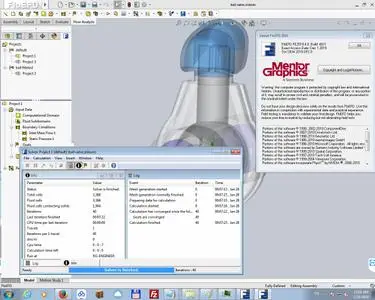
Mentor, a Siemens business, is pleased to announce the availability of FloEFD 2019.4 is an award-winning frontloading computational fluid dynamics (CFD) simulation solution for the design engineer targeting complex design challenges.

The following new features are available in this release.

- Illuminance Near field and Far field plot.You can now display Illuminance (incoming radiant flux adjusted for the capability of human eye to see the light, i.e. intensity of visible light) plot in the near field (close to the light source) and Luminous Intensity versus angle far away from the light source (so that the source can be considered as point source).
- LED additional rays. You can now add additional rays for a radiated LED (a LED withradiation sourceautomatically enabled once you set LEDs radiation properties).
- Radiation absorption cut-off wavelength. You can now specify a radiation wavelength above which the material is considered to be opaque.
- Import Structure function. Structure function (RC ladder) from T3Ster (*.xCTM) can now be imported into Network Assembly.
- Via material selection. All vias in SmartPCB can be assigned with either dielectric or copper material orexcluded from the calculation.
- FMU support. Functional Mock-up Interface is now supported by FloEFD (version 2.0). FMU exportand FMU import allows to perform co-simulations of FloEFDwith various simulation toolssupporting FMI.
- Export forces. The new exportof forces makes it easierto interface FloEFD with Simcenter 3D Motion.
- Component Control filters. You can show hidden or duplicated components in the Component Controldialog.
- Plot MinMaxvaluesuse crop. Plot Min and Max values are now calculated taking into account the plot's crop.
0072fa40_medium.jpg
FloEFD is an award-winning frontloading computational fluid dynamics (CFD) simulation solution for the design engineer targeting complex design challenges. Frontloading CFD refers to the practice of moving CFD simulation early into the design process, enabling design engineers to evaluate design options and optimize product performance as well as reliability. Through the use of best in class and intelligent technology, FloEFD opens the world of fluid dynamics analysis to a wider range of users including design engineers. It helps engineers move simulation into the design process where CFD can greatly benefit the user to understand the behavior of the design earlier and discount the less attractive options.

FloEFD is the fastest and most efficient computational fluid dynamics analysis tool that is tightly integrated with all major CAD workflows including Inventor and SolidEdge. It enables engineers to directly work on their CAD model for preparing and evaluating their concurrent CFD simulation.

In addition, the unique 1D-3D CFD coupling with FloMASTER is an industry first, providing a tight coupling of 1D and 3D software technologies engineered to work natively together with integrated source code.

How to mesh with FloEFD. Learn about FloEFD's unique meshing schema. Advanced immersed body Cartesian mesh, combined with solution adaptive refinement, makes for a quick and efficient meshing system

Siemens PLM Software. a business unit of the Siemens Digital Factory Division, is a leading global provider of product lifecycle management (PLM) and manufacturing operations management (MOM) software, systems and services with over 15 million licensed seats and more than 140,000 customers worldwide. Headquartered in Plano, Texas, Siemens PLM Software works collaboratively with its customers to provide industry software solutions that help companies everywhere achieve a sustainable competitive advantage by making real the innovations that matter.

Mentor, a Siemens Business, is a world leader in electronic hardware and software design solutions, providing products, consulting services and award-winning support for the world's most successful electronic, semiconductor and systems companies. We enable companies to develop better electronic products faster and more cost-effectively. Our innovative products help conquer complex design challenges. Mentor is technology leader in full chip emulation, Functional Verification, Design-for-Test and physical verification with its Veloce, Questa, Tessent and Calibre platforms.

Product: Siemens Simcenter FloEFD
Version: 2019.4.0 v4836 Standalone
Supported Architectures: x64
Website Home Page :
Код:
http://www.plm.automation.siemens.com
Language: multilanguage
System Requirements: PC *
Supported Operating Systems: *
Size: 6.0 Gb
Supported Platform

- Microsoft Windows 7 Professional, Ultimate or Enterprise 64-bit edition, Microsoft Windows 10 Pro or Enterprise 64-bit (tested with v1809)
- For solver: Microsoft Windows 2012 Server x64, Windows 2012 Server R2 x64, Windows Server 2016, Windows Server 2016 with HPC Pack 2016
- Microsoft Office 2013; Microsoft Office 2010; Microsoft Office 2007
- Microsoft Windows Media Player 7.0 or higher
- Ethernet network adapter
- Mouse or other pointing device
- DVD-ROM drive
- 4GB RAM minimum, more recommended
- 6GB of free hard disk space, more required for simulation models


-:DOWNLOAD FROMLINKS:-

RapidGator
Код:
https://rapidgator.net/file/163c98c05947a70ad817624aae2862eb/FloEFD.2019.4.0.v4831.part1.rar.html
https://rapidgator.net/file/c91aa9bb6980205700a67a2f591cf4b4/FloEFD.2019.4.0.v4831.part2.rar.html
https://rapidgator.net/file/45be4048e63e78b30915dd5703cad1c6/FloEFD.2019.4.0.v4831.part3.rar.html
https://rapidgator.net/file/ab06ca2e32779a71435f7d67912780ac/FloEFD.2019.4.0.v4831.part4.rar.html
https://rapidgator.net/file/af7f5acd73c7163273816ccda6eb7ef0/FloEFD.2019.4.0.v4831.part5.rar.html
https://rapidgator.net/file/5ae023ee0ce5ff83ee750c7b08909702/FloEFD.2019.4.0.v4831.part6.rar.html
https://rapidgator.net/file/53aff724d3c35f49f10ca6d4bc46eee4/FloEFD.2019.4.0.v4831.part7.rar.html

NitroFlare
Код:
https://nitroflare.com/view/91066EE73B2B7B2/FloEFD.2019.4.0.v4831.part1.rar
https://nitroflare.com/view/0B3AD0A27B49DDC/FloEFD.2019.4.0.v4831.part2.rar
https://nitroflare.com/view/7F85F545E01371F/FloEFD.2019.4.0.v4831.part3.rar
https://nitroflare.com/view/C4AEF001BD66CFA/FloEFD.2019.4.0.v4831.part4.rar
https://nitroflare.com/view/B99B54F4F349690/FloEFD.2019.4.0.v4831.part5.rar
https://nitroflare.com/view/FEB50FF12F5A83C/FloEFD.2019.4.0.v4831.part6.rar
https://nitroflare.com/view/0B41108543DE6A7/FloEFD.2019.4.0.v4831.part7.rar

​
 
Adobe Master Collection CC 2020 January


OkptHw03kSFnxwAJFRJC9YGKxUtaFbbu.jpg


x64 | Languages:Multilanguage | File Size: 16.6 GB
​

As I hope you know, Adobe Master Collection CC 2020 does not exist in nature, Adobe has never released it. But, nevertheless, he is in front of you! And it is assembled on the basis of a modern installer, manufactured by Adobe, the transition to which was made possible through joint efforts, both by mine and by many of the famous PainteR. We both did our best to bring this package to life.
Adobe Master Collection CC 2020 is a collection of applications from the Creative Cloud 2020 line and a number of junior version programs combined by a single installer with the ability to select the installation path and the language of the installed programs.In terms of functionality, everything is very similar to the well-proven Adobe Master Collection CS6 in the past. Only here, the installer interface has changed, the current package includes significantly more programs than its namesake Creative Suite 6, and the versions of the programs themselves are mostly fresher.

The contents of the package:
Adobe Acrobat DC 2019.021.20061
Adobe After Effects 2020 17.0.2.26
Adobe Animate 20.0.1.19255
Adobe Audition 2020 13.0.2.35
Adobe Bridge 2020 10.0.2.131
Adobe Character Animator 2020 3.1.0.49
Adobe Dimension 3.1.0.1219
Adobe Dreamweaver 2020 20.0.0.15196
Adobe Illustrator 2020 24.0.2.373
Adobe InCopy 2020 15.0.1.209
Adobe InDesign 2020 15.0.1.209
Adobe Lightroom Classic 9.1.0.201911291132
Adobe Media Encoder 2020 14.0.1.70
Adobe Photoshop 2020 21.0.3.91
Adobe Prelude 2020 9.0.0.415
Adobe Premiere Pro 2020 14.0.1.71
Adobe XD 25.3.12
Adobe Creative Cloud Core 5.0.0.354
Adobe CoreSync 4.3.24.11
Adobe CCX Process 3.4.0.90
Adobe CC Library 3.6.1.5
Adobe Camera Raw 12.1.0.45

Note:
if you want run only the adobe cloud you can run it on the folder adobe master and run the setup choose the language/product or all of them and start installation!Whats New:Adobe Master Collection CC 2020 2020.1.22
Updated Adobe After Effects 2020 (17.0.2.26)
Updated Adobe Audition 2020 (13.0.2.35)
Updated Adobe Bridge 2020 (10.0.2.131)
Updated Adobe Illustrator 2020 (24.0.2.373)
Updated Adobe InCopy 2020 (15.0.1.209)
Updated Adobe InDesign 2020 (15.0.1.209)
Updated Adobe Media Encoder 2020 (14.0.1.70)
Updated Adobe Photoshop 2020 (21.0.3.91)
Updated Adobe Premiere Pro 2020 (14.0.1.71)
Updated Adobe XD (25.3.12)
Updated Adobe CoreSync 4.3.24.11

-:DOWNLOAD FROMLINKS:-
RapidGator
Код:
https://rapidgator.net/file/047f53e3e2914a40a92e920d62f2158a/2020_MasterCol_v10.4_20200122.part01.rar.html
https://rapidgator.net/file/371b37643743972b80e14b26aa74665f/2020_MasterCol_v10.4_20200122.part02.rar.html
https://rapidgator.net/file/9dd9fa12e033de97d5db6be50cf2ede3/2020_MasterCol_v10.4_20200122.part03.rar.html
https://rapidgator.net/file/5a61e1df8531994a5df9c262fb0cded9/2020_MasterCol_v10.4_20200122.part04.rar.html
https://rapidgator.net/file/03db4067043f2029826aecb2addb10cb/2020_MasterCol_v10.4_20200122.part05.rar.html
https://rapidgator.net/file/0e952d75b8db721d913f17797e76fc24/2020_MasterCol_v10.4_20200122.part06.rar.html
https://rapidgator.net/file/434a3c277f4f6116e14a4227ad9adf47/2020_MasterCol_v10.4_20200122.part07.rar.html
https://rapidgator.net/file/88f2e33b0344232767486566c3b85403/2020_MasterCol_v10.4_20200122.part08.rar.html
https://rapidgator.net/file/00ebf72dd73ba4b64976d46e1d39bfd0/2020_MasterCol_v10.4_20200122.part09.rar.html
https://rapidgator.net/file/400f836f3ead090fa7ff76396b315d04/2020_MasterCol_v10.4_20200122.part10.rar.html
https://rapidgator.net/file/dacc6da1266cf506f09c8048cb7576ad/2020_MasterCol_v10.4_20200122.part11.rar.html
https://rapidgator.net/file/801402dbd6056f34e299d5df2c15bb8a/2020_MasterCol_v10.4_20200122.part12.rar.html
https://rapidgator.net/file/462d8a683fd7dd835f2f640fc5516995/2020_MasterCol_v10.4_20200122.part13.rar.html
https://rapidgator.net/file/c07b192a88defaf148934d957700d62c/2020_MasterCol_v10.4_20200122.part14.rar.html
https://rapidgator.net/file/9a0219f301ab1ca8c876516b7061c260/2020_MasterCol_v10.4_20200122.part15.rar.html
https://rapidgator.net/file/558b261e04b3b7372c34f516110f6498/2020_MasterCol_v10.4_20200122.part16.rar.html
https://rapidgator.net/file/fea4e15137cf30743e21610601807c30/2020_MasterCol_v10.4_20200122.part17.rar.html
https://rapidgator.net/file/646386b3a73ff686f4e1ad514b030d4f/2020_MasterCol_v10.4_20200122.part18.rar.html
https://rapidgator.net/file/211609f88794f7f6f8a44566d418a00f/2020_MasterCol_v10.4_20200122.part19.rar.html
https://rapidgator.net/file/4599dcee8c3dcbe3af69202f4954f8b7/2020_MasterCol_v10.4_20200122.part20.rar.html

NitroFlare
Код:
https://nitroflare.com/view/FFD5404D20E3114/2020_MasterCol_v10.4_20200122.part01.rar
https://nitroflare.com/view/6B3E4E9E639F211/2020_MasterCol_v10.4_20200122.part02.rar
https://nitroflare.com/view/613BCB773DC492A/2020_MasterCol_v10.4_20200122.part03.rar
https://nitroflare.com/view/AEA45CBA4C5BFF6/2020_MasterCol_v10.4_20200122.part04.rar
https://nitroflare.com/view/841399C34715FB5/2020_MasterCol_v10.4_20200122.part05.rar
https://nitroflare.com/view/4CF54DE0EC366BF/2020_MasterCol_v10.4_20200122.part06.rar
https://nitroflare.com/view/ED509AF6B4CE9EA/2020_MasterCol_v10.4_20200122.part07.rar
https://nitroflare.com/view/65DD4342A5B0DB5/2020_MasterCol_v10.4_20200122.part08.rar
https://nitroflare.com/view/C2C4C271D8277D7/2020_MasterCol_v10.4_20200122.part09.rar
https://nitroflare.com/view/BB58C9B7D35E28C/2020_MasterCol_v10.4_20200122.part10.rar
https://nitroflare.com/view/B1D3667E626A830/2020_MasterCol_v10.4_20200122.part11.rar
https://nitroflare.com/view/24C9F594A384196/2020_MasterCol_v10.4_20200122.part12.rar
https://nitroflare.com/view/53B20165B60F9AD/2020_MasterCol_v10.4_20200122.part13.rar
https://nitroflare.com/view/7552CCE6D22B819/2020_MasterCol_v10.4_20200122.part14.rar
https://nitroflare.com/view/02E7D1E549815EA/2020_MasterCol_v10.4_20200122.part15.rar
https://nitroflare.com/view/F62E348DCB1F249/2020_MasterCol_v10.4_20200122.part16.rar
https://nitroflare.com/view/3C3BC937D62ED90/2020_MasterCol_v10.4_20200122.part17.rar
https://nitroflare.com/view/F65F0338306FC86/2020_MasterCol_v10.4_20200122.part18.rar
https://nitroflare.com/view/FE18DAC4060A654/2020_MasterCol_v10.4_20200122.part19.rar
https://nitroflare.com/view/0B2B6A1C87103F8/2020_MasterCol_v10.4_20200122.part20.rar

​
 
SketchUp Pro 2020 v20.0.363.0 (x64)


354266496d21ac744e30c898eea42b1a.jpg

SketchUp Pro 2020 v20.0.363.0 (x64) Multilingual | 215/635 Mb
​
SketchUp is useful from the earliest stages of design to the end of construction. Programming, diagramming, design development, detailing, documentation, RFIs-wherever you need drawings, you need SketchUp Pro.


Get good, fast
Whoever asked for complicated CAD software? SketchUp is hands-down the most intuitive and easy-to-learn 3D drawing tool around.

Think by drawing in 3D
We designed SketchUp to behave like an extension of your hand, so you can draw whatever you want, however you want.

Create accurate, highly-detailed models
SketchUp is accurate to a thousandth of an inch, so you can design, specify, and plan with as much or little detail as you need.

Produce scaled, accurate drawings
SketchUp isn't just for 3D models. Draw plans, elevations, details, title blocks and a lot more with LayOut. When your model changes, so does your document. Simple.

Generate presentation documents
With LayOut, you're equipped for page design, drafting, vector illustration and slide presentations: everything you need to explain everything.

Create compelling walkthroughs
Use SketchUp Pro to turn your models into animated walkthroughs and flyovers that explain every detail.

Find a 3D model of anything
3D Warehouse is the world's largest repository of free 3D models, and it works seamlessly with SketchUp. That means entourage, furniture, equipment, case work, the entire kitchen sink (literally) is all handy in a few clicks.

Find a model from a trusted manufacturer
With manufacturer partners like Herman Miller, Formica, Thermador and many others, we're working to make 3D Warehouse the best place on the web to find a model of a specific, real-world object. Now when you specify an oven for a kitchen, you can be sure you're working with accurate geometry, not to mention beautiful models.

Present on any device
When you upload your models to 3D Warehouse, it's easy to pull them down onto your phone or tablet using the SketchUp Mobile Viewer app. Then, get hands on with clients and collaborators wherever, however you'd like.

Model and Document
With LayOut, insert SketchUp model views wherever you want on the pages of your document. These "viewports" are living, breathing views of your project. When your model changes, all of your viewports update, too. Say goodbye to exporting a million images out of SketchUp.

Make beautiful drawings
LayOut brings the "feel" of SketchUp into 2D space in an incomparably beautiful way. Line work, shadows, textures, text, dimensions, title blocks: all exactly the way you want.

Intuitive vector drawing
LayOut's drawing tools are just like SketchUp's: simple, smart, and fun. And because everything you draw is vector smart, scaling and rotating can be done with utmost precision.

Dimension, detail, explain
Use dimensioning tools that snap to the edges of SketchUp models and quickly set the format, scale, and precision of displayed measurements. Customize callouts via controls for line weight, arrow and stroke style, curved leader lines, font formatting, line spacing. You get the picture, and so will everyone else.

System Requirements:

- Windows 10, Windows 8+ and Windows 7+
- Microsoft® Internet Explorer 9.0 or higher.
- SketchUp Pro requires .NET Framework version 4.5.2.

Homepage -
Код:
https://www.sketchup.com


-:DOWNLOAD FROMLINKS:-

RapidGator
Код:
https://rapidgator.net/file/bb5c8d7065da95bd533a1e9dc2bf37b9/SketchUp.Pro.2020.rar.html

NitroFlare
Код:
https://nitroflare.com/view/B5499D230E5F8F5/SketchUp.Pro.2020.rar

​
 
Print Conductor v7.0.2001.20200


4e20bf89c0e659a61735e12ce477a022.jpg

Print Conductor 7.0.2001.20200 Multilingual | 196 Mb
​
Print Conductor is a simple batch printing utility. If you regularly have to open and print a large number of files, this elegant tool can be a real timesaver. Once you tell it which files to print, Print Conductor automates the rest of the process. Print Conductor is easy to use. Create a list of files to be printed. All sorts of formats are supported: Adobe PDF, Microsoft Office (Word, Excel, Visio, PowerPoint, Publisher), Autodesk AutoCAD, HTML, SVG, etc.


Print Conductor supports exporting file lists, which is helpful if the same files will be printed again later. After creating the list, select the printer you want to use. Any installed printer, including virtual printers, may be selected. The only thing left to do is click a button to start the print job.

Features
Print Conductor is a clever software solution for all your batch printing needs. Consider how Print Conductor might make your document workflow less painful today-your noggin will thank you!

Automated Printing of 26 Files Types
• Source DocumentsSupports printing of Adobe ® PDF files, Microsoft ® Word DOC and DOCX documents, Excel XLS and XLSX spreadsheets, PowerPoint PPT and PPTX presentations, Visio VSD drawings, Publisher PUB files, Autodesk AutoCAD ® DXF and DWG drawings, OpenOffice ODT documents, JPEG, TIFF, GIF, PNG, PCX, TGA, DCX and BMP images, XPS, SVG, TXT, WRI, RTF and HTML files.
Control of the Printing Process
• At each moment the user knows how many documents have already been printed and how many remain in the queue. Any documents that failed to print are also reported to the user. After processing the entire list of documents, the program produces a detailed job report.
Support for All Printer Types
• printers-icons-140Print Conductor can print documents on any type of printer: local printers, network printers or virtual printers. Additionally, the user can adjust the settings of the selected printer. You can convert list of documents to PDF, TIFF or JPEG in case if you use Print Conductor together with virtual printer software like Universal Document Converter.
Support for Document Lists
• Add documents to a list using drag & drop, the "Open file" dialog, or automatically scan a selected folder and its subfolders for specific documents types. Sort documents by file name or type, preview them before printing, and/or print a subset of the documents in the list. Document lists can be saved to file for subsequent reuse.
Easy to Install, Understand and Use
• 123cubesPrint Conductor has a simple and intuitive interface. It is compatible with all the latest versions of Microsoft Windows. So you can start printing documents immediately after installing the program - no need to spend time mastering the product.
One Interface for Different Document Types
• Print Conductor offers a single interface for printing and converting various types of documents. You won't encounter any problems - even if your system administrator installs a new version of Microsoft Office or Autodesk AutoCAD.

System requirements
Microsoft® Windows 10 / 8 / 7 / XP Service Pack 3 (32-bit or 64-bit system)
or Microsoft® Windows Server 2003 / 2008 / 2012 / 2016 or later versions
Intel® Core i3 or AMD Athlon® II X2 processor or faster processor
4 GB RAM or more
Hard Drive free space: 190 Mb
Required software: Microsoft NET Framework 4.0

Homepage -
Код:
http://www.print-conductor.com


-:DOWNLOAD FROMLINKS:-

RapidGator
Код:
https://rapidgator.net/file/737ac55133441ec52c070b0269910207/Print.Conductor.7.0.rar.html

NitroFlare
Код:
https://nitroflare.com/view/7381C48C36A7581/Print.Conductor.7.0.rar

​
 
DejaOffice PC CRM Professional v1.0.252.0


0072fb0e_medium.jpg

DejaOffice PC CRM Professional v1.0.252.0 Multilingual | 18.4 Mb
​
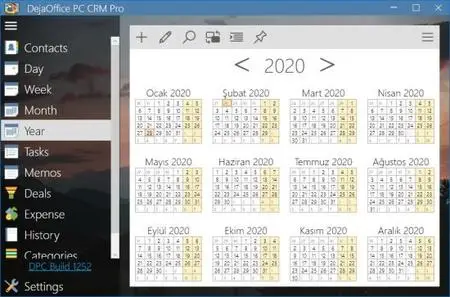
As Featured in Forbes in 2019 - Multi-User PC Based CRM - Adds Scheduling, Followups, History and Mobile Sync for your Sales and Customer Service Team. Low Cost CRM for your PC - DejaOffice PC CRM. Contacts, Calendar, Tasks and Notes linked to your Mobile Phone.


DejaOffice PC CRM Professional
A full featured multi-user CRM tool for with sync to Android and iPhone

What is DejaOffice PC CRM?
DejaOffice PC CRM is a full featured PC CRM tool With DejaOffice you can easily add contacts and complete calls, events, tasks and emails and notes with your customers, vendors, and associates.

Features of DejaOffice PC CRM?
- Buy it once! One price, one time!
- Secure Local data store - Your data on Your PC
- Free USA Based Telephone Technical Support
- Support multiple devices, phone and tablet, at the same time

Contacts, Calendar,Tasks and Notes
Basic Contact management functions. Unlimited number of Contacts, Calendar Items, Tasks and Notes.

Day View, Week View, Month View, Calendar List
Basic Calendar functinons for Day, Week, and Month views. Recurring appointments, multi-day events, color caregories

Print List and Detail
Print Contact List, Contact Detail, Dayh View, Month View, Task List, Notes.

Contact Notes with Date
Contact Notes field with optional Date label for each note.

Private Records, Masked Records, Hidden Records
Mark any Contact, Calendar or Task private. Settings to mask or hide private records. Make sure no one sees your private data.

Automatic Backup
Automatically backs up every day or every week. Easy to move or restore backup.

Sync with another PIM
Automatic Sync with Outlook, Palm Desktop, or Google. DPCX,DPCP will sync with Act! and GoldMine.

Sync with another CRM
Requires Express/Pro: Sync with with Act! and GoldMine.

Scan Outlook Email to History
Requires Express/Pro: Automatically scan inbox and outbox to build Contact History automatically.

Multi-User Shared Files
Requires Pro: Store database on server so that your staff can log in. Set individual user ID's. Set individual passwords. Each record can have an "owner" and can control visibility for other users.

Requirements: Works on Windows 7, Windows 8 and Windows 10

Home Page -
Код:
https://www.companionlink.com


-:DOWNLOAD FROMLINKS:-

RapidGator
Код:
https://rapidgator.net/file/a1b4184cfa9b29d4029d14c70a259c68/CRM.Pro.1.0.252.0.rar.html

NitroFlare
Код:
https://nitroflare.com/view/58507D353B344D0/CRM.Pro.1.0.252.0.rar

​
 
Scientific Toolworks Understand v5.1.1014


a23bf87e86802e3cc8ce145ff8a968e9.jpg

Scientific Toolworks Understand v5.1.1014 (Win/Mac) | 130/149/206 Mb
​
Understand provides you with pertinent information regarding your code. Quickly see all information on functions, classes, variables, etc., how they are used, called, modified, and interacted with. Easily see call trees, metrics, references and any other information you would want to know about your code.


Metrics & Reports
Understand is very efficient at collecting metrics about the code and providing different ways for you to view it. There is a substantial collection of standard metrics quickly available as well as options for writing your own custom metrics when we don't cover exactly what you need.

Graphing
Understand offers graphs that allow you to see how your code connects (dependencies), how it flows (control flow graphs), what functions call other functions (call graphs), and many more. There are many customization options to easily allow you to display only what you are interested in seeing so the graph is best suited to what you need.

Standards Testing
Understand provides a way to check your code using published coding standards, or your own custom standards. These checks can be used to verify naming guidelines, metric requirements, published best practices, or any other rules or conventions that are important for your team.

Dependency Analysis
See all the dependencies in your code and how they connect. See these dependencies using Understand's interactive graph or using the textual Dependency Browser. Both allow you to see all dependencies quickly and easily at a high level or dig in and get the details.

Editor
Understand's powerful editor is a full modern programming GUI that incorporates all the modern features you would expect. It is designed from the ground-up for multi-monitor use and it includes tabs, tab groups, docking, syntax colorization, auto-completion, and syntax-based collapsing and folding just to name a few.

Search
Multiple options are available for searching in Understand. For instant results, use our "Instant Search" feature which provides results before you are even done typing. Understand also provides search options for more customized and complicated searches, such as Regular Expression and Wildcard searches.

Languages
Understand supports more than a dozen languages and can handle code bases that are written in multiple languages. This allows you to see calls and dependencies between languages so you can get information about the complete system.

Operating System: Windows 7, 8/8.1, 10

Home Page -
Код:
http://www.scitools.com/


-:DOWNLOAD FROMLINKS:-

RapidGator
Код:
https://rapidgator.net/file/f560fa0e47da7c933276f83cc9d7aaf8/Understand-5.1.1014.rar.html
https://rapidgator.net/file/c5e2a44a33f794e57956779330a6841f/Understand-5.1.1014x64.rar.html

NitroFlare
Код:
https://nitroflare.com/view/A2EF2A781C2B98E/Understand-5.1.1014.rar
https://nitroflare.com/view/E0495CB3D7413D5/Understand-5.1.1014x64.rar

​
 
QFX KeyScrambler Professional v3.12.0.9


c92ec7437789a0c8326fee4c1c695460.png

QFX KeyScrambler Professional v3.12.0.9 | 1.6 Mb
​
KeyScrambler encrypts your keystrokes deep in the kernel, as they travel from your keyboard to the destination app, so whatever keyloggers may be awaiting in the operating system will get only scrambled, indecipherable, useless data to record. This preventive approach enables KeyScrambler to stay one step ahead of the bad guys instead of running after them. It protects your data/identity even on security compromised computers, defeats both known and unknown keyloggers, and effectively closes the gap in traditional anti-virus, anti-malware programs, whose detect-and-remove method proves ineffective in dealing with new malware attacks.


Premium:
The most complete protection.
If you work in public places often, use the information-sensitive applications a lot, or own a business, KeyScrambler Premium is what you need. KeyScrambler Premium starts the minute you turn on your computer and protects all your inputs in over 170 browsers and applications, adding a unique line of defense to your PC security system against online information theft.

Professional:
For work, for play, for your home office and family computers, KeyScrambler Professional offers the exact level of protection that you need against keylogging. KeyScrambler Professional protects all your inputs in over 120 Windows applications, including 25 browsers, popular email and IM/VoIP programs, password managers, music programs, online games and a lot more.

Operating System: Windows 10, 8.1, 8, 7, 2003, Vista, and XP (32-bit and 64-bit versions)

Home Page -
Код:
https://www.qfxsoftware.com/


-:DOWNLOAD FROMLINKS:-

RapidGator
Код:
https://rapidgator.net/file/2ce798e0c8efea3839ec34e3576da5a3/KeyScrambler.3.12.rar.html

NitroFlare
Код:
https://nitroflare.com/view/9D12F292E481F6D/KeyScrambler.3.12.rar

​
 
Raxco InstantRecovery Server v2.4.1.324


26aab1fc5fa0ac4efea84289d2961466.jpg

Raxco InstantRecovery Server v2.4.1.324 | 9.3 Mb
​
InstantRecovery provides bootable system snapshots that allow the instant recovery of desktops and laptops - including data secured via unique patented Data Anchoring - in the time it takes to reboot.


Zero Day Disaster Recovery with No Data Loss
MBR and GPT Disk Support
Instant recovery of desktop and laptop systems
Access to user data up to the point of failure via unique "Data Anchoring"
Support for multiple snapshots
Schedule snapshots and archives

Operating System: Windows 10, 8, 7, Vista & XP

Home Page -
Код:
https://www.raxco.com/home/products/instantrecovery


-:DOWNLOAD FROMLINKS:-

RapidGator
Код:
https://rapidgator.net/file/0b85d6379e77bd7a4739f1ca7bf9da28/RecoveryServer2.rar.html

NitroFlare
Код:
https://nitroflare.com/view/ECC300B9BA03B7C/RecoveryServer2.rar

​
 
DMSoft DBSync for Access and MSSQL v4.1.3


436a22629ee3058a388a173eef6b5e8b.jpg

DMSoft DBSync for Access and MSSQL v4.1.3 | 45.6 Mb
​
The programs listed here support conversions and synchronizations of Microsoft SQL database structures, tables, fields and indexes to Microsoft Access 32/64 formats. A lot of options make the job fast and fully customized in order to get the perfect results from the migration process. Both MS Access x86 and MS Access x64 versions are supported. Microsoft SQL Server is definitely the superior database system.


Product Highlights:
Saving data into a MS SQL Dump for export to MS SQL database
Views conversion from MS SQL to MySQL and Oracle and back support
Speed conversion with Bulk and Quantization features
MS Access Work Groups support
Linked tables support
Bi-directional synchronization between MS SQL, MySQL, Oracle and PostgreSQL
MS SQL schemes support
Access queries to MS SQL, MySQL and PostgreSQL views conversion support
MS SQL Server (Express) 2000/2005/2008/2008 R2/2012/2014/2016, SQL Azure support
Amazon RDS SQL Server DB Instance support
Ability to select TCP/IP, PIPE, IPX/SPX communications protocols

Product Requirements:
Necessary privileges to write into database on the target MS SQL server (this requirement is optional as there is an option to overcome the restrictions using dump file)
Access 2000 or higher. Both Access 32/64 versions are supported
Microsoft Visual C++ 2008 x86 Redistributable package

Home Page -
Код:
https://dbconvert.com/


-:DOWNLOAD FROMLINKS:-

RapidGator
Код:
https://rapidgator.net/file/3f5c79bb3366fabfcc2953fcf1d89a92/mssql4.1.3.rar.html

NitroFlare
Код:
https://nitroflare.com/view/035618F42E19DD6/mssql4.1.3.rar

​
 
Disk Pulse Ultimate / Enterprise v12.4.18


th_qsDCntYu98DFz6ZajLKBzRjYqP6ebnDC.jpg

Disk Pulse Ultimate / Enterprise v12.4.18 (x86/x64) | 27.5 Mb
​
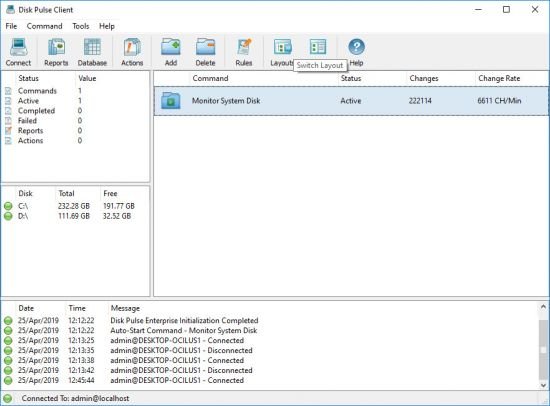
DiskPulse is a real-time disk change monitoring solution allowing one to monitor one or more disks or directories, save reports and disk change monitoring statistics, export detected changes to a centralized SQL database, execute custom commands and send E-Mail notifications when unauthorized changes are detected in critical system files.


DiskPulse Main GUI Application
The DiskPulse GUI application provides the user with the ability to start/stop disk change monitoring operations, review detected file system changes and export reports.

Disk Change Monitoring Filters
The bottom part of the DiskPulse GUI application includes the 'Categories' pane, which is capable of categorizing detected file system changes by the file type, size, extension, user name, etc. and allows one to filter changes by one or more change categories.

Disk Change Monitoring Statistics
The pie charts dialog is capable of showing numbers of changed files and the amount of changed disk space per extension, change type, file size and file type. In addition, the user is provided with the ability to copy the chart image to the clipboard allowing one to easily integrate DiskPulse charts into presentations and documents.

Disk Change Monitoring Directories
The profile dialog's 'Monitor' tab allows one to specify one or more disks or directories that should be monitored. All the specified directories will be monitored recursively including all subdirectories.

Disk Change Monitoring Events
The profile dialog's 'Events' tab allows one to select one or more file system event types that should be monitored.

Disk Change Monitoring Rules
The profile dialog's 'Rules' tab provides the user with the ability to limit a disk change monitoring operation to one or more specific file types.

Supported Operating Systems:
Windows XP, Vista, 7, 8, 8.1, 10 Server 2003, 2008, 2008 R2, 2012, 2012 R2, 2016

Home Page -
Код:
https://www.diskpulse.com/

-:DOWNLOAD FROMLINKS:-

RapidGator
Код:
https://rapidgator.net/file/470b1ad429f0ac472764b57d8a730357/DiskPulse12.rar.html

NitroFlare
Код:
https://nitroflare.com/view/2C942B045846F3A/DiskPulse12.rar

​
 
MultiCommander v9.6.1 Build 2582


722f8e58e0611cef9a71faf2840bf0b5.jpg


File size:15.5 MB
​
Multi Commander is a multi-tabbed file manager and is an alternative to the standard Windows Explorer. It uses the very popular and efficient dual-panel layout. Multi Commander has everything you need in your daily work with files to increase your speed and efficiency.

It has all the standard features that any file manager has, like copy, move, rename, view. But Multi Commander's big strengths are the special features that allow you to accomplish advanced tasks with ease. Tasks such as Auto-unpacking; Auto-sorting; Browsing inside archives; Editing the Windows Registry and accessing FTP; Searching for and Viewing files and pictures. There is also powerful, built-in Scripting support that allows you automate many tasks and expand its functionality. It allows you to do everything from the keyboard using shortcuts so that you can work quickly and efficiently.

Features:
Fast & Efficient File Management
Dual pane tabbed interface. Work with multiple folders open.
Caching that enable fast file browsing. Easily handle folders with many thousands of files.
Browse with ease. Show files in Detailed, List, or Thumbnail modes. Use powerful filters to limit what you want to view.
Background work for all tasks that take time to finish, allowing you to continue working without interruption.
Fast Operation. Use the mouse and drag & drop or use quick keyboard commands for all tasks.
Remember all your selections when you return from browsing another location in the filesystem.

Browse archives
(Zip, 7-Zip, Rar, Tar, gz, bz2 )
Powerful and flexible file search.
View and change file permissions. Take ownership of files.

Advanced
File Operation plug-ins that can automatically sort or unpack files when they are moved or copied.
MultiRename tool for the fast and safe renaming of multiple files/Folders: rule-based and supports Undo.
File viewer that lets you view files of any size with minimal memory usage. View as ASCII/Unicode/UTF8/Binary and Hex.

Customizable & Extensible
Customize layout and colors to suit your styling needs.
Powerful script engine allowing you to create scripts to automate tasks.
Extensions and plug-ins that expand the functionality of Multi Commander.
Open API for developers (SDK) to create extensions and plug-ins.

Multimedia
Picture tools to convert/rotate images, view/remove EXIF tags, adjust EXIF Date.
Internal picture viewer for Jpg, Gif, Png, Bmp, Tiff and many RAW formats.
Show movie information from IMDB and Rotten Tomatoes as extra columns on your movie files.
Audio tools to view audio file properties, view and/or edit MP3 Tags.

Network Features
FTP viewed as a virtual filesystem (with SSL/TLS support).
Browse network servers and shares.


-:DOWNLOAD FROMLINKS:-
RapidGator
Код:
https://rapidgator.net/file/c89221dac9127d30d4db67909854b2e0/MultiCommander9.6.1.2582.rar.html

NitroFlare
Код:
https://nitroflare.com/view/FD474FD715F3A3F/MultiCommander9.6.1.2582.rar

​
 
Disk Savvy Ultimate / Enterprise v12.4.18


21a4ff1e878d55dde90e74e032e1e914.jpg

Disk Savvy Ultimate / Enterprise v12.4.18 (x86/x64) | 27.2 Mb
​
Disk Savvy is a disk space usage analyzer capable of analyzing disks, network shares, NAS devices and enterprise storage systems. Users are provided with multiple disk usage analysis and file classification capabilities allowing one to gain an in-depth visibility into how the disk space is used, save reports and perform file management operations.


DiskSavvy Main GUI Application
The DiskSavvy main GUI application provides the user with the ability to analyze one or more disks, directories, network shares or NAS storage devices, categorize and filter disk space analysis results, save disk space analysis reports to the HTML, PDF, Excel, XML, text or CSV formats, perform file management operations and much more.

Disk Space Analysis Profile Dialog
The disk space analysis profile dialog allows one to specify disks, directories and/or network shares to analyze and provides the ability to configure advanced disk space analysis options.

Disk Space Analysis Categories and Filters
DiskSavvy is capable of categorizing and filtering disk space analysis results by the file type, size, user name, file extension, etc. The bottom part of the main GUI application shows the available file categories and allows one to set one or more file filters, generate various types of pie charts, save disk space analysis reports and perform file management operations on filtered disk space analysis results.

Disk Space Usage Pie Charts
The pie charts dialog is capable of showing the amount of used disk space and the number of files per directory, file extension, file type, user name, last access, modification and creation dates, etc. In addition, the user is provided with the ability to copy the chart image to the clipboard allowing one to easily integrate DiskSavvy charts into user-custom presentations and documents.

File Classification Results
DiskSavvy provides the user with the ability to classify disk space analysis results using a number of file classification plug-ins allowing one to understand what types of files are using the disk space in one or more disks or directories.

Analyzing Network Servers and NAS Storage Devices
DiskSavvy allows one to scan the network, discover network servers and NAS storage devices, automatically detect all accessible network shares and analyze disk space usage in hundreds of network servers and NAS storage devices.

Supported Operating Systems:
Windows XP, Vista, 7, 8, 8.1, 10 Server 2003, 2008, 2008 R2, 2012, 2012 R2, 2016

Home Page -
Код:
https://www.disksavvy.com/


-:DOWNLOAD FROMLINKS:-

RapidGator
Код:
https://rapidgator.net/file/7e3c9a496051557c206f137f7324f05f/DiskSavvy12.rar.html

NitroFlare
Код:
https://nitroflare.com/view/82E6027BC438324/DiskSavvy12.rar

​
 
SoftwareNetz Cash Book v9.15


16f0cc0fb1d44da5a88cdcc885c1415a.jpg

SoftwareNetz Cash Book v9.15 Multilingual | 17 Mb
​
The Softwarenetz Cash Book is a simple bookkeeping program which enables you to book your cash- and bank mutations easy, fast and without any knowledge of bookkeeping. Because of the userfriendly design, all 'none-computer-experts' are able to use the Cash Book right away.


Unlimited amount of cash books
You can open and manage as many different cash books as you like.

Onlinebanking integrated
Bank mutations within the Cash Book can be booked completely automatically.
The Cash Book has several possibilities to retriev the bank mutations: HBCI-banking (Germany), text import and a direct connection to the internet for PayPal-mutations.
With the help of rules, the bank mutations are being analysed by the Cash Book and assigned to the appropriate booking account. This helps you to book your bank mutations within a few seconds.

Datev-interface (Germany)
With a mouse click the bookings are being exported into Datev-format. This file can be send to your accountant per email.

Digitalise documents
The new cash book offers you the possibility to add or scan a PDF-document to every booking. Just add a paid invoice, receipt etc. Years later you are still able to display the receipt and print it if necessary. Besides that you can print the monthly journal including the documents or save it as a single PDF-file.

Profit and loss
The Cash Book will show you the profit and loss situation over a selected period.
Additionally private revenues & costs of an one-man business can be taken into account.

Operating System: Windows XP, Vista, 7, 8/8.1, 10

Home Page -
Код:
http://www.softwarenetz.de/


-:DOWNLOAD FROMLINKS:-

RapidGator
Код:
https://rapidgator.net/file/00f219808c2570f4b61aa537b4fe8233/kasbuch9.15.rar.html

NitroFlare
Код:
https://nitroflare.com/view/2529624C1A72E8B/kasbuch9.15.rar

​
 
MediaHuman YouTube Downloader v3.9.9.32 (2801) Multilingual


085a9cdb5bf3a06291c3cdc7fbb94050.jpg

MediaHuman YouTube Downloader v3.9.9.32 (2801) Multilingual | 32.1 Mb
​
MediaHuman YouTube Downloader is a handy application for those who found a favorite music video or trailer of a new movie and wants to keep it on your computer for viewing offline. Or you need to download a video lesson/tutorial. Our video downloader is an ideal solution for such kind of tasks.


Simultaneous downloads
- Supports Ultra High resolutions up to 4K
- Download whole playlists and channels
- YouTube, Vimeo, Dailymotion, Soundcloud
- Extract audio track and save it as MP3
- iTunes support
- VEVO support

System Requirements:
Internet connection
Windows 10, Windows 8, Windows 7, Windows Vista, Windows 2003, Windows XP for PC systems (32bit/64bit)
About 70 Mb of free hard drive space

Home Page -
Код:
http://www.mediahuman.com


-:DOWNLOAD FROMLINKS:-

RapidGator
Код:
https://rapidgator.net/file/062dd6a84d82a4d1a318ae1d5d7bb087/YouTubeDownloader3.9.rar.html

NitroFlare
Код:
https://nitroflare.com/view/EE09F5844F8169C/YouTubeDownloader3.9.rar

​
 
MediaHuman YouTube to MP3 Converter v3.9.9.32 (2801) Multilingual


70a4897308aeedb4f8104a187482a833.jpg

MediaHuman YouTube to MP3 Converter v3.9.9.32 (2801) Multilingual | 38 Mb
​
You like to listen to music on YouTube or SoundCloud and want to save it for offline playing. Or you want to download soundtrack of a new movie. Then we recommend you to try out this software developed specifically for this purpose.


Downloads all music from playlist or channel
Downloads highest available quality up to 320 kbps
Supports YouTube, Vimeo, SoundCloud, Dailymotion, VEVO, etc.
Downloads simultaneously several tracks
Includes simple tag editor with cover art support
Works on all modern platforms (macOS, Windows, Ubuntu)
Imports into iTunes

Playlists and channels
The software supports downloading all videos of a playlist or a channel. And there is also an option for subscribing to and downloading only newly uploaded tracks.

iTunes support
In the preferences of the application you can select an option to add downloaded tracks into iTunes automatically. You can also specify iTunes playlist, where the converted track should be added.

Saves your time & traffic
The app detects audio track in YouTube video clip and downloads it, skipping the video part. As a result download speed increases dramatically, especially on HD-quality content.

Simple tag editor
Application automatically detects artist name and track title of the video and saves it in the downloaded file. But at the same time, you can easily change tags to whatever you want. You can even change a cover art image.

Original format, no conversions
You can save audio tracks in original quality without any conversion. It means that there will be no loss of quality and it greatly reduces the downloading time.

Free music
There is a great amount of music on YouTube. You can always find the one you like there. And YouTube to MP3 Converter allows you to save it on your computer for free. Just find the track you like and download it in the quality you need.

Not only YouTube
Vevo.com, Vimeo, DailyMotion, Soundcloud, Bandcamp, HypeMachine, MixCloud, UOL and many other sites are also supported. So you can download music as easy as from YouTube.

Clipboard tracking
The program tracks the content of the system clipboard. It means that you can easily add a video clip without switching from your favorite browser. Just copy an URL into the clipboard and it will be added to the download queue.

Multilingual interface
Localized to: Arabic, Armenian, Azerbaijani, Bulgarian, Catalan, Chinese (Taiwan), Croatian, Czech, Danish, Dutch, English, Esperanto, French, German, Greek, Hebrew (Israel), Hungarian, Indonesian, Italian, Japanese, Korean, Latvian, Lithuanian, Malay, Norwegian Bokmål, Polish, Portuguese, Portuguese (Brazil), Romanian, Russian, Spanish, Swedish, Turkish, Vietnamese

System Requirements:
Internet connection
Windows 10, Windows 8, Windows 7, Windows Vista, Windows 2003, Windows XP
About 40 Mb of free hard drive space

Home Page -
Код:
https://www.mediahuman.com/


-:DOWNLOAD FROMLINKS:-

RapidGator
Код:
https://rapidgator.net/file/c23d47f48b5878b561b6d70c129dc753/YouTubeToMP3.3.9.32.rar.html

NitroFlare
Код:
https://nitroflare.com/view/9634E46BF3468EE/YouTubeToMP3.3.9.32.rar

​
 
MultiBoot 2k10 (DVD/USB/HDD) 7.25 Unofficial


f7d6e1676719b56fc00abb079d433c71.png


OS : 32/64 bit | Language : Russian / English | File Size : 5.13 GB
​
MultiBoot 2k10

is a multi-boot disk of the system administrator, the main purpose of which is to prepare for the hard disk, as well as to install the operating system, which includes the design and unpacking of system images, data recovery after various failures, resuscitation of the OS.

Also, the disk will be useful for cleaning the system from a variety of malicious programs, as well as testing a wide variety of computer components, with the provision of detailed reports. All programs in the set are combined under one shell, and provide the ability to install both from the hard drive and from any removable media! There are really a lot of programs in the composition, and all of them are designed to configure and improve the use of system capabilities.

This disk is based on the bootloaders BOOTMGR (Windows 8.1.1), Isolinux / Syslinux v.4.06 and Grub4Dos v.0.4.6a and consists of a large number of products integrated by the shell, with the ability to boot from CD / DVD, USB Flash Drive, USB- HDD and regular HDD. The main purpose is to prepare the HDD, install the OS (with the ability to install Win 2000 / XP / 2003 / Vista / 7 - WinNTSetup utilities, installation packages are not included in the assembly!), Create / deploy system images, restore / copy data, resuscitate the operating system and boot recovery, cleaning the OS of viruses / trojans and blockers / porn banners, testing the main components of the PC and much more. There is network support with the ability to access the Internet and multimedia support. It is possible to use most of the programs from the assembly as "portable"

The list of programs in the assembly:
• USB-driver PLOP v.5.0.11
• C9PE Plus Pack (@ conty9) 2k10
• WinPE 7x86 Live (@ Xemom1) Special Edition 2k10
• WinPE 7x64 Live (@ Xemom1) Special Edition 2k10
• WinPE 8x86 Live (@ Xemom1) Special Edition 2k10
• WinPE 8x64 Live (@ Xemom1) Special Edition 2k10
• WinPE 10x86 Live (@ Xemom1) Multilingual Edition 2k10
• WinPE 10x64 Live (@ Xemom1) Multilingual Edition 2k10
• Parted Magic 2017.03.14 / Linux Live-CD /
• Linux version of Acronis DDH v.12.0.3270 (rus)
• Linux version of Acronis TIES v.9.7.8398 (rus)
• Linux version of Acronis TI Premium 2014 v.17.0.6673 (rus)
• Linux version of Acronis Universal Restore v.11.5.38938 (rus)
• Linux version of Acronis B&R Advanced v.11.5.39029 (rus)
• Linux version of Acronis Snap Deploy v.5.0.1416 (rus)
• Linux version of Acronis Align Tool for WD / Hitachi v.2.0.154 (eng)
• Linux version of Paragon HDM 12 v.10.1.21.471 (rus)
• Linux version of Paragon HDM 15 v.10.1.25.813 (rus)
• Linux version of MiniTool Partition Wizard Server Edition v.9.1 (eng)
• Linux version of TeraByte Image for Linux v.3.17 (eng)
• DOS version of Acronis TIES v.9.7.8398 (rus)
• DOS version of Paragon HDM 15 v.10.1.25.813 (rus)
• DOS version of Hiren's Boot CD 15.2 (rus)
• A large set of various DOS utilities, and much more.

HOW TO CREATE A BOOTABLE DVD OR USB-FLASH / USB-HDD1. For CD/DVD:
You will need a program for recording images - for example, Nero Burning ROM. Upustiti the program, Recorder -> apasati image, specify the image file, to make sure that it was noted "Finalize disc" and a recording method "Disc-At-Once (DAO)".The disc recording with the other settings will not boot!For Nero also recommended "Enable generation of short Lead-Out" (File -> Options -> Expert Features), it can reduce the recording time to speed up the recognition time of the compact and a bitto increase the "capacity" blanks. The write speed - the minimum within reasonable limits. Recommend 8-16x for CD-ROM or 4 - to DVD. The principle is that slower write -> faster (reliable) read.
You can also use other programs, allows you to record images (for example, UltraISO, Alcohol 120, ...).

2. Installing Assembly on flash drive:
Attention !!! Many utilities (for example, the standard windows format) are not fully format a USB flash drive, they see what it is, and do not touch the areas that they seem to be correct.Therefore, it is advisable to clean the stick, eg by RMPrepUSB, HDD Low Level Format Tool or run a test to record any of the utilities FlashNull, Check Flash, HD Tune Pro, Flash MemoryToolkit Pro, it is guaranteed to kill the layout and formatting make the program do everything from scratch. After cleaning necessarily "distort" the stick, after formatting and perform its validation using CheckDisk (2k10\Programs-2k10\HDD-Utilites\).When bugs repeat cleaning stick and formatting. If you use formatting with BootICE -> Parts Manage -> ReFormat USB disk, it is unnecessary operations. BootICE when formatting automatically makes cleaning.

2.1 The flash drive you must first format (Warning! All data on the flash drive will be destroyed). This is required in order to flash drive was seen as Bios USB-HDD, with which it is possible to load the operating system.If the flash drive / propeller is already used as a boot, you can skip this item. The stick is recommended to format under FAT32 (on the filesystem it works longer and more stable) but if necessary you can use NTFS (faster "kills" the stick, requires a safe removal, but supports files larger than 4Gb). This is best done by using RMPrepUSB (present in the Assembly on the way 2k10\Programs-2k10\Flash-Utilites\RMPrepUSB or from the menu P2Start.EXE "Programs 2k10\USB-Flash utility"). This utility creates as close as possible to the screw geometry on a flash drive.If you check Boot as HDD (C: 2PTNS), on a flash drive will be created two partitions (half the minimum size for maximum imitation screws). Ho I don't recommend using this option this flash drive will "hang" appliances (TVs with flash player, players, etc.). Enough to do, as in the figure.

Alternative methods for formatting the stick (instead of 2.1)
2.1.1 Formatted the stick with HP USB Disk Storage Format Tool (is in the Assembly on the way 2k10\Programs-2k10\Flash-Utilites\HPUSBFW\ or in the menu, under USB-Flash utility), you can use a quick format. Ha some PCs may not work (on a flash drive is connected correctly loader). If it works, you can use both for FAT32, and for NTFS.
2.1.2 Formatted the flash drive using BootICE (2k10\Programs-2k10\Flash-Utilites\BootICE\)...It is recommended to format the way: BootICE (choose the stick) -> Parts Manage -> ReFormat USB disk -> USB-HDD mode (Single Partition) - Align to sectors: 2048 -> Next -> FAT32 (NTFS) -> OK. The same does not always work, I - the loader is connected correctly only on NTFS.
2.1.3 Use FBInstTool (2k10\Programs-2k10\Flash-Utilites\FBInstTool\). Utility for custom formatting flash drives, creates a structure of a special type (USB-ZIP or USB-HDD). Select the USB flash drive (focus on size!), noted in the formatting options: -raw force, format.
2.1.4 Use the script FlashFormat_2k10_FBinst (2k10\Programs-2k10\Flash-Utilites\FBinst-FF\). Utility for custom formatting flash drives, creates a structure of a special type (USB-ZIP + USB-HDD). Select the USB flash drive (focus on size!), use method 7. RAW FORMAT, format.
Scripts automatically reconnect the USB flash drive so "juggle" it after formatting is not required.
2.1.5 To format the flash with automatic connection loader XORBOOT it is recommended to use scripts:
a) FlashFormat_2k10_FBinst - method 1 (up to 2Gb stick under FAT16) or method 2 (stick 4-32Gb under FAT32). Support USB-ZIP. Ha older systems will be loaded only WinXP-PE.
b) FlashFormat_2k10_FBinst - method 5 (up to 2Gb stick under FAT16) or method 6 (stick 4-32Gb under FAT32). Support for USB-ZIP + USB-HDD. Ha older systems will be loaded only Win7-PE.
c) FlashFormat_2k10_RMprep - apply if the required support NTFS, use method 5 (stick of any size). Support only USB-HDD.
Scripts automatically connects the stick so "juggle" it after formatting is not required.
Scripts can be used as OS, and under Assembly (any), they will automatically connect XORBOOT in the MbR (sector 63, PBR is ignored). Immediately after formatting the flash drive, you can check for bootable (startup XORBOOT) under any V-world (eg, MobaLive).

2.2 After formatting remove the flash drive and connect again.

2.3 You need to add to the stick Assembly files - folders 2k10. EFI and file P2Start.exe. The bootmgr file on a flash drive/HDD is not used, so it is not copied.They can be unpacked from an image using 7-zip, WinRar, Total Commander, FAR, UltraISO or copy any of the installed Dev for CD / DVD drive in the virtual root of the stick. If reformatting the stick produced scripts - bootable media ready (boot XORBOOT connected).
Faster to first unpack the image contents to a temporary folder on the screw, and then copy all of it on the stick - repeatedly verified experience.You can also mount an image as a virtual CD-ROM and copy from it - the effect is the same. If the creation of the stick is made under the loaded assembly, convenient to mount the image using ImDisk (RMB on the way, "mount ...").
Main loader, if you wish, you can set/change at any time as in conventional operating systems, and under any PE-Assembly (using a utility SetLDR-2k10 the 2k10 folder).

2.4 Using a bootloader Syslinux/Grub4Dos/BOOTMGR/XORBOOT using SetLDR-2k10 for flash drives/HDD:
You need to make the flash drive bootable. Akudim in the folder 2k10\ on the flash drive, run the utility SetLDR-2k10 and set the appropriate boot loader from the Assembly 2k10. The checkbox (to the right of the inscription Xorboot) - allows for the addition of XORBOOT intermediate boot loader BOOTMGR/GRLDR (it will immediately download the latest). The utility also checks for executable rights (if UAC is active), the presence of downloaders, and to make the partition active (if necessary).

3. Installation to a USB/USB-HDD/HDD:
3.1 The screw you want to format any program on the breakdown of HDD, create a primary active/boot partition of suitable size (at least 2Gb). File system choose FAT32, but if necessary you can use NTFS.
If the HDD is used for parallel data transfer it is convenient to break it down like this: make two primary partitions (if needed - many sections, but definitely the first and last, for Assembly - primary, in the middle can be logical). The first partition formatted to fit your needs in FAT32/NTFS/..., the size of the screw container minus 3-5Gb. The second (or last section, for Assembly) - certainly do active/bootable under FAT32. Ha, this section of the installed Assembly. Why so? It is most convenient - if you want to delete the partition with the Assembly, or, conversely, increase the place under this section, the operation will be QUICKLY made using virtually any Manager disks without data loss in the first sections.
P.S. When used in NTFS loader Syslinux possible problems with the download, so it is recommended to do a breakdown/pereyaslivka USB/HDD using Paragon HDM.
3.2 Performed the Assembly is copied to the active partition HDD (similar to claim 2.3) and connect the loader (p.2.4).

Alternative methods of using boot Grub4Dos using BootICE (2012) for flash drives/HDD:

1. Agnostic WEE. Is placed fully in the MbR (PBR ignored), occupies 63 sectors (outside the box!). There is a built-in menu (you can edit at installation), allows to find and load NTLDR, BOOTMGR, GRLDR,... In connection with the non-standard is not recommended for universal flash, but very useful, for example, as a Boot-Manager on the system drive.
2. GRUB4DOS in the MbR (PBR ignored), occupies 18 sectors (outside the box!). Immediately launches GRLDR. In connection with the non-standard is not recommended for universal stick.
3A. USB-HDD+ in MbR, registration GRUB4DOS in PBR. Not a bad option, and put runs on most flash drives especially suitable for FAT32.
3B. USB-HDD+ in MbR, NTLDR residence in PBR. When installing or rename loader rough in the root directory on the NTLDR or specify the name of GRLDR at registration in PBR (see the picture). Not a bad option, similar 3A.
3C. USB-HDD+ in MbR, registration BOOTMGR in PBR. When installing or rename loader rough in the root directory on the BOOTMGR or specify the name of GRLDR (or GRUBMGR for Assembly) when registration in PBR. Not a bad option, similar 3A.
4B. Windows NT 5.x MbR in MbR, NTLDR residence in PBR. When installing or rename loader rough in the root directory on the NTLDR or specify the name of GRLDR at registration in PBR (see the picture). Good option for bootability on different hardware, but rarely the stick works (depending on chip flash?), especially under FAT32.
5C. Windows NT 6.x MbR in MbR, BOOTMGR residence in PBR. When installing or rename loader rough in the root directory on the BOOTMGR or specify the name of GRLDR (or GRUBMGR for Assembly) when registration in PBR. Good option for bootability on different hardware, for some stick may not work under FAT32 (depends on chip flash?). Implemented utility SetLDR-2k10.
My recommendations: for flash drives, unless you want to transfer files larger than 4Gb to try to install the utility SetLDR-2k10, check loading in MobaLive. If not work - use NTFS+SetLDR-2k10 or installation option using BootICE - 3C (3A 3B - they are virtually identical) to FAT32.
Whats New• Updates: official site does not provide any info about changes in this versionSystem requirements:
• Computer with 128Mb RAM or higher, CD / DVD drive or USB interface.

-:DOWNLOAD FROMLINKS:-
RapidGator
Код:
https://rapidgator.net/file/63e572ec051f142746e73ad9193e4707/MultiBoot_2k10_7.25_Unofficial.part1.rar.html
https://rapidgator.net/file/86f023892e157accd0768871f28d27bf/MultiBoot_2k10_7.25_Unofficial.part2.rar.html
https://rapidgator.net/file/f5186abff761f58db1cff35bfaf8b4f3/MultiBoot_2k10_7.25_Unofficial.part3.rar.html
https://rapidgator.net/file/9d45e2ed214dbdb4abf203d1c535b7dc/MultiBoot_2k10_7.25_Unofficial.part4.rar.html
https://rapidgator.net/file/4eff37e9f31b39eb458e1869099fc3ec/MultiBoot_2k10_7.25_Unofficial.part5.rar.html
https://rapidgator.net/file/f38b4ea34c1f095a870cbbd213171cc4/MultiBoot_2k10_7.25_Unofficial.part6.rar.html

NitroFlare
Код:
https://nitroflare.com/view/A616F2259351EBF/MultiBoot_2k10_7.25_Unofficial.part1.rar
https://nitroflare.com/view/674CA53B8B4CF91/MultiBoot_2k10_7.25_Unofficial.part2.rar
https://nitroflare.com/view/BE5F3EB9EDFE891/MultiBoot_2k10_7.25_Unofficial.part3.rar
https://nitroflare.com/view/87ABB5056FF79B9/MultiBoot_2k10_7.25_Unofficial.part4.rar
https://nitroflare.com/view/C39898291CD3126/MultiBoot_2k10_7.25_Unofficial.part5.rar
https://nitroflare.com/view/90D4E7F287E5458/MultiBoot_2k10_7.25_Unofficial.part6.rar

​
 
Назад
Сверху