• Здравствуйте. Сайт заработал в архивном режиме форум www.old.nado.in

Dl4ever Software

Microsoft Exchange Server 2019 CU12 Build 15.02.1118.007 (x64) Multilanguage
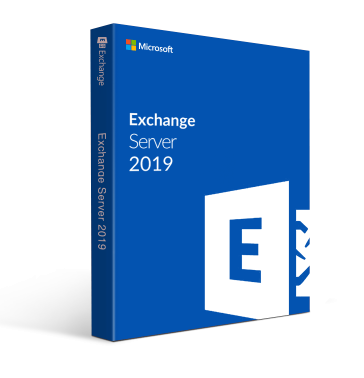

Microsoft-Exchange-Server-2019-CU12-Build-15-02-1118-007-x64-Multilanguage.png


x64 | Language:Multilanguage | File Size: 4.80 GB
​


Exchange Server 2019 is designed to deliver security, performance and improved administration and management capabilities; attributes our largest on-premises customers expect from Exchange.
Here is a selection of other key features in Exchange Server 2019:
Security:
Exchange Server 2019 requires Windows Server 2019. In fact, we recommend installing Exchange Server 2019 onto Windows Server 2019 Server Core. Exchange Server 2019 installed on Windows Server 2019 Core provides the most secure platform for Exchange. You also have the option of installing Exchange 2019 onto Windows Server 2019 with Desktop Experience, but we have worked hard to make sure running Exchange on Server Core is the best choice for our code.
We're aware all media for Windows Server 2019 and Windows Server, version 1809 has been temporarily removed and Microsoft will provide an update when refreshed media is available. Exchange Server 2019 will be fully compatible with version 1809, and the refreshed version.
We also built Exchange Server 2019 to only use TLS 1.2 out of the box, and to remove legacy ciphers and hashing algorithms. To understand how this affects coexistence with earlier versions, please reference our previous series of posts on TLS.
Performance
We've done significant work to allow Exchange Server to take advantage of larger core and memory packed systems available in market today. With our improvements, Exchange Server can use up to 48 processor cores and 256GB of RAM.
We've re-engineered search using Bing technology to make it even faster and provide better results, and in doing so have made database failovers much faster, and administration easier.
We're adding dual storage read/write capabilities to Exchange Server 2019 using Solid State Drive (SSD) technology to provide a super-fast cache of key data for improving end user experience. We also talked about this in our Email Search in a Flash! Accelerating Exchange 2019 with SSDs session at Ignite.
We also changed the way database caching works to allocate more memory to active database copies, again improving the end user experience. You can learn more about Dynamic Database Cache from Welcome to Exchange Server 2019! video and slides.
The improvements we have made to Exchange Server 2019 will enable you to scale to a larger number of users per server than ever before, use much larger disks, and see the latency of many client operations being cut in half.
End user experience
We all rely on Exchange for calendaring, and we know large enterprises are heavy calendar users. We are bringing a few key features such as restricting the forwarding of meeting requests and better control over OOF settings to Exchange Server 2019. Administrators get some new calendaring features too, as we're adding the ability to manage events on user's calendars and assign delegate permissions more easily.
We are also adding support for routing mail to and from EAI/IDN recipients and hope to add additional capabilities in this area in the future.
Prerequisites
OS:Windows Server 2012 R2/2016/2019
This cumulative update requires Microsoft .NET Framework 4.7.2.
Note
The Cumulative Update 1 package can be used to run a new installation of Exchange Server 2019 or to upgrade an existing Exchange Server 2019 installation to Cumulative Update 1.
Original ISO Size:4.8 GB
Winrar Compressed Size:1.28GB


-:DOWNLOAD FROM LINKS:-​
Download From RapidGator
Код:
https://rapidgator.net/file/a0bdde31060d5351200c8eee0f45bcdf/
https://rapidgator.net/file/40b96d612ce4764b7d4b1dbcef0544ba/

Download From NitroFlare
Код:
https://nitro.download/view/7DC2A0E0596F2ED/
https://nitro.download/view/7A1AD17E02F25C4/
 
Navicat Charts Creator Premium 1.0.8 (x64)


Navicat-Charts-Creator-Premium-1-0-8-x64.jpg


File size: 183 MB
​


Navicat Charts Creator turns your data into effective visualizations to have clear insights in data through charts and graphs.
Turn data into actionable insights with ease.
Transform your data into effective visualizations to identify trends, patterns and outliers. Simplify data analysis and share your workspaces to colleagues to better support your business decisions and strategies.
Data Source
Specify the data source that the chart uses.
Chart Design
Build your chart.
Dashboard
Present your charts in dashboard.
Collaboration
Build a collaborative team environment.
Pre-built data connectors.
Navicat Charts Creator allows you to swiftly and securely connect to any data source of your choice.
Relational DB
Connect to a number of different databases: MySQL, MariaDB, PostgreSQL, Oracle, SQLite and SQL Server.
ODBC
Import data from any ODBC data sources including Sybase, Snowflake and DB2.
File Types
Import data from external files such as Excel, Access, CSV, from data stored on your computer, network, or a URL.
Linked File
Link your chart to data in data sources to update the chart according to changes in the underlying data.
Whats New
Код:
https://www.navicat.com/en/products/navicat-charts-creator-release-note

HomePage:
Код:
https://www.navicat.com/

-:DOWNLOAD FROM LINKS:-​
Download From RapidGator
Код:
https://rapidgator.net/file/28a6f18e65f8ff95a2e446a76d90508c/

Download From NitroFlare
Код:
https://nitro.download/view/03010B1B8DC65FD/
 
Navicat Charts Viewer Premium 1.0.8 (x64)


Navicat-Charts-Viewer-Premium-1-0-8-x64.jpg


File size: 182 MB
​


Navicat Charts Viewer is an easy-to-use tool for viewing Charts workspace files. Allow you to navigate workspaces designed by Navicat's Charts feature or Navicat Charts Creator.
Whats New
Updates: official site does not provide any info about changes in this version.

HomePage:
Код:
https://www.navicat.com/

-:DOWNLOAD FROM LINKS:-​
Download From RapidGator
Код:
https://rapidgator.net/file/abaee07d88f8f56346358372f6a5f6f1/

Download From NitroFlare
Код:
https://nitro.download/view/096201511BAD1A9/
 
Navicat Data Modeler Premium 3.1.6 (x64)


Navicat-Data-Modeler-Premium-3-1-6-x64.png


File size: 158 MB
​


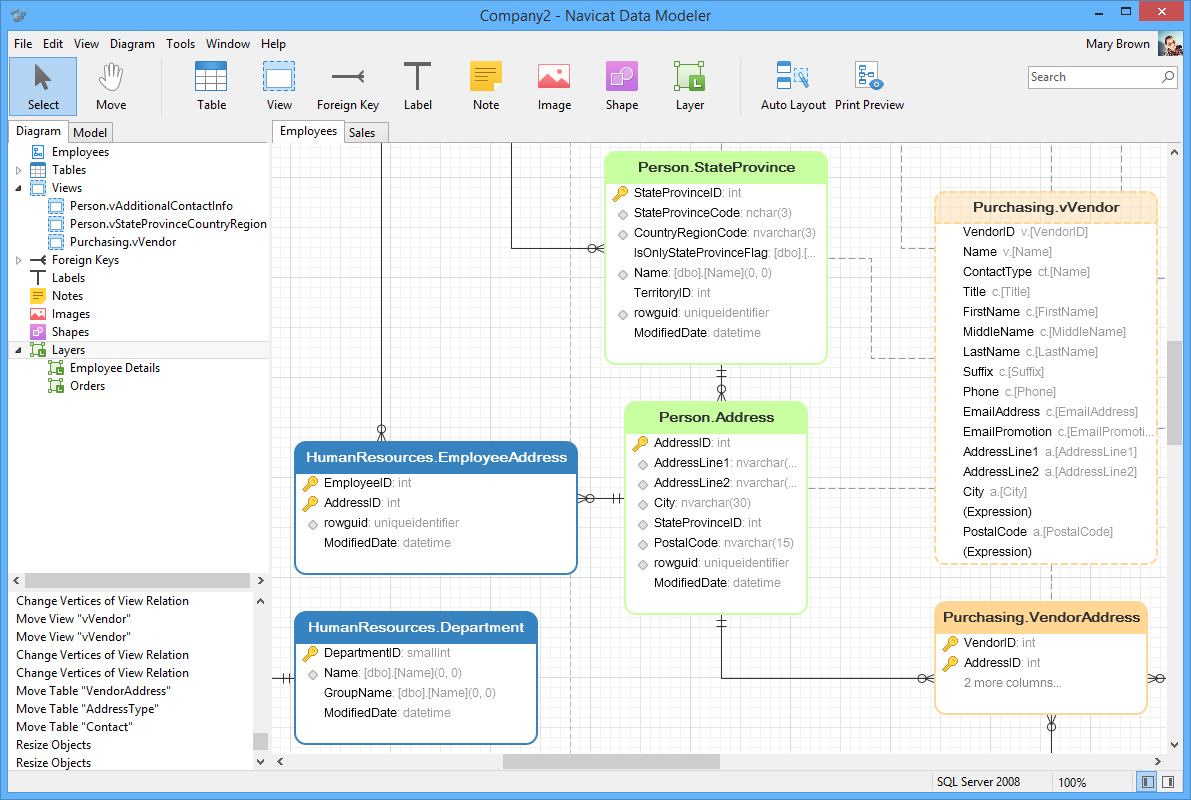
Navicat Data Modeler is a powerful and cost-effective database design tool which helps you build high-quality conceptual, logical and physical data models. It allows you to visually design database structures, perform reverse/forward engineering processes, import models from ODBC data sources, generate complex SQL/DDL, print models to files, and much more.
Simplify the task of creating complex entity relationship models and generate the script SQL with a simple click. Navicat Data Modeler supports various database systems, including MySQL, MariaDB, Oracle, SQL Server, PostgreSQL, and SQLite.
Database Objects
Create, modify, and design your models using professional object designers, available for Tables and Views. Without the need to write complex SQL to create and edit objects, you'll know exactly what you are working on. Also, Navicat Data Modeler supports three standard notations: Crow's Foot, IDEF1x and UML. Using our feature-rich, simple, and user-friendly drawing tools, you can develop a complete data model with just a few clicks.
Model Types
Navicat Data Modeler enables you to build high-quality conceptual, logical and physical data models for a wide variety of audiences. Using the Model Conversion feature, you can convert a conceptual business-level model into a logical relational database model and then into a physical database implementation. From sketching a big picture of your system design to viewing relationships and working with attributes and columns from linked entities, tables and views. You can easily deploy accurate changes to database structures and build organized and more effective database systems.
Reverse Engineering
Reverse Engineering is one of the key features of Navicat Data Modeler. Load existing database structures and create new ER diagrams. Visualize database models so you can see how elements such as attributes, relationships, indexes, uniques, comments, and other objects relate to each other without showing actual data. Navicat Data Modeler supports different databases: Direct connection, ODBC (*Only for Windows and macOS Edition), MySQL, MariaDB, Oracle, SQL Server, PostgreSQL, and SQLite.
Comparison and Synchronization
The Synchronize to Database function will give you a full picture of all database differences. Once your databases are compared, you can view the differences and generate a synchronization script to update the destination database to make it identical to your model. Flexible settings enable you to set up a custom key for comparison and synchronization.
SQL Code Generation
Navicat Data Modeler is not only a tool for creating ER diagrams and designing your databases. Its Export SQL feature also gives you full control over the final SQL script and allows you to generate individual parts of your model, referential integrity rules, comments, character sets, etc., potentially saving you hundreds of hours of work.
Standard Designing Tools
Add vertices, layers, images, shapes, and notes/labels, align/distribute objects, unlimited undo/redo capacity, auto layout, search filter, and more.
Navicat Cloud
Navicat Data Modeler is fully integrated with Navicat Cloud. Sync your model files and virtual groups to the cloud for a real-time access at anytime and anywhere. With Navicat Cloud, you can leverage every minute of your day to maximize your productivity.
Whats New
Код:
https://www.navicat.com/en/products/navicat-data-modeler-release-note

HomePage:
Код:
https://www.navicat.com/

-:DOWNLOAD FROM LINKS:-​
Download From RapidGator
Код:
https://rapidgator.net/file/82129ca32f9775f6d6203ca87cb0ed77/

Download From NitroFlare
Код:
https://nitro.download/view/2DAB68CC5863578/
 
Navicat Premium 16.0.11


Navicat-Premium-16-0-11.jpg


File size: 304 MB
​


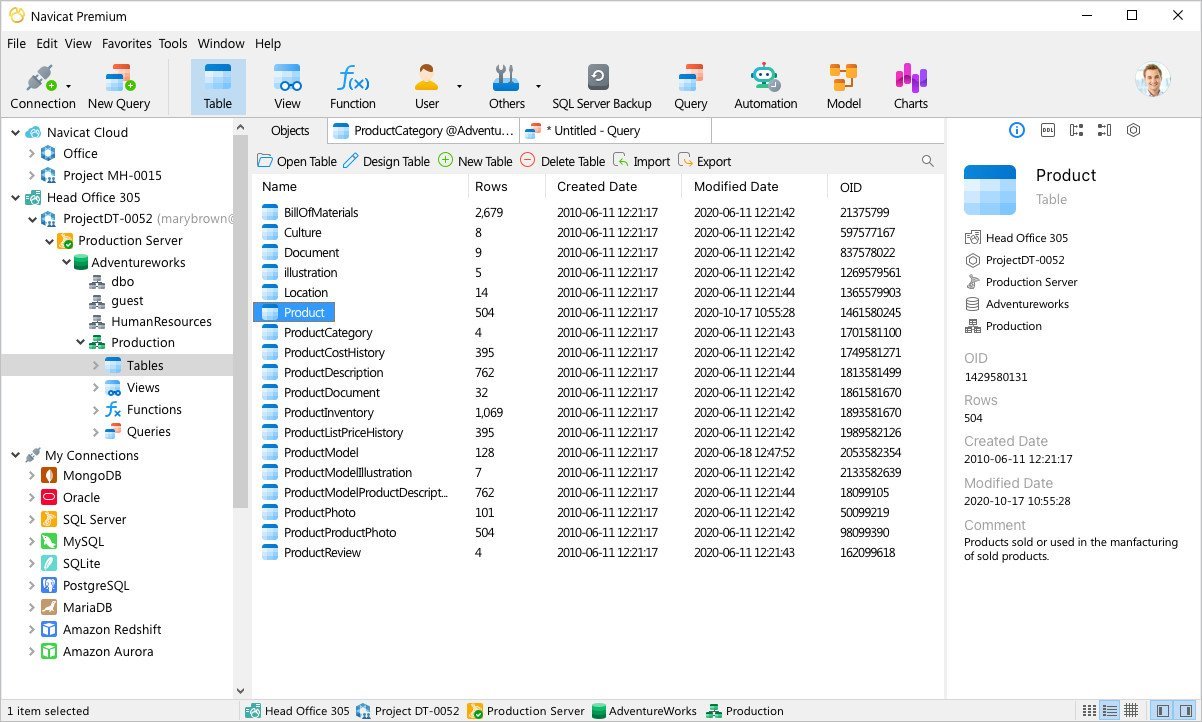
Navicat Premium is a database development tool that allows you to simultaneously connect to MySQL, MariaDB, SQL Server, Oracle, PostgreSQL, and SQLite databases from a single application. Compatible with cloud databases like Amazon RDS, Amazon Aurora, Amazon Redshift, SQL Azure, Oracle Cloud and Google Cloud. You can quickly and easily build, manage and maintain your databases.
Features
Seamless Data Migration
Data Transfer, Data Synchronization and Structure Synchronization help you migrate your data easier and faster for less overhead. Deliver detailed, step-by-step guidelines for transferring data across various DBMS. Compare and synchronize databases with Data and Structure Synchronization. Set up and deploy the comparisons in seconds, and get the detailed script to specify the changes you want to execute.
Diversified Manipulation Tool
Use Import Wizard to transfer data into a database from diverse formats, or from ODBC after setting up a data source connection. Export data from tables, views, or query results to formats like Excel, Access, CSV and more. Add, modify, and delete records with our spreadsheet-like Grid View together with an array of data editing tools to facilitate your edits. Navicat gives you the tools you need to manage your data efficiently and ensure a smooth process.
Easy SQL Editing
Visual SQL Builder will help you create, edit and run SQL statements without having to worry about syntax and proper usage of commands. Code fast with Code Completion and customizable Code Snippet by getting suggestions for keywords and stripping the repetition from coding. Quickly locate and correct PL/SQL and PL/PGSQL coding errors using our debugging component such as setting breakpoints, stepping through the program, viewing and modifying variable values, and examining the call stack.
Intelligent Database Designer
Create, modify and manage all database objects using our professional object designers. Convert your databases into graphical representations using a sophisticated database design and modeling tool so you can model, create, and understand complex databases with ease.
Increase your Productivity
Our powerful local backup/restore solution and intuitive GUI for Oracle Data Pump/SQL Server Backup Utility guides you through the backup process and reduces the potential for errors. Set an automation for repeatable deployment process like database backup and script execution at a specific time or day. No matter where you are, you can always get the job done.
Make Collaboration Easy
Synchronize your connection settings, models, queries and virtual groups to our Navicat Cloud service so you can get real-time access to them, and share them with your coworkers anytime and anywhere. With Navicat Cloud, you can leverage every minute of your day to maximize your productivity. Learn more >
Advanced Secure Connection
Establish secure connections through SSH Tunneling and SSL ensure every connection is secure, stable, and reliable. Support different authentication methods of database servers such as PAM authentication for MySQL and MariaDB, and GSSAPI authentication for PostgreSQL. Navicat 12 provides more authentication mechanisms and high-performance environments so you never have to worry about connecting over an insecure network.
Whats New
Код:
https://www.navicat.com/en/products/navicat-premium-release-note

HomePage:
Код:
https://www.navicat.com/

-:DOWNLOAD FROM LINKS:-​
Download From RapidGator
Код:
https://rapidgator.net/file/a6c94e4c3d2227250e832d7db0a8c134/

Download From NitroFlare
Код:
https://nitro.download/view/FE7B5FD74D49758/
 
NCH ClickCharts Pro 6.60


NCH-Click-Charts-Pro-6-60.jpg


File size: 6.0 MB
​


Easily create a visual representation of a process, organization, mind map or other diagram. Flowcharts provide a unique way of organizing and displaying data so that even highly detailed and complex processes are easier to understand. This makes our flow chart software an ideal method to troubleshoot, as well as an effective way to share information.
Flowchart Making Features
- Includes chart templates to get you started
- Choose from a variety of symbols and line connector styles
- Create UML (Unified Modeling Language) standard visual modeling diagrams
- Edit and customize colors, fills and strokes
- Simple editing functions include copy, paste, undo and more
- Seamless sheet overlapping for creating and printing large diagrams
- Open and edit multiple diagrams simultaneously
- Detail control for artistic styles for filling and lining
- Export flow charts as jpg, gif, png or other image file formats to share or use in other applications
Whats New
Код:
https://www.nchsoftware.com/chart/versions.html

HomePage:
Код:
http://www.nchsoftware.com

-:DOWNLOAD FROM LINKS:-​
Download From RapidGator
Код:
https://rapidgator.net/file/abde1939c7b2630f6caa9b292f533c8d/

Download From NitroFlare
Код:
https://nitro.download/view/827FF55661D0CDA/
 
NCH Crescendo Masters 8.22


NCH-Crescendo-Masters-8-22.jpg


File size: 6.0 MB
​


A simple and intuitive way to write musical notation, Crescendo allows composers to write, save and print their music compositions on their computer. The wide array of sheet music symbols, time and key signatures, along with a free-form layout, gives a composer optimum control over creating sheet music for their arrangements.
An intuitive interface for working with musical notation
Arrange your own professional quality sheet music
Compose music for film, a band, a score, or for fun
Music Notation Software Features
Change the key signature and time signature
Add whole, half, quarter, eighth and sixteenth notes and rests (semibreve to semiquaver)
Create sheet music in Treble, Bass, Tenor or Alto Clefs
Assign sharp, flat and natural accidentals to notes
Add ties and slurs across notes
Create dotted notes, chords, add repeats, and more
Composing Program Features
Keyboard shortcuts toggle between notes and rests
Insert text to specify a title, tempo, dynamics or lyrics
Drag notes to change their pitch or placement
Copy, cut and paste measures to easily insert themes
Zoom in and out for easier editing
Brace staves together to compose scores for ensembles
Preview and Share Your Score
Listen to your composition with MIDI playback, or export MIDI music files
Print completed music projects or blank music sheets for hand transcription
Whats New
Код:
https://www.nch.com.au/notation/versions.html

HomePage:
Код:
http://www.nch.com.au

-:DOWNLOAD FROM LINKS:-​
Download From RapidGator
Код:
https://rapidgator.net/file/94271d9ef62d4eb21e35ea2056108610/

Download From NitroFlare
Код:
https://nitro.download/view/1014E4A625FA8E2/
 
NCH DreamPlan Plus 7.35


NCH-Dream-Plan-Plus-7-35.jpg


File size: 8.0 MB
​


DreamPlan Home Design Software is a user-friendly application whose main function is to provide you with the proper means of creating a 3D plan of your future home, in just a few steps. The program is very easy to work with, featuring several tabs corresponding to the operations you can perform, namely: 'Building', 'Exterior', 'Interior' and 'Landscaping'.
From the 'Building' section of DreamPlan Home Design Software, you can create your house from scratch, adding walls of any length you want, that will automatically be placed in straight angles. The utility enables you to select from three types of windows: 'Classic', 'Sliding' and 'Panel'. You can also add 'Interior' and 'Exterior' doors or 'Door Frames'.
DreamPlan Home Design Software allows you to choose the 'Floor Style' from several available 'Textures', in a color of your prefer. Moreover, you can add a 'Roof', with plenty of style options to select from, and adjust its 'Slope' and 'Eave' levels. Last, but not least, you can paint the walls of your house in any color you want.
Home & Floor Plan Design
Switch between 3D, 2D, and blueprint view modes
Easily design floor plans of your new home
Easy-to-use interface for simple house design creation and customization
Landscape & Garden Design
Plant trees and gardens
Build the terrain of outdoor landscaping areas
Visualize your new outdoor swimming pool design
Download additional content to spruce up your outdoor living space
Interior & Room Design
Include every detail in your kitchen design
Explore bathroom design ideas prior to building
Plan home decor with 3D furniture, fixtures, appliances and other decorations
Lay out and design your unfinished basement
Remodeling, Additions & Redesigning
Create walls, multiple stories, decks and roofs
Try colors and textures before you commit
Transform existing rooms
Whats New
Код:
https://www.nchsoftware.com/design/versions.html

HomePage:
Код:
https://www.nchsoftware.com

-:DOWNLOAD FROM LINKS:-​
Download From RapidGator
Код:
https://rapidgator.net/file/fdbca291c1fe591421ce606a712593b2/

Download From NitroFlare
Код:
https://nitro.download/view/4ED88583DC9A4CA/
 
NCH Express Burn Plus 11.09


NCH-Express-Burn-Plus-11-09.jpg


File size: 5.0 MB
​


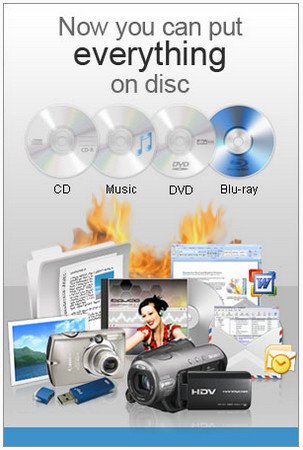
A handy piece of software that allows you to easily burn your videos, music, photos, and other files to CD, DVD, and Blu-ray discs.
Ultra fast burning to save you time
Burn audio, video or files to CD, DVD or Blu-Ray
Drag and drop files straight into the application
Audio CD Recording
Audio is recorded with direct digital recording so perfect audio quality is maintained
Create MP3 CDs or Audio CDs for traditional CD players
Audio CD burner supports a wide range of audio formats including wav, mp3, wma, ogg, flac and more
Normalize audio volume and customize the pause between tracks when burning audio CDs
Video DVD Authoring and Blu-ray Burning
To play on a DVD or Blu-ray player
Video files are re-encoded for standard movie discs
Video burning supports avi, mpg, vob, wmv, mp4, ogm and all video formats with a DirectShow based codec
Create and manage chapters on DVD and Blu-ray discs
Template menu screens and buttons for DVD authoring
Widescreen or standard formats for video burning
Record video files to PAL or NTSC
Data CD, DVD or Blu-Ray Writing
Perfect for creating backup discs
Burn data discs as ISO/Joliet, UDF or Hybrid
ISO burner will record ISO images to disc
Create ISO files in addition to burning to disc
Burn Blu-ray data and video discs
Advanced Disc Burning Features
Burn to recordable/re-recordable discs (CDR, CDRW)
Copy and burn DVDs and other discs
Command line operation for automation and integration with other programs
Whats New
Updates: official site does not provide any info about changes in this version

HomePage:
Код:
http://www.nch.com.au

-:DOWNLOAD FROM LINKS:-​
Download From RapidGator
Код:
https://rapidgator.net/file/03fb10b9cd63ebc48630e346409f47f8/

Download From NitroFlare
Код:
https://nitro.download/view/DFD103D59C461B1/
 
NCH MixPad 9.30


NCH-Mix-Pad-9-30.jpg


File size: 7.0 MB
​


MixPad is powerful multi-track music mixing software for audio production. Designed with all the audio studio features you need without the clutter, this program lets you mix multiple audio tracks together quickly and easily. With MixPad multi-track recording and mixing software, you can access all the power of professional recording and mixing equipment through a single platform that streamlines the process and makes mixing a breeze.
Mixing Software Features
Mix an unlimited number of music, vocal and audio tracks
Record single or multiple tracks simultaneously
Load any audio file; more supported formats than any other mixer
Add audio effects including EQ, compression, reverb and more
Includes a royalty-free sound effect and music library with hundreds of clips to use in your productions
VST plugin support for added studio effects and instruments
Very low latency, ASIO support for sample accurate recording
Supports sample rates from 6 kHz to 96 kHz
Export at all popular bit depths up to 32 bits floating point audio
Mix to mp3, burn to CD or upload your productions
Save in any file type you need, from studio quality wav files to high compression formats for sharing online
Whats New
Код:
https://www.nch.com.au/mixpad/versions.html

HomePage:
Код:
http://www.nch.com.au

-:DOWNLOAD FROM LINKS:-​
Download From RapidGator
Код:
https://rapidgator.net/file/cc7f7ad1e98fa060f17a8ef7277643a4/

Download From NitroFlare
Код:
https://nitro.download/view/31C7CDDAB413C3A/
 
NCH PhotoStage Professional 9.41


NCH-Photo-Stage-Professional-9-41.jpg


File size: 8.0 MB
​


An extensive application that provides you with the tools necessary to create slideshow presentations from scratch, by using image, audio and video files.
Slideshow Creator Software
- Easy-to-use - Drag and drop images to arrange the slides. Or turn a folder of images into a slideshow with Quick Create.
- Full of effects - Includes zoom, crop, fade, panning, zooming and more to bring your photos to life
- Enhance your photos - Touch up or enhance your photos and videos with optimization tools
- Multimedia presentations - Add thousands of photos and video clips, then add captions, music and narration
- Easy to share - Burn slideshows to DVD, save as video files, or optimize for the web and portable devices
Stunning Photo Transitions and Effects
- Choose from a wide range of transitions
- Panning and zoom effects add extra dimension
- Fade transitions give your slideshow a professional touch
- Preview the effects in real time
- Customize the duration of the effect
Complete Photo Optimization
- Fine tune brightness, color and saturation
- Crop, rotate and flip photos easily
- Add text captions to individual slides
- Add video clips for a complete slideshow presentation
- Preview your changes in real time
Amazing Audio Tools
- Add music tracks to your slideshow
- Record narrations with the click of a button
- Import pre-recorded narrations
- Mix multiple music tracks together using our powerful
Share Slideshows with Family and Friends
- Burn slideshows to DVD and watch on your TV
- Upload directly to YouTube or Facebook and share online
- Save to PSP, iPod, iPhone or 3GP mobile phones
- Export video slideshows as Flash
- Supports full HD (i.e. 720p, 1080p)
Whats New
Код:
https://www.nchsoftware.com/slideshow/versions.html

HomePage:
Код:
http://www.nchsoftware.com

-:DOWNLOAD FROM LINKS:-​
Download From RapidGator
Код:
https://rapidgator.net/file/ea492805a9309ff73c2e610b18937de0/

Download From NitroFlare
Код:
https://nitro.download/view/016D52D5A366878/
 
NCH PicoPDF Plus 3.24


NCH-Pico-PDF-Plus-3-24.gif


File size: 5.0 MB
​


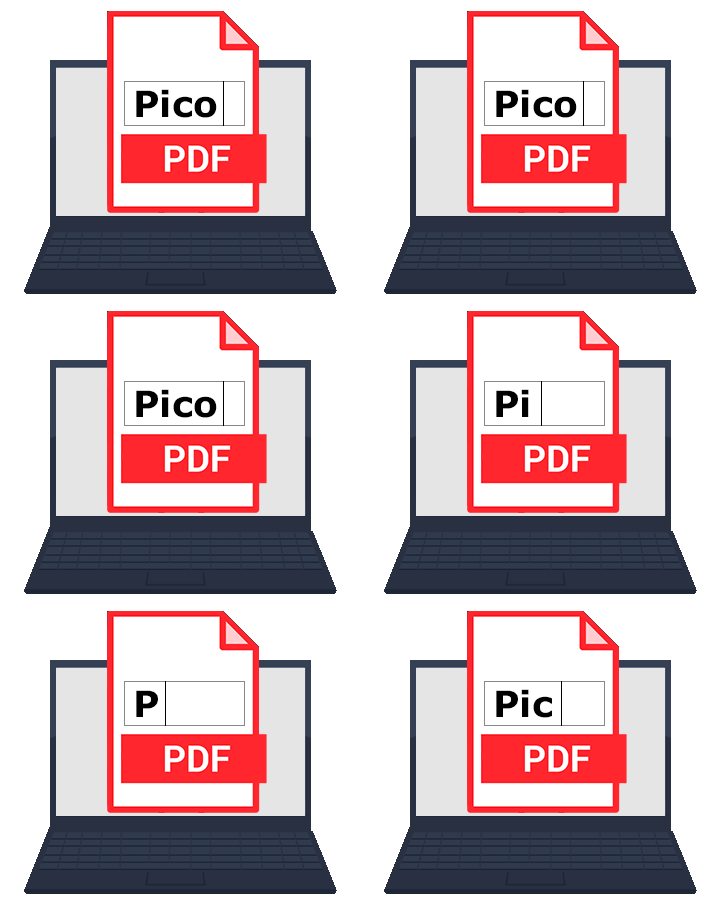
Edit your PDFs with the best PDF Editor on the market. Add text or edit existing text. Make layout adjustments. Insert, move or delete images.
Features
Edit existing text or add new text
Rearrange text and graphics
Add notes and comments to documents
Delete or move embedded images
Add an image to your PDF file
Type into blank spaces to fill out PDF forms
Add a digital signature to a PDF
Works offline - no internet connection required
Edit locally, no need to upload your documents
Whats New
Код:
https://www.nchsoftware.com/picopdf/versions.html

HomePage:
Код:
https://www.nchsoftware.com/picopdf/index.html

-:DOWNLOAD FROM LINKS:-​
Download From RapidGator
Код:
https://rapidgator.net/file/f4bc83a82d2aa8db0ae9d659eef70bc7/

Download From NitroFlare
Код:
https://nitro.download/view/6C5A40292E83362/
 
NCH VideoPad Pro 11.48 Beta


NCH-Video-Pad-Pro-11-48-Beta.jpg


File size: 9.18 MB
​


Working with video files, especially editing them, is a task that requires a specialized application that can provide all the tools one needs. Among the software applications of this kind you can find VideoPad Video Editor. The interface of this utility is divided into several parts (e.g. Media List, Effects, Transitions, Files, Clips, Video Track, Audio Track, Overlay Track), which may make everything seem a little hard to operate. You can capture video from a camcorder or another device like a webcam or a TV capture card, and once you have added files and sequence clips to the queue, you can start editing them.
So, you can select position for the new clip (at slider's position, to the timeline's start or end point), add blank slides and overlays, modify media in an external editor, change playback speed and stabilize video with the Deshaker filter.
You can also create bookmarks and subtitles, import and export subtitles, select Chrome Key color, save video in the "Stereoscopic 3D" output format, apply audio effects (e.g. amplify, chorus, compressor, distortion, flanger, reverb), as well as record a narration.
Furthermore, you can apply various video effects (e.g. brightness, crop, edge detection, sepia, temperature, posterize, hue) and transitions (e.g. cross fade, reveal, split, fan, circle, diamond).
The program comes with a well-drawn help file and video tutorials while the system resource usage is moderate. It may lag sometimes between commands, but overall, VideoPad Video Editor manages to put up a good performance.
Key Features
Stunning Transition Effects
• Choose from a range of fade transitions to give your movie that professional touch.
• Preview the effects in real time.
• Customize the duration of the effect.
Amazing Audio Tools
• Import and mix music tracks like a pro.
• Make your own custom movie soundtrack.
• Record your own narrations with the click of a button.
• Import pre-recorded narrations, sound effects or music.
Complete Video Optimization
• Fine tune brightness, saturation and color for your video.
• Add photos and digital images with a click of a button.
• Apply effects like black & white, sepia tone and negative.
• Add text captions to your movie.
Share With Your Family and Friends
• Burn to DVD and watch in your living room on your TV.
• Save for Youtube and share online with friends.
• Save to PSP, iPod, iPhone or 3GP mobile phone.
• Save to your PC as a high-quality digital movie.
Input Formats
• Video: avi, mpeg, wmv, divX, Xvid, mpeg1, mpeg2, mpeg4, mp4, mov, asf, vob, ogm, .3gp, H.264, RM and many more.
• Image: bmp, gif, jpg, jif, jiff, jpeg, exif, png, tif
Output Formats
• Disc export: DVD, CD, Blu-ray Discs, HD-DVD
• Video export: avi, wmv, asf, mpg, 3gp, mp4, mov, iPod, iPhone, PSP, Mobile Phone, Pocket PC
What's new
Код:
https://www.nchsoftware.com/videopad/versions.html
System Requirements: Works on Windows 10, XP, Vista, 7, 8 and 8.1

HomePage:
Код:
https://www.nchsoftware.com/

-:DOWNLOAD FROM LINKS:-​
Download From RapidGator
Код:
https://rapidgator.net/file/359da452d2f7307c252dcfb3794d83f3/

Download From NitroFlare
Код:
https://nitro.download/view/F1BC0D32B8DF48C/
 
NCH WavePad 16.28


NCH-Wave-Pad-16-28.jpg


File size: 7.0 MB
​


This audio editing software is a full-featured professional audio and music editor for Windows and Mac. It lets you record and edit music, voice and other audio recordings. When editing audio files, you can cut, copy and paste parts of recordings, and then add effects like echo, amplification and noise reduction. WavePad works as a wav or mp3 editor, but it also supports a number of other file formats including vox, gsm, wma, real audio, au, aif, flac, ogg, and more.
Audio Editor Features
Sound editing functions include cut, copy, paste, delete, insert, silence, auto-trim and more
Audio effects include amplify, normalize, equalizer, envelope, reverb, echo, reverse and many more
Integrated VST plugin support gives professionals access to thousands of additional tools and effects
Supports almost all audio and music file formats including mp3, wav, vox, gsm, wma, au, aif, flac, real audio, ogg, aac, m4a, mid, amr, and many more
Batch processing allows you to apply effects and/or convert thousands of files as a single function
Scrub, search and bookmark audio for precise editing
Create bookmarks and regions to easily find, recall and assemble segments of long audio files
Tools include spectral analysis (FFT), speech synthesis (text-to-speech), and voice changer
Audio restoration features including noise reduction and click pop removal
Supports sample rates from 6 to 96kHz, stereo or mono, 8, 16, 24 or 32 bits
Works directly with MixPad Multi-Track Audio Mixer
Easy to use interface will have you editing in minutes
Typical Audio Editing Applications
Trim sound bites out of longer audio files
Reduce vocals from a music track
Cut together audio for radio broadcasts or podcasts
Save files for your iPod, PSP or other portable devices
Create ringtones from music files or recordings
Record voiceovers for multimedia projects
Restore audio files by removing noise, hissing or hums
Normalize the level of audio files
Whats New
Код:
https://www.nch.com.au/wavepad/versions.html

HomePage:
Код:
http://www.nchsoftware.com

-:DOWNLOAD FROM LINKS:-​
Download From RapidGator
Код:
https://rapidgator.net/file/9f29b72e1ae5ac2984d9f972c9b2bd99/

Download From NitroFlare
Код:
https://nitro.download/view/97C94EA5B5081FF/
 
NumberingStar 4.0


Numbering-Star-4-0.jpg


File size: 2.0 MB
​


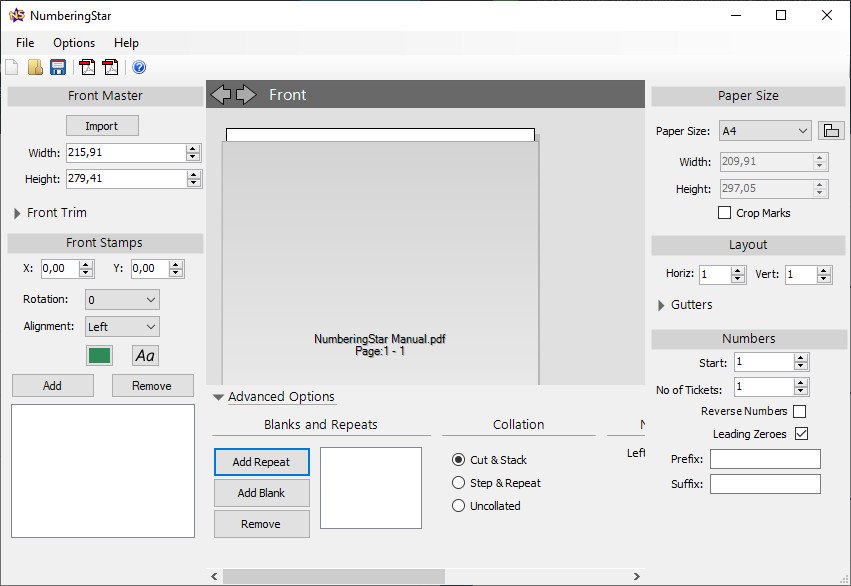
NumberingStar is fast and easy to use numbering software. Perfect for creating tickets, order books, invoices, labels, course-work...anything that needs numbering!
Print and Number at the same time
Using NumberingStar you can print and number at the same time using any printer or workflow. No need for overprinting or running jobs twice. With NumberingStar numbered jobs can be ran as quickly and as cheaply as normal jobs.
Image of imposed page for illustration purposes.
Import a PDF file and NumberingStar numbers each ticket, page or element in any position and as many times as you need and then outputs an imposed PDF. No further work required.
Easy Number Placing
No need to work out positions for each number on the page, simply add your numbers for one set and NumberingStar automatically calculates the rest.
Image of exported PDF files for illustration purposes.
NumberingStar has several intelligent collation options. Print in ready to cut books and pads singly or multiple-up. No need for further time consuming manual collation.
Further features include
Double sided printing - Numbers on front and back if required.
Any sequence of blanks and repeats for even the most complex jobs.
Precise control over trim and gutters with automatic PDF trim box detection.
Font and color options for perfect design finish.
Whats New
Updates: official site does not provide any info about changes in this version.

HomePage:
Код:
https://www.numberingstar.com/

-:DOWNLOAD FROM LINKS:-​
Download From RapidGator
Код:
https://rapidgator.net/file/c74c8d5b4924648dac8f7811788242ed/

Download From NitroFlare
Код:
https://nitro.download/view/59DF917D743EB38/
 
Perfectly Clear WorkBench 4.1.0.2276 Multilingual


Perfectly-Clear-Work-Bench-4-1-0-2276-Multilingual-Portable.jpg


Windows x64 | File size: 180 MB
​


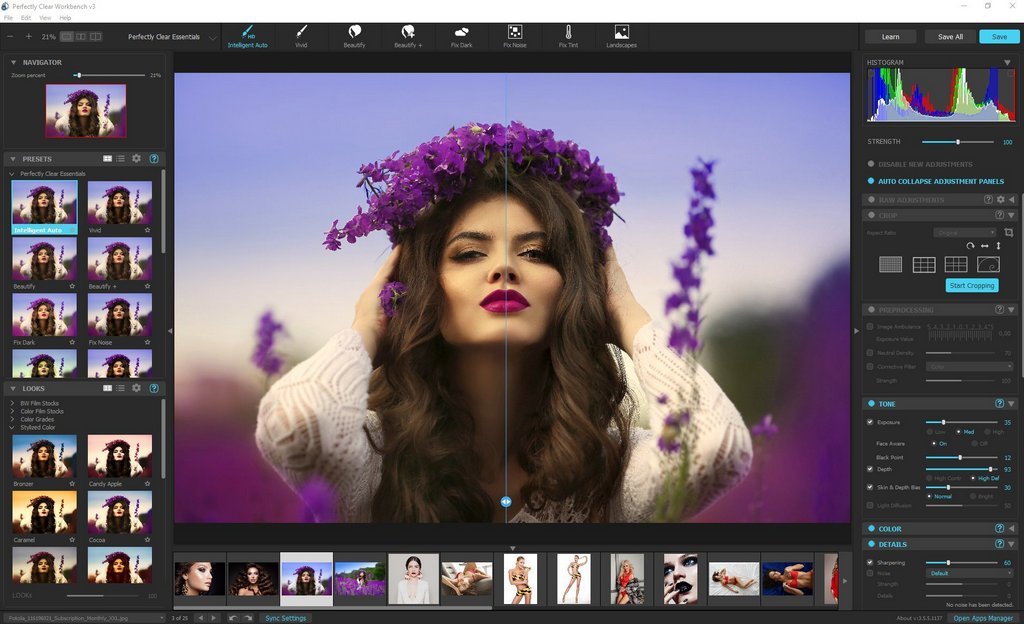
Perfectly Clear Workbench is an application that uses Athentech's Perfectly Clear image correction libraries and is made available to demonstrate the capabilities of the Perfectly Clear processing libraries, face detection library and to allow a quick export of the processing settings for use.
One of the key features in Workbench is the ability to "export to API" when saving a Preset. This allows you to make image corrections in Workbench and tune the settings to match your style and correction needs. Then, you can quickly export these settings to a text file - ready to be copy / pasted into your source code with our image correction SDK.
What's New in Perfectly Clear WorkBench 4
1. Beautiful new interface
2. New image correction tools
a. Preprocessing section for Input Looks and "Image Ambulance" for manual exposure corrections
b. "Face Aware" exposure for more accurate auto-exposure corrections in portraits and group photos
c. Black Point tool to deepen blacks
d. New Color Vibrancy tool to complement our previous "Vibrancy" control (now renamed to Color Restoration)
e. Sky and Foliage enhancements
3. Existing tools have been improved
a. Added strength sliders to Light Diffusion and Vibrancy for better control
b. Better 'color pickers' for Skin Tone and Blush adjustments
4. Manually identify faces that are not detected automatically
5. One-click to zoom to individual faces
6. Modify facial regions to provide the best corrections
7. Histogram
8. Much improved preset management
Supported Image Formats
Perfectly Clear requires RGB-formatted images in either 8 or 16-bit color depth. Any image file that Photoshop or Lightroom can open and convert to this format may be used in Perfectly Clear. Monochrome and CMYK images must be converted to RGB before using Perfectly Clear. RAW files must be opened through Adobe Camera RAW and loaded into Photoshop to be accessible to Perfectly Clear.
What's New
Код:
https://eyeq.photos/news
System Requirements
- Windows 8, 10 and 11 (64-bit only)
- 4 GB RAM or more

HomePage:
Код:
http://www.athentech.com

-:DOWNLOAD FROM LINKS:-​
Download From RapidGator
Код:
https://rapidgator.net/file/3032c274aa4431bde76dbbe26884b576/

Download From NitroFlare
Код:
https://nitro.download/view/2639490E9CDFE6A/
 
Perfectly Clear WorkBench 4.1.0.2276 Multilingual Portable


Perfectly-Clear-Work-Bench-4-1-0-2276-Multilingual-Portable.jpg


Windows x64 | File size: 180 MB
​


Perfectly Clear Workbench is an application that uses Athentech's Perfectly Clear image correction libraries and is made available to demonstrate the capabilities of the Perfectly Clear processing libraries, face detection library and to allow a quick export of the processing settings for use.
One of the key features in Workbench is the ability to "export to API" when saving a Preset. This allows you to make image corrections in Workbench and tune the settings to match your style and correction needs. Then, you can quickly export these settings to a text file - ready to be copy / pasted into your source code with our image correction SDK.
What's New in Perfectly Clear WorkBench 4
1. Beautiful new interface
2. New image correction tools
a. Preprocessing section for Input Looks and "Image Ambulance" for manual exposure corrections
b. "Face Aware" exposure for more accurate auto-exposure corrections in portraits and group photos
c. Black Point tool to deepen blacks
d. New Color Vibrancy tool to complement our previous "Vibrancy" control (now renamed to Color Restoration)
e. Sky and Foliage enhancements
3. Existing tools have been improved
a. Added strength sliders to Light Diffusion and Vibrancy for better control
b. Better 'color pickers' for Skin Tone and Blush adjustments
4. Manually identify faces that are not detected automatically
5. One-click to zoom to individual faces
6. Modify facial regions to provide the best corrections
7. Histogram
8. Much improved preset management
Supported Image Formats
Perfectly Clear requires RGB-formatted images in either 8 or 16-bit color depth. Any image file that Photoshop or Lightroom can open and convert to this format may be used in Perfectly Clear. Monochrome and CMYK images must be converted to RGB before using Perfectly Clear. RAW files must be opened through Adobe Camera RAW and loaded into Photoshop to be accessible to Perfectly Clear.
What's New
Код:
https://eyeq.photos/news
System Requirements
- Windows 8, 10 and 11 (64-bit only)
- 4 GB RAM or more

HomePage:
Код:
http://www.athentech.com

-:DOWNLOAD FROM LINKS:-​
Download From RapidGator
Код:
https://rapidgator.net/file/745e4ff57a13dbc02a82aa28a6944ee4/

Download From NitroFlare
Код:
https://nitro.download/view/2E1122DF8084C5E/
 
PingPlotter Professional 5.23.0.8742


Ping-Plotter-Professional-5-23-0-8742.jpg


File Size: 21.3 MB
​


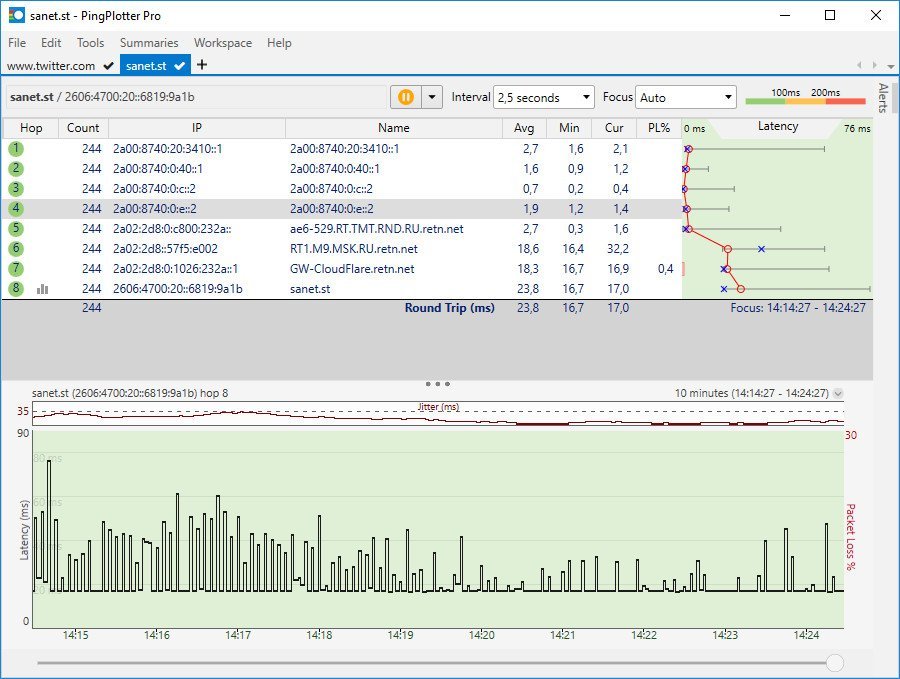
Monitor and troubleshoot your networks, gather information about remote hosts, track latency, packet loss and others, with this useful tool. Network administrators need to be ready for various events that don't necessarily mean virtual attacks. Keeping a network, server or a website active means constantly monitoring incoming and outgoing packets to make sure connectivity is flawless. Amongst others, you can use PingPlotter Pro to carefully monitor multiple addresses and trigger alerts when unexpected events occur.
Create and save custom workspaces
The application's design is pretty intuitive, with adjustable panels so you can clearly view packets, timelines or project elements so you can quickly access them. What's more, you can save your workspace configuration to use for multiple tasks and this comes in handy because you can slightly customize the view with more or less tabs and sections.
Configure connection settings and trace multiple targets
A neat advantage is the possibility to simultaneously trace multiple addresses, with detail windows stored in tabs. Connecting to a target is easily done by manually writing down either the URL or IP address in a dedicated fields. All targets are saved in a list so you can quickly access them later on.
Hitting the "Start" button is all it takes to send a few packets to the selected target. On the other hand, there are several settings to configure, depending on the testing scenario. For short-term analysis, the sampling number can be set, with the default value being unlimited, trace intervals can be specified in seconds, as well as the number of samples to include.
Gather and save packet info
As soon as the process is put in motion, all packets are displayed, with a timeline view updating in real time according to your specifications. Each element you select highlights all of its components for better view. Bringing up the context menu enables you to manage a few more settings like obtaining whois info, display summary, show graphs or even configure alerts.
Set up alerts for various scenarios
The notification system gives you the possibility to set up several parameters to be announced of any changes. As such, you can write down a custom name for easy identification, set the number of samples to examine, the method used which can either be for latency and packet loss or MOS, multiple target configurations, as well as the action to trigger when conditions are met.
To sum it up
On an ending note, PingPlotter Pro is a handy network administration tool with which you can constantly keep an eye on multiple targets and receive alerts whenever unexpected events occur. The clever design lets you quickly accommodate while tab support gives you the possibility to simultaneously monitor multiple URLs or IP addresses.
Whats New
Код:
http://www.pingplotter.com/download/release-highlights

HomePage:
Код:
http://www.pingplotter.com

-:DOWNLOAD FROM LINKS:-​
Download From RapidGator
Код:
https://rapidgator.net/file/3e516ca1c4e4d0e9e6ad073dad683762/

Download From NitroFlare
Код:
https://nitro.download/view/983D6058AEFE5E3/
 
Proxima Font Draw 1.0 R1


Proxima-Font-Draw-1-0-R1.jpg


Windows x64 | File size: 11.7 MB
​


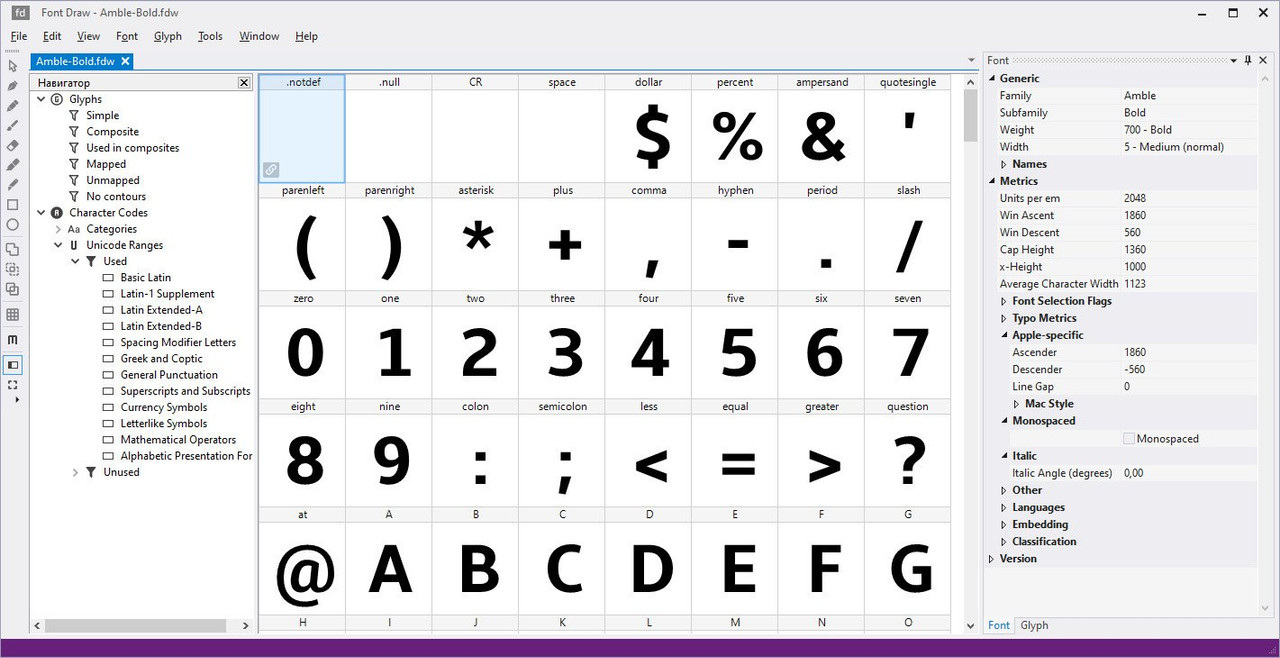
Font Draw allows you to create new OpenType fonts and edit existing OpenType/TT and OpenType/CFF fonts.
Features
Create New Fonts
Edit Existng Fonts
Add and Edit Glyphs
Edit Contours
Edit Font Metrics
Add and Edit OpenType Features
Whats New
Код:
http://proximasoftware.com/fontdraw/release-notes/

HomePage:
Код:
https://proximasoftware.com/fontdraw/

-:DOWNLOAD FROM LINKS:-​
Download From RapidGator
Код:
https://rapidgator.net/file/03a512614b63def9faf89981b827e5ae/

Download From NitroFlare
Код:
https://nitro.download/view/683158A390BB65E/
 
ShotCut 22.04.22 (X64) Multilingual


Shot-Cut-22-04-22-X64-Multilingual.jpg


File Size : 76 Mb
​


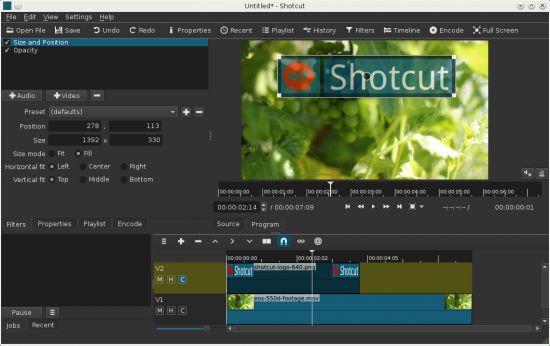
Shotcut is a simple and user-friendly video editor that offers a series of features and functions to help you adjust and retouch your favorite movies, in just a few clicks of your mouse.
Features
- supports oodles of audio and video formats and codecs thanks to FFmpeg (or libav as-built)
- supports many image formats such as BMP, GIF, JPEG, PNG, SVG, TGA, TIFF as well as image sequences
- no import required - native editing
- frame-accurate seeking for many formats
- multi-format timeline: mix and match resolutions and frame rates within a project
- network stream playback (HTTP, HLS, RTMP, RTSP, MMS, UDP)
- frei0r video generator plugins (e.g. color bars and plasma)
- Blackmagic Design SDI and HDMI for input and preview monitoring
- JACK transport sync
- deinterlacing
- detailed media properties panel
- recent files panel with search
- drag-n-drop files from file manager
- save and load trimmed clip as MLT XML file
- load and play complex MLT XML file as a clip
- audio signal level meter
- volume control
- scrubbing and transport control
- flexible UI through dock-able panels
- encode/transcode to a variety of formats and codecs thanks to FFmpeg (or libav as-built)
- capture (record) SDI, HDMI, webcam (V4L2), JACK, PulseAudio, IP streams, X11 screen
- stream (encode to IP) files and any capture source
- batch encoding with job control
- create, play, edit, save, load, encode, and stream MLT XML projects (with auto-save)
- unlimited undo and redo for playlist edits including a history view
- connect to Melted servers over MVCP TCP protocol
- control the transport playback of Melted units
- edit Melted playlists including suport for undo/redo
- OpenGL GPU-based image processing
- multi-core parallel image processing (when not using GPU and frame-dropping is disabled)
- video filters: Blur, Color Grading, Crop, Diffusion, Glow, Invert Colors, Mirror, Opacity, Rotate, Saturation, Sepia Tone, Sharpen, Size and Position, Stabilize, Text, Vignette, Wave, White Balance
- audio filters: Balance, Copy Channel, Downmix, Gain, Normlize, Pan, Swap Channels
- 3-way (shadows, mids, highlights) color wheels for color correction and grading
- eye dropper tool to pick neutral color for white balancing
- UI translations: Catalan, Chinese, Czech, Danish, English, French, German, Portugese, Spanish (not all 100%, but you can help)
- HTML5 (sans audio and video) as video source and filters
- Leap Motion for jog/shuttle control
- DeckLink SDI keyer output
- UI themes/skins: native-OS look and custom dark and light
- control video zoom in the player: fit viewable area (default), 50%, original (100%), and 200%
- multitrack timeline with thumbnails and waveforms
- thumbnail and waveform caching between sessions
- audio mixing across all tracks
- video compositing across video tracks
- trimming (on timeline)
- append, insert, overwrite, lift, and delete (ripple) editing on the timeline
- 3-point editing
- external monitoring on an extra system display/monitor
- fade in and out audio and fade video from and to black with easy-to-use fader controls on timeline
- cross-fade audio and video dissolve transitions easily by overlapping shots on the same track of the timeline
- video wipe transitions: bar, barn door, box, clock (radial), diagonal, iris, matrix, and custom gradient image

HomePage:
Код:
https://www.shotcut.org

-:DOWNLOAD FROM LINKS:-​
Download From RapidGator
Код:
https://rapidgator.net/file/d084c12fa54dfe955a8ea5b9f75190eb/

Download From NitroFlare
Код:
https://nitro.download/view/652102C485E6283/
 
Назад
Сверху