• Здравствуйте. Сайт заработал в архивном режиме форум www.old.nado.in

Dl4ever Software

Mp3tag 3.14 Multilingual

M3M.jpg


File Size : 4 Mb
​


Mp3tag is a powerful and yet easy-to-use tool to edit metadata of common audio formats where it supports ID3v1, ID3v2.3, ID3v2.4, iTunes MP4, WMA, Vorbis Comments and APE Tags. It can rename files based on the tag information, replace characters or words in tags and filenames, import/export tag information, create playlists and more. Mp3tag supports online database lookups from, e.g., Amazon, discogs, or freedb, allowing you to automatically gather proper tags and cover art for your music library.
Mp3tag supports the following audio formats
* Advanced Audio Coding (aac)
* Free Lossless Audio Codec (flac)
* Monkey's Audio (ape)
* Mpeg Layer 3 (mp3)
* MPEG-4 (mp4 / m4a / m4b / iTunes compatible)
* Musepack (mpc)
* Ogg Vorbis (ogg)
* OptimFROG (ofr)
* OptimFROG DualStream (ofs)
* Speex (spx)
* Tom's Audio Kompressor (tak)
* True Audio (tta)
* Windows Media Audio (wma)
* WavPack (wv)

HomePage:
Код:
http://mp3tag.de

-:DOWNLOAD FROM LINKS:-​
Download From RapidGator
Код:
https://rapidgator.net/file/7b2469ec01564f953f577b0a9d415270/M3M.rar

Download From NitroFlare
Код:
https://nitro.download/view/7CD0EB66A48DFE7/M3M.rar
 
OBS Studio 27.2.4


OS274.jpg


File Size : 214 Mb
​


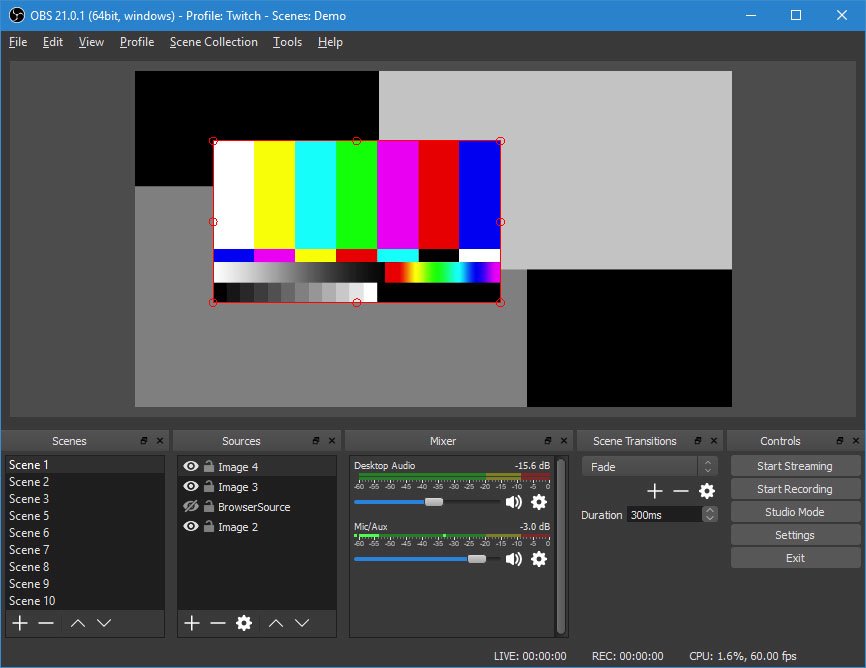
OBS Studio is an application designed for gamers, artists, developers or amateur users who enjoy creating tutorials and streams that they share over the Internet. Create high quality recording with OpenGL or Direct3D on your desktop and stream them on the Internet via this intuitive software solution. Works with multiple streaming services, including Twitch The setup is quick and uneventful, so it is unlikely that you can encounter any issues at this stage. Upon launch, you are welcomed by a minimalistic, yet clean and intuitive interface that displays all available features and functions.
You should know that the program allows you to connect to the major streaming services, such as Twitch, YouTube or DailyMotion, for instance. Alternatively, you can add your custom streaming service or save the recordings on your local drives in high-quality formats (MOV, FLV, MKV, MP4, TS and M3u8).
As you would expect, the application permits you to configure the stream, so that you can be sure that the audience watching your live recording gets quality. Therefore, you can change the resolution, adjust the FPS, alter the delay and set the maximum bitrate, so that they are suitable for a wider range of devices.
Enables you to add multimedia files into the stream easily
Even though the primary goal of the initial releases was to make the application work on multiple platforms, there are some notable differences between this too and Open Broadcaster Software.
For starters, the program comes with a more dynamic API that enables developers to create their own plugins, so that they can have a more efficient control over the streaming experience. In addition, the Studio version allows you to include more type of files into the streaming, such as Audio Input and Output Capture, Display Captures, Images and Browser, for instance.
Perhaps the most noteworthy difference is the Studio mode that enables you to compare scenes and customize transitions with just a few clicks. It is worth mentioning that both applications allow you to record videos from various sources and integrate text, media, desktop recording, game capture or webcam streams into the content.
A tool that allows you to better manage the streaming process
Irrespective of whether you are creating a tutorial to upload for your gamers friends or you want to exhibit a highlight feature of a product that you want to launch in the near future, OBS Studio enables you to make live recordings that you stream or save locally effortlessly.

HomePage:
Код:
https://obsproject.com

-:DOWNLOAD FROM LINKS:-​
Download From RapidGator
Код:
https://rapidgator.net/file/a66fd47c718d1b8eddaac89ed526c12a/OS274.rar

Download From NitroFlare
Код:
https://nitro.download/view/06BA9F2B3CC1598/OS274.rar
 
Power Music Professional 5.2.2.1 Multilingual


PMP52M.jpg


File Size: 83 MB
​


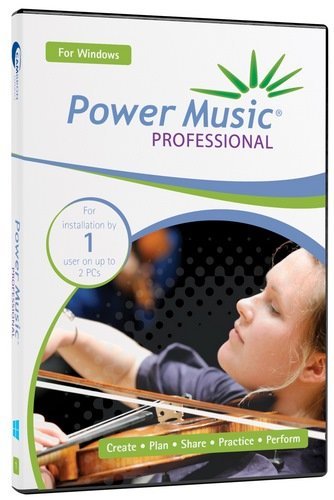
Much more than just a music display system. Power Music gives you total control over your music collection - sheet music and chord sheets. All your music, in one place, instantly available on-screen for practice and performance.
Free yourself from the hassles of paper
All your music, in one place, instantly available on-screen for practice and performance.
Create and manage your chord sheets
Convert chord sheets in PDF and Word documents into fully transposable chord sheets.
Find your music instantly
Search your music collections using title, composer, first line, category, or even by melody.
Share music, set lists and annotations
Give everyone in the band, group, or orchestra access to the set list and their music, fully annotated.
Effortless page turning
Move through your music and set lists using a foot pedal or touchscreen.
See your music clearly
Enlarge music and change colours to aid visually impaired musicians.
Explore the features of Power Music
No other music display system comes close to the sophistication of Power Music. Explore the amazing features of this unique software. In addition to the information on this page we have extensive help videos explaining each feature in detail in our Help Centre, and a full feature comparison table can be found here.
Display sheet music, chord sheets or both
Choose to display sheet music, chord sheets or both. Set the number of columns or pages per screen to display.
Search by multiple criteria
Incredible fast and powerful search options. Search by title, first line, words in lyrics, author, category, melody, alternative titles and copyright information. Worship musicians can choose to search by Bible reference.
Create and share playlists
Search for a song and with one click or tap, add it to a playlist (setlist). Save and recall your playlists. Re-order the list, print it, or share it on Power Music Box for the other musicians and band members you play with to see it.
Transpose chord sheets, add capo chords
You can instantly transpose a chord sheet, either by selecting a key from a drop down list or in full screen performance mode by tapping + or - to transpose up or down. Select your capo key and the chords are displayed in brackets. It even tells you what fret to use.
Page turning using keyboard, touch screen or foot pedal
Effortless page turning. Hands-free - using USB or Bluetooth foot pedal or tap the touchscreen, USB button or keyboard. Turns the page and moves through a playlist.
Full screen display in portrait or landscape
In full screen mode you make the most of all the space on the screen. Menu and icon bars are switched off. The sidebar, which can also be switched on and off, shows the playlist, a clock, your performance notes and a link to an optional audio track, for example a backing track. Press 'M' or tap the clock and a metronome appears. Automatic single page display in portrait or multiple pages in landscape.
Annotate your music
Annotate your music using tools to draw, highlight, add sticky notes, musical notation, fingering, bowing, performance marks, bar numbers for quick navigation and much more.
Quick navigation
In large pieces of music or a score with many pages, Power Music's Performance Marks and Bar Numbers allow instant navigation to any page or part of the piece of music. This feature is especially important and useful for orchestral players and accompanists during rehearsals.
Add performance notes
At a practice or rehearsal, add a performance note to a piece of music as a reminder. Use for organ registrations, intros and play order etc.
Intelligent chord sheet editor
The chord sheet editor has all the features you need to make creating and editing chord sheets a breeze. Type in your chord sheets or paste in lyrics/chord sheets. A single click places a chord above the lyrics. Automatic detection of lyrics and chords. Copy and paste from Word documents or web pages or import directly from PDF, .rtf or .txt. All chord sheets are transposable - even the ones you import from Word or PDF!
Sheet music editor - import sheet music from PDF, image files or scanner
Power Music has sophisticated PDF import features. If you want to import your paper sheet music the powerful built-in scanning software in Power Music makes life easy.
Power Music Box - share music & playlists
Power Music Box is integrated into all editions of Power Music. Power Music Box is a simple to use but incredibly powerful cloud storage system for sharing your music and playlists. At the click of a button send songs and playlists up to "My Box". Then securely download from My Box into other PCs, Macs or iPads running Power Music.
Buy songs in Power Music format
To save you the time of importing or scanning your music into Power Music, we have set up a on-line music shop called Power Music Store. All the songs you buy from Power Music Store become available in your Power Music Box account (free account available). For more information, visit powermusicstore.com.
Social network and web links
As well as tagging, indexing and referencing your music, you can add web or social network links to all your songs. Clicking on an icon takes you to the artist's Facebook page, Twitter feed, YouTube video, iTunes song, or any other link you choose.
Organise music into libraries
If you play in different bands or play different instruments or teach different music courses, you can organise your music into Libraries to make searching and displaying your music simple.
Instrumental parts
The Parts feature allows you to store multiple versions of a score in the one song then select the part you want to use. Parts could be for scores for different instruments or versions of the song in different keys.
Linked audio track
Every song in Power Music can have an audio track linked to it. This can be used to play a backing track or simply as a help when practising. The audio track can be set to auto-play as soon as a song is selected from the playlist, or it can be played using a key press or a mouse click. The mini-player allows playback control and volume adjustment.
Features for visually impaired musicians
Power Music has been hailed as the greatest tool for VI musicians. Recommended by the RNIB and overseas VI organisations, Power Music has brought new life to musicians who thought their days of reading music were over. Enlarged music and configurable colours have made reading music possible for VI musicians all over the world.
Melody search
One of Power Music's unique features is the melody search. If you know the melody to a song, by simply noting if the next note in the melody is the same (s) as the last note, or higher (u) or lower (l), for the first 8 notes then you can find the song! For example, entering "udduudd" will find Silent Night.
Guitar tuner and metronome
Visual or audio metronome which can appear automatically or by key press. A tempo can be set for each song. The guitar tuner sounds the note for each string for tuning purposes.
What's New
Код:
https://powermusicsoftware.com/products/power-music-professional/version-history
System Requirements
- Windows Vista, 7, 8, 10
- Supported Languages: English, German, French.

HomePage:
Код:
https://powermusicsoftware.com

-:DOWNLOAD FROM LINKS:-​
Download From RapidGator
Код:
https://rapidgator.net/file/f3ee152e319d5c975100c768eb0bd235/PMP52M.rar

Download From NitroFlare
Код:
https://nitro.download/view/9EB69743A28514A/PMP52M.rar
 
QuickImageComment 4.48


Q4.jpg


File Size : 31 Mb
​


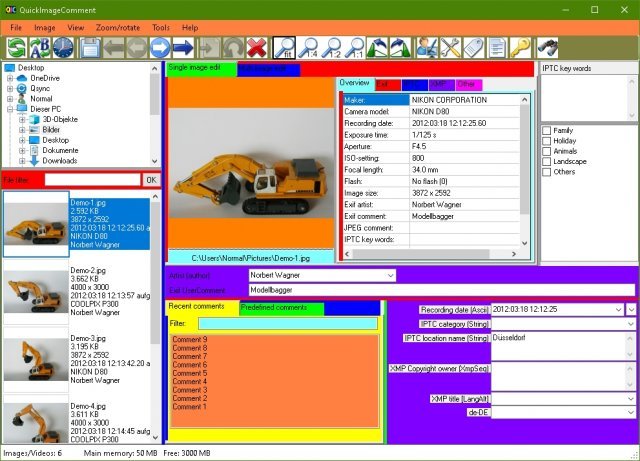
QuickImageComment displays EXIF, IPTC, and XMP properties of digital images (e.g. JPEG and TIFF) and allows to edit them. Especially editing of user comment and artist (author) is supported by using the last entered or predefined values. These attributes are read from the EXIF, IPTC, and XMP properties of the image and are stored there. Metadata (XMP) in video files are displayed.
Overview of features
Display of all EXIF, IPTC and XMP properties of images, as well as some other file properties such as modification date.
Display of metadata (XMP) of video files as well as (depending on the Windows version and, if necessary, installed components) display a frame of the video.
Images or videos can be searched via their properties or recording location on map.
In addition to the full lists of EXIF, IPTC and XMP properties a list of properties is displayed, which is configurable.
In addition to user comment and artist further EXIF, IPTC and XMP properties can be changed. The list of modifiable properties can be configured.
Data templates can be defined to set several properties in one step.
Via placeholder it is possible to copy values of properties in others.
Changes can be carried out simultaneously for two or more files.
EXIF, IPTC and XMP properties can be deleted, thereby exceptions can be defined. Single properties can be deleted selectively.
Files can be renamed using Exif, IPTC and XMP properties.
The EXIF, IPTC and XMP properties contained in the files can be compared.
A special mask is used to synchronize the recording time of a set of images taken with different cameras. Images are grouped by properties (mostly camera model). For each group, a shift of the recording time can be entered. Then the images are immediately sorted in order to check whether the images are then in the correct timely order.
Selected image properties of all images/videos in a folder (including any subfolders) can be exported to a text file.
All image properties of selected images/videos can be exported to text files (one file per image).
Display of image details with graphical and numerical representation of brightness and RGB values.
Display recording location in a map using the GPS coordinates; change of coordinates by selecting a position on the map.

HomePage:
Код:
http://www.quickimagecomment.de/index.php/en/

-:DOWNLOAD FROM LINKS:-​
Download From RapidGator
Код:
https://rapidgator.net/file/b64113eb5227cd8b30e6908fcf551560/Q4.rar

Download From NitroFlare
Код:
https://nitro.download/view/C738258614256B7/Q4.rar
 
Able2Extract Professional 17.0.4.0 Multilingual


AP174M.jpg


Windows x86/x64 | File size: 129.88 MB
​


Able2Extract is the only PDF converter on the market that effectively boosts your PDF productivity on Windows. Convert PDF to Word, Excel, PowerPoint, Publisher, AutoCAD and CSV formats. Get picture perfect PDF creation with advanced security options and quickly modify PDF text and pages. Fill in, edit, and create fillable PDF forms right within Able2Extract or insert bates numbering across lengthy PDF documents. All tasks are done in a sleek intuitive user interface that simplifies the entire process. Speed up work with scanned documents using our state-of-the-art OCR engine.
Cover all aspects of your PDF work on your desktop
• Convert PDF files to all major formats including Excel, Word, CAD, PowerPoint.
• Extract scanned PDF content to editable documents using OCR.
• Edit PDF content, manipulate pages and forms in real time.
• Convert hundreds of files in one go with batch conversion and custom templates.
• Bulletproof your PDFs with advanced PDF encryption and file permissions.
• Add signatures to your PDFs and validate PDF signatures you receive.
Able2Extract Professional 17 is an advanced PDF solution that gives you the most conversion options and content control over your PDF documents. Here's more on what it can do
PDF Conversion
Able2Extract has always been known for its PDF conversion. Our PDF conversion algorithm can convert the most complex PDF content to Excel, Word, PowerPoint, AutoCAD, HTML, CSV and more. Able2Extract is the only PDF converter that lets you selectively convert only the content you need. Convert non-PDF data into Excel for analysis or get accurate table data extractions with the custom PDF to Excel feature. Whether you need a formatted spreadsheet or editable Word doc, you get the precision needed in conversion results for better business insights and planning.
Scanned Image PDF Conversion
Convert both native and scanned PDF to editable formats with Able2Extract Professional's OCR technology. Take PDFs that have been created from scanned paper documents and convert them into editable file formats. Able2Extract Professional's accurate data capturing technology lets you incorporate hardcopy information into your document workflow. The OCR engine will correct any microscopic errors in the text and leave you with a refined digital version that can be used for business intelligence analysis.
PDF Editing
With powerful PDF manipulation features, Able2Extract makes it easy to modify PDF documents. Whether you have business statements or lengthy financial reports, you can tailor your existing content by splitting or merging PDF documents. Legal professionals can even insert bates numbering to PDF files during the ediscovery process. Advanced editing features allow for on-page PDF text editing so you can customize your text by font, colour and size. Professionals can also take advantage of PDF page editing features for general changes to PDF pages.
PDF Creation
Able2Extract is more than just PDF converter. It provides you with the ability to create PDF documents from any application. Complete with security features, document encryption, and PDF file customizations, our solution is perfect for users who are looking for powerful, yet flexible PDF creation options. Our technology generates quality PDF documents you can trust.
Fill in PDF Forms
Interact with fillable PDF forms and fill out PDF forms directly on your computer. Simply click on the PDF form fields to start entering information into text fields. Select multiple items in list boxes and indicate preferences with checkboxes and radio buttons. The entire PDF form can be filled in right within Able2Extract. You can save forms that are partially filled in or safely submit your data to the server.
Create and Edit PDF Forms
Modify and create fillable forms that can be used by anyone. Able2Extract's PDF Editor provides you with tools to add form fields for customizing and creating your own fillable PDF forms in a user-friendly interface. Add form fields for selecting items such as list boxes and combo boxes or insert radio buttons and checkboxes to specify options. You can even customize the font colour of the form's text for branding purposes. Collect the data you need to make better business decisions.
What's new
Код:
https://www.investintech.com/able2extract/new-features/
Operating system: Windows 11/10/8.1/8/7, Windows Server 2019/2016/2012R2/2012, 32-bit or 64-bit edition

HomePage:
Код:
https://www.investintech.com/

-:DOWNLOAD FROM LINKS:-​
Download From RapidGator
Код:
https://rapidgator.net/file/7780bfa63238640f37ac50f3327bd7f2/AP174M.rar

Download From NitroFlare
Код:
https://nitro.download/view/FB19EB12765F010/AP174M.rar
 
ApowerREC 1.5.6.20 Multilingual


A16M.png


File size: 50.8 MB
​


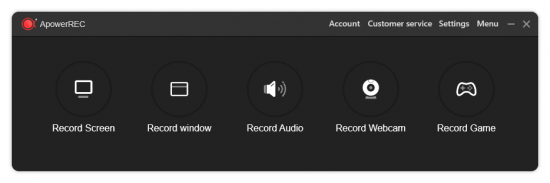
ApowerREC can record anything on your screen including your desktop activities, live streaming videos, web meetings, and so on. You can capture your activity on the full screen or within a specifically set, customized region on your display along with audio, and it has a great ability to keep videos synchronized with audio. Besides, recording webcam or capturing screen together with webcam is also feasible, and you can record a video chat or make a tutorial video with this screen recording software.
Here is What's Included in ApowerREC
Edit Videos
Make real-time editing during the recording or deploy advanced editing and add effects after the recording.
Record Webcam
Record webcam only or record webcam along with your screen simultaneously.
Task Recording
Create scheduled tasks to record PC screen/webcam automatically or follow a running application to record.
Convert Video
Convert the recorded videos into different formats like MP4, AVI, WMV, MOV, etc.
Take Screenshots
Take a screenshot with one click and it will be saved automatically.
Record Audio
Adjust the volume and customize the audio sources from sound card or microphone.
Apart from the functions above, ApowerREC also comes with other easy but highlighted features, including features such as the flexible overlay toolbar, visual recording settings, high output quality, and so on.
Seamless Screen Recording Experience in All Devices
Aside from being a powerful Windows/Mac screen recorder. ApowerREC also provides screen recording for your mobile devices, it captures screen activities from your iOS or Android devices. For iOS users, simply mirror your phone screen to PC and record iOS screen as a video with high quality; for Android users, you can record Android screen with or without a PC.
Use ApowerREC for Cost-effective Work and Productivity Increase
Business use
Make a demonstration video for your app or capture web conference for backup and later review. Voice commentary and webcam are also supported to be included in the recording.
Teaching & Training
Record online class lecture for e-learning and add some annotations to it for better illustration. This video recording software can make your presentation become more vivid.
Studying
You can create stunning studying material and showcases. This can be achieved by recording live streaming lectures, online webinars and other similar events.
Gaming
Record your finest gaming moments smoothly with HD quality, take screenshots of certain segments and share these awesome gameplay experience with others.
General Use
Other general use offered by this PC screen recorder includes saving the wonder video chat moment, recording a short video clip for troubleshooting and customer support, etc.
Share with the World
Share the wonderful moment you are living through via capturing as images or videos with your friends, family or even subscribers from all over the world regardless of where you live.
Host your screencasts in ShowMore website for backup and it gives you complete control over managing and sharing videos.Create a new FTP connection as you wish and access to the FTP server in order to upload and download files in an effective way.One-click upload your recorded videos to YouTube directly for instant sharing with subscribers. No further ado is needed.Easily upload screenshots to free cloud space provided by screenshot.net and share them with your friends via the link.
Whats New
Updates: official site does not provide any info about changes in this version.

HomePage:
Код:
https://www.apowersoft.com

-:DOWNLOAD FROM LINKS:-​
Download From RapidGator
Код:
https://rapidgator.net/file/47f066f3ca607d0581b4fa91cc6b789a/A16M.rar

Download From NitroFlare
Код:
https://nitro.download/view/E74AFCF83A3F206/A16M.rar
 
Autodesk Mudbox 2023 (x64) Multilanguage


AM2023-x-M.png


x64 | Languages:Multilanguage | File Size: 1.15 GB
​


Autodesk Mudbox digital painting and sculpting software provides 3D artists with an intuitive and tactile toolset for creating highly detailed 3D geometry and textures for beautiful characters and environments. Autodesk has released Mudbox 2019, the latest update to the digital sculpting software, extending its dynamic tessellation system, and adding a new option to merge multiple meshes into a single object
Autodesk Mudbox software is a cost-effective digital sculpting and painting solution. Mudbox provides 3D artists with an intuitive and tactile toolset for creating and modifying high-quality 3D geometry and textures. Autodesk Mudbox digital painting and sculpting software provides 3D artists with an intuitive and tactile toolset for creating and modifying 3D geometry and textures. Use Mudbox software to create high-quality 3D geometry and textures for your next project. Take advantage of an intuitive work environment and professional tools for 3D sculpting and painting.
Features of AutoDesk Mudbox 2023
-A new Preserve Volume option has been added the smooth tool to prevent excessive mesh degradation, especially when working with dynamic tessellation.
-Several improvements to Dynamic Tessellation, including support UVs, Selection Sets, Joint Weights, and Falloff Type.
-The ability to merge multiple meshes into a single object.
-The ability to separate merged meshes back to separate meshes.
-A new stamp offset parameter to fine tune the depth of a stamps imprint on a model.
-A new Delete UVs feature.
-The patch tool has been updated to allow the user to remove parts of a mesh without needing a hole or border faces in the tessellated mesh.
-Improved support for HiDPI monitors.
System Requirements
OS:Windows® 10 Professional, Windows 10® version 1607 or higher operating system
RAM:4 GB of RAM (8 GB or more recommended)
CPU:64-bit Intel® or AMD® multi-core processor
Disk Space:1 GB of free disk space for install
Whats New
Код:
https://help.autodesk.com/view/MBXPRO/2023/ENU/?guid=Mudbox_ReleaseNotes_release_notes2023_html

HomePage:
Код:
N/A

-:DOWNLOAD FROM LINKS:-​
Download From RapidGator
Код:
https://rapidgator.net/file/0ce99e3840ff863d4c4fd2312b99acfa/AM2023.xM.rar

Download From NitroFlare
Код:
https://nitro.download/view/EB73CE92B9F40D8/AM2023.xM.rar
 
Blender 3.1.1 (x64)


B31-x.jpg


File size: 205 MB
​


Blender 3D is a free alternative to professional applications such as Maya and 3D Studio Max. This software is also portable which means that you can carry it on your memory stick and do your job on any PC using Windows. Blender is the open source software for 3D modelling, animation, rendering, post-production, interactive creation and playback packaged as a portable app, so you can do your rendering on the go.
Software for 3D modeling, rendering, animation, post-production, interactive creation and playback. Modeling. A range of 3D object types including polygon meshes, NURBS surfaces, bezier and B-spline curves, metaballs, vector fonts (TrueType, PostScript, OpenType). 'Smooth proxy' style catmull-clark subdivision surfaces. Boolean mesh functions. Editing functions such as extrude, bevel, cut, spin, screw, warp, subdivide, noise, smooth Soft selection editing tools for organic modeling. Python scripting access for custom tools.
Features of Blender
Animation
· Armature (skeleton) deformation with forward/inverse kinematics, auto skinning and interactive 3D paint for vertex weighting
· Non-linear animation mixer with automated walkcycles along paths
· Constraint system
· Vertex key framing for morphing, with controlling sliders
· Character animation pose editor
· Animatable lattice deformation
· 'Ipo' system integrates both motion curve and traditional key-frame editing
· Audio playback, mixing and editing support for sound synchronisation
· Python scripting access for custom and procedural animation effects
Realtime 3D/game creation
· Graphical editor for defining interactive behavior without programming
· Collision detection and dynamics simulation
· Python scripting API for sophisticated control and AI, fully defined advanced game logic
· Supports all OpenGL lighting modes, including transparencies, Animated and reflection-mapped textures
· Playback of games and interactive 3D content without compiling or preprocessing
· Audio, using the fmod toolkit
· Multi-layering of Scenes for overlay interfaces
Rendering
· Very fast inbuilt raytracer
· Integral support for the famous Yafray render engine
· Oversampling, motion blur, post-production effects, fields, non-square pixels
· Environment maps, halos, lens flares, fog
· Various surface shaders such as Lambert, Phong, Oren-nayar, Blinn, Toon
· Edge rendering for toon shading
· Procedural Textures
· Ambient Occlusion
· Radiosity solver
· Export scripts available for external renderers such as Renderman (RIB), Povray, Virtualight
· UV texture editor with various mesh unwrap modes
Whats New
Код:
https://www.blender.org/download/releases/

HomePage:
Код:
https://www.blender.org/

-:DOWNLOAD FROM LINKS:-​
Download From RapidGator
Код:
https://rapidgator.net/file/7fb518237f5e6f3b08e4a190f2e147bb/B31.x.rar

Download From NitroFlare
Код:
https://nitro.download/view/7DF5AC5117FBD35/B31.x.rar
 
EssentialPIM Pro Business 10.2.1 Multilingual


EPB101-M.jpg


File size: 31.71 MB
​


EssentialPIM Pro is a personal information manager that makes it easy to control your appointments, to do lists, notes, email messages, password entries and contacts. It is an affordable replacement for Outlook. In addition to built-in email support, EssentialPIM Pro offers portability, speed, intuitive interface, and the ability to synchronize all your information with MS Outlook and practically any online service available (Google, iCloud, Toodledo, SyncML, CalDAV, etc.).
EssentialPIM Pro can store links to any files or files themselves in its database. Each element, be it Task, Note, To Do or a Contact can store files, relevant to this element. EssentialPIM Pro allows you to print out all your information in easy to read form. All data can be printed one-by one, or you can select multiple entries using CTRL + mouse (for contacts and Notes), or All entries can be printed. To rotate the page, in the Print Preview Page, find "Page Setup", or press Alt+U and you will be able to change the Orientation of the page.
Features
- Multi-users access to database
- Storing and/or linking attachments
- Assigned people for To Do
- Advanced Backup
- Editable categories of tasks or events
- Hierarchical To Do lists
- Contact Groups
- Color Printing
- Sending any item to email
- Synchronization with Windows Mobile or Palm devices
- Outlook synchronization
- Google synchronization
- Custom views
- Mass mail
Business Edition Features
- EssentialPIM Pro Business runs on an industry standard database Firebird, ensuring integrity, security and adherence to open standards. Key features include
- Easy installation which takes 10 minutes or less to set up
- No need for a dedicated server - EssentialPIM Pro Business Server can run on virtually any machine, and on any version of Windows, most Linux operating systems and MacOS X
- All features of EssentialPIM Pro available to Business users
- Easy sharing of calendars, contacts, tasks, password entries and notes
- Ability to work on the road and synchronize with the EPIM server later, to make all new data available to other users
- Unlimited number of users
- Flexible hierarchy of user rights, including read-only, and eyes-only items
У Вас недостаточно прав для просмотра ссылок. Войдите или зарегистрируйтесь.


HomePage:
Код:
https://www.essentialpim.com/

-:DOWNLOAD FROM LINKS:-​
Download From RapidGator
Код:
https://rapidgator.net/file/52de9eab157f958d43fe3b678f24f585/EPB101.M.rar

Download From NitroFlare
Код:
https://nitro.download/view/311D4EFA9D33D38/EPB101.M.rar
 
TablePlus 4.8.14


T414.jpg


File Size: 153.5 MB
​


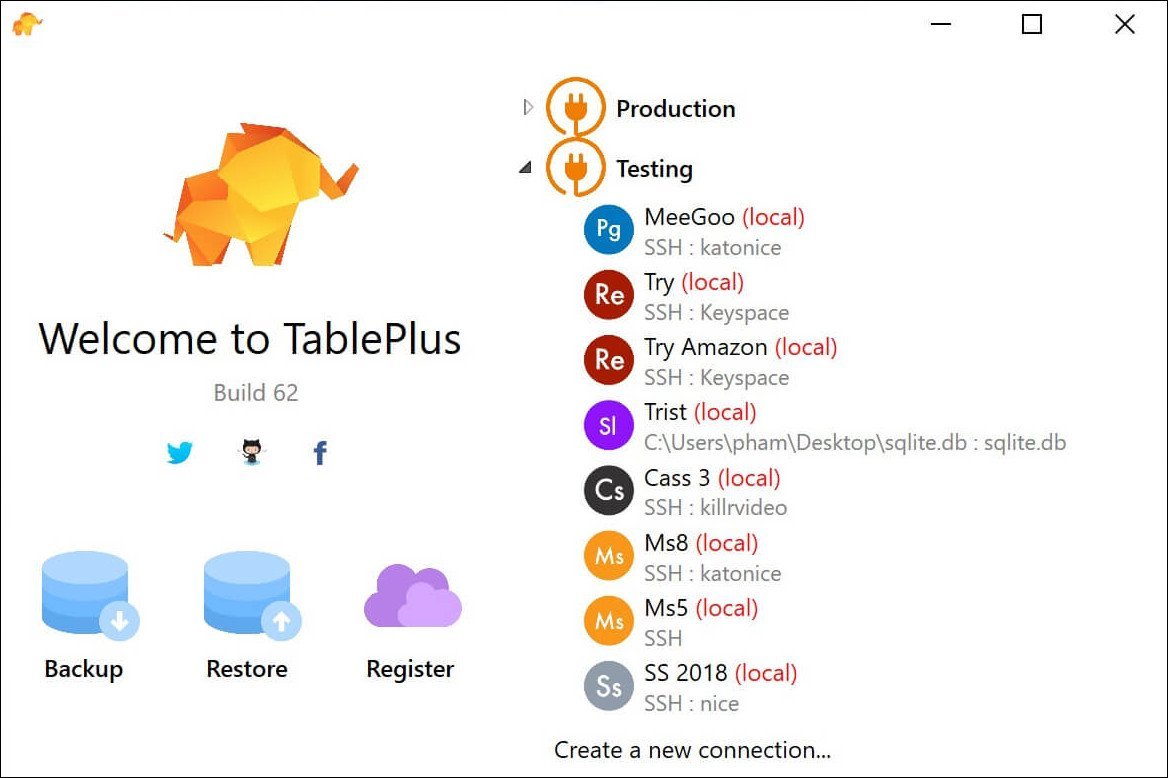
Database Management made easy. Modern, native, and friendly GUI tool for relational databases: MySQL, PostgreSQL & more.
Start getting more done in less time
With native build, simple design and powerful features, it makes database management easier, faster & more efficient for you.
Native, Fast & Secured
Query, edit and save your database easily with a native app that can run fast like a Lambo. It's also equipped with many security features to protect your database, including native libssh and TLS to encrypt your connection.
Multi Tabs & Code Review
Quickly get a snapshot of your database with multi-tab and multi-window view, as well as stay in control of what you have changed on your database with Code Review.
Built-in SSH
You don't need to install any SSH client in order to connect to the server. SSH is a part of TablePlus.
Powerful SQL Editor
We've built the best practices for SQL Editor into our default to help you boost your productivity
Elegant in every detail
Clean & Focus
We don't want to be an app that does many things, but masters none. We only focus on the most important features.
High Performance
With native build, we eliminate needless complexity & extraneous details that you can get it up and run in less than a second.
Shortcut key available
Every function has a shortcut key to keep your hands always on the keyboard.
Always Improving
There's always something cool to be discovered in the new updates released weekly. We shipped more than 1000 improvements over the past year.
Quick Support
We help you troubleshoot your problems with TablePlus at a lightning speed.
Extend Without Limit (beta testing)
You can vastly extend TablePlus to fit your needs by installing plugins written by others or writing your own in JavaScript.
Whats New
Код:
https://tableplus.com/blog/2018/09/changelogs-windows.html

HomePage:
Код:
https://tableplus.com

-:DOWNLOAD FROM LINKS:-​
Download From RapidGator
Код:
https://rapidgator.net/file/69af20ca0240d0f669190896e8a17bcd/T414.rar

Download From NitroFlare
Код:
https://nitro.download/view/9B3D298AA7F678B/T414.rar
 
Tenorshare ReiBoot for Android Pro 2.1.6.3 Multilingual


TRfAP26M.png


File size: 49 MB
​


Ultimate Repair for All Android System Issues. Your Android phone is stuck in download mode/recovery mode/fastboot mode? All Android problems are covered by ReiBoot for Android, which offers you the best solution to fix Android to normal with several clicks.
Repair Android System to Normal At Your Fingers
- Totally free to enter and exit Android fastboot mode by one click.
- Enter and exit Android recovery mode. Free and simple operation.
- Fix 50+ Android system issues like stuck on Samsung logo, app crashing, black screen, and so on.
- Repair Android system to fix slow, stuck, brick issues efficiently.
- Support 600+ Android phones and tablets, including new Samsung Galaxy S10 and Android 9 Pie.
Totally Free to Enter & Exit Android Fastboot Mode by One Click
- Boot into fastboot (Bootloader) mode on any Android device by one click.
- 1-Click to get out of fastboot mode when our phone is stuck in fastboot mode.
- No need to use the key combination method. Fast and hassle-free!
Easiest and Safest Way to Enter/Exit Android Recovery Mode
How to enter Android recovery mode easily? The key combination is not working? The process of entering/exiting Android recovery mode is varied in different brands and not easy for beginners. Any misoperation would brick your Android device. Now, ReiBoot for Android offers a one-click solution to boot your Android device into recovery mode without manually holding down any buttons, and guides you how to safely exit Android recovery mode as well. No risk! Just 1 click!
Goodbye Slow & Stuck, Hello Fast & Smooth
Most phones inevitably become bloated and sluggish after using for a time. One of the culprits is insufficient memory and fragmentation. Repair your Android system will free up RAM and cache on the device, thus you can always have a fresh and nimble phone.
- Update or restore Android OS to fix sluggish performance.
- Delete cached data on Android phone.
- Wipe private data on your phone.
Support 600+ Android Phones and Tablets
This Android system recovery tool supports Android 2.0 above and supports almost all Android devices, no matter your device is provided by AT&T, Verizon, Sprint, T-Mobile, Vodafone, Orange, or other carriers.
Pro Version
1-Click to Enter Fastboot Mode
1-Click to Enter Recovery Mode
1-Click to Exit Fastboot Mode
1-Click to Exit Recovery Mode
Fix Android Stuck in Fastboot Mode
Fix Android Stuck in Recovery Mode
Fix Android Stuck in Download Mode
Fix Samsung Phone Stuck on Samsung Logo
Fix Samsung Stuck in Boot Loop
Fix Samsung Not Updating/Won't Update
Fix Andorid/Samsung Black Screen
Fix Samsung Phone Won't Turn On
Fix Android Recovery Mode No Command Error
Fix Android Touch Screen Not Working
Fix Android Phone Slow/lag
Fix Samsung Freezes Up
Fix Android Stuck in Headphone Mode
Fix Android OTA Update Failed
Whats New
Updates: official site does not provide any info about changes in this version

HomePage:
Код:
https://www.tenorshare.com

-:DOWNLOAD FROM LINKS:-​
Download From RapidGator
Код:
https://rapidgator.net/file/e0e3ceac0e374581b31824fa9cf9c966/TRfAP26M.rar

Download From NitroFlare
Код:
https://nitro.download/view/51DAF2B8A03B9AD/TRfAP26M.rar
 
TunesKit iOS System Recovery 3.0.0.23


TiSR30.png


File size: 19 MB
​


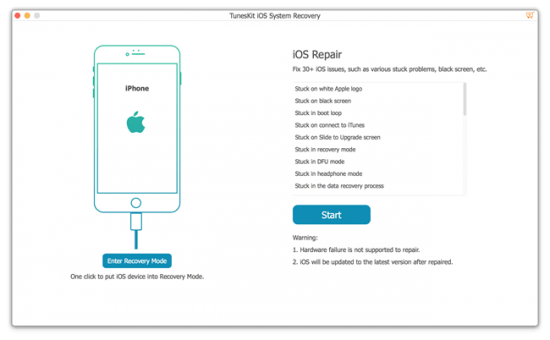
Fix your iOS to normal with all iOS system issues repaired efficiently, including iPhone recovery mode, white Apple logo, black screen, etc.with no data loss.
With TunesKit iOS System Recovery, you are able to quickly fix any common iOS issue all by yourself without seeking for help from Apple technical specialist. No matter whether your iOS device stuck in recovery mode/DFU mode/white Apple logo, or becomes black/blue/frozen/disabled screen, this smart iOS repair tool will get you out of the trouble and recover your device back to normal easily and efficiently.
Get your device back to normal without data loss
Worrying about the data loss while doing the fixes to your iOS/tvOS? No worries! TunesKit iOS System Recovery won't put you at risk of losing any data on your iPhone/iPad/iPod touch/Apple TV at all. It will repair the iOS system issues without changing or leaking any of your personal info on the device.
Fix iOS/tvOS with 2 modes
As one of the most powerful iOS repair sofware, TunesKit iOS System Recovery for Windows provides 2 different modes, including Standard Mode and Advanced Mode for you to fix most common as well as more complicated iOS or tvOS errors in just a few minutes.
Recover iOS/tvOS system in 3 easy steps
The process to fix iOS with TunesKit iOS System Recovery is extremely easy. It only takes 3 simple steps to recover the system. All you need to do is choosing the proper repair mode, downloading the firmware package, and then it will start to recover iOS magically to normal.
More than an iOS/tvOS system repair tool
In fact, TunesKit iOS System Recovery is able to do more magic than being only an iOS repair tool. Specifically, it can also help you to downgrade iOS to previous version with ease. Besides, if you encounter any error when using iTunes to restore or backup the device, you can also use this smart tool to get them fixed. What's more, it can get iPhone into or out of recovery mode within 1 click only when the device gets stuck.
Whats New
Updates: official site does not provide any info about changes in this version.

HomePage:
Код:
https://www.tuneskit.com/

-:DOWNLOAD FROM LINKS:-​
Download From RapidGator
Код:
https://rapidgator.net/file/05d96a0973a54601483d32255c15b45d/TiSR30.rar

Download From NitroFlare
Код:
https://nitro.download/view/F2ABDA6F6E6F5ED/TiSR30.rar
 
WidsMob HEIC 1.6.0.138 Multilingual


WH10MP.jpg


Windows x64 | File size: 28 MB
​


WidsMob HEIC - view HEIC, Live Photos, Animations Sequence and Burst Photo Shots. Rotate Image, Resize Photos and Convert HEIC to GIF/JPG/TIFF/PNG.
Best HEIC Image Viewer and Converter for Windows
WidsMob HEIC is an all-in-one HEIC manager to view HEIC photos, resize and rotate HEIC files and convert HEIC images to JPEG, PNG, BMP and TIFF format.
• Easy-to-use interface to let you browse HEIC images in thumbnail.
• Real-time preview to manage your HEIC photos and delete unwanted ones.
• Add and customize the watermark to HEIC photos in different parameters.
• Resize HEIC images in width, heigth, pecentage or adjust resolution in inch or pixel.
• Batch rotate HEIC images to left, right or 180 degrees easily.
• Save edited HEIC images to quality from least to best.
• Convert HEIC images to JPEG, TIFF, BMP or GIF format.
Preview HEIC on Win
Support HEIC, HEIF, HEICS, and HEIFS formats. Even if you have HEIC files that hold multiple images in one file, such as live photos, animations sequence, and burst-photo shots, you can view the HEIC photos without conversion. It provides 2 different viewing modes, which you can view the thumbnails by default, or browse the full image with a double click.
Convert HEIC to GIF/JPG
Convert HEIC to GIF, JPEG, PNG, TIFF, BMP, and more. As for live photos, animations sequence, and burst-photo shots, you can convert the photo into a GIF format. It also enables you to tweak the photo quality, retain the metadata, and overwrite the file with the same names. You can choose the selected HEIC files or all the photos within a batch process.
Batch Resize/Rotate HEIC
Provide 4 different modes to resize the HEIC photos in batch, such as by width, by height, percentage and free. Moreover, you can adjust the resolution, and enlarge smaller images. It also supports rotate the HEIC photos taken by iPhone and iPad within a batch process, such as rotate left, rotate right, and 180-degree.
Batch Rename/Manage HEIC Files
If you need the same photos in different formats, such as HEIC and JPEG, the batch-rename feature enables you to add prefix, suffix, new name, or sample accordingly. It should be a convenient way to manage the hundreds of HEIC photos from your iOS device on your Windows within the program.
Whats New
Updates: official site does not provide any info about changes in this version.

HomePage:
Код:
https://www.widsmob.com

-:DOWNLOAD FROM LINKS:-​
Download From RapidGator
Код:
https://rapidgator.net/file/dea349242fe253e21bbad9bc5457ba01/WH10M.rar

Download From NitroFlare
Код:
https://nitro.download/view/CD082C684800027/WH10M.rar
 
WidsMob HEIC 1.6.0.138 Multilingual Portable


WH10MP.jpg


Windows x64 | File size: 28 MB
​


WidsMob HEIC - view HEIC, Live Photos, Animations Sequence and Burst Photo Shots. Rotate Image, Resize Photos and Convert HEIC to GIF/JPG/TIFF/PNG.
Best HEIC Image Viewer and Converter for Windows
WidsMob HEIC is an all-in-one HEIC manager to view HEIC photos, resize and rotate HEIC files and convert HEIC images to JPEG, PNG, BMP and TIFF format.
• Easy-to-use interface to let you browse HEIC images in thumbnail.
• Real-time preview to manage your HEIC photos and delete unwanted ones.
• Add and customize the watermark to HEIC photos in different parameters.
• Resize HEIC images in width, heigth, pecentage or adjust resolution in inch or pixel.
• Batch rotate HEIC images to left, right or 180 degrees easily.
• Save edited HEIC images to quality from least to best.
• Convert HEIC images to JPEG, TIFF, BMP or GIF format.
Preview HEIC on Win
Support HEIC, HEIF, HEICS, and HEIFS formats. Even if you have HEIC files that hold multiple images in one file, such as live photos, animations sequence, and burst-photo shots, you can view the HEIC photos without conversion. It provides 2 different viewing modes, which you can view the thumbnails by default, or browse the full image with a double click.
Convert HEIC to GIF/JPG
Convert HEIC to GIF, JPEG, PNG, TIFF, BMP, and more. As for live photos, animations sequence, and burst-photo shots, you can convert the photo into a GIF format. It also enables you to tweak the photo quality, retain the metadata, and overwrite the file with the same names. You can choose the selected HEIC files or all the photos within a batch process.
Batch Resize/Rotate HEIC
Provide 4 different modes to resize the HEIC photos in batch, such as by width, by height, percentage and free. Moreover, you can adjust the resolution, and enlarge smaller images. It also supports rotate the HEIC photos taken by iPhone and iPad within a batch process, such as rotate left, rotate right, and 180-degree.
Batch Rename/Manage HEIC Files
If you need the same photos in different formats, such as HEIC and JPEG, the batch-rename feature enables you to add prefix, suffix, new name, or sample accordingly. It should be a convenient way to manage the hundreds of HEIC photos from your iOS device on your Windows within the program.
Whats New
Updates: official site does not provide any info about changes in this version.

HomePage:
Код:
https://www.widsmob.com

-:DOWNLOAD FROM LINKS:-​
Download From RapidGator
Код:
https://rapidgator.net/file/1ec4bf0d98deb9ce80572e744b6ed65c/WH10MP.rar

Download From NitroFlare
Код:
https://nitro.download/view/51C5761D4D30A66/WH10MP.rar
 
WidsMob ImageConvert 1.6.0.138 Multilingual


WI10MP.png


Windows x64 | File size: 28.5 MB
​


WidsMob ImageConvert All Round Photo Converting Programs with Batch Process. Convert Formats, Resize Photos, Add Watermark and More in Batch.
Powerful Image Converter to Process Batch Photo Conversion Easily
Support import various image formats including JPG, JPEG, PNG, BMP, TIFF and famous RAW format from Nikon, Canon, Sony, etc. and batch convert them into widely used JPG, TIFF, PNG, and BMP files.
Additional Editing Tools
Batch converting images by changing size by width, height, percentage or custom, renaming image files, adding image or text watermark, adding solid or gradient color border and rotating photo to left, right or 180 degree to make the conversion process more personalized.
Supported Input and Output Formats
Supported Input Image Formats
png, jpg, jpeg, bmp, gif, tif, tiff, heif, heic, svg, 3fr, ari, arw, bay, crw, cr2 ,cap, dcs, dcr, dng, drf, eip, erf, fff, iiq, k25, kdc, mef, mos, mrw, nef, nrw, obm, orf, pef, ptx, pxn, r3d, raf, raw, rwl, rw2, rwz, sr2, srf, srw, x3f
upported Input RAW Format Cameras
Adobe Digital Negative (DNG), AgfaPhoto, Alcatel, Apple QuickTake, ARRIRAW format, AVT, Baumer, Blackmagic URSA, Canon PowerShot, Canon IXUS 160 (CHDK hack), Canon EOS, Casio, Contax N Digital, Creative PC-CAM 600, DJI 4384x3288, DxO ONE, Epson R-D1, Foculus 531C, Fuji, Hasselblad, Imacon Ixpress, ISG 2020x1520, Kodak, Leaf, Leica, Lenovo A820, Logitech Fotoman Pixtura, Mamiya ZD, Matrix 4608x3288, Micron 2010, Minolta, Motorola PIXL, Nikon, Olympus, OmniVision OV5647 , Panasonic, Pentax, Phase One, Photron BC2-HD, Pixelink A782, Polaroid x530, Redcode R3D format, Ricoh, Rollei d530flex, RoverShot 3320af, Samsung, Sigma, Sinar, SMaL, Sony, STV680 VGA
Supported Output Image Formats
JPEG, JPEG-2000, PNG, TIFF, BMP
Convert RAW
Convert RAW in batch. Whether the RAW format with DSLR cameras, or mixed-format images, you can turn photos into to JPEG, JPEG 2000, PNG, TIFF, BMP, and more. What is more, the advanced algorithm has 6x speed to convert RAW formats into JPEG and other photo formats.
Edit Photos
Photo editing features. Resize photos in 4 different modes, By Width, By Height, Percentage and Free, which even enable you to enlarge small images. You can also rotate videos with different angles in batch, add border or frames in different color modes.
Add Watermark
Add watermark. Not only add captions and images as watermark, but also allows you to adjust font, style, color, opacity, size, angle, position and more in batch. You can instantly preview the applied effects on all the photos to get the optimal result.
Instant Preview
Instant preview. When you apply the photo effects or add watermark, you can have instant preview for the result from the interface for all the image files. And you can also click Preview to check the result for each image in detail in an easy process.
User Friendly
User friendly. Settings to overwrite the files with the original name, switch to turn off and restore to original images in one click. Multiple settings for resize, add watermark and more to get the best result. Fast conversion speed to enjoy a conversion with the program.
Whats New
Updates: official site does not provide any info about changes in this version.

HomePage:
Код:
https://www.widsmob.com

-:DOWNLOAD FROM LINKS:-​
Download From RapidGator
Код:
https://rapidgator.net/file/1e1c7d1f39897c2638979a2e438bb628/WI10M.rar

Download From NitroFlare
Код:
https://nitro.download/view/FEDB16E66F49A67/WI10M.rar
 
WidsMob ImageConvert 1.6.0.138 Multilingual Portable


WI10MP.png


Windows x64 | File size: 28.5 MB
​


WidsMob ImageConvert All Round Photo Converting Programs with Batch Process. Convert Formats, Resize Photos, Add Watermark and More in Batch.
Powerful Image Converter to Process Batch Photo Conversion Easily
Support import various image formats including JPG, JPEG, PNG, BMP, TIFF and famous RAW format from Nikon, Canon, Sony, etc. and batch convert them into widely used JPG, TIFF, PNG, and BMP files.
Additional Editing Tools
Batch converting images by changing size by width, height, percentage or custom, renaming image files, adding image or text watermark, adding solid or gradient color border and rotating photo to left, right or 180 degree to make the conversion process more personalized.
Supported Input and Output Formats
Supported Input Image Formats
png, jpg, jpeg, bmp, gif, tif, tiff, heif, heic, svg, 3fr, ari, arw, bay, crw, cr2 ,cap, dcs, dcr, dng, drf, eip, erf, fff, iiq, k25, kdc, mef, mos, mrw, nef, nrw, obm, orf, pef, ptx, pxn, r3d, raf, raw, rwl, rw2, rwz, sr2, srf, srw, x3f
upported Input RAW Format Cameras
Adobe Digital Negative (DNG), AgfaPhoto, Alcatel, Apple QuickTake, ARRIRAW format, AVT, Baumer, Blackmagic URSA, Canon PowerShot, Canon IXUS 160 (CHDK hack), Canon EOS, Casio, Contax N Digital, Creative PC-CAM 600, DJI 4384x3288, DxO ONE, Epson R-D1, Foculus 531C, Fuji, Hasselblad, Imacon Ixpress, ISG 2020x1520, Kodak, Leaf, Leica, Lenovo A820, Logitech Fotoman Pixtura, Mamiya ZD, Matrix 4608x3288, Micron 2010, Minolta, Motorola PIXL, Nikon, Olympus, OmniVision OV5647 , Panasonic, Pentax, Phase One, Photron BC2-HD, Pixelink A782, Polaroid x530, Redcode R3D format, Ricoh, Rollei d530flex, RoverShot 3320af, Samsung, Sigma, Sinar, SMaL, Sony, STV680 VGA
Supported Output Image Formats
JPEG, JPEG-2000, PNG, TIFF, BMP
Convert RAW
Convert RAW in batch. Whether the RAW format with DSLR cameras, or mixed-format images, you can turn photos into to JPEG, JPEG 2000, PNG, TIFF, BMP, and more. What is more, the advanced algorithm has 6x speed to convert RAW formats into JPEG and other photo formats.
Edit Photos
Photo editing features. Resize photos in 4 different modes, By Width, By Height, Percentage and Free, which even enable you to enlarge small images. You can also rotate videos with different angles in batch, add border or frames in different color modes.
Add Watermark
Add watermark. Not only add captions and images as watermark, but also allows you to adjust font, style, color, opacity, size, angle, position and more in batch. You can instantly preview the applied effects on all the photos to get the optimal result.
Instant Preview
Instant preview. When you apply the photo effects or add watermark, you can have instant preview for the result from the interface for all the image files. And you can also click Preview to check the result for each image in detail in an easy process.
User Friendly
User friendly. Settings to overwrite the files with the original name, switch to turn off and restore to original images in one click. Multiple settings for resize, add watermark and more to get the best result. Fast conversion speed to enjoy a conversion with the program.
Whats New
Updates: official site does not provide any info about changes in this version.

HomePage:
Код:
https://www.widsmob.com

-:DOWNLOAD FROM LINKS:-​
Download From RapidGator
Код:
https://rapidgator.net/file/c599f884676362c13c18caf1ddcb0f48/WI10MP.rar

Download From NitroFlare
Код:
https://nitro.download/view/CD206B29A2D6351/WI10MP.rar
 
xplorer2 Professional / Ultimate 5.2.0 Multilingual


x-P-U50-M.jpg


File size: 12 MB
​


Xplorer is what windows explorer should have been. We've kept the best bits and threw away the inconsistencies and irritations, all in a small and nimble, easy to use package. At first glance everything looks familiar: the classic tree/view user interface, clean and clutter free, should get you started immediately. xplorer? will get you in all places you keep your digital wealth, including namespace extensions like FTP, zipfolders, webfolders etc. xplorer? browsing model scales up well to large folders with thousands of files. It reads fast, offers visual filters and a variety of selection mechanisms that allow you to manage your files effectively.
xplorer2 is a file and information manager that adheres to the philosophy "efficiency through simplicity". Without reinventing the wheel, it integrates the best features of Windows' shell architecture in a small, resource efficient package that's instantly familiar to work with. But look a little closer and you'll discover a whole new world under the surface that offers power, precision and flexibility, and will boost your everyday productivity no end! All the shell goodies from windows explorer - none of the hassle! Plus all the features you would expect from a powerful tabbed dual-pane file manager, including Omni-Finder, a find files module that simply outclasses all known search tools. Don't take our word for it, seeing is believing!
xplorer? is what windows explorer should have been. We've kept the best bits and threw away the inconsistencies and irritations, all in a small and nimble, easy to use package. At first glance everything looks familiar: the classic tree/view user interface, clean and clutter free, should get you started immediately. xplorer? will get you in all places you keep your digital wealth, including namespace extensions like FTP, zipfolders, webfolders (webDAV) etc.
But that's where the similarities end. Unlike explorer, xplorer? allows you to browse more than one folder at a time, using tabs and dual panes. Sorting out and copying files becomes a breeze. You can navigate your shell namespace quickly using favorites, clickable paths (breadcrumbs), easy access to root folders, a tree and a bookmark pane (drop box) etc. You can even save and restore folder groups whenever your workflow deems necessary. xplorer? browsing model scales up well to large folders with thousands of files. It reads fast, offers visual filters and a variety of selection mechanisms that allow you to manage your files effectively.
Main features
» Browsing the shell namespace
» Managing files and folders
» Scrap containers
» Examine and maintain your filesystem
» Search for files and folders
» Automation of DOS (and windows) commands
» User Interface customization
Whats New
Код:
https://www.zabkat.com/changes.txt

HomePage:
Код:
http://zabkat.com

-:DOWNLOAD FROM LINKS:-​
Download From RapidGator
Код:
https://rapidgator.net/file/1b4e0933e1ecb163c53223de62814898/xP_.U50.M.rar

Download From NitroFlare
Код:
https://nitro.download/view/A3A52CF2614795E/xP_.U50.M.rar
 
ARCHLine.XP 2022 v220307 Build 444 (x64)


AX2022-v-B444-x.jpg


File size: 1.6 GB
​


ARCHLine.XP is an architectural design software for BIM (Building Information Modeling), including features for interior design and decoration projects. ARCHLine.XP supports the multi-disciplinary design process. It helps you to collaborate with co-designers through the IFC, DWG™, and RVT™ formats. The software includes the whole process of architectural design, interior design and the planning of bespoke furniture.
The complete floor plan, 3D model and project documentation can be created within the software - the furnishing, tiling, lighting processes are fast and easy. The section views, construction details, printing layouts, schedules, Excel reports, and renderings can be created with just a few clicks.
ARCHLine.XP is an architectural design software equipped with a fully integrated Open BIM interface, providing the tools to create coordinated and computable building models. Every component, such as floor plans, sections, and elevations are in one comprehensive model. Your BIM projects are fully coordinated and they don't require any manual updates to keep them synchronized.
Working with ARCHLine.XP architectural design software you can create: floor plan views, section views, elevation views, perspective views, construction details, printing layouts, schedules, Excel reports, renderings, photo inserts, and even animations.
BIM is actually a de facto standard design process to create a building model that essentially provides a robust and rich data source of information. This information is used internally by the CAD software and exported to the project team to add computations such as energy analysis, calculating structural loads, lighting analysis, heating and cooling calculations, etc.
Coordinated and computable building model
You work in one model with many views such as floor plans, sections, and elevations. Your BIM projects are fully coordinated and don't require any manual updates to keep them synchronized. This allows a more efficient work.
Components that makes BIM
Drawing in 3D is just one step in the BIM workflow. Instead of being the end product, the 3D model is used as a data source of information by the project team for the performed computations. In order for the project team to be efficient, they require this data in a standardized format. This format contains everything - shared parameters, templates, project parameters, object properties, data sources. This is what makes the "I" in BIM.
Our BIM tools
Direct Revit RFA, RVT import
Using ARCHLine.XP 2017, you can import and view the RVT, RFA files types. RFA (Revit Family) is the format of families of the BIM application Autodesk Revit. RFA objects carry BIM parameters about the object, so instead of working with blocks, you work with intelligent building components.
Downloadable models from manufacturers in Revit format
RFA import can be extremely useful, since almost all manufacturers who provide downloadable 'BIM' models usually provide them in Revit format only.
One of the most comprehensive BIM libraries is bimobject.com - use it to import actual objects with their BIM parameters directly into your ARCHLine.XP model.
IFC Export / Import - Industry Foundation Classes
ARCHLine.XP offers a buildingSMART-certified IFC import and export, based on the IFC2x3-TC1 version. Using the IFC file format provides you with unrivalled collaboration opportunities, and marks the end of project misinterpretation and data loss.
Whats New
Код:
https://www.archlinexp.com/products/archline-xp-professional/new-in-archline-xp-2022

HomePage:
Код:
https://www.archlinexp.com/

-:DOWNLOAD FROM LINKS:-​
Download From RapidGator
Код:
https://rapidgator.net/file/0a15259e8229b715597e5d0b80937c50/AX2022.vB444.x.part1.rar
https://rapidgator.net/file/f7bea1296c4da234a9e2e17409522ca1/AX2022.vB444.x.part2.rar

Download From NitroFlare
Код:
https://nitro.download/view/661303767A303F8/AX2022.vB444.x.part1.rar
https://nitro.download/view/212FD085B4FCDC2/AX2022.vB444.x.part2.rar
 
ASUS GPU Tweak II 2.3.9.0


AGTI29.jpg


File Size : 98.3 Mb
​


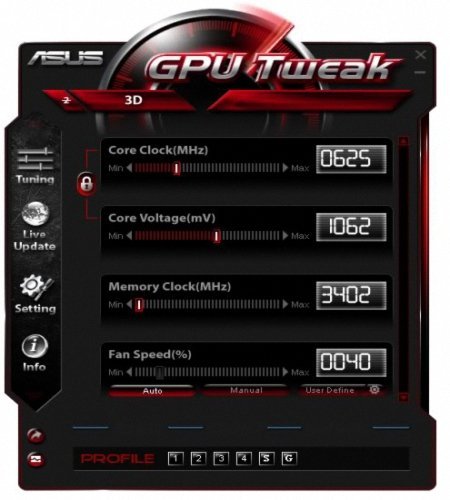
GPU Tweak allows you to optimize clock speeds, voltage and fan speeds on up to four graphics cards independently or simultaneously, you can also select between GPU Tweak's Standard or Advanced modes depending on your level of experience.
ASUS makes serious hardware for die-hard overclockers who want to squeeze every ounce of performance out of their gear and never back down from a challenge.This experience is enhanced further with the all new and intuitive ASUS exclusive GPU Tweak utility - allowing you to monitor and optimize settings for ultimate performance on any graphics cards.
ASUS GPU Tweak was introduced back in the summer of 2011 as the ASUS homegrown application software for overclocking graphics card adapters. Since then, it received more than twenty-five updates focused on increased compatibility and extended support for the newly introduced series while constantly trying to infiltrate the community by competing with the mogul: MSI Afterburner.
It is now utilized in the overclocking process of ASUS cards that are being reviewed by most of the popular and well-established websites and it seems to be doing a fairly accurate job in the tedious task of tinkering with not one but many characteristics.
As an actual example, it helped an ASUS GTX 660 DirectCU II achieve a GPU clock frequency of 1098 MHz over the stock clock of 1020 MHz and a Top GPU Boost of 1228 MHz over 1150 MHz. In terms of memory frequency, ASUS GPU Tweak made it possible for the overclocker to reach 6608 MHz, thus squeezing 600 MHz and add them to the stock clock.
ASUS GPU Tweak features a pretty neat interface, although it may seem a bit quirky at first. It does not take much for you to get accustomed to it, though and you can find yourself immersed into its depth as the overclocking process gets underway. We believe that, as long as you spend the time to download and install ASUS GPU Tweak, you are aware of all the risks this operation involves and proceed with caution and good use of a solid knowledge.
This particular application allows you to modify the GPU Clock according to the GPU Voltage or even separately, the Memory Clock as well as the Fan Speed. You can also set the fan speed by linking it to the temperature, thus creating a customized graph, make use of the 2D / 3D switcher, sync all the available cards as well as set up profiles.
All in all, ASUS GPU Tweak has come a long way since its release and started making a name for itself as a reliable companion for a far from risk-free operation. While many would still recommend MSI Afterburner to be used with any graphics adapter, ASUS GPU Tweak can prove to be a worthy alternative, especially when the card at hand is, indeed, an ASUS.
Whats New
Updates: official site does not provide any info about changes in this version

HomePage:
Код:
https://rog.asus.com/

-:DOWNLOAD FROM LINKS:-​
Download From RapidGator
Код:
https://rapidgator.net/file/f9cc8c76cfb912a5d15c12ba7ca6a594/AGTI29.rar

Download From NitroFlare
Код:
https://nitro.download/view/8A919C31796EF7F/AGTI29.rar
 
Chaos Vantage 1.7.0 (x64)


CV10-x.jpg


File size: 276.3 MB
​


Explore your most complex 3D production scenes ray traced in real-time. With Chaos Vantage, there are no time-consuming conversions. Simply drag and drop your complete V-Ray scene into Vantage and start exploring. There's also a direct live link available from 3ds Max, so you can use it just like a viewport.
Zero setup
Drag and drop your V-Ray scene into Chaos Vantage and start exploring. Unlike other real-time solutions, there's no geometry to optimize, UVs to unwrap, or lighting to bake.
Go big!
Chaos Vantage is built to handle huge scenes and billions of polygons. It's the fastest way for you to see your most detailed V-Ray scenes in real-time.
Easy to navigate
Navigating your scene is easy. Use controls similar to your 3D app, or move around just like playing a game. Walk up stairs and avoid walking through walls with automatic collision detection.
100% ray-traced quality
With fully raytraced and real-time rendering, Chaos Vantage uses physically based cameras, lights, materials, and global illumination for the most realistic results.
Simple and fast animation
Perfect for previsualization, you can create, edit, and render animation right from Chaos Vantage. Easily animate between cameras, apply transitions, arrange your sequence in the Animation Editor.
Live link
Get a live raytraced view of your scene with a live link from 3ds Max. Changes you make in your 3ds Max scene will instantly appear in Chaos Vantage.
System Requirements
- OS: Microsoft® Windows® 10 RS5 (version 1809), update from October 2018, build 17763 or later
- GPU Acceleration: DXR compatible GPU: NVIDIA RTX® series GPU with NVIDIA® driver 436.02 or newer in WDDM mode; recommended version 466.11
- System memory should exceed GPU memory (minimum 8 GB RAM)
Notes
1 - Driver 460.89 produces incorrect results in materials and textures with Ampere (30XX) cards.
2 - GPU must be set to WDDM mode and not in TCC otherwise Chaos Vantage will not detect it.
3 - NVIDIA AI denoiser requires driver version 466.11 and newer.
Whats New
Код:
https://docs.chaos.com/display/LAV/Chaos+Vantage%2C+v1.5.3

HomePage:
Код:
https://www.chaosgroup.com/

-:DOWNLOAD FROM LINKS:-​
Download From RapidGator
Код:
https://rapidgator.net/file/af7af213bab075b93d8440bdf58b1e45/CV10.x.rar

Download From NitroFlare
Код:
https://nitro.download/view/FE45AC33A646CA8/CV10.x.rar
 
Назад
Сверху