• Здравствуйте. Сайт заработал в архивном режиме форум www.old.nado.in

Dl4ever Software

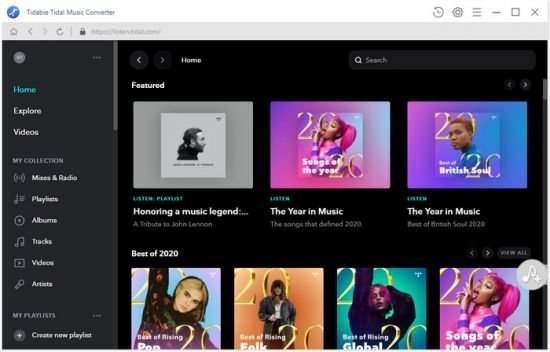
Tidabie Tidal Music Converter 1.1.4 Multilingual


V8-M641mn-Fepd-WYv-SIqgc-BCD3-Xy-N7g-EZ9.jpg

File size: 76.8 MB
​
Tidabie Tidal Music Converter is your best choice to record any songs or playlists from both Tidal Premium and HiFi Music to local computer in plain MP3/AAC/FLAC/WAV format. After recording, any Tidal music can be offline playback forever!

Convert Tidal music to MP3/AAC/WAV/FLAC/AIFF
Tidal is a good source to stream music and it allows users to download Tidal music for offline streaming as well. However, the downloaded Tidal music are not saved as local files. They are encoded files restricted to be opened with the Tidal app.
Tidabie Tidal Music Converter is the solution to help Tidal subscribers download music from Tidal to the local drive for personal use. It's a well-designed tool to convert Tidal music to MP3/AAC/WAV/FLAC/AIFF format. In this way, you can backup Tidal music as local files on your computer, play Tidal music on your MP3 player, transfer Tidal songs to your USB drive, etc.

Keep Hi-Fi audio quality & ID3 tags after conversion
By subscribing to Tidal HiFi, you can listen to music with the best audio quality. At present, the majority of streaming services provide subscribers with the Standard Definition while Tidal HiFi enables users to stream lossless CD-quality audios, 4.4 times the bitrate of the highest Standard Definition streams offered by other services like Spotify.
One of the excellent features that Tidabie offers is that it keeps the HiFi audio quality after conversion. If you sign up as a Tidal premium member, you can download Tidal music in standard sound quality; if you are a Tidal HiFi subscriber, you can download music from Tidal as lossless CD-quality FLAC files!

No need to install the Tidal app; 10X faster conversion speed
When coming to choose a good app, it's important to check whether the program is a clean one. It contains no virus, nor does it require you to install another app. Tidabie Music Converter is a 100% clean program. It's a standalone program with no need to install any extra app, including the Tidal app!
In addition, Tidabie enables users to download Tidal music smoothly. It supports up to 10X faster conversion speed to convert Tidal music to your design output format. You can save a lot of time by selecting a speedy tool to do the conversion.


-:DOWNLOAD FROM LINKS:-
RapidGator
Код:
https://rapidgator.net/file/4805f8a0baaf3904181aec2bcb41cf24/Dl4eVeR.MusicConverter1.1.4.rar.html

NitroFlare
Код:
https://nitro.download/view/207D7B6B446B9EC/Dl4eVeR.MusicConverter1.1.4.rar

​
 
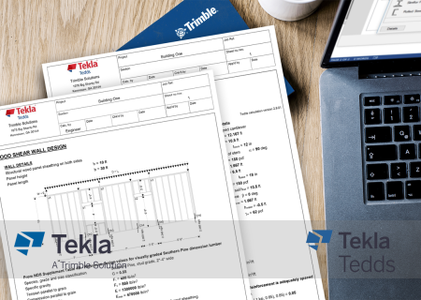
Trimble Tekla Tedds 2021 SP1 with Library Update (May 2021)

00847fb1-medium.png

Trimble Tekla Tedds 2021 SP1 with Library Update (May 2021) | 107.7 mb​
Trimble launched Tekla Tedds 2021 SP1 (23.1.0000). This release includes a number of enhancements and issue resolutions.

Tekla Tedds 2021 - Service Pack 1
This service pack is required when using the Tekla Tedds Engineering Library May 2021 or later.

Important
If you are running a 64-bit version of Windows you will require both updates.

Eight new functions which can be used when writing custom calculations.

CubeRoot
Calculates the cube root of a value including support for negative values.

CubeRoot( 8 ) = 2
CubeRoot( -8 ) = -2

String List Functions
String list functions allow a list of values to be managed as a single string value where each item in the string is separated by the list separator (normally a comma). For example you might use such a list for recording the positions on a beam where results of interest occur.
The new functions included in this service pack make it easier to manipulate such data.

Example
Two separate operations have resulted in two lists of positions of interest on a beam which are not currently sorted, create a new list which contains all the positions (in mm) from both lists in order from smallest to largest without any duplicates.

a1 = 0.0m; a2 = 0.575m; a3 = 0.63m; a4 = 1.2m
list1 = StringList( "F0", "mm", a1, a2, a3, a4 ) = "0,575,630,1200"
b1 = 0.0m; b2 = 0.325m; b3 = 0.63m; b4 = 0.2m
list2 = StringList( "F0", "mm", b1, b2, b3, b4 ) = "0,325,630,200"
positions = StrListUnion( StrListSort(list1), StrListSort(list2) ) = "0,200,325,575,630,1200"

StrListJoin
StrListJoin can be used to concatenate two string lists.

list1 = StrList( 1, 2, 3 )
list2 = StrList( 4, 5, 6 )
StrListJoin( list1, list2 ) = "1,2,3,4,5,6"
StrListJoin( list2, list1 ) = "4,5,6,1,2,3"

StrListUnique
Removes all consecutive duplicate elements from a sorted string list.

list = StrList( 1, 2, 3, 3, 7, 8, 8, 9, 10, 10, 10, 11 )
StrListUnique( list ) = "1,2,3,7,8,9,10,11"

StrListMerge
Merges two sorted string lists into a single string list.

list1 = StrList( 1, 3, 7 )
list2 = StrList( 2, 6, 8 )
StrListMerge( list1, list2 ) = "1,2,3,6,7,8"

StrListUnion
Creates a sorted string list consisting of the elements that exist in one or both sorted string lists.

list1 = StrList ( 1, 2, 3, 5, 7, 9 )
list2 = StrList( 2, 4, 5, 6, 8, 9 )
StrListUnion( list1, list2 ) = "1,2,3,4,5,6,7,8,9"

StrListIntersection
Creates a sorted string list from two sorted string lists which consists of the elements that exist in both lists.

list1 = StrList ( 1, 2, 3, 5, 7, 9 )
list2 = StrList( 2, 4, 5, 6, 8, 9 )
StrListIntersection( list1, list2 ) = "2,5,9"

StrListDifference
Creates a sorted string list from two sorted string lists consisting of the elements which exist in the first list but not in the second list.

list1 = StrList ( 1, 2, 3, 5, 7, 9 )
list2 = StrList( 2, 4, 5, 6, 8, 9 )
StrListDifference( list1, list2 ) = "1,3,7"
StrListDifference( list2, list1 ) = "4,6,8"

StrListSymmetricDifference
Creates a sorted string list consisting of the elements which exist in either of two sorted string lists but not both.

list1 = StrList ( 1, 2, 3, 5, 7, 9 )
list2 = StrList( 2, 4, 5, 6, 8, 9 )
StrListSymmetricDifference( list1, list2 ) = "1,3,4,6,7,8"
Security
[TEDDS-5564] Updated embedded Chromium browser (CEF) to address security vulnerabilities
[TEDDS-5558] Updated System.Text.Encodings.Web to 4.7.2

Writing Custom Calculations
[TEDDS-5619] Modified the behavior of the developer commands for creating calculation examples to always save the variables in SI units so that numeric precision issues are avoided when saving US examples using US units.
[TEDDS-5620] Enhanced VerifyEqual so that when the result is different the warning message indicates the percentage difference between the two values.
[TEDDS-5546] Fixed the Data List design application not initialising the "Hide grid" and "Fixed splitter" options correctly which resulted in these options being applied randomly when building a data list.
Tekla Tedds Engineering Library (May 2021)

UK and Asia

Concrete specification (BS8500)
Updated in accordance with BS8500-1:2015+A2:2019. Improved user experience so that the majority of the input can be entered on the main page of the user interface.

Other Updates

Calculation writing documentation
Updated the documentation for new and updated functions in Tedds 2021 Service Pack 1, including:
- New CubeRoot function.
- New StrListJoin, StrListMerge, StrListUnique, StrListUnion, StrListIntersection, StrListDifference and StrListSymmetricDifference functions
- Updated sqrt to include the new alias SquareRoot.
- Updated SaveSectionVarsCalcItem and SaveSectionVarsTextFile to save values in SI units by default.
Foundation analysis & design (EN1992/EN1997)
[Tedds-5588] - Corrected item used to display passive sliding resistance check in summary output.
[Tedds-5532] - Corrected analysis model for pad foundations with multiple columns and strip foundations with multiple walls.
[Tedds-5531] - Adjusted user interface to allow users to select which axis the analysis model, moment and shear diagrams are displayed for.
Sketch updates for global compatibility.
Timber frame racking panel design (EN1995)
[TEDDS-5589] - Corrected incorrect argument in function error associated with output control variables.

USA

Footing analysis & design (ACI318)
Enhanced to allow an optional pedestal to be defined for each column or wall. The user experience has also been improved when a design is beyond scope so that more detailed information is provided in the user interface and the output document, results that can be calculated are also now presented for the partial design.

Other Updates

Calculation writing documentation
Updated the documentation for new and updated functions in Tedds 2021 Service Pack 1, including:
- New CubeRoot function.
- New StrListJoin, StrListMerge, StrListUnique, StrListUnion, StrListIntersection, StrListDifference and StrListSymmetricDifference functions
- Updated sqrt to include the new alias SquareRoot.
- Updated SaveSectionVarsCalcItem and SaveSectionVarsTextFile to save values in SI units by default.
Footing analysis & design (ACI318)
[TEDDS-5596]1 - Fixed expression error "Undefined variable '_CriticalSLSLC'"
Fixed overall design preview utilization ratios to consider results for both directions.
Small improvements to user interface.
RC wall design (ACI318)
[TEDDS-5616]1 - Corrected error falsely identifying unbraced slender wall design.

Europe

Calculation writing documentation
Updated the documentation for new and updated functions in Tedds 2021 Service Pack 1, including:
- New CubeRoot function.
- New StrListJoin, StrListMerge, StrListUnique, StrListUnion, StrListIntersection, StrListDifference and StrListSymmetricDifference functions
- Updated sqrt to include the new alias SquareRoot.
- Updated SaveSectionVarsCalcItem and SaveSectionVarsTextFile to save values in SI units by default.
Foundation analysis & design (EN1992/EN1997)
[Tedds-5588]1 - Corrected item used to display passive sliding resistance check in summary output.
[Tedds-5532]1 - Corrected analysis model for pad foundations with multiple columns and strip foundations with multiple walls.
[Tedds-5531]1 - Adjusted user interface to allow users to select which axis the analysis model, moment and shear diagrams are displayed for.
Sketch updates for global compatibility.

Australia

Calculation writing documentation
Updated the documentation for new and updated functions in Tedds 2021 Service Pack 1, including:
- New CubeRoot function.
- New StrListJoin, StrListMerge, StrListUnique, StrListUnion, StrListIntersection, StrListDifference and StrListSymmetricDifference functions
- Updated sqrt to include the new alias SquareRoot.
- Updated SaveSectionVarsCalcItem and SaveSectionVarsTextFile to save values in SI units by default.

Canada

Calculation writing documentation
Updated the documentation for new and updated functions in Tedds 2021 Service Pack 1, including:
- New CubeRoot function.
- New StrListJoin, StrListMerge, StrListUnique, StrListUnion, StrListIntersection, StrListDifference and StrListSymmetricDifference functions
- Updated sqrt to include the new alias SquareRoot.
- Updated SaveSectionVarsCalcItem and SaveSectionVarsTextFile to save values in SI units by default.

Tekla Tedds is powerful software developed to meet the needs of the structural engineering workflow and designed to help you automate your repetitive structural calculations. Choose from one or more of our regularly updated calculation libraries or write your own, and create professional documentation every time. Combine your structural calculations with 2D frame analysis.

Tekla Tedds 2021 structural analysis and design calculation software offers new and improved calculations, including base plate, precast hollow core slab, concrete foundation and timber racking loads, to satisfy multiple design codes.

Tekla Structural Designer - Design using Tekla Tedds - Wood member design (NDS)


Tekla software solutions for advanced BIM and structural engineering are produced by Trimble. Trimble's construction offering ranges from total stations to advanced software, giving the industry tools to transform planning, design, construction and operation of buildings. Tekla software is at the heart of the design and construction workflow, building on the free flow of information, constructible models and collaboration.

Product: Trimble Tekla Tedds
Version: 2021 SP1 (23.1.0000) with Library Update (May 2021)
Supported Architectures: x64
Website Home Page :
Код:
http://www.tekla.com
Language: english
System Requirements: PC *
Software Prerequisites: Tekla Tedds 2021 version 23.0.0000 & Engineering Library version 23.1.0000
Size: 107.7 mb

Tekla Structural Designer 2021 hardware recommendations.

System requirements for effective operation

CPU: Multi core Intel i5 Series or above, Xeon or AMD equivalent
- Highest affordable performance recommended.

Memory: 16GB (32GB or more recommended)
- Memory requirements are highly dependent on model content.

OS: 64-bit Microsoft Windows 8.1 / 10
- Operating systems must be running the latest service packs / updates.

Graphics: 1600 x 900 resolution (1920 x 1080 or higher recommended)
- 1GB or higher of dedicated RAM.
- Utilizes HOOPS Visualize, a third party graphics engine available from Tech Soft 3D. To check your adapter's compatibility visit the HOOPS developer website for HOOPS 20.x, DirectX and OpenGL requirements.

Disk space: 1GB or more of free space for installation
- Operational disk space requirements are highly dependent on model content.

Internet connection: Required for access to Online Services and some documentation.

License Service:
- Tekla Structural License Service 3.00 including Sentinel RMS 9.5

License Server: The latest version of the Tekla Structural Licence Service, at time of release, is shipped and installed with the software. If you have chosen to have a separate licence server, it is always our recommendation that you also run the latest version of the Tekla Structural License Service on it to ensure compatibility. Please see System Requirements for specific version details.

Test environments

The application is tested and supported on the following business versions of Microsoft Windows with the latest updates applied:

- Windows 10 64-bit
- Windows 8.1 64-bit

Tekla Tedds 2021 hardware recommendations:

CPU: Multi core Intel i3 Series or above, Xeon or AMD equivalent
- Highest affordable performance recommended.

Memory: 2GB
- Memory requirements are dependant on document content.

OS: 32-bit or 64bit Microsoft Windows 8.1 / 10
- Operating systems must be running the latest service packs / updates.
- See Test Environments (below) for full details of supported operating systems.

Graphics: 1920 x 1080 resolution
- 1GB or higher of dedicated RAM.

Disk space: 1GB or more of free space for installation.
- Operational disk space requirements are highly dependant on model content.

Internet connection: Required for access to Online Services and some documentation.

Microsoft Word: 32-bit or 64-bit of Microsoft Word 2013, 2016 or 2019.
- Microsoft Word needs to be fully service packed.

License Service:
- Tekla Structural License Service 3.00 including Sentinel RMS 9.5

License Server: The latest version of the Tekla Structural Licence Service, at time of release, is shipped and installed with the software. If you have chosen to have a separate licence server, it is always our recommendation that you also run the latest version of the Tekla Structural License Service on it to ensure compatibility. Please see System Requirements for specific version details.

The application is tested and supported on the following business versions of Microsoft Windows with the latest updates applied:

- Windows 10 32-bit & 64-bit
- Windows 8.1 32-bit & 64-bit


-:DOWNLOAD FROM LINKS:-
RapidGator
Код:
https://rapidgator.net/file/3f6a9f61bcf87f75514d50d90d443e42/Dl4eVeR.MtRKLtDD21s1.rar.html

NitroFlare
Код:
https://nitro.download/view/30C45728A3B5BFB/Dl4eVeR.MtRKLtDD21s1.rar

​
 
TriSun Duplicate MP3 Finder Plus 15.1 Build 037 Multilingual


R4w4kdg-Twn-Gjhul-LOSY2-Vko-LKIPQZr-Ro.png

Languages: Multilingual | File size: 1.30 MB
​
Duplicate MP3 Finder Plus - Quickly finds the duplicate audio on your drives relied on their content, you can remove the unwanted audio as you expect to recover your valuable disk space, reduce the management costs and avoid the unnecessary confusion. It works very fast because of our high-speed audio comparison algorithm is built-in. And the result (duplicate audio) is 100% accurate due to it compares audio relied on audio content, not audio name, last modified date or file size.

Also, it is very easy to use, only need to select the resources, type(s), and then click the "Find now" button to get your want. Even, you can simply click this button directly by using the suggested search conditions.
Once the finding is done, you will see the result (the duplicate audio list) instantly. It checks the unwanted audio automatically with the smart selection feature, sorts the result by size in descending, and marks the adjacent duplicate audio groups by different colors, in order to let you operate the duplicate audio conveniently. You can also do some common actions for the checked duplicate audio / highlighted audio in the result listing, such as Save, Load, Move to Recycle Bin, Delete, Open/Run, Open File Location, Find, Uncheck All, Invert Checks and Show Properties.

Sure, you can use some options (e.g. smart selection, whether scan the hidden files or not, and exclude folders) to affect the final result.


-:DOWNLOAD FROM LINKS:-
RapidGator
Код:
https://rapidgator.net/file/8e77e3b64c6ee6e1dc4fbfb692e47576/Dl4eVeR.Duplicate_MP3_Finder_Plus_15.1_Build_037.rar.html

NitroFlare
Код:
https://nitro.download/view/850FB2D8197BF12/Dl4eVeR.Duplicate_MP3_Finder_Plus_15.1_Build_037.rar

​
 
TunePat Netflix Video Downloader 1.5.1 Multilingual


0-WPksv-Pcux-XSTVDIq-It-Eg-XBh-Igt-Fwzdx.jpg

File size: 78 MB
​
TunePat Netflix Video Downloader is the best solution to help you enjoy Netflix movies & TV shows on any devices without spending internet traffic and without disrupting Netflix limitations.

With TunePat Netflix Video Downloader, you can enjoy Netflix movies and TV shows on iPhone, iPad, Android phones & tablets, TV and any other MP4 compatible devices as well.

Support downloading HD Netflix video
As an HD video downloader for Netflix, TunePat Netflix Video Downloader supports downloading HD Netflix video, and allows you to choose the original quality video from Low Quality (240p) up to High Definition (HD - 1080p or 720p)!
TunePat Netflix Video Downloader allows you to select the output video quality in three level (High, Middle, and Low), thus meeting the need to save different quality of videos.

Keep audio tracks and subtitles
TunePat Netflix Video Downloader supports downloading Netflix movies and TV shows with all subtitles and audio tracks retained and provides the same experience as viewing on Net.

Fast, flexible and easy-to-use
TunePat Netflix Video Downloader provides a faster way to download videos from Netflix by parsing the URL of Netflix videos.
Easy to use! Just copy any NetFlix video URL, paste it, click the 'Download' button, wait for a little and enjoy it!


-:DOWNLOAD FROM LINKS:-
RapidGator
Код:
https://rapidgator.net/file/5268d2a617d50dca7a140bb73ff921d8/Dl4eVeR.TunePatNetflixVideoDownloader1.5.1.rar.html

NitroFlare
Код:
https://nitro.download/view/572F1F3288ECC35/Dl4eVeR.TunePatNetflixVideoDownloader1.5.1.rar

​
 
TunePat Tidal Media Downloader 1.2.4 Multilingual


th-2-LJ4-B6-Pctg-KXAy-VYMXi-ZPwayt-Gpelv9-L.jpg

Languages: Multilingual | File size: 75.3 MB
​
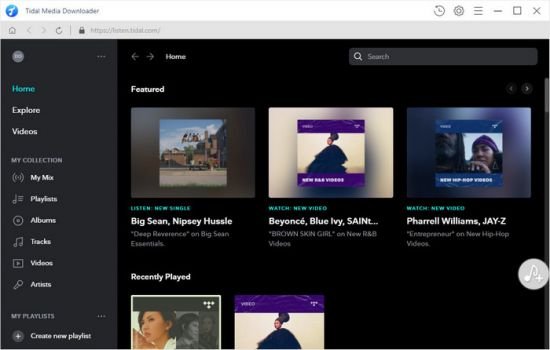
TunePat Tidal Media Downloader is a comprehensive audio downloader and converter which supports converting Tidal music to popular formats, including MP3, AAC, WAV, or FLAC format.

With Tidal Media Downloader, you can easily transfer Tidal tracks between devices, even play Tidal music on the unsupported applications and players at any time.

Features :
Download Tidal music on the computer.
Convert Tidal music to plain MP3/AAC/WAV/FLAC format.
Preserve Hi-Fi audio quality of the songs after conversion.
Keep all ID3 tags information & 10X faster conversion speed.
No need to install Tidal app.
Free update & technical support.

Whats New:
Updates: official site does not provide any info about changes in this version

SYSTEM REQUIREMENTS
CPU: 1G Hz, or above
GPU: 1024x768 pixels or higher resolution.
RAM: 512MB or higher


-:DOWNLOAD FROM LINKS:-
RapidGator
Код:
https://rapidgator.net/file/6ddb97941ef4a5a557e63af145d05abd/Dl4eVeR.TunePat_Tidal_Media_Downloader.rar.html

NitroFlare
Код:
https://nitro.download/view/EEFAD607635A1B0/Dl4eVeR.TunePat_Tidal_Media_Downloader.rar

​
 
UniPDF Pro 1.3.5 Multilingual


th-IDDDhxwr-KM4byo6vv-Q1y6f-M01o50-S25-A.png

File Size: 8.95 MB
​
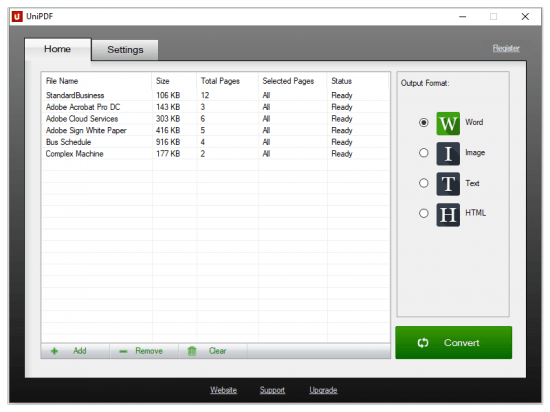
UniPDF is developed based on the primary concept of re-producing a Word file from a PDF. It comes with a series of features which makes the task even more effective and efficient. In usage, it is versatile. It supports converting PDF files to Word, image, text and HTML. One of the most attractive features of this software is that it retains the original design and layout of the PDF. Conversion time is barely sensible. Time you can save on copying and pasting PDF content is not minutes, but HOURS.

Unique Features include:
� Convert your PDF files into four file types to meet your specific needs: Microsoft Word, image, text and html files are all available
� Retain original design and formatting: Converted files will retain original layout and formatting of the original document to save you time having to re-edit your documents to get them the way you want them
� Convert PDF files in batch: Convert PDF files individually or convert multiple files in a single session
� Super-fast conversion: Lightning fast conversion speeds enable you to spend less time converting and more time getting work done.
� Convert selected page range: Convert entire documents or select only specific pages within a document for conversion
� User friendly interface that anyone can use with ease. Simple drag and drop interface allows you to easily select which files you�d like to convert
� 20 UI Languages

What's New:
official site does not provide any info about changes in this version.


-:DOWNLOAD FROM LINKS:-
RapidGator
Код:
https://rapidgator.net/file/977b4b8a9e1466d17a42ab652b87bb5c/Dl4eVeR.UniPDF_Pro_1.3.5.rar.html

NitroFlare
Код:
https://nitro.download/view/C97342B314A89D8/Dl4eVeR.UniPDF_Pro_1.3.5.rar

​
 
Zoople HTML Editor .NET for Winforms 1.9.1.244


th-xzn-XSfdus-Y2-Zq-Nbt3-Y353qo13-MHm-TBFc.jpg

File size: 4.5 MB
​
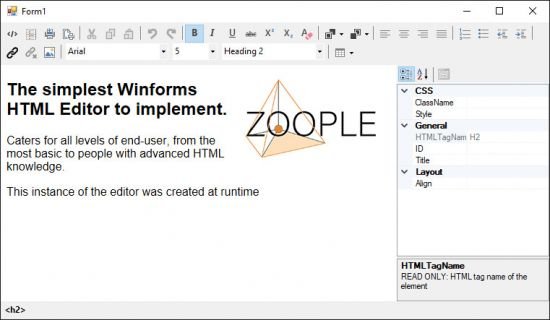
Zoople HTML Editor .NET for Winforms for Visual Basic (VB) and C# is a fully customisable HTML editor for your .NET framework or .NET Core WinForms or WPF project.

Allow even the most non-technical of users to create rich text in pure HTML format from your Winforms and WPF applications.
Simple to use, Easy to implement, highly Extensible, and with a very familiar word-processing styled GUI making for a straight-forward learning experience for your end users.
The HTML Editor .NET for Winforms allows end-users to create HTML snippets for pages, email templates, and any other application that requires the editing of HTML content.

Perfect for and Winforms and WPF applications such as:
editing web page segments
composing HTML emails
constructing HTML templates for mail merges
content management systems
CRM's
Any application that requires the editing of HTML content

Features:
Data bindable to any datasource
Language customisable
Customizable user interface
Source code view with coloured formatting and indentation
Apply Cascading Style Sheets
Insert Symbols and other HTML character entities (e.g. Ø, ‰, §)
CSS applicator for indiviual elements
Optional property grid to define element specific properties
Optional muti-lingual "inline" spell checking, error highlighting as you type, and correction (additional license required)
Supports HTML5 and CSS3
Multi-level undo / redo
Visual and mouse driven table grid size selector for inserting tables
manage user interaction with HTML documents using the userinteraction and cancallableuserinteraction events

Whats New:
Updates: official site does not provide any info about changes in this version.


-:DOWNLOAD FROM LINKS:-
RapidGator
Код:
https://rapidgator.net/file/b8967c4cbdce3eff82800f1ca4763af2/Dl4eVeR.ZoopleHTMLEditor1.9.1.rar.html

NitroFlare
Код:
https://nitro.download/view/33A06D2F5BF1710/Dl4eVeR.ZoopleHTMLEditor1.9.1.rar

​
 
InPixio Photo Maximizer Pro 5.2.7759.20869 Multilingual


th-RLept-LGhb-QXgfl16kl0-Cvfp9-Pkw-Qb-Hj2.jpg

Languages: Multilingual | File Size: 305.63 MB
​
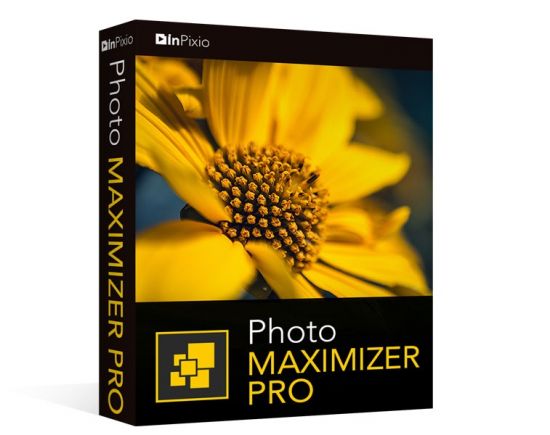
Ultra powerful zoom function which can enlarge images by up to 1000%. With 7 zoom algorithms, Photo Maximizer can tell you the target size of the image in pixels or centimeters. The required resolution can also be adjusted to give you flawless results. This is particularly important when printing your photos and guarantees you the highest quality results.

High precision zoom without quality loss
- Magnify up to 1000%
- Ultra-powerful zoom - 7 algorithms
- Define presets and process in batches
- Print oversized images and posters
- Touch-ups and enhancements in one click
- Enlarge your photos and improve their quality
- NEW! Tone Curve module to adjust RGB

Ultra powerful zoom function which can enlarge images by up to 1000%
With 7 zoom algorithms, Photo Maximizer can tell you the target size of the image in pixels or centimeters. The required resolution can also be adjusted to give you flawless results. This is particularly important when printing your photos and guarantees you the highest quality results.

Zoom your images and maintain extremely sharp edges
Usually when you enlarge an image you get pixellation and deterioration of colour and brightness. Photo Maximizer maintains image quality and undesirable noise. With InPixio Photo Maximizer say goodbye to pixelated, grainy and blurred photos when zooming in.

Before/after comparison
Display up to four different zoom settings simultaneously! Compare the images and choose the best result!

Enlarge photos on your PC, mobile, camera, etc.
Simply transfer your photos to your PC and zoom away!

Print projects
Print your enlarged images as posters, photos for framing, t-shirts, postcards and more.

Batch processing - one thousand photos in one step - Pro Version
Define your zoom settings and Photo Maximizer will batch process up to 1000 images simultaneously!

Creating presets - Pro Version
Create and save your own settings (presets) so you can use them again later: turn your photos into works of art! Each image processing setting can be saved as a preset for subsequent use. Simplify your work without having to reconfigure your settings!

What's New in Version 5:

NEW! Advanced cropping module with rotation and horizon correction
Crop your photos manually or choose from the suggested crop formats: 1/1; 16/9; 3/4 etc. You can also rotate your images and adjust the angle.

NEW! Tone Curves Module
Play with the tone curves to obtain light or dark hues and adjust the RGB (Red, Green, Blue) curves one by one.

Noise reduction module
Effectively reduces the noise present in your photos taken under restricted light conditions.

Sharpness module - Only in Pro Version
Reinforce sharpness to reveal all the details of your enlarged images.

Film grain module - Only in Pro Version
Enhance your prints by adding great-looking film grain.

Improved! InPixio enlargement algorithm
The "InPixio" enlargement method has been significantly improved, so you can enlarge images and still get Improved definition and quality during processing. The outlines of enlarged areas are also more precises.

Improved! interface and workspace
The new version has an attractive, ultra-modern user interface designed for even easier use.

NEW! Find tutorial videos for each Photo Maximizer module
To get the most out of Photo Maximizer features, mini videos have been added to each of the software program's modules in the form of tooltips, making it easier and more effective to use.
Release Notes- Release notes were unavailable when this listing was updated.
System Requirements:
- Windows 7, Windows 8 and Windows 10 (32-bit & 64-bit)
- Intel® Pentium® 1 GHz processor or equivalent
- 2 GB of RAM - (4 recommended)
- 500 MB of free disk space, mouse and keyboard


-:DOWNLOAD FROM LINKS:-
RapidGator
Код:
https://rapidgator.net/file/f3e4d60336dbdeca2c5ae33e39084980/Myk.Photo.Maximizer.5.2.7759.20869.rar.html

NitroFlare
Код:
https://nitro.download/view/451E80B0CB5E05F/Myk.Photo.Maximizer.5.2.7759.20869.rar

​
 
InPixio Photo Focus Pro 4.2.7759.21167 Multilingual


th-5-EFBQv-Wx1-KUBQDMxl-Ge-VYYfsm-UNr-NGCS.jpg

Languages: Multilingual | File Size: 305.03 MB
​
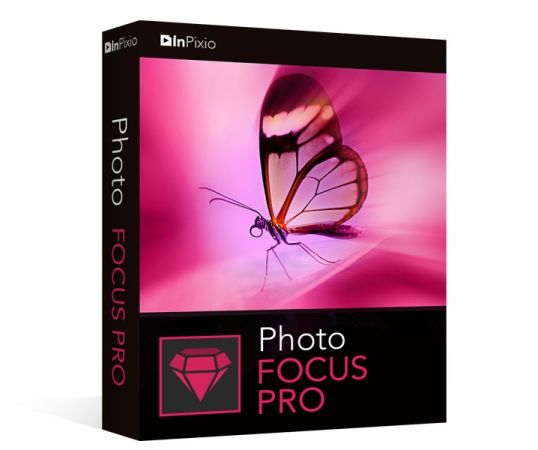
It's not always possible to prevent blurred photos - especially when taking quick snapshots. Photo Focus provides all the tools you need to create clear, crisp and high-resolution photos. Enhance the depth of focus of your images by adding sharpness, soft focus and blurring and establishing a clear distinction between the image background and the image center. As a result, you can highlight the important details in your photos.

Improve the sharpness of your photos
- Improve the sharpness of your photos
- Simple 1-click sharpening tool
- Reinforce & accentuate the focus
- Includes Tilt-Shift & Artistic Blur effects that bring the subject of the photo to life!

ONLY IN THE PRO VERSION:
- Create professional looking photos with oval frames (vignetting)
- Add customised artistic blur to achieve the perfect finish
- Save personal presets that can be used in a single click for future projects

Improve sharpness
Getting sharp photos is not always easy - especially with spontaneous snapshots. InPixio Photo Focus solves this problem in a flash and creates clear, high-resolution images.

Increase focus
You can add sharpness, soft focus and blurred areas to your images. This helps you to further accentuate the difference between the background and the sharp centre of the image.

Refocus
Not all images are always correctly centred. Redefine the centre of your images and focus the attention towards the centre of the image.

Impressive effects with tilt-shift and soft focus functions
Add horizontal soft focus (tilt-shift) to your images. This creates fantastic miniature effects that allow the focal object of your image to look like miniature!

Create structure and details
Emphasise the finest details in your images. Manage contrast and clarity - for impressive and detailed photos!

Resharpening
You can get so much more from all your photos! Even the sharpest photos can be resharpened - for perfect prints or an extremely sharp impression!

Simple
During the development stage of InPixio Photo Focus, particular attention was given to making sure the software is easy to use. The programme is intuitive and helps you through with the various 1-Click Assistants. If you need help when using the software, there are tool tips offering brief explanations next to each function.

Only in the Professional Version:

MORE! Creative Blur
Add a selected blurred area to your image through iris blurring (only available with PRO version). In photography, this effect is achieved through maximum fade-in.

MORE! Add Presets
Store your personal optimisation settings (presets) Create and save your own presets with 1 click for future use.

MORE! Vignetting module
Add oval picture frame to your photos to (vignetting) Create atmospheric shots from your photos with an oval picture frame in black or white. You can select the transparency of the frame to suit your taste and choose sharp or blurred transitions.

What's New in Version 4:

NEW! Advanced cropping module with rotation and horizon correction
Crop your photos manually or choose from the suggested crop formats: 1/1; 16/9; 3/4 etc. You can also rotate your images and adjust the angle.

NEW! Tone Curves Module
Play with the tone curves to obtain light or dark hues and adjust the RGB (Red, Green, Blue) curves one by one.

IMPROVED! interface and workspace
The new version has an attractive, ultra-modern user interface designed for even easier use.

NEW! Find tutorial videos for each Photo Focus module
To get the most out of Photo Focus features, mini videos have been added to each of the software program's modules in the form of tooltips, making it easier and more effective to use.
Release Notes- Release notes were unavailable when this listing was updated.
System Requirements:
- Windows 7, Windows 8 and Windows 10 (32-bit & 64-bit)
- Intel® Pentium® 1 GHz processor or equivalent
- 2 GB of RAM - (4 recommended)
- 500 MB of free disk space, mouse and keyboard


-:DOWNLOAD FROM LINKS:-
RapidGator
Код:
https://rapidgator.net/file/1064f58061fd0f9d4e2bd61413794b3e/Myk.Photo.Focus.4.2.7759.21167.rar.html

NitroFlare
Код:
https://nitro.download/view/456D9C130BC77FF/Myk.Photo.Focus.4.2.7759.21167.rar

​
 
UltraMixer Pro Entertain 6.2.10 Multilingual


FCWb7do-VFQZy-RU7bbihvaf-Nogq-GFp1-E4.jpg

Languages: Multilingual | File Size: 307.67 MB
​
| 311.17 MBUltraMixer is the perfect tool to entertain your party crowd. With UltraMixer 6 you will become a "Mobile DJ 2.0": Besides all common DJ-mix functions UltraMixer 6 brings a lot of new entertainment possibilities..

Just play music videos and karaoke songs as easily as "normal" audio songs. In case you do not have enough videos, UltraMixer brings live visuals in HD quality with 14 effects, to have always a suitable screen. By fireing up your images to a flat screen or a beamer your audience will be amazed.

UltraMixer 6 unifies multiple software in one - an easy to use photo slide show comes along with the live visuals and video playback. Furthermore you can display a beautiful background image, an on-screen logo or your own images (e.g. menu cart or flyers). Finally the live text function (like "buffet is open") and party games with the live camera function on a beamer are rounding up the portfolio. Even a transmission of a football world championship is possible due to the integration of network cameras.

High stability Audio Engine with Auto-Sync function
Crystal clear and 100% true sound & profi mixing with a single mouse click

UltraMixers well known and highly precise audio engine brings crystal clear and 100% unchanged (no artificial filters) sound. The stability of the audio playback is ensured even if the system is under high load circumstances. The integrated Auto-Sync mixes two music titles perfectly together and makes transitions easy - with a single mouse click. You will be supported by 7 real time effects, a unique 31-band equalizer, 6 hot cue buttons, smart synchronized loop and built-in 16 channel sample player.

Impressive Auto-DJ - Automatic transitions with equalized volume and automatic music for hours
Hours of music with perfect transitions - the integrated Auto-DJ makes it possible. It is perfect, especially for the time right before the manual mixing (e.g. at a dinner), automated background music in restaurants or a replacement for a real DJ at parties.

There are different blending curves (K,T,X) that can be chosen as well as the possibility to create your own blends for a perfect mix. UltraMixer supports your mix with the built-in loundness normalization for equalized volume. Your audience will appreciate it.

Clean, adjustable user interface - Modern user interface - adjustable by widgets
Countless widgets make it possible to easily adapt UltraMixer to your own needs. Even font sizes and font types can be changed with a simple mouse click.

Different skins and color schemes bring diversity and individuality.
The intelligent colored waveform visualizes music through the use of different colors. Therefore you see with just one glance, where beats and silent parts are. Red parts are beats and bases, green show planes and vocals, blue parts show treble. Those sketches help you to understand the music even without head phones.

UltraMixer 6 provides a modern and intuitive designed user interface, that is without gimmicks on purpose. Less is more.

Data based music archive - True data base for professional music management
UltraMixer has one of the most powerful music archives on the market. The technology base is a real data base, where you can quickly manage even more than hundred thousands music files.

Finding suitable music is just a matter of seconds. Even a search in Youtube is possible and music files can be loaded and mixed directly in UltraMixer. It is possible to create virtual groups, playlists and wishlists. The colorized marker and sorting options are helpful. With the help of "intelligent groups" you can create automated playlists, with music titles and special automated criterias. Those groups are filled automatically by your given rules e.g. 100 - 120 BPM.

While editing meta data (ID3-tags) of particular files or even entire groups an automatic cover search for your MP3 is extremly helpful. An import of iTunes or BPM-Studio archives into UltraMixer is possible with a single mouse click.

70+ native supported MIDI-Controller through Plug'n'Play
Support for all common Controllers like Pioneer, Denon, Numark, Reloop, American DJ and so much more.

UltraMixer 6 can be controlled by mouse & keyboard or all common MIDI-DJ controller. More than 70 controller mappings are directly included in UltraMixer - plugin and play. New midi controller are constantly integrated and provided by free software updates. The integrated MIDI mapper makes it possible to create your own MIDI mappings and change predefined mappings. All common brands like Pioneer, Denon, Reloop, Numark, American DJ, Hercules, Behringer, M-Audio or EKS are supported.
Release NotesRequirements: Windows 10, Windows 8(.1), Windows 7, Vista, XP.


-:DOWNLOAD FROM LINKS:-
RapidGator
Код:
https://rapidgator.net/file/cec041f21086adfe8d58ec20867f8103/Myk.UltraMixer.6.2.10.rar.html
https://rapidgator.net/file/9082fc1e60fc3569f29c495cf825d6c0/Myk.UltraMixer.6.2.10.x64.rar.html

NitroFlare
Код:
https://nitro.download/view/50332CFB467FFE6/Myk.UltraMixer.6.2.10.rar
https://nitro.download/view/836D65A28B3BD4F/Myk.UltraMixer.6.2.10.x64.rar

​
 
DVDFab 12.0.3.2 Multilingual


th_WmIlptaEvJihPwmqxu4JFi9Wd64B32gZ.jpg

File Size: 161.13/171.8 MB
​
DVDFab is the most powerful and flexible DVD or Blu-ray copying, ripping, creating and burning software. Also it's a fantastic file converter which can rip and convert DVD/Blu-ray movies or transfer your files to various portable devices. DVDFab supports all popular video and audio formats, HD video and almost all multimedia devices. This software is simply the easiest way to copy a DVD/ Blu-ray movie. It can copy any DVD or Blu-ray disc with Cinavia watermark, and create a protected disc (BDMV-REC) to disable Civania for playback on PS3. Your entire movie - including menus, trailers and special features - is copied to a single DVD/ Blu-ray with just one click, and everything happens automatically. Backup your entire DVD/ Blu-ray - including menus, trailers, and special features - onto one or multiple discs.

DVD Copy makes backup DVDs in an easy and fast manner. Copy, rip, clone, split, merge, burn, customize, and more.
Blu-ray Copy backs up Blu-rays easily and fast. Copy, rip, clone, burn, write data and more.
DVD Ripper can rip or convert any DVD movie for playback on popular portable and mobile devices, smart phones, tablets, and more.
Blu-ray Ripper (3D Plus) can rip or convert any Blu-ray movie to various formats that are compatible with portable and mobile devices, smart phones, tablets, and more.
DVD Creator allows you to create your own DVD discs/ ISO files/ folders from a variety of videos downloaded from Internet, taken by camcorders, etc.
Blu-ray Creator converts nearly all sorts of videos into Blu-ray format and saves them as Blu-ray ISO files and folders, and even into BDs.
Video Converter can convert videos from one format into almost any other standard format, so that you can view them on different devices.
2D to 3D Converter working together with DVD Ripper, Blu-ray Ripper or Video Converter, converts 2D DVD/Blu-ray/video into 3D format.

DVDFab Technology:
• The BluPath analysis tool can quickly and precisely find the right playlist and region code for Blu-ray.
• StealthyClone will help users backup/clone BDs regardless of Sony DADC Screen Pass and other structural protections.
• Lightning Shrink - world's most efficient GPU-acceleration based Blu-ray compressing technology to rip or convert Blu-rays within one hour.
• DVDFab can solve playback problem of the copy of Cinavia protected Blu-ray on PS3
• Lightning-Recoding technology is the homebrew of DVDFab applied in Blu-ray Copy
• .miniso file can be produced by Blu-ray Copy and mounted by Virtual Drive to simulate ISO image
• Intel Quick Sync makes DVDFab quicker at video decoding/encoding during copy/ripping/conversion
• NVIDIA CUDA and AMD APP accelerate DVDFab's speed in DVD/Blu-ray/video conversion
• BD Shrink technology enables DVDFab Blu-ray Copy to compress Blu-ray (3D) movies to smaller sizes to fit on blank BD 25/BD 9/BD 5 discs.
• BDInfo will help you get the detailed information on the Blu-ray you are backing up.
• DVDFab supports 4K UHD (3840 x 2160) videos to help you enjoy ultra high definition experience.
• H.265 codec compresses video files to the half size with the same video quality as the original and DVDFab supports it all roundly.


-:DOWNLOAD FROM LINKS:-
RapidGator
Код:
https://rapidgator.net/file/75993734db7b3804bfa291e4b0bb4fff/Myk.DVDFab.12.rar.html
https://rapidgator.net/file/09f2f24ef58d632822f7f518ccc75998/Myk.DVDFab.12.x86.rar.html

NitroFlare
Код:
https://nitro.download/view/BBA76390C553D62/Myk.DVDFab.12.rar
https://nitro.download/view/A9C6AE78EC56B52/Myk.DVDFab.12.x86.rar

​
 
eDocPrinter PDF Pro 8.02 Build 8029


th-Dul-NXxa4qmbt-DSTcokl-NBfmvw6-Ap-HBwn.jpg

File size: 17.5 MB
​
eDocPrinter PDF Pro creates PDF files from applications in Windows 2000, Windows XP, or above . It works as a printer under windows environment, hence users can print from whatever application utilizing windows GDI printing device.

Basically, it proves to be extremely easy to work with this tool, as it install on your system as a virtual printer and lets you convert documents to PDF on the breeze.
Compared to other similar tools that allow users to carry out the conversion process in just a few steps, eDocPrinter PDF Pro comes packed with advanced functions that can meet the requirements of professional users.
The configuration panel is straightforward, and lets you set up the dedicated parameters related to page size, orientation, resolution, borders, and number of copies.

What's more, eDocPrinter PDF Pro is able to automatically detect and add bookmarks, and it enables you to manually add and edit them. Plus, you can customize the bookmark text in terms of font, style, size, and color.
Other important options worth mentioning are represented by the possibility to pick a default saving directory, specify the filename, apply overlaying options, and launch the selected utility at the end of the conversion operation.

The tool allows you to send the converted documents via email, configure the compression and URL parameters, embed a new font, as well as provide details about the files, such as title, subject, author, and keywords.
Encrypting the information stored within PDF items can be done by setting up passwords and selecting the encryption level, while watermarks can be embedded by inserting a text message, changing its rotation angle and opacity, and selecting the color, font, and size.
During our testing we have noticed that the application carries out the conversion process very quickly, provides very good output results, and no errors showed throughout the entire process.
All in all, eDocPrinter PDF Pro proves to be a reliable program that comes bundled with a handy set of parameters, which can be configured by beginners and professionals alike.

eDocPrinter PDF Pro supports many advanced features:
- MUI (Multi-Lingual UI) Selection (English, German, French, Spanish, Portuguese, Brazilian Portuguese, Italian, Dutch, Danish and Swedish)
- Office-Addins support (including Word, PowerPoint, and Excel)
- Word Form ==> PDF Form
- Auto bookmark generation by text attribute matching
- Merge with existing PDF by [Append to] , [Insert Before], or [Overlay]. It's a real PDF Merge function rather than only concatenating proprietary spool or ps file. More about Merge PDF Feature...
- Create PDF Layers (PDF 1.5 feature)
- Smart N-up (1, 2, 3, 4, 6, 8, 9, 16 pages per sheet),
- Manually scaling by percentage
- Define and Add Custom Forms
- Standard PDF security setting (both 40bit and 128bit),
- Watermark support (text, image, and compound, PDF1.4 transparency)
- PDF-Stationary, PDF-Overlay (Overlay with existing PDF file as template)
- URL action for text watermark,
- Live URL and local file pattern detection
- Font embedding (True Type and Type1, support CJK, Non-Ansi, and Unicode fonts),
- Email PDF as attachment (MAPI and SMTP)
- Optimized for Fast Web View
- Destination control and PostAction (silent batch printing, default saveas path, auto-numbered filename ...)
- Full Escape control for developers (refer SDK guide)

Whats New:
Updates: official site does not provide any info about changes in this version


-:DOWNLOAD FROM LINKS:-
RapidGator
Код:
https://rapidgator.net/file/1fe0a8daa3a3f84158ad51bdf5b92ac9/Myk.eDocPrinter.PDF.Pro.8.02.rar.html

NitroFlare
Код:
https://nitro.download/view/2647A389D4812A7/Myk.eDocPrinter.PDF.Pro.8.02.rar

​
 
Video Thumbnails Maker Platinum 15.3.0.0 Multilingual


videothumbnailsmaker.jpg

File size: 36.2 MB
​
Video Thumbnails Maker allows you to make thumbnails (caps, previews, screen-lists) and screenshots of video files. The utility can be used for home-video cataloging and for network video sharing support. Microsoft .NET Framework 4.0 Client Profile or Microsoft .NET Framework 4.0+ is required to run the application.

The tool consists of:
Video Thumbnails Maker = MAKER
Pictures Thumbnails Viewer = VIEWER
The main advantage of the VIEWER is the ability to start related video-file right from a thumbnail sheet.
Moreover, you can start the video from the moment from which the thumbnail shot has been taken!
VTX picture files are required to be generated.

MAKER's Key Features:
A thumbnail sheet is generated from a so called "set" of files (pictures from a separate folder or an archive); for instance, if you add a folder with 3 zip-archives and 8 separate pictures in it - 4 sheets will be created (3 for archives and 1 for 8 separate pictures)
Plenty of options and special effects (see screenshots above); momentary rendered visual preview of your settings right in the Options window
5 customizable "base"-presets (see examples above); special (non-"MxN") matrices with big tiles
You can generate GIF-animations and HTML Galleries automatically using separate tiles of your sheets
Batch processing; you can pause/continue or stop active job at any moment
Options preset file format (*.ptm). After you run a preset, the program is automatically opened with the imported tuning
Command Line Interface (CLI, works only in activated version)
Zip, 7z and Rar archives are fully supported by the MAKER

VIEWER's Key Features:
Zip and 7z archives are fully transparent to the program; you can manage a picture without worrying about its actual location; if a pictures is situated in a Zip or 7z archive the program will update the archive automatically
Rar archives are partly transparent to the VIEWER (automatic unpacking only); that means you can still navigate through pictures in Rar archives, but you can not delete/rename files in such archives (RAR license restriction)
*.ptx is a special "thumbnail gallery" or "sheet of thumbnails" file format; it is used by Pictures Thumbnails Viewer; a file with .ptx extension could be easily opened by double clicking on it in any file manager
*.vtx files are supported (that files are produced by Video Thumbnails Maker); the VIEWER allows you to start the video from its thumbnail sheet
Pictures Thumbnails Viewer keeps history of your navigation through thumbnail sheets; so you can "jump back and back" using Escape or Backspace keys
You can substitute any part of your thumbnail sheet right from the viewer as well as regenerate the entire sheet
Detailed picture info appears when moving the mouse cursor to the right screen border (somewhere at the middle point)

Key Features of The Program:
Simple rules.
Hi-Scores table.
English, Russian, German and French interface languages.
Small size of the program.
Hot keys.


-:DOWNLOAD FROM LINKS:-
RapidGator
Код:
https://rapidgator.net/file/73289802d828da0fe9ae287b86bcec3e/MykThumbnails.Maker.Platinum.v.15.3.0.0.rar.html

NitroFlare
Код:
https://nitro.download/view/D499CA5C38DBD5E/MykThumbnails.Maker.Platinum.v.15.3.0.0.rar

​
 
Duplicate Photos Fixer Pro 1.1.1086.12249 Multilingual


th-NIFHEI86-Tmm-Wcm-VYces-RPdyx-MTBKmxdq.jpg

Languages: Multilingual | File size: 16 MB
​
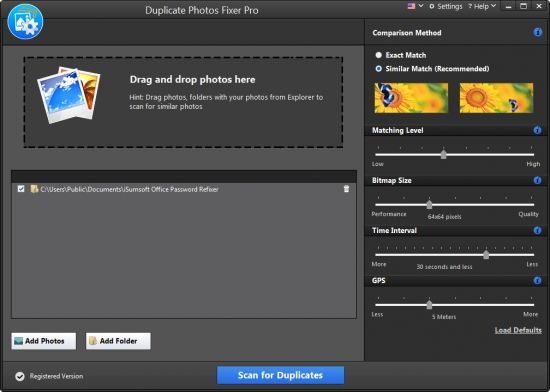
Duplicate Photos Fixer Pro - Time To Say Goodbye To Duplicate Photos! An easy-to-use duplicate photo finder that helps you manage your photo collection, recover significant storage space for a clutter-free photo library!

- Duplicate Photos Fixer Pro (Windows)
- The best tool to remove multiple copies of exact and similar-looking images.
- Its fast & accurate scans can find duplicates quickly & easily!

Organized photo collection
Removing unnecessary duplicate files offers a sleek & up-to-date photo collection.

Find & remove similar looking duplicates
Both exact duplicates and similar looking photos can be removed to reduce clutter and redundancy.

Recover wasted storage space
Locate and remove duplicate photos that unnecessary occupy storage space.

Group-wise results
Detected duplicates are categorized in groups for easy review and cleaning.

How Does Duplicate Photos Fixer Pro Work?
In just a few quick steps, Duplicate Photos Fixer Pro can easily detect and remove any useless duplicate and similar looking images for an optimized photo collection.

Why Use Duplicate Photos Fixer Pro for Windows?
Duplicate Photos Fixer Pro is extremely quick at finding and cleaning duplicate photos that unnecessary eat lots of space. Whether you're an average home user or professional, finding & removing identical images with this duplicate remover is fast, easy & effective. Save valuable time & precious disk space effortlessly.

Whats New:
Updates: official site does not provide any info about changes in this version


-:DOWNLOAD FROM LINKS:-
RapidGator
Код:
https://rapidgator.net/file/86768add271715f5191b25908263c118/Myk.Duplicate_Photos_Fixer_Pro_1.1.1086.12249.rar.html

NitroFlare
Код:
https://nitro.download/view/AED4794FE5E6C8A/Myk.Duplicate_Photos_Fixer_Pro_1.1.1086.12249.rar

​
 
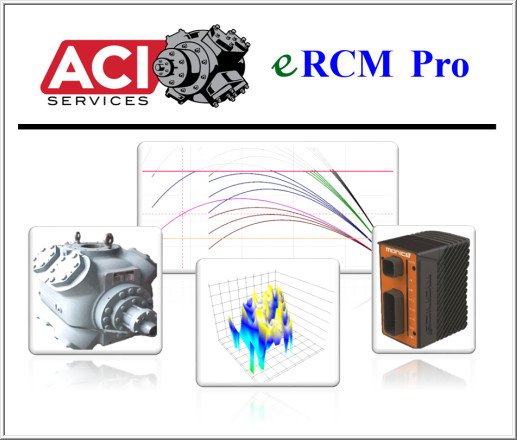
ACI Services eRCM Pro 1.6.0


Mpf-ZZ42v1a-Ht-Ir-UEGIq-Rps26u3-LSNcg-Y.jpg

File size: 24 MB
​
RCM Pro replaces the highly successful eRCM Reciprocating Compressor Modeling Software, which enjoyed a twenty-year journey of helping end users model, tune, reapply, and configure their reciprocating compressors.

With so many compressors, so many performance methods, so many PLC implementations and so many restrictions for safe use, ACI's eRCM Modeling Software provides the ideal solution to model compressor performance.

Simply specify the compressor's geometry (frame, cylinder, stage, throw, valving, etc.) via direct inputs or by importing data from OEM software, and eRCM Pro displays that unit's performance curves: Pressure vs. Load, Pressure vs. Flow, Pressure vs. Pressure and more, including graphs of net rod load forces, PV/PT cards, Torque Effort, and more.

Operating conditions change. Will adding a 500 in³ clearance pocket to a cylinder's head end give enough unloading to accommodate the new operating map? Within seconds you'll have your answer via eRCM Pro.

Tired of Gas Control using one method to predict unit performance, while engineers use another, and the PLC/operators are using yet another method to actually control the hardware? eRCM provides one methodology for disciplines within your company.

Want to see if the packager's unloading sequence can be improved? With eRCM Pro you can easily check any combination of volume pockets and end deactivation. Including adding spacers to increase fixed clearances or adding filler pieces to volume pockets to decrease additional clearances. You can even check safety at Start Up, and check safety if certain valves fail.

No compressor performance program would be complete without the ability to improve your models. eRCM Pro does just this. Enter valid analyzer data in the tuning section, and eRCM Pro will auto-adapt the performance predictions to accommodate the real-world effects of pulsation, actual valve and parasitic losses, friction losses, etc.

Features:
Model entire stations
Manage previous versions of your models
Fully International aware interface
Impressive list of Units of Measure
Advanced thermodynamic calculations using ProSim now included - full support for 400 gases with liquid dropouts
Still, the fastest performance and graphs in the industry!
As you expect with eRCM, fully dynamic compressor performance, PV cards, Force Plots, Torque Effort Plots, etc.
Advanced support for Side Streams and Gas Mixing
Improved valve modeling
Improved gas preheat modeling
Improved Load Step Sequence creation
Full tables, curves, and 3D plot generation
Support for Clearance devices, End Deactivation devices, Timed-valve Closing devices, Gas Stepless devices, and even variable stroke devices
Whats newAdd: Added default ambient temperature input.
Add: Added cylinder jacket temperature settings for Dresser Rand high speed units.
Add: Added option to include cylinder preheats for ACI OEM.
Add: Added gas component list as tool-tip for Inlet Gas and Side Stream drop downs.
Add: Added recycle valve open setting per service.
Change: Post heat adjustments are no longer added to cylinder discharge temperature when the cylinder end is deactivated for certain OEMs.
Change: Valve and Devices worksheet will no longer set cylinder's Rf values to 0.
Change: VVCP Max Turns will auto-calculate if left 0 but a stroke is given. A warning will appear in the Analyze tab if this occurs.
Fix: Fixed driver minimum speed from always being capped at speed range minimum even if no driver present resulting in unnecessary model creation errors.
Fix: Fixed duplicate configuration from allowing two or more units with asterisk character.
Fix: Fixed incorrect balance weight for multi-service units.
Fix: Fixed incorrect torque effort generation for multi-service units.
Fix: Fixed ProSim flow balancing from not correctly using calculated mixture temperature when side streams were used.
Fix: Fixed performance tab from incorrectly showing wrong load step in list when navigating away and back again.
Fix: Fixed File -> New not correctly resetting some Frame items to ACI defaults.
Fix: Removed unnecessary all load steps recalculation when double clicking load step curves.
Fix: Fixed incorrect double preheat due to deactivated ends and bore size for certain OEMs.
Fix: Fixed Ariel 2019 OEM ID from using legacy VE equations.
Fix: Fixed some tables pasting data to hidden rows.
Fix: Fixed Rf worksheet mislabeling on General tab.
Fix: Fixed ProSim-lite from creating incorrect gas analysis if gas amounts were less than 0.03%.
Fix: Fixed Gas Set Configuration window not calculating Gas K (Entropy) with a psiG value of 0.
Fix: Fixed some Viewer files created with AGA8 from sometimes not loading correctly into eRCM Viewer due to incorrect floating point number comparison.
Fix: Fixed cross-head pin weight from not applying to torque effort curves.
Fix: Fixed performance always showing service 1 flow and power even if drop down set to service 2+ for multi-unit files.
Fix: Fixed duplicate unit not duplicating all configurations.
Fix: Fixed Ps vs Pd cross hair not moving.
Fix: Fixed Ariel Kernel file import from not clearing old gas set data if using gas import.
Fix: Fixed crash relating to removing load steps while previously on point performance tab.
Fix: Fixed date conversion issues when loading in file created in a different date display culture than yours.
Fix: Fixed not able to check for updates when user has temporary user license but no active company maintenance agreement.
Fix: Fixed not being able to import kernel files and .rcm files due to culture decimal settings.


-:DOWNLOAD FROM LINKS:-
RapidGator
Код:
https://rapidgator.net/file/ae0f97b4efef926564ccb490ca77a895/Dl4eVeR.ACI.eRCM.Pro.v1.6.0.0.rar.html

NitroFlare
Код:
https://nitro.download/view/76628B41D137342/Dl4eVeR.ACI.eRCM.Pro.v1.6.0.0.rar

​
 
ACI Services eRCM Thermodynamics 1.3.2.0


depPrBemhAWsCsXbXw4rtmgKfWKRPUdB.jpg

File size: 11 MB
​
Calculating accurate compressor performance requires accurate thermodynamics. eRCM Thermo integrates ProSim's Simulis Thermodynamics, allowing gas mixture modeling from nearly 400 individual gas components.

Once a gas/gas mixture is entered, eRCM Thermo dynamically calculates: Gas K (via CP/CV), Gas K (via balanced entropy), Compressibility (Z) factors, Specific Gravity and Density, Water Saturation, Hydrocarbon Liquid Dropouts, Phase envelope curves, Water drop out curves, Hydrate formation curves, Gas Mixing (e.g. from a side stream in), Speed of sound through gas, Variety of Units, And more, like Enthalpy and Entropy.

Whats New:
Updates: official site does not provide any info about changes in this version.


-:DOWNLOAD FROM LINKS:-
RapidGator
Код:
https://rapidgator.net/file/50ddf9894956cf610bd133aae51e3b63/Dl4eVeR.ACI.eRCM.Thermodynamics.v1.3.2.0.rar.html

NitroFlare
Код:
https://nitro.download/view/A49A7EF61B38863/Dl4eVeR.ACI.eRCM.Thermodynamics.v1.3.2.0.rar

​
 
W10Privacy 3.7.0.8 Multilingual


3-EYvor-OPM3ow-GOZW1-HQYqm-Za3-MVt-VY3-Z.jpg

File Size: 1.91 MB
​
W10Privacy can display common Windows 10 security settings that can be activated as well as deactivated within the program. It also allows importing and exporting of your changes. While there are a lot of Windows 10 privacy tools out there, many of them lack the detail this program has. Of course, this means that it might take you a bit longer to go through your choices.

For those who don't want to go into detail you can choose from 3 predefined settings. While the design is very simple, there are also 3 colors so that you can easily spot the these 3 settings:
Green - Recommended - this is a conservative mode. Yellow - Conditionally recommended - probably the best bet but look over the choices. Red - Restricted - think of this as geek mode. Better know what you're doing. Must run as administrator.

Also, other similar apps don't always have a back or set a restore point making them a bit scary. This program however does offer a save, save as and load options so you can backup and import or export your settings anytime.
W10Privacy has a built in update checker and a handful of user settings as well.


-:DOWNLOAD FROM LINKS:-
RapidGator
Код:
https://rapidgator.net/file/b7f2f7878cb859b753221f4d2b655912/Myk.W10Privacy.zip.html

NitroFlare
Код:
https://nitro.download/view/786110C7DCA0F98/Myk.W10Privacy.zip

​
 
ORPALIS PaperScan Professional 3.0.129 Multilingual


ND1-B7-KCE8-VLK4ob-HDppd-YNHF3-Eau1-Nc-C.png

Languages: Multilingual | File Size: 54.8 MB
​
PaperScan Scanner Software is a powerful TWAIN & WIA scanning application centered on one idea: making document acquisition an unparalleled easy task for anyone. The Professional Edition of PaperScan Scanner Software is the most complete Edition providing professional end-users with all features needed in document (image and PDF) acquisition, processing and efficient storage domains.

You prefer to use your scanner's software for document acquisition?
Use PaperScan to import any image/PDF files, arrange them in any imaginable single-page/multi-page configuration, perform a wide range of image adjustments/enhancements, annotate them with sticky notes, rubber stamps, highlighter or arrows and save your work in various file formats including JPEG, TIFF, PDF and JBIG2. PaperScan is simply universal while most of the scanning applications are dedicated to one scanner or one protocol.

New in PaperScan 3:
- New User Interface with many bug fixes and better performance.
- New Settings panel.
- More than 20 new filters and effects.
- New despeckle filter in batch acquisition/import filters.
- Improvement of all document imaging filters such as Auto - deskew, punch holes removal...
- Improvement of the automatic colour detection engine.
- Support for automatic image orientation added.
- Replacement of autocrop by automatic black borders removal in batch acquisition/import filters.
- ICM support for image import.
- Support for 60+ OCR languages added.
- Support for SVG, EMF and WMF file format added.
- New advanced printing dialog to specify alignment, adjustment, orientation...
- New profile manager to create, remove and switch configuration settings.
- Support for custom keyboard shortcuts management added.
- Pre-set annotations support with a featured designer.
- New polygon ruler annotation.
- New preview feature in scanning wizard.
- Improved support for camera devices.
- Improved support for large bitmap handling.

Professional Edition Features:
- Unlimited batch TWAIN & WIA scanning / import.
- Save as single page PDF/A, TIFF, JPEG, JPEG 2000, PNG, JBIG2, WEBP.
- Save As Multipage
- Save as multipage TIFF
- Save As PDF-OCR
- Save as PDF-OCR
- Image processing during batch acquisition: auto-deskew, angle rotation, borders removal, punch holes removal, negative.
- Automatik Blank Removal
- Support for scanning with separator sheets.
- Post Image Processing: color adjustment, color space conversion, effects, filters, crop and more...
- Automatic color detection.
- PDF Encryption support (read & write).
- Flat bed and Document feeder
- Flatbed and document feeder support.
- Duplex scanning support.
- Support PDF/A conformance levels and versions, as output format
- Mixed Raster Content
- Annotation Support
Release NotesSystem Requirements:
- Windows Vista or higher.
- PC with at least 512 MB RAM.


-:DOWNLOAD FROM LINKS:-
RapidGator
Код:
https://rapidgator.net/file/abc3eb9b2cd53f85d932a51b31a958ea/Myk.PaperScan.3.0.129.rar.html

NitroFlare
Код:
https://nitro.download/view/D47A981547E0AC3/Myk.PaperScan.3.0.129.rar

​
 
EndNote 20.1 Build 15341


Am-Zc-TLx-R17-YGm-Tiw-Yxm-JAt-WXi0-W54j-Jd.jpg

Languages: English | File Size: 110.91 MB
​
Focus on what matters most: your research. Did you know that researchers waste nearly 200,000 hours per year formatting citations? Imagine if you could have that time back to spend on your research. EndNote 20 accelerates your research process so you can focus on what truly matters - conducting and sharing groundbreaking research.

Accelerate your research.
- Search hundreds of online resources for references and PDFs.
- Access full text research articles with one click.
- Easily read, review, annotate and search PDFs in your library.
- Create rules to automatically organize references as you.
- Keep your data accurate with automatic reference and link updating.
- Quickly deduplicate the content in your library by searching on unique identifiers.
- Insert in-text citations from your library with the Cite While You Write feature in Microsoft® Word.
- Automatically build your bibliography using the library of 7,000+ reference types or your own customized style.
- Ensure your bibliography is accurate with refreshed journal and referencing styles.
- Access your research anytime, anywhere from the cloud. Move seamlessly between online and the desktop and iPad applications.
- Share some or all of your library with collaborators worldwide.
- Provide write or read-only access to your library.
- Use the new Tabs feature for easier multitasking.
- Track your teammates' changes and view their activity in your shared library.
- Match your paper with relevant, reputable journals using Manuscript Matcher.
- Conduct large-scale literature reviews with ease and speed using the powerful analysis tools.

Write Faster
Insert in-text citations while simultaneously creating a bibliography with the Cite While You Write feature in Microsoft® Word.

Research Better
Use tools that find PDFs for you throughout your search process. Then, easily read, review, annotate and search PDFs in your library.

Stay Organized
Create rules to automatically organize references as you work. And, use the new Tabs feature for easier multitasking.

Collaborate Easier
Easily collaborate across geographic boundaries. Share some or all of your library and set permissions for access.

Get Published
Match your paper with relevant, reputable journals using Manuscript Matcher.

Work From Anywhere
Access your research anytime, anywhere from the cloud. Move seamlessly between online and the desktop and iPad applications.
Release NotesWindows Compatibility and System Requirements:

What you need:
- Windows 7 (SP1), Windows 8, Windows 8.1 or Windows 10
- 1 gigahertz (GHz) or faster x86-bit or x64-bit processor
- 600 MB hard disk space available
- Minimum 2 GB of available RAM

Word processor software:
- Microsoft Word [CWYW] for Windows: 2010, 2013, 2016, 2019, Office 365 (locally installed desktop version only)
- Apache OpenOffice [CWYW] for Windows: 3.x, 4.x
- LibreOffice [CWYW] for Windows: 4.x, 5.x, 6.x (32-bit)
- Partner CWYW Integration: Wolfram Mathematica 8

* An Internet connection is required to search online databases, find full text and automatically update references.


-:DOWNLOAD FROM LINKS:-
RapidGator
Код:
https://rapidgator.net/file/3335381b4fa60909ba1c02a0d3e7407f/Dl4eVeR.EndNote.20.1.rar.html

NitroFlare
Код:
https://nitro.download/view/E45FBBED7FEBD3E/Dl4eVeR.EndNote.20.1.rar

​
 
Luxion KeyShot Pro 10.2.104 (x64) Multilingual


1612821615-luxion-keyshot-pro-10-free-download.png

Windows x64 | Languages: Multilingual | File Size: 973.34 MB
​
The Best 3D Rendering Software to Create Amazing Visuals. KeyShot brings you real-time 3D rendering that displays results instantly and reduces the time to create realistic product visuals. KeyShot is trusted by brands around the world for its speed, ease of use, scientifically accurate materials, and advanced material editing capabilities. Communicate your ideas easier, explore concepts sooner, and deliver jaw-dropping visuals faster.

Load It
KeyShot includes native support for over 30 leading 3D file formats. Free plugins offer one-click loading, while LiveLinking keeps your design in-sync across applications. Whether it's a small gadget or a massive assembly, using KeyShot means less time loading and more time creating.

Style It
KeyShot includes over 750 preset materials, with thousands more on the KeyShot Cloud, and advanced capabilities to create your own. Apply textures, labels, and variations with ease. KeyShot's powerful lighting, studio, and image tools allow you to capture and style the perfect shot, every time.

Show It
KeyShot is built for speed, whether creating still images or generating animations to push your visuals to the next level. From dynamic turntables and product-defining exploded views to product configurators and immersive virtual reality, KeyShot allows you and others to explore and engage with your ideas.

The Power to Visualize
KeyShot gives you the power to create the high-end visuals you need throughout every stage of the design-to-market process.

Design & Concept
Create, iterate, and refine. Collaborate, develop, and deploy. KeyShot was built for the modern designer with a UI designed to allow you to visualize your ideas at the speed of thought.

Manufacturing & Documentation
Whether graphics for manufacturing or technical documentation for customers, KeyShot provides you with the capabilities to generate the visuals you need when you need them to make design decisions faster and bring products to market sooner.

Marketing & Sales
From website and catalog to packaging and store, KeyShot gives you the power to create the high-end visuals that attract customers and communicate your product more effectively.

Across Every Industry
KeyShot spans the globe and every industry and gives you the flexibility to create visuals for anything you can imagine.

Elevate Your Visuals
Use the KeyShot complementary suite of products to create even more engaging content.
Release NotesSystem Requirements:
KeyShot is designed to run fast on the most basic hardware configurations or the most powerful of systems to take full advantage of all CPU cores available and scale performance linearly. To get started, here are the minimum recommendations and system requirements for the latest version of KeyShot.

Microsoft Windows:
- Windows 8 or 10
- Windows Server 2012 and above

General:
- 64-bit platform
- 2GB RAM
- 2GB Disk Space
- Dual core CPU1, 2
- OpenGL 2.0 capable system3
- Intel or AMD 64 bit processor with SSE4.1 or higher
- 1024 x 768 resolution or higher


-:DOWNLOAD FROM LINKS:-
RapidGator
Код:
https://rapidgator.net/file/edebeb75b9057050333d0617b03c4183/Dl4eVeR.KS.10.2.104.rar.html

NitroFlare
Код:
https://nitro.download/view/6277F6679D6D069/Dl4eVeR.KS.10.2.104.rar

​
 
Назад
Сверху