• Здравствуйте. Сайт заработал в архивном режиме форум www.old.nado.in

Dl4ever Software

Stardock WindowFX 6.11


th-i-Bcr1-V2-Nz-Ru-Yt19-Hvvi-SKCVBVA89chmv.jpg

File size: 19 MB
​
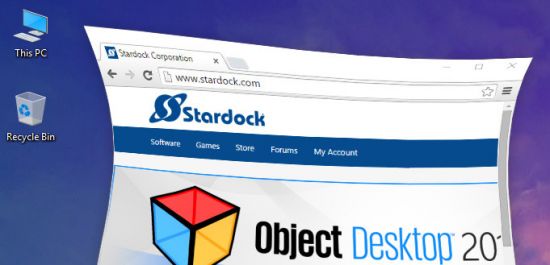
Stardock's WindowFX is a one-of-a-kind program that lets you super charge your Windows experience. WindowFX brings you polished and reliable window enhancement capabilities. Add an amazing assortment of features to Windows, which can be applied in a subtle way to give Windows a little umph.

Key Features:
Animate how windows open, close, minimize, and maximize
Watch windows wobble when you move them across your desktop
Focus on the active window by darkening inactive ones
Enhance windows management (Transparency, size, roll-up) with right-click options

Animate
Apply custom animations
Choose from over 30 animated effects for windows when they open, close, minimize and restore. Several of these include substyles for different animation types. Also explore over 20 Start menu animations.

Size
Corner hotspots
Users have a great deal of control over how the mouse cursor is displayed. The color, opacity and size can easily be adjusted on the fly. Even the shadows can be modified including dynamic shadows that allow users to set light sourcing onto cursors.
Advanced "right click" options
Control your window effects, transparency and window resizing by using your "right click".

Control
Double-click to hide icons
Simply double-click your desktop to hide your icons.
Hide text labels for desktop icons
Already know what your desktop icons are? Easily hide them to avoid desktop clutter.
Hide icon shortcut overlays
Remove the unnecessary arrow at the bottom of your desktop icons.

Focus
Remain focused
Simply double-click your desktop to hide your icons.
Add momentum to your workflow
WindowFX has a "window flick" option that allows you to add movements, fade windows and add speed to quickly throw your windows around your monitor.

-:DOWNLOAD FROM LINKS:-
NitroFlare
Код:
https://nitroflare.com/view/A589E838C729A7A/Dl4eVeR.WindowFX6.rar

RapidGator
Код:
https://rapidgator.net/file/086b8ad923b8d01e3122d3089414948f/Dl4eVeR.WindowFX6.rar.html

​
 
Alcohol 120% 2.1.1 Build 422 Multilingual


1381432655-alcohol-120.jpg

File size: 8.4 MB
​
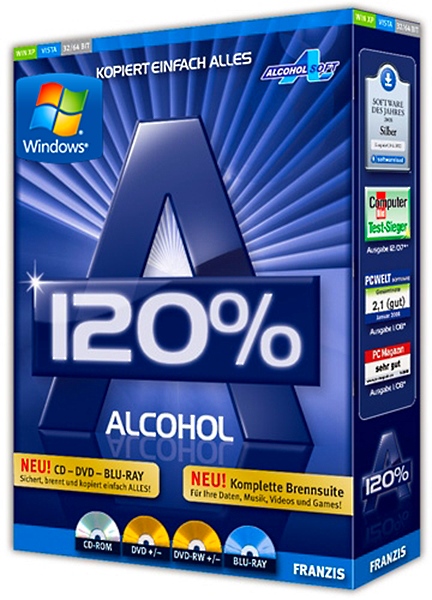
Alcohol 120% is a powerful Windows CD and DVD burning software that makes it easy to create backups of DVDs and CDs. In addition, the program lets you store your most used CDs as images on your computer. So you can call them up at the click of a button. Now includes unique Pre-Mastering function and support for Blu-ray format.

Alcohol 120% brings new meaning to the word multimedia! It is without a doubt a leader in its class, bringing the ability to emulate and record CDs and DVDs together into one amazingly easy to use software program. Now includes Alcohol Xtra.
Alcohol is compatible with more than 99% of drives available. It supports the latest image file types including - MDS, CCD, BIN, CUE, ISO, CDI, BWT, BWI, BWS, BWA and many more.

Home users make backup copies of their game CDs and movie DVDs, allowing the kids to treat multimedia disks roughly, without destroying their value.
Librarians and school administrators use Alcohol 120% burning software to archive their institutions' collections of recordable media. Protect themselves against the daily wear and tear that damages discs.
Business users use Alcohol 120% burning software to make duplicate backup copies of software titles. Ensure that they will continue to have access to their licensed software, even if their physical CDs become damaged and unusable.

Features:
Alcohol 120% enables you to make a duplicate back-up to recordable media of nearly all your expensive Game/Software/DVD titles, and/or an image that can be mounted and run from any one of Alcohol's virtual drives.
No other emulation software enables you to create up to a staggering 31 virtual drives. That allows you to run your game images at over 200x faster than from a conventional CD-ROM. Alcohol 120% is a powerful utility that uses a unique combination of options to ensure a perfect back-up every time.
All you need is a PC combined with a CD or a DVD burner. No more replacing your expensive original discs due to loss, theft, scratches, or other media imperfections. Your duplicate works just like the original. Your entire collection can be archived and your investment protected.
With Alcohol 120% created images mean that you always have your expensive media stored safely on your hard drive for instant retrieval at the click of a button.
At the office. Many applications generally require the original disc to be in the computer's CD-ROM drive. This restricts the amount of people in your office who can have access to the same software at the same time without the cost of additional discs.
Original pressed discs are expensive. Using the Alcohol 120% writing engine you can copy the original to inexpensive blank discs for distribution to your customers.

-:DOWNLOAD FROM LINKS:-
NitroFlare
Код:
https://nitroflare.com/view/233D7A914B8F9DA/Dl4eVeR.Alcohol120.2.1.1.rar

RapidGator
Код:
https://rapidgator.net/file/e4c53ce2b4df50ededa089bf80ed5112/Dl4eVeR.Alcohol120.2.1.1.rar.html

​
 
DiskBoss Pro / Ultimate / Enterprise 12.2.18


diskboss.jpg

File size: 50 MB
​
DiskBoss is an automated, rule-based data analysis and file management solution allowing one to perform disk space analysis operations, file classification, duplicate files search and cleanup, high-speed file synchronization and secure data migration, bulk file delete and secure data wiping operations, disk change monitoring, automated, policy-based file management and more.

Features:
Disk Space Analysis
File Classification and Organizing
Duplicate Files Search and Cleanup
Bulk File Delete and Secure Data Wiping
Automated, Policy-Based File Management
High-Speed File Synchronization
Secure File Synchronization
Secure File Copy Operations
Fault-Tolerant Data Migration
Real-Time Disk Change Monitoring
File Integrity Monitoring

-:DOWNLOAD FROM LINKS:-
NitroFlare
Код:
https://nitroflare.com/view/2EE4139C0AA362D/Dl4eVeR.DiskBoss12.rar

RapidGator
Код:
https://rapidgator.net/file/90473836b78ead6cd11d9b59ce450314/Dl4eVeR.DiskBoss12.rar.html

​
 
DVD-Cloner 2021 18.40 Build 1465 (x64) Multilingual


id-RZRVrdk-JO4-Kyc-HTbz-Zc9-RQf-Jg-Cjm-PD.jpg

File size: 53 MB
​
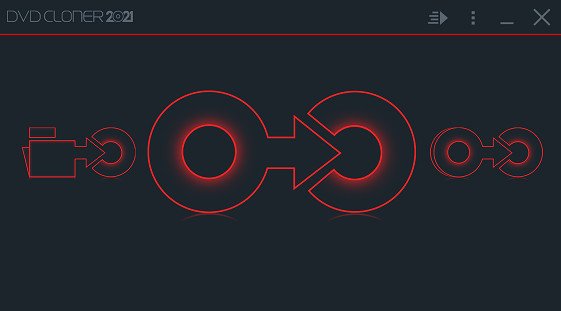
DVD Cloner has gained prestige in the DVD software category with its versatile engine that allows you to copy, decrypt and burn DVD data. This application is renowned for its ability to remove copy protections and to deliver high quality at very good speed.

DVD Cloner bundles a rich set of features, the most important of which materialize in the possibility to copy DVD-5 to DVD-5, DVD-9 to DVD-9, to combine multiple movies to BD-R/RE, to copy chapters individually and to remove advertising from the source files. Users can also split a DVD-9 to two DVD-5 discs.

DVD Cloner features two different modes: Expert and Express. The former was built with one purpose in mind: DVD copying, while the latter provides various possibilities (copying movies to hard drives or from the hard drive to a DVD disc, combining multiple movies, etc).

The Advanced Setup section allows you to select the temporary directory and allows you to check or uncheck options such as: delete temp files when the copy finishes, enable alert sound, and display wizard titles on the expert interface. In addition, you can set the disc size of the DVD, screen ratio and saving rate.

Smart Analyser is a feature designed to verify the final result of the DVD, but it can be disabled if you don't fancy it. Reading speed can be either set to high, medium or low, and several options for the burning speed, as well as DVD writing method are available.

What sets DVD Cloner apart from other software in its category is definitely the processing speed. It spends way less time on tasks without taking a toll on the output quality. It can and should be trusted with your most precious DVDs.

-:DOWNLOAD FROM LINKS:-
NitroFlare
Код:
https://nitroflare.com/view/17B7B6A88060344/Dl4eVeR.DVDCloner2021.rar

RapidGator
Код:
https://rapidgator.net/file/c1233e9fe5ee7ff97a630ef45bdab4ad/Dl4eVeR.DVDCloner2021.rar.html

​
 
WYSIWYG Web Builder 16.3.1


1588963244-wysiwyg-web-builder.jpg

File size: 32 MB
​
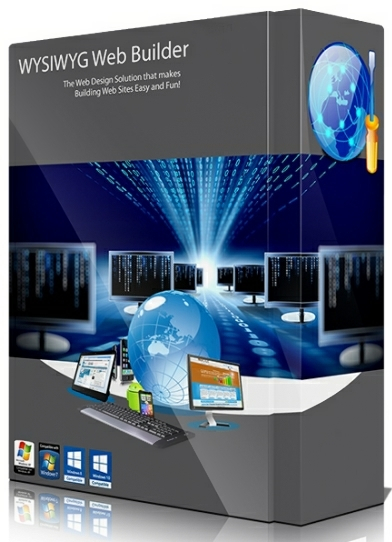
WYSIWYG Web Builder is a WYSIWYG (What-You-See-Is-What-You-Get) program used to create web pages. WYSIWYG means that the finished page will display exactly the way it was designed.

Responsive Web Design
Built-in support for layout grid, flexbox, css grid or fixed layouts with breakpoints

Web Fonts
Easily add Google Fonts and other Web Fonts to your website.

Animations
Add amazing pre made animations and transitions or create your own animations. More than 150 pre-defined animations are included.

Pre-made Blocks
Use pre-made blocks to quickly get started. More than 150 blocks are available!

Forms Tools
Send Emails, Upload Files, Store Data in MySQL or CSV, Auto Responder, Password Protect Pages, Form Validation, Conditons/Calculations

Images & Media
Image filters, shapes, galleries, carousels, lightboxes, rollover animations, YouTube, Vimeo, HTML5 Video/Audio

Icon Libraries
Support for Font Awesome, Material Icons and many other icon libraries

Navigation
Navigation buttons, drop down menus, fullscreen menu, mega menu, panel menu, breadcrumb, pagination and much more!

Extensions
Hundreds of extensions to add extra functionality to the software. Including slideshows, navigation, audio/video, webshops, data viewers etc.

-:DOWNLOAD FROM LINKS:-
NitroFlare
Код:
https://nitroflare.com/view/D85F5B3FDD667FE/Dl4eVeR.WYSIWYGWebBuilder16.rar

RapidGator
Код:
https://rapidgator.net/file/764f62f0bc494b54ed01d3bc792a06fa/Dl4eVeR.WYSIWYGWebBuilder16.rar.html

​
 
Lazesoft Data Recovery 4.5.1.1 Professional Edition


th-inuk-ABu-Tx-Ov-TTat-GO6q-SGTT812-Uu-Oct7.jpg

Windows x86/x64 | File size: 82.87 MB
​
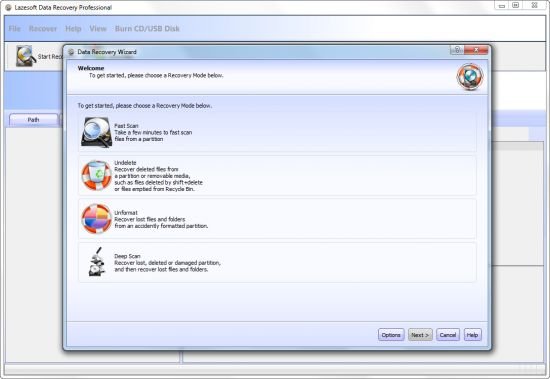
Lazesoft Data Recovery is an easy to use and powerful data recovery software. Lazesoft Data Recovery offers home users and businesses complete solutions for recovering deleted or lost files due to the reformatting or corruption of a hard drive, virus or Trojan infection, unexpected system shutdown or software failure. With easy to use interfaces and the most powerful data recovery software engine, you can use Lazesoft Data Recovery to recover your data, preview recovered files while the search is in progress.

Easy Recovery in All Major Data Loss Cases, including:
• Accidentally deleted files or emptied from recycle bin
• Formatted media, disk drive, partitions or dynamic volumes
• Logically crashed disk
• Data deleted using Shift+Del keys
• Files corrupted was due to virus attacks
• Software crash
• Power faults
• Partition with corrupt file systems
• Computer can not boot up and can not enter Windows

Safe Data Recovery
To ensure your data safety, the Lazesoft Data Recovery is designed that it does not change the contents of the drive being searched.

Easily Recover Data under Windows Desktop using our:
• Windows Version of Lazesoft Data Recovery
• Native support for Windows 64 bit
• Added support for Windows 10

Recover Data When Windows Cannot Boot up Normally
• After some disk failures or serious crashes, you might not be able to boot up your computer or start Windows. Lazesoft Data Recovery can burn a bootable data recovery CD/USB disk and allow you to boot up your computer and rescue your data.
• A Lazesoft Data Recovery boot disk can boot from various brands of desktops and laptops, manufactured by Dell, ThinkPad, Hp, Sony, Toshiba, Acer, Samsung, etc.
• With its option of building either WinPE-based or Linux-base bootable recovery disks, Lazesoft Data Recovery ensures the best hardware compatibility available.
• Lazesoft Data Recovery can create a bootable CD or USB disk.
• Lazesoft Data Recovery boot disk builder has a user friendly interface.
• Added Start Menu on boot disk

У Вас недостаточно прав для просмотра ссылок. Войдите или зарегистрируйтесь.

-:DOWNLOAD FROM LINKS:-
NitroFlare
Код:
https://nitroflare.com/view/294D09FD51789F8/Dl4eVeR.Data.Recovery.4.5.1.1.Pro.rar

RapidGator
Код:
https://rapidgator.net/file/096e45aa846c5f93c642894ca19f939f/Dl4eVeR.Data.Recovery.4.5.1.1.Pro.rar.html

​
 
The Foundry Nuke Studio 13.0v2


u6olo5d-JTh-ZQlah-Sz-OWL5e-VOx-GIAxu-M7.png

File size: 1.8 GB | (x64)
​
Nuke, NukeX and Nuke Studio offer cutting-edge toolkits for node-based compositing, editorial and review. The Nuke family's unparalleled flexibility and collaborative workflows help you get the highest quality results-fast.

Compositing and much more
All the tools you need to get the job done, no matter how you're working. From advanced node-based compositing, to 3D tracking and model building, to editorial and conform, the Nuke range can scale to suit your needs.

Highest quality results
Used by many of the best VFX houses in the industry, the Nuke family's state-of-the-art tools make producing pixel perfect, film-grade results both painless and creatively satisfying.

Power and performance
Built to meet the needs of modern production work, the Nuke family offers unparalleled levels of power and performance, whether you're a team with a deadline or tackling a solo project.

Collaborative workflow
Efficient, collaborative workflows lie at the heart of the Nuke range. Easily communicate, share and work together with others, whether you're sitting side by side or across the globe.

Speed and efficiency
Work fast and interactively with Nuke's cutting-edge toolkits, GPU acceleration and fluid workflows. Everything you need to complete your project on time is built in and ready to go.

The perfect fit for your pipeline
Open and customizable, Nuke fits perfectly into your pipeline, with major operating system support, low hardware requirements, support for industry standards like OCIO and Alembic, and a Python API and Pyside included.

2D compositing and visual effects
Nuke's industry-leading nodel toolset making compositing and review faster and easier than ever before

With over 200 creative nodes, Nuke delivers everything you need to tackle the diverse challenges of digital compositing. This includes industry-standard keyers, rotoscope, vector paint tools, color correction and so much more.

Nodal toolset
With over 200 creative nodes, Nuke delivers everything you need to tackle the diverse challenges of digital compositing. This includes industry-standard keyers, rotoscope, vector paint tools, color correction and so much more.

Deep Image compositing
Deep Image compositing tools let you create and work with images that contain multiple opacity, color and camera-relative depth samples per pixel, so there's no need to re-render CG elements when content changes.

3D compositing and visual effects
3D Camera Tracker
The integrated Camera Tracker in NukeX® and Nuke Studio replicates the motion of a 2D camera with an animated 3D camera or point cloud in Nuke's 3D space, allowing you to composite 2D/3D elements accurately with reference to the original camera used for the shot. Refinement options, advanced 3D feature preview and lens distortion handling improve efficiency and accuracy on the trickiest tracking tasks.

3D workspace
Nuke offers a limitless, integrated 3D environment that lets you create and render complex scenes composed of 2D footage, 3D models, cards, basic geometry, cameras, lights, and meshes. Great for camera projections for set replacements and other tasks where you need to simulate a "real" environment.

Collaboration
User presets and node toolsets
Nuke's time-saving user presets enable you to set and save tailored node parameters for effects to use across multiple projects. Node toolsets let you automate your workflow by creating grouped configurations of nodes for specific tasks.

Versioning
Nuke's powerful versioning functionality allows you to bring new versions of shots into Nuke Studio's timeline or Nuke's nodegraph and swap between them quickly and easily. This capability makes comparing and reviewing work at different stages, and work done by different artists, simple.

Editorial
SDI broadcast monitor support
All Nuke editions provide SDI broadcast monitor support on compatible AJA and Blackmagic SDI-out hardware. With this support, you can accurately check color space and aspect ratios on broadcast content during the review process.

Multi-track editorial timeline
Nuke Studio® comes complete with a multi-track editorial timeline that lets you playback, review and edit multi-layered sequences of video, CG and audio tracks. You can stack unlimited tracks containing as many clips as you need and blend tracks to easily create overlays. Create timeline effects and flip them into the node graph, or edit and render compositions right from the timeline.

Performance and pipeline
Python API and PySide
Available across the entire Nuke® family, the Python API can be used for full pipeline integration and automating common tasks and procedures. PySide is also included to allow users to build custom user interfaces via Python and the Qt frameworks.

OpenColorIO color management
With OpenColorIO (OCIO), the open-source color management solution from Sony Picture Imageworks, Nuke can setup a single profile to provide consistent colors across all compatible applications to simplifying the color management process.

Supported operating systems:
For full details on the requirements for GPU Acceleration see the release notes.
Windows 10 (64-bit only)
**Note: Other operating systems may work, but have not been fully tested

-:DOWNLOAD FROM LINKS:-
NitroFlare
Код:
https://nitroflare.com/view/5BE222150F5202C/Dl4eVeR.Nuke13.0v2.part1.rar
https://nitroflare.com/view/9FA933F68D5BD6E/Dl4eVeR.Nuke13.0v2.part2.rar

RapidGator
Код:
https://rapidgator.net/file/7989b1d7c7474d29ba3426dd97d7c917/Dl4eVeR.Nuke13.0v2.part1.rar.html
https://rapidgator.net/file/36e0be40d29e47deaecd949ebbc9c31d/Dl4eVeR.Nuke13.0v2.part2.rar.html

​
 
Zebra CardStudio Professional 2.4.5.0 Multilingual


mj-R260-Ufq7j9gyh-QCe-FQjhdfm-Vbpcj23.jpg

Languages: Multilingual | File Size: 148.49 MB
​
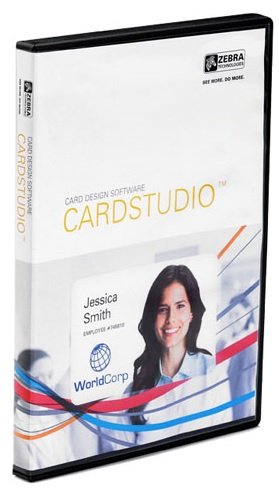
More than ever before, we're an electronically connected global community. From shopper loyalty cards to student IDs to Corporate IDs and access control cards, we're quickly evolving from the physical to the digital. Advance your card designs and production with CardStudio 2.0 to unlock greater design features, expanded data management capabilities and Digital IDs. CardStudio 2.0 makes designing and producing high-quality cards and Digital IDs quick and simple.

Digital Cards
Create Digital IDs for maximum flexibility. As a complement to physical cards, Digital IDs can be seen as a convenient option because they are stored on mobile phones. As part of CardStudio Standard Package, issuance of Digital IDs is fast with only 3 easy steps and eco-friendly.

Advanced Data Management
Automatically create Digital IDs and cards with virtually any existing enterprise data, including text, graphics, photos and other information from virtually any data source - from backend databases to spreadsheets. Easily create Digital IDs at the same time as a physical card, or as a standalone offering.

Advanced Encoding Support
With support for UHF and MIFARE/DESFire family of contactless cards, you can choose the encoding option that matches the application requirements and level of security your cards require. We offer all the encoding options you need.

CardStudio 2.0 Professional:
- All Enterprise functions and unlimited card designs, projects, data records
- Full SmartCard including MIFARE Classic, plus and DESfire

World-class cards for your business
Zebra's CardStudio card-design and card-issuance software brings the sophistication of professional card design and printing to your office. Easy to learn and use, CardStudio offers you design, encoding and printing applications to produce beautiful, high-quality cards.

Feature-rich software with enhanced support
The latest version of CardStudio offers several services and features, including:

- Updated Unicode support for improved multi-language options
- Enhanced internal online help resources
- More robust signature pad, including new drivers to support latest signature pad models
- Improved SmartCard ultra-high frequency (UHF) and HF MIFARE
Release Notes- Release notes were unavailable when this listing was updated.
System Requirements:
- Installation of Zebra Card printer Windows Driver is required prior to CardStudio Installation
- IBM® compatible PC with a Pentium® processor with at least 512MB RAM (1GB recommended)
- Microsoft® Windows® XP, Windows 7, Windows 8 and Windows 10 operating systems
- Disk space: 250MB with partial clip art or 400MB with full clip art installed
- Mouse or other Windows-compatible pointing device

-:DOWNLOAD FROM LINKS:-
NitroFlare
Код:
https://nitroflare.com/view/360F13171C321E4/Dl4eVeR.Zebra.2.4.5.0.rar

RapidGator
Код:
https://rapidgator.net/file/56140934cdcc1fd72b3830c0d0813154/Dl4eVeR.Zebra.2.4.5.0.rar.html

​
 
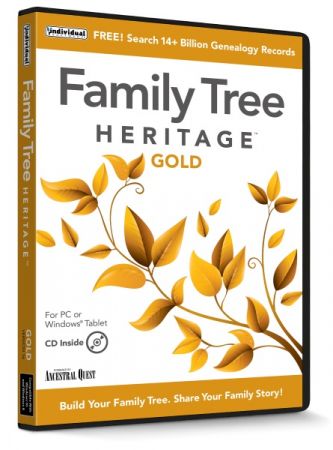
Family Tree Heritage Gold 16.0.9 Multilingual


th-Emi-Anevnj-Wqi-Gxbr-Gz9zs-A4-Yt-Ctl-V3i-A.jpg

Languages: Multilingual | File Size: 92.94 MB
​
Build Your Family Tree and share Your Family Story with Family Tree Heritage Gold. This new gold version provides exciting, easy to use new features, including a new Descendants View, printing of background images on many charts, improvements to the ability to sync with FamilySearch™ Family Tree, recording non-traditional couple relationships, plus more efficient ways to enter important genealogical data.

Rich Features in Family Tree Heritage Gold:

TreeTips™
Have you ever wished that someone could do your research for you? TreeTips™ is an innovative technology built into Family Tree Heritage that displays hints for possible records about your ancestors. TreeTips combines the hinting capabilities of FamilySearch (based in Utah, with over 5 billion searchable records) and Findmypast (based in England, with nearly 3 billion searchable records), along with advanced searching of Ancestry.com (based in Utah, with over 20 billion records) and MyHeritage (based in Israel, with over 6 billion searchable records).

Memories Manager
New! Link Family Tree Heritage to FamilySearch records. Quickly and easily exchange your scrapbook items with the Memories on FamilySearch. You can easily link your scrapbook items to the images on FamilySearch, and share your information and images with others!

Direct Access to Powerful Genealogy Sites
Family Tree Heritage is fully integrated with the new FamilySearch Family Tree, Myheritage, and Findmypast. Import records directly and build your family tree quickly.

• No subscription required for worldwide searches
• Search 14 billion records with 1-click from the software

Language Options
Get started quickly with a friendly user interface and options for English, French, Spanish, and German. Choose the language you wish to use.

Powerful Genealogy Design Tools
Create colorful trees, heirloom-quality charts, reports and family books that will be cherished by your family members now and in future years, with Family Tree Heritage's genealogy design tools. Share your family's story at family reunions and online.

Interactive Research Timeline
Uncover clues to discover more information about your ancestors and family history. Find events that may have affected your ancestors, such as a war or immigration issue. These events will refer you to additional resources to learn more about your ancestors. There are several pre-designed event groups to choose from and you may also add your own events. The Timeline view is interactive: click on names, dates, and places to see how it responds. A Timeline report is available for printing.

Tags
Tag your ancestor similarities, such as geographic location, medical conditions, and more! Create your own set of Tags and assign up to three Tags to individuals in your database. The tags display on various screens and reports in Family Tree Heritage. Easily Adjust Tags for Any Ancestor.

Color Coding
Quickly identify individuals and family lines on your family tree. This four-color filing system allows you to add background colors to the name boxes for individuals and/or family lines. The color coding displays on various screens and reports, allowing you to track individuals from the maternal and paternal sides of your mother and father's ancestors.

Design Trees, Charts & Reports!
Create colorful trees, heirloom-quality charts, reports and family books that will be cherished by your family members now and in future years. Easily add background images on charts.

Four-Color Fan Charts
You can generate a Four-Color Fan Chart and include siblings of the first generation in the chart. Create any number of charts for your family.

• Ancestry Charts
• Descendant Charts
• Family Charts
• Pedigree Fan Charts
• Large Wall Charts
• Pedigree Charts

More Features than Any Other Genealogy Program!
• Lists & Calendars
• Records & Reports
• Advanced Management Reports
• Collaboration Tools
• User-Friendly Interface
• Share on Flash or Thumb Drive
• 1-Click Search to 14+ Billion Records
• Advanced Features
• Color Coding to ID Generations
• Interactive Research Timeline
• Tagging
• Updated FamilySearch Database
• Family Books & Scrapbooks
Release NotesWhat's New in Family Tree Heritage Gold?

Descendant's View at a Glance Up to Six Generations
The Descendant's view joins the Pedigree, Family, Name List, Individual, and Timeline view tabs along the top of the program. This gives you another way to view and navigate the records within your database.

Record Same-Sex or Non-Traditional Couple Relationships in addition to Traditional Couple Relationships
Version 16 separates the type of relationship from the status of the relationship. Relationship types now are Married, Not Married, Common Law, and de facto. The status of a relationship can be 'blank', indicating an ongoing relationship, or it could have terminated as Divorced, Separated or Annulled.

Share Custom Events with Anyone in Your Database
Easily share an event with other individuals in your database quickly with all the other members of your family, without having to individually add the event to each record.

Add Background Images on Charts
Place the background image of your choice on reports for Pedigree, Fan, Ancestry (Standard and Wallchart), Descendant (Standard, Wallchart and Dropline chart), Line of Descent, Calendar, and Timelines.

Share Scrapbook Items by Adding Just Once & Share
Select any image (or other scrapbook item), which is a part of the Scrapbook of one record in your file and share the media item with the scrapbook of other records in your file.

Add or Remove Country Names
Easily add Country names, such as add "United States" to all states or remove "United States" or "Canada" from all states or provinces.

LDS Ordinances (Confirmation/Initiatory)
Record LDS ordinances of LDS Confirmation and Initiatory in the same form with other LDS ordinances.

Enhanced Features in Family Tree Heritage Gold:

Tags
Easily Adjust Tags for Any Ancestor

Multiple Databases
View all Files (they stack) when you work with Multiple Databases

MapIt
Select from several online mapping services

Family Search Syncing
Upload or Download Data with Family Search Syncing Improvements

Scrapbook Items
Move Scrapbook Items and share with other Records in your File
System Requirements:
- Windows PC: Microsoft® Windows® 10, Windows 8, Windows 7
- 100 MB Hard Disk Space
- 800 x 600 or higher display
- Windows Tablet: Windows 10, 8 • 100 MB Hard Disk Space • Keyboard recommended • Internet Access

-:DOWNLOAD FROM LINKS:-
NitroFlare
Код:
https://nitroflare.com/view/99F9F7A6458728E/Dl4eVeR.FTH.16.0.9.rar

RapidGator
Код:
https://rapidgator.net/file/5f30dc525622fd909c44623cefcc92df/Dl4eVeR.FTH.16.0.9.rar.html

​
 
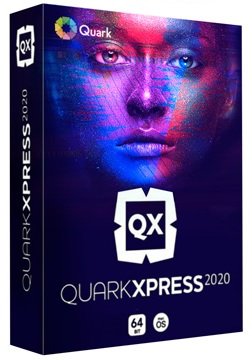
QuarkXPress 2020 v16.3.3 Multilingual


qypuq0-VZ5f-U8zmq-Ggri9olh3-Xwkezqn-U.jpg

Windows x64 | Languages: Multilingual | File Size: 1.45 GB
​
QuarkXPress 2020 - QuarkXPress is the smart solution for every creative professional who wants to leverage the most modern and efficient design software in the market. Create gorgeous Illustrations, design color blends with Multi-color Gradients, control color channels, apply non-destructive image editing and allows you to Bring your Creativity ALIVE!

Page Layout
Match the brilliance of your layout, with powerful Typography that lets you achieve your design flair effortlessly Import and export to all major raster and vector files.

Graphics & Illustrations
Create gorgeous Illustrations, design color blends with Multi-color Gradients, control color channels, apply non-destructive image editing and allows you to Bring your Creativity ALIVE!

Photo Editing
Create Artifacts which can be as Aesthetic as Dramatic to Propel your Business Branding, with Superior Image Editing Capabilities.

Web Publication
Groundbreaking modern responsive web design where you can effortlessly generate rich interactive digital publications for truly rich, responsive experience.

Mobile App Publication
Switch seamlessly and transition your design from Print to Digital, create Mobile Apps for iOS and Android which carry the Flair of Print Design.

QuarkXPress 2020 Features:

Convert Adobe InDesign Files
Sit back, relax and don't think about working with existing InDesign files. In 3 simple steps, convert all your InDesign files effortlessly.

PDF Accessibility Support
QuarkXPress now supports all PDF accessibility standards, so you can export PDFs that are compliant with the PDF/UA (ISO 14289), PDF/A, and WCAG 2.0 requirements.

Table Styles
Designers can access table styles from the measurement palette, which offers much finer control over formatting tables at the cell level, plus unlimited opportunity to format borders and shading.

Responsive Web Design
Flex Layouts, a first in digital publishing for graphic designers. Flex Layouts do not require any HTML or CSS coding skills, which means graphic designers can start creating banner ads, landing pages, microsites, and more.

Craft Your Brilliant Ideas for Books & Magazines
QuarkXPress allows experimenting with contemporary, modern, and post-modern illustration techniques to display the brilliance of creativity and turn text into captivating pieces of art. Magazines are portrayed in a fashionable way using stunning graphics, designs,texture, and typography in the finest blend. To craft it like a masterpiece, it demands a great level of imagination and the right set of tools to transform imagination into reality.

Publish Captivating Catalogs and Brochures
Professionally-crafted brochures and catalogs reflect the reputation of your business. QuarkXPress allows designing brochures and catalogs that works as well as look fascinating. From single fold designs to double, multi-page, gate fold or parallel fold designs, there's an array of possibilities to come up with high-quality designs and portray key offerings creatively.

Delve Your Creativity to Design Posters and Banners
QuarkXPress is an all-in-one design tool that allows you to experiment creativity without any limits. Come up with a masterpiece and stun the world by creating stylish posters and banners of all kinds, for any occasion, topic and interest utilizing graphics, designs, texture, and typography capabilities in its finest blend. All that you need is the right set of tools to transform imagination into reality.

Your eBooks Deserve to be Beautiful!
Design beautiful eBooks when you have the amazing capabilities of the QuarkXPress - a modern design and publishing tool. To craft an eBook like a bestseller, it demands a great level of imagination and the right set of tools to transform imagination into reality. Make your eBooks interactive with popups, buttons, audio-visuals, and pictures.

Mastering the Art of Web Publishing
Delight your readers with a high-quality web publishing content clubbed with interactive visual elements, such as image galleries, videos, and animations. Design and publish digital version of your documents in minutes for all types of content; documents, magazines and catalogs or any content that is typically long-form.

Design Engaging Mobile Apps
Beautifully designed mobile publications and exporting them as Android and iOS apps is easier with the QuarkXPress. Remodel your print documents by publishing their digital version that can be viewed on mobile device. From multipage spreads to multiple pages layouts, everything is possible with the feature-rich QuarkXPress.
Release NotesRequirements: Windows: 8.1 and 10 (64bit only, with latest updates)

-:DOWNLOAD FROM LINKS:-
NitroFlare
Код:
https://nitroflare.com/view/7E7FDD5A85EB469/Dl4eVeR.QX.16.3.3.part1.rar
https://nitroflare.com/view/81BA8E885A5F206/Dl4eVeR.QX.16.3.3.part2.rar

RapidGator
Код:
https://rapidgator.net/file/ca93de3db93fd5ded1dd6e37df9d863a/Dl4eVeR.QX.16.3.3.part1.rar.html
https://rapidgator.net/file/11a9fe03a17aac56c9a5a78f132a550f/Dl4eVeR.QX.16.3.3.part2.rar.html

​
 
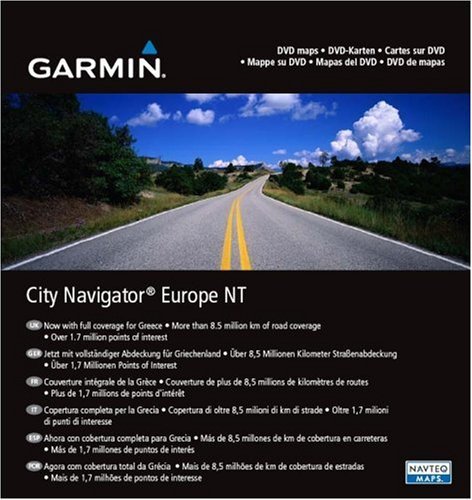
City Navigator Europe NT Unicode 2021.30


2-M80-UHYr3754-ZRho-Qu-Atis-PWc-YLlc-RWM.jpg


Size File: 22.2 GB | [All Maps]
​
System requirements : Garmin devices with Unicode support (since 2013). Lineup 2xxx, 3xxx and others.
System requirements : Garmin navigators, as well as a PC with "BaseCamp" or "MapSource" software installed

Coverage area
Navigate the streets of Europe with confidence. This product contains detailed road maps and points of interest for your compatible device, so you can navigate with accurate directions, turn-by-turn directions to any address or intersection. Route to restaurants, gas stations, lodging, attractions and more. Includes full coverage of Romania, Guadeloupe, Martinique, Saint Barthelemy and French Guiana. Detailed coverage increased for Bosnia and Herzegovina. Includes over 10.8 million km (6.7 million miles) of roads, including highways, national and regional highways and local roads, in Western Europe and many countries in Eastern Europe. Displays over 6.7 million points of interest nationwide, including restaurants, accommodations, border crossings, attractions, gas stations, campgrounds, shops and more. Gives turn-by-turn hints on a compatible device. Pronunciation for compatible devices that speak street names (for example, "Turn right onto Main Street") Includes navigation features such as avoiding unwanted places, route selection, and more Contains traffic data for compatible devices that use receiver traffic.
United Kingdom and Ireland
United Kingdom: Full coverage
Scotland: Full coverage
Wales: Full coverage
Isle of Man: Full coverage
Northern Ireland: Full coverage
Ireland: Full coverage
Channel Islands: Full coverage
Denmark, Finland, Iceland, Norway and Sweden
Denmark: Full coverage
Finland: Full coverage
Iceland: full coverage
Norway: full coverage
Sweden: full coverage
France and Benelux
Andorra: full coverage
Belgium: full coverage
France: full coverage
French Guiana: coverage for most urban areas
Guadeloupe: full coverage
Martinique: Full coverage
Netherlands: Full coverage
Luxembourg: Full coverage
Reunion: Coverage for most urban areas
St. Barthelemy: Full coverage
Italy, Austria, Switzerland and Liechtenstein
Italy: Full coverage
Austria: Full coverage
Switzerland: Full coverage
Liechtenstein: Full coverage
Malta
Malta : Full coverage
Spain and Portugal
Spain: Full coverage
Portugal: Full coverage
Gibraltar: Full coverage
Azores: Full coverage
Canary Islands: Full coverage
Baleric Islands: Full coverage
Madeira: Full coverage
Germany
Germany: Full coverage
Czech Republic
Czech Republic: Full coverage
Greece
Greece: Full coverage
Eastern Europe
Estonia: Full coverage
Latvia: Full coverage
Lithuania: Full coverage
Poland: Full coverage
Slovakia: Full coverage
Hungary: Full coverage
Slovenia: Full coverage
Croatia: Full coverage
Bulgaria : Full coverage
Romania: Full coverage
Turkey: Full coverage
Cyprus: Full coverage
Moldova: Coverage for most urban areas
Bosnia and Herzegovina: Full coverage
Serbia and Kosovo: Full coverage
Montenegro: Full coverage
Albania: Major roads only
Republic of Macedonia (FYROM): Full coverage
Belarus: Coverage for most urban areas
Ukraine: Full coverage

In the distribution:
In this version, the official map is divided into two files: Northern and Southern Europe.
North includes : Austria, Belarus, Belgium, Czech Republic, Denmark, Estonia, Finland, Germany, Iceland, Great Britain, Latvia, Lithuania, Luxembourg, Netherlands, Norway, Poland, Slovakia, Sweden and Ukraine.
South includes : Albania, Andorra, Bosnia and Herzegovina, Bulgaria, Croatia, Cyprus, France, Greece, Hungary, Italy, Kosovo, Macedonia, Malta, Moldova, Montenegro, Portugal, Romania, Serbia, Slovenia, Spain, Switzerland and Turkey.
The accompanying files are now also their own for each of the halves of the cards and are located in the corresponding folders.
In the "Unlocked IMG" folder the map file is unlocked and ready for copying to Garmin navigators.
In the folder "PC install Locked" the map for use in the programs "BaseCamp" and "MapSource".
In these programs, you can choose the area of ​​interest in Europe yourself and save it as an .img file to a navigator connected to your computer or just a USB flash drive with the Garmin folder in the root.
The card is locked for a PC, to unlock you need to use the program "UnLock MapSource.exe" or similar after the map is copied to the computer depending on the OS (for WinXP the path is C: \ Documents and Settings \ All Users \ Application Data \ GARMIN \ Maps for Win7 / 8 path C: \ ProgramData \ Garmin \ Maps)

Additional Information:
On new Garmin navigators such as nuvi 55/56/65/66 / 25x9 / 26x9, zumo 590, GPSMAP 64, Edge 1000 etc. a different method of protection was applied, the operability of the unlocked cards from the distribution depends on the firmware installed in the device, but in most cases it will need to be patched so that the navigator can use even the unlocked cards from this distribution.
The program and instructions (in English) for patching firmware can be downloaded here .
Materials on the correct installation of files from the distribution into the navigator can be found at links [1] , [2] and [3] .

The list of devices supporting Unicode cards can be found here (Compatible Devices tab).
To determine which files from the Additional Files folder your device supports, you need to open the garmindevice.xml file in the Garmin folder in the device's internal memory and press CTRL-F to set the file extension, for example JCV. If it is listed, your machine supports Junction View.

Release date : 2021
Version : 2021.30
FID : 8804
Developer : Garmin Developer
Interface language : English
Key : Not required. (Map unlocked)

-:DOWNLOAD FROM LINKS:-
NitroFlare
Код:
https://nitroflare.com/view/32787828A1FCCB3/Dl4eVeR.Europe_NTU_2021.30.part01.rar
https://nitroflare.com/view/84F6774697977D4/Dl4eVeR.Europe_NTU_2021.30.part02.rar
https://nitroflare.com/view/0195DA0B4DCBF79/Dl4eVeR.Europe_NTU_2021.30.part03.rar
https://nitroflare.com/view/825A4196283E6BE/Dl4eVeR.Europe_NTU_2021.30.part04.rar
https://nitroflare.com/view/A44D095195A42AE/Dl4eVeR.Europe_NTU_2021.30.part05.rar
https://nitroflare.com/view/7EAD5C6CE3766B1/Dl4eVeR.Europe_NTU_2021.30.part06.rar
https://nitroflare.com/view/C14C00C5EF8A74A/Dl4eVeR.Europe_NTU_2021.30.part07.rar
https://nitroflare.com/view/9FCA4503646ED50/Dl4eVeR.Europe_NTU_2021.30.part08.rar
https://nitroflare.com/view/3B25D0155E0AFD1/Dl4eVeR.Europe_NTU_2021.30.part09.rar
https://nitroflare.com/view/1CABCE165C5DD7C/Dl4eVeR.Europe_NTU_2021.30.part10.rar
https://nitroflare.com/view/0FF14B3403BAADC/Dl4eVeR.Europe_NTU_2021.30.part11.rar
https://nitroflare.com/view/744800E06240D6E/Dl4eVeR.Europe_NTU_2021.30.part12.rar
https://nitroflare.com/view/3A6B70F0FEA4C1D/Dl4eVeR.Europe_NTU_2021.30.part13.rar
https://nitroflare.com/view/25F29AE6367D65D/Dl4eVeR.Europe_NTU_2021.30.part14.rar
https://nitroflare.com/view/BB18794041CEC77/Dl4eVeR.Europe_NTU_2021.30.part15.rar
https://nitroflare.com/view/9480A8EEE3EB760/Dl4eVeR.Europe_NTU_2021.30.part16.rar
https://nitroflare.com/view/DC1DB456A054C33/Dl4eVeR.Europe_NTU_2021.30.part17.rar
https://nitroflare.com/view/2B6F5109A10CC3A/Dl4eVeR.Europe_NTU_2021.30.part18.rar
https://nitroflare.com/view/FD95BA11858C52B/Dl4eVeR.Europe_NTU_2021.30.part19.rar
https://nitroflare.com/view/42F3C9FF7A86EBF/Dl4eVeR.Europe_NTU_2021.30.part20.rar
https://nitroflare.com/view/A009D9FDD9DB149/Dl4eVeR.Europe_NTU_2021.30.part21.rar
https://nitroflare.com/view/16710EC636AB78A/Dl4eVeR.Europe_NTU_2021.30.part22.rar
https://nitroflare.com/view/D5B1220EF0D5EDF/Dl4eVeR.Europe_NTU_2021.30.part23.rar

RapidGator
Код:
https://rapidgator.net/file/0e8babb305c170dae47d472114582162/Dl4eVeR.Europe_NTU_2021.30.part01.rar.html
https://rapidgator.net/file/93c3f18175d9752b18dfe9e1edc3e469/Dl4eVeR.Europe_NTU_2021.30.part02.rar.html
https://rapidgator.net/file/a65ed0960b07d5ed773b4e7c106434af/Dl4eVeR.Europe_NTU_2021.30.part03.rar.html
https://rapidgator.net/file/aba41c4413e9ca7f664a6b23dc844c0a/Dl4eVeR.Europe_NTU_2021.30.part04.rar.html
https://rapidgator.net/file/41c9d70da936733df61179760aa734f0/Dl4eVeR.Europe_NTU_2021.30.part05.rar.html
https://rapidgator.net/file/6c6a0461861033fa06f8707c33f105c9/Dl4eVeR.Europe_NTU_2021.30.part06.rar.html
https://rapidgator.net/file/91a2da8017aed681730cbf73efdf7256/Dl4eVeR.Europe_NTU_2021.30.part07.rar.html
https://rapidgator.net/file/67bd9bc8bf483f7cc4c3f4b45b9690e3/Dl4eVeR.Europe_NTU_2021.30.part08.rar.html
https://rapidgator.net/file/4bf34229a0573d6aba0648e11ae50593/Dl4eVeR.Europe_NTU_2021.30.part09.rar.html
https://rapidgator.net/file/ca19d698efffb87bea2a795cf0ea71ff/Dl4eVeR.Europe_NTU_2021.30.part10.rar.html
https://rapidgator.net/file/55b214e7a28b61606810a76ba42f05ee/Dl4eVeR.Europe_NTU_2021.30.part11.rar.html
https://rapidgator.net/file/377b1cd046fbc9d1381562f5699bc416/Dl4eVeR.Europe_NTU_2021.30.part12.rar.html
https://rapidgator.net/file/774aae6122695f885d1f67827aaa1122/Dl4eVeR.Europe_NTU_2021.30.part13.rar.html
https://rapidgator.net/file/2861ad298beb68eff6545dac674f8287/Dl4eVeR.Europe_NTU_2021.30.part14.rar.html
https://rapidgator.net/file/06d99eb74dd647d7fd19ea7c5efaff46/Dl4eVeR.Europe_NTU_2021.30.part15.rar.html
https://rapidgator.net/file/a2659048a93e6fa705772abe7a957847/Dl4eVeR.Europe_NTU_2021.30.part16.rar.html
https://rapidgator.net/file/78d40e703c3672b29d5d2ee562775457/Dl4eVeR.Europe_NTU_2021.30.part17.rar.html
https://rapidgator.net/file/41b0459dece903cc91f65ed643360a09/Dl4eVeR.Europe_NTU_2021.30.part18.rar.html
https://rapidgator.net/file/f9227784d1f947f7d0a5a67cd565c5c0/Dl4eVeR.Europe_NTU_2021.30.part19.rar.html
https://rapidgator.net/file/e2fc8d99870a93931cb307e491c4e75a/Dl4eVeR.Europe_NTU_2021.30.part20.rar.html
https://rapidgator.net/file/54d6c681613e5858d2f5f59a38ede937/Dl4eVeR.Europe_NTU_2021.30.part21.rar.html
https://rapidgator.net/file/a03c066f24918288adf65f8831e888cb/Dl4eVeR.Europe_NTU_2021.30.part22.rar.html
https://rapidgator.net/file/008930c363dfaf2b44077efe4d10e445/Dl4eVeR.Europe_NTU_2021.30.part23.rar.html

​
 
MAGIX Samplitude Pro X6 Suite 17.0.0.21171 Multilingual


u-JA5-Kw-PBhvpj-Kb-WPUVt-KAkdk-Rb96-Fafj.jpg

Windows x64 | Languages: Multilingual | File Size: 899.52 MB
​
Samplitude Pro X provides recording and mixing engineers with practical functions that revolutionize the standard DAW workflow. Edit in realtime, during recording. Apply effects in a custom way to individual clips. Visualize volume, frequency and phase information for selected tracks. Use batch processing for the automated editing of multiple files simultaneously.

Brand new functions
New in Samplitude Pro X6 Suite: ARA2 integrates Melodyne and SpectraLayers Pro more seamlessly than before, MIDI Polyphonic Expression supports modern controllers such as ROLI Seaboard and a new section is included for simplifying monitoring. The tempo track functions enables centralized control of changing tempo and time signatures, Automation Shapes creates smooth curves and Convology XT Complete offers vintage reverb. Additional instruments for captivating sounds, the full coreFX Suite with essential effects and a bonus audio software bundle are included in the new Samplitude Pro X5 Suite.

Highlights
- New! ARA2 supports the latest versions of Celemony Melodyne essential and others
- New! MIDI Polyphonic Expression for additional parameters per note
- New! Monitoring Section for switching between monitoring paths
- New! Automation Shapes for predefined curves
- New! WaveColor for spectral waveform display
- New! Dedicated Tempo Track function for automating tempo changes
- New! Convology XT Complete with unlimited vintage reverb units (2965 impulse responses)

New! Monitoring Section
Say goodbye to meter-long cable connections and expensive routing hardware - the new Monitoring Section in Samplitude Pro X6 offers unprecedented flexibility. Set up multiple monitoring paths and load them with effects. Play back your configurations and integrate a talkback mic if you like - this can be done easily using the mouse or shortcuts.

New! ARA2 support
A second-generation ARA interface allows for more comprehensive switching between Samplitude Pro X6 and ARA-compatible plug-ins. Audio data can be swapped out faster and allows for more efficient editing in realtime. Time-consuming transfers are a thing of the past when integrating Melodyne, since audio events can be opened directly here. In addition, ARA2 simplifies simultaneous editing of multiple tracks and clean transitions between clips without crossfades.

New! Tempo Track
Tempo now has its own track. Use automations to create elegant transitions between slow and fast passages. Set additional buttons as helpful markers for beat and tempo change.

New! MIDI Polyphonic Expression
With MIDI Polyphonic Expression (MPE for short), discover the future of MIDI operation. MPE assigns each note a dedicated MIDI channel, which allows for parallel modulation simultaneously and independently of each other. This way, compatible controllers such as the ROLI seaboard can output their full potential. Want to apply pitch bend to a solo or bring down harmonies using sustain? It's all possible with MPE.

Full control, everything in view
New options for automation are front and center in Samplitude Pro X5. Advanced tools for visualization offer users a better insight into their audio material.
Release NotesSystem Requirements:
- Windows 10, Windows 8 (64-bit)
- Processor: 2 GHz
- RAM: 4 GB
- Graphics card: Onboard, minimum resolution 1024 x 768
- Available drive space: x GB for program installation, 20 GB for Samplitude Pro X5, 100 GB for Samplitude Pro X5 Suite
- Sound card: Onboard
- Program languages: English, Deutsch, Français, Español, Italiano

-:DOWNLOAD FROM LINKS:-
NitroFlare
Код:
https://nitroflare.com/view/7B9ED63EC8B61C8/Samplitude.Pro.X6.Suite.17.0.0.21171.rar

RapidGator
Код:
https://rapidgator.net/file/fd855326d7f54fc190ea38099cbc9216/Samplitude.Pro.X6.Suite.17.0.0.21171.rar.html

​
 
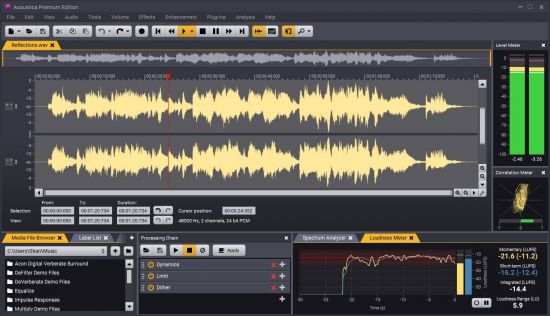
Acon Digital Acoustica Premium 7.3.3


th-Ul-Ft1dg1-AVIge-Squya-DAp-Ftye-ZCGks-Wv.jpg

File Size: 53.9 MB | (x64)
​
Acon Digital Media Acoustica Premium is an ideal solution for audio editing and mastering. The program contains everything you need to create great sounding recordings and audio CDs, including professional tools for recording, analysis, editing and CD burning. The Acoustica user interface was designed with speed, accuracy and ease of use in mind. The support for audio resolutions up to 32 bit and sampling rates up to 192 kHz allows you to record and edit in an amazing audio quality.

Acoustica is available in three editions - the free Basic Edition, the Standard Edition and the Premium Edition which supports 5.1 and 7.1 channel surround and includes extended processing tools and the same audio restoration algorithms as found in our Restoration Suite.

Ultimate Audio Quality
Acoustica offers support for state-of-the-art audio resolutions up to 32 bit and sampling rates up to 384 kHz, ensuring that all of your work comes across at the highest quality. Acoustica Premium Edition even supports multichannel audio recording and editing such as 5.1 and 7.1 surround sound.

Audio Restoration
Integrated audio restoration tools help you get the most out of recordings impaired by background noise, clicks, crackle, clipping or missing high frequency content. The Premium Edition contains the same set of professional tools as our Restoration Suite.

Multitrack Editing
New in Acoustica is the ability to edit multitrack audio. Both the Standard and the Premium Edition allows you to mix audio from different tracks in real-time, add audio effects to tracks or easily create cross-fades. You can even loop or time stretch clips directly from the multitrack timeline.

Processing Tools
High quality audio tools and effects are integrated such as dynamic processing, limiter, equalizing, reverb, convolution reverb, chorus and flanger. You can also modify tempo and key of your recordings independently using the superb quality time stretching and transpose tools.

Effect Chains and Plug-In Support
You can create complete chains of processing tools, including external plug-ins, and save them along with all the parameter settings for later use. VST and DirectX plug-in support allows you to access a vast number of both free and commercial third party audio processing plug-ins directly from Acoustica.

Analysis Tools
Powerful offline analysis tools are available, including spectrum, spectrogram and wavelet analysis. Real-time analyzers such as K-System level meters, phase correlation meters and spectrum analyzers allow you to monitor your audio output visually in real time during playback.

-:DOWNLOAD FROM LINKS:-
NitroFlare
Код:
https://nitroflare.com/view/F7651B8ED3A33F0/Acoustica.Premium.Edition.7.rar

RapidGator
Код:
https://rapidgator.net/file/c854be4c12d158073a37cee927dfb2f2/Acoustica.Premium.Edition.7.rar.html

​
 
ABSoft Neat Video Pro 5.4.1 (x64) for DaVinci Resolve


th-f-IHFdzk1a-Tbxgb6alw6-Fd-Op-Si-Bf-USn-U8.jpg

File size: 14.3 MB
​
Neat Video is a digital filter designed to reduce visible noise and grain found in footage from digital video cameras, DSLRs, TV-tuners and even digitized film or VHS. Neat Video is available as a plug-in for many popular video editing applications such as Adobe Premiere and Final Cut Pro.

Digital noise appears as fine, dancing speckles or static in certain areas of a video clip. It is caused by a range of factors including low light levels, high sensor gain, electronic interference and aggressive compression of video data.

Regardless of the source, any form of noise can seriously degrade the visual quality of footage. However, thanks to the most advanced noise reduction algorithms in the industry, Neat Video offers a way to clean up noisy clips. It is a highly automated and user-friendly plug-in that can be applied in only a few clicks. Improving video quality while preserving the beauty, detail and clarity of the original footage. In many cases rescuing clips that would otherwise be unusable.

Neat Video enhances clips suffering from the following defects:
Digital noise produced by image sensors of most modern video capturing devices
Grain present in digitized film or analog video
Dust and scratches found in digitized film
Electric interference degrading analog video
Compression artifacts
Color banding

Supported applications:
DaVinci Resolve
17 / 16 / 15 / 14 / 12.5 / 12 / 11 / 10

System requirements:
64-bit Windows 7 or newer

-:DOWNLOAD FROM LINKS:-
NitroFlare
Код:
https://nitroflare.com/view/BFBB0088178868D/Neat.Video.Resolve.v5.4.1.CE.rar

RapidGator
Код:
https://rapidgator.net/file/1a6cb5f26ac6f812e310c94eb45ba76a/Neat.Video.Resolve.v5.4.1.CE.rar.html

​
 
Ashampoo Snap 12.0.3 Multilingual


th-D3h-Un-WWn-Bjtju-QSg-Mhc0-SHk-Vq-TL1-V9m6.jpg

File size: 160 MB
​
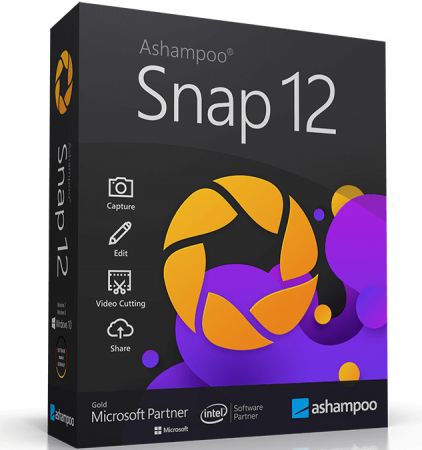
With Ashampoo Snap 12, capturing screenshots or videos almost happens by itself. Anything you see on your screen is faithfully captured along with numerous smart settings. The built-in editor takes care of post-processing as well as storing and saving of captures. This makes Snap not just a mere screenshot app but a visual thinker's dream. Screen captures can be enhanced and polished with automatic numbering, arrows, comments, stickers and so much more! From simple images to video captures and documentations: Snap does it all!

For up to 3 devices
Completely revised recording area
Multi-purpose capture tool for rectangular areas, entire and scrollable websites
Animated, well-arranged user interface
Modern newly-designed editor
Important options directly in the recording area
New well-laid-out settings dialog

Use it on up to 3 PCs in your household
If you use Ashampoo Snap 12 at home, you can run it on up to 3 PCs! If you use it comercially though, it's one license per installation.

Fast and easy video cutting
Not every video recording is an instant success. Ads, extra steps or pauses are a frequent bother. The same applies to screen captures. Keep the important bits and get rid of the rest with Ashampoo Snap 12! Remove ads, glitches or superfluous scenes or split your video into individual episodes. It doesn't matter whether you're casually pointing and capturing, creating an extensive webinar or producing a high-quality presentation: With Ashampoo Snap 12, every video capture comes out a success!

Capture and share desktop contents with ease
Would you like to share your screenshots and videos with friends and family or upload them to social networks? With Ashampoo Snap 12, all options are open to you-at home and work! Ashampoo Snap 12 can share your files across all popular online and cloud services, including Twitter, Facebook, Dropbox, OneDrive, Google Drive etc. For an even simpler way, upload your files to Ashampoo Webspace-it's completely free. Naturally, you can always take a more traditional or professional route and email your files as well.

Create videos for any purpose
Creating instructional videos or documentaries is a breeze with Ashampoo Snap 12. Recordings are live-annotable with texts, drawings and voice narration. Clear things up with visualized mouse clicks and key strokes and add watermarks to protect your intellectual property. Take it to the next level and add live feeds from your webcam in a single click. Here's your ticket to create engaging tutorials, prepare instructive webinars and to point the way to the things that matter most to you-literally!

Save time and screen-capture information instantly
Meaningful images can save you a lot of time and explaining and help with elucidating complex issues better. There's a reason for "Show, don't tell": Our brain can process, and recall, information embedded into images far quicker! And there's more: With Ashampoo Snap 12, you can enrich your images with comments, drawings and explanations to get to the point quickly! Point out details, highlight errors or mark out important areas in a snap. Save yourself tedious text-based explanations and say exactly what you mean with a single screenshot! Try it out today and see just how much text you can save!

Perfect for different screen resolutions and multi-display environments
Ashampoo Snap 12 fully supports multi-display setups, even with different resolution and DPI combinations, e.g. mixed Full HD and 4K environments. Each display is captured at its individual resolution for maximum crispness and results are instantly editable. And once you're in the editor, it's smooth sailing for beginners and professionals alike!

Create GIFs from any video
What would the internet be without those charming GIF animations? But GIFs can also be used in tutorials or demonstrations to great effect. Ashampoo Snap 12 can turn any video segment into GIFs. Just set the start and end positions, fire up the built-in converter and you're done!

-:DOWNLOAD FROM LINKS:-
NitroFlare
Код:
https://nitroflare.com/view/14D09961832B6B8/AshampooSnap12.rar

RapidGator
Код:
https://rapidgator.net/file/2d6f071601f30346e8c3bd9554ec7c43/AshampooSnap12.rar.html

​
 
Syncovery Premium 9.35a Build 204


Ut-K0z-YZJLLnq4j6ojoq-UZn-H6-ZSKPd-Li8.png

File Size: 74.8 MB
​
Syncovery - file synchronization and backup software! Your sync and back-up solution is here - now in all-new version 7! Syncovery will copy your files the way you need it. Back up your data and synchronize PCs, Macs, servers, notebooks, and online storage space.

Back up your data and synchronize PCs, Macs, servers, notebooks, and online storage space.
You can set up as many different jobs as you need and run them manually or using the scheduler. Syncovery works with local hard drives, network drives and any other mounted volumes. In addition, it comes with support for FTP, SSH, HTTP, WebDAV, Amazon S3, and Google Docs. You can use ZIP compression and data encryption. On Windows, the scheduler can run as a service - without users having to log on. There are powerful synchronization modes, including Standard Copying, Exact Mirror, and SmartTracking.

Online Backup
We have been backing up our data over the Internet since the 90's, and highly recommend it. Encryption will keep your data safe.

Block Level Copying
Save bandwidth and disk space by copying only the changed blocks of large files.

Real-Time Sync
Real-time sync can be a fantastic speed up for your replication or backup.

File Synchronization
As a generic synchronizer, you can set up our software to fulfill all kinds of tasks, including one-way and two-way syncs, backup, replication, updating or downloading web sites and more.

Profile Groups
You can organize your profiles in groups. Find out how easy this is and how you will benefit from it.

-:DOWNLOAD FROM LINKS:-
NitroFlare
Код:
https://nitroflare.com/view/1FB08F490560F7B/Syncovery.9.35a.rar

RapidGator
Код:
https://rapidgator.net/file/8c389b46b82dc1ed08f109cd9db1b8e0/Syncovery.9.35a.rar.html

​
 
MAGIX SOUND FORGE Pro 15.0.0.57


En-TW7-KT8r3e-AFNRdw-Wj22-L88d-KSSc-Hq0.png

Windows x86/x64 | File size: 337.5 MB
​
/ 395.85 MBSOUND FORGE Pro 15 - The Standard for Recording, Audio Editing and Mastering. Your favorite engineer's favorite tool SOUND FORGE Pro has been the creative audio editing tool of choice for over 30 years. Its extensive range of professional features make it the go-to for many producers and sound engineers worldwide. The new workflow improvements let you effortlessly record, edit, restore and master.

Recording
Multichannel sound recording Professional recording on up to 32 channels and resolutions up to 64-bit/768 kHz.

Audio Editing
Audio Editing Industry-defining efficiency and precision. SOUND FORGE Pro is one of the most powerful audio editors ever developed.

Mastering
Mastering Excellent sound results Advanced DSP algorithms for state-of-the-art sound quality.

Recording 64-bit precision
Record audio on up to 32 channels and in 64-bit/768 kHz. Experience a 64-bit audio engine with ultimate stability and lowest latency. Record vocals, instruments or podcasts in crystal-clear quality.

Audio Editing Maximum efficiency
Discover a massive array of state-of-the-art editing tools that allow you to customize your sound and shape it exactly the way you want.

Mastering Sonic excellence
Master your audio material with industry-leading DSP algorithms. Use innovative effects to optimize the loudness of your recordings without ever sacrificing transparency. Create red book masters, DDPs and master files optimized for streaming services like Spotify, Apple Music or Tidal.

Top new features in SOUND FORGE Pro 15:

Remote Recording
The Remote Recording window is a slim, convenient recording controller with all the essential options in one place. Just move and place it next to your audiobook text and start recording right away.

ACX: Audiobooks for Audible, iTunes & Co.
Export standards-compliant audio files for streaming services like Audible or iTunes. The ACX Export wizard will automatically make your renders industry compatible.

Advanced Export Options
Improved export functions help you work effectively and efficiently. Save your favorite export variations (including your post processing effects) as presets and use once-defined exports for future tasks. Save valuable time for your production.

У Вас недостаточно прав для просмотра ссылок. Войдите или зарегистрируйтесь.


System Requirements:
- Windows 10, Windows 8
- Processor: 1 GHz RAM: 512 MB
- Graphics card: Onboard, min. resolution 1024 x 768
- Sound card: Onboard Hard drive space:
- 500 MB for program installation

-:DOWNLOAD FROM LINKS:-
NitroFlare
Код:
https://nitroflare.com/view/A33D9A6D4F2B00F/SOUND.FORGE.Pro.15.0.0.57_x64.rar
https://nitroflare.com/view/C5152C32CE09282/SOUND.FORGE.Pro.15.0.0.57_x86.rar

RapidGator
Код:
https://rapidgator.net/file/3aff0f710fcdecd5c250a53ec0c38ba0/SOUND.FORGE.Pro.15.0.0.57.Suite_x64.rar.html
https://rapidgator.net/file/09ed2bc854ec83074da677ac925ad106/SOUND.FORGE.Pro.15.0.0.57.Suite_x86.rar.html

​
 
MAGIX SOUND FORGE Pro Suite 15.0.0.57


DtxFenlLq5fUj17HnHYt6nBjOmb1w0Yr.png

Windows x86/x64 | File size: 407.79 MB
​
/ 514.76 MBSOUND FORGE Pro 15 Suite - The Standard for Recording, Audio Editing and Mastering. Your favorite engineer's favorite tool SOUND FORGE Pro has been the creative audio editing tool of choice for over 30 years. Its extensive range of professional features make it the go-to for many producers and sound engineers worldwide. The new workflow improvements let you effortlessly record, edit, restore and master.

SOUND FORGE Pro 15 Suite:
With its range of sophisticated plug-ins such as the innovative Steinberg SpectraLayers Pro 7 and Melodyne essential, SOUND FORGE Pro 15 Suite sets new standards in the field of audio.

Recording
Multichannel sound recording Professional recording on up to 32 channels and resolutions up to 64-bit/768 kHz.

Audio Editing
Audio Editing Industry-defining efficiency and precision. SOUND FORGE Pro is one of the most powerful audio editors ever developed.

Mastering

Mastering Excellent sound results Advanced DSP algorithms for state-of-the-art sound quality.

Recording 64-bit precision

Record audio on up to 32 channels and in 64-bit/768 kHz. Experience a 64-bit audio engine with ultimate stability and lowest latency. Record vocals, instruments or podcasts in crystal-clear quality.

Audio Editing Maximum efficiency
Discover a massive array of state-of-the-art editing tools that allow you to customize your sound and shape it exactly the way you want.

Mastering Sonic excellence
Master your audio material with industry-leading DSP algorithms. Use innovative effects to optimize the loudness of your recordings without ever sacrificing transparency. Create red book masters, DDPs and master files optimized for streaming services like Spotify, Apple Music or Tidal.

Top new features in SOUND FORGE Pro 15:

Remote Recording
The Remote Recording window is a slim, convenient recording controller with all the essential options in one place. Just move and place it next to your audiobook text and start recording right away.

ACX: Audiobooks for Audible, iTunes & Co.
Export standards-compliant audio files for streaming services like Audible or iTunes. The ACX Export wizard will automatically make your renders industry compatible.

Advanced Export Options
Improved export functions help you work effectively and efficiently. Save your favorite export variations (including your post processing effects) as presets and use once-defined exports for future tasks. Save valuable time for your production.

У Вас недостаточно прав для просмотра ссылок. Войдите или зарегистрируйтесь.


System Requirements:
- Windows 10, Windows 8
- Processor: 1 GHz RAM: 512 MB
- Graphics card: Onboard, min. resolution 1024 x 768
- Sound card: Onboard Hard drive space:
- 500 MB for program installation

-:DOWNLOAD FROM LINKS:-
NitroFlare
Код:
https://nitroflare.com/view/66568BEDC742E04/SOUND.FORGE.Pro.15.0.0.57.Suite_x64.rar
https://nitroflare.com/view/0662ADC1781F55F/SOUND.FORGE.Pro.15.0.0.57.Suite_x86.rar

RapidGator
Код:
https://rapidgator.net/file/3aff0f710fcdecd5c250a53ec0c38ba0/SOUND.FORGE.Pro.15.0.0.57.Suite_x64.rar.html
https://rapidgator.net/file/09ed2bc854ec83074da677ac925ad106/SOUND.FORGE.Pro.15.0.0.57.Suite_x86.rar.html

​
 
Chemstations CHEMCAD Suite 7.1.6.12867


6-HLQ2l-Q88v-Cyj9p4l14-R2qcs-VWl-GREf-X.jpg

File size: 195 MB
​
CHEMCAD is an integrated suite of intuitive chemical process simulation software that fits into the chemical engineering workflow and supercharges an engineer's efficiency. Perhaps most significantly, it continues to evolve to meet the ever-expanding needs of chemical engineers.

Benefits:
Highly customizable, flexible, and affordable
All modules work within a single graphical user interface for seamless interaction
Adapts to how you approach engineering challenges
Appealing graphics and reports are easy to export to third-party software
Easily integrates into chemical engineering computing environment
Personalized technical support second to none

Features:
User-customizable panes
Workspace to create and work with process flow diagrams (PFDs)
Message pane that displays diagnostics as you work with a simulation
CHEMCAD Explorer pane that makes navigating simulations easy
Palette pane for easy drag-and-drop access to unit operations and symbols
Toolbar that provides easy access to common tasks

-:DOWNLOAD FROM LINKS:-
NitroFlare
Код:
https://nitroflare.com/view/0B96C83871DA97F/CHEMCAD.Suite.v7.1.6.12867.rar

RapidGator
Код:
https://rapidgator.net/file/1c351b8f50d92771ee55ce561c75a1f6/CHEMCAD.Suite.v7.1.6.12867.rar.html

​
 
Tetraface Inc Metasequoia 4.7.7a


er-Rt-Pwa-SS2-Ajc-Fi-Jzh-BBWSmayc-Ypb8-Sq.jpg

File size: 128 MB
​
Three-dimensional model design, especially the creation of human or animal-like characters, requires some knowledge in this area and, most importantly, a set of suitable tools for the job. For those who made some 3D creations using various specialized software solutions and need to work on them without having to install each program again, a utility like Metasequoia can be the right choice. This application manages to provide a strong set of features and make them available from a really friendly interface. There are several modes to operate Metasequoia, namely Beginner, Modeling (string), Modeling (icon) and Mapping.

Each of these styles comes with its commands for editing the loaded model, setting the appropriate lighting and more. There is a wide variety of objects that you can select and insert in the design, as well as some tools that are meant for modifying the model you are working on.

The editing function that Metasequoia is equipped with are rather basic, but, nonetheless, cover all the necessary actions for handling objects, material faces and vertices. Each selected portion of the design can be fixed, stored or restored when needed, as well as fit to view or set as center of rotation.

There are many customizations that can be made to the application from the 'Configuration' area, so you can assign, for instance, various actions to mouse buttons and key combinations. Texture rendering imperfections and some glitches that may occur can be avoided by adjusting the Direct3D and OpenGL preview options.

All things considered, Metasequoia seems to be a worthy alternative to more complex utilities of its kind, especially thanks to the ease of use coupled with a good support for a variety of formats this software is able to work with.

-:DOWNLOAD FROM LINKS:-
NitroFlare
Код:
https://nitroflare.com/view/1AE3170425225AA/Metaseq477a.rar

RapidGator
Код:
https://rapidgator.net/file/4d00d90679b4e6a1d5d80f6fa2814a31/Metaseq477a.rar.html

​
 
Назад
Сверху