• Здравствуйте. Сайт заработал в архивном режиме форум www.old.nado.in

Dl4ever Software

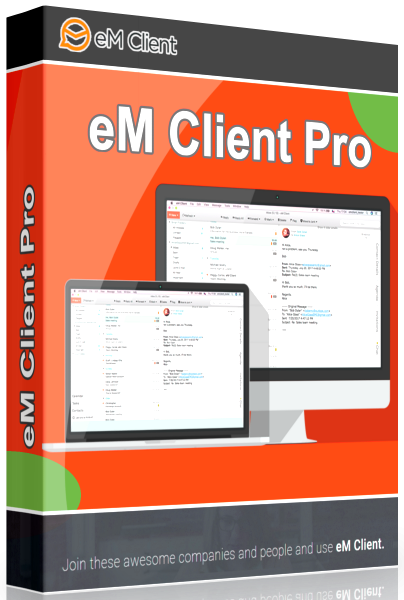
eM Client Pro 8.2.1175.0

1550075859-em-client-pro.png

eM Client Pro 8.2.1175.0 Multilingual | 73.1 Mb
​
Best email client for Windows. eM Client is a full-featured email client with a modern and easy-to-use interface. eM Client also offers calendar, tasks, contacts and chat.


Support for Gmail, Exchange and others
eM Client supports all major services including Gmail, Exchange, iCloud, and Outlook.com. You can find more information in the Server section of our web.

Super simple import and setup
eM Client is able to set up everything automatically for most of the services. It also efficiently imports your data from all major email clients. This includes Microsoft Outlook, Outlook Express, Windows Mail, Thunderbird and more.

Make eM Client your own
eM Client lets you customize its appearance and behavior on multiple levels. It supports several fully customizable themes including a Dark theme and allows you to customize its behavior in the most comprehensive way on the market.

Unique Sidebar
eM Client sidebar brings you quick contextual information that will boost your productivity even more. The sidebar communication history, attachment history and agenda will save you a lot of time.

Superfast Search
Quickly finding what you are looking for makes you more productive. eM Client excels in this area with its super fast and customizable search capabilities.

Touch Support
With its complete touch support and optimized appearance, eM Client fully supports modern devices such as tablets and hybrid devices.

Localization
eM Client is currently localized to these languages: English, Czech, Danish, Dutch, German, Greek, Spanish, French, Hungarian, Italian, Korean, Japanese, Norwegian, Polish, Portuguese, Russian, Slovak, Swedish, Turkish and Chinese.

Backup tool
eM Client relies on its own backup tool that can automatically back up your data even when the application is running.

New Features in eM Client 7.1:

PGP Encryption Support
eM Client now supports PGP - create or import your PGP keys to send encrypted and signed emails.

Live Backup
You no longer have to exit eM Client in order for the backup to proceed. eM Client will now back up while running so you can simply keep working even while it is underway.

Auto Avatar downloading
eM Client 7.1 automatically downloads and displays avatars for your contacts from the web. We download from Gravatar, domain icons and more.

Improved table editor
Editing tables just became a whole lot easier - you can resize any cell, row or column that you want.

Autoresize and basic editing images
Pasting images into emails is now simpler than ever. Not only will they be automatically resized to fit, you will also be able to manually change the size, as well as rotate and flip them.

Auto-replies for Gmail
Automatic 'Out of Office' replies for Gmail are now at your disposal. Let everyone know that you will not be able to respond to their emails by configuring the automatic response right inside eM Client.

Operating System:
Windows® 10, Windows® 8 / 8.1, Windows® 7

Homepage -
Код:
http://www.emclient.com/


-:DOWNLOAD FROM LINKS:-

NitroFlare Link
Код:
https://nitroflare.com/view/894BD2F40C0075B/eM.Client.8.2.1175.0.rar

RapidGator Link
Код:
https://rapidgator.net/file/0944ec6153457244ec6f34016b0f4435/eM.Client.8.2.1175.0.rar.html
​
 
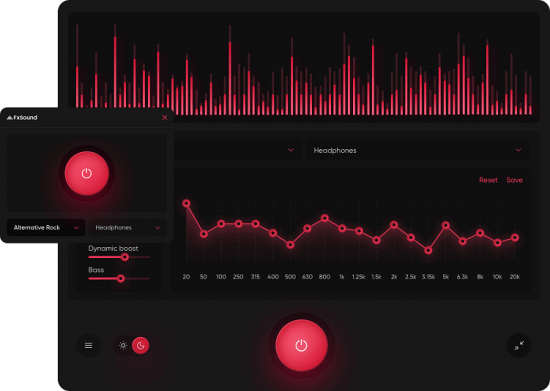
FxSound Pro 1.1.4


th-c9qqmfic-I7x-AZe-NBm-U4-Qr-JMfx0h4-AL1-S.png

FxSound Pro 1.1.4 | 16.4 Mb
​
Tired of shitty audio you can barely hear? The new FxSound boosts sound quality, volume, clarity and bass on your PC. FxSound gives you amazing sound with just a download. Once you try FxSound, you'll know if it's for you. Most people don't know what they're missing in their sound until they try better audio software/hardware. It's hard to convey without actually experiencing it for yourself.


Amazing sound for everything you listen to:

Music
FxSound corrects the limitations of your audio devices and files.

Video Games
Get lost in your world. Never miss a footstep, ping, or voice line again.

TV and Movies
Never strain to hear dialog or get your ears blown out by the sound effects or score again. FxSound smooths and improves your favorite shows and movies.

Transcription
FxSound boosts your clarity to save your sanity. Rewind less, get paid more.

And more for those who want it.

EQ
Here's the thing. No two ears are the same. Not all hardware is made equal. Our new 20-band equalizer balances your sound to your needs.

Visualizer
Make audio and visual one blended experience. Our visualization lets you feel your music in a new way.

Effects
If you like a lot of bass, we've got you covered. But we can't take responsibility from any noise complaints from your neighbors ;)

Presets
Switch between listening to music, gaming, and streaming video in an instant with specially designed presets for every possible sound situation.

Operating System: Windows 7, 8/8.1, 10

Home Page -
Код:
https://www.fxsound.com/


-:DOWNLOAD FROM LINKS:-

NitroFlare Link
Код:
https://nitroflare.com/view/03DABC4A69F7CA8/FxSound.Pro.1.rar

RapidGator Link
Код:
https://rapidgator.net/file/18ac68327b8878b4d5815f02693fd2dc/FxSound.Pro.1.rar.html

​
 
Help & Manual Professional Edition 8.3.1 Build 5793


th-Sknxe-ZJNK6m-Qo-D0ydra-NH7-Eec3e-XGrr3.png

Help & Manual Professional Edition 8.3.1 Build 5793 | 181.93 Mb
​
Help And Manual makes producing help and documentation a pleasure. All the tools you need are at your fingertips in a single intuitive environment, and the program handles all the complex, technical aspects of the process for you. Instead of wasting countless hours "programming" your help you can focus all your energy on actually writing your documentation, so that all your working time is productive time.


How Help & Manual works:
All the output formats supported by Help & Manual are generated from the same project. This means you only have to edit your help and documentation once. Forget about the nightmare of "converting" your documentation every time you change anything.

Generate all Windows help formats
You can output your projects to all standard Windows help formats (HTML Help, Winhelp and MS Help 2.0 / Visual Studio Help), and since Help & Manual is directly integrated with the Microsoft compilers for these formats all your output is 100% standard-compliant.

Help & Manual also generates Browser-based Help, PDF and Word RTF. In addition to this you can generate fully-formatted printed manuals directly from the same projects used for all the other formats.

The Browser-based Help output for web use includes a full menu structure that emulates the appearance and functionality of HTML Help and includes full-text search with highlighting for found words.

PDF output and printed manuals are fully customizable with the bundled Print Manual Designer program: You can include a table of contents and a keyword index, automatic page referrers for links and cross-references, customized page layouts, headers, footers, page numbering, covers, introductions and more.

All languages of this world
This world is a big place and localization becomes ever more important. Help & Manual lets you create documentation in up to 106 languages. It is one of the few help authoring tools that fully support Unicode and can handle languages like Japanese, Chinese, Korean and many others.

Key Features:
- Responsive Webhelp, responsive images, web videos and SVG
- Multiple TOCs and version control
- New publishing formats: Word (DOCX), ePUB 3.0, Amazon Kindle, EWriter eBooks
- PDF output: support for PDF/A, better font embedding, improved table rendering, chapter feature images
- Lots of detail changes to the user interface, improving usability

Supported OS:Windows 10, Windows 8, Windows 7 (Windows XP and older not supported).

Language: English


-:DOWNLOAD FROM LINKS:-

NitroFlare Link
Код:
https://nitroflare.com/view/E618B6B5278CB57/Manual_Professional_Edition_8.3.1_Build_5793..rar

RapidGator Link
Код:
https://rapidgator.net/file/a636581cb9ab991e725110a0cebf15f9/Manual_Professional_Edition_8.3.1_Build_5793..rar.html

​
 
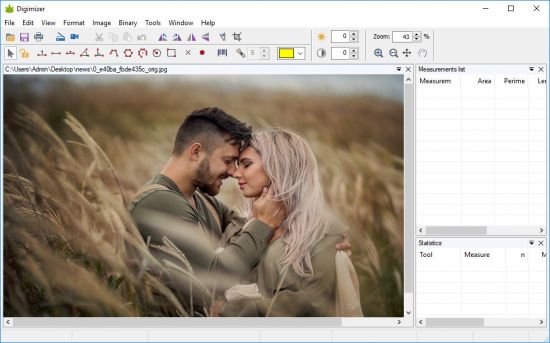
Digimizer 5.4.9


th-2d0x-NKt-P5-KUztk-SB1mypw-K1-R4-Cfe-CIo-E.jpg

Digimizer 5.4.9 | 12.8 Mb
​
Digimizer is an easy-to-use and flexible image analysis software package that allows precise manual measurements as well as automatic object detection with measurements of object characteristics. Pictures may be X-rays, micrographs, etc. Supported file formats are JPG, GIF, TIFF, BMP, PNG, WMF, EMF and DICOM files. Images can be rotated, flipped or straightened. Image brightness and contrast can be adjusted. Several filters can be applied.


Image file operations
Open, save and print image files
Acquire image from scanner
Grab image from live video stream
Supported file formats: DGZ (native Digimizer file format), JPG, GIF, TIFF, BMP, PNG, WMF, EMF, and DICOM files.

Image manipulation
Resize
Crop
Rotate, flip
Zoom
Adjust contrast & brightness
Contrast auto fix
Stretch histogram
Background correction
Despeckle
Convert to grayscale
Convert to color
Invert
Negative
Sharpen
Filters: Emboss, Arithmetic Mean Filter, Geometric Mean Filter, Harmonic Mean Filter, Median Filter, Maximum Filter, Minimum Filter, Midpoint Filter, Yp Mean Filter

System requirements
Windows 10
Windows Vista, Windows 7 or Windows 8
Windows XP with Service Pack 3 and Microsoft .NET Framework 4.0
Windows Server 2003 with Service Pack 1 and Microsoft .NET Framework 4.0
1024 Mb of memory.
20 Mb free space on the hard disk.

Home Page -
Код:
https://www.digimizer.com/


-:DOWNLOAD FROM LINKS:-

NitroFlare Link
Код:
https://nitroflare.com/view/7ABA7626E225FCA/Digimizer5.rar

RapidGator Link
Код:
https://rapidgator.net/file/a92264948660d6a86cac616e3a7c53ea/Digimizer5.rar.html

​
 
ScreenHunter Pro 7.0.1163


th-S1b-Ka-D6-Yl4r-Ew0a4-UHut-V78-ZFioooy5-G.png

ScreenHunter Pro 7.0.1163 | 140.7 Mb
​
ScreenHunter 7 is an award-winning solution to all-in-one image capture, print, edit and video recording. It's the total capture solution to save you time and boost productivity. Also with auto-scroll web pages, auto-capture, webcam and video screen capture. It captures what you see as an image even whilst recording. It has an easy-to-use interface.


All the features are visible in 4 easy-to-use tabs, so everyone from beginners to professionals can use ScreenHunter 7. The process is simple, the options are easy to manage, and the results are flawless.

Powerful and intelligent, ScreenHunter has proven to be an incomparable helper of your business.
The software supports full screen capture up to 6K for multiple monitors and records 4K videos for a single monitor. Supports frame rate up to 100 fps.
Using DirectX lets ScreenHunter 7 produce professional quality videos. It is a perfect tool for recording movies and courses online.

Moreover, ScreenHunter 7 captures and records windows covered by another window or even minimized windows. Optimal for automatic or scheduled captures and recording.

Furthermore, you can show your webcam anywhere at any given time, so you can integrate it into your recording the way you want.

ScreenHunter Pro 7 is the most advanced version with all the necessary tools included for your screen capture needs. It's the total capture solution to save you time and boost productivity. With this tool, you can capture screen to image or PDF files, immediately see the benefits of numerous time-saving features and deliver the highest quality screenshots. As well, it offers easy-to-use user interface and maximum flexibility for a more interactive capture experience.

Capturing Features
• Rectangular area
• Adjustable rectangle
• Object / Window
• Auto-scroll
• Multi-object
• Text
• Active Window
• Fixed area (user defined)
• Specific window (lock-in window)
• Full screen
• DOS program
• DirectX / Screen saver
• Movie / video
• Freehand
• Round area (Ellipse)
• Round Rectangular area
• Polygon
• Web capture
• Scanning images

Addition Features
• Mouse pointer
• Multiple monitors
• Transparent window
• AutoText (date/time stamps, note)
• Watermark
• Border

Timing Features
• Delayed capture
• Timed auto-capture
• Scheduled auto-capture
• Recurring capture

Viewing and Editing Features
• Image editing, adding text & annotation
• Advanced image processing
• High-quality zooming, resizing & cropping
• Viewing 100 images & conversion
• Drag & drop images from desktop

Saving Features
• Automatic naming and saving to files
• Clipboard
• Auto-email
• Auto-scale
• Saving in the smallest file size
• Optimized JPEG, GIF and PNG
• High quality and transparent GIF
• Saving to TIFF

Other Features
• Screen Color Picker
• System tray
• Zoombox
• Flexible hotkey
• Multiple hotkey
• Direct printing
• Wysiwyg printing
• Developer support

Home Page:
Код:
http://www.wisdom-soft.com

Language: English


-:DOWNLOAD FROM LINKS:-

NitroFlare Link
Код:
https://nitroflare.com/view/05597C5DEC558C2/Hunter_Pro_7.rar

RapidGator Link
Код:
https://rapidgator.net/file/32bbbd93340d2e066c4250e5651b2acf/Hunter_Pro_7.rar.html

​
 
DVD-Cloner 2021 v8.30.1464 (x64) Multilingual


Hwkli-V71-Wl5gkxro7-Uf8-PA2-WOLwzhlgb.jpg

DVD-Cloner 2021 v8.30.1464 (x64) Multilingual | 53.3 Mb
​
DVD-Cloner 2021 is a widely-acclaimed professional DVD copy software with perfect output image quality. It can decrypt DVD and clone DVD to any blank disc with diverse copy modes for playback on many media devices including PS4, Xbox, Blu-ray player, etc. Besides, it can copy DVD to your Windows computer as an ISO file or DVD folders. With DVD-Cloner 2020, you can also copy Blu-ray/4K UHD Blu-ray movies to BD-R/REs or your computer and rip DVD/Blu-ray/UHD movies to MKV format for easy storage. The upgraded module allows you to make a DVD copy within half an hour.


Features

Lightning Copy Speed
The new upgraded engine allows you to copy a DVD movie in less than half an hour. Just enjoy a cup of coffee or a short afternoon tea and then your DVD copy will be done.

Easy To Use, Just As Easy As ABC
Whether you are a novice or experienced user, DVD-Cloner 2020 has you covered. Under the Express mode, DVD-Cloner automatically recognizes your disc type and provides suitable ways for you to make one-click copies. The Expert mode provides you with a variety of copy modes, which is a good choice if you want to make custom DVD copies with intuitive titles.

Express mode (One-click copy):
Copy DVD/Blu-ray/4K UHD to blank disc or rip them to MKV format
6 diverse copy modes
Lightning copy speed
Remove various DVD/Blu-ray/UHD copy protections
Easy to use, just as easy as ABC
Output lossless quality

Expert mode (Professional copy):

Perfect 1:1 DVD Copy
Without any third party DVD decrypters, this best DVD copying software has unlimited access to all region codes and copy protection systems. It removes all known DVD copy protections.
Copy a DVD-5 movie to a blank DVD-5 DVD.R/RW disc in 1:1 ratio.
Copy a DVD-9 movie to a blank DVD-9 DVD.R/RW disc in 1:1 ratio.
Backup DVD movie to a DVD movie folder for playback on the player software or TV and a DVD player is not needed anymore.
Backup DVD movie to an ISO image file on the hard disk for later burning, which can also be uploaded to the Internet easily.

Movie Complete Copy
Compress one DVD-9 movie to a blank DVD-5 disc, keeping menus and special features.
Select to keep all audio tracks and subtitles or remove unwanted ones.
Manually define the compression rate to define the picture quality of your DVD copies.

Movie-Only Copy
Copy the main movie of a DVD-9/DVD-5 to a DVD-5 disc, omitting menus and special features, thus to improve the picture quality of the main movie.
Intelligently recognize the main movie from the source DVD to avoid copying a fake main movie.
Audio tracks and subtitles are selective to make a special copy of DVD movie.

System requirements (recommended):
Intel i5 or a faster processor
8GB of RAM
500GB free hard disk space (NTFS partition)
A Blu-ray burner
Windows 10
A UHD friendly drive

Home Page -
Код:
https://www.dvd-cloner.com/


-:DOWNLOAD FROM LINKS:-

NitroFlare Link
Код:
https://nitroflare.com/view/2288C76C25A9D8B/Cloner.2021.rar

RapidGator Link
Код:
https://rapidgator.net/file/e9a80a0b6fd01c6e8e8ebdce680f597f/Cloner.2021.rar.html

​
 
Corel AfterShot HDR 3.7.0.446 (x64) Multilingual


g-TH9-Gip-Eug-G1-NLy5-V8c2-YXv-Rw-Vua-Wjm-O.jpg

Corel AfterShot HDR 3.7.0.446 (x64) Multilingual | 167 Mb
​
Turn your passion for photography into unforgettable photos-without spending hours at the computer. Corel® AfterShot™ 3 is the simple, affordable way to quickly learn professional-grade photo editing. Make easy corrections and enhancements, and apply adjustments to one or thousands of photos at once with batch processing tools.


Photo editing software
- Enhanced Highlight Recovery
- New Blemish Remover tools
- New Image Preset Library

Simple photo management
Sort, organize and view all your photos in one place, quickly and easily with flexible file management options-no importing required.

Time-saving workflow
Speed through loading, selecting, editing and output with an easy-to-use workflow perfect for students and aspiring photographers.

Powerful batch processing
Edit and perfect one or thousands of photos with powerful batch processing controls and presets that let you quickly bring out the best in every image.

Highlight Recovery
Regain more of the detail and tone from your overexposed photos with enhanced Highlight Recovery. Powered by a new algorithm, this feature lets you access more of the data in your RAW files for superior image quality.

Blemish Remover (NEW!)
Save time and edit faster by doing more touchups and photo corrections in AfterShot 3, rather than jumping to PaintShop Pro or Adobe® Photoshop®. The new Blemish Remover offers circle, brush, polygon and freehand tools for detailed editing, making portrait editing faster and easier. Remove dust, spots, smudges and a variety of imperfections on any photo.

Image Preset Library (NEW!)
Now it's easier to tap into the power of presets to automate more of your repetitive processing jobs or quickly reproduce a look that would otherwise be tedious to replicate. The new Image Preset Library^ lets you browse, preview and download free and for-purchase presets.

Lens Corrections (NEW!)
Update to AfterShot 3 for new, sought-after lens corrections that build on the hundreds of lenses already supported by AfterShot to quickly correct the different types of distortion introduced by various lenses. Join the AfterShot Pro community on Facebook to discover when new lens corrections are posted or to share your own.

See what's new with plugins (ENHANCED!)
Find and install free and for-purchase plugins, and get updates in a flash with AfterShot 3's new Plugin Manager^. Or make your own with our unique plugin API-a love of photography, a knowledge of C++ and the updated Plugin SDK are all you need. Share your plugins freely with the AfterShot community, or work with Corel to sell them.

Updated RAW camera profiles (NEW!)
We're committed to constantly delivering support for today's most popular, powerful and creative cameras, including professional DSLRs, flexible and high-quality mirrorless cameras, and many more. A new dynamic camera profile updater^ notifies you when new cameras are added a new feedback mechanism captures and prioritizes your requests with Corel.

Modular Camera Profiles (NEW!)
Get the latest camera profiles sooner-and without patching your software-with dynamic camera updates^. Simply browse and download directly from AfterShot 3. Don't see a camera you want? Hit the 'feedback' button and log your request directly to the AfterShot Pro development team.

Lens Correction Development Kit (NEW!)
Make and share your own lens corrections-ideal for photographers working with rare, unique or spanking new glass. Simply follow the instructions, save your correction, then load it into AfterShot 3-or share online.

System Requirements:
- Windows® 10, Windows® 8.1, Windows® 8, Windows® 7 with latest service pack (64-bit editions)
- 64-bit Intel or AMD processor (multi-core processor recommended)
- 2 GB of RAM (4 GB recommended for HDR)
- 400 MB of available hard-disk space required
- 1024x768 resolution with 16-bit color display (1280 x 768 resolution with 24 bit or higher color display recommended)

Home Page -
Код:
https://www.aftershotpro.com


-:DOWNLOAD FROM LINKS:-

NitroFlare Link
Код:
https://nitroflare.com/view/5D82D2D03F689A6/HDR.3.7.0.446.rar

RapidGator Link
Код:
https://rapidgator.net/file/232fc75a4bab193aace2477ef0609dfb/HDR.3.7.0.446.rar.html

​
 
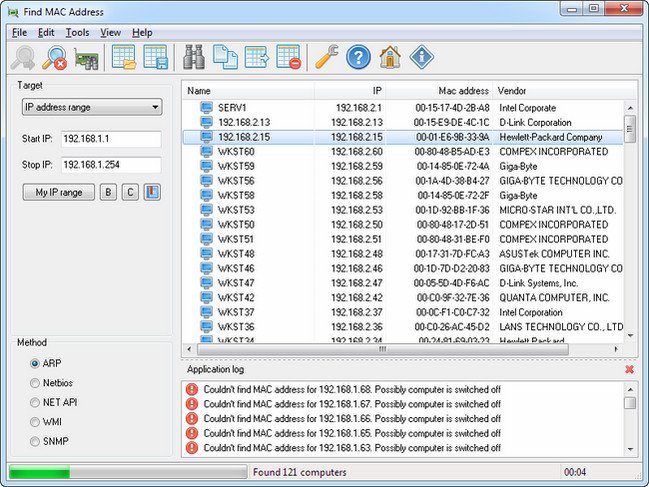
LizardSystems Find MAC Address 21.03 Multilingual


q-MCWC78sq-W3k-HNk-IURr-Js-JWAROC7z-Sdd.jpg

LizardSystems Find MAC Address 21.03 Multilingual | 5.5 Mb
​
Find MAC Address is an easy way to find the MAC address of a local or remote computer on the network. Select the target and method and find the MAC address of a remote computer on the network. With Find MAC Address, you can find the MAC address of not only their local or remote computer, but also of any other computer that fits within the specified range of IP addresses. Unlike similar softwares, Find MAC Address can find the MAC addresses of computers using five methods (ARP, NetBios, NetAPI, WMI, SNMP). The software can not only find the MAC address of a computer, but also lookup the manufacturer of its network card. After selecting one of the four methods and specifying the target, users will obtain all possible information about the MAC addresses.


Key Features:
Getting the MAC address of the local computer.
Getting the MAC address of one remote computer either by its name or IP address.
Getting the MAC addresses of all computers on the network.
Getting the MAC addresses of all computers within the specified range of IP addresses.
Getting the MAC addresses of all computers from the specified computer list.
Five methods for finding MAC addresses (ARP, NetBIOS, NetAPI, WMI, SNMP).
Detecting the manufacturer of the network card by its MAC address.
Detecting the names of network cards (only if WMI or SNMP is used).
Searching the scan results.
Saving the scan results to and loading them from a file in the XML format.
Exporting the network scan results to text files or a Web document.

Operating System: Windows 7, 2008R2, 8, 8.1, 2012, 2012R2, 10, 2016

Home Page -
Код:
https://lizardsystems.com/


-:DOWNLOAD FROM LINKS:-

NitroFlare Link
Код:
https://nitroflare.com/view/BA7A2CFE24C17D1/MAC.Address.21.rar

RapidGator Link
Код:
https://rapidgator.net/file/029e725a03ba195d92e981ce5bc0b593/MAC.Address.21.rar.html

​
 
Duplicate File Detective 7.0.78.0 Professional / Enterprise / Server


x64t-Yf-Sf-RUw-Cx5-TVQ22-YXb-Kkg6-PQp-Odj.jpg

Duplicate File Detective 7.0.78.0 Professional / Enterprise / Server (x64) | 63 Mb
​
Duplicate File Detective uses state-of-the-art file content analysis technology to show you exactly where your duplicate files are (even when the file names are different). You can search multiple folders, drives, removable storage devices, even network shares - all in a single pass. Then move, zip, or remove duplicate files safely with assistance from our innovative SmartMark duplicate file selection system.


Feature:
Find exact duplicates based upon file contents (with optional byte-for-byte matching)
Built-in scheduler makes it easy to run reports on a scheduled or recurring basis
Choose which duplicate files to process using our SmartMark assisted selection technology
Support for master search paths, allowing users to check for duplicates against an authoritative source folder
Powerful file hash caching technology improves file comparison performance.
Move, delete, or zip duplicate files with the built-in Duplicate File Manager tool
Replace duplicate files with shell, symbolic, or hard links to the originals
Remove empty folders while deleting or moving duplicate files
Move duplicate files while retaining the original folder structure
Extremely robust command line interface for integration and automation support
Find duplicate music files via audio tag extraction and analysis
Comprehensive search filtering - limit searches by file name, date, size, length, and more
Search multiple local and network paths in a single pass
Export duplicate file search results in XML, HTML, CSV, TXT, PDF, and Excel file formats
Re-import duplicate file search results from XML data files
Compare the contents of individual files within zip archives
Powerful file type reports shows which duplicate file types are consuming the most space
Built-in file hash / checksum calculation tool (supports CRC32, ADLER32, MD5, SHA1, SHA256 and SHA512)
Amazing enterprise-grade scalability - handles even the largest file systems with ease
Media preview window with support for common image, video, and audio file formats
Highly customizable duplicate file search report with sorting, printing, and much more
File content hash / checksum caching technology for improved performance
Email support allows reports to be sent via the command line or scheduler interfaces
Support for low-priority I/O operational mode on Windows Vista and later
Automatic NTFS compression of qualified file types (HTML, CSV, XML) during export
Robust shell context menu provides access to duplicate search from within Windows Explorer, etc.
Automatic update checking with optional HTTP proxy authentication support
Project-based architecture allows you to save and load duplicate search projects with ease
Fully customizable, easy-to-use ribbon bar interface
Powerful operational logging through all phases of file discovery and comparison

Operating System: Windows 10, 8, 7, Vista and Windows Server 2019, 2016, 2012, 2008

Home Page -
Код:
https://www.duplicatedetective.com/

Language: English


-:DOWNLOAD FROM LINKS:-

NitroFlare Link
Код:
https://nitroflare.com/view/06F25FBCD4B1896/Detective_7.0.78.0.rar

RapidGator Link
Код:
https://rapidgator.net/file/f2195a27f7718c125541965a4d701b2c/Detective_7.0.78.0.rar.html

​
 
GRAPHISOFT ARCHICAD 24 Build 5000 (x64)


C7-Ok3-Se-Py-BXQp-Tr44a-Klpec7dtf-Kds-Pp.jpg

GRAPHISOFT ARCHICAD 24 Build 5000 (x64) | 3.1 GB (in Total)
​
Work smarter, not harder. Design and deliver projects of any size with Archicad's powerful suite of built-in tools and user-friendly interface that make it the most efficient and intuitive BIM software on the market. Featuring out-of-the-box design documentation, one-click publishing, photo-realistic rendering, and best-in-class analysis. Archicad lets you focus on what you do best: design great buildings.


Design
Unleash your creativity with the leading building information modeling software developed by architects just like you. Algorithmic design tools and large model support let you do what you do best: design great architecture.

Analyze
Spend your time designing great buildings - not worrying about the quality of your model. By connecting Archicad with the best-in-class analysis tools on the market, you'll identify and solve issues in the earliest stages of the design. All this adds up to a more accurate design that's easier to build and less expensive to operate.

Collaborate
Work with teams around the corner or around the world on projects of any size or complexity. No more waiting thanks to real-time instant messaging. Clash detection and resolution are fast and easy regardless of what other software team members may be using.

Document
Complete 'out of the box' documentation sets, combined with a powerful publishing workflow that complies with local BIM requirements, means you can focus on your designs, not the paperwork.

Visualize
Bring your models to life with Archicad's built-in palette of architectural visualization software. Our VR and rendering tools were designed to help anyone understand and navigate the BIM model. Understanding the model means decisions and changes can be made in the early design phases, saving time, money and aggravation on the building site.

Minimum Hardware Requirements:
- 64-bit Intel or AMD multi-core processor
- 5+ GB of free space
- OpenGL 3.3 compatible graphics card
- Windows 10 64-bit

Home Page -
Код:
http://www.graphisoft.com/archicad/


-:DOWNLOAD FROM LINKS:-

NitroFlare Link
Код:
https://nitroflare.com/view/3B13FA99CBE88BE/ARC.24.5000.part1.rar
https://nitroflare.com/view/1F39EC38FD244DA/ARC.24.5000.part2.rar
https://nitroflare.com/view/403DA511CF44809/ARC.24.5000.part3.rar
https://nitroflare.com/view/F4F02C9AE0AD692/ARC.24.5000.Upd.rar

RapidGator Link
Код:
https://rapidgator.net/file/2127acab2c0537857533efeb37a23b00/ARC.24.5000.part1.rar.html
https://rapidgator.net/file/40b56717b487e051681b480388817733/ARC.24.5000.part2.rar.html
https://rapidgator.net/file/0b469dbeeaea98841d5179292cc52476/ARC.24.5000.Upd.rar.html
https://rapidgator.net/file/49ed9c84baef3064df86a2ff36ff9326/ARC.24.5000.part3.rar.html

​
 
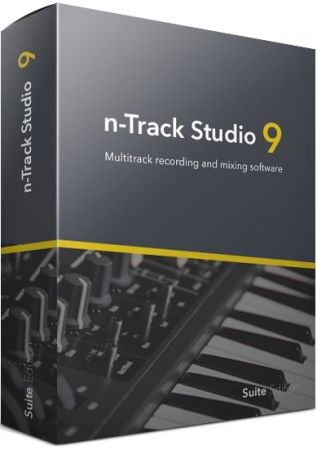
n-Track Studio Suite 9.1.3 Build 3751


th-B3rb-P7oz71v-ZT36w-Jnvg-C8p-Z5d-XVu-OY6.jpg

n-Track Studio Suite 9.1.3.3751 Multilingual | 248 Mb
​
n-Track Studio 9 turns your PC into an easy to use multitrack audio recording studio. It is the perfect tool for professional quality audio recording, encoding, mixing and editing. Record, edit, overdub your audio tracks, apply effects, process audio live input, mix and then burn audio CDs or create mp3 files.


n-Track Studio is an Audio and MIDI Digital Multitrack Recorder that transforms your computer into a powerful audio recording studio. You can record, playback, overdub your audio tracks exploiting the flexibility and power of today's PCs for applying effects, realtime input processing, automated aux channels sends and returns, destructive and non-destructive wave editing. The program supports 24bit-192 khz recording, 64 bit mixing, multiple channels soundcards, live input processing, CD burning, mp3 encoding and more.

Main n-Track Studio features:
• Records and plays back a virtually unlimited number of audio and MIDI tracks
• DirectX, VST and ReWire effects can be added to each channel/track
• Built-in effects include Reverb, Compression, Parametric and Graphic EQ, Echo, Auto-volume, Pitch Shift, Chorus, Multiband Compression, Spectrum analyzer
• Supports 16 and 24 bit single and multichannel soundcards at sampling frequencies up to 192 Khz using Asio, WaveRT, WDM, MME and DirectSound
• Is compatible with multichannel Asio, WaveRT, WDM and MME audio drivers, which means that n-Track can work with almost any soundcard available today with the lowest possible latency
• Supports VST Instruments and DirectX Instruments synth plug-ins. Sample-accurate MIDI tracks can be sent to VSTi/DXi software MIDI synths, without the need of expensive hardware MIDI synths.
• Adjust the effect settings and listen to the result in real time.
• Built-in effects include Reverb, Compression, Parametric and Graphic EQ, Echo, Auto-volume, Pitch Shift, Chorus, Multiband Compression, Spectrum analyzer.
• Supports third party DirectX, VST 2.0 and ReWire plug-ins.
• Realtime Audio effects can be added to each channel.
• Supports 16 and 24 bit single and multichannel soundcards at sampling frequencies up to 192 Khz using Asio, WaveRT, WDM, MME and DirectSound.
• Input processing allows to process with plug-ins live signals. Record the 'dry' (unprocessed) signal while processing and reprocess the recording later - i.e. Play a guitar through a distortion plug-in then change the distortion after the recording!

More Features:
• Supports surround mixing for creating DVD audio projects using 5.1, 6.1 and 7.1 channels surround formats
• Each audio track includes a 20 bands parametric EQ with graphical frequency response view, a full spectrum analyzer and an automatic instrument tuner. Up to 32 aux channels with fully automated sends and returns.
• Supports multiple input and output soundcards or more than one soundcard. You can record multiple tracks at a time and output to more than one stereo output. Each output channels has its own master channel effects and volume control.
• Supports technology by Propellerhead Software AB. Mix signals in realtime with n-Track's own channels from other programs (such as Reason, Ableton Live, Fruityloops and many others).
• Import and export .wav, .mp3, .wma, .mid, .ogg, .flac, .aiff, .cda, .sng, .sgw audio files
• Import and export EDL multitrack song files for exchanging songs with other multitrack programs
• Sync to other programs or external devices using SMPTE/MTC or MIDI Clock sync, acting either as master or slave
• Loads and saves MIDI tracks to standard MIDI files
• Play Videos (AVI, MPEG) in sync with the song in a dedicated video playback window
• Automated volume, pan, aux sends and returns and effects parameters. You can "program" fade-in/outs, cross fades, boost the volume of a track when there is a solo etc.

Operating System: Windows 7, 8/8.1, 10

Home Page -
Код:
https://ntrack.com/

Language: Multilingual


-:DOWNLOAD FROM LINKS:-

NitroFlare Link
Код:
https://nitroflare.com/view/712A073AEDC59A8/Track_Studio_Suite_9.1.3.3751.rar
https://nitroflare.com/view/1D90333F6B86298/Track_Studio_Suite_9.1.3.3751.x86.rar

RapidGator Link
Код:
https://rapidgator.net/file/8d5f05ff50b1445699ca382542abf013/Track_Studio_Suite_9.1.3.3751.rar.html
https://rapidgator.net/file/8fdde3e3fec66541d8638fbe73b0d7a1/Track_Studio_Suite_9.1.3.3751.x86.rar.html

​
 
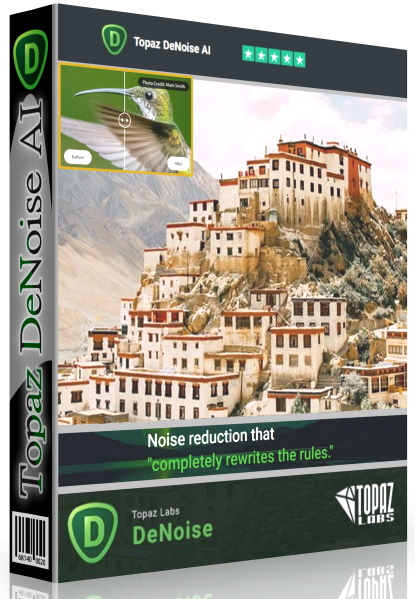
Topaz DeNoise AI 3.0.0


1586986362-topaz-denoise-ai-2.jpg

Topaz DeNoise AI 3.0.0 (x64) | 814.4 Mb
​
Shoot anywhere in any light with no reservations. Eliminate noise and recover crisp detail in your images with the first AI-powered noise reduction tool. You may be surprised at the results you get.


Shoot anywhere in any light
Great noise reduction is like a lens upgrade. You'll be able to get much higher-quality results when you're shooting fast action shots, night images, or any other situation that requires a high ISO. Use DeNoise AI to help you create a pixel-perfect photo in any situation.

Groundbreaking technology
Noise reduction technology has basically been the same for a decade, with only minor incremental improvements here and there. (We would know - we made one!) DeNoise AI is different: we fed an algorithm millions of noisy/clear images until it actually learned what noise is and how best to remove it.

Recover true detail
DeNoise AI examines the whole image and holistically determines the difference between detail and noise in that photo. (Other NR tools only look at pixel-level detail.) After understanding what noise vs detail looks like for that specific image, DeNoise AI recovers a surprising amount of detail from noise.

Lightroom vs DeNoise AI
When you need pixel-level perfection in your results, DeNoise AI offers the absolute best quality currently available anywhere. Existing noise reduction tools like Lightroom give you a choice: keep some noise or remove some detail. DeNoise AI's technology allows you to get the best of both worlds: to remove noise while actually strengthening detail. The original noisy image (Luis Garena) is on the left; we compare the Lightroom vs DeNoise AI results on the right. Pay special attention to the increased definition in the image, especially in the car wheels and center signs.

- Enhance real detail
- Remove noise naturally with no smudging
- Best for moderate to ultra-high ISOs

Any noise reduction tool can remove noise - the really tricky part is to tell the difference between noise and detail. DeNoise AI helps you get the best quality at 100% by removing noise while recovering original image detail. Give it a try to see the difference for yourself!

Operating System Version:
- Windows 10 x64

Hardware Requirements:
- System RAM: 8GB / 16GB recommended
- GPU VRAM: 2GB / 4GB recommended

Graphics Card Requirements:
- NVIDIA: GeForce GTX 770 2GB / GeForce GTX 960 4GB recommended
- AMD: Radeon HD 8570 2GB / Radeon R9 270 4GB recommended
- Intel: HD Graphics 5000 / Iris Plus Graphics 640 recommended

Home Page -
Код:
https://www.topazlabs.com/


-:DOWNLOAD FROM LINKS:-

NitroFlare Link
Код:
https://nitroflare.com/view/841A61913751779/AI3.0.rar

RapidGator Link
Код:
https://rapidgator.net/file/70d3958081e942e6c10dc2bb3cc743d2/AI3.0.rar.html

​
 
ScreenHunter Pro 7.0.1165


s-Pfd-V9c-JCk4g03w-OTx4-El-W6eo55-My1-EN.png

ScreenHunter Pro 7.0.1165 | 139.5 Mb
​
ScreenHunter Pro is the most advanced version of ScreenHunter with all the necessary tools included for your screen capture needs. It's the total screen capture solution to save you time and boost productivity. With ScreenHunter Pro, you can immediately see the benefits of numerous time-saving features and deliver the highest quality screenshots. As well, it offers easy-to-use user interface and maximum flexibility for a more interactive capture experience. Powerful and intelligent, ScreenHunter Pro has proven to be an incomparable helper of your business.


Capturing Features
• Rectangular area
• Adjustable rectangle
• Object / Window
• Auto-scroll
• Multi-object
• Text
• Active Window
• Fixed area (user defined)
• Specific window (lock-in window)
• Full screen
• DOS program
• DirectX / Screen saver
• Movie / video
• Freehand
• Round area (Ellipse)
• Round Rectangular area
• Polygon
• Web capture
• Scanning images

Addition Features
• Mouse pointer
• Multiple monitors
• Transparent window
• AutoText (date/time stamps, note)
• Watermark
• Border

Timing Features
• Delayed capture
• Timed auto-capture
• Scheduled auto-capture
• Recurring capture

Viewing and Editing Features
• Image editing, adding text & annotation
• Advanced image processing
• High-quality zooming, resizing & cropping
• Viewing 100 images & conversion
• Drag & drop images from desktop

Saving Features
• Automatic naming and saving to files
• Clipboard
• Auto-email
• Auto-scale
• Saving in the smallest file size
• Optimized JPEG, GIF and PNG
• High quality and transparent GIF
• Saving to TIFF

Other Features
• Screen Color Picker
• System tray
• Zoombox
• Flexible hotkey
• Multiple hotkey
• Direct printing
• Wysiwyg printing
• Developer support

Operating System: Windows 7, 8/8.1, 10

Home Page -
Код:
http://www.wisdom-soft.com/


-:DOWNLOAD FROM LINKS:-

NitroFlare Link
Код:
https://nitroflare.com/view/9A7CB2C66F2682E/Hunter.Pro.7.0.1165.rar

RapidGator Link
Код:
https://rapidgator.net/file/781269d5f5afecc2374b3563f07e9d6d/Hunter.Pro.7.0.1165.rar.html

​
 
ScreenHunter Plus 7.0.615


s-Pfd-V9c-JCk4g03w-OTx4-El-W6eo55-My1-EN.png

​

Languages: English | File size: 124 MB
ScreenHunter 7 is an award-winning solution to all-in-one image capture, print, edit and video recording. It's the total capture solution to save you time and boost productivity. Also with auto-scroll web pages, auto-capture, webcam and video screen capture. It captures what you see as an image even whilst recording. It has an easy-to-use interface. All the features are visible in 4 easy-to-use tabs, so everyone from beginners to professionals can use ScreenHunter 7. The process is simple, the options are easy to manage, and the results are flawless. Powerful and intelligent, ScreenHunter has proven to be an incomparable helper of your business.


The software supports full screen capture up to 6K for multiple monitors and records 4K videos for a single monitor. Supports frame rate up to 100 fps.

Using DirectX lets ScreenHunter 7 produce professional quality videos. It is a perfect tool for recording movies and courses online.

Moreover, ScreenHunter 7 captures and records windows covered by another window or even minimized windows. Optimal for automatic or scheduled captures and recording.

Furthermore, you can show your webcam anywhere at any given time, so you can integrate it into your recording the way you want.

ScreenHunter Pro 7 is the most advanced version with all the necessary tools included for your screen capture needs. It's the total capture solution to save you time and boost productivity. With this tool, you can capture screen to image or PDF files, immediately see the benefits of numerous time-saving features and deliver the highest quality screenshots. As well, it offers easy-to-use user interface and maximum flexibility for a more interactive capture experience.

Capturing Features
• Rectangular area
• Adjustable rectangle
• Object / Window
• Auto-scroll
• Multi-object
• Text
• Active Window
• Fixed area (user defined)
• Specific window (lock-in window)
• Full screen
• DOS program
• DirectX / Screen saver
• Movie / video
• Freehand
• Round area (Ellipse)
• Round Rectangular area
• Polygon
• Web capture
• Scanning images

Addition Features
• Mouse pointer
• Multiple monitors
• Transparent window
• AutoText (date/time stamps, note)
• Watermark
• Border

Timing Features
• Delayed capture
• Timed auto-capture
• Scheduled auto-capture
• Recurring capture

Viewing and Editing Features
• Image editing, adding text & annotation
• Advanced image processing
• High-quality zooming, resizing & cropping
• Viewing 100 images & conversion
• Drag & drop images from desktop

Saving Features
• Automatic naming and saving to files
• Clipboard
• Auto-email
• Auto-scale
• Saving in the smallest file size
• Optimized JPEG, GIF and PNG
• High quality and transparent GIF
• Saving to TIFF

Other Features
• Screen Color Picker
• System tray
• Zoombox
• Flexible hotkey
• Multiple hotkey
• Direct printing
• Wysiwyg printing
• Developer support

What's New
Код:
http://www.wisdom-soft.com/info/version_history.htm


-:DOWNLOAD FROM LINKS:-

NitroFlare Link
Код:
https://nitroflare.com/view/F77B9F3A1AE461A/Hunter_Plus_7.0.615.rar

RapidGator Link
Код:
https://rapidgator.net/file/35f1ddf0d7a439f843642987d7d07a43/Hunter_Plus_7.0.615.rar.html

​
 
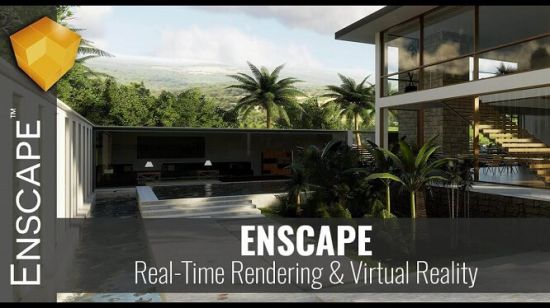
Enscape 3D v3 Assets Library


o-Wwlo0py-QVTgx-LUSti-Kyo-R8-X88-On-Takt.jpg

Size File: 3.84 GB

The Asset Library is available in all the CADs Enscape is available for and it can be opened via the Enscape Menu or via the Enscape Asset Library toolbar button Asset Library button that you will find integrated into the CAD toolbar.
​
What News?


Official site does not provide any info about changes in this version.


-:DOWNLOAD FROM LINKS:-

NitroFlare Link
Код:
https://nitroflare.com/view/423B316BB4DF156/3D_3_AssetsLibrary.part1.rar
https://nitroflare.com/view/749F12B2DBC9901/3D_3_AssetsLibrary.part2.rar
https://nitroflare.com/view/EFC1E6B4B4B0B4F/3D_3_AssetsLibrary.part3.rar
https://nitroflare.com/view/41C3D1D4A882824/3D_3_AssetsLibrary.part4.rar

RapidGator Link
Код:
https://rapidgator.net/file/dfed75835f35de5500b282225fb3d768/3D_3_AssetsLibrary.part2.rar.html
https://rapidgator.net/file/5344f1d4d6b9194549caf47d04835073/3D_3_AssetsLibrary.part1.rar.html
https://rapidgator.net/file/88c1906663f1d2a52ccc25e3ba052746/3D_3_AssetsLibrary.part4.rar.html
https://rapidgator.net/file/c6675c218795394e020d1f5bca1750b8/3D_3_AssetsLibrary.part3.rar.html

​
 
CSS Civil Site Design Plus Standalone 21.30


1-Af-A3-Vnq8f8-M0-Coo-Cm-Uu1z-U63poqf-UAm.png


x64 | File Size: 1.95 GB
​
For over 18 years CSS has assisted customers in the civil and survey industries with premium technical support, specialised and customised training services and development of industry driven software solutions built on Autodesk and other technologies. Civil Site Design (ex. Advanced Road Design) adds highly efficient and simple-to-use civil design tools for road network design, highways, road reconstruction, site grading, surfaces, stormwater, sewer and pipeline design to your current CAD platform.

Originally built for Civil 3D and now expanded to operate on AutoCAD and BricsCAD, Civil Site Design provides you with highly efficient and simple-to-use civil design tools for road and corridor based projects, land development and site grading, stormwater, sewer and pipe design.

Built for all civil designers, you can quickly and easily generate road network designs complete with dynamic intersections and cul-de-sacs, updating as you make changes to any element. The software is also purpose built for road reconstruction designers. Generate outputs including long and cross section sheets, setout points, volume reports and more, directly into your drawing environment and customisable to suit your local drafting standards.

In Civil 3D, Civil Site Design uses the surfaces and alignments in Civil 3D, and can export surfaces, alignments, profiles and corridors and COGO points directly to the drawing.

For CAD based systems, Civil Site Design comes complete with surface modelling and alignment design tools, as well as dynamic site grading functionality.

Civil Site Design supports multiple platforms and multiple product releases: Civil Site Design has been developed to operate on AutoCAD, Map 3D and Civil 3D from 2012 to the latest release, and recently has been updated to operate on BricsCAD.


-:DOWNLOAD FROM LINKS:-

NitroFlare Link
Код:
https://nitroflare.com/view/D581472BCB98753/CSD.Plus.v21.30.part1.rar
https://nitroflare.com/view/87082B7CF4A674E/CSD.Plus.v21.30.part2.rar

RapidGator Link
Код:
https://rapidgator.net/file/6094afa4834f7bae06415cc56ab0bbe8/CSD.Plus.v21.30.part2.rar.html
https://rapidgator.net/file/2f7bfd30fe0cd96badd7da917b983cae/CSD.Plus.v21.30.part1.rar.html

​
 
LightBurn 0.9.22 (x64) Multilingual


th-xf-OTj-No9op834-HMXhx-YOGzr-BETUV4w-QM.jpg


File Size: 60.9 MB
​
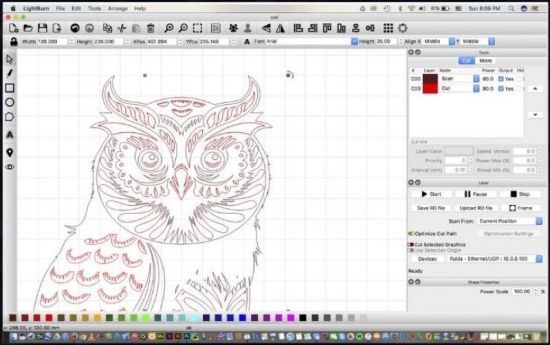
LightBurn is layout, editing, and control software for your laser cutter.


With LightBurn you can:
- Import artwork in a variety of common vector graphic and image formats (including AI, PDF, SVG, DXF, PLT, PNG, JPG, GIF, BMP)
- Arrange, edit, and even create new vector shapes within the editor, with powerful features like offsetting, boolean operations, welding, and node editing
- Apply settings like power, speed, number of passes, cut order, brightness & contrast, dithering mode, and much more
- Send the result directly to your laser cutter

Designed to Work With Your Laser
LightBurn talks directly to your laser, without the use of additional software.

We currently support most Ruida, Trocen, TopWisdom, and GCode based controllers. Supported GCode controllers,include Grbl, Smoothieware, Grbl-LPC, and Marlin. Supported Ruida controllers include the RDC6442G/S, RDC6445G, RDC6332G, RDLC-320A, and R5-DSP. Supported Trocen controllers include the AWC708C, AWC608, and TL-3120. More controllers will be added soon, so if you don't see yours listed, send us a message - maybe we're already working on it!

If your controller is GCode, Ruida, Trocen, or TopWisdom based, even if it's not listed it might be supported already - Download the free trial and try it for yourself. If it doesn't work, sometimes it only takes a day or two to make the required changes to support a new board in these existing families.

Please note that LightBurn does not support the stock M2-Nano board in the popular K40 laser. This board does not offer control of power through software - we recommend upgrading the board to take full advantage of LightBurn.

Credits: ByTESRam/Tsrh


-:DOWNLOAD FROM LINKS:-

NitroFlare Link
Код:
https://nitroflare.com/view/9B554A686186724/LBurn.0.9.22.rar

RapidGator Link
Код:
https://rapidgator.net/file/9c860c5844f76ba0302923f32e0216f6/LBurn.0.9.22.rar.html

​
 
SQLite Expert Professional 5.4.3.516


sqlite-expert-professional.jpg

SQLite Expert Professional 5.4.3.516 | 86.3 Mb
​
SQLite Expert is a powerful tool designed to simplify the development of SQLite3 databases. It is a feature rich administration and development tool for SQLite designed to answer the needs of all users from writing simple SQL queries to developing complex databases. The graphical interface supports all SQLite features. It includes a visual query builder, an SQL editor with syntax highlighting and code completion, visual table and view designers and powerful import and export capabilities.


Visual SQL Query Builder
- Build complex SQL queries with ease.
- Formatted SQL query text layout.
- Powerful means of SQL query parsing and analysis.
- Advanced SQL editor with syntax highlighting and code completion.

Powerful restructure capabilities
- Visual editors for table columns, indexes, foreign keys, triggers, unique and check constraints.
- Restructure any complex table without losing data.
- Any restructure operation is wrapped in a nested transaction which is rolled back if any errors occur when applying changes.

Import and Export data
- Import data from ADO data source, CSV files, SQL script or SQLite.
- Export data to CSV files, SQL script, Excel or SQLite.
- Copy tables between SQLite databases using drag and drop operations.
- Export data to Excel via clipboard.

Data editing
- Edit data in the grid using powerful in-place editors.
- Image editor currently supporting JPEG, PNG, BMP, GIF and ICO image formats.
- Visualize and modify BLOB fields using the integrated Hex editor.

Other features
- Full Unicode support.
- Support for attached databases.
- Supports SQLite extensions and third-party SQLite libraries.
- Lua and Pascal scripting support.

Operating System: Windows 2000/XP/2003/Vista/7/8/10

Home Page -
Код:
http://www.sqliteexpert.com/


-:DOWNLOAD FROM LINKS:-

NitroFlare Link
Код:
https://nitroflare.com/view/CD306D194DC3D3E/SQLite.Expert.Professional.5.rar

RapidGator Link
Код:
https://rapidgator.net/file/61b28f951e277f45e9cdd4bd2aad4b51/SQLite.Expert.Professional.5.rar.html

​
 
Spine Pro 3.8.75


PCFg-Gbp-Ch7uysc3-Ms-Hh-Wolm6ui-K9-Xk-Al.jpg

File size: 64.5 MB

​
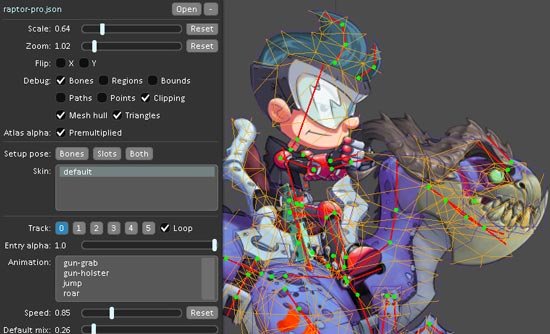
Spine is an animation tool that focuses specifically on 2D animation for games. Spine aims to have an efficient, streamlined workflow, both for creating animations using the editor and for making use of those animations in games using the Spine Runtimes.

Animation in Spine is done by attaching images to bones, then animating the bones. This is called skeletal or cutout animation and has numerous benefits over traditional, frame-by-frame animation:

Smaller size Traditional animation requires an image for each frame of animation. Spine animations store only the bone data, which is very small, allowing you to pack your game full of unique animations.

Art requirements Spine animations require much fewer art assets, freeing up time and money better spent on the game.

Smoothness Spine animations use interpolation so animation is always as smooth as the frame rate. Animations can be played in slow motion with no loss in quality.

Attachments Images attached to bones can be swapped to outfit a character with different items and effects. Animations can be reused for characters that look different, saving countless hours.

Mixing Animations can be blended together. For example, a character could play a shoot animation while also playing a walk, run or swim animation. Changing from one animation to another can be smoothly crossfaded.

Procedural animation Bones can be manipulated through code, allowing for effects like shooting toward the mouse position, looking toward nearby enemies, or leaning forward when running up hill.
NEW
3.8.75
- Fixed crash when setting transform constraint bones.
- Fixed crash during CLI data export.
- Fixed Preview clamping alpha 0-100 when a track button is pressed and additive is enabled.


-:DOWNLOAD FROM LINKS:-

NitroFlare Link
Код:
https://nitroflare.com/view/BAB67F5387E2563/imfamous-3875.rar

RapidGator Link
Код:
https://rapidgator.net/file/6183e98495fe07413669ef3f27b12689/imfamous-3875.rar.html

​
 
All About PDF Business Platinum 3.1067 (x64) + Portable


th-u8rhpv2-DYN6x-Ud-X7befz-Wpaomz-Zy-AIb-T.png

All About PDF Business Platinum 3.1067 (x64) + Portable | 168 Mb
​
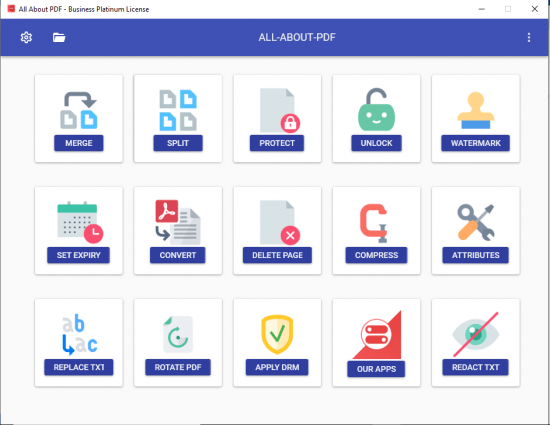
All-About-PDF is a fast and powerful Windows application that is built to take advantage of your computer's multiple processing cores for blazingly fast PDF processing.


All-About-PDF is a multi-threaded 64-bit application that utilizes your computer's multiple CPU cores for blazingly speedy PDF processing.

All-About-PDF can take multiple PDF files and merge them into a single file. You can also go the other way by taking a single PDF file and splitting it into multiple documents. This is done by either specifying multiple page ranges to split by or you can simply tell the application to split the PDF every N pages (for example, you can split a PDF from pages 1 to 5 and 6-10 or just every 3 pages).

You can add Owner and User passwords to your PDF using 256-bit encryption. With an Owner password set on your PDF, you can specify user permission such as:
- ability to copy from the document
- ability to print the document
- ability to annotate the document
- ability to modify the PDF attributes
- ability to modify the PDF contents and more

NOTE:
- Made in NSIS
- This portable release supported Win7, Win8/8.1, Win10 (64-bit ONLY)


Home Page -
Код:
https://allaboutpdf.com/


-:DOWNLOAD FROM LINKS:-

NitroFlare Link
Код:
https://nitroflare.com/view/B5357B0388F1A5A/PDF_Business_Platinum_3.1067.rar
https://nitroflare.com/view/D5E5B046D953577/PDF.Business.Platinum.3.1067.Portable.rar

RapidGator Link
Код:
https://rapidgator.net/file/c431130422a6ef8db5fac2a8f7585efc/PDF_Business_Platinum_3.1067.rar.html
https://rapidgator.net/file/2d6c7b197ae4ac5fb48774b350f46e9e/PDF.Business.Platinum.3.1067.Portable.rar.html

​
 
Назад
Сверху