• Здравствуйте. Сайт заработал в архивном режиме форум www.old.nado.in

Dl4ever Software

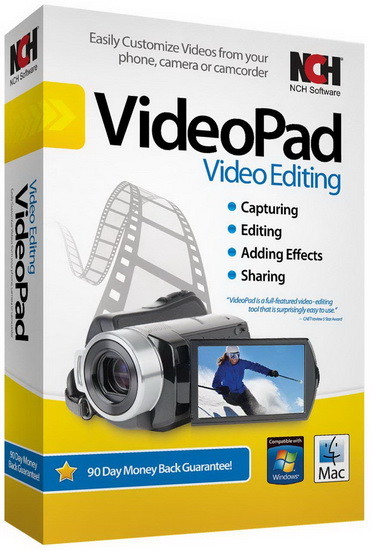
NCH VideoPad Video Editor Professional 10.18 Beta

1-AY2-IPx-X9v-A9c-Gs-Ldg0t-PT3-Cjchb-Hsk-I.jpg


File size: 9.36 MB
​
Working with video files, especially editing them, is a task that requires a specialized application that can provide all the tools one needs. Among the software applications of this kind you can find VideoPad Video Editor. The interface of this utility is divided into several parts (e.g. Media List, Effects, Transitions, Files, Clips, Video Track, Audio Track, Overlay Track), which may make everything seem a little hard to operate. You can capture video from a camcorder or another device like a webcam or a TV capture card, and once you have added files and sequence clips to the queue, you can start editing them.

So, you can select position for the new clip (at slider's position, to the timeline's start or end point), add blank slides and overlays, modify media in an external editor, change playback speed and stabilize video with the Deshaker filter.
You can also create bookmarks and subtitles, import and export subtitles, select Chrome Key color, save video in the "Stereoscopic 3D" output format, apply audio effects (e.g. amplify, chorus, compressor, distortion, flanger, reverb), as well as record a narration.

Furthermore, you can apply various video effects (e.g. brightness, crop, edge detection, sepia, temperature, posterize, hue) and transitions (e.g. cross fade, reveal, split, fan, circle, diamond).
The program comes with a well-drawn help file and video tutorials while the system resource usage is moderate. It may lag sometimes between commands, but overall, VideoPad Video Editor manages to put up a good performance.

Key Features:

Stunning Transition Effects:
• Choose from a range of fade transitions to give your movie that professional touch.
• Preview the effects in real time.
• Customize the duration of the effect.

Amazing Audio Tools:
• Import and mix music tracks like a pro.
• Make your own custom movie soundtrack.
• Record your own narrations with the click of a button.
• Import pre-recorded narrations, sound effects or music.

Complete Video Optimization:
• Fine tune brightness, saturation and color for your video.
• Add photos and digital images with a click of a button.
• Apply effects like black & white, sepia tone and negative.
• Add text captions to your movie.

Share With Your Family and Friends:
• Burn to DVD and watch in your living room on your TV.
• Save for Youtube and share online with friends.
• Save to PSP, iPod, iPhone or 3GP mobile phone.
• Save to your PC as a high-quality digital movie.

Input Formats:
• Video: avi, mpeg, wmv, divX, Xvid, mpeg1, mpeg2, mpeg4, mp4, mov, asf, vob, ogm, .3gp, H.264, RM and many more.
• Image: bmp, gif, jpg, jif, jiff, jpeg, exif, png, tif

Output Formats:
• Disc export: DVD, CD, Blu-ray Discs, HD-DVD
• Video export: avi, wmv, asf, mpg, 3gp, mp4, mov, iPod, iPhone, PSP, Mobile Phone, Pocket PC

What's new
У Вас недостаточно прав для просмотра ссылок. Войдите или зарегистрируйтесь.


System Requirements: Works on Windows 10, XP, Vista, 7, 8 and 8.1


-:DOWNLOAD FROM LINKS:-
RapidGator
Код:
[url=https://rapidgator.net/file/a18b1f64434996aa1983388d57d4508e/Dl4eVeR.VideoPad.10.18.Beta.rar.html]Dl4eVeR.VideoPad.10.18.Beta.rar[/url]

NitroFlare
Код:
[url=https://nitroflare.com/view/1EA97A730170FCA/Dl4eVeR.VideoPad.10.18.Beta.rar]Dl4eVeR.VideoPad.10.18.Beta.rar[/url]

Dropapk
Код:
[URL=https://www.keygenbook.com/]Download[/URL]
 
SysGauge Pro v7.7.28


th-vo-Mvu-Kv1qw-C0-CXXZt-Sc-UNuk-CNwu-FZFnv.jpg


File size: 17.3 MB
​
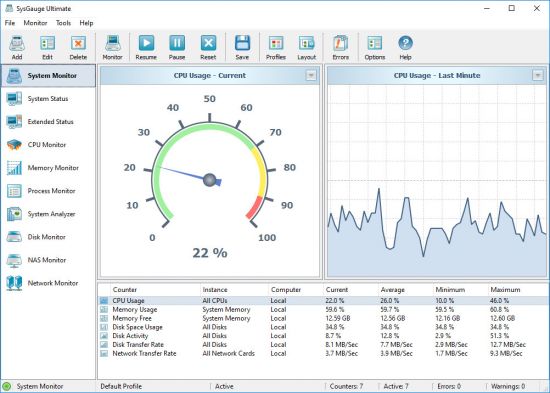
SysGauge is a system and performance monitoring utility allowing one to monitor the CPU usage, memory usage, network transfer rate, operating system performance, the status and resource usage of running processes, file system performance, USB performance, disk space usage, disk read activity, disk write activity, disk read transfer rate, disk write transfer rate, disk read IOPS and disk write IOPS for individual logical disks or all physical disks installed in the computer.

SysGauge System Status Monitor
The SysGauge GUI application provides a single, customizable GUI module and a number of dedicated GUI modules especially designed for each specific monitoring task such as system status monitoring, CPU monitoring, memory monitoring, process monitoring, system status analysis, disk monitoring, NAS server monitoring and network monitoring. The monitor selector, which is located on the left-side of the SysGauge GUI application, allows one to add, edit and delete specific monitoring GUI modules.

SysGauge Customizable System Monitor
The SysGauge system monitoring utility provides a large number of different types of performance monitoring, system resource monitoring and operating system status monitoring counters and allows one to select which counters to monitor. In addition, users are provided with the ability to specify how to display the performance monitoring results for how long to keep the results history.

SysGauge Add Performance Monitoring Counter
In addition to the ability to monitor the local computer, SysGauge allows one to connect to remote computers and monitor the CPU usage, memory usage, network transfer rate, disk space usage and disk activities via the network. The user is provided with the ability to specify the name or an IP address of the remote computer to connect to, select which types of system counters to monitor and specify how to display the system monitoring results.

SysGauge Save System Monitoring Report
One of the most useful capabilities of the SysGauge performance monitoring utility is the ability to save performance monitoring reports into a number of standard formats including HTML, PDF, Excel, text, CSV and XML. In order to save a performance monitoring report, press the 'Save' button located on the main toolbar, select an appropriate report format, enter a report file name and press the 'Save' button.

SysGauge PDF Performance Monitoring Report
For example, a SysGauge PDF performance monitoring report starts with a summary table showing the report date and time, the name of the monitored computer and the name of user saved the performance monitoring report. The summary table is followed by a list of performance counters showing the average, minimum and maximum values for all performance monitoring counters. The list of counters is followed by a list of line charts showing performance monitoring data for all counters. Finally, the list of line charts is followed by a list of tables showing the complete history of monitoring results for all counters.

SysGauge Command Line Utility
In addition to the GUI application, SysGauge Ultimate includes a command line utility allowing one to perform different types of system monitoring operations from batch files and shell scripts. The SysGauge command line utility is located in the product 'bin' directory and it can be used to perform monitoring operations, save system monitoring reports and manage system monitoring profiles.

SysGauge Command Line Utility
In the simplest case, open a command prompt window, go to the SysGauge 'bin' directory and type the following command:

sysgauge -monitor -save_html_report <File Name or Directory>
The SysGauge command line utility will start the default system monitoring profile and continue the monitoring operation according to the user-specified period of time specified using the '-time <Seconds>' command line option or until the ECS keyboard key is pressed.

SysGauge System Monitor HTML Report
After the monitoring operation will be completed, the SysGauge command line utility will save a system monitoring report file according to the user-specified report format. In addition to the local monitoring operations, the command line utility allows one to monitor remote servers via the network
using the '-host <Host Name>' command line option.

What's new
Код:
https://www.sysgauge.com/news.html


-:DOWNLOAD FROM LINKS:-
RapidGator
Код:
[url=https://rapidgator.net/file/ded3679d20a2edc2903a1e86d1735fe1/Dl4eVeR.SysGauge_Pro_7.7.28.rar.html]Dl4eVeR.SysGauge_Pro_7.7.28.rar[/url]

NitroFlare
Код:
[url=https://nitroflare.com/view/A6AAC8E3586AC97/Dl4eVeR.SysGauge_Pro_7.7.28.rar]Dl4eVeR.SysGauge_Pro_7.7.28.rar[/url]

Dropapk
Код:
[URL=https://www.keygenbook.com/]Download[/URL]
 
SysGauge Ultimate / Server 7.7.28 (x86/x64)


th-vo-Mvu-Kv1qw-C0-CXXZt-Sc-UNuk-CNwu-FZFnv.jpg

SysGauge Ultimate / Server 7.7.28 (x86/x64) | 22.5 Mb
​
SysGauge is a system and performance monitoring utility allowing one to monitor the CPU usage, memory usage, network transfer rate, operating system performance, the status and resource usage of running processes, file system performance, USB performance, disk space usage, disk read activity, disk write activity, disk read transfer rate, disk write transfer rate, disk read IOPS and disk write IOPS for individual logical disks or all physical disks installed in the computer.


SysGauge Main GUI Application
The main SysGauge GUI application allows one to configure a number of system and performance monitoring counters, display system monitoring charts, analyze the current system status, save various types of system monitoring reports and configure sound and E-Mail notifications.

SysGauge System Monitor
The 'System Monitor' GUI module allows one to perform various types of system monitoring operations using one or more pre-defined or user-custom system monitoring profiles. The system monitor provides the ability to add, edit or delete system monitoring counters, save various types of system monitoring reports, configure monitoring rules, actions and error E-Mail notifications.

Add Counter Dialog
The 'Add Counter' dialog provides the ability to add the CPU usage counters, memory usage counters, disk activity counters, network activity counters, USB activity counters, operating system status counters, file system counters and running processes counters.

SysGauge CPU Monitor
The 'CPU Monitor' GUI module is a dedicated CPU monitoring GUI module showing the total CPU usage, user CPU usage, kernel CPU usage, CPU interrupt time, CPU interrupt rate, the current CPU frequency, the C1 low-power state, C2 low-power state and C3 low-power state.

SysGauge Memory Monitor
The 'Memory Monitor' GUI module is a dedicated memory monitoring module showing the memory usage, the amount of free memory, the amount of used memory, the size of the memory cache, the cache peak size, the cache fault rate, the page file usage, the page file peak usage and the page fault rate.

SysGauge Process Monitor
The 'Process Monitor' GUI module is a dedicated process monitoring module showing the list of currently running processes and displaying for each process the process CPU usage, the memory usage, the number of threads, the number of handles, the number of process instances, the process data transfer rate, the process read transfer rate, the process write transfer rate, the process page fault rate and the amount of non-paged memory allocated by each running process.

Supported Operating Systems:
Windows XP, Vista, 7, 8, 8.1, 10 Server 2003, 2008, 2008 R2, 2012, 2012 R2, 2016, 2019

Home Page -
Код:
https://www.sysgauge.com/


-:DOWNLOAD FROM LINKS:-

RapidGator
Код:
[url=https://rapidgator.net/file/149bfbce2db51055d6e1102a8b13965c/Dl4eVeR.SysGauge.7.rar.html]Dl4eVeR.SysGauge.7.rar[/url]

NitroFlare
Код:
[url=https://nitroflare.com/view/B81C7F99A8FD9FE/Dl4eVeR.SysGauge.7.rar]Dl4eVeR.SysGauge.7.rar[/url]

Dropapk
Код:
[URL=https://www.keygenbook.com/]Download[/URL]
​
 
LanSweeper v8.2.130.4


lansweeper.png


File size: 180.2 MB
​
Lansweeper is an automated network discovery and asset management tool which scans all your computers and devices and displays them in an easy accessible web interface. There is no need to install any agents on the computers, all scanning is done by standard build-in functionality.

Software inventory
With Lansweeper it's easy to track and audit all your installed software, you can create powerful software inventory reports to find out which application is installed on which computer. Google unknown software and publishers right from the web interface and find out who is running software that's not up to date.

Hardware inventory
Lansweeper cannot only detect all hardware devices in your computers but with it's change tracking it can find out when a device was changed or removed. Not only does Lansweeper scans windows devices, it also gathers details about all other IP enabled devices on your network from the network discovery scan. (Linux, Printers, Routers, ...)

License compliance
If you want to keep all software and operating systems licenses up to date it can be a time consuming work. With Lansweeper computer inventory it doesn't need to be...
The webinterface will tell you how many software versions are installed and how much licenses you are missing.

Compliance reporting
Every company needs policies to get a smooth running network. Compliance reporting and the dashboard can help you to make all kinds of asset management reports. Who doesn't have the latest version of our virus scanner, Who is missing the latest patch for our ERP solution. The only limit is your imagination...

Active directory integration
Lansweeper gathers all active directory user and computer details for your scanned machines. Create reports based on OU, integrate user pictures, Clean up your Active directory...

Eventlog integration
Every windows computer logs errors into the Eventlog. Thanks to Lansweeper you can now consolidate all these errors and get an alert e-mail as soon as an important error occurs.
LIMITSLicense valid until: 01/01/2099
Scanserver limit: Limited to 2 scanning servers.
Asset limit: Limited to 500 assets


-:DOWNLOAD FROM LINKS:-
RapidGator
Код:
[url=https://rapidgator.net/file/4b9013531247493af040941cbc6f142c/Dl4eVeR.LanSweeper8.rar.html]Dl4eVeR.LanSweeper8.rar[/url]

NitroFlare
Код:
[url=https://nitroflare.com/view/F000BC9F86B709A/Dl4eVeR.LanSweeper8.rar]Dl4eVeR.LanSweeper8.rar[/url]

Dropapk
Код:
[URL=https://www.keygenbook.com/]Download[/URL]
 
Atlantis Word Processor v4.0.6.8


WO92-Jw-Ey1bykb0n-SPk1a-Fj7yzh-Vto-Fco.jpg

Atlantis Word Processor v4.0.6.8 | 3.4 Mb
​
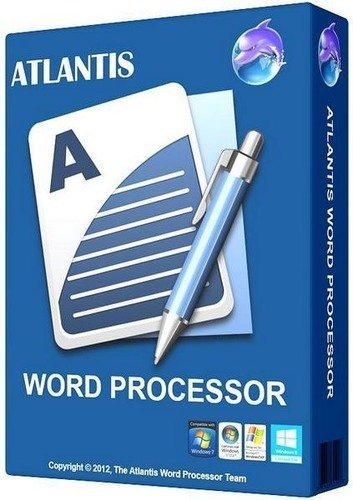
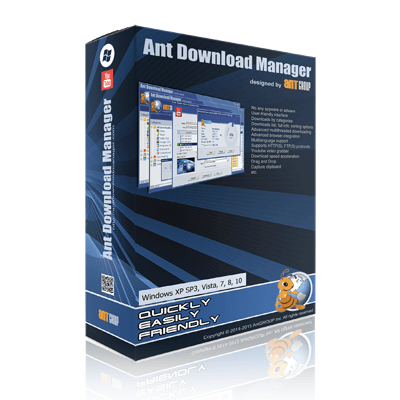
Atlantis is an innovative, no-nonsense word processor carefully designed with the end-user in mind. Compact, fast-loading, but still powerful and efficient, Atlantis will be the perfect companion for a wide range of your word processing tasks, - from simple to most complex. It does not matter if you are a novice or a power user, Atlantis has the tools you will ever need to compose highly professional documents. Using a most original and practical Control Board, you will create and manage all components of complex documents with unparalleled ease: sections, fields, headers & footers, newspaper columns, bulleted & numbered lists, styles, bookmarks, footnotes & endnotes, etc, all are a breeze with Atlantis.


Both the Safeguard and Backup Files features make sure that you work under extremely safe conditions. Private documents can also be encoded and secured: you can save them to a proprietary COD file format using powerful 256-bit encryption technology.

The Atlantis AutoCorrect and Spellcheck-As-You-Type features combine with a unique typing assist, the Atlantis Power Type, to dramatically simplify your word processing life. The Overused Words feature will help creative writers avoid repetitions and clich's.

The Atlantis interface is entirely customizable: menus, toolbars, hot keys, colors and sounds can all be adjusted to suit your own requirements. What's more, Atlantis is a fully portable word processor. You can install Atlantis to a memory flash drive, and Atlantis will travel with you wherever you go.

THE WORD PROCESSING FUNCTIONS:
Document creation and formatting is easy, using a customizable and expandable collection of document templates and sample letters.

Comprehensive Style Sheet support is available for advanced users.
A customizable and expandable Clip Library is stocked with text and graphic items ready to be inserted in larger documents whenever suitable. The Atlantis original collections of clips include everyday phrases, letter writing elements, clip art, etc.
Of course, all the traditional font and paragraph formatting commands are present:

choice of typeface, font size, font color. A state of the art typeface preview.
bold, italic, underline, strikeout, double strikeout, superscript, subscript, small caps, all caps, shadow, outline, emboss, engrave.

choice of 17 underline styles; choice of underline color.
character spacing, scaling, kerning, vertical offset.
fully customizable tab stops.
left/right paragraph indent, first line indent and outdent.
spacing before/after paragraph, 6 types of interline spacing.
keep with next paragraph, keep intact, page break before, widow/orphan control.
and plenty more, only a key press or mouse click away.

Operating System: Windows 2000, Windows XP, Windows Vista, Windows 7, Windows 8, Windows 10.

Home Page -
Код:
http://www.atlantiswordprocessor.com/


-:DOWNLOAD FROM LINKS:-

RapidGator
Код:
[url=https://rapidgator.net/file/ca3f6f19b4f796d6224870b3a1b248bf/Dl4eVeR.Word.Processor.4.rar.html]Dl4eVeR.Word.Processor.4.rar[/url]

NitroFlare
Код:
[url=https://nitroflare.com/view/6A4690207D81EEC/Dl4eVeR.Word.Processor.4.rar]Dl4eVeR.Word.Processor.4.rar[/url]

Dropapk
Код:
[URL=https://www.keygenbook.com/]Download[/URL]
​
 
Multi OEM/Retail Project Build 08.Mar.2021


k-UBOJ38n-TA4-Ounk-V8-OFKf-MQUm-OYs-Dk-XD.jpg


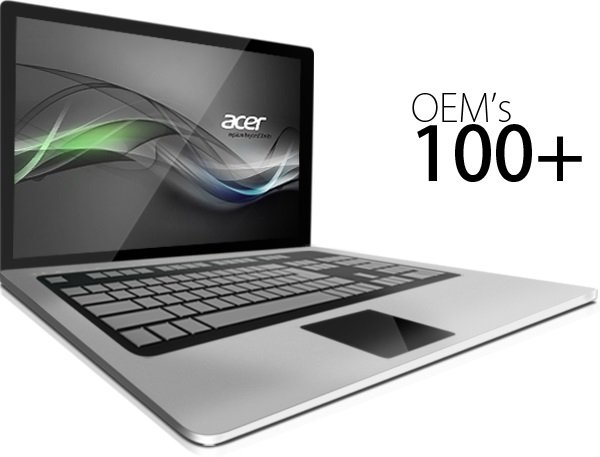
File Size: 91.9 MB100+ OEM's:
​
• Acer • Advent • Action • Alienware • AOC • Aquarius • ASRock • Asus • ATcomputers • Bangho • Beko • BenQ • BGH-SA • ByteSpeed • Casper • CCE • chiliGREEN • Compaq • crea • CZC • Dell • Depo • digimix • ECS • eMachines • Epson • Equus • Everex • Excimer • EXO • Exper • Extra • Founder • FSC • Fujitsu • Gateway • Genuine • Gericom • Gigabyte • Greatwall • Haier • Hannspree • Hasee • HCL • Hedy • Higrade • HP • Hyrican • IBM • Impression • Infinity • Insys • Intelbras • iQon • Itautec • Jetway • JooyonTech • Kohjinsha • Kouziro • Kraftway • KSystems • Lanix • Lenovo • LG • M&A Technology • Maxdata • Mecer • Medion • Megaware • Mesh • Mitac • Mouse • MSI • NEC • Nokia • Olidata • Olivetti • Onkyo • OQO • Packard Bell • Panasonic • Paradigit • Paragon • Philco • Positivo • PowerSpec • Prolink • qbex • Quanmax • RMplc • Rover • Samsung • SCC • Semp Toshiba • Seneca • Sharp • Sony • Stone • Synnex • Systemax • Tangent • Targa • Tarox • TCL • TTL • Tongfang • Toshiba • Trigem • Twinhead • Velocity • Vestel • Viewsonic • viliv • WD Corporation • Wortmann • xplore • Zoostorm • ZT ~incl. (branding only): BioStar • Foxconn • Intel • M$ $urface • VirtualBox • VMware
OEM's Branded = 133~

•BIOS Mode supported: Legacy and/or UEFI

• You can force install 'ANY' brand theme by reading and using the Force_Theme_[readme].txt

Editions for OEM Activation:
• Server 2008 • Server 2008 R2 • Server 2012 • Server 2012 R2
• Win10... • Home • Pro
• Win8.x... • Core • Pro
• Win7..... • Starter • Home Basic • Home Premium • Pro • Ultimate
• Vista..... • Starter • Home Basic • Home Premium • Business • Ultimate

Objective - add $oem$ folder to .iso /usb.

• $oem$ method can be used to apply activation & manufacturer brand to your Win10 • Win 8.x • Win 7 • Vista '.iso'/usb
• NOTE:- PC needs (Win8.x and Win10 'OEM-DM' • Win7 '2.1 slic' • Vista '2.0 slic') bios to apply genuine oem activation.
• Project includes optional Telemetry disabling, (WinTel.cmd), for all supported OS's and adds domains to block through Route commands.
• Optional Retail activation method via online, if needed.

How To:

Win8.x|Win10
Place the downloaded '$oem$' folder in the 'sources' folder of your 'clean' iso, and add custom 'ei.cfg' file to the same 'sources' folder and edit|save iso. Windows will install the edition identified from 'ei.cfg' file. (Project 'Options' folder includes 'ei.cfg' instructions). OOBE.cmd will call tool that will extract embedded 'OEM-DM' key from bios (if exists), and apply the serial during installation.

Win7
Place the downloaded '$oem$' folder in the 'sources' folder of your 'clean' iso, and delete the 'ei.cfg' file from the same 'sources' folder and edit|save iso... during install you will have option to select the edition of 'Win7' you want installed (ie. Starter • Home Basic • Home Premium • Pro • Ultimate)... if you don't delete 'ei.cfg' file, that's OK, just means Ultimate will install by default.

Vista
Place the downloaded '$oem$' folder in the 'sources' folder of your 'clean' iso, and delete the 'PID.txt' file (if exists) from the same 'sources' folder and edit|save iso... during install you will have option to select the edition of 'Vista' you want installed (ie. Starter • Home Basic • Home Premium • Business • Ultimate)... if you don't delete 'PID.txt' file, that's OK, just means serial used on that file will determine edition installed.

• Please read the 'readme' files included in the download folder, for additional information.
• "UltraISO" recommended to edit|save your .iso, preserving 'bootable' image.

Editions for OEM Activation:
• Win10.. • Technical Preview • Consumer Preview
• Win8.x... • Core • Pro
• Win7.... • Starter • Home Basic • Home Premium • Pro • Ultimate
• Vista.... • Starter • Home Basic • Home Premium • Business • Ultimate
• (Vista-Win10) If not known edition, branding only takes place.

Objective - add $oem$ folder to .iso /usb.

• $oem$ method can be used to apply activation & manufacturer brand to your Win10 • Win 8.x • Win 7 • Vista '.iso'/usb
• NOTE:- PC needs (Win8.x and Win10 'OEM-DM' • Win7 '2.1 slic' • Vista '2.0 slic') bios to apply genuine oem activation.

How To:

Win 10
Place the downloaded '$oem$' folder in the 'sources' folder of your 'clean' iso, and edit|save iso. OOBE.cmd (Install.cmd) will extract embedded 'OEM-DM' serial from bios (if exists), and apply the serial during installation.
Win8.1
Place the downloaded '$oem$' folder in the 'sources' folder of your 'clean' iso, and add custom 'ei.cfg' file to the same 'sources' folder and edit|save iso. Windows will install the edition identified from 'ei.cfg' file. (Project 'Options' folder includes 'ei.cfg' instructions). OOBE.cmd (Install.cmd) will extract embedded 'OEM-DM' serial from bios (if exists), and apply the serial during installation.
Win8.0
Place the downloaded '$oem$' folder in the 'sources' folder of your 'clean' iso, and edit|save iso. Windows will install the edition that matches the embedded 'OEM-DM' serial in your bios (if exists).
Win7
Place the downloaded '$oem$' folder in the 'sources' folder of your 'clean' iso, and delete the 'ei.cfg' file from the same 'sources' folder and edit|save iso... during install you will have option to select the edition of 'Win7' you want installed (ie. Starter • Home Basic • Home Premium • Pro • Ultimate)... if you don't delete 'ei.cfg' file, that's OK, just means Ultimate will install by default.
Vista
Place the downloaded '$oem$' folder in the 'sources' folder of your 'clean' iso, and delete the 'PID.txt' file (if exists) from the same 'sources' folder and edit|save iso... during install you will have option to select the edition of 'Vista' you want installed (ie. Starter • Home Basic • Home Premium • Business • Ultimate)... if you don't delete 'PID.txt' file, that's OK, just means serial used on that file will determine edition installed.

• Please read the 'readme' files included in the download folder, for additional information
• UltraISO recommended to edit|save your .iso, preserving 'bootable' image

Included link for images to be used with System Brand Changer if users prefer using a desktop branding tool with a nice gui, created by Alphawaves.

Whats New:
+ New 'General OS' options added:
1) Run as Administrator for .vbs {VBScript} files via Context Menu. {OS Translated}
2) Run as Administrator for .js {JavaScript} files via Context Menu. {OS Translated}
3) Run as Administrator for .ps1 {PowerShell} files via Context Menu. {OS Translated}
4) Install/Uninstall DLL files via Context Menu. {OS Translated}
5) Install/Uninstall OCX files via Context Menu. {OS Translated}
6) Set 'Device Install Settings' to No/Off, works for Vista/7/8.x kernels but on
Windows 10 it is not fully reliable. Always disabled on W10 Home/Core Editions.

+ New Windows 10 kernels options added:
1) Set WU Download Mode values to lowest possible, this should limit the speed and
amount WU can download in the foreground and background, does NOT stop updates but
can slow them down quite a lot, ideal for those on slow internet/mobile plans so
that WU does not max out your connection. RS4+ only and may not always work as it
depends on your OS's locale/Edition. Easy to revert via the 'PC Settings' GUI.

2) Remove ALL Apps, with exceptions. This option removes as many Apps from the OS
but leaves the Store, Cortana/Search, Calculator, XBox, Camera and some 'System'
required Apps so that newer Drivers/Games can be installed/run. This option will
auto disable all other App removal options. Below RS2 this option is auto disabled
as the routine is not reliable on those older OS Builds.

IMPORTANT NOTE: There is *NO* revert script so use this option with caution.

This may not always work as it is experimental. Also note that some log-in options may
fail such as 'Hello'. Most Apps that are not removed can be via 'PC Settings>Apps' GUI.
New users created will also have the Apps removed, with a later CU installed or a
upgrade to next Build operation may reinstall the removed Apps. If a Insider/Preview
Build is installed the FeedbackHub is not removed.

+ Creator v40.0 has been updated with the new options and tool tips etc.

+ Minor code adjustments and re-wording on some log entries.


-:DOWNLOAD FROM LINKS:-
RapidGator
Код:
[url=https://rapidgator.net/file/e23a872c5d73c7d9ca38583133a22359/Dl4eVeR.Multi.OEM.Retail.Project.Build_08.03.2021.rar.html]Dl4eVeR.Multi.OEM.Retail.Project.Build_08.03.2021.rar[/url]

NitroFlare
Код:
[url=https://nitroflare.com/view/A07621EBCD3372A/Dl4eVeR.Multi.OEM.Retail.Project.Build_08.03.2021.rar]Dl4eVeR.Multi.OEM.Retail.Project.Build_08.03.2021.rar[/url]

Dropapk
Код:
[URL=https://www.keygenbook.com/]Download[/URL]
 
Ant Download Manager Pro 2.2.0 Build 76444


Dxthn9m3w-Elgs-T7hl4dd-Zci54qd-GJac-T.png


File size: 37.5 MB
​
Ant Download Manager is a quick downloader Internet content with support for video downloads! function:Full integration with the most popular web browsers: Internet Explorer 8+, Mozilla Firefox 32 +, Google Chrome 31+ and their clones (Pale Moon, Opera, Vivaldi, Slimjet, ComodoDragon, etc.).Built-in video grabber allows you to download video from any video sites and services.

When capturing video, AntDM always offers audio extraction from video and convert it to MP3 format.a handy feature preview video files in the main list of downloads.Multi-channel loading, Drag & Drop function.Built-in analyzer will allow links to explore the static pages, reveal hidden links to download files.Support network protocols HTTP (S), FTP (S). Media reports F4M, M3U8, RTMP (x).Support for HTTP proxies (S), FTP, SOCKS 4,5.Supports the most popular premium link generators (Debrids).All downloaded files are saved in folders by categories according to their MIME type.
Ant Download Manager integrates with browsers Internet Explorer, Mozilla Firefox, Google Chrome, support Websites protocols, (HTTP), FTP-servers (FTP), the downloads by category and download speed, multi-language support, animated preview of the downloaded item list.
The program has a convenient user interface. Layout and the menu is standard, the right window displays the downloaded files, you can switch on the left menu, just above the button responsible for downloading video from YouTube, adding a new file, delete the file, the file load control unit and settings button. Russian support is available, setting a minimum and they are standard for this type of program, as a whole looks like IDM and externally and in terms of settings, although programs of this category are similar to almost all.

Main characteristics:
• Built-in video grabber browser (YouTube, Vimeo, DailyMotion, etc ..)
• Multi-threaded download
• Accelerator download speed
• Downloads by category
• Downloads list, complete information, sorting options
• Capturing links from the clipboard
• Integration in browser
• Multi-lingual support
• HTTP support, HTTPS, FTP protocols
• Portability
• Drag and drop (Drag and Drop)
• User-friendly interface is beautiful
• No ads

Full Pro Version:
Not limited download speed
No flow restrictions on downloading
Download video from browser pages using videoknopki
Convert Media Files

What's new
Код:
https://antdownloadmanager.com/download


-:DOWNLOAD FROM LINKS:-
RapidGator
Код:
[url=https://rapidgator.net/file/51091821753a4ae5528bb5980ae4ee7f/Download_Manager_Pro_2.2.0_Build_76444.rar.html]Download_Manager_Pro_2.2.0_Build_76444.rar[/url]

NitroFlare
Код:
[url=https://nitroflare.com/view/9542EC4C36C4D6A/Download_Manager_Pro_2.2.0_Build_76444.rar]Download_Manager_Pro_2.2.0_Build_76444.rar[/url]

Dropapk
Код:
[URL=https://www.keygenbook.com/]Download[/URL]
 
Ashampoo Snap v12.0.0


th-Zs485-Me-Flrv-QBn-Qka-Pr6-TLgy-Y8-Gjp1-MP.png

Ashampoo Snap 12.0.0 Multilingual | 157.5Mb
​
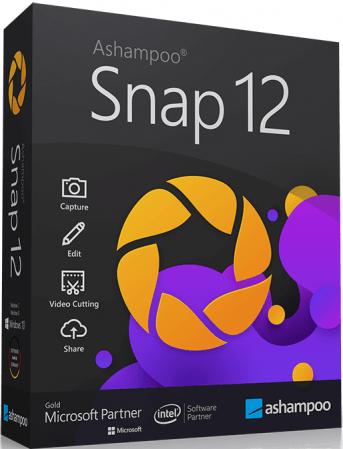
With Ashampoo Snap 12, capturing screenshots or videos almost happens by itself. Anything you see on your screen is faithfully captured along with numerous smart settings. The built-in editor takes care of post-processing as well as storing and saving of captures. This makes Snap not just a mere screenshot app but a visual thinker's dream. Screen captures can be enhanced and polished with automatic numbering, arrows, comments, stickers and so much more! From simple images to video captures and documentations: Snap does it all


Fast and easy video cutting
Not every video recording is an instant success. Ads, extra steps or pauses are a frequent bother. The same applies to screen captures. Keep the important bits and get rid of the rest with Ashampoo Snap 12! Remove ads, glitches or superfluous scenes or split your video into individual episodes. It doesn't matter whether you're casually pointing and capturing, creating an extensive webinar or producing a high-quality presentation: With Ashampoo Snap 12, every video capture comes out a success!

Capture and share desktop contents with ease
Would you like to share your screenshots and videos with friends and family or upload them to social networks? With Ashampoo Snap 12, all options are open to you-at home and work! Ashampoo Snap 12 can share your files across all popular online and cloud services, including Twitter, Facebook, Dropbox, OneDrive, Google Drive etc. For an even simpler way, upload your files to Ashampoo Webspace-it's completely free. Naturally, you can always take a more traditional or professional route and email your files as well.

Create videos for any purpose
Creating instructional videos or documentaries is a breeze with Ashampoo Snap 12. Recordings are live-annotable with texts, drawings and voice narration. Clear things up with visualized mouse clicks and key strokes and add watermarks to protect your intellectual property. Take it to the next level and add live feeds from your webcam in a single click. Here's your ticket to create engaging tutorials, prepare instructive webinars and to point the way to the things that matter most to you-literally!

Save time and screen-capture information instantly
Meaningful images can save you a lot of time and explaining and help with elucidating complex issues better. There's a reason for "Show, don't tell": Our brain can process, and recall, information embedded into images far quicker! And there's more: With Ashampoo Snap 12, you can enrich your images with comments, drawings and explanations to get to the point quickly! Point out details, highlight errors or mark out important areas in a snap. Save yourself tedious text-based explanations and say exactly what you mean with a single screenshot! Try it out today and see just how much text you can save!

Perfect for different screen resolutions and multi-display environments
Ashampoo Snap 12 fully supports multi-display setups, even with different resolution and DPI combinations, e.g. mixed Full HD and 4K environments. Each display is captured at its individual resolution for maximum crispness and results are instantly editable. And once you're in the editor, it's smooth sailing for beginners and professionals alike!

Create GIFs from any video
What would the internet be without those charming GIF animations? But GIFs can also be used in tutorials or demonstrations to great effect. Ashampoo Snap 12 can turn any video segment into GIFs. Just set the start and end positions, fire up the built-in converter and you're done!

More than a snipping tool: extensive comfort features
Ashampoo Snap 12 does most of the heavy lifting for you. Automatic numbering or time-delayed captures will help you make the most of your shots. Freely annotate your captures with texts and drawings or use flood fills. Put the spotlight on individual portions, blur sensitive data and use the highlighter to direct attention in style!

Capture desktop contents and save videos or images from the internet
The Internet is brimming with fascinating images, texts and videos. Ashampoo Snap 12 makes it easy to capture what you like! Save image and videos and edit them on the fly and to your liking! Anything you see on your screen, or hear through your sound card, Snap can capture!

Create screenshots quickly and with great flexibility
Capturing and editing screenshots is child's play with Ashampoo Snap 12. From entire desktops to small screen segments, scrolling web sites to single passages: Everything is only a single click away! Use time to your advantage and create time-delayed screenshots or capture contents with pixel precision. Ashampoo Snap 12 is the screenshot program that does it all: intuitive handling + high-performance features!

Take full-quality screenshots of your video games
Ashampoo Snap 12 takes perfect screenshots of your games, even in fullscreen mode. Capture your epic 2D and 3D fullscreen adventures in resolutions up to 4K. Preserve your greatest triumphs, highscores and player highlights forever!

Operating System: Windows 7, 8/8.1, 10

Home Page -
Код:
https://www.ashampoo.com/


-:DOWNLOAD FROM LINKS:-

RapidGator
Код:
[url=https://rapidgator.net/file/6dc27b0bdcc02381d1406e9be8c32743/Snap.12.rar.html]Snap.12.rar[/url]

NitroFlare
Код:
[url=https://nitroflare.com/view/322B7B0A723A0AF/Snap.12.rar]Snap.12.rar[/url]

Dropapk
Код:
[URL=https://www.keygenbook.com/]Download[/URL]
​
 
Infix PDF Editor Pro v7.6


1381338482-iceni-technology-infix-pdf-editor-pro.jpg

Infix PDF Editor Pro v7.6 Multilingual | 171.4Mb
​
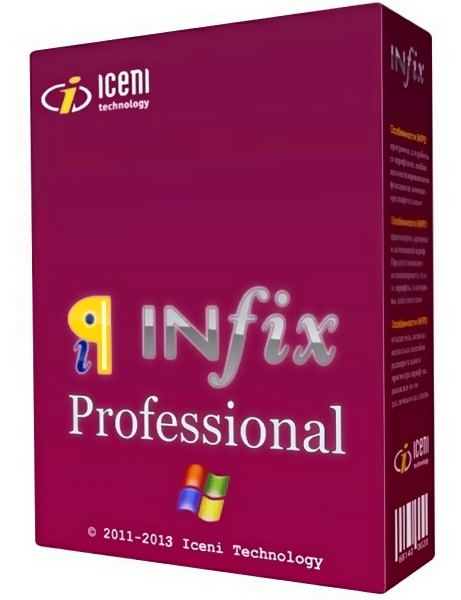
Infix PDF Editor Made Simple. For the first time it is now possible to edit text in any PDF document using tools familiar to anyone who uses a word processor. Easily edit the text in your PDFs, reflow and re-justify text, change fonts, colours and sizes. Resize, reposition and change images as you would in a professional publishing application. Infix PDF Editor is a tool that allows you edit PDF and text documents.


To ensure your edited documents look their best, Infix includes the kind of professional-quality hyphenation and justification (H and J) found in packages such as Adobe InDesign and Quark Express. Coupled with fine control over letter, word and line spacing, you can be confident that your edits will be undetectable. Infix is the quality PDF Editor giving unparalleled ease of use combined with high quality text formatting.On top of its advanced text-handling, Infix offers all of the standard editing facilities you would expect such as page cropping, annotation, cut & paste between PDFs, graphics manipulation and more.

Features:
- Edit the text in your PDFs like a word processor using rulers, tabs, search and replace and spell checking.
- Easily edit the text in any PDF
- Works just like a Word Processor
- Add & replace photos
- Copy/paste images, tables and drawings from other PDFs
- Spell-check in five languages
- Full search & replace
- Use tabs, margins and indents

Operating System: Windows 7, 8/8.1, 10

Home Page -
Код:
http://www.iceni.com/


-:DOWNLOAD FROM LINKS:-

RapidGator
Код:
[url=https://rapidgator.net/file/b42a7b9c9bdc04f25d33c1c59d7f73b6/Infix7.rar.html]Infix7.rar[/url]

NitroFlare
Код:
[url=https://nitroflare.com/view/61B0E36976B0B26/Infix7.rar]Infix7.rar[/url]

Dropapk
Код:
[URL=https://www.keygenbook.com/]Download[/URL]
​
 
Abelssoft Easy PDF 2021 2.0.1


th-nc8g16bb-J8-Owfo82k-Kj-Mud-Lk-MTEv9-JIc.png


Languages: Multilingual | File size: 13.4 MB
​
With Abelssoft EasyPDF, You can easily combine several PDFs, delete individual pages from a PDF or separate pages from a PDF. Anyone who can use a mouse can do these things completely intuitively with just a few clicks! The program has been designed to be easy to use, so users don't have to click through complicated menus to get results.

Merges PDF files comfortably
With drag and drop you can add PDF files and merge them easily.

Removes single pages
Deletes unnecessary pages from a PDF document.

Merges pages from multiple PDF files into one PDF
Create your individual PDF document and add single pages to an empty document.

Whats New:
Updates: official site does not provide any info about changes in this version.


-:DOWNLOAD FROM LINKS:-
RapidGator
Код:
[url=https://rapidgator.net/file/20601bd6cd55f94bc655b6a31f93b020/Easy_PDF_2021_2.0.1.rar.html]Easy_PDF_2021_2.0.1.rar[/url]

NitroFlare
Код:
[url=https://nitroflare.com/view/FEFA5E4D8150049/Easy_PDF_2021_2.0.1.rar]Easy_PDF_2021_2.0.1.rar[/url]

Dropapk
Код:
[URL=https://www.keygenbook.com/]Download[/URL]

 
Wondershare Filmora X 10.1.21.0 (x64)


th-Ic5-Xl7ib-E4-Rrq-BY8-Xxua000-PJb-Vw-Rfq7.jpg


Windows (x64) | Languages: Multilingual | File size: 319 MB
​
Wondershare Filmora X is a professional video editor to express your creativity and amaze with beautiful results. It has all the video editing tools to create Hollywood-like home movies with titles, effects and transitions from all regular videos, audio and photos. Wondershare Filmora X allows you to cut, edit, merge, and trim clips. Furthermore you will able to add your favorite music dircectly into your movie to create the perfect atmosphere. Also you can create beautiful animated messages from text and titles library.

Wondershare Filmora X also allows you to import video clips of various formats, then save them to the disk as a different type of file. You can save videos to play on portable devices like iPhone, iPad, iPod, etc. or burn DVD for better video preservation.
Modern & Easy to Use
Filmora's delightfully intuitive design makes it easy for anyone to become a great video editor.

Creative Features
Make your videos stand out.

Filters and Overlays
Transform your video with a variety of filters and graphic overlays.

Text and Titles
Communicate using a huge selection of titles, openers, and lower thirds.

Motion Elements
Drag and drop moving graphics into your video.

Transitions
Combine multiple videos and images seamlessly.

Music
Choose the perfect royalty free song from a library of music made by real.

Effects Store
Your source of filters, animated elements, and other modern video effects.

4K Editing Support
Edit and export videos at resolutions of up to 4K.

GIF Support
Import, edit, and export .GIF files.

Noise Removal
Remove unwanted background noise easily.

Reverse
Flip your clips and play them backwards.

Social Import
Import photos and clips directly from Facebook or other social media platforms.

Speed Control
Make your clips up to ten times faster or slower to create time lapses or slow motion effects.

Frame by Frame Preview
Jump through your audio and video tracks one frame at a time for precise editing.

Color Tuning
Adjust the white balance and dynamic range of your clips.

Pan and Zoom
Add panning and zooming movements to still footage.

Picture in Picture (PIP)
Layer multiple video clips using the Picture in Picture track.

Audio Mixer
Adjust the audio of each indivdual track on your timeline.

Advanced Text Editing
Edit the color, size, font, and even animation of your text and titles.

Green Screen
Change your background and create special effects using the Chroma Key (Green Screen) tool.

Screen Recording
Easily record the screen of your computer or mobile device.

Split Screen
Play two or more clips simultaneously.

3D Lut
Choose from a selection of color grading presets inspired by popular movies.

Video Stabilization
Eliminate the effects of camera shake.

Tilt Shift
Draw focus to one part of a clip by strategically blurring the rest.

Audio Separation
Detach your audio from your video clip and edit it separately.

Scene Detection
Have Filmora scan your clips for scene changes to save yourself time.

Audio Equalizer
Fine-tune your music and audio tracks.

Whats New:
official site does not provide any info about changes in this version.

System Requirements:
Supported OS : Windows 7/Windows 8.1/Windows 10 ( 64 bit OS).
Processor : Intel i3 or better multicore processor, 2GHz or above.
(Intel 6th Gen or newer CPU recommended for HD and 4K Videos).
RAM : 4 GB RAM (8GB required for HD and 4K videos).
Graphics : Intel HD Graphics 5000 or later; NVIDIA GeForce GTX 700 or later; AMD Radeon R5 or later.
2 GB vRAM (4GB required for HD and 4K videos).
Disk : At least 10GB free hard-disk space for installation (SSD-Solid State Disk recommended for editing HD and 4K videos).


-:DOWNLOAD FROM LINKS:-
RapidGator
Код:
[url=https://rapidgator.net/file/1b45c7248f550423e59a72432c36dc2a/Filmora_X_10.1.21.0.rar.html]Filmora_X_10.1.21.0.rar[/url]

NitroFlare
Код:
[url=https://nitroflare.com/view/9CC35A559A1B70C/Filmora_X_10.1.21.0.rar]Filmora_X_10.1.21.0.rar[/url]

Dropapk
Код:
[URL=https://www.keygenbook.com/]Download[/URL]
 
Boom 3D 1.2.2 (x64)


Kp-YQJy-Mh-Sxc-UJF2-Ffh-Q6-R6-Yg-U06-A0-BLK.jpg

Boom 3D 1.2.2 (x64) Multilingual | 52 Mb
​
Boom 3D for Windows is an award-winning pro audio enhancement app designed to play your media content with incredible 3D effects on ANY headphones, from any player, any media or streaming services. You would not need an expensive headphone or costly surround sound boosters to feel your music.


Features that make your world go BOOM!
Tweak your system-wide audio with Boom's world-class enhance features

3D Surround
Experience movies, games and music with 3D Surround technology that offers a mind-blowing virtual surround sound without any special headphones to turn up the volume or costly surround speaker boosters.

Equalizer Presets
Most advanced Equalizers with 31 bands for precise audio tuning. Boom 3D for Mac & Windows also provides a vast array of presets carefully handcrafted to match different genres and individual taste of listening.

Boom Volume Booster
Boom 3D is a system-wide volume booster that safely increases the volume beyond its regular limits to deliver an intense and rich audio experience

Apps Volume Controller
Boom 3D allows you to manage individual application audio volumes and seamlessly have an undisturbed movie / game / music experience like a personal music player app.

State of the Art Audio Player
Play your locally stored songs with unbeatable Boom effects with our full-fledged audio player and create playlists to organize your music collections just like your personal music player app.

Amazing Audio Effects
- Ambience Fidelity Night Mode Spatial
- Be alive and feel the music around you with Ambience
- Be here, there and everywhere with Fidelity
- Optimize the night time listening volume with Night Mode
- Be right at the center of your audio with Spatial

Requirements: Compatible on Windows 10 only (64-bit).

Home Page -
Код:
https://www.globaldelight.com


-:DOWNLOAD FROM LINKS:-

RapidGator
Код:
[url=https://rapidgator.net/file/c775628ab7659bd9996cf6b1d3e4027b/Dl4eVeR.B3D.1.2.2.rar.html]Dl4eVeR.B3D.1.2.2.rar[/url]

NitroFlare
Код:
[url=https://nitroflare.com/view/2CB7BFAAB8747FD/Dl4eVeR.B3D.1.2.2.rar]Dl4eVeR.B3D.1.2.2.rar[/url]

Dropapk
Код:
[URL=https://www.keygenbook.com/]Dl4eVeR.B3D.1.2.2.rar[/URL]

​
 
Capture One 21 Pro 14.1.0.74 (x64)


x-DHDi-KBPAd-Hqcg-JYlyq-T6-Tbx-Mue76-Ki3.jpg

Capture One 21 Pro 14.1.0.74 (x64) Multilingual | 366 Mb
​
Introducing Capture One 21 - Unleash the power of your photos. Capture One 21 is here. The most powerful photo editing software just got better. Transform your creative process with a revolutionary Speed Edit tool, the most authentic colors yet - and much more.


Color
Control every color - and create any color - with precision editing tools. And with true-to-life color processing, start your editing with RAW images that look better and more authentic than ever.

Speed
The unique Speed Edit tool lets you edit without the interface - and adjust multiple photos at once. Plus, professional workflow tools make import, export and file organization seamless.

Tethering
Get the ultimate assistant for shoots. With the industry's fastest tethering, you can connect your camera and shoot photos directly to Capture One, plus organize them on-the-go.

New in Capture One 21:

Speed Edit
Revolutionize how fast you edit photos. Speed Edit lets you work seamlessly without touching a slider on the interface - simply hold down selected hotkeys and scroll, drag or use the arrow keys to make rapid edits. You can even adjust multiple photos at once for the fastest ever batch edit.

Dehaze
Eliminate haze and reduce flatness in your images - all in one slider. The powerful new Dehaze tool automatically adjusts contrast, saturation and other elements in flat photos.

ProStandard Profiles
Stay true to real life with the most authentic colors yet. These new camera profiles preserve original colors better than ever, protecting hues from changes caused by contrast. A lifesaver for portrait and product photography - and any image that relies on authentic color.

HEIC Support
With support for HEIC files (8-bit), you can now edit photos from your Apple devices and more in Capture One.

Learn
It's never been easier to master Capture One. With the new "Learn" button, you'll quickly access a curated selection of tutorials designed to help you learn step-by-step. Plus, enable "Tool Tips" and hover over a tool for a quick explanation of how it works.

Faster Asset Management
It's now faster than ever to search and browse photos in Catalogs and Sessions. And with new high-resolution thumbnails, it's also easier to select and cull images before you even import. Plus, you can now import photos from different folders at once.

Basic Color Editing
Edit colors fast with a compact and intuitive Basic Color Editor. Click anywhere on the photo and drag to adjust the hue, saturation and lightness of any color - or adjust colors with simple sliders.

Advanced Color Editor
Get total control of colors with the Advanced Color Editor. Define color ranges to adjust hue, saturation and lightness with complete precision.

True-to-life colors
Get the best possible starting point for your editing. Capture One renders RAW files with true-to-life colors that are custom profiled to all major camera brands.

Color Balance Tool
For precise color grading, use the intuitive Color Balance tool to add color tints and adjust luminosity individually for shadows, midtones and highlights.

Skin Tone Editing
Create accurate skin tones without complex retouching thanks to three Uniformity sliders for hue, saturation and lightness. Apply these as a local adjustment for maximum control.

Black and White Tool
Control black and white conversion while minimizing the amount of introduced noise for a smooth result.

Details and lens profiles
Process the highest quality RAW files with the sharpest details. And minimize distortion and light fall-off thanks to custom lens profiles.

Image editing
Take creative control of your images with powerful and precise photo editing tools.

Layers and Masks
Focus your edits on specific parts of your image - without affecting the rest. Apply up to 16 layers and create precise masks to separate areas for editing.

Organization
From individual images to thousands of shots, stay on top of projects and files with smart management tools. Plus, get advanced settings to export different file types faster.

Workflow and performance
Get a seamless photo editing process thanks to a personalized interface and fast performance.

Microsoft® Windows® Minimum Requirements:
- Intel or AMD CPU with 2 cores
- 8 GB of RAM
- 10 GB of free hard disk space
- Calibrated monitor with 1280x800, 24-bit resolution at 96dpi
- Windows 7® SP1 64-bit, Windows 8.1® 64-bit, Windows 10® 64-bit*
- Microsoft® .NET Framework version 4.7 (will be installed if not present)
* Support for Windows 10 is up to build 2004

Recommended System Requirements
If working with high-resolution images and doing calculation-heavy adjustments we recommend the following:

- Intel CPU with 4+ cores
- 16+ GB of RAM
- Solid State Disk (SSD)
- Dual (matching) Graphics card from NVIDIA or AMD with 4GB+ RAM per card
- Calibrated monitor with at least 1920x1200, 24-bit resolution at 96dpi

Homepage -
Код:
https://www.phaseone.com


-:DOWNLOAD FROM LINKS:-

RapidGator
Код:
[url=https://rapidgator.net/file/790cb7d57d6848226eff45b827bc77e3/Dl4eVeR.CO.14.1.0.74.rar.html]Dl4eVeR.CO.14.1.0.74.rar[/url]

NitroFlare
Код:
[url=https://nitroflare.com/view/38D726A01757E4E/Dl4eVeR.CO.14.1.0.74.rar]Dl4eVeR.CO.14.1.0.74.rar[/url]

Dropapk
Код:
[URL=https://www.keygenbook.com/]Dl4eVeR.CO.14.1.0.74.rar[/URL]

​
 
MAGIX SOUND FORGE Pro Suite 15.0.0.27 (x64/x86)


f84-Svg-C2-Oc9f7g-TTa-BSKPw-Qr1mln-USVv.png

MAGIX SOUND FORGE Pro Suite 15.0.0.27 (x64/x86) | 414.2 MB | 522.76 MB
​
The complete bundle for spectral editing, sound design and mastering. The new SOUND FORGE Pro 14 Suite is here - and bundled with many renowned audio shaping and enhancing plugins, like the brand new SpectraLayers Pro 6 or Melodyne essential. Designed to be a complete set for recording, editing and processing audio at the highest quality standards. Experience a suite of software that continues to set new standards for audio professionals.


Recording
Record audio on up to 32 channels simultaneously, at sample rates of up to 64-bit/768 kHz. The new SOUND FORGE Pro 14 offers professional-quality mastering, editing and sound-design features all within an intuitive and inspiring interface.

Audio Editing
Audio Editing From video soundtracks to the final surround-sound mix, edit with sample-accurate precision. Its numerous effects processors and audio editing tools make SOUND FORGE Pro 14 the ideal application for sound designers.

Mastering
Mastering Deliver technically-perfect masters for CD or streaming thanks to advanced signal-processing tools and a host of high-end effects and visualizations like the new oscilloscope. Restore recordings and remove clicks, pops and other noise with ease.

Highlights
• Professional multichannel recording up to 64-bit/768 kHz
• Precision editing & restoration
• Customizable interface: 4 color levels, new icon design & docking
• Upgraded VST engine
• New ARA2 support

What's New in SOUND FORGE Pro Suite 14?
• Wave Coloring, a new graphical representation mode in the data window that visualises the sonic qualities of an audio file.
• Instant Action window with shortcuts to frequently used tasks.
• New Oscilloscope and Spectroscope visualization.
• Quick converting audio files from Windows Explorer context menu.
• QuickFX: Professional VST effects with many presets and extremely easy operation using just one fader.
• Improved VST support with many bug fixes and a faster scan.

System Requirements:
• You require a 32- or 64-bit version of one of the following operating systems:
• Windows 10, Windows 8, Windows 7
• Processor: 1 GHz
• RAM: 512 MB
• Graphics card: Onboard, min. resolution 1024 x 768
• Sound card: Onboard
• Hard drive space: 500 MB for program installation

Home Page -
Код:
https://www.magix.com


-:DOWNLOAD FROM LINKS:-

RapidGator
Код:
[url=https://rapidgator.net/file/8c1d5d0e35eb79e88a8bc6d4097b2c38/Dl4eVeR.SOUND.FORGE.Pro.15.0.0.27.rar.html]Dl4eVeR.SOUND.FORGE.Pro.15.0.0.27.rar[/url]
[url=https://rapidgator.net/file/73ffa5bcf835c4f2815e90c39b7258ea/Dl4eVeR.SOUND.FORGE.Pro.15.0.0.27.x86.rar.html]Dl4eVeR.SOUND.FORGE.Pro.15.0.0.27.x86.rar[/url]

NitroFlare
Код:
[url=https://nitroflare.com/view/1C0B5B6D6ADB039/Dl4eVeR.SOUND.FORGE.Pro.15.0.0.27.rar]Dl4eVeR.SOUND.FORGE.Pro.15.0.0.27.rar[/url]
[url=https://nitroflare.com/view/A7F41982C9A7778/Dl4eVeR.SOUND.FORGE.Pro.15.0.0.27.x86.rar]Dl4eVeR.SOUND.FORGE.Pro.15.0.0.27.x86.rar[/url]

Dropapk
Код:
[URL=https://www.keygenbook.com/]Dl4eVeR.SOUND.FORGE.Pro.15.0.0.27[/URL]

​
 
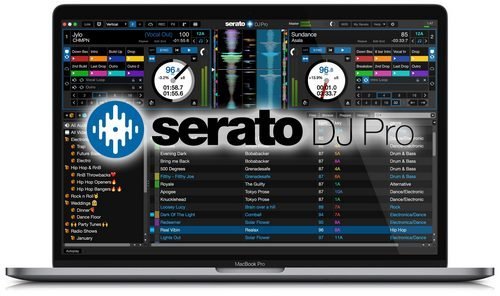
Serato DJ Pro 2.4.6 Build 114 (x64) Multilingual


QbGKfDoq79M2quGEVykKJuclPgPPKckA.jpg


Windows x64 | Languages: Multilingual | File Size: 700.58 MB
​
Professional DJ software - From the unknown to the greatest, Serato DJ Pro is the most popular DJ software globally. When you're talking about Hip-Hop, Dance, and everything in between, you're looking at the standard.

Rock solid reliability
Serato DJ Pro is renowned for its reliability and trusted by DJs to deliver incredible performances. That's why it powers the world's top artists on some of the biggest stages.

The best hardware
Serato DJ Pro officially supports over 90 pieces of hardware by industry leaders. Every piece is tightly integrated to ensure the best experience possible.

Limitless performance
Whatever your style, you can DJ with freedom. Your creative potential will be unlocked through innovative features and an intuitive interface.

New in Serato DJ Pro 2.0:
A range of new features and improvements as Serato DJ became Serato DJ Pro.

- Practice Mode
- New UI with Performance Pad view
- Optimised for high resolution screens
- Bigger Libraries and rock-solid reliability
- Improved help and support
Release NotesNew features
- Support for the Denon DJ SC6000 PRIME and SC6000M PRIME.
System Requirements:
- Operating System: Windows 10 (64-bit)
- Processor: i3: 1.07GHz, i5: 1.07GHz, i7: 1.07GHz, i9: 1.07GHz
- Screen Resolution: 1280 x 720
- Memory: 4 GB
- Free HDD Space: 5 GB


-:DOWNLOAD FROM LINKS:-
RapidGator
Код:
[url=https://rapidgator.net/file/73e371917cab912fa07bafb193ce3728/Dl4eVeR.VDJ.8.5.6334.rar.html]Dl4eVeR.VDJ.8.5.6334.rar[/url]

NitroFlare
Код:
[url=https://nitroflare.com/view/1039866BE7FA218/Dl4eVeR.VDJ.8.5.6334.rar]Dl4eVeR.VDJ.8.5.6334.rar[/url]

Dropapk
Код:
[URL=https://www.keygenbook.com/]Dl4eVeR.VDJ.8.5.6334.rar[/URL]
 
Toon Boom Harmony Premium 20.0.3 Build 16743 (x64)


th-EIEqij-I0-EK3-KMUvo10-FLVn-Psb79-EXSdl.jpg

Toon Boom Harmony Premium 20.0.3 Build 16743 (x64) | 488 Mb
​
Harmony 20, the industry's leading 2D animation software, brings the latest in digital drawing sensitivity to its brushes - every marking, every style, every texture you want to create and leave for the audience is felt. Rulers, guides, colour control & features as well as innovative deformers enrich your animation, bringing reality and fantasy within millimeters of each other.


Harmony Premium:
Complete professional edition for studios, small creative businesses, freelancers and schools working on the most demanding projects. Adds ability to create sophisticated cut-out rigs, very natural and realistic character movement plus unlimited special effects for any style of animation.

Benefits of Harmony:
- Unlimited creative freedom on your terms
- Flexibility, functionality and sensitivity of tools allows you to create with the highest quality
- All-in-one tool for efficient animation - from drawing to final production
- Cost and time savings
- Reliable team that stands behind their software and services; we are reachable - speak with our team live.
- Value; while we do not have the lowest prices, we do ensure the highest quality ensuring the integrity of your artistic expression
- Chosen by the leading animation studios worldwide who are setting the industry standard, for over 25 years
- We don't say we are the best, our Emmy-winning 2D animation technology has the awards to prove it
- Our community and network makes us unique; we were built for animation professionals and we intend to stay that way

Discover the Industry Leading Production Animation Software:
- Most advanced brush engine
- Defined colour pallets and painting
- Unlimited traditional paperless animation
- Innovative cut-out animation and rigging
- 2D/3D integration for limitless possibilities
- Deformers for even more textures and depth realism
- Special effects and compositing
- Pipeline integration for seamless end-to-end animation - all in one tool

New NOTEWORTHY FEATURES included in Harmony 20:
- The smoothest texture deformation with the Weighted-Deform Node
- Create depth, volume, and more realistic animations with new Lighting & Shading
- Advanced color management environments and effects give artists and studios full control over the accuracy of their project's colours from initial illustration to final export
- New colour effects nodes: colour curves, colour levels, gamma and colour-fade
- Drawing and creativity live hand-in-hand and snapping Alignment Guides make it faster & easier
- Drawing improvements made for animation artists make animation creation quicker and easier

System Requirements:
- Windows 10 (64-bit)
- Windows 8.1 (64-bit)
- Windows 7 (64-bit, excluding Starter and Home Basic)

Home Page -
Код:
https://www.toonboom.com/


-:DOWNLOAD FROM LINKS:-

RapidGator
Код:
[url=https://rapidgator.net/file/c688fa65fdc313f29680371dbfddee8f/Dl4eVeR.Harmony.20.0.3.rar.html]Dl4eVeR.Harmony.20.0.3.rar[/url]

NitroFlare
Код:
[url=https://nitroflare.com/view/BFB7CCB0E83FB1E/Dl4eVeR.Harmony.20.0.3.rar]Dl4eVeR.Harmony.20.0.3.rar[/url]

Dropapk
Код:
[URL=https://www.keygenbook.com/]Dl4eVeR.Harmony.20.0.3.rar[/URL]

​
 
CyberLink PowerDirector Ultimate 19.1.2521.0 (x64) Multilingual


b-KBI7-XVZ0q-A5-IYc3d6l9j-P5u-GZl-HWLWY.jpg

CyberLink PowerDirector Ultimate 19.1.2521.0 (x64) Multilingual | 978 Mb
​
Limitless Capabilities, Made Simple. Cut, refine, add effects, and publish - PowerDirector 365 offers best-in-class editing tools with an intuitive workflow. Create compelling content with powerful new effects, a streamlined user interface, and ever-growing resource libraries. No matter your level of proficiency, you can achieve spectacular results.


Integrate Complete Video Editing Capabilities Into Your Creative Workflow
Get the best of both worlds with still images and video in your production. PowerDirector works seamlessly with PhotoDirector to integrate edited photographs, graphics, or animated images. Refine your assets in PhotoDirector and add them right into your PowerDirector project or send out production stills and animated clips for a complete roundtrip workflow.

Powerful Tools, Infinite Possibilities, Inspiration Included
Unleash your creativity with the high-end performance and precision of PowerDirector 365. Harness the power of professional editing tools with an intuitive user interface, take advantage of a massive stock library, and bring your video ideas to life with monthly design packs.

Mask Designer (Enhanced!)
Create hyper-realistic image composites or expressive surrealist shots with our new advanced mask tools. Cut and combine images from different clips with unparalleled precision.

Dynamic Keyframe Controls (Enhanced!)
We've enhanced keyframing to provide more control over anchor points enabling dynamic motion as well as a new hold interpolation mode to apply your effects where you want them when you want them.

Customizable Motion Graphic Titles (Enhanced!)
Introduce every scene with an epic title. Use one of our stunning, ready-to-use motion graphic titles and customize the text and shape color to match your style.

Sketch Animation Overlays (New!)
Create the perfect tutorial video with animated sketch templates. Customize the size and color to match your style.

Refine and Match Colors, Fast (Enhanced!)
Set the tone. Keep color consistent across clips with one click or manually adjust the hue, saturation and brightness to match your look.

Add Customized Shape Objects
Insert customizable vector shapes with auto-fit text and precise keyframe controls. Choose from a wide range of text bubbles and callouts.

Dynamic Title Reveals
Get complete control over title animations and appearance with advanced tools to mask and reveal titles.

Green Screen Editing
Perform Hollywood-style green screen editing thanks to an improved chroma key engine and multi-key color sampling.

Intuitive Motion Tracking
Ensure 100% object tracking accuracy in your video clips with frame-by-frame motion tracking for both shapes and titles.

Stunning videos in a few clicks.
Pick from a huge range of ready-made templates complete with effects, titles and transitions in Express Projects. From there, it's simply a matter of adding your clips and clicking 'Produce'!

Easily Apply Speed Effects & One-Click Enhancements
Our Action Camera Center gives you everything you need to make quick edits, correct and enhance footage, as well as adjust frames, motion and more. Create the story you want, in just a few clicks!

Exceed Expectations
PowerDirector is renowned for being the world's fastest, most comprehensive video editing software. And with support for the latest video, photo, and audio formats, you'll be ready to tackle projects of any size.

Fast, by Design (Enhanced!)
Don't waste time waiting for your software to respond! Experience a superior editing performance with Intel 10th gen CPU optimization.

Professional Grade Support (New!)
Import and edit video shot on professional-grade cameras and in HEVC & VP9 10bit HDR10 & HLG, ProRes 10bit 4:2:2, XAVC 8bit 4:2:0 and MXF AVC 8bit 4:2:0 video compatibility. As well as support for AAC 5.1ch sound output.

Streamlined Workflow for YouTubers, Vloggers & Instagrammers
PowerDirector streamlines the workflow to make routine video production easier than ever - making it the best video editing software for Windows video creators!

Seamless Integration (New!)
Export your entire audio mix from PowerDirector directly into AudioDirector to deliver polished, pristine sound.

Nested Projects as PiP
Repurpose previous project files inside your new ones, and use keyframes to fully control the PiP object.

Audio Scrubbing
Hear audio while dragging the playhead through a project to quickly find a scene you need.

Video Pre-cut
Pre-cut long clips into short, reusable segments that you can use repeatedly throughout multiple projects.

Library Preview Window
Split-window mode for previewing clips, trimming, & inserting onto your timeline.

4K Preview
Preview your projects in 4K quality, and see how your video will look before you produce.

Minimum System Requirements:
- Microsoft Windows 10, 8/8.1, 7 (64 bit OS only)
- Intel Core™ i-series or AMD Phenom® II and above
- Standard Video: 128 MB VGA VRAM or higher
- 360-video: DirectX 11 compatible
- 4GB memory required (6GB or above recommended)
- 7GB hard disk space
- Burning drive is required for disc burning purpose
- Windows compatible sound card is required
- 1024 x 768, 16-bit color or above

Language Support:
- English
- French
- German
- Italian
- Spanish (European)
- Chinese Simplified
- Chinese Traditional
- Japanese
- Korean
- Dutch

Home Page -
Код:
https://www.cyberlink.com


-:DOWNLOAD FROM LINKS:-

RapidGator
Код:
[url=https://rapidgator.net/file/613eeae72c6b728847f2c06928f07e31/PDIR.19.1.2521.0.rar.html]PDIR.19.1.2521.0.rar[/url]

NitroFlare
Код:
[url=https://nitroflare.com/view/B08D84163432E51/PDIR.19.1.2521.0.rar]PDIR.19.1.2521.0.rar[/url]

Dropapk
Код:
[URL=https://www.keygenbook.com/]PDIR.19.1.2521.0.rar[/URL]

​
 
Adobe Illustrator 2021 v25.2.1.236 (x64)


1603148872-adobe-illustrator-2021-free-download.png

Adobe Illustrator 2021 v25.2.1.236 (x64) Multilingual REPACK | 1.5 Gb
​
The industry-standard vector graphics software is used by millions of designers and artists to create everything from gorgeous web and mobile graphics to logos, icons, book illustrations, product packaging, and billboards.


Iconic work at any size.
Get all the drawing tools you need to turn simple shapes and colors into sophisticated logos, icons, and graphics. Illustrator artwork is vector-based design software, so it can scale down for mobile screens and up to billboard size . and always look crisp and beautiful.

Gorgeous typography that says it all.
Incorporate a company name into a logo, create a flyer, or mock up a website design with the best type tools out there. Add effects, manage styles, and edit individual characters to create typographic designs that perfectly express your messages.

Draw attention everywhere.
Create freehand drawings, or trace and recolor graphics to turn them into works of art. Use your illustrations anywhere, including printed pieces, presentations, websites, blogs, and social media.

Pro power comes standard.
Illustrator launches, saves, and renders effects faster than ever before. Reuse your vector graphics and quickly access unlimited fonts. Work seamlessly with other Creative Cloud apps like Photoshop, InDesign, XD, and Premiere Pro. Your graphics, styles, and text are stored in the cloud, so they.re always up to date and at your fingertips.

Minimum system requirements for Illustrator:
Processor: Multicore Intel processor (with 64-bit support) or AMD Athlon 64 processor
Operating system: Microsoft Windows 7 (64-bit) with Service Pack 1 or Windows 10* (64-bit)
RAM: 8 GB of RAM (16 GB recommended)
Hard disk: 2 GB of available hard-disk space for installation; additional free space required during installation; SSD recommended
Monitor resolution: 1024 x 768 display (1920 x 1080 recommended)
To use Touch workspace in Illustrator, you must have a touch-screen-enabled tablet/monitor running Windows 10 (Microsoft Surface Pro 3 recommended).
GPU: OpenGL 4.x
Optional: To use GPU Performance: Your Windows should have a minimum of 1GB of VRAM (4 GB recommended), and your computer must support OpenGL version 4.0 or greater.

Home Page -
Код:
https://www.adobe.com/


-:DOWNLOAD FROM LINKS:-

RapidGator
Код:
[url=https://rapidgator.net/file/346de0f500cbdd89935d4bcfaa0336d4/Illustrator.2021.25.2.1.23.part2.rar.html]Illustrator.2021.25.2.1.23.part2.rar[/url]
[url=https://rapidgator.net/file/6eaae2df8930ba42e86c67c9a1b1f7f4/Illustrator.2021.25.2.1.23.part1.rar.html]Illustrator.2021.25.2.1.23.part1.rar[/url]

NitroFlare
Код:
[url=https://nitroflare.com/view/03645DD6B541C20/Illustrator.2021.25.2.1.23.part1.rar]Illustrator.2021.25.2.1.23.part1.rar[/url]
[url=https://nitroflare.com/view/0349E4DEE1D8877/Illustrator.2021.25.2.1.23.part2.rar]Illustrator.2021.25.2.1.23.part2.rar[/url]

Dropapk
Код:
[URL=https://www.keygenbook.com/]Illustrator.2021.25.2.1.23[/URL]

​
 
Adobe Character Animator 2021 v4.0.0.45 (x64)


1613243881-adobe-character-animator-free-download.png

Adobe Character Animator 2021 v4.0.0.45 (x64) Multilingual REPACK | 937 Mb
​
Animate in real time. Really. Create a character and animate it with your own performance. Character Animator uses your expressions and movements to animate your characters in real-time. So when you smile or nod your head, your character does, too. Its so fast, you can even stream your animations live.


Eye-opening animations. In eye-opening time.
Create animations for cartoons, an animated series, and live broadcasts. Or live stream your character on social media and wow your friends.

Create a character in seconds.
Turn any piece of art into an animated character using your webcam and new Characterizer, powered by Adobe Sensei AI. Or create characters by modifying the built-in character templates available in Character Animator, or importing art from Illustrator or Photoshop.

Put your best face forward.
Easily bring your character to life through your own performance. Using your webcam and microphone, Character Animator matches your expressions . from syncing lips to tracking eyes and facial features . to animate your character in real time. Look surprised, happy, or angry and your character does, too.

Animations with legs . and arms and heads.
Getting your character to move doesn.t take a lot of work. Control gestures like waving with your keyboard or MIDI device. Movements can be saved as buttons, so they.re easier to remember than key commands.

It.s showtime.
Check out the Hollywood studios, broadcasters, and online content creators who use Character Animator to bring their characters to life in real time. The app is powerfully fast and integrates with other Adobe apps for a seamless animation workflow. So you can take your own characters live or bring them into Premiere Pro or After Effects to include in bigger projects. It.s the next generation of animation tools. Available now.

Animate in seconds with Characterizer
Create a stylized, animated character using a work of art, your webcam, and Characterizer. Powered by Adobe Sensei AI technology, Characterizer quickly and easily turns art into animations.

Easily re-use your best takes
The new Replays feature lets you choose your best laugh or perfectly timed fist bump and create a trigger that you can re-use live or in your next recording. Adjust the length of your Replays trigger to easily fit into your scene.

Magnets to make your animations livelier
Now your puppet can throw, drop, pick up static items, and do things like drink from a cup or drop a ball.

Improvements to walking behavior
Newly added right and left shoulder and hip tags make a three-quarter drawn character look better when walking.

System Requirements:
- Processor: Multi-core Intel processor with 64-bit support
- Operating system: Microsoft. Windows 10 (64 bit) version 1703 or higher
- RAM: 8 GB of RAM (16 GB or more recommended)
- Hard-disk space: 3 GB of available hard-disk space for installation; additional free space required during installation (cannot install on removable flash storage devices)
- Display: 1280x1080 display (1920x1080 or larger recommended)
- OpenGL: Latest qualified graphics driver for your GPU, with at least OpenGL 3.2 support

Home Page -
Код:
https://www.adobe.com/

-:DOWNLOAD FROM LINKS:-

RapidGator
Код:
[url=https://rapidgator.net/file/fefb127782480c2c315119e75ed09465/Character_Animator_2021_4.0.0.45.rar.html]Character_Animator_2021_4.0.0.45.rar[/url]

NitroFlare
Код:
[url=https://nitroflare.com/view/BD7F40D4E9305BB/Character_Animator_2021_4.0.0.45.rar]Character_Animator_2021_4.0.0.45.rar[/url]

Dropapk
Код:
[URL=https://www.keygenbook.com/]Character_Animator_2021_4.0.0.45.rar[/URL]

​
 
Adobe Prelude 2021 v10.0.0.34 (x64)


1606241033-adobe-prelude-2020-free-download.png

Adobe Prelude 2021 v10.0.0.34 (x64) Multilingual | 636.5 Mb
​
Prelude. Metadata ingest, logging, and rough cuts. Rapidly tag and transcode video footage and quickly create a rough cut with Prelude a video logging and ingest tool designed for intuitive, efficient media organization and metadata entry. Prelude translates effortlessly into Adobe Premiere Pro, ensuring fluid communication and organization throughout the video production process.


What can you do with Prelude?
Rapidly tag and transcode video footage and quickly create a rough cut with Prelude . a video logging and ingest tool designed for intuitive, efficient media organization and metadata entry. Prelude translates effortlessly into Adobe Premiere Pro, ensuring fluid communication and organization throughout the video production process.

Organize your media and create a rough assembly with Prelude.
Learn how to use the Prelude media organizer tool to make sure your Premiere Pro project is organized from the start.

Organize clips, subclips, and sequences.
Learn about the clip naming and metadata features of Prelude and how easy it is to create subclips, build a rough-cut assembly, and send your assembly to Premiere Pro as a sequence for immediate editing.

Add comments to your media files.
Annotate media files with notes for the editor or director to consult during editing in Premiere Pro.

System Requirements:
- Processor: Intel. Intel 6thGen or newer CPU
- Operating system: Microsoft Windows 10 (64-bit) version 1703 or later (required)
- RAM: 16 GB of RAM (32 GB recommended)
- 4 GB of GPU VRAM
- Hard disk space: Fast internal SSD (recommended) for app installation and cache . plus provisional space for media
- Monitor resolution: 1920 x 1080 or greater display resolution
- Hard drive speed:7200 RPM or faster hard drive (multiple fast disk drives recommended)
- GPU: Adobe-certified GPU card for GPU-accelerated performance
- Other: QuickTime 7.6.6 software required for QuickTime features

Home Page -
Код:
https://www.adobe.com/


-:DOWNLOAD FROM LINKS:-

RapidGator
Код:
[url=https://rapidgator.net/file/2f55377bb63861333238a9a8605f1b76/Prelude_2021_10.0.0.34.rar.html]Prelude_2021_10.0.0.34.rar[/url]

NitroFlare
Код:
[url=https://nitroflare.com/view/781D9D5AEFBCF10/Prelude_2021_10.0.0.34.rar]Prelude_2021_10.0.0.34.rar[/url]

Dropapk
Код:
[URL=https://www.keygenbook.com/]Prelude_2021_10.0.0.34.rar[/URL]

​
 
Назад
Сверху