• Здравствуйте. Сайт заработал в архивном режиме форум www.old.nado.in

Dl4ever Software

SILKYPIX Developer Studio 10.1.9.0 (x64)


e268f2432243cca32ad95b46420dee67.png


Windows (x64) | File Size: 425 MB
​
7 new features and workflow innovation. The blissful time named RAW development for you. Enables the user a impressive image quality and new expression The wide variety of composition modes can excite your imagination. Equipped with 6 RAWs composition modes. The new SILKYPIX® is equipped with the new function for compositing multiple RAWs which allows you to create a view of the world that cannot be represented from a single image. And, since this function automatically aligns images according to our image coincidence detection technology (patent No. 4689758), it is possible to combine them without any shift even with hand-held shooting.

Full Basic Functions
SILKYPIX allows you to make adjustments such as exposure (brightness), white balance (shading), tone (light and dark sharpness) while maintaining a high quality of image without deteriorating the image. In addition, anyone can easily perform high-quality adjustments because basic adjustments are arranged in order from the top of the control panel. Furthermore, fine tuning adjustments for each item can be minutely performed with the "Slider" control.

A Variety of Functions to Recreate the Photographer's Images
The Partial correction function is included to adjust saturation and brightness of specified areas. What is more, a variety of fine adjustment functions such as Fine color controller which can be used to adjust each specific color and Highlight controller which restores colors in highlighted parts as well as recover gradation are available.

Easy Editing with Tastes
SILKYPIX Pro has 10 types of maker tastes installed which can take on various shooting scenes in advance. Just by choosing a taste such as "Landscape" or "Portrait," you can make a finished photograph easily that fits your image. In addition, you can save your adjusted parameters as a taste. Parameters are very useful functions, and you can easily create pictures from the same image by applying them to other photographs.

Compliable with JPEG and TIFF
With "SILKYPIX RAW Bridge" available only on SILKYPIX Pro, JPEGs and TIFFs are expanded to 16 bits, so even JPEG and TIFF images can be adjusted to a high degree of image quality with less image degradation.

Exposure (Brightness)
- Auto exposure bias
- Exposure bias
- Dodge / Color Burn
- HDR
- Highlight / Shadow

White balance (Tint)
- White balance adjustment
- Gray balance tool
- Skin color tool

Tone (Sharpness of light and dark)
- Contrast
- Tone curve
- Automatic level correctio
- Black level tool
- Clarity
- Dehaze

Saturation (Vividness)
- Prepare presets for Color representation (Standard color, Memory color, Portrait color, Film color)

Sharpening
- Natural sharp
- Normal sharp
- Pure detail
- Unsharp mask

Noise adjustment
- Color distortion
- Fringe reduction
- Neat noise
- Noise reduction
- Reduce moire
- Level of shadow noise reduction

Practical functions (A part of functions)
- Lens aberration correction
- Shading
- Distortion
- Chromatic aberration
- Distortion correction function by lens profile
- Distortion correction function using simultaneous recording JPEG

Image correction tool
- Crop
- Image rotation
- Shift lens effect
- Spotting tools (Dust removal)
- Red Eye Corrections

Partial correction tool
- Circular correction filter
- Gradual correction filter
- Select area with brush
- Curve / Polygon area selection
- Select color to be corrected
- Invert the filter area

Image controller
- Fine color controller (Adjustment of specific color)
- Highlight controller (Gradation expression of highlights)
- Monochrome controller (Adjustment monochrome image)
- Underwater photo controller (Adjustment underwater photograph)

Display warning
- Highlight warning
- Shadow warning
- Out of color gamut warning
- Soft proofing
- Focus peaking(Display focus area on monitor)

Others
- Search in the thumbnail
- Automatic adjustment button
- Independent arrangement of initialization button
- Open in another application
- Blurred / Sharp periphery
- Portrait Beautification
- Add Noise

У Вас недостаточно прав для просмотра ссылок. Войдите или зарегистрируйтесь.


System Requirements:
- Microsoft® Windows® 10 / 8.1 64-bit version
- * It does not correspond to the Windows® 10 tablet mode.
- * It does not correspond to 32-bit version OS.
- Intel® Core™ 2 Duo or higher, or AMD Athlon™ 64 X2 or higher processor
- 4GB or more RAM (8GB or higher recommended)
- 10GB of available hard-disk space or more
- Display that supports screen resolution of 1024x768 or higher


-:DOWNLOAD FROM LINKS:-
RapidGator
Код:
https://rapidgator.net/file/d78f9c192a24886a77e684cb1e9481ee/Developer_Studio_10.1.9.0.rar.html

NitroFlare
Код:
https://nitroflare.com/view/9899EB171D29224/Developer_Studio_10.1.9.0.rar

​
 
SILKYPIX Developer Studio Pro 10.0.9.0


c147de91448019cfde78606a95ddc598.jpg

SILKYPIX Developer Studio Pro 10.0.9.0 (x64) | 427.4 Mb
​
SILKYPIX Developer Studio Pro 10 is equipped with a new function for compositing multiple RAWs which enables the user a previously unprecedented level of creative photographic expression. The latest transformative enhancement to the software's capabilites is the "Fine detail" mode which enables the optimal noise reduction. In addition, the "Select" section enables high-speed display of a large number of high-resolution images. Professional edition of RAW development software with improved flexibility and ease of use.


Equipped with 6 RAWs composition modes.
The new SILKYPIX® is equipped with the new function for compositing multiple RAWs which allows you to create a view of the world that cannot be represented from a single image. And, since this function automatically aligns images according to our image coincidence detection technology (patent No. 4689758), it is possible to combine them without any shift even with hand-held shooting.

Lighten composite
Compares the selected images while giving priority to the lighter areas of each image.By compositing multiple images from an entire night of fireworks, you can layer these together to create a single image featuring an even larger launch of fireworks.

Multiple exposure composite
The image to be composed is treated equally and the result is the same as for a multiple exposure with a camera.Combine multiple images shot together during the same scene to create highly detailed and realistic images much more effectively than with normal noise reduction.
Image quality improves with multiple images combined. For example, combine 4 images is equivalent to ISO speed 3200, and combining 16 images is equivalent to ISO speed 800.

Multiple exposure (night view) composite
Noise reduction and saturation for nightscapes, and black-level compositing are performed.This mode allows you to create a long-exposure, beautiful night scenes from multiple images taken hand-held shooting.

Depth of field composite
By compositing images with different focus positions from the front to the back, you can create an image with a wide range of focus. This mode allows you to focus on photos taken with a macro lens with shallow depth of field.

Moving object removal composite
Removes moving subjects from multiple images of the same shooting scene and combines them into a single image.By this composition mode, you can create an unnormal surreal image.
In this mode, only the static subject from multiple images is left as a single image. For good composite results, the background must be robust and stationary, and the motion of the moving object must be obvious.

Stroboscopic motion composite
Composites moving subjects from multiple images in the same scene.With this mode, you can capture moving subjects continuously to create a single image.
In this mode, only the moving subject from multiple images is left as single image. For good composite results, the background must be robust and stationary, and the motion of the moving object must be obvious.

System Requirements:
Microsoft® Windows® 10 / 8.1 64-bit version
- It does not correspond to the Windows® 10 tablet mode.
- It does not correspond to 32-bit version OS.
Intel® Core™ 2 Duo higher, or AMD Athlon™ 64 X2 or higher processor
4GB or more RAM (8GB or higher recommended)
10GB of available hard-disk space or more
Display that supports screen resolution of 1024x768 or higher

Home Page -
Код:
https://silkypix.isl.co.jp/en/


-:DOWNLOAD FROM LINKS:-

RapidGator
Код:
https://rapidgator.net/file/594fb5e240e4e4a7f4e80f213f5b778a/Developer_Studio_Pro_10.0.9.0.rar.html

NitroFlare
Код:
https://nitroflare.com/view/149223A6283A5FE/Developer_Studio_Pro_10.0.9.0.rar

​
 
n-Track Studio Suite 9.1.3 Build 3737 Beta


759dc74e01658877b39dfaf5d74a4e42.jpg


Languages: Multilingual | File size: 216 MB
​
n-Track Studio 9 turns your PC into an easy to use multitrack audio recording studio. It is the perfect tool for professional quality audio recording, encoding, mixing and editing. Record, edit, overdub your audio tracks, apply effects, process audio live input, mix and then burn audio CDs or create mp3 files. n-Track Studio is an Audio and MIDI Digital Multitrack Recorder that transforms your computer into a powerful audio recording studio. You can record, playback, overdub your audio tracks exploiting the flexibility and power of today's PCs for applying effects, realtime input processing, automated aux channels sends and returns, destructive and non-destructive wave editing. The program supports 24bit-192 khz recording, 64 bit mixing, multiple channels soundcards, live input processing, CD burning, mp3 encoding and more.

Main n-Track Studio features:
• Records and plays back a virtually unlimited number of audio and MIDI tracks
• DirectX, VST and ReWire effects can be added to each channel/track
• Built-in effects include Reverb, Compression, Parametric and Graphic EQ, Echo, Auto-volume, Pitch Shift, Chorus, Multiband Compression, Spectrum analyzer
• Supports 16 and 24 bit single and multichannel soundcards at sampling frequencies up to 192 Khz using Asio, WaveRT, WDM, MME and DirectSound
• Is compatible with multichannel Asio, WaveRT, WDM and MME audio drivers, which means that n-Track can work with almost any soundcard available today with the lowest possible latency
• Supports VST Instruments and DirectX Instruments synth plug-ins. Sample-accurate MIDI tracks can be sent to VSTi/DXi software MIDI synths, without the need of expensive hardware MIDI synths.
• Adjust the effect settings and listen to the result in real time.
• Built-in effects include Reverb, Compression, Parametric and Graphic EQ, Echo, Auto-volume, Pitch Shift, Chorus, Multiband Compression, Spectrum analyzer.
• Supports third party DirectX, VST 2.0 and ReWire plug-ins.
• Realtime Audio effects can be added to each channel.
• Supports 16 and 24 bit single and multichannel soundcards at sampling frequencies up to 192 Khz using Asio, WaveRT, WDM, MME and DirectSound.
• Input processing allows to process with plug-ins live signals. Record the 'dry' (unprocessed) signal while processing and reprocess the recording later - i.e. Play a guitar through a distortion plug-in then change the distortion after the recording!

More Features:
• Supports surround mixing for creating DVD audio projects using 5.1, 6.1 and 7.1 channels surround formats
• Each audio track includes a 20 bands parametric EQ with graphical frequency response view, a full spectrum analyzer and an automatic instrument tuner. Up to 32 aux channels with fully automated sends and returns.
• Supports multiple input and output soundcards or more than one soundcard. You can record multiple tracks at a time and output to more than one stereo output. Each output channels has its own master channel effects and volume control.
• Supports technology by Propellerhead Software AB. Mix signals in realtime with n-Track's own channels from other programs (such as Reason, Ableton Live, Fruityloops and many others).
• Import and export .wav, .mp3, .wma, .mid, .ogg, .flac, .aiff, .cda, .sng, .sgw audio files
• Import and export EDL multitrack song files for exchanging songs with other multitrack programs
• Sync to other programs or external devices using SMPTE/MTC or MIDI Clock sync, acting either as master or slave
• Loads and saves MIDI tracks to standard MIDI files
• Play Videos (AVI, MPEG) in sync with the song in a dedicated video playback window
• Automated volume, pan, aux sends and returns and effects parameters. You can "program" fade-in/outs, cross fades, boost the volume of a track when there is a solo etc.

У Вас недостаточно прав для просмотра ссылок. Войдите или зарегистрируйтесь.


-:DOWNLOAD FROM LINKS:-
RapidGator
Код:
https://rapidgator.net/file/8ed89147d1c2d17d852bd3de1d77266c/Studio_Suite_9.1.3_Build_3737_Beta.rar.html

NitroFlare
Код:
https://nitroflare.com/view/A80132B633DD059/Studio_Suite_9.1.3_Build_3737_Beta.rar

​
 
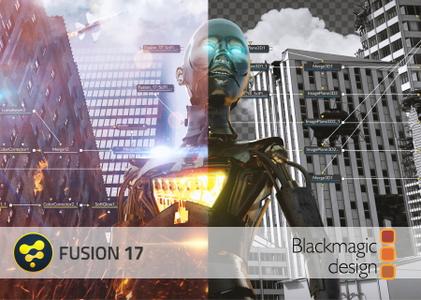
Blackmagic Design Fusion Studio 17b1


393aedad506a6ace0bc32a49c5947490.jpg

Blackmagic Design Fusion Studio 17b1 | 1.0 Gb
​
Blackmagic Design announced Fusion Studio 17 Beta 1. This release brings new effect templates for Fusion, nodes for different shapes, animation curves, animations with synchronized sound as well as workflow integration for third-party applications and more.


Compositions you create on the Fusion page can now be saved as a template and used on the edit or cut page! New animation curve modifiers can be used to automatically retime animations when you change their duration in an edit. Audio playback with waveform display makes it easier to create precisely timed animations, there are shared markers with the edit page and more. In addition, 27 GPU accelerated Resolve FX have been added to the Fusion page, including the noise reduction and sharpening tools from the color page! New node view bookmarks make it easy to navigate large comps, the toolbar can be customized with your favorite tools, and vertical layouts are supported in the node editor.

Fusion effect templates let you create any effect imaginable and apply them to clips on the edit and cut pages! Simply build a composition, save it as a macro, define the parameters you want to make visible, and save it in the correct location. Just drag Fusion effect from the library onto any clip!

Animation curve modifiers let you easily stretch or squish keyframes and add bounce, mirror or loop animations that automatically change when the duration of the composition changes. When you drop Fusion titles or effects onto the timeline and change its duration, the animation adjusts accordingly!

The Fusion page can now playback audio from the edit or cut page timeline. You can choose a mix down from the timeline, or you can listen to the source clip's audio. Waveforms are displayed in the keyframe editor, allowing you to create precisely timed animations that are in sync with the audio!

Vector shape tools make it easier to create motion graphics! You get ellipsis, rectangles, polygons and stars, along with boolean operators for combining shapes to create intricate designs. Grid, jitter, offset and transform, let you customize animations. Shapes can also be used as particle sources!

The Fusion page has 27 new GPU accelerated Resolve FX. This includes the color page's noise reduction and sharpening tools, along with lens blur, light effects, color effects, revival image restoration tools and more. You also get texture and stylize, temporal effects, warping and beauty tools.

Node tree bookmarks let you quickly navigate to any part of the node tree in a large composition. Customizable toolbars let you quickly switch toolbars based on the current task. Vertical node tree layouts give you more room to view the spline and keyframe editors when creating animations, and more.
What's new in Blackmagic Fusion Studio 17b1:

- Anim curves modifier for convenient easing and shaping of animations.
- Support for user customization of the Fusion toolbar above the node editor.
- Initial support for a GPU accelerated 2D shapes toolkit for motion graphics.
- Improved optical flow behavior in Fusion tools.
- Support for bookmarks to switch between different views in the node editor.
- Support for activation keys for Fusion Studio.
- Support for improved inspector with tabs and keyframes.
- Multiple performance and stability improvements.

Fusion is the world's most advanced compositing software for visual effects artists, broadcast and motion graphic designers, and 3D animators. Over the last 30 years, Fusion has been used on thousands of Hollywood blockbuster movies and television shows. Fusion features a powerful node based interface that lets you quickly and easily create sophisticated effects by connecting different types of image processing tools together! You get a massive range of tools, incredible VR and 3D support, GPU accelerated performance, unlimited network rendering and more! Fusion gives you everything you need to create exciting broadcast graphics, dramatic titles, and even major feature film visual effects!

Fusion Studio 17 is available now as a public beta. The beta of Fusion Studio 17 brings new effect templates for Fusion, nodes for different shapes, animation curves, animations with synchronized sound as well as workflow integration for third-party applications and more.

What is Blackmagic Fusion


About Blackmagic Design. Blackmagic Design creates the world's highest quality video editing products, digital film cameras, color correctors, video converters, video monitoring, routers, live production switchers, disk recorders, waveform monitors and real time film scanners for the feature film, post production and television broadcast industries. Blackmagic Design's DeckLink capture cards launched a revolution in quality and affordability in post production, while the company's Emmy award winning DaVinci color correction products have dominated the television and film industry since 1984. Blackmagic Design continues ground breaking innovations including 6G-SDI and 12G-SDI products and stereoscopic 3D and Ultra HD workflows. Founded by world leading post production editors and engineers, Blackmagic Design has offices in the USA, UK, Japan, Singapore and Australia.

Product: Blackmagic Design Fusion Studio
Version: 17b1
Supported Architectures: x64
Website Home Page :
Код:
http://www.blackmagicdesign.com
Language: english
System Requirements: PC / macOs *
Size: 1.0 Gb

Minimum system requirements for Mac
- Mac OS X 10.14.6 Mojave
- Minimum 16 GB RAM
- GPU with at least 2GB of VRAM which supports Metal, OpenCL 1.2 or CUDA 10
- Latest graphics driver as recommended by your GPU manufacturer

Minimum system requirements for Windows
- Microsoft Windows 10
- Minimum 16 GB RAM
- GPU with at least 2GB of VRAM which supports Metal, OpenCL 1.2 or CUDA 10


-:DOWNLOAD FROM LINKS:-

RapidGator
Код:
https://rapidgator.net/file/52a2db175812d66bf4a4476010141909/GaBLicFus17b1_mac.rar.html
https://rapidgator.net/file/7229a3cb152ed2bfd13377e6f719503e/GaBLicFus17b1_win.rar.html

NitroFlare
Код:
https://nitroflare.com/view/409A1EC3F772F2D/GaBLicFus17b1_mac.rar
https://nitroflare.com/view/9D49D86FEB7306B/GaBLicFus17b1_win.rar

​
 
Aidfile Recovery Software v3.7.4.2


6f7a0cf06f36fa354c47626865c77276.jpg

Aidfile Recovery Software v3.7.4.2 | 9.7 Mb
​
Aid file recovery software professional can recover the data if there is an error to your software. For example, partition error writing, unintentional formatting, accidentally deletion, false backup, MBR losing, bad sector of BOOT, virus attack, hacker attack, conversion error, partition logic error, logical bad sectors of hard drive, partition table lost, etc. The success rate is extremely high.


Features:
Do Windows data recovery after accidental format, even if you have reinstalled Windows OS.
Get back files after a partition formatted, error or hard disk crash.
Retrieve files from lost, deleted or formatted/corrupted partitions.
Recover deleted files from emptied recycle bin.
Rescue lost MS Office Word and Excel documents, photos, images, videos, music, email, etc.
Support hard disk, USB drive, sd card, memory stick, camera card, Zip, floppy disk or other storage media.
Preview lost pictures, office files, etc.
Restore lost files with the reason of partition software failure.

Operating System: Windows 10 / 2003/2008/2012, Windows XP, Windows 7, Windows 8,Windows 8.1 ,Windows 9 and Windows Vista

Home Page -
Код:
http://data-recovery-software.aidfile.com/


-:DOWNLOAD FROM LINKS:-

RapidGator
Код:
https://rapidgator.net/file/1bb98e3eb7fe739b3879592aecaa152b/Aidfile.3.7.4.2.rar.html

NitroFlare
Код:
https://nitroflare.com/view/CF99BBBBB4E8199/Aidfile.3.7.4.2.rar

​
 
Steelray Project Analyzer 2020.11.53


ed2ca5535a64ae1f4188242cdb33473e.jpg

Steelray Project Analyzer 2020.11.53 | 325.8 Mb
​
Steelray Project Analyzer is software that takes the pain out of creating, maintaining and delivering quality schedules. With Analyzer, you can evaluate your project schedule for quality and performance in minutes and produce understandable results. Schedules can be analyzed against project management best practices, internally defined best practices and government best practices. Analyzer supports Microsoft Project, Primavera P6 and UN/CEFACT XML.


Easy to Read Scorecard
Our innovative scorecard shows you the results of each check at a glance, using easy to read green, yellow, and red indicators. Our innovative score strip shows you a great deal of information in a compact space. Each scale is completely customizable.

Powerful report gallery
Analyzer comes pre-configured with all of the reports needed to analyze the quality of your schedule. In addition to our innovative scorecard, Analyzer includes the DCMA 14 Point Assessment, a schedule comparison report, a validation report, a longest path tool, and many more.

DCMA EVAS and 14 Point Metrics
The Defense Contract Management Agency EVAS Metrics and 14 Point assessment are a series of checks that help ensure that your schedule has a trustworthy critical path. Steelray Project Analyzer provides reports that run these assessments on your schedule and explains the results in a clear, easy to understand format.

Built-In Scheduling Enyclopedia
Steelray Project Analyzer includes The Coach, a built-in encylopedia that dives deeper into your results, explaining the in simple terms. For some users, The Coach teaches them the fundamentals of schedule quality. For others, it serves as a quick reference.

Jump to the Native Schedule
When tasks are flagged by Analyzer, simply click on a hyperlink to filter those tasks in the native scheduling application (e.g. Microsoft Project). Steelray Project Analyzer provides a smooth workflow to fixing schedule quality issues.

System requirements:
Microsoft .NET Framework v3.5 SP1
Microsoft Visual C++ 2010 Redistributable Package (x86)
(Note: Administrator privileges may be required for installation these prerequisites.)
Available Disk Space for Analyzer and Prerequisites: 500MB
Processor Speed: 1Ghz or better
Supported Operating Systems:Vista, Windows 7 (32/64), Windows 8 (32/64) and Windows 10 (32/64)
Project Version: Project 2003 SP3 or greater
Memory: 512MB Required, 1GB recommended
Display Resolution: 1024x768 or higher

Home Page -
Код:
https://www.steelray.com/ProjectAnalyzer/Analyzer.php


-:DOWNLOAD FROM LINKS:-

RapidGator
Код:
https://rapidgator.net/file/7c5777f8b6d44d5aebb9024984029b3e/Project.Analyzer.2020.11.53.rar.html

NitroFlare
Код:
https://nitroflare.com/view/E75FC65107A3EAD/Project.Analyzer.2020.11.53.rar

​
 
Red Giant Magic Bullet Suite 14.0.1


41940c518517eaa4c90764dfade68e89.jpg

Red Giant Magic Bullet Suite 14.0.1 (x64) | 274.7 Mb
​
Magic Bullet Suite 14 is a complete set of plugins that gives you everything you need to make your footage look great, right on your editing timeline. Balance out your shots with powerful color adjustments. Then, go beyond color correction, with accurate simulations of lens filters and film stocks. And now, with both input and output color handling in Looks, Magic Bullet Suite fits in perfectly anywhere within your high-end color workflow.


STYLIZE
Give your footage the look of a Hollywood film. With the tools in Magic Bullet Suite, your footage can instantly have cinematic contrast and the sophisticated color palettes of big budget movies. With tons of fully customizable presets based on popular movies and TV shows, you will have beautiful results in seconds.

REFINE
Quickly balance skin tones, reduce wrinkles and remove skin blemishes, so your talent can look their best. Magic Bullet Suite makes cosmetic cleanup fast and easy, and gives you natural results that look untouched.

CLEANUP
Save your footage from video noise caused by shooting in the dark or at high ISOs. Magic Bullet Suite can clean up the noise while still preserving the details in your shot. At the end of your color grading process, Magic Bullet Suite can also reintroduce some subtle texture and a natural film grain that gives your final product a look that feels genuine and unprocessed.

TOOLS
Magic Bullet Suite is a set of seven tools that bring intuitive, real time color correction, and beyond, right to your editorial timeline.

System Requirements:
- Windows 10 (64-bit only)

Home Page -
Код:
https://www.redgiant.com/


-:DOWNLOAD FROM LINKS:-

RapidGator
Код:
https://rapidgator.net/file/882b657b9a2b4942e314ff67e75dd3f3/Magic.Bullet.Suite.14.0.1.rar.html

NitroFlare
Код:
https://nitroflare.com/view/C464ECEBF23B058/Magic.Bullet.Suite.14.0.1.rar

​
 
W10Privacy 3.6.1.1


58320d5c7f22bb94feaac5a690450ce5.jpg


File size: 2.3 MB
​
W10Privacy can display common Windows 10 security settings that can be activated as well as deactivated within the program. It also allows importing and exporting of your changes. While there are a lot of Windows 10 privacy tools out there, many of them lack the detail this program has. Of course, this means that it might take you a bit longer to go through your choices.

For those who don't want to go into detail you can choose from 3 predefined settings. While the design is very simple, there are also 3 colors so that you can easily spot the these 3 settings:
Green - Recommended - this is a conservative mode. Yellow - Conditionally recommended - probably the best bet but look over the choices. Red - Restricted - think of this as geek mode. Better know what you're doing. Must run as administrator.

Also, other similar apps don't always have a back or set a restore point making them a bit scary. This program however does offer a save, save as and load options so you can backup and import or export your settings anytime.
W10Privacy has a built in update checker and a handful of user settings as well.


-:DOWNLOAD FROM LINKS:-
RapidGator
Код:
https://rapidgator.net/file/233d3edeada11bc6ddf73b4112e4d665/W10Privacy.zip.html

NitroFlare
Код:
https://nitroflare.com/view/AC217FC7F5CF179/W10Privacy.zip

​
 
Tenorshare iCareFone 7.2.2.2


5a77a453427ac0e08eaa6b23c8462068.jpg

Tenorshare iCareFone 7.2.2.2 Multilingual | 105.4 Mb
​
Tenorshare iCareFone (iPhone Care Pro) is a PC-based tool to tweak your iOS Devices to its top performance. This tool is further divided into 6 small tools specializing in fixing certain issues. You can fix all kinds of iPhone problems just on your Windows computer after downloading iCareFone (iPhone Care Pro).


Great Utility to Clean Up and Speed Up iPhone, iPad and iPod
iCareFone (iPhone Care Pro) is an iOS cleanup/speedup tool that promises to clean up all sensitive and overloaded data. It enables you to get rid of unneeded files so that your device could have more free space and the apps runs more smoothly.
It provides 2 ways to clean iPhone, iPad and iPod: Quick Clean (FREE) and Deep Clean. Scan for and clean up app cookies, app crash logs, photo caches, call history, iTunes Radio caches and other junk files. You can decide and set certain types of files to clean by your own and clear all junk files in one click.

Fix Various iOS Stuck Related to iOS Upgrade, Overheat and More
iPhone, iPad or iPod gets stuck and can't boot properly? iCareFone (iPhone Care Pro) can help you fix all of iOS stuck issues only with one click.
Fix iPhone/iPad/iPod stuck on Recovery mode, DFU mode, Apple logo, iOS freeze, reboot loop, etc. And reboot your device when you need a firmware restore, but Home or Power button doesn't work.

Ultimate Solution to Repair iOS System
"Repair Operating System" function of Tenorshare iCareFone (iPhone Care Pro) provides an easy way to download firmware to fix iOS crash, upgrade failure and any iOS stuck issues. No Data loss. No jailbreak.
iOS can't boot properly due to system files loss.
Can't receive upgrade notification and fail to upgrade iOS.
iOS operating system is damaged severely.
Enter and exit recovery mode or DFU mode but iOS stuck issues still can't be resolved.

Block Ads on iPhone, iPad and iPod
iCareFone (iPhone Care Pro) is a great iOS ads blocker which easily blocks or removes ads and banners in apps on iPhone, iPad and iPod Touch. It creates a totally ad-free environment for your iOS devices.
Block ads from all popular apps: Pandora, YouTube, Airborne, etc.
Remove only ads. No damage to your apps and no leaking of personal information.
Improve system performance of iOS devices to a large extent.

Backup and Restore iOS Data
iTunes can't recognize your iPhone? Even without iTunes, you can still backup and restore iPhone, iPad and iPod from iTunes backup.
Faster than iTunes as there's no need to load all iTunes library when backup and restore.
Automatically list all iTunes backups for you to restore from.
Delete unneeded backups and save more space on your hard drive.

Operating System: Windows 10/Windows 8.1/Windows 8/7/Vista/XP (32-bit/64-bit)

Home Page -
Код:
https://www.tenorshare.com/


-:DOWNLOAD FROM LINKS:-

RapidGator
Код:
https://rapidgator.net/file/fba3db9e72bc7d7a334bfab9ff849fc2/iCareFone7.rar.html

NitroFlare
Код:
https://nitroflare.com/view/189C1CEDC837373/iCareFone7.rar

​
 
InventorCAM 2020 SP3 HF3


200597f8fb7c84c3f29b9436bb7f5135.jpg

InventorCAM 2020 SP3 HF3 | 4.4 Gb

Languages: 中文, Čeština, Dansk, Nederlands, English, Français, Deutsch, עברית, Magyar,

Italiano, 日本語, 한국어, Polski, Português, Русский, Español, Türkçe

​
SolidCAM is pleased to announce the availability of InventorCAM 2020 SP3 HF3 - the latest version of their flagship CAM software, fully integrated in Autodesk Inventor. Last release brings major enhancements to many CAM modules available inside InventorCAM, as well as general improvements that provide an even greater ease-of-use for the end user.

InventorCAM 2020 SP3 HF3 Release Notes - Date: November 16, 2020

Bug Fixes
SOL-7926 Mill-turn / home 2-1 not available for turning operations
SOL-9702 iMachining - Feature recognition by Chains
SOL-12404 iMachining 3D wrong import Z Levels
SOL-14371 Hole Wizard Process Files not correct
SOL-14430 drive unit gear ID in the @m_feed_spin has value 0 for the HSR\HSM operations
SOL-14433 SW2021 || Cam part definition || Accept signs are NA
SOL-14468 HSR || Updated Stock || SC Crashes
SOL-14484 cutting speed not applied correctly when " apply feeds / spins from tooltable" option is used
SOL-14523 lead-in in profile operation / point
SOL-14551 Radom crash/SolidCAM doesn't close running process after closing file
SOL-14559 Gcode/get_axis_current_status wrong value for internal labe
SOL-14638 Rotary Machining || Rapid motion in G1 mode doesn't work
SOL-14698 SC2020 SP3 HF2 /deep hole drilling/empty segment-layers window
SOL-14711 Drill Recognition / Drill geometry lost when converting part to SC 2020
SOL-14722 Save As for Change Model blows up Hole Wiz
SOL-14750 Tooltable/Change of Tool Material in iData tab isn't saved
SOL-14766 Vericut - Cutter Compensation for all Milling Tools is wrong
SOL-14767 Vericut -Crash when open the Tooltable in Vericut
SOL-14782 Fixture not recognized


About SolidCAM product family. SolidCAM, InventorCAM and the standalone SolidCAM CAD/CAM suite are the flagship products. SolidCAM and InventorCAM integrate with SolidWorks and Inventor, respectively. Officially approved partners and all that. Their CNC programming toolsets look and feel like the CAD systems as much as possible, making the learning curve shorter. You define, calculate and verify all your machining operations without leaving the CAD environment. They can handle programming 2.5- to 5-axis machining, high-speed surface milling, wire EDM, etc. Their models are fully associative, so your toolpaths update when you make a part change. There are no import/export hassles, and you don't have to learn some CAM system's idea of a CAD application to make them work.

iMachining - basically, this is a wizard-based technology - patented, BTW - that makes defining cutting conditions easy by automatically calculating the cutting conditions for your toolpath. You give it your toolpath, stock, tool material and machine specifications then it derives optimal feeds, step over depths and widths as well as cutting speeds. For you old hands, the company says iMachining can save you 70% or more in CNC machining time and extends tool life dramatically.

SolidCAM & InventorCAM Tutorial 2 | 2.5D Milling

SolidCAM Inc is a world leader in advanced tool path generation technology (CAM) running directly inside SolidWorks. SolidCAM features a full line of CNC machine programming software solutions ranging from 2 axis lathes and 3 axis mills to extremely complex multi-axis MillTurn machines and Wire Edm. All products run directly inside SolidWorks and provide the user with a true "SolidWorks look and feel" for ease of use and maximum efficiency. Along with the integrated interface and scalability for new machines, SolidCAM also has its patented "iMachining" that powers users to new levels of productivity and profits, through unmatched cycle time reduction and unrivaled tool life.

Product: InventorCAM
Version: 2020 S3 HF3 build 114343
Supported Architectures: x64
Website Home Page :
Код:
http://www.solidcam.com
Language: multilanguage
System Requirements: PC *
Software Prerequisites: Autodesk Inventor 2021 and below
Size: 4.4 Gb
Microsoft Windows 10 x64 Professional and Enterprise Editions; Microsoft Windows 8.1 x64 Professional and Enterprise Editions (with latest Service Pack); Microsoft Windows 7 x64 Professional and Ultimate Editions (with latest Service Pack)
- Intel Xeon, Intel Core, Intel Core 2 Duo, Intel Core 2 Quad or higher (If you use other processors we assume no responsibility and no support)
- 4 GB RAM (for the processing of large components, we recommend 8 GB RAM (or more)
- 15 GB free disk space for installation
- Hard disk with at least 100 GB of storage
- NVIDIA graphics card of the current Quadro series with min. 512 MB ​​(1024 MB recommended) and current, certified graphics driver (With the use of other and on-board graphics cards, we accept no responsibility and no support)
- 1,280 x 1,024 or higher screen resolution
- Microsoft Direct3D 9 or compatible graphics card (Microsoft Direct3D 11 or higher recommended)
- USB 2.0 interface
- DVD drive


-:DOWNLOAD FROM LINKS:-

RapidGator
Код:
https://rapidgator.net/file/a141b8b986c98ae7984a0408f8c14746/InventorCAM.2020.SP3.HF3.part1.rar.html
https://rapidgator.net/file/4bbc83c7015d6ade18dbdcabafe441a5/InventorCAM.2020.SP3.HF3.part2.rar.html
https://rapidgator.net/file/fcbaae27fc90642e5cf3fd90653e401a/InventorCAM.2020.SP3.HF3.part3.rar.html
https://rapidgator.net/file/55b75044af11819138c2655f0a5624ed/InventorCAM.2020.SP3.HF3.part4.rar.html
https://rapidgator.net/file/3a40b80d8d10bdc8244929a2798ac04a/InventorCAM.2020.SP3.HF3.part5.rar.html

NitroFlare
Код:
https://nitroflare.com/view/D175D848B7F7C02/InventorCAM.2020.SP3.HF3.part1.rar
https://nitroflare.com/view/E08AFBF320AB22C/InventorCAM.2020.SP3.HF3.part2.rar
https://nitroflare.com/view/EC4CF27273C4967/InventorCAM.2020.SP3.HF3.part3.rar
https://nitroflare.com/view/C32A09830ABD94D/InventorCAM.2020.SP3.HF3.part4.rar
https://nitroflare.com/view/0FFE289B721924D/InventorCAM.2020.SP3.HF3.part5.rar

​
 
SolidCAM 2020 SP3 HF3


b93a981331e4bfaa07559091bc47480e.jpg

SolidCAM 2020 SP3 HF3 | 4.6 Gb

Languages: 中文, Čeština, Dansk, Nederlands, English, Français, Deutsch, עברית, Magyar,

Italiano, 日本語, 한국어, Polski, Português, Русский, Español, Türkçe

​

SolidCAM is pleased to announce the availability of new version CAM software - SolidCAM 2020 SP3 HF3. Last release brings major enhancements to many CAM modules available inside SolidCAM, as well as general improvements that provide an even greater ease-of-use for the end user.

SolidCAM 2020 SP3 HF3 Release Notes - Date: November 16, 2020

Bug Fixes
SOL-7926 Mill-turn / home 2-1 not available for turning operations
SOL-9702 iMachining - Feature recognition by Chains
SOL-12404 iMachining 3D wrong import Z Levels
SOL-14371 Hole Wizard Process Files not correct
SOL-14430 drive unit gear ID in the @m_feed_spin has value 0 for the HSR\HSM operations
SOL-14433 SW2021 || Cam part definition || Accept signs are NA
SOL-14468 HSR || Updated Stock || SC Crashes
SOL-14484 cutting speed not applied correctly when " apply feeds / spins from tooltable" option is used
SOL-14523 lead-in in profile operation / point
SOL-14551 Radom crash/SolidCAM doesn't close running process after closing file
SOL-14559 Gcode/get_axis_current_status wrong value for internal labe
SOL-14638 Rotary Machining || Rapid motion in G1 mode doesn't work
SOL-14698 SC2020 SP3 HF2 /deep hole drilling/empty segment-layers window
SOL-14711 Drill Recognition / Drill geometry lost when converting part to SC 2020
SOL-14722 Save As for Change Model blows up Hole Wiz
SOL-14750 Tooltable/Change of Tool Material in iData tab isn't saved
SOL-14766 Vericut - Cutter Compensation for all Milling Tools is wrong
SOL-14767 Vericut -Crash when open the Tooltable in Vericut
SOL-14782 Fixture not recognized


SolidCAM is a CAM software that integrates directly into SolidWorks and Inventor. That does not only mean you can program tooling paths from the comfort of the CAD software you know and love, but it is also advantageous in that all tool paths retain associativity with the original CAD design. In other words, any changes made to the CAD file will instantly be reflected in updated tool paths, saving you time and money.

Take out the guesswork of milling, turning and other processes by using the patented Technology Wizard. The wizard allows you to automatically fine-tune optimized feeds, speeds, depth and width of cuts. What is more, this CAM software automatically recognizes the distinct geometrical features of your design and assigns toolpaths accordingly. Hence, this approach eliminates the need for time-consuming manual geometry definition.

The tool paths created with this CAM software rely on an advanced, patented morphing spiral that gradually conforms to the geometry of the feature being machined rather than an old-fashioned, simple spiral tool path. This increases the amount of time the tool actually works the stock and thus makes your machine more productive.

SolidCAM & iMachining - The amazing CAM solution.


SolidCAM Inc is a world leader in advanced tool path generation technology (CAM) running directly inside SolidWorks. SolidCAM features a full line of CNC machine programming software solutions ranging from 2 axis lathes and 3 axis mills to extremely complex multi-axis MillTurn machines and Wire Edm. All products run directly inside SolidWorks and provide the user with a true "SolidWorks look and feel" for ease of use and maximum efficiency. Along with the integrated interface and scalability for new machines, SolidCAM also has its patented "iMachining" that powers users to new levels of productivity and profits, through unmatched cycle time reduction and unrivaled tool life.

Product: SolidCAM
Version: 2020 S3 HF3 build 114343
Supported Architectures: x64
Website Home Page :
Код:
http://www.solidcam.com
Language: multilanguage
System Requirements: PC *
Software Prerequisites: SolidWorks 2012-2021
Size: 4.6 Gb

Microsoft Windows 10 x64 Professional and Enterprise Editions; Microsoft Windows 8.1 x64 Professional and Enterprise Editions (with latest Service Pack); Microsoft Windows 7 x64 Professional and Ultimate Editions (with latest Service Pack)
- Intel Xeon, Intel Core, Intel Core 2 Duo, Intel Core 2 Quad or higher (If you use other processors we assume no responsibility and no support)
- 4 GB RAM (for the processing of large components, we recommend 8 GB RAM (or more)
- 15 GB free disk space for installation
- Hard disk with at least 100 GB of storage
- NVIDIA graphics card of the current Quadro series with min. 512 MB ​​(1024 MB recommended) and current, certified graphics driver (With the use of other and on-board graphics cards, we accept no responsibility and no support)
- 1,280 x 1,024 or higher screen resolution
- Microsoft Direct3D 9 or compatible graphics card (Microsoft Direct3D 11 or higher recommended)
- USB 2.0 interface
- DVD drive


-:DOWNLOAD FROM LINKS:-

RapidGator
Код:
https://rapidgator.net/file/70f3e4e675b5f7e1144c427a2edd80c5/SolidCAM.2020.SP3.HF3.part1.rar.html
https://rapidgator.net/file/a4eb1de742d5f5d0d19e8bbacb7408c8/SolidCAM.2020.SP3.HF3.part2.rar.html
https://rapidgator.net/file/06043d10332bec420d51f5f2b0dd8215/SolidCAM.2020.SP3.HF3.part3.rar.html
https://rapidgator.net/file/d9c99d96145ac1a3f12e11727eba6157/SolidCAM.2020.SP3.HF3.part4.rar.html
https://rapidgator.net/file/dc9061286c8fc02543b9990da18b3533/SolidCAM.2020.SP3.HF3.part5.rar.html

NitroFlare
Код:
https://nitroflare.com/view/D20FE1FC0138CEF/SolidCAM.2020.SP3.HF3.part1.rar
https://nitroflare.com/view/D0B154BD86AC1C3/SolidCAM.2020.SP3.HF3.part2.rar
https://nitroflare.com/view/287780E96B45CD3/SolidCAM.2020.SP3.HF3.part3.rar
https://nitroflare.com/view/E63ABB2709872E6/SolidCAM.2020.SP3.HF3.part4.rar
https://nitroflare.com/view/3252CFEFDFCEF52/SolidCAM.2020.SP3.HF3.part5.rar

​
 
BMW Road Map Europe West / East Premium 2020-2


bce5dd78230d114ef84fa2f18b3941c9.jpeg


Size File: 23.52 / 22.52 GB
​
BMW Road Map Europe West Premium 2020-2 map update for BMW CIC (Car Infotainment Computer) navigation system and Professional navigation system.

Installation :
For vehicles manufactured before 03.2010, map update via USB is only possible with updated CIC firmware (after 03.2010). As a rule, if the first letter in the firmware version is I, J, K, L or M (for example, CIC_Ixxxxxx), then an update from a USB flash drive is possible.
1. Copy the contents of the folder (ie the pkgdb folder and the config.nfm file) to the root of the USB flash drive formatted in FAT32.
1. Insert the USB stick into the USB port located in the glove box. The display will automatically ask you to update the navigation.
2. Use the iDrive-Controller to select the "Start update" menu item on the display.
3. Enter the 20-digit FSC activation code (Freischaltcode) using the iDrive-Controller. The FSC activation code does not contain the numbers 0 and 1 in order to avoid confusion with the letters O and I. If the LifeTime code was previously activated, you do not have to enter anything.
4. Select and press "OK" to confirm and the update process (copy from a USB flash drive) will begin.
5. The update will be downloaded only when the display is active, ie. with the ignition on, with the engine running, and a few minutes after stopping the engine. The update takes place in the background and the basic functions of the navigation system are available. Do not remove the flash drive until the update is complete.
6. The update can take from 30 to 90 minutes. After the update is fully downloaded, the system will automatically reboot. The update is complete.

Year / Release Date : 2020
Version : 2020-2
List of countries on the disc :

Full coverage West:
Austria, Andorra, Belgium, Vatican, UK, Hungary, Germany, Gibraltar, Greece, Denmark, Ireland, Spain, Italy, Liechtenstein, Luxembourg, Malta, Monaco, Netherlands, Norway, Poland, Portugal, San Marino, Slovakia, Finland, France, Croatia, Czech Republic, Switzerland, Sweden.

Full coverage East:
Austria, Belarus, Belgium, Bulgaria, Vatican, Hungary, Germany, Greece, Denmark, Italy, Latvia, Lithuania, Liechtenstein, Luxembourg, Malta, Netherlands, Norway, Poland, Russia, Romania, San Marino, Serbia, Slovakia, Slovenia, Turkey, Ukraine, Finland, Croatia, Czech Republic, Switzerland, Sweden, Estonia.


Main road only West:
Albania, Belarus, Bosnia and Herzegovina, Bulgaria, Estonia, Latvia, Lithuania, Macedonia, Moldova, Romania, Russia, Serbia, Turkey, Ukraine, Montenegro.

Main road only East:
Albania, Andorra, Bosnia and Herzegovina, Great Britain, Gibraltar, Ireland, Spain, Macedonia, Moldova, Monaco, Portugal, France, Montenegro.
Supported languages :
English, Italian, Spanish, German, Russian, French.

Supported languages :
English, Italian, Spanish, German, Russian, French.
System compatibility :

Platforms:
CIC (Car Infotainment Computer) and Navigation System Professional
Models:
E60, E61 - after 11/2008 and until 05/2010
E63, E64 - after 11/2008 and until 07/2010
E70 - after 10/2009 and until 06/2013
E71 - after 05/2008 and until 07/2014
E81, E82, E87, E88 - after 09/2008 and until 03/2014
E84 - after 10/2009
E89 - after 04/2009
E90, E91, E92, E93 - after 09/2008 and until 10/2013
F04 - after 11 / 2008 and until 06/2012
F06 - after 03/2012 and until 03/2013
F07 - after 10/2009 and until 07/2012
F01, F02, F03 - after 11/2008 and until 07/2012
F10, F11 - after 03 / 2010 and until 09/2012
F12, F13 - after 12/2010 and until 03/2013
F20, F21 - after 09/2011 and until 03/2013
F25 - after 11/2010 and until 04/2013
F30 - after 02/2012 and until 11/2012

What News?
Official site does not provide any info about changes in this version.


-:DOWNLOAD FROM LINKS:-
RapidGator
East
Код:
https://rapidgator.net/file/d731e5eeb3698052d35cfe6cbaf3c089/Map_Europe_East_Premium_2020-2.part01.rar.html
https://rapidgator.net/file/ed2871e1ceb815f95cc64a318bf22850/Map_Europe_East_Premium_2020-2.part02.rar.html
https://rapidgator.net/file/9318c8e5ae3cad059d237cddef6378ec/Map_Europe_East_Premium_2020-2.part03.rar.html
https://rapidgator.net/file/93909ca4b29f4752d6cac5a219038c14/Map_Europe_East_Premium_2020-2.part04.rar.html
https://rapidgator.net/file/205469a716bbd87c9290e2799c3e89d1/Map_Europe_East_Premium_2020-2.part05.rar.html
https://rapidgator.net/file/6436a9e87a4a8165af7434ab0e479d96/Map_Europe_East_Premium_2020-2.part06.rar.html
https://rapidgator.net/file/d32d8160bbe1980c2660db0999bc0c32/Map_Europe_East_Premium_2020-2.part07.rar.html
https://rapidgator.net/file/07cd591547c2bb3f6f387ef662b02a5d/Map_Europe_East_Premium_2020-2.part08.rar.html
https://rapidgator.net/file/528865bb4a08f03a2fd6e785621972b4/Map_Europe_East_Premium_2020-2.part09.rar.html
https://rapidgator.net/file/34e16878fe9e7ee81917d531f6763743/Map_Europe_East_Premium_2020-2.part10.rar.html
https://rapidgator.net/file/ef3e8ff6380474065a630a152313140b/Map_Europe_East_Premium_2020-2.part11.rar.html
https://rapidgator.net/file/28780415f8eaaf68985ab07297b9a8ea/Map_Europe_East_Premium_2020-2.part12.rar.html
https://rapidgator.net/file/f1300ffd4f366dc61dcf8162a4b074d8/Map_Europe_East_Premium_2020-2.part13.rar.html
https://rapidgator.net/file/6ac3e106ace06918e01b26fa63ee9d8a/Map_Europe_East_Premium_2020-2.part14.rar.html
https://rapidgator.net/file/01eeed349b0b60f0443d017356b8915a/Map_Europe_East_Premium_2020-2.part15.rar.html
https://rapidgator.net/file/678b00c7a72dc5051dc37c32b9436f6b/Map_Europe_East_Premium_2020-2.part16.rar.html
https://rapidgator.net/file/27f8f455afe8b2c001b8afa5e66bf6c4/Map_Europe_East_Premium_2020-2.part17.rar.html
https://rapidgator.net/file/f223dd5d05e64d1951a6b6734d96d225/Map_Europe_East_Premium_2020-2.part18.rar.html
https://rapidgator.net/file/ba7ccd1f169d8eaebf8d1f09035edc90/Map_Europe_East_Premium_2020-2.part19.rar.html
https://rapidgator.net/file/955c52b0adf0ee4f372216217edf2d26/Map_Europe_East_Premium_2020-2.part20.rar.html
https://rapidgator.net/file/5ccf2d7f9a4fcb8b09879d2ad9b7caec/Map_Europe_East_Premium_2020-2.part21.rar.html
https://rapidgator.net/file/3a5e81477d05dab039a7399853882c60/Map_Europe_East_Premium_2020-2.part22.rar.html
https://rapidgator.net/file/daadb9f425fd8142fa842c6407e39ed6/Map_Europe_East_Premium_2020-2.part23.rar.html

West
Код:
https://rapidgator.net/file/754eb91ad755da45c09d0fbbb0eae6d0/Map_Europe_West_Premium_2020-2.part01.rar.html
https://rapidgator.net/file/78ad40f524faa6e2148170230f91aca1/Map_Europe_West_Premium_2020-2.part02.rar.html
https://rapidgator.net/file/62cc351fe1b9513e6c74b84a1debbc32/Map_Europe_West_Premium_2020-2.part03.rar.html
https://rapidgator.net/file/b7c3d355c737aec0979e766802545834/Map_Europe_West_Premium_2020-2.part05.rar.html
https://rapidgator.net/file/e353b1499b19abf92cf91d5a5d2cb90f/Map_Europe_West_Premium_2020-2.part06.rar.html
https://rapidgator.net/file/d8e63da186fe90fbdf403538fb728916/Map_Europe_West_Premium_2020-2.part07.rar.html
https://rapidgator.net/file/e132614c93ad1dee37cc5e11be55748d/Map_Europe_West_Premium_2020-2.part08.rar.html
https://rapidgator.net/file/1c0dfd914e70bfdddbb8b6729d74eb0b/Map_Europe_West_Premium_2020-2.part09.rar.html
https://rapidgator.net/file/4015714b2a7a55f898b84a0e60f5569a/Map_Europe_West_Premium_2020-2.part10.rar.html
https://rapidgator.net/file/bbcf0c75399a60c9680feb3a848d2960/Map_Europe_West_Premium_2020-2.part11.rar.html
https://rapidgator.net/file/e8c342ae953da2fa32ad71fcedb7c1bf/Map_Europe_West_Premium_2020-2.part12.rar.html
https://rapidgator.net/file/b3566a289b5e3f4be6df2a98fde388d2/Map_Europe_West_Premium_2020-2.part13.rar.html
https://rapidgator.net/file/7967f7c802fdd1393e87751d98026ec6/Map_Europe_West_Premium_2020-2.part14.rar.html
https://rapidgator.net/file/76f6b54879e4a6a87377420bbcf81b51/Map_Europe_West_Premium_2020-2.part15.rar.html
https://rapidgator.net/file/9b10aceee1cdf18be6f971a2d7ca4dc8/Map_Europe_West_Premium_2020-2.part16.rar.html
https://rapidgator.net/file/e94e40f4bbc6ca24717a2c94ed3cb76f/Map_Europe_West_Premium_2020-2.part17.rar.html
https://rapidgator.net/file/17f6d8a72f5f8067da81fcaf877d0fbe/Map_Europe_West_Premium_2020-2.part18.rar.html
https://rapidgator.net/file/7e78bea19ef36d8ff9742852a127ce04/Map_Europe_West_Premium_2020-2.part19.rar.html
https://rapidgator.net/file/9acae509a8df3c86e948e04dce89ec64/Map_Europe_West_Premium_2020-2.part20.rar.html
https://rapidgator.net/file/15374e1180de83512956e84c7c470a4d/Map_Europe_West_Premium_2020-2.part21.rar.html
https://rapidgator.net/file/c38d913fb7cf24155250b98432f2cec9/Map_Europe_West_Premium_2020-2.part22.rar.html
https://rapidgator.net/file/540a17e9a9d06e4be185f207106bc4e3/Map_Europe_West_Premium_2020-2.part23.rar.html
https://rapidgator.net/file/dd69e36e45a898e3a6caf627245a6908/Map_Europe_West_Premium_2020-2.part24.rar.html

NitroFlare
East
Код:
https://nitroflare.com/view/C0554B25D393077/Map_Europe_East_Premium_2020-2.part01.rar
https://nitroflare.com/view/16989C93C62D794/Map_Europe_East_Premium_2020-2.part02.rar
https://nitroflare.com/view/5AAD2C1565B416F/Map_Europe_East_Premium_2020-2.part03.rar
https://nitroflare.com/view/0E4C16B1024A9C3/Map_Europe_East_Premium_2020-2.part04.rar
https://nitroflare.com/view/5DF2C03F7D2ACE2/Map_Europe_East_Premium_2020-2.part05.rar
https://nitroflare.com/view/32D6D7880BE98EF/Map_Europe_East_Premium_2020-2.part06.rar
https://nitroflare.com/view/337555FFFBDA311/Map_Europe_East_Premium_2020-2.part07.rar
https://nitroflare.com/view/0AE2B6674B83F94/Map_Europe_East_Premium_2020-2.part08.rar
https://nitroflare.com/view/FC56005867F541C/Map_Europe_East_Premium_2020-2.part09.rar
https://nitroflare.com/view/E635A7066B3CC8A/Map_Europe_East_Premium_2020-2.part10.rar
https://nitroflare.com/view/5B1EDE4A44A3D71/Map_Europe_East_Premium_2020-2.part11.rar
https://nitroflare.com/view/A2D8B6D53194289/Map_Europe_East_Premium_2020-2.part12.rar
https://nitroflare.com/view/54C9EE6751DCD64/Map_Europe_East_Premium_2020-2.part13.rar
https://nitroflare.com/view/ADBFEFE9B2D566E/Map_Europe_East_Premium_2020-2.part14.rar
https://nitroflare.com/view/9DE7064C526D65B/Map_Europe_East_Premium_2020-2.part15.rar
https://nitroflare.com/view/17590CDA99B5F11/Map_Europe_East_Premium_2020-2.part16.rar
https://nitroflare.com/view/661D428EB2C503C/Map_Europe_East_Premium_2020-2.part17.rar
https://nitroflare.com/view/18CFED2CA0D9D57/Map_Europe_East_Premium_2020-2.part18.rar
https://nitroflare.com/view/EFA400E96081A6D/Map_Europe_East_Premium_2020-2.part19.rar
https://nitroflare.com/view/5BA79301AA6E9D0/Map_Europe_East_Premium_2020-2.part20.rar
https://nitroflare.com/view/38B906F13B56F88/Map_Europe_East_Premium_2020-2.part21.rar
https://nitroflare.com/view/30DB86B790C972A/Map_Europe_East_Premium_2020-2.part22.rar
https://nitroflare.com/view/EB92F95AD475F51/Map_Europe_East_Premium_2020-2.part23.rar

West
Код:
https://nitroflare.com/view/C1730DFF4A6605B/Map_Europe_West_Premium_2020-2.part01.rar
https://nitroflare.com/view/6318D44A10A50BE/Map_Europe_West_Premium_2020-2.part02.rar
https://nitroflare.com/view/9C9AB20E5EFAD60/Map_Europe_West_Premium_2020-2.part03.rar
https://nitroflare.com/view/9B7A4E4B05F216F/Map_Europe_West_Premium_2020-2.part05.rar
https://nitroflare.com/view/C5AFA2F9835B7EF/Map_Europe_West_Premium_2020-2.part06.rar
https://nitroflare.com/view/1441EE43C0F6CC0/Map_Europe_West_Premium_2020-2.part07.rar
https://nitroflare.com/view/E872DD5ED9A69D2/Map_Europe_West_Premium_2020-2.part08.rar
https://nitroflare.com/view/DBC279F054A47BF/Map_Europe_West_Premium_2020-2.part09.rar
https://nitroflare.com/view/42FAE0318A677F4/Map_Europe_West_Premium_2020-2.part10.rar
https://nitroflare.com/view/6F4C314FEB462DE/Map_Europe_West_Premium_2020-2.part11.rar
https://nitroflare.com/view/FF3BD1ECF9D250A/Map_Europe_West_Premium_2020-2.part12.rar
https://nitroflare.com/view/06DE89C346CFEEF/Map_Europe_West_Premium_2020-2.part13.rar
https://nitroflare.com/view/9F37F112B577422/Map_Europe_West_Premium_2020-2.part14.rar
https://nitroflare.com/view/958055C8D2CBF37/Map_Europe_West_Premium_2020-2.part15.rar
https://nitroflare.com/view/4D0B8C63A1159C9/Map_Europe_West_Premium_2020-2.part16.rar
https://nitroflare.com/view/041051CFF2B7CA7/Map_Europe_West_Premium_2020-2.part17.rar
https://nitroflare.com/view/F241CA9CB06DCD5/Map_Europe_West_Premium_2020-2.part18.rar
https://nitroflare.com/view/3111AB5C7013DF8/Map_Europe_West_Premium_2020-2.part19.rar
https://nitroflare.com/view/D29E6C3B59D90C8/Map_Europe_West_Premium_2020-2.part20.rar
https://nitroflare.com/view/D8D006EA9BF9A8D/Map_Europe_West_Premium_2020-2.part21.rar
https://nitroflare.com/view/01D01F674922B75/Map_Europe_West_Premium_2020-2.part22.rar
https://nitroflare.com/view/6779F04DC4984D1/Map_Europe_West_Premium_2020-2.part23.rar
https://nitroflare.com/view/8D28E0E2D74D214/Map_Europe_West_Premium_2020-2.part24.rar

​
 
Telerik Collection for .NET 2020 R3 SP1


452e979c7055905c88b74bdc18c289b6.jpg

Telerik Collection for .NET 2020 R3 SP1 | 1.5 Gb
​
The Progress development team is pleased to announce the availability new version of its developer tools (R3 2020 SP1 Release), the modular platform that combines a rich set of UI tools with powerful cloud services to developer tools web, hybrid and native apps.


Telerik Reporting Releases (Updates in R3 2020 SP1 - Released: Oct 21, 2020)

Features
Add Microsoft Visual Studio Template for the Web Report Designer
- The web report designer can now be added to Microsoft ASP.NET Core 3+ and ASP.NET projects using a Microsoft Visual Studio item template.

Fixes
Web Service Data Source
- Two step authentication request fails when TokenPath is not set.
Web Designer
- CSV data source's field and record separators do not allow multi-select.
- Property editors of input fields are not updated on change from the design surface.
- ServiceUrl value without a trailing slash causes the designer to hang.
- The error message shown when a datasource fails to connect to a database, is not descriptive.
- An error occurs when the WebServiceDataSource.ServiceUrl contains inline parameters.
- Cannot add a second WebService data source that has a request header name which is already used by a previously declared WebService data source.
- The DataSource Wizards' Preview page is not updated when the configuration data is changed.
Processing
- PictureBox does not support URLs longer than 250 characters.
Microsoft Excel Rendering
- PictureBox that has Style.BackgroundImage set and doesn't have Value set causes exception when rendering in XLS and XLSX formats.
PDF Rendering
- Graphic primitives are rendered with incorrect LineCap and LineJoin properties.
- PictureBox with SVG contents is rendered in PDF documents using raster bitmap rather than vector primitives.
WebForms Report Viewer (legacy)
- PictureBox and BackgroundImage contents are not rendered in the legacy Web Forms Viewer.

Telerik's Ultimate collection for .NET includes Telerik's entire suite of developer tools and automated testing to help software development teams build applications faster with more powerful features out of the box. The bundle includes all Telerik user interface control suites including ASP.NET AJAX, Silverlight, MVC, WinForms, and WPF; tools for Reporting and ORM, Code Analysis, and Mocking; and WebUI Test Studio developer Edition.

Building a modern UI for web, desktop and mobile apps has never been easier.

Building a modern UI for web, desktop and mobile apps has never been easier.

Tech Is Evolving, and so Is Telerik with R3 2020: Telerik UI for Blazor Now with 50+ Truly Native Components, UI for ASP.NET Core with Support for .NET 5 & More!

Building modern, professional-looking UI for business applications is hard work. You can make it faster and easier with the Telerik UI component libraries and data visualization solutions for Blazor, ASP.NET Core, ASP.NET MVC, and ASP.NET AJAX.

Always in step with the rapidly evolving .NET ecosystem, our Telerik R3 2020 release is here to help you keep up with the latest innovations in creating stunning web apps.

Telerik UI for Blazor now shines with 50+ truly native components and the most anticipated Grid features. In addition, Telerik enables Blazor integration across its toolset-Reporting, JustMock, Test Studio, and Xamarin.

Telerik UI for ASP.NET Core ships with support for the latest preview of .NET 5, along with many new components and improvements across the entire Core library.


Progress Telerik offers a leading platform for Dev.msieloping and deploying mission-critical business applications. The creator of the award-winning .NET and Kendo UI JavaScript user interface components/controls, reporting solutions and productivity tools, Progress Telerik has been providing the tools developers need to easily and efficiently build high-performant modern apps with outstanding UI for more than 20 years.

Product: Progress Telerik
Version: Ultimate Collection for .NET R3 2020 SP1 *
Supported Architectures: 32bit / 64bit
Website Home Page :
Код:
http://www.telerik.com
Language: english
System Requirements: PC **
Software Prerequisites: Microsoft .NET Framework
Size: 1.5 Gb

JustMock_2020_3_1019_2_Dev.msi
kendoui.for.jquery.2020.3.1021.commercial.msi
telerik.ui.for.aspnet.core.2020.3.1021.commercial.msi
telerik.ui.for.aspnetmvc.2020.3.1021.commercial.msi
telerik.ui.for.blazor.2.18.0.commercial.msi
telerik.ui.for.jsp.2020.3.1021.commercial.msi
telerik.ui.for.php.2020.3.1021.commercial.msi
Telerik_Reporting_R3_2020_SP1_14_2_20_1021_DEV.msi
Telerik_ReportServer_6_2_20_1021_Dev.msi
Telerik_UI_for_ASP.NET_AJAX_2020_3_1021_Dev.msi
Telerik_UI_for_Silverlight_2020_3_1020_Dev.msi
Telerik_UI_for_UniversalWindowsPlatform_2020_3_0902_1_Dev.msi
Telerik_UI_for_WPF_2020_3_1020_Dev.msi
Telerik_UI_for_Xamarin_2020_3_1106_1_Dev.msi
Telerik_Web_Parts_For_Sharepoint2010_2020_3_1021_Dev.msi
Telerik_Web_Parts_For_Sharepoint2013_2020_3_1021_Dev.msi
telerik.ui.for.aspnet.core.2020.3.1021.commercial.pkg
telerik.ui.for.blazor.2.18.0.commercial.pkg


-:DOWNLOAD FROM LINKS:-

RapidGator
Код:
https://rapidgator.net/file/418f3f16c67a1b90f707c8d913ff7059/Telerik_Collection_for_.NET_2020_R3_SP1.part1.rar.html
https://rapidgator.net/file/f0015c22b1747ba1f1651242dc84af7c/Telerik_Collection_for_.NET_2020_R3_SP1.part2.rar.html

NitroFlare
Код:
https://nitroflare.com/view/51BC448866AFDF7/Telerik_Collection_for_.NET_2020_R3_SP1.part1.rar
https://nitroflare.com/view/EC55946B4DBBA6F/Telerik_Collection_for_.NET_2020_R3_SP1.part2.rar

​
 
Altair HWSolvers 2019.2.3 Hotfix Only Update


0b8a2d04b170ce910e6e2448674d4dd7.jpg

Altair HWSolvers 2019.2.3 Update | 1.6 Gb
​
The Altair HyperWorks development team has released an update to HyperWorks Solvers 2019 is a collection of finite element and multibody dynamics solvers for structural, fluid-dynamics and systems simulation.

Altair MotionSolve 2019.2.3 Release Notes

New Features

A, B, C, and D State Matrices in OML Format
MotionSolve can create state space matrices in the OpenMatrix Language (OML) format. These matrices can be directly loaded into Compose and Activate for further analysis. This can be set using the attribute write_oml = True in the linear parameter settings.
Kinetic and Strain Energy for Flexible Bodies
MotionSolve can calculate the kinetic/strain energies and dissipative power for flexible bodies that are defined using Component Mode Synthesis (CMS).
Model Energy Distribution
MotionSolve can write an HTML file with the modal energy distributions. The HTML file aids in understanding how the energies are distributed across the different mode shapes. This can be set using the attribute write_energy_dist = True in the linear parameter settings.
3D Meshed Contact
The 3D meshed contact algorithm has been enhanced with an optional node-based method for computing the contact kinematics. This feature calculates the normal forces on the nodes of the surface mesh, instead of the center of the mesh triangles. The node-centric contact feature provides improved accuracy, particularly in situations where large penetration occurs due to sharp edges in contact. This can be set using the attribute enable_node_mode = True in the Contact: Force settings.
Cylinder-in-Cylinder Contact
The contact model in MotionSolve allows the contact between a cylinder inside another cylinder to be calculated analytically using the is_material_inside flag. Also, cylinder-inside-cylinder is supported for open and capped cylinders (inside and outside). The analytical contact formulation has advantages in terms of speed and accuracy compared to the mesh-based contact calculation.
Linux Support for MS+EDEM
In the 2019.1 release, MotionSolve added a new feature to co-simulate with the bulk material simulation software EDEM. This release expands support of the MotionSolve/EDEM co-simulation for the Linux operating system.
FMU Coupling at T > T0
The co-simulation capabilities of MotionSolve with Co-sim Functional Mockup Units (FMU) allows you to start a coupled simulation at T > T0, meaning MotionSolve simulates the system without the FMU from T0 (start time) to T (coupling time). This allows for computational performance improvements where the dynamic influence of the FMU is only relevant at time greater than T0, and where the FMU is computationally expensive. This can be set using the attribute start_time = <value> in the Control: FMU settings. This is not valid for Model Exchange FMUs.

Enhancements

Kinematic Analysis with FMU
The co-simulation capabilities of MotionSolve with FMU has been extended to support kinematic analysis.
PINSUB and POUTSUB
PINSUB and POUTSUB are available as Python subroutines.
Additional Debugging Capabilities for FMUs
You can increase the solver log related specifically to FMUs. This can be done by setting the environment variable MS_FMU_LOGGING_LEVEL=.
• ALL - Log all messages.
• WARNING - Log messages every time the FMU returns a warning status for any of its function.
• ERROR - Log messages every time the FMU returns an error status for any of its function.
• FATAL - Log messages every time the FMU returns a fatal error status for any of its function.
Furthermore, you can specify the path where the MotionSolve solver should unpack the FMU for the co-simulation. This can be done by setting the environment variable MS_FMU_UNPACK_DIR='<PATH>', where <PATH> describes the folder path.
Compliance Checks
Improved compliance checks have been implemented to make the co-simulation with FMUs more robust. Here, the validity of the FMU is being checked against the FMI standard and warnings/ errors are being reported in situations where the FMU does not comply with the standard.

Resolved Issues

• Eigenmodes were not displayed correctly in HyperView for some models.
• Linear Analysis with tire models would lead sometimes to a software crash.
• Top and bottom cylinder caps were mixed up.
• Issues that prevented the FMU temporary folder from being deleted after a completed simulation has been addressed.
• After a reload, results of a model with COUXX2 were discontinuous.
• The damping ratios generated by MotionView were not scaled properly if non-default units were used during a CMS run in OptiStruct.
• The distributed load on a flexible body has two components: a rigid body component that has a tendency to accelerate the flexible body that it is acting on, and, a modal component that has a tendency to deform the flexible body that it is acting on. The distributed force created by Force_FlexModalwas not scaled correctly on the rigid body component when non-default units were used.
• The Linux installer returned an error message regarding the lack of disc space for the root directory, even if you tried to install the solver within another directory or drive.
• In some cases, an inside cylinder got "shot away" within a cylinder-inside-cylinder contact if the penetration between the inside and outside cylinder was excessive.
• Some Functional Mock-up Units based on Model Exchange were not solved correctly in MotionSolve.
• After a Save and Load command, the internal states corresponding to the Motion Marker B1/B2/B3 were not initialized correctly, causing an offset between Motion states and the corresponding AX/ AY/AZ values saved to the XML file. This caused some discontinuities in the results after the reload.
• MotionSolve FMU generated by MotionView were not running in Activate on Linux.
• MotionSolve Subroutine Builder failed to execute on the Linux platform.

Altair Radioss 2019.2.3 Release Notes

Resolved Issues

Imposed Conditions/Load-case
Corrected a memory issue when the model has a lot of functions (> 500000) and imposed motion (velocity or displacement).
Materials
Stress computations improved to reduce oscillations when strain rate is used in the connection material /MAT/LAW83.
Starter Performance
Improved the starter computation time for a model with many /RBE3 (> 100000).

Altair has released Altair HyperWorks 2019, the latest version of its simulation- and AI-driven product development platform. The new release expands on its solutions available for designers and engineers under a single, open-architecture platform.

- Fast simulation of complex assemblies. Altair SimSolid performs structural analysis on original, unsimplified CAD assemblies in seconds to minutes. SimSolid can analyze complex parts and large assemblies quickly.
- Easy-to-learn fatigue life prediction. Altair HyperLife enables customers to quickly understand potential durability issues through a solution for fatigue life under static, transient and vibrational loading. The intuitive user experience enables test engineers to perform simulations with little or no training. HyperLife helps customers to confidently predict product durability in hours.
- Efficient workflows for multi-physics. Altair SimLab is an intuitive workflow platform for simulating multi-physics problems. Design exploration is easier with synching to CAD tools. The multi-physics workflows feature deeply embedded solvers, including statics, dynamics, heat transfer, fluid flow, electromagnetics analysis, fluid-structure interaction and electromagnetic-thermal coupling.
- High-fidelity modeling. HyperWorks 2019 includes a robust Altair HyperMesh version. New features enable the generation of the larges finite element models. The model build and assembly tools in HyperMesh make managing large, complex assemblies easier. This allows CAE to keep pace with design changes by rapidly swapping new parts and assemblies into existing models, managing multiple configurations, mesh variants and part instances, the company says.
- Enhanced user experience for fast concept modeling. The HyperWorks platform already includes Altair Inspire, Altair Activate and SimLab delivering solutions with intuitive and consistent user-interfaces. Altair HyperWorks X is included with a new set of workflows for geometry creation, editing, morphing and meshing employing this same user experience.
- Expanded non-linear solver functionality. The single-model, multi-attribute workflow enabled by OptiStruct helps engineers perform linear, non-linear and durability analysis using one optimization-ready model.
HyperWorks Solvers is a collection of finite element and multibody dynamics solvers for structural, fluid-dynamics and systems simulation. These solvers can be employed for simulation driven design as well as design optimization.

The HyperWorks suite is solver independent so adopting the software does not require you to disregard your existing toolset. Instead HyperWorks can run alongside your incumbent solutions, adding value and saving research time and money when used.

OptiStruct as Solver for Topology Optimization Part-1 using Altair HW SE


About Altair. Altair is a leading provider of enterprise-class engineering software enabling innovation, reduced development times, and lower costs through the entire product lifecycle from concept design to in-service operation. Our simulation-driven approach to innovation is powered by our integrated suite of software which optimizes design performance across multiple disciplines encompassing structures, motion, fluids, thermal management, electromagnetics, system modeling and embedded systems, while also providing data analytics and true-to-life visualization and rendering.

Product: Altair HyperWorks Solvers
Version: 2019.2.3 Hotfix Only
Supported Architectures: x64
Website Home Page :
Код:
http://www.altairhyperworks.com
Language: english
System Requirements: PC *
Software Prerequisites: Altair HyperWorks Desktop 2019.1.0 and above
Size: 1.6 Gb

Operating System: Windows 7even (64bit) or Windows 10 (64bit),
RAM: 4 GB (higher recommended)
Graphics Hardware: OpenGL 3D graphics accelerator compatible with OpenGL 3.2 or higher, True color (24-bit) support, 2 GB or higher dedicated RAM, Only AMD and NVIDIA GPUs supported (Intel chipsets are not supported)


-:DOWNLOAD FROM LINKS:-

RapidGator
Код:
https://rapidgator.net/file/6e8a4ee4286fab4d4d133cea3d5638fa/HWSolvers.2019.2.3.Update.part1.rar.html
https://rapidgator.net/file/ad8df331d7c702768850f46c8d9e134f/HWSolvers.2019.2.3.Update.part2.rar.html
https://rapidgator.net/file/60aa32ce6e24e24ebead88c4ff2f1f65/HWSolvers.2019.2.3.Update.part3.rar.html
https://rapidgator.net/file/54fd33aae8c70260d885b6306dd7af5d/HWSolvers.2019.2.3.Update.part4.rar.html
https://rapidgator.net/file/2f7b5604e7bd3300f7a89ac495b7e605/HWSolvers.2019.2.3.Update.part5.rar.html

NitroFlare
Код:
https://nitroflare.com/view/4AB5FAF8F81E845/HWSolvers.2019.2.3.Update.part1.rar
https://nitroflare.com/view/D98F44D5F618264/HWSolvers.2019.2.3.Update.part2.rar
https://nitroflare.com/view/5D028D3FF5A649F/HWSolvers.2019.2.3.Update.part3.rar
https://nitroflare.com/view/979FB6D5808D9FC/HWSolvers.2019.2.3.Update.part4.rar
https://nitroflare.com/view/132A08F9B79B18B/HWSolvers.2019.2.3.Update.part5.rar

​
 
Altair HWDesktop 2019.1.5 Hotfix Only Update


436d520c05c05b8116020a1ee7529aa0.jpg

Altair HWDesktop 2019.1.5 Update | 937.3 mb
​
The Altair HyperWorks development team has released an update to HyperWorks Desktop 2019.1.0. Version 2019 introduces exciting additions to the broadest and most powerful suite of physics solvers on the market, new time-saving workflows, and dramatic improvements to the industry's best modeling and visualization platform.


Altair HyperMesh 2019.1.5 Release Notes

Connectors

Resolved Issues
• Fixed an issue where the FE_Absorb was missing valid elements for absorption

CAD and Solver Interfaces

Abaqus

New Keyword Support
• Added *CONTACT FORMULATION keyword under general contact to enable individual contact formulation definitions between interacting surfaces.

Altair MotionView 2019.1.5 Release Notes

Resolved Issues
• An incorrect export of flexbody ModeLoads matrix for different unit sets is resolved.
• An app error on editing an entity data member through Forms is fixed.

Altair has released Altair HyperWorks 2019, the latest version of its simulation- and AI-driven product development platform. The new release expands on its solutions available for designers and engineers under a single, open-architecture platform.

- Fast simulation of complex assemblies. Altair SimSolid performs structural analysis on original, unsimplified CAD assemblies in seconds to minutes. SimSolid can analyze complex parts and large assemblies quickly.
- Easy-to-learn fatigue life prediction. Altair HyperLife enables customers to quickly understand potential durability issues through a solution for fatigue life under static, transient and vibrational loading. The intuitive user experience enables test engineers to perform simulations with little or no training. HyperLife helps customers to confidently predict product durability in hours.
- Efficient workflows for multi-physics. Altair SimLab is an intuitive workflow platform for simulating multi-physics problems. Design exploration is easier with synching to CAD tools. The multi-physics workflows feature deeply embedded solvers, including statics, dynamics, heat transfer, fluid flow, electromagnetics analysis, fluid-structure interaction and electromagnetic-thermal coupling.
- High-fidelity modeling. HyperWorks 2019 includes a robust Altair HyperMesh version. New features enable the generation of the larges finite element models. The model build and assembly tools in HyperMesh make managing large, complex assemblies easier. This allows CAE to keep pace with design changes by rapidly swapping new parts and assemblies into existing models, managing multiple configurations, mesh variants and part instances, the company says.
- Enhanced user experience for fast concept modeling. The HyperWorks platform already includes Altair Inspire, Altair Activate and SimLab delivering solutions with intuitive and consistent user-interfaces. Altair HyperWorks X is included with a new set of workflows for geometry creation, editing, morphing and meshing employing this same user experience.
- Expanded non-linear solver functionality. The single-model, multi-attribute workflow enabled by OptiStruct helps engineers perform linear, non-linear and durability analysis using one optimization-ready model.
Introducing HyperWorks 2019


About Altair. Altair is a leading provider of enterprise-class engineering software enabling innovation, reduced development times, and lower costs through the entire product lifecycle from concept design to in-service operation. Our simulation-driven approach to innovation is powered by our integrated suite of software which optimizes design performance across multiple disciplines encompassing structures, motion, fluids, thermal management, electromagnetics, system modeling and embedded systems, while also providing data analytics and true-to-life visualization and rendering.

Product: Altair HyperWorks Desktop
Version: 2019.1.5 Hotfix Only
Supported Architectures: x64
Website Home Page :
Код:
http://www.altairhyperworks.com
Language: english
System Requirements: PC *
Software Prerequisites: Altair HyperWorks Desktop 2019.1.0 and above
Size: 937.3 mb

Operating System: Windows 7even (64bit) or Windows 10 (64bit),
RAM: 4 GB (higher recommended)
Graphics Hardware: OpenGL 3D graphics accelerator compatible with OpenGL 3.2 or higher, True color (24-bit) support, 2 GB or higher dedicated RAM, Only AMD and NVIDIA GPUs supported (Intel chipsets are not supported)


-:DOWNLOAD FROM LINKS:-

RapidGator
Код:
https://rapidgator.net/file/ebd539b2e9bfd653aa5514b11873eb74/HWDesktop.2019.1.5.Update.rar.html

NitroFlare
Код:
https://nitroflare.com/view/00F44FDFEDE82F0/HWDesktop.2019.1.5.Update.rar

​
 
CoffeeCup Responsive Foundation Framer 2.5 (Build 514)


1a04c043982b305670a42f413265965a.png

CoffeeCup Responsive Foundation Framer 2.5 (Build 514) | 184.9 Mb
​
All the power of Foundation 6. Without coding. Front-end frameworks provide a solid grid system and a well-tested library of predefined styles. JavaScript modules allow for the creation of interactive website components such as dropdowns and responsive navigation patterns. We like Bootstrap, but we totally love Foundation because.


Customize Prebuilt Components
Choose from navigation menus, accordions, cool tab panels, modal dialogs, drop ups, and much, much more.

Create your own Interactive Components
Visually combine HTML elements, (predefined & custom) CSS. Then mixin interactive scripts to create off-screen navigations, flex-cards, info-pop-ups, or galleries. Really, there's no limit to what you can build!

Link Elements or Entire Components
Symbols represent linked elements or groups of elements. A change to a symbol item will globally update all instances of that symbol. Content such as text, images, and even component structures such as navigation menus, only need to be updated once.

Unchained Flexibility
Easily browse symbols with the preview function and navigate to specific instances with the click of a button. In case a variation of a symbol is needed, simply unlink an instance and it will stop being affected by global updates.

It's Minimal and Modular
Combine elements, create styles and add scripts. It's like playing with technic lego (instead of duplo.)

Has the Toggler
Which really rocks! Create all types of interactive elements by swapping out classes or revealing hidden items.

Includes Motion UI
This library helps to create flexible UI transitions and animations through the use of simple data attributes.

Battle sameness. Unleash. Design creativity.
Why do so many responsive websites look so similar? Restructuring the layout and predefined breakpoints in a mobile-first workflow can be a pain when hand coding. Foundation Framer features all the controls for visually creating unique designs, from XS to XXXL screens! Not having to worry about code allows for more experimentation and stimulates creativity. The snazzy interface and intuitive style controls guarantee unique designs that are out of this world.

A case for flexibility and designing with real content.
When we mapped out how our responsive apps would function, we focussed on the core of a device-agnostic design: custom breakpoints with a fully adaptable layout. After all, fanciness can only be built upon solid grounds. Curious why that is? Let's take a look at a real design case.

By default, Foundation 6 comes with 2 breakpoints.
These are the blue dots on the image below. Now look at the layout. The two column design looks great at the current width, but at smaller screens a single column might be preferred. However, using the default breakpoints, it would need to be one or the other; either a single column or a two column for every screen smaller than 640px.

Add breakpoints with a click.
The ability to easily add custom breakpoints to adapt the layout, while working with real content, leads to more flexibility and better design decisions. In this case, a custom breakpoint (the white dot) is added that changes the layout from a single column into a two column structure at 450px. Different spacing often leads to changes to font sizes; this and other design changes can be applied at breakpoints as well.

Design for extra large devices with no pain.
A similar case can be made when designing for (very) large screens. What about pulling up two columns and creating a six column row? With Foundation Framer, It's a decision the designer can now make with limited effort. Ultimately this will create better user experiences on all devices. Breakpoints when and where you need them. As seen from the examples, defining breakpoints without layout and content is meaningless. Design or layout changes need to be based upon the actual content for an optimal user experience. Breakpoint management is key for creating truly device-agnostic designs.

Automagically design with CSS.
Use the full layout power of CSS simply by selecting options, pressing buttons and specifying dimensions. It will not just be imaginative, it will be ingenious!

Use the P for and performance
Rescue mobile viewers from downloading heavy, slow-loading image files. Using the Picture element you can serve a friendlier size to every viewer.

Paramount Positioning Controls
Place content where you want it. Choose your display, absolute positioning, set to clear or float, or simplify your life by using the incredible, visual Flexbox controls.

Multiple background capabilities
Don't limit yourself to a single backdrop. Layer multiple backgrounds for extra dimensions to get a truly immersive look.

Color Palette Management
Use the precise picker to grab the colors from anywhere on screen. Keep them organized and reuse them by saving them to your palette.

Tasty Typography
Clickable controls make it a breeze to set and style your message. It's loaded with customizable Google fonts too. With the inline editor you can personalize special text with its own appearance.

Easy Layout Management
Click through the Layout pane to structure your layout. Add, delete, and merge rows and columns to hold content. Adjust span widths, offsets and push & pull settings too!

Hand-tweaking is an option too!
Foundation Framer is a visual app, but any code-connoisseurs who want the ability to dive into the backend have that option too. Export to any code editor to manually edit the crisp and clean markup. Sweet: linked in custom stylesheets, will not get overwritten when re-exporting!

System Requirements:
- Windows 10 32/64 bit
- Windows 8 32/64 bit
- Windows 7 32/64 bit
- Windows Vista 32/64 bit

Home Page -
Код:
https://www.coffeecup.com


-:DOWNLOAD FROM LINKS:-

RapidGator
Код:
https://rapidgator.net/file/3c690bbe10cf7f00ee590a6204b54eb6/Foundation.Framer.2.5.514.rar.html

NitroFlare
Код:
https://nitroflare.com/view/C759D62AFADC96E/Foundation.Framer.2.5.514.rar

​
 
CoffeeCup Responsive Bootstrap Builder 2.5 (Build 311)


139fb2b9b56e7d3960fc70ad1950f378.png

CoffeeCup Responsive Bootstrap Builder 2.5 (Build 311) | 172.9 Mb
​
Prototype. Build. Design. With Bootstrap Builder. Create authentic digital experiences using the most famous front-end framework in the industry. Accelerate production time by working in a real-time browser environment. With no code to worry about, exploring design alternatives is both faster and easier, resulting in killer sites.


Cool Interactive components
Drag in customizable prebuilt components like menus, accordions, alerts, tab panels, modal dialogs, and more. Visually create your own too. Combine elements, add click-action through data attributes and some CSS to create your own off-screen navigations, flex-cards, info-pop-ups, or galleries.

Harmonize common components
Symbols keep identical elements like logos, headings, menus the same across the project. Editing a symbol item globally updates all instances. Yup, update all footers, with one edit! Flexibility rules. Which is why you can easily unlink an individual instance from the bunch if different content is needed.

Battle sameness. Unleash. Design creativity.
Responsive sites tend to suffer from 'sameness'. Creating responsive sites manually is hard, and flexible creation tools scarce. Therefore framework code or templates are often tweaked just enough to create a moderately fitting site. But these sites lack personality and authenticity. They all feel the same. But not any more! With Bootstrap Builder you can tweak everything and transform the Bootstrap framework into a one of a kind creation that supports the unique business case.

Breakpoints when and where you need them. Design or layout changes need to be based upon the actual content for an optimal user experience. Breakpoint management is key for creating truly device-agnostic designs.

CSS controls
Harness the full design power of CSS through simple clickable controls.

Use the P for and performance
The Picture element serves device specific images.

Positioning Controls
Everything from display and absolute positioning, clear or float, to the amazing Flexbox controls.

Multiple background
Layer multiple backgrounds for ultra creativity.

Color Palette Management
Grab the colors from anywhere on screen and and organize them into reusable palettes.

Typographic perfection
Google fonts, fallbacks, inline editing, viewport related sizing and every other typographic style control you can think of.

Easy Layout Management
Add, delete, merge and move rows and columns. Adjust span widths, offsets and push & pull settings too.

Hand-tweaking is an option too!
Bootstrap Builder is a visual app, but any code-connoisseurs who want the ability to dive into the backend have that option too. Export to any code editor to manually edit the crisp and clean markup. Sweet: linked in custom stylesheets, will not get overwritten when re-exporting!

System Requirements:
- Windows 10 32/64 bit
- Windows 8 32/64 bit
- Windows 7 32/64 bit
- Windows Vista 32/64 bit

Home Page -
Код:
https://www.coffeecup.com


-:DOWNLOAD FROM LINKS:-

RapidGator
Код:
https://rapidgator.net/file/eb77bc3a5bae2e02e714b1667d29ce01/Bootstrap.Builder.2.5.311.rar.html

NitroFlare
Код:
https://nitroflare.com/view/1B1588F8980A453/Bootstrap.Builder.2.5.311.rar

​
 
MasterCook 2020 v20.0.1.1 REPACK


27eec03efd1d7bae28673a3f2afdfa94.jpg

MasterCook 2020 v20.0.1.1 REPACK | 289 Mb
​
Organize your recipes, create cookbooks, manage health and diet, and accomplish more in the kitchen. Master your recipes by arranging them in customized cookbooks. Get pro tools such as recipe and menu costing plus 30 built-in cookbooks and more than 8,000 recipes!


Includes pantry management, shopping lists and meal planning tools to save you time. Store your favorite recipes for easy access any time. Edit, customize, print and publish your recipes. MasterCook 15 is the most comprehensive cooking and recipe management software program available. With your free subscription to MasterCook.com, you can create, clip, save and store up to 50,000 recipes online. Upload recipes and cookbooks to MasterCook.com and then edit, view or share them from any internet browser.

Award-Winning Features:

Cookbooks & Recipes
• Organize thousands of recipes into customer cookbooks
• Store thousands of recipes online in your own private account
• Auto-import recipes from your favorite websites
• Create cookbooks and shopping lists
• Design menus and meal plans
• Filter recipes by dietary requirement
• Track nutrition and costing for recipes
• Scale any recipe in just 1 click
• Search recipes by cookbook, category, cuisine, or special diet needs
• Find nutrition and cost per serving for recipes & menus
• Collaborate and share recipes with others in real time with group cookbooks
• Share on email, Facebook, Pinterest, and Evernote

New Features:

Sync Your Content
• Transfer all your recipes, cookbooks, and shopping lists from PC to PC, mobile to PC, tablet to tablet - any combination. You can even set things up to sync automatically so your changes are synchronized to all of your devices as you save. Use My MasterCook Manager to get started!

Powerful New Merge
• Make it a snap to import your content from previous versions or backups. Use My MasterCook Manager to select a previous version, backup folder, or any folder that has MasterCook files. Not sure where they are? The new merge will search subfolders for MasterCook files too.

Group Cookbooks
• Share and collaborate with friends and coworkers in real time. Create a group cookbook and give others either view only access or allow them to add recipes. Use My MasterCook Manager to create your first Group Cookbook and start collaborating! NOTE: If you share recipes in a Group Cookbook, the recipes will NOT count against their storage limits. So you can share with users who are using the free option.

System Requirements:
• Microsoft® Windows® 10, Windows 8, Windows 7, or XP • Processor support: 32-bit.

Home Page -
Код:
http://www.individualsoftware.com/?product=mastercook-14


-:DOWNLOAD FROM LINKS:-

RapidGator
Код:
https://rapidgator.net/file/e8186b3bf2ba704af9aa04852a9d7714/MC.2020.rar.html

NitroFlare
Код:
https://nitroflare.com/view/8811D4D9D8DCBB1/MC.2020.rar

​
 
FluidRay 2.4.0.117


057808dbd3fca37cec7ed491e61ab765.jpg

FluidRay 2.4.0.117 (x64) | 72 Mb
​
FluidRay is the fastest full-featured real-time 3D rendering and animation software. FluidRay focuses on speed both in the workflow and during rendering while keeping the most complete set of features. Try it by yourself and find out how it feels to get from a raw 3D model to a photo-realistic image in a matter of seconds.


Real-Time Rendering
All the tweaking of materials, lights or any other scene properties are immediately visible as real-time feedback in the viewport, making your workflow faster and much more pleasurable.

No GPU Limitations
FluidRay is the only real-time renderer that doesn't suffer from GPU limitations. GPU based renderers work well only on specific tasks while FluidRay does it all easily and quickly.

User Friendly Interface
Working with FluidRay is effortless. The real-time workflow is extremely intuitive and anyone can get up to speed in just a few minutes.

Always achieve the best quality renders
FluidRay allows you to quickly make visually stunning previews of your architectural projects, interior designs, jewelry projects, and more. Real-time rendering makes designing products and environments an easy and fun process. FluidRay makes it easy to quickly prototype your designs and generate super high quality preview images.

System Requirements:
Windows Vista, Windows 7, 8 and 10 - 64bit required
1 GHz processor
1 GB RAM minimum, 2 GB or more recommended
8 GB of total hard disk space
300 MB of available disk space

Home Page -
Код:
https://www.fluidray.com/


-:DOWNLOAD FROM LINKS:-

RapidGator
Код:
https://rapidgator.net/file/29956aa3e5048037e4f06622ff3dc630/FluidRay_RT_2.4.0.117.rar.html

NitroFlare
Код:
https://nitroflare.com/view/DD4FAD80F6CE3BE/FluidRay_RT_2.4.0.117.rar

​
 
KMS Matrix 5.4 All Windows


2d95f31201c0e739337d3bd91c160592.png


File Size: 9.9 MB
​
KMS Matrix is a simple activator that quickly activates Windows editions and Office.

KMS Matrix Activates:
Windows: 8, 8.1, 10, Server 2008, 2008 R2, 2012, 2012 R2;
Office: 2010, 2013, 2016, 2019.

Features:
• Auto activation;
• Simple interface;
• Sound activation status;
• Keys are set only on non-activated products

Whats New:
- changed interface (buttons are more conveniently located);
- fixed bug with Windows edition detection.


-:DOWNLOAD FROM LINKS:-
RapidGator
Код:
https://rapidgator.net/file/398a42cb6f452efd011eb7293a553f70/KMSMatrix_5.4.zip.html

NitroFlare
Код:
https://nitroflare.com/view/263C97E3C1C31FE/KMSMatrix_5.4.zip

​
 
Назад
Сверху