• Здравствуйте. Сайт заработал в архивном режиме форум www.old.nado.in

Dl4ever Software

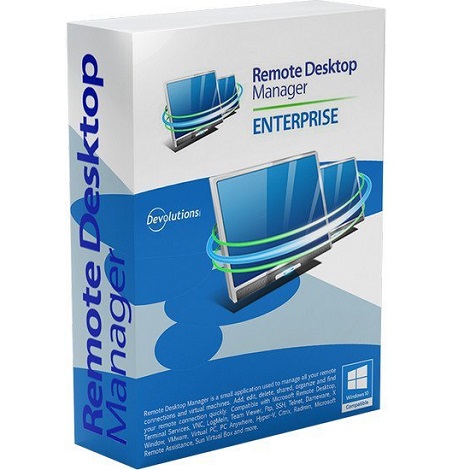
Remote Desktop Manager Enterprise 2020.2.19

311f254af6958a9a3feab5340e21b8a9.jpg

Remote Desktop Manager Enterprise 2020.2.19 Multilingual | 175 Mb
​
Remote Desktop Manager (RDM) centralizes all remote connections on a single platform that is securely shared between users and across the entire team. With support for hundreds of integrated technologies - including multiple protocols and VPNs - along with built-in enterprise-grade password management tools, global and granular-level access controls, and robust mobile apps to complement desktop clients for Windows and Mac, RDM is a Swiss Army knife for remote access. RDM empowers IT departments to drive security, speed and productivity throughout the organization, while reducing inefficiency, cost and risk.


Automatically Launch Connections
Launch highly-secure and direct connections to privileged sessions, including remote servers, virtual machines and other critical assets.

Supported Technologies
Supports the most extensive list of technologies, including RDP, SSH, VPNs, Web, VNC, Telnet, ICA/HDX, ARD, TeamViewer, ConnectWise Control and LogMeIn.

Easy Session Sharing
Easily and securely share all your remote sessions across your entire team.

Centralized Password Vault
Store all your passwords and credentials in a secure repository. Login everywhere using Devolutions Web Login.

Administrative Password Sharing
Securely manage and share administrative passwords throughout your organization.

Private Vault
User-specific repository that allows each user to have privileged accounts that only they can access.

Account Brokering
Credentials are brokered on behalf of the user when launching a connection, preventing the user from ever knowing the credentials.

Role-Based Access Control System
Granular protection access control. All restrictions are predefined and enforced by a role-based access control.

Two-Factor Authentication
Enforce two successive steps of authentication to grant access to the data source. 2FA options are integrated directly in the software.

System Requirements:
OS: Windows 7 SP1, Windows 8.1, Windows 10 version 1607, 1703, 1709, 1803 and 1809
Windows Server 2019 version 1709, 1803 and 1809, 2016, 2012/2012 R2, 2008 R2 SP1
Microsoft .NET Framework 4.7.2
1 GHz or faster processor
512MB RAM
1024 x 768 screen resolution
500+ MB hard drive space

Home Page -
Код:
https://remotedesktopmanager.com/


-:DOWNLOAD FROM LINKS:-

RapidGator
Код:
https://rapidgator.net/file/1ab2c6fbe3abb86a47aab26206d10078/DL4eVeR_Remote.Desktop.Manager.2020.rar.html

NitroFlare
Код:
https://nitroflare.com/view/1EA19920029995F/DL4eVeR_Remote.Desktop.Manager.2020.rar

​
 
Easy Data Transform v1.7.0


dccdaa3eace8c77273ada2530e901276.png

Easy Data Transform v1.7.0 | 49.08 Mb
​
Transform your Excel and CSV files without programming with Easy Data Transform.


Features:
Joining multiple data tables
Changing CSV file delimiters and encodings
Filtering and analysing log files
Merging and deduping email and address lists
Restructuring data table columns
Reformatting dates and numbers

Home Page:
Код:
https://www.easydatatransform.com/

Language: English


-:DOWNLOAD FROM LINKS:-

RapidGator
Код:
https://rapidgator.net/file/fbc116eaf4298c68b97621225bf6f842/DL4eVeR_Easy_Data_Transform_1.7.0.rar.html

NitroFlare
Код:
https://nitroflare.com/view/874996AE83B8C6F/DL4eVeR_Easy_Data_Transform_1.7.0.rar

​
 
Adobe Photoshop Lightroom Classic 2020 v9.4.0.10 (x64)


8de881299ba4f2f398edf0d8e26ed71e.png

Adobe Photoshop Lightroom Classic 2020 v9.4.0.10 (x64) Multilingual | 1.03 Gb
​
Edit and organize your photos with the app that's optimized for desktop. Lightroom Classic CC gives you powerful one-click tools and advanced controls to make your photos look amazing. Easily organize all your photos on your desktop, and share in a variety of ways.


Your best shots. Made even better.
Your photos don't always reflect the scene the way you remember it. But with Lightroom Classic, you have all the desktop editing tools you need to bring out the best in your photographs. Punch up colors, make dull-looking shots vibrant, remove distracting objects, and straighten skewed shots. Plus, the latest release offers improved performance so you can work faster than ever.

- With better performance under the hood, Lightroom Classic lets you import photos, generate previews, and move from Library to Develop Module in record time.
- Use range masking tools to easily select the areas or objects you want to edit based on their color, luminance, or depth.
- Create HDR panos faster now that you can merge multiple bracketed exposures into multiple HDR photos and then stitch them into a panorama - all in one step.

The future of photography. Here today. Get to know Lightroom.
Go beyond the desktop and edit, organize, store, and share from anywhere with the cloud-based Lightroom photo service:

- Store and access your full-resolution photos in the cloud
- Find photos on any device fast with auto tagging
- Edit from any device using an intuitive, streamlined interface

Accelerate image-editing with GPU support
Use the GPU of your system to enhance image-editing experience.

Organize your collections with color labels
Color labels can be added for collections, collections sets, and smart collections.

Support for new cameras and lenses
Adds support for new cameras and lens profiles.

Other enhancements
Find information about PNG export, batch merge for HDR and panoramas, and other new enhancements in this release.

System Requirements:
- Processor: Intel® or AMD processor with 64-bit support*; 2 GHz or faster processor
- Operating system: Microsoft Windows 7 with Service Pack 1 (64-bit) or Windows 10**
- RAM: 4 GB of RAM (12 GB recommended)
- Hard disk space: 2 GB of available hard-disk space for program installation.
- Monitor resolution: 1024 x 768 display

Graphics processor acceleration requirements:
- AMD: Radeon GPU with DirectX 12 or OpenGL 3.3 support.
- Intel: Skylake or newer GPU with DirectX 12 support.
- NVIDIA: GPU with DirectX 12 or OpenGL 3.3 support.
- OpenGL 3.3 and DirectX 10-capable video adapter for GPU-related functionality.
- 1 GB Video RAM (VRAM). 2 GB of dedicated VRAM (4 GB recommended) for large, high-resolution monitors, such as 4K- and 5K-resolution monitors.

Language versions available for Lightroom Classic:
- Deutsch
- English
- Español
- Français
- Italiano
- Nederlands
- Português (Brasil)
- Svenska
- 日本語
- 简体中文
- 繁體中文
- 한국어

Home Page -
Код:
https://www.adobe.com/


-:DOWNLOAD FROM LINKS:-

RapidGator
Код:
https://rapidgator.net/file/083b7caac506ea6114723f2569e8cb5e/DL4eVeR_Lightroom.Classic.2020.9.4.part1.rar.html
https://rapidgator.net/file/c4f94eb5e8af37defafbd401ce4a1907/DL4eVeR_Lightroom.Classic.2020.9.4.part2.rar.html

NitroFlare
Код:
https://nitroflare.com/view/E7B1E7D627E189E/DL4eVeR_Lightroom.Classic.2020.9.4.part1.rar
https://nitroflare.com/view/34C3791C16B004C/DL4eVeR_Lightroom.Classic.2020.9.4.part2.rar

​
 
JPEGmini Pro 2.1.1.6 Incl. Photoshop Extension


7877427601138273a9037895b1cc349a.jpg

JPEGmini Pro 2.1.1.6 (x64) | Incl. Photoshop Extension | 20.4 MB
​
JPEGmini Pro. The Photo Optimization Tool. Trusted by Thousands of Image Perfectionists. Get the smallest file size without compromising quality or changing your workflow.


Maximum Quality, Minimum File Size
Using patented image optimization technology, JPEGmini Pro reduces the file size of your photos significantly (up to 80%), while preserving their full resolution and quality.

Enhanced Performance
JPEGmini Pro utilizes all the CPU cores in your computer simultaneously, crunching your photos at amazingly high speeds, so you can get your work done in no time. We've also added support for photos up to 60 Megapixels, covering all your photography needs, including Canon 5DS and Canon 5DSR, panorama shots and collages.

Fits Into Your Workflow
JPEGmini Pro now includes a plug-in for Adobe® Lightroom® and a Photoshop® extension! When you export your photos directly from Lightroom or Photoshop, they will be automatically optimized by JPEGmini to the lowest file size possible without ever sacrificing quality.

System Requirements:
- Windows 7, Windows 8 and Windows 10 (64-bit)
- Adobe Lightroom 5 and up.
- Photoshop: CC 2015.1 and up.

Home Page -
Код:
http://www.jpegmini.com/pro


-:DOWNLOAD FROM LINKS:-

RapidGator
Код:
https://rapidgator.net/file/05f95061b292d067589e09cbdfba841e/DL4eVeR_JPEGmini.2.1.1.6.rar.html

NitroFlare
Код:
https://nitroflare.com/view/F9CC4B617FE690C/DL4eVeR_JPEGmini.2.1.1.6.rar

​
 
ExamDiff Pro 11.0.1.5 Master Edition


c241483bd32062b3d906d6aa18c85f2d.jpg

ExamDiff Pro 11.0.1.5 Master Edition (x86/x64) | 27.1 Mb
​
ExamDiff Pro is a powerful yet intuitive and easy to use visual file and directory comparison tool for Windows. It features unique functionality that distinguishes ExamDiff Pro from other comparison programs. If you've been frustrated with other comparison utilities, you will find that ExamDiff Pro offers a much more efficient and user-friendly way to compare files and folders.


For developers
track changes in files and folders
perform code reviews
easily merge different versions of files using two- and three-way diff and merge.
share HTML and printed difference reports with your colleagues
compare a local website to an FTP server (using the FTP plug-in)
ignore programming language comments to focus only on the most important aspects of your source code
visualize different aspects of code through syntax highlighting
compare executable files (DLLs, EXEs, etc.) using built-in binary comparison

For regular computer users
quickly navigate through differences
synchronize files and directories between your PC and external media
create directory snapshots for future comparison and archiving
quickly find and undo mistakes by comparing files with previous versions
easily drag and drop files and directories
compare from Windows Explorer using the built-in Shell extension

For testers
validate test results by comparing them with a baseline
save test comparison results into reports

For writers
edit your documents within the comparison window using the built-in text editor
use synchronized word wrap to compare document paragraphs
compare Word, Excel, and PDF documents using plug-ins

Operating System: Windows XP, 2003, Vista, 7, 2008, 8, 2012, 8.1, 2012 R2, 10, 2016.

Home Page -
Код:
https://www.prestosoft.com/


-:DOWNLOAD FROM LINKS:-

RapidGator
Код:
https://rapidgator.net/file/e5c791ef995b6aed28f28c86795c417b/DL4eVeR_ExamDiff.11.rar.html

NitroFlare
Код:
https://nitroflare.com/view/379335938FBE81E/DL4eVeR_ExamDiff.11.rar

​
 
VUE and PlantFactory R5.1 build 5003965 (x64)


d2cbb3902fa6a5d18be202af831bfc09.jpg

VUE and PlantFactory R5.1 build 5003965 | 4.0 Gb

Languages: English, Deutsch, Français
​
E-on software, a leading global developer of software for the creation, animation, rendering, and integration of natural 3D environments in the computer graphics, VFX, architecture, and gaming industries, announced the immediate availability of the R5.1 Release of its VUE, PlantFactory and PlantCatalog Exporter software.


VUE integrates flexible and powerful terrain modeling technologies. From creating full planets to infinitely detailed terrainscapes, VUE's got you covered

VUE ships with a hefty plant library, comprised of over 170 plant species, from HD vegetation to low resolution. More species are added on a regular basis.

The VUE vegetation technology ensures that no two plants you add to your scene will be identical, freeing you from hardcore vegetation modeling tasks, and adding more subtlety to your scenes.

The Plant Editor lets you easily customize any of the plants included and allows you to create your own, unique plant species. VUE will also automatically animate plants for you so that they gently sway in the breeze, or twist and bend in strong winds

VUE is natively compatible with the fully procedural PlantFactory file format, to produce high-quality hero trees as well as distant vegetation. VUE can animate all of the exposed plant properties (such as Health, Seasonality or any other published plant parameter).

Plants created with PlantFactory can be exported to any 3D application using export formats such as Alembic, FBX, 3DS, OBJ, C4D, LWO, etc.

Plants are exported fully rigged, fully textured, with UV maps and displacement, and with all their LODs. Breeze or wind animated plants can be exported as a fully rigged mesh or as a cloud of animated vertices (MDD style).

You can fine-tune the animation of rigged mesh plants directly inside your target 3D application.

PlantFactory also offers a variety of export presets, custom tailored for specific host applications. Such presets include export for 3ds Max, Maya, Cinema4D, LightWave, Modo, ZBrush, Unity, Unreal, Blender, and more.

PlantFactory also ships with import plugins for 3ds Max and Maya. These plugins allow for loading, editing health, maturity and season as well as published parameters and converting native PlantFactory content within the host application, without going through any baking or exporting processed.

In 3ds Max, the plugin can generate materials for the following renderers: Arnold, V-Ray Next, Scanline, ART Renderer. In Maya, the plugin can generate materials for the following renderers: Arnold, V-Ray Next and Maya Software. Rendering with other renderers is still possible as the plugin will generate native standard materials (provided such render engine supports native standard materials or after some manual material adjustments).

When used in conjunction with VUE, PlantFactory will fully integrate and expand the software, so that you can access the plant editing power of PlantFactory directly from VUE and use the VUE tools to affect the PlantFactory vegetation.

Furthermore, when used inside of VUE, PlantFactory creates unique vegetation - i.e. no two plants of the same species will ever look exactly alike. PlantFactory plants also sway in the breeze, or twist and bend in strong winds.

PlantFactory plants will automatically adapt their resolution with distance, through a dynamic LOD system, making them perfect for Hero plants, foreground, mid-ground and background placements in your compositions.

PlantFactory vegetation can be edited directly within the VUE Plant Editor. Specific parameters from the plant graph can be extracted to the Plant Editor to create simplified, high-level controls and facilitate your plant editing process.

Last but not least, like any VUE component, PlantFactory plants will work seamlessly with the EcoSystem technology to create landscapes containing millions of unique plants.

Starting with the plant factory. Introduction.

We were founded in 1997 on the premise that powerful graphics tools should never get in the way of the designer's creativity. After being acquired by Bentley Systems in 2015, we've been able to invest more resources into research and development to ensure we remain at the forefront of the industry. With 20 employees dedicated to our e-on solutions, our once small idea of creating cutting-edge, user-friendly technologies to inspire our user's creativity is growing every day.

Product: VUE and PlantFactory
Version: 2020 R5.1 build 5003965
Supported Architectures: x64
Website Home Page :
Код:
https://info.e-onsoftware.com/
Language: english
System Requirements: PC *
Size: 7.9 Gb

VUE is a 64-bit application, designed for 64-bit versions of Windows 7, Windows 8, Windows 10 and Intel Mac OS X 10.10+ platforms. Like all 3D packages, it is highly demanding in terms of computer power. Although the application is totally multi-threaded to ensure the smoothest possible response, you must realize that there is a lot going on when you work in VUE.

Recommended System Specs
- Windows 64 bit (Windows 7, Windows 8 or Windows 10)
- Multi-core CPU (Intel QuadCore, Core I7, or Mac Pro), AVX compliant,
- 8GB+ of RAM,
- 4GB+ of free Hard Disk space (on the drive hosting the OS),
- We recommend a graphics card containing at least 4 GB of VRAM with a 3D Mark score of 10,000 or better.
Compatible Hots:
- Autodesk MAYA 2015-2020
- Autodesk 3ds Max 2016-2021
- Maxon Cinema 4D R16-R22
- Newtek Lightwave 11.6-2019

PlantFactory is a 64 bits application, designed for 64 bit versions of Windows 7, Windows 8 and Windows 10 and Intel Mac OS X 10.10+ platforms. A video board that can run Shader model 4 is required. For better performance, a minimum of 2GB of video RAM is recommended (Video RAM should not be confused with system RAM. Video RAM resides solely on your video board).

Performance of the software is directly related to the power of the system running it. PlantFactory is optimized to make the best of all the processors/cores on your system. The power of your video board directly impacts the frame-rate of the plant preview.

Recommended System Specs

- Windows 64 bit (Windows 7, Windows 8 or Windows 10)
- We recommend a graphics card containing at least 4 GB of VRAM with a 3D Mark score of 10,000 or better
- Multi-core CPU (Intel QuadCore, Core I7, or Mac Pro), AVX compliant
- 8+GB of free RAM
- 4GB of free Hard Disk space.


-:DOWNLOAD FROM LINKS:-

RapidGator
Код:
https://rapidgator.net/file/6fd84901554697c5d6d9f68e7ff7b369/DL4eVeR_VueX1.5_R5.1_Build.5003965.part1.rar.html
https://rapidgator.net/file/b8ac415ef7301a023084de152216ca2e/DL4eVeR_VueX1.5_R5.1_Build.5003965.part2.rar.html
https://rapidgator.net/file/520c76dc83440495f7168ccaa69e19a8/DL4eVeR_VueX1.5_R5.1_Build.5003965.part3.rar.html
https://rapidgator.net/file/b5bfd1b696b6da1b22dea5739e28bb95/DL4eVeR_VueX1.5_R5.1_Build.5003965.part4.rar.html
https://rapidgator.net/file/2276dbeb919989051aa90d27bbe1f2e2/DL4eVeR_VueX1.5_R5.1_Build.5003965.part5.rar.html

NitroFlare
Код:
https://nitroflare.com/view/033C22852EAD4D7/DL4eVeR_VueX1.5_R5.1_Build.5003965.part1.rar
https://nitroflare.com/view/7EFDE2F18286FDC/DL4eVeR_VueX1.5_R5.1_Build.5003965.part2.rar
https://nitroflare.com/view/C45A4CBD567C818/DL4eVeR_VueX1.5_R5.1_Build.5003965.part3.rar
https://nitroflare.com/view/9CF7CB5596EAB64/DL4eVeR_VueX1.5_R5.1_Build.5003965.part4.rar
https://nitroflare.com/view/2A3EA6C62995D51/DL4eVeR_VueX1.5_R5.1_Build.5003965.part5.rar

​
 
Topaz Gigapixel AI v5.1.0 (x64)


69fda8f769bfeff3b3283d182521f508.jpg

Topaz Gigapixel AI v5.1.0 (x64) | 1.14 GB
​
Beautiful photo enlargements using machine learning. Enlarging your image without losing detail has always been impossible. until now. Upscale your photos by up to 600% while perfectly preserving image quality.


Enlarge Images by up to 600%
Create a beautiful 80 x 60 inch print from a simple iPhone photo. Or transform your DSLR photos into sharp and ultra-detailed 100MP images.

Use truly intelligent upscaling
After being trained with millions of sample images, Gigapixel can now enlarge your images with a surprising level of quality.

Get crisp and clear results.
Gigapixel performs around 2 million operations per pixel to get you results with as much detail and sharpness as possible.

No more fuzzy enlargements.
Breathtakingly sharp prints. High-resolution cropping in post-production. iPhone photos that look like they came out of a DSLR. No matter why you're enlarging your photos, you always want the best possible quality for your results. AI Gigapixel is currently the only photo enlargement product available that can actually add detail back to your upscaled photo.

Recover real details for actual sharpness
Increasing edge contrast is the simplest way to make an image look "sharp", and how most other upscaling software works. Gigapixel is different: it increases the actual sharpness of your upscaled photo by recovering real detail in your image. This is only possible through training and exposure to millions of test images.

Crisp photos that look like they were never upscaled
It's hard to believe that the crisp output image above was enlarged 4x, but it was. Gigapixel AI successfully determines which image features are stars (detail) and what's noise. Then, it naturally accentuates and recovers detail while suppressing noise in your upscaled photo.

The highest-quality image upscaling that you can get anywhere
Because of these exceptional results, Gigapixel AI is used by everyone from leading photographers, to video game modders, to major motion studios. If you ever need to upscale your photo while preserving beautiful detail, take advantage of the most modern technology in the space and give Gigapixel AI a try.

Image enlargement: interpolation vs machine learning

Interpolation-based photo enlargement software has been around for decades. Gigapixel's new approach based on machine learning is a giant leap ahead: state-of-the-art "deep learning" methods allow it to enlarge images while actually adding new details.

Interpolation
Interpolation algorithms work by approximating new pixels from the colors of surrounding ones. This does not add any detail to the image, it just smoothes out the transition between pixels.

Neural Network (Gigapixel AI)
A neural network analyzes thousands of photo pairs to learn how details usually get lost. The algorithm learns to "fill in" information in new images based on what it has learned. effectively adding new detail to your photo.

System Requirements:

Operating System Version:
- Windows 7 x64
- Windows 8/8.1 x64
- Windows 10 x64

Hardware Requirements:
- System RAM: 8GB / 16GB recommended
- GPU VRAM: 2GB / 4GB recommended

Graphics Card Requirements:
- NVIDIA: GeForce GTX 770 2GB / GeForce GTX 960 4GB recommended
- AMD: Radeon HD 8570 2GB / Radeon R9 270 4GB recommended
- Intel: HD Graphics 5000 / Iris Plus Graphics 640 recommended

Home Page -
Код:
https://topazlabs.com/


-:DOWNLOAD FROM LINKS:-

RapidGator
Код:
https://rapidgator.net/file/bf45599cd80cbc3f4329eb571c561b92/DL4eVeR_Gigapixe5.1.rar.html

NitroFlare
Код:
https://nitroflare.com/view/00B8AE3D1E02499/DL4eVeR_Gigapixe5.1.rar

​
 
WinTools.net Professional / Premium / Classic 20.7


67799469575c5943b38a559abd46054b.gif

WinTools.net Professional / Premium / Classic 20.5 Multilingual | 6.7 Mb
​
WinTools.net is a suite of tools for increasing MS Windows operating system performance. WinTools.net cleanly removes unwanted software from disk drives and dead references from the MS Windows registry. WinTools.net puts you in control of the Windows startup process, memory monitoring and gives you the power to customize desktop and system settings to fit your needs. Adds more speed and stability for your connection. Ensures your privacy and keep sensitive information secure. WinTools.net Premium contains tools: Clean Uninstaller, Scan Files, Scan Shortcuts, Scan Registry, Startup Manager, Tweak UI, Net Tweaker, Your Privacy, Invisible Man, File Shredder.


WinTools.net: Clean Uninstaller
Used for both correctly removing software and for monitoring changes made to the hard drive, MS Windows registry and system files during program installations.

WinTools.net: Scan Files
Used for periodic cleaning of your hard drive from dead references, junk and obsolete files produced by different software. These files and references remain on the hard disk and increase drive access time.

WinTools.net: Scan Shortcuts
Used for periodic cleaning of your Desktop, Start-menu, Application data and hard drives from dead shortcuts, These shortcuts remain on the hard disk and increase drive access time.

WinTools.net: Scan Registry
Used for periodic cleaning of the MS Windows registry from unused applications remaining after uninstallation and from invalid references which decrease system speed and system loading time.

WinTools.net: Startup Manager
This tool allows you to monitor, add, remove, enable and/or disable individual startup items. You can also adjust applications initialized during the loading process of the operating system.

WinTools.net: Tweak UI
This is a set of additional adjustments related to safety, system capacity and user preferences and which are not included in the basic components of MS Windows.

WinTools.net: Net Tweaker
The tool is used for speed increasing of data transfer and for greater stability of connection by changing hidden network settings. Available only in "Professional" edition.

WinTools.net: Your Privacy
This is a kit of tools which ensure your privacy and keep sensitive information secure. Available only in "Professional" edition.

WinTools.net: Invisible Man
This tool is used for saving private information and its later restoration. This is useful if you don't want any information saved by the system.

WinTools.net: File Shredder
This tool is used for full secure deleting documents, programs, and any other files without possibility to restore them.

WinTools.net: IE Favorites
Little tools for quick delete, backup and restore Internet Explorer Favorites. Remove unused or damaged links.

WinTools.net: RAM Memory Booster
This tool serves for monitoring, cleaning and optimisation of RAM. It is used for increasing of operating system performance and for releasing RAM for usage by other processes. If you have a possibility, we recommend to use RAM Saver Pro instead of RAM Memory Booster.

Operating System: Windows 10/8.1/8/7/VISTA/XP/2k8/2k3/2k

Home Page-
Код:
http://www.wintools.net/

-:DOWNLOAD FROM LINKS:-

RapidGator
Код:
https://rapidgator.net/file/e6aa35b33b15f5c70b318a83a90d23cd/DL4eVeR_WinTools.20.rar.html

NitroFlare
Код:
https://nitroflare.com/view/2DAFCAE81CB20F0/DL4eVeR_WinTools.20.rar

​
 
Autodesk 3DS MAX 2020.3.2


c641b9753dd0d8c78403513c4da24d00.png

Autodesk 3DS MAX 2020.3.2 (x64) | 4.1 Gb
​
3ds Max 2020 is a powerful 3D modeling and animation solution used by game developers, visual effects artists, and graphic designers to create massive worlds, stunning scenes, and engaging virtual reality (VR) experiences.


Facilities and software features in Autodesk 3ds Max:
-material design a variety of models, shapes, materials and high complexity and detail
-have different effects in terms of animating
-having a complete and professional modeling tools
-Ability to import the output of various animation software and computer design and engineering
-Support for multiple extensions to apply visual effects
-Create the light source in the desired location and thus the formation of the shadow object
-Ability to model designed for professional video
-intelligent software to recognize the beginning and end of the animation
-recognize the body's response to the action taken on it
-the latest rendering of the project in order to improve the speed and quality
-Ability to use programming language Python in project development

Modified ISO:
Autodesk Genuine Service Removed
Autodesk Desktop App Removed
Autodesk Single Sign-On Removed
Autodesk 3DS MAX 2020.3.2 Update Added/installation Silent
Autodesk MaxtoA 4.1.0.71 Updated / Integrated
Autodesk removed inside the update the AdSSO

System Requirements:
OS:Microsoft Windows® 7 (SP1), Windows 8, Windows 8.1, and Windows 10 Professional operating system
CPU:64-bit Intel® or AMD® multi-core processor with SSE4.2 instruction set
Memory:4 GB of RAM minimum (8 GB or more recommended)
Space:9 GB of free disk space for install or more

Home Page -
Код:
https://www.autodesk.com/


-:DOWNLOAD FROM LINKS:-

RapidGator
Код:
https://rapidgator.net/file/9de5bf49cff434bd5c18ae6acabea4c7/DL4eVeR_3ds_Max_2020.3.2.part1.rar.html
https://rapidgator.net/file/34428cc347d484787446801d750badde/DL4eVeR_3ds_Max_2020.3.2.part2.rar.html
https://rapidgator.net/file/f79bcb7ca7768d70629c93a30fd4e310/DL4eVeR_3ds_Max_2020.3.2.part3.rar.html
https://rapidgator.net/file/c83750f676d6155df0a3b86dcf3d1d7b/DL4eVeR_3ds_Max_2020.3.2.part4.rar.html
https://rapidgator.net/file/4815336c00f4ed06652254853a509d13/DL4eVeR_3ds_Max_2020.3.2.part5.rar.html
https://rapidgator.net/file/f5d28345d6f46acc31d5107d93948d80/DL4eVeR_3ds_Max_2020.3.2.part6.rar.html
https://rapidgator.net/file/07c896988b1b15c3e27aa9e2b57b61f7/DL4eVeR_3ds_Max_2020.3.2.part7.rar.html
https://rapidgator.net/file/d7799e6787c52c170abdfe54272b363e/DL4eVeR_3ds_Max_2020.3.2.part8.rar.html

NitroFlare
Код:
https://nitroflare.com/view/857C3F0411615EB/DL4eVeR_3ds_Max_2020.3.2.part1.rar
https://nitroflare.com/view/EA72A27CB0217FA/DL4eVeR_3ds_Max_2020.3.2.part2.rar
https://nitroflare.com/view/C8716B19AA5A034/DL4eVeR_3ds_Max_2020.3.2.part3.rar
https://nitroflare.com/view/7308AC579CBBAB5/DL4eVeR_3ds_Max_2020.3.2.part4.rar
https://nitroflare.com/view/647123F247347EF/DL4eVeR_3ds_Max_2020.3.2.part5.rar
https://nitroflare.com/view/5D63879D05364CB/DL4eVeR_3ds_Max_2020.3.2.part6.rar
https://nitroflare.com/view/294813B094B850E/DL4eVeR_3ds_Max_2020.3.2.part7.rar
https://nitroflare.com/view/227ECA6EE9D0306/DL4eVeR_3ds_Max_2020.3.2.part8.rar

​
 
eM Client 8.0.3283.0 Pro


bafaf15a2379efff44feff56f0283351.png

eM Client Pro 8.0.3283.0 Multilingual | 109.5 Mb
​
Best email client for Windows. eM Client is a full-featured email client with a modern and easy-to-use interface. eM Client also offers calendar, tasks, contacts and chat.


Support for Gmail, Exchange and others
eM Client supports all major services including Gmail, Exchange, iCloud, and Outlook.com. You can find more information in the Server section of our web.

Super simple import and setup
eM Client is able to set up everything automatically for most of the services. It also efficiently imports your data from all major email clients. This includes Microsoft Outlook, Outlook Express, Windows Mail, Thunderbird and more.

Make eM Client your own
eM Client lets you customize its appearance and behavior on multiple levels. It supports several fully customizable themes including a Dark theme and allows you to customize its behavior in the most comprehensive way on the market.

Unique Sidebar
eM Client sidebar brings you quick contextual information that will boost your productivity even more. The sidebar communication history, attachment history and agenda will save you a lot of time.

Superfast Search
Quickly finding what you are looking for makes you more productive. eM Client excels in this area with its super fast and customizable search capabilities.

Touch Support
With its complete touch support and optimized appearance, eM Client fully supports modern devices such as tablets and hybrid devices.

Localization
eM Client is currently localized to these languages: English, Czech, Danish, Dutch, German, Greek, Spanish, French, Hungarian, Italian, Korean, Japanese, Norwegian, Polish, Portuguese, Russian, Slovak, Swedish, Turkish and Chinese.

Backup tool
eM Client relies on its own backup tool that can automatically back up your data even when the application is running.

New Features in eM Client 7.1:

PGP Encryption Support
eM Client now supports PGP - create or import your PGP keys to send encrypted and signed emails.

Live Backup
You no longer have to exit eM Client in order for the backup to proceed. eM Client will now back up while running so you can simply keep working even while it is underway.

Auto Avatar downloading
eM Client 7.1 automatically downloads and displays avatars for your contacts from the web. We download from Gravatar, domain icons and more.

Improved table editor
Editing tables just became a whole lot easier - you can resize any cell, row or column that you want.

Autoresize and basic editing images
Pasting images into emails is now simpler than ever. Not only will they be automatically resized to fit, you will also be able to manually change the size, as well as rotate and flip them.

Auto-replies for Gmail
Automatic 'Out of Office' replies for Gmail are now at your disposal. Let everyone know that you will not be able to respond to their emails by configuring the automatic response right inside eM Client.

Operating System:
Windows® 10, Windows® 8 / 8.1, Windows® 7

Homepage -
Код:
http://www.emclient.com/


-:DOWNLOAD FROM LINKS:-

RapidGator
Код:
https://rapidgator.net/file/be800c8b63725faf9a07a83418d7d191/DL4eVeR_eM.Client.8.0.3283.0.rar.html

NitroFlare
Код:
https://nitroflare.com/view/1B22627651CDD03/DL4eVeR_eM.Client.8.0.3283.0.rar

​
 
NCH VideoPad Video Editor 8.70 Professional Beta


e1842cb9b4ebe92d086c32c25f0c8976.jpg


File size: 6.84 MB
​
Working with video files, especially editing them, is a task that requires a specialized application that can provide all the tools one needs. Among the software applications of this kind you can find VideoPad Video Editor. The interface of this utility is divided into several parts (e.g. Media List, Effects, Transitions, Files, Clips, Video Track, Audio Track, Overlay Track), which may make everything seem a little hard to operate. You can capture video from a camcorder or another device like a webcam or a TV capture card, and once you have added files and sequence clips to the queue, you can start editing them.

So, you can select position for the new clip (at slider's position, to the timeline's start or end point), add blank slides and overlays, modify media in an external editor, change playback speed and stabilize video with the Deshaker filter.
You can also create bookmarks and subtitles, import and export subtitles, select Chrome Key color, save video in the "Stereoscopic 3D" output format, apply audio effects (e.g. amplify, chorus, compressor, distortion, flanger, reverb), as well as record a narration.

Furthermore, you can apply various video effects (e.g. brightness, crop, edge detection, sepia, temperature, posterize, hue) and transitions (e.g. cross fade, reveal, split, fan, circle, diamond).
The program comes with a well-drawn help file and video tutorials while the system resource usage is moderate. It may lag sometimes between commands, but overall, VideoPad Video Editor manages to put up a good performance.

Key Features:

Stunning Transition Effects:
• Choose from a range of fade transitions to give your movie that professional touch.
• Preview the effects in real time.
• Customize the duration of the effect.

Amazing Audio Tools:
• Import and mix music tracks like a pro.
• Make your own custom movie soundtrack.
• Record your own narrations with the click of a button.
• Import pre-recorded narrations, sound effects or music.

Complete Video Optimization:
• Fine tune brightness, saturation and color for your video.
• Add photos and digital images with a click of a button.
• Apply effects like black & white, sepia tone and negative.
• Add text captions to your movie.

Share With Your Family and Friends:
• Burn to DVD and watch in your living room on your TV.
• Save for Youtube and share online with friends.
• Save to PSP, iPod, iPhone or 3GP mobile phone.
• Save to your PC as a high-quality digital movie.

Input Formats:
• Video: avi, mpeg, wmv, divX, Xvid, mpeg1, mpeg2, mpeg4, mp4, mov, asf, vob, ogm, .3gp, H.264, RM and many more.
• Image: bmp, gif, jpg, jif, jiff, jpeg, exif, png, tif

Output Formats:
• Disc export: DVD, CD, Blu-ray Discs, HD-DVD
• Video export: avi, wmv, asf, mpg, 3gp, mp4, mov, iPod, iPhone, PSP, Mobile Phone, Pocket PC
Release Notes

У Вас недостаточно прав для просмотра ссылок. Войдите или зарегистрируйтесь.

​
System Requirements: Works on Windows 10, XP, Vista, 7, 8 and 8.1


-:DOWNLOAD FROM LINKS:-
RapidGator
Код:
https://rapidgator.net/file/51ab865bf0272c7f44c3f49d026c54f5/DL4eVeR_VideoPad.8.70.Beta.rar.html

NitroFlare
Код:
https://nitroflare.com/view/4A99EC53D7A7F35/DL4eVeR_VideoPad.8.70.Beta.rar

​
 
Clone Files Checker v5.7


2c126dbd3e16a6f054584529d2a4bfe4.png


File size: 5.60 MB
​
How much duplicate data is there in your PC, Mac or Cloud Drive? You won't believe, it can be hell lot of Gigabytes especially if you've not cleaned your system or cloud drive since long! We all know that overtime duplicate clutter gets accumulated wherever data is stored. Measuring and removing this truly unwanted data becomes close to impossible. Unfortunately, the numerous versions of a single file can expose our system to extreme disorganization. To take you out of this mess, Clone Files Checker comes to rescue.

More Disk Space
It is difficult to find and then get rid of these zillions of duplicate photos, cloned images, identical music files (mp3, mp4, etc), HD copied videos, iTunes libraries and the similar versions of documents and archives. The energetic duplicate cleaner, Clone Files Checker, will delete all 'trash' stuff within seconds and you will be able to rescue 10s of GBs of hard drive space without the need to purchase new storage space.

Well-Organized Data
You can find, review and clean duplicate files in different ways offered by the software.

Manage Data on the Cloud
Clone Files Checker scans your OneDrive, Google Drive & Dropbox for duplicates. In addition, Mac users can also scan their Box cloud and remove duplicate files, photos, songs and videos. The whole process is thoroughly safe and employs the latest data protection tools at all stages.

More Speed & Productivity
Achieve work productivity by organizing data and making system lighter through cleaning duplicate files with Clone Files Checker. You will be amazed to know that a system with less junk works much faster.

Data Security with Cost Saving
Using this efficient files management tool, limit the cost of online data storage in case your computer is running short of space. Manually 'playing' with files duplication can be risky. Avoid this risk by using the secure data removal feature of Clone Files Checker.

Clone Files Checker for Windows, Features
- 1-Click removal of duplicate files w/ 100% accuracy and speed
- Customized scanner to scan specific drives and duplicate folders
- Google Drive, OneDrive and Dropbox Duplicate File Finder
- iTunes Duplicate Finder and Dead Tracks Remover
- Remove Duplicate Music from PC
- Right-click scan option to identify and remove dupe files
- Quick-Fix that will let you trash the unwanted files instantly
- Export files to Microsoft Excel
- Live preview of images, songs, videos
- Move identical files to another folder
- Move files to recycle bin
RELEASE NOTES- Release notes were unavailable when this listing was updated.
System Requirements:
- Compatible with Windows 10/ 8.1/ 8/ 7/ Vista/ XP
- 32/64-bit
- Setup File Size: 3.50 MB
- CPU: 400 MHz
- RAM: 128 MB free space
- Hard Disk: 11.4 MB of free space


-:DOWNLOAD FROM LINKS:-
RapidGator
Код:
https://rapidgator.net/file/64caae03ab6692cb70ec7573761952c6/DL4eVeR_Clone_Files_Checker_5.7.rar.html

NitroFlare
Код:
https://nitroflare.com/view/45FBD87E55B304E/DL4eVeR_Clone_Files_Checker_5.7.rar

​
 
Adobe FrameMaker 2019 15.0.7.973 (x64)


4aab7b944ff820b1bae4f222e3fb9017.png

Adobe FrameMaker 2019 15.0.7.973 (x64) Multilanguage | 2.28 GB
​
Fast. Powerful. Future-ready. Boost performance with an all-new 64-bit FrameMaker. Create rich, immersive content with unmatched image handling capabilities. Experience faster opening and publishing of PDF and HTML5 files. Push the envelope with new capabilities built on top of the latest technologies. Get started with XML/DITA authoring with an easy-to-use workspace, productivity enhancements, and lots more.


Turbocharge your content creation
With an all-new 64-bit architecture, you can significantly boost productivity with more memory for long, complex documents. Open files up to 40% faster. Work with images like never before with support for transparency, high quality import and other striking enhancements. Open up a world of possibilities with the latest technologies, modern libraries, Duden hyphenation and spell-checking support and more.

From PDF to Responsive HTML5. Accelerate your publishing.
Publish up to 65% faster with an all-new PDF engine. Secure PDFs with a password. Have precise control over print settings such as marks and bleeds, and other output settings including DITA templates. Exceed customer expectations at every touchpoint by publishing at will - as PDF, Responsive HTML5, Mobile App, EPUB, and more.

Getting started with XML/DITA has never been easier
Harness the power of XML/DITA with a workspace designed for both beginners and experts. Quickly and smoothly handle XML files with an all-new file opening and parsing engine. Boost productivity with multiple enhancements in XML workspace, structure view, breadcrumbs and more. Specify DITA constraints while generating an EDD.

What's New in FrameMaker (2019 release):

Powerful 64-bit architecture
Significantly boost performance with an all-new 64-bit architecture. Effortlessly work on long, complex XML and non-XML documents with better memory management and a larger memory space. Publish up to 65% faster to PDF and Responsive HTML5.

Interactive real-time progress bar
Now know the status of tasks like book updates and PDF generation with information-rich, easy-to-understand progress indicators at every stage.

New image transparency support
Publish clean, stunning documents with support for image transparency to blend text with pictures, and pictures with pictures.

Out-of-the-box SharePoint 2016 support
Instantly connect to Microsoft SharePoint Online or a SharePoint 2016 CMS.

Quick access to Welcome Screen
Open the Welcome Screen in a new tab via the workspaces drop-down menu to easily access templates, plug-ins, customizations, and more.

New Duden dictionary support
Get out-of-the-box support for Duden, a trusted German dictionary, for more accurate spelling and hyphenation.

Interactive HTML5 dialogs for plug-ins
Make the customer experience richer by using HTML5, CSS3, and JavaScript to make interactive plug-in dialog boxes.

One-click image resizing
Fit an image to a frame or vice versa by simply right-clicking on the image or frame.

WebP image support
Take advantage of Google's modern WebP image format. It allows you to use high-quality visuals that load faster thanks to a smaller file size (compared to JPEG or PNG).

More control over PDFs
Have more control over print settings like marks and bleeds and other PDF output settings across documents and projects.

Password-protected PDFs
Prevent unauthorized access by setting passwords for PDFs directly while publishing.

Effortless EDD creation
Generate an EDD using the easy-to-use rich HTML user interface, with the ability to specify DITA constraints. Customize the default RNGs for DITA 1.3.

DITA OT 3.0 support
Leverage out-of-the-box support for DITA OT 3.0 to seamlessly publish content in various formats, including PDF, HTML, Microsoft HTML Help (CHM), and Java Help. Use the free OASIS DITA-OT plug-in to carry out DITAVAL-based filtering while publishing.

XSLT 3.0 support
Create a variety of transformation scenarios by applying predefined or customized XSLT to XML files, and execute them using a range of JAXP-compliant processors. Define the scope of the transformation-a file, all files in a folder, DITA map, or all children of a book. XSLT 3.0 support is provided via Saxon Enterprise Edition 9.8.3, which is bundled with Adobe FrameMaker (2019 release).

System Requirements:
- 64-bit Intel® Pentium® Core i3 or faster processor
- Microsoft® Windows® 10, 8.1, or 7
- 2 GB of RAM (4 GB or more recommended)
- 3 GB of available hard-disk space for installation; additional free space required during installation (cannot install on a volume that uses a case-sensitive file system or on removable flash storage devices)
- JRE 8
- Maximum supported screen resolution - 4K (3480 x 2160, 8.3 megapixel, aspect ratio 16:9)

Homepage
Код:
http://www.adobe.com


-:DOWNLOAD FROM LINKS:-

RapidGator
Код:
https://rapidgator.net/file/fe2a732418246cd7f9146b782f5c3ea7/DL4eVeR_FrameMaker_2019_15.0.7.973.part1.rar.html
https://rapidgator.net/file/14d86e1648073300d2850ae61eb21261/DL4eVeR_FrameMaker_2019_15.0.7.973.part3.rar.html
https://rapidgator.net/file/9c34946ae6663fec5aead34722e8384d/DL4eVeR_FrameMaker_2019_15.0.7.973.part2.rar.html

NitroFlare
Код:
https://nitroflare.com/view/CC0A6146C4526FC/DL4eVeR_FrameMaker_2019_15.0.7.973.part1.rar
https://nitroflare.com/view/574768AD5109DEA/DL4eVeR_FrameMaker_2019_15.0.7.973.part2.rar
https://nitroflare.com/view/B7390B032C323B0/DL4eVeR_FrameMaker_2019_15.0.7.973.part3.rar

​
 
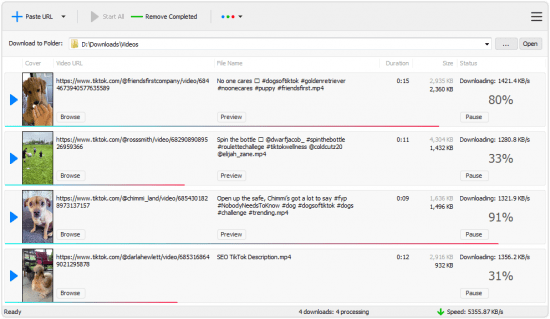
TikTok Downloader v3.0.0


f7666678d918b98837dccad98ca03710.png


File size: 2.38 MB
​
TikTok has become a very popular platform for people all around the world who want to share snippets of their lives.

Nowadays, you can download almost any video from the Internet, as long as you use the proper software. And the purpose of an app called TikTok Downloader is quite obvious.
Features:

Download videos from TikTok
TikTok Downloader is optimized for TikTok short-form mobile videos.

Really increase your download speeds
TikTok Downloader features a multithreading acceleration engine that increases download speeds by up to 500%.

Download multiple videos at a time
TikTok Downloader supports simultaneous downloads that allows you to download more than one video at a time.

Pause and resume downloads
TikTok Downloader allows you to pause, resume, or cancel your downloads at any time.
RELEASE NOTESUpdates: official site does not provide any info about changes in this version.


-:DOWNLOAD FROM LINKS:-
RapidGator
Код:
https://rapidgator.net/file/e20fbd678f23ec2f937cfb1e3d692ae7/DL4eVeR_TikTok_Downloader_3.0.0.rar.html

NitroFlare
Код:
https://nitroflare.com/view/B41361872B05151/DL4eVeR_TikTok_Downloader_3.0.0.rar

​
 
2BrightSparks SyncBackPro 9.4.1.1 Multilingual


6d6c437dc652489b42d5f6d08512612f.png

2BrightSparks SyncBackPro 9.4.1.1 Multilingual | 74.3 Mb
​
SyncBackPro is a professional and advanced backup, restore and Synchronization utility with lots of advanced features. With this backup utility you can copy any file whether it is locked or it is open which is normally not possible to copy in these conditions. But this feature work only on window XP or higher version of window. Taking backup with SyncBackPro is a very fast process and it can process an unlimited number of files. It always keep your files of old versions as it support versioning and incremental backup to save the time and reduce the burden on the resources.


Main Features:
• Copy locked or open files
• Processes an unlimited number of files
• Works with SyncBack Touch
• Versioning (keep previous backup versions)
• Incremental Backups
• Cloud support: Google Drive, Dropbox etc.
• Backup of emails stored on a POP3/IMAP4 server
• Notification about profiles runs, creation, etc.
• New script functions, calls, and example scripts
• Powerful FTP engine & AES encryption
• Automatic scheduling
• SyncBack Management Service Integration
• Superb feature set and customization
• Extensive Help Documentation

Operating System:Windows 10, 8, 7 & Vista, 2003 and newer (32/64-bit)

Home Page -
Код:
https://www.2brightsparks.com/


-:DOWNLOAD FROM LINKS:-

RapidGator
Код:
https://rapidgator.net/file/cf27ef941053eacbe27b06a89761fcb9/DL4eVeR_SyncBackPro9.rar.html

NitroFlare
Код:
https://nitroflare.com/view/F4FB16B7CCB5447/DL4eVeR_SyncBackPro9.rar

​
 
Smart Driver Manager 5.2.448


1518de4741c5aae95f13be6ae02ba6e8.png

Smart Driver Manager 5.2.448 | 5.39 Mb
​
Smart Driver Manager offers a fast, easy and safe solution for automatically managing and updating your drivers. The program scans your computer and all associated hardware devices and provides a list of all the drivers that need to be updated. With just a single click Smart Driver Manager safely installs each update on your PC. Finally, the driver database contains over 1,200,000 drivers and is constantly updated ensuring that you always download the most current drivers.


Features:

Keep your devices fully optimized
Hardware manufacturers are constantly updating their product drivers in order to fix problems or improve performance. By running regular scans with Smart Driver Manager you can make sure you always have the latest driver updates installed.

Some of the biggest problems faced by users upgrading to Windows 10 is when their existing hardware is not compatible with their new operating system. Smart Driver Manager can fix these issues by identifying the problem drivers and downloading the correct version for Windows 10.

Fast & safe way to update your drivers
Smart Driver Manager has a database of over 1,200,000 drivers. We are constantly updating and editing the database to make sure that we have the best driver updates available. As a Smart Driver Manager user, you will have ongoing access to all database updates to ensure that you are always running the best drivers for your system.

Backup and Restore
If you're upgrading your operating system or just need to reinstall Windows, Smart Driver Manager can backup all the drivers on your PC or laptop. The driver backup will be compressed into a zip file that is easy to export and reinstall. In the end, Smart Driver Manager's backup and reinstall features can save you hours of searching for and installing individual device drivers.

Easy to use
Our goal is always to design simple easy to use solutions. With just one click Smart Driver Manager will analyze your PC and any attached hardware devices. The scan identifies outdated drivers and finds the correct new drivers to replace them with. With Smart Driver Manager even if you're a novice computer user you will be able to easily find, replace, backup and restore your drivers.

Built-in Scheduler means that you can set it and forget it!
Simply set the built-in scheduler to run a scan automatically at start-up or at a convenient time either daily, weekly or monthly. Smart Driver Manager lets you know when new driver updates are available for your system so that you always have the best possible drivers.

Home Page:
Код:
https://smartpctools.com

Language: English


-:DOWNLOAD FROM LINKS:-

RapidGator
Код:
https://rapidgator.net/file/88a14ccae8bed58f91a0f7fd2d25c146/Driver_Manager_5.2.448.rar.html

NitroFlare
Код:
https://nitroflare.com/view/4EFB2A6BFC949E5/Driver_Manager_5.2.448.rar

​
 
ThunderSoft DRM Protection v4.2.0


8e31d7a87c3efb37257dc17a1a0ac97f.jpg

ThunderSoft DRM Protection v4.2.0 | 28.1 Mb
​
ThunderSoft DRM Protection is a DRM solution for video/audio/image files. DRM protected media files can prevent illegal copying and distribution, unauthorized users can not open them. Authorization key can be binding with end user's hardware, one device one key, specify its time interval and also blacklist feature included. Our software provide custom watermarks, custom player and many other advanced settings to help you complete your DRM protection.


Features:
Allow combine multiple files into the one DRM protected file.
Encrypt media files with Advanced Encryption Standard (AES), which have a very high level security.
Encryption with high speed, and the output file can be open quickly.
Allow authorization key binding with PC, USB Disk, CD or not.
Allow add watermark, supports float or fixed watermark style.
Anti-Copy settings can prevent screen recording software, and forbid to play when connecting to internet.
Ad-settings allow add Ad links to DRM protected files.
Online Password Blacklist can disable password you sent to uses.
Password maker help you create different password to different users.
Allow custom player with your company information.

Operating System: Windows 2000/2003/XP/Vista/7/8/10

Home Page -
Код:
http://www.thundershare.net/


-:DOWNLOAD FROM LINKS:-

RapidGator
Код:
https://rapidgator.net/file/93df28f3e8f31800fe9248c5f1d0dd1c/DRM.Protection.4.2.0.rar.html

NitroFlare
Код:
https://nitroflare.com/view/2B3856D67F8034B/DRM.Protection.4.2.0.rar

​
 
LanSweeper v8.0.130.35


19729a6665ea4c6dcf0da1540eeefebe.png


File size: 183.6 MB
​
Lansweeper is an automated network discovery and asset management tool which scans all your computers and devices and displays them in an easy accessible web interface. There is no need to install any agents on the computers, all scanning is done by standard build-in functionality.

Software inventory
With Lansweeper it's easy to track and audit all your installed software, you can create powerful software inventory reports to find out which application is installed on which computer. Google unknown software and publishers right from the web interface and find out who is running software that's not up to date.

Hardware inventory
Lansweeper cannot only detect all hardware devices in your computers but with it's change tracking it can find out when a device was changed or removed. Not only does Lansweeper scans windows devices, it also gathers details about all other IP enabled devices on your network from the network discovery scan. (Linux, Printers, Routers, ...)

License compliance
If you want to keep all software and operating systems licenses up to date it can be a time consuming work. With Lansweeper computer inventory it doesn't need to be...
The webinterface will tell you how many software versions are installed and how much licenses you are missing.

Compliance reporting
Every company needs policies to get a smooth running network. Compliance reporting and the dashboard can help you to make all kinds of asset management reports. Who doesn't have the latest version of our virus scanner, Who is missing the latest patch for our ERP solution. The only limit is your imagination...

Active directory integration
Lansweeper gathers all active directory user and computer details for your scanned machines. Create reports based on OU, integrate user pictures, Clean up your Active directory...

Eventlog integration
Every windows computer logs errors into the Eventlog. Thanks to Lansweeper you can now consolidate all these errors and get an alert e-mail as soon as an important error occurs.
LIMITSLicense valid until: 01/01/2099
Scanserver limit: Limited to 2 scanning servers.
Asset limit: Limited to 500 assets


-:DOWNLOAD FROM LINKS:-
RapidGator
Код:
https://rapidgator.net/file/282b3e891e49f72bcbf7d911aba33ae7/LanSweeper8.rar.html

NitroFlare
Код:
https://nitroflare.com/view/4F9008FC12F02DF/LanSweeper8.rar

​
 
AlphaTheta Pioneer DJ rekordbox 6.0.4 (x64)


9524e6d57ad8b4996535cd9bbfbf23af.jpg

AlphaTheta Pioneer DJ rekordbox 6.0.4 (x64) Multilingual | 187 Mb
​
Purely pro performance. No waiting. rekordbox dj puts all of Pioneer's superb DJ expertise into one package to produce the industry's fastest, most stable software with sublime sound quality.


Professional sound quality
Purely professional. rekordbox dj employs sound processing from the top-flight CDJ-2000NXS player and DJM-900NXS mixer to provide superior sound quality.

Lowest latency in the business
No waiting. rekordbox dj has the industry's fastest response time for natural, reliable control.

MULTI-DECK MIXING
Mix. Remix. Magic. Just like a professional remix station. Perform with 2 or 4 decks and use Pioneer DJ controllers for plug & play access to dope features, such as Hot Cues, Slicer and Slip Mode.

VISUAL BRILLIANCE. VIRTUAL HARMONY.
rekordbox dj's GUI is perfectly matched with the layout of your hardware no matter what player or device you are using, including the new DDJ-RR and DDJ-RB. It's simply the most effortless, intuitive software imaginable. The FX, waveform, players, sampler and browser mirror your hardware exactly, and you can choose from a 2/4-deck with horizontal or vertical views. Hot Cues, Sample and other effects offer intuitive operation to match the same layout as the pad control section in our DJ controller.

WHAT YOU SEE IS WHAT YOU GET
Find tracks quickly and easily using rekordbox's enhanced browsing.

AUTO MIX
With rekordbox dj Automix, you can easily mix your playlist with confidence and accuracy. Track phrases are detected by an all-new phrase analysis algorithm in rekordbox's KORETECH engine. In addition, Automix uses track information such as beat position, BPM and key, to produce natural mixes. You are free to scratch, apply FX and change the order of tracks whenever you want.

UPLOAD YOUR DJ MIX EASILY
Use rekordbox to record your sets and share them with the world via social media channels including Mixcloud, YouTube and KUVO. When you upload your mix, all track titles and time stamps are automatically added by rekordbox, so listeners can check each track title while enjoying your set.

MORE LIGHTS, MORE ACTION
It's not a show without music and lights. New Lighting mode makes synchronizing your show's lights super easy, while also offering you more space to get creative. The new software features an algorithm that automatically detects the variances of each phrase of a song to produce a perfectly synchronized lighting effects. That leaves you free to concentrate on your music. But if you want more control, Lighting mode gives it to your.

ONE MUSIC LIBRARY, UNLIMITED CONTROL
Take your entire rekordbox library and your DJ performance experience to almost any controller or CDJ. Or, use HID support to play from your laptop using a CDJ or XDJ set-up. rekordbox dj gives you access to more than music. Your entire set, complete with cues and tags, can be shared across platforms and devices while you unify managed music tracks with ease. Once you have rekordbox dj rolling, no doubt, the show will go on.

System Requirements:
OS: Windows 10, 8.1 (64-bit, The latest service pack)
CPU:
Intel® processor Core™ i9, i7, i5, i3
Intel® processor Core™ i9, i7, i5 (Video function)
Memory: 4GB or more of RAM / 8GB or more of RAM (Video function)
Hard disk/SSD: 2GB or more of free space (not including space for storing music files, etc.)
Display resolution: 1280 x 768 or greater

Home Page -
Код:
https://rekordbox.com/


-:DOWNLOAD FROM LINKS:-

RapidGator
Код:
https://rapidgator.net/file/f8e231b8043da3b5dc51045934de3404/recordbox.v6.0.4.CSE.rar.html

NitroFlare
Код:
https://nitroflare.com/view/80F77E66FABDB95/recordbox.v6.0.4.CSE.rar

​
 
Pixologic ZBrush 2021 (x64)


5b16cb7ca0192d0d509a1b635484f0aa.jpeg

Pixologic ZBrush 2021 (x64) Multilingual | 1.6 GB
​
ZBrush sets the industry standard for digital sculpting and painting. Its features enable you to use customizable brushes to shape, texture and paint virtual clay in a real-time environment that provides instant feedback. When you use ZBrush you'll be empowered by the same tools employed by film studios, game developers, toy/collectible makers, jewelry designers, automotive/aviation designers, illustrators, advertisers, scientists and other artists the world over.


In fact, we have even received an Academy Award for the technology that powers ZBrush. In short, ZBrush is an art tool created by artists, for artists. It allows you to create models and illustrations limited only by your imagination, at a speed that allows you to stand out in today's fast paced industry.
Base Mesh Generation
As with anything else in life, where you can go is usually determined by where you begin. Having a great finished model requires a quality base mesh. ZBrush provides an arsenal of tools to assist with this task, ensuring that no matter what you have in mind, there is a way to get the perfect base to then take to the next level. The best known of these systems are explained here.

Sculptris Pro
Ignore the constraints of polygon distribution and simply - sculpt! Sculptris Pro will dynamically add (tesselate) and remove (decimate) polygons wherever and whenever needed. It does this during your brush stroke in a real-time process called Tessimation. This frees you to focus entirely on the look you're trying to achieve.

Dynamesh
DynaMesh is a perfect solution for free-form sculpting because it removes all need for focusing on topological constraints. Change the overall shape of the model by pushing or pulling, adding various pieces of geometry to combine into one, or even remove geometry in a manner similar to what can be done with Boolean operations. Where Sculptris Pro dynamically adjusts the triangles in your mesh as you sculpt, DynaMesh redistributes the model's polygons as quads on command.

Mesh Detailing
Whether created in ZBrush or imported from elsewhere, once you have your base mesh it is time to start detailing. ZBrush features a robust suite of tools to accomplish this. Those listed below are just the tip of the iceberg.

Sculpting Brushes
The main workflow for creating with ZBrush is based on a system of brushes which can also be modulated using pen pressure from a graphics tablet. ZBrush will reproduce the natural feeling of a real paint brush or sculpting tool, using the pressure applied to the pen tip to transform your digital stroke in a variety of ways. There are brushes to pinch, move, build up the surface, chisel into it, slice through the model and much more. You can even use other 3D models as brushes, inserting their geometry into your surface.

Noisemaker
In addition to being able to add detail by hand, ZBrush provides a system for procedurally generating surface detail through noise patterns. Choose a detail type, adjust a few simple parameters, then apply that pattern to your model in its entirety or by restricting it to a certain region. You can even combine different noise types to create highly complex effects. The Noise system is ideal for both hard surface work and organic details.

PolyPaint
Because ZBrush works with tens of millions of polygons in real-time, you can paint directly on the surface of the model without first assigning a texture map or UV's. This offers significant advantages compared to a standard workflow. The resolution of the texture map does not need to be decided in advance. This is particularly valuable if you find you need more detailing on an area than you thought you would. Instead of repainting a new, larger texture map you can simply transfer the existing surface detail to that larger map without any reworking. You don't even need to do UV unwrapping before you begin this painting. In fact, thanks to the way that ZBrush can project details (both sculpted and painted) from one model to another you can have a fully painted model before you even have a finalized animation mesh. Instead, you can copy everything to the final base mesh once it has been signed off on.

UV Master
In order create or use a texture map, a model first needs UV's. These are 2D coordinates that tell all 3D applications how to apply a texture to your model. With most programs, creating those UV's has been a time consuming challenge that requires a high level of technical expertise and has little room for creativity. With UV Master you are able to create very efficient UV's for your model - in most cases with a single click. If you need more control over this automatic process there are features that refine where seams will be placed or increase the amount of pixel space given to certain regions of your model. It's both intuitive and fast, letting you get back to being creative with minimal fuss.

Rendering
Whether you are using ZBrush by itself as an illustration tool or as part of a production pipeline for animation, you will at some point want to show your work to others. ZBrush makes this possible through a powerful rendering system called BPR (Best Preview Render).

Highly Recommended Specifications:
- OS: 64-bit editions of Windows Vista or newer.
- CPU: Intel i5/i7/Xeon technology or AMD equivalent.
- RAM: 8 GB required for working with multi-million poly models. (16+ GB preferred.)
- HDD: 100 GB of free hard drive space for ZBrush and its scratch disk. (SSD drive highly recommended.)
- Pen Tablet: Wacom or Wacom compatible. (WinTab API.)
- Monitor: 1920x1080 monitor resolution or higher with 32-bit color.
- Video card: Most cards manufactured 2008 or newer. Must support OpenGL 3.3 or higher.

Home Page -
Код:
http://pixologic.com/


-:DOWNLOAD FROM LINKS:-

RapidGator
Код:
https://rapidgator.net/file/df2935661d1f32d08d7d3be6c8ba0391/ZBrush.2021.part1.rar.html
https://rapidgator.net/file/d74cc24ba86e9523006852e87aa04231/ZBrush.2021.part2.rar.html

NitroFlare
Код:
https://nitroflare.com/view/CCB37E61FAB8C85/ZBrush.2021.part1.rar
https://nitroflare.com/view/4123E4CC3A9C72F/ZBrush.2021.part2.rar

​
 
Назад
Сверху