• Здравствуйте. Сайт заработал в архивном режиме форум www.old.nado.in

Dl4ever Software

Coolutils Total Image Converter 8.2.0.215


2004212036140098.jpeg

Coolutils Total Image Converter 8.2.0.215 Multilingual | 57.5 Mb
​
Total Image Converter allows you to take an image and create a new one with a different size or format, or perform the task for huge batches of graphic files with one click. It is invaluable for web designers and other IT professionals.


Total Image Converter helps you to convert image sizes and formats. A must-have utility for all web designers. ImageConverter is unique - it supports almost all popular formats (JPG, GIF, BMP, PBM, PGM, PCX, PNG, PPM, TGA, TIF, WMF, EMF). All you have to do is to set the required size or format and Total Image Converter automatically does the rest.

With Total Image Converter, you can also resize, rotate or perform mirror images and change color resolutions. If you have lists of images to be converted, use our batch processing. You'll get hundreds of images converted or resized with one click! ImageConverter is the best solution for converting images at a most reasonable price.

Here are some key features of "Total Image Converter":
· All image formats
· Total Image Converter supports almost all image formats (see the list ->). It's all-in-one solution for those who do not want to waste time and effort searching for 10 different converters to deal with different formats.
· Batch conversion
· If you have hundreds of images to be converted, you can use its batch file convert option. Just check the files that you want to process or just press Select All button to save your time. Get any amount of image files converted or resized in one click!
· 3 ways of handling
· First, there is well-thought user interface. Second, Total Image Converter seamlessly integrates into Windows. That means that you may select the file in your desktop and make right-button mouse click. You will see ConvertTo item in the standart Windows popup menu. And there is also Command line support. Run Total Image Converter from the command line within other programs.
· Built-in viewer and thumbnails
· Total Image Converter has built-in viewer. You may easily view your images inside the program before or after the conversion. You can either work with detailed list of files (name, size, type, modify, attributes) or with their thumbnails.
· Resize, rotate, crop, mirror
· With Total Image Converter you can also resize, crop, rotate or mirror images and change the color resolution (include convert to black and white color) of your graphics. Besides, you may adjust White Balance and make gamma correction. Adjust or set Brightness, Contrast or Saturation, apply shadow or use some filter. All this done when converting your image with Total Image Converter!
· Watermarking
· Total Image Converter lets you apply watermarks to your images! You may add your comment, logo or date to a single photo or a bunch of them.
· No special knowledge required
· Even if you never dealt with image converters before you will master the program in seconds. The program will itself ask you all the questions about the conversion settings and in case you are at a loss it will advise you the best setting for each conversion. Click here to make a quick tour on the program and see how simple it is to use it.
· High quality

Home Page -
Код:
http://www.coolutils.com/

Language: Multilingual


-:DOWNLOAD FROM LINKS:-

NitroFlare
Код:
https://nitroflare.com/view/97CD18AD8F16A48/Total_Image_Converter8.2.0.215.rar

RapidGator
Код:
https://rapidgator.net/file/cc3f5f49d52139c3e227c2b0b5686f77/Total_Image_Converter8.2.0.215.rar.html

​
 
Windows 7 SP1 AIO 22in1April 2020


0nuGO2myb1oHTu7uA3vVImwl385oAHwB.jpg


Windows (x86/x64) | Language: English | File Size: 3.76 GB
​
The assembly is based on the original image from MSDN. Updates were integrated on April, 2020, and SmartFix 2.2.5 and Microsoft DaRT were integrated. There are no cosmetic changes and nothing is cut out!


List of windows editions available for installation:

Windows 7 Starter (x86)
Windows 7 Starter N (x86)
Windows 7 Home Basic (x86-x64)
Windows 7 Home Basic N (x86-x64)
Windows 7 Home Premium (x86-x64)
Windows 7 Home Premium N (x86-x64)
Windows 7 Professional (x86-x64)
Windows 7 Professional N (x86-x64)
Windows 7 Ultimate (x86-x64)
Windows 7 Ultimate N (x86-x64)
Windows 7 Enterprise (x86-x64)
Windows 7 Enterprise N (x86-x64)

Note:
This assembly is not suitable for updating the system superficially, only a clean installation .Whats New:-Security Monthly Quality Rollup for Windows 7 for x64-based Systems KB4550964
-Security Only Quality Update for Windows 7 for x64-based Systems KB4550965
-Cumulative Security Update for Internet Explorer 11 for Windows 7 for x64-based systems KB4550905
-Servicing Stack Update for Windows 7 for x64-based Systems KB4550738
-Security Monthly Quality Rollup for Windows 7 for x86-based Systems KB4550964
-Security Only Quality Update for Windows 7 for x86-based Systems KB4550965
-Cumulative Security Update for Internet Explorer 11 for Windows 7 for x86-based systems KB4550905
-Servicing Stack Update for Windows 7 for x86-based Systems KB4550738


-:DOWNLOAD FROM LINKS:-

NitroFlare
Код:
https://nitroflare.com/view/541E89A2CB3D177/W7.Aio.22.in.1.April.2020.part1.rar
https://nitroflare.com/view/4035151B3CC5B32/W7.Aio.22.in.1.April.2020.part2.rar
https://nitroflare.com/view/5A9CA39623E700C/W7.Aio.22.in.1.April.2020.part3.rar
https://nitroflare.com/view/68D98FBF4A1A732/W7.Aio.22.in.1.April.2020.part4.rar

RapidGator
Код:
https://rapidgator.net/file/ad69f3555d04cee7aab5684e69b725dc/W7.Aio.22.in.1.April.2020.part1.rar.html
https://rapidgator.net/file/db3bf10324a0a926bd08ebdf836f1e4d/W7.Aio.22.in.1.April.2020.part2.rar.html
https://rapidgator.net/file/46986ef7a4aadec08207399bedf6af83/W7.Aio.22.in.1.April.2020.part3.rar.html
https://rapidgator.net/file/623522fde39c06f62c011b7ed6fe7165/W7.Aio.22.in.1.April.2020.part4.rar.html

​
 
Advanced XLS Converter 6.75


2004212046460093.jpg

Advanced XLS Converter 6.75 | 3.6 Mb
​
Advanced XLS Converter provides a the quickest, easiest and affordable way to convert Excel (XLS, XLSX, XLSM) files to a great variety of database formats, including DBF, TXT, HTML, XML, CSV, SQL, RTF - all with a few clicks of the mouse!


It's Easy
Advanced XLS Converter is a quick and easy tool for converting XLS right out of the box. Just upload a source file, choose the output format and destination and voila! You have the file in the new format in a few seconds or less! Convert XLS to DBF, Office RTF format, or HTML for posting the database to the Web or intranet.

It's Quick
Unique to Advanced XLS Converter is a super fast conversion algorithm that has been optimized to handle large XLS files quickly, without disruptions and slowdowns. Basically, it'll take a few seconds for the program to handle the job for you. And not only single files, it will handle bunches of XLS files at the same time in one quick go!

It's Smart
Advanced XLS Converter is smart. It knows how to output XLS to other formats, porting the structure and data correctly to a new file. Prior to conversion, you can preview the uploaded file, sort data by columns, use filters, edit name, size, type of columns and set the tool to skip duplicates.

Convert Excel to 10+ Formats
Convert XLS to over 10 file types, including dBase III/IV, Visual FoxPro, Text files, HTML, Clipper/Foxpro PRG, XML, Excel, CSV, SQL, RTF. If you need to output XLS to other formats, Advanced XLS Converter is a way to go, as it'll let you export to many popular formats, saving money on buying separate database packages. Isn't it cool, or what?

Convert Multiple Excel Files As One
If you often need to convert dozens of XLS/XLSX files to various database formats, you'll definitely appreciate Advanced XLS Converter's ability to process multiple documents. Simply open all files you want to convert, select a destination format and execute the conversion!

Advanced Conversion through Command Line Support
You can use the user interface to convert Excel files. However Advanced XLS Converter also lets advanced users do the conversion via command line.

Works Anywhere
Advanced XLS Converter does not require any external drivers such as ODBC or BDE to connect to a excel tables. Excel Converter runs on Windows XP/Vista/2012/Windows 7/8/10 (32/64-bit)

Operating System: Windows 95/98/NT4/2000/XP/2003/Vista/2008/7/8/10

Home Page -
Код:
https://www.xls-converter.com/


-:DOWNLOAD FROM LINKS:-

NitroFlare
Код:
https://nitroflare.com/view/8C73D845EDEA08B/XLSConverter6.75.rar

RapidGator
Код:
https://rapidgator.net/file/f92872c9fbb31cb8ee117576e6b01f7e/XLSConverter6.75.rar.html

​
 
AOMEI Backupper All Editions WinPE Boot (Legacy & UEFI) v5.7.0


2004212047400086.jpg

AOMEI Backupper All Editions WinPE Boot Legacy & UEFI v5.7.0 | 3.44 Gb (Total)
​
AOMEI Backupper is a professional-like, easy-to-use backup and recovery software. But is free for home users and commercial use, fully protects your computer from data loss. It lets you securely backup PC and Server, provides one-click backup your system partition or disk and does it in minutes. This software also can explore the created image and restore it to the hard drive if your data gets lost or corrupted. In addition, you can create a bootable rescue disk for recovering your data when the system crashes and the application cannot be accessed from the Windows interface.


AOMEI Backupper lets you clone the partition or disk, too. The software already supports the Microsoft Volume Shadow Copy Service (VSS) that enables the data backup process and does not interfere the running applications. This option of AOMEI Backupper is very efficient because backup data can still be made when you're working.
To prevent data loss, so we need to make data backup, AOMEI Backupper with the following features to ensure the safety of your data.

System Backup. One-click back up all data of system drive, including system files and installed applications without interrupting system run.
Disk Backup. Backup your hard disk drives including MBR disk, GPT disk, external hard drive, USB disk, and other storage devices that can be recognized by Windows.
Partition and Volume Backup. If you just want to backup a partition or volume, not the entire disk, the feature will be your best choice. With it, you can backup one or multiple partitions/volumes (including dynamic volumes) to an image file.
When your computer occurs some problems, such as accidentally deleted files, the system can not start, virus damage, by using the created backup before, you can restore system to its previous normal state or retrieve lost data.

System Recovery. Easily and quickly restore system partition and ensure system bootable after completing the recovery process.
Disk and Partition Recovery. Reliably recover the whole hard disk drive, partition or dynamic volume to original state.
Selective file restore. Selectively restore individual files and folders from a backup image file without recovering the entire backup.

In addition to backup and restore functions, AOMEI Backupper supports cloning operations. If you need to upgrade hard drive, or replace old disk, or migrate hard drive to new one, this feature can be more convenient to your work.

Disk Clone: Directly copy one hard drive to another without creating an image file. The program allows you to resize partitions during this cloning process, and supports to clone small disk to larger disk as well as copy traditional hard drive to solid state drive.
Partition and Volume Clone: Directly create an exact duplication of partition or dynamic volume and exactly transfer it to another partition or volume.

AOMEI Backupper Other Features:
Incremental and differential backups. Based on a full backup, the software supports to create incremental or differential backups to taking less time and save storage space.
Encryption and Compression. You can set a password for each backups to prevent unauthorized access. When the backup process, specify an industry leading compression algorithm to compress image file in order to take up less disk space.
Image file checker and explorer. Check data integrity of image file to ensure the backups can be restored successfully. Mount image files to a virtual partition so that you can browse the contents of the backups in Windows Explorer.
Comment Backups and Splitting Backups. Add comments to backups so that the backups can be further identified and clarified. Let you know what a backup is for or what it contains. Splitting Backups can split backup an image file into proper sizes to fit storage media.
Create Bootable Rescue Media. You can create a bootable media (e.g. CD or USB media) to restore system drive on the condition that Windows can not boot.
Supported OS: Windows XP, Vista, Windows 7, Windows 8/8.1, Windows 10 (32-bit, 64-bit).

Supported OS: Windows XP, Vista, Windows 7, 8, 8.1, 10 (32-bit, 64-bit).
Supported File Systems: NTFS, FAT32, FAT16, EXT2, EXT3 and other file systems
Storage Devices: Internal hard disks, External hard disks, Solid-state drive (SSD), USB flash drives, Thumb Drives, Network-attached storage (NAS), cloud drive, Hardware RAID, Dynamic Disk and Virtual machine system, etc.

Home Page -
Код:
http://www.backup-utility.com/


-:DOWNLOAD FROM LINKS:-

NitroFlare
Код:
https://nitroflare.com/view/098E41FE0615198/AOMEI.Backupper.Professional.WinPE.v5.7.0.rar
https://nitroflare.com/view/74EBEF3A8637FE2/AOMEI.Backupper.Server.WinPE.v5.7.0.rar
https://nitroflare.com/view/51625B15CC06A2C/AOMEI.Backupper.Technician.WinPE.v5.7.0.rar

RapidGator
Код:
https://rapidgator.net/file/d04c2dc3d1a753755ad3795e59642a60/AOMEI.Backupper.Professional.WinPE.v5.7.0.rar.html
https://rapidgator.net/file/c60686ade9f1b517c2f5dfd25d59e6a0/AOMEI.Backupper.Server.WinPE.v5.7.0.rar.html
https://rapidgator.net/file/8652a510c8a7b735ae0f1a049e12a401/AOMEI.Backupper.Technician.WinPE.v5.7.0.rar.html

​
 
Abelssoft YouTube Song Downloader 2020 20.04


2004212048250088.jpg

Abelssoft YouTube Song Downloader 2020 20.04 Multilingual | 70.47 Mb
​
Simply enter the artist or song title in the search box and you'll get great results from the YouTube portal. Afterwards, you can download the video or audio file. The albums search helps you to find a complete album for free on YouTube. The YouTube Song Downloader loads automatically the version with the best quality of each download and adjust the volume over all songs.


Download music and videos
Simply enter the artist or song title in the search box and you'll get great results from the YouTube portal. Afterwards, you can download the video or audio file.

Album search
The albums search helps you to find a complete album for free on YouTube.

YouTube Converter with Top quality
The YouTube Song Downloader loads automatically the version with the best quality of each download and adjust the volume over all songs.

Find music
Simply enter a song title, YouTube link or artist in the search box and you'll get great results from the YouTube portal. Afterwards, you can download the video or audio file.

Album search
The Album search helps you to find each song of an album on YouTube. For that, you simply need to enter the artist name and select an album.

Formats
You can download music files in MP3 or OGG and videos is FLV, AVI or MP4.

Make your choice
The YouTube Song Downloader allows you to preview files immediately. Simply select an entry and click the play button to get things going.

Operating System: Windows 7, 8/8.1, 10

Home Page -
Код:
https://www.abelssoft.de/

Language: Multilingual


-:DOWNLOAD FROM LINKS:-

NitroFlare
Код:
https://nitroflare.com/view/187DA061548EDB3/YouTube_Song_Downloader_2020_20.04.rar

RapidGator
Код:
https://rapidgator.net/file/a0a7d33037ea7c5842fd363421238d5e/YouTube_Song_Downloader_2020_20.04.rar.html

​
 
Withdata Data File Converter 3.0 Release 1 Build 200417


2004212053240091.jpg

Withdata Data File Converter 3.0 Release 1 Build 200417 | 14 Mb
​
DataFileConverter is a data conversion software that helps data handler to convert data file from one format to others.


Operating System: Windows Vista, 7, 8, 10, 2003, 2008, 2012

Home Page -
Код:
https://withdata.com/


-:DOWNLOAD FROM LINKS:-

NitroFlare
Код:
https://nitroflare.com/view/DDAE445375BA244/DataFileConverter3.0.rar

RapidGator
Код:
https://rapidgator.net/file/a59d90c1dd6421fbdf319c062b76bb1f/DataFileConverter3.0.rar.html

​
 
Guitar Pro 7.5.4 Build 1798 Multilingual


2004212115260093.jpg


Languages: Multilingual | Incl. Soundbanks | File Size: 27.73 MB | 924.54 MB
​
Wide-ranging new features and enhancements, for creating, playing, and sharing your tabs! Guitar Pro allows you to edit your music scores and tablature for guitar, bass, and ukulele, as well as create backing tracks for drums or piano. This is a most thorough yet user-friendly tool for musicians who wish to get better, compose, or simply play along.

Guitar Pro 7, a major step forward
This new version of Guitar Pro is the result of several years' worth of development, and aims at meeting the expectations of our users by focusing on the specific needs of musicians. A redesigned interface, with a better rendering of your scores, audio improvements, and new tools - discover the many new features of Guitar Pro 7.

Top features in Guitar Pro 7:

New interface
The interface gets more modern still, and more user-friendly. A toolbar contains the main functionalities of the software and an inspector simplifies choosing the song and tracks settings.

Performance and ease of use
Software startup and file loading have been enhanced. Scrolling and zooming are now both smoother. The install/update process is also improved.

High resolution
The software is compatible with high resolution screens (Retina and HD) and touch screens.

Quality of the score's design
The score-display engine has been entirely rewritten for even more realistic, professional sheet music.

New musical notation elements
Notation now includes golpe, pick scrape, and dead slap. The writing of bends in standard notation has been enhanced, and we have improved the management of conflicts between the various elements of the score.

Tablature for all tracks
In addition to fretted instruments like guitars, standard notation gets automatically transposed into tablature - this on all tracks, including piano, voice or drums.

Connect your guitar to Guitar Pro
Plug your guitar into an external sound card connected to Guitar Pro and apply to it the effects exactly as they have been modeled for any track in a given file.

Polyphonic tuner
Simply brush down the six strings together to check their tuning in a single stroke.

New instrument banks
Many sounds have been added, including the dobro, flamenco, manouche, and 7-string nylon guitars, the electric sitar, fretless bass, jazz double bass, accordions, mellotron, harmonicas, bagpipe, new synthesizers, and drum machines.

Stereo sounds
You can choose between mono and stereo for all acoustic instruments, as well as add automatic spacialization to drumkits.

Simplified audio adjustments
Choose and modify your sound from over 1000 presets combining a soundbank and an effects chain.

Mixing MIDI/RSE
Guitar Pro 7 makes it possible, within any given single file, to mix tracks that use MIDI tones with others that use RSE tones.

Virtual fretboard and keyboard
The virtual-instrument (guitar, bass, banjo, and piano) windows are resizable.

Lock your files
You may lock your file to prevent any accidental modification. You may also add a password to it, to keep it from being opened or edited.

New audio-export formats
MP3, FLAC and Ogg formats are available when exporting RSE (Realistic Sound Engine) tracks. It is also possible to export all tracks separately in a single operation.

MIDI and MusicXML formats
Imports and exports in MIDI and MusicXML formats have been improved for better compatibility between Guitar Pro and other musical software programs.Release Notes:Guitar Pro 7.5:
Thanks to your generous feedback, we have developed the best version of Guitar Pro to date. Improved ergonomics, new features, and better audio rendering - discover all of what version 7.5 has to offer.

Click & edit!
A major new feature for score editing. All you need to do now is click on the following elements of the score to edit them: title, clef, key signature, tempo, sections, tuning, chords, triplet feel, fermata...

Retrieve your Guitar Pro files faster
The browser lists all Guitar Pro files available on your hard disk or in a specific folder. The search box, together with the visual and audio preview, allow you to quickly find the files you are looking for.

Access the mySongBook score library
The browser also offers immediate access to the entire mySongBook collection (on subscription) or to files purchased on the website. Access a free new "Tab of the Day" every day.

Improved track-tuning window
We have completely redesigned the tuning window to make it more intuitive and easy to use. Now customize the tunings of your Guitar Pro 7 tracks string by string in just one click.

Customize your MIDI imports
The MIDI import window now offers many settings for you to get higher-quality Guitar Pro files: track merging, importing onto existing files, quantization, choice of notation and sound, preview...

Convert all your old files in one click
The batch converter allows you to convert all your Guitar Pro 1 to 6 files (.gtp,.gp3,.gp4,.gp5,.gpx) into Guitar Pro 7 (.gp) format. Simply choose the folder (and subfolders, if any) containing the files to convert. The original files are not deleted.

Tablature editing up to 9 and 10 strings
The Guitar Pro 7 features have been extended to include tablature editing for 9- and 10-string guitars. The chord diagrams and the fretboard also adapt to those instruments. Thus, Guitar Pro 7 now makes it possible to edit tablatures for 3- to 10-string instruments.

Enhanced soundbanks for orchestra and ukulele
Guitar Pro's audio rendering makes use of a library that includes over 200 realistic instrument sounds, which allows you to fine-tune the sounds of the tracks in your compositions exactly as you wish. We have improved the accuracy of the soundbanks for the following instrument families: strings, woodwinds, brass, percussion, and ukulele.

Drums instrument view optimized for editing
With the drums view, you can choose to display the drum-kit components above each notehead on the score preview. If you like writing your drum tracks in tablature with MIDI numbers, these are detailed on the bottom part of the window so they can be selected quickly without need to memorize MIDI numbers.

Merging and splitting staves
This new tool converts a single-staff track into a two-staff track and vice versa. Requirements: Windows 7 SP1 / 8 / 10

-:DOWNLOAD FROM LINKS:-

NitroFlare
Код:
https://nitroflare.com/view/75B18229D83E242/Guitar.7.5.4.1798.rar
https://nitroflare.com/view/0459A44FDFEAE53/Soundbanks.1.1.123.rar

RapidGator
Код:
https://rapidgator.net/file/423db4b1bc29391894ec2b5b2fe4d2d8/Soundbanks.1.1.123.rar.html
https://rapidgator.net/file/4693600048ff89143665f2bf5b77acde/Guitar.7.5.4.1798.rar.html

​
 
Coolutils Total PDF Converter 6.1.0.15 Multilingual


2004212117120093.png

Coolutils Total PDF Converter 6.1.0.15 Multilingual | 190 Mb
​
Total PDF Converter converts PDF to DOC, RTF, TIFF, XLS, HTML, EPS, PS, TXT, CSV, PDF/A and images in batch. Unlike other batch PDF converters, the Total PDF Converter is extremely user-friendly thanks to a well-planned interface. Additionally, registered users gain direct access to command line support for quiet automatic functioning on the back end.


Features:
Converts PDF to Doc, Excel, HTML, PS or Text
Also converts PS, EPS, PRN, XPS, OXPS files
Converts PDF to PDF/A in batch
Batch conversion mode
Converts PostScript to PDF
Can combine PDF files
Adds pagination
Adds text or image watermarks
No need to use Adobe Acrobat
Can extract images from PDF
Supports PDF written in multi-byte Languages
Command line support
Preserves original document layout
Windows 10 compatible
ActiveX and Server version

Operating System: Windows 2000/2003/Vista/7/8/10

Home Page -
Код:
https://www.coolutils.com/


-:DOWNLOAD FROM LINKS:-

NitroFlare
Код:
https://nitroflare.com/view/37759E901F3F059/Total.PDF.Converter.6.1.0.15.rar

RapidGator
Код:
https://rapidgator.net/file/f84b5c587dbd4ac251fd19f28ea7e71a/Total.PDF.Converter.6.1.0.15.rar.html

​
 
FontLab v7.1.2.7415 Beta


2004231159250091.jpg

FontLab v7.1.2.7415 Beta | 212.7 Mb
​
FontLab 7 for Windows is a modern, professional font editor, crafted for type designers and font geeks. It lets you create, open, modify, draw, space, kern, hint and export desktop, web, color and variable OpenType fonts for any Unicode writing system, from Latin, Cyrillic and Greek, to Arabic, Hebrew and Indic, all the way to Chinese, Japanese, emoji, symbols and icons.


Boost your design productivity
You can draw smooth, consistent glyphs, autotrace bitmaps, create overlaps, simplify paths, equalize stems, scale outlines while keeping stroke thickness. You can draw in fractional or integer coordinates, see view numeric and visual measurements, find & fix contour imperfections.

Next-generation drawing
Creating Bézier curves is no longer "mastery or mystery."

Seriously better Béziers
We love curves so much that we are making them better.

Complete color support
In FontLab 7, everything is color-enabled. Draw multi-color contours, bring in color outlines, improved SVGs and bitmap images, overlay layered fonts and create emoji or chromatic fonts for all Color OpenType-enabled platforms: Adobe Photoshop and Illustrator CC 2018+, macOS, Windows 8+, iOS, Android and modern web browsers.

Integrated ScanFont
You've made your drawings somewhere else? No problem. Copy-paste glyph outlines or color vector graphics from Adobe Illustrator, FontLab Studio, or other vector drawing or font apps, import SVG drawings, bitmap images and new PDF graphics. Arrange them on the Sketchboard, optionally turn bitmaps into smooth vector graphics using autotrace, then automatically assign the letterforms to glyphs to create a fully working font in a few minutes. No need for a separate ScanFont app!

Sketchboard
Our Sketchboard is a a virtual desk or canvas that allows you to draw and experiment outside of any glyph. It's great for collecting sketches, separating artwork into glyph images, or just drawing logos and symbols using all of FontLab's juicy Bézier magic. You can also arrange text frames showing different fonts you're working on, and export the contents into a PDF or SVG for proofing.

Pixel-savvy
Drag-drop or copy-paste pixel images in most formats, with mono, grayscale, full color and transparency support. Improved Split and autotrace or place the images into the img layer for reference to draw over them. Rotate and scale imported graphics, crop, blur, remove noise and background.

For design space explorers
A font family consists of fonts that have different locations on one or more design space Axes, such as width, weight, slant or optical size. To create interpolated instances or a variable OpenType (TT or new CFF2) font from one or more Font masters, use Font Info to add the axes and assign axis locations for all font masters within your FontLab font.

In an instance
Easily plan your Instances for an extensive font family or a variable font. With axis instances, define per-axis interpolation locations and style phrases, and FontLab will automatically build a matrix of all instances for all axes, with correct Style names and Style groups.

From Multiple Master to Variations
Thanks to our Variations engine based on MutatorMath, your Masters no longer need to stand in the MM corners, but can be placed freely within the design space. Unlimited axes, intermediate font masters, glyph masters that affect only certain glyphs give you complete freedom in designing interpolable font families and variable OpenType fonts.

Intelligent interpolation
To create intermediate designs via interpolation, you need all your glyph masters to have the same number and geometric structure of contours and nodes. FontLab can help you automatically match your masters by sorting contours, relocating start points and correcting path direction.

A match made in 7. masters
Whether you have two, four, seven or a dozen masters, the improved Matchmaker tool helps you make their point structure compatible for interpolation. Matchmaker works on Sections, which are sequences of line or curve segments.

Distraction-free spacing
Perform metrics and improved kerning editing in a multi-line Metrics Window, with an adjustable, distraction-free UI and intuitive keyboard shortcuts. Step through your phrases with the Pairs & Phrases panel, or dive into details using slanted sidebearings and the Measurement line.

Linked & adaptive metrics
Want the O sidebearing to always be 60% of H? Link metrics and set up complex spacing relationships with our live math expressions engine. Bind the sidebearings and they will remain constant-even when you change the outline. New Easily copy expressions between masters.

Kerning that just works
Class kerning is now compatible with UFO and OpenType, without key glyphs, and conflict-free. Preview the Kerning Classes clouds as you kern and compare your decisions with live autokerning suggestions. New Find visual kerning collisions with Audit Kerning.

Powerful anchors
Position Anchors manually or link their positions to other anchors or guides with math expressions. FontLab will display all matching diacritical marks in the Anchor Cloud, and will use your anchors to generate composite glyphs and the mark/mkmk OpenType features.

Components, References, and Auto layers
Use Components to build accented letters or ligatures from other glyphs - the composite glyphs you create will inherit outlines, guides and anchors from the component sources. Or turn on Auto layer, and the metrics and component positions in the composite glyph layer will always stay up-to-date.

Flag and tag glyphs
Sort glyphs by the Color Flags (marks), and organize your glyphs with Tags: assign multiple labels to your glyphs, then assign the same tags to font guidelines, stems and zones, and they'll only appear in the tagged glyphs.

Glyph and character search
Just type. We can find glyphs by glyph name, Unicode character name, script, codepage, encoding, range - you name it. FontLab also has improved friendly alternatives to standard glyph names built in. Use friendly names for development but export industry-standard fonts, with no added effort. New Batch-rename glyphs with a few clicks.

Full Unicode & OpenType
Test your OpenType features with the built-in HarfBuzz OpenType Layout engine with complete complex-script support. Search for glyphs based on Unicode character names and Unicode scripts.

TrueType Hinting
We've completely revamped FontLab's beloved visual TrueType Hinting (TTH) engine, and added TTFAutohint as an alternative engine. FontLab 7 includes a true Microsoft ClearType preview (even on the Mac version), has a streamlined user interface, allows you to attach visual TTH commands to PostScript outlines and overlapping paths, and has built-in functionality to copy TTH commands from one font to another, or from one glyph in a font to a similar one.

Express export with Profiles
Trying to duplicate a bunch of preference settings to output a specific font could be painful. In FontLab, we have introduced Profiles for font generation. Each profile is a group of settings for generating output fonts in a particular format. FontLab 7 has a set of improved profiles for all our standard output formats, and you can easily create new profiles to meet your particular needs.

Embracing your workflow
Type designers use various tools and workflows. FontLab 7 does not lock you into a proprietary file format. Got fonts in another format? FontLab opens it: OpenType (TT, PS, Variable TT, new Variable PS, SVG, sbix, CBDT, COLR, TTC), Web (WOFF2, WOFF, EOT), FontLab VFB, Fontographer, improved Glyphs, improved DesignSpace+UFO, PostScript Type 1, TrueType, Ikarus, even old Mac fonts on Windows (in a Zip container)! Instead of reinventing the wheel, FontLab 7 uses the industry's best solutions: Adobe FDK for OpenType, Microsoft ClearType, TTFAutohint, MutatorMath, fontTools with varLib, HarfBuzz, ICU, Python (APIs compatible with FontLab Studio and RoboFab), the KLTF kerning optimizer and a SpeedPunk-style curvature view.

System Requirements:
The for Windows x64 version is recommended for 64-bit Windows systems.
* The for Windows x86 version works on any modern Windows system (32- or 64-bit), and on Linux with Wine.

Home Page -
Код:
https://www.fontlab.com/


-:DOWNLOAD FROM LINKS:-

NitroFlare
Код:
https://nitroflare.com/view/9753BA6C30122B9/FontLab.7.1.2.7415.Beta.rar

RapidGator
Код:
https://rapidgator.net/file/48a0ef2dc1e78752f7c128bb17d4f5d4/FontLab.7.1.2.7415.Beta.rar.html

​
 
Disk Pulse (Pro / Ultimate / Enterprise) 12.7.16


2004231202500105.jpg


File size: 14/27.5 MB
​
DiskPulse is a real-time disk change monitoring solution allowing one to monitor one or more disks or directories, save reports and disk change monitoring statistics, export detected changes to a centralized SQL database, execute custom commands and send E-Mail notifications when unauthorized changes are detected in critical system files.

DiskPulse Main GUI Application
The DiskPulse GUI application provides the user with the ability to start/stop disk change monitoring operations, review detected file system changes and export reports.

Disk Change Monitoring Filters
The bottom part of the DiskPulse GUI application includes the 'Categories' pane, which is capable of categorizing detected file system changes by the file type, size, extension, user name, etc. and allows one to filter changes by one or more change categories.

Disk Change Monitoring Statistics
The pie charts dialog is capable of showing numbers of changed files and the amount of changed disk space per extension, change type, file size and file type. In addition, the user is provided with the ability to copy the chart image to the clipboard allowing one to easily integrate DiskPulse charts into presentations and documents.

Disk Change Monitoring Directories
The profile dialog's 'Monitor' tab allows one to specify one or more disks or directories that should be monitored. All the specified directories will be monitored recursively including all subdirectories.

Disk Change Monitoring Events
The profile dialog's 'Events' tab allows one to select one or more file system event types that should be monitored.

Disk Change Monitoring Rules
The profile dialog's 'Rules' tab provides the user with the ability to limit a disk change monitoring operation to one or more specific file types.

Disk Change Monitoring Actions and E-Mail Notifications
The profile dialog's 'Advanced' tab allows one to automatically save reports, submit changes to a database, send E-Mail notifications and/or execute custom commands when a disk change monitoring operation will detect a specified number of changes.

Search File System Changes
The search dialog allows one to search disk changes by the file name, location, modification date, category, file size, file owner, etc. in all disk change monitoring reports stored in an SQL database.

DiskPulse Disk Change Monitor Server
DiskPulse Server is a server-based product version, which runs in the background as a service and allows one to perform multiple, parallel disk change monitoring operations, send E-Mail notifications, save reports, export detected changes to a centralized SQL database, send error messages to the system event log and/or execute custom user commands when a user-specified number of changes detected.

DiskPulse Enterprise
DiskPulse Enterprise can be used as a centralized reports database server capable of receiving disk change monitoring reports from multiple production servers. DiskPulse Enterprise allows one to define a centralized set of report analysis rules, which are automatically applied to disk change monitoring reports received from production servers, detect critical file system changes and send E-Mail notifications.


-:DOWNLOAD FROM LINKS:-

NitroFlare
Код:
https://nitroflare.com/view/7D62D0F09F9E315/DiskPulse12.7Pro.rar
https://nitroflare.com/view/D8ACBA12D231A5D/DiskPulse12.rar

RapidGator
Код:
https://rapidgator.net/file/03e81f389067367a9f220878851abeb7/DiskPulse12.7Pro.rar.html
https://rapidgator.net/file/06da76abe3effa9f8d9df51ed299ad06/DiskPulse12.rar.html

​
 
DoYourData File Eraser v3.4


2004231208220100.jpg

DoYourData File Eraser 3.4 | 16.5 Mb
​
Permanently and securely erase files/folders from SSD/HDD, USB flash drive, memory card, digital camera and other storage media to avoid data recovery.


Permanently Erase Files from Data Storage Devices
The deleted, formatted or lost data can be recovered by data recovery software. To avoid data recovery, you need file eraser. DoYourData File Eraser can help you securely and permanently erase targeted files/folders, no chance for data recovery. You can permanently erase data from: PC/Laptop, SSD/HDD, USB Drive, Memory Card, Digital Camera, Other Storage Media.

Operating System: Windows 10/8.1/8/7/Vista/XP/2000 and Windows Server 2016/2012/2008/2003

Home Page -
Код:
https://www.doyourdata.com/


-:DOWNLOAD FROM LINKS:-

NitroFlare
Код:
https://nitroflare.com/view/D6D7616565C4621/File.Eraser.3.4.rar

RapidGator
Код:
https://rapidgator.net/file/282b6ec23408e26e97a6bfad826a1987/File.Eraser.3.4.rar.html

​
 
NetBalancer v9.17.3.2303 Multilingual


00592714_medium.jpg

NetBalancer 9.17.3.2303 Multilingual | 7.6 Mb
​
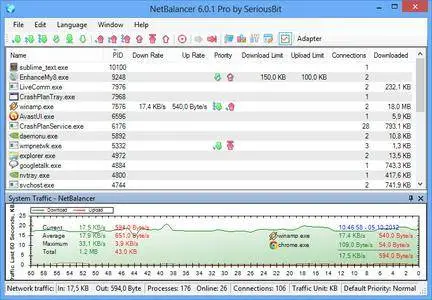
NetBalancer is an internet traffic control and monitoring tool designed for Microsoft Windows 7, 8 and 10 (and their server variants) with native x64 support.


With NetBalancer you can:
Set a download and/or upload network priority or limit for any process
Manage priorities and limits for each network adapter separately
Define detailed network traffic rules
Group local network computers and balance their traffic synchronised
Set global traffic limits
Get detailed statistics and totals about your data usage
Show network traffic in system tray

Operating System: Windows 7, 8 and 10 (and their server variants) with native x64 support.

Home Page -
Код:
https://netbalancer.com/


-:DOWNLOAD FROM LINKS:-

NitroFlare
Код:
https://nitroflare.com/view/C1EFB79D73B39D9/NetBalancer9.rar

RapidGator
Код:
https://rapidgator.net/file/001f2955b0a15b9ba48d5fb90e418f59/NetBalancer9.rar.html

​
 
Windows 10 19H2 1909.18363.778 AIO 10in1 Preactivated April 2020


2004231218220095.jpg


Windows x86/x64 | Languages:English,German,Greek,French,Spanish,Italian,Portuguese-Portuguese,Portuguese-Brazil,Turkish | File Size: 5.44 GB
​
Windows 10 is a series of personal computer operating systems produced by Microsoft as part of its Windows NT family of operating systems. It is the successor to Windows 8.1, and was released to manufacturing on July 15, 2015, and to retail on July 29, 2015. Windows 10 receives new releases on an ongoing basis, which are available at no additional cost to users. Devices in enterprise environments can receive these updates at a slower pace, or use long-term support milestones that only receive critical updates, such as security patches, over their ten-year lifespan of extended support.

Windows 10 Edition list included:
1.Windows 10 Home (x86/x64)
2.Windows 10 Pro (x86/x64)
3.Windows 10 Pro Education (x86/x64)
4.Windows 10 Education (x86/x64)
5.Windows 10 Enterprise (x86/x64)

System Requirements:
Processor: 1 gigahertz (GHz) or faster.
RAM: 1 gigabyte (GB).
Free space on hard disk: 16 gigabytes (GB).
Graphics card: DirectX 9 graphics device or a newer version.
Additional requirements to use certain features.
To use touch you need a tablet or monitor that supports multitouch.
To access the Windows store to download and run apps, you need an active Internet connection and a screen resolution of at least 1024 x 768 pixelsWhats New:

KB4549950:Compatibility update for installing Windows 10, version 1903 and 1909: April 14, 2020
KB4552152:Servicing stack update for Windows 10, version 1903 and 1909: April 14, 2020
KB4517245:1909_Enablement_Package_387
KB4537759:Security Update for Adobe Flash Player: February 11, 2020
KB4534132:February 11, 2020-KB4534132 Cumulative Update for .NET Framework 3.5 and 4.8 for Windows 10 Version 1903 and Windows Server 1903 RTM and Windows 10,version 1909 and Windows Server, version 1909

April 14, 2020-KB4549951 (OS Builds 18363.778)

Highlights
-Updates to improve security when using Microsoft Office products.
-Updates to improve security when Windows performs basic operations.
-Updates for storing and managing files.

Improvements and fixes
-Addresses an issue that prevents certain apps from installing if they are published using a Group Policy Object.
-Addresses an issue that prevents a wired network interface from obtaining a new Dynamic Host Configuration Protocol (DHCP) IP address on new subnets and virtual LANs (VLAN) after wired 802.1x re-authentication. The issue occurs if you use VLANs that are based on accounts and a VLAN change occurs after a user signs in.
-Security updates to the Microsoft Scripting Engine, Windows App Platform and Frameworks, Windows Cloud Infrastructure, Windows Virtualization, Microsoft Graphics Component, Windows Kernel, Windows Media, Windows Shell, Windows Management, Windows Fundamentals, Windows Virtualization, Windows Storage and -Filesystems, Windows Update Stack, and the Microsoft JET Database Engine .


-:DOWNLOAD FROM LINKS:-

NitroFlare
Код:
https://nitroflare.com/view/BB87A986CCE19C3/W10.Aio.10.in.1.April.2020.part1.rar
https://nitroflare.com/view/ECD9633C8BB374A/W10.Aio.10.in.1.April.2020.part2.rar
https://nitroflare.com/view/15B2F4E0B3C081C/W10.Aio.10.in.1.April.2020.part3.rar
https://nitroflare.com/view/930D827F2032A98/W10.Aio.10.in.1.April.2020.part4.rar
https://nitroflare.com/view/3EFE497637E7AB4/W10.Aio.10.in.1.April.2020.part5.rar
https://nitroflare.com/view/2B2E055D7B7940B/W10.Aio.10.in.1.April.2020.part6.rar

RapidGator
Код:
https://rapidgator.net/file/02e175ff0d3986d9cc1a073cb59c63d9/W10.Aio.10.in.1.April.2020.part1.rar.html
https://rapidgator.net/file/51713b6977a9618882eed349aaf2b594/W10.Aio.10.in.1.April.2020.part2.rar.html
https://rapidgator.net/file/8922bf2a27c48106292769b8f9eb7517/W10.Aio.10.in.1.April.2020.part3.rar.html
https://rapidgator.net/file/1b1182517250f4b1648daa90f56c9e01/W10.Aio.10.in.1.April.2020.part4.rar.html
https://rapidgator.net/file/ec137da1a5ed07d8f760cf6cace2cf99/W10.Aio.10.in.1.April.2020.part5.rar.html
https://rapidgator.net/file/e542e3a334a8a79cb39f97bde1fa26a8/W10.Aio.10.in.1.April.2020.part6.rar.html

​
 
Ashampoo Photo Commander 16.1.2


2004231226070101.jpg

Ashampoo Photo Commander 16.1.2 Multilingual | 396.2 Mb
​
The new Ashampoo Photo Commander 16 will amaze you right off the bat! The modern user interface will quickly learn your favorite features and adapt itself accordingly for quicker access. Slideshow images now appear in stunning 4K and the new panorama feature will steal the show. Experience more visual clarity with the decade view, benefit from new search filters and the enhanced file selection and work with fresh card designs and new transition effects for your videos. Make the most out of your photos!


The true all-rounder to view, edit and organize your photos
The new Ashampoo Photo Commander 16 is the complete solution to view, edit and organize your photos. Bring order to your collection, optimize multiple images in one go and create calendars, photo cards and entire slideshows with ease. Whether you're a beginner, novice or professional photographer, excellent results are always just a few clicks away.

Automatic photo enhancements
The built-in auto-correction can turn even the miserablest of snapshots into precious holiday memories by instantly remove scratches, digital noise or red eyes! Multiple auto-features take most of the work off your shoulders and the integrated batch processing can enhance all your photos in one go.

Create collages, calendars and photo cards
Use the many included templates to create photo cards with ease or give in to your love for detail and design your own calendars. Even stunning collages no longer pose no problem! Ashampoo Photo Commander 16 offers a wealth of options to put make your ideas a reality!

Create slideshows
Ashampoo Photo Commander 16 creates slideshows in high definition 4K! New transitions make for more beautiful and versatile scene transitions while added support for more audio formats allows for richer background audio. Finished slideshows are instantly previewable in real time with the new video playbar control.

Present photos in style
Whether you're enjoying your photos on your own or with friends, you'll love the new presentation mode. Use your primary display to control the flow and your secondary display to present your photos! Also great for beamers, modify your photos in real time without leaving the presentation!

Set, use and edit geotags
Modern cameras and cellphones use geotagging to save the location of each shot. Ashampoo Photo Commander 16 can add and edit this information and use it to sort your photos. The program can even process this data to determine the exact country, city and street for each photo! Retrace the stages of your vacation on a map from beginning to end in the comfort of your own home!

Crop and edit photos
Trim your images down to size, straighten horizons or set color accents. Cut out persons and objects or modify perspectives. Apply great effects and go professional with gradation curves and tonal corrections.

A modern, adaptive interface
Ashampoo Photo Commander 16 not only comes with a sleek new look but adapts to your working method. Frequently used functions automatically appear in the quick access menu so they're always just one click away for faster results! Naturally, you can always switch back to the classic view if you prefer that.

Bring order to your photo collection
Ashampoo Photo Commander 16 provides more visual clarity. New file filters enable you to track down photos more efficiently, e.g. by combining location and time-based searches! The flexible group view allows you to instantly select files and preview their EXIF data in the new status bar. Seasoned photographers will appreciate the new decade view that provides a completely new look on their photo collections.

Design and rescue photos
Unleash your creativity with Ashampoo Photo Commander 16! The newly developed panorama function creates breath-taking widescreen images. A built-in automatic takes care of overexposed or faded images for excellent results every time. Multiple included motives make it incredibly easy to create cards for every occasion.

Set new trends with PNG
PNG is already one of the most common image formats on the Internet with PNG animations posing an interesting alternative to GIF animations. Ashampoo Photo Commander can drastically reduce the file sizes of PNGs to save space and traffic particularly on mobile devices. Animations can also be quickly created, converted or extracted.

Customer wishes fulfilled
We heard you. EXIF and IPTC metadata is now displayed in the status bar and freely editable and exportable. The popular duplicate file finder has been greatly accelerated. Multiple pages can now be scanned in one go and converted into PDF if needed. The always important zoom feature has also been sped up significantly.

Operating System: Microsoft Windows 10, 8/8.1, 7

Home Page -
Код:
https://www.ashampoo.com/


-:DOWNLOAD FROM LINKS:-

NitroFlare
Код:
https://nitroflare.com/view/125A37D56E5899E/photo_commander_16.1.2.rar

RapidGator
Код:
https://rapidgator.net/file/33f9c75cd036e5e4d241046d92eb3df4/photo_commander_16.1.2.rar.html

​
 
Revo Uninstaller Pro 4.3.1


2004231227470112.jpg

Revo Uninstaller Pro 4.3.1 Multilingual | 16.6 Mb
​
Revo Uninstaller Pro is innovative uninstaller program which helps you to uninstall unnecessary software and remove easily unwanted programs installed on your personal computer. Revo Uninstaller gives you the convenience to optimize your device, as well as to get rid of all the program files you do not need and slow down your computer processes. You might be surprised to learn that the "Add/Remove Programs" option in the Windows Control Panel does not always completely remove all software data from your system. Traces like registry items or program files and folders may still remain. Now with Revo Uninstaller you can be sure that you can clean your system from all these remnants and provide more comfort and optimization to your device.


Also, most programs come with their own uninstallers, but in most cases, these don't do complete and thorough job, leaving behind temporary files, leftovers, unused registry entries, and other unnecessary program files. These remnants take up space and slow down your Windows PC, and can cause conflicts if you want to install a newer version of the same software in the future. That's where Revo Uninstaller Pro comes in.

The secure and powerful uninstall of a program, sometimes becomes a difficult process. Windows inbuilt Add/Remove Program tool isn't always the perfect solution. As we mentioned earlier it is slower and usually doesn't remove all the traces of the application in your PC (like registry entries, files, folders of the program).

Revo Uninstaller is a great replacement for Add/Remove programs in Windows and offers lots of functions to remove guaranteed any program, faster and completely from your computer. It can effectively remove unnecessary files, folders and registry keys and values related to the program.

Revo Uninstaller also includes a number of cleanup tools such as Junk Files Cleaner, Browsers Cleaner, MS Office Cleaner, Windows Cleaner and Autorun Manager which can be used to take control of the programs that start automatically with Windows.

WHY USE REVO UNINSTALLER PRO?
Complete powerful software uninstall
Quick Uninstall of one or few programs in a row
The best Windows application to uninstall stubborn programs easily
Remove junk files and unnecessary program files
Compatible with all 32-bit and 64-bit versions of Windows
Portable version for all your personal Windows devices
Customizable and flexible easy to use user interface
Free professional technical support

Operating System:
Revo Uninstaller Pro is fully compatible with 32-bit and 64-bit versions of Windows XP, Windows Vista, Windows 7, Windows 8, Windows 8.1, Windows 10 and Windows Server

Home Page -
Код:
http://www.revouninstaller.com/


-:DOWNLOAD FROM LINKS:-

NitroFlare
Код:
https://nitroflare.com/view/916C6599ACA3F60/RevoUninstaller4.rar

RapidGator
Код:
https://rapidgator.net/file/3921f8bb249292b877348087d487c52e/RevoUninstaller4.rar.html

​
 
SOFiSTiK SOFiCAD 2020 SP 2020-4 Build 850


2004231230070099.jpg

SOFiSTiK SOFiCAD 2020 SP 2020-4 Build 850 | 287.9 mb
​
Construction software maker SOFiSTiK is pleased to announce the availability of SOFiCAD 2020 SP 2020-2 is a modular system that complements AutoCAD to functions for structural engineering.

AQB

Features
For the longitudinal torsional reinforcements the maximum values of the layer definitions are now accounted for. See CTRL REIN FIXT for more options.

AQUA

Features
Buckling clamping in thick-walled cross sections (c/t-points via stress points SPT) were revised. Now the calculated fixities are similar to the thin-walled elements.
Bugfixes
Sometimes single reinforcements were deleted if there were line reinforcements at the same time. (166368)
Sometimes the cross section values of circles were wrong. (167067)
Adapting tolerance of S-value for interpolation along an axis. (163746)
Sometimes the shear design values of thick-walled composite sections were wrong. (167192)
Sometimes the reading and the interpolation of profiles was wrong. (166791)
The normal force of the prestressing had not included the parts of reinforcements during a fire design.
Other Issues
Polygon points with radius now always create tangential points. This provides better referencing (cross-section interpolation) and editing in the cross-section editor. In addition, the defined radius is not lost during export anymore. Therefore, the value 'PHI' is obsolete. It is no longer used. Now the orientation of the arc is controlled only by the sign of the radius 'R' (not for 'PHI'). (161683,162363)

ASE

Bugfixes
Incremental launching: program crash corrected in case of manual defined excentic beams with BEAM-EZY (165788)
Pile elements in CSM construction stage analysis: outprint of sum of reaction forces again corrected. (166469)
Beam element with modified theorie 2. order SYST PROB TH3b: Th2 effect corrected on using a primary loadcase PLC in CSM. (167010)

BDK

Bugfixes
Revision of the printout of Supports at Start/End.
Correction for determining eigenvalue analysis dependent values.
Correction for the summary of the results.
Other Issues
Revision of the printout of the design code.
Revised and updated manual.

BEMESS

Bugfixes
Punching: on searching the maximum of multipe design runs LCRI, runs with punching failure were not taken into account correctly - improved. (165898)
Punching Norway: on input PUNC ro_v or necessary ro_v>0.50 the program did not switch to punching with stirrups - corrected. (166507)
LCRI maximum of multipe design runs: if the first LCRI did not contain shear reinforcement, for the created LCR a possible shear reinforcement could also not be plotted - corrected. (165936)
Increase of reinforcement due to concrete stress check NSTR CHKC corrected (did not run any longer). (166510)
Other Issues
Missing nodal results: in case one design loadcase does not contain nodal results, now no nodal design is done and old reinforcement results are deleted for this design distribution.
Stress range tendons: warning added in case the stress range is higher than required.
CSM Design: Fatigue check concrete was not started - corrected.
Multilayer reinforcement: do not design elements with reinforcement diameter = 0

CSM

Bugfixes
CSM optimisation: on usage for North America the opimisation file was written with P Prestress instead of PS - corrected. (166395)
Other Issues
CSM Design: Fatigue quad elements: stress range can now be input with DESI FAT PAR2 und PAR3
CSM Design: Group selection for the design allowed with new input GRPD.
CSM Design MAXIMA: Default for CTRL MAXI set to 1 for Norway (superposition according equation 6.10a and b).
CSM Design AQB NSTR: analysis of eigenstresses in the reinforcement: control corrected with CTRL STEU EIGE +64

DECREATOR

Features
Arbitrary Beam Element Selection: Beam finite elements not components of reference geometry (i.e. Structural Line or Beam Sequences) or that lie freely in space can now be selected and integrated. This can be controlled using the options BOX, SEC and/or GRP of the selection command DSEL.
Geometry with kinks: The geometry of a design element can now be formed out of a sequence of structural or beam elements possibly connected with sharp joints or corners having a deflection angle of more than 10°. (166046)
Geometry from Axes: Creation of design elements based on primary or secondary axis is possible with the option DGEO AXIS.
Print out: Detailed information about the type and geometry of intersected finite elements at a section can now tabulated in the report file.
Bugfixes
Force calculation based on two similar user-given interpolated cross sections (via DSLN . NCS . NCS2) are now corrected. (166827)

HASE

Other Issues
Service pack release.

SOFISTIK

Export.exe
Features
Additional, non-complete, output- and GUI-languages.

SOFINI

Features
US AASHTO-2014, US AASHTO-2010: Modification of the action earthquake into E for SSD task Earthquake
Bugfixes
DIN FB102-2003, DIN FB103-2003, DIN FB104-2003: correction of the load factors for the load trains LM1

MAXIMA

MAXIMA
Bugfixes
Fixed memory allocation problem. (166290)
Other Issues
Warning when superposition of stresses for QUAD elements of zero thickness is requested. (166129)

Result Viewer

Bugfixes
The graphical representation of values at cross section polygons was wrong.
Partly the interactive selection of beam sections did not work.
Deleting a link in the join options partly resulted in an crash. (165836)
Other Issues
Extreme value selection did not work for joined results. (167827)
Increased performance while loading a new database.
Increased performance while loading already processed results.
Data selection settings (X-Axis, Y-Axis, Graph) for diagrams will no longer be preset in interactive mode.

SIR

Features
The reading of tendons is switched off with input 'CTRL TEND 0'. (165038)
Bugfixes
SIR has written non different project path (CDB) in the output file (.SIR). (163577)

SOFILOAD

Bugfixes
AREA-Loading where only nodes of QUAD-elements where located exactly on the boundary of the load area. (165699)

SOFIMSHC

Bugfixes
Fixed issue with group names not being printed correctly in the analysis protocol

SSD

Thermal Analysis of Cross Sections
Bugfixes
Task "Fire Design": The output text for the material designation was for steel cross sections incorrectly. (164296)
Design tasks
Bugfixes
Task "Steel Buckling Resistance": CADINP input for SLN-Sequence table has been fixed [MEMB REF SLN (<from> <to> <increment>). is not used any more].
Calculation of Concrete Columns
Bugfixes
Column: Reinforcement suggestion corrected for 5 corner irons. (166098)
Column: Error in generating the supports in the fire design task.
Other Issues
Column: Revision of the reinforcement sketch revised. (167405)
Column: Table creation for the combinations in the nominal curvature method accelerated. (162465)
Calculation of Footings
Bugfixes
Footing: Revision regarding the rounding accuracy from Service Pack 1. (163810)
Analysis tasks
Bugfixes
Task "Buckling Eigenvalues": Default selection set to "Positive Buckling-Modes"
Task "Soil-Structure-Interaction": In "Soil Response" tab, the task always appended a 0 value to CADINP input and table.
Task "Earthquake": The organisation of resulting loadcases was revised. (167875)

Teddy

Features
The first time F3 (continue searching) opens the search dialog. (165508)
The templates folder is again supported via menu. (165508)
Bugfixes
Error in CADINP translation. (167175)

TEXTILE

Other Issues
Service pack release.

WinGraf

Features
The icons on high-resolution displays (4K) are automatically enlarged by up to 50%. (166529)
'Punching' shows the excentricity factor beta.
The 'ClearType / AntiAliasing' effect of texts can be switched on / off via command 'cleartyp' in command line of WinGraf. (165505)
Bugfixes
Errors during design of area elements were not clear shown during output of 'Decisive design check'. (165755)
Input area loads with nooks or small distances were sometimes shown incorrect. (158408,164619,165981)
SIR workfow: Non different project path (CDB) was written in the output file (.GSR). (163577)
Sometimes the displaying of all boundary support forces together was wrong. (167568)
Sometimes the groups of kinematic constraints were wrong. (167714)
The groups of QUAD cuts from database (from SOFIPLUS / REVIT) were not shown in the dialogue.
Sometimes the directions of axis and QUAD cuts from database (from SOFIPLUS / REVIT) were read incorrectly.

WPS

Features
Viewing of the running modules improved.

SOFiCAD is a modular system that complements AutoCAD to functions for structural engineering. Because of the integration the way of working is obtained. All AutoCAD functions can be used together with SOFiCAD.

On AutoCAD you can solve with the various modules of SOFiCAD diverse design tasks. All modules can be arbitrarily combined and deploy within an AutoCAD session.

This video briefly shows the main advantages of the SOFiCAD reinforcement software. From the simple creation of a rebar shape, to the worflow importing formwork plans from Revit.


SOFiSTiK is Europe's leading software developer for analysis, design and detailing of building and infrastructure projects worldwide. Today, employing more than 70 people, we are one of the leading software developers for Finite Element Software in the construction industry, as well as for integrated detailing software based on Autodesk AutoCAD and Revit. SOFiSTiK's subsidiary and Authorized Training Center BiMOTiON provides training and consulting for all aspects of implementing BIM workflows.

Product: SOFiSTiK SOFiCAD
Version: 2020 SP 2020-4 Build 850
Supported Architectures: x64
Website Home Page :
Код:
http://www.sofistik.com
Language: english
System Requirements: PC *
Supported Operating Systems: *
Software Prerequisites: *
Size: 287.9 mb

- SOFiCAD and SOFiPLUS 2020 require AutoCAD 2020.
- SOFiSTiK Analysis + Design requires Revit 2020.
- The Rhinoceros Interface requires Rhino 6.
- SOFiPLUS-X does not require AutoCAD.
- The databases (cdb) created by the FEA programs are not compatible with those of the full version and vice versa.
- Our products are tested and released for Windows 8.1 (64bit) and 10.


-:DOWNLOAD FROM LINKS:-

NitroFlare
Код:
https://nitroflare.com/view/0FA85DB2972DD68/SOFiSTiK.2020.SP.2020-4.Build.850.rar

RapidGator
Код:
https://rapidgator.net/file/a92de2928f4701a00f548d4e73821bd5/SOFiSTiK.2020.SP.2020-4.Build.850.rar.html

​
 
EaseUS Partition Master 14.0


2004231234430104.jpg


File size: 46 MB
​
EaseUS Partition Master is a all-in-one partition solution and disk management software. It allows you to extend partition (especially for system drive), manage disk space easily, settle low disk space problem on MBR and GPT disk.
EASEUS is one of the leading brands of disk management utilities. It got there by constantly raising the stakes and keeping the users more than pleased. The demands being met, all they had to do is take it up a notch. Partition Master Free Edition addresses the home users and brings three powerful and precise tools to the table: Partition Manager, Partition Recovery Wizard and Disk & Partition Copy.

EaseUS Partition Master Server Edition is an ALL-IN-ONE Windows Server partition manager and reliable disk management toolkit. It performs needed hard disk partition maintenance and provides powerful data protection and disaster recovery. Moreover, it minimizes server downtime to increase the efficiency of Windows-based system administration.

EASEUS Partition Master Unlimited Edition is an ALL-IN-ONE partition solution and reliable PC and Server disk management toolkit. Especially for large enterprise users. It allows unlimited usage within your company.

EASEUS Partition Master Technician Edition is an ALL-IN-ONE partition solution and reliable PC and Server disk management toolkit. It offers technical services with unlimited usage for IT professionals, system administrators, technicians and consultants.

Features:
Extend NTFS system partition without rebooting to maximize PC performance.
Convert dynamic disk to basic disk and convert FAT to NTFS file system.
Convert primary partition to logical partition and vice versa.
Safely merge two adjacent partitions into a bigger one without data loss.
Convert a primary volume to logical to create a fifth volume on a disk with 4 existed primary volumes.
Linux partition management. Easily delete, create, format, recover EXT2, EXT3 partition, etc.
Create WinPE rescue disk for booting sickly computer.
Speed up your computer by defragmentation.
Support all hardware. RAID, removable storage device, hard disk, GPT disk and FAT, NTFS, EXT2, EXT3 file system.
Work on both BIOS-based and UEFI-based hardware.
Convert MBR to GPT disk, and convert GPT to MBR disk without data loss.

Disk and Partition Copy Wizard:
Migrate OS to SSD without reinstalling Windows
Copy partition with fast file-by-file copy to protect your data
Clone entire hard disk to another without Windows reinstallation
Upgrade system disk to a bigger one with one-click.
Safely copy dynamic volume to basic disk and resize the basic disk, etc.

Partition Recovery Wizard:
Recover deleted or lost partitions from unallocated space due to any PC failure or virus attack.
Recover deleted or lost partitions after repartitioned hard drive.
Two recovery modes in Partition Recovery Wizard. Automatic recovery mode and Manual recovery mode.
Supports FAT, NTFS, EXT2 and EXT3 partition recovery.

Editions: Professional / Unlimited / Server / Technician


-:DOWNLOAD FROM LINKS:-

NitroFlare
Код:
https://nitroflare.com/view/03D74A9892FB9B0/EaseUSPartitionMaster14.0.rar

RapidGator
Код:
https://rapidgator.net/file/66ce854eed6c321ce99e48325bac2453/EaseUSPartitionMaster14.0.rar.html

​
 
Windows 10 20H1 2004.10.0.19041.207 AIO 14in2 Preactivated May 2020


2004231236180096.png


x86,x64 | Languages:English,German,Greek,French,Spanish,Italian,Portuguese-Portuguese,Portuguese-Brazil,Turkish | File Size: 3.25/4.28 GB
​

Windows 10 is a series of personal computer operating systems produced by Microsoft as part of its Windows NT family of operating systems. It is the successor to Windows 8.1, and was released to manufacturing on July 15, 2015, and to retail on July 29, 2015. Windows 10 receives new releases on an ongoing basis, which are available at no additional cost to users. Devices in enterprise environments can receive these updates at a slower pace, or use long-term support milestones that only receive critical updates, such as security patches, over their ten-year lifespan of extended support.

Information:
Microsoft will released Windows 10 May 2020 Update 20H1 2004.10.0.19041.207 on all pc's through Windows Update for Upgrade your Machines the new official microsoft iso's msdn / visual will Released The May 2020.

Information:
Name ISO x86:win_10_aio_7in1_2004.19041.207.2020_may_x86
Name ISO x64:win_10_aio_7in1_2004.19041.207.2020_may_x64
Size x86:win_10_aio_7in1_2004.19041.207.2020_may_x86
Size x64:win_10_aio_7in1_2004.19041.207.2020_may_x64
SHA1 x86:498d4a86656f5383032fc3070d67d80c533306a8
SHA1 x64:96a0810bfbaf2d740000015cb9a46d354224928d
Activation:Permantly Activation( Generate Digital License) v62.01
Languages:English,German,Greek,French,Spanish,Italian,Portuguese-Portuguese,Portuguese-Brazil,Turkish
Build Number:10.0.19041.207
Features:Net 3.5 Enabled
Converted:Install.wim<Install.esd
Author:WhiteDeath

Windows 10 Edition list included:
1.Windows 10 Home"
2.Windows 10 Pro"
3.Windows 10 Home Single Language"
4.Windows 10 Pro Education"
5.Windows 10 Pro for Workstations"
6.Windows 10 Education"
7.Windows 10 Enterprise"

System Requirements:
Processor: 1 gigahertz (GHz) or faster.
RAM: 1 gigabyte (GB).
Free space on hard disk: 16 gigabytes (GB).
Graphics card: DirectX 9 graphics device or a newer version.
Additional requirements to use certain features.
To use touch you need a tablet or monitor that supports multitouch.
To access the Windows store to download and run apps, you need an active Internet connection and a screen resolution of at least 1024 x 768 pixelsWhats New:Start
-Nothing to share yet

Cortana
-Cortana has been redesigned with a conversation-based UI and support for light mode
-The Cortana window can now be moved across the desktop

Search
-Windows no longer indexes developer forlders like .git, .svn, .Nuget, .hg and more
-Search can now better identify high usage and only index when enough resources are available.

Taskbar + Action center
-Searching in Timeline when you didn't opt-in no longer requires you to tab past the opt-in text before you get to the search results
-Action center will now show a direct link to Notification settings
-You can now rename virtual desktops

User Interface
-Nothing to share yet

File Explorer
-Search is now powered by Microsoft Search
-The Search bar in the File Explorer is now slightly longer by default
-The context menu for .HEIC-files will now include options to Print or Set as Desktop Background

System
-The App Volume and Device Preferences page has been redesigned
-Storage Sense's group policies have been updated with better explanations for their functionality
-You can now disable sounds for all notifications at once
-You can now sort notifications senders
-Under Notifications & actions, a setting has been added to disable the post-upgrade setup page

Devices
-You can now manage the mouse cursor speed
-When pairing with Swift Pair, the entire flow now happens within the notification with no need to open Settings
-One less notification has to be shown for the full pairing experience over Bluetooth
-You can now dismiss Swift Pair from the notification with the Dismiss-button
-The device name and category are now shown in a Swift Pair notification

Network & Internet
-The network Status page has been redesigned, showing the network usage for all active connections and integrating Data Usage

Apps
-You can now select multiple features to be installed on your device
-Features can now be searched through as well as sort them by Name, Size or Install date
-Features will now shown when they were installed and any other dependencies they have
-Latest actions has been added to Optional features and shows which installs, uninstalls and cancels you've performed

Accounts
-"Make your device passwordless" has been added as a new option under Sign-in options
-Your account picture will now sync faster through any Microsoft services
-Ease of Access settings can no longer be set to sync between devices
-The option "Automatically save my restartable apps when I sign out and restart them after I sign in." has been added on the Sign-in options page

Time & language
-Language will now show an overview of various aspects of the system and to which language they are set, including Windows display, Apps & websites, Regional format, Keyboard and Speech, providing quick access to the various settings
-The link to add a local experience pack has been removed
-Opening a language's options will now show an updated language features overview
-Required features are now listed below other features without a disabled checkmark
-Features and settings that depend on other features and settings are now shown as a subitem of their parents
-The various language feature will now show an icon on the right that will give the user a tooltip

Gaming
-Nothing to share yet

Ease of Access
-There is now a tooltip when hovering over the various color options for your cursor

Cortana
-Nothing to share yet

Search
-Nothing to share yet

Privacy
-Nothing to share yet

Update & Security
-You can now limit the bandwith usage by Delivery Optimization for both foreground and background
-"Cloud download" has been added as a new recovery option
-Windows Update will now list optional updates under "View optional updates"
-All driver updates are now listed under "View optional updates", removing the need to check for drivers in the Device Manager

Mixed Reality
-Nothing to share yet

General
-Improvements to the launch time when the Settings header is visible

Ink Workspace
-The Ink Workspace flyout has been replaced with a small flyout menu
-Sticky Notes are no longer accessible from the Ink Workspace
-Sketchboard has been replaced with the Microsoft Whiteboard app

System
-Nothing to share yet

Accessibility
-Magnifier with larger pointers will now pan smoothly when as the pointer changes shape
-"Change how capitalized text is read" has been removed from Narrator
-Narrator now announced the toggle state of checkboxes in a Listview
-Scan mode will now turn off to allow typing in the edit field of a spinner control
-Narrator now has improved support for "invalid" and "required" properties on more controls
-Narrator Braille can now reliably activate links by routing key
-Narrator reliability has been improved from Chrome
-Narrator now reads tables more efficiently by only reading the deltas when navigating.
-Narrator + S now gives a webpage summary.
-You can now keep the text cursor in the center of the screen when typing with Magnifier
-Narrator can now say the title and url of a link
-Narrator will now read the header first, followed by the cell data, followed by the row/column - position of a cell
-When headers in data tables change, Narrator will now read them
-Eye Control now supports drag-and-drop
-Pausing Eye Control will now completely hide the launchpad
-Buttons can now be clicked with switches on joysticks or device that emulate joysticks
-Eye Control has been updated to provide more settings
-Narrator now automatically starts reading web pages and emails
-The Magnifier UI has been revamped with updated icon and moves the magnification in between the zoom buttons, it is no longer to change the view from the Magnifier window
-Narrator will now turn on Scan Mode when reading Outlook or Windows Mail mails automatically
-Each email will now be read with the status mentioned first in the list view
-The text cursor can now be changed to any given color
-Narrator will now start reading webpages from the top rather than from the main landmark on it
-Narrator now supports the arria-haspopup property
-You can now turn of Narrator input learning of by hitting Narrator + 1
-Improved Magnifier performance when moving the mouse around the screen
-Magnifier reading now support reading in more locations
-Narrator's volume for link and scroll sounds has been bumped up
-In Outlook, the "importance"-header is now always spoken by Narrator before the importance level
-Magnifier can no longer be set to an UI that is visible in the viewport as a magnifying glass

Language and input
-The on-screen keyboard now uses SwiftKey's Typing Intelligence on 39 new languages: Afrikaans (South Africa), Albanian (Albania), Arabic (Saudi Arabia), Armenian (Armenia), Azerbaijani (Azerbaijan), Basque (Spain), Bulgarian (Bulgaria), Catalan (Spain), Croatian (Croatia), Czech (Czech Republic), Danish (Denmark), Dutch (Netherlands), Estonian (Estonia), Finnish (Finland), Galician (Spain), Georgian (Georgia), Greek (Greece), Hausa (Nigeria), Hebrew (Israel), Hindi (India), Hungarian (Hungary), Indonesian (Indonesia), Kazakh (Kazakhstan), Latvian (Latvia), Lithuanian (Lithuania), Macedonian (Macedonia), Malay (Malaysia), Norwegian (Bokmal, Norway), Persian (Iran), Polish (Poland), Romanian (Romania), Serbian (Serbia), Serbian (Serbia), Slovak (Slovakia), Slovenian (Slovenia), Swedish (Sweden), Turkish (Turkey), Ukrainian (Ukraine), Uzbek (Uzbek)
-Dictation support for English (Canada), English (UK), English (Australia), English (India), French (France), French (Canada), German (Germany), Italian (Italy), Spanish (Spain), Spanish (Mexico), Portuguese (Brazil), and Chinese (Simplified, China) has been added
-A number of kaomoji have been added the to emoji picker
-A number of kaomoji have been added the to emoji picker.

Input Method Editor
-The development version of the Japanese IME from build 18277 has been restored
-Improved security and reliability in the revamped Chinese Simplified and Chinese Traditional IMEs, as well as a cleaner settings interface
-The Chinese Pinyin IME now refers to "Default mode" instead of "Input mode"
-A tip has been added to the Bopomofo IME settings that Ctrl + Space will toggle the conversation mode
-The Japanese IME now has as default assinged value of Ctrl + Space to be "None"
-Key assignment settings are now more discoverable in the Japanese IME
-Improved performance for the Bopomofo, ChangJie, and Quick IMEs
-You can now disable the Shift + Space keyboard shortcut in the Bopomofo IME as well as changing the candidate font size
-You can now hide the IME toolbar from the toolbar menu

Connect
-Connect is now an optional feature downloadable in Settings

Notepad
-Notepad can now restore unsaved content when Windows restarts for updates

Task Manager
-The disk type will now be shown in Task Manager
-Right clicking a process will now show "Provide Feedback" after "End task" and "End process tree" instead of between
-The GPU temperature is now shown under Performance > GPU

Windows Sandbox
-Support for capturing hotkeys in full screen has been added
-A configuration file can now be set for Windows Sandboxes
-Error dialogs will now show an error code and a link to Feedback Hub
-You can now use a microphone in Windows Sandbox
-The audio input device can now be set in the Sandbox config file
-Shift + Alt + PrtScn now opens the ease of access dialog for high contrast mode
-Ctrl + Alt + Break now toggles fullscreen mode
-Windows Sandbox no longer requires the use of Admin privileges

Windows Subsystem for Linux
-The file system of a Linux distro can now be accessed from File Explorer
-Windows Subsystem for Linux version 2 has been added to Windows, including a full Linux kernel
-Connections can now be made using localhost
-Improved performance for directory listings in \wsI$

Other features
-Tamper Protection will be set on by default again
-You can now sign in with your Windows Hello PIN when in Safe Mode

And further
-The "Windows Light" theme is now called "Windows (light)"
-All Emoji 12.0 emojis now have keywords in the emoji picker
-The OOBE will now show a lock icon with networks that are private
-Windows Defender ATP is being renamed to Microsoft Defender
-Windows will now periodically remind you to make backups if you do not have a backup solution installed
-You're prefered defragmentation settings are now preserved after upgrading Windows
-Support for Microsoft Bluetooth Mouse and Keyboard has been added to Swift Pair
-Update the Windows version name to version 2004

Build 19041.207 (KB4550936) includes all of the 20H1 features in addition to the following quality improvements and security updates:
-This build is cumulative and includes all the fixes released to Windows Insiders in the Slow ring in Build 19041.21 through Build 19041.173.
-We fixed an issue that causes the Remote Procedure Call (RPC) service (rpcss.exe) to close unexpectedly and the device stops working. Then you must restart the device.
-We fixed an issue that causes the Device Enrollment Status Page (ESP) on managed devices to stop responding if a policy that requires a restart is installed on the device.
-We fixed an issue that might prevent the rear camera flash from functioning as expected on devices that have a rear camera.
-It also includes the latest security updates to the Microsoft Scripting Engine, Windows Kernel, Windows App Platform and Frameworks, Microsoft Graphics Component, Windows Media, Windows Shell, Windows Management, Windows Cloud Infrastructure, Windows Fundamentals, Windows Authentication, Windows Virtualization, Windows Core Networking, Windows Storage and Filesystems, Windows Update Stack, and the Microsoft JET Database Engine.


-:DOWNLOAD FROM LINKS:-

NitroFlare
Код:
https://nitroflare.com/view/15BBC40EE2BB15C/10_aio_7in1_2004.19041.207.2020_may_x64.part1.rar
https://nitroflare.com/view/42EA0650AA51696/10_aio_7in1_2004.19041.207.2020_may_x64.part2.rar
https://nitroflare.com/view/40D877DBEACF0AE/10_aio_7in1_2004.19041.207.2020_may_x64.part3.rar
https://nitroflare.com/view/31B05D2FCEC4A7F/10_aio_7in1_2004.19041.207.2020_may_x64.part4.rar
https://nitroflare.com/view/490D733282A2DB2/10_aio_7in1_2004.19041.207.2020_may_x64.part5.rar
https://nitroflare.com/view/9A138F4B19BE14D/10_aio_7in1_2004.19041.207.2020_may_x86.part1.rar
https://nitroflare.com/view/999E1BD022E9186/10_aio_7in1_2004.19041.207.2020_may_x86.part2.rar
https://nitroflare.com/view/37D77F0E2C1EEC3/10_aio_7in1_2004.19041.207.2020_may_x86.part3.rar
https://nitroflare.com/view/3F9FBB7291EFA0B/10_aio_7in1_2004.19041.207.2020_may_x86.part4.rar

RapidGator
Код:
https://rapidgator.net/file/9ca4089bd210bed1fa77ea7a0e2609ea/10_aio_7in1_2004.19041.207.2020_may_x64.part1.rar.html
https://rapidgator.net/file/a995c5fefb13026486e5d9f33e4db6e0/10_aio_7in1_2004.19041.207.2020_may_x64.part2.rar.html
https://rapidgator.net/file/bd2192e0b450da2d1d226ba0eac54660/10_aio_7in1_2004.19041.207.2020_may_x64.part3.rar.html
https://rapidgator.net/file/2442b1890f58d0da4699af293de020bd/10_aio_7in1_2004.19041.207.2020_may_x64.part4.rar.html
https://rapidgator.net/file/924c7c1e3fc7c5d277e87a837da885ea/10_aio_7in1_2004.19041.207.2020_may_x64.part5.rar.html
https://rapidgator.net/file/4fe5e3c6944a3cf2f0f593ecf45aec0b/10_aio_7in1_2004.19041.207.2020_may_x86.part1.rar.html
https://rapidgator.net/file/9ac56c141097020e919e4a57b223916a/10_aio_7in1_2004.19041.207.2020_may_x86.part2.rar.html
https://rapidgator.net/file/39512bba74255d7e7698780944e470b1/10_aio_7in1_2004.19041.207.2020_may_x86.part3.rar.html
https://rapidgator.net/file/794d5751a12fb83c888554d9730be535/10_aio_7in1_2004.19041.207.2020_may_x86.part4.rar.html

​
 
ZookaWare 5.2.0.6 Pro


2004231238550096.png


File size: 11.8 MB
​
Love Your PC Again. Removes spyware, unwanted programs, junk files, unwanted registry keys, tracking cookies and more to make your computer and browsers faster, safer and error free!

ZookaWare Pro:
- Automatic Updates, Scans & Tuneup
- Daily American Based Support
- Daily Spyware Updates
- Spyware Scanner
- Registry Cleaner

Securing and Optimizing Computers Worldwide Since 2004
- Speed Up Your PC
- Free Up Disk Space
- Fix Browser & Internet Problems
- Solves Errors from Malware
- Privacy Protection
- Stop Popups From Adware
- Faster Internet
- Remove Unwanted Programs

Easy 3 Step Scan
Removes spyware, unwanted programs, tracking cookies and registry errors. Frees up disk space from Windows, Chrome, Edge, Firefox, Internet Explorer and Opera.

100% Unwanted Program Removal
Ever feel like hackers are inside your computer? Endless ads yelling at you, slowness and error messages your antivirus can't solve? It's a common problem we've solved since 2004. Your unwanted programs will be removed by ZookaWare, or we'll add them all to ZookaWare's database within 24 hours, so your unwanted programs are 100% removed from your computer, guaranteed or your money back.

Speed Up Your PC And Browsers
Programs run silently in the background slowing down your computer and internet. ZookaWare's Optimizer makes it easy to speed up your PC and browsers by disabling unwanted programs in Windows, Chrome, Firefox, Edge, Opera and Internet Explorer.

Solves Advanced System Problems
System Report scans your PC generating an almost instant in depth report with full removal function of the following items in your PC: spyware, browser toolbars, browser plugins, browser helper objects, browser extensions, startup programs, Windows explorer plugins, system services, protocols and Winsock LSP. System Report makes no distinction between wanted and unwanted programs, giving experts a serious tool for solving serious PC issues.

Whats New:
Updates: official site does not provide any info about changes in this version


-:DOWNLOAD FROM LINKS:-

NitroFlare
Код:
https://nitroflare.com/view/45757E1EDD94176/ZookaWare.Pro.5.2.0.6.rar

RapidGator
Код:
https://rapidgator.net/file/bc25ab97b84870567c987239d732af53/ZookaWare.Pro.5.2.0.6.rar.html

​
 
VariCAD 2020 1.09


2004231248520093.jpg

VariCAD 2020 1.09 | 176.3 Mb
​
VariCAD is 3D / 2D CAD software primarily intended for mechanical engineering design. The comprehensive CAD software enables designers to quickly create, evaluate, and modify their models. The software is sold as one "fully loaded" package, with all features and functions, for one very affordable price. VariCAD delivers an excellent performance-to-price ratio, making it one of the smartest choices on the market today.


User Interface and System Environment
VariCAD's Graphical User Interface (GUI) has been designed to allow quick and intuitive 3D/2D orientation. It has been carefully tailored and tuned to reflect the thought process of a designer, so that ideas can be captured and communicated with a minimal number of steps. All commands were created with a focus on ease of use.

You can start by creating a 3D model and then use it to automatically create drawings files, or you can draw only in 2D. Designing in 3D is generally more "natural," in that it closely represents actual parts and assemblies. The 3D approach is usually more intuitive than 2D drafting. Models created in 3D are easily converted into conventional 2D documentation. VariCAD provides tools for 2D updates after changes of 3D models.

3D Modeling
VariCAD provides a library of basic 3D shapes (like a box, cylinder, cone, etc.), which are easily modified by editing their dimensions. Solids can be created also by profile rotation, extrusion, or lofting. More complex tools include rotation blending between two profiles, lofting between a circle and rectangle or between different profiles, and creation of helical surfaces.

Solids can be added or subtracted, thus forming Boolean trees representing real mechanical parts. Boolean operations have options of automatic trimming (so called selective Boolean operations). Predefined operations like drilling of holes, face milling or groove milling are also available. Edges can be rounded or chamfered. VariCAD provides a lot of possibilities of solid transformations or their editing. Also, you can easily edit Boolean trees - either selecting solid parts from 3D, or selecting them from a list displaying structure.

Parameters and Geometrical Constraints
Although you can comfortably transform solids or their parts, you can optionally define geometrical constraints. Once defined, constraints allow you "to stick" object at defined location. More exactly, you can remove degrees of freedom of constrained objects. If other objects are changed or transformed, constrained object changes its position automatically. For instance, if you constrain a groove to the end of a shaft and the shaft length is changed, the groove remains in constant distance from the end edge. Constraints can be defined among elements of a solid, among entire solids or within a 2D profile creating a solid (for instance, by extrusion).

Whenever you enter a dimension of solid, a distance in constraint or dimension in 2D profile used for solid creation, you can optionally use parameter or even a mathematical expression containing parameters. Changing parameter values, you can change shapes or locations of solids.

3D Assemblies and Groups
VariCAD also provides tools for assembly support. If the link between a part and assembly is defined, any changes made to the part file are reflected in the assembly file and vice-versa. Linked copies of solids can also be defined (so called identical solids). In such case, editing of one object causes update of all its identical copies. Solid groups can be defined as well, making selection and visibility changes simple, for multiple objects.
Crash Tests (Interferences)

One excellent feature of 3D modeling is component interference checking. VariCAD can check 3D assemblies for possible collisions (overlapping volume) between components.

Calculations
VariCAD can calculate 2D section area, surface area, volume, mass, center of gravity, and moment of inertia. Mechanical parts calculations are also included - for standard parts used every day by mechanical designers. There are calculations of tension and compression springs, pre-stressed bolted connections, pins and parallel keys, grooved shafts, bearings, beams under combined stress (bending and torsion), spur and bevel gearing geometry, and belt drives.
Surface Development (Sheet Metal Unbending)

VariCAD can also create developed (unbent) surfaces of 3D solids or sheet metal parts. The XY coordinates of developed surfaces can be saved into a text file for further processing. You can input bending coefficients in order to customize your calculations, to reflect material and technology.
Mechanical Part and Symbol Libraries VariCAD contains libraries of standard mechanical parts (ANSI, DIN), such as bolts, nuts, pins, plugs, cotters, gaskets, bearings, rolled and drawn shapes, and hydraulic, pneumatic, and electrical symbols.

3D - 2D Export
3D models are easily converted into 2D drawings to produce conventional drafting documentation. You can create 2D views of one or more selected solids by defining the views in 3D. In addition, you can also export specified sections. VariCAD supports updates of a 2D drawing after changes in 3D.

2D Drawing and Editing
Drawing functions are optimized for easy use in engineering. Some handy features of 2D drawing include: automatic detection of objects and snap points, numerous snap modes, auxiliary construction lines, Ortho mode, rectangular grid, drawing layers, block creation, hatching with automatic border detection, advanced dimensioning, finish symbols, welding symbols, tolerance symbols, and many more. You can draw in millimeters or in inches.

BOM and Title Blocks
VariCAD provides tools for maintaining the data structure of the product. There are links between attributes of parts and content of title blocks. You can create a bill of material (BOM) from an assembly, or easily modify the database using commands like mass attribute changes, sorting of information, etc. Each part can contain attributes, like name, type of material or supplier. Such data can be used for material requisitions, creation of bills of materials (BOM), filling of title blocks, or other purposes.

The data structure of the product (BOM) can be exported into other systems or into a spreadsheet. A mask is used for BOM customization; you can modify it exactly according to your needs. Mask defines usage of solid or assembly attributes, working with title blocks, methods of data exports from BOM etc.

Compatibility
VariCAD can interchange files with other CAD systems. You can export STEP (3D), STL (3D), IGES (3D), DWG (2D), DXF (2D) files, and import STEP (3D), DWG (2D), DXF (2D). The files can be converted individually or in batch routines, thereby converting multiple files in one step.

VariCAD 2018
This version supports 3D mouse under Linux. VariCAD commands are available from 3D mouse keys. Next new features are isometric views in 3D mode and 2D objects created from data loaded from *.csv files or, generally, text files (files containing XY coordinates). User interface contains virtual numerical pad available for values input, and rebuilt dialog panels used for definition of basic solids (like box, cylinder.). The new version has improved parts of 3D kernel, including input/output of STEP files.

System requirements
Hardware and software recommendations for large assemblies (aprox. thousands of parts):
Multi-core processor, e.g. Intel Core i5-4460
8 - 16GB RAM, for extremely large data more
Graphic card with hardware support of OpenGL 4 graphics (NVIDIA GTX/Quadro graphics chip, 2GB RAM), e.g. GIGABYTE N960IXOC-2GD
5-button mouse with the scroll wheel
64-bit operating systems: Microsoft Windows 7, Windows 8/8.1, Windows 10

Home Page -
Код:
https://www.varicad.com/


-:DOWNLOAD FROM LINKS:-

NitroFlare
Код:
https://nitroflare.com/view/85850FB41998604/VariCAD.2020.1.09.rar

RapidGator
Код:
https://rapidgator.net/file/24b4dfbda49fa04f20d2acb154ec1673/VariCAD.2020.1.09.rar.html

​
 
Назад
Сверху