• Здравствуйте. Сайт заработал в архивном режиме форум www.old.nado.in

Dl4ever Software

Adobe Camera Raw 18.2 (x64)

4be935837ae9bff8fb1f71683b4f2937.jpg


Adobe Camera Raw 18.2 (x64) | File size: 1.7 GB
​


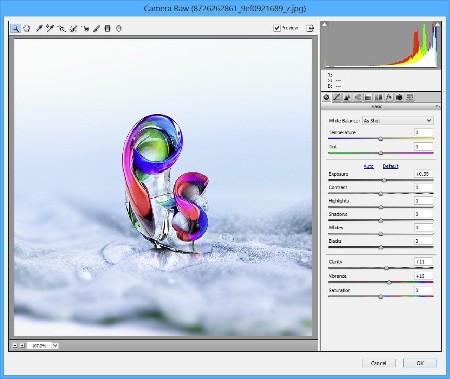
Adobe Camera Raw is a must-have powerful Adobe Photoshop plugin that provides fast access to the RAW image formats. The Adobe Camera RAW converter functionality in Adobe Photoshop software provides fast and easy access to the raw image formats produced by many leading professional and midrange digital cameras. By working with these "digital negatives", you can achieve the results you want with greater artistic control and flexibility while still maintaining the original RAW files. The Photoshop Camera Raw plug-in became the latest must-have tool for professional photographers when it was released in February 2003. Adobe Photoshop Lightroom software is built upon the same powerful raw processing technology that is available in the Adobe Camera Raw plug-in.

Photoshop is more than a feature-packed graphic processor and editor, as its functions can be constantly expanded due to third-party extensions. Such an addon is Camera Raw, an Adobe product that is meant to allow everyone to use Photoshop for processing raw formats, including DNG.

Due to this extension, users can not only edit raw images, but they can also convert them to other formats that are widely supported by other apps. Photographers finally get the possibility to work directly on their shots, thus making sure the original capture is not distorted in any way.

One can apply artistic effects to their photographs, or perform basic editing, such as crop, cut, rotate or tilt, depending on the result they want to obtain.

Furthermore, Adobe Camera Raw supports a wide range of cameras, to allow as many people as possible to process their raw images with ease, regardless if they use Cannon, Kodak, Olympus, Konica Minolta, Samsung, Ricoh, Leaf, Contax, Hasselblad, Panasonic, Sony, Sigma, Casio, Leica, Nikon, Fujifilm, Pentax or Mamiya cameras.

In addition, Adobe Camera Raw is not meant to be exclusively used with highly professional digital cameras, as the shots taken with midrange ones can also be processed.

Adobe Camera Raw comes with a downside, it cannot be integrated into any version of Photoshop one might choose - each version can only be installed onto a certain Photoshop edition, so users need to check the compatibility before downloading and installing this graphic plugin.

Whats New
Код:
https://helpx.adobe.com/camera-raw/using/whats-new.html

HomePage:
Код:
https://adobe.com

-:DOWNLOAD FROM LINKS:-​
Download From RapidGator
У Вас недостаточно прав для просмотра ссылок. Войдите или зарегистрируйтесь.


Download From NitroFlare
У Вас недостаточно прав для просмотра ссылок. Войдите или зарегистрируйтесь.
 
Adobe DNG Converter 18.2 (x64)


664b9b98554466dcb225c2926cf0a968.jpg


Adobe DNG Converter 18.2 (x64) | File size: 1.68 GB
​


Digital Negative (DNG) is an openly published raw file specification that stores the "raw" pixel data captured by the digital camera sensor before it has been converted to JPEG or TIFF along with standard EXIF metadata, date, time, camera used, and camera settings. This format is freely available for other software and hardware vendors to support.

What is the Adobe (DNG) Converter?
The Adobe DNG Converter enables you to easily convert camera-specific raw files from the supported cameras listed below to a more universal DNG raw file.

What is a "raw" file?
A raw file contains the "raw" data captured by the digital camera sensor before it has been converted to JPEG or TIFF. Cameras that create JPEG or TIFF files process (and in the case of JPEG files, compress) the sensor data.When working with raw files, the file is not compressed or processed in the camera-instead, our software gives the user complete control over the conversion settings. For example, white balance is not applied to the raw file but is stored with the file so the software can default to the originally intended setting. Other information contained in a DNG file includes standard EXIF metadata (just like in JPEG files), date, time, camera used, and camera settings.

Benefits of raw files
Some of the benefits of shooting raw include
Smaller files than uncompressed TIFF
Does not have the artifacts of compressed JPEGs
Many key camera parameters, such as white balance, can be modified even after the image is captured
You have complete control over conversion settings rather than letting the camera decide
Access to 16-bit data for greater detail and fidelity
Flexibility of converting a single file using multiple conversion settings

Whats New
Updates: official site does not provide any info about changes in this version.

HomePage:
Код:
https://adobe.com

-:DOWNLOAD FROM LINKS:-​
Download From RapidGator
У Вас недостаточно прав для просмотра ссылок. Войдите или зарегистрируйтесь.


Download From NitroFlare
У Вас недостаточно прав для просмотра ссылок. Войдите или зарегистрируйтесь.
 
InventorCAM 2025 SP4 HF1 for Autodesk Inventor 2018-2026 (x64)


6fe9b462fb3cf665fc5b67d503e9cda3.jpg


InventorCAM 2025 SP4 HF1 for Autodesk Inventor 2018-2026 (x64) Multilingual | File size: 6.23 GB
​


InventorCAM is a new generation CAD / CAM system developed by Israeli firm SolidCAM Ltd (Official distributor in Russia - Consistent Software). This system is a complete solution for automation of metalworking production. With the use of a wide range of strategies offered by InventorCAM for turning, milling, turning-milling and electro-erosion machining, a technologist can quickly prepare the necessary set of control programs for machining a product.

InventorCAM Functionality
Support for 64bit calculations due to the availability of a special version for SW 64bit
2.5-axis milling
InventorCAM provides high efficiency and accuracy of 2.5-axis milling of parts. Different processing strategies for elements such as contour, sampling (with islands) and groove, as well as various types of hole machining are supported: drilling, reaming, threading, etc. The system has a wide range of possibilities for 2.5-coordinate processing of analytical surfaces.

3-axis milling
InventorCAM provides a wide range of tools that can be effectively used to handle products with complex geometries (stamps, molds) and prismatic parts. As a geometry for 3-axis machining a three-dimensional surface or solid model is used. The system supports various types of roughing and finishing strategies, such as raster processing with a specified or automatically determined angle of the raster, equidistant processing, projection processing, processing on waterlines, etc.
In addition to the already listed features of 2.5- and 3-axis machining, InventorCAM offers tools for identifying and modifying sites that were not processed in previous transitions. It is possible to create a database of standard technological processes. Once created, this parameterized technological process can be repeatedly used in the future, which significantly reduces the time of preparation of production, increases the reliability of the developed programs, unifies the style of technological development, guarantees the use of only optimal processing technologies and ensures the production independence from the human factor. The absence of cuttings is guaranteed by the presence of means of control and visualization of machining.

Multi-axis machining
InventorCAM offers various means of creating control programs for multi-axis machining at 4- and 5-axis machining centers. The model is installed in the user defined processing plane, after which the system automatically calculates all the necessary displacement and rotation parameters for the workpiece zero. As a result, the preparatory-final transition time is significantly reduced and the accuracy of processing is increased.

Turning and turning-milling processing
InventorCAM has a wide range of functions for automating the creation of control programs for turning and turning and milling. InventorCAM supports various types of tools, which allows you to effectively produce longitudinal turning, trimming, grooving, etc. In addition, InventorCAM allows you to automatically produce roughing and finishing of complex contours. Support for the rotating tool allows you to perform milling and drilling transitions at machining centers.

Electroerosive processing
The InventorCAM set of strategies for wire EDM allows the processing of external and internal contours with a constant and variable angle of inclination. There is a possibility of 4-axis machining. A special algorithm prevents the falling of the processed material. InventorCAM provides the user with the means to control the physical processing parameters along the entire path of the wire.

ATTENTION! Users of Delcam PowerMILL 2015-2016 under Multikey key emulator!
Version Multikey Emulator 18.1.0 64-bit in this release is NOT compatible with Delcam PowerMILL 2015-2016!
The solution for installing both SolidCAM and PowerMILL on the same computer under Multikey is in the distribution of PowerMILL 2016-but the version of the emulator laid out there assumes the mandatory loading of Windows into the test mode, which is not required with the version of the emulator from this distribution.

Whats New
Read: InventorCAM-Release_Notes-2025-SP4-HF1.pdf

HomePage:
Код:
https://www.solidcam.com/

-:DOWNLOAD FROM LINKS:-​
Download From RapidGator
У Вас недостаточно прав для просмотра ссылок. Войдите или зарегистрируйтесь.

У Вас недостаточно прав для просмотра ссылок. Войдите или зарегистрируйтесь.

У Вас недостаточно прав для просмотра ссылок. Войдите или зарегистрируйтесь.

У Вас недостаточно прав для просмотра ссылок. Войдите или зарегистрируйтесь.

У Вас недостаточно прав для просмотра ссылок. Войдите или зарегистрируйтесь.

У Вас недостаточно прав для просмотра ссылок. Войдите или зарегистрируйтесь.

У Вас недостаточно прав для просмотра ссылок. Войдите или зарегистрируйтесь.


Download From NitroFlare
У Вас недостаточно прав для просмотра ссылок. Войдите или зарегистрируйтесь.
У Вас недостаточно прав для просмотра ссылок. Войдите или зарегистрируйтесь.

У Вас недостаточно прав для просмотра ссылок. Войдите или зарегистрируйтесь.

У Вас недостаточно прав для просмотра ссылок. Войдите или зарегистрируйтесь.

У Вас недостаточно прав для просмотра ссылок. Войдите или зарегистрируйтесь.

У Вас недостаточно прав для просмотра ссылок. Войдите или зарегистрируйтесь.

У Вас недостаточно прав для просмотра ссылок. Войдите или зарегистрируйтесь.
 
DriverMax Pro 17.11.0.12 Multilingual


c423c9153c725d87c49ad1138a9cdac0.jpg


DriverMax Pro 17.11.0.12 Multilingual | File size: 8.87 MB
​


DriverMax - utility that allows to download the latest driver updates for your computer. In addition, DriverMax collects information about installed drivers in system and prints a list of devices that use them. Provides information about the driver version, date, developer, number of files and you have a digital signature. Then you can just export them to a separate folder or packed in ZIP-archive, and after reinstalling Windows to install everything you need from one source. With the Import Wizard can install all the saved drivers just 5 minutes. Thus, you no longer have to have at hand a lot of drives to different devices.

DriverMax is a new tool that allows you to download the latest driver updates for your computer. No more searching for rare drivers on discs or on the web or inserting one installation CD after the other. Just create a free account, log in, and start downloading the updates that you need.
DriverMax determines the drivers installed on your system and allows you to archive them in case of system reinstall. The program is very easy to use and allows to quickly install the system drivers stored in the archive.
Perhaps you think that will reset all the stuffing, which was on the disk, for example, with a sound card. But this is not the case - will be reinstalled just the driver itself, and multimedia applications, diagnostic programs, and so on - it leaves the program for you. Therein lies the problem. On the other hand, not everybody needs these many programs, and this category of people is familiar with the program, at least for the sake of interest. The program's interface, as well as its organization of work, very simple and ergonomic. Deal with it is not difficult.
The program will help you easily and quickly pereutanovit all device drivers that are needed for the correct operation of the devices on your computer in Windows. Just export them to a folder or file, and after reinstalling Windows to install everything necessary from a single source.

Key features
- Gives details of all drivers, including the version, release date, etc.
- Create a detailed report (TXT / HTM) of the drivers.
- Make a backup copy of all the drivers installed in the specified folder.
- Ability to create an archive with the backups of drivers.
- Import Wizard to install the drivers from the saved copy.
- Ability to check for the presence of the more recent versions of the drivers.

What's new
• official site does not provide any info about changes in this version

HomePage:
Код:
https://www.innovative-sol.com/

-:DOWNLOAD FROM LINKS:-​
Download From RapidGator
У Вас недостаточно прав для просмотра ссылок. Войдите или зарегистрируйтесь.


Download From NitroFlare
У Вас недостаточно прав для просмотра ссылок. Войдите или зарегистрируйтесь.

 
Geometric Glovius Prime 6.7.0.182 (x64)


afe53d57667388877502760bfc84c42e.jpg


Geometric Glovius Prime 6.7.0.182 (x64) Multilingual | File size: 138 MB
​


Glovius is a modern 3D CAD viewer for CATIA, NX, STEP, IGES, Pro/ENGINEER and Creo, SolidWorks, Inventor and Solid Edge files. Take accurate measurements, cut dynamic sections, compare differences between models and export to 3D PDF, STL and Glovius Mobile.

Simple, easy to use modern interface

Simple, easy to use modern interface
Honest pricing with subscription option View, query and review 3D designs
Free mobile apps for iOS & Android Powerful measure, section, compare tools
Full API SDK

View 3D models from all popular CAD and neutral formats including CATIA, NX, STEP, IGES, JT, Pro/ENGINEER and SolidWorks.
View product structure, hide/show, move & search components.
View, hide/show, search, sort and filter PMI.
View & search attributes, export BOM table.
Take accurate linear, angular and radial measurements.
Take sections with multiple section planes, cap and outline support.
Compare any two models. Visualize differences in 3D.
Export to 3D PDF, 3DS, OBJ, STL and Glovius Mobile format.

Whats New
Код:
https://www.glovius.com/support/release-notes/

HomePage:
Код:
https://www.glovius.com

-:DOWNLOAD FROM LINKS:-​
Download From RapidGator
У Вас недостаточно прав для просмотра ссылок. Войдите или зарегистрируйтесь.


Download From NitroFlare
У Вас недостаточно прав для просмотра ссылок. Войдите или зарегистрируйтесь.
 
Benthic GoldSqall 2.4.240


2d3dbab6a1038c34cb0adf2b7a1eb277.png


Benthic GoldSqall 2.4.240 | File size: 27.3 MB
​


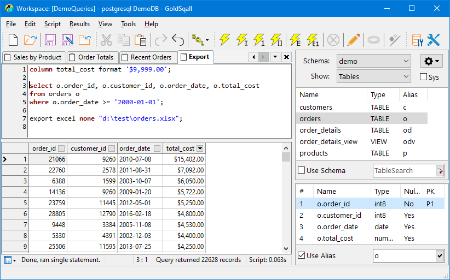
GoldSqall is an SQL query, editing and exporting tool. GoldSqall can natively connect to Oracle, PostgreSQL, MySQL, Firebird and SQL Server. GoldSqall also allows connecting to any database with OLEDB or ODBC drivers. GoldSqall has an advanced syntax highlighting SQL Editor and formatter, a lightning fast datagrid with sorting, filtering, data formatting and a transposed view mode.

Features
Native driver support for Oracle, MySQL, PostgreSQL, Firebird and SQLServer.
OLEDB and ODBC support for any database
SQL query and script running including database specific commands, stored procedures, etc.
Bind variable (:bindvar) and prompt variable (&AskMe) support.
Language copy & paste feature for integration with programming tools. C++, PHP, Object Pascal and more.
Support for viewing tables, columns, stored procedures, schemas, etc.
Incredibly fast data grid with support for transposed mode, sorting, custom formatting, filtering and more.
Cell detail window for multi-line or formatted Text.
Image viewer cell detail window with support for Jpg, Gif, Png, Bmp, Tif, MultiPage Tif, etc.
Export data directly to Excel, Calc, CSV, XML, insert statement scripts, and more.
Export directly to Excel files even if Excel is not installed.
Script autorun support and full command-line options

Whats New
Код:
https://www.benthicsoftware.com/goldsqall.html?tab=4

HomePage:
Код:
https://www.benthicsoftware.com/

-:DOWNLOAD FROM LINKS:-​
Download From RapidGator
У Вас недостаточно прав для просмотра ссылок. Войдите или зарегистрируйтесь.


Download From NitroFlare
У Вас недостаточно прав для просмотра ссылок. Войдите или зарегистрируйтесь.
 
SolidCAM 2025 SP4 HF1 for Solid Edge 2020-2026


88b961b53bb053048943c538d82b846a.jpg


SolidCAM 2025 SP4 HF1 for Solid Edge 2020-2026 (x64) Multilingual | File size: 6.42 GB
​


SolidCAM is a new generation CAD/CAM system developed by the Israeli firm SolidCAM Ltd (Official distributor in Russia - Consistent Software). This system is a comprehensive solution for the automation of metalworking production. Using a wide range of strategies offered by SolidCAM for turning, milling, turning-milling and electrical discharge machining, a technologist can quickly prepare the necessary set of control programs for machining a product.

Functionality of SolidCAM
2.5-axis milling
SolidCAM provides high efficiency and accuracy of 2.5-axis milling of parts. Various processing strategies are supported for such elements as a contour, a selection (with islands) and a groove, as well as various types of hole processing: drilling, countersinking, threading, etc. The system has a wide range of possibilities for 2.5-coordinate processing of analytical surfaces.

3-axis milling
SolidCAM provides a wide range of tools that can be effectively used for the processing of products with complex geometries (dies, molds) and prismatic parts. The geometry for 3D machining is a 3D surface or solid model. The system supports various types of roughing and finishing strategies, such as raster processing with a specified or automatically determined raster angle, equidistant processing, projection processing, waterline processing, etc.
In addition to the already listed capabilities of 2.5- and 3-coordinate processing, SolidCAM offers tools for identifying and refining areas that have not been processed in previous transitions. It is possible to create a database of typical technological processes. Once created, such a parametrized technological process can be reused in the future, which significantly reduces the production preparation time, increases the reliability of the developed programs, unifies the style of technological development, guarantees the use of only optimal processing technologies and ensures the independence of production from the human factor. The absence of overcuts is guaranteed by the presence of means of control and visualization of machining.

Multi-Axis Machining
SolidCAM offers various tools for creating multi-axis machining programs on 4- and 5-axis machining centers. The model is installed in a user-defined processing plane, after which the system automatically calculates all the necessary displacement and rotation parameters for the part zero. As a result, the preparatory-final transition time is significantly reduced and the processing accuracy is increased.

Turning and turning-milling
SolidCAM has a wide range of functions for automating the creation of control programs for turning and turning-milling. SolidCAM supports various types of tools, which makes it possible to effectively perform longitudinal turning, end facing, grooving, etc. In addition, SolidCAM allows you to automatically rough and finish complex contours. Rotary tool support allows you to perform milling and drilling transitions on machining centers.

EDM
The set of wire EDM strategies offered by SolidCAM allows you to process external and internal contours with a constant and variable angle of inclination. The possibility of 4-axis processing is provided. A special algorithm prevents the processed material from falling. SolidCAM provides the user with the means to control the physical parameters of processing along the entire trajectory of the wire.

System Requirements
Siemens Solid Edge 2020-2026 pre-installed

Whats New
Read: SolidCAM-For-SolidEdge-Release_Notes-2025-SP4-HF1.pdf

HomePage:
Код:
https://www.solidcam.com/

-:DOWNLOAD FROM LINKS:-​
Download From RapidGator
У Вас недостаточно прав для просмотра ссылок. Войдите или зарегистрируйтесь.

У Вас недостаточно прав для просмотра ссылок. Войдите или зарегистрируйтесь.

У Вас недостаточно прав для просмотра ссылок. Войдите или зарегистрируйтесь.

У Вас недостаточно прав для просмотра ссылок. Войдите или зарегистрируйтесь.

У Вас недостаточно прав для просмотра ссылок. Войдите или зарегистрируйтесь.

У Вас недостаточно прав для просмотра ссылок. Войдите или зарегистрируйтесь.

У Вас недостаточно прав для просмотра ссылок. Войдите или зарегистрируйтесь.


Download From NitroFlare
У Вас недостаточно прав для просмотра ссылок. Войдите или зарегистрируйтесь.

У Вас недостаточно прав для просмотра ссылок. Войдите или зарегистрируйтесь.

У Вас недостаточно прав для просмотра ссылок. Войдите или зарегистрируйтесь.

У Вас недостаточно прав для просмотра ссылок. Войдите или зарегистрируйтесь.

У Вас недостаточно прав для просмотра ссылок. Войдите или зарегистрируйтесь.

У Вас недостаточно прав для просмотра ссылок. Войдите или зарегистрируйтесь.

У Вас недостаточно прав для просмотра ссылок. Войдите или зарегистрируйтесь.
 
3delite Duplicate Picture Finder 1.0.108.118 (x64)


5d497f8a2f7311d9bdb905fd34283075.png


3delite Duplicate Picture Finder 1.0.108.118 (x64) | File size: 31.2 MB
​


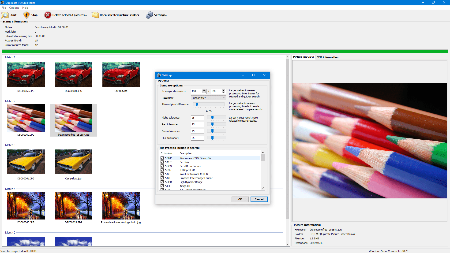
Duplicate Picture Finder is a utility for scanning your computer and finding duplicate copies of your pictures. Duplicate Picture Finder will find pictures that are an exact copy of each other but also can compare pictures by content and give a match for pictures that have different resolutions but contain the same or similar graphic.

Features
Find duplicate pictures that are exact copy of each other
Find duplicate pictures that have the same content
Matching pictures are displayed in groups
Preview matching pictures and their EXIF information
Select pictures by criteria and delete pictures that are not needed
Multi threaded processing of the images
Full unicode support

Whats New
Updates: official site does not provide any info about changes in this version

HomePage:
Код:
https://www.3delite.hu/

-:DOWNLOAD FROM LINKS:-​
Download From RapidGator
У Вас недостаточно прав для просмотра ссылок. Войдите или зарегистрируйтесь.


Download From NitroFlare
У Вас недостаточно прав для просмотра ссылок. Войдите или зарегистрируйтесь.
 
Aeon Timeline 3.5.40


d32be1803e1f376b8e06e8eab69ed541.jpg


Aeon Timeline 3.5.40 | Windows x64 | File size: 135.37 MB
​


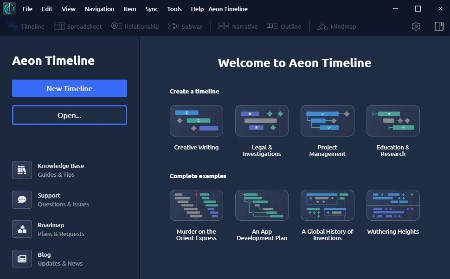
Create beautifully organised, data rich timelines for every project: packed with templates and features for creative writing, project management, legal case management, and research and education projects.

Find insights with clear visuals
Visually compare timelines for different people or concepts. Quickly see assignments and connections.

Be more productive
See all your data in one place. Different views help take your project from brainstorming to building.

Story timelines
Craft a compelling story timeline. Build detailed backstories to strengthen your characters and plot.

Litigation Chronologies
Build a precise case chronology. See your case clearly. Find the facts that strengthen your argument.

Project timelines
Create schedules and roadmaps everyone can understand. Assign responsibilities and clearly see everyone's workloads.

Historical timelines
Build data rich timelines for researchers and students. Connect events to theories and movements. Add images, notes, and links.

Perfect your message
Shape your timeline into a story plot, legal argument, or educational course. Evolve your ideas into a presentable project.

Unparalleled time and date handling
Record times down to the second, or use broad tentative dates. Create dependent tasks or tie events to each other.

What's new
Код:
https://timeline.app/blog/

Windows app requires Windows 7+ 64-bit

HomePage:
Код:
https://www.aeontimeline.com/

-:DOWNLOAD FROM LINKS:-​
Download From RapidGator
У Вас недостаточно прав для просмотра ссылок. Войдите или зарегистрируйтесь.


Download From NitroFlare
У Вас недостаточно прав для просмотра ссылок. Войдите или зарегистрируйтесь.
 
Ambiera RocketCake Professional 7.1.0 Multilingual


779777663699b0d37c3b42335efebf18.jpg


Ambiera RocketCake Professional 7.1.0 Multilingual | Windows x86/x64 | File size: 50.5 MB
​


Having a beautiful website is one of the ways you can attract online visitors, no matter if you are selling complex products or you are keeping a personal blog. If programming is not among your skills, there are many dedicated applications that can come in handy, such as RocketCake.

User-friendly interface and templates
To begin with, the utility offers several templates that you can tamper with to discover all the features. Alternatively, you can start a new project from scratch and experiment as you go along.
The GUI (graphical user interface) is meant to be as intuitive as possible, so as to encourage even novices to design an interactive website. You can easily choose the type of element you want to insert, then customize it with only a few mouse clicks.
WYSIWYG web designer
If you want to add an image to your newly-designed website, you only need to browse to its location and make sure it is JPG, BMP, GIF or PNG. You can assign a tooltip text, alter the background mode and border, as well as modify the position, size and alignment.
Inserting other objects is equally simple when using RocketCake, so you can add and personalize containers, styled buttons, navigation menus, image galleries, and slideshows, along with tables, YouTube videos, Flash or HTML5 multimedia content.
Depending on the element's type, you can edit numerous parameters, thus making sure the output matches your expectations.
Preview the generated output on multiple screen sizes
A nifty function of this utility is that you can preview the result at any time in your default browser by simply clicking a single button. You can also view how the resulting website will look like on several screen sizes suitable for various devices, such as iPad, iPhone, LG G3, Samsung Galaxy S4, Samsung Note 2 or LG Nexus 5.
All in all, RocketCake can help any user come up with a beautiful interactive website without too much hassle.

What's new
Код:
https://www.ambiera.com/rocketcake/changelog.html

HomePage:
Код:
https://www.ambiera.com/

-:DOWNLOAD FROM LINKS:-​
Download From RapidGator
У Вас недостаточно прав для просмотра ссылок. Войдите или зарегистрируйтесь.


Download From NitroFlare
У Вас недостаточно прав для просмотра ссылок. Войдите или зарегистрируйтесь.
 
BETA-CAE Systems 25.1.4 (x64)


f5f074f0a3bb776f40fbc6d9693d7193.png


BETA-CAE Systems 25.1.4 (x64) | File size: 2.1 GB
​


BETA CAE Systems is a private engineering software company committed to the development of state of the art CAE software systems that meet the requirements of all simulation disciplines. The company's products, the ANSA pre-processor/ EPILYSIS solver and META post-processor suite, and SPDRM, the simulation-process-data-and-resources manager, hold a worldwide leading position across a range of industries, including the automotive, railway vehicles, aerospace, motorsports, chemical processes engineering, energy, electronics, heavy machinery, power tools, and biomechanics.

Committed to its mission to produce best-in-class CAE software systems, BETA CAE Systems offers products that consistently exceed expectations and provides exemplary technical support to its customers. The company's continuously growth attest to the high level of customer satisfaction and user confidence.

Whats New
Код:
https://www.beta-cae.com/news.htm

HomePage:
Код:
https://www.beta-cae.com/

-:DOWNLOAD FROM LINKS:-​
Download From RapidGator
У Вас недостаточно прав для просмотра ссылок. Войдите или зарегистрируйтесь.

У Вас недостаточно прав для просмотра ссылок. Войдите или зарегистрируйтесь.


Download From NitroFlare
У Вас недостаточно прав для просмотра ссылок. Войдите или зарегистрируйтесь.

У Вас недостаточно прав для просмотра ссылок. Войдите или зарегистрируйтесь.
 
FX Math Tools Manifest 26.02.20


6919d2482ee473c07e438addb7be6405.jpg


FX Math Tools Manifest 26.02.20 | Windows x64 | File size: 95.23 MB
​


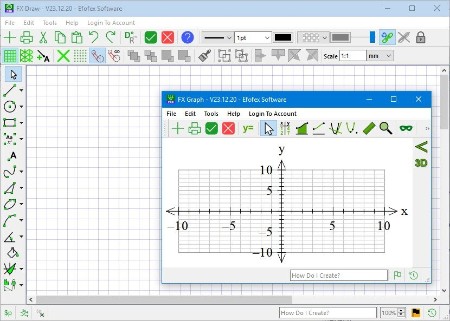
FX Math Tools - FX Draw draws any mathematical diagram. FX Equation allows you to quickly create mathematical equations. FX Manifest allows you to create mathematical assessments that can change themselves at the push of a button. We recommend using FX Manifest to create your materials

MultiDocs combines the power of Word with our two flagship products: FX Draw and FX Equation in a new and incredibly exciting way.
FX Draw is the mathematics teacher's drawing program. Tests, exams and worksheets can look professional with a minimum of effort.

Draw Anything
FX Draw is the ultimate tool for drawing mathematics. Just about any graphic that a mathematics teacher will ever need can be drawn using FX Draw's highly specialized tools. FX Draw is incredibly efficient and versatile. Best of all, it is supported by people who have been in the classroom and know exactly what you need. With over sixty specialized tools, FX Draw makes drawing mathematics simple.

Spectacular Graphs
One of FX Draw's tools is the same graphing engine that you will find in FX Graph. This graphing tool can draw Cartesian functions, polar functions, slope fields, Argand diagrams, vector diagrams, 3D volumes of revolution, parametric relations, integrals, tangents and normals to curves and much more. Just remember that this is only one of FX Draw's tools!

So Much More
With specialized tools for drawing Venn diagrams, normal distribution curves, statistical graphs, tree diagrams, number lines bearings diagrams (and many more), you can always find the right tool to do the job. Check out the overview video and feature list below to see some more of the power of FX Draw.

Graphics Everywhere
FX Draw allows you to create graphics that can be placed just about anywhere. Our new Efofex Image ID system allows you to quickly edit graphics that you have created in just about any context. No matter which platform or product you prefer, FX Draw can draw what you need.

What's new
Код:
https://www.efofex.com/FXDVerInfo.php

System Requirements
- Efofex products are fully tested and compatible with Windows 10 and later.
- Efofex products work best with Microsoft Word 2007 and later.
- MultiDocs require the latest versions of Microsoft Word.

HomePage:
Код:
https://www.efofex.com/

-:DOWNLOAD FROM LINKS:-​
Download From RapidGator
У Вас недостаточно прав для просмотра ссылок. Войдите или зарегистрируйтесь.


Download From NitroFlare
У Вас недостаточно прав для просмотра ссылок. Войдите или зарегистрируйтесь.
 
FX Science Tools Manifest 26.02.20


15179b49f975450e3884f546392f0d4b.jpg


FX Science Tools Manifest 26.02.20 | Windows x64 | File size: 91.35 MB
​


FX Science Tools - FX Draw draws science diagram including chemical structures. FX Equation allows you to quickly create scientific equations, including chemical equations. FX Manifest allows you to create science documents that can change themselves. We recommend using FX Manifest to create your materials

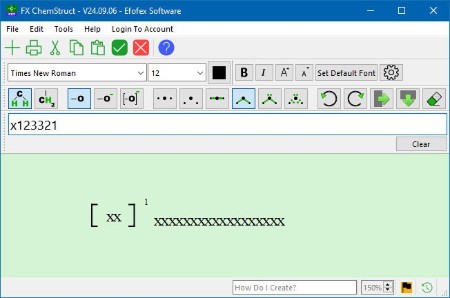
FX Chem makes typing chemical equations trivial. Type the raw information and FX Chem will format it for you. Create chemical equations (including nuclear chemistry) as fast as you can type.
FX ChemStruct is the simplest way to create chemical structure diagrams. Just type and FX ChemStruct does the drawing for you.
Type ch3cooh and get a fully formatted chemical structure

What's new
• official site does not provide any info about changes in this version

HomePage:
Код:
https://www.efofex.com/

-:DOWNLOAD FROM LINKS:-​
Download From RapidGator
У Вас недостаточно прав для просмотра ссылок. Войдите или зарегистрируйтесь.


Download From NitroFlare
У Вас недостаточно прав для просмотра ссылок. Войдите или зарегистрируйтесь.
 
NCH VideoPad Pro 18.11 (x64) Beta


8ff316b5df457cf35a269252b9d63e65.jpg


NCH VideoPad Pro 18.11 (x64) Beta | File size: 12.4 MB
​


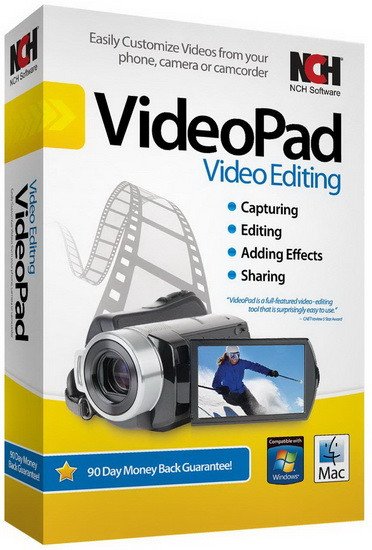
Working with video files, especially editing them, is a task that requires a specialized application that can provide all the tools one needs. Among the software applications of this kind you can find VideoPad Video Editor. The interface of this utility is divided into several parts (e.g. Media List, Effects, Transitions, Files, Clips, Video Track, Audio Track, Overlay Track), which may make everything seem a little hard to operate. You can capture video from a camcorder or another device like a webcam or a TV capture card, and once you have added files and sequence clips to the queue, you can start editing them.

So, you can select position for the new clip (at slider's position, to the timeline's start or end point), add blank slides and overlays, modify media in an external editor, change playback speed and stabilize video with the Deshaker filter.
You can also create bookmarks and subtitles, import and export subtitles, select Chrome Key color, save video in the "Stereoscopic 3D" output format, apply audio effects (e.g. amplify, chorus, compressor, distortion, flanger, reverb), as well as record a narration.

Furthermore, you can apply various video effects (e.g. brightness, crop, edge detection, sepia, temperature, posterize, hue) and transitions (e.g. cross fade, reveal, split, fan, circle, diamond).
The program comes with a well-drawn help file and video tutorials while the system resource usage is moderate. It may lag sometimes between commands, but overall, VideoPad Video Editor manages to put up a good performance.

Key Features
Stunning Transition Effects
Choose from a range of fade transitions to give
your movie that professional touch.
Preview the effects in real time.
Customize the duration of the effect.

Amazing Audio Tools
Import and mix music tracks like a pro.
Make your own custom movie soundtrack.
Record your own narrations with the click of a button.
Import pre-recorded narrations, sound effects or music.

Complete Video Optimization
Fine tune brightness, saturation and color for your video.
Add photos and digital images with a click of a button.
Apply effects like black & white, sepia tone and negative.
Add text captions to your movie.

Share With Your Family and Friends
Burn to DVD and watch in your living room on your TV.
Save for Youtube and share online with friends.
Save to PSP, iPod, iPhone or 3GP mobile phone.
Save to your PC as a high-quality digital movie.

Input Formats
Video: avi, mpeg, wmv, divX, Xvid, mpeg1, mpeg2, mpeg4, mp4, mov, asf, vob, ogm, .3gp, H.264, RM and many more.
Image: bmp, gif, jpg, jif, jiff, jpeg, exif, png, tif

Output Formats
Disc export: DVD, CD, Blu-ray Discs, HD-DVD
Video export: avi, wmv, asf, mpg, 3gp, mp4, mov, iPod, iPhone, PSP, Mobile Phone, Pocket PC

HomePage:
Код:
https://www.nchsoftware.com

-:DOWNLOAD FROM LINKS:-​
Download From RapidGator
У Вас недостаточно прав для просмотра ссылок. Войдите или зарегистрируйтесь.


Download From NitroFlare
У Вас недостаточно прав для просмотра ссылок. Войдите или зарегистрируйтесь.
 
PhraseExpress 18.0.61


943647feb48a5e9911e0b1ddbd6f5137.png


PhraseExpress 18.0.61 | File size: 56.7 MB
​


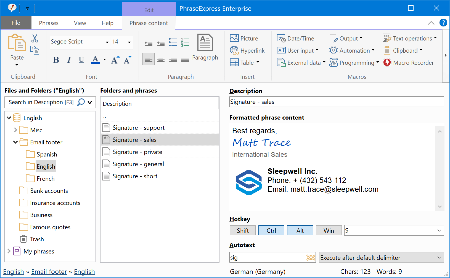
PhraseExpress is a text expander software, that manages frequently used text templates for insertion into any program. Phrases can be triggered from the snippet menu, by hotkey or with autotext shortcuts. The template manager can switch your boilerpate templates between multiple languages or customizable categories.

Universal Text Snippet Manager
Speed up your typing in any program, such text editors, email programs, web browsers, database applications, EMR, etc.
Organize text snippets in customizable categories for instant access.
PhraseExpress can save hours of typing in technical support, customer care, help desk, call center and medical transcription.

Share Phrases with your Team
Share phrases with other users in the local network or in the cloud - On-premise or over the internet.
Each phrase can be set private or made public to selected users.
The client-/server architecture prevents edit collisions.
PhraseExpress supports Microsoft SQL server and Citrix/TerminalServer.

Cloud Support
The cloud synchronisation feature allows you to share phrases with others over the internet.
PhraseExpress supports any popular cloud service, such as Dropbox, Microsoft OneDrive, Google Drive and on-premise cloud solutions like OwnCloud and Synology CloudStation.
You can even use any NAS or network-shared folder to sync your phrases between multiple Windows and Mac computers.

Whats New
Код:
https://www.phraseexpress.com/download/changelog/

HomePage:
Код:
https://www.phraseexpress.com/

-:DOWNLOAD FROM LINKS:-​
Download From RapidGator
У Вас недостаточно прав для просмотра ссылок. Войдите или зарегистрируйтесь.


Download From NitroFlare
У Вас недостаточно прав для просмотра ссылок. Войдите или зарегистрируйтесь.
 
priPrinter Professional 7.0.0.2617 Beta Multilingual


3848883325dc6795b409b714b2fc7629.jpg


priPrinter Professional 7.0.0.2617 Beta Multilingual | File size: 6.52 MB
​


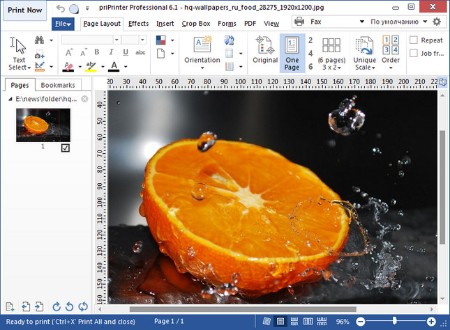
priPrinter is a printer driver that allows you to manipulate printer output before it is printed. priPrinter is installed and selected in the same way as other printer drivers. After printing it automatically displays print preview where you can preview your printings, change layout, reposition pages, crop them and many more. After that you print it to the real printer or save your document for later using. With priPrinter you always will be sure how your printings will look. You may measure items on the paper, define margins and pages layout. There is no need to print again and again trying to achieve desired placement.

Features
• Provides every feature you need to make your print easy and simple.
• Preview your printing in many ways. Explore content of your jobs.
• Print to images. You may save your prints to various image formats.
• Booklet and posters.
• Duplex printing.
• Measurements.
• Print themes
• Loupe tool.
• Margins and gutters. Change margins and gutters with mouse click and drag.
• Crop and Cut. Remove blank space and redundant information.
• Undo/Redo
• Small and fast.
• Save jobs to file.
• Tray control

What's new
Код:
https://www.priprinter.com/changelog.htm

Works on Windows 11, 10, 8.1, 8, 7, Vista™, XP, 2000. 32 and 64-bit Operating Systems.

HomePage:
Код:
https://www.priprinter.com

-:DOWNLOAD FROM LINKS:-​
Download From RapidGator
У Вас недостаточно прав для просмотра ссылок. Войдите или зарегистрируйтесь.


Download From NitroFlare
У Вас недостаточно прав для просмотра ссылок. Войдите или зарегистрируйтесь.
 
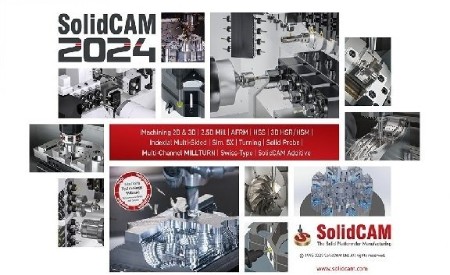
SolidCAM 2025 SP4 HF1 for SolidWorks 2018-2026 (x64) Multilingual


6abd7e89d0e025bd8b8264ddd104ec90.jpg


SolidCAM 2025 SP4 HF1 for SolidWorks 2018-2026 (x64) Multilingual | File size: 6.5 GB
​


SolidCAM is a new generation CAD/CAM system developed by the Israeli firm SolidCAM Ltd (Official distributor in Russia - Consistent Software). This system is a comprehensive solution for the automation of metalworking production. Using a wide range of strategies offered by SolidCAM for turning, milling, turning-milling and electrical discharge machining, a technologist can quickly prepare the necessary set of control programs for machining a product.

Functionality of SolidCAM
2.5-axis milling
SolidCAM provides high efficiency and accuracy of 2.5-axis milling of parts. Various processing strategies are supported for such elements as a contour, a selection (with islands) and a groove, as well as various types of hole processing: drilling, countersinking, threading, etc. The system has a wide range of possibilities for 2.5-coordinate processing of analytical surfaces.

3-axis milling
SolidCAM provides a wide range of tools that can be effectively used for the processing of products with complex geometries (dies, molds) and prismatic parts. The geometry for 3D machining is a 3D surface or solid model. The system supports various types of roughing and finishing strategies, such as raster processing with a specified or automatically determined raster angle, equidistant processing, projection processing, waterline processing, etc.
In addition to the already listed capabilities of 2.5- and 3-coordinate processing, SolidCAM offers tools for identifying and refining areas that have not been processed in previous transitions. It is possible to create a database of typical technological processes. Once created, such a parametrized technological process can be reused in the future, which significantly reduces the production preparation time, increases the reliability of the developed programs, unifies the style of technological development, guarantees the use of only optimal processing technologies and ensures the independence of production from the human factor. The absence of overcuts is guaranteed by the presence of means of control and visualization of machining.

Multi-Axis Machining
SolidCAM offers various tools for creating multi-axis machining programs on 4- and 5-axis machining centers. The model is installed in a user-defined processing plane, after which the system automatically calculates all the necessary displacement and rotation parameters for the part zero. As a result, the preparatory-final transition time is significantly reduced and the processing accuracy is increased.

Turning and turning-milling
SolidCAM has a wide range of functions for automating the creation of control programs for turning and turning-milling. SolidCAM supports various types of tools, which makes it possible to effectively perform longitudinal turning, end facing, grooving, etc. In addition, SolidCAM allows you to automatically rough and finish complex contours. Rotary tool support allows you to perform milling and drilling transitions on machining centers.

EDM
The set of wire EDM strategies offered by SolidCAM allows you to process external and internal contours with a constant and variable angle of inclination. The possibility of 4-axis processing is provided. A special algorithm prevents the processed material from falling. SolidCAM provides the user with the means to control the physical parameters of processing along the entire trajectory of the wire.

Whats New
Read: SolidCAM-Release_Notes-2025-SP4-HF1.pdf

HomePage:
Код:
https://www.solidcam.com/

-:DOWNLOAD FROM LINKS:-​
Download From RapidGator
У Вас недостаточно прав для просмотра ссылок. Войдите или зарегистрируйтесь.

У Вас недостаточно прав для просмотра ссылок. Войдите или зарегистрируйтесь.

У Вас недостаточно прав для просмотра ссылок. Войдите или зарегистрируйтесь.

У Вас недостаточно прав для просмотра ссылок. Войдите или зарегистрируйтесь.


Download From NitroFlare
У Вас недостаточно прав для просмотра ссылок. Войдите или зарегистрируйтесь.

У Вас недостаточно прав для просмотра ссылок. Войдите или зарегистрируйтесь.

У Вас недостаточно прав для просмотра ссылок. Войдите или зарегистрируйтесь.

У Вас недостаточно прав для просмотра ссылок. Войдите или зарегистрируйтесь.
 
VueScan Pro 9.8.52 (x64) Multilingual


cbb225ca0c1e253e44b58f92c33f1940.png


VueScan Pro 9.8.52 (x64) Multilingual | File size: 56 MB
​


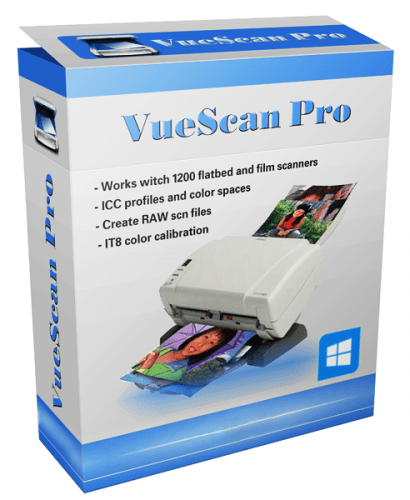
VueScan is a powerful scanning application that allows you to acquire high-quality images using a flatbed or film scanner. If you are not satisfied with the software delivered by the scanner vendor or if you want to improve it with new functions you should try this program.

Scan Documents
Whether you need to scan a single page or a hundred page book, VueScan has the tools to help you.
Scan with Flatbed and Automatic Document Feeders (ADF)
Scan to PDF (Single and Multipage)
Optical Character Recognition (OCR)
Automatic Color Detection
Small document file sizes
Automatic document deskewing

Scan Photos
Do you have a box full of photos in your drawer? Use VueScan to get them on your computer, and off your to-do list.

Scan to JPG or TIFF
Whether you're saving a few snapshots or archiving boxes of prints, VueScan has the tools you need to output your scans at either the highest possible quality or a large number of good quality scans.

Scan with Flatbed and Automatic Document Feeders (ADF)
VueScan supports over 3000+ different scanners from 35 manufacturers, even scanners that don't have drivers from their manufacturers anymore.

Preset photo sizes for faster scans
VueScan improves one of the slowest parts about scanning by scanning only the part of the flatbed where your photo is. So you can spend less time scanning, and more time enjoying your photos.

Scan multiple photos on the flatbed
Scanning multiple photos with VueScan is very simple. Just put them in the corners of the flatbed, do a preview, and manually crop each of the photos without needing to do another scan.

Automatic file naming for faster scans
Don't waste time manually naming every photo, use VueScan's auto naming feature to include dates, numbers, or other prefixes and suffixes in your file names.

Remove fading and correct colors
Stay out of photoshop and save the best version possible of your photos with VueScan's built in features to remove fading, and correct colors.

Scan Film and Slides
VueScan is the ultimate tool for all your film and slide scanning needs.
Works with almost all film/slide scanners
Scan to JPEG/TIFF/RAW
Infrared Dust Removal
Color correction
IT8 Calibration
Photoshop Integration

HomePage:
Код:
https://www.hamrick.com/

-:DOWNLOAD FROM LINKS:-​
Download From RapidGator
У Вас недостаточно прав для просмотра ссылок. Войдите или зарегистрируйтесь.


Download From NitroFlare
У Вас недостаточно прав для просмотра ссылок. Войдите или зарегистрируйтесь.
 
Luminar Neo v1.26.1 (16487) Multilingual


3148350e5b5424327e374e11dbffbed4.jpg


Luminar Neo v1.26.1 (16487) Multilingual | File size: 2.6 GB
​


AI-driven creative image editor. A creative image editor to bring your ideas to life. Have you ever wanted to achieve more with your images? Luminar Neo is an innovative image editor powered by AI technologies of the future that simplifies complex editing routines and enables creators to bring their boldest ideas to life. And enjoy it.

Control the light in 3D space with RelightAI
Relight backlit photos or darkened images in a click with the RelightAI feature. Luminar Neo calculates the depth of a photo and creates a 3D map, making it possible to spread light naturally in 3D space across a 2D image. You can also relight the background and foreground separately - meaning you can darken parts of the image as well. This opens up an opportunity for creative relighting in order to bring your artistic vision to life.
Remove messy powerlines with AI
Automatically remove distracting elements in your cityscapes, urban landscapes or travel photos. Get a clear sky with no cluttered phone or power lines.
Unleash your creativity with Layers and AI Masking
Use both MaskAI and Layers for limitless creativity. MaskAI automates the masking process by identifying objects in the image and creating precise masks. You can always manually refine those masks with a brush if you choose to. Layers open up a whole new level of creative expression, with endless possibilities for adding objects, textures, watermarks, and any other graphics to your images.
Replace the sky in one click
Cutting-edge sky replacement technology with water reflections, sky positioning, and human-aware relighting to match the new sky.
Lightning-fast creative editing with an all-new image engine.
Designed as a module system its parts now can be optimized separately, for the best performance.
What is Luminar Neo?
Have you ever wanted to achieve more with your images? Luminar Neo is an innovative image editor powered by AI technologies of the future that simplifies complex editing routines and enables creators to bring their boldest ideas to life. And enjoy it.
- Get speed and flexibility in your editing with our brand-new core engine and layers workflow.
- The new engine we built for Luminar Neo is based on all the best solutions from our combined and evolved experience for maximum performance and creativity and is developed for achieving complex creative results.
- Adjust the light in your photo for creative control over the lighting in a scene. You can control the exposure of an image based on the distance from the lens to independently adjust the background and foreground exposure.
- Automatically remove spots on your images caused by dust and dirt on your lens and sensor.
- Clean up unwanted power lines from the skies in your cityscapes.
- Experiment with infinite creative possibilities by effortlessly combining two or more images in a shot.
...And much more.
The new technologies and innovative user experience in Luminar Neo make creative image editing simple and fun.
What's New in Luminar Neo?
Luminar Neo is a giant leap forward to more innovative, AI-based editing that targets the pains of photographers. Its goal is high-quality, fast, easy, and enjoyable results for anyone who wants to edit their images and channel their creativity in new ways.
The collection of AI-powered tools take a significant jump forward in function and performance with Luminar Neo. The application expands its toolbox with more groundbreaking AI-powered tools. The new tools are joined by additional options to solve even more problems and unleash creativity.
Speed up your editing workflow with our new fast core engine.
It's based on unique technologies developed by Skylum and works on a module system, which means that different parts of the application can now be optimized separately for the best results. Thanks to the independent modules engine, Luminar Neo will be updated more frequently. Luminar Neo has a more flexible editing process, which means less memory is required to edit photos. The new engine has many small background optimizations of memory use, which increases the speed of all processes inside the application, from uploading to applying editing effects, using layers, and exporting.
Completely transform your photos with new relighting options.
Luminar Neo analyzes each image to recognize the depth of a scene and its subject allowing for unique control over exposure and tone.
Easily remove distracting image blemishes caused by a dirty camera sensor or lens.
There are also new tools to clean up unwanted elements in the background of a photo.
Explore creativity with an effortless layers workflow.
Discover a collection of textures, overlays, and visual effects to add creativity to an image and personalize it. This addition unlocks new creative options for compositing images and visuals to create a custom style. You can add an infinite number of Layers, move Layers on top of each other, use blending modes and masking modes, make collages, add double exposure effects, and do more on each layer.

HomePage:
Код:
https://skylum.com/whats-new/luminar-neo

-:DOWNLOAD FROM LINKS:-​
Download From RapidGator
У Вас недостаточно прав для просмотра ссылок. Войдите или зарегистрируйтесь.

У Вас недостаточно прав для просмотра ссылок. Войдите или зарегистрируйтесь.

У Вас недостаточно прав для просмотра ссылок. Войдите или зарегистрируйтесь.


Download From NitroFlare
У Вас недостаточно прав для просмотра ссылок. Войдите или зарегистрируйтесь.

У Вас недостаточно прав для просмотра ссылок. Войдите или зарегистрируйтесь.

У Вас недостаточно прав для просмотра ссылок. Войдите или зарегистрируйтесь.
 
OWL Automata SharKNX 1.6.3.27


a116d4fdbc5cf59b702300e1866831bf.jpg


OWL Automata SharKNX 1.6.3.27 (x64) | File size: 28.8 MB
​


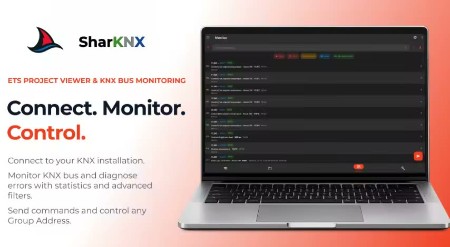
SharKNX: ETS Project Viewer and KNX Bus Monitoring Tool. SharKNX is a professional utility for monitoring and troubleshooting KNX installations from a Windows desktop. It is designed specifically for maintenance teams, electricians, and facility managers who need to interact with a KNX bus without using ETS.

Connectivity
- No extra hardware or server needed. Discover and connect directly to KNX IP Gateways/Interfaces
- Support for tunnel and multicast connections
- Support for KNX/IP Secure

Bus Monitoring
- Live Capture: Monitor all group telegrams in real-time
- Load an ETS project to convert raw hex data into readable values (e.g., Temperature, Percentages, On/Off). Supports 30+ Data Point Types
- Telegram Statistics: View most sent Group Addresses and most common KNX devices senders
- Filter and search bus traffic by Group Address, Priority, or Value to identify faults

ETS Project Viewer
- Load your installation's ETS project and view Group Addresses, Topology, Buildings and Devices
- Easy navigation to send commands to any Group Address

Command & Control
- Trigger KNX actions directly from the software. Supports switching, dimming, setpoints, scenes, RGB control and more

Shark Hunts
- Create custom view pages with specific actions for quick maintenance commands and support
- Create and share custom filtering to quickly identify and diagnose problems in your installation

Note: SharKNX is a diagnostic and monitoring tool. It does not provide ETS commissioning or programming capabilities.

Whats New
Updates: official site does not provide any info about changes in this version

HomePage:
Код:
https://apps.microsoft.com/detail/9ndt1096khs0

-:DOWNLOAD FROM LINKS:-​
Download From RapidGator
У Вас недостаточно прав для просмотра ссылок. Войдите или зарегистрируйтесь.


Download From NitroFlare
У Вас недостаточно прав для просмотра ссылок. Войдите или зарегистрируйтесь.
 
Назад
Сверху