• Здравствуйте. Сайт заработал в архивном режиме форум www.old.nado.in

Dl4ever Software

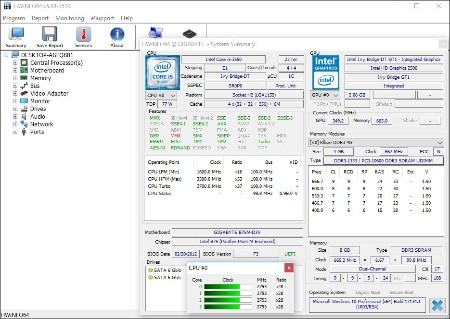
HWiNFO 7.34.4930


HWi-NFO-7-34-4930.jpg


File size: 10 MB
​

HWiNFO64 are professional hardware information and diagnostic tools supporting latest components, industry technologies and standards. These tools are designed to collect and present the maximum amount of information possible about computer's hardware which makes them suitable for users searching for driver updates, computer manufacturers, system integrators and technical experts as well. Retrieved information is presented in a logical and easily understandable form and can be exported into various types of reports.
Features
- comprehensive hardware information of your computer
- system health monitoring (Thermal, Voltage, Fan, Power)
- table, Logfile, Graph, Tray, Gadget, LG LCD reporting
- text, CSV, XML, HTML, MHTML report formats
- frequent updates
- available as SDK (custom client)
- 3rd party add-ons (Rainmeter plug-in, Samurize plug-in, Sidebar Gadget to display any sensor value, LCDHost plug-in, Mini WebServer, RivaTuner/MSI Afterburner/EVGA Precision On-Screen Display, HWiNFOMonitor Sidebar Gadget including graphs, bars, etc.)
Whats New
Код:
https://www.hwinfo.com/version-history/

HomePage:
Код:
http://www.hwinfo.com

-:DOWNLOAD FROM LINKS:-​
Download From RapidGator
Код:
https://rapidgator.net/file/e1946a0703d3f647487cf1b9ade33798/

Download From NitroFlare
Код:
https://nitroflare.com/view/7D22423EEDC4098/

Download From Fikper
У Вас недостаточно прав для просмотра ссылок. Войдите или зарегистрируйтесь.
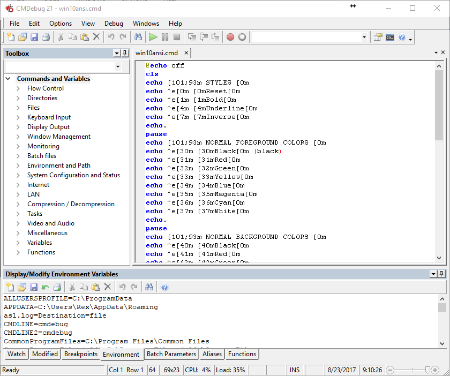
 
JP Software CMDebug 29.00.17 (x64) Multilingual


JP-Software-CMDebug-29-00-17-x64-Multilingual.png


File size: 46.5 MB
​

CMDebug is a stand-alone version of the Take Command IDE and batch debugger component. CMDebug is intended for developers who need to develop batch files to run in CMD.EXE or TCC-RT (runtime).
CMDebug allows you to create and debug your batch scripts with the integrated graphical IDE. CMDebug includes tabbed edit windows and a sophisticated debugger with single stepping, breakpoints, syntax coloring, tooltips, bookmarks, and tabbed variable and watch windows. Windows batch file programming has never been easier or more powerful!
You can use CMDebug to develop either CMD-compatible batch files (.BAT or .CMD), or TCC-RT-compatible scripts (.BTM). If you select the "TCC Syntax" option, CMDebug provides the full TCC-RT command set. If you select the "CMD Syntax" option, CMDebug will maximize CMD compatibility and disable TCC-only internal commands, variables, and functions. Some internal CMD / TCC commands will also behave slightly differently or modify their display output in order to match CMD's behavior more closely.
Using CMDebug with TCC-RT allows you to write (and encrypt) scripts using the TCC command language, and then distribute them with the free TCC-RT runtime on an unlimited number of target machines.
Whats New
Updates: official site does not provide any info about changes in this version.

HomePage:
Код:
https://jpsoft.com/

-:DOWNLOAD FROM LINKS:-​
Download From RapidGator
Код:
https://rapidgator.net/file/88418abc34c8f5a32b7f4fd0d2a7df51/

Download From NitroFlare
Код:
https://nitroflare.com/view/262F8A0A039AF86/
 
JP Software Take Command 29.00.17 (x64) Multilingual


JP-Software-Take-Command-29-00-17-x64-Multilingual.jpg


File size: 66.3 MB
​

Take Command is a comprehensive interactive GUI and Windows command line toolkit that makes your Windows command prompts easier to use and far more powerful. Take Command includes optional Windows Explorer integration, tabbed console windows, and major enhancements to standard Windows CMD commands such as COPY, DEL, FOR, MOVE, REN, SET, and START And it and adds 210+ new commands, command dialogs, command line syntax coloring, vastly improved command line editing, programmable filename and directory completion, and thousands of other features.
Take Command is also a powerful batch file programming tool, including an integrated IDE with a sophisticated editor and batch debugger. Take Command offers extensions such as DO loops, SWITCH statements, error and exception handling, system monitoring and event triggers, third-party plugins, and more than 700 built-in variables and functions.
The Windows "Command Prompt" shortcut is a Windows console (command line, or character mode) session that runs the default command processor CMD (also called the "Windows command shell"). The command prompt is essential for developers, systems administrators and advanced users. Unfortunately, CMD commands and the Windows console UI have always been woefully lacking in ability compared to what is available in most other operating systems. Because of the limitations in the Windows command prompt, users have been forced to use the GUI for inappropriate tasks, or even to write custom programs to perform simple tasks that CMD should have been able to handle.
Are you frustrated with the limitations of the CMD command line and batch scripting? Do you yearn for a real scripting language, and an integrated IDE and batch debugger? How about a Windows command processor that can do all of that, and still run your existing CMD prompt commands and batch files?
Take Command is our flagship product. For 30+ years, JP Software has been helping programmers, system administrators, technical support professionals, and advanced users save time and money, and cure their command prompt frustrations. Take Command offers a new approach to working in Windows, bringing users the power of the command line and the ease of use of the Windows GUI. Take Command includes a complete CMD replacement command shell that provides you with a vastly better Windows command line UI, and thousands of features that are not available in CMD (or even in those vaunted Linux shells).
Whats New
Код:
https://jpsoft.com/help/index.htm?whats-new-in-version-27.htm

HomePage:
Код:
https://jpsoft.com/

-:DOWNLOAD FROM LINKS:-​
Download From RapidGator
Код:
https://rapidgator.net/file/b269d1ec3304c700caa0c36220e9aad1/

Download From NitroFlare
Код:
https://nitroflare.com/view/1536025D27F30E2/
 
JP Software TCC 29.00.17 (x64)


JP-Software-TCC-29-00-17-x64.png


File Size: 54.8 MB
​

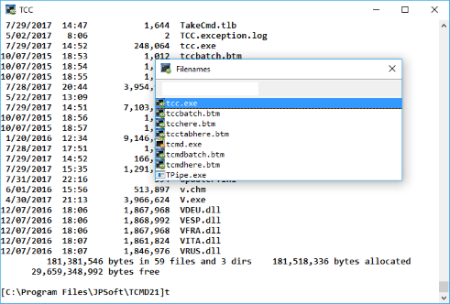
TCC is our console mode Windows command shell (formerly known as 4NT). TCC is a replacement for the CMD command line (the default Windows command prompt). TCC is a superset of CMD, with 246 internal commands (CMD has fewer than 40), 695+ internal variables and functions, and hundreds of enhancements to existing CMD commands.
TCC works with your existing command line applications and batch files, but offers major improvements in command line and batch file capabilities, and adds thousands of new features to your command prompt windows.
Benefits
TCC is a CMD replacement command processor that is compatible with your existing CMD commands and batch files, while adding thousands of new features. You're immediately more productive, and you can learn and add TCC's new features at your own pace.
Create and debug your batch scripts in a fraction of the time with the integrated editor and batch file debugger.
The integrated and familiar environment means you are immediately more productive with your interactive command prompt and batch file development tasks.
The consistent syntax reduces your learning and development time.
The comprehensive help (including context-sensitive popup help for command line syntax), speeds your development time and reduces syntax errors.
What's New
Код:
https://jpsoft.com/help/whats-new-in-version-29.htm

HomePage:
Код:
https://jpsoft.com/products/tcc-cmd-prompt.html

-:DOWNLOAD FROM LINKS:-​
Download From RapidGator
Код:
https://rapidgator.net/file/c084f319dad327c20ad67140b16b3200/

Download From NitroFlare
Код:
https://nitroflare.com/view/7CDB1556352F2A0/
 
K7 Scanner for Ransomware & BOTs 1.0.0.257


K7-Scanner-for-Ransomware-BOTs-1-0-0-257.jpg


File size: 47.7 MB
​

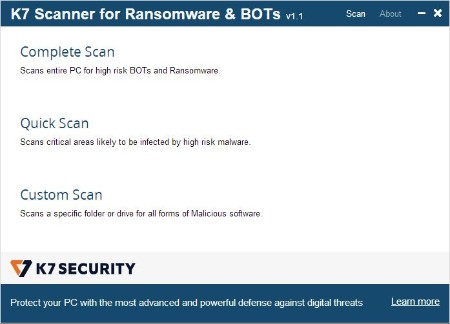
K7 Scanner for Ransomware & BOTs comes with an award-winning Antivirus scanner that runs in parallel with any Antivirus software currently installed on your PC. Its Deep Scanning technology eliminates high risk BOTs and Ransomware.
Features
Scans and removes high risk BOTs and Ransomware(including WannaCry)
Runs seamlessly with your existing Anti-Virus application
No installation required. Can be run from a USB drive
Whats New
Updates: official site does not provide any info about changes in this version

HomePage:
Код:
https://www.k7computing.com

-:DOWNLOAD FROM LINKS:-​
Download From RapidGator
Код:
https://rapidgator.net/file/7501e5ee4abe4c48a02c64df0bc7b529/

Download From NitroFlare
Код:
https://nitroflare.com/view/AA0312D00FD73A3/
 
Kuassa Amplifikation Rectifor v1.0.3


Kuassa-Amplifikation-Rectifor-v1-0-3.jpg


JustFun598 | Windows (64): AAX / VST / VST3 / Standalone | 482 MB
​

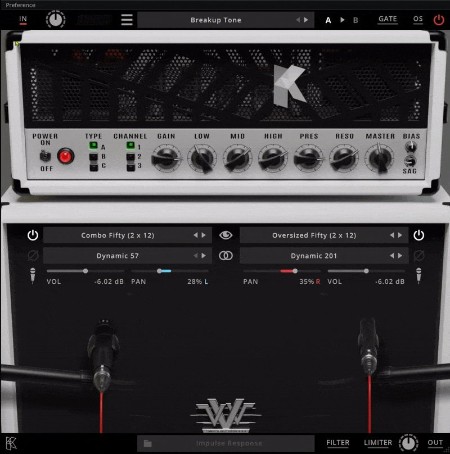
Amplifikation Rectifor is inspired by the High Gain Mesa/Boogie* Guitar Amp It's the fifth product on their range of Guitar Amp Simulator products which utilizes their 3rd generation of circuit modeling technology, proved to give a satisfying dynamic response from the amp tone generated. It's also the first to implement Kuassa's next-generation user interface. Streamlining the process of operating the plugin for users with a cleaner, sleeker interface.
System Requirements
Windows 7 or Later (64 bit)
Core2 Duo, or AMD Phenom ii X4 or better (latest Intel i3, AMD A4, or better is recommended) with 4GB minimum RAM/span>
VST or VST3 compatible host/DAW
Pro Tools 11 or later for AAX format
Propellerhead Reason 10.1 or later for Rack Extension format
1:::Install.
2:::Install Patch.
3:::That's it
Cheers!
Whats new in this version
Official site does not provide any info about changes in this version.
System Requirements
Windows 7 or newer

HomePage:
Код:
https://www.kuassa.com/products/amplifikation-rectifor/

-:DOWNLOAD FROM LINKS:-​
Download From RapidGator
Код:
https://rapidgator.net/file/5f0b9924002462550ce6a787fb439ba5/

Download From NitroFlare
Код:
https://nitroflare.com/view/6DBDD0D5B061BBA/
 
Kuassa Amplifikation VVV v1.0.1


Kuassa-Amplifikation-VVV-v1-0-1.jpg


JustFun598 | Windows (64): AAX / VST / VST3 / Standalone | 630 MB
​

Inspired by a signature amp of a legendary guitarist, an inventor who has inspired the 5XXX signature guitar amplifier which delivers a very specific kind of guitar tone, dubbed as the "brown sound". It's also implement Kuassa's next-generation user interface. Streamlining the process of operating the plugin for users with a cleaner, resizeable interface.
What are some numbers that are closely related to heavy music? Other than the number of the beast, it's probably this sequence of numbers: 51 and 50. Taking its name from the signature of the legendary guitarist, an inventor who has inspired the 5XXX signature guitar amplifier delivers a very specific kind of guitar tone, dubbed as the "brown sound". The amp has become a staple of metal sound. It's on every album with crushing and distorted guitars, such as Machine Head*, Opeth*, Testament*, Trivium*, Gojira*, and so many others!
Powered by our 3rd generation tube engine, Kuassa recreates and tweaks all three major versions of the 5XXX amps to deliver the infamous brown sound that blasts like nothing else in your DAW, the Amplifikation VVV.
1:::Install.
2:::Install Patch.
3:::That's it
Cheers!
Whats new in this version
Official site does not provide any info about changes in this version.
System Requirements
Windows 7 or newer

HomePage:
Код:
https://www.kuassa.com/products/amplifikation-vvv/

-:DOWNLOAD FROM LINKS:-​
Download From RapidGator
Код:
https://rapidgator.net/file/d233d1244fd594d976027d5a646daea7/

Download From NitroFlare
Код:
https://nitroflare.com/view/336DE43CF580704/
 
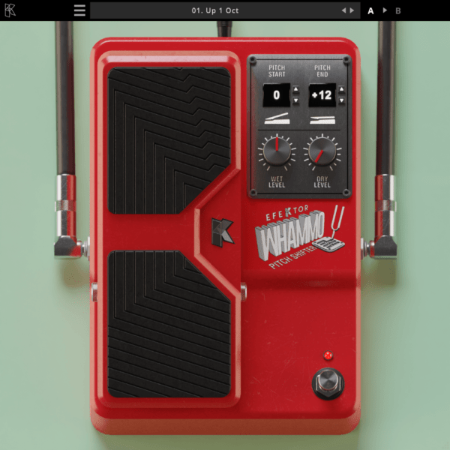
Kuassa Efektor Whammo v1.0.1


Kuassa-Efektor-Whammo-v1-0-1.png


JustFun598 | Windows (64): AAX / VST / VST3 | 74 MB
​

High precision, pitch shifter/bender effect.
A pitch sweeping effect unit that revolutionized music. Dive bomb from rumbling lows to squealing highs. Controllable via MIDI. A foot controller highly recommended for genuine pitch-shift/pitch-bend effects.
1:::Install.
2:::Install Patch.
3:::That's it
Cheers!
Whats new in this version
Official site does not provide any info about changes in this version.
System Requirements
Windows 7 or Later (64 bit)
Core2 Duo, or AMD Phenom ii X4 or better (latest Intel i3, AMD A4, or better is recommended) with 4GB minimum RAM/span>
VST or VST3 compatible host/DAW
Pro Tools 11 or later for AAX format
Propellerhead Reason 10.1 or later for Rack Extension format

HomePage:
Код:
https://www.kuassa.com/products/efektor-whammo-pitch-shifter/

-:DOWNLOAD FROM LINKS:-​
Download From RapidGator
Код:
https://rapidgator.net/file/f22579cc1b3ca19cfc0fdab3cebdd62f/

Download From NitroFlare
Код:
https://nitroflare.com/view/F80F37FBB79726F/
 
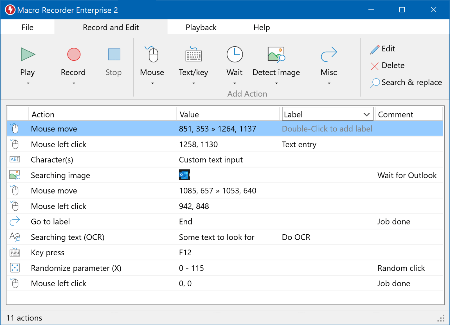
Macro Recorder 2.0.82


Macro-Recorder-2-0-82.png


File Size: 42.5 MB
​

Macro Recorder captures mouse events and keystrokes like a tape recorder, allowing you to automate tedious procedures on your computer.
A tool that can record and reproduce your activity on the computer
In computing, macro can be defined as an instruction that automatically expands into a set of multiple instructions used to perform a particular task. Your mouse movements can be classified as macros, and so can your mouse clicks or your keystrokes. You're using a macro right now as you're scrolling through this article.
So the Macro Recorder does exactly what its name says: it records all the series of inputs you give to your computer, and can replay them, whenever you require it. This means that the software won't just reproduce all your clicks and key presses, but also any possible effects that they have on your computer.
Proficient action editor
After you record a series of actions, you can then proceed to edit each and every one of them. Maybe you clicked a button too fast; you can go and increase the waiting period before the action, or the length of the action itself.
You don't just have to go with a sequence that you recorded; you can add or remove actions, according to your needs. You can insert longer or shorter waiting times, or even add rules dependent on pixel colors. This means that you can tell Macro Recorder to scan a certain pixel on your desktop; whenever that pixel changes to a color you select, the software will start or stop a predefined action.
User-friendly interface for a very powerful tool
Even if you're new to automation software (like this reviewer here), you'll quickly understand the basics of recording your macros. You'll want to add hotkeys as soon as possible, and control the software with even greater ease.
Saved macro recordings can be shared among team mates or coworkers, to help increase efficiency and productivity. With the right desktop configurations and software settings, you can probably use Macro Recorder to automate any repetitive task you can think of.
Whats New
Код:
https://www.macrorecorder.com/download/changelog/

HomePage:
Код:
https://www.macrorecorder.com

-:DOWNLOAD FROM LINKS:-​
Download From RapidGator
Код:
https://rapidgator.net/file/1a5486a7e28c3a6fce6eb9a4eb7a30ed/

Download From NitroFlare
Код:
https://nitroflare.com/view/47F74F88B7A3CA9/
 
Microsoft PowerToys for Windows 10 v0.65.0


Microsoft-Power-Toys-for-Windows-10-v0-65-0.png


File Size : 95.4 Mb
​

Microsoft PowerToys is a set of utilities for power users to tune and streamline their Windows experience for greater productivity. Inspired by the Windows 95 era PowerToys project, this reboot provides power users with ways to squeeze more efficiency out of the Windows 10 shell and customize it for individual workflows.
Microsoft revealed earlier this year that PowerToys were coming back to Windows 10. PowerToys used to be useful little utilities that would let you further customize Windows. Microsoft's first PowerToys for Windows 10 are now available.
Current PowerToy Utilities
• FancyZones
FancyZones is a window manager that makes it easy to create complex window layouts and quickly position windows into those layouts.
• File Explorer Add-ons (Preview Panes)
File Explorer add-ons right now are just limited to Preview Pane additions for File Explorer. Preview Pane is an existing feature in the File Explorer. To enable it, you just click the View tab in the ribbon and then click "Preview Pane".
PowerToys will now enable two types of files to be previewed: Markdown (.md) & SVG (.svg).
• Image Resizer
Image Resizer is a Windows Shell Extension for quickly resizing images. With a simple right click from File Explorer, resize one or many images instantly.
• Keyboard Manager
Keyboard Manager allows you to customize the keyboard to be more productive by remapping keys and creating your own keyboard shortcuts. This PowerToy requires Windows 10 Version 1903 (Build 18362) or newer.
• PowerRename
PowerRename is a Windows Shell Extension for advanced bulk renaming using search and replace or regular expressions. PowerRename allows simple search and replace or more advanced regular expression matching. While you type in the search and replace input fields, the preview area will show what the items will be renamed to. PowerRename then calls into the Windows Explorer file operations engine to perform the rename. This has the benefit of allowing the rename operation to be undone after PowerRename exits.
• PowerToys Run
PowerToys Run is a new toy in PowerToys that can help you search and launch your app instantly with a simple alt-space and start typing! It is open source and modular for additional plugins. Window Walker is now inside too! This PowerToy requires Windows 10 Version 1903 (Build 18362) or newer.
• Shortcut Guide
Windows key shortcut guide appears when a user holds the Windows key down for more than one second and shows the available shortcuts for the current state of the desktop.

HomePage:
Код:
N/A

-:DOWNLOAD FROM LINKS:-​
Download From RapidGator
Код:
https://rapidgator.net/file/8dce4987dc096d6124f61f803de6cac8/

Download From NitroFlare
Код:
https://nitroflare.com/view/3E91DB6639FE27A/
 
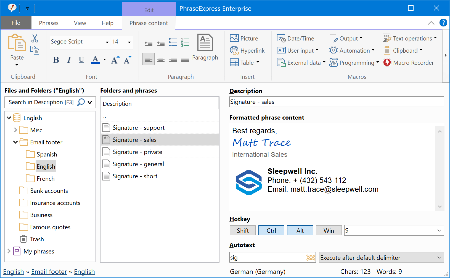
PhraseExpress 16.0.173


Phrase-Express-16-0-173.png


File size: 42 MB
​

PhraseExpress is a text expander software, that manages frequently used text templates for insertion into any program. Phrases can be triggered from the snippet menu, by hotkey or with autotext shortcuts. The template manager can switch your boilerpate templates between multiple languages or customizable categories.
Universal Text Snippet Manager
Speed up your typing in any program, such text editors, email programs, web browsers, database applications, EMR, etc.
Organize text snippets in customizable categories for instant access.
PhraseExpress can save hours of typing in technical support, customer care, help desk, call center and medical transcription.
Share Phrases with your Team
Share phrases with other users in the local network or in the cloud - On-premise or over the internet.
Each phrase can be set private or made public to selected users.
The client-/server architecture prevents edit collisions.
PhraseExpress supports Microsoft SQL server and Citrix/TerminalServer.
Cloud Support
The cloud synchronisation feature allows you to share phrases with others over the internet.
PhraseExpress supports any popular cloud service, such as Dropbox, Microsoft OneDrive, Google Drive and on-premise cloud solutions like OwnCloud and Synology CloudStation.
You can even use any NAS or network-shared folder to sync your phrases between multiple Windows and Mac computers.
Whats New
Код:
https://www.phraseexpress.com/download/changelog/

HomePage:
Код:
https://www.phraseexpress.com/

-:DOWNLOAD FROM LINKS:-​
Download From RapidGator
Код:
https://rapidgator.net/file/a9ee09a46de631be6ad23ee57ac50a64/

Download From NitroFlare
Код:
https://nitroflare.com/view/ECAB8CF793BE2B5/
 
Rhizomatic Plasmonic v1.2.5


Rhizomatic-Plasmonic-v1-2-5.jpg


Team NeBULA | 6 December 2022 | Standalone VST3 | 59MB
​

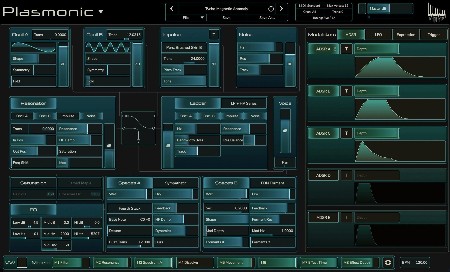
Beyond Physical Modeling
Plasmonic captures the complex acoustic resonances of Physical Modeling, expands on it with more familiar elements of Subtractive Synthesis, and adds a few unique twists.
From plucked strings with an acoustic presence, to vast imaginary soundscapes, to gnarly leads and complex rhythmic textures, Plasmonic will go wherever your imagination takes it.
NOTE: 1.2.0 had a bug with ASDR buttons, it got fixed on 1.2.5
Whats new in this version
Official site does not provide any info about changes in this version.
System Requirements
Windows 8 or newer

HomePage:
Код:
https://rhizomatic.fr/

-:DOWNLOAD FROM LINKS:-​
Download From RapidGator
Код:
https://rapidgator.net/file/11afcf8d63609b23671c0a576571ffa5/

Download From NitroFlare
Код:
https://nitroflare.com/view/5D7E454FC2B6081/
 
Richardson Software RazorSQL 10.2


Richardson-Software-Razor-SQL-10-2.jpg


File size: 326.6 MB
​

RazorSQL is an SQL query tool, database browser, SQL editor, and database administration tool for Windows, macOS, Mac OS X, Linux, and Solaris.
Features
A Database Navigator for browsing database objects.
An SQL Editor for creating SQL queries.
Visual tools for creating, editing, dropping, describing, altering, and viewing tables, views, indexes, and sequences
Database Management Tools
Visual Tools for creating, editing, dropping, and executing stored procedures, functions, and triggers
A robust programming editor that embeds the powerful EditRocket code editor that supports 20 programming languages including SQL, PL/SQL, TransactSQL, SQL PL, HTML, XML, and more.
Export Tool - Export data in various formats
Import Tool - Import data from delimited files, Excel files, or fixed width files into tables
Ships with a built-in relational database engine (HSQLDB) that is up and running out of the box and requires no end-user administration
A Generate DDL Tool for generating table, view, and index DDL.
Table / SQL Query Compare tool for comparing tables or queries across multiple connections
Database Data Search tool for searching single or multiple database table and view data.
Database Object Search tool for searching for database objects.
Backup tools such as the Database Backup Tool and Table Backup Tool
Database conversion tools for many popular databases such as MySQL, Oracle, DB2, PostgreSQL, SQLite, MS SQL Server, and MS Access.
Auto column and auto table lookup
SQL Formatter
SQL Query builder tool
SQL Query Scheduler tool
Command Line Interface
PHP Bridges for connecting to MySQL, PostgreSQL, and SQL Server databases remotely via PHP enabled web servers
An ASP bridge for connecting to MS SQL Server databases remotely via ASP enabled web servers
SQL GUI Tools for generating SQL for various operations
Edit, delete, and insert database data with the Database Editor
Works with all major operating systems including Windows, macOS, Mac OS X, Linux, Solaris, and any other Java enabled OS
Tested with Apache Cassandra, Apache Derby / JavaDB, Apache Hive, Daffodil DB, DB2, DBASE, Druid, DynamoDB, Firebird, FrontBase, H2, HSQLDB / HyperSQL, Informix, Ingres, Interbase, Mckoi, Microsoft Access, Microsoft SQL Server, Mimer SQL, MongoDB, MySQL, Netezza, OpenBase, Oracle, Pervasive, Pointbase, PostgreSQL, Redshift, Salesforce, SimpleDB, Solid, SQLite, Sybase Adaptive Server Enterprise, Sybase SQL Anywhere, Teradata, and VoltDB
Database Browser
Browse database objects such as schemas, tables, columns, primary and foreign keys, views, indexes, procedures, functions, and more.
SQL Editor
Edit SQL scripts. Run SQL queries. Auto column and auto table lookup. Uses the powerful EditRocket code editor that supports over 20 programming languages including SQL, PL/SQL, TransactSQL, SQL PL, HTML, Java, XML, and more.
Database Tools
Visual tools to create, alter, describe, execute, and drop database objects such as tables, views, indexes, stored procedures, functions, triggers, and more.
Database Query Tool
Includes multi-tabular display of queries with options for filtering, sorting, searching, and much more.
Whats New
Код:
http://www.razorsql.com/updates.html

HomePage:
Код:
http://www.razorsql.com

-:DOWNLOAD FROM LINKS:-​
Download From RapidGator
Код:
https://rapidgator.net/file/f6fd03925c4a2cfdccbc0791463762e6/

Download From NitroFlare
Код:
https://nitroflare.com/view/D2382996F6B3002/
 
SQLite Expert Professional 5.4.34.579


SQLite-Expert-Professional-5-4-34-579.png


File size: 89.9 MB
​

QLite Expert is a powerful tool designed to simplify the development of SQLite3 databases. It is a feature rich administration and development tool for SQLite designed to answer the needs of all users from writing simple SQL queries to developing complex databases.The graphical interface supports all SQLite features. It includes a visual query builder, an SQL editor with syntax highlighting and code completion, visual table and view designers and powerful import and export capabilities.
Visual SQL Query Builder
- Build complex SQL queries with ease.
- Formatted SQL query text layout.
- Powerful means of SQL query parsing and analysis.
- Advanced SQL editor with syntax highlighting and code completion.
Data editing
- Edit data in the grid using powerful in-place editors.
- Image editor currently supporting JPEG, PNG, BMP, GIF and ICO image formats.
- Visualize and modify BLOB fields using the integrated Hex editor.
Powerful restructure capabilities
- Visual editors for table columns, indexes, foreign keys, triggers, unique and check constraints.
- Restructure any complex table without losing data.
- Any restructure operation is wrapped in a nested transaction which is rolled back if any errors occur when applying changes.
Import and Export data
- Import data from ADO data source, CSV files, SQL script or SQLite.
- Export data to CSV files, SQL script, Excel or SQLite.
- Copy tables between SQLite databases using drag and drop operations.
- Export data to Excel via clipboard.
Other features
- Full Unicode support.
- Support for attached databases.
- Supports SQLite extensions and third-party SQLite libraries.
- Lua and Pascal scripting support.
Whats New
Код:
http://www.sqliteexpert.com/history.html

HomePage:
Код:
http://www.sqliteexpert.com/

-:DOWNLOAD FROM LINKS:-​
Download From RapidGator
Код:
https://rapidgator.net/file/59d0932501a384b7142076372cb8919a/

Download From NitroFlare
Код:
https://nitroflare.com/view/84F70FC02D24364/
 
Stagecraft Software Simple Stems v7.32


Stagecraft-Software-Simple-Stems-v7-32.jpg


demberto | 6 December 2022 | STANDALONE | 47.6MB
​

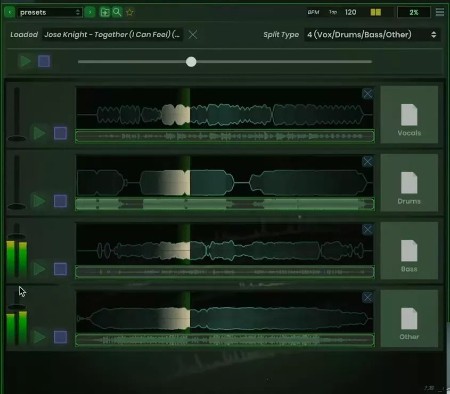
Stems for any Song
Simple Stems is a quick and easy way to decompose any audio into its constituent parts. The plugin uses the well-established Spleeter algorithm by Deezer to deconstruct songs into 2, 4 or 5 stems. The results are stunning, though more complicated mixes and live recordings are not always perfectly decomposed.
Drag & Drop
Simple Stems is extremely easy to use! It loads as a plugin (for Mac) or Standalone. To get new stems you simply drop your audio on the splitter, wait a moment for the stems to appear, and then drag the stems directly to your DAW or desktop. Get new stems without leaving your flow or hopping online! Files are automatically created in a folder right beside the original audio, so you can always find them later.
Important note: The Windows version of Simple Stems is a Standalone App only and not available as a plugin.
Whats new in this version
Official site does not provide any info about changes in this version.
System Requirements
Windows 7 or newer (64-bit only)
Standalone only (Stagecraft is working on VST and AAX versions for Windows)

HomePage:
Код:
https://www.stagecraftsoftware.com/products/SimpleStems/

-:DOWNLOAD FROM LINKS:-​
Download From RapidGator
Код:
https://rapidgator.net/file/a5c8cdaa8045b0e5eddf5d147a676781/

Download From NitroFlare
Код:
https://nitroflare.com/view/9DCCC7B11297059/
 
StartAllBack 3.5.6.4569 Multilingual


Start-All-Back-3-5-6-4569-Multilingual.jpg


File Size: 1.7 MB
​

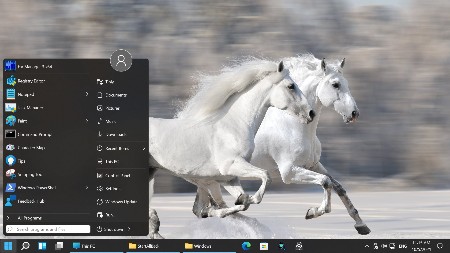
Introducing StartAllBack: Windows 11 from better timeline, Embrace, enhance, unsweep classic UI from under the rug.
Restore and improve taskbar
Show labels on task icons
Adjust icon size and margins
Move taskbar to top, left or right edges
Drag and drop stuff onto taskbar
Center task icons but keep Start button on the left
Split into segments, use dynamic translucency
Separate corner icons with Windows 7/10 UI
Restore and improve File Explorer UI
Ribbon and Command Bar revamped with translucent effects
Details pane on bottom
Old search box (the one which works)
Dark mode support for more dialogs
Restore and improve context menus
All new look with rounded acrylic menus
Fast and responsive taskbar menus
New fonts, better touch support
Restore and improve start menu
Launch apps and go to system places in one click
Navigate dropdown menus like a boss
Enjoy fast and reliable search
Finally, lightweight styling and UI consistency
Enjoy Windows 7, Windows 10 and third-party taskbar and start menu styles
Fix UI inconsistencies in Win32 apps
Don't be blue: recolor UI in all windows apps
Negative resource usage: fewer RAM used, fewer processes started
What's New
Код:
https://www.startallback.com/
OS: Windows 11

HomePage:
Код:
https://www.startallback.com/

-:DOWNLOAD FROM LINKS:-​
Download From RapidGator
Код:
https://rapidgator.net/file/42ac871cc867c0f5d86ec6e3a97ee87b/

Download From NitroFlare
Код:
https://nitroflare.com/view/A7984DD5BAFD7D7/
 
The Foundry Nuke Studio 14.0v1 (x64)


The-Foundry-Nuke-Studio-14-0v1-x64.jpg


File size: 3.0 GB
​

Nuke, NukeX and Nuke Studio offer cutting-edge toolkits for node-based compositing, editorial and review. The Nuke family's unparalleled flexibility and collaborative workflows help you get the highest quality results-fast.
Compositing and much more
All the tools you need to get the job done, no matter how you're working. From advanced node-based compositing, to 3D tracking and model building, to editorial and conform, the Nuke range can scale to suit your needs.
Highest quality results
Used by many of the best VFX houses in the industry, the Nuke family's state-of-the-art tools make producing pixel perfect, film-grade results both painless and creatively satisfying.
Power and performance
Built to meet the needs of modern production work, the Nuke family offers unparalleled levels of power and performance, whether you're a team with a deadline or tackling a solo project.
Collaborative workflow
Efficient, collaborative workflows lie at the heart of the Nuke range. Easily communicate, share and work together with others, whether you're sitting side by side or across the globe.
Speed and efficiency
Work fast and interactively with Nuke's cutting-edge toolkits, GPU acceleration and fluid workflows. Everything you need to complete your project on time is built in and ready to go.
The perfect fit for your pipeline
Open and customizable, Nuke fits perfectly into your pipeline, with major operating system support, low hardware requirements, support for industry standards like OCIO and Alembic, and a Python API and Pyside included.
2D compositing and visual effects
Nuke's industry-leading nodel toolset making compositing and review faster and easier than ever before
With over 200 creative nodes, Nuke delivers everything you need to tackle the diverse challenges of digital compositing. This includes industry-standard keyers, rotoscope, vector paint tools, color correction and so much more.
Nodal toolset
With over 200 creative nodes, Nuke delivers everything you need to tackle the diverse challenges of digital compositing. This includes industry-standard keyers, rotoscope, vector paint tools, color correction and so much more.
Deep Image compositing
Deep Image compositing tools let you create and work with images that contain multiple opacity, color and camera-relative depth samples per pixel, so there's no need to re-render CG elements when content changes.
3D compositing and visual effects
3D Camera Tracker
The integrated Camera Tracker in NukeX® and Nuke Studio replicates the motion of a 2D camera with an animated 3D camera or point cloud in Nuke's 3D space, allowing you to composite 2D/3D elements accurately with reference to the original camera used for the shot. Refinement options, advanced 3D feature preview and lens distortion handling improve efficiency and accuracy on the trickiest tracking tasks.
3D workspace
Nuke offers a limitless, integrated 3D environment that lets you create and render complex scenes composed of 2D footage, 3D models, cards, basic geometry, cameras, lights, and meshes. Great for camera projections for set replacements and other tasks where you need to simulate a "real" environment.
Collaboration
User presets and node toolsets
Nuke's time-saving user presets enable you to set and save tailored node parameters for effects to use across multiple projects. Node toolsets let you automate your workflow by creating grouped configurations of nodes for specific tasks.
Versioning
Nuke's powerful versioning functionality allows you to bring new versions of shots into Nuke Studio's timeline or Nuke's nodegraph and swap between them quickly and easily. This capability makes comparing and reviewing work at different stages, and work done by different artists, simple.
Editorial
SDI broadcast monitor support
All Nuke editions provide SDI broadcast monitor support on compatible AJA and Blackmagic SDI-out hardware. With this support, you can accurately check color space and aspect ratios on broadcast content during the review process.
Multi-track editorial timeline
Nuke Studio® comes complete with a multi-track editorial timeline that lets you playback, review and edit multi-layered sequences of video, CG and audio tracks. You can stack unlimited tracks containing as many clips as you need and blend tracks to easily create overlays. Create timeline effects and flip them into the node graph, or edit and render compositions right from the timeline.
Performance and pipeline
Python API and PySide
Available across the entire Nuke® family, the Python API can be used for full pipeline integration and automating common tasks and procedures. PySide is also included to allow users to build custom user interfaces via Python and the Qt frameworks.
OpenColorIO color management
With OpenColorIO (OCIO), the open-source color management solution from Sony Picture Imageworks, Nuke can setup a single profile to provide consistent colors across all compatible applications to simplifying the color management process.
Supported operating systems
For full details on the requirements for GPU Acceleration see the release notes.
Windows 10 (64-bit only)
**Note: Other operating systems may work, but have not been fully tested
Whats New
Код:
https://learn.foundry.com/nuke/Content/release_notes/nuke_14.0.html

HomePage:
Код:
https://www.foundry.com/

-:DOWNLOAD FROM LINKS:-​
Download From RapidGator
Код:
https://rapidgator.net/file/5f70789035665e7ad915ed41bbc86663/TheFoundryNukeStudio14.part1.rar.html
https://rapidgator.net/file/10dcb00d3da206324d66b8157607d7b9/TheFoundryNukeStudio14.part2.rar.html


Download From NitroFlare
Код:
https://nitroflare.com/view/A40DFF8157FC450/TheFoundryNukeStudio14.part1.rar
https://nitroflare.com/view/B21119C7A16FEEE/TheFoundryNukeStudio14.part2.rar
 
TominLab WonderPen 2.2.2.6682


Tomin-Lab-Wonder-Pen-2-2-2-6682.png


File size: 139.4 MB
​

WonderPen is a writing app for both professional and amateur writers.
Features
- Tree view, drag-and-drop to reorder.
- An easy-to-use text editor that supports Markdown.
- Supports full-screen mode, lets you focus on writing.
- Docs can be exported as Image, PDF, Word, HTML, etc.
- Support whiteboard mode, in which you can add any note, table, kanban and other information.
- Auto save while editing. You can backup all docs as a single file and restore from it later.
- Add memo for each doc.
- Focus on one node of the doc tree.
- Search in all docs.
- Darkmode support.
- Data can be backed up automatically, and import and export are supported.
Whats New
Updates: official site does not provide any info about changes in this version

HomePage:
Код:
https://www.tominlab.com/en/wonderpen

-:DOWNLOAD FROM LINKS:-​
Download From RapidGator
Код:
https://rapidgator.net/file/786a4fa3b74d259c2418a000e8c5a561/

Download From NitroFlare
Код:
https://nitroflare.com/view/D718C5E90DFA11D/
 
VanDyke SecureCRT and SecureFX 9.3.1.2929


Van-Dyke-Secure-CRT-and-Secure-FX-9-3-1-2929.jpg


File size: 76 MB
​

SecureFX is a high-security file transfer client with great flexibility in configuration and transfer protocols. SecureFX includes a command-line utility (SFXCL) for scripting batch jobs to perform secure unattended file transfers using the Secure Shell protocol (SSH). SecureFX also supports "relentless" file transfers that automatically reconnect and resume when transfer connections are broken.
SecureCRT is an extremely customizable terminal emulator with support for Secure Shell (SSH) as well as Telnet, Telnet/TLS, and serial protocols. SecureCRT is ideal for securely connecting to remote systems running Windows, UNIX, and VMS. SecureCRT supports secure file transfers via Xmodem, Zmodem, Ymodem, Kermit, and SFTP.
Key Benefits SecureFX
Maintain file systems and documents securely. Transfer files across networks and the internet with a choice of SFTP over SSH2, FTP over TLS, SCP, or FTP for access to legacy systems.
Get started quickly. Connect to sessions from the main application window using the Connect bar, then organize those sessions with the easy-to-learn tabbed interface.
Leverage the high-productivity UI. Drag and drop files to start transfers (Windows only), even between SecureFX and applications like WinZip. Quickly find the files you want to work with using the filter view, bookmarks, and the address bar.
Synchronize files. Upload, download, and mirror files. Use filtering to include or exclude files or file types. Store configurations for multiple sites.
Recover more easily when transfers fail. SecureFX works to complete interrupted transfers, automatically resuming multi-file transfers.
Save steps with integrated SecureFX and SecureCRT®. Set up connections with shared sessions and server host keys. Common sessions and settings reduce repeated steps.
Make transfers unattended. The SFXCL command-line client (Windows only) allows you to automate tasks with powerful options like site synchronization. You can also use the built-in task scheduler (Windows only) to schedule transfer and synchronize operations once or at recurring intervals.
Comply with Federal standards. Use security protocols that help meet HIPAA, SOX, and other guidelines, including FIPS 140-2.
Key Benefits SecureCRT
Securely access business applications on UNIX, Linux, or VMS from machines running Windows, Linux, and Mac - employ the rich emulation support for VT100/102/220, TN3270, ANSI, SCO ANSI, Wyse 50/60, Xterm, and Linux console.
Configure, manage, and organize all your sessions with full control over scrollback, key mappings, colors, fonts, and more - whether you have one or thousands of sessions.
Access your full array of network devices from one client with SSH (SSH2, SSH1), Telnet, Telnet/TLS, serial, and other protocols.
Leverage the high-productivity GUI with time-saving capabilities including multi-session launch, tabbed sessions, tab groups, tiled sessions, cloned sessions, a button bar for repeated commands, and mapped keys.
Depend on the open standard Secure Shell (SSH) protocol for encrypted logon and session data, flexible authentication options, and optional FIPS 140-2 -approved ciphers.
Automate repetitive tasks in SecureCRT by running scripts using VBScript, JScript, PerlScript, or Python. The script recorder builds your keystrokes into a VBScript or Python script.
Transfer files between network devices with SFTP, Xmodem, Ymodem, Zmodem, or Kermit. A built-in TFTP server provides additional file transfer flexibility.
Save steps with the close integration of SecureCRT and the SecureFX® file transfer client, which share sessions and settings that let you run SFTP, FTP, SCP, and FTP/TLS file transfer sessions without reentering passwords.
Whats New
Код:
https://www.vandyke.com/products/securecrt/history.txt

HomePage:
Код:
https://www.vandyke.com

-:DOWNLOAD FROM LINKS:-​
Download From RapidGator
Код:
https://rapidgator.net/file/b258e1139687cfa04eea8f9135263343/

Download From NitroFlare
Код:
https://nitroflare.com/view/C533161BED51F5C/
 
Winamp 5.9.1 Build 10021 RC1


Winamp-5-9-1-Build-10021-RC1.jpg


File Size : 10.5 Mb
​

Winamp is a fast, flexible, high-fidelity media player for Windows. Winamp supports playback of many audio (MP3, OGG, AAC, WAV, MOD, XM, S3M, IT, MIDI, etc) and video types (AVI, ASF, MPEG, NSV), custom appearances called skins (supporting both classic Winamp 1.x/2.x skins and Winamp 3 freeform skins), audio visualization and audio effect plug-ins (including two industry dominating visualization plug-ins), an advanced media library, Internet radio and TV support, CD ripping, and CD burning.
Winamp Player Features
• Plays Music and Video Files (aacPlus, MP3, AAC, WMA and more!)
• Compatible with Winamp 2 Plug-ins
• Full Support for Classic and Modern Skins
• Plays Videos (NSV, WMV, and more!)
• Powerful Media Library
• Browse SHOUTcast Radio & TV Stations
• Browse Winamp Music Videos & Songs
• Integrated AOL Video Content (News, Sports, Movies & more)
• AOL Radio Featuring XM
• SHOUTcast Wire (podcast directory)
• Predixis MusicMagic (dynamic playlisting)
• Bundled Visualizations
• Burn CDs (Limited to 2x - 48x in Pro!)
• Rips CDs (Limited to 8x aacPlus, AAC, WMA - Unlimited aacPlus, AAC, WMA and MP3 in Pro!)
• 50 free mp3s from Emusic
• Includes Winner of the Internet
• Surround Music Project!
• Includes an MP3 of 'Mercy Me' by Alkaline Trio
• Rip/Encode music into aacPlus, AAC, WMA, or MP3!
• Burn CDs up to 48x!
As always Winamp also features
• Now Playing: Discover Artist Songs, Videos, Radio and Photos
• iPod Support: Play and manage music on your iPod
• AOL Radio Online Service Powered by CBS Radio
• Album Art: Retrieve and view Album Art
• Expanded Flash video support
• Auto-Tag: Automatically update your song information
• Media Monitor: Playing the music web just got even better
• Remote Media: Access your media remotely
• Thousands of skins and plug-ins to make Winamp even better
• Free videos, radio stations, MP3 downloads and more
Whats New
* Improved:[ml_local / nde] Memory footprint reduction
* Improved:[ml_local] Load time speedup and other optimizations
* Improved:[ml_online] Increased maximum bandwidth (from 350 to 3500)
* Improved:[playlist/ml_playlists/ml_pmp] Playlist loader/writer refactoring
* Improved:[dlmgr] Increased buffer size for faster podcast downloads
* Improved:[Bento skin] Increased width of config to help with translations
* Improved:[Installer] VS2019 runtime checker script (thanks Pawel Porwisz)
* Fixed: Hang when reopening Winamp if previously placed on disconnected monitor
* Fixed:[Installer] Silent install switch blocked by external dependencies
* Fixed:[gen_ff] Windowshade and Docked Toolbar modes not remembered on restart
* Fixed:[gen_tray] Settings not being saved after Winamp restart
* Fixed:[in_mp4/libmp4v2] Overflow and seek issues with specific mp4 videos
* Fixed:[in_wave/libsndfile] Error parsing list subchunks with some riff headers
* Fixed:[ml_downloads] Cancelling multi-selection only cancelled first item
* Fixed:[ml_playlists] Crash when editing playlist entry
* Fixed:[ml_wire/xml] Display of non-Latin characters in Podcasts
* Fixed:[out_ds] Crossfader broken in Bento/Modern skin EQ
* Fixed:[out_ds] Potential buffer overflow issues
* Fixed:[out_wasapi] Crash on opening flv videos (rendering still needs fixing)
* Fixed:[playlist/ml_playlists] Memory leaks
* Fixed:[playlist/ml_playlists] Reported issues with special/unicode characters
* Fixed:[vis_avs] AVS Editor menu not localized when lang pack applied
* Misc: Many more general tweaks, improvements, fixes and optimizations
* Misc: Replaced nu::PtrMap with std::map and nu::PtrList with std::vector
* Misc:[vcpkg] changed from manifest to classic mode
* Removed:[wbm] Lazy-loading wbm system files (no longer required)
* Updated:[in_flac/enc_flac] libFLAC 1.4.2
* Updated:[in_mod] libopenmpt 0.6.6
* Updated:[OpenSSL] OpenSSL 3.0.5
* Updated:[vpx] libvpx 1.12.0
* Updated:[xml] expat 2.4.9
* Updated:[zlib] zlib 1.2.13
* New/Improved:[ml_downloads/ml_playlists] Download context menu in ML
* New:[ml_nft] Import, play and download music from your NFT Library (optional)

HomePage:
Код:
http://www.winamp.com

-:DOWNLOAD FROM LINKS:-​
Download From RapidGator
Код:
https://rapidgator.net/file/bdaa0f298ab86234387ae8ea80ab69b3/

Download From NitroFlare
Код:
https://nitroflare.com/view/0420EDBA0A02857/
 
Назад
Сверху