• Здравствуйте. Сайт заработал в архивном режиме форум www.old.nado.in

EkThaTiger's Softwares

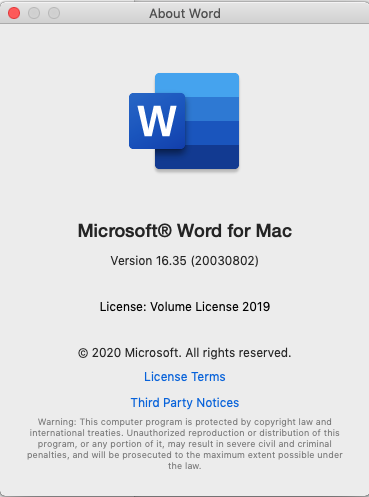
Microsoft Office 2019 For Mac 16.35 VL Multilingual

2635ad4e7609686097c59cf0f2809284.png


Microsoft Office 2019 For Mac 16.35 VL Multilingual

File Size: 1.46 GiB
Languages: Multilingual

​

Office 2019 for Mac is designed from the ground up to take advantage of the latest Mac features, including Retina display, full screen view support, and even scroll bounce. It's the perfect combination of the Office you know and trust, and the Mac you love.

Word
Create and share professional-looking documents with state-of-the-art editing, reviewing, and sharing tools. The new Design tab provides quick access to features, and Smart Lookup shows relevant contextual information from the web directly inside Word.

Excel
Analyze and visualize your data in new and intuitive ways with a fresh user interface plus your favorite keyboard shortcuts. Leverage features like Analysis Toolpak, Slicers, and Formula Builder to save time, so you can focus on insights.

PowerPoint
Create, collaborate, and effectively present your ideas with new slide transitions and an improved Animations task pane. Threaded comments alongside your slides help you incorporate feedback into your presentations. And Presenter View displays the current slide, next slide, speaker notes, and a timer on your Mac, while projecting only the presentation to your audience on the big screen.

OneNote
It's your very own digital notebook, so you can keep notes, ideas, web pages, photos, even audio and video all in one place. Whether you're at home, in the office, or on the move, you can take it all with you wherever you go while sharing and collaborating with others. It's great for school assignments, work projects, travel plans, party planning, and more.

Outlook
Easily manage your email, calendar, contacts, and tasks. Push email support keeps your inbox up to date, conversation view groups related messages, and calendars can be viewed side-by-side for planning.

RELEASE NOTES
У Вас недостаточно прав для просмотра ссылок. Войдите или зарегистрируйтесь.


Interface languages: English, العربية, 中文, Čeština, Dansk, Nederlands, Suomi, Français, Deutsch, Ελληνικά, עברית, Magyar, Bahasa Indonesia, Italiano, 日本語, 한국어, Norsk, Polski, Português, Русский, Slovenčina, Español, Svenska, ภาษาไทย, Türkçe

System Requirements
OS: macOS 10.13 - 10.15
Disk Space: 9 GB Free

058f7309ed262103c6b27ed32e58dd8d.png


У Вас недостаточно прав для просмотра ссылок. Войдите или зарегистрируйтесь.


DownLoad

NitroFlare
Код:
https://nitroflare.com/view/CDA5068EB4E3E32/Microsoft.Office.2019.For.Mac.v16.35.VL.Multilingual.part1.rar
https://nitroflare.com/view/507550E431A0BE9/Microsoft.Office.2019.For.Mac.v16.35.VL.Multilingual.part2.rar

RapidGator
Код:
https://rapidgator.net/file/dcad01f69084629472efa4c8e7ac9cbd/Microsoft.Office.2019.For.Mac.v16.35.VL.Multilingual.part1.rar.html
https://rapidgator.net/file/01d261a551c3a49b14aebbcaa2267b74/Microsoft.Office.2019.For.Mac.v16.35.VL.Multilingual.part2.rar.html

UploadGiG
Код:
http://uploadgig.com/file/download/a3248AC94656ced4/Microsoft.Office.2019.For.Mac.v16.35.VL.Multilingual.part1.rar
http://uploadgig.com/file/download/d59D50407ef02a14/Microsoft.Office.2019.For.Mac.v16.35.VL.Multilingual.part2.rar
 
Blackmagic Design Fusion Studio 16.2 Build 22 x64

400bfcfcf25ea306ef42e3e2c1afb91f.jpg


Blackmagic Design Fusion Studio 16.2 Build 22 x64

File Size: 715 MiB

​

Fusion is the world's most advanced compositing software for visual effects artists, broadcast and motion graphic designers, and 3D animators. Over the last 30 years, Fusion has been used on thousands of Hollywood blockbuster movies and television shows. Fusion features a powerful node based interface that lets you quickly and easily create sophisticated effects by connecting different types of image processing tools together! You get a massive range of tools, incredible VR and 3D support, GPU accelerated performance, unlimited network rendering and more! Fusion gives you everything you need to create exciting broadcast graphics, dramatic titles, and even major feature film visual effects!

What's New in Fusion 16:
Fusion Studio 16 is a major upgrade that brings all of the improvements made to Fusion inside of DaVinci Resolve to the stand alone version of Fusion. You get an updated and more modern user interface, along with dramatically faster performance. All 3D operations are GPU accelerated, making Fusion much more responsive and interactive. In addition, there are dozens of GPU accelerated tools such as time effects, dissolves, stereo tools, vector motion, corner pinning, color tools and more! B-spline and bitmap mask operations are accelerated, as are the planar and camera trackers. Improved memory management makes large compositions with high tool counts more reliable, making Fusion 16 dramatically faster and more stable than ever before!

Hollywood's Biggest Blockbusters
Thousands of Hollywood's biggest blockbusters and hit television shows use Fusion to create their groundbreaking visual effects. Fusion has been used on feature films like The Hunger Games, Dr Strange and Guardians of the Galaxy, as well as hit television shows like Empire, NCIS and American Horror Story. Fusion also plays a major role in the development of cinematics for major video games such as Dawn of War III, Halo 5 and more!

Nodes are a Much Faster Way to Work!
Nodes are incredibly easy to use, especially as scenes become more complex. Fusion's nodes are small icons that represent effects, filters and other image processing operations. Nodes can be easily connected together to build larger and more complex visual effects. Tools, images, and objects can be combined in any order to create unlimited visual effects. Simply click on a node to quickly adjust any single part of your project. That's much faster than a timeline based tool because you don't need to hunt through nested stacks of confusing layers and filters!

Get the most Powerful VFX Software Available!
Whether you need to pull a key, track objects, retouch images, animate titles, or create amazing particle effects, Fusion has a massive toolset that lets you tackle the most demanding jobs. You get a true 3D workspace along with tools for compositing, keying, painting, animation, virtual reality, stereoscopic 3D and more. Fusion combines effects and motion graphics, along with 3D modeling and rendering into a single toolset. That means you can import and render 3D models and scenes with the rest of your composite in Fusion. You don't have to pre‑render assets or transfer between multiple applications!

GPU Accelerated Workflow
Fusion is extremely fast and responsive enough to be used in high pressure, client driven sessions. With its Metal, CUDA and OpenCL GPU acceleration, you get instant feedback while you work so you can see exactly what you're doing. Fusion 16 features more GPU optimisation than ever so whether you're working alone or with a client, you get the real time control you need. That means you'll be able to spend more time being creative and less time waiting! Fusion is so fast that you can even work in VR while wearing a headset and still get over 90 frames per second of interactivity!

Unlimited Render Power
Fusion has the world's fastest production quality render engine! You can even distribute your render jobs across an unlimited number of networked computers for incredible performance, at no additional cost! There's no "per node" render license fees. Simply install it on as many render nodes as you need! That means you can render complex scenes incredibly fast to meet the intense deadlines of production, without having to sacrifice creativity or quality.

Collaborate with Large Teams
When you're working with a large creative team, Fusion Studio also includes the new Studio Player application. Studio Player features a single layer timeline with basic shot trimming, storyboard tools, versioning and annotation notes. Fusion Studio also features a bin server to let everyone share and see common assets that are needed for the job. That means you don't have to copy and track multiple elements on different computers.

What's New:
Support for write on/off, end-cap style and miter limit in mask tools.
Support for a "show folder" option in the Fusion effects Library.
Support for showing macros in the Fusion effects library.
Support for inverting the temporal behavior of the keyframe stretcher tool.
Support for resolve parameter modifier, for transition template animation.
Support for using DaVinci Resolve dongles with Fusion Render Nodes.
Support for RED SDK 7.2.1 and decoding clips from the Komodo camera.
Improved OpenEXR support on Linux.
Improved persistence of view settings.
Improved kerning of some Adobe type 1 fonts in text+ and text 3D tools.
Improved display of localized font names in text+ and text 3D tools.
Improved performance with gradient background now in GPU.
Improved performance with dve now in GPU.
Improved performance with corner pin now in GPU.
Improved performance with stereo combining in 3D renderer now in GPU.
General performance and stability improvements.

У Вас недостаточно прав для просмотра ссылок. Войдите или зарегистрируйтесь.


DownLoad

NitroFlare
Код:
https://nitroflare.com/view/09078424B0FB5E3/Blackmagic.Design.Fusion.Studio.16.2.Build.22.x64.rar

RapidGator
Код:
https://rapidgator.net/file/20d95d7003a92a25f8e6a8a1a92d67a0/Blackmagic.Design.Fusion.Studio.16.2.Build.22.x64.rar.html

UploadGiG
Код:
https://uploadgig.com/file/download/f3F3d1d3ab1a2578/Blackmagic.Design.Fusion.Studio.16.2.Build.22.x64.rar
 
Luminar 4.2.0.5553 Multilingual

dc53316a404ecbb459d6012a1e770bba.jpg


Luminar 4.2.0.5553 Multilingual

File Size: 622 MiB
Languages: Multilingual
OS: Windows x64

​

Your Photography. Elevated. Revolutionary tools and AI technologies in Luminar 4 bring new heights to photo editing. Luminar 4 is the next generation of our all-in-one image editing and photo management software. Luminar 4 is designed to deliver professional results in less time and to help photographers unlock their best images.

All New in Luminar 4:

AI Sky Replacement
Replace the sky to change the mood of your photo - instantly. Thanks to intelligent algorithms, this challenging task is now automated.

AI Skin Enhancer & Portrait Enhancer
Enhance your portraits faster than ever with revolutionary human-aware technology. Get amazingly realistic results on portraits shot outdoors or in a studio.

AI Structure
Quickly reveal important parts of each image without spoiling the rest of the photo. This content-aware tool detects areas that could look richer and enhances them.

Sunrays
Create realistic light rays. Add a source of sunlight and move it around your image. Watch volumetric sunbeams magically seep between objects such as trees and buildings.

AI Enhance
AI Accent makes dozens of complex adjustments when you move just one slider. New human-aware technology recognizes people and applies adjustments selectively for ultra-realistic results.

Browse beautifully
Explore, rate, sort & enjoy images from all your folders with ease and pleasure.

Apply instant Looks
Immerse in more than 70 Looks, handcrafted by recognized photo artists. Divided into seven Categories. Create and share your own unique Looks.

Make your landscapes pop
With Landscape Enhancer toolset it takes few slides to add more charm to your landscapes. Apply Dehaze to restore depth and color. Add warm sunlight with Golden Hour. Works perfectly on landscapes or outdoor portraits. Improve colors of plants, trees or flowers with Foliage Enhancer.

Erase unwanted objects
Get rid of unwanted objects, strangers, and odd details - in a click, with Erase tool.

Boost creativity with Creative tools
- Use it for a gritty cinematic look. Often used in stylized fashion shoots and grungy athletic portraits.
- For an aged look with flat color and high contrast. Works great for both landscapes and portraits.
- Creates a dreamy look with increased contrast and a delicate glow.
- Remap the colors in an image for creative new options. LUTs can be used for color grading, B&W conversion, or digital film stocks.
- Textures give your photos a new appearance. They're especially great when you're trying to achieve a vintage or grungy look.
- Creates a lighting effect, especially around bright areas such as streetlights and sky.
- Emulates the structure of analog film stock by introducing a random, stylized texture into your image.
- Adds a strong softening or blurring effect to part of your photo, simulating fog.

Remove noise
Flawlessly remove digital noise from any type of photo. Get perfect images no matter the camera or shooting conditions.

Enhance details
Create more dramatic shots. Bring crystal-clear sharpness to your images. Enhance the clarity of small, medium or large details selectively.

RELEASE NOTES:
- Release notes were unavailable when this listing was updated.

System Requirements:
- Graphics: Open GL 3.3 or later compatible
- Processor: Intel Core i5 or better
- OS: Windows 7 or higher (only x64-bit OS)
- RAM: 8 GB or more
- Disk Space: 10 GB free space

У Вас недостаточно прав для просмотра ссылок. Войдите или зарегистрируйтесь.


DownLoad

NitroFlare
Код:
https://nitroflare.com/view/6DF9B1625772EB2/Luminar.4.2.0.5553.Multilingual.rar

RapidGator
Код:
https://rapidgator.net/file/5cb67f9c14aff6223f7e02e6b3fb34e9/Luminar.4.2.0.5553.Multilingual.rar.html

UploadGiG
Код:
https://uploadgig.com/file/download/2537f2082027cb43/Luminar.4.2.0.5553.Multilingual.rar
 
Safe Software FME Desktop v2020.0.20200 x64 Incl Keygen-AMPED

e3b6812b62ea1cdf3ceacb5f4381137f.jpg


Safe Software FME Desktop v2020.0.20200 x64 Incl Keygen-AMPED

File Size: 1.69 GiB

​

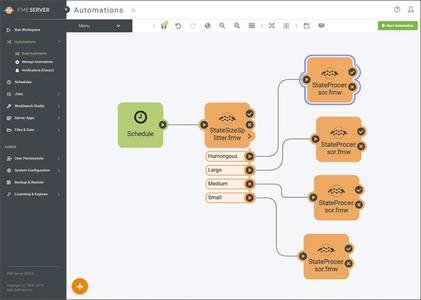
FME Desktop is a flexible and powerful spatial ETL toolset that makes it easy for you to translate, transform and integrate spatial data in any format or application. Everything FME begins here using a no-code, drag-and-drop approach for efficient workflow configuration. Quickly and easily translate data between many applications with readers and writers for over 325 data formats. Move beyond straight conversion and preserve data's rich details, transforming content and structure without writing a single line of code.

We've Got Your Back

Backwards (and Future) Compatibility
Whether you have legacy data or are looking to integrate new technologies, everything just has to work. We get that! And so while we continue to add fresh capabilities in each new release, we also ensure that every release is rigorously tested.

Scalable for the Enterprise
If you need advanced levels of automation, FME Desktop works seamlessly with our enterprise products, FME Server and FME Cloud, allowing workflows to be scheduled, run in response to triggers, or turned into self-serve tools.

Free Technical Support
We are accessible to you before and after purchase - no hurdles to jump over before you get the help you need. Our product support is available at no cost and we even have Safe staff available to assist you via live chat.

Free Product Training
After you purchase FME, you're not on your own. All of our online training is available free of charge. That means you can take recorded training at any time of the day, or sign up for one of our online instructor-led courses.

Features

Highly Scalable
Whether you're a small local shop or a large multinational organization, FME Server can deftly meet your automation needs. And as you grow, FME Server can seamlessly scale up with additional engines.

Fault Tolerant
Failure is not an option. FME Server ensures high availability in several ways including fail-over by switching to a secondary core. In the worst case, you can use recovery mode to restart components and jobs.

You're Secure with Safe
Our entire business is built on data, and so the security and privacy of your data is our top priority. For a closer look at the security precautions we have in place, please read through the FME Server Security Whitepaper.

Straightforward to Use
Finally, a powerful tool that's also fun to use. With FME Server, installation is a breeze and you're up and running in minutes. From there, it's simple to configure automation workflows in FME Server's user interface.

Configurable REST API
Included with FME Server is a powerful REST API that gives you control over a wide range of FME Server functionality. Requests are made through clear, readable URLs and responses can be formatted in clear, readable JSON.

Path to the Cloud (i.e. Futureproof)
FME Server is hosted on premises, securely behind your firewall. If you want to take advantage of the scalable nature of the cloud, you can easily migrate your workflows to FME Cloud, the hosted version of FME Server.

У Вас недостаточно прав для просмотра ссылок. Войдите или зарегистрируйтесь.


DownLoad

NitroFlare
Код:
https://nitroflare.com/view/03438C7E343459F/Safe.Software.FME.Desktop.v2020.0.20200.x64.Incl.Keygen-AMPED.part1.rar
https://nitroflare.com/view/DE88BF2B5A9FBB9/Safe.Software.FME.Desktop.v2020.0.20200.x64.Incl.Keygen-AMPED.part2.rar

RapidGator
Код:
https://rapidgator.net/file/f706a1cc827db9aa3b96a5bc5af56470/Safe.Software.FME.Desktop.v2020.0.20200.x64.Incl.Keygen-AMPED.part1.rar.html
https://rapidgator.net/file/acdae0e14dab574980923140d34ccfd4/Safe.Software.FME.Desktop.v2020.0.20200.x64.Incl.Keygen-AMPED.part2.rar.html

UploadGiG
Код:
https://uploadgig.com/file/download/16E6a45dB5306232/Safe.Software.FME.Desktop.v2020.0.20200.x64.Incl.Keygen-AMPED.part1.rar
https://uploadgig.com/file/download/86CC9226f9aa366c/Safe.Software.FME.Desktop.v2020.0.20200.x64.Incl.Keygen-AMPED.part2.rar
 
Adobe Acrobat Pro DC 2020.006.20042 Multilingual

3941db2dfaad72489c7388c8a2cf806c.jpg


Adobe Acrobat Pro DC 2020.006.20042 Multilingual

File Size: 917 MiB

​

Acrobat DC with Document Cloud services is packed with all the tools you need to convert, edit and sign PDFs. It's just as mobile as you are. So you can start a document at work, tweak it on the train and send it for approval from your living room - seamlessly, simply, without missing a beat.

It's packed with smart tools that give you even more power to communicate. Create and edit PDF files with rich media included, share information more securely, and gather feedback more efficiently.

Adobe Acrobat Pro DC software is the advanced way for business professionals to create, combine, control, and deliver more secure, high-quality Adobe PDF documents for easy, more secure distribution, collaboration, and data collection.

Adobe Acrobat Pro DC Features:

Edit PDF files
With Adobe Acrobat Pro DC, you can make minor edits to text and images right in your PDF file without requiring the original document or graphic.
Edit text in a PDF. Fix a typo, change a font, or add a paragraph to your PDF as easily as you do in other applications using a new point-and-click interface.
Edit images in a PDF. Resize, replace, and adjust images in your PDF with no need to track down the original file or graphic.

Export from PDF files
Reduce the time you spend retyping information stuck in PDF files. Convert PDF files to editable Microsoft Office documents. And save fonts, formatting, and effort.
Convert PDF files to Word. Save your PDF as a Microsoft Word document and take your fonts, formatting, and layouts with you.
Convert PDF files to Excel. Turn your PDF or just part of it into an editable Excel spreadsheet you can use for data analysis right away.
Convert PDF files to PowerPoint. Get a head start on new projects by saving a PDF file as a fully editable PowerPoint presentation.

Create PDF files
Stop worrying about whether the files you send will look right on other people's screens. Turn documents into PDF files anyone can reliably view with free Adobe Reader.
Convert Word, Excel, or PowerPoint to PDF. Right from your Office application in Windows, you can create PDFs, start a shared review, restrict PDF edits, and more.
Print to PDF. Convert files to PDF from virtually any application that prints simply by selecting Adobe PDF as your printer.
Scan to PDF. When you need to turn a paper document or form into a digital file, just scan it to create a searchable PDF file you can edit.
Convert HTML pages to PDF. Save web pages as PDF files to archive web content, review the pages offline, or print them more reliably.

Create and analyze forms
Cut the time you spend creating forms, rekeying data, and correcting errors. Distribute forms online, and then collect responses and analyze results in real time.
Create new PDF and web forms. Customize professional templates or design from scratch with the Adobe FormsCentral desktop app included in Adobe Acrobat Pro DC.
Collect form responses with FormsCentral. Easily collect responses by moving your PDF or web forms online with the Adobe FormsCentral online service.
Convert existing forms to fillable PDFs. Type less, gather more. Quickly convert your paper, Word, or Excel forms to fillable PDF forms.
Collect form responses using Adobe Acrobat tools. Compile returned forms into one PDF, or host forms using a network folder or Microsoft SharePoint server.

Merge and combine files
Communicate clearly with single PDF attachments. Put multiple files into a single, organized PDF that's easy to email and simple to search.
Merge multiple files into one PDF. Make sure they don't miss a thing. Combine documents, spreadsheets, emails, and more in an organized PDF.
Combine files in a PDF Portfolio. Share your work in a PDF Portfolio that presents materials professionally with an interactive impact.
Create interactive PDF files. Bring your ideas to life by adding audio, Adobe Flash Player compatible video, and interactive media to PDFs.

Simplify reviews and approvals
Stop sorting through paper and email trails. Automate review and approval cycles with Adobe Acrobat Pro DC. Multiple reviewers can see and build on each other's comments so you can meet your deadline.
Streamline document reviews and approvals. In shared reviews, people can annotate PDFs with familiar tools. And you can track progress and consolidate comments.
Export comments to Word. Save all PDF comments back to the original Microsoft Word document, and update text faster than ever.
Approve with electronic signatures. Keep projects moving. E-sign your approval right on the PDF. No need to print, fax, or mail the document.
Get others to sign documents. Get the green light faster. Send PDFs to others for signature approval, and track them online using the Adobe EchoSign service.
Integrate with SharePoint. With Acrobat, it's simple and convenient for you to retrieve, open, and save PDFs stored on your company's SharePoint server.
Compare two file versions. Let Acrobat do the hard work of comparing two versions of a file, providing you with a detailed report of the results.
Store and access files on Acrobat.com. Use Acrobat.com to store your files in the cloud for free, accessing them from Acrobat or Reader on your desktop or mobile device.

Protect PDF files
Adobe Acrobat Pro DC makes it simple to keep your work more secure, no matter what application you're in.
Apply PDF passwords and permissions. Get expert protection without being an expert. Add copy and edit protection to any PDF - even right from Microsoft Office applications in Windows.
Remove and redact information. Don't just black out confidential data. Find and get rid of it for good, even when hidden in metadata.
Automate document security tasks. Apply document security measures the same way every time. Use a guided Action to help secure your PDF before publishing it.

Operating Systems: Windows Server 2008 R2, 2012, 2012 R2 and Windows 7, 8, 8.1, 10 (32-bit and 64-bit).

У Вас недостаточно прав для просмотра ссылок. Войдите или зарегистрируйтесь.


DownLoad

NitroFlare
Код:
https://nitroflare.com/view/E86C81045538234/Adobe.Acrobat.Pro.DC.2020.006.20042.Multilingual.rar

RapidGator
Код:
https://rapidgator.net/file/775103a3a445b7876e9d1c6f5aff6ebe/Adobe.Acrobat.Pro.DC.2020.006.20042.Multilingual.rar.html

UploadGiG
Код:
https://uploadgig.com/file/download/0d8b6818069725Ac/Adobe.Acrobat.Pro.DC.2020.006.20042.Multilingual.rar
 
Adobe After Effects 2020 v17.0.5.16 x64 Multilingual

c94383e45de0fc7ed6bd00eddf88758d.jpg


Adobe After Effects 2020 v17.0.5.16 x64 Multilingual

File Size: 2.14 GiB

​

Make a big scene bigger. Create cinematic movie titles, intros, and transitions. Remove an object from a clip. Start a fire or make it rain. Animate a logo or character. With After Effects, the industry-standard motion graphics and visual effects software, you can take any idea and make it move.

There's nothing you can't create with After Effects.
Animators, designers, and compositors use After Effects to create motion graphics and visual effects for film, TV, video, and the web.

Roll credits. Spin words. Twirl titles.
Create animated titles, credits, and lower thirds. Start from scratch or with one of the animation presets available right inside the app. From spin to swipe to slide - there are countless ways to make your text move with After Effects.

Explosive effects. Mind-blowing results.
Combine videos and images to send a UFO across the sky or create an explosion - the possibilities are endless. Remove objects like booms, wires, or even people. Apply hundreds of effects to do anything from adding fog to making it snow. And create VR videos to drop your audience right into the center of the action.

Get animated.
Set anything in motion-from logos to shapes to cartoons-with keyframes or expressions. Or use presets to kick-off your designs and get unique results.

Plays well with others.
After Effects works seamlessly with other Adobe apps. Create comps and immediately see how they look in Premiere Pro with Adobe Dynamic Link. Import work from Photoshop, Illustrator, Character Animator, Adobe XD, and Animate. Use Team Projects to collaborate with editors no matter where they're located. And After Effects is integrated with 300+ software and hardware partners.

Remove objects from video clips fast and easy
Want an object or person gone from your footage? With Content-Aware Fill, remove unwanted items quickly - no need to mask or cut out frame by frame.

Supercharge your animation flow
A JavaScript expression engine delivers up to a 6x boost in performance. And a new Expressions Editor makes writing easier and faster, including automatically identifying errors in your code.

Get depth passes from native 3D elements
Apply depth effects such as Depth of Field, Fog 3D, and Depth Matte so elements look natural - or use depth data to simulate 3D looks.

What's New

System Requirements:
- Processor: Multicore Intel processor with 64-bit support
- Operating system: Microsoft Windows 10 (64 bit) versions 1703 (Creators Update) and later
- RAM: 8 GB minimum (16 GB recommended)
- 4 GB of GPU VRAM
-Hard disk space
- 5GB of available hard-disk space; additional free space required during installation (cannot install on removable flash storage devices)
- Additional disk space for disk cache (10GB recommended)
- Monitor resolution 1280x1080 or greater display resolution

Adobe After Effects is available in the following languages:
- Deutsch, English, Español, Français, Italiano, Português (Brasil), Русский, 日本語, 한국

У Вас недостаточно прав для просмотра ссылок. Войдите или зарегистрируйтесь.


DownLoad

NitroFlare
Код:
https://nitroflare.com/view/DA73A5231EF4877/Adobe.After.Effects.2020.v17.0.5.16.x64.Multilingual.part1.rar
https://nitroflare.com/view/9885FA326EDE276/Adobe.After.Effects.2020.v17.0.5.16.x64.Multilingual.part2.rar
https://nitroflare.com/view/6B9AC51E2E039A8/Adobe.After.Effects.2020.v17.0.5.16.x64.Multilingual.part3.rar

RapidGator
Код:
https://rapidgator.net/file/91454ebb07c21fef86eb7c62c098d704/Adobe.After.Effects.2020.v17.0.5.16.x64.Multilingual.part1.rar.html
https://rapidgator.net/file/796d27bfa77b629ee416e9b79da47602/Adobe.After.Effects.2020.v17.0.5.16.x64.Multilingual.part2.rar.html
https://rapidgator.net/file/e5abf6e64e8966a359490521a81c94e3/Adobe.After.Effects.2020.v17.0.5.16.x64.Multilingual.part3.rar.html

UploadGiG
Код:
https://uploadgig.com/file/download/70a623f1024bb555/Adobe.After.Effects.2020.v17.0.5.16.x64.Multilingual.part1.rar
https://uploadgig.com/file/download/d9843dbB49d7D10d/Adobe.After.Effects.2020.v17.0.5.16.x64.Multilingual.part2.rar
https://uploadgig.com/file/download/5e25E93e7364420f/Adobe.After.Effects.2020.v17.0.5.16.x64.Multilingual.part3.rar
 
Adobe Audition 2020 v13.0.4.39 x64 Multilingual

ea95a5466e8fee58c8b85b68ec021b70.jpg


Adobe Audition 2020 v13.0.4.39 x64 Multilingual

File Size: 420 MiB

​

Adobe Audition. A professional audio workstation. Create, mix, and design sound effects with the industry's best digital audio editing software. Audition is a comprehensive toolset that includes multitrack, waveform, and spectral display for creating, mixing, editing, and restoring audio content. This powerful audio workstation is designed to accelerate video production workflows and audio finishing - and deliver a polished mix with pristine sound. Edit, mix, record, and restore audio.Audition is a comprehensive toolset that includes multitrack, waveform, and spectral display for creating, mixing, editing, and restoring audio content. This powerful audio workstation is designed to accelerate video production workflows and audio finishing - and deliver a polished mix with pristine sound.

What is Audition?
Meet the industry's best audio cleanup, restoration, and precision editing tool for video, podcasting, and sound effect design.

Record, edit, and integrate music clips.
This step-by-step tutorial guides you through the robust audio toolkit that is Adobe Audition, including its seamless workflow with Adobe Premiere Pro.

New interactive tutorials, right in app.
Add oomph to your audio. Use the Essential Sound panel to achieve professional-quality audio - even if you're not a professional.

Create a podcast
Learn the basic steps to record, mix, and export audio content for a podcast - or any other audio project..

Remix to fit.
Easily and automatically rearrange any song to fit any duration with Remix in Audition.

Repair and restore
Get best practices for fixing audio, including how to use the spectral frequency display, Diagnostics panel, effects, and more.

System Requirements:
- Processor: Multicore processor with 64-bit support
- Operating system: Microsoft® Windows 10 (64 bit) version 1703 or higher.
- RAM: 4GB of RAM
- Hard disk space: 4GB of available hard-disk space for installation; plus additional free space required during installation (cannot install on removable flash storage devices)
- Monitor resolution: 1920x1080 or larger display
- OpenGL: OpenGL 2.0 capable system
- Sound card: Sound card compatible with ASIO protocol, WASAPI, or Microsoft WDM/MME
- Control surface support : USB interface and/or MIDI interface may be required for external control surface support (see manufacturer's specifications for your device)
- CD burning: Optical drive is used for CD burning (optional)

У Вас недостаточно прав для просмотра ссылок. Войдите или зарегистрируйтесь.


DownLoad

NitroFlare
Код:
https://nitroflare.com/view/1197024B6C2DED0/Adobe.Audition.2020.v13.0.4.39.x64.Multilingual.rar

RapidGator
Код:
https://rapidgator.net/file/f832131bdc69bd0bb853ed1cb14eac95/Adobe.Audition.2020.v13.0.4.39.x64.Multilingual.rar.html

UploadGiG
Код:
https://uploadgig.com/file/download/cf5A0612F6a5e51f/Adobe.Audition.2020.v13.0.4.39.x64.Multilingual.rar
 
Adobe Fresco v1.4.0.30 x64 Multilingual

3239093709e360b1dbd218ae642c12d7.png


Adobe Fresco v1.4.0.30 x64 Multilingual

File Size: 558 MiB
Languages: Multilingual
OS: Windows x64

​

Designed for the latest touch and stylus devices, Adobe Fresco contains the largest collection of raster and vector brushes in the world, in addition to the revolutionary new live brushes, to ensure a completely natural drawing and painting experience. For artists, illustrators, designers and animation creators and for anyone who wants to discover - or rediscover - the joy of drawing and painting.

A thousand touches of skill.
Work with watercolors and oils that bloom and blend with your touch, use vector and raster brushes together on the same canvas and choose your favorites from the thousands of resources available from Photoshop and the famous master Kyle T. Webster. With Adobe Fresco you will have at your fingertips the widest and most exclusive selection of brushes in the world.

Make real masterpieces. Now with a lot less work.
We have rethought the essential tools for illustrators that are faster and more efficient on pen and touch devices. To draw you can now take advantage of a modernized selection and masking process that allows you to isolate parts of a layer and transform selections into masks. Customize the user interface to facilitate drawing with your right or left hand and switch to full screen mode to eliminate any distraction from the canvas.

The world is your study.
Start your project on iPad and end it on your PC: all your work is automatically synchronized in the cloud and your PSDs are exactly the same, regardless of the device in use. Furthermore, thanks to the integration with Creative Cloud, it will take you a few clicks to access your brushes, fonts and content from Adobe Stock and Libraries.

Artwork. Now a lot less work.
We've reimagined essential tools for illustrators that are faster and better for stylus and touch devices. Draw using a modernized selection and masking process that lets you isolate parts of a layer and turn selections into masks. Customize your UI to make it easier for left- or right-handed drawing. And switch to full-screen mode to clear your canvas of distractions.

System Requirements:
OS:Windows 10 version 1809 or later
CPU:Multicore Intel processor with 64-bit support (Recommended: Intel Core i5 or i7, or equivalent)
Memory:4 GB
Space:8 GB of available hard-disk space for installation.
GPU:Intel or Nvidia GPU with Direct X Feature Level 12.1

У Вас недостаточно прав для просмотра ссылок. Войдите или зарегистрируйтесь.


DownLoad

NitroFlare
Код:
https://nitroflare.com/view/9B1B1AA19C887FA/Adobe.Fresco.v1.4.0.30.x64.Multilingual.rar

RapidGator
Код:
https://rapidgator.net/file/ab6fa88ce8ffa46a1bb3ecf6a35332e3/Adobe.Fresco.v1.4.0.30.x64.Multilingual.rar.html

UploadGiG
Код:
https://uploadgig.com/file/download/9A51cada30588F6d/Adobe.Fresco.v1.4.0.30.x64.Multilingual.rar
 
Microsoft Exchange Server 2019 CU5 Build 15.02.0595.003 x64 Multilanguage

d03c14577b18102796049530ad994cd9.png


Microsoft Exchange Server 2019 CU5 Build 15.02.0595.003 x64 Multilanguage

File Size: 5.82 GiB
Languages: Multilanguage
OS: Windows x64

​

Description:
Exchange Server 2019 is designed to deliver security, performance and improved administration and management capabilities; attributes our largest on-premises customers expect from Exchange.

Here is a selection of other key features in Exchange Server 2019:

Security:
Exchange Server 2019 requires Windows Server 2019. In fact, we recommend installing Exchange Server 2019 onto Windows Server 2019 Server Core. Exchange Server 2019 installed on Windows Server 2019 Core provides the most secure platform for Exchange. You also have the option of installing Exchange 2019 onto Windows Server 2019 with Desktop Experience, but we have worked hard to make sure running Exchange on Server Core is the best choice for our code.

We're aware all media for Windows Server 2019 and Windows Server, version 1809 has been temporarily removed and Microsoft will provide an update when refreshed media is available. Exchange Server 2019 will be fully compatible with version 1809, and the refreshed version.

We also built Exchange Server 2019 to only use TLS 1.2 out of the box, and to remove legacy ciphers and hashing algorithms. To understand how this affects coexistence with earlier versions, please reference our previous series of posts on TLS.

Performance:
We've done significant work to allow Exchange Server to take advantage of larger core and memory packed systems available in market today. With our improvements, Exchange Server can use up to 48 processor cores and 256GB of RAM.

We've re-engineered search using Bing technology to make it even faster and provide better results, and in doing so have made database failovers much faster, and administration easier.

We're adding dual storage read/write capabilities to Exchange Server 2019 using Solid State Drive (SSD) technology to provide a super-fast cache of key data for improving end user experience. We also talked about this in our Email Search in a Flash! Accelerating Exchange 2019 with SSDs session at Ignite.

We also changed the way database caching works to allocate more memory to active database copies, again improving the end user experience. You can learn more about Dynamic Database Cache from Welcome to Exchange Server 2019! video and slides.

The improvements we have made to Exchange Server 2019 will enable you to scale to a larger number of users per server than ever before, use much larger disks, and see the latency of many client operations being cut in half.

End user experience:
We all rely on Exchange for calendaring, and we know large enterprises are heavy calendar users. We are bringing a few key features such as restricting the forwarding of meeting requests and better control over OOF settings to Exchange Server 2019. Administrators get some new calendaring features too, as we're adding the ability to manage events on user's calendars and assign delegate permissions more easily.

We are also adding support for routing mail to and from EAI/IDN recipients and hope to add additional capabilities in this area in the future.

Prerequisites:
OS:Windows Server 2012 R2/2016/2019
This cumulative update requires Microsoft .NET Framework 4.7.2.

Note:
The Cumulative Update 5 package can be used to run a new installation of Exchange Server 2019 or to upgrade an existing Exchange Server 2019 installation to Cumulative Update 5.

Original ISO Size:5.82 GB
Winrar Compressed Size:1.30GB

У Вас недостаточно прав для просмотра ссылок. Войдите или зарегистрируйтесь.


DownLoad

NitroFlare
Код:
https://nitroflare.com/view/D2D8D658F251E08/mu.exchange.server.2019.cumulative.update.5.x64.dvd.36df3aaf.part1.rar
https://nitroflare.com/view/15627D371812452/mu.exchange.server.2019.cumulative.update.5.x64.dvd.36df3aaf.part2.rar
https://nitroflare.com/view/7A3AB76A90B90AB/mu.exchange.server.2019.cumulative.update.5.x64.dvd.36df3aaf.part3.rar
https://nitroflare.com/view/E4A87D376B362A1/mu.exchange.server.2019.cumulative.update.5.x64.dvd.36df3aaf.part4.rar
https://nitroflare.com/view/AFFC7F3473725C0/mu.exchange.server.2019.cumulative.update.5.x64.dvd.36df3aaf.part5.rar
https://nitroflare.com/view/F1049547D11E9A0/mu.exchange.server.2019.cumulative.update.5.x64.dvd.36df3aaf.part6.rar

RapidGator
Код:
https://rapidgator.net/file/3b8b6ce3bf8a559059c15bc98d065746/mu.exchange.server.2019.cumulative.update.5.x64.dvd.36df3aaf.part1.rar.html
https://rapidgator.net/file/af4979a3a623b60cdc741e218b197f93/mu.exchange.server.2019.cumulative.update.5.x64.dvd.36df3aaf.part2.rar.html
https://rapidgator.net/file/61e2d2934e8627bc58003c9fae2bf03e/mu.exchange.server.2019.cumulative.update.5.x64.dvd.36df3aaf.part3.rar.html
https://rapidgator.net/file/8048232ca06abec091b152139cb24290/mu.exchange.server.2019.cumulative.update.5.x64.dvd.36df3aaf.part4.rar.html
https://rapidgator.net/file/438a8ea0b79b0052a3fbab4ee9c02094/mu.exchange.server.2019.cumulative.update.5.x64.dvd.36df3aaf.part5.rar.html
https://rapidgator.net/file/f8a458524d21427e44dd5e3987f1cf7c/mu.exchange.server.2019.cumulative.update.5.x64.dvd.36df3aaf.part6.rar.html

UploadGiG
Код:
https://uploadgig.com/file/download/fC3d4242ba6f7f43/mu.exchange.server.2019.cumulative.update.5.x64.dvd.36df3aaf.part1.rar
https://uploadgig.com/file/download/b6f8286964B47cda/mu.exchange.server.2019.cumulative.update.5.x64.dvd.36df3aaf.part2.rar
https://uploadgig.com/file/download/1C302a4a1535558b/mu.exchange.server.2019.cumulative.update.5.x64.dvd.36df3aaf.part3.rar
https://uploadgig.com/file/download/fE47179296f9042f/mu.exchange.server.2019.cumulative.update.5.x64.dvd.36df3aaf.part4.rar
https://uploadgig.com/file/download/e4c9c34f76804a13/mu.exchange.server.2019.cumulative.update.5.x64.dvd.36df3aaf.part5.rar
https://uploadgig.com/file/download/11901c4fe75158e0/mu.exchange.server.2019.cumulative.update.5.x64.dvd.36df3aaf.part6.rar
 
GRAPHISOFT ARCHICAD 23 Build 4006

c3397b0f59edd759ccafaebe09cc3743.jpg


GRAPHISOFT ARCHICAD 23 Build 4006

File Size: 3.01 GiB (Total)
Languages: English
OS: Windows x64

​

ARCHICAD 23 enables architects to model faster and create accurate construction details and quantity estimations for reinforced concrete, complex steel, timber, and composite beams and columns. Complex columns, curved and haunched beams can now be modeled and documented to meet graphic and representation standards. Beams and columns can be displayed using various projected and symbolic views and cover fills.

New Features in ARCHICAD 23:

Voids, Niches and Recesses
ARCHICAD 23 introduces a new Opening tool dedicated to model and coordinate project design voids, recesses and niches - as horizontal, vertical or slanted openings across elements, element groups or even across stories. Such openings are important for project coordination as they are equally relevant for architects, engineers and consultants and must be documented by architects and by engineers. Openings can be modeled, scheduled, and documented using intuitive tools, and shared using open IFC standards.

One-click photo-realistic renderings with Twinmotion
ARCHICAD 23 allows architects to experience real-time rendering and photo-realistic visualization with the seamless workflow of the Twinmotion live connection. Thanks to Twinmotion's state-of-the-art rendering solution, creating real-time photo-realistic renderings is now extremely fast and easy, while real-time synchronization enables architects to edit the model and make design decisions on the fly. All qualifying ARCHICAD 23 license holders are entitled to Epic Games' upcoming enhanced version of Twinmotion, free of charge.

Renewed Solibri connection
ARCHICAD 23 enables seamless code- and constructability checking at any stage of the design. The updated add-on automatically detects and sends only those elements that are changed in the ARCHICAD model, resulting in faster round-trip collaboration.

Enhanced ARCHICAD 23 - dRofus 2.3 connection
ARCHICAD 23 allows architects to capture and organize client planning requirements and use these to validate and propose design alternatives. dRofus enables designers to collect and handle planning rules and design data with ease, even when working on large and complex projects, like hospitals, airports and universities. Thanks to the latest improvements, dRofus 2.3 fully supports ARCHICAD 23, and users can now import rooms from ARCHICAD into dRofus.

Rhino-Grasshopper-ARCHICAD live connection
The new Grasshopper Deconstruct Component can be used to extract ARCHICAD element surface data as a design reference. With the help of this function, changes to the core design scheme in BIM will automatically update all linked design details generated via design algorithms in Grasshopper.

Faster response times
ARCHICAD 23 puts a special emphasis on offering an uninterrupted flow starting from launching the software, accessing project data and navigating one's way through the Building Information Model. This is achieved through a combination of raw performance optimization, streamlined workflows and reduced file sizes.

Productivity Enhancements:
- User Interface Enhancements
- New CineRender Engine
- Attribute Management
- View Settings Update
- Text Label Pointer Lines Options
- Curtain Wall Enhancement

RELEASE NOTES:

The Update 4006 contains various enhancements and fixes since the original release of ARCHICAD 23.
• 259707 BIMx/MODEL/DOCUMENT: Fit to skin option of building materials worked incorrectly on layouts in BIMx Hyper-models.
• ARCH-4236 CRASH: A Solid Element Operation with a Curtain Wall and a Morph sometimes crashed ARCHICAD.
• ARCH-3971 CRASH: A Solid Element Operation with a Mesh sometimes crashed ARCHICAD.
• 262165 CRASH: ARCHICAD crashed at start on macOS when the current username and system drive's name matched.
• 259577 CRASH: ARCHICAD crashed during publishing BIMx Hyper-model due to the size of the legacy information in the original BIMx format.
• ARCH-3500 CRASH: ARCHICAD crashed when entering the curtain wall editing mode if pick-up or inject were used prior to entering the edit mode.
• 268180 CRASH: ARCHICAD crashed when placing Drawings from a PLN file that was saved from a previous version.
• 261466 CRASH: ARCHICAD crashed when re-importing Expression Based Properties from XML.
• 267195 CRASH: ARCHICAD crashed when using "Split Stair Structure" command.
• 265453 CRASH: ARCHICAD crashed while browsing for a file to open if a template from an older version was the last opened template.
• 267656 CRASH: ARCHICAD crashed while canceling the creation of a stair that had a virtual trace that referenced a view with a different pen set than the current one.
• 267892 CRASH: ARCHICAD crashed while converting CalendarDate type properties in IFC.
• 260703 CRASH: ARCHICAD crashed while exporting to IFC curtain walls with frame width less than twice the connection depth.
• 253063 CRASH: ARCHICAD crashed while processing fills that earlier versions did not have a problem with.
• 267593 CRASH: ARCHICAD crashed while processing the mitering of walls where a profile did not have a single component.
• 248643 CRASH: ARCHICAD crashed with an incorrectly defined profile in an IFC file.
• ARCH-3529 CRASH: ARCHICAD incorrectly handled an internal error in stair creation and crashed.
• ARCH-3725 CRASH: ARCHICAD on macOS 10.14 sometimes crashed when a project was closed.
• ARCH-4775 CRASH: "Internal Add-on Error! Interactive Schedule Add-on Terminated" error message could appear when opening Component Schedule.
• ARCH-5957 CRASH: Excessively large bug reports sometimes were created.
• 259331 CRASH: Inconsistent values in the Calculation Unit settings caused a crash.
• ARCH-3870 CRASH: Migrated ARCHICAD 20 projects that contained custom Complex Profiles crashed ARCHICAD 22.
• 263103 CRASH: Touchbar option on macOS to update story crashed ARCHICAD.
• 260041 DOCUMENT / FREEZE: Calculation performance of Interactive Element Schedules degraded with the inclusion of railings in a project.
• ARCH-4251 DOCUMENT: Changes missed from the revision history.
• ARCH-4830 DOCUMENT: Complex profile column reduced zone area incorrectly.
• 263634 DOCUMENT: Detailed marker replication with copy/paste unexpectedly changed in ARCHICAD 22, which resulted in undesired results with modifications or deletions of the copied detail marker to the original detailed marker.
• ARCH-4658 DOCUMENT: Dimensions didn't change after switching between standards.
• ARCH-4383 DOCUMENT: Dimensions sometimes shifted in the layout book.
• 262590 DOCUMENT: Drawing order was incorrect for morphs converted from other kinds of elements.
• 266961 DOCUMENT: Elevation Dimension Texts had incorrect positions on layouts.
• ARCH-5872 DOCUMENT: End Surface of columns was called incorrectly "Oberfläche Seiten" in the German version.
• 258275 DOCUMENT: Expression values listed in schedules were not visible on layouts.
• 261234 DOCUMENT: Expressions' STRCALCUNIT function didn't handle the imperial units correctly.
• ARCH-4013 DOCUMENT: Font size of Flächenberechnung (area calculation) changed in an uncontrolled way.
• ARCH-4716 DOCUMENT: Graphic Override rules did not apply on Skin Separators using the Solid Line type.
• ARCH-3886 DOCUMENT: Length values of Flächenberechnung were controlled by the settings of the Calculation Unit of Area and not from the Length Unit Settings.
• ARCH-4368 DOCUMENT: Newly created Clone Folder(s) had all their settings as N/A.
• 260089 DOCUMENT: Reduction of zone area was not displayed in Wohnflächenberechnung.
• 267879 DOCUMENT: Sections and elevations were rotated on views opened from view map.
• 260303 DOCUMENT: Symbol fills containing multiple fills in its pattern were incorrectly displayed on screen.
• ARCH-4525 DOCUMENT: The published Fly-Through had double sized resolution on macOS.
• 254813 DOCUMENT: The schedule did not react in time to rapid edits of text resulting in the text being deleted.
• 259546 DOCUMENT: The transparent background fill pen was sometimes not applied on vectorial fills. The background fill stayed solid white.
• ARCH-4528 DOCUMENT: Transparency of images wasn't handled correctly in printing.
• ARCH-4833 DOCUMENT: When items had different masses in Schedule, it was not possible to combine them using Merged Uniform Items option.
• 88088 DOCUMENT: Zone areas were sometimes calculated incorrectly with complex profile walls.
• ARCH-3566 DOCUMENT/CRASH: ARCHICAD crashed when viewpoints containing roofs were drag-and-dropped onto layouts.
• ARCH-3707 DOCUMENT/CRASH: ARCHICAD crashed when viewpoints were drag-and-dropped onto layouts.
• 258857 ECO DESIGNER: EcoDesigner Star reported "missing or damaged component." A temporary workaround was to replace the ReportStrings.xml in the installation.
• 168194 EDIT / DOCUMENT: Display order between Wall and Morph was different on View and Layout.
• 267662 EDIT: Adjust command did not work with Polyline extension.
• ARCH-4064 EDIT: Column with bottom above floor plan cut plane did not display on floor plan with option "symbolic cut".
• 259772 EDIT: Cutting a zone by a roof happened at the wrong height.
• ARCH-4052 EDIT: Reset Custom Structures command did not work on hidden and custom stringers.
• 246838 EDIT: Roof ridge height was not editable if it was located more than 50 meters above its home story.
• 266750 EDIT: Save all current views did not work with Interior Elevations.
• 187943 EDIT: The intersect command could not be applied to polylines.
• ARCH-5577 EDIT: The snap tool didn't work correctly with a wall contour which has trace and reference on.
• 268254 EDIT: The split command didn't select elements.
• ARCH-4066 EDIT: Wrapped columns that touched a wall did not display on layout.
• 251970 EDIT/CRASH: ARCHICAD was not thread safe with image handling.
• ARCH-4315 FILE/BIMx/EXPORT: BIMx files could not be exported if the folder path was too long, or the number of paths were too many.
• ARCH-4211 FILE/DOCUMENT: The Linked Markers published to PDF did not work properly.
• 260315 FILE/DWG/CRASH: A DWG import sometimes created symbols that could crash ARCHICAD.
• ARCH-4091 FILE/DWG/EXPORT: AutoCAD identified DWGs exported from ARCHICAD to AutoCAD 2018 Drawing file format as being created with a student version, and marked the views with a plot stamp.
• 257845 FILE/DWG/EXPORT/CRASH: ARCHICAD crashed because of a frozen DWG layer.
• 258979 FILE/DWG/EXPORT/CRASH: ARCHICAD crashed on macOS while Publishing DWG drawings with fonts that had as themselves their own substitute.
• 258500 FILE/DWG/EXPORT/CRASH: ARCHICAD sometimes crashed while publishing DWG with Xref-s including frozen (hidden) layers.
• ARCH-4323 FILE/IFC/EXPORT: IfcSite could not be exported by itself.
• 266962 FILE/IFC/EXPORT/CRASH: ARCHICAD crashed when collision detection process was called during IFC export.
• ARCH-4337 FILE/IFC/EXPORT/DATA: IfcWindowBaseQuantities had wrong Window Parameter values when Wall Reveal was applied.
• 256988 FILE/IFC/EXPORT/DATA: Not all of the Sub-elements of Railings got Material property upon IFC export.
• 267213 FILE/OPEN: Could not open projects with ARCHICAD 23 by double-clicking on the project in Windows file explorer.
• 268105 FILE/OPEN: Drawing manager links that did not include the protocol (afp/smb) blocked the opening of project with ARCHICAD 23 on macOS.
• ARCH-4777 FILE/Open: Project Browser could not open project files from some remote mountpoints on macOS.
• 260523 FILE/OPEN/CRASH: ARCHICAD crashed when opening a file from START Edition 2011 because Find and Select criteria were incorrectly converted during the file migration process.
• ARCH-4541 FILE/PDF/EXPORT: A layout published to PDF from ARCHICAD 23 had all text missing if the source was from an external drawing that originated from ARCHICAD 22.
• ARCH-4735 FILE/TXT/IMPORT: Unable to use Replace Attributes function using TXT file with Profiles.
• 252373 FILE/XLSX/EXPORT: Spreadsheets from schedules had the Preview Pictures hanging out of their cells.
• ARCH-4260 FREEZE: A search in the favorites palette became unresponsive if favorites used autotext.
• ARCH-4478 FREEZE: ARCHICAD 22 became unresponsive opening a DWG file including complex fills.
• 259471 FREEZE: ARCHICAD froze when switching display order.
• 264410 FREEZE: Uniclass Classification import in Teamwork caused software freeze.
• 247481 GDL/CRASH: Deleting a handrail with a corrupted Top Rail End element crashed ARCHICAD.
• 248763 HOTLINK: Hotlinked modules with nested modules made with ARCHICAD 21, could not be updated.
• ARCH-4485 HOTLINK/EDIT/MODEL: A complex profile in a hotlink module edited with Modifier will show the wrong dimension in the host file, after it has been edited in Profile Manager.
• 251816 HOTLINK/FREEZE: Railings sometimes caused a freeze in hotlinked files.
• ARCH-5017 MODEL / FREEZE: Project performance degradation occurred while using Trace&Reference and Organizer at the same time.
• 267622 MODEL: 3D Projection Settings could not be opened in Orbit mode.
• ARCH-4263 MODEL: Beam without fill didn't show holes.
• 267746 MODEL: Columns could not be exported to C4D when they were set to be "grouped by material".
• ARCH-3526 MODEL: Editing number of Risers or Riser Height of a Stair sometimes crashed ARCHICAD.
• ARCH-3937 MODEL: Flight-End "dx" value of Stair maximized the Flight-Start "dx" value on Floor Plan.
• 256187 MODEL: Home Story Offset reverted to zero after Box Stretching.
• ARCH-4343 MODEL: In section, the edges of intersecting slabs did not display even with the layer intersection group set to 0.
• ARCH-4492 MODEL: In the Profile Editor, Nominal Size couldn't be associated to hatch-vertex if there was a Hotspot on it.
• 267150 MODEL: Openings on curve Slanted Wall did not follow the Wall plane if the Reference Line was on the Inside Face.
• 263728 MODEL: Parameter transfer between curtain wall elements failed.
• 260054 MODEL: Railing position flipped upward when Model View Option was changed from "Full" to "Simplified".
• ARCH-5308 MODEL: Some migrated columns had different anchors points than the source ARCHICAD version from which they were migrated from.
• ARCH-3989 MODEL: Stretch command didn't work in the Russian version of ARCHICAD.
• ARCH-4495 MODEL: Tab-button did not have effect while associating nominal values in the Profile Editor.
• ARCH-4010 MODEL: Top Stempel could not be placed if all the Zones had a "New" Renovation value.
• ARCH-4671 MODEL: Unselected elements were invisible in 3D when Zones were set to be displayed.
• ARCH-4176 MODEL: Wall top couldn't be linked to story.
• 257252 MODEL/DOCUMENT: Curtain wall panels had wrongly overridden cut fills in section.
• ARCH-4668 MODEL/DOCUMENT: Pens were incorrectly overridden in sections and elevations.
• 260656 MODEL/EDIT: Changing IDs of curtain walls with the Element ID Manager modified their schemes.
• ARCH-4585 MODEL/FREEZE: Opening sections and elevations took long because of custom grid parameters.
• 246274 MODEL/FREEZE: Railings degraded project performance. The workaround was to convert them to morphs.
• 247925 OPEN/CRASH: ARCHICAD sometimes crashed as a result of opening multiple instances.
• 266844 PERFORMANCE: IFC import created compressed LCF files. Compression is no longer done by default, since project performance is better with non-compressed LCF libraries.
• 265417 TEAMWORK: A grapics override setting sometimes could prevent a project from being shared.
• 242019 TEAMWORK: A railing sometimes could be modified by a user who did not have it reserved causing a server conflict during send and receive.
• 261385 TEAMWORK: Modifying multiple railings sometimes caused Send & Receive issues.
• ARCH-4650 TEAMWORK: Recovery did not correctly handle non default locations of the Teamwork cache (TW DATA).
• 258989 TEAMWORK: The error dialog for failed library receive was improved to include library elements which had too long a pathname to be handled.
• ARCH-4166 TEAMWORK/USER INTERFACE/FREEZE: Panning and Zooming was slow with colored Teamwork workspace.
• 267161 USER INTERFACE: After Starter dialog disappeared, the EULA stayed in the background.
• ARCH-4661 USER INTERFACE: Custom Dimension Sets could not be deleted in ARCHICAD 23 JPN.
• 267586 USER INTERFACE: Headings in tool settings dialogs turned dark on macOS 10.14 in Dark Mode.
• 267361 USER INTERFACE: Text tool couldn't resize text box if offset was hidden.
• 259799 USER INTERFACE: The favorite palette sometimes interfered with object parameter modifications.
• 266189 USER INTERFACE: The OpenGL 3D window could turn grey when connecting to an Airplay screen.
• 260548 USER INTERFACE: Upon startup, Input Language on Windows switched to different layout.
• 266078 USER INTERFACE: Zoom and pan could jump back to a previous state.

Recommended System Requirements:
- Windows 10 (64-bit)
- Processor: 64-bit processor with four or more cores
- RAM: 16 GB or more is recommended; for complex, detailed models 32 GB or more may be required
- Hard disk: installing ARCHICAD on a SSD (or Fusion) drive is recommended; 5 GB free disk space is required for the installation, 10 GB or more is required per active project
- Graphics card: Dedicated OpenGL 3.3 compatible graphics card with on board memory of 1024 MB or more is recommended to fully exploit hardware acceleration capabilities.
- Display: A resolution of 1440 x 900 or higher is recommended

У Вас недостаточно прав для просмотра ссылок. Войдите или зарегистрируйтесь.


DownLoad

NitroFlare
Код:
https://nitroflare.com/view/3F160B6523DE935/GRAPHISOFT.ARCHICAD.23.Build.4006.part1.rar
https://nitroflare.com/view/F2432035785D782/GRAPHISOFT.ARCHICAD.23.Build.4006.part2.rar
https://nitroflare.com/view/6F60D8AF76ABF87/GRAPHISOFT.ARCHICAD.23.Build.4006.part3.rar
https://nitroflare.com/view/403295641574CF3/GRAPHISOFT.ARCHICAD.23.Build.4006.Update.rar

RapidGator
Код:
https://rapidgator.net/file/193960bfd142f1711b14103ef7df5969/GRAPHISOFT.ARCHICAD.23.Build.4006.part1.rar.html
https://rapidgator.net/file/c59d6ae6ea24867047daa68e5c4842d3/GRAPHISOFT.ARCHICAD.23.Build.4006.part2.rar.html
https://rapidgator.net/file/d8acfa1e5735aaa9cf694123e054fe5e/GRAPHISOFT.ARCHICAD.23.Build.4006.part3.rar.html
https://rapidgator.net/file/b7c3e9dc5d027efc1023f53e709fb267/GRAPHISOFT.ARCHICAD.23.Build.4006.Update.rar.html

UploadGiG
Код:
https://uploadgig.com/file/download/8902dd1e0da10fA2/GRAPHISOFT.ARCHICAD.23.Build.4006.part1.rar
https://uploadgig.com/file/download/9F83F8a66438528f/GRAPHISOFT.ARCHICAD.23.Build.4006.part2.rar
https://uploadgig.com/file/download/DF9864Bfd91C1708/GRAPHISOFT.ARCHICAD.23.Build.4006.part3.rar
https://uploadgig.com/file/download/cadccb8967eFe98d/GRAPHISOFT.ARCHICAD.23.Build.4006.Update.rar

 
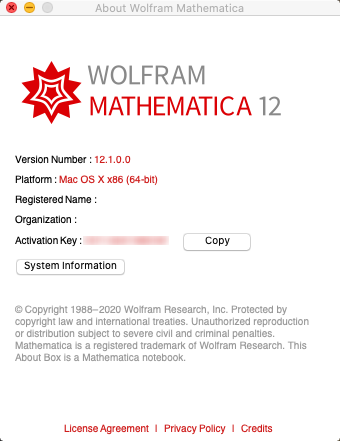
Wolfram Mathematica 12.1.0 Multilingual

7858a12ca96ea8166bbe60935451704d.jpg


Wolfram Mathematica 12.1.0 Multilingual

File Size: 4.22 GiB

​

For three decades, Mathematica has defined the state of the art in technical computing-and provided the principal computation environment for millions of innovators, educators, students, and others around the world. Widely admired for both its technical prowess and elegant ease of use, Mathematica provides a single integrated, continually expanding system that covers the breadth and depth of technical computing-and seamlessly available in the cloud through any web browser, as well as natively on all modern desktop systems.

For Modern Technical Computing, There's No Other Choice
With energetic development and consistent vision for three decades, Mathematica stands alone in a huge range of dimensions, unique in its support for today's technical computing environments and workflows.

A Vast System, All Integrated
Mathematica has nearly 5,000 built-in functions covering all areas of technical computing-all carefully integrated so they work perfectly together, and all included in the fully integrated Mathematica system.

Not Just Numbers, Not Just Math-But Everything
Building on three decades of development, Mathematica excels across all areas of technical computing-including neural networks, machine learning, image processing, geometry, data science, visualizations, and much more.

Unimaginable Algorithm Power
Mathematica builds in unprecedentedly powerful algorithms across all areas-many of them created at Wolfram using unique development methodologies and the unique capabilities of the Wolfram Language.

Higher Level Than Ever Before
Superfunctions, meta-algorithms... Mathematica provides a progressively higher-level environment in which as much as possible is automated-so you can work as efficiently as possible.

Everything Is Industrial Strength
Mathematica is built to provide industrial-strength capabilities-with robust, efficient algorithms across all areas, capable of handling large-scale problems, with parallelism, GPU computing, and more.

Powerful Ease of Use
Mathematica draws on its algorithmic power-as well as the careful design of the Wolfram Language-to create a system that's uniquely easy to use, with predictive suggestions, natural language input, and more.

Documents As Well As Code
Mathematica uses the Wolfram Notebook Interface, which allows you to organize everything you do in rich documents that include text, runnable code, dynamic graphics, user interfaces, and more.

The Code Makes Sense
With its intuitive English-like function names and coherent design, the Wolfram Language is uniquely easy to read, write, and learn.

Make Your Results Look Their Best
With sophisticated computational aesthetics and award-winning design, Mathematica presents your results beautifully-instantly creating top-of-the-line interactive visualizations and publication-quality documents.

150,000+ Examples
Get started with almost any project with help from 150,000+ examples in the Documentation Center, over 10,000 open-code Demonstrations in the Wolfram Demonstrations Project-and a host of other resources.

Instant Real-World Data
Mathematica has access to the vast Wolfram Knowledgebase, which includes up-to-the-minute real-world data across thousands of domains.

Seamless Cloud Integration
Mathematica is now seamlessly integrated with the cloud-allowing sharing, cloud computing, and more in a unique and powerful hybrid cloud/desktop environment

Connected to Everything
Mathematica is built to be connected to everything: file formats (180+), other languages, Wolfram Data Drop, APIs, databases, programs, the Internet of Things, devices-and even distributed instances of itself.

RELEASE NOTES

Windows and Linux notebook interface updated with HiDPI support for thousands of icons and other assets
Windows and macOS interfaces now use Direct3D 11 and Metal API for improved rendering of 3D graphics
Sophisticated video framework for programmatic viewing, processing and analysis of a range of multimedia types
Spreadsheet-like viewing, editing and manipulation of tabular data with TableView
Detailed control of appearance, sorting, data storage and other options for Dataset
New DataStructure framework for efficient creation, storage and manipulation of common data structures
Compute asymptotic approximations and expansions for mathematical expressions with Asymptotic and DiscreteAsymptotic
Mathematical HeunG function representing the regular solution of the general Heun equation
Generate distributions over unordered classes with CategoricalDistribution
Use GeometricOptimization to find positive values that minimize the posynomial objective subject to given constraints
Plot functions, regions and vectors in the complex plane with ComplexRegionPlot, ComplexContourPlot, ComplexVectorPlot, etc.
Support for generating proofs from arbitrary predicates (first-order logic) with FindEquationalProof
Several improvements and new options for vector visualization
Artistically fill 2D polygons with HatchFilling and PatternFilling, and shade 3D objects with StippleShading, ToonShading, HatchShading and other new graphics directives
Improved support for geometric operations on geographic regions
Display values on maps as smoothly varying colors with GeoDensityPlot or as contours with GeoContourPlot
Explore the topology of meshes with MeshConnectivityGraph and NearestMeshCells
Train generative models on various types of data with NetGANOperator
Include anomaly detection in machine learning functions with AnomalyDetector
Set styled annotations for graphs and other objects with Annotate
Use Splice to automatically splice expressions into a list
Operate on subsets/sublists with functions such as SubsetCases, SubsetPosition, SubsetCount, etc.
Represent operator forms with OperatorApplied and CurryApplied, and use ReverseApplied to apply a function with arguments reversed
TimeRemaining for retrieving the seconds until a TimeConstrained computation will be terminated
DateInterval for representing time intervals continuously or at a given granularity, InfinitePast/InfiniteFuture for representing indefinite time intervals and MinDate/MaxDate for finding extrema in an interval or list of dates
View tree graphs of expressions at any level with ExpressionGraph
ExternalIdentifier for representing and referencing resources in external identifier systems
Search and retrieve values from Wikidata's SPARQL endpoint with WikidataSearch and WikidataData
Support for Julia, Ruby and R languages through ExternalEvaluate
Identify molecular structures in an image with MoleculeRecognize
Upload files to an external storage such as Dropbox with ExternalStorageUpload
View and analyze ARK blockchain data and submit transactions
Combine and separate entity classes with UnionedEntityClass, IntersectedEntityClass and ComplementedEntityClass
Improved support for ZIP and TAR through CreateArchive and ExtractArchive
Securely store system passwords, secrets, keys, etc. locally with SystemCredential, and create digital file signatures from a given key with GenerateFileSignature
Paclet framework for representing, installing and managing local and remote paclets with functions such as PacletInstall, PacletFind, PacletSites, etc.
Improved support for MicrosoftSQL, MySQL and other relational databases
Solve the max-cut problem for a graph with FindMaximumCut
Use FaceAlign to align faces in images based on facial landmarks
FindImageText for detecting the regions of an image containing a character, word, line or block of text
Use SpeechCases and SpeechInterpreter to identify text and entities in spoken audio, and compare speech with a reference clip with SpeakerMatchQ
Use CharacterNormalize to convert text to various Unicode normalization forms
Support for user-provided CUDA Toolkits

System Requirements:
- Windows 10, Windows 8.1, Windows 7 Platform Update (32-bit and 64-bit)
- Processor: Intel Pentium Dual-Core or equivalent
- Disk Space: 14 GB
- System Memory (RAM): 2 GB+ recommended

У Вас недостаточно прав для просмотра ссылок. Войдите или зарегистрируйтесь.


DownLoad

NitroFlare
Код:
https://nitroflare.com/view/8F0F2C7ACB11A11/Wolfram.Mathematica.12.1.0.Multilingual.part1.rar
https://nitroflare.com/view/4B15F0520D71EB7/Wolfram.Mathematica.12.1.0.Multilingual.part2.rar
https://nitroflare.com/view/40106F4B5987575/Wolfram.Mathematica.12.1.0.Multilingual.part3.rar
https://nitroflare.com/view/BD3D18348FC3525/Wolfram.Mathematica.12.1.0.Multilingual.part4.rar
https://nitroflare.com/view/B99975895390973/Wolfram.Mathematica.12.1.0.Multilingual.part5.rar

RapidGator
Код:
https://rapidgator.net/file/baf94e425756cdeecd490662b1cefe77/Wolfram.Mathematica.12.1.0.Multilingual.part1.rar.html
https://rapidgator.net/file/ce238e3181af3bfea561317ece45d43b/Wolfram.Mathematica.12.1.0.Multilingual.part2.rar.html
https://rapidgator.net/file/376daec03ca8a727643f6907a00a8e51/Wolfram.Mathematica.12.1.0.Multilingual.part3.rar.html
https://rapidgator.net/file/302a10901c9429c5df9c60bb43eb0392/Wolfram.Mathematica.12.1.0.Multilingual.part4.rar.html
https://rapidgator.net/file/efb84a16998eefcbb2690c04ae91d651/Wolfram.Mathematica.12.1.0.Multilingual.part5.rar.html

UploadGiG
Код:
https://uploadgig.com/file/download/1cfF7e3da003a00d/Wolfram.Mathematica.12.1.0.Multilingual.part1.rar
https://uploadgig.com/file/download/1900A24Eb2e6297C/Wolfram.Mathematica.12.1.0.Multilingual.part2.rar
https://uploadgig.com/file/download/c38119251666d9ca/Wolfram.Mathematica.12.1.0.Multilingual.part3.rar
https://uploadgig.com/file/download/58F1e4946d0348c7/Wolfram.Mathematica.12.1.0.Multilingual.part4.rar
https://uploadgig.com/file/download/ffe133EDd99Bd3a6/Wolfram.Mathematica.12.1.0.Multilingual.part5.rar
 
Wolfram Mathematica 12.1.0 Multilingual macOS

95d7eeca2bc6044dde9c73f99a7941a9.png


Wolfram Mathematica 12.1.0 Multilingual macOS

File Size: 4.90 GiB
Languages: English, Español, 简体中文, 繁體中文, 日本語

​

Version 12.1 is our biggest point release so far, expanding Mathematica and the Wolfram Language's functionality in mathematical visualization, audio and image processing, machine learning and neural networks, data access/storage, and more, as well as introducing new systems for video processing and paclet management.

For three decades, Mathematica has defined the state of the art in technical computing-and provided the principal computation environment for millions of innovators, educators, students, and others around the world. Widely admired for both its technical prowess and elegant ease of use, Mathematica provides a single integrated, continually expanding system that covers the breadth and depth of technical computing-and seamlessly available in the cloud through any web browser, as well as natively on all modern desktop systems.

For Modern Technical Computing, There's No Other Choice
With energetic development and consistent vision for three decades, Mathematica stands alone in a huge range of dimensions, unique in its support for today's technical computing environments and workflows.

A Vast System, All Integrated
Mathematica has nearly 5,000 built-in functions covering all areas of technical computing-all carefully integrated so they work perfectly together, and all included in the fully integrated Mathematica system.

Not Just Numbers, Not Just Math-But Everything
Building on three decades of development, Mathematica excels across all areas of technical computing-including neural networks, machine learning, image processing, geometry, data science, visualizations, and much more.

Unimaginable Algorithm Power
Mathematica builds in unprecedentedly powerful algorithms across all areas-many of them created at Wolfram using unique development methodologies and the unique capabilities of the Wolfram Language.

Higher Level Than Ever Before
Superfunctions, meta-algorithms. Mathematica provides a progressively higher-level environment in which as much as possible is automated-so you can work as efficiently as possible.

Everything Is Industrial Strength
Mathematica is built to provide industrial-strength capabilities-with robust, efficient algorithms across all areas, capable of handling large-scale problems, with parallelism, GPU computing, and more.

Powerful Ease of Use
Mathematica draws on its algorithmic power-as well as the careful design of the Wolfram Language-to create a system that's uniquely easy to use, with predictive suggestions, natural language input, and more.

Documents As Well As Code
Mathematica uses the Wolfram Notebook Interface, which allows you to organize everything you do in rich documents that include text, runnable code, dynamic graphics, user interfaces, and more.

The Code Makes Sense
With its intuitive English-like function names and coherent design, the Wolfram Language is uniquely easy to read, write, and learn.

Make Your Results Look Their Best
With sophisticated computational aesthetics and award-winning design, Mathematica presents your results beautifully-instantly creating top-of-the-line interactive visualizations and publication-quality documents.

150,000+ Examples
Get started with almost any project with help from 150,000+ examples in the Documentation Center, over 10,000 open-code Demonstrations in the Wolfram Demonstrations Project-and a host of other resources.

Instant Real-World Data
Mathematica has access to the vast Wolfram Knowledgebase, which includes up-to-the-minute real-world data across thousands of domains.

Seamless Cloud Integration
Mathematica is now seamlessly integrated with the cloud-allowing sharing, cloud computing, and more in a unique and powerful hybrid cloud/desktop environment

Connected to Everything
Mathematica is built to be connected to everything: file formats (180+), other languages, Wolfram Data Drop, APIs, databases, programs, the Internet of Things, devices-and even distributed instances of itself.

What's New in Mathematica 12.1:
Windows and Linux notebook interface updated with HiDPI support for thousands of icons and other assets
Windows and macOS interfaces now use Direct3D 11 and Metal API for improved rendering of 3D graphics
Sophisticated video framework for programmatic viewing, processing and analysis of a range of multimedia types
Spreadsheet-like viewing, editing and manipulation of tabular data with TableView
Detailed control of appearance, sorting, data storage and other options for Dataset
New DataStructure framework for efficient creation, storage and manipulation of common data structures
Compute asymptotic approximations and expansions for mathematical expressions with Asymptotic and DiscreteAsymptotic
Mathematical HeunG function representing the regular solution of the general Heun equation
Generate distributions over unordered classes with CategoricalDistribution
Use GeometricOptimization to find positive values that minimize the posynomial objective subject to given constraints
Plot functions, regions and vectors in the complex plane with ComplexRegionPlot, ComplexContourPlot, ComplexVectorPlot, etc.
Support for generating proofs from arbitrary predicates (first-order logic) with FindEquationalProof
Several improvements and new options for vector visualization
Artistically fill 2D polygons with HatchFilling and PatternFilling, and shade 3D objects with StippleShading, ToonShading, HatchShading and other new graphics directives
Improved support for geometric operations on geographic regions
Display values on maps as smoothly varying colors with GeoDensityPlot or as contours with GeoContourPlot
Explore the topology of meshes with MeshConnectivityGraph and NearestMeshCells
Train generative models on various types of data with NetGANOperator
Include anomaly detection in machine learning functions with AnomalyDetector
Set styled annotations for graphs and other objects with Annotate
Use Splice to automatically splice expressions into a list
Operate on subsets/sublists with functions such as SubsetCases, SubsetPosition, SubsetCount, etc.
Represent operator forms with OperatorApplied and CurryApplied, and use ReverseApplied to apply a function with arguments reversed
TimeRemaining for retrieving the seconds until a TimeConstrained computation will be terminated
DateInterval for representing time intervals continuously or at a given granularity, InfinitePast/InfiniteFuture for representing indefinite time intervals and MinDate/MaxDate for finding extrema in an interval or list of dates
View tree graphs of expressions at any level with ExpressionGraph
ExternalIdentifier for representing and referencing resources in external identifier systems
Search and retrieve values from Wikidata's SPARQL endpoint with WikidataSearch and WikidataData
Support for Julia, Ruby and R languages through ExternalEvaluate
Identify molecular structures in an image with MoleculeRecognize
Upload files to an external storage such as Dropbox with ExternalStorageUpload
View and analyze ARK blockchain data and submit transactions
Combine and separate entity classes with UnionedEntityClass, IntersectedEntityClass and ComplementedEntityClass
Improved support for ZIP and TAR through CreateArchive and ExtractArchive
Securely store system passwords, secrets, keys, etc. locally with SystemCredential, and create digital file signatures from a given key with GenerateFileSignature
Paclet framework for representing, installing and managing local and remote paclets with functions such as PacletInstall, PacletFind, PacletSites, etc.
Improved support for MicrosoftSQL, MySQL and other relational databases
Solve the max-cut problem for a graph with FindMaximumCut
Use FaceAlign to align faces in images based on facial landmarks
FindImageText for detecting the regions of an image containing a character, word, line or block of text
Use SpeechCases and SpeechInterpreter to identify text and entities in spoken audio, and compare speech with a reference clip with SpeakerMatchQ
Use CharacterNormalize to convert text to various Unicode normalization forms
Support for user-provided CUDA Toolkits

3f28d6ed2701e0648d269755b100cb74.png


У Вас недостаточно прав для просмотра ссылок. Войдите или зарегистрируйтесь.


DownLoad

NitroFlare
Код:
https://nitroflare.com/view/E7F7E6148B7D099/Wolfram.Mathematica.12.1.0.Multilingual.macOS.part1.rar
https://nitroflare.com/view/137B38CC4CFE45C/Wolfram.Mathematica.12.1.0.Multilingual.macOS.part2.rar
https://nitroflare.com/view/A2FFA00FF43CB79/Wolfram.Mathematica.12.1.0.Multilingual.macOS.part3.rar
https://nitroflare.com/view/39E9823DD6DBCCC/Wolfram.Mathematica.12.1.0.Multilingual.macOS.part4.rar
https://nitroflare.com/view/090E08D3909A31C/Wolfram.Mathematica.12.1.0.Multilingual.macOS.part5.rar

RapidGator
Код:
https://rapidgator.net/file/ff862c0a63e7eb021220f05bbb826137/Wolfram.Mathematica.12.1.0.Multilingual.macOS.part1.rar.html
https://rapidgator.net/file/469fc7e7e0141c68bd782ac52ed546fd/Wolfram.Mathematica.12.1.0.Multilingual.macOS.part2.rar.html
https://rapidgator.net/file/c3fbe0f00c599fc14a2f2f4d67272baf/Wolfram.Mathematica.12.1.0.Multilingual.macOS.part3.rar.html
https://rapidgator.net/file/7eb6c8d94a195fdb0f5091fa3d106b6e/Wolfram.Mathematica.12.1.0.Multilingual.macOS.part4.rar.html
https://rapidgator.net/file/f859e871fd019d5eb86783e8f27d7def/Wolfram.Mathematica.12.1.0.Multilingual.macOS.part5.rar.html

UploadGiG
Код:
https://uploadgig.com/file/download/160ed2c38a70764d/Wolfram.Mathematica.12.1.0.Multilingual.macOS.part1.rar
https://uploadgig.com/file/download/35cfa697ce6f771a/Wolfram.Mathematica.12.1.0.Multilingual.macOS.part2.rar
https://uploadgig.com/file/download/c019D22bd6c666ae/Wolfram.Mathematica.12.1.0.Multilingual.macOS.part3.rar
https://uploadgig.com/file/download/c9892a023A62b5d1/Wolfram.Mathematica.12.1.0.Multilingual.macOS.part4.rar
https://uploadgig.com/file/download/ba871e9D440B3C51/Wolfram.Mathematica.12.1.0.Multilingual.macOS.part5.rar
 
Adobe Master Collection CC 2020 March x64 Multilanguage

ab437d50dc2029ae65f123c7a0d243a8.jpg


Adobe Master Collection CC 2020 March x64 Multilanguage

File Size: 15.5 GiB
Languages: Multilanguage
OS: Windows x64

​

Description:
As I hope you know, Adobe Master Collection CC 2020 does not exist in nature, Adobe has never released it. But, nevertheless, he is in front of you! And it is assembled on the basis of a modern installer, manufactured by Adobe, the transition to which was made possible through joint efforts, both by mine and by many of the famous PainteR. We both did our best to bring this package to life.

Adobe Master Collection CC 2020 is a collection of applications from the Creative Cloud 2020 line and a number of junior version programs combined by a single installer with the ability to select the installation path and the language of the installed programs.In terms of functionality, everything is very similar to the well-proven Adobe Master Collection CS6 in the past. Only here, the installer interface has changed, the current package includes significantly more programs than its namesake Creative Suite 6, and the versions of the programs themselves are mostly fresher.

The contents of the package:
Adobe Acrobat DC 2020 (2020.006.20042)
Adobe After Effects 2020 17.0.5.16
Adobe Animate 2020 20.0.2.22168
Adobe Audition 2020 13.0.4.39
Adobe Bridge 2020 10.0.3.138
Adobe Character Animator 2020 3.2.0.65
Adobe Dimension 3.1.1.1223
Adobe Dreamweaver 2020 20.1.0.15211
Adobe Illustrator 2020 24.1.1.376
Adobe InCopy 2020 15.0.2.323
Adobe InDesign 2020 15.0.2.323
Adobe Lightroom Classic 9.2.0.202001311240
Adobe Media Encoder 2020 14.0.4.16
Adobe Photoshop 2020 21.1.1.121
Adobe Prelude 2020 9.0.0.415
Adobe Premiere Pro 2020 14.0.4.18
Adobe XD 28.1.12
Adobe Creative Cloud Core 5.0.1.383
Adobe CoreSync 4.3.28.24
Adobe CCX Process 3.5.0.33
Adobe CC Library 3.7.4.29
Adobe Camera Raw 12.2.0.78
Adobe Creative Cloud Core 5.0.1.383

WHATS NEW:

-Update Adobe Acrobat DC 2020 (2020.006.20042)
-Update Adobe After Effects 2020 (17.0.5.16)
-Update Adobe Audition 2020 (13.0.4.39)
-Update Adobe Character Animator 2020 (3.2.0.65)
-Update Adobe Illustrator 2020 (24.1.1.376)
-Update Adobe InCopy 2020 (15.0.2.323)
-Update Adobe InDesign 2020 (15.0.2.323)
-Update Adobe Media Encoder 2020 (14.0.4.16)
-Update Adobe Photoshop 2020 (21.1.1.121)
-Update Adobe Premiere Pro 2020 (14.0.4.18)
-Update Adobe XD 28.1.12
-Update Adobe CoreSync 4.3.28.24
-Update Adobe CCX Process 3.5.0.33

b89e57e621c6bf5e70ac489552860089.png


У Вас недостаточно прав для просмотра ссылок. Войдите или зарегистрируйтесь.


DownLoad

Single Link
Код:
https://nitroflare.com/view/D89ABD7479E40EE/Adobe.Master.Collection.CC.2020.March.x64.Multilanguage.iso

Код:
https://rapidgator.net/file/114da8b4c5d1705c68067b040788c33b/Adobe.Master.Collection.CC.2020.March.x64.Multilanguage.iso.html

Код:
https://uploadgig.com/file/download/4cb2b6678BedEE3A/Adobe.Master.Collection.CC.2020.March.x64.Multilanguage.iso

NitroFlare
Код:
https://nitroflare.com/view/0E613F58E056DDE/Adobe.Master.Collection.CC.2020.March.x64.Multilanguage.part01.rar
https://nitroflare.com/view/92CDCE198170B9C/Adobe.Master.Collection.CC.2020.March.x64.Multilanguage.part02.rar
https://nitroflare.com/view/3703962743B10E8/Adobe.Master.Collection.CC.2020.March.x64.Multilanguage.part03.rar
https://nitroflare.com/view/16316F618158FD2/Adobe.Master.Collection.CC.2020.March.x64.Multilanguage.part04.rar
https://nitroflare.com/view/3454CA9E191E3F5/Adobe.Master.Collection.CC.2020.March.x64.Multilanguage.part05.rar
https://nitroflare.com/view/365341CA809F85D/Adobe.Master.Collection.CC.2020.March.x64.Multilanguage.part06.rar
https://nitroflare.com/view/760D12F7351EE70/Adobe.Master.Collection.CC.2020.March.x64.Multilanguage.part07.rar
https://nitroflare.com/view/760CFB6B0641F35/Adobe.Master.Collection.CC.2020.March.x64.Multilanguage.part08.rar
https://nitroflare.com/view/7B18B46409F63D5/Adobe.Master.Collection.CC.2020.March.x64.Multilanguage.part09.rar
https://nitroflare.com/view/936C3346A674A65/Adobe.Master.Collection.CC.2020.March.x64.Multilanguage.part10.rar
https://nitroflare.com/view/1DCF585AAB37E06/Adobe.Master.Collection.CC.2020.March.x64.Multilanguage.part11.rar
https://nitroflare.com/view/F286BA27046A1A9/Adobe.Master.Collection.CC.2020.March.x64.Multilanguage.part12.rar
https://nitroflare.com/view/287FFFF8A5B1765/Adobe.Master.Collection.CC.2020.March.x64.Multilanguage.part13.rar
https://nitroflare.com/view/F58C8720E2FB0C7/Adobe.Master.Collection.CC.2020.March.x64.Multilanguage.part14.rar
https://nitroflare.com/view/AFEAAF9F5DE727F/Adobe.Master.Collection.CC.2020.March.x64.Multilanguage.part15.rar
https://nitroflare.com/view/F18DEEB274C5657/Adobe.Master.Collection.CC.2020.March.x64.Multilanguage.part16.rar

RapidGator
Код:
https://rapidgator.net/file/6d654539bd953675da3707d511279270/Adobe.Master.Collection.CC.2020.March.x64.Multilanguage.part01.rar.html
https://rapidgator.net/file/dfd76b98db4e86bf5155e2b4c693dff2/Adobe.Master.Collection.CC.2020.March.x64.Multilanguage.part02.rar.html
https://rapidgator.net/file/9efe60134eee2e32f024706f32a52190/Adobe.Master.Collection.CC.2020.March.x64.Multilanguage.part03.rar.html
https://rapidgator.net/file/893fd12ddf151ba33e468c8a408af010/Adobe.Master.Collection.CC.2020.March.x64.Multilanguage.part04.rar.html
https://rapidgator.net/file/2668a7023b2dc7500a187272045a78fe/Adobe.Master.Collection.CC.2020.March.x64.Multilanguage.part05.rar.html
https://rapidgator.net/file/ee13e8a9ab2e4386d15801bcf48b38d0/Adobe.Master.Collection.CC.2020.March.x64.Multilanguage.part06.rar.html
https://rapidgator.net/file/4f6001124bd0fa5ef671b8dd8bb5c4dd/Adobe.Master.Collection.CC.2020.March.x64.Multilanguage.part07.rar.html
https://rapidgator.net/file/7dabadf5c16546bfdc02b888e6acc201/Adobe.Master.Collection.CC.2020.March.x64.Multilanguage.part08.rar.html
https://rapidgator.net/file/ca0160e87ae6ca943b78630b9c97bfae/Adobe.Master.Collection.CC.2020.March.x64.Multilanguage.part09.rar.html
https://rapidgator.net/file/ba8d6e9735fe3da818ebe9271d968483/Adobe.Master.Collection.CC.2020.March.x64.Multilanguage.part10.rar.html
https://rapidgator.net/file/7630183e55aec75ad59a84c022ceaca3/Adobe.Master.Collection.CC.2020.March.x64.Multilanguage.part11.rar.html
https://rapidgator.net/file/c67b437f130a93268c594b4a3427f8bf/Adobe.Master.Collection.CC.2020.March.x64.Multilanguage.part12.rar.html
https://rapidgator.net/file/17a40df69ce01bad4607ec3f4770ab20/Adobe.Master.Collection.CC.2020.March.x64.Multilanguage.part13.rar.html
https://rapidgator.net/file/d423a276b6b60863d3a5646ea213a2e4/Adobe.Master.Collection.CC.2020.March.x64.Multilanguage.part14.rar.html
https://rapidgator.net/file/e5f20c0956249fd30b10eca29284ecbe/Adobe.Master.Collection.CC.2020.March.x64.Multilanguage.part15.rar.html
https://rapidgator.net/file/1b5cb86022a4338ca328f99783dcfc25/Adobe.Master.Collection.CC.2020.March.x64.Multilanguage.part16.rar.html

UploadGiG
Код:
https://uploadgig.com/file/download/e8Ee79bB6f14d12B/Adobe.Master.Collection.CC.2020.March.x64.Multilanguage.part01.rar
https://uploadgig.com/file/download/cD607B80597c2db2/Adobe.Master.Collection.CC.2020.March.x64.Multilanguage.part02.rar
https://uploadgig.com/file/download/96320bdfeea3a024/Adobe.Master.Collection.CC.2020.March.x64.Multilanguage.part03.rar
https://uploadgig.com/file/download/04de7b83816E7187/Adobe.Master.Collection.CC.2020.March.x64.Multilanguage.part04.rar
https://uploadgig.com/file/download/64e6252459054bd4/Adobe.Master.Collection.CC.2020.March.x64.Multilanguage.part05.rar
https://uploadgig.com/file/download/e66be6ddEc418B00/Adobe.Master.Collection.CC.2020.March.x64.Multilanguage.part06.rar
https://uploadgig.com/file/download/c3eD4F2e54fd4161/Adobe.Master.Collection.CC.2020.March.x64.Multilanguage.part07.rar
https://uploadgig.com/file/download/9e7B62611a1fdb3c/Adobe.Master.Collection.CC.2020.March.x64.Multilanguage.part08.rar
https://uploadgig.com/file/download/b59a4df1a5b2e6e1/Adobe.Master.Collection.CC.2020.March.x64.Multilanguage.part09.rar
https://uploadgig.com/file/download/4b9307fA3d52bacd/Adobe.Master.Collection.CC.2020.March.x64.Multilanguage.part10.rar
https://uploadgig.com/file/download/c226f09746Aa2312/Adobe.Master.Collection.CC.2020.March.x64.Multilanguage.part11.rar
https://uploadgig.com/file/download/1cc4105554bEfD5f/Adobe.Master.Collection.CC.2020.March.x64.Multilanguage.part12.rar
https://uploadgig.com/file/download/b2fC9dBb7f0530F5/Adobe.Master.Collection.CC.2020.March.x64.Multilanguage.part13.rar
https://uploadgig.com/file/download/2927e7568d53b88D/Adobe.Master.Collection.CC.2020.March.x64.Multilanguage.part14.rar
https://uploadgig.com/file/download/66e32e2b1f9Cc6eB/Adobe.Master.Collection.CC.2020.March.x64.Multilanguage.part15.rar
https://uploadgig.com/file/download/0364708518a1C782/Adobe.Master.Collection.CC.2020.March.x64.Multilanguage.part16.rar
 
Adobe Media Encoder 2020 v14.0.4.16 x64 Multilingual

b8f88a4ee55d9097fa3cecb7691d094d.png


Adobe Media Encoder 2020 v14.0.4.16 x64 Multilingual

File Size: 966 MiB
Languages: Multilanguage
OS: Windows x64

​

Ingest, transcode, create proxies, and output any format you can imagine. This powerful media management tool allows you to work with media in a unified way across applications. Tight integration with Adobe Premiere Pro CC, After Effects CC, and other applications provides a seamless workflow.

Key Features:
- Support for 8K H.264 export
- Export XAVC QFHD Long GOP 4:2:2 formats
- Hardware-accelerated HEVC encoding on Windows 10 with 7th Generation (or later) Intel® Core™ processors and Intel Graphics enabled
- Improved RED camera format decoding
- Improved Sony RAW/X-OCN camera format decoding
- Hardware-accelerated H.264 encoding on Windows 10 with 6th Generation (or later) Intel® Core™ processors and Intel Graphics enabled
- Hardware-accelerated H.264 and HEVC encoding on Mac OS 10.13 systems with supported hardware
- Support for importing Canon C200 camera formats
- Support for importing Sony Venice camera formats
- RED camera Image Processing Pipeline [IPP2] support
- Destination Publishing support for new Twitter 280-character limit
- Channel selection when publishing to YouTube and Vimeo
- Playlist selection when publishing to YouTube
- Page selection when publishing to Facebook
- Add custom titles when publishing to YouTube, Facebook, or Vimeo
- Add custom video thumbnails when publishing to YouTube
- Notification for missing items in queue before encoding
- H.264 adaptive bitrate presets automatically choose best output bitrate based on source frame size and frame rate
- Animated GIF export on macOS and Windows
- Time Tuner effect improvements
- Newly optimized list of H.264 presets
- Format support for RF64 WAV Decode/Encode, decode for Sony X-OCN, and QuickTime DNx Smart Rendering
- Warning when importing non-native QuickTime sources
- Timecode modification for 720p 59.94 media
- Destination Publishing to Adobe Stock Contributor
- Adobe Team Projects support
- Support for Color Profiles from After Effects sources
- Automatically relinked assets when importing a sequence
- Option to maintain playback in Premiere Pro while rendering in Media Encoder
- Streamlined bit depth and alpha channel settings (QuickTime only)
- Export support for ambisonic audio (H.264 only)
- Support for Hybrid LOG Gamma (HLG)
- Support for HDR in HEVC (H.265) export Export support for Panasonic AVC-Long GOP Op1b

What's New

System Requirements:
- Processor: Intel 6thGen or newer CPU
- Operating system: Microsoft Windows 10 (64-bit), version 1703 or later (required)
- RAM: 16 GB of RAM
- Hard disk space: 4GB of available hard-disk space; additional free space required during installation (cannot install on removable flash storage devices)
- Monitor resolution: 1920 x 1080 or greater display resolution
- GPU: Adobe-recommended GPU card for GPU-accelerated performance (see Premiere Pro System Requirements)
- Ethernet: 10 Gigabit ethernet for 4K shared network workflows (1Gb for HD-only)

Adobe Media Encoder is available in the following languages:
- Deutsch, English, Español, Français, Italiano, Português (Brasil), Русский, 日本語, 한국어, 简体中文

У Вас недостаточно прав для просмотра ссылок. Войдите или зарегистрируйтесь.


DownLoad

NitroFlare
Код:
https://nitroflare.com/view/4E505AC0FDE1EAB/Adobe.Media.Encoder.2020.v14.0.4.16.x64.Multilingual.rar

RapidGator
Код:
https://rapidgator.net/file/959e84a19f339dbabd5a7f48fb12f970/Adobe.Media.Encoder.2020.v14.0.4.16.x64.Multilingual.rar.html

UploadGiG
Код:
https://uploadgig.com/file/download/8E138ddBb6337ea3/Adobe.Media.Encoder.2020.v14.0.4.16.x64.Multilingual.rar
 
Adobe Premiere Pro 2020 v14.0.4.18 x64 Multilingual

81824ebe5ba470c9b0a040a5dc46ca74.jpg


Adobe Premiere Pro 2020 v14.0.4.18 x64 Multilingual

File Size: 1.56 GiB
Languages: Multilanguage
OS: Windows x64

​

Video editing that's always a cut above. Premiere Pro is the leading video editing software for film, TV, and the web. Creative tools, integration with other Adobe apps and services, and the power of Adobe Sensei help you craft footage into polished films and videos in one seamless workflow. And Premiere Rush, our new app, is included with your subscription so you can capture footage and start editing on all your devices, anywhere.

Smart tools. Better storytelling.
Premiere Pro is used by Hollywood filmmakers, TV editors, YouTubers, videographers - anyone with a story to tell, including you.

Stay in your creative flow.
Premiere Pro is the industry leader for editing everything from fast-turn TV series to feature films. Integrated, efficient workflows let you polish your work without leaving your timeline. And automated tools powered by Adobe Sensei speed up time-consuming tasks, so you can focus on your story.

Any camera. Any format. Any platform.
Edit footage in any modern format, from 8K to virtual reality. Broad native file support and simple proxy workflows make it easy to work with your media, even on mobile workstations. Delivering content that's optimized for any screen or platform is faster than ever.

Everything you need. Right where you need it.
Along with tools for color, audio, and graphics, Premiere Pro works seamlessly with other apps and services, including After Effects, Adobe Audition, and Adobe Stock. Open a Motion Graphics template from After Effects or download one from Adobe Stock and customize it - all without leaving the app. And Premiere Pro integrates with hundreds of partner technologies.

Precise and simple color grading
Take the guesswork out of curve adjustments with innovative Lumetri Color tools. Each curve has two axes with paired values, making selective color grading easy and accurate.

Improve audio instantly
New sliders in the Essential Sound panel let you dial down or remove background noise and reverb for incredible results.

Infographics with Motion Graphics templates
Drag and drop spreadsheets into new infographics Motion Graphics templates to quickly generate visualizations of your data. Any updates to your spreadsheets are automatically updated in your infographic.

У Вас недостаточно прав для просмотра ссылок. Войдите или зарегистрируйтесь.


DownLoad

NitroFlare
Код:
https://nitroflare.com/view/8AC5304C07E2431/Adobe.Premiere.Pro.2020.v14.0.4.18.x64.Multilingual.part1.rar
https://nitroflare.com/view/01E9697BF731FA9/Adobe.Premiere.Pro.2020.v14.0.4.18.x64.Multilingual.part2.rar

RapidGator
Код:
https://rapidgator.net/file/2f13ac1ab9048d8ae129d6c168f178e8/Adobe.Premiere.Pro.2020.v14.0.4.18.x64.Multilingual.part1.rar.html
https://rapidgator.net/file/35634b2b2743748bbf87d14b3153421d/Adobe.Premiere.Pro.2020.v14.0.4.18.x64.Multilingual.part2.rar.html

UploadGiG
Код:
https://uploadgig.com/file/download/594d319dc3ace67a/Adobe.Premiere.Pro.2020.v14.0.4.18.x64.Multilingual.part1.rar
https://uploadgig.com/file/download/e6850c691f27E993/Adobe.Premiere.Pro.2020.v14.0.4.18.x64.Multilingual.part2.rar
 
DxO PhotoLab 3.2.0 Build 4344 x64 Elite Multilingual

473f78cb5680a1f283ab74376701a5eb.jpg


DxO PhotoLab 3.2.0 Build 4344 x64 Elite Multilingual

File Size: 372 MiB
Languages: Multilanguage
OS: Windows x64

​

Produce RAW and JPEG images with the best image quality, effortlessly: DxO PhotoLab provides a complete set of smart assisted corrections that you can manually fine-tune at any time. Take control on every aspect of your photos: effectively remove noise, get rid of light constraints, recover color details, apply sophisticated optical corrections, and enhance details.

DxO SMART LIGHTING
Optimizes the dynamic range of your image and brings out the details from both under- and overexposed areas.

DxO CLEARVIEW
Intelligently boosts local contrast and effectively removes distant haze.

DxO PRIME
Automatically denoises high ISO RAW images and recovers accurate details and colors based on our exclusive algorithms.

OPTICAL CORRECTIONS
Leverage your gear with tailored automatic corrections based on DxO's renowned scientific expertise in measurement and calibration.

EXPRESS YOUR CREATIVITY WITH LOCAL ADJUSTMENTS: INTRODUCING U POINT®
Give your photos your own artistic touch by manually applying selective corrections to specific areas of your image, using exclusive DxO Local Adjustment Tools that include: Control points (U Point technology), graduated filters, manual and automatic brushes, automatic repair tool, etc.

CONTROL POINTS
Manually select your editing area by simply clicking on the part of your image you want to adjust.

BRUSH TOOL
Freely paint and manually adjust small or large areas of your image.

GRADIENT TOOL
Simulates a graduated ND filter and lets you apply artistic effects.

REPAIR TOOL
Allows you to remove dust spots or unwanted objects from your photos.

Processing large series of photos is no longer a nightmare
- Intelligent algorithms adapt settings to your gear as well as to image content
- Copy and paste settings from one image to another
- 30 built-in presets, fully customizable to give your photos the look you like
- Multiple exports in one click
- Export to multiple formats for web, printing, or backup
Export directly to social networks such as Facebook, Flickr, or to other photo editors

Fully adapted to YOUR workflow
- File management that works with your computer (no import step required)
- Direct access to images
- Seamless integration with Lightroom via plugin
- Customizable workspace to adapt to your needs - Dual-screen friendly

Whats New:
Improved local adjustment mask management
Simplified Repair Tool display
Multi-image keywords

У Вас недостаточно прав для просмотра ссылок. Войдите или зарегистрируйтесь.


DownLoad

NitroFlare
Код:
https://nitroflare.com/view/6BD1CD12CAA16DB/DxO.PhotoLab.3.2.0.Build.4344.x64.Elite.Multilingual.rar

RapidGator
Код:
https://rapidgator.net/file/d2af10ae18e7befb85bbb8c09c9a76b9/DxO.PhotoLab.3.2.0.Build.4344.x64.Elite.Multilingual.rar.html

UploadGiG
Код:
https://uploadgig.com/file/download/6b2c809f65021Cbd/DxO.PhotoLab.3.2.0.Build.4344.x64.Elite.Multilingual.rar
 
Adobe Photoshop CC 2019 20.0.9.28674 x64 Multilingual

66cdc7384253a2bc6f5a0c9a287b010f.jpg


Adobe Photoshop CC 2019 20.0.9.28674 x64 Multilingual

File Size: 1.83 GiB

​

Adobe Photoshop CC 2019 - the essential software for perfecting your images. It offers productivity and workflow enhancements, powerful new editing tools, and breakthrough compositing capabilities. Adobe Photoshop CC software accelerates your path from imagination to imagery. Ideal for photographers, graphic designers, and web designers. The professional standard delivers new features such as automatic layer alignment and blending that enable advanced compositing.

Overall Adobe Photoshop CC 2019 features:
Revolutionary new features, a fluid user experience, and improved access to the unrivaled power of Photoshop
A more intuitive user interface and new nondestructive editing features that put you in control, including the new Adjustments and Masks panels
Content-Aware Scaling - advanced auto-blending that extends depth of field, and industry-leading editing and compositing with reengineered color-correction tools
Significant productivity enhancements that provide increased flexibility and enable you to leverage the power of today's faster graphics processors
Breakthrough 3D editing and compositing capabilities and improved video controls to dramatically expand your creative options
Comprehensive image analysis with enhanced measurement and counting tools, as well as support for DICOM images and MATLAB processing routines

Enhanced Features:
Artboards
Creative Cloud Libraries
Adobe Stock
Design Space (Preview)
Export artboards, layers, and more
Layer Styles
Device Preview and the Preview CC companion app
Blur Gallery | Restore noise in blurred areas
Glyphs panel
Camera Raw
3D printing
3D imaging
UI toolkit for plug-ins and scripts
Adobe Photoshop CC 2019 is part of Creative Cloud. That means you have access to all the latest updates and future releases the moment they're available. Use Save to Cloud to keep your files organized across multiple computers. And with Behance integration, you can share your projects straight from Photoshop CC and get immediate feedback from creatives around the world.

Adobe Photoshop CC 2019 Highlights:
Get started faster
In-app search
Tighter integration with Adobe XD
Stock templates, 3D objects, and search
Support for SVG color fonts
New Creative Cloud Libraries capabilities
Creative Cloud Assets improvements
Introducing Typekit Marketplace
Enhanced Properties panel
Better overall performance

Windows Minimum requirement:
Processor: Intel or AMD processor with 64-bit support; 2 GHz or faster processor
Operating system: Microsoft Windows 7 with Service Pack 1 (64-bit), Windows 10 (Version 1709 or later)
RAM:2 GB or more of RAM (8 GB recommended)
Hard disk space: 3.1 GB or more of available hard-disk space for 64-bit installation; additional free space required during installation (cannot install on a volume that uses a case-sensitive file system)
Monitor resolution: 1024 x 768 display (1280x800 recommended) with 16-bit color and 512 MB or more of dedicated VRAM; 2 GB is recommended
Graphics processor acceleration requirements: OpenGL 2.0-capable system
Internet: Internet connection and registration are necessary for required software activation, validation of subscriptions, and access to online services

У Вас недостаточно прав для просмотра ссылок. Войдите или зарегистрируйтесь.


DownLoad

NitroFlare
Код:
https://nitroflare.com/view/B72680E885FDBA0/Adobe.Photoshop.CC.2019.20.0.9.28674.x64.Multilingual.part1.rar
https://nitroflare.com/view/37E50A1E767A41F/Adobe.Photoshop.CC.2019.20.0.9.28674.x64.Multilingual.part2.rar

RapidGator
Код:
https://rapidgator.net/file/3dd3ce5ad101789d33273ea201194a01/Adobe.Photoshop.CC.2019.20.0.9.28674.x64.Multilingual.part1.rar.html
https://rapidgator.net/file/501e8d6f4086a632088f9a8233d9d56e/Adobe.Photoshop.CC.2019.20.0.9.28674.x64.Multilingual.part2.rar.html

UploadGiG
Код:
https://uploadgig.com/file/download/1c4F8A3cf132F9e9/Adobe.Photoshop.CC.2019.20.0.9.28674.x64.Multilingual.part1.rar
https://uploadgig.com/file/download/eeBb53dfeCda9881/Adobe.Photoshop.CC.2019.20.0.9.28674.x64.Multilingual.part2.rar
 
Topaz Sharpen AI 2.0.1

590a2a213a9864dac3176ac9e5899d6c.jpg


Topaz Sharpen AI 2.0.1

File Size: 1.24 GiB

​

Description:
Create tack-sharp images with no artifacts or halos.Sharpen AI is the first sharpening and shake reduction software that can tell the difference between real detail and noise. Create tack-sharp images even when you're shooting handheld, at night, or with a shallow depth of field.

Powered by AI
Sharpen AI was trained with millions of images so it could learn the characteristics of detail vs. noise - and then enhance just the detail. In some cases, it can even recover image detail.

Seamless integration
Works wherever you currently edit your photos. Use Sharpen AI either as a standalone software or as a plug-in for Topaz Studio / Photoshop / Lightroom Classic.

Constantly improving
Through continuous AI training, Sharpen AI's enhancement model becomes both faster and higher-quality with time. You'll get the latest and greatest when the model improves.

Three kinds of sharpening for a perfect photo.
There's nothing worse than the feeling of taking the perfect photo, rushing home, opening it up on your computer. and realizing that it's blurry at 100%. When this happens, it's usually caused by one of three problems: camera shake, focus issues, or general softness. Sharpen AI includes a separate module to handle each one.

Stabilize: natural shake reduction
Even the steadiest hands don't compare to a tripod when it comes to image sharpness. Unlike a tripod, though, you always have your hands with you! Sharpen AI's Stabilize module has been trained to reverse motion blur and make handheld images look like they were taken from a tripod.

Focus: better focus correction
Focus correction is a notoriously difficult problem that's easy to get wrong, but Sharpen AI's Focus module excels at correct up to ten pixels of focus blur. This is perfect for sharpening out-of-focus eyes or correct issues caused by incorrect in-camera focus. Tip: use selective adjustments for best results!

Sharpen: general input sharpening
Even with no motion blur or focus issues, images generally come out of the camera soft. Sharpen AI includes the Sharpen module that specializes in correcting small amounts of general softness without any artifacts or halos. It's the most natural-looking sharpening tool that you will ever use.

The perfect time to make images tack-sharp.
The need for sharpening is universal: most images come out a little soft straight out of the camera. Here's just a handful of use cases in which we've seen exceptional results with Sharpen AI.

Animal Photography
You can pose people, but it's much harder to ask animals to stay still! Use Sharpen AI's Stabilize module to correct camera shake and the inevitable motion blur you get from fast-moving subjects. It's also difficult to focus perfectly in these situations, so the Focus module will also be very useful. This applies to any photos with fast-moving subjects - not just animals! Adjust the slider to the left to see the difference at 100%, or click for a larger before/after.

Hand-held Landscapes
No matter how fast you set your shutter speed, you can't shoot handheld landscapes as sharp as if you had a tripod. You don't always have a tripod with you, though. Sometimes you don't even have the luxury of using a fast shutter speed. Sharpen AI's Stabilize module helps you get handheld images that look like they were taken from a tripod. This model was trained specifically to counteract motion blur caused by camera shake and can produce some pretty exceptional results in your photos.

Portrait Photography
Getting sharp portraits is essential. Using controlled lighting and tripods in a studio setting is a good way to do that, but you're not always in a studio. Use Sharpen AI when the otherwise perfect portrait has slightly out-of-focus eyes or camera shake.

A new approach to sharpening.
We believe that better technology enables you to produce better art. The photos that thousands of other photographers have created with AI technology have been astounding, and we can't wait to see what you create. Here's how it works.

What does sharpness look like? (Training)
The first step of the machine learning process is to teach the software what sharpness is. We do this by feeding millions of blurred/sharp image pairs into the software and asking it to learn the characteristics of what makes an image sharp.

How to achieve this sharpness? (Learning)
Just like computers perform math and complex operations faster than humans, they can also learn much faster for very specific tasks. Sharpen AI soon understands how sharp images generally become blurred, and therefore how to reverse the process.

How do we sharpen images faster? (Optimization)
Sharpen AI performs millions of operations per pixel, so a significant amount of work is done to speed it up. This whole process continues even after the product's release: you'll likely see new updates with sharpening model improvements as the software learns more.

System Requirements:
-Operating System:Windows 7 x64/Windows 8/8.1 x64/Windows 10 x64
- System RAM: 8GB / 16GB recommended
- GPU VRAM: 2GB / 4GB recommended

Graphics Card Requirements:
- NVIDIA: GeForce GTX 770 2GB / GeForce GTX 960 4GB recommended
- AMD: Radeon HD 8570 2GB / Radeon R9 270 4GB recommended
- Intel: HD Graphics 5000 / Iris Plus Graphics 640 recommended

85d8d324d658910003dd1062aee12226.png


У Вас недостаточно прав для просмотра ссылок. Войдите или зарегистрируйтесь.


DownLoad

NitroFlare
Код:
https://nitroflare.com/view/E82E5C21208C6A2/Topaz.Sharpen.AI.2.0.1.part1.rar
https://nitroflare.com/view/20F78C0D305B70F/Topaz.Sharpen.AI.2.0.1.part2.rar

RapidGator
Код:
https://rapidgator.net/file/f1761abd55faf978864a0ccd28021ec6/Topaz.Sharpen.AI.2.0.1.part1.rar.html
https://rapidgator.net/file/e31cbfa5c4fdd47bd685757dc12fbe54/Topaz.Sharpen.AI.2.0.1.part2.rar.html

UploadGiG
Код:
https://uploadgig.com/file/download/89200f3D0bf8aC1F/Topaz.Sharpen.AI.2.0.1.part1.rar
https://uploadgig.com/file/download/C690f6224a574283/Topaz.Sharpen.AI.2.0.1.part2.rar
 
Corel VideoStudio Ultimate 2020 v23.0.1.404 Multilingual

c48ffc0af12ea20d695f51a9f6cac3a8.jpg


Corel VideoStudio Ultimate 2020 v23.0.1.404 Multilingual

File Size: 6.78 GiB
Languages: Multilingual
OS: Windows x64
Incl. Content Packs

​

VideoStudio takes ease of use and creativity one step further, with the addition of new smart movie tools, enhanced masking and color grading, and workflow improvements. Dive into new premium effects and edit 4K, HD, 360 video editing, with full the full suite of creative editing tools. Turn memories into movies with VideoStudio.

Video and movie editing software
Transform your photos and videos into movies with enhanced masking and color grading, new smart video tools, optimized performance and premium effects.

Why edit with VideoStudio?
Find the workspace that suits your photo editing needs and style.

Intuitive
Perfect for all skill levels; edit HD, 4K, or 360 video on the multi-track timeline with easy to use tools.

Fun
VideoStudio is widely recognized for being easy to use and packed with fun features.

Creative
Express yourself with 2,000+ customizable filters, color grading controls, and premium effects.

Explore what's included in VideoStudio
VideoStudio has expanded its award-winning combination of ease of use and breakthrough creativity to make video editing even more fun!

Intuitive Video Editor
Access a wide selection of basic tools, video corrections, creative filters, and more powerful features that are easy to learn and easy to use.

Slideshow Maker
Create movies and slideshows in minutes! Just select a template and add your media for quick, easy slideshows.

Screen Recorder
Record your screen and webcam simultaneously and create engaging videos with MultiCam Capture Lite!

DVD Burner
Burn your video projects to DVD or AVCHD with 100+ customizable menu templates with MyDVD.

Ultimate Exclusives
Access premium effects from NewBlueFX, Boris FX, and proDAD - exclusive to Ultimate.

What's New in VideoStudio 2020?
VideoStudio 2020 adds new tools and content, plus editing shortcuts and enhancements that streamline your workflow, bringing you a smarter, more creative editing experience.

- New titles and creative content
- Streamlined editing tools and shortcuts
- New smart slideshow and video tools
- Optimized 4k display
- Enhanced video masking, more blending modes and new premium effects-exclusive to Ultimate!

Features fueling your video editing software
Get the exact results you want with VideoStudio's wide selection of innovative tools and features. Enjoy a feature-packed video editor that helps you create just about anything with ease.

Crop, Trim, Rotate
Easily crop, trim, and split video, directly on the timeline. Rotate or change the aspect ratio with just a few clicks.

Instant Video Corrections
Apply lens corrections to remove fisheye distortion, and color correct clips to adjust the temperature of the light or to create unique effects.

ULTIMATE ONLY Stabilize Video
Only in Ultimate can you apply video stabilization to correct shaky footage with proDad Mercalli. Turn wobbly handheld videos and bumpy action shots into usable footage with this quick fix!

ULTIMATE ONLY Color Grading
Only in Ultimate can you access complete Color Grading tools to control the mood of every scene. Easily shift colors, and fine tune your changes with a variety of video scopes and intuitive controls.

Filters and Effects
Get the right look with hundreds of drag-and-drop effects and filters. Quickly create stylized images or add overlays and animated titles!

NEW LUT Profiles
Now with 20+ new LUT (look up table) profiles. LUTs makes it easy to apply advanced cinematic color effects to your project to bring your footage from one color space to another.

RELEASE NOTES:
- Release notes were unavailable when this listing was updated.

System Requirements:
- Windows 10, Windows 8, Windows 7, 64 bit only
- Core i3 or AMD A4 series for standard videos. Intel Core i7 or AMD Athlon A10 for HD and UHD videos
- 4 GB or higher, 8+ GB highly recommended for HD and UHD videos
- Minimum display resolution: 1024 x 768, minimum 512 MB VRAM or higher recommended for hardware acceleration
- Windows-compatible sound card
- Minimum 10 GB for full installation

Accessories
- DVD burner required for creating DVD and AVCHD discs
- Blu-Ray burning requires purchase of a separate plug-in from within the product

Supported Languages
- Dutch, English, French, German, Italian, Japanese, Traditional Chinese

70fa8a5297d2b36251b1f6bffeeeaf4b.jpg


У Вас недостаточно прав для просмотра ссылок. Войдите или зарегистрируйтесь.


DownLoad

NitroFlare
Код:
https://nitroflare.com/view/3833DA6D049E8CF/Corel.VideoStudio.Ultimate.2020.v23.0.1.404.Multilingual.part1.rar
https://nitroflare.com/view/3766A49668D2BEF/Corel.VideoStudio.Ultimate.2020.v23.0.1.404.Multilingual.part2.rar
https://nitroflare.com/view/47A3697DE5013ED/Corel.VideoStudio.Ultimate.2020.v23.0.1.404.Multilingual.part3.rar
https://nitroflare.com/view/9C40AA9775A5953/Corel.VideoStudio.Ultimate.2020.v23.0.1.404.Multilingual.part4.rar
https://nitroflare.com/view/979E5206046D4E4/Corel.VideoStudio.Ultimate.2020.v23.0.1.404.Multilingual.part5.rar
https://nitroflare.com/view/873993BFAEE4BB1/Corel.VideoStudio.Ultimate.2020.v23.0.1.404.Multilingual.part6.rar
https://nitroflare.com/view/60E714491C09D68/Corel.VideoStudio.Ultimate.2020.v23.0.1.404.Multilingual.part7.rar

RapidGator
Код:
https://rapidgator.net/file/55f9bfd5c590ae37b7e1c1120ffb7b6a/Corel.VideoStudio.Ultimate.2020.v23.0.1.404.Multilingual.part1.rar.html
https://rapidgator.net/file/eeca71117c34cfbc80a3d45106be1594/Corel.VideoStudio.Ultimate.2020.v23.0.1.404.Multilingual.part2.rar.html
https://rapidgator.net/file/05ceb3ca871099fb63da8c88b9bd8f3a/Corel.VideoStudio.Ultimate.2020.v23.0.1.404.Multilingual.part3.rar.html
https://rapidgator.net/file/bb671581a62ae9bf1f5c795e1780d148/Corel.VideoStudio.Ultimate.2020.v23.0.1.404.Multilingual.part4.rar.html
https://rapidgator.net/file/2a56da83241aa6e08685c7a411086ad1/Corel.VideoStudio.Ultimate.2020.v23.0.1.404.Multilingual.part5.rar.html
https://rapidgator.net/file/e2496864da83f1994aa709ceeb6f4674/Corel.VideoStudio.Ultimate.2020.v23.0.1.404.Multilingual.part6.rar.html
https://rapidgator.net/file/d94411686e8edb3f2e8a8e6fc97b8c82/Corel.VideoStudio.Ultimate.2020.v23.0.1.404.Multilingual.part7.rar.html

UploadGiG
Код:
https://uploadgig.com/file/download/1ba75C23280edb32/Corel.VideoStudio.Ultimate.2020.v23.0.1.404.Multilingual.part1.rar
https://uploadgig.com/file/download/07c0A7461F6d2635/Corel.VideoStudio.Ultimate.2020.v23.0.1.404.Multilingual.part2.rar
https://uploadgig.com/file/download/8fAa1EBb8fb628B9/Corel.VideoStudio.Ultimate.2020.v23.0.1.404.Multilingual.part3.rar
https://uploadgig.com/file/download/13a1820a5C585170/Corel.VideoStudio.Ultimate.2020.v23.0.1.404.Multilingual.part4.rar
https://uploadgig.com/file/download/969460c68EFa1591/Corel.VideoStudio.Ultimate.2020.v23.0.1.404.Multilingual.part5.rar
https://uploadgig.com/file/download/c67448bec80F690B/Corel.VideoStudio.Ultimate.2020.v23.0.1.404.Multilingual.part6.rar
https://uploadgig.com/file/download/06c009053a618171/Corel.VideoStudio.Ultimate.2020.v23.0.1.404.Multilingual.part7.rar
 
CorelDRAW Graphics Suite 2020 v22.0.0.412 Multilingual ISO

4e4682d61699ec779a448cf7768e7fa8.png


CorelDRAW Graphics Suite 2020 v22.0.0.412 Multilingual ISO

File Size: 2.74 GiB
Languages: English, 简体中文, 繁體中文, Čeština, Deutsch, Español, Français,
Italiano, 日本語, Nederlands, Português, Polski, Русский, Türkçe

​

CorelDRAW Graphics Suite 2020 sets a new standard for productivity, power, and collaboration. Experience design tools that use artificial intelligence (AI) to anticipate the results you're looking for and make them a reality. Take advantage of performance boosts across the applications that further accelerate your creative process.

Three years ago, CorelDRAW made history with the introduction of LiveSketch™, the industry's first AI-based vector drawing experience. Now we've incorporated AI technology across our key applications to expand your design capabilities and accelerate your workflow. JPEG artifact removal, upsampling results, bitmap-to-vector tracing, and eye-catching art styles are all made exceptional by machine-learned algorithms.

With a focus on innovation, CorelDRAW Graphics Suite 2020 powers the professional graphic design workflow from concept to final output.

Consider it done: Manage your creative workflow more efficiently with tools for serious productivity. Collaborate on important design projects with clients and key stakeholders to get more done in less time-and deliver exceptional results

Connect with your creative side: Applications for vector illustration and layout, photo editing, and typography help unleash your creative genius in digital and print. Transform ideas into works of art with unique features that simplify complex workflows and inspire jaw-dropping designs.

Graphics & Illustration
Use the powerful vector illustration tools in CorelDRAW to transform lines, shapes, and curves into complex works of art and stunning designs.

Page Layout
Find all the tools you need to create layouts for brochures, multi-page documents, and more. Reserve a place for text and graphics, or use the Placeholder Text tool to mock up a page and see how the text will look.

Photo Editing
Retouch and enhance your photos with Corel PHOTO-PAINT's powerful layer-based photo editing tools, or use AfterShot 3 HDR to create stunning High Dynamic Range photos from your RAW images.

Typography
Arrange type beautifully with a complete set of typography tools. Add effects like block shadows and contours, fit text to paths, and wrap text around objects. Enjoy OpenType features such as ligatures, ornaments, small caps, swash variants, and more.

Powerful machine learning
CorelDRAW Graphics Suite 2020 brings AI-powered graphic design to a new level. Looking across your entire graphics workflow, we're leveraging artificial intelligence to make an impressive, time-saving impact on your design experience. Project-ready trace results, high-quality upsampled photos, beautifully clean images, and stunning art styles are now all possible with eye catching results. Make no mistake - this isn't AI for AI's sake. Our team has leveraged machine learning to deliver the results you're looking for when nothing short of perfection will do.

Corel PowerTRACE
New AI-assisted features in Corel PowerTRACE deliver the best bitmap-to-vector trace results yet. Take advantage of cutting-edge image-optimization that improves the quality of a bitmap as you trace it.

Art Style FX
New Art Style effects use AI to modify an image or object to produce a stylized version while preserving the original content. You can choose from a range of presets based on the techniques of different artists or genres.

Upsampling and artifact removal
New AI-powered upsampling options help enlarge images without losing detail, and deliver enhanced bitmap tracing. Machine-learned models preserve clean edges, sharpness, and fine details in upscaled files. Get more out of older images with new advanced machine-learning techniques that remove JPEG compression artifacts and recover color details, eliminating tedious manual editing.

Bitmap effect lens
Using AI technology, CorelDRAW 2020 lets you apply bitmap effects as lenses. Moving or manipulating the lens gives you the freedom to position the bitmap effect with precision in your design. Bitmap effects can also be applied as lenses in Corel PHOTO-PAINT.

Cutting-edge typography
Graphic design not only depends on stunning visuals, but also on compelling, informative, and persuasive text to connect with your audience. Thanks to new technologies and enhancements to core tools, CorelDRAW Graphics Suite 2020 makes it easier to get your story across with truly artful typography.

Variable font support
Take advantage of the flexibility of OpenType variable fonts, which let you interactively fine-tune a font's appearance. A single variable font file offers a range of looks that used to require multiple fonts, often dramatically reducing file size.

Lists
CorelDRAW 2020 now offers support for customizable multilevel bulleted and numbered lists in paragraph text. The ability to include sublevels in both bulleted and numbered lists ensures that you can easily and clearly convey information in your drawings and layouts.

676c006da49c4df19874baf3ab0fa2b3.png


У Вас недостаточно прав для просмотра ссылок. Войдите или зарегистрируйтесь.


DownLoad

Single Link
Код:
https://nitroflare.com/view/B993781418D3BC7/CorelDRAW.Graphics.Suite.2020.v22.0.0.412.Multilingual.ISO.iso

Код:
https://rapidgator.net/file/021ab25c67c75a07421755f248664397/CorelDRAW.Graphics.Suite.2020.v22.0.0.412.Multilingual.ISO.iso.html

Код:
https://uploadgig.com/file/download/cBe9a676086cb830/CorelDRAW.Graphics.Suite.2020.v22.0.0.412.Multilingual.ISO.iso

NitroFlare
Код:
https://nitroflare.com/view/DC15323A180B5DC/CorelDRAW.Graphics.Suite.2020.v22.0.0.412.Multilingual.ISO.part1.rar
https://nitroflare.com/view/CF9925A284ABF8D/CorelDRAW.Graphics.Suite.2020.v22.0.0.412.Multilingual.ISO.part2.rar
https://nitroflare.com/view/72A7F9B49CE3BFC/CorelDRAW.Graphics.Suite.2020.v22.0.0.412.Multilingual.ISO.part3.rar

RapidGator
Код:
https://rapidgator.net/file/206ae8868743ac24670d9dc715c6cd22/CorelDRAW.Graphics.Suite.2020.v22.0.0.412.Multilingual.ISO.part1.rar.html
https://rapidgator.net/file/ee1659309f9793d01ec3088895826ff2/CorelDRAW.Graphics.Suite.2020.v22.0.0.412.Multilingual.ISO.part2.rar.html
https://rapidgator.net/file/59ef1c2a5a829a6ebaf4c3d98cae2c16/CorelDRAW.Graphics.Suite.2020.v22.0.0.412.Multilingual.ISO.part3.rar.html

UploadGiG
Код:
https://uploadgig.com/file/download/34823799744acf49/CorelDRAW.Graphics.Suite.2020.v22.0.0.412.Multilingual.ISO.part1.rar
https://uploadgig.com/file/download/acb75470d5037d3a/CorelDRAW.Graphics.Suite.2020.v22.0.0.412.Multilingual.ISO.part2.rar
https://uploadgig.com/file/download/cF7c27785a821d19/CorelDRAW.Graphics.Suite.2020.v22.0.0.412.Multilingual.ISO.part3.rar
 
Назад
Сверху