• Здравствуйте. Сайт заработал в архивном режиме форум www.old.nado.in

EkThaTiger's Softwares

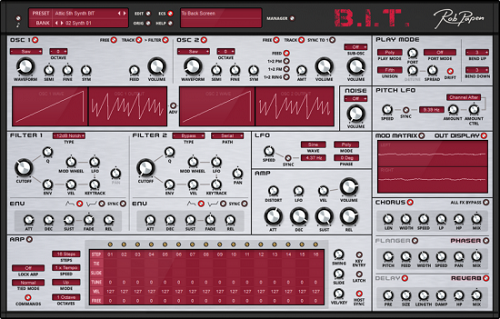
Rob Papan BIT v1.0.2 FiXED-R2R

860dc376d9c5e191837cfca97a7b256c.png


Rob Papan BIT v1.0.2 FiXED-R2R

File Size: 278 MiB

​

Instead of combining the best of analog modeling with hybrid synthesis, which we can see with the other Rob Papen synthesizers, B.I.T. focuses on Analogue Modelled Synthesis.

Why this move you might think? The idea behind it is that the classic analog type of synthesis has its own charm and simply has not yet been covered by the Rob Papen brand. So, no spectrum waveforms, or samples inside B.I.T. nope, it is pure 'Analogue Modelled' synthesis.
Although B.I.T. has no patch cables, it is modular by all means! The Modulation Matrix is used for the patching, however, also included is the smart 'advanced' panel below the Oscillators. With these advanced features (accessed by switching the ADV switch), you can quickly make several connections such as LFO and Envelope to the Oscillator parameters inside of B.I.T.

Also included is the option to modulate Oscillator 2 by Oscillator 1 in several ways which expands the sound pallet with Phase Modulation, Frequency Modulation, and Ring Modulation.
A Rob Papen synthesizer would, of course, be incomplete without the arpeggiator (which can also work in sequencer mode), so a fully-featured Arp is available and has an additional free row that you can use to modulate other parts of B.I.T. by using the Modulation Matrix.

Adding the finishing touch on B.I.T. is, of course, the FX section. Some superb sounding FX are added.
Our top-notch Reverb is also included inside B.I.T. which means you won't have to go outboard for adding reverb.
As previously mentioned B.I.T. stands for 'Back In Time' however it can also mean 'Be Inspired Today' whilst using our Analogue Modelled Synthesizer.

What's New:
official site does not provide any info about changes in this version.

У Вас недостаточно прав для просмотра ссылок. Войдите или зарегистрируйтесь.


DownLoad

NitroFlare
Код:
https://nitroflare.com/view/EF91664A628D531/Rob.Papan.BIT.v1.0.2.FiXED-R2R.rar

RapidGator
Код:
https://rapidgator.net/file/98a5b1548a82d92295fa3179a700d70d/Rob.Papan.BIT.v1.0.2.FiXED-R2R.rar.html

UploadGiG
Код:
https://uploadgig.com/file/download/295C8F107ec640f8/Rob.Papan.BIT.v1.0.2.FiXED-R2R.rar
 
FL Studio Producer Edition 20.6.1 Build 1513

31439449cfc042b5564eb80f37929d85.jpg


FL Studio Producer Edition 20.6.1 Build 1513

File Size: 962 MiB

​

FL Studio 20 is a fully featured, open-architecture music creation and production environment for PC. It features a graphical user interface which is based on a music sequencer. This digital audio workstation has everything you need in one package to compose, arrange, record, edit, mix and master professional quality music.

FL Studio 20 is the fastest way from your brain to your speakers. No extra software is required to produce any style of music, because a complete kit of instruments and studio tools is included in the cost of the package.
With the included plugins, sounds and tools the user can create complete songs, backing tracks, loops or sizzling beats. The software offers VST (Virtual Studio Technology) which makes it compatible with other workstations.

One can use. it as a remote control and to transfer data across digital audio programs. FL Studio 20 comes with a wide array of slick generators. Such as drum machines and samplers. It also comes with several plug-ins. Most of which function independently as standalone programs.
FL Studio 20 will play any sample file (wav), generator (softsynth), VSTi and DXi) or midi instrument you feed it. You will be creating wav, mp3 or midi songs or loops only minutes after launching it.

You can use FL Studio 20 as a scratchpad for your ideas or to produce completely mastered tracks ready for publication. The distinguishing aspect of this program is its pattern-based workflow. The lower part of the sequencing window contains block patterns of notes while the upper part contains clips that hold notes, data and events. For this reason, it is widely used in electronic genres to create various effects.

Another distinguishing feature is the score logger which maintains a 3-minute buffer between all incoming MIDI notes. This is done even when one is not playing in record mode. Different musical effects can be dumped retrospectively into the piano roll. A filter enables the user to selectively record note, automation and audio data.

It is available in three different versions. The developer offers lifetime free updates. It means that customers may download future releases.

What can FL Studio 20 do:
Audio editing and manipulation. Includes pitch correction, pitch shifting, harmonization, time-stretching, beat-detection and slicing, audio warping and standard audio manipulation (cut/paste etc).
Automate most interface and all plugin parameters by recording, drawing, spline-based automation curves, automation generators with formula based control of links.
Be hosted in other DAWs as a VST or connected through ReWire.
Live music performance including video effect visualization.
Mix and remix audio including apply realtime audio effects including delay, reverb and filtering.
Multi-track audio recording.
Record and play MIDI input recording from keyboards, drum pads and controllers.
Sequencing and arranging.
Synthesizer and effect plugin hosting (VST 32-bit and 64-bit, DX and FL Native format)

У Вас недостаточно прав для просмотра ссылок. Войдите или зарегистрируйтесь.


DownLoad

NitroFlare
Код:
https://nitroflare.com/view/75206EDD8E4D227/FL.Studio.Producer.Edition.20.6.1.Build.1513.rar

RapidGator
Код:
https://rapidgator.net/file/a95dd5d468ee92664a2dff2615f6ea3e/FL.Studio.Producer.Edition.20.6.1.Build.1513.rar.html

UploadGiG
Код:
https://uploadgig.com/file/download/acd0Bf28dC6709c5/FL.Studio.Producer.Edition.20.6.1.Build.1513.rar
 
ABBYY FineReader 15.0.18.1494 Corporate Multilingual

415714520588ca28e0437178dbd672ff.jpg


ABBYY FineReader 15.0.18.1494 Corporate Multilingual

File Size: 360 MiB

​

FineReader PDF empowers professionals to maximize efficiency in the digital workplace. Featuring ABBYY's latest AI-based OCR technology, FineReader makes it easier to digitize, retrieve, edit, protect, share, and collaborate on all kinds of documents in the same workflow. Now information workers can focus even more on their expertise and less on administrative tasks.

Features:

EDIT AND ORGANIZE PDFs
Save time and effort by using and finalizing documents in an easy and productive way. Work with any document (whether it was created digitally or converted from paper) in the same efficient manner. Access and edit texts, tables, and the entire layout of your PDF without additional conversion steps.

View, navigate, and organize PDFs
Browse through pages, comments, and metadata. Select a convenient viewing mode based on your reading preference. Add, delete, rearrange, rotate, and crop pages. Merge documents into one PDF

Reuse information from PDFs
Extract (copy and paste) text and tables directly from any PDF while maintaining the formatting - with just a few clicks. Review and update metadata and verify digital signatures to ensure the authenticity and integrity of the document.

Retrieve information from any kind of PDF
Find information quickly and easily, even in scanned PDFs, by using full-text keyword search and bookmarks. Once the document is open, FineReader PDF automatically detects non-searchable PDF documents and instantly applies OCR (Optical Character Recognition) to make them searchable.

Manage and adapt PDF documents for specific workflows
Use custom stamps, Bates numbers, and watermarks to adapt PDFs to your workflows. Add or edit links, bookmarks, headers, footers, and page numbers to simplify navigating through the document. Make documents easier to retrieve by adding specific keywords to the metadata.

Reuse information from PDFs
Extract (copy and paste) text and tables directly from any PDF while maintaining the formatting - with just a few clicks. Review and update metadata and verify digital signatures to ensure the authenticity and integrity of the document.

Edit and update PDFs
Add updates to previous versions or create entirely new documents based on pre-existing PDFs. You can edit paragraphs or add new ones; add or delete pictures; edit text inside tables; and rearrange the elements of the layout within a page. With FineReader PDF, you can edit a scanned document as easily as a PDF created digitally.

Fill out PDF forms
Fill out interactive fields in PDF forms or scanned paper forms to add text at the designated spaces. Sign forms using facsimile or digital signatures

COLLABORATE ON AND APPROVE PDFs
Share ideas, collect feedback from the team, and get documents approved. Use tools to discuss and make decisions directly in a PDF by marking up, commenting on, and drawing within a document.

Mark up and annotate
Conveniently annotate any part of a PDF (text, images, a chart or a chart area, captions, etc.) using Notes, Text Box, and a wide range of mark-up and drawing tools.

Comment and discuss
Exchange ideas and questions by commenting on any markups or replying to comments. Assign a status to each comment to create more transparency among the collaborators and better guide the discussion.

Manage comments and accelerate decision making
Search by keywords, sort, filter, and assign a status to comments. Also, stamps can easily be added to designate the status of the whole document.

Send documents for approval to others
Share documents with various stakeholders and collect multiple digital signatures within the same PDF.

PROTECT AND SIGN PDFs
Mitigate security risks when sharing and storing PDFs. Apply and verify digital signatures, redact sensitive information, remove hidden data, and manage access to your PDFs.

Redact sensitive information
Prevent the disclosure of privileged or confidential information with a reliable redaction tool. Permanently and irreversibly remove sensitive information such as personal data, bank account numbers, etc., from a PDF, including body text, headers and footers, comments, and metadata. Work efficiently by searching through and redacting the whole document within seconds.

Remove hidden data
Mitigate the risk of unintentionally sharing confidential information in a PDF by removing hidden objects and data with one click. You can remove text layers added by OCR, comments and annotations, attachments, bookmarks, metadata, links, media, actions, scripts, and form data.

Apply password protection
Manage access to PDF content with different levels of password protection that restricts either opening the document itself, or restricts actions with its content such as printing, editing or extraction of information

Certify with digital signatures
Sign PDFs with a digital signature certificate. In addition to a digital signature, you can create and insert a facsimile of your handwritten signature. Verify digital signatures in a PDF to ensure their authenticity and integrity.

CREATE AND CONVERT PDFs
Take a digital-first approach by standardizing documentation in the PDF format and capitalizing on its advantages. Convert paper documents or files from any format into searchable PDFs (compliant with ISO specifications) or convert PDFs into Microsoft® Word, Excel®, and more than 15 other formats to get full flexibility when editing and reusing them.

Create industry standard PDFs
FineReader can create PDFs from more than 25 different file formats, directly from paper documents, or by using a PDF printer from almost any application with a print function. The range of supported PDF types includes PDF/A-1 to PDF/A-3 for long-term archiving and PDF/UA to ensure information is accessible when using assistive software such as screen readers.

Convert PDFs into editable formats
Quickly turn your PDFs into fully editable formats such as Microsoft Word, Excel, and others - one by one or multiple PDFs at once. ABBYY's intelligent OCR and PDF document conversion technologies ensure excellent accuracy, document layout and structure retention quality for further effortless editing.

Merge documents into a PDF
Create a single PDF from several files in different formats or create a new PDF by extracting pages from existing PDFs and combining them into one.

Convert PDFs into editable formats
Quickly turn your PDFs into fully editable formats such as Microsoft Word, Excel, and others - one by one or multiple PDFs at once. ABBYY's intelligent OCR and PDF document conversion technologies ensure excellent accuracy, document layout and structure retention quality for further effortless editing.

Advanced PDF conversion
The OCR Editor provides advanced tools and options for precise control and exceptional flexibility when converting PDF documents into editable file formats.

Compare documents in different formats
Quickly and reliably identify differences between two versions of a document across different formats, including scans. Rest assured that you can, in a fraction of the time, identify unauthorized changes, check if edits were implemented as agreed, or verify that the document has not been changed at all.

Compare documents quickly, reliably and effortlessly
Avoid the long and tiresome process of comparing text in two documents line by line. FineReader PDF detects the differences between two versions of a document within seconds. It accurately identifies relevant changes to the text without additional conversion steps, even if the versions of the document are in different formats such as Microsoft Office files, digital PDFs, scanned PDFs, or even scans and image files.

Focus on the most important differences
FineReader will only display the differences that affect the meaning of the document and disregard insignificant differences like formatting or line breaks. This lets you review documents 5 to 20 times faster*, so you can focus on what is most important, simplify your work, and reduce the chances of missing something that matters. You can even manually disregard differences that are not significant for your task, and they will no longer appear in the list of comparison results.

Export and share the comparison results
Tailor comparison results to your needs. When someone should approve or edit the changes, export to Microsoft Word in track-changes mode. Or use a PDF with the differences marked up as comments to share and discuss with others. You can even save a list of the differences themselves in a Microsoft Word table in order to have a brief overview for your records, reports, or discussions.

Compare multilingual documents
FineReader supports text comparison in 38 languages, including documents written in multiple languages. The software can also automatically detect a document's language.

Digitize paper documents and scans with OCR
Leverage the digital workplace by digitizing paper and scanned documents for storage and quick, reliable retrieval or to instantly reuse and edit. Experience the unparalleled accuracy of a market-leading, AI-based Optical Character Recognition (OCR) technology and see how it simplifies your paperwork.

Create searchable PDFs
Easily turn paper documents, scans, and scanned PDFs into searchable PDFs, so you can quickly retrieve documents from digital archives and access the information within them. FineReader PDF supports the PDF/A format, the standard for long-term archiving, with all conformance levels and variants from PDF/A-1 to PDF/A-3.

Advanced document conversion
Manage the text recognition and document conversion process in detail. The OCR Editor provides advanced tools and options for enhanced document conversion with the flexibility that a specific document and task may require. Powerful image preprocessing tools and additional settings to maintain the layout of the document further improve accuracy and consistency. With a practical verification tool, quickly and reliably check just those characters in the converted text which could have been recognized incorrectly

Reuse and edit
Convert your paper and scanned documents into editable files in Microsoft Word, Excel, OpenOffice Writer and other common formats. ABBYY's AI-based OCR and document-conversion technologies ensure excellent accuracy and maintain the layout and structure for further effortless editing.

Save storage space
Reduce the file size of PDFs by up to 20 times with MRC compression.

Automate digitization and conversion routines
Take advantage of automation tools to streamline repeating OCR conversion tasks or convert multiple documents into editable formats such as Microsoft Word, Excel, and more. Make all your paper documents and PDFs searchable and use industry standards for
long-term archiving (such as PDF/A) to ensure documents will be accessible in the future.

Use a Hot Folder to automate document conversion tasks for individuals or workgroups, for example to prepare documents scanned on the office multifunction printer or obtained by email as attachments for further processing. A Hot Folder is capable of processing up to 5,000 pages per month* (the number of pages resets every 30 days) and uses up to 2 CPU cores for the document conversion.

Set up a watched folder on a local or network drive, FTP server, or mailbox, and any files placed in it will be converted automatically with the pre-defined settings, immediately or according to a schedule. With a Hot Folder, you can set up the processing settings for each watched folder individually.

Set up custom Automated Tasks with conversion steps and settings specifically tailored to your frequently performed tasks. Make repeating, daily conversion procedures easier to carry out in just a few clicks.

Work easily with a universal PDF tool
Perform various document-related tasks within one single application. Decrease costs by investing in fewer pieces of software. Increase the efficiency of daily work by reducing the number of applications in use and preventing the need to do the same work twice. Enjoy a simple and straight-forward user interface and high-quality results.

У Вас недостаточно прав для просмотра ссылок. Войдите или зарегистрируйтесь.


DownLoad

NitroFlare
Код:
https://nitroflare.com/view/72797F2E7B8DC55/ABBYY.FineReader.15.0.18.1494.Corporate.Multilingual.rar

RapidGator
Код:
https://rapidgator.net/file/f9b53f4f984a214716724f1953c73ddf/ABBYY.FineReader.15.0.18.1494.Corporate.Multilingual.rar.html

UploadGiG
Код:
https://uploadgig.com/file/download/c1e166111ab3A9fa/ABBYY.FineReader.15.0.18.1494.Corporate.Multilingual.rar

 
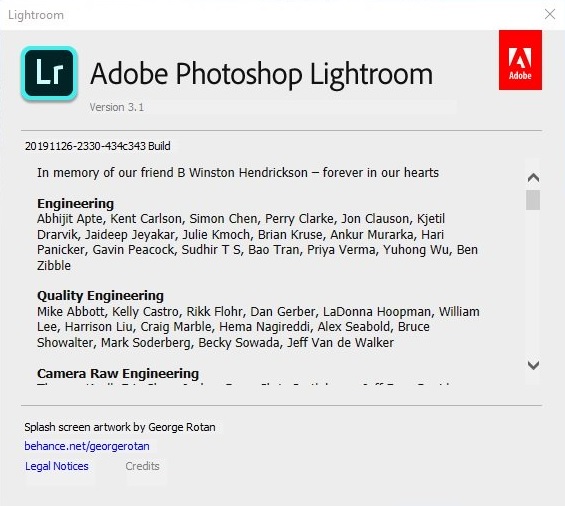
Adobe Photoshop Lightroom 3.1.0 x64 Multilanguage

ef45e29e43e7c1a4733f3187ac88fdf5.png


Adobe Photoshop Lightroom 3.1.0 x64 Multilanguage

File Size: 729 MiB
Languages: Multilanguage
OS: Windows x64

​

Description:
Adobe's Photoshop software for photo editing expert manner and schedule Bridge to manage and organize images form a comprehensive offer, but the software Adobe Photoshop Lightroom both management and image editing as necessary and desirable for photographers and designers in an environment that provides Is. It's nondestructive editing is done in the form of Non-Destructive or the original file remains unchanged. The basic idea of ​​the software produced by Adobe in 2002, was one of the developers and, gradually completed and ImageReady software features also be included.

Facilities and software features of Adobe Photoshop Lightroom:
-The interface is very attractive and friendly
-View, manage and organize images in a graphical environment and beautiful
-perform a variety of editing actions to improve the color, brightness, contrast, noise, size and Pictures
-editing a variety of video formats commonly used as a nondestructive and without altering the original file
-Ability to print images at full settings
-Ability to create image gallery and use it on the web
-Advanced search and detailed images
-View images as a slideshow with support for video files
-coordination and integration with Photoshop

System Requirements:
OS:Microsoft Windows 10* with 64-bit support (Version 1803 or later)
CPU:Intel® or AMD processor with 64-bit support; 2 GHz or faster processor
Memory:4 GB of RAM (8 GB recommended)
Space:2 GB of available hard-disk space for program installation
Display:1024 x 768 display
GPU:AMD: Radeon GPU with DirectX 12 support./Intel: Skylake or newer GPU with DirectX 12 support / NVIDIA: GPU with DirectX 12 support.
GPU VRAM:1 GB Video RAM (VRAM). 2 GB of dedicated VRAM (4 GB recommended) for large, high-resolution monitors, such as 4K- and 5K-resolution monitors.

b466d946cf694fd76c373214512ba46f.jpg


У Вас недостаточно прав для просмотра ссылок. Войдите или зарегистрируйтесь.


DownLoad

NitroFlare
Код:
https://nitroflare.com/view/C89C0009B54ACE4/Adobe.Photoshop.Lightroom.3.1.0.x64.Multilanguage.rar

RapidGator
Код:
https://rapidgator.net/file/8943b5586b43d19fb0b7430dfb41f6a8/Adobe.Photoshop.Lightroom.3.1.0.x64.Multilanguage.rar.html

UploadGiG
Код:
https://uploadgig.com/file/download/F10C90795FfcCaf6/Adobe.Photoshop.Lightroom.3.1.0.x64.Multilanguage.rar
 
MAGIX SOUND FORGE Pro 13.0.0.131

dce2aa301ba95808b4ea817288346fb4.jpg


MAGIX SOUND FORGE Pro 13.0.0.131

File Size: 365, 413 MiB
OS: Windows x86, x64

​

MAGIX SOUND FORGE Pro 13 offers professional-quality mastering, editing and sound-design features all within an intuitive and inspiring interface. It is the application of choice for a generation of creative and prolific artists, producers, and editors. Thanks to its multi-channel recording, an intuitive workflow, extremely powerful editing features and an array of mastering plug-ins, it has continued to set new standards in the audio industry for more than two decades.

MAGIX SOUND FORGE Pro 13 Features:

Recording
The redesigned recording interface offers a complete overview of your projects at all times. Monitor and process up to 32 channels of recorded audio. Then master, edit and shape your sound, all within an intuitive, single workspace.

Audio Editing
Open, edit, convert and save multichannel audio from a variety of sources. All within a multitrack environment and with sample-accurate precision. The software can also handle any surround-sound mix or audio-for-video project with ease.

Postproduction
Deliver broadcast-ready, high-quality masters. SOUND FORGE Pro 13 features advanced signal-processing tools as well as premier effects from a range of high-end DSP developers to ensure perfect, high-resolution masters for broadcast, CD or streaming.

Field Recording
Take SOUND FORGE Pro 13 out on the road to be a complete, portable recording studio. Make pristine-quality, multichannel recordings of classical concerts, live bands or any other demanding mutitrack performances.

Music production
Here are extensive features for music production. Record multichannel vocals or bands. Compose and mix with virtual instruments and effects. Master the results with high-end processing tools. It's a complete studio environment to realise your musical ideas at every stage of the production process.

SOUND FORGE Pro 13 Highlights:
32-channel file recording, editing and processing
64-bit architecture
Customizable interface: 4 color levels, new icon design and docking
New VST engine and ARA2 support
Record at 64-bit/384 kHz
Numerous audio effects and plug-ins
Mastering and restoration with iZotope plug-ins: Ozone 8 Elements and RX 7 Elements
Peak Meter V2 for level measurement

RELEASE NOTES

• crash fix for tool "Extract Regions"
• no auto update for installations with NLM registration (Network License Manager)

У Вас недостаточно прав для просмотра ссылок. Войдите или зарегистрируйтесь.


DownLoad

NitroFlare
Код:
https://nitroflare.com/view/5CCA6F4FFAD2B77/MAGIX.SOUND.FORGE.Pro.13.0.0.131.x64.rar
https://nitroflare.com/view/7B3489AA38CCCEE/MAGIX.SOUND.FORGE.Pro.13.0.0.131.x86.rar

RapidGator
Код:
https://rapidgator.net/file/e798d0adcaababcc4bd33f38618ad146/MAGIX.SOUND.FORGE.Pro.13.0.0.131.x64.rar.html
https://rapidgator.net/file/68d8501f90f337a3d8b956dbdde22b52/MAGIX.SOUND.FORGE.Pro.13.0.0.131.x86.rar.html

UploadGiG
Код:
https://uploadgig.com/file/download/93ee73d97aecB1D1/MAGIX.SOUND.FORGE.Pro.13.0.0.131.x64.rar
https://uploadgig.com/file/download/34a98d11bBf56934/MAGIX.SOUND.FORGE.Pro.13.0.0.131.x86.rar
 
MAGIX SOUND FORGE Pro Suite 13.0.0.131

acf19c9273ce659dd638158f19de8bbe.jpg


MAGIX SOUND FORGE Pro Suite 13.0.0.131

File Size: 422, 517 MiB
OS: Windows x86, x64

​

The complete bundle for spectral editing, sound design and mastering. The new SOUND FORGE Pro 13 Suite is here - and bundled with many renowned audio shaping and enhancing plugins, like the brand new SpectraLayers Pro 6 or Melodyne essential. Designed to be a complete set for recording, editing and processing audio at the highest quality standards. Experience a suite of software that continues to set new standards for audio professionals.

Recording
Record audio on up to 32 channels simultaneously, at sample rates of up to 64-bit/768 kHz. The new SOUND FORGE Pro 13 offers professional-quality mastering, editing and sound-design features all within an intuitive and inspiring interface.

Audio Editing
Audio Editing From video soundtracks to the final surround-sound mix, edit with sample-accurate precision. Its numerous effects processors and audio editing tools make SOUND FORGE Pro 13 the ideal application for sound designers.

Mastering
Mastering Deliver technically-perfect masters for CD or streaming thanks to advanced signal-processing tools and a host of high-end effects and visualizations like the new oscilloscope. Restore recordings and remove clicks, pops and other noise with ease.

Highlights
• Professional multichannel recording up to 64-bit/768 kHz
• Precision editing & restoration
• Customizable interface: 4 color levels, new icon design & docking
• Upgraded VST engine
• New ARA2 support

New in this version:

New interface
For a better user experience, the SOUND FORGE Pro 13 interface is adjustable in four hues. Together with the redesigned icons and docking features, your workflow will take center stage.

Upgraded VST engine
With the newly enhanced SOUND FORGE Pro VST engine, you get more stability and speed when using plug-ins. It's also now available with the ARA2 interface extension.

New visualizations
Gather industry-standard visual feedback with the Peak Meter V2 or deep dive into waveform visualizations with the new oscilloscope.

New mastering effects
SOUND FORGE Pro 13 Suite features brand new delay & mastering effects (2-Point Compressor, Limiter, Expander, Compressor, Gate, VolumeFormer, Delay, Chorus, and Flanger) from the new coreFX Suite.

System Requirements:
• You require a 32- or 64-bit version of one of the following operating systems:
• Windows 10, Windows 8, Windows 7
• Processor: 1 GHz
• RAM: 512 MB
• Graphics card: Onboard, min. resolution 1024 x 768
• Sound card: Onboard
• Hard drive space: 500 MB for program installation

RELEASE NOTES

• crash fix for tool "Extract Regions"
• no auto update for installations with NLM registration (Network License Manager)

У Вас недостаточно прав для просмотра ссылок. Войдите или зарегистрируйтесь.


DownLoad

NitroFlare
Код:
https://nitroflare.com/view/8796AC3F85A00EC/MAGIX.SOUND.FORGE.Pro.Suite.13.0.0.131.x64.rar
https://nitroflare.com/view/D862ED5E20BA46C/MAGIX.SOUND.FORGE.Pro.Suite.13.0.0.131.x86.rar

RapidGator
Код:
https://rapidgator.net/file/1e2f122973677f4cd35f4e184d65ae76/MAGIX.SOUND.FORGE.Pro.Suite.13.0.0.131.x64.rar.html
https://rapidgator.net/file/753ce4281b3bb8dd34bd4d743895efe2/MAGIX.SOUND.FORGE.Pro.Suite.13.0.0.131.x86.rar.html

UploadGiG
Код:
https://uploadgig.com/file/download/60A850f4890b51cb/MAGIX.SOUND.FORGE.Pro.Suite.13.0.0.131.x64.rar
https://uploadgig.com/file/download/38256D5476dd63d9/MAGIX.SOUND.FORGE.Pro.Suite.13.0.0.131.x86.rar
 
VisualCron Pro 9.1.0 Build 40191 Multilingual

4726b8291a50ebd8fa4504eec626bf87.jpg


VisualCron Pro 9.1.0 Build 40191 Multilingual

File Size: 207 MiB
Languages: Multilingual

​

VisualCron is an automation, integration and task scheduling tool for Windows. VisualCron is a complex automation utility that delivers a user-friendly, yet feature-rich working environment for easy task scheduling. The plethora of options it comes with makes it stand out, and the array of predefined tasks it bundles helps you automate repetitive or time-consuming tasks without any programming or scripting knowledge.

No programming skills
You do not have to have a programming background to learn and create Tasks with VisualCron.

Easy to use interface
Drag, click and create. The interface is consistent and easy to learn.

Tasks for everything
With 300+ custom Tasks for different technologies we are sure we can solve and automate your problems.

Customer driven development
We base our development on feature requests from our customers.

Fast and accurate support
We know our product inside out as well as Windows environment in general.

Extended logging
With audit, Task and Job logs, as well as output for each Task you will have enough information for debugging.

Flow and error handling
React and control flow based on error type and output.

Interact with anything
A range of Tasks uses common protocols for file transfer and script execution across different platforms.

Programming interface
Interact with VisualCron on a programming level by using our API

Save time and money
Automating Tasks along with easy configuration saves your company time and money.

Eliminate human errors
By automating advanced Tasks and handle errors automatically you eliminate human errors and downtime.

RELEASE NOTES:

VisualCron - Change Logs

System Requirements:
- VisualCron is designed for Windows based computers
- VisualCron works on the following operating systems: 2008 R2/2012/2016/2019/Windows 7/Windows 8/Windows 10
- VisualCron works on both 32-bit and 64-bit processors
- Requires .NET 4.8

У Вас недостаточно прав для просмотра ссылок. Войдите или зарегистрируйтесь.


DownLoad

NitroFlare
Код:
https://nitroflare.com/view/BC424118467DF81/VisualCron.Pro.9.1.0.Build.40191.Multilingual.rar

RapidGator
Код:
https://rapidgator.net/file/7aef472f9f656b9af04ebe65de638960/VisualCron.Pro.9.1.0.Build.40191.Multilingual.rar.html

UploadGiG
Код:
https://uploadgig.com/file/download/e09c987b3a301a12/VisualCron.Pro.9.1.0.Build.40191.Multilingual.rar
 
ABBYY FineReader 15.0.112.2130 Corporate Multilingual

dae176c41bd01b57cd3a8bc991095183.jpg


ABBYY FineReader 15.0.112.2130 Corporate Multilingual

File Size: 350 MiB

​

FineReader PDF empowers professionals to maximize efficiency in the digital workplace. Featuring ABBYY's latest AI-based OCR technology, FineReader makes it easier to digitize, retrieve, edit, protect, share, and collaborate on all kinds of documents in the same workflow. Now information workers can focus even more on their expertise and less on administrative tasks.

ABBYY FineReader 15 preserves all original formats, and recognizes tables and graphs with even higher accuracy. Background processing, quicker image loading and one-click automation get more done, far faster, while verification and editing tools streamline proofing and editing of OCR results.
In addition, image pre-processing optimizes digital image conversions and new Text Extraction pulls content sections for reuse elsewhere.
Use your digital camera or mobile phone as a portable "scanner" to capture text from hardcopy documents, books and newspapers. As well as from banners, posters and other media.

Then, with ABBYY FineReader 15, convert your camera images into electronic text files for editing, archiving, creating new documents and other purposes.
Edit a scanned document or an image PDF. Edit and create new documents based on paper or image-only originals. FineReader's ability to turn documents, however complex their layouts, into editable files saves you significant time and effort.
Search and archive documents. ABBYY FineReader 14 also lets you transform the information trapped in paper or images into actionable, searchable, digital content.
Extract information from paper originals. Quickly access content trapped in image-only PDFs and scans. Instantly copy and quote sections of content, including text, tables or images.

Features:

EDIT AND ORGANIZE PDFs
Save time and effort by using and finalizing documents in an easy and productive way. Work with any document (whether it was created digitally or converted from paper) in the same efficient manner. Access and edit texts, tables, and the entire layout of your PDF without additional conversion steps.

View, navigate, and organize PDFs
Browse through pages, comments, and metadata. Select a convenient viewing mode based on your reading preference. Add, delete, rearrange, rotate, and crop pages. Merge documents into one PDF

Reuse information from PDFs
Extract (copy and paste) text and tables directly from any PDF while maintaining the formatting - with just a few clicks. Review and update metadata and verify digital signatures to ensure the authenticity and integrity of the document.

Retrieve information from any kind of PDF
Find information quickly and easily, even in scanned PDFs, by using full-text keyword search and bookmarks. Once the document is open, FineReader PDF automatically detects non-searchable PDF documents and instantly applies OCR (Optical Character Recognition) to make them searchable.

Manage and adapt PDF documents for specific workflows
Use custom stamps, Bates numbers, and watermarks to adapt PDFs to your workflows. Add or edit links, bookmarks, headers, footers, and page numbers to simplify navigating through the document. Make documents easier to retrieve by adding specific keywords to the metadata.

Reuse information from PDFs
Extract (copy and paste) text and tables directly from any PDF while maintaining the formatting - with just a few clicks. Review and update metadata and verify digital signatures to ensure the authenticity and integrity of the document.

Edit and update PDFs
Add updates to previous versions or create entirely new documents based on pre-existing PDFs. You can edit paragraphs or add new ones; add or delete pictures; edit text inside tables; and rearrange the elements of the layout within a page. With FineReader PDF, you can edit a scanned document as easily as a PDF created digitally.

Fill out PDF forms
Fill out interactive fields in PDF forms or scanned paper forms to add text at the designated spaces. Sign forms using facsimile or digital signatures

Whats New:

New features and improvements:
Full document preview for PDFs in Windows Explorer and Microsoft Outlook: scroll through the pages before opening the document.
Faster PDF opening
Improved table and text extraction from PDFs: better usability, improved retention of text formatting.
New, informative FineReader 15 update notifications in Windows 10: click "Download" to run the update or "Learn More" to find out what's new in it.
New in-product update notification with "Update Available" button.

List of the bugs fixed:
Potential security vulnerability connected with user rights.
The program could crash when merging PDF documents with bookmarks into one.
In OCR Editor, structure of a table wasn't retained when copying it from the Text pane.
Text doubling when saving to searchable PDFs "text under image" type and with MRC on.
The program could crash when converting text files with some specific fonts to PDF.
Korean characters entered in the Search field in PDF Editor could disappear.
Errors when printing PDFs from FineReader could happen if Adobe Reader was also installed.
Interactive PDF form fields were not displayed when using drawing tools.
When adjusting table grid before extracting the table from a PDF, the grid image wasn't updated on screen.
Fields of an interactive PDF form could remain interactive when saving it to image-only PDF.

У Вас недостаточно прав для просмотра ссылок. Войдите или зарегистрируйтесь.


DownLoad

NitroFlare
Код:
https://nitroflare.com/view/0A97F30169BEEFF/ABBYY.FineReader.15.0.112.2130.Corporate.Multilingual.rar
RapidGator
Код:
https://rapidgator.net/file/21f56075613e28519d974fd78e31ce72/ABBYY.FineReader.15.0.112.2130.Corporate.Multilingual.rar.html

UploadGiG
Код:
https://uploadgig.com/file/download/73e86c3f7bdaD66C/ABBYY.FineReader.15.0.112.2130.Corporate.Multilingual.rar
 
Luminar 3.2.0.5246 Multilingual

4e714c2dcb15703f3646e911cc5098c1.jpg


Luminar 3.2.0.5246 Multilingual

File Size: 449 MiB
Languages: Multilingual
OS: Windows x64

​

Luminar 3 is a full-featured photo editor for Mac and PC. It brings over 300 robust tools and features, including fast RAW support, layers, custom brush for selective editing, masking, dozens of photo filters with custom adjustments, Luminar Looks and much more. Luminar features advanced controls that are easy to use. Intelligent filters like Accent AI make it easy to get a great looking image in seconds. With Luminar's Library your photos will be the center of attention. A beautiful Interface offers a sleek canvas to enjoy all your images without extra distractions.

The Best Lightroom Alternative
You want your photos to look their best. Luminar brings the power and inspiration to help you achieve that with much more..

Enjoy your photos on a new scale
Luminar makes your photos the center of attention. a Beautiful interface offers a sleek canvas to enjoy and enhance your photography without extra distractions.

Do more with a click
Choose from over 60 styles, handcrafted by professional photographers.

Professional tools always within your reach
Luminar elevates photo editing to a whole new level of power and performance. Get the tools you need to make beautiful images without extra efforts.

What's New in Luminar 3?
Luminar 3 provides both pro photographers and casual shooters a way to organize their images inside of Luminar itself. Libraries, which load with lightning speed, allow Luminar users to manage their database of photos efficiently, find specific images faster than before, or simply view their photos easier. It lets users color label, tag, and rate their shots, and automatically organizes those shots by date, month, and year.

Here is a list of some of the new features and improvements in Luminar 3.
• NEW: A fully non-destructive workflow for editing your photos
• NEW: Luminar Library Panel for viewing and editing multiple photos
• NEW: Single Image View, Gallery View, and Filmstrip View
• NEW: Quickly sync adjustments between multiple images
• NEW: Rate Images with stars & mark them with color labels
• NEW: Flag Images as Favorites or Rejected
• NEW: Referenced folders always stay in sync
• NEW: Filtering and sorting on some criteria
• NEW: Smart Shortcuts for automatically organizing your photos
• NEW: Luminar Photos Trash to clean up media and drives
• NEW: Quick Edits for editing single images
• NEW: All New Luminar Looks with AI
• IMPROVED: Info Panel
• IMPROVED: Custom Color Profiles (Windows)
• IMPROVED: Speed improvements
• IMPROVED: Export performance (Windows)
• IMPROVED: Filter Controls (Windows)
• IMPROVED: Plug-in performance (Windows)
• IMPROVED: Help menu and Support area

Accent AI 2.0. Reimagined.
The improved Accent AI filter lets you get natural-looking results in less time. New "human-aware" technology recognizes people in your photos and applies adjustments selectively for more realistic images. With Accent AI 2.0, you can make dozens of adjustments (done quickly) with just one slider. Fix tone, detail, exposure, depth, color, and more thanks to behind-the-scenes AI. In less than a second, your photos can look their absolute best. Make Accent AI 2.0 your go-to filter. (Tip: It can even replace the Develop step for most photographers!) For beautiful photos, rely on Accent AI 2.0 as your starting point.

Follow your style.
Whether you're working with the Library to organize your images or using the QuickEdit command, it's now even easier to get the results you want. Take advantage of image-aware filters and professionally designed Luminar Looks to unlock the best image possible. Once you've created the perfect style, apply it to all shots in your series with the improved Adjustment Sync. You can now select multiple photos and apply the same adjustments in just one click. Filters and Looks are transferred in just one click, while image-specific changes like cloning and cropping are ignored.

RAW shooters can stay organized.
If you capture RAW and JPEG at the same time, it's even easier to stay organized in Luminar 3. When you import RAW and JPEG pairs, you can decide which files to see. View just RAW or just JPEG for a less cluttered library, or see both and use the JPEG file as a reference while you edit. Edits to JPEG and RAW files are independent but can be easily synced. Use the View menu to control which images are shown for a clutter-free library.

Better Sorting.
Using the Gallery view to get organized or search for that perfect image? Now when you sort using a method like File Type or Color Label, a second organization is also applied. When you sort your images they are sorted by the new category first and then automatically sorted by date.

Trust your editing to Luminar.
Thanks to our users for reporting different issues. This version of Luminar offers general stability improvements. We've made hundreds of under-the-hood performance improvements based on user feedback. Windows users, in particular, will see tons of new features that bring Luminar for Mac and Windows into close alignment. Improved stability and performance along with robust catalog backups help keep your images and edits safe.

New Features:

IMPORT IMAGES.
You can now import images from a memory card or hard drive and copy them to a folder. You can also choose to include subfolders when importing

SMUGMUG SHARING.
The ability to post images to SmugMug has now been added to Luminar for Windows.

SHORTCUTS.
Folders and user albums can be added to the Shortcuts list. Just right-click for a context menu or drag & drop them into the list.

IMPROVED SELECTIONS.
Want to choose a range of photos in the Gallery view? Try the Shift or Ctrl key to select a range or group of images. You can also deselect images from a multiselection by Ctrl+clicking on an image.

ROTATE IN GALLERY.
Images selected in the gallery can be quickly rotated left or right by 90 ̊increments with no need to switch to edit view. Just use the Image > Rotate menu or just right-click.

PHOTOSHOP ELEMENTS SUPPORT.
We've added Photoshop Elements support to the Windows platform. Just choose the Install Plugins command if you want to load Luminar as a plugin. For future versions of Luminar, plugin users should switch to Luminar Flex.

RELEASE NOTES:

IMPROVED CR3 RAW Support.
We added Raw file support for the latest Canon cameras. If you're a Canon shooter, Luminar 3 now works perfectly with both CR2 and CR3 file. Enjoy!

Faster Looks Preview.
Thanks to our Luminar Artists who help us fine-tune performance working with Looks is now much faster. Give the Looks a try on your next photo today!

FIXED
You asked, we listened - LUMINAR 3 keeps getting better!

Windows:
- Fixed freeze when opening a catalog with nonexistent or deleted paths images
- Fixed in-app purchase crash
- Fixed crash at the filmstrip
- Fixed problem when duplicating layers
- Fixed crash when clicking on a Look while navigating through the folderMac:
- Fixed crash when using Erase tool in certain situations
- Fixed crash when creating a backup before database migration
- Fixed crash when launching on MacOS 10.11
- Fixed Luminar 3 crash that sometimes occurred when launching Lightroom

System Requirements:
- Windows-based hardware PC with mouse or similar input device
- Open GL 3.3 or later compatible Graphics Cards
- Processor Intel Core i5 or better
- Memory 8 Gb RAM or more
- Operating System Windows 7 (only 64-bit OS), Windows 8.1 (only 64-bit OS), Windows 10 (only 64-bit OS)
- Hard disk 10 Gb free space, SSD for best performance
- Display 1280x768 size or better

У Вас недостаточно прав для просмотра ссылок. Войдите или зарегистрируйтесь.


DownLoad

NitroFlare
Код:
https://nitroflare.com/view/B570A67B6A0E4F4/Luminar.3.2.0.5246.Multilingual.rar

RapidGator
Код:
https://rapidgator.net/file/ceafab8523ef10d8de16e39a734d36f1/Luminar.3.2.0.5246.Multilingual.rar.html

UploadGiG
Код:
https://uploadgig.com/file/download/9025b308c8F0b6e7/Luminar.3.2.0.5246.Multilingual.rar
 
Adobe Photoshop 2020 v21.0.3.91 x64 Multilingual

177e666aa2d1ffd90e3d29b762c7b0a2.png


Adobe Photoshop 2020 v21.0.3.91 x64 Multilingual

File Size: 1.76 GiB
Languages: Multilingual
OS: Windows x64

​

Reimagine reality with Photoshop. Millions of designers, photographers, and artists around the world use Photoshop to make the impossible possible. From posters to packaging, basic banners to beautiful websites, unforgettable logos to eye-catching icons, Photoshop keeps the creative world moving. With intuitive tools and easy-to-use templates, even beginners can make something amazing.

The creative world runs on Photoshop.
Millions of designers, photographers, and artists around the world use Photoshop to make the impossible possible.

Designed for anyone to design anything.
From posters to packaging, basic banners to beautiful websites, unforgettable logos to eye-catching icons, Photoshop keeps the creative world moving. With intuitive tools and easy-to-use templates, even beginners can make something amazing.

Not just photo taking. Breathtaking.
Whether you're looking for everyday edits or total transformations, our graphic design software offers a complete set of professional photography tools to turn your snapshots into works of art. Adjust, crop, remove objects, retouch, and repair old photos. Play with color, effects, and more to turn the ordinary into something extraordinary.

Power to the paintbrush.
Draw and paint whatever you dream up with tools designed especially for illustrators. Paint in perfectly symmetrical patterns. Get polished looks with stroke smoothing. And create with pencils, pens, markers, and brushes that feel real - including more than 1,000 from celebrated illustrator Kyle T. Webster.

Symmetry mode
Paint in perfect symmetry with a new mode that lets you define your axes and choose from preset patterns like circular, radial, spiral, and mandala.

New Content-Aware Fill experience
A dedicated workspace lets you select the exact pixels to use for fills, and Adobe Sensei makes it easy to rotate, scale, and mirror them.

Frame tool
Create shape or text frames to use as placeholders on your canvas. Drag and drop images to fill the frames and they'll scale to fit.

What's New

Minimum Requirements:
- Processor: Intel® Core 2 or AMD Athlon® 64 processor; 2 GHz or faster processor
- Operating system: Microsoft Windows 10 (64 bit) versions 1703 (Creators Update) and later
- RAM 2 GB or more of RAM (8 GB recommended)
- Hard disk space: 3.1 GB or more of available hard-disk space for 64-bit installation; additional free space required during installation (cannot install on a volume that uses a case-sensitive file system)
- Monitor resolution: 1024 x 768 display (1280x800 recommended) with 16-bit color and 512 MB or more of dedicated VRAM; 2 GB is recommended**
- Graphics processor acceleration requirements OpenGL 2.0-capable system

Photoshop is available in the following languages:
Dansk, Deutsch, English, Español, Français, Français*, Hebrew*, Hungarian, Italiano, Nederlands, Norwegian, Polish, Português (Brasil), Suomi, Svenska, Turkish, Ukrainian, čeština, Русский , 日本語, 简体中文, 繁體中文, 한국어

У Вас недостаточно прав для просмотра ссылок. Войдите или зарегистрируйтесь.


DownLoad

NitroFlare
Код:
https://nitroflare.com/view/0377E1B12FAF4A0/Adobe.Photoshop.2020.v21.0.3.91.x64.Multilingual.part1.rar
https://nitroflare.com/view/A32DDD4519069CB/Adobe.Photoshop.2020.v21.0.3.91.x64.Multilingual.part2.rar

RapidGator
Код:
https://rapidgator.net/file/f7bc7f9e03548e41ec04fadf013efc59/Adobe.Photoshop.2020.v21.0.3.91.x64.Multilingual.part1.rar.html
https://rapidgator.net/file/290cf60fc830af5fe8154b4e2600a6b8/Adobe.Photoshop.2020.v21.0.3.91.x64.Multilingual.part2.rar.html

UploadGiG
Код:
https://uploadgig.com/file/download/114671026feb8622/Adobe.Photoshop.2020.v21.0.3.91.x64.Multilingual.part1.rar
https://uploadgig.com/file/download/9C04031771c93f8F/Adobe.Photoshop.2020.v21.0.3.91.x64.Multilingual.part2.rar
 
Adobe XD CC 25.3.12 x64

ec96c7467b1dba89a23cee1e92231b54.png


Adobe XD CC 25.3.12 x64

File Size: 355 MiB

​

XD CC Adobe - is the new creative tools from Adobe for the design of high-quality prototypes of user interfaces for mobile and Web applications. This tool is specifically designed for building rapid prototypes, as well as for high-fidelity user interface and design. With the help of Adobe XD CC anyone can create frames, high fidelity interactive prototypes and design applications and web sites. Once you will have a prototype, you can import visuals into Visual Studio or IDE of your choice to start creating the final application.

Interactive prototypes
Go to Prototyping with a click of Design. Combine drawing surfaces with each other to visualize navigation within large apps. Link design elements across the drawing area, B. Cells from repetition screens. Add interactions using visual controls to test and validate the experience.

Publish prototypes and get feedback
Generate weblinks to your designs that you can share with others to get feedback. Or embed it into a web page, For example on Behance. Comments can be attached directly to the prototype or to specific components of your design. You will be notified as soon as a comment has been added. To see your changes, checkers simply need to reload the link in the browser.

Liquid working with drawing surfaces
Whether you work with one or hundreds of workspaces, it does not matter: You can rely on the performance of XD. Create any number of designs for different screens and devices within a project. Pan and zoom without jerking or stuttering. Choose a template or define your own drawing area. Copy design elements between drawing faces while the layout is preserved.

Repeating Grid
Select an item in your design, Such as a contact list or a photo gallery, and duplicate it as often in the horizontal or vertical direction. All styles and distances are preserved. When you edit the item, the changes are applied to the entire design.
Platform-wide support

Control panel "Elements"
Colors and character formats are handy and reusable when you add them to the "Elements" panel (formerly "Symbols"). This panel also contains the icons. When you edit a color or format in the panel, the change is automatically performed throughout the document.

Next generation symbols
Work with time-saving symbols. The ready-to-use design components make it unnecessary to search for and edit each instance of an item in a document. When you edit an instance, all other instances are automatically updated. Overwriting certain entities is also possible. The symbols can be vector graphics, raster images or text objects, which you can also use as objects within repeating screens.

Creative Cloud libraries
With integration with Creative Cloud libraries, Adobe XD CC lets you access colors and character formats created in Photoshop CC, Illustrator CC, or any other Creative Cloud application, and use them in your design.

У Вас недостаточно прав для просмотра ссылок. Войдите или зарегистрируйтесь.


DownLoad

NitroFlare
Код:
https://nitroflare.com/view/EF9FB29DB408598/Adobe.XD.CC.25.3.12.x64.rar

RapidGator
Код:
https://rapidgator.net/file/e2ded911dc3d1b494f3205c5695d9ace/Adobe.XD.CC.25.3.12.x64.rar.html

UploadGiG
Код:
https://uploadgig.com/file/download/135B25A17fa9f60a/Adobe.XD.CC.25.3.12.x64.rar
 
Luminar 3.2.0 macOS

5199831ed21fa9fb185c3044e6e0c6b1.png


Luminar 3.2.0 macOS

File Size: 240 MiB
Languages: Multilingual

​

Luminar is the new full-featured image editor that adapts to the way you edit photos. Over 300 essential tools to fix, edit, and enhance your photos with comfort. The future of photo editing is here.

Features
• Adaptive Interface Inspires You Do to More - While other photo editors make you adapt to their interface, Luminar adapts to your skill level. There is no need to face dozens of sliders if you simply want to remove an object from an image or apply a preset. But if you do need to perform some serious tasks, you can easily access all the advanced features.
• Powerful Tools Allow You to Do More - Luminar lets you remove unwanted objects, color casts and digital noise. It helps you retouch skin and reveals the hidden details in your photos. It features layers with blend modes, texture overlays and powerful image masking. Easily edit upper and lower sections of the image without having to make any selections. And so much more!
• State-of-the-Art Darkroom You Design Yourself - The workspaces in Luminar reveal only the most essential photo filters for a specific type of photo. Enjoy default workspaces and effects for landscape, portrait, street and B-and-W images. Or create your own, based on your preferences.
• New Approach to Pro Photo Editing - Luminar combines all kinds of pro-level photo effects and tools in one package. It brings layers, luminosity masks, radial and gradient masking, histogram, blend modes, brushes for selective editing, color mixer, split toning and a lot more.

RELEASE NOTES

Lost Edits Album - No more frustration over unsaved changes. With the latest version of Luminar, your hard editing work won't go to waste even if you can't find your edited photos in the folder you expected. If under creative impulses you rename, move, or change a processed image, simply go to the Lost Edits Album in Shortcuts and locate it there.

Add photos from SSD to Library faster - With the latest Luminar improvements, images are added to the Library from an SSD significantly faster. Don't stare at your screen and yawn while images are imported to the Library. From now on, thousands are added in a moment.

Fixed RAW file opening - Users of Luminar on MacOS 10.11 can now work with RAW files in the Single Image View. Our aim at Luminar is to provide photographers with a tool that works for everyone, so it's important to make sure your images are supported on all platforms.

New splash screen by Jeffrey Moreau - In the latest version, when you launch Luminar you get to enjoy stunning images by Jeffrey Moreau, an avid Luminar user and the winner of the Luminar Featured Artist contest.

Supported Operation Systems:
macOS 10.11 or later 64-bit

У Вас недостаточно прав для просмотра ссылок. Войдите или зарегистрируйтесь.


DownLoad

NitroFlare
Код:
https://nitroflare.com/view/A8A569176A2AED3/Luminar.3.2.0.macOS.dmg

RapidGator
Код:
https://rapidgator.net/file/f8ba459e02e2ccde3c7396924f0f232c/Luminar.3.2.0.macOS.dmg.html

UploadGiG
Код:
https://uploadgig.com/file/download/ffC3A139872719A9/Luminar.3.2.0.macOS.dmg
 
CLO Standalone 5.1.474.28685 Multilingual

b17751a81f967fe5704eb7de72eba54d.jpg


CLO Standalone 5.1.474.28685 Multilingual

File Size: 1.39 GiB
Languages: Multilingual
OS: Windows x64

​

Instantly review changes as any modifications to 2D patterns, colors, textures and finishing details are immediately simulated. Improve quality of designs by checking silhouette and fit sooner in the development process, allowing sample time for refinement before finalization.

Easy to Use
Visualize your designs with only a few clicks! Users at any skill level or specialty can easily become familiar with our simple and intuitive interface. Learn how to use CLO online with regularly updated tutorial videos and resources.

Evolve How You Design
Reduce design preparation time and dive into the design process right away with prepared blocks. Quickly sketch new designs directly on your Avatar and automatically generate pattern pieces.

Accurate Materials
CLO can accurately emulate drape-sensitive fabrics such as lightweight wovens and jerseys with various material properties. Access CLO's comprehensive library of commonly used fabrics to immediately see design ideas. Finishing techniques, such as facings, seam tape, and steam can be applied and removed as needed to fine-tune the fit of 3D garments.

Streamline Process
Explore endless possibilities at zero cost with the ability to create unlimited graphic placements, colorways, and engineered print layouts. Eliminate unnecessary physical sampling and shipping costs by seeing all changes immediately on 3D samples. Get ahead of the costing process by finalizing styles far ahead of regular production lead times.

Ultimate Styling
Display your 3D garments in numerous ways with our natural Simulation environment. Fold and hang 3D garments to create retail environments, and review the big picture by merchandising your collection.

New Features:

GPU Simulation
Escalate the simulation speed up to 20x using GPU.

Avatar Size Editor
As CLO's Avatar Size Editor is powered by thousands of real body scanned data, body parts not assigned by users also adjust automatically based on the real data to generate true-to-life body shapes.

Convert Custom Body Scan to CLO Avatar
Convert custom body scans such as dummies and bodies to CLO Avatar. Poses and accessories such as hair and shoes provided in CLO can be used with converted custom bodies.

CLOSET Tech Pack
Upload a 3D Garment to CLOSET and extract its tech pack.

Glitter & Light Material
Express glitter with various particle density and colors. Utilize objects and garments as supplementary lights.

Enhanced Render Environment
Three Point Lights are added in addition to the original Dome Light. Adjust each of their strength and location to render 3D Garments more realistically and dramatically.
Take a dramatic shot with an advanced camera that supports IOS, Focus Distance, and Image Slope editing.

Export Garment Information with API
Develop features to selectively export 3D Garments' BOM information necessary for production using CLO API.

Improved Grading
Copy and paste grading rules from one point to another. Grading remains when multiple Patterns are merged. Graded Patterns can be easily noted with colored points.

Improved Notch
Notches now appear on both Pattern outlines and Seam Allowances. Notch length now can be edited.

Ruler and Guidelines
Arrange 2D elements accurately with the ruler and guidelines.

Improved Binding
Binding legth and thickness now can be edited.

Align Grainlines Parallel to Segments
Align grainlines parallel to designated segments.

Random Colored Surface
Distinguish Patterns easily with randomly colored surface.

RELEASE NOTES:

IMPROVEMENT
- [Improved] Hiding setting of Patterns is maintained when opening ZPRJ / ZPAC files.
- [Improved] OBJs can be loaded with the Load as Scene & Prop option.
- [Improved] An option to keep the original avatar's animation when adding a ZPRJ file with an avatar is added.

FIXED
- [Fixed] Crash that occurs when rendering turntable images.
- [Fixed] Occasional crash that occurs when clicking Render or Stop Render button.
- [Fixed] Crash that occurs when cutting graded Patterns.
- [Fixed] Crash that occurs when selecting the Perpendicular Direction option while distributing internal line between segments.
- [Fixed] Crash that occurs when using the Plotter feature without Patterns.
- [Fixed] Issue where sewing lines are duplicated on Instance Patterns when using the M:N Sewing feature.
- [Fixed] Issue where the strength of the normal map is not copied when a fabric is duplicated.
- [Fixed] Issue where wrong information appears when selecting Patterns with graphics by clicking-and-dragging.
- [Fixed] Issue where the starting point of the frame changes when loading a FBX file with animation.
- [Fixed] Issue where the Lock to Camera option malfunctions when rendering with a Custom View.
- [Fixed] Issue where unified textures are misaligned when exporting OBJ files.
- [Fixed] Issue where annotations are deleted after cutting Patterns.
- [Fixed] Issue where AVS files cannot be saved in the Avatar Editor window.
- [Fixed] Issue where images cannot be overwritten when using the CLO file navigator in Mac.
- Fixed] Issue where MTL file is not loaded when re-loading an OBJ file after exporting.

Officially Supported OS: Windows 7, Windows 8, 8.1, Windows 10 (64-bit).

У Вас недостаточно прав для просмотра ссылок. Войдите или зарегистрируйтесь.


DownLoad

NitroFlare
Код:
https://nitroflare.com/view/0C170AFDFCA7793/CLO.Standalone.5.1.474.28685.Multilingual.part1.rar
https://nitroflare.com/view/56233B378000874/CLO.Standalone.5.1.474.28685.Multilingual.part2.rar

RapidGator
Код:
https://rapidgator.net/file/234bd019110ca8c7c34afa5aa3b97968/CLO.Standalone.5.1.474.28685.Multilingual.part1.rar.html
https://rapidgator.net/file/193f67d905353a72900a1ca060c14725/CLO.Standalone.5.1.474.28685.Multilingual.part2.rar.html

UploadGiG
Код:
https://uploadgig.com/file/download/3a17B12d54051b20/CLO.Standalone.5.1.474.28685.Multilingual.part1.rar
https://uploadgig.com/file/download/ab2Acf0862f39D6e/CLO.Standalone.5.1.474.28685.Multilingual.part2.rar
 
Futuremark 3DMark 2.11.6866 x64 Multilingual

e22ac7a77aaefe3da5d6dc9b6752370f.jpg


Futuremark 3DMark 2.11.6866 x64 Multilingual

File Size: 6.03 GiB

​

Futuremark 3DMark is an essential tool to measure PC gaming performance. It is used by millions of gamers, hundreds of hardware review sites and many of the world's leading manufacturers.
Use it to test your PC's limits and measure the impact of overclocking and tweaking your system.
Search Futuremark's massive results database and see how your PC compares or just admire the graphics and wonder why all PC games don't look this good.
The new Futuremark 3DMark includes everything you need to benchmark your hardware. To get more out of your PC, put 3DMark in your PC.
With three all new tests you can bench everything from smartphones and tablets, to notebooks and home PCs. Also you can bench the latest high-end, multi-GPU gaming desktops. And it's not just for Windows.
With Futuremark 3DMark you can compare your scores with Android and iOS devices too. It's the most powerful and flexible 3DMark we've ever created.

The latest version of the world's most popular benchmark.
Everything you need to test your PC, notebook, tablet and smartphone in one app.
New in 2016, 3DMark now recommends the best benchmark for your system.
Compare your 3DMark scores with other Windows, Android and iOS devices.
Now includes a preview of VRMark, our upcoming VR benchmark.

Fire Strike is a showcase DirectX 11 benchmark designed for today's high-performance gaming PCs. It is our most ambitious and technical benchmark ever, featuring real-time graphics rendered with detail and complexity far beyond what is found in other benchmarks and games today.

DirectX 11 benchmark for gamers
Renders at 1920 x 1080 resolution
For high performance gaming PCs.

3DMark Fire Strike Extreme is an enhanced version of Fire Strike designed for high-end multi-GPU systems (SLI / Crossfire) and future hardware generations. In addition to raising the rendering resolution, additional visual quality improvements increase the rendering load to ensure accurate performance measurements for truly extreme hardware setups.

Enhanced for extreme hardware.
Renders at 2560 x 1440 resolution
For systems with multiple GPUs.

Fire Strike Ultra 4K UHD rendering resolution is four times larger than the 1080p resolution used in Fire Strike. A 4K monitor is not required, but your graphics card must have at least 3GB of memory to run this monstrously demanding benchmark.

The world's first 4K gaming benchmark
Renders at 4K UHD resolution (3840 x 2160)
The most demanding 3DMark test ever.

Use 3DMark Sky Diver to benchmark systems with mainstream graphics cards, mobile GPUs, or integrated graphics. It is especially suitable for DirectX 11 systems that cannot achieve more than single-digit frame rates in the more demanding Fire Strike test. Sky Diver is only available in the Windows editions at this time.

DirectX 11 benchmark for mainstream PCs.
Includes Graphics, Physics and Combined tests.
Breathtaking demo with an original soundtrack.

Cloud Gate is a new test that is designed for Windows notebooks and typical home PCs. Cloud Gate includes two graphics tests and a physics test. Cloud Gate uses a DirectX 11 engine limited to Direct3D feature level 10 making it suitable for testing DirectX 10 compatible hardware.

Designed for typical home PCs and notebooks.
DirectX 11 engine supporting DirectX 10 hardware.
Includes two Graphics tests and a Physics test.

Ice Storm Unlimited is a specialized offscreen test for making chip-to-chip comparisons of CPUs and GPUs. Use Ice Storm Extreme to compare low cost smartphones and tablets running Android, iOS and Windows. Ice Storm Extreme raises the rendering resolution from 1280 x 720 to 1920 x 1080 and uses higher quality textures and post-processing effects in the Graphics tests.

The 3DMark API Overhead feature test is the world's first independent test for comparing the performance of DirectX 12, Mantle, and DirectX 11. See how many draw calls your PC can handle with each API before the frame rate drops below 30 fps.

Test DirectX 12, (Windows 10 required).
Test Mantle, (with compatible AMD hardware).
Test DirectX 11, both single- and multi-threaded.

The VRMark preview is a taste of what to expect from the full release, coming soon. It does not produce a benchmark score. For more details about VRMark, please see this page.

Freely explore a preview of two VRMark test scenes.
Works with monitors too. VR headset not required.
Only in 3DMark Advanced & Professional Editions.

3DMark Professional Edition
Designed to meet the needs of business customers.
Licensed for business and commercial use.
Includes all benchmarks and feature tests.
Try a preview of VRMark, our new VR benchmark.
Command line automation and scripting.
Run stress tests from the command line.
Verify driver implementation with the Image Quality Tool.
Keep sensitive results private with the offline results option.
Export result data as XML for further analysis and reporting.
Priority technical support over email and telephone.

Recommended system requirements:
OS: Windows 7, 8, 8.1, 10
Processor: 1.8 GHz dual-core Intel or AMD CPU
Memory: 4 GB of system memory
Graphics: DirectX 11 with 1 GB graphics memory
Hard drive: 3 GB free hard disk space

Editions: Advanced / Professional

У Вас недостаточно прав для просмотра ссылок. Войдите или зарегистрируйтесь.


DownLoad

NitroFlare
Код:
https://nitroflare.com/view/0EBF81E58A49766/Futuremark.3DMark.2.11.6866.x64.Multilingual.part1.rar
https://nitroflare.com/view/835166810707192/Futuremark.3DMark.2.11.6866.x64.Multilingual.part2.rar
https://nitroflare.com/view/B366D5CE80E79F3/Futuremark.3DMark.2.11.6866.x64.Multilingual.part3.rar
https://nitroflare.com/view/E1DC872FAB853A9/Futuremark.3DMark.2.11.6866.x64.Multilingual.part4.rar
https://nitroflare.com/view/026B9DD19B74FD4/Futuremark.3DMark.2.11.6866.x64.Multilingual.part5.rar
https://nitroflare.com/view/DB15A381D5D5460/Futuremark.3DMark.2.11.6866.x64.Multilingual.part6.rar
https://nitroflare.com/view/2BAB734FF396DDD/Futuremark.3DMark.2.11.6866.x64.Multilingual.part7.rar

RapidGator
Код:
https://rapidgator.net/file/52920d2f07d9c0253412fed24f1fdb99/Futuremark.3DMark.2.11.6866.x64.Multilingual.part1.rar.html
https://rapidgator.net/file/e92b5cdbbfd6185084bd88b97ddbfd73/Futuremark.3DMark.2.11.6866.x64.Multilingual.part2.rar.html
https://rapidgator.net/file/d163e72f8d94ae8de290e5d13b53b973/Futuremark.3DMark.2.11.6866.x64.Multilingual.part3.rar.html
https://rapidgator.net/file/f742980c94ba0e97aeddc31450b3a6ef/Futuremark.3DMark.2.11.6866.x64.Multilingual.part4.rar.html
https://rapidgator.net/file/0638031f40ca5b92947770071163c3dc/Futuremark.3DMark.2.11.6866.x64.Multilingual.part5.rar.html
https://rapidgator.net/file/abcfa9bc381e061848e1a15923bb87ae/Futuremark.3DMark.2.11.6866.x64.Multilingual.part6.rar.html
https://rapidgator.net/file/18a604a900898fcdca990fe55a5b1778/Futuremark.3DMark.2.11.6866.x64.Multilingual.part7.rar.html

UploadGiG
Код:
https://uploadgig.com/file/download/2d90dbBBf572ed2a/Futuremark.3DMark.2.11.6866.x64.Multilingual.part1.rar
https://uploadgig.com/file/download/b324e38D26232826/Futuremark.3DMark.2.11.6866.x64.Multilingual.part2.rar
https://uploadgig.com/file/download/1c93d111fB2a4DDc/Futuremark.3DMark.2.11.6866.x64.Multilingual.part3.rar
https://uploadgig.com/file/download/af7bCd9d7bc35709/Futuremark.3DMark.2.11.6866.x64.Multilingual.part4.rar
https://uploadgig.com/file/download/0D2b470014274F22/Futuremark.3DMark.2.11.6866.x64.Multilingual.part5.rar
https://uploadgig.com/file/download/1C21E7810121839a/Futuremark.3DMark.2.11.6866.x64.Multilingual.part6.rar
https://uploadgig.com/file/download/0F10b7df8ead07CB/Futuremark.3DMark.2.11.6866.x64.Multilingual.part7.rar
 
TechSmith Camtasia v2019.0.7 Build 109599 Multilingual macOS

30299ffb507c20bd5542789ee7f1188b.jpg


TechSmith Camtasia v2019.0.7 Build 109599 Multilingual macOS

File Size: 505 MiB

​

Camtasia makes it easy to record your screen and create polished, professional-looking videos. Record anything - your whole screen or just a window. Or, add video, images, audio, and PowerPoint presentations that you already have. A simple timeline makes editing video easy. Combine or split clips, trim, and speed up or slow down footage. Then, instantly preview inside the video editor. Give videos polish with professional video editor effects. Add highlights, animation, titles, transitions and more. Simply drag and drop the effects onto the timeline.

Training and tutorials
Spice up your training and tutorial videos to keep your viewer's attention throughout the video.

Record mouse movements
Make the cursor larger, animate clicks, and add a highlight to make mouse movements easier to track.

Show keystrokes
Record keystrokes on screen to make it easy for users to follow along.

Add notes and annotations
Drag in notes, captions, shapes, highlights, and more. Camtasia makes it easy to help users understand.

Marketing and demos
Create videos that wow your customers. Camtasia is the perfect video editor for YouTube, Vimeo, Google Drive, and more.

Drag-and-drop video editor
What you see is what you get. Every effect and element in your video can be dropped and edited directly in the preview window. Then export videos at broadcast ready 4k resolution.

Motion graphics
Layer intro and outro sequences and title animations to create engagement throughout all your videos.

Music tracks
Use music to set the mood of your video. The editor includes a library of royalty-free tracks, or you can import your own.

Presentations
Transform PowerPoint slides and webinar recordings into a compelling video.

Drop in PowerPoint
Just drag a PowerPoint presentation into Camtasia, and select the slides you want to import.

Add multimedia
Add videos and narration to slides to more effectively communicate your message.

Webcam recording
Record webcam footage to add the energy of a live presentation to your footage.

Education
Create engaging video lessons without high learning curves.

Improve learning with video
Make videos for flipped, hybrid, or online learning.

Interactive quizzes
Add quizzes as part of the video and record results to see how students are performing.

Track results
See who is interacting with your videos to improve learning outcomes.

Camtasia (Mac)
Mac computer with an Intel® Core™ i5 Processor with 4 CPU Cores (Recommended: 2.8 Ghz Intel® Core™ i5 Processor with 4 CPU Cores or better)
MacOS 10.11 or later (Rendering is not supported on external USB monitors)
4GB of RAM (Recommended: 8GB of RAM or greater)
4GB of available disk space (minimum)
Powerpoint Import requires PowerPoint 2016 for Mac
Playback using the Smart Player is supported on Internet Explorer 11+, Microsoft Edge (Windows 10 Anniversary Update or later), latest version for Chrome, Firefox, and Safari, iOS 11+, Android 5+ (Latest Chrome required)

У Вас недостаточно прав для просмотра ссылок. Войдите или зарегистрируйтесь.


DownLoad

NitroFlare
Код:
https://nitroflare.com/view/43F596D7840A3B4/TechSmith.Camtasia.v2019.0.7.Build.109599.macOS.rar

RapidGator
Код:
https://rapidgator.net/file/137837ad6ec54e593d0b107d2606ee85/TechSmith.Camtasia.v2019.0.7.Build.109599.macOS.rar.html

UploadGiG
Код:
https://uploadgig.com/file/download/c091C155925032b7/TechSmith.Camtasia.v2019.0.7.Build.109599.macOS.rar
 
CorelCAD 2020.0 Build 20.0.0.1074 Multilingual

e71ee21f6240e39ff3238b7bda0fd4cf.png


CorelCAD 2020.0 Build 20.0.0.1074 Multilingual

File Size: 435, 491 MiB
Languages: Multilingual

​

Enhance your visual communication expertise with the precision of superior 2D drafting and 3D design tools available in CorelCAD™ 2020. It's the smart, affordable solution for drawing detailed elements in technical design. With native .DWG file support, and optimization for Windows and macOS, this computer aided design software can increase productivity and performance.

CAD software
- Professional 2D drafting and 3D design tools
- Industry-standard file compatibility with .DWG, .STL, .PDF, and .CDR*
- Efficient project collaboration and sharing
- Optional automation and customization

Conceptualize quickly
Empower yourself with CorelCAD, an incredibly robust set of design tools developed expressly for design professionals. Conceptualize, plan, draft, layout, and edit with the assistance of the leading computer aided design software on the market. With an expansive feature set, your 2D drawings will come together expertly.

Transform with ease
Arm yourself with advanced CAD tools and features to design 3D computer graphics, effortlessly. Easily transform 2D designs into three-dimensional graphics in just a few clicks. Feel confident that you'll achieve results fast with CorelCAD; delivering to specifications and to project parameters for an amazing outcome every time.

Output with accuracy
Elevate your work with a strong tool for text, graphics, and tactile outputs. CorelCAD's full feature set manages nearly any technical design task, making collaborations with colleagues, classmates, or stakeholders a breeze. 3D printing is simple with .STL support for 3D printers or output connection.

Execute efficiently
Tackle projects head-on with CorelCAD, for precise results on time, every time. With the latest AutoCAD, full native, .DWG file format support, designers can collaborate seamlessly. CAD software aligns with any working environment, leveraging incredible customization and automation support options for a rich experience.

What's New in CorelCAD 2020:
Release 2020 provides the following new commands and features:

New Commands:

Drawing commands:
- InsertBase. Determines the insertion base point for the drawing.

Dimension commands:
- NewDimensionStyle. Creates a new dimension style from a specified dimension.

Constraints commands:
- SetConstraintNameFormat. Specifies how to display the information in the dimensional constraints.

3D Modeling commands:
- OffsetEdges. Creates 2D entities from the boundary of a 3D solid or surface.
- ConvertEdges. Creates wireframe geometry from the edges of a specified 3D solid, surface, mesh, or region.

CustomBlock commands:
- CBConvert. Converts dynamic blocks from a DWG file into CustomBlocks.
- CBWBlockAs. Saves a CustomBlock as a separate drawing with a specified name.
- Test mode. Lets you test CustomBlock definitions without exiting the Block Editor.
- CBTestBlock. Lets you check custom blocks in a test window.
- CBTestClose. Exits custom block test mode.
- Alignment element. Specifies an alignment direction for the CustomBlock.

Improved activities:
- Dependent or Independent base point for the Rotate and Scale activity. The Base Type property in the Properties palette lets you specify whether the base point of the - Rotate activity coincides with the main point of the Rotation element or is an independent point.
- Stretch activity. The Overrides category of the Properties palette groups the following properties:
- Distance multiplier. Lets you specify a factor by which a distance value of an element is increased or decreased.
- Angle offset. Lets you specify a factor by which an angular value of an element is increased or decreased.
- Incremental markers for Stretch and Rotate activities.

Log file commands:
- LogFileOn. Writes the contents of the command history to a log file (with .log extension).
- LogFileOff. Closes the command history log file opened by the LogFileOn.

Utility commands:
- Commands. Displays the list of all commands.

New Features:

Data Extraction Wizard.
The Data Extraction wizard lets you specify a set of entities or blocks and extract properties and attributes information. You can display the result in a table on the drawing or save it in an external file that you can exchange with your colleagues. The ExtractData command opens the Data Extraction Wizard.

Reshape non-associative hatches using grip points.
If you disable the link between the hatch and the boundary, you can directly manipulate the shape of the hatch according to a new boundary configuration using the hatch grip points. Hovering over a grip point on a non-associative hatch entity displays a menu with edit options according to the specified type of grip point. For example, for a linear segment, you can choose to convert the segment into an arc or to add a vertex.

Lasso selection.
Specifies entities within a freehand. The entities can extend beyond the contour.

Hatch Background Color.
The following options are new to the Additional Options dialog box:

LineColor.
Determines the hatch line color.

BackGroundColor.
Determines the hatch background color.

Reference.
Groups all the Layers of externally reference drawings. The Reference filter is automatically created when attaching external references to the drawing.

Viewport Overrides.
Groups all the Layers containing property overrides from the current layout viewport.

Reference Overrides.
Groups all the Layer of externally referenced drawings containing layer property overrides.

Save Current Workspace.
Saves the current workspace configuration as a new workspace. The option is available in the Workspace list, on the Quick Access Toolbar.

Dimension line extension.
Dimension properties include the Dimension line extension option on the Properties palette.

Reload References option in the status bar.
The notification area of the status displays a balloon to indicate that an external reference drawing has changed and needs reloading. The options in the right-click menu lets you update the references.

New shortcuts.
- Ctrl + Pg Up. Moves to the next working space (sheet or model).
- Ctrl + Pg Down. Moves to the previous working space (sheet or model).
- Ctrl + I. Toggles between absolute and relative coordinate during command execution
- New settings in the Options dialog box:

Base Angle Guide display.
- You can display a guide line along the zero base angle according to the current CCS.
- Display full path in application title bar. Lets you control whether the title bar displays the full path of the active drawing or only the name.

Print Quality Control.
A new option in the printer properties lets you control the resolution of graphical elements (geometry, raster image, hatches) in .pdf files.

Improved BatchPrint command.
Lets you group multiple drawings into a single PDF file.

Modified features and commands:
- Field. The Entity option lets you do the following:
- Display entity properties in text.
- Insert formula fields in table cells.
- Insert a Block placeholder field in a BlockAttribute.
- RebuildField. The RebuildField command is available in the annotations context menu.

Rotate. Includes the following options:
- Point option to define a reference angle. Specify two points to define an imaginary line that will be rotated to a new angle.
- Copy. Lets you create one copy or multiple copies of the specified entities.
- Copy. The Pattern option of the Copy command lets you create a specified number of copies in a linear pattern. Two methods are available:
- Create the number of copies at specified displacement, starting with a base point.
- Create the number of copies evenly spaced between two specified points, in the specified direction using the Fit option.
- Offset. The Gap type option of the Offset command specifies the gap type to fill potential gaps in offset polylines

DimensionStyle.
- The Status option lets you display the current values of all dimension system variables in the command window.
- Loft. The Type option lets you specify whether the lofted entity is a solid or a surface.
- Sweep. The Bank option allows the entity to rotate along the specified sweep path.

Layers Manager palette
The Option button lets you access the Layer options in the Options dialog box.

Other updates:
CustomBlock Editor is now Block Editor.

Minimum System Requirements:
- 64-bit version: Microsoft® Windows® 7, Windows 8.1, or Windows 10 (with latest Updates and Service Packs)
- 32-bit version: Microsoft Windows 7, Windows 8.1, or Windows 10 (with latest Updates and Service Packs)
- Intel® Core™ 2 Duo, or AMD® Athlon™ x2 Dual-Core processor
- 1.5 GB free hard disk space depending on accessory applications installed
- 2 GB RAM
- 3D Graphics accelerator card with OpenGL version 1.4
- Display with 1280 x 768 pixels resolution
- Mouse

У Вас недостаточно прав для просмотра ссылок. Войдите или зарегистрируйтесь.


DownLoad

NitroFlare
Код:
https://nitroflare.com/view/DC3DD35ADF8CCE5/CorelCAD.2020.0.Build.20.0.0.1074.x64.Multilingual.rar
https://nitroflare.com/view/768467F9E0AC4B9/CorelCAD.2020.0.Build.20.0.0.1074.x86.Multilingual.rar

RapidGator
Код:
https://rapidgator.net/file/6829871a4adfeade12bc5446b608da1b/CorelCAD.2020.0.Build.20.0.0.1074.x64.Multilingual.rar.html
https://rapidgator.net/file/a30d8e7cba66102a4402fe21aae41f89/CorelCAD.2020.0.Build.20.0.0.1074.x86.Multilingual.rar.html

UploadGiG
Код:
https://uploadgig.com/file/download/07aba5870F1b211a/CorelCAD.2020.0.Build.20.0.0.1074.x64.Multilingual.rar
https://uploadgig.com/file/download/5D25c22cf4688B80/CorelCAD.2020.0.Build.20.0.0.1074.x86.Multilingual.rar
 
JetBrains CLion 2019.3.3

70a9c2f37ba900fe4bbfb65b7638ce7a.jpg


JetBrains CLion 2019.3.3

File Size: 427 MiB

​

Trust CLion to take care of the routine while you focus on the important things. Knowing your code through and through, it can boost your productivity with smart and relevant code completion, full coding assistance including customizable coding styles, keymaps and various project views, and instant navigation to a symbol's declaration or usages.

Features:

Easy start
It's surprisingly easy to start your CMake-based project in CLion, and files can be added to the project in one click. If you use a different type of project, the IDE will help you import to CMake.

Smart editor
With an IDE that analyzes the context and understands your project, you can code faster than you think. Try smart completion, formatting and helpful views with code insight.

Navigation & Search
Find your way through the code with instant navigation to a symbol, class or file. Inspect the calls or types hierarchy and easily search everywhere for nearly everything (including IDE settings).

Code generation & refactorings
Save time on unnecessary typing while CLion generates code for you: from getters/setters to more complicated templates. Use refactorings to improve and clean up your code at the speed of thought.

On-the-fly code analysis
Write beautiful and correct code with CLion. Static analysis (including DFA) for all supported languages highlights warnings and errors in the code immediately as you type and suggests quick-fixes.

Editor customization
Select one of the default editor themes or customize them to match your personal preferences. Adopt the keyboard-centric approach and select a keymap you prefer the most, or create your own easily.

Built-in tools and integrations
CLion is more than just an editor as it offers intelligent CMake support, a powerful debugger to investigate and solve problems with ease, built-in Google Test for unit testing, many popular VCS supported out of the box and more.

Run and Debug
Run and debug your projects in CLion easily. Use the debugger UI with GDB or LLDB as a backend. CLion will show values right in the editor and help you evaluate expressions.

CMake support
CMake is a famous cross-platform build system, widely used for C and C++ projects. Benefit from the CLion's smart CMake support with code generation and automatic reload.

Unit testing
CLion supports the Google Test framework and provides a built-in test runner together with a powerful UI to investigate test results. It can even generate code for you as you write tests.

Code documentation
With CLion keep your code documented with ease. Preview the Doxygen-styled docs in the Quick Documentation pop-up, use completion for commands and function parameters, and generate stubs for Doxygen comments.

VCS integration and local history
CLion provides a unified interface for most popular VCS including Subversion, Git, GitHub, Mercurial, CVS, Perforce, and TFS. Meanwhile, local history will save you from unexpected accidents.

Terminal, Vim mode and others
Access the command line through the built-in terminal, switch on Vim-emulation mode together with the Vim key bindings, or expand the IDE's functionality with other various plugins.

У Вас недостаточно прав для просмотра ссылок. Войдите или зарегистрируйтесь.


DownLoad

NitroFlare
Код:
https://nitroflare.com/view/654BB2EF9FC7DDF/JetBrains.CLion.2019.3.3.rar

RapidGator
Код:
https://rapidgator.net/file/d36cba29f9248b68e402480209eabfb7/JetBrains.CLion.2019.3.3.rar.html

UploadGiG
Код:
https://uploadgig.com/file/download/573d8C5374e43c01/JetBrains.CLion.2019.3.3.rar
 
JetBrains DataGrip 2019.3.2

68aacd003ddfd48fa1cd004be15c507e.jpg


JetBrains DataGrip 2019.3.2

File Size: 310 MiB

​

DataGrip is the multi-engine database environment. We support MySQL, PostgreSQL, Microsoft SQL Server, Oracle, Sybase, DB2, SQLite, HyperSQL, Apache Derby and H2. If the DBMS has a JDBC driver you can connect to it via DataGrip. For any of supported engines it provides database introspection and various instruments for creating and modifying objects.

Features:

Database objects
DataGrip introspects all objects in your databases and displays them grouped in folders by schemas. It also provides UI for adding and editing tables, columns, indexes, constraints etc.

Navigation
Quick navigation brings you to any object no matter if it has just been created in your code, or has already been read from a database. Navigate to symbol action lets you find objects by their name.

Table editor
Powerful table editor lets you add, remove, edit, and clone data rows. Navigate through the data by foreign keys and use the text search to find anything in the data displayed in the table editor.

Code completion
DataGrip provides context-sensitive, schema-aware code completion, helping you to write code faster. Completion is aware of the tables structure, foreign keys, and even database objects created in code you're editing.

Code generation
Forget about writing typical code manually: DataGrip will do that for you. It generates code for changing objects like tables, columns, etc., based on UI. Moreover, it helps you to get DDL for tables and provides DML queries from result-sets.

Renaming and finding usages
DataGrip correctly resolves all table and column references in your SQL files. If you rename any variable or alias, they are renamed throughout the entire code. When you're renaming database objects from SQL, they will also be renamed in the actual database.

System requirements:
Microsoft Windows 10/8/7/Vista/2003/XP (incl. 64-bit)
2 GB RAM minimum
4 GB RAM recommended
1024x768 minimum screen resolution

У Вас недостаточно прав для просмотра ссылок. Войдите или зарегистрируйтесь.


DownLoad

NitroFlare
Код:
https://nitroflare.com/view/ACD13DD5F83A366/JetBrains.DataGrip.2019.3.2.rar

RapidGator
Код:
https://rapidgator.net/file/27d718031bd3ebcddebf49a2f7483a29/JetBrains.DataGrip.2019.3.2.rar.html

UploadGiG
Код:
https://uploadgig.com/file/download/8c5468e126d798f8/JetBrains.DataGrip.2019.3.2.rar
 
JetBrains IntelliJ IDEA Ultimate 2019.3.2

4b166d4d2a9c2014c9531568ec6cd4d3.jpg


JetBrains IntelliJ IDEA Ultimate 2019.3.2

File Size: 674 MiB

​

Deep insight into your code. IntelliJ IDEA analyzes your code, looking for connections between symbols across all project files and languages. Using this information it provides indepth coding assistance, quick navigation, clever error analysis, and, of course, refactorings.

Features:

Smart completion
Ctrl+Shift+Space gives you a list of the most relevant symbols applicable in the current context. This and other completions are constantly learning from you, moving the members of the most frequently used classes and packages to the top of the suggestions list, so you can select them faster.

Chain completion
Digs a tad deeper than Smart Completion and lists applicable symbols accessible via methods or getters in the current context. Say you're looking for a value of Project and only have the Module module declaration. Press Ctrl+Shift+Space twice to get module.getProject() without any additional effort.

Static members completion
Lets you easily use static methods or constants. Offers a list of symbols matching your input and automatically adds required import statements.

Data flow analysis
When offering completion variants, IntelliJ IDEA analyses data flow to guess the possible runtime symbol type and refines choices based on that intel, automatically adding class casts.

Language injection
Brings coding assistance for a selected language to expressions and string literals in another one, complete with all advantages you would normally have. For example, you can inject fragments of SQL, XPath, HTML, CSS, or JavaScript code into Java String literals.

Cross-language refactorings
Knowing everything about usages of a symbol, IntelliJ IDEA offers extremely effective, thorough refactorings. For example, when you Rename a class within a JPA statement, it will update everything, from JPA entity class, to every JPA expression where it is used.

Detecting duplicates
Finds duplicate code fragments on the fly. Even if you're only about to extract a variable, constant, or a method, IntelliJ IDEA will let you know that there is a similar code fragment that can be replaced along with the one you're woking on.

Inspections and quick-fixes
Whenever IntelliJ IDEA detects that you're about to make a mistake, a little lightbulb pops up in the editor. Clicking it or pressing Alt+Enter opens a list of actions you can take to make things right.

Developer ergonomics
Every aspect of IntelliJ IDEA is designed with ergonomics in mind. IntelliJ IDEA is built on a principle that every minute a developer spends in the flow is a good minute, and things that break developers out of that flow are bad and should be avoided.

Built-in developer tools
To streamline your workflow, IntelliJ IDEA offers an unbeatable toolset right from the first start: decompiler, bytecode viewer, FTP and many more.

Polyglot experience
In addition to Java, IntelliJ IDEA offer/s first-class support for top JVM and non-JVM frameworks and languages out of the box.

System requirements:
64-bit versions of Microsoft Windows 10, 8, 7 (SP1)
2 GB RAM minimum, 8 GB RAM recommended
2.5 GB hard disk space, SSD recommended
1024x768 minimum screen resolution

У Вас недостаточно прав для просмотра ссылок. Войдите или зарегистрируйтесь.


DownLoad

NitroFlare
Код:
https://nitroflare.com/view/AA9ADE76B4B6A62/JetBrains.IntelliJ.IDEA.Ultimate.2019.3.2.rar

RapidGator
Код:
https://rapidgator.net/file/51e7e1b44a7b369397048efb7acf2498/JetBrains.IntelliJ.IDEA.Ultimate.2019.3.2.rar.html

UploadGiG
Код:
https://uploadgig.com/file/download/2b9d26002d2b3598/JetBrains.IntelliJ.IDEA.Ultimate.2019.3.2.rar
 
JetBrains PhpStorm 2019.3.2

078e9ea9d93393268789c23af648f1d0.jpg


JetBrains PhpStorm 2019.3.2

File Size: 292 MiB

​

PhpStorm is a PHP IDE that actually 'gets' your code. It supports PHP 5.3/5.4/5.5/5.6/7.0/7.1/7.2, provides on-the-fly error prevention, best autocompletion & code refactoring, zero configuration debugging, and an extended HTML, CSS, and JavaScript editor.

Features:

Smart PHP Code Editor
The IDE provides smart code completion, syntax highlighting, extended code formatting configuration, on-the-fly error checking, code folding, supports language mixtures and more. Automated refactorings that treat your code with care, helping to make global project settings easily and safely.

Code Quality Analysis
Hundreds of code inspections verify your code as you type and inspect the whole project for possible errors or code smells. Quick-fixes for most inspections make it easy to fix or improve the code instantly. Alt+Enter shows appropriate options for each inspection.

Easy Code Navigation & Search
PhpStorm helps you get around your code more efficiently and save time when working with large projects. Jump to a method, function or variable definition in just one click, or search for its usages.

Debugging, Testing and Profiling
PhpStorm provides powerful built-in tools for debugging, testing and profiling your applications.

Debugging
Zero-configuration debugging makes it really easy to debug your PHP applications. Besides, PhpStorm provides numerous options for debugging your PHP code with Visual Debugger, so you can: inspect variables and user-defined watches, set breakpoints and evaluate an expression in runtime, debug remote applications, debug a page in multiple sessions simultaneously, and more.

Testing
You can develop PHPUnit tests right in PhpStorm and run them instantly from a directory, file or class, by using the context menu options. Code Coverage from PHPUnit shows how much of your code is covered with tests.

Profiling
You can profile your applications with Xdebug or Zend Debugger and check aggregated reports in PhpStorm.

HTML/CSS/JavaScript Editor
PhpStorm includes all the features of WebStorm related to HTML, CSS and JavaScript.

HTML and CSS Editor
All the cutting edge web development technologies are supported including HTML5, CSS, SASS,SCSS, LESS, CoffeeScript, ECMAScript Harmony, Jade templates, etc. Live Edit gives you an opportunity to see all the changes instantly in the browser without refreshing the page.

JavaScript Editor
The smartest JavaScript Editor is bundled with the IDE, offering code completion, validation and quick fixes, refactorings, JSDoc type annotations support, JavaScript debugging and unit testing, support for JavaScript Frameworks, and more.

New Technologies
PhpStorm provides a streamlined experience for the full development cycle with new languages such as TypeScript, CoffeeScript, and Dart.

Development Environment
PhpStorm is built on top of the open-source IntelliJ Platform, which we at JetBrains have been developing and perfecting for over 15 years. Enjoy the fine-tuned, highly customizable experience it provides to fit your development workflow.

VCS
PhpStorm provides a unified UI for working with many popular Version Control Systems, ensuring a consistent user experience across git, GitHub, SVN, Mercurial, and Perforce.

Databases & SQL
PhpStorm provides tools and code assistance features for working with databases and SQL in your projects. Connect to databases, edit schemas and table data, run queries, and even analyze schemas with UML diagrams. SQL code can be injected to other languages or edited in SQL Editor, with syntax highlighting, smart code completion, on-the-fly code analysis, code formatting and navigation available.

Other Features
Perform many routine tasks right from the IDE with support for Vagrant support, Docker, Composer, and more.

System requirements:
Microsoft 10/8/7/Vista/2003/XP (incl. 64-bit)
2 GB RAM minimum
4 GB RAM recommended
1024x768 minimum screen resolution

У Вас недостаточно прав для просмотра ссылок. Войдите или зарегистрируйтесь.


DownLoad

NitroFlare
Код:
https://nitroflare.com/view/4ED9E986DB5B131/JetBrains.PhpStorm.2019.3.2.rar

RapidGator
Код:
https://rapidgator.net/file/eb5a3d4e54d470b7a36bf54ad1035b90/JetBrains.PhpStorm.2019.3.2.rar.html

UploadGiG
Код:
https://uploadgig.com/file/download/f3328120416f29a0/JetBrains.PhpStorm.2019.3.2.rar
 
Назад
Сверху