• Здравствуйте. Сайт заработал в архивном режиме форум www.old.nado.in

EkThaTiger's Softwares

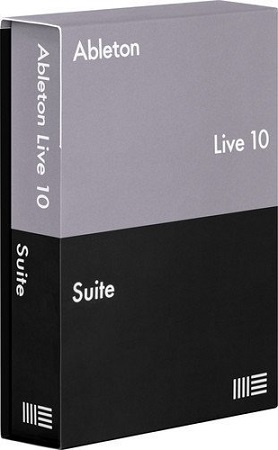
Ableton Live Suite 10.1.7 Multilingual
5ebc9476e0c6f6e7bb48869ef9fe6b81.jpg


Ableton Live Suite 10.1.7 Multilingual

File Size: 1.81 GiB
Languages: Multilingual
OS: Windows x64

​

Live is fast, fluid and flexible software for music creation and performance. It comes with effects, instruments, sounds and all kinds of creative features-everything you need to make any kind of music. Create in a traditional linear arrangement, or improvise without the constraints of a timeline in Live's Session View. Move freely between musical elements and play with ideas, without stopping the music and without breaking your flow.

What's New in Ableton Live Suite 10:

Create with new devices
Meet Wavetable, Echo, Drum Buss and Pedal: new devices that mean colorful new sounds are possible with Live's instruments and effects.

Stay in the flow
You'll find improvements to Live that help you stay in the flow at every stage of your creative process, whether you're getting ideas down, organizing your setup or editing the details of your music.

Do even more from Push
Live 10 brings new functionality and new high-res visualizations to Push. Now you'll spend even less time with the computer-whether you're composing ideas, editing MIDI or shaping and mixing sounds.

New library of sound
With new collections of Packs, Live 10 has more sounds that are ready for finished music, right out of the box. They're set up for tweaking to your needs or taking in different directions. Plus the library has been reorganized to make it easier to find what you're looking for.

Max for Live - no limits, built in
Max technology is now fully integrated into Live 10 Suite. No additional download or set up is required to create with and customize Max For Live devices. They just work. Plus new devices and capabilities bring more possibilities for musicians and device developers.

Live 10 Minimum System Requirements:[/b]
- Windows 7, Windows 8 or Windows 10
- 64-bit Intel® or AMD multi-core processor. Intel® Core™ i5 processor or faster recommended.
- 4 GB RAM (8 GB or more recommended)

У Вас недостаточно прав для просмотра ссылок. Войдите или зарегистрируйтесь.


DownLoad

NitroFlare
Код:
https://nitroflare.com/view/5A27265116B9925/Ableton.Live.Suite.10.1.7.Multilingual.part1.rar
https://nitroflare.com/view/E5547D0C87DCE28/Ableton.Live.Suite.10.1.7.Multilingual.part2.rar

RapidGator
Код:
https://rapidgator.net/file/eb9f5f210497eb40411e07aa738848cd/Ableton.Live.Suite.10.1.7.Multilingual.part1.rar.html
https://rapidgator.net/file/47b38909c7bd4c9a7bfaf36a5e3a2509/Ableton.Live.Suite.10.1.7.Multilingual.part2.rar.html

UploadGiG
Код:
https://uploadgig.com/file/download/0Fbecab51720e583/Ableton.Live.Suite.10.1.7.Multilingual.part1.rar
https://uploadgig.com/file/download/50eeFb8E222a13e3/Ableton.Live.Suite.10.1.7.Multilingual.part2.rar
 
Adobe Audition 2020 v13.0.2 macOS

cd9dfdf5e5c89fa804c62e1fbdabc392.png


Adobe Audition 2020 v13.0.2 macOS

File Size: 585 MiB
Languages: Multilingual

​

Adobe Audition 2020. A professional audio workstation. Create, mix, and design sound effects with the industry's best digital audio editing software. Audition 2020 is a comprehensive toolset that includes multitrack, waveform, and spectral display for creating, mixing, editing, and restoring audio content.

This powerful audio workstation is designed to accelerate video production workflows and audio finishing - and deliver a polished mix with pristine sound.

Supported Operation Systems:
macOS 10.13 or later 64-bit

У Вас недостаточно прав для просмотра ссылок. Войдите или зарегистрируйтесь.


DownLoad

NitroFlare
Код:
https://nitroflare.com/view/9174508E3E96799/Adobe.Audition.2020.v13.0.2.macOS.dmg

RapidGator
Код:
https://rapidgator.net/file/bba8217115681958406efa1159a82b41/Adobe.Audition.2020.v13.0.2.macOS.dmg.html

UploadGiG
Код:
https://uploadgig.com/file/download/8e93Ffb47f27194d/Adobe.Audition.2020.v13.0.2.macOS.dmg
 
Adobe Bridge 2020 v10.0.2 macOS

8dfea68a6b60e0e61e84b0d07ad6f3d4.png


Adobe Bridge 2020 v10.0.2 macOS

File Size: 1.11 GiB
Languages: Multilingual

​

Bridge 2020 gives you centralized access to all the files and assets you need for your creative projects. Organize personal and team assets, batch edit with ease, add watermarks, set centralized color preferences, and even upload your photos to Adobe Stock. Bridge simplifies your workflow and keeps you organized and now with Libraries.

Features:
- Bulk import, export and preview Libraries assets
- Edit photo capture time
- Export/ Import network cache
- Native PDF Output Module
- Easy upload of images to Adobe Stock so you can get royalties for your work
- Support for Retina and HiDPI displays with the ability to scale
- Automated cache management
- Publishing to Adobe Portfolio to build your personalized website
- Quick organization and stacking of panoramic and HDR images
- On-demand thumbnail and metadata generation
- Option to import photos and videos from your mobile device or digital camera on macOS
- Support for CEP HTML5
- Flexible batch processing
- Drag-and-drop file flexibility
- Centralized color settings

Supported Operation Systems:
macOS 10.13 or later 64-bit

У Вас недостаточно прав для просмотра ссылок. Войдите или зарегистрируйтесь.


DownLoad

Single Link
Код:
https://nitroflare.com/view/F63E44B34BD1C9C/Adobe.Bridge.2020.v10.0.2.macOS.dmg

Код:
https://rapidgator.net/file/eb959db417f935148bd3d003e3697ba9/Adobe.Bridge.2020.v10.0.2.macOS.dmg.html

Код:
https://uploadgig.com/file/download/F99ab96a2459510e/Adobe.Bridge.2020.v10.0.2.macOS.dmg

NitroFlare
Код:
https://nitroflare.com/view/F4760DFAFC62B6F/Adobe.Bridge.2020.v10.0.2.macOS.part1.rar
https://nitroflare.com/view/76ABB96D2075B19/Adobe.Bridge.2020.v10.0.2.macOS.part2.rar

RapidGator
Код:
https://rapidgator.net/file/f63a9fcd1668917b173e20fe6a7a209e/Adobe.Bridge.2020.v10.0.2.macOS.part1.rar.html
https://rapidgator.net/file/2b9069f18078ef56a6f58c19ad7aec27/Adobe.Bridge.2020.v10.0.2.macOS.part2.rar.html

UploadGiG
Код:
https://uploadgig.com/file/download/40359970A948d266/Adobe.Bridge.2020.v10.0.2.macOS.part1.rar
https://uploadgig.com/file/download/394b92d0e11ed8dA/Adobe.Bridge.2020.v10.0.2.macOS.part2.rar
 
CrossOver 19.0.1.32209 macOS

348ce913ef8da2a07488c505ba2e9ac3.png


CrossOver 19.0.1.32209 macOS

File Size: 227 MiB

​

Run Microsoft Windows software on your Mac without buying a Windows license, rebooting or using a virtual machine. CrossOver Mac makes it easy to launch Windows apps natively from the dock, and integrates Mac operating system functionality like cross-platform copy & paste and shared file systems to your Windows programs.

Easy Installs! Many Windows titles can be installed using our CrossTie technology. If you have CrossOver installed, and have the installer for your Windows software, simply click the button in our Compatibility Database, and CrossOver will automatically install your application for you!

Supported Operation Systems:
macOS 10.10 or later 64-bit

У Вас недостаточно прав для просмотра ссылок. Войдите или зарегистрируйтесь.


DownLoad

NitroFlare
Код:
https://nitroflare.com/view/8AB769200966F84/CrossOver.19.0.1.32209.macOS.dmg

RapidGator
Код:
https://rapidgator.net/file/91b4a7fa9ea630625fb1a7487061867a/CrossOver.19.0.1.32209.macOS.dmg.html

UploadGiG
Код:
https://uploadgig.com/file/download/f5508ca496efe129/CrossOver.19.0.1.32209.macOS.dmg
 
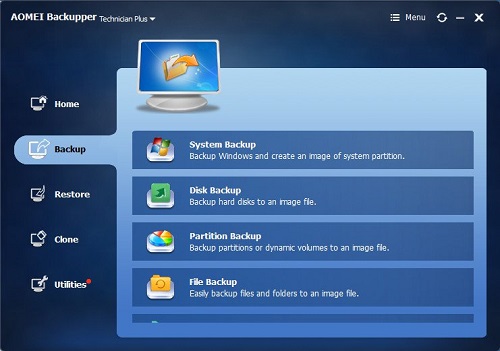
AOMEI Backupper All Editions WinPE Boot Legacy And UEFI v5.6.0

ffc6b58d5e365b294d1e2d21f385435d.jpg


AOMEI Backupper All Editions WinPE Boot Legacy And UEFI v5.6.0

File Size: 2.86 GiB (Total)

​

AOMEI Backupper is a professional-like, easy-to-use backup and recovery software. But is free for home users and commercial use, fully protects your computer from data loss. It lets you securely backup PC and Server, provides one-click backup your system partition or disk and does it in minutes. This software also can explore the created image and restore it to the hard drive if your data gets lost or corrupted. In addition, you can create a bootable rescue disk for recovering your data when the system crashes and the application cannot be accessed from the Windows interface.

AOMEI Backupper lets you clone the partition or disk, too. The software already supports the Microsoft Volume Shadow Copy Service (VSS) that enables the data backup process and does not interfere the running applications. This option of AOMEI Backupper is very efficient because backup data can still be made when you're working.
To prevent data loss, so we need to make data backup, AOMEI Backupper with the following features to ensure the safety of your data.

System Backup. One-click back up all data of system drive, including system files and installed applications without interrupting system run.
Disk Backup. Backup your hard disk drives including MBR disk, GPT disk, external hard drive, USB disk, and other storage devices that can be recognized by Windows.
Partition and Volume Backup. If you just want to backup a partition or volume, not the entire disk, the feature will be your best choice. With it, you can backup one or multiple partitions/volumes (including dynamic volumes) to an image file.
When your computer occurs some problems, such as accidentally deleted files, the system can not start, virus damage, by using the created backup before, you can restore system to its previous normal state or retrieve lost data.

System Recovery. Easily and quickly restore system partition and ensure system bootable after completing the recovery process.
Disk and Partition Recovery. Reliably recover the whole hard disk drive, partition or dynamic volume to original state.
Selective file restore. Selectively restore individual files and folders from a backup image file without recovering the entire backup.

In addition to backup and restore functions, AOMEI Backupper supports cloning operations. If you need to upgrade hard drive, or replace old disk, or migrate hard drive to new one, this feature can be more convenient to your work.

Disk Clone: Directly copy one hard drive to another without creating an image file. The program allows you to resize partitions during this cloning process, and supports to clone small disk to larger disk as well as copy traditional hard drive to solid state drive.
Partition and Volume Clone: Directly create an exact duplication of partition or dynamic volume and exactly transfer it to another partition or volume.

AOMEI Backupper Other Features:
Incremental and differential backups. Based on a full backup, the software supports to create incremental or differential backups to taking less time and save storage space.
Encryption and Compression. You can set a password for each backups to prevent unauthorized access. When the backup process, specify an industry leading compression algorithm to compress image file in order to take up less disk space.
Image file checker and explorer. Check data integrity of image file to ensure the backups can be restored successfully. Mount image files to a virtual partition so that you can browse the contents of the backups in Windows Explorer.
Comment Backups and Splitting Backups. Add comments to backups so that the backups can be further identified and clarified. Let you know what a backup is for or what it contains. Splitting Backups can split backup an image file into proper sizes to fit storage media.
Create Bootable Rescue Media. You can create a bootable media (e.g. CD or USB media) to restore system drive on the condition that Windows can not boot.
Supported OS: Windows XP, Vista, Windows 7, Windows 8/8.1, Windows 10 (32-bit, 64-bit).

Storage Devices: Supports all storage devices recognized by Windows, such as IDE, SATA, SCSI, SSD, USB external disks, Hardware RAID and so on. Moreover, supports MBR and GPT style, and fully support capacities greater than 2TB.

У Вас недостаточно прав для просмотра ссылок. Войдите или зарегистрируйтесь.


DownLoad

NitroFlare
Код:
https://nitroflare.com/view/8DA0BE9569666DC/AOMEI.Backupper.Professional.WinPE.v5.6.0.rar
https://nitroflare.com/view/07F2AF1D2F80B93/AOMEI.Backupper.Server.WinPE.v5.6.0.rar
https://nitroflare.com/view/E24520E7874DACF/AOMEI.Backupper.Technician.Plus.WinPE.v5.6.0.rar
https://nitroflare.com/view/6A4F610F1D9D1DF/AOMEI.Backupper.Technician.WinPE.v5.6.0.rar

RapidGator
Код:
https://rapidgator.net/file/21d9ba5811fdd061ba760049a0d3d183/AOMEI.Backupper.Professional.WinPE.v5.6.0.rar.html
https://rapidgator.net/file/a1a628b1f5353c2fc3b3a5c5d0a71f18/AOMEI.Backupper.Server.WinPE.v5.6.0.rar.html
https://rapidgator.net/file/7fbcdfcef2205a2fcb437f9529a331e8/AOMEI.Backupper.Technician.WinPE.v5.6.0.rar.html
https://rapidgator.net/file/c1c44539961cf871f1ee1a18f0eb68a6/AOMEI.Backupper.Technician.Plus.WinPE.v5.6.0.rar.html

UploadGiG
Код:
https://uploadgig.com/file/download/1df9c7f5d1d38A81/AOMEI.Backupper.Professional.WinPE.v5.6.0.rar
https://uploadgig.com/file/download/318542ce1788a9D4/AOMEI.Backupper.Server.WinPE.v5.6.0.rar
https://uploadgig.com/file/download/40d1C2e5cfB9c0Cc/AOMEI.Backupper.Technician.Plus.WinPE.v5.6.0.rar
https://uploadgig.com/file/download/73A95b4fFd72720f/AOMEI.Backupper.Technician.WinPE.v5.6.0.rar
 
DVDFab 11.0.6.8 Multilingual

a787a2a47cb667db612c41942ef3eb40.jpg


DVDFab 11.0.6.8 Multilingual

File Size: 179, 189 MiB

​

DVDFab is the most powerful and flexible DVD or Blu-ray copying, ripping, creating and burning software. Also it's a fantastic file converter which can rip and convert DVD/Blu-ray movies or transfer your files to various portable devices. DVDFab supports all popular video and audio formats, HD video and almost all multimedia devices. This software is simply the easiest way to copy a DVD/ Blu-ray movie. It can copy any DVD or Blu-ray disc with Cinavia watermark, and create a protected disc (BDMV-REC) to disable Civania for playback on PS3. Your entire movie - including menus, trailers and special features - is copied to a single DVD/ Blu-ray with just one click, and everything happens automatically. Backup your entire DVD/ Blu-ray - including menus, trailers, and special features - onto one or multiple discs.

DVD Copy makes backup DVDs in an easy and fast manner. Copy, rip, clone, split, merge, burn, customize, and more.
Blu-ray Copy backs up Blu-rays easily and fast. Copy, rip, clone, burn, write data and more.
DVD Ripper can rip or convert any DVD movie for playback on popular portable and mobile devices, smart phones, tablets, and more.
Blu-ray Ripper (3D Plus) can rip or convert any Blu-ray movie to various formats that are compatible with portable and mobile devices, smart phones, tablets, and more.
DVD Creator allows you to create your own DVD discs/ ISO files/ folders from a variety of videos downloaded from Internet, taken by camcorders, etc.
Blu-ray Creator converts nearly all sorts of videos into Blu-ray format and saves them as Blu-ray ISO files and folders, and even into BDs.
Video Converter can convert videos from one format into almost any other standard format, so that you can view them on different devices.
2D to 3D Converter working together with DVD Ripper, Blu-ray Ripper or Video Converter, converts 2D DVD/Blu-ray/video into 3D format.

DVDFab Technology:
• The BluPath analysis tool can quickly and precisely find the right playlist and region code for Blu-ray.
• StealthyClone will help users backup/clone BDs regardless of Sony DADC Screen Pass and other structural protections.
• Lightning Shrink - world's most efficient GPU-acceleration based Blu-ray compressing technology to rip or convert Blu-rays within one hour.
• DVDFab can solve playback problem of the copy of Cinavia protected Blu-ray on PS3
• Lightning-Recoding technology is the homebrew of DVDFab applied in Blu-ray Copy
• .miniso file can be produced by Blu-ray Copy and mounted by Virtual Drive to simulate ISO image
• Intel Quick Sync makes DVDFab quicker at video decoding/encoding during copy/ripping/conversion
• NVIDIA CUDA and AMD APP accelerate DVDFab's speed in DVD/Blu-ray/video conversion
• BD Shrink technology enables DVDFab Blu-ray Copy to compress Blu-ray (3D) movies to smaller sizes to fit on blank BD 25/BD 9/BD 5 discs.
• BDInfo will help you get the detailed information on the Blu-ray you are backing up.
• DVDFab supports 4K UHD (3840 x 2160) videos to help you enjoy ultra high definition experience.
• H.265 codec compresses video files to the half size with the same video quality as the original and DVDFab supports it all roundly.

У Вас недостаточно прав для просмотра ссылок. Войдите или зарегистрируйтесь.


DownLoad

NitroFlare
Код:
https://nitroflare.com/view/8E6DEB7EA838A68/DVDFab.11.0.6.8.x64.Multilingual.rar
https://nitroflare.com/view/6313EEABF219D76/DVDFab.11.0.6.8.x86.Multilingual.rar

RapidGator
Код:
https://rapidgator.net/file/5362a070339cd6aea95b6d5885170eba/DVDFab.11.0.6.8.x64.Multilingual.rar.html
https://rapidgator.net/file/fedc986037a3d9fdec7dce841826d1d9/DVDFab.11.0.6.8.x86.Multilingual.rar.html

UploadGiG
Код:
https://uploadgig.com/file/download/598629102862d850/DVDFab.11.0.6.8.x64.Multilingual.rar
https://uploadgig.com/file/download/A7beB644e36e9953/DVDFab.11.0.6.8.x86.Multilingual.rar
 
Foxit PhantomPDF Business 9.7.1.29511 Multilingual

71335ace139aa5ea0c50866d65f3ca6c.jpg


Foxit PhantomPDF Business 9.7.1.29511 Multilingual

File Size: 755 MiB

​

Complete Business Ready PDF solution that expands upon PhantomPDF Standard by offering advanced editing, shared review initiation, higher security, additional file compression, PDF A/E/X creation, and bates numbering.

Edit Text
Edit text in a paragraph without worrying about layout - text will automatically reflow as you edit. After editing, spell check the document.

Advanced Text Editing
Advanced editing capabilities for PDF documents with more complex layout. Link, join, or split text blocks to connect text for more powerful editing. Move and resize text blocks to change to a more compelling layout.

Advanced Object Editing
Edit images, objects, and object shading. Change text to shape. Change page layout properties, add shading to objects, convert text to path, merge/split text, and edit .ai files.

Modify And Format Text
Edit the font of PDF text by changing type, style, size, color, and effect. Align text left, center, or right, while choosing from multiple line spacing options.

Professionalize Documents
Customize the way your PDF looks by adding or modifying stamps, watermarks, headers, footers, and backgrounds to generate professional looking PDFs.

Insert Objects, Images, & Videos
Embed images and videos in your PDF and make it more interactive. Align objects on the left, middle, or center. Distribute objects horizontally or vertically. Rotate, flip, or shear objects.

Create Industry-Standard PDF
Create PDF's from hundreds of the most common file types that are 100% compatible with other PDF products. Reduce file size before you distribute or archive to save transfer time and disk space.

Export PDF To Word & Other Formats
Easily share PDF content by exporting to MS Word, PowerPoint and Excel, RTF, HTML, XML, text, and image formats.

Create PDF from Microsoft Office, Outlook, and Visio
Create PDF with integrated, fully functional Word, PowerPoint, Excel, Outlook, and Visio add-ins.

PDF Form Generation
Develop PDF forms quickly and easily with automated form field recognition and designer assistant. Create professional looking forms with push and radio buttons; check, combo, and list boxes; and text and signature fields.

PDF Portfolios
View, print, create, edit, and search for text in PDF portfolios.

PDF/A, E, X Compliance
Create and validate industry compliant PDF files for archiving, engineering and print production.

Shared Review
Initiate a Shared Review to include PhantomPDF, Foxit Reader, and MobilePDF users through a public cloud (Foxit Cloud), network folder, a SharePoint workspace, or email.

Commenting Tools
Provide feedback to documents through annotation and text markup tools.

Comments Management
Quickly view all the comments in a document in an easy to understand summary. Import, export, and send comments as a FDF file via email.

SharePoint® Integration
Seamlessly check in and check out PDF files on SharePoint servers.

DocuSign Integration
Send, sign and save PDF documents using the industry's most widely used eSignature solution.

Evernote® Integration
Create and send a PDF as an attachment to an Evernote note.

Manage PDF Document Pages
Enables you to delete pages, add pages, swap, flatten, crop, and extract pages in a PDF document.

Create A PDF From Existing PDF
Adds, deletes, or combines pages from multiple PDF files to create new PDF documents.

Compare PDF Documents
Uses color to highlight the differences between two PDF documents to help you identify what has been changed quickly and easily.

Search For PDFs By Content
Bundled search and index plug-in to Windows desktop search enables PDF search by content, title, subject, author, keywords, annotations, bookmarks, attachments, and more.

Bates Numbering
Place identification on documents as they are scanned or processed.

Re-organize PDF Documents
Page and attachment panels allows you to organize pages and attached files by simply dragging and dropping page thumbnails within a document or from one document to another.

Scan Documents Into PDF
Streamline workflow by converting paper contracts, agreements, and other documents to electronic PDF files - scan and convert in one step.

Optical Character Recognition (OCR)
OCR to convert scanned or image-based content into selectable, searchable, and editable text.

Edit Text In Scanned Documents
OCR with editable text, then paragraph edit text from scanned documents, which is especially valuable when you only have hardcopy.

Correct Suspect OCR Results
Find and correct incorrect OCR results to enable accurate file indexing for effective PDF searching.

Scanned Pages In Existing PDF
Streamline your workflow by inserting scanned documents directly into your PDF document.

Sign Documents With PDF Sign
Sign documents in your own handwriting. Create, manage, place, apply, and password protect multiple signatures-enabling effortless PDF document signing.

Redaction
Permanently remove (redact) visible text and images from PDF documents to protection confidential information.

Microsoft® Rights Management
Extends the usage control benefits of AD RMS to PDF documents and allows authors and admins to control rights management for each PDF. Provides both encryption and decryption capabilities.

Document Encryption
Using password or certificate encryption and control what actions others can operate on the document to protect confidential information.

Add/Verify Digital Signatures
Add digital signatures and timestamps to documents and allow the PDF receiver to validate the status of a digital signature to determine if the document has been modified since the signature was applied.

Document Sanitization
Removes sensitive information from your document before publishing, like metadata, comments, hidden data from previous saves, hidden layers, overlapping objects, and more.

System Requirements:
- Windows 7 (32-bit & 64-bit)
- Windows 8 Full Version
- Windows 10

У Вас недостаточно прав для просмотра ссылок. Войдите или зарегистрируйтесь.


DownLoad

NitroFlare
Код:
https://nitroflare.com/view/4E73B88554B3688/Foxit.PhantomPDF.Business.9.7.1.29511.Multilingual.rar

RapidGator
Код:
https://rapidgator.net/file/f1ffb23e480f272c5dc45e5c298e6dcc/Foxit.PhantomPDF.Business.9.7.1.29511.Multilingual.rar.html

UploadGiG
Код:
https://uploadgig.com/file/download/8333a2a145785Fa9/Foxit.PhantomPDF.Business.9.7.1.29511.Multilingual.rar
 
NewTek LightWave 3D 2019.1.5 Build 3134 x64

ab5e8f1ef008cec16e82a1f2086aaf85.jpg


NewTek LightWave 3D 2019.1.5 Build 3134 x64

File Size: 466 MiB

​

NewTek LightWave 3D® makes it possible for anyone to become a 3D artist and animator. The software is affordable, complete, easy to learn and use and well established as one of the leading 3D systems on the market for producing beautiful photo-real renders as well as incredible anime. This complete out-of-the-box 3D animation solution now offers real-time collaborative 3D interactivity through a bridge to Unreal Engine.

LightWave 2019 New Features:
Real-time Collaborative LightWave™ to Unreal Engine
LightWave 3D® enters the Real-Time Age for interchange with this workflow link between the Unreal Engine and LightWave 3D®, focusing on LightWave driving Unreal changes iteratively. Multiple LightWave seats are able to connect to the same Unreal Editor simultaneously to enable real-time collaboration between artists. The bridge uses NewTek's proven NDI® network discovery mechanism for easy automatic configuration, and can be limited to single project use in Unreal, or installed as a general plugin for use in all Unreal projects.

FBX and New Interchange Bridge
Work with industry standard FBX data on a whole new level via the new Interchange Bridge.
Interactively choose what to import / export and how.
Add to existing FBX files from Layout and Modeler.
Build LightWave 3D® assets from many FBX files.
Easily revisit FBX files via workspaces.

Shading Model Customization Tools
The ability to pull materials apart and build them to your tastes is new to LightWave 3D® 2019. There is access to Fresnel Functions, Material Components and Material Integrators. The Material Tools Group has been updated with new nodes to support this capability.

OpenVDB Content Creation
LightWave 3D® 2018 introduced the ability to import and render an OpenVDB fog volume. New for LightWave 3D® 2019 is a set of node tools that allow OpenVDB content creation. You can now create OpenVDB grids from meshes, particles, and even the shape primitive distance estimator. The tool kit allows for live Constructive Solid Geometry (CSG) operations, grid filtering including level set tracking, smoothing, dilation and erosion. Solvers are included that allow for fluid simulation and smoke and fire effects.

Metamorphic
Metamorphic is a multipurpose animatable mesh sculpting and vertex map manipulation plug-in for LightWave 3D® 2019 that works in Layout, and takes full advantage of the new capabilities of the modifier stack.
Freeform animated sculpting
Built-in undo/redo system
Fully-multithreaded sculpting using all available CPU cores
Pen pressure support for brush size, strength and hardness (Windows only)
Nodal brush texture support
Three modes of animation
Non-linear interpolation of sculpt animation keyframes
Supports converting sculpt animation keyframes to Endomorphs
Predictive corrective morph sculpting that works after deformers with built-in driver/driven controller
Full Motion Blur support

Display Scaling
Support for scaling many UI elements for HiDPI and large-screen displays
Independent scaling options for multi-monitor setups

Bone System Improved for Game Development
The new Bone Type option, Limited Bones, allows the animator to set a limit in Layout on the number of bones that affect a given point to match the limit in the target game engine, and engages real-time optimizations to more closely match the performance game engines expect from a rig.

Edge Shader Node
A node for simulating beveled or rounded edges at render time, to give more realistic results without increasing geometry.
And more...

System Specifications:
Intel® Core™ 2 or AMD Athlon™ II Processor (or better)
64-bit System RAM: 4GB minimum
Available USB Port (for users with existing hardware dongles)
64-bit: Windows 7 through Windows 10 64-bit Edition

У Вас недостаточно прав для просмотра ссылок. Войдите или зарегистрируйтесь.


DownLoad

NitroFlare
Код:
https://nitroflare.com/view/EBBA2A7E80EBCA7/NewTek.LightWave.3D.2019.1.5.Build.3134.x64.rar

RapidGator
Код:
https://rapidgator.net/file/04ced532c0805c36190a5655563045ee/NewTek.LightWave.3D.2019.1.5.Build.3134.x64.rar.html

UploadGiG
Код:
https://uploadgig.com/file/download/81Eb69Ee9ae71317/NewTek.LightWave.3D.2019.1.5.Build.3134.x64.rar
 
Nikon Camera Control Pro 2.30.0 Multilingual

de50d7bcb262bd916f2757284e2279eb.jpg


Nikon Camera Control Pro 2.30.0 Multilingual

File Size: 296 MiB

​

This software remotely controls most functions of Nikon digital SLRs from a computer that is connected via USB cable or through wired or wireless LAN using a wireless transmitter. Advanced functions of the new Nikon D3 and D300 such as Viewer for preview and selection of images prior to transfer to a computer, Liveview function and Picture Control System are supported. It also supports workflows of Nikon's exclusive photofinishing software Capture NX (optional) and browser and viewer software ViewNX.

Most settings of Nikon digital SLRs, that are connected via USB cable, such as exposure mode, shutter speed and aperture can be controlled remotely from a computer. Wired or wireless LAN is also available when using a wireless transmitter.
In addition to direct transfer of images from a camera to a computer, all procedures from shooting to saving images are smoothly processed.
Enhanced viewer function enables thumbnail display of images stored in a computer.

Compatible with the new functions of the Nikon D3/D300
Images in a camera buffer can be confirmed with thumbnail or preview display on a computer prior to transferring, enabling deletion of unnecessary images. This remarkably increases efficiency.
Supporting the Liveview mode (Hand-held mode and Tripod mode) of the D3 and D300, it permits adjustment of focus point and shutter release while confirming the image on a computer. In Tripod mode, focal-plane contrast AF on a desired point within a specific area is possible.
It also supports Picture Control System of the cameras. Picture Control parameters can be selected and adjusted on a computer, and custom curves (tone compensation data) can be created and registered
51-point AF can be controlled and displayed.
Fine tuning of the new white balance is available.

Integration with other Nikon software
Support for ViewNX browser and viewer software
Support for Capture NX photo-finishing software

Whats New:
Added support for the D780.
• Ended support for Windows 7.

У Вас недостаточно прав для просмотра ссылок. Войдите или зарегистрируйтесь.


DownLoad

NitroFlare
Код:
https://nitroflare.com/view/FE8E2366E1B5106/Nikon.Camera.Control.Pro.2.30.0.Multilingual.rar

RapidGator
Код:
https://rapidgator.net/file/d9d3950ef671dbdb8eb752dc2c9e3a9a/Nikon.Camera.Control.Pro.2.30.0.Multilingual.rar.html

UploadGiG
Код:
https://uploadgig.com/file/download/cfb1D3Ad6bc9a895/Nikon.Camera.Control.Pro.2.30.0.Multilingual.rar
 
Siemens Simcenter MAGNET 2019.1 Win64-SSQ

12d365e58b19bf289520861ef9329180.jpg


Siemens Simcenter MAGNET 2019.1 Win64-SSQ

File Size: 701 MiB
Languages: English
OS: Windows x64

​

Description:
Simcenter MAGNET- software for electromagnetic field simulation, analysis and virtual 2D-3D modeling Simcenter MAGNET 2D / 3D is a powerful simulation program for predicting the performance of motors, generators, sensors, transformers, drives, solenoids, as well as any components with permanent magnets or coils. Using this efficient and accurate software, you can optimize, design and analyze both simple and complex devices with electromagnets, as well as electromechanical devices.

Creating virtual prototypes in the Simcenter MAGNET program saves time. Parametric studies and optimization analysis allow us to study several configurations in order to achieve improved performance. Accurate reproduction of operating conditions as well as extreme conditions makes it possible to identify losses and points of increased heating, demagnetization of a permanent magnet, unused material, and also to analyze damage in a failure condition.

Details:
Siemens Simcenter MAGNET 2019.1 Win64
Release Year / Date:2019
Version:2019.1.0.33
Developer:Siemens PLM / Infolytica
Architecture:64bit
Language interface :English
Tabletka:Present (TeAM SolidSQUAD-SSQ)
System Requirements:
OS:Windows 7/Windows 8/Windows 8.1/Windows 10
CPU:Intel Core i5 or Core i7/Intel Xeon/AMD FX, AMD Opteron
Memory:2D: 2GB of RAM/3D: 8-16 GB RAM1

У Вас недостаточно прав для просмотра ссылок. Войдите или зарегистрируйтесь.


DownLoad

NitroFlare
Код:
https://nitroflare.com/view/70FD437D4C7BFD0/Siemens.Simcenter.MAGNET.2019.1.Win64-SSQ.rar

RapidGator
Код:
https://rapidgator.net/file/ba8a2856f75010b41786409b38523fe5/Siemens.Simcenter.MAGNET.2019.1.Win64-SSQ.rar.html

UploadGiG
Код:
https://uploadgig.com/file/download/7668861eAc5e8909/Siemens.Simcenter.MAGNET.2019.1.Win64-SSQ.rar
 
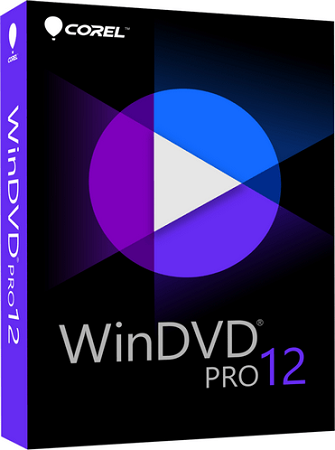
Corel WinDVD Pro 12.0.0.160 SP6 Multilingual

8900dddd69a253048443f8a4d7c034ec.png


Corel WinDVD Pro 12.0.0.160 SP6 Multilingual

File Size: 100 MiB
Languages: Multilingual

​

Bring Hollywood home with the leading video playback, Blu-ray and DVD software, Corel® WinDVD® Pro 12. From high-resolution 4K videos and HEVC (H.265*), to 3D video, DVDs and Blu-ray, enjoy a huge range of formats with stunning quality, Dolby sound and more. Intuitive controls in an updated, modern interface let you easily fine-tune video and audio. Plus, enjoy smoother playback with new 240 fps performance.

Leading Blu-ray & DVD software
- New 4K video support
- New More files supported, including HEVC (H.265)
- New Clean, modern interface
- Enhanced Smooth high frame rate playback

#1 DVD and Blu-ray player software
Create the movie theater experience at home, anytime you want, with complete DVD and Blu-ray software. With over 300 million copies sold, WinDVD is a leader in video playback and DVD software, and one of the world's most recognized products.

Best picture. Big sound.
Immerse yourself in high-quality picture and sound with powerful video and audio controls, and new 4K video support. Enhance color, stabilize shaky video and enjoy smoother playback with higher frame rate support. Boost audio levels, reduce noise and enjoy quality Dolby audio.

Play all popular formats, including 3D
Play all popular formats with the click of your mouse. Jump into the action with advanced 3D technology that delivers an incredibly dynamic viewing experience. You can even convert your standard videos into 3D for more lifelike movies!

What's New in WinDVD Pro 12:

#1 DVD and Blu-ray player software
Trust your viewing experience to one of the world's most recognized products, with leading Blu-ray 3D player technology and over 300 million copies sold. WinDVD Pro 12 plays all of the most popular formats, including Blu-ray Disc, BDXL, MP4, WMV-HD, DVD and AVCHD.

Standard to HD video upscaling
Make your video look its best with proven upscaling technology that delivers near-HD quality video from standard DVDs. The GPU-accelerated upscaling works across different platforms.

Color correction and lighting controls
Fine-tune to get just the look you want with easy adjustments for richer color and enhanced lighting. Use presets to improve picture, adjust brightness, contrast and more.

Optimized 3D mode
If you have a NVIDIA graphics card with 3D Vision support on your PC, WinDVD Pro 12 automatically enters an exclusive mode to play high-definition video files in 3D mode, greatly optimizing your 3D playback experience.

3D Blu-ray software
Enjoy high-definition Blu-ray and Blu-ray 3D movies, HD-quality and theatre-like surround sound. With leading 3D technologies, you can experience 3D playback your way.

2D to 3D video conversion
Convert and enjoy your 2D movies in full 3D definition for the most lifelike viewing experience! 2D to 3D conversion is supported for DVD-Video, and standard and high-definition video files.

Playback interface
Optimize your viewing experience with the easy-to-access video and audio controls in the new, modern interface. Create playlists, take screenshots or video clips of a favorite scene, enhance quality and more. These tools are just a click away.

Playlists and Bookmark tools
Select your favourite movies and create your own playlists. Plan your next rainy day or big event and enjoy continuous video playback. Even mark your favorite scenes while the video is playing to watch them again.

Powerful video playback
Get closer to the action and catch every detail with smooth, high frame rate video playback that supports up to 240 frames per second. You can also increase frame rate and interpolate frames to remove the jitters from fast motion video.

Capture the action
Easily capture a screenshot of your favorite movie scene as a still picture or video clip. Save it as a file and upload and share it with your friends. Even zoom or crop your video to take a closer look and get closer to the action.

Time Stretch
Short on time? Watch your movie on your time. Adjust the speed of the video playback to fit the time you have available. You can speed up playback up to 2 times faster, or slow down to half speed.

Enhanced performance and extended battery life
Thanks to optimization for new CPUs and GPUs from NVIDIA, Intel and AMD, WinDVD 12 is faster than ever before. Plus, extended power-saving capabilities give you more life from your laptop.

File support
Enjoy crisp, vivid playback of all the most popular file formats, including new 4K video and HEVC (H.265). Also enjoy Blu-ray 3D, BD-Live, BDXL, AVCREC, DivX, FLV, Windows Media (WMV), DVD-Video, MPEG, MTS, M2TS, MKV, MP4, 3GP and much more!

Cinematic surround sound
Blow yourself away with cinematic surround sound, supported by industry leaders Dolby and DTS. WinDVD Pro 12 offers a broad range of support for the most powerful audio technologies available.

Special audio effects
Set your audio to match your environment. In a busy, noisy location? Set your controls to 'Noisy' and boost the audio levels. At home? Try the 'Theater' effect to preserve the original dynamic range of the movie and deliver theater-quality sound.

RELEASE NOTES:
- Release notes were unavailable when this listing was updated.

System Requirements:
- Windows 10, Windows 8.1, Windows 7, 64-bit OS highly recommended

Processor:
- Minimum: Intel® Pentium® 4 2.8GHz or equivalent AMD Athlon processor for DVD disc playback
- Intel Core Processor Family or AMD Athlon 64 X2 3800+ 2.0 GHz for Blu-ray and HD playback
- Intel Core II Duo T2400 1.83 GHz or AMD Athlon 64 X2 3800+ 2.0 GHz for Blu-ray 3D playback
- Intel Core i5 or equivalent for 4K playback

Memory:
- Minimum: 256 MB RAM for DVD disc playback
- 1GB RAM for Blu-ray and HD playback
-- 1GB+ RAM for Blu-ray 3D playback
2 GB RAM for 4K playback

Graphics Card:
- Minimum: AGP or PCI Express graphic accelerator card with DirectDraw Overlay support for DVD disc playback
- NVIDIA G8x and above, AMD M7x and above, or Intel Core Processor Family integrated graphics for Blu-ray and HD playback
- NVIDIA® GeForce® 500/400/300/200 or higher, AMD Radeon HD 6000 series or higher, Intel® H5x/G4x series or higher for Blu-ray 3D playback
- Intel HD Graphics (4th Generation Core/Haswell) or equivalent for 4K playback
- HEVC playback requires 4th Generation Intel Core Processor (Haswell) or higher
- Windows-compatible sound card
- 128 MB graphics memory/VRAM minimum, 256 MB recommended
- Minimum 250 MB HDD space for full installation

Accessories:
- Windows-compatible optical drive for DVD/AVCHD playback (DVD-ROM, DVD-ROM/CD RW combo, DVD-R/RW, DVD+RW, or DVD-RAM drive)
- Windows-compatible BD drive for BD playback

Formats Supported:
- VIDEO: DVD-Video, Blu-ray and Blu-ray 3D Video (multiple formats), VCD, Super VCD,ASF, AVCHD, AVCREC, AVI, DAT FLV, 3GP, 3GPP, 3G2, H.264 AVC, H.265 HEVC, MPEG, MPEG-2, MPEG-4, MTS, M2TS, M4V, MKV, VC-1, VOB, WMV
- AUDIO: Dolby Digital (multiple formats), DTS (multiple formats), CD-Audio, AAC, MPEG-2 audio, MP3, Linear PCM, WMA

Supported Languages:
- Dutch, English, French, German, Italian, Japanese, Polish, Spanish, Traditional Chinese.

У Вас недостаточно прав для просмотра ссылок. Войдите или зарегистрируйтесь.


DownLoad

NitroFlare
Код:
https://nitroflare.com/view/39AB0FFB7C8AC3C/Corel.WinDVD.Pro.12.0.0.160.SP6.Multilingual.rar

RapidGator
Код:
https://rapidgator.net/file/6cd0416dc1bd70dee1fb256db9e710e4/Corel.WinDVD.Pro.12.0.0.160.SP6.Multilingual.rar.html

UploadGiG
Код:
https://uploadgig.com/file/download/5974334C97155706/Corel.WinDVD.Pro.12.0.0.160.SP6.Multilingual.rar
 
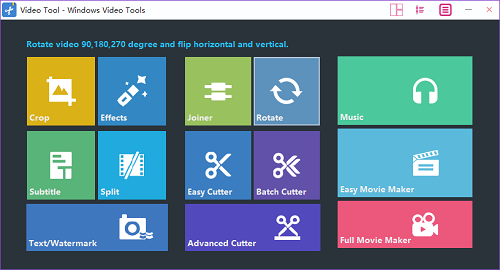
Windows Video Tools 2020 v8.0.5.2 Multilingual

2d324df72e1ac81e39ab02650201e5bc.png


Windows Video Tools 2020 v8.0.5.2 Multilingual

File Size: 230 MiB
Languages: Multilingual
OS: Windows x64

​

Windows Video Editor (Editing Tools Collection) 2020 has everything you need to edit your video files. You can easily Cut, Crop, Rotate, Split, Trim or Join your videos. You can add Effects, Text, Animations, Watermarks, Subtitles, Music to your videos. You can adjust video speed, brightness, contrast, saturation or anything else of your videos. You can do almost everything to edit your videos! And You can edit videos in batch! Compatible with Windows 7, 8, 10, XP, Vista.

Windows Video Tools 2020
- Everything You Need to Edit Your Videos.
- Cut,Join,Crop,Rotate,Split,Trim,etc
- Add Effects,Text,Animations,Watermarks,Subtitles,Music,etc
- Adjust Speed, Brightness, Contrast, Saturation,etc
- Tested For Windows 10 and Windows 7, 8,XP.

What you can do with Windows Video Editor (Editing Tools Collection) 2020:
- Easy to Cut/Crop/Rotate/Split/Trim/Join your videos. And you can edit the videos in batch.
- You can add Effects, Text, Animations, Watermarks, Subtitles, Music to your videos.
- You can make Picture-in-Picture videos.
- You can adjust video speed, brightness, contrast, saturation or anything else of your video.
- You can adjust any settings or properties or your videos.
- Windows Video Editor & Windows Movie Maker
- Integrated Window Video Editor and Windows Movie Maker. Edit Video and Make Movie with one software.

RELEASE NOTES:
- Release notes were unavailable when this listing was updated.

System Requirements:
- Microsoft Windows XP (SP2 or later), Windows 7, Windows 8, WIndows 8.1, Windows 10 (64-bit)
- 1GHz Intel/AMD processor or above
- 256MB RAM (512MB or above recommended)
- 300MB space for installation
- Super VGA (800x600) resolution, 16-bit graphics card or higher

У Вас недостаточно прав для просмотра ссылок. Войдите или зарегистрируйтесь.


DownLoad

NitroFlare
Код:
https://nitroflare.com/view/2DC476C6BDCD019/Windows.Video.Tools.2020.v8.0.5.2.Multilingual.rar

RapidGator
Код:
https://rapidgator.net/file/a92b81accfb90fbf079b88062b344333/Windows.Video.Tools.2020.v8.0.5.2.Multilingual.rar.html

UploadGiG
Код:
https://uploadgig.com/file/download/942E664c5374d721/Windows.Video.Tools.2020.v8.0.5.2.Multilingual.rar
 
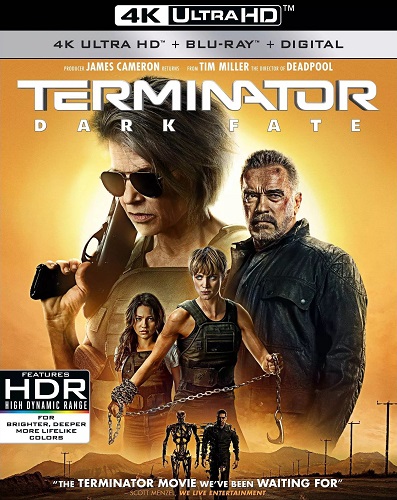
Terminator Dark Fate 2019 2160p UHD BluRay x265-TERMiNAL

5cc0d47c1dea26dcdc55878792feb6fe.jpg


Terminator Dark Fate 2019 2160p UHD BluRay x265-TERMiNAL

Size: 16.8 GiB | Duration: 2:08:05 | Container: MKV
Audio1: TrueHD Atmos | 4634 Kbps | 8 Channels
Audio2: AC-3 | 640 Kbps | 6 Channels
Video: x265 | 13.4 Mbps | 3840x1608 | 23.976 FPS

Langauge: English
Subtitles: English, Spanish, French
Genre: Action, Adventure, Sci-Fi
У Вас недостаточно прав для просмотра ссылок. Войдите или зарегистрируйтесь.


Plot
Sarah Connor and a hybrid cyborg human must protect a young girl from a newly modified liquid Terminator from the future.


Screens
14caaea43af3ea16b59a3c6c36dee1b6.jpg


Sample
Код:
https://www50.zippyshare.com/v/7KTbb9kv/file.html

DownLoad

Single Link
Код:
https://nitroflare.com/view/F1092587749F7F6/Terminator.Dark.Fate.2019.2160p.UHD.BluRay.x265-TERMiNAL.mkv

Код:
https://rapidgator.net/file/6f7b448d94f04a7a22f5d750bde5ad50/Terminator.Dark.Fate.2019.2160p.UHD.BluRay.x265-TERMiNAL.mkv.html

Код:
https://uploadgig.com/file/download/03C3f88B7fcb88E5/Terminator.Dark.Fate.2019.2160p.UHD.BluRay.x265-TERMiNAL.mkv

NitroFlare
Код:
https://nitroflare.com/view/BE69F6E55729B59/Terminator.Dark.Fate.2019.2160p.UHD.BluRay.x265-TERMiNAL.part01.rar
https://nitroflare.com/view/ABE243F536E2677/Terminator.Dark.Fate.2019.2160p.UHD.BluRay.x265-TERMiNAL.part02.rar
https://nitroflare.com/view/2450D32352B10C0/Terminator.Dark.Fate.2019.2160p.UHD.BluRay.x265-TERMiNAL.part03.rar
https://nitroflare.com/view/C06385F8F709F29/Terminator.Dark.Fate.2019.2160p.UHD.BluRay.x265-TERMiNAL.part04.rar
https://nitroflare.com/view/97776D190ACCF82/Terminator.Dark.Fate.2019.2160p.UHD.BluRay.x265-TERMiNAL.part05.rar
https://nitroflare.com/view/500EBACF170107F/Terminator.Dark.Fate.2019.2160p.UHD.BluRay.x265-TERMiNAL.part06.rar
https://nitroflare.com/view/F897EE0429B48D8/Terminator.Dark.Fate.2019.2160p.UHD.BluRay.x265-TERMiNAL.part07.rar
https://nitroflare.com/view/1C96133D4EC9EDA/Terminator.Dark.Fate.2019.2160p.UHD.BluRay.x265-TERMiNAL.part08.rar
https://nitroflare.com/view/8DE81E9B2357069/Terminator.Dark.Fate.2019.2160p.UHD.BluRay.x265-TERMiNAL.part09.rar
https://nitroflare.com/view/D42CEEF6E20B4BF/Terminator.Dark.Fate.2019.2160p.UHD.BluRay.x265-TERMiNAL.part10.rar
https://nitroflare.com/view/215E1E0782E726D/Terminator.Dark.Fate.2019.2160p.UHD.BluRay.x265-TERMiNAL.part11.rar
https://nitroflare.com/view/2A0477ECB8C8DEB/Terminator.Dark.Fate.2019.2160p.UHD.BluRay.x265-TERMiNAL.part12.rar
https://nitroflare.com/view/807DF99C3FEEAAC/Terminator.Dark.Fate.2019.2160p.UHD.BluRay.x265-TERMiNAL.part13.rar
https://nitroflare.com/view/41E84E6F8D676AD/Terminator.Dark.Fate.2019.2160p.UHD.BluRay.x265-TERMiNAL.part14.rar
https://nitroflare.com/view/4EC034AFFA7D2E8/Terminator.Dark.Fate.2019.2160p.UHD.BluRay.x265-TERMiNAL.part15.rar
https://nitroflare.com/view/7E7089274E136C8/Terminator.Dark.Fate.2019.2160p.UHD.BluRay.x265-TERMiNAL.part16.rar
https://nitroflare.com/view/E2E7ED2D4B96D6D/Terminator.Dark.Fate.2019.2160p.UHD.BluRay.x265-TERMiNAL.part17.rar

RapidGator
Код:
https://rapidgator.net/file/8c5a9964b30395329717b046a71504a9/Terminator.Dark.Fate.2019.2160p.UHD.BluRay.x265-TERMiNAL.part01.rar.html
https://rapidgator.net/file/fcee5216ba9f3009079f6f23f71730b0/Terminator.Dark.Fate.2019.2160p.UHD.BluRay.x265-TERMiNAL.part02.rar.html
https://rapidgator.net/file/1676a8db6fae475c32b0fdcb4e4da2da/Terminator.Dark.Fate.2019.2160p.UHD.BluRay.x265-TERMiNAL.part03.rar.html
https://rapidgator.net/file/6cd274d45b7c82e15cb868df0fc720b4/Terminator.Dark.Fate.2019.2160p.UHD.BluRay.x265-TERMiNAL.part04.rar.html
https://rapidgator.net/file/ed6c2d807d0d3f9c31576426464d4256/Terminator.Dark.Fate.2019.2160p.UHD.BluRay.x265-TERMiNAL.part05.rar.html
https://rapidgator.net/file/eb73568452cf401e9df10c1a34822ebc/Terminator.Dark.Fate.2019.2160p.UHD.BluRay.x265-TERMiNAL.part06.rar.html
https://rapidgator.net/file/d13012f0a2f1e08b174990ee6635a29b/Terminator.Dark.Fate.2019.2160p.UHD.BluRay.x265-TERMiNAL.part07.rar.html
https://rapidgator.net/file/a0cbcdb18a0c946db0f160aabd45ab88/Terminator.Dark.Fate.2019.2160p.UHD.BluRay.x265-TERMiNAL.part08.rar.html
https://rapidgator.net/file/6bc076f2b5cf529de3428d3f433eb0df/Terminator.Dark.Fate.2019.2160p.UHD.BluRay.x265-TERMiNAL.part09.rar.html
https://rapidgator.net/file/8576beff4a8623182cdbdadbf6bb4646/Terminator.Dark.Fate.2019.2160p.UHD.BluRay.x265-TERMiNAL.part10.rar.html
https://rapidgator.net/file/2ed244fca813793942e788eefd909a79/Terminator.Dark.Fate.2019.2160p.UHD.BluRay.x265-TERMiNAL.part11.rar.html
https://rapidgator.net/file/2c62c50982a1cb7e10d3e3564d451eea/Terminator.Dark.Fate.2019.2160p.UHD.BluRay.x265-TERMiNAL.part12.rar.html
https://rapidgator.net/file/0538b3574062b7f21c9b30dd3ead2133/Terminator.Dark.Fate.2019.2160p.UHD.BluRay.x265-TERMiNAL.part13.rar.html
https://rapidgator.net/file/5212fa6d190b908da2928bf41e005f5b/Terminator.Dark.Fate.2019.2160p.UHD.BluRay.x265-TERMiNAL.part14.rar.html
https://rapidgator.net/file/648e43610592f9269b09e58bb20c7a6f/Terminator.Dark.Fate.2019.2160p.UHD.BluRay.x265-TERMiNAL.part15.rar.html
https://rapidgator.net/file/41e14032fd19e9c988b8fc7a630fa867/Terminator.Dark.Fate.2019.2160p.UHD.BluRay.x265-TERMiNAL.part16.rar.html
https://rapidgator.net/file/c8be04268fceddc8dfe4bbfef3b2b394/Terminator.Dark.Fate.2019.2160p.UHD.BluRay.x265-TERMiNAL.part17.rar.html

UploadGiG
Код:
https://uploadgig.com/file/download/0f899664Cd33e423/Terminator.Dark.Fate.2019.2160p.UHD.BluRay.x265-TERMiNAL.part01.rar
https://uploadgig.com/file/download/824e1ba04c0263CF/Terminator.Dark.Fate.2019.2160p.UHD.BluRay.x265-TERMiNAL.part02.rar
https://uploadgig.com/file/download/fc17Ef500864Eef3/Terminator.Dark.Fate.2019.2160p.UHD.BluRay.x265-TERMiNAL.part03.rar
https://uploadgig.com/file/download/b24961f2BD473a73/Terminator.Dark.Fate.2019.2160p.UHD.BluRay.x265-TERMiNAL.part04.rar
https://uploadgig.com/file/download/78fAa4a00c016B18/Terminator.Dark.Fate.2019.2160p.UHD.BluRay.x265-TERMiNAL.part05.rar
https://uploadgig.com/file/download/abd0B509c2B202aE/Terminator.Dark.Fate.2019.2160p.UHD.BluRay.x265-TERMiNAL.part06.rar
https://uploadgig.com/file/download/0659E284Ac045884/Terminator.Dark.Fate.2019.2160p.UHD.BluRay.x265-TERMiNAL.part07.rar
https://uploadgig.com/file/download/A12c5b4Ec9956A9b/Terminator.Dark.Fate.2019.2160p.UHD.BluRay.x265-TERMiNAL.part08.rar
https://uploadgig.com/file/download/6fc17e7d8FAaA3F0/Terminator.Dark.Fate.2019.2160p.UHD.BluRay.x265-TERMiNAL.part09.rar
https://uploadgig.com/file/download/39e93Ee6e065149b/Terminator.Dark.Fate.2019.2160p.UHD.BluRay.x265-TERMiNAL.part10.rar
https://uploadgig.com/file/download/e8324a1FbFd51d05/Terminator.Dark.Fate.2019.2160p.UHD.BluRay.x265-TERMiNAL.part11.rar
https://uploadgig.com/file/download/ac515dB606d1d2CC/Terminator.Dark.Fate.2019.2160p.UHD.BluRay.x265-TERMiNAL.part12.rar
https://uploadgig.com/file/download/363a8e7e491d1A85/Terminator.Dark.Fate.2019.2160p.UHD.BluRay.x265-TERMiNAL.part13.rar
https://uploadgig.com/file/download/2242c672efbFfF28/Terminator.Dark.Fate.2019.2160p.UHD.BluRay.x265-TERMiNAL.part14.rar
https://uploadgig.com/file/download/a9e148Fea8ef8A9e/Terminator.Dark.Fate.2019.2160p.UHD.BluRay.x265-TERMiNAL.part15.rar
https://uploadgig.com/file/download/100Db647252638e8/Terminator.Dark.Fate.2019.2160p.UHD.BluRay.x265-TERMiNAL.part16.rar
https://uploadgig.com/file/download/6cD88a3341bF8Ae1/Terminator.Dark.Fate.2019.2160p.UHD.BluRay.x265-TERMiNAL.part17.rar
 
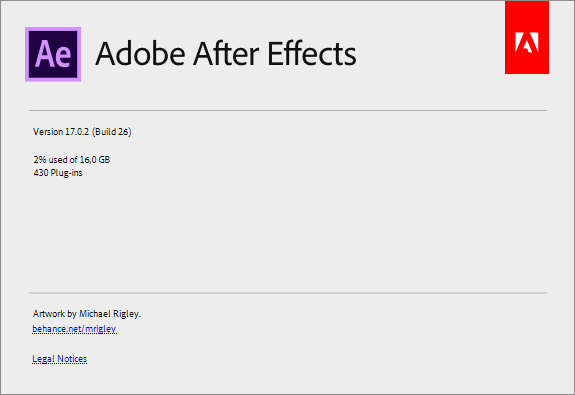
Adobe After Effects 2020 v17.0.2.26 x64 Multilanguage

418f8d2284dd36a5408676b6b73912c9.png


Adobe After Effects 2020 v17.0.2.26 x64 Multilanguage

File Size: 2.25 GiB
Languages: Multilanguage
OS: Windows x64

​

Description:
Make a big scene bigger. Create cinematic movie titles, intros, and transitions. Remove an object from a clip. Start a fire or make it rain. Animate a logo or character. With After Effects, the industry-standard motion graphics and visual effects software, you can take any idea and make it move.

There's nothing you can't create with After Effects.
Animators, designers, and compositors use After Effects to create motion graphics and visual effects for film, TV, video, and the web.

Roll credits. Spin words. Twirl titles.
Create animated titles, credits, and lower thirds. Start from scratch or with one of the animation presets available right inside the app. From spin to swipe to slide - there are countless ways to make your text move with After Effects.

Explosive effects. Mind-blowing results.
Combine videos and images to send a UFO across the sky or create an explosion - the possibilities are endless. Remove objects like booms, wires, or even people. Apply hundreds of effects to do anything from adding fog to making it snow. And create VR videos to drop your audience right into the center of the action.

Get animated.
Set anything in motion-from logos to shapes to cartoons-with keyframes or expressions. Or use presets to kick-off your designs and get unique results.

Plays well with others.
After Effects works seamlessly with other Adobe apps. Create comps and immediately see how they look in Premiere Pro with Adobe Dynamic Link. Import work from Photoshop, Illustrator, Character Animator, Adobe XD, and Animate. Use Team Projects to collaborate with editors no matter where they're located. And After Effects is integrated with 300+ software and hardware partners.

Remove objects from video clips fast and easy
Want an object or person gone from your footage? With Content-Aware Fill, remove unwanted items quickly - no need to mask or cut out frame by frame.

Supercharge your animation flow
A JavaScript expression engine delivers up to a 6x boost in performance. And a new Expressions Editor makes writing easier and faster, including automatically identifying errors in your code.

Get depth passes from native 3D elements
Apply depth effects such as Depth of Field, Fog 3D, and Depth Matte so elements look natural - or use depth data to simulate 3D looks.

System Requirements:
- Processor: Multicore Intel processor with 64-bit support
- Operating system: Microsoft Windows 10 (64 bit) versions 1703 (Creators Update) and later
- RAM: 8 GB minimum (16 GB recommended)
- 4 GB of GPU VRAM
-Hard disk space
- 5GB of available hard-disk space; additional free space required during installation (cannot install on removable flash storage devices)
- Additional disk space for disk cache (10GB recommended)
- Monitor resolution 1280x1080 or greater display resolution

WHATS NEW:

Bugs fixed in the January 2020 release (version 17.0.2)
-A project saved in After Effects 17.0.1 containing Rotoscope data would not open and would show an error related to Missing Data.
-On macOS, an issue can occur when the comp window is on a different physical display than the timeline window and the first click on the comp window would not allow selection of items in the comp.
-After Effects crashes when using puppet and clicking on an intersecting outline in certain situations.
-Added support for 11.988 fps as a standard import/export rate. Previously, clips imported or exported at this FPS rate may have a duplicated first frame.
-Updated OpenEXR suite of plug-ins to fix a number of issues identified after 17.0 release:
-IDentifier: Improper keyframed effect properties are allowed.
-EXtractoR: Error and crash previewing with keyframed effect properties, Microsoft Visual C++ Runtime Library Assertion failed, Expression: FALSE
-Cryptomatte: Error and crash previewing with keyframed effect properties, Microsoft Visual C++ Runtime Library Assertion failed, Expression: FALSE
-Cryptomatte: incorrect rendering and target selection when layer bounds are outside comp.
-Fixed the error message - "No valid color space in VideoFrameHeader" when Character Animator dynamic-link scene is rendered in AE with conversion to Rec. 709 set to True.
-Improved use of the GPU during preview display.
-Various improvements to preview panning and zooming while playing back a comp.
-Fixed an issue where wrong line numbers would be displayed related to errors in JavaScript expressions.
-Content Aware fill now supports Unicode characters in Fill folder path.

Known Issues:
-Issue: Motion graphic templates do not render correctly in Premiere Pro 14.0 when After Effects 17.0.2 is installed.
-Workaround: Upgrade Premiere Pro to 14.0.1. Premiere Pro 14.0.1 requires After Effects 17.0.2 (and vice versa) for motion graphic template rendering.
-Issue: Closing Lumetri Scopes panel while playing back a preview may cause After Effects to crash.
-Workaround: Close the Scopes panel after stopping the preview.
-Issue: On macOS, changing the comp window using the tilde (~) may cause an aliased image to appear until you move your mouse over the comp.
-Issue: Cinema 4D Lite may be removed or overwritten if the Cinema 4D Lite R21 trial or full installer is used.
-Workaround: Please reinstall After Effects if this occurs.
-Issue: The filename displayed when using the Save/Open dialog may become illegible on Mac Touch bar laptops if the Escape key is pressed.
-Workaround: Continue to enter the name to restore the filename being entered.

d236c6953c42d803e39c4b1dca3c61ff.png


У Вас недостаточно прав для просмотра ссылок. Войдите или зарегистрируйтесь.


DownLoad

NitroFlare
Код:
https://nitroflare.com/view/6892ECB48FE05DA/Adobe.After.Effects.2020.v17.0.2.26.x64.Multilanguage.part1.rar
https://nitroflare.com/view/DBFC22BA42FAB5C/Adobe.After.Effects.2020.v17.0.2.26.x64.Multilanguage.part2.rar
https://nitroflare.com/view/49BB28E1B61FC27/Adobe.After.Effects.2020.v17.0.2.26.x64.Multilanguage.part3.rar

RapidGator
Код:
https://rapidgator.net/file/ee628e0d9f6c91c3060e28e04803743d/Adobe.After.Effects.2020.v17.0.2.26.x64.Multilanguage.part1.rar.html
https://rapidgator.net/file/1511d7c0c42af83fbf547d259fc30d11/Adobe.After.Effects.2020.v17.0.2.26.x64.Multilanguage.part2.rar.html
https://rapidgator.net/file/5deee9e96d4a68f16a5bfe0f2e64eb99/Adobe.After.Effects.2020.v17.0.2.26.x64.Multilanguage.part3.rar.html

UploadGiG
Код:
https://uploadgig.com/file/download/7ad32038443fb5a1/Adobe.After.Effects.2020.v17.0.2.26.x64.Multilanguage.part1.rar
https://uploadgig.com/file/download/f247781Dce945ab8/Adobe.After.Effects.2020.v17.0.2.26.x64.Multilanguage.part2.rar
https://uploadgig.com/file/download/ad8836f69955649A/Adobe.After.Effects.2020.v17.0.2.26.x64.Multilanguage.part3.rar
 
Adobe Media Encoder 2020 v14.0.1.70 Multilanguage

d1f21d7b3e659dc1b718fac072b90f6b.jpg


Adobe Media Encoder 2020 v14.0.1.70 Multilanguage

File Size: 1.06 GiB
Languages: Multilanguage
OS: Windows x64

​

Description:
Ingest, transcode, create proxies, and output any format you can imagine. This powerful media management tool allows you to work with media in a unified way across applications. Tight integration with Adobe Premiere Pro CC, After Effects CC, and other applications provides a seamless workflow.

Key Features:
- Support for 8K H.264 export
- Export XAVC QFHD Long GOP 4:2:2 formats
- Hardware-accelerated HEVC encoding on Windows 10 with 7th Generation (or later) Intel® Core™ processors and Intel Graphics enabled
- Improved RED camera format decoding
- Improved Sony RAW/X-OCN camera format decoding
- Hardware-accelerated H.264 encoding on Windows 10 with 6th Generation (or later) Intel® Core™ processors and Intel Graphics enabled
- Hardware-accelerated H.264 and HEVC encoding on Mac OS 10.13 systems with supported hardware
- Support for importing Canon C200 camera formats
- Support for importing Sony Venice camera formats
- RED camera Image Processing Pipeline [IPP2] support
- Destination Publishing support for new Twitter 280-character limit
- Channel selection when publishing to YouTube and Vimeo
- Playlist selection when publishing to YouTube
- Page selection when publishing to Facebook
- Add custom titles when publishing to YouTube, Facebook, or Vimeo
- Add custom video thumbnails when publishing to YouTube
- Notification for missing items in queue before encoding
- H.264 adaptive bitrate presets automatically choose best output bitrate based on source frame size and frame rate
- Animated GIF export on macOS and Windows
- Time Tuner effect improvements
- Newly optimized list of H.264 presets
- Format support for RF64 WAV Decode/Encode, decode for Sony X-OCN, and QuickTime DNx Smart Rendering
- Warning when importing non-native QuickTime sources
- Timecode modification for 720p 59.94 media
- Destination Publishing to Adobe Stock Contributor
- Adobe Team Projects support
- Support for Color Profiles from After Effects sources
- Automatically relinked assets when importing a sequence
- Option to maintain playback in Premiere Pro while rendering in Media Encoder
- Streamlined bit depth and alpha channel settings (QuickTime only)
- Export support for ambisonic audio (H.264 only)
- Support for Hybrid LOG Gamma (HLG)
- Support for HDR in HEVC (H.265) export Export support for Panasonic AVC-Long GOP Op1b

System Requirements:
- Processor: Intel 6thGen or newer CPU
- Operating system: Microsoft Windows 10 (64-bit), version 1703 or later (required)
- RAM: 16 GB of RAM
- Hard disk space: 4GB of available hard-disk space; additional free space required during installation (cannot install on removable flash storage devices)
- Monitor resolution: 1920 x 1080 or greater display resolution
- GPU: Adobe-recommended GPU card for GPU-accelerated performance (see Premiere Pro System Requirements)
- Ethernet: 10 Gigabit ethernet for 4K shared network workflows (1Gb for HD-only)

Whats New:
-Adobe Media Encoder crashes when a sequence is exported with ProRes media and an embedded LUT from ARRI cameras.

a7617f2d919a0e23cf3a8b06cc6aa05d.png


У Вас недостаточно прав для просмотра ссылок. Войдите или зарегистрируйтесь.


DownLoad

NitroFlare
Код:
https://nitroflare.com/view/28A8C2C1C750F04/Adobe.Media.Encoder.2020.v14.0.1.70.Multilanguage.part1.rar
https://nitroflare.com/view/AEC064C9D9993D6/Adobe.Media.Encoder.2020.v14.0.1.70.Multilanguage.part2.rar

RapidGator
Код:
https://rapidgator.net/file/194ee8d8a093d8d78e914b8633df2080/Adobe.Media.Encoder.2020.v14.0.1.70.Multilanguage.part1.rar.html
https://rapidgator.net/file/d23e687a6b869ae5ea485968aa721f75/Adobe.Media.Encoder.2020.v14.0.1.70.Multilanguage.part2.rar.html

UploadGiG
Код:
https://uploadgig.com/file/download/58E650898deEfE52/Adobe.Media.Encoder.2020.v14.0.1.70.Multilanguage.part1.rar
https://uploadgig.com/file/download/20321c5c220ebA78/Adobe.Media.Encoder.2020.v14.0.1.70.Multilanguage.part2.rar
 
Adobe Premiere Pro 2020 v14.0.1.71 x64 Multilanguage

8c69459b31f8fafc5814e11337d25b85.png


Adobe Premiere Pro 2020 v14.0.1.71 x64 Multilanguage

File Size: 1.77 GiB
Languages: Multilanguage
OS: Windows x64

​

Description:
Video editing that's always a cut above. Premiere Pro is the leading video editing software for film, TV, and the web. Creative tools, integration with other Adobe apps and services, and the power of Adobe Sensei help you craft footage into polished films and videos in one seamless workflow. And Premiere Rush, our new app, is included with your subscription so you can capture footage and start editing on all your devices, anywhere.

Smart tools. Better storytelling.
Premiere Pro is used by Hollywood filmmakers, TV editors, YouTubers, videographers - anyone with a story to tell, including you.

Stay in your creative flow.
Premiere Pro is the industry leader for editing everything from fast-turn TV series to feature films. Integrated, efficient workflows let you polish your work without leaving your timeline. And automated tools powered by Adobe Sensei speed up time-consuming tasks, so you can focus on your story.

Any camera. Any format. Any platform.
Edit footage in any modern format, from 8K to virtual reality. Broad native file support and simple proxy workflows make it easy to work with your media, even on mobile workstations. Delivering content that's optimized for any screen or platform is faster than ever.

Everything you need. Right where you need it.
Along with tools for color, audio, and graphics, Premiere Pro works seamlessly with other apps and services, including After Effects, Adobe Audition, and Adobe Stock. Open a Motion Graphics template from After Effects or download one from Adobe Stock and customize it - all without leaving the app. And Premiere Pro integrates with hundreds of partner technologies.

Precise and simple color grading
Take the guesswork out of curve adjustments with innovative Lumetri Color tools. Each curve has two axes with paired values, making selective color grading easy and accurate.

Improve audio instantly
New sliders in the Essential Sound panel let you dial down or remove background noise and reverb for incredible results.

Infographics with Motion Graphics templates
Drag and drop spreadsheets into new infographics Motion Graphics templates to quickly generate visualizations of your data. Any updates to your spreadsheets are automatically updated in your infographic.

System Requirements:
- Processor: Intel® Intel 6thGen or newer CPU
- Operating system: Microsoft Windows 10 (64-bit) version 1703 or later (required)
- RAM: 16 GB of RAM (32 GB recommended)
- 4 GB of GPU VRAM
- Hard disk space
- Fast internal SSD (recommended) for app installation and cache - plus provisional space for media
- Monitor resolution 1920 x 1080 or greater display resolution
- Video card 32-bit video card

WHATS NEW:

Fixed issues in Premiere Pro version 14.0.1
-Opening an empty project on a different platform does not bring up the scratch disk dialog box.
-Trim mode is unexpectedly enabled when selecting Edit to Playhead and beginning/end of clip is selected.
-Crash may occur in FreeForm view if you repeatedly click on a clip.
-Markers can get redundant information when the same clip is imported repeatedly.
-Changes to RED source settings have no effect on timeline instances when clips were previously imported using Media Browser.
-Output to 2nd monitor does not work when disable video output when in background is not checked (macOS only).
-Adding Color Marker shortcut does not work in the Source Monitor for Multicams or Sequences.
-Waveforms inside multicam clips randomly disappear and cutting to different cameras can cause incorrect waveforms to be drawn.

b14684f094c87996b0a0ea914ee06fda.png


У Вас недостаточно прав для просмотра ссылок. Войдите или зарегистрируйтесь.


DownLoad

NitroFlare
Код:
https://nitroflare.com/view/371C18F8EF60D8F/Adobe.Premiere.Pro.2020.v14.0.1.71.x64.Multilanguage.part1.rar
https://nitroflare.com/view/DD8B8570618E2E3/Adobe.Premiere.Pro.2020.v14.0.1.71.x64.Multilanguage.part2.rar

RapidGator
Код:
https://rapidgator.net/file/bee78ee728d8e164a77417b5db1e6d2e/Adobe.Premiere.Pro.2020.v14.0.1.71.x64.Multilanguage.part1.rar.html
https://rapidgator.net/file/72714489086392232faddf2eb3e52a0e/Adobe.Premiere.Pro.2020.v14.0.1.71.x64.Multilanguage.part2.rar.html

UploadGiG
Код:
https://uploadgig.com/file/download/bB8d752daE9c830B/Adobe.Premiere.Pro.2020.v14.0.1.71.x64.Multilanguage.part1.rar
https://uploadgig.com/file/download/282d4b4c43172Eb3/Adobe.Premiere.Pro.2020.v14.0.1.71.x64.Multilanguage.part2.rar
 
Adobe After Effects 2020 v17.0.2 macOS

1184f1bbff1f20163cd5897ce3ce4d53.png


Adobe After Effects 2020 v17.0.2 macOS

File Size: 2.27 GiB
Languages: Multilingual

​

The new, more connected After Effects 2020 can make the impossible possible. Get powerful new features like a Live 3D Pipeline that brings CINEMA 4D scenes in as layers - without intermediate rendering. Share work directly from within the application and get access to new features the moment they're released. Your entire creative world, together in one place.

After Effects 2020 is part of Creative Cloud. That means you have access to all the latest updates and future releases the moment they're available. Sharpen your skills and master new tools with a rich library of training videos. And Creative Cloud is integrated with Behance, so you can share your projects and get immediate feedback from creatives around the world.

Supported Operation Systems:
macOS 10.13 or later 64 bit

У Вас недостаточно прав для просмотра ссылок. Войдите или зарегистрируйтесь.


DownLoad

Single Link
Код:
https://nitroflare.com/view/DCE4A4052115E96/Adobe.After.Effects.2020.v17.0.2.macOS.dmg

Код:
https://rapidgator.net/file/d7b111201972dbd0aa45cc0a61072cc8/Adobe.After.Effects.2020.v17.0.2.macOS.dmg.html

Код:
https://uploadgig.com/file/download/84247eec234aefCa/Adobe.After.Effects.2020.v17.0.2.macOS.dmg

NitroFlare
Код:
https://nitroflare.com/view/30FD2ED70FF767B/Adobe.After.Effects.2020.v17.0.2.macOS.part1.rar
https://nitroflare.com/view/592DAB739BE437B/Adobe.After.Effects.2020.v17.0.2.macOS.part2.rar
https://nitroflare.com/view/6A2B25384251329/Adobe.After.Effects.2020.v17.0.2.macOS.part3.rar

RapidGator
Код:
https://rapidgator.net/file/de854c64bea6681b9e2baaeb3dbbc2b1/Adobe.After.Effects.2020.v17.0.2.macOS.part1.rar.html
https://rapidgator.net/file/d84b4d59e34f31903d82eee597c89143/Adobe.After.Effects.2020.v17.0.2.macOS.part2.rar.html
https://rapidgator.net/file/e919ab56798afb951299af416051a65d/Adobe.After.Effects.2020.v17.0.2.macOS.part3.rar.html

UploadGiG
Код:
https://uploadgig.com/file/download/08b08ade47A15bBb/Adobe.After.Effects.2020.v17.0.2.macOS.part1.rar
https://uploadgig.com/file/download/02446eBc6f9D8fbf/Adobe.After.Effects.2020.v17.0.2.macOS.part2.rar
https://uploadgig.com/file/download/B16ef87D3b123c4a/Adobe.After.Effects.2020.v17.0.2.macOS.part3.rar
 
Adobe Media Encoder 2020 v14.0.1 macOS

110bf7999b2425fe09c32b6377e71fc1.png


Adobe Media Encoder 2020 v14.0.1 macOS

File Size: 1.27 GiB
Languages: Multilingual

​

Adobe Media Encoder 2020 software automates the process of creating multiple encoded versions of source files, Adobe Premiere Pro sequences, and Adobe After Effects compositions. An intuitive interface, background encoding, and convenient presets help you quickly output to virtually any screen.

Features
- Preset Browser - Access commonly used settings immediately using the Preset Browser. Organize presets by category, set favorites, and customize your most frequently used encoding presets.
- Fast, sure output to virtually any screen - Quickly and easily output your work for virtually any video or device format. Customize, set, and organize your favorite presets in the Preset Browser for fast export and batch encoding in the background.
- Performance and stability - Use Watch Folders to quickly encode video from a single source to multiple output formats.
- ARRIRAW, RED EPIC, and RED Scarlet-X support - Import your ARRIRAW, 5K RED EPIC®, and RED Scarlet-X footage directly into Adobe Media Encoder CS6 for transcoding to HD and SD formats.

Supported Operation Systems:
OS X 10.13 or later 64-bit

У Вас недостаточно прав для просмотра ссылок. Войдите или зарегистрируйтесь.


DownLoad

Single Link
Код:
https://nitroflare.com/view/2147F671709982F/Adobe.Media.Encoder.2020.v14.0.1.macOS.dmg

Код:
https://rapidgator.net/file/e99e1ba862782eac01da717a4ce990d0/Adobe.Media.Encoder.2020.v14.0.1.macOS.dmg.html

Код:
https://uploadgig.com/file/download/32C137be61d0B22e/Adobe.Media.Encoder.2020.v14.0.1.macOS.dmg

NitroFlare
Код:
https://nitroflare.com/view/D789AD5BF573FBD/Adobe.Media.Encoder.2020.v14.0.1.macOS.part1.rar
https://nitroflare.com/view/C330581C0AED2BB/Adobe.Media.Encoder.2020.v14.0.1.macOS.part2.rar

RapidGator
Код:
https://rapidgator.net/file/d3ab4bd3738cc03e4f4a03f33a585bed/Adobe.Media.Encoder.2020.v14.0.1.macOS.part1.rar.html
https://rapidgator.net/file/018cc1eee7d698878ae1af147d85ba70/Adobe.Media.Encoder.2020.v14.0.1.macOS.part2.rar.html

UploadGiG
Код:
https://uploadgig.com/file/download/0f6fd0880feFc8aA/Adobe.Media.Encoder.2020.v14.0.1.macOS.part1.rar
https://uploadgig.com/file/download/5Be826137fC15e1f/Adobe.Media.Encoder.2020.v14.0.1.macOS.part2.rar
 
Adobe Premiere Pro 2020 v14.0.1 macOS

482c9000de3ac03deb981d5790d9e9bc.png


Adobe Premiere Pro 2020 v14.0.1 macOS

File Size: 1.94 GiB
Languages: Multilingual

​

Adobe Premiere Pro 2020 is a professional program for non-linear video editing. The application provides high-quality editing of video resolution 4K and higher, with 32-bit color, both in RGB and YUV color space. Editing audio samples, support for VST audio plug-ins (plug-in) and audio tracks 5.1 surround.

The Premiere Pro plug-in architecture allows you to import and export QuickTime or DirectShow container materials, and also supports a huge number of video and audio formats from MacOS

The main advantages of Adobe Premiere CC 2019:
- Working with multiple projects simultaneously
- General projects with the lock function
- Adaptive design - Time
- Adaptive design - Position
- Animated graphics templates available in Adobe Stock
- Realistic editing of VR
- Realistic sound processing for 360 / VR immersive
- Transitions immersive
- Subtitles and graphics for video with immersive
- Rotation VR sphere
- Improved process of "Basic Graphic Elements"
- Support for new formats
- Regional subtitle standards
- Support Updates "group projects as Adobe"
- Improved conditions beginning work for beginners
- Optimized support for built-in camera in the shooting settings Lumetri working with templates After Effects motion graphics without installing the After Effects application
- And much more .

RELEASE NOTES
Release notes were unavailable when this listing was updated.

Supported Operation Systems:
macOS 10.13 or later 64-bit

У Вас недостаточно прав для просмотра ссылок. Войдите или зарегистрируйтесь.


DownLoad

Single Link
Код:
https://nitroflare.com/view/D29E2B2FB99454C/Adobe.Premiere.Pro.2020.v14.0.1.macOS.dmg

Код:
https://rapidgator.net/file/824ee8ebe98c30671991a81078bb0010/Adobe.Premiere.Pro.2020.v14.0.1.macOS.dmg.html

Код:
https://uploadgig.com/file/download/9d8F26df4f1901c6/Adobe.Premiere.Pro.2020.v14.0.1.macOS.dmg

NitroFlare
Код:
https://nitroflare.com/view/D9D1C7CB1EA80BC/Adobe.Premiere.Pro.2020.v14.0.1.macOS.part1.rar
https://nitroflare.com/view/9A430114D4F22F1/Adobe.Premiere.Pro.2020.v14.0.1.macOS.part2.rar

RapidGator
Код:
https://rapidgator.net/file/2fdd95ee067037df71004200c175a107/Adobe.Premiere.Pro.2020.v14.0.1.macOS.part1.rar.html
https://rapidgator.net/file/b43776daeadd10d08f28d5cb9a821dfa/Adobe.Premiere.Pro.2020.v14.0.1.macOS.part2.rar.html

UploadGiG
Код:
https://uploadgig.com/file/download/b3D6b1bc3F014bE2/Adobe.Premiere.Pro.2020.v14.0.1.macOS.part1.rar
https://uploadgig.com/file/download/37672602152Bd13b/Adobe.Premiere.Pro.2020.v14.0.1.macOS.part2.rar
 
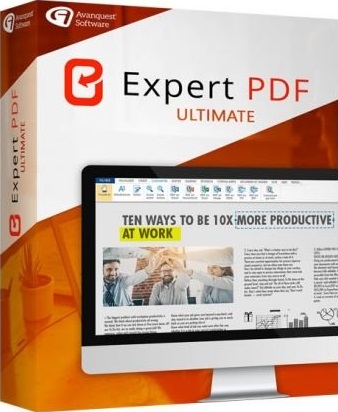
Avanquest eXpert PDF Ultimate 14.0.28.3456 Multilingual

6336e1d8ce54e866e8b204bbd5232e4c.jpg


Avanquest eXpert PDF Ultimate 14.0.28.3456 Multilingual

File Size: 241, 254 MiB
Languages: Multilingual

​

The professional tool to create, convert and edit your PDF Files. Expert PDF 14 Ultimate is the complete PDF solution that offers everything you need to create, convert, edit and securely share your PDF files with others!

The professional tool to create, convert and edit your PDF Files
- Create any file into PDF format - Word, Excel, Powerpoint etc - in one click
- Convert PDF files into Word
- Exchange and share your documents safely by protecting your PDFs
- Enjoy collaborative tools and efficient PDF annotation
- BONUS! OCR Tool - edit text in just one-click in your PDF files.
- NEW! Addition of the PDF/A save format
- NEW! Bates indexing :Indexing method for identify documents

Convert documents in a universal format
- PDF is a universal file format - no need to worry whether your recipient has the correct software
- No more worries about software compatibility when opening files

Restore your document to it's original file format
- PDF is a standard format that preserves the layout of your documents, ensuring that no matter what computer or platform is used by the receipient they always see the document in it's correct form.

Save time in your conversion tasks!
- Batch conversion allows you to convert a large number of documents into separate PDF files, or merge them into a single PDF file.

Simplify email exchanges!
- PDF format reduces the size of your original documents to simplify email exchanges.

Create limitless PDF files from any format
- Convert documents in multiple formats, add, remove pages, get one-click content of your PDF, edit them without limit!

Exchange and share your documents safely
- Send your invoices, legal and administrative documents in a secure format protected by a password, a digital signature or preset print permissions, etc.

Enjoy collaborative tools and efficient revisions
- Insert notes, comments or stamps on a PDF without changing the content. Very convenient when several people are working on the same document.

OCR Tool (Optical Character Recognition)
To be able to search text in scanned documents: edit and search any PDF document.

PDF Viewer
- Open and view all PDF files, digital books in 3D, .ePub or BD formats (.cbr / .cbz).
- View and work on two documents on the same screen with our exclusive side by side view

PDF files Conversion
- Convert your documents with accuracy and no loss of information: the elements and layout are fully recovered and thus become fully editable.
- PDF conversion module directly accessible from the Windows desktop for faster use.
- Only one click needed to convert any PDF documents into searchable and editable in the following formats:

- PDF to Word, TXT and RTF
- PDF to image (PNG, JPEG, GIF, BMP, TIFF)
- PDF to Excel
- PDF to PowerPoint
- PDF to HTML
- PDF to LibreOffice suite (Clac, Writer, Impress...)

PDF Creation
- Create PDF from any PC application providing a print menu (Word, Excel, PowerPoint, Internet Explorer ...)

PDF files Edition
- Text editing: cut, copy, paste, move text, delete and adjust text properties (size, font, colour, character spacing).
- Picture editing: delete, add and edit images (resizing, rotation, compression).
- Manage bookmarks to navigate easily within PDF documents.
- Edit multiple PDF documents thanks to tabs
- Drawing Tools: inserting lines, rectangles, ovals, Bezier curves.
- Insert hyperlinks and URLs in your PDF documents.
- Stamps library: add predefined stamps and customise them with transition effects, rotation...
- Watermarks publisher: add, remove and edit custom watermarks.
- Document layout: moving, deleting, extraction, insertion, crop, rotate and copy pages. The final PDF can be arranged with no limit.
- Attachments: attach any type of file to PDF (eg video).
- Bates Numbering: widely used in some professional fields (legal, accounting ...), this dial is used to annotate all the PDFs to make every document easy to find.
- Optimisation tools for compression of PDF.
- Direct access to the most used PDF files thanks to a bookmarks list.
- Add headers and foot-pages, watermarks and other texts for all pages of a document.

Creating Interactive Forms
- Automatic conversion of a PDF file into a customised PDF form that can be completed directly on the screen with a simple PDF editor.
- Creation/edition of new fully customized PDF forms with text boxes, radio buttons, check boxes, drop-down lists and action buttons (Submit, Send by Email, Print, etc.).
- Text and objects editing in the form: font, colour, line thickness, display options...
- Script insertion
- Javascript support for the most common uses.
- Associate Actions to objects in a form: automatic entry, opening of web pages
- Export and Import Forms data to PDF file and PDF data to Form fields

PDF Review Tool
- Mark your documents by using the highlight, underline, and strikethrough features
- Add shapes such as arrows and stars
- Use the pencil tool to scribble on the document
- Use the whiteout tool to erase elements in your document
- Compare documents and highlight differences in content

OCR Module (Optical Character Recognition)
- Transform scanned documents and images into editable PDFs
- Recognise text automatically and within images
- Convert documents without re-typing
- Batch recognise the text within multiple documents
- Search text in scanned documents in 8 different languages

RELEASE NOTES:

New in Version 14:
- NEW! Addition of the PDF/A save format to permit the archiving and retention of PDF contents over a very long period.
- NEW! Bates indexing: Indexing method that makes it easier to search for and identify documents. It makes it possible to increment the index automatically (Bates number, page number or number of pages).
- IMPROVED! Major update to forms, now including a spelling check, new layout symbols and the calculation of values in text boxes.
- IMPROVED! Possibility of rotating all the shapes available in Expert PDF.
- NEW! Addition of "Cloud" shape to measure distances and highlight certain sections.
- IMPROVED! The Bookmarks panel is now much more functional.
- It is possible to add a bookmark without having to use the "Add Actions" option.

System Requirements:
- Processor : Pentium III or equivalent
- RAM : 512 MB (1 GB for Vista, 7 & 8)
- Disk Space: 100 MB or more
- Microsoft Office is required for plug-in use & conversion to Word, Excel and Powerpoint

У Вас недостаточно прав для просмотра ссылок. Войдите или зарегистрируйтесь.


DownLoad

NitroFlare
Код:
https://nitroflare.com/view/3044B32525C011E/Avanquest.eXpert.PDF.Ultimate.14.0.28.3456.x64.rar
https://nitroflare.com/view/A018C6F6D0111F4/Avanquest.eXpert.PDF.Ultimate.14.0.28.3456.x86.rar

RapidGator
Код:
https://rapidgator.net/file/5aa2773eeb408c714dcb6c539080eee3/Avanquest.eXpert.PDF.Ultimate.14.0.28.3456.x64.rar.html
https://rapidgator.net/file/460a3258ca2a36a5e4ed517fb97e3595/Avanquest.eXpert.PDF.Ultimate.14.0.28.3456.x86.rar.html

UploadGiG
Код:
https://uploadgig.com/file/download/67D1d51ccE88da90/Avanquest.eXpert.PDF.Ultimate.14.0.28.3456.x64.rar
https://uploadgig.com/file/download/e8fA7489F2eD5114/Avanquest.eXpert.PDF.Ultimate.14.0.28.3456.x86.rar
 
Назад
Сверху