• Здравствуйте. Сайт заработал в архивном режиме форум www.old.nado.in

EkThaTiger's Softwares

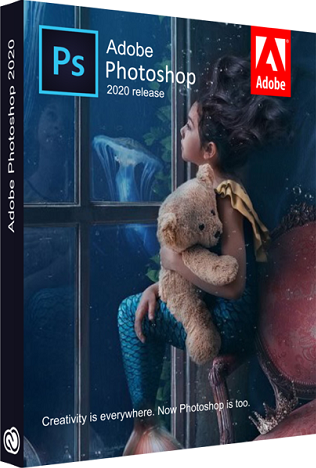
Adobe Photoshop 2020 v21.0.2.57 x64 Multilingual
5b22ebba4920a123a88d5b16a1fa858b.png


Adobe Photoshop 2020 v21.0.2.57 x64 Multilingual

File Size: 1.90 GiB
Languages: Multilanguage
OS: Windows x64

​

Reimagine reality with Photoshop. Millions of designers, photographers, and artists around the world use Photoshop to make the impossible possible. From posters to packaging, basic banners to beautiful websites, unforgettable logos to eye-catching icons, Photoshop keeps the creative world moving. With intuitive tools and easy-to-use templates, even beginners can make something amazing.

The creative world runs on Photoshop.
Millions of designers, photographers, and artists around the world use Photoshop to make the impossible possible.

Designed for anyone to design anything.
From posters to packaging, basic banners to beautiful websites, unforgettable logos to eye-catching icons, Photoshop keeps the creative world moving. With intuitive tools and easy-to-use templates, even beginners can make something amazing.

Not just photo taking. Breathtaking.
Whether you're looking for everyday edits or total transformations, our graphic design software offers a complete set of professional photography tools to turn your snapshots into works of art. Adjust, crop, remove objects, retouch, and repair old photos. Play with color, effects, and more to turn the ordinary into something extraordinary.

Power to the paintbrush.
Draw and paint whatever you dream up with tools designed especially for illustrators. Paint in perfectly symmetrical patterns. Get polished looks with stroke smoothing. And create with pencils, pens, markers, and brushes that feel real - including more than 1,000 from celebrated illustrator Kyle T. Webster.

Symmetry mode
Paint in perfect symmetry with a new mode that lets you define your axes and choose from preset patterns like circular, radial, spiral, and mandala.

New Content-Aware Fill experience
A dedicated workspace lets you select the exact pixels to use for fills, and Adobe Sensei makes it easy to rotate, scale, and mirror them.

Frame tool
Create shape or text frames to use as placeholders on your canvas. Drag and drop images to fill the frames and they'll scale to fit.

What's New

Minimum Requirements:
- Processor: Intel® Core 2 or AMD Athlon® 64 processor; 2 GHz or faster processor
- Operating system: Microsoft Windows 10 (64 bit) versions 1703 (Creators Update) and later
- RAM 2 GB or more of RAM (8 GB recommended)
- Hard disk space: 3.1 GB or more of available hard-disk space for 64-bit installation; additional free space required during installation (cannot install on a volume that uses a case-sensitive file system)
- Monitor resolution: 1024 x 768 display (1280x800 recommended) with 16-bit color and 512 MB or more of dedicated VRAM; 2 GB is recommended**
- Graphics processor acceleration requirements OpenGL 2.0-capable system

Photoshop is available in the following languages:
Dansk, Deutsch, English, Español, Français, Français*, Hebrew*, Hungarian, Italiano, Nederlands, Norwegian, Polish, Português (Brasil), Suomi, Svenska, Turkish, Ukrainian, čeština, Русский , 日本語, 简体中文, 繁體中文, 한국어

У Вас недостаточно прав для просмотра ссылок. Войдите или зарегистрируйтесь.


DownLoad

NitroFlare
Код:
https://nitroflare.com/view/70C7026D1EC2A0E/Adobe.Photoshop.2020.v21.0.2.57.x64.Multilingual.part1.rar
https://nitroflare.com/view/91AF5DE4AA3FD9C/Adobe.Photoshop.2020.v21.0.2.57.x64.Multilingual.part2.rar

RapidGator
Код:
https://rapidgator.net/file/4722fcff4bb48c80a83270d74157a12a/Adobe.Photoshop.2020.v21.0.2.57.x64.Multilingual.part1.rar.html
https://rapidgator.net/file/3213ec830b141d26689aecc425ef25d0/Adobe.Photoshop.2020.v21.0.2.57.x64.Multilingual.part2.rar.html
 
Adobe After Effects 2020 v17.0.1.52 x64 Multilingual

e7d9df396b2b3228d0b075236708ab86.jpg


Adobe After Effects 2020 v17.0.1.52 x64 Multilingual

File Size: 2.08 GiB
Languages: Multilingual
OS: Windows x64

​

Make a big scene bigger. Create cinematic movie titles, intros, and transitions. Remove an object from a clip. Start a fire or make it rain. Animate a logo or character. With After Effects, the industry-standard motion graphics and visual effects software, you can take any idea and make it move.

There's nothing you can't create with After Effects.
Animators, designers, and compositors use After Effects to create motion graphics and visual effects for film, TV, video, and the web.

Roll credits. Spin words. Twirl titles.
Create animated titles, credits, and lower thirds. Start from scratch or with one of the animation presets available right inside the app. From spin to swipe to slide - there are countless ways to make your text move with After Effects.

Explosive effects. Mind-blowing results.
Combine videos and images to send a UFO across the sky or create an explosion - the possibilities are endless. Remove objects like booms, wires, or even people. Apply hundreds of effects to do anything from adding fog to making it snow. And create VR videos to drop your audience right into the center of the action.

Get animated.
Set anything in motion-from logos to shapes to cartoons-with keyframes or expressions. Or use presets to kick-off your designs and get unique results.

Plays well with others.
After Effects works seamlessly with other Adobe apps. Create comps and immediately see how they look in Premiere Pro with Adobe Dynamic Link. Import work from Photoshop, Illustrator, Character Animator, Adobe XD, and Animate. Use Team Projects to collaborate with editors no matter where they're located. And After Effects is integrated with 300+ software and hardware partners.

Remove objects from video clips fast and easy
Want an object or person gone from your footage? With Content-Aware Fill, remove unwanted items quickly - no need to mask or cut out frame by frame.

Supercharge your animation flow
A JavaScript expression engine delivers up to a 6x boost in performance. And a new Expressions Editor makes writing easier and faster, including automatically identifying errors in your code.

Get depth passes from native 3D elements
Apply depth effects such as Depth of Field, Fog 3D, and Depth Matte so elements look natural - or use depth data to simulate 3D looks.

What's New

System Requirements:
- Processor: Multicore Intel processor with 64-bit support
- Operating system: Microsoft Windows 10 (64 bit) versions 1703 (Creators Update) and later
- RAM: 8 GB minimum (16 GB recommended)
- 4 GB of GPU VRAM
-Hard disk space
- 5GB of available hard-disk space; additional free space required during installation (cannot install on removable flash storage devices)
- Additional disk space for disk cache (10GB recommended)
- Monitor resolution 1280x1080 or greater display resolution

Adobe After Effects is available in the following languages:
- Deutsch, English, Español, Français, Italiano, Português (Brasil), Русский, 日本語, 한국

У Вас недостаточно прав для просмотра ссылок. Войдите или зарегистрируйтесь.


DownLoad

NitroFlare
Код:
https://nitroflare.com/view/65C61284A69121C/Adobe.After.Effects.2020.v17.0.1.52.x64.Multilingual.part1.rar
https://nitroflare.com/view/0470D4457F76E20/Adobe.After.Effects.2020.v17.0.1.52.x64.Multilingual.part2.rar
https://nitroflare.com/view/39D5A57D79DCE6A/Adobe.After.Effects.2020.v17.0.1.52.x64.Multilingual.part3.rar

RapidGator
Код:
https://rapidgator.net/file/191c77256545504061addc7e816f431f/Adobe.After.Effects.2020.v17.0.1.52.x64.Multilingual.part1.rar.html
https://rapidgator.net/file/27c95a31c2c7dfe710c6aad40dd06101/Adobe.After.Effects.2020.v17.0.1.52.x64.Multilingual.part2.rar.html
https://rapidgator.net/file/6132176570f29ae3c21c48ed0cf1a040/Adobe.After.Effects.2020.v17.0.1.52.x64.Multilingual.part3.rar.html

UploadGiG
Код:
https://uploadgig.com/file/download/024ff84051149a04/Adobe.After.Effects.2020.v17.0.1.52.x64.Multilingual.part1.rar
https://uploadgig.com/file/download/34e05b47826c1817/Adobe.After.Effects.2020.v17.0.1.52.x64.Multilingual.part2.rar
https://uploadgig.com/file/download/3966cdcd60397cCE/Adobe.After.Effects.2020.v17.0.1.52.x64.Multilingual.part3.rar
 
Adobe Dimension 2020 v3.1.0.1219 x64 Multilingual

8a3be435a73144939c271f4c97fcb255.png


Adobe Dimension 2020 v3.1.0.1219 x64 Multilingual

File Size: 1.83 GiB
Languages: Multilingual
OS: Windows x64

​

Dimension CC as Adobe - a set of tools for 2D--and 3D-design, to easily create high-quality photorealistic 3D-images, perform compositing 2D--and 3D-visualization resources in a realistic environment products. The basic idea of the product - to give developers the tools needed to integrate its 2D--and 3D-assets without the study of complex and specialized applications. In other words, the program allows you to quickly and simply "delicious" and other creative visualization combines the 2D- and 3D-graphics.

Using machine learning, this tool Adobe is able to automatically determine the best lighting and place the light source in the right place. Adobe Dimension CC automatically aligns objects relative to the horizon. The product is intuitive and similar to the Photoshop interface and Illustrator. Rendering in Adobe Dimension CC used V-Ray, the application displays will look like the final image, without spending time on the final rendering.

Benefits Dimension CC as Adobe:
-Effective supply design
-Create mockups
-New opportunities for creative graphics
-inscribing 3D-object in the real environment
-Familiar interface
-models from Adobe Stock
-Realistic rendering and preview in real time
-Capture material

System Requirements:
OS:Windows 10 Anniversary Update (64-bit) - version 1607 (build 10.0.14393) or later
CPU:
Minimun:Intel Core i5 (2011 or newer), Intel Xeon (2011 or newer), AMD A8 or A10, or AMD Ryzen
Recommended:Intel Core i7 with a frequency of 3.0GHz or higher
RAM:
Minimun:8 GB OF RAM or more
Recommended:16 GB of RAM or more
GPU:
Minimun:Geforce GTX 770, Intel Iris Pro Graphics 580 or 6200, or equivalent
Recommended:Geforce GTX-970 or equivalent
Video memory:1 GB of dedicated VRAM
OpenGL:OpenGL 3.2 capable system
Hard Disk Space:2.5 GB available more for additional content
Display:1080p with qualified hardware-accelerated OpenGL graphics card

У Вас недостаточно прав для просмотра ссылок. Войдите или зарегистрируйтесь.


DownLoad

NitroFlare
Код:
https://nitroflare.com/view/E893882ADAAA0CD/Adobe.Dimension.2020.v3.1.0.1219.x64.Multilingual.part1.rar
https://nitroflare.com/view/6F72CE4B3A48E17/Adobe.Dimension.2020.v3.1.0.1219.x64.Multilingual.part2.rar

RapidGator
Код:
https://rapidgator.net/file/773a5f7d5febf2a2807f85fa3ef6326d/Adobe.Dimension.2020.v3.1.0.1219.x64.Multilingual.part1.rar.html
https://rapidgator.net/file/38aa2d1a78cd6f38cfacca45592437b2/Adobe.Dimension.2020.v3.1.0.1219.x64.Multilingual.part2.rar.html
UploadGiG
Код:
https://uploadgig.com/file/download/fFfcfb7b8B2F1C6b/Adobe.Dimension.2020.v3.1.0.1219.x64.Multilingual.part1.rar
https://uploadgig.com/file/download/5d5a7C35717E6e06/Adobe.Dimension.2020.v3.1.0.1219.x64.Multilingual.part2.rar
 
CrossOver 19.0.0.32195 RC2 macOS

1999910e781b38f7f053305c3ce87a39.png


CrossOver 19.0.0.32195 RC2 macOS

File Size: 251 MiB
Languages: Multilingual

​

Run Microsoft Windows software on your Mac without buying a Windows license, rebooting or using a virtual machine. CrossOver Mac makes it easy to launch Windows apps natively from the dock, and integrates Mac operating system functionality like cross-platform copy & paste and shared file systems to your Windows programs.

RELEASE NOTES
Release notes were unavailable when this listing was updated.

Supported Operation Systems:
macOS 10.10 or later 64-bit

У Вас недостаточно прав для просмотра ссылок. Войдите или зарегистрируйтесь.


DownLoad

NitroFlare
Код:
https://nitroflare.com/view/2FDD4576B9D07BC/CrossOver.19.0.0.32195.RC2.macOS.dmg

RapidGator
Код:
https://rapidgator.net/file/5497336197241b173b690e23f4fef539/CrossOver.19.0.0.32195.RC2.macOS.dmg.html

UploadGiG
Код:
https://uploadgig.com/file/download/76fbb3933a38c56B/CrossOver.19.0.0.32195.RC2.macOS.dmg
 
MAGIX ACID Pro 9.0.3.32 Multilingual

48f4d16718bca3b1710ac9edc7a9c752.png


MAGIX ACID Pro 9.0.3.32 Multilingual

File Size: 475, 524 MiB
OS: Windows x86, x64

​

ACID Pro 9 is where creativity meets inspiration, a DAW designed for every producer to realize their music making ambitions. This is where ease of use goes hand-in-hand with professional results, where ACID loops unleash your creativity, and where hi-end instruments and effects add layers of sophistication. All-new features for the brand new ACID Pro 9 include the MIDI Playable Chopper - where you play ACID like an instrument, remixing, jamming and composing - plus plug-ins and a ton of new ACIDized loops and effects.

ACID is the creative DAW.
ACID Pro 9 offers power and creativity. Record high-quality multitrack audio into ACID's sleek, 64-bit environment, and then use its world-famous and innovative audio looping technology for super-fast composition. Add hi-end effects and mastering features to tweak your creations to perfection.

ACID is for your ideas.
Making music with ACID Pro is unlike using any other DAW. Its loop-based technology is extraordinary, seamless and aids your creative workflow. Add incredible remix options like Chopper, powerful mixing features and professional effects and it's the ultimate recording studio, but inside your computer.

ACID is for remixing.
Beatmapper and Chopper let you import any song and remix it with new loops and effects. Or take an audio file, re-order it, change its groove and remix it into completely new samples. Use the brand new MIDI Playable Chopper to turn your DAW into a performance-based MPC-style instrument!

What's New in ACID Pro 9:

NEW! Play ACID like an instrument
The all-new MIDI Playable Chopper lets you split a file into beats and samples and then play them, just like a classic MPC-style sampler. Or load up a bank of different sounds, play a complete tune in real time, and record everything as new audio events for instant remixing!

Powering your creativity
The all-new VST3 engine means that ACID Pro 9 runs many more third party plug-ins with ease. élastiquePro v3 is the new hi-end technology driving ACID's sublime time-stretching capabilities - stay in time whatever the bpm!

More instruments, sounds and effects
ACID Pro 9 ships with some exceptional new instruments - synth fans, especially, will love the new Analog Synths 2 and Vita Lead Synth plug-ins. There is also a huge collection of ACIDized loops, with gigabytes of new material covering Hip Hop, Grime, House and Trap.

Highlights of ACID Pro 9:
- Famous easy ACID loop-based music composition
- NEW! Brand new synthesizer instruments
- VST3 engine and élastiquePro v3 technology
- More than $1,000 of instruments, effects and ACIDized loops!
- NEW! MIDI Playable Chopper performance tool
- Pro features and effects, incredibly easy workflow

The new ACID Pro 9 - The creative DAW:

A new way to play. And even more to play with.
ACID Pro 9 is as easy to use as ever, and packed with more loops, instruments and effects plus the latest audio technology. Play ACID like an MPC instrument with the MIDI Playable Chopper, explore a new world of plug-ins with the VST2/3 engine, and enjoy rock-solid time-stretching with élastiquePro v3.

MIDI Playable Chopper
The all-new MIDI Playable Chopper lets you create beats from loops and play them just like you would with a legendary MPC sampler. Chop loops into beats or load banks of sounds and create completely new tunes or remixes, and then save them as audio events in real time.

More compatibility
The new 32-bit VST bridge allows you to load in older plug-ins and run them in the new, sleek 64-bit ACID environment.

More virtual instruments
ACID Pro 9 comes with two brand new and incredible synthesizer instruments - Analog Synths 2 and Vita Lead Synth. You now have access to all the classic basses and tearing leads you need for electronic music production.

More ACIDized loops
ACID Pro 9 comes with a huge range of fresh loops, covering a range of music genres including Hip Hop, House, Grime and Trap. Load them in, mix them with ease by key and tempo, add effects and your music is made.

RELEASE NOTES
• Full project VST2/VST3 compatibility backwards to Acid Pro 8
• Fixed: VST scanner could miss plugins after a plugin crashed during scanning

System Requirements:
- Windows 10, Windows 8, Windows 7 (64-bit).
- Processor: 1 GHz (multicore or multiprocessor recommended)
- RAM: 1 GB (8 GB recommended)
- Graphics card: Onboard, min. resolution 1024 x 768
- Sound card: Onboard
- Hard drive space: 500 MB for program installation
- Program languages: Deutsch, English, Español, Français

У Вас недостаточно прав для просмотра ссылок. Войдите или зарегистрируйтесь.


DownLoad

NitroFlare
Код:
https://nitroflare.com/view/020E861EC7A24E2/MAGIX.ACID.Pro.9.0.3.32.x64.Multilingual.rar
https://nitroflare.com/view/A28F9AA9B50A374/MAGIX.ACID.Pro.9.0.3.32.x86.Multilingual.rar

RapidGator
Код:
https://rapidgator.net/file/8c60b6d0ed786f14e8e24def47dbf6ae/MAGIX.ACID.Pro.9.0.3.32.x64.Multilingual.rar.html
https://rapidgator.net/file/6a7def664148cbc9fa61656cc5e455ab/MAGIX.ACID.Pro.9.0.3.32.x86.Multilingual.rar.html

UploadGiG
Код:
https://uploadgig.com/file/download/564036cA559CcC99/MAGIX.ACID.Pro.9.0.3.32.x64.Multilingual.rar
https://uploadgig.com/file/download/49c392d492a9A568/MAGIX.ACID.Pro.9.0.3.32.x86.Multilingual.rar
 
MAGIX ACID Pro Next 1.0.3.32 Multilingual

cabb705c94fcf4ddd65daf66f0aab008.jpg


MAGIX ACID Pro Next 1.0.3.32 Multilingual

File Size: 485, 536 MiB
OS: Windows x86, x64

​

ACID Pro Next is the next generation of music production. With a world first for any DAW, it includes zynaptiq® STEM MAKER audio source separation technology. Sounds complicated, but the result speaks for itself: It takes a standard stereo file, and separates it into its component tracks for sampling and remixing. Ever wanted to remix your favorite artists? Split their songs using the STEM MAKER and include their extracted vocals in your tracks - it's easy!

The next generation of sampling music.
ACID has always used groundbreaking audio technology for producing music, seamlessly allowing you mix and match sample pitches and tempos. Now ACID Pro Next brings the next generation of sampling to the masses with all-new audio file separation technology.

The next generation remixing tool.
ACID already makes remixing easy with several features that allow you to work with and manipulate external audio files. Now ACID Pro Next enters a new generation of performance and remixing, allowing you to perform, play and work with audio like never before.

A first for any DAW:
ACID Pro Next includes zynaptiq® STEM MAKER high quality audio source separation technology. Algorithms based on deep learning, as well as patent pending DSP algorithms split your tracks into vocals, drums and music, so you can use these results in your own music and remixes.

The all-new MIDI Playable Chopper allows you to split loops into hits and play and record them, MPC style! Create all new audio loops, jam along with your music - ACID Pro Next is your new performance instrument and remix tool!

Melodyne essential
Advanced technologies include Celemony Melodyne essential, a new VST2/VST3 engine, and a VST 32 bit bridge. ACID Pro Next therefore delivers precise audio editing and compatibility with all types of audio plug-ins, old and new.

Metering Tools
ACID Pro Next includes advanced features for professional mastering, including new loudness metering tools, so you can monitor your audio with ultimate precision.

More virtual instruments
ACID Pro Next has more instruments than ever. Analog Synths 2 and Vita Lead Synth deliver all your classic synth sounds, while beautiful acoustic music can be made with Vita Saxophonia and Vita Concert Guitar.

More effect-plug-ins
ACID Pro Next features 3 brand new coreFX delay effects (Delay, Chorus and Flanger) and 5 mastering effects (2-Point Compressor, Limiter, Expander, Compressor and Gate).

More ACIDized loops
Enjoy an incredible bundle of ACIDized loops which you can easily use to inspire your productions. Genres include Trap, Techno and Grime, plus Funk Funktastic and Afro Trap Part 2, exclusive to ACID Pro Next.

Highlights of ACID Pro Next
• Innovative music production for all levels of producer
• Sophisticated features, professional results
• The first DAW with integrated audio separation technology: zynaptiq STEM MAKER
• NEW! MIDI Playable Chopper performance tool
• NEW! Melodyne essential and 32-bit bridge technology
• NEW! Massive bundle of ACID loops for a variety of genres
• NEW! Instruments, effects and loops worth $1,500

RELEASE NOTES
• Full project VST2/VST3 compatibility backwards to Acid Pro 8
• Fixed: VST scanner could miss plugins after a plugin crashed during scanning

Minimum system requirements
• Processor: 1 GHz (multicore or multiprocessor recommended)
• RAM: 1 GB (8 GB recommended)
• Graphics card: Onboard, min. resolution 1024 x 768
• Sound card: Onboard
• Hard drive space: 700 MB for program installation, up to 16 GB for included instruments and loops
• Program languages: Deutsch, English, Español, Français

У Вас недостаточно прав для просмотра ссылок. Войдите или зарегистрируйтесь.


DownLoad

NitroFlare
Код:
https://nitroflare.com/view/F5F30B897FAAC17/MAGIX.ACID.Pro.Next.1.0.3.32.x64.Multilingual.rar
https://nitroflare.com/view/8357FF854863C77/MAGIX.ACID.Pro.Next.1.0.3.32.x86.Multilingual.rar

RapidGator
Код:
https://rapidgator.net/file/a4c6dc1c860688663bd1e69a477c4026/MAGIX.ACID.Pro.Next.1.0.3.32.x64.Multilingual.rar.html
https://rapidgator.net/file/6045bbc6c51939c190f9f858dbca8f56/MAGIX.ACID.Pro.Next.1.0.3.32.x86.Multilingual.rar.html

UploadGiG
Код:
https://uploadgig.com/file/download/b7d45c991dC89243/MAGIX.ACID.Pro.Next.1.0.3.32.x64.Multilingual.rar
https://uploadgig.com/file/download/0Dd3Cb52Ea61dB9d/MAGIX.ACID.Pro.Next.1.0.3.32.x86.Multilingual.rar
 
MAGIX ACID Pro Next Suite 1.0.3.32 Multilingual

fbc9b5be469643d1ac335e0d74d359aa.jpg


MAGIX ACID Pro Next Suite 1.0.3.32 Multilingual

File Size: 485, 536 MiB
OS: Windows x86, x64

​

The ultimate, next-level DAW experience. ACID Pro Next Suite has it all, whatever your music production requires. All features from ACID Pro Next. More new instrument, effects and sounds. Experience audio separation powered by zynaptiq® STEM MAKER - not found in any other DAW - and the MIDI Playable Chopper remix tool. And of course all the great new technologies, including Melodyne essential and the 32-bit VST bridge.

With a worlds first for any DAW, ACID Pro Next combines cutting edge sampling technology, a fully featured DAW and unique ACIDized loops that lock in time and key with your new compositions. To show you everything that ACID Pro Next has to offer, we sat down together with producer Iain Duncan in our studio.

In short: Features of ACID Pro Next Suite:

Sample everything: audio separation
STEM MAKER Audio source separation technology by zynaptiq breaks your favorite tunes down into their melodies, music and beats. Remix them and add them to your own music with ease. The next level of sampling and remixing is here!

Play ACID like an instrument
The all-new MIDI Playable Chopper allows you to play individual beats and notes from audio loops, or load in samples and perform them in real time, just like a classic MPC sampler. Record the results as new audio events for instant remixes. Jam, record, have fun!

Metering Tools
Professional mastering is made easier with tools like the Loudness Meter. Home in and examine your audio with pinpoint detail.

Melodyne essential
Melodyne essential brings third party compatibility to the ACID platform.

Highlights of ACID Pro Next Suite:
- The ultimate next-gen music production suite
- Sophisticated features, professional results
- The first DAW with integrated audio separation technology: zynaptiq STEM MAKER
- NEW! MIDI Playable Chopper performance tool
- NEW! Melodyne essential and 32-bit bridge technology
- Exclusive! 10 extra instruments and 9 bonus effects
- Exclusive! Bonus sample bundle includes two extra packs of loops

ACID Pro Next Suite - Next level creativity:

Remixing
The ultimate remix tools: ACID Pro Next lets you split your audio into vocals, music and beats with zynaptiq® STEM MAKER, and rearrange and match audio with Chopper and Beatmapper.

Music production
With a legendary easy workflow, thanks to ACID's innovative looping technology, it's easy to create songs from scratch in a variety of styles.

Mixing & Mastering
Master your music to a professional standard, for CD or web streaming, using powerful and professional tools, including the all-new Loudness-Metering feature for precise audio leveling.

The only DAW with audio separation
ACID Pro Next features audio separation technology powered by zynaptiq STEM MAKER. Split songs into beats, vocals and music, and use the resulting stems in your own tunes and to remix. Truly the next generation of remixing and DAW production.

MIDI Playable Chopper
The all-new MIDI Playable Chopper brings MPC-style performance sampling and hip hop beat creation to ACID Pro Next. Play samples from loops, beats from drum kits, perform and record the results as audio events for instant remixing. Play, record, jam - ACID is your new performance instrument!

Beatmapper
Chopper is the ultimate remix tool as it enables you to slice a loop into parts, and then reorder them in any way you like to create multiple new samples. All new loops will stay in sync with your ACID Pro Next projects, and you can easily record new audio events onto the timeline.

Chopper
Using Beatmapper, you can identify the tempo and time signature of any external song or audio file. When you import it into ACID you can easily add other ACID files which will lock to its timing data automatically. Instant remixing, your way!

The creative DAW for Music production.
ACID Pro Next is the DAW you need for powerful music production: from high-quality multitrack recording and innovative loop-based composition, to advanced remixing and precision mastering.

Audio Editing and Mixing
ACID Pro comes packed with the latest audio technology. As well as its world-famous real-time pitch- and time-stretching, it comes with Celemony Melodyne essential, so you can get to the heart of your tracks and make precision edits.

A single click for you.
A quantum leap for your sound. ACID Pro Next's Groove Mapping and Groove Cloning technologies are among the most sophisticated and fun features to be found in any DAW. You can give your music a completely new feel by applying preset grooves, or even extract a groove from a much-loved song and then use that with your tunes. It's even possible to create grooves from scratch or edit existing ones.

RELEASE NOTES
• Full project VST2/VST3 compatibility backwards to Acid Pro 8
• Fixed: VST scanner could miss plugins after a plugin crashed during scanning

System Requirements:
- Windows 10, Windows 8, Windows 7 (64-bit).
- Processor: 1 GHz (multicore or multiprocessor recommended)
- RAM: 1 GB (8 GB recommended)
- Graphics card: Onboard, min. resolution 1024 x 768
- Sound card: Onboard
- Hard drive space: 500 MB for program installation
- Program languages: Deutsch, English, Español, Français

У Вас недостаточно прав для просмотра ссылок. Войдите или зарегистрируйтесь.


DownLoad

NitroFlare
Код:
https://nitroflare.com/view/819D065464D9877/MAGIX.ACID.Pro.Next.Suite.1.0.3.32.x64.Multilingual.rar
https://nitroflare.com/view/1E728A46E1A5AD2/MAGIX.ACID.Pro.Next.Suite.1.0.3.32.x86.Multilingual.rar

RapidGator
Код:
https://rapidgator.net/file/4c14743ed645d9487a1f0bccb9c4dcb2/MAGIX.ACID.Pro.Next.Suite.1.0.3.32.x64.Multilingual.rar.html
https://rapidgator.net/file/234f57f48062ed204e03b198b73d7ac1/MAGIX.ACID.Pro.Next.Suite.1.0.3.32.x86.Multilingual.rar.html

UploadGiG
Код:
https://uploadgig.com/file/download/f3B96402841b3156/MAGIX.ACID.Pro.Next.Suite.1.0.3.32.x64.Multilingual.rar
https://uploadgig.com/file/download/1f09fe2798adeeFB/MAGIX.ACID.Pro.Next.Suite.1.0.3.32.x86.Multilingual.rar
 
Adobe Acrobat Pro DC 2019.021.20058 Portable

1e2bca0143b05e1485c844895cce2ae1.jpg


Adobe Acrobat Pro DC 2019.021.20058 Portable

File Size: 762 MiB
Languages: English, Italiano

​

Acrobat DC with Document Cloud services is packed with all the tools you need to convert, edit and sign PDFs. It's just as mobile as you are. So you can start a document at work, tweak it on the train and send it for approval from your living room - seamlessly, simply, without missing a beat.

It's packed with smart tools that give you even more power to communicate. Create and edit PDF files with rich media included, share information more securely, and gather feedback more efficiently.

Adobe Acrobat Pro DC software is the advanced way for business professionals to create, combine, control, and deliver more secure, high-quality Adobe PDF documents for easy, more secure distribution, collaboration, and data collection.

Adobe Acrobat Pro DC Features:

Edit PDF files
With Adobe Acrobat Pro DC, you can make minor edits to text and images right in your PDF file without requiring the original document or graphic.
Edit text in a PDF. Fix a typo, change a font, or add a paragraph to your PDF as easily as you do in other applications using a new point-and-click interface.
Edit images in a PDF. Resize, replace, and adjust images in your PDF with no need to track down the original file or graphic.

Export from PDF files
Reduce the time you spend retyping information stuck in PDF files. Convert PDF files to editable Microsoft Office documents. And save fonts, formatting, and effort.
Convert PDF files to Word. Save your PDF as a Microsoft Word document and take your fonts, formatting, and layouts with you.
Convert PDF files to Excel. Turn your PDF or just part of it into an editable Excel spreadsheet you can use for data analysis right away.
Convert PDF files to PowerPoint. Get a head start on new projects by saving a PDF file as a fully editable PowerPoint presentation.

Create PDF files
Stop worrying about whether the files you send will look right on other people's screens. Turn documents into PDF files anyone can reliably view with free Adobe Reader.
Convert Word, Excel, or PowerPoint to PDF. Right from your Office application in Windows, you can create PDFs, start a shared review, restrict PDF edits, and more.
Print to PDF. Convert files to PDF from virtually any application that prints simply by selecting Adobe PDF as your printer.
Scan to PDF. When you need to turn a paper document or form into a digital file, just scan it to create a searchable PDF file you can edit.
Convert HTML pages to PDF. Save web pages as PDF files to archive web content, review the pages offline, or print them more reliably.

Create and analyze forms
Cut the time you spend creating forms, rekeying data, and correcting errors. Distribute forms online, and then collect responses and analyze results in real time.
Create new PDF and web forms. Customize professional templates or design from scratch with the Adobe FormsCentral desktop app included in Adobe Acrobat Pro DC.
Collect form responses with FormsCentral. Easily collect responses by moving your PDF or web forms online with the Adobe FormsCentral online service.
Convert existing forms to fillable PDFs. Type less, gather more. Quickly convert your paper, Word, or Excel forms to fillable PDF forms.
Collect form responses using Adobe Acrobat tools. Compile returned forms into one PDF, or host forms using a network folder or Microsoft SharePoint server.

Merge and combine files
Communicate clearly with single PDF attachments. Put multiple files into a single, organized PDF that's easy to email and simple to search.
Merge multiple files into one PDF. Make sure they don't miss a thing. Combine documents, spreadsheets, emails, and more in an organized PDF.
Combine files in a PDF Portfolio. Share your work in a PDF Portfolio that presents materials professionally with an interactive impact.
Create interactive PDF files. Bring your ideas to life by adding audio, Adobe Flash Player compatible video, and interactive media to PDFs.

Simplify reviews and approvals
Stop sorting through paper and email trails. Automate review and approval cycles with Adobe Acrobat Pro DC. Multiple reviewers can see and build on each other's comments so you can meet your deadline.
Streamline document reviews and approvals. In shared reviews, people can annotate PDFs with familiar tools. And you can track progress and consolidate comments.
Export comments to Word. Save all PDF comments back to the original Microsoft Word document, and update text faster than ever.
Approve with electronic signatures. Keep projects moving. E-sign your approval right on the PDF. No need to print, fax, or mail the document.
Get others to sign documents. Get the green light faster. Send PDFs to others for signature approval, and track them online using the Adobe EchoSign service.
Integrate with SharePoint. With Acrobat, it's simple and convenient for you to retrieve, open, and save PDFs stored on your company's SharePoint server.
Compare two file versions. Let Acrobat do the hard work of comparing two versions of a file, providing you with a detailed report of the results.
Store and access files on Acrobat.com. Use Acrobat.com to store your files in the cloud for free, accessing them from Acrobat or Reader on your desktop or mobile device.

Protect PDF files
Adobe Acrobat Pro DC makes it simple to keep your work more secure, no matter what application you're in.
Apply PDF passwords and permissions. Get expert protection without being an expert. Add copy and edit protection to any PDF - even right from Microsoft Office applications in Windows.
Remove and redact information. Don't just black out confidential data. Find and get rid of it for good, even when hidden in metadata.
Automate document security tasks. Apply document security measures the same way every time. Use a guided Action to help secure your PDF before publishing it.

Operating Systems: Windows Server 2008 R2, 2012, 2012 R2 and Windows 7, 8, 8.1, 10 (32-bit and 64-bit).

368c8cf8039f7965dafded518aac3a5a.jpg


У Вас недостаточно прав для просмотра ссылок. Войдите или зарегистрируйтесь.


DownLoad

NitroFlare
Код:
https://nitroflare.com/view/A97CC42460DC0F6/Adobe.Acrobat.Pro.DC.2019.021.20058.Portable.rar

RapidGator
Код:
https://rapidgator.net/file/6e26675b5448aba78b687ca49260b954/Adobe.Acrobat.Pro.DC.2019.021.20058.Portable.rar.html

UploadGiG
Код:
https://uploadgig.com/file/download/870ac79C260bc2b4/Adobe.Acrobat.Pro.DC.2019.021.20058.Portable.rar
 
Corel Painter 2020 v20.1.0.285 Multilingual macOS

0d8fec23f098360532725bd833f66791.jpg


Corel Painter 2020 v20.1.0.285 Multilingual macOS

File Size: 951 MiB
Languages: English, 中文, Deutsch, Français, 日本語
incl. Corel Premium Brush Packs

​

Painting software custom-built for serious artists. Why not try the original, time-tested, digital painting software built by artists, for artists? Our virtual art studio has exceeded the creative expectations of illustrators, concept, fine, photo and manga artists for over 25 years! We know that Painter® 2020 will make you a passionate artist too.

Digital art & painting software
NEW Brush Accelerator™
NEW Interface advancements
NEW Improved Brush Selector
NEW Color Harmonies
NEW GPU enhanced brushing

Make a natural transition from traditional to digital
Painter 2020 offers realistic Natural-Media® and unique digital art brushes that dynamically respond to stylus movements and canvas textures, resulting in magnificently authentic brushstrokes. Best of all, there's no waiting for paint to dry, no limit to media mixing, no running out of supplies, no toxins and no mess!

An unparalleled photo art experience
Let the intuitive tools within Painter guide you through the transformation from a photo to a painted masterpiece. Rapidly paint a photo using the technology of SmartStroke™ Auto-Painting. Or grab a brush and hand paint the canvas using your photo as a clone source, while Painter magically pulls the photo colors through the bristles. Whatever your approach, the result will be momentous.

Vast amounts of brushes and customization capabilities
Unleash your creativity with 900+ brushes! Create with Painter's revered traditional media and experience proprietary Dab Stencils, Dynamic Speckles, Particles and Pattern Pens brushes, plus so much more. Bring that extra special something to your artwork. Don't stop there! You can also import brushes from other artists and create your own brush variations that produce a singular result.

Time-saving performance
Painter will keep up with every brushstroke, saving you valuable time! The Brush Accelerator™ utility scores your system and automatically applies the optimal Painter performance settings allowing GPU and CPU to ensure Painter can move at lightning speed. Benefit from the bonus functionality that tells you how to strategically upgrade your system to further improve Painter's performance.

211d36deb21548fa6f9d796e040b28ec.png


У Вас недостаточно прав для просмотра ссылок. Войдите или зарегистрируйтесь.


DownLoad

NitroFlare
Код:
https://nitroflare.com/view/4424B5E967D55B3/Corel.Painter.2020.v20.1.0.285.Multilingual.macOS.zip

RapidGator
Код:
https://rapidgator.net/file/78ecad467d48fbcba7200263877d4720/Corel.Painter.2020.v20.1.0.285.Multilingual.macOS.zip.html

UploadGiG
Код:
https://uploadgig.com/file/download/7fa92Ead305ab5AB/Corel.Painter.2020.v20.1.0.285.Multilingual.macOS.zip
 
Microsoft Office 2019 For Mac 16.32 VL Multilingual

095ebf8e28eafc842b8cb08dbf02123d.jpg


Microsoft Office 2019 For Mac 16.32 VL Multilingual

File Size: 1.48 GiB

​

Office 2019 for Mac is designed from the ground up to take advantage of the latest Mac features, including Retina display, full screen view support, and even scroll bounce. It's the perfect combination of the Office you know and trust, and the Mac you love.

Word
Create and share professional-looking documents with state-of-the-art editing, reviewing, and sharing tools. The new Design tab provides quick access to features, and Smart Lookup shows relevant contextual information from the web directly inside Word.

Excel
Analyze and visualize your data in new and intuitive ways with a fresh user interface plus your favorite keyboard shortcuts. Leverage features like Analysis Toolpak, Slicers, and Formula Builder to save time, so you can focus on insights.

PowerPoint
Create, collaborate, and effectively present your ideas with new slide transitions and an improved Animations task pane. Threaded comments alongside your slides help you incorporate feedback into your presentations. And Presenter View displays the current slide, next slide, speaker notes, and a timer on your Mac, while projecting only the presentation to your audience on the big screen.

OneNote
It's your very own digital notebook, so you can keep notes, ideas, web pages, photos, even audio and video all in one place. Whether you're at home, in the office, or on the move, you can take it all with you wherever you go while sharing and collaborating with others. It's great for school assignments, work projects, travel plans, party planning, and more.

Outlook
Easily manage your email, calendar, contacts, and tasks. Push email support keeps your inbox up to date, conversation view groups related messages, and calendars can be viewed side-by-side for planning.

У Вас недостаточно прав для просмотра ссылок. Войдите или зарегистрируйтесь.


DownLoad

NitroFlare
Код:
https://nitroflare.com/view/D85C05C0D941885/Microsoft.Office.2019.For.Mac.16.32.VL.Multilingual.part1.rar
https://nitroflare.com/view/00DDA7A2AF0AF3F/Microsoft.Office.2019.For.Mac.16.32.VL.Multilingual.part2.rar

RapidGator
Код:
https://rapidgator.net/file/cd1e756a2e380bbeaba65774300cebe0/Microsoft.Office.2019.For.Mac.16.32.VL.Multilingual.part1.rar.html
https://rapidgator.net/file/77ebee1cd5733bd0dfe76f706cf66569/Microsoft.Office.2019.For.Mac.16.32.VL.Multilingual.part2.rar.html

UploadGiG
Код:
https://uploadgig.com/file/download/df2f027B6bbe1900/Microsoft.Office.2019.For.Mac.16.32.VL.Multilingual.part1.rar
https://uploadgig.com/file/download/24206e11742893fa/Microsoft.Office.2019.For.Mac.16.32.VL.Multilingual.part2.rar
 
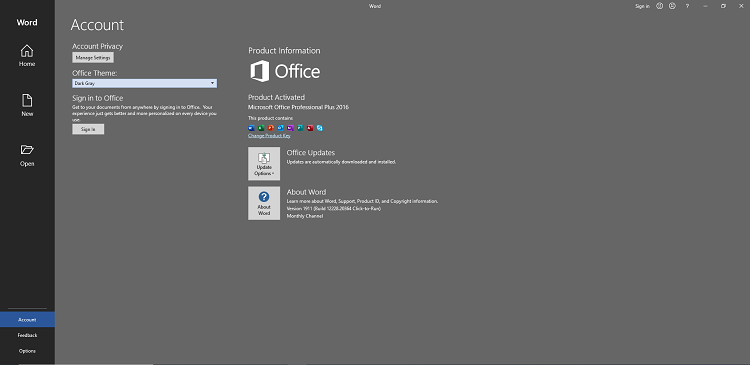
Microsoft Office Professional Plus 2019 v1911 Build 12228.20364

83e7505f1db790bf05a1541123fd3f66.png


Microsoft Office Professional Plus 2019 v1911 Build 12228.20364

File Size: 3.73, 3.98 GiB
Languages: Arabic, English, German, Greek, French, Spanish
Italian, Portuguese-Portuguese, Portuguese-Brazil, Turkish

​

Office Pro Plus, the cloud-connected version of Office, delivers the most productive and most secure Office experience-with the lowest total cost of ownership for deployment and management. However, for customers who aren't ready for the cloud, Office 2019 provides new features and updates to the on-premises apps for both users and IT professionals. Like Windows Long Term Servicing Channel (LTSC) releases, Office 2019 provides a set of valuable enhancements for customers who can't be cloud-connected or receive regular updates.

The new enhancements in Office 2019 are a subset of a long list of features that have been added to Office 365 ProPlus over the last three years. Office 2019 is a one-time release and won't receive future feature updates. However, we'll continue to add new features to Office 365 ProPlus monthly, including innovations in collaboration, artificial intelligence (AI), security, and more.
Office 2019 delivers features across apps to help users create amazing content in less time. In PowerPoint 2019, you can create cinematic presentations with new features like Morph and Zoom. And improved inking features across the apps in Windows-like the roaming pencil case, pressure sensitivity, and tilt effects-allow you to naturally create documents.

Excel 2019 adds powerful new data analysis features, including new formulas and charts and enhancements to PowerPivot.

Word 2019 and Outlook 2019 help you focus on what matters most. Learning Tools, like Read Aloud and Text Spacing, make it easier to engage with your content. Focus Mode blocks out distractions and puts your content front and center. And Focused Inbox moves less important emails out of the way-so you can get straight to taking care of business. For a longer list of the new features in Office 2019,

Office 2019 also includes new IT value for enhanced security and streamlined administration. We introduced Click-to-Run (C2R), a modern deployment technology, in Office 2013, and it's now used to deploy and update Office across hundreds of millions of devices worldwide. With Office 2019, we're moving the on-premises versions of Office to C2R to reduce costs and improve security. The advantages of C2R include predictable monthly security updates, up-to-date apps on installation, reduced network consumption through Windows 10 download optimization technology, and an easy upgrade path to Office 365 ProPlus. C2R offers the same enterprise-focused management capabilities as Microsoft Installer (MSI) based products and will also support an in-place upgrade when you move to Office 2019 from older MSI-based products.

The 2019 release of Office products also includes updates to our servers, and in the coming weeks, we will release Exchange Server 2019, Skype for Business Server 2019, SharePoint Server 2019, and Project Server 2019.

Office 2019 is a valuable update for customers who aren't yet ready for the cloud. And each time we release a new on-premises version of Office, customers ask us if this will be our last. We're pleased to confirm that we're committed to another on-premises release in the future. While the cloud offers real benefits in productivity, security, and total cost of ownership, we recognize that each customer is at a different point in their adoption of cloud services. We see the on-premises version of Office as an important part of our commitment to give customers the flexibility they need to move to the cloud at their own pace.

Microsoft Office 2019 Select Edition includes:
Microsoft Office 2019 Professional Plus
Microsoft Access 2019
Microsoft Excel 2019
Microsoft Lync 2019
Microsoft OneNote 2019
Microsoft Outlook 2019
Microsoft PowerPoint 2019
Microsoft Publisher 2019
Microsoft Visio Viewer 2019
Microsoft Word 2019
Skype for business 2019
Office Shared Features
Office Tools
And many more

Language: Arabic, English, German, Greek, French, Spanish
Italian, Portuguese-Portuguese, Portuguese-Brazil, Turkish

System Requirements:
OS:Windows 7/8/8.1/10 (x86/x64)

Instruction:
1)Download the ISO
2)mount it or extract
3)run .exe
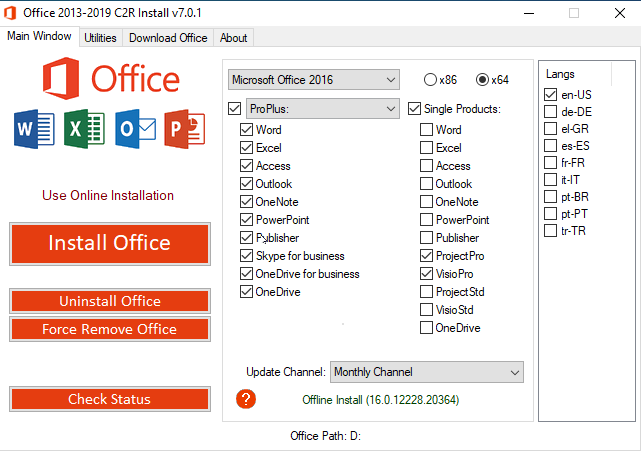
5)choose Microsoft office 2016 or 2019 and language click install
6) When installation is done, go to utilities tab and -click Office RETAIL >= VL button

Whats New:
Updates:official site does not provide any info about changes in this version.

0655896d406fd09d43a43d99d9602f5f.png


881edac7770c680d849214dbd257872f.png


fdce54aabe63feff87fc28bd93614ea3.png


1865629761d87f04ee05dbf7e6926471.png


У Вас недостаточно прав для просмотра ссылок. Войдите или зарегистрируйтесь.


DownLoad

Single Link
Код:
https://nitroflare.com/view/4C83D3C0FC00CB7/MSFT.Office.2016.2019.x64.16.0.12228.20364.ISO
https://nitroflare.com/view/C1FD3DB6D3157A2/MSFT.Office.2016.2019.x86.16.0.12228.20364.ISO

Код:
https://rapidgator.net/file/2025b5f800d1775f898ec61162b89e5b/MSFT.Office.2016.2019.x64.16.0.12228.20364.ISO.html
https://rapidgator.net/file/36966304ff9b2af71f295a949de1def0/MSFT.Office.2016.2019.x86.16.0.12228.20364.ISO.html

Код:
https://uploadgig.com/file/download/1d3Aab24acD8368e/MSFT.Office.2016.2019.x64.16.0.12228.20364.ISO
https://uploadgig.com/file/download/B5214F62A195fe01/MSFT.Office.2016.2019.x86.16.0.12228.20364.ISO

NitroFlare
Код:
https://nitroflare.com/view/96636926D0AF546/MSFT.Office.2016.2019.x64.16.0.12228.20364.part1.rar
https://nitroflare.com/view/21FFDBB84A4D1E8/MSFT.Office.2016.2019.x64.16.0.12228.20364.part2.rar
https://nitroflare.com/view/B88B989F393F688/MSFT.Office.2016.2019.x64.16.0.12228.20364.part3.rar
https://nitroflare.com/view/95BA1307E14FEA6/MSFT.Office.2016.2019.x64.16.0.12228.20364.part4.rar

Код:
https://nitroflare.com/view/B4C2CA1BB5886B8/MSFT.Office.2016.2019.x86.16.0.12228.20364.part1.rar
https://nitroflare.com/view/719DF3D8238A6A5/MSFT.Office.2016.2019.x86.16.0.12228.20364.part2.rar
https://nitroflare.com/view/61DC2521054DCA5/MSFT.Office.2016.2019.x86.16.0.12228.20364.part3.rar
https://nitroflare.com/view/BEEA62987879818/MSFT.Office.2016.2019.x86.16.0.12228.20364.part4.rar

RapidGator
Код:
https://rapidgator.net/file/176afe29a0ec1e36d3f4c66d4b46ddcd/MSFT.Office.2016.2019.x64.16.0.12228.20364.part1.rar.html
https://rapidgator.net/file/319eb91cac5ecd50c1de890f056b35c4/MSFT.Office.2016.2019.x64.16.0.12228.20364.part2.rar.html
https://rapidgator.net/file/43b711093afc47e2045e79794325e793/MSFT.Office.2016.2019.x64.16.0.12228.20364.part3.rar.html
https://rapidgator.net/file/c10d114eaa01f797e3949dbd4e64fb0b/MSFT.Office.2016.2019.x64.16.0.12228.20364.part4.rar.html

Код:
https://rapidgator.net/file/01ed08ad048003308e371aca014a84d6/MSFT.Office.2016.2019.x86.16.0.12228.20364.part1.rar.html
https://rapidgator.net/file/9767c378c2fa7c87c838f6c78418a922/MSFT.Office.2016.2019.x86.16.0.12228.20364.part2.rar.html
https://rapidgator.net/file/f793fc32ecba17d40fe052cfcefd141f/MSFT.Office.2016.2019.x86.16.0.12228.20364.part3.rar.html
https://rapidgator.net/file/941ee69b89f30e2a2ebdea603e4efd57/MSFT.Office.2016.2019.x86.16.0.12228.20364.part4.rar.html

UploadGiG
Код:
https://uploadgig.com/file/download/5370bDa1c46ecD29/MSFT.Office.2016.2019.x64.16.0.12228.20364.part1.rar
https://uploadgig.com/file/download/4dfd9f7cEB93B7ff/MSFT.Office.2016.2019.x64.16.0.12228.20364.part2.rar
https://uploadgig.com/file/download/0BD30632fabdab42/MSFT.Office.2016.2019.x64.16.0.12228.20364.part3.rar
https://uploadgig.com/file/download/eEcaa3B7afa81aBe/MSFT.Office.2016.2019.x64.16.0.12228.20364.part4.rar

Код:
https://uploadgig.com/file/download/33cEbc993Cc87c0f/MSFT.Office.2016.2019.x86.16.0.12228.20364.part1.rar
https://uploadgig.com/file/download/d8B1b03a27b856Dd/MSFT.Office.2016.2019.x86.16.0.12228.20364.part2.rar
https://uploadgig.com/file/download/ce58f760a84f8d76/MSFT.Office.2016.2019.x86.16.0.12228.20364.part3.rar
https://uploadgig.com/file/download/06F5826131078268/MSFT.Office.2016.2019.x86.16.0.12228.20364.part4.rar
 
Adobe Animate 2020 v20.0.1.19255 x64 Multilingual

9522efd62893441ca1fe97375d2c674f.jpg


Adobe Animate 2020 v20.0.1.19255 x64 Multilingual

File Size: 1.93 GiB

​

A new age for animation. Design interactive vector and bitmap animations for games, apps, and the web. Bring cartoons and banner ads to life. And add action to tutorials and infographics. With Animate CC, you can quickly publish to multiple platforms and reach viewers on desktop, mobile, and TV.

Animate just about anything.
The industry's leading animation toolset lets you create apps, ads, and amazing multimedia content that moves across any screen.

Get your game on.
Create interactive web-based content for games and ads using powerful illustration and animation tools. Build game environments, design start screens and interfaces, create interactive player sprites, and even integrate audio. With Animate, you can do all your asset design and coding right inside the app.

Create characters that come alive.
Sketch and draw more expressive characters with pressure- and tilt-sensitive vector brushes that work like the real thing. Make your characters blink, talk, and walk with simple frame-by-frame animation. And create interactive web banners that respond to user interactions such as mouse movement, touch, and clicks.

Publish to any platform.
Reach your audience on desktop, mobile, and TV by exporting your animations to multiple platforms, including HTML5 Canvas, WebGL, Flash/Adobe AIR, and custom platforms like SVG. You can include code right inside your projects and even add actions without having to code.

Asset sculpting
Create new poses for vector or raster content using mesh deformation.

Better layer control
Organize your layers in a parent-child hierarchy for easier animation between poses.

Auto lip-sync
Thanks to Adobe Sensei, Animate now automatically matches mouth poses to sound inflections.

VR authoring and publishing (beta)
Use your 2D skills to export 360 VR animations and create an immersive experience for virtual walk-throughs.

System Requirements:
- Processor: Intel Pentium 4 or Intel Centrino, Intel Xeon, or Intel Core Duo (or compatible) processor (2GHz or faster processor)
- Operating system: Microsoft Windows 7 with Service Pack 1 or Windows 10 version 1703
- RAM:İ 2 GB of RAM (8 GB recommended)
- Hard disk space: 4 GB of available hard-disk space for installation; more free space required during installation (cannot install on removable flash storage devices)
- Monitor resolution: 1024x900 display (1280x1024 recommended)
- GPU: OpenGL version 3.3 or higher

Language versions available for Animate:
- Deutsch, English, Español, Français, Italiano, Nederlands, Polish, Português (Brasil), Svenska, Turkish, čeština, Русский, 日本語, 简体中文*, 繁體中文*, 한국어*

У Вас недостаточно прав для просмотра ссылок. Войдите или зарегистрируйтесь.


DownLoad

NitroFlare
[
Код:
https://nitroflare.com/view/F0383C7488AB292/Adobe.Animate.2020.v20.0.1.19255.x64.Multilingual.part1.rar
https://nitroflare.com/view/24F1F7BE781B786/Adobe.Animate.2020.v20.0.1.19255.x64.Multilingual.part2.rar
[
RapidGator
[
Код:
https://rapidgator.net/file/2a5810d3f823c6f6fd11ba476506be3e/Adobe.Animate.2020.v20.0.1.19255.x64.Multilingual.part1.rar.html
https://rapidgator.net/file/2cfc06235198db0d5cfe8b57db8b7fce/Adobe.Animate.2020.v20.0.1.19255.x64.Multilingual.part2.rar.html
[
UploadGiG
[
Код:
https://uploadgig.com/file/download/766634f8A4b65273/Adobe.Animate.2020.v20.0.1.19255.x64.Multilingual.part1.rar
https://uploadgig.com/file/download/f95760046d69b778/Adobe.Animate.2020.v20.0.1.19255.x64.Multilingual.part2.rar
[
 
Adobe Bridge 2020 v10.0.1.126 x64 Multilingual

1193f365aa1abcbc768dcc742c030db1.png


Adobe Bridge 2020 v10.0.1.126 x64 Multilingual

File Size: 1.09 GiB

​

Bridge gives you centralized access to all the files and assets you need for your creative projects. Organize personal and team assets, batch edit with ease, add watermarks, set centralized color preferences, and even upload your photos to Adobe Stock. Bridge simplifies your workflow and keeps you organized and now with CC Libraries.

Features:
- Bulk import, export and preview CC Libraries assets
- Edit photo capture time
- Export/ Import network cache
- Native PDF Output Module
- Easy upload of images to Adobe Stock so you can get royalties for your work
- Support for Retina and HiDPI displays with the ability to scale
- Automated cache management
- Publishing to Adobe Portfolio to build your personalized website
- Quick organization and stacking of panoramic and HDR images
- On-demand thumbnail and metadata generation
- Option to import photos and videos from your mobile device or digital camera on macOS
- Support for CEP HTML5
- Flexible batch processing
- Drag-and-drop file flexibility
- Centralized color settings

Consistent user experience
Adobe Bridge now has an enhanced user interface to provide you a similar experience like other Creative Cloud applications. You can also change the default user interface appearance, text size, and scaling by setting the User Interface preferences in the Edit > Preferences > Interface dialog.

Enhanced Creative Cloud Libraries
The Libraries workspace in Bridge now displays a high-quality preview of library items. You can select multiple items to see their previews together.

Centralized cache management
You can now share a cache with other Bridge users and let them use the shared cache instead of creating a cache. Any Adobe Bridge user can export a cache to a shared folder, and other users can import a copy of the shared cache to their local systems. Given that the systems are in synchronization, managing the cache at a centralized location lets you reuse the exported cache, without the need to rebuild the cache on different user machines. You can create and manage the shared cache by using the Manage Cache dialog (Tools > Manage Cache), which has now been enhanced to provide options for building, importing, and purging cache. In addition, the cache preferences have been enhanced (Edit > Preferences > Cache and Edit > Preferences > Cache Management).

Edit capture time
Adobe Bridge now lets you change the capture time of the JPEG and RAW image files, just like the way it is done in Adobe Lightroom. This feature is helpful if you travel to a different time zone and do not change the date or time setting of your camera before you start photographing. With this feature, you can edit the capture time after capturing the image.

Support for XD file formats
Bridge now supports preview, thumbnail generation, metadata tagging, and keyword generation for Adobe XD files.

Media cache preferences
Bridge now processes and maintains a cache of all audio and video playback files. This capability improves the performance of playback files because the files are available for ready access whenever you want to view them later. It is recommended that you regularly clean the old and unused media cache files to optimize the performance. The preferences for media cache can be set by choosing Edit > Preferences > Media Cache.

Cut, copy, or move files and folders across Bridge and File Explorer or Finder
Bridge now lets you perform the following operations:

- Cut, copy, or move files and folders from File Explorer (Windows) or Finder (macOS) and paste them in Bridge
- Cut, copy, or move files and folders from the Bridge workspace and paste them in File Explorer (Windows) or Finder (macOS)

What's New

System Requirements:
- Processor: Intel® Core™2 Duo or AMD Athlon® 64 processor; 2 GHz or faster processor
- Operating system: Microsoft Windows 10 (64 bit) versions 1703 (Creators Update) and later
- RAM: 2 GB of RAM (8 GB recommended)
- Hard disk space: 2 GB of available hard-disk space for 32-bit installation; 2.1 GB of available hard-disk space for 64-bit installation; plus additional free space required during installation (cannot install on removable flash storage devices)
- Monitor resolution: 1024x768 display (1280x800 recommended) display with 16-bit color and 512 MB of VRAM (1 GB recommended)
- GPU: OpenGL 2.0-capable system

Language versions available for Bridge:
- Dansk, Deutsch, English, Español, Français, Hebrew*, Hungarian, Italiano, Nederlands, Norwegian, Polish, Português (Brasil), Suomi, Svenska, Turkish, Ukrainian, čeština, Русский, 日本語, 简体中文, 繁體中文, 한국어]

У Вас недостаточно прав для просмотра ссылок. Войдите или зарегистрируйтесь.


DownLoad

NitroFlare
Код:
https://nitroflare.com/view/30A0E739C521D3E/Adobe.Bridge.2020.v10.0.1.126.x64.Multilingual.part1.rar
https://nitroflare.com/view/31D914B350B757B/Adobe.Bridge.2020.v10.0.1.126.x64.Multilingual.part2.rar

RapidGator
Код:
https://rapidgator.net/file/01ebd51bad33b842722727b57b27b565/Adobe.Bridge.2020.v10.0.1.126.x64.Multilingual.part1.rar.html
https://rapidgator.net/file/780a62a9f830bae4e1ba9d47870933a0/Adobe.Bridge.2020.v10.0.1.126.x64.Multilingual.part2.rar.html
UploadGiG
Код:
https://uploadgig.com/file/download/10691d5679a88abC/Adobe.Bridge.2020.v10.0.1.126.x64.Multilingual.part1.rar
https://uploadgig.com/file/download/4601DFfAa1d83244/Adobe.Bridge.2020.v10.0.1.126.x64.Multilingual.part2.rar
 
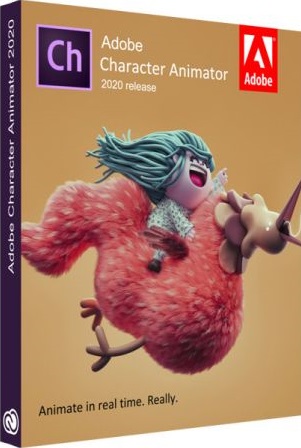
Adobe Character Animator 2020 v3.1.0.49 Multilingual

88cc00c65397bb1b98af25fb04c84c7c.jpg


Adobe Character Animator 2020 v3.1.0.49 Multilingual

File Size: 902 MiB

​

Animate in real time. Really. Create a character and animate it with your own performance. Character Animator uses your expressions and movements to animate your characters in real-time. So when you smile or nod your head, your character does, too. It's so fast, you can even stream your animations live.

Eye-opening animations. In eye-opening time.
Create animations for cartoons, an animated series, and live broadcasts. Or live stream your character on social media and wow your friends.

Create a character in seconds.
Turn any piece of art into an animated character using your webcam and new Characterizer, powered by Adobe Sensei AI. Or create characters by modifying the built-in character templates available in Character Animator, or importing art from Illustrator or Photoshop.

Put your best face forward.
Easily bring your character to life through your own performance. Using your webcam and microphone, Character Animator matches your expressions - from syncing lips to tracking eyes and facial features - to animate your character in real time. Look surprised, happy, or angry and your character does, too.

Animations with legs - and arms and heads.
Getting your character to move doesn't take a lot of work. Control gestures like waving with your keyboard or MIDI device. Movements can be saved as buttons, so they're easier to remember than key commands.

It's showtime.
Check out the Hollywood studios, broadcasters, and online content creators who use Character Animator to bring their characters to life in real time. The app is powerfully fast and integrates with other Adobe apps for a seamless animation workflow. So you can take your own characters live or bring them into Premiere Pro or After Effects to include in bigger projects. It's the next generation of animation tools. Available now.

Animate in seconds with Characterizer
Create a stylized, animated character using a work of art, your webcam, and Characterizer. Powered by Adobe Sensei AI technology, Characterizer quickly and easily turns art into animations.

Easily re-use your best takes
The new Replays feature lets you choose your best laugh or perfectly timed fist bump and create a trigger that you can re-use live or in your next recording. Adjust the length of your Replays trigger to easily fit into your scene.

Magnets to make your animations livelier
Now your puppet can throw, drop, pick up static items, and do things like drink from a cup or drop a ball.

Improvements to walking behavior
Newly added right and left shoulder and hip tags make a three-quarter drawn character look better when walking.

What's New

System Requirements:
- Processor: Multi-core Intel processor with 64-bit support
- Operating system: Microsoft® Windows 10 (64 bit) version 1703 or higher
- RAM: 8 GB of RAM (16 GB or more recommended)
- Hard-disk space: 3 GB of available hard-disk space for installation; additional free space required during installation (cannot install on removable flash storage devices)
- Display: 1280x1080 display (1920x1080 or larger recommended)
- OpenGL: Latest qualified graphics driver for your GPU, with at least OpenGL 3.2 support

Language versions available for Character Animator:
- Deutsch
- English
- Español
- Français
- Italiano
- Português (Brasil)
- Русский
- 日本語
- 한국어
- 简体中文

У Вас недостаточно прав для просмотра ссылок. Войдите или зарегистрируйтесь.


DownLoad

NitroFlare
Код:
https://nitroflare.com/view/C18527DC016B139/Adobe.Character.Animator.2020.v3.1.0.49.Multilingual.rar

RapidGator
Код:
https://rapidgator.net/file/364557b04bc09a22212ac2f332541049/Adobe.Character.Animator.2020.v3.1.0.49.Multilingual.rar.html

UploadGiG
Код:
https://uploadgig.com/file/download/95a6AB63589Ada1F/Adobe.Character.Animator.2020.v3.1.0.49.Multilingual.rar
 
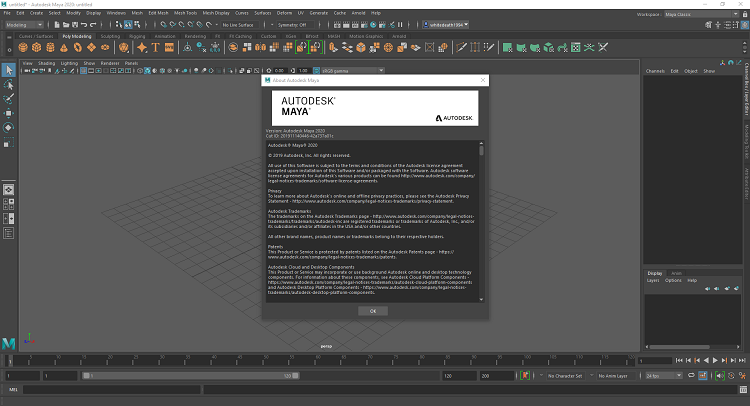
Autodesk Maya 2020 x64 Multilanguage

21c10bf17b4c38289fd5d70cb8d41d03.png


Autodesk Maya 2020 x64 Multilanguage

File Size: 1.86 GiB
Languages: Multilanguage
OS: Windows x64

​

Description:
Maya 3D animation software offers a comprehensive creative feature set for 3D computer animation, modeling, simulation, rendering, and compositing on a highly extensible production platform. Maya has next-generation display technology, accelerated modeling workflows, and tools for handling complex data.

Facilities and software features of Autodesk Maya:
-Advanced design three-dimensional models
-simulate a variety of natural and environmental elements such as climate change, water and liquids, fire, plants and ...
-having a variety of tools for modeling and data management
-the possibility of transferring the properties of one object to another object
-Design Clothes, hair and sex and different scenarios
-Coordination with other software modeling and animating
-Supports mathematical model NURBS (short for Non-uniform rational B-spline)
-ability to combine elements of two-dimensional and three-dimensional models
-Ability to use scripting programming language and MEL (stands for Maya embedded language) and ++ C and Python in the development of software

System Requirements:
OS:Microsoft® Windows® 7 (SP1), Microsoft Windows 10 Anniversary Update (64-bit only) (version 1607 or higher) operating system
CPU:64-bit Intel® or AMD® multi-core processor with SSE4.2 instruction set
RAM:8 GB of RAM (16 GB or more recommended)

3209d2e314764046d436bd5518b7ae32.png


У Вас недостаточно прав для просмотра ссылок. Войдите или зарегистрируйтесь.


DownLoad

NitroFlare
Код:
https://nitroflare.com/view/C00C7A59943A697/Autodesk.Maya.2020.x64.Multilanguage.part1.rar
https://nitroflare.com/view/2FF03B2DED3684E/Autodesk.Maya.2020.x64.Multilanguage.part2.rar

RapidGator
Код:
https://rapidgator.net/file/f027aabb66f872ec0a44ab8fc723e411/Autodesk.Maya.2020.x64.Multilanguage.part1.rar.html
https://rapidgator.net/file/f386e02814efc0d08d8b3ea955e9e0ef/Autodesk.Maya.2020.x64.Multilanguage.part2.rar.html

UploadGiG
Код:
https://uploadgig.com/file/download/b067355774c5ca62/Autodesk.Maya.2020.x64.Multilanguage.part1.rar
https://uploadgig.com/file/download/33f7e1Fc30c9e682/Autodesk.Maya.2020.x64.Multilanguage.part2.rar
 
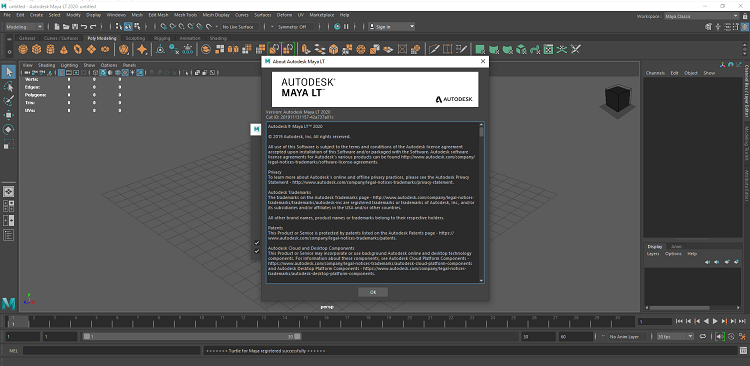
Autodesk Maya LT 2020 x64 Multilanguage

42a96d604f8188afb7be84aa4af046ba.png


Autodesk Maya LT 2020 x64 Multilanguage

File Size: 1.06 GiB
Languages: Multilanguage
OS: Windows x64

​

Description:
Autodesk has released an update to Maya LT 2019, the latest version of its cut-down edition of Maya for games artists. The update adds new sculpting features including support for topological symmetry and vector displacement map stamping, and iterates on recent updates to the UV Editor, Graph Editor and Time Editor.

This release focuses on letting you work faster than ever before through new workflows and numerous performance enhancements.

A myriad of improvements to Viewport 2.0 enhance its performance when doing everything from loading scenes to selecting objects, to handling dense meshes.

Additionally, cached playback speeds up your ability to preview animation changes by intelligently redrawing only what's changed rather than updating the entire scene. This greatly improves viewport playback performance, removing the need to constantly playblast your scenes.

This release also gives you the most powerful tools yet for tracking exactly how Maya is using your computer's resources. New features in the Evaluation Toolkit and Profiler allow you to pinpoint exactly where there may be inefficiencies or problems that are slowing down your scene.

Improvements to Render Setup enable you to better organize your render layers by coloring and isolating them in the Render Setup editor, or by controlling whether lights are included in each layer by default. In addition, more options are available for exporting and importing scene Render Settings and AOVs.

You can also now render Arnold right in the viewport, including all its RenderView options such as Debug Shading, AOVs, and region rendering.

New Graph Editor filters have been added to help you refine animation curves quicker and easier than before.

Plenty of examples and presets have been added to the Content Browser covering a variety of areas, from motion capture, to motion graphics, to characters. Use them as-is, or as a jumping-off point for your own work.

System Requirements:
OS:Microsoft® Windows® 7 (SP1), Microsoft Windows 10 Anniversary Update (64-bit only) (version 1607 or higher) operating system
CPU:64-bit Intel® or AMD® multi-core processor with SSE4.2 instruction set
RAM:8 GB of RAM (16 GB or more recommended)

d67af55f4ad24262af024bef240f67a0.png


У Вас недостаточно прав для просмотра ссылок. Войдите или зарегистрируйтесь.


DownLoad

NitroFlare
Код:
https://nitroflare.com/view/77F9FB800E95F00/Autodesk.Maya.LT.2020.x64.Multilanguage.part1.rar
https://nitroflare.com/view/9C2414502C9285A/Autodesk.Maya.LT.2020.x64.Multilanguage.part2.rar

RapidGator
Код:
https://rapidgator.net/file/17a902ce42e84babbd00cd2e73c085da/Autodesk.Maya.LT.2020.x64.Multilanguage.part1.rar.html
https://rapidgator.net/file/702b5e233fefe206aafcb5cadb1ccfdb/Autodesk.Maya.LT.2020.x64.Multilanguage.part2.rar.html

UploadGiG
Код:
https://uploadgig.com/file/download/f9cc6B7A30dDea17/Autodesk.Maya.LT.2020.x64.Multilanguage.part1.rar
https://uploadgig.com/file/download/3264C6e545776ebe/Autodesk.Maya.LT.2020.x64.Multilanguage.part2.rar
 
QuarkXPress 2019 v15.1.2 Multilingual macOS Fixed-CORE

ad61700f9e31c1a2e75b59568c42213c.jpg


QuarkXPress 2019 v15.1.2 Multilingual macOS Fixed-CORE

File Size: 674 MiB

​

The Most Flexible Software for Print and Digital Design. QuarkXPress introduces Flex Layouts, a first in digital publishing for graphic designers. Flex Layouts is a new layout space that lets designers create truly responsive HTML5 Web pages in a WYSIWYG environment. Flex Layouts do not require any HTML or CSS coding skills, which means graphic designers can start creating banner ads, landing pages, microsites, and more.

New Features:

Modern Web Design
Transform your print designs into modern web pages with Flex Layouts that enable users to deliver responsive web design without coding. Bring layouts to life with native HTML5 and CSS3 effects including drop shadows, gradients, vector shapes, video and a wealth of interactive elements.

Truly Responsive Experiences
The HTML output from the Flex Layout space is responsive to any device aspect ratio, including desktop, tablet and mobile phone screens. Designers can add any interactive element QuarkXPress supports, apply a parallax effect on background images, and test responsiveness without ever leaving QuarkXPress

Graphic Design to Web Design
The responsive HTML5 output from Flex Layouts complies with emerging Web standards, which means graphic designers can create native, app like experiences for the web directly in QuarkXPress. Once a Flex Layout is complete, designers can export and upload the code to any Web hosting service - or - use Flex Layouts as your prototyping tool and share the code with your web team.

Flex features include:
- Design and Export Responsive Web Pages
- Test responsiveness within the layout
- Design Using Preset or Custom Grids
- Prebuilt Responsive Layout Blocks
- Apply Native HTML5 Drop Shadows
- Support for Advanced Typography
- Create Vector Shapes and Illustrations
- Non-destructive image effects and filters
- Use Videos as backgrounds
- Use exported responsive layouts in iOS and Android apps
- And More

Tables Reimagined
Tables are a powerful tool for simplifying the presentation of complex information. However, it can be time consuming for designers to create and update tabular content. In QuarkXPress , Quark completely reimagined tables introducing its new table object that combines creative freedom with time saving automation.

A Powerful New Table Model
The new table model in QuarkXPress introduces new styling rules for table, row, column and cell level formatting along with text styling rules. You can apply table styles to any table regardless of whether you created directly in QuarkXPress or auto imported a table from Excel. What's more, if you change the source Excel table, the data is updated in QuarkXPress without impacting your table design.

Easy Access to Table Styles
No restrictions! All table styling can be done in QuarkXPress through a new and intuitive user interface. Designers can access table styles from the measurement palette, which offers much finer control over formatting tables at the cell level, plus unlimited opportunity to format borders and shading.

Save Time, Boost Productivity
To get you started quickly, QuarkXPress includes predefined table styles, which have all of the formatting options preset or you can build your own. When importing tables from Excel, you can even automatically create a table style as part of the import process.

Professional Image Export
Push image export to a new limit. For the first time you can now export your designs from QuarkXPress as professional grade images in JPEG, TIFF and PNG formats. Need an banner image for your email? No need to open another photo editing application! Use presets to control pixel DPI, quality, color profile, and file format when exporting your QuarkXPress layout or selected objects or images for use in other applications.

Performance Boost for Mac and Windows
QuarkXPress improves image cache handling with dedicated multithreading support to make operations much faster on MacOS and Windows. Additionally, QuarkXPress Windows users will now benefit from Direct2D hardware acceleration to boost graphic engine performance. While this improves overall image handling, it also makes layout operations like scrolling, panning, image editing and many other operations faster for image heavy documents.

Complete PDF Accessibility Support
When exporting PDFs for digital consumption, ensure you meet the latest accessibility requirements and regulations. QuarkXPress now supports all PDF accessibility standards so you can export PDFs that are compliant with the PDF/UA (ISO 14289), PDF/A, and WCAG 2.0 requirements.

9-Point Reference Grid
When creating or adjusting boxes and lines on a page, you often want to align items to specific coordinates or to other objects. To make this eas-ier, QuarkXPress adds a new grid-based selector that lets you specify the exact coordinates of an object and all four corners and four edges of a box.

Spring Loaded Cursor
No more back and forth between your layout and your image library! It takes time to import images individually, especially in image heavy layouts. Speed up the process by loading up your cursor with multiple images (or text files) at once and then populate existing boxes or create new boxes one at a time with the click of your mouse.

Additional New Features in QuarkXPress 2019:
- Auto Growing Text Boxes
- Enhanced Paragraph Formatting
- Directional Spine Alignment
- Easy Access to Merge Shapes
- Enhanced Border Formatting Control
- Enhanced Retina Support

UNSURPASSED TYPOGRAPHY
- New First-Class OpenType Controls
- New Color Fonts Support
- New Upgraded Font Listing
- New Hyphenation Strictness Levels
- New OpenType Support for Digital

PROFESSIONAL PRINT PUBLISHING
- New Direct InDesign IDML Import
- New New PDF Print Engine
- New Tagged/Accessible PDF
- New Built-in JavaScript ES6+ V8
- New Digital-to-Print Conversion

UNLIMITED DIGITAL PUBLISHING
- New Unlimited Android Apps
- New Digital Preview Improvements
- New HTML5 Export Optimizations
- New Grouped Interactivity
- New Collect for Output Digital

Additional New Features in QuarkXPress:
• Auto Growing Text Boxes
• Enhanced Paragraph Formatting
• Directional Spine Alignment
• Easy Access to Merge Shapes
• Enhanced Border Formatting Control
• Enhanced Retina Support
• Convert Adobe InDesign files to QuarkXPress Projects
• Object Browser Palette for Flex Layout
• Last line Indent for Table of Content
• Rich Copy Past of Text
• Auto Naming of Colors
• Table Style Enhancements for IDML import
• Support for Mac OS 10.15.1 (Catalina OS)
• Item Styles integration with Auto Grow Text Box/ Heterogeneous Borders/ Custom Dashes and Stripes

У Вас недостаточно прав для просмотра ссылок. Войдите или зарегистрируйтесь.


DownLoad

NitroFlare
Код:
https://nitroflare.com/view/6E5D1B5A879F99D/QuarkXPress.2019.v15.1.2.Multilingual.macOS.Fixed-CORE.rar

RapidGator
Код:
https://rapidgator.net/file/e28e8215c5bf282b2f08ac1b12887673/QuarkXPress.2019.v15.1.2.Multilingual.macOS.Fixed-CORE.rar.html

UploadGiG
Код:
https://uploadgig.com/file/download/871d27f4E3A1c4c4/QuarkXPress.2019.v15.1.2.Multilingual.macOS.Fixed-CORE.rar
 
Cloanto Amiga Forever Plus Edition 8.3.1.0

f1e8d79efd2d47ed730447d09dd9256f.jpg


Cloanto Amiga Forever Plus Edition 8.3.1.0

File Size: 624 MiB
Languages: English

​

More than three decades of uninterrupted ease of use, power, beauty and excellence: Amiga Forever 8 closes the circle between gaming, productivity and preservation of digital culture while adding new features and providing access to a universe of free and legal downloads.

Amiga Forever Plus Edition
Have you ever wondered what Workbench 1.0 looked like, or how the most influential personal computing magazine of the 1980s introduced the Amiga to the world? Would you (or a colleague, or your children) be surprised if you saw your PC booting as an Amiga, instead of Windows?

The Plus Edition in brief:
- Includes all features mentioned on this site, except for the videos (which are on the 3 DVDs included with the Premium Edition)
- Includes Amiga Forever Game Pack I (more than 50 games)
- Delivered as an easy-to-use downloadable installer for Windows
- After installation on a Windows system, it is possible to create (via Build Image, in the Tools menu) a DVD ISO image which includes run-from-DVD, KX Light boot-from-DVD and other cross-platform content

The Plus Edition also includes the following items which are not part of the Value Edition:
- More than 300 MB of preinstalled games and demoscene productions
- OS ROM file versions v. 0.7, 1.0, 1.1, 1.2, 2.04, 2.05 (Workbench 2.1 uses the 2.0x ROMs), 3.1 and 3.X
- OS disk images (ADF files) v. 1.0, 1.1, 1.2, 2.1 and 3.1
- Preinstalled Workbench 3.X environment, including dozens of award-winning software packages and other add-ons
- Amiga 1000, A590 and A4091 boot ROMs
- CDTV extended ROM (CDTV uses normal 1.3 boot ROM)
- CD³² ROM and extended ROM
- Amiga Forever Boot Floppy Disk image

You can enjoy these additional features:
- Portable environment to run the Amiga emulation and OS from DVD or USB devices (on Windows systems)
- Ability to boot a PC from the Amiga Forever Plus Edition DVD (no operating system required, as per El Torito specification)
- Cross-platform components can be used on the most popular computing platforms (Mac OS, GNU/Linux, etc.)

Requirements: Windows 10, Windows 8, Windows 7.

У Вас недостаточно прав для просмотра ссылок. Войдите или зарегистрируйтесь.


DownLoad

NitroFlare
Код:
https://nitroflare.com/view/02741A5544992E6/Cloanto.Amiga.Forever.Plus.Edition.8.3.1.0.rar

RapidGator
Код:
https://rapidgator.net/file/38a2c1cb31a0f5c5736c9498f9836abd/Cloanto.Amiga.Forever.Plus.Edition.8.3.1.0.rar.html

UploadGiG
Код:
https://uploadgig.com/file/download/52d8b7af41eEbc34/Cloanto.Amiga.Forever.Plus.Edition.8.3.1.0.rar
 
Windows 10 19H2 v1909.10.0.18363.535 AIO 14in2 Preactivated

98f6982dcd89a178c1e64d6567558c10.png


Windows 10 19H2 v1909.10.0.18363.535 AIO 14in2 Preactivated

File Size: 3.41, 4.38 GiB
Languages: English, German, Greek, French, Spanish, Italian
Portuguese-Portuguese, Portuguese-Brazil, Turkish
OS: Windows x86, x64
Updated: December 2019

​

Description:
Windows 10 is a series of personal computer operating systems produced by Microsoft as part of its Windows NT family of operating systems. It is the successor to Windows 8.1, and was released to manufacturing on July 15, 2015, and to retail on July 29, 2015. Windows 10 receives new releases on an ongoing basis, which are available at no additional cost to users. Devices in enterprise environments can receive these updates at a slower pace, or use long-term support milestones that only receive critical updates, such as security patches, over their ten-year lifespan of extended support.

Information:
Name ISO x86:win_10_aio_7in1_1909.18363.535.2019_december_x86
Name ISO x64:win_10_aio_7in1_1909.18363.535.2019_december_x64
Size x86:3,41 GB (3.669.076.303 bytes)
Size x64:4,38 GB (4.710.142.287 bytes)
SHA1 x86:c2239c5e24e62237627d861345059f8a38310ef7
SHA1 x64:36c6d8cd490bc6d3ae89760f3983692271f56831
Activation:Permantly Activation( Generate Digital License) v62.01
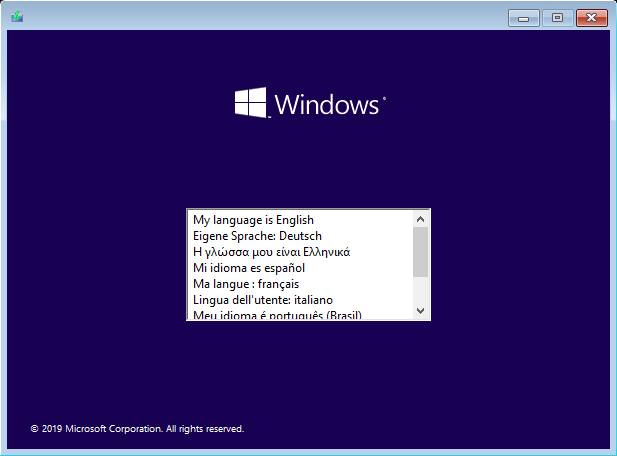
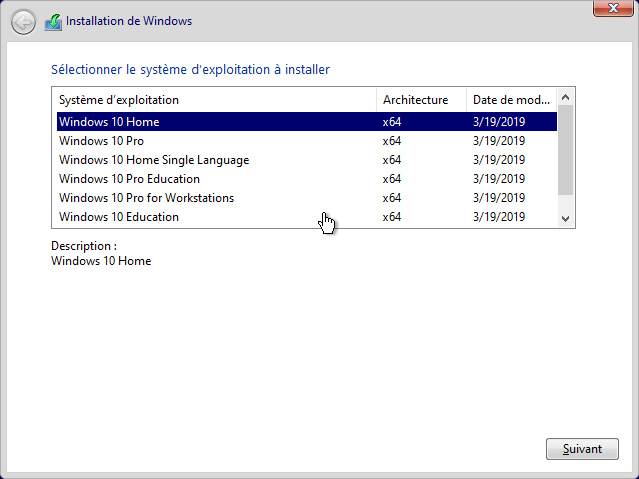
Languages:English,German,Greek,French,Spanish,Italian,Portuguese-Portuguese,Portuguese-Brazil,Turkish
Build Number:10.0.18363.535
Updates:11/12/2019
Features:Net 3.5 Enabled
Converted:Install.wim<Install.esd
Author:WhiteDeath

Windows 10 Edition list included:
1.Windows 10 Home"
2.Windows 10 Pro"
3.Windows 10 Home Single Language"
4.Windows 10 Pro Education"
5.Windows 10 Pro for Workstations"
6.Windows 10 Education"
7.Windows 10 Enterprise"

System Requirements:
Processor: 1 gigahertz (GHz) or faster.
RAM: 1 gigabyte (GB).
Free space on hard disk: 16 gigabytes (GB).
Graphics card: DirectX 9 graphics device or a newer version.
Additional requirements to use certain features.
To use touch you need a tablet or monitor that supports multitouch.
To access the Windows store to download and run apps, you need an active Internet connection and a screen resolution of at least 1024 x 768 pixels

WHATS NEW:

KB4524569:Servicing stack update for Windows 10, version 1903: November 12, 2019
KB4517245:1909_Enablement_Package_387
KB4519573:October 24, 2019-KB4522741 Cumulative Update for .NET Framework 3.5 and 4.8 for Windows 10 Version 1903 and Windows Server 1903 RTM

December 10, 2019-KB4530684 (OS Build 18363.535)

Highlights
-Updates to improve security when Windows performs basic operations.

b7c31f405e55b6a20a3463bf20e4b7fb.png


605819684625afe42ab5504286031a26.png


8bc6c5987de04b9cc6e510e7a2ccb992.png


У Вас недостаточно прав для просмотра ссылок. Войдите или зарегистрируйтесь.


DownLoad

Single Link
Код:
https://nitroflare.com/view/D821FB6CD923D5F/win.10.aio.7in1.1909.18363.535.2019.december.x64.iso
https://nitroflare.com/view/1958F30E0C70F6D/win.10.aio.7in1.1909.18363.535.2019.december.x86.iso

Код:
https://rapidgator.net/file/54efd0d4f5c6639b91525af559c03fe0/win.10.aio.7in1.1909.18363.535.2019.december.x64.iso.html
https://rapidgator.net/file/fc9b63290917fdb75984102f9581eaa9/win.10.aio.7in1.1909.18363.535.2019.december.x86.iso.html

Код:
https://uploadgig.com/file/download/615f1d24bEF1f434/win.10.aio.7in1.1909.18363.535.2019.december.x64.iso
https://uploadgig.com/file/download/7Cf71b19fb7fEaB7/win.10.aio.7in1.1909.18363.535.2019.december.x86.iso

NitroFlare
Код:
https://nitroflare.com/view/99771AD7F4F3FB0/win.10.aio.7in1.1909.18363.535.2019.december.x64.part1.rar
https://nitroflare.com/view/16BD53D8DF12EAC/win.10.aio.7in1.1909.18363.535.2019.december.x64.part2.rar
https://nitroflare.com/view/B27D2129C5E6CE0/win.10.aio.7in1.1909.18363.535.2019.december.x64.part3.rar
https://nitroflare.com/view/F01F2F9863A54FF/win.10.aio.7in1.1909.18363.535.2019.december.x64.part4.rar
https://nitroflare.com/view/C756661864406AC/win.10.aio.7in1.1909.18363.535.2019.december.x64.part5.rar

Код:
https://nitroflare.com/view/9B8B2BDE1CF476E/win.10.aio.7in1.1909.18363.535.2019.december.x86.part1.rar
https://nitroflare.com/view/653333D3BD3222F/win.10.aio.7in1.1909.18363.535.2019.december.x86.part2.rar
https://nitroflare.com/view/85C9E62DDADF302/win.10.aio.7in1.1909.18363.535.2019.december.x86.part3.rar
https://nitroflare.com/view/2F78B21217D3F60/win.10.aio.7in1.1909.18363.535.2019.december.x86.part4.rar

RapidGator
Код:
https://rapidgator.net/file/3ec035cab6b9e6546eb58436098c33f7/win.10.aio.7in1.1909.18363.535.2019.december.x64.part1.rar.html
https://rapidgator.net/file/0bfbdaeca67ddc64f2eec92f9f2a4c44/win.10.aio.7in1.1909.18363.535.2019.december.x64.part2.rar.html
https://rapidgator.net/file/e03f8547dcb4ceda504a0957ddfb4ef8/win.10.aio.7in1.1909.18363.535.2019.december.x64.part3.rar.html
https://rapidgator.net/file/280f00f4049443a7c7605061e252ad93/win.10.aio.7in1.1909.18363.535.2019.december.x64.part4.rar.html
https://rapidgator.net/file/ebfd0591627327540fe0df87f86d5030/win.10.aio.7in1.1909.18363.535.2019.december.x64.part5.rar.html

Код:
https://rapidgator.net/file/e54ac4a42d1f5580f9cc87ebe1cae193/win.10.aio.7in1.1909.18363.535.2019.december.x86.part1.rar.html
https://rapidgator.net/file/b49242f897bc23075977aaeebcf070c2/win.10.aio.7in1.1909.18363.535.2019.december.x86.part2.rar.html
https://rapidgator.net/file/8005703b0999ed3630315539925c0d89/win.10.aio.7in1.1909.18363.535.2019.december.x86.part3.rar.html
https://rapidgator.net/file/d186250dc6b6515b18aecb9eec07b344/win.10.aio.7in1.1909.18363.535.2019.december.x86.part4.rar.html

UploadGiG
Код:
https://uploadgig.com/file/download/0a8cC23fdee5Ba0b/win.10.aio.7in1.1909.18363.535.2019.december.x64.part1.rar
https://uploadgig.com/file/download/2fDe186a11e5B4d0/win.10.aio.7in1.1909.18363.535.2019.december.x64.part2.rar
https://uploadgig.com/file/download/6E503f8A78457bAa/win.10.aio.7in1.1909.18363.535.2019.december.x64.part3.rar
https://uploadgig.com/file/download/fcB1b54c95EA8A92/win.10.aio.7in1.1909.18363.535.2019.december.x64.part4.rar
https://uploadgig.com/file/download/6d51f41e9c3fdd9e/win.10.aio.7in1.1909.18363.535.2019.december.x64.part5.rar

Код:
https://uploadgig.com/file/download/B4e878eeB64540f2/win.10.aio.7in1.1909.18363.535.2019.december.x86.part1.rar
https://uploadgig.com/file/download/A93903496E80832b/win.10.aio.7in1.1909.18363.535.2019.december.x86.part2.rar
https://uploadgig.com/file/download/579Cd47b5625575a/win.10.aio.7in1.1909.18363.535.2019.december.x86.part3.rar
https://uploadgig.com/file/download/1f0ae3581f10bd60/win.10.aio.7in1.1909.18363.535.2019.december.x86.part4.rar
 
Compressor 4.4.6 macOS

7376fc8e9fcd0ed5b5c4d26bba7af890.png


Compressor 4.4.6 macOS

File Size: 327 MiB
Languages: Multilingual

​

Compressor integrates tightly with Final Cut Pro to add power and flexibility to your video conversions. A simple interface lets you quickly customize output settings, enhance images, and package your movie for sale on the iTunes Store. For even faster conversions, easily set up distributed encoding using other Mac computers.

Advanced encoding for Final Cut Pro
• Use Compressor to adjust encoding settings and the setting appears automatically in Final Cut Pro
• Create batch processes to streamline the encoding of large numbers of files
• With custom destinations you can combine coding with additional tasks, such as moving or copying files.
• Create stand-alone droplets for coding from your desktop by dragging
• Share your settings, such as a HEVC output setting, with other editors, even if Compressor is not installed on their computer
• Send Final Cut Pro and Motion projects to Compressor to encode video in the HEVC format

Creation of iTunes Store packages
• Import and organize your movie, trailer, captions for speech and sounds and subtitles in an iTunes Store package for sending to an Apple-certified partner for delivery to iTunes
• Assess whether the video is in sync with the audio, captions or subtitles
• With the built-in error detection you can detect the exact cause of problems with your iTunes Store package
• Output HDR video as P3 D65 PQ, Rec. 2020 HLG and Rec. 2020 PQ for HDR10
• Support in iTunes Store packages for linking a Dolby Vision Graded video file to a Dolby Vision XML

Support for industry standards
• Code in numerous standard structures such as HEVC, MPEG-4, H.264, MXF and ProRes
• Use theme menus to encode and burn a DVD or Blu-ray disc
• Generate files for live HTTP streaming in one step
• Import image sequences into the structures Targa, DPX, TIFF, PSD, PNG or OpenEXR and code them with any setting
• View, modify and deliver captions for speech and sounds in the CEA-608, SRT and iTT structure

Razor - sharp structure conversions
• Convert effortless file structures, for example NTSC to PAL, SD to HD or progressive video to interlaced video
• Import and edit video with a wide color gamut and then export it in the standard color spaces Rec. 601 and Rec. 709 or in the color space with a wide range of Rec. 2020
• Output HDR (High Dynamic Range) with color space conversion controls and HDR metadata
• Output HDR video as P3 D65 PQ, Rec. 2020 PQ and Rec. 2020 HLG
• Use multi-pass H.264 coding with CABAC entropy for even better results when exporting with hardware acceleration on supported computers
• Clean up and adjust your content with image filters, a time code overlay and watermarks
• Video material that is too short or too short is too long, you can speed up or slow down, or you can adjust the frame rate

Distributed coding
• Save time by sharing coding tasks between different workstations
• Install Compressor on a Mac to use it as a distributed coding node
• Speed ​​up coding in Final Cut Pro by choosing a group of shared computers for export

System Requirements: macOS 10.14.6 or higher, 4 GB RAM (8 GB recommended for 4K editing, 3D titles and 360 ° video editing), GPU video card with OpenCL support or Intel HD Graphics 3000 or higher, 256 MB VRAM ( 1 GB recommended for 4K editing, 3D titles and 360 ° video editing), 1.2 GB disk space. ProRes RAW requires a Mac that supports Metal.

Some services require internet access; This may incur additional costs. Burning Blu-ray discs requires a Blu-ray recorder. MacOS High Sierra is required for exporting HEVC.

Supported Operation Systems:
macOS 10.14.6 or later 64-bit

У Вас недостаточно прав для просмотра ссылок. Войдите или зарегистрируйтесь.


DownLoad

NitroFlare
Код:
https://nitroflare.com/view/1F2587E55E8CE68/Compressor.4.4.6.macOS.dmg

RapidGator
Код:
https://rapidgator.net/file/b40acfb8d7b2641c65335def0c1be4ef/Compressor.4.4.6.macOS.dmg.html

UploadGiG
Код:
https://uploadgig.com/file/download/b8F2f840d9aC86ff/Compressor.4.4.6.macOS.dmg
 
Назад
Сверху