• Здравствуйте. Сайт заработал в архивном режиме форум www.old.nado.in

EkThaTiger's Softwares

ON1 Photo RAW 2019.7 v13.7.0.8098 x64

8193c8a92a56f9b2168ac6e21d1f75f2.jpg


ON1 Photo RAW 2019.7 v13.7.0.8098 x64

File Size: 1.27 GiB

​

New ON1 Photo RAW 2019 puts the primary photo editing needs for photographers under one roof, keeping the workflow elegant and powerful, yet simple. Photo RAW 2019 includes significant updates to both performance and image quality, significant new features like non-destructive layers integration, new layered file features including auto-alignment and focus stacking, a new portrait tab, a new text tool, new digital asset management updates, and new supported cameras and lenses. ON1 Photo RAW 2019 includes the professional tools photographers need to get professional results. All in a single well thought out photography workflow application.

Your Replacement to Lightroom & Photoshop Without the Subscription
ON1 Photo RAW 2019 is a game changer. It gives photographers the features they use the most from the Lightroom® and Photoshop® worlds in a single application. This is what we mean by an all-new photo editing experience.

ON1 Photo RAW 2019 includes the tools photographers need, all in a single well thought out photography workflow application

Fast Browsing, Organizing, & Batch Processing
Quickly browse, organize, manage and catalog photos in your photo editing workflow. The ultra-fast photo browser and organizer is perfect for rapidly viewing and culling through photos without having to wait on previews to generate or an import process.

New Layers Workflow
Layers integration sits at the heart of ON1 Photo RAW 2019 allowing for raw processing on multiple raw photos, keeping all the non-destructive settings for each photo, and have it done within one workflow.

RAW Processing & Non-Destructive Editing
A state-of-the-art processing engine providing a fast, smooth, comfortable, and fun photo editing experience while producing the highest quality results for your photos.

Photo Effects, Filters, Presets, LUTs
Includes hundreds of fast, non-destructive, stackable, re-editable, and customizable photo effects and filters providing endless creative possibilities.
Hundreds of built-in filters, presets, and LUTs
Stackable, re-editable, and customizable
Manage and organize presets

Effortless Retouching, Masking,
Blending, and Brushing
The tools for retouching portraits, photo restoration, and enhancing photos are available in ON1 Photo RAW 2019. ON1 Photo RAW 2019 includes the best set of masking tools for beginners and advanced users. Whether replacing backgrounds, skies or selectively applying an adjustment with a mask or selection.

HDR Merge
Tone mapping and merging exposure brackets has never been faster or easier.
Auto-aligns photos and removes ghosting
Create natural look or surreal looking HDR photos

Panorama Stitching
Stitch together multiple photos into a single panorama or matrix photo. Automatically aligns photos and blends them together seamlessly.
Stitch multiple photos together
Automatically aligns photos

Image Resizing
Includes ON1 Resize, powered by Genuine Fractals, for the best quality image enlargements.
Enlarge photos up to 1000% without loss in quality
Create gallery wraps and divide an image into tiles for printing mosaics

Softproofing & Printing
Simulate what your photo will look like when you are preparing your photos for print.
Full printing capabilities built-in
Crop, resize, and print all in one place

System Requirements:
Windows 7, Windows 8, or Windows 10 (current maintenance releases, 64-bit only)

Optional App Integration:
Optional App Integration Photoshop CS6 and above
Photoshop Elements 14 and above
Photoshop Lightroom Classic 6 and above
Apple Photos

У Вас недостаточно прав для просмотра ссылок. Войдите или зарегистрируйтесь.


DownLoad

NitroFlare
Код:
https://nitroflare.com/view/E35EF7F3BBE1F6A/ON1.Photo.RAW.2019.7.v13.7.0.8098.x64.part1.rar
https://nitroflare.com/view/5A1C965995622B2/ON1.Photo.RAW.2019.7.v13.7.0.8098.x64.part2.rar

RapidGator
Код:
https://rapidgator.net/file/9b4cb9a5544742d3e848b1543811e11c/ON1.Photo.RAW.2019.7.v13.7.0.8098.x64.part1.rar.html
https://rapidgator.net/file/f849b54e64920a0a88905a9460d8dbe6/ON1.Photo.RAW.2019.7.v13.7.0.8098.x64.part2.rar.html

UploadGiG
Код:
https://uploadgig.com/file/download/6d9b3806Ace9784b/ON1.Photo.RAW.2019.7.v13.7.0.8098.x64.part1.rar
https://uploadgig.com/file/download/9ad5B597ea0f11b4/ON1.Photo.RAW.2019.7.v13.7.0.8098.x64.part2.rar
 
Reallusion iClone Pro 7.7.3518.1

8d863d62780c59ead35a850eddde3211.jpg


Reallusion iClone Pro 7.7.3518.1

File Size: 1.29 GiB
Languages: English
OS: Windows x64

​

Designed for ease of use and integrating the latest real-time technologies, iClone 7 unifies the world of 3D Animation in an all-in-one production tool that blends character creation, animation, scene design and story direction into a real-time engine with artistic visual quality for unparalleled production speed and rendering power.

The iClone Animation Pipeline seamlessly connects industry-standard 3D applications and game-engines for games, film & virtual production. iClone is ideal for indie filmmakers or pro studio crews with tools designed for writers, directors, animators or anyone to turn their vision into a reality.

What's New in iClone Pro 7:

Intuitive Character & Motion Workflow
Freeform body morphing and fashion layering design for custom character creation. Fully-rigged for body motion, mocap, lip-synch and facial animation.

Quintessential Animation with Professional Power
Advanced tools for curve editing, PhysX simulating natural rigid body dynamics and soft cloth behavior, organic morphs, collision and constraints.

Active Directing with Camera, Lights and Props
Command and control the production with real multi-camera system, cinematic timeline editing, complete lighting and scene setup.

Cinematic Real-time Visuals
Encompassing artistic real-time 3D Visuals including PBR, IBL, and Global Illumination to achieve ultimate quality for speedy production.

Pipeline to 3D Tools and Game Engines
Complete workflow to import and export rigged 3D characters, motions, camera, scenes and props.

Unlimited Expansion with Industry-Leading Plugins
Powerful partner technologies incorporated to innovate rendering, dynamic materials, mocap and more.

On-demand Content & Community Assets
Access to ready-to-animate characters, motions, accessories & props from branded content partners and featured artists.

RELEASE NOTES:

Added:
- New Digital Human Shader: a new generation of Reallusion Digital Human appearance for head, body, eyes, teeth and hair.
- New shape options for spot and point lights. You can determine the volume for the lights as tube, cube, and more. Light shapes can now support textures that can also have an influence on the shape of the light emission (similar to masking).
- Orthogonal perspective is now available for the Preview camera.
- Shadow settings can now be adjusted individually.
- 3d stereo settings can now be adjusted individually.
- Motion clips can now be scaled without deleting the key.
- Motion clips can now be sampled frame by frame.
- Edit motion layers now support local axis.
- Loop-able areas can now be set in the timeline.
- Motion clips and keys can now be scaled.
- New Align to Previous Motion Layer command allows for clips to align their motion layer to the previous clip.

Enhanced:
- Render options can now be customized.
- Users can now save and render trial content (with watermark).
- Attach, Link, Look At, and Motion Layer keys now support a search function speeding up structural list switching.
- Viseme keys can now be added without an audio clip.
- The timeline can now snap to the front or end of a clip by holding down the Shift key.

Fixed:
- When a directional light and spot shadow caster is attached to the character, the said items could no longer be found under the Scene Manager.
- Characters not following the path when walking. Feedback Tracker
- Not able to import videos and images via iClone's import menu.
- Walking motions applied to the character caused it to move diagonally.
- The starting key disappears when a Motion Modifier is applied.
- Discarded simulation frames are not kept with the project.
- Unnatural shaking of the left leg for Motion Puppet Female 02_Basic Walk.
- Picking a collision shape does not force an automatic refresh when Reduce Idle Load is checked..

Operating System:
- Win 7 SP1 / Win 8 / Win 10
- Support for 64-bit operating system only

Minimum System Requirements:
- Dual core CPU or higher
- 4GB RAM
- 5GB free hard disk space
- Display Resolution: 1024 x 768
- Color Depth: True Color (32-bit)
- Graphics Card: NVidia Geforce GTX 400 Series/ AMD Radeon HD 5000 Series
- Video Memory: 1GB RAM

У Вас недостаточно прав для просмотра ссылок. Войдите или зарегистрируйтесь.


DownLoad

NitroFlare
Код:
https://nitroflare.com/view/CDAAA398C6D957D/Reallusion.iClone.Pro.7.7.3518.1.part1.rar
https://nitroflare.com/view/A6615FFE48F5A9C/Reallusion.iClone.Pro.7.7.3518.1.part2.rar

RapidGator
Код:
https://rapidgator.net/file/4753306f74220f66ffb2ae2ab5db4d84/Reallusion.iClone.Pro.7.7.3518.1.part1.rar.html
https://rapidgator.net/file/c6433d7699e050ce8fc579b247807acc/Reallusion.iClone.Pro.7.7.3518.1.part2.rar.html

UploadGiG
Код:
https://uploadgig.com/file/download/393441988054EA55/Reallusion.iClone.Pro.7.7.3518.1.part1.rar
https://uploadgig.com/file/download/6326960d5e1b2808/Reallusion.iClone.Pro.7.7.3518.1.part2.rar
 
TechSmith Snagit 2020.0.2 Build 4781 x64

876089f9129fa144b564da6c44c0d556.jpg


TechSmith Snagit 2020.0.2 Build 4781 x64

File Size: 318 MiB

​

Techsmith Snagit - The award-winning screen-capture software. Using SnagIt, you can select and capture anything on your screen, then easily add text, arrows, or effects, and save the capture to a file or share it immediately by e-mail or IM. Capture and share an article, image, or Web page directly from your screen. Or, capture and share any part of any application that runs on your PC. Automatically save in one of 23 file formats, or send to the printer, to your e-mail, or to the clipboard.

Use SnagIt's built-in editors to modify, annotate, and enhance your images and the Catalog Browser to organize your files. Increase your productivity while quickly creating professional presentations and flawless documentation. With powerful new features that allow you to edit previously placed objects, capture embedded links and add interactivity to your captures,SnagIt makes it easier than ever before to capture, edit, and share anything on your screen.

Features of SnagIt:
» Capture - if you can see it, you can snag it!
» Don't waste time cropping your captures. Snag exactly what you need, with just a click.
» Profiles make it easy. SnagIt comes with eleven preset buttons that make screen capture a cinch! Capture a region of your screen, text from a window, the contents of a tall page that scrolls, all the images on a Web page, you get the idea.
» Custom suits you. Don't feel limited by the eleven profiles-create your own combinations for nearly unlimited capture possibilites. What's that? You want to set up a keystroke that captures a menu along with the mouse pointer...adds a drop shadow...and sends the image directly to your ***** dot com blog? Sure, no problem!

Edit - the right tools, right now!
» You don't need a million confusing options, you need the right tools at the right time. Unlike expensive, complex image editing suites,SnagIt makes everyday screen capture tasks one-click easy.
» Say more with pictures+words. Use an arrow to direct attention. Add a text callout to explain clearly. Apply ready-made objects from the menus...and your picture is worth 1,000 more words!
» Look like a pro. Make your screenshot pop with a drop shadow. Give it perspective, spotlight an area, or add other nifty effects.
» Convey complex ideas simply. Combine multiple images, callouts, shapes, and clip art stamps into a rich and detailed information graphic.
» Have fun! Add a speech balloon to that photo of your cat.

Share - send captures where they need to go...instantly!
» Yes, you can save your captures in all the common-and a few uncommon-image formats. But with SnagIt's free output accessories you can do so much more!
» Collaborate in a flash. Click a button to send a screen capture by email, AIM, or Skype.
» Be social. Share screenshots on Flickr. Post images directly to your blog. Publish to your Web site via FTP. No technical degree required!
» Get projects done quicker. Embed images directly into your Microsoft Office projects, MindManager map, or OneNote page.

Organize - SnagIt keeps track, so you don't have to
» Save nothing...save everything. SnagIt stores every capture automatically and keeps the most recent visible. A huge timesaver!
» Find your stuff. Whether or not you saved it, find that capture later with the new visual search pane. Remember just one detail-like the approximate date or the Web site you captured-and find your capture instantly.
» Get organized (if you want to). As you capture images for next month's big project, tag them with "big project" or set the "Important" flag. No need to save anything in folders...just come back next month and view all your big project files with a click!

У Вас недостаточно прав для просмотра ссылок. Войдите или зарегистрируйтесь.


DownLoad

NitroFlare
Код:
https://nitroflare.com/view/B0A3315ADBE2010/TechSmith.Snagit.2020.0.2.Build.4781.x64.rar

RapidGator
Код:
https://rapidgator.net/file/52592a42cc4f6ddea068fadaa9be2743/TechSmith.Snagit.2020.0.2.Build.4781.x64.rar.html

UploadGiG
Код:
https://uploadgig.com/file/download/c8124BEfe42907d8/TechSmith.Snagit.2020.0.2.Build.4781.x64.rar
 
Autodesk EAGLE Premium 9.5.2 x64

dc5f58c7b62f4394d9ac14e0c5368d24.png


Autodesk EAGLE Premium 9.5.2 x64

File Size: 159 MiB

​

PCB design made easy. Make anything with EAGLE PCB design software. Powerful, easy-to-use tools for every engineer. Speed through complex board layouts with modern PCB routing tools. Quickly reuse subcircuits that remain synchronized between schematic and PCB. Escape your ball grid arrays (BGA) in seconds, not hours.

PCB layout software for every engineer
Bring your electronic inventions to life with a complete set of PCB layout and schematic editing tools, library content, and community-driven features.

New - SPICE simulator
Quickly test your ideas and validate circuit performance with a complete suite of SPICE simulation methods.

New - Modular design blocks
Drag-and-drop reusable design blocks between your projects, complete with synchronized schematic and PCB circuitry.

Electronic rule checking
Validate your schematic design with a complete set of electronic rule checks, so your schematic can stay on track.

Real-time design synchronization
All changes stay automatically in sync between your schematic and layout, so you can focus on the creative process.

New - Push and shove routing
Adhere to all your design rules while the adaptive interactive router pushes and shoves your PCB traces.

New - Intuitive alignment tools
Precisely arrange and order PCB design objects with a complete set of alignment tools.

New - Obstacle avoidance routing
Route complex PCB layouts and maneuver around your design to easily get your trace to its destination.

New routing engine
Create beautiful PCB layouts quickly. Explore tools for loop removal, cornering, and via placement while you route.

New - Simpler selection and editing
Quickly select, group, and edit objects in your schematic and PCB layout. Group and edit grouped objects globally.

High-speed design
Route the latest interfaces-like DDR4, PCIe, and USB3.0-using diff pairs, blind and buried vias, and length tuning.

Design rule checking (DRC)
Control your design flow and avoid unexpected surprises with fully customizable PCB design rules and constraints.

New - Managed online libraries
Worry-free libraries are ready for your next design. Find and place parts dynamically linked to our growing catalog.

New - 3D PCB models
Don't rely on luck to fit your board in its enclosure. Accurate 3D models enable the PCB to fit the first time.

Complete components
Out-of-the-box component libraries include symbol, footprint, 3D model, and parametrics.

Manufacturable parts
Component libraries link directly to manufacturers, so you can avoid a last-minute scramble to find replacements.

New - One-click make
PCB manufacturing without the headache. Push complete outputs to the hub, connecting with your manufacturer directly.

New - Fusion 360 Integration
Design the PCB object directly in Fusion 360 and synchronize bidirectional changes to your PCB design seamlessly.

User language programs (ULPs)
Enhance usability and capabilities with one of the scripts or programs created by the vast online PCB community.

BGA fanout
The advanced algorithm escapes all of your BGA nets, so you won't waste time fanning out manually.

У Вас недостаточно прав для просмотра ссылок. Войдите или зарегистрируйтесь.


DownLoad

NitroFlare
Код:
https://nitroflare.com/view/350BECF0B81276A/Autodesk.EAGLE.Premium.9.5.2.x64.rar

RapidGator
Код:
https://rapidgator.net/file/ac6826cbf9953beda225fe9c756e1652/Autodesk.EAGLE.Premium.9.5.2.x64.rar.html

UploadGiG
Код:
https://uploadgig.com/file/download/a26117FAb6bcdCfE/Autodesk.EAGLE.Premium.9.5.2.x64.rar
 
Microsoft Office Professional Plus 2016-2019 Retail-VL v1910 Build 12130.20390

83e7505f1db790bf05a1541123fd3f66.png


Microsoft Office Professional Plus 2016-2019 Retail-VL v1910 Build 12130.20390

File Size: 3.61, 3.82 GiB
Languages: Arabic, English, German, Greek, French, Spanish
Italian, Portuguese-Portuguese, Portuguese-Brazil, Turkish
OS: x86, x64

​

Description:
Office 365 ProPlus, the cloud-connected version of Office, delivers the most productive and most secure Office experience-with the lowest total cost of ownership for deployment and management. However, for customers who aren't ready for the cloud, Office 2016-2019 provides new features and updates to the on-premises apps for both users and IT professionals. Like Windows Long Term Servicing Channel (LTSC) releases, Office 2016-2019 provides a set of valuable enhancements for customers who can't be cloud-connected or receive regular updates.

The new enhancements in Office 2016-2019 are a subset of a long list of features that have been added to Office 365 ProPlus over the last three years. Office 2016-2019 is a one-time release and won't receive future feature updates. However, we'll continue to add new features to Office 365 ProPlus monthly, including innovations in collaboration, artificial intelligence (AI), security, and more. Office 2019 delivers features across apps to help users create amazing content in less time. In PowerPoint 2019, you can create cinematic presentations with new features like Morph and Zoom. And improved inking features across the apps in Windows-like the roaming pencil case, pressure sensitivity, and tilt effects-allow you to naturally create documents.

Microsoft Office 2016-2019 Select Edition includes:
Microsoft Office 2016-2019 Professional Plus
Microsoft Access 2016-2019
Microsoft Excel 2016-2019
Microsoft Lync 2019
Microsoft OneNote 2016-2019
Microsoft Outlook 2016-2019
Microsoft PowerPoint 2016-2019
Microsoft Publisher 2016-2019
Microsoft Visio Viewer 2019
Microsoft Word 2016-2019
Microsoft Visio pro 2016-2019
Microsoft Project Pro 2016-2019
Skype for business 2016-2019
OneDrive for Business 2016-2019
Office Shared Features
Profing Tools Only 2019
And many more

System Requirements:
OS:Windows 7/8/8.1/10

Instruction:
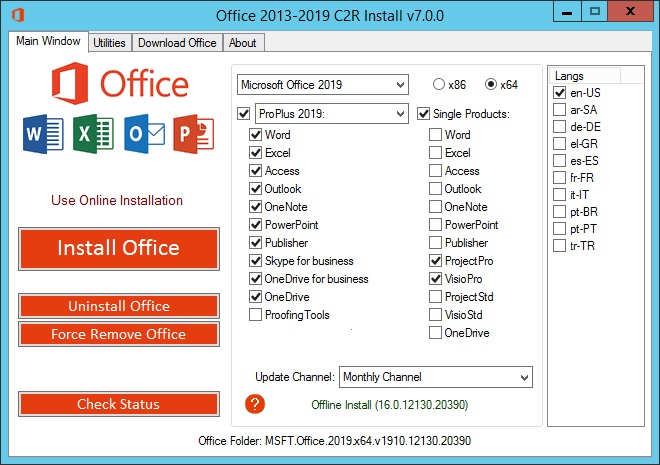
1)Download the ISO
2)mount it or extract
3)run .exe
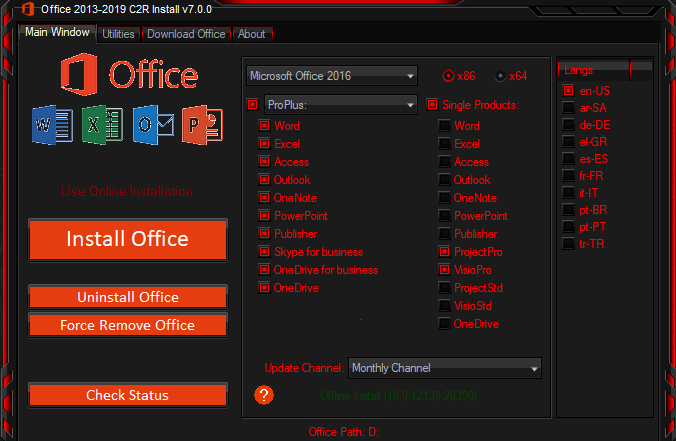
5)choose Microsoft office 2016 or 2019 and language click install
6) When installation is done, go to utilities tab and
-click Office RETAIL >= VL button

WHATS NEW:

Version 1910: November 18 (Build 12130.20390)

Various bugs and performance fixes.

Outlook
-Addressed an issue that caused users to see the location field in meetings change unexpectedly.
-Addressed an issue that caused users to see an empty message box with an "OK" button when trying to contact support from the Account Creation context.

b6826b3856f08872187b092ed3417bb8.png


7cc75731b7d28a283bf0ece06c4ed08d.png


У Вас недостаточно прав для просмотра ссылок. Войдите или зарегистрируйтесь.


DownLoad

Single Link
Код:
https://nitroflare.com/view/86B8BB9E94CD5F4/MSFT.Office.2016.2019.x64.16.0.12130.20390.ISO
https://nitroflare.com/view/C475217B055C473/MSFT.Office.2016.2019.x86.16.0.12130.20390.ISO

Код:
https://rapidgator.net/file/d9195560982a9d42ab22576406c01152/MSFT.Office.2016.2019.x64.16.0.12130.20390.ISO.html
https://rapidgator.net/file/281626c1e170612885103611a4eb346e/MSFT.Office.2016.2019.x86.16.0.12130.20390.ISO.html

Код:
https://uploadgig.com/file/download/2b00790b0B55ec38/MSFT.Office.2016.2019.x64.16.0.12130.20390.ISO
https://uploadgig.com/file/download/1c04691Fc56b607D/MSFT.Office.2016.2019.x86.16.0.12130.20390.ISO

NitroFlare
Код:
https://nitroflare.com/view/4F9B7E63E55848D/MSFT.Office.2016.2019.x64.16.0.12130.20390.part1.rar
https://nitroflare.com/view/E12311D8542AD47/MSFT.Office.2016.2019.x64.16.0.12130.20390.part2.rar
https://nitroflare.com/view/3E73AFEDC116660/MSFT.Office.2016.2019.x64.16.0.12130.20390.part3.rar
https://nitroflare.com/view/D1E1FB4B94D9047/MSFT.Office.2016.2019.x64.16.0.12130.20390.part4.rar

Код:
https://nitroflare.com/view/430B98BFE805133/MSFT.Office.2016.2019.x86.16.0.12130.20390.part1.rar
https://nitroflare.com/view/C6EA7110BDB3288/MSFT.Office.2016.2019.x86.16.0.12130.20390.part2.rar
https://nitroflare.com/view/4178FB927BDED98/MSFT.Office.2016.2019.x86.16.0.12130.20390.part3.rar
https://nitroflare.com/view/446D1787F1EFB8D/MSFT.Office.2016.2019.x86.16.0.12130.20390.part4.rar

RapidGator
Код:
https://rapidgator.net/file/783b9c22bf7785d7fb59a2282fd65176/MSFT.Office.2016.2019.x64.16.0.12130.20390.part1.rar.html
https://rapidgator.net/file/e6670d2097d3f5fd94ebf5e017cfdd82/MSFT.Office.2016.2019.x64.16.0.12130.20390.part2.rar.html
https://rapidgator.net/file/e4dea9c29d59d2587a8c3737e8bc2bd8/MSFT.Office.2016.2019.x64.16.0.12130.20390.part3.rar.html
https://rapidgator.net/file/ea9926b3223654d00da2611ea3a7db1c/MSFT.Office.2016.2019.x64.16.0.12130.20390.part4.rar.html

Код:
https://rapidgator.net/file/e33adbde19f4e0c6b1d5226afa07ffee/MSFT.Office.2016.2019.x86.16.0.12130.20390.part1.rar.html
https://rapidgator.net/file/1cfbad4e93d3bf64d64ec57ba0ed7caf/MSFT.Office.2016.2019.x86.16.0.12130.20390.part2.rar.html
https://rapidgator.net/file/e9f4fc20f65459daf522eb67c42f1ac5/MSFT.Office.2016.2019.x86.16.0.12130.20390.part3.rar.html
https://rapidgator.net/file/7a1ae1dd644038faa90a26125b8bd6a1/MSFT.Office.2016.2019.x86.16.0.12130.20390.part4.rar.html

UploadGiG
Код:
https://uploadgig.com/file/download/623a5D9b79345eb1/MSFT.Office.2016.2019.x64.16.0.12130.20390.part1.rar
https://uploadgig.com/file/download/49C296652aD61136/MSFT.Office.2016.2019.x64.16.0.12130.20390.part2.rar
https://uploadgig.com/file/download/4825f1E750fE005c/MSFT.Office.2016.2019.x64.16.0.12130.20390.part3.rar
https://uploadgig.com/file/download/0C2334A6a96487ee/MSFT.Office.2016.2019.x64.16.0.12130.20390.part4.rar

Код:
https://uploadgig.com/file/download/cBf99B5f9314Cfbb/MSFT.Office.2016.2019.x86.16.0.12130.20390.part1.rar
https://uploadgig.com/file/download/49153b933512210f/MSFT.Office.2016.2019.x86.16.0.12130.20390.part2.rar
https://uploadgig.com/file/download/7d6af880Cacad8bF/MSFT.Office.2016.2019.x86.16.0.12130.20390.part3.rar
https://uploadgig.com/file/download/39bB2687631F81df/MSFT.Office.2016.2019.x86.16.0.12130.20390.part4.rar
 
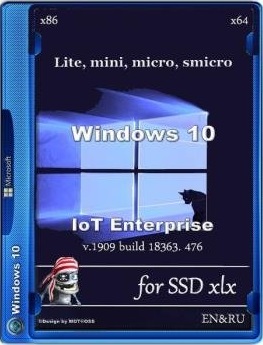
Windows 10 IoT Enterprise LiTE-Mini-Micro-SMicro v1909 18363.476

9738c50f4a1dc0e1b9c1c284d9219cc1.jpg


Windows 10 IoT Enterprise LiTE-Mini-Micro-SMicro v1909 18363.476

File Size: 2.06 GiB
Languages: English
OS: x64
Update: November 2019

​

Win10-IoT-Ent-x64-Lite(18363.476_en)-for-SSD_xlx.iso

Include:
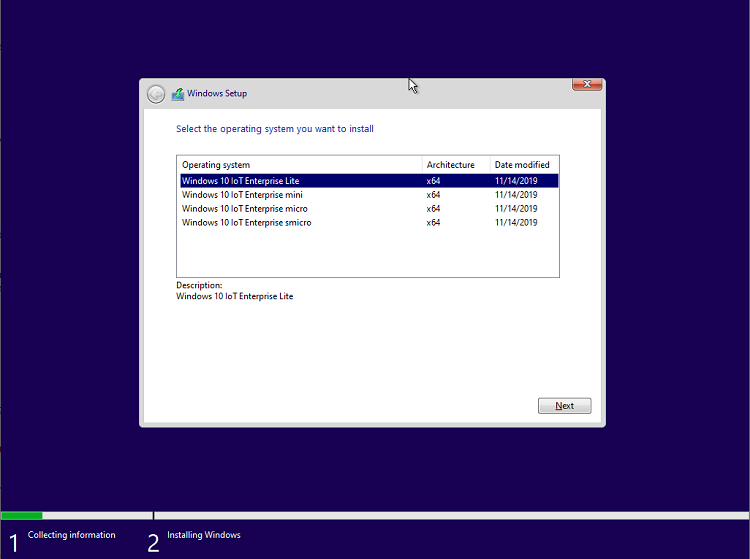
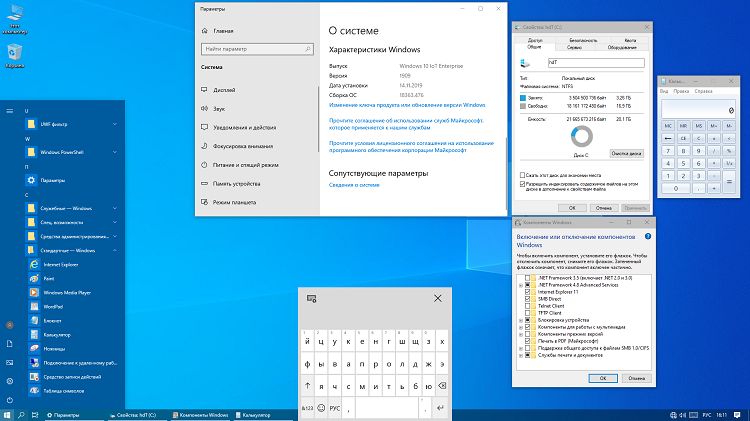
1. Windows 10 IoT Enterprise Lite
(Store, Xbox, MixedReality, YourPhone is left, can be easily removed if desired [dism++, etc.])
2. Windows 10 IoT Enterprise mini
(cut as much as possible, deleted: Store, Xbox, MSMQ, IIS WebServer, Virtualization, etc...)
3. Windows 10 IoT Enterprise micro
(additionally removed Asian fonts, IME input method editor, all cursors except aero.)
4. Windows 10 IoT Enterprise smicro
(additionally removed Cortana, the search does not work!)

What's New (Info and Deleted):
Edge, OneDrive, QuickAssist, OCR-TIFF Filter, Defender, Migration, migwiz, WinSATMediaFiles, Subsystem for Linux, Feature for UNIX,
Disk Encryption (SecureStartup [BitLocker]), Windows Hello, Printing-XPSServices, WebcamExperience, SecureAssessment.
-------------------------------------------------
If you need an Enterprise or Pro edition, change the product key to installation or your own.
(Keep in mind: telemetry cannot be completely disabled, the minimum telemetry in the Enterprise edition,
and Enterprise functionality is no worse than Pro.)
(If Enterprise was previously installed and activated (not KMS), IoT is activated automatically when the network is connected.
Otherwise, I advise you to install the Enterprise key, apply W10-Digital-Activation,
and stay on it until the next OS installation, Enterprise is functionally no different from IoT.)
---> Pro, Pro for Workstations:
In the components, turn off "Device Lockdown" -> "Unified Write Filter".
Delete folders:
C:\ProgramData\Microsoft\Windows\Start Menu\Programs\UWF filter
C:\ProgramData\UWF
-----------------------------
Installation Keys:
Enterprise: NPPR9-FWDCX-D2C8J-H872K-2YT43
Professional: VK7JG-NPHTM-C97JM-9MPGT-3V66T
Pro for Workstations: NRG8B-VKK3Q-CXVCJ-9G2XF-6Q84J
-----------------------
When installing the OS on the HDD (normal hard drive), be sure to apply the file (located in the Additional_Files folder):
Tweaks_SSD-to-HDD.reg
-----------------------
After installation, it is recommended to compress the OS with the command:
compact /CompactOS:always

Additional_Files:
Additional files on the installation disk (flash drive) in the Additional_Files folder:
The file "Services_Disable.reg" will disable some services and diagnostics.
The file "Services_Enable.reg" will enable some services and diagnostics if you need to install drivers, etc.
(After application, you need to restart the computer).
The file "Docs_Show.reg" will enable the display of folders in the Explorer: Video, Documents, Downloads, Images, Music, Desktop.
The file "Docs_Hide.reg" disables the display of these folders (disabled by default).
!!!========
The file "SystemLogs_OFF.reg" will completely disable the system logs, after applying and restarting the computer
You can delete all log files from the folder: Windows\System32\winevt\Logs
ATTENTION! The use of this tweak on other builds or full OS can lead to the impossibility of loading !!!
The file "SystemLogs_ON.reg" will include logs by default.
========!!!
To enable the lock screen and change the screen, use the file "LockScreen_ON.reg"
To turn off the lock screen: "LockScreen_OFF.reg"
(No reboot needed.)
The "Swapfile_ON.reg" file will enable an additional swap file for tiled applications.
(Necessary when using heavy applications from the Store and lack of RAM.)
2019_Visual-C++: vc_redist.x64.exe & vc_redist.x86.exe
dxwebsetup.exe - Installing dx9 libraries for games from the Internet.
InSpectre.exe - utility to disable braking protection "Meltdown and Spectre" (screen InSpectre.png).
equivalent: Manage_Speculative_Execution_Protection_Settings_v1.9.bat
mdstool-win64.exe - check for vulnerability attacks Microarchitectural Data Sampling (Intel ZombieLoad).
+++++++++++++++++++++++++++
Checksums:
CRC32: A386740B
MD5: 7A5383CD678D1F4F9A706C583B5E9BF4
SHA-1: 44AE5080DCBB2CFB13600B45F52C316BD25D447A

c24afbab19cba56982397ebf03166e32.png


b6df20eef0fd2b27a5a866d7a8f2a18d.png


84bc5bcdbcebc01285d5d02bbe2d2391.png


У Вас недостаточно прав для просмотра ссылок. Войдите или зарегистрируйтесь.


DownLoad

Single Link
Код:
https://nitroflare.com/view/FD264B897827B9C/Win10-IoT-Ent-x64-Lite.18363.476.en.for-SSD.xlx.iso

Код:
https://rapidgator.net/file/bff3bfc1554b8b8e7ab05e319ca289cb/Win10-IoT-Ent-x64-Lite.18363.476.en.for-SSD.xlx.iso.html

Код:
https://uploadgig.com/file/download/b86e506179ef850f/Win10-IoT-Ent-x64-Lite.18363.476.en.for-SSD.xlx.iso

NitroFlare
Код:
https://nitroflare.com/view/8471151B21446FD/Win10-IoT-Ent-x64-Lite.18363.476.en.for-SSD.xlx.part1.rar
https://nitroflare.com/view/27049DCBBC0EAF5/Win10-IoT-Ent-x64-Lite.18363.476.en.for-SSD.xlx.part2.rar
https://nitroflare.com/view/BA3BF5DA1D4003A/Win10-IoT-Ent-x64-Lite.18363.476.en.for-SSD.xlx.part3.rar

RapidGator
Код:
https://rapidgator.net/file/b539e71d83b2ae9f2fac9ea4d8c66646/Win10-IoT-Ent-x64-Lite.18363.476.en.for-SSD.xlx.part1.rar.html
https://rapidgator.net/file/958f90cb85a494ffd75bef6986c97046/Win10-IoT-Ent-x64-Lite.18363.476.en.for-SSD.xlx.part2.rar.html
https://rapidgator.net/file/accf15ef9fa8437c089f882991b408ab/Win10-IoT-Ent-x64-Lite.18363.476.en.for-SSD.xlx.part3.rar.html

UploadGiG
Код:
https://uploadgig.com/file/download/656cc675E2cc802c/Win10-IoT-Ent-x64-Lite.18363.476.en.for-SSD.xlx.part1.rar
https://uploadgig.com/file/download/cFb1f8bF1a433c52/Win10-IoT-Ent-x64-Lite.18363.476.en.for-SSD.xlx.part2.rar
https://uploadgig.com/file/download/370192831c0E4160/Win10-IoT-Ent-x64-Lite.18363.476.en.for-SSD.xlx.part3.rar
 
Windows 10 Pro v1909 19H2 Build 18363.476 LiTE PLUS Edition

a29f5fd474c538fe50c581c52c104760.jpg


Windows 10 Pro v1909 19H2 Build 18363.476 LiTE PLUS Edition

File Size: 2.16 GiB
Languages: English
OS: x64
Update: November 2019

​

Build Info:
Version: 10.0.18363.476
Code Name: 19H2
Architect: 64bit
Size: 2gb (ESD)
Language: English

What's New:

November 12, 2019-KB4524570 (OS Builds 18362.476 and 18363.476)

Keep/Integrated

Touch screen device support | Windows Store | Windows Update (Status disabled) | Windows PowerShell | Cortana (for local search, status disabled) | Keyboard layout and language | Windows SmartScreen (tweaked) | Microsoft .NET Framework 3.5 | StartIsBack (preinstalled) | IE | WMP | Photo viewer | Remote desktop connection | Windows Embedded Features | Windows firewall | Microsoft Edge | Legacy components - Direct play (Status enabled) | Paint | other things.

Removed

All Windows Apps Except apps at keep/integrate info | Windows Defender | Windows backup | Windows Home Group | Microsoft Telemetry | Windows Reader PDF | Kernel Debugging | Manifest Backup (WinSxS\Backup) | Windows System Assessment Tool (WinSAT) | Windows Recovery | other things.

Tweaks

Disabled Search Index | Disable Automatic Driver Updates through Windows Update | Disable Automatic Downloading and Installing 3rd Party Apps | Tweak windows photo integration | Add Context Menu Run As Administrator | Add Context Menu Open CMD Here | Add Context Menu Take Ownership | Add some dekstop icon | Search icon on taskbar| and more Registry Tweaks

У Вас недостаточно прав для просмотра ссылок. Войдите или зарегистрируйтесь.


DownLoad

Single Link
Код:
https://nitroflare.com/view/7F0F9D20B688D61/Win10Pro.1909.476.LitePlus.iso

Код:
https://rapidgator.net/file/ff6d4dda62cf4ab8c2881389ab1df9e0/Win10Pro.1909.476.LitePlus.iso.html

Код:
https://uploadgig.com/file/download/88c97b72022ed15F/Win10Pro.1909.476.LitePlus.iso

NitroFlare
Код:
https://nitroflare.com/view/B7AA82B4F39FAB6/Win10Pro.1909.476.LitePlus.part1.rar
https://nitroflare.com/view/0D0A048DEE956E5/Win10Pro.1909.476.LitePlus.part2.rar
https://nitroflare.com/view/6C4AF3B648F624A/Win10Pro.1909.476.LitePlus.part3.rar

RapidGator
Код:
https://rapidgator.net/file/a819bedf4065806fa87c61fecc01a507/Win10Pro.1909.476.LitePlus.part1.rar.html
https://rapidgator.net/file/6cd8bab4cbb4e41e8b867face69f55a8/Win10Pro.1909.476.LitePlus.part2.rar.html
https://rapidgator.net/file/74121fb9f79947820ae8493ab0c4ebba/Win10Pro.1909.476.LitePlus.part3.rar.html

UploadGiG
Код:
https://uploadgig.com/file/download/97A16caD95F284f1/Win10Pro.1909.476.LitePlus.part1.rar
https://uploadgig.com/file/download/3dd12738b8cf2cf5/Win10Pro.1909.476.LitePlus.part2.rar
https://uploadgig.com/file/download/cFbf32F5B84abb7d/Win10Pro.1909.476.LitePlus.part3.rar
 
Luminar 4.0.0 macOS

96b548b3db45623131494779a490665e.png


Luminar 4.0.0 macOS

File Size: 404 MiB
Languages: Multilingual

​

Revolutionary tools and AI technologies in Luminar 4. Luminar 4 is carving its own niche in the already saturated world of photo-editing software. The latest creation from Skylum, Luminar 4 is full of easy-to-use editing tools that are perfect for photographers who want to streamline the process of editing their photos. If you want to spend less time in front of a computer, then this is a serious contender.

AI Sky Replacement
Replace the sky to change the mood of your photo - instantly. Thanks to intelligent algorithms, this challenging task is now automated

AI Skin Enhancer & Portrait Enhancer
Enhance your portraits faster than ever with revolutionary human-aware technology. Get amazingly realistic results on portraits shot outdoors or in a studio.

AI Structure
Quickly reveal important parts of each image without spoiling the rest of the photo. This content-aware tool detects areas that could look richer and enhances them.

Sunrays
Create realistic light rays. Add a source of sunlight and move it around your image. Watch volumetric sunbeams magically seep between objects such as trees and buildings.

AI Enhance
AI Accent makes dozens of complex adjustments when you move just one slider. New human-aware technology recognizes people and applies adjustments selectively for ultra-realistic results.

Remove noise
Flawlessly remove digital noise from any type of photo. Get perfect images no matter the camera or shooting conditions.

Enhance details
Create more dramatic shots. Bring crystal-clear sharpness to your images. Enhance the clarity of small, medium or large details selectively.

Supported Operation Systems:
macOS 10.12 or later 64-bit

У Вас недостаточно прав для просмотра ссылок. Войдите или зарегистрируйтесь.


DownLoad

NitroFlare
Код:
https://nitroflare.com/view/AB9CA0515B502B6/Luminar.4.0.0.macOS.dmg

RapidGator
Код:
https://rapidgator.net/file/7ed77b6a4f75b6de429a081d3037de28/Luminar.4.0.0.macOS.dmg.html

UploadGiG
Код:
https://uploadgig.com/file/download/bA9eb7A773d57f95/Luminar.4.0.0.macOS.dmg
 
Luminar 4.0.0.4880 Multilingual

99fb81b688c849c659f0da16cded4153.jpg


Luminar 4.0.0.4880 Multilingual

File Size: 531 MiB
Languages: Multilingual
OS: Windows x64

​

Your Photography. Elevated. Revolutionary tools and AI technologies in Luminar 4 bring new heights to photo editing. Luminar 4 is the next generation of our all-in-one image editing and photo management software. Luminar 4 is designed to deliver professional results in less time and to help photographers unlock their best images.

All New in Luminar 4:

AI Sky Replacement
Replace the sky to change the mood of your photo - instantly. Thanks to intelligent algorithms, this challenging task is now automated.

AI Skin Enhancer & Portrait Enhancer
Enhance your portraits faster than ever with revolutionary human-aware technology. Get amazingly realistic results on portraits shot outdoors or in a studio.

AI Structure
Quickly reveal important parts of each image without spoiling the rest of the photo. This content-aware tool detects areas that could look richer and enhances them.

Sunrays
Create realistic light rays. Add a source of sunlight and move it around your image. Watch volumetric sunbeams magically seep between objects such as trees and buildings.

AI Enhance
AI Accent makes dozens of complex adjustments when you move just one slider. New human-aware technology recognizes people and applies adjustments selectively for ultra-realistic results.

Browse beautifully
Explore, rate, sort & enjoy images from all your folders with ease and pleasure.

Apply instant Looks
Immerse in more than 70 Looks, handcrafted by recognized photo artists. Divided into seven Categories. Create and share your own unique Looks.

Make your landscapes pop
With Landscape Enhancer toolset it takes few slides to add more charm to your landscapes. Apply Dehaze to restore depth and color. Add warm sunlight with Golden Hour. Works perfectly on landscapes or outdoor portraits. Improve colors of plants, trees or flowers with Foliage Enhancer.

Erase unwanted objects
Get rid of unwanted objects, strangers, and odd details - in a click, with Erase tool.

Boost creativity with Creative tools
- Use it for a gritty cinematic look. Often used in stylized fashion shoots and grungy athletic portraits.
- For an aged look with flat color and high contrast. Works great for both landscapes and portraits.
- Creates a dreamy look with increased contrast and a delicate glow.
- Remap the colors in an image for creative new options. LUTs can be used for color grading, B&W conversion, or digital film stocks.
- Textures give your photos a new appearance. They're especially great when you're trying to achieve a vintage or grungy look.
- Creates a lighting effect, especially around bright areas such as streetlights and sky.
- Emulates the structure of analog film stock by introducing a random, stylized texture into your image.
- Adds a strong softening or blurring effect to part of your photo, simulating fog.

Remove noise
Flawlessly remove digital noise from any type of photo. Get perfect images no matter the camera or shooting conditions.

Enhance details
Create more dramatic shots. Bring crystal-clear sharpness to your images. Enhance the clarity of small, medium or large details selectively.

RELEASE NOTES:
- Release notes were unavailable when this listing was updated.

System Requirements:
- Graphics: Open GL 3.3 or later compatible
- Processor: Intel Core i5 or better
- OS: Windows 7 or higher (only x64-bit OS)
- RAM: 8 GB or more
- Disk Space: 10 GB free space

У Вас недостаточно прав для просмотра ссылок. Войдите или зарегистрируйтесь.


DownLoad

NitroFlare
Код:
https://nitroflare.com/view/C2A62FCF0D62059/Luminar.4.0.0.4880.Multilingual.rar

RapidGator
Код:
https://rapidgator.net/file/56b3ee078f5a0fd67bf28d08d5efa3d9/Luminar.4.0.0.4880.Multilingual.rar.html

UploadGiG
Код:
https://uploadgig.com/file/download/c7c7f033fbEa0Ac2/Luminar.4.0.0.4880.Multilingual.rar
 
CyberLink PhotoDirector Ultra 11.0.2307.0 Multilingual

061fac3aac9d5e46f5d65363e788ce0d.jpg


CyberLink PhotoDirector Ultra 11.0.2307.0 Multilingual

File Size: 390 MiB
Languages: Multilingual
OS: Windows x64

​

Combining image editing and optimization with portrait retouching, PhotoDirector is just like having Photoshop, and Lightroom all rolled into one. It's software for the professional photographer, yet without the steep learning curve. Plus, get exclusive AI tools, new features & format support, and access to a massive collection of plug-ins.

Powerful Layer Editing
Layer editing provides the flexibility to create unique compositions by combining images, texts and graphics. Using blending modes, effects and masks, your creative possibilities are virtually endless.

What's New:
- Creative Blending Modes.
- Overlay animated objects on video to add energy.
- Layer Adjustment.
- Animated slideshows from pro-designed templates.
- NEW! Bevel & Emboss Text Effect.
- Fuse video clips by applying selective transparency.
- NEW! Customizable Warped Text Layers.
- Design hand-drawn overlays using an array of brushes.
- NEW! Group & Filter Layers.
- Design hand-drawn overlays using an array of brushes.
- NEW! Snap Alignment in Layers.
- Create unique subtitles to add to your videos.
- NEW! One-click Layer Alignment.
- Create unique disc menu layouts and styles.
- NEW! One-click Layer Distribution.

AI-Powered Deblur (NEW!)
Blurry images are a thing of the past with intelligent deblur. Perfect for fixing up photos of excited children, pets, or taken from moving vehicles.

AI Styles (UNIQUE!)
We've trained our AI Style Engine to analyze images in detail and identify different aspects of each shot. The engine intelligently applies brushstrokes that make your pictures look like they were designed and painted by a master artist.

Photo Management with AI Facial Recognition (NEW!)
Painlessly manage large photo collections with our AI facial recognition solution, powered by CyberLink's very own FaceMe™ engine. Tag a face in one photo, and it will be automatically detected & tagged in all existing and future shots.

Amazing Photos from Video
Extract photos from a video clip and turn them into incredibly creative multi-exposure images with just a single click. Brush over sections of a video clip to retain movement in that area only while other parts remain frozen in time. Or Instantly create perfect group photos from video clips with everyone smiling, and all eyes open!

Incredible Multi-exposure Shots
Easily extract a series of photos from a video clip and turn them into incredibly creative multi-exposure images with just a single click.
Create amazing motion stills and cinemagraphs from videos. A moving scene frozen in time.

Vibrant Motion Stills™ (UNIQUE!)
Brush over sections of a video clip to retain movement in that area only. Other parts of your photo will appear frozen in time.
Take perfect group shots every time using video.

Video-to-Photo Face Swap (UNIQUE!)
Instantly create perfect group photos from video clips. Ensure everyone is smiling, and all eyes are open!

Advanced Color Replacement (NEW!)
Completely change the color of specific objects in a picture for a whole new look. Select multiple areas at once for consistent adjustment.

Content-Aware Remove, Move & Clone
Remove, duplicate, or move objects or people within photos simply by brushing over them. PhotoDirector fills spaces using an intelligent algorithm that blends perfectly with the surrounding background.

Express Layer Templates
Express Layer Packs contain all the layer components that make up complex images. They're not only an easy way to put together stunning images, but also shows how layers combine to produce photographic effects.

Frame & Clip Art Packs
Give your images the perfect finishing touch with professionally designed frames & clip art packs in a range of styles.

Dehaze & Defringe
Strip away haze, fog and smog to reveal crisp, clear landscapes with the intuitive Dehaze slider. For a professional touch, use the Defringe tool to get rid of distracting color fringes and give your digital photos a sharper look.

Incredible 360˚ Photo Editing
Import, edit, correct and export 360˚ photos using all the editing features you know. It's a whole new perspective on photography. Create Little Planets, or mind-blowing panoramas in no time.

RELEASE NOTES:

- Resolves the issue that the program crashes when exporting certain photos contain invalid GPS info.
- Resolves the issue that the program crashes when previewing certain Fujifilm .RAF photos.
- Resolves the issue that the Calendar tab gets disabled in the library after opened certain projects.
- Minor bug fixes.

System Requirements:
- Microsoft Windows 10, 8/8.1, 7 (64 bit OS only)
- Intel Core™ i-series or AMD Phenom® II and above
- 128 MB VGA VRAM or higher
- 4GB memory required (For AI style transfer, 8GB or above recommended)
- 1024 x 768, 16-bit color or above

Language Support:
- English
- French
- German
- Italian
- Spanish (European)
- Chinese Simplified
- Chinese Traditional
- Japanese
- Korean
- Dutch

У Вас недостаточно прав для просмотра ссылок. Войдите или зарегистрируйтесь.


DownLoad

NitroFlare
Код:
https://nitroflare.com/view/D8749D405039BE5/CyberLink.PhotoDirector.Ultra.11.0.2307.0.Multilingual.rar

RapidGator
Код:
https://rapidgator.net/file/45d0d3a686133d662bcdc4040c111c22/CyberLink.PhotoDirector.Ultra.11.0.2307.0.Multilingual.rar.html

UploadGiG
Код:
https://uploadgig.com/file/download/78943edBc7db475d/CyberLink.PhotoDirector.Ultra.11.0.2307.0.Multilingual.rar
 
Telestream Wirecast Pro 13.0.2 Multilingual

ff741d17935e007660f654a985b2deee.jpg


Telestream Wirecast Pro 13.0.2 Multilingual

File Size: 239 MiB
Languages: Multilingual
OS: Windows x64

​

Easily stream professional-looking video with Wirecast. What are you waiting for? Communicate your message to the world with Wirecast, the award-winning video production software. Go live with just your webcam or connect multiple cameras, scoreboards, graphics and remote guests. Wirecast makes it easy to stream amazing-looking live and pre-recorded video to Facebook Live, YouTube, Twitter, Periscope and more.

Education
Live stream graduations, award ceremonies, student news and sports, guest lectures, and classroom lessons to your community. Wirecast is used at every level of education.

Houses of Worship
Engage and expand your remote congregation with live streams of your services and events. Reach out and touch more people.

Live Event Production
Live stream conferences, concerts, interviews and more. Wirecast provides everything you need to stream professional live events.

Sports
Capture the action! Use Wirecast's professional features like clocks, scoreboards and instant Replay to bring your audience to the game.

Television, Radio & News Broadcasters
Stream your programming to OTT and social platforms or augment your premium content with second-screen live and interactive offerings.

Digital Marketing & Social Media
Wirecast is the perfect live video marketing tool. Engage real-time with customers, fans and prospects using Wirecast's native integrations with Facebook Live, Twitter, Periscope, YouTube and more.

Professional live broadcasting features:

Easy to Use
Mix and swap video and audio shots with the click of a mouse. Move, drag, and resize sources and stack them in any order so you can get the look you want.

Unlimited Destinations
Stream to Facebook Live, Twitter, YouTube, Vimeo Live, or ANY RTMP destination. Stream to more than one at a time.

Stream & Record
Stream and record at the same time. Great for archiving or off-line editing, record MP4 or MOV files to any drive.

Unlimited Video Sources
Cameras, microphones, webcams, IP cams, capture cards, and more. See a full list of compatible third-party capture devices.

Conferencing & Remote Production
Rendezvous peer-to-peer conferencing comes built-in to Wirecast. Send guests a link to join your live broadcast.

Beautiful Graphics & Animated Titles
Over 100 built-in graphics and titles. NewBlue Titler Live, free with Wirecast, is the best way to display animated graphics and titles with Wirecast.

Social Media Comments
Built in Twitter comment curation and display. Display Facebook comments in animated titles using NewBlue Titler Live Express or NewBlue Titler Live Social.

Replay, Scoreboards, Clocks & Timers
Great for sports producers. Wirecast has professional features let your live viewers follow the action in the moment, and never miss an important play.

Professional Audio
Multi-channel audio ingest, support for ASIO, WASAPI and CoreAudio compatible devices. Mix up to 8 independent audio tracks, and add FX and processing.

Free Wireless Camera App
Use Wirecast Go (iOS only) to bring in live mobile video from any Wi-Fi or LTE (cellular) connection.

Desktop, NDI & Web Capture
Capture a variety of IP sources or anything on your computer screen or other computers. Automatically detect NDI and Syphon sources. Built-in web-browser can display live web pages.

Controllers
Check out the new X-keys controller for Wirecast Mac or Windows. See a full list of devices.

System Requirements:
- Windows 7, 8, 10 (64-bit).
- i5 dual-core @ 2.3GHz
- 4GB RAM
- 2GB2, 7200 RPM for record to disk
- Intel HD3, DirectX 11 capable

Languages Supported:
- English
- Brazilian Portuguese
- Chinese (Simplified)
- Czech
- Dutch
- French
- German
- Italian
- Japanese
- Korean
- Spanish
- Swedish

У Вас недостаточно прав для просмотра ссылок. Войдите или зарегистрируйтесь.


DownLoad

NitroFlare
Код:
https://nitroflare.com/view/1E674424688ADDF/Telestream.Wirecast.Pro.13.0.2.Multilingual.rar

RapidGator
Код:
https://rapidgator.net/file/ffa652192726a8dbe2b53e9d269eb3bb/Telestream.Wirecast.Pro.13.0.2.Multilingual.rar.html

UploadGiG
Код:
https://uploadgig.com/file/download/c4809401cfd623d4/Telestream.Wirecast.Pro.13.0.2.Multilingual.rar
 
Wondershare Filmora 9.2.11.6 x64 Multilingual

1ccfa23c5fa9d1d85529c3d6b14a215b.jpg


Wondershare Filmora 9.2.11.6 x64 Multilingual

File Size: 269 MiB

​

Wondershare Filmora is a professional video editor to express your creativity and amaze with beautiful results. It has all the video editing tools to create Hollywood-like home movies with titles, effects and transitions from all regular videos, audio and photos.

Wondershare Filmora allows you to cut, edit, merge, and trim clips. Furthermore you will able to add your favorite music dircectly into your movie to create the perfect atmosphere. Also you can create beautiful animated messages from text and titles library.

Wondershare Filmora also allows you to import video clips of various formats, then save them to the disk as a different type of file. You can save videos to play on portable devices like iPhone, iPad, iPod, etc. or burn DVD for better video preservation.

Wondershare Filmora Advanced Tools:
Advanced Text and Title Editor. Create your own animated titles or adjust premade titles in ways you like.
Picture in Picture (PIP). Place multiple videos in the same frame! Layer many movies into one frame to tell different angles of one story.
Screen Recording. Filmora makes it easy to screen record any program or games.
Video Stabilization. Smooth your shaky Action Cam footage in one click.
Solit Screen. Showcase your story from different perspectives and create visual interest, by displaying more than one video simultaneously.
Green Screen. Shoot videos in front of a green or blue screen and merge with other backgrounds, to create special effects like the professionals do!
Tilt Shift. Add some style to your videos by easily transforming them into fun, tilt-shift style miniature scenes.
Scene Detection. Save time editing by automatically scanning video clips for scene changes, to separate footage into individual cuts for advanced editing.
Audio Equalizer. Fine-tune your music and audio tracks.
Flash And Hold. Bring movement to still photos by fading in and out of the focal point to seamlessly integrate into your video.

У Вас недостаточно прав для просмотра ссылок. Войдите или зарегистрируйтесь.


DownLoad

NitroFlare
Код:
https://nitroflare.com/view/5F6E5A8A926EFC7/Wondershare.Filmora.9.2.11.6.x64.Multilingual.rar

RapidGator
Код:
https://rapidgator.net/file/5d0b3d3d1fc168b01a75f25ad5ca0b93/Wondershare.Filmora.9.2.11.6.x64.Multilingual.rar.html

UploadGiG
Код:
https://uploadgig.com/file/download/c6B4f47718e98Ced/Wondershare.Filmora.9.2.11.6.x64.Multilingual.rar
 
Adobe Master Collection CC v1 2020 x86-x64

8d2800078e23998e3524a9fe1d3a1caf.jpg


Adobe Master Collection CC v1 2020 x86-x64

File Size: 19.5 GiB
Languages: English, Russian
OS: x86, x64

​

Description:
As I hope you know, Adobe Master Collection CC 2020 does not exist in nature, Adobe has never released it. But, nevertheless, he is in front of you! And it is assembled on the basis of a modern installer, manufactured by Adobe, the transition to which was made possible through joint efforts, both by mine and by many of the famous PainteR. We both did our best to bring this package to life.

Adobe Master Collection CC 2020 is a collection of applications from the Creative Cloud 2020 line and a number of junior version programs combined by a single installer with the ability to select the installation path and the language of the installed programs.In terms of functionality, everything is very similar to the well-proven Adobe Master Collection CS6 in the past. Only here, the installer interface has changed, the current package includes significantly more programs than its namesake Creative Suite 6, and the versions of the programs themselves are mostly fresher.

The contents of the package:
-Adobe Acrobat Pro DC (Russian and English)
-Adobe of After Effects 2020 (Russian and English)
-Adobe the Animate 2020 (Russian and English)
-Adobe Audition 2020 (English only)
-Adobe Bridge 2020 (Russian and English)
-Adobe the Character Animator 2020 (Russian and English)
-Adobe Dimension (English only)
-Adobe Dreamweaver 2020 (Russian and English)
-Adobe Fuse (English only)
-Adobe Illustrator 2020 (Russian and English)
-Adobe an InCopy 2020 (Russian and English)
-Adobe the InDesign 2020 (Russian and English)
-Adobe Lightroom Classic (English only)
-Adobe Media Encoder 2020 (Russian and English)
-Adobe Photoshop CC 2020 (Russian and English)
-Adobe the Prelude in 2020 (Russian and English)
-Adobe Premiere Pro 2020 (Russian and English)
-Adobe Premiere Rush (English only)
-Adobe XD (English only)

WHATS NEW:

What changed build author:
- I discovered a hidden opportunity to use a local installer for the Adobe multiple set and PAINTER "caught" the missing syntax to initialize.
- to make possible the installation software package not only on Windows 10, I stopped to version 4.9.0.515 installer.
- From the installer except for the minimum necessary cut module Adobe Application Manager, set by the original installer to fail.
- From the installer except for the minimum necessary cut module Adobe Desktop Common, set by the original installer to fail.
- From the installer is completely cut module Adobe Creative Cloud, set by the original installer to fail.
- Installer in offline mode integrates the Windows 7 certificate advanced electronic signature Adobe.
- Installer provides a selection of the installation path and the program interface language.
- Of the distributions included in the assembly, if possible, eliminated all language packs, apart from English and Russian.
- For programs that do not belong to the pool of audio and video processing, unlocked the ability to install on Windows 7 with SP1, Windows 8.x and 10 junior versions.
- For applications belonging to the pool of audio and video processing, unlocked the ability to install on Windows 10 junior versions.
- For most programs, with the authorization of their Adobe ID, is available panel "Library" (CC Library).
- Distribution program Adobe Fuse specially adapted to the modern type of the installer to be part of this assembly.
- Adobe Photoshop 2020 has been updated to version 21.0.1.
- Adobe XD has been updated to version 24.3.22.2.
- The program Adobe Fuse updated to version 2017.1.
- Module Adobe CCX Process specially patched to at authorized under your Adobe ID program does not display the message about the completion of the trial period.
- All programs are already treated. Starting window (initial screen) for all programs work (at Animate only with authorization from their Adobe ID).

У Вас недостаточно прав для просмотра ссылок. Войдите или зарегистрируйтесь.


DownLoad

Single Link
Код:
https://nitroflare.com/view/C4D1152F66E0B3C/Adobe.Master.Collection.2020.v1.RU-EN.iso

Код:
https://rapidgator.net/file/685f16bb2bae61d2ba1fa442ebef96bb/Adobe.Master.Collection.2020.v1.RU-EN.iso.html

NitroFlare
Код:
https://nitroflare.com/view/FA4F7B80A224EBA/Adobe.Master.Collection.2020.v1.RU-EN.part01.rar
https://nitroflare.com/view/10388D2559CFC46/Adobe.Master.Collection.2020.v1.RU-EN.part02.rar
https://nitroflare.com/view/2A052F66383DCA9/Adobe.Master.Collection.2020.v1.RU-EN.part03.rar
https://nitroflare.com/view/E2BF49FD41EF57C/Adobe.Master.Collection.2020.v1.RU-EN.part04.rar
https://nitroflare.com/view/360C73F3AEFBEA1/Adobe.Master.Collection.2020.v1.RU-EN.part05.rar
https://nitroflare.com/view/75A40058E408FF6/Adobe.Master.Collection.2020.v1.RU-EN.part06.rar
https://nitroflare.com/view/C6DFE96DAA58C01/Adobe.Master.Collection.2020.v1.RU-EN.part07.rar
https://nitroflare.com/view/0106B3D330AE343/Adobe.Master.Collection.2020.v1.RU-EN.part08.rar
https://nitroflare.com/view/3C70C578BF3C993/Adobe.Master.Collection.2020.v1.RU-EN.part09.rar
https://nitroflare.com/view/19A2EA2E39AF002/Adobe.Master.Collection.2020.v1.RU-EN.part10.rar
https://nitroflare.com/view/56A47A49C84F06E/Adobe.Master.Collection.2020.v1.RU-EN.part11.rar
https://nitroflare.com/view/C9FF9E65A138DAB/Adobe.Master.Collection.2020.v1.RU-EN.part12.rar
https://nitroflare.com/view/7BECFFDC5173638/Adobe.Master.Collection.2020.v1.RU-EN.part13.rar
https://nitroflare.com/view/BB70527F5E0DDFA/Adobe.Master.Collection.2020.v1.RU-EN.part14.rar
https://nitroflare.com/view/F4C666FECE0CA46/Adobe.Master.Collection.2020.v1.RU-EN.part15.rar
https://nitroflare.com/view/81544B3FB2E5494/Adobe.Master.Collection.2020.v1.RU-EN.part16.rar
https://nitroflare.com/view/4945DFC49501507/Adobe.Master.Collection.2020.v1.RU-EN.part17.rar
https://nitroflare.com/view/9A6A5779F2B7189/Adobe.Master.Collection.2020.v1.RU-EN.part18.rar
https://nitroflare.com/view/6199AD8122F0AF4/Adobe.Master.Collection.2020.v1.RU-EN.part19.rar
https://nitroflare.com/view/5C69E7470B47626/Adobe.Master.Collection.2020.v1.RU-EN.part20.rar

RapidGator
Код:
https://rapidgator.net/file/93e2f86eda7240417b91826c3c47f953/Adobe.Master.Collection.2020.v1.RU-EN.part01.rar.html
https://rapidgator.net/file/902306bdd957f4aedaf03a56283c9e7b/Adobe.Master.Collection.2020.v1.RU-EN.part02.rar.html
https://rapidgator.net/file/4b194ed658e8b70fd8bc984d549efda9/Adobe.Master.Collection.2020.v1.RU-EN.part03.rar.html
https://rapidgator.net/file/5bc928280898d0e7a23e160115ea2554/Adobe.Master.Collection.2020.v1.RU-EN.part04.rar.html
https://rapidgator.net/file/3f0e99b1d92919f9e62dfd0971dc4cfb/Adobe.Master.Collection.2020.v1.RU-EN.part05.rar.html
https://rapidgator.net/file/c239d8fcbb9653db8aee664d7b538681/Adobe.Master.Collection.2020.v1.RU-EN.part06.rar.html
https://rapidgator.net/file/941815ac3ef03079a6b1c16f99b625bf/Adobe.Master.Collection.2020.v1.RU-EN.part07.rar.html
https://rapidgator.net/file/1eed67ee1e3f2b558b0708a595033a3f/Adobe.Master.Collection.2020.v1.RU-EN.part08.rar.html
https://rapidgator.net/file/3c7403595db602916fd2c9d01aa3de91/Adobe.Master.Collection.2020.v1.RU-EN.part09.rar.html
https://rapidgator.net/file/6c8167b1bd597a75bc3093d70fdd1a99/Adobe.Master.Collection.2020.v1.RU-EN.part10.rar.html
https://rapidgator.net/file/758f1351c460d39a06d859cf71d0fb8d/Adobe.Master.Collection.2020.v1.RU-EN.part11.rar.html
https://rapidgator.net/file/aa3c52fc441d1f0f1aae77d3fe7d9834/Adobe.Master.Collection.2020.v1.RU-EN.part12.rar.html
https://rapidgator.net/file/2c701f4f4bb28b326f0b386ae28614a3/Adobe.Master.Collection.2020.v1.RU-EN.part13.rar.html
https://rapidgator.net/file/c60ebe20158a72314278736e6b7b6c79/Adobe.Master.Collection.2020.v1.RU-EN.part14.rar.html
https://rapidgator.net/file/d1dd35c6b20090d00037d111d6a146cb/Adobe.Master.Collection.2020.v1.RU-EN.part15.rar.html
https://rapidgator.net/file/efd3277d1e8824885c5a8062230d0b38/Adobe.Master.Collection.2020.v1.RU-EN.part16.rar.html
https://rapidgator.net/file/c6cc9fae4ede2dd5c4fe602d6838d169/Adobe.Master.Collection.2020.v1.RU-EN.part17.rar.html
https://rapidgator.net/file/85aed1c005d9f9f0950d013a2b7e80c4/Adobe.Master.Collection.2020.v1.RU-EN.part18.rar.html
https://rapidgator.net/file/d38219dfcf0bbdf2fa09b87bc87effd3/Adobe.Master.Collection.2020.v1.RU-EN.part19.rar.html
https://rapidgator.net/file/3fb319e80337a225b3ccc18b608960af/Adobe.Master.Collection.2020.v1.RU-EN.part20.rar.html

UploadGiG
Код:
https://uploadgig.com/file/download/74cae3d65884122c/Adobe.Master.Collection.2020.v1.RU-EN.part01.rar
https://uploadgig.com/file/download/94ef93e399dda221/Adobe.Master.Collection.2020.v1.RU-EN.part02.rar
https://uploadgig.com/file/download/7358ecab6df9F701/Adobe.Master.Collection.2020.v1.RU-EN.part03.rar
https://uploadgig.com/file/download/98a246Cd325Ed49f/Adobe.Master.Collection.2020.v1.RU-EN.part04.rar
https://uploadgig.com/file/download/1Bb843444A26a452/Adobe.Master.Collection.2020.v1.RU-EN.part05.rar
https://uploadgig.com/file/download/eFeC53e977c4feAF/Adobe.Master.Collection.2020.v1.RU-EN.part06.rar
https://uploadgig.com/file/download/5B74b25ED6Df0f6d/Adobe.Master.Collection.2020.v1.RU-EN.part07.rar
https://uploadgig.com/file/download/434070336fe48622/Adobe.Master.Collection.2020.v1.RU-EN.part08.rar
https://uploadgig.com/file/download/8958eAa2Eac41f94/Adobe.Master.Collection.2020.v1.RU-EN.part09.rar
https://uploadgig.com/file/download/a2922C324c8d9df8/Adobe.Master.Collection.2020.v1.RU-EN.part10.rar
https://uploadgig.com/file/download/d01271ec4EDEfbAe/Adobe.Master.Collection.2020.v1.RU-EN.part11.rar
https://uploadgig.com/file/download/1c6288985d99F42e/Adobe.Master.Collection.2020.v1.RU-EN.part12.rar
https://uploadgig.com/file/download/7b4ec5654aAEd537/Adobe.Master.Collection.2020.v1.RU-EN.part13.rar
https://uploadgig.com/file/download/19745e8647e49343/Adobe.Master.Collection.2020.v1.RU-EN.part14.rar
https://uploadgig.com/file/download/026ce4d58033f423/Adobe.Master.Collection.2020.v1.RU-EN.part15.rar
https://uploadgig.com/file/download/f283e658e0e8073E/Adobe.Master.Collection.2020.v1.RU-EN.part16.rar
https://uploadgig.com/file/download/31c329cb9de9545F/Adobe.Master.Collection.2020.v1.RU-EN.part17.rar
https://uploadgig.com/file/download/c76cd517cE5369df/Adobe.Master.Collection.2020.v1.RU-EN.part18.rar
https://uploadgig.com/file/download/e00A165dAabfa7b4/Adobe.Master.Collection.2020.v1.RU-EN.part19.rar
https://uploadgig.com/file/download/af99aeF74cCe41e9/Adobe.Master.Collection.2020.v1.RU-EN.part20.rar
 
CyberLink AudioDirector Ultra 10.0.2315.0 Multilingual

90df292667111f349143cc98da123cb4.jpg


CyberLink AudioDirector Ultra 10.0.2315.0 Multilingual

File Size: 185 MiB
Languages: Multilingual
OS: Windows x64

​

Precision Audio Editing for Videos. Proper audio is critical for setting the right mood for any video or movie. AudioDirector contains high-end tools to edit and fix audio tracks for professional results. Seamless integration with PowerDirector's video editing workflow makes AudioDirector a must-have application for professional video makers.

What's New:

AI Wind Remove (NEW!)
Recording outdoors will never be the same again! With just one click you can use the power of AI to remove wind gusts from audio clips, bringing clarity to dialogue and ambient sounds.

Punch & Roll Recording (NEW!)
Quickly record lengthy voiceovers or podcasts, and seamlessly make corrections to your dialogue tracks.

Restoration Adjustment Tools (ENHANCED!)
- Dialogue Contour NEW - Change dialogue's inflections
- Plosive Removal - Remove distracting breathy sounds in speech
- Noise Reduction - Clear unwanted static and background noise
- Declip - Remove distortion caused by clipping
- Declick - Clear track of clicks, pops and crackles
- Hiss Removal - Eliminate hissing sounds from audio tracks
- Hum Removal - Get rid of low frequency audio artifacts

Visual Spatial Audio Editing (NEW!)
Edit audio tracks for 360˚ videos in a visual preview window to precisely tune audio direction and elevation.

360º Video Support (ENHANCED!)
Preview 360˚ video, import & edit multi-channel audio clips and export in 360˚ formats for a smoother workflow.

Vocal Transformer
Alter existing vocals through a number of natural-sounding filters. Choose from five existing presets including phone, gender, robot, and more, or create your own.

Multi-Channel Device Recording
Record from multiple audio channels at the same time directly into AudioDirector. You don't need to spend time syncing channels, so you can start editing right away.

Track Alternatives in Mixer Room
Sample different effects and recordings on a single track with Track Alternatives. Add multiple tracks to the same timeline and preview different styles without having to individually mute and unmute them.

Ambience Creator
Maintain a constant ambience through your audio tracks by choosing a background sound sample and using it consistently in the entire clip.

Surround Sound Panner
Create sophisticated surround sound projects using dynamic panning technology.

Auto-Fit Background Music
Automatically adjust background music tracks to fit the length of your video. AudioDirector analyzes the music and seamlessly remixes it to fit the length of your video clip.

Batch Processing
Apply your favorite effects to multiple audio files simultaneously, saving hours of tedious editing time and repetition.

Codec Preview
Preview the final result and identify any artifacts from lossy encoding before you produce, so you can make smart processing decisions and create better sounding audio tracks.

RELEASE NOTES:
- Minor bug fixes.

System Requirements:
- Microsoft Windows 10, 8/8.1, 7 (64-bit OS only)
- Multi-core Intel processor with 64-bit support
- 128 MB VGA VRAM or higher
- 4 GB memory required (8 GB or above recommended)
- 1 GB hard disk space GB required
- Windows compatible sound card is required

Language Support:
- English
- French
- German
- Italian
- Spanish (European)
- Chinese Simplified
- Chinese Traditional
- Japanese
- Korean

У Вас недостаточно прав для просмотра ссылок. Войдите или зарегистрируйтесь.


DownLoad

NitroFlare
Код:
https://nitroflare.com/view/7A56D1C77B4CD2D/CyberLink.AudioDirector.Ultra.10.0.2315.0.Multilingual.rar

RapidGator
Код:
https://rapidgator.net/file/9651b372582ebd10b7b538b4f5f6b2a1/CyberLink.AudioDirector.Ultra.10.0.2315.0.Multilingual.rar.html

UploadGiG
Код:
https://uploadgig.com/file/download/d29Ba06798E4Cb4b/CyberLink.AudioDirector.Ultra.10.0.2315.0.Multilingual.rar
 
IDM UEStudio 19.20.0.40

d909827b4dfd369d9e228cad5f37f890.jpg


IDM UEStudio 19.20.0.40

File Size: 202 MiB

​

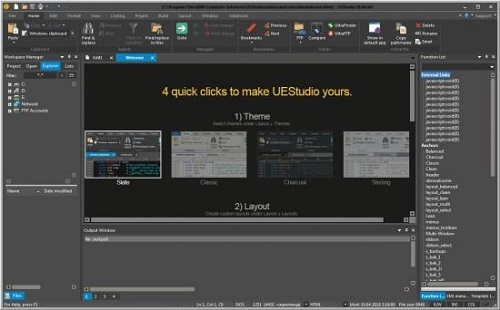
UEStudio is the powerful IDE (Integrated Development Environment) built on the chassis of UltraEdit, the world renowned text editor. As a full integrated development environment, UEStudio includes all the features of the powerful UltraEdit text editor plus native support for over 30 popular compilers (including Microsoft Visual C++, Java, GNU C/C++, PHP, Perl and over 30 others). UEStudio includes integrated debugging, VCS version control, built-in class browsing, language intelligence (like Intellisense), project conversion, and batch building features, as well as many other advanced features. Download your copy today to begin writing, debugging, and building applications in your favorite programming language.

IDM UEStudio
UEStudio, all the features of UltraEdit plus the power of an IDE. UEStudio '09 builds upon the highly acclaimed UltraEdit v14, but goes even further to bring you a must-see interface that offers stunning new functionality, as well as an array of powerful new features - such as an integrated PHP debugger, updated version control, and so much more... UEStudio '09...Designed to transform the way you work!

UEStudio is fast, stable, lightweight, and powerful and offers any UltraEdit user advanced programming functionality at a fantastic value!

Powerful project/solution features
» Visual Studio 6/05 project to UEStudio project conversion
» Integrated compiler support (note: compilers not included with IDE)
» Integrated CVS version control support
» Integrated SVN support
» Support for multiple SVN/CVS modules within a project
» Integrated tag support
» Powerful project manager
» Compiler-specific project templates

Application building features» Compile your projects from within UEStudio
» Build/batch build
» Debug
» Integrated debugger support for WinDbg for Microsoft C/C++ applications
» Run your application from within UEStudio

Script toolbar features
» Special PHP/Ruby scripting support
» Run and test your PHP/Ruby scripts from within UEStudio
» New PHP function checks syntax of all open PHP files
» Parse your PHP/Ruby documents
» Strip comments
» Highlight source

У Вас недостаточно прав для просмотра ссылок. Войдите или зарегистрируйтесь.


DownLoad

NitroFlare
Код:
https://nitroflare.com/view/204A1B0F080B412/IDM.UEStudio.19.20.0.40.rar

RapidGator
Код:
https://rapidgator.net/file/30a16d8d57063603d531ec007aacd611/IDM.UEStudio.19.20.0.40.rar.html

UploadGiG
Код:
https://uploadgig.com/file/download/07ff687F2e930F55/IDM.UEStudio.19.20.0.40.rar
 
JetBrains PyCharm Professional 2019.2.5

fda82bbcba8f6219f2eb7e4387758991.jpg


JetBrains PyCharm Professional 2019.2.5

File Size: 347 MiB

​

The Most Intelligent Python IDE. Enjoy productive Python, Django, and Web development with PyCharm, an intelligent Python IDE offering unique coding experience. PyCharm's smart code editor provides first-class support for Python, JavaScript, CoffeeScript, TypeScript, CSS, popular template languages and more. Take advantage of language-aware code completion, error detection, and on-the-fly code fixes!

Python & Web Development

Intelligent Python Support
Enjoy outstanding coding assistance with smart code completion, code inspections, on-the-fly error highlighting, auto-fixes, along with automated code refactorings and rich navigation capabilities for all major Python implementations.

Smart Cross-technology Support
In addition to Python, Pycharm supports JavaScript, CoffeeScript, TypeScript, HTML/CSS, Cython, template languages, AngularJS, Node.js, and more.

Web Development Frameworks
PyCharm offers great framework-specific support for modern web development frameworks such as Django, Flask, Google App Engine, Pyramid, and web2py.

Remote Development Capabilities
Run, debug, test, and deploy applications on remote hosts or virtual machines, with remote interpreters, integrated ssh terminal, Docker and Vagrant integration.

Built-in Developer Tools
An amazing suite of tools right out of the box: an integrated debugger and graphical test runner; a built-in terminal; integration with Git, SVN, and Mercurial; built-in Database Tools & SQL support.

Customizable and Cross-platform IDE
PyCharm works on Windows, Mac OS or Linux with a single license key. Enjoy a fine-tuned workspace with customizable color schemes and key-bindings, with VIM emulation available.

System Requirements:
64-bit versions of Microsoft Windows 10, 8, 7 (SP1)
4 GB RAM minimum, 8 GB RAM recommended
1.5 GB hard disk space + at least 1 GB for caches
1024x768 minimum screen resolution
Python 2: versions 2.6 and 2.7 or Python 3: from the version 3.4 up to the version 3.7

У Вас недостаточно прав для просмотра ссылок. Войдите или зарегистрируйтесь.


DownLoad

NitroFlare
Код:
https://nitroflare.com/view/51A9F42DC0B04FC/JetBrains.PyCharm.Professional.2019.2.5.rar

RapidGator
Код:
https://rapidgator.net/file/fcce24330fe539f71b63f36c54c934d5/JetBrains.PyCharm.Professional.2019.2.5.rar.html

UploadGiG
Код:
https://uploadgig.com/file/download/1Cb51e4c95D445a6/JetBrains.PyCharm.Professional.2019.2.5.rar
 
SILKYPIX Developer Studio Pro 9.0.15.0

64307e8f5ba54d279b3f5b1ef0d18891.jpg


SILKYPIX Developer Studio Pro 9.0.15.0

File Size: 456 MiB
OS: Windows x64

​

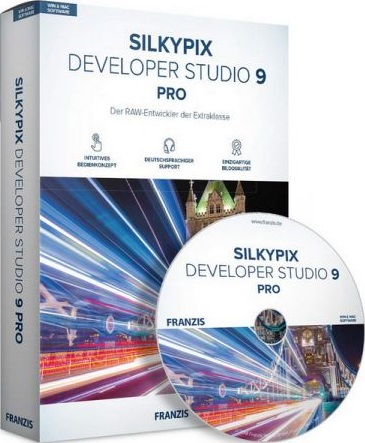
SILKYPIX Developer Studio Pro 9 adds new functions that were highly desired in addition to the rich features of SILKYPIX so far. Main new functions are "Dehaze function", "individual adjustment of Highlight / Shadow", "lens profile function" and so on. Extending and improving existing functions further improved operability and convenience. This product is RAW development software for professional.

Full Basic Functions
SILKYPIX allows you to make adjustments such as exposure (brightness), white balance (shading), tone (light and dark sharpness) while maintaining a high quality of image without deteriorating the image. In addition, anyone can easily perform high-quality adjustments because basic adjustments are arranged in order from the top of the control panel. Furthermore, fine tuning adjustments for each item can be minutely performed with the "Slider" control.

A Variety of Functions to Recreate the Photographer's Images
The Partial correction function is included to adjust saturation and brightness of specified areas. What is more, a variety of fine adjustment functions such as Fine color controller which can be used to adjust each specific color and Highlight controller which restores colors in highlighted parts as well as recover gradation are available.

Easy Editing with Tastes
SILKYPIX Pro9 has 10 types of maker tastes installed which can take on various shooting scenes in advance. Just by choosing a taste such as "Landscape" or "Portrait," you can make a finished photograph easily that fits your image. In addition, you can save your adjusted parameters as a taste. Parameters are very useful functions, and you can easily create pictures from the same image by applying them to other photographs.

Compliable with JPEG and TIFF
With "SILKYPIX RAW Bridge" available only on SILKYPIX Pro9, JPEGs and TIFFs are expanded to 16 bits, so even JPEG and TIFF images can be adjusted to a high degree of image quality with less image degradation.

Exposure (Brightness)
- Auto exposure bias
- Exposure bias
- Dodge / Color Burn
- HDR
- Highlight / Shadow

White balance (Tint)
- White balance adjustment
- Gray balance tool
- Skin color tool

Tone (Sharpness of light and dark)
- Contrast
- Tone curve
- Automatic level correctio
- Black level tool
- Clarity
- Dehaze

Saturation (Vividness)
- Prepare presets for Color representation (Standard color, Memory color, Portrait color, Film color)

Sharpening
- Natural sharp
- Normal sharp
- Pure detail
- Unsharp mask

Noise adjustment
- Color distortion
- Fringe reduction
- Neat noise
- Noise reduction
- Reduce moire
- Level of shadow noise reduction

Practical functions (A part of functions)
- Lens aberration correction
- Shading
- Distortion
- Chromatic aberration
- Distortion correction function by lens profile
- Distortion correction function using simultaneous recording JPEG

Image correction tool
- Crop
- Image rotation
- Shift lens effect
- Spotting tools (Dust removal)
- Red Eye Corrections

Partial correction tool
- Circular correction filter
- Gradual correction filter
- Select area with brush
- Curve / Polygon area selection
- Select color to be corrected
- Invert the filter area

Image controller
- Fine color controller (Adjustment of specific color)
- Highlight controller (Gradation expression of highlights)
- Monochrome controller (Adjustment monochrome image)
- Underwater photo controller (Adjustment underwater photograph)

Display warning
- Highlight warning
- Shadow warning
- Out of color gamut warning
- Soft proofing
- Focus peaking(Display focus area on monitor)

Others
- Search in the thumbnail
- Automatic adjustment button
- Independent arrangement of initialization button
- Open in another application
- Blurred / Sharp periphery
- Portrait Beautification
- Add Noise

System Requirements:
- Microsoft® Windows® 10 / 8.1 / 7 (Service Pack 1 or later) 64-bit version
- * It does not correspond to the Windows® 10 tablet mode.
- * It does not correspond to 32-bit version OS.
- Intel® Core™ 2 Duo or higher, or AMD Athlon™ 64 X2 or higher processor
- 4GB or more RAM (8GB or higher recommended)
- 10GB of available hard-disk space or more
- Display that supports screen resolution of 1024x768 or higher

У Вас недостаточно прав для просмотра ссылок. Войдите или зарегистрируйтесь.


DownLoad

NitroFlare
Код:
https://nitroflare.com/view/106DF75A00CAECB/SILKYPIX.Developer.Studio.Pro.9.0.15.0.rar

RapidGator
Код:
https://rapidgator.net/file/b4db78f22bdd814f7656059ee0c4eb32/SILKYPIX.Developer.Studio.Pro.9.0.15.0.rar.html

UploadGiG
Код:
https://uploadgig.com/file/download/4a92F7ab944cf77F/SILKYPIX.Developer.Studio.Pro.9.0.15.0.rar
 
Microsoft Office Professional Plus 2019 v1910 Build 12130.20390

83e7505f1db790bf05a1541123fd3f66.png


Microsoft Office Professional Plus 2019 v1910 Build 12130.20390

File Size: 3.61, 3.82 GiB
Languages: Arabic, English, German, Greek, French, Spanish
Italian, Portuguese-Portuguese, Portuguese-Brazil, Turkish

​

Office Pro Plus, the cloud-connected version of Office, delivers the most productive and most secure Office experience-with the lowest total cost of ownership for deployment and management. However, for customers who aren't ready for the cloud, Office 2019 provides new features and updates to the on-premises apps for both users and IT professionals. Like Windows Long Term Servicing Channel (LTSC) releases, Office 2019 provides a set of valuable enhancements for customers who can't be cloud-connected or receive regular updates.

The new enhancements in Office 2019 are a subset of a long list of features that have been added to Office 365 ProPlus over the last three years. Office 2019 is a one-time release and won't receive future feature updates. However, we'll continue to add new features to Office 365 ProPlus monthly, including innovations in collaboration, artificial intelligence (AI), security, and more.
Office 2019 delivers features across apps to help users create amazing content in less time. In PowerPoint 2019, you can create cinematic presentations with new features like Morph and Zoom. And improved inking features across the apps in Windows-like the roaming pencil case, pressure sensitivity, and tilt effects-allow you to naturally create documents.

Excel 2019 adds powerful new data analysis features, including new formulas and charts and enhancements to PowerPivot.

Word 2019 and Outlook 2019 help you focus on what matters most. Learning Tools, like Read Aloud and Text Spacing, make it easier to engage with your content. Focus Mode blocks out distractions and puts your content front and center. And Focused Inbox moves less important emails out of the way-so you can get straight to taking care of business. For a longer list of the new features in Office 2019,

Office 2019 also includes new IT value for enhanced security and streamlined administration. We introduced Click-to-Run (C2R), a modern deployment technology, in Office 2013, and it's now used to deploy and update Office across hundreds of millions of devices worldwide. With Office 2019, we're moving the on-premises versions of Office to C2R to reduce costs and improve security. The advantages of C2R include predictable monthly security updates, up-to-date apps on installation, reduced network consumption through Windows 10 download optimization technology, and an easy upgrade path to Office 365 ProPlus. C2R offers the same enterprise-focused management capabilities as Microsoft Installer (MSI) based products and will also support an in-place upgrade when you move to Office 2019 from older MSI-based products.

The 2019 release of Office products also includes updates to our servers, and in the coming weeks, we will release Exchange Server 2019, Skype for Business Server 2019, SharePoint Server 2019, and Project Server 2019.

Office 2019 is a valuable update for customers who aren't yet ready for the cloud. And each time we release a new on-premises version of Office, customers ask us if this will be our last. We're pleased to confirm that we're committed to another on-premises release in the future. While the cloud offers real benefits in productivity, security, and total cost of ownership, we recognize that each customer is at a different point in their adoption of cloud services. We see the on-premises version of Office as an important part of our commitment to give customers the flexibility they need to move to the cloud at their own pace.

Microsoft Office 2019 Select Edition includes:
Microsoft Office 2019 Professional Plus
Microsoft Access 2019
Microsoft Excel 2019
Microsoft Lync 2019
Microsoft OneNote 2019
Microsoft Outlook 2019
Microsoft PowerPoint 2019
Microsoft Publisher 2019
Microsoft Visio Viewer 2019
Microsoft Word 2019
Skype for business 2019
Office Shared Features
Office Tools
And many more

Language: Arabic, English, German, Greek, French, Spanish
Italian, Portuguese-Portuguese, Portuguese-Brazil, Turkish

System Requirements:
OS:Windows 7/8/8.1/10 (x86/x64)

8130305bf5c8dbb70cf1423fd45d1d27.jpg


У Вас недостаточно прав для просмотра ссылок. Войдите или зарегистрируйтесь.


DownLoad

Single Link
Код:
https://nitroflare.com/view/48C0C94BBB67CBD/MSFT.Office.2019.x64.v1910.12130.20390.iso
https://nitroflare.com/view/5786329E48E7EC0/MSFT.Office.2019.x86.v1910.12130.20390.iso

Код:
https://rapidgator.net/file/67d947f6426a899f00a76c6f4578b5a3/MSFT.Office.2019.x64.v1910.12130.20390.iso.html
https://rapidgator.net/file/9564b9ed381b8a1f25affc327bfd15b2/MSFT.Office.2019.x86.v1910.12130.20390.iso.html

Код:
https://uploadgig.com/file/download/20164ee4d941bc6e/MSFT.Office.2019.x64.v1910.12130.20390.iso
https://uploadgig.com/file/download/d1226E201a24a1c2/MSFT.Office.2019.x86.v1910.12130.20390.iso

NitroFlare
Код:
https://nitroflare.com/view/1368D4CC747EF5D/MSFT.Office.2019.x64.v1910.12130.20390.part1.rar
https://nitroflare.com/view/AE7979A40A837A0/MSFT.Office.2019.x64.v1910.12130.20390.part2.rar
https://nitroflare.com/view/3DD2C71B953D92E/MSFT.Office.2019.x64.v1910.12130.20390.part3.rar
https://nitroflare.com/view/0A4B2C576407A72/MSFT.Office.2019.x64.v1910.12130.20390.part4.rar

Код:
https://nitroflare.com/view/80F8695E3092751/MSFT.Office.2019.x86.v1910.12130.20390.part1.rar
https://nitroflare.com/view/34EE0E04DC2E2C5/MSFT.Office.2019.x86.v1910.12130.20390.part2.rar
https://nitroflare.com/view/0499BC766BC8A2F/MSFT.Office.2019.x86.v1910.12130.20390.part3.rar
https://nitroflare.com/view/BBB5C3DEF5D1072/MSFT.Office.2019.x86.v1910.12130.20390.part4.rar

RapidGator
Код:
https://rapidgator.net/file/0784c29f0be3c15a925858c2a0a91216/MSFT.Office.2019.x64.v1910.12130.20390.part1.rar.html
https://rapidgator.net/file/f64b0febd61fbec7d61c281bbc79e7cf/MSFT.Office.2019.x64.v1910.12130.20390.part2.rar.html
https://rapidgator.net/file/d9562df294fe8ab3802cf2ea98208cf6/MSFT.Office.2019.x64.v1910.12130.20390.part3.rar.html
https://rapidgator.net/file/e0110833d927c31132c909578f639803/MSFT.Office.2019.x64.v1910.12130.20390.part4.rar.html

Код:
https://rapidgator.net/file/1e1cf6e69843b2589cce48425e0beead/MSFT.Office.2019.x86.v1910.12130.20390.part1.rar.html
https://rapidgator.net/file/96ead5db29270a815287987ce546ad71/MSFT.Office.2019.x86.v1910.12130.20390.part2.rar.html
https://rapidgator.net/file/b41543a82f0981276e427f8bd3437291/MSFT.Office.2019.x86.v1910.12130.20390.part3.rar.html
https://rapidgator.net/file/139b95164dda35b76bdfe24a64ac1f68/MSFT.Office.2019.x86.v1910.12130.20390.part4.rar.html

UploadGiG
Код:
https://uploadgig.com/file/download/e3cb96Dab61a0d4B/MSFT.Office.2019.x64.v1910.12130.20390.part1.rar
https://uploadgig.com/file/download/83A2C4aB772a2c7e/MSFT.Office.2019.x64.v1910.12130.20390.part2.rar
https://uploadgig.com/file/download/46a594281147fa84/MSFT.Office.2019.x64.v1910.12130.20390.part3.rar
https://uploadgig.com/file/download/02872e19468bEfE3/MSFT.Office.2019.x64.v1910.12130.20390.part4.rar

Код:
https://uploadgig.com/file/download/5d3C38aDd458fba4/MSFT.Office.2019.x86.v1910.12130.20390.part1.rar
https://uploadgig.com/file/download/f53539Edf9Bad797/MSFT.Office.2019.x86.v1910.12130.20390.part2.rar
https://uploadgig.com/file/download/51c97ab8791d0f5f/MSFT.Office.2019.x86.v1910.12130.20390.part3.rar
https://uploadgig.com/file/download/f257eeF20708BE93/MSFT.Office.2019.x86.v1910.12130.20390.part4.rar
 
Nik Collection By DxO 2.3.0 Multilingual

b23058610a53d0b4367f94932ea7daab.jpg


Nik Collection By DxO 2.3.0 Multilingual

File Size: 796 MiB
Languages: Multilingual
OS: Windows x64

​

The Most Powerful Photo Editing Plugins For Adobe Photoshop & Lightroom. Nik Collection 2 by DxO is a powerful suite of plugins offering an impressive range of creative effects and innovative tools for total editing control.

What's New:

40+ Brand New Exciting Presets
New looks for creating unique images with just a single click, including Blue Monday and Clarity Bump, plus a whole set of stunning B&W settings.

Edits RAW Files With U POINT
You can now apply U Point exclusive local adjustment technology to RAW files giving photographers more versatility and creative possibilities.

Advanced Optical correction
Take advantage of DxO Labs, analyzing and fixing image defects: distortion, lens softness, vignetting, chromatic aberrations, and vignetting.

Support For HiDPI Displays
Efex Plugins now works with HiDPI screens and displays images in native full resolution.

Color Photography
Color Efex Pro: Providing a wealth of creative possibilities for your color photos

Black & White Photography
Silver Efex Pro: Black & white darkroom styles for superb monochrome images

Analog Photography
Analog Efex Pro inspiring filters from a bygone age of classic cameras & vintage film techniques.

HDR photography
HDR Efex Pro: Create stunning HDR images with a range of clever presets and settings.

U Point on RAW
Powerful U Point technology applies precise and natural enhancements to selected areas of an image without the need for complicated selections or layer masks. U Point is trusted by millions of photographers and uses Control Points, a unique system for applying selective adjustments and corrections. It's now also available on raw files.

Powerful Optical Corrections
DxO has analyzed more than 40,000 combinations of cameras and lenses to create the most advanced algorithms for correcting optical defects, including lack of sharpness, vignetting, chromatic aberrations, and distortion. Optical Correction Modules are automatically downloaded and applied whenever you open images in any DxO PhotoLab. This unique features will help reveal every last detail in your RAW files.

System Requirements:
- Intel Core™ i5 or higher
- 4 GB of RAM (8 GB recommended)
- 4 GB or more of available hard-disk space
- Adobe Photoshop CS5 (64 bits) through CC 2019
- Adobe Photoshop Elements 12 through 2019 (apart from HDR Efex Pro 2, which is not compatible with Photoshop Elements)
- Adobe Photoshop Lightroom 3 through Classic CC 2019

Windows:
- Intel Core® 2 or AMD Athlon™ 64 X2 or higher (Intel Core® i5 or higher recommended)
- 4 GB of RAM (8 GB recommended)
- 4 GB or more of available hard-disk space
- Microsoft® Windows® 7 (64 bits) with Service Pack 1, Microsoft® Windows® 8.1 (64 bits), or Microsoft® Windows® 10 (64 bits and still supported by Microsoft®)
- Adobe Photoshop CS5 (64 bits) through CC 2019
- Adobe Photoshop Elements 13 (64 bits) through 2019 (apart from HDR Efex Pro 2, which is not compatible with Photoshop Elements)
- Adobe Photoshop Lightroom 3 through Classic CC 2019

GPU Compatibility:
- Starting from: NVIDIA GeForce 8 Series, ATI Radeon HD2000 Series, and Intel HD Graphics 2000 Series.
- If no compatible card is available, GPU acceleration will be disabled, and the CPU will be used.

У Вас недостаточно прав для просмотра ссылок. Войдите или зарегистрируйтесь.


DownLoad

NitroFlare
Код:
https://nitroflare.com/view/D09F48E765E8774/Nik.Collection.By.DxO.2.3.0.Multilingual.rar

RapidGator
Код:
https://rapidgator.net/file/c7c6dffa2e39a1be2ab243c763227c17/Nik.Collection.By.DxO.2.3.0.Multilingual.rar.html

UploadGiG
Код:
https://uploadgig.com/file/download/784e59A575D2114a/Nik.Collection.By.DxO.2.3.0.Multilingual.rar
 
COMSOL Multiphysics 5.5.0.292 Full Win-SSQ

df7a65e112a33f8f75f5b61b5df5e764.jpg


COMSOL Multiphysics 5.5.0.292 Full Win-SSQ

File Size: 4.32 GiB
OS: x64

​

Description:
Simulation Tool for Electrical, Mechanical, Fluid Flow, and Chemical Applications. COMSOL Multiphysics® is a general-purpose software platform, based on advanced numerical methods, for modeling and simulating physics-based problems. With COMSOL Multiphysics, you will be able to account for coupled or multiphysics phenomena. With more than 30 add-on products to choose from, you can further expand the simulation platform with dedicated physics interfaces and tools for electrical, mechanical, fluid flow, and chemical applications. Additional interfacing products connect your COMSOL Multiphysics simulations with technical computing, CAD, and ECAD software.

COMSOL Desktop® is a powerful integrated environment designed for cross-disciplinary product development with a unified workflow, regardless of the application area. The add-on modules blend in seamlessly with COMSOL Multiphysics, and the way you operate the software remains the same no matter which add-on products are engaged. The model tree in the Model Builder gives you a full overview of the model and access to all functionality - geometry, mesh, physics settings, boundary conditions, studies, solvers, postprocessing, and visualizations. With COMSOL Multiphysics you can easily extend conventional models for one type of physics into multiphysics models that solve coupled physics phenomena - simultaneously. What's more, accessing this power does not require in-depth knowledge of mathematics or numerical analysis.

COMSOL® Puts the Power of Simulation in Your Hands
With COMSOL Multiphysics® FEA software, you can simulate virtually anything you want, thanks to the underlying flexibility that complements the intuitive and easy-to-use COMSOL Desktop® interface.

For instance, in COMSOL Multiphysics®, you are able to arbitrarily include your own equations that may describe a material property, boundary, source or sink term, or even a unique set of partial differential equations (PDEs). You can then create new physics interfaces from the equations you entered. When creating apps with the Application Builder, you can design your own user interfaces based on your models. These user interfaces can be simplified versions of the model or include only some of the input and output fields you want to give the user of the app access to. COMSOL Multiphysics® also includes a COMSOL® API for use with Java® that adds extra flexibility for connecting your COMSOL Multiphysics® models with other applications.

Operating System Requirements:
64-Bit Operating Systems
Windows® 10
Windows® 10 Pro for Workstations
Windows® 8.1
Windows® 8
Windows® 7
Windows Server® 2016
Windows Server® 2012 R2
Windows Server® 2012
Windows Server® 2008 R2
Windows HPC Server 2008 R2
Linux
Debian® 7, 8, and 9
Red Hat® Enterprise Linux® 6.9 and 7.4
CentOS 7.4
Ubuntu® LTS 14.04 and 16.04
OpenSUSE® Leap 42.2 and 42.3

WHATS NEW:
Read:COMSOL_ReleaseNotes.pdf

У Вас недостаточно прав для просмотра ссылок. Войдите или зарегистрируйтесь.


DownLoad

NitroFlare
Код:
https://nitroflare.com/view/31565B6824E9FFC/COMSOL.Multiphysics.5.5.0.292.Full.Win-SSQ.part1.rar
https://nitroflare.com/view/39095B3CE0FB3F3/COMSOL.Multiphysics.5.5.0.292.Full.Win-SSQ.part2.rar
https://nitroflare.com/view/BDF20792519C87B/COMSOL.Multiphysics.5.5.0.292.Full.Win-SSQ.part3.rar
https://nitroflare.com/view/C198EB7409FFFEA/COMSOL.Multiphysics.5.5.0.292.Full.Win-SSQ.part4.rar
https://nitroflare.com/view/DCA22B3D9BA4885/COMSOL.Multiphysics.5.5.0.292.Full.Win-SSQ.part5.rar

RapidGator
Код:
https://rapidgator.net/file/3692fec9ddba34a191ced540465bb817/COMSOL.Multiphysics.5.5.0.292.Full.Win-SSQ.part1.rar.html
https://rapidgator.net/file/7d17adfd07daf8adc00b8b8ff6efa100/COMSOL.Multiphysics.5.5.0.292.Full.Win-SSQ.part2.rar.html
https://rapidgator.net/file/de1544773b7ba954ea390a53620bba21/COMSOL.Multiphysics.5.5.0.292.Full.Win-SSQ.part3.rar.html
https://rapidgator.net/file/4cf5eb304a01cd293091b90c2f454fd8/COMSOL.Multiphysics.5.5.0.292.Full.Win-SSQ.part4.rar.html
https://rapidgator.net/file/307e0d21d140d8437e7ff13d86ab9c92/COMSOL.Multiphysics.5.5.0.292.Full.Win-SSQ.part5.rar.html

UploadGiG
Код:
https://uploadgig.com/file/download/a66fbafe8610a9c2/COMSOL.Multiphysics.5.5.0.292.Full.Win-SSQ.part1.rar
https://uploadgig.com/file/download/9cd280E38B2ce699/COMSOL.Multiphysics.5.5.0.292.Full.Win-SSQ.part2.rar
https://uploadgig.com/file/download/2C2848F5c921Cd9d/COMSOL.Multiphysics.5.5.0.292.Full.Win-SSQ.part3.rar
https://uploadgig.com/file/download/6b24d72024b4493e/COMSOL.Multiphysics.5.5.0.292.Full.Win-SSQ.part4.rar
https://uploadgig.com/file/download/0bb35cEC330f344a/COMSOL.Multiphysics.5.5.0.292.Full.Win-SSQ.part5.rar
 
Назад
Сверху