• Здравствуйте. Сайт заработал в архивном режиме форум www.old.nado.in

EkThaTiger's Softwares

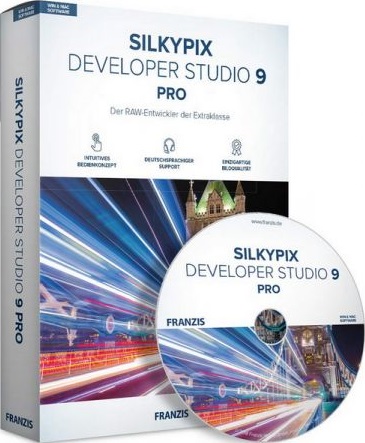
SILKYPIX Developer Studio Pro 9.0.14.0
cadba92f921cb3b286a47592259da399.jpg


SILKYPIX Developer Studio Pro 9.0.14.0

File Size: 456 MiB
OS: Windows x64

​

SILKYPIX Developer Studio Pro 9 adds new functions that were highly desired in addition to the rich features of SILKYPIX so far. Main new functions are "Dehaze function", "individual adjustment of Highlight / Shadow", "lens profile function" and so on. Extending and improving existing functions further improved operability and convenience. This product is RAW development software for professional.

Full Basic Functions
SILKYPIX allows you to make adjustments such as exposure (brightness), white balance (shading), tone (light and dark sharpness) while maintaining a high quality of image without deteriorating the image. In addition, anyone can easily perform high-quality adjustments because basic adjustments are arranged in order from the top of the control panel. Furthermore, fine tuning adjustments for each item can be minutely performed with the "Slider" control.

A Variety of Functions to Recreate the Photographer's Images
The Partial correction function is included to adjust saturation and brightness of specified areas. What is more, a variety of fine adjustment functions such as Fine color controller which can be used to adjust each specific color and Highlight controller which restores colors in highlighted parts as well as recover gradation are available.

Easy Editing with Tastes
SILKYPIX Pro9 has 10 types of maker tastes installed which can take on various shooting scenes in advance. Just by choosing a taste such as "Landscape" or "Portrait," you can make a finished photograph easily that fits your image. In addition, you can save your adjusted parameters as a taste. Parameters are very useful functions, and you can easily create pictures from the same image by applying them to other photographs.

Compliable with JPEG and TIFF
With "SILKYPIX RAW Bridge" available only on SILKYPIX Pro9, JPEGs and TIFFs are expanded to 16 bits, so even JPEG and TIFF images can be adjusted to a high degree of image quality with less image degradation.

Exposure (Brightness)
- Auto exposure bias
- Exposure bias
- Dodge / Color Burn
- HDR
- Highlight / Shadow

White balance (Tint)
- White balance adjustment
- Gray balance tool
- Skin color tool

Tone (Sharpness of light and dark)
- Contrast
- Tone curve
- Automatic level correctio
- Black level tool
- Clarity
- Dehaze

Saturation (Vividness)
- Prepare presets for Color representation (Standard color, Memory color, Portrait color, Film color)

Sharpening
- Natural sharp
- Normal sharp
- Pure detail
- Unsharp mask

Noise adjustment
- Color distortion
- Fringe reduction
- Neat noise
- Noise reduction
- Reduce moire
- Level of shadow noise reduction

Practical functions (A part of functions)
- Lens aberration correction
- Shading
- Distortion
- Chromatic aberration
- Distortion correction function by lens profile
- Distortion correction function using simultaneous recording JPEG

Image correction tool
- Crop
- Image rotation
- Shift lens effect
- Spotting tools (Dust removal)
- Red Eye Corrections

Partial correction tool
- Circular correction filter
- Gradual correction filter
- Select area with brush
- Curve / Polygon area selection
- Select color to be corrected
- Invert the filter area

Image controller
- Fine color controller (Adjustment of specific color)
- Highlight controller (Gradation expression of highlights)
- Monochrome controller (Adjustment monochrome image)
- Underwater photo controller (Adjustment underwater photograph)

Display warning
- Highlight warning
- Shadow warning
- Out of color gamut warning
- Soft proofing
- Focus peaking(Display focus area on monitor)

Others
- Search in the thumbnail
- Automatic adjustment button
- Independent arrangement of initialization button
- Open in another application
- Blurred / Sharp periphery
- Portrait Beautification
- Add Noise

System Requirements:
- Microsoft® Windows® 10 / 8.1 / 7 (Service Pack 1 or later) 64-bit version
- * It does not correspond to the Windows® 10 tablet mode.
- * It does not correspond to 32-bit version OS.
- Intel® Core™ 2 Duo or higher, or AMD Athlon™ 64 X2 or higher processor
- 4GB or more RAM (8GB or higher recommended)
- 10GB of available hard-disk space or more
- Display that supports screen resolution of 1024x768 or higher

У Вас недостаточно прав для просмотра ссылок. Войдите или зарегистрируйтесь.


DownLoad

NitroFlare
Код:
https://nitroflare.com/view/C4360630ED04E13/SILKYPIX.Developer.Studio.Pro.9.0.14.0.rar

RapidGator
Код:
https://rapidgator.net/file/26fdb0619297b8ffec0a30c5aa88dfc4/SILKYPIX.Developer.Studio.Pro.9.0.14.0.rar.html

UploadGiG
Код:
https://uploadgig.com/file/download/1dF3850545Aa0b9a/SILKYPIX.Developer.Studio.Pro.9.0.14.0.rar
 
Ableton Live Suite 10.1.3 x64 Multilingual

64ee5adeaacb2683f649db2612831421.png


Ableton Live Suite 10.1.3 x64 Multilingual

File Size: 1.81 GiB

​

Live is fast, fluid and flexible software for music creation and performance. It comes with effects, instruments, sounds and all kinds of creative features-everything you need to make any kind of music. Create in a traditional linear arrangement, or improvise without the constraints of a timeline in Live's Session View. Move freely between musical elements and play with ideas, without stopping the music and without breaking your flow.

What's New in Ableton Live Suite 10:

Create with new devices
Meet Wavetable, Echo, Drum Buss and Pedal: new devices that mean colorful new sounds are possible with Live's instruments and effects.

Stay in the flow
You'll find improvements to Live that help you stay in the flow at every stage of your creative process, whether you're getting ideas down, organizing your setup or editing the details of your music.

Do even more from Push
Live 10 brings new functionality and new high-res visualizations to Push. Now you'll spend even less time with the computer-whether you're composing ideas, editing MIDI or shaping and mixing sounds.

New library of sound
With new collections of Packs, Live 10 has more sounds that are ready for finished music, right out of the box. They're set up for tweaking to your needs or taking in different directions. Plus the library has been reorganized to make it easier to find what you're looking for.

Max for Live - no limits, built in
Max technology is now fully integrated into Live 10 Suite. No additional download or set up is required to create with and customize Max For Live devices. They just work. Plus new devices and capabilities bring more possibilities for musicians and device developers.

Live 10 Minimum System Requirements:

Windows:
- Windows 7, Windows 8 or Windows 10
- 64-bit Intel® or AMD multi-core processor. Intel® Core™ i5 processor or faster recommended.
- 4 GB RAM (8 GB or more recommended)

У Вас недостаточно прав для просмотра ссылок. Войдите или зарегистрируйтесь.


DownLoad

NitroFlare
Код:
https://nitroflare.com/view/1CD1CA17087B2F4/Ableton.Live.Suite.10.1.3.x64.Multilingual.part1.rar
https://nitroflare.com/view/4B18C0AF8E4241A/Ableton.Live.Suite.10.1.3.x64.Multilingual.part2.rar

RapidGator
Код:
https://rapidgator.net/file/303a16f6e444946d70cc5df23afa09c1/Ableton.Live.Suite.10.1.3.x64.Multilingual.part1.rar.html
https://rapidgator.net/file/be3ecc9e4e792cea438ca1a131361d73/Ableton.Live.Suite.10.1.3.x64.Multilingual.part2.rar.html

UploadGiG
Код:
https://uploadgig.com/file/download/66D41bC3D1E52154/Ableton.Live.Suite.10.1.3.x64.Multilingual.part1.rar
https://uploadgig.com/file/download/19278194d2e66e82/Ableton.Live.Suite.10.1.3.x64.Multilingual.part2.rar
 
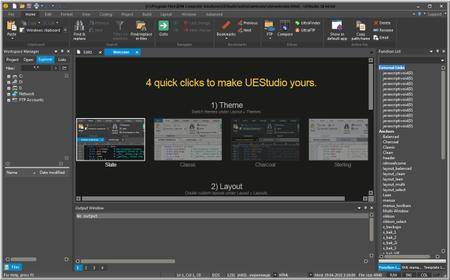
IDM UEStudio 19.20.0.28 x86-x64

22b2f2b2e5d4a36f51e667dd6faccab1.jpg


IDM UEStudio 19.20.0.28 x86-x64

File Size: 202 MiB

​

UEStudio is the powerful IDE (Integrated Development Environment) built on the chassis of UltraEdit, the world renowned text editor.

As a full integrated development environment, UEStudio includes all the features of the powerful UltraEdit text editor plus native support for over 30 popular compilers (including Microsoft Visual C++, Java, GNU C/C++, PHP, Perl and over 30 others).

UEStudio includes integrated debugging, VCS version control, built-in class browsing, language intelligence (like Intellisense), project conversion. It also includes the batch building features, as well as many other advanced features.

UEStudio is fast, stable, lightweight, and powerful and offers any UltraEdit user advanced programming functionality at a fantastic value! It has all the features of UltraEdit plus the power of an IDE. Designed to transform the way you work!

UEStudio builds upon the highly acclaimed UltraEdit, but goes even further to bring you a must-see interface that offers stunning new functionality, as well as an array of powerful new features - such as an integrated PHP debugger, updated version control, and so much more.

Powerful project/solution features:
Visual Studio project to UEStudio project conversion
Integrated compiler support (note: compilers not included with IDE)
Integrated CVS version control support
Auto-discovery of files under CVS
Integrated SVN support
Support for multiple SVN/CVS modules within a project
Integrated tag support
Powerful project manager
Compiler-specific project templates

Application building features:
Compile your projects from within program
Build/batch build
Debug
Integrated debugger support for WinDbg for Microsoft C/C++ applications
WinDbg can be downloaded in debugger configuration
Windows symbol packages can be downloaded in debugger configuration
Run your application from within program

Web development features:
Special PHP/Ruby scripting support
Run and test your PHP/Ruby scripts from within UEStudio
Integrated PHP debugging with XDebug
PHP syntax-checking
PHP IntelliTip support for PHP elements
Parse your PHP/Ruby documents
Strip comments
Highlight source
Integrated javascript lint

Enhanced workspace manager features:
Classviewer for open project
Resource editor
Integrated tags for symbols (functions, variables, etc.)
Goto symbol definition (will open file and position cursor at definition)
Find symbol in active document
Find symbol in project files
FTP account access in file tree view

Language intelligence (IntelliTips) features:
IntelliTips (like IntelliSense)
Quick tips
Function tips

Extended toolbars:
All standard UltraEdit toolbars are included in UEStudio
Build toolbar
HTML toolbar
IntelliTips toolbar
Resource editor toolbar
Tools toolbar
Style builder
GUID generator
Visual Studio project converter
XMLint support

Operating System: Windows 7, 8/8.1, 10

У Вас недостаточно прав для просмотра ссылок. Войдите или зарегистрируйтесь.


DownLoad

NitroFlare
Код:
https://nitroflare.com/view/81695D586B91C3F/IDM.UEStudio.19.20.0.28.x86-x64.rar

RapidGator
Код:
https://rapidgator.net/file/19a9c4cb156be13f49293498cb8745fa/IDM.UEStudio.19.20.0.28.x86-x64.rar.html

UploadGiG
Код:
https://uploadgig.com/file/download/b7902ac6bf6c5d9D/IDM.UEStudio.19.20.0.28.x86-x64.rar
 
IDM UltraEdit 26.20.0.42 x86-x64

bc285147959cad22276da5ac29e2ddd6.jpg


IDM UltraEdit 26.20.0.42 x86-x64

File Size: 171 MiB

​

IDM UltraEdit is used across a diverse range of industries, from professional writers, researchers and journalists to advanced programmers, database managers and web developers. Scores of individuals use UltraEdit as a powerful replacement for windows notepad and even more use it as a text editor because of its ability to handle multiple documents at once, large file handling, powerful search/find/replace functionality, spell checking versatility and much more.

Replacing Notepad or looking for a powerful text editor? UltraEdit is what you're looking for. UltraEdit is the ideal text, HEX, HTML, PHP, Java, javascript, Perl, and Programmer's editor. It's versatile and easy to use. UltraEdit is specially designed for inputting and editing text and code, UltraEdit supports configurable syntax highlighting and code structuring for most any programming languages.

Key features:
• Code Folding
• Unicode support
• Disk based text editing and large file handling - supports files in excess of 4GB, minimum RAM used even for multi-megabyte files
• Mulitline find and replace dialogs for all searches (Find, Replace, Find in Files, Replace in Files)
• 100,000 word spell checker, with foreign languages support (American English, British English, Dutch, Finnish, French, German, Hungarian, Italian, Spanish and Swedish)
• Syntax highlighting - configurable, pre-configured for C/C++, VB, HTML, Java, and Perl, with special options for FORTRAN and LaTex. Multiple wordfiles available for download
• FTP client built in to give access to FTP servers with multiple account settings and automatic logon and save. (32-Bit Only) Includes support for SFTP (SSH2)
• SSH/Telnet window
• Project / workspace support
• Environment Selector - Provides predefined or user-created editing "environments" that remember the state of all of UltraEdit's dockable windows, toolbars and more for user convenience.
• Integrated scripting language to automate tasks
• Configurable keyboard mapping
• Column / block mode editing
• Hexadecimal editor allows editing of any binary file, shows binary and ASCII view
• Named templates
• HTML toolbar preconfigured for popular HTML function

Operating System:
UltraEdit supports 64-bit file handling on both 32-bit and 64-bit Windows platforms (Windows 7 and later).

У Вас недостаточно прав для просмотра ссылок. Войдите или зарегистрируйтесь.


DownLoad

NitroFlare
Код:
https://nitroflare.com/view/89EDCC5CB1DD4EC/IDM.UltraEdit.26.20.0.42.x86-x64.rar

RapidGator
Код:
https://rapidgator.net/file/d1ba7c10a294262e6a0b5e1f9d26c841/IDM.UltraEdit.26.20.0.42.x86-x64.rar.html

UploadGiG
Код:
https://uploadgig.com/file/download/c483c68C28a95dCb/IDM.UltraEdit.26.20.0.42.x86-x64.rar
 
Wondershare Filmora 9.2.7.13 x64 Multilingual

3aa8e710075927100f03dbb293908eee.jpg


Wondershare Filmora 9.2.7.13 x64 Multilingual

File Size: 271 MiB

​

Empower your imagination - a video editor for all creators. Filter, Overlays, Transitions and Custom Titles. Create Without Limits. Discover infinite ways to express yourself. Achieve a refined look with endless effects.

Never miss a beat
Perfect your sound with tools like keyframing, background noise removal, and an audio equalizer.

Beyond the basic
Create new worlds with compositing by layering clips and using green screen effects.

Details matter
Filmora 9 ensures every frame of your creation is as crisp as reality.

Ready for anything
Utilize up to 100 layers of media to create complex stories with ease.

Get more done
Fast processing, proxy files, and adjustable preview quality help you be more productive.

Fine tune your adventures
Fix common action cam problems like fisheye and camera shake, and add effects like slow motion and reverse.

Perfect your aesthetic
Change the aesthetic of your video with one click. Filmora9 has both creative filters and professional 3D LUTs.

Share your story
Tailor your content to any platform and upload it directly from Filmora 9.

System Requirements:
- Supported OS: Windows 7/Windows 8.1/Windows 10 (64 bit OS)
- Processor: Intel i3 or better multicore processor, 2GHz or above.
- (Intel 6th Gen or newer CPU recommended for HD and 4K Videos)
- RAM: 4 GB RAM (8GB required for HD and 4K videos)
- 2 GB vRAM (4GB required for HD and 4K videos)
- Graphics: Intel HD Graphics 5000 or later; NVIDIA GeForce GTX 700 or later; AMD Radeon R5 or later
- Disk: At least 10GB free hard-disk space for installation (SSD-Solid State Disk recommended for editing HD and 4K videos)

У Вас недостаточно прав для просмотра ссылок. Войдите или зарегистрируйтесь.


DownLoad

NitroFlare
Код:
https://nitroflare.com/view/B4B827FD3EA4480/Wondershare.Filmora.9.2.7.13.x64.Multilingual.rar

RapidGator
Код:
https://rapidgator.net/file/1afad67fb192b53a283d63afe485f4e2/Wondershare.Filmora.9.2.7.13.x64.Multilingual.rar.html

UploadGiG
Код:
https://uploadgig.com/file/download/85e10daa9338958d/Wondershare.Filmora.9.2.7.13.x64.Multilingual.rar
 
ACDSee Video Studio 4.0.0.933 x64

97a4f5a488b9131671ae5bf79b290804.jpg


ACDSee Video Studio 4.0.0.933 x64

File Size: 198 MiB

​

Enrapture your audience with the most versatile and accessible content creation tool in the space. Sporting sleek 64-bit performance, an easy-to-master interface, and 4K rendering, ACDSee Video Studio 4 empowers you to bring your vision to life. In addition to easy sharing solutions, ACDSee Video Studio's direct uploading to YouTube and Vimeo take the tedium out of distribution. Now with keyframing, green screen support, behaviors, overlays, non-destructive cropping, 3 axis rotation, support for HEIC files, freeze frames, GIF exporting, over 3x more keyboard shortcuts, and much more, ACDSee Video Studio 4 provides hassle-free video editing and screen recording without the learning curve.

Record
Import your own footage, work with existing media, or generate your own. Record your webcam, microphone, or screen and add it to your project.

Edit
Arrange, edit, split, trim, and merge audio and video recordings, as well as still images. Add captions, filters, audio effects, and transitions, watermark, and make custom selections to build the ultimate viewing experience.

Produce
Choose parameters for your output file, finalize and render in a variety of formats and sizes, including 4K. Then seamlessly share your masterpiece on social media from right inside the application.

Features:

Highly Animated
Transform your content with keyframing! Seamlessly transition your media from one state to another. Control specific visual properties with pre-made or custom animations, and layer in still images or additional video to complete your narrative storytelling. Tilt, scale, rotate, and restore. Tell your story with visible cues by adapting blend modes and opacity settings, rotation, position, and size.

Training & Support
Easily motivate and educate using video to simplify concepts, convey ideas, and enhance learning. Facial expressions and body language can encompass hours' worth of written explanation. Save your organization money by designing hands-off training videos for new hires. Create interpersonal connections by utilizing webcam and screen recording. Draw special attention to key pieces of information with captions, animations, overlays, freeze frames, audio effects, transitions, layering, and much more.

Marketing & Branding
In today's evolving market of personal and business brands and fast-paced content creation, video is a necessary component of successful advertising. Connect with your target audience through promo videos, sneak peeks, trailers, commercials, video pitches, B2B presentations, featurettes, slideshows, and GIFs. Communicate your product, while putting a face to your name, brand, or organization with simultaneous webcam and screen recording. Create alluring videos designed to show your customers product highlights, defend your brand with watermarks, and subtitle for accessibility, all while inspiring your market.

Education & Teaching
Everyone has a skill to share, and this has given rise to online education on skill sharing websites. Communicate your expertise without being a video expert yourself. Record engaging lessons, lectures, and presentations, effortlessly expanding beyond the limits of the classroom walls and into the realms of distance education. Combine video, audio, and still images with text, filters, animations, overlays, transitions, and audio effects to clearly convey your message, and then share your online course on social media or to YouTube or Vimeo directly from inside ACDSee Video Studio 4.

System Requirements
Microsoft® Windows® 7 (SP1), Windows® 8, Windows® 8.1 & Windows® 10 (64-bit editions only)
Microsoft® Internet Explorer® 9+
Microsoft® DirectX® 10 or higher
Microsoft® .Net 4.0 or later version (included)

У Вас недостаточно прав для просмотра ссылок. Войдите или зарегистрируйтесь.


DownLoad

NitroFlare
Код:
https://nitroflare.com/view/4AC789BBD58C473/ACDSee.Video.Studio.4.0.0.933.x64.rar

RapidGator
Код:
https://rapidgator.net/file/68e73e4d8e396285c751231d77a50502/ACDSee.Video.Studio.4.0.0.933.x64.rar.html

UploadGiG
Код:
https://uploadgig.com/file/download/f964d1370990138E/ACDSee.Video.Studio.4.0.0.933.x64.rar
 
Scientific Toolworks Understand 5.1.1004 x86-x64

4d166b025e168f5c39b9b68e8352f2b9.jpg


Scientific Toolworks Understand 5.1.1004 x86-x64

File Size: 128, 145 MiB

​

Understand provides you with pertinent information regarding your code. Quickly see all information on functions, classes, variables, etc., how they are used, called, modified, and interacted with. Easily see call trees, metrics, references and any other information you would want to know about your code.

Metrics & Reports
Understand is very efficient at collecting metrics about the code and providing different ways for you to view it. There is a substantial collection of standard metrics quickly available as well as options for writing your own custom metrics when we don't cover exactly what you need.

Graphing
Understand offers graphs that allow you to see how your code connects (dependencies), how it flows (control flow graphs), what functions call other functions (call graphs), and many more. There are many customization options to easily allow you to display only what you are interested in seeing so the graph is best suited to what you need.

Standards Testing
Understand provides a way to check your code using published coding standards, or your own custom standards. These checks can be used to verify naming guidelines, metric requirements, published best practices, or any other rules or conventions that are important for your team.

Dependency Analysis
See all the dependencies in your code and how they connect. See these dependencies using Understand's interactive graph or using the textual Dependency Browser. Both allow you to see all dependencies quickly and easily at a high level or dig in and get the details.

Editor
Understand's powerful editor is a full modern programming GUI that incorporates all the modern features you would expect. It is designed from the ground-up for multi-monitor use and it includes tabs, tab groups, docking, syntax colorization, auto-completion, and syntax-based collapsing and folding just to name a few.

Search
Multiple options are available for searching in Understand. For instant results, use our "Instant Search" feature which provides results before you are even done typing. Understand also provides search options for more customized and complicated searches, such as Regular Expression and Wildcard searches.

Languages
Understand supports more than a dozen languages and can handle code bases that are written in multiple languages. This allows you to see calls and dependencies between languages so you can get information about the complete system.

Operating System: Windows 7, 8/8.1, 10

У Вас недостаточно прав для просмотра ссылок. Войдите или зарегистрируйтесь.


DownLoad

NitroFlare
Код:
https://nitroflare.com/view/0F50B82FFD92F02/Scientific.Toolworks.Understand.5.1.1004.x86.rar
https://nitroflare.com/view/C4DEF4AE7DF46CF/Scientific.Toolworks.Understand.5.1.1004.x64.rar

RapidGator
Код:
https://rapidgator.net/file/ca720d66ee5298a645165a727fc7fc7c/Scientific.Toolworks.Understand.5.1.1004.x86.rar.html
https://rapidgator.net/file/87336a000531478c8e4904ad4ff3b777/Scientific.Toolworks.Understand.5.1.1004.x64.rar.html

UploadGiG
Код:
https://uploadgig.com/file/download/6ab96C01207Eb1e8/Scientific.Toolworks.Understand.5.1.1004.x86.rar
https://uploadgig.com/file/download/B5071aBa5840f175/Scientific.Toolworks.Understand.5.1.1004.x64.rar
 
ACDSee Photo Studio Ultimate 2020 v13.0 Build 2007 x64

da86e48a28365d9e0c48266b796e8ac4.jpg


ACDSee Photo Studio Ultimate 2020 v13.0 Build 2007 x64

File Size: 313 MiB

​

Get back out where you belong faster-in the field, behind a lens. ACDSee Photo Studio Ultimate 2020 combines GPU-accelerated layers, RAW editing, and world-class digital asset management with enough agility to swiftly satisfy your creative graphic and photography needs. Ultimate is armed with HDR, focus stacking, blended cloning, the ability to create your own color adjustments, improved facial recognition, more control over text and layers, and much more to give you the flexibility to create the composites, manipulations, and innovative graphics you've been fantasizing about.

Harmonious Balance
High-dynamic-range imaging (HDR) is a trick in digital photography that is designed to achieve a wide dynamic range of luminosity by merging multiple images. Combine a series of images with different exposures to produce a single image with the maximum range of details in their shadows and highlights with the HDR tool.

Stay Focused
Sometimes, no matter what you do, it's impossible to get every detail in your image sharp. With focus stacking, you can combine a series with different focal distances to create one image with a greater depth of field than a single exposure would allow.

Improved Face Detection & Facial Recognition
Organizing has never been this personal. Ultimate 2020's Face Detection & Facial Recognition tool will find the humans in your photographs so you can name them for quick searching. ACDSee will immediately learn which names to put to which faces, and even will suggest possible matches. Control the queue of images to be scanned for faces. Save hours of tedious manual skimming by searching photos by unnamed, auto-named, and suggested names. Keep photos distinguished by client, family member, or person of interest, then embed face data in your photos for safe keeping.

What's New:

Have the Last Word
Add text as layers. Customize font, size, color, style, justification, opacity, and much more, while layering, blending, and adding effects for the ultimate composites.

Broaden Your Horizons
Resize the canvas to expand around your layered content or add solid backgrounds for limitless photo manipulations.

Rule of Thumb
Customizable rulers and guidelines make placing layers, text, and objects foolproof. Snap layers to guidelines. Lay as many guidelines as you like. Control the unit of measure, color, and visibility.

Handle Any Geometric Imperfection
Snap objects, text, and images to the top, bottom, sides, or corners of your canvas while moving. Display a grid for precision situating.

Layer Effects
Add inner glow, shadows, a bevel, an outline, or blur between your image and text layers. Save as a .acdc file and continue editing your layer effects at a future date.

Blend of the Clones
Use the Blended Clone tool to copy pixels from a source area to a target area. ACDSee analyzes the pixels in the target area and blends them with the copied pixels for the most seamless repair yet.

Align and Blend Your Layers
Auto-align or auto-blend layers of images taken in a burst to achieve one optimal version of the subject.

Layer Freedom
Pull groups of images into the Layers pane and select one, some, or many.

Endless Creativity
Develop your own LUTs using an infinite combination of colorful adjustment layers. Use your LUTs as Edit mode filters, Develop mode filters, or additional adjustment layers.

Parametric Color
Seamlessly color grade your images by importing and applying LUTs as non-destructive filters.

Business Viewing
Flip through your PDF and Microsoft Office™ documents- even sheets on multi-tabbed Excel™ documents. Rank your digital assets based on importance. Discard and back up accordingly.

Adaptability & Security
Get files from the team over Dropbox ™ or OneDrive ™ or back up existing work with direct access to cloud sync root drives within Manage mode.

Put Your Files in Many Baskets
Create up to five image baskets to gather and hold images and media files from all over your hard drive. Name individual image baskets and use them to easily view, edit, or share their content.

Improved Duplicate Finder
Find duplicates across a variety of folders and locations. Rename or delete detected duplicates to keep your file collection under control.

Improved Batch Convert
Convert masses of files into other formats from one convenient, accessible dialog.

Improved Keyword Management
ACDSee now comes pre-loaded with a variety of usable sample quick keyword sets. Export keyword lists and share them with other users. Save countless hours of manual entry by importing established keyword lists.

Effortless Digital Asset Management
Finding, sorting, moving, organizing, and sharing-everything you need for complete mastery over your photography workflow is right here, at your fingertips. Add ratings, hierarchical keywords, categories, and location data to your images. Quickly identify photos for further processing with visual tags or customizable color labels.

Visionary Layered Editing
You can use the Layered Editor to fearlessly innovate using parametric photo manipulation. Add layers designed to achieve individual adjustments and effects, and go back in to tweak them at any time. Pair individual layers with any Edit mode filter or adjustment for complete image manipulation liberty.

Comprehensive RAW Editor
Make the most of your RAW images with Photo Studio Ultimate's built-in support for over 500 camera models. For ultimate freedom, start with the rough data captured by your camera's sensor and non-destructively transform it into whatever you want using exposure, contrast, color, repair, sharpening, and other detail-based tools.

System Requirements:
- Microsoft® Windows® 7 (SP1), Windows® 8, Windows® 8.1, & Windows® 10 (64-bit editions only)
- Microsoft® Internet Explorer® 9+
- Microsoft® DirectX® 10 or higher
- Windows Media® Player 9.0
- Microsoft® Office 2010 or above
- Intel® or AMD processor with 64-bit support
- Intel i3 or better processor recommended
- 2 GB RAM (6 GB RAM or more recommended)
- 512 MB Video RAM (VRAM)
- DirectX 10 compatible graphics adapter
- 1024 x 768 display resolution (1920 x 1080 recommended)
- 2 GB of available hard disk space

У Вас недостаточно прав для просмотра ссылок. Войдите или зарегистрируйтесь.


DownLoad

NitroFlare
Код:
https://nitroflare.com/view/3634A795123F1CA/ACDSee.Photo.Studio.Ultimate.2020.v13.0.Build.2007.x64.rar

RapidGator
Код:
https://rapidgator.net/file/301221f0c05c521ba99bb2d8087e2f5a/ACDSee.Photo.Studio.Ultimate.2020.v13.0.Build.2007.x64.rar.html

UploadGiG
Код:
https://uploadgig.com/file/download/7f09cb50B594D6ce/ACDSee.Photo.Studio.Ultimate.2020.v13.0.Build.2007.x64.rar
 
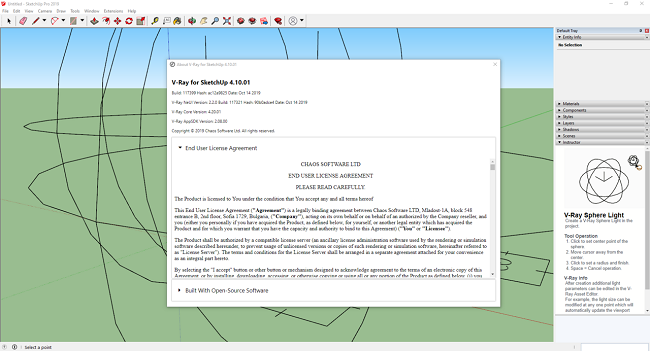
Chaos Group V-Ray Next Update 1 Build 4.10.01 For SketchUp

f6454f51b827fb8967309f1ea20c1a61.jpg


Chaos Group V-Ray Next Update 1 Build 4.10.01 For SketchUp

File Size: 764 MiB

​

Chaos Group is pleased to announce the availability of V-Ray Next 4.10.01 for SketchUp. With this new release a few clicks, you can create high-quality ray-traced visuals using one of the world's most widely used design programs.

V-Ray Next, Update 1 (build 4.10.01) Official Release - Oct. 15, 2019:

Improved Speed and Quality
- Improved interactive rendering performance on the CPU
- Improved CPU utilization during Light Cache calculation for large output image resolutions
- Hash Map Light Cache mode is enabled. This new default Light Cache calculation mode resolves most common artifacts and is more optimized and stable when used in animations
Workflow Improvements
- Render with Chaos Cloud button added to the main V-Ray toolbar
- The native material color corrections in SketchUp are now supported. Make sure that the 'Extensions / V-Ray / Tools / Colorize Textures' option is enabled for the color corrections to be rendered
- The V-Ray Light Creation, Scene Interaction and Infinite Plane tools now use custom cursors that visually identify the active one. The toolbar buttons are correctly highited.
- SketchUp's Instructor videos and usage guidelines are added for every V-Ray specific tool (listed above)
- Camera focus distance changes can now be rendered in animation
- Added support for Cryptomatte render element. It automatically generates and stores object or material based masks which can be exported in a multichannel OpenEXR file. This removes the hassle of creating dozens or hundreds of Multimattes
- V-Ray Infinite Plane assets can now be enabled or disabled in the Asset Editor via their icon buttons or the toggle in their properties
- The step for the camera EV number field is decreased to 0.5. Activate the field and use the Up and Down keyboard keys to update the value using this new increment
- Slider handles can now be selected and manipulated using the keyboard Left and Right or Up and Down keys
- The Linear Workflow material option is removed and its behavior has been matched using standard shading techniques (and gamma correcting textures in some situations). Scene material that had the option enabled in the past will render as expected. This option is no longer needed for V-Ray 2 materials to be correctly loaded
- Increased float number precision of the Spline and Bezier Curve textures point positions
- An automatic connection between the Color Picker's color values and the Kelvin slider temperature is implemented. This allows for a temperature value to be saved and modified separately for every color slot
- The File Path Editor user interface is improved. The window no longer has maximum size limits. The footer buttons now use labels instead of icons which makes their functionality more clear
- The V-Ray Frame Buffer (VFB) UI scales correctly based on the OS user interface scaling factor. This is especially useful when working on a single high-dpi display system
- The Custom Opacity Source material parameter now uses a checkbox instead of a toggle in the UI
- A Denoiser engine switch is now available in the main Renderer rollout. Switch from V-Ray to NVIDIA AI denoising without navigating to the Denoiser advanced parameters panel
- The Update Effects slider is now located in the Renderer rollout for easy access
- Lighting Analysis render element property changes automatically update the VFB result. No re-rendering is required
- Camera Motion Blur toggle is implemented
- VFB regions drawn during production rendering are disabled
- Loading render settings presets or resetting to the default one during rendering is no longer allowed
- The Translucency rollout of the V-Ray BRDF is renamed to Fog Scattering to better reflect what the options in this section do
- The Bump Delta Scale parameter is automatically hidden when the Normal Map mode is selected. The delta scale option has no effect in this case
- Scene upgrade prompt window implemented. When a SketchUp model saved with older V-Ray version is loaded a window letting you know that the V-Ray data will be upgraded appears. It clearly states that after the scene is saved with the new version it can no longer be loaded in a previous one
V-Ray Scene Importer
- Soften Angle parameter added to the options of the scene importer. Use it to control the object's edge softness on import
- Added a V-Ray Scene Importer support for the V-Ray Instancer. It can potentially exist in scenes exported using V-Ray for 3ds Max, Maya, Blender, etc.
- The scene importer now correctly preserves material scaling for scenes exported from SketchUp or Rhino

Other Changes & Bug Fixes
- A number of Color Picker issues on Mac OS are resolved
- Some legacy materials and textures are migrated to their currently preferred counterparts (Legacy Noise, Angle Blend Material, Falloff ASGVIS, etc.)
- Loading specific .vropt (V-Ray Options) files in the Asset Editor no longer causes errors
- The Bump material asset icon (in the Assets Outliner list) no longer changes after the scene has been saved and reopened
- The Use Irradiance Map Option is removed from the V-Ray BRDF and re-introduced into the Wrapper material
- The Cutoff and Energy Preservation parameters are removed from the V-Ray BRDF Advanced Options rollout
- Transmutr materials no longer cause an infinite loop of SketchUp materials creation
- A number of issues related to environment manipulations during interactive rendering are resolved
- A number of issues with window ordering in Windows 7 and 8 are resolved. The VFB no longer goes to the background when focused
- A number of issues with Skatter are resolved. Proxy Scenes are rendered correctly even with the Render Only mode enabled. The color space of Skatter textures is now set correctly
- Purging Geometries and Lights no longer causes a crash on MacOS
- Batch GPU rendering can now be successfully initiated
- A number of issues with opening projects saved with V-Ray 3.6 are resolved
- Rectangular lights mapped with a Tiles Texture now render correctly
- A number of issues with environment texture changes during interactive rendering are resolved
- Added interactive rendering support for Bitmap textures' Color Space changes
- Added interactive support for the global Displacement switch
- Added interactive support for Car Paint materials' flake density changes
- A number of issues with the camera field of view are resolved
- The VFB now shows the correct 'Finished' status message at render end

ed8831d537f025f5917212ed2fd76638.png


V-Ray Next for SketchUp. is much more than just a renderer. Not only is it quick and easy, it's a natural extension of your SketchUp design workflow. It comes with everything you need to render anything you can imagine - from your earliest design concepts to your final photorealistic images, now twice as fast. And it is compatible with lots of ready-made assets and scenes from other V-Ray applications which opens up a world of possibilities.

Designed to fit right within your SketchUp workflow, V-Ray Next for SketchUp gives you the added power to quickly and easily create photorealistic renders. New features include faster rendering, automatic exposure and white balance, adaptive dome light, powerful asset management, SketchUp 2019 compatibility and much more.

Chaos Group. is a worldwide leader in computer graphics technology, helping artists and designers create photoreal imagery and animation for design, television, and feature films. Chaos Group specializes in physically-based rendering and simulation software used daily by top design studios, architectural firms, advertising agencies, and visual effects companies around the globe. Today, the company's research and development in cloud rendering, material scanning, and virtual reality is shaping the future of creative storytelling and digital design. Founded in 1997, Chaos Group is privately owned with offices in Sofia, Los Angeles, Baltimore, Seoul, and Tokyo.

Product: Chaos Group V-Ray
Version: Next, Update1 (build 4.10.01)
Supported Architectures: x64
Language: English
System Requirements: PC *
Supported Operating Systems: *
Software Prerequisites: *
Size: 758.1 MiB

System Requirements:
Please make sure that your system fulfills these requirements before installing V-Ray. Note that V-Ray is only supported for 64-bit operating systems and 64-bit versions of SketchUp.

Processor: 1st Gen Intel Core or compatible processor with SSE4.2 support (x64)
RAM: 4 GB RAM and 4 GB swap minimum - recommended 8 GB or more RAM, 8 GB or more swap file
TCP/IP: Only IPv4 is supported. IPv6 is currently not supported
Operating System: Windows 7, Windows 8.1, Windows 10.
SketchUp: SketchUp 2016 (64-bit), 2017, 2018 and 2019
GPU Support: Maxwell-, Pascal-, Volta- and Turing-based NVIDIA card(s) with latest video driver or at least version 411.31

У Вас недостаточно прав для просмотра ссылок. Войдите или зарегистрируйтесь.


DownLoad

NitroFlare
Код:
https://nitroflare.com/view/14A8C390E5D040F/Chaos.Group.V-Ray.Next.Update.1.Build.4.10.01.For.SketchUp.rar

RapidGator
Код:
https://rapidgator.net/file/1638a40c2b5b9ed24c8f3855d06c9137/Chaos.Group.V-Ray.Next.Update.1.Build.4.10.01.For.SketchUp.rar.html

UploadGiG
Код:
https://uploadgig.com/file/download/348582a23662D82d/Chaos.Group.V-Ray.Next.Update.1.Build.4.10.01.For.SketchUp.rar
 
ChessBase 15.13 Multilingual

68dea542e5085d4ff8adc1f81ce38169.jpg


ChessBase 15.13 Multilingual

File Size: 218 MiB, 2.41 GiB

​

ChessBase is a personal, stand-alone chess database that has become the standard throughout the world. Everyone uses ChessBase, from the World Champion to the amateur next door. It is the program of choice for anyone who loves the game and wants to know more about it. Start your personal success story with ChessBase and enjoy the game even more.

What Can You Do with ChessBase:

Retrieve games:
According to openings, players and tournaments; generate tournament cross tables and full graphic statistics of players or openings;

"Similarity search"
Shows all games with similar pawn structures, sacrifice patterns, endgame positions, etc.;

"Let's check:
Access the world's largest database of in-depth analysis (more than 200 million positions);

"Assisted Analysis":
As you enter a game, whenever you click on a piece an evaluation is produced for all its possible target squares, and this is highlighted on the board in colour.

"Tactical Analysis:
Will annotate game, inserting commentary, variations and diagrams, before strong moves or errors, into a game or an entire database. It will also point out combinations, played in the game or missed, tries, attacks, initiative, and of course the latest in openings theory;

Cloud analysis:
You can analyse positions simultaneously with several engines from on different computers running in parallel;

"Deep analysis:
Generates an analysis tree that changes dynamically, as with time weaker variations are dropped; automatic analysis jobs for correspondence games;

"Theoretical Novelty;
Merge games on the fly into an opening tree; generate a dossier containing all available information on a specific player from the database; generate a comprehensive openings report with main and critical lines, plans and most important games; single click publication of games on the Internet; print games in superb quality with diagrams and multiple columns.

New in ChessBase 15:
- "Instant Analysis": Any unannotated game is analysed almost without delay immediately on loading (optional). Blunders and tactical motifs are recognised. An evaluation profile is created.
- "Replay Training": Playing through a game with the notation hidden and automatic training questions with tips for each individual move. In addition, a closing award of points scored.
- Improved search mask with tactical motifs (skewer, fork, discovered attack, etc.) and examples for manoeuvres and material distribution.
- Extended reference search for openings shows increase/- decrease in popularity and typical recurring endgames.
- Improved search booster delivers more precise results for positions and material. Completely new search booster for patterns and plans.
- Game analysis with tactical motifs and recognition of tactics.
- Crisp new 3D boards thanks to raytracing technology.

System Requirements:
Minimum: Dual-Core, 4 GB RAM, Windows 7, DirectX11 graphics card with 256 MB RAM, DVD-ROM drive, Windows Media Player 9 and Internet access to activate the program, ChessBase Cloud and updates. Recommended: PC Intel Core i7, 2.8 GHz, 16 GB RAM, Windows 10, DirectX11 graphics card (or compatible) with 512 MB RAM or more, 512 GB SSD, Windows Media Player, Adobe Flash Player (Live coverage), DVD ROM drive, Full HD Monitor.

У Вас недостаточно прав для просмотра ссылок. Войдите или зарегистрируйтесь.


DownLoad

NitroFlare
Код:
https://nitroflare.com/view/97C30883B01046A/ChessBase.15.13.Multilingual.rar
https://nitroflare.com/view/24BC62D57A66F22/ChessBase.Mega.Database.2019.part1.rar
https://nitroflare.com/view/B981400343E4720/ChessBase.Mega.Database.2019.part2.rar
https://nitroflare.com/view/1578B7AA72176EF/ChessBase.Mega.Database.2019.part3.rar

RapidGator
Код:
https://rapidgator.net/file/eec53dc85a93aab340fb28cbece0239f/ChessBase.15.13.Multilingual.rar.html
https://rapidgator.net/file/f04bb0d12649838a0925c7e564bd3063/ChessBase.Mega.Database.2019.part1.rar.html
https://rapidgator.net/file/59a319c8215ece0da7e91af5d21771fa/ChessBase.Mega.Database.2019.part2.rar.html
https://rapidgator.net/file/e05f6ce25c3e1fee4ed1bc622f52f5ab/ChessBase.Mega.Database.2019.part3.rar.html

UploadGiG
Код:
https://uploadgig.com/file/download/2d0C2462b30d1998/ChessBase.15.13.Multilingual.rar
https://uploadgig.com/file/download/1350Ad541cb42011/ChessBase.Mega.Database.2019.part1.rar
https://uploadgig.com/file/download/5F27fc79e3786Cb2/ChessBase.Mega.Database.2019.part2.rar
https://uploadgig.com/file/download/5545C86089501576/ChessBase.Mega.Database.2019.part3.rar
 
Foxit PhantomPDF Business 9.7.0.29478 Multilingual

3dddd7792b13f2bc2f62eed9db5a4ed7.jpeg


Foxit PhantomPDF Business 9.7.0.29478 Multilingual

File Size: 749 MiB

​

Foxit PhantomPDF is a business ready PDF toolkit to create professional looking PDF documents and forms. You can do that for tasks such as developing personal documents, implementing workgroup collaboration, designing company forms. Produce company collateral, finalizing agreements, applying digital signatures, or document archiving.

Award winning Foxit PhantomPDF allows you to produce great looking PDF document and forms quickly, affordably, and securely. This is the perfect solution for home/home offices, small and medium sized businesses, and large enterprises. Foxit PhantomPDF comes in three versions to fit the diverse use cases that different users require.

Foxit PhantomPDF can combine, split or repackage various PDF files. The documents can be merged or split based on page numbers, page outlines or bookmarks. Plus, this Suite can batch convert existing documents to a single or multiple PDF files.

Foxit PhantomPDF Business
Complete Business Ready PDF solution that expands upon PhantomPDF Standard by offering advanced editing, shared review initiation, higher security, additional file compression, PDF A/E/X creation, and bates numbering.

Highlighted features of PhantomPDF Business include:
XFA Form Filling. XFA (XML Form Architecture) form allows you to leverage existing XFA forms.
High Performance. Up to 3 times faster PDF creation from over 200 of the most common office file types and convert multiple files to PDF in a single operation.
One Click PDF Creation. Create PDF document with a single mouse click from Microsoft Office applications like Word, PowerPoint, and Excel.
Advanced PDF Editor. Allows you to modify any page contents in any PDF documents, select, insert, change, remove, rotate, copy and paste text, images, graphics and shadings.
Robust Document Security. Use password protection, certificate encryption, and digital signature tools.
Redaction. Permanently remove (redact) visible text and images from PDF documents.
Document Certification. Indicates you approve of its content and allows you to specify the types of changes that are permitted for the PDF to remain certified.

Other features:
Microsoft Active Directory RMS Protector and Policy Manager. Extends the usage control benefits of Microsoft Windows Server Active Directory Rights Management Service to all your PDF documents. And allows the author the control of document features within each PDF.
Form Design. Easy to use electronic forms design tools to make your office forms work harder. Enables you to create or convert static PDF files into professional looking forms. Form data import tools allow data to be automatically imported into a form reducing manual key entering and input errors.
Form Action Creation. Tools allow you to custom javascript actions to gain increased customization options, you can connect to a database for the purpose of inserting new data, updating information, and deleting database entries.
Optical Character Recognition. OCR support to make scanned or image-based PDFs selectable and searchable.
PDF/A Validation. Verify that the document is compliant with PDF/A-1a or PDF/A-1b for long term archiving.
PDF Optimizer. Optimize PDF document to reduce the file size.
High Compression of scanned documents.
Email and Phone Support - help when you need it.

Supported Operating Systems: Windows 7, 8, 8.1, 10 (32-bit, 64-bit).

У Вас недостаточно прав для просмотра ссылок. Войдите или зарегистрируйтесь.


DownLoad

NitroFlare
Код:
https://nitroflare.com/view/E2994F91DEAF187/Foxit.PhantomPDF.Business.9.7.0.29478.Multilingual.rar

RapidGator
Код:
https://rapidgator.net/file/3925841031c45e0a4abcb7065f845dc0/Foxit.PhantomPDF.Business.9.7.0.29478.Multilingual.rar.html

UploadGiG
Код:
https://uploadgig.com/file/download/1020B515E6adEAf7/Foxit.PhantomPDF.Business.9.7.0.29478.Multilingual.rar
 
Nik Collection by DxO 2.0.8 x64 Multilingual

e586a419c688a7097cd399cad5a891b9.jpg


Nik Collection by DxO 2.0.8 x64 Multilingual

File Size: 796 MiB

​

The Most Powerful Photo Editing Plugins For Adobe Photoshop & Lightroom. Nik Collection 2 by DxO is a powerful suite of plugins offering an impressive range of creative effects and innovative tools for total editing control.

What's New: :

40+ Brand New Exciting Presets
New looks for creating unique images with just a single click, including Blue Monday and Clarity Bump, plus a whole set of stunning B&W settings.

Edits RAW Files With U POINT
You can now apply U Point exclusive local adjustment technology to RAW files giving photographers more versatility and creative possibilities.

Advanced Optical correction
Take advantage of DxO Labs, analyzing and fixing image defects: distortion, lens softness, vignetting, chromatic aberrations, and vignetting.

Support For HiDPI Displays
Efex Plugins now works with HiDPI screens and displays images in native full resolution.

Color Photography
Color Efex Pro: Providing a wealth of creative possibilities for your color photos

Black & White Photography
Silver Efex Pro: Black & white darkroom styles for superb monochrome images

Analog Photography
Analog Efex Pro inspiring filters from a bygone age of classic cameras & vintage film techniques.

HDR photography
HDR Efex Pro: Create stunning HDR images with a range of clever presets and settings.

U Point on RAW
Powerful U Point technology applies precise and natural enhancements to selected areas of an image without the need for complicated selections or layer masks. U Point is trusted by millions of photographers and uses Control Points, a unique system for applying selective adjustments and corrections. It's now also available on raw files.

Powerful Optical Corrections
DxO has analyzed more than 40,000 combinations of cameras and lenses to create the most advanced algorithms for correcting optical defects, including lack of sharpness, vignetting, chromatic aberrations, and distortion. Optical Correction Modules are automatically downloaded and applied whenever you open images in any DxO PhotoLab. This unique features will help reveal every last detail in your RAW files.Release Notes:

System Requirements:
- Intel Core™ i5 or higher
- 4 GB of RAM (8 GB recommended)
- 4 GB or more of available hard-disk space
- Adobe Photoshop CS5 (64 bits) through CC 2019
- Adobe Photoshop Elements 12 through 2019 (apart from HDR Efex Pro 2, which is not compatible with Photoshop Elements)
- Adobe Photoshop Lightroom 3 through Classic CC 2019

Windows:
- Intel Core® 2 or AMD Athlon™ 64 X2 or higher (Intel Core® i5 or higher recommended)
- 4 GB of RAM (8 GB recommended)
- 4 GB or more of available hard-disk space
- Microsoft® Windows® 7 (64 bits) with Service Pack 1, Microsoft® Windows® 8.1 (64 bits), or Microsoft® Windows® 10 (64 bits and still supported by Microsoft®)
- Adobe Photoshop CS5 (64 bits) through CC 2019
- Adobe Photoshop Elements 13 (64 bits) through 2019 (apart from HDR Efex Pro 2, which is not compatible with Photoshop Elements)
- Adobe Photoshop Lightroom 3 through Classic CC 2019

GPU Compatibility:
- Starting from: NVIDIA GeForce 8 Series, ATI Radeon HD2000 Series, and Intel HD Graphics 2000 Series.
- If no compatible card is available, GPU acceleration will be disabled, and the CPU will be used.

Operating System: Windows 7, 8/8.1, 10 (64-bit only)

У Вас недостаточно прав для просмотра ссылок. Войдите или зарегистрируйтесь.


DownLoad

NitroFlare
Код:
https://nitroflare.com/view/87E3602E106718B/Nik.Collection.By.DxO.2.0.8.x64.Multilingual.rar

RapidGator
Код:
https://rapidgator.net/file/1cc52264bafef9e0c603f060dab7b9bc/Nik.Collection.By.DxO.2.0.8.x64.Multilingual.rar.html

UploadGiG
Код:
https://uploadgig.com/file/download/857A8890d709b691/Nik.Collection.By.DxO.2.0.8.x64.Multilingual.rar
 
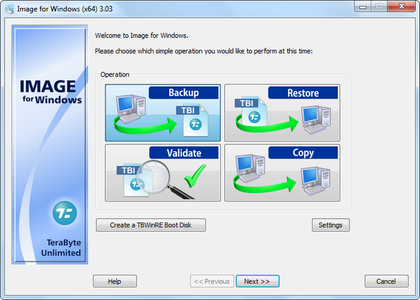
TeraByte Drive Image Backup & Restore Suite 3.33

ff630a70af19885bd528aff698396faa.png


TeraByte Drive Image Backup & Restore Suite 3.33

File Size: 875, 946 MiB
Extra: WinPE and WinRE Boot Images.

​

Image for Windows provides an easy and convenient way to completely backup all your hard drive's data, programs and operating systems. Your backups can be saved directly to external USB and FireWire™ drives, to internal or network drives, and even directly to CD, DVD, or BD. The suite includes an easy-to-use MakeDisk wizard for creating a recovery boot disk. To restore your data, programs and operating systems back to the way they were when the backup was created, simply boot the recovery disk and restore the partition(s) or drive(s) you need to recover. It's that easy.

As a key component of the TeraByte Drive Image Backup and Restore Suite, Image for Windows utilizes the technology provided by Volume Shadow Copy Service (VSS) or PHYLock™, an add-on component included in the suite. VSS and PHYLock™ allows you to continue using your computer while the backup is locked to a point-in-time. This eliminates the inconsistencies typically experienced while backing up a partition that is in use.

Image for Windows runs under the Windows operating system, yet it can backup or restore any partition, including those of DOS or Linux, and even partitions encrypted by third-party software.

The TeraByte drive image files produced by Image for Windows are compatible across all TeraByte Unlimited disk imaging products of the same major version number (i.e. all 3.x products are compatible with other 3.x products). This gives you the flexibility to restore disk images using your component of choice.

The TeraByte Drive Image Backup and Restore Suite includes Image for Windows, Image for Linux, Image for DOS, and the OSD Tool Suite. Image for DOS and Image for Linux support the same powerful drive image functionality without requiring a working Windows installation.

Bonus:
The TeraByte OS Deployment Tool Suite (TBOSDTS) Pro version contains a set of powerful scripts that, among other things, will help you deploy Windows to completely different hardware.

System Requirements:
- Compatible with Windows x86 and Windows x64 versions.
- Compatible with Windows NT4, 2000, XP, Vista, 7, 8, 10.
- Compatible with Windows Server and SBS versions (NT4, 2000, 2003, 2008, 2008R2, 2011, etc..).

TeraByte Drive Image Backup & Restore Suite Components:
- Image for Windows
- Image for DOS
- Image for Linux
- OSD Tool Suite

У Вас недостаточно прав для просмотра ссылок. Войдите или зарегистрируйтесь.


DownLoad

NitroFlare
Код:
https://nitroflare.com/view/2F3F80E247D2FBD/TeraByte.Drive.Image.Backup.Restore.Suite.3.33.rar
https://nitroflare.com/view/23F0578630DC996/TeraByte.Drive.Image.Backup.Restore.Suite.3.33.Boot.rar

RapidGator
Код:
https://rapidgator.net/file/8e32f3b069826243757a92ec930ef43d/TeraByte.Drive.Image.Backup.Restore.Suite.3.33.rar.html
https://rapidgator.net/file/af63694b22ca77dff1716b053d2ddffc/TeraByte.Drive.Image.Backup.Restore.Suite.3.33.Boot.rar.html

UploadGiG
Код:
https://uploadgig.com/file/download/fdcb98af576DE0ed/TeraByte.Drive.Image.Backup.Restore.Suite.3.33.rar
https://uploadgig.com/file/download/B48c2d4eCc0AB4bc/TeraByte.Drive.Image.Backup.Restore.Suite.3.33.Boot.rar
 
WinAutomation Professional Plus 9.0.1.5539

3435383837a551896b6bbb6c59e07379.jpg


WinAutomation Professional Plus 9.0.1.5539

File Size: 243 MiB

​

WinAutomation is a powerful and easy to use Windows based platform for building Software Robots. Software robots are apps that live in your computer and can be instructed to do whatever a real user does. Teach them to perform effortlessly any of your tasks, leveraging WinAutomation Macro and Web Recorders.

Some of the tasks you can automate with WinAutomation:
- Automatically fill and submit web forms with data from local files.
- Retrieve and parse your emails and update a database with the data contained in the emails.
- Launch applications, move, resize, close and manipulate windows, take screenshots.
- Convert your tasks into your very own applications that you can share with others, with the press of a button.
- Harvest web sites and extract data from any web page into Excel or text files.
- Copy, move, edit, rename, compress, uncompress and manipulate files and folders in any possible way.
- Read and write data to Excel files, connect to SQL databases and manipulate text files.
- Run any task using the built-in scheduler, when you press a hotkey, when a file is created or deleted, when your site is down or when you receive an email.
- Send prerecorded mouse clicks and keystrokes to any desktop application.
- Automate your FTP transfers: Download and upload files or entire folders at schedule.
- Include logic to automate even the most complex tasks.
- Combine all the above to design custom tasks for your specific needs.

Macro Recorder
Perform the task you would like to automate on your screen once and the Macro Recorder will convert it into a series of Actions that can be repeated as many times as you like. After the recording you can further customize the macro to your liking using the Job Designer.

Web Automation
Just browse through your favorite parts of the Web and collect data, fill forms, download files - do all the things you usually do online and the Web Recorder will convert these into a Macro you can run whenever you need.

Visual Job Designer
The Visual Job Editor that will make your fiddling with automation more entertaining than playing around with a pile of toy bricks.

Task Scheduler
The built-in Task Scheduler allows you to execute any of your tasks automatically based on your chosen timeframe. Set up your tasks to be done exactly when you need them by selecting from the different options in the schedule menu.

Keyboard Macro
The keyboard has been the longest standing unchanged piece of hardware binded along with our computers ever since they became personal, so it is high time we gave them a 'turn-of-the-milenium' twist. Queue keyboard macro automation.

System Monitoring
System Monitoring allows you to execute any of your tasks automatically based on your chosen event. Set up your tasks to run exactly when you need them by selecting any of the different options in the trigger menu.

UI Designer
The built-in UI Designer will add some flare to your dialog windows. Whenever your Jobs will require some user input, no longer will the user be greeted by the same boring grey dialog - your only limit is your level of CSS expertice, so start customising!

Email Automation
Inbox management has become so cumbersome and bulky that if you were to actualy go through all email your receive you would be wasting a lifetime. WinAutomation and its built-in email Automation Actions are here to tell your computer how to sort through all this mess.

Job Compiler
Well, now you can start sharing right away with anyone running Windows on their PC and Server, and without the need to have WinAutomation installed.

Excel Automation
Read and write data, manipulate worksheets and do pretty much anything with Excel, that once needed you to learn Visual Basic to do Macros.

Files & Folders Automation
Automate files and folders operations, batch rename, move, resize and do anything with your filesystem, and do it the clever way!

FTP Automation
Want to update your CMS the moment the update comes out and never have anything to do with it ? Maybe download all logs and copy them to Excel? Or setup some other automated process to handle your uploading and downloading to FTP? WinAutomation has the answer yet again!

System Requirements:
- Windows Server 2016
- Windows 10 32/64 bit
- Windows Server 2012
- Windows 2008 32/64 bit
- Windows 8 32/64 bit
- Windows 7 32/64 bit
- Windows Vista 32/64 bit

У Вас недостаточно прав для просмотра ссылок. Войдите или зарегистрируйтесь.


DownLoad

NitroFlare
Код:
https://nitroflare.com/view/EDF6D4084EA2F8A/WinAutomation.Professional.Plus.9.0.1.5539.rar

RapidGator
Код:
https://rapidgator.net/file/4353d13f68886077bee9410bab86785b/WinAutomation.Professional.Plus.9.0.1.5539.rar.html

UploadGiG
Код:
https://uploadgig.com/file/download/84769591f9628592/WinAutomation.Professional.Plus.9.0.1.5539.rar
 
Adobe Acrobat Pro DC 2019.021.20048 Multilingual

1e2bca0143b05e1485c844895cce2ae1.jpg


Adobe Acrobat Pro DC 2019.021.20048 Multilingual

File Size: 914 MiB

​

Adobe Acrobat Pro DC is the leading PDF converter and much more. Adobe Acrobat Pro DC software lets you deliver professional PDF communications. It's packed with smart tools that give you even more power to communicate. Create and edit PDF files with rich media included, share information more securely, and gather feedback more efficiently.

Adobe Acrobat Pro DC software is the advanced way for business professionals to create, combine, control, and deliver more secure, high-quality Adobe PDF documents for easy, more secure distribution, collaboration, and data collection.

Assemble electronic or paper files into reliable PDF documents that are easy to share with others using free Adobe Reader. You can assemble even Web sites, engineering drawings, and e-mail.

With Adobe Acrobat Pro DC you can manage document reviews, synthesizing feedback from multiple reviewers while preserving document format and integrity. Extend commenting capabilities to anyone using Adobe Reader. Windows users can design intelligent Adobe PDF forms that include business logic, such as calculations and data validations, to help increase the accuracy of data collection while reducing the costs of manual data entry.

Use Adobe Acrobat Pro DC to create high-impact PDF communications, collaborate more easily, and streamline reviews. Adobe Acrobat Dynamic PDF helps you get more done - easier, faster, better.

Edit PDF files
With Adobe Acrobat Pro DC, you can make minor edits to text and images right in your PDF file without requiring the original document or graphic. Edit text in a PDF. Fix a typo, change a font, or add a paragraph to your PDF as easily as you do in other applications using a new point-and-click interface. Edit images in a PDF. Resize, replace, and adjust images in your PDF with no need to track down the original file or graphic.

Export from PDF files
Reduce the time you spend retyping information stuck in PDF files. Convert PDF files to editable Microsoft Office documents. And save fonts, formatting, and effort.
Convert PDF files to Word. Save your PDF as a Microsoft Word document and take your fonts, formatting, and layouts with you. Convert PDF files to Excel. Turn your PDF or just part of it into an editable Excel spreadsheet you can use for data analysis right away. Convert PDF files to PowerPoint. Get a head start on new projects by saving a PDF file as a fully editable PowerPoint presentation.

Create PDF files
Stop worrying about whether the files you send will look right on other people's screens. Turn documents into PDF files anyone can reliably view with free Adobe Reader.
Convert Word, Excel, or PowerPoint to PDF. Right from your Office application in Windows, you can create PDFs, start a shared review, restrict PDF edits, and more. Print to PDF. Convert files to PDF from virtually any application that prints simply by selecting Adobe PDF as your printer. Scan to PDF. When you need to turn a paper document or form into a digital file, just scan it to create a searchable PDF file you can edit. Convert HTML pages to PDF. Save web pages as PDF files to archive web content, review the pages offline, or print them more reliably.

Create and analyze forms
Cut the time you spend creating forms, rekeying data, and correcting errors. Distribute forms online, and then collect responses and analyze results in real time.
Create new PDF and web forms. Customize professional templates or design from scratch with the Adobe FormsCentral desktop app included in Adobe Acrobat Pro DC. Collect form responses with FormsCentral. Easily collect responses by moving your PDF or web forms online with the Adobe FormsCentral online service. Convert existing forms to fillable PDFs. Type less, gather more. Quickly convert your paper, Word, or Excel forms to fillable PDF forms. Collect form responses using Adobe Acrobat tools. Compile returned forms into one PDF, or host forms using a network folder or Microsoft SharePoint server.

System Requirements:
1.5GHz or faster processor
Windows Server 2008 R2 (64 bit), 2012 (64 bit), 2012 R2 (64 bit), or 2016 (64 bit); Windows 7 (32 bit and 64 bit), Windows 8, 8.1 (32 bit and 64 bit), or Windows 10 (32 bit and 64 bit)
1GB of RAM
4.5GB of available hard-disk space
1024x768 screen resolution
Internet Explorer 11; Firefox (ESR); or Chrome
Video hardware acceleration (optional)

У Вас недостаточно прав для просмотра ссылок. Войдите или зарегистрируйтесь.


DownLoad

NitroFlare
Код:
https://nitroflare.com/view/66B5D56E8BE043B/Adobe.Acrobat.Pro.DC.2019.021.20048.Multilingual.rar

RapidGator
Код:
https://rapidgator.net/file/770b51e43fa4649dcb7a09fdd68767c2/Adobe.Acrobat.Pro.DC.2019.021.20048.Multilingual.rar.html

UploadGiG
Код:
https://uploadgig.com/file/download/77Bf4E1480291d7a/Adobe.Acrobat.Pro.DC.2019.021.20048.Multilingual.rar
 
ACDSee Photo Studio Professional 2020 v13.0 Build 1365 x64

e908e54c46337661f1b6c5c253767f5b.jpg


ACDSee Photo Studio Professional 2020 v13.0 Build 1365 x64

File Size: 311 MiB

​

Bring out the best in your images with a huge RAW editing and digital asset management toolset. Renowned for its organizational prowess and parametric photo editing power, ACDSee Photo Studio Professional 2020 makes it easy to push boundaries. Loaded with blended cloning, non-destructive color grading, improved face detection and recognition, and extensive organizational enhancements, Professional allows you to unlock your creative potential. Blaze through all of the essential tasks of your photography workflow with this solid, GPU-enriched member of the ACDSee family.

Blend of the Clones
Use the Blended Clone tool to copy pixels from a source area to a target area. ACDSee analyzes the pixels in the target area and blends them with the copied pixels for the most seamless repair yet. Blend away blemishes, telephone wires and poles, flash flares, lens scratches, water droplets, and general distractions and imperfections.

A Whole Spectrum of Filters
Math has never been so colorful! Import and apply color LUTs- files that instruct ACDSee to map specific RGB values to other distinct color values-in Develop mode for flexible non-destructive color grading.

Improved Face Detection & Facial Recognition
Organizing has never been this personal. Professional 2020's Face Detection & Facial Recognition tool will find the humans in your photographs so you can name them for quick searching. ACDSee will immediately learn which names to put to which faces, and even will suggest possible matches. Control the queue of images to be scanned for faces. Save hours of tedious manual skimming by searching photos by unnamed, auto-named, and suggested names. Keep photos distinguished by client, family member, or person of interest, then embed face data in your photos for safe keeping.

What's New:

Face Detection Improvements
Speed through your naming with ACDSee's suggestions, which identify possible matches. Control the queue of images to be scanned for faces. Save hours by searching photos by unnamed, auto-named, and suggested names. Then embed face data in your photos for safe keeping.

PDF Support
View, navigate, and print PDFs. Sift through and rank PDFs based on importance. Discard useless ones or back them up to the cloud.

Adaptability & Security
Get files from the team over Dropbox ™ or OneDrive ™ or back up existing work with direct access to cloud sync root drives within Manage mode.

Put Your Files in Many Baskets
Create up to five image baskets to gather and hold images and media files from all over your hard drive. Name individual image baskets and use them to easily view, edit, or share their content.

Improved Duplicate Finder
Find duplicates across a variety of folders and locations. Rename or delete detected duplicates to keep your file collection under control.

Improved Batch Convert
Convert masses of files into other formats from one convenient, accessible dialog.

Improved Keyword Management
ACDSee now comes pre-loaded with a variety of usable sample quick keyword sets. Export keyword lists and share them with other users. Save countless hours of manual entry by importing established keyword lists.

Comprehensive Raw Editor
Make the most of your RAW images with Photo Studio Professional's built-in support for over 500 camera models. For ultimate freedom, start with the rough data captured by your camera's sensor and non-destructively transform it into whatever you want using exposure, contrast, color, repair, sharpening, and other detail-based tools.

Effortless Digital Asset Management
Finding, sorting, moving, organizing, and sharing-everything you need for complete mastery over your photography workflow is right here, at your fingertips. Add ratings, hierarchical keywords, categories, and location data to your images. Quickly identify photos for further processing with visual tags or customizable color labels.

System Requirements:
- Microsoft® Windows® 7 (SP1), Windows® 8, Windows® 8.1, & Windows® 10 (64-bit editions only)
- Microsoft® Internet Explorer® 9+
- Microsoft® DirectX® 10 or higher
- Windows Media® Player 9.0
- Intel® or AMD processor with 64-bit support
- Intel i3 or better processor recommended
- 2 GB RAM (6 GB RAM or more recommended)
- 512 MB Video RAM (VRAM)
- DirectX 10 compatible graphics adapter
- 1024 x 768 display resolution (1920 x 1080 recommended)
- 2 GB of available hard disk space

У Вас недостаточно прав для просмотра ссылок. Войдите или зарегистрируйтесь.


DownLoad

NitroFlare
Код:
https://nitroflare.com/view/337F7D9FF5F21A7/ACDSee.Photo.Studio.Professional.2020.v13.0.Build.1365.x64.rar

RapidGator
Код:
https://rapidgator.net/file/3556f4bef0b1dfe7159e2be4fa43e00a/ACDSee.Photo.Studio.Professional.2020.v13.0.Build.1365.x64.rar.html

UploadGiG
Код:
https://uploadgig.com/file/download/6e3453c8e33d007e/ACDSee.Photo.Studio.Professional.2020.v13.0.Build.1365.x64.rar
 
proDAD Adorage 3.0.120.1 x64 Multilingual REPACK

f194798b1941b66ad3c31c8db840d6ed.jpg


proDAD Adorage 3.0.120.1 x64 Multilingual REPACK

File Size: 17.1 MiB, 5.77 GiB

​

proDAD Adorage - More than 17000 Filters and Transitions: All Adorage-packages complete. proDAD Adorage All-in-One:the entire Adorage library with all effects! More than 17,000 effects in 13 available packages are included in this collection. For every situation the perfect effect- with Adorage All-in-one!

Plug-ins Supported:

Adobe:
- Adobe Premiere Pro 1.0, 1.5, 2.0
- Adobe Premiere CC2014 - CC2018

Avid:
- Avid Studio

Corel:
- Corel VideoStudio 12.x
- Corel VideoStudio Pro X4 - X9

CyberLink:
- PowerDirector 13 - 17

Grass Valley K.K.
- GV EDIUS NEO 3.x
- GV EDIUS 6.0 - 9.0

MAGIX:
- MAGIX Video deluxe 15 - 18
- MAGIX Video deluxe 2013 - 2018
- MAGIX Movie Edit Pro 15 - 17
- MAGIX Video Pro X1 - X7
- Vegas Pro 13 - 16
- Vegas Movie Studio 13, 14

Pinnacle Studio:
- Pinnacle Studio 14 - 21

System Requirements:
- Windows 32-Bit and 64-Bit
- Vista, Win7, Win8, Win8.1, Win10
- 2GB-memory
- Recommended: i7-cpu, 6 GB memory

У Вас недостаточно прав для просмотра ссылок. Войдите или зарегистрируйтесь.


DownLoad

NitroFlare
Код:
https://nitroflare.com/view/A93923BEB8D2E96/proDAD.Adorage.3.0.120.1.rar
https://nitroflare.com/view/50799CCED09E3B9/proDAD.Adorage.3.0.120.1.With.All-in-One.Effect.Library.1-13.part1.rar
https://nitroflare.com/view/742672189BB0BE1/proDAD.Adorage.3.0.120.1.With.All-in-One.Effect.Library.1-13.part2.rar
https://nitroflare.com/view/B773D2E18562FF8/proDAD.Adorage.3.0.120.1.With.All-in-One.Effect.Library.1-13.part3.rar
https://nitroflare.com/view/5863FF928B102B8/proDAD.Adorage.3.0.120.1.With.All-in-One.Effect.Library.1-13.part4.rar
https://nitroflare.com/view/8E0C1D8BACF7990/proDAD.Adorage.3.0.120.1.With.All-in-One.Effect.Library.1-13.part5.rar
https://nitroflare.com/view/5062A7B2CB482FD/proDAD.Adorage.3.0.120.1.With.All-in-One.Effect.Library.1-13.part6.rar

RapidGator
Код:
https://rapidgator.net/file/665328e62a40d5dc3f36f69bc6a54d1a/proDAD.Adorage.3.0.120.1.rar.html
https://rapidgator.net/file/661c8b55c142b289c97f95d4507447e3/proDAD.Adorage.3.0.120.1.With.All-in-One.Effect.Library.1-13.part1.rar.html
https://rapidgator.net/file/45c05c57786cf28b5520b2d15a2f758c/proDAD.Adorage.3.0.120.1.With.All-in-One.Effect.Library.1-13.part2.rar.html
https://rapidgator.net/file/fa1e7153abaad96cd606ba18223c0ba6/proDAD.Adorage.3.0.120.1.With.All-in-One.Effect.Library.1-13.part3.rar.html
https://rapidgator.net/file/db9197b96fc91ec73ad883b2bef72e26/proDAD.Adorage.3.0.120.1.With.All-in-One.Effect.Library.1-13.part4.rar.html
https://rapidgator.net/file/b9cf43fdca3b986b07c58c690af14e12/proDAD.Adorage.3.0.120.1.With.All-in-One.Effect.Library.1-13.part5.rar.html
https://rapidgator.net/file/eefa5ada7742281a0fb3e2c4ddd62f73/proDAD.Adorage.3.0.120.1.With.All-in-One.Effect.Library.1-13.part6.rar.html

UploadGiG
Код:
https://uploadgig.com/file/download/376A8cf1629F048a/proDAD.Adorage.3.0.120.1.rar
https://uploadgig.com/file/download/3a69c366de2F9308/proDAD.Adorage.3.0.120.1.With.All-in-One.Effect.Library.1-13.part1.rar
https://uploadgig.com/file/download/b9bf155CeCa6DB02/proDAD.Adorage.3.0.120.1.With.All-in-One.Effect.Library.1-13.part2.rar
https://uploadgig.com/file/download/2d813b7b3F21D52e/proDAD.Adorage.3.0.120.1.With.All-in-One.Effect.Library.1-13.part3.rar
https://uploadgig.com/file/download/0781792aE733206F/proDAD.Adorage.3.0.120.1.With.All-in-One.Effect.Library.1-13.part4.rar
https://uploadgig.com/file/download/5937170Ad9A849e5/proDAD.Adorage.3.0.120.1.With.All-in-One.Effect.Library.1-13.part5.rar
https://uploadgig.com/file/download/7dE12E5ce95E71D9/proDAD.Adorage.3.0.120.1.With.All-in-One.Effect.Library.1-13.part6.rar
 
Reallusion Cartoon Animator 4.1.1017.1 x64 Pipeline Multilingual

1b25596fe41b6708cf1ffb4f412598e3.png


Reallusion Cartoon Animator 4.1.1017.1 x64 Pipeline Multilingual

File Size: 584, 408 MiB
Incl. Resource Pack

​

CrazyTalk Animator (CTA) brought the power of 2D face creation and facial animation from CrazyTalk to a full body 2D character with scenes, props, cameras and a stage to bring it all to life. Now CrazyTalk Animator is growing again and this next version is evolving the power into a robust 2D animation studio that deserves its own unique brand. Reallusion now is ready to start unveiling the next exciting features to elevate 2D animation production with intuitive character creation, smart animation and live performance capture. Reallusion introduces, Cartoon Animator 4 (CrazyTalk Animator) with all the favorite crazy features and many new tools to easily approach animation or innovate existing pipelines.

All New in Cartoon Animator 4:

ENHANCED CHARACTER ANIMATION
This WIP 1 demonstrates how Reallusion made 2D Character Animation more precise, powerful, yet more intuitive. Say goodbye to foot sliding, sinking or floating problems, the new Smart IK/FK system not only switches automatically, it makes creating amazing cartoon animation so much easier. Posing with locking end effectors gives you power to precisely animate characters with scene interaction. In addition, you can perfectly adapt motion files with different body shapes from our motion library, even fine-tune the character's stride or alter its motion genre.

Smart IK (Inverse Kinematic)
Simple and functional design sets Cartoon Animator apart from other 2D Animation tools. The intuitive 2D in IK / FK system auto-switches invisibly so character posing for animation is a fluid, and logical process. Just lock the character feet to have perfect non-sliding foot contact, and lock the character's hand to get a precise interaction with props or scene.

Easy IK Editing
- Stretches, squatting, and hip rotation made simple by moving the hip bone.
- Easy-locking feet and hands for unlimited motion possibilities.
- Position character end effectors for precise IK interaction.
- Keep or Flip Joint Bend Direction during animation editing.

Intuitive Auto IK/FK Switch
- Drag-and-move end effectors for IK editing, directly rotate joins for FK editing.
- Intuitive pose-to-pose editing without switching IK and FK modes.
- One transform timeline track can keep End Effector Constraints and it's Effective Range.
- Set keys only to Selected Body Parts, or to Full Body motion layers.

Stretch Animation
- Freely extend any character's end segments - head, hands and feet.
- Rubber-band stretch midpoint segments like elbow, waist, knee.
- After releasing stretching, the segment can resume to its original length.
- Stretch neck and torso parts by locking hands and feet.
- Smoothly interpolate stretch animation, and add Motion Curve for timing control.

Precise Scene and Prop Interaction
- Lock hands and feet to precisely interact with scene objects.
- IK Constraints - use "Keep End Effort Rotation" to tip toe or bend wrist, or use "Keep End Effector Angle" to sustain feet angle on the skateboard or bicycle pedal.
- Use "Keep Bend Direction" to ensure character's elbow or knee always bend at the right direction.
- Lock hand and feet to make stable spider-like crawling movement.

Works with All Kinds of Cartoon Characters
- Correct backward knee bend animation for quadruped animals.
- Use Shift+drag to alter the bone length between two bone segments producing a uniform transform effect such as the gorilla arm movement.
- The same effect can apply to breathing or neck-stretching animation.
- Use End Effector Rotation to easily let the dog naturally sit down.

Smart Motion Retargeting
Unique animation feature translates motions automatically to various character styles with different body scale. Smart Motion Retargeting correctly applies the collected motion files to different body shapes, automatically aligns characters to the motion's pose regardless it's initial pose settings, innovatively creates different motion performance styles.

Adapt Motions to any Character Scale
- No more Foot Sliding, Sinking, or Floating problems caused by characters' bone scale difference.
- Library Animation applied perfectly to all types of template characters.
- Works with all Template-based Motion - human biped, quadruped, wings, spine bone.

Creative IK Motion Varieties
- Auto-align character bones to the Motion Data pose, regardless of the character's initial pose setting.
- Recalculate character's Initial Pose Offset for accurate animation editing.
- Change characters' foot stride, or arm reach distance by altering the overall Motion Data Scale.
- Adjust individual End Effector bone ratio for precise character to object interaction.

Create IK Rig
Generate IK-ready 2D animated characters, CTA4 provides standardized IK Controls for template-based characters. We've also added the Auto IK Rig for Photoshop Imported characters. For custom created free-bone characters, now users may create a custom GUI from the Custom Rig GUI.

Auto IK Rig
- Auto IK Rig for Imported Photoshop Template Characters (PSD).
- Works for All Character Templates - Human, Quadruped, Wings, Spine.
- Default Human End Effector Presets - Toe, Ankle, Finger and Wrist
- Free to add IK lock to selected bone segments
- Auto assign End Effectors to Free Bone Characters, allowing custom IK definition

Custom GUI
- Snapshot a Character with a Custom Pose to create a Character Rig GUI.
- Import an image file as a custom rig image.
- Move and place End Effector Locks for ideal layout.
- Specify Bone Size, Segment On/Off in the UI display.

360 Head Creation
This WIP 2 shows how Reallusion breaks through the limitations of 2D Art, and delivers a practical way for 2D animators to create characters with advanced animation along with vivid expressions. The 360 evolution streamlines the workflow for Head Creation, Expression Setup, and directly to the animation core with face key editing, puppeteering and the timeline system. Apart from introducing a set of 360 assets and new professional animation library, users also have the path to convert existing content into 360 heads with a full range of motion.

Quickly Transform a 2D Face into a 3D Head
3D Head Creator transforms 2D art into 3D styled characters with up to 360 degree of motion for deeply rich performances. Photoshop round trip integration for editing multi-angle character in and out of 3D Head Creator.

Anchor Nine Head Turn Directions
- Inherit basic angle settings from Quick Setup
- Transform and deform head sprites for perfect 3D turn
- Optional FFD resolution from 2x2 (perspective correction) to 5x5 (precise shape definition)
- Mask-out features outside the face to create the 3D illusion

Smart Designs to Speedup Multi-angle Settings
- Copy and paste the angle definition
- Mirror setup from one side to another, flip or replace sprites to match angle requirements
- Onion Skin - proper sprite placement with neighboring setup reference
- Average - average the angle setting value from two selected points

Add Additional Decorative Items
- Apart from main facial features, users can freely add other decorative elements
- The cat has whiskers and the nose stripe seamlessly blended with the parent turning head base
- The same techniques can be used to emphasize a 3D effect with highlight and shadow layers

Free Angle Definition - Up to 360°
- More than creating a turning head, you can give a full spin to a simple shaped creature, even a moody bird
- Freely add angle points to setup the character look as the head turns
- Each angle point contains data for sprites transformation, deformation, and sprite change
- A total of 25 optional angle points are provided and a perfect 360° character can be achieved by properly adding angle definition for horizontal and vertical turn

Designing 360 Heads with Photoshop Layers
- Complete PSD to CTA round-trip workflow for 360 Head Creation
- The PSD character template is extended with angle layers for sprite change
- Use several image layers to accentuate depth such like a hog's nose
- Build the layer hierarchy using a simple naming rule, eg. Parent > Child
- The 360 Head Creator can generate and send angle definitions back to Photoshop, new PSD layers are generated for the 360 angle adjustments

3D Expression Setup
- The Cartoon Animator Expression Setup is enhanced for new 360 Performance
- Transform and deform facial sprites to setup 3D-like Expressions
- Turn on Smooth Mode to achieve extremely smooth facial blendshape animation
- Easily Guide the Head Movement using Head Turn Gizmo
- Combine with the Face Key Editor for amazing results!

New Generation of 360 Creative Assets
- Mix and match facial features to create new 360 characters
- Dynamic hairstyles and accessories can also include multiple view angles
- Combine 360 Head with selected Body style for perfect Smart IK Animation

360 Animation Controls and Timeline Editing
- Head Turn Gizmo - Easily guide the head direction using mouse cursor, a quick way to layout the animation tempo
- Face Key Editor layers up precise facial expressions, detailed adjustment can be achieved by selecting facial features, choosing from an expression list, and customizing with muscle morph sliders
- Face Puppet is enhanced for generating expressions with dynamic head turns
- Use Transform and deform to exaggerate the cartoon performance

Recommended System Requirements:
• Windows 10 / Windows 8 / Windows 7 (64-bit).
• Dual core CPU or higher
• 4 GB RAM or higher recommended
• 10 GB free hard disk space or higher recommended
• Display Resolution: 1440 x 900 or higher
• Graphics Card: Nvidia GeForce 9800 GX2 or higher /ATI Radeon HD 4890 Series or higher
• Video Memory: 1 GB RAM or higher recommended

5f61016a8c27c3bce79aef33202d29c9.jpg


У Вас недостаточно прав для просмотра ссылок. Войдите или зарегистрируйтесь.


DownLoad

NitroFlare
Код:
https://nitroflare.com/view/03A1F58802F88AA/Reallusion.Cartoon.Animator.4.1.1017.1.x64.Pipeline.rar
https://nitroflare.com/view/E4A05E954799C8D/Reallusion.Cartoon.Animator.4.1.1017.1.x64.Pipeline.Resource.Pack.rar

RapidGator
Код:
https://rapidgator.net/file/db7fbb043bea050b0d53b5240b187a10/Reallusion.Cartoon.Animator.4.1.1017.1.x64.Pipeline.rar.html
https://rapidgator.net/file/7ed361399f8e94df20dfbd48d9916bc1/Reallusion.Cartoon.Animator.4.1.1017.1.x64.Pipeline.Resource.Pack.rar.html

UploadGiG
Код:
https://uploadgig.com/file/download/bf51915c835782Da/Reallusion.Cartoon.Animator.4.1.1017.1.x64.Pipeline.rar
https://uploadgig.com/file/download/939aE236bD2adf1b/Reallusion.Cartoon.Animator.4.1.1017.1.x64.Pipeline.Resource.Pack.rar
 
Adobe Acrobat Pro DC 2019.021.20048 Multilingual Portable

1e2bca0143b05e1485c844895cce2ae1.jpg


Adobe Acrobat Pro DC 2019.021.20048 Multilingual Portable

File Size: 1.12 GiB

​

Adobe Acrobat Pro DC is the leading PDF converter and much more. Adobe Acrobat Pro DC software lets you deliver professional PDF communications. It's packed with smart tools that give you even more power to communicate. Create and edit PDF files with rich media included, share information more securely, and gather feedback more efficiently.

Adobe Acrobat Pro DC software is the advanced way for business professionals to create, combine, control, and deliver more secure, high-quality Adobe PDF documents for easy, more secure distribution, collaboration, and data collection.

Assemble electronic or paper files into reliable PDF documents that are easy to share with others using free Adobe Reader. You can assemble even Web sites, engineering drawings, and e-mail.

With Adobe Acrobat Pro DC you can manage document reviews, synthesizing feedback from multiple reviewers while preserving document format and integrity. Extend commenting capabilities to anyone using Adobe Reader. Windows users can design intelligent Adobe PDF forms that include business logic, such as calculations and data validations, to help increase the accuracy of data collection while reducing the costs of manual data entry.

Use Adobe Acrobat Pro DC to create high-impact PDF communications, collaborate more easily, and streamline reviews. Adobe Acrobat Dynamic PDF helps you get more done - easier, faster, better.

Edit PDF files
With Adobe Acrobat Pro DC, you can make minor edits to text and images right in your PDF file without requiring the original document or graphic. Edit text in a PDF. Fix a typo, change a font, or add a paragraph to your PDF as easily as you do in other applications using a new point-and-click interface. Edit images in a PDF. Resize, replace, and adjust images in your PDF with no need to track down the original file or graphic.

Export from PDF files
Reduce the time you spend retyping information stuck in PDF files. Convert PDF files to editable Microsoft Office documents. And save fonts, formatting, and effort.
Convert PDF files to Word. Save your PDF as a Microsoft Word document and take your fonts, formatting, and layouts with you. Convert PDF files to Excel. Turn your PDF or just part of it into an editable Excel spreadsheet you can use for data analysis right away. Convert PDF files to PowerPoint. Get a head start on new projects by saving a PDF file as a fully editable PowerPoint presentation.

Create PDF files
Stop worrying about whether the files you send will look right on other people's screens. Turn documents into PDF files anyone can reliably view with free Adobe Reader.
Convert Word, Excel, or PowerPoint to PDF. Right from your Office application in Windows, you can create PDFs, start a shared review, restrict PDF edits, and more. Print to PDF. Convert files to PDF from virtually any application that prints simply by selecting Adobe PDF as your printer. Scan to PDF. When you need to turn a paper document or form into a digital file, just scan it to create a searchable PDF file you can edit. Convert HTML pages to PDF. Save web pages as PDF files to archive web content, review the pages offline, or print them more reliably.

Create and analyze forms
Cut the time you spend creating forms, rekeying data, and correcting errors. Distribute forms online, and then collect responses and analyze results in real time.
Create new PDF and web forms. Customize professional templates or design from scratch with the Adobe FormsCentral desktop app included in Adobe Acrobat Pro DC. Collect form responses with FormsCentral. Easily collect responses by moving your PDF or web forms online with the Adobe FormsCentral online service. Convert existing forms to fillable PDFs. Type less, gather more. Quickly convert your paper, Word, or Excel forms to fillable PDF forms. Collect form responses using Adobe Acrobat tools. Compile returned forms into one PDF, or host forms using a network folder or Microsoft SharePoint server.

System Requirements:
1.5GHz or faster processor
Windows Server 2008 R2 (64 bit), 2012 (64 bit), 2012 R2 (64 bit), or 2016 (64 bit); Windows 7 (32 bit and 64 bit), Windows 8, 8.1 (32 bit and 64 bit), or Windows 10 (32 bit and 64 bit)
1GB of RAM
4.5GB of available hard-disk space
1024x768 screen resolution
Internet Explorer 11; Firefox (ESR); or Chrome
Video hardware acceleration (optional)

2e0fec7b43c302f59ece973283331d49.jpg


У Вас недостаточно прав для просмотра ссылок. Войдите или зарегистрируйтесь.


DownLoad

NitroFlare
Код:
https://nitroflare.com/view/3D03F3A2CF06336/Adobe.Acrobat.Pro.DC.2019.021.20048.Multilingual.Portable.part1.rar
https://nitroflare.com/view/C22A125B30A8BB7/Adobe.Acrobat.Pro.DC.2019.021.20048.Multilingual.Portable.part2.rar

RapidGator
Код:
https://rapidgator.net/file/6029ed0583e07ba0d509d4259d15465f/Adobe.Acrobat.Pro.DC.2019.021.20048.Multilingual.Portable.part1.rar.html
https://rapidgator.net/file/dee103fc066d9ba1106a57ee48a2b274/Adobe.Acrobat.Pro.DC.2019.021.20048.Multilingual.Portable.part2.rar.html

UploadGiG
Код:
https://uploadgig.com/file/download/ebf25fbE33cC202B/Adobe.Acrobat.Pro.DC.2019.021.20048.Multilingual.Portable.part1.rar
https://uploadgig.com/file/download/ae1f6fA3A622f427/Adobe.Acrobat.Pro.DC.2019.021.20048.Multilingual.Portable.part2.rar
 
CyberLink MediaShow Ultra 6.0.12916 Multilingual

a23e3cec0e5988fe35e6b3b4f2420055.jpg


CyberLink MediaShow Ultra 6.0.12916 Multilingual

File Size: 191 MiB
Languages: Multilingual

​

Express Yourself with Photos & Videos! Photos and videos are meant for enjoying and sharing. But with so much content that we capture, upload, download and share, it's hard to find the right photo and keep track of it all. Until now. MediaShow was specially designed to make managing your media virtually effortless. Arranging, fixing, creating polished slideshows and movies, and sharing your photos and videos is fast, fun and easy! Best of all, MediaShow 6 now supports 3D!

For anyone with lots of photos and videos but little time, MediaShow is a game changer. The powerful yet simple software is designed to help you quickly and logically organize your media in multiple ways, apply simple fixes or enhance them with stylistic elements and create professional-looking slideshows and movies with just a few clicks. Advanced sharing tools let you share your creations to social communities or burn them to DVD or Blu-ray Discs for enjoying at home.

Organize & Retrieve
Taking photos and videos is so easy these days that most of us capture media faster than we can organize it. The result is that many of us are left with growing piles of unnamed, unclassified photos and videos. MediaShow helps you take back control and remove the hassle from organizing your photos and videos with easy sorting options by date, event or people. You'll never have to spend hours searching for photos again.

Organize Your Photos and Videos in Calendar View (NEW!)
Using the timecode stamped on your digital media, MediaShow automatically organizes your photos and videos into a calendar by the date it was shot. Want to find those photos from last Halloween? Double click on the date and view all the photos and videos that were taken on that day!

Instant View - Faster Folder Browsing (NEW!)
MediaShow 6 features a new album content slider that lets you preview all the media in a folder-without having to open the folder so you can search for a particular video or photo in seconds. You can even do smarter searches by selecting a photo in your settings to represent an album.. Got a photo that really captures the theme of the album? Set it as your album cover to make future searches for the set easier.

Tag All Your Friends with FaceMe™
MediaShow's cutting-edge FaceMe™ Technology sifts through your photos to accurately identify faces with amazing precision, even if they're slightly covered or out of focus. FaceMe™ can even identify people wearing sunglasses or shot at various angles.

Instantly Find Photos with FaceMe™
MediaShow makes it fast and easy to search for people using their name tag. With the advanced People Search icon, you can choose from your existing group of tagged friends. It's easy-just type in the person's name or click on the image of the person you're looking for and MediaShow will locate every photo that the person appears in.

Tag It & Bag It!
Sorting your photos and videos into meaningful groups is easy with MediaShow's tagging function. With just a right click, you can select a category for your shot from the 6 popular tag labels such as family, holiday, party and more, or create your own unique tag.

Organize Even 3D Photos & Videos (NEW!)
MediaShow 6 now supports native files so you can import and sort through all your 3D photos and videos Why pay for expensive 3D playback software when you can enjoy your media and do so much more with MediaShow?

Fix Your Photos in a Snap!
MediaShow 6 provides a quick and easy way to fix photos. And now, all the great fixes you can do with 2D photos, you can now do with 3D ones, too!

- Remove red eyes with one click
- Fix brightness, white balance, contrast and lighting
- Add stylized enhancements with a choice of picture effects
- Crop to predefined ratios or manually set your size
- Straighten photos with a quick drag of the slider
- Apply corrections or effects to a group of photos with batch editing

MediaShow also includes easy-to-use sliders for manually adjusting brightness, contrast, saturation, white balance and sharpness. Convenient one-click features include rotating, displaying in a slideshow, or adding to your favorites.

Quick Fixes for Videos, Too!
Even if you don't get the ideal footage every time, you can edit your videos to perfection with tons of easy, one-click tools from MediaShow.

Edit and refine 3D videos! (NEW!)
- Remove visual noise from grainy videos
- Get rid of the shakiness in videos from hand-held shots
- Automatically adjust brightness, contrast and saturation for dimly lit shots
- Remove distracting background noise from your recorded audio

The new Edit Log keeps track of the changes you have made so you can compare changes with the original version. Reset your video to its original condition at any time or apply all the modifications you've made to a batch of other videos.

All Your Facebook Friends' Photos & Videos in One Place! (NEW!)
It's like having a party with your all your friends! The new Facebook tab in the Media Library lets you see photo albums from all your Facebook friends in one place. No more clicking on friend profiles and waiting for pages to load--now all your friends' photos are a single click away. Plus, if you want to save some Facebook photos to your PC, MediaShow lets you download them in a batch to save time.

Burn Your Photos & Videos to Disc
MediaShow will have you creating professional-looking DVD, Blu-ray NEW and AVCHD NEW discs in minutes. Simply select your video files, choose a name for you disc, add a menu and burn. You can even add photos to your disc.

Many Ways to Share Your 3D Photos & Videos! (NEW!)
MediaShow's new 3D support features let you take your 3D footage, enhance it, then show it off to everybody. Share it online or burn it to DVD or Blu-ray Disc for others to enjoy!

- Upload it to YouTube in 3D
- Produce a 3D movie
- Burn it to 3D DVD or Blu-ray Disc

Instant Updates from Dropbox NEW
You can now set MediaShow to monitor folders located on free online storage repositories like Dropbox. MediaShow will automatically update as new photos or videos are placed into the online storage site. Just open MediaShow to check if anyone's dropped off some new media for you! Super quick and easy and no need to navigate confusing websites.

RELEASE NOTES:
- Release notes were unavailable when this listing was updated.

Operating System:
- Microsoft Windows® 10, 8/8.1, 7, Vista and XP (Service Pack 2).
- DirectX 9 or above.

У Вас недостаточно прав для просмотра ссылок. Войдите или зарегистрируйтесь.


DownLoad

NitroFlare
Код:
https://nitroflare.com/view/D4CC84C9DACA849/CyberLink.MediaShow.Ultra.6.0.12916.Multilingual.rar

RapidGator
Код:
https://rapidgator.net/file/f4478bcc56390f75f2df6d6ceccf31cf/CyberLink.MediaShow.Ultra.6.0.12916.Multilingual.rar.html

UploadGiG
Код:
https://uploadgig.com/file/download/5226c57b223324de/CyberLink.MediaShow.Ultra.6.0.12916.Multilingual.rar
 
Назад
Сверху