• Здравствуйте. Сайт заработал в архивном режиме форум www.old.nado.in

EkThaTiger's Softwares

Windows 10 AIO 7in1 v1903 Build 18362.418 October 2019
7f7aaeb273f29777e6baee168058a334.jpg


Windows 10 AIO 7in1 v1903 Build 18362.418 October 2019

File Size: 3.33, 4.39 GiB
Languages: English, Deutsch, Ελληνικά, Français, Español, Italiano, Português-Portuguese,
Português-Brazil, Türkçe
OS: x86, x64

​

Microsoft has released cumulative updates for every supported version of Windows 10. Those on the Windows 10 May 2019 Update will get KB4517389, and that will bring the build number to 18362.418.

October 8, 2019 - KB4517389 (OS Build 18362.418)

Highlights
- Updates to improve security when using Internet Explorer and Microsoft Edge.
- Updates for verifying user names and passwords.
- Updates for storing and managing files.
Improvements and fixes
- Addresses an issue in security bulletin CVE-2019-1318 that may cause client or server computers that don't support Extended Master Secret (EMS) RFC 7627 to have increased connection latency and CPU utilization. This issue occurs while performing full Transport Layer Security (TLS) handshakes from devices that don't support EMS, especially on servers. EMS support has been available for all the supported versions of Windows since calendar year 2015 and is being incrementally enforced by the installation of the October 8, 2019 and later monthly updates.
- Addresses an issue with applications and printer drivers that utilize the Windows JavaScript engine (jscript.dll) for processing print jobs.
- Security updates to Windows Shell, Internet Explorer, Microsoft Edge, Windows App Platform and Frameworks, Windows Cryptography, Windows Authentication, Windows Storage and Filesystems, Windows Kernel, Microsoft Scripting Engine, and Windows Server.
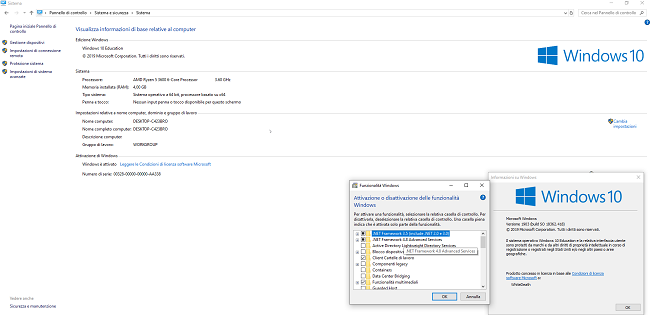
0e47000e46a03cb360831b6be65a473b.png


3ffe760faafa684bc2e30ddbe7fed7dd.png


Microsoft has officially started to roll out Windows 10 version 1903, called the May 2019 Update, to everyone. Originally released to Insiders for testing on April 8th, Microsoft has now made it available to everyone.

According to an announcement by Microsoft, their month long testing by Windows Insiders has shown that the Windows 10 May 2019 Update is ready to be made available to all users.

Microsoft Corporation, leading developer of personal-computer software systems and applications. The company also publishes books and multimedia titles, offers e-mail services, and sells electronic game systems, computer peripherals (input/output devices), and portable media players. It has sales offices throughout the world.

Product: Microsoft Windows
Version: 10 version 1903 build 18362.418 *
Supported Architectures: x64
Language: Multilanguage
System Requirements: PC **
Size: 7.8 GiB

Release info:
Name ISO x86:win_10_vl_aio_7in1_1903.18362.418.2019_octobre_x86
Name ISO x64:win_10_vl_aio_7in1_1903.18362.418.2019_octobre_x64
Size x86:3,33 GB (3.579.515.223 bytes)
Size x64:4,39 GB (4.719.946.071 bytes)
SHA1 x86:b342e4cd5e03b3d6667d9656753fbda6faf8a879
SHA1 x64:dd78b984fafdc24aa0d22e0405ba7c441ed554b8
Activation:Permantly Activation( Generate Digital License) v62.01
Languages: English, Deutsch, Ελληνικά, Français, Español, Italiano, Português-Portuguese, Português-Brazil, Türkçe
Build Number:10.0.18362.418
Updates:9/10/2019
Features:Net 3.5 Enabled
Converted:Install.wim<Install.esd

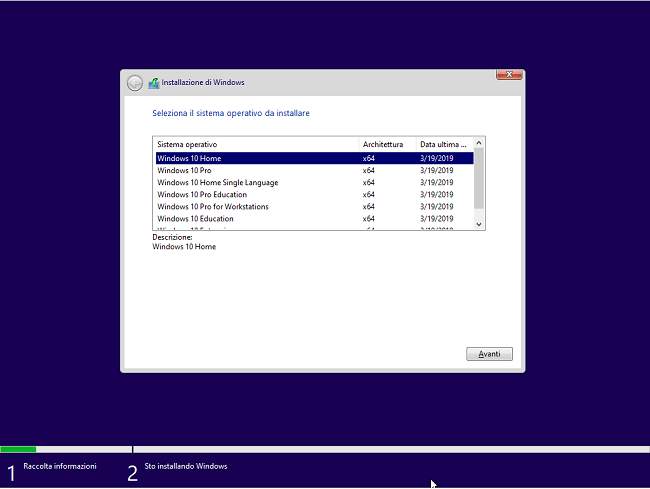
Windows 10 Edition list included:
- Windows 10 Home"
- Windows 10 Pro"
- Windows 10 Home Single Language"
- Windows 10 Pro Education"
- Windows 10 Pro for Workstations"
- Windows 10 Education"
- Windows 10 Enterprise"

System Requirements:
Processor: 1 gigahertz (GHz) or faster.
RAM: 1 gigabyte (GB).
Free space on hard disk: 16 gigabytes (GB).
Graphics card: DirectX 9 graphics device or a newer version.
Additional requirements to use certain features.
To use touch you need a tablet or monitor that supports multitouch.
To access the Windows store to download and run apps, you need an active Internet connection and a screen resolution of at least 1024 x 768 pixels.

У Вас недостаточно прав для просмотра ссылок. Войдите или зарегистрируйтесь.


DownLoad

Single Link
Код:
https://nitroflare.com/view/5F6A6DFBD3B5F55/Windows.10.AIO.7in1.v1903.Build.18362.418.October.2019.x64.iso
https://nitroflare.com/view/C38B1B218237379/Windows.10.AIO.7in1.v1903.Build.18362.418.October.2019.x86.iso

Код:
https://rapidgator.net/file/2d6218d95f91ca71f7ea0bf50d96f407/Windows.10.AIO.7in1.v1903.Build.18362.418.October.2019.x64.iso.html
https://rapidgator.net/file/196db63182ebb56ce07a69f7f297f337/Windows.10.AIO.7in1.v1903.Build.18362.418.October.2019.x86.iso.html

Код:
https://uploadgig.com/file/download/DdbD00a619dE112c/Windows.10.AIO.7in1.v1903.Build.18362.418.October.2019.x64.iso
https://uploadgig.com/file/download/ab816c57c07669B0/Windows.10.AIO.7in1.v1903.Build.18362.418.October.2019.x86.iso

NitroFlare
Код:
https://nitroflare.com/view/773805189BFA993/Windows.10.AIO.7in1.v1903.Build.18362.418.October.2019.x64.part1.rar
https://nitroflare.com/view/9D0A372E7F2CD6E/Windows.10.AIO.7in1.v1903.Build.18362.418.October.2019.x64.part2.rar
https://nitroflare.com/view/E686C07946E71DE/Windows.10.AIO.7in1.v1903.Build.18362.418.October.2019.x64.part3.rar
https://nitroflare.com/view/67D93E094E5DBD9/Windows.10.AIO.7in1.v1903.Build.18362.418.October.2019.x64.part4.rar
https://nitroflare.com/view/81707E713FAFB87/Windows.10.AIO.7in1.v1903.Build.18362.418.October.2019.x64.part5.rar

Код:
https://nitroflare.com/view/0567A742426C61B/Windows.10.AIO.7in1.v1903.Build.18362.418.October.2019.x86.part1.rar
https://nitroflare.com/view/E2B09EB38DE2F6F/Windows.10.AIO.7in1.v1903.Build.18362.418.October.2019.x86.part2.rar
https://nitroflare.com/view/7456ABE76529C6C/Windows.10.AIO.7in1.v1903.Build.18362.418.October.2019.x86.part3.rar
https://nitroflare.com/view/1164DF3FA5548CE/Windows.10.AIO.7in1.v1903.Build.18362.418.October.2019.x86.part4.rar

RapidGator
Код:
https://rapidgator.net/file/cf4dce26c9070e2155b465afb08c3f3a/Windows.10.AIO.7in1.v1903.Build.18362.418.October.2019.x64.part1.rar.html
https://rapidgator.net/file/296f5cc4fc34359b6bfb777866a19a14/Windows.10.AIO.7in1.v1903.Build.18362.418.October.2019.x64.part2.rar.html
https://rapidgator.net/file/8229616c351defb8f78e511bb5f17891/Windows.10.AIO.7in1.v1903.Build.18362.418.October.2019.x64.part3.rar.html
https://rapidgator.net/file/9e1ab2d434be8d9c8afce9a5867d19c1/Windows.10.AIO.7in1.v1903.Build.18362.418.October.2019.x64.part4.rar.html
https://rapidgator.net/file/663265839bb3799b6b0e86cc299f6fc8/Windows.10.AIO.7in1.v1903.Build.18362.418.October.2019.x64.part5.rar.html

Код:
https://rapidgator.net/file/6b104136368767c42453387cfa324d60/Windows.10.AIO.7in1.v1903.Build.18362.418.October.2019.x86.part1.rar.html
https://rapidgator.net/file/defaf6d550930739f1fe29e8f862ff1a/Windows.10.AIO.7in1.v1903.Build.18362.418.October.2019.x86.part2.rar.html
https://rapidgator.net/file/60a89a7a54cded7335fe67028d182170/Windows.10.AIO.7in1.v1903.Build.18362.418.October.2019.x86.part3.rar.html
https://rapidgator.net/file/260c103439a8ac1f189159354107c72a/Windows.10.AIO.7in1.v1903.Build.18362.418.October.2019.x86.part4.rar.html

UploadGiG
Код:
https://uploadgig.com/file/download/bFa4fc13feA7522e/Windows.10.AIO.7in1.v1903.Build.18362.418.October.2019.x64.part1.rar
https://uploadgig.com/file/download/eFe68a36a2cd588b/Windows.10.AIO.7in1.v1903.Build.18362.418.October.2019.x64.part2.rar
https://uploadgig.com/file/download/a06c8E08ceB1eAfB/Windows.10.AIO.7in1.v1903.Build.18362.418.October.2019.x64.part3.rar
https://uploadgig.com/file/download/aa52d02dd0899d55/Windows.10.AIO.7in1.v1903.Build.18362.418.October.2019.x64.part4.rar
https://uploadgig.com/file/download/2dd771c464Cc675f/Windows.10.AIO.7in1.v1903.Build.18362.418.October.2019.x64.part5.rar

Код:
https://uploadgig.com/file/download/A95965C3f0a6c3ac/Windows.10.AIO.7in1.v1903.Build.18362.418.October.2019.x86.part1.rar
https://uploadgig.com/file/download/c23100feC587F9D4/Windows.10.AIO.7in1.v1903.Build.18362.418.October.2019.x86.part2.rar
https://uploadgig.com/file/download/427d66704df552d2/Windows.10.AIO.7in1.v1903.Build.18362.418.October.2019.x86.part3.rar
https://uploadgig.com/file/download/ee633D579405f078/Windows.10.AIO.7in1.v1903.Build.18362.418.October.2019.x86.part4.rar
 
JixiPix Artista Impresso Pro 1.8.10

a88e5d082041a40517e08262dcaac7c3.jpg


JixiPix Artista Impresso Pro 1.8.10

File Size: 156 MiB
OS: Windows x86/x64

​

For professionals who like creative control we give them Layers for blending multiple paint styles and brushes to paint on and off the impressionism strokes. We have also included an ultra-impressionism effect called 'Tache' to cover the painting with broken brush strokes or dabs of color that literally stand out, apply them sparsely or cover the entire painting, the choice is yours.

The 19th century brush-wielding Impressionist artists were crazy about flowers and gardens, and it was good. With flowing brush strokes and thickly painted texture, Van Gogh made his Sunflowers immortal with harmonious movement of color, contrast, and form. Monet made his Water Lilly Pond a celebrity. It took their genius and a lifetime of practice navigating the riot of their senses, but these extraordinary artists took what they saw and felt in the petals and leaves and transferred their impressions onto canvasses full of beauty, mood and meaning.

Lucky you, 21st century software wielding seer and lovers of beauty, Impresso gives you the same enduring attention to detail, light, color and texture by transforming your photos into multi-textured, stroke-filled Impressionist masterpieces. Keen eyes will love how Impresso maintains the balance of your piece! The results are captivating paintings brimming with passion, life, and beauty.

Features
A pro workflow adds impressionism styles per layer. With Layers, users can blend styles using brushes to paint on or off areas in the painting! Also, included is the powerful Ellipse Detail tool to add finely painted details to faces, flowers or to create focal points in landscapes. Once completed , resize then hit the 'Apply' button to render small brushstrokes inside the Ellipse. With layers photographers and artists now have the power to composite multiple impressionism styles for impressive results.

IMPRESSIONISM STYLES
• Alla Prima ('wet-on-wet' or 'all-at-once')-is great for portraits! This beautiful paint style starts by filling the painting with an abundance of brushstrokes. A library of artistic finishes compliments this style by adding light, color and movement with controls over strength.
• En Plein Air (in open air) is perfect for landscapes. This stroke-filled effect consists of eight artists' palettes created by famous impressionists. Use them as they are or edit the paint colors to make your own palette. The Save Preset feature keeps the palette and all the layers intact for future projects.
• Tache ('spot' or 'blot') applies broken brushstrokes throughout the image. This technique of laying thick patches, flecks and dabs of color is great for making paint look as if it stands out from the surface. Apply a light spackling of strokes or fill the painting with dabs of color-the choice is up to you!
• Canvas layer is added to each painting created. By creating a canvas layer, it can now be turned on or off for viewing strokes created on previous layers. As with traditional methods, the canvas is an integral part of the painting, so we have locked the layer to keep it from being accidentally deleted.

INCLUDES
• Three stroke styles: #1 is a series of straighter strokes, #2 combines the first style with curved ones, and #3 is an abstract set. Then the Tache effect has its own custom set of brushes designed for depth.
• Three Impressionism styles: Alla Prima, En Plein Air and Tache (pronounced tash)
• Pro Layers with built-in Impressionism styles for multi-layer types and options to duplicate, reorder, and delete them
• Control over detail ellipse tool, stroke size, stroke volume, bristle strength & depth, artistic finishes and the painted edge
• Save Preset to save customized paint palettes and keep all strokes & layers intact for future projects
• Smart brushes to remove or add impressionism effect-the brushes are smart because they remove the effect by stroke
• Mask with fill, invert and clear to support brushes and layers
• Canvas and linen texture
• 8 Impressionist palette styles
• One-touch paint styles
• 70 Artistic finishes
• One-of-a-kind ellipse detail tool renders small brush strokes inside the placed area
• Plugin for Photoshop CS3+, Lightroom and Elements for Mac and Windows

У Вас недостаточно прав для просмотра ссылок. Войдите или зарегистрируйтесь.


DownLoad

NitroFlare
Код:
https://nitroflare.com/view/E3CFB3B1ED55257/JixiPix.Artista.Impresso.Pro.1.8.10.rar

RapidGator
Код:
https://rapidgator.net/file/3d827bcdda96fe83a34178e2e58deccf/JixiPix.Artista.Impresso.Pro.1.8.10.rar.html

UploadGiG
Код:
https://uploadgig.com/file/download/e6754a35fdbF6e4f/JixiPix.Artista.Impresso.Pro.1.8.10.rar
 
JixiPix Hand Tint Pro 1.0.10

b435c6f02cb9c45357f20624f82205bd.jpg


JixiPix Hand Tint Pro 1.0.10

File Size: 131 MiB
OS: Windows x86/x64

​

Hand Tint Pro supplies everything you need-color palettes, paper and smart brushes-for creating beautiful and timeless hand painted photography. Like all art forms, preparing a good base for hand coloring is like stretching a canvas for painting, so every image placed in the app is stripped of color and transformed into a classic Black & White, a dreamy Luminescent or an aged Vintage photo we call a Background Effect. To keep your painting organized and in control, we give you Layers and a handy Selective Color tool to define areas for accurate brushing. Both pro features are designed to keep color where you want them.

Photo tinting or hand tinting adds soft, otherworldly colors to a photo, and can lend an antique feel to even the most modern subjects. Brush on color to add a life-like blush to the cheeks of a child, or draw attention to a single element, like a flower or sunset. Hand painting is a beautiful technique to take photography to a higher realm. The key is simplicity, light tinting each photography, scrapbook or craft project lends a nostalgic and timeless quality to every project you will love.

Features
An easy workflow with a professional layering system has modes for tint, tone, color, multiply, soft paint or paint that can be changed per layer, and a powerful color selection tool to keep brushing inside isolated areas for fast colorization and accuracy. It is important to have fun while creating beautiful photo memories so a forgiving erase brush is there to wash away mistakes occurred during the painting process. If you need to stop, not a problem! Use the save project feature and return to finish when you are ready.

TINT STYLES
• Black and White -turns a photo into a classic black and white with options to adjust the RGB channels. A strength slider gradually blends the photo's original colors back in, if desired, for a variety of customized looks before the tinting process begins.
• Luminescent -adds dreamy brightness combined with subtle texture-that you control, as you brush on color, tint or tone
• Vintage -ages the photo with image toning and adds distressed paper for a beautiful and unique basis of your tinting project

INCLUDES
• 3 Photo Effects-Black & White, Luminescent & Vintage (also known as background effects, creates the base photo layer for hand tinting)
• 3 Layer Styles-Colorize Layer allows the original color to be brushed back in, Paint Layer allows customizable coloring using paintbrushes and color palettes, Auto Paint Layer allows original color to be removed, and a base layer called Background Effect to change photo effects styles on-the-fly without changing the hand colored layers above it-this allows you to be creative without repainting the image.
• Layer Modes-on every layer feature Color, Tint, Tone, Multiply, Soft Paint and Paint modes. These modes are designed to change the look of painted or colorized areas for unique and infinite variations.
• RGB Sliders-found on the Background Effect allow for pro mixing of light and dark areas in the Black & White and Luminescent effects.
• Film Grain Slider
• Soften Slider
• 6 Paper Surface Textures
• 25 Color Palettes-consist of multiple swatфches created for seasons, hair color, eye color and skin tones plus 2 Romantic palettes for dreamy gardens and seascapes.
• 36 Textures for adding an aged and worn paper effect
• 15 One-touch customizable Presets-create the Background Effect
• 3 Paint Presets-with layer styles and brush colors already in place for learning and understanding the layering process.
• Save Project-will save your hand tint project externally, or share projects with co-workers and friends. This feature keeps all layers and brush colors in tact.
• Randomize Button-automatically changes the settings on the Background Effects

У Вас недостаточно прав для просмотра ссылок. Войдите или зарегистрируйтесь.


DownLoad

NitroFlare
Код:
https://nitroflare.com/view/81A6617048E8C81/JixiPix.Hand.Tint.Pro.1.0.10.rar

RapidGator
Код:
https://rapidgator.net/file/a7487fdf839e50125653b9e202e066d4/JixiPix.Hand.Tint.Pro.1.0.10.rar.html

UploadGiG
Код:
https://uploadgig.com/file/download/A1cb631947037192/JixiPix.Hand.Tint.Pro.1.0.10.rar
 
JixiPix Pastello 1.1.10

ad7ad86be25ce9d2531c67cb6a60f10b.jpg


JixiPix Pastello 1.1.10

File Size: 261 MiB
OS: Windows x86/x64

​

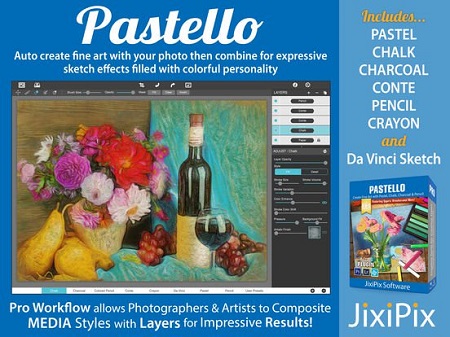
Introducing Pastello, a brand-new companion app to JixiPix's Impresso Pro. Pastello takes you back in time to the 15th century. Away from brushes and large strokes and into the realm of dry media with color that is both brilliant and subtle. The "Dry color method" made famous by Leonardo da Vinci is so powerful in its simplicity and beauty with its black and red chalk and yellow pastel highlights. Later, artists would paint charming portraits in a smooth heavily blended fashion. Move forward a few centuries later and pastel quickly became filled with brilliant color and crisp detail. Fast forward to today and a digital age has made it so you, the artist, can mix and match media that is difficult or impossible in a traditional setting.

Description:
Pastello makes it simple and convenient to take an image and change it into Pastel, Chalk, Charcoal, Crayon, Colored Pencil and Graphite drawings. Use alone or combine these medias using powerful layers to produce interesting expressive sketch effects filled with colorful personality and passion. And the best part is Pastello does all the work.

With Pastello, photographers and artists can now go beyond the camera to turn image files into creative works that resemble traditional handmade media using a professional workflow that is easy and comfortable to operate.

Features:
Pastello has a pro workflow that automatically transforms a photo into a pastel drawing and places it on an art paper with options to customize. The Pastel can then be changed to Chalk, Charcoal, Colored Pencil, Graphite, Conte or Crayon using Layer styles. The medias start out delicate like traditional drawings do, then allows you to build them up using fills, shading and detail layers. The medias are beautiful as they are, or mix them for an expressive artwork.

Pastello includes plenty of traditional sketch styles as well as a DaVinci effect using a mixed media of pencil, charcoal, crayon and old paper. It's easy to use! We have mixed the media into one-click presets with all the freedom to customize, blend and fine-tune for your own unique artwork filled with age, depth and timeless beauty as if created by the renaissance artist himself.

Pastel Styles:
Colored Pencil, Graphite, Charcoal, and Chalk come with a fill and detail option that can be layered for infinite variation. Conte has a dynamic sketch feature that lets you fill in shadows, mid-tones and highlights with crosshatching or scumbling. All with the ability to change stroke direction, size, volume and variation.

• Pastel-(Soft) is a soft, buttery consistency and intense color. This effect is dense and filled with the grain of the paper. Artists find this media especially good for plein air landscapes because the color ranges are vibrant and the media itself is dustless and portable.
• Chalk-(Hard Pastel) is a light dusty effect with little specks of preserved paper. This chalky pastel is known for it's soft strokes and velvety texture. This style is great for creating a fine web of color by stacking or duplicating layers, letting the ones below show through to create a drawing sparkling with interest.
• Charcoal-creates a velvety black charcoal effect with shades of grey. Use it for warming up the under painting of a composition, or to complete a finished charcoal piece.
• Colored Pencil-creates soft colorful strokes in the drawing that can be layered to build up color then burnished with a light Pencil Layer, or the Smudge tool.
• Pencil-creates pencil drawings with fluid outlines and soft, limpid tonal shadings for a drawing filled with warmth and charm.
• Conté-is a beautiful crayon media for enhancing highlights, midtones and shadows in drawings using five classic colors: Bistre, Sanguine, White, Grey, Gold and a color picker to choose your own-with options for crosshatching and scumbling.
• Crayon-creates a colorful waxy base to a drawing, then burnish it with a Conte White for highlights or Bistre for shading.
• Fill Brush- Choose to brush in areas of the drawing with chalk, charcoal, colored pencil or pencil on the layer or fill the entire layer as a base for Pencil, Chalk and Charcoal.
• NEW Signature Layer-Add a personalized touch to any drawing in the form of two styles: One that uses a type face from fonts installed on your computer, and the other you paint by hand. Both signatures can be fine-tuned using the stroke size and stroke volume sliders.

Includes:
• Pastel, Chalk, Charcoal, Conte, Colored Pencil, Pencil and Crayon style effects true to real media. Each one has control over stroke size, stroke volume, color and other refinements.
• Da Vinci style effect mixes 5 fully customizable medias onto aged paper for an old world appearance.
• Stroke technology inspired by real-world Pastellists
• Smart Layers for blending pastel styles with options to reorder, duplicate and delete. This powerful feature is great for mixing media.
• Fill Layer for hand brushing color and texture
• Paper Layer that reacts to dry media like real paper would. The more you layer the media the more it fills into the paper's texture.
• Smart Brushes for touching up brush strokes
• Smudge Brush for smearing media for a softer appearance
• Brush Masking to invert, clear or fill in brushed areas
• Presets for a quick start
• Customizable Presets to develop your own unique and personal style, or to save your projects with all strokes and layers intact for future editing.
• User Preset category to store your personalized style in
• Favorite preset feature sends presets to the front when marked
• 5 Paper Textures
• 41 Artistic and Aged Papers
• 70 Artistic Finishes for adding light and color to drawings
• Smart links to globally unify color and finishes across all layers
• 24 Artistic Edges for creating sketchy vignettes around artwork. Each one has options for edge stroke size and blend.
• Plugin for Photoshop CS3+, Lightroom and Elements for Mac & Windows
• New Live Presets render your image using each preset and displays them in the browser below. When using Mac or Windows a hovering feature makes it fast to view, and choose, rendered designs.

У Вас недостаточно прав для просмотра ссылок. Войдите или зарегистрируйтесь.


DownLoad

NitroFlare
Код:
https://nitroflare.com/view/783D955036EBC6F/JixiPix.Pastello.1.1.10.rar

RapidGator
Код:
https://rapidgator.net/file/6239e2eefb08cddaf443dd7d7dc7768b/JixiPix.Pastello.1.1.10.rar.html

UploadGiG
Код:
https://uploadgig.com/file/download/0E033eF417aBc895/JixiPix.Pastello.1.1.10.rar
 
JixiPix Premium Pack 1.1.11

ff803073f7c1ab3f91c046abef1766fc.jpg


JixiPix Premium Pack 1.1.11

File Size: 832 MiB
OS: Windows x86/x64

​

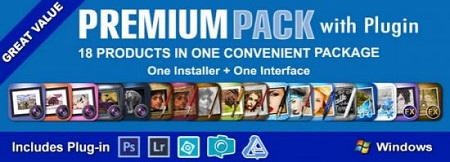
For maximum savings and convenience, the Premium Pack bundles 18 incredible creative apps into one powerful package: Aquarella, Artista Haiku, Artista Oil, Artista Sketch, Artoon, Chalkspiration, Dramatic Black&White, Grungetastic, Kyoobik Photo, Moku Hanga, NIR Color, Pop Dot Comics, Portrait Painter, Rainy Daze, Romantic Photo, Simply HDR, Snow Daze and Vintage Scene. The Premium Pack comes wrapped together for convenience - one application, one installer, one interface, and a plugin for Photoshop, Elements, Lightroom and PaintShop Pro.

PREMIUM PACK
18 Incredible Products bundled for convenience! Includes one installer, one interface and a Plugin for Photoshop, Elements, Lightroom and PaintShop Pro.

Included in the Premium Pack is a Plugin-which is the perfect complement to Photoshop, Elements, Lightroom and PaintShop Pro. Having the products within Adobe's applications saves valuable time with batch processing and actions, while the products themselves offer a level of creativity beyond using Photoshop alone.

Photoshop Plugin
Allows quick access to 18 Jixi products from inside Photoshop, Elements, Lightroom and PaintShop Pro. Supports actions, transparency, blending, last filter command, batch processing and 16bit RGB/Greyscale modes.

PLUGIN HOST REQUIRMENTS
Adobe Photoshop CS3+, CC, CC 2014, CC 2015, Photoshop Elements 10+ and Lightroom 4+ (Mac/Win)
Corel PaintShop Pro X7 and X8 (Mac/Win)

Every JixiPix Product Features:
- Support for high resolution images and output
- Multiple undo
- Randomize button
- Quick previewing
- Customizable settings
- Superior customer service
- Contact us any time we are committed to your long term satisfaction!

У Вас недостаточно прав для просмотра ссылок. Войдите или зарегистрируйтесь.


DownLoad

NitroFlare
Код:
https://nitroflare.com/view/4BAD60D9682F2FD/JixiPix.Premium.Pack.1.1.11.rar

RapidGator
Код:
https://rapidgator.net/file/9f8b3633860cf797d0d5bd58611cd9dd/JixiPix.Premium.Pack.1.1.11.rar.html

UploadGiG
Код:
https://uploadgig.com/file/download/6aC4c74381d62579/JixiPix.Premium.Pack.1.1.11.rar
 
Jixipix Watercolor Studio 1.4.5

ab6545a43f914c794d335947c49ddccd.jpg


Jixipix Watercolor Studio 1.4.5

File Size: 599 MiB
OS: Windows x64

​

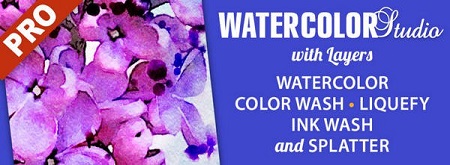
Watercolor Studio creates fluid, liquidy, translucent watercolors with paint that flows naturally. Built on-top of an incredible rendering system that uses real-world techniques, this application does the initial work, producing a watercolor instantly, then allows you to customize your paintings using an array of Sliders, Layers, Brushes, Color Washes and Artistic finishes. The end result-print quality watercolors filled with transparent luminosity and sheer beauty.

Watercolor Studio
Watercolor Studio uses artificial intelligence and image recognition to render the initial watercolor then gives you the ability to create infinite variations quickly and easily. Change paintings into an ink wash, add a beautiful artistic finish, brush in details, and even spatter it with liquid spots. Control everything from details-to-shades-to-negative space-to-coloring. No artistic skill needed!

The beauty of a well executed watercolor comes from the transparency of paint on paper. It also comes from the watercolors unique free flowing characteristics. Watercolor Studio makes it easy to do just this with a one-of-a kind Liquid slider. As you move it, watch as color bleeds throughout the painting for an ultra wet style. Or use the Wet Edge slider to define edges with built-up pigment and color that bleeds inward naturally.

Use it as a standard application or blend it into your workflow with our included plugin for: Photoshop, Elements, Lightroom, PaintShop Pro and Affinity Photo

Paint Styles Make It Impressive
Paint Styles, also known as Paint Layers allows you to create beautiful and unique watercolors by stacking watercolor layers, blending color washes and texture, and brushing in details. No artistic skill needed! Every photo placed in Watercolor Studio is automatically transformed into a watercolor with full control over settings. While it's great to have complete control over what the paint does on the paper, some of the most beautiful effects occur in the experiment process. So have fun and try not to be too careful. You will be amazed at some of the paintings you will get.

Paint Styles and Layers
• Watercolor features a series of wetness sliders: Wet Edge, Liquid and Edge Bleed all designed to give the painting a natural look. Choose between Landscape settings for a wet free flowing painting, or Portrait for a painting with controlled color and detail.
• Ink Wash creates a limited palette using the power of shades then allows users to build up color, and movement, using a library of washes.
• Color Wash applies semi-transparent handmade washes and stains to paintings. Use one or stack up several for a customized blend of color and texture.
• Liquefy is a transparent layer, you brush on, to blend and bleed areas in the watercolor. Move it around, turn it on or off, or delete it to start over-it's easy to use and very forgiving.
• Splatter applies water spots to the watercolor. Choose between multi-color, single or no color. Options bleed the edges of spots and a placement box lets you move splatter around and resize them.
• Outline defines edges throughout the image. Choose between round fluid watercolor strokes or sharp inky ones.
• Canvas is the base of your painting. Use this layer to change the canvas style. Choose between cold press, hot press or rough paper texture.

Includes
• Artificial Intelligence and Image Recognition
• A powerful wetness algorithm with full control. Decide how wet the edges become or how much the color spreads.
• Smart layers with options to reorder, duplicate and delete. This powerful feature allows you to stack and blend watercolor layers, washes and spatter for one-of-a-kind artwork.
• Landscape settings for an ultra wet watercolor
• Portrait settings for controlled color and detail
• Smart Brushes to remove areas or add them back in
• Mask option to invert, clear or fill brushed areas
• Detail and Shade controls
• 70 Artistic Finishes adjusts the color scheme to warm or cool bias, and modifies the intensity of color creating unity and altered moods that blends seamlessly.
• Smart links to globally unify artstic finishes across all layers
• Ink and Color washes that stack and blend
• Adjustable water Splatter for texture
• Granulating Texture slider to pool pigment naturally throughout the watercolor
• Canvas Layer with Cold Press, Hot Press and Rough paper texture
• Presets for saving custom paint palettes and to keep layers and settings intact for future

У Вас недостаточно прав для просмотра ссылок. Войдите или зарегистрируйтесь.


DownLoad

NitroFlare
Код:
https://nitroflare.com/view/09A2F80DFC8A986/Jixipix.Watercolor.Studio.1.4.5.rar

RapidGator
Код:
https://rapidgator.net/file/e9ea1e876c52fd350341c2c0eb0f7818/Jixipix.Watercolor.Studio.1.4.5.rar.html

UploadGiG
Код:
https://uploadgig.com/file/download/1cd0ffD72188bf84/Jixipix.Watercolor.Studio.1.4.5.rar
 
Microsoft Windows 10 Pro VL v1903 OS Build 18362.418 Multilingual

8d950db61c65d1dfc753e6a01cc4da64.png


Microsoft Windows 10 Pro VL v1903 OS Build 18362.418 Multilingual

File Size: 3.55, 4.83 GiB
Languages: English, German, French, Italian, Spanish

​

Windows 10 is a series of personal computer operating systems produced by Microsoft as part of its Windows NT family of operating systems. It is the successor to Windows 8.1, and was released to manufacturing on July 15, 2015, and to retail on July 29, 2015. Windows 10 receives new releases on an ongoing basis, which are available at no additional cost to users. Devices in enterprise environments can receive these updates at a slower pace, or use long-term support milestones that only receive critical updates, such as security patches, over their ten-year lifespan of extended support.

Windows Shell
File Explorer now features a dark theme when Dark Mode is enabled in Settings.
You can now name live folders in Start.
A new "safe removal" feature has been added that lists open applications that might be using an external GPU connected via Thunderbolt 3.
Notifications in the Action Center now feature a fade-in effect when the Action Center is opened.
A redesigned snipping experience is present and can be accessed via WIN + SHIFT + S.
Snips will now present a notification that will open up into Screen Sketch, which is now a dedicated app.
You can now configure pen peripherals to take a snip when pressing a button.
The Print Screen button can now be configured to open Screen Sketch.
A new "Screen snip" action has been added to quick actions in the Action Center.
Copied content can now be seen in a new clipboard experience, accessed with WIN+V, that can also sync to the cloud and across devices.
There are now three different modes you can select when wirelessly projecting your screen, and these modes are game, productivity, and video modes.
Users upgrading to this release for the first time will be welcomed with a post-OOBE UI that walks the user through setting up new features added in this release.
Game Bar has been redesigned with new features including an overview of system performance and more.
Search will now provide a download link for programs searched online.
You can now use Windows Mixed Reality without a monitor.
Storage Sense can now switch files to "online-only" if they haven't been accessed after a certain number of days, saving space on your local disk.
Pen users can now ink directly into text boxes by default.
Users can now view the real world when using Windows Mixed Reality using a headsets built-in camera.
Emoji 11 is now available.
Game bar is now accessible via the Apps List in Start.

Windows Settings
Bluetooth peripherals will now display their battery percentage within Settings.
Data Usage has been updated with roaming usage information.
You can now choose to keep your mouse centered on the screen when using the Magnifier tool.
Magnifier tool can now be incremented by 5 or 10 percent.
Focus Assist will now enable itself regardless of what game you're playing.
Sound device properties have now been integrated into the Settings app.
Settings will now suggest common questions asked by users and present answers in the sidebar.
Settings now feature tips and suggestions on the home page.
You can now override default regional format settings such as Calendar, First day of the week, Dates, Times, and Currency.
SwiftKey now powers the on-screen and touch keyboards.
Typing insights are now available in the Settings app.
You can now make text size bigger separately from the overall display scaling options in Settings.
A new Windows HD color page is now available under Display Settings that let you configure HDR settings.
Windows now supports leap seconds.
Windows Update will now use machine learning to determine when to install and not install updates.

Microsoft Cortana
Cortana has been updated with a wider landing page which better highlights Search and Timeline.

Microsoft Edge
Microsoft Edge now features a subtle drop shadow behind tabs.
The settings drop-down menu in Edge has been redesigned with icons for each option.
The Edge settings pane has been redesigned to look like the Hub area.
Edge can now control whether video is allowed to play on a webpage automatically.
Reading View now features more themes in Edge.
Reading View now features line focus that helps improve focus while reading an article.
Edge will now ask to save your card info when you fill out billing-related forms.
A new icon for PDFs is present.
The PDF reader has an updated toolbar with additional options including "add notes."
You can now pin/unpin the toolbar at the top of the PDF document.
Your top sites in Edge are now listed in Edge's jumplist menu.
Microsoft Edge now features Web Authentication APIs for logging into websites with Windows Hello.
You can now right click downloads in the download-pane to "show in folder."
You can now configure media auto-play controls per site.
You can now look up definitions of words in Reading View, Books, and PDFs.
Edge now features new policies for IT administrators to configure.
The XSS filter has been retired.
Updated Microsoft Edge's Hub to now have an acrylic navigation pane.
You can now refresh the Books pane in Microsoft Edge using a pull gesture.
When you pin books to Start from Microsoft Edge, you will now see a live tile that cycles between the book cover and your current completion progress.
When printing PDFs from Microsoft Edge, you'll find a new option to choose the scale of your print out (Actual size, or Fit to page).
When you press F1 in Microsoft Edge, it will now take you to the Microsoft Edge support page, rather than Microsoft Edge tips.
When a tab in Microsoft Edge is playing audio, the volume icon in the tab will now light up when you hover your mouse over it.
When you open local files (like PDFs) in Microsoft Edge, those files will now appear in the History section.
Updated Microsoft Edge so that even if a tab is not actively playing audio, you will now be able to pre-emptively mute it from the context menu when right-clicking the tab.

System apps
"Your Phone" app is now present that syncs with your Android and iPhone to share photos, notifications, SMS conversations, and more.
You can now search in the Calendar app.
Windows Calculator now correctly calculates square roots for perfect squares.
Windows Defender Security Center has been renamed to "Windows Security" and now features Fluent Design.
Notepad now features Unix/Linus line endings (LF) and Macintosh line endings (CR.)
Wrap-around find/replace now available in Notepad.
You can now zoom in to text in Notepad.
Line numbers now work with word-wrap.
You can now right-click and "Search with Bing" text highlighted in Notepad.
Narrator's scan mode now supports selecting content in Microsoft Edge, Word, Outlook, Mail, and most text surfaces.
Skype universal has been redesigned and updated with new features.
Task Manager now features "power usage" and "power usage trend" tabs.
Miscellaneous changes & fixes
Other than for the first setup, you no longer have to have a monitor connected to your PC when using Windows Mixed Reality.
Apps running in Windows Mixed Reality can now make use of the Camera Capture UI API to capture images of the mixed reality world using the system capture experience.
Updated the touch keyboard so that if you try to shape write in an unsupported text field or when the typing resources aren't installed, you won't see the shape-writing trail as you swipe your finger over the keys.
Updated the "Advanced graphics settings" link on the Display Settings page to now just say "Graphics Settings."
When your volume is muted, the volume icons in the Sound Settings page will also now appear muted.
If you click the Reset button on the App volume and device preferences page, it will now also reset any app-specific volumes you've set back to default (100%).
Updated Start so that it now follows the new Ease of Access setting to enable or disable hiding scrollbars.
Updated the new notification to fix blurry apps so that it now will persist in the Action Center to be accessed later once the toast has timed out and dismissed.
Consolidated the places where users can adjust their display brightness by removing the display brightness slider in
Control Panel Power Options and the "Display brightness" section under Power Options Advanced Settings.
When you clean install or do a PC refresh, you'll find that the Out of Box Experience for setting up your PC now includes a page for enabling activity history sync, which will help you continue what you were doing, even when you switch devices.
Adjusted how you access skin tones in the Emoji Panel - you'll now see a row of skin tone colors to select from when people emoji are in view.
When you hover over the Windows icon in the taskbar, a tooltip will now appear for Start.
Updated the design of the handwriting panel so that the delete button is now a top-level button. The button to switch languages is now under the "." menu.
If you go to Pen & Windows Ink Settings, you'll find a new option that allows your pen to behave like a mouse instead of scrolling or panning the screen.
We've updated the design of This PC so that there's no longer space displayed for the cloud files state icon.
Made some adjustments to improve the quality of audio when recording clips using the game bar (WIN+G).
When you hover over the leaf icon in Task Manager's Status column, you will now see a tooltip describing what it means (this app is suspending processes to help improve system performance).
If you've enabled WSL, you'll now see an option to "Open Linux Shell here" when you Shift + Right-click on the whitespace of a File Explorer folder.
Introduced preview support for same-site cookies in Microsoft Edge and Internet Explorer 11.
RSAT is now a feature on demand.
To improve discoverability, we've moved Delivery Optimization Settings to now be directly listed as a category under Settings > Update & Security.
Tiny, Small, Medium, Large, Huge and Gigantic files are now defined as 0 - 10KB, 16KB - 1MB, 1 MB to 128 MB, 128 MB - 1 GB, 1 GB - 4 GB, and > 4 GB, respectively in File Explorer.
Added new keywords to help you get to the settings you're looking for - for example, "rename" will now find "View your PC name" (from which you can rename your PC).
To improve clarity, we've separated Settings > Privacy > Speech, Inking & typing into two settings: Settings > Privacy > Speech and Settings > Privacy > Inking & typing personalization.
Added DTS:X to the list of spatial audio technologies you can use.
Addressed a crash in the audio troubleshooter if querying the volume or mute state failed.
When using the touch keyboard, you'll find that the clipboard button is now always visible in the candidate pane. Tapping it will bring up your clipboard history for you to browse and paste from.
Shape writing on the touch keyboard is now available when using English (Australia.)
Updated Ease of Access flyout on the login screen so that Narrator now has an on / off toggle.
Azure Active Directory and Active Directory users using Windows Hello for Business can use biometrics to authenticate to a remote desktop session.Your Phone app is pinned to the desktop by default.

System Requirements:
Processor: 1 gigahertz (GHz) or faster.
RAM: 1 gigabyte (GB).
Free space on hard disk: 16 gigabytes (GB).
Graphics card: DirectX 9 graphics device or a newer version.
Additional requirements to use certain features.
To use touch you need a tablet or monitor that supports multitouch.
To access the Windows store to download and run apps, you need an active Internet connection and a screen resolution of at least 1024 x 768 pixels.

Language: English, German, French, Italian, Spanish

У Вас недостаточно прав для просмотра ссылок. Войдите или зарегистрируйтесь.


DownLoad

Single Link
Код:
https://nitroflare.com/view/C457F4184EB7BDA/Pro1903M5x64Preact.iso
https://nitroflare.com/view/C9F0562E479127B/Pro1903M5x86Preact.iso

Код:
https://rapidgator.net/file/2080a648d3be89e0e58a9422fa488cd0/Pro1903M5x64Preact.iso.html
https://rapidgator.net/file/535e3a933b64d92b7d0fa64f2b9c9e3a/Pro1903M5x86Preact.iso.html

Код:
https://uploadgig.com/file/download/43d5707b210e825b/Pro1903M5x64Preact.iso
https://uploadgig.com/file/download/624a81989Baaa98b/Pro1903M5x86Preact.iso

NitroFlare
Код:
https://nitroflare.com/view/A70A43D37016328/Pro1903M5x64Preact.part1.rar
https://nitroflare.com/view/378B5079C21E91E/Pro1903M5x64Preact.part2.rar
https://nitroflare.com/view/599FDCC39755330/Pro1903M5x64Preact.part3.rar
https://nitroflare.com/view/876F008B95254E4/Pro1903M5x64Preact.part4.rar
https://nitroflare.com/view/49292BA10AA3D37/Pro1903M5x64Preact.part5.rar

Код:
https://nitroflare.com/view/F56DD932E51B37E/Pro1903M5x86Preact.part1.rar
https://nitroflare.com/view/DD0D13B09BF170A/Pro1903M5x86Preact.part2.rar
https://nitroflare.com/view/AC964E49BA91473/Pro1903M5x86Preact.part3.rar
https://nitroflare.com/view/0D960EC1D272486/Pro1903M5x86Preact.part4.rar

RapidGator
Код:
https://rapidgator.net/file/878c3c1aa9f37166439ea88a0ad5d10d/Pro1903M5x64Preact.part1.rar.html
https://rapidgator.net/file/2625c77848b35dbd58f7ae34ef6199ee/Pro1903M5x64Preact.part2.rar.html
https://rapidgator.net/file/96912a71e49d42cf7f16e13dd692bc37/Pro1903M5x64Preact.part3.rar.html
https://rapidgator.net/file/2de1e1803286c2434888765248ebd353/Pro1903M5x64Preact.part4.rar.html
https://rapidgator.net/file/5508cab088945f89c785e990e8fe171f/Pro1903M5x64Preact.part5.rar.html

Код:
https://rapidgator.net/file/ddb92c159ea875c8ec852981fa58c967/Pro1903M5x86Preact.part1.rar.html
https://rapidgator.net/file/85b2647fec4997abc671efcfe294a60e/Pro1903M5x86Preact.part2.rar.html
https://rapidgator.net/file/fff8f03df9b6f107fc62bf48ea4b1ce8/Pro1903M5x86Preact.part3.rar.html
https://rapidgator.net/file/181bd22f0bb0eb7f965952904817962a/Pro1903M5x86Preact.part4.rar.html

UploadGiG
Код:
https://uploadgig.com/file/download/96B031941438f2Ad/Pro1903M5x64Preact.part1.rar
https://uploadgig.com/file/download/8bb159e03Ad87885/Pro1903M5x64Preact.part2.rar
https://uploadgig.com/file/download/b4b326e30f9156c1/Pro1903M5x64Preact.part3.rar
https://uploadgig.com/file/download/d0e6E26048330a31/Pro1903M5x64Preact.part4.rar
https://uploadgig.com/file/download/1A65a900791398a0/Pro1903M5x64Preact.part5.rar

Код:
https://uploadgig.com/file/download/b80632137ab1b935/Pro1903M5x86Preact.part1.rar
https://uploadgig.com/file/download/179b241bED80cc5d/Pro1903M5x86Preact.part3.rar
https://uploadgig.com/file/download/419cce1fC7b30767/Pro1903M5x86Preact.part4.rar
 
Phase One Capture One v12.1.3 Incl Keygen-AMPED

ac9a75591b17a11449128ab095b544ab.jpg


Phase One Capture One v12.1.3 Incl Keygen-AMPED

File Size: 134 MiB

​

Capture One continues to lead the way in RAW file image editing. Expertise from creating customized color profiles for more than 400 cameras, combined with our relentless dedication to creative freedom has brought recognition to Capture One's workflow, our exceptional color handling, and precision editing tools.

We develop our software with the ambition of enabling you to achieve your creative vision through a smooth, efficient workflow; making it the professional's choice in imaging software.

Full Control
Every tool in Capture One is designed to give you full control of all aspects of the editing process - preserving, recovering and optimizing all information from your RAW files. The full range of tools offer extensive possibilities to always achieve perfect results.

The benefit of RAW
Capturing RAW files enables a broad scale of possibilities for tweaking your images, as RAW files have the full range of the captured information available from your camera. Capture One is focused on getting the most out of every RAW file. All supported camera models and lenses have custom tailored profiles to ensure the best colors and details available. Capture One provides a solid solution for editing any supported RAW file.

Tethered Capture
Capture One's industry leading tethered capture is fast, flexible and reliable, for those photography sessions where speed and accuracy is important. Shoot directly to your computer for an almost instant viewing experience - with or without instant adjustments. Enable Live View for easier composing when shooting still-life photography.

Workflow and Performance
From customizable tools, keyboard shortcuts to graphics acceleration and instant tethered capture - Capture One is built to minimize your workload and maximize your efficiency. Design your own workspace and decide your own way of working in Capture One.

Operating System: Windows 7, Windows 8 and Windows 10 (64-bit only)

Language: Multilingual

Installation Steps:

1 - Unpack the release into a directory of your choice
2 - See included amped.txt
3 - Enjoy this fine AMPED release, but buy it if you will use it

У Вас недостаточно прав для просмотра ссылок. Войдите или зарегистрируйтесь.


DownLoad

NitroFlare
Код:
https://nitroflare.com/view/ED500383A3199E1/Phase.One.Capture.One.v12.1.3.Incl.Keygen-AMPED.rar

RapidGator
Код:
https://rapidgator.net/file/bf5ab531f403c7e5b7951b03899406c6/Phase.One.Capture.One.v12.1.3.Incl.Keygen-AMPED.rar.html

UploadGiG
Код:
https://uploadgig.com/file/download/74b5e3a041533e2b/Phase.One.Capture.One.v12.1.3.Incl.Keygen-AMPED.rar
 
Scientific Toolworks Understand v5.1.1003 x64 Incl Keygen-AMPED

36f00c38700d75549322bbe11a8de6fd.jpg


Scientific Toolworks Understand v5.1.1003 x64 Incl Keygen-AMPED

File Size: 145 MiB

​

Understand provides you with pertinent information regarding your code. Quickly see all information on functions, classes, variables, etc., how they are used, called, modified, and interacted with. Easily see call trees, metrics, references and any other information you would want to know about your code.

Metrics & Reports
Understand is very efficient at collecting metrics about the code and providing different ways for you to view it. There is a substantial collection of standard metrics quickly available as well as options for writing your own custom metrics when we don't cover exactly what you need.

Graphing
Understand offers graphs that allow you to see how your code connects (dependencies), how it flows (control flow graphs), what functions call other functions (call graphs), and many more. There are many customization options to easily allow you to display only what you are interested in seeing so the graph is best suited to what you need.

Standards Testing
Understand provides a way to check your code using published coding standards, or your own custom standards. These checks can be used to verify naming guidelines, metric requirements, published best practices, or any other rules or conventions that are important for your team.

Dependency Analysis
See all the dependencies in your code and how they connect. See these dependencies using Understand's interactive graph or using the textual Dependency Browser. Both allow you to see all dependencies quickly and easily at a high level or dig in and get the details.

Editor
Understand's powerful editor is a full modern programming GUI that incorporates all the modern features you would expect. It is designed from the ground-up for multi-monitor use and it includes tabs, tab groups, docking, syntax colorization, auto-completion, and syntax-based collapsing and folding just to name a few.

Search
Multiple options are available for searching in Understand. For instant results, use our "Instant Search" feature which provides results before you are even done typing. Understand also provides search options for more customized and complicated searches, such as Regular Expression and Wildcard searches.

Languages
Understand supports more than a dozen languages and can handle code bases that are written in multiple languages. This allows you to see calls and dependencies between languages so you can get information about the complete system.

Operating System: Windows 7, 8/8.1, 10

Installation Steps:

1 - Unpack the release into a directory of your choice
2 - Run the installer and install it
3 - Register using serial from /crack directory
4 - Enjoy this fine AMPED release, but buy it if you will use it
5 - As always, make sure to have a firewall to block outbound connections

У Вас недостаточно прав для просмотра ссылок. Войдите или зарегистрируйтесь.


DownLoad

NitroFlare
Код:
https://nitroflare.com/view/5389A5576758F82/Scientific.Toolworks.Understand.v5.1.1003.x64.Incl.Keygen-AMPED.rar

RapidGator
Код:
https://rapidgator.net/file/5472fd77e0c6c23c7853fb2314f094dd/Scientific.Toolworks.Understand.v5.1.1003.x64.Incl.Keygen-AMPED.rar.html

UploadGiG
Код:
https://uploadgig.com/file/download/2bA3264BFe66f216/Scientific.Toolworks.Understand.v5.1.1003.x64.Incl.Keygen-AMPED.rar
 
Simulation Lab Software SimLab Composer 9 v9.2.14 x64-AMPED

c2fee46a87eecb8d45ba2d05c82c7ed0.jpg


Simulation Lab Software SimLab Composer 9 v9.2.14 x64-AMPED

File Size: 247 MiB

​

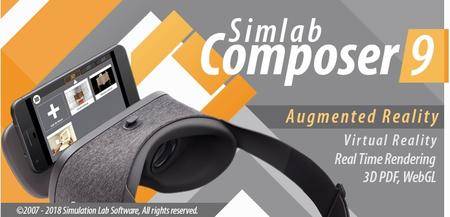
SimLab composer is a 3D scene building, rendering, sharing, and animation application. SimLab Composer is an easy to use application, yet a very powerful one. SimLab Composer is 3D FOR ALL!

Scene Building
SimLab Composer provides users with all the needed tools to build 3D senses from existing models, easily and fast.

3D Sharing
- SimLab Composer gives users different options to share 3D scenes, and models.
- 3D PDF, WebGL, Android/iPad.

Rendering
High quality real time renderer, suitable for interior and exterior scenes.

Animation
Create animations showing the motion of a designed machine, or a walkthrough of a house.

Automation
SimLab Composer automation workbench allows users to use Java scripting to automate processes in SimLab Composer.

System Requirements:
• Intel or AMD processor
• Windows 64-bit (7, 8, or 10)
• Any graphics card with 256 MB or more (either dedicated or shared)
• 2 GB of RAM or more
• 2 GB of free hard disk space
• Monitor resolution of 1440 X 900 or greater

Installation Notes:

1 - Unpack the release into a directory of your choice.
2 - Run the installer and install it.
3 - Copy the files from /crack into the installation directory.
4 - Enjoy this fine AMPED release, but buy it if you will use it.
5 - As always, make sure to have a firewall to block outbound connections.

У Вас недостаточно прав для просмотра ссылок. Войдите или зарегистрируйтесь.


DownLoad

NitroFlare
Код:
https://nitroflare.com/view/DA7DBE7A3722428/Simulation.Lab.Software.SimLab.Composer.9.v9.2.14.x64-AMPED.rar

RapidGator
Код:
https://rapidgator.net/file/ffe85646012962ba53b5506348f50b06/Simulation.Lab.Software.SimLab.Composer.9.v9.2.14.x64-AMPED.rar.html

UploadGiG
Код:
https://uploadgig.com/file/download/bd1aa1d15ee265F2/Simulation.Lab.Software.SimLab.Composer.9.v9.2.14.x64-AMPED.rar
 
JixiPix Rip Studio 1.1.5

bdefcb4370dfe9fd2283c44e48b74706.jpg


JixiPix Rip Studio 1.1.5

File Size: 229 MiB
OS: Windows x86/x64

​

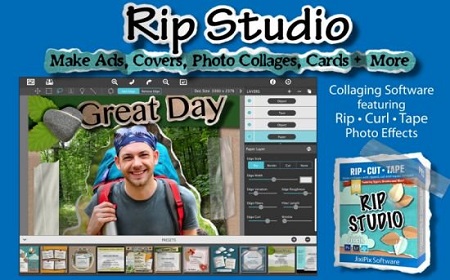
2 years in development, 3 years prototyping, and thousands of hours in the art department, Rip Studio redefines everything you know about a collaging app. It offers super realistic ripped and cut borders, tape, creased and folded images, and curled edges with full 3D shadowing. All with an incredible interface that seamlessly handles layers while maintaining an easy-to-use workflow. Rip Studio gives you control over every element created inside the app. Rip, tear, or cut edges by drawing around the image. Curl up the edges and wrinkle the surface by simply adjusting a slider. Behind the scene a powerful 3D light engine works to make surface wrinkles and creases look realistic; this adjustable light source will have shadows popping off the page. Finish your creative composition with a tape effect, or choose from a library of objects like stickpins, staples, rusty nails and gems. Every rip you make or tape you place is unique and one-of-a-kind!

Created for professionals who want eye-catching elements for their designs and compositions. Quickly rip out shapes and letters by drawing around on your image. Create paper objects for Ads, Music covers, Art Collages and Scrapbook pages with one-of-a-kind cutout, ripped out, taped and pinned shapes made from images or other clipart. With Rip Studio you can throw out those boring overused templates and create a custom piece with complete control over shape, width, fiber, texture and curl.

Built with PRO features Rip Studio easily creates a single incredible piece or a whole collage right inside the app! Built with a powerful workflow, you can add images quickly simply selecting them from your library and dropping them-all at once-on the open application. As each image is placed a layer is created for easy compositing, editing and transformation. To finish your composition, choose from a library of gems, stickpins and staples; or add transparent tape, duct tape and masking tape for added interest.

With a focus on ease-of-use, ripped pieces can be created by freely drawing on the image or background-if too much is ripped out simply reverse the tool and add the area back in. Also, included in the app is an Image Tool to allow photos to be resized or rotated inside the ripped pieces; or you have the option to completely replace the image while retaining the shape. This powerful feature enables professionals to create custom templates for future use and allows projects to be shared with other artists.

Rip Studio-is easy, professional and one-of-a-kind

Pro Features
Rip Studio is a PRO product featuring layers, multiple selection, 3D light for casting realistic shadows, and the best effects designed for Artists, Photographers and other Professionals who require high-resolution on output.

Rip Studio's edges are fully adjustable and can be customized using Edge Width, Fiber Amount, Fiber Length and Edge Roughness. Once a paper is torn use the image tool to move and adjust photos inside or completely replace the image if needed-this great feature is perfect for creating templates for other projects.

Rip Studio is made for the pro user but easy enough for the novice.

Photo Effects
• Rip - creates hand-torn edges around images and text
• Border - adds an adjustable outline with options for color
• Cut - creates a scissor style cut around edges
• Tape - allows adjustable pieces to be placed, moved and resized

Features
• Rip Effect with control over rip width, roughness and fiber length
• Rip Tool for adding and removing areas to torn and cut paper. Also works on shapes and tape
• Rip Styles to change the look of an edge on-the-fly without redrawing the area
• A cool masking tape, duct tape, cloth tape and transparent Tape Effect. When tape is placed on the edge of the image it auto creases! This can't be done with clip art.
• Masking tape, duct tape and transparent tape with adjustable size, color and surface texture
• Move Image Tool for resizing and moving the image inside a ripped or cut area
• Text Editor for creating ripped, cut, bordered or regular-style letters and sentences
• Smart Layers for composing layouts, collages and easy reordering of objects
• Multiple Selection for moving paper, tape and other objects together
• 36 shapes will auto-cut images into stars, circles, flowers and more'
• 102 high resolution papers
• 18 surface textures
• 62 objects like staples, gems, stickpins and more-with the ability to add your own! All objects placed will create an impression below
• Robust 3D lighting casts realistic shadows-supports multiple light sources
• Crease Effect for adding crinkles and creases by simply drawing across the area
• Support for fonts installed on your computer system
• Save Project externally will save projects for future editing and sharing with other artists!
• Save Preset for saving templates inside the app-great for creating custom templates for future use
• Save support for PNG and TIF to preserve transparency behind objects
• Support for high resolution images and output
• Pro's who use the Photoshop and Lightroom Plugin can flag images for batch processing-this features allows photos to be placed right where they want them

У Вас недостаточно прав для просмотра ссылок. Войдите или зарегистрируйтесь.


DownLoad

NitroFlare
Код:
https://nitroflare.com/view/2F509153CF820FC/JixiPix.Rip.Studio.1.1.5.rar

RapidGator
Код:
https://rapidgator.net/file/d486c7e3f99fc3f39204d6a623acf721/JixiPix.Rip.Studio.1.1.5.rar.html

UploadGiG
Код:
https://uploadgig.com/file/download/bD62BcF903b7143d/JixiPix.Rip.Studio.1.1.5.rar
 
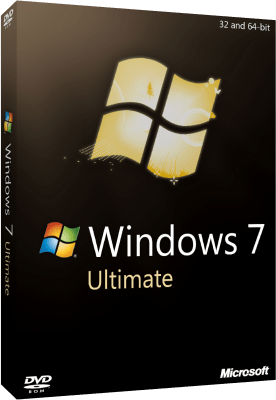
Windows 7 SP1 Ultimate Multilanguage Preactivated October 2019

7ddff58ad9d3039e92b119a0d617e701.png


Windows 7 SP1 Ultimate Multilanguage Preactivated October 2019

File Size: 2.89, 3.84 GiB
Languages: English, German, Greek, French, Spanish, Italian
Portuguese-Portuguese, Portuguese-Brazil, Turkish
OS: x86, x64

​

Description:
Windows 7 Ultimate is the most versatile and powerful edition of Windows 7. It combines remarkable ease-of-use with the entertainment features of Home Premium and the business capabilities of Professional, including the ability to run many Windows XP productivity programs in Windows XP Mode.For added security, you can encrypt your data with BitLocker and BitLocker To Go. And for extra flexibility, you can work in any of 35 languages. Get it all with Windows 7 Ultimate.

Features:
-64-bit versions Combines remarkable ease-of-use with the entertainment features of Home Premium and the business capabilities of Professional--get it all with with Windows 7 Ultimate
-Make the things you do every day easier with improved desktop navigation; start programs faster and more easily, and quickly find the documents you use most often
-Run many Windows XP productivity programs in Windows XP Mode; watch, pause, rewind, and record TV on your PC
-Easily create a home network and connect your PCs to a printer with HomeGroup; connect to company networks easily and more securely with Domain Join
-Recover your data easily with automatic backup to your home and business network; help protect data on your PC and portable storage devices against loss or theft with BitLocker.

Details:
Name ISO x86:WIN.7.SP1.Ultimate.Multilang.October.2019.x86
Name ISO x64:WIN.7.SP1.Ultimate.Multilang.October.2019.x64
Size x86:2,89 GB (3.104.047.427 bytes)
Size x64:3,84 GB (4.134.029.635 bytes)
SHA1 x86:735e138b875dcca59f579ba4909f88b0f3b45557
SHA1 x64:19e3a595e139b8aed85a7116332354cbf1e2e72a
Languages:English,German,Greek,French,Spanish,Italian,Portuguese-Portuguese,Portuguese-Brazil,Turkish
Converted:install.wim<install.esd
Setup:Based on Windows 10 Boot.wim
Architectures: (x86-x64)
Updated:11/10/2019
NetFramework 4.8 integrated
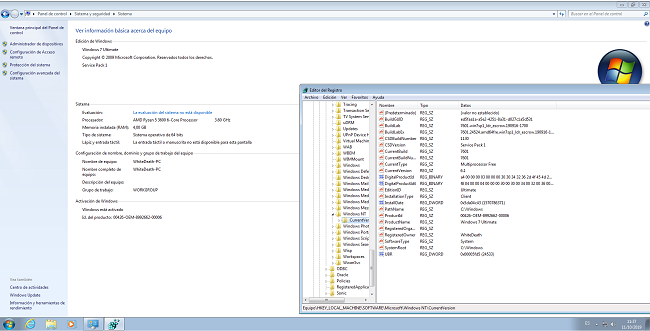
Activation: Preactivated Windows Loader 2.2.2 ( need restart after first log in)
Note:If you install it in GPT mode the activation will not work the activation dosnt support GPT only MBR

Drivers Integrated:
Alpine Ridge USB
AMD MISC(include all drivers usb 3.0 and chipset's)
NVidia MISC
Asmedia USB
Fresco Logic USB
Etron Technology USB
Renesas Electronics USB
Intel USB
VIA USB
Intel Chipset
Intel DPTF
Intel IO
Intel AHCI
Intel MEI
Intel NVMe
Micron NVMe
OCZ Toshiba NVMe
Plextor NVMe
Samsung NVMe

Notes:
1)This is full Setup Windows 7 and support all drivers usb 3.0/3.1
2)The Setup using windows 10 boot.wim setup For better support in Drivers
Warning:that maybe not work in some really old pcs.
3)Recommended Uses Rufus tool for burning.
4)About Windows loader That is only working on MBR mode and not in GPT ..
if you want you can use mbr for install your windows and do some search how change from MBR TO GPT online

Whats New:
-Added KB4519976-x86-x64 with disabled telemetry and cpu check (replaces KB2719033-x86-x64, KB3150220-x86-x64 and KB4516065-x86-x64)

0aa46a880468fd3a20adb120b2392963.png


У Вас недостаточно прав для просмотра ссылок. Войдите или зарегистрируйтесь.


DownLoad

Single Link
Код:
https://nitroflare.com/view/BA8138BFB8BBA62/WIN.7.SP1.Ultimate.Multilang.October.2019.x64.iso
https://nitroflare.com/view/DC0AFD068A592FA/WIN.7.SP1.Ultimate.Multilang.October.2019.x86.iso

Код:
https://rapidgator.net/file/6513eac42e2545a28d5fbdadd4920477/WIN.7.SP1.Ultimate.Multilang.October.2019.x64.iso.html
https://rapidgator.net/file/28418033f12e9c7337ea1b8c00619415/WIN.7.SP1.Ultimate.Multilang.October.2019.x86.iso.html

Код:
https://uploadgig.com/file/download/31391f0badb97e27/WIN.7.SP1.Ultimate.Multilang.October.2019.x64.iso
https://uploadgig.com/file/download/c1b6568da16fa316/WIN.7.SP1.Ultimate.Multilang.October.2019.x86.iso

NitroFlare
Код:
https://nitroflare.com/view/FB72E9E23C083F0/WIN.7.SP1.Ultimate.Multilang.October.2019.x64.part1.rar
https://nitroflare.com/view/BD9C8639F920E1D/WIN.7.SP1.Ultimate.Multilang.October.2019.x64.part2.rar
https://nitroflare.com/view/E6290E5A788B9E5/WIN.7.SP1.Ultimate.Multilang.October.2019.x64.part3.rar
https://nitroflare.com/view/E90DEAD3A1E4AF8/WIN.7.SP1.Ultimate.Multilang.October.2019.x64.part4.rar

Код:
https://nitroflare.com/view/F063AFA0F98D2A5/WIN.7.SP1.Ultimate.Multilang.October.2019.x86.part1.rar
https://nitroflare.com/view/11E444509F35905/WIN.7.SP1.Ultimate.Multilang.October.2019.x86.part2.rar
https://nitroflare.com/view/7221A4E8399D60C/WIN.7.SP1.Ultimate.Multilang.October.2019.x86.part3.rar

RapidGator
Код:
https://rapidgator.net/file/59aa478331fcc69a8fd60ad871d0bcc1/WIN.7.SP1.Ultimate.Multilang.October.2019.x64.part1.rar.html
https://rapidgator.net/file/ca7aa795cf1035967fdcd74a5a969c9a/WIN.7.SP1.Ultimate.Multilang.October.2019.x64.part2.rar.html
https://rapidgator.net/file/5832eab6d127f96eb8663add0a41c3a4/WIN.7.SP1.Ultimate.Multilang.October.2019.x64.part3.rar.html
https://rapidgator.net/file/c516acb67f774adbe70c31c43cf18a4b/WIN.7.SP1.Ultimate.Multilang.October.2019.x64.part4.rar.html

Код:
https://rapidgator.net/file/356bd9a0d779dc2a15471cd0dc0499e2/WIN.7.SP1.Ultimate.Multilang.October.2019.x86.part1.rar.html
https://rapidgator.net/file/63b9cb277bc22060bc0c38a1634a9013/WIN.7.SP1.Ultimate.Multilang.October.2019.x86.part2.rar.html
https://rapidgator.net/file/0d4e31734963a2207fdc682019558668/WIN.7.SP1.Ultimate.Multilang.October.2019.x86.part3.rar.html

UploadGiG
Код:
https://uploadgig.com/file/download/b33B6bc4b2BeE18f/WIN.7.SP1.Ultimate.Multilang.October.2019.x64.part1.rar
https://uploadgig.com/file/download/02D831b8Dbac004b/WIN.7.SP1.Ultimate.Multilang.October.2019.x64.part2.rar
https://uploadgig.com/file/download/6b50669c51e2B71d/WIN.7.SP1.Ultimate.Multilang.October.2019.x64.part3.rar
https://uploadgig.com/file/download/2f8682b41d0c228A/WIN.7.SP1.Ultimate.Multilang.October.2019.x64.part4.rar

Код:
https://uploadgig.com/file/download/6f5b6612fE670437/WIN.7.SP1.Ultimate.Multilang.October.2019.x86.part1.rar
https://uploadgig.com/file/download/A25D86226d6d6862/WIN.7.SP1.Ultimate.Multilang.October.2019.x86.part2.rar
https://uploadgig.com/file/download/9a00de988e41D878/WIN.7.SP1.Ultimate.Multilang.October.2019.x86.part3.rar
 
JixiPix Photo Formation 1.0.10

ee506693f2730c8d926b60a907fa7023.jpg


JixiPix Photo Formation 1.0.10

File Size: 148 MiB
OS: Windows x86/x64

​

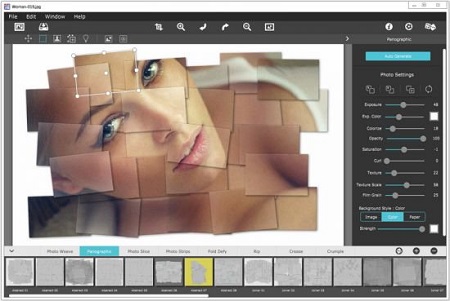
Photo Formation is a photo effect that auto-transforms images into super creative paper formations then uses a 3D light engine to cast ultra cool shadows. Use it to fragment, join, weave, slice and fold photos into fascinating eye-catching pieces, with all the subtle creases, curls and bends as if painstakingly assembled by hand.
Photo Formation comes with a library of one-touch presets to get you started fast, and a randomize button that automatically renders a variety of paper creations over and over until you get something catered to you. Moving, rotating and scaling tools can then be used to customize each composition-the sky is the limit to what can be done!

We make it easy to use without taking control away from you, the artist. If you are the hands on type who likes to make stuff from scratch, an Auto Generate button gets you in the creative mode by starting the initial paper effect for you then presents a control panel so you can make it exactly the way you like. It's not as much work as it sounds, just specify how many strips, tiles or folds; how much curl, crinkle or depth; and if you want exposure, opacity, texture and grain. An apply button renders the creation to the document where you finish it off by moving around paper elements (only if you want), and adding optional photo settings.

What sets Photo Formation apart from others is it's powerful lighting system. Oriented in a 2D space, Photo Formation renders true 3D popping folds and creases along with all their perspective distortions that cast realistic shadows for an amazing high-end result! The lighting is fully adjustable and by simply moving it around the document you can change the direction of the shadows. You can also set up multiple light sources by duplicating the light to create fantastic double and triple shadows-how many is up to you!

Photo Formation comes as a standard application or blend it into your workflow with an included plugin for: Photoshop, Elements, Lightroom, PaintShop Pro and Affinity Photo

INCLUDES 8 Creative Paper Styles
• Photo Weave renders one or multiple photos into a basket weave
• Panographic turns a photo into a patchwork art of multiple photos
• Photo Slice uses a line tool to slice or rip photos
• Photo Strips auto-slices a photo into strips and conforms them into shapes
• Fold Defy auto-folds a photo with 3D perspective to give it lift
• Rip uses a lasso tool to tear the corners off an image and rip holes anywhere on your photo

Photoshop Plugin
Each products includes a Plugin for use with Photoshop, Elements, Lightroom and PaintShop Pro. Supports actions, transparency, blending, last filter command, batch processing and 16bit RGB/Greyscale modes.

PLUGIN HOST REQUIRMENTS
• Adobe Photoshop CS3+, CC, CC 2014, CC 2015, CC 2017, Photoshop Elements 10+ and Lightroom 4+

У Вас недостаточно прав для просмотра ссылок. Войдите или зарегистрируйтесь.


DownLoad

NitroFlare
Код:
https://nitroflare.com/view/F8AA2BB5A95DC14/JixiPix.Photo.Formation.1.0.10.rar

RapidGator
Код:
https://rapidgator.net/file/327db460f009b87d80186fe600f66429/JixiPix.Photo.Formation.1.0.10.rar.html

UploadGiG
Код:
https://uploadgig.com/file/download/94d5BC9f39d8486d/JixiPix.Photo.Formation.1.0.10.rar
 
DxO PhotoLab 2 ELITE Edition 2.3.2.44 Multilingual macOS

75f0629a912363ab7dbfc263610ce2f7.png


DxO PhotoLab 2 ELITE Edition 2.3.2.44 Multilingual macOS

File Size: 292 MiB

​

DxO PhotoLab (was DxO Optics Pro) provides a complete set of smart assisted corrections that you can manually fine-tune at any time. Take control on every aspect of your photos: effectively remove noise, get rid of light constraints, recover color details, apply sophisticated optical corrections, and enhance details.

Features
- DxO Smart Lighting
- DxO ClearView
- DxO PRIME
- Optical Corrections
- Introducing U Point

Compatibility: OS X 10.11 or later 64-bit

У Вас недостаточно прав для просмотра ссылок. Войдите или зарегистрируйтесь.


DownLoad

NitroFlare
Код:
https://nitroflare.com/view/03822B0188EAC53/DxO.PhotoLab.2.ELITE.Edition.2.3.2.44.Multilingual.macOS.dmg

RapidGator
Код:
https://rapidgator.net/file/fad4161f4d213a2dd8fdd0f8ce8f640d/DxO.PhotoLab.2.ELITE.Edition.2.3.2.44.Multilingual.macOS.dmg.html

UploadGiG
Код:
https://uploadgig.com/file/download/4789236e9cc72d95/DxO.PhotoLab.2.ELITE.Edition.2.3.2.44.Multilingual.macOS.dmg
 
MathWorks MATLAB R2019b v9.7.0.1216025 Update 1 Only x64

2882259647e8bbe6a636b3202cfb9352.png


MathWorks MATLAB R2019b v9.7.0.1216025 Update 1 Only x64

File Size: 1.32 GiB

​

Description:
Company MathWorks most complete software for computational computer produces; the main program the company that actually Passport is software MATLAB (short for Mat rix Lab Oratory and means lab Matrix) is one of the most advanced software, algorithms and math and a programming language developed generation fourth is possible to visualize and plot functions and data is provided. Icon and bookmark MATLAB with the manufacturer's logo is the same as the wave equation, L-shaped membrane and special functions have been extracted. MATLAB competitors such as Mathematica, Maple and Mathcad noted.

Facilities and software features MathWorks MATLAB:
-perform a variety of complex mathematical calculations and heavy
-Development environment for managing code, files, and data
-explore ways to achieve this solution
-A variety of mathematical functions for linear algebra, statistics, Fourier analysis, optimization, filtering, numerical integration and ...
-drawing two-dimensional and three-dimensional graphics functions for visualizing data as
-Design and construction of user interfaces under the programming languages ​​C ++, C or Java
-Ability to test and measure the exact functions and graphs
-the possibility of communication signal processing, image and video
-There are various Jbhabzarhay engineering companies for specific applications such as
telecommunications, control, fuzzy, estimates, statistics, data collection, simulation systems,
neural networks, probability and ...
-Ability Computational Biology

System Requirements:
OS:
-Windows 10
-Windows 7 Service Pack 1
-Windows Server 2016
-Windows Server 2019

CPU:
-Minimum:Any Intel or AMD x64 processor
-RecommendedAny Intel or AMD x64 processor with four logical cores and AVX2 instruction set
support

Disk:
-Minimum:2 GB of HDD space for MATLAB only, 4-6 GB for a typical installation
-Recommended:An SSD is recommended A full installation of all MathWorks products may take up to 31
GB of disk space

RAM:
-Minimum:4 GB
-Recommended:8 GB

GPU:
-No specific graphics card is required.
-Hardware accelerated graphics card supporting OpenGL 3.3 with 1GB GPU memory is recommended.
-GPU acceleration using the Parallel Computing Toolbox requires a CUDA GPU
-For Polyspace, 4 GB per core is recommended

Note:
-Windows Server 2019 is supported as of R2019a.
-Windows Server 2012 and Windows Server 2012 R2 are not supported as of R2019a.

For Polyspace, 4 GB per core is recommended

WHATS NEW:
MathWorks MATLAB R2019b v9.7.0.1216025 Update 1 Relase Notes:[/b]
-Start method on System.Diagnostics.Process .NET class might throw no matching signature error
-equilibrate errors for complex sparse arguments
-App Designer message panel in GUIDE causes high idle CPU usage and might cause MATLAB to become unresponsive
-Using serialport on macOS with certain devices might cause MATLAB to hang
-Placing a table UI component in a grid layout manager causes App Designer .mlapp file corruption
-On the App Designer Start Page, clicking on the Interactive Tutorial from Examples: General does not open the tutorial.
-After saving or running an existing .mlapp file in App Designer, recent code changes cannot be undone by pressing Ctrl+Z.
-Code generation fails when specifying a variable-size table input argument with variables having the categorical, duration, or table data types
-When comparing MAT files that are equivalent but not identical, the link to the documentation does not work.
-matlab -r does not support non-ascii command line arguments
-"MATLABR2019b" name changes to "MATLAB" in Add or Remove Programs afteran update

574838c19e2621a85d8321bb343b6d67.png


У Вас недостаточно прав для просмотра ссылок. Войдите или зарегистрируйтесь.


DownLoad

NitroFlare
Код:
https://nitroflare.com/view/2A7A876425A224A/MathWorks.MATLAB.R2019b.v9.7.0.1216025.Update.1.Only.x64.part1.rar
https://nitroflare.com/view/1B4C6574A0F754B/MathWorks.MATLAB.R2019b.v9.7.0.1216025.Update.1.Only.x64.part2.rar

RapidGator
Код:
https://rapidgator.net/file/def3f00fb2d12891ca7887174b94d1c4/MathWorks.MATLAB.R2019b.v9.7.0.1216025.Update.1.Only.x64.part1.rar.html
https://rapidgator.net/file/343439f7aa76366e883eb7408b06f0c3/MathWorks.MATLAB.R2019b.v9.7.0.1216025.Update.1.Only.x64.part2.rar.html

UploadGiG
Код:
https://uploadgig.com/file/download/c31d5C1f6b13dcc0/MathWorks.MATLAB.R2019b.v9.7.0.1216025.Update.1.Only.x64.part1.rar
https://uploadgig.com/file/download/7fBf5f758991aC89/MathWorks.MATLAB.R2019b.v9.7.0.1216025.Update.1.Only.x64.part2.rar
 
Microsoft Office 2010 Professional Plus SP2 14.0.7239.5000 October 2019

c5048e8d7db739833b309661569348dc.jpeg


Microsoft Office 2010 Professional Plus SP2 14.0.7239.5000 October 2019

File Size: 1.55, 2.15 GiB
Language: English

​

Microsoft Office 2010 gives you powerful new tools to express your ideas, solve problems, and connect with people. Office 2010 lets you work how, when, and where you want, letting you get things from a PC, the Web, and even a smartphone. Office 2010 is more "role-based" than previous versions. There are features tailored to employees in "roles such as research and development professionals, sales people, and human resources". In its Internet implementation, Office 2010 incorporates features of SharePoint Server and borrows from "Web 2.0" ideas. Use Office 2010 virtually anywhere: PC, phone, browser

With Microsoft Office 2010, you can review and do minor editing on Word, Excel, PowerPoint, and OneNote 2010 documents, virtually anywhere, by using Office Web Apps from more locations on more devices. Keep your people productive on the go. Office 2010 lets you access and edit documents stored on a server while you're offline with SharePoint Workspace 2010, and then automatically syncs these changes when you're back online. So you stay productive while on the go.

Microsoft Office 2010 includes updated support for ISO/IEC 29500:2008, the International Standard version of Office Open XML (OOXML) file format. Office 2010 provides read support for ECMA-376, read/write support for ISO/IEC 29500 Transitional, and read support for ISO/IEC 29500 Strict. In its pre-release (beta) form, however, Office 2010 only supported the Transitional variant, and not the Strict. The intent of the ISO/IEC is to allow the removal of the Transitional variant from the ISO/IEC compliant version of the OOXML standard.

Includes
• Microsoft Office Access 2010
• Microsoft Office Excel 2010
• Microsoft InfoPath Designer 2010
• Microsoft Office OneNote 2010
• Microsoft Office Outlook 2010
• Microsoft Office PowerPoint 2010
• Microsoft Office Publisher 2010
• Microsoft Office Word 2010
• Microsoft SharePoint Workspace 2010

Whats New:
Update for Excel 2010: October 8, 2019 (KB4484130)
Update for Office 2010: October 8, 2019 (KB4475569)
Update for Outlook 2010 (KB4475604)

У Вас недостаточно прав для просмотра ссылок. Войдите или зарегистрируйтесь.


DownLoad

NitroFlare
Код:
https://nitroflare.com/view/C95F2594599145A/Off.2010.14.0.7239.5000.x64.part1.rar
https://nitroflare.com/view/9EC74149A1A7A55/Off.2010.14.0.7239.5000.x64.part2.rar
https://nitroflare.com/view/F0F4F5BCF040E4F/Off.2010.14.0.7239.5000.x64.part3.rar

Код:
https://nitroflare.com/view/DD8E83C32911BE8/Off.2010.14.0.7239.5000.x86.part1.rar
https://nitroflare.com/view/BA1D7BF0DFD098F/Off.2010.14.0.7239.5000.x86.part2.rar

RapidGator
Код:
https://rapidgator.net/file/9ff2cc5586bb8a065f02b47edadad3be/Off.2010.14.0.7239.5000.x64.part1.rar.html
https://rapidgator.net/file/70b01421b4af227894779f7e18fadd85/Off.2010.14.0.7239.5000.x64.part2.rar.html
https://rapidgator.net/file/c32d7f7d293a7292b561398bdcc45d3c/Off.2010.14.0.7239.5000.x64.part3.rar.html

Код:
https://rapidgator.net/file/94cb93d77104601a6f42b2c6fe6a1e5c/Off.2010.14.0.7239.5000.x86.part1.rar.html
https://rapidgator.net/file/cf47a70d07a49775c6e526b394340dc1/Off.2010.14.0.7239.5000.x86.part2.rar.html

UploadGiG
Код:
https://uploadgig.com/file/download/8bC1c738906d582E/Off.2010.14.0.7239.5000.x64.part1.rar
https://uploadgig.com/file/download/Edf7074cE30d6b1b/Off.2010.14.0.7239.5000.x64.part2.rar
https://uploadgig.com/file/download/b6574a4F86fDe446/Off.2010.14.0.7239.5000.x64.part3.rar

Код:
https://uploadgig.com/file/download/a9fB22d6eDa9e640/Off.2010.14.0.7239.5000.x86.part1.rar
https://uploadgig.com/file/download/f9f05E6E8656b60f/Off.2010.14.0.7239.5000.x86.part2.rar
 
Wondershare Filmora 9.2.7.11 x64 Multilingual

b3ee02c4f515bc4408009ea5ea23e15a.jpg


Wondershare Filmora 9.2.7.11 x64 Multilingual

File Size: 271 MiB

​

Empower Your Imagination - A video editor for all creators.Filter, Overlays, Transitions and Custom Titles. Create Without Limits. Discover infinite ways to express yourself. Achieve a refined look with endless effects.

Never miss a beat
Perfect your sound with tools like keyframing, background noise removal, and an audio equalizer.

Beyond the basic
Create new worlds with compositing by layering clips and using green screen effects.

Details matter
Filmora 9 ensures every frame of your creation is as crisp as reality.

Ready for anything
Utilize up to 100 layers of media to create complex stories with ease.

Get more done
Fast processing, proxy files, and adjustable preview quality help you be more productive.

Fine tune your adventures
Fix common action cam problems like fisheye and camera shake, and add effects like slow motion and reverse.

Perfect your aesthetic
Change the aesthetic of your video with one click. Filmora9 has both creative filters and professional 3D LUTs.

Share your story
Tailor your content to any platform and upload it directly from Filmora 9.

System Requirements:
- Supported OS: Windows 7/Windows 8.1/Windows 10 (64 bit OS)
- Processor: Intel i3 or better multicore processor, 2GHz or above.
- (Intel 6th Gen or newer CPU recommended for HD and 4K Videos)
- RAM: 4 GB RAM (8GB required for HD and 4K videos)
- 2 GB vRAM (4GB required for HD and 4K videos)
- Graphics: Intel HD Graphics 5000 or later; NVIDIA GeForce GTX 700 or later; AMD Radeon R5 or later
- Disk: At least 10GB free hard-disk space for installation (SSD-Solid State Disk recommended for editing HD and 4K videos)

Language: Multilingual

У Вас недостаточно прав для просмотра ссылок. Войдите или зарегистрируйтесь.


DownLoad

NitroFlare
Код:
https://nitroflare.com/view/5652F5AF5A20F0A/Wondershare.Filmora.9.2.7.11.x64.Multilingual.rar

RapidGator
Код:
https://rapidgator.net/file/d09043afc5d7a60b0e28685eeb134653/Wondershare.Filmora.9.2.7.11.x64.Multilingual.rar.html

UploadGiG
Код:
https://uploadgig.com/file/download/7cb1E87586519ccf/Wondershare.Filmora.9.2.7.11.x64.Multilingual.rar
 
Corel PaintShop Pro 2020 v22.1.0.43 Multilingual

13977bafa2958db480d6f1e465e8b4d3.jpg


Corel PaintShop Pro 2020 v22.1.0.43 Multilingual

File Size: 999 MiB, 0.97 GiB
Languages: Multilingual

​

Photo editing software - Accelerate your workflow with the new touch-ready workspace, new content-aware technology and new selection refinement. Experience an all-in-one photo editor and graphic design software that will change the way you edit photos.

User inspired features
PaintShop Pro continues to be inspired by its users whose feedback is the driving force behind every innovation.

Powerful adjustment tools
Edit, crop, resize, remove noise, sharpen, enhance colors, use curves and levels and correct photos taken with a 360-degree camera by rotating or making them level or producing 'planet-like' effects.

Precise retouching
Touch up your photos with high precision selection or cloning tools, photo restoration, makeover tools and flaw removal effects. Fix lens issues, distortions and chromatic aberrations with intuitive functions.

Artistic photo compositions
Use multiple layers and masks to create incredible photos and graphic design projects. Add your special touch with painting and drawing tools and creative content like patterns, gradients and colour palettes.

Complete RAW & HDR control
PaintShop Pro's RAW lab arms you with powerful RAW image editing capabilities, including before and after preview options. Create stunning HDR photos by combining multiple exposures.

Save time
Work faster with batch processing and scripts and support for nearly any file format you want.

Extend the power of PaintShop Pro with popular plugins
Enjoy support for 64-bit versions of third-party plugins, such as Topaz Labs, Nik Collection by DXO, Adobe and more.

Choose your path with multiple workspaces
Find the workspace that suits your photo editing needs and style.

Creative design power
Access a wide range of built-in templates to create collages, greeting cards, social media images, web banners, brochures and so much more. Play with photo stamps, Bokeh or Retro tools and a variety of fun filters and effects to effortlessly transform your photos.

Save, organize and share
PaintShop Pro values not just your creativity, but also the practical aspects of saving, transferring, organizing and sharing your assets.

What's New in PaintShop Pro 2020:
Push your creative boundaries with powerful new photo editing and design tools and features powered by cutting-edge technology.

NEW SmartClone
Clone technology at its finest. The all-new, content-aware SmartClone feature allows you to easily merge elements from multiple images and seamlessly integrate them into one. SmartClone capabilities are diverse and can be used for simple retouches to interesting designs and compositions.

NEW Photography Workspace
Touch-ready, highly simplified workspace that allows you to focus exclusively on quick photo edits for wow-factor results.

NEW Refine Brush
The Selection tool just got so much stronger. A Refine Brush has been added to your Selection toolset to enable you to select an object with extreme precision and accuracy, down to a single strand of hair. You'll have to see it to believe it.

Accelerated tools & power
The Text tool has undergone impressive enhancements to both speed and responsiveness, and delivers noticeable improvements in rendering, inputting, editing, and wrapping.

Features fueling your photo editing software
Get exactly the results you want with PaintShop Pro's innovative tools and features. Enjoy a full-featured photo and design toolset to help you create just about anything with ease.

Professional photo editing:
- Crop & correct
- Selection tools
- Scripts
- 360° camera support
- RAW photo editing
- HDR tools

Creative graphic design:
- Layers & Masks
- Digital drawing & painting
- Text
- Creative content
- Pic-to-Painting

RELEASE NOTES:
- Release notes were unavailable when this listing was updated.

System Requirements:
- Windows 10, Windows 8/8.1, Windows 7 with the latest service pack (64-bit or 32-bit editions)
- For virtualization: Microsoft Windows Server 2012 R2, Windows Server 2016 or later
- For Pic-to-Painting: Windows 10 (64-bit or 32-bit editions)
- Intel Core i-series or AMD Phenom II and above (Intel SandyBridge or AMD Fusion and above recommended)
- 4 GB of RAM (8 GB recommended for 360° photo, SmartClone, and Pic-to-Painting plugin support)
- 1.5 GB of available hard-disk space required (3 GB recommended for Pic-to-Painting plugin support)
- 1366x 768 resolution with 16-bit color display (1920x1080 resolution with 24-bit or higher color display recommended). Up to 250 DPI supported with appropriate resolution display
- DirectX 9 or higher compatible video adapter with the latest driver
- Internet Explorer version 10 or higher

У Вас недостаточно прав для просмотра ссылок. Войдите или зарегистрируйтесь.


DownLoad

NitroFlare
Код:
https://nitroflare.com/view/FECF8C709C40299/Corel.PaintShop.Pro.2020.v22.1.0.43.x64.rar
https://nitroflare.com/view/CC908F67132EF64/Corel.PaintShop.Pro.2020.v22.1.0.43.x86.rar

RapidGator
Код:
https://rapidgator.net/file/c9fff6264cee32812ebaeef0cc2c4aef/Corel.PaintShop.Pro.2020.v22.1.0.43.x64.rar.html
https://rapidgator.net/file/db21bbab7d5e743e74db0b449979a67b/Corel.PaintShop.Pro.2020.v22.1.0.43.x86.rar.html

UploadGiG
Код:
https://uploadgig.com/file/download/fC9f2bDbb414862b/Corel.PaintShop.Pro.2020.v22.1.0.43.x64.rar
https://uploadgig.com/file/download/4958377b56dD57cb/Corel.PaintShop.Pro.2020.v22.1.0.43.x86.rar
 
Active KillDisk Ultimate 12.0.25

637e2ec221d908139e0cb8d780cc6fc3.jpg


Active KillDisk Ultimate 12.0.25

File Size: 1.01 GiB, 509 MiB
Incl. Ultimate License Boot Disk

​

KillDisk Ultimate is an easy-to use tool set that allows to sanitize storage media using more than 20 international erase methods including US DoD 5220.22 M. It erases permanently all data on Hard Disks, Solid State Drives, Memory Cards & USB disks, SCSI storage & RAID disk arrays even in parallel mode.

Ultimate version includes Windows application, separate Linux installation, Console Boot Disk (supporting Secure Erase), as well as Windows-based & Linux-based Boot Disk ISO images & universal bootable disk creator for CD/DVD/Blu-ray/USB disks. With Boot Disks you can boot up and sanitize any PC without necessity to boot computer's Operating System first. System disk (where Windows is usually installed) can be easily sanitized this way. Powerful Command Line scripting options allow to run software in Batch Mode, providing automated operations without user interaction. Licensing policy implies no additional cost per erase!

Parallel Secure Erasing
True parallel erasing of multiple disks at the same time (limited to number of licenses purchased), more than 20 international sanitation methods

Wipes out unused space
Unused space on all disks can be wiped out by overwriting data securely more than 20 international data destruction methods

Reports & Certificates
After sanitizing completion certificates customized with company's logo can be printed or saved in PDF and exported to XML

Disk inspection tools
Powerful disk examination tools such as File Browser & Disk Viewer give you a complete overview of volumes and low-level sectors on your disks

System Requirements:
- Windows XP / Vista / 7 / 8 / 10 (32 & 64-bit)
- Windows 2003 / 2008 / 2012 / 2016 Servers
- Intel© Pentium+
- 512MB+ RAM

У Вас недостаточно прав для просмотра ссылок. Войдите или зарегистрируйтесь.


DownLoad

NitroFlare
Код:
https://nitroflare.com/view/E8AD98C7AE930D8/Active.KillDisk.Ultimate.12.0.25.part1.rar
https://nitroflare.com/view/9FFF497E624D4AF/Active.KillDisk.Ultimate.12.0.25.part2.rar
https://nitroflare.com/view/894B290E9D9CAB8/Active.KillDisk.Ultimate.12.0.25.Boot.Disk.WinPE.x64.iso

RapidGator
Код:
https://rapidgator.net/file/bd6f597be4b92a2e9eb5fa53d3b2be46/Active.KillDisk.Ultimate.12.0.25.part1.rar.html
https://rapidgator.net/file/6910ff18fb75fec9e581d504429fa0ba/Active.KillDisk.Ultimate.12.0.25.part2.rar.html
https://rapidgator.net/file/cc54796db3b3023d9fc653875b4db8d5/Active.KillDisk.Ultimate.12.0.25.Boot.Disk.WinPE.x64.iso.html

UploadGiG
Код:
https://uploadgig.com/file/download/9e70A41F98476F70/Active.KillDisk.Ultimate.12.0.25.part1.rar
https://uploadgig.com/file/download/a037dAf5a702f551/Active.KillDisk.Ultimate.12.0.25.part2.rar
https://uploadgig.com/file/download/e130aD698fd7a96e/Active.KillDisk.Ultimate.12.0.25.Boot.Disk.WinPE.x64.iso
 
Avira Antivirus Pro 15.0.1910.1604

fdca66f2e4551cb0769215de714c3b18.png


Avira Antivirus Pro 15.0.1910.1604

File Size: 199 MiB

​

New Avira Antivirus Pro - Security and simplicity redefined. The quick and easy way to protect yourself from online threats without all the hassle. From malware and Trojans to spies and identity theft, Aviras NEW Antivirus Pro gives you the protection you need to live the life you want.

Antivirus from the experts
Additional features are nice, but antivirus is what we do best. Rest assured that youll be protected by some of the most cutting-edge antivirus technologies available. Period.

Aviras NEW Antivirus Pro is built upon some of the most powerful security technologies in the world.
Combining advanced heuristics with the power of cloud computing, we make sure that you have the strongest protection possible. But you dont have to take our word for it, Aviras antivirus technology is trusted by millions of users and consistently earns the praise of independent reviewing platforms.

Antivirus Scanner
Total protection from malware.

Real-time cloud protection
Protects you from emerging threats.

Blocks PUA
Blocks hidden applications bundled with legitimate software.

Email Protection
Scans emails for malware.

Network Protection
Scans files shared on your network.

Advanced Web Protection
Safely surf, shop, stream, download and bank online.

Game Mode
Suspends unnecessary notifications during games and movies.

Browser Tracking Blocker
Prevents ad networks from monitoring what you do online.

Safe Browsing
Blocks harmful websites before they load.

У Вас недостаточно прав для просмотра ссылок. Войдите или зарегистрируйтесь.


DownLoad

NitroFlare
Код:
https://nitroflare.com/view/2B5086936F1AA41/Avira.Antivirus.Pro.15.0.1910.1604.English.rar

RapidGator
Код:
https://rapidgator.net/file/3c5351e923d389c5828178c5556fc154/Avira.Antivirus.Pro.15.0.1910.1604.English.rar.html

UploadGiG
Код:
https://uploadgig.com/file/download/Dc797524e2b9aE8d/Avira.Antivirus.Pro.15.0.1910.1604.English.rar
 
Назад
Сверху