• Здравствуйте. Сайт заработал в архивном режиме форум www.old.nado.in

EkThaTiger's Softwares

Simulation Lab Software SimLab Composer 9 v9.2.10 x64-AMPED

62e5f605dcd5ce01d35b94c5a1b5ff51.jpg


Simulation Lab Software SimLab Composer 9 v9.2.10 x64-AMPED

File Size: 251 MiB

​

Simlab Composer is a complete, easy, affordable and feature rich solution enabling you to communicate your 3D ideas with ease. Start with any 3D model, and bring it to life with SimLab Composer to utilize it in marketing, manuals, training, user feedback, education and much more.

Features in SimLab Composer 9:
A brief summary with regards to the new updates that have been made in SimLab Composer 9 :

Scene Building:
-Search by name

Animation
- Animation Auto Ease options (Auto Ease Out, Auto Ease In, and Auto Ease).
- New Animation Time-line tools: Capture keyframe for object, Go to previous/next keyframe, and Select all keyframes on Animation Time-line.
- (Enhancement) Better layout for Animation Time-line tools.

HTML/WebGL
- Added support for SimLab 360s Grid Technology.
- Added support for Light Baking (Light Baking is similar to Texture Baking but it gives the user the ability to change material of objects).
- Added support for sun light
-Added support for shadow from sun, which can be enabled or disabled by the user.
- Added support for Visualized Scene Options (lists)
- (Enhancement) Better appearance for materials
- (Enhancement) Better navigation: Smoother camera navigation with mouse movement in spin mode.
- (Enhancement) Better looking message boxes.
- (Enhancement) Camera transition among Scene States

3D PDF
- Added support for Visualized Scene Options (lists).

VR
- SimLab 360s Grid Technology for SimLab FREE VR Viewer, SimLab FREE AR/VR Mobile Viewer, and HTML/WebGL: load and move among 360 degree images.
- Make Video: View video clips in SimLab FREE VR Viewer and SimLab FREE AR/VR Mobile Viewer.
- Event-Response System: SimLabs Event-Response System used for endless possibilities in your VR experiences, which also includes location-based triggers.
- VR Training: A state-machine-based system used for endless possibilities in your VR experiences, which also includes location-based triggers.

Render
- Render Animation using SimLab FREE VR Viewer: New rendering mode using the VR Viewer.

Simlab Free VR Viewer
- Added support for SimLab 360s Grid Technology.
- Scene Building Mode: Dedicated mode where you can move, rotate, scale, copy, delete, and hide/show objects.
- (Enhancement) Improved two hands interaction with VR scene elements in VR mode.
- (Enhancement) Improved grabbing (grabbing with two hands) in VR mode.
- (Enhancement) Improved VR navigation (fixed old issues and added rotation) in VR mode.
- (Enhancement) Improved Scene Modes activation for Large Navigation, Lists, and Scene Building.
- Circular menu for switching among modes.
- Activation of List mode shows all list pins existing in scene.
- Users can now have two FREE private catalogs (up to 60 package)
- Users have the ability to edit or delete their own packages.

System Requirements:
Intel or AMD processor
Windows 64-bit (7, 8, or 10)
Any graphics card with 256 MB or more (either dedicated or shared)
2 GB of RAM or more
2 GB of free hard disk space
Monitor resolution of 1440 X 900 or greater

Installation Notes:

1 - Unpack the release into a directory of your choice
2 - Run the installer and install it
3 - Copy the files from /crack into the installation directory
4 - Enjoy this fine AMPED release, but buy it if you will use it
5 - As always, make sure to have a firewall to block outbound connections

У Вас недостаточно прав для просмотра ссылок. Войдите или зарегистрируйтесь.


DownLoad

NitroFlare
Код:
https://nitroflare.com/view/15C214A7F8A0847/Simulation.Lab.Software.SimLab.Composer.9.v9.2.10.x64-AMPED.rar

RapidGator
Код:
https://rapidgator.net/file/f052c2e4a13789a8ca0f20d9cc2eb868/Simulation.Lab.Software.SimLab.Composer.9.v9.2.10.x64-AMPED.rar.html

UploadGiG
Код:
https://uploadgig.com/file/download/6fdE4ce131021bf7/Simulation.Lab.Software.SimLab.Composer.9.v9.2.10.x64-AMPED.rar
 
Macrium Reflect Workstation - Server - Server Plus 7.2.4473 x86-x64

7d5f276bf764fa3006b18dc30333dfed.png


Macrium Reflect Workstation - Server - Server Plus 7.2.4473 x86-x64

File Size: 300, 324 MiB

​

Macrium Reflect - backup and recovery for individual PCs and servers. Reflect Workstation - Designed for endpoint backup of business-critical PCs and workstations. Peace of mind for organisations when backing up Windows PCs.

Solution highlights:
- New Backup Engine: Incremental and differential images up to 60 times faster
- Instant virtual booting of backup images: instantly create, start and manage Microsoft Hyper-V virtual machines
- Ultra-fast Live imaging of windows systems, physical and virtual
- Restore images to dissimilar hardware using Macrium ReDeploy
- Greatly simplified administration including pre-defined Backup Plans for popular backup strategies
- Fully featured file and folder level backup and recovery
- Updated support for all the latest Windows Operating Systems and disk formats

Macrium Reflect 7 Features:
- Backup your entire PC to a single compressed image file.
- Backup files and folders to a single compressed archive file.
- Recover partitions and entire disk images with just a few clicks of your mouse
- Dynamic disk support
- MBR and GPT disk support
- Restore images to dissimilar hardware using Macrium ReDeploy

Operating System: Windows XP, Vista, 7/8/10

У Вас недостаточно прав для просмотра ссылок. Войдите или зарегистрируйтесь.


DownLoad

NitroFlare
Код:
https://nitroflare.com/view/DE5F6E1AA9F7AA4/Macrium.Reflect.Workstation-Server-Server.Plus.7.2.4473.x86.rar
https://nitroflare.com/view/51D23EA31EA06D1/Macrium.Reflect.Workstation-Server-Server.Plus.7.2.4473.x64.rar

RapidGator
Код:
https://rapidgator.net/file/5886824111c6d659c956718202b9d9ef/Macrium.Reflect.Workstation-Server-Server.Plus.7.2.4473.x86.rar.html
https://rapidgator.net/file/f70b133e80fecbb3b47426585e45e160/Macrium.Reflect.Workstation-Server-Server.Plus.7.2.4473.x64.rar.html

UploadGiG
Код:
https://uploadgig.com/file/download/d84E07Bf56B221ac/Macrium.Reflect.Workstation-Server-Server.Plus.7.2.4473.x86.rar
https://uploadgig.com/file/download/90a9F0F67160cfcc/Macrium.Reflect.Workstation-Server-Server.Plus.7.2.4473.x64.rar
 
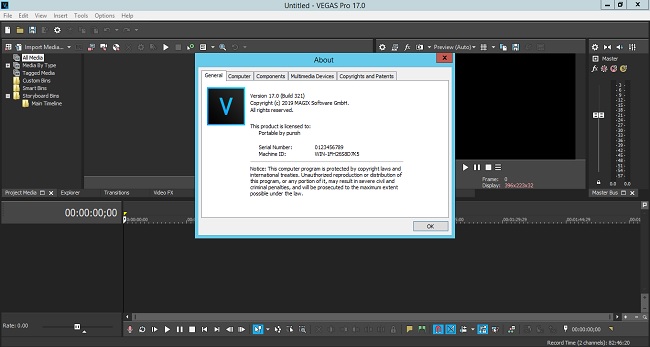
MAGIX VEGAS Pro 17.0.0.321 x64 Multilingual + Portable

e56b43207a85989adc33c0a8451f3414.jpg


MAGIX VEGAS Pro 17.0.0.321 x64 Multilingual + Portable

File Size: 706, 418 MiB

​

VEGAS Pro 17 is here to make your video production more efficient than ever before. Explore multiple nested timelines, industry-leading HDR editing tools, and an easy-to-use, yet powerful color grading workflow. In combination with over 30 new features, VEGAS Pro 17 provides comprehensive workflow improvements that will supercharge your video production.

Editing. Work smarter, not harder.
Nobody edits faster than a passionate creative with VEGAS Pro at hand. The timeline editing tools make editing fast and easy. But more importantly, they bring out your creativity, because ideas flow freely when you're not preoccupied by clumsy editing tools. No NLE enables you to edit, think and create more effectively than VEGAS Pro.

Nested timelines
Organize projects and speed up your workflow with nested timelines. Move easily between timelines within the master project, or access your nested timelines as stand-alone projects to work on them independently.

Smart Split
With Smart Split you can remove whole sections of a video clip and leave behind a virtually undetectable edit with complete flexibility to adjust the results if you need to in order to get it just right. No more ugly jump cuts!

"Hamburger" menu system
This innovative menu system enables you to customize high-traffic areas of the user interface so you can find the tools you need quickly while at the same time keeping the workspace clutter free.

Color Grading. Simple as a brush.
Powerful, professional-level color grading tools empower you to do your best work, and the color grading workflow in VEGAS Pro provides fast, powerful, flexible options for everything you need to do. Provide the final perfect look of your film, even in HDR.

Unified Color Grading workflow
Take your color grading and correction to the next level with the new unified workflow in the Color Grading panel. Import and export LUTs, adjust colors with color wheels, curves, and much more. Supports HDR color adjustments beautifully.

LUT Export
Have you created the perfect color look? Want to use it on multiple clips, in other projects, or share it with other VEGAS users? Export your color grading settings as a LUT in .cube format for easy application to other files anywhere LUTs can be imported.

HLG HDR Support
Join the HDR leader on the cutting edge. Work with HLG or HDR10 files in the ACES 1.1 color space. Preview in HDR in the VEGAS Preview window or to an external HDR monitor. Grade colors in HDR with HDR-enabled video scopes. Deliver in full HDR glory-even to YouTube.

Special Effects. Enlighten your viewers.
With complete support for Open FX plug-ins, VEGAS Pro features a wide range of built-in effects and can use your third-party effects from the industry's top plug-in Manufactures. With the ability to create effects chains at four different levels that can include up to 32 plug-ins per chain, you have all the room you'll ever need to get as creative as you want.

Mesh Warp
Stretch and deform your video in virtually any way imaginable with the Mesh Warp effect. From something as simple as mapping a video to the side of a building in another video, to creating crazy distorted video effects, the possibilities are endless.

Optical-Flow Slow Motion
With carefully-crafted proprietary optical flow technology, VEGAS Pro creates video frames your camera didn't shoot to fill in between actual frames and give you incredibly smooth slow motion.

Creative compositing modes
A complete set of compositing mode options makes VEGAS Pro a powerful compositing tool. Add the output of two clips, subtract one from the other, or calculate the difference. Get creative!

Audio Editing. Set the tone.
A great film needs great sound to underscore and intensify your visuals and create a moving auditory experience for your audience. VEGAS Pro provides a complete audio environment with tools for professional audio editing. With full VST interface support, dozens of effects and real-time rendering, no other NLE provides a digital audio workstation feature set as robust as the tools in VEGAS Pro.

Robust multitrack audio environment
VEGAS Pro includes powerful audio recording and editing tools for the most demanding productions. Record audio in a multitrack environment with input buses, professional metering, punch-in recording, unlimited tracks and more.

Extensive audio effects
VEGAS Pro supports standard VST interfaces. Apply effects to tracks, individual events on a track auxiliary audio buses and the Master bus. Choose from more than 40 included signal and effects processing tools and automate effects with real-time envelope control.

Audio synchronization for multicam
Leverage your audio waveforms for automatic synchronization of multiple video files on separate tracks, to make multi-camera event editing quick and efficient.

Final Delivery. Render, don't surrender.
All your hard work would mean nothing without the ability to deliver it in the formats you need.and as quickly as possible. VEGAS Pro offers tons of delivery options and makes it easy to choose the most common formats and templates, or completely customize your project renders. You'll always hit your target delivery no matter what the final output requirements.

GPU accelerated rendering
With support for cards from the industry's leading manufacturers including NVIDIA, AMD and Intel, VEGAS harnesses the power of GPU processing from the most popular graphics cards to accelerate rendering of popular AVC and HEVC formats to as much as twice the speed.

Support for up to 8K
Modern productions push the limits with higher and higher resolutions. VEGAS Pro supports up to 8K files from beginning to final delivery, so now you can deliver stunningly high resolution files for super-large format projection or any other high-resolution need.

VEGAS Pro 17 Highlights:
• NEW: Nested Timelines
• NEW: Complete HDR Color Support
• NEW: Optical-Flow Slow Motion
• NEW: Planar Motion Tracking
• NEW: GPU accelerated decoding for AVC/HEVC
• World-class Video stabilization

VEGAS Pro 17 - Experience the fastest workflow ever. 30+ new features. Efficiency redefined.

Nested Timelines
Create nested timelines to organize projects and speed up your workflow. Easily move back and forth between nested and the main timeline. Or, access your nested timelines as independent VEGAS projects, so you can share parts of your project for a colleague to work on while you maintain control over the master project.

Unified Color Grading
VEGAS Pro 17 now makes your color-correction workflow faster and more efficient than ever. With the Color Grading panel, streamline your workflow in a quick, efficient, logical process that's cohesive, comprehensive, and easy to use. Switch to different timeline events and begin grading them instantly.

HLG HDR Color Support
VEGAS Pro 17 continues to lead the way in HDR editing with a start-to-finish workflow. Take advantage of GPU-based open color I/O processing to work in the new ACES 1.1 color standard, including HLG support, HDR color grading, HDR video scopes, internal and external HDR preview, and complete HDR delivery options.

Optical-Flow Slow Motion
Create even slower, even smoother slow motion with native tools built on proprietary optical flow technology which analyzes one frame to the next and then creates intermediary frames between them. The result: silky-smooth slow motion for results like never before built right into VEGAS Pro 17.

GPU accelerated decoding for AVC/HEVC
Take advantage of GPU acceleration for smoother timeline playback in VEGAS. Use the power in your graphics card to preview your project more efficiently than ever, even with effects, filters, and multiple video streams. VEGAS leverages your computer's GPU for smoother, quicker playback.

LUT Export
Got color grading you like? Want to use it on multiple clips, in other projects, or share it with other VEGAS users? To streamline your process, export your settings as a LUT in .cube format and then apply it to other clips, even in other projects. Share your settings with others on your team.

Planar Motion Tracking
Take tracking objects in to a new plane with Planar Motion Tracking. Now tracking objects in your video and pinning other video to them isn't just for left and right and up and down or objects square to the camera. Track and pin objects moving in perspective, like the side of a building seen from an angle.

Warp Flow Transition
Create unique morphing transitions with the Warp Flow transition. Analyze the last frame of the first clip and the first frame of the next clip, then automatically create intermediate frames for the appearance of smooth motion between the clips. Use it to create cool sci-fi style morphing.

Smart Split Edit
Tired of jump cuts? Use Smart Split to hide them. Choose the section you want, then Smart Split removes it and automatically transitions the remaining clips together with intermediate frames that hide the jump cut. Quick, easy, smooth, and automatic. No more distracting jump cuts!

Stabilisation on Event Level
If you use only a small portion of a large clip, why stabilize the entire clip? Now stabilize only the part you need with the same world-class stabilization at the event level. Speed up your workflow and salvage shaky clips you thought you wouldn't be able to use, now much more quickly than ever!

Storyboard Improvements
For even more storyboard and sequencing power, now you can add the same media file to a single storyboard multiple times with independent in and out points. Perfect for projects build with long video clips. And now you can create a separate storyboard for each nested timeline.

Support for 8K Files
Work with 8K video files with auto-generated proxy files to make editing fast and efficient. Take advantage of 8K resolution for a huge amount of freedom in panning, zooming, and cropping your footage without resolution degradation when you deliver to HD or 4K. Or deliver 8K for super-high-resolution projects.

Mesh Warp
So many tools in one, Mesh Warp not only lets you correct distortions in your video, it allows you to stretch and pinch your video in all kinds of crazy ways on a grid of mapped points. Get a wild, sci-fi look to your video, or map it to distorted shapes for endless creative possibilities.

Screen Capture
With integrated Screen Capture, record one or more computer screens and audio sources, then import those recordings straight to a new project with all files automatically synchronized on the timeline. Ideal for video streams, instructional videos, or anyone who needs to record what happens on their screens.

Lens correction plug-in
Remove lens distortion like fisheye from your footage with the new Lens Correction plug-in. Just choose your camera or lens from an extensive list, and VEGAS Pro automatically corrects distortions based on that lens' profile. Also with manual controls for lenses not on the list or special effects.

Improved Picture-in-picture plug-in
VEGAS Pro now gives you greater control of your video insets with the improved Picture-in-Picture plugin. You have the option of keeping your video's aspect ratio, or to change it in two ways: as a parallelogram with parallel opposite sides, or by adjusting each corner individually to make any four-sided shape.

Hardware-accelerated lossless intermediate format
Demand the highest quality you can get with our new hardware-accelerated lossless intermediate format. Leveraging NVIDIA GPUs, take advantage of this master-quality intermediate for efficient, fast editing or for top-quality archiving of your video. Requires specific NVIDIA hardware.

ProRes 4444 files with embedded alpha channels
Take advantage of alpha channels in ProRes footage with native support for ProRes 4444. Make compositing quicker and simpler by using the native transparency in your footage with no need to apply keying FX or special settings. Great for stock footage with alpha channels like smoke, explosions, fires, and more.

Project Notes window
Leave important reminders with the Project Notes window. Add notes for yourself and other team members that work in the same project, and resolve notes that have already been addressed. Organize and facilitate communication with notes that travel along with your project.

Complete Hi DPI scaling
High DPI mode provides even crisper user interface on your High DPI monitor. Icons and windows appear clearer than ever before. Ease the strain on your eyes and view your interface in all of its crisp, sharp glory. And as usual, VEGAS Pro still looks great even without a High DPI monitor.

Improved Color Curves
Color grading moves to a new professional level with improved color curves. Now take advantage of automatic color balance right in the color curves tool, of course with the option to adjust things manually to really dial in your desired effect. A powerful tool just got a lot more powerful.

Ignore Event Grouping
You don't always need to move every event in your group; sometimes you just need to adjust one or two. Now, you can temporarily ignore your event group as you move only what you need, while everything stays permanently grouped. It's precision editing made even simpler.

Display event length on event
With the Display Length on Event option, you can see the exact length of your timeline clip events displayed in the event header. Change the display value to instantly adjust the length of the event with frame accuracy. No more dragging ends or counting frames.

Delete Track Warning
If you've ever inadvertently deleted a clip from your project by deleting the track it's on, VEGAS Pro now has you covered. Be sure you'll be warned if the track you're about to delete contains any media. No more accidents or unpleasant surprises - you know you're safe!

Confirmation that you want to cancel a render
An accidental bump of the ESC key could once cancel a render and potentially cost you a lot of time in doubled-up effort. But no more. VEGAS Pro now asks you to confirm that you want to cancel your render before it stops. Never get near the end of a render and accidentally cancel again.

NVENC 10-bit HEVC rendering
Leverage a qualifying NVIDIA graphics card to use the NVENC codec for 10-bit rendering to HEVC. Take advantage of the expanded bit depth for more robust and deeper color in your video than available in 8-bit, ideal for HLG, HDR, or heavy color correction or grading.

Visualize Stabilization motion tracks
When you really need to get detailed results in your video stabilization, turn on Motion Track visualization. The motion track overlays give you the information you need for dialing in the perfect stabilization settings. Analyze the overlays and set your stabilization settings for optimal results.

FX indicator for media on event
VEGAS Pro allows you to add FX at the media level, so every timeline event containing that media will have the FX applied. This button allows you to view and access the media FX right from the timeline event. Edit, add, or delete effects, which then apply to every timeline event using that media.

Improved White Balance tool
Forgot to white balance, or did auto-white balance let you down? The improved White Balance tool offers powerful controls for dialing in a perfect color balance on footage which didn't quite come out right, with a high level of precision. Save footage you thought was ruined.

Audio synchronization for multicam
No more third-party tools needed for quick and automatic syncing of multi-camera footage. VEGAS Pro now synchronizes media from multiple cameras and audio sources quickly and efficiently based on the audio waveforms of your footage. Perfect for fast, easy editing of multicamera events.

Automatic Slideshow Creator
Sometimes a video isn't complete without a montage of still photos. The Automatic Slideshow Creator makes it quick and easy. Choose your images, decide on formatting, transitions, and duration, and then automatically generate a slideshow and insert it directly onto the timeline.

System Requirements:
• Operating system: Microsoft® Windows 10 (64-bit)
• Processor: 6th Generation Intel Core i5 (or AMD equivalent) or better. 2.5 Ghz and 4 Core minimum. For 4k, 7th Generation Intel Core i7 (or AMD equivalent) or better. 3.0 Ghz and 8 Core minimum
• RAM: 8 GB RAM minimum (16 GB recommended; 32 GB recommended for 4K)
• Hard drive space: 1.5 GB hard-disk space for program installation; Solid-state disk (SSD) or high-speed multi-disk RAID for 4K media
• Other: Microsoft .NET Framework 4.0 SP1 (included on application disc)
• Program language: English

036c285b2ec6b2aed9a5d2db287d927e.jpg


У Вас недостаточно прав для просмотра ссылок. Войдите или зарегистрируйтесь.


DownLoad

NitroFlare
Код:
https://nitroflare.com/view/097E2C2CAFACB56/MAGIX.VEGAS.Pro.17.0.0.321.x64.Multilingual.rar
https://nitroflare.com/view/5682BD0B7750B09/MAGIX.VEGAS.Pro.17.0.0.321.x64.Multilingual.Portable.rar

RapidGator
Код:
https://rapidgator.net/file/7f88a6bf7e01aa33595be8db662d9bd6/MAGIX.VEGAS.Pro.17.0.0.321.x64.Multilingual.rar.html
https://rapidgator.net/file/24739a4dce741e2d419d3a7967205a1d/MAGIX.VEGAS.Pro.17.0.0.321.x64.Multilingual.Portable.rar.html

UploadGiG
Код:
https://uploadgig.com/file/download/bd445db5f2948d2b/MAGIX.VEGAS.Pro.17.0.0.321.x64.Multilingual.rar
https://uploadgig.com/file/download/78a3D372c4b98487/MAGIX.VEGAS.Pro.17.0.0.321.x64.Multilingual.Portable.rar
 
Tecplot 360 EX 2019 R1 v2019 1.0.99403 x64-AMPED

832e51f537058fb1ebdbd9900dc9b489.jpg


Tecplot 360 EX 2019 R1 v2019 1.0.99403 x64-AMPED

File Size: 288 MiB

​

More CFD simulations are being run, grid sizes are getting larger, and data sets are being stored remotely. It's essential that you have the right tools to effectively analyze your results-whether they are CFD, other simulations or test data. The right tools handle large data sets, automate workflows, and visualize parametric results. The right tools help you spend less time waiting and more time discovering.

Analyze Complex Results
Load your data with support for 27 CFD, FEA, structural analysis, and industry-standard data formats.
Unique multi-frame environment with multiple pages for reporting and comparing solutions.
Understand XY, Polar, 2D and 3D plots using unique linking capabilities.
Animate and step through transient solutions with video player-style controls like forward, backward, loop, bounce, and throttle control.
Explore with interactive slicing, iso-surface, and streamtrace tools.
Automatically extract key flow features such as vortex cores, shock surfaces.

Explore Billion Cell Models with SZL Technology
Leverage multi-core desktop systems with multi-threaded capability.
Dramatic performance improvements for large finite-element data:
Load times up to 23 times faster.
Peak memory usage reduced up to 93%.
Files sizes compressed up to 70%.
Analyze large finite-element data sets quickly and easily on a typical engineering laptop.

Verify Engineering Designs
Assess your grid quality with 28 grid quality functions including aspect ratios, Y+, skewness, orthogonality, and stretch factors.
Validate computational output with experimental data in by a single plotting environment.
Estimate the order of accuracy of your numerical solutions with Richardson extrapolation analysis.
Interactively explore and sweep through flow field to check that flow features align with the grid.
Compare multiple models simultaneously, including Fluid-structure Interaction (FSI) visualization.

Communicate and Publish Reports
Copy and paste images directly into Microsoft Office applications.
Export professional, presentation-quality vector and raster formats.
Present multiple, time-linked views of your plots with Tecplot 360's unique multi-frame layout workspace.
Optimize animations for PowerPoint and the Web.
Create reports using unique multipage layouts.

Automate Routine Tasks
Instantly apply a plot's style attributes and layouts to a different set of data with layout and style files.
Leverage over 180 macro functions to automate common analysis and plotting tasks.
Create human readable text based macros by recording on screen actions.

System requirements:
Windows requires installation be run as administrator.
OS: Windows 7, 8.1, 10 (64-bit only)

Installation Notes:

1 - Unpack the release into a directory of your choice
2 - Run the installer and install it
3 - See included amped.txt
4 - Enjoy this fine AMPED release, but buy it if you will use it
5 - As always, make sure to have a firewall to block outbound connections

У Вас недостаточно прав для просмотра ссылок. Войдите или зарегистрируйтесь.


DownLoad

NitroFlare
Код:
https://nitroflare.com/view/540B866E995455E/Tecplot.360.EX.2019.R1.v2019.1.0.99403.x64-AMPED.rar

RapidGator
Код:
https://rapidgator.net/file/ce3fc6be7bed2c95cb9141c09886a225/Tecplot.360.EX.2019.R1.v2019.1.0.99403.x64-AMPED.rar.html

UploadGiG
Код:
https://uploadgig.com/file/download/AC0e3930482fE5f7/Tecplot.360.EX.2019.R1.v2019.1.0.99403.x64-AMPED.rar
 
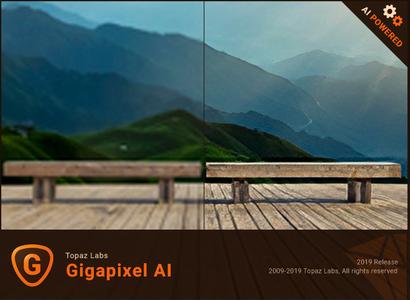
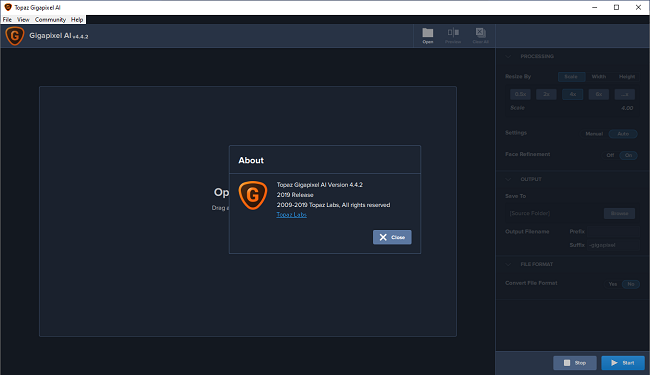
Topaz Gigapixel AI 4.4.2 x64

0154b6d96baa6088a3a001846933003a.jpg


Topaz Gigapixel AI 4.4.2 x64

File Size: 1.11 GiB

​

Beautiful photo enlargements using machine learning. Enlarging your image without losing detail has always been impossible. until now. Upscale your photos by up to 600% while perfectly preserving image quality.

Enlarge Images by up to 600%
Create a beautiful 80 x 60 inch print from a simple iPhone photo. Or transform your DSLR photos into sharp and ultra-detailed 100MP images.

Use truly intelligent upscaling
After being trained with millions of sample images, Gigapixel can now enlarge your images with a surprising level of quality.

Get crisp and clear results.
Gigapixel performs around 2 million operations per pixel to get you results with as much detail and sharpness as possible.

No more fuzzy enlargements.
Breathtakingly sharp prints. High-resolution cropping in post-production. iPhone photos that look like they came out of a DSLR. No matter why you're enlarging your photos, you always want the best possible quality for your results. AI Gigapixel is currently the only photo enlargement product available that can actually add detail back to your upscaled photo.

Recover real details for actual sharpness
Increasing edge contrast is the simplest way to make an image look "sharp", and how most other upscaling software works. Gigapixel is different: it increases the actual sharpness of your upscaled photo by recovering real detail in your image. This is only possible through training and exposure to millions of test images.

Crisp photos that look like they were never upscaled
It's hard to believe that the crisp output image above was enlarged 4x, but it was. Gigapixel AI successfully determines which image features are stars (detail) and what's noise. Then, it naturally accentuates and recovers detail while suppressing noise in your upscaled photo.

The highest-quality image upscaling that you can get anywhere
Because of these exceptional results, Gigapixel AI is used by everyone from leading photographers, to video game modders, to major motion studios. If you ever need to upscale your photo while preserving beautiful detail, take advantage of the most modern technology in the space and give Gigapixel AI a try.

Image enlargement: interpolation vs machine learning

Interpolation-based photo enlargement software has been around for decades. Gigapixel's new approach based on machine learning is a giant leap ahead: state-of-the-art "deep learning" methods allow it to enlarge images while actually adding new details.

Interpolation
Interpolation algorithms work by approximating new pixels from the colors of surrounding ones. This does not add any detail to the image, it just smoothes out the transition between pixels.

Neural Network (Gigapixel AI)
A neural network analyzes thousands of photo pairs to learn how details usually get lost. The algorithm learns to "fill in" information in new images based on what it has learned. effectively adding new detail to your photo.

System Requirements:

Operating System Version:
- Windows 7 x64
- Windows 8/8.1 x64
- Windows 10 x64

Hardware Requirements:
- System RAM: 8GB / 16GB recommended
- GPU VRAM: 2GB / 4GB recommended

Graphics Card Requirements:
- NVIDIA: GeForce GTX 770 2GB / GeForce GTX 960 4GB recommended
- AMD: Radeon HD 8570 2GB / Radeon R9 270 4GB recommended
- Intel: HD Graphics 5000 / Iris Plus Graphics 640 recommended

5f8b7fdbcd6d013ad649d6ebaf554a32.png


У Вас недостаточно прав для просмотра ссылок. Войдите или зарегистрируйтесь.


DownLoad

NitroFlare
Код:
https://nitroflare.com/view/95E4B5A5D3B38F7/Topaz.Gigapixel.AI.4.4.2.x64.part1.rar
https://nitroflare.com/view/FDA559A590C7E37/Topaz.Gigapixel.AI.4.4.2.x64.part2.rar

RapidGator
Код:
https://rapidgator.net/file/8c3d9e555a812731884cfc0e638c36ab/Topaz.Gigapixel.AI.4.4.2.x64.part1.rar.html
https://rapidgator.net/file/ffb39bed8df273f22f2802cde139f5cc/Topaz.Gigapixel.AI.4.4.2.x64.part2.rar.html

UploadGiG
Код:
https://uploadgig.com/file/download/5d79b44d83c98E3d/Topaz.Gigapixel.AI.4.4.2.x64.part1.rar
https://uploadgig.com/file/download/f7bF6aEa88b7A763/Topaz.Gigapixel.AI.4.4.2.x64.part2.rar
 
Acronis True Image 2020 Build 21400 Multilingual + Bootable ISO

6c22bf6221d6aa9d3bbb2face972e03f.jpg


Acronis True Image 2020 Build 21400 Multilingual + Bootable ISO

File Size: 596, 658 MiB

​

Combining reliable backup with proven anti-malware technology, our unique cyber protection solution effectively safeguards all of your data, apps and systems.

Backup and Recovery
Mirror imaging. Disk cloning. All‑in‑one recovery drives. It's easy to ensure your data is available for recovery, no matter what happens.

Anywhere Access
Retrieve any file from your cloud backup, wherever you are, on any device. Manage backups remotely. Enjoy secure file sync and share.

Innovative Protections
The only personal backup solution that uses AI to stop ransomware and cryptojacking in real time. Offers blockchain data notarization.

Enhanced 2020 Vision
How we access and use data is constantly changing, as are the threats to that data. Your protection must evolve too. With 100+ enhancements and new features, Acronis True Image 2020 keeps you current.

Automated Dual Protection
Back up locally while simultaneously replicating it in the cloud so you've always got a secure off-site copy for recovery.

Custom Power Management
Avoid draining your battery by efficiently managing laptop backups. Set a minimum power level or block backups on battery power.

Improved Cloud Restores
Enjoy faster performance and a more intuitive experience. Enhanced for even easier navigatation.

Tray Notification Center
Messages pushed to your desktop tray enable you to monitor the status of backups so you can quickly respond to any issues.

Back Up on Select Wi-Fi
Where you back up is your choice. Now you can easily avoid the metered connections and public networks that put data at risk.

File Systems (Windows)
NTFS
Ext2/Ext3/Ext4
ReiserFS(3)
Linux SWAP
HFS+/HFSX
FAT16/32/exFAT

What's New in 2020:
Effective cyber protection needs to evolve based on how we use and access data, and what the latest cyberthreats are. That's why Acronis True Image 2020 includes 100+ enhancements, including these great new features.

Dual Protection
Experts agree that the 3-2-1 backup strategy is the most effective approach to data protection. Now Acronis makes the process easy and efficient by replicating local backups in the cloud automatically so you always have an off-site copy available for recovery. Once you've successfully completed the first backup, the backup and replication occur simultaneously.

Tray Notification Center
Safeguarding data requires you stay informed about your system, your files, and your protection. With Acronis True Image 2020, you can get messages pushed to your desktop tray that allow you to easily monitor the status of your backups, receive timely tips on how to enhance your protection, and quickly respond to any issues.

Back Up on Selected Wi-Fi
Where you back up should be your choice. Now you can easily avoid the metered connections and unsecure public networks that put your data at risk by selecting the Wi-Fi networks you use to back up your data - keeping your uploads secure.

Custom Power Management
Backups are great, but creating them uses electricity. Manage your backups so they don't drain the battery, ensuring your laptop will run when you need it. You can set a minimum power level for backups, or completely block backups on battery power.

Power Nap Backups
How efficient would it be if you could get tasks done while you were asleep? Mac users come close now that they can choose to back up their machine's data when it enters Power Nap mode. Not only will your Mac's data be updated during its Power Nap, your backups will capture those changes too.

Enhancement Highlights:

Cloud Restores
Restoring from the cloud should be just as easy and efficient as backing up. Now it is. We've enhanced the underlying backup technology to deliver a better overall performance of our already fast cloud restores, resulting in an even faster, more reliable and more stable cloud restore experience.

Enhanced Backup Technology
To retain control over their data, users need easy, efficient access to their backed up content. Our new backup format delivers a better overall performance, enabling faster browsing of cloud backups, improved backup / recovery speeds and data deduplication.

Enriched Anti-Ransomware
As cyberthreats continue to evolve, we constantly enhance Acronis Active Protection to stay ahead of them. Our new machine learning models make it more effective, and the latest version now stops illicit service termination attacks. You will be informed of the reason a particular process is being monitored or blocked as malicious.

Mac Restores
Restore your data to a new Mac machine more easily, even if it is spread across APFS volumes on your current system. It's a much more efficient way to migrate your APFS volumes.

System Requirments:
Windows 10 (all editions, including May 2019 Update)
Windows 8.1 (all editions)
Windows 8 (all editions)
Windows 7 SP1 (all editions)
Windows Home Server 2011

У Вас недостаточно прав для просмотра ссылок. Войдите или зарегистрируйтесь.


DownLoad

NitroFlare
Код:
https://nitroflare.com/view/EC4E3F3C731CA43/Acronis.True.Image.2020.Build.21400.Multilingual.rar
https://nitroflare.com/view/F660A232790CAED/Acronis.True.Image.2020.Build.21400.Bootable.ISO.Multilingual.iso

RapidGator
Код:
https://rapidgator.net/file/2fb60bc89b991be16c3a34e3c1486266/Acronis.True.Image.2020.Build.21400.Multilingual.rar.html
https://rapidgator.net/file/28a89924a70a9c6c6170e3e41a9c3fd0/Acronis.True.Image.2020.Build.21400.Bootable.ISO.Multilingual.iso.html

UploadGiG
Код:
https://uploadgig.com/file/download/5cA02267c492585A/Acronis.True.Image.2020.Build.21400.Multilingual.rar
https://uploadgig.com/file/download/24a4B93324ec775b/Acronis.True.Image.2020.Build.21400.Bootable.ISO.Multilingual.iso
 
CyberLink PowerDirector Ultimate 18.0.2028.0 Multilingual RePacK

d0fb7b07ccf3bcc1438403e3129a94ee.jpg


CyberLink PowerDirector Ultimate 18.0.2028.0 Multilingual RePacK

File Size: 766 MiB

​

Take Total Control of Your Video Creation Without the Learning Curve. PowerDirector Ultimate provides over 200 powerful video editing tools, whether you are new to video editing or if you are creative pros, you can start your video creation without the learning curve!

Shape Designer (NEW!)
Apply and edit completely customizable vector shapes to your videos, with auto-fit text and keyframe controls. Perfect for YouTubers and video tutorials.

Impressive Motion Graphics & Animated Titles (NEW!)
Combine motion graphic elements with your videos' titles to make them stylish and modern.

1:1 Square Video for Instagram & Facebook (NEW!)
Easily create, edit and produce content perfectly fit for social media. Produce square (1:1) output for Facebook and Instagram. Or edit and save vertical videos, the perfect size ratio for social media Stories.

Nested Projects as Adjustable PiP Objects (NEW!)
Repurpose previous project files in your new ones. Embed them into scenes with keyframe control to scale, skew, rotate & even set opacity.

Audio Scrubbing (NEW!)
Hear audio while dragging the playhead through a project so that you can quickly find the scene you need.

Multi-key Sampling Chroma Key Editing
Perform Hollywood-style green screen editing thanks to an improved chroma key engine and multi-key color sampling.

Advanced Motion Tracking
Ensure 100% object tracking accuracy in your video clips with frame-by-frame motion tracking.

AI Style Transfer
Transform your videos into living artworks thanks to the magic of AI. We've trained our AI Style Engine to analyze footage frame by frame and intelligently apply brushstrokes, so your video looks like it was hand-painted by a master artist.

360˚ Video Stabilization
Shaky video footage is virtually unavoidable when shooting with a 360º camera. Our 360º VR stabilization technology gives you the control to produce mind-blowing VR videos, free of shakes and stutters, in next to no time!

Reversible Timeline Track Order (NEW!)
Switch timeline track order between top-down and bottom-up to suit your workflow.

CPU & GPU Performance Boosts
Don't waste time waiting for your software to respond! PowerDirector supports transcoding of non-full frame video clips in a single timeline track. Also enjoy better performance on 8+ core processors with improved multi-threading.

4K Video Editing Preview (NEW!)
Preview your projects in 4K quality, and see how your video will look like before you produce.

Professional Format & Camera Support (NEW!)
Import and edit video shot on professional-grade cameras and in HEVC & VP9 10bit HDR10 & HLG, ProRes 10bit 4:2:2, XAVC 8bit 4:2:0 and MXF AVC 8bit 4:2:0 video compatibility.

System Requirements:
- Microsoft Windows 10, 8/8.1, 7 (64 bit OS only)
- Intel Core™ i-series or AMD Phenom® II and above
- Standard Video: 128 MB VGA VRAM or higher
- 360-video: DirectX 11 compatible
- AI Plugin: 2GB VGA VRAM or higher
- 4GB memory required (6GB or above recommended)
- 7GB hard disk space
- Burning drive is required for disc burning purpose
- Windows compatible sound card is required

Language Support:
- English
- Français
- Deutsch
- Italiano
- Español (European)
- 中文
- 中文 Traditional
- 日本語
- 한국어
- Nederlands

У Вас недостаточно прав для просмотра ссылок. Войдите или зарегистрируйтесь.


DownLoad

NitroFlare
Код:
https://nitroflare.com/view/DF429E01F8E0B46/CyberLink.PowerDirector.Ultimate.18.0.2028.0.Multilingual.RePacK.rar

RapidGator
Код:
https://rapidgator.net/file/4357902c20f28b28229558e1bf4b3b1b/CyberLink.PowerDirector.Ultimate.18.0.2028.0.Multilingual.RePacK.rar.html

UploadGiG
Код:
https://uploadgig.com/file/download/206206474e007d28/CyberLink.PowerDirector.Ultimate.18.0.2028.0.Multilingual.RePacK.rar
 
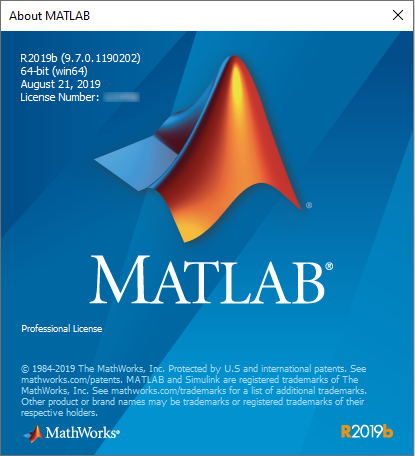
MathWorks MATLAB R2019b v9.7.0.1190202 WIN x64

b0ac19eb9d83a07faa4e1022a864e1ef.png


MathWorks MATLAB R2019b v9.7.0.1190202 WIN x64

File Size: 20.1 GiB

​

Millions of engineers and scientists worldwide use MATLAB to analyze and design the systems and products transforming our world. MATLAB is in automobile active safety systems, interplanetary spacecraft, health monitoring devices, smart power grids, and LTE cellular networks. It is used for machine learning, signal processing, image processing, computer vision, communications, computational finance, control design, robotics, and much more.

Math. Graphics. Programming.
The MATLAB platform is optimized for solving engineering and scientific problems. The matrix-based MATLAB language is the world's most natural way to express computational mathematics. Built-in graphics make it easy to visualize and gain insights from data. A vast library of prebuilt toolboxes lets you get started right away with algorithms essential to your domain. The desktop environment invites experimentation, exploration, and discovery. These MATLAB tools and capabilities are all rigorously tested and designed to work together.

Scale. Integrate. Deploy.
MATLAB helps you take your ideas beyond the desktop. You can run your analyses on larger data sets and scale up to clusters and clouds. MATLAB code can be integrated with other languages, enabling you to deploy algorithms and applications within web, enterprise, and production systems.

Key Features
High-level language for scientific and engineering computing
Desktop environment tuned for iterative exploration, design, and problem-solving
Graphics for visualizing data and tools for creating custom plots
Apps for curve fitting, data classification, signal analysis, and many other domain-specific tasks
Add-on toolboxes for a wide range of engineering and scientific applications
Tools for building applications with custom user interfaces
Interfaces to C/C++, Java®, .NET, Python®, SQL, Hadoop®, and Microsoft® Excel®
Royalty-free deployment options for sharing MATLAB programs with end users

Why MATLAB?
MATLAB is the easiest and most productive software for engineers and scientists. Whether you're analyzing data, developing algorithms, or creating models, MATLAB provides an environment that invites exploration and discovery. It combines a high-level language with a desktop environment tuned for iterative engineering and scientific workflows.

MATLAB Speaks Math
The matrix-based MATLAB language is the world's most natural way to express computational mathematics. MATLAB supports both numeric and symbolic calculations. Linear algebra in MATLAB looks like linear algebra in a textbook; symbolic calculations look like the equations you write on paper. This makes it straightforward to capture the mathematics behind your ideas, which means your code is easier to write, easier to read and understand, and easier to maintain.

You can trust the results of your computations. MATLAB, which has strong roots in the numerical analysis research community, is known for its impeccable numerics. A MathWorks team of 350 engineers continuously verifies quality by running millions of tests on the MATLAB code base every day.

MATLAB does the hard work to ensure your code runs quickly. Math operations are distributed across multiple cores on your computer, library calls are heavily optimized, and all code is just-in-time compiled. You can run your algorithms in parallel by changing for-loops into parallel for-loops or by changing standard arrays into GPU or distributed arrays. Run parallel algorithms in infinitely scalable public or private clouds with no code changes.

The MATLAB language also provides features of traditional programming languages, including flow control, error handling, object-oriented programming, unit testing, and source control integration.

MATLAB Is Designed for Engineers and Scientists
MATLAB provides a desktop environment tuned for iterative engineering and scientific workflows. Integrated tools support simultaneous exploration of data and programs, letting you evaluate more ideas in less time.

You can interactively preview, select, and preprocess the data you want to import.
An extensive set of built-in math functions supports your engineering and scientific analysis.
2D and 3D plotting functions enable you to visualize and understand your data and communicate results.
MATLAB apps allow you to perform common engineering tasks without having to program. Visualize how different algorithms work with your data, and iterate until you've got the results you want.
The integrated editing and debugging tools let you quickly explore multiple options, refine your analysis, and iterate to an optimal solution.
You can capture your work as sharable, interactive narratives.

Comprehensive, professional documentation written by engineers and scientists is always at your fingertips to keep you productive. Reliable, real-time technical support staff answers your questions quickly. And you can tap into the knowledge and experience of over 100,000 community members and MathWorks engineers on MATLAB Central, an open exchange for MATLAB and Simulink® users.

MATLAB and add-on toolboxes are integrated with each other and designed to work together. They offer professionally developed, rigorously tested, field-hardened, and fully documented functionality specifically for scientific and engineering applications

MATLAB Integrates Workflows
Major engineering and scientific challenges require broad coordination to take ideas to implementation. Every handoff along the way adds errors and delays.

MATLAB automates the entire path from research through production. You can:
Build and package custom MATLAB apps and toolboxes to share with other MATLAB users.
Create standalone executables to share with others who do not have MATLAB.
Integrate with C/C++, Java, .NET, and Python. Call those languages directly from MATLAB, or package MATLAB algorithms and applications for deployment within web, enterprise, and production systems.
Convert MATLAB algorithms to C, HDL, and PLC code to run on embedded devices.
Deploy MATLAB code to run on production Hadoop systems.

MATLAB is also a key part of Model-Based Design, which is used for multidomain simulation, physical and discrete-event simulation, and verification and code generation.

R2019b (Version 9.7) - Sep 2019
Live Editor Tasks: Add tasks to live scripts to explore parameters and automatically generate code
Live Editor Output: Animate plots to show changes in data over time
Live Editor Output: Adjust the width of columns in tables
Live Editor Output: Copy displayed data in cell arrays, object arrays, and struct arrays
Live Editor Export: Customize figure format as well as document paper size, orientation, and margins when exporting
Live Editor Internationalization: Add Chinese, Japanese, and Korean characters on Windows and macOS platforms
Add-On Manager: Update MATLAB, hardware support packages, and installed add-ons in one place
Add-Ons: Programmatically manage add-ons by name
Settings: Create persistent settings for custom apps, toolboxes, and multiple MATLAB sessions

Graphics
Chart Container Class: Develop custom charts that behave like built-in MATLAB graphics
tiledlayout and nexttile Functions: Display multiple plots in a figure with improved spacing, label and annotation management, and reflow behavior
colororder Function: Control the color of lines in plots
Data tips: Create data tips programmatically and customize data tips on additional charts
Axes Interactions: Pin data tips at cursor location
Axes Toolbar: Save or copy contents of axes as an image
Geographic Plots: Plot data on basemaps with improved appearance and high zoom-level

App Building
uitable and uistyle Functions: Sort tables interactively and create styles for rows, columns, or cells in a table UI component
uihtml Function: Add HTML, JavaScript, or CSS content to apps
uigridlayout Function: Configure grid rows and columns to automatically adjust their size to fit text across different screen sizes and form factors
Layout Managers: Add a grid layout manager to existing App Designer apps and/or convert them into apps with auto-reflow

Mathematics
makima Function: Perform modified Akima cubic Hermite interpolation

Data Import and Export
table and timetable Data Types: Read and write tabular data that has variable names containing any characters, including spaces and non-ASCII characters
sheetnames Function: Get names of worksheets from spreadsheet files
VideoReader Object: Read or seek frames in videos using frame index or time interchangeably
VideoReader Object: Improved performance in generated code with row-major layout
High Performance Serial Interface: Stream serial data up to four times faster than the legacy serial interface
Bluetooth Low Energy Interface: Read from and write to BLE devices

Language and Computing
Function input arguments: Declare function input arguments to simplify input error checking
Hexadecimal and Binary Numbers: Specify numbers using hexadecimal and binary literals
Indexing: Use dot indexing into function calls
Cloud Data Access: Support for Amazon S3 and Azure Blob Storage with delete, dir, isfile, isfolder, and what functions
error Function: Added support for customizable "Did you mean:" corrections for uncaught exceptions

Software Development
Python interface: Execute Python functions out-of-process to avoid library conflicts between MATLAB and Python
Unit Testing Framework: Run tests in parallel with custom plugins
Unit Testing Framework: Visually compare two TimeResult arrays to identify performance changes over time
Compare Git Branches: Show difference between selection and save copies
HTTP Web Services: Server authentication support for NTLM and Kerberos protocols

Hardware Support
Bluetooth Low Energy Interface: Read from and write to BLE devices
Parrot Drones: Stream video images from the FPV camera of a Parrot drone
Parrot Drones: Support for Parrot Bebop 2 drone
Arduino: Build standalone applications for communicating with Arduino hardware from a desktop computer

Data Analysis
Live Editor Tasks: Use tasks to interactively preprocess data and automatically generate MATLAB code
groupfilter Function: Filter data in a table, timetable, or matrix by group
table and timetable Data Types: Variable names can have any characters, including spaces and non-ASCII characters
tall Arrays: Operate on tall arrays with more functions, including setdiff and xcorr, and with full support for innerjoin and outerjoin
tall Arrays: Tall arrays not initially backed by a datastore can grow out of memory

Performance
Data Type Indexing: Improved performance when assigning elements by subscripting into large table, datetime, duration, and calendarDuration arrays
uitable Function: Faster performance when data type is numeric, logical, or a cell array of character vectors

---------------------------------------------------
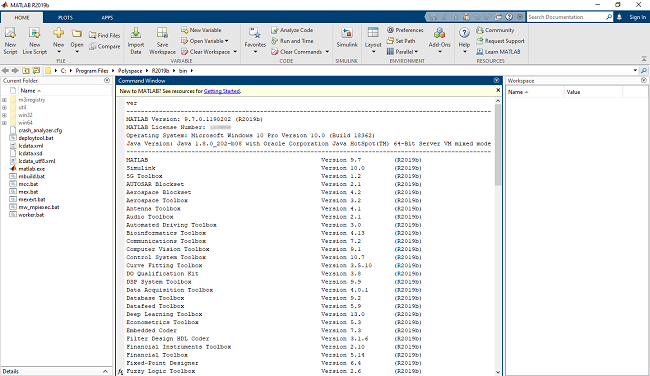
MATLAB Version: 9.7.0.1190202 (R2019b)
MATLAB License Number:
Operating System: Microsoft Windows 10 Pro Version 10.0 (Build 18362)
Java Version: Java 1.8.0_202-b08 with Oracle Corporation Java HotSpot(TM) 64-Bit Server VM mixed mode
---------------------------------------------------
MATLAB Version 9.7 (R2019b)
Simulink Version 10.0 (R2019b)
5G Toolbox Version 1.2 (R2019b)
AUTOSAR Blockset Version 2.1 (R2019b)
Aerospace Blockset Version 4.2 (R2019b)
Aerospace Toolbox Version 3.2 (R2019b)
Antenna Toolbox Version 4.1 (R2019b)
Audio Toolbox Version 2.1 (R2019b)
Automated Driving Toolbox Version 3.0 (R2019b)
Bioinformatics Toolbox Version 4.13 (R2019b)
Communications Toolbox Version 7.2 (R2019b)
Computer Vision Toolbox Version 9.1 (R2019b)
Control System Toolbox Version 10.7 (R2019b)
Curve Fitting Toolbox Version 3.5.10 (R2019b)
DO Qualification Kit Version 3.8 (R2019b)
DSP System Toolbox Version 9.9 (R2019b)
Data Acquisition Toolbox Version 4.0.1 (R2019b)
Database Toolbox Version 9.2 (R2019b)
Datafeed Toolbox Version 5.9 (R2019b)
Deep Learning Toolbox Version 13.0 (R2019b)
Econometrics Toolbox Version 5.3 (R2019b)
Embedded Coder Version 7.3 (R2019b)
Filter Design HDL Coder Version 3.1.6 (R2019b)
Financial Instruments Toolbox Version 2.10 (R2019b)
Financial Toolbox Version 5.14 (R2019b)
Fixed-Point Designer Version 6.4 (R2019b)
Fuzzy Logic Toolbox Version 2.6 (R2019b)
GPU Coder Version 1.4 (R2019b)
Global Optimization Toolbox Version 4.2 (R2019b)
HDL Coder Version 3.15 (R2019b)
HDL Verifier Version 6.0 (R2019b)
IEC Certification Kit Version 3.14 (R2019b)
Image Acquisition Toolbox Version 6.1 (R2019b)
Image Processing Toolbox Version 11.0 (R2019b)
Instrument Control Toolbox Version 4.1 (R2019b)
LTE HDL Toolbox Version 1.4 (R2019b)
LTE Toolbox Version 3.2 (R2019b)
MATLAB Coder Version 4.3 (R2019b)
MATLAB Compiler Version 7.1 (R2019b)
MATLAB Compiler SDK Version 6.7 (R2019b)
MATLAB Parallel Server Version 7.1 (R2019b)
MATLAB Report Generator Version 5.7 (R2019b)
Mapping Toolbox Version 4.9 (R2019b)
Mixed-Signal Blockset Version 1.1 (R2019b)
Model Predictive Control Toolbox Version 6.3.1 (R2019b)
Model-Based Calibration Toolbox Version 5.7 (R2019b)
Navigation Toolbox Version 1.0 (R2019b)
OPC Toolbox Version 4.0.8 (R2019b)
Optimization Toolbox Version 8.4 (R2019b)
Parallel Computing Toolbox Version 7.1 (R2019b)
Partial Differential Equation Toolbox Version 3.3 (R2019b)
Phased Array System Toolbox Version 4.2 (R2019b)
Polyspace Bug Finder Version 3.1 (R2019b)
Polyspace Bug Finder Server Version 3.1 (R2019b)
Polyspace Code Prover Version 10.1 (R2019b)
Polyspace Code Prover Server Version 10.1 (R2019b)
Powertrain Blockset Version 1.6 (R2019b)
Predictive Maintenance Toolbox Version 2.1 (R2019b)
RF Blockset Version 7.3 (R2019b)
RF Toolbox Version 3.7 (R2019b)
ROS Toolbox Version 1.0 (R2019b)
Reinforcement Learning Toolbox Version 1.1 (R2019b)
Risk Management Toolbox Version 1.6 (R2019b)
Robotics System Toolbox Version 3.0 (R2019b)
Robust Control Toolbox Version 6.7 (R2019b)
Sensor Fusion and Tracking Toolbox Version 1.2 (R2019b)
SerDes Toolbox Version 1.1 (R2019b)
Signal Processing Toolbox Version 8.3 (R2019b)
SimBiology Version 5.9 (R2019b)
SimEvents Version 5.7 (R2019b)
Simscape Version 4.7 (R2019b)
Simscape Driveline Version 3.0 (R2019b)
Simscape Electrical Version 7.2 (R2019b)
Simscape Fluids Version 2.7 (R2019b)
Simscape Multibody Version 7.0 (R2019b)
Simulink 3D Animation Version 8.3 (R2019b)
Simulink Check Version 4.4 (R2019b)
Simulink Code Inspector Version 3.5 (R2019b)
Simulink Coder Version 9.2 (R2019b)
Simulink Control Design Version 5.4 (R2019b)
Simulink Coverage Version 4.4 (R2019b)
Simulink Design Optimization Version 3.7 (R2019b)
Simulink Design Verifier Version 4.2 (R2019b)
Simulink Desktop Real-Time Version 5.9 (R2019b)
Simulink PLC Coder Version 3.1 (R2019b)
Simulink Real-Time Version 6.11 (R2019b)
Simulink Report Generator Version 5.7 (R2019b)
Simulink Requirements Version 1.4 (R2019b)
Simulink Test Version 3.1 (R2019b)
SoC Blockset Version 1.1 (R2019b)
Spreadsheet Link Version 3.4.2 (R2019b)
Stateflow Version 10.1 (R2019b)
Statistics and Machine Learning Toolbox Version 11.6 (R2019b)
Symbolic Math Toolbox Version 8.4 (R2019b)
System Composer Version 1.1 (R2019b)
System Identification Toolbox Version 9.11 (R2019b)
Text Analytics Toolbox Version 1.4 (R2019b)
Trading Toolbox Version 3.6 (R2019b)
Vehicle Dynamics Blockset Version 1.3 (R2019b)
Vehicle Network Toolbox Version 4.3 (R2019b)
Vision HDL Toolbox Version 2.0 (R2019b)
WLAN Toolbox Version 2.2 (R2019b)
Wavelet Toolbox Version 5.3 (R2019b)
503da3c816993fa637a304092287c2f7.png


bcc6d25f55c5729c65092814fa70f408.png


4922b5c3cd49fcafadadc307bb5f69ef.png


У Вас недостаточно прав для просмотра ссылок. Войдите или зарегистрируйтесь.


DownLoad

Single Link
Код:
https://nitroflare.com/view/903710595A2FDA7/MathWorks.MATLAB.R2019b.v9.7.0.1190202.WIN.iso
https://nitroflare.com/view/CC0DC5F6DCC9F24/Crack-MathWorks.MATLAB.R2019b.v9.7.0.1190202.WIN.rar

Код:
https://rapidgator.net/file/8ea1ea6a473a9ca3fc6bc0cde74b339d/MathWorks.MATLAB.R2019b.v9.7.0.1190202.WIN.iso.html
https://rapidgator.net/file/41341964b365a7db21eb61a5e000675d/Crack-MathWorks.MATLAB.R2019b.v9.7.0.1190202.WIN.rar.html

Код:
https://uploadgig.com/file/download/bFfb447B08f161cf/Crack-MathWorks.MATLAB.R2019b.v9.7.0.1190202.WIN.rar

NitroFlare
Код:
https://nitroflare.com/view/3A2C28AB926CC43/MathWorks.MATLAB.R2019b.v9.7.0.1190202.WIN.part01.rar
https://nitroflare.com/view/C82DBAF889C0072/MathWorks.MATLAB.R2019b.v9.7.0.1190202.WIN.part02.rar
https://nitroflare.com/view/FD0E5850DE10815/MathWorks.MATLAB.R2019b.v9.7.0.1190202.WIN.part03.rar
https://nitroflare.com/view/48190D664E798E4/MathWorks.MATLAB.R2019b.v9.7.0.1190202.WIN.part04.rar
https://nitroflare.com/view/5AAA964F8DD339D/MathWorks.MATLAB.R2019b.v9.7.0.1190202.WIN.part05.rar
https://nitroflare.com/view/200F290E0CB37DF/MathWorks.MATLAB.R2019b.v9.7.0.1190202.WIN.part06.rar
https://nitroflare.com/view/5CCE43F4CC88E9F/MathWorks.MATLAB.R2019b.v9.7.0.1190202.WIN.part07.rar
https://nitroflare.com/view/020D3620E9A6CF7/MathWorks.MATLAB.R2019b.v9.7.0.1190202.WIN.part08.rar
https://nitroflare.com/view/A85BBE5837DD5A0/MathWorks.MATLAB.R2019b.v9.7.0.1190202.WIN.part09.rar
https://nitroflare.com/view/6AA71C3472417E4/MathWorks.MATLAB.R2019b.v9.7.0.1190202.WIN.part10.rar
https://nitroflare.com/view/5A639D93EF523B7/MathWorks.MATLAB.R2019b.v9.7.0.1190202.WIN.part11.rar

RapidGator
Код:
https://rapidgator.net/file/c4d3b03f682d6b5700eb272b8ceda6bc/MathWorks.MATLAB.R2019b.v9.7.0.1190202.WIN.part01.rar.html
https://rapidgator.net/file/5c890693473acc77be152e7eee0edac6/MathWorks.MATLAB.R2019b.v9.7.0.1190202.WIN.part02.rar.html
https://rapidgator.net/file/6d41043f5d30625aed3b21d82a923dc0/MathWorks.MATLAB.R2019b.v9.7.0.1190202.WIN.part03.rar.html
https://rapidgator.net/file/2762811f562258e10798293ccc73f699/MathWorks.MATLAB.R2019b.v9.7.0.1190202.WIN.part04.rar.html
https://rapidgator.net/file/c6bae4886466f4ba493dcfc19463bfdb/MathWorks.MATLAB.R2019b.v9.7.0.1190202.WIN.part05.rar.html
https://rapidgator.net/file/f3a04f9f995470d55ddb65b57b306a6e/MathWorks.MATLAB.R2019b.v9.7.0.1190202.WIN.part06.rar.html
https://rapidgator.net/file/c6250ce2f513ffe97bc8b99997503027/MathWorks.MATLAB.R2019b.v9.7.0.1190202.WIN.part07.rar.html
https://rapidgator.net/file/190e2de8ebf5b187f022bbf3e5976837/MathWorks.MATLAB.R2019b.v9.7.0.1190202.WIN.part08.rar.html
https://rapidgator.net/file/c305b5afe7dd96ee347dca6fa072fddd/MathWorks.MATLAB.R2019b.v9.7.0.1190202.WIN.part09.rar.html
https://rapidgator.net/file/61e31979626b3b9d5ba9d8c043f9b9b9/MathWorks.MATLAB.R2019b.v9.7.0.1190202.WIN.part10.rar.html
https://rapidgator.net/file/2df0bb315c80ab51718d849d2a60a11b/MathWorks.MATLAB.R2019b.v9.7.0.1190202.WIN.part11.rar.html

UploadGiG
Код:
https://uploadgig.com/file/download/57174331afffeFDC/MathWorks.MATLAB.R2019b.v9.7.0.1190202.WIN.part01.rar
https://uploadgig.com/file/download/Cded2A371B5e5752/MathWorks.MATLAB.R2019b.v9.7.0.1190202.WIN.part02.rar
https://uploadgig.com/file/download/8054fE034C9aef39/MathWorks.MATLAB.R2019b.v9.7.0.1190202.WIN.part03.rar
https://uploadgig.com/file/download/e6e4780bB50ee741/MathWorks.MATLAB.R2019b.v9.7.0.1190202.WIN.part04.rar
https://uploadgig.com/file/download/8764091bA8A7a91f/MathWorks.MATLAB.R2019b.v9.7.0.1190202.WIN.part05.rar
https://uploadgig.com/file/download/AaC65d27558b8415/MathWorks.MATLAB.R2019b.v9.7.0.1190202.WIN.part06.rar
https://uploadgig.com/file/download/0b077402Ee77B5Ac/MathWorks.MATLAB.R2019b.v9.7.0.1190202.WIN.part07.rar
https://uploadgig.com/file/download/a50e8710a167C0a7/MathWorks.MATLAB.R2019b.v9.7.0.1190202.WIN.part08.rar
https://uploadgig.com/file/download/1923c3636872241b/MathWorks.MATLAB.R2019b.v9.7.0.1190202.WIN.part09.rar
https://uploadgig.com/file/download/46fC00950953595b/MathWorks.MATLAB.R2019b.v9.7.0.1190202.WIN.part10.rar
https://uploadgig.com/file/download/cfe7f7c7c1a52fc0/MathWorks.MATLAB.R2019b.v9.7.0.1190202.WIN.part11.rar

 
Microsoft Visual Studio Enterprise 2019 v16.3 Multilingual

86400ec6fa7583960c4df6c37907b437.png


Microsoft Visual Studio Enterprise 2019 v16.3 Multilingual

File Size: 29.7 GiB
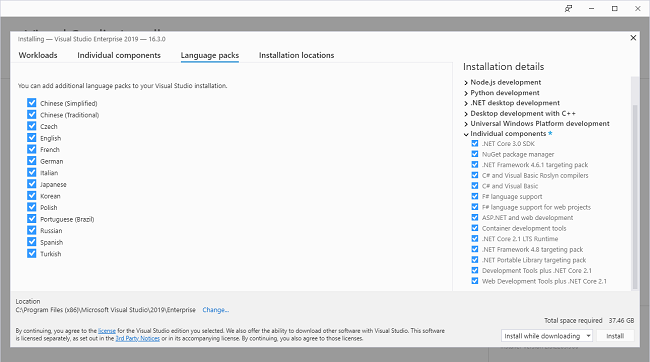
Languages: English, 简体中文, 繁體中文, Čeština, Español, Français, Deutsch, Italiano,
日本語, 한국어, Polski, Русский, Português do Brasil, Türkçe

​

Whether you're new to coding or ready for your next project, Visual Studio 2019 streamlines your experience so you can get right down to focused work. You'll find more screen space for your code and you can search for anything from one place. You can keep your code tidy with one-click code clean-up. When you're debugging, you'll notice better stepping performance and you'll get search capabilities within the Autos, Locals, and Watch windows to quickly find that elusive object or value.

Summary of What's New in Visual Studio 2019 version 16.3
Support for adding new Open API & GRPC service references to .NET Core 3.0 projects.
Support for F# 4.7 and various F# tooling improvements
Improvements for C++ developers, including toggleable line comments and improved IntelliSense member list filtering.
Search through recent projects, solutions, and folders within the start window.
Search for templates in the New Project Dialog with advanced search capabilities.
Publish .NET Core 3.0 worker projects to Azure Container Registry, DockerHub, etc.
.NET Productivity additions in this release include the ability to rename the containing file when renaming a class as well as Edit and Continue enhancements within the debugger.
Debug Azure Functions running in Linux containers.
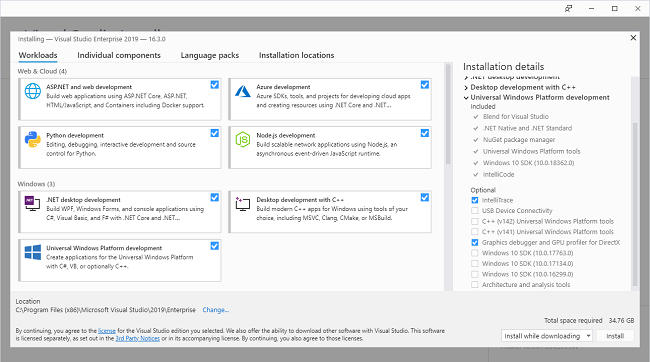
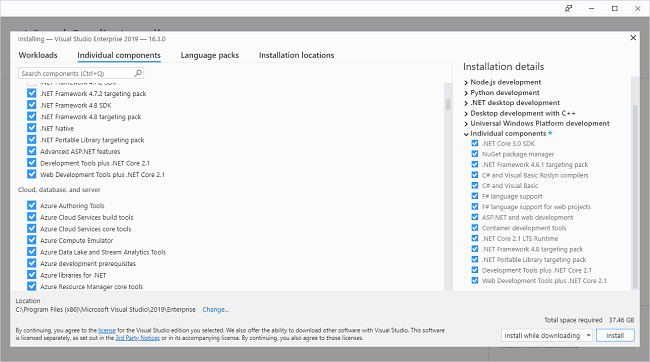
Search individual components while installing or modifying in the Visual Studio Installer.
Streamlined Visual Studio update experience that integrates Visual Studio IDE and Installer updates.
Differentiate workloads and components when adding them in the Visual Studio IDE.
Code Search via VS Search (Ctrl+Q)
Easily find newly installed project templates, view selected values on filters, and pin recently used templates in the New Project Dialog.
Easily configure your applications' dependencies in publish profiles using the new [Add Dependency] wizard(#webtools-add-dependency-wizard).
The Visual Studio installer components for .NET Core 2.1 and 2.2 now also include templates (instead of just the runtime).
Tooling support for serving static assets from within a Razor class library.
Updated Python Testing Experience using the newly-added Python testing framework pytest as well as a modified unittest experience.
Reduced time to index large folders and search for files in these folders.
Added support for Xcode 11 and iOS 13.
Added support for Android 10.
Use XAML Hot Reload for Xamarin.Forms. to rapidly iterate on your Xamarin.Forms UI.
Android Material Design in the XAML Previewer for Xamarin.Forms.
New constraint editor in the Xamarin Designer for iOS.
Enabled publishing iOS apps on Windows.
There are new options for editing .plist files.
Improved tasks view when debugging in Parallel Stacks Window.
A variety of C++ productivity improvements, including new C++ Core checks, a new default semantic colorization scheme, and on-by-default IntelliCode
Support for parallel builds in MSBuild-based Linux C++ projects that leverage the native WSL experience.
.NET Productivity additions in this release include the ability to wrap chains of fluent calls, introduce a local variable immediately after writing its initializer, .NET Core tooling support for analyzers, and an option to expand the list of completions for unimported types.
JavaScript/TypeScript syntax classifications and refactorings are more responsive in files.
Updated the C++ IntelliCode base model to be on-by-default and included Repeated Edits for C#.
Experimental Visual Studio Terminal
Support for TypeScript 3.6 and more responsive JavaScript/TypeScript refactorings.
The Performance Profiler via ALT-F2 now provides a database tool for .Net Core projects.
Added a prompt to install Docker Desktop when adding Docker Support.
Added the capability to load symbols manually for Azure Watson and .NET Core remote debugging.
Restored certificate generation and improved the UWP Package signing experience.

a1531a91bc4db0c5ae2c4b140ac1b63f.png


7e76bf98c1be6bcc4da51a5112533c51.png


0c4b61730545ddd455909e88032fc339.png


a703b6d3f80435cb546de2d638b5b649.png


c02b13ae080a1ab2650ed0b27e25accf.png


Visual Studio Enterprise 2019:
Key:BF8Y8-GN2QH-T84XB-QVY3B-RC4DF

У Вас недостаточно прав для просмотра ссылок. Войдите или зарегистрируйтесь.


DownLoad

Single Link
Код:
https://nitroflare.com/view/C7EA90D6444173E/Microsoft.Visual.Studio.Enterprise.2019.v16.3.Multilingual.iso

Код:
https://rapidgator.net/file/d75a9d5815571fb22ae67c294f580b09/Microsoft.Visual.Studio.Enterprise.2019.v16.3.Multilingual.iso.html

NitroFlare
Код:
https://nitroflare.com/view/083762A761395F1/Microsoft.Visual.Studio.Enterprise.2019.v16.3.Multilingual.part01.rar
https://nitroflare.com/view/94A21C76E1DC3D7/Microsoft.Visual.Studio.Enterprise.2019.v16.3.Multilingual.part02.rar
https://nitroflare.com/view/1E5B8A8C99AA001/Microsoft.Visual.Studio.Enterprise.2019.v16.3.Multilingual.part03.rar
https://nitroflare.com/view/95E2DE83BF12BE4/Microsoft.Visual.Studio.Enterprise.2019.v16.3.Multilingual.part04.rar
https://nitroflare.com/view/11136D5F2A09D0E/Microsoft.Visual.Studio.Enterprise.2019.v16.3.Multilingual.part05.rar
https://nitroflare.com/view/E4C0E719428D32F/Microsoft.Visual.Studio.Enterprise.2019.v16.3.Multilingual.part06.rar
https://nitroflare.com/view/DFE24BBEFAD0509/Microsoft.Visual.Studio.Enterprise.2019.v16.3.Multilingual.part07.rar
https://nitroflare.com/view/6F51440C86F664A/Microsoft.Visual.Studio.Enterprise.2019.v16.3.Multilingual.part08.rar
https://nitroflare.com/view/CCAFFBAE7FB39CC/Microsoft.Visual.Studio.Enterprise.2019.v16.3.Multilingual.part09.rar
https://nitroflare.com/view/AC087E5208136E0/Microsoft.Visual.Studio.Enterprise.2019.v16.3.Multilingual.part10.rar
https://nitroflare.com/view/99374FAEB5D07DA/Microsoft.Visual.Studio.Enterprise.2019.v16.3.Multilingual.part11.rar

https://nitroflare.com/view/6321B41CAEE2783/Microsoft.Visual.Studio.Enterprise.2019.v16.3.Multilingual.part12.rar
https://nitroflare.com/view/23C153752C390B0/Microsoft.Visual.Studio.Enterprise.2019.v16.3.Multilingual.part13.rar
https://nitroflare.com/view/AFC9597C3E29E69/Microsoft.Visual.Studio.Enterprise.2019.v16.3.Multilingual.part14.rar
https://nitroflare.com/view/2D5E25B71E07744/Microsoft.Visual.Studio.Enterprise.2019.v16.3.Multilingual.part15.rar

RapidGator
Код:
https://rapidgator.net/file/073b3a0f8ffbbc0030ee19403a000c46/Microsoft.Visual.Studio.Enterprise.2019.v16.3.Multilingual.part01.rar.html
https://rapidgator.net/file/fb2a6bdaae1815cf9350f4932e030da3/Microsoft.Visual.Studio.Enterprise.2019.v16.3.Multilingual.part02.rar.html
https://rapidgator.net/file/104962bc4db0870a4dc76d18bce2bf70/Microsoft.Visual.Studio.Enterprise.2019.v16.3.Multilingual.part03.rar.html
https://rapidgator.net/file/8efa494b4b9f616c7e44d4a66d25f195/Microsoft.Visual.Studio.Enterprise.2019.v16.3.Multilingual.part04.rar.html
https://rapidgator.net/file/555231ac20faa643c70b1b542d3c06cc/Microsoft.Visual.Studio.Enterprise.2019.v16.3.Multilingual.part05.rar.html
https://rapidgator.net/file/f1f90777839f011dadf2b66ae91889f1/Microsoft.Visual.Studio.Enterprise.2019.v16.3.Multilingual.part06.rar.html
https://rapidgator.net/file/9fb1077cd9f54b8e0180bd548f0b1798/Microsoft.Visual.Studio.Enterprise.2019.v16.3.Multilingual.part07.rar.html
https://rapidgator.net/file/d6d100b3ae07c94e26e536ef3cb9cb72/Microsoft.Visual.Studio.Enterprise.2019.v16.3.Multilingual.part08.rar.html
https://rapidgator.net/file/1bbb8826b0dd3bacc40016dd1d8cd354/Microsoft.Visual.Studio.Enterprise.2019.v16.3.Multilingual.part09.rar.html
https://rapidgator.net/file/d9667cc06f6a77af870de42a9a7ae868/Microsoft.Visual.Studio.Enterprise.2019.v16.3.Multilingual.part10.rar.html
https://rapidgator.net/file/76264ff88c610dc842180ebb595702b9/Microsoft.Visual.Studio.Enterprise.2019.v16.3.Multilingual.part11.rar.html
https://rapidgator.net/file/e92046ee2140af1433b0f60ea72f4983/Microsoft.Visual.Studio.Enterprise.2019.v16.3.Multilingual.part12.rar.html
https://rapidgator.net/file/dba7d2443e94a48f83e0aba2b11f96b7/Microsoft.Visual.Studio.Enterprise.2019.v16.3.Multilingual.part13.rar.html
https://rapidgator.net/file/6458a6c507365f655f6e4cef6ce975e1/Microsoft.Visual.Studio.Enterprise.2019.v16.3.Multilingual.part14.rar.html
https://rapidgator.net/file/a4e1f8fdf8a15db15928daec16c24925/Microsoft.Visual.Studio.Enterprise.2019.v16.3.Multilingual.part15.rar.html

UploadGiG
Код:
https://uploadgig.com/file/download/70E447c3aE273dc9/Microsoft.Visual.Studio.Enterprise.2019.v16.3.Multilingual.part01.rar
https://uploadgig.com/file/download/9B76D11852416543/Microsoft.Visual.Studio.Enterprise.2019.v16.3.Multilingual.part02.rar
https://uploadgig.com/file/download/4D862b24e7872623/Microsoft.Visual.Studio.Enterprise.2019.v16.3.Multilingual.part03.rar
https://uploadgig.com/file/download/c45a449De8fdf8ce/Microsoft.Visual.Studio.Enterprise.2019.v16.3.Multilingual.part04.rar
https://uploadgig.com/file/download/514b4F59EAe4a655/Microsoft.Visual.Studio.Enterprise.2019.v16.3.Multilingual.part05.rar
https://uploadgig.com/file/download/f5e93Fda3a2D13B4/Microsoft.Visual.Studio.Enterprise.2019.v16.3.Multilingual.part06.rar
https://uploadgig.com/file/download/e3002536D37F3dca/Microsoft.Visual.Studio.Enterprise.2019.v16.3.Multilingual.part07.rar
https://uploadgig.com/file/download/4080Cf809a4dbe5b/Microsoft.Visual.Studio.Enterprise.2019.v16.3.Multilingual.part08.rar
https://uploadgig.com/file/download/71a6b3B7d583c8E6/Microsoft.Visual.Studio.Enterprise.2019.v16.3.Multilingual.part09.rar
https://uploadgig.com/file/download/292eb4da64CAD39d/Microsoft.Visual.Studio.Enterprise.2019.v16.3.Multilingual.part10.rar
https://uploadgig.com/file/download/276da4bbe794741A/Microsoft.Visual.Studio.Enterprise.2019.v16.3.Multilingual.part11.rar

https://uploadgig.com/file/download/ea99C6fe0d86E7b7/Microsoft.Visual.Studio.Enterprise.2019.v16.3.Multilingual.part12.rar
https://uploadgig.com/file/download/a49db751cacF9bf9/Microsoft.Visual.Studio.Enterprise.2019.v16.3.Multilingual.part13.rar
https://uploadgig.com/file/download/e9cAB354F75f9c9d/Microsoft.Visual.Studio.Enterprise.2019.v16.3.Multilingual.part14.rar
https://uploadgig.com/file/download/d78998b43c4393E4/Microsoft.Visual.Studio.Enterprise.2019.v16.3.Multilingual.part15.rar
 
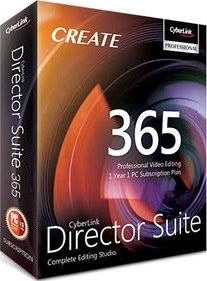
CyberLink Director Suite 365 v8.0 Multilingual

3847f25e75b07f660c3822f74f48a4fb.jpg


CyberLink Director Suite 365 v8.0 Multilingual

File Size: 6.56 GiB

​

Director Suite 365 is the definitive software package for creative professionals, blending precision editing tools for video, audio, and photo with access to a wealth of unique creative content. A smooth, highly-efficient post-production editing environment allows for seamless transition between video, photo and audio editing as well as powerful color grading. Whether you're working on a standard video project or expanding your creative scope to 360˚ and VR, you'll find all the unique creative tools you need at your fingertips. Also never be stuck for creative inspiration again. When you subscribe to Director Suite 365 you'll have unlimited access to an ever-growing collection of premium plug-ins, effects, and content including unique AI Style Packs.

PowerDirector 18
Professional Grade Video Editing.

PhotoDirector 11
Turn Your Photos Into Art.

ColorDirector 8
Precise Color Grading. Professional Results.

AudioDirector 10
Precision Audio Editing for Videos.

The Complete Editing Studio
The complete professional editing suite, Director Suite 365 delivers powerful capabilities that keep improving all year. Precise, powerful tools for video, photo, color and audio editing effortlessly let you control your production workflow, giving you the capability of producing professional results, fast.

Plug-ins & Effects
Never find yourself lacking creative inspiration, or being unable to fulfill your artistic visions with unlimited access to an ever-growing collection of premium plug-ins and effects. Select from a huge and growing collection of themed animated titles, effects and PiP objects to enhance your projects.

Language Support:
- English
- French
- German
- Italian
- Spanish (European)
- Chinese Simplified
- Chinese Traditional
- Japanese
- Korean

У Вас недостаточно прав для просмотра ссылок. Войдите или зарегистрируйтесь.


DownLoad

NitroFlare
Код:
https://nitroflare.com/view/DD4F3C014862B2C/CyberLink.Director.Suite.365.v8.0.Multilingual.part1.rar
https://nitroflare.com/view/7E098586B69C51C/CyberLink.Director.Suite.365.v8.0.Multilingual.part2.rar
https://nitroflare.com/view/0B19A9DE6C0800E/CyberLink.Director.Suite.365.v8.0.Multilingual.part3.rar
https://nitroflare.com/view/0548B4ECC2E7092/CyberLink.Director.Suite.365.v8.0.Multilingual.part4.rar
https://nitroflare.com/view/3D5FA32DF21439A/CyberLink.Director.Suite.365.v8.0.Multilingual.part5.rar
https://nitroflare.com/view/B93D7C6E5085E4F/CyberLink.Director.Suite.365.v8.0.Multilingual.part6.rar
https://nitroflare.com/view/9930063541D74E1/CyberLink.Director.Suite.365.v8.0.Multilingual.part7.rar

RapidGator
Код:
https://rapidgator.net/file/2b85b1d55f7ce4aa7c128cb1c2ee2da2/CyberLink.Director.Suite.365.v8.0.Multilingual.part1.rar.html
https://rapidgator.net/file/18577f4c6ab592b20634eaf7f6a5601b/CyberLink.Director.Suite.365.v8.0.Multilingual.part2.rar.html
https://rapidgator.net/file/7a20f9e4e53f6ea4c5fa63ef3d21880b/CyberLink.Director.Suite.365.v8.0.Multilingual.part3.rar.html
https://rapidgator.net/file/0da9a3450150baa1a480c3511dbc9fae/CyberLink.Director.Suite.365.v8.0.Multilingual.part4.rar.html
https://rapidgator.net/file/a75eee8d4ba79eb2ec4844266f33803d/CyberLink.Director.Suite.365.v8.0.Multilingual.part5.rar.html
https://rapidgator.net/file/ec435cbe611e5d36d09dde37c9e42029/CyberLink.Director.Suite.365.v8.0.Multilingual.part6.rar.html
https://rapidgator.net/file/035cf368e3db50110f235dd14ecca46e/CyberLink.Director.Suite.365.v8.0.Multilingual.part7.rar.html

UploadGiG
Код:
https://uploadgig.com/file/download/78304180393638a6/CyberLink.Director.Suite.365.v8.0.Multilingual.part1.rar
https://uploadgig.com/file/download/7B9f65b00e7a7d32/CyberLink.Director.Suite.365.v8.0.Multilingual.part2.rar
https://uploadgig.com/file/download/fc42BF85c02b16db/CyberLink.Director.Suite.365.v8.0.Multilingual.part3.rar
https://uploadgig.com/file/download/C18FC62e147f99e8/CyberLink.Director.Suite.365.v8.0.Multilingual.part4.rar
https://uploadgig.com/file/download/58388c1cB39e87a5/CyberLink.Director.Suite.365.v8.0.Multilingual.part5.rar
https://uploadgig.com/file/download/f1ec13c7b3f3a9B8/CyberLink.Director.Suite.365.v8.0.Multilingual.part6.rar
https://uploadgig.com/file/download/4993B74C406fce39/CyberLink.Director.Suite.365.v8.0.Multilingual.part7.rar
 
DVDFab 11.0.5.1 x86-x64 Multilingual

59685dbaf8ac342fac988da0e8f768a2.jpg


DVDFab 11.0.5.1 x86-x64 Multilingual

File Size: 161, 172 MiB

​

DVDFab is one of the top DVD copy and backup software applications available on the market. Highlights include DVD and video conversion, Blu-Ray decryption and DVD data recovery abilities. All of these, together with the DVD/Blu-Ray creation features make it one of the most versatile DVD management suites ever to meet its category.

DVDFab also has the ability to compress dual-layer discs to single-layer; it splits titles belonging to a dual-layer disc or to two single-layer DVDs and allows to burn the images to recordable discs.

The installation process completes in less than a minute and requires a system restart in order to function properly. The interface of DVDFab is easy to understand and to navigate; the main options are displayed on the left side, while the panel on the right is reserved for selecting the source and target and additional conversion/copying settings.

One of the most important and appreciated features of DVDFab is the DVD copy utility, which allows you to rip/copy/burn DVD content to blank discs, all the while preserving the quality of the original files.

DVDFab also provides you with the means to rip DVDs to popular video/audio formats, thus allowing you to ready your media content for devices such as iPod, iPad, PS3 or Xbox.

The application features quite a few for handling Blu-Ray files: one that allows to copy Blu-Rays to your hard drive (removing all the copy protections), a ripper that converts the files to formats playable on PS3/Xbox/iPhone/iPad (3D formats included), a Blu-Ray to DVD encoder and a Blu-Ray creator.

Aside from the DVD/Blu-Ray related capabilities, DVDFab also comes with an excellent and speedy video converter, which allows you to convert virtually all popular video formats to files playable on modern devices, such as the aforementioned ones.

In short, DVDFab's set of features includes impressive abilities, such as CSS decryption, region code removal, rich format support and DVD restoration. The quality of the output files is amazing, no compromises are made whatsoever.

Operating System: Windows 10/8.1/8/7/Vista

У Вас недостаточно прав для просмотра ссылок. Войдите или зарегистрируйтесь.


DownLoad

NitroFlare
Код:
https://nitroflare.com/view/976BF92DD9544D1/DVDFab.11.0.5.1.x86.rar
https://nitroflare.com/view/3654C4B90CD7ECF/DVDFab.11.0.5.1.x64.rar

RapidGator
Код:
https://rapidgator.net/file/3517dde1716110d65bbb65adc0ce8b3e/DVDFab.11.0.5.1.x86.rar.html
https://rapidgator.net/file/ac63414d2497b5f377541fa6654a5e40/DVDFab.11.0.5.1.x64.rar.html

UploadGiG
Код:
https://uploadgig.com/file/download/a53c21cE250c7631/DVDFab.11.0.5.1.x86.rar
https://uploadgig.com/file/download/7fd4d26026707542/DVDFab.11.0.5.1.x64.rar
 
Exposure X5 Bundle 5.0.0.86

4b4d6bcda99c41bb4dc8ccf9866c6e2c.jpg


Exposure X5 Bundle 5.0.0.86

File Size: 503 MiB

​

Exposure X5 Bundle is the best photo editor for creative photographers who want to create artistic images. Its large library of gorgeous looks provides inspiring starting points that you can customize. Unique creative tools not found in other photo editors help your photos stand out. And Exposure's efficient workflow keeps you in the creative zone.

Exposure X5 Bundle:
- Exposure X5 non-destructive RAW photo editor
- Integrated Snap Art natural media
- Integrated Blow Up high-quality photo enlargement
- Exposure X5, Snap Art, and Blow Up plug-ins for Lightroom and Photoshop

Highlighted Features of Exposure X5:
- New masking tools enable adjustments in areas selected by hue, saturation, and luminance.
- Improved lens correction tools, including chromatic aberration and vignette correction
- Customizable camera profiles for precise tuning of RAW processing
- New black and white film, complementary color, and season inspired presets
- Horizontal and vertical flipping transformations
- Support for grayscale TIFF and JPEG images
- Additional camera and lens support

Gorgeous Looks
An extensive selection of beautiful film presets puts the history of photography at your fingertips. Carefully researched with the help of experienced film photographers, Exposure has the largest and most accurate selection of film looks available. Exposure's creative looks go beyond film simulation, offering you new creative styles such as clean modern looks. You can customize each of Exposure's built-in looks, then save it as a unique look that expresses your own style. Reuse your customized presets to achieve consistent looks across all your work with a single click.

Unique Creative Tools
Exposure has creative tools you won't find in any other photo editor. These tools include realistic film grain, creative lens focus and tilt-shift effects, and a huge number of creative overlays - light effects, textures, and borders. Exposure's design encourages you to work creatively. Apply effects selectively to specific areas of your image with brushing and masking tools. Non-destructive layers enable you to blend presets and adjustments for an endless variety of looks.

Focus on your Art
Exposure's intuitive design helps you focus on creativity. Its workflow is reliable, efficient, and respectful of your hard drive space. This helps you spend less time managing files and more on creating beautiful images. Exposure puts everything you need onscreen in a single user interface that can be customized to suit your workflow preferences. Transition seamlessly between organizing and editing without having to switch between modules.

Features:
- 500+ customizable presets
- (New) 3D Color Masking
- Complete non-destructive RAW photo editor
- Photoshop and Lightroom plug-in support included
- Black-and-white processing
- Non-destructive layers
- Keywords, collections, and smart collections
- Virtual copies
- Portrait retouching

System Requirements:
- Microsoft Windows: Windows 7 64-bit or newer
- An Intel Core 2 processor with SSE4 support or compatible
- A monitor with 1280x768 resolution or greater

The plug-in requirements are as follows:
- Adobe Photoshop CS6 or Adobe Photoshop CC 2015 or newer
- Adobe Lightroom 6 or Adobe Lightroom CC 2015 or newer

У Вас недостаточно прав для просмотра ссылок. Войдите или зарегистрируйтесь.


DownLoad

NitroFlare
Код:
https://nitroflare.com/view/3E7E4434209B675/Exposure.X5.Bundle.5.0.0.86.rar

RapidGator
Код:
https://rapidgator.net/file/04d125fc7c815374ffc64801312b3bc9/Exposure.X5.Bundle.5.0.0.86.rar.html

UploadGiG
Код:
https://uploadgig.com/file/download/0646785559daf419/Exposure.X5.Bundle.5.0.0.86.rar
 
DAZ Studio Pro Edition 4.12.0.86 x64

45b70d0414a8f11a5308e3161403f9c0.jpg


DAZ Studio Pro Edition 4.12.0.86 x64

File Size: 708 MiB

​

How you get started with DAZ Studio depends on what you want to accomplish. If you are a graphic designer or a user of another 3D platform like Maya or Poser, and you need custom 3D art, then you need to explore our digital warehouse of 3D characters, accessories, and environments. DAZ Studio lets you use anything from our huge catalog to create impressive, custom digital graphics at a fraction of the cost, time and hassle. See what other professionals are doing with DAZ Studio.

What will you create with DAZ Studio?
- Writing a fantasy novel and need a hero? No Problem.
- Need to storyboard some lighting effects? No Problem.
- Need to create a flexible and complex character for an online short video? No Problem.
- Need a low cost realistic model and don't have time or budget to hire one? No Problem.
- Have something lodged in your imagination that just must come out? No Problem.

New Product-centric Workflow
The new product-centric workflow makes working with your content much easier. From buying and installing new products to navigating and alternating between products and files, the workflow has been redesigned. To get started, log in to your Daz 3D account to take advantage of the new workflow.

Optional Filtering Based on Context
In earlier versions, the Smart Content pane displayed filtered assets/products based on compatibility with the selected object and assigned content types. The 4.9 update now also includes a "Filter By Context" option (on the Files Page and separately on the Products Page), that lets you disable this filtering behavior and allows you to see content that may not be strictly built to work with the selected object.

Synchronized Navigation and Filters
The new Sync Pages option helps you more easily navigate and alternate between products and files. When enabled in the Pane (Tab) Option Menu, Sync Pages attempts to synchronize category selection in one page with the corresponding category in the opposite page.

Viewing a Product's Contents
The Product Contents View has been redesigned to be more user-friendly. Functioning much like the Files and Products pages, the new Product Contents View now expands and collapses vertically in a familiar tree-like manner and consumes the whole page instead of a side scrolling list limited to a fraction of the space.

Filtering Products by Installed State
The Install State Filter Bar filters products displayed in the Results View a step further than the categories and sub-categories can on their own. This lets you view a product based on its status. Rather than search one by one through products, this option quickly filters products to show those that are installed, those that are have not been installed, those that need updating, and those that are currently in progress.

Sorting Products/Assets
Located directly beneath the Filter Bar, the Sorting Selector lets you sort assets or products using various attributes-such as Name, Product ID, Group ID, etc.-to make assets and products easier to find.

Assigning Products and Assets to Groups
Grouping helps you customize your content by letting you personalize the display of products and assets, which makes identification at glance even easier. Much like using a brightly colored marker or sticky notes, the Group feature marks assets and/or products in the Results View to help you visually group them using colors and shapes.

Render Engine Updates
Renderer engine updates include changes and bug fixes for both NVIDIA Iray and 3Delight render engines.

System Requirements:
WHQL-64 certified
Intel Xeon/Core 2 Duo or Quad /Core i7 or AMD Opteron/Phenom processor(s)
Windows 10, 8, 7 & Vista (Windows 10, 8, or 7 is recommended)
2 GB RAM min (3GB+ RAM recommended)
1GB free hard drive space for installation
Hardware accelerated OpenGL 1.6 compatible graphics card with at least 512 MB RAM (OpenGL 2.2, or higher, compatible recommended)
DirectX 9 (used for audio processing only)
Notes: NVIDIA Iray Render Engine: 64-bit only. NVIDIA video card with 4GB+ VRAM recommended. CUDA Compute Capability 2.0 or greater required.

У Вас недостаточно прав для просмотра ссылок. Войдите или зарегистрируйтесь.


DownLoad

NitroFlare
Код:
https://nitroflare.com/view/793D58816398B75/DAZ.Studio.Pro.Edition.4.12.0.86.x64.rar

RapidGator
Код:
https://rapidgator.net/file/acb7ff9ca8e76c219ca578745fc32acf/DAZ.Studio.Pro.Edition.4.12.0.86.x64.rar.html

UploadGiG
Код:
https://uploadgig.com/file/download/4F0AB6c7d395c055/DAZ.Studio.Pro.Edition.4.12.0.86.x64.rar
 
JetBrains IntelliJ IDEA Ultimate 2019.2.3

60941fc7bcf71b8876c60c788fdad47e.jpg


JetBrains IntelliJ IDEA Ultimate 2019.2.3

File Size: 675 MiB

​

Deep insight into your code. IntelliJ IDEA analyzes your code, looking for connections between symbols across all project files and languages. Using this information it provides indepth coding assistance, quick navigation, clever error analysis, and, of course, refactorings.

Smart completion
Ctrl+Shift+Space gives you a list of the most relevant symbols applicable in the current context. This and other completions are constantly learning from you, moving the members of the most frequently used classes and packages to the top of the suggestions list, so you can select them faster.

Chain completion
Digs a tad deeper than Smart Completion and lists applicable symbols accessible via methods or getters in the current context. Say you're looking for a value of Project and only have the Module module declaration. Press Ctrl+Shift+Space twice to get module.getProject() without any additional effort.

Static members completion
Lets you easily use static methods or constants. Offers a list of symbols matching your input and automatically adds required import statements.

Data flow analysis
When offering completion variants, IntelliJ IDEA analyses data flow to guess the possible runtime symbol type and refines choices based on that intel, automatically adding class casts.

Language injection
Brings coding assistance for a selected language to expressions and string literals in another one, complete with all advantages you would normally have. For example, you can inject fragments of SQL, XPath, HTML, CSS, or JavaScript code into Java String literals.

Cross-language refactorings
Knowing everything about usages of a symbol, IntelliJ IDEA offers extremely effective, thorough refactorings. For example, when you Rename a class within a JPA statement, it will update everything, from JPA entity class, to every JPA expression where it is used.

Detecting duplicates
Finds duplicate code fragments on the fly. Even if you're only about to extract a variable, constant, or a method, IntelliJ IDEA will let you know that there is a similar code fragment that can be replaced along with the one you're woking on.

Inspections and quick-fixes
Whenever IntelliJ IDEA detects that you're about to make a mistake, a little lightbulb pops up in the editor. Clicking it or pressing Alt+Enter opens a list of actions you can take to make things right.

Developer ergonomics
Every aspect of IntelliJ IDEA is designed with ergonomics in mind. IntelliJ IDEA is built on a principle that every minute a developer spends in the flow is a good minute, and things that break developers out of that flow are bad and should be avoided.

Built-in developer tools
To streamline your workflow, IntelliJ IDEA offers an unbeatable toolset right from the first start: decompiler, bytecode viewer, FTP and many more.

Polyglot experience
In addition to Java, IntelliJ IDEA offers first-class support for top JVM and non-JVM frameworks and languages out of the box.

System Requirements
64-bit versions of Microsoft Windows 10, 8, 7 (SP1)
2 GB RAM minimum, 8 GB RAM recommended
2.5 GB hard disk space, SSD recommended
1024x768 minimum screen resolution

У Вас недостаточно прав для просмотра ссылок. Войдите или зарегистрируйтесь.


DownLoad

NitroFlare
Код:
https://nitroflare.com/view/F102BE0CC0F16CC/JetBrains.IntelliJ.IDEA.Ultimate.2019.2.3.rar

RapidGator
Код:
https://rapidgator.net/file/36359452dc5a44092a91630a990c7163/JetBrains.IntelliJ.IDEA.Ultimate.2019.2.3.rar.html

UploadGiG
Код:
https://uploadgig.com/file/download/f20754e96DBbdbdF/JetBrains.IntelliJ.IDEA.Ultimate.2019.2.3.rar
 
JixiPix Chromatic Edges 1.0.6 x64 + Portable

cff17c87b29654f4bdd9c922f35a8b83.jpg


JixiPix Chromatic Edges 1.0.6 x64 + Portable

File Size: 504, 513 MiB

​

JixiPix takes vintage to a whole new extreme. Gone are the days of having a few tiny choices when it comes to adding flare to your imagery. Chromatic Edges brings back the subtle magic of photo processing with glass, silver and paper plates all with a few taps and your unique photo.

It's all about the edge! There is something artistic about the old days of plate photography. The silky smooth images and fabulously artistic edges are just amazing to look at.

Before the days of digital or film photography, photographers had to process their images using glass plates, metal plates, and paper to get their final image. These processes took tremendous skill and passion to produce the final product. Some of the processing techniques even required the processing of the glass plate within minutes of taking the photograph. Boy have times changed!

Until today you had only a few choices if you wanted to recreate some of the old-style photo art. You would pick a stock photo and blend it into your photography. And since there are only a few choices you were left with your artwork starting to look oh-so-familiar. Chromatic Edges changes all that and gives you unlimited artistic photography styles while only taking a few steps to create.

Operating System: Windows 7, 8/8.1, 10 (64-bit only)

67f29d19b5525ffae7f39f98fec30938.jpg


У Вас недостаточно прав для просмотра ссылок. Войдите или зарегистрируйтесь.


DownLoad

NitroFlare
Код:
https://nitroflare.com/view/9C76CB003194671/JixiPix.Chromatic.Edges.1.0.6.x64.rar
https://nitroflare.com/view/8017335E6246F68/JixiPix.Chromatic.Edges.1.0.6.x64.Portable.rar

RapidGator
Код:
https://rapidgator.net/file/cc599a82edb3e5372dfc4a14e2904ac1/JixiPix.Chromatic.Edges.1.0.6.x64.rar.html
https://rapidgator.net/file/d2ea58e3e332c12f3747c6fc354bb7eb/JixiPix.Chromatic.Edges.1.0.6.x64.Portable.rar.html

UploadGiG
Код:
https://uploadgig.com/file/download/0b0f1dF40d3a7d7f/JixiPix.Chromatic.Edges.1.0.6.x64.rar
https://uploadgig.com/file/download/4dcebB6f71f4AC31/JixiPix.Chromatic.Edges.1.0.6.x64.Portable.rar
 
Nitro Pro Enterprise 13.2.2.25 x64 + Portable

1d60c26f6451c2cccc64329b6db38e4b.jpg


Nitro Pro Enterprise 13.2.2.25 x64 + Portable

File Size: 179, 317 MiB

​

Nitro Pro gives you everything you need to create, convert, edit, sign, and share standard PDF files. It's simple, straightforward, and intuitive to use - so you can work more productively, your way. With Nitro Pro you can share your files with others, no matter what platform or device they are on, and Nitro Pro makes conversion easy. Convert one or more files to PDF with just a click or two. Reuse and repurpose PDF-based content with greater accuracy. With Nitro Pros industry-leading conversion technology and array of extraction tools you can easily repurpose text and images from reports, presentations, and more for reuse in any other application. Share files with the peace of mind, knowing almost anyone on almost any machine can open, view, and review - every time.

Directly edit your PDF files more easily. Just click, and edit. Nitro Pro enables you to edit entire paragraphs with ease, automatically reflowing text as you type - like you would in a word processor.

Nitro Pro gives you a powerful set of easy-to-use tools that make working with digital documents simple, straightforward, and more cost-effective. Nitro Pro, the complete Adobe Acrobat alternative, enables you to do more with PDF through powerful tools to create, convert, edit, combine, secure, annotate, form-fill, and save 100% industry-standard PDF files. Recipient of multiple best product awards, Nitro Pro is specifically designed for the business user and makes working with PDF faster and easier than ever before!

System requirements
OS Desktop: Windows Vista, 7, 8, 8.1, 10
OS Server: Windows Server 2008 SP1, 2008 R2, 2012, 2012 R2 (Terminal Server and
Citrix XenApp / Access Essentials configurations supported)
RAM: 512MB,1GB system memory recommended
Storage: 300MB of available hard drive space
CPU: Intel Pentium® 4 and above.
Display: 1024x768 screen resolution
Additional requirements:
Microsoft .NET Framework 2.0 (or above)
Microsoft Office 2007 or newer (for Office integrated features)
Web Browser integration supported in IE 7 and above
Preview and Thumbnail handlers supported only in Windows Vista and above

8aa2fee0c98991a40b737433788a532d.jpg


У Вас недостаточно прав для просмотра ссылок. Войдите или зарегистрируйтесь.


DownLoad

NitroFlare
Код:
https://nitroflare.com/view/1CF70ED54E6D5C7/Nitro.Pro.Enterprise.13.2.2.25.x64.rar
https://nitroflare.com/view/3EAB6EE576BB904/Nitro.Pro.Enterprise.13.2.2.25.x64.Portable.rar

RapidGator
Код:
https://rapidgator.net/file/816b2a9bcc035cd54efeec8e5a5d9520/Nitro.Pro.Enterprise.13.2.2.25.x64.rar.html
https://rapidgator.net/file/b732acd0914b006081eb82eff213bdc4/Nitro.Pro.Enterprise.13.2.2.25.x64.Portable.rar.html

UploadGiG
Код:
https://uploadgig.com/file/download/216793e4Bdf33bC1/Nitro.Pro.Enterprise.13.2.2.25.x64.rar
https://uploadgig.com/file/download/2635e828a2d0e60B/Nitro.Pro.Enterprise.13.2.2.25.x64.Portable.rar
 
The Foundry Nuke Studio 11.2v7 WiN

d75b514fa5026ade93f7ceebf53a0e5c.jpg


The Foundry Nuke Studio 11.2v7 WiN

File Size: 684 MiB

​

Foundry, makers of Nuke have announced the making of Nuke 11.2v7, which introduces new features to the Nuke family. This update include bug fixes that improve the 11.2 release.

Release Notes for Nuke 11.2v7 - Release Date: 19 September 2019

BugFixes
- ID158765 - DeepRecolor: Enabling target input alpha flattened Deep channels that should not be affected.
- ID242922 - TimelineEditing: Using the Slip tool in sequences with multiple tracks in the Viewer occasionally caused Nuke Studio to become unresponsive.
- ID347416 - Deep: Writing output containing Deep data using the standard Write node caused Nuke to crash.
- ID349303 - Text: Changing the opacity of text shifted the output to the left and created artifacts in the Viewer.
- ID350840 - Linux only: Labels in the Node Graph became unreadable at certain zoom levels.
- ID352422 - Read/Write: Importing a previously exported.mov clip displayed a PAL format warning.
- ID362521 - Roto/Rotopaint: The tooltip for adjusting B-spline tension in the Properties panel? button was incorrect.
- ID378932 - Running stereo scripts containing nodes in an error state in terminal mode with the continueOnError=False argument rendered frames incorrectly.
- ID381706 - Documentation: The description of the keyboard shortcut for adding custom tags (Ctrl/Cmd+Y) was ambiguous.
- ID387321 - Read/Write: The Write node's first part control did not work expected when write full layer names was enabled.
- ID388199 - macOS only: Launching Nuke Assist enabled the Frame Server incorrectly.
- ID390486 - Read/Write: Opening multiple projects while elements were still loading caused Nuke Studio to crash.
- ID392348 - Text: Expressions resulting in Unicode characters were not displayed correctly.
- ID393519 - Deep: Using DeepHoldout operations on multi-sample deep images produced artifacts.
- ID399956 - ARRIRRAW: Interaction with ARRIRAW footage in Nuke was sluggish.
- ID402361 - OCIO: All LUTs from config files were loaded, even if they were not used, causing Nuke to start up more slowly.

NUKE STUDIO is a powerful node-based VFX, editorial and finishing studio designed to empower creative individuals working independently as well as collaborative teams working on quick-turnaround projects in a way that's previously never been possible. A unique and seamless combination of effects and timeline, with NUKE STUDIO, users can conform, edit, color-correct, add effects and playback at 4K. Run a whole project from a single desktop, even sitting with a client whilst doing it, and use NUKE STUDIO's powerful collaborative controls to share work with a wider team and manage this from a central integrated location.

The Foundry. develops award-winning computer graphics and visual effects (VFX) software used globally by leading artists and designers. The portfolio lets users create inspiring and technical high-end visuals across a wide range of industries including film, TV, commercial and games, as well as the CAD, design and architecture markets. Together we constantly strive to produce innovative solutions that meet the needs of our customers and the ever-changing environments in which they work.

Product: The Foundry NUKE STUDIO
Version: 11.2v7
Supported Architectures: x64
Language: English
System Requirements: PC
Supported Operating Systems: *
Size: 3.0 GiB

System Requirements:

Qualified Operating Systems

- Windows 7 or Windows 10 (64-bit)
Other operating systems may work ,but have not been fully tested.

У Вас недостаточно прав для просмотра ссылок. Войдите или зарегистрируйтесь.


DownLoad

NitroFlare
Код:
https://nitroflare.com/view/034BD41B440FF28/The.Foundry.Nuke.Studio.11.2v7.WiN.rar

RapidGator
Код:
https://rapidgator.net/file/be4718a2bbddb85c21b83d2ba2e90946/The.Foundry.Nuke.Studio.11.2v7.WiN.rar.html

UploadGiG
Код:
https://uploadgig.com/file/download/249eb24E5d774cca/The.Foundry.Nuke.Studio.11.2v7.WiN.rar
 
ACDSee Photo Studio Ultimate 2020 v13.0 Build 2001

eb6f490275cca5b4974adbcc2a6c9ec5.jpg


ACDSee Photo Studio Ultimate 2020 v13.0 Build 2001

File Size: 284 MiB

​

Get back out where you belong faster-in the field, behind a lens. ACDSee Photo Studio Ultimate 2020 combines GPU-accelerated layers, RAW editing, and world-class digital asset management with enough agility to swiftly satisfy your creative graphic and photography needs. Ultimate is armed with HDR, focus stacking, blended cloning, the ability to create your own color adjustments, improved facial recognition, more control over text and layers, and much more to give you the flexibility to create the composites, manipulations, and innovative graphics you've been fantasizing about.

Harmonious Balance
High-dynamic-range imaging (HDR) is a trick in digital photography that is designed to achieve a wide dynamic range of luminosity by merging multiple images. Combine a series of images with different exposures to produce a single image with the maximum range of details in their shadows and highlights with the HDR tool.

Stay Focused
Sometimes, no matter what you do, it's impossible to get every detail in your image sharp. With focus stacking, you can combine a series with different focal distances to create one image with a greater depth of field than a single exposure would allow.

Improved Face Detection & Facial Recognition
Organizing has never been this personal. Ultimate 2020's Face Detection & Facial Recognition tool will find the humans in your photographs so you can name them for quick searching. ACDSee will immediately learn which names to put to which faces, and even will suggest possible matches. Control the queue of images to be scanned for faces. Save hours of tedious manual skimming by searching photos by unnamed, auto-named, and suggested names. Keep photos distinguished by client, family member, or person of interest, then embed face data in your photos for safe keeping.

What's New:

Have the Last Word
Add text as layers. Customize font, size, color, style, justification, opacity, and much more, while layering, blending, and adding effects for the ultimate composites.

Broaden Your Horizons
Resize the canvas to expand around your layered content or add solid backgrounds for limitless photo manipulations.

Rule of Thumb
Customizable rulers and guidelines make placing layers, text, and objects foolproof. Snap layers to guidelines. Lay as many guidelines as you like. Control the unit of measure, color, and visibility.

Handle Any Geometric Imperfection
Snap objects, text, and images to the top, bottom, sides, or corners of your canvas while moving. Display a grid for precision situating.

Layer Effects
Add inner glow, shadows, a bevel, an outline, or blur between your image and text layers. Save as a .acdc file and continue editing your layer effects at a future date.

Blend of the Clones
Use the Blended Clone tool to copy pixels from a source area to a target area. ACDSee analyzes the pixels in the target area and blends them with the copied pixels for the most seamless repair yet.

Align and Blend Your Layers
Auto-align or auto-blend layers of images taken in a burst to achieve one optimal version of the subject.

Layer Freedom
Pull groups of images into the Layers pane and select one, some, or many.

Endless Creativity
Develop your own LUTs using an infinite combination of colorful adjustment layers. Use your LUTs as Edit mode filters, Develop mode filters, or additional adjustment layers.

Parametric Color
Seamlessly color grade your images by importing and applying LUTs as non-destructive filters.

Business Viewing
Flip through your PDF and Microsoft Office™ documents- even sheets on multi-tabbed Excel™ documents. Rank your digital assets based on importance. Discard and back up accordingly.

Adaptability & Security
Get files from the team over Dropbox ™ or OneDrive ™ or back up existing work with direct access to cloud sync root drives within Manage mode.

Put Your Files in Many Baskets
Create up to five image baskets to gather and hold images and media files from all over your hard drive. Name individual image baskets and use them to easily view, edit, or share their content.

Improved Duplicate Finder
Find duplicates across a variety of folders and locations. Rename or delete detected duplicates to keep your file collection under control.

Improved Batch Convert
Convert masses of files into other formats from one convenient, accessible dialog.

Improved Keyword Management
ACDSee now comes pre-loaded with a variety of usable sample quick keyword sets. Export keyword lists and share them with other users. Save countless hours of manual entry by importing established keyword lists.

Effortless Digital Asset Management
Finding, sorting, moving, organizing, and sharing-everything you need for complete mastery over your photography workflow is right here, at your fingertips. Add ratings, hierarchical keywords, categories, and location data to your images. Quickly identify photos for further processing with visual tags or customizable color labels.

Visionary Layered Editing
You can use the Layered Editor to fearlessly innovate using parametric photo manipulation. Add layers designed to achieve individual adjustments and effects, and go back in to tweak them at any time. Pair individual layers with any Edit mode filter or adjustment for complete image manipulation liberty.

Comprehensive RAW Editor
Make the most of your RAW images with Photo Studio Ultimate's built-in support for over 500 camera models. For ultimate freedom, start with the rough data captured by your camera's sensor and non-destructively transform it into whatever you want using exposure, contrast, color, repair, sharpening, and other detail-based tools.

System Requirements:
- Microsoft® Windows® 7 (SP1), Windows® 8, Windows® 8.1, & Windows® 10 (64-bit editions only)
- Microsoft® Internet Explorer® 9+
- Microsoft® DirectX® 10 or higher
- Windows Media® Player 9.0
- Microsoft® Office 2010 or above
- Intel® or AMD processor with 64-bit support
- Intel i3 or better processor recommended
- 2 GB RAM (6 GB RAM or more recommended)
- 512 MB Video RAM (VRAM)
- DirectX 10 compatible graphics adapter
- 1024 x 768 display resolution (1920 x 1080 recommended)
- 2 GB of available hard disk space

Language: English

У Вас недостаточно прав для просмотра ссылок. Войдите или зарегистрируйтесь.


DownLoad

NitroFlare
Код:
https://nitroflare.com/view/BD9BEBD0A2F4064/ACDSee.Photo.Studio.Ultimate.2020.v13.0.Build.2001.rar

RapidGator
Код:
https://rapidgator.net/file/57e819eeac8c72c9f68356ac249fc2ed/ACDSee.Photo.Studio.Ultimate.2020.v13.0.Build.2001.rar.html

UploadGiG
Код:
https://uploadgig.com/file/download/813a949062A1E074/ACDSee.Photo.Studio.Ultimate.2020.v13.0.Build.2001.rar
 
Hallmark Card Studio 2020 Deluxe v21.0.0.5

338ec6f8aab228aa2cc19e25eb4cd60f.jpg


Hallmark Card Studio 2020 Deluxe v21.0.0.5

File Size: 219 MiB

​

For more than 100 years Hallmark has designed greeting cards for life's special moments. Hallmark Card Studio® Deluxe 2020 extends this tradition, making it easy to create one-of-a-kind Hallmark cards as unique as the people you care for.

SCRAPBOOK PAGES
Commemorate the special events in your family's life by creating beautiful scrapbooks you'll treasure forever.

4" x 8" Photo Cards
Create personalized family photo cards for holidays or virtually any occasion.

CALENDARS
Create monthly, weekly and daily calendars. You can also include holidays and special events from your Event Planner.

HALLMARK GRAPHICS COLLECTION
Complement your cards and projects with brand new Hallmark images. Even add music and sound to e-cards!

THEMED PARTY SETS
Coordinate your party decorations with matching designs.

11,200+ Cards and Projects
Create your own one-of-a-kind Hallmark cards for friends and family with Hallmark Card Studio® 2020! It's the fast, easy and fun way to create unique Hallmark cards for any occasion - from birthdays and anniversaries to Christmas and Valentine's Day and more!

Hundreds of Projects
Hallmark Card Studio® 2020 also helps you capture life's special moments with beautifully designed scrapbook pages, photo frames, stationery, invitations, stickers and award certificates. Also included are personal calendars to keep track of daily, weekly and monthly activities.

Add Photos to Your Favorite Hallmark Card!
There's no better way to personalize a Hallmark greeting card than with a recent photo taken with your camera, phone or tablet. With Hallmark Card Studio® 2019, you can also display life's special moments in beautiful photo frames or create custom photo newsletters to bridge the miles between family and friends.

Hallmark Graphics Collection
To give your cards a truly distinctive look, we've included a sensational array of clip art suitable for any occasion. You can also import your own clip art and add to any card or project.

Event Planner
Keep track of the birthdays and anniversaries of the important people in your life. Date notification means you'll never miss an important Hallmark card event again.

System Requirements:
- Windows® 7, 8 or 10
- Intel® Pentium® 4 or faster
- 1 GB RAM
- DVD Drive (for Box Version)
- Color Printer

У Вас недостаточно прав для просмотра ссылок. Войдите или зарегистрируйтесь.


DownLoad

NitroFlare
Код:
https://nitroflare.com/view/E096F505627D5BE/Hallmark.Card.Studio.2020.Deluxe.v21.0.0.5.rar

RapidGator
Код:
https://rapidgator.net/file/bb00622740fc80d313e1d626595d7003/Hallmark.Card.Studio.2020.Deluxe.v21.0.0.5.rar.html

UploadGiG
Код:
https://uploadgig.com/file/download/05f3C239531992c4/Hallmark.Card.Studio.2020.Deluxe.v21.0.0.5.rar
 
JetBrains PyCharm Professional 2019.2.3

afdc68b0d783de9bd37535c46a3b5dd4.jpg


JetBrains PyCharm Professional 2019.2.3

File Size: 341 MiB

​

The Most Intelligent Python IDE. Enjoy productive Python, Django, and Web development with PyCharm, an intelligent Python IDE offering unique coding experience. PyCharm's smart code editor provides first-class support for Python, JavaScript, CoffeeScript, TypeScript, CSS, popular template languages and more. Take advantage of language-aware code completion, error detection, and on-the-fly code fixes!

Python & Web Development

Intelligent Python Support
Enjoy outstanding coding assistance with smart code completion, code inspections, on-the-fly error highlighting, auto-fixes, along with automated code refactorings and rich navigation capabilities for all major Python implementations.

Smart Cross-technology Support
In addition to Python, Pycharm supports JavaScript, CoffeeScript, TypeScript, HTML/CSS, Cython, template languages, AngularJS, Node.js, and more.

Web Development Frameworks
PyCharm offers great framework-specific support for modern web development frameworks such as Django, Flask, Google App Engine, Pyramid, and web2py.

Remote Development Capabilities
Run, debug, test, and deploy applications on remote hosts or virtual machines, with remote interpreters, integrated ssh terminal, Docker and Vagrant integration.

Built-in Developer Tools
An amazing suite of tools right out of the box: an integrated debugger and graphical test runner; a built-in terminal; integration with Git, SVN, and Mercurial; built-in Database Tools & SQL support.

Customizable and Cross-platform IDE
PyCharm works on Windows, Mac OS or Linux with a single license key. Enjoy a fine-tuned workspace with customizable color schemes and key-bindings, with VIM emulation available.

System Requirements
64-bit versions of Microsoft Windows 10, 8, 7 (SP1)
4 GB RAM minimum, 8 GB RAM recommended
1.5 GB hard disk space + at least 1 GB for caches
1024x768 minimum screen resolution
Python 2: versions 2.6 and 2.7 or Python 3: from the version 3.4 up to the version 3.7

У Вас недостаточно прав для просмотра ссылок. Войдите или зарегистрируйтесь.


DownLoad

NitroFlare
Код:
https://nitroflare.com/view/10EE291D5BCF6C9/JetBrains.PyCharm.Professional.2019.2.3.rar

RapidGator
Код:
https://rapidgator.net/file/cd11cefb1ab9bc5f2a97a08f587d4cb1/JetBrains.PyCharm.Professional.2019.2.3.rar.html

UploadGiG
Код:
https://uploadgig.com/file/download/ddE628ffacfd1f47/JetBrains.PyCharm.Professional.2019.2.3.rar
 
Назад
Сверху