• Здравствуйте. Сайт заработал в архивном режиме форум www.old.nado.in

EkThaTiger's Softwares

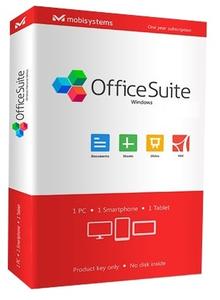
OfficeSuite Premium 3.40.26061.0 Multilingual + Portable
f7e0e4c2a4b72954cd36f95b8b84ffa4.jpg


OfficeSuite Premium 3.40.26061.0 Multilingual + Portable

File Size: 154, 118 MiB

​

An office suite that includes a word processor, a PDF editor and reader, a spreadsheet editor, and a presentation creator, all of them with modern and clean interfaces. When talking about Office suites, many of you might only point to Microsoft's widely-known product. However, there are other alternatives that you can try out, especially if you are a home user. Very popular on mobile platforms, OfficeSuite has also shifted towards Windows, delivering a suite of office-related tools with a clean look and simple options.

Modern-looking yet familiar suite of office tools
With a name that speaks out simplicity and ease of use, OfficeSuite tries to concentrate the most important features of applications that are usually included in such a suite. As such, it brings to the table a word processor, a spreadsheet editor, a presentation maker, and a PDF reader and editor.

OfficeSuite cannot work without you logging in to your account, which makes it possible for anyone to sync their profiles (and licenses, if that is the case) on all the devices.

All the applications feature the ribbon-based toolbox you are used to, and a clean and modern-looking GUI. All the settings are one-click away, and there are plenty of exporting and saving options.

Text and spreadsheet editors, a presentation maker, and a PDF reader
The word processor features basic text editing and formatting capabilities, with standard page setup options. You can insert images, tables, hyperlinks, and bookmarks into your documents, and export the result as a PDF, print it, or save it to the cloud.

Moving on to the presentation maker, it features simple tools to help you build compelling content, with graphics and transition effects. The spreadsheet editor also depicts a familiar environment, with support for all kinds of charts, a plethora of formulas and functions to help you process statistical data.

Last but not least, the PDF reader can use a two-sided viewer to display the text, enabling you to attach notes, take snapshots, and freely draw on the desktop. And while the application is a reader, without editing functionality, input PDF documents can be exported to Word, Excel, or ePub format.

Simplistic alternative to Microsoft Office
With standard functionality in all the applications, OfficeSuite delivers a good alternative to Microsoft Office, from whom it also borrows the GUI layout. It supports all the Office formats, so you don't have to worry about compatibility issues.

Nevertheless, you should know that it doesn't sport the same rich feature set you can find in Microsoft Office. Instead, it sticks to the basic set of options that should be enough for any home user.

Operating System:[/b] Windows 7, 8/8.1, 10

У Вас недостаточно прав для просмотра ссылок. Войдите или зарегистрируйтесь.


DownLoad

NitroFlare
Код:
http://nitroflare.com/view/D5FA276B57A2836/OfficeSuite.Premium.3.40.26061.0.Multilingual.rar
http://nitroflare.com/view/4497781D431DD1D/OfficeSuite.Premium.3.40.26061.0.Multilingual.Portable.rar

RapidGator
Код:
https://rapidgator.net/file/db98e7fdf116653ca90740f7633b4ca3/OfficeSuite.Premium.3.40.26061.0.Multilingual.rar.html
https://rapidgator.net/file/bbbe14b55440d68c6f099f7f76efb5b7/OfficeSuite.Premium.3.40.26061.0.Multilingual.Portable.rar.html

UploadGiG
Код:
https://uploadgig.com/file/download/0b6b119828713d59/OfficeSuite.Premium.3.40.26061.0.Multilingual.rar
https://uploadgig.com/file/download/e802aC11fb250D60/OfficeSuite.Premium.3.40.26061.0.Multilingual.Portable.rar
 
Orange Tree Samples - Evolution Jumbo 12 KONTAKT

97a092b7e7be255533d9425b0a29ab79.jpg


Orange Tree Samples - Evolution Jumbo 12 KONTAKT

File Size: 5.09 GiB

​

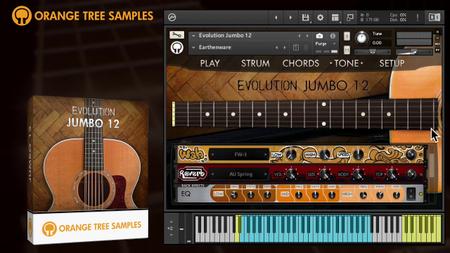
We are pleased to present Evolution Jumbo 12, the long awaited 12-string acoustic addition to our Evolution guitar series, recorded from a Taylor 355. This guitar sports a silky high end, yet an ample amount of body in the lows and mids-undoubtedly the result of it being a larger sized guitar. Mixed prominently, Evolution Jumbo 12 can cut through the mix with its crisp, bright tone. Played at a feathery-soft dynamic, it adds an exquisite shimmer to your arrangement.

We developed the library in collaboration with Rosewood Recording Company, one of Utah's most venerable recording studios. Guy Randle, the owner and recording engineer at Rosewood Recording Company, incorporated analog audio equipment to skillfully sculpt and emphasize the rich tonal qualities of the guitar. Evolution Jumbo 12 includes both the as-recorded signal as well as an enhanced signal. Although we feel that the latter option best represents our vision for the sound of the acoustic guitar, the unprocessed signal is also at your disposal for additional flexibility.

For the sampling session, Guy Randle worked with Ryan Tilby, a versatile multi-instrumentalist who has performed at countless music festivals and toured Europe multiple times. His compositions have been featured on the Discovery Channel, Outdoor Photo Adventures, and other prominent TV shows. Ryan Tilby also offers remote recording services for clients around the world in need of guitar, banjo, bass, mandolin, and ukulele tracks.

Evolution Jumbo 12 is outfitted with our Evolution guitar engine which provides you with a wealth of appointments: an innovative strumming pattern editor, automatic chord detection, and a robust effects engine. The library includes many factory presets for ready-to-use classic and modern 12-string acoustic guitar tones that fit right into the mix.

Key Features:

- Built-in effects engine for instantly-usable 12-string acoustic guitar tones.

- Adjustable pick position using our proprietary physical modeling technology.
- Powerful mapping system that lets you set how you want to trigger articulations, using conditions such as velocity ranges, MIDI CCs, latching and non-latching keyswitches, and more.
- Multitracking up to quadruple tracking.

Sampling Specifications:
- 11.9 GB (compressed to 4.76 GB using the lossless NCW audio format) of 24-bit samples.
- Articulations such as sustains, palm mutes, mutes, natural harmonics, plus special effects like string slaps, guitar body hits, and more.
- MIDI articulations for instant octaves, grace notes, buzz trills, whole-step slides, whole-step hammer-ons, and slides (velocity-based and tempo-synced).
- Legato samples for slides, hammer-ons, and pull-offs.
- The articulations have 3 dynamics, 2 pick directions (when applicable), and 2x round-robin.

У Вас недостаточно прав для просмотра ссылок. Войдите или зарегистрируйтесь.


DownLoad

NitroFlare
Код:
http://nitroflare.com/view/5E0DFE658E85ACB/Orange.Tree.Samples-Evolution.Jumbo.12.KONTAKT.part1.rar
http://nitroflare.com/view/6EACE3F6B7AA24A/Orange.Tree.Samples-Evolution.Jumbo.12.KONTAKT.part2.rar
http://nitroflare.com/view/CADF41596E2F093/Orange.Tree.Samples-Evolution.Jumbo.12.KONTAKT.part3.rar
http://nitroflare.com/view/11426BDF95F94FA/Orange.Tree.Samples-Evolution.Jumbo.12.KONTAKT.part4.rar
http://nitroflare.com/view/941A4D5F9F1FC6A/Orange.Tree.Samples-Evolution.Jumbo.12.KONTAKT.part5.rar
http://nitroflare.com/view/0B4256C1B74E341/Orange.Tree.Samples-Evolution.Jumbo.12.KONTAKT.part6.rar

RapidGator
Код:
https://rapidgator.net/file/1ac096f5128f3abdbeb7ab403835b31d/Orange.Tree.Samples-Evolution.Jumbo.12.KONTAKT.part1.rar.html
https://rapidgator.net/file/1c59869afebe40da089c62cdb14322b3/Orange.Tree.Samples-Evolution.Jumbo.12.KONTAKT.part2.rar.html
https://rapidgator.net/file/a2941477f636e3945aa2a782b85ff715/Orange.Tree.Samples-Evolution.Jumbo.12.KONTAKT.part3.rar.html
https://rapidgator.net/file/0fb98de5042c9bf78e3b1f28d73bfa06/Orange.Tree.Samples-Evolution.Jumbo.12.KONTAKT.part4.rar.html
https://rapidgator.net/file/489df9c2640eaeb2deac32e705d31211/Orange.Tree.Samples-Evolution.Jumbo.12.KONTAKT.part5.rar.html
https://rapidgator.net/file/e3556f94c8d8279a0a96e444fba66785/Orange.Tree.Samples-Evolution.Jumbo.12.KONTAKT.part6.rar.html

UploadGiG
Код:
https://uploadgig.com/file/download/837e70e9c6b2B6f6/Orange.Tree.Samples-Evolution.Jumbo.12.KONTAKT.part1.rar
https://uploadgig.com/file/download/68D95Ace283cCD66/Orange.Tree.Samples-Evolution.Jumbo.12.KONTAKT.part2.rar
https://uploadgig.com/file/download/9f0eA1a57bd6c778/Orange.Tree.Samples-Evolution.Jumbo.12.KONTAKT.part3.rar
https://uploadgig.com/file/download/B1cB9c2b932b7A4b/Orange.Tree.Samples-Evolution.Jumbo.12.KONTAKT.part4.rar
https://uploadgig.com/file/download/44afb3865e907156/Orange.Tree.Samples-Evolution.Jumbo.12.KONTAKT.part5.rar
https://uploadgig.com/file/download/1f5bbe0a5c31384F/Orange.Tree.Samples-Evolution.Jumbo.12.KONTAKT.part6.rar
 
Rigid Audio Atheos KONTAKT

8056d47c9cac250771dfe0bbf5b6a60c.jpg


Rigid Audio Atheos KONTAKT

File Size: 8.77 GiB

​

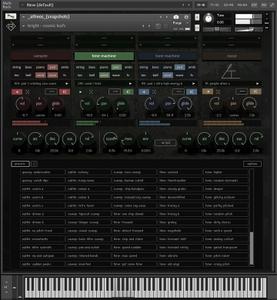
ATHEOS delivers 260 cinematic soundscapes and otherworldly textures.


- 4 simulatenous running engines.
- 300 instruments for engines 1-3 ("sampler", "time-machine" and "tone-machine").
- 150 instruments for the fourth "noise" engine.
- string,bass,piano,pad,ambient,texture,bell,wind,wave and fx instruments.
- forward, reversed and "both" playback.
- sound category filters/selectors.
- volume, pan and glide control per engine.
- 11 filter types (incl. vowel and phaser).
- comprehensive and musical randomizing features.
- adjustable key (note) range for each engine for keysplits.
- each engine has its own output for individual mixing and processing in your DAW of choice.

ATHEOS SEQUENCING POWER
- 4 sequencers with 4 steps table buffers for each engine.
- up to 16 simultaneous running sequencers.
- 2-128 steps per sequencer (up to 512 steps using the four table buffers).
- table buffer playlist options.
- inter-sequencer modulation.
- 40 built-in sequencer table presets.
- random table speed per sequencer
- extensive non-destructive table editing functions (incl. rescaling and stretch/shrink).
- 7 sequencer playbackmodes (incl. flam, random and step).
- 4 modulation targets for each sequencer.
- each modulation target features inverting, low/high range control and randomization.
- each sequencer can be modulated via modulation wheel or any continous MIDI controller.
- realtime modulation of any parameter (incl. effect parameters).
- modulation of engine features like speed, smooth, grain, formant and others.
- random modulation target selection.

ATHEOS EFFECTS
- 5 freely assignable effect slots per engine.
- 22 effects to choose from (incl. filters, eq, distortion and tape saturation).
- effect slots can be exchanged (nudged left/right) while taking modulation routings into account.
- random effect type selection per slot.
- six controllable parameters per effect slot (incl. dry/wet controls when applicable).

Included effects: SV LP2, BP2, HP2, 2 band eq, vowel filter, bus comp, tape sat, distortion, lo-fi, skreamer, van51, ac box, rotator, cabinet, chorus, flanger, phaser 1, phaser 2, delay, delay BPM, reverb and stereo-modeller.

WHAT YOU GET
- 260 preset instruments.
- effects, noises, drones, textures, atmospheres and soundscapes.
- 120 built-in categorized engine presets ranging from damaged/lofi sounds to subtle and rhytmic variations.
- each engine preset can be loaded into any engine.
- random creation of engine presets based on pre-selected categories (e.g. gated, filtered, spacey).

NOTE: Full version of KONTAKT 5.8.1+ required!

У Вас недостаточно прав для просмотра ссылок. Войдите или зарегистрируйтесь.


DownLoad

NitroFlare
Код:
http://nitroflare.com/view/0D28A1660E00381/Rigid.Audio.Atheos.KONTAKT.part01.rar
http://nitroflare.com/view/6889D1AE3DEB8E6/Rigid.Audio.Atheos.KONTAKT.part02.rar
http://nitroflare.com/view/5DF91861A141CDE/Rigid.Audio.Atheos.KONTAKT.part03.rar
http://nitroflare.com/view/3C8836DAF086182/Rigid.Audio.Atheos.KONTAKT.part04.rar
http://nitroflare.com/view/51BDE274EFE65F7/Rigid.Audio.Atheos.KONTAKT.part05.rar
http://nitroflare.com/view/CA543BCF5BB3178/Rigid.Audio.Atheos.KONTAKT.part06.rar
http://nitroflare.com/view/8A85341303A0CE8/Rigid.Audio.Atheos.KONTAKT.part07.rar
http://nitroflare.com/view/60F532BCDCF7FA4/Rigid.Audio.Atheos.KONTAKT.part08.rar
http://nitroflare.com/view/7BC3D5468A3D89D/Rigid.Audio.Atheos.KONTAKT.part09.rar

RapidGator
Код:
https://rapidgator.net/file/9e8f2b94b51434837e4fb557faac60c9/Rigid.Audio.Atheos.KONTAKT.part01.rar.html
https://rapidgator.net/file/323951c726c345a93e8ff4d46736204c/Rigid.Audio.Atheos.KONTAKT.part02.rar.html
https://rapidgator.net/file/138db710b1208254f3e4f0a2c1f1187b/Rigid.Audio.Atheos.KONTAKT.part03.rar.html
https://rapidgator.net/file/d2bfdbd83255e004fcc97d9cca680d28/Rigid.Audio.Atheos.KONTAKT.part04.rar.html
https://rapidgator.net/file/ccc498d3f79488aed63d19e5ef002c87/Rigid.Audio.Atheos.KONTAKT.part05.rar.html
https://rapidgator.net/file/3f4364aea6ce8435d041abaec6069e48/Rigid.Audio.Atheos.KONTAKT.part06.rar.html
https://rapidgator.net/file/d0f227f165da58b0d783e17e90e6bdef/Rigid.Audio.Atheos.KONTAKT.part07.rar.html
https://rapidgator.net/file/3a7d23736b93540ce4bae79505f281d9/Rigid.Audio.Atheos.KONTAKT.part08.rar.html
https://rapidgator.net/file/df4faf77a2f33d99c78269ff0a1a6277/Rigid.Audio.Atheos.KONTAKT.part09.rar.html

UploadGiG
Код:
https://uploadgig.com/file/download/3516E81ee494d8e0/Rigid.Audio.Atheos.KONTAKT.part01.rar
https://uploadgig.com/file/download/92f45a9515beFE4f/Rigid.Audio.Atheos.KONTAKT.part02.rar
https://uploadgig.com/file/download/d8c86fd0c384443b/Rigid.Audio.Atheos.KONTAKT.part03.rar
https://uploadgig.com/file/download/5933f510f498322F/Rigid.Audio.Atheos.KONTAKT.part04.rar
https://uploadgig.com/file/download/1dC3749112b7283d/Rigid.Audio.Atheos.KONTAKT.part05.rar
https://uploadgig.com/file/download/E2a1F79fd756469b/Rigid.Audio.Atheos.KONTAKT.part06.rar
https://uploadgig.com/file/download/c08afeb7585098A5/Rigid.Audio.Atheos.KONTAKT.part07.rar
https://uploadgig.com/file/download/4e3d551607972be4/Rigid.Audio.Atheos.KONTAKT.part08.rar
https://uploadgig.com/file/download/f6A15C4f546ffc98/Rigid.Audio.Atheos.KONTAKT.part09.rar
 
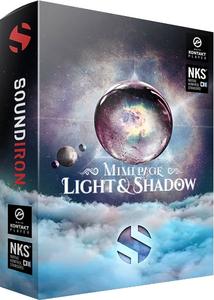
Soundiron Mimi Page Light And Shadow v1.0.0 KONTAKT-SYNTHiC4TE

605a949a3aec04b5d1c369f60cda003d.jpg


Soundiron Mimi Page Light And Shadow v1.0.0 KONTAKT-SYNTHiC4TE

File Size: 4.73 GiB

​

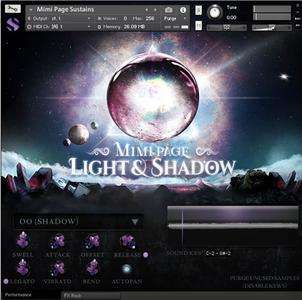
Mimi Page Light & Shadow is the perfect hybrid of soft, angelic female solo vocals and lush, ethereal atmospheric sound-design, featuring the feather-light soprano voice of singer-composer Mimi Page. Designed for film & game composers/sound-designers, this collection includes a full selection of chromatic articulations, melodic phrases and exquisitely sound-designed cinematic effects, pads and atmospheric elements. The lead vocal content is intuitively playable and the phrases and effects are easy to use in any project, making this library an ideal source of inspiration that's perfect for nearly any music or video production need that comes your way. It all combines into a complete, efficient and deeply-refined toolbox that comes fully equipped with our flexible and full-featured user interface.

929eefcc4a914735c6c046d0644b0c4d.jpg


Mimi's otherworldly vocal style effortlessly fuses ambient, dream pop, EDM, and cinematic vocal styles. This library includes 4,413 samples, exploring the two extremes of her creative style: Light and Shadow. The chromatic content features sustain, staccato and true legato chromatic articulations for the Ah, Ee, Mm and Oo vowels. It also includes 1,295 live tempo-synching melodic phrases conveniently organized by mood, key and tempo. This library goes far beyond the realms of the "norm" with an extended collection of hand-crafted sound-designed atmospheric content created by Mimi herself, divided into angelic, mystical, haunting and horror sections that are perfect for adding dreamy soundscapes, unnerving stingers and otherworldly underscores.

У Вас недостаточно прав для просмотра ссылок. Войдите или зарегистрируйтесь.


DownLoad

Single Link
Код:
http://nitroflare.com/view/C409BFF0282F757/Soundiron.Mimi.Page.Light.And.Shadow.v1.0.0.KONTAKT-SYNTHiC4TE.iso

Код:
https://rapidgator.net/file/28c61410ebda955997630e278ad27a2a/Soundiron.Mimi.Page.Light.And.Shadow.v1.0.0.KONTAKT-SYNTHiC4TE.iso.html

Код:
https://uploadgig.com/file/download/08ce7748acaB4775/Soundiron.Mimi.Page.Light.And.Shadow.v1.0.0.KONTAKT-SYNTHiC4TE.iso

NitroFlare
Код:
http://nitroflare.com/view/131DD018A60D47D/Soundiron.Mimi.Page.Light.And.Shadow.v1.0.0.KONTAKT-SYNTHiC4TE.part1.rar
http://nitroflare.com/view/3D0F5E165FA53AB/Soundiron.Mimi.Page.Light.And.Shadow.v1.0.0.KONTAKT-SYNTHiC4TE.part2.rar
http://nitroflare.com/view/9BF75E28CB6A129/Soundiron.Mimi.Page.Light.And.Shadow.v1.0.0.KONTAKT-SYNTHiC4TE.part3.rar
http://nitroflare.com/view/270913C06FDE4B7/Soundiron.Mimi.Page.Light.And.Shadow.v1.0.0.KONTAKT-SYNTHiC4TE.part4.rar
http://nitroflare.com/view/3E83622353AED5F/Soundiron.Mimi.Page.Light.And.Shadow.v1.0.0.KONTAKT-SYNTHiC4TE.part5.rar

RapidGator
Код:
https://rapidgator.net/file/a827e4a0d2c80e3879f24dee426059f2/Soundiron.Mimi.Page.Light.And.Shadow.v1.0.0.KONTAKT-SYNTHiC4TE.part1.rar.html
https://rapidgator.net/file/4e73d399eeb0eb31e41c22e14b1554fa/Soundiron.Mimi.Page.Light.And.Shadow.v1.0.0.KONTAKT-SYNTHiC4TE.part2.rar.html
https://rapidgator.net/file/80829dba6056f80aa3dca0f14aa7be54/Soundiron.Mimi.Page.Light.And.Shadow.v1.0.0.KONTAKT-SYNTHiC4TE.part3.rar.html
https://rapidgator.net/file/aeccc13881103427a8f3fdfdf44eed6b/Soundiron.Mimi.Page.Light.And.Shadow.v1.0.0.KONTAKT-SYNTHiC4TE.part4.rar.html
https://rapidgator.net/file/24d12fad15c112a09bb363806ebf739b/Soundiron.Mimi.Page.Light.And.Shadow.v1.0.0.KONTAKT-SYNTHiC4TE.part5.rar.html

UploadGiG
Код:
https://uploadgig.com/file/download/6c3911da01a238f8/Soundiron.Mimi.Page.Light.And.Shadow.v1.0.0.KONTAKT-SYNTHiC4TE.part1.rar
https://uploadgig.com/file/download/9863067B2fA6cF0e/Soundiron.Mimi.Page.Light.And.Shadow.v1.0.0.KONTAKT-SYNTHiC4TE.part2.rar
https://uploadgig.com/file/download/14A0a147212ba498/Soundiron.Mimi.Page.Light.And.Shadow.v1.0.0.KONTAKT-SYNTHiC4TE.part3.rar
https://uploadgig.com/file/download/f39C984735575142/Soundiron.Mimi.Page.Light.And.Shadow.v1.0.0.KONTAKT-SYNTHiC4TE.part4.rar
https://uploadgig.com/file/download/17ba9f499A5C7530/Soundiron.Mimi.Page.Light.And.Shadow.v1.0.0.KONTAKT-SYNTHiC4TE.part5.rar
 
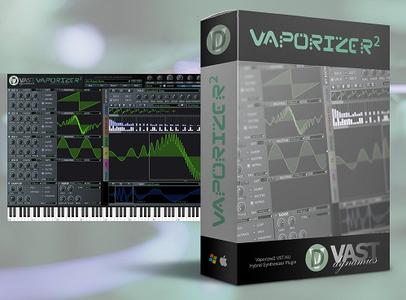
VAST Dynamics Vaporizer2 v2.4.8

b3bc5d726a6ef64fd05c7d51d5e83acb.jpg


VAST Dynamics Vaporizer2 v2.4.8

File Size: 286 MiB

​

Vaporizer2 is our flagship hybrid wavetable additive / subtractive VST/AU synthesizer / sampler workstation. The intention of this development is to create an alias-free versatile high-performance wavetable sound engine with low system CPU resource usage.

Features:
State-of the art wavetable engine with four independent alias-free wavetable oscillator banks with up to 24 oscillator unison
Low system CPU resource usage - even with more than 1.000 oscillators playing
Groundbreaking wavetable editor with a vast number of editing possibilities including frequency shift, smooth, clean, bend and bloat for single-cycles, parts of single-cycles or even whole wavetables
Easy-to use wavetable draw mode with smooth Bezier curves and snap to grid function
Mix-in, amplitude modulate, interpolate or normalize wavetable cycles
Generate FM, PWM, harmonic morphed / reduced, low pass / high pass / band pass / /comb / formant filtering and even hard sync wavetables out of an arbitrary single cycle waveform
Morphing and phase shifting of wavetable cycles
Import and change standard (Serum, Icarus) format wavetables - also simply via drag and drop
Additive synthesis section that allows to freely edit all harmonics and phases in real-time
Sampler section (wav / aiff / ogg / mp3) with loop points, loop start modulation and key tracking
Resample samples to wavetables with pitch detection
Intelligent polyphonic portamento / glissando (you need to hear it!)
Mono legato mode or polyphonic 4 / 16 voice modes
Three effects busses including 4 x oversampling and mono cutoff to preserve a clean low end
10+ highly parameterizable effects including reverb, delay, chorus, flanger, bitcrush, eq, compressor, limiter, flanger, phaser, comb filter and more
All effect times and durations can be synced to DAW
State of the art filter section (30+ different types) with 4 x oversampled LPF (biquad, state variable and diode ladder implementations) plus high pass, all pass, band pass, notch, shelf, comb and scream filters - all with resonance
Very steep filter curves for punchy basses
Real-time filter response display
Innovative audio routing system for all sound generators, filters and effect busses
Five freely editable MSEG envelopes with loop function
Three LFOs with smooth generation optimized for lowest frequencies with ramp and phase that can be set per voice or global - can be synced to the DAW
Built-in arpeggiator that is freely editable and supports polyphonic modes and hold
Three step sequencers that can be synced to the DAW
All parameter knobs / sliders automatable
Comes with a daily growing number of presets - free regular updates on the website
Easy to use and intuitive user interface that is freely scalable and resizable even up to 4k and more with many drag and drop features
Life-long free update policy!
Plus: the sound is stunning!

System Requirements:
VAPORIZER / VAPORIZER2 are available as Win32/x64 VST / VST3 and Mac OS X AU / VST / VST3 plugins. Both are compatible with most AU / VST hosts.
Any CPU that supports AVX (Intel or AMD), 1GB RAM, Windows 8/10 (32/64bit) and Mac OS X 10.10 or above, VSTi / AU compatible Host software (32bit and 64bit).

У Вас недостаточно прав для просмотра ссылок. Войдите или зарегистрируйтесь.


DownLoad

NitroFlare
Код:
http://nitroflare.com/view/E2C76529BF036C4/VAST.Dynamics.Vaporizer2.v2.4.8.rar

RapidGator
Код:
https://rapidgator.net/file/b175ea2e42958f60dce3e692d09fa953/VAST.Dynamics.Vaporizer2.v2.4.8.rar.html

UploadGiG
Код:
https://uploadgig.com/file/download/678CFf7b0f764c1a/VAST.Dynamics.Vaporizer2.v2.4.8.rar
 
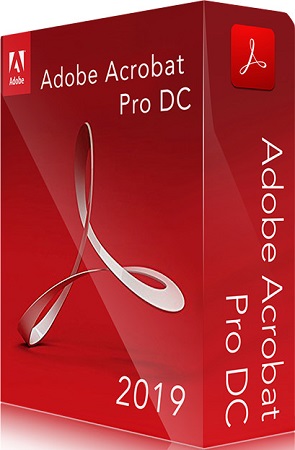
Adobe Acrobat Pro DC 2019.012.20036 Multilingual macOS

1e2bca0143b05e1485c844895cce2ae1.jpg


Adobe Acrobat Pro DC 2019.012.20036 Multilingual macOS

File Size: 965 MiB

​

Adobe Acrobat Pro DC is the leading PDF converter and much more. Adobe Acrobat Pro DC software lets you deliver professional PDF communications. It's packed with smart tools that give you even more power to communicate. Create and edit PDF files with rich media included, share information more securely, and gather feedback more efficiently.

Adobe Acrobat Pro DC software is the advanced way for business professionals to create, combine, control, and deliver more secure, high-quality Adobe PDF documents for easy, more secure distribution, collaboration, and data collection.

Assemble electronic or paper files into reliable PDF documents that are easy to share with others using free Adobe Reader. You can assemble even Web sites, engineering drawings, and e-mail.

With Adobe Acrobat Pro DC you can manage document reviews, synthesizing feedback from multiple reviewers while preserving document format and integrity. Extend commenting capabilities to anyone using Adobe Reader. Windows users can design intelligent Adobe PDF forms that include business logic, such as calculations and data validations, to help increase the accuracy of data collection while reducing the costs of manual data entry.

Use Adobe Acrobat Pro DC to create high-impact PDF communications, collaborate more easily, and streamline reviews. Adobe Acrobat Dynamic PDF helps you get more done - easier, faster, better.

Edit PDF files
With Adobe Acrobat Pro DC, you can make minor edits to text and images right in your PDF file without requiring the original document or graphic. Edit text in a PDF. Fix a typo, change a font, or add a paragraph to your PDF as easily as you do in other applications using a new point-and-click interface. Edit images in a PDF. Resize, replace, and adjust images in your PDF with no need to track down the original file or graphic.

Export from PDF files
Reduce the time you spend retyping information stuck in PDF files. Convert PDF files to editable Microsoft Office documents. And save fonts, formatting, and effort.
Convert PDF files to Word. Save your PDF as a Microsoft Word document and take your fonts, formatting, and layouts with you. Convert PDF files to Excel. Turn your PDF or just part of it into an editable Excel spreadsheet you can use for data analysis right away. Convert PDF files to PowerPoint. Get a head start on new projects by saving a PDF file as a fully editable PowerPoint presentation.

Create PDF files
Stop worrying about whether the files you send will look right on other people's screens. Turn documents into PDF files anyone can reliably view with free Adobe Reader.
Convert Word, Excel, or PowerPoint to PDF. Right from your Office application in Windows, you can create PDFs, start a shared review, restrict PDF edits, and more. Print to PDF. Convert files to PDF from virtually any application that prints simply by selecting Adobe PDF as your printer. Scan to PDF. When you need to turn a paper document or form into a digital file, just scan it to create a searchable PDF file you can edit. Convert HTML pages to PDF. Save web pages as PDF files to archive web content, review the pages offline, or print them more reliably.

Create and analyze forms
Cut the time you spend creating forms, rekeying data, and correcting errors. Distribute forms online, and then collect responses and analyze results in real time.
Create new PDF and web forms. Customize professional templates or design from scratch with the Adobe FormsCentral desktop app included in Adobe Acrobat Pro DC. Collect form responses with FormsCentral. Easily collect responses by moving your PDF or web forms online with the Adobe FormsCentral online service. Convert existing forms to fillable PDFs. Type less, gather more. Quickly convert your paper, Word, or Excel forms to fillable PDF forms. Collect form responses using Adobe Acrobat tools. Compile returned forms into one PDF, or host forms using a network folder or Microsoft SharePoint server.

System Requirements:
MacOS 10.11 or later

У Вас недостаточно прав для просмотра ссылок. Войдите или зарегистрируйтесь.


DownLoad

NitroFlare
Код:
http://nitroflare.com/view/B1C2379D5F8258E/Adobe.Acrobat.Pro.DC.2019.012.20036.Multilingual.macOS.zip

RapidGator
Код:
https://rapidgator.net/file/daf6cfee219f1e4b33aeb02e1fd906e0/Adobe.Acrobat.Pro.DC.2019.012.20036.Multilingual.macOS.zip.html

UploadGiG
Код:
https://uploadgig.com/file/download/346b12c96378e567/Adobe.Acrobat.Pro.DC.2019.012.20036.Multilingual.macOS.zip
 
Microsoft Office Professional Plus 2019 v1907 Build 11901.20218 Multilingual

b3a10f2935c26c2bcd324d6cd5749149.jpg


Microsoft Office Professional Plus 2019 v1907 Build 11901.20218 Multilingual

File Size: 3.66, 3.89 GiB

​

Office Pro Plus, the cloud-connected version of Office, delivers the most productive and most secure Office experience-with the lowest total cost of ownership for deployment and management. However, for customers who aren't ready for the cloud, Office 2019 provides new features and updates to the on-premises apps for both users and IT professionals. Like Windows Long Term Servicing Channel (LTSC) releases, Office 2019 provides a set of valuable enhancements for customers who can't be cloud-connected or receive regular updates.

The new enhancements in Office 2019 are a subset of a long list of features that have been added to Office 365 ProPlus over the last three years. Office 2019 is a one-time release and won't receive future feature updates. However, we'll continue to add new features to Office 365 ProPlus monthly, including innovations in collaboration, artificial intelligence (AI), security, and more.
Office 2019 delivers features across apps to help users create amazing content in less time. In PowerPoint 2019, you can create cinematic presentations with new features like Morph and Zoom. And improved inking features across the apps in Windows-like the roaming pencil case, pressure sensitivity, and tilt effects-allow you to naturally create documents.

Excel 2019 adds powerful new data analysis features, including new formulas and charts and enhancements to PowerPivot.

Word 2019 and Outlook 2019 help you focus on what matters most. Learning Tools, like Read Aloud and Text Spacing, make it easier to engage with your content. Focus Mode blocks out distractions and puts your content front and center. And Focused Inbox moves less important emails out of the way-so you can get straight to taking care of business. For a longer list of the new features in Office 2019,

Office 2019 also includes new IT value for enhanced security and streamlined administration. We introduced Click-to-Run (C2R), a modern deployment technology, in Office 2013, and it's now used to deploy and update Office across hundreds of millions of devices worldwide. With Office 2019, we're moving the on-premises versions of Office to C2R to reduce costs and improve security. The advantages of C2R include predictable monthly security updates, up-to-date apps on installation, reduced network consumption through Windows 10 download optimization technology, and an easy upgrade path to Office 365 ProPlus. C2R offers the same enterprise-focused management capabilities as Microsoft Installer (MSI) based products and will also support an in-place upgrade when you move to Office 2019 from older MSI-based products.

The 2019 release of Office products also includes updates to our servers, and in the coming weeks, we will release Exchange Server 2019, Skype for Business Server 2019, SharePoint Server 2019, and Project Server 2019.

Office 2019 is a valuable update for customers who aren't yet ready for the cloud. And each time we release a new on-premises version of Office, customers ask us if this will be our last. We're pleased to confirm that we're committed to another on-premises release in the future. While the cloud offers real benefits in productivity, security, and total cost of ownership, we recognize that each customer is at a different point in their adoption of cloud services. We see the on-premises version of Office as an important part of our commitment to give customers the flexibility they need to move to the cloud at their own pace.

Microsoft Office 2019 Select Edition includes:
Microsoft Office 2019 Professional Plus
Microsoft Access 2019
Microsoft Excel 2019
Microsoft Lync 2019
Microsoft OneNote 2019
Microsoft Outlook 2019
Microsoft PowerPoint 2019
Microsoft Publisher 2019
Microsoft Visio Viewer 2019
Microsoft Word 2019
Skype for business 2019
Office Shared Features
Office Tools
And many more

Language: English, Deutsch, Ελληνικά, Français, Español, Italiano, Português, Português-Brazil, Türkçe

System Requirements:
OS:Windows 7/8/8.1/10 (x86/x64)

У Вас недостаточно прав для просмотра ссылок. Войдите или зарегистрируйтесь.


DownLoad

Single Link
Код:
http://nitroflare.com/view/8AE354A8236EABB/MUI.Office.Pro.Plus.16.0.11901.20218.32BiT.ISO
http://nitroflare.com/view/E51465BCFDE90CB/MUI.Office.Pro.Plus.16.0.11901.20218.64BiT.ISO

Код:
https://rapidgator.net/file/15226066b00f3f21635272dd2525096a/MUI.Office.Pro.Plus.16.0.11901.20218.32BiT.ISO.html
https://rapidgator.net/file/8fe7f0bc9f33a61003fbb7db36053b5a/MUI.Office.Pro.Plus.16.0.11901.20218.64BiT.ISO.html

Код:
https://uploadgig.com/file/download/3a0DC0DAd0da79b2/MUI.Office.Pro.Plus.16.0.11901.20218.32BiT.ISO
https://uploadgig.com/file/download/D9E4E1e46e0f157c/MUI.Office.Pro.Plus.16.0.11901.20218.64BiT.ISO

NitroFlare
Код:
http://nitroflare.com/view/102E1568676C1C3/MUI.Office.Pro.Plus.16.0.11901.20218.32BiT.part1.rar
http://nitroflare.com/view/B7A3F97D816FB42/MUI.Office.Pro.Plus.16.0.11901.20218.32BiT.part2.rar
http://nitroflare.com/view/BDC8318A5DC65A8/MUI.Office.Pro.Plus.16.0.11901.20218.32BiT.part3.rar
http://nitroflare.com/view/FAF4F7E1CC1B5FE/MUI.Office.Pro.Plus.16.0.11901.20218.32BiT.part4.rar

Код:
http://nitroflare.com/view/4062CBD226C0414/MUI.Office.Pro.Plus.16.0.11901.20218.64BiT.part1.rar
http://nitroflare.com/view/1D719CCE1E50337/MUI.Office.Pro.Plus.16.0.11901.20218.64BiT.part2.rar
http://nitroflare.com/view/1C0DEA621C536B2/MUI.Office.Pro.Plus.16.0.11901.20218.64BiT.part3.rar
http://nitroflare.com/view/9DDC63769766B1F/MUI.Office.Pro.Plus.16.0.11901.20218.64BiT.part4.rar

RapidGator
Код:
https://rapidgator.net/file/8f799d94032e03fd72784da382930bdd/MUI.Office.Pro.Plus.16.0.11901.20218.32BiT.part1.rar.html
https://rapidgator.net/file/9630a92f56f262b87750df1c83701d4a/MUI.Office.Pro.Plus.16.0.11901.20218.32BiT.part2.rar.html
https://rapidgator.net/file/a0e2367222eda51454fc90a820def0f2/MUI.Office.Pro.Plus.16.0.11901.20218.32BiT.part3.rar.html
https://rapidgator.net/file/3673cb7b803d73d38518f45409d37ed4/MUI.Office.Pro.Plus.16.0.11901.20218.32BiT.part4.rar.html

Код:
https://rapidgator.net/file/62fb3a048c93d08c02f4efa5563f1c65/MUI.Office.Pro.Plus.16.0.11901.20218.64BiT.part1.rar.html
https://rapidgator.net/file/7d1c3e04201e6fae60f203069b426ea2/MUI.Office.Pro.Plus.16.0.11901.20218.64BiT.part2.rar.html
https://rapidgator.net/file/fdecc5c5675401e4776b5951a78b73a5/MUI.Office.Pro.Plus.16.0.11901.20218.64BiT.part3.rar.html
https://rapidgator.net/file/3785588f7c487bf25763d070dd03d14e/MUI.Office.Pro.Plus.16.0.11901.20218.64BiT.part4.rar.html

UploadGiG
Код:
https://uploadgig.com/file/download/B13B712653773f82/MUI.Office.Pro.Plus.16.0.11901.20218.32BiT.part1.rar
https://uploadgig.com/file/download/d55f3C531b623faE/MUI.Office.Pro.Plus.16.0.11901.20218.32BiT.part2.rar
https://uploadgig.com/file/download/0035bb95Fe99A77c/MUI.Office.Pro.Plus.16.0.11901.20218.32BiT.part3.rar
https://uploadgig.com/file/download/639Df1AD3F54a1ce/MUI.Office.Pro.Plus.16.0.11901.20218.32BiT.part4.rar

Код:
https://uploadgig.com/file/download/6b9cbe5fD74432F8/MUI.Office.Pro.Plus.16.0.11901.20218.64BiT.part1.rar
https://uploadgig.com/file/download/03b86f61818745a7/MUI.Office.Pro.Plus.16.0.11901.20218.64BiT.part2.rar
https://uploadgig.com/file/download/5A2c10d956ae9641/MUI.Office.Pro.Plus.16.0.11901.20218.64BiT.part3.rar
https://uploadgig.com/file/download/cd6164cD77ae9372/MUI.Office.Pro.Plus.16.0.11901.20218.64BiT.part4.rar
 
Adobe Photoshop CC 2019 v20.0.6 x64 Multilingual Portable

960e4b5f2962058bcb057e3e2c346471.jpg


Adobe Photoshop CC 2019 v20.0.6 x64 Multilingual Portable

File Size: 1.57 GiB
with plugins and Camera Raw profiles

​

If you can think it, you can make it with Photoshop CC, the world's best imaging and graphic design software. Create and enhance photographs, illustrations, and 3D artwork. Design websites and mobile apps. Edit videos, simulate real-life paintings, and more. It's everything you need to make any idea real.

The creative world runs on Photoshop.
Millions of designers, photographers, and artists around the world use Photoshop to make the impossible possible.

Designed for anyone to design anything.
From posters to packaging, basic banners to beautiful websites, unforgettable logos to eye-catching icons, Photoshop keeps the creative world moving. With intuitive tools and easy-to-use templates, even beginners can make something amazing.

Not just photo taking. Breathtaking.
Whether you're looking for everyday edits or total transformations, our graphic design software offers a complete set of professional photography tools to turn your snapshots into works of art. Adjust, crop, remove objects, retouch, and repair old photos. Play with color, effects, and more to turn the ordinary into something extraordinary.

Power to the paintbrush.
Draw and paint whatever you dream up with tools designed especially for illustrators. Paint in perfectly symmetrical patterns. Get polished looks with stroke smoothing. And create with pencils, pens, markers, and brushes that feel real - including more than 1,000 from celebrated illustrator Kyle T. Webster.

See what new can do.
Photoshop is always getting better, with new features rolling out regularly. And with your Creative Cloud membership, you get them as soon as we release them. Here are some of the latest updates.

Symmetry mode
Paint in perfect symmetry with a new mode that lets you define your axes and choose from preset patterns like circular, radial, spiral, and mandala.

New Content-Aware Fill experience
A dedicated workspace lets you select the exact pixels to use for fills, and Adobe Sensei makes it easy to rotate, scale, and mirror them.

Frame tool
Create shape or text frames to use as placeholders on your canvas. Drag and drop images to fill the frames and they'll scale to fit.

User experience improvements
The latest enhancements include multiple undo, proportional transformation of pixel and type layers by default, and faster ways to crop, transform, and enter text using auto-commit.

Languages: English, Polski, Deutsch, Italiano, Français, Русский, Українська, Español, Svenska, Čeština, Português, Magyar

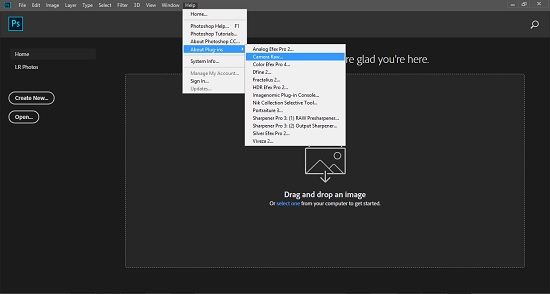
Include plugins:
- Analog Efex Pro 5.0.2.137
- Color Efex Pro 5.0.2.137
- Dfine 5.0.2.137
- HDR Efex Pro 5.0.2.137
- Selective Palette 5.0.2.137
- Sharpener Pro 5.0.2.137
- Silver Efex Pro 5.0.2.137
- Viveza 5.0.2.137

Camera Raw Profiles: 11.4.0

16297530a785aa9a9edee481af427921.jpg


У Вас недостаточно прав для просмотра ссылок. Войдите или зарегистрируйтесь.


DownLoad

NitroFlare
Код:
http://nitroflare.com/view/7F3AA8DD2AE0AEA/Adobe.Photoshop.CC.2019.v20.0.6.x64.Multilingual.Portable.CameraRaw.part1.rar
http://nitroflare.com/view/2AFC03851F2972A/Adobe.Photoshop.CC.2019.v20.0.6.x64.Multilingual.Portable.CameraRaw.part2.rar

RapidGator
Код:
https://rapidgator.net/file/0267a13108088662aaf4048f3d87ac36/Adobe.Photoshop.CC.2019.v20.0.6.x64.Multilingual.Portable.CameraRaw.part1.rar.html
https://rapidgator.net/file/78147c55d4e3016c3a2b61ea6c89902c/Adobe.Photoshop.CC.2019.v20.0.6.x64.Multilingual.Portable.CameraRaw.part2.rar.html

UploadGiG
Код:
https://uploadgig.com/file/download/283c0e49c380e1d2/Adobe.Photoshop.CC.2019.v20.0.6.x64.Multilingual.Portable.CameraRaw.part1.rar
https://uploadgig.com/file/download/23B0fc4cc2941214/Adobe.Photoshop.CC.2019.v20.0.6.x64.Multilingual.Portable.CameraRaw.part2.rar
 
Luminar 3.1.3.3920 x64 Multilingual

d25642fddf4113e2c60790949cd0e994.jpg


Luminar 3.1.3.3920 x64 Multilingual

File Size: 352 MiB

​

Luminar is a full-featured photo editor. It brings over 300 robust tools and features, including fast RAW support, layers, custom brush for selective editing, masking, dozens of photo filters with custom adjustments, presets and a lot more. Luminar also brings an innovative user interface, that photographers can adjust/customize based on the style of their photography, skill level and preferences. This makes Luminar a highly personalized photo software tool, suitable for photographers of all skill levels.

Luminar is the world's first photo editor that adapts to your style & skill level. It offers the versatility to support many different cameras available as well as styles of photography. It's designed to make complex photo editing easy & enjoyable. Luminar can help tackle anyone's photography needs, ranging from correcting challenging image problems to artful stylizing.

Skylum designed Luminar with a scalable, adaptive user interface. one that's responsive and beautiful. In it you'll find a powerful set of tools which are easy to use. We believe it can help all photographers from professionals to new photographers.

New photographers and mobile shooters will appreciate a simple approach using one-click presets and universal tools like cropping, noise reduction and image healing.
Casual photographers may start with those same presets, but will soon to using Luminar's uniquely tailored tools which achieve great results quickly.
For passionate enthusiasts and professionals, the full gamut of editing tools such as brushes, layers, blending modes, texture overlays, an editing history menu and much more herald a new generation of advanced photo editing possibilities.

Skylum is one of the world's leading developers of consumer and professional photography software, serving over 35 million customers worldwide. Using experience gained over more than 10 years of delivering mobile and desktop software, Luminar is truly a state-of-the-art tool for any photographer seeking to improve their photos.

System Requirements
- Windows-based hardware PC with mouse or similar input device
- Open GL 3.3 or later compatible Graphics Cards
- Processor Intel Core i5 or better
- Memory 8 Gb RAM or more
- Operating System Windows 7 (only 64-bit OS), Windows 8.1 (only 64-bit OS), Windows 10 (only 64-bit OS)
- Hard disk 10 Gb free space, SSD for best performance
- Display 1280x768 size or better

У Вас недостаточно прав для просмотра ссылок. Войдите или зарегистрируйтесь.


DownLoad

NitroFlare
Код:
http://nitroflare.com/view/714F2B5D1217776/Luminar.3.1.3.3920.x64.Multilingual.rar

RapidGator
Код:
https://rapidgator.net/file/db6937e554b55516221516d42dbe8272/Luminar.3.1.3.3920.x64.Multilingual.rar.html

UploadGiG
Код:
https://uploadgig.com/file/download/A7815564Cfd7e4c6/Luminar.3.1.3.3920.x64.Multilingual.rar
 
Mentor Graphics ModelSim SE-64 2019.2

9990a49dafcf20d1fe4e4999a44980c1.jpg


Mentor Graphics ModelSim SE-64 2019.2

File Size: 864 MiB

​

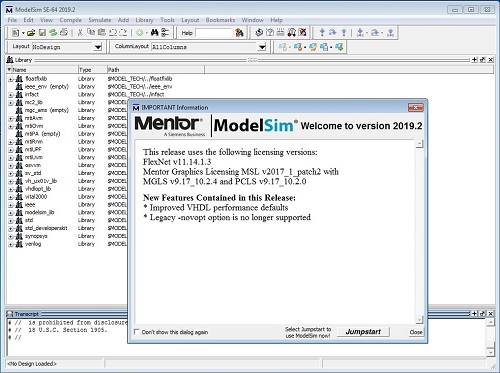
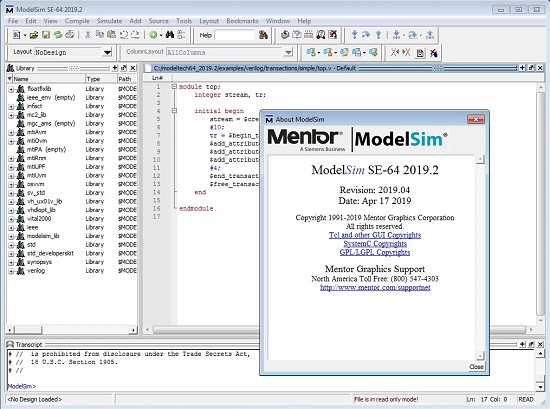
Mentor, a Siemens business, is pleased to announce the availability of ModelSim 2019.2, is unified debug and simulation environment gives today's FPGA designers advanced capabilities in a productive work environment.

Index to Release Notes
General Defects Repaired in 2019.2
- QSIM-54154 - (results) Messages printed from VPI or PLI containing the strings "error" or "warning" were counted as tool error and warning and reported in stats output.
User Interface Defects Repaired in 2019.2
- QSIM-18738 - (results) Fixes corner cases that were causing the Colorize system in the Transcript window to malfunction for some customers. Using a color of 0 (Normal) now works as a Start Tag. Also, having an End Tag on another line from its matching Start Tag now correctly cleans up the color escape sequence.
- QSIM-53899 - The font size in the Source window is incorrect under some newer X server configurations. This problem has been resolved.
SystemVerilog Defects Repaired in 2019.2
- [nodvtid] - In some cases, vsim did not generate an error during elaboration when a non-existent class field was the first name in a dotted name.
- QSIM-54192 - A "force -deposit" or $deposit on a net connected to tran primitives failed to take on the forced value.
- QSIM-36267 - Vsim would sometimes leak memory when SystemVerilog strings were used in constant functions defined in a package.
- QSIM-53856 - Use of the 'inside' operator with an array of 'real' type on the RHS (e.g. "myvar inside { array_of_real }") would trigger an internal error "==? operator invalid for REAL". This issue has been fixed.
VHDL Defects Repaired in 2019.2
- QSIM-54334 - References within an uninstantiated package to a locally-defined package instantiation could result in incorrect simulator error messages due to incorrect code generation.
- QSIM-54962 - An object declaration with an initial value (or default value, for signal) that was the parenthesized OPEN reserved word was accepted and resulted in bad code that would crash the simulator. This is a syntax error that is now detected.
- QSIM-54941 - The presence of a package instantiation declaration within the declarative region of a design unit could cause the compiler to incorrectly identify the instantiation as a standalone design unit when compiling a source file with a -just command-line switch. As a consequence, it is possible the extracted generic map clause of the instantiation will refer to objects that are not in scope, or the containing design unit will be broken into two parts that cannot be compiled without syntax errors.
- QSIM-50634 - (results) In certain cases, optimization of clocked processes with reset was leading to incorrect results. This bug has been fixed.
- QSIM-55460 - A VHDL 2008 IF-GENERATE with ELSIF-GENERATE alternative block(s) could cause a simulator crash if vopt could determine that a condition was FALSE.
- QSIM-55137 - (results) In certain cases, vopt was crashing during optimization of clocked processes. This bug has been fixed.
- QSIM-55531 - If a component or an entity contains a generic whose type is dependent on another generic of the component or entity. Code generation in vcom or vopt could fail.
- QSIM-56373 - A VHDL design unit whose source text is in 2 or more files is not supported. An error will be issued if such a situation is detected.
SystemC Defects Repaired in 2019.2
- QSIM-39643 - Fixed an incorrect flag setting for the pointer types that would cause an sccom (sccom-6165) merge error.
Mixed Language Defects Repaired in 2019.2
- QSIM-53578 - When a write-protected library contained a Verilog DU made visible (as its equivalent ENTITY) by VHDL "use lib.all" in a VHDL design unit, if the VHDL design unit then contained an identifier that was the same as the name of this Verilog module, an error would occur as the equivalent ENTITY was being made. This error happened on Windows platforms only.
SystemVerilog Enhancements in 2019.2
- QSIM-53134 - Added a SystemVerilog Constraint Solver extension. This extension is to enable the seeding of different module instances differently based on their hierarchical path names. The extension is off by default and can be enabled with vsim -svrandext=pathseed.

582c945b3ebb9be5787e17acbefaf1fb.jpg


cb0f6380ccbd2258a68e8052c4fe94f0.jpg


Modelsim HDL simulator provides FPGA customers with and easy cost-effective way to speed up FPGA development, lab bring up and test. Many FPGA designers go to the lab before adequately vetting their design. This means weeks or even months of inefficient debugging time in the lab. Testing in the lab has limited visibility of the signals in design. It can take 8 hours to do a place and route just instrument additional signals or make a small bug fix. With simulation the debug loop is much faster and there is complete visibility into the signals in the design. Simulation enables a much higher quality FPGA design before entering the lab allowing time spent during lab debug much more productive and focused.

In addition to supporting standard HDLs, ModelSim increases design quality and debug productivity. ModelSim's award-winning Single Kernel Simulator (SKS) technology enables transparent mixing of VHDL and Verilog in one design. Its architecture allows platform-independent compile with the outstanding performance of native compiled code.

The graphical user interface is powerful, consistent, and intuitive. All windows update automatically following activity in any other window. For example, selecting a design region in the Structure window automatically updates the Source, Signals, Process, and Variables windows. You can edit, recompile, and re-simulate without leaving the ModelSim environment. All user interface operations can be scripted and simulations can run in batch or interactive modes. ModelSim simulates behavioral, RTL, and gate-level code, including VHDL VITAL and Verilog gate libraries, with timing provided by the Standard Delay Format (SDF).

Mentor Graphics Corporation is a world leader in electronic hardware and software design solutions, providing products, consulting services and award-winning support for the worlds most successful electronic, semiconductor and systems companies. Established in 1981, the company reported revenues in the last fiscal year in excess of $1.15 billion. Corporate headquarters are located at 8005 S.W. Boeckman Road, Wilsonville, Oregon 97070-7777.

Product: Mentor Graphics ModelSim
Version: SE 2019.2
Supported Architectures: x64
Language: English
System Requirements: PC *
Supported Operating Systems: *
Size: 864 MiB

System Requirements:
Starting 2019.1 release, support for Windows 7 and 8.1 have discontinued. Only Windows 10 is supported. However, we continue to support Windows 7 & 8.1 with our 10.6 and 10.7 release series until their planned End Of Life (10.6 EOL - mid 2019, 10.7 EOL - mid 2020) to coincide with Microsoft's EOL for Windows 7.

У Вас недостаточно прав для просмотра ссылок. Войдите или зарегистрируйтесь.


DownLoad

NitroFlare
Код:
http://nitroflare.com/view/A9F32C4514EB6EA/Mentor.Graphics.ModelSim.SE-64.2019.2.rar

RapidGator
Код:
https://rapidgator.net/file/7233697b4aa5f9bbd3dac30b05ff480c/Mentor.Graphics.ModelSim.SE-64.2019.2.rar.html

UploadGiG
Код:
https://uploadgig.com/file/download/b9599E29D6fdf4c7/Mentor.Graphics.ModelSim.SE-64.2019.2.rar
 
Microsoft Office 2019 For Mac v16.28 VL Multilingual

bd70ad22f557e1fb0d1f8a08452fa226.png


Microsoft Office 2019 For Mac v16.28 VL Multilingual

File Size: 1.45 GiB

​

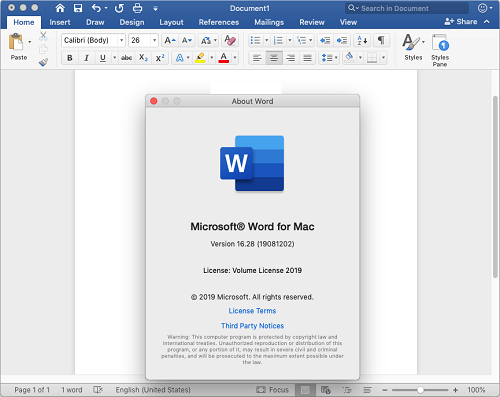
Office 2019 for Mac is designed from the ground up to take advantage of the latest Mac features, including Retina display, full screen view support, and even scroll bounce. It's the perfect combination of the Office you know and trust, and the Mac you love.

Word
Create and share professional-looking documents with state-of-the-art editing, reviewing, and sharing tools. The new Design tab provides quick access to features, and Smart Lookup shows relevant contextual information from the web directly inside Word.

Excel
Analyze and visualize your data in new and intuitive ways with a fresh user interface plus your favorite keyboard shortcuts. Leverage features like Analysis Toolpak, Slicers, and Formula Builder to save time, so you can focus on insights.

PowerPoint
Create, collaborate, and effectively present your ideas with new slide transitions and an improved Animations task pane. Threaded comments alongside your slides help you incorporate feedback into your presentations. And Presenter View displays the current slide, next slide, speaker notes, and a timer on your Mac, while projecting only the presentation to your audience on the big screen.

OneNote
It's your very own digital notebook, so you can keep notes, ideas, web pages, photos, even audio and video all in one place. Whether you're at home, in the office, or on the move, you can take it all with you wherever you go while sharing and collaborating with others. It's great for school assignments, work projects, travel plans, party planning, and more.

Outlook
Easily manage your email, calendar, contacts, and tasks. Push email support keeps your inbox up to date, conversation view groups related messages, and calendars can be viewed side-by-side for planning.

d22f873d4548091f80091913100e9245.png


Languages: English, العربية, 中文, Čeština, Dansk, Nederlands, Suomi, Français, Deutsch, Ελληνικά,
עברית, Magyar, Bahasa Indonesia, Italiano, 日本語, 한국어, Norsk, Polski, Português,
Русский, Slovenčina, Español, Svenska, ภาษาไทย, Türkçe

У Вас недостаточно прав для просмотра ссылок. Войдите или зарегистрируйтесь.


DownLoad

Single Link
Код:
http://nitroflare.com/view/88B99812D3AF0A9/8Y0819O28.dmg

Код:
https://rapidgator.net/file/f632c6d99ebea474098b022c3f397c9e/8Y0819O28.dmg.html

Код:
https://uploadgig.com/file/download/61a187cc3cbbf778/8Y0819O28.dmg

NitroFlare
Код:
http://nitroflare.com/view/E8B41134A92FD7F/8Y0819O28.z01
http://nitroflare.com/view/FBD0DB4A9A05F3E/8Y0819O28.zip

RapidGator
Код:
https://rapidgator.net/file/dff06e79a7743f5883422f25a383eaad/8Y0819O28.z01.html
https://rapidgator.net/file/f8d4e13f85bfb12977857e73ed8a9a75/8Y0819O28.zip.html

UploadGiG
Код:
https://uploadgig.com/file/download/124f4e6742d78714/8Y0819O28.z01
https://uploadgig.com/file/download/A214000b083036ce/8Y0819O28.zip
 
Topaz Studio 2.0.10 x64

081e93a2650dd2e9fdeae16ec002eda6.jpg


Topaz Studio 2.0.10 x64

File Size: 559 MiB

​

The future of creative photo editing. Edit your images beautifully with powerful filters and frictionless masking in a fine-tuned non-destructive layer workflow. Topaz Studio 2 has only one purpose: creative photo editing. This starts after you select your image and ends when you export your finished work. It's designed specifically around the artisanal post-processing workflow of carefully crafting a single image to your vision.

Studio is the editor to use when you want jaw-dropping images and you're not afraid to spend the time to get them. It's for creating works that push the bounds of your artistic vision; the few that you know you'll look back upon in years as one of your best creations. That's why you won't find library management, design tools, batch editing, or other common "image editor" tools in Studio. There's a lot of photo editors out there that help you manage your workflow and make minor contrast adjustments. Topaz Studio is not intended for that. If it doesn't contribute to the vision of creating singularly beautiful images through post-processing, then we're not including it.

1. Cutting edge filters.
Most image editor tools are the same: your Exposure in one editor is the same Exposure in another. In Studio, we've thought about what common adjustments would look like if they were designed today, and updated them to their most modern and useful forms.

2. Powerful selection and masking.
Very rarely do you want to apply the same effect to all parts of your image the same. Studio considers masking and selective adjustments to be a core task, and features several innovations that make selective editing substantially easier and faster for you.

3. Fully non-destructive layers.
Mix and match filters and effects with different blending modes and opacity. Everything that you do in Studio can be edited and adjusted after the fact with a fully non-destructive layer workflow.

Cutting-edge and unique filters.
You'll find that these aren't your everyday image editing filters as soon as you give them a try. Topaz Labs actually started off creating Photoshop filters. We've condensed our decade of specialized post-processing experience into a set of the most useful filters available only for Studio 2. Here are some of the most popular ones that you won't find anywhere else.

AI Clear
This AI-powered tool can actually sharpen detail while removing noise. Give it a try on your own images to see why some photographers say that AI Clear is the best thing we've ever developed.

Precision Contrast
When was the last time that using the Contrast slider produced a breathtaking image? Chances are, it blew out highlights and crushed shadows in your image instead.

Precision Detail
Normal sharpening tools usually increase edge contrast, which just gives the appearance of sharpness but also adds artifacts and halos. Topaz Detail enhances natural detail that already exists in the image. This unique technology helps you naturally makes your photos look more "three-dimensional" and adds a sense of beautifully natural sharpness to your image.

Black and White
Turn your photos into exquisite monochrome images that will emotionally move your viewers. The Black and White filter uses a unique BW conversion engine that emphasizes tone and texture in order to help you get BW images that pop.

Explore and create Looks to transform your image.
Topaz Studio's filters work well individually, but the true magic happens when they're combined together. Topaz Studio 2 includes over 200 "Looks" (pre-built groups of filters) that help you explore different beautiful effects for your images with a single click.

Texture
Explore hundreds of beautiful texture and tone effects, hand-crafted by some of the best photographers in the world. With over 200 included one-click effects, each with the ability to blend with each other in various ways, the only limit is your imagination.

Impression
Capture the essence of your photos without being constrained by rigid detail. Topaz Impression helps you turn photos into paintings like a true artist would: by intelligently applying real brushstrokes to canvas.

Glow
Create beautiful light effects in your images to reveal the hidden life in each moment you capture. Apply a wide range of looks from a pleasing subtle diffusion to spectacular electric and neon effects.

Built with real users in mind
Topaz Studio 2 doesn't do everything, but it is really good at what it does do. If you ever find yourself needing that extra "something" in your photos, please give it a try. You'll be pleasantly surprised!

Powerful selective adjustments and masking.
There's a big difference between masking for compositing vs. selective adjustments. Topaz Studio focuses entirely on selective adjustments, and we think of it as a central feature of the product instead of an add-on. As you'll see, this led to many design decisions intended to shorten the amount of time you spend refining your mask, like including edge awareness in each masking tool in Studio.

Brush Tool
Select different parts of your image by painting directly on it. Topaz Studio's brush is edge aware by default. This means you can quickly paint over your selection without having to worry too much about staying between the lines. This is the fastest and most direct way to selectively apply an effect to your image.

Spot Tool
Emphasize a certain subject in your photo with the edge-aware spot tool. The spot tool is a quick way to draw attention to a certain subject in your your image. Since it is edge- and color-aware, you don't need to worry about refining your mask too much.

Gradient Tool
Gradually level off your effect with the gradient tool. Topaz Studio's gradient tool is unique in that it's also adjustably context-aware, which creates much better masking experience. It's like having a graduated neutral density filter that also knows how to tell between foreground and background.

Color Tool
Create a mask targeted at the different colors in your image. This is probably the easiest masking tool to use: just click on your image with the eyedropper and this will automatically select the correct parts of your image. Great to selectively apply effects to just a single color range in your image.

Luminance Tool
Create a mask targeted at different brightness levels in your image. This tool will get you a perfect selection very quickly in images with a clear separation in brightness between subject and background. Also great for selectively adjusting highlights, shadows, or anything in between.

Fully non-destructive layers.
Layers are essential for creative post-processing because they allow you to apply effects in unlimited ways to your image. Let's walk through an example workflow that illustrates what you can do with them.

Full non-destructive layer support.
As mentioned before, Topaz Studio 2 now has full layer support - and everything you do is non-destructive. Looks (formerly presets) go on their own layers so you can now mix, match, and stack them. (Apply and Duplicate no longer necessary!)

Major UI refresh.
Topaz Studio 2 received a major user interface change focused around layers. You can easily drag and drop to rearrange layers, access layer masks, and control blending/opacity. It does look quite different than the current Studio, but we're confident this new workflow will enable you to work more quickly and easily than before.

A couple things to keep in mind with Studio 2:
• You will be able to use Studio 1 alongside Studio 2, but you will not be able to buy any additional paid adjustments
• The old Studio 1 .tsp format will no longer be compatible
• Studio 1 presets will not be compatible at launch, but we will offer a utility to help migrate custom Studio 1 presets into Studio 2
• Studio 2 will not support plug-ins upon release, but this will be added soon

System Requirements:
• Windows 7, 8, 10 64-bit support only
• Display Size: 800 x 600
• OpenGL 3.3
• System RAM: 8GB (Minimum), 16GB (Recommended), 32GB (Optimal)
• GPU VRAM: 2GB (Minimum), 4GB (Recommended), 6+GB (Optimal)

У Вас недостаточно прав для просмотра ссылок. Войдите или зарегистрируйтесь.


DownLoad

NitroFlare
Код:
http://nitroflare.com/view/F2E66FE7C64BC54/Topaz.Studio.2.0.10.x64.rar

RapidGator
Код:
https://rapidgator.net/file/8a0820c3cb9d9324312ae2e2d0f7b0f7/Topaz.Studio.2.0.10.x64.rar.html

UploadGiG
Код:
https://uploadgig.com/file/download/7bBE0bb565D38372/Topaz.Studio.2.0.10.x64.rar
 
eDrawings Pro 2018 Suite Revision 12.08.2019

2f6e6c0e666a95f159bd5d3ae2f51c99.jpg


eDrawings Pro 2018 Suite Revision 12.08.2019

File Size: 1.00 GiB

​

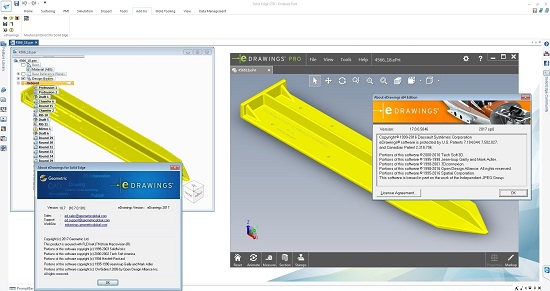
Geometric Limited, has released an updated eDrawings Pro 2018 Suite, the first email-enabled visualization and communication tool that dramatically eases sharing of product design information.

11c21fa7be790b3f489b3a464897eb2c.jpg


7e869d7b5d0a932bbbdaf895b120e0b5.jpg


8b5636979bae3a680f279b5a872214d1.jpg


40afe47c139bc04709a21274f725f9c1.jpg


Work more effectively with everyone involved in your product development process by using eDrawings software, the first email-enabled communication tool. eDrawings is the easiest way to share data across multiple CAD environments with CAD users and non-CAD users alike. With unique capabilities such as point-and-click animations, hyperlinking and STL output, eDrawings helps everyone to interpret and understand both 2D and 3D design data including Product & Manufacturing Information (PMI) created using CAD Model Based Definition.

Fast, reliable, and convenient, eDrawings files provide representations of 3D models and 2D drawings for many of the most widely used CAD systems on the market. The electronic data format of eDrawings files is highly compressed, enabling easy transmission via email. When viewed with the eDrawings Viewer, these files provide intelligent interpretation tools (3D Pointer, Virtual Folding, Animated Drawing Views) that help the recipient easily understand and navigate the data they receive. eDrawings files can be created using many popular CAD products using the eDrawings Publisher add-in.

eDrawings Professional
eDrawings Professional extends the functionality of the eDrawings Viewer so you can mark up, measure, and make comments directly on designs. It also provides the unique ability to publish eDrawings files as review-enabled, which is like embedding a markup pen in your document. Recipients are able to mark up and measure the eDrawings file using the free eDrawings Viewer. They do not need to purchase eDrawings Professional or other software to view the files. eDrawings Professional also includes advanced viewing capabilities such as dynamic component translation and dynamic cross-section views. eDrawings Professional is intended primarily for CAD users who need to both share product designs and coordinate design reviews.

eDrawings Professional enables visualization of all types of product design data for simple and accurate collaboration.

Geometric Ltd. specializes in engineering solutions, services and technologies. The company's portfolio of Global Engineering services and Digital Technology solutions for Product Lifecycle Management (PLM) enables companies to formulate, implement, and execute global engineering and manufacturing strategies aimed at achieving efficiency in product realization lifecycle. Incorporated in 1994, the company is based in Mumbai.

On April 1st 2016, Geometric got into an agreement with HCL Technologies to transfer of its business to HCL Tech by way of demerger, except for its 58% share in the joint venture with Dassault Systèmes (3DS) (3DPLM Software Solutions Limited (3DPLM)). The transition has become effective on March 2nd 2017, after seeking all statutory approvals.

Product: Geometric eDrawings
Version: 2018 Pro (version 10.4/11.1) Suite *
Supported Architectures: 32bit / 64bit
Language: Multilanguage
System Requirements: PC **
Supported Operating Systems: **
Software Prerequisites: **
Size: 1.0 GiB

Release Info:
- eDrawingsForNX_10_4_32bit
- eDrawingsForNX11_0_0_101_64bit

- eDrawingsForProE_Creo_10_4_32bit
NEW - eDrawingsForProE_Creo_11_1_64Bit.exe

- eDrawingsForProE_WildFire_10_4_32bit
- eDrawingsForProE_WildFire_10_7_64bit

- eDrawingsForCatiaV5_10_5_32bit
- eDrawingsForCatiaV5_10_9_0_101_64bit

- eDrawingsForSolidEdge_10_4_32bit
- eDrawingsForSolidEdge_10_9_0_101_64bit

- eDrawingsforAutodeskInventor_10_4_32bit
NEW - eDrawingsforAutodeskInventor_11_0_0_101_64bit.exe

System Requirements:
eDrawings for Autodesk Inventor
32-bit: Windows 7, Vista and XP Professional
64-bit: Windows 7, Windows 8 and Windows 10
Autodesk Inventor 2016, 2017, 2018, 2019, 2020

eDrawings for CATIA V5
32-bit: Windows 7, Vista and XP Professional
64-bit: Windows 7, Windows 8 and Windows 10
CATIA V5 R21, CATIA V5-6R2012, CATIA V5-6R2013, CATIA V5-6R2014, CATIA V5-6R2015, CATIA V5-6R2016 & CATIA V5-6R2017

eDrawings for Solid Edge
32-bit: Windows 7, Vista and XP Professional
64-bit: Windows 7, Windows 8 and Windows 10
Solid Edge ST5, ST6, ST7, ST8, ST9 & ST10

eDrawings for NX
32-bit: Windows 7 and XP Professional
64-bit: Windows 7, 8 and 10
NX 8, NX 8.5, NX 9.0, NX 10.0, NX 11.0 & NX 12.0

eDrawings for Pro/ENGINEER and Creo
32-bit: Windows 7, Vista and XP Professional
64-bit: Windows 7, Windows 8 and Windows 10
Pro/Engineer 2001, WildFire 3.0, 4.0 and 5.0, Creo (Parametric) 1.0, 2.0, 3.0, 4.0, 5.0 & 6.0

У Вас недостаточно прав для просмотра ссылок. Войдите или зарегистрируйтесь.


DownLoad

NitroFlare
Код:
http://nitroflare.com/view/D7002F31A43FE0B/eDrawingsForAutodeskInventor.rar
http://nitroflare.com/view/38312F0F23DB29B/eDrawingsForCatiaV5.rar
http://nitroflare.com/view/52AD5CE30949C73/eDrawingsForNX.rar
http://nitroflare.com/view/5EB010751F62040/eDrawingsForProE.Creo.rar
http://nitroflare.com/view/3AB9933FD7FD41E/eDrawingsForProE.WildFire.rar
http://nitroflare.com/view/F33743778B8413F/eDrawingsForSolidEdge.rar

RapidGator
Код:
https://rapidgator.net/file/5d77b0dc31b38d21d16c2d5365e6e5fa/eDrawingsForAutodeskInventor.rar.html
https://rapidgator.net/file/882ffc409ecf8a77422a62381dc9dab4/eDrawingsForCatiaV5.rar.html
https://rapidgator.net/file/00c6ee1b18b343854999e4349f0eeb82/eDrawingsForNX.rar.html
https://rapidgator.net/file/ddaae0d76d8b498abfc40672235bb298/eDrawingsForProE.Creo.rar.html
https://rapidgator.net/file/f1fb3d31a4e5663be7d9c6d31f2405ac/eDrawingsForProE.WildFire.rar.html
https://rapidgator.net/file/6718230f97d73fc2d5fa5e651102cec2/eDrawingsForSolidEdge.rar.html

UploadGiG
Код:
https://uploadgig.com/file/download/43911DeE954d0327/eDrawingsForAutodeskInventor.rar
https://uploadgig.com/file/download/3129D88A2Ab1d1b9/eDrawingsForCatiaV5.rar
https://uploadgig.com/file/download/7bB3555b62992b73/eDrawingsForNX.rar
https://uploadgig.com/file/download/b4c42b1231Cc6B78/eDrawingsForProE.Creo.rar
https://uploadgig.com/file/download/F5154614e1cec8e3/eDrawingsForProE.WildFire.rar
https://uploadgig.com/file/download/A304cEF9834A63f1/eDrawingsForSolidEdge.rar
 
ManageEngine Desktop Central Enterprise 10.0.430 Multilingual

f2fbadf5e8808653f64eac345408fb82.jpg


ManageEngine Desktop Central Enterprise 10.0.430 Multilingual

File Size: 342, 344 MiB

​

Desktop Central is a unified endpoint management solution that helps in managing servers, laptops, desktops, smartphones, and tablets from a central location.

Automate regular endpoint management routines like installing patches, deploying software, imaging and deploying OS, managing assets, software licenses, monitoring software usage statistics, managing USB device usage, taking control of remote desktops, and more. Desktop Central supports managing Windows, Mac and Linux operating systems. Manage your mobile devices to deploy profiles and policies, configure devices for Wifi, VPN, Email accounts, etc., apply restrictions on using camera, browser, etc., and to secure your devices like enabling passcode, remote lock/wipe, etc. Manage all your iOS, Android and Windows smartphones and tablets.

Patch Management
Secure your network by automating patch deployment for Windows, Mac, Linux and Third Party Applications.

Software Deployment
Deploy Software to all the endpoints within your network in just a few clicks using 4,500+ pre defined application templates.

Mobile Device Management
Configure, manage and secure mobile devices centrally using mobile device management.

OS Imaging & Deployment
Automatically image and deploy OS on Windows computers, along with the installation of required drivers and applications using OS deployment.

IT Asset Management
Manage software and hardware assets within your network and track license and warranty details effortlessly.

Remote Control
Troubleshoot remote desktops with multi-user collaboration, file transfer, video recording, and more.

Modern Management
Unify endpoint management with a similar approach towards managing both mobile phones and Windows 10 devices.

USB Device Management
Restrict and control the usage of USB Devices in the network both at the user-level and at the computer-level.

Configurations
25+ pre-defined configurations including Power Management, USB Device Management, Security Policies, and so on.

Available Languages:
Desktop Central is available in English, Japanese, Turkish, Swedish, Spanish, Russian, Polish, Italian, German, French, Finnish, Dutch, Danish, Chinese, Brazilian Portuguese, Traditional Chinese, Norwegian and Portuguese languages.

System Requirements:

You can install Desktop Central Server & Distribution Servers on any of these Windows operating system versions:
Windows 7
Windows 8
Windows 8.1
Windows 10
Windows Server 2008*
Windows Server 2008 R2*
Windows Server 2012 R2*
Windows Server 2016*
Windows Server 2019*

* - recommended for managing 5000 or more endpoints.

У Вас недостаточно прав для просмотра ссылок. Войдите или зарегистрируйтесь.


DownLoad

NitroFlare
Код:
http://nitroflare.com/view/86E12346D88622E/ManageEngine.Desktop.Central.Enterprise.10.0.430.Multilingual.x86.rar
http://nitroflare.com/view/73E4792E74257EA/ManageEngine.Desktop.Central.Enterprise.10.0.430.Multilingual.x64.rar

RapidGator
Код:
https://rapidgator.net/file/49981af589773657d2f061a8f8d44c7b/ManageEngine.Desktop.Central.Enterprise.10.0.430.Multilingual.x86.rar.html
https://rapidgator.net/file/8b69db50efe44d401acb418914b86de6/ManageEngine.Desktop.Central.Enterprise.10.0.430.Multilingual.x64.rar.html

UploadGiG
Код:
https://uploadgig.com/file/download/94daE0f711988DC4/ManageEngine.Desktop.Central.Enterprise.10.0.430.Multilingual.x64.rar
https://uploadgig.com/file/download/df23ab2237Ac66a3/ManageEngine.Desktop.Central.Enterprise.10.0.430.Multilingual.x86.rar
 
Microsoft Visual Studio 2019 v16.2.2 Multilingual

ed7a32c90857e84cceb370f90c2f40d1.png


Microsoft Visual Studio 2019 v16.2.2 Multilingual

File Size: 26.5 GiB
Includes Community, Enterprise, Professional editions with Build Tools and Agents for Visual Studio 2019
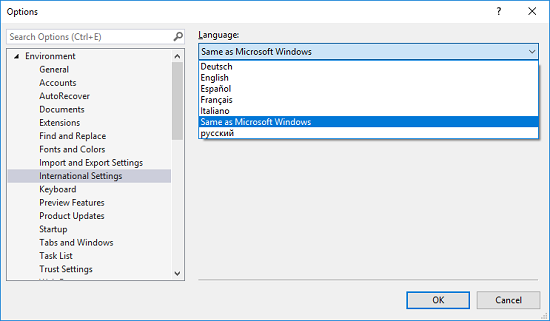
Languages: English, Français, Deutsch, Italiano, Русский, Español

​

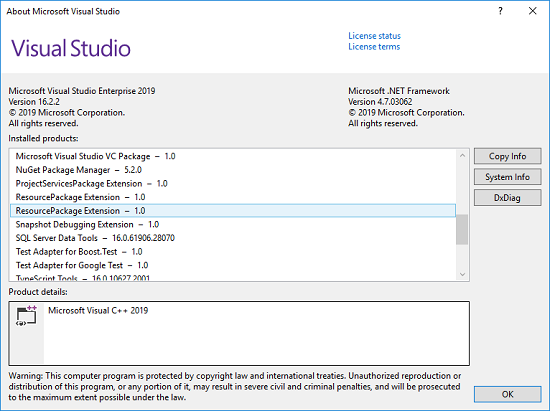
Whether you're new to coding or ready for your next project, Visual Studio 2019 streamlines your experience so you can get right down to focused work. You'll find more screen space for your code and you can search for anything from one place. You can keep your code tidy with one-click code clean-up. When you're debugging, you'll notice better stepping performance and you'll get search capabilities within the Autos, Locals, and Watch windows to quickly find that elusive object or value.

3e914fd5216bbf5aa4f43156526fb0b8.png


270af53cb74a359952c9cc389a622c77.png


У Вас недостаточно прав для просмотра ссылок. Войдите или зарегистрируйтесь.


DownLoad

Single Link
Код:
http://nitroflare.com/view/E9E809327D41620/VS.2019.v16.2.2.iso

Код:
https://rapidgator.net/file/1cfaa3cfbdf2a2ea87fe317c83f83243/VS.2019.v16.2.2.iso.html

NitroFlare
Код:
http://nitroflare.com/view/8637C78BDA0A31A/Offline.Installation.Certificate.rar
http://nitroflare.com/view/99FFC29245DCCA7/VS.2019.v16.2.2.part01.rar
http://nitroflare.com/view/1C9DC127E41B929/VS.2019.v16.2.2.part02.rar
http://nitroflare.com/view/F403FE0CF9FDFC3/VS.2019.v16.2.2.part03.rar
http://nitroflare.com/view/35B8E1BBC05022C/VS.2019.v16.2.2.part04.rar
http://nitroflare.com/view/B1706B0D3A7B3DF/VS.2019.v16.2.2.part05.rar
http://nitroflare.com/view/9D4A38F6B14FD89/VS.2019.v16.2.2.part06.rar
http://nitroflare.com/view/C05BDBB082EEE7C/VS.2019.v16.2.2.part07.rar
http://nitroflare.com/view/7784AEB48AA4FD7/VS.2019.v16.2.2.part08.rar
http://nitroflare.com/view/7EECFCD7EFA342C/VS.2019.v16.2.2.part09.rar
http://nitroflare.com/view/E7CC0ADC3DAB9A0/VS.2019.v16.2.2.part10.rar
http://nitroflare.com/view/F38C7E0D538B699/VS.2019.v16.2.2.part11.rar
http://nitroflare.com/view/AF4DA28D227A7F5/VS.2019.v16.2.2.part12.rar
http://nitroflare.com/view/8E50554D20CF5AA/VS.2019.v16.2.2.part13.rar
http://nitroflare.com/view/7B3B0E53E9C11B6/VS.2019.v16.2.2.part14.rar

RapidGator
Код:
https://rapidgator.net/file/964dc867d9b73cda53c0218a12d5c0fe/Offline.Installation.Certificate.rar.html
https://rapidgator.net/file/fba803f05b54180e397712c9e6e16d79/VS.2019.v16.2.2.part01.rar.html
https://rapidgator.net/file/b6155a8a352790dec17883ee0d09b218/VS.2019.v16.2.2.part02.rar.html
https://rapidgator.net/file/ab7d7767c9350717991d60918b79c517/VS.2019.v16.2.2.part03.rar.html
https://rapidgator.net/file/943e70ebd6cf8591ca3fe7a4d290ae4b/VS.2019.v16.2.2.part04.rar.html
https://rapidgator.net/file/3a1332a8924ae5e695e6240422a597b0/VS.2019.v16.2.2.part05.rar.html
https://rapidgator.net/file/869253ed21d6be2c84ae5822c5a30a4c/VS.2019.v16.2.2.part06.rar.html
https://rapidgator.net/file/d810da8382303e62fe7f9deb3d0df91f/VS.2019.v16.2.2.part07.rar.html
https://rapidgator.net/file/b27fee849f8599ed5d071ba22c97f954/VS.2019.v16.2.2.part08.rar.html
https://rapidgator.net/file/055db9e8b834284bdfb36c9da52df089/VS.2019.v16.2.2.part09.rar.html
https://rapidgator.net/file/b9d8062267f7ea8c4aa7eafde05e4789/VS.2019.v16.2.2.part10.rar.html
https://rapidgator.net/file/25976c8772261dbd89f5d3a5345282cf/VS.2019.v16.2.2.part11.rar.html
https://rapidgator.net/file/3e99e7248f207c2126acb86151a7ea2b/VS.2019.v16.2.2.part12.rar.html
https://rapidgator.net/file/1d7069da93a1a4400ff9f324dd7e7fb8/VS.2019.v16.2.2.part13.rar.html
https://rapidgator.net/file/14a620991b22f3c08b7ca256504d02d7/VS.2019.v16.2.2.part14.rar.html

UploadGiG
Код:
https://uploadgig.com/file/download/2c0ff6cE6Ce4d47c/Offline.Installation.Certificate.rar
https://uploadgig.com/file/download/2A84ce430862eB45/VS.2019.v16.2.2.part01.rar
https://uploadgig.com/file/download/7487d566Db30201e/VS.2019.v16.2.2.part02.rar
https://uploadgig.com/file/download/e9cD1a98161f5846/VS.2019.v16.2.2.part03.rar
https://uploadgig.com/file/download/250bA5b3Ccff26c1/VS.2019.v16.2.2.part04.rar
https://uploadgig.com/file/download/f2D744958de86dD8/VS.2019.v16.2.2.part05.rar
https://uploadgig.com/file/download/ed6656039F8eCFC8/VS.2019.v16.2.2.part06.rar
https://uploadgig.com/file/download/e6a436eB41Ac5aeB/VS.2019.v16.2.2.part07.rar
https://uploadgig.com/file/download/BF9adb4f4a867479/VS.2019.v16.2.2.part08.rar
https://uploadgig.com/file/download/5c434B41268083Ec/VS.2019.v16.2.2.part09.rar
https://uploadgig.com/file/download/a7f8DbB2cA6eaf1c/VS.2019.v16.2.2.part10.rar
https://uploadgig.com/file/download/954954Aaf185a448/VS.2019.v16.2.2.part11.rar
https://uploadgig.com/file/download/2B6e3006edf002f4/VS.2019.v16.2.2.part12.rar
https://uploadgig.com/file/download/704d22872E0381e7/VS.2019.v16.2.2.part13.rar
https://uploadgig.com/file/download/64337d51886Db4F7/VS.2019.v16.2.2.part14.rar
 
SoftMaker FlexiPDF 2019 Professional 2.0.5 Multilingual

59e1fb0e10da4f86b321f6b8bd4f2bc2.jpg


SoftMaker FlexiPDF 2019 Professional 2.0.5 Multilingual

File Size: 272 MiB

​

Edit PDF files as easily as with a word processor. With FlexiPDF, creating, editing and commenting in PDF files is just as quick and easy as exporting them for further editing in TextMaker or Microsoft Word. FlexiPDF always delivers excellent results-whether you insert or edit text and images, rearrange the layout or reorder the pages of a PDF file. FlexiPDF converts your PDF files into text documents that you can edit with TextMaker and Microsoft Word. FlexiPDF Professional also uses OCR to convert scanned pages into editable and searchable PDF files. FlexiPDF is the indispensable tool for anyone who works with PDFs.

Features:
• Integrated printer driver for creating PDFs from inside all Windows applications
• Edit text across paragraphs and pages, like in a word processor
• Insert, move, delete pages; insert pages from other PDF files
• Insert, move, delete pictures and drawings
• Built-in multi-language spell checker and automatic hyphenation
• Insert comments, drawings, stamps
• Export PDF files for editing in TextMaker or Microsoft Word
• Export to HTML and picture formats such as JPEG, TIFF and PNG
• Convert PDF files to the e-book format ePUB
• Fill interactive and static forms
• Search and replace text and fonts
• Search and replace hyperlinks
• Search and replace across files
• Create photo albums using simple drag & drop
• Page numbering, headers and footers, watermarks
• Export text for translation with CAT software such as Trados or memoQ
• OCR feature for converting scanned pages to editable and searchable PDF files
• Redact confidential content
• Protect PDF files with secure AES encryption
• Track changes: automatic highlighting of text changes in color

Languages

Documents
With FlexiPDF 2017 for Windows you can work on documents in all languages, except for Arabic and Hebrew.

User interface (menus and dialogs)
English, German, French, Italian, Spanish, Portuguese (Portugal), Dutch, Danish, NEW: Finnish, NEW: Polish, Czech, NEW: Slovak, NEW: Hungarian, NEW: Slovenian, NEW: Serbian, NEW: Romanian, Russian, Chinese (Simplified), Chinese (Traditional)

Spellcheck
English (United States), English (United Kingdom), Welsh, Irish, French, Italian, Spanish, Portuguese (Portugal), Portuguese (Brazil), German, Dutch, Danish, Icelandic, Swedish, Finnish, Estonian, Czech, Polish, Hungarian, Slovenian, Croatian, Romanian, Turkish, Bulgarian, Ukrainian, Russian

System Requirements
FlexiPDF for Windows can be used with Microsoft Windows 10, 8, 7 and Windows Vista. It is compatible with application servers such as Citrix XenApp and Microsoft Terminal Server.

У Вас недостаточно прав для просмотра ссылок. Войдите или зарегистрируйтесь.


DownLoad

NitroFlare
Код:
http://nitroflare.com/view/A37AFAA487C671C/SoftMaker.FlexiPDF.2019.Professional.2.0.5.Multilingual.rar

RapidGator
Код:
https://rapidgator.net/file/57e2183d5b458bd628e89427af0b8e3e/SoftMaker.FlexiPDF.2019.Professional.2.0.5.Multilingual.rar.html

UploadGiG
Код:
https://uploadgig.com/file/download/58f7FE2f785a0dEf/SoftMaker.FlexiPDF.2019.Professional.2.0.5.Multilingual.rar
 
SoftMaker Office Professional 2018 Rev 965.0629 x86 x64 Multilingual

49d8e32081e8172586535fbfdab846f2.jpg


SoftMaker Office Professional 2018 Rev 965.0629 x86 x64 Multilingual

File Size: 445, 476 MiB

​

SoftMaker Office 2018 - writing, calculating, presenting, E-mail, tasks and appointments. It equips you excellently for your office tasks. With SoftMaker Office, the documents, calculations, and presentations are handled just as fast as E-mail correspondence or appointment and task planning. From simple everyday tasks to the most demanding documents, SoftMaker Office 2018 is your indispensable helper.

This Office suite is very fast. It starts as fast as lightning, opens documents in the blink of an eye and enables you to attain results immediately. Also it offers a huge functional scope and can be operated simply and intuitively.

SoftMaker Office is compatible with all Microsoft Office suites. It edits Microsoft Office documents as true to the original as Microsoft Office itself.

The applications in SoftMaker Office 2018:
Word processing: TextMaker 2018
From normal daily correspondence to scientific essays, from a greeting card to an elaborately designed newsletter. With TextMaker 2018, you can create attractive documents as fast as lightning, alone or in teamwork with colleagues. You can either print the completed documents or pass them on as PDFs or E-books.

Spreadsheet program: PlanMaker 2018
It is suitable for all kinds of calculations. Has more than 350 calculation functions, huge worksheets with one million rows and professional functions such as pivot tables. Whether a simple credit comparison or the overall financial planning for a company. PlanMaker enables you to analyze data diversely and to illustrate the results with charts in presentation quality.

Presentation software: Presentations 2018
Little work, large effect. You can create impressive presentations as fast as lightning with Presentations 2018. Lend presentations that certain je ne sais quoi with graphics, charts, sound, videos, animations and slide transitions and impress your public with captivating discourses.

E-mails, tasks, appointments: Thunderbird
Thunderbird takes competent care of your E-mails and ensures that you keep your appointments, tasks and contacts under control. SoftMaker has extended the Thunderbird interface, developed functions for fast filing and navigation of large quantities of E-mails and augmented Thunderbird with a fully automatic import from the eM Client.

TextMaker 2018 is your new word processing program for all cases.
Compatible with Microsoft Word. Both the old .doc files (Microsoft Word 6.0 and higher) and the modern .docx files from Word 2007, 2010, 2013 and 2016 are displayed true to the original and saved reliably. This guarantees unproblematic data exchange. Equally, OpenDocument, RTF and HTML files can be edited. And TextMaker exports your documents to the universal PDF format at the touch of a button or creates an E-book in EPUB format for you.

TextMaker 2018 leads you to the desired result fast and effectively:
Daily correspondence is dealt with fast using time-savers. Such as the automatic takeover of contact data from the address book and the easy to use mail merge function. At the touch of a button, stickers and envelopes are provided.
You can process the business documents individually. Or thanks to Word-compatible tracking of changes and comments in team work with colleagues. No matter whether they work with TextMaker or Microsoft Word.
You navigate through long texts as fast as lightning with the comfortable side bar and structure them with the integrated outline view.
For scientific essays, you can use functions such as footnotes and endnotes, bibliographies, cross-references, image captions. As well as indexes, tables of contents and tables of figures.
Straight away when typing, the strong spellchecker checks your texts for spelling mistakes. Not only in English, but in more than 75 different languages.

PlanMaker 2018 is your new spreadsheet program for all cases.
PlanMaker 2018 is fast, compatible and powerful spreadsheet program. Perfect interaction with Microsoft Excel. Both the old .xls files (Microsoft Excel 5.0 and higher) and the modern .xlsx files from Excel 2007, 2010, 2013 and 2016 are displayed true to the original and saved reliably. This guarantees unproblematic data exchange. At the touch of a button, PlanMaker 2018 also exports your worksheets to the universal PDF format.

PlanMaker 2018 allows up to one million rows per worksheet. In order to enable you to combat these huge data quantities, you use pivot tables, data consolidation, scenarios, data grouping, AutoFilters and special filters. And, should an error have crept into your worksheet, the syntax highlighting and the formula auditing functions provide you with the error source fast.

Presentations 2018 is your new presentation software for all cases.
Perfect interaction with Microsoft PowerPoint. Both the old .ppt files (PowerPoint 97 and higher) and the modern .pptx files from PowerPoint 2007, 2010, 2013 and 2016 are displayed true to the original and saved reliably. At the touch of a button, Presentations 2018 exports your presentations to the universal PDF format. Also it makes a video from a presentation or converts it to an HTML slide show.

System requirements: Windows 7, 8, 10 or Windows Server starting with 2008 R2

У Вас недостаточно прав для просмотра ссылок. Войдите или зарегистрируйтесь.


DownLoad

NitroFlare
Код:
http://nitroflare.com/view/08FBFC00C7AFE55/SoftMaker.Office.Professional.2018.Rev.965.0629.x86.Multilingual.rar
http://nitroflare.com/view/FC47E5ABE07D928/SoftMaker.Office.Professional.2018.Rev.965.0629.x64.Multilingual.rar

RapidGator
Код:
https://rapidgator.net/file/eec352fbc907122f8d995bfffa98bd5a/SoftMaker.Office.Professional.2018.Rev.965.0629.x86.Multilingual.rar.html
https://rapidgator.net/file/18260f7ac384a5cb2015b92f952cd4dc/SoftMaker.Office.Professional.2018.Rev.965.0629.x64.Multilingual.rar.html

UploadGiG
Код:
https://uploadgig.com/file/download/113e61F6f3D723dc/SoftMaker.Office.Professional.2018.Rev.965.0629.x86.Multilingual.rar
https://uploadgig.com/file/download/e5bB4c3d55C71ca6/SoftMaker.Office.Professional.2018.Rev.965.0629.x64.Multilingual.rar
 
StataCorp Stata 16.0

c0538999c5c4185459cbc6ef7bdf56e0.jpg


StataCorp Stata 16.0

File Size: 414 MiB

​

StataCorp announces the 16th major release of its data science software-Stata. Stata has been a mainstay of health, economic, social science, and business researchers for 34 years. This latest release will not only delight Stata's core users but also entice other data scientists to take a fresh look at Stata.

StataCorp Stata 16 release notes - Date: July 09, 2019

Stata 16 adds lasso models as Stata introduces its first official suite of commands for machine learning. True to Stata's roots in statistical methods, its lasso tools provide not just model selection and prediction but inferential lasso models that allow researchers to estimate the effects that answer real scientific questions.

This release also expands Stata's tools for reproducible reporting. Release 16 includes more automation of Word documents that include both statistical and graphical results. Its dynamic features allow reports to update automatically as data update. And Stata's integrated versioning ensures users can reproduce any results, any time.

Stata's core user camps will be pleased that release 16 incorporates a complete suite of meta-analysis features. The new suite-with additions such as forest plots and meta-regression-allows users to combine results from multiple studies in a principled way.

The new integration with Python will appeal to more technical data scientists. Stata now has seamless two-way communication with Python, including instructions, data, and metadata. The integration provides access to the full range of Python packages-machine learning, 3-D graphics, data scraping, and more. Alan Riley, Vice President of Software Development, said, "Stata and Python are perfect complements. I keep finding reasons to use them together, and I can't wait to see what our users create."

Stata already possessed the most approachable set of Bayesian analysis features available-opening Bayesian statistics to those otherwise put off by the specialized requirements of other software. Release 16 adds support for multiple chains, Bayesian predictions, the Gelman-Rubin convergence diagnostic, and posterior predictive p-values.

Release 16 further extends Stata's unique extended regression models. These models address common problems that arise in data-endogenous covariates (unobserved confounding), sample selection, and nonrandom treatment assignment. What is unique is that all problems can be handled simultaneously. As Vince Wiggins, Vice President of Scientific Development, stated, "The statistics aren't new, just the way we stitched them together." Stata 16 adds panel data (multilevel data) to the allowed problems list.

As usual, StataCorp packs lots of new features into each new release. Features not mentioned above include multiple datasets in memory, importing from SAS and SPSS, nonparametric series regression, sample-size analysis for confidence intervals, panel-data mixed logit, nonlinear DSGE models, multiple-group IRT, panel-data Heckman-selection models, time extensions for nonlinear mixed-effects models for pharmacokinetic models and growth models, numerical integration, linear programming, and Do-file Editor autocompletion.

2e8d7d32dc16f8e963f9d43cd174c027.jpg


StataCorp Stata/MP lets you analyze data in one-half to two-thirds the time compared with Stata/SE on inexpensive dual-core laptops and in one-quarter to one-half the time on quad-core desktops and laptops. Stata/MP runs even faster on multiprocessor servers. Stata/MP supports up to 64 cores/processors. Speed is often most crucial when performing computationally intense estimation procedures. A few of Stata's estimation procedures, including linear regression, are nearly perfectly parallelized, meaning they run twice as fast on two cores, four times as fast on four cores, eight times as fast on eight cores, and so on. Some estimation commands can be parallelized more than others. Taken at the median, estimation commands run 1.9 times faster on 2 cores, 3.1 times faster on 4 cores, and 4.3 times faster on 8 cores. Speed can also be important when managing large datasets. Adding new variables is nearly 100 percent parallelized, and sorting is 75 percent parallelized. Some procedures are not parallelized and some are inherently sequential, meaning they run the same speed in Stata/MP.

See how to use Stata's -frame- suite of commands to work with multiple datasets in memory. This video will show you how to load multiple datasets in memory, and access values and variables across datasets.

For over 30 years, StataCorp[/b] has been a leader in statistical and data science software. Stata provides everything for research professionals' data science needs-data manipulation, visualization, statistics, and reproducible reporting.

Product: StataCorp Stata
Version: MP 16.0 (Revision 02 July 2019)
Supported Architectures: x64
Language: English
System Requirements: PC *
Supported Operating Systems: *
Size: 372.7 MiB

System Requirements:

Stata for Windows

- Windows 10 *
- Windows 8 *
- Windows 7 *
- Windows Server 2016, 2012, 2008 R2 *

* Stata requires 64-bit Windows for x86-64 processors made by Intel and AMD. Find out if your OS is 64-bit compliant.

У Вас недостаточно прав для просмотра ссылок. Войдите или зарегистрируйтесь.


DownLoad

NitroFlare
Код:
http://nitroflare.com/view/9AF9E24A761DE10/StataCorp.Stata.16.0.rar

RapidGator
Код:
https://rapidgator.net/file/3a08372cc9830624a8d7e4976c7624c0/StataCorp.Stata.16.0.rar.html

UploadGiG
Код:
https://uploadgig.com/file/download/a5d01c79775D803d/StataCorp.Stata.16.0.rar
 
TechSmith Camtasia 2019.0.6 Build 5004 x64

ad5efebbd68d49f0b25df8855fa4075d.jpg


TechSmith Camtasia 2019.0.6 Build 5004 x64

File Size: 485 MiB

​

Camtasia Studio is the complete professional solution for recording, editing and sharing high-quality screen video on the Web, CD-ROM and portable media players, including iPod. With support for a variety of video standards, you can ensure your content delivery now and in the future.

Easily record your screen, PowerPoint, multiple audio tracks, and webcam video to create compelling training videos, screencasts, and presentations without ever leaving your desk. With the power of interactive Camtasia Studio videos, you can deliver high-quality content anytime, to even your most remote audience.
Camtasia Studio helps you keep pace in a mobile world by making it easy to publish videos and MP3 files for iPod and other portable media players. Now your marketing message, screencast, lecture, or just-in-time training video can reach your audience practically anywhere - on the bus, in a coffee shop, or while they're jogging. Camtasia Studio videos are simply designed to share.

• Intelligent capture controls that adapt to you
• Crystal-clear playback at any size with Camtasia SmartFocus™
• Easy, versatile video sharing with TechSmith ExpressShow™
• Precise editing and butter-smooth onscreen movement
• Professional content without a ton of production time

With the smartest screen recording tools on the planet, Camtasia Studio makes everything from training videos to PowerPoint presentations to lectures look better, reach more people, and pack more punch. Which makes you look even smarter, too.

• Record Anything
Easily create training, demonstrations, presentations, online courses. the possibilities are endless. Connect with your audience by including screen recordings, audio, voice narration, PowerPoint, Picture-in-Picture and webcam video.

• Edit and Enhance
Edit and enhance your video with callouts, titles, credits, zooming, panning, quizzes and additional audio tracks. Camtasia Studio's extensive editing options are at your fingertips.

• Share
Publish in Flash, QuickTime and a variety of video formats, then share on the Web, CD or DVD. You can use the Production Wizard to assist you in choosing the best format and settings for sharing with your audience, or you can have complete control over audio and video codecs and quality, frame rate, color depth, and inclusion or exclusion of special effects.

System Requirements
Microsoft Windows 7 SP1, Windows 8, and Windows 10 (Required: 64 Bit versions only)
2.0 GHz CPU with dual-core processor minimum (Recommended: Quad-core i5 processor or better)
4 GB RAM minimum (Recommended: 8 GB or more)
2 GB of hard-disk space for program installation
Display dimensions of 1024x768 or greater
Microsoft .NET 4.6.0 or later version (included)
Dedicated Windows-compatible sound card, microphone, and speakers (Recommended)
Windows N requires the MediaFeature Pack for Windows N

У Вас недостаточно прав для просмотра ссылок. Войдите или зарегистрируйтесь.


DownLoad

NitroFlare
Код:
http://nitroflare.com/view/0B75A02B5B0D8F5/TechSmith.Camtasia.2019.0.6.Build.5004.x64.rar

RapidGator
Код:
https://rapidgator.net/file/beaa3d22c4ef52a9898742f36cbf7cbc/TechSmith.Camtasia.2019.0.6.Build.5004.x64.rar.html

UploadGiG
Код:
https://uploadgig.com/file/download/D41ae8434B98Cd2A/TechSmith.Camtasia.2019.0.6.Build.5004.x64.rar
 
Topaz Gigapixel AI 4.3.1 x64

7056a19d99883f35855fddee9578435d.jpg


Topaz Gigapixel AI 4.3.1 x64

File Size: 975 MiB

​

Beautiful photo enlargements using machine learning. Enlarging your image without losing detail has always been impossible. until now. Upscale your photos by up to 600% while perfectly preserving image quality.

Enlarge Images by up to 600%
Create a beautiful 80 x 60 inch print from a simple iPhone photo. Or transform your DSLR photos into sharp and ultra-detailed 100MP images.

Use truly intelligent upscaling
After being trained with millions of sample images, Gigapixel can now enlarge your images with a surprising level of quality.

Get crisp and clear results.
Gigapixel performs around 2 million operations per pixel to get you results with as much detail and sharpness as possible.

No more fuzzy enlargements.
Breathtakingly sharp prints. High-resolution cropping in post-production. iPhone photos that look like they came out of a DSLR. No matter why you're enlarging your photos, you always want the best possible quality for your results. AI Gigapixel is currently the only photo enlargement product available that can actually add detail back to your upscaled photo.

Recover real details for actual sharpness
Increasing edge contrast is the simplest way to make an image look "sharp", and how most other upscaling software works. Gigapixel is different: it increases the actual sharpness of your upscaled photo by recovering real detail in your image. This is only possible through training and exposure to millions of test images.

Crisp photos that look like they were never upscaled
It's hard to believe that the crisp output image above was enlarged 4x, but it was. Gigapixel AI successfully determines which image features are stars (detail) and what's noise. Then, it naturally accentuates and recovers detail while suppressing noise in your upscaled photo.

The highest-quality image upscaling that you can get anywhere
Because of these exceptional results, Gigapixel AI is used by everyone from leading photographers, to video game modders, to major motion studios. If you ever need to upscale your photo while preserving beautiful detail, take advantage of the most modern technology in the space and give Gigapixel AI a try.

Image enlargement: interpolation vs machine learning

Interpolation-based photo enlargement software has been around for decades. Gigapixel's new approach based on machine learning is a giant leap ahead: state-of-the-art "deep learning" methods allow it to enlarge images while actually adding new details.

Interpolation
Interpolation algorithms work by approximating new pixels from the colors of surrounding ones. This does not add any detail to the image, it just smoothes out the transition between pixels.

Neural Network (Gigapixel AI)
A neural network analyzes thousands of photo pairs to learn how details usually get lost. The algorithm learns to "fill in" information in new images based on what it has learned. effectively adding new detail to your photo.

Operating System Version:
- Windows 7 x64
- Windows 8/8.1 x64
- Windows 10 x64

Hardware Requirements:
- System RAM: 8GB / 16GB recommended
- GPU VRAM: 2GB / 4GB recommended

Graphics Card Requirements:
- NVIDIA: GeForce GTX 770 2GB / GeForce GTX 960 4GB recommended
- AMD: Radeon HD 8570 2GB / Radeon R9 270 4GB recommended
- Intel: HD Graphics 5000 / Iris Plus Graphics 640 recommended

У Вас недостаточно прав для просмотра ссылок. Войдите или зарегистрируйтесь.


DownLoad

NitroFlare
Код:
http://nitroflare.com/view/3ED78348A4B8AC0/Topaz.Gigapixel.AI.4.3.1.x64.rar

RapidGator
Код:
https://rapidgator.net/file/0336c476caf20d397a88ced839e87c5d/Topaz.Gigapixel.AI.4.3.1.x64.rar.html

UploadGiG
Код:
https://uploadgig.com/file/download/2f043e2a9EE3D010/Topaz.Gigapixel.AI.4.3.1.x64.rar
 
Назад
Сверху