• Здравствуйте. Сайт заработал в архивном режиме форум www.old.nado.in

EkThaTiger's Softwares

TechSmith Camtasia 2019.0.5 Build 4959 x64
da0622fdb0eb75dd278762f1a0f29889.jpg


TechSmith Camtasia 2019.0.5 Build 4959 x64

File Size: 485 MiB

​

Camtasia Studio is the complete professional solution for recording, editing and sharing high-quality screen video on the Web, CD-ROM and portable media players, including iPod. With support for a variety of video standards, you can ensure your content delivery now and in the future.

Easily record your screen, PowerPoint, multiple audio tracks, and webcam video to create compelling training videos, screencasts, and presentations without ever leaving your desk. With the power of interactive Camtasia Studio videos, you can deliver high-quality content anytime, to even your most remote audience.
Camtasia Studio helps you keep pace in a mobile world by making it easy to publish videos and MP3 files for iPod and other portable media players. Now your marketing message, screencast, lecture, or just-in-time training video can reach your audience practically anywhere - on the bus, in a coffee shop, or while they're jogging. Camtasia Studio videos are simply designed to share.

• Intelligent capture controls that adapt to you
• Crystal-clear playback at any size with Camtasia SmartFocus™
• Easy, versatile video sharing with TechSmith ExpressShow™
• Precise editing and butter-smooth onscreen movement
• Professional content without a ton of production time

With the smartest screen recording tools on the planet, Camtasia Studio makes everything from training videos to PowerPoint presentations to lectures look better, reach more people, and pack more punch. Which makes you look even smarter, too.

• Record Anything
Easily create training, demonstrations, presentations, online courses. the possibilities are endless. Connect with your audience by including screen recordings, audio, voice narration, PowerPoint, Picture-in-Picture and webcam video.

• Edit and Enhance
Edit and enhance your video with callouts, titles, credits, zooming, panning, quizzes and additional audio tracks. Camtasia Studio's extensive editing options are at your fingertips.

• Share
Publish in Flash, QuickTime and a variety of video formats, then share on the Web, CD or DVD. You can use the Production Wizard to assist you in choosing the best format and settings for sharing with your audience, or you can have complete control over audio and video codecs and quality, frame rate, color depth, and inclusion or exclusion of special effects.

System Requirements
Microsoft Windows 7 SP1, Windows 8, and Windows 10 (Required: 64 Bit versions only)
2.0 GHz CPU with dual-core processor minimum (Recommended: Quad-core i5 processor or better)
4 GB RAM minimum (Recommended: 8 GB or more)
2 GB of hard-disk space for program installation
Display dimensions of 1024x768 or greater
Microsoft .NET 4.6.0 or later version (included)
Dedicated Windows-compatible sound card, microphone, and speakers (Recommended)
Windows N requires the MediaFeature Pack for Windows N

У Вас недостаточно прав для просмотра ссылок. Войдите или зарегистрируйтесь.


DownLoad

NitroFlare
Код:
http://nitroflare.com/view/A4967A5A06CA00A/TechSmith.Camtasia.2019.0.5.Build.4959.x64.rar

RapidGator
Код:
https://rapidgator.net/file/aa451a6dbfd82d0f254ccfdf6ee0d584/TechSmith.Camtasia.2019.0.5.Build.4959.x64.rar.html

UploadGiG
Код:
https://uploadgig.com/file/download/6224956690bB645a/TechSmith.Camtasia.2019.0.5.Build.4959.x64.rar
 
Adobe Indesign CC 2019 v14.0.3.422 x64 Multilanguage RePacK

037a95b70e406dc1beaab78a8e3866ad.png


Adobe Indesign CC 2019 v14.0.3.422 x64 Multilanguage RePacK

File Size: 856 MiB

​

The next page in layout design. The industry-leading page design and layout app lets you create, preflight, and publish beautiful documents for print and digital media. InDesign has everything you need to make posters, books, digital magazines, eBooks, interactive PDFs, and more. Standout layouts. Only with InDesign. Whether you work in print or digital media, InDesign can help you create layouts that leap off the page.

Make an impression in print.
Design everything from stationery, flyers, and posters to brochures, annual reports, magazines, and books. With professional layout and typesetting tools, you can create multi-column pages that feature stylish typography and rich graphics, images, and tables. And you can prep your documents for printing in just a few clicks.

Digital publications. Dazzling interactions.
Create digital magazines, eBooks, and interactive online documents that draw people in with audio, video, slideshows, and animations. InDesign makes it easy to manage your design elements and quickly deliver immersive experiences for any format from EPUB and PDF to HTML.

Keep your team on the same page.
Design faster and smarter with tools built for collaboration. InDesign integrates seamlessly with Adobe InCopy CC, so you can work on layouts simultaneously with writers and editors. Access your Creative Cloud Libraries to share text, colors, shapes, graphics, and other assets with team members and keep your designs consistent.

Support for endnotes
Add endnotes to long documents and let readers go right from annotations in text to corresponding endnote references.

Object Styles enhancements
Set or change an object's size or position once and it updates everywhere in your document.

Paragraph borders
Make your paragraphs stand out by adding border lines with custom corner designs.

Adobe Stock templates
Jump-start your layouts with Adobe Stock templates that you access right from the InDesign File > New menu.

Benefits of Adobe InDesign CC 2019:
- New features add footnotes
- Improvements to the OpenType
- Control scale arrow pointers
- Simplified search as Adobe Stock
- New features the Creative Cloud the Libraries
- Improving the Creative Cloud the Assets
- Access to store Typekit the Marketplace
- Integration with the Animate CC
- And more other

System Requirements:
OS:Microsoft Windows 7 with Service Pack 1 or Windows 10*(* Not supported on Windows 10 versions 1507, 1511, and 1607.)
CPU:Intel® Pentium® 4 or AMD Athlon® 64 processor
RAM:4 GB of RAM (16 GB recommended)
GPU:32-bit video card
Hard Disk Usage:3.6 GB of available hard-disk space for installation; additional free space required during installation (cannot install on removable flash storage devices); SSD recommended
Monitor Resolution:1024 x 768 display (1920 X 1080 recommended), HiDPI display support

Note 1: To use the new InDesign Touch workspace, you must have a touch screen enabled tablet/monitor running Windows 10 or above (such as Microsoft Surface Pro 3) with the screen resolution set to 2160 x 1440 or more

У Вас недостаточно прав для просмотра ссылок. Войдите или зарегистрируйтесь.


DownLoad

NitroFlare
Код:
http://nitroflare.com/view/7BB93CB54C631BE/Adobe.Indesign.CC.2019.v14.0.3.422.x64.Multilanguage.RePacK.iso

RapidGator
Код:
https://rapidgator.net/file/05cf9d37eab1be7df4bdd907c899446e/Adobe.Indesign.CC.2019.v14.0.3.422.x64.Multilanguage.RePacK.iso.html

UploadGiG
Код:
https://uploadgig.com/file/download/0c00A789C8618Ddd/Adobe.Indesign.CC.2019.v14.0.3.422.x64.Multilanguage.RePacK.iso
 
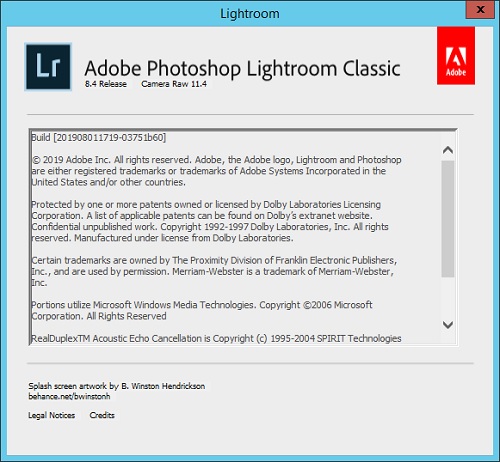
Adobe Photoshop Lightroom Classic CC 2019 v8.4.0.10 x64 Multilingual + Portable

e34a947b5541fe1e944a3b6e806de16d.png


Adobe Photoshop Lightroom Classic CC 2019 v8.4.0.10 x64 Multilingual RePacK + Portable

File Size: 1.17 GiB, 942 MiB

​

Edit and organize your photos with the app that's optimized for desktop. Lightroom Classic CC gives you powerful one-click tools and advanced controls to make your photos look amazing. Easily organize all your photos on your desktop, and share in a variety of ways.

Your best shots. Made even better.
Your photos don't always reflect the scene the way you remember it. But with Lightroom Classic CC, you have all the desktop editing tools you need to bring out the best in your photographs. Punch up colors, make dull-looking shots vibrant, remove distracting objects, and straighten skewed shots. Plus, the latest release offers improved performance so you can work faster than ever.

- With better performance under the hood, Lightroom Classic CC lets you import photos, generate previews, and move from Library to Develop Module in record time.
- Use range masking tools to easily select the areas or objects you want to edit based on their color, luminance, or depth.
- Create HDR panos faster now that you can merge multiple bracketed exposures into multiple HDR photos and then stitch them into a panorama - all in one step.

What's New in Lightroom Classic CC 2019:

Faster tethering
Experience greater speed and stability when tethering a Canon camera to Lightroom Classic CC.

One-step Merge to Panorama
Create HDR panos faster now that you can merge multiple bracketed exposures into multiple HDR photos and then stitch them into a panorama - all in one step.

Depth range masking
Make selections based on specific depth ranges in either the foreground or background of your HEIC photos.

Improved negative Dehaze
See less noise when you move the Dehaze slider to the left of zero.

Improved high-ISO rendering
Get natural color in your low-light, high-ISO shots.

System Requirements:
- Processor: Intel® or AMD processor with 64-bit support*; 2 GHz or faster processor
- Operating system: Microsoft Windows 7 with Service Pack 1 (64-bit) or Windows 10**
- RAM: 4 GB of RAM (12 GB recommended)
- Hard disk space: 2 GB of available hard-disk space for program installation.
- Monitor resolution: 1024 x 768 display

Graphics processor acceleration requirements:
- AMD: Radeon GPU with DirectX 12 or OpenGL 3.3 support.
- Intel: Skylake or newer GPU with DirectX 12 support.
- NVIDIA: GPU with DirectX 12 or OpenGL 3.3 support.
- OpenGL 3.3 and DirectX 10-capable video adapter for GPU-related functionality.
- 1 GB Video RAM (VRAM). 2 GB of dedicated VRAM (4 GB recommended) for large, high-resolution monitors, such as 4K- and 5K-resolution monitors.

Lightroom Classic CC is available in the following languages:
- Deutsch, English, Español, Français, Italiano, Nederlands, Português (Brasil), Svenska, 日本語, 简体中文, 繁體中文, 한국어

da41251634b1d46ecd958ed821b04b78.jpg


У Вас недостаточно прав для просмотра ссылок. Войдите или зарегистрируйтесь.


DownLoad

Single Link
Код:
http://nitroflare.com/view/8047D611CDC87D6/Adobe.Photoshop.Lightroom.Classic.CC.2019.v8.4.0.10.x64.Multilingual.RePacK.iso

Код:
https://rapidgator.net/file/76826cd39b055b7e3c3730e60eb55539/Adobe.Photoshop.Lightroom.Classic.CC.2019.v8.4.0.10.x64.Multilingual.RePacK.iso.html

Код:
https://uploadgig.com/file/download/81cb40f32e22b23E/Adobe.Photoshop.Lightroom.Classic.CC.2019.v8.4.0.10.x64.Multilingual.RePacK.iso

NitroFlare
Код:
http://nitroflare.com/view/688685AE2992A7D/Adobe.Photoshop.Lightroom.Classic.CC.2019.v8.4.0.10.x64.Multilingual.RePacK.part1.rar
http://nitroflare.com/view/50F25CDB92BA568/Adobe.Photoshop.Lightroom.Classic.CC.2019.v8.4.0.10.x64.Multilingual.RePacK.part2.rar
http://nitroflare.com/view/BC91790EA436934/Adobe.Photoshop.Lightroom.Classic.CC.2019.v8.4.0.10.x64.Multilingual.Portable.rar

RapidGator
Код:
https://rapidgator.net/file/0c6dff50fe2de4577c2af7c53f8eb0b3/Adobe.Photoshop.Lightroom.Classic.CC.2019.v8.4.0.10.x64.Multilingual.RePacK.part1.rar.html
https://rapidgator.net/file/d4cf35304e9a5b92cf891aa00a35fa17/Adobe.Photoshop.Lightroom.Classic.CC.2019.v8.4.0.10.x64.Multilingual.RePacK.part2.rar.html
https://rapidgator.net/file/6575df7da39d117080a49aad2851c96e/Adobe.Photoshop.Lightroom.Classic.CC.2019.v8.4.0.10.x64.Multilingual.Portable.rar.html

UploadGiG
Код:
https://uploadgig.com/file/download/a90d7bcc3F1bf217/Adobe.Photoshop.Lightroom.Classic.CC.2019.v8.4.0.10.x64.Multilingual.RePacK.part1.rar
https://uploadgig.com/file/download/eCea5782651b6462/Adobe.Photoshop.Lightroom.Classic.CC.2019.v8.4.0.10.x64.Multilingual.RePacK.part2.rar
https://uploadgig.com/file/download/5dAa0442C365837a/Adobe.Photoshop.Lightroom.Classic.CC.2019.v8.4.0.10.x64.Multilingual.Portable.rar
 
AOMEI Backupper All Editions WinPE Boot Legacy & UEFI v5.1.0

b6bfceba533647e8643c6bc2c514c184.jpg


AOMEI Backupper All Editions WinPE Boot Legacy & UEFI v5.1.0

File Size: 3.45 GiB (Total)

​

AOMEI Backupper is a professional-like, easy-to-use backup and recovery software. But is free for home users and commercial use, fully protects your computer from data loss. It lets you securely backup PC and Server, provides one-click backup your system partition or disk and does it in minutes. This software also can explore the created image and restore it to the hard drive if your data gets lost or corrupted. In addition, you can create a bootable rescue disk for recovering your data when the system crashes and the application cannot be accessed from the Windows interface.

AOMEI Backupper lets you clone the partition or disk, too. The software already supports the Microsoft Volume Shadow Copy Service (VSS) that enables the data backup process and does not interfere the running applications. This option of AOMEI Backupper is very efficient because backup data can still be made when you're working.
To prevent data loss, so we need to make data backup, AOMEI Backupper with the following features to ensure the safety of your data.

System Backup. One-click back up all data of system drive, including system files and installed applications without interrupting system run.
Disk Backup. Backup your hard disk drives including MBR disk, GPT disk, external hard drive, USB disk, and other storage devices that can be recognized by Windows.
Partition and Volume Backup. If you just want to backup a partition or volume, not the entire disk, the feature will be your best choice. With it, you can backup one or multiple partitions/volumes (including dynamic volumes) to an image file.
When your computer occurs some problems, such as accidentally deleted files, the system can not start, virus damage, by using the created backup before, you can restore system to its previous normal state or retrieve lost data.

System Recovery. Easily and quickly restore system partition and ensure system bootable after completing the recovery process.
Disk and Partition Recovery. Reliably recover the whole hard disk drive, partition or dynamic volume to original state.
Selective file restore. Selectively restore individual files and folders from a backup image file without recovering the entire backup.

In addition to backup and restore functions, AOMEI Backupper supports cloning operations. If you need to upgrade hard drive, or replace old disk, or migrate hard drive to new one, this feature can be more convenient to your work.

Disk Clone: Directly copy one hard drive to another without creating an image file. The program allows you to resize partitions during this cloning process, and supports to clone small disk to larger disk as well as copy traditional hard drive to solid state drive.
Partition and Volume Clone: Directly create an exact duplication of partition or dynamic volume and exactly transfer it to another partition or volume.

AOMEI Backupper Other Features:
Incremental and differential backups. Based on a full backup, the software supports to create incremental or differential backups to taking less time and save storage space.
Encryption and Compression. You can set a password for each backups to prevent unauthorized access. When the backup process, specify an industry leading compression algorithm to compress image file in order to take up less disk space.
Image file checker and explorer. Check data integrity of image file to ensure the backups can be restored successfully. Mount image files to a virtual partition so that you can browse the contents of the backups in Windows Explorer.
Comment Backups and Splitting Backups. Add comments to backups so that the backups can be further identified and clarified. Let you know what a backup is for or what it contains. Splitting Backups can split backup an image file into proper sizes to fit storage media.
Create Bootable Rescue Media. You can create a bootable media (e.g. CD or USB media) to restore system drive on the condition that Windows can not boot.
Supported OS: Windows XP, Vista, Windows 7, Windows 8/8.1, Windows 10 (32-bit, 64-bit).

Supported OS: Windows XP, Vista, Windows 7, 8, 8.1, 10 (32-bit, 64-bit).
Supported File Systems: NTFS, FAT32, FAT16, EXT2, EXT3 and other file systems
Storage Devices: Internal hard disks, External hard disks, Solid-state drive (SSD), USB flash drives, Thumb Drives, Network-attached storage (NAS), cloud drive, Hardware RAID, Dynamic Disk and Virtual machine system, etc.

У Вас недостаточно прав для просмотра ссылок. Войдите или зарегистрируйтесь.


DownLoad

NitroFlare
Код:
http://nitroflare.com/view/4424A4E436C8763/AOMEI.Backupper.Professional.WinPE.Boot.Legacy.v5.1.0.iso
http://nitroflare.com/view/C4BC7333509ABE8/AOMEI.Backupper.Professional.WinPE.Boot.UEFI.v5.1.0.iso
http://nitroflare.com/view/015D2118326C0BE/AOMEI.Backupper.Server.WinPE.Boot.Legacy.v5.1.0.iso
http://nitroflare.com/view/908D6141601DB19/AOMEI.Backupper.Server.WinPE.Boot.UEFI.v5.1.0.iso
http://nitroflare.com/view/4AEBBB72A703C86/AOMEI.Backupper.Technician.Plus.WinPE.Boot.Legacy.v5.1.0.iso
http://nitroflare.com/view/FB717AECFC0EDC6/AOMEI.Backupper.Technician.Plus.WinPE.Boot.UEFI.v5.1.0.iso
http://nitroflare.com/view/3B5E4154865D4A3/AOMEI.Backupper.Technician.WinPE.Boot.Legacy.v5.1.0.iso
http://nitroflare.com/view/0E7C73B7AA63C1B/AOMEI.Backupper.Technician.WinPE.Boot.UEFI.v5.1.0.iso

RapidGator
Код:
https://rapidgator.net/file/55ddce2a0622a3900624e188461f8f0e/AOMEI.Backupper.Professional.WinPE.Boot.Legacy.v5.1.0.iso.html
https://rapidgator.net/file/d1af10c4d0539b8a097d10ad1db25b8b/AOMEI.Backupper.Professional.WinPE.Boot.UEFI.v5.1.0.iso.html
https://rapidgator.net/file/c9d320e15b43e3bd10c409ed954ae9f6/AOMEI.Backupper.Server.WinPE.Boot.Legacy.v5.1.0.iso.html
https://rapidgator.net/file/fa88c81f7f1a2e68d9fb958fe63b7fe9/AOMEI.Backupper.Server.WinPE.Boot.UEFI.v5.1.0.iso.html
https://rapidgator.net/file/d110369992380a05846c7dc7afe0eb1c/AOMEI.Backupper.Technician.Plus.WinPE.Boot.Legacy.v5.1.0.iso.html
https://rapidgator.net/file/ce74685db0512857b8cea1f791cf3b1a/AOMEI.Backupper.Technician.Plus.WinPE.Boot.UEFI.v5.1.0.iso.html
https://rapidgator.net/file/63cab787712b9f05f01db4c3d5ae349b/AOMEI.Backupper.Technician.WinPE.Boot.Legacy.v5.1.0.iso.html
https://rapidgator.net/file/8922cbaa88658a3997479f6cfb8ab683/AOMEI.Backupper.Technician.WinPE.Boot.UEFI.v5.1.0.iso.html

UploadGiG
Код:
https://uploadgig.com/file/download/e311A9Cc464b3a6F/AOMEI.Backupper.Professional.WinPE.Boot.Legacy.v5.1.0.iso
https://uploadgig.com/file/download/3cc0b8689318dFA7/AOMEI.Backupper.Professional.WinPE.Boot.UEFI.v5.1.0.iso
https://uploadgig.com/file/download/8456d3ac56a4Eeb1/AOMEI.Backupper.Server.WinPE.Boot.Legacy.v5.1.0.iso
https://uploadgig.com/file/download/3c3EbFCe4c34e438/AOMEI.Backupper.Server.WinPE.Boot.UEFI.v5.1.0.iso
https://uploadgig.com/file/download/30980baade67ff72/AOMEI.Backupper.Technician.Plus.WinPE.Boot.Legacy.v5.1.0.iso
https://uploadgig.com/file/download/29764Deb68a7A22A/AOMEI.Backupper.Technician.Plus.WinPE.Boot.UEFI.v5.1.0.iso
https://uploadgig.com/file/download/Bbc3a1757d1b2885/AOMEI.Backupper.Technician.WinPE.Boot.Legacy.v5.1.0.iso
https://uploadgig.com/file/download/57a64b2063207b21/AOMEI.Backupper.Technician.WinPE.Boot.UEFI.v5.1.0.iso
 
Corel AfterShot Standard 3.5.0.365 x64 Multilingual

6d59b6bd4aaed0322aaefd7d1b457eec.jpg


Corel AfterShot Standard 3.5.0.365 x64 Multilingual

File Size: 110 MiB

​

Turn your passion for photography into unforgettable photos-without spending hours at the computer. Corel® AfterShot™ 3 is the simple, affordable way to quickly learn professional-grade photo editing. Make easy corrections and enhancements, and apply adjustments to one or thousands of photos at once with batch processing tools.

Photo editing software
• Enhanced Highlight Recovery
• New Blemish Remover tools
• New Image Preset Library

Simple photo management
Sort, organize and view all your photos in one place, quickly and easily with flexible file management options-no importing required.

Time-saving workflow
Speed through loading, selecting, editing and output with an easy-to-use workflow perfect for students and aspiring photographers.

Powerful batch processing
Edit and perfect one or thousands of photos with powerful batch processing controls and presets that let you quickly bring out the best in every image.

Highlight Recovery
Regain more of the detail and tone from your overexposed photos with enhanced Highlight Recovery. Powered by a new algorithm, this feature lets you access more of the data in your RAW files for superior image quality.

Blemish Remover (NEW!)
Save time and edit faster by doing more touchups and photo corrections in AfterShot 3, rather than jumping to PaintShop Pro or Adobe® Photoshop®. The new Blemish Remover offers circle, brush, polygon and freehand tools for detailed editing, making portrait editing faster and easier. Remove dust, spots, smudges and a variety of imperfections on any photo.

Image Preset Library (NEW!)
Now it's easier to tap into the power of presets to automate more of your repetitive processing jobs or quickly reproduce a look that would otherwise be tedious to replicate. The new Image Preset Library^ lets you browse, preview and download free and for-purchase presets.

Lens Corrections (NEW!)
Update to AfterShot 3 for new, sought-after lens corrections that build on the hundreds of lenses already supported by AfterShot to quickly correct the different types of distortion introduced by various lenses. Join the AfterShot Pro community on Facebook to discover when new lens corrections are posted or to share your own.

See what's new with plugins (ENHANCED!)
Find and install free and for-purchase plugins, and get updates in a flash with AfterShot 3's new Plugin Manager^. Or make your own with our unique plugin API-a love of photography, a knowledge of C++ and the updated Plugin SDK are all you need. Share your plugins freely with the AfterShot community, or work with Corel to sell them.

Updated RAW camera profiles (NEW!)
We're committed to constantly delivering support for today's most popular, powerful and creative cameras, including professional DSLRs, flexible and high-quality mirrorless cameras, and many more. A new dynamic camera profile updater^ notifies you when new cameras are added a new feedback mechanism captures and prioritizes your requests with Corel.

Modular Camera Profiles (NEW!)
Get the latest camera profiles sooner-and without patching your software-with dynamic camera updates^. Simply browse and download directly from AfterShot 3. Don't see a camera you want? Hit the 'feedback' button and log your request directly to the AfterShot Pro development team.

Lens Correction Development Kit (NEW!)
Make and share your own lens corrections-ideal for photographers working with rare, unique or spanking new glass. Simply follow the instructions, save your correction, then load it into AfterShot 3-or share online.

У Вас недостаточно прав для просмотра ссылок. Войдите или зарегистрируйтесь.


DownLoad

NitroFlare
Код:
http://nitroflare.com/view/2282144ECF817E3/Corel.AfterShot.Standard.3.5.0.365.x64.Multilingual.rar

RapidGator
Код:
https://rapidgator.net/file/57a13d59e2602b33c61e817d2021d8f4/Corel.AfterShot.Standard.3.5.0.365.x64.Multilingual.rar.html

UploadGiG
Код:
https://uploadgig.com/file/download/3e9abC806c333205/Corel.AfterShot.Standard.3.5.0.365.x64.Multilingual.rar
 
CyberLink PowerDVD Ultra 19.0.2005.62 Multilingual

5973e08a4fa95214c19db7fa5e79f4f4.jpg


CyberLink PowerDVD Ultra 19.0.2005.62 Multilingual

File Size: 381 MiB

​

The Most Complete Multimedia Player for Home Theaters & PCs. PowerDVD plays more than just DVD and Blu-ray discs. It is an all-round multimedia player for downloads, movies, videos, audio, photos, VR 360˚ content, and even YouTube or Vimeo. Enjoy all your favorite movies and premium videos in better-than-original quality in your own home theater with support for popular media casting devices, plus most file formats and codecs. For those who like to be on the cutting-edge of entertainment PowerDVD 19 also delivers the most immersive 360˚ VR experience possible with new spatial audio support.

Extreme Video & Audio Quality
Enjoy all your favorite movies and premium videos in better-than-original quality in your own home theater.

Better-than-Original Quality Audio & Video Playback (Now for 4K Video!)
CyberLink's unique TrueTheater audio-visual enhancement technology is exclusive tech that instantly upgrades the quality of all videos, including Blu-ray, HD and 360º content you watch so that you can truly enjoy them on your home theater system. It can even make Ultra HD 4K video look even better!

Superior Definition Entertainment (Now support 8K Video!)
The next wave in ultra-high definition entertainment is here with 8K video. PowerDVD brings the latest in high-resolution video technology right into your living room to ensure you can enjoy the ultimate entertainment experience in Ultra HD 4K, HDR & now 8K on your big screen TV.

The Ultimate Cinema-grade Sound at Home
PowerDVD lets you get the most out of your home audio setup with support for master-quality sound technology from the leaders in professional digital audio-Dolby and DTS. Enjoy the acoustic difference of specialized multichannel audio and lossless audio formats such as FLAC and DSD.

Play & Cast Your Favorite Media
One player to play virtually any type of media including movie files, discs, ISO, and photos on your PC or cast to TV.

Wireless Entertainment Made Easy
Stream directly from PowerDVD to your TV using leading media casting devices - Roku®, Apple TV®, Chromecast™ and Fire TV™. You can even improve the video and audio quality of any content in real time with CyberLink's unique TrueTheater enhancements!

Play & Cast Almost Anything!
Enjoy the Ultra HD videos shot on your GoPro, or iPhone photos in full quality as soon as you get home, even if you're running Windows 10. PowerDVD ensures playback for a wide range of file types and formats, including HEVC/H.265 video & HEIC image files, without the need to install any extra plugins. With PowerDVD 19, you can even cast a wide range of media formats and codecs to your TV, even if they are not natively supported by your Roku®, Apple TV®, Chromecast™, or Fire TV™ device.

Enjoy Incredible HDR Video (Enhanced GPU Support!)
HDR (High -dynamic-range) video delivers deeper blacks, brighter whites, and greater color depth compared to regular video. With PowerDVD you can enjoy this next level in entertainment quality with our TrueTheater HDR enhancements & expanded GPU support for HDR video playback that removes the need to run in Windows Exclusive Mode.

Play Ultra HD Blu-ray, Blu-ray & DVD
Play it all, no matter if you want to enjoy the latest Hollywood blockbuster or relive a classic from your collection. Even upscale while you watch with TrueTheater.

External Subtitle Support for Discs (Enhanced!)
Watch your favorite titles on Ultra HD Blu-ray, or Blu-ray, in any language, even with custom subtitle files you've downloaded.

True Full Screen for Blu-ray
Watch your favorite Hollywood movie classics on widescreen TVs without any letterboxing or black bars while using your 4K video player.

Cutting Edge VR & Online Playback
Immerse yourself in a media that's as good as being there, and enjoy YouTube streaming in better-than-original quality.

360˚ VR Video with Spatial Audio (NEW!)
Experience the most immersive 360º VR video experience with spatial audio. Whether you're watching on your PC or with a headset you can now experience audio that flows around you in a truly 360º world.

Don't Miss a Moment in 360º
Watch 360º video from every angle simultaneously, even without a headset, and never miss a moment. This PowerDVD is perfect if you're watching 360º content on a smaller screen.

VR Mode for Popular Headsets
Immerse yourself in VR with support for Oculus Rift and HTC Vive headsets in PowerDVD, making it the best 4k video player for next-generation multimedia entertainment.

Better Online Entertainment
Enjoy all your favorite online content from YouTube without being tied to your web browser.

Always on Top Mini View
Never miss a moment of your favorite YouTube Live streams with this minimalist viewing mode.

Pin Videos to Watch Offline (Enhanced!)
You don't even need the internet to watch your favorite YouTube clips. Pin them to watch offline or on the road.

Operating System:
- Ultra HD Blu-ray: Microsoft Windows 10 (64-bit with Fall Creators Update 2017 Oct. updates)
- HDR10: Windows 10 (64-bit with October 2018 Update)
- 8K Video Playback: Microsoft Windows 10 (64-bit with Fall Creators Update 2017 Oct. updates)
- 4K Video Playback with TrueTheater: Microsoft Windows 10 (64-bit with Fall Creators Update 2017 Oct. updates)
- Blu-ray Disc, DVD, and TrueTheater 3D Playback: Microsoft Windows 10, 8.1, 7 with Service Pack 1
- VR Mode: Windows 10/8.1/7 with Service Pack 1

У Вас недостаточно прав для просмотра ссылок. Войдите или зарегистрируйтесь.


DownLoad

NitroFlare
Код:
http://nitroflare.com/view/D29CD0A626DBA4D/CyberLink.PowerDVD.Ultra.19.0.2005.62.Multilingual.rar

RapidGator
Код:
https://rapidgator.net/file/56ff5aa35b232ffeeb751aecbc6d02d8/CyberLink.PowerDVD.Ultra.19.0.2005.62.Multilingual.rar.html

UploadGiG
Код:
https://uploadgig.com/file/download/a0377306634D3d67/CyberLink.PowerDVD.Ultra.19.0.2005.62.Multilingual.rar
 
Adobe Audition CC 2019 v12.1.3.10 x64 Multilingual-WEBiSO

3bf5f02b73baafc099ecf684fe14db99.png


Adobe Audition CC 2019 v12.1.3.10 x64 Multilingual-WEBiSO

File Size: 444 MiB

​

Adobe Audition CC. A professional audio workstation. Create, mix, and design sound effects with the industry's best digital audio editing software. Audition CC is a comprehensive toolset that includes multitrack, waveform, and spectral display for creating, mixing, editing, and restoring audio content. This powerful audio workstation is designed to accelerate video production workflows and audio finishing - and deliver a polished mix with pristine sound.

What is Audition CC?
Meet the industry's best audio cleanup, restoration, and precision editing tool for video, podcasting, and sound effect design.

Record, edit, and integrate music clips.
This step-by-step tutorial guides you through the robust audio toolkit that is Adobe Audition, including its seamless workflow with Adobe Premiere Pro CC.

Add oomph to your audio.
Use the Essential Sound panel to achieve professional-quality audio - even if you're not a professional.

Create a podcast
Learn the basic steps to record, mix, and export audio content for a podcast - or any other audio project.

Remix to fit
Easily and automatically rearrange any song to fit any duration with Remix in Audition CC.

Repair and restore
Get best practices for fixing audio, including how to use the spectral frequency display, Diagnostics panel, effects, and more.

Instructions:
Unpack & Install.

У Вас недостаточно прав для просмотра ссылок. Войдите или зарегистрируйтесь.


DownLoad

NitroFlare
Код:
http://nitroflare.com/view/DF4D25FE4474EF7/Adobe.Audition.CC.2019.v12.1.3.10.x64.Multilingual-WEBiSO.iso

RapidGator
Код:
https://rapidgator.net/file/57e797ccccb0b93fc6faea2b197ae995/Adobe.Audition.CC.2019.v12.1.3.10.x64.Multilingual-WEBiSO.iso.html

UploadGiG
Код:
https://uploadgig.com/file/download/51482d0143c437Cc/Adobe.Audition.CC.2019.v12.1.3.10.x64.Multilingual-WEBiSO.iso
 
Adobe Photoshop Lightroom Classic CC 2019 v8.4.0.10 x64 Multilingual-WEBiSO

e34a947b5541fe1e944a3b6e806de16d.png


Adobe Photoshop Lightroom Classic CC 2019 v8.4.0.10 x64 Multilingual-WEBiSO

File Size: 1.17 GiB

​

Edit and organize your photos with the app that's optimized for desktop. Lightroom Classic CC gives you powerful one-click tools and advanced controls to make your photos look amazing. Easily organize all your photos on your desktop, and share in a variety of ways.

Your best shots. Made even better.
Your photos don't always reflect the scene the way you remember it. But with Lightroom Classic CC, you have all the desktop editing tools you need to bring out the best in your photographs. Punch up colors, make dull-looking shots vibrant, remove distracting objects, and straighten skewed shots. Plus, the latest release offers improved performance so you can work faster than ever.

- With better performance under the hood, Lightroom Classic CC lets you import photos, generate previews, and move from Library to Develop Module in record time.
- Use range masking tools to easily select the areas or objects you want to edit based on their color, luminance, or depth.
- Create HDR panos faster now that you can merge multiple bracketed exposures into multiple HDR photos and then stitch them into a panorama - all in one step.

What's New in Lightroom Classic CC 2019:

Faster tethering
Experience greater speed and stability when tethering a Canon camera to Lightroom Classic CC.

One-step Merge to Panorama
Create HDR panos faster now that you can merge multiple bracketed exposures into multiple HDR photos and then stitch them into a panorama - all in one step.

Depth range masking
Make selections based on specific depth ranges in either the foreground or background of your HEIC photos.

Improved negative Dehaze
See less noise when you move the Dehaze slider to the left of zero.

Improved high-ISO rendering
Get natural color in your low-light, high-ISO shots.

System Requirements:
- Processor: Intel® or AMD processor with 64-bit support*; 2 GHz or faster processor
- Operating system: Microsoft Windows 7 with Service Pack 1 (64-bit) or Windows 10**
- RAM: 4 GB of RAM (12 GB recommended)
- Hard disk space: 2 GB of available hard-disk space for program installation.
- Monitor resolution: 1024 x 768 display

Graphics processor acceleration requirements:
- AMD: Radeon GPU with DirectX 12 or OpenGL 3.3 support.
- Intel: Skylake or newer GPU with DirectX 12 support.
- NVIDIA: GPU with DirectX 12 or OpenGL 3.3 support.
- OpenGL 3.3 and DirectX 10-capable video adapter for GPU-related functionality.
- 1 GB Video RAM (VRAM). 2 GB of dedicated VRAM (4 GB recommended) for large, high-resolution monitors, such as 4K- and 5K-resolution monitors.

Lightroom Classic CC is available in the following languages:
- Deutsch, English, Español, Français, Italiano, Nederlands, Português (Brasil), Svenska, 日本語, 简体中文, 繁體中文, 한국어

da41251634b1d46ecd958ed821b04b78.jpg


Instructions:
Unpack & Install.

У Вас недостаточно прав для просмотра ссылок. Войдите или зарегистрируйтесь.


DownLoad

Single Link
Код:
http://nitroflare.com/view/369E37E89349E0B/Adobe.Photoshop.Lightroom.Classic.CC.2019.v8.4.0.10.x64.Multilingual-WEBiSO.iso

Код:
https://rapidgator.net/file/c32972160ec1225fe20eff5752a55074/Adobe.Photoshop.Lightroom.Classic.CC.2019.v8.4.0.10.x64.Multilingual-WEBiSO.iso.html

Код:
https://uploadgig.com/file/download/72122685a35D276d/Adobe.Photoshop.Lightroom.Classic.CC.2019.v8.4.0.10.x64.Multilingual-WEBiSO.iso

NitroFlare
Код:
http://nitroflare.com/view/BACA99125364F25/Adobe.Photoshop.Lightroom.Classic.CC.2019.v8.4.0.10.x64.Multilingual-WEBiSO.part1.rar
http://nitroflare.com/view/997D4C60D04B7BD/Adobe.Photoshop.Lightroom.Classic.CC.2019.v8.4.0.10.x64.Multilingual-WEBiSO.part2.rar

RapidGator
Код:
https://rapidgator.net/file/c0daae6047705c033f4fbf14c8ca1e78/Adobe.Photoshop.Lightroom.Classic.CC.2019.v8.4.0.10.x64.Multilingual-WEBiSO.part1.rar.html
https://rapidgator.net/file/6543c24a7480b4227ef5188493b35bac/Adobe.Photoshop.Lightroom.Classic.CC.2019.v8.4.0.10.x64.Multilingual-WEBiSO.part2.rar.html

UploadGiG
Код:
https://uploadgig.com/file/download/30991A2E79d1373a/Adobe.Photoshop.Lightroom.Classic.CC.2019.v8.4.0.10.x64.Multilingual-WEBiSO.part1.rar
https://uploadgig.com/file/download/c2295798aA28e5c7/Adobe.Photoshop.Lightroom.Classic.CC.2019.v8.4.0.10.x64.Multilingual-WEBiSO.part2.rar
 
DxO PhotoLab 2.3.1 Build 24028 x64 Elite Multilingual

330460c3eb2fedcc28890d0e5b3b6de5.jpg


DxO PhotoLab 2.3.1 Build 24028 x64 Elite Multilingual

File Size: 334 MiB

​

Produce RAW and JPEG images with the best image quality, effortlessly: DxO PhotoLab provides a complete set of smart assisted corrections that you can manually fine-tune at any time. Take control on every aspect of your photos: effectively remove noise, get rid of light constraints, recover color details, apply sophisticated optical corrections, and enhance details.

DxO SMART LIGHTING
Optimizes the dynamic range of your image and brings out the details from both under- and overexposed areas.

DxO CLEARVIEW
Intelligently boosts local contrast and effectively removes distant haze.

DxO PRIME
Automatically denoises high ISO RAW images and recovers accurate details and colors based on our exclusive algorithms.

OPTICAL CORRECTIONS
Leverage your gear with tailored automatic corrections based on DxO's renowned scientific expertise in measurement and calibration.

EXPRESS YOUR CREATIVITY WITH LOCAL ADJUSTMENTS: INTRODUCING U POINT®
Give your photos your own artistic touch by manually applying selective corrections to specific areas of your image, using exclusive DxO Local Adjustment Tools that include: Control points (U Point technology), graduated filters, manual and automatic brushes, automatic repair tool, etc.

CONTROL POINTS
Manually select your editing area by simply clicking on the part of your image you want to adjust.

BRUSH TOOL
Freely paint and manually adjust small or large areas of your image.

GRADIENT TOOL
Simulates a graduated ND filter and lets you apply artistic effects.

REPAIR TOOL
Allows you to remove dust spots or unwanted objects from your photos.

Processing large series of photos is no longer a nightmare
- Intelligent algorithms adapt settings to your gear as well as to image content
- Copy and paste settings from one image to another
- 30 built-in presets, fully customizable to give your photos the look you like
- Multiple exports in one click
- Export to multiple formats for web, printing, or backup
Export directly to social networks such as Facebook, Flickr, or to other photo editors

Fully adapted to YOUR workflow
- File management that works with your computer (no import step required)
- Direct access to images
- Seamless integration with Lightroom via plugin
- Customizable workspace to adapt to your needs - Dual-screen friendly

System Requirements:
- Intel Core® 2 or AMD Athlon™ 64 X2 or higher (Intel Core® i5 or higher recommended)
- 4 GB of RAM (8 GB recommended)
- 4 GB or more of available hard-disk space
- Microsoft® Windows® 7 (64-bit) with Service Pack 1, Microsoft® Windows® 8.1 (64-bit), or Microsoft® Windows® 10 (64-bit)
- DirectX 9.0c-capable system
- OpenCl 1.2-capable graphic card with 1GB of video memory to handle OpenCL acceleration

У Вас недостаточно прав для просмотра ссылок. Войдите или зарегистрируйтесь.


DownLoad

NitroFlare
Код:
http://nitroflare.com/view/39C3C1D0375F160/DxO.PhotoLab.2.3.1.Build.24028.x64.Elite.Multilingual.rar

RapidGator
Код:
https://rapidgator.net/file/2b00fd8abd9c9de7fe976a9e1f938a73/DxO.PhotoLab.2.3.1.Build.24028.x64.Elite.Multilingual.rar.html

UploadGiG
Код:
https://uploadgig.com/file/download/667Cd7731Ee3ff67/DxO.PhotoLab.2.3.1.Build.24028.x64.Elite.Multilingual.rar
 
JetBrains Rider 2019.2 x64

168e0988350cf2c692e806c90fc80538.jpg


JetBrains Rider 2019.2 x64

File Size: 462 MiB

​

Rider helps you develop .NET, ASP.NET, .NET Core, Xamarin, or Unity applications on Windows, Mac, or Linux. It provides rich editing support and code insight for languages used in .NET development, from C#, VB.NET, and F# to ASP.NET Razor syntax, JavaScript, TypeScript, XAML, XML, HTML, CSS, SCSS, JSON, and SQL.

Languages and project types
Rider lets you open, edit, build, run and debug most kinds of .NET applications: desktop, web, libraries, services (with a notable exception of UWP applications). Applications that target Mono, such as Unity and Xamarin, are also supported, as well as the latest and greatest .NET Core applications.

Rider supports a lot of languages used in .NET development, including C#, F#, VB.NET, ASP.NET (both ASPX and Razor view engines), XAML, XML, JavaScript, TypeScript, JSON, HTML, CSS, SCSS, LESS, and SQL.

ReSharper + IntelliJ platform
Rider uses UI and multiple features of the IntelliJ platform, which powers IntelliJ IDEA, WebStorm, and other JetBrains IDEs. It's cross-platform, familiar to millions of developers, and provides core functionality such as VCS and database support.

On top of that, we add ReSharper features: navigation and search, refactoring, code inspections, quick-fixes, and so on. We have spent 10+ years building a feature set that helps read, write and navigate large .NET codebases, and all this is now available to Rider users.

Designed to be smart and fast
Rider isn't jammed into a 32-bit process, which helps it gain deep insight into your code while still being responsive. Rider opens (and reopens) most solutions with almost zero latency. External changes to solution? Switching Git branches? Not a problem: Rider catches up quickly.

When you edit code, our topmost priority is to make sure that you type as fast as your fingers are trained to, not only as fast as the IDE can process your input.

System Requirements:
Operating system (64-bit distributions only):
Microsoft Windows 10/8.1/7 (.NET Framework 4.6.1 is required)
Processor: min. Intel Core 2 Duo 2GHz
Memory: min. 4 GB / recommended 8 GB or higher
Disk: min. space: 2,5 GB
using SSD instead of HDD is recommended for optimal performance
Screen: 1024x768 minimum screen resolution

У Вас недостаточно прав для просмотра ссылок. Войдите или зарегистрируйтесь.


DownLoad

NitroFlare
Код:
http://nitroflare.com/view/C58A9BA32D64F00/JetBrains.Rider.2019.2.x64.rar

RapidGator
Код:
https://rapidgator.net/file/c3dfce94bd59a96593acee8590bf7685/JetBrains.Rider.2019.2.x64.rar.html

UploadGiG
Код:
https://uploadgig.com/file/download/3069b295b01b022b/JetBrains.Rider.2019.2.x64.rar
 
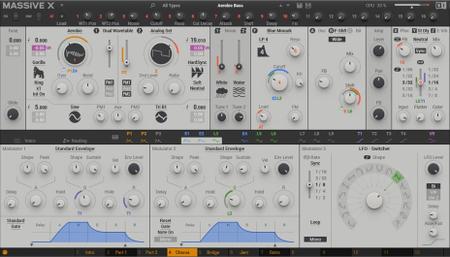
Native Instruments Massive X v1.0.1 WiN

cd348b004e17a53dcf3a1e1e9c954753.jpg


Native Instruments Massive X v1.0.1 WiN

File Size: 867 MiB

​

The original Massive, having helped define the sound of modern genres such as dubstep and EDM, became synonymous with an exciting, forward-thinking approach to synthesis that unapologetically embraced its digital DNA. Famous for its intuitive interface and sonic potential - from enormous basslines and soaring leads, to evolving ambient textures - it quickly became a staple part of many production toolkits.

Massive X is Native Instruments' new flagship synth, built by the same team as its predecessor. Based on a state of the art architecture, it delivers pristine sound, and huge creative flexibility for artists and sound designers alike - allowing them to create, modulate, and experiment with sound from a huge range of sources, in any way they like.

У Вас недостаточно прав для просмотра ссылок. Войдите или зарегистрируйтесь.


DownLoad

NitroFlare
Код:
http://nitroflare.com/view/F1433FD2544F742/Native.Instruments.Massive.X.v1.0.1.WiN.rar
http://nitroflare.com/view/11DDC0A1C97FA32/Native.Instruments.Massive.X.Factory.Library.WiN.OSX.iso

RapidGator
Код:
https://rapidgator.net/file/47d4e4e25774ddf4be587d3376ca69c3/Native.Instruments.Massive.X.v1.0.1.WiN.rar.html
https://rapidgator.net/file/d916bd8f7c23d90f43297afdd8a7746e/Native.Instruments.Massive.X.Factory.Library.WiN.OSX.iso.html

UploadGiG
Код:
https://uploadgig.com/file/download/e53094b79e1b5d93/Native.Instruments.Massive.X.v1.0.1.WiN.rar
https://uploadgig.com/file/download/000e17241eBa662c/Native.Instruments.Massive.X.Factory.Library.WiN.OSX.iso
 
Nik Collection by DxO 2.0.5 x64 Multilingual

61511ff7e876a640bcafa4adb44de662.jpg


Nik Collection by DxO 2.0.5 x64 Multilingual

File Size: 795 MiB

​

The Most Powerful Photo Editing Plugins For Adobe Photoshop & Lightroom. Nik Collection 2 by DxO is a powerful suite of plugins offering an impressive range of creative effects and innovative tools for total editing control.

What's New:

40+ Brand New Exciting Presets
New looks for creating unique images with just a single click, including Blue Monday and Clarity Bump, plus a whole set of stunning B&W settings.

Edits RAW Files With U POINT
You can now apply U Point exclusive local adjustment technology to RAW files giving photographers more versatility and creative possibilities.

Advanced Optical correction
Take advantage of DxO Labs, analyzing and fixing image defects: distortion, lens softness, vignetting, chromatic aberrations, and vignetting.

Support For HiDPI Displays
Efex Plugins now works with HiDPI screens and displays images in native full resolution.

Color Photography
Color Efex Pro: Providing a wealth of creative possibilities for your color photos

Black & White Photography
Silver Efex Pro: Black & white darkroom styles for superb monochrome images

Analog Photography
Analog Efex Pro inspiring filters from a bygone age of classic cameras & vintage film techniques.

HDR photography
HDR Efex Pro: Create stunning HDR images with a range of clever presets and settings.

U Point on RAW
Powerful U Point technology applies precise and natural enhancements to selected areas of an image without the need for complicated selections or layer masks. U Point is trusted by millions of photographers and uses Control Points, a unique system for applying selective adjustments and corrections. It's now also available on raw files.

Powerful Optical Corrections
DxO has analyzed more than 40,000 combinations of cameras and lenses to create the most advanced algorithms for correcting optical defects, including lack of sharpness, vignetting, chromatic aberrations, and distortion. Optical Correction Modules are automatically downloaded and applied whenever you open images in any DxO PhotoLab. This unique features will help reveal every last detail in your RAW files.Release Notes:

System Requirements:
- Intel Core™ i5 or higher
- 4 GB of RAM (8 GB recommended)
- 4 GB or more of available hard-disk space
- Adobe Photoshop CS5 (64 bits) through CC 2019
- Adobe Photoshop Elements 12 through 2019 (apart from HDR Efex Pro 2, which is not compatible with Photoshop Elements)
- Adobe Photoshop Lightroom 3 through Classic CC 2019

Windows:
- Intel Core® 2 or AMD Athlon™ 64 X2 or higher (Intel Core® i5 or higher recommended)
- 4 GB of RAM (8 GB recommended)
- 4 GB or more of available hard-disk space
- Microsoft® Windows® 7 (64 bits) with Service Pack 1, Microsoft® Windows® 8.1 (64 bits), or Microsoft® Windows® 10 (64 bits and still supported by Microsoft®)
- Adobe Photoshop CS5 (64 bits) through CC 2019
- Adobe Photoshop Elements 13 (64 bits) through 2019 (apart from HDR Efex Pro 2, which is not compatible with Photoshop Elements)
- Adobe Photoshop Lightroom 3 through Classic CC 2019

GPU Compatibility:
- Starting from: NVIDIA GeForce 8 Series, ATI Radeon HD2000 Series, and Intel HD Graphics 2000 Series.
- If no compatible card is available, GPU acceleration will be disabled, and the CPU will be used.

Operating System: Windows 7, 8/8.1, 10 (64-bit only)

У Вас недостаточно прав для просмотра ссылок. Войдите или зарегистрируйтесь.


DownLoad

NitroFlare
Код:
http://nitroflare.com/view/2A4A6FF83C61887/Nik.Collection.By.DxO.2.0.5.x64.Multilingual.rar

RapidGator
Код:
https://rapidgator.net/file/cf7af747b5b7bd3586536c930a22fad6/Nik.Collection.By.DxO.2.0.5.x64.Multilingual.rar.html

UploadGiG
Код:
https://uploadgig.com/file/download/fbe34e4ebc6Ca686/Nik.Collection.By.DxO.2.0.5.x64.Multilingual.rar
 
Adobe Dimension CC 2019 v2.3.1.1060 x64 Multilanguage RePacK

50c808e947b468d92a28677ebff80452.png


Adobe Dimension CC 2019 v2.3.1.1060 x64 Multilanguage RePacK

File Size: 1.68 GiB

​

Dimension CC as Adobe - a set of tools for 2D-and 3D-design, to easily create high-quality photorealistic 3D-images, perform compositing 2D-and 3D-visualization resources in a realistic environment products. The basic idea of the product - to give developers the tools needed to integrate its 2D-and 3D-assets without the study of complex and specialized applications. In other words, the program allows you to quickly and simply "delicious" and other creative visualization combines the 2D- and 3D-graphics.

Using machine learning, this tool Adobe is able to automatically determine the best lighting and place the light source in the right place. Adobe Dimension CC automatically aligns objects relative to the horizon. The product is intuitive and similar to the Photoshop interface and Illustrator. Rendering in Adobe Dimension CC used V-Ray, the application displays will look like the final image, without spending time on the final rendering.

Benefits Dimension CC as Adobe:
- Effective supply design
- Create mockups
- New opportunities for creative graphics
- inscribing 3D-object in the real environment
- Familiar interface
- models from Adobe Stock
- Realistic rendering and preview in real time
- Capture material

System Requirements:
OS:Windows 10 Anniversary Update (64-bit) - version 1607 (build 10.0.14393) or later
CPU:
Minimun:Intel Core i5 (2011 or newer), Intel Xeon (2011 or newer), AMD A8 or A10, or AMD Ryzen
Recommended:Intel Core i7 with a frequency of 3.0GHz or higher
RAM:
Minimun:8 GB OF RAM or more
Recommended:16 GB of RAM or more
GPU:
Minimun:Geforce GTX 770, Intel Iris Pro Graphics 580 or 6200, or equivalent
Recommended:Geforce GTX-970 or equivalent
Video memory:1 GB of dedicated VRAM
OpenGL:OpenGL 3.2 capable system
Hard Disk Space:2.5 GB available more for additional content
Display:1080p with qualified hardware-accelerated OpenGL graphics card

У Вас недостаточно прав для просмотра ссылок. Войдите или зарегистрируйтесь.


DownLoad

Single Link
Код:
http://nitroflare.com/view/444EC9491870656/Adobe.Dimension.CC.2019.v2.3.1.1060.x64.Multilanguage.RePacK.iso

Код:
https://rapidgator.net/file/64999b82803d721106a56093c40fc1b7/Adobe.Dimension.CC.2019.v2.3.1.1060.x64.Multilanguage.RePacK.iso.html

Код:
https://uploadgig.com/file/download/6EB405e9d216ec8F/Adobe.Dimension.CC.2019.v2.3.1.1060.x64.Multilanguage.RePacK.iso

NitroFlare
Код:
http://nitroflare.com/view/18DA297335E5519/Adobe.Dimension.CC.2019.v2.3.1.1060.x64.Multilanguage.RePacK.part1.rar
http://nitroflare.com/view/EE54DE0D2E72B68/Adobe.Dimension.CC.2019.v2.3.1.1060.x64.Multilanguage.RePacK.part2.rar

RapidGator
Код:
https://rapidgator.net/file/e8ce48f7133cb9e24bd514bc88f231a5/Adobe.Dimension.CC.2019.v2.3.1.1060.x64.Multilanguage.RePacK.part1.rar.html
https://rapidgator.net/file/83cd4b20b9519ba032815f422467f982/Adobe.Dimension.CC.2019.v2.3.1.1060.x64.Multilanguage.RePacK.part2.rar.html

UploadGiG
Код:
https://uploadgig.com/file/download/a53d9b81D77d3EFe/Adobe.Dimension.CC.2019.v2.3.1.1060.x64.Multilanguage.RePacK.part1.rar
https://uploadgig.com/file/download/4e57c129e42BbAE7/Adobe.Dimension.CC.2019.v2.3.1.1060.x64.Multilanguage.RePacK.part2.rar
 
Adobe Illustrator CC 2019 v23.0.6.637 x64 Multilingual

98d014038e10ebbe0234f9eabf528ce1.jpg


Adobe Illustrator CC 2019 v23.0.6.637 x64 Multilingual

File Size: 1.96 GiB

​

The state of the art of illustration. The industry-standard vector graphics app lets you create logos, icons, drawings, typography, and illustrations for print, web, video, and mobile. Millions of designers and artists use Illustrator to create everything from web icons and product packaging to book illustrations and billboards.

Iconic work at any size.
Get all the drawing tools you need to turn simple shapes and colors into sophisticated logos, icons, and graphics. Illustrator artwork is vector-based, so it can scale down for mobile screens and up to billboard size - and always look crisp and beautiful.

Gorgeous typography that says it all.
Incorporate a company name into a logo, create a flyer, or mock up a website design with the best type tools out there. Add effects, manage styles, and edit individual characters to create typographic designs that perfectly express your messages.

Draw attention everywhere.
Create freehand drawings, or trace and re-color imported photos to turn them into works of art. Use your illustrations anywhere, including printed pieces, presentations, websites, blogs, and social media.

Fast asset export for screens
Select assets from your artboards and export them to multiple sizes, resolutions, and formats with one click.

Puppet Warp
Modify a graphic naturally, without having to adjust individual paths or anchor points.

SVG Color Fonts
Design with SVG OpenType fonts that include multiple colors, gradients, and transparencies.

Artboard enhancements
Create up to a thousand artboards on your canvas, and select multiple artboards at one time to move, resize, and more.

System Requirements:
- Processor: Multicore Intel processor (with 32/64-bit support) or AMD Athlon 64 processor
- Operating system: Microsoft Windows 7 with Service Pack 1, Windows 10*
- RAM: 2 GB of RAM (4 GB recommended) for 32 bit; 4 GB of RAM (16 GB recommended) for 64 bit
- Hard disk: 2 GB of available hard-disk space for installation; additional free space required during installation; SSD recommended
- Monitor resolution: 1024 x 768 display (1920 x 1080 recommended)
- To use Touch workspace in Illustrator, you must have a touch-screen-enabled tablet/monitor running Windows 10 (Microsoft Surface Pro 3 recommended).
- GPU: OpenGL 4.x
- Optional: To use GPU Performance: Your Windows should have a minimum of 1GB of VRAM (4 GB recommended), and your computer must support OpenGL version 4.0 or greater.

У Вас недостаточно прав для просмотра ссылок. Войдите или зарегистрируйтесь.


DownLoad

NitroFlare
Код:
http://nitroflare.com/view/66ED2A0B8BBDA38/Adobe.Illustrator.CC.2019.v23.0.6.637.x64.Multilingual.part1.rar
http://nitroflare.com/view/9CA6B4133EBC260/Adobe.Illustrator.CC.2019.v23.0.6.637.x64.Multilingual.part2.rar

RapidGator
Код:
https://rapidgator.net/file/193c8394a0f6a28e181ac9c64283653c/Adobe.Illustrator.CC.2019.v23.0.6.637.x64.Multilingual.part1.rar.html
https://rapidgator.net/file/32b2e9c2cb53b9e6d8096aed5e144f92/Adobe.Illustrator.CC.2019.v23.0.6.637.x64.Multilingual.part2.rar.html

UploadGiG
Код:
https://uploadgig.com/file/download/3f77c99dC23FbA07/Adobe.Illustrator.CC.2019.v23.0.6.637.x64.Multilingual.part1.rar
https://uploadgig.com/file/download/5282Be63c50d7ae4/Adobe.Illustrator.CC.2019.v23.0.6.637.x64.Multilingual.part2.rar
 
Adobe RoboHelp 2019.0.8 v14.0.8.79 x64 Multilingual-WEBiSO

4853943d13332f3b39503d9a2fa93dca.jpg


Adobe RoboHelp 2019.0.8 v14.0.8.79 x64 Multilingual-WEBiSO

File Size: 1.17 GiB

​

Deliver exceptional Help, policy and knowledgebase content with the 2019 release of Adobe RoboHelp. Create media-rich experiences using HTML5 and CSS3. Customize layouts and templates with a powerful CSS and skin editor. Publish content as Responsive HTML5, PDF, Mobile App and much more to serve customers across all touchpoints. Personalize experiences using Dynamic Content Filters. Transform the way customers search with a new algorithm, search autocomplete and autocorrect. Collaborate using Git, SharePoint Online and more.

Reimagine content creation
Work faster with a powerful, reimagined user interface. Create media-rich experiences using HTML5 and CSS3 authoring support. Import high quality SVGs that seamlessly scale across web and print. With a powerful CSS editor, you can easily customize layouts in real-time. Smoothly import Word files with enhanced image and style handling.

Any device, format or platform. Discover limitless publishing.
Exceed customer expectations with highly personalized, rewarding content experiences. Easily customize templates with the new skin editor. Publish content as Responsive HTML5, PDF, Mobile App and much more to serve customers across all touchpoints. Make search easier for your customers with a new algorithm, search autocomplete and autocorrect. Take personalization to the next level with Dynamic Content Filters.

Infinite possibilities to collaborate smarter and faster
Bring distributed teams together to achieve content brilliance and faster go-to-market. Instantly connect with leading collaboration platforms like Git and SharePoint Online. Connect to any other source control by building customizations using a new plug-and-play architecture.

What's New in RoboHelp (2019 release):

Reimagined user interface
Work easily with an all-new minimalist, yet powerful, user interface. Boost productivity with web-based technologies that make your workspace lighter and faster.

HTML5 and CSS3 authoring support
Create highly immersive content experiences with out-of-the-box HTML5 and CSS3 authoring support. Easily add videos, audio, images, text effects and other element.

Enrich content with Scalable Vector Graphics
Now import and use great-looking visuals that look super sharp across mobile, web and print with SVG support.

Enhanced Object Properties dialog
Adjust object properties with optimal accuracy and unprecedented ease as they transform in real time with every change.

Switch between multiple views
Quickly see a preview of your content output or its HTML by switching between author, code and preview views.

Style mirroring
Easily copy formatting and apply the inline or CSS based style to text anywhere else in the topic or its content.

Global style management control
Quickly switch all inline styles in the authoring view on or off via a central control as a global preference.

Search autocorrect
Enhance the end user search experience with automatic identification of mistyped search queries using fuzzy logic to display relevant results based on the closest match.

Git support
Empower team members with the ability to collaborate on projects of any size with speed and efficiency.

SharePoint Online support
Ensure everyone stays on the same page by enabling sharing and collaboration across your organization with SharePoint Online.

Connect with any source control
Work with any source control by building customizations using a new plug-and-play architecture.

Languages: English, German, French, Japanese

System Requirements:
- Core i3 or faster processor
- Microsoft® Windows® 7, 8.1, or 10
- 4 GB of RAM or more is recommended
- 3 GB of hard-disk space is required for installation; additional space is required during installation (cannot install on a volume that uses a case-sensitive file system or on removable flash storage devices)
- 64-bit CPU and operating system

Instructions:
Unpack & Install.

У Вас недостаточно прав для просмотра ссылок. Войдите или зарегистрируйтесь.


DownLoad

Single Link
Код:
http://nitroflare.com/view/6C273B7A4AC3F8C/Adobe.RoboHelp.2019.0.8.v14.0.8.79.x64.Multilingual-WEBiSO.iso

Код:
https://rapidgator.net/file/5f69601404edbc20431772ec444faca7/Adobe.RoboHelp.2019.0.8.v14.0.8.79.x64.Multilingual-WEBiSO.iso.html

Код:
https://uploadgig.com/file/download/4c3fe5ef775064F6/Adobe.RoboHelp.2019.0.8.v14.0.8.79.x64.Multilingual-WEBiSO.iso

NitroFlare
Код:
http://nitroflare.com/view/E1E00395E6ECE7B/Adobe.RoboHelp.2019.0.8.v14.0.8.79.x64.Multilingual-WEBiSO.part1.rar
http://nitroflare.com/view/D4909F6B7215002/Adobe.RoboHelp.2019.0.8.v14.0.8.79.x64.Multilingual-WEBiSO.part2.rar

RapidGator
Код:
https://rapidgator.net/file/a4fd74c6179d04a5ef9902d1ccc79580/Adobe.RoboHelp.2019.0.8.v14.0.8.79.x64.Multilingual-WEBiSO.part1.rar.html
https://rapidgator.net/file/1d0e96c9863cf9bd1f6ad675b6db0758/Adobe.RoboHelp.2019.0.8.v14.0.8.79.x64.Multilingual-WEBiSO.part2.rar.html

UploadGiG
Код:
https://uploadgig.com/file/download/86c5679f189F3727/Adobe.RoboHelp.2019.0.8.v14.0.8.79.x64.Multilingual-WEBiSO.part1.rar
https://uploadgig.com/file/download/7008Df74a5f8fcAf/Adobe.RoboHelp.2019.0.8.v14.0.8.79.x64.Multilingual-WEBiSO.part2.rar
 
Autodesk CFD Ultimate 2019 Update2

f74c41407bf2c72e7c7f76365b634a82.jpg


Autodesk CFD Ultimate 2019 Update2

File Size: 1.66 GiB
Languages: English, 中文 Simplified, 中文 Traditional, 日本語, Deutsch, Français, Italiano

​

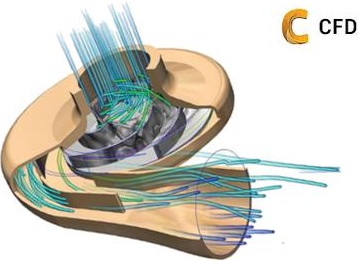
The Autodesk CFD team is pleased to announce the availability of Autodesk CFD 2019.2, formerly Simulation CFD, delivers computational fluid dynamics tools that easily integrate into each phase of the design and engineering process.

bb1535e95640371a9a2a1bb9ec297c3d.png


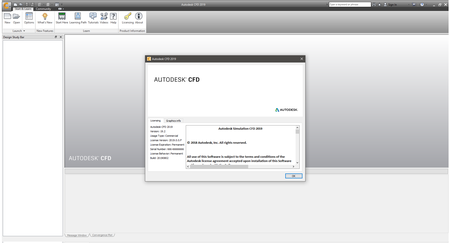
Autodesk CFD software provides fast, accurate, and flexible fluid flow and thermal simulation tools to help predict product performance, optimize designs, and validate product behavior before manufacturing-minimizing reliance on costly physical prototypes and helping you get innovative products to market faster. Easily explore and compare design alternatives and better understand the implications of design choices using an innovative Design Study Environment and automation tools. Autodesk CFD software supports direct data exchange with most CAD software tools including Autodesk Inventor software, Autodesk Revit software, Pro/ENGINEER, and SolidWorks. Autodesk CFD software enables you to make great products.

Autodesk CFD 2019 contains several new features and functional updates designed to improve the solving capabilities, simulation fidelity, and the overall user experience.

Product Manager Heath Houghton walks you through a number of improvements to the 2019 version of Autodesk CFD. Several new features and improvements were added including a Results Region post processing tool, an upgrade in UI graphics performance, 4k monitor support, and solver upgrades.

Autodesk helps people imagine, design and create a better world. Everyone-from design professionals, engineers and architects to digital artists, students and hobbyists-uses Autodesk software to unlock their creativity and solve important challenges.

Product: Autodesk CFD
Version: 2019.2 Ultimate
Supported Architectures: x64
Language: English, 中文 Simplified, 中文 Traditional, 日本語, Deutsch, Français, Italiano
System Requirements: PC *
Supported Operating Systems: *
Size: 1.66 GiB

System Requirements:
Compatible operating Systems

- Windows 10 for x64
- Windows 8 and 8.1 for x64
- Windows 7 Home Premium, Professional, Enterprise, Ultimate (SP0 or SP1 for x64)
- HPC operating systems (Solver only): Windows Server 2008 R2, Windows Server 2012.

Suggested Hardware

With the large number of computing options available today, it can be quite challenging to select a system that will deliver optimum performance and capacity at a reasonable price. Instead of recommending the "minimum" computing specifications to run Autodesk CFD, we are listing the specifications of the computers used by the Application Engineers at Autodesk.
Recommended Desktop
- Model: Dell T5600 with Intel Xeon E3-1241 v3 @3.5 GHz (8 cores)*
- RAM: 32 GB
- Video: Nvidia Quadro 4000
- Hard Drive: 1TB HDD
*If more speed is needed add a 2nd E3-1241 for a total of 16 cores
Recommended Laptop
- Model: Dell M4700 with Intel i7-4710MQ @ 2.5 GHz (4 Cores)
- RAM: 16 GB
- Video: Nvidia Quadro K2000M
- Hard Drive: 256GB SSD

Additional System Guidelines

Display
- 24-bit color setting at 1280 x 1024 or higher screen resolution
- 512 MB DRAM or higher OpenGL-capable graphics card (recommended)
- 256 MB on-board memory (minimum)
Media Reader
- DVD-ROM drive³
Pointing Device
- Microsoft Mouse-compliant pointing device
Web browser
- Windows Internet Explorer 8 or higher
Internet connection
- For web downloads and Subscription Aware Access
Notes
- Autodesk recommends a supported 64-bit operating system, a supported 64-bit processor, and a minimum of 12 GB RAM or higher.
- Autodesk recommends allowing Microsoft Windows to manage virtual memory, as needed. There should always be at least twice as much free hard disk space as system memory (RAM).
- A DVD-ROM drive is not required if installing with the electronic download.

У Вас недостаточно прав для просмотра ссылок. Войдите или зарегистрируйтесь.


DownLoad

NitroFlare
Код:
http://nitroflare.com/view/62EE53A81C3B3E6/Autodesk.CFD.Ultimate.2019.Update2.part1.rar
http://nitroflare.com/view/09A834F52589EF0/Autodesk.CFD.Ultimate.2019.Update2.part2.rar

RapidGator
Код:
https://rapidgator.net/file/eb262988347dae35646a4cc165dc7c56/Autodesk.CFD.Ultimate.2019.Update2.part1.rar.html
https://rapidgator.net/file/7dd583101ba73a6e5422681e46033a51/Autodesk.CFD.Ultimate.2019.Update2.part2.rar.html

UploadGiG
Код:
https://uploadgig.com/file/download/dF470d7A866258d5/Autodesk.CFD.Ultimate.2019.Update2.part1.rar
https://uploadgig.com/file/download/70a84E591860A36d/Autodesk.CFD.Ultimate.2019.Update2.part2.rar
 
Blackmagic Design DaVinci Resolve Studio 16.0.0.60 x64 Multilingual

542cb6c433b402fc2ba1625df9c53f6a.jpg


Blackmagic Design DaVinci Resolve Studio 16.0.0.60 x64 Multilingual

File Size: 1.65 GiB

​

DaVinci Resolve 16 is the world's only solution that combines professional 8K editing, color correction, visual effects and audio post production all in one software tool! You can instantly move between editing, color, effects, and audio with a single click. DaVinci Resolve Studio is also the only solution designed for multi user collaboration so editors, assistants, colorists, VFX artists and sound designers can all work live on the same project at the same time! Whether you're an individual artist, or part of a large collaborative team, it's easy to see why DaVinci Resolve is the standard for high end post production and finishing on more Hollywood feature films, television shows and commercials than any other software.

Introducing the Cut Page!
Designed specifically for editors working on high end fast turn around work such as television commercials and even news cutting, the cut page is all about speed. It's an alternate edit page with a streamlined interface and revolutionary new tools that will help you work faster than ever. The cut page lets you import, edit, trim, add transitions, titles, automatically match color, mix audio and more. Whether you're delivering for broadcast or for YouTube, the cut page has everything you need to get the job done, all in one place. Plus, the regular edit page is still available so you can switch between edit and cut pages to change editing style right in the middle of a job.

New Editing Features in DaVinci Resolve 16:
DaVinci Resolve includes everything professional editors need to cut blockbuster films, television shows, and commercials. It's perfect for both offline and online editing. The high performance playback engine makes editing and trimming incredibly fast, even for processor intensive formats such as H.264 and RAW.

New Fusion VFX Features in DaVinci Resolve 16:
With over 250 built in tools, Fusion VFX's advanced 3D compositing engine and node based workflow let you quickly connect effects and tools together in a flow chart style, making it easy to create cinematic feature film quality visual effects and broadcast motion graphics right inside of DaVinci Resolve!

New Color Features in DaVinci Resolve 16:
DaVinci Resolve's legendary color tools let you manipulate color in breathtaking ways to get results that are simply impossible on other systems. That's why DaVinci Resolve has been used on more feature films and television shows than any other grading system! You get powerful primary and secondary tools, curves, tracking, stabilization and more!

New Fairlight Features in DaVinci Resolve 16:
With Fairlight in DaVinci Resolve, audio is no longer an afterthought in post production! You get a completely integrated and powerful digital audio workstation with full mixer, EQ and dynamics processing, sample level audio editing, ADR tools, sound library support, FairlightFX audio plugins and more!

New Collaboration Features in DaVinci Resolve 16:
Featuring a universal timeline, powerful database driven design, bin and clip locking, built in chat, timeline comparison tools and more, DaVinci Resolve Studio is the world's only post production solution that lets different artists all work together on the same project at the same time!

DaVinci Resolve Studio
Upgrade to DaVinci Resolve Studio for even more creative tools and options! You get a huge set of indispensable ResolveFX and FairlightFX plugins, along with support for 4K, 8K and higher resolution projects at frame rates up to 120 frames per second. You also get the new DaVinci Neural Engine which enables features such as facial recognition, speed warp retiming, automatic color balancing and automatic color matching. DaVinci Resolve Studio also adds film grain tools, advanced noise reduction, blur and mist effects, HDR grading, 10bit H.264 support, 3D immersive audio, stereoscopic 3D support, multi user collaboration tools and more!

DaVinci Neural Engine
The new DaVinci Neural Engine uses state of the art deep neural networks and learning, along with artificial intelligence to power new features such as speed warp motion estimation for retiming, super scale for up-scaling footage, auto color and color matching, facial recognition and more! The DaVinci Neural Engine is entirely cross-platform and uses the latest GPU innovations for AI and deep learning to provide unparalleled performance and quality. The DaVinci Neural Engine provides simple tools to solve complex, repetitive and time consuming problems. For example, it enables facial recognition to automatically sort and organize clips into bins based on people in the shot!

New and Improved ResolveFX
DaVinci Resolve Studio 16 features major improvements to existing ResolveFX, along with several new plugins that editors and colorists will love! You get new ResolveFX plugins for adding vignettes, drop shadows, removing objects, adding analog noise and damage, chromatic aberration, stylizing video and more! There are also improvements to the scanline, beauty, face refinement, blanking fill, warper, dead pixel fixer and colorspace transformation plugins. Plus, you can now view and edit ResolveFX keyframes from the timeline curve editor on the Edit page or from the keyframe panel on the Color page!

Legendary DaVinci Quality
DaVinci Resolve's Emmy™ award-winning image processing technology features deep 32-bit float processing combined with unique, patented YRGB color science that processes luminance independent of color. This allows you to adjust the luminance of video without rebalancing the color of your highlights, midtones, or shadows! The massive internal color space is perfect for the latest HDR and wide color gamut workflows.

Blackmagic RAW
Blackmagic RAW is a new and modern codec that gives you stunning image quality and blazing fast performance in an intelligent new file format. Featuring advanced de-mosaic technology and a revolutionary intelligent design, Blackmagic RAW gives you both the quality and benefits of RAW with the speed, ease of use and file sizes of traditional video formats.

Hardware Control Panels
When you have a client looking over your shoulder you need to work fast. DaVinci Resolve control panels are designed to give you fluid, hands-on control over multiple parameters at the same time, allowing you to create looks that are simply impossible with a standard mouse! All controls are logically placed near your natural hand positions and are made out of the highest quality materials. You get smooth, high resolution weighted trackballs, along with precision engineered knobs and dials that feature the perfect amount of resistance so you can accurately adjust any setting. DaVinci Resolve control panels let you instinctively touch every part of the image!

Fairlight Professional Consoles
Fairlight mixing consoles provide high quality controls for nearly every parameter and feature in the software. Unique user interfaces and dynamic configuration changes provide fast to use buttons and controls that are optimized for the task at hand allowing you to work faster with Fairlight audio than any other tool in the world. With the modular design you can start with a larger console frame than you need and add more modules to meet the growing needs of your facility.

У Вас недостаточно прав для просмотра ссылок. Войдите или зарегистрируйтесь.


DownLoad

NitroFlare
Код:
http://nitroflare.com/view/D805335DFC8EC8E/Blackmagic.Design.DaVinci.Resolve.Studio.16.0.0.60.x64.Multilingual.part1.rar
http://nitroflare.com/view/C4756B635E3E562/Blackmagic.Design.DaVinci.Resolve.Studio.16.0.0.60.x64.Multilingual.part2.rar

RapidGator
Код:
https://rapidgator.net/file/b0edb7f5deca8a3733897f9e722e1ffe/Blackmagic.Design.DaVinci.Resolve.Studio.16.0.0.60.x64.Multilingual.part1.rar.html
https://rapidgator.net/file/39278c5fe4805993e3f1a9338911971f/Blackmagic.Design.DaVinci.Resolve.Studio.16.0.0.60.x64.Multilingual.part2.rar.html

UploadGiG
Код:
https://uploadgig.com/file/download/Db90871e6Bd2489b/Blackmagic.Design.DaVinci.Resolve.Studio.16.0.0.60.x64.Multilingual.part1.rar
https://uploadgig.com/file/download/2da8FCbd1D14e3Ff/Blackmagic.Design.DaVinci.Resolve.Studio.16.0.0.60.x64.Multilingual.part2.rar
 
Macrium Reflect Workstation - Server - Server Plus 7.2.4414 x86 x64

0acef35e51dbc7f2d130c8fee9ca697c.jpg


Macrium Reflect Workstation - Server - Server Plus 7.2.4414 x86 x64

File Size: 300, 324 MiB

​

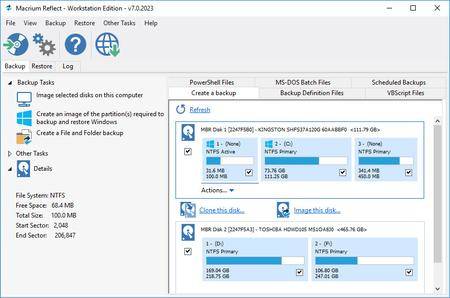
Macrium Reflect - backup and recovery for individual PCs and servers. Reflect Workstation - Designed for endpoint backup of business-critical PCs and workstations. Peace of mind for organisations when backing up Windows PCs.

Solution highlights:
- New Backup Engine: Incremental and differential images up to 60 times faster
- Instant virtual booting of backup images: instantly create, start and manage Microsoft Hyper-V virtual machines
- Ultra-fast Live imaging of windows systems, physical and virtual
- Restore images to dissimilar hardware using Macrium ReDeploy
- Greatly simplified administration including pre-defined Backup Plans for popular backup strategies
- Fully featured file and folder level backup and recovery
- Updated support for all the latest Windows Operating Systems and disk formats

Macrium Reflect 7 Features:
- Backup your entire PC to a single compressed image file.
- Backup files and folders to a single compressed archive file.
- Recover partitions and entire disk images with just a few clicks of your mouse
- Dynamic disk support
- MBR and GPT disk support
- Restore images to dissimilar hardware using Macrium ReDeploy

Operating System: Windows XP, Vista, 7/8/10

У Вас недостаточно прав для просмотра ссылок. Войдите или зарегистрируйтесь.


DownLoad

NitroFlare
Код:
http://nitroflare.com/view/F39B1FC34F0B0A3/Macrium.Reflect.Workstation-Server-Server.Plus.7.2.4414.x86.rar
http://nitroflare.com/view/318E69C11B9F8BC/Macrium.Reflect.Workstation-Server-Server.Plus.7.2.4414.x64.rar

RapidGator
Код:
https://rapidgator.net/file/4437f1411332a7fc0f9ff2e87fcfe2bc/Macrium.Reflect.Workstation-Server-Server.Plus.7.2.4414.x86.rar.html
https://rapidgator.net/file/40696ac72d78c8f265bcfebcf3d414bf/Macrium.Reflect.Workstation-Server-Server.Plus.7.2.4414.x64.rar.html

UploadGiG
Код:
https://uploadgig.com/file/download/292099aA44c10c98/Macrium.Reflect.Workstation-Server-Server.Plus.7.2.4414.x86.rar
https://uploadgig.com/file/download/76f6fa1083351572/Macrium.Reflect.Workstation-Server-Server.Plus.7.2.4414.x64.rar
 
ManageEngine OpManager Enterprise 12.4.067 x86 x64 Multilingual

423720ad9001bedb004bf53c00850bd3.jpg


ManageEngine OpManager Enterprise 12.4.067 x86 x64 Multilingual

File Size: 144, 194 MiB

​

ManageEngine OpManager, the trusted network monitoring software. Businesses rely on networks for all operations. Hence, network monitoring is very crucial for any business. Today, networks span globally, having multiple links established between geographically separated data centers, public and private clouds. This creates multifold challenges in network management. Network admins need to be more proactive and agile in monitoring network performance. However, this is easier said than done.

Introducing ManageEngine OpManager, an easy-to-use, and affordable network monitoring solution. It monitors network devices such as routers, switches, firewalls, load balancers, wireless LAN controllers, servers, VMs, printers, storage devices, and everything that has an IP and is connected to the network. OpManager continuously monitors the network and provides an in-depth visibility and control over it. In case of a fault, you can easily drill down to the root cause and eliminate it before operations are affected.

Real-time network monitoring
With over 2000 built-in network performance monitors, monitor health and critical metrics such as packet loss, latency, speed, errors and discards, and analyze performance bottlenecks.

Physical and virtual server monitoring
Monitor CPU, memory, and disk utilization of Windows and Linux servers. Also monitor the performance of Host and VMs of VMware, Hyper-V and Xen virtualization platforms.

Multi-level thresholds
Proactively monitor network performance with multi-level thresholds. For every critical performance monitor, set multiple thresholds and get instant alerts for violation.

Customizable dashboards
Assess default dashboards or create your own dashboards by making use of over 200 performance widgets available and view performance of your network at-a-glance.

WAN Link monitoring
Monitor key metrics such as latency, jitter, RTT, and packet loss to eliminate network issues. View hop-by-hop performance to find what's causing latency and fix it quickly.

Affordable and easy to set up
ManageEngine OpManager requires no costly consultation or training for installation and user education. It's the only network monitor tool to offer a transparent device-based pricing model.

Software Requirements:
Evaluation: Windows 10/8/7 (or) Windows Server 2019/ 2016/ 2012 R2/ 2012/ 2008
Production: Windows Server 2019/ 2016/ 2012 R2/ 2012/ 2008

У Вас недостаточно прав для просмотра ссылок. Войдите или зарегистрируйтесь.


DownLoad

NitroFlare
Код:
http://nitroflare.com/view/B31A9D83ED6DC37/ManageEngine.OpManager.Enterprise.12.4.067.x86.rar
http://nitroflare.com/view/D134A850A2F10B1/ManageEngine.OpManager.Enterprise.12.4.067.x64.rar

RapidGator
Код:
https://rapidgator.net/file/0ee259f10bb7f7ec4fee1ebedb7aa07d/ManageEngine.OpManager.Enterprise.12.4.067.x86.rar.html
https://rapidgator.net/file/d5eea19f9cfa72fb113f59cffd8d869a/ManageEngine.OpManager.Enterprise.12.4.067.x64.rar.html

UploadGiG
Код:
https://uploadgig.com/file/download/791f7DEbe471d95e/ManageEngine.OpManager.Enterprise.12.4.067.x86.rar
https://uploadgig.com/file/download/7e2cBd4016F9174f/ManageEngine.OpManager.Enterprise.12.4.067.x64.rar
 
StudioLinked Infiniti Expansion Trap Boom Library WiN

c411a3db59972b6fdf77ab947692d164.jpg


StudioLinked Infiniti Expansion Trap Boom Library WiN

File Size: 558 MiB

​

TrapBoom Library is a trap sound library. Packed with all the apps, leads, basses, strings, hits, keys sound fxs and more inspired by Guccimane, Jeezy & 21 Savage type productions. Powered by the new Infiniti Player Engine.

234 Presets:

Preset Breakdown:
Bells - 26
Synths Leads - 11
Brass - 4
Organic Instruments - 21
Basses - 13
Hits - 17
Keys - 10
Melodic Leads - 8
Slow Leads - 14
Fast Leads - 23
Plucks - 41
Strings - 3
Synth Misc - 12
Tuned 808 - 13
Tuned snares - 9
Vox - 9

У Вас недостаточно прав для просмотра ссылок. Войдите или зарегистрируйтесь.


DownLoad

NitroFlare
Код:
http://nitroflare.com/view/2A8C8930E06E701/StudioLinked.Infiniti.Expansion.Trap.Boom.Library.WiN.rar

RapidGator
Код:
https://rapidgator.net/file/a7ae67c7f83778035645eff8a952fab6/StudioLinked.Infiniti.Expansion.Trap.Boom.Library.WiN.rar.html

UploadGiG
Код:
https://uploadgig.com/file/download/691E9f6eB60ba0eE/StudioLinked.Infiniti.Expansion.Trap.Boom.Library.WiN.rar
 
Назад
Сверху