• Здравствуйте. Сайт заработал в архивном режиме форум www.old.nado.in

EkThaTiger's Softwares

Wondershare Filmora 9.2.0.33 x64 Multilingual
555608344332d64429bd9f97e82778ce.jpg


Wondershare Filmora 9.2.0.33 x64 Multilingual

File Size: 266 MiB

​

Empower your imagination - a video editor for all creators. Filter, Overlays, Transitions and Custom Titles. Create Without Limits. Discover infinite ways to express yourself. Achieve a refined look with endless effects.

Never miss a beat
Perfect your sound with tools like keyframing, background noise removal, and an audio equalizer.

Beyond the basic
Create new worlds with compositing by layering clips and using green screen effects.

Details matter
Filmora 9 ensures every frame of your creation is as crisp as reality.

Ready for anything
Utilize up to 100 layers of media to create complex stories with ease.

Get more done
Fast processing, proxy files, and adjustable preview quality help you be more productive.

Fine tune your adventures
Fix common action cam problems like fisheye and camera shake, and add effects like slow motion and reverse.

Perfect your aesthetic
Change the aesthetic of your video with one click. Filmora9 has both creative filters and professional 3D LUTs.

Share your story
Tailor your content to any platform and upload it directly from Filmora 9.

System Requirements:
- Supported OS: Windows 7/Windows 8.1/Windows 10 (64 bit OS)
- Processor: Intel i3 or better multicore processor, 2GHz or above.
- (Intel 6th Gen or newer CPU recommended for HD and 4K Videos)
- RAM: 4 GB RAM (8GB required for HD and 4K videos)
- 2 GB vRAM (4GB required for HD and 4K videos)
- Graphics: Intel HD Graphics 5000 or later; NVIDIA GeForce GTX 700 or later; AMD Radeon R5 or later
- Disk: At least 10GB free hard-disk space for installation (SSD-Solid State Disk recommended for editing HD and 4K videos)

У Вас недостаточно прав для просмотра ссылок. Войдите или зарегистрируйтесь.


DownLoad

NitroFlare
Код:
http://nitroflare.com/view/6747C8E6C0820C5/Wondershare.Filmora.9.2.0.33.x64.Multilingual.rar

RapidGator
Код:
https://rapidgator.net/file/460aa903e178ebbe197a7cf570d891d3/Wondershare.Filmora.9.2.0.33.x64.Multilingual.rar.html

UploadGiG
Код:
https://uploadgig.com/file/download/829e44ca543A597e/Wondershare.Filmora.9.2.0.33.x64.Multilingual.rar
 
Topaz Adjust AI 1.0.5 x64 RePacK

f0f73d6c2246a82d87ca222ef01b29fb.jpg


Topaz Adjust AI 1.0.5 x64 RePacK

File Size: 208 MiB
​

Give your photos more. Soul. Emotion. Energy. Life. Power. With one click, Adjust AI leverages the power of artificial intelligence to transform your photos into something incredible. Our AI-powered modes bring out colors, shadows, details, and more to make your photos as vivid as intended-all in one step.

What is Adjust AI?
Adjust AI leverages machine learning to analyze and transform ordinary photos into lively, vivacious images that would normally require time-consuming, manual adjustments. Adjust AI is the fastest way to achieve ultimate clarity, detail, contrast, and an eye-catching aesthetic with minimal user input.

What should I use it for?
Want to quickly fine-tune your image? Adjust AI includes cutting-edge enhancements to give you the ingredients you need to make your photos pop! This combination of technology only exists here.

Supported files types:
- PNG
- .TIFF
- JPEG

What about RAW File Types?
Adjust AI supports many different kinds of RAW file types, such as DNG (digital negative), and camera specific files, such CR, ARW, and ORF files. However, many of these files contain data that Adjust AI may not know how to read yet. If you experience any issues with using your RAW files, please submit a support request to our Support team with the image included. We use these files to improve RAW support for future versions.

Operating System Version:
- Windows 7 x64
- Windows 8/8.1 x64
- Windows 10 x64

Hardware Requirements:
- System RAM: 8GB / 16GB recommended
- GPU VRAM: 2GB / 4GB recommended

Graphics Card Requirements:
- NVIDIA: GeForce GTX 770 2GB / GeForce GTX 960 4GB recommended
- AMD: Radeon HD 8570 2GB / Radeon R9 270 4GB recommended
- Intel: HD Graphics 5000 / Iris Plus Graphics 640 recommended

У Вас недостаточно прав для просмотра ссылок. Войдите или зарегистрируйтесь.


DownLoad

NitroFlare
Код:
http://nitroflare.com/view/94E554B338C1013/Topaz.Adjust.AI.1.0.5.x64.RePacK.rar

RapidGator
Код:
https://rapidgator.net/file/91176c646b127d94b392b46a7e997ef6/Topaz.Adjust.AI.1.0.5.x64.RePacK.rar.html

UploadGiG
Код:
https://uploadgig.com/file/download/48c346C57c47be9c/Topaz.Adjust.AI.1.0.5.x64.RePacK.rar
 
Topaz DeNoise AI 1.2.1 x64 RePacK

824665b1f0bc6fa6a84c0e86b3a48ea4.jpg


Topaz DeNoise AI 1.2.1 x64 RePacK

File Size: 285 MiB

​

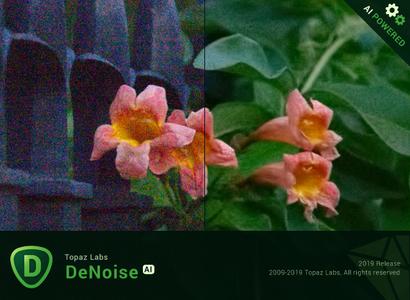
Shoot anywhere in any light with no reservations. Eliminate noise and recover crisp detail in your images with the first AI-powered noise reduction tool. You may be surprised at the results you get.

Shoot anywhere in any light
Great noise reduction is like a lens upgrade. You'll be able to get much higher-quality results when you're shooting fast action shots, night images, or any other situation that requires a high ISO. Use DeNoise AI to help you create a pixel-perfect photo in any situation.

Groundbreaking technology
Noise reduction technology has basically been the same for a decade, with only minor incremental improvements here and there. (We would know - we made one!) DeNoise AI is different: we fed an algorithm millions of noisy/clear images until it actually learned what noise is and how best to remove it.

Recover true detail
DeNoise AI examines the whole image and holistically determines the difference between detail and noise in that photo. (Other NR tools only look at pixel-level detail.) After understanding what noise vs detail looks like for that specific image, DeNoise AI recovers a surprising amount of detail from noise.

Lightroom vs DeNoise AI
When you need pixel-level perfection in your results, DeNoise AI offers the absolute best quality currently available anywhere. Existing noise reduction tools like Lightroom give you a choice: keep some noise or remove some detail. DeNoise AI's technology allows you to get the best of both worlds: to remove noise while actually strengthening detail. The original noisy image (© Luis Garena) is on the left; we compare the Lightroom vs DeNoise AI results on the right. Pay special attention to the increased definition in the image, especially in the car wheels and center signs.

- Enhance real detail
- Remove noise naturally with no smudging
- Best for moderate to ultra-high ISOs

Any noise reduction tool can remove noise - the really tricky part is to tell the difference between noise and detail. DeNoise AI helps you get the best quality at 100% by removing noise while recovering original image detail. Give it a try to see the difference for yourself!

Operating System Version:
- Windows 7 x64
- Windows 8/8.1 x64
- Windows 10 x64

Hardware Requirements:
- System RAM: 8GB / 16GB recommended
- GPU VRAM: 2GB / 4GB recommended

Graphics Card Requirements:
- NVIDIA: GeForce GTX 770 2GB / GeForce GTX 960 4GB recommended
- AMD: Radeon HD 8570 2GB / Radeon R9 270 4GB recommended
- Intel: HD Graphics 5000 / Iris Plus Graphics 640 recommended

У Вас недостаточно прав для просмотра ссылок. Войдите или зарегистрируйтесь.


DownLoad

NitroFlare
Код:
http://nitroflare.com/view/790F3125DC1A077/Topaz.DeNoise.AI.1.2.1.x64.RePacK.rar

RapidGator
Код:
https://rapidgator.net/file/c45c44c08a5716bfb54703dedab8345f/Topaz.DeNoise.AI.1.2.1.x64.RePacK.rar.html

UploadGiG
Код:
https://uploadgig.com/file/download/2135ffb028c97664/Topaz.DeNoise.AI.1.2.1.x64.RePacK.rar
 
Topaz Gigapixel AI 4.2.2 x64 RePacK

7056a19d99883f35855fddee9578435d.jpg


Topaz Gigapixel AI 4.2.2 x64 RePacK

File Size: 0.98 MiB

​

Beautiful photo enlargements using machine learning. Enlarging your image without losing detail has always been impossible. until now. Upscale your photos by up to 600% while perfectly preserving image quality.

Enlarge Images by up to 600%
Create a beautiful 80 x 60 inch print from a simple iPhone photo. Or transform your DSLR photos into sharp and ultra-detailed 100MP images.

Use truly intelligent upscaling
After being trained with millions of sample images, Gigapixel can now enlarge your images with a surprising level of quality.

Get crisp and clear results.
Gigapixel performs around 2 million operations per pixel to get you results with as much detail and sharpness as possible.

No more fuzzy enlargements.
Breathtakingly sharp prints. High-resolution cropping in post-production. iPhone photos that look like they came out of a DSLR. No matter why you're enlarging your photos, you always want the best possible quality for your results. AI Gigapixel is currently the only photo enlargement product available that can actually add detail back to your upscaled photo.

Recover real details for actual sharpness
Increasing edge contrast is the simplest way to make an image look "sharp", and how most other upscaling software works. Gigapixel is different: it increases the actual sharpness of your upscaled photo by recovering real detail in your image. This is only possible through training and exposure to millions of test images.

Crisp photos that look like they were never upscaled
It's hard to believe that the crisp output image above was enlarged 4x, but it was. Gigapixel AI successfully determines which image features are stars (detail) and what's noise. Then, it naturally accentuates and recovers detail while suppressing noise in your upscaled photo.

The highest-quality image upscaling that you can get anywhere
Because of these exceptional results, Gigapixel AI is used by everyone from leading photographers, to video game modders, to major motion studios. If you ever need to upscale your photo while preserving beautiful detail, take advantage of the most modern technology in the space and give Gigapixel AI a try.

Image enlargement: interpolation vs machine learning

Interpolation-based photo enlargement software has been around for decades. Gigapixel's new approach based on machine learning is a giant leap ahead: state-of-the-art "deep learning" methods allow it to enlarge images while actually adding new details.

Interpolation
Interpolation algorithms work by approximating new pixels from the colors of surrounding ones. This does not add any detail to the image, it just smoothes out the transition between pixels.

Neural Network (Gigapixel AI)
A neural network analyzes thousands of photo pairs to learn how details usually get lost. The algorithm learns to "fill in" information in new images based on what it has learned. effectively adding new detail to your photo.

Operating System Version:
- Windows 7 x64
- Windows 8/8.1 x64
- Windows 10 x64

Hardware Requirements:
- System RAM: 8GB / 16GB recommended
- GPU VRAM: 2GB / 4GB recommended

Graphics Card Requirements:
- NVIDIA: GeForce GTX 770 2GB / GeForce GTX 960 4GB recommended
- AMD: Radeon HD 8570 2GB / Radeon R9 270 4GB recommended
- Intel: HD Graphics 5000 / Iris Plus Graphics 640 recommended

У Вас недостаточно прав для просмотра ссылок. Войдите или зарегистрируйтесь.


DownLoad

NitroFlare
Код:
http://nitroflare.com/view/2C73370BFE34131/Topaz.Gigapixel.AI.4.2.2.x64.RePacK.rar

RapidGator
Код:
https://rapidgator.net/file/f36a4acde4fbed2bddbae42932de29f7/Topaz.Gigapixel.AI.4.2.2.x64.RePacK.rar.html

UploadGiG
Код:
https://uploadgig.com/file/download/302f77433622a093/Topaz.Gigapixel.AI.4.2.2.x64.RePacK.rar
 
Topaz JPEG to RAW AI 2.2.1 x64 RePacK

c155f06f44a35e7c3d8efe485d67c3eb.jpg


Topaz JPEG to RAW AI 2.2.1 x64 RePacK

File Size: 225 MiB

​

Edit JPEG as if you shot it in RAW. Use machine learning to convert JPEG to high-quality RAW for better editing. Prevent banding, remove compression artifacts, recover detail, and enhance dynamic range.

Fix artifacts, restore dynamic range, and recover detail
JPEG to RAW AI is highly effective at removing compression artifacts and recovering color detail. Note the additional fine detail in the top right and bottom of the image. There's also enhanced dynamic range as shown by deeper shadows and enhanced highlights.

Made possible by AI
There's normally no way of recovering lost detail. JPEG to RAW AI is currently the only machine-learning powered software capable of doing this.

Simple workflow
Whenever you would edit a JPEG, put it through JPEG to RAW AI first for best editing results. Standalone application for Mac + Windows that allows batch processing.

Constantly improving
We're continually training our JPEG to RAW conversion model with more data, which makes it better the more time passes. You'll get the latest and greatest when the model improves.

Dynamic range
Your image loses significant dynamic range when it's converted to JPEG. JPEG to RAW AI helps you recover a portion of this lost dynamic range by bringing back lost shadow and highlight details. While you won't be able to completely missing details, it can work with even very small amounts of information. This allows you to be more aggressive with editing your photo's exposure or contrast. If you ever think that you've blown out a sky and you don't have the original RAW file, try running it through JPEG to RAW AI first.

Color space
Color space represets the range of color that is supported in your image. JPEG images are usually in the sRGB color space, which works great for web but less for printing and editing. When editing a photo in sRGB, adjusting saturation or vibrance will often reveal ugly color blotchiness.

You can prevent this from happening by running it through JPEG to RAW AI. JPEG to RAW's machine learning models expand the sRGB colorspace to ProPhoto RGB, which is even better than a regular RAW file! This works so well because there is usually enough information in at least one color channel for our models to reconstruct missing detail with a high level of preciseness. The larger resulting color space allows you to better edit saturation and vibrance without any visible artifacting.

Color depth
Color depth (also called bit depth) is how much color information the image can store. When editing an image with low bit depth, you will see color banding in smooth gradients like skies.An 8-bit JPEG only has 256 values per channel. Running that JPEG through JPEG to RAW AI will expand it to 65,532 values per channel. This will prevent posterization and banding when you adjust the contrast in your images.

Artifacts
You'll see visible compression artifacts in your image when editing highly compressed images. JPEG to RAW AI is exceptional at removing these artifacts while preserving natural image features: Artifacts won't be easily visible in high-quality JPEGs, but they can completely ruin an image if they are. They'll also get accentuated by post-processing, especially sharpening. Run your images through JPEG to RAW AI to ensure artifacts don't impact your workflow.

Detail level
JPEGs will often feature smoothed details due to a small sensor or heavy processing. For example, iPhone photos are heavily processed before being saved, which sometimes ends up removing a lot of image detail. JPEG to RAW AI helps you recover fine detail removed during the conversion process.

System Requirements:
- Windows 7 x64
- Windows 8/8.1 x64
- Windows 10 x64
- OpenGL 3.3
- RAM: 8GB (16GB recommended)
- GPU RAM: 2GB (4GB recommended)
- GeForce GTX 1070M 4GB
- R9 M460 4GB

У Вас недостаточно прав для просмотра ссылок. Войдите или зарегистрируйтесь.


DownLoad

NitroFlare
Код:
http://nitroflare.com/view/D1C9BE94E2DAF68/Topaz.JPEG.To.RAW.AI.2.2.1.x64.RePacK.rar

RapidGator
Код:
https://rapidgator.net/file/14c134227812a7f763068a92fe1a86a5/Topaz.JPEG.To.RAW.AI.2.2.1.x64.RePacK.rar.html

UploadGiG
Код:
https://uploadgig.com/file/download/9b99E8d672c2783D/Topaz.JPEG.To.RAW.AI.2.2.1.x64.RePacK.rar
 
Topaz Sharpen AI 1.3.1 x64 RePacK

5b3f494ea2e409f3932cd9f90648334b.jpg


Topaz Sharpen AI 1.3.1 x64 RePacK

File Size: 768 MiB

​

Create tack-sharp images with no artifacts or halos. Sharpen AI is the first sharpening and shake reduction software that can tell difference between real detail and noise. Create tack-sharp images even when you're shooting handheld, at night, or with a shallow depth of field.

Powered by AI
Sharpen AI was trained with millions of images so it could learn the characteristics of detail vs. noise - and then enhance just the detail. In some cases, it can even recover image detail.

Seamless integration
Works wherever you currently edit your photos. Use Sharpen AI either as a standalone software or as a plug-in for Topaz Studio / Photoshop / Lightroom Classic.

Constantly improving
Through continuous AI training, Sharpen AI's enhancement model becomes both faster and higher-quality with time. You'll get the latest and greatest when the model improves.

Three kinds of sharpening for a perfect photo.
There's nothing worse than the feeling of taking the perfect photo, rushing home, opening it up on your computer. and realizing that it's blurry at 100%. When this happens, it's usually caused by one of three problems: camera shake, focus issues, or general softness. Sharpen AI includes a separate module to handle each one.

Stabilize: natural shake reduction
Even the steadiest hands don't compare to a tripod when it comes to image sharpness. Unlike a tripod, though, you always have your hands with you! Sharpen AI's Stabilize module has been trained to reverse motion blur and make handheld images look like they were taken from a tripod.

Focus: better focus correction
Focus correction is a notoriously difficult problem that's easy to get wrong, but Sharpen AI's Focus module excels at correct up to ten pixels of focus blur. This is perfect for sharpening out-of-focus eyes or correct issues caused by incorrect in-camera focus. Tip: use selective adjustments for best results!

Sharpen: general input sharpening
Even with no motion blur or focus issues, images generally come out of the camera soft. Sharpen AI includes the Sharpen module that specializes in correcting small amounts of general softness without any artifacts or halos. It's the most natural-looking sharpening tool that you will ever use.

The perfect time to make images tack-sharp.
The need for sharpening is universal: most images come out a little soft straight out of the camera. Here's just a handful of use cases in which we've seen exceptional results with Sharpen AI.

Animal Photography
You can pose people, but it's much harder to ask animals to stay still! Use Sharpen AI's Stabilize module to correct camera shake and the inevitable motion blur you get from fast-moving subjects. It's also difficult to focus perfectly in these situations, so the Focus module will also be very useful. This applies to any photos with fast-moving subjects - not just animals! Adjust the slider to the left to see the difference at 100%, or click for a larger before/after.

Hand-held Landscapes
No matter how fast you set your shutter speed, you can't shoot handheld landscapes as sharp as if you had a tripod. You don't always have a tripod with you, though. Sometimes you don't even have the luxury of using a fast shutter speed. Sharpen AI's Stabilize module helps you get handheld images that look like they were taken from a tripod. This model was trained specifically to counteract motion blur caused by camera shake and can produce some pretty exceptional results in your photos.

Portrait Photography
Getting sharp portraits is essential. Using controlled lighting and tripods in a studio setting is a good way to do that, but you're not always in a studio. Use Sharpen AI when the otherwise perfect portrait has slightly out-of-focus eyes or camera shake.

A new approach to sharpening.
We believe that better technology enables you to produce better art. The photos that thousands of other photographers have created with AI technology have been astounding, and we can't wait to see what you create. Here's how it works.

What does sharpness look like? (Training)
The first step of the machine learning process is to teach the software what sharpness is. We do this by feeding millions of blurred/sharp image pairs into the software and asking it to learn the characteristics of what makes an image sharp.

How to achieve this sharpness? (Learning)
Just like computers perform math and complex operations faster than humans, they can also learn much faster for very specific tasks. Sharpen AI soon understands how sharp images generally become blurred, and therefore how to reverse the process.

How do we sharpen images faster? (Optimization)
Sharpen AI performs millions of operations per pixel, so a significant amount of work is done to speed it up. This whole process continues even after the product's release: you'll likely see new updates with sharpening model improvements as the software learns more.

Operating System Version:
- Windows 7 x64
- Windows 8/8.1 x64
- Windows 10 x64

Hardware Requirements:
- System RAM: 8GB / 16GB recommended
- GPU VRAM: 2GB / 4GB recommended

Graphics Card Requirements:
- NVIDIA: GeForce GTX 770 2GB / GeForce GTX 960 4GB recommended
- AMD: Radeon HD 8570 2GB / Radeon R9 270 4GB recommended
- Intel: HD Graphics 5000 / Iris Plus Graphics 640 recommended

У Вас недостаточно прав для просмотра ссылок. Войдите или зарегистрируйтесь.


DownLoad

NitroFlare
Код:
http://nitroflare.com/view/66770E10F6BBE18/Topaz.Sharpen.AI.1.3.1.x64.RePacK.rar

RapidGator
Код:
https://rapidgator.net/file/82fca2b0b41c99c80b10c2b0bd1760f6/Topaz.Sharpen.AI.1.3.1.x64.RePacK.rar.html

UploadGiG
Код:
https://uploadgig.com/file/download/3d87e745185aa108/Topaz.Sharpen.AI.1.3.1.x64.RePacK.rar
 
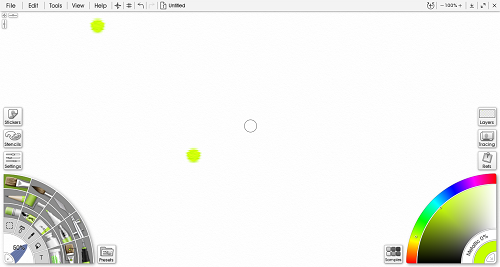
Ambient Design ArtRage 6.0.8 Multilingual + Portable

a6187c7ee675e419b7243c7a4bb6b789.jpg


Ambient Design ArtRage 6.0.8 Multilingual + Portable

File Size: 151, 142 MiB

​

Unleash your creativity! Paint and draw with tools that work just like the real thing. ArtRage is a digital artist's studio with a full range of familiar tools that look and work like the real things. It's a canvas for thick, expressive oils and delicate watercolors, a sketchpad with a full set of pencils, and a sheet of paper with a stack of wax crayons all in one.

- Smear and blend thick oils to create natural color gradients.
- Sketch with pencils and shade with the edge of the tip.
- Create delicate watercolor strokes that react to canvas texture.
- Use photos as References while painting.
- Work with Guides, Grids, and Perspective Layout tools.
- Features Layers, Blend Modes, and other industry standards.

With a wide range of traditional tools and powerful digital utilities, ArtRage is the perfect creative tool for anyone, kids to adults, amateurs to professionals.

Main ArtRage Features:

Realistic Painting Tools:
Oils, Watercolour, and Palette Knives let you smear paint, blend colors, and easily create natural textures.

Layers and Groups:
Organise your painting in to layers and groups which support blend modes and other features.

References & Tracing Images:
Import an image as a Reference while you work, or as a Tracing Image to guide your strokes and color choices.

Customizable Workspace:
Work in light or dark mode, with a choice of classic ArtRage layout or a flexible docking layout.

Custom Brush:
Create your own unique tools and special efects using the powerful Custom Brush designer.

Grids, Guides, and Perspective:
Guide your composition with a comprehensive set of grids, guides, and perspective layout tools.

Ease of Use:
Pick a tool and off you go - ArtRage is designed to focus on Art, not navigating a mass of tool settings.

Utility Tools:
Create complex designs with Symmetry, fill areas with patterns or gradients, and more.

Scripting:
Record your process to a script that can be played back later to recreate your painting, live.

What's New in ArtRage 6:

Paint with Depth in the Custom Brush:
Add volume to your Custom Brush strokes, or use any Custom Brush as an Eraser.

Complementary Colors:
Let ArtRage help with your color choices by automatically displaying a variety of types of complement.

Record Actions:
Automate processes to repeat with a single button press, or write your own action scripts for special effects.

Customize your Canvas:
Get more control over the look of your canvas with lighting intensity and angle adjustments.

Gloss and Impasto:
Try out thicker paint strokes and adjust the level of gloss in the updated Oil Brush tool.

And much more.
Retina support on macOS, smoothing in the standard Pencil, narrow mode pickers, and more!

Requirements: ArtRage 6 works with Windows 7 or later.

edb106b95fb3a20f686ac970fd30c8f8.png


У Вас недостаточно прав для просмотра ссылок. Войдите или зарегистрируйтесь.


DownLoad

NitroFlare
Код:
http://nitroflare.com/view/874FD39E24F1921/Ambient.Design.ArtRage.6.0.8.Multilingual.rar
http://nitroflare.com/view/7EB272886E7B119/Ambient.Design.ArtRage.6.0.8.Multilingual.Portable.rar

RapidGator
Код:
https://rapidgator.net/file/90759f620c5b56701b1fed6c647559a0/Ambient.Design.ArtRage.6.0.8.Multilingual.rar.html
https://rapidgator.net/file/6a862dcfffefb714e12a7d1447f473de/Ambient.Design.ArtRage.6.0.8.Multilingual.Portable.rar.html

UploadGiG
Код:
https://uploadgig.com/file/download/b903eCe276518321/Ambient.Design.ArtRage.6.0.8.Multilingual.rar
https://uploadgig.com/file/download/741b4cd1008f3492/Ambient.Design.ArtRage.6.0.8.Multilingual.Portable.rar
 
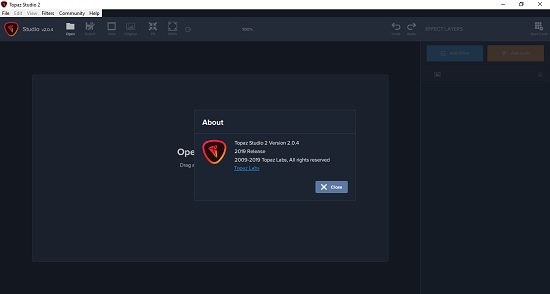
Topaz Studio 2.0.4 x64 Portable

081e93a2650dd2e9fdeae16ec002eda6.jpg


Topaz Studio 2.0.4 x64 Portable

File Size: 580 MiB

​

The future of creative photo editing. Edit your images beautifully with powerful filters and frictionless masking in a fine-tuned non-destructive layer workflow. Topaz Studio 2 has only one purpose: creative photo editing. This starts after you select your image and ends when you export your finished work. It's designed specifically around the artisanal post-processing workflow of carefully crafting a single image to your vision.

Studio is the editor to use when you want jaw-dropping images and you're not afraid to spend the time to get them. It's for creating works that push the bounds of your artistic vision; the few that you know you'll look back upon in years as one of your best creations. That's why you won't find library management, design tools, batch editing, or other common "image editor" tools in Studio. There's a lot of photo editors out there that help you manage your workflow and make minor contrast adjustments. Topaz Studio is not intended for that. If it doesn't contribute to the vision of creating singularly beautiful images through post-processing, then we're not including it.

1. Cutting edge filters.
Most image editor tools are the same: your Exposure in one editor is the same Exposure in another. In Studio, we've thought about what common adjustments would look like if they were designed today, and updated them to their most modern and useful forms.

2. Powerful selection and masking.
Very rarely do you want to apply the same effect to all parts of your image the same. Studio considers masking and selective adjustments to be a core task, and features several innovations that make selective editing substantially easier and faster for you.

3. Fully non-destructive layers.
Mix and match filters and effects with different blending modes and opacity. Everything that you do in Studio can be edited and adjusted after the fact with a fully non-destructive layer workflow.

Cutting-edge and unique filters.
You'll find that these aren't your everyday image editing filters as soon as you give them a try. Topaz Labs actually started off creating Photoshop filters. We've condensed our decade of specialized post-processing experience into a set of the most useful filters available only for Studio 2. Here are some of the most popular ones that you won't find anywhere else.

AI Clear
This AI-powered tool can actually sharpen detail while removing noise. Give it a try on your own images to see why some photographers say that AI Clear is the best thing we've ever developed.

Precision Contrast
When was the last time that using the Contrast slider produced a breathtaking image? Chances are, it blew out highlights and crushed shadows in your image instead.

Precision Detail
Normal sharpening tools usually increase edge contrast, which just gives the appearance of sharpness but also adds artifacts and halos. Topaz Detail enhances natural detail that already exists in the image. This unique technology helps you naturally makes your photos look more "three-dimensional" and adds a sense of beautifully natural sharpness to your image.

Black and White
Turn your photos into exquisite monochrome images that will emotionally move your viewers. The Black and White filter uses a unique BW conversion engine that emphasizes tone and texture in order to help you get BW images that pop.

Explore and create Looks to transform your image.
Topaz Studio's filters work well individually, but the true magic happens when they're combined together. Topaz Studio 2 includes over 200 "Looks" (pre-built groups of filters) that help you explore different beautiful effects for your images with a single click.

Texture
Explore hundreds of beautiful texture and tone effects, hand-crafted by some of the best photographers in the world. With over 200 included one-click effects, each with the ability to blend with each other in various ways, the only limit is your imagination.

Impression
Capture the essence of your photos without being constrained by rigid detail. Topaz Impression helps you turn photos into paintings like a true artist would: by intelligently applying real brushstrokes to canvas.

Glow
Create beautiful light effects in your images to reveal the hidden life in each moment you capture. Apply a wide range of looks from a pleasing subtle diffusion to spectacular electric and neon effects.

Built with real users in mind
Topaz Studio 2 doesn't do everything, but it is really good at what it does do. If you ever find yourself needing that extra "something" in your photos, please give it a try. You'll be pleasantly surprised!

Powerful selective adjustments and masking.
There's a big difference between masking for compositing vs. selective adjustments. Topaz Studio focuses entirely on selective adjustments, and we think of it as a central feature of the product instead of an add-on. As you'll see, this led to many design decisions intended to shorten the amount of time you spend refining your mask, like including edge awareness in each masking tool in Studio.

Brush Tool
Select different parts of your image by painting directly on it. Topaz Studio's brush is edge aware by default. This means you can quickly paint over your selection without having to worry too much about staying between the lines. This is the fastest and most direct way to selectively apply an effect to your image.

Spot Tool
Emphasize a certain subject in your photo with the edge-aware spot tool. The spot tool is a quick way to draw attention to a certain subject in your your image. Since it is edge- and color-aware, you don't need to worry about refining your mask too much.

Gradient Tool
Gradually level off your effect with the gradient tool. Topaz Studio's gradient tool is unique in that it's also adjustably context-aware, which creates much better masking experience. It's like having a graduated neutral density filter that also knows how to tell between foreground and background.

Color Tool
Create a mask targeted at the different colors in your image. This is probably the easiest masking tool to use: just click on your image with the eyedropper and this will automatically select the correct parts of your image. Great to selectively apply effects to just a single color range in your image.

Luminance Tool
Create a mask targeted at different brightness levels in your image. This tool will get you a perfect selection very quickly in images with a clear separation in brightness between subject and background. Also great for selectively adjusting highlights, shadows, or anything in between.

Fully non-destructive layers.
Layers are essential for creative post-processing because they allow you to apply effects in unlimited ways to your image. Let's walk through an example workflow that illustrates what you can do with them.

Full non-destructive layer support.
As mentioned before, Topaz Studio 2 now has full layer support - and everything you do is non-destructive. Looks (formerly presets) go on their own layers so you can now mix, match, and stack them. (Apply and Duplicate no longer necessary!)

Major UI refresh.
Topaz Studio 2 received a major user interface change focused around layers. You can easily drag and drop to rearrange layers, access layer masks, and control blending/opacity. It does look quite different than the current Studio, but we're confident this new workflow will enable you to work more quickly and easily than before.

A couple things to keep in mind with Studio 2:
• You will be able to use Studio 1 alongside Studio 2, but you will not be able to buy any additional paid adjustments
• The old Studio 1 .tsp format will no longer be compatible
• Studio 1 presets will not be compatible at launch, but we will offer a utility to help migrate custom Studio 1 presets into Studio 2
• Studio 2 will not support plug-ins upon release, but this will be added soon

System Requirements:[/b]
• Windows 7, 8, 10 64-bit support only
• Display Size: 800 x 600
• OpenGL 3.3
• System RAM: 8GB (Minimum), 16GB (Recommended), 32GB (Optimal)
• GPU VRAM: 2GB (Minimum), 4GB (Recommended), 6+GB (Optimal)

39642867e08e83ae9f692c1c4d320b93.jpg


У Вас недостаточно прав для просмотра ссылок. Войдите или зарегистрируйтесь.


DownLoad

NitroFlare
Код:
http://nitroflare.com/view/CC3D86604C57519/Topaz.Studio.2.0.4.x64.Portable.rar

RapidGator
Код:
https://rapidgator.net/file/9b6034742b279c22ce546edf067aad14/Topaz.Studio.2.0.4.x64.Portable.rar.html

UploadGiG
Код:
https://uploadgig.com/file/download/7b1A94140E54D6f0/Topaz.Studio.2.0.4.x64.Portable.rar
 
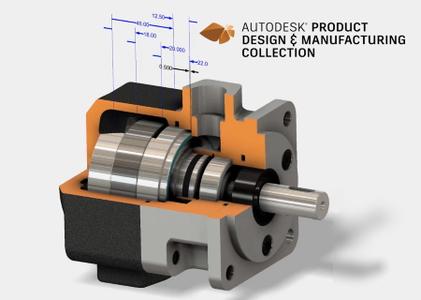
Autodesk Inventor Tolerance Analysis 2020.1

6f25fce2b6e1bd664833b817b8c07890.jpg


Autodesk Inventor Tolerance Analysis 2020.1

File Size: 302 MiB

​

The Autodesk products team is pleased to announce the availability of Tolerance Analysis 2020.1, is a CAD-embedded 1D analysis solution which reports the mechanical fit and performance of your design based on dimensional tolerances.

New enhancements in the Tolerance Analysis 2020.1 update - Date: July 21, 2019

The following enhancements are included in the Inventor Tolerance Analysis 2020.1 Update:

- Faces are now inferred from Insert constraints and they participate in an automatic constraint loop.
- Automatic constraint loop participants now include subassembly components.
- If a Mate constraint consumed in the constraint loop contains an offset value, the offset value is automatically added to the stackup.
Fixed Issues in 2020.1
- Most geometry editing operations are now disabled when the Tolerance Analysis environment is active because geometry edits can cause a crash. The preferred workflow is to exit the environment before making changes to the CAD model. (INVGEN-29588)
- Stackup data can be marked as invalid if two copies of an assembly are opened in the same session. (INVGEN-30304)
- Tolerance Analysis 2020.1 can be installed on Inventor 2019 RTM with no installation error. (INVGEN-28254)
- Preview boxes are no longer missing when creating tube and pipe run. (INVGEN-27525)

Inventor Tolerance Analysis is a CAD-embedded, 1D analysis solution that reports the mechanical fit and performance of designs based on dimensional tolerances. Stack-ups automatically capture the relationships defined in the assembly model - and for Model-Based Definition users, tolerance values can be edited directly inside the software to streamline the process between design and manufacturing.

With an in-canvas workflow that uses geometric dimensions and tolerances right on your model, analyze critical areas of your design to ensure they satisfy your objectives for manufacturing. Inventor Tolerance Analysis captures the necessary parts and mate relationships automatically to close the loop.

Autodesk Inventor Tolerance Analysis Overview

Autodesk helps people imagine, design and create a better world. Everyone-from design professionals, engineers and architects to digital artists, students and hobbyists-uses Autodesk software to unlock their creativity and solve important challenges.

Product: Autodesk Inventor Tolerance Analysis
Version: 2020.1
Supported Architectures: x64
Language: English
System Requirements: PC *
Supported Operating Systems: *
Software Prerequisites: *
Size: 309.2 MiB

System Requirements:
- OS : Windows 7, 8, 10 (64 bit)
- Autodesk Inventor Tolerance Analysis 2020 requires Autodesk Inventor 2019 or 2020
- Please ensure that you are installing a supported operating system. Autodesk Inventor 2019 and Autodesk Inventor Professional 2019 support only 64-bit operating systems and can not be installed on 32-bit systems.
- CPU
Recommended:
3.0 GHz or higher, 4 or more cores
Minimum:
2.5 GHz or greater
- MEMORY
Recommended:
20 GB RAM or more
Minimum:
8 GB RAM for less than 500 part assemblies
- DISK SPACE
Installer plus full installation: 40 GB
- GRAPHICS
Recommended:
4 GB GPU with 106 GB / S Bandwidth and DirectX 11 compliant
Minimum:
1 GB GPU with 29 GB / S Bandwidth and DirectX 11 compliant
- DISPLAY RESOLUTION
Recommended:
3840 x 2160 (4K); Preferred scaling: 100%, 125%, 150% or 200%
Minimum:
1280 x 1024
- NETWORK
Internet connection for web install with Autodesk Desktop Application, Autodesk collaborative functionality, .NET installation, web downloads, and licensing.
Network license manager supports Windows Server 2016, 2012, 2012 R2, 2008 R2 and the operating systems listed above.
- SPREADSHEET
Full local installation of Microsoft Excel 2010, 2013 or 2016 for iFeatures, iParts, iAsembles, Global BOM, Parts Lists, Revision Tables, spreadsheet-driven designs and Studio animation of Positional Representations.
64-bit Microsoft Office is required to export Access 2007, dBase IV, Text and CSV formats.
Office 365 subscribers must ensure that they have a local installation of Microsoft Excel 2016.
Windows Excel Starter, OpenOffice, and browser-based Office 365 applications are not supported.
-.NET
Framework Framework .NET Framework Version 4.7 or later. Windows Updates enabled for installation.

У Вас недостаточно прав для просмотра ссылок. Войдите или зарегистрируйтесь.


DownLoad

NitroFlare
Код:
http://nitroflare.com/view/00997F3EC1EBDBA/Autodesk.Inventor.Tolerance.Analysis.2020.1.rar

RapidGator
Код:
https://rapidgator.net/file/d73a5f5cb7bbe970d566d30ef8a78aa8/Autodesk.Inventor.Tolerance.Analysis.2020.1.rar.html

UploadGiG
Код:
https://uploadgig.com/file/download/78c011f703D77064/Autodesk.Inventor.Tolerance.Analysis.2020.1.rar
 
Wondershare Filmora 9.2.0.34 x64 Multilingual

555608344332d64429bd9f97e82778ce.jpg


Wondershare Filmora 9.2.0.34 x64 Multilingual

File Size: 266 MiB

​

Empower your imagination - a video editor for all creators. Filter, Overlays, Transitions and Custom Titles. Create Without Limits. Discover infinite ways to express yourself. Achieve a refined look with endless effects.

Never miss a beat
Perfect your sound with tools like keyframing, background noise removal, and an audio equalizer.

Beyond the basic
Create new worlds with compositing by layering clips and using green screen effects.

Details matter
Filmora 9 ensures every frame of your creation is as crisp as reality.

Ready for anything
Utilize up to 100 layers of media to create complex stories with ease.

Get more done
Fast processing, proxy files, and adjustable preview quality help you be more productive.

Fine tune your adventures
Fix common action cam problems like fisheye and camera shake, and add effects like slow motion and reverse.

Perfect your aesthetic
Change the aesthetic of your video with one click. Filmora9 has both creative filters and professional 3D LUTs.

Share your story
Tailor your content to any platform and upload it directly from Filmora 9.

System Requirements:
- Supported OS: Windows 7/Windows 8.1/Windows 10 (64 bit OS)
- Processor: Intel i3 or better multicore processor, 2GHz or above.
- (Intel 6th Gen or newer CPU recommended for HD and 4K Videos)
- RAM: 4 GB RAM (8GB required for HD and 4K videos)
- 2 GB vRAM (4GB required for HD and 4K videos)
- Graphics: Intel HD Graphics 5000 or later; NVIDIA GeForce GTX 700 or later; AMD Radeon R5 or later
- Disk: At least 10GB free hard-disk space for installation (SSD-Solid State Disk recommended for editing HD and 4K videos)

У Вас недостаточно прав для просмотра ссылок. Войдите или зарегистрируйтесь.


DownLoad

NitroFlare
Код:
http://nitroflare.com/view/0FDF7E121FC6FA7/Wondershare.Filmora.9.2.0.34.x64.Multilingual.rar
RapidGator
Код:
https://rapidgator.net/file/9e8e6da09cdab9b8869aed77762ee438/Wondershare.Filmora.9.2.0.34.x64.Multilingual.rar.html

UploadGiG
Код:
https://uploadgig.com/file/download/7d6534C24ED66b8a/Wondershare.Filmora.9.2.0.34.x64.Multilingual.rar
 
Evolution Series World Strings Guzheng KONTAKT

117e264cf2e65588dffaadf6f81c56e4.jpg


Evolution Series World Strings Guzheng KONTAKT

File Size: 17.1 GiB

​

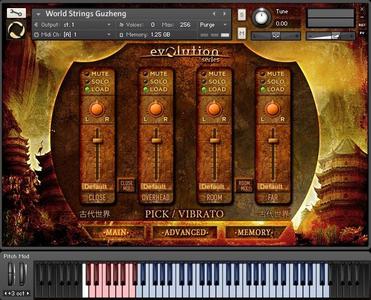
This is the next chapter in our world music journey weighing in at approximately 18 gigs (NI compression) down from 40 Gig (RAW). Evolution Series partnered with world- renowned Guzheng maker Hong Sound (Emilymax), specialising in unique hand-crafted instruments. These instruments are a true gem and used by some of China and Taiwan's elite musicians.

Intuitive Interface
Created for Kontakt 5, World Strings Guzheng features a simple yet intuitive interface. Our advanced scripting techniques aids in seamless control of Guzhengs emotive and critically-acclaimed sounds.

Recording Gold
World Strings Guzheng for Kontakt takes world instrument sampling to the next level. The combination of Hong Sound's most exquisite instrument and our world class scoring stage is pure recording gold.

Unprecedented Quality
With state-of-the-art equipment, a world-class scoring stage, a one of a kind instrument, this Guzheng library only offers the highest quality sound and endless creativity. It was a true honour for us to create this inspiring instrument, and know you will enjoy playing it as much as we did creating it.

Features:
- All samples at 48khz 24bit
- 18 GB NCW Lossless
- Multiple velocities
- Up to five round robin
- Up to 4 user-controllable microphone positions
- World class scoring stage

У Вас недостаточно прав для просмотра ссылок. Войдите или зарегистрируйтесь.


DownLoad

NitroFlare
Код:
http://nitroflare.com/view/9A5E9D0A4D7E298/Evolution.Series.World.Strings.Guzheng-KONTAKT.part01.rar
http://nitroflare.com/view/F644B1B7EC54FD1/Evolution.Series.World.Strings.Guzheng-KONTAKT.part02.rar
http://nitroflare.com/view/416AFB80FA1CB4F/Evolution.Series.World.Strings.Guzheng-KONTAKT.part03.rar
http://nitroflare.com/view/FF0707AB2877565/Evolution.Series.World.Strings.Guzheng-KONTAKT.part04.rar
http://nitroflare.com/view/B4B9459D8C9A713/Evolution.Series.World.Strings.Guzheng-KONTAKT.part05.rar
http://nitroflare.com/view/75D773A6DBCF7DA/Evolution.Series.World.Strings.Guzheng-KONTAKT.part06.rar
http://nitroflare.com/view/CF8B335449DC400/Evolution.Series.World.Strings.Guzheng-KONTAKT.part07.rar
http://nitroflare.com/view/D95269277025A04/Evolution.Series.World.Strings.Guzheng-KONTAKT.part08.rar
http://nitroflare.com/view/3D6F6EF74EBAD78/Evolution.Series.World.Strings.Guzheng-KONTAKT.part09.rar

RapidGator
Код:
https://rapidgator.net/file/5187d2c6696a8c715898655aa18a4ce4/Evolution.Series.World.Strings.Guzheng-KONTAKT.part01.rar.html
https://rapidgator.net/file/408a7790c91fa96337d850a97b0ddb1c/Evolution.Series.World.Strings.Guzheng-KONTAKT.part02.rar.html
https://rapidgator.net/file/a616136d00dc74ed0765d882236de106/Evolution.Series.World.Strings.Guzheng-KONTAKT.part03.rar.html
https://rapidgator.net/file/f10a8f976b2b9c456c95d26dc5c69789/Evolution.Series.World.Strings.Guzheng-KONTAKT.part04.rar.html
https://rapidgator.net/file/42fd160962b7bb997859ccc13ecb945d/Evolution.Series.World.Strings.Guzheng-KONTAKT.part05.rar.html
https://rapidgator.net/file/9e01cee525977b20840d28d4265842b7/Evolution.Series.World.Strings.Guzheng-KONTAKT.part06.rar.html
https://rapidgator.net/file/b4e2383de68c06cfcef33a49b297ee04/Evolution.Series.World.Strings.Guzheng-KONTAKT.part07.rar.html
https://rapidgator.net/file/4c62fec93d41d5ace42fe91992f185e9/Evolution.Series.World.Strings.Guzheng-KONTAKT.part08.rar.html
https://rapidgator.net/file/069f8556b448eeeb1dfe6ce8c30d6f05/Evolution.Series.World.Strings.Guzheng-KONTAKT.part09.rar.html

UploadGiG
Код:
https://uploadgig.com/file/download/C5a457Ba16dfe438/Evolution.Series.World.Strings.Guzheng-KONTAKT.part01.rar
https://uploadgig.com/file/download/99D86Bfb5f8bf61c/Evolution.Series.World.Strings.Guzheng-KONTAKT.part02.rar
https://uploadgig.com/file/download/32C0d0ce218899a2/Evolution.Series.World.Strings.Guzheng-KONTAKT.part03.rar
https://uploadgig.com/file/download/a5c9E9fD19c15ce5/Evolution.Series.World.Strings.Guzheng-KONTAKT.part04.rar
https://uploadgig.com/file/download/be0C7179A58b078e/Evolution.Series.World.Strings.Guzheng-KONTAKT.part05.rar
https://uploadgig.com/file/download/b3f55Ee36d02a940/Evolution.Series.World.Strings.Guzheng-KONTAKT.part06.rar
https://uploadgig.com/file/download/24eFc318b28Ca61b/Evolution.Series.World.Strings.Guzheng-KONTAKT.part07.rar
https://uploadgig.com/file/download/60cd59c9aB1Cf034/Evolution.Series.World.Strings.Guzheng-KONTAKT.part08.rar
https://uploadgig.com/file/download/53Fc8aF644B83aAf/Evolution.Series.World.Strings.Guzheng-KONTAKT.part09.rar
 
StudioLinked Infiniti Expansion Retro Things Library WiN

684aa1f4e9e965ae7a844bc390a8d285.jpg


StudioLinked Infiniti Expansion Retro Things Library WiN

File Size: 2.45 GiB

​

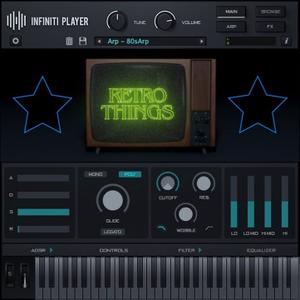
Retro Things Library is a vintage synth heads dream for sound libraries. Powered by the INFINITI PLAYER. Requires INFINITI PLAYER to Open. Contains 75 presets from rare vintage synthesizers. This library is powered by the new Infiniti Player Engine.

75 Presets:

Preset Breakdown:
Arps - 15
Bass - 7
Bells - 5
Keys - 4
Leads - 14
Plucks - 4
Strings - 6
Rhythmic - 1
Pads - 3
Synth - 16

У Вас недостаточно прав для просмотра ссылок. Войдите или зарегистрируйтесь.


DownLoad

NitroFlare
Код:
http://nitroflare.com/view/6A0CC20E8950C58/StudioLinked.Infiniti.Expansion.Retro.Things.Library.WiN.part1.rar
http://nitroflare.com/view/F0F7453B1B14BD4/StudioLinked.Infiniti.Expansion.Retro.Things.Library.WiN.part2.rar
http://nitroflare.com/view/4BA9173AC535660/StudioLinked.Infiniti.Expansion.Retro.Things.Library.WiN.part3.rar

RapidGator
Код:
https://rapidgator.net/file/7b89919b980a6287826d48252f4cddb7/StudioLinked.Infiniti.Expansion.Retro.Things.Library.WiN.part1.rar.html
https://rapidgator.net/file/964aaf604126ae24790e2bf9fb72c33b/StudioLinked.Infiniti.Expansion.Retro.Things.Library.WiN.part2.rar.html
https://rapidgator.net/file/b8ad86fa350e9dcf072c2b13e20b2acd/StudioLinked.Infiniti.Expansion.Retro.Things.Library.WiN.part3.rar.html

UploadGiG
Код:
https://uploadgig.com/file/download/94cc5B871065Bb85/StudioLinked.Infiniti.Expansion.Retro.Things.Library.WiN.part1.rar
https://uploadgig.com/file/download/7b26C0f4C2393dB1/StudioLinked.Infiniti.Expansion.Retro.Things.Library.WiN.part2.rar
https://uploadgig.com/file/download/131fF6637022dec5/StudioLinked.Infiniti.Expansion.Retro.Things.Library.WiN.part3.rar
 
StudioLinked Infiniti Expansion Swurve 2 Library WiN

af26077af82b85b50e9f6c2f443d3127.jpg


StudioLinked Infiniti Expansion Swurve 2 Library WiN

File Size: 1.47 GiB

​

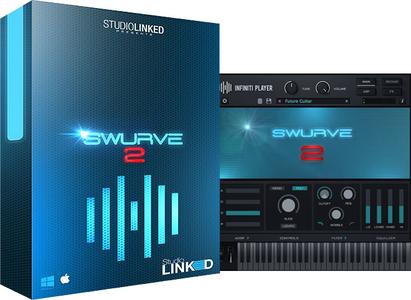
Swurve 2 Library is sound library. Packed with all the apps, leads, basses, sound fxs and more inspired by classic video game music and sound cards. Powered by the new Infiniti Player Engine.

156 Presets:

Preset Breakdown:
Bass - 25
Brass - 16
Guitar - 4
Key - 21
Synths Leads - 20
Pad - 19
Plucks - 38
String - 12
Vox - 1

У Вас недостаточно прав для просмотра ссылок. Войдите или зарегистрируйтесь.


DownLoad

NitroFlare
Код:
http://nitroflare.com/view/36951F28DFB30EC/StudioLinked.Infiniti.Expansion.Swurve.2.Library.WiN.part1.rar
http://nitroflare.com/view/8BAE25581476ED6/StudioLinked.Infiniti.Expansion.Swurve.2.Library.WiN.part2.rar

RapidGator
Код:
https://rapidgator.net/file/d949e6c189c35fee4d38f5890d6a83f3/StudioLinked.Infiniti.Expansion.Swurve.2.Library.WiN.part1.rar.html
https://rapidgator.net/file/feac9b516402faa300a931926efe79e0/StudioLinked.Infiniti.Expansion.Swurve.2.Library.WiN.part2.rar.html

UploadGiG
Код:
https://uploadgig.com/file/download/1dbE4b449bf15792/StudioLinked.Infiniti.Expansion.Swurve.2.Library.WiN.part1.rar
https://uploadgig.com/file/download/d4df156E3f827bf0/StudioLinked.Infiniti.Expansion.Swurve.2.Library.WiN.part2.rar
 
Avenza Geographic Imager For Adobe Photoshop v5.4.1-AMPED

ef3b920e541e73f021e5ae5e6dac781d.png


Avenza Geographic Imager For Adobe Photoshop v5.4.1-AMPED

File Size: 289 MiB

​

Working with raster imagery doesn't have to be complicated. Geographic Imager® enhances Adobe Photoshop to make working with spatial imagery quick and efficient. It adds tools to import, edit, manipulate and export geospatial images such as aerial and satellite imagery. Enjoy the use of native Adobe Photoshop functions such as transparencies, filters, pixel editing, and image adjustments like brightness, contrast, and curve controls while maintaining spatial referencing.

Geographic Imager supports GeoTIFF in Adobe Photoshop and other industry standard raster formats. Mosaic and tile images, change projections, transform, rectify and georeference images based on ground control points. Batch-process your imagery using Geographic Imager and Adobe Photoshop scripting capabilities. Geographic Imager is a great companion to MAPublisher for Adobe Illustrator-prepare images in Geographic Imager and use them in MAPublisher.

Feature Highlights

Georeference images easily by adding ground control points. Manually add control points, import or export points from a text file, and view accuracy and errors. Use the Quick Georeference option to make georeferencing even easier. Multiple transformation types are supported.

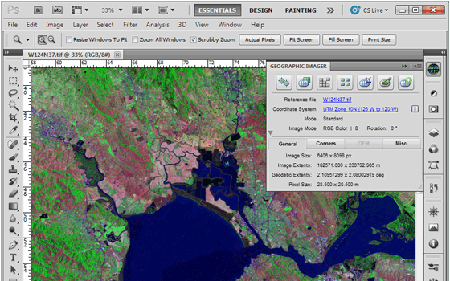
Geographic Imager Panel
Redesigned for Adobe Photoshop CS5, the Geographic Imager® panel provides access to all the tools and functions quickly and easily. All spatial information related to a GeoTIFF, DEM, ECW, MrSID or other supported image including the co-ordinate system, world location of the corners and pixel size are displayed along with buttons to access the various Geographic Imager functions. More time is left to edit geospatial data rather than searching for tools.

Retain Spatial Properties
Geographic Imager allows the use of Adobe Photoshop native functionality without destroying the spatial properties of a GeoTIFF, DEM, ECW, MrSID or other spatial image. Easily manipulate and adjust the visual elements such as colour values and levels, histograms, hues and sharpness. Spatial properties of the image are automatically updated and retained even after performing crop, rotate or geospatial adjustments. This is important in industries such as photogrammetry and remote sensing where it is necessary for analysis.

Import and Export Spatial Imagery
improved . Import and manage georeferenced imagery in Adobe Photoshop such as GeoTIFF, NITF, PCI and other compatible raster data formats, including support for CIR, RGBI and other multispectral and multichannel data. Advanced Import allows you to crop images during the import process (before they are opened), making it a great way to crop large images.

Geospatial PDF support
Create Adobe Acrobat PDF files containing coordinate systems from Geographic Imager image or import and modify existing Geospatial PDF documents. Easily share or publish them online. Find locations, measure distances, perimeters and areas, add locations markers and customize export settings. Take the geospatial PDF maps on the go using the PDF Maps iOS app.

Import Elevation Data
Import DEM formats such as ArcInfo ASCII Grid, ArcInfo Binary Grid, USGS DEM ASCII/CDED, Military Elevation Data/DTED and SRTM. Assign a DEM Schema during import for easier rendering. Overlay aerial photography to create custom looking images.

Terrain Shader
Create shaded relief maps from DEM data in Adobe Photoshop quickly and easily using the Terrain Shader feature. Control intensity and lighting source. Define elevation intervals for custom colour ramps.

Georeference Imagery
Import or add ground control points for accurate georeferencing of aerial photography or satellite imagery with multiple transformation types supported. Assess residual errors to improve geoferencing and save control point data as reference files. Quick Georeference by a single tie point, two tie points, or from other documents.

Transform
Extensive support for thousands of geographic and projected coordinate systems with the ability to save custom definitions for future use. Re-center images using a custom central meridian and modify pixel resolution.

Mosaic
Mosaic raster images to create a seamless image. Retain images as separate layers or flatten to create one image. Now supports image transformation during Mosaic, making it easier to get the images the way you want. Also, now create seamless mosaics of images with different coordinate systems, pixel sizes, channels and colour modes.

Tile
Tile raster data into multiple images by tile size or count and automatically saves tiles using sequential naming into any supported spatial image format. Great for turning large satellite images into smaller tiles and serving them online.

GeoCrop
The GeoCrop tool allows image cropping based on a combination of pixels or geographic coordinates (geodetic and projected). Easily define coordinates or draw a crop area to see a preview. Advanced Import allows you to crop images during import, making it a great way to crop large images without the need to open them first.

Merge and Split Channels
Adobe Photoshop Merge and Split Channels are now supported. Useful for remote sensing, create false- and true-colour images and retain all georeferencing.

Automate Tasks
Create scripts and actions of Geographic Imager and Adobe Photoshop tools to automate repetitive tasks. All Geographic Imager tools are compatible with automation.

System Requirements:
Adobe Photoshop CS6 / CC 2017 / CC 2018 / CC 2019 (all including 64-bit)
2 GHz or faster Intel Pentium 4 processor (Intel Core 2 Duo or better recommended)
Windows 7 / 8 / 10 (compatible with 64-bit versions)
4 GB RAM (8 GB or higher recommended)
300 MB of available hard-disk space for installation
DVD-ROM drive (for DVD version)
1024x768 display (1280x800 recommended)

У Вас недостаточно прав для просмотра ссылок. Войдите или зарегистрируйтесь.


DownLoad

NitroFlare
Код:
http://nitroflare.com/view/9CC6F15D8D8D334/Avenza.Geographic.Imager.For.Adobe.Photoshop.v5.4.1-AMPED.rar

RapidGator
Код:
https://rapidgator.net/file/ab807ed9f4869d6ae88872f09bf377b3/Avenza.Geographic.Imager.For.Adobe.Photoshop.v5.4.1-AMPED.rar.html

UploadGiG
Код:
https://uploadgig.com/file/download/e75532072D66a242/Avenza.Geographic.Imager.For.Adobe.Photoshop.v5.4.1-AMPED.rar
 
Devolutions Remote Desktop Manager Enterprise Edition v2019.1.38.0-AMPED

69d99609292c9eb852ac716f3c850ef7.jpg


Devolutions Remote Desktop Manager Enterprise Edition v2019.1.38.0-AMPED

File Size: 180 MiB

​

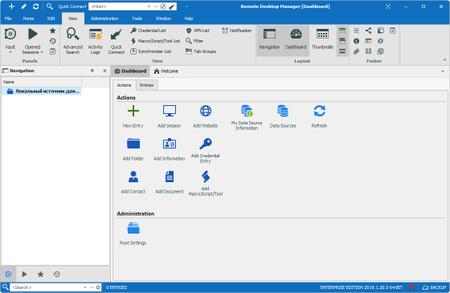
Remote Desktop Manager is a small application used to manage all your remote connections and virtual machines. Add, edit, delete, shared, organize and find your remote connection quickly. Compatible with Microsoft Remote Desktop, Terminal Services, VNC, LogMeIn, Team Viewer, Ftp, SSH, Telnet, Dameware, X Window, VMware, Virtual PC, PC Anywhere, Hyper-V, Citrix, Radmin, Microsoft Remote Assistance, Sun Virtual Box and more.

Enterprise Edition
• Share your remote connection settings inside a company database.
• Save your credentials and passwords in a database.
• Monitor user activities with the database logs.
• Faster and more secure solution.
• Available in single license, multiple licenses pack, global license or site license.

Features:
• Microsoft Remote Desktop (RDP)
• Microsoft Remote Assistance
• VNC (UltraVNC, TightVNC, RealVNC and embedded)
• LogMeIn
• Team Viewer
• FTP (Explorer, Filezilla and WinSCP)
• X Window
• Putty (SSH, Telnet, RAW and rLogin)
• Dameware Mini Remote Control
• Radmin Viewer
• Citrix XenApp (ICA)
• Symantec PC Anywhere
• Microsoft Hyper-V
• Microsoft Virtual PC
• Microsoft Virtual Server
• Microsoft Windows Virtual PC
• Sun VirtualBox
• VMware Player, VMware Workstation, VMware ESXi and VMware vSphere
• Cisco VPN client
• SonicWall Global VPN client

Requirements & Informations
Minimum Requirements
Windows Vista SP2, 7 SP1, 8, 8.1 or 10
Windows Server 2008 SP2, 2008 R2 SP1, 2012, 2012 R2 or 2016
Microsoft .NET Framework 4.6
1 Ghz processor
512MB RAM
1024 x 768 screen resolution
500+ MB hard drive space
64-bit Support
Remote Desktop Manager is compatible with all 64-bit versions of Windows, starting with Windows Vista SP1.

Terminal Services and Thin Client Support
Remote Desktop Manager can be installed on a Terminal Server machine and thin client.

У Вас недостаточно прав для просмотра ссылок. Войдите или зарегистрируйтесь.


DownLoad

NitroFlare
Код:
http://nitroflare.com/view/BA7BEF191F18E8C/Devolutions.Remote.Desktop.Manager.Enterprise.Edition.v2019.1.38.0-AMPED.rar

RapidGator
Код:
https://rapidgator.net/file/77c2587b750b35db3f56dda7138144d1/Devolutions.Remote.Desktop.Manager.Enterprise.Edition.v2019.1.38.0-AMPED.rar.html

UploadGiG
Код:
https://uploadgig.com/file/download/4d43f83f22178835/Devolutions.Remote.Desktop.Manager.Enterprise.Edition.v2019.1.38.0-AMPED.rar
 
DLUBAL Composite Beam v8.19.01 x64 Multilingual-EQUiNOX

e9c6a19690f4daf20dc5dbfbc422f68a.jpg


DLUBAL Composite Beam v8.19.01 x64 Multilingual-EQUiNOX

File Size: 619 MiB

​

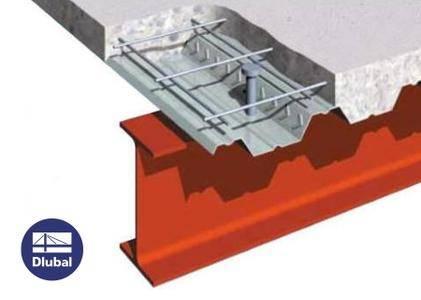
Dlubal Software has released 8.19.01 version of COMPOSITE-BEAM. This software analyzes continuous composite girders according to Eurocode 4. This add-on module can be used with the RSTAB program or also as an independent module that runs on RSTAB standards.

The structure and load input in this module is done through clearly laid out masks like those found in RSTAB. When the analysis is started, the static model is generated in RSTAB with all boundary conditions and loads. Consequently, a safe calculation of the internal forces using the ideal cross-section properties is guaranteed. COMPOSITE-BEAM automatically analyzes the resulting internal forces and carries out all relevant verification according to EC 4 and following the standards in EC 2 and EC 3. The results are displayed in the spreadsheet masks. They are sorted by the required analysis standards and thus enable an easy orientation. The user`s control over the input as well as the interpretation of the results is facilitated through 3D visualization. All graphics can be edited and transferred to the Printout Report.

У Вас недостаточно прав для просмотра ссылок. Войдите или зарегистрируйтесь.


DownLoad

NitroFlare
Код:
http://nitroflare.com/view/BA7F0B1452F1375/DLUBAL.Composite.Beam.v8.19.01.x64.Multilingual-EQUiNOX.rar

RapidGator
Код:
https://rapidgator.net/file/d2ff0f47ef1d14d245280d74c9d361b1/DLUBAL.Composite.Beam.v8.19.01.x64.Multilingual-EQUiNOX.rar.html

UploadGiG
Код:
https://uploadgig.com/file/download/fe7dddB60042f531/DLUBAL.Composite.Beam.v8.19.01.x64.Multilingual-EQUiNOX.rar
 
DLUBAL Craneway v8.19.01 x64 Multilingual-EQUiNOX

64a9112ec3e4dffe8428e0a881d1485a.jpg


DLUBAL Craneway v8.19.01 x64 Multilingual-EQUiNOX

File Size: 696 MiB

​

The stand‑alone program CRANEWAY analyzes craneway girders according to: EN 1993‑6:2008‑09 (Eurocode 3), DIN 4132:1981‑02 and DIN 18800:1990‑11. In the case of design according to EN 1993‑6, you can optionally select the crane type (bridge or suspension crane).

Features:
Stress analysis of crane runways and welds
Fatigue design of crane runways and welds
Deformation analysis
Plate buckling analysis for wheel load introduction
Stability analysis for lateral torsional buckling according to the second-order analysis of torsional buckling (1D FEA element)
For design according to Eurocode 3 the following National Annexes are available:

United Kingdom BS EN 1993-6/NA:2009-11 (United Kingdom)
DIN EN 1993-6/NA:2010-12 (Germany)
Belgium NBN EN 1993-6/ANB:2011-03 (Belgium)
Cyprus CYS EN 1993-6/NA:2009-03 (Cyprus)
CSN EN 1993-6/NA:2010-03 (Czech Republic)
SFS EN 1993-6/NA:2010-03 (Finland)
NF EN 1993-6/NA:2011-12 (France)
UNI EN 1993-6/NA:2011-02 (Italy)
LST EN 1993-6/NA:2010-12 (Lithuania)
NEN EN 1993-6/NB:2012-05 (Netherlands)
Norway NS EN 1993-6/NA:2010-01 (Norway)
Sweden SS EN 1993-6/NA:2011-04 (Sweden)
In addition to the National Annexes (NA) listed above, you can also define a specific NA, applying user-defined limit values and parameters.

Operating System: Windows 7, 8/8.1, 10 (64-bit only)

У Вас недостаточно прав для просмотра ссылок. Войдите или зарегистрируйтесь.


DownLoad

NitroFlare
Код:
http://nitroflare.com/view/6460FF58A7B5024/DLUBAL.Craneway.v8.19.01.x64.Multilingual-EQUiNOX.rar

RapidGator
Код:
https://rapidgator.net/file/7c420e32c1fe9994f2b3787730c07741/DLUBAL.Craneway.v8.19.01.x64.Multilingual-EQUiNOX.rar.html

UploadGiG
Код:
https://uploadgig.com/file/download/cCeb6C1eef3C34a8/DLUBAL.Craneway.v8.19.01.x64.Multilingual-EQUiNOX.rar
 
DLUBAL Plate Buckling v8.19.01 x64 Multilingual-EQUiNOX

60f02c975268ea1d648e16e4d70e9001.jpg


DLUBAL Plate Buckling v8.19.01 x64 Multilingual-EQUiNOX

File Size: 543 MiB

​

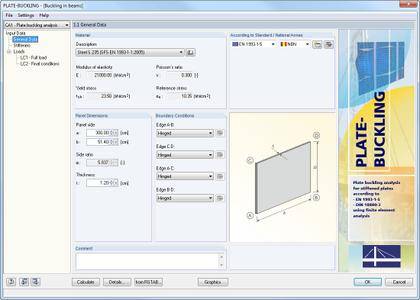
The RF-/PLATE-BUCKLING is available as an add‑on module for RFEM/RSTAB or as a separate stand‑alone program. It performs plate buckling analysis of rectangular plates according to the following standards: EN 1993‑1‑5:2006, DIN 18800‑3:1990‑11.

It is possible to apply horizontal or vertical stiffeners to the plates (for example flat plates, angles, T‑stiffeners, trapezoidal stiffeners, channel sections). Loading on the plate boundaries can be applied in several ways and can be imported from the main program RFEM/RSTAB. The plate buckling design in RF‑/PLATE‑BUCKLING is always performed on the total buckling panel as the potential stiffeners are considered in the 3D FE model. Thus, designs of single (c/t) parts or buckling panel sections are omitted.

Operating System: Windows 7, 8/8.1, 10 (64-bit only)

У Вас недостаточно прав для просмотра ссылок. Войдите или зарегистрируйтесь.


DownLoad

NitroFlare
Код:
http://nitroflare.com/view/EC83C285623144B/DLUBAL.Plate.Buckling.v8.19.01.x64.Multilingual-EQUiNOX.rar

RapidGator
Код:
https://rapidgator.net/file/41b4eca70cf309585ee1b9107628d380/DLUBAL.Plate.Buckling.v8.19.01.x64.Multilingual-EQUiNOX.rar.html

UploadGiG
Код:
https://uploadgig.com/file/download/226293a0fE1F24f2/DLUBAL.Plate.Buckling.v8.19.01.x64.Multilingual-EQUiNOX.rar
 
DLUBAL RX-Timber v2.19.01 x64 Multilingual-EQUiNOX

893aef4a37ab71e48b0b702ff41ef4e6.jpg


DLUBAL RX-Timber v2.19.01 x64 Multilingual-EQUiNOX

File Size: 732 MiB

​

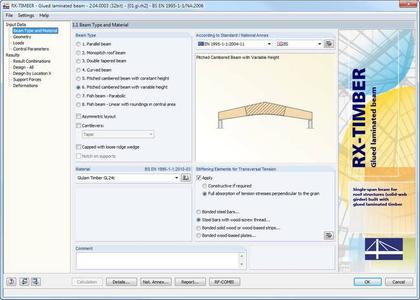
RX‑TIMBER Frame performs the ultimate and the serviceability limit state as well as fire resistance designs of three‑hinged frames according to EN 1995‑1‑1 (EC 5). Optionally, it is possible to perform designs according to DIN 1052:2008‑12. In addition, fire resistance design according to EN 1995‑1‑2 or DIN 4102, Part 22, is possible as well.

RX-TIMBER is a DLUBAL program family that meets specific demands in timber engineering. With the programs included in the RX-TIMBER package you can design glued-laminated beams, continuous beams, columns, frames, purlins and bracings. The governing result combinations are created automatically with the add-on module RF-COMBI that is integrated in RX-TIMBER. All of the RX-TIMBER programs are able to perform the ultimate and the serviceability limit state design.

Operating System: Windows 7, 8/8.1, 10

У Вас недостаточно прав для просмотра ссылок. Войдите или зарегистрируйтесь.


DownLoad

NitroFlare
Код:
http://nitroflare.com/view/E3C0E10E135486A/DLUBAL.RX-Timber.v2.19.01.x64.Multilingual-EQUiNOX.rar

RapidGator
Код:
https://rapidgator.net/file/0d0981857bf84db993a59bbd6c80a2e3/DLUBAL.RX-Timber.v2.19.01.x64.Multilingual-EQUiNOX.rar.html

UploadGiG
Код:
https://uploadgig.com/file/download/b0d0FDcfa1e5Edd9/DLUBAL.RX-Timber.v2.19.01.x64.Multilingual-EQUiNOX.rar
 
DLUBAL Shape Thin v8.19.01 x64 Multilingual-EQUiNOX

b5a409f418725a482510f8f612eedb14.jpg


DLUBAL Shape Thin v8.19.01 x64 Multilingual-EQUiNOX

File Size: 624 MiB

​

SHAPE-THIN provides the option of interface with RFEM and RSTAB: SHAPE‑THIN cross‑sections are available in the library of the FEA or frame analysis software, and vice versa, it is possible to import and design the internal forces from RFEM and RSTAB in SHAPE‑THIN. The structural data can be entered graphically, in tables, or by means of a DXF file.

Features:
Modeling of the cross-section via elements, sections, arcs and point elements
Expandable library of material properties, yield strengths, and limit stresses
Section properties of open, closed or non-connected cross-sections
Effective properties of cross-sections consisting of different materials
Determination of weld stresses in fillet welds
Stress analysis including design of primary and secondary torsion
Check of (c/t) ratios
Effective cross-sections according to
EN 1993-1-5
EN 1999-1-1
DIN 18800-2
Classification according to
EN 1993-1-1
EN 1999-1-1
Interface with MS Excel to import and export tables
Printout report

Operating System: Windows 7, 8/8.1, 10 (64-bit only)

У Вас недостаточно прав для просмотра ссылок. Войдите или зарегистрируйтесь.


DownLoad

NitroFlare
Код:
http://nitroflare.com/view/AD6291B2181B297/DLUBAL.Shape.Thin.v8.19.01.x64.Multilingual-EQUiNOX.rar

RapidGator
Код:
https://rapidgator.net/file/8e9b96106202a2cab0fcf75c85895b45/DLUBAL.Shape.Thin.v8.19.01.x64.Multilingual-EQUiNOX.rar.html

UploadGiG
Код:
https://uploadgig.com/file/download/a708e2501b10efa3/DLUBAL.Shape.Thin.v8.19.01.x64.Multilingual-EQUiNOX.rar
 
Назад
Сверху