• Здравствуйте. Сайт заработал в архивном режиме форум www.old.nado.in

EkThaTiger's Softwares

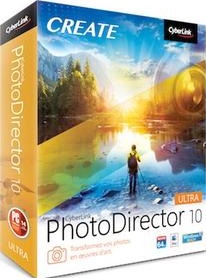
CyberLink PhotoDirector Ultra 10.6.3126.0 Multilingual
0f08abc1aba6ac28e98ad7654b0e5108.jpg


CyberLink PhotoDirector Ultra 10.6.3126.0 Multilingual

File Size: 436 MiB

​

Photo editing doesn't have to be daunting. PhotoDirector features a wide range of easy-to-use, professional-quality tools built specifically for turning your photos into stunning artworks no matter how you shoot. Whether you're working with the latest 360˚ or DSLR camera, or just a simple point-and-shoot device, PhotoDirector is the definitive creative photo editing solution.

Express Template Packs (NEW!)
Express Layer Packs contain all the layer components that make up complex images. They're not only an easy way to put together stunning images, but also help to show how layers combine to produce photographic effects.

Creativity Powered by AI (NEW!)
We've trained our AI Style Engine to analyze images in detail and identify different aspects of each shot. It then intelligently applies brushstrokes that make your shots look like they were designed and painted by a master artist.

One-click Photo Presets
Create impressive photos with creative presets including HDR, black & white and split tone as well as presets designed specifically for portraits & landscapes.

One-click Keystone Correction (NEW!)
Intelligently fix image perspective to make objects appear flat on the horizon.

Incredible Multi-exposure Shots
Easily extract a series of photos from a video clip and turn them into incredibly creative multi-exposure images with just a single click.
Create amazing motion stills and cinemagraphs from videos. A moving scene frozen in time.

Vibrant Motion Stills™ (UNIQUE!)
Brush over sections of a video clip to retain movement in that area only. Other parts of your photo will appear frozen in time.
Take perfect group shots every time using video.

Video-to-Photo Face Swap (UNIQUE!)
Instantly create perfect group photos from video clips. Ensure everyone is smiling, and all eyes are open!

360˚ Little Planets
Turn your photos into a world of their own in just a few quick clicks with the new Little Planet feature.

Panoramas from 360º Shots
Creating panorama images has never been easier. With a 360º image and PhotoDirector, you will create artistic panoramic shots in no time.

Straighten 360º Photos (UNIQUE!)
Ensure that your 360º photos are picture perfect. Straighten them so that to remove distortions on the horizon for perfect shots every time.

Face & People Beautification
The broad collection of easy-to-use touch-up tools in the new PhotoDirector make it easy to professionally remove imperfections from your portraits, selfies, and group shots.

Sharper Images. Better Clarity.
Strip away haze, fog and smog to reveal crisp, clear landscapes with the intuitive Dehaze slider.

Tethered Shooting (NEW!)
Tethered shooting enables you to get the perfect photo in fewer attempts. Each shot you take is instantly ready to view on your monitor so that you can quickly identify & fix problems with focus, lighting or composition.

Soft Proofing (NEW!)
With soft proofing, you're able to save even more time allowing you to view a simulated printer output on your monitor with gamut warning. Foresee and correct any issues that may arise when you print your work.

Advanced Layer Editing (ENHANCED!)
Layer editing provides the flexibility to create unique image compositions by combining images, texts and graphics. Using a combination of blending modes and masks, your creative possibilities are virtually endless.

- Creative Blending Modes
- Apply Clipping Mask (NEW!)
- Use Adjustment Layers (NEW!)
- Group Layers (NEW!)
- Layer Mask (NEW!)
- Advanced Text Editing in Layers (NEW!)

Minimum System Requirements:
- Microsoft Windows 10, 8/8.1, 7 (64 bit OS recommended)
- Intel Core™ i-series or AMD Phenom® II and above
- 128 MB VGA VRAM or higher
- 2GB Memory
- 2GB Space
- 1024 x 768, 16-bit color or above

HomePage

DownLoad

NitroFlare
Код:
http://nitroflare.com/view/85B9E102FF8877B/CyberLink.PhotoDirector.Ultra.10.6.3126.0.Multilingual.rar

RapidGator
Код:
https://rapidgator.net/file/629dc0eb8eece5a6d9a546678ffa8583/CyberLink.PhotoDirector.Ultra.10.6.3126.0.Multilingual.rar.html

UploadGiG
Код:
https://uploadgig.com/file/download/b78d39618212a567/CyberLink.PhotoDirector.Ultra.10.6.3126.0.Multilingual.rar
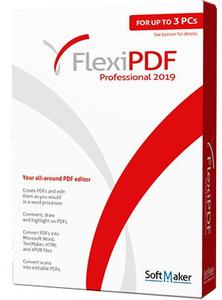
 
SoftMaker FlexiPDF 2019 Professional 2.0.4 Multilingual + Portable

c233d07b6b97484628b7e3c3d2161ba4.jpg


SoftMaker FlexiPDF 2019 Professional 2.0.4 Multilingual + Portable

File Size: 272, 314 MiB

​

Edit PDF files as easily as with a word processor. With FlexiPDF, creating, editing and commenting in PDF files is just as quick and easy as exporting them for further editing in TextMaker or Microsoft Word. FlexiPDF always delivers excellent results-whether you insert or edit text and images, rearrange the layout or reorder the pages of a PDF file. FlexiPDF converts your PDF files into text documents that you can edit with TextMaker and Microsoft Word. FlexiPDF Professional also uses OCR to convert scanned pages into editable and searchable PDF files. FlexiPDF is the indispensable tool for anyone who works with PDFs.

Features:
• Integrated printer driver for creating PDFs from inside all Windows applications
• Edit text across paragraphs and pages, like in a word processor
• Insert, move, delete pages; insert pages from other PDF files
• Insert, move, delete pictures and drawings
• Built-in multi-language spell checker and automatic hyphenation
• Insert comments, drawings, stamps
• Export PDF files for editing in TextMaker or Microsoft Word
• Export to HTML and picture formats such as JPEG, TIFF and PNG
• Convert PDF files to the e-book format ePUB
• Fill interactive and static forms
• Search and replace text and fonts
• Search and replace hyperlinks
• Search and replace across files
• Create photo albums using simple drag & drop
• Page numbering, headers and footers, watermarks
• Export text for translation with CAT software such as Trados or memoQ
• OCR feature for converting scanned pages to editable and searchable PDF files
• Redact confidential content
• Protect PDF files with secure AES encryption
• Track changes: automatic highlighting of text changes in color

Languages

Documents
With FlexiPDF 2017 for Windows you can work on documents in all languages, except for Arabic and Hebrew.

User interface (menus and dialogs)
English, German, French, Italian, Spanish, Portuguese (Portugal), Dutch, Danish, NEW: Finnish, NEW: Polish, Czech, NEW: Slovak, NEW: Hungarian, NEW: Slovenian, NEW: Serbian, NEW: Romanian, Russian, Chinese (Simplified), Chinese (Traditional)

Spellcheck
English (United States), English (United Kingdom), Welsh, Irish, French, Italian, Spanish, Portuguese (Portugal), Portuguese (Brazil), German, Dutch, Danish, Icelandic, Swedish, Finnish, Estonian, Czech, Polish, Hungarian, Slovenian, Croatian, Romanian, Turkish, Bulgarian, Ukrainian, Russian

System Requirements
FlexiPDF for Windows can be used with Microsoft Windows 10, 8, 7 and Windows Vista. It is compatible with application servers such as Citrix XenApp and Microsoft Terminal Server.

HomePage

DownLoad

NitroFlare
Код:
http://nitroflare.com/view/D36DA6654933203/SoftMaker.FlexiPDF.2019.Professional.2.0.4.Multilingual.rar
http://nitroflare.com/view/F0DE5520A7980B5/SoftMaker.FlexiPDF.2019.Professional.2.0.4.Multilingual.Portable.rar

RapidGator
Код:
https://rapidgator.net/file/31618b6dbbd3da5d8f926e2f73560759/SoftMaker.FlexiPDF.2019.Professional.2.0.4.Multilingual.rar.html
https://rapidgator.net/file/2bd32b303587fae44b6a210b185779d3/SoftMaker.FlexiPDF.2019.Professional.2.0.4.Multilingual.Portable.rar.html

UploadGiG
Код:
https://uploadgig.com/file/download/d8f8e7916b146d2c/SoftMaker.FlexiPDF.2019.Professional.2.0.4.Multilingual.rar
https://uploadgig.com/file/download/f89436134EBebeed/SoftMaker.FlexiPDF.2019.Professional.2.0.4.Multilingual.Portable.rar
 
Trimble Tekla Tedds 2019 SP2 With Engineering Library

47335ff55222aeeaf95b27330a25ea19.jpg


Trimble Tekla Tedds 2019 SP2 With Engineering Library

File Size: 786 MiB

​

The Tekla product team has released an update to Tekla Tedds 2019 version 21.2.0, a software that enables structural engineers to automate repetitive civil and structural calculations. The release includes a number of significant new features together with several enhancements and issue resolutions.

Tekla Tedds 2019 Service Pack 2 Release notes:"

General:
- Fixed Tedds for Word and the Tedds application when showing the progress log window to ensure that the window is always brought to the foreground.
- Fixed parsing errors related to Rich Text Format calc library items which have been edited using a word processor other than Microsoft Word.
- Updated use of Trimble identity in preparation for when servers switch to using TLS v1.2.
Tedds Application:
- Enhanced the Tedds application so that if calculating is cancelled by Interrupting during a Calculate Project command, a prompt is shown confirming whether the remaining documents should be calculated or not.
Writing Calculations:
- Enhanced the analysis solver to include new functions SolvSetElementRotated and SolvSetMemberRotated.
- Added new data list functions DataListGetPageNumColumns, DataListGetPageColumnName, DListGetColumnStrList and DListGetItemColumnValue for querying information relating to the column hierarchy information for the selected page and/or item.
- In a calculation user interface when a dialog is cancelled and Undo is enabled for the page don't execute the Page Deactivated event.
- Fixed label controls in calculation user interfaces causing the entire page to be refreshed when the image on a label changed and which sometimes resulted in DataView controls appearing blank.
- Enhanced DrawString to maintain the text orientation and alignment when any global transformations are applied.
- Enhanced DrawDimensionLine to maintain the text orientation and alignment when any global transformations are applied.
- Fixed SaveVerifySectionVarsCalcItem to ensure that strings are decoded when compared for equality so that strings with encoded characters pass Example Validation correctly.
Tedds Open API:
- Enhanced the TeddsAPITester application to allow the output to be saved to a PDF file.

Tekla Tedds Engineering Library July 2019 version 21.04:

- Column base plate design
- Added to output derivation of Ft,Rd
- RC beam analysis & design
- RC beam design
- Refactoring code for integration with other calculations.
- fixed the use of an incorrect lever arm when previous load has been removed in the design only calculation.
- Enhanced the calculation to include the option to select a user defined concrete strut angle in the shear checks.
- Fixed an error where preview results were sometimes incorrect.
- Fixed an error where the flanged details were not taken from the geometry section.
- Fixed an error where spacing checks were included when user defined reinforcement areas were selected.
- Fixed an error in the preview results with certain end cantilever configurations.
- RC pile cap design
- Fixed undefined variable error 'x_{p1}' when re-calculating a document where the pile locations have been manually modified.
- Corrected non standard user interface title.
- RC stair design
- Fixed version number not been displayed in the user interface title.
- Steel member fire resistance design
- Fixed calculation version not being displayed in the user interface title.
- Timber frame racking panel design
- Amended user interface to ensure calculation version is shown in window title.
- Truss wizard
- Truss creator
- Added variables for defining the member names, MemberNameTop, MemberNameBottom, MemberNameBottomLeft, MemberNameBottomRight, MemberNameLeft, MemberNameRight.
- Fixed Initializer items being run twice when material and design code are not defined.
- Modified creator so that input variables are not deleted when finished.

4887635e834f06778ccaa321b80afdd3.png


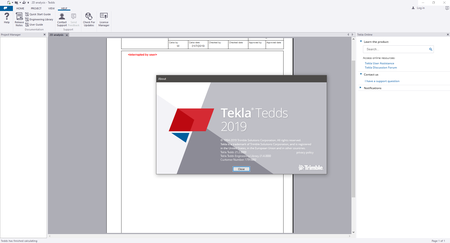
About Trimble Tekla Tedds 2019. Tekla Tedds is powerful software developed to meet the needs of the structural engineering workflow and designed to help you automate your repetitive structural calculations. Choose from one or more of our regularly updated calculation libraries or write your own, and create professional documentation every time. Combine your structural calculations with 2D frame analysis.

What's new in Tekla Tedds 2019 version 21.0.0:
This release offers even better integration with Tekla Structures, meaning more convenient design management for users of both Tekla products. Users can also now create even more professional BIM design documentation and use Tedds Calculations to create professional PDFs.

About Tekla Software by Trimble. Tekla software solutions for advanced BIM and structural engineering are produced by Trimble. Trimble's construction offering ranges from total stations to advanced software, giving the industry tools to transform planning, design, construction and operation of buildings. Tekla software is at the heart of the design and construction workflow, building on the free flow of information, constructible models and collaboration.

Product: Trimble Tekla Tedds
Version: 2019 SP2 (version 21.2.0) with Engineering Library
Supported Architectures: x64
Language: English
System Requirements: PC *
Supported Operating Systems: *
Size: 781.3 mb

System Requirements:
System requirements for effective operation

CPU: Multi core Intel i3 Series or above, Xeon or AMD equivalent
- Highest affordable performance recommended.
Memory: 2GB
- Memory requirements are dependant on document content.
OS: 32-bit or 64bit Microsoft Windows 7 SP1 / 8.1 / 10
- Operating systems must be running the latest service packs / updates.
- See Test Environments for full details of supported operating systems.
Graphics: 1920 x 1080 resolution
- 1GB or higher of dedicated RAM.
Disk space: 1GB or more of free space for installation.
- Operational disk space requirements are highly dependant on model content.
Internet connection: Required for access to Online Services and some documentation.
Microsoft Word: 32-bit or 64-bit of Microsoft Word 2010, 2013, 2016 or 2019.
- Microsoft Word needs to be fully service packed.

HomePage

DownLoad

NitroFlare
Код:
http://nitroflare.com/view/A9FD39E18167D7B/Trimble.Tekla.Tedds.2019.SP2.With.Engineering.Library.rar

RapidGator
Код:
https://rapidgator.net/file/9420a028870e70376367c0a43541fd5f/Trimble.Tekla.Tedds.2019.SP2.With.Engineering.Library.rar.html

UploadGiG
Код:
https://uploadgig.com/file/download/2dE1551f0F835470/Trimble.Tekla.Tedds.2019.SP2.With.Engineering.Library.rar
 
Wondershare Filmora 9.2.0.31 x64 Multilingual + Portable

d3d044baefcdfe790e97ce1dc21683a5.jpg


Wondershare Filmora 9.2.0.31 x64 Multilingual + Portable

File Size: 266, 257 MiB

​

Empower Your Imagination - A video editor for all creators.Filter, Overlays, Transitions and Custom Titles. Create Without Limits. Discover infinite ways to express yourself. Achieve a refined look with endless effects.

Never miss a beat
Perfect your sound with tools like keyframing, background noise removal, and an audio equalizer.

Beyond the basic
Create new worlds with compositing by layering clips and using green screen effects.

Details matter
Filmora 9 ensures every frame of your creation is as crisp as reality.

Ready for anything
Utilize up to 100 layers of media to create complex stories with ease.

Get more done
Fast processing, proxy files, and adjustable preview quality help you be more productive.

Fine tune your adventures
Fix common action cam problems like fisheye and camera shake, and add effects like slow motion and reverse.

Perfect your aesthetic
Change the aesthetic of your video with one click. Filmora9 has both creative filters and professional 3D LUTs.

Share your story
Tailor your content to any platform and upload it directly from Filmora 9.

System Requirements:
- Supported OS: Windows 7/Windows 8.1/Windows 10 (64 bit OS)
- Processor: Intel i3 or better multicore processor, 2GHz or above.
- (Intel 6th Gen or newer CPU recommended for HD and 4K Videos)
- RAM: 4 GB RAM (8GB required for HD and 4K videos)
- 2 GB vRAM (4GB required for HD and 4K videos)
- Graphics: Intel HD Graphics 5000 or later; NVIDIA GeForce GTX 700 or later; AMD Radeon R5 or later
- Disk: At least 10GB free hard-disk space for installation (SSD-Solid State Disk recommended for editing HD and 4K videos)

1e7d37771df3265d0a2558a759b1d6de.png


Language: Multilingual

HomePage

DownLoad

NitroFlare
Код:
http://nitroflare.com/view/DD9238F37486D32/Wondershare.Filmora.9.2.0.31.x64.Multilingual.rar
http://nitroflare.com/view/B9732D506004981/Wondershare.Filmora.9.2.0.31.x64.Multilingual.Portable.rar

RapidGator
Код:
https://rapidgator.net/file/d6775dd654b0f6d45df6d7ffcec0c995/Wondershare.Filmora.9.2.0.31.x64.Multilingual.rar.html
https://rapidgator.net/file/54e330221aafd38d321eb467153909eb/Wondershare.Filmora.9.2.0.31.x64.Multilingual.Portable.rar.html

UploadGiG
Код:
https://uploadgig.com/file/download/f13e422Da49418Fb/Wondershare.Filmora.9.2.0.31.x64.Multilingual.rar
https://uploadgig.com/file/download/81a77Cf4a0f41fcb/Wondershare.Filmora.9.2.0.31.x64.Multilingual.Portable.rar
 
ON1 Effects 2019.6 v13.6.0.7353 x64

d0b77dd8803e7374247036b74000d9f0.jpg


ON1 Effects 2019.6 v13.6.0.7353 x64

File Size: 0.98 GiB

​

The Ultimate Collection of Photo Effects, Filters, LUTs, and Presets. ON1 Effects 2019 includes hundreds of built-in photo effects, filters, LUTs, borders, textures, and presets - all completely customizable to your style. There are endless creative possibilities with ON1 Effects. Our most popular include HDR Look, B&W, Lens Blur (tilt-shift), Glows, Color Enhancer, Tone Enhancer, Textures, Borders, Film Looks, Split Tone, and more.

Any Look for Your Photos
We promise you will have fun using ON1 Effects 2019. It includes everything you need to create any style. Whether you are color grading, looking to style an HDR photo, or looking for an elegant black and white look, ON1 Effects includes it all. You can also customize any look to your taste and quickly save your own presets.

Stack Effects
Combine multiple effects to create any possible look. Includes 23 stackable filters and hundreds of presets, borders, and textures.

Selectively Apply
Use the easy-to-use yet powerful tools to target your effects to specific areas of your photo. Every effect can be brushed in or out in just seconds.

Create and Save Your Own Presets
Once you've made your adjustments, you can save your own preset for quick access later on.

Live Adjustments and Previews
Responsive sliders and tools. We've made sure that your tools and slider adjustments won't stick, giving you a fast and smooth editing experience. Filters respond fast and presets are easy to find and apply.

Effects 2019 works as a standalone app or as a plug-in with:
- Adobe® Photoshop® CC 2019
- Adobe Lightroom® Classic CC 2019
- Adobe Photoshop Elements 14 and above
- Apple® Photos

Create Any Look or Style
Stackable and customizable photo effects providing endless creative possibilities.

What's New:

The Perfect Tools for Applying Effects
The world's best effects for finishing your photos. The collection of tools in ON1 Effects 2019 are perfect for selectively applying effects and cleaning up your photos.

Photo Effects
Non-destructive, stackable, and re-editable photo filters and presets

Creative Assets
Includes hundreds of built-in photo effects, filters, LUTs, borders, textures, and presets

Quick View Browser
Quickly preview the effects and how the look appears on your photo

AI Quick Mask Tool
AI technology detects your subject matter and automatically creates a mask

Masking Brushes
Blend photos together for exposure or create vignettes and graduated filter looks

Adjustable Gradients
Add common adjustments to only a portion of your photo

Touch Up Tools
Crop, content-aware fill, clone, refine, chisel, and blur are perfect for touching up photos

Luminosity Masks
Create luminosity masks based on the image to automatically protect the highlights or shadows

Stack Filters
Like placing filters on the end of your camera, just a easier

Skin Retouching
Easily retouch using filters specific to skin tones

Custom Presets
Easily save and organize your own looks and presets

Live Previews
Preview any look or effect instantly

System Requirements:
- Windows 7, Windows 8, or Windows 10 (current maintenance releases, 64-bit only)
- Intel Core 2 Duo, Xeon, or better
- 4 GB (8 GB when used as a Photoshop plug-in)
- 1.5 GB for installation
- OpenGL 3.3-compatible video card with 256 MB video RAM, 1280x720 resolution (at 100% scale factor)

Language: English

HomePage

DownLoad

NitroFlare
Код:
http://nitroflare.com/view/93FFAE1302594FC/ON1.Effects.2019.6.v13.6.0.7353.x64.rar

RapidGator
Код:
https://rapidgator.net/file/530ff330d3d9475b1660a57bd310e64d/ON1.Effects.2019.6.v13.6.0.7353.x64.rar.html

UploadGiG
Код:
https://uploadgig.com/file/download/1716d25f52564b2d/ON1.Effects.2019.6.v13.6.0.7353.x64.rar
 
ON1 Resize 2019.6 v13.6.0.7353 x64

c8b0ede2516ee9169ead3f8073c9ffa6.jpg


ON1 Resize 2019.6 v13.6.0.7353 x64

File Size: 547 MiB

​

ON1 Resize 2019 is the ultimate image resizer for when you need the highest quality enlargements - with Genuine Fractals® technology -to resize your photos for print. You can quickly resize photos without loss of sharpness or detail. ON1 Resize 2019 also includes one of the fastest ways to view, cull, and edit photos - ON1 Browse. It's the new starting point for your editing and resizing workflow.

Tools for Printing Big!
Get the highest quality photo enlargements with Genuine Fractals® technology - patented, fractal-based interpolation algorithms - that quickly enlarge your images without loss of sharpness or detail.

Genuine Fractals® Technology
Patented, fractal-based interpolation algorithms - that quickly resize images without loss of sharpness or detail. Enlarge photos up to 1000%!

Create Canvas Wraps
The gallery wrap feature creates extended margins for wrapping your photo around wooden stretcher bars for canvas prints. You have the option to either stretch or reflect the areas near the edge of your photo. Create a perfect gallery wrap and not lose any part of the photo.

Setup to Print on Mosaic Tiles
Divide photos into mosaic tiles for easy printing and proofing. Perfect for creating canvas diptychs, triptychs, or mosaics when combined with the gallery wrap feature.

Print Presets
Hundreds of presets for desired print size.

Full ON1 Browse
Resize 2019 includes the full Browse module from ON1 Photo RAW 2019. It's a lightning-fast browser and organizer. Simply point it to any folder of photos and you can preview, sort, tag, and change metadata instantly!

Better Batch Processing
The Export feature in Resize 2019 makes it easy to process a single photo, a handful or hundreds of them. Not only can you control the size, but the file type, naming, location, etc. You can even apply gallery wrap or watermarks on the fly.

New RAW Engine
Resize 2019 features the new RAW processing engine from ON1 Photo RAW. It's much faster and maintains better color and detail.

Compressed Photoshop Files
When saving out Adobe® Photoshop® PSD format files, they are compressed to half the size they used to be, losslessly.

Printing Options
You can print from right inside of Resize 2019. Control the paper size, margins and printer profiles for the ultimate print.

Open System
Access your photos no matter where they are stored: your computer, your network, or on cloud-based storage services.

Plug-in & Standalone
ON1 Resize 2019 works as both a plug-in for both Photoshop® and Lightroom® and as a standalone application.

Accelerated Photo Management
ON1 Resize 2019 includes everything photographers need to both browse and catalog photos from the very beginning of the workflow. This hybrid system provides one of the fastest ways to manage and organize photos. The ultra fast photo browser is perfect for quickly viewing and culling through photos without having to wait on an import process. Once the culling process is done, the ability to create and catalog those photos is the next step in most common workflows.

System Requirements:
- Windows 7, Windows 8, or Windows 10 (current maintenance releases, 64-bit only)
- Intel Core 2 Duo, Xeon, or better
- 1.5 GB for installation
- Photoshop CS6 or CC, Photoshop Elements 13 or 14, Photoshop Lightroom 5, 6, or Classic CC, Apple Photos
- 4 GB (8 GB when used as a Photoshop plug-in)
- OpenGL 3.3-compatible video card with 256 MB video RAM, 1280x720 resolution

Language: English

HomePage

DownLoad

NitroFlare
Код:
http://nitroflare.com/view/5915F98382F71B7/ON1.Resize.2019.6.v13.6.0.7353.x64.rar

RapidGator
Код:
https://rapidgator.net/file/1369d077bcafeae402f13491209f6b9e/ON1.Resize.2019.6.v13.6.0.7353.x64.rar.html

UploadGiG
Код:
https://uploadgig.com/file/download/a1DA6437e2cC42A5/ON1.Resize.2019.6 v13.6.0.7353.x64.rar
 
Ashampoo Photo Commander 16.1.0 Multilingual + Portable

70b877ab459b631f12c89b3851264295.jpg


Ashampoo Photo Commander 16.1.0 Multilingual + Portable

File Size: 377, 452 MiB

​

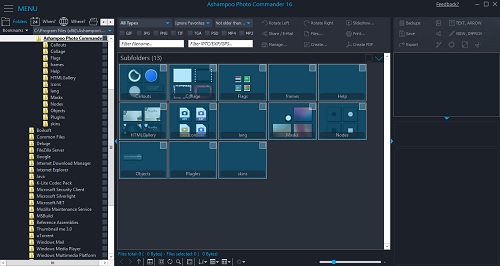
The new Ashampoo Photo Commander 16 will amaze you right off the bat! The modern user interface will quickly learn your favorite features and adapt itself accordingly for quicker access. Slideshow images now appear in stunning 4K and the new panorama feature will steal the show. Experience more visual clarity with the decade view, benefit from new search filters and the enhanced file selection and work with fresh card designs and new transition effects for your videos. Make the most out of your photos!

The true all-rounder to view, edit and organize your photos
The new Ashampoo Photo Commander 16 is the complete solution to view, edit and organize your photos. Bring order to your collection, optimize multiple images in one go and create calendars, photo cards and entire slideshows with ease. Whether you're a beginner, novice or professional photographer, excellent results are always just a few clicks away.

Automatic photo enhancements
The built-in auto-correction can turn even the miserablest of snapshots into precious holiday memories by instantly remove scratches, digital noise or red eyes! Multiple auto-features take most of the work off your shoulders and the integrated batch processing can enhance all your photos in one go.

Create collages, calendars and photo cards
Use the many included templates to create photo cards with ease or give in to your love for detail and design your own calendars. Even stunning collages no longer pose no problem! Ashampoo Photo Commander 16 offers a wealth of options to put make your ideas a reality!

Create slideshows
Ashampoo Photo Commander 16 creates slideshows in high definition 4K! New transitions make for more beautiful and versatile scene transitions while added support for more audio formats allows for richer background audio. Finished slideshows are instantly previewable in real time with the new video playbar control.

Present photos in style
Whether you're enjoying your photos on your own or with friends, you'll love the new presentation mode. Use your primary display to control the flow and your secondary display to present your photos! Also great for beamers, modify your photos in real time without leaving the presentation!

Set, use and edit geotags
Modern cameras and cellphones use geotagging to save the location of each shot. Ashampoo Photo Commander 16 can add and edit this information and use it to sort your photos. The program can even process this data to determine the exact country, city and street for each photo! Retrace the stages of your vacation on a map from beginning to end in the comfort of your own home!

Crop and edit photos
Trim your images down to size, straighten horizons or set color accents. Cut out persons and objects or modify perspectives. Apply great effects and go professional with gradation curves and tonal corrections.

A modern, adaptive interface
Ashampoo Photo Commander 16 not only comes with a sleek new look but adapts to your working method. Frequently used functions automatically appear in the quick access menu so they're always just one click away for faster results! Naturally, you can always switch back to the classic view if you prefer that.

Bring order to your photo collection
Ashampoo Photo Commander 16 provides more visual clarity. New file filters enable you to track down photos more efficiently, e.g. by combining location and time-based searches! The flexible group view allows you to instantly select files and preview their EXIF data in the new status bar. Seasoned photographers will appreciate the new decade view that provides a completely new look on their photo collections.

Design and rescue photos
Unleash your creativity with Ashampoo Photo Commander 16! The newly developed panorama function creates breath-taking widescreen images. A built-in automatic takes care of overexposed or faded images for excellent results every time. Multiple included motives make it incredibly easy to create cards for every occasion.

Set new trends with PNG
PNG is already one of the most common image formats on the Internet with PNG animations posing an interesting alternative to GIF animations. Ashampoo Photo Commander can drastically reduce the file sizes of PNGs to save space and traffic particularly on mobile devices. Animations can also be quickly created, converted or extracted.

Customer wishes fulfilled
We heard you. EXIF and IPTC metadata is now displayed in the status bar and freely editable and exportable. The popular duplicate file finder has been greatly accelerated. Multiple pages can now be scanned in one go and converted into PDF if needed. The always important zoom feature has also been sped up significantly.

Operating System: Microsoft Windows 10, 8/8.1, 7

648ce390834a30675dc19a3ade5c6eb7.jpg


HomePage

DownLoad

NitroFlare
Код:
http://nitroflare.com/view/9505D5E4A774B4D/Ashampoo.Photo.Commander.16.1.0.Multilingual.rar
http://nitroflare.com/view/F73103036C9B493/Ashampoo.Photo.Commander.16.1.0.Multilingual.Portable.rar

RapidGator
Код:
https://rapidgator.net/file/884323c14f0ae7610b421403f120b9e1/Ashampoo.Photo.Commander.16.1.0.Multilingual.rar.html
https://rapidgator.net/file/dc83571c63b155fdcc487e00df22469a/Ashampoo.Photo.Commander.16.1.0.Multilingual.Portable.rar.html

UploadGiG
Код:
https://uploadgig.com/file/download/C164242b7F26a76A/Ashampoo.Photo.Commander.16.1.0.Multilingual.rar
https://uploadgig.com/file/download/0ed376f6b317127d/Ashampoo.Photo.Commander.16.1.0.Multilingual.Portable.rar
 
DLUBAL RFEM v5.19.01 x64 Multilingual-EQUiNOX

0ac46cac8c9ee9d8ff0fa7bb16ccda1e.jpg


DLUBAL RFEM v5.19.01 x64 Multilingual-EQUiNOX

File Size: 1.90 GiB

​

The finite element analysis program RFEM is a powerful software for quick and easy modeling, structural analysis and design of 2D and 3D models consisting of member, plate, wall, folded plate, shell, solid, and contact elements.

Due to the modular software concept, you can connect the main program RFEM with the corresponding add‑on modules in order to meet your individual requirements.

The structural analysis program RFEM is the basis of a modular software system. The main program RFEM is used to define structures, materials, and loads for planar and spatial structural systems consisting of plates, walls, shells and members. The program also allows you to create combined structures as well as model solid and contact elements.

RFEM provides deformations, internal forces, stresses, support forces, and soil contact stresses. The corresponding add-on modules facilitate data input by automatic generation of structures and connections or can be used to perform further analyses and designs according to various standards.

The modular software concept allows you to compile a program package tailored to your individual needs. It is possible to upgrade the program at any time.

Operating System: Windows 7, 8/8.1, 10 (64-bit only)

HomePage

DownLoad

NitroFlare
Код:
http://nitroflare.com/view/80B0F348954E87E/DLUBAL.RFEM.v5.19.01.x64.Multilingual-EQUiNOX.part1.rar
http://nitroflare.com/view/DB7CD9C3CD43C16/DLUBAL.RFEM.v5.19.01.x64.Multilingual-EQUiNOX.part2.rar

RapidGator
Код:
https://rapidgator.net/file/06e5435bde022e4d27141d76e699807e/DLUBAL.RFEM.v5.19.01.x64.Multilingual-EQUiNOX.part1.rar.html
https://rapidgator.net/file/f45bcd45b85a1d4ef27f9168218d1921/DLUBAL.RFEM.v5.19.01.x64.Multilingual-EQUiNOX.part2.rar.html

UploadGiG
Код:
https://uploadgig.com/file/download/aad0562bF76bf7A3/DLUBAL.RFEM.v5.19.01.x64.Multilingual-EQUiNOX.part1.rar
https://uploadgig.com/file/download/0987d4430732cc08/DLUBAL.RFEM.v5.19.01.x64.Multilingual-EQUiNOX.part2.rar
 
DLUBAL RSTAB v8.19.01 x64 Multilingual-EQUiNOX

da884958821b1785ba93ce2b11d8f706.jpg


DLUBAL RSTAB v8.19.01 x64 Multilingual-EQUiNOX

File Size: 1.48 GiB

​

The 3D structural frame analysis program RSTAB is the ideal tool for the design of beam, frame, or truss structures consisting of steel, reinforced concrete, timber, aluminum, or other materials.

With RSTAB you can easily and quickly define a structural model and then calculate the internal forces, deformations, and support reactions. For further design, there are various add‑on modules available, considering structural data of specific materials and standards.

RSTAB is the basis of a modular software system and provides intuitive modeling of simple and complex structures due to it's ingenious input technique. The efficient RSTAB solver allows for linear and nonlinear calculations of internal forces, deformations, and support reactions.

For further designs, there are the add-on modules available, considering structural data of specific materials and standards. Due to the modular software system, you can combine various products of Dlubal Software in a program package that meets your individual needs.

Operating System: Windows 7, 8/8.1, 10 (64-bit only)

HomePage

DownLoad

NitroFlare
Код:
http://nitroflare.com/view/70088B0B5F0587C/DLUBAL.RSTAB.v8.19.01.x64.Multilingual-EQUiNOX.part1.rar
http://nitroflare.com/view/9560D3B0D36D995/DLUBAL.RSTAB.v8.19.01.x64.Multilingual-EQUiNOX.part2.rar

RapidGator
Код:
https://rapidgator.net/file/106724ad1ad86c08f23e6f0c280b069c/DLUBAL.RSTAB.v8.19.01.x64.Multilingual-EQUiNOX.part1.rar.html
https://rapidgator.net/file/9ca4a3ffc7455792bbaed8011ddd0f33/DLUBAL.RSTAB.v8.19.01.x64.Multilingual-EQUiNOX.part2.rar.html

UploadGiG
Код:
https://uploadgig.com/file/download/80771C1f75a36Bab/DLUBAL.RSTAB.v8.19.01.x64.Multilingual-EQUiNOX.part1.rar
https://uploadgig.com/file/download/ecFbc14faf00F000/DLUBAL.RSTAB.v8.19.01.x64.Multilingual-EQUiNOX.part2.rar
 
ACDSee Photo Editor 10.0 Build 52 x64 Portable

ae656b7b564c05dc116f5144fdd9eaea.jpg


ACDSee Photo Editor 10.0 Build 52 x64 Portable

File Size: 120 MiB

​

Cut straight to the creative part with this dedicated image adjustment and layered editing software. ACDSee Photo Editor 10 boasts the 64-bit power to actualize the original graphics, polished photography, and compelling art imagery you've been envisioning. Enhance photos with pixel-based editing tools, precision targeting, hundreds of filters and adjustments, drawing elements, and much more.

Built-In RAW Support
Take control of your RAW images by removing noise, sharpening, balancing shadows and highlights, targeting colors, and by using a wide variety of other repair, geometry, exposure, color, and detail-oriented improvements. Then save as an ACDC file, which preserves your layers and allows for future non-destructive adjustments. ACDSee Photo Editor 10 supports the RAW editing of over 500 camera models.

Clear & Concise Control
The Dehaze adjustment layer will remove dust, smoke, vapor, or other particles affecting clarity, and restore detail, contrast, and lost color. By using layer masks to control layers' transparency, you can hide and reveal mist in choice locations, reclaim focus for the subject, and direct the eye.

Layered Retouching & Repair
No foundation, no concealer, no reshoots. You can non-destructively smooth away blemishes and flaws without strenuous, targeted color corrections or blending. Use the Repair tool to copy pixels from flawless areas and blend them into flawed ones for a natural restoration. Combine the Repair tool with a Skin Tune adjustment layer to even tone and restore glow.

Appearance
ACDSee Photo Editor 10 is completely customizable-that includes hot keys too! For enhanced workflow efficiency, you can tear off, move, stack, dock, and hide panes and toolbars anywhere you like.

Performance
Get down to work right away with rapid launching. With GPU-accelerated layers engine and adjustment layers, as well as quality performance
for speedy filter application, ACDSee Photo Editor 10 will get you finished faster.

Compatibility
Enjoy comprehensive support for all of the most popular image formats. ACDSee Photo Editor 10 also provides comprehensive color management.

Photoshop Plug-ins
Import and apply Photoshop plug-ins for further creative freedom.

Selection Simplified
Make precision adjustments by targeting specific parts of your image with the Selection Brush. Detect edges by selecting based on color, brightness, or a combination of both.Create a mask from your selection. Add lighting, color, detail, or effects-style adjustment layers to your selection. Invert the selection and impact the rest of the image with a different edit.

Exposure Correction in an Instant
Use adjustment layers to correct lighting and exposure, increase vibrance, and make subjects pop. Lighten shadows and darken highlights for image-wide balance. At the same time, make efficiency a part of your routine with ACDSee Actions. Record your adjustments and apply your entire sequence to other images in the future with one click.

HomePage

DownLoad

NitroFlare
Код:
http://nitroflare.com/view/377991AEC20FB2B/ACDSee.Photo.Editor.10.0.Build.52.x64.Portable.rar

RapidGator
Код:
https://rapidgator.net/file/e067dd24c7c855de50ed3554b130186b/ACDSee.Photo.Editor.10.0.Build.52.x64.Portable.rar.html

UploadGiG
Код:
https://uploadgig.com/file/download/Ff65346Ab23c8cbf/ACDSee.Photo.Editor.10.0.Build.52.x64.Portable.rar
 
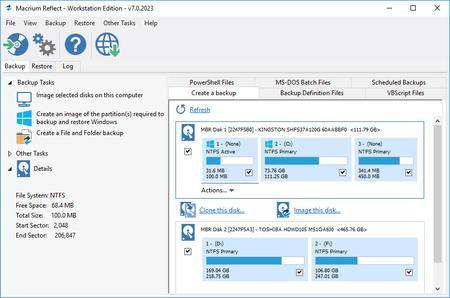
Macrium Reflect Workstation - Server - Server Plus 7.2.4398 x86 x64

0f4e378022d84f888394e8dafc914632.jpg


Macrium Reflect Workstation - Server - Server Plus 7.2.4398 x86 x64

File Size: 301, 325 MiB

​

Macrium Reflect - backup and recovery for individual PCs and servers. Reflect Workstation - Designed for endpoint backup of business-critical PCs and workstations. Peace of mind for organisations when backing up Windows PCs.

Solution highlights:
- New Backup Engine: Incremental and differential images up to 60 times faster
- Instant virtual booting of backup images: instantly create, start and manage Microsoft Hyper-V virtual machines
- Ultra-fast Live imaging of windows systems, physical and virtual
- Restore images to dissimilar hardware using Macrium ReDeploy
- Greatly simplified administration including pre-defined Backup Plans for popular backup strategies
- Fully featured file and folder level backup and recovery
- Updated support for all the latest Windows Operating Systems and disk formats

Macrium Reflect 7 Features:
- Backup your entire PC to a single compressed image file.
- Backup files and folders to a single compressed archive file.
- Recover partitions and entire disk images with just a few clicks of your mouse
- Dynamic disk support
- MBR and GPT disk support
- Restore images to dissimilar hardware using Macrium ReDeploy

Operating System: Windows XP, Vista, 7/8/10

HomePage

DownLoad

NitroFlare
Код:
http://nitroflare.com/view/605166167B84887/Macrium.Reflect.Workstation-Server-Server.Plus.7.2.4398.x86.rar
http://nitroflare.com/view/0CFEA6F533D9E7E/Macrium.Reflect.Workstation-Server-Server.Plus.7.2.4398.x64.rar

RapidGator
Код:
https://rapidgator.net/file/720f4e45ad66602ceac6a47b46e481c1/Macrium.Reflect.Workstation-Server-Server.Plus.7.2.4398.x86.rar.html
https://rapidgator.net/file/6541aed691a3275b821dfd1afb1d5adb/Macrium.Reflect.Workstation-Server-Server.Plus.7.2.4398.x64.rar.html

UploadGiG
Код:
https://uploadgig.com/file/download/9ac546002cAfc5f1/Macrium.Reflect.Workstation-Server-Server.Plus.7.2.4398.x86.rar
https://uploadgig.com/file/download/b35ca46Cb3B348dB/Macrium.Reflect.Workstation-Server-Server.Plus.7.2.4398.x64.rar
 
Topaz Studio 2.0.4 x64 RePacK

081e93a2650dd2e9fdeae16ec002eda6.jpg


Topaz Studio 2.0.4 x64 RePacK

File Size: 633 MiB

​

The future of creative photo editing. Edit your images beautifully with powerful filters and frictionless masking in a fine-tuned non-destructive layer workflow. Topaz Studio 2 has only one purpose: creative photo editing. This starts after you select your image and ends when you export your finished work. It's designed specifically around the artisanal post-processing workflow of carefully crafting a single image to your vision.

Studio is the editor to use when you want jaw-dropping images and you're not afraid to spend the time to get them. It's for creating works that push the bounds of your artistic vision; the few that you know you'll look back upon in years as one of your best creations. That's why you won't find library management, design tools, batch editing, or other common "image editor" tools in Studio. There's a lot of photo editors out there that help you manage your workflow and make minor contrast adjustments. Topaz Studio is not intended for that. If it doesn't contribute to the vision of creating singularly beautiful images through post-processing, then we're not including it.

1. Cutting edge filters.
Most image editor tools are the same: your Exposure in one editor is the same Exposure in another. In Studio, we've thought about what common adjustments would look like if they were designed today, and updated them to their most modern and useful forms.

2. Powerful selection and masking.
Very rarely do you want to apply the same effect to all parts of your image the same. Studio considers masking and selective adjustments to be a core task, and features several innovations that make selective editing substantially easier and faster for you.

3. Fully non-destructive layers.
Mix and match filters and effects with different blending modes and opacity. Everything that you do in Studio can be edited and adjusted after the fact with a fully non-destructive layer workflow.

Cutting-edge and unique filters.
You'll find that these aren't your everyday image editing filters as soon as you give them a try. Topaz Labs actually started off creating Photoshop filters. We've condensed our decade of specialized post-processing experience into a set of the most useful filters available only for Studio 2. Here are some of the most popular ones that you won't find anywhere else.

AI Clear
This AI-powered tool can actually sharpen detail while removing noise. Give it a try on your own images to see why some photographers say that AI Clear is the best thing we've ever developed.

Precision Contrast
When was the last time that using the Contrast slider produced a breathtaking image? Chances are, it blew out highlights and crushed shadows in your image instead.

Precision Detail
Normal sharpening tools usually increase edge contrast, which just gives the appearance of sharpness but also adds artifacts and halos. Topaz Detail enhances natural detail that already exists in the image. This unique technology helps you naturally makes your photos look more "three-dimensional" and adds a sense of beautifully natural sharpness to your image.

Black and White
Turn your photos into exquisite monochrome images that will emotionally move your viewers. The Black and White filter uses a unique BW conversion engine that emphasizes tone and texture in order to help you get BW images that pop.

Explore and create Looks to transform your image.
Topaz Studio's filters work well individually, but the true magic happens when they're combined together. Topaz Studio 2 includes over 200 "Looks" (pre-built groups of filters) that help you explore different beautiful effects for your images with a single click.

Texture
Explore hundreds of beautiful texture and tone effects, hand-crafted by some of the best photographers in the world. With over 200 included one-click effects, each with the ability to blend with each other in various ways, the only limit is your imagination.

Impression
Capture the essence of your photos without being constrained by rigid detail. Topaz Impression helps you turn photos into paintings like a true artist would: by intelligently applying real brushstrokes to canvas.

Glow
Create beautiful light effects in your images to reveal the hidden life in each moment you capture. Apply a wide range of looks from a pleasing subtle diffusion to spectacular electric and neon effects.

Built with real users in mind
Topaz Studio 2 doesn't do everything, but it is really good at what it does do. If you ever find yourself needing that extra "something" in your photos, please give it a try. You'll be pleasantly surprised!

Powerful selective adjustments and masking.
There's a big difference between masking for compositing vs. selective adjustments. Topaz Studio focuses entirely on selective adjustments, and we think of it as a central feature of the product instead of an add-on. As you'll see, this led to many design decisions intended to shorten the amount of time you spend refining your mask, like including edge awareness in each masking tool in Studio.

Brush Tool
Select different parts of your image by painting directly on it. Topaz Studio's brush is edge aware by default. This means you can quickly paint over your selection without having to worry too much about staying between the lines. This is the fastest and most direct way to selectively apply an effect to your image.

Spot Tool
Emphasize a certain subject in your photo with the edge-aware spot tool. The spot tool is a quick way to draw attention to a certain subject in your your image. Since it is edge- and color-aware, you don't need to worry about refining your mask too much.

Gradient Tool
Gradually level off your effect with the gradient tool. Topaz Studio's gradient tool is unique in that it's also adjustably context-aware, which creates much better masking experience. It's like having a graduated neutral density filter that also knows how to tell between foreground and background.

Color Tool
Create a mask targeted at the different colors in your image. This is probably the easiest masking tool to use: just click on your image with the eyedropper and this will automatically select the correct parts of your image. Great to selectively apply effects to just a single color range in your image.

Luminance Tool
Create a mask targeted at different brightness levels in your image. This tool will get you a perfect selection very quickly in images with a clear separation in brightness between subject and background. Also great for selectively adjusting highlights, shadows, or anything in between.

Fully non-destructive layers.
Layers are essential for creative post-processing because they allow you to apply effects in unlimited ways to your image. Let's walk through an example workflow that illustrates what you can do with them.

Full non-destructive layer support.
As mentioned before, Topaz Studio 2 now has full layer support - and everything you do is non-destructive. Looks (formerly presets) go on their own layers so you can now mix, match, and stack them. (Apply and Duplicate no longer necessary!)

Major UI refresh.
Topaz Studio 2 received a major user interface change focused around layers. You can easily drag and drop to rearrange layers, access layer masks, and control blending/opacity. It does look quite different than the current Studio, but we're confident this new workflow will enable you to work more quickly and easily than before.

A couple things to keep in mind with Studio 2:
• You will be able to use Studio 1 alongside Studio 2, but you will not be able to buy any additional paid adjustments
• The old Studio 1 .tsp format will no longer be compatible
• Studio 1 presets will not be compatible at launch, but we will offer a utility to help migrate custom Studio 1 presets into Studio 2
• Studio 2 will not support plug-ins upon release, but this will be added soon

System Requirements:
• Windows 7, 8, 10 64-bit support only
• Display Size: 800 x 600
• OpenGL 3.3
• System RAM: 8GB (Minimum), 16GB (Recommended), 32GB (Optimal)
• GPU VRAM: 2GB (Minimum), 4GB (Recommended), 6+GB (Optimal)

HomePage

DownLoad

NitroFlare
Код:
http://nitroflare.com/view/C974866013288F5/Topaz.Studio.2.0.4.x64.RePacK.rar

RapidGator
Код:
https://rapidgator.net/file/871987ee86f53b950fec0c48101cdfb9/Topaz.Studio.2.0.4.x64.RePacK.rar.html

UploadGiG
Код:
https://uploadgig.com/file/download/c5369D4c80d68712/Topaz.Studio.2.0.4.x64.RePacK.rar
 
Adobe Dimension CC 2019 v2.3.0.1052 x64 Multilingual-WEBiSO

50c808e947b468d92a28677ebff80452.png


Adobe Dimension CC 2019 v2.3.0.1052 x64 Multilingual-WEBiSO

File Size: 1.68 GiB

​

Dimension CC as Adobe - a set of tools for 2D-and 3D-design, to easily create high-quality photorealistic 3D-images, perform compositing 2D-and 3D-visualization resources in a realistic environment products. The basic idea of the product - to give developers the tools needed to integrate its 2D-and 3D-assets without the study of complex and specialized applications. In other words, the program allows you to quickly and simply "delicious" and other creative visualization combines the 2D- and 3D-graphics.

Using machine learning, this tool Adobe is able to automatically determine the best lighting and place the light source in the right place. Adobe Dimension CC automatically aligns objects relative to the horizon. The product is intuitive and similar to the Photoshop interface and Illustrator. Rendering in Adobe Dimension CC used V-Ray, the application displays will look like the final image, without spending time on the final rendering.

Benefits Dimension CC as Adobe:
- Effective supply design
- Create mockups
- New opportunities for creative graphics
- inscribing 3D-object in the real environment
- Familiar interface
- models from Adobe Stock
- Realistic rendering and preview in real time
- Capture material

System Requirements:
OS:Windows 10 Anniversary Update (64-bit) - version 1607 (build 10.0.14393) or later
CPU:
Minimun:Intel Core i5 (2011 or newer), Intel Xeon (2011 or newer), AMD A8 or A10, or AMD Ryzen
Recommended:Intel Core i7 with a frequency of 3.0GHz or higher
RAM:
Minimun:8 GB OF RAM or more
Recommended:16 GB of RAM or more
GPU:
Minimun:Geforce GTX 770, Intel Iris Pro Graphics 580 or 6200, or equivalent
Recommended:Geforce GTX-970 or equivalent
Video memory:1 GB of dedicated VRAM
OpenGL:OpenGL 3.2 capable system
Hard Disk Space:2.5 GB available more for additional content
Display:1080p with qualified hardware-accelerated OpenGL graphics card

Intructions:
Unpack & Install

HomePage

DownLoad

Single Link
Код:
http://nitroflare.com/view/1A107B5AA27EE1D/Adobe.Dimension.CC.2019.v2.3.0.1052.x64.Multilingual-WEBiSO.iso

Код:
https://rapidgator.net/file/3d2ee4ecfd6c8013eb4daf2bc1d2b9a1/Adobe.Dimension.CC.2019.v2.3.0.1052.x64.Multilingual-WEBiSO.iso.html

Код:
https://uploadgig.com/file/download/9079F69ef7f20c95/Adobe.Dimension.CC.2019.v2.3.0.1052.x64.Multilingual-WEBiSO.iso

NitroFlare
Код:
http://nitroflare.com/view/E933B3D62A1C2B1/Adobe.Dimension.CC.2019.v2.3.0.1052.x64.Multilingual-WEBiSO.part1.rar
http://nitroflare.com/view/F9A27F6AE8ADD42/Adobe.Dimension.CC.2019.v2.3.0.1052.x64.Multilingual-WEBiSO.part2.rar

RapidGator
Код:
https://rapidgator.net/file/e12cc58bc6de0b90bc00371d88f2808a/Adobe.Dimension.CC.2019.v2.3.0.1052.x64.Multilingual-WEBiSO.part1.rar.html
https://rapidgator.net/file/3a192bafbe8d12c72905fabee6184c0f/Adobe.Dimension.CC.2019.v2.3.0.1052.x64.Multilingual-WEBiSO.part2.rar.html

UploadGiG
Код:
https://uploadgig.com/file/download/1Ba6fc1cb2655e11/Adobe.Dimension.CC.2019.v2.3.0.1052.x64.Multilingual-WEBiSO.part1.rar
https://uploadgig.com/file/download/5057b94ef62d3722/Adobe.Dimension.CC.2019.v2.3.0.1052.x64.Multilingual-WEBiSO.part2.rar
 
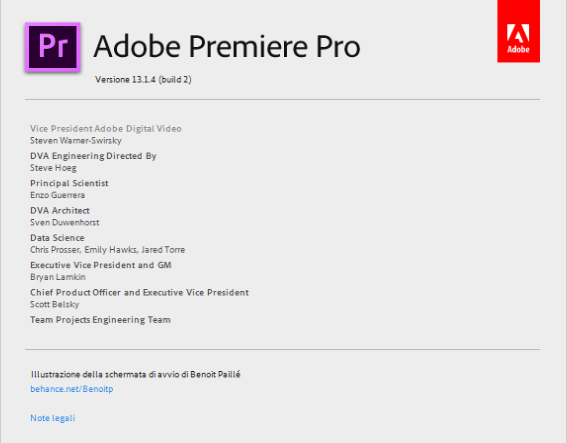
Adobe Premiere Pro CC 2019 v13.1.4.2 x64 Multilingual-WEBiSO

b509dbe3d2a52bf717fe9e6e051531d3.jpg


Adobe Premiere Pro CC 2019 v13.1.4.2 x64 Multilingual-WEBiSO

File Size: 1.6 GiB

​

Adobe Premiere Pro CC 2019 is a professional program for non-linear video editing. The application provides high-quality editing of video resolution 4K and higher, with 32-bit color, both in RGB and YUV color space. Editing audio samples, support for VST audio plug-ins (plug-in) and audio tracks 5.1 surround. The Premiere Pro plug-in architecture allows you to import and export QuickTime or DirectShow container materials, and also supports a huge number of video and audio formats from MacOS and Windows.

The main advantages of Adobe Premiere CC 2019:
- Working with multiple projects simultaneously
- General projects with the lock function
- Adaptive design - Time
- Adaptive design - Position
- Animated graphics templates available in Adobe Stock
- Realistic editing of VR
- Realistic sound processing for 360 / VR
- immersive
- Transitions immersive
- Subtitles and graphics for video with immersive
- Rotation VR sphere
- Improved process of "Basic Graphic Elements"
- Support for new formats
- Regional subtitle standards
- Support Updates "group projects as Adobe"
- Improved conditions beginning work for beginners
- Optimized support for built-in camera in the shooting settings Lumetri
- working with templates After Effects motion graphics without installing the After
-Effects application
- And much more .

d15c7a2c13a364e6a7448fc38ea92054.png


System Requirements:
OS:Microsoft Windows 10 (64-bit) version 1703 or later (required)
CPU:Intel® Intel 6thGen or newer CPU
RAM:16 GB of RAM (32 GB recommended)
GPU:4 GB of GPU VRAM
HDD Disk Space:Fast internal SSD (recommended) for app installation and cache - plus provisional space for media
Display:1920 x 1080 or greater display resolution
Video Card:32-bit video card
Sound card:compatible with ASIO protocol or Microsoft Windows Driver Model
Optional:Adobe-recommended GPU card for GPU-accelerated performance

Language: Multilingual

Intructions:
Unpack & Install

HomePage

DownLoad

Single Link
Код:
http://nitroflare.com/view/E219FB584AF3468/Adobe.Premiere.Pro.CC.2019.v13.1.4.2.x64.Multilingual-WEBiSO.iso

Код:
https://rapidgator.net/file/a33ad49b6ca1604eb28da83403268565/Adobe.Premiere.Pro.CC.2019.v13.1.4.2.x64.Multilingual-WEBiSO.iso.html

Код:
https://uploadgig.com/file/download/32aee5e1294d1925/Adobe.Premiere.Pro.CC.2019.v13.1.4.2.x64.Multilingual-WEBiSO.iso

NitroFlare
Код:
http://nitroflare.com/view/363B15A382F9CA0/Adobe.Premiere.Pro.CC.2019.v13.1.4.2.x64.Multilingual-WEBiSO.part1.rar
http://nitroflare.com/view/A871F081D195699/Adobe.Premiere.Pro.CC.2019.v13.1.4.2.x64.Multilingual-WEBiSO.part2.rar

RapidGator
Код:
https://rapidgator.net/file/0e1121e467c5208bd7a5de6c547a5452/Adobe.Premiere.Pro.CC.2019.v13.1.4.2.x64.Multilingual-WEBiSO.part1.rar.html
https://rapidgator.net/file/e4fee7c2e01bfb76daff5f74baee3a50/Adobe.Premiere.Pro.CC.2019.v13.1.4.2.x64.Multilingual-WEBiSO.part2.rar.html

UploadGiG
Код:
https://uploadgig.com/file/download/428bac8e8ab68b62/Adobe.Premiere.Pro.CC.2019.v13.1.4.2.x64.Multilingual-WEBiSO.part1.rar
https://uploadgig.com/file/download/52F270c4bb4b156F/Adobe.Premiere.Pro.CC.2019.v13.1.4.2.x64.Multilingual-WEBiSO.part2.rar
 
Adobe XD CC 2019 v22.0.12 x64 Multilingual-WEBiSO

27a0e43a748e7bb93979c476261e579f.jpg


Adobe XD CC 2019 v22.0.12 x64 Multilingual-WEBiSO

File Size: 324 MiB

​

Adobe XD CC is the complete solution for design, prototyping and sharing user experiences for all products and services.

Interactive prototypes
Go to Prototyping with a click of Design. Combine drawing surfaces with each other to visualize navigation within large apps. Link design elements across the drawing area, B. Cells from repetition screens. Add interactions using visual controls to test and validate the experience.

Publish prototypes and get feedback
Generate weblinks to your designs that you can share with others to get feedback. Or embed it into a web page, For example on Behance. Comments can be attached directly to the prototype or to specific components of your design. You will be notified as soon as a comment has been added. To see your changes, checkers simply need to reload the link in the browser.

Liquid working with drawing surfaces
Whether you work with one or hundreds of workspaces, it does not matter: You can rely on the performance of XD. Create any number of designs for different screens and devices within a project. Pan and zoom without jerking or stuttering. Choose a template or define your own drawing area. Copy design elements between drawing faces while the layout is preserved.

Repeating Grid
Select an item in your design, Such as a contact list or a photo gallery, and duplicate it as often in the horizontal or vertical direction. All styles and distances are preserved. When you edit the item, the changes are applied to the entire design.
Platform-wide support

Control panel "Elements"
Colors and character formats are handy and reusable when you add them to the "Elements" panel (formerly "Symbols"). This panel also contains the icons. When you edit a color or format in the panel, the change is automatically performed throughout the document.

Next generation symbols
Work with time-saving symbols. The ready-to-use design components make it unnecessary to search for and edit each instance of an item in a document. When you edit an instance, all other instances are automatically updated. Overwriting certain entities is also possible. The symbols can be vector graphics, raster images or text objects, which you can also use as objects within repeating screens.

Creative Cloud libraries
With integration with Creative Cloud libraries, Adobe XD CC lets you access colors and character formats created in Photoshop CC, Illustrator CC, or any other Creative Cloud application, and use them in your design.

System Requirements:
OS:Windows 10 Creators Update OR higher
CPU:Multicore Intel processor with 64-bit support with 1.4 GHz
Display:1280 x 800
RAM:4 GB of RAM of which 2 GB of available hard-disk space for installation; more free space required during installation
Graphics:Minimum Direct 3D DDI Feature Set: 10. For Intel GPU, drivers released in 2014 or later are necessary. To find this information, launch "dxdiag" from the Runmenu and select the "Display" tab.

Language: English

Instructions:
Unpack & Install

HomePage

DownLoad

NitroFlare
Код:
http://nitroflare.com/view/7055209F6CB36C9/Adobe.XD.CC.2019.v22.0.12.x64.Multilingual-WEBiSO.iso

RapidGator
Код:
https://rapidgator.net/file/8aa37b732e094302fa7c6b24a3715bc1/Adobe.XD.CC.2019.v22.0.12.x64.Multilingual-WEBiSO.iso.html

UploadGiG
Код:
https://uploadgig.com/file/download/d5cE78ac5c705470/Adobe.XD.CC.2019.v22.0.12.x64.Multilingual-WEBiSO.iso
 
AutoCAD LT 2020.1 Update

87f07baed5db40857e522cb86b683d84.jpg


AutoCAD LT 2020.1 Update

File Size: 556, 416 MiB

​

Autodesk Inc., has released an update to AutoCAD 2020 Product Line. This software is a flexible and class leading 2D and 3D CAD design and detailing solution from Autodesk.

AutoCAD 2020.1 Update Release Notes - Date: August 1, 2019:

New Feature and Feature Enhancement Summary

Blocks Palette
- Drag and drop actions now apply the settings for Scale and Rotation
- The display of thumbnail images is improved
- Tooltips can now be suppressed with the TOOLTIP system variable
Text on Layer
- Sets a default layer for text and multiline text objects with the TEXTLAYER system variable.
Standards for Multileaders
- Extends the Standards feature to support multileader styles.
Security
- The SECUREREMOTEACCESS system variable has been expanded to control whether ObjectARX programs are restricted from uploading to internet locations or remote servers.
3D Translators
- The translators used for importing several external 3D formats have been updated. These include Creo and Granite, SolidEdge, NX, Parasolid, JT, and Rhino.

About Autodesk AutoCAD. Design every detail with Autodesk AutoCAD software, one of the world's leading CAD applications. Create stunning 2D and 3D designs with innovative tools that are always up-to-date and can produce almost any shape imaginable, delivering a personalized design solution. Simplified documentation features help you share precise drawings with ease. Work across connected desktop, cloud, and mobile solutions, all with the reliability of TrustedDWG™ technology, the original and most accurate way to store and exchange design data.

Autodesk helps people imagine, design and create a better world. Everyone-from design professionals, engineers and architects to digital artists, students and hobbyists-uses Autodesk software to unlock their creativity and solve important challenges.

Product: Autodesk AutoCAD (LT)
Version: 2020.1 Update **
Supported Architectures: x64
Language: English
System Requirements: PC *
Supported Operating Systems: *
Software Prerequisites: Autodesk AutoCAD 2020 Product Line **
Size: 1.0 Gb

Applying Updates
AutoCAD Updates can be applied to AutoCAD including specialized toolsets installed as standalone apps as well as Autodesk Civil 3D and Autodesk Advance Steel. You can install the AutoCAD update in addition to any applicable updates for the products and their included services listed below.

- AutoCAD 2020
- AutoCAD Architecture 2020 specialized toolset
- AutoCAD Electrical 2020 specialized toolset
- AutoCAD Map 3D 2020 specialized toolset
- AutoCAD Mechanical 2020 specialized toolset
- AutoCAD MEP 2020 specialized toolset
- AutoCAD Plant 3D 2020 specialized toolset
- Autodesk Advance Steel 2020
- Autodesk Civil 3D 2020

After applying this patch, the Product Version in the About box will be listed as Q.70.0.0 AutoCAD 2020.1. For specialized toolsets, Autodesk Civil 3D or Autodesk Advance Steel, the Built On version will be listed as Q.70.0.0 AutoCAD 2020.1.

System Requirements:
System requirements for AutoCAD 2020 including Specialized Toolsets (Windows)

Operating System
- Microsoft Windows 7 SP1 with Update KB4019990 (64-bit only)
- Microsoft Windows 8.1 with Update KB2919355 (64-bit only)
- Microsoft Windows 10 (64-bit only) (version 1803 or higher)
Processor
- Basic: 2.5-2.9 GHz processor
- Recommended: 3+ GHz processor
- Multiple processors: Supported by the application
Memory
- Basic: 8 GB
- Recommended: 16 GB
Display Resolution
- Conventional Displays:
- 1920 x 1080 with True Color
- High Resolution & 4K Displays:
- Resolutions up to 3840 x 2160 supported on Windows 10, 64-bit systems (with capable display card)
Display Card
- Basic: 1 GB GPU with 29 GB/s Bandwidth and DirectX 11 compliant
- Recommended: 4 GB GPU with 106 GB/s Bandwidth and DirectX 11 compliant
Disk Space
- 6.0 GB
Browser
- Google Chrome (for AutoCAD web app)
Network
Deployment via Deployment Wizard.
The license server and all workstations that will run applications dependent on network licensing must run TCP/IP protocol. Either Microsoft or Novell TCP/IP protocol stacks are acceptable. Primary login on workstations may be Netware or Windows. In addition to operating systems supported for the application, the license server will run on the Windows Server 2016, Windows Server 2012, and Windows Server 2012 R2 editions.
Pointing Device
- MS-Mouse compliant
.NET Framework
- .NET Framework Version 4.7 or later
- *DirectX11 recommended by supported OS

HomePage

DownLoad

NitroFlare
Код:
http://nitroflare.com/view/18DE6EA4BE7651D/AutoCAD.2020.1.Update.rar
http://nitroflare.com/view/5FB85BD836C8AA1/AutoCAD.LT.2020.1.Update.rar

RapidGator
Код:
https://rapidgator.net/file/b4ede156cfb8ece4ede2611969c91db0/AutoCAD.2020.1.Update.rar.html
https://rapidgator.net/file/f6a7d86430d419e3c2450ee67a44afef/AutoCAD.LT.2020.1.Update.rar.html

UploadGiG
Код:
https://uploadgig.com/file/download/A82be2c988D51108/AutoCAD.2020.1.Update.rar
https://uploadgig.com/file/download/932bceb35eADE2C6/AutoCAD.LT.2020.1.Update.rar
 
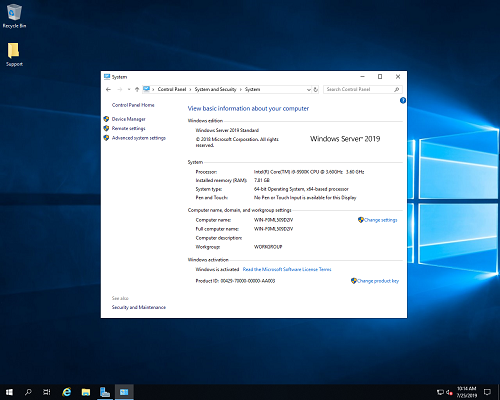
Windows Server 2019 Build 17763.652

197d33f0ac59574552f1e27577ce6ae9.jpg


Windows Server 2019 Build 17763.652

File Size: 4.40 GiB

​

The Microsoft product team is pleased to announce the availability of Windows Server 2019 (Build 17763.652) all versions. This update includes quality improvements.

July 22, 2019 - KB4505658 (OS Build 17763.652)

- Updates an issue that may cause Internet Explorer to stop working when you drag a tab to create a new window.
- Updates an issue that prevents newly installed or updated applications from appearing in Windows search results.
- Updates an issue that prevents the Save and Save As options in Microsoft Office 2010 applications from working when high contrast mode is on.
- Updates an issue that prevents a device from recognizing a Microsoft account until you sign out and sign in again.
- Updates an issue that affects applications that manage files, folders, and device settings.
- Improves compatibility with the Window-Eyes screen reader application.
- Updates an issue to keep your App permissions settings when resetting your device.
- Improves reliability when upgrading from Windows 10, version 1703.

Improvements And Fixes
This update includes quality improvements. Key changes include:

- Addresses a performance issue that may occur on some websites that use WebAssembly.
- Addresses an issue that may cause Internet Explorer to stop working when you move a tab to create a new window.
- Addresses an issue that may prevent the personal identification number (PIN) prompt from appearing when authenticating in Internet Explorer.
- Updates time zone information for Brazil.
- Addresses an issue that may cause Windows notifications to display nonsense characters instead of a single quote (').
- Addresses an issue that prevents newly installed or updated applications from appearing in Windows search results.
- Addresses an issue that prevents the Save and Save As options in Microsoft Office 2010 applications from working when high contrast mode is on.
- Address an issue that prevents SharedPC policies from migrating properly during an upgrade.
- Addresses an issue that prevents a Hardware Support application (HSA) from installing in a timely manner.
- Addresses an issue that prevents the Windows Event Log service from processing notifications that the log is full. This causes issues with some Event Log behaviors such as archiving the log when it reaches a maximum file size and you've configured the "Archive the log when full, do not overwrite events" setting. Additionally, the Local Security Authority (LSA) cannot handle CrashOnAuditFail scenarios when the Security Log is full, and events cannot be written.
- Addresses an issue that prevents a system from recognizing a Microsoft account or Azure Active Directory account until the user signs out and signs in again.
- Addresses an issue that may prevent the Netlogon service from establishing a secure channel and reports the error, "0xC000007A - ERROR_PROC_NOT_FOUND."
- Addresses an issue that may cause authentication to fail when using Windows Hello for Business on a server running Windows Server 2016 with the Server Core option installed.
- Addresses an issue that causes some processes running inside Windows Server containers and Hyper-V containers to have empty names.
- Addresses an issue that causes input and output to fail when Multipath I/O (MPIO) failover occurs.
- Addresses an issue that causes applications that use windows.storage.dll to stop working and displays ExceptionCode c0000005 (Access violation) when the process closes.
- Reinforces the Certificate Revocation List (CRL) on Internet Key Exchange version 2 (IKEv2) machines for certificate-based virtual private network (VPN) connections, such as Device Tunnel, in an Always On VPN deployment.
- Addresses an issue that intermittently prevents connections to a corporate network when using Always On VPN with the IKEv2 protocol. Connections are not always automatically established, and manual connections sometimes fail. In this scenario, when you call the RasDial function from the command line for the target VPN connection, you receive the error, "ERROR_PORT_NOT_AVAILABLE(633)".
- Addresses an issue that changes the status for Work Folders in File Explorer to 0x80C802A0 (ECS_E_SYNC_UPLOAD_PLACEHOLDER_FAILURE) after selecting Free up space.
- Addresses an issue that may cause a Remote Desktop Server to stop responding when someone who is using drive redirection disconnects.
- Addresses an issue that causes an error when using certain data persistence memory technologies.
- Addresses an issue that prevents Microsoft Application Virtualization (App-V) scripting from working if you run it when you're not connected to a domain controller (DC). App-V scripting also fails when you run it in an environment that only contains Microsoft Azure Active Directory.
- Addresses an issue that damages the Microsoft Message Queuing (MSMQ) feature and prevents it from starting or installing again. This issue may occur after installing Windows updates or upgrading from Windows 10, versions 1607, 1703, and 1709 to Windows 10, version 1809.
- Addresses an issue with opening or using the Window-Eyes screen reader application that may result in an error and prevent some features from functioning as expected.
- Addresses an issue that may fail to keep App permissions settings when you select Keep my files after selecting Reset this PC.
- Addresses an issue with system reliability in certain scenarios when upgrading from Windows 10, version 1703.
- Addresses an issue with enrolling a device in the Windows enterprise commercial data pipeline.
- Addresses an issue that causes Windows Server 2019 to receive a D1 Stop error code when eight volumes are configured with Fiber Channel Multipath I/O (MPIO).
- Addresses an issue that causes the Storage Spaces Direct (S2D) pool to lose Pool Quorum and prevents access to the S2D volumes if you restart one of the S2D cluster nodes.
- Addresses an issue that exhausts User Datagram Protocol (UDP) ports on several hundred machines in a forest when there is very high Domain Controller Locator traffic. As a result, servers stop responding.

afac7d9ef2671ab008c26416fc47b762.png


af468f940fb410a6badd365f1d7a04d8.png


336514749639cd0611303fa41bc4ede7.png


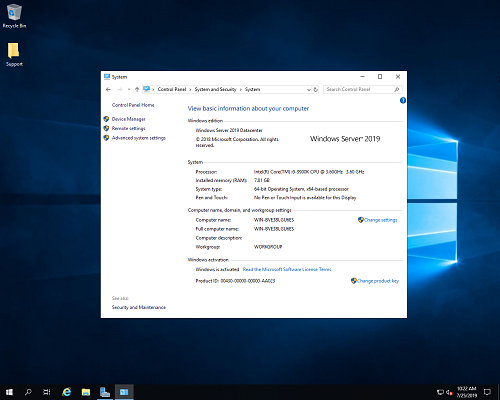
Windows Server 2019 brings improvements in four key areas, such as Hybrid, Security, Application Platform and Hyper-converged Infrastructure (HCI). Together with Windows Admin Center, Windows Server 2019 becomes a powerful platform to run your workloads on-premise or in the cloud.

Microsoft Corporation, leading developer of personal-computer software systems and applications. The company also publishes books and multimedia titles, offers e-mail services, and sells electronic game systems, computer peripherals (input/output devices), and portable media players. It has sales offices throughout the world.

Product: Windows Server
Version: 2019 build 17763.652*
Supported Architectures: x64
Language: English
System Requirements: **
Size: 8.9 Gb

Release Info:
*****************************************
Win_Server_STD_CORE_2019_64Bit_English_DC_STD_VL_MLF_X21-91656.ISO
Win_Server_STD_CORE_2019_64Bit_Russian_DC_STD_VL_MLF_X21-91665.ISO
******************************************************************
ru_windows_server_2019_vl_x64:
Windows Server 2019 Standard Ru with GUI
Windows Server 2019 Datacenter Ru with GUI

en_windows_server_2019_vl_x64:
Windows Server 2019 Standard En with GUI
Windows Server 2019 Datacenter En with GUI
*******************************************************************
Activators: KMS Tools Portable 06.2019, HWID v62.01
Driverpack: SDI R1904 with drivers (updated 06.2019) for LAN/Chipset/MassStorage/USB/
*******************************************************************
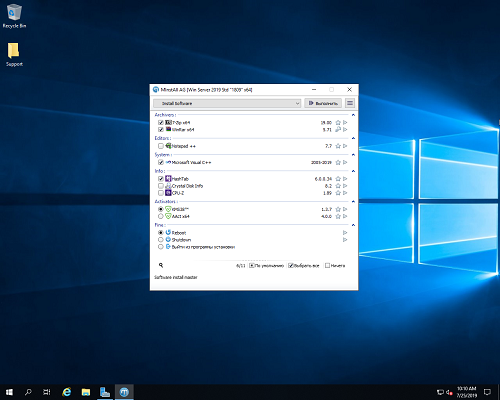
Programs are installed using the MInstall shell after installing the OS. (without timer) There is a possibility of choosing software what needs to be installed and what is not.
Установка программ производится с помощью оболочки MInstall после установки ОС. (без таймера) возможность выбора софта, что нужно ставить а что нет.
WinRAR v5.71, 7-ZIP v19.00
Notepad ++ v7.7
Microsoft Visual C++ (Lib) 2005.2019
HashTab v6.0.0.34, CrystalDiskInfo v8.2, CPU-Z v1.89
KMS38 (to 2038)
AAct v4.0.0
*********************************************************************
A small set of Snappy Driver Installer R1904 with drivers for 06.2019 for LAN/Chipset/MassStorage/USB добавлен в образ -
\sources\$OEM$\$1\Users\Public\Desktop\Soft\Drivers\Driverpack\SDI_1904 ~ 500mb
When starting SDI_x64_R1904.exe, the shell can install the necessary drivers, and with the presence of an Internet, tighten the selected driver packages
or update your selected drivers.

Небольшой комплект Snappy Driver Installer R1904 c драйверами по 06.2019 для LAN/Chipset/MassStorage/USB добавлен в образ -
\sources\$OEM$\$1\Users\Public\Desktop\Soft\Драйвера\Драйверпак\SDI_1904 ~500мб
При запуске SDI_x64_R1904.exe оболочка может установить нужные драйверы, а с наличием инета подтянуть выбранные пакеты драйверов
или обновить выбранные вами драйверы.
************************************************************************

HomePage

DownLoad

Single Link
Код:
http://nitroflare.com/view/D86FE59C61E7E3D/en.windows.server.2019.vl.x64.07.2019.iso

Код:
https://rapidgator.net/file/43f8427db9962654e2aa282298110053/en.windows.server.2019.vl.x64.07.2019.iso.html

Код:
https://uploadgig.com/file/download/b3C573cB29fa3D6A/en.windows.server.2019.vl.x64.07.2019.iso

NitroFlare
Код:
http://nitroflare.com/view/A88664EAC4490EF/en.windows.server.2019.vl.x64.07.2019.part1.rar
http://nitroflare.com/view/2907FFC2EF48C2D/en.windows.server.2019.vl.x64.07.2019.part2.rar
http://nitroflare.com/view/AAD781FE5C8A944/en.windows.server.2019.vl.x64.07.2019.part3.rar
http://nitroflare.com/view/3A9CFBBD58096AF/en.windows.server.2019.vl.x64.07.2019.part4.rar
http://nitroflare.com/view/0A6960D92FDFA56/en.windows.server.2019.vl.x64.07.2019.part5.rar

RapidGator
Код:
https://rapidgator.net/file/5ebdbc367615e81a4b5f7d1204edddb8/en.windows.server.2019.vl.x64.07.2019.part1.rar.html
https://rapidgator.net/file/e233d284df916dd546f3c9e673907426/en.windows.server.2019.vl.x64.07.2019.part2.rar.html
https://rapidgator.net/file/1b0f7c088e0ec5ec0955326da7757dba/en.windows.server.2019.vl.x64.07.2019.part3.rar.html
https://rapidgator.net/file/6d3b7c4e3c4589ac1a105ad4dee3983e/en.windows.server.2019.vl.x64.07.2019.part4.rar.html
https://rapidgator.net/file/0973def2a1064ab69dec359b23ac6aa6/en.windows.server.2019.vl.x64.07.2019.part5.rar.html

UploadGiG
Код:
https://uploadgig.com/file/download/cd84b32cdcFc0Ff0/en.windows.server.2019.vl.x64.07.2019.part1.rar
https://uploadgig.com/file/download/123a027c910f043e/en.windows.server.2019.vl.x64.07.2019.part2.rar
https://uploadgig.com/file/download/8616e8bEb5fc4042/en.windows.server.2019.vl.x64.07.2019.part3.rar
https://uploadgig.com/file/download/61bD2f3aBFaddA97/en.windows.server.2019.vl.x64.07.2019.part4.rar
https://uploadgig.com/file/download/7A3c6b5334d9828D/en.windows.server.2019.vl.x64.07.2019.part5.rar
 
Adobe Illustrator CC 2019 v23.0.5.634 x64 Multilingual RePacK + Portable

98d014038e10ebbe0234f9eabf528ce1.jpg


Adobe Illustrator CC 2019 v23.0.5.634 x64 Multilingual RePacK + Portable

File Size: 1.83 GiB, 827 MiB

​

The state of the art of illustration. The industry-standard vector graphics app lets you create logos, icons, drawings, typography, and illustrations for print, web, video, and mobile. Millions of designers and artists use Illustrator to create everything from web icons and product packaging to book illustrations and billboards.

Iconic work at any size.
Get all the drawing tools you need to turn simple shapes and colors into sophisticated logos, icons, and graphics. Illustrator artwork is vector-based, so it can scale down for mobile screens and up to billboard size - and always look crisp and beautiful.

Gorgeous typography that says it all.
Incorporate a company name into a logo, create a flyer, or mock up a website design with the best type tools out there. Add effects, manage styles, and edit individual characters to create typographic designs that perfectly express your messages.

Draw attention everywhere.
Create freehand drawings, or trace and re-color imported photos to turn them into works of art. Use your illustrations anywhere, including printed pieces, presentations, websites, blogs, and social media.

Fast asset export for screens
Select assets from your artboards and export them to multiple sizes, resolutions, and formats with one click.

Puppet Warp
Modify a graphic naturally, without having to adjust individual paths or anchor points.

SVG Color Fonts
Design with SVG OpenType fonts that include multiple colors, gradients, and transparencies.

Artboard enhancements
Create up to a thousand artboards on your canvas, and select multiple artboards at one time to move, resize, and more.

System Requirements:
- Processor: Multicore Intel processor (with 32/64-bit support) or AMD Athlon 64 processor
- Operating system: Microsoft Windows 7 with Service Pack 1, Windows 10*
- RAM: 2 GB of RAM (4 GB recommended) for 32 bit; 4 GB of RAM (16 GB recommended) for 64 bit
- Hard disk: 2 GB of available hard-disk space for installation; additional free space required during installation; SSD recommended
- Monitor resolution: 1024 x 768 display (1920 x 1080 recommended)
- To use Touch workspace in Illustrator, you must have a touch-screen-enabled tablet/monitor running Windows 10 (Microsoft Surface Pro 3 recommended).
- GPU: OpenGL 4.x
- Optional: To use GPU Performance: Your Windows should have a minimum of 1GB of VRAM (4 GB recommended), and your computer must support OpenGL version 4.0 or greater.

eadd52c6844738f943d2c643123218aa.jpg


HomePage

DownLoad

NitroFlare
Код:
http://nitroflare.com/view/C899E3D942F13DE/Adobe.Illustrator.CC.2019.v23.0.5.634.x64.Multilingual.RePacK.part1.rar
http://nitroflare.com/view/556F3FF6A7EEE44/Adobe.Illustrator.CC.2019.v23.0.5.634.x64.Multilingual.RePacK.part2.rar
http://nitroflare.com/view/0576334D86FCAE9/Adobe.Illustrator.CC.2019.v23.0.5.634.x64.Multilingual.Portable.rar

RapidGator
Код:
https://rapidgator.net/file/5bdbb5ee4436d9bcdf7d68872d235e8a/Adobe.Illustrator.CC.2019.v23.0.5.634.x64.Multilingual.RePacK.part1.rar.html
https://rapidgator.net/file/f54e4cc7a7be77beb1b4accc5f53ac8e/Adobe.Illustrator.CC.2019.v23.0.5.634.x64.Multilingual.RePacK.part2.rar.html
https://rapidgator.net/file/990fe864007a9d3ef5f14269f0c5bdd7/Adobe.Illustrator.CC.2019.v23.0.5.634.x64.Multilingual.Portable.rar.html

UploadGiG
Код:
https://uploadgig.com/file/download/c32627e690d950cC/Adobe.Illustrator.CC.2019.v23.0.5.634.x64.Multilingual.RePacK.part1.rar
https://uploadgig.com/file/download/f7ad2DbC56d57f0a/Adobe.Illustrator.CC.2019.v23.0.5.634.x64.Multilingual.RePacK.part2.rar
https://uploadgig.com/file/download/aE310856540fe66A/Adobe.Illustrator.CC.2019.v23.0.5.634.x64.Multilingual.Portable.rar
 
Antenna Magus Professional 2019.2 Version 9.2.0

138f9a5d4dc5295d9fa852dcfe3b879e.jpg


Antenna Magus Professional 2019.2 Version 9.2.0

File Size: 1.49 GiB

​

Magus (Pty) Ltd. and CST - Computer Simulation Technology AG (CST) announce the release of Antenna Magus 2019.2, the latest version of the leading antenna design tool. Apart from fixes in the detected issues, this version hosts a couple of noteworthy enhancements as well.

2019.2 - Release date: 10 May 2019

New Antennas, Tools, Libraries and Extensions
- Wire curl antenna. [MAGUS-18404]
- Microstrip to slotline transition. [MAGUS-26920]
- Square slotted dual-band patch antenna. [MAGUS-27155]
- Plano-convex hyperbolic lens. [MAGUS-27158]
- Positive meniscus elliptic lens. [MAGUS-27159]
- Traveling-wave series-fed patch array with inset-fed patch. [MAGUS-27163]
New Features, Extensions and Improvements
- Combline microstrip stub array design has been extended to design for 90 degree orientation of stubs. [MAGUS-27129]
- Anchor Points and Ports have been added to Connectors. [MAGUS-27077]
- Anchor Points in CST Studio Suite models have been update to be linked to Working Coordinate System (WCS). [MAGUS-27146]
- Automotive and Series-fed tags added to patch arrays. [MAGUS-27164]
Bug Fixes
- When exporting an Nx1 patch array to CST studio suite the history in some cases did not update correctly. [CST-53512]
- The bounding box position did not correctly position after resizing the application window. [AMB-2711]
- Bounding Box Values were not positioned correctly when returning from export mode. [AMB-2744]
- Error messages on design objectives disappeared in some workflows. [AMB-2747]
- In the Chart Tracer Tool with Auto mode selected the points re-adjusted when moving the anchor point. This behaviour should only happen in Anchor mode and has been fixed in Auto mode. [AMB-2776]
- When importing 2 traces into the Chart Tracing tool in Polar, the Chart Tracer switched the scale back to Linear if Log was selected first. [AMB-2777]
- Distance to reflective ground plane in Array Tool was not considered for Base Layouts. [AMB-2865]
- When Specifications have been disabled the automatic naming of tweaks did not match the numbering of the initial Design. [AMB-2876]
- The Array Layout selection did not show after duplicating a synthesized array. [AMB-2907]
- Reference impedances did not update correctly in the Compare Window.[AMB-2908]
- When exporting a distribution matrix from the Array tool multiple times, the second and all subsequent exports are in wavelengths, even if physical units were selected. [AMB-2921]
- The Export Macro did not handle index dependent variables correctly. [AMB-2922]
- In some design cases the error may have occurred: "Unable to add NearField monitor.". [AMB-2924]
- The Microstrip Line Tool may have become unresponsive for certain Objectives. [AMB-2932]
- The Dolph-Chebychev distribution taper is not suitable for large arrays with certain combinations of number of elements and side lobe levels. A warning message has been added for such cases. [AMB-2885]
- 3D previews for some devices did not update successfully. [AMB-2954]
- A Custom Template saved with Models without any description may have caused a crash when using or editing the Custom Template. [AMB-2956]
- Performance Estimation and 3D Preview of certain cases of the Printed conical log spiral antenna may have failed. [AMB-2694]
- The 3D Preview for reflectors may have failed to update if the blockage ratio was set to zero. [AMB-2959]

Antenna Magus is a software tool to help accelerate the antenna design and modelling process. It increases efficiency by helping the engineer to make a more informed choice of antenna element, providing a good starting design. Validated antenna models can be exported to CST MICROWAVE STUDIO from a huge antenna database which means that the engineer can get to the customisation phase of an antenna design quickly and reliably.

Antenna Magus has proven to be an invaluable aid to antenna design engineers and anyone who requires antenna models for antenna placement and/or electromagnetic interference studies.

MAGUS (Pty) Ltd. develops antenna design and information management software. Antennas designed using its software can be used in a wide variety of applications at various frequency bands, including, but not limited to, telecommunications, mobile devices, aerospace, satellite, automotive, radio astronomy and defense.

CST- Computer Simulation Technology AG founded in 1992, is a market leader in delivering 3D electromagnetic (EM) field simulation tools through a global network of sales and support staff and representatives. CST develops CST STUDIO SUITE, a package of highperformance software for the simulation of EM fields in all frequency bands. Its growing success is based on a combination of leading edge technology, a user-friendly interface and knowledgeable support staff. CST solutions are used by market leaders in a diverse range of industries, including aerospace, automotive, defense, electronics, healthcare and telecommunications. On September 30 2016 CST joined the SIMULIA brand of Dassault Systemes

Product: Antenna Magus
Version: 2019.2 (version 9.2.0) Professional
Supported Architectures: x64
Language: English
System Requirements: PC *
Supported Operating Systems: *
Software Prerequisites: CST Studio Suite 2019
Size: 1.5 GiB

System Requirements:
Antenna Magus is built for: 64-bit systems running Windows VISTA Business, Windows 7 supporting Service pack 1, Windows 8, Windows 8.1, Windows 10 or Windows Server 2008/2012.

HomePage

DownLoad

NitroFlare
Код:
http://nitroflare.com/view/BC746F698B8C9E8/Antenna.Magus.Professional.2019.2.Version.9.2.0.part1.rar
http://nitroflare.com/view/EE04EA136534B51/Antenna.Magus.Professional.2019.2.Version.9.2.0.part2.rar

RapidGator
Код:
https://rapidgator.net/file/bc87842b8511dfb0a34dd271404c902c/Antenna.Magus.Professional.2019.2.Version.9.2.0.part1.rar.html
https://rapidgator.net/file/1e102a730c694008173dd17c2f176735/Antenna.Magus.Professional.2019.2.Version.9.2.0.part2.rar.html

UploadGiG
Код:
https://uploadgig.com/file/download/658326F1695be1c8/Antenna.Magus.Professional.2019.2.Version.9.2.0.part1.rar
https://uploadgig.com/file/download/12Ca311e8c90398c/Antenna.Magus.Professional.2019.2.Version.9.2.0.part2.rar
 
Summitsoft Business Card Studio Pro 5.0.3 RePacK + Portable

67b2baa0d930fe764dfad5c9fd1b69a0.jpg


Summitsoft Business Card Studio Pro 5.0.3 RePacK + Portable

File Size: 624, 948 MiB

​

Business Card Studio Pro - The Easy Way To Create & Print Business Cards. Create professional business cards in minutes with thousands of pre-designed templates or create your own business card from scratch.

Cards in Minutes
It only takes a few steps to create a great looking business card with Business Card Studio Pro. Chose your card style, personalize with your own information, change out graphics, and add your logo.

Saving You Money
With Business Card Studio Pro there are no shipping and handling fees, and you only print the number of cards you need. Gone are the days where you have 500 business cards sitting around in a box.

With Print Options
Business Card Studio Pro lets you print your newly created business cards from the convenience of your home or send to a local printer like Kinkos or Staples and pick them up today.

Auto Concept Generator
Business Card Studio Pro combines the revolutionary ACG (Auto Concept Generator) and incredible graphics, giving you design options never before available in any business card software. After you input your name, title, business name and other data, ACG generates an unlimited number of business card design variations. Then you are able to alter the various card designs for a unique look. When you're done, Business Card Studio Pro assists you in designing professional looking letterhead and envelopes, creating a consistent look on all of your printed material. Now you finally have all the tools that professional designers use!

Professional Fonts
Business Card Studio Pro comes with hand selected professional fonts that help get your brand and service noticed.

Special Effects
Make your business name stand out from the rest by adding special effects like shadows, glows, bevel, and emboss.

Program Friendly
Business Card Studio Pro works with all of the popular paper stock companies like Avery, Espon, and HP.

Import Graphics
Import your own logos and graphics to create a great looking business card with Business Card Studio Pro.

Create A Professional Image
In today's business, image is everything and you've got to go beyond the business card. What's great about Business Card Studio Pro is that you can design and print matching business stationary from envelopes, to return address labels, to letterheads and more. Make a seamless and professional impression across all your printed material with Business Card Studio Pro.

Do More Than Business Cards
Yes, Busienss Card Studio Pro can save you time and money printing business cards at home or your local printer but did you know that Business Card Studio Pro can do much more? You can also design and print loyalty/reward cards. Do you own a retail store or clothing business? You can design custom hang tags so your branding goes with the customer. How about a service based business? Ever thought about designing magnets for the refrigerator?

Flexible tools and creative options.
Over 1000 incredible fonts perfect for business cards and 5000+ graphic art images will make your card stand out among the others. Business Card Studio Pro allows you to create vertical, horizontal, 2-sided, magnet, custom shapes sizes, and more. You can also create matching letterhead & envelope concepts based on your business card design.

Features & Unlimited Options:
• Hand Selected OpenType® Fonts: Includes professional, high quality fonts
• Thousands of Objects & Backgrounds: Uniquely designed for any industry or interest
• Matching Letterhead & Envelope concepts based on your business
• Create unique eye-catching results with shadow, blur, frame and emboss techniques
• Use your own logo or images in any format
• Easy to use; no need to take design classes or learn complicated commands

Print From Home
Easy printing options allow you to print from home or a nearby printer.

Letterhead & Envelopes
Create letterheads and envelopes to match your business cards.

Multiple Designs
Using our ACG will produce thousands of unique card designs for your choosing.

1-Click Effects
Add stunning effects like blurs, shadows & glows with the click of a button.

System Requirements:
• Operating System: Windows® 10, Windows® 8/8.1, Windows® 7 and Windows® Vista
• Hardware: PC with Pentium 400 MHz or higher processor
• Memory: 512 MB of RAM
• Hard Disk: 1500 MB of available hard-disk space

95aa471d92dfa1f7f21a6cfdb1d6317b.jpg


HomePage

DownLoad

NitroFlare
Код:
http://nitroflare.com/view/0BE4F2B1A0447DD/Summitsoft.Business.Card.Studio.Pro.5.0.3.RePacK.rar
http://nitroflare.com/view/771E787B3A5E9EB/Summitsoft.Business.Card.Studio.Pro.5.0.3.Portable.rar

RapidGator
Код:
https://rapidgator.net/file/12794cb43e01f23392980dbf2d487836/Summitsoft.Business.Card.Studio.Pro.5.0.3.RePacK.rar.html
https://rapidgator.net/file/61558c9c2d9da66d696cdf576ab0bc0b/Summitsoft.Business.Card.Studio.Pro.5.0.3.Portable.rar.html

UploadGiG
Код:
https://uploadgig.com/file/download/186c4573da23a10b/Summitsoft.Business.Card.Studio.Pro.5.0.3.RePacK.rar
https://uploadgig.com/file/download/f5C3c2359510d941/Summitsoft.Business.Card.Studio.Pro.5.0.3.Portable.rar
 
Назад
Сверху