• Здравствуйте. Сайт заработал в архивном режиме форум www.old.nado.in

EkThaTiger's Softwares

Scientific Toolworks Understand 5.1.995 x86 x64

36f00c38700d75549322bbe11a8de6fd.jpg


Scientific Toolworks Understand 5.1.995 x86 x64

File Size: 127, 144 MiB

​

Understand provides you with pertinent information regarding your code. Quickly see all information on functions, classes, variables, etc., how they are used, called, modified, and interacted with. Easily see call trees, metrics, references and any other information you would want to know about your code.

Metrics & Reports
Understand is very efficient at collecting metrics about the code and providing different ways for you to view it. There is a substantial collection of standard metrics quickly available as well as options for writing your own custom metrics when we don't cover exactly what you need.

Graphing
Understand offers graphs that allow you to see how your code connects (dependencies), how it flows (control flow graphs), what functions call other functions (call graphs), and many more. There are many customization options to easily allow you to display only what you are interested in seeing so the graph is best suited to what you need.

Standards Testing
Understand provides a way to check your code using published coding standards, or your own custom standards. These checks can be used to verify naming guidelines, metric requirements, published best practices, or any other rules or conventions that are important for your team.

Dependency Analysis
See all the dependencies in your code and how they connect. See these dependencies using Understand's interactive graph or using the textual Dependency Browser. Both allow you to see all dependencies quickly and easily at a high level or dig in and get the details.

Editor
Understand's powerful editor is a full modern programming GUI that incorporates all the modern features you would expect. It is designed from the ground-up for multi-monitor use and it includes tabs, tab groups, docking, syntax colorization, auto-completion, and syntax-based collapsing and folding just to name a few.

Search
Multiple options are available for searching in Understand. For instant results, use our "Instant Search" feature which provides results before you are even done typing. Understand also provides search options for more customized and complicated searches, such as Regular Expression and Wildcard searches.

Languages
Understand supports more than a dozen languages and can handle code bases that are written in multiple languages. This allows you to see calls and dependencies between languages so you can get information about the complete system.

Operating System: Windows 7, 8/8.1, 10

HomePage

DownLoad

NitroFlare
Код:
http://nitroflare.com/view/F22F75EBB5FC889/Scientific.Toolworks.Understand.5.1.995.x86.rar
http://nitroflare.com/view/C039FF039B93623/Scientific.Toolworks.Understand.5.1.995.x64.rar

RapidGator
Код:
https://rapidgator.net/file/2eb522146619de39c2cf2fc6aed4ffd9/Scientific.Toolworks.Understand.5.1.995.x86.rar.html
https://rapidgator.net/file/413298aa133d3fe40438d034a5d762a7/Scientific.Toolworks.Understand.5.1.995.x64.rar.html

UploadGiG
Код:
https://uploadgig.com/file/download/87b6A075aD4da922/Scientific.Toolworks.Understand.5.1.995.x86.rar
https://uploadgig.com/file/download/A669c24d144075Ed/Scientific.Toolworks.Understand.5.1.995.x64.rar
 
Adobe Illustrator CC 2019 v23.0.5.632 x64 Multilingual RePacK

df41d623f2a4b9b58120537e039db84c.jpg


Adobe Illustrator CC 2019 v23.0.5.632 x64 Multilingual RePacK

File Size: 1.83 GiB

​

The state of the art of illustration. The industry-standard vector graphics app lets you create logos, icons, drawings, typography, and illustrations for print, web, video, and mobile. Millions of designers and artists use Illustrator to create everything from web icons and product packaging to book illustrations and billboards.

Iconic work at any size.
Get all the drawing tools you need to turn simple shapes and colors into sophisticated logos, icons, and graphics. Illustrator artwork is vector-based, so it can scale down for mobile screens and up to billboard size - and always look crisp and beautiful.

Gorgeous typography that says it all.
Incorporate a company name into a logo, create a flyer, or mock up a website design with the best type tools out there. Add effects, manage styles, and edit individual characters to create typographic designs that perfectly express your messages.

Draw attention everywhere.
Create freehand drawings, or trace and re-color imported photos to turn them into works of art. Use your illustrations anywhere, including printed pieces, presentations, websites, blogs, and social media.

Fast asset export for screens
Select assets from your artboards and export them to multiple sizes, resolutions, and formats with one click.

Puppet Warp
Modify a graphic naturally, without having to adjust individual paths or anchor points.

SVG Color Fonts
Design with SVG OpenType fonts that include multiple colors, gradients, and transparencies.

Artboard enhancements
Create up to a thousand artboards on your canvas, and select multiple artboards at one time to move, resize, and more.

Minimum system requirements for Illustrator CC :
Processor - Multicore Intel processor (with 32/64-bit support) or AMD Athlon 64 processor
Operating system - Microsoft Windows 7 with Service Pack 1, Windows 10*
RAM - 2 GB of RAM (4 GB recommended) for 32 bit; 4 GB of RAM (16 GB recommended) for 64 bit
Hard disk - 2 GB of available hard-disk space for installation; additional free space required during installation; SSD recommended
Monitor resolution - 1024 x 768 display (1920 x 1080 recommended)

To use Touch workspace in Illustrator, you must have a touch-screen-enabled tablet/monitor running Windows 10 (Microsoft Surface Pro 3 recommended).
GPU - OpenGL 4.x

Optional: To use GPU Performance: Your Windows should have a minimum of 1GB of VRAM (4 GB recommended), and your computer must support OpenGL version 4.0 or greater.

Language: Multilingual

HomePage

DownLoad

NitroFlare
Код:
http://nitroflare.com/view/51E39321F12A4B3/Adobe.Illustrator.CC.2019.v23.0.5.632.x64.Multilingual.RePacK.part1.rar
http://nitroflare.com/view/E62AABB6C0B8572/Adobe.Illustrator.CC.2019.v23.0.5.632.x64.Multilingual.RePacK.part2.rar

RapidGator
Код:
https://rapidgator.net/file/dfe851c111771f4f48c7ce524d2eb479/Adobe.Illustrator.CC.2019.v23.0.5.632.x64.Multilingual.RePacK.part1.rar.html
https://rapidgator.net/file/1a01b77b827603e1064b8201f18f71b9/Adobe.Illustrator.CC.2019.v23.0.5.632.x64.Multilingual.RePacK.part2.rar.html

UploadGiG
Код:
https://uploadgig.com/file/download/4ED2067a5d45fa48/Adobe.Illustrator.CC.2019.v23.0.5.632.x64.Multilingual.RePacK.part1.rar
https://uploadgig.com/file/download/5dc504Edd1e8dB07/Adobe.Illustrator.CC.2019.v23.0.5.632.x64.Multilingual.RePacK.part2.rar
 
Adobe Indesign CC 2019 v14.0.3.418 x64 Multilanguage RePacK

037a95b70e406dc1beaab78a8e3866ad.png


Adobe Indesign CC 2019 v14.0.3.418 x64 Multilanguage RePacK

File Size: 856 MiB

​

The next page in layout design. The industry-leading page design and layout app lets you create, preflight, and publish beautiful documents for print and digital media. InDesign has everything you need to make posters, books, digital magazines, eBooks, interactive PDFs, and more. Standout layouts. Only with InDesign. Whether you work in print or digital media, InDesign can help you create layouts that leap off the page.

Make an impression in print.
Design everything from stationery, flyers, and posters to brochures, annual reports, magazines, and books. With professional layout and typesetting tools, you can create multi-column pages that feature stylish typography and rich graphics, images, and tables. And you can prep your documents for printing in just a few clicks.

Digital publications. Dazzling interactions.
Create digital magazines, eBooks, and interactive online documents that draw people in with audio, video, slideshows, and animations. InDesign makes it easy to manage your design elements and quickly deliver immersive experiences for any format from EPUB and PDF to HTML.

Keep your team on the same page.
Design faster and smarter with tools built for collaboration. InDesign integrates seamlessly with Adobe InCopy CC, so you can work on layouts simultaneously with writers and editors. Access your Creative Cloud Libraries to share text, colors, shapes, graphics, and other assets with team members and keep your designs consistent.

Support for endnotes
Add endnotes to long documents and let readers go right from annotations in text to corresponding endnote references.

Object Styles enhancements
Set or change an object's size or position once and it updates everywhere in your document.

Paragraph borders
Make your paragraphs stand out by adding border lines with custom corner designs.

Adobe Stock templates
Jump-start your layouts with Adobe Stock templates that you access right from the InDesign File > New menu.

Benefits of Adobe InDesign CC 2019:
- New features add footnotes
- Improvements to the OpenType
- Control scale arrow pointers
- Simplified search as Adobe Stock
- New features the Creative Cloud the Libraries
- Improving the Creative Cloud the Assets
- Access to store Typekit the Marketplace
- Integration with the Animate CC
- And more other

System Requirements:
OS:Microsoft Windows 7 with Service Pack 1 or Windows 10*(* Not supported on Windows 10 versions 1507, 1511, and 1607.)
CPU:Intel® Pentium® 4 or AMD Athlon® 64 processor
RAM:4 GB of RAM (16 GB recommended)
GPU:32-bit video card
Hard Disk Usage:3.6 GB of available hard-disk space for installation; additional free space required during installation (cannot install on removable flash storage devices); SSD recommended
Monitor Resolution:1024 x 768 display (1920 X 1080 recommended), HiDPI display support

Note 1: To use the new InDesign Touch workspace, you must have a touch screen enabled tablet/monitor running Windows 10 or above (such as Microsoft Surface Pro 3) with the screen resolution set to 2160 x 1440 or more

Language: Multilingual

HomePage

DownLoad

NitroFlare
Код:
http://nitroflare.com/view/94C019EE97E8D30/Adobe.Indesign.CC.2019.v14.0.3.418.x64.Multilanguage.RePacK.rar

RapidGator
Код:
https://rapidgator.net/file/a74cc54ae1aedc408eb46294cbd7bceb/Adobe.Indesign.CC.2019.v14.0.3.418.x64.Multilanguage.RePacK.rar.html

UploadGiG
Код:
https://uploadgig.com/file/download/88c718E1B59652d8/Adobe.Indesign.CC.2019.v14.0.3.418.x64.Multilanguage.RePacK.rar
 
Boris FX Sapphire Plug-ins For Adobe - OFX 2019.51

4a863f8dbf41e59e36739aaa9b53eab7.jpg


Boris FX Sapphire Plug-ins For Adobe - OFX 2019.51

File Size: 243 MiB

​

Sapphire 2019 is the latest major upgrade for the legendary suite of VFX plug-ins. Key features include a totally revamped and enhanced LensFlare and Flare Designer, new PixelSort digital glitch art effect, new WhipLash transition, new animating shape tool for Effect and Transition Builder, new Mocha Essentials workspace with new spline tools like magnetic edge snapping, and is optimized for maximum CPU and GPU performance.

What's New:

SAPPHIRE LENSFLARE 2019
LensFlare and the Flare Designer are redesigned and reimagined. The Flare Designer is greatly improved and enhanced to increase the ease of use and expand its functionality. The preset browser is now integrated directly inside the Flare Designer, making accessing and modifying lens flare presets a breeze. A new lens flare "component" workflow allows artists to easily and intuitively build a complex flare from scratch and helps reveal the power and flexibility of Sapphire's flare engine. Finally, 27 new professionally designed presets have been added. Watch this introductory video to get up to speed on how to use this amazing new tool.

SAPPHIRE PIXELSORT
PixelSort is a fantastic new Sapphire effect that grew up in the modern digital "glitch art" movement. It's a fun new way to distort your image in a multitude of different ways and features many deep parameters to produce some stunning results. PixelSort is also available inside Sapphire Effect and Transition builder. Combine it with other Sapphire effects for a truly original effect, and use it as a transition to up production value in any edit. Watch this short video to learn more about Sapphire PixelSort.

SAPPHIRE WHIPLASH TRANSITION
Sapphire WhipLash is a "sister effect" to one of the most popular Sapphire transitions, S_SwishPan. It has some amazing new functionality and features that will undoubtedly make it the Sapphire transition of choice. At its core S_Whiplash is a brand new transition that mimics a lighting quick camera pan, blending multiple copies of an image together so it appears as if a great distance is traveled in a short amount of time. S_WhipLash also features a nice soft bounce stop, a smooth finish or a snapback at the end of the transition. RGB separation blurs can be added for a different look and S_Whiplash can travel in any direction or angle as well as scaling up or down. Watch this short video to see what this new and extremely powerful Sapphire transition can accomplish.

ENHANCED MOCHA TRACKING AND MASKING
Sapphire 2019 features major improvements to the integrated Mocha tracking and masking available within each Sapphire effect (and separately as the S_Mocha spark - Autodesk only). For further information on the differences between the integrated Mocha tracking and masking in Sapphire 2019 and Mocha Pro 2019, please click here.

NEW SPLINE TOOLS FOR ROTO & MASKING
Sapphire 2019 features 4 new Mochas spline tools for masking and rotoscoping to speed up shape creation and save time. Includes new Magnetic Spline Tool with edge snapping, new Freehand Spline Tool for fluid drawing, and new preset circular and rectangular shape tools.

NEW LOOK AND FEEL
Editors and artists will rejoice at the completely redesigned Mocha interface. The updated interface makes Mocha easier to learn than ever before. The Mocha Essentials Workspace brings the power of Mocha to novice level users with a simplified interface. Tracking & masking is now faster by reducing complexity and focusing the Mocha interface on the most essential icons and tools. Switch to Classic for advanced modules and customize workspaces for flexibility.

RETINA & HIGH DPI MONITOR SUPPORT
The new Mocha interface and tools look fantastic on modern high DPI monitors.

IMPROVED EFFECT AND TRANSITION BUILDER
The Effect and Transition Builder has some complimentary new improvements in Sapphire 2019 release. A new animating shape effect allows for cool new presets like multi-color shape wipes and organic transitions with a hand-drawn look. Plus PixelSort and Whiplash have also been added to create original new effects. Watch this short video for an overview of the new Builder presets in Sapphire 2019.

GPU SPEED IMPROVEMENTS
Sapphire 2019 is the fastest version of Sapphire ever! Optimized for peak GPU acceleration for CUDA enabled NVIDIA cards. Blackmagic Resolve colorists and Adobe Premiere Pro CC editors will see the greatest benefit from this across the board performance increase.

Tech Specifications:
- Resolution independent - HD, 2K, Ultra HD, 4K, 8K, etc.
- Floating point processing - All effects use full floating point processing for improved image quality and full 32-bit HDR support
- 64-bit enabled - expanded memory capabilities
- Multiprocessor support
- GPU acceleration available for NVIDIA cards only. The latest NVIDIA CUDA card and driver is recommended.

HomePage

DownLoad

NitroFlare
Код:
http://nitroflare.com/view/D88AAD80EF29ECA/Boris.FX.Sapphire.Plug-ins.For.Adobe.2019.51.rar
http://nitroflare.com/view/475007D9D6B41DA/Boris.FX.Sapphire.Plug-ins.For.OFX.2019.51.rar

RapidGator
Код:
https://rapidgator.net/file/1dc425247bc091aa761ad1ed55ad9f27/Boris.FX.Sapphire.Plug-ins.For.Adobe.2019.51.rar.html
https://rapidgator.net/file/446dcf539566cc6c7819bb682a7868f3/Boris.FX.Sapphire.Plug-ins.For.OFX.2019.51.rar.html

UploadGiG
Код:
https://uploadgig.com/file/download/4d45863a2e02d33F/Boris.FX.Sapphire.Plug-ins.For.Adobe.2019.51.rar
https://uploadgig.com/file/download/fBA67c981Dbc9849/Boris.FX.Sapphire.Plug-ins.For.OFX.2019.51.rar
 
Concept Draw Office 5

34d3850846205a2bc7f739446fe3cb87.jpg


Concept Draw Office 5

File Size: 449 MiB

​

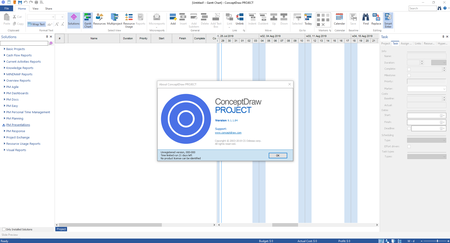
The CS Odessa team has launched ConceptDraw OFFICE v5. This solution is essential to provide brainstorming sessions, create diagrams, schematics, mind maps, project plans, dashboards, presentations, and many other business visualizations.

What is New in ConceptDraw OFFICE 5

The fifth installment of ConceptDraw OFFICE 5 boasts new and improved versions of each facet of the OFFICE Suite. ConceptDraw OFFICE v5 features a number of essential improvements. Our new Office suite includes a major update to each of the three of our products, enhancing each individual component, as well as the integration between all three.

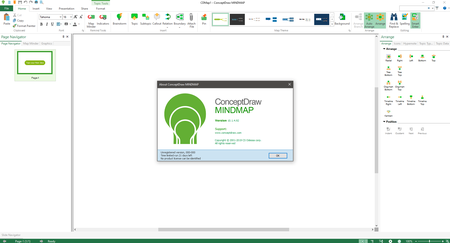
There are many enhancements and improvements to ConceptDraw OFFICE 5. Check individual products: ConceptDraw DIAGRAM 12, ConceptDraw MINDMAP 10, and ConceptDraw PROJECT 9, to view a summary of the new functionality in each product. Below is a partial list of changes made to ConceptDraw products.

ConceptDraw DIAGRAM 12

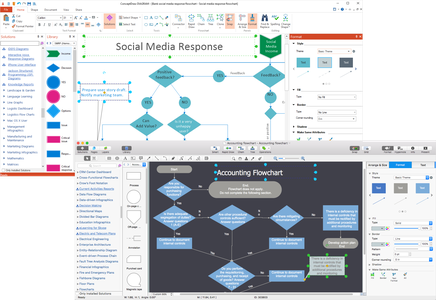
We are pleased to introduce you to the new name of ConceptDraw PRO. The new ConceptDraw DIAGRAM 12 reflects the application's role in the ConceptDraw OFFICE 5 suite as a powerful business diagramming platform. DIAGRAM 12 boasts many of the features that have been requested by ConceptDraw users.

- The updated Solutions panel displays solutions that are not installed yet so you can quickly find the necessary ones and install them via STORE.
- The new Style feature lets you apply pre-designed color schemes and format styles to your drawing with one click.
- The set of new Text Tools make short work of adding titles and comments to diagrams.

cc1f7478dddedc1c71ee8cc91aff0c1b.png


ConceptDraw MINDMAP 10

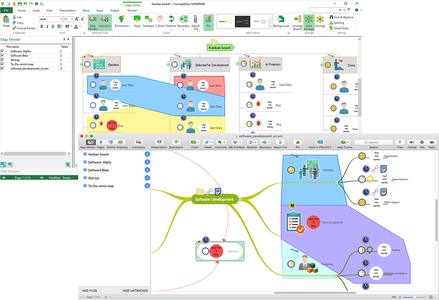
The major update is focused on the integration of mind mapping and task management to get things done efficiently for any-type projects, workflows, and goals.

- You can group topics within boundaries. Using boundaries is helpful when you want to focus the viewer's attention on a particular segment of the mind map.
- New Map Minder Tool allows you to add a task reminder to your To-Do mind maps. Using the Map Minder Tool you can track any mind map schedule keeping it always up-to-date.
- New Pin tool lets you "freeze" elements on the mind map. You can use it when you want to lock a specific topic, subtopic or graphic image in place.

f58dc0a9cdfb58abd5242efd5e610b22.png


ConceptDraw PROJECT 9

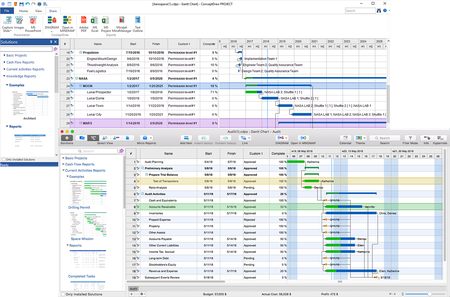
The new release of ConceptDraw PROJECT provides a set of improvements that help professionals visualize, maintain, and communicate projects even more effective. The new 64-bit version is dramatically faster, and it can address more memory. Users of supported 64-bit operating systems will experience improved performance and enhanced capabilities: Faster program startup times, and improved processing of big files.

- Using the advantage of the integration between ConceptDraw OFFICE v5 products become more convenient since the "DIAGRAM" and "Open in MINDMAP" buttons were added to the interface.
- New Solutions panel provides direct access from the application to a content of project management solutions including sample project files and embedded reports.
- Now you can collect additional specific information important for a particular project by adding custom fields to a project outline.

4bd1fbadbd7546a7d3ba0fc7b9e1f6e4.png


cc0d8485540e811f7202cd6f2c6eccb8.png


cff599ddbfeafa7b496c949e47296b1b.png


d13b12c963931f58e4e8ac3e160a3b33.png


About ConceptDraw OFFICE 5. ConceptDraw OFFICE 5 is a powerful software suite especially tailored for business managers of all types, but also designed to be comprehensive for whatever business task you are working on. It includes three software products integrated by the unique data exchange technology. The suite combines business diagramming, mind mapping and project management software. ConceptDraw OFFICE v5 is essential to provide brainstorming sessions, create diagrams, schematics, mind maps, project plans, dashboards, presentations, and many other business visualizations.

ConceptDraw OFFICE 5 contains three integrated products that assist in any business management activity:

DIAGRAM 12 - professional-quality graphic solutions of all sorts for all businesses
MINDMAP 10 - is essential to strategic planning, knowledge and team management
PROJECT 9 - provides a professional approach to portfolio and project management

About Computer Systems Odessa Computer Systems Odessa is a leading software development company that builds critical business tools for the desktop. We at CS Odessa believe that technology is rapidly changing the way people communicate with one another, and that there is a strong trend towards displaying information in a visual format to improve communication, information sharing and decision making.

Daily CS Odessa delivers the software worldwide online both directly and through international resellers, with headquarter in Odessa, Ukraine and an established US office in San Jose, California. We constantly are enlarging our distribution network aiming at expanding our high quality products and end-user support to various countries all over the world.

Product: ConceptDraw OFFICE
Version: 5
Supported Architectures: x64
Language: English
System Requirements: PC *
Supported Operating Systems: *
Size: 370.6 mb

System Requirements:
- OS: Microsoft Windows 7/8.1/10 (64-bit certified)
- CPU: Intel or AMD; 1.8 GHz or higher
- RAM: 1.5 GB
- HDD: 540 Mb disk space (1.5 GB during the installation)

HomePage

DownLoad

NitroFlare
Код:
http://nitroflare.com/view/C004BEBB0E2C39A/Concept.Draw.Office.5.rar

RapidGator
Код:
https://rapidgator.net/file/b0bd4c62bd16670f8e26d293500d2a64/Concept.Draw.Office.5.rar.html

UploadGiG
Код:
https://uploadgig.com/file/download/edd04388B65a8869/Concept.Draw.Office.5.rar
 
Keysight Advanced Design System ADS 2020.0

adc611088ecff34bf8fe760fff1763c1.jpg


Keysight Advanced Design System ADS 2020.0

File Size: 2.02 GiB

​

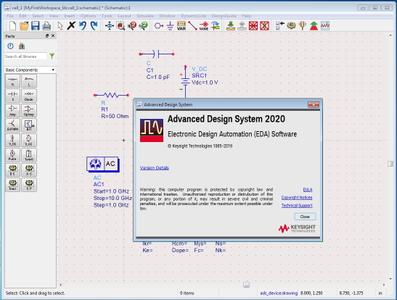
Keysight Technologies Inc. has announces the availability of Advanced Design System (ADS) 2020.0. This release added new RFPro features, FEM perf., new Winslow stability analysis, new/improved PCB vias/padstacks, data file mgmt., expression mgr. and Data Display perf., Electro-Thermal enhancements, new PDK validator, new SI/PI, DDR/SerDes features, new PEPro.

Advanced Design System (ADS) 2020.0 Release notes - Date: 2019-07-26
Design and Technology Management

General
- Improved Reference Searching and Display. "Explain" references describes and shows reference information to explain relationships in your libraries and designs.
- Improved Data file support in Library View and Copy Files.
Data Display
- Added Data Display Expression Manager to edit, find and/or replace equations and export measurement equations.
- Find equation and trace dependents in Data Display.
- Data Display Performance Improvements.
Datalink (Python Interface)
- Datalink functions are available in measurement equations.

Design Editing

- Layout Constraints Database is a central location to define constraints on layout designs, such as trace widths, via start and stop layers, and routing clearances. The initial release of the layout constraints database implements two types of constraints: Clearance constraints and Via constraints.
- Define and Insert PCB Vias and Pads using Padstack Templates.

Circuit Simulation

General
- Loop Gain based stability analysis.
- Support SystemVue 2018 update1.0 and latest 5GNR for modulated signals.
- Direct EVM computations without dataflow simulator.
- Simulated annealing optimization supports discrete variables and has improved performance.
Electrothermal
- Using Design with Non-Synchronized Hierarchy.
- Electrothermal controller default values can be pre-configured using the eth.cfg file.
- Beta - ETH Circuit Envelope simulation allows the specification of an arbitrary synchronization time schedule (that is arbitrary time steps as a function of time) in contrast to the preceding uniform or logarithmic progressions.
- For more details on use of arbitrary timestep, see Parameters in Simulator timestep Section.
NXP SiMKit Models
- The models have been updated to SiMKit Release, and these are now the default.
- For more information, including supported device versions, see Devices and Models, NXP SiMKit.

HSD Design

General
- Queue Manager (QM) to manage test bench/benchs in ADS.
SerDes
- CTLE Visualizer. For more information, see CTLE Equalization Parameters.
. Easier CTLE setup with provided presets for OIF CEI-28G. CEI-56G-VSR, IEEE 802.2bs CDAUI8, PCIe and USB Gen3.
. Display frequency response, magnitude and phase.
. Support user provided presets.
- MIPI C-PHY Receiver enhancement with CTLE.
- FlexDCA_Probe connection enhancement for remote H/W and remote PC.
- COM (Channel Operating Margin).
. Linux Matlab runtime support.
. COM 2.6 and Matlab R2018b support.
- Smart Eye Probe: Multilane support with triggered eye diagram.
DDR/Memory
- DDRSetup for Memory Designer
. Improvements in setup SIPro simulations for DDR design
. Improvements in use flow SIPro->Memory Designer
- DDR Package components to specify packages that are not part of an IBIS file.
EM-SI/EM-PI
- Via Designer
. multi-feed vias
. micro vias and staggered vias
. export to layout
. export to EMPro
. custom stitching via layers
- Parallel simulation jobs for SIPro
. local parallel simulations
. parallel simulation jobs on cluster
- Component Model Maker
. PCB Import generates a Model Map File
. Model Map File generates Schematics and Symbols for user selected components
. Model Map File can be edited to point to vendor libraries and custom models
- PIPro DeCap Optimization with Lib Cell and SnP Components
- PIPro Multi-Pin Splitting from 1 Sink to Multiple Sink Pin Pairs
- PIPro Multi-Pin Accuracy Improvements
. Equal Current and Equal Voltage now result in lower impedance with improved distribution of currents.
- ADFI Export for Package Import into PIPro
. Custom ADFI setting for exporting packages from Cadence SiP and MCM for use in SIPro/PIPro.
- PIPro Improved multi-pin grouping and ungrouping for Current Mode and Voltage Mode AC EM Model solutions.
- Faster rendering of large designs during rotate/pan/zoom. During these operations, reduced geometry detail is rendered to preserve an acceptable frame rate.

EM Simulation

RFPro
- The User-Defined EM Extraction analysis allows to EM-simulate a combination of selected nets and components of a large design.
- Simulate frequencies in parallel with FEM (on the local host or submitted to a cluster queue) and Momentum (only supported for jobs submitted to a cluster queue). Specify the number of parallel jobs in the Analysis → Options → Resources tab.
- LTD substrate files are available for selection when creating a new RFPro view.
- Specify the layer purposes to be excluded or included when opening a layout in RFPro in the substrate editor (.subst or .ltd).
- Context menus have been added to pin(s) allowing to create a virtual pin on a layer.
- The S-Parameter → Save As dialog has a new flag to open a Data Display window after exporting the S-parameters to a dataset.
- Create Script context menu option has been added to analyses allowing you to transfer an analysis setup to another view. The script can also serve as a starting point for learning how to define an analysis through a python script.
- Faster rendering of large designs during rotate/pan/zoom. During these operations, a reduced geometry detail is rendered to preserve an acceptable frame rate.
- Preview the next generation FEM simulator by setting the environment variable RFPRO_FEM_GENERATION=2. The 'pilot' code in the ADS 2020 release brings much faster pre-processing of (multi-technology) designs and a 'Mesh Domain Optimization' simulator option. The new flow can be used as an alternative to the default (RFPRO_FEM_GENERATION=1) FEM simulator.
- ADS 2020 release is the last release with Python 2.7 as Python 2.7 is reaching its end-of-life. ADS 2021 release is planned to use Python 3.7. A pilot release with Python 3.7 is available for download. Contact Technical Support for further guidance.
- ADS 2020 release is the last release to support 32 bits version of Cadence Virtuoso. ADS 2021 is planned to support only the 64 bits versions of Cadence Virtuoso.
EM Setup
- An issue has been addressed in the EM Setup based interoperable EM-Cosimulation flow. The view generation failed when 1x1 OA via arrays are present in the layout.
FEM
- Mesh generation performance and robustness improvements.
- Increased robustness of the parallel frequency sweep.
- Queue resource mapping tied to master/mesh/solve phase with 'sitecluster'.
Momentum
- Refinement of the AC-behavior of the new conductor loss model introduced in ADS 2019. When cumulating edge mesh and thick metals, it could lead to an overestimation of the resistance with increasing frequency. This issue has been addressed. The workaround of setting MOM3D_USE_LOCALTHICKNESS = 0 is no longer recommended.

Power Electronics

Power Electronics Professional (PEPro)
- Next generation post-layout EM-circuit co-simulation platform for switched-mode power supply (SMPS) designs.
- Automatic optimum settings of EM and Transient/Convolution simulation controllers for SMPS design.
- Pre-built testbenches for Voltage Spikes and Conducted EMI analyses.

PDK Validator

Process Design Kit (PDK) Validator provides automation technology for delivering high quality, fully enabled ADS PDKs.
- Verify PDKs with a new ADS release
- Enable features (DRC, LVS)

Design Rule Check (DRC)

Assura DRC
Rule Categories
- Improved support for rule files with switches. Switches are now automatically detected.
ADS DRC
Capacity and Performance
- Improved support for large rule files with many input layers.
- Improved efficiency for the dve_quadout() command
. Impacts rules that perform an external clearance rule and then extract quadrilaterals from the selected edges. Can result in a significant performance improvement for designs that contain circles or traces with round end type.
DRC Documentation
- 100+ examples of how to write rules.
- Find information easily. Browse to the Rules using the Navigation panel.
- Writing Design Rules provides sample rules files that illustrate rule categories and process variants.
Rules syntax updated to show all supported parameters. For example, Polygon Selection rules support a message parameter which provides a simpler rules syntax.

Design Kits

- Updated the Si-RFIC PDK Model Include Utility for the following:
. "None" scenario has been added as one of the default scenarios.
. Updated the Model Include Component, you can now invoke the settings dialog box from the component itself.
- For more information, see Si RFIC PDK Model Include Utility.
- Removed the following legacy and old ADS demo kits from ADS 2020 installer:
. DemoKit
. DemoKit_V3
. SampleKit
. eesofDemoKit
- You can download the above listed design kits from the Knowledge Centre for legacy purposes only. Any training modules using these old kits need to be updated with the latest ADS Non-Linear Demo Kit.
- Updated the ADS Non-Linear Demo Kit for the following:
. All the DSN references have been removed from the design kit.
. A new substrate "demo_modified.subst" is added with practical values of material conductivities to synthesize more realistic inductors.
. CNEX Component Definitions are added to support Calibre LVS and Assura LVS.

Verification Test Bench (VTB)

- The Single Port VTB (only Source) simulation is now supported. Now, you can create complex modulated sources in SystemVue and use with ADS Circuit Envelope.
- From ADS 2017, to install files that are required for the VTB functionality you need to download a separate VTB installer (for Windows only). For Linux, the VTB installer is bundled with ADS installer.
. It is recommended to download compatible ADS and VTB installers to the same directory. After the download, run the ADS installer. This process will automatically install the VTB functionality.
. If you have already installed ADS and find VTB functionality is missing, then you need to download and install the VTB.
- Upgraded SystemVue 2018 engine in ADS.
. Added the following new VTBs:
.. 5G Advanced Modem Workspaces
.. NB IoT Workspaces
. Updated the name of the existing VTBs:
.. WLAN 11ac Workspaces
- ADS 2019 only supports import of Custom VTB (SystemVue workspace) created using SystemVue 2018 and SystemVue 2018 Update 0.1.

Examples

- All the newly added examples are searchable using the Example Search dialog box.

Documentation

- Starting with the 2020 release, the online help gets a new user interface. The new UI improves overall online help usability by providing the following key benefits in addition to several other minor benefits:
. Table of Contents Sidebar: Displays collapsible Table of Contents for the entire documentation. The left-double-arrow icon collapses the sidebar, and the right-double-arrow icon displays the sidebar back again.
. PDF Button: Allows you to instantly generate PDFs of the latest documentation anytime, including current page's children pages. Currently, the PDF generation option is available only for ADS 2020 release. For other releases, you can switch to their Printing Manuals page and download the existing PDFs like earlier. Note that with the introduction of PDF generation feature, the Printing Manuals page will not be available from next release onward.
. Product Release Switcher: Allows you to view the current page in other supported releases listed in the drop-down menu. Once you select a release from the drop-down menu, the current page is updated to show the content applicable to the selected release. The Table of Contents is updated as well. With this, you bookmark URL of only one release and then switch to other releases from this drop-down menu.
. Latest Documentation: The documentation available in the new UI is always kept updated for all supported releases. These updates are available to you as soon as they happen at our end. This provides you 24x7 access to the most recent and technically accurate documentation.

2611ddd6e355de045e5fbd5fde2d2ed1.jpg


Advanced Design System (ADS) is the world's leading electronic design automation software for RF, microwave, and high-speed digital applications. ADS pioneers the most innovative and powerful integrated circuit-3DEM-thermal simulation technologies used by leading companies in the wireless, high-speed networking, defense-aerospace, automotive and alternative energy industries. For 5G, IoT, multi-gigabit data link, radar, satellite and high-speed switched mode power supply designs, ADS provides an integrated simulation and verification environment to design high-performance hardware compliant with the latest wireless, high speed digital and military standards.

This video shows you how to use basic signal integrity (SI) analysis techniques such as eye diagrams, S-parameters, time-domain reflectometry (TDR) and single pulse response to solve signal integrity problems.

Keysight Technologies Inc. is the world's leading electronic measurement company, transforming today's measurement experience through innovations in wireless, modular, and software solutions. With its HP and Agilent legacy, Keysight delivers solutions in wireless communications, aerospace and defense and semiconductor markets with world-class platforms, software and consistent measurement science. The company's nearly 10,500 employees serve customers in more than 100 countries.

Product: Keysight Advanced Design System (ADS)
Version: 2020.0
Supported Architectures: x64
Language: English
System Requirements: PC *
Supported Operating Systems: *
Size: 2.1 GB

System Requirements:
Recommended
RAM: 32 GB RAM or higher
Hard Disk Space: 512 GB free disk space or greater
Processor: 64-bit, multi-core CPU
Screen Resolution: 1080p (1920x1080) or 4k (3840x2160) display resolution with true color
Model Development dependency for model development: Visual Studio 2017
Minimum
RAM: 8 GB RAM or higher
Hard Disk Space: 20 GB free disk space or greater
Processor: 64-bit CPU
Screen Resolution: 1024x768 display resolution with true color
Model Development dependency for model development: Visual Studio 2017
Operating System
- Windows 7 Enterprise (64-bit)
- Windows 10 Enterprise (64-bit)

HomePage

DownLoad

NitroFlare
Код:
http://nitroflare.com/view/B503CDBB7E36CB6/Keysight.Advanced.Design.System.ADS.2020.0.part1.rar
http://nitroflare.com/view/7BF4E31C809F87C/Keysight.Advanced.Design.System.ADS.2020.0.part2.rar
http://nitroflare.com/view/2069962E2E3E28E/Keysight.Advanced.Design.System.ADS.2020.0.part3.rar

RapidGator
Код:
https://rapidgator.net/file/e060b14e3bfb453d40d6496c036f061c/Keysight.Advanced.Design.System.ADS.2020.0.part1.rar.html
https://rapidgator.net/file/8526718a170b793533951c20258cc772/Keysight.Advanced.Design.System.ADS.2020.0.part2.rar.html
https://rapidgator.net/file/ac73d28b1dab3050a0091db33e258ebf/Keysight.Advanced.Design.System.ADS.2020.0.part3.rar.html

UploadGiG
Код:
https://uploadgig.com/file/download/663Be94520eae33F/Keysight.Advanced.Design.System.ADS.2020.0.part1.rar
https://uploadgig.com/file/download/4a950e07824C9cc2/Keysight.Advanced.Design.System.ADS.2020.0.part2.rar
https://uploadgig.com/file/download/dc6bE52E3a7Fb79D/Keysight.Advanced.Design.System.ADS.2020.0.part3.rar

 
MAGIX Photostory 2020 Deluxe 19.0.1.11 x64 Multilingual

db973bfd8cc868e7f57fdec078d3b780.jpg


MAGIX Photostory 2020 Deluxe 19.0.1.11 x64 Multilingual

File Size: 980 MiB

​

Lights, camera, action! Get ready to share your photos with the world. With the new Photostory Deluxe, excitement is added to your best shots with camera movement, zooms and music in an incredible photo slideshow. Watch a wave of excitement come over your family and friends as you share your photo story!Watch a wave of excitement come over your family and friends as you share your photo story!

NEW! Huge selection of effects
Our templates help you create entertaining slideshows in no time at all. Included: New photo looks, 1,500 effects and music. Plus, get the even more effects in the Photostory Store!

NEW! Effect Wizard
Fun for your viewers, fun for you: Start creating a slideshow today. Work with the intuitive Effect Wizard for a simplified workflow.

Slideshows without limits.
Discover endless design possibilities: With stunning effects that work perfectly with high-resolution photos, the new, ultra-fast program engine makes it all possible! Discover now

The world's fastest retouching:
Automatic image editing Create truly stunning images in record time. The program's automatic image editing completes the optimizations so you don't have to. New: Transform your recordings with popular photo looks in a single click!

Full face lift:
Advanced image editing Sometimes, simple photo corrections and enhancements just aren't enough - you need expert tools in order to achieve the best look for a photo. Photostory Deluxe offers a new curves tool for precisely modifying color values and brightness.

Replicate your favorite image:
Shot match A single event. Multiple beautiful images. The innovative shot match feature lets you select your favorite image and transfer its style to other images.

Attention grabber:
Animated intros & outros First and last impressions are everything. Start and end your slideshow on a high note. Use the included high-quality animated intro and outro templates to lead your viewers to your most exciting shots.

Stay right in the action:
Breathtaking transitions Keep the excitement going - even when you're just switching from one image to the next. Exciting transitions add further creative touches to your slideshows.

Lights, camera, action:
Tracking shots & zooms Every picture counts. Each and every image tells a tale. Breathtaking camera tracking shots and zooms let you dive right into an image to show specific details and tell the story behind them.

Add emotion at the push of a button:
Film music & sound effects Mountains, birdsong or church bells from a distant valley. The dramatic music starts to play as the images of mountain face looms above. The images then switch to the view from the peak with relaxed instrumental music. Amazing music and sound effects are all included in Photostory!

Something for everyone:
Decorative elements Bam! Boom! Splash! Add fun and exciting details to images with decorative elements. It's the perfect way to enhance any image!

The perfect mix:
Beautiful picture collages Picture-in-picture, not picture follows picture. For more variety and more dynamics, it's the perfect way to present similar photos in a single picture collage.

More than just a wizard:
The Photostory Wizard You can set the integrated Photostory Wizard to design your slideshow for you from start to finish. Just choose the photos and the wizard does the rest!

Exciting borders:
Creative effects for portrait pictures Every single one of your photos can be used in your slideshows. There's even a creative solution for portrait photos with black borders.

Choose your storage media:
Photos on DVD And there you have it - a finished slideshow ready for sharing with family and friends. On DVD, Blu-ray, or USB stick. The Export Wizard is ideal for sharing your slideshow with others quickly.

Display your travel route:
Animations on map Take your viewers on a trip and display your travel route on an animated map!

System Requirements:
- You need a 64-bit version for the following operating systems:
- Windows 10, Windows 8, Windows 7
- Processor: 2 GHz (Quad-core processor with 2.8 GHz or better recommended)
- RAM: 2 GB (4 GB recommended)
- Graphics card: Onboard, minimum resolution 1280 x 1024 (Dedicated, at least 512MB VRAM recommended)
- Sound card: Onboard
- Hard drive space: 2 GB for program installation

HomePage

DownLoad

NitroFlare
Код:
http://nitroflare.com/view/DDE7BDC23090E2E/MAGIX.Photostory.2020.Deluxe.19.0.1.11.x64.Multilingual.rar

RapidGator
Код:
https://rapidgator.net/file/5731126c8b53b2483ecc43719d094601/MAGIX.Photostory.2020.Deluxe.19.0.1.11.x64.Multilingual.rar.html

UploadGiG
Код:
https://uploadgig.com/file/download/67C73087d472f417/MAGIX.Photostory.2020.Deluxe.19.0.1.11.x64.Multilingual.rar
 
Microsoft Office Professional Plus 2019 v1907 Build 11901.20176

cbce947dae40c2240d097ada9797e117.png


Microsoft Office Professional Plus 2019 v1907 Build 11901.20176

File Size: 3.29, 3.52 GiB
Languages: English, French, German, Italian, Spanish, Russian, Japanese

​

Office Pro Plus, the cloud-connected version of Office, delivers the most productive and most secure Office experience-with the lowest total cost of ownership for deployment and management. However, for customers who aren't ready for the cloud, Office 2019 provides new features and updates to the on-premises apps for both users and IT professionals. Like Windows Long Term Servicing Channel (LTSC) releases, Office 2019 provides a set of valuable enhancements for customers who can't be cloud-connected or receive regular updates.

The new enhancements in Office 2019 are a subset of a long list of features that have been added to Office 365 ProPlus over the last three years. Office 2019 is a one-time release and won't receive future feature updates. However, we'll continue to add new features to Office 365 ProPlus monthly, including innovations in collaboration, artificial intelligence (AI), security, and more.
Office 2019 delivers features across apps to help users create amazing content in less time. In PowerPoint 2019, you can create cinematic presentations with new features like Morph and Zoom. And improved inking features across the apps in Windows-like the roaming pencil case, pressure sensitivity, and tilt effects-allow you to naturally create documents.

Excel 2019 adds powerful new data analysis features, including new formulas and charts and enhancements to PowerPivot.

Word 2019 and Outlook 2019 help you focus on what matters most. Learning Tools, like Read Aloud and Text Spacing, make it easier to engage with your content. Focus Mode blocks out distractions and puts your content front and center. And Focused Inbox moves less important emails out of the way-so you can get straight to taking care of business. For a longer list of the new features in Office 2019,

Office 2019 also includes new IT value for enhanced security and streamlined administration. We introduced Click-to-Run (C2R), a modern deployment technology, in Office 2013, and it's now used to deploy and update Office across hundreds of millions of devices worldwide. With Office 2019, we're moving the on-premises versions of Office to C2R to reduce costs and improve security. The advantages of C2R include predictable monthly security updates, up-to-date apps on installation, reduced network consumption through Windows 10 download optimization technology, and an easy upgrade path to Office 365 ProPlus. C2R offers the same enterprise-focused management capabilities as Microsoft Installer (MSI) based products and will also support an in-place upgrade when you move to Office 2019 from older MSI-based products.

The 2019 release of Office products also includes updates to our servers, and in the coming weeks, we will release Exchange Server 2019, Skype for Business Server 2019, SharePoint Server 2019, and Project Server 2019.

Office 2019 is a valuable update for customers who aren't yet ready for the cloud. And each time we release a new on-premises version of Office, customers ask us if this will be our last. We're pleased to confirm that we're committed to another on-premises release in the future. While the cloud offers real benefits in productivity, security, and total cost of ownership, we recognize that each customer is at a different point in their adoption of cloud services. We see the on-premises version of Office as an important part of our commitment to give customers the flexibility they need to move to the cloud at their own pace.

Microsoft Office 2019 Select Edition includes:
Microsoft Office 2019 Professional Plus
Microsoft Access 2019
Microsoft Excel 2019
Microsoft Lync 2019
Microsoft OneNote 2019
Microsoft Outlook 2019
Microsoft PowerPoint 2019
Microsoft Publisher 2019
Microsoft Visio Viewer 2019
Microsoft Word 2019
Skype for business 2019
Office Shared Features
Office Tools
And many more

Language: English , French , German , Italian , Spanish , Russian , Japanese

System Requirements:
OS:Windows 7/8/8.1/10 (x86/x64)

HomePage

DownLoad

NitroFlare
Код:
http://nitroflare.com/view/558FFB065066200/x86.v16.0.11901.20176M7.part1.rar
http://nitroflare.com/view/240A98FB946DA73/x86.v16.0.11901.20176M7.part2.rar
http://nitroflare.com/view/869E1B9C1AD8290/x86.v16.0.11901.20176M7.part3.rar

http://nitroflare.com/view/2EF04B54F10EEDC/x86.v16.0.11901.20176M7.part4.rar

Код:
http://nitroflare.com/view/AC1436FC95E67C6/x64.v16.0.11901.20176M7.part1.rar
http://nitroflare.com/view/1D28F69F4594E40/x64.v16.0.11901.20176M7.part2.rar
http://nitroflare.com/view/36D2B449A654FB4/x64.v16.0.11901.20176M7.part3.rar
http://nitroflare.com/view/9220CF0373DC18B/x64.v16.0.11901.20176M7.part4.rar

RapidGator
Код:
https://rapidgator.net/file/7cf625e96b8ed2963810d9b5f0ddd3b1/x86.v16.0.11901.20176M7.part1.rar.html
https://rapidgator.net/file/96613ff0e9e8e75013b560d04517d8f0/x86.v16.0.11901.20176M7.part2.rar.html
https://rapidgator.net/file/8400f6ed2b55652789aaf88ab7d21160/x86.v16.0.11901.20176M7.part3.rar.html
https://rapidgator.net/file/27c5bf0ef7a176d189c43f20ef1bfa96/x86.v16.0.11901.20176M7.part4.rar.html

Код:
https://rapidgator.net/file/693656c74f900a98bc6fcad28e686828/x64.v16.0.11901.20176M7.part1.rar.html
https://rapidgator.net/file/dafefc390b2310e548192bef7d3fa83b/x64.v16.0.11901.20176M7.part2.rar.html
https://rapidgator.net/file/6769e2ded732e2e6ce366de3d3bb28e2/x64.v16.0.11901.20176M7.part3.rar.html
https://rapidgator.net/file/a8cd55c8fa0ec2506ffea53755a62f15/x64.v16.0.11901.20176M7.part4.rar.html

UploadGiG
Код:
https://uploadgig.com/file/download/4ae8d21c52B56aEc/x86.v16.0.11901.20176M7.part1.rar
https://uploadgig.com/file/download/a5018B54E0d41d2E/x86.v16.0.11901.20176M7.part2.rar
https://uploadgig.com/file/download/161A85935Ae4737a/x86.v16.0.11901.20176M7.part3.rar
https://uploadgig.com/file/download/01b25c45e8d4afFd/x86.v16.0.11901.20176M7.part4.rar

Код:
https://uploadgig.com/file/download/18ed06ea2AF5de98/x64.v16.0.11901.20176M7.part1.rar
https://uploadgig.com/file/download/9792d3a54213d283/x64.v16.0.11901.20176M7.part2.rar
https://uploadgig.com/file/download/dafb43E060401069/x64.v16.0.11901.20176M7.part3.rar
https://uploadgig.com/file/download/77853803D948Fbe5/x64.v16.0.11901.20176M7.part4.rar
 
TechSmith Camtasia 2019.0.4 Build 4929 x64

928fa7a212ddae9bec54184895e354a7.jpg


TechSmith Camtasia 2019.0.4 Build 4929 x64

File Size: 485 MiB

​

Camtasia Studio is the complete professional solution for recording, editing and sharing high-quality screen video on the Web, CD-ROM and portable media players, including iPod. With support for a variety of video standards, you can ensure your content delivery now and in the future.

Easily record your screen, PowerPoint, multiple audio tracks, and webcam video to create compelling training videos, screencasts, and presentations without ever leaving your desk. With the power of interactive Camtasia Studio videos, you can deliver high-quality content anytime, to even your most remote audience.
Camtasia Studio helps you keep pace in a mobile world by making it easy to publish videos and MP3 files for iPod and other portable media players. Now your marketing message, screencast, lecture, or just-in-time training video can reach your audience practically anywhere - on the bus, in a coffee shop, or while they're jogging. Camtasia Studio videos are simply designed to share.

• Intelligent capture controls that adapt to you
• Crystal-clear playback at any size with Camtasia SmartFocus™
• Easy, versatile video sharing with TechSmith ExpressShow™
• Precise editing and butter-smooth onscreen movement
• Professional content without a ton of production time

With the smartest screen recording tools on the planet, Camtasia Studio makes everything from training videos to PowerPoint presentations to lectures look better, reach more people, and pack more punch. Which makes you look even smarter, too.

• Record Anything
Easily create training, demonstrations, presentations, online courses. the possibilities are endless. Connect with your audience by including screen recordings, audio, voice narration, PowerPoint, Picture-in-Picture and webcam video.

• Edit and Enhance
Edit and enhance your video with callouts, titles, credits, zooming, panning, quizzes and additional audio tracks. Camtasia Studio's extensive editing options are at your fingertips.

• Share
Publish in Flash, QuickTime and a variety of video formats, then share on the Web, CD or DVD. You can use the Production Wizard to assist you in choosing the best format and settings for sharing with your audience, or you can have complete control over audio and video codecs and quality, frame rate, color depth, and inclusion or exclusion of special effects.

System Requirements
Microsoft Windows 7 SP1, Windows 8, and Windows 10 (Required: 64 Bit versions only)
2.0 GHz CPU with dual-core processor minimum (Recommended: Quad-core i5 processor or better)
4 GB RAM minimum (Recommended: 8 GB or more)
2 GB of hard-disk space for program installation
Display dimensions of 1024x768 or greater
Microsoft .NET 4.6.0 or later version (included)
Dedicated Windows-compatible sound card, microphone, and speakers (Recommended)
Windows N requires the MediaFeature Pack for Windows N

HomePage

DownLoad

NitroFlare
Код:
http://nitroflare.com/view/1822AB52545DA87/TechSmith.Camtasia.2019.0.4.Build.4929.x64.rar

RapidGator
Код:
https://rapidgator.net/file/96a1dcfeb5263f442f3e1cb96d84fcb3/TechSmith.Camtasia.2019.0.4.Build.4929.x64.rar.html

UploadGiG
Код:
https://uploadgig.com/file/download/c4069E0c7145a9f0/TechSmith.Camtasia.2019.0.4.Build.4929.x64.rar
 
GstarCAD Professional 2019 SP2

4f42b892d4a651fd9856b32028155370.jpg


GstarCAD Professional 2019 SP2

File Size: 220, 227 MiB

​

Gstarsoft, the world's leading suppliers of innovative CAD solutions, is launching GstarCAD 2019 SP2, is well-known alternative CAD software of high compatibility with ACAD. With 27 years of continuous improvement and lean innovation, today GstarCAD is far ahead in performance, stability and other key indicators and becomes leading CAD software in the world.

819ec9a872c32f66fe01185096914419.png


GstarCAD Software the ideal for professional who actively participate in the drafting and design process environment. It is the world-class 2D/3D CAD software (Computer aided design) platformbased on speedier kernel. GstarCAD's dozen of powerful functions and features, AutoCAD compatible programming platform, cost-effective solution and ease-of-use operating interface ensure that your design inspiration comes true skillfully and efficiently.

GstarCAD 2019 optimized edition comes with new and improved features to shorten different tasks efficiently.

Collaborative Design of GstarCAD 2019 caters to the current trend and it is the most talked-about features. The creative DWG-based collaborative platform enables cross-department and cross-team collaboration, allowing designers/draftsmen to work together more efficiently on projects and significantly reducing the design error and cost. Meanwhile, based on new technologies like data incremental storage and transmission, Collaborative Design of GstarCAD 2019 is also implemented as a drawing version management system, making it very easy to trace and return to any previous version and locate design changes by one click, and ensuring design quality and overall accuracy of specific projects.

Another highlight of GstarCAD 2019 is the support of IFC data format. Through support of data import and export, big and complex BIM models can be imported and handled in GstarCAD 2019 and GstarCAD Architecture 2019 now.

Gstarsoft Co., Ltd is a recognized leading provider of 2D/3D CAD software and solutions for industries involving AEC, Mechanical and Manufacturing, Electrical and Electronics, GIS, Survey and Mapping, Civil Engineering, etc. With 27-year proud history of technology innovation and practice, Gstarsoft is dedicated to providing fast, powerful and DWG-compatible CAD software and solutions for worldwide customers and partners.

Product: GstarCAD
Version: Professional 2019 SP2
Supported Architectures: 32bit / 64bit
Language: English
System Requirements: PC *
Supported Operating Systems: Windows Vista or newer
Size: 447.0 mb

Equipment Requirements:
To exploit the full advantage of GstarCAD, you do not need an expensive and modern workstation.

Processor: The Intel Pentium Processor (recommended Pentium IV 2GHz or faster);
RAM memory: Minimum 1GB RAM (4GB RAM recommended or more for 64bit version);
300 MB Disk Space (1GB recommended);
CD-ROM/DVD ROM drive (when installing from a disc);
Mouse or other control device;
Color monitor;
Output device (printer or plotter).

HomePage

DownLoad

NitroFlare
Код:
http://nitroflare.com/view/1728EADE84A8836/GstarCAD.Professional.2019.SP2.x86.rar
http://nitroflare.com/view/0F83D9196F3EE3C/GstarCAD.Professional.2019.SP2.x64.rar

RapidGator
Код:
https://rapidgator.net/file/685a15575a63697bdc7e32ecbded6bb3/GstarCAD.Professional.2019.SP2.x86.rar.html
https://rapidgator.net/file/65fbfb4ada381c7e0f6882af5b8f9828/GstarCAD.Professional.2019.SP2.x64.rar.html

UploadGiG
Код:
https://uploadgig.com/file/download/8aEb8aB32da93AD7/GstarCAD.Professional.2019.SP2.x86.rar
https://uploadgig.com/file/download/2f575110cf5071fd/GstarCAD.Professional.2019.SP2.x64.rar
 
MAGIX ACID Pro Next 1.0.1.24 x86 x64 Multilingual

cf3f69aba81d50deedd83e6db1e10f61.jpg


MAGIX ACID Pro Next 1.0.1.24 x86 x64 Multilingual

File Size: 485, 535 MiB

​

ACID Pro Next is the next generation of music production. With a world first for any DAW, it includes zynaptiq® STEM MAKER audio source separation technology. Sounds complicated, but the result speaks for itself: It takes a standard stereo file, and separates it into its component tracks for sampling and remixing. Ever wanted to remix your favorite artists? Split their songs using the STEM MAKER and include their extracted vocals in your tracks - it's easy!

With a worlds first for any DAW, ACID Pro Next combines cutting edge sampling technology, a fully featured DAW and unique ACIDized loops that lock in time and key with your new compositions. To show you everything that ACID Pro Next has to offer, we sat down together with producer Iain Duncan in our studio.

The next generation of sampling music
ACID has always used groundbreaking audio technology for producing music, seamlessly allowing you mix and match sample pitches and tempos. Now ACID Pro Next brings the next generation of sampling to the masses with all-new audio file separation technology.

The next generation remixing tool
ACID already makes remixing easy with several features that allow you to work with and manipulate external audio files. Now ACID Pro Next enters a new generation of performance and remixing, allowing you to perform, play and work with audio like never before.

System Requirements:
- Windows 10, Windows 8, Windows 7
- Processor: 1 GHz (multicore or multiprocessor recommended)
- RAM: 1 GB (8 GB recommended)
- Graphics card: Onboard, min. resolution 1024 x 768
- Sound card: Onboard
- Hard drive space: 500 MB for program installation

HomePage

DownLoad

NitroFlare
Код:
http://nitroflare.com/view/DE1B4008B7FAC52/MAGIX.ACID.Pro.Next.1.0.1.24.x86.x64.Multilingual.x86.rar
http://nitroflare.com/view/087C7C26E7994DD/MAGIX.ACID.Pro.Next.1.0.1.24.x86.x64.Multilingual.x64.rar

RapidGator
Код:
https://rapidgator.net/file/d14472661ab045de66458ce4ec8f0060/MAGIX.ACID.Pro.Next.1.0.1.24.x86.x64.Multilingual.x86.rar.html
https://rapidgator.net/file/486a1ad1b05f18b6fd215fa67c9de3f2/MAGIX.ACID.Pro.Next.1.0.1.24.x86.x64.Multilingual.x64.rar.html

UploadGiG
Код:
https://uploadgig.com/file/download/a53Ab6a8a0E51f13/MAGIX.ACID.Pro.Next.1.0.1.24.x86.x64.Multilingual.x86.rar
https://uploadgig.com/file/download/d6f368953044f6cc/MAGIX.ACID.Pro.Next.1.0.1.24.x86.x64.Multilingual.x64.rar
 
Adobe Illustrator CC 2019 v23.0.5.632 x64 Multilingual Portable

df41d623f2a4b9b58120537e039db84c.jpg


Adobe Illustrator CC 2019 v23.0.5.632 x64 Multilingual Portable

File Size: 827 MiB

​

The state of the art of illustration. The industry-standard vector graphics app lets you create logos, icons, drawings, typography, and illustrations for print, web, video, and mobile. Millions of designers and artists use Illustrator to create everything from web icons and product packaging to book illustrations and billboards.

Iconic work at any size.
Get all the drawing tools you need to turn simple shapes and colors into sophisticated logos, icons, and graphics. Illustrator artwork is vector-based, so it can scale down for mobile screens and up to billboard size - and always look crisp and beautiful.

Gorgeous typography that says it all.
Incorporate a company name into a logo, create a flyer, or mock up a website design with the best type tools out there. Add effects, manage styles, and edit individual characters to create typographic designs that perfectly express your messages.

Draw attention everywhere.
Create freehand drawings, or trace and re-color imported photos to turn them into works of art. Use your illustrations anywhere, including printed pieces, presentations, websites, blogs, and social media.

Fast asset export for screens
Select assets from your artboards and export them to multiple sizes, resolutions, and formats with one click.

Puppet Warp
Modify a graphic naturally, without having to adjust individual paths or anchor points.

SVG Color Fonts
Design with SVG OpenType fonts that include multiple colors, gradients, and transparencies.

Artboard enhancements
Create up to a thousand artboards on your canvas, and select multiple artboards at one time to move, resize, and more.

Minimum system requirements for Illustrator CC :
Processor - Multicore Intel processor (with 32/64-bit support) or AMD Athlon 64 processor
Operating system - Microsoft Windows 7 with Service Pack 1, Windows 10*
RAM - 2 GB of RAM (4 GB recommended) for 32 bit; 4 GB of RAM (16 GB recommended) for 64 bit
Hard disk - 2 GB of available hard-disk space for installation; additional free space required during installation; SSD recommended
Monitor resolution - 1024 x 768 display (1920 x 1080 recommended)

To use Touch workspace in Illustrator, you must have a touch-screen-enabled tablet/monitor running Windows 10 (Microsoft Surface Pro 3 recommended).
GPU - OpenGL 4.x

Optional: To use GPU Performance: Your Windows should have a minimum of 1GB of VRAM (4 GB recommended), and your computer must support OpenGL version 4.0 or greater.

Language: Multilingual

556edb922d6c0b38a602d654847b4c45.jpg


HomePage

DownLoad

NitroFlare
Код:
http://nitroflare.com/view/BAE3E7AA5AD5DCE/Adobe.Illustrator.CC.2019.v23.0.5.632.x64.Multilingual.Portable.rar

RapidGator
Код:
https://rapidgator.net/file/2317f8ee6f8da91bb35e15c9dcacca79/Adobe.Illustrator.CC.2019.v23.0.5.632.x64.Multilingual.Portable.rar.html

UploadGiG
Код:
https://uploadgig.com/file/download/695a3702162a6662/Adobe.Illustrator.CC.2019.v23.0.5.632.x64.Multilingual.Portable.rar
 
Adobe Indesign CC 2019 v14.0.3.418 x64 Multilanguage Portable

037a95b70e406dc1beaab78a8e3866ad.png


Adobe Indesign CC 2019 v14.0.3.418 x64 Multilanguage Portable

File Size: 558 MiB

​

The next page in layout design. The industry-leading page design and layout app lets you create, preflight, and publish beautiful documents for print and digital media. InDesign has everything you need to make posters, books, digital magazines, eBooks, interactive PDFs, and more. Standout layouts. Only with InDesign. Whether you work in print or digital media, InDesign can help you create layouts that leap off the page.

Make an impression in print.
Design everything from stationery, flyers, and posters to brochures, annual reports, magazines, and books. With professional layout and typesetting tools, you can create multi-column pages that feature stylish typography and rich graphics, images, and tables. And you can prep your documents for printing in just a few clicks.

Digital publications. Dazzling interactions.
Create digital magazines, eBooks, and interactive online documents that draw people in with audio, video, slideshows, and animations. InDesign makes it easy to manage your design elements and quickly deliver immersive experiences for any format from EPUB and PDF to HTML.

Keep your team on the same page.
Design faster and smarter with tools built for collaboration. InDesign integrates seamlessly with Adobe InCopy CC, so you can work on layouts simultaneously with writers and editors. Access your Creative Cloud Libraries to share text, colors, shapes, graphics, and other assets with team members and keep your designs consistent.

Support for endnotes
Add endnotes to long documents and let readers go right from annotations in text to corresponding endnote references.

Object Styles enhancements
Set or change an object's size or position once and it updates everywhere in your document.

Paragraph borders
Make your paragraphs stand out by adding border lines with custom corner designs.

Adobe Stock templates
Jump-start your layouts with Adobe Stock templates that you access right from the InDesign File > New menu.

Benefits of Adobe InDesign CC 2019:
- New features add footnotes
- Improvements to the OpenType
- Control scale arrow pointers
- Simplified search as Adobe Stock
- New features the Creative Cloud the Libraries
- Improving the Creative Cloud the Assets
- Access to store Typekit the Marketplace
- Integration with the Animate CC
- And more other

System Requirements:
OS:Microsoft Windows 7 with Service Pack 1 or Windows 10*(* Not supported on Windows 10 versions 1507, 1511, and 1607.)
CPU:Intel® Pentium® 4 or AMD Athlon® 64 processor
RAM:4 GB of RAM (16 GB recommended)
GPU:32-bit video card
Hard Disk Usage:3.6 GB of available hard-disk space for installation; additional free space required during installation (cannot install on removable flash storage devices); SSD recommended
Monitor Resolution:1024 x 768 display (1920 X 1080 recommended), HiDPI display support

Note 1: To use the new InDesign Touch workspace, you must have a touch screen enabled tablet/monitor running Windows 10 or above (such as Microsoft Surface Pro 3) with the screen resolution set to 2160 x 1440 or more

Language: Multilingual

bd12138ef631f4c8dd389e5b951020ad.jpg


HomePage

DownLoad

NitroFlare
Код:
http://nitroflare.com/view/515084CF9957F41/Adobe.Indesign.CC.2019.v14.0.3.418.x64.Multilanguage.Portable.rar

RapidGator
Код:
https://rapidgator.net/file/2808cd2abeb913b1e070c1d0e9885512/Adobe.Indesign.CC.2019.v14.0.3.418.x64.Multilanguage.Portable.rar.html

UploadGiG
Код:
https://uploadgig.com/file/download/60f666296151096b/Adobe.Indesign.CC.2019.v14.0.3.418.x64.Multilanguage.Portable.rar
 
Adobe XD CC v22.0.12 x64 Multilingual RePacK

27a0e43a748e7bb93979c476261e579f.jpg


Adobe XD CC v22.0.12 x64 Multilingual RePacK

File Size: 324 MiB

​

Adobe XD CC is the complete solution for design, prototyping and sharing user experiences for all products and services.

Interactive prototypes
Go to Prototyping with a click of Design. Combine drawing surfaces with each other to visualize navigation within large apps. Link design elements across the drawing area, B. Cells from repetition screens. Add interactions using visual controls to test and validate the experience.

Publish prototypes and get feedback
Generate weblinks to your designs that you can share with others to get feedback. Or embed it into a web page, For example on Behance. Comments can be attached directly to the prototype or to specific components of your design. You will be notified as soon as a comment has been added. To see your changes, checkers simply need to reload the link in the browser.

Liquid working with drawing surfaces
Whether you work with one or hundreds of workspaces, it does not matter: You can rely on the performance of XD. Create any number of designs for different screens and devices within a project. Pan and zoom without jerking or stuttering. Choose a template or define your own drawing area. Copy design elements between drawing faces while the layout is preserved.

Repeating Grid
Select an item in your design, Such as a contact list or a photo gallery, and duplicate it as often in the horizontal or vertical direction. All styles and distances are preserved. When you edit the item, the changes are applied to the entire design.
Platform-wide support

Control panel "Elements"
Colors and character formats are handy and reusable when you add them to the "Elements" panel (formerly "Symbols"). This panel also contains the icons. When you edit a color or format in the panel, the change is automatically performed throughout the document.

Next generation symbols
Work with time-saving symbols. The ready-to-use design components make it unnecessary to search for and edit each instance of an item in a document. When you edit an instance, all other instances are automatically updated. Overwriting certain entities is also possible. The symbols can be vector graphics, raster images or text objects, which you can also use as objects within repeating screens.

Creative Cloud libraries
With integration with Creative Cloud libraries, Adobe XD CC lets you access colors and character formats created in Photoshop CC, Illustrator CC, or any other Creative Cloud application, and use them in your design.

System Requirements:
OS:Windows 10 Creators Update OR higher
CPU:Multicore Intel processor with 64-bit support with 1.4 GHz
Display:1280 x 800
RAM:4 GB of RAM of which 2 GB of available hard-disk space for installation; more free space required during installation
Graphics:Minimum Direct 3D DDI Feature Set: 10. For Intel GPU, drivers released in 2014 or later are necessary. To find this information, launch "dxdiag" from the Runmenu and select the "Display" tab.

HomePage

DownLoad

NitroFlare
Код:
http://nitroflare.com/view/FCEFBF04DC9DEC1/Adobe.XD.CC.v22.0.12.x64.Multilingual.RePacK.rar

RapidGator
Код:
https://rapidgator.net/file/db6d8607ed123c5738ce1a434fce9fd1/Adobe.XD.CC.v22.0.12.x64.Multilingual.RePacK.rar.html

UploadGiG
Код:
https://uploadgig.com/file/download/ad82618e73D866Bf/Adobe.XD.CC.v22.0.12.x64.Multilingual.RePacK.rar
 
JetBrains CLion 2019.2 x64

1c130b3d9ecb24db75b15842b9b64aa0.jpg


JetBrains CLion 2019.2 x64

File Size: 391 MiB

​

A power tool for A power language. Smart C and C++ editor. Thanks to native C and C++ support, including C++11 standard, libc++ and Boost, CLion knows your code through and through and takes care of the routine while you focus on the important things.

Navigation
Instantly navigate to a symbol's declaration or context usages, find your way through the code base with structure and hierarchical views.

Code generation
Add class members, override/implement functions, wrap a block of code with a statement, or generate a declaration from actual usage - all via simple keyboard shortcuts.

Refactoring
Rename symbols, move members up/down the hierarchy, change function signature, and be sure CLion's automated refactorings will accurately propagate the appropriate changes throughout your code.

On-the-fly code analysis
With CLion, you can create code that's beautiful and correct at the same time. Potential code issues are identified instantly.
.and fixed as you type! Be sure all the proper changes are handled automatically by CLion.
CLion also performs Data Flow analysis to find out all the cases of the unreachable code, infinite recursion and more.

Integrated debugger
Investigate and solve problems with ease through CLion's friendly debugger user interface with GDB or LLDB (on OS X) available as a backend.

Inline variable view
Get the complete view of your project with variable values shown right in the editor as you debug.

Watches and variables view
Inspect the state of all the variable for a chosen function in the stack frame, or monitor variable/expression changes during the debug session.

CMake
Using CMake as a project model, CLion handles your changes in CMake files automatically, using all the information from there during code editing and refactorings.

The complete experience
Popular VCS supported out of the box include Subversion, Git, GitHub, Mercurial, CVS, Perforce (via plugin), and TFS.
CLion also seamlessly integrates with Google Test framework.

Embedded terminal
Run any command without leaving the IDE: locally or remotely using the SSH protocol. Depending on your platform, you can work with a command line prompt, Far, powershell, bash, or other tools.

Keyboard-centric approach
To help you focus on code and raise your productivity, CLion has keyboard shortcuts for nearly all its features, actions and commands.

System Requirements
Windows 7.0 x64, 8.0 x64
2 GB free RAM
1024x768 minimum screen resolution

HomePage

DownLoad

NitroFlare
Код:
http://nitroflare.com/view/63E70874EE2E011/JetBrains.CLion.2019.2.x64.rar

RapidGator
Код:
https://rapidgator.net/file/272330e961fa97461d7039342b41c8f8/JetBrains.CLion.2019.2.x64.rar.html

UploadGiG
Код:
https://uploadgig.com/file/download/f5123abd07589a83/JetBrains.CLion.2019.2.x64.rar
 
JetBrains IntelliJ IDEA Ultimate 2019.2

60941fc7bcf71b8876c60c788fdad47e.jpg


JetBrains IntelliJ IDEA Ultimate 2019.2

File Size: 642 MiB

​

Deep insight into your code. IntelliJ IDEA analyzes your code, looking for connections between symbols across all project files and languages. Using this information it provides indepth coding assistance, quick navigation, clever error analysis, and, of course, refactorings.

Smart completion
Ctrl+Shift+Space gives you a list of the most relevant symbols applicable in the current context. This and other completions are constantly learning from you, moving the members of the most frequently used classes and packages to the top of the suggestions list, so you can select them faster.

Chain completion
Digs a tad deeper than Smart Completion and lists applicable symbols accessible via methods or getters in the current context. Say you're looking for a value of Project and only have the Module module declaration. Press Ctrl+Shift+Space twice to get module.getProject() without any additional effort.

Static members completion
Lets you easily use static methods or constants. Offers a list of symbols matching your input and automatically adds required import statements.

Data flow analysis
When offering completion variants, IntelliJ IDEA analyses data flow to guess the possible runtime symbol type and refines choices based on that intel, automatically adding class casts.

Language injection
Brings coding assistance for a selected language to expressions and string literals in another one, complete with all advantages you would normally have. For example, you can inject fragments of SQL, XPath, HTML, CSS, or JavaScript code into Java String literals.

Cross-language refactorings
Knowing everything about usages of a symbol, IntelliJ IDEA offers extremely effective, thorough refactorings. For example, when you Rename a class within a JPA statement, it will update everything, from JPA entity class, to every JPA expression where it is used.

Detecting duplicates
Finds duplicate code fragments on the fly. Even if you're only about to extract a variable, constant, or a method, IntelliJ IDEA will let you know that there is a similar code fragment that can be replaced along with the one you're woking on.

Inspections and quick-fixes
Whenever IntelliJ IDEA detects that you're about to make a mistake, a little lightbulb pops up in the editor. Clicking it or pressing Alt+Enter opens a list of actions you can take to make things right.

Developer ergonomics
Every aspect of IntelliJ IDEA is designed with ergonomics in mind. IntelliJ IDEA is built on a principle that every minute a developer spends in the flow is a good minute, and things that break developers out of that flow are bad and should be avoided.

Built-in developer tools
To streamline your workflow, IntelliJ IDEA offers an unbeatable toolset right from the first start: decompiler, bytecode viewer, FTP and many more.

Polyglot experience
In addition to Java, IntelliJ IDEA offers first-class support for top JVM and non-JVM frameworks and languages out of the box.

System Requirements
64-bit versions of Microsoft Windows 10, 8, 7 (SP1)
2 GB RAM minimum, 8 GB RAM recommended
2.5 GB hard disk space, SSD recommended
1024x768 minimum screen resolution

HomePage

DownLoad

NitroFlare
Код:
http://nitroflare.com/view/867A04B40127EE6/JetBrains.IntelliJ.IDEA.Ultimate.2019.2.rar

RapidGator
Код:
https://rapidgator.net/file/78498f951bc7d3c2fa2815b170ca76c5/JetBrains.IntelliJ.IDEA.Ultimate.2019.2.rar.html

UploadGiG
Код:
https://uploadgig.com/file/download/7D9e1F8494d9A1f3/JetBrains.IntelliJ.IDEA.Ultimate.2019.2.rar
 
JetBrains PyCharm Professional 2019.2

afdc68b0d783de9bd37535c46a3b5dd4.jpg


JetBrains PyCharm Professional 2019.2

File Size: 340 MiB

​

The Most Intelligent Python IDE. Enjoy productive Python, Django, and Web development with PyCharm, an intelligent Python IDE offering unique coding experience. PyCharm's smart code editor provides first-class support for Python, JavaScript, CoffeeScript, TypeScript, CSS, popular template languages and more. Take advantage of language-aware code completion, error detection, and on-the-fly code fixes!

Python & Web Development

Intelligent Python Support
Enjoy outstanding coding assistance with smart code completion, code inspections, on-the-fly error highlighting, auto-fixes, along with automated code refactorings and rich navigation capabilities for all major Python implementations.

Smart Cross-technology Support
In addition to Python, Pycharm supports JavaScript, CoffeeScript, TypeScript, HTML/CSS, Cython, template languages, AngularJS, Node.js, and more.

Web Development Frameworks
PyCharm offers great framework-specific support for modern web development frameworks such as Django, Flask, Google App Engine, Pyramid, and web2py.

Remote Development Capabilities
Run, debug, test, and deploy applications on remote hosts or virtual machines, with remote interpreters, integrated ssh terminal, Docker and Vagrant integration.

Built-in Developer Tools
An amazing suite of tools right out of the box: an integrated debugger and graphical test runner; a built-in terminal; integration with Git, SVN, and Mercurial; built-in Database Tools & SQL support.

Customizable and Cross-platform IDE
PyCharm works on Windows, Mac OS or Linux with a single license key. Enjoy a fine-tuned workspace with customizable color schemes and key-bindings, with VIM emulation available.

System Requirements
64-bit versions of Microsoft Windows 10, 8, 7 (SP1)
4 GB RAM minimum, 8 GB RAM recommended
1.5 GB hard disk space + at least 1 GB for caches
1024x768 minimum screen resolution
Python 2: versions 2.6 and 2.7 or Python 3: from the version 3.4 up to the version 3.7

HomePage

DownLoad

NitroFlare
Код:
http://nitroflare.com/view/B44CB5111B8CE48/JetBrains.PyCharm.Professional.2019.2.rar

RapidGator
Код:
https://rapidgator.net/file/9658422220976005b56331d575cd0b5c/JetBrains.PyCharm.Professional.2019.2.rar.html

UploadGiG
Код:
https://uploadgig.com/file/download/55E1369c12d733a0/JetBrains.PyCharm.Professional.2019.2.rar
 
ON1 Photo RAW 2019.6 v13.6.0.7353 x64

e09920c1ea5c650c2f3f617037c8f1a1.jpg


ON1 Photo RAW 2019.6 v13.6.0.7353 x64

File Size: 1.26 GiB

​

ON1 Photo RAW 2019 includes the essential tools and features every photographer needs in their workflow. Our super fast, non-destructive, and state-of-the-art processing engine gives you an ultra smooth and efficient editing experience. ON1 Photo RAW is focused on allowing you to get the most out of every photo. Photographers now have a tool with fast photo management, hundreds of customizable photo effects, fast and beautiful HDR, panos, masking and selection tools, layers, and much more-in one app.

Fast Browsing, Organizing, & Batch Processing
Quickly browse, organize, manage and catalog photos in your photo editing workflow. The ultra-fast photo browser and organizer is perfect for rapidly viewing and culling through photos without having to wait on previews to generate or an import process.

New Layers Workflow
Layers integration sits at the heart of ON1 Photo RAW 2019 allowing for raw processing on multiple raw photos, keeping all the non-destructive settings for each photo, and have it done within one workflow.

RAW Processing & Non-Destructive Editing
A state-of-the-art processing engine providing a fast, smooth, comfortable, and fun photo editing experience while producing the highest quality results for your photos.

Effortless Retouching
The tools for retouching portraits, photo restoration, and enhancing photos are available in ON1 Photo RAW 2019.

Masking, Blending, and Brushing
ON1 Photo RAW 2019 includes the best set of masking tools for beginners and advanced users. Whether replacing backgrounds, skies or selectively applying an adjustment with a mask or selection.

Photo Effects, Filters, Presets, LUTs
Includes hundreds of fast, non-destructive, stackable, re-editable, and customizable photo effects and filters providing endless creative possibilities.

HDR Merge
Tone mapping and merging exposure brackets has never been faster or easier.

Panorama Stitching
Stitch together multiple photos into a single panorama or matrix photo. Automatically aligns photos blends them together seamlessly.

Image Resizing & Printing
ON1 Photo RAW 2019 includes everything you need to resize, export, and print your photos.

What's New in ON1 Photo RAW 2019:

A New & Faster Editing Workflow
We've combined all of the modules to create a single place to do your editing. The different editing modules are now available as tabs to allow you to work in each seamlessly at once.

A New Workflow for Layers
Layers will no longer be a separate module. Instead, the power of layers will be accessible within the non-destructive workflow inside of Develop and Effects.

Lightroom Photo Settings Migration
New AI-powered algorithms will give customers the ability to transfer Lightroom-edited photos, keep the non-destructive settings, and move them into ON1 Photo RAW 2019.

Text Tool
Perfect for creating posters, adding your byline or adding editing annotations. Easily control font size, color, position, and more, then save to a preset to add the same text overlay to a batch of photos quickly.

Master Keyword List
Now you can see every keyword that you use in a single, searchable list. You can quickly apply, clear, edit, or delete keywords.

Layered HDR Workflow
With the powerful new non-destructive layers you can combine other photos, text, or alternate exposures with your HDR photos. You can even use the powerful masking tools to combine multiple HDR renditions.

Portrait Tools
The new Portrait tools will automatically detect faces in your photo and will retouch to smooth skin, brighten and sharpen eyes, and whiten teeth.

User Interface
Overall contrast has been reduced to make photos stand out along with a new font to help increase readability. New icons, tabs, and sliders will also take up less visual space.

Focus Stacking
Blend multiple photos at different focus distances to increase depth-of-field.

Auto-Align Layers
Easily combine mulitple photos as layers, then automatically align them based on image content.

Improved Local Adjustments
Local adjustments will be updated to use the raw processing data. This allows for more highlight and shadow details with more tonal range.

Filter Options in Effects
We have added dedicated film grain, curves, and color adjustment filters to Effects. There's also a new way to select and browse filters.

System Requirements:
- Windows 7, Windows 8, or Windows 10 (current maintenance releases, 64-bit only)
- Intel Core 2 Duo, Xeon, or better
- 4 GB (8 GB when used as a Photoshop plug-in)
- 1.5 GB for installation
- OpenGL 3.3-compatible video card with 256 MB video RAM, 1280x720 resolution (at 100% scale factor)

Optional App Integration:
- Photoshop CS6 and above
- Photoshop Elements 14 and above
- Photoshop Lightroom Classic 6 and above

HomePage

DownLoad

NitroFlare
Код:
http://nitroflare.com/view/CB67899E37EC786/ON1.Photo.RAW.2019.6.v13.6.0.7353.x64.part1.rar
http://nitroflare.com/view/70F1DE39129235D/ON1.Photo.RAW.2019.6.v13.6.0.7353.x64.part2.rar

RapidGator
Код:
https://rapidgator.net/file/6446867578c09924913a7ace28903767/ON1.Photo.RAW.2019.6.v13.6.0.7353.x64.part1.rar.html
https://rapidgator.net/file/f30f6f508a509a30cf97de204338bcfc/ON1.Photo.RAW.2019.6.v13.6.0.7353.x64.part2.rar.html

UploadGiG
Код:
https://uploadgig.com/file/download/13c5B4b412Fd5794/ON1.Photo.RAW.2019.6.v13.6.0.7353.x64.part1.rar
https://uploadgig.com/file/download/5ccC57d19cee2502/ON1.Photo.RAW.2019.6.v13.6.0.7353.x64.part2.rar
 
Autodesk Maya 2019.2 x64

cce8caa8745e1599b2187c50de69e50d.jpg


Autodesk Maya 2019.2 x64

File Size: 1.88 GiB

​

The Autodesk products team is pleased to announce the availability of Maya 2019.2. The focus of 2019 release is performance, performance and performance. Animation caching improvements increase animation preview performance by up to 3x, Viewport 2.0 improvements help performance across the board.

b84c837420de883155a10c01a2a3ab9a.png


The Maya team is happy to introduce our latest release, Maya 2019. This release has a lot of great updates in it, and almost everything is based directly on user feedback. Here are the highlights:

- Fast animation - Cached Playback gives animators serious speed improvements in the playback of animation in the viewport. You're going to have more fun animating and waste a lot less time waiting for Playblasts.
- A beautiful working environment - With Arnold updates in Viewport 2.0, artists get to work on content that looks beautiful and, if you're rendering with Arnold, is much closer, visually, to the final render. Less guess work and preview renders!
- Faster Maya - Maya 2019 incorporates a lot of updates to performance from a huge variety of areas and based on lots of user feedback. We think almost every artist working in Maya is going to notice a big different in their day-to-day work.

Autodesk helps people imagine, design and create a better world. Everyone-from design professionals, engineers and architects to digital artists, students and hobbyists-uses Autodesk software to unlock their creativity and solve important challenges.

Product: Autodesk Maya
Version: 2019.2
Supported Architectures: x64
Language: English
System Requirements: PC
Supported Operating Systems: *
Size: 3.3 Gb

System Requirements:
Autodesk Maya 2019 software is supported on the following 64-bit operating systems and at a minimum, requires a system with the following 64-bit hardware

Operating System
- Microsoft Windows 7 (SP1), Microsoft Windows 10 Anniversary Update (64-bit only) (version 1607 or higher) operating system
- Nvidia Guide for Virtualization with GRID & VMWare
Hardware
CPU: 64-bit Intel or AMD multi-core processor with SSE4.2 instruction set
Graphics Hardware: Refer to the following pages for a detailed list of recommended systems and graphics cards: Maya Certified Hardware
RAM: 8 GB of RAM (16 GB or more recommended)
Disk Space: 4 GB of free disk space for install
Pointing Device: Three-button mouse

HomePage

DownLoad

NitroFlare
Код:
http://nitroflare.com/view/EE08FDC6C9C472E/Autodesk.Maya.2019.2.x64.part1.rar
http://nitroflare.com/view/B4E96AE976B3065/Autodesk.Maya.2019.2.x64.part2.rar

RapidGator
Код:
https://rapidgator.net/file/33df4f503ef128579eeb3113b8ac5c2a/Autodesk.Maya.2019.2.x64.part1.rar.html
https://rapidgator.net/file/3b866b9b23b8e50e9cbf1d4ecbc464fa/Autodesk.Maya.2019.2.x64.part2.rar.html

UploadGiG
Код:
https://uploadgig.com/file/download/A2bD1ef3cba249f7/Autodesk.Maya.2019.2.x64.part1.rar
https://uploadgig.com/file/download/55aBfdb11eEc1031/Autodesk.Maya.2019.2.x64.part2.rar
 
Autodesk Maya LT 2019.2 x64

df7e91a375825435a0ebf048dcc21943.jpg


Autodesk Maya LT 2019.2 x64

File Size: 985 MiB

​

The Autodesk products team is pleased to announce the availability of Maya LT 2019.2. The focus of 2019 release is performance Cached Playback, foundation and viewport improvements. It also provides many performance improvements as well as bug fixes.

fa3b9d55696416f15cfb58d4659dcdfa.png


Autodesk Maya LT is a cost-effective 3D animation and modeling software built for professional indie game makers. Features in Maya LT are designed to help make each step of the 3D creative process faster for experienced 3D artists and easier to learn for new users. Using a 3D tool and working in an environment that shows 3D art as it appears in-game helps indie game makers work more efficiently and allows for better re-use of artistic content. With a proven set of 3D creative tools, artists are empowered to realize the full creative potential of their game design.

Autodesk helps people imagine, design and create a better world. Everyone-from design professionals, engineers and architects to digital artists, students and hobbyists-uses Autodesk software to unlock their creativity and solve important challenges.

Product: Autodesk Maya
Version: LT 2019.2
Supported Architectures: x64
Language: English
System Requirements: PC
Supported Operating Systems: *
Size: 1.9 Gb

System Requirements:
Autodesk Maya LT 2019 software is supported on the following 64-bit operating systems and at a minimum, requires a system with the following 64-bit hardware:

Operating System
- Microsoft Windows 7 (SP1), Microsoft Windows 10 Anniversary Update (64-bit only) (version 1607 or higher) operating system
- Nvidia Guide for Virtualization with GRID & VMWare
Hardware
CPU: 64-bit Intel or AMD multi-core processor with SSE4.2 instruction set
Graphics Hardware: Refer to the following pages for a detailed list of recommended systems and graphics cards: Maya Certified Hardware
RAM: 8 GB of RAM (16 GB or more recommended)
Disk Space: 4 GB of free disk space for install
Pointing Device: Three-button mouse

HomePage

DownLoad

NitroFlare
Код:
http://nitroflare.com/view/DA6025696FC7E4C/Autodesk.MayaLT.2019.2.x64.rar

RapidGator
Код:
https://rapidgator.net/file/d790b13444dacd9213f3b90f5141b824/Autodesk.MayaLT.2019.2.x64.rar.html

UploadGiG
Код:
https://uploadgig.com/file/download/8fe8064879C0f7e7/Autodesk.MayaLT.2019.2.x64.rar
 
Назад
Сверху