• Здравствуйте. Сайт заработал в архивном режиме форум www.old.nado.in

EkThaTiger's Softwares

ManageEngine Patch Manager Plus 10.0.348 Enterprise Multilingual

0de2bb9a1f4db0e45ce811aa602e762c.jpg


ManageEngine Patch Manager Plus 10.0.348 Enterprise Multilingual

File Size: 258, 260 MiB

​

Windows patch management is the process of managing patches for Windows, from scanning for and detecting missing patches to downloading and deploying them. Using a patch management solution, the entire Windows patch management process can be automated, so you don't need to go around to every computer and manually check whether all missing patches were identified and applied. Many Windows patch management tools also generate reports for you to confirm whether Windows patches have been deployed properly.

Patch Manager Plus' Windows patch management features help you:
Save time and money. With the APD feature, the whole patching process is automated, from scanning for and deploying patches, to generating patch status reports.
Significantly increase your network's security. Many cyberattacks leverage known vulnerabilities to steal data and cause disruptions. Patch known vulnerabilities to secure your network.
Deploy the most up-to-date patches. Keep your Windows machines running with the latest Windows patches, so you have access to new features and bug fixes.

Supported Features:

Supports deployment of Feature Packs.
Patch Manager Plus supports the installation of Feature Packs for Windows OS. Each Windows 10 update comes with a lot of new features and enhancements to make a user's life easier. Patch Manager Plus automatically installs any dependency files before installing a Feature Pack.

Deploy Microsoft antivirus definition updates
If you're running Microsoft Client Security on your network computers, Patch Manager Plus automates the antivirus definition update mechanism. Patch Manager Plus' APD options help you schedule how frequently your systems are scanned and configured for virus definition updates.

Windows Rollup updates
Ever since Microsoft announced changing the Patch Tuesday structure in Oct 2016 for Windows 7 and Windows 8.1, IT admins feared if this change in Windows update model will turn to be a disaster. But with Patch Manager Plus you can deploy monthly windows roll-up updates with ease.

Supported Versions:

Windows OS:
Windows 10
Windows 8.1
Windows 8
Windows 7
Windows Vista

Windows Server OS:
Windows Server 2016
Windows Server 2012 R2
Windows Server 2012
Windows Server 2008 R2
Windows Server 2008

У Вас недостаточно прав для просмотра ссылок. Войдите или зарегистрируйтесь.


DownLoad

NitroFlare
Код:
https://nitroflare.com/view/6F1A888C45BEE97/ManageEngine.Patch.Manager.Plus.10.0.348.Enterprise.Multilingual.x86.rar
https://nitroflare.com/view/9351F75C53591F4/ManageEngine.Patch.Manager.Plus.10.0.348.Enterprise.Multilingual.x64.rar

RapidGator
Код:
https://rapidgator.net/file/6baec78621b4e763faa2fafbd6fa0cf4/ManageEngine.Patch.Manager.Plus.10.0.348.Enterprise.Multilingual.x86.rar.html
https://rapidgator.net/file/94ade2179d4804bd8e31dbdf2c554d7d/ManageEngine.Patch.Manager.Plus.10.0.348.Enterprise.Multilingual.x64.rar.html

UploadGiG
Код:
https://uploadgig.com/file/download/dea293767e98E26c/ManageEngine.Patch.Manager.Plus.10.0.348.Enterprise.Multilingual.x86.rar
https://uploadgig.com/file/download/67975179c23a8F9e/ManageEngine.Patch.Manager.Plus.10.0.348.Enterprise.Multilingual.x64.rar
 
Autodesk Revit LT 2020 R1

007aa3a32633ea097c1f973c9dcaef5f.jpg


Autodesk Revit LT 2020 R1

File Size: 19.6 GiB

​

The Autodesk BIM product team is pleased to announce the availability of Revit 2020 R1. Apart from fixes in the detected issues, this update also hosts noteworthy enhancements.

Autodesk Revit 2020 R1 (August 2019) - Release notes:
Enhancements

API
Enhanced the Revit API Help with the addition of several new code snippets.
Analytical Model - Other
Added the Autodesk Analytical Modeling 2020 Dynamo package to help structural engineers have better control and automate the creation of analytical models in Revit, by creating a complete and consistent analytical model with parameterization, definition of logical assumptions, priorities, and customizable scripting.
Content
Added 104 MEP families for Japan.
Updated the DACH library by adding the path of travel tag in the templates and samples, improving the material setting in the templates, and adding wood construction in the samples.
Dynamo for Revit
Integrated Dynamo Revit 2.2.1 into Revit 2020.1 release, including multiple user enhancement, API changes, and bug fixes.
Energy - Analytical Model
Replaced the 3D Energy Model view that is automatically generated when creating the Energy Analytical Model, with a view called Analytical Spaces that displays only analytical spaces with the model categories set as underlay.
Foundation
Added 4 parameter tooltips for wall foundations: Eccentricity, Length, Width, and Foundation Thickness.
Graphics - Sun and Shadow
Improved the accuracy of shadows.
Improved stability when adjusting the sun position or date, in cases where the sun does not rise or set at far north or south locations.
Import/Export Other
Added support for importing Sketchup 2019 files.
Link Topography
Added the ability to link topography published to BIM 360 European server.
MEP Analytical Systems
Added the ability to represent HVAC systems analytically and assign them to the analytical spaces created with the energy analytical model for use in a downstream systems analysis.
MEP Electrical Circuits
Improved the Move To behavior to support swap the existing circuits.
MEP Electrical Wiring
Improved the default homerun length behavior during auto-wiring.
MEP HVAC Zones
Added the ability to run local energy analyses locally, including system sizing and annual simulation, using an installation of Energy Plus.
Reinforcement - Constraints
Improved the performance when editing rebar constraints in hosts with complex geometry or containing a large number of bars.
Reinforcement - Rebar
Added the ability to adjust rebar constraints faster and more intuitively, enabling easier modifications of bars.
Added the ability to constrain any shape-driven rebar sets in the model and preserve reinforcement layouts when making changes.
Route Analysis
Enhanced the performance of Path of Travel lines by storing internal calculation information for a view so the information can be reused without needing to regenerate the data.
Improved the Route Analysis Path of Travel tool to allow you to view, schedule, and tag the room name and number associated with the startpoints (From Room) and endpoints (To Room) of paths in the model.
Improved the Route Analysis Path of Travel tool to allow users to drag or use the Move key to adjust the location of the start and endpoint of a path line.
Improved the Route Analysis Path of Travel tool to allow users to indicate which elements are considered obstacles, making it easier to troubleshoot a failing path and better understand obstacle settings.
Added a Dynamo node that takes an array of start/end points and creates multiple Path of Travel lines simultaneously for fast and efficient route analysis calculations.
Schedules
Added the ability to set the rows to display in contrasting colors to make it easier to follow them across the schedule when working in wide schedules.
Wall
Improved the Attaching Wall to Floor and Attaching Wall to Roof dialogs by setting No as the default for automatic attachment, and setting it to remember the user's selection.

Issues Resolved
API
Improved the usability of the API when creating or opening internal types for documents.
Updated the SDK sample which could cause instability in Revit 2018 & 2019.
Fixed an issue in which the RadialArray.Create() API was not able to create a correct radial array on a vertical workplane.
Fixed an issue that prevented rebar couplers to be placed between free form bars from the API.
Corrected the RevitAddInUtility.dll file which was incorrectly reporting a version of 0.0.0.0.
Fixed an API issue so that Reference Planes, created via the API, can be drawn and displayed in drafting views.
Analytical Model - Other
Fixed an issue that caused API method AnalyticalModel.ManuallyAdjust to throw InternalException for beams and braces.
Analytical Model - Surfaces
Added the prefix "Analytical Surface" to the name of new materials that have been added for analytical surfaces and spaces when upgrading from Revit 2019 and previous versions.
Fixed an issue that caused the wrong properties to appear in the Properties palette for an analytical surface for a curtain panel.
Annotation - Dimensions
Improved stability when upgrading a file which contains incorrect dimensions.
Improved stability when creating a spot elevation on a roof.
Fixed an issue with dimensions on references of element cut edges from a linked file that could not be displayed in host file.
Improved stability when copying or deleting a dimension.
Improved stability when moving a spot elevation.
Improved stability when editing a dimension.
Assembly
Improved stability when changing the naming category of assemblies before editing the type.
Ceiling
Improved stability when using Auto Ceiling to sketch a ceiling with a modified room bounding.
Cloud Model (Non-workshared)
Added a warning dialog when saving a non-workshared cloud model and removed the incorrect dialog when opening a non-workshared cloud model in the Revit viewer mode.
Fixed an issue that non-workshared cloud models would fail to open if an empty save is applied to the model after restore.
Removed the Worksets tab in the RVT Link Display Settings dialog for non-workshared cloud models.
Cloud Project Upgrade
Fix a bug in Revit which caused upgrade failure when using the automated Revit Cloud Model upgrade tool.
Content
Updated the voltage and distribution system settings in the electrical and system templates.
Dynamo for Revit
Fixed 16 problematic Dynamo Revit nodes which have no elements or SelectedIndex is invalid, such as "Wall Location" and "ScheduleType".
Improved stability when leaving Dynamo open with a pending change.
Removed GetAllFamilyInstances and GetAllWalls from RevitSystemTestBase.
Fixed the Dynamo Revit node "FaceAnalysisDisplay.ByViewFacePointsAndValues" so that it could be correctly used.
Energy - Analytical Model
Fixed an issue that prevented internal load density parameters from being populated in an Analytical Spaces schedule.
Fixed an issue that could cause the thermal properties for doors, windows, and curtain panels to not export correctly when using detailed elements and overriding the object's thermal properties with user defined values.
Fixed an issue that prevented the updating of thermal properties when changing the Define Thermal Properties by parameter to Schematic Type in door, window, and curtain panel types.
Fixed an issue that prevented the "Define Thermal Properties by" parameter in a new window, door, or curtain panel type from being set properly when the family is loaded back into the model.
Fixed an issue that could cause the thermal properties of an analytical surface to not display properly in the Properties palette.
Fixed an issue that could cause the Analytical Construction parameter in window, door, and curtain panel types to be empty after upgrading the model.
Fixed an issue the caused the thermal properties for a curtain panel door's analytical surface to report as Not Computed.
Energy - Simulation
Improved stability when generating an energy analysis for Insight while the active view in Revit is a non-geometric view (schedule, report, etc.).
Fabrication - MEP
Fixed an issue that could cause the Change Service feature to fail when used on the same selection multiple times.
Fixed an issue when cancelling out of a Change Service action that could lead to the user interface being left in a bad state.
Fixed an issue that resulted in missing journal data when double clicking to add and remove services from MEP Fabrication Settings.
Improved the Change Service/Size feature to better support back to back fitting scenarios.
Fixed an issue with model updates that were causing disconnects when using the reload configuration feature.
The quantity state is now properly set allowing quantities in print reports for fabrication parts to be properly quantified.
Fixed an issue with a sporadic warning message that was being displayed when cancelling a reload configuration action.
Fixed an issue that caused modeled parts to either disconnect or vanish after reloading a configuration.
Fixed an issue that caused internally lined parts to fail to place when using autofill features.
Fixed an issue that resulted in poor stability when using the Optimize Lengths feature on services containing couplings configured with invalid materials.
Fixed an issue that resulted in poor stability when editing the type properties for taps when self-dimensions are displayed.
Family Constraints
Fixed an issue causing reference lines to fail on rotation for angles between 180 and 360.
File Corruption
Improved Revit stability when working on a workshared model that contains an element in an invalid workset.
File Open/Save Internals
Improved Revit stability when opening a corrupt model from Revit Home.
Added a warning message when uploading a cloud model in Revit viewer mode.
Fixed the issue when OpenAndActivateDocument API open the file path with non-lowercase extension.
Graphics - Cloud Render
Corrected the glazing material transmissive color in cloud rendering.
Graphics - Image Import/Export
Improved stability when loading a PDF with a very large physical sheet size.
Improved stability in the Manage Images dialog for PDF files with a very large width to height ratio.
Fixed an issue with ImageType instances created through the API that made certain placement options of ImageInstances unavailable.
Graphics - Rendering
Improved stability when rendering with wood textures.
Graphics - Sun and Shadow
Fixed an issue where Sun Path and Shadows did not work at far north or south locations.
Groups
Fixed an issue where modifying a space would interact with group instances in the model causing the 'Changes to groups are allowed only in group edit mode' error.
Help
Fixed an issue with launching CHM help files using the Revit ContextualHelp API.
Link Topography
Fixed an issue where incorrect topography geometry was created when linking a Civil 3D published topography which had large coordinates.
Linked RVT Files
Fixed an issue where rooms and spaces could lose or no longer detect a linked model boundary after reload latest when using Revit Cloud Worksharing.
MEP Analytical Systems
Fixed an issue that could cause part of an exterior wall to not be included in the gbXML export.
MEP Duct/Pipe Display
Fixed an issue that could cause a single-line pipe drop to not display when it is hidden by another element if there is a transition in the vertical pipe.
Fixed an issue that caused single line ducts to display as broken over a drop symbol.
Fixed an issue that caused a gap to display between a pipe and p-trap while using single-line display.
MEP Duct/Pipe Pressure Loss Calculations
Fixed an issue that caused poor performance when adding a new pipe segment in a large network.
MEP Electrical Circuits
Fixed an issue that caused an electrical fixture to be added to 2 circuits and then could not be removed.
Improved stability when selecting a panel from the recent panel list with the Enable Feed Through Lug error dialog open.
Fixed an issue that could cause Revit to hang when creating a circuit in a model in which the maximum wire size defined in the wire type is smaller than the smallest size in wire material table.
MEP Electrical Other
Fixed an issue in which a model can't be upgraded to Revit 2020 if a specific conduit fitting exists in the model.
MEP HVAC Zones
Improved performance of zone display in canvas.
MEP Insulation lining
Fixed an issue that pipes in group get disconnected after copy/paste or create similar in a specific model.
MEP Pipe
Fixed an issue that could cause duct and pipe rise symbols to not display when they extend to the level above and are hidden on that level.
Materials
Improved stability when working with the Materials Browser dialog.
Fixed the Visible Transmittance value of glazing materials calculated incorrectly in the Material Browser.
Fixed an issue that added materials used by analytical spaces and surfaces when upgrading a family.
Part Elements
Corrected an issue that would allow excluded parts to be merged with parts.
Corrected an issue that occurred when copying walls containing multiple parts hosting area reinforcement.
Corrected an issue related to a part cover not being updated around newly added voids.
Added shortcut keys for the Modify Parts tools in the ribbon.
Corrected an issue related to copying the reinforcement hosted in parts from multi-layered walls when copying the original wall.
Precast - Reinforcement
Corrected an issue that occurred when copying walls with parts that host rebar.
Precast - Segmentation
Corrected an issue in which side lifters were not created when an opening occupied a large portion of the wall height.
Print
Fixed as issue where nested generic annotations in a legend component shift location when printed with vector processing.
Reinforcement - Constraints
Fixed an issue where the concrete cover would reset when editing a model-in-place concrete element.
Reinforcement - Fabrics
Improved stability when creating bent fabric sheet through the API.
Reinforcement - Path & Area
Fixed an issue that occurred when placing an area fabric reinforcement on parts from multi-layered walls that contain voids.
Reinforcement - Rebar
Improved the behavior of rebar to not follow a stirrup corner when already placed at the corner of another stirrup.
Improved the behavior when rebar is hosted in parts and is copied along with the wall host.
Fixed an issue where an incompatibility between the hooks specified by the rebar type and shape would prevent the placement of rebar in the model.
Fixed an issue where certain dimensions of a rebar coupler did not allow zero spacing between the connected bar ends.
Fixed an issue where toggle visibility would work only for one rebar in a selection of multiple bars.
Improved the behavior when directly editing the individual segment lengths of rebar.
Revit Cloud Worksharing
Improved stability while editing a spline in a model that was hosted on BIM 360.
Revit Home
Fixed the terminology inconsistency issue by replacing "Recent Files Page at Startup" with "Enable Recent Files List at Home".
Improved Revit Home so that clicking Refresh button will check the customer entitlement.
Improved the behavior when displaying BIM 360 account information.
Removed an unnecessary error message that would appear when double clicking on a model from recent files page.
Improved the message in the Publish to Cloud dialog.
Fixed an issue where the project list still points to a 2019 project after the project has been upgraded to 2020.
Route Analysis
Fixed Path of Travel tags so that they automatically update their units when the Project Units are changed (and the labels in the tag are set to use project settings).
Fixed an issue causing floor slab edges to incorrectly block a Path of Travel line.
Fixed an issue causing file corruption when a warning is issued for a failed update to a Path of Travel line.
Fixed an issue that caused linework applied to wall openings to incorrectly block Path of Travel routes.
Fixed an issue to ensure split face boundary lines do not block the Path of Travel analysis.
Fixed an issue so that Path of Travel lines correctly display in plan views when the Path of Travel line is associated with a level below 0.
Improved stability when placing a Path of Travel line in a new session of Revit when the previous session had enabled Tag On Placement for Path of Travel lines.
Fixed an issue that caused Revit to be unresponsive when creating a Path of Travel in large models when the Reveal Obstacles command was added to the Quick Access Tool Bar.
Schedules
Improved the stability when open a model with a schedule view as the default view.
Steel Connections Propagation[/b]
Fixed an issue in which the Propagate Connection command didn't work on certain languages (Chinese, Japanese, etc.).
Steel Fabrication Beam
Fixed an issue related to fabrication beam geometry disappearing after the model was reopened.
Corrected the calculation of weight and exact weight for steel beams with fabrication.
Steel Fabrication Elements
Fixed an issue in which the Hole Tolerance value was reset to the default value after the Bolt Pattern was modified.
Steel Modifiers
Improved the stability while placing steel modifiers inside the group.
Structural Connections - Detailed Connections[/b]
Fixed an issue that restricted the access to the edit connection type dialog when the Korean language is used for Revit.
Fixed an issue that caused the user cases created in Code Check forces dialog to not be kept.
Improved stability when tagging an anchor missing from the AstorBase.mdf.
Structural Connections - Platform
Fixed an update issue of the structural steel connections part of a linked model, if the linked file has more than one instance in the model.
Fixed an issue that caused a BIM 360 worksharing user file to become corrupt after simultaneous synchronization by 2 users bringing in steel changes.
Fixed an issue that prevented the values of project parameters and shared parameters from being changed when these parameters belonged to sub-elements of steel connections, steel plate/beam modifiers, or hole patterns created on steel plates/beams.
Fixed an issue where steel beams with fabrication data lost their section on copy/paste in a new model, visible after closing and reopening Revit.
User Interface
Fixed an issue where some edit controls in 3rd party Docked Views would not work properly with all input.
Improved the stability when open a project file.
Fixed an issue with tooltips for the Revit Home/Close/Minimize/Maximize buttons, which caused them to display using an incorrect font.
View - Dependent
Improved stability when using the copy or copy to clipboard command on a dependent view.
View - Other
Improved stability in API View.BoundingBox[].
View - Save/Insert
Improved stability that resulted from incorrectly allowing the File> Save As> Library> View command to be active in Revit's view-only mode.
View Templates
Improved the performance of wall editing when a model contains many multi-category schedules.
Worksharing
Fixed an issue that caused upgrade to fail for models with steel connections.
Fixed the issue that worksets Opened status is changed unexpectedly when editing Manage Worksets in Manage Links dialogue.
Fixed an issue in the Sync With Central dialog when saving changes to a cloud model that links a foreign file.
Fix a bug in Revit that upgrade might fail when using the Revit cloud model upgrade tool.
Improve upgrade success rate when using the automated Revit cloud model upgrade tool.

Autodesk Revit 2020 Software has been pivotal in enabling BIM (Building Information Modelling) methodologies to become commonplace in the most demanding construction projects around the globe, due to its advanced technology and very affordable Revit subscription pricing model.

Many successful projects using BIM (Building Information Modelling) methodologies have clearly demonstrated the benefits of adoption, and BIM has proved to be exceptionally advantageous throughout a majority of a construction projects life cycle and beyond.

By utilising Autodesk Revit software, architects, engineers and construction professionals can create information-rich models to establish BIM workflows; all whilst collaborating effectively to deliver high quality projects on time with minimal to no errors.

As an industry leading product, Revit contains an assortment of tools and features for an extensive range of disciplines - architectural, structural, MEP and more, enabling users to efficiently plan, design, construct and manage all projects at hand.

If you want a comprehensive solution for building information modelling, then keep reading and watch the video below to find out more.

Autodesk helps people imagine, design and create a better world. Everyone-from design professionals, engineers and architects to digital artists, students and hobbyists-uses Autodesk software to unlock their creativity and solve important challenges.

Product: Autodesk Revit
Version: (LT) 2020 R1 *
Supported Architectures: x64
Language: English
System Requirements: PC **
Supported Operating Systems: **
Size: 19.6 GiB

Release Info
This Revit 2020 with integrated 2020.1 Update = . Revit 2020 R1 (August 2019). The difference is in the installation when installing. The 2020.1 update you need the original Revit installation package in c:/ . (not too many people keeps that because of space) when you install 2020 R1 its only one installation.

System Requirements:
Minimum: Entry-Level Configuration

Operating System
Microsoft Windows 10 64-bit
- Windows 10 Enterprise
- Windows 10 Pro
Note: Microsoft Windows 7 SP1 64-bit, Enterprise, Ultimate, and Professional are supported but not recommended.
CPU Type
Single- or MultiCore Intel, Xeon, or i-Series processor or AMD equivalent with SSE2 technology. Highest affordable CPU speed rating recommended.
Revit software products use multiple cores for many tasks.
Memory
8 GB RAM
- Sufficient for a typical editing session for a single model up to approximately 100 MB on disk. This estimate is based on internal testing and customer reports. Individual models vary in their use of computer resources and performance characteristics.
- Models created in previous versions of Revit software products may require more available memory for the one-time upgrade process.
Video Display Resolutions
Minimum: 1280 x 1024 with true color
Maximum: UltraHigh (4k) Definition Monitor
Video Adapter
Basic Graphics: Display adapter capable of 24-bit color
Advanced Graphics: DirectX 11 capable graphics card with Shader Model 3
Disk Space
30 GB free disk space
Media
Download or installation from DVD9 or USB key
Pointing Device
MS-Mouse or 3Dconnexion compliant device
Browser
Microsoft Internet Explorer 10 (or higher)
Connectivity
Internet connection for license registration and prerequisite component download

У Вас недостаточно прав для просмотра ссылок. Войдите или зарегистрируйтесь.


DownLoad

NitroFlare
Код:
https://nitroflare.com/view/BC6F8C087167CDC/Autodesk.Revit.2020.R1.part01.rar
https://nitroflare.com/view/080C86F497F20B9/Autodesk.Revit.2020.R1.part02.rar
https://nitroflare.com/view/E20A95673726F4E/Autodesk.Revit.2020.R1.part03.rar
https://nitroflare.com/view/77B270E952B69F8/Autodesk.Revit.2020.R1.part04.rar
https://nitroflare.com/view/44AF923E293183F/Autodesk.Revit.2020.R1.part05.rar
https://nitroflare.com/view/55F4929040A39A7/Autodesk.Revit.2020.R1.part06.rar
https://nitroflare.com/view/F0B6DC3AC16CC00/Autodesk.Revit.2020.R1.part07.rar
https://nitroflare.com/view/1C9404DC1BD1BFD/Autodesk.Revit.2020.R1.part08.rar
https://nitroflare.com/view/D107235EDC84ACB/Autodesk.Revit.2020.R1.part09.rar
https://nitroflare.com/view/A91504BA5E0AFDB/Autodesk.Revit.2020.R1.part10.rar
https://nitroflare.com/view/1C4E27A1B7AC678/Autodesk.Revit.2020.R1.part11.rar
https://nitroflare.com/view/7999C699DB8290E/Autodesk.Revit.2020.R1.part12.rar
https://nitroflare.com/view/82E3D51A33AA690/Autodesk.Revit.2020.R1.part13.rar
https://nitroflare.com/view/9094B8D6FFBE1D6/Autodesk.Revit.LT.2020.R1.part1.rar
https://nitroflare.com/view/3AB8C42D0C89C10/Autodesk.Revit.LT.2020.R1.part2.rar
https://nitroflare.com/view/E103C819A013B04/Autodesk.Revit.LT.2020.R1.part3.rar
https://nitroflare.com/view/69454C70C0C0BF2/Autodesk.Revit.LT.2020.R1.part4.rar
https://nitroflare.com/view/D985571709BB30C/Autodesk.Revit.LT.2020.R1.part5.rar
https://nitroflare.com/view/0B006ACD3095880/Autodesk.Revit.LT.2020.R1.part6.rar
https://nitroflare.com/view/47FC7DCA6A5E302/Autodesk.Revit.LT.2020.R1.part7.rar
https://nitroflare.com/view/46FDA9EF4A8818B/Autodesk.Revit.LT.2020.R1.part8.rar

RapidGator
Код:
https://rapidgator.net/file/3fa00817e50fe0d08bdf753585e6fb1a/Autodesk.Revit.2020.R1.part01.rar.html
https://rapidgator.net/file/f2835e0e1a34ac02b7a21285c9cefa71/Autodesk.Revit.2020.R1.part02.rar.html
https://rapidgator.net/file/ba34450b160f32efa0704a845f26ccb0/Autodesk.Revit.2020.R1.part03.rar.html
https://rapidgator.net/file/d20bd2ce4dd6ce6822250b4dc96c50b7/Autodesk.Revit.2020.R1.part04.rar.html
https://rapidgator.net/file/8ca9aa52528023dd39cc3d74b25cec7f/Autodesk.Revit.2020.R1.part05.rar.html
https://rapidgator.net/file/3f2eb261730465b5c66246bda68181ae/Autodesk.Revit.2020.R1.part06.rar.html
https://rapidgator.net/file/2daf9b4bcee5aa44dedf78f1a6187ff6/Autodesk.Revit.2020.R1.part07.rar.html
https://rapidgator.net/file/cf543eca080a451544eb17e5875a37f3/Autodesk.Revit.2020.R1.part08.rar.html
https://rapidgator.net/file/6f5e5bd4fdc32412df3dfee89a08a5ae/Autodesk.Revit.2020.R1.part09.rar.html
https://rapidgator.net/file/f945ba9b5c7e6f29a6efea6553caedc8/Autodesk.Revit.2020.R1.part10.rar.html
https://rapidgator.net/file/0dd2f552d6844d70412831072bbd6c9f/Autodesk.Revit.2020.R1.part11.rar.html
https://rapidgator.net/file/f0aa5d0f87a67712147177d29ace1b06/Autodesk.Revit.2020.R1.part12.rar.html
https://rapidgator.net/file/d082b44ebcebc74ca1b7f1514cae2dc0/Autodesk.Revit.2020.R1.part13.rar.html
https://rapidgator.net/file/07a78eadca4d0af99fdf7084ef3c5c01/Autodesk.Revit.LT.2020.R1.part1.rar.html
https://rapidgator.net/file/dde2b6569c5d67c58454f4248fe4f13f/Autodesk.Revit.LT.2020.R1.part2.rar.html
https://rapidgator.net/file/6b7f411abd97880f3e34517eb109e6d9/Autodesk.Revit.LT.2020.R1.part3.rar.html
https://rapidgator.net/file/6bf78db63f2d26d70b0a98e2f47c2419/Autodesk.Revit.LT.2020.R1.part4.rar.html
https://rapidgator.net/file/9a4e8e773ead4fbef47d48d7094bf1e1/Autodesk.Revit.LT.2020.R1.part5.rar.html
https://rapidgator.net/file/db20b71a45041f5efe434f664f7dd790/Autodesk.Revit.LT.2020.R1.part6.rar.html
https://rapidgator.net/file/bb8c1bb41e4a8088989e7d2b4a83f91e/Autodesk.Revit.LT.2020.R1.part7.rar.html
https://rapidgator.net/file/e9a1e649370c3fde5f4aeb101804722c/Autodesk.Revit.LT.2020.R1.part8.rar.html

UploadGiG
Код:
https://uploadgig.com/file/download/cDb55B58b586a130/Autodesk.Revit.2020.R1.part01.rar
https://uploadgig.com/file/download/5198f319764f5186/Autodesk.Revit.2020.R1.part02.rar
https://uploadgig.com/file/download/Ce2d6a5BeF70c283/Autodesk.Revit.2020.R1.part03.rar
https://uploadgig.com/file/download/7cdF8b348C95375B/Autodesk.Revit.2020.R1.part04.rar
https://uploadgig.com/file/download/b02dFE7D326a13bf/Autodesk.Revit.2020.R1.part05.rar
https://uploadgig.com/file/download/578e19fd75998d1b/Autodesk.Revit.2020.R1.part06.rar
https://uploadgig.com/file/download/0493331e232EAaD5/Autodesk.Revit.2020.R1.part07.rar
https://uploadgig.com/file/download/61ca72B3E332dc22/Autodesk.Revit.2020.R1.part08.rar
https://uploadgig.com/file/download/d16b5d8efe36a808/Autodesk.Revit.2020.R1.part09.rar
https://uploadgig.com/file/download/72e8fFe76B397893/Autodesk.Revit.2020.R1.part10.rar
https://uploadgig.com/file/download/Fe0bAF9149103C03/Autodesk.Revit.2020.R1.part11.rar
https://uploadgig.com/file/download/aBf5E72111df51d5/Autodesk.Revit.2020.R1.part12.rar
https://uploadgig.com/file/download/2550b3433297cDb6/Autodesk.Revit.2020.R1.part13.rar
https://uploadgig.com/file/download/50a93ba6ea6636ea/Autodesk.Revit.LT.2020.R1.part1.rar
https://uploadgig.com/file/download/c38566f16d0BFc7b/Autodesk.Revit.LT.2020.R1.part2.rar
https://uploadgig.com/file/download/A0Db8A7bd57973bC/Autodesk.Revit.LT.2020.R1.part3.rar
https://uploadgig.com/file/download/ba171F32e644DFbb/Autodesk.Revit.LT.2020.R1.part4.rar
https://uploadgig.com/file/download/3d39F30aC23a6cAa/Autodesk.Revit.LT.2020.R1.part5.rar
https://uploadgig.com/file/download/153cEd7357b39942/Autodesk.Revit.LT.2020.R1.part6.rar
https://uploadgig.com/file/download/f2284d8a18a2fA09/Autodesk.Revit.LT.2020.R1.part7.rar
https://uploadgig.com/file/download/70FfAbe28dcBC1ff/Autodesk.Revit.LT.2020.R1.part8.rar
 
TechSmith Camtasia 2019.0.7 Build 5034 x64

8f70d1b3bc5143a0670d4e559a2c5f90.jpg


TechSmith Camtasia 2019.0.7 Build 5034 x64

File Size: 485 MiB

​

Camtasia Studio is the complete professional solution for recording, editing and sharing high-quality screen video on the Web, CD-ROM and portable media players, including iPod. With support for a variety of video standards, you can ensure your content delivery now and in the future.

Easily record your screen, PowerPoint, multiple audio tracks, and webcam video to create compelling training videos, screencasts, and presentations without ever leaving your desk. With the power of interactive Camtasia Studio videos, you can deliver high-quality content anytime, to even your most remote audience.
Camtasia Studio helps you keep pace in a mobile world by making it easy to publish videos and MP3 files for iPod and other portable media players. Now your marketing message, screencast, lecture, or just-in-time training video can reach your audience practically anywhere - on the bus, in a coffee shop, or while they're jogging. Camtasia Studio videos are simply designed to share.

• Intelligent capture controls that adapt to you
• Crystal-clear playback at any size with Camtasia SmartFocus™
• Easy, versatile video sharing with TechSmith ExpressShow™
• Precise editing and butter-smooth onscreen movement
• Professional content without a ton of production time

With the smartest screen recording tools on the planet, Camtasia Studio makes everything from training videos to PowerPoint presentations to lectures look better, reach more people, and pack more punch. Which makes you look even smarter, too.

• Record Anything
Easily create training, demonstrations, presentations, online courses. the possibilities are endless. Connect with your audience by including screen recordings, audio, voice narration, PowerPoint, Picture-in-Picture and webcam video.

• Edit and Enhance
Edit and enhance your video with callouts, titles, credits, zooming, panning, quizzes and additional audio tracks. Camtasia Studio's extensive editing options are at your fingertips.

• Share
Publish in Flash, QuickTime and a variety of video formats, then share on the Web, CD or DVD. You can use the Production Wizard to assist you in choosing the best format and settings for sharing with your audience, or you can have complete control over audio and video codecs and quality, frame rate, color depth, and inclusion or exclusion of special effects.

System Requirements
Microsoft Windows 7 SP1, Windows 8, and Windows 10 (Required: 64 Bit versions only)
2.0 GHz CPU with dual-core processor minimum (Recommended: Quad-core i5 processor or better)
4 GB RAM minimum (Recommended: 8 GB or more)
2 GB of hard-disk space for program installation
Display dimensions of 1024x768 or greater
Microsoft .NET 4.6.0 or later version (included)
Dedicated Windows-compatible sound card, microphone, and speakers (Recommended)
Windows N requires the MediaFeature Pack for Windows N

У Вас недостаточно прав для просмотра ссылок. Войдите или зарегистрируйтесь.


DownLoad

NitroFlare
Код:
https://nitroflare.com/view/AE4FA739026F399/TechSmith.Camtasia.2019.0.7.Build.5034.x64.rar

RapidGator
Код:
https://rapidgator.net/file/2f81d4f6de599fbb10443a9995091388/TechSmith.Camtasia.2019.0.7.Build.5034.x64.rar.html

UploadGiG
Код:
https://uploadgig.com/file/download/cf9849E759Eeb8E2/TechSmith.Camtasia.2019.0.7.Build.5034.x64.rar
 
Futuremark 3DMark 2.10.6751 Advanced - Professional x64 Multilingual

bba2d23441e5369bf87d1ff1614f789c.png


Futuremark 3DMark 2.10.6751 Advanced - Professional x64 Multilingual

File Size: 5.44 GiB

​

The new 3DMark includes everything you need to benchmark your hardware. With three all new tests you can bench everything from smartphones and tablets, to notebooks and home PCs, to the latest high-end, multi-GPU gaming desktops. And it's not just for Windows. With 3DMark you can compare your scores with Android and iOS devices too. It's the most powerful and flexible 3DMark we've ever created.

Fire Strike
Fire Strike is a showcase DirectX 11 benchmark designed for today's high-performance gaming PCs. It is our most ambitious and technical benchmark ever, featuring real-time graphics rendered with detail and complexity far beyond what is found in other benchmarks and games today.

Fire Strike is only available in the Windows editions.

Fire Strike Extreme
3DMark Fire Strike Extreme is an enhanced version of Fire Strike designed for high-end multi-GPU systems (SLI / Crossfire) and future hardware generations.

In addition to raising the rendering resolution, additional visual quality improvements increase the rendering load to ensure accurate performance measurements for truly extreme hardware setups.

Features
- Cutting edge DirectX 11 graphics engine.
- Graphics test 1: geometry and illumination.
- Graphics test 2: particles and GPU simulations.
- Physics test: physics simulation on the CPU.
- Combined test: stresses both CPU and GPU.
- Stunning demo with an original soundtrack.

Operating System: Microsoft Windows 7, 8/8.1, 10 (64-bit only)

У Вас недостаточно прав для просмотра ссылок. Войдите или зарегистрируйтесь.


DownLoad

NitroFlare
Код:
https://nitroflare.com/view/99B4D45744201EF/Futuremark.3DMark.2.10.6751.Advanced-Professional.x64.Multilingual.part1.rar
https://nitroflare.com/view/1ECCEE22F71D7F5/Futuremark.3DMark.2.10.6751.Advanced-Professional.x64.Multilingual.part2.rar
https://nitroflare.com/view/5395ADD9A63E443/Futuremark.3DMark.2.10.6751.Advanced-Professional.x64.Multilingual.part3.rar
https://nitroflare.com/view/039186E02EAABB4/Futuremark.3DMark.2.10.6751.Advanced-Professional.x64.Multilingual.part4.rar
https://nitroflare.com/view/CD18043F9E5E4E5/Futuremark.3DMark.2.10.6751.Advanced-Professional.x64.Multilingual.part5.rar
https://nitroflare.com/view/12C0863CAB9C099/Futuremark.3DMark.2.10.6751.Advanced-Professional.x64.Multilingual.part6.rar

RapidGator
Код:
https://rapidgator.net/file/1c95db1d1ea4ad87044e72c3918685ad/Futuremark.3DMark.2.10.6751.Advanced-Professional.x64.Multilingual.part1.rar.html
https://rapidgator.net/file/ed8a59545716b8c7a808ba7182924dee/Futuremark.3DMark.2.10.6751.Advanced-Professional.x64.Multilingual.part2.rar.html
https://rapidgator.net/file/25a9637e4009f32e3e5748a9590423e0/Futuremark.3DMark.2.10.6751.Advanced-Professional.x64.Multilingual.part3.rar.html
https://rapidgator.net/file/815a2309ec46c8e51d6dd32d2abc0815/Futuremark.3DMark.2.10.6751.Advanced-Professional.x64.Multilingual.part4.rar.html
https://rapidgator.net/file/d01a416f27c4c877474dadbc9c7ae409/Futuremark.3DMark.2.10.6751.Advanced-Professional.x64.Multilingual.part5.rar.html
https://rapidgator.net/file/ef3e180ac65ba8372b9284cc3e379195/Futuremark.3DMark.2.10.6751.Advanced-Professional.x64.Multilingual.part6.rar.html

UploadGiG
Код:
https://uploadgig.com/file/download/a20014A95cba170e/Futuremark.3DMark.2.10.6751.Advanced-Professional.x64.Multilingual.part1.rar
https://uploadgig.com/file/download/ae038aa218De2E79/Futuremark.3DMark.2.10.6751.Advanced-Professional.x64.Multilingual.part2.rar
https://uploadgig.com/file/download/37119d01b0f1f73F/Futuremark.3DMark.2.10.6751.Advanced-Professional.x64.Multilingual.part3.rar
https://uploadgig.com/file/download/6a2448546ceddFe1/Futuremark.3DMark.2.10.6751.Advanced-Professional.x64.Multilingual.part4.rar
https://uploadgig.com/file/download/BF599Ee3926cc5ca/Futuremark.3DMark.2.10.6751.Advanced-Professional.x64.Multilingual.part5.rar
https://uploadgig.com/file/download/6a5fE1501C52e619/Futuremark.3DMark.2.10.6751.Advanced-Professional.x64.Multilingual.part6.rar
 
Hasleo Data Recovery 5.1 + WinPE Boot Disk

57225f8acfd23355cbb2f6adca90723e.png


Hasleo Data Recovery 5.1 + WinPE Boot Disk

File Size: 177, 414, 603 MiB
Languages: English
Editions: Professional, Ultimate, Enterprise, Technician

​

Hasleo Data Recovery is a powerful and reliable data recovery software to solve your data loss problems whether you deleted some files by accident, formatted a drive or encountered a system crash and lost some files. With only three-step, you can get back all your lost files from PC/laptop hard drive, external hard drive, USB flash drive, SD card, digital camera, mobile phone, MP3/MP4 player and other storage media. Furthermore, you can recover all your lost files from Windows BitLocker encrypted drive with the Ultimate/Technician edition.

Data Recovery Software For Windows Home Users!
• Recover documents, emails, photos, videos, audio files and more.
• Recover data from hard drive, external hard drive, USB flash drive, SD card and other storage media.
• Supported file system types: FAT32, NTFS, exFAT and HFS+ file systems.
• Recover data from BitLocker encrypted drive with Ultimate/Technician edition. Improved
• Compatible with Windows 10/8.1/8/7/Vista/XP/2016/2012/2008/2003.
• Recover unlimited amount of data for free after sharing with friends.

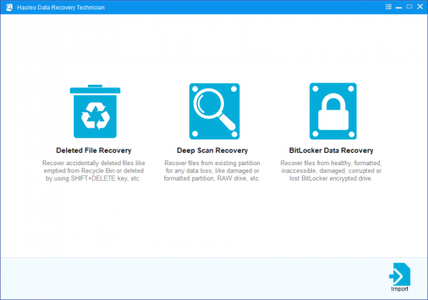
Deleted File Recovery
Recover accidentally deleted files, like emptied from Recycle Bin or deleted by using SHIFT+DELETE key, etc.

Deep Scan Recovery
Recover files from existing partition for any data loss, like ogically damaged, formatted partition or RAW drive, etc.

BitLocker Data Recovery
Recover files from healthy, inaccessible, formatted, deleted, damaged, corrupted or lost BitLocker encrypted drive.

Get Back Lost Data in 3 Simple Steps
Hasleo Data Recovery is a powerful and reliable data recovery software to solve your data loss problems whether you deleted some files by accident, formatted a drive or encountered a system crash and lost some files. With only three-step, you can get back all your lost files from PC/laptop hard drive, external hard drive, USB flash drive, SD card, digital camera, mobile phone, MP3/MP4 player and other storage media. Furthermore, you can recover all your lost files from Windows BitLocker encrypted drive with the Ultimate/Technician edition.

Recover Lost Data Under All Data Loss Scenarios
Many reasons can cause you to lose your important data. Hasleo Data Recovery can help you recover data due to accidental deleting, formatting, inaccessibility or raw drive, improper operation, software crash, virus attack, improper system shutdown, power failures and other unknown reasons.

Recover Data from Any Kind of Storage Device
Hasleo Data Recovery allows you to not only recover lost data from PC and laptop hard drive, bust also recover lost data from external removable storage devices like external hard disk, USB flash drive, SD Memory card, digital device, cellphone or other storage media.

System Requirements:
• Windows 10, 8.1, 8, 7, Vista, XP, 2000 and Windows Server 2016, 2012, 2010, 2008, 2003, 2000
• Supported file systems: FAT 12/16/32, exFAT, NTFS, HFS+
• CPU: 1GHz (32 bit or 64 bit)
• RAM: 256 MB or more of RAM (1024MB Recommended)
• Disk Space: 100 MB and above free space

У Вас недостаточно прав для просмотра ссылок. Войдите или зарегистрируйтесь.


DownLoad

NitroFlare
Код:
https://nitroflare.com/view/8BE5CBBA5EB7D18/Hasleo.Data.Recovery.5.1.rar
https://nitroflare.com/view/64499E330A3357B/Hasleo.Data.Recovery.5.1.Technician.WinPE.Disk.x64.iso
https://nitroflare.com/view/912E71FB502E892/Hasleo.Data.Recovery.5.1.Technician.WinPE.Disk.x86.iso

RapidGator
Код:
https://rapidgator.net/file/5d8433be7ec3c0d4b801fb3bbc31a65e/Hasleo.Data.Recovery.5.1.rar.html
https://rapidgator.net/file/079cf6e48cbc1f8c3cd6588d8cd50e70/Hasleo.Data.Recovery.5.1.Technician.WinPE.Disk.x64.iso.html
https://rapidgator.net/file/0556893b3c8937e29e18796e3e5d35fe/Hasleo.Data.Recovery.5.1.Technician.WinPE.Disk.x86.iso.html

UploadGiG
Код:
https://uploadgig.com/file/download/7bC1813FadE853f3/Hasleo.Data.Recovery.5.1.rar
https://uploadgig.com/file/download/5667D44d75889f73/Hasleo.Data.Recovery.5.1.Technician.WinPE.Disk.x64.iso
https://uploadgig.com/file/download/75064daE5cfc41c0/Hasleo.Data.Recovery.5.1.Technician.WinPE.Disk.x86.iso
 
Macrium Reflect Workstation - Server - Server Plus 7.2.4440 x86 x64

fd60f1d1795077a270a782710196d929.jpg


Macrium Reflect Workstation - Server - Server Plus 7.2.4440 x86 x64

File Size: 300, 324 MiB

​

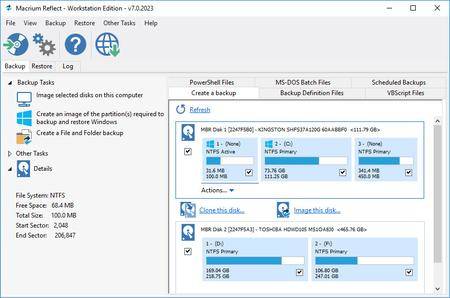
Macrium Reflect - backup and recovery for individual PCs and servers. Reflect Workstation - Designed for endpoint backup of business-critical PCs and workstations. Peace of mind for organisations when backing up Windows PCs.

Solution highlights:
- New Backup Engine: Incremental and differential images up to 60 times faster
- Instant virtual booting of backup images: instantly create, start and manage Microsoft Hyper-V virtual machines
- Ultra-fast Live imaging of windows systems, physical and virtual
- Restore images to dissimilar hardware using Macrium ReDeploy
- Greatly simplified administration including pre-defined Backup Plans for popular backup strategies
- Fully featured file and folder level backup and recovery
- Updated support for all the latest Windows Operating Systems and disk formats

Macrium Reflect 7 Features:
- Backup your entire PC to a single compressed image file.
- Backup files and folders to a single compressed archive file.
- Recover partitions and entire disk images with just a few clicks of your mouse
- Dynamic disk support
- MBR and GPT disk support
- Restore images to dissimilar hardware using Macrium ReDeploy

Operating System: Windows XP, Vista, 7/8/10

У Вас недостаточно прав для просмотра ссылок. Войдите или зарегистрируйтесь.


DownLoad

NitroFlare
Код:
https://nitroflare.com/view/60A3CBA573950B7/Macrium.Reflect.Workstation-Server-Server.Plus.7.2.4440.x86.rar
https://nitroflare.com/view/3F57214466400DB/Macrium.Reflect.Workstation-Server-Server.Plus.7.2.4440.x64.rar

RapidGator
Код:
https://rapidgator.net/file/c1318c2b39721598f0868a5b47343d58/Macrium.Reflect.Workstation-Server-Server.Plus.7.2.4440.x86.rar.html
https://rapidgator.net/file/766a5ca20f4be18d3401b427c89c7e37/Macrium.Reflect.Workstation-Server-Server.Plus.7.2.4440.x64.rar.html

UploadGiG
Код:
https://uploadgig.com/file/download/3353ac9dc98e57C7/Macrium.Reflect.Workstation-Server-Server.Plus.7.2.4440.x86.rar
https://uploadgig.com/file/download/c61c844dBfece9A7/Macrium.Reflect.Workstation-Server-Server.Plus.7.2.4440.x64.rar
 
Tableau Desktop Professional Edition 2019.2.3 x64 Multilingual

ddd974889611293726edb81089f2201b.jpg


Tableau Desktop Professional Edition 2019.2.3 x64 Multilingual

File Size: 426 MiB

​

Answer questions at the speed of thought with Tableau Desktop. Tableau Desktop Pro is a business intelligence tool that allows you to easily visualise, analyse and share large amounts of data. Visual analysis in a click - Powerful analytical tools-at your fingertips.

Filter data dynamically, split trends across different categories or run an in-depth cohort analysis. Double-click geographic fields to put data on a map. All without writing a single line of code. Deep statistics - Go deeper into your data with new calculations on existing data. Make one-click forecasts, build box plots and see statistical summaries of your data.

Get actionable insights fast
Leave chart builders behind. Live visual analytics fuel unlimited data exploration. Interactive dashboards help you uncover hidden insights on the fly. Tableau harnesses people's natural ability to spot visual patterns quickly, revealing everyday opportunities and eureka moments alike.

Connect to more data
Connect to data on prem or in the cloud-whether it's big data, a SQL database, a spreadsheet, or cloud apps like Google Analytics and Salesforce. Access and combine disparate data without writing code. Power users can pivot, split, and manage metadata to optimize data sources. Analysis begins with data. Get more from yours with Tableau.

Answer deeper questions
Exceptional analytics demand more than a pretty dashboard. Quickly build powerful calculations from existing data, drag and drop reference lines and forecasts, and review statistical summaries. Make your point with trend analyses, regressions, and correlations for tried and true statistical understanding. Ask new questions, spot trends, identify opportunities, and make data-driven decisions with confidence.

Put your data on the map
Answer the "where" as well as the "why." Create interactive maps automatically. Built-in postal codes mean lightning-fast mapping for more than 50 countries worldwide. Use custom geocodes and territories for personalized regions, like sales areas. We designed Tableau maps specifically to help your data stand out.

Let everyone in on it
Ditch the static slides for live stories that others can explore. Create a compelling narrative that empowers everyone you work with to ask their own questions, analyzing interactive visualizations with fresh data. Be part of a culture of data collaboration, extending the impact of your insights.

Get even more from Tableau Desktop.

Big data, live or in-memory
When you want to take data offline or bring it in-memory, Tableau lets you extract massive data for limitless exploration in seconds. It combines advances in database and computer graphics technology so you can analyze huge datasets on a laptop.

Sharing and collaborating securely
Communicate with data in a whole new way. Share visualizations and underlying data securely using Tableau Server or Tableau Online. Create an environment where everyone in your organization can share and collaborate on trusted data.

Designing for a mobile-first world
Your content needs to perform at any size, on any device. Device designer is our simple, yet powerful tool that helps you design, customize, and publish optimized dashboards for desktop, tablet, and phone.

Always innovating
Tableau's software moves as fast as you do. There's a reason that the award-winning research scientists, design gurus, and visualization experts choose Tableau. We invest more in R&D than anyone else in the industry, so there's always a new release around the corner.

Requirements: Windows 7 or later

У Вас недостаточно прав для просмотра ссылок. Войдите или зарегистрируйтесь.


DownLoad

NitroFlare
Код:
https://nitroflare.com/view/1FDF390F24F37BF/Tableau.Desktop.Professional.Edition.2019.2.3.x64.Multilingual.rar

RapidGator
Код:
https://rapidgator.net/file/0b8a9b0b7fb95830b8434640f9da06e7/Tableau.Desktop.Professional.Edition.2019.2.3.x64.Multilingual.rar.html

UploadGiG
Код:
https://uploadgig.com/file/download/616f842D32696C36/Tableau.Desktop.Professional.Edition.2019.2.3.x64.Multilingual.rar
 
Microsoft Office Professional Plus 2019 v1908 Build 11929.20254 Multilingual

172df7ffeb1a566912313919f31c55ce.jpg


Microsoft Office Professional Plus 2019 v1908 Build 11929.20254 Multilingual

File Size: 4.51, 4.86 GiB

​

Office Pro Plus, the cloud-connected version of Office, delivers the most productive and most secure Office experience-with the lowest total cost of ownership for deployment and management. However, for customers who aren't ready for the cloud, Office 2019 provides new features and updates to the on-premises apps for both users and IT professionals. Like Windows Long Term Servicing Channel (LTSC) releases, Office 2019 provides a set of valuable enhancements for customers who can't be cloud-connected or receive regular updates.

The new enhancements in Office 2019 are a subset of a long list of features that have been added to Office 365 ProPlus over the last three years. Office 2019 is a one-time release and won't receive future feature updates. However, we'll continue to add new features to Office 365 ProPlus monthly, including innovations in collaboration, artificial intelligence (AI), security, and more.
Office 2019 delivers features across apps to help users create amazing content in less time. In PowerPoint 2019, you can create cinematic presentations with new features like Morph and Zoom. And improved inking features across the apps in Windows-like the roaming pencil case, pressure sensitivity, and tilt effects-allow you to naturally create documents.

Excel 2019 adds powerful new data analysis features, including new formulas and charts and enhancements to PowerPivot.

Word 2019 and Outlook 2019 help you focus on what matters most. Learning Tools, like Read Aloud and Text Spacing, make it easier to engage with your content. Focus Mode blocks out distractions and puts your content front and center. And Focused Inbox moves less important emails out of the way-so you can get straight to taking care of business. For a longer list of the new features in Office 2019,

Office 2019 also includes new IT value for enhanced security and streamlined administration. We introduced Click-to-Run (C2R), a modern deployment technology, in Office 2013, and it's now used to deploy and update Office across hundreds of millions of devices worldwide. With Office 2019, we're moving the on-premises versions of Office to C2R to reduce costs and improve security. The advantages of C2R include predictable monthly security updates, up-to-date apps on installation, reduced network consumption through Windows 10 download optimization technology, and an easy upgrade path to Office 365 ProPlus. C2R offers the same enterprise-focused management capabilities as Microsoft Installer (MSI) based products and will also support an in-place upgrade when you move to Office 2019 from older MSI-based products.

The 2019 release of Office products also includes updates to our servers, and in the coming weeks, we will release Exchange Server 2019, Skype for Business Server 2019, SharePoint Server 2019, and Project Server 2019.

Office 2019 is a valuable update for customers who aren't yet ready for the cloud. And each time we release a new on-premises version of Office, customers ask us if this will be our last. We're pleased to confirm that we're committed to another on-premises release in the future. While the cloud offers real benefits in productivity, security, and total cost of ownership, we recognize that each customer is at a different point in their adoption of cloud services. We see the on-premises version of Office as an important part of our commitment to give customers the flexibility they need to move to the cloud at their own pace.

Microsoft Office 2019 Select Edition Includes:
Microsoft Office 2019 Professional Plus
Microsoft Access 2019
Microsoft Excel 2019
Microsoft Lync 2019
Microsoft OneNote 2019
Microsoft Outlook 2019
Microsoft PowerPoint 2019
Microsoft Publisher 2019
Microsoft Visio Viewer 2019
Microsoft Word 2019
Skype for business 2019
Office Shared Features
Office Tools
And many more

Language: English, Deutsch, Ελληνικά, Français, Español, Italiano, Português, Português-Brazil, Türkçe

System Requirements:
OS: Windows 7/8/8.1/10 (x86/x64)

У Вас недостаточно прав для просмотра ссылок. Войдите или зарегистрируйтесь.


DownLoad

Single Link
Код:
https://nitroflare.com/view/B32D2401E407614/MUI.Office.Pro.Plus.16.0.11929.20254.32BiT.ISO
https://nitroflare.com/view/1BBEDB9ED05ABF9/MUI.Office.Pro.Plus.16.0.11929.20254.64BiT.ISO

Код:
https://rapidgator.net/file/eac8a8aaa930baee2de06fb642ab0f34/MUI.Office.Pro.Plus.16.0.11929.20254.32BiT.ISO.html
https://rapidgator.net/file/a36b274f0b98f4352079a385802fd7bd/MUI.Office.Pro.Plus.16.0.11929.20254.64BiT.ISO.html

Код:
https://uploadgig.com/file/download/71991fed46c452a4/MUI.Office.Pro.Plus.16.0.11929.20254.32BiT.ISO
https://uploadgig.com/file/download/97d459F8CC3227e6/MUI.Office.Pro.Plus.16.0.11929.20254.64BiT.ISO

NitroFlare
Код:
https://nitroflare.com/view/2244BBF4065AD49/MUI.Office.Pro.Plus.16.0.11929.20254.32BiT.part1.rar
https://nitroflare.com/view/17DD8C30FEC06CE/MUI.Office.Pro.Plus.16.0.11929.20254.32BiT.part2.rar
https://nitroflare.com/view/832DE5BBC0E24FA/MUI.Office.Pro.Plus.16.0.11929.20254.32BiT.part3.rar
https://nitroflare.com/view/98A982B0FCE6612/MUI.Office.Pro.Plus.16.0.11929.20254.32BiT.part4.rar
https://nitroflare.com/view/D3F0F19CAD03FE6/MUI.Office.Pro.Plus.16.0.11929.20254.32BiT.part5.rar

Код:
https://nitroflare.com/view/C3A1B753FE03C37/MUI.Office.Pro.Plus.16.0.11929.20254.64BiT.part1.rar
https://nitroflare.com/view/8693D2D2E3190F2/MUI.Office.Pro.Plus.16.0.11929.20254.64BiT.part2.rar
https://nitroflare.com/view/16CD858A8F4A509/MUI.Office.Pro.Plus.16.0.11929.20254.64BiT.part3.rar
https://nitroflare.com/view/36124A1F599D650/MUI.Office.Pro.Plus.16.0.11929.20254.64BiT.part4.rar
https://nitroflare.com/view/3D77FD78768C129/MUI.Office.Pro.Plus.16.0.11929.20254.64BiT.part5.rar

RapidGator
Код:
https://rapidgator.net/file/55e9757504c26bae539d93cba1a84309/MUI.Office.Pro.Plus.16.0.11929.20254.32BiT.part1.rar.html
https://rapidgator.net/file/65edb03d416dae519ab2e8a468c1dc76/MUI.Office.Pro.Plus.16.0.11929.20254.32BiT.part2.rar.html
https://rapidgator.net/file/ed12050e00e1af6771011522a8433f76/MUI.Office.Pro.Plus.16.0.11929.20254.32BiT.part3.rar.html
https://rapidgator.net/file/41f9712341f53fe8607ed1be4c4e3ecc/MUI.Office.Pro.Plus.16.0.11929.20254.32BiT.part4.rar.html
https://rapidgator.net/file/146e6c88fbc207b9611209f5f42b4328/MUI.Office.Pro.Plus.16.0.11929.20254.32BiT.part5.rar.html

Код:
https://rapidgator.net/file/458ddeae2f748409dd19a03e884e3932/MUI.Office.Pro.Plus.16.0.11929.20254.64BiT.part1.rar.html
https://rapidgator.net/file/684a4978480a207e7a7d8bc8cffc8891/MUI.Office.Pro.Plus.16.0.11929.20254.64BiT.part2.rar.html
https://rapidgator.net/file/7b591f47c97396ab81a4bb41d7bdb9c2/MUI.Office.Pro.Plus.16.0.11929.20254.64BiT.part3.rar.html
https://rapidgator.net/file/100cc4828f9ac2093cadce521f38f48f/MUI.Office.Pro.Plus.16.0.11929.20254.64BiT.part4.rar.html
https://rapidgator.net/file/b296fc0faa2f58ef63ba7b6f2da59934/MUI.Office.Pro.Plus.16.0.11929.20254.64BiT.part5.rar.html

UploadGiG
Код:
https://uploadgig.com/file/download/9544a09497569203/MUI.Office.Pro.Plus.16.0.11929.20254.32BiT.part1.rar
https://uploadgig.com/file/download/1a1e3fc14fde9167/MUI.Office.Pro.Plus.16.0.11929.20254.32BiT.part2.rar
https://uploadgig.com/file/download/AD1B77b189c95294/MUI.Office.Pro.Plus.16.0.11929.20254.32BiT.part3.rar
https://uploadgig.com/file/download/ee5c6762153A871b/MUI.Office.Pro.Plus.16.0.11929.20254.32BiT.part4.rar
https://uploadgig.com/file/download/496dfeB46d2ccb15/MUI.Office.Pro.Plus.16.0.11929.20254.32BiT.part5.rar

Код:
https://uploadgig.com/file/download/70c9727Ecf710a37/MUI.Office.Pro.Plus.16.0.11929.20254.64BiT.part1.rar
https://uploadgig.com/file/download/f54d84e85C11851c/MUI.Office.Pro.Plus.16.0.11929.20254.64BiT.part2.rar
https://uploadgig.com/file/download/b01195959f430976/MUI.Office.Pro.Plus.16.0.11929.20254.64BiT.part3.rar
https://uploadgig.com/file/download/081a12003c03Fb3D/MUI.Office.Pro.Plus.16.0.11929.20254.64BiT.part4.rar
https://uploadgig.com/file/download/2aDe39aF26cc9cE6/MUI.Office.Pro.Plus.16.0.11929.20254.64BiT.part5.rar
 
Red Giant Trapcode Suite 15.1.4 x64

69c6bfe9fcc169c6f6b91c87d4a85348.jpg


Red Giant Trapcode Suite 15.1.4 x64

File Size: 744 MiB

​

Trapcode Suite - the industry-standard package for motion graphics in After Effects. Red Giant Trapcode Suite is a set of 11 tools for 3D motion graphics and visual effects.

PARTICLE EFFECTS
Trapcode Suite brings the power of 3D particle systems right into After Effects. Use particle emitters to create fire, water, smoke, snow and other organic visual effects, or create technological marvels and user interfaces with immortal particle grids and 3D forms. Combine multiple particle systems into one unified 3D space for visually stunning results. With GPU acceleration, Trapcode plugins help you get beautiful results fast.

PHYSICS & FLUIDS
For the first time ever, run realistic fluid simulations using the new Dynamic Fluids™ physics engine, or emulate particles moving through the air and bouncing off surfaces.

3D OBJECTS & SURFACES
Create flowing surfaces, mountainous terrains, endless tunnels, and abstract shapes. Use paths and motion to generate beautifully complex geometric shapes, ribbons and extrusions. Whether you are creating motion graphics or visual effects, the possibilities are endless.

LIGHTS AND GLIMMERS
Bring light and life into your motion design. Simulate organic, 3D-camera aware volumetric lighting. Use masks and paths to add light streaks that can bring your logos and text to life and add starry glimmers to accent the highlights in your work.

SOUND AND MOTION
Use audio to generate keyframes that drive animation and effects. Scale, rotate and move to the beat, or use drum hits to create particle effects. Duplicate and offset layers and their motion with ease. Trapcode Suite gives you the power to automate complex animation easily.

TOOLS
Red Giant Trapcode Suite is a set of 11 tools for 3D motion graphics and visual effects.

New in Trapcode Suite 15.0
TRAPCODE PARTICULAR (NEW)
- Updated Designer for building effects visually
- Fluid dynamics
- Text emitters
- Mask emitters
- 175 new presets (Over 300, in total)

TRAPCODE FORM (NEW)
- Updated Designer for building effects visually
- Fluid Dynamics
- Text forms
- Mask forms
- 150+ new Presets

TRAPCODE MIR (NEW)
- Import OBJ models as Mir Surfaces
- Included library of over 60 3D Models
- 16 Surface presets for fast material setups

System Requirements:
Windows 10 (x64)
Adobe Creative Cloud (2017 - 2019)

У Вас недостаточно прав для просмотра ссылок. Войдите или зарегистрируйтесь.


DownLoad

NitroFlare
Код:
https://nitroflare.com/view/9B2F65745ED889F/Red.Giant.Trapcode.Suite.15.1.4.x64.rar

RapidGator
Код:
https://rapidgator.net/file/32a644a266bbcd0ddd8ce0c5b30c339d/Red.Giant.Trapcode.Suite.15.1.4.x64.rar.html

UploadGiG
Код:
https://uploadgig.com/file/download/e23a95877B517c9d/Red.Giant.Trapcode.Suite.15.1.4.x64.rar
 
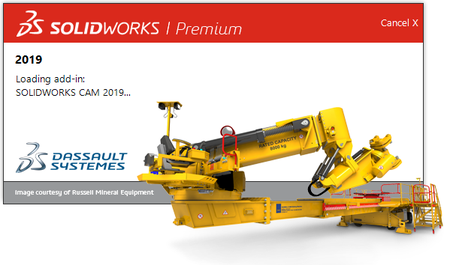
SolidWorks 2019 SP4.0 Premium Multilingual

1f10471669dbcea1f95e78498975e190.png


SolidWorks 2019 SP4.0 Premium Multilingual

File Size: 13.9 GiB
Languages: English, 中文, Čeština, Español, Français, Deutsch,
Italiano, 日本語, 한국어, Polski, Português, Русский, Türkçe

​

SolidWorks 2019 provides the breadth of tools to tackle the most complex problems, and the depth to finish critical detail work. New features help you improve your product development process to get your innovative products into production faster.

SolidWorks 2019 delivers many enhancements and improvements, most created in direct response to customer requests.

You can tackle the most complex challenges with SolidWorks 2019 end-to-end process solutions:
Design to manufacture. Go from concept to manufactured parts even faster.
Modeling and drawings. Powerful enhancements to improve your design and detailing experience.
Performance. Faster large assembly design, rendering, and collaboration.
New technology. Increased productivity when using the latest touch-enabled devices.
Collaboration. Smart tools for collaborating with partners and suppliers.

У Вас недостаточно прав для просмотра ссылок. Войдите или зарегистрируйтесь.


DownLoad

NitroFlare
Код:
https://nitroflare.com/view/1AE01F2B41BABC8/SolidWorks.2019.SP4.0.Premium.Multilingual.part01.rar
https://nitroflare.com/view/BDC8E02FF9626BD/SolidWorks.2019.SP4.0.Premium.Multilingual.part02.rar
https://nitroflare.com/view/DF8601DE6EA0FE1/SolidWorks.2019.SP4.0.Premium.Multilingual.part03.rar
https://nitroflare.com/view/E78C2AB38FD731A/SolidWorks.2019.SP4.0.Premium.Multilingual.part04.rar
https://nitroflare.com/view/406E179119A5C6E/SolidWorks.2019.SP4.0.Premium.Multilingual.part05.rar
https://nitroflare.com/view/6AA432CB7150F46/SolidWorks.2019.SP4.0.Premium.Multilingual.part06.rar
https://nitroflare.com/view/2FC7C3D262DA7B8/SolidWorks.2019.SP4.0.Premium.Multilingual.part07.rar
https://nitroflare.com/view/C71B94715B2553B/SolidWorks.2019.SP4.0.Premium.Multilingual.part08.rar
https://nitroflare.com/view/46FDA0FA577340F/SolidWorks.2019.SP4.0.Premium.Multilingual.part09.rar
https://nitroflare.com/view/13AA0341A77AC37/SolidWorks.2019.SP4.0.Premium.Multilingual.part10.rar
https://nitroflare.com/view/58FC44FD4AFDC9A/SolidWorks.2019.SP4.0.Premium.Multilingual.part11.rar
https://nitroflare.com/view/DB6C147467746AF/SolidWorks.2019.SP4.0.Premium.Multilingual.part12.rar
https://nitroflare.com/view/E47450A4D6603C7/SolidWorks.2019.SP4.0.Premium.Multilingual.part13.rar
https://nitroflare.com/view/3B732A3BD7CAAAF/SolidWorks.2019.SP4.0.Premium.Multilingual.part14.rar

RapidGator
Код:
https://rapidgator.net/file/95a6184269d7fdeb566e6bb66b84cd8f/SolidWorks.2019.SP4.0.Premium.Multilingual.part01.rar.html
https://rapidgator.net/file/170ce8505bc127ab6dbc85d1bfd2afcb/SolidWorks.2019.SP4.0.Premium.Multilingual.part02.rar.html
https://rapidgator.net/file/ad35f62a06700428f458284b2567cb5f/SolidWorks.2019.SP4.0.Premium.Multilingual.part03.rar.html
https://rapidgator.net/file/800a7bd75358c275aeafcfb5c83109a4/SolidWorks.2019.SP4.0.Premium.Multilingual.part04.rar.html
https://rapidgator.net/file/7ba75fe4baac7c5e06e3859479b19c1c/SolidWorks.2019.SP4.0.Premium.Multilingual.part05.rar.html
https://rapidgator.net/file/386198bde091f9de08a212c610b63783/SolidWorks.2019.SP4.0.Premium.Multilingual.part06.rar.html
https://rapidgator.net/file/28d6215fcf8f7f8f8150d6885f9f13e4/SolidWorks.2019.SP4.0.Premium.Multilingual.part07.rar.html
https://rapidgator.net/file/0c60e5b10ea43d702cbc1c68d9a48a2f/SolidWorks.2019.SP4.0.Premium.Multilingual.part08.rar.html
https://rapidgator.net/file/4fc0ac22d716f9220094b035eaae073a/SolidWorks.2019.SP4.0.Premium.Multilingual.part09.rar.html
https://rapidgator.net/file/ea57285e5e4fee8574308a91b493379b/SolidWorks.2019.SP4.0.Premium.Multilingual.part10.rar.html
https://rapidgator.net/file/63168ced88eb253e7fc2f7e0ca7f7778/SolidWorks.2019.SP4.0.Premium.Multilingual.part11.rar.html
https://rapidgator.net/file/45ad55d077f90025388b60c21edc2b2a/SolidWorks.2019.SP4.0.Premium.Multilingual.part12.rar.html
https://rapidgator.net/file/c25117cffae43bb96c779870efb4e2f8/SolidWorks.2019.SP4.0.Premium.Multilingual.part13.rar.html
https://rapidgator.net/file/96f9a8c7b3afe6e31fc5b25ca994ecf3/SolidWorks.2019.SP4.0.Premium.Multilingual.part14.rar.html

UploadGiG
Код:
https://uploadgig.com/file/download/2d314bff368F2371/SolidWorks.2019.SP4.0.Premium.Multilingual.part01.rar
https://uploadgig.com/file/download/7Ac639906d7fA04e/SolidWorks.2019.SP4.0.Premium.Multilingual.part02.rar
https://uploadgig.com/file/download/e72c5ea7CDbc0CE5/SolidWorks.2019.SP4.0.Premium.Multilingual.part03.rar
https://uploadgig.com/file/download/db1b3770b7f6d01A/SolidWorks.2019.SP4.0.Premium.Multilingual.part04.rar
https://uploadgig.com/file/download/cb15172ef84a8bbD/SolidWorks.2019.SP4.0.Premium.Multilingual.part05.rar
https://uploadgig.com/file/download/53Acf3da21b1AF32/SolidWorks.2019.SP4.0.Premium.Multilingual.part06.rar
https://uploadgig.com/file/download/e92FC1e6B75ed3a8/SolidWorks.2019.SP4.0.Premium.Multilingual.part07.rar
https://uploadgig.com/file/download/743a5b0024571fF2/SolidWorks.2019.SP4.0.Premium.Multilingual.part08.rar
https://uploadgig.com/file/download/f585070efAb47E04/SolidWorks.2019.SP4.0.Premium.Multilingual.part09.rar
https://uploadgig.com/file/download/59aB555eb801A339/SolidWorks.2019.SP4.0.Premium.Multilingual.part10.rar
https://uploadgig.com/file/download/a99611fB48db923d/SolidWorks.2019.SP4.0.Premium.Multilingual.part11.rar
https://uploadgig.com/file/download/6305C8D0126e1eD8/SolidWorks.2019.SP4.0.Premium.Multilingual.part12.rar
https://uploadgig.com/file/download/e39C5604affb44B6/SolidWorks.2019.SP4.0.Premium.Multilingual.part13.rar
https://uploadgig.com/file/download/3cc82Fbc3089f407/SolidWorks.2019.SP4.0.Premium.Multilingual.part14.rar
 
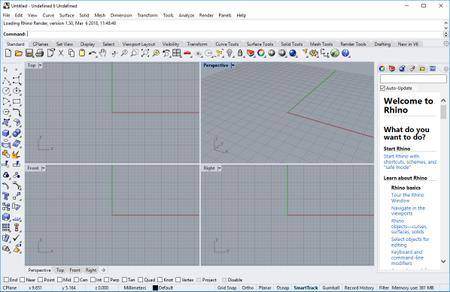
Rhinoceros 6.17.19235.15041 SR17 x64

f9799b1a0613cd49dee6e46e2184e83f.jpg


Rhinoceros 6.17.19235.15041 SR17 x64

File Size: 262 MiB

​

In Rhino 6 for Windows, we've fully embraced Grasshopper - the wildly popular visual programming language - by "baking it in." Grasshopper is no longer beta; it's a stable development environment. We've also rewritten some features and renovated workflows that needed fundamental overhauls to make them truly productive.

Grasshopper
The long beta period is over: Grasshopper, the world's most beautiful programming language, is now a full-fledged part of Rhino. Used in some of the most ambitious design projects of the past decade, Grasshopper, like Rhino, has become a robust development platform. Grasshopper provides the solid foundation for many incredible third-party components ranging from environmental analysis to robotic control.

Presentation
Presentation is key: during nearly every phase of design, you need to communicate, getting "buy-in" from clients, customers, collaborators, or the public at large. We've improved Rhino with the aim of helping you present your work: be it "quick and dirty" or "high-res glossy." With major changes to Rendering, Materials, or just plain capturing the viewport, it's now easier and faster to present, discuss, make decisions, and iterate.

Display
Rhino's new display pipeline is faster, more stable, and uses features found on modern graphics hardware, like GPU sensitive shaders and memory optimizations. This results in fewer GPU-specific display glitches and more consistent, beautiful, and frequent frames, even with large models. In some conditions, display speed can be up to 300% faster.

Documentation
Modeling is just one part of the design process; you also need to show how to build what is on the screen. We've refined many parts of the documentation workflow, from a completely reworked annotation-style interface, to better DWG support, and RichText throughout. It's now easier to convey accurately and clearly the what and the how of your design.

Licensing & Administration
We have worked hard to make Rhino easier to install, license, and configure. There's a great new option to license Rhino using the Cloud Zoo.

Make2D
Make2D has been completely rewritten to provide faster, better, cleaner, more customizable results.

Rhino Refinements
Small quirks add up to painful paper cuts over the course of a prolonged modeling session. In Rhino 6, we've fixed hundreds of minor bugs and consolidated disparate - but similar - features into single commands, making Rhino much more refined.

Development Platform
Rhino is more than just a modeler. With a rich ecosystem of plugins and an open set of development tools, Rhino is quickly becoming the development platform for those seeking to push the envelope of design. Rhino 6 brings major improvements to our free SDKs, with API refinements, better documentation, and more access to Rhino commands from Grasshopper.

Serengeti
We're constantly improving Rhino. Rhino 6 users have access to the Serengeti community and our Work-In-Progress (WIP) builds. The WIP builds are where we are developing future features like SubD support, Grasshopper 2, a new real-time rendering engine, and much more.

System Requirements:
- Windows 10, 8.1, or 7
- 8 GB memory (RAM) or more is recommended.
- 600 MB disk space.
- OpenGL 4.1 capable video card is recommended.
- No more than 63 CPU Cores.
- Multiple-button mouse with scroll wheel is recommended.
- The SpaceNavigator is supported.
- Apple hardware is supported with Bootcamp.

Not Supported:
Windows 8
Windows XP 64-bit
Windows Vista, NT, 95, 98, ME, or 2000
Windows 32-bit all versions

У Вас недостаточно прав для просмотра ссылок. Войдите или зарегистрируйтесь.


DownLoad

NitroFlare
Код:
https://nitroflare.com/view/60C096A8617A189/Rhinoceros.6.17.19235.15041.SR17.x64.rar

RapidGator
Код:
https://rapidgator.net/file/a0a9ad32c969e2dc0b74302c4bb1d664/Rhinoceros.6.17.19235.15041.SR17.x64.rar.html

UploadGiG
Код:
https://uploadgig.com/file/download/49d6E95f8F6e8e38/Rhinoceros.6.17.19235.15041.SR17.x64.rar
 
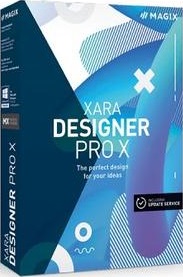
Xara Designer Pro X 16.2.1.57326 x64

a013eb813576f55f7b89db4021a228ef.jpg


Xara Designer Pro X 16.2.1.57326 x64

File Size: 314 MiB

​

Graphic design, web design, image editing, illustration & DTP. Xara Designer Pro X The ultimate package for your designs. Xara Designer Pro X combines graphic and web design, illustration, photo editing and desktop publishing - all in a single compact workspace.

Graphic design & illustration
Create graphics and illustrations exactly the way you want and use a diverse set of tools to give them an expert, custom touch.

Vector graphics
Powerful drawing tools allow you to draw lines, shapes, and curves using vectors and adjust scale without loss of quality. Your pictures look sharp right down to the finest detail. This is perfect for when you need graphics in various sizes for different uses!

Essential effects
Intuitively create exciting effects like transparency, outlines and gradients to give your graphics and illustrations a special touch.

Get artistic with brushes
Get artistic with brushes Browse through a huge selection of art brushes, then draw creative lines and turn each and every one of your images into a work of art.

Adaptable shapes
Start with any shape and transform it into a custom design element for your graphics and illustrations.

SmartShapes
Discover over 900 SmartShapes, including the new, improved tables.

Stock photos
Stock photos A massive selection of agency photos to choose from is included.

Graphics & illustrations
Graphics & illustrations Access a fantastic collection of graphic designs and illustrations.

Web design
Creating a website has never been so easy: Select your favorite template, apply your own images and text - that's all there is to it!

Panorama photo slider
Use the full width of your website to present your photos. This showcases your images and makes your website an absolute eye-catcher. Expand the slider any way you want - either with a prominent call-to-action button or a customized header.

Parallax scrolling
Add more dynamics and depth to your website: Elements such as content and images move as you scroll and provide an interactive user experience.

Sticky objects
Sticky objects are unaffected by scrolling and remain visible at the same position. It's particularly practical when you need to use the navigation bar.

Reveal effects
Use the object reveal effects to fade in elements as soon as the corresponding area of your website is visible in a browser. This adds movement and variety to the page.

Easy & advanced image editing
Adjust brightness, contrast, color and saturation in images in no time at all or use 1-click optimization. For more precise results, edit the gradation curves for your photos or apply professional white balance.

Erase backgrounds
Create masks for easily removing object backgrounds. Simply mask the object, roughly erase the background and remove it with a click.

Cut items
Crop individual parts of your image or cut out figures. Select an outline using the mouse and the magnetic lasso will automatically create a path.

Perfect photo retouching
Use the retouch tool and fully customizable tool tips to easily retouch areas of an image.

Impressive photo filters
Impressive photo filters Present a photo differently each time. Simply select one of 140 photo filters in the Online Content Catalog** and apply it to your image with a single click.

Photo grids for collages
Create seamless photo collages. Select any template you want from the Online-Content-Catalog** and then drag and drop your pictures onto different positions.

Brighten or darken areas
Enhance sections of an image during editing. With the tool for color dodge and color burn you can darken or lighten precise areas within an image.

Straighten horizons Is the horizon slanted in your photo?
In Xara Designer Pro X you can simply use the "Straighten horizon" slider to adjust the position of the photo.

Wide range of print and online publications
Xara Designer Pro X includes all the tools you need for creating and publishing complex documents. The software makes dealing with even multi-page publications in different formats a cinch. When you need results, fast: The Online Content Catalog** includes a ton of templates that are 100% customizable, as well as over 1 million photos and graphics that you can use for your publications.

CMYK support
Maintain the correct color right through the the final print. CMYK (cyan, magenta, yellow and key) support offers the exact hue you need for flyers, photos and documents. Select file formats freely

Select file formats freely
With Xara Designer Pro X, you can import, edit and export virtually all file formats. You can easily exchange documents and photos with colleagues and friends, with no limitations.

New Features:
All the new features in Xara Designer Pro X have been created to offer users an even greater spectrum of design possibilities. The new version is set to increase your creativity, but also the productivity of your entire workflow.

OpenType ligatures
Make print and online documents truly impressive: The new OpenType ligatures display in realtime as you write and enhance invitation cards, business documents and social media posts with beautifully ornate fonts.

Text field filler
Want to integrate an eye-catcher with text into your document? With the text field filler, your text will adjust to perfectly fit the shape you pick.

Uppercase and lowercase tool
By using the uppercase and lowercase tool, you can modify a title or text in a stylistic way with just a single click.

Page makeup
Page makeup Goodbye to non-aesthetic formatting! The page makeup feature allows you to easily format text and avoid widows and orphans.

Improved SmartShapes tables
Bring your productivity to a whole new level with enhanced SmartShape tables, which let you work up to 90 % more efficiently. With an even wider range of possibilities for design, you can create even clearer tables for your websites, flyers and documents!

PDF Editor 3.0
Edit PDF documents more easily than ever before. Thanks to improved text and object recognition, fonts are graphic elements are identified more easily than before.

CSV import
CSV import Directly import CSV files in easy-to-understand pie charts and present your data clearly across all your documents.

System Requirements:
- You need a 64-bit version for the following operating systems:
- Windows 10, Windows 8, Windows 7, Windows Vista
- Processor: 700 MHz RAM: 512 MB
- Graphics card: Onboard, minimum resolution 1280 x 600
- Hard drive space: 300 MB for program installation

У Вас недостаточно прав для просмотра ссылок. Войдите или зарегистрируйтесь.


DownLoad

NitroFlare
Код:
https://nitroflare.com/view/4D916D8E98F795E/Xara.Designer.Pro.X.16.2.1.57326.x64.rar

RapidGator
Код:
https://rapidgator.net/file/68df376d0a5e3adb9663c4daa90153bb/Xara.Designer.Pro.X.16.2.1.57326.x64.rar.html

UploadGiG
Код:
https://uploadgig.com/file/download/30d545bc3d5067c2/Xara.Designer.Pro.X.16.2.1.57326.x64.rar
 
Xara Photo & Graphic Designer 16.2.1.57326 x64

1bef827e6bac29a60e3cda7879da4cc3.jpg


Xara Photo & Graphic Designer 16.2.1.57326 x64

File Size: 294 MiB

​

Xara Photo & Graphic Designer - Simply better images! Detailed photo editing, creative drawing and professional design: Realize all your ideas with Xara Photo & Graphic Designer! From photo collages to print documents and digital art works: Get impressive results fast!

Graphic design
Combine text with graphics and images to create your own designs for invitations, posters, or social media posts. Design your projects elegantly with the new text functions in Xara Photo & Graphic Designer.

Vector-based graphic design
Create vector shapes and texts that you can combine to create designs for invitations, flyers and logos. This makes it possible to export in any size without loss of quality.

NEW! PDF Editor 3.0
No matter whether you want to change text or switch images: It's simple to make changes to PDF documents with Xara Photo & Graphic Designer.

Shape Tool
Change the outline and color of any original shape - without loss of quality. That's all there is to creating new shapes for your designs. Photo grids for collages

Photo grids for collages
Select the desired template from the Online Content Catalog and then drag & drop your pictures onto the position you want. All grids are freely adjustable.

Smart Shapes
Our most sought-after customer request: The size, color and shape of every SmartShape can be easily modified.

Stock photos
A massive selection of agency photos to choose from is included. Always find just the right image!

Graphics & illustrations
Access an impressive collection of design elements and illustrations for use in print or on the web.

Background Erase Guide
Easily remove objects from their backgrounds: Simply mask the object, roughly erase the background and remove it with a click.

Cut items
Easily remove unwanted objects: Select an outline using the mouse and the magnetic lasso will automatically create a path.

Magic erase
Someone walking into the shot, bothersome street signs or moving cars: Magic Erase removes unwanted objects from your photos in no time.

Photo Heal tool
Retouch spots or wrinkles from your photos: With the Photo Heal tool, you can make them disappear with one click.

Impressive photo filters
With creative photo filters, you can create unique looks in different colors: Import with one click and finished!

Art brush
Develop your own photo-realistic brush patterns using scans, photos and vectors. This allows you to easily create deceptively realistic drawings and special effects. For example, take a photo as a template and transform it into a painting.

Effects
Breathe life into your illustrations with effects such as transparency, shadows and gradients. You can also use the Mold tool to change the perspective of objects.

3D design
Add a whole new dimension to your graphics with the the 3D tool. You can even set perspective, depth and shadow. Absolute highlight: Create your own apartment plans for interior designs.

Work in any color space
Maintain the correct color right through to the final print. CMYK (cyan, magenta, yellow and key) support offers the exact hue you need for flyers, photos and documents.

Select file formats freely
You can import, edit and export countless file formats with Photo & Graphic Designer. You can easily exchange documents and photos with colleagues and friends, with no limitations!

64-bit support
The 64-bit version of Photo & Graphic Designer makes it possible to work on complex documents with diverse components.

Multicore support
For noticeably higher performance from your PC: Processors are utilized optimally in Xara Photo & Graphic Designer. Create your own shortcuts

Create your own shortcuts
Quickly open tools and functions using fast shortcuts, making work easier and more efficient.

New Features:
Solid features. Maximize productivity: The latest Xara Photo & Graphic Designer contains everything you need to achieve even better results.

Your Photo. Your template: Magic Color Match
Design invitations, flyers or other documents personalized in your style. Simply insert a photo into any template and with one click adjust the entire document to the colors of the image.

OpenType ligatures
As if written by hand: Give your print and online documents that special touch with the new OpenType ligatures. The letters combine in realtime into playful curls.

Text field filler
Emphasize important information in your document: With the text field filler, the text will adjust to perfectly fall into shape.

Uppercase and lowercase tool
For more variety in headlines and texts: Switch between lowercase and uppercase letters with a single click.

Page makeup
Simply correct unaesthetic line breaks to create a comfortable flow for reading and an orderly layout

Improved Smart Shapes for tables
Clear graphics and tables are key in important documents. Use the improved Smart Shapes for tables to present your data convincingly.

PDF Editor 3.0
Easily edit finished PDF documents with the new PDF Editor 3.0. You can easily edit the text or cut and move photos.

CSV import
Now you can easily import CSV files into Xara Photo & Graphic Designer and visualize the data immediately in a clear pie chart.

System Requirements:
- You need a 64-bit version for the following operating systems:
- Windows 10, Windows 8, Windows 7, Windows Vista
- Processor: 700 MHz RAM: 512 MB
- Graphics card: Onboard, minimum resolution 1280 x 600
- Hard drive space: 300 MB for program installation

У Вас недостаточно прав для просмотра ссылок. Войдите или зарегистрируйтесь.


DownLoad

NitroFlare
Код:
https://nitroflare.com/view/BBEC4F42C096020/Xara.Photo.Graphic.Designer.16.2.1.57326.x64.rar

RapidGator
Код:
https://rapidgator.net/file/e991c36638100f5110ead5deae8ccf4c/Xara.Photo.Graphic.Designer.16.2.1.57326.x64.rar.html

UploadGiG
Код:
https://uploadgig.com/file/download/Ad05a4048f2D924a/Xara.Photo.Graphic.Designer.16.2.1.57326.x64.rar
 
Xara Web Designer Premium 16.2.1.57326 x64

170a7f887e9f01e4572428552f1e024f.jpg


Xara Web Designer Premium 16.2.1.57326 x64

File Size: 268 MiB

​

Create your own professional websites. Create your own webpages just the way you want them using a range of professionally-designed templates. And all without any programming knowledge. Create your own website in no time!

Responsive web design
Web Designer enables you to create multiple versions of a website, for instance desktop, tablet and mobile versions which you can export as individual HTML files. Display your website correctly on any end device from PC to smartphone and tablet. It's easy and no programming knowledge is required.

High-quality photo filters
Transform your photos into true works of art. Change the structure of an image or modify colors, contrast and brightness to achieve custom, one-of-a-kind effects.

SmartShapes & website components
Create exciting design elements for your website. The size, color and shape of each of your tables, layouts, shapes or modern flat designs can be easily modified.

Stock photos
Stock photos Pictures breathe life into websites. Web Designer offers you more than 900,000 photos to choose from, all of which you can use for free and even commercially.

Graphics & illustrations
Graphics & illustrations The right presentation for any topic: The Online Content Catalog** contains more than 180,000 graphics and illustrations that you can integrate perfectly into your website.

Parallax scrolling
Parallax scrolling brings dynamics and depth to your website. With the help of fades and animations, individual layers move at different speeds.

Reveal effects
Use the object reveal effects to fade in elements as soon as the corresponding area in your browser becomes visible.

Sticky options
Fix elements such as navigation bars to a position on your website. Sticky objects are unaffected by scrolling and remain visible at the same position. Panorama photo slider with a call-to-action Panorama photo slider with a headline Panorama photo slider Put perfect focus on your pictures and use the entire width of the screen for your photo sliders. Design the slider as you like - with a prominent call-to-action button and customized header that jumps right out.

Panorama photo slider
Put perfect focus on your pictures and use the entire width of the screen for your photo sliders. Design the slider as you like - with a prominent call-to-action button and customized header that jumps right out.

Advanced image editing
Transform your photos into visual highlights. Easily customize colors, contrast and brightness directly within the program or apply high-quality photo filters for a brand-new look.

New Features:
A website just as unique as your ideas. Make your website stand out even more with Web Designer. In no time at all, create a website that suits you and invites your customers and friends to spend time there. Find the right design for any topic.

Magic Color Match
Use the emotional effect of colors to give your website the right image. Select a photo that represents you and your site and transfer a color schema to the entire template.

OpenType ligatures
Create optical harmony and aesthetic effects. Using ligatures, combine letters and words in a playful way for a new way to highlight quotes or to create eye-catching captions and social media posts on your website.

Text field filler
You have a quote that fits your website and want to present it in the best possible way? Then all you need is the right position! Simply paste the desired text into a shape and easily adjust the font and font size.

Uppercase and lowercase Tool
Decide for yourself where the focus should be. Convert lowercase letters to uppercase and vice versa in just one click, allowing you to optically highlight important headlines so they are more easily noticed.

Page makeup
Page makeup Give your layout a unique design and an appealing aesthetic. Harmonized typography sets the standard for a clear typeface structure and an improved reading flow.

Improved SmartShapes for tables
Create professional tables for your website. Thanks to new and intuitive design elements, you can present content and data quickly and clearly.

PDF Editor 3.0
Would you like to make a PDF available for download to the visitors of your website? Design price lists, menus, or directions according to your individual needs with PDF Editor 3.0.

CSV Import
CSV Import Import your files even more easily into intelligible pie charts. Display content on your website or present results within presentations in a visually appealing way.

System Requirements:
- You need a 64-bit version for the following operating systems:
- Windows 10, Windows 8, Windows 7, Windows Vista
- Processor: 700 MHz RAM: 512 MB
- Graphics card: Onboard, minimum resolution 1280 x 600
- Hard drive space: 300 MB for program installation

У Вас недостаточно прав для просмотра ссылок. Войдите или зарегистрируйтесь.


DownLoad

NitroFlare
Код:
https://nitroflare.com/view/FAEB882A8B84FAD/Xara.Web.Designer.Premium.16.2.1.57326.x64.rar

RapidGator
Код:
https://rapidgator.net/file/0bda48d260fa3ee2dabaf40b0bb78612/Xara.Web.Designer.Premium.16.2.1.57326.x64.rar.html

UploadGiG
Код:
https://uploadgig.com/file/download/b93Ca1eec8Acec4a/Xara.Web.Designer.Premium.16.2.1.57326.x64.rar
 
Windows 10 Pro 19H1 v1903 Build 18362.295 + Office Pro Plus 2019 Integrated

617b765cc409f5bea0719449ed1219d7.png


Windows 10 Pro 19H1 v1903 Build 18362.295 + Office Pro Plus 2019 Integrated Multilingual

File Size: 4.69, 4.67, 4.61 GiB
Languages: English, Nederlands, Italiano
Update: August 2019

​

Windows 10 version 1903 (codenamed 19H1) is the seventh major refresh of the OS (after its original release), and it's the first semi-annual update of 2019. This new update delivers a new set of features and enhancements to improve performance, security, and it helps users be more productive.

Starting with version 1903, Windows 10 is adding an acrylic effect, part of Fluent Design, to the sign-in background. The translucent texture helps you focus on the login task by moving the actionable controls up in the visual hierarchy while maintaining their accessibility.

If you don't like the new experience, you can disable the acrylic effect on the Sign-in screen using the Group Policy Editor, on Administrative Templates > System > Logon > "Show clear logon background". Alternatively, you can also disable the system transparency effects to remove the effect from the Sign-in screen.

Start menu
The Start menu is debuting with a new simplified default layout that will appear on new installations and new accounts, which according to the company, it has been simplified into a sleek one column design with reduced top-level tiles.

You can right-click on a group header or tile folder to find an option to unpin the group or folder. When you hover over the navigation pane in the Start menu, after a short period it will now automatically expand. You'll find new icons for the "Sleep," "Shut down," and "Restart" options in the power menu, and new icons for the "Change account settings," "Lock," and "Sign-out" options in the profile menu. In addition, the Start menu will now appear on its own separate StartMenuExperienceHost.exe process to simplify debugging and isolating the experience from potential issues impacting other services.

Search and Cortana
Starting with the Windows 10 version 1903 (codenamed 19H1), Microsoft is breaking Cortana and Search into two separate experiences in the taskbar. As a result, when you start a Search, you'll notice an updated landing page with better spacing to show recent activities and most recent apps, adding light theme support with some subtle acrylic effect over all the search filter options. In addition, in the Settings app, you'll now find two pages, one to control the Cortana settings and another page to configure the Search experience.

Taskbar
In the taskbar, more specifically in the notification area, Windows 10 is also including a new "disconnected" icon when there's not an internet connection on your device. This icon will appear when no connection to the internet is detected for Ethernet, Wi-Fi, or Cellular adapters.

There's a new microphone icon in the notification area which appears when your microphone is in use, and hovering over the icon will also show which app is currently accessing the device. If you have multiple apps accessing the microphone, then you'll only see the number of apps using the device. Also, if you now double-click the icon, it'll open the Microphone settings page. In addition, you'll see an updated Windows Update icon in the notification area (and in the Start menu power button) with an orange indicator alerting you that a restart is pending.

Action Center
Starting with this new version, Action Center adds a new slider to quickly adjust the brightness of the screen using any level, instead of the button that only allows you to select between four levels of brightness. You can now rearrange, add, and remove buttons without having to open the Settings app. (If you need to add or remove buttons, right-click a button, select Edit, and then click the unpin button or click the Add button add more buttons.) Also, Action Center now introduces a shadow effect to match the shadow seen along the borders of other taskbar flyouts.

File Explorer
The File Explorer experience is getting a new icon with a modern design similar to the design language Microsoft is using for its Office apps icons. As part of a continuous effort to improve File Explorer, the "Downloads" folder now shows the most recent downloaded files at the top to help users to find content faster as most people never specify a new name of internet files, and then they get lost in the folder. In addition, the experience now allows you to rename a file using a dot at the beginning of the name (for example, ".gitignore"). (In the past, this action will result in an error.)

Game bar
On Windows 10 version 1903, the Game bar is getting a new gallery to view screenshots and videos without having to leave the game. And there's an option to share content directly into Twitter.

Sign-in experience
If you use a Microsoft account linked with your phone number, you can now use an SMS code to sign-in, and continue setting up your account without the need of a password. Once you're in your Windows 10 account, you can use Windows Hello Face, Fingerprint, or a PIN as your primary method of authentication. When you need to change your PIN, this new version is also updating the reset experience to align with the design you see on the Microsoft web services.

09fa8b22b9a7758a6693853c0eb81cef.png.html


У Вас недостаточно прав для просмотра ссылок. Войдите или зарегистрируйтесь.


DownLoad

Single Link
Код:
https://nitroflare.com/view/1BCF237B322F8A0/145W10X640819.en-US_English.ISO
https://nitroflare.com/view/032B339B86A3B5A/145W10X640819.it-IT_Italian.ISO
https://nitroflare.com/view/37AAC4D603B35C1/145W10X640819.nl-NL_Dutch.ISO

Код:
https://rapidgator.net/file/cc5d265a8dff82ee5ec6f9148acfc9ec/145W10X640819.en-US_English.ISO.html
https://rapidgator.net/file/837e46581a81eff53eed2d1ee74988b9/145W10X640819.it-IT_Italian.ISO.html
https://rapidgator.net/file/25f7b5e897ff4a543a9cfecbfddbfc57/145W10X640819.nl-NL_Dutch.ISO.html

Код:
https://uploadgig.com/file/download/b8Ce31f838179A87/145W10X640819.en-US_English.ISO
https://uploadgig.com/file/download/015fbA44546b639B/145W10X640819.it-IT_Italian.ISO
https://uploadgig.com/file/download/2871853fb43F3Bbd/145W10X640819.nl-NL_Dutch.ISO

NitroFlare
Код:
https://nitroflare.com/view/9A5804A6A300815/145W10X640819.en-US_English.part1.rar
https://nitroflare.com/view/62C8CD4BB9FE2FA/145W10X640819.en-US_English.part2.rar
https://nitroflare.com/view/8AEF53E50D1A88B/145W10X640819.en-US_English.part3.rar
https://nitroflare.com/view/9D1B83E13D0FA9B/145W10X640819.en-US_English.part4.rar
https://nitroflare.com/view/D6DCFA5202A2642/145W10X640819.en-US_English.part5.rar

Код:
https://nitroflare.com/view/D79B481B0FA634E/145W10X640819.it-IT_Italian.part1.rar
https://nitroflare.com/view/17F909A18FB15CF/145W10X640819.it-IT_Italian.part2.rar
https://nitroflare.com/view/2821603BE35B26B/145W10X640819.it-IT_Italian.part3.rar
https://nitroflare.com/view/8C678FF80891D67/145W10X640819.it-IT_Italian.part4.rar
https://nitroflare.com/view/2D04D965C45EBB7/145W10X640819.it-IT_Italian.part5.rar

Код:
https://nitroflare.com/view/D1E82AE246B7C30/145W10X640819.nl-NL_Dutch.part1.rar
https://nitroflare.com/view/C9A3F83B2189620/145W10X640819.nl-NL_Dutch.part2.rar
https://nitroflare.com/view/563C2155FB00421/145W10X640819.nl-NL_Dutch.part3.rar
https://nitroflare.com/view/FDA3CE98C9F5B66/145W10X640819.nl-NL_Dutch.part4.rar
https://nitroflare.com/view/D3D4EF5CE3E0A88/145W10X640819.nl-NL_Dutch.part5.rar

RapidGator
Код:
https://rapidgator.net/file/dc99aacff0532b35835e2ebacb2ab0cb/145W10X640819.en-US_English.part1.rar.html
https://rapidgator.net/file/70c3e73d5a9e482e951c808b65254979/145W10X640819.en-US_English.part2.rar.html
https://rapidgator.net/file/069e7745300e70c19f92d60892d1468a/145W10X640819.en-US_English.part3.rar.html
https://rapidgator.net/file/6ae6b0a6b3ee4ab9b9ab4de552b54b11/145W10X640819.en-US_English.part4.rar.html
https://rapidgator.net/file/792cc539ec153413319c190a6832fe6d/145W10X640819.en-US_English.part5.rar.html

Код:
https://rapidgator.net/file/c26f55399c61e886c3861e799eac10ce/145W10X640819.it-IT_Italian.part1.rar.html
https://rapidgator.net/file/cdbbc0f0a32e4f71ee30efeaee9a0ccf/145W10X640819.it-IT_Italian.part2.rar.html
https://rapidgator.net/file/0b8ca4ef606b05ec59566301a7454e51/145W10X640819.it-IT_Italian.part3.rar.html
https://rapidgator.net/file/9285de474a79e036b6e15fd70b259657/145W10X640819.it-IT_Italian.part4.rar.html
https://rapidgator.net/file/88916328abbb4689130304c2c864ea0d/145W10X640819.it-IT_Italian.part5.rar.html

Код:
https://rapidgator.net/file/2bd240a05380751392a8f94c896e265d/145W10X640819.nl-NL_Dutch.part1.rar.html
https://rapidgator.net/file/3d5b293e0dfe389e9190eeeb5c8d66b9/145W10X640819.nl-NL_Dutch.part2.rar.html
https://rapidgator.net/file/3a7857ba6ae34d2b9b7d9f69a4834e71/145W10X640819.nl-NL_Dutch.part3.rar.html
https://rapidgator.net/file/f2c403fceb7178c86929249bd87eb8fb/145W10X640819.nl-NL_Dutch.part4.rar.html
https://rapidgator.net/file/3f9f75993451145b61217428faa6fd6f/145W10X640819.nl-NL_Dutch.part5.rar.html

UploadGiG
Код:
https://uploadgig.com/file/download/344D0919c867ec13/145W10X640819.en-US_English.part1.rar
https://uploadgig.com/file/download/c88cC11f7d37Ff15/145W10X640819.en-US_English.part2.rar
https://uploadgig.com/file/download/3Fbc2419eE4a7F57/145W10X640819.en-US_English.part3.rar
https://uploadgig.com/file/download/8Eab7e6B06466e3a/145W10X640819.en-US_English.part4.rar
https://uploadgig.com/file/download/3190cCdE1eD90aeB/145W10X640819.en-US_English.part5.rar

Код:
https://uploadgig.com/file/download/9eB8afe14ea9Ac27/145W10X640819.it-IT_Italian.part1.rar
https://uploadgig.com/file/download/3b19058548ba000F/145W10X640819.it-IT_Italian.part2.rar
https://uploadgig.com/file/download/fd617f513fF79c21/145W10X640819.it-IT_Italian.part3.rar
https://uploadgig.com/file/download/2c728730983ea720/145W10X640819.it-IT_Italian.part4.rar
https://uploadgig.com/file/download/92bd8322b76eDa34/145W10X640819.it-IT_Italian.part5.rar

Код:
https://uploadgig.com/file/download/e3a2C0Aed1Aba9b5/145W10X640819.nl-NL_Dutch.part1.rar
https://uploadgig.com/file/download/b77Aeab33a8Ed52E/145W10X640819.nl-NL_Dutch.part2.rar
https://uploadgig.com/file/download/68918e8d7b821133/145W10X640819.nl-NL_Dutch.part3.rar
https://uploadgig.com/file/download/d24542925ffee146/145W10X640819.nl-NL_Dutch.part4.rar
https://uploadgig.com/file/download/10f93C625e9069ac/145W10X640819.nl-NL_Dutch.part5.rar
 
Autodesk 3ds Max 2020.2 Update

fabc61ed6557357832c3c09348af9b35.jpg


Autodesk 3ds Max 2020.2 Update

File Size: 596 MiB

​

The Autodesk 3ds Max product team has released an update to 3DS Max 2020. This last release focuses on delivering efficiency, performance, and stability that will speed up your content creation process.

3ds Max 2020.2 Update Release Notes:
Fixed issues:

MAXX Animation:
- Fixed an issue with audio playback after scrubbing.
- Fixed a crash when adding animation layers to CAT rigs with bone animation controllers set to use Setup mode.
- Fixed a crash with Prosound when missing referenced audio files.
- Fixed a crash with Prosound when using Dope Sheet.
MAXX CamerasPhysical:
- Horizontal and Vertical Lens Shift now animates as expected with hidden Physical Cameras.
MAXX Cloud:
- Fixed an issue where some materials that were formerly supported in Shared View stopped working with the release of 3ds Max 2019.3. Support for materials has been restored to what was available before 2019.3.
MAXX Core:
- Improved robustness of the Plugin Manager dialog so it no longer crashes when closing it with gflags.
- Fixed performance issue where Trackview was being invalidated when objects that could not be displayed in Trackview were modified.
- Fixed conversion of doubles in MAXScript (ex: 99.9d0) to allow decimal separators other than "."
- Improved StateSet's support for decimal symbols other than the one in the English Windows regional settings.
- Fixed several string truncation issues on Native Simplified Chinese Platform OS Win10 64-bit, non-100% DPI scaling, running 3ds Max with CHS language pack.
MAXX Fluids:
- Fixed issue with non-world Qt spinners not respecting decimal precision settings.
MAXX Interop:
- The options list when importing ProE now includes all the appropriate options and no longer changes.
- Units now always display correctly when importing STP files.
- Importing FBX files with materials no longer causes any crashes.
- Body object and joined body object are now properly exported as IGES.
- When importing STEP files from CREO4 using the Grouping option, the structure tree is now kept and objects are in their proper positions.
- Importing SketchUp files no longer fails if a component or group has a name longer than 128 characters.
- 3ds Max will no longer crash or give errors when importing SketchUp files newer than version 2015.
- Removed "Google" from the SketchUp import name in the import options list.
MAXX MAXScript:
- AutoLayoutOnResize true on rollouts now displays controls in the rollout properly.
- Fixed system exception when executing meshOps.attachList $ when an object is not selected. MAXX-51301
- Improved robustness of the MAXScript Listener dialog to stop crashes when exiting with gflags.
- MAXScript Listener Editor, macro-recorder windows, and the Find\Replace dialog no longer have focus issues.
- Added a warning message to MAXScript when the value of a global variable is set through a local variable with the same name.
- Fixed memory leak in MAXScript Editor.
- Fixed string truncation issues in the PolyTools' Paste Selection dialog.
- Fixed string truncation issues in the Create Empty Project dialog when using Simplified Chinese language pack in Windows 10 with non-100% display scaling.
- Tape helper objects created through MAXScript can now be selected after calling the Enable() function on it.
MAXX MaterialEditors:
- Green channel now affects lift/offset in the Color Correct map.
- Reset Material Editor Slots no longer triggers a MAXScript error.
MAXX Modeling:
- Generally improved chamfer algorithms to better handle edge cases - producing more pleasing geometry overall and avoiding degeneracies such as flattening or skewing of edges.
- Fixed an issue where UVW Map would assert with particular mesh objects.
- Data Channel modifier now displays vertex channel data properly.
- Shell modifier no longer has rounding errors and doesn't make inappropriate float comparisons.
- Missing TextPlus MAXScript commands have been added.
- Fixed issues with chamfer UV generation.
MAXX ParticleFlow:
- Particle Flow no longer displays a blank window when launched.
MAXX Python:
- Accessing invalid object attributes using pymxs has become 20 times faster.
- Fixed issue iterating over many scene objects and inspecting their properties using pymxs.
MAXX Rendering:
- Multi/Sub-Object material ON/OFF toggle now works in Production with ART.
- Advanced Wood default preset now matches 3D Ash Glossy preset as expected.
MAXX SDK:
- Fixed an issue to make the following .NET API interfaces available: IPoint3Value, IQuatValue, IAngAxisValue, IEulerAnglesValue, IMatrix3Value, IPoint2Value, IPoint4Value, IBox2Value, IBox3Value, IArray, IBitArrayValue, IColorValue, IFileStream, IMXSDictionaryValue, IMSTime, IMSInterval, IName, INumber, IFloat, IDouble, IInteger, IInteger64, IIntegerPtr, IString, IStringStream, IStructDef, IStruct, IMAXBitMap, IMeshSelection, IMAXKeyArray, IMAXMaterial, IMAXMaterialLibrary, IMAXTexture, IMAXMeditMaterials, IMAXNode, IMAXNodeChildrenArray, IMAXPB2ArrayParam, IMAXModifierArray, ISet, IObjectSet, ICurSelObjectSet, IPathName, IMAXNamedSetArray, IMAXNamedSet, and ISafeArrayWrapper.
- Fixed issues in the 3ds Max .NET assembly (Autodesk.Max.dll) that caused 3rd party plugins and tools built against it to crash.
MAXX UI:
- Wrap Cursor Near Spinner option no longer behaves strangely when used near screen edges.
- Lock UI Layout toggle now works as expected in floating windows, such as the Scene Explorer and Track View.
- Hotkey Editor no longer has text cropping issues when the window is too small.
- Global Search tool icons no longer disappear after using certain search terms.
- Adding or removing a large number of layers no longer causes performance issues related to the Layers toolbar UI.
- Hotkey Sets now respect alphanumerical order in the set selector combo box when there is a mix of upper and lower case names.
- UI scaling and display now work as expected and overrides Qt environment variables.
- Modifiers no longer execute twice when mapped to the Spacebar as a keyboard shortcut.
- Tooltips for menu entries now skip level 1 content when they should go directly to extended/level 2 content.
- Right-clicking a spinner in a caddy control now performs a reset of the value, as expected.
- The MassFX toolbar now has all correct icons regardless of which workspace is in use
- Continually pressing Alt+A or Shift+A no longer causes freezes or crashes.
- Dragging spinners across the screen borders no longer causes non-linear value jumps.
MAXX Viewports:
- Orthographic camera middle-mouse zoom now only affects 1 viewport.
- Multi/Sub-Object material ON/OFF toggle now works in the viewport.

Known issues and workarounds:[/b]

MAXX FileIO:
- When the operating system decimal separator is set to a non-standard character, the WRL and ASE exporters use that character when exporting which may cause data issues.

Autodesk 3DS Max 2020. focuses on delivering efficiency, performance, and stability that will speed up your content creation process.

New updates for Revit and Chamfer Modifier provide more flexibility, whether it's dealing with importing complex BIM data or creating that next killer game asset. Improvements to OSL (Open Shading Language), viewport playback, and a faster animation preview allow you to visualize the results of your work more accurately and minimize times between production changes.

Autodesk. helps people imagine, design and create a better world. Everyone-from design professionals, engineers and architects to digital artists, students and hobbyists-uses Autodesk software to unlock their creativity and solve important challenges.

Product: Autodesk 3DS Max
Version: 2020.2 Update Only
Supported Architectures: x64
Language: English
System Requirements: PC *
Supported Operating Systems: *
Software Prerequisites: Autodesk 3ds Max 2020
Size: 596 MiB

System Requirements:
Autodesk 3ds Max 2020 software is supported on the following 64-bit operating systems and at a minimum, requires a system with the following 64-bit hardware:

Operating System
Microsoft Windows 7 (SP1), Windows 8, Windows 8.1, and Windows 10 Professional operating system
Browser Autodesk recommends the latest version of the following web browsers for access to online supplemental content:
Microsoft Edge
Google Chrome
Microsoft Internet Explorer
Mozilla Firefox
Hardware
CPU 64-bit Intel or AMD multi-core processor with SSE4.2 instruction set
Graphics Hardware Refer to 3ds Max Certified Hardware for a detailed list of recommended systems and graphics cards
RAM 4 GB of RAM minimum (8 GB or more recommended)
Disk Space 9 GB of free disk space for install
Pointing Device Three-button mouse

У Вас недостаточно прав для просмотра ссылок. Войдите или зарегистрируйтесь.


DownLoad

NitroFlare
Код:
https://nitroflare.com/view/5080AC8BB0CED4D/Autodesk.3ds.Max.2020.2.Update.rar

RapidGator
Код:
https://rapidgator.net/file/a928f866c53f51ad9e1900178f45aef9/Autodesk.3ds.Max.2020.2.Update.rar.html

UploadGiG
Код:
https://uploadgig.com/file/download/B5FBe8A005d9ab6f/Autodesk.3ds.Max.2020.2.Update.rar
 
Autodesk 3ds Max Interactive 2020 v2.3.0.0

8956b6ceaf5530e33a387920be17a9f3.jpg


Autodesk 3ds Max Interactive 2020 v2.3.0.0

File Size: 895 MiB

​

Autodesk is pleased to announce the availability of 3ds Max Interactive 2020 Version 2.3.0.0, is a real-time engine that gives you tools to create immersive and virtual reality (VR) content.

3ds Max Interactive. helps you produce visually stunning, immersive, and interactive experiences of every kind.

It includes a real-time engine that you'll use to experience your 3D content on multiple platforms - including desktop, mobile devices, game consoles, over the Web, and on virtual reality and augmented reality (VR & AR) devices. With the accompanying set of editing tools, you can build up your scenes and make them come to life with interactive behaviors and visual effects.

By combining the powerful 3D modeling and animation tools of 3ds Max with these new tools for authoring interactive experiences, 3ds Max Interactive aims to give you simple, efficient, and familiar workflows for creating engaging content.

As you get to know the interactive engine and editing tools, you'll occasionally see the name Stingray come up here and there. That's because 3ds Max Interactive is based on Autodesk's Stingray tech, the same tech that our customers are using to power a variety of award-winning games, virtual-reality experiences, architectural visualizations, and more.

With 3ds Max Interactive, you'll get all the power and flexibility of Stingray, plus smoother interop with 3ds Max and Revit Live, and extra features designed specifically for 3ds Max users.

This video gives you a brief tour of the interface, and shows you how to navigate in the Level Viewport.

Autodesk. helps people imagine, design and create a better world. Everyone-from design professionals, engineers and architects to digital artists, students and hobbyists-uses Autodesk software to unlock their creativity and solve important challenges.

Product: Autodesk 3ds Max Interactive
Version: 2020 Version 2.3.0.0
Supported Architectures: x64
Language: English
System Requirements: PC *
Supported Operating Systems: *
Software Prerequisites: Autodesk 3ds Max 2020
Size: 895 MiB

Note: 3ds Max Interactive uses the same license information as 3ds Max, or your collection/suite containing 3ds Max.

System Requirements:
Autodesk 3ds Max 2020 software is supported on the following 64-bit operating systems and at a minimum, requires a system with the following 64-bit hardware:

Operating System
Microsoft Windows 7 (SP1), Windows 8, Windows 8.1, and Windows 10 Professional operating system
Browser Autodesk recommends the latest version of the following web browsers for access to online supplemental content:
Microsoft Edge
Google Chrome
Microsoft Internet Explorer
Mozilla Firefox
Hardware
CPU 64-bit Intel or AMD multi-core processor with SSE4.2 instruction set
Graphics Hardware Refer to 3ds Max Certified Hardware for a detailed list of recommended systems and graphics cards
RAM 4 GB of RAM minimum (8 GB or more recommended)
Disk Space 9 GB of free disk space for install
Pointing Device Three-button mouse

У Вас недостаточно прав для просмотра ссылок. Войдите или зарегистрируйтесь.


DownLoad

NitroFlare
Код:
https://nitroflare.com/view/8BD8C7CEB145AFF/Autodesk.3ds.Max.Interactive.2020.v2.3.0.0.rar

RapidGator
Код:
https://rapidgator.net/file/bf27ac234145e8f543033d01867a754e/Autodesk.3ds.Max.Interactive.2020.v2.3.0.0.rar.html

UploadGiG
Код:
https://uploadgig.com/file/download/c54baf999C0Ff060/Autodesk.3ds.Max.Interactive.2020.v2.3.0.0.rar
 
Autodesk Revit LT MULTi v2020 R1-ISO

6b29eafc46b2b498c82870304adcd1e6.jpg


Autodesk Revit LT MULTi v2020 R1-ISO

File Size: 10.4 GiB
Languages: English, German, Spanish, French, Italian, Japanese, Korean, Polish

​

The Autodesk BIM product team is pleased to announce the availability of Revit 2020 R1. Apart from fixes in the detected issues, this update also hosts noteworthy enhancements.

Autodesk Revit 2020 R1 (August 2019) - Release notes:
Enhancements

API
Enhanced the Revit API Help with the addition of several new code snippets.
Analytical Model - Other[/b]
Added the Autodesk Analytical Modeling 2020 Dynamo package to help structural engineers have better control and automate the creation of analytical models in Revit, by creating a complete and consistent analytical model with parameterization, definition of logical assumptions, priorities, and customizable scripting.
Content
Added 104 MEP families for Japan.
Updated the DACH library by adding the path of travel tag in the templates and samples, improving the material setting in the templates, and adding wood construction in the samples.
Dynamo for Revit
Integrated Dynamo Revit 2.2.1 into Revit 2020.1 release, including multiple user enhancement, API changes, and bug fixes.
Energy - Analytical Model
Replaced the 3D Energy Model view that is automatically generated when creating the Energy Analytical Model, with a view called Analytical Spaces that displays only analytical spaces with the model categories set as underlay.
Foundation
Added 4 parameter tooltips for wall foundations: Eccentricity, Length, Width, and Foundation Thickness.
Graphics - Sun and Shadow
Improved the accuracy of shadows.
Improved stability when adjusting the sun position or date, in cases where the sun does not rise or set at far north or south locations.
Import/Export Other
Added support for importing Sketchup 2019 files.
Link Topography
Added the ability to link topography published to BIM 360 European server.
MEP Analytical Systems
Added the ability to represent HVAC systems analytically and assign them to the analytical spaces created with the energy analytical model for use in a downstream systems analysis.
MEP Electrical Circuits
Improved the Move To behavior to support swap the existing circuits.
MEP Electrical Wiring
Improved the default homerun length behavior during auto-wiring.
MEP HVAC Zones
Added the ability to run local energy analyses locally, including system sizing and annual simulation, using an installation of Energy Plus.
Reinforcement - Constraints
Improved the performance when editing rebar constraints in hosts with complex geometry or containing a large number of bars.
Reinforcement - Rebar
Added the ability to adjust rebar constraints faster and more intuitively, enabling easier modifications of bars.
Added the ability to constrain any shape-driven rebar sets in the model and preserve reinforcement layouts when making changes.
Route Analysis
Enhanced the performance of Path of Travel lines by storing internal calculation information for a view so the information can be reused without needing to regenerate the data.
Improved the Route Analysis Path of Travel tool to allow you to view, schedule, and tag the room name and number associated with the startpoints (From Room) and endpoints (To Room) of paths in the model.
Improved the Route Analysis Path of Travel tool to allow users to drag or use the Move key to adjust the location of the start and endpoint of a path line.
Improved the Route Analysis Path of Travel tool to allow users to indicate which elements are considered obstacles, making it easier to troubleshoot a failing path and better understand obstacle settings.
Added a Dynamo node that takes an array of start/end points and creates multiple Path of Travel lines simultaneously for fast and efficient route analysis calculations.
Schedules
Added the ability to set the rows to display in contrasting colors to make it easier to follow them across the schedule when working in wide schedules.
Wall
Improved the Attaching Wall to Floor and Attaching Wall to Roof dialogs by setting No as the default for automatic attachment, and setting it to remember the user's selection.

Issues Resolved
API
Improved the usability of the API when creating or opening internal types for documents.
Updated the SDK sample which could cause instability in Revit 2018 & 2019.
Fixed an issue in which the RadialArray.Create() API was not able to create a correct radial array on a vertical workplane.
Fixed an issue that prevented rebar couplers to be placed between free form bars from the API.
Corrected the RevitAddInUtility.dll file which was incorrectly reporting a version of 0.0.0.0.
Fixed an API issue so that Reference Planes, created via the API, can be drawn and displayed in drafting views.
Analytical Model - Other
Fixed an issue that caused API method AnalyticalModel.ManuallyAdjust to throw InternalException for beams and braces.
Analytical Model - Surfaces
Added the prefix "Analytical Surface" to the name of new materials that have been added for analytical surfaces and spaces when upgrading from Revit 2019 and previous versions.
Fixed an issue that caused the wrong properties to appear in the Properties palette for an analytical surface for a curtain panel.
Annotation - Dimensions
Improved stability when upgrading a file which contains incorrect dimensions.
Improved stability when creating a spot elevation on a roof.
Fixed an issue with dimensions on references of element cut edges from a linked file that could not be displayed in host file.
Improved stability when copying or deleting a dimension.
Improved stability when moving a spot elevation.
Improved stability when editing a dimension.
Assembly
Improved stability when changing the naming category of assemblies before editing the type.
Ceiling
Improved stability when using Auto Ceiling to sketch a ceiling with a modified room bounding.
Cloud Model (Non-workshared)
Added a warning dialog when saving a non-workshared cloud model and removed the incorrect dialog when opening a non-workshared cloud model in the Revit viewer mode.
Fixed an issue that non-workshared cloud models would fail to open if an empty save is applied to the model after restore.
Removed the Worksets tab in the RVT Link Display Settings dialog for non-workshared cloud models.
Cloud Project Upgrade
Fix a bug in Revit which caused upgrade failure when using the automated Revit Cloud Model upgrade tool.
Content
Updated the voltage and distribution system settings in the electrical and system templates.
Dynamo for Revit
Fixed 16 problematic Dynamo Revit nodes which have no elements or SelectedIndex is invalid, such as "Wall Location" and "ScheduleType".
Improved stability when leaving Dynamo open with a pending change.
Removed GetAllFamilyInstances and GetAllWalls from RevitSystemTestBase.
Fixed the Dynamo Revit node "FaceAnalysisDisplay.ByViewFacePointsAndValues" so that it could be correctly used.
Energy - Analytical Model
Fixed an issue that prevented internal load density parameters from being populated in an Analytical Spaces schedule.
Fixed an issue that could cause the thermal properties for doors, windows, and curtain panels to not export correctly when using detailed elements and overriding the object's thermal properties with user defined values.
Fixed an issue that prevented the updating of thermal properties when changing the Define Thermal Properties by parameter to Schematic Type in door, window, and curtain panel types.
Fixed an issue that prevented the "Define Thermal Properties by" parameter in a new window, door, or curtain panel type from being set properly when the family is loaded back into the model.
Fixed an issue that could cause the thermal properties of an analytical surface to not display properly in the Properties palette.
Fixed an issue that could cause the Analytical Construction parameter in window, door, and curtain panel types to be empty after upgrading the model.
Fixed an issue the caused the thermal properties for a curtain panel door's analytical surface to report as Not Computed.
Energy - Simulation
Improved stability when generating an energy analysis for Insight while the active view in Revit is a non-geometric view (schedule, report, etc.).
Fabrication - MEP
Fixed an issue that could cause the Change Service feature to fail when used on the same selection multiple times.
Fixed an issue when cancelling out of a Change Service action that could lead to the user interface being left in a bad state.
Fixed an issue that resulted in missing journal data when double clicking to add and remove services from MEP Fabrication Settings.
Improved the Change Service/Size feature to better support back to back fitting scenarios.
Fixed an issue with model updates that were causing disconnects when using the reload configuration feature.
The quantity state is now properly set allowing quantities in print reports for fabrication parts to be properly quantified.
Fixed an issue with a sporadic warning message that was being displayed when cancelling a reload configuration action.
Fixed an issue that caused modeled parts to either disconnect or vanish after reloading a configuration.
Fixed an issue that caused internally lined parts to fail to place when using autofill features.
Fixed an issue that resulted in poor stability when using the Optimize Lengths feature on services containing couplings configured with invalid materials.
Fixed an issue that resulted in poor stability when editing the type properties for taps when self-dimensions are displayed.
Family Constraints
Fixed an issue causing reference lines to fail on rotation for angles between 180 and 360.
File Corruption
Improved Revit stability when working on a workshared model that contains an element in an invalid workset.
File Open/Save Internals
Improved Revit stability when opening a corrupt model from Revit Home.
Added a warning message when uploading a cloud model in Revit viewer mode.
Fixed the issue when OpenAndActivateDocument API open the file path with non-lowercase extension.
Graphics - Cloud Render
Corrected the glazing material transmissive color in cloud rendering.
Graphics - Image Import/Export
Improved stability when loading a PDF with a very large physical sheet size.
Improved stability in the Manage Images dialog for PDF files with a very large width to height ratio.
Fixed an issue with ImageType instances created through the API that made certain placement options of ImageInstances unavailable.
Graphics - Rendering
Improved stability when rendering with wood textures.
Graphics - Sun and Shadow
Fixed an issue where Sun Path and Shadows did not work at far north or south locations.
Groups
Fixed an issue where modifying a space would interact with group instances in the model causing the 'Changes to groups are allowed only in group edit mode' error.
Help
Fixed an issue with launching CHM help files using the Revit ContextualHelp API.
Link Topography
Fixed an issue where incorrect topography geometry was created when linking a Civil 3D published topography which had large coordinates.
Linked RVT Files
Fixed an issue where rooms and spaces could lose or no longer detect a linked model boundary after reload latest when using Revit Cloud Worksharing.
MEP Analytical Systems
Fixed an issue that could cause part of an exterior wall to not be included in the gbXML export.
MEP Duct/Pipe Display
Fixed an issue that could cause a single-line pipe drop to not display when it is hidden by another element if there is a transition in the vertical pipe.
Fixed an issue that caused single line ducts to display as broken over a drop symbol.
Fixed an issue that caused a gap to display between a pipe and p-trap while using single-line display.
MEP Duct/Pipe Pressure Loss Calculations
Fixed an issue that caused poor performance when adding a new pipe segment in a large network.
MEP Electrical Circuits
Fixed an issue that caused an electrical fixture to be added to 2 circuits and then could not be removed.
Improved stability when selecting a panel from the recent panel list with the Enable Feed Through Lug error dialog open.
Fixed an issue that could cause Revit to hang when creating a circuit in a model in which the maximum wire size defined in the wire type is smaller than the smallest size in wire material table.
MEP Electrical Other
Fixed an issue in which a model can't be upgraded to Revit 2020 if a specific conduit fitting exists in the model.
MEP HVAC Zones
Improved performance of zone display in canvas.
MEP Insulation lining
Fixed an issue that pipes in group get disconnected after copy/paste or create similar in a specific model.
MEP Pipe
Fixed an issue that could cause duct and pipe rise symbols to not display when they extend to the level above and are hidden on that level.
Materials
Improved stability when working with the Materials Browser dialog.
Fixed the Visible Transmittance value of glazing materials calculated incorrectly in the Material Browser.
Fixed an issue that added materials used by analytical spaces and surfaces when upgrading a family.
Part Elements
Corrected an issue that would allow excluded parts to be merged with parts.
Corrected an issue that occurred when copying walls containing multiple parts hosting area reinforcement.
Corrected an issue related to a part cover not being updated around newly added voids.
Added shortcut keys for the Modify Parts tools in the ribbon.
Corrected an issue related to copying the reinforcement hosted in parts from multi-layered walls when copying the original wall.
Precast - Reinforcement
Corrected an issue that occurred when copying walls with parts that host rebar.
Precast - Segmentation
Corrected an issue in which side lifters were not created when an opening occupied a large portion of the wall height.
Print
Fixed as issue where nested generic annotations in a legend component shift location when printed with vector processing.
Reinforcement - Constraints
Fixed an issue where the concrete cover would reset when editing a model-in-place concrete element.
Reinforcement - Fabrics
Improved stability when creating bent fabric sheet through the API.
Reinforcement - Path & Area
Fixed an issue that occurred when placing an area fabric reinforcement on parts from multi-layered walls that contain voids.
Reinforcement - Rebar
Improved the behavior of rebar to not follow a stirrup corner when already placed at the corner of another stirrup.
Improved the behavior when rebar is hosted in parts and is copied along with the wall host.
Fixed an issue where an incompatibility between the hooks specified by the rebar type and shape would prevent the placement of rebar in the model.
Fixed an issue where certain dimensions of a rebar coupler did not allow zero spacing between the connected bar ends.
Fixed an issue where toggle visibility would work only for one rebar in a selection of multiple bars.
Improved the behavior when directly editing the individual segment lengths of rebar.
Revit Cloud Worksharing
Improved stability while editing a spline in a model that was hosted on BIM 360.
Revit Home
Fixed the terminology inconsistency issue by replacing "Recent Files Page at Startup" with "Enable Recent Files List at Home".
Improved Revit Home so that clicking Refresh button will check the customer entitlement.
Improved the behavior when displaying BIM 360 account information.
Removed an unnecessary error message that would appear when double clicking on a model from recent files page.
Improved the message in the Publish to Cloud dialog.
Fixed an issue where the project list still points to a 2019 project after the project has been upgraded to 2020.
Route Analysis
Fixed Path of Travel tags so that they automatically update their units when the Project Units are changed (and the labels in the tag are set to use project settings).
Fixed an issue causing floor slab edges to incorrectly block a Path of Travel line.
Fixed an issue causing file corruption when a warning is issued for a failed update to a Path of Travel line.
Fixed an issue that caused linework applied to wall openings to incorrectly block Path of Travel routes.
Fixed an issue to ensure split face boundary lines do not block the Path of Travel analysis.
Fixed an issue so that Path of Travel lines correctly display in plan views when the Path of Travel line is associated with a level below 0.
Improved stability when placing a Path of Travel line in a new session of Revit when the previous session had enabled Tag On Placement for Path of Travel lines.
Fixed an issue that caused Revit to be unresponsive when creating a Path of Travel in large models when the Reveal Obstacles command was added to the Quick Access Tool Bar.
Schedules
Improved the stability when open a model with a schedule view as the default view.
Steel Connections Propagation[/b]
Fixed an issue in which the Propagate Connection command didn't work on certain languages (Chinese, Japanese, etc.).
Steel Fabrication Beam
Fixed an issue related to fabrication beam geometry disappearing after the model was reopened.
Corrected the calculation of weight and exact weight for steel beams with fabrication.
Steel Fabrication Elements
Fixed an issue in which the Hole Tolerance value was reset to the default value after the Bolt Pattern was modified.
Steel Modifiers
Improved the stability while placing steel modifiers inside the group.
Structural Connections - Detailed Connections
Fixed an issue that restricted the access to the edit connection type dialog when the Korean language is used for Revit.
Fixed an issue that caused the user cases created in Code Check forces dialog to not be kept.
Improved stability when tagging an anchor missing from the AstorBase.mdf.
Structural Connections - Platform
Fixed an update issue of the structural steel connections part of a linked model, if the linked file has more than one instance in the model.
Fixed an issue that caused a BIM 360 worksharing user file to become corrupt after simultaneous synchronization by 2 users bringing in steel changes.
Fixed an issue that prevented the values of project parameters and shared parameters from being changed when these parameters belonged to sub-elements of steel connections, steel plate/beam modifiers, or hole patterns created on steel plates/beams.
Fixed an issue where steel beams with fabrication data lost their section on copy/paste in a new model, visible after closing and reopening Revit.
User Interface
Fixed an issue where some edit controls in 3rd party Docked Views would not work properly with all input.
Improved the stability when open a project file.
Fixed an issue with tooltips for the Revit Home/Close/Minimize/Maximize buttons, which caused them to display using an incorrect font.
View - Dependent
Improved stability when using the copy or copy to clipboard command on a dependent view.
View - Other
Improved stability in API View.BoundingBox[].
View - Save/Insert
Improved stability that resulted from incorrectly allowing the File> Save As> Library> View command to be active in Revit's view-only mode.
View Templates
Improved the performance of wall editing when a model contains many multi-category schedules.
Worksharing
Fixed an issue that caused upgrade to fail for models with steel connections.
Fixed the issue that worksets Opened status is changed unexpectedly when editing Manage Worksets in Manage Links dialogue.
Fixed an issue in the Sync With Central dialog when saving changes to a cloud model that links a foreign file.
Fix a bug in Revit that upgrade might fail when using the Revit cloud model upgrade tool.
Improve upgrade success rate when using the automated Revit cloud model upgrade tool.

Autodesk Revit 2020 Software has been pivotal in enabling BIM (Building Information Modelling) methodologies to become commonplace in the most demanding construction projects around the globe, due to its advanced technology and very affordable Revit subscription pricing model.

Many successful projects using BIM (Building Information Modelling) methodologies have clearly demonstrated the benefits of adoption, and BIM has proved to be exceptionally advantageous throughout a majority of a construction projects life cycle and beyond.

By utilising Autodesk Revit software, architects, engineers and construction professionals can create information-rich models to establish BIM workflows; all whilst collaborating effectively to deliver high quality projects on time with minimal to no errors.

As an industry leading product, Revit contains an assortment of tools and features for an extensive range of disciplines - architectural, structural, MEP and more, enabling users to efficiently plan, design, construct and manage all projects at hand.

If you want a comprehensive solution for building information modelling, then keep reading and watch the video below to find out more.

Autodesk helps people imagine, design and create a better world. Everyone-from design professionals, engineers and architects to digital artists, students and hobbyists-uses Autodesk software to unlock their creativity and solve important challenges.

Product: Autodesk Revit
Version: (LT) 2020 R1 *
Supported Architectures: x64
Language: Multilanguage
System Requirements: PC **
Supported Operating Systems: **
Size: 10.4 GiB

Release Info
This Revit 2020 with integrated 2020.1 Update = . Revit 2020 R1 (August 2019). The difference is in the installation when installing. The 2020.1 update you need the original Revit installation package in c:/ . (not too many people keeps that because of space) when you install 2020 R1 its only one installation.

System Requirements:
Minimum: Entry-Level Configuration

Operating System
Microsoft Windows 10 64-bit
- Windows 10 Enterprise
- Windows 10 Pro
Note: Microsoft Windows 7 SP1 64-bit, Enterprise, Ultimate, and Professional are supported but not recommended.
CPU Type
Single- or MultiCore Intel, Xeon, or i-Series processor or AMD equivalent with SSE2 technology. Highest affordable CPU speed rating recommended.
Revit software products use multiple cores for many tasks.
Memory
8 GB RAM
- Sufficient for a typical editing session for a single model up to approximately 100 MB on disk. This estimate is based on internal testing and customer reports. Individual models vary in their use of computer resources and performance characteristics.
- Models created in previous versions of Revit software products may require more available memory for the one-time upgrade process.
Video Display Resolutions
Minimum: 1280 x 1024 with true color
Maximum: UltraHigh (4k) Definition Monitor
Video Adapter
Basic Graphics: Display adapter capable of 24-bit color
Advanced Graphics: DirectX 11 capable graphics card with Shader Model 3
Disk Space
30 GB free disk space
Media
Download or installation from DVD9 or USB key
Pointing Device
MS-Mouse or 3Dconnexion compliant device
Browser
Microsoft Internet Explorer 10 (or higher)
Connectivity
Internet connection for license registration and prerequisite component download

Installation Steps:
Unpack, burn or mount with D-Tools & install.
Check Crack/install.txt on DVD1

У Вас недостаточно прав для просмотра ссылок. Войдите или зарегистрируйтесь.


DownLoad

Single Link
Код:
https://nitroflare.com/view/B000AE10FF7E70F/Autodesk.Revit.LT.MULTi.v2020.R1-ISO.iso

Код:
https://rapidgator.net/file/cab76969328cb00b9a20f9cca82d6682/Autodesk.Revit.LT.MULTi.v2020.R1-ISO.iso.html

Код:
https://uploadgig.com/file/download/3D8087d950c5ff26/Autodesk.Revit.LT.MULTi.v2020.R1-ISO.iso

NitroFlare
Код:
https://nitroflare.com/view/770D9F18F96349F/Autodesk.Revit.LT.MULTi.v2020.R1-ISO.part01.rar
https://nitroflare.com/view/473DAB799724DBE/Autodesk.Revit.LT.MULTi.v2020.R1-ISO.part02.rar
https://nitroflare.com/view/9D8361E4357711F/Autodesk.Revit.LT.MULTi.v2020.R1-ISO.part03.rar
https://nitroflare.com/view/2970518315A0B60/Autodesk.Revit.LT.MULTi.v2020.R1-ISO.part04.rar
https://nitroflare.com/view/9A3A06A3F697ECA/Autodesk.Revit.LT.MULTi.v2020.R1-ISO.part05.rar
https://nitroflare.com/view/586F5C1C0B9282E/Autodesk.Revit.LT.MULTi.v2020.R1-ISO.part06.rar
https://nitroflare.com/view/D2CF6CA46F1167F/Autodesk.Revit.LT.MULTi.v2020.R1-ISO.part07.rar
https://nitroflare.com/view/B7803C7A49E0C70/Autodesk.Revit.LT.MULTi.v2020.R1-ISO.part08.rar
https://nitroflare.com/view/1C86FF4823C1603/Autodesk.Revit.LT.MULTi.v2020.R1-ISO.part09.rar
https://nitroflare.com/view/873DC36562F34ED/Autodesk.Revit.LT.MULTi.v2020.R1-ISO.part10.rar
https://nitroflare.com/view/9F23F3EAC9934B5/Autodesk.Revit.LT.MULTi.v2020.R1-ISO.part11.rar

RapidGator
Код:
https://rapidgator.net/file/1fd3cee9f4ab872db83533e65f7c763a/Autodesk.Revit.LT.MULTi.v2020.R1-ISO.part01.rar.html
https://rapidgator.net/file/c402ad097d001e82948481c2aba9746b/Autodesk.Revit.LT.MULTi.v2020.R1-ISO.part02.rar.html
https://rapidgator.net/file/2d8d8d56c2e46ccfe65a5fba1f13aa4c/Autodesk.Revit.LT.MULTi.v2020.R1-ISO.part03.rar.html
https://rapidgator.net/file/1233a2e11d0be61622d085815b6ef609/Autodesk.Revit.LT.MULTi.v2020.R1-ISO.part04.rar.html
https://rapidgator.net/file/e29d906106f15545f48ff3c55b8ab7b4/Autodesk.Revit.LT.MULTi.v2020.R1-ISO.part05.rar.html
https://rapidgator.net/file/eac6a038aa12577d01c6ee4ab7bc3c52/Autodesk.Revit.LT.MULTi.v2020.R1-ISO.part06.rar.html
https://rapidgator.net/file/cbdff35a03ae6d49e0f463c6c4d3d581/Autodesk.Revit.LT.MULTi.v2020.R1-ISO.part07.rar.html
https://rapidgator.net/file/14515d3db988ee5eeff500595761124f/Autodesk.Revit.LT.MULTi.v2020.R1-ISO.part08.rar.html
https://rapidgator.net/file/e3c384b1429a3aa7fe3821b3f0f7453c/Autodesk.Revit.LT.MULTi.v2020.R1-ISO.part09.rar.html
https://rapidgator.net/file/3f34b6d719e9e313fc85015097bb3881/Autodesk.Revit.LT.MULTi.v2020.R1-ISO.part10.rar.html
https://rapidgator.net/file/5bfeeaebc8545414ea7f24dc8355d52c/Autodesk.Revit.LT.MULTi.v2020.R1-ISO.part11.rar.html

UploadGiG
Код:
https://uploadgig.com/file/download/636679f860056bee/Autodesk.Revit.LT.MULTi.v2020.R1-ISO.part01.rar
https://uploadgig.com/file/download/982e24970d7e325f/Autodesk.Revit.LT.MULTi.v2020.R1-ISO.part02.rar
https://uploadgig.com/file/download/Ea48b0A379f132b4/Autodesk.Revit.LT.MULTi.v2020.R1-ISO.part03.rar
https://uploadgig.com/file/download/dB5cd70d9b53f7Fd/Autodesk.Revit.LT.MULTi.v2020.R1-ISO.part04.rar
https://uploadgig.com/file/download/7cd116abE2ddD562/Autodesk.Revit.LT.MULTi.v2020.R1-ISO.part05.rar
https://uploadgig.com/file/download/168207D39520096c/Autodesk.Revit.LT.MULTi.v2020.R1-ISO.part06.rar
https://uploadgig.com/file/download/36d4cd564aa88724/Autodesk.Revit.LT.MULTi.v2020.R1-ISO.part07.rar
https://uploadgig.com/file/download/2d61ac82837652D2/Autodesk.Revit.LT.MULTi.v2020.R1-ISO.part08.rar
https://uploadgig.com/file/download/d7D7b275bfd22640/Autodesk.Revit.LT.MULTi.v2020.R1-ISO.part09.rar
https://uploadgig.com/file/download/a8521Ed34bDb9b63/Autodesk.Revit.LT.MULTi.v2020.R1-ISO.part10.rar
https://uploadgig.com/file/download/461961509Af4D0b6/Autodesk.Revit.LT.MULTi.v2020.R1-ISO.part11.rar

 
PTC Creo 6.0.2.0 With HelpCenter Multilingual

d93318b1c8cb3220825cc6257a01e80c.png


PTC Creo 6.0.2.0 With HelpCenter Multilingual

File Size: 5.83 GiB
Languages: English, 中文, Español, Français, Deutsch, Italiano, 日本語, 한국어, Português, Русский

​

Exciting new technologies are changing the world of product design. PTC Creo includes breakthrough capabilities in Additive Manufacturing, IoT, Model-Based Definition (MBD) and Augmented Reality (AR). Design faster and smarter by connecting your digital design to your physical products. PTC Creo 6.0 makes you more productive than ever. It's packed with new enhancements and capabilities to help you design the products of the future.

86ad9588724906ca325d3afba836dc17.png


The Leading Product Design 3D CAD Software
Now more than ever, product design & manufacturing teams are expected to create products more efficiently & cost effectively, without sacrificing innovation or quality. Fortunately, PTC Creo delivers the most scalable range of 3D CAD product development packages & tools in today's market. Its variety of specific features, capabilities, & tools help engineers imagine, design, & create your products better.

Take your products from concept to digital prototype efficiently, precisely and intuitively with Creo-on the cutting edge of CAD for more than 30 years.

Creo Capabilities
PTC's developers created Creo Parametric as a sound foundation software that allows its users the ability to expand deeper functionality with each component. As your products become more complex in its engineering, PTC Creo offers expanded capabilities to meet your requirements. Every product isn't made equal, and your 3D CAD solution shouldn't be either. Explore PTC Creo's capabilities that mold to your unique craft.

3D Design
Parametric & Freestyle Surfacing
Augmented Reality
Direct Modeling
2D Drawing
Model-Based Definition
Design Exploration
Sheet Metal Design
Mechanism Design
Structural Framework & Weld Design
Fastener Design
Human Factors Design
Routed Systems Design
Smart Connected Design
Concept Design
Plastic Part Design
Industrial Design
Reverse Engineering
Multi-CAD
Rendering & 3D Animation
Assembly Management & Performance

Analysis
Structural Analysis
Thermal Analysis
Motion Analysis
Mold Fill Analysis
Fatigue Analysis
Creepage & Clearance Analysis

CAM
Additive Manufacturing
Tool & Die Design
Production Machining

Other
Performance Advisor
Product Data Management
Technical Illustrations

PTC Creo 6.0: What's New

Unlock the latest in 3D CAD with PTC Creo 6.0:
New capabilities in augmented reality, real-time simulation, and design for additive manufacturing
Modernization of the overall user experience and interface
Key productivity improvements

Augmented Reality Collaboration
Creo has the power of cloud-based AR in every seat. You can view and share designs, securely collaborate with colleagues, customers, suppliers and stakeholders across the enterprise, and access your designs anywhere, anytime. In PTC Creo 6.0, it gets even better. Now you can publish and manage up to 10 designs, controlling who has access to each experience, and easily remove old ones at will. In addition, you can now publish experiences for use with the HoloLens and as QR codes.

Simulation & Analysis

NEW - Creo Simulation Live Powered by ANSYS
Creo Simulation Live brings fast, easy simulation into the modeling environment, giving you real time feedback on your design decisions so you can iterate more quickly and consider more options.

Additive Manufacturing
PTC Creo 6.0 gives you more power and flexibility when you design for additive manufacturing with new lattice structures, build direction definition, and slicing for 3D printing. In addition, you can expect overall performance improvements for lattice design.

Support for new lattice cells
Build Direction Analysis and Optimization
Support for Slicing and 3MF

Core Productivity Enhancements
Accelerate your productivity with a modernized overall user experience and UI:
New mini-toolbar workflows for creating and modifying features
Modernized feature dashboards
Enhancements to the model tree

У Вас недостаточно прав для просмотра ссылок. Войдите или зарегистрируйтесь.


DownLoad

NitroFlare
Код:
https://nitroflare.com/view/5F09E7F63D037E0/PTC.Creo.6.0.2.0.With.HelpCenter.Multilingual.part1.rar
https://nitroflare.com/view/894E94160A20914/PTC.Creo.6.0.2.0.With.HelpCenter.Multilingual.part2.rar
https://nitroflare.com/view/02819ADF5E8DD00/PTC.Creo.6.0.2.0.With.HelpCenter.Multilingual.part3.rar
https://nitroflare.com/view/BAFED9F42644FD2/PTC.Creo.6.0.2.0.With.HelpCenter.Multilingual.part4.rar
https://nitroflare.com/view/1EDE7F429312312/PTC.Creo.6.0.2.0.With.HelpCenter.Multilingual.part5.rar
https://nitroflare.com/view/E46C049A64714DC/PTC.Creo.6.0.2.0.With.HelpCenter.Multilingual.part6.rar

RapidGator
Код:
https://rapidgator.net/file/afb47dd0897caeda0667af65b13dcfb7/PTC.Creo.6.0.2.0.With.HelpCenter.Multilingual.part1.rar.html
https://rapidgator.net/file/03e72c24b926e7e6bf0535894eb34a9a/PTC.Creo.6.0.2.0.With.HelpCenter.Multilingual.part2.rar.html
https://rapidgator.net/file/b33af0ab5f0ccf633c4f5c3d3f3dfd21/PTC.Creo.6.0.2.0.With.HelpCenter.Multilingual.part3.rar.html
https://rapidgator.net/file/cf14d3bbfceef9593c6b7a097dd33213/PTC.Creo.6.0.2.0.With.HelpCenter.Multilingual.part4.rar.html
https://rapidgator.net/file/1cf272eefcdc48a632238827cc7b48b3/PTC.Creo.6.0.2.0.With.HelpCenter.Multilingual.part5.rar.html
https://rapidgator.net/file/b40db5a57c91cfb8a4eb69d59de430a1/PTC.Creo.6.0.2.0.With.HelpCenter.Multilingual.part6.rar.html

UploadGiG
Код:
https://uploadgig.com/file/download/ceefA4543f5267F0/PTC.Creo.6.0.2.0.With.HelpCenter.Multilingual.part1.rar
https://uploadgig.com/file/download/66e649e08b40CF64/PTC.Creo.6.0.2.0.With.HelpCenter.Multilingual.part2.rar
https://uploadgig.com/file/download/677377Bb4043Ca88/PTC.Creo.6.0.2.0.With.HelpCenter.Multilingual.part3.rar
https://uploadgig.com/file/download/cd69f1291ceCb66D/PTC.Creo.6.0.2.0.With.HelpCenter.Multilingual.part4.rar
https://uploadgig.com/file/download/7cb2f2f3c2741dbC/PTC.Creo.6.0.2.0.With.HelpCenter.Multilingual.part5.rar
https://uploadgig.com/file/download/f1cdA4e83e3c2A8d/PTC.Creo.6.0.2.0.With.HelpCenter.Multilingual.part6.rar
 
Reallusion iClone Pro 7.6.3201.1 x64

ac70023d8a344ff26c6dcd83d3d24634.png


Reallusion iClone Pro 7.6.3201.1 x64

File Size: 1.50 GiB

​

Designed for ease of use and integrating the latest real-time technologies, iClone 7 unifies the world of 3D Animation in an all-in-one production tool that blends character creation, animation, scene design and story direction into a real-time engine with artistic visual quality for unparalleled production speed and rendering power.

The iClone Animation Pipeline seamlessly connects industry-standard 3D applications and game-engines for games, film & virtual production. iClone is ideal for indie filmmakers or pro studio crews with tools designed for writers, directors, animators or anyone to turn their vision into a reality.

What's New in iClone Pro 7:

Intuitive Character & Motion Workflow
Freeform body morphing and fashion layering design for custom character creation. Fully-rigged for body motion, mocap, lip-synch and facial animation.

Quintessential Animation with Professional Power
Advanced tools for curve editing, PhysX simulating natural rigid body dynamics and soft cloth behavior, organic morphs, collision and constraints.

Active Directing with Camera, Lights and Props
Command and control the production with real multi-camera system, cinematic timeline editing, complete lighting and scene setup.

Cinematic Real-time Visuals
Encompassing artistic real-time 3D Visuals including PBR, IBL, and Global Illumination to achieve ultimate quality for speedy production.

Pipeline to 3D Tools and Game Engines
Complete workflow to import and export rigged 3D characters, motions, camera, scenes and props.

Unlimited Expansion with Industry-Leading Plugins
Powerful partner technologies incorporated to innovate rendering, dynamic materials, mocap and more.

On-demand Content & Community Assets
Access to ready-to-animate characters, motions, accessories & props from branded content partners and featured artists.

Operating System:
- Win 7 SP1 / Win 8 / Win 10
- Support for 64-bit operating system only

Minimum System Requirements:
- Dual core CPU or higher
- 4GB RAM
- 5GB free hard disk space
- Display Resolution: 1024 x 768
- Color Depth: True Color (32-bit)
- Graphics Card: NVidia Geforce GTX 400 Series/ AMD Radeon HD 5000 Series
- Video Memory: 1GB RAM

У Вас недостаточно прав для просмотра ссылок. Войдите или зарегистрируйтесь.


DownLoad

NitroFlare
Код:
https://nitroflare.com/view/C1652FEFCA73FE2/Reallusion.iClone.Pro.7.6.3201.1.x64.part1.rar
https://nitroflare.com/view/D3BBF3E97FC6071/Reallusion.iClone.Pro.7.6.3201.1.x64.part2.rar

RapidGator
Код:
https://rapidgator.net/file/0fe73a7830399fa9445e80cefdda9ecf/Reallusion.iClone.Pro.7.6.3201.1.x64.part1.rar.html
https://rapidgator.net/file/311764787afb50685efb10b6b0a695d4/Reallusion.iClone.Pro.7.6.3201.1.x64.part2.rar.html

UploadGiG
Код:
https://uploadgig.com/file/download/26e7744398d1331A/Reallusion.iClone.Pro.7.6.3201.1.x64.part1.rar
https://uploadgig.com/file/download/0f7dd96e2433e1fD/Reallusion.iClone.Pro.7.6.3201.1.x64.part2.rar
 
Назад
Сверху