• Здравствуйте. Сайт заработал в архивном режиме форум www.old.nado.in

Anthony's Software !!!

JixiPix Artista Impresso Pro 1.8.12

fa5971e3-1b13-49b5-a05b-69423e5a7727.png

Windows x86/x64 | File size: 149.8 MB

For professionals who like creative control we give them Layers for blending multiple paint styles and brushes to paint on and off the impressionism strokes.​

We have also included an ultra-impressionism effect called 'Tache' to cover the painting with broken brush strokes or dabs of color that literally stand out, apply them sparsely or cover the entire painting, the choice is yours.
The 19th century brush-wielding Impressionist artists were crazy about flowers and gardens, and it was good. With flowing brush strokes and thickly painted texture, Van Gogh made his Sunflowers immortal with harmonious movement of color, contrast, and form. Monet made his Water Lilly Pond a celebrity. It took their genius and a life of practice navigating the riot of their senses, but these extraordinary artists took what they saw and felt in the petals and leaves and transferred their impressions onto canvasses full of beauty, mood and meaning.

Lucky you, 21st century software wielding seer and lovers of beauty, Impresso gives you the same enduring attention to detail, light, color and texture by transfog your photos into multi-textured, stroke-filled Impressionist masterpieces. Keen eyes will love how Impresso maintains the balance of your piece! The results are captivating paintings brimming with passion, life, and beauty.

A pro workflow adds impressionism styles per layer. With Layers, users can blend styles using brushes to paint on or off areas in the painting! Also, included is the powerful Ellipse Detail tool to add finely painted details to faces, flowers or to create focal points in landscapes. Once completed , resize then hit the 'Apply' button to render small brushstrokes inside the Ellipse. With layers photographers and artists now have the power to composite multiple impressionism styles for impressive results. ('wet-on-wet' or 'all-at-once')-is great for portraits! This beautiful paint style starts by filling the painting with an abundance of brushstrokes. A library of artistic finishes compliments this style by adding light, color and movement with controls over strength. (in open air) is perfect for landscapes. This stroke-filled effect consists of eight artists' palettes created by famous impressionists. Use them as they are or edit the paint colors to make your own palette. The Save Preset feature keeps the palette and all the layers intact for future projects. ('spot' or 'blot') applies broken brushstrokes throughout the image. This technique of laying thick patches, flecks and dabs of color is great for making paint look as if it stands out from the surface. Apply a light spackling of strokes or fill the painting with dabs of color-the choice is up to you! layer is added to each painting created. By creating a canvas layer, it can now be turned on or off for viewing strokes created on previous layers. As with traditional methods, the canvas is an integral part of the painting, so we have locked the layer to keep it from being accidentally deleted.

Three stroke styles: #1 is a series of straighter strokes, #2 combines the first style with curved ones, and #3 is an abstract set. Then the Tache effect has its own custom set of brushes designed for depth.

Three Impressionism styles: Alla Prima, En Plein Air and Tache (pronounced tash)

Pro Layers with built-in Impressionism styles for multi-layer types and options to duplicate, reorder, and delete them

Control over detail ellipse tool, stroke size, stroke volume, bristle strength & depth, artistic finishes and the painted edge

Save Preset to save customized paint palettes and keep all strokes & layers intact for future projects

Smart brushes to remove or add impressionism effect-the brushes are smart because they remove the effect by stroke

Mask with fill, invert and clear to support brushes and layers

Canvas and linen texture

8 Impressionist palette styles

One-touch paint styles

70 Artistic finishes

One-of-a-kind ellipse detail tool renders small brush strokes inside the placed area

Plugin for Photoshop CS3+, Lightroom and Elements for Mac and Windows


DOWNLOAD
uploadgig
Код:
https://uploadgig.com/file/download/2899561d7804097a/qXulpAQ2__Artista.Im.rar

rapidgator
Код:
https://rapidgator.net/file/53f3ab4f2c79bd9cd2a2a163177b6ddd/qXulpAQ2__Artista.Im.rar

nitroflare
Код:
http://nitroflare.com/view/64BB5D7A9B1C0FB/qXulpAQ2__Artista.Im.rar
 
JixiPix Rip Studio 1.1.10

ee82e6a0-91b8-4f53-ac5b-7818848f93e2.png

Windows x86/x64 | File size: 227.99 MB

2 years in development, 3 years prototyping, and thousands of hours in the art department, Rip Studio redefines everything you know about a collaging app.​

It offers super realistic ripped and cut borders, tape, creased and folded images, and curled edges with full 3D shadowing. All with an incredible interface that seamlessly handles layers while maintaining an easy-to-use workflow. Rip Studio gives you control over every element created inside the app. Rip, tear, or cut edges by drawing around the image. Curl up the edges and wrinkle the surface by simply adjusting a slider. Behind the scene a powerful 3D light ee works to make surface wrinkles and creases look realistic; this adjustable light source will have shadows popping off the page. Finish your creative composition with a tape effect, or choose from a library of objects like stickpins, staples, rusty nails and gems. Every rip you make or tape you place is unique and one-of-a-kind!
who want eye-catching elements for their designs and compositions. Quickly rip out shapes and letters by drawing around on your image. Create paper objects for Ads, Music covers, Art Collages and Scrapbook pages with one-of-a-kind cutout, ripped out, taped and pinned shapes made from images or other clipart. With Rip Studio you can throw out those boring overused templates and create a custom piece with complete control over shape, width, fiber, texture and curl.
Rip Studio easily creates a single incredible piece or a whole collage right inside the app! Built with a powerful workflow, you can add images quickly simply selecting them from your library and dropping them-all at once-on the open application. As each image is placed a layer is created for easy compositing, editing and transformation. To finish your composition, choose from a library of gems, stickpins and staples; or add transparent tape, duct tape and masking tape for added interest.
, ripped pieces can be created by freely drawing on the image or background-if too much is ripped out simply reverse the tool and add the area back in. Also, included in the app is an Image Tool to allow photos to be resized or rotated inside the ripped pieces; or you have the option to completely replace the image while retaining the shape. This powerful feature enables professionals to create custom templates for future use and allows projects to be shared with other artists.

Rip Studio-is easy, professional and one-of-a-kind

Rip Studio is a PRO product featuring layers, multiple selection, 3D light for casting realistic shadows, and the best effects designed for Artists, Photographers and other Professionals who require high-resolution on output.

Rip Studio's edges are fully adjustable and can be customized using Edge Width, Fiber Amount, Fiber Length and Edge Roughness. Once a paper is torn use the image tool to move and adjust photos inside or completely replace the image if needed-this great feature is perfect for creating templates for other projects.

Rip Studio is made for the pro user but easy enough for the novice.

Rip - creates hand-torn edges around images and text

Border - adds an adjustable outline with options for color

Cut - creates a scissor style cut around edges

Tape - allows adjustable pieces to be placed, moved and resized

Rip Effect with control over rip width, roughness and fiber length

Rip Tool for adding and removing areas to torn and cut paper. Also works on shapes and tape

Rip Styles to change the look of an edge on-the-fly without redrawing the area

A cool masking tape, duct tape, cloth tape and transparent Tape Effect. When tape is placed on the edge of the image it auto creases! This can't be done with clip art.

Masking tape, duct tape and transparent tape with adjustable size, color and surface texture

Move Image Tool for resizing and moving the image inside a ripped or cut area

Text Editor for creating ripped, cut, bordered or regular-style letters and sentences

Smart Layers for composing layouts, collages and easy reordering of objects

Multiple Selection for moving paper, tape and other objects together

36 shapes will auto-cut images into stars, circles, flowers and more'

102 high resolution papers

18 surface textures

62 objects like staples, gems, stickpins and more-with the ability to add your own! All objects placed will create an impression below

Robust 3D lighting casts realistic shadows-supports multiple light sources

Crease Effect for adding crinkles and creases by simply drawing across the area

Support for fonts installed on your computer system

Save Project externally will save projects for future editing and sharing with other artists!

Save Preset for saving templates inside the app-great for creating custom templates for future use

Save support for PNG and TIF to preserve transparency behind objects

Support for high resolution images and output

Pro's who use the Photoshop and Lightroom Plugin can flag images for batch processing-this features allows photos to be placed right where they want them


DOWNLOAD
uploadgig
Код:
https://uploadgig.com/file/download/241F9C2f0be44c14/d4Fc7t4K__Rip.Studio.rar

rapidgator
Код:
https://rapidgator.net/file/a24754921d656e5ac9e867f44194a3de/d4Fc7t4K__Rip.Studio.rar

nitroflare
Код:
http://nitroflare.com/view/673DDE8705058CB/d4Fc7t4K__Rip.Studio.rar
 
Jixipix Watercolor Studio 1.4.7

12c432e9-f0eb-4991-a7ab-9f39db20c4a7.png

Windows x64 | File size: 493.92 MB

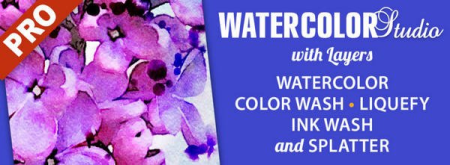
Watercolor Studio creates fluid, liquidy, translucent watercolors with paint that flows naturally.​

Built on-top of an incredible rendering system that uses real-world techniques, this application does the initial work, producing a watercolor instantly, then allows you to customize your paintings using an array of Sliders, Layers, Brushes, Color Washes and Artistic finishes. The end result-print quality watercolors filled with transparent luminosity and sheer beauty.

Watercolor Studio uses artificial intelligence and image recognition to render the initial watercolor then gives you the ability to create infinite variations quickly and easily. Change paintings into an ink wash, add a beautiful artistic finish, brush in details, and even spatter it with liquid spots. Control everything from details-to-shades-to-negative space-to-coloring. No artistic skill needed!

The beauty of a well executed watercolor comes from the transparency of paint on paper. It also comes from the watercolors unique free flowing characteristics. Watercolor Studio makes it easy to do just this with a one-of-a kind Liquid slider. As you move it, watch as color bleeds throughout the painting for an ultra wet style. Or use the Wet Edge slider to define edges with built-up pigment and color that bleeds inward naturally.

Use it as a standard application or blend it into your workflow with our included plugin for: Photoshop, Elements, Lightroom, PaintShop Pro and Affinity Photo

Paint Styles, also known as Paint Layers allows you to create beautiful and unique watercolors by stacking watercolor layers, blending color washes and texture, and brushing in details. No artistic skill needed! Every photo placed in Watercolor Studio is automatically transformed into a watercolor with full control over settings. While it's great to have complete control over what the paint does on the paper, some of the most beautiful effects occur in the expent process. So have fun and try not to be too careful. You will be amazed at some of the paintings you will get.

Watercolor features a series of wetness sliders: Wet Edge, Liquid and Edge Bleed all designed to give the painting a natural look. Choose between Landscape settings for a wet free flowing painting, or Portrait for a painting with controlled color and detail.

Ink Wash creates a limited palette using the power of shades then allows users to build up color, and movement, using a library of washes.

Color Wash applies semi-transparent handmade washes and stains to paintings. Use one or stack up several for a customized blend of color and texture.

Liquefy is a transparent layer, you brush on, to blend and bleed areas in the watercolor. Move it around, turn it on or off, or delete it to start over-it's easy to use and very forgiving.

Splatter applies water spots to the watercolor. Choose between multi-color, single or no color. Options bleed the edges of spots and a placement box lets you move splatter around and resize them.

Outline defines edges throughout the image. Choose between round fluid watercolor strokes or sharp inky ones.

Canvas is the base of your painting. Use this layer to change the canvas style. Choose between cold press, hot press or rough paper texture.

Artificial Intelligence and Image Recognition

A powerful wetness algorithm with full control. Decide how wet the edges become or how much the color spreads.

Smart layers with options to reorder, duplicate and delete. This powerful feature allows you to stack and blend watercolor layers, washes and spatter for one-of-a-kind artwork.

Landscape settings for an ultra wet watercolor

Portrait settings for controlled color and detail

Smart Brushes to remove areas or add them back in

Mask option to invert, clear or fill brushed areas

Detail and Shade controls

70 Artistic Finishes adjusts the color scheme to warm or cool bias, and modifies the intensity of color creating unity and altered moods that blends seamlessly.

Smart links to globally unify artstic finishes across all layers

Ink and Color washes that stack and blend

Adjustable water Splatter for texture

Granulating Texture slider to pool pigment naturally throughout the watercolor

Canvas Layer with Cold Press, Hot Press and Rough paper texture

Presets for saving custom paint palettes and to keep layers and settings intact for future


DOWNLOAD
uploadgig
Код:
https://uploadgig.com/file/download/4d60bCe6cf283eb8/kJ7JlhYk__Watercolor.rar

rapidgator
Код:
https://rapidgator.net/file/96f2ca400dfc3becdeb2d1a3e18ee6e0/kJ7JlhYk__Watercolor.rar

nitroflare
Код:
http://nitroflare.com/view/FAD6CC95D59F9CE/kJ7JlhYk__Watercolor.rar
 
Microsoft Visual C++ 2015-2019 Redistributable 14.27.28914.0

437a00b0-4f42-465b-b378-6c87a2ef6037.png

File Size : 28.1 Mb

Microsoft Visual C++ Redistributable Package contains the run- components of Visual C++ Libraries needed for running applications on a PC without Visual C++ installed.​

Most people will have this installed at some point being that it is pretty common in many applications and games explaining why it eventually shows up in most people's programs or apps. In other words, if you don't have a program that needs it, then there is no reason to this.

Microsoft Visual C++ Redistributable Package comes as a self-installing executable. the 32-Bit or 64-Bit version, double click and follow the prompts.


DOWNLOAD
uploadgig
Код:
https://uploadgig.com/file/download/130737a6d1F7c671/IQIvyNY0__Microsoft_.rar

rapidgator
Код:
https://rapidgator.net/file/3a16bb25820b650e9ff4169f1a25ae4f/IQIvyNY0__Microsoft_.rar

nitroflare
Код:
http://nitroflare.com/view/27EC0883C88152A/IQIvyNY0__Microsoft_.rar
 
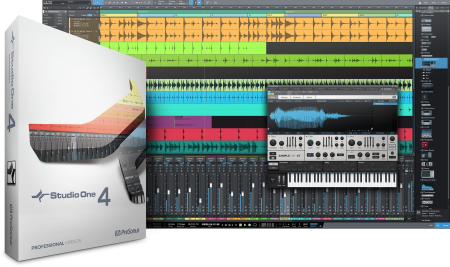
PreSonus Studio One Pro 4.6.2.58729 Multilingual

56e19c28-fe5c-4043-b1ea-96d47310199e.png

Windows x64 | File Size: 198.91 MB

Studio One 4 was designed with ease of use at its core.​

It seamlessly combines the -tested and proven recording studio model with today's beat- and loop-oriented production process so you can bring musical ideas to sonic reality more quickly than ever before.An efficient, single-screen interface houses an unlimited number of tracks, intuitive editing tools, and advanced virtual instruments. Spend your precious creating music instead of wondering what to click next. Studio One doesn't dictate how you work or what you work on.

Studio One is your creative companion from start to finish. The Start page provides what you need to kickstart your creative process-open projects, set parameters, and check for updates and tips. From there, the Song page is all about recording, arrag, editing, and mixing your music with a complete set of virtual instruments, effects, and groundbreaking arrangement tools. Then, assemble and master your music in the Project page. Even better, the Project and Song pages are linked so if you need just that one little change in your master or stems, switch to the Song page, tweak, and mix back automatically to the Project. No other program accomplishes such an effortless transition as you move from the initial creative inspiration to the finished, mastered production.

Forget laborious transposition, cutting, pasting, and moving when arrag. With Scratch Pads to test out arrangements, an Arranger track that makes moving sections of songs around as easy as moving parts, and the groundbreaking Harmonic Editing-the most flexible chord track implementation ever-no other program can approach the ease of arrag and songwriting that Studio One 4 delivers.

Far more than just a simple chord track for note data, Studio One 4's Chord Track is a songwriter's dream come true. Create and change chord progressions, try out chord substitutions, substitute rich chords for simple ones, even have older parts follow a new, better chord structure you came up with thanks to the inspiration Harmonic Editing can provide. This breakthrough, which works with instruments and even audio tracks, underscores Studio One's commitment to streamline the songwriting and music creation process.

When you come up with an inspired chord progression, you needn't put your creativity on hold while you figure out what you played in order to add new parts. Built-in chord detection extracts chords from audio or instrument tracks-simply drag a part to the Chord Track to create a reference for Harmonic Editing.

When you're stuck in a rut, let Studio One Professional be your creative partner. Use the ingenious Chord Selector to expent easily with new chord patterns and ideas. Let Harmonic Editing spark new ideas. Change chords in real from an external MIDI controller to try out chord progressions on the fly. Transfer chord data from an audio or instrument track to the Chord Track, or from the Chord Track to other tracks.

With just a few clicks and Notion 6.4 or higher, Harmonic Editing makes it easy to create great-looking, printable lead sheets.

Studio One works with all the standard MIDI gear you know and love, from controllers to tone modules. But once MIDI data arrives into Studio One, it's converted to a high-resolution, 32-bit internal format. That means no zipper noise on instruments, smoother controller changes and pitch bends, more detailed automation, and other benefits when working in the Studio One environment. And if you need to drive external MIDI gear, you're covered there too-Studio One translates its high-resolution format back into standard MIDI data if it needs to return to the outside world.

With its rich roster of native plug-ins, Studio One has earned its reputation as a complete production package-and now our latest generation of virtual instruments, based on input from the Studio One community (thank you), deliver even more. Impact has been remade into Impact XT, a comprehensive beat and rhythm production environment. Sample One XT samples, slices, and dices to create great beats and realistic instrument sounds. These new instruments don't feel like separate plug-ins but like integrated-and integral-parts of music creation.

Fully backward compatible with Impact, the XT version adds more than 20 new, highly requested features and improvements. You can even create complete arrangements in a single instance of Impact XT by launching loops that sync to your Song with real- stretching, beat quantization, and synched start/stop.

Sample One XT has expanded from sample playback into a sampling powerhouse. Sample, auto-slice, stretch, process, trigger, and deconstruct audio (sampled from inputs or imported from a track) for breathtaking freedom in constructing powerful new performances and beats.

Studio One 4 isn't just about including a world-class drum instrument but also integrating it with an innovative, streamlined Drum Editor to edit drum parts as fast as you can think. Along with hundreds of preconfigured pitch name and mapping scripts available for free from PreSonus Exchange, the new Drum Editor is like an accelerator for drum editing.

The step sequencer has served us well for over half a century; now it's for Studio One's new Patterns to step into the future. Tight integration with instrument parts, automation, and Impact XT means that Patterns reinvent step sequencing as a seamless, fast, fun part of making music.

Patterns transform step sequencing from mechanical repetition into a truly expressive addition to modern sequencing. Yes, Patterns are about drums. but also melodies, integration with any instrument, step-based automation, variable sequence lengths (polyrhythms, anyone?), unlimited variations, and more.

Impact XT's integration with Patterns will change how you think about drum programming because the combination makes beat creation fast, fun, and effortless. There's no need for a separate plug-in or track type to do pattern-based sequencing because Patterns work side-by-side with conventional Instrument parts on the same track. You can choose, rename, copy, and reorder an unlimited number of Pattern variations from within the Arrangement-you don't even need to open the Pattern Editor. And, there's a new library of inspirational drum Patterns and Variations Patterns in the Musicloops format for easy, drag-and-drop saving and export.

Studio One Professional is the only program that links songs and stems with finished, mixed Projects. Transfer mixes or mixed stems to the Project page for mastering-but if you hear anything you need to change, simply jump back into the Song, make your tweaks, and then mix the revised version back automatically into the Project page to continue mastering. Whether for Red Book-compatible CD burning, digital publishing for streaming, creating DJ sets and playlists, or professional-level DDP import/export for duplicators, the Song page/Project page partnership makes it easy to obtain consistent levels and tonal balance with collections of songs.

Sweeten your project and prepare it for p -Studio One 4's professional mastering features include sophisticated equalization, limiting, industry-standard metering, spectrum analysis, and analytic plug-ins to help add the all-important final touches to your music. Apply processing to individual tracks, or the entire collection, to take your mixes to the next level.

Prepare your tracks for streaming with data compressed, standard, or lossless files. AAF (Advanced Authoring Format) provides song/session exchange for those who haven't switched to Studio One (yet). Open all video and audio formats your operating system supports. Enjoy better video performance with 64-bit video ees for macOS and Windows. Create disk images. Burn Red Book CDs. Import DDP files for editing, such as fixing ID tags or ISRC code errors, then export the corrected DDP file. Whether your music's final destination is online streaming or physical media, Studio One Professional has you covered.

Deep support for the new Audio Random Access 2.0 spec opens Studio One 4's groundbreaking Harmonic Editing to other plug-in and virtual instrument developers (expect a free Melodyne update with Chord Track support later this year), and allows simultaneous editing of multiple tracks.


DOWNLOAD
uploadgig
Код:
https://uploadgig.com/file/download/124dfBd0cf79422c/jyFLkSk0__Studio.One.rar

rapidgator
Код:
https://rapidgator.net/file/43726122940a2b371f7cd57beefdbb44/jyFLkSk0__Studio.One.rar

nitroflare
Код:
http://nitroflare.com/view/CCD15E977EB8938/jyFLkSk0__Studio.One.rar
 
Privacy Reviver 3.9.6 Multilingual

c293a670-65e2-46b5-8d72-987be162c392.png

Languages: Multilingual | File Size: 15 MB

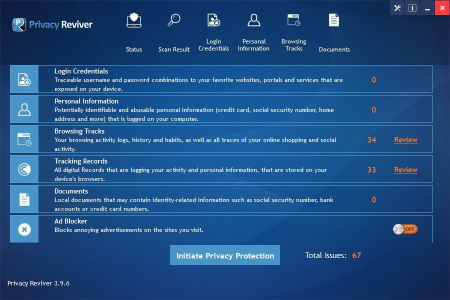
Privacy Reviver will scan your PC and identify any personal information or activities that are at the risk of being exposed to hackers and scammers.​

Privacy Reviver can safely remove all these traces and keep your information private and secured in minutes.

- Protect yourself from Internet fraud

- Erase traces of your online activities

- Safeguard your personal information

Privacy Reviver will scan your computer for potential privacy issues and help fix them before they cause any harm. It protects against identity theft by revealing sensitive information like phone numbers, emails, physical addresses and credit card details stored on your computer. You can remove them in a few easy clicks and stay protected against hackers, scammers and fraudsters.

Count on Privacy Reviver to perform a deep scan of your Internet browsers and protect your browsing experience. It will remove undesirable browser cookies, let you selectively delete website history and remove stored usernames and passwords. You can cover your tracks easily and protect yourself from aggressive advertisers as well as malicious hackers.

You can set Privacy Reviver to run at startup or at a convenient date and , ensuring you have ly protection when you need it. Choose the different areas of your PC that you need scanned and secured at any given . You can setup the perfect privacy protection plan for Privacy Reviver and let it protect your digital footprint on the Internet.
- 300MHz or higher processor

- 256 MB of RAM

- 20 MB of hard disk space.


DOWNLOAD
uploadgig
Код:
https://uploadgig.com/file/download/167A03c19ba8784d/adLaWfQf_.Privacy.Re.rar

rapidgator
Код:
https://rapidgator.net/file/a9d08a827dccb6372ed1a833f0c3dc5d/adLaWfQf_.Privacy.Re.rar

nitroflare
Код:
http://nitroflare.com/view/AE8B25BF7B9D750/adLaWfQf_.Privacy.Re.rar
 
Tipard HD Video Converter 9.2.22 Multilingual Portable

9852ebcd-54e5-4faa-b18e-b9abfd8bb611.png

File size: 40.2 MB

Tipard HD Video Converter can convert 4K video, 1080p HD video, which recorded from 4K or AVCHD camcorders, such as TS, MTS, M2TS, MXF, AVI, WMV, MOV and even more.​

The converted video files are compatible with media players and portable devices. It becomes a simple thing to enjoy HD videos on iPad, iPhone, iPod, HTC One, Samsung Galaxy series, Android devices and others.
It also supports importing SD video. Convert 4K UHD video to 1080p HD video with amazing converting speed

Convert 4K and 1080p HD video to MP4, AVI, FLV, MKV, WMV, WebM and more

Extract audio from HD and SD video files

Edit video file by trimming, cropping, adding watermark, meg etc

Why choose Tipard HD Video Converter?

Tipard HD Video Converter is very professional , which helps you convert HD video with perfect quality at high speed. With this converter, you can watch high definition movies in 720p and 1080p resolutions for you.

Convert 4K and any HD video to MP4, MOV, AVI and more

HD videos, recorded with camcorders, cannot be supported by most editing software and media players. So here Tipard HD Converter provides the best solution for this problem. This 1080p HD converter is able to convert 4K and 1080p HD video files to HD MOV, HD AVI, HD WMV, HD MP4. and SD video like MOV, AVI, WMV and MP4 etc. The export video format is supported by iPad, iPhone, iPod, Samsung Galaxy series, HTC One, Android devices, Windows devices and even more. The HD video file is converted with zero quality loss in video image and audio. Watch HD videos easily anywhere and any.

Edit video to get better effect

The High Definition Video Converter is featured with editing tools. You are able to modify the video effect, adjust the brightness, saturation, contrast, hue and volume. Clip the video with trimming feature to get some video part or remove unwanted one. You can also crop the video or change aspect ratio of the video to generate suitable screen size for players or remove marks or black bars. Add watermark with text and pictures to make marks on the video. Check all the clips and click "Merge" to convert several clips into one file. The Deinterlacing function in the Effect interface can eliminate jaggedness from interlacing videos.

Adjust video and audio parameters

Different types of devices are compatible with different settings parameters of video and audio. Therefore, you may adjust the output video and audio settings parameters so as to get a video for your players with frame rate, resolution or bitrate etc. As thus, the video can be played smoothly and gets better image quality. It is available to change parameters including Audio encoder, video encoder, aspect ratio, sample rate, channels and audio bitrate, too. If you set up the special parameters for the video and audio, you are allowed to save the settings parameters at a new name for the future use. It is very simple.

User-friendly Experience

This HD Video Converter is easy-to-use Converting software and a great video editor, and it does not require professional knowledge and technical operation. The fantastic software provides users simple interface and easy operation, and even bners are able to convert and edit the videos they long for effortlessly. Follow the instructions and click "Convert" button, and you can convert multiple video formats to HD video. The software really makes the digital life more convenient.


DOWNLOAD
uploadgig
Код:
https://uploadgig.com/file/download/c82AdC937eb9f1eF/8k616QxF_Tipard.HD.V.rar

rapidgator
Код:
https://rapidgator.net/file/408a131271410b72982d2517a1f9f526/8k616QxF_Tipard.HD.V.rar

nitroflare
Код:
http://nitroflare.com/view/3B69FFF8D9E0A04/8k616QxF_Tipard.HD.V.rar
 
Tipard Video Converter 9.2.30 Multilingual Portable

27bcc3e3-46e1-4b57-9d37-7463a4bb5a04.png

File size: 42.9 MB

Tipard Video Converter lets you convert videos to MP4, AVI, FLV, WMV, MPEG, MKV, MOV, MP3, etc.​

and convert YouTube videos to 4K, HD and also 3D video with fantastic conversion quality.
Convert any videos with zero quality loss

Convert any video formats and video to MP4, WMV, AVI, FLV, MP3, and more than 300 formats

Convert among tons of 4K UHD, 1080p HD videos and audios at 6x faster speed than others

Enhance video quality like remove video noise, reduce video shaking, and optimize brightness and contrast

Highly support iPhone, iPod, iPad and Android devices by this magic Video Conversion.

Convert MP4/AVI/WMV/FLV, and more to 4K HD videos for better enjoyment

The best Video Format Converter lets you convert videos among MP4, AVI, WMV, MKV, MTS, TS, MXF, MOV, M4V, FLV, WebM, F4V, VOB, etc, even HD videos at super fast speed with zero quality loss. Also it can convert audio including extracted audio from video to MP3, AAC, AC3 and so on. Besides, if you many online videos, you can also use it to convert video to MP4, video to MP3, etc for enjoying on iPhone, iPad, iPod and Android devices. This Any Video Converter adds the function of converting 4K video with 100% original video quality. Any converted video can play extremely well on iPad Pro, iPad Air, iPad Mini, iPhone 11/11 Pro/11 Pro Max, iPhone XS/XS Max, iPhone XR, iPhone X/8/8 Plus/7/7 plus/6s/6s plus/6/6 plus/5s/5/4s, iPod, Apple TV, Galaxy S4/Note/Tab, HTC One, Windows phone, PS4, more Android devices, and other multi-media players.

Customize video to add your own style, personalize video effect free

With the skilled Video Editor, anyone can easily create the personalized video. Select your preferred 3D mode for output video like Anaglyph and Split Screen mode. Rotate video direction such as 90 clockwise, 90 counterclockwise, horizontal flip and vertical flip. Enhance video quality to improve the video effect. Adjust video effect like Brightness, Contrast, Saturation, and Hue. Cropping video frame and trimming video length are available. You can even merge multiple video clips into a new single file.

Optimize the video with flexible output settings

This versatile Video File Converter software allows you to define output settings and optimize the video effect. Flexible video settings are Video Encoder, Frame Rate, Resolution, Aspect Ratio, and Video Bitrate. Adjusting audio settings like Audio Encoder, Sample Rate, Channels, and Audio Bitrate to optimize audio effect.

User-friendly experience and batch conversion

Viewing the ultra-intuitive interface, even bners have the ability to master all videos you are going to convert. Just one click Convert button, converting a video to multiple video formats in batch makes your digital life more convenient. With AMD APP and NVIDIA CUDA technology, any conversion process accelerates 6X faster speed than ever.

Updates: official site does not provide any info about changes in this version.


DOWNLOAD
uploadgig
Код:
https://uploadgig.com/file/download/C8de77Df533071d0/mMMU0kLU_Tipard.Vide.rar

rapidgator
Код:
https://rapidgator.net/file/542ae5ff7076492a3b93e228b824c82c/mMMU0kLU_Tipard.Vide.rar

nitroflare
Код:
http://nitroflare.com/view/8EEED026305874B/mMMU0kLU_Tipard.Vide.rar
 
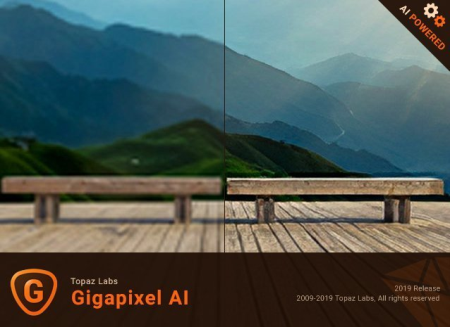
Topaz Gigapixel AI 4.9.3.1 (x64)

2deba67b-125b-4b64-9416-b1434392dcb5.png

File size: 1.1 GB

Beautiful photo enlargements using machine learning.​

Enlag your image without losing detail has always been impossible. until now. Upscale your photos by up to 600% while perfectly preserving image quality.
Enlarge Images by up to 600%

Create a beautiful 80 x 60 inch print from a simple iPhone photo. Or transform your DSLR photos into sharp and ultra-detailed 100MP images.

Use truly intelligent upscaling

After being trained with millions of sample images, Gigapixel can now enlarge your images with a surprising level of quality.

Get crisp and clear results.

Gigapixel performs around 2 million operations per pixel to get you results with as much detail and sharpness as possible.

No more fuzzy enlargements.

Breathtakingly sharp prints. High-resolution cropping in post-production. iPhone photos that look like they came out of a DSLR.

No matter why you're enlag your photos, you always want the best possible quality for your results. AI Gigapixel is currently the only photo enlargement product available that can actually add detail back to your upscaled photo.

Recover real details for actual sharpness

Increasing edge contrast is the simplest way to make an image look "sharp", and how most other upscaling software works.

Gigapixel is different: it increases the actual sharpness of your upscaled photo by recovering real detail in your image. This is only possible through training and exposure to millions of test images.

Crisp photos that look like they were never upscaled

It's hard to believe that the crisp output image above was enlarged 4x, but it was.

Gigapixel AI successfully detees which image features are stars (detail) and what's noise. Then, it naturally accentuates and recovers detail while suppressing noise in your upscaled photo.

The highest-quality image upscaling that you can get anywhere

Because of these exceptional results, Gigapixel AI is used by everyone from leading photographers, to video game modders, to major motion studios.

If you ever need to upscale your photo while preserving beautiful detail, take advantage of the most modern technology in the space and give Gigapixel AI a try.

Image enlargement: interpolation vs machine learning

Interpolation-based photo enlargement software has been around for decades. Gigapixel's new approach based on machine learning is a giant leap ahead: state-of-the-art "deep learning" methods allow it to enlarge images while actually adding new details.

Train

To teach the difference between low and high quality results, we started by gathering millions of photos of all subjects and styles.

Learn

Those photos were then used to create a sophisticated neural network that gradually learned the best way to enlarge, enhance, and create natural details.

Optimize

Our proprietary A.I. ee uses your computer's graphics card to process your images quickly.


DOWNLOAD
uploadgig
Код:
https://uploadgig.com/file/download/f17713b074bb35CF/UiHzVI60_Gigapixel4.9_.part1.rar
https://uploadgig.com/file/download/7D79d1e7013697c3/UiHzVI60_Gigapixel4.9_.part2.rar

rapidgator
Код:
https://rapidgator.net/file/7dc6f1f420a1e417f4e0687c579ae998/UiHzVI60_Gigapixel4.9_.part1.rar
https://rapidgator.net/file/6d4aa5a36f7ca19b096ee57c3843512b/UiHzVI60_Gigapixel4.9_.part2.rar

nitroflare
Код:
http://nitroflare.com/view/4E84CEAE59768F0/UiHzVI60_Gigapixel4.9_.part1.rar
http://nitroflare.com/view/8448EF2503736BC/UiHzVI60_Gigapixel4.9_.part2.rar
 
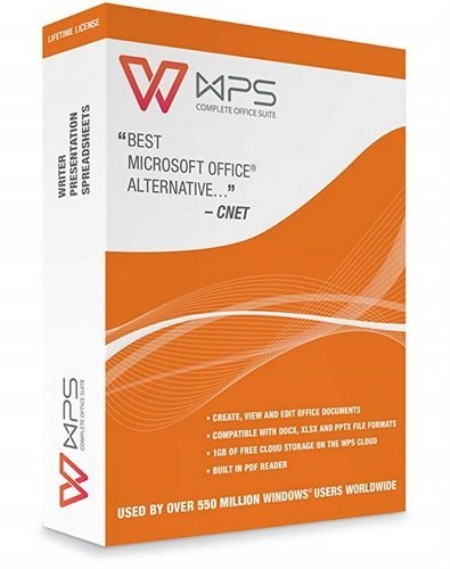
WPS Office 2019 v11.2.0.9396 Multilingual

238566d3-5db5-443d-84e0-c8ba1c1b6d2e.png

Languages: Multilingual | File Size: 151.87 MB

A visually appealing office suite, that you can use in a variety of situations, delivered as a complex yet very user-friendly application package.​

WPS Office 2019 is a comprehensive office suite that provides you with the ability to perform a wide array of tasks related to the creation, editing and display of text documents, slideshows and data tables. Your dream solution for a low-budget, no-commitment, free productivity office suite. The smallest size office suite consisting of Writer, Presentation, and Spreadsheets.

This software package offers three distinct components, namely Kingsoft Writer, Kingsoft Presentation and Kingsoft Spreadsheets, each with their own individual purpose and numerous functions.

Kingsoft Writer is a text editor that features countless options and tools. Aside from being able to change fonts, colors, alignment types, insert bullets, or special characters and symbols, you can also add tables or pictures, shapes or charts, or date and stamps. Moreover, it comes with a series of 'Recommended Templates' for letters, invoices, resumes, memos, tables, agreements and other standardized documents that you can use to ease your work.

Document, Spreadsheets, Presentation, PDF, all tabs in one window like browser.

Multiple skins to show your personality.

Now it's getting simple to make a more good-looking document. Newly-designed charts feature modern colors and graphics. You can directly adjust the effect of wordarts in preview page as professional graphics software does. Everything is for you to compile and create a better document.

Automatically synchronize document on any devices, anywhere and any. You can log in your account to activate the synchronization service. Any change on any of your devices will be applied on all your devices.

Windows XP / Windows Vista (32bit, 64bit) / Windows 7 (32bit, 64bit) / Windows 8 / Windows 10

- CPU: Pentium II 266 MHz or higher

- Memory: at least 128 MB

- Hardware: at least 200 MB available space

- CPU: Pentium III 450 MHz or higher

- Memory: 256 MB or larger

- Hardware: 250 MB available


DOWNLOAD
uploadgig
Код:
https://uploadgig.com/file/download/C54cc7FE0a3f50a8/P8pRs7Ov_.WPSO.11.2.rar

rapidgator
Код:
https://rapidgator.net/file/1f8d0d48ce02ce46e276a07ea82735fe/P8pRs7Ov_.WPSO.11.2.rar

nitroflare
Код:
http://nitroflare.com/view/DF7A50635874EB0/P8pRs7Ov_.WPSO.11.2.rar
 
[email*protected] UNERASER Ultimate 15.0.1 Boot Disk WinPE (x64)

e6fda517-32aa-4498-99cd-c53d9749ac2f.png

x64 | File Size: 381 MB

UNERASER recovers deleted files and folders on NTFS, FAT, exFAT, Linux Ext2/Ext3/Ext4/BtrFS, Apple HFS+ and Unix UFS file systems.​

It can even restore files from deleted and reformatted partitions.

-Limited to number of files being recovered (No limit)

-Recovers files from deleted/damaged/re-formatted partitions and volumes

-Supports recovery drives of types: IDE / SATA / eSATA / SCSI / SAS / SSD / USB / Camera Cards and RAIDs

-Recovers FAT, exFAT, NTFS, ReFS, Apple HFS+, Linux Ext2/Ext3/Ext4/BtrFS, Unix UFS/XFS/JFS file systems

-Recovers volumes and files created in Windows, MacOS, Linux, Unix

-Recovers Dynamic Disks (LDM), Windows Storage Spaces(WSS) and Logical Volume Managers (LVM)

-Scans and recovers partitions damaged by virus or with damaged MBR

-Displays complete physical and logical drive information

-Displays object's integrity status and assesses ability to recover files & folders

-Supports recovery of fragmented, compressed, sparse and encrypted files

-Allows to preview files visually as well as in integrated HEX viewer before recovery

-Includes advanced search by file name, mask, size range and other attributes

-Displays content of any sector on the disk with integrated Disk Editor

-Creates, works with and recovers data from raw disk images

-Contains two types of drive and device scan: Basic (Fast) and Thorough (Slow)

-Includes bootable Windows Recovery environment (WinPE-based) for recovery when machine does not boot

-Includes bootable Linux-based Recovery environment for date recovery when machine does not boot

-Virtually rebuilds damaged RAID0, RAID1, RAID5 and Span disk arrays. Damaged RAID data recovery


DOWNLOAD
uploadgig
Код:
https://uploadgig.com/file/download/14cda9d5A52dd806/gxoiW1Sc__Active.UNE.rar

rapidgator
Код:
https://rapidgator.net/file/8883c2d1f0e8084f376d5f4766554c3e/gxoiW1Sc__Active.UNE.rar

nitroflare
Код:
http://nitroflare.com/view/1A9271E61AAD8C2/gxoiW1Sc__Active.UNE.rar
 
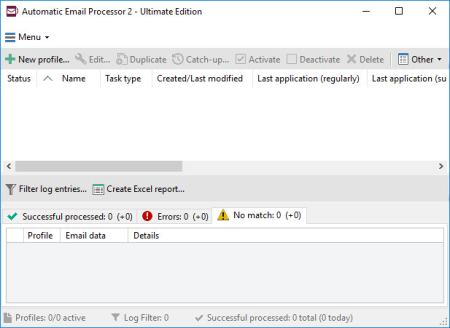
Automatic Email Processor Ultimate 2.6.5

0a2bddc0-bd6e-4c40-8258-f65aec0a5ea6.png

File size: 34 MB

Automatic Email Processor is the complete solution for Outlook to store and print incoming emails and their attachments automatically.​

For this, various filters, flexible configuration options, such as individually definable storage folders and the possibility of subsequent processing are available. For example, the path of the location where you want Automatic Email Processor to save certain emails or email attachments, can be assembled dynamically from individual properties of an email.
For storing email messages, inter alia, the output format can be specified (for example, PDF, RTF, or HTML). The Outlook message format (MSG files) is for example particularly suitable to back up e-mails. The program supports the creation of an unlimited number of rules to allow separate settings for different email accounts. Rules can be additionally applied to emails of a specific period or to any previously received emails of an Outlook folder.

Automatically store respectively archive email attachments

Save emails automatically (as PDF file or in the original format)

Automatically print emails and email attachments (PDF files, Office documents etc.)

Monitor an unlimited number of Outlook folders

Create custom rules for different tasks

Filter by subject, sender, recipient, attachment file name ...

Receive information about the processing status via email

Create storage folders dynamically from properties of an email

Perform subsequent actions such as start a program with parameters, mark the message as read, or move the email into another Outlook folder

Re-process all emails (with certain criteria) of an Outlook email folder

Archive emails from any Outlook folder and period (e.g. as MSG files)


DOWNLOAD
uploadgig
Код:
https://uploadgig.com/file/download/a5bAe36565156110/My8bcoEs_aep2.6.5_.rar

rapidgator
Код:
https://rapidgator.net/file/ab09aa0fb23df78090d36883795c10e5/My8bcoEs_aep2.6.5_.rar

nitroflare
Код:
http://nitroflare.com/view/9509A001EF1A326/My8bcoEs_aep2.6.5_.rar
 
GFXplorer 3.12.0.1480

4b4fd4f1-e96e-487d-b965-db96baeb0e35.png

File Size : 1 Mb

GFXplorer is a software designed to allow its user to find, or just to have at hand, all the most important technical information, both hardware and software, of a PC.​

Thanks to the tabs based user interface and the various categories available, all the information are easy and fast to read, and if reading is not enough: you can export all the information in a common plain text file (TXT) or Rich Text file (RTF) to be viewed anywhere and by anyone without being in front of the interested PC; whenever the need arises, receiving technical support or help on a forum or via email is a lot easier with detailed information of your system!

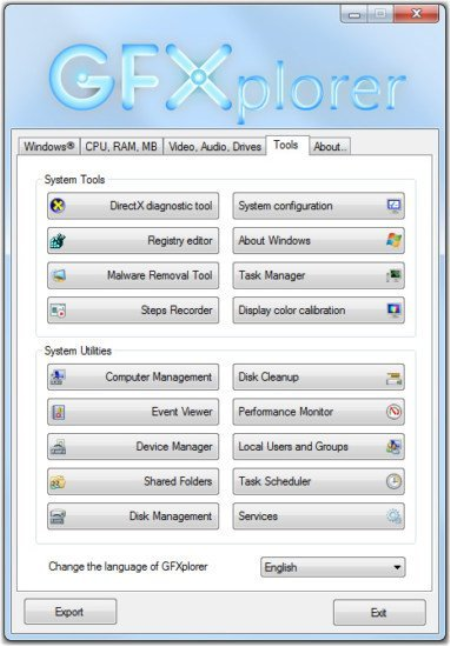
In addition, the Tools tab provides direct access to a wide range of Windows utilities, useful should you need to do a quick maintenance.

Information about Microsoft Windows:

Name, version, architecture, major update or service pack installed;

DirectX and .Net Framework versions;

Usable\visible and free RAM, virtual memory and system folders.

Information about the Central Processing Unit (CPU):

Manufacturer and digital signature;

Processor model;

Technical data about the Architecture, Family, Model and Stepping;

Current and base operative clock frequency;

Socket type, Cache memory and number of cores (physical \ logical).

Information about the system memory (RAM):

Size, speed and type of each bank of RAM installed;

Total installed RAM.

Information about the Motherboard (MB):

Motherboard model and manufacturer;

BIOS model, version and release date.

Information about video and audio:

GPU (Video card) model\s and VRAM;

Monitor\s screen resolution;

Audio adapter\s.

Information about drives and storage:

Partition\s list and label\s;

File System (per partition);

Available and total space (per partition);

Storage device\s list and id;

Connection interface (per storage device);

Firmware version (per storage device);

Number of partitions (per storage device);

Total storage capacity (per storage device);

Technical data about Sectors, Tracks and Cylinders (per storage device).

Quick access to system tools and utilities:

System tools:

DirectX diagnostic tool;

System configuration;

Registry editor;

About Windows;

Malware removal tool;

Task manager;

Steps recorder;

Display color calibration.

System utilities:

Computer management;

Disk cleanup;

Event Viewer;

Performance monitor;

Device manager;

Local users and groups;

Shared folders;

Task scheduler;

Disk management;

Services.


DOWNLOAD
uploadgig
Код:
https://uploadgig.com/file/download/984e3ee90c00bf54/vDvj7wIR_gfxp312_set.rar

rapidgator
Код:
https://rapidgator.net/file/2e990108359c00b3a730bdb013b3e710/vDvj7wIR_gfxp312_set.rar

nitroflare
Код:
http://nitroflare.com/view/6EC77C9BC291A1E/vDvj7wIR_gfxp312_set.rar
 
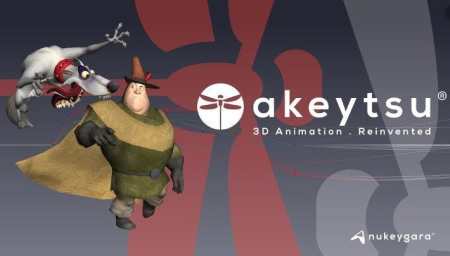
Nukeygara Akeytsu 20.1.4 (x64)

1625a984-1593-4d89-b3c0-6214e4220086.png

File size: 151 MB

3D animation.​

Reinvented. Disruptive & Intuitive. Akeytsu disrupts the status-quo with its simplicity, velocity and ergonomics. With its focus on the artist's needs, Akeytsu does away with the dated and complex technical constraints of the traditional 3D animation toolset. Designed by animators, it offers a brand new approach to skinning, rigging and animation. Built from meticulous feedback and testing, the UI design and intuitive and accessible features meet every artist's expectations.
Fast & Easy

Akeytsu simplifies the rigging workflow by doing away with traditional control rigs and manipulators and instead lets the artist handle directly the mesh and skeleton. The Akeytsu 3D animation toolset is designed for both the aspiring artist and the professional animator to produce large volumes of high quality animation quickly and easily. Dedicated solely to rigging and animation, Akeytsu has one of the fastest learning curves of any software in the 3D industry. It provides flexible and intuitive functionalities that are easy to use, without making compromises on the quality of the content that can be produced.

Innovative & Comfortable

Create a pose in a quick with the Akeytsu Spinner, a smart 2D manipulator. Manage keyframing with the Akeytsu Stacker, the most efficient keyframe editor in its class. Edit the F-Curve in the 3D viewport and manipulate the IK solvers through the FK skeleton. Akeytsu optimizes your creative control and allows you to switch seamlessly between rigging and animation.

Efficient & Stable

Akeytsu has been perfected over an extensive twelve beta version history and is already widely used by indie game developers and animators before it's much anticipated release. During this long, deliberate period of unlimited free beta access, Akeytsu has amassed a ton of user feedback from a variety of sources. This information has been used to develop, not only a very stable software, but one with proven gains of productivity within different game workflows. Production ready, reliable and stable Akeytsu is perfect for any creator of animation.


DOWNLOAD
uploadgig
Код:
https://uploadgig.com/file/download/4D8f205078a5a5c4/wgK8O2FM_Akeytsu20.1.rar

rapidgator
Код:
https://rapidgator.net/file/127f032f2ee97f9f25c0943d1b1911d1/wgK8O2FM_Akeytsu20.1.rar

nitroflare
Код:
http://nitroflare.com/view/45E6159412899B2/wgK8O2FM_Akeytsu20.1.rar
 
SmartEdit Writer 8.0

ebe39ca0-cc10-484a-b2c4-9136b0d11fe6.png

File size: 40.8 MB

SmartEdit Writer - free software to plan your novel, prepare and maintain research material, write your novel scene by scene and edit chapter by chapter in a modern Windows application that has a similar look and feel to Microsoft Word.​

Planning & Research

Store images & links to websites - all in a handy Research section that sits right next to you as you write. Create character profiles, outlines & notes as you work.

Write Scene by Scene

No more 100,000 word Microsoft documents. Write your novel one scene or chapter at a . Drag and drop scenes inside your Document until it's just the way you want it.

Edit, Polish, Improve

Identify word and phrase over-use, monitor adverbs, crutch words & clichés, improve sentence structure & punctuation - all using SmartEdit's Editor Toolbar.


DOWNLOAD
uploadgig
Код:
https://uploadgig.com/file/download/fcf905d74176a2bc/YDONcuy1_SmartEditWriter_8..rar

rapidgator
Код:
https://rapidgator.net/file/b532f1583ee0afdbab416a3992fb8bc4/YDONcuy1_SmartEditWriter_8..rar

nitroflare
Код:
http://nitroflare.com/view/DFD962C72754ABF/YDONcuy1_SmartEditWriter_8..rar
 
CutePDF Writer 4.0.0.3

c9938bb2-0f15-48da-88ab-1bc3b14ed864.png

File Size : 5 Mb

CutePDF Writer - a program for creating PDF-files.​

The utility is installed in the system as a virtual printer, so it is possible to create PDF-files in any application where there is a print function. In the printer settings you can specify the paper size, number of copies, print quality, scale, etc. It should be noted the high performance programs and quality of generated PDF-documents. The program's interface is multilingual.
CutePDF Writer (formerly CutePDF Printer) is the free version of commercial PDF creation software. CutePDF Writer is a free PDF creator. as a "printer subsystem". This enables virtually any Windows applications (must be able to print) to create professional quality PDF documents - with just a push of a button!


DOWNLOAD
uploadgig
Код:
https://uploadgig.com/file/download/e2c32801c57aF1ce/LSmgX00t_CuteWriter_.rar

rapidgator
Код:
https://rapidgator.net/file/c95914c7d3c5d6f51d9b05faf8308a40/LSmgX00t_CuteWriter_.rar

nitroflare
Код:
http://nitroflare.com/view/C546332A8D96A02/LSmgX00t_CuteWriter_.rar
 
Coolutils Total Mail Converter Pro 6.1.0.129 Multilingual

8287e898-ae09-47e5-8d7f-606dcacf68fc.png

File size: 195 MB

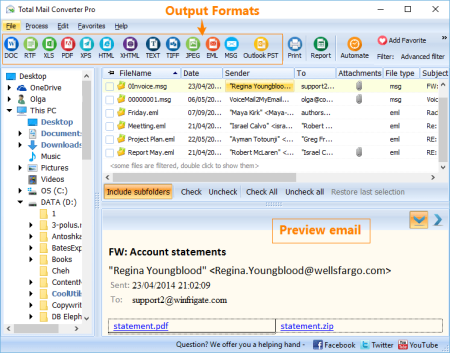
Total Mail Converter Pro converts MSG and EML to PDF, DOC, TXT, HTML, HTMLX, TIFF, RTF documents and images (TIFF, JPEG).​

While other email converters only extract and save attached files in their original formats, the Pro version is unique - it converts attachments as well. For example, if you have an email with a doc attachment, Total Mail Converter Pro can convert both the message and the attachment to PDF as part of a single operation.

Attachments saved in DOC, TXT, RTF, PDF, HTML, XLS, and OpenOffice formats can be converted to DOC, RTF, TXT, HTML, HTMLX, JPEG, TIFF, or PDF.
Attachments can be inserted as clickable links into converted emails.

With multi-page formats, you can combine several emails into one PDF, DOC or TIFF file.

Rename output files using macros (name, date, sender, subject, etc.). Attachments can be given descriptive names as well.

Find out how lawyers save hours with Total Mail Converter Pro.

Control document appearance by fine-tuning your output files' display options; change the fonts, colors, styles and more. Alternately, you can choose to include any external CSS scheme.

Emails to PDF, DOC, TXT, HTML, HTMLX, TIFF, RTF, TIFF, JPEG.

Input files: MSG, MIM, EML, EMLX.

Offers 5 ways to process attachments

Batch conversion mode - copes with thousands of emails for eDiscovery or any Freedom Of Information requests

Can sign target PDF files or set user permissions

Can combine several emails into one multi-page PDF or TIFF file

Add sender, subject or date to the file name

Adds pagination, dates, any text

Stamps bates

Perfect mail to PDF solution for lawyers

Simple interface

Command line support

ActiveX and Server version


DOWNLOAD
uploadgig
Код:
https://uploadgig.com/file/download/b21fFaec0aA30879/ctG7Z4OB_.Coolutils_.rar

rapidgator
Код:
https://rapidgator.net/file/9f98a3f9ca957ed35ffd14b95bf0ea90/ctG7Z4OB_.Coolutils_.rar

nitroflare
Код:
http://nitroflare.com/view/05CB1F00231CE03/ctG7Z4OB_.Coolutils_.rar
 
Dropbox 99.3.490

b832f91b-4769-466c-acbe-b848f276cce5.png

File Size: 120.3 MB

Dropbox is a free service that lets you bring all your videos, photos and docs anywhere and share them easily.​

This means that any file you save to your Dropbox will automatically save to all your computers, phones and even the Dropbox website. The program also makes it super easy to share with others, whether you're a student or professional, parent or grandparent. Even if you accidentally spill a latte on your laptop, have no fear! You can relax knowing that Dropbox always has you covered, and none of your stuff will ever be lost. The application works just like any other folder on your computer, but with a few differences. Any files or folders inside Dropbox will get synchronized to Dropbox's servers and any other computer linked to your account.

Synchronization:

Once installed, any file you drop into your Dropbox folder will synchronize and be available on any other computer you've installed Dropbox on, as well as from the web. Also, any changes you make to files in your Dropbox will sync to your other computers, instantly.

Backup:

Let's say you accidentally delete that 8 page report that you were supposed to have for a meeting tomorrow. A handy Dropbox feature is the ability to undelete files or pull up any previous versions of it.

Sharing:

You can also share files and folders with whomever you choose, whether it be music with buddies, docs with colleagues or photos with grandma, even if they're not Dropbox users.

Speed:

We obsess over speed, and it shows. Dropbox is very smart about the way it handles files. For example, if you make a change to a huge file, dropbox will only update the piece of the file that changed.

Security:

All files are transported over SSL and encrypted using AES-256 (banks use this too)


DOWNLOAD
uploadgig
Код:
https://uploadgig.com/file/download/54fA9320fb704a1c/O60tsIi3_Dropbox_99.3.490_Offline_Installer..rar

rapidgator
Код:
https://rapidgator.net/file/09152561173871811994f8914eb78082/O60tsIi3_Dropbox_99.3.490_Offline_Installer..rar

nitroflare
Код:
http://nitroflare.com/view/5AA5C9C94AB6A1E/O60tsIi3_Dropbox_99.3.490_Offline_Installer..rar
 
Duplicate & Same Files Searcher 6.0.0

9057765e-9eb9-4aaa-b43b-7a316376cb86.png

File Size : 1.2 Mb

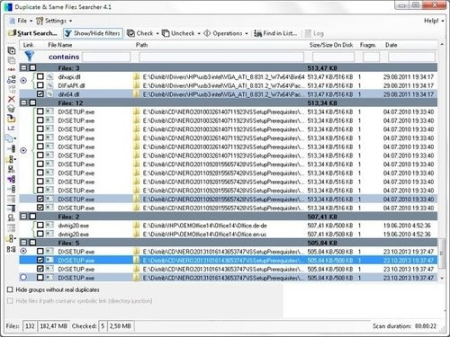
Duplicate & Same Files Searcher (Duplicate Searcher) is an application for searching duplicate files (clones) and NTFS hard links to the same file.​

It searches duplicate file contents regardless of file name (true byte-to-byte comparison is used). This application allows not only to delete duplicate files or to move them to another location, but to replace duplicates with NTFS hard links as well (unique!).
This application was developed because I haven't find any similar application which allows to operate NTFS-links.

Fast search ee (byte-to-byte comparison and hard link detection algorithm are used).

Detailed visualisation of duplicate files, NTFS hard links, junction points and symbolic links (unique!).

Shows fragmentation of files (unique!).

Shows compressed NTFS files in color.

Manual and filtered selection files to delete, move or replace with NTFS hard links.

Allows to move and delete files.

Allows to replace files with NTFS hard links (unique!).

Allows to compress files on NTFS volumes.

Allows selecting disks and folders to scan.

Supports long paths (path longer than 260 characters).

Allows to save/load results.

Supports alternate NTFS-streams.

Support for checking NTFS-permissions compatibility for the files being replaced by hard links.

Supports ignoring differences in MP3-files metadata (ID3-tags) and comparing the music MP3-content only (expental).


DOWNLOAD
uploadgig
Код:
https://uploadgig.com/file/download/6057eC87d4a3A4F9/GY610dwY_Dup_Same_Fi.rar

rapidgator
Код:
https://rapidgator.net/file/7ceda0a95f73dad83265ef5b46c6919a/GY610dwY_Dup_Same_Fi.rar

nitroflare
Код:
http://nitroflare.com/view/103EB452C4599A3/GY610dwY_Dup_Same_Fi.rar
 
Eraser 6.2.0.2987

ceea175c-dbd9-4282-8dfd-1896959e291d.png

File Size : 5.6 Mb

Eraser is an advanced security tool for Windows which allows you to completely remove sensitive data from your hard drive by overwriting it several s with carefully selected patterns.​

Eraser is currently supported under Windows XP (with Service Pack 3), Windows Server 2003 (with Service Pack 2), Windows Vista, Windows Server 2008, Windows 7, 8, 10 and Windows Server 2012, 2016.

Erases residue from deleted files

Erases MFT and MFT-resident files (for NTFS volumes) and Directory Indices (for FAT)

Powerful and flexible scheduler

Updates: official site does not provide any info about changes in this version


DOWNLOAD
uploadgig
Код:
https://uploadgig.com/file/download/b2E1a51cd4D63D06/3Lzp6d8r_Eraser_6.2.rar

rapidgator
Код:
https://rapidgator.net/file/2be339843c1d1431e3dd0e4d01bd6b4e/3Lzp6d8r_Eraser_6.2.rar

nitroflare
Код:
http://nitroflare.com/view/61BA8FCEBA707C5/3Lzp6d8r_Eraser_6.2.rar
 
Назад
Сверху