• Здравствуйте. Сайт заработал в архивном режиме форум www.old.nado.in

Anthony's Software !!!

MyPCfree 1.5.0

7a375cf2-1923-44c5-907f-890421dc5634.png

File size: 3.0 MB

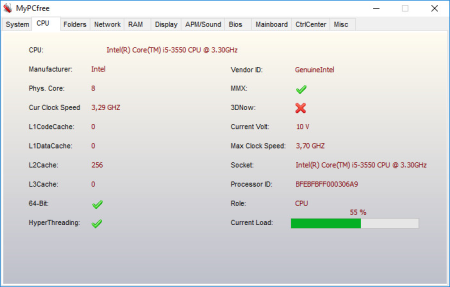
MyPCfree is a professional and reliable application designed to provide you with basic hardware information about your computer.​

You will be able to view information about your CPU, folders, memory, display, BIOS and many others. It also features a control center much similar to the Control Panel of Windows.

Advanced system infos and features compared to freeware version

NEW! Update Windows 10

OS infos like version, product id, service pack version, IE version etc.

Drive information

Open/Close cd drives by button click

Location of important system folders like Autostart, Favorites, Temporary Internet files etc.

CPU data like cores, frequency, manufacturer

Network: IP, computer name, workgroup name etc.

Open FTP directory

Display/Open IP of any domain

Memory infos

Display infos like graphic adapter, resolution, color depth etc.

APM

Mainboard infos

Bios infos

Process manager

Autostart manager

Online update

Advanced screenshot tool

More hardware infos like network adapter, MAC address etc.

Restore screen resolution

Check sound

Get infos about an IP

Clock with alarm

Stopwatch

Extract icons from EXE or DLL files

Show/Edit file properties

Show Windows user list

Run DOS prompt. Specify initial folder and DOS comand as parameters

Add/Remove entries to/from Autostart folders

Access system configuration like firewall, User accounts, security center, services etc.

Clipboard viewer

Clear clipboard

Cleaner deletes redundant files and clears browser history and cookies including hidden index.dat of IE.

Clear system restore (deletes all old restore points and creates a new one)

Fast file search. Open file folder from the result list, sort result list

New advanced screenshot tool

Create system restore point

Enable/Disable system restore

Restart/Shut down system

Save/Restore icon positions

Run Windows Update

With MyPC you can extract embedded icons from any EXE or DLL file. Select the file and click 'Extract icons'. The embedded icons are saved to the same folder as the source file and will be listed in the file list. You can display them by click on the filename in the viewer.

Delete temporary files

Delete temporary internet files

Delete cookies

Clear browser history

Clear Windows clipboard

Clear recyle bin

The cleaner removes redundant and absolete files and deletes internet trails left on your system.

Specify your own directories to clear. Define if all files in the specified directory should be deleted or only files with a given file extension like .tmp.Furthermore you may define if subdirectories should be included or not.

Updates: official site does not provide any info about changes in this version


DOWNLOAD
uploadgig
Код:
https://uploadgig.com/file/download/9e6617F121d274f3/MvmcN6z9_setupmypc..rar

rapidgator
Код:
https://rapidgator.net/file/447cb06b274f7958dcb9dc5864f56eca/MvmcN6z9_setupmypc..rar

nitroflare
Код:
http://nitroflare.com/view/BB4D5BB18F4EDC4/MvmcN6z9_setupmypc..rar
 
NetBalancer 10.0.2.2323 Multilingual

7d7592f0-3819-4df9-a483-ee728f9e84a5.png

File size: 8.0 MB

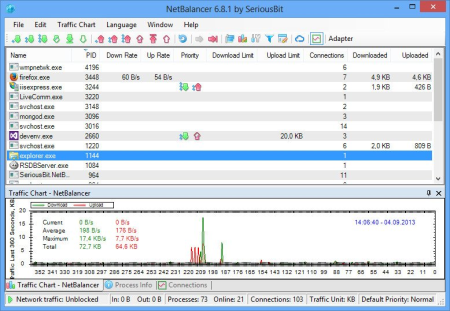
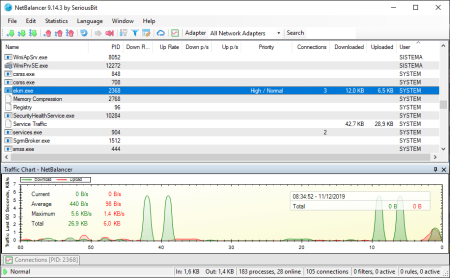
NetBalancer is a Windows application for local network traffic control and monitoring.​

Browse and do any internet activity comfortably on your PC even when your manager or torrent client s huge files from internet - just lower their network priority with NetBalancer.

Priorities and limits

Set and upload network priorities or limits for any process.

Automation support

Use various command line commands and web APIs for complete automation.

Rules and filters

Define detailed traffic rules and filters for maximum control.

Sync

Sync your computers with NetBalancer Service and control them from the web control panel.

Password secured

Protect all settings and priorities with a password to prevent unauthorised changes.

Monitor processes

Show all system processes with their and upload speeds up to connections level.

View history

Detailed and upload traffic history for any process since first NetBalancer's install.

System tray and toolbar

Show network traffic and other info in a system tray icon or taskbar toolbar.

Support for IPv6

NetBalancer has native IPv6 support for rules and filters.

Tags and bulk commands

Apply tags to your computers and control them with bulk commands like a Pro.

Various traffic charts and statistics

View detailed network traffic charts and statistics.

Everything encrypted

Everything in our system is encrypted: website traffic, sync traffic, all internal traffic, passwords and communications, all zeros and ones are encrypted and hashed with TLS and SHA2 for maximum security.


DOWNLOAD
uploadgig
Код:
https://uploadgig.com/file/download/6126F2074e8afFe4/vHjhtLCz_NetBalancer.rar

rapidgator
Код:
https://rapidgator.net/file/5fee59012ba5bed66b8bf85f7ddb471e/vHjhtLCz_NetBalancer.rar

nitroflare
Код:
http://nitroflare.com/view/16979A6696466FF/vHjhtLCz_NetBalancer.rar
 
NetBalancer 10.0.2.2324 Multilingual

7410d234-fe9f-4e0b-a8d2-fe6d9388e4bd.png

File Size: 7.4 MB

NetBalancer - Traffic Control and Monitoring Tool - Browse and do any internet activity comfortably even when your manager or torrent client s huge files from internet - just lower their network priority with NetBalancer.​

With NetBalancer you can choose specifically how much you want to limit traffic available to a process.

- Set for any process a and/or upload network priority or limit

- Manage priorities and limits for each network adapter separately

- Define detailed network traffic rules

- Group local network computers and balance their traffic synchronised

- Set global traffic limits

- Show network traffic in system tray

- and much more!

- Set and upload network priority or limit for any process

- Supported priorities: High, Normal, Low, Block, Ignore, Limit, Drop, Delay

- Automatically load priorities and limits from a network located file

- Automatically load rules from a network located file

- Define detailed network traffic rules

- Business usage

- Group local network computers and balance their traffic synchronised

- Protect all settings and priorities with a password to prevent unauthorised changes

- Show all system processes with their in and out network traffic speed + +

- Show current connections for any process + +

- Detailed and upload traffic history for any process since first NetBlancer's install

- View overall system traffic as a graph

- Show network traffic in system tray

- Fine tune priorities (see Level Severity setting)

- Native 64 bit support for best performance

- Full IPv6 support

- Set global traffic limits


DOWNLOAD
uploadgig
Код:
https://uploadgig.com/file/download/44Dd3e7183f27D05/oj1YOVN3_NetBalancer.rar

rapidgator
Код:
https://rapidgator.net/file/5c06e747b63c49decd31b061b0899bcf/oj1YOVN3_NetBalancer.rar

nitroflare
Код:
http://nitroflare.com/view/801D8A0BB76DF0B/oj1YOVN3_NetBalancer.rar
 
PTE AV Studio Pro 10.0.10 Build 7 Multilingual

177fa2a4-c297-4d9a-a0dc-b7a8041756ba.png

Windows x64 | Languages: Multilingual | File Size: 53.13 MB

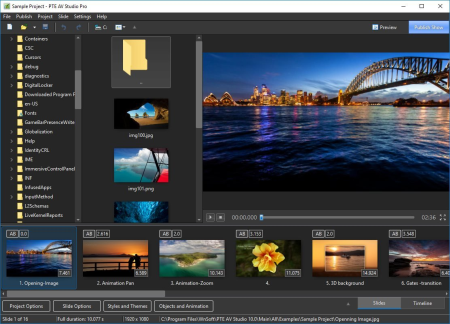
PTE AV Studio 10 - Create professional photo slideshows in PTE AV Studio.​

Add photos, video clips and music. Use Keyframe animations and Slide Styles. Edit audio clips in the line view. Output for PC, HD and 4K video, mobile devices.

PTE AV Studio 10 offers you full creative control for your projects. Use the line view for perfect synchronization of slides with audio clips on multiple tracks. Powerful keyframe animations with effects. More than 125 templates/styles of animations will help you to easily create your slideshow.

- Adjust pan, zoom, rotate, 3D transformations.

- Control opacity, blur, unsharp mask, and color effects.

Create complex parent-child animation of objects.

Mix images and video clips together on the screen.

Add and view multiple audio tracks which may be played simultaneously. Synchronize slides with audio clips on the line using points. Link audio clips with slides.

Envelope tool (keypoint control of sound volume). Edit audio clips: fade in/out, start , duration, cross-fading.

Add images, video clips, text captions, masks, interactive buttons and more.

Keyframes work like waypoints. Add first keyframe and adjust position and size of an object. Add last keyframe and adjust the final position of an object and its parameters. PTE AV Studio will animate the object between these keyframes using pan, zoom, rotate etc.

Adjust the brightness, contrast, levels, hue, saturation of an image/video. Apply a sepia effect and other color filters. Support of color profiles.

Crop images and videos, add beautiful white frame and drop shadow. Apply dynamic blur effect. Use zoom in a frame. Apply masking effect.

Support of Adobe RGB monitors in preview and executable shows.

PTE AV Studio allows you to create slideshows as executable files for PC.

The highest picture quality is possible, because PTE AV Studio uses original images from the project. Smooth playback of animations synchronized with a monitor refresh rate. Automatic or manual slide advance. Interactive objects with actions. Instant creation of executable files.

125+ customizable slide styles, themes and transition effects. Each slide style allows you to easily adjust several parameters of animation. Create new slide styles, themes and transitions and share with other users.

Add text captions with animation. Create text macros from EXIF metadata and apply to all or selected images.

Create HD and 4K video files for playback on PC, Mac and TV.

Create executable slideshows for PC. Highest quality of pictures and smooth animations. Manual advancing of slides.

Create video slideshows for tablets and smartphones. For iOS and Android.

- For Windows 10, Windows 8, Windows 7. Only 64-bit

- CPU 1.6 GHz

- 4 GB system memory

- Video card with 1 GB video memory

- Interface languages: English, Dutch, French, German, Italian, Korean, Spanish


DOWNLOAD
uploadgig
Код:
https://uploadgig.com/file/download/fb7EEc1b43065e95/9msjDBG0_.PTE.AV.Stu.rar

rapidgator
Код:
https://rapidgator.net/file/65ad79d616fa82324d8bd9f4e179b234/9msjDBG0_.PTE.AV.Stu.rar

nitroflare
Код:
http://nitroflare.com/view/6DF452C7699BA04/9msjDBG0_.PTE.AV.Stu.rar
 
SQL Backup Master Enterprise 4.7.408

c86a3878-3938-43d0-8e3b-68e834824f6c.png

File size: 12 MB

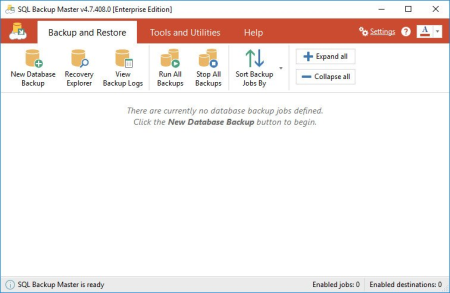
SQL Backup Master backs up your SQL Server databases to any number of popular cloud storage services such as Dropbox, OneDrive, Amazon S3, Microsoft Azure, Box, and Google Drive.​

It can also back up databases to an FTP server - or a folder on your local machine, network server, or storage device.
Free SQL Server backup software

Backing up your SQL Server databases to the cloud shouldn't be complicated or expensive. SQL Backup Master comes to the rescue by providing an easy way to upload your database backups to one or more affordable (or free) cloud storage services. It also offers rich compression, encryption, scheduling, recovery, and notification services - so that you can stop worrying and get back to business.

Full, differential, and log backup support

Supports full, differential, and transaction log backups

Backup job scheduling

Simple yet powerful backup job scheduling

Database backup notifications

Built-in email notifications for backup job successes, failures, and warnings

Back up databases to local or network folders

Back up to local folders, network folders, or attached storage devices

Back up databases to FTP servers

Back up to FTP servers with first-class FTP, SFTP, & FTPS support

Back up databases to Dropbox, Google Drive, Amazon S3, and more

Back up to Dropbox, Google Drive, Box, Amazon S3, OneDrive, & Azure

Any edition of Windows 10, 8, 7, Vista and Windows Server 2008, 2012, 2016, 2019.

SQL Server Works with SQL Server 2019, 2017, 2016, 2014, 2012, 2008, and 2005.


DOWNLOAD
uploadgig
Код:
https://uploadgig.com/file/download/5bf9496827531641/aa2xRinm_SQLBackupMa.rar

rapidgator
Код:
https://rapidgator.net/file/83e01dede757f1e2011d978f76e30967/aa2xRinm_SQLBackupMa.rar

nitroflare
Код:
http://nitroflare.com/view/FF4FA32CA708B0B/aa2xRinm_SQLBackupMa.rar
 
Scanahand 7.0.0.303

c5cb02ca-c81a-43c0-b092-c735929059b1.png

File Size: 21.2 MB

Add a personal touch to your computer.​

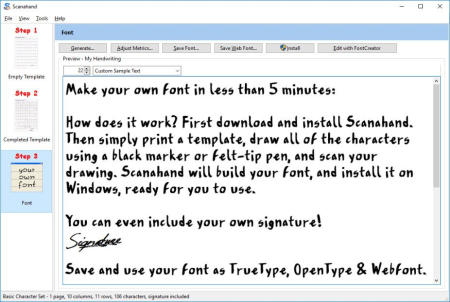
It's never been easier to make your own fonts. Scanahand creates fonts that you can use like any other font, so use them in Microsoft Word, Excel, PowerPoint, Adobe Illustrator, InDesign, etc. You can even use your fonts on Macintosh computers, and since Scanahand allows you to save your fonts as Web Fonts, you can even use them in your websites!
How does it work? Simply print a template, draw all of the characters using a black marker or felt-tip pen, and scan your drawing. Scanahand will build your font, and install it on Windows, ready for you to use. You don't need to use additional graphics software, but Power Users and Hobbyists alike can use Scanahand along with their favorite graphic drawing software to create or modify each character of their font. So even without a printer and scanner you'll be able to create custom fonts.

Scan Your Template

Scan your template directly from within Scanahand, or select pre-scanned images on your harddisk.

Generate Your Font

Generating the font takes only a few minutes depending on the selected template and your computer speed.

Test The Font

After the font is generated you can preview and test your font. If you are satisfied with the results you can directly install the font from within Scanahand

Template Editor

The premium edition includes a template editor that lets you define your own templates so you can decide which characters will be included in your fonts.

Fix Spacing

The Adjust Metrics feature allows you to find the best optical space before and after each Latin based character.

Personalize

Some specific data can be stored inside your fonts; for example a copyright notice and the name of the font designer, but also the font embedding rights.
Premium, Standard


DOWNLOAD
uploadgig
Код:
https://uploadgig.com/file/download/9e364c5734886000/sdapC0q9_Scanahand.7.rar

rapidgator
Код:
https://rapidgator.net/file/62c0146e9a01392e5b20e82cfad2f84b/sdapC0q9_Scanahand.7.rar

nitroflare
Код:
http://nitroflare.com/view/564F75872A4C934/sdapC0q9_Scanahand.7.rar
 
Virtual Forensic Computing v5.1.1.4576

adbfd3b7-27a5-475a-b3b0-3e95b12a889b.png

x86,x64 | File Size: 140 MB

VFC was first launched to the forensic community in 2007.​

It is the original virtualisation solution for the forensic investigator. VFC saves crucial by enabling an investigator to recreate and interact with the "digital c scene" within a matter of seconds!

-Launch VFC directly from existing Forensic software *.

-Boot a (mounted) forensic image of a suspect's computer from a physical drive or mounted forensic image.

-Bypass local Windows User Account passwords in seconds.

-Generic Password Reset (GPR) feature is completely separate to the legacy Password Bypass (PWB) feature and is very powerful. It works by injecting a proprietary VFC component directly into the VM. This component allows you to easily reset a local user account password or open a powerful system-level Command Prompt.

-With a powerful, game-chag exploit for Live ID accounts, GPR provides access to local and online authenticated user accounts.

-Password Bypass (PWB) routines allow immediate access to multiple user accounts on the same VM, without chag any system settings.

-VFC5 includes Password Bypass (PWB) routines for over 2,300 discrete Windows builds.

-PWB routines are continually updated via the PWB5 plugin. No need to reinstall the software for updates, just replace the PWB5.BIN database in the installation folder.

-Experience the "desktop" as seen by the original user.

-Use the VFC VM to take screen-shots of key evidence such as folder structure, evidence location, recently accessed files, browsing history, saved passwords, P2P shares and virus definitions among others.

-Use the VFC VM to record screen-capture video of key evidence to play back in court

-Interact with fully licenced software to view files and data in its native environment (e.g. Sage or QuickBooks) without the need to invest in a copy of the often-expensive or obsolete/proprietary software.

-Interact with connected devices (e.g. iPhones with inherent iTunes accounts or encrypted USB drives).

-Local User Account Password hashes are extracted and made available

-The provision of password hashes enables the use of external hash-cracking tools to identify the original system-password.

-This can help with programs that require EFS access

-Point-and-click option to add in additional hardware to load multiple drives into an existing VM

-Allows the user to rebuild the suspect machine as it was last viewed by them

-Supports mounted images, physical drives and now also VMDK files

-Point-and-click generation of a standalone Virtual Machine for sharing with non-technical departments.

-'Rewind' a VM back in or repair it using Restore Point Forensics

-Supports GPT formatted disks.

-Support for Windows 3.1 - Windows 10.

-Additional support for Linux and SunSolaris.

-32-bit and 64-bit versions (VFC5 only)

-Heavy investment in R&D resulting in regular updates.

-Full phone and email support.

PC running Windows 7 SP1 or later *

1024x768 resolution display or higher

Minimum 100MB free space (in practice lots more will be required for VMs)

VMware Workstation Pro/Player v12 or later

Full Admin permissions to install VFC and mount/unmount images

VFC Mount (provided) or appropriate third-party mount tool

USB port (for dongle)


DOWNLOAD
uploadgig
Код:
https://uploadgig.com/file/download/B39775202E6AC4bf/SV9zDJLv__VFCv5.1.1.rar

rapidgator
Код:
https://rapidgator.net/file/ae23f9af618707f4c31ef73077f55adb/SV9zDJLv__VFCv5.1.1.rar

nitroflare
Код:
http://nitroflare.com/view/6DBB9572221C001/SV9zDJLv__VFCv5.1.1.rar
 
Wing FTP Server Corporate 6.3.4 Multilingual

c567b138-10dd-48a6-a8f5-fbf89985c726.png

File size: 13 MB

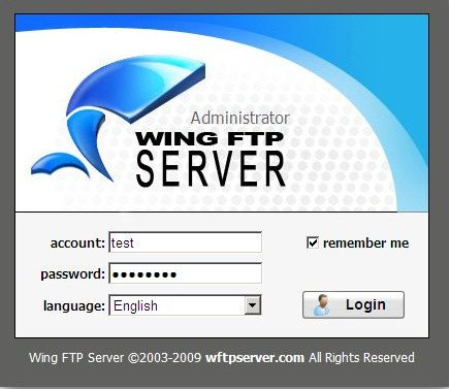
Wing FTP Server is a highly functional, easy-to-use and secure FTP Server solution that can be used in Windows.​

It supports multiple file transfer protocols, including FTP, HTTP, FTPS, HTTPS and SFTP, giving your end-users flexibility in how they connect to the server. And it provides administrators with a web based interface to administrate the server from anywhere. You can also monitor server performance and online sessions and even receive email notifications about various events taking place on the server.

- FTP (File Transfer Protocol)

- HTTP (Hyper Text Transfer Protocol)

- FTPS (FTP over SSL)

- HTTPS (HTTP over SSL)

- SFTP using SSH2 (File Transfer over Secure Shell)

- Unlimited accounts number

- Unlimited concurrent connections

- Database storage of accounts via ODBC

- Database storage of accounts via Mysql

- Event Manager

- Task schedulers with lua script

- Windows Authentication (NTLM or Active Directory)

- LDAP Authentication

- All features in the secure edition


DOWNLOAD
uploadgig
Код:
https://uploadgig.com/file/download/Eaf60fbD7e6c70ad/uDzLBxgO_WingFTPServ.rar

rapidgator
Код:
https://rapidgator.net/file/395e83806cdf8a95863cdf672a50c9dc/uDzLBxgO_WingFTPServ.rar

nitroflare
Код:
http://nitroflare.com/view/4C5C6A850C0C56F/uDzLBxgO_WingFTPServ.rar
 
eM Client Pro 7.2.40748.0 Multilingual

501201d1-5086-4003-a697-88e6272d81c8.png

Languages: Multilingual | File Size: 73.28 MB

Best email client for Windows.​

eM Client is a full-featured email client with a modern and easy-to-use interface. eM Client also offers calendar, tasks, contacts and chat.

eM Client now supports PGP - create or import your PGP keys to send encrypted and signed emails.

You no longer have to exit eM Client in order for the backup to proceed. eM Client will now back up while running so you can simply keep working even while it is underway.

eM Client automatically s and displays avatars for your contacts from the web. We from Gravatar, domain icons and more.

Editing tables just became a whole lot easier - you can resize any cell, row or column that you want.

Pasting images into emails is now simpler than ever. Not only will they be automatically resized to fit, you will also be able to manually change the size, as well as rotate and flip them.

Automatic 'Out of Office' replies for Gmail are now at your disposal. Let everyone know that you will not be able to respond to their emails by configuring the automatic response right inside eM Client.

eM Client supports all major services including Gmail, Exchange, iCloud, and Outlook.com. You can find more information in the Server section of our web.

eM Client is able to set up everything automatically for most of the services. It also efficiently imports your data from all major email clients. This includes Microsoft Outlook, Outlook Express, Windows Mail, Thunderbird and more.

eM Client lets you customize its appearance and behavior on multiple levels. It supports several fully customizable themes including a Dark theme and allows you to customize its behavior in the most comprehensive way on the market.

eM Client sidebar brings you quick contextual information that will boost your productivity even more. The sidebar communication history, attachment history and agenda will save you a lot of .

Quickly finding what you are looking for makes you more productive. eM Client excels in this area with its super fast and customizable search capabilities.

With its complete touch support and optimized appearance, eM Client fully supports modern devices such as tablets and hybrid devices.

eM Client is currently localized to these languages: English, Czech, Danish, Dutch, German, Greek, Spanish, French, Hungarian, Italian, Korean, Japanese, Norwegian, Polish, Portuguese, Russian, Slovak, Swedish, Turkish and Chinese.

eM Client relies on its own backup tool that can automatically back up your data even when the application is running.

- Windows 10 32/64 bit

- Windows 8 32/64 bit

- Windows 7 32/64 bit

- Windows Vista 32/64 bit

- Windows XP


DOWNLOAD
uploadgig
Код:
https://uploadgig.com/file/download/44C7529282f072e2/wpizXVlV_.eM.Client.rar

rapidgator
Код:
https://rapidgator.net/file/a373eef79e842d46e51a88ffe8a118b9/wpizXVlV_.eM.Client.rar

nitroflare
Код:
http://nitroflare.com/view/E12E2C71BDF27A8/wpizXVlV_.eM.Client.rar
 
Ablebits Ultimate Suite for Excel Business Edition 2020.1.2412.482

6446443b-5b9b-4f10-9f20-269b18d74924.png

Languages: English | File Size: 26.51 MB

With this collection of 60+ professional tools, you can accomplish any task impeccably without errors or delays.​

It's 15 years of experience with Office development embodied in the perfect code of solutions that work flawlessly on all Excel versions and all datasets.

Microsoft Excel is not all about numbers and formulas, but also text. Regrettably, it doesn't provide that many ways for managing text content. Luckily, Ultimate Suite makes up for that omission with a selection of lovely utilities to remove excess spaces, get rid of extra blanks, extract substrings, change case, delete or replace unwanted characters, clear formatting and convert text to numbers.

The Ultimate Suite offers 9 beautiful tools to manage formulas and select cells that meet certain criteria. Using these features you can swiftly replace formulas with their values, count and sum cells by color, filter by selected cells, recalculate ranges, select cells of a certain type, all with a single button click!

The Ultimate Suite was designed to address the needs of all users that work with Excel on a daily basis. So, why don't we add a few more tools to make your life a little easier and your work a bit more comfortable? Just think of them as a nice bonus to help you manage your workbooks, watermarks, comments and blanks.

If you deal with large worksheets, hundreds or thousands of rows in each, matching and meg data is always a nightmare. unless you have a few specialized wizards at your fingertips. From joining individual cells to consolidating multiple workbooks, the Ultimate Suite covers all of the meg tasks you perform in Excel.

The Ultimate Suite will revolutionize the way you manage and analyze data in Excel. With the ability to combine entries from multiple rows, ignoring duplicates and skipping empty cells, you can make your tables compact and clear. Or look at your data from different viewpoints with a set of splitting tools.

Duplicates may crawl into your worksheets in so many ways. The Ultimate Suite delivers three essential tools to eliminate them. Powerful and versatile, they will help you quickly find duplicate and unique entries within a table or compare two different worksheets.

Data in an Excel file may be arranged in a way that simply doesn't work. With multipurpose range transformation capabilities, you can reshape your worksheets on the fly. A number of simple-yet-beautiful solutions enable you to transpose, unpivot, rebuild, convert, flip and swap your ranges to adjust the layout to your liking.

Empty cells in your worksheets can be troublesome, if not downright destructive. The Ultimate Suite protects the integrity of your data by offering a quick way to fill blanks with values from adjacent cells, upwards or downwards.

Maintaining data accuracy in large worksheets is increasingly difficult as your data evolves. But who says it has to be that way? Leverage handy at-a-glance options to find and fix broken links, fuzzy matches, typos and similar entries. Use the advanced find capabilities to search and replace in several workbooks at a .

- Merge two tables and add missing columns and rows.

- Match and merge two tables based on key columns.

- Summarize data from several ranges into one sheet.

- Copy data from the selected ranges to one worksheet.

- Turn workbooks to worksheets and place the resulting sheets to one file.

- Combine identically named worksheets into one.

- Copy the selected worksheets to one workbook.

- Merge the selected rows or columns.

- Join several cells keeping all data.

- Compare two tables for duplicate and unique values.

- Find unique values in one table.

- Find and delete, select, color, copy or move duplicates in one Excel table.

- Find and process duplicates and their 1st occurrences.

- Combine duplicate rows and paste unique data to one line.

- Split a big table into separate lists by values in the selected column.

- Split multi-part names into several columns.

- Convert summary table to a flat list.

- Transform your table into label cards.

- Swap two ranges in your sheet or workbook.

- Flip the selected range vertically or horizontally.

- Convert rows to columns and vice versa.

- Generate unique random numbers.

- Get random dates and Booleans.

- Save custom lists with values to get random data from them.

- Generate strong passwords, codes, and testing data.

- Shuffle cells in rows, columns, or in the selected range.

- Select certain number or percentage of data at random.

- Fill empty cells with value above or below.

- Find partial duplicates, typos and misspelled words.

- Search and replace data in values, formulas, hyperlinks, and comments.

- Search and export or select the found values.

- Find and fix broken references to other workbooks.

- Trim extra leading, trailing, in-between spaces, and  .

- Add text to the selected cells by position.

- Split a column with text to several columns.

- Change text case in your Excel table.

- Convert numbers stored as text to numbers.

- Extract text.

- Remove characters by position.

- Clear formatting in your table.

- Remove non-printing, numeric, text characters, symbols and punctuation marks.

- Convert line break and other characters to any custom symbol.

- Count and sum cells based on their color.

- Select certain color to count or sum cells.

- Apply Average/Max/Min functions to the colored data.

- Select cells by type.

- Select cells by value.

- Keep the same selection when switching between sheets.

- Select any value in your list to filter your table.

- Search cells based on their value or color.

- Apply basic calculations to the selected cells.

- Delete empty rows, columns and sheets.

- See all open workbooks and sheets on one pane.

- Instantly move columns in your table.

- Insert a watermark in Excel

- Add a Table of Contents

- Get cell or range address to Clipboard.

- Convert formulas to relative or absolute.

- Insert a picture comment in 2 clicks.

- Change a comment shape.

- Manage comments.

- Replace formulas with values.

- Windows 10

- Windows 8.1

- Windows 8

- Windows 7

- 32-bit and 64-bit

- Excel 2019

- Excel 2016

- Excel 2013

- Excel 2010

- Excel 2007

- 32-bit and 64-bit

- Desktop Excel included in Office 365 / Office 365 ProPlus


DOWNLOAD
uploadgig
Код:
https://uploadgig.com/file/download/Fd9d76AAe5e237d9/Q5mh7ApQ_.AUSE20201_.rar

rapidgator
Код:
https://rapidgator.net/file/c3aecf89050d9325dc0f945fdce867eb/Q5mh7ApQ_.AUSE20201_.rar

nitroflare
Код:
http://nitroflare.com/view/A5C74B9BA5505CD/Q5mh7ApQ_.AUSE20201_.rar
 
BitRecover EML Converter Wizard 8.7

d84f9ad7-6173-4931-a881-ffb1309a9568.png

File size: 33 MB

The tool is designed to export EML files (emails) in various popular file types as EML to MSG, EML to MHT, EML to XPS, etc.​

without any trouble. It is easy to use and handy product with great features. It quickly transfers batch of .eml messages or EML folders. Highly recommended software for forensics investigators to extract evidences from EML files and it allows to move EML files without platform dependency.

Dual modes to load .eml files in software panel

Change EML files to varied file formats error-free

Provides Batch Folder Conversion Mode option

Product setup can be installed in multiple languages.

Maintain EML messages folder structure

Save converted file in desired location

Exports all attachments present in every EML message

After complete the process, creates SavingLog.txt file.

Message formatting and attributes will remain the same

Supports conversion of EML files of several email clients

EML Mail Importer is compatible with all Windows OS

Offers different file naming options

Store the location by viewing the email data at once

System Requirements: Pentium II 400 MHz, 64 MB RAM, Minimum 40 MB Space

Operating System Win 10, 8.1, 8, 7, Vista, XP, 98, 97, 2000, etc.

Updates: official site does not provide any info about changes in this version.


DOWNLOAD
uploadgig
Код:
https://uploadgig.com/file/download/55627d972b2168f6/OBcsloNM_emlconverte.rar

rapidgator
Код:
https://rapidgator.net/file/f74c28deea5be127eda45c2d9420754d/OBcsloNM_emlconverte.rar

nitroflare
Код:
http://nitroflare.com/view/E883B8BC5238A1C/OBcsloNM_emlconverte.rar
 
ESET SysInspector 1.4.1.0

aa8c76e7-31e0-48fd-a793-5559ef0e7501.png

File Size : 13 Mb

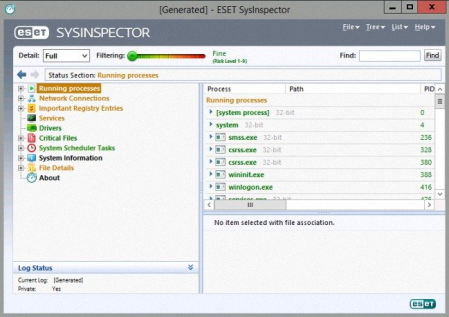
ESET SysInspector allows an in depth analysis of various aspects of your operating system, including running processes, registry content, startup items and network connections.​

It sneak into operating system and captures details such as running processes, registry content, startup items and network connections. Once a snapshot of the system is made, ESET SysInspector applies heuristics to assign a risk level for each object logged. It has integrated with Anti-Stealth technology which allows discovering hidden objects in MBR, registry entries, drivers, services, and processes.

Ability to generate and save a detailed log to be used by an IT expert or uploaded to an online forum for diagnosis

Option to exclude private, personal information from being saved in logs

Integrated Anti-Stealth technology allows discovering hidden objects (for example, rootkits) in MBR, registry entries, drivers, services and processes

Ability to compare two existing logs for differences makes it easy to detect changes over

Intuitive hierarchical navigation of logs

Log entries are assigned a color code risk level for easy filtering

Fast and compact single file executable, ideal for first responders to run from a USB drive without lengthy installation

Updates: official site does not provide any info about changes in this version


DOWNLOAD
uploadgig
Код:
https://uploadgig.com/file/download/ee13302413865CCe/117cvamA__ESET_SysIn.rar

rapidgator
Код:
https://rapidgator.net/file/4f3b577cc92a82345e43fa6c7d6c5755/117cvamA__ESET_SysIn.rar

nitroflare
Код:
http://nitroflare.com/view/59056BD3C093A3F/117cvamA__ESET_SysIn.rar
 
Eventide Ensemble Bundle 2.9.1

0398d5f6-9ae5-4f5f-affe-b1960335d775.png

File size: 431 MB

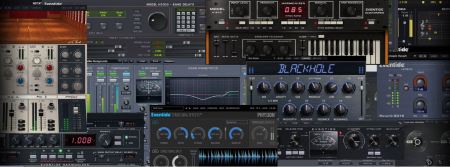
Eventide plug-ins give you the ability to make your recordings evoke the sonic landscape of legendary albums and open the doors to the creation of new sounds never heard before.​

Our legacy plugins like the H910 Harmonizer and H3000 Factory recreate the iconic sounds used by top artists, eeers and producers such as Steve Vai, Tony Visconti, Dave Pensado, Jimmy Page, Frank Zappa, Eddie Van Halen, and many more. Ensemble is also packed with new, award-winning effects such as Blackhole, Tverb, Physion (fka Fission) - unique tools not found anywhere else.
Eventide plug-ins sound exactly like the original hardware

To truly experience the unique sound of classic gear, the plug-ins need to be painstakingly designed to faithfully emulate the nuances of the primitive analog and digital circuitry. When Eventide recreates a classic piece of gear, it is one of our own. These plug-ins are not emulations created by third parties.

Over 3500 presets to get you started

These presets were carefully crafted to unleash your creativity. Many of our presets were created by the industry's most successful eeers and producers.

Dave Pensado

George Massenburg

Joe Chiccarelli

Tony Visconti

Flood & Alan Moulder

Andrew Scheps

John Agnello

Caitlyn Aurelia Smith

Robin Finck

Richard X

Suzanne Ciani

Damian Taylor

Dave Darlington

Vance Powell

Scott Gershin

Chris Zane

Colin Newman

Stewart Lerman

Jonsi & Alex from Sigur Ros

Alessandro Cortini

Richard Devine

Vernon Reid

Matt Lange

Sasha

Sebastian Arocha-Morton

Chris Carter

Steve Rosenthal
WiN32/64 - VST/VST3/AAX(MODiFiED)

Added MicroPitch to the bundle

Fixed laggy UI in Blackhole

Updated double-click/option-click parameter reset values for Blackhole, CrushStation, MangledVerb, Spring, and UltraTap

Corrected the "Default" preset in CrushStation to fully match the plugin's initial state

Fixed an occasional positioning issue with the scrolling waveform display in Physion

Improved drawing performance in Physion

Improved CHOP SPEED/RISE/RELEASE knob appearance when disabled, in UltraTap

Other minor performance improvements and bug fixes


DOWNLOAD
uploadgig
Код:
https://uploadgig.com/file/download/049b7F4705c84a61/OFXV82zc_Eventide.En.rar

rapidgator
Код:
https://rapidgator.net/file/afa08e96ad499f57d8e747ccba6ef46d/OFXV82zc_Eventide.En.rar

nitroflare
Код:
http://nitroflare.com/view/9C4E0CC8FE09120/OFXV82zc_Eventide.En.rar
 
Eventide Newfangled Elevate Bundle 1.6.4

fcf1774f-ce60-44a1-99fd-d2c33b1bb053.png

File size: 9.9 MB

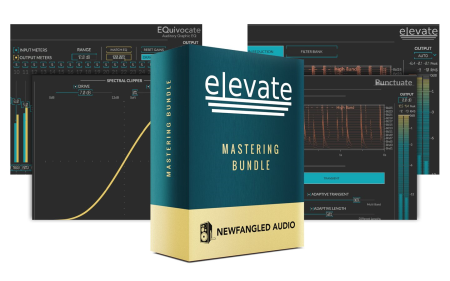
Elevate is the most advanced mastering plug-in ever created.​

This unique multi-band limiter, human-ear EQ and powerful audio maximizer will increase the loudness of your mix while maintaining or improving its dynamic perception. It uses intelligent, adaptive technology that responds in real to your music; creating not only the loudest, but the best sounding master.
Developed by Newfangled Audio, Elevate maintains subtle dynamics and improves the tonal balance of your mix. The adaptive limiter analyzes 26 frequency bands and alters the gain, speed and transients for each band in real . The result is a transparent, natural sound, no matter how hard you push it.

Elevate utilizes 26 critical filter bands modeled from the human ear. Each of the bands are spaced to give maximum control over how the sound hits your eardrum. Draw curves, solo bands and manipulate the transient attack for each individual band to bring out particular instruments such as kick or snare drums.

Adaptive Technology

Elevate uses artificial intelligence algorithms to make it easy for you to get the best sounds, but you can still get under the hood for as much precise control as you desire. This includes giving you control over the tonal balance and transients inside the final limiting stage. The adaptive algorithms reduce audible artifacts and the additional controls give you maximum flexibility with professional results.

Analyzes and alters the gain, speed and transients of each filter band in real .

Includes presets by: APS Mastering, Matt Lange, Jeremy Lubsey, Eric Beam, ROCAsound, Chris Tabron and John McCaig.

Automatically adapts the attack, release and look-ahead parameters for each filter band to greatly reduce "pumping" and breathing artifacts and perceived distortion.

Preserves or emphasizes fast transients to avoid squashing your mix.

Manipulates transients across the critical bands to preserve the attacks from kick drums, snares and cymbals, without affecting the entire mix.

Uses linear phase auditory filters - based on the Mel Scale - to manipulate the audio in a way that is natural to your inner ear.

Solo the output of one band (or a number of bands) to hone in on problem frequencies, tweak transients or alter gain.

Use the Auto Output Level feature to compare the limited signal to non-limited signals with the same amount of gain allowing you to easily hear what impact the processing is having on your sound.

Use the Spectral Clipper to overdrive the final output without affecting the tonal balance or allowing the signal to get "tubby." Perfect for a more aggressive sound.

Six different types of metering allow you to keep an eye on every aspect of your output audio.

EQuivocate

Graphic EQ that uses filters which are modeled on the human ear. Perfect for mixing and mastering, EQuivocate's auditory filters and match EQ functionality make it incredibly powerful, simple to use, and natural sounding. Each of the 26 critical bands tickles a different part of your inner ear, making any combination of settings sound as natural as possible. Combining this with a linear-phase filter shape that reduces pre-echo makes EQuivocate an EQ with a difference you can hear. Includes a parametric EQ, compressor, gate, soft saturation, transformer emulation, micro pitch shift, and stereo delays.

Saturate

Saturate is the Spectral Clipper algorithm made popular in the Elevate Mastering Limiter. Saturate's two controls belie a sophisticated signal processing ee which allows it to overdrive a signal without effecting the tonal balance no matter how hard you push it. Add up to 12 dB of clipping with a variable shape parameter which moves from a pleasant soft curve to full hard clipping. Additionally, the SHAPE control allows you to smoothly morph between hard clipping and the mathematically smoothest curve possible. Use Saturate to overdrive individual tracks or your entire mix.

Punctuate

Based on the Transient Emphasis section of the award winning Elevate Mastering Limiter, Punctuate is a multi-band transient modulator based on the critical bands in the human ear. Punctuate's intelligent algorithms allow you to control the transient emphasis or suppression of all 26 critical bands with just 4 controls. This makes for an incredibly powerful, but very easy to use transient modulator.
WiN32/64 - VST/VST3/AAX(MODiFiED)

Plug-ins now load and work in Garage Band in Catalina

Fixed error message when installing VST3 without VST2 on Mac

Fixed potential crash

Brought 1.6.2 and 1.6.1 changes into Windows


DOWNLOAD
uploadgig
Код:
https://uploadgig.com/file/download/e5890bdd1e3F871c/vDfNkYk2_Eventide.Ne.rar

rapidgator
Код:
https://rapidgator.net/file/648d649c4233239e29a883f235907b24/vDfNkYk2_Eventide.Ne.rar

nitroflare
Код:
http://nitroflare.com/view/5ADB17CDAC4E948/vDfNkYk2_Eventide.Ne.rar
 
Microsoft Surface Data Eraser 3.30.139

55792ae9-5457-4c1b-9d37-0eca82754c4a.png

File Size : 810 Mb

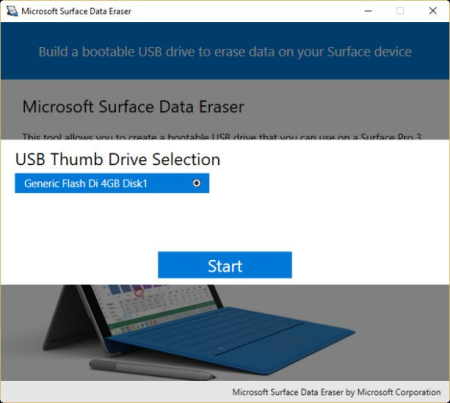
Microsoft Surface Data Eraser enables you to wipe stored data from your Surface device directly from a USB stick.​

This utility only requires you to boot from a USB and it will need to have at least 4 GB of available storage. Wiping your data from the device can be an essential security measure if you have passwords, bank details, and other confidential information and you need to take your device in for service for example.

Microsoft Surface Data Eraser has a simple interface that is very easy to use ensuring that the entire process is smooth and uncomplicated. MajorGeeks is for the Surface Data Eraser.

Updates: official site does not provide any info about changes in this version


DOWNLOAD
uploadgig
Код:
https://uploadgig.com/file/download/4e3738bfE1D19d15/anx4iGxQ_Surface_Dat.rar

rapidgator
Код:
https://rapidgator.net/file/7cc522abe6ad551dab06b0a6caf61352/anx4iGxQ_Surface_Dat.rar

nitroflare
Код:
http://nitroflare.com/view/59FA5FF22B26E37/anx4iGxQ_Surface_Dat.rar
 
PSPaudioware PSP InfiniStrip 1.0.3

66702a11-00f8-4007-a951-d4a07b81a2c3.png

File size: 57 MB

PSP InfiniStrip is an infinitely configurable channel strip plug-in (AAX, AudioUnit, VST, VST3, RTAS) based on 20 years PSP experience in developing handcrafted plug-ins for tracking, mixing and mastering.​

PSP InfiniStrip can be used for mixing, tracking or live streaming/broadcasting anywhere you need a great sounding and easy to configure channel strip, without having to worry about latency.

That's right - you can configure PSP InfiniStrip with whatever modules you need and track through them with confidence that the plug-in isn't adding any latency at all to your recorded signal. Zero latency. Full impact.

22 independent processors divided into 8 types of modules (preamps, filters, compressors, equalisers, limiters, dynamic modules [expander, ducker and gate], control and special modules) to create your custom channel strip.

7 dedicated "slots" for you to add one module from each type of processing modules, and 2 flexible insert slots for any module type.

Parameters matching. Swipe through different compressors, EQs without touching a knob. Look for your preferred colour and flavour.

3 different view modes (full, resizeable, and mini view mode) designed for different workflows and screen sizes.

External side-chain support for each module independently.

Includes both Mono and Stereo plug-in versions for different track types.

Updates: official site does not provide any info about changes in this version.


DOWNLOAD
uploadgig
Код:
https://uploadgig.com/file/download/8B484c805d340c5d/hWQpNaRn_PSPaudiowar.rar

rapidgator
Код:
https://rapidgator.net/file/69d8d92ff64854e225d5b71cbad51d0a/hWQpNaRn_PSPaudiowar.rar

nitroflare
Код:
http://nitroflare.com/view/7376C4602F6FC7A/hWQpNaRn_PSPaudiowar.rar
 
RS Phone Prospector 3.44

440ec183-0335-4a84-9f83-37164ef67e20.png

File size: 40 MB

RS Lead Prospector helps you to build your targeted prospects direct phone numbers in real- from search ee and social networking sites.​

So you can connect directly with your potential prospects via SMS or Whatsapp or Cold Call with your marketing messages.

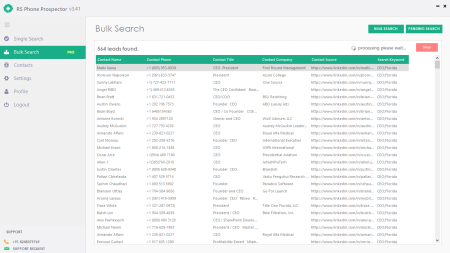
RS Phone Prospector helps you to extract unlimited contact numbers of your prospects from LinkedIn and other major social media sites without logging into it.

RS Phone Prospector is highly focused on extracting direct phone numbers of your potential prospects real-. Specifically, LinkedIn search is most targeted and will get you detailed information of your prospect like full name, phone number, job title, company name and LinkedIn profile URL. So you can easily get start with your personalized outreach.

Bulk search is an advanced Pro feature which enables you to add your targeted keywords list in bulk to search phone numbers. You can add up to 100 searches in a single go which can extract approximately 15k leads on an average.

You also have an option to stop and resume extraction whenever you want with pending search.

Pro version comes with inbuilt proxy feature which enables you to scrape unlimited phone numbers anonymously without blocking your search ees or social networking websites.

All searches you done will get stored automatically on contacts tab and you can export them whenever you want with all headers including date and of the extraction.

You can remove duplicates, delete and do filters on your scraped leads by contact name or contact phone or contact title or Contact Company or contact Source URL or search keyword. So, by this way you can ignore exporting unwanted leads and make your marketing campaigns more engaged.


DOWNLOAD
uploadgig
Код:
https://uploadgig.com/file/download/FC477c90f37f27E2/iz5euGOi_RS_Phone_Pr.rar

rapidgator
Код:
https://rapidgator.net/file/7352654301cb90750a1a72c90fdab8c7/iz5euGOi_RS_Phone_Pr.rar

nitroflare
Код:
http://nitroflare.com/view/D63F386A357B919/iz5euGOi_RS_Phone_Pr.rar
 
Siemens Simcenter FloEFD 2020.1.0 v4949 for PTC CREO

fafa9501-8138-4372-bbe0-5d2361b680c9.png

x64 | Languages:Multilanguage | File Size: 733 MB

FloEFD for CREO applications for modeling the flow and heat transfer in liquids and gases in a CREO environment.​

FloEFD is fully integrated into the DS CREO environment and uses solvers based on computational fluid dynamics (CFD) technology.
Main advantages. Working directly with the model in the CREO environment. There is no need to convert the geometry to another format, often leading to loss of quality. The task of calculating hydrodynamics and heat transfer at any is fully synchronized with the model minimization efforts, and as a consequence, the error in the process of synchronization tasks and set hydro-model Automatic dete tirovanie changes in the model.There is no need for "manual" construction of the geometry describing the area occupied by the liquid / gas.

Automatic deteation of the area occupied by the liquid / gas. The same graphic controls are used as in other CREO modules. Very easy to learn. Easy to use. Uses the CREO model tree. Intuitive and fully interactive Use when creating a project / processing the results of model elements selected in the graphics window / model tree Visualization of calculation results in the form of static and animated images directly in the graphics window Support for exporting results to MS Excel, Word. Ability to play and record animations

Support for multi-configuration of the model For effective multi-parameter research implemented - the ability to clone projects, automatically start a series of calculations. It is automated to reduce the number of cases when it is necessary to involve specialists in the field of gas-gas dynamics and heat transfer to analyze the formulation and calculation results Reliable and fully automatic computational grid generator A unique model of turbulence and boundary layer is used Automatic control of solution convergence. Reliable and accurate numerical methods and physical models A wide range of physical models Exact solution The ability to calculate very complex structures and physical phenomena.

-Analysis of hydro-aerodynamics and heat transfer of two- and three-dimensional models

-Analysis of external and internal flow patterns

-Analysis of steady and unsteady flow

-Flow of incompressible fluid and compressible gas including including combustible mixture at subsonic,

transonic, supersonic and hypersonic modes itecheniya

-Condensation of steam

-calculation of the relative humidity in the gas streams

-Non-Newtonian flow and Fluid (only laminar flow regime)

-The flow in the compressible fluid (the fluid density is dependent on the pressure)

-Currents in real gases

-Analysis of Laminar, turbulent and unsteady flows

-Analysis of vortex flows and fans

-Analysis of flows with solid inclusions

-Analysis of heat transfer inside and between liquids and solids

-A nalysis of heat transfer inside solids in the absence of washer flow

-Calculation of thermal contact resistance

-Calculation of electrical contact resistance

-Thermoelectric coolers

-Radiant heat transfer

-Joule heating

-Streams with gravitational effects (also known as buoyancy effect i)

-Porous media

-Heat pipes

-Heat transfer in printed circuit boards

-Heat transfer in perforated plates

-Flow of aerosol flows

-Accounting for body roughness during flow

-Accounting for tangential wall motion (mixing and rotation)

-Flow in rotating devices

-Cavitation in fluid flows

-Combustion in gas mixtures

Interface language:English,German,French,Chinese,japanese,Russian

Microsoft Windows 7 Professional, Ultimate or Enterprise 64-bit edition, Microsoft Windows 10 Pro or Enterprise 64-bit(tested with v1809)

For solver: Microsoft Windows 2012 Server x64, Windows 2012 Server R2 x64, Windows Server 2016 with HPC Pack 2016

Microsoft Office 2013; Microsoft Office 2010; Microsoft Office 2007

CREO Paramenric v2 (recommended datacode M250)

CREO Paramenric v3 (recommended datacode M190)

CREO Paramenric v4 (recommended datacode M120)

CREO Paramenric v5 (recommended datacode v5.0.5.0)

CREO Paramenric v6 (recommended datacode v6.0.4.0)

CREO Paramenric v7 is not supported!


DOWNLOAD
uploadgig
Код:
https://uploadgig.com/file/download/776e56659A9cb5fC/e2CDLWF5_Siemens.Sim.rar

rapidgator
Код:
https://rapidgator.net/file/e6b4cf2b419b4589ec79ed3a0fe6eb48/e2CDLWF5_Siemens.Sim.rar

nitroflare
Код:
http://nitroflare.com/view/FF4B3F58B2DF84C/e2CDLWF5_Siemens.Sim.rar
 
TechSmith Snagit 2020.1.2 Build 5749 (x64)

09473944-0467-483c-99d2-fed405a388c2.png

File size: 333 MB

Techsmith Snagit - The award-winning screen-capture software.​

Using SnagIt, you can select and capture anything on your screen, then easily add text, arrows, or effects, and save the capture to a file or share it immediately by e-mail or IM. Capture and share an article, image, or Web page directly from your screen. Or, capture and share any part of any application that runs on your PC. Automatically save in one of 23 file formats, or send to the printer, to your e-mail, or to the clipboard.
Use SnagIt's built-in editors to modify, annotate, and enhance your images and the Catalog Browser to organize your files. Increase your productivity while quickly creating professional presentations and flawless documentation. With powerful new features that allow you to edit previously placed objects, capture embedded links and add interactivity to your captures,SnagIt makes it easier than ever before to capture, edit, and share anything on your screen.

» Capture - if you can see it, you can snag it!

» Don't waste cropping your captures. Snag exactly what you need, with just a click.

» Profiles make it easy. SnagIt comes with eleven preset buttons that make screen capture a cinch! Capture a region of your screen, text from a window, the contents of a tall page that scrolls, all the images on a Web page, you get the idea.

» Custom suits you. Don't feel limited by the eleven profiles-create your own combinations for nearly unlimited capture possibilites. What's that? You want to set up a keystroke that captures a menu along with the mouse pointer...adds a drop shadow...and sends the image directly to your dot com blog? Sure, no problem!

Edit - the right tools, right now!

» You don't need a million confusing options, you need the right tools at the right . Unlike expensive, complex image editing suites,SnagIt makes everyday screen capture tasks one-click easy.

» Say more with pictures+words. Use an arrow to direct attention. Add a text callout to explain clearly. Apply ready-made objects from the menus...and your picture is worth 1,000 more words!

» Look like a pro. Make your screenshot pop with a drop shadow. Give it perspective, spotlight an area, or add other nifty effects.

» Convey complex ideas simply. Combine multiple images, callouts, shapes, and clip art stamps into a rich and detailed information graphic.

» Have fun! Add a speech balloon to that photo of your cat.

Share - send captures where they need to go...instantly!

» Yes, you can save your captures in all the common-and a few uncommon-image formats. But with SnagIt's free output accessories you can do so much more!

» Collaborate in a flash. Click a button to send a screen capture by email, AIM, or Skype.

» Be social. Share screenshots on Flickr. Post images directly to your blog. Publish to your Web site via

» Get projects done quicker. Embed images directly into your Microsoft Office projects, MindManager map, or OneNote page.

Organize - SnagIt keeps track, so you don't have to

» Save nothing...save everything. SnagIt stores every capture automatically and keeps the most recent visible. A huge saver!

» Find your stuff. Whether or not you saved it, find that capture later with the new visual search pane. Remember just one detail-like the approximate date or the Web site you captured-and find your capture instantly.

» Get organized (if you want to). As you capture images for next month's big project, tag them with "big project" or set the "Important" flag. No need to save anything in folders...just come back next month and view all your big project files with a click!


DOWNLOAD
uploadgig
Код:
https://uploadgig.com/file/download/1Fe32c290c7331f8/SkrdyXu4_Snagit2020_.rar

rapidgator
Код:
https://rapidgator.net/file/5773a3e0d7e7eaf26e08f034bf150867/SkrdyXu4_Snagit2020_.rar

nitroflare
Код:
http://nitroflare.com/view/A4EFD9C0CC416F0/SkrdyXu4_Snagit2020_.rar
 
TechSmith Snagit 2020.1.2 Build 5749

3a95296f-39ee-443b-983c-cd0ad3d4112b.png

File size: 333 MB

Techsmith Snagit - The award-winning screen-capture software.​

Using SnagIt, you can select and capture anything on your screen, then easily add text, arrows, or effects, and save the capture to a file or share it immediately by e-mail or IM. Capture and share an article, image, or Web page directly from your screen. Or, capture and share any part of any application that runs on your PC. Automatically save in one of 23 file formats, or send to the printer, to your e-mail, or to the clipboard.
Use SnagIt's built-in editors to modify, annotate, and enhance your images and the Catalog Browser to organize your files. Increase your productivity while quickly creating professional presentations and flawless documentation. With powerful new features that allow you to edit previously placed objects, capture embedded links and add interactivity to your captures,SnagIt makes it easier than ever before to capture, edit, and share anything on your screen.

Features of SnagIt:

» Capture - if you can see it, you can snag it!

» Don't waste cropping your captures. Snag exactly what you need, with just a click.

» Profiles make it easy. SnagIt comes with eleven preset buttons that make screen capture a cinch! Capture a region of your screen, text from a window, the contents of a tall page that scrolls, all the images on a Web page, you get the idea.

» Custom suits you. Don't feel limited by the eleven profiles-create your own combinations for nearly unlimited capture possibilites. What's that? You want to set up a keystroke that captures a menu along with the mouse pointer...adds a drop shadow...and sends the image directly to your dot com blog? Sure, no problem!

Edit - the right tools, right now!

» You don't need a million confusing options, you need the right tools at the right . Unlike expensive, complex image editing suites,SnagIt makes everyday screen capture tasks one-click easy.

» Say more with pictures+words. Use an arrow to direct attention. Add a text callout to explain clearly. Apply ready-made objects from the menus...and your picture is worth 1,000 more words!

» Look like a pro. Make your screenshot pop with a drop shadow. Give it perspective, spotlight an area, or add other nifty effects.

» Convey complex ideas simply. Combine multiple images, callouts, shapes, and clip art stamps into a rich and detailed information graphic.

» Have fun! Add a speech balloon to that photo of your cat.

Share - send captures where they need to go...instantly!

» Yes, you can save your captures in all the common-and a few uncommon-image formats. But with SnagIt's free output accessories you can do so much more!

» Collaborate in a flash. Click a button to send a screen capture by email, AIM, or Skype.

» Be social. Share screenshots on Flickr. Post images directly to your blog. Publish to your Web site via

» Get projects done quicker. Embed images directly into your Microsoft Office projects, MindManager map, or OneNote page.

Organize - SnagIt keeps track, so you don't have to

» Save nothing...save everything. SnagIt stores every capture automatically and keeps the most recent visible. A huge saver!

» Find your stuff. Whether or not you saved it, find that capture later with the new visual search pane. Remember just one detail-like the approximate date or the Web site you captured-and find your capture instantly.

» Get organized (if you want to). As you capture images for next month's big project, tag them with "big project" or set the "Important" flag. No need to save anything in folders...just come back next month and view all your big project files with a click!


DOWNLOAD
uploadgig
Код:
https://uploadgig.com/file/download/cE3bbB521b352137/vPFx5iDF_Snagit.2020_.rar

rapidgator
Код:
https://rapidgator.net/file/2778fd1d3cba3727e3eb95d5a2809293/vPFx5iDF_Snagit.2020_.rar

nitroflare
Код:
http://nitroflare.com/view/78B1F9D365E8811/vPFx5iDF_Snagit.2020_.rar
 
Назад
Сверху