• Здравствуйте. Сайт заработал в архивном режиме форум www.old.nado.in

Anthony's Software !!!

Topaz Video Enhance AI 1.2.2

18040352-f85f-48c0-a143-ff6e28db7d71.png

Windows x64 | Languages: English | File Size: 1.61 GB

Beautiful video enlargements using machine learning.​

Trained on thousands of videos and combining information from multiple input video frames, Topaz Video Enhance AI enlarges your video up to 8K resolution with true details and motion consistency.

Until now, there was no way to perfectly recreate a high-resolution video from low-resolution footage. From old home movies to low-quality SD to DVD quality and more, Video Enhance AI will transform your videos into clean upscaled footage up to 8K resolution.

Video Enhance AI is the perfect way to take good footage and make it great. Have you ever wanted your footage to look sharper with more detail? Take HD footage all the way up to 8K for use in high-quality projects. This model is perfect to use for:

- DVD Content

- DSLR Footage

- Game Footage

- HD Stock Footage

With Video Enhance AI, you can take your footage from SD to HD with an incredible increase in quality. This model is perfect for older footage that you want to repurpose for modern use. Older footage like:

- Home Movies

- Commercials

- Music Videos

- Movie Content

- Youtube Videos

Until now, no deep-learning based approach existed for video enlargement as a commercial product. Video Enhance AI is the only product that uses machine learning to extrapolate detail from your footage for a realistic look. The quality of output from Video Enhance AI is simply better than any other product available.

Video Enhance AI was trained using a neural network that analyzes thousands of video pairs to learn how details usually get lost. Unlike Gigapixel AI for photos, Video Enhance AI is able to extrapolate more detail for an even more realistic look given the amount of information available in a single video clip.

With just a few clicks of a button, your video footage will start rendering to create beautiful high-resolution quality footage. There are no complicated processes or confusing tools - just a few simple steps and your footage is ready to go.

Windows: Windows 7, 8, 10 (64-bit only)

- Intel i7 (7th generation) or greater (4GHz and above)

- AMD Ryzen 7 or greater (4GHz and above)

- Nvidia GTX 1080 (8GB) or greater

- Gigapixel AI for Video currently does not support AMD graphics processors.

- Minimum: 8GB

- Recommended: 16GB

- Optimal: 32GB

A monitor that outputs at a resolution of at least 1024 x 768 is recommended.

We suggest you run Video Enhance AI on high-end Nvidia graphic cards. The minimum requirement is GTX 1050 with 4 GB VRAM. Any graphic card later/better than GTX 1080 (included) will do a fairly fast job. If you do not have an Nvidia graphics card in your device, the software can run on your Intel iGPU. Typically, it will be 5 s slower. If you do not have an Intel iGPU, the software will finally fall back to your CPU, which can be 10 s slower than the Nvidia GPU version.


DOWNLOAD
uploadgig
Код:
https://uploadgig.com/file/download/48c091090Db98aed/RpeUOpaF_.Video.Enha.part1.rar
https://uploadgig.com/file/download/f7C2fC88c0819f1c/RpeUOpaF_.Video.Enha.part2.rar

rapidgator
Код:
https://rapidgator.net/file/f023717af81f5d102ae21a4224c8cf0a/RpeUOpaF_.Video.Enha.part1.rar
https://rapidgator.net/file/5f55dc6f24813f6a58a8f348e9928565/RpeUOpaF_.Video.Enha.part2.rar

nitroflare
Код:
http://nitroflare.com/view/60A7A8F8667F020/RpeUOpaF_.Video.Enha.part1.rar
http://nitroflare.com/view/013F0E9B360C4D7/RpeUOpaF_.Video.Enha.part2.rar
 
WACUP 1.0.12.5500 Beta

ab86daef-0d59-440b-b26e-956c94e1c6b6.png

File Size : 8.9 Mb

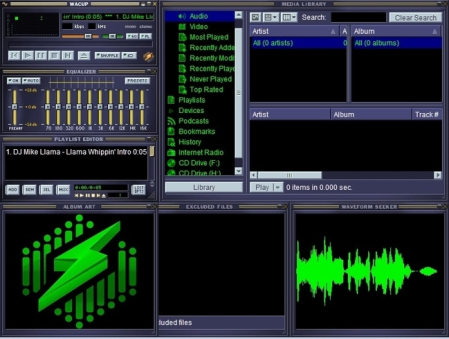
WACUP (Winamp Community Update Project) is an audio player based on Winamp.​

WACUP (which can be pronounced as wakeup or wac-up or however you prefer it in your native tongue) is designed to work only with the patched Winamp 5.666 release to provide bug fixes, updates of existing features and most importantly new features with the goal to eventually become it's own highly Winamp compatible media player. WACUP makes use of the benefits of Winamp being heavily based on a plug-in system so new plug-ins can add additional features as well as allowing replacements to be created which provide better implementations over the plug-ins natively included with Winamp. If none of that makes sense, a good way to think about WACUP is that it is like a video game mod where you initially use the original game but then files related to it are added to or edited in-order to provide a better experience.


DOWNLOAD
uploadgig
Код:
https://uploadgig.com/file/download/d035437Cfc8008dd/3MPU7bMH_WACUP___.rar

rapidgator
Код:
https://rapidgator.net/file/93194fa265436bc98a9dbf8eeae3896a/3MPU7bMH_WACUP___.rar

nitroflare
Код:
http://nitroflare.com/view/2DBDFF5786F538E/3MPU7bMH_WACUP___.rar
 
Zoner Photo Studio X 19.2004.2.246

50215089-4b96-49f3-9b20-045aff54fe53.png

Languages: English | File Size: 107.85 MB

Make every photo better with Zoner Photo Studio X!​

Your Lightroom and Photoshop alternative. ZPS X is the most universal photo software there is. RAW processing. Layer support. Presets. Retouching tools. Video editing. Cataloging. It's all there.

Need to handle a giant RAW file? Or maybe 100 photos at once? ZPS X has your back.

Thanks to layers and masks, you'll handle cloning, collages, and other photo tricks with ease.

The unique retouching brush and the faces tool make portrait enhancement a snap.

Turn your photos into a video, a presentation, or a -lapse without switching software. Take care of it all in ZPS X.

Change a photo's whole mood in just one click with one of the best-loved features in ZPS X.

Easily organize hundreds of photos-or thousands. Browse them by date, shot location, keywords, or folders.

Several s each year we add a new heap of features and improvements to ZPS X.

- Faster Work with RAWs

- Transfer Edits Easily Between RAW and JPG

- Face Liquify

- New Distortion Tools

- New Video Clip Tools- Slow & Fast Motion plus Flipping

- A New Video Making Tool

- Importing and Exporting Presets

- Organizing presets into folders

- Linking Zoner Photo Cloud with the Catalog

- Zoner Photo Cloud

- Faster RAW reloading

- New presets

- New Auto-Enhancements

- Improved layer control

- Artificial intelligence

- Non-destructive Smoothing Brush

- Non-destructive Structure Cloning

- Polarizing filter

- Full support for HEIF

- Improved work with masks and layers

- Unlimited photo books layout editing

- Non-destructive retouching brush

- Adjustment Layers

- Tablet pressure support

- Major new video features

- Better contact sheet maker

- Clarity setting

- Batch edits in the Develop module

- Multi-selections

- Photo-print orders from inside of the program

- Filter Brush

- Refine Selection

- New Automatic Edits

- Radial Filter

- Smart Sharpen

- Smart Blur

- Dodge and Burn tools

- Advanced noise reduction in Develop

ZPS X sees when you attach your camera, imports your photos, and sorts them into folders.

Sort photos by location, date, folders, or keywords in a flash.

ZPS X is the only program that lets you share photos to Instagram. And every other social network is a snap too.

You don't have to go anywhere else to order prints, photo books, or calendars. You can do it all straight from ZPS X.
Zoner Photo Studio X supports Windows 7, 8 and 10.


DOWNLOAD
uploadgig
Код:
https://uploadgig.com/file/download/F44de0028d7e3579/YlBPlTMI_.ZPS.X.19.2.rar

rapidgator
Код:
https://rapidgator.net/file/f975ba23abd166aa0409e4283e0d4063/YlBPlTMI_.ZPS.X.19.2.rar

nitroflare
Код:
http://nitroflare.com/view/1128141BF369EB8/YlBPlTMI_.ZPS.X.19.2.rar
 
BackToCAD CADdirect 2020 9.2f (x64) Multilingual

cb010728-8e56-40e0-af18-b78a3ed66fba.png

File size: 287 MB

BackToCAD CADdirect a Professional Grade 2D/3D CAD Program for "Viewer Price".​

Fair Affordable Pricing and Permanent Licensing

With Standard LISP, Script, and C++ Interface

Easy to Learn for and compatible with ACAD Users

Based on the New IntelliCAD 9.2

.dwg, .dxf as Native File Fromat

DGN, SAT, PDF, DWF, COLLADA Import/Export

CAD for .dwg/.dxf (Versions 12-2020)

Provides All Normal CAD Drawing Functions

Based on New IntelliCAD 9.2 Ee (www.intellicad.com)

2D/3D Editing, Viewing, Rendering, 4K Screens Ready

ACAD Program Compatible (Patterns, Line Types,.)

Easy to Learn for ACAD Users, Similar Commands

Supports Lisp, .NET and C++. DWG, DXF Reader

Available as Permanent License, No Subscription

Full Dimensioning and Styling, Express Tools

DGN Import und Export, SAT Import, ACIS Light Modeling

1/10 of the Price of Similar CAD Systems

700 Pages Reference Manual as PDF or EPUB

Modern Ribbon Menu

Ready for 4K Screens

Including .dwg version, .dgn Batch Converter

Supports English, German and Polish Interfaces


DOWNLOAD
uploadgig
Код:
https://uploadgig.com/file/download/9b260fb0c7799c4b/KpbE1B9M_CADdirect20.rar

rapidgator
Код:
https://rapidgator.net/file/c170e90df1f62051b9ca75b719a8a68b/KpbE1B9M_CADdirect20.rar

nitroflare
Код:
http://nitroflare.com/view/BAC146D9FA0FED5/KpbE1B9M_CADdirect20.rar
 
FontCreator 13.0.0.2636

debbae58-1a55-4b9e-8af0-1930929ba374.png

File Size: 38.9 MB

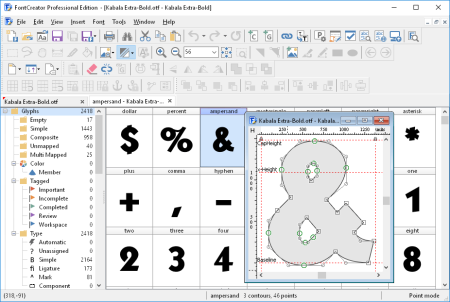
This professional font editor allows you to create and edit TrueType and OpenType fonts.​

It has the powerful drawing tools that typographers and graphic designers require, and an intuitive interface that allows bners to become productive immediately.
When you create or open a font, FontCreator displays an overview of all available characters. You can simply add missing characters, or select an existing character, and modify its appearance. You can import (scanned) images of your signature or company logo, or make a font from your own handwriting. With FontCreator you can also fix character mappings, font names, kerning pairs, and at all s you can preview your fonts before installing.

In the Professional Edition, font validation features enable you to improve the quality of your fonts. Tools to join contours simplify and speed up the glyph design process. Powerful transformation scripts let you create hundreds of additional characters in seconds. FontCreator's intelligent generation of composites, allows you to automatically generate outlines for more than 2,200 characters.

Whether you're a type designer or graphic artist who needs a font creation powerhouse, or a hobbyist who wants to have fun creating new fonts, FontCreator has the tools you need.

- Create and edit TrueType and OpenType fonts

- Redesign existing characters

- Add missing characters

- Add up to 65,535 glyphs per font

- Import vector files (EPS, AI, PDF, etc) and bitmap images (BMP, GIF, PNG, etc)

- Edit and regenerate font names

- Fix character mappings

- Correct fonts that display incorrectly

- Convert OpenType fonts to TrueType fonts

- Generate, modify, import, export, and clean up kerning pairs

- Add or correct over two thousand composite glyphs

- Transform individual glyphs or an entire font (e.g. to make a bold version)

- Extract TrueType fonts from TrueType Collections

- Unicode support (including the private use area and supplementary planes)

- All popular encodings and code pages supported (ANSI, ASCII, Unicode, Symbol, Big5, PRC, Wansung, etc)

- Preview fonts before installing

- Install fonts in Windows
Home, Standard, Professional


DOWNLOAD
uploadgig
Код:
https://uploadgig.com/file/download/e770fe0B166f9b1d/AIvF4pig_FontCreator.rar

rapidgator
Код:
https://rapidgator.net/file/85b40eab217a899d3b4bf4dd2d103706/AIvF4pig_FontCreator.rar

nitroflare
Код:
http://nitroflare.com/view/7F1A702F3CC424E/AIvF4pig_FontCreator.rar
 
My Visual Database 6.3

c1340a60-6df4-431d-8ddd-4cf081a96a50.png

File Size: 8.4 MB

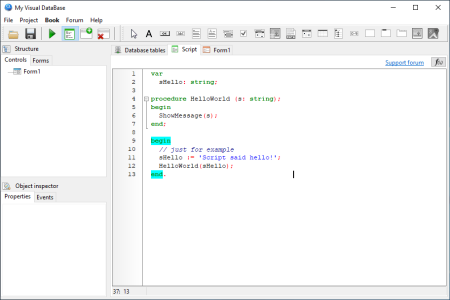
My Visual DataBase is a comprehensive and reliable software solution whose main purpose is to help users to design and create databases and compile them into various applications.​

The utility comes with a user-friendly interface from where you can add as many databases as you need, then create Windows applications. Without the need of any programming skills, My Visual DataBase provides you with the basic features in creating and generating databases and forms. As we all know, many development utilities require you to insert the code so you can generate databases and manipulate them as you wish.
Scripts like 'Insert' , 'Delete', 'Drop table' or 'Create' are the basic concepts you need to know when you have to create databases, tables and forms.

Still, many development tools enable you to manually insert the scripts and execute them, but they also allow you to automatically create tables with the proper commands.

Although My Visual DataBase does not provide you with an advanced development environment in order to manually run scripts, it still enables you to specify which fields should be completed each a table is populated with new information, choose the field type and remove specific tables from databases.

Another feature worth mentioning is the possibility of creating various forms and integrating them with your databases. You have the possibility to manipulate the form as you wish and insert various objects including buttons, text boxes, grids, images, counters and calendars.

Taking into consideration its usability and the main features that it comes with, My Visual DataBase provides with a completely visual development environment that enables you to customize and manipulate databases, tables and forms the way you want.


DOWNLOAD
uploadgig
Код:
https://uploadgig.com/file/download/cE22314078efdaC2/4HnrdHiM_My_Visual_D.rar

rapidgator
Код:
https://rapidgator.net/file/70f782362f6cfa79cdc3c51b7331bd9c/4HnrdHiM_My_Visual_D.rar

nitroflare
Код:
http://nitroflare.com/view/107668B8C08EEB3/4HnrdHiM_My_Visual_D.rar
 
System Tools for Windows 5.50

4429ba92-ea49-4517-9948-1a487ea2755e.png

File Size : 1.9 Mb

The developers at NirSoft put together a big bundle package for all the system tools for Windows, including OpenedFilesView for viewing the list of all opened files in your system, DriverView for viewing the list of loaded device drivers, RegScanner for searching entries in the Registry, SearchMyFiles - alternative to the standard file search of Windows, ShellExView for disablinabling shell extensions, USBDeview - USB devices manager, and more.​

..
ProduKey ProduKey is a small utility that displays the ProductID and the CD-Key of MS-Office, Windows, Exchange Server, and SQL Server installed on your computer. You can view this information for your current running operating system, or for another operating systomputer. This utility can be useful if you lost the product key of your Windows/Office, and you want to reinstall it on your computer.

RegScanner RegScanner is a small utility that allows you to scan the Registry, find the desired Registry values that match to the specified search criteria, and display them in one list. After finding the Registry values, you can easily jump to the right value in RegEdit, simply by double-clicking the desired Registry item. You can also export the found Registry values into a .reg file that can be used in RegEdit.

OpenedFilesView OpenedFilesView displays the list of all opened files on your system. For each opened file, additional information is displayed: handle value, read/write/delete access, file position, the process that opened the file, and more...

Optionally, you can also close one or more opened files, or close the process that opened these files.

This utility is especially useful if you try to delete/move/open a file and you get one of the following error messages:

Cannot delete [filename]: There has been a sharing violation. The source or destination file may be in use.

Cannot delete [filename]: It is being used by another person or program. Close any programs that might be using the file and try again.

When you get one of these error messages, OpenedFilesView will show you which process lock your file. Closing the right process will solve this problem. optionally, you can also release the file by closing the handle from OpenedFilesView utility. However, be aware that after closing a file in this way, the program that opened the file may become unstable, and even crash.

FileTypesMan FileTypesMan is an alternative to the 'File Types' tab in the 'Folder Options' of Windows. It displays the list of all file extensions and types registered on your computer. For each file type, the following information is displayed: Type Name, Description, MIME Type, Perceived Type, Flags, Browser Flags, and more. FileTypesMan also allows you to easily edit the properties and flags of each file type, as well as it allows you to add, edit, and remove actions in a file type.

SearchMyFiles SearchMyFiles is an alternative to the standard "Search For Files And Folders" module of Windows. It allows you to easily search files in your system by wildcard, by last modified/created/last accessed , by file attributes, by file content (text or binary search), and by the file size. SearchMyFiles allows you to make a very accurate search that cannot be done with Windows search. For Example: You can search all files created in the last 10 minutes with size between 500 and 700 bytes. After you made a search, you can select one or more files, and save the list into text/html/csv/xml file, or copy the list to the clipboard.

BlueScreenView BlueScreenView scans all your minidump files created during 'blue screen of death' crashes, and displays the information about all crashes in one table. For each crash, BlueScreenView displays the minidump filename, the date/ of the crash, the basic crash information displayed in the blue screen (Bug Check Code and 4 parameters), and the details of the driver or module that possibly caused the crash (filename, product name, file description, and file version). For each crash displayed in the upper pane, you can view the details of the device drivers loaded during the crash in the lower pane. BlueScreenView also mark the drivers that their addresses found in the crash stack, so you can easily locate the suspected drivers that possibly caused the crash.

ShellExView Shell Extensions are in-process COM objects which extends the abilities of Windows operating system. Most shell extensions are automatically installed by the operating system, but there are also many other applications that install additional shell extension components. For example: If you install WinZip on your computer, you'll see a special WinZip menu when you right-click on a Zip file. This menu is created by adding a shell extension to the system. The ShellExView utility displays the details of shell extensions installed on your computer, and allows you to easily disable and enable each shell extension.

ShellMenuView ShellMenuView is a small utility that display the list of static menu items that appeared in the context menu when you right-click a file/folder on Windows Explorer, and allows you to easily disable unwanted menu items.

LastActivityView LastActivityView is a tool for Windows operating system that collects information from various sources on a running system, and displays a log of actions made by the user and events occurred on this computer. The activity displayed by LastActivityView includes: Running .exe file, Opening open/save dialog-box, Opening file/folder from Explorer or other software, software installation, system shutdown/start, application or system crash, network connection/disconnection and more... You can easily export this information into csv/tab-delimited/xml/html file or copy it to the clipboard and then paste into Excel or other software.

TurnedOnsView TurnedOnsView is a simple tool that analyses the event log of Windows operating system, and detects the ranges that your computer was turned on. For every period of that the computer was turned on, the following information is displayed: Startup , Shutdown , Duration, Shutdown Reason, Shutdown Type, Shutdown Process, and Shutdown Code. TurnedOnsView allows you to get this information from your local computer, and from remote computer on your network if you have enough privilege to read the event log of Windows remotely.

WinLogOnView WinLogOnView is a simple tool for Windows Vista/7/8/2008 that analyses the security event log of Windows operating system, and detects the date/ that users logged on and logged off. For every that a user log on/log off to your system, the following information is displayed: Logon ID, User Name, Domain, Computer, Logon , Logoff , Duration, and network address. WinLogOnView also allows you to easily export the logon sessions information to tab-delimited/comma-delimited/html/xml file.

BatteryInfoView BatteryInfoView is a small utility for laptops and netbook computers that displays the current status and information about your battery. The displayed battery information includes the battery name, manufacture name, serial number, manufacture date, power state (chag/dischag), current battery capacity, full charged capacity, voltage, charge/discharge rate, and more... BatteryInfoView also provides a log window, which adds a new log line containing the battery status every 30 seconds or any other interval that you choose.

SysExporter SysExporter utility allows you to grab the data stored in standard list-views, tree-views, list boxes, combo boxes, text-boxes, and WebBrowser/HTML controls from almost any application running on your system, and export it to text, HTML or XML file.

Here's some examples for data that you can export with SysExporter:

The files list inside archive file (.zip, .rar, and so on) as displayed by WinZip or 7-Zip File Manager.

The files list inside a folder.

The event log of Windows.

The list of emails and contacts in Outlook Express.

The Registry values displayed in the right pane of the Registry Editor.

The data displayed by SysInternals utilities (Registry Monitor, File Monitor, Process Explorer, and others.)

The text inside a standard message-box of Windows.

The HTML inside any instance of Internet Explorer.

USBDeview USBDeview is a small utility that lists all USB devices that currently connected to your computer, as well as all USB devices that you previously used.

For each USB device, extended information is displayed: Device name/description, device type, serial number (for mass storage devices), the date/ that device was added, VendorID, ProductID, and more...

USBDeview also allows you to uninstall USB devices that you previously used, and disconnect USB devices that are currently connected to your computer.

You can also use USBDeview on a remote computer, as long as you login to that computer with admin user.

MyEventViewer MyEventViewer is a simple alternative to the standard event viewer of Windows. As opposed to Windows event viewer, MyEventViewer allows you to watch multiple event logs in one list, as well as the event description and data are displayed in the main window, instead of opening a new one. Also, with MyEventViewer you can easily select multiple event items and then save them to HTML/Text/XML file, or copy them to the clipboard (Ctrl+C) and then paste them into Excel.

DriverView DriverView utility displays the list of all device drivers currently loaded on your system. For each driver in the list, additional useful information is displayed: load address of the driver, description, version, product name, company that created the driver, and more.

RegDllView RegDllView is a small utility that displays the list of all registered dll/ocx/exe files (COM registration). For each registered file, you can view the last date/ that it was registered, and the list of all registration entries (CLSID/ProgID).

RegDllView also allows you to unregister dll/ocx files that you don't need on your system anymore. If you have dll/ocx files that don't exist on your system anymore, but their registration entries are still exist in your Registry, you can manually remove these entries by using 'Delete All Entries For Selected Files' option.

WinCrashReport WinCrashReport provides an alternative to the built-in crash reporting program of Windows operating system. When application crashes in your system and Windows displays the internal crash window of the operating system, you can run WinCrashReport, and get extensive report about the crashed application. The crash report of WinCrashReport is displayed as simple text or in HTML, and includes the following information: Crash memory address, Exception code, Exception description, Strings found in the stack, call stack, processor registers, modules list, threads list, and more...

WhatIsHang Somes, Windows or a running application hangs, the user interface abruptly stops responding, and you cannot detee what has caused the problem or how to troubleshoot the issue. This utility tries to detect the software or process that is currently hung, and displays some information that may allow you to sort out and understand what exactly is at the root of such unexpected behavior. Most of the information displayed in WhatIsHang's report, like Call Stack, Stack Data, Processor Registers, and Memory Data is designed for users with Windows programming knowledge. However, WhatIsHang also presents a list of strings and dll files related to the hang issue that can help users without programming skills understand and overcome the causes of the problem and restore normal operation.

MyUninstaller MyUninstaller is an alternative uninstaller utility to the standard Add/Remove applet of Windows operating system. It displays the list of all installed application, and allows you to uninstall an application, delete an uninstall entry, and save the list of all installed applications into a text file or HTML file. MyUninstaller also provides additional information for most installed applications that the standard Add/Remove applet doesn't display: product name, company, version, uninstall string, installation folder and more.

ESEDatabaseView ESEDatabaseView is a simple utility that reads and displays the data stored inside Extensible Storage Ee (ESE) database (Also known as 'Jet Blue' or .edb file). It displays a list of all tables available in the opened database file, allows you to choose the desired table to view, and then when you choose a table, it displays all records found in the selected table. ESEDatabaseView also allows you to easily choose one or more records, and then export them into comma-delimited/tab-delimited/html/xml file, or copy the records to the clipboard (Ctrl+C) and then paste them into Excel or other spreadsheet application.

URLProtocolView URLProtocolView is a simple utility that displays all URL protocols (for example: ftp:, telnet:, mailto:) that are currently installed on your system. For each URL protocol, the following information is displayed: The protocol name, the protocol description, the command-line that is executed when you type or click the URL, the product name, and the company name.

This utility also allows you to easily enable/disable the URL protocols.

ProcessActivityView ProcessActivityView creates a summary of all files and folders that the selected process tries to access. For each file that the process access, the following information is displayed: Number of s that the file was opened and closed, number of read/write calls, total number of read/write bytes, the dll that made the last open-file call, and more...

RegFromApp RegFromApp monitors the Registry changes made by the application that you selected, and creates a standard RegEdit registration file (.reg) that contains all the Registry changes made by the application. You can use the generated .reg file to import these changes with RegEdit when it's needed.

CleanAfterMe CleanAfterMe allows you to easily clean files and Registry entries that are automatically created by the Windows operating system during your regular computer work.

With CleanAfterMe, you can clean the cookies/history/cache/passwords of Internet Explorer, the 'Recent' folder, the Registry entries that record the last opened files, the temporary folder of Windows, the event logs, the Recycle Bin, and more.

Updates: official site does not provide any info about changes in this version


DOWNLOAD
uploadgig
Код:
https://uploadgig.com/file/download/25d8399B06a0fbCB/UJ7tFkYe_systools_.rar

rapidgator
Код:
https://rapidgator.net/file/346bb4f1249b78656b8605ab8ab9807e/UJ7tFkYe_systools_.rar

nitroflare
Код:
http://nitroflare.com/view/2476AB8CCE578F6/UJ7tFkYe_systools_.rar

 
AIDA64 Extreme / Engineer Edition 6.25.5414 Beta

fa4a1d17-f69b-441d-9d96-535e3f5bf3c6.png

File size: 96.2 MB

AIDA64 (former EVEREST) - the utility is a powerful tool for identification and testing of virtually all components of personal computers running operating systems Windows.​

Gives you detailed information about all the hardware and software, in addition, with built-in modules for testing and calibration can be further tested the individual subsystems PC. Displays detailed information about all the hardware and software installed on your system.

Level information about motherboard and CPU

Details of the video drivers and monitor

Information about all storage devices

Exhaustive information about network adapters, muldia and input devices

Information about other glands (PCI, PnP, PCMCIA, USB)

Details of Windows, including the date of installation, the license key and more

Information about network shares, users and groups list, and much more

Large amount of information about networking status, remote access, network resources and Internet settings

Detailed information about installed programs, scheduled tasks and startup programs

Information about operating system security

A list of firewalls, anti-spyware and anti-

System Stability Test

CPUID Panel

Hardware monitoring

Benchmarks CPU and FPU

Tests of memory

Module performance test drive

Detection of possible misconfiguration and compatibility issues of hardware and software

Report Wizard

Mailing and printing

Hardware Monitoring / new item: M.2 #4 temperature

AVX optimized benchmarks for Zhaoxin KaiXian KX-6000 processors [B824]

identification of AMD Athlon X4 5xx (aka Beema)

Intel Processor Number detection for Core i3-10100E, 10100T, 10100TE, 10300T

Intel Processor Number detection for Core i5-10400T, 10500E, 10500T, 10500TE, 10600T

Intel Processor Number detection for Core i7-10700E, 10700T, 10700TE

Intel Processor Number detection for Core i9-10900E, 10900T, 10900TE

Intel Processor Number detection for Xeon W-2191B

sensor support for Dell SMI of Vostro 5490

IPMI KCS support for ASRock EPYCD8-2T

fixed: UEFI Boot detection under Windows 10 Build 19041+

fixed: Elgato Stream Deck Mini LCD support


DOWNLOAD
uploadgig
Код:
https://uploadgig.com/file/download/b05b146df2ff8099/B3scfBfu_aida64_.rar

rapidgator
Код:
https://rapidgator.net/file/9ff5a9287a04b62b65a3d1c4a2e86538/B3scfBfu_aida64_.rar

nitroflare
Код:
http://nitroflare.com/view/46A86FCC9B637D0/B3scfBfu_aida64_.rar
 
EarthTime 6.4.1

27daf247-3b1e-44f6-9856-f70af16bedbd.png

File Size: 5.8 MB

Earth displays the local and date of any place in the world.​

It has a built-in database of thousands of cities worldwide but users can add any number of custom locations. Earth shows a map of the earth with daylight and night shadows and optionally a cloud layer with current satellite cloud data. Alarms can be set on the local of any city in the world. Many options allow flexible customization.

Locations of more than 120.000 Cities with local and date

Alarms for any place in the world

View of the earth at day and night

Current weather conditions (temperature, humidity, wind, air pressure, etc.) of any place in the world

Clouds (internet of current satellite cloud data)

Full screen mode

Many options for full customization

Now with Windows 10 support!


DOWNLOAD
uploadgig
Код:
https://uploadgig.com/file/download/de6Fab3a966df84A/RX54ktb5_EarthTime.6_.rar

rapidgator
Код:
https://rapidgator.net/file/79ed4f8e9378dfdf717355f0d123694f/RX54ktb5_EarthTime.6_.rar

nitroflare
Код:
http://nitroflare.com/view/2B8552FE5D43BF9/RX54ktb5_EarthTime.6_.rar
 
EarthView 6.4.1

4898cc14-6c88-4a41-b15c-28ce28af170a.png

File Size: 21.4 MB

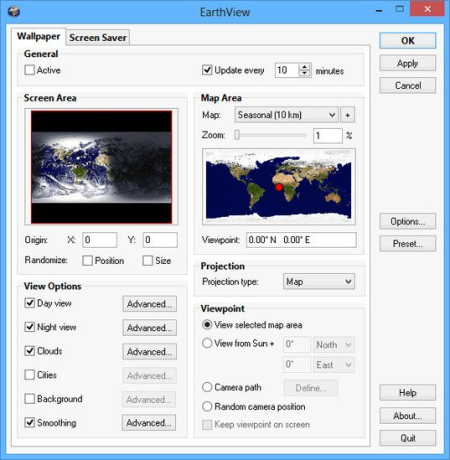
EarthView is a dynamic desktop wallpaper and screen saver, which displays beautiful views of the earth with daylight and night shadows.​

It produces colorful, high quality, high resolution images for every screen resolution - even beyond 2560x1600! The program supports map and globe views, urban areas, city lights, atmospheric effects, clouds, weather information, local display and much more. EarthView supports different maps that show our planet earth in different ways, including seasonal changes of vegetation, snow cover and ocean ice. Many options allow total customization of all view parameters. EarthView has won countless awards for its absolutely breathtaking images.
EarthView supports five different beautiful maps of the earth, starting at 10 km resolution, which means that at 100% zoom level, 1 pixel on your screen equals 10 kilometers on earth. If you purchase the full version, you'll get the possibility to even more detailed versions of some maps, which have higher resolution. This means, they have much more detail, so you can zoom in even further!

High detail view of the earth

Day and night view

Atmospheric effects

Urban areas and city lights

Clouds (internet of current cloud data)

Weather data (temperature, humidity, wind, pressure, etc.)

Map and globe projection

Seasonal maps showing changes of vegetation, snow cover and ocean ice

Several other beautiful maps to choose from

Location and local of more than 100.000 cities worldwide

Wallpaper and screen saver support

Multiple monitor support

Many options for full customization

Now with Windows 10 support!


DOWNLOAD
uploadgig
Код:
https://uploadgig.com/file/download/b404743302C5eE1a/BGH1V7cp_EarthView.6_.rar

rapidgator
Код:
https://rapidgator.net/file/dc8ca7fc7559f837a626a39933195004/BGH1V7cp_EarthView.6_.rar

nitroflare
Код:
http://nitroflare.com/view/2945118C488D129/BGH1V7cp_EarthView.6_.rar
 
Elcomsoft Cloud eXplorer Forensic Edition 2.31.36554

722c21a2-8127-47da-8aad-6011566c99dc.png

File size: 119 MB

Extract everything from your Google Account.​

users' location history, files and documents, Contacts, Hangouts Messages, Google Keep, Chrome browsing history, search history and page transitions, Calendars, images, and a lot more.
Forensic Acquisition of Google Accounts

Acquire information from users' Google Account with a simple all-in-one tool! Elcomsoft Cloud Explorer makes it easier to , view and analyze information collected by the search giant, providing convenient access to users' search and browsing history, page transitions, contacts, Google Keep notes, Hangouts messages, as well as images stored in the user's Google Photos account.

Google collects massive amounts of information from registered customers. Elcomsoft Cloud Explorer extracts information from the many available sources, parses and assembles the data, presenting information in human-readable form.

Google Data in Digital Forensics

Cloud forensics is an emeg area to forensic experts and IT security officers. The amount of data generated by consumers using the many online services is hard to underestimate. This data can become extremely valuable for an investigation of criminal cases and security breaches of IT infrastructure.

Online services are increasingly used by consumers, including those of a criminal kind. Cloud service providers such as Google retain astonishing amounts of data that literally follow their users' every step. Acquiring this evidence from cloud storage services can be a challenge. Viewing, discovering and analyzing the data may present yet another challenge if the investigator lacks tools and knowledge.

Elcomsoft Cloud Explorer was designed specifically to address those limitations. Requiring no special expertise and no prior training, Elcomsoft Cloud Explorer falls into the category of all-in-one tools offering one-click ing and easy viewing of information. The tool comes with everything you need to investigate information that Google has about a suspect.

What Is Extracted

Elcomsoft Cloud Explorer offers over-the-air acquisition for a wide range of Google services including all of the following:

User Profile and other info

Messages (Google Hangouts)

Text messages (SMS) (Android 8.0 Oreo and newer for all smartphones; Android 7 or newer for Google Pixel and Pixel XL)

Call logs

Saved Wi-Fi credentials (SSID and passwords)

Email messages (Gmail) via Gmail API

Contacts (including synced contacts from mobile devices)

Notes (Google Keep)

Search History (including Web sites visited after firing up the search)

Google Chrome data[1] (synced bookmarks, Web forms, logins and passwords, page transitions)

Google Fit data: health and activity tracking, steps, stairs climbed and other activities (depending on companion devices), location tracking

Media (images and videos from Google Photos) for specified period

Calendars

Dashboard

Location history including enhanced mapping data (Routes and Places)

Files and documents from Google Account

In other words, what you get is a comprehensive snapshot of user activities in Google services including searches made in non-Google browsers while the user was logged in to their Google Account.

Extended Google Dashboard Data

Dashboard is a Google service for storing and managing personal data collected by Google Inc about its users. Elcomsoft Cloud Explorer extracts the largest number of Dashboard categories including Maps, Calendar, Disk, Alerts, Analytics, Books, Groups, News, Package tracking, Payments, Photos, Google Play Music, Google Play, Tasks, Blogger, AdSense, Brand Accounts, FeedBurner, Search, Keep and many more.

Google Dashboard contains aggregated statistical data on the user's activities. As a result, Dashboard data can be ed very quickly, literally in a matter of seconds. ing and analyzing Dashboard data prior to acquiring the entire set of Google-collected information allows saving and starting the investigation faster.

Google Fit Extraction: Activity and Location Data

Extract health and activity information collected by Google Fit directly from the user's Google Account! Google Fit collects essential activity data such as the number of steps walked and stairs climbed, heart rate, and a lot more. Most importantly, access massive amounts of location data collected by Google Fit.

added support for new Dashboard data: a lot of stats in new categories (connected apps, device activity and more)

fixed authentication token extraction on Windows: from new Google Chrome and Google "Backup & Sync"

fixed the problem with media files ing (Google Photos)

fixed the problem with data export

a lot of small fixes and improvements


DOWNLOAD
uploadgig
Код:
https://uploadgig.com/file/download/ed563B39e6fEb81d/nlXtvEeE_ecx.2.31.36.rar

rapidgator
Код:
https://rapidgator.net/file/1d9f69f61e304262f423eefd93aca447/nlXtvEeE_ecx.2.31.36.rar

nitroflare
Код:
http://nitroflare.com/view/857221D342EC7A1/nlXtvEeE_ecx.2.31.36.rar
 
Elcomsoft Explorer For WhatsApp Forensic Edition 2.76.36327

c2fe3d08-4af5-4234-8243-2424a8cd4c57.png

File size: 73 MB

Acquire and analyze WhatsApp communication histories from multiple sources.​

Extract WhatsApp databases from Android phones with and without root access, WhatsApp backups from Google Drive and iCloud Drive or extract from local and cloud iOS system backups.

WhatsApp Acquisition from Android

Elcomsoft Explorer for WhatsApp can extract WhatsApp conversations directly from a wide range of Android smartphones. As WhatsApp securely encrypts its databases, root access is recommended (but not required) for acquisition. If no root access is available, Elcomsoft Explorer for WhatsApp will employ a workaround by pushing an acquisition tool into the phone temporarily for extracting the decryption key.

If root access is available, Elcomsoft Explorer for WhatsApp can extract WhatsApp conversations from Android handsets running Android 4.0 through 7.1.1. Without root access, compatibility is limited to Android versions 4.0 through 6.0.1.

WhatsApp Business for Android

WhatsApp Business extraction is supported for Android devices. Since WhatsApp Business is a separate app with a different security profile, Elcomsoft Explorer for WhatsApp requires root access to extract information directly from a physical Android handset. Logical acquisition (backup files) as well as cloud extraction from Google Drive are available without root access.

ing Proprietary WhatsApp Backups

WhatsApp has the ability to create cloud backups of its database, saving them in Apple iCloud Drive (iPhone) or Google Drive (Android phones). WhatsApp backups are unique per phone number. This means that the number of available WhatsApp backups in the user's cloud account will depend on how many different phone numbers are used.

Information Available in WhatsApp Databases

WhatsApp is an instant messaging application. Its databases contain information about peer-to-peer communications between users, including the following records:

WhatsApp Database Content

Sent and received text messages complete with contact ID's and stamps

User's contact database complete with phone numbers

Call logs

Pictures and videos sent and received, complete with stamps and contact ID's

Viewing and Exporting

Elcomsoft Explorer for WhatsApp is equipped with a built-in viewer supporting multiple WhatsApp databases extracted from various sources. The viewer includes instant filtering and quick search functionality. Finding a certain contact, message or conversation is easy by specifying a date range or typing a partial key word into the search box.

fixed some issues with iCloud access through proxy


DOWNLOAD
uploadgig
Код:
https://uploadgig.com/file/download/0a3b319B9C475bf1/XnSr96nr_exwa.2.76.3.rar

rapidgator
Код:
https://rapidgator.net/file/d9b6780e6f9502ddf55747ab5a374e41/XnSr96nr_exwa.2.76.3.rar

nitroflare
Код:
http://nitroflare.com/view/8608AFC64CA03FF/XnSr96nr_exwa.2.76.3.rar
 
Golaem Crowd 7.3.2 for Maya

ef0b0c06-eab9-493a-b83c-ff5f539be5d1.png

File size: 95 MB

GOLAEM - POPULATION TOOLS FOR MAYA.​

Golaem makes it easy and affordable to populate worlds with smart & directable digital characters, from a few to thousands.
FEATURE FILM QUALITY ON A TV BUDGET

Golaem helps you to populate shots in a short amount of and with limited budget.

Built with the artist in mind, Golaem automates repetitive and cumbersome tasks to let them focus on their art.

The Golaem workflow is built so that although it relies on AI, artists always get their last word to say and can keep total control of the results.

CREATE BELIEVABLE CHARACTERS

Golaem makes your shots more realistic by generating variations for you:

Visual variations

Animation variations

Behavioral variations

AVOID REPETITIVE WORK

Having characters walking around in your scenes is a piece of cake. It takes only a few minutes.

They can be influenced by simple triggers like zone, , distance, collision...

USE GOLAEM ASSETS OR YOUR OWN

Start rendering shots today thanks to the Golaem Assets, a set of ready-to-use character models and motions for stadiums, city street or medieval battles.

Use your custom characters and motions with Golaem. Animate any type of characters: humans, horses & riders, insects, bicycles, robots...

The Golaem workflow is so flexible that you can even start with Golaem assets and replace them by your own later.

SAVE ASSETS PRODUCTION

Golaem reduces the amount of motion capture you need to carry out for your project.

Re-use motions from previous productions. Customize them by simply mixing them with a new simple animation. Adjust them with procedural animation.

FROM 1 TO 100 000 CHARACTERS

Do not bother about the number of people in your viewport. Whatever the number of characters you are dealing with, you can keep working comfortably, with an interactive viewport, full previsualization and a small scene file.

KEEP ARTISTIC CONTROL

Although it relies on AI to save you an unbelievable amount of , Golaem always lets you have the final say.

Achieve precise control over placement, shading, navigation... with the Paint Tool or even modify simulation results with the Layout tool.

EASY SCENE SHARING & RETAKES

Golaem Layout is included with your Golaem license.

Visualize simulation results. Take full control to get a shot from good to perfect. Create a whole scene without even running a simulation.

Easily share scenes with other departments or other studios. Optimize the production workflow (e.g. senior artists in charge of simulations, juniors in charge of layout and retakes).

QUICK LEARNING CURVE

Because it is so user-friendly, Golaem is very fast to learn.

We have heard stories of runners contributing to crowd shots for feature films after a few days.

CHECK YOUR SHOT BEFORE RENDERING

No need to wait long hours for a render only to realize you have made a mistake. Golaem provides an advanced previsualization mode, keeping the viewport interactive while displaying skinned mesh on all your characters.

Instantly inspect what a character is doing by selecting him. Display information in the viewport, check motion blending in the Visual Debug panel, or open the Behavior Editor to see running behaviors and triggers.

PIPELINE FRIENDLY

Golaem is very well integrated in Maya. It is natively compatible with major renderers in Maya, 3ds Max + V-Ray, Katana, Softimage + Arnold. FBX or Alembic exports are also available.

All parts of Golaem are scriptable using MEL or Python. A C/C++ API enables you to read the exported simulation cache.

For your FX team, Golaem can generate locators and/or colliders

WORLD CLASS SUPPORT

We have the best customer support you will ever find. And we mean it.

We cannot count the number of thank you notes from customers telling us that our support is the best one they have dealt with.
Maya 2017-2020


DOWNLOAD
uploadgig
Код:
https://uploadgig.com/file/download/06346bf473c302ed/tfGGiE5k_Golaem7.3.2.rar

rapidgator
Код:
https://rapidgator.net/file/d7f5200b9541ed8a85bbce313d969f05/tfGGiE5k_Golaem7.3.2.rar

nitroflare
Код:
http://nitroflare.com/view/059269AFEDD4F5C/tfGGiE5k_Golaem7.3.2.rar
 
Tetraface Inc Metasequoia 4.7.4a

f8552bc0-4691-4a47-acc6-6b89aeef6e33.png

File size: 143 MB

Three-dimensional model design, especially the creation of human or animal-like characters, requires some knowledge in this area and, most importantly, a set of suitable tools for the job.​

For those who made some 3D creations using various specialized software solutions and need to work on them without having to install each program again, a utility like Metasequoia can be the right choice. This application manages to provide a strong set of features and make them available from a really friendly interface. There are several modes to operate Metasequoia, namely Bner, Modeling (string), Modeling (icon) and Mapping.
Each of these styles comes with its commands for editing the loaded model, setting the appropriate lighting and more. There is a wide variety of objects that you can select and insert in the design, as well as some tools that are meant for modifying the model you are working on.

The editing function that Metasequoia is equipped with are rather basic, but, nonetheless, cover all the necessary actions for handling objects, material faces and vertices. Each selected portion of the design can be fixed, stored or restored when needed, as well as fit to view or set as center of rotation.

There are many customizations that can be made to the application from the 'Configuration' area, so you can assign, for instance, various actions to mouse buttons and key combinations. Texture rendering imperfections and some glitches that may occur can be avoided by adjusting the Direct3D and OpenGL preview options.

All things considered, Metasequoia seems to be a worthy alternative to more complex utilities of its kind, especially thanks to the ease of use coupled with a good support for a variety of formats this software is able to work with.


DOWNLOAD
uploadgig
Код:
https://uploadgig.com/file/download/8a3E3f311985Ac62/cJdHtV0q_Metaseq474_.rar

rapidgator
Код:
https://rapidgator.net/file/42c30b43b53a80aa8a98d9d0a8992da5/cJdHtV0q_Metaseq474_.rar

nitroflare
Код:
http://nitroflare.com/view/F92971E2B47A1A2/cJdHtV0q_Metaseq474_.rar
 
ZD Soft Screen Recorder 11.3

bbf1a168-5fbd-40d8-a123-34fa9d3bafe9.png

File Size: 8.6 MB

ZD Soft Screen Recorder is a high performance screen recording software program.​

It works just like a real camcorder. A real camcorder can record many real world things including computer screen, while ZD Soft Screen Recorder can only record computer screen but can do much better than a real camcorder on screen recording, because software screen recording is crystal-clear, pixel by pixel, 100% true color reproduction, non-interfering, no shaking and no noise. You may need ZD Soft Screen Recorder when you want to capture what you see on computer screen, as well as what you hear and/or your narration.
A quick tool for creating a how-to video in minutes

If you want to show someone how to do something on a computer, you don't need to spend a lot of to write step-by-step instructions any more. Just turn on ZD Soft Screen Recorder, do the things you want to show, everything happening on screen will be recorded into a video file. In the mean you can use your mouse to draw some markups directly on screen to annotate your operations, and if you have a microphone connected you may add your narration simultaneously. And finally you can cut the unwanted parts of a recorded video, or join some separately recorded videos into one video, and then send or share the video to the ones need help, perfect!

An easy tool for ing online videos to your hard disk

The internet is full of various kinds of online videos today. Somes you may want to your favorite videos for review at any without an internet connection. Some websites may provide the ability to their online videos via their own apps, but some may not. Instead of installing a bunch of apps, there is a general way to do that easily - use ZD Soft Screen Recorder to capture the videos from screen to your hard disk, just like a software VCR.

A good tool for recording online courses / lectures / meetings

Have you ever come across this kind of situation - when you are attending an online course / lecture / webinar / meeting, you get another urgent thing to do and have to leave your computer, you may miss the part you are absent. If you don't want to miss anything when you are away from your computer, or if you want to be able to review some important online courses / lectures / webinars / meetings afterwards, you can use ZD Soft Screen Recorder to record them to local videos in your hard disk that can be reviewed at any .

A powerful tool for recording PC gameplay footages

The graphics of PC games is getting more and more stunning today. Some PC games' graphics may even look more gorgeous than blockbuster movies. Have you ever wanted to share the stunning gaming graphics or your wonderful gameplays with your friends on YouTube? ZD Soft Screen Recorder will help you with that. Unlike some general screen recording software which may often get black screens on DirectX / OpenGL accelerated games, ZD Soft Screen Recorder will not let you down.

A handy tool for streaming live screencasts to internet

Online live video broadcasting is getting more and more popular today. Live gameplays and live webcam shows are the most popular content. There are a few software tools can help you capture and stream your screen / webcam to internet video websites such as Twitch, YouTube and etc. ZD Soft Screen Recorder is a good choice among them due to it's lightweight, easy-to-use and high-performance on screen capture. No complex settings, one-click to stream smooth high quality video to a live streaming video platform easily, let the whole world can see you or your computer screen.

Supported File Formats:

AVI, MP4, FLV, MP3, WAV, PNG, BMP, JPG


DOWNLOAD
uploadgig
Код:
https://uploadgig.com/file/download/d373c1eb29d1F49a/3crp8f4I_ZD.Soft.Scr.rar

rapidgator
Код:
https://rapidgator.net/file/b5a6514ecb927916c49b685a87e8ac17/3crp8f4I_ZD.Soft.Scr.rar

nitroflare
Код:
http://nitroflare.com/view/FD8231514AA1D45/3crp8f4I_ZD.Soft.Scr.rar
 
Elcomsoft Forensic Disk Decryptor 2.11.751

02cd148e-9264-4179-825e-7d87a55352dd.png

File size: 42 MB

Elcomsoft Forensic Disk Decryptor offers all available methods for gaining access to information stored in encrypted BitLocker, FileVault 2, PGP, TrueCrypt and VeraCrypt disks and volumes.​

The toolkit allows using the volume's plain-text password, escrow or recovery keys, as well as the binary keys extracted from the computer's memory image or hibernation file. FileVault 2 recovery keys can be extracted from iCloud with Elcomsoft Phone Breaker, while BitLocker recovery keys are available in Active Directory or in the user's Microsoft Account.
If neither the encryption key nor the recovery key can be extracted, EFDD can extract meta data from the encrypted container to let Elcomsoft Distributed Password Recovery do its job.

Full Decryption, Instant Mount or Attack

With fully automatic detection of encrypted volumes and encryption settings, experts will only need to provide path to the encrypted container or disk image. Elcomsoft Forensic Disk Decryptor will automatically search for, identify and display encrypted volumes and details of their corresponding encryption settings.

Access is provided by either decrypting the entire content of an encrypted volume or by mounting the volume as a drive letter in unlocked, unencrypted mode. Both operations can be done with volumes as attached disks (physical or logical) or raw images; for FileVault 2, PGP and BitLocker, decryption and mounting can be performed using recovery key (if available).

Elcomsoft Forensic Disk Decryptor can automatically decrypt the entire content of the encrypted container, providing investigators with full, unrestricted access to all information stored on encrypted volumes

Real- Access to Encrypted Information

In the real- mode, Elcomsoft Forensic Disk Decryptor mounts the encrypted volume as a new drive letter on the investigator's PC. In this mode, forensic specialists enjoy fast, real- access to protected information. Information read from mounted disks and volumes is decrypted on-the-fly in real .

No Decryption Key and No Recovery Key?

If neither the decryption key nor the recovery key is available, Elcomsoft Forensic Disk Decryptor will extract metadata necessary to brute-force the password with Elcomsoft Distributed Password Recovery.

Elcomsoft Distributed Password Recovery can attack plain-text passwords protecting the encrypted containers with a range of advanced attacks including dictionary, mask and permutation attacks in addition to brute-force.

Sources of Encryption Keys

Elcomsoft Forensic Disk Decryptor needs the original encryption keys in order to access protected information stored in crypto containers. The encryption keys can be extracted from hibernation files or memory dump files acquired while the encrypted volume was mounted. There are three ways available to acquire the original encryption keys:

By analyzing the hibernation file (if the PC being analyzed is turned off);

By analyzing a memory dump file. A memory dump of a running PC can be acquired with the built-in memory imaging tool.

By perfog a FireWire attack (PC being analyzed must be running with encrypted volumes mounted). A free tool launched on investigator's PC is required to perform the FireWire attack (e.g. Inception).

By capturing a memory dump with built-in RAM imaging tool

FileVault 2, PGP and BitLocker volumes can be decrypted or mounted by using the escrow key (Recovery Key).

VeraCrypt Encryption

VeraCrypt is the most popular successor to open-source disk encryption tool TrueCrypt. Compared to the original, VeraCrypt supposes a wider range of encryption methods and hash algorithms. In this update, Elcomsoft Forensic Disk Decryptor receives full support for VeraCrypt volumes, enabling experts extracting hash data from VeraCrypt containers to launch brute-force or smart dictionary attacks with Distributed Password Recovery.

added support for APFS partitions with FileVault2

added support for VeraCrypt (generating files for further password recovery)

added support for GUID partitions

improved support for encrypted HFS+ partitions

improved UI; disk letters are now available

improved PGP WDE support


DOWNLOAD
uploadgig
Код:
https://uploadgig.com/file/download/176cb35b222e066d/emgM1C5s_efdd.2.11.7.rar

rapidgator
Код:
https://rapidgator.net/file/7fdcdfc375b2d4894c3e38b1592b624d/emgM1C5s_efdd.2.11.7.rar

nitroflare
Код:
http://nitroflare.com/view/2D912AFF7B1D11F/emgM1C5s_efdd.2.11.7.rar
 
ORPALIS PaperScan Professional 3.0.107 Multilingual

6d925d89-fbdd-4315-9745-4d392bc03e01.png

File Size: 54.8 MB

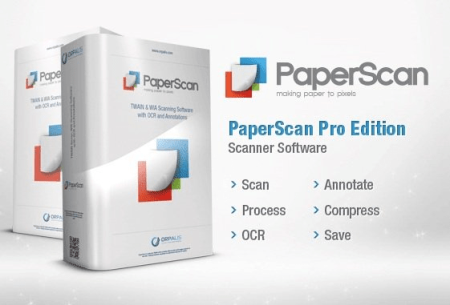
PaperScan Professional Edition is a powerful and comprehensive tool to manage the documents of your business or organization: scan, process, perform OCR, annotate, compress and save your images and PDFs in various formats.​

- Universal Scanning Application

- Automatic Color Detection

- Import Images and PDF documents

- Annotations

- Image Adjustments and Enhancements

- Various File Formats Saving

- Batch Scanning With Separator Sheets Support

- Quick-Scan Mode

- Unlimited batch TWAIN & WIA scanning / import.

- Save as single page PDF/A, TIFF, JPEG, JPEG 2000, PNG, JBIG2, WEBP.

- Save as multipage TIFF, JBIG2 and PDF/A.

- Save as PDF/OCR.

- Image processing during batch acquisition: auto-deskew, angle rotation, borders removal, punch holes removal, negative.

- Automatic blank page removal.

- Support for scanning with separator sheets.

- Post Image Processing: color adjustment, color space conversion, effects, filters, crop and more...

- Automatic color detection.

- Annotation support.

- PDF Encryption support (read & write).

- Flatbed and document feeder support.

- Duplex scanning support.

- New User Interface with many bug fixes and better performance.

- New Settings panel.

- More than 20 new filters and effects.

- New despeckle filter in batch acquisition/import filters.

- Improvement of all document imaging filters such as Auto - deskew, punch holes removal...

- Improvement of the automatic colour detection ee.

- Support for automatic image orientation added.

- Replacement of autocrop by automatic black borders removal in batch acquisition/import filters.

- ICM support for image import.

- Support for 60+ OCR languages added.

- Support for SVG, EMF and WMF file format added.

- New advanced printing dialog to specify alignment, adjustment, orientation...

- New profile manager to create, remove and switch configuration settings.

- Support for custom keyboard shortcuts management added.

- Pre-set annotations support with a featured designer.

- New polygon ruler annotation.

- New preview feature in scanning wizard.

- Improved support for camera devices.

- Improved support for large bitmap handling.


DOWNLOAD
uploadgig
Код:
https://uploadgig.com/file/download/e546f19b5f04952a/opOYGHg8_PaperScan.3_.rar

rapidgator
Код:
https://rapidgator.net/file/36158fe0192bf8917ed7dddb7c1a81c8/opOYGHg8_PaperScan.3_.rar

nitroflare
Код:
http://nitroflare.com/view/B3C8ECAF143E9EC/opOYGHg8_PaperScan.3_.rar
 
4K Video Downloader 4.12.2.3600 (x64) Multilingual

6f5e8750-06f3-4b5b-ad9e-8b57c6d5b4da.png

File size: 82 MB

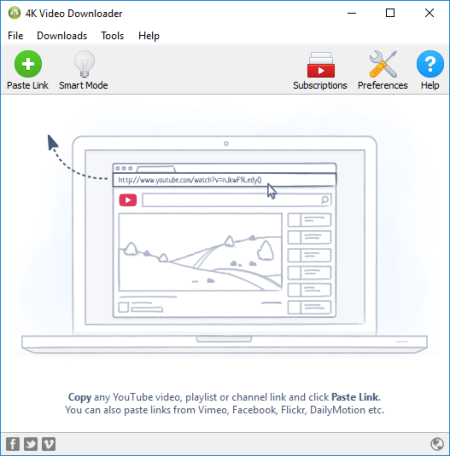
4K Video er allows to video, audio and subtitles from YouTube in high-quality and as fast as your computer and connection will allow.​

If you want that video on your iPad, iPhone or other device we've got you covered. ing is simple and straightforward: just copy the video link from your browser and click 'Paste Url'. Done!

entire playlists and channels from YouTube and save them in MP4, MKV, M4A, MP3, FLV, 3G, generate .m3u file for playlists.

video in HD 1080p, HD 720p or 4K quality and enjoy high dimension video on your HD TV, iPad or other devices.

Advanced subtitles , select if you would like to have .srt file or embedd subtitles in video file to watch it on your Mac for example.

Activate "Smart Mode" in order to apply the selected settings to all your s, easy and fast.

video in 3D format, you will find a small special icon among available formats after video parsing. It's really impressive to watch live shows and cartoons in 3D.

Subscribe to YouTube channels within 4K Video er and the new videos will be ed automatically to your computer just right after they're uploaded on a channel by its owner.

Support of 360° videos - the videos that were created with a camera that simultaneously records all 360 degrees of a scene, change the viewing angle by dragging video with the mouse and enjoy this mindblowing novelty!

embedded YouTube videos from any web pages, just copy/paste link and the program will find the source of .

video and audio from Vimeo, SoundCloud, Flickr, Facebook and DailyMotion.

Use 4K Video er on your PC, Mac or Linux, doesn't matter what OS you prefer.

Updates: official site does not provide any info about changes in this version


DOWNLOAD
uploadgig
Код:
https://uploadgig.com/file/download/d0c2fe952D7237B6/JGDBzeoe_4kvideodownloader4.rar

rapidgator
Код:
https://rapidgator.net/file/348a50a4c6eec4aa82f9021fe734aa32/JGDBzeoe_4kvideodownloader4.rar

nitroflare
Код:
http://nitroflare.com/view/A509B9323EBD65B/JGDBzeoe_4kvideodownloader4.rar
 
Abelssoft Converter4Video 2020 6.09.70 Multilingual

56f7f6d4-dc07-4421-ae0f-93d9da9dcbb2.png

Multilingual | File size: 31.7 MB

Doesn't matter which one you need - now you'll always have the right video format.​

Converter4Video provides all established video formats and enables you to convert your videos from and to any format of these.

Video conversion for all formats

Converter4Video provides all established video formats and enables you to convert your videos from and to any format of these.

Converter4Video supports the popular models of all well-known smartphones and tablets.

Publish your videos directly on YouTube with Converter4Video.

Converter4Video deploys the most recent converting and compression technologies in order to ensure a video conversion without any damages or losses.

Due to the very intuitive handling the conversion of videos with Converter4Video is made uncomplicated, so you do not need any previous knowledge.

Converter4Video supports nearly all popular formats to convert from or in. You just have to select the desired format and Converter4Video will do the rest.

Regretfully the web does not support all existing formats. But Converter4Video can process your video file to be easily embedded on a website.


DOWNLOAD
uploadgig
Код:
https://uploadgig.com/file/download/5155debfaecAaFe6/C2kqrdnB_Abelssoft_C.rar

rapidgator
Код:
https://rapidgator.net/file/0c43091b30629dbe5e95236e571f99dd/C2kqrdnB_Abelssoft_C.rar

nitroflare
Код:
http://nitroflare.com/view/5A506594A17941D/C2kqrdnB_Abelssoft_C.rar
 
PDF Anti-Copy Pro 2.6.0.4 Multilingual

9b4b1ce9-7ed9-4c00-a4e8-14974c2cd132.png

File size: 14 MB

Protect PDF documents from being copied or converted by removing all permissions that enable processing using this straightforward app.​

If you are not the author of the PDF documents you are handling but still want to lock it to ensure the integrity of confidential file or contracts, then using a utility such as PDF Anti-Copy can make things smoother and convenient.
Remove copy-related permissions in four easy steps

Following a quick and uneventful installation, you are welcomed by a modern looking interface that is easy to navigate and unlikely to give you any trouble, regardless of your previous experience with similar apps.

Protecting a PDF document is a quick and painless operation that entails four simple steps, namely selecting the desired file, the page, output folder and then hitting the start button. It is worth mentioning that the selecting the page is only available for documents that contain more pages solely.

Provides protection against conversion and copy

As you probably hinted from the GUI, the program allows you to zoom in and out, an option that can surely help when analyzing a PDF file. In fact, the option can be quite useful when you are processing contracts that feature fine print or footnotes, as you want to make sure they are not altered in any way before reaching their designated recipients.

Besides disabling the permission to select the text from the document, the program also protects your PDF files from being converted with other third-party software solutions. While the operation can be carried out, the result is usually a blank page.

Unfortunately, the app does not have batch processing, so you need to process documents one at a . The idea for the utility is to allow users to preview the content exactly as you send it but removes the possibility to copy or convert it.

A useful tool for anyone sharing PDF documents regularly

In spite of the fact that it does not come with a batch processing capability, PDF Anti-Copy is a reliable tool that can help you protect your critical data from being copied, printed or converted to other formats that allow editing.

Updates: official site does not provide any info about changes in this version.


DOWNLOAD
uploadgig
Код:
https://uploadgig.com/file/download/0F1968B78420ebC5/iK7Eg7eB_pdfanticopy2_.rar

rapidgator
Код:
https://rapidgator.net/file/b94662c6e09fee69891715d7fd4f8a50/iK7Eg7eB_pdfanticopy2_.rar

nitroflare
Код:
http://nitroflare.com/view/4A0507B28ADF9F5/iK7Eg7eB_pdfanticopy2_.rar
 
Назад
Сверху