• Здравствуйте. Сайт заработал в архивном режиме форум www.old.nado.in

Anthony's Software !!!

Secret Disk Professional 2020.00 Multilingual

1073b186-0149-4d75-aefc-9c755a269cbd.png

Languages: Multilingual | File Size: 2.29 MB

Secret Disk can create additional disk on your PC, which can be invisible and locked with a password within one second.​

You can make your private files and folders invisible and protected. You don't need to format your hard disk or make any changes to boot sector. Our program will create new disk automatically very quickly. You can make this disk invisible, including all contents, and protect it with a password. You can store any files and folders on the disk. Secret disk works as usual hard disk and compatible with any other programs which you have installed. You can have more than one secret disk and you can also choose disk letter. In case of power outage or fatal error of OS Windows your secret disk will be locked and become invisible automatically. It happens automatically because information are stored in the virtual memory. Secret Disk does not encrypt any files, it just limits access to your files (you can use password). Software ties virtual disk to your files. This will provide you enough security to hide your files from any person.

Additional Secret Disk Secret Disk can create additional disk on your PC, which can be invisible and locked with a password within one second. You can make your private files and folders invisible and protected.

Secret Disk can create additional disk on your PC, which can be invisible and locked with a password within one second. You can make your private files and folders invisible and protected.

You don't need to format your hard disk or make any changes to boot sector. Our software will create new disk automatically very quickly. You can make this disk invisible, including all contents, and protect it with a password. You can store any files and folders on the disk. Secret disk works as usual hard disk and compatible with any other software which you have installed. You can have more than one secret disk and you can also choose disk letter.

In case of power outage or fatal error of OS Windows your secret disk will be locked and become invisible automatically. It happens automatically because information are stored in the virtual memory. Secret Disk does not encrypt any files, it just limits access to your files (you can use password). Software ties virtual disk to your files. This will provide you enough security to hide your files from any person.
Windows XP, Vista, 7, 8, 10 / .NET framework 3.5


DOWNLOAD
uploadgig
Код:
https://uploadgig.com/file/download/558cb6d93815a4b6/1XazjHKv_.Secret.Dis.rar

rapidgator
Код:
https://rapidgator.net/file/b3a0f502f5cea09c90d476bebaf5ab6c/1XazjHKv_.Secret.Dis.rar

nitroflare
Код:
http://nitroflare.com/view/A8D8DB9AD31477E/1XazjHKv_.Secret.Dis.rar
 
Ability Office Professional 10.0.1

e40fb5b6-9b85-4cc4-9f35-c24210bbbfca.png

Languages: English | File Size: 72.01 MB

Ability Office Professional offers 5 fully featured applications in one affordable, powerful and above all compatible office suite, specifically designed for the needs of businesses everywhere.​

Get straight to work with a completely familiar user interface that requires absolutely no retraining. Create, load from, edit and save to Microsoft Office *.doc and *.docx, *.xls and *.xlsx, *.ppt and *.pptx, plus *.mdb files, Adobe PhotoShop *.psd files, together with all other mainstream graphical formats.Ability Office Professional - the cost-effective, easy-to-use alternative to Microsoft Office. Includes 2 licences for your personal commercial use. Per seat site licences are also available for larger enterprises or educational/charitable establishments.

- Compatible with Microsoft Word

- PDF or XPS export for your documents

- AutoSpelling, AutoCorrect & AutoText

- Vector Drawing layer, Autoshapes, Linked Frames & Tables

- Indexing, TOC, Sections, Task Panes & WriteFX effects

- Compatible with Microsoft Excel

- PDF or XPS export for your spreadsheets

- Pivot Table Wizard, Vector Drawing layer, Autoshapes

- Over 250 built-in functions & 25 different chart types

- Set Print Area, Page Break Previews, Cell Property Pane

- Compatible with Microsoft PowerPoint

- PDF, XPS, HTML Web-Album & Image export for your slides

- Thumbnail Outliner, Slide Sorter & Master Slide View

- AutoShapes, Pictures, Charts & WriteFX effects

- Spell Checking & Thesaurus

- Compatible with Microsoft Access 2003 and earlier

- PDF or XPS export for your database reports

- Advanced Query Designer and Relationship Manager

- Automatic or Wizard generation of Forms and Reports

- Interactive Mail-merge with Write & Spreadsheet

Gives you everything you need to create, edit and produce better-looking letters, reports, quotations, memos, mailings and newsletters. Write has all the features that you would expect from any top quality word processor - spell checker and thesaurus, bulleted and numbered lists, frames, tables, autocorrect, autospell, headers and footers, numerous paragraph and font options, interactive rulers, intelligent drag and drop editing, short-cut menus for easy text revision, the capacity to include graphics, spreadsheets and charts, plus a whole host of other essential features. Write also supports a wide range of file formats for export and import and is compatible with *.doc and *.docx file formats (Microsoft Office 2019 and earlier).

The perfect tool for managing all your numerical data, whether business information, home finances, complicated calculations or homework problems. To help you make sense of your figures, Ability incorporates all the essential elements users need from a spreadsheet program, as well as a range of advanced features - such as pivot tables and macros - to make working with numerical data as easy and clear as possible. Compatible with both *.xls and *.xlsx file formats (Microsoft Office 2019 and earlier).

The ideal application for creating professional slideshow presentations, with a wide range of visual and text effects ensuring that your message is delivered with maximum impact. Make your presentations as simple or as sophisticated as you need with the combination of Ability's familiar design interface and rich creative feature set enabling production of the highest quality presentations. Compatible with both *.ppt and *.pptx file formats (Microsoft Office 2019 and earlier).

A powerful data management system that is perfect for storing and analysing structured data or information, including address books, inventories, customer and product lists, medical records, and any other data that can be usefully tabulated. Create and maintain detailed reports that display information filtered, sorted and grouped according to your precise needs and so make your analysis and decision-making easy. Compatible with *.mdb file formats (Microsoft Office 2003 and earlier).

A feature-rich photo and image editor that will instantly feel familiar, both in interface and functionality, to users of Adobe Photoshop. Its fundamental components include paint tools, colour palettes, brushes, selections, special effects filters and layers, delivering you the ability to create the exact graphical effects and edits required. Compatible with both Adobe Photoshop *.psd and all other mainstream graphics file formats.

As a major added benefit, create universally accepted Adobe PDF files from within any relevant Ability application, allowing secure delivery of original documents and making it quick and easy to publish documents online.

- Windows 10, 8, 7, Vista

- PC suitable for running these operating systems

- 150Mb hard disk space


DOWNLOAD
uploadgig
Код:
https://uploadgig.com/file/download/41Af5eaEa2c8af0d/RUvmODGe_.Ability.10.0.1.rar

rapidgator
Код:
https://rapidgator.net/file/d77e649c9087737283cd91597649a0c5/RUvmODGe_.Ability.10.0.1.rar

nitroflare
Код:
http://nitroflare.com/view/4229F7EC5BCFF95/RUvmODGe_.Ability.10.0.1.rar
 
MiTeC InfoBar 3.6.0 Multilingual

d707eeaa-1818-42b5-bc2b-d2dbca37f5bc.png

File Size : 2 Mb

Main window is Windows-taskbar-like window with auto hide feature.​

There are displayed most important information about your computer. When switched on News Ticker fed by RSS Reader is displayed with scrolling news. Current Weather Conditions

Event Coundown

System Up-

Power Supply

Disk Information

CPU Usage

Process with highest CPU Usage

Memory Usage

Dayname and Date

Current

Keyboard locks

If you double-click on any panel detailed information about is displayed in the bubble.

When you click on Star image menu is displayed.

All modules/tools can be invoked by system-wide hot keys. Fully customizable interface is also available.

Calculator

Scientific calculator with wide range of functions, constants and user-defined variables.

Calendar

This tool displays calendar with day names and astronomical events.

Desktop Explorer

Desktop Explorer detects window under cursor and and displays available information about it. It contains magnify tool that can zoom area under cursor.

Notepad

Fully customizable full-featured text editor.

Coding Tools

Here user can get shortcut codes from text format and vice versa, Delphi date format from/to its number representation, select color codes in Delphi or HTML format calculate CRC32 or MD5 for entered text and bidirectional SID or account name detection. Windows error code translator is also available.

ASCII table

ASCII table explorer. What more to say?

Weather Forecast

This is small locations and weather forecast explorer.

RSS Reader

This is small but smart RSS reader.

Windows 2000

Windows XP

Windows 2003

Windows Vista

Windows 7

Windows Server 2008

Windows 8

Windows 8.1

Windows 10


DOWNLOAD
uploadgig
Код:
https://uploadgig.com/file/download/A4cd1b3dD4eACd12/NrRx6HSD_InfoBar_Setup..rar

rapidgator
Код:
https://rapidgator.net/file/bb774c73ee71d3d9dd29412506b81c2e/NrRx6HSD_InfoBar_Setup..rar

nitroflare
Код:
http://nitroflare.com/view/077B8FAC803F69D/NrRx6HSD_InfoBar_Setup..rar
 
Adobe Audition 2020 (v13.0.5) Multilingual by m0nkrus

2001191414420097.jpg

File Size : 404 MB​
The program for working with audio data Adobe Audition is a professional tool for professionals who work in the field of audio and video production, offering them almost unlimited possibilities. Ease of use is perfectly combined with the flexibility of work, allowing you to create master copies of the highest class, edit, mix, process, impose a variety of sound special effects. In fact, the user gets on his computer a full-fledged powerful recording studio with easy-to-use and, at the same time, fairly professional tools.

The product offers users the following features:
Create high-quality audio products - Adobe Audition supports files with a digitization depth of up to 32-bit and a sampling frequency of more than 192 kHz, and recording on any media (including magnetic tape, CD, DVD or DVD-Audio discs). All processing is performed in 32-bit resolution, which allows to achieve highly professional results.
Get the most out of your work - Adobe Audition will provide you with all the tools you need for fast and efficient work. A convenient interface will allow you to perform the necessary operations as soon as possible, and floating work panels will provide quick setup of the workspace taking into account your personal preferences.
Use integrated tools - Adobe Audition offers a complete solution for editing and mixing audio files. Built-in viewing modes (multi-track and intended for editing), real-time special effects, support for loops, analysis tools, recovery function and video support will provide you with unlimited possibilities in the field of processing audio files.
Powerful tools based on DSP technology - Use more than 45 effects based on DSP technology, tools for creating master copies, analytical tools, as well as the function of restoring audio files.
Creating soundtracks for movies - Edit, mix and add effects to soundtracks in AVI format while watching a video sequence.
Expanded support for various audio formats - Work with audio files in all common formats (including WAV, AIFF, MP3, mp3PRO and WMA).
Intuitive user interface - Thanks to a convenient and intuitive interface, you can get to work immediately without spending extra time on training.


DOWNLOAD
uploadgig
Код:
https://uploadgig.com/file/download/79eaf061b96400d8/Audition.2020.rar

rapidgator
Код:
https://rapidgator.net/file/dee3b52359444d8fbbe24698ca31ca2e/Audition.2020.rar

nitroflare
Код:
http://nitroflare.com/view/93B361DEE135747/Audition.2020.rar
 
Adobe Media Encoder 2020 (v14.1) Multilingual by m0nkrus

2001191503590103.jpg

File Size : 950 MB
​
Adobe Media Encoder 2020 is an encoding program that allows you to encode audio and video files into various distribution formats for various applications and audiences. Such video and audio formats are characterized by a high degree of compression. Using this program, you can export video to formats supported by various devices, from DVD players and websites to mobile phones, portable media players and standard and high definition televisions.

Adobe Media Encoder Features:
Support for display color management
Support for the ARRI Alexa LF
camera format Support for the Sony Venice v2 camera format
Support for the Google VR180
format Support for the HEIF (HEIC) still image format on macOS
Extended support for hardware acceleration on macOS

DOWNLOAD
uploadgig
Код:
https://uploadgig.com/file/download/911d5A21BB780699/Media.Encoder.2020.rar

rapidgator
Код:
https://rapidgator.net/file/11fe1940203d1bcd33339b5829cfbd03/Media.Encoder.2020.rar

nitroflare
Код:
http://nitroflare.com/view/C4AC5DE87536B28/Media.Encoder.2020.rar
 
Adobe Photoshop 2020 (v21.1.2) Multilingual by m0nkrus

2001261953120103.jpg

Interface language: Russian, English and others | 1.97GB
​
Adobe Photoshop is a comprehensive solution for professional processing of digital images, which contains the most advanced tools for working with images and new opportunities for implementing creative ideas that can significantly improve productivity. Edit images with exceptional precision, use new intuitive tools and workflows to create three-dimensional graphics, two-dimensional projects, as well as films.

Features of Adobe Photoshop 2020:
Change resources once and update them in all projects using the related resources feature. Now you can link the resources of the Creative Cloud libraries, and after making changes to a particular resource, team members can choose whether to update them in Illustrator, Photoshop or InDesign projects.
Artboards to enhance design efficiency. Ideal for flexible design on multiple screens, artboards allow you to create multiple layouts of various sizes, place them in one document and view everything at once. Copy and move content between artboards, export them one at a time or several at a time.
Quickly find the vector or bitmap you need. The new Adobe Stock Store allows you to find, license, and manage royalty-free images and videos from Photoshop CC. Choose from 40 million resources, save them in Creative Cloud libraries and use in your projects.
Convenient and optimized environment for designers. Photoshop CC's new handy tool, Design Space (Preview), supports a special mode with new interaction techniques and functions, eliminating unnecessary mouse movements and simplifying the work of designers on mobile applications and websites.
Faster and easier image export. Recycled export tools allow you to export a single layer, artboard or the entire document with one click. In addition, you can use more efficient compression, additional preview options, including the size of the workspace and additional functions when retrieving a resource. Improved save function for viewing on the Internet.
Add additional layer styles to create the desired effect. You can easily add up to 10 instances of selected layer styles - including shadow, gradient blends, color blends, inner shadow, and strokes - to a layer or group of layers and change any style at any time. You no longer need to rasterize effects or blends in different layer groups.
You can rest assured that your Photoshop projects will look great on iOS devices. Accurate preview of your mobile application or web design with real-time feedback in the context of the desired iOS device. Adobe Preview CC is an additional application for iOS that allows you to connect devices to Photoshop via USB or Wi-Fi and view projects as you work on them.
Get realistic blurs with noise overlay. Add monochromatic and color noise to the blur filter library as close as possible to the original image, and get rid of stripes when viewing and printing.
Recover images and apply patches to them much faster than before. Improving the performance of the functions of the repairing brush (including the spot) and the Patch tool thanks to the Mercury Graphics Engine. The results of applying the recovery brush are displayed in real time, and the effects of the spot restoration brush and the Patch tool are displayed up to 120 times faster than in CS6.
The Glyphs panel provides convenient access to glyphs from all projects. The Glyphs panel in the new Photoshop CC, similar to the corresponding panels in Illustrator CC and InDesign CC, allows you to view the glyphs available for the font used, see alternatives to the selected glyph, and access frequently used glyphs.
Exact control of the movement and expansion of objects. Enhanced content-based moving and expanding operations enable you to precisely scale and rotate moving objects or expandable areas. Accurately set the end position of the object according to the scale and position of the image using the Transform on Drop function.
Better panoramas with auto-fill based on content. Automatic fill-in based on content allows you to fill in the corners of a panorama from several images, simply by checking one box.
Better image on HiDPI displays in Windows. Photoshop CC for Windows now supports HiDPI screen format, increasing the quality and resolution when viewing images. In previous versions, HiDPI support was implemented in preview. Now it turns on automatically when the application detects a HiDPI screen.
Simplify complex 3D models. Easily lower the resolution of 3D models to enhance Photoshop performance and the ability to use your 3D resources on tablets, smartphones and other devices.
Automatically create bump maps from images. Automatically create more accurate textured and standard maps from photo textures. In addition, you can control the height and depth of the relief created from the relief maps when adding this surface to 3D models.
Simple 3D printing. Create pre-made 3D printing files in PDF and SVX formats and send print jobs directly from Photoshop CC to the 3D Hubs network, which provides easy access to local 3D printing service providers.
And much more. As well as improved behavior when moving layers, reducing energy consumption by up to 80% during downtime, updating pricing information for 3D printing service providers, and much more.

Build Features:
Portable Assembly (PAF) Adobe Photoshop v.21 Lite with DxO plug-ins Nik Collection 2.3.1, as well as Imagenomic Portraiture 3.0.2, Fractalius and support for saving icons in the .ico format, works without installing on a computer.
The treatment is carried out.
Interface languages: english, russian, espanol, ukrainian, italiano, deutsch, polski, francais, svenska, cesky, magyar, portuguesa, chinese simplified.
If your portable build does not start, it is possible that your system does not have full Microsoft Visual C ++.

DxO Nik Collection 2.3.1 contains the following plugins:
Analog Efex Pro 5.0.2.187
Color Efex Pro 5.0.2.187
Dfine 5.0.2.187
HDR Efex Pro 5.0.2.187
Selective Palette 5.0.2.187
Sharpener Pro 5.0.2.187
Silver Efex Pro 5.0.2.187
Viveza 5.0.2.187

Features lite version (deleted):
Adobe linguistics
Animation Tips
Report Generation Wizard
Report Wizard
Update Notification Modules
New (slow) file creation interface + paid library
Design space
Working with video (DynamicLinkMediaServer)
Work with Extensions (CEP)
Advertising and license agreement
Anti-Theft Service
Error Reporting Service
Help Files
Color filters NTSC, PAL

Build Features:
List of Changes
What is changed by the author of the assembly:
- To make it possible to install the program not only on Windows 10, the installer version has been reduced to 4.9.0.515.
- From the installer, with the exception of the required minimum, the Adobe Application Manager module was cut, which is installed by the original installer without fail.
- From the installer, with the exception of the required minimum, the Adobe Desktop Common module was cut, which is installed by the original installer without fail.
- The Adobe Creative Cloud module, completely installed by the original installer without fail, is completely cut out from the installer.
- The installer offline integrates into Windows 7 a certificate confirming Adobe's modern electronic signature.
- The installer provides a choice of installation path and interface language of the program, as well as the ability to run the program immediately after installation.
- Unlocked the ability to install the program on Windows 8.x and Windows 10 minor versions.
- In the menu for selecting the interface language of the installed program, a false indication of support for an additional six languages ​​has been fixed.
- Updated Adobe Photoshop core module to version 21.1.0.106.
- Updated Adobe Camera Raw auxiliary module to version 12.2.0.78.
- Updated Adobe CCX Process Helper Module to version 3.5.0.33.
- Added Adobe CC Library version 3.7.4.29 helper module.
- The main Adobe Photoshop module and the Adobe CCX Process module are patched in a special way so that a message about the end of the trial period is not displayed on the program authorized with Adobe ID.
- The program has already been treated. The start window (initial screen) works. You can use the libraries.


DOWNLOAD
uploadgig
Код:
https://uploadgig.com/file/download/63829a1B82695b50/Photoshop.2020.part1.rar
https://uploadgig.com/file/download/aCbBbe16b91ca128/Photoshop.2020.part2.rar

rapidgator
Код:
https://rapidgator.net/file/6b9fb61779723cd186a37ac24265dde0/Photoshop.2020.part1.rar
https://rapidgator.net/file/0bbe5d538600613dd553d15dcf095da2/Photoshop.2020.part2.rar

nitroflare
Код:
http://nitroflare.com/view/C0400933E49756E/Photoshop.2020.part1.rar
http://nitroflare.com/view/6BB7EB037B99A0B/Photoshop.2020.part2.rar
 
Adobe XD v28.4.12 Multilingual by m0nkrus

a927fffd-9b86-4ea1-8900-e21a81982765.png

x64 | Language:Multilanguage | File Size: 337 MB
​
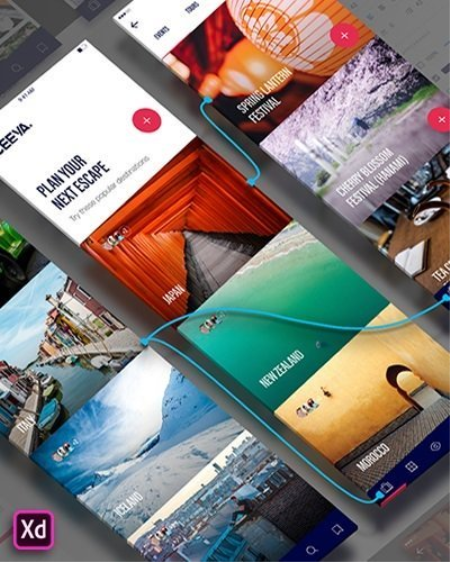
XD CC Adobe - is the new creative tools from Adobe for the design of high-quality prototypes of user interfaces for mobile and Web applications.

This tool is specifically designed for building rapid prototypes, as well as for high-fidelity user interface and design. With the help of Adobe XD CC anyone can create frames, high fidelity interactive prototypes and design applications and web sites. Once you will have a prototype, you can import visuals into Visual Studio or IDE of your choice to start creating the final application. Publish prototypes and get feedback

Generate weblinks to your designs that you can share with others to get feedback. Or embed it into a web page, For example on Behance. Comments can be attached directly to the prototype or to specific components of your design. You will be notified as soon as a comment has been added. To see your changes, checkers simply need to reload the link in the browser.

Liquid working with drawing surfaces

Whether you work with one or hundreds of workspaces, it does not matter: You can rely on the performance of XD. Create any number of designs for different screens and devices within a project. Pan and zoom without jerking or stuttering. Choose a template or define your own drawing area. Copy design elements between drawing faces while the layout is preserved.

repeating grid

Select an item in your design, Such as a contact list or a photo gallery, and duplicate it as often in the horizontal or vertical direction. All styles and distances are preserved. When you edit the item, the changes are applied to the entire design.

Platform-wide support

Control panel "Elements"

Colors and character formats are handy and reusable when you add them to the "Elements" panel (formerly "Symbols"). This panel also contains the icons. When you edit a color or format in the panel, the change is automatically performed throughout the document.

Next generation symbols

Work with -saving symbols. The ready-to-use design components make it unnecessary to search for and edit each instance of an item in a document. When you edit an instance, all other instances are automatically updated. Overwriting certain entities is also possible. The symbols can be vector graphics, raster images or text objects, which you can also use as objects within repeating screens.

Creative Cloud libraries

With integration with Creative Cloud libraries, Adobe XD CC lets you access colors and character formats created in Photoshop CC, Illustrator CC, or any other Creative Cloud application, and use them in your design.

OS:Windows 10 Creators Update OR higher

CPU:Intel or AMD processor with 64-bit support

Display:1280 x 800

RAM:4 GB of RAM

Graphics:Minimum Direct 3D DDI Feature Set: 10. For Intel GPU, drivers released in 2014 or later are necessary. To find this information, launch "dxdiag" from the Runmenu and select the "Display" tab.


DOWNLOAD
uploadgig
Код:
https://uploadgig.com/file/download/A14efB161A710f75/Xd.rar

rapidgator
Код:
https://rapidgator.net/file/e2ab5cc5c12a580ea91832a20ce45935/Xd.rar

nitroflare
Код:
http://nitroflare.com/view/09CCE64E882E30B/Xd.rar
 
Architecture Addon for Autodesk AutoCAD 2021 RUS-ENG by monkrus

33GYb.jpg

File Size : 1.83 GB
​
Many users of "vertical" AutoCAD products have noticed that recently, any AutoCAD product with advanced functionality consists, in fact, of AutoCAD as the basis and add-on for Mechanical, Electrical, Architecture, etc.

Alas, developers, as before, have only full-size distributions . That is, if you want to get Mechanical and Architecture, then you are forced to download two huge packages, most of the contents of which duplicate each other. In this regard, I decided to start releasing distributions of a new type containing only an add-in. Now, to install all the same Mechanical and Architecture, you will need to download the basic AutoCAD and two small add-ons. Download less, store more compactly - this is the main idea of ​​assemblies of this format! AutoCAD Architecture

- This is AutoCAD for architects. Specialized functions for architectural design and drawing, as well as a familiar working environment increase the efficiency of project and working documentation. AutoCAD Architecture 's user productivity growth compared to traditional CAD systems has been observed since the first minute, and designers are exploring new product features at a convenient pace.

In AutoCAD Architecture , which is AutoCAD for architects, architectural design tools are combined with the familiar AutoCAD environment. This increases work efficiency and improves coordination with subcontractors.

New opportunities
- Autodesk Revit Components The
added components are available in the profile with metric units for localized languages. These include plumbing fixtures, furniture, equipment, parking, equipment, catering facilities, lighting, elements for environmentally sound design, etc. - Enhancement of tag clouds Now, after selecting a tag cloud object as the type of object, a tag cloud is displayed instead of a polyline in the properties palette. Marked clouds are still essentially polylines, but contain an additional arc property and the ability to switch between two pen styles. - Import DWG Compare

Now you can import objects that are the differences between the two compared drawings. You can import the differences highlighted in red from the comparison drawing into the current drawing. After that, the objects will become common to both drawings and will automatically turn gray. You can import only objects that are not in the current drawing. - Comparison of external links

The main improvement of the "Compare" function is that now you can compare and view the changes made to the drawing file, which is inserted into the current drawing as an external link. Any changes to the reference or comparison drawing are highlighted with tag clouds. When you change the reference drawing, a pop-up notification appears in the lower right part of the application window (in the status bar). Click the link in the pop-up notification to update the changed external link or to compare the changes. Changes made to external links can also be compared in the External Links panel. - Update icons

The icons in frequently used dialog boxes and palettes have been updated to provide optimal contrast so as not to distract users from the drawing area, which is usually focused on.

List of Changes
What is changed by the author of the assembly:
- The assembly is based on the original Russian and English distributions integrated into a single package, from which everything that is not directly related to the installation of the Architecture add- in is removed .
- Since the so-called " classic interface " wasmissing by default in Architecture, I considered it possible to restore it for the afflicted.
- The assembly is relieved of some problems that arise when, when connecting an image via a virtual drive, the installer sometimes required a different drive.
- Everything necessary for treatment, including detailed instructions, is located inside the image in the Crack folder.

DOWNLOAD
uploadgig
Код:
https://uploadgig.com/file/download/40d576e4759B3dce/Architectire.2021.Addon.part1.rar
https://uploadgig.com/file/download/6122a11D95d79c04/Architectire.2021.Addon.part2.rar

rapidgator
Код:
https://rapidgator.net/file/656bef3f6ae582b221a07582f1a0f011/Architectire.2021.Addon.part1.rar
https://rapidgator.net/file/8590379edfa5975cc8ac8782071c243c/Architectire.2021.Addon.part2.rar

nitroflare
Код:
http://nitroflare.com/view/E9553E058019434/Architectire.2021.Addon.part1.rar
http://nitroflare.com/view/7CC0765BEC3ADC8/Architectire.2021.Addon.part2.rar
 
Autodesk Inventor (Pro) 2021 RUS-ENG by m0nkrus

96b5e2ea-4a55-4c8c-90e3-5dd36b39d537.png

x64 | Language:English | File Size: 11.7 GB​
mechanical design, simulation, tool creation, and design communication that help you to make great products, cost-effectively, in less .

Autodesk Inventor software provides professional-grade eeering solutions for 3D

Inventor is the foundation of the Autodesk solution for product development. The Inventor model is an accurate 3D digital model that enables you toUser interface is suitable for quick learning

-has a geometric modeling kernel using Autodesk ShapeManager

-Coordination withincludes the following major sections:

-Part Modeling:the first part of the work of the most complete mechanical design and modeling environment

-Assembly:assembly designed with specific instructions with access to standard software library includes hundreds of thousands of pieces

-Drawing:the facade of components designed for applications such as AutoCAD and allows output

-Sheet Metal:Vrqkary design and take the form of spreadsheets Khrvjygrftn

-Weldment:welding standards as well as possible gaps between the two pieces of welding

-Presentation:Animation parts and burst modes

-Piping:Piping advanced and easy design path with the latest standards Piping Pipes
-Frame Generation:professional design of structures and frames with complete tools ready

-Inventor Studio:construction project designed videos from all views

-Dynamic Simulation:Analysis of Energy and behavior in non-fixed parts

OS:Microsoft Windows 10/Microsoft Windows 7 SP1 with Update KB4019990

CPU: Recommended:3.0 GHz or greater, 4 or more cores / Minimum:2.5 GHz or greater

Memory: Recommended:20 GB RAM or more / Minimum:8 GB RAM for less than 500-part assemblies

Graphics: Recommended:4 GB GPU with 106 GB/S Bandwidth and DirectX 11 compliant / Minimum:1 GB GPU with 29 GB/S Bandwidth and DirectX 11 compliant

Display:Recommended:3840 x 2160 (4K); Preferred scaling: 100%, 125%, 150% or 200% / Minimum:1280 x 1024

NET:.NET Framework Version 4.7 or later. Windows Updates enabled for installation.

Spreadsheet:

-Full local install of Microsoft Excel 2010, 2013 or 2016 for iFeatures, iParts, iAssemblies, Global BOM, Parts Lists, Revision Tables, spreadsheet-driven designs and Studio animation of Positional Representations.

-64-bit Microsoft Office is required to export Access 2007, dBase IV, Text and CSV formats.

-Office 365 subscribers must ensure they have a local installation of Microsoft Excel 2016.

-Windows Excel Starter, OpenOffice, and browser-based Office 365 applications are not supported.


DOWNLOAD
uploadgig
Код:
https://uploadgig.com/file/download/720C0abb3ab964B8/Inventor.Pro.2021.part01.rar
https://uploadgig.com/file/download/e6474ceea90aa8a5/Inventor.Pro.2021.part02.rar
https://uploadgig.com/file/download/C535b48Bb36473D9/Inventor.Pro.2021.part03.rar
https://uploadgig.com/file/download/3c68a654586eD66a/Inventor.Pro.2021.part04.rar
https://uploadgig.com/file/download/c0e4D9eb01cC1369/Inventor.Pro.2021.part05.rar
https://uploadgig.com/file/download/b346453152d3a83e/Inventor.Pro.2021.part06.rar
https://uploadgig.com/file/download/269E650681dA0EAB/Inventor.Pro.2021.part07.rar
https://uploadgig.com/file/download/21e8a1FBb5ac5dFa/Inventor.Pro.2021.part08.rar
https://uploadgig.com/file/download/Dcbd2fd6b45ddb83/Inventor.Pro.2021.part09.rar
https://uploadgig.com/file/download/4f0378D6aae45A48/Inventor.Pro.2021.part10.rar
https://uploadgig.com/file/download/99543bd7DC8ed762/Inventor.Pro.2021.part11.rar
https://uploadgig.com/file/download/9a2929eC6015bc93/Inventor.Pro.2021.part12.rar

rapidgator
Код:
https://rapidgator.net/file/f52289d0b675e3c39d4400fbcd9c4659/Inventor.Pro.2021.part01.rar
https://rapidgator.net/file/59cbc58b0771d1ae2e2abd0ca6ab942c/Inventor.Pro.2021.part02.rar
https://rapidgator.net/file/4fef095474c1b3a8db36e2b53daa4e24/Inventor.Pro.2021.part03.rar
https://rapidgator.net/file/c061d9d35d2e3389d6a21f31b8138eef/Inventor.Pro.2021.part04.rar
https://rapidgator.net/file/92df454ed5a2ee9e3a1a0b08cf0a8c07/Inventor.Pro.2021.part05.rar
https://rapidgator.net/file/a63193cac0010d1e1cef53c21a77766e/Inventor.Pro.2021.part06.rar
https://rapidgator.net/file/35f13ad04b91fdee17789957c4f9300f/Inventor.Pro.2021.part07.rar
https://rapidgator.net/file/956f0dc2a53092cfa2783ba1eb21871f/Inventor.Pro.2021.part08.rar
https://rapidgator.net/file/7edec60db758dd4367e32fcfad5bda41/Inventor.Pro.2021.part09.rar
https://rapidgator.net/file/207f894d5dfa8bd77b9dcacf07a8433f/Inventor.Pro.2021.part10.rar
https://rapidgator.net/file/f5e30eb3713c9a75642339f0d44d65ce/Inventor.Pro.2021.part11.rar
https://rapidgator.net/file/fe01fb71699f356f9dd6b6c3b0b5b68f/Inventor.Pro.2021.part12.rar

nitroflare
Код:
http://nitroflare.com/view/1A6E6D2A1891A59/Inventor.Pro.2021.part01.rar
http://nitroflare.com/view/C2475EFF7261F29/Inventor.Pro.2021.part02.rar
http://nitroflare.com/view/995B864E483C827/Inventor.Pro.2021.part03.rar
http://nitroflare.com/view/E71F346D3D12C1C/Inventor.Pro.2021.part04.rar
http://nitroflare.com/view/79DE22336E4176A/Inventor.Pro.2021.part05.rar
http://nitroflare.com/view/EC34899E7E28784/Inventor.Pro.2021.part06.rar
http://nitroflare.com/view/031BB416B22CE62/Inventor.Pro.2021.part07.rar
http://nitroflare.com/view/AD48EBB6698AA95/Inventor.Pro.2021.part08.rar
http://nitroflare.com/view/3BC6DEEA0C84B0E/Inventor.Pro.2021.part09.rar
http://nitroflare.com/view/F460F0AB5696594/Inventor.Pro.2021.part10.rar
http://nitroflare.com/view/EBB9BC04FE0C841/Inventor.Pro.2021.part11.rar
http://nitroflare.com/view/B286BC7ED8F2F85/Inventor.Pro.2021.part12.rar
 
Electrical Addon for Autodesk AutoCAD 2021 RUS-ENG by monkrus

33FPv.jpg

File Size : 2.33 GB​
Many users of "vertical" AutoCAD products have noticed that recently, any AutoCAD product with advanced functionality consists, in fact, of AutoCAD as the basis and add-on for Mechanical, Electrical, Architecture, etc. Alas, developers, as before, have only full-size distributions

. That is, if you want to get Mechanical and Architecture, then you are forced to download two huge packages, most of the contents of which duplicate each other. In this regard, I decided to start releasing distributions of a new type containing only an add-in. Now, to install all the same Mechanical and Architecture, you will need to download the basic AutoCAD and two small add-ons. Download less, store more compactly - this is the main idea of ​​assemblies of this format! AutoCAD Electrical

- This is AutoCAD for designers of electrical control systems. AutoCAD Electrical includes all the features of AutoCAD, as well as a set of specialized functions for the design of electrical control systems. Automation of standard tasks and extensive libraries of symbols allow you to save a lot of time that can now be devoted to innovative developments.

The program helps automate typical design tasks. AutoCAD Electrical includes all the features of AutoCAD, as well as a set of specialized functions for electrical engineering. Automation of standard tasks and extensive library of symbols help to increase productivity and maintain competitiveness.
New opportunities
- Global catalog search
In this version, one of the ideas presented on the AutoCAD Electrical Ideastation portal is available, which received the maximum number of user votes. Thanks to the Global Search feature in the directory browser, you can now search for directory data in tables. - Optional Manufacturer Directory Components Manufacturer directory components released as updates in earlier versions are now included in the AutoCAD Electrical tool installer. Component updates include catalog data from Eaton and Siemens applications. AutoCAD Electrical toolkit also includes additional Siemens PLC catalog information for the S7-1500 PLC series. - Icon optimization

AutoCAD Electrical includes optimized background colors as well as icon colors for optimal contrast without distracting attention from the drawing area. - Project database services Improved stability of work with project database services. - Reports The LISP function for the Specification panel now creates a valid XML file in the German version. Component reports now match the collation in the report format file (SET). Improved reporting stability. - Setting up the project Now, when you open the project, the folder follows the path specified by the WD_PICKPRJDLG variable in the WD.ENV environment file. - Insert component and wires

Now, in the pin assignment of the parent circuit breaker image, the correct number of child contacts in the drawing is taken into account. Improved stability of the workflow of showing branching output. Now when importing wires, the size and color properties of the wire are displayed. - Panel Mount Components Wire numbers inserted using the Insert Terminal (List of Diagrams) command are now displayed in the terminals of the mounting panel. Improved stability when inserting mounting plate components. - Publish PDF In published PDF files, arrow-style hyperlinks in hexadecimal format now point to the correct links.

List of Changes
What is changed by the author of the assembly:
- The assembly is based on the original Russian and English distributions integrated into a single package, from which everything that is not directly connected with the installation of the Electrical add- in is removed .
- Since Electrical did not have the so-called " classic interface "by default, I considered it possible to restore it for the afflicted.
- The assembly is relieved of some problems that arise when, when connecting an image via a virtual drive, the installer sometimes required a different drive.
- Everything necessary for treatment, including detailed instructions, is located inside the image in the Crack folder.

DOWNLOAD
uploadgig
Код:
https://uploadgig.com/file/download/59b2c1B490d02650/Electrical.2021.Addon.part1.rar
https://uploadgig.com/file/download/a22Bcf3eB02074c9/Electrical.2021.Addon.part2.rar
https://uploadgig.com/file/download/56E0d649065348F8/Electrical.2021.Addon.part3.rar

rapidgator
Код:
https://rapidgator.net/file/ee5457dbeb4a1887113f0492f0ab26b6/Electrical.2021.Addon.part1.rar
https://rapidgator.net/file/0342bf14ac9dff212b87dc2b17722378/Electrical.2021.Addon.part2.rar
https://rapidgator.net/file/0eab8b44f9cd3cbd16613de76bc88cdd/Electrical.2021.Addon.part3.rar

nitroflare
Код:
http://nitroflare.com/view/908120B0AE66B3D/Electrical.2021.Addon.part1.rar
http://nitroflare.com/view/BA4B9A55624675D/Electrical.2021.Addon.part2.rar
http://nitroflare.com/view/0456A2428B21DCA/Electrical.2021.Addon.part3.rar
 
Map 3D Addon for Autodesk AutoCAD 2021 RUS-ENG by monkrus

33LbT.jpg

File Size : 1.39 GB
​
Many users of "vertical" AutoCAD products have noticed that recently, any AutoCAD product with advanced functionality consists, in fact, of AutoCAD as the basis and add-on for Mechanical, Electrical, Architecture, etc.

Alas, developers, as before, have only full-size distributions . That is, if you want to get Mechanical and Architecture, then you are forced to download two huge packages, most of the contents of which duplicate each other. In this regard, I decided to start releasing distributions of a new type containing only an add-in. Now, to install all the same Mechanical and Architecture, you will need to download the basic AutoCAD and two small add-ons. Download less, store more compactly - this is the main idea of ​​assemblies of this format! AutoCAD Architecture

- This is AutoCAD for architects. Specialized functions for architectural design and drawing, as well as a familiar working environment increase the efficiency of project and working documentation. AutoCAD Architecture 's user productivity growth compared to traditional CAD systems has been observed since the first minute, and designers are exploring new product features at a convenient pace.

In AutoCAD Architecture , which is AutoCAD for architects, architectural design tools are combined with the familiar AutoCAD environment. This increases work efficiency and improves coordination with subcontractors.

New opportunities
- Autodesk Revit Components The
added components are available in the profile with metric units for localized languages. These include plumbing fixtures, furniture, equipment, parking, equipment, catering facilities, lighting, elements for environmentally sound design, etc. - Enhancement of tag clouds Now, after selecting a tag cloud object as the type of object, a tag cloud is displayed instead of a polyline in the properties palette. Marked clouds are still essentially polylines, but contain an additional arc property and the ability to switch between two pen styles. - Import DWG Compare

Now you can import objects that are the differences between the two compared drawings. You can import the differences highlighted in red from the comparison drawing into the current drawing. After that, the objects will become common to both drawings and will automatically turn gray. You can import only objects that are not in the current drawing. - Comparison of external links

The main improvement of the "Compare" function is that now you can compare and view the changes made to the drawing file, which is inserted into the current drawing as an external link. Any changes to the reference or comparison drawing are highlighted with tag clouds. When you change the reference drawing, a pop-up notification appears in the lower right part of the application window (in the status bar). Click the link in the pop-up notification to update the changed external link or to compare the changes. Changes made to external links can also be compared in the External Links panel. - Update icons

The icons in frequently used dialog boxes and palettes have been updated to provide optimal contrast so as not to distract users from the drawing area, which is usually focused on.

List of Changes
What is changed by the author of the assembly:
- The assembly is based on the original Russian and English distributions integrated into a single package, from which everything that is not directly related to the installation of the Architecture add- in is removed .
- Since the so-called " classic interface " wasmissing by default in Architecture, I considered it possible to restore it for the afflicted.
- The assembly is relieved of some problems that arise when, when connecting an image via a virtual drive, the installer sometimes required a different drive.
- Everything necessary for treatment, including detailed instructions, is located inside the image in the Crack folder.

DOWNLOAD
uploadgig
Код:
https://uploadgig.com/file/download/985916182cE5cFcC/Map.3D.2021.Addon.part1.rar
https://uploadgig.com/file/download/580175980E5e9222/Map.3D.2021.Addon.part2.rar

rapidgator
Код:
https://rapidgator.net/file/8056f79b8d7e43bb2906a9a6041a453f/Map.3D.2021.Addon.part1.rar
https://rapidgator.net/file/8f8c79eef69bb58c3869488d5050cb3b/Map.3D.2021.Addon.part2.rar

nitroflare
Код:
http://nitroflare.com/view/D6F1F81E9F704DE/Map.3D.2021.Addon.part1.rar
http://nitroflare.com/view/FC0AA2927D3AAFC/Map.3D.2021.Addon.part2.rar
 
Mechanical Addon for Autodesk AutoCAD 2021 RUS-ENG by m0nkrus

33EUn.jpg

File Size : 621 MB​
Many users of "vertical" AutoCAD products have noticed that recently, any AutoCAD product with advanced functionality consists, in fact, of AutoCAD as the basis and add-on for Mechanical, Electrical, Architecture, etc. Alas, developers, as before, have only full-size distributions .

That is, if you want to get Mechanical and Architecture, then you are forced to download two huge packages, most of the contents of which duplicate each other. In this regard, I decided to start releasing distributions of a new type containing only an add-in. Now, to install all the same Mechanical and Architecture, you will need to download the basic AutoCAD and two small add-ons. Download less, store more compactly - this is the main idea of ​​assemblies of this format! AutoCAD Mechanical

- This is AutoCAD for engineering design. AutoCAD Mechanical is part of Autodesk's digital prototype technology. The product combines the functionality of AutoCAD - the world leader among 2D CAD - with the benefits of extensive libraries of standardized components and automation tools that accelerate the execution of design tasks. AutoCAD Mechanical provides significant time savings in drawing work, so you can pay more attention to innovation.

The functionality of AutoCAD Mechanical allows you to automate the execution of routine tasks and increase the efficiency of production of working drawings. The use of this CAD system provides engineers with significant competitive advantages.AutoCAD Mechanical combines the functionality of AutoCAD - the world leader in CAD - with the benefits of an extensive library of standardized components and automation tools for the current tasks of engineering design.
New opportunities
- AutoCAD on any device
View, edit, and create drawings in AutoCAD on a wide range of devices, including desktop and mobile devices and web clients. - Ability to connect to cloud storage Get access to any DWG-files in AutoCAD through Autodesk cloud, as well as services of leading cloud storage providers. - Block Palette Easily insert blocks from a list of recently used ones using visual galleries. - Quick measurements Display all the closest indicators in the drawing by simply hovering over the mouse. - A new dark theme Reduces eye strain by increasing contrast, sharper icons and a modern interface in blue shades.

- Improved DWG file comparison
Compare two versions of a drawing without leaving the current window. - Improved cleaning function Simultaneous deletion of several unnecessary objects with the help of convenient selection and preview functions. - Increased productivity Improved performance by speeding up storage and installation (by 50%) for solid state drives.

List of Changes
What is changed by the author of the assembly:
- The assembly is based on the original Russian and English distributions integrated into a single package, from which everything that is not directly connected with the installation of the Mechanical add- in is removed .
- Since the default so-called " classic interface " wasmissing in Mechanical, I considered it possible to restore it for the afflicted.
- The assembly is relieved of some problems that arise when, when connecting an image via a virtual drive, the installer sometimes required a different drive.
- Everything necessary for treatment, including detailed instructions, is located inside the image in the Crack folder.


DOWNLOAD
uploadgig
Код:
https://uploadgig.com/file/download/FCcd32369b25c9f5/Mechanical.2021.Addon.rar

rapidgator
Код:
https://rapidgator.net/file/7d8c30080bf8bc5aabbbdacb56a32d3d/Mechanical.2021.Addon.rar

nitroflare
Код:
http://nitroflare.com/view/8ECAF45DFB431BC/Mechanical.2021.Addon.rar
 
Plant 3D Addon for Autodesk AutoCAD 2021 RUS-ENG by monkrus

33JNS.jpg

File Size : 1.15 GB
​
Many users of "vertical" AutoCAD products have noticed that recently, any AutoCAD product with advanced functionality consists, in fact, of AutoCAD as the basis and add-on for Mechanical, Electrical, Architecture, etc.

Alas, developers, as before, have only full-size distributions . That is, if you want to get Mechanical and Architecture, then you are forced to download two huge packages, most of the contents of which duplicate each other. In this regard, I decided to start releasing distributions of a new type containing only an add-in. Now, to install all the same Mechanical and Architecture, you will need to download the basic AutoCAD and two small add-ons. Download less, store more compactly - this is the main idea of ​​assemblies of this format! AutoCAD Architecture

- This is AutoCAD for architects. Specialized functions for architectural design and drawing, as well as a familiar working environment increase the efficiency of project and working documentation. AutoCAD Architecture 's user productivity growth compared to traditional CAD systems has been observed since the first minute, and designers are exploring new product features at a convenient pace.

In AutoCAD Architecture , which is AutoCAD for architects, architectural design tools are combined with the familiar AutoCAD environment. This increases work efficiency and improves coordination with subcontractors.

New opportunities
- Autodesk Revit Components The
added components are available in the profile with metric units for localized languages. These include plumbing fixtures, furniture, equipment, parking, equipment, catering facilities, lighting, elements for environmentally sound design, etc. - Enhancement of tag clouds Now, after selecting a tag cloud object as the type of object, a tag cloud is displayed instead of a polyline in the properties palette. Marked clouds are still essentially polylines, but contain an additional arc property and the ability to switch between two pen styles. - Import DWG Compare

Now you can import objects that are the differences between the two compared drawings. You can import the differences highlighted in red from the comparison drawing into the current drawing. After that, the objects will become common to both drawings and will automatically turn gray. You can import only objects that are not in the current drawing. - Comparison of external links

The main improvement of the "Compare" function is that now you can compare and view the changes made to the drawing file, which is inserted into the current drawing as an external link. Any changes to the reference or comparison drawing are highlighted with tag clouds. When you change the reference drawing, a pop-up notification appears in the lower right part of the application window (in the status bar). Click the link in the pop-up notification to update the changed external link or to compare the changes. Changes made to external links can also be compared in the External Links panel. - Update icons

The icons in frequently used dialog boxes and palettes have been updated to provide optimal contrast so as not to distract users from the drawing area, which is usually focused on.

List of Changes
What is changed by the author of the assembly:
- The assembly is based on the original Russian and English distributions integrated into a single package, from which everything that is not directly related to the installation of the Architecture add- in is removed .
- Since the so-called " classic interface " wasmissing by default in Architecture, I considered it possible to restore it for the afflicted.
- The assembly is relieved of some problems that arise when, when connecting an image via a virtual drive, the installer sometimes required a different drive.
- Everything necessary for treatment, including detailed instructions, is located inside the image in the Crack folder.

DOWNLOAD
uploadgig
Код:
https://uploadgig.com/file/download/b882e9a1fb325995/Plant.3D.2021.Addon.part1.rar
https://uploadgig.com/file/download/5858538183ac8294/Plant.3D.2021.Addon.part2.rar

rapidgator
Код:
https://rapidgator.net/file/181b42f2dcae30e18f4f17fa69eb07d0/Plant.3D.2021.Addon.part1.rar
https://rapidgator.net/file/7fc9a366aef32667f6234e105415bdd3/Plant.3D.2021.Addon.part2.rar

nitroflare
Код:
http://nitroflare.com/view/23D35318C44E702/Plant.3D.2021.Addon.part1.rar
http://nitroflare.com/view/7441210A4FAC0FD/Plant.3D.2021.Addon.part2.rar
 
Modartt Pianoteq PRO v6.7.0

d4fb8033-ab2f-444c-a8ba-f5f7c5ab3934.png

File Size : 133 MB

Pianoteq PRO is the ultimate product for professional composers and recording studios, and has proved to be an indispensable tool in many recording projects - from movie soundtracks and tv commercials to the latest hit songs.​

By being physically modelled, Pianoteq PRO brings you an extremely sophisticated tool for sound shaping and instrument creation, letting you create your own unique sounds that will enrich your projects. The PRO version works with internal sample rates up to 192 Khz. By using its powerful Note Edit feature, you are able to adjust physical parameters for specific ranges, and even note by note. You can also turn any Pianoteq instrument into a multi-instrument by using advanced keyboard splits for up to 105 notes (concerns instruments with extended octave range).

The note editor is designed so that you can work with it effectively - it saves you and increases your creativity. On top of this, its spectrum profile editor lets you adjust each overtone for each note, brig you thousands of sound combinations that will help you finding your own unique instrument.

Pianoteq PRO offers note-by-note adjustment for no less than 30 parameters:

- Volume

- Detune

- Dynamics

- Unison Width

- Unison Balance

- Direct Sound Duration

- Hammer Hardness Piano

- Hammer Hardness Mezzo

- Hammer Hardness Forte

- Spectrum Profile

- Hammer Noise

- Strike Point

- Pickup Symmetry

- Pickup Distance

- Impedance

- Cutoff

- Q Factor

- String Length

- Sympathetic Resonance

- Pinch Harmonic Point

- Duplex Scale Resonance

- Damper Position

- Damping Duration

- Mute

- Damper Noise

- Key Release Noise

- Blooming Energy

- Blooming Inertia

- Aftertouch Sensitivity

- Hammer Tine Noise

Updates: official site does not provide any info about changes in this version


DOWNLOAD
uploadgig
Код:
https://uploadgig.com/file/download/Ab2cc57C46a70d1D/M11D42r5_pianoteq_st.rar

rapidgator
Код:
https://rapidgator.net/file/a30b97504361ebbc20c088a46c001567/M11D42r5_pianoteq_st.rar

nitroflare
Код:
http://nitroflare.com/view/CFC88B15637CEDE/M11D42r5_pianoteq_st.rar
 
Qiplex Filmographer 1.0.0

d06532ca-562a-4f78-b77a-ca978fb3d430.png

Languages: English | File Size: 63.87 MB

Filmographer - Watch all of your movies with a simple click!​

Keep your movie collection under control! Filter movies easily by genres, ratings, titles or years. 1000 movies search takes a few seconds only! And much more!Watch all of your movies with a simple click!

Keep your movie collection under control!

Filter movies easily by genres, ratings, titles or years

1000 movies search takes a few seconds only!

It is so simple as 1 2 3. For all ages and for all users.

Supports major desktop platforms: Windows, macOS and Linux

Get info about actors, directors, taglines, plots, ratings and more.

Search for new movies easily!

We are improving software constantly.
Windows 10, Windows 8/8.1, Windows 7 and below.


DOWNLOAD
uploadgig
Код:
https://uploadgig.com/file/download/25242fC286df84c0/DuflJlvn_.Filmograph.rar

rapidgator
Код:
https://rapidgator.net/file/c1b3637619d5a5ed37c8d801b47c2dae/DuflJlvn_.Filmograph.rar

nitroflare
Код:
http://nitroflare.com/view/1CAE2318E567569/DuflJlvn_.Filmograph.rar
 
Free Port Scanner 3.6.3

234379f4-b6fe-443c-ba3c-38c4ffc88384.png

File Size : 0.7 Mb

Free Port Scanner is a small, fast, easy-to-use and robust port scanner for the Win32 platform.​

You can scan ports on fast machines in a few seconds and can perform scan on predefined port ranges. This tool uses TCP packets to detee available hosts and open ports, service associated with port and other important characteristics. The tool is designed with a user-friendly interface and is easy to use.Updates: official site does not provide any info about changes in this version


DOWNLOAD
uploadgig
Код:
https://uploadgig.com/file/download/a79fefdDb9dBE3A1/9G8zckPb_FreePortScanner..rar

rapidgator
Код:
https://rapidgator.net/file/2862ec18fb4681fa3fb986c42ad80d37/9G8zckPb_FreePortScanner..rar

nitroflare
Код:
http://nitroflare.com/view/517F80E99D765CA/9G8zckPb_FreePortScanner..rar
 
Adobe Premiere Pro 2020 (v14.1) Multilingual by m0nkrus

649dea7d237c.jpg

File Size : 1.66 GB
​
Adobe Premiere Pro CC 2020 - a professional program for non-linear video editing. The application provides high-quality video editing with a resolution of 4K and higher, with 32-bit color in both RGB and YUV color space. Editing audio samples, support for VST audio plug-ins and 5.1 surround sound tracks. The architecture of Premiere Pro plugins allows you to import and export QuickTime or DirectShow container materials, and also supports a huge number of video and audio formats from MacOS and Windows.

Features of Adobe Premiere Pro:
Convenience of collaboration with group projects. Group projects allow multiple users to simultaneously execute projects in the video editor in real time. The Premiere Pro CC, After Effects CC, and Prelude CC applications have built-in version control, conflict resolution, and activity tracking features that allow project members to collaborate regardless of where they are. These features are now available on Creative Cloud for teams and organizations.
Improved subtitles. New features for working with subtitles allow you to quickly perform operations with text, change the duration of the appearance and location of the text, as well as create visible and disabled subtitles.
Improvements to Lumetri Color.New color selection options let you instantly select HSL secondary colors, work with HDR10 files, and enjoy enhanced color space metadata support.
Faster Dynamic Link function. Acceleration eliminates the need for intermediate rendering and provides a higher frame rate during playback.
Automatic recognition in virtual reality mode. Premiere Pro automatically recognizes the video format in virtual reality mode (monoscopic, stereoscopic left / right or stereoscopic top / bottom) and applies the appropriate parameters.
Publish to Behance. Publish videos directly to your Behance portfolio - you no longer need to export or send videos separately.
Dynamic Link function with Character Animator support. This feature eliminates the need for intermediate rendering and improves performance while working with the integrated Character Animator, After Effects, and Premiere Pro integrated applications.
Improved interactive text templates. The new file format allows you to share interactive text templates in Premiere Pro and After Effects. It does not require a separate After Effects license.
New start interface. In a new launch window, novice users will see an overview of the application's features, an example of video processing and manuals that allow you to quickly create a project based on a template.
Typekit font synchronization.You no longer have to manually add missing fonts when working with interactive text templates. Fonts are automatically synchronized and updated from Typekit.
Sound Effects Audition. New sound effects work in real time and provide high quality and fidelity sound.
Assign keyboard shortcuts. Quick visual search, change and create keyboard shortcuts.
Simplified media upload. For convenient file management, you can combine several captured clips into one file.
Improved performance. With support for Apple Metal technology and other GPU features, including the Offset feature, you can work even faster.
Import additional native formats. Premiere Pro now supports even more formats, including exporting the native QT DNxHD / DNxHR and RED Helium formats.

DOWNLOAD
uploadgig
Код:
https://uploadgig.com/file/download/03FEb4d07E81f5e9/Premiere.Pro.2020.part1.rar
https://uploadgig.com/file/download/51cf0489E5be3412/Premiere.Pro.2020.part2.rar

rapidgator
Код:
https://rapidgator.net/file/23b400654b0f5554c835db6eb2c0dbb3/Premiere.Pro.2020.part1.rar
https://rapidgator.net/file/9650ac4378096a1372de00b0284509b5/Premiere.Pro.2020.part2.rar

nitroflare
Код:
http://nitroflare.com/view/96B69C12BBC8337/Premiere.Pro.2020.part1.rar
http://nitroflare.com/view/D926225F794F8C4/Premiere.Pro.2020.part2.rar
 
Advance Steel Addon for Autodesk AutoCAD 2021 RUS-ENG by monkrus

33Rh9.jpg

File Size : 1.28 GB​

Many users of "vertical" AutoCAD products have noticed that recently, any AutoCAD product with advanced functionality consists, in fact, of AutoCAD as the basis and add-on for Mechanical, Electrical, Architecture, etc. Alas, developers, as before, have only full-size distributions

. That is, if you want to get Mechanical and Architecture, then you are forced to download two huge packages, most of the contents of which duplicate each other. In this regard, I decided to start releasing distributions of a new type containing only an add-in. Now, to install all the same Mechanical and Architecture, you will need to download the basic AutoCAD and two small add-ons. Download less, store more compactly - this is the main idea of ​​assemblies of this format! AutoCAD Electrical

- This is AutoCAD for designers of electrical control systems. AutoCAD Electrical includes all the features of AutoCAD, as well as a set of specialized functions for the design of electrical control systems. Automation of standard tasks and extensive libraries of symbols allow you to save a lot of time that can now be devoted to innovative developments.

The program helps automate typical design tasks. AutoCAD Electrical includes all the features of AutoCAD, as well as a set of specialized functions for electrical engineering. Automation of standard tasks and extensive library of symbols help to increase productivity and maintain competitiveness.
New opportunities
- Global catalog search
In this version, one of the ideas presented on the AutoCAD Electrical Ideastation portal is available, which received the maximum number of user votes. Thanks to the Global Search feature in the directory browser, you can now search for directory data in tables. - Optional Manufacturer Directory Components Manufacturer directory components released as updates in earlier versions are now included in the AutoCAD Electrical tool installer. Component updates include catalog data from Eaton and Siemens applications. AutoCAD Electrical toolkit also includes additional Siemens PLC catalog information for the S7-1500 PLC series. - Icon optimization

AutoCAD Electrical includes optimized background colors as well as icon colors for optimal contrast without distracting attention from the drawing area. - Project database services Improved stability of work with project database services. - Reports The LISP function for the Specification panel now creates a valid XML file in the German version. Component reports now match the collation in the report format file (SET). Improved reporting stability. - Setting up the project Now, when you open the project, the folder follows the path specified by the WD_PICKPRJDLG variable in the WD.ENV environment file. - Insert component and wires

Now, in the pin assignment of the parent circuit breaker image, the correct number of child contacts in the drawing is taken into account. Improved stability of the workflow of showing branching output. Now when importing wires, the size and color properties of the wire are displayed. - Panel Mount Components Wire numbers inserted using the Insert Terminal (List of Diagrams) command are now displayed in the terminals of the mounting panel. Improved stability when inserting mounting plate components. - Publish PDF In published PDF files, arrow-style hyperlinks in hexadecimal format now point to the correct links.

List of Changes
What is changed by the author of the assembly:
- The assembly is based on the original Russian and English distributions integrated into a single package, from which everything that is not directly connected with the installation of the Electrical add- in is removed .
- Since Electrical did not have the so-called " classic interface "by default, I considered it possible to restore it for the afflicted.
- The assembly is relieved of some problems that arise when, when connecting an image via a virtual drive, the installer sometimes required a different drive.
- Everything necessary for treatment, including detailed instructions, is located inside the image in the Crack folder.

DOWNLOAD
uploadgig
Код:
https://uploadgig.com/file/download/8a9aeE3564Af8c30/Advance.Steel.2021.Addon.part1.rar
https://uploadgig.com/file/download/bbbA405fb142F40b/Advance.Steel.2021.Addon.part2.rar

rapidgator
Код:
https://rapidgator.net/file/dd0c96f0c2d5396afb3ceffbdd3eeab9/Advance.Steel.2021.Addon.part1.rar
https://rapidgator.net/file/6f565583b84417521eaa38bfcd4f3b38/Advance.Steel.2021.Addon.part2.rar

nitroflare
Код:
http://nitroflare.com/view/1DB89C6773290C4/Advance.Steel.2021.Addon.part1.rar
http://nitroflare.com/view/365F0707CFA4BCA/Advance.Steel.2021.Addon.part2.rar
 
MEP Addon for Autodesk AutoCAD 2021 RUS-ENG by monkrus

33HRu.jpg

File Size : 3.77 GB
​
Many users of "vertical" AutoCAD products have noticed that recently, any AutoCAD product with advanced functionality consists, in fact, of AutoCAD as the basis and add-on for Mechanical, Electrical, Architecture, etc.

Alas, developers, as before, have only full-size distributions . That is, if you want to get Mechanical and Architecture, then you are forced to download two huge packages, most of the contents of which duplicate each other. In this regard, I decided to start releasing distributions of a new type containing only an add-in. Now, to install all the same Mechanical and Architecture, you will need to download the basic AutoCAD and two small add-ons. Download less, store more compactly - this is the main idea of ​​assemblies of this format! AutoCAD Architecture

- This is AutoCAD for architects. Specialized functions for architectural design and drawing, as well as a familiar working environment increase the efficiency of project and working documentation. AutoCAD Architecture 's user productivity growth compared to traditional CAD systems has been observed since the first minute, and designers are exploring new product features at a convenient pace.

In AutoCAD Architecture , which is AutoCAD for architects, architectural design tools are combined with the familiar AutoCAD environment. This increases work efficiency and improves coordination with subcontractors.

New opportunities
- Autodesk Revit Components The
added components are available in the profile with metric units for localized languages. These include plumbing fixtures, furniture, equipment, parking, equipment, catering facilities, lighting, elements for environmentally sound design, etc. - Enhancement of tag clouds Now, after selecting a tag cloud object as the type of object, a tag cloud is displayed instead of a polyline in the properties palette. Marked clouds are still essentially polylines, but contain an additional arc property and the ability to switch between two pen styles. - Import DWG Compare

Now you can import objects that are the differences between the two compared drawings. You can import the differences highlighted in red from the comparison drawing into the current drawing. After that, the objects will become common to both drawings and will automatically turn gray. You can import only objects that are not in the current drawing. - Comparison of external links

The main improvement of the "Compare" function is that now you can compare and view the changes made to the drawing file, which is inserted into the current drawing as an external link. Any changes to the reference or comparison drawing are highlighted with tag clouds. When you change the reference drawing, a pop-up notification appears in the lower right part of the application window (in the status bar). Click the link in the pop-up notification to update the changed external link or to compare the changes. Changes made to external links can also be compared in the External Links panel. - Update icons

The icons in frequently used dialog boxes and palettes have been updated to provide optimal contrast so as not to distract users from the drawing area, which is usually focused on.

List of Changes
What is changed by the author of the assembly:
- The assembly is based on the original Russian and English distributions integrated into a single package, from which everything that is not directly related to the installation of the Architecture add- in is removed .
- Since the so-called " classic interface " wasmissing by default in Architecture, I considered it possible to restore it for the afflicted.
- The assembly is relieved of some problems that arise when, when connecting an image via a virtual drive, the installer sometimes required a different drive.
- Everything necessary for treatment, including detailed instructions, is located inside the image in the Crack folder.

DOWNLOAD
uploadgig
Код:
https://uploadgig.com/file/download/e072d5f9f6994a6d/MEP.2021.Addon.part1.rar
https://uploadgig.com/file/download/93C756a572dca816/MEP.2021.Addon.part2.rar
https://uploadgig.com/file/download/15b1193eAf393B3c/MEP.2021.Addon.part3.rar
https://uploadgig.com/file/download/4fa9dc0b7585d4Ad/MEP.2021.Addon.part4.rar

rapidgator
Код:
https://rapidgator.net/file/ffc54ea4e8e2f86fd63067ee2901a051/MEP.2021.Addon.part1.rar
https://rapidgator.net/file/ad79302de86a63948e1c8f0165f4e3d3/MEP.2021.Addon.part2.rar
https://rapidgator.net/file/be67304e5b407ded8c34ae4ee97e31e3/MEP.2021.Addon.part3.rar
https://rapidgator.net/file/087482dbdb8a00a2e337fd0f873ba99f/MEP.2021.Addon.part4.rar

nitroflare
Код:
http://nitroflare.com/view/A785CCFD3C3868D/MEP.2021.Addon.part1.rar
http://nitroflare.com/view/BAA44A35F048B8B/MEP.2021.Addon.part2.rar
http://nitroflare.com/view/28DEA67F57EA2B7/MEP.2021.Addon.part3.rar
http://nitroflare.com/view/3EB331145FDE3D4/MEP.2021.Addon.part4.rar
 
Autodesk Factory Design Suite Ultimate 2021 (x64)

5e198717-8c05-49a4-87f8-ba7052169115.png

x64 | Languages:English | File Size: 37.6 GB

Autodesk Factory Design Suite Ultimate offers a design workflow and toolset that enables educators to teach digital layouts and data management to the next generation of factory layout designers, industrial eeers, and facilities managers.​

The suite, which includes Autodesk Inventor software, provides the same complete set of design, eeering, visualization, and simulation tools used by professionals. Autodesk Factory Design Suite adds factory specific functionality to AutoCAD, Autodesk Inventor, and Autodesk Navisworks software and combines them with powerful visualization tools such as Autodesk 3ds Max and Autodesk Showcase software to help manufacturers improve innovation, collaboration, and flexibility when responding to chag business requirements.

Get benefits of Suites

Suites include powerful tool for every phase of design process without compromises. Decision making is easier when design process is faster and quality is better.Suites are also very aggressively priced. When you select Suite you get all the tools you need and ensure your competitiveness.

Autodesk 3DS MAX 2021

Autodesk AutoCAD Mechanical 2021

Autodesk AutoCAD Architecture 2021

Autodesk AutoCAD MEP 2021

Autodesk AutoCAD Raster Desing 2021

Autodesk Factory Desing Utilities for AutoCAD 2021

Autodesk Inventor Professional 2021

Autodesk Factory Desing Utilities for Inventor 2021

Autodesk Naviworks Manage 2021

Autodesk Factory Desing Utilities for Naviworks 2021

Autodesk Factory ForFull local install of Microsoft Excel 2010, 2013 or 2016 for iFeatures, iParts, iAssemblies, Global BOM, Parts Lists, Revision Tables, spreadsheet-driven designs and Studio animation of Positional Representations.

-64-bit Microsoft Office is required to export Access 2007, dBase IV, Text and CSV formats.

-Office 365 subscribers must ensure they have a local installation of Microsoft Excel 2016.

-Windows Excel Starter, OpenOffice, and browser-based Office 365 applications are not supported.

-Net Framework:NET Framework Version 4.7 or later. Windows Updates enabled for installation.


DOWNLOAD
uploadgig
Код:
https://uploadgig.com/file/download/00D14dF65a15c275/RyzSKTjD__FDSU_2021_EN_WIN_64BIT.part01.rar
https://uploadgig.com/file/download/df168c93e7d9a4aa/RyzSKTjD__FDSU_2021_EN_WIN_64BIT.part02.rar
https://uploadgig.com/file/download/d7085Ec9Aa4fec75/RyzSKTjD__FDSU_2021_EN_WIN_64BIT.part03.rar
https://uploadgig.com/file/download/Ed179899Bdbf328d/RyzSKTjD__FDSU_2021_EN_WIN_64BIT.part04.rar
https://uploadgig.com/file/download/8aAa8877165e603b/RyzSKTjD__FDSU_2021_EN_WIN_64BIT.part05.rar
https://uploadgig.com/file/download/0da344cef116f690/RyzSKTjD__FDSU_2021_EN_WIN_64BIT.part06.rar
https://uploadgig.com/file/download/054a2Fd76f606e9f/RyzSKTjD__FDSU_2021_EN_WIN_64BIT.part07.rar
https://uploadgig.com/file/download/68A85eb1D9dF6224/RyzSKTjD__FDSU_2021_EN_WIN_64BIT.part08.rar
https://uploadgig.com/file/download/75f6ba99F02Bb421/RyzSKTjD__FDSU_2021_EN_WIN_64BIT.part09.rar
https://uploadgig.com/file/download/15338ad8eda9302E/RyzSKTjD__FDSU_2021_EN_WIN_64BIT.part10.rar
https://uploadgig.com/file/download/BE84d34c0372d5d3/RyzSKTjD__FDSU_2021_EN_WIN_64BIT.part11.rar
https://uploadgig.com/file/download/c8c5dB62e64f1b65/RyzSKTjD__FDSU_2021_EN_WIN_64BIT.part12.rar
https://uploadgig.com/file/download/2f200bC80c06e528/RyzSKTjD__FDSU_2021_EN_WIN_64BIT.part13.rar
https://uploadgig.com/file/download/38548d03E6caB604/RyzSKTjD__FDSU_2021_EN_WIN_64BIT.part14.rar
https://uploadgig.com/file/download/8C1eEc6cb5e1573d/RyzSKTjD__FDSU_2021_EN_WIN_64BIT.part15.rar
https://uploadgig.com/file/download/5D2938849dabd759/RyzSKTjD__FDSU_2021_EN_WIN_64BIT.part16.rar
https://uploadgig.com/file/download/090d5A0A7e8d0b28/RyzSKTjD__FDSU_2021_EN_WIN_64BIT.part17.rar
https://uploadgig.com/file/download/37ba6315cB022f38/RyzSKTjD__FDSU_2021_EN_WIN_64BIT.part18.rar
https://uploadgig.com/file/download/32d0eBd8ff8268e1/RyzSKTjD__FDSU_2021_EN_WIN_64BIT.part19.rar
https://uploadgig.com/file/download/4783cb374199b455/RyzSKTjD__FDSU_2021_EN_WIN_64BIT.part20.rar

rapidgator
Код:
https://rapidgator.net/file/d962151ea8c9ae181494113cff792d61/RyzSKTjD__FDSU_2021_EN_WIN_64BIT.part01.rar
https://rapidgator.net/file/cb00eda58cbbb1360c2c2800044abfb8/RyzSKTjD__FDSU_2021_EN_WIN_64BIT.part02.rar
https://rapidgator.net/file/4a8774de62d5d7b2dde158fa5175554a/RyzSKTjD__FDSU_2021_EN_WIN_64BIT.part03.rar
https://rapidgator.net/file/d520c0f31bc96d3bd6c1e575bc44bef2/RyzSKTjD__FDSU_2021_EN_WIN_64BIT.part04.rar
https://rapidgator.net/file/2da81eefd341bba61d24927af8e0454c/RyzSKTjD__FDSU_2021_EN_WIN_64BIT.part05.rar
https://rapidgator.net/file/61fc0ea8d03ba5c5eff1f1f2226cab79/RyzSKTjD__FDSU_2021_EN_WIN_64BIT.part06.rar
https://rapidgator.net/file/18a059998db3367cd74f8ba604901841/RyzSKTjD__FDSU_2021_EN_WIN_64BIT.part07.rar
https://rapidgator.net/file/170423c755b65a59fe64630e05fa827b/RyzSKTjD__FDSU_2021_EN_WIN_64BIT.part08.rar
https://rapidgator.net/file/9b3aa708005e8129ca5330ad5d3df550/RyzSKTjD__FDSU_2021_EN_WIN_64BIT.part09.rar
https://rapidgator.net/file/718349d78a9fb2f21bdd655a2c1c40ab/RyzSKTjD__FDSU_2021_EN_WIN_64BIT.part10.rar
https://rapidgator.net/file/4737513985e820b3d5142db142f0de1e/RyzSKTjD__FDSU_2021_EN_WIN_64BIT.part11.rar
https://rapidgator.net/file/2ef4a6a1d5352839c9d9a6eb74f736d9/RyzSKTjD__FDSU_2021_EN_WIN_64BIT.part12.rar
https://rapidgator.net/file/6094d8dcfdd6f11e9107c33c288dcd8e/RyzSKTjD__FDSU_2021_EN_WIN_64BIT.part13.rar
https://rapidgator.net/file/22829ad88c3084fb08be11fe20a47d16/RyzSKTjD__FDSU_2021_EN_WIN_64BIT.part14.rar
https://rapidgator.net/file/2a0baef8db4aa2812c809c97f7f1710a/RyzSKTjD__FDSU_2021_EN_WIN_64BIT.part15.rar
https://rapidgator.net/file/bede21cd3ee817528e505a063886eca4/RyzSKTjD__FDSU_2021_EN_WIN_64BIT.part16.rar
https://rapidgator.net/file/2a8cf9c11ae748c5192b86d09fe9d704/RyzSKTjD__FDSU_2021_EN_WIN_64BIT.part17.rar
https://rapidgator.net/file/f7c425c66da63fea481146effb8b5ab6/RyzSKTjD__FDSU_2021_EN_WIN_64BIT.part18.rar
https://rapidgator.net/file/f0af8d277f2efd479373806d78991cda/RyzSKTjD__FDSU_2021_EN_WIN_64BIT.part19.rar
https://rapidgator.net/file/fb63f858fba0b2f4906641589a04408e/RyzSKTjD__FDSU_2021_EN_WIN_64BIT.part20.rar

nitroflare
Код:
http://nitroflare.com/view/FD684A7B9AED349/RyzSKTjD__FDSU_2021_EN_WIN_64BIT.part01.rar
http://nitroflare.com/view/E51265A6D327E43/RyzSKTjD__FDSU_2021_EN_WIN_64BIT.part02.rar
http://nitroflare.com/view/E0D518BCDA07E3E/RyzSKTjD__FDSU_2021_EN_WIN_64BIT.part03.rar
http://nitroflare.com/view/52429815C43AC71/RyzSKTjD__FDSU_2021_EN_WIN_64BIT.part04.rar
http://nitroflare.com/view/7C640867DABF3D9/RyzSKTjD__FDSU_2021_EN_WIN_64BIT.part05.rar
http://nitroflare.com/view/37509CE234958BE/RyzSKTjD__FDSU_2021_EN_WIN_64BIT.part06.rar
http://nitroflare.com/view/7D5A6D38EB8A996/RyzSKTjD__FDSU_2021_EN_WIN_64BIT.part07.rar
http://nitroflare.com/view/736B0EF9FF3746B/RyzSKTjD__FDSU_2021_EN_WIN_64BIT.part08.rar
http://nitroflare.com/view/B672BF4D5BAA9D1/RyzSKTjD__FDSU_2021_EN_WIN_64BIT.part09.rar
http://nitroflare.com/view/DAA4B1A1D6ED521/RyzSKTjD__FDSU_2021_EN_WIN_64BIT.part10.rar
http://nitroflare.com/view/12218B4FE2CC22C/RyzSKTjD__FDSU_2021_EN_WIN_64BIT.part11.rar
http://nitroflare.com/view/DBDBAD7591DD12B/RyzSKTjD__FDSU_2021_EN_WIN_64BIT.part12.rar
http://nitroflare.com/view/09A0C7A242C350A/RyzSKTjD__FDSU_2021_EN_WIN_64BIT.part13.rar
http://nitroflare.com/view/C89FA3785CCDD95/RyzSKTjD__FDSU_2021_EN_WIN_64BIT.part14.rar
http://nitroflare.com/view/C1CE9DE27EED929/RyzSKTjD__FDSU_2021_EN_WIN_64BIT.part15.rar
http://nitroflare.com/view/A5C1784879602BE/RyzSKTjD__FDSU_2021_EN_WIN_64BIT.part16.rar
http://nitroflare.com/view/4421238A69DB40E/RyzSKTjD__FDSU_2021_EN_WIN_64BIT.part17.rar
http://nitroflare.com/view/21C8479348BAAED/RyzSKTjD__FDSU_2021_EN_WIN_64BIT.part18.rar
http://nitroflare.com/view/DBD8E6ED3579AB2/RyzSKTjD__FDSU_2021_EN_WIN_64BIT.part19.rar
http://nitroflare.com/view/2BEF9C2C3720743/RyzSKTjD__FDSU_2021_EN_WIN_64BIT.part20.rar
 
Назад
Сверху