• Здравствуйте. Сайт заработал в архивном режиме форум www.old.nado.in

Anthony's Software !!!

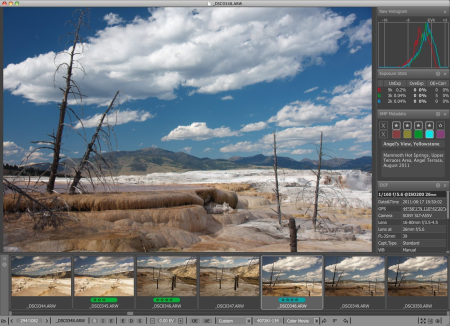
FastRawViewer 1.5.6 Build 1615

da472c14-3f68-4ec6-a68a-75990e8ab4b4.png

File Size: 55.4 MB

FastRawViewer is a must have; it all you need for extremely fast and reliable culling, direct presentation, as well as for speeding up of the conversion stage of any amounts of any RAW images of every format.​

FastRawViewer is the only WYSIWYG RAW viewer that allows to see RAW exactly as a converter will see it, and provides RAW-based tools to estimate what a converter will be able to squeeze from the shot. FastRawViewer's RAW-based tools (unique ones such as RAW histogram, RAW statistics, Shadow Boost, Highlight Inspection, Focus Peaking, per-channel view, as well as familiar ones like Exposure Compensation, White Balance, Contrast Curves) allow one to estimate what a converter will be able to squeeze from the RAW image data and make preliminary adjustments to the RAW file, which will be acknowledged in Adobe converters.

FastRawViewer provides tools for the rating, labeling and sorting photos, and filtering of any number of RAW images.

FastRawViewer supports a variety of RAW, JPEG, TIFF, and PNG formats.

FastRawViewer is very user-friendly and seamlessly integrates into any existing RAW workflow. It is extremely flexible; nearly all of its settings can be tuned and keyboard/mouse shortcuts can be changed according to individual habits and preferences.

official site does not provide any info about changes in this version.


DOWNLOAD
uploadgig
Код:
https://uploadgig.com/file/download/C2f1e19dfAe4c638/utYzGF90_FastRawViewer_1.5.6_Build_1615..7z

rapidgator
Код:
https://rapidgator.net/file/3da70b0fba9b4060e2d8f8b535d6334e/utYzGF90_FastRawViewer_1.5.6_Build_1615..7z

nitroflare
Код:
http://nitroflare.com/view/06F029D0048B31B/utYzGF90_FastRawViewer_1.5.6_Build_1615..7z
 
Advanced SystemCare Ultimate 13.2.0.131 Multilingual

d975e069-2cf0-4a65-9d67-2c50f9fcb82f.png

File size: 116 MB

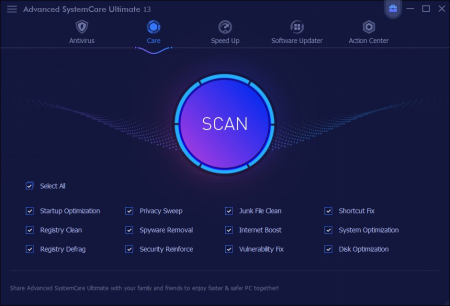
IObit Advanced SystemCare Ultimate incorporates top anti-virus capabilities, as well as the already proven comprehensive PC tune-up ability.​

It has a one-click approach to help protect, repair, clean, and optimize your PC. Based on #1 ranked BitDefender antivirus technology and IObit anti-malware ee, it is a part of IObit antivirus project dedicating to provide more and better value-added services with our users. Strong Protection against Malicious Infection

Without strong protection, your computer may easily get infected without notice. Advanced SystemCare Ultimate is always a good utility to turn to, it helps you remove virus & malware with Bitdefender ee, block ransomware attacks and capture secret intruder. It also keeps external threats from breaking into your computer in real .

Protected Personal Data

Living in this information age, your personal data need to be well protected to avoid privacy breach. Our new Advanced SystemCare Ultimate 12 makes your sensitive data like contacts, local email data beyond the reach of untrusted programs and keeps your online behavior private by disguising your digital fingerprint and clearing online trace.

Comprehensive Surfing Protection

As a protection utility suite, Advanced SystemCare Ultimate secures the online surfing comprehensively. It prevents you from unintentionally accessing harmful websites, blocks popup ads on website, cryptocurrency mining in web browser and informs you immediately once your homepage is changed to secure your online surfing.

Cleaner & Faster PC

Integrated with Advanced SystemCare PRO, Advanced SystemCare Ultimate can easily let your slow PC runs like new again. It can clean up junk files and useless registries to free up disk space, manage startup items to boost PC startup, optimize browser settings to speedup internet connection and monitor your PC in real to shorten PC response .

+ Moved the Toolbox icon back to the main module panel

+ Enlarged the database of Spyware Removal to remove more threats including the widespread Malware.Ursnif, Ransomware.Snatch, Ransomware.Buran, and Ransomware.Sodinokibi

+ Reinforced Surfing Protection & Ads Removal for a more secure and ad-free online browsing experience

+ Improved Advisor to better protect your browsers' homepages and search ees

+ Strengthened Junk File Clean to add cleaning for the latest The Bat! 9.0, Nero BackItUp 22.0, CyberLink Power2Go 13.0, and Dropbox 90.4

+ Enhanced Privacy Sweep to add cleaning for the latest Firefox 73.0, Chrome 80.0, Opera 66.0, RealPlayer 18.0, Winzip 24.0, and Nero Burning ROM 2019

+ Enhanced Software Updater to update Chrome to its latest v79.0 and Firefox to its latest v71.0

+ Expanded the database of Startup Optimization and Startup Manager to further speed up PC boot

+ Improved UI for a more user-friendly experience

+ Improved multiple languages for better localization

+ Fixed all known bugs


DOWNLOAD
uploadgig
Код:
https://uploadgig.com/file/download/671A7E91a563c2bf/orcNGo39_SystemCareUltimate13..rar

rapidgator
Код:
https://rapidgator.net/file/f4ca204cd6755b436bd18f458a52225f/orcNGo39_SystemCareUltimate13..rar

nitroflare
Код:
http://nitroflare.com/view/4E02B27F572A520/orcNGo39_SystemCareUltimate13..rar
 
DXF Editor 1.0 Multilingual

3ad50be0-447d-4719-a066-b1622d1fc135.png

File size: 2.8 MB

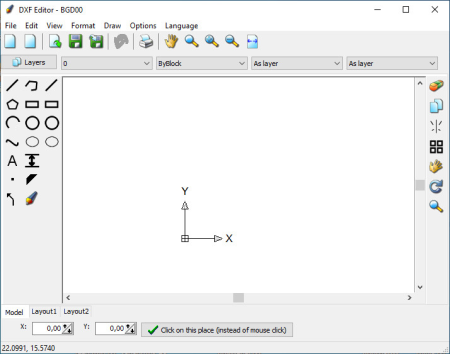
With this CAD application you edit or create drawings in the dxf file format.​

You can open, view and edit existing dxf files loss-free. Of course you can also create completely new drawings from the scratch. No property of the dxf file will be lost or destroyed, because this program is based on the dxf file format and does not make a dxf import and export into an internal format. You can add lines, construction lines, rays, polylines, rectangles, polygons, arcs, circles, B-Spline curves, ellipses, dimension, text, points, solids and arrows. A freehand drawing tool is also available.

It is possible to delete, copy, move, rotate and scale objects. You can assign a layer, a color, a line style and a line width to the objects. Line styles like dotted or dashed can be added to the file if not already existent.

With the command File/Print you can print or plot the dxf file.

Updates: official site does not provide any info about changes in this version


DOWNLOAD
uploadgig
Код:
https://uploadgig.com/file/download/b3edF8F8b9767d71/d8GIZk3k_DXF.Editor.1.0..rar

rapidgator
Код:
https://rapidgator.net/file/e23bc0e422fae1f0f2cdb87df980656b/d8GIZk3k_DXF.Editor.1.0..rar

nitroflare
Код:
http://nitroflare.com/view/0070AB29CE30DEF/d8GIZk3k_DXF.Editor.1.0..rar
 
Internet Download Manager 6.37 Build 9 Multilingual + Retail

c8b991e0-cab2-4b0e-bbd9-7cb0e98c7139.png

File size: 32 MB

Internet Manager has a smart logic accelerator that features intelligent dynamic file sntation and safe multipart ing technology to accelerate your s.​

Unlike other accelerators and managers that snt files before ing starts, Internet Manager snts ed files dynamically during process. All popular browsers and applications are supported!

Internet Manager has been tested with the following browsers: Internet Explorer, MSN Explorer, AOL, Netscape Communicator, Netscape 6, Netscape 7, Mozilla, Mozilla Firefox, Mozilla Firebird, Opera, NetCaptor, UltraBrowser, Slim Browser, Avant Browser, MyIE2, Optimal Desktop, Ace Explorer, Advanced Browser, 27 Tools-in-1 Wichio Browser, WindowSurfer, 550 Access Browser, FineBrowser Freeware, Kopassa Browser, Fast Browser Pro, Enigma Browser, GoSuRF, K-Meleon, Smart Explorer, The Off By One Web Browser, Smartalec Voyager, CrystalPort AppCapture, The Family Browser, XANA Web Browser, Bluto, AutoSurf, 32bit Web Browser, BrowseMan, WrestlingBrowser, em Browser, UltraBrowser, Cygsoft LDAP Browser, and Net
Internet Manager supports all versions of popular browsers, and can be integrated into any 3rd party Internet applications.

Easy ing with one click.

When you click on a link in a browser, IDM will take over the and accelerate it. IDM supports HTTP, FTP, HTTPS and MMS protocols.

Speed Acceleration.

Internet Manager can accelerate s by up to 5 s due to its intelligent dynamic file sntation technology. Unlike other managers and accelerators Internet Manager snts ed files dynamically during process and reuses available connections without additional connect and login stages to achieve best acceleration performance.

Resume.

Internet Manager will resume unfinished from the place where they left off.

YouTube grabber.

Internet Manager can grab FLV videos from popular sites like YouTube, MySpaceTV, and Google Video.

Simple installation wizard.

Quick and easy installation program will make necessary settings for you, and check your connection at the end to ensure trouble free installation of Internet Manager

Drag and Drop.

You may simply drag and drop links to IDM, and drag and drop ed files out of Internet Manager.

Automatic Antivirus checking.

Antivirus checking makes your s free from viruses and trojans.

Advanced Browser Integration.

When enabled, the feature can be used to catch any from any application. None of managers have this feature.

Built-in Scheduler.

Internet Manager can connect to the Internet at a set , the files you want, disconnect, or shut down your computer when it's done.

IDM includes web site spider and grabber.

IDM s all required files that are specified with filters from web sites, for example all pictures from a web site, or subsets of web sites, or complete web sites for offline browsing. It's possible to schedule multiple grabber projects to run them once at a specified , stop them at a specified , or run periodically to synchronize changes.

IDM supports many types of proxy servers.

For example, IDM works with Microsoft ISA, and FTP proxy servers.

IDM supports main authentication protocols:

Basic, Negotiate, NTLM, and Keberos. Thus IDM can access many Internet and proxy servers using login name and password.

All feature.

IDM can add all s linked to the current page. It's easy to multiple files with this feature.

Customizable Interface.

You may choose the order, and what buttons and columns appear on the main IDM window.

Categories.

Internet Manager can be used to organize s automatically using defined categories.

Quick Update Feature.

Quick update may check for new versions of IDM and update IDM once per week.

limits.

Progressive ing with quotas feature. The feature is useful for connections that use some kind of fair access policy (or FAP) like Direcway, Direct PC, Hughes, etc.

IDM is multilingual.

IDM is translated to Albanian, Arabic, Azerbaijan, Bosnian, Bulgarian, Chinese, Croatian, Czech, Danish, Dutch, Farsi, French, German, Greek, Hebrew, Hungarian, Italian, Japanese, Korean, Lithuanian, Macedonian, Norwegian, Polish, Portuguese, Romanian, Russian, Serbian, Slovak, Slovenian, Spanish, Thai, Turkish, and Uzbek languages.


DOWNLOAD
uploadgig
Код:
https://uploadgig.com/file/download/CA772cdDdE58726b/X1cmcv0t_idman637build9..rar

rapidgator
Код:
https://rapidgator.net/file/b1b691310402c0765a0cbef6a9ed7d25/X1cmcv0t_idman637build9..rar

nitroflare
Код:
http://nitroflare.com/view/301FA6A8F43BE02/X1cmcv0t_idman637build9..rar
 
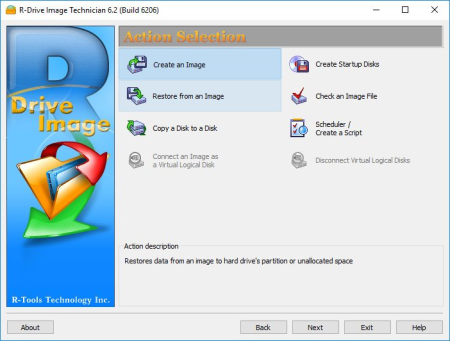
R-Tools R-Drive Image 6.3 Build 6301 Multilingual

d1ada431-bcb5-45a3-9e15-0693300e03ee.png

File size: 103 MB

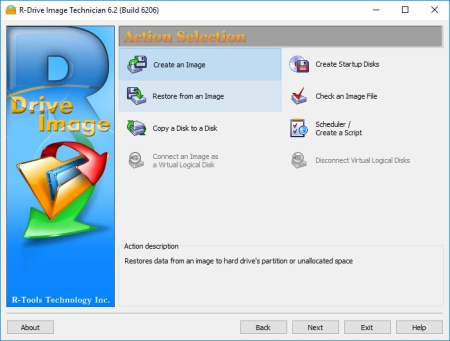
R-Drive Image is a potent utility providing disk image files creation for backup or duplication purposes.​

A disk image file contains the exact, byte-by-byte copy of a hard drive, partition or logical disk and can be created with various compression levels on the fly without stopping Windows OS and therefore without interrupting your business. These drive image files can then be stored in a variety of places, including various removable media such as CD-R(W)/DVD, Iomega Zip or Jazz disks, etc. R-Drive Image restores the images on the original disks, on any other partitions or even on a hard drive's free space on the fly. To restore system and other locked partitions R-Drive Image is switched to the pseudo-graphic mode directly from Windows or bootable version created by the utility is launched from CD disc or diskettes.

Using R-Drive Image, you can completely and rapidly restore your system after heavy data loss caused by an operating system crash, virus attack or hardware failure. You can also use R-Drive Image for mass system deployment when you need to setup many identical computers. In other words, you can manually setup one system only, create an image of the system, and then deploy it on all other computers, saving your and costs. If you need to restore only certain files from a disk image, you can connect that image as a virtual disk and copy those files directly from the disk image using Windows Explorer or any other file utility.

R-Drive Image is one of the best backup and disaster recovery solutions to prevent losing your data after a fatal system failure.

A simple wizard interface - no in-depth computer management skills are required.

On-the-fly actions: Image files are created on-the-fly, no need to stop and restart Windows. All other disk writes are stored in a cache until the image is created. Data from image files are restored on-the-fly as well, except on a system partition. Data to the system partition can be restored either by restarting R-Drive Image in its pseudo-graphic mode directly from Windows, or by using specially created startup disks.

Image files compression. Image files can be compressed to save free storage space.

Removable media support. Image files can be stored on removable media.

Startup version. A startup version can be used to image / restore / copy partitions locked by the OS. The computer can be re-started into the startup version either directly from Windows, or from an external USB device, a CD/DVD disk, or 6 floppies. The startup version can use either a graphic user interface, or a pseudo-graphic mode, if the graphic card isn't supported.

USB 2.0 and 3.0 support in the startup version. With hard drives prices constantly going down, an external IDE-USB 2.0 or 3.0 HDD case with an appropriate hard drive is an ideal (fast and reliable) solution for storing backup files for system and other partitions that can be restored only in the startup version. Do not use numerous unreliable CD discs and slow CD/DVD recorders any more. Remember: with the incremental backup, this hard drive is not to be too large.

Network support in the startup version. R-Drive Image startup version supports disk image file creation and restoration over the Microsoft network (CIFS protocol).

Extended List of the supported devices in the startup version. The list of hardware supported by R-Drive Image startup versions has been extended. VIEW THE LIST

An image file can be connected as a read-only virtual disk. Such disk can be browsed through and files/folders can be found and copied.

Individual files and folders restoration. Individual files and floders rather than entire disk can be restored either during the restoring action or from a image file connected as a virtual disk.

Image files splitting. Drive images can be split into several files to fit a storage medium.

Image Protection. Disk image files can be password-protected and contain comments.

New partition creation. Data from a disk image can be restored on a free (unpartitioned) space on any place on a hard drive. The size of the restored partition can be changed.

Partition replacement. Data from a disk image can be restored on other existing partitions. R-Drive Image deletes such partitions and restores data on that free space.

Disk to Disk copy. An entire disk can be directly copied on another one.

Image files verification. You may check if your image files are good before you store them or restore data from them.

Scheduler. A for disk image creation may be scheduled and the process can be run in unattended mode.

Script creation for frequent or unattended actions. Such scripts for creating an image file and appending data to an existing image file are created from the R-Drive Image interface the same way the actual action is performed. Scripts are executed from a command line and such command can be included to any command file.

Action Report. When disk image is successfully created or the action fails the report can be automatically sent over e-mail or an external application can be launched.

Support for the ReFS file system (Resilient File System), a new local file system Microsoft has introduced in its Windows 2012 Server. All disk actions are supported, except partition resizing.

Full support for the GPT partitioning layout. R-Drive Image can create GPT disks, resize them, and change their partition layout during copy/restore operations.


DOWNLOAD
uploadgig
Код:
https://uploadgig.com/file/download/36D7a1f60e32d777/0daqfGq0_RDrive.Image.6..rar

rapidgator
Код:
https://rapidgator.net/file/7cc9ec916c3406792c2cf8637c26488a/0daqfGq0_RDrive.Image.6..rar

nitroflare
Код:
http://nitroflare.com/view/8BE27F1C3ECC530/0daqfGq0_RDrive.Image.6..rar
 
XAMPP 7.4.4-1 (x64)

6e52b99e-8076-476a-b993-2f56e7872f65.png

File Size : 149 Mb

XAMPP is a cross-platform Apache distribution enriched with third-party applications, namely MySQL, PHP and Perl.​

It was designed as a web server that can be a friendly assistant in website creation and maintenance. XAMPP provides developers with an easy and comfortable way to test dynamic webpages without access to the Internet. It also includes the newest versions of Mercury and Tomcat. With XAMPP, you can manage MySQL and SQLite databases and you can create a remote host using FileZilla FTP server (also included in the package). This is useful for the administration of large Content Management Systems (CMS).

The installation process requires user intervention only to ask if the components should be installed as Windows services too. You don't have to decide now, seeing how this is configurable from XAMPP's control panel. This is also the only interface with the user and only from here you can perform server configurations.

By default, all services are stopped; therefore, you need to manually start the ones you need and administer them at the same . In Service Settings you can choose for the XAMPP Control Panel to run as service, and automatically make specific modules active at startup. In addition, you can set up an account and password for secure access.

XAMPP receives regular updates in order to keep up with the latest version of the included components. Its developers are successful in their attempt to provide an up-to-date web server that can be used for website testing and maintenance.


DOWNLOAD
uploadgig
Код:
https://uploadgig.com/file/download/37031a4eA6dc416A/GPOslhGX_xamppwindowsx647.4.41VC15installer..exe

rapidgator
Код:
https://rapidgator.net/file/583517b1ffe56a3eb28c979117955606/GPOslhGX_xamppwindowsx647.4.41VC15installer..exe

nitroflare
Код:
http://nitroflare.com/view/F14AE48AD7C1E59/GPOslhGX_xamppwindowsx647.4.41VC15installer..exe
 
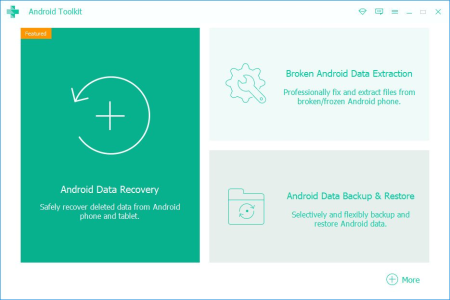
Apeaksoft Android Toolkit 2.0.50 Multilingual

9bdc80cd-4b06-4871-bed3-e166a69cbf98.png

File size: 44 MB

Apeaksoft Android Toolkit can help you to recover deleted or lost photos, videos, contacts, messages, call logs, apps and documents from your Android phones, tablets and SD cards.​

It is compatible with 5000+ Android portable devices. Recover deleted files

Recover and export deleted or lost data from Android phones and tablets including Samsung, HTC, LG, Sony, Motorola, Huawei, Google, Sharp, etc.;

Retrieve your lost or deleted files including contacts, text messages, contacts, call history and documents from Android devices or SD card;

Restore deleted or lost photos, music, videos and WhatsApp file and get them back from your Android with this android data recovery tool;

Backup and manage your Android data (including lost or deleted files) on your Windows computer or Mac easily with the USB cable;

Recover deleted files on Android from many situations including files deleting, system crashing, forgotten password, rooting error, etc.

Updates: official site does not provide any info about changes in this version.


DOWNLOAD
uploadgig
Код:
https://uploadgig.com/file/download/Feb75154710c4845/8YRbDb7Z_androiddatarecovery2.0.50..rar

rapidgator
Код:
https://rapidgator.net/file/5e953f9329ccf2a72ef0ac163ba0e973/8YRbDb7Z_androiddatarecovery2.0.50..rar

nitroflare
Код:
http://nitroflare.com/view/2705DA8B46F4491/8YRbDb7Z_androiddatarecovery2.0.50..rar
 
Movavi Screen Recorder 11.3.0 Multilingual

29c803f6-ce3f-4592-8179-d2581dd7fa7d.png

File size: 44 MB

Movavi Screen Recorder: the Ultimate Screen Recorder for Windows.​

Movavi Screen Recorder is lightweight yet powerful video recording software that helps you capture streaming video and music from websites, save Skype calls and program activity, and much more. Learning

- Record webinars, online tutorials, and other educational videos

- Cut out unwanted parts from any video

- Save recordings to watch on a computer or mobile device

- Replay captured videos at any

Fun

- Capture short clips from websites

- Save movies and TV series

- Record video chats with your friends and family

- Extract music from video, record online radio

- Cut out ads and other unwanted content

Work

- Show screen activities to colleagues: take screenshots in a single click and illustrate them with arrows, frames, and captions

- Use screenshots and screen videos to demonstrate bugs and errors

- Save Skype conversations with colleagues and business partners

- Record online job interviews


DOWNLOAD
uploadgig
Код:
https://uploadgig.com/file/download/71935f9e84aB48f1/wBLlCfYc_MovaviScreenRecorder11.3.0..rar

rapidgator
Код:
https://rapidgator.net/file/16ec0148a5740d39435f0c5a79ae6572/wBLlCfYc_MovaviScreenRecorder11.3.0..rar

nitroflare
Код:
http://nitroflare.com/view/ECAB4F3FC6B1CE9/wBLlCfYc_MovaviScreenRecorder11.3.0..rar
 
Aiseesoft Video Converter Ultimate 10.0.10 Multilingual

64c24b93-6705-44b7-95f4-89e5d308c143.png

Windows x86/x64 | File size: 120.31 MB

All-in-one solution to convert, edit and compress videos/audio in 1,000 formats, loved by over 10 million customers world over.​

The brand-new Video Converter Ultimate is well-nigh perfect. Apart from basic video/DVD converting function, it will help you edit video effect, compress video, edit ID3 info and make GIF with aplomb.Based on the graphics card level, it adopts the world's best video encoding technology that delivers the best image quality. And the built-in video enhancer technology keeps the original quality to the maximum or even better. Now it supports all encoding formats, including H.265/HEVC, H.264, Xvid, VP8, VP9, etc. You can convert video/audio/DVD to 1000+ formats, including MP4, AVI, MOV, WMV, MP3, FLAC, WMA, etc. Whether you want to convert 4K to 1080p, convert HD to HD or just convert 4K formats, it is the best choice for you. If you have tons of videos to convert, don't sweat it. It supports batch conversion, which lets you convert multiple files simultaneously with one click.

With the latest converting and enhancing ee, it will bring you the fastest converting speed yet still maintaining the perfect image and sound quality. Meanwhile, we set a precedent by using world's leading Blu-Hyper technology, which includes Graphics card image processing, and video decodincoding technology based on CPU level. Therefore, Aiseesoft Video Converter Ultimate has become the world's fastest video converting software, especially in 4K/HD converting. The video converting speed has been improved 30X faster than before. You can now expect a conversion to take a few minutes, even for 4K and HD videos.

Aiseesoft Video Converter Ultimate offers a rainbow of video editing filters. You can easily find out and apply the stunning filters to your video in one click, including whirpool, HongKong movie, orange dots, purple, plain, coordinates, warm, Stars, modern, gray, pixelate and Sketch filters. Choose one that suits the video. What's more, it's able to adjust basic effects like Contrast, Saturation, Brightness and Hue.

Aiseesoft Video Converter Ultimate allows you to add external subtitles to your movie. Besides, it supports adding a single audio track or multi-audio tracks. It is annoying when subtitle does not synchronize with the sound. However, the built-in Delay feature of this powerful converter helps fix this subtitle out of sync and synchronize subtitle with the film. Whether you want to post your video or not, it'd be a good choice to add and adjust subtitles to video.

Somes you want to add a specific logo to your video. This powerful video converter lets you add image or text as watermark directly. What's more, you can adjust the font, color, size, rotation or position of the watermark.

Want to get rid of unwanted edges from video? Just use the Crop function to remove unwanted parts. If the video is filmed sideways, you can rotate it clockwise or counterclockwise, or flip the video files horizontally or vertically.

With the Video Compressor tool, you can compress a large video to a small size. You can set the output format, rename the clip, narrow the size and change the bitrate. What's more, you are able to preview the clip before compressing.

If you want to split the long video into several snts, this video converter will just meet your demand. You can trim the video to the desired length using the slider. It also lets you combine more than one video clips into a complete video.

Want to add ID3 info to a newly created song? With the Media Metadata Editor tool, you can add and edit ID3 tags like title, artist, album, composer, genre, year, track and other comments, so that your audio file can be recognizable on website.

The GIF Maker tool allows you to create high-quality animated GIF image from video clips such as MP4, MKV, AVI, WMV and more. What's more, you can edit and cut video clips with its powerful editing features inside.
Windows 10/8.1/8/7


DOWNLOAD
uploadgig
Код:
https://uploadgig.com/file/download/84C3b979c63B4eC7/vaZYp581__Aiseesoft.Video.Converter.Ultimate.10.0.10.rar

rapidgator
Код:
https://rapidgator.net/file/9b458db28123b49c824af7fdc4434b53/vaZYp581__Aiseesoft.Video.Converter.Ultimate.10.0.10.rar

nitroflare
Код:
http://nitroflare.com/view/3DCB6E272737FCC/vaZYp581__Aiseesoft.Video.Converter.Ultimate.10.0.10.rar
 
AnyMP4 Video Converter Ultimate 8.0.12 Multilingual

fa50f0a4-20ef-4400-90b2-ffba45993c17.png

Windows x86/x64 | File size: 131.92 MB

All-in-one Video Converter to convert 4K/1080p HD video to over 500 formats at 70X faster speed, rip any DVD disc/movie to any mainstream video & audio format, copy DVD to ISO/Folder in 1:1 ratio, edit and compress full HD video.​

This impeccable 4K UHD Video Converter supports converting video to 4K/2K UHD and HD videos like 1080p, 720p, 480p, and make a conversion from HD/SD to 4K videos, like 4K with VP9, 4K H.265/HEVC Video(*.mp4), 4K H.264/MPEG-4 AVC Video (*.mp4), 4K H.264 FLV Video, WebM-VP9 4K WebM Video (*.webm), AVCHD, MP4, AVI, MOV, MKV, WMV and so on.

AnyMP4 Video Converter Ultimate enables you to convert any popular video format including MP4, AVI, MKV, MOV, MKV, WMV, WebM, M4V, FLV, RMVB, SWF, VOB, TS, M2TS, MTS, MXF, MPG, 3GP, and audio format like MP3, FLAC, WMA, OGG, AAC, ALAC, AIFF, M4R, etc. With this powerful Video Format Converter, you can easily change the format of your media file.

It has the ability to convert 4K/HD videos to any format for easy playback on any mainstream devices, players or game consoles like iPhone 11/11 Pro/11 Pro Max/XS/XS Max/XR/X/8/7/6s/6/SE, iPad, Samsung, HTC One, LG, Google Pixel XL, Huawei, Xiaomi, Motorola, Xbox 360, PS4, Wii, iMovie, Final Cut Pro, Adobe Prre Pro, Avid Media Composer, 4K TV and more.

This amazing Video Converter tool is well-known as the fastest 4K/HD video converting for PC. With the world's most advanced hardware-accelerated 4K video/audio processing of AMD, Intel HD Graphics, NVIDIA CUDA, NVENC, and NVDEC, you can make a lossless conversion at 70x faster speed. It can also make full use of multi-core processor on your computer to make a batch conversion faster with different cores.

This simple-to-use DVD Ripper software supports batch conversion, multi-core CPUs and GPU accelerations, which makes DVD ripping easy and fast. With the help of GPU accelerations powered by Intel (QSV), NVIDIA (CUDA/NVENC) and AMD (APP), this DVD Ripping software offers 10x faster DVD ripping speed than other competitors.

This professional DVD Ripper provides one-click solution to rip DVD into MPG at 10X faster speed without transcoding and quality loss, then you can make a full and uncompressed copy of the original DVD.

You are able to copy the DVD movie to ISO and folder with the original structure. You are in full control of the complete DVD structure including audio tracks, menus, chapters, subtitles and all audio and video parameters, without any quality loss.

It enables you to quickly edit the video and DVD movie with the built-in Editor. You can easy to cut, trim, crop, rotate your video, adjust brightness, contrast, saturation, hue of the video as well as the sound volume, add a special watermark to your DVD movie, choose the suitable and audio tracks for the output video. Moreover, you are capable of meg multiple DVD titles and exporting them into a single video file.

Whether you want to cut a long 4K UHD/1080p HD video into parts, or create a long video collection with the clips, this Video Converter can be as the Video Clipper to trim a long video to several snts, rearrange clips in new sequence, trim video length, chop any unwanted part, etc.
Windows 10/8.1/8/7


DOWNLOAD
uploadgig
Код:
https://uploadgig.com/file/download/7f86F59c62B3c8bb/uPKRfpsK__AnyMP4.Video.Converter.Ultimate.8.0.12.rar

rapidgator
Код:
https://rapidgator.net/file/3cc77a5f7fafe4cbc5439339f541cd13/uPKRfpsK__AnyMP4.Video.Converter.Ultimate.8.0.12.rar

nitroflare
Код:
http://nitroflare.com/view/4FC9FA0C649DBFD/uPKRfpsK__AnyMP4.Video.Converter.Ultimate.8.0.12.rar
 
Advanced SystemCare Pro 13.4.0.246 Multilingual

6353e7b4-709f-4a34-af91-acdd41e710cb.png

File size: 54.6 MB

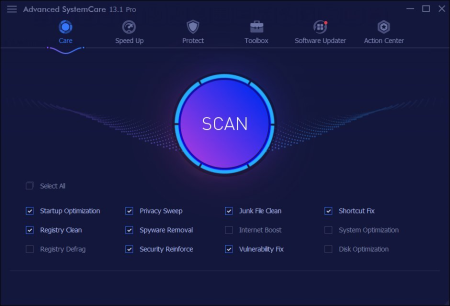
Advanced SystemCare PRO provides an always-on, automated, the all-in-one PC optimization utility, specializes in ONE-Click solutions to detect, clean, repair, speed up and eventually protect PC.​

To better protect users online privacy with Advanced SystemCare, Protect tab is newly added, which is designed to provide quick access to protect browsing frombeing tracked by automatically cleaning privacy traces once browser closed and detect and resist the attack of malicious plugin/toolbar by Browser Anti-Tracking and Plugin/Toolbar Cleaner in this tab. IObit Advanced SystemCare has the New Performance Monitor, that can release memory by one click to smooth PC running within seconds. Toolbox is always offering effective tools, such as new Startup Manager, a 1-click solution to conspicuously diminish system startup by optimizing unnecessary Startup and Service. In most of old and slow PCs, there might be lots of troubles to slow them down. Equipped with Advanced SystemCare, your PC will stay error-free and smoother than ever.

Keeps your PC running at peak performance. Fully optimizes Windows for ultimate system performance and top Internet speed by unleashing the built-in power of your system, based on how you use your PC and your network configuration. It turns your PC into a business PC, a productive workstation, an entertainment center, a game machine, or a scientific computing PC.

Defends PC security with extra protection. Detects and analyzes Windows security environment. Scans and removes spyware and adware using up-to-date definition files in order to prevent spyware, hackers and hijackers from installing malicious programs on your computer. Erases and updates your PC's activity histories.

One click to solve as many as 11 common PC problems. Advanced SystemCare inherits the ease-of-use from previous versions, with more powerful capabilities. With one click, it scans and repairs ten PC problems and protects your PC from hidden security threats.

Real- optimization with ActiveBoost function. ActiveBoost, technology that actively runs in the background intelligently managing system resources in real-, constantly detects inactive resources and optimizes CPU and RAM usage.

More than 20 dedicated smart tools for everyday PC maintenance. Advanced SystemCare integrates IObit's latest Toolbox, with more than 20 dedicated smart tools for everyday PC maintenance as well as advanced needs. The Toolbox feature has tools for system cleaning, optimizing and repairing, tools for security enhancement, and tools for full control over the PC system.

Cloud technology to keep database up-to-date. The new "Cloud" technology ensures the database is kept updated at all s so that you can benefit from the latest definitions and configurations.

Boost your PC for working and gaming. You now have two Turbo Boost options, Work Mode and Game Mode. In addition, you can now adjust the configuration of each mode from the main screen.

Next-generation registry deep clean and optimizer. Safely cleans registry junk, compacts registry bloats and defragments the whole registry for maximum performance. Finds and fixes the registry errors that other utilities miss with "Deep Scan" technology.

Automatically works in the background. This powerful utility works continuously, automatically and quietly in the background on your PC. You can set the program on a regular schedule or just let it work automatically when your PC is idle.

New UI technology for quicker start and less resource usage! With the new UI technology, Advanced SystemCare will start up faster using fewer system resources.

New architecture and re-written source codes for 32bit/64bit system! These improvements will make your PC work more efficiently and steadily, stabilizing even older systems.

Improved Care module with more powerful clean and optimization functions. The new developments in the "Care" module include features such as "Start-up Optimization", which will scan and clean your PC much more effectively.

Powerful hard drive defragmentation. Fast, powerfully and incredibly effective Disk Defrag function to defragment hard drives - up to 10 s faster than other defragmentation tools.

Keeps your PC running at peak performance. Fully optimizes Windows for ultimate system performance and top Internet speed. It turns your PC into a business PC, a productive workstation, an entertainment center, a game machine, or a scientific computing PC.

Defends PC security with extra protection. Detects and analyzes Windows security environment. Scans and removes spyware and adware using up-to-date definition files. In conclusion, it prevent spyware, hackers and hijackers from installing malicious programs on your computer. Erases and updates your PC's activity histories.

One click to solve as many as 10 common PC problems. With one click, it scans and repairs ten PC problems and protects your PC from hidden security threats.

Real- optimization with ActiveBoost function. This technology actively runs in the background intelligently managing system resources in real-. And constantly detects inactive resources and optimizes CPU and RAM usage.

Cloud technology to keep database up-to-date. The new "Cloud" technology ensures the database is kept updated at all s. So that you can benefit from the latest definitions and configurations.

More than 20 dedicated smart tools. The Toolbox feature has tools for system cleaning, optimizing and repairing, tools for security enhancement. Also the tools for full control over the PC system.
Windows XP, Vista, Windows 7, 8, 8.1, 10 (32-bit, 64-bit).


DOWNLOAD
uploadgig
Код:
https://uploadgig.com/file/download/5cBc70c789d72306/J9bUL3tt__ASC.13.4.0.246.rar

rapidgator
Код:
https://rapidgator.net/file/25eb0fd8bb1e2c91ee6c3065218a7da5/J9bUL3tt__ASC.13.4.0.246.rar

nitroflare
Код:
http://nitroflare.com/view/A4565934EFFE2A0/J9bUL3tt__ASC.13.4.0.246.rar
 
R-Tools R-Drive Image 6.3 Build 6301 Multilingual + BootCD

61cb2f0b-8c04-4a05-8a90-6ae6bef8fbb5.png

File size: 107/80 MB

R-Drive Image is a potent utility providing disk image files creation for backup or duplication purposes.​

A disk image file contains the exact, byte-by-byte copy of a hard drive, partition or logical disk and can be created with various compression levels on the fly without stopping Windows OS and therefore without interrupting your business. These drive image files can then be stored in a variety of places, including various removable media such as CD-R(W)/DVD, Iomega Zip or Jazz disks, etc. R-Drive Image restores the images on the original disks, on any other partitions or even on a hard drive's free space on the fly. To restore system and other locked partitions R-Drive Image is switched to the pseudo-graphic mode directly from Windows or bootable version created by the utility is launched from CD disc or diskettes.

Using R-Drive Image, you can completely and rapidly restore your system after heavy data loss caused by an operating system crash, virus attack or hardware failure. You can also use R-Drive Image for mass system deployment when you need to setup many identical computers. In other words, you can manually setup one system only, create an image of the system, and then deploy it on all other computers, saving your and costs. If you need to restore only certain files from a disk image, you can connect that image as a virtual disk and copy those files directly from the disk image using Windows Explorer or any other file utility.

R-Drive Image is one of the best backup and disaster recovery solutions to prevent losing your data after a fatal system failure.

A simple wizard interface - no in-depth computer management skills are required.

On-the-fly actions: Image files are created on-the-fly, no need to stop and restart Windows. All other disk writes are stored in a cache until the image is created. Data from image files are restored on-the-fly as well, except on a system partition. Data to the system partition can be restored either by restarting R-Drive Image in its pseudo-graphic mode directly from Windows, or by using specially created startup disks.

Image files compression. Image files can be compressed to save free storage space.

Removable media support. Image files can be stored on removable media.

Startup version. A startup version can be used to image / restore / copy partitions locked by the OS. The computer can be re-started into the startup version either directly from Windows, or from an external USB device, a CD/DVD disk, or 6 floppies. The startup version can use either a graphic user interface, or a pseudo-graphic mode, if the graphic card isn't supported.

USB 2.0 and 3.0 support in the startup version. With hard drives prices constantly going down, an external IDE-USB 2.0 or 3.0 HDD case with an appropriate hard drive is an ideal (fast and reliable) solution for storing backup files for system and other partitions that can be restored only in the startup version. Do not use numerous unreliable CD discs and slow CD/DVD recorders any more. Remember: with the incremental backup, this hard drive is not to be too large.

Network support in the startup version. R-Drive Image startup version supports disk image file creation and restoration over the Microsoft network (CIFS protocol).

Extended List of the supported devices in the startup version. The list of hardware supported by R-Drive Image startup versions has been extended. VIEW THE LIST

An image file can be connected as a read-only virtual disk. Such disk can be browsed through and files/folders can be found and copied.

Individual files and folders restoration. Individual files and floders rather than entire disk can be restored either during the restoring action or from a image file connected as a virtual disk.

Image files splitting. Drive images can be split into several files to fit a storage medium.

Image Protection. Disk image files can be password-protected and contain comments.

New partition creation. Data from a disk image can be restored on a free (unpartitioned) space on any place on a hard drive. The size of the restored partition can be changed.

Partition replacement. Data from a disk image can be restored on other existing partitions. R-Drive Image deletes such partitions and restores data on that free space.

Disk to Disk copy. An entire disk can be directly copied on another one.

Image files verification. You may check if your image files are good before you store them or restore data from them.

Scheduler. A for disk image creation may be scheduled and the process can be run in unattended mode.

Script creation for frequent or unattended actions. Such scripts for creating an image file and appending data to an existing image file are created from the R-Drive Image interface the same way the actual action is performed. Scripts are executed from a command line and such command can be included to any command file.

Action Report. When disk image is successfully created or the action fails the report can be automatically sent over e-mail or an external application can be launched.

Support for the ReFS file system (Resilient File System), a new local file system Microsoft has introduced in its Windows 2012 Server. All disk actions are supported, except partition resizing.

Full support for the GPT partitioning layout. R-Drive Image can create GPT disks, resize them, and change their partition layout during copy/restore operations.


DOWNLOAD
uploadgig
Код:
https://uploadgig.com/file/download/49ad04b6c6e33a1a/EYDWlqY6_RDriveImage.6.3.6301..rar
https://uploadgig.com/file/download/C4e943bB29718d39/EYDWlqY6_RDriveImage_6.3.6301_OEMKit..iso

rapidgator
Код:
https://rapidgator.net/file/5c688949aa3fe5ff4a2269e5d50b4716/EYDWlqY6_RDriveImage.6.3.6301..rar
https://rapidgator.net/file/d77b10d2430e095f720640225470713c/EYDWlqY6_RDriveImage_6.3.6301_OEMKit..iso

nitroflare
Код:
http://nitroflare.com/view/68CC7401AA47AFF/EYDWlqY6_RDriveImage.6.3.6301..rar
http://nitroflare.com/view/EBACD5A0693765C/EYDWlqY6_RDriveImage_6.3.6301_OEMKit..iso
 
Disk Sorter Ultimate / Enterprise 12.7.14

f49bd171-173d-44a0-9591-e98580c2bbad.png

File size: 27 MB

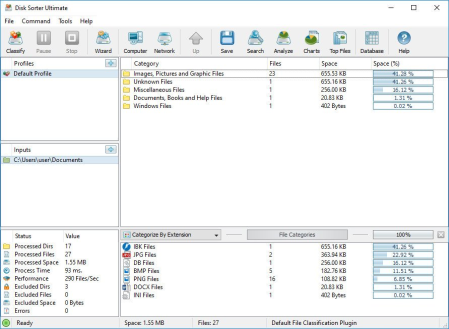
DiskSorter is a powerful file classification solution allowing one to classify files in disks, directories, network shares and NAS storage devices, save file classification reports, export file classification results to an SQL database, perform advanced history trend analysis operations and multiple types of file management operations on categories of files.​

DiskSorter Main GUI Application

DiskSorter provides a number of built-in file classification plugins capable of recognizing more than 3,000 types of files and allowing one to classify files by the file type, extension, user name, creation, last modification and last access dates, etc. Users are provided with the ability to generate various types of pie charts, categorize and filter file classification results and save file classification reports into a number of standard formats including HTML, PDF, Excel, text, CSV, XML and the DiskSorter native report format.

DiskSorter File Classification Pie Charts

IT and storage administrators are provided with the ability to submit file classification reports from multiple servers and NAS storage devices to a centralized SQL database and analyze disk space usage history trends for one or more file categories per server and/or per user across the entire enterprise.

Classifying Files in Network Servers and NAS Storage Devices

DiskSorter allows one to scan the network, discover network servers and NAS storage devices, automatically detect all accessible network shares and classify files in hundreds of network servers and NAS storage devices. In addition, the user is provided with the ability to export the list of detected servers and NAS storage devices (including lists of network shares for each server) into HTML, PDF, text and Excel CSV reports.

Classifying Files in Network Servers

In order to classify files in one or more servers or NAS storage devices, press the 'Network' button located on the main toolbar and wait while DiskSorter will scan the network and show a list of detected network servers and NAS storage devices. On the network servers and NAS storage devices dialog, select the required servers and press the 'Classify' button.

Classifying Files in Network Shares

DiskSorter will show all network shares hosted on the selected servers and NAS storage devices allowing one to classify files and save various types of file classification charts and reports. In addition, DiskSorter provides a large number of advanced file classification options allowing one to tune and customize file classification operations for user specific needs and hardware configurations.

DiskSorter Command Line Utility

In addition to the desktop GUI application, DiskSorter Ultimate and DiskSorter Server provide a command line utility allowing one to perform file classification operations, save various types of file classification reports, export file classification results to an SQL database and control one or more DiskSorter Servers locally or via the network.

DiskSorter Command Line Utility

DiskSorter Server

Enterprise customers are provided with DiskSorter Server, which runs in the background as a service and allows one to perform multiple, parallel file classification operations, schedule periodic file classification operations and provides advanced file classification capabilities optimized for servers and NAS storage devices.

DiskSorter Server Client GUI Application

DiskSorter Server may be controlled using a full-scale client GUI application, which provides all features available in the desktop product version and additional capabilities allowing one to schedule periodic file classification operations and perform multiple-parallel file classification operations on a number of servers and/or NAS storage devices.

DiskSorter Server Web-Based Interface

In addition to the client GUI application, DiskSorter Enterprise provides a web-based management interface allowing one to control one or more servers using a regular web browser locally or via the network.

Batch File Classification Operations

DiskSorter Server and DiskSorter Enterprise provide the ability to scan the network, detect all network servers and NAS storage devices, execute one or more pre-configured file classification commands on hundreds of network servers and NAS storage devices and generate an individual file classification report for each network server, NAS storage device or network share.

Batch File Classification Operations

In the simplest case, just press the 'Network' button located on the main toolbar, search all network servers and NAS storage devices on the network, select one or more servers, press the right mouse button and select the 'Batch File Classification' menu item. DiskSorter will show a list of pre-configured file classification commands allowing one to select one or more commands to be executed on all selected network servers and NAS storage devices.

Batch File Classification Mode

Depending on the selected configuration, DiskSorter will save in the built-in reports database an individual file classification report for each network server, NAS storage device or network share. Once the batch file classification operation is completed, the user will be provided with the ability to open saved file classification reports, review file classification results, generate various types of pie charts and export reports to a number of standard formats including HTML, PDF, Excel, text, CSV and XML.


DOWNLOAD
uploadgig
Код:
https://uploadgig.com/file/download/451e54D26ca7c8e5/sQcZe4RS_DiskSorter12..rar

rapidgator
Код:
https://rapidgator.net/file/53abb83f45ea45adeb58584683927318/sQcZe4RS_DiskSorter12..rar

nitroflare
Код:
http://nitroflare.com/view/78FD8AD16E9DA7C/sQcZe4RS_DiskSorter12..rar
 
Tipard Blu-ray Converter 10.0.8 Multilingual

720a8291-1863-42e1-962f-4e4be16d70e6.png

Windows x86/x64 | File size: 120.04 MB

Tipard Blu-ray Converter is cast as amazing blu-ray solution software to convert home-made Blu-ray movie at blazing fast speed.​

It can convert home-made Blu-ray movie in Blu-ray disc, folder as well as iso files (virtual blu-ray drive is needed). Capable of ripping home-made Blu-ray to mainstream video formats, this Blu-ray Ripper provides best solution to convert Blu-ray disc or Blu-ray m2ts files to MP4, MKV, WMV, MOV, AVI, FLV, DivX, etc or HD videos. Additional function to convert home-made Blu-ray to videos of this Blu-ray Ripper is its extract capability to take out audios from Blu-ray and save them into desired audio formats, like FLAC, WAV, WMA, MP3, AMR, AIFF, OGG and more. Convert Blu-ray Disc/folder/iso image file to video like MP4/MKV/MOV/AVI/WMV, and more with super-high quality

Rip DVD disc/movie to various video formats such as MP4, AVI, MKV and others to save on computer at stunning fast speed

Convert any video format to others as a professional Video Converter with no limitation

Extract audio file like MP3, MP2, M4A and more from Blu-ray/DVD/video

Highly Support any popular digital devices like iPhone, iPad and iPod, Android phone/tablet and more

Home-made Blu-ray conversion is not the single merit of Tipard Blu-ray Converter. Held up as the best choice, it also features wonderful implementation to convert Home-made DVD and videos to desired formats you yearn for. This versatile Blu-ray Ripper is endowed with a extremely wide range of output profile, whose formats cover from prevailing devices to excellent editing software. That is, you can convert Home-made DVD and video to popular devices, like iPhone 11/11 Pro/11 Pro Max, iPhone XS/XS Max, iPhone XR, iPhone X, iPhone 8/8 Plus, iPhone 7/7 Plus, iPhone SE, iPhone 6s/6s Plus/6/6 Plus, iPad Pro/mini 4, Samsung Galaxy Series, HTC One X, Kindle Fire HD, etc as well as current editing software, including Sony Vegas, Avid Media Composer, After Effect, Windows Movie Maker, Powerpoint and more. More importantly, huge quantity but no chaos is its another merit for the so much favorable causation.

No matter what source files you use, BD, DVD or video, this Blu-ray Converter enables users to make adjustment for video effect as needed. No matter what kind of edit you need to make, combing chapters or cutting video snts, this Blu-ray ripper will make it at a stroke with a small "merge" or "trim" button magically. As for users who needs to adjust video effect, several parameters like contrast, hue, brightness and Saturation are settable. The "Crop" feature padded with aspect ratio is mainly suit for users whose source videos have different aspect ratio with devices. If you need to label the output video with your logo, you can use the watermark function to paste picture/text, and the picture/text position, color as well transparency are alterable.

Tipard Blu-ray Converter is one specially designed software around the concept of easy to use and user friendly. It adopts the best accelerating technology - NVIDIA CUDA technology and AMD APP acceleration, which will make less -consuming and faster file conversion on computers accompanied with multiple CPUs. As for Amateurish newbies, this Blu-ray ripper provides simple illustrated image guide on the main interface, easy but useful. Only several simple steps can complete the whole Blu-ray/DVD/video conversion process. Moreover, its coherent layout of profile list and category, to some extent, makes the profile-selection more smoothly with the quick user-friendly search frame.

Properties

It provides properties option for users to have a reference of source file video/audio settings before output parameters settings.

Preview & Snapshot

This Blu-ray Converter has a build-in video player, which enables users to preview videos and make snapshot during preview.

Merge

Users are capable of combine several video snts, DVD chapters or Blu-ray titles into one file and the merge order is changeable.

Super fast conversion

NVIDIA CUDA technology and AMD APP acceleration will accelerate your converting with 10X higher speed with this super converter.
Windows 10/8.1/8/7


DOWNLOAD
uploadgig
Код:
https://uploadgig.com/file/download/1f1b7a3dbc20e7C5/EeSjKZ15__Tipard.Bluray.Converter.10.0.8.rar

rapidgator
Код:
https://rapidgator.net/file/0211a6601170bedf82fa81b95f627594/EeSjKZ15__Tipard.Bluray.Converter.10.0.8.rar

nitroflare
Код:
http://nitroflare.com/view/A0609D452762B9E/EeSjKZ15__Tipard.Bluray.Converter.10.0.8.rar
 
Xilisoft YouTube Video Converter 5.6.10 Build 20200416 Multilingual

39d3dc68-2801-49c7-8d2c-0d01fc6be23d.png

File size: 29 MB

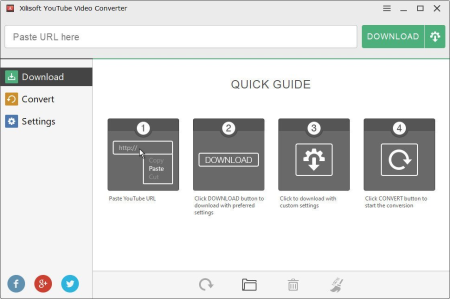
For YouTube video fans, Xilisoft YouTube Video Converter is undoubtedly the ideal choice to YouTube video MP4, FLV, Webm, and convert YouTube videos to a vast array of popular formats such as MP3, AVI, MPEG, H.​

264/AVC, MOV, RM, and many others. Moreover, this YouTube Converter can be also a powerful Video Converter to convert between all videos files in different formats. With super fast and conversion speeds, Xilisoft YouTube Video Converter lets you fully experience YouTube videos at home or on the go. - YouTube videos (MP4, FLV, Webm) and convert to MP3, AVI, MPEG, MP4, 3GP, H.264, MKV, etc.

- YouTube HD videos and convert them for playback on PS3 and other HD devices.

- Convert all kinds of local video files in different formats to other videos formats.

- Convert YouTube videos for viewing on iPhone, iPad, iPod, Apple TV, Galaxy, HTC One, Moto X, Nexus, Kindle, Surface, Lumia and other devices.

- The smarter design brings much easier usage and better user experiences.

YouTube Videos Freely

Xilisoft YouTube Video Converter enables you to effortlessly YouTube MP4, FLV and Webm videos.

YouTube HD video er

Directly YouTube HD videos, even 1080p HD videos to your computer with this YouTube er.

YouTube Video Converter

Convert YouTube FLV, MP4 to MP3, AVI, MPEG, MP4, 3GP and other formats to be compatible with iPod, iPhone, iPad, Apple TV, PSP, PS3, Zune, Blackberry, 3GP mobile phones, Xbox, etc.

More Powerful Video Converter

Convert your local videos in different formats like AVI, MPEG, WMV, MKV, MP4, H.264/MPEG-4, RM, MKV, WMV HD, etc to any other videos.

Multiple Tasks Supported

and convert multiple YouTube videos at the same , just adding as many video URLs as you want, and let Xilisoft YouTube Video Converter complete the tasks in batches.

Set Output Formats

You can choose to convert YouTube video to MP3, AVI, MPEG, WMV, MP4, FLV, H.264/MPEG-4, DivX, XviD, MOV,MKV, H.264/MPEG-4 AVC (*.mp4), MPEG2 HD Video (*.mpg; *.mpeg), MKV HD Video, Quick HD Video (*.mov), WMV HD Video (*.wmv), Audio-Video Interleaved HD Video (*.avi).

Set Output for Various Muldia Devices

You can set your output file just for specified devices like iPhone, iPad, Galaxy, HTC One, Moto X, Nexus, Kindle, Surface, Lumia, etc.

More Options to Better Assist Your YouTube Video Conversion

Set preferred video quality, resolutions, video bitrate, and formats; Set max simultaneous s and conversions; Set custom and conversion settings.

Automatically Transfer MP4, MOV, and MP3 file to iTunes

This YouTube converter provides the option for you to choose if you want to automatically transfer MP4, MOV and MP3 file to iTunes after ing and converting.

Multilingual Interface

This YouTube video converter is available in English, French, Japanese, German, Spanish and Chinese. And much smarter design brings much easier usage and better user experiences.

Updates: official site does not provide any info about changes in this version


DOWNLOAD
uploadgig
Код:
https://uploadgig.com/file/download/c0A7189C7f6c3Fe3/gAnXe00j_xyoutubevideoconverter5..rar

rapidgator
Код:
https://rapidgator.net/file/c6fb70159a23bba8122b775171f436dd/gAnXe00j_xyoutubevideoconverter5..rar

nitroflare
Код:
http://nitroflare.com/view/12E833140AF5EFB/gAnXe00j_xyoutubevideoconverter5..rar
 
Comodo Dragon 80.0.3987.163

60ddb2ec-1d95-4819-b037-a9ffae6120a6.png

File size: 79/81 MB

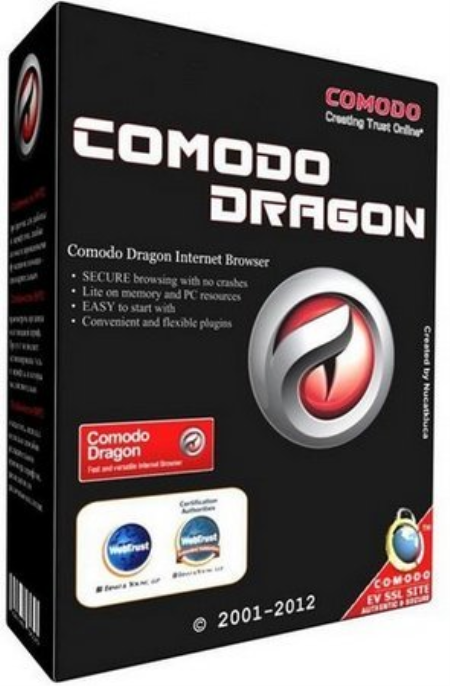
Comodo Dragon - fast and versatile Internet Browser based on Chromium, infused with Comodo's unparalleled level of Security!​

The Comodo Dragon has taken the latest Chromium technology and beefed it up in the one way necessary to make it the optimum Browser to use on today's malware plagued Internet with superior security and privacy. The Comodo Dragon encompasses all of the best features of Chrome. It includes an important feature every user needs to use the Internet in total safety today. The interface looks pretty much the same like Chrome with tabs on top. A browser developed by a company that is best known for its firewall software can leave people feeling more secure about their Internet usage. Comodo Dragon will pull up a bright-yellow caution message warning people that sending information may be unsafe when they are entering a Web site with an unstable security certificate. Also, Comodo Dragon does not send browsing information to a remote server.

Comodo Dragon is an aesthetically minimalist browser that is attractive, responsive, and secure. From the detachable tabs at the top of the screen to the bookmark-syncing option, it is impossible to instantly recognize where the "remix" takes place. The Help tab even redirects you to Google Chrome's Help page and the Extensions tab redirects you to Google as well.

It also keeps Chrome's incognito mode option, where all browsing information and cookies are deleted following the user's Web session. Upon poking around the Options menu, there are a couple of visible differences: there are no location settings and Dragon does not present an option to send "usage statistics and crash reports to Google."

This browser is not only fast, but like Google Chrome, it is not strewn with numerous icons, leaving more room for Web viewing. For those who are extra cautious about their online security, or for those who are worried about Google's data-mining, this fast browser is a great choice.

Improved Privacy over Chromium

Easy SSL Certificate Identification

Fast Website Access

Greater Stability and Less Memory Bloat

Incognito Mode Stops Cookies, Improves Privacy

Prevents all Browser tracking to ensure your privacy

Supported OS: Windows XP, Vista, Windows 7, Windows 8/ 8.1, Windows 10.

Updated to Chromium 80 codebase.


DOWNLOAD
uploadgig
Код:
https://uploadgig.com/file/download/df10d0A7BE0d9792/hHOOccMB_dragonsetup..exe
https://uploadgig.com/file/download/0124F742fa9c7D01/hHOOccMB_dragonsetup_x64..exe

rapidgator
Код:
https://rapidgator.net/file/e541de00646fa90b7ec166d17e8a809f/hHOOccMB_dragonsetup..exe
https://rapidgator.net/file/f802a1023f55d1460c97064ddc79c987/hHOOccMB_dragonsetup_x64..exe

nitroflare
Код:
http://nitroflare.com/view/2686BA2D1CF211C/hHOOccMB_dragonsetup..exe
http://nitroflare.com/view/3FF05303CAF179E/hHOOccMB_dragonsetup_x64..exe
 
Disk Savvy Ultimate / Enterprise 12.7.14

cc660ff8-a7d6-484a-995d-bc163dc64c09.png

File size: 27 MB

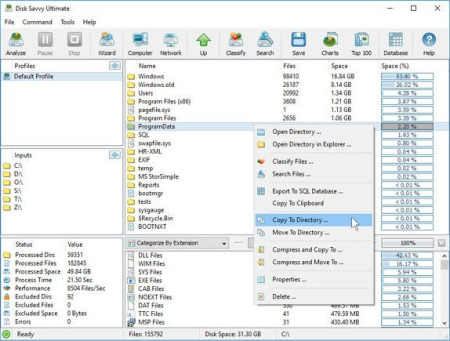
DiskSavvy is a disk space usage analyzer capable of analyzing disks, network shares, NAS devices and enterprise storage systems.​

Users are provided with multiple disk usage analysis and file classification capabilities allowing one to gain an in-depth visibility into how the disk space is used, save reports and perform file management operations. DiskSavvy is a powerful disk space usage analyzer allowing one to analyze disks, network shares, NAS storage devices and enterprise storage systems. The user is provided with the ability to analyze one or more disks, directories or network shares, detect directories and files using significant amounts of the disk space, generate various types of pie charts, save disk space usage reports and perform disk space usage history trend analysis operations.

DiskSavvy Disk Space Analyzer

In addition, DiskSavvy provides built-in file classification capabilities allowing one to classify and categorize files using a number of file classification plug-ins capable of recognizing more than 3,000 types of files and showing disk space usage per file type, category, file extension, user name, creation, last modification and last access , etc. Users are provided with the ability to perform different types of file management operations on disk space analysis results, specific types of files or file categories.

Disk Space Analysis Pie Charts

DiskSavvy allows one to save disk space analysis results to a number of standard formats including HTML, PDF, Excel, XML, CSV, text and the native DiskSavvy report format. In addition, IT and storage administrators are provided with the ability to export disk space analysis results from multiple servers and/or NAS storage devices to a centralized SQL database and then perform advanced disk space usage history trend analysis operations and display disk space usage per server and disk space usage per user.

Analyzing Network Servers and NAS Storage Devices

DiskSavvy allows one to scan the network, discover network servers and NAS storage devices, automatically detect all accessible network shares and analyze disk space usage in hundreds of network servers and NAS storage devices. In addition, the user is provided with the ability to export the list of detected servers and NAS storage devices (including lists of network shares for each server) into HTML, PDF, text and CSV reports.

Analyzing Network Servers

In order to analyze one or more servers or NAS storage devices, press the 'Network' button located on the main toolbar and wait while DiskSavvy will scan the network and show a list of detected network servers and NAS storage devices. On the network servers and NAS storage devices dialog, select the required servers and press the 'Analyze' button.

Analyzing Network Shares

DiskSavvy will show all network shares hosted on the selected servers and NAS storage devices allowing one to analyze disk space usage and save various type of disk space analysis charts and reports. In addition, DiskSavvy provides a large number of advanced disk space analysis options allowing one to tune and customize disk space analysis operations for user specific needs and hardware configurations.

DiskSavvy Command Line Utility

In addition to the DiskSavvy desktop GUI application, IT administrators are provided with a command line utility allowing one to perform disk space analysis operations, save disk space usage reports and export disk space analysis results to an SQL database. The DiskSavvy command line utility may be used to automate disk space analysis operations and integrate disk space analysis capabilities into user-custom batch files and shell scripts.

DiskSavvy Command Line Utility

DiskSavvy Disk Space Analysis Server

Finally, enterprise customers are provided with DiskSavvy Server, a server-based product version, which runs in the background as a service and allows one to analyze a number of servers or NAS storage devices simultaneously, schedule periodic disk space analysis operations, submit disk space analysis reports from multiple servers to a centralized SQL database, perform advanced disk space usage history trend analysis operations, analyze disk space usage per server, analyze disk space usage per user and execute conditional, rule-based disk space analysis actions.

DiskSavvy Disk Space Analysis Server

DiskSavvy Server may be controlled using a full-scale client GUI application locally or via the network. The client GUI application provides all features available in the desktop product version and additional capabilities allowing one to analyze multiple servers and/or NAS storage devices simultaneously, schedule periodic disk space analysis operations and perform advanced disk space usage history trend analysis operations. In addition, to the client GUI application, DiskSavvy Enterprise provides a web-based management interface, which can be used to control one or more servers using a regular web browser.

Batch Disk Space Analysis Operations

DiskSavvy Server and DiskSavvy Enterprise provide the ability to scan the network, detect all network servers and NAS storage devices, execute one or more pre-configured disk space analysis commands on hundreds of network servers and NAS storage devices and generate an individual report for each analyzed server, NAS storage device or network share.

Batch Disk Space Analysis Operations

In the simplest case, just press the 'Network' button located on the main toolbar, search all network servers and NAS storage devices on the network, select one or more servers to be analyzed, press the right mouse button and select the 'Batch Disk Space Analysis' menu item. DiskSavvy will show a list of pre-configured disk space analysis commands allowing one to select one or more commands to be executed on all selected network servers and NAS storage devices.

Batch Disk Space Analysis Mode

Depending on the selected configuration, DiskSavvy will save in the built-in reports database an individual disk space analysis report for each analyzed network server, NAS storage device or network share. Once the batch disk space analysis is completed, the user will be provided with the ability to open saved disk space analysis reports, review disk space analysis results, generate various types of pie charts and export reports to a number of standard formats including HTML, PDF, Excel, text, CSV and XML.


DOWNLOAD
uploadgig
Код:
https://uploadgig.com/file/download/0c9a772EAc60f0cE/w17DG0XJ_DiskSavvy12..rar

rapidgator
Код:
https://rapidgator.net/file/197c50d0cd474258a6741dd81f96f62d/w17DG0XJ_DiskSavvy12..rar

nitroflare
Код:
http://nitroflare.com/view/BA939BC47550368/w17DG0XJ_DiskSavvy12..rar
 
CoolUtils Total CAD Converter 3.1.0.174 Multilingual

3840e73e-92db-4086-aa94-c35dfa486e61.png

Multilingual | File size: 68.8 MB

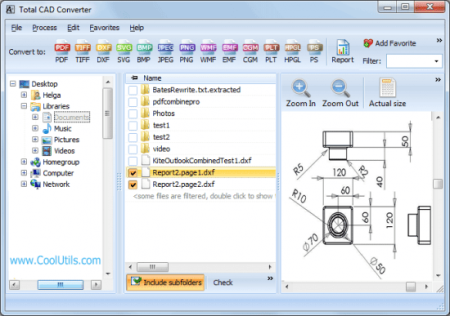
Total CAD Converter converts CAD files to PDF, TIFF, JPEG, BMP, WMF, PNG, DXF, BMP, CGM, HPGL, SVG, PS, and SWF.​

Source formats include dxf, dwg, dwf, dwfx, plt, hg, hgl, hpg, plo, hp, hpl, hpgl, hp1, hp2, hpgl2, gl2, spl, svg, cgm. Total CAD Converter's user-friendly interface and built-in wizard make it easy to apply project settings (it will even auto-remember previous job settings so that next you won't need to recreate them from scratch). Total CAD Converter also includes support for project set-up via the command line. Total CAD Converter offers several unique options when converting lots of CAD files at once:

When you convert multiple CAD files to PDF or TIFF you can combine all source files into a single target file. For instance, convert five CAD drawings into one multi-page TIFF or PDF.

When converting CAD files to images you can resize, crop and rotate them simultaneously.

If you'd prefer to create PDF copies of your CAD drawings, you can do so by adding a digital signature to the output files. More unique options

Looking to use the CAD converter in your asp or php application with ActiveX? Try the Total CAD ConverterX (SDK). With it, you gain access to a powerful command line CAD converter minus the GUI.

Converts CAD files in batch

Autodesk AutoCAD 2016 is supported

Command line support

Many output file types

Resizes CAD drawings

Rotates CAD drawings

Crops CAD drawings

Turns color drawings to black-and-white

Makes the lines thicker if you need

Adds watermarks to output files

Easy-to-use

ActiveX and Server version

Updates: official site does not provide any info about changes in this version.


DOWNLOAD
uploadgig
Код:
https://uploadgig.com/file/download/9da4B1D0Dade8b05/gEWNeaNP_CoolUtils_Total_CAD_Converter_3.1.0.174_Multilingual..rar

rapidgator
Код:
https://rapidgator.net/file/03b238612b18ca174050596506fa4125/gEWNeaNP_CoolUtils_Total_CAD_Converter_3.1.0.174_Multilingual..rar

nitroflare
Код:
http://nitroflare.com/view/723D4C5045EAD72/gEWNeaNP_CoolUtils_Total_CAD_Converter_3.1.0.174_Multilingual..rar
 
Positive Grid BIAS FX 2.1.9.4900 Elite

e6813794-afb3-49c2-9f78-f054d44729e6.png

File size: 619/629 MB

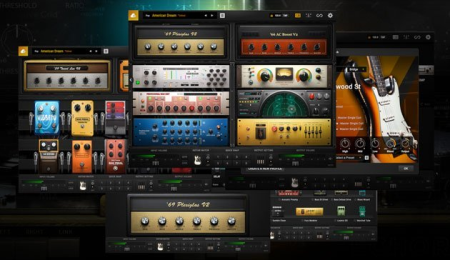
Over the last several years, a range of high-powered digital guitar programs and mobile apps have changed the way millions of guitarists play and record.​

While most of these apps are variations on the same theme, we felt the world of guitar needed something new. The result is BIAS FX, designed from the ground up with a no-compromise mindset on sound quality and ultimate flexibility. It comes with all of the latest and greatest algorithms from our extensive audio signal processing research, providing significantly detailed and authentic emulations of analog pedals, studio rack gear and tube amplifiers. It also features dual signal paths and full integration with BIAS Amp, allowing you to utilize two custom Amp Match amplifier models in the same setup.

DUAL BIAS AMPSBIAS FX can utilize dual signal paths, allowing you to combine the sonic attributes of two different sets of amplifiers, speaker cabinets and microphones at the same , providing a world of sonic options not possible using a single amplifier. Featuring full integration with BIAS Amp software, BIAS FX automatically imports your custom BIAS Amp and Amp Match models, giving you immense power to create entirely new guitar tones and textures.

PEDALBOARDS ON THE CLOUD

You can easily create, share or custom pedalboards on ToneCloud. There are hundreds to choose from already, and we constantly work with professional artists and session players from all over the world to offer an ever-growing and massive number of virtual pedalboards and rigs for BIAS FX.

NO COMPROMISE

We take a no-compromise approach in eeering BIAS FX, from detailed touch-sensitivity in distortion emulations to double-precision modulated algorithms in chorus pedals, and we strive for the best possible sound quality in everything that we do. We are constantly working on new features and updates to our core technology, redefining what is possible in the world of guitar amp and effects emulation.

CUTTING EDGE TECHNOLOGY

BIAS FX has the most-advanced DSP sound ee in the industry, featuring full integration with BIAS Amp Pro software and a beautifully designed user interface. With a host of amps, rack and pedal effects and full integration with BIAS Pedal software, BIAS FX is a powerful cross-platform guitar processing environment. For the first , you can achieve truly authentic high-quality guitar sounds both in the studio for recording and on iPad for live performance and practice.

Re-Eeered High-Resolution DSP Ee: Provides unmatched responsiveness and dynamics to faithfully reproduce each player's unique feel. This powers the 100 NEW unbelievably accurate amplifier recreations, with tone and dynamics each replicated down to the last glowing tube and precision resistor. Positive Grid partnered with Celestion, the most trusted name in guitar amplifier speakers, to create official simulations of world-class Celestion cabs.

Hyper-Realistic Guitar Match: The groundbreaking, precision guitar emulation that transforms the original guitar tone into a collection of legendary models, each precisely recreated down to its pickups, body type and body thickness.

A Studio's Worth of New, Drool-Worthy Effects: Including Harmonizer, Fuzz and modelers plus ten brand-new studio rack processors-Echo Tape Delay, Tri-Chorus, Tube Compressor, Spring Reverb, Wah, Guitar Synth and more for a total of over 100 new effects.

New Easy-To-Use User Interface: Includes a new preset manager that makes it easy to organize and rapidly search, recall and preview favorite pedalboard setups and switch instantly among them on the fly.

Access to over 50,000 User-Generated Presets via ToneCloud, Plus 200 Onboard New Factory Presets: Created by world-renowned artists, studio eeers and session players, this complete library of presets will inspire your playing and unleash your creativity

Redesigned ToneCloud Access: Allows players to find and sort faster than ever using tags and keywords.

New Looper/Recorder Functionality: Quickly record ideas for riffs, vamps and songs with a simple click and loop your recording while you play it back through BIAS FX 2's foot pedals, amps and rack FX.

Dual Signal Path With Multiple Splitters: Allows players to to cherry-pick parts from two separate amps-their impulse responses, cabs, EQs, even the mics they use-and combine them to create a one-of-a-kind hybrid amp nobody else has. Or route two amps parallel to one another and hard pan them to create a freightliner-wide stereo setup with totally different guitar tones in left and right channels

Plus hundreds more improvements across the board.

Minimal Requirements (PC)

Windows 8 or later (64-bit)

4GB of RAM minimum, 8GB or more recommended

1.5GHz Dual core processor minimum, 2.0GHz Dual core or more recommended

Audio plug-in formats: VST 2, AAX Native

500MB free disk space

An Internet connection is required to activate your license and access ToneCloud. Positive Grid software products do not support offline activation at this moment. Offline mode is available after software activation.

New

Added two new Guitar Match models

Added "Backing Track" feature in Looper

Bug Fixes

Fixed "Guitar Match inconsistent on/off status in DAWs"

Fixed several Scene Bugs

Fixed "preset edited status is not correct"

Fixed "Can not save amp knob settings in certain scenarios"

Fixed "MIDI errors in Scene mode"

Fixed "Uni-Vibe pedal reverts back to default after relaunching"

Fixed "Looper Metronome issue"

Fixed "Can't read Amp2 license in the presets"

Improved Effect Pedal/Rack sequence in the effect menu

Fixed "iCloud sync crash issue" (Mac only)

Fixed "User banks are not selectable"

Fixed "license inconsistency issue between ToneCloud and the app"


DOWNLOAD
uploadgig
Код:
https://uploadgig.com/file/download/03d6d48BDe1c9a91/FicrmHMp_BIAS_FX_2_2.1.9.4900..rar
https://uploadgig.com/file/download/ff00F1000c772393/FicrmHMp_BIAS_FX_2_2.1.9.4900x64..rar

rapidgator
Код:
https://rapidgator.net/file/739e5973134ff467edcef6e2a72dc16a/FicrmHMp_BIAS_FX_2_2.1.9.4900..rar
https://rapidgator.net/file/10ab67be272439df0a8035d6e4fb337e/FicrmHMp_BIAS_FX_2_2.1.9.4900x64..rar

nitroflare
Код:
http://nitroflare.com/view/480C90D45EF09D8/FicrmHMp_BIAS_FX_2_2.1.9.4900..rar
http://nitroflare.com/view/1F15FC5D3E8529A/FicrmHMp_BIAS_FX_2_2.1.9.4900x64..rar
 
LibreOffice 6.4.3

fca280cc-9b00-4b95-94d3-4171a9d5aaff.png

File Size: 250/269 MB

LibreOffice - a powerful office suite.​

Translated into more than 30 languages. LibreOffice is free and is open source, so you can free to , use and learn LibreOffice. LibreOffice free for private and for educational or commercial use. It can be used without any licensing fees to your family, friends, colleagues, students, employees, and so on. LibreOffice office suite consists of several components that are integrated into a common core, in particular:

Text Editor Writer;

Table Editor Calc;

A tool for presentations and demonstrations Impress;

Vector editor Draw;

Formula editor Math;

Database Management System Base.

As the name implies, LibreOffice - one of the largest free office products. Freedom is manifested in:

The absence of any license fees for the purchase and use the product.

The absence of a language barrier. If your language is not included in LibreOffice, it is certain that this will soon change.

Open access to the source code under a license agreement OSI.

- LibreOffice cares about the quality:

LibreOffice have a rich heritage. The development has its roots in the past. The community has more than 20 years of experience on which to rely.

Thousands of users around the world are taking part in the beta testing the new version.

The process of creating LibreOffice is completely open. Everyone has the opportunity to participate in the improvement of LibreOffice.

- LibreOffice convenient:

Easy to use and can be used without special training by all who had once worked with any office software.

Switching from another office suite on LibreOffice simple, since LibreOffice supports most existing formats "office" files.

LibreOffice has the technical support that is provided by volunteers around the world to help find answers to questions both novices and experienced users.


DOWNLOAD
uploadgig
Код:
https://uploadgig.com/file/download/d0a7891041b7f7cE/44JiBki7_LibreOffice_6.4.3..rar

rapidgator
Код:
https://rapidgator.net/file/49485b598aa00543209cd222f0d2940e/44JiBki7_LibreOffice_6.4.3..rar

nitroflare
Код:
http://nitroflare.com/view/13106CED6D1D4F1/44JiBki7_LibreOffice_6.4.3..rar
 
Назад
Сверху