• Здравствуйте. Сайт заработал в архивном режиме форум www.old.nado.in

Anthony's Software !!!

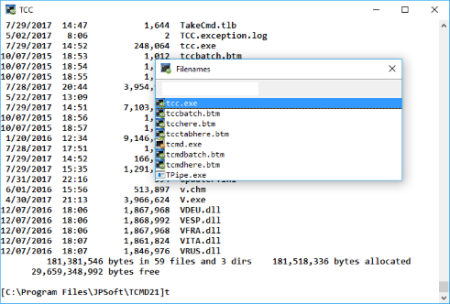
JP Software TCC 26.00.34 (x64)

0e1b7248-56c6-4a9d-8a3a-30d91911db3a.png

File Size: 29.7 MB

TCC is our console mode Windows command shell (formerly known as 4NT).​

TCC is a replacement for the CMD command line (the default Windows command prompt). TCC is a superset of CMD, with 246 internal commands (CMD has fewer than 40), 695+ internal variables and functions, and hundreds of enhancements to existing CMD commands. TCC works with your existing command line applications and batch files, but offers major improvements in command line and batch file capabilities, and adds thousands of new features to your command prompt windows.

TCC is a CMD replacement command processor that is compatible with your existing CMD commands and batch files, while adding thousands of new features. You're immediately more productive, and you can learn and add TCC's new features at your own pace.

Create and debug your batch scripts in a fraction of the with the integrated editor and batch file debugger.

The integrated and familiar environment means you are immediately more productive with your interactive command prompt and batch file development tasks.

The consistent syntax reduces your learning and development .

The comprehensive help (including context-sensitive popup help for command line syntax), speeds your development and reduces syntax errors.


DOWNLOAD
uploadgig
Код:
https://uploadgig.com/file/download/f22d7d632d958ACa/KZr4W3XT_TCC.26_.rar

rapidgator
Код:
https://rapidgator.net/file/6eeb08e1b2e50ab654b25e0e5751efc6/KZr4W3XT_TCC.26_.rar

nitroflare
Код:
http://nitroflare.com/view/FE5E61F20E29523/KZr4W3XT_TCC.26_.rar
 
JP Software Take Command 26.00.34 (x64) Multilingual

f19c2fc9-d71e-4c5f-a33b-033b31594a4d.png

File Size: 37 MB

Take Command is a comprehensive interactive GUI and command line environment that makes using the Windows command prompt and creating batch files easy and far more powerful.​

Take Command displays your command line applications in tabbed windows, with optional Explorer-style integration for a visual look at your folders. Take Command includes hundreds of major enhancements to the command line and CMD commands such as COPY, DEL, and DIR, and adds more than 140 new commands, 460 internal variables and functions, a batch file IDE / debugger, and thousands of other features. · Modify and re-execute previous commands with a powerful command line editor

· Copy, delete, move, and rename groups of files and directories, not just individual ones

· Extended directory searches allow you to change to a directory anywhere on your system by entering only part of its name

· Quickly locate files or text within files anywhere on your system

· Built-in file viewer includes scrolling, search, and print capabilities

· Select or exclude files by date, , size, and/or extended wildcards for extraordinary flexibility in file management

· Redefine commands, create new commands and functions for your regular tasks, even assign frequently used commands to a single keystroke

· Direct access to FTP, TFTP and HTTP (including SSL) directories and files in all file-handling commands

· Complete configuration adjustment, either through interactive dialogs or on the command line

· File descriptions up to 511 characters long provide information that can't fit in a filename

· Batch debugger with singlestepping, breakpoints, syntax coloring, bookmarks, popup variable windows, variable watch windows, and editing

· An improved batch language adds subroutines, IF/THEN/ELSE logic, DO loops, SWITCH statements, error and exception handling, and more than 130 internal commands, while retaining compatibility with batch files written for CMD

· More than 130 built-in variables include system configuration, device status, network drive detection, and free memory and disk space

· More than 200 variable functions assist with manipulation and display of strings, characters, numbers, date and , file names, etc

· Start graphical and character-mode applications with ease - even run most console programs in the Take Command window

· Built-in screen scrollback buffer lets you review or print output from past commands at any

· Customizable toolbar gives you quick access to frequently used commands and applications

· Find File dialog lets you search quickly for files or text, anywhere on your system - or search from the command line with the new FFIND command

· Dialogs, accessible from the Options and Utilities menus, for editing environment variables, aliases, file descriptions, and startup parameters

· New commands such as ACTIVATE, MSGBOX, and QUERYBOX that allow you to use GUI features and control GUI applications from your batch files


DOWNLOAD
uploadgig
Код:
https://uploadgig.com/file/download/6b665d6724f4b32e/ufHTtHX6_Take.Comman.rar

rapidgator
Код:
https://rapidgator.net/file/55ccc96e02970511bdd2e9892030ab93/ufHTtHX6_Take.Comman.rar

nitroflare
Код:
http://nitroflare.com/view/1180359A3EC6AC0/ufHTtHX6_Take.Comman.rar
 
KMS/2038 & Digital & Online Activation Suite 8.6

80a1ed28-cce2-4b11-90ec-75f8ac6015eb.png

File Size: 0.6 MB

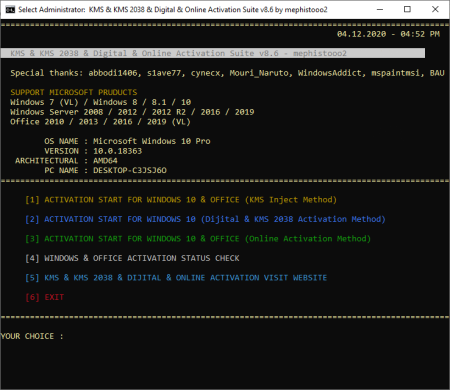
This tool includes 4 different activation methods.​

KMS Inject, Digital, KMS 2038 and Online activations. While this script is being created, abbodi1406's script is referenced. Thank him so much. Some security programs will report infected files, that is false-positive due KMS emulating. NOTE: Windivert and Digital Activation methods are virus free

If use this tools remove any other KMS solutions and temporary turn off AV security protection.

$OEM$ Activation About:

3 methods are also $OEM$ activation support.

To preactivate the system during installation, copy $OEM$ folder to "sources" folder in the installation media (iso/usb)

$OEM$ activation method also enable the KMS task scheduling system during installation. (digital and KMS2038 activation method except)

* Windows 7 (VL) / 8 / 8.1 / 10

* Windows Server 2008 R2 / 2012 / 2012 R2 / 2016 / 2019

* Office 2010 / 2013 / 2016 / 2019 (VL)

* Office Retail (Volume License certificates supported if installed)

* Windows 7 (Starter, HomeBasic, HomePremium, Ultimate)

* Windows 10 (Cloud S, Professional Single Language)

* Windows Server (Server Foundation, Storage Server, Home Server 2011)

- The KMS Suite cmd screen has been adjusted to open in the desktop center when it is opened. (I think it was nice :))

- Inject method, KMS.dll files were re-encoded and Trend Micro's wrong virus warning was removed. As of now, dll files look clean in virustotal.


DOWNLOAD
uploadgig
Код:
https://uploadgig.com/file/download/fdC58ef017958852/0EZ0AyOi_KMS_Suite_v.rar

rapidgator
Код:
https://rapidgator.net/file/02f366d1e3baa5a0bb425d93f42a1693/0EZ0AyOi_KMS_Suite_v.rar

nitroflare
Код:
http://nitroflare.com/view/D99E05FDA098461/0EZ0AyOi_KMS_Suite_v.rar
 
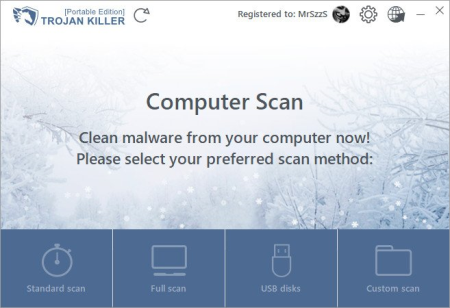
Trojan Killer 2.1.20 Multilingual

c039a6c4-e946-406c-9338-952a5c9ba560.png

File size: 71.8 MB

Trojan Killer is the effective anti-malware tool for your memory stick.​

Be sure that you're safe from the internet threats wherever you go! Scan your PC right now

With the perfect virus removal tool! Fast, effective and reliable. The ultimate anti-malware solution with awesome features that leaves no chance for any cyber threats.

Updates: official site does not provide any info about changes in this version


DOWNLOAD
uploadgig
Код:
https://uploadgig.com/file/download/d9D30fb3b3c4Bed5/lgrUWkDx_Trojan_Kill.rar

rapidgator
Код:
https://rapidgator.net/file/4c3736015080120909c6f28ec2706eb3/lgrUWkDx_Trojan_Kill.rar

nitroflare
Код:
http://nitroflare.com/view/7D8A6E8FE76A8DF/lgrUWkDx_Trojan_Kill.rar
 
Balabolka 2.15.0.739 Multilingual

a08ec20e-747b-4403-ae60-f085a88ddde8.png

File Size : 18.4 Mb

Your child asks and asks you to read him a story, and you have no ?​

Or do you tired eyes from working at the computer and has no power to re-read? You no longer need to excel, load sight, call grandma for help or deny to a child and upset him. Just use a chatterbox. Balabolka read aloud any text in a human voice. This is a very useful program that will greatly facilitate your life. Balabolka will sound text from any application. And she reads human voice. So you will not only convenient, but also nice to listen to the text, voiced by the program. Although the update did made ​​small changes, it is still better to upgrade to the latest release version, or use the latest portable version, in order to avoid any problems with the program. Choose the installation or a portable version, as you prefer.


DOWNLOAD
uploadgig
Код:
https://uploadgig.com/file/download/6b14445405cA093B/GCtaY3wt_balabolka_1_.rar

rapidgator
Код:
https://rapidgator.net/file/e7e1b3571b7f1902583c8a7561150ba3/GCtaY3wt_balabolka_1_.rar

nitroflare
Код:
http://nitroflare.com/view/3F504FE0E4ED2DD/GCtaY3wt_balabolka_1_.rar
 
GridinSoft Anti-Malware 4.1.39 Multilingual

b317958b-3664-44e8-b845-f4d5a0ad9874.png

File size: 88 MB

GridinSoft Anti-Malware (formerly Trojan Killer) is the fast, effective and reliable anti-malware solution.​

The program has been developed specifically for automatic removal of viruses, bots, spyware, keyloggers, trojans, scareware and rootkits. Without the need to manually edit system files or registry. This ultimate removal tool with awesome features that leaves no chance for any sneakiest malware. In addition, GridinSoft Anti-Malware fixes system modifications. It were introduced by malware and which, regretfully, are often ignored by some popular antivirus scanners. GridinSoft Anti-Malware provides the high-speed system scan. No slowdowns in your system in proactive mode. The program scans ALL the files loaded at boot for Adware, Spyware, Remote Access Trojans, Internet Worms and other malware.

The program has user-friendly and simple interface. Defeats malwares within few clicks instead of long-lasting boring manual procedures. Furthermore, the hourly updates keep GridinSoft Anti-Malware updated each you need it.

This Anti-Malware helps in cases where well-known and complicated antivirus products get stuck. Once malware is detected, it is added to GridinSoft database in 2-12 hours. Up-to-date databases and smart algorithms give your PC maximum possible level of security.

GridinSoft Anti-Malware will fix your PC within few minutes, effectively and convincingly. The program immediately reacts after detecting threats and prevents all attempts to damage your data.

GridinSoft Anti-Malware operates in the field of protecting system from malicious software in order to render security for computer systems. It also can assist you in removal of annoying advertisement modules, spyware and other malicious instruments developed by hackers.

New! GridinSoft Anti-Malware SDK

Promptness files' scan and all malicious items detection.

Original heuristic analyser for the newest malware types.

Regular database updates to stay up-to-.


DOWNLOAD
uploadgig
Код:
https://uploadgig.com/file/download/738fdb823fe56d8a/DduwVaur_GridinsoftA.rar

rapidgator
Код:
https://rapidgator.net/file/5f90e566a167d9c7459ed92967abf889/DduwVaur_GridinsoftA.rar

nitroflare
Код:
http://nitroflare.com/view/B1EADC130509AFF/DduwVaur_GridinsoftA.rar
 
Inkscape 0.92.5

0adf448f-2d00-4ba7-b2fe-05ee0596dd08.png

File Size : 134.7 Mb

Providing advanced editing features, Inkscape is a serious competitor on the vector graphics sector and a viable alternative to more complex software suites, such as Illustrator or CorelDraw.​

The professional drawing tools allow you to create complex objects, while the set of filters helps you take graphic design to a whole new level. Designed with ease of use in mind, the interface is well organized and fairly intuitive, offering fast access to all the options. The program is compatible with multiple file types, including JPEG, PNG, TIFF, EPS and vector-based formats. It comes with a powerful set of tools for drawing and editing graphic objects, including markers, gradients, shapes, paths, clones, alpha blending and more, but it also allows freehand drawing. With just a few clicks, you can move and scale objects, create object groups and edit multiple items.

Direct XML editing, document mapping, screen pixel manipulation, node editing, bitmap tracing are some of the features worth mentioning. It provides layer support and allows you to perform complex path operations, as well as apply and edit path effects. Additionally, the application comes with text editing tools, such as the SVG font editor, glyphs and multilingual spell checking.

One of its advantages is the wide range of available filters and extensions, which allows users to build more unusual graphics. From color filters, bluring, distort and different materials to morphology filters and non realistic 3D shaders, all are designed to help you enlarge the design possibilities and unleash your creativity.

Whether you want to create a simple icon for your desktop or plan on designing complex marketing materials, Inkscape includes all the instruments you need. It features similar capabilities to some of its well-known competitors, which makes it a great tool for every graphic designer out there.

Object creation

Drawing: pencil tool (freehand drawing with simple paths), pen tool (creating Bézier curves and straight lines), calligraphy tool (freehand drawing using filled paths representing calligraphic strokes)

Shape tools: rectangles (may have rounded corners), ellipses (includes circles, arcs, snts), stars/polygons (can be rounded and/or randomized), spirals

Text tool (multi-line text, full on-canvas editing)

Embedded bitmaps (with a command to create and embed bitmaps of selected objects)

Clones ("live" linked copies of objects), including a tool to create patterns and arrangements of clones

Object manipulation

Transformations (moving, scaling, rotating, skewing), both interactively and by specifying exact numeric values

Z-order operations (raising and lowering)

Grouping objects ("select in group" without ungrouping, or "enter the group" making it a temporary layer)

Layers (lock and/or hide individual layers, rearrange them, etc; layers can form a hierarchical tree)

Alignment and distribution commands

Fill and stroke

Color selector (RGB, HSL, CMYK, color wheel, CMS)

Color picker tool

Copy/paste style

A gradient editor capable of multi-stop gradients

Pattern fills (bitmap/vectors)

Dashed strokes, with many predefined dash patterns

Path markers (ending, middle and/or bning marks, e.g. arrowheads)

Operations on paths

Node editing: moving nodes and Bezier handles, node alignment and distribution, etc.

Converting to path (for text objects or shapes), including converting stroke to path

Boolean operations

Path simplification, with variable threshold

Path insetting and outsetting, including dynamic and linked offset objects

Bitmap tracing (both color and monochrome paths)

Text support

Multi-line text

Uses any installed outline fonts, including right-to-left scripts

Kerning, letterspacing, linespacing adjustments

Text on path (both text and path remain editable)

Text in shape (fill shape following stroke)

Rendering

Fully anti-aliased display

Alpha transparency support for display and PNG export

Complete "as you drag" rendering of objects during interactive transformations

Misc

Live watching and editing the document tree in the XML editor

PNG, OpenDocument Drawing, DXF, sk1, PDF, EPS and PostScript export formats

Command line options for export and conversions

Perfectly compliant SVG format file generation and editing


DOWNLOAD
uploadgig
Код:
https://uploadgig.com/file/download/107f28041C921b15/NyqlzTjT__Inkscape__.rar

rapidgator
Код:
https://rapidgator.net/file/1b216124a031385ed927f7d08ad2c2ea/NyqlzTjT__Inkscape__.rar

nitroflare
Код:
http://nitroflare.com/view/5FBD30DB1B60CE9/NyqlzTjT__Inkscape__.rar
 
Green Screen Wizard Professional 10.7 Retail

49b5942c-c3ad-4ad6-b8bb-3c8bb8d8278e.png

File size: 43.3 MB

Join professional and amateur photographers worldwide who have have easily mastered green screen photography thanks to the best-selling green screen software, Green Screen Wizard.​

Whether your goal is to have fun with the kids or expand your photography business, Green Screen Wizard has professional software for every budget and need. Standalone Green Screen Software Our standalone green screen software is our most popular software and does not require Photoshop to run. Over 25,000 users have enjoyed its simple to use user interface with a built in help system. Our green screen ee and our advanced special effects are second to none. We sell three versions of the software to fit your budget and need. As a Photo Booth

A Photo Booth is an automated photography system that lets a user start a photo session that can take one or more images with live view image preview. The live view preview shows the person on the background chosen and even supports Sandwich Overlays. The system can create multiple images on a single output or a simple single image output that can be printed, emailed or texted to your phone. Eaily setup an open photo booth at your kids next party. Make money at weddings and other events.

As a Live View Event System

Normally a Photo Booth Software is operated by the user. At events where you want people to move though quickly or if your are photographing kids or pets, then you can fire the camera from a button on the screen or with a remote clicker.

Portrait Photographers:

No studio portrait photographer should be without Green Screen Wizard. Giving your clients a wide verity of background is just the start. The new image compare function will help your clients pick their favored shots. Once you pick the photo do want to keep the fine facial details but not show every skin flaw? Our skin smoothing software will let you dial in just the correct amount of digital makeup and skin smoothing. The Airbrush Editor can restore even the finest hair, remove any facial issue, whiten teeth and even apply makeup! The frame system can give soft edges to the background. Lighting effects can be used to make your portraits come alive.

Wedding Photographers:

Elegant settings produce great bridal portraits regardless of venue. The Airbrush Editor can fine tune bridal veil transparency and restore the green parts of the bridal bouquets.

Model Photographers:

Add diversity to a model's portfolio with beach or exotic location shots. Swimsuit models do not use makeup on their bodies but the Wizards skin smoothing software creates smooth skin on the entire skin surface. Using special effects can give a model images that she cannot get from other photographers. The "Woman on Fire" silhouette is a particularly popular. Models standing in the water with a reflection is also fun to do.

Pet Photographers:

Pet photography is a nightmare for green screen photographers. Dogs and Cats are nothing but difficult to restore hair from head to toe. With the Green Screen Field Processing to handle most cases and the Airbrush Editor to fine tune hair restoration Pet photography just got a lot easier.

Vintage Photographers:

In the past Vintage photographers were restricted to a simple set that they created, usually a bar setting. Now with Green Screen photography they can offer vintage homes, bars, western towns and more. The Wizard has a built in effect to automatically change the color image to Black and White or Sepia tone.

Artist:

With the new effects system you can add texture, lighting effects, reflection and a wide variety of special effects.

Simple User Interface

Green Screen Wizard offers a simple, intuitive user interface that makes it easy to learn, easy to use, and fun for all ages and skill levels.

Green Screen Processing Features

We feel that the most important thing in a green screen software package is the green screen removal ee. Our ee has evolved over 8 years of constant development to become what we feel is the best green screen ee in the world. Forget the marketing hype of our competitors and try our free demo to prove it to yourself.

Green Screen Field Processing accurately replaces the green areas

Most images have large variations in the color and intensity of the background green screen. In the past this led to gray areas on the final background where the green screen was darker. With Green Field Processing the background is sampled at many locations for color and intensity, giving a exceptionally accurate green screen replacement.

Excellent Transparency Support

Great transparency can really add to the illusion that the person is in the background. Accurately computing this is very difficult. The Wizard does it automatically and supplies you with intuitive controls to fine tune it.

Automatic Spill Calculations

When shooting in front of a green screen, some of the green color will spill onto the subject. These areas are not removed, and are not transparent but they need to have the green tint removed. Notice how the image on the left has a green tint to the rug and the tint is removed but the rug is not transparent in the second photo.

Edge Blending

Often the edges of a subject have a black or unwanted thin color edge. With edge blending this can be removed with a simple click. The trick is to not remove thin hair or other details.Notice how the image on the left has a dark line around the edge. After edge blending is turned on it is removed in the second photo.

Remarkable Hair Restoration

Probably the hardest thing to do in green screen processing is to restore natural looking hair. Early attempts at doing this failed miserably which gave green screen processing a bad reputation amongst professional photographers . A combination of transparency and spill removal seamlessly integrated is required to perform this task to the satisfaction of clients and photographers. With Green Screen Wizard Brown, Red, Black and Blond hair are all restored with high fidelity.

Transparent PNG file Support

There are s when you do not wish to integrate the background but simply create a transparent png file to be used by another program. By clicking "Output a transparent background" on the home screen a checkerboard pattern will show where the green areas have been made transparent.

Blue Screen Processing

While we recommend using a green screen as people tend to have blue eyes and wear blue jeans and other blue clothing, the wizard does support blue screens when you need it. This is often required when a team has a green jersey, a school has a green uniform, or a bride carries green flowers.

ICC Color Profiles

ICC Color profiles assure the highest quality color reproduction. The stored ICC Color profile in the input images is used to render the image. When images are saved the ICC profile stored in Green Screen Wizard/ ICM folder is use to render the image.


DOWNLOAD
uploadgig
Код:
https://uploadgig.com/file/download/d4F3ec327f9d0143/TyDQSN5e_Green.Scree.rar

rapidgator
Код:
https://rapidgator.net/file/e164eeddb3f578b6425558df50b2781b/TyDQSN5e_Green.Scree.rar

nitroflare
Код:
http://nitroflare.com/view/F6E89455E54DE99/TyDQSN5e_Green.Scree.rar
 
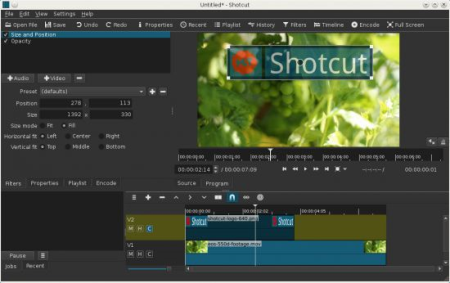
ShotCut 20.04.12 Multilingual

133052c4-ba45-4643-93d2-cd267a01eada.png

File Size : 151 Mb

Shotcut is a simple and user-friendly video editor that offers a series of features and functions to help you adjust and retouch your favorite movies, in just a few clicks of your mouse.​

- supports oodles of audio and video formats and codecs thanks to FFmpeg (or libav as-built)

- supports many image formats such as BMP, GIF, JPEG, PNG, SVG, TGA, TIFF as well as image sequences

- no import required - native editing

- frame-accurate seeking for many formats

- multi-format line: mix and match resolutions and frame rates within a project

- network stream playback (HTTP, HLS, RTMP, RTSP, MMS, UDP)

- frei0r video generator plugins (e.g. color bars and plasma)

- Blackmagic Design SDI and HDMI for input and preview monitoring

- JACK transport sync

- deinterlacing

- detailed media properties panel

- recent files panel with search

- drag-n-drop files from file manager

- save and load trimmed clip as MLT XML file

- load and play complex MLT XML file as a clip

- audio signal level meter

- volume control

- scrubbing and transport control

- flexible UI through dock-able panels

- encode/transcode to a capture (record) SDI, HDMI, webcam (V4L2), JACK, PulseAudio, IP streams, X11 screen

- stream (encode to IP) files and any capture source

- batch encoding with job control

- create, play, edit, save, load, encode, and stream MLT XML projects (with auto-save)

- unlimited undo and redo for playlist edits including a history view

- connect to Melted servers over MVCP TCP protocol

- control the transport playback of Melted units

- edit Melted playlists including suport for undo/redo

- OpenGL GPU-based image processing

- multi-core parallel image processing (when not using GPU and frame-dropping is disabled)

- video filters: Blur, Color Grading, Crop, Diffusion, Glow, Invert Colors, Mirror, Opacity, Rotate, Saturation, Sepia Tone, Sharpen, Size and Position, Stabilize, Text, Vignette, Wave, White Balance

- audio filters: Balance, Copy Channel, Downmix, Gain, Normlize, Pan, Swap Channels

- 3-way (shadows, mids, highlights) color wheels for color correction and grading

- eye dropper tool to pick neutral color for white balancing

- UI translations: Catalan, Chinese, Czech, Danish, English, French, German, Portugese, Spanish (not all 100%, but you can help)

- HTML5 (sans audio and video) as video source and filters

- Leap Motion for jog/shuttle control

- DeckLink SDI keyer output

- UI themes/skins: native-OS look and custom dark and light

- control video zoom in the player: fit viewable area (default), 50%, original (100%), and 200%

- multitrack line with thumbnails and waveforms

- thumbnail and waveform caching between sessions

- audio mixing across all tracks

- video compositing across video tracks

- trimming (on line)

- append, insert, overwrite, lift, and delete (ripple) editing on the line

- 3-point editing

- external monitoring on an extra system display/monitor

- fade in and out audio and fade video from and to black with easy-to-use fader controls on line

- cross-fade audio and video dissolve transitions easily by overlapping shots on the same track of the line

- video wipe transitions: bar, barn door, box, clock (radial), diagonal, iris, matrix, and custom gradient image


DOWNLOAD
uploadgig
Код:
https://uploadgig.com/file/download/b8B29Cf86e1153f2/ChFwq6Vb____ShotCut__.rar

rapidgator
Код:
https://rapidgator.net/file/f5e7dbaaea6354e4c666eb9042ff7a10/ChFwq6Vb____ShotCut__.rar

nitroflare
Код:
http://nitroflare.com/view/A4E68582EBE4CDD/ChFwq6Vb____ShotCut__.rar
 
VMWARE VCENTER Server v7.0 (x64)

5266a5dd-c27c-4f59-9404-4aa8bb0d35f4.png

x64 | File Size: 6.41 GB

Gain centralized visibility, simplified and efficient management at scale, and extensibility across the hybrid cloud-all from a single console.​

VMware vCenter Server is advanced server management software that provides a centralized platform for controlling your VMware vSphere environments, allowing you to automate and deliver a virtual infrastructure across the hybrid cloud with confidence.Quickly deploy vCenter Server as a pre-packaged, optimized, and easy-to-maintain virtual appliance. Integration of vSphere Update Manager into vCenter Server Appliance makes patching and upgrading fast and easy. RESTful APIs allow for the easily repeatable deployment of vCenter Server Appliance from a template, speeding up deployment s as well as reducing human error.

Seamlessly extend your on-premises environment to vSphere-based public clouds, such as VMware Cloud on AWS, no matter which version of vCenter Server you are running. Large-scale management is now improved: Manage up to 2,000 hosts and 35,000 virtual machines with a single vCenter Server instance.

Administer your entire vSphere infrastructure from a single location. The HTML 5-based vSphere Client lets you manage the essential functions of vSphere from any browser, offering more responsiveness and usability than ever before. Assign users to custom roles, search vCenter Server inventory, or provision new virtual machines with the click of a button.

Use powerful tools to simplify management and extend your control. Use web services APIs to achieve cost-effective and flexible integration with existing systems management products. And use different VMware vCenter Server versions while allowing cross-vCenter, mixed-version provisioning operations, such as vMotion, Full Clone, and cold migrate.

Allocate and optimize resources for maximum efficiency with our server management software. Manage up to 70,000 virtual machines and 5,000 hosts across 15 vCenter Server instances. Use vSphere HA and DRS clusters to support up to 64 hosts and 8,000 virtual machines. Replicate roles, permissions, and licenses across the infrastructure so you can simultaneously log in, view, and search the inventories of all vCenter Servers. Link multiple vCenter Server Appliances and increase visibility without using costly load balancers.

Protect the vCenter Server Appliance and related services with native high availability (HA) and a recovery objective of less than 10 minutes. vSphere provides native active-passive HA capability, certified for vCenter Server Appliance.

Back up your appliance to a set of files while vCenter Server is still up and running with native backup and restore. Restore by simply pointing a fresh appliance to the backup location and files will be ed to the new vCenter Server Appliance. No third-party products required.

Schedule your vCenter Server Appliance backups and control the number of backups retained via the native backup scheduler.

vSphere Client Plug-ins from VMware partners allow IT admins to manage third-party elements in their data center directly from vCenter Server. Our server management software has the largest partner ecosystem in the industry, with our open vSphere Client Plug-in SDK. As a result, vCenter Server customers can implement back-up, data protection, server management, network management and security management, directly from vCenter Server.

VMware launched the vSphere Client Plug-in Certification Program in 2016 to ensure a better end-user experience for customers. Certified Plug-ins deliver optimal performance, better security model, client isolation against failures in one plug-in, and enhanced vCenter Server Appliance scalability. Customers will be able to distinguish certified vSphere Client Plug-ins because only certified Plug-ins will carry the "VMware-ready" logo.

-Dell EMC OpenManagement Integration for VMware vCenter

-Huawei Technologies Storage NGC (Flex and HTML 5)

-IBM Storage Enhancements for vSphere

-IBM Spectrum Protect vSphere Web Client

-Infinidat Powertools (HTML 5)

-Lenovo XClarity Integrator for VMware vCenter

-NimbleStorage vSphere Web Client

-StorMagic

CPU:Intel or AMD x64 processor with two or more logical cores, each with a speed of 2GHz.

Memory:3GB. Memory requirements might be higher if the vCenter Single Sign On database runs on the same host machine.

Space:2GB. Disk requirements might be higher if the vCenter Single Sign On database runs on the same host machine.

Network:1Gbps


DOWNLOAD
uploadgig
Код:
https://uploadgig.com/file/download/b424e3dbfB8b5eb9/vliCSCj8__VMWARE.VCE.part1.rar
https://uploadgig.com/file/download/13db19c649b536e1/vliCSCj8__VMWARE.VCE.part2.rar
https://uploadgig.com/file/download/323e79512CeF19eB/vliCSCj8__VMWARE.VCE.part3.rar
https://uploadgig.com/file/download/A49c5D10bbB1444e/vliCSCj8__VMWARE.VCE.part4.rar
https://uploadgig.com/file/download/9aDc67f1eA85E6Bd/vliCSCj8__VMWARE.VCE.part5.rar
https://uploadgig.com/file/download/9D0adb7088Bb4eef/vliCSCj8__VMWARE.VCE.part6.rar
https://uploadgig.com/file/download/Ec3fC852d121f18b/vliCSCj8__VMWARE.VCE.part7.rar

rapidgator
Код:
https://rapidgator.net/file/96f92fe058255d32f67826b1780cf8c3/vliCSCj8__VMWARE.VCE.part1.rar
https://rapidgator.net/file/3866e1daa57905c1d5b5161dbd641290/vliCSCj8__VMWARE.VCE.part2.rar
https://rapidgator.net/file/33b45ceb169a0ab36087077a2d964ccd/vliCSCj8__VMWARE.VCE.part3.rar
https://rapidgator.net/file/efb7f868c14624e19f1725960de4ce9b/vliCSCj8__VMWARE.VCE.part4.rar
https://rapidgator.net/file/0d28524c4b80c61d67a1101723397c92/vliCSCj8__VMWARE.VCE.part5.rar
https://rapidgator.net/file/f0320018e2b305be20ba525e29b9bbf5/vliCSCj8__VMWARE.VCE.part6.rar
https://rapidgator.net/file/1111df48c1159ebae338842b63870c1a/vliCSCj8__VMWARE.VCE.part7.rar

nitroflare
Код:
http://nitroflare.com/view/B3E5F57FB09F164/vliCSCj8__VMWARE.VCE.part1.rar
http://nitroflare.com/view/24B43B2DDB0AC10/vliCSCj8__VMWARE.VCE.part2.rar
http://nitroflare.com/view/A4938EDD261D35B/vliCSCj8__VMWARE.VCE.part3.rar
http://nitroflare.com/view/3D98A75D8204FD9/vliCSCj8__VMWARE.VCE.part4.rar
http://nitroflare.com/view/55F381C4808BFC6/vliCSCj8__VMWARE.VCE.part5.rar
http://nitroflare.com/view/F1F79064E8CC892/vliCSCj8__VMWARE.VCE.part6.rar
http://nitroflare.com/view/B84385663998ECC/vliCSCj8__VMWARE.VCE.part7.rar
 
Vladovsoft Hotel 9.0

93e9febe-8941-49dd-b3c2-fc2272f2badf.png

File Size: 1.25 MB

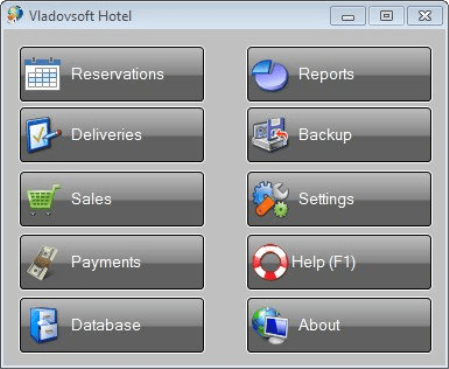
Vladovsoft Hotel is an easy to use, affordable hotel management software.​

It keeps track of all deliveries, sales, reservations and accommodations and makes the management of your hotel easier than ever. works with unlimited number of products and services

works with unlimited number of rooms, reservations and accommodations

works with operators with different user rights

forms for making deliveries and sales

works with barcode scanners and barcode readers

can sort the tables by any column

can import and export each table to XML

export of tables as interactive web pages, ready to be published to the Internet

automatically fills the appropriate data after each operation

automatically calculates the new price of the product after a delivery

a large number of graphical and tabular reports and charts

print preview, printer selection and printing of tables, forms and reports

import and export of data to and from Access and Excel

export of tables, documents and reports to PDF

setting of different prices for rooms for up to 10 periods throughout the year

making of invoices, including e-invoices in PDF format

partial payment of reservations

NEW - room account, which allows delayed payments for products and services, for example when the guests leave the hotel

daily database backup

rich help and support system

compact, fast and stable

good looking user interface - animated buttons and menus

intuitive work - the menus and the buttons are exactly where you expect them

automatic calculations

export to HTML - allows you to puplish your products and reports or just to send them by e-mail

daily database backup - makes your data safer than ever

official site does not provide any info about changes in this version


DOWNLOAD
uploadgig
Код:
https://uploadgig.com/file/download/eF2bc9F3021d43D2/HrXeSHcG_Hotel.9_.rar

rapidgator
Код:
https://rapidgator.net/file/80ab13fe768759796931b2d58e48a9b8/HrXeSHcG_Hotel.9_.rar

nitroflare
Код:
http://nitroflare.com/view/7E70BB893AAA8C8/HrXeSHcG_Hotel.9_.rar
 
Vmware Vrealize Suite v2019 (x64)

3af5b1c7-f52c-497d-8e21-2dce65105889.png

x64 | File Size: 9.77 GB

VMware vRealize Suite is a multicloud cloud management solution providing IT organizations a modern platform for infrastructure automation, consistent operations, and governance based on DevOps and ML principles.​

A modern infrastructure automation platform that transforms IT service delivery by automating IT processes, enabling self-service provisioning, delivery and lifecycle management of infrastructure and applications with security and governance.

Powered by ML, self-driving operations capabilities to optimize, plan and scale multicloud and HCI deployments, as well as monitoring multicloud and modern Kubernetes infrastructure environments.

Heterogeneous and highly scalable log management for deep operational visibility and faster troubleshooting across physical, virtual, and cloud environments.

Lifecycle and infrastructure management for the vRealize Suite, accelerating to deploy and upgrade, enhancing the stability of the multicloud environment, and improving end user productivity.

vCenter Server 6.0/ESXi version 6.0

CPU:2 vCPUs if content lifecycle management is disabled./4 vCPUs, if content lifecycle management is enabled.

Memory:16 GB memory

Space:127 GB storage


DOWNLOAD
uploadgig
Код:
https://uploadgig.com/file/download/8F3fdADff440f517/vy3KmrSd__VMWARE.VRE.part01.rar
https://uploadgig.com/file/download/d3Cfe137Ae2abFb5/vy3KmrSd__VMWARE.VRE.part02.rar
https://uploadgig.com/file/download/089a1015EAA224de/vy3KmrSd__VMWARE.VRE.part03.rar
https://uploadgig.com/file/download/c8F4b7b6eA42F33a/vy3KmrSd__VMWARE.VRE.part04.rar
https://uploadgig.com/file/download/B37d6F7CC6a7ef5c/vy3KmrSd__VMWARE.VRE.part05.rar
https://uploadgig.com/file/download/707d193e958d5167/vy3KmrSd__VMWARE.VRE.part06.rar
https://uploadgig.com/file/download/65330F4Fc8af2a5b/vy3KmrSd__VMWARE.VRE.part07.rar
https://uploadgig.com/file/download/c322F43deE307c2a/vy3KmrSd__VMWARE.VRE.part08.rar
https://uploadgig.com/file/download/83060af46A4e443b/vy3KmrSd__VMWARE.VRE.part09.rar
https://uploadgig.com/file/download/f04334f2277fd2a9/vy3KmrSd__VMWARE.VRE.part10.rar

rapidgator
Код:
https://rapidgator.net/file/d34485f797335abb7a021e32a29bdd3e/vy3KmrSd__VMWARE.VRE.part01.rar
https://rapidgator.net/file/f78e02485e9b63ec53de8e9bc9e488d2/vy3KmrSd__VMWARE.VRE.part02.rar
https://rapidgator.net/file/4f67a4dde4ce3e16d6f5b4e189f5b1ee/vy3KmrSd__VMWARE.VRE.part03.rar
https://rapidgator.net/file/51313d8a437297ef9dc11d1f3e8dd569/vy3KmrSd__VMWARE.VRE.part04.rar
https://rapidgator.net/file/36f616c79a94e8f1f1a77368c250a0a1/vy3KmrSd__VMWARE.VRE.part05.rar
https://rapidgator.net/file/e739815388940bbf8f75eb7939d7146f/vy3KmrSd__VMWARE.VRE.part06.rar
https://rapidgator.net/file/05f1e3c6a100c6250dc79dffaaa6856e/vy3KmrSd__VMWARE.VRE.part07.rar
https://rapidgator.net/file/487955d5bdaa9397d76cb3006479fe06/vy3KmrSd__VMWARE.VRE.part08.rar
https://rapidgator.net/file/4754ae94e23c656321f4b322b41ca2be/vy3KmrSd__VMWARE.VRE.part09.rar
https://rapidgator.net/file/2047dbbc202b3e93c0b064282de66b87/vy3KmrSd__VMWARE.VRE.part10.rar

nitroflare
Код:
http://nitroflare.com/view/CB11445153BF6E5/vy3KmrSd__VMWARE.VRE.part01.rar
http://nitroflare.com/view/ADF59CA4D302FF3/vy3KmrSd__VMWARE.VRE.part02.rar
http://nitroflare.com/view/A163468B561D8EA/vy3KmrSd__VMWARE.VRE.part03.rar
http://nitroflare.com/view/3920DCC693E51AF/vy3KmrSd__VMWARE.VRE.part04.rar
http://nitroflare.com/view/57652BC993BCCE0/vy3KmrSd__VMWARE.VRE.part05.rar
http://nitroflare.com/view/8AA8014ECFAB5A1/vy3KmrSd__VMWARE.VRE.part06.rar
http://nitroflare.com/view/B6E65948D5D2F04/vy3KmrSd__VMWARE.VRE.part07.rar
http://nitroflare.com/view/F983727EAFE1491/vy3KmrSd__VMWARE.VRE.part08.rar
http://nitroflare.com/view/A6883D9873C13A5/vy3KmrSd__VMWARE.VRE.part09.rar
http://nitroflare.com/view/EF2E0C69743A0DC/vy3KmrSd__VMWARE.VRE.part10.rar
 
Green Screen Wizard Professional 10.7

49b5942c-c3ad-4ad6-b8bb-3c8bb8d8278e.png

File Size: 42.4 MB

Join professional and amateur photographers worldwide who have have easily mastered green screen photography thanks to the best-selling green screen software, Green Screen Wizard.​

Whether your goal is to have fun with the kids or expand your photography business, Green Screen Wizard has professional software for every budget and need. Standalone Green Screen Software Our standalone green screen software is our most popular software and does not require Photoshop to run. Over 25,000 users have enjoyed its simple to use user interface with a built in help system. Our green screen ee and our advanced special effects are second to none. We sell three versions of the software to fit your budget and need. As a Photo Booth

A Photo Booth is an automated photography system that lets a user start a photo session that can take one or more images with live view image preview. The live view preview shows the person on the background chosen and even supports Sandwich Overlays. The system can create multiple images on a single output or a simple single image output that can be printed, emailed or texted to your phone. Eaily setup an open photo booth at your kids next party. Make money at weddings and other events.

As a Live View Event System

Normally a Photo Booth Software is operated by the user. At events where you want people to move though quickly or if your are photographing kids or pets, then you can fire the camera from a button on the screen or with a remote clicker.

Portrait Photographers:

No studio portrait photographer should be without Green Screen Wizard. Giving your clients a wide verity of background is just the start. The new image compare function will help your clients pick their favored shots. Once you pick the photo do want to keep the fine facial details but not show every skin flaw? Our skin smoothing software will let you dial in just the correct amount of digital makeup and skin smoothing. The Airbrush Editor can restore even the finest hair, remove any facial issue, whiten teeth and even apply makeup! The frame system can give soft edges to the background. Lighting effects can be used to make your portraits come alive.

Wedding Photographers:

Elegant settings produce great bridal portraits regardless of venue. The Airbrush Editor can fine tune bridal veil transparency and restore the green parts of the bridal bouquets.

Model Photographers:

Add diversity to a model's portfolio with beach or exotic location shots. Swimsuit models do not use makeup on their bodies but the Wizards skin smoothing software creates smooth skin on the entire skin surface. Using special effects can give a model images that she cannot get from other photographers. The "Woman on Fire" silhouette is a particularly popular. Models standing in the water with a reflection is also fun to do.

Pet Photographers:

Pet photography is a nightmare for green screen photographers. Dogs and Cats are nothing but difficult to restore hair from head to toe. With the Green Screen Field Processing to handle most cases and the Airbrush Editor to fine tune hair restoration Pet photography just got a lot easier.

Vintage Photographers:

In the past Vintage photographers were restricted to a simple set that they created, usually a bar setting. Now with Green Screen photography they can offer vintage homes, bars, western towns and more. The Wizard has a built in effect to automatically change the color image to Black and White or Sepia tone.

Artist:

With the new effects system you can add texture, lighting effects, reflection and a wide variety of special effects.

Simple User Interface

Green Screen Wizard offers a simple, intuitive user interface that makes it easy to learn, easy to use, and fun for all ages and skill levels.

Green Screen Processing Features

We feel that the most important thing in a green screen software package is the green screen removal ee. Our ee has evolved over 8 years of constant development to become what we feel is the best green screen ee in the world. Forget the marketing hype of our competitors and try our free demo to prove it to yourself.

Green Screen Field Processing accurately replaces the green areas

Most images have large variations in the color and intensity of the background green screen. In the past this led to gray areas on the final background where the green screen was darker. With Green Field Processing the background is sampled at many locations for color and intensity, giving a exceptionally accurate green screen replacement.

Excellent Transparency Support

Great transparency can really add to the illusion that the person is in the background. Accurately computing this is very difficult. The Wizard does it automatically and supplies you with intuitive controls to fine tune it.

Automatic Spill Calculations

When shooting in front of a green screen, some of the green color will spill onto the subject. These areas are not removed, and are not transparent but they need to have the green tint removed. Notice how the image on the left has a green tint to the rug and the tint is removed but the rug is not transparent in the second photo.

Edge Blending

Often the edges of a subject have a black or unwanted thin color edge. With edge blending this can be removed with a simple click. The trick is to not remove thin hair or other details.Notice how the image on the left has a dark line around the edge. After edge blending is turned on it is removed in the second photo.

Remarkable Hair Restoration

Probably the hardest thing to do in green screen processing is to restore natural looking hair. Early attempts at doing this failed miserably which gave green screen processing a bad reputation amongst professional photographers . A combination of transparency and spill removal seamlessly integrated is required to perform this task to the satisfaction of clients and photographers. With Green Screen Wizard Brown, Red, Black and Blond hair are all restored with high fidelity.

Transparent PNG file Support

There are s when you do not wish to integrate the background but simply create a transparent png file to be used by another program. By clicking "Output a transparent background" on the home screen a checkerboard pattern will show where the green areas have been made transparent.

Blue Screen Processing

While we recommend using a green screen as people tend to have blue eyes and wear blue jeans and other blue clothing, the wizard does support blue screens when you need it. This is often required when a team has a green jersey, a school has a green uniform, or a bride carries green flowers.

ICC Color Profiles

ICC Color profiles assure the highest quality color reproduction. The stored ICC Color profile in the input images is used to render the image. When images are saved the ICC profile stored in Green Screen Wizard/ ICM folder is use to render the image.


DOWNLOAD
uploadgig
Код:
https://uploadgig.com/file/download/4EBE9Edf22ccdd79/oM1gn70B_Green.Scree.rar

rapidgator
Код:
https://rapidgator.net/file/7d656614ef102410452b080688f3d5f3/oM1gn70B_Green.Scree.rar

nitroflare
Код:
http://nitroflare.com/view/FBDD4F9F9E3F6E4/oM1gn70B_Green.Scree.rar
 
Memtest86+ 5.31b

13eb8ab2-61c8-4bd8-b649-525d6aecfe57.png

File Size : 0.2 Mb

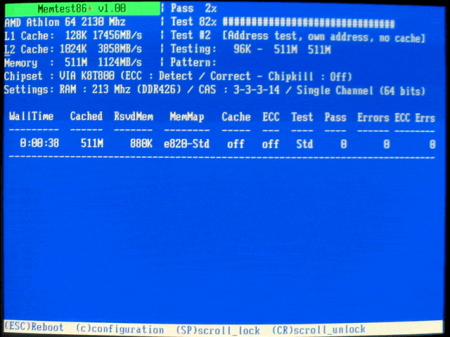
Memtest86+ provides you with some of the best tools for RAM testing purposes, a project started back in 2002 when the development of Memtest86 halted for two years.​

Its developer, Samuel Demeulemeester, once a part of the Memtest86 team, decided to port the application and develop it separately. Constantly updating support for newer components

Although since 2009 both applications are being kept up to date, Memtest86+ has gathered up a few more grounds while Memtest was hibernating and this translates into a broader support area for various CPUs alongside their corresponding chipsets.

Pointing out nearly all possible issues

Memtest86+ can really work wonders when put to the test. It can detect virtually any anomaly in the RAM stick, thus notifying you of problems you might have with your system memory. Faulty RAM can manifest into a wide array of errors usually accompanied by BSODs (Blue Screen of Death) that may not point directly to the real problem.

Runs beyond your operating system

You have at least two methods that you can undergo in order to check your computer's memory and they both involve booting up your PC from a disc or removable device including Memtest86+ and running it. The difference is that you can also clean the inside of your system's case as well as its content. Tiresome, nonetheless, but this way you can eliminate some factors from the testing equation.

Thorough test cases performed

The framework of Memtest86+ is not complicated to understand; however, each and every test holds so many secrets to the average human eye that, to fully comprehend the whole idea alongside its tiny connections would take too much of anyone's . The main concept relies on the writing of test pattern sequences to random yet the majority of memory addresses and comparison upon reading it back.

As a conclusion

To sum it up, Memtest86+ can, and really does deliver accurate results on bad RAM, thus relieving you of the stress you may accumulate during the you may want to find out the source of your computer's problems without using it. No matter your know-how level, before taking your misbehaving PC to a "doctor", you can run a few tests with Memtest86+ and make sure your system memory is in tip-top shape or, on the contrary, the point of supply for all those errors.


DOWNLOAD
uploadgig
Код:
https://uploadgig.com/file/download/69086c05809b3a4D/SVOK8WXW__Memtest86_.rar

rapidgator
Код:
https://rapidgator.net/file/6822b3c4c5e9c10370c1ec630996d439/SVOK8WXW__Memtest86_.rar

nitroflare
Код:
http://nitroflare.com/view/C86097FC66AFD45/SVOK8WXW__Memtest86_.rar
 
NinjaGram (Instagram Bot) 7.6.0.4

e58d9991-beca-4991-b3a2-56c5dd966ab3.png

File Size: 56.8 MB

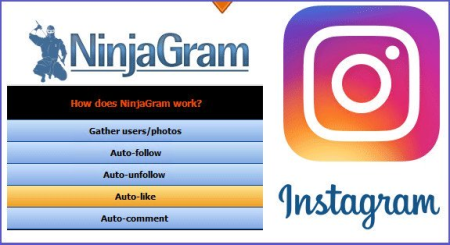
You can share your Instagram account in multiple ways, automatically share photos, follow people and automatically comment.​

You can quickly follow up with people tagging photos and automatically tag all your tagged photos. In your smartphone, the Instagram will pop up in a normal way, so you can have multiple accounts in multiple ways with the NinjaGram Instagram Bot, and you can have many followers and likes easily.Auto-follow

Mass follow targeted Instagram users, from any location in Instagram (search results, your feed, another user's followers, or pictures taken at a particular location (NEW)!)

Auto-unfollow

Mass unfollow users with various settings, such as only those who don't follow you back or only users followed more than X days ago.

Auto-like

Mass like thousands of other finely targeted and filtered images on Instagram with the click of a button. Auto-like your own feed, monitor a tag, or images from anywhere in Instagram.

Auto-comment

Automatically leave comments from a preset list on your targeted photos. Spintax allowed!

Superlike feature

Target users and like their recent photos (you can specify how many). Extremely effective method to gain more followers. Much more effective than just liking a single photo!

Auto-accept requests

If your account is set to private, then your follow requests can accumulate drastically. With NinjaGram you can automatically accept all your pending follower requests in one go!

Targeting filters

Filter users by number of followers, followings or posts. Filter pictures by number of likes and age (NEW!).

Monitoring

Monitor a tag or location search and automatically like new pictures or follow users immediately. This ensures you are targeting only active users!

Location search

Automatically like pictures taken at a certain location, or follow users posting from a location.

Image resizer

NinjaGram includes a general purpose image resizer. Resize any image(s) to custom dimensions for posting on Instagram or anywhere else!

Account protection

Use a random delay setting as well as "breaks" at intervals to stay under the radar and avoid getting flagged for spamming.

Proxy support

Although not strictly necessary, you can hide your IP if you feel the need. Private proxies are also supported.

Blacklist/whitelist

Avoid unfollowing your own known friends, or following, commenting, etc. certain people you would like to avoid.

Import/Export ID's

Have a third-party list of users you want to follow? No problem! You can also export the usernames or photo ID's to a text file to process elsewhere.

Multiple accounts

Perform all these actions on one account, or use multiple accounts simultaneously.

official site does not provide any info about changes in this version.


DOWNLOAD
uploadgig
Код:
https://uploadgig.com/file/download/a55abcfe70a442DD/asHrTjQt_NinjaGram.7.rar

rapidgator
Код:
https://rapidgator.net/file/c93a9009cd700affc169c0660b3bbd3b/asHrTjQt_NinjaGram.7.rar

nitroflare
Код:
http://nitroflare.com/view/1933FFD42FA0773/asHrTjQt_NinjaGram.7.rar
 
PGWare GameBoost 3.4.13.2020 Multilingual

9927b1a0-6e3a-41c9-9c5c-0da011e103a0.png

File size: 6.0 MB

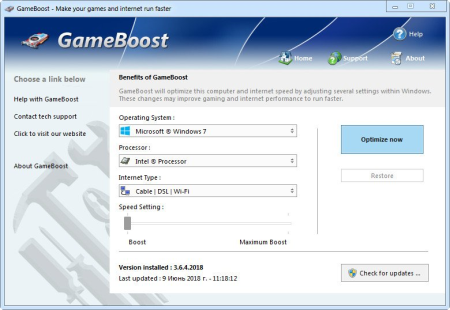
GameBoost sets the standard for PC gaming and internet optimization software.​

A combination of our two products GameGain and Throttle; GameBoost instantly increases the performance of your computer and squeezes out every last bit of performance your computer and internet connection is capable of. With many of the latest PC games requiring high hardware requirements to have a suitable gaming experience, it is important to optimize your computer's performance. Windows is a general operating system which is used for many tasks; it is not optimized for gaming. With GameBoost and a few clicks of your mouse, you will notice an increase in frames per second, smooth game play and less latency and lag during multiplayer gaming. GameBoost makes several Windows registry and system changes to increase the performance of your current gaming hardware; this allows you to play the most recent games without having to spend hundreds of dollars to upgrade your hardware. These changes made to your computer improve memory usage, how foreground applications are prioritized with the CPU, hard drive access read and write speeds, how fast graphics can display on your screen, the overall speed of your internet connection and latency. GameBoost does not make changes, no patches and no modifications to games themselves, thus no anti-cheat detection software considers our software cheating software and you will not be banned from those gaming networks.

Faster Gaming Graphics

Increase the frames per second you are getting when playing the most current and exciting games without having to purchase a new graphics card, memory, or CPU.

CPU Prioritization

GameBoost instructs the CPU to prioritize full screen applications so they are given the most power and access to more CPU cores; this allows games to work faster.

No Patches to Games

Games run faster and are not directly patched or modified, thus you are not banned from networks that have cheat detection software that detect modifications to games.

Faster Internet Speed

Instantly increases the speed of your Cable, DSL, U-Verse, Fios and dial-up internet connection and improves latency issues that cause lag during multiplayer gaming.

GameBoost also improves the speed of your internet connection; these system changes work with all internet connections such as Cable, DSL, U-Verse, Fios and dial-up. If you notice during multiplayer gaming that you are getting long pings and lag, GameBoost can help improve the speed of your connection. GameBoost makes several Windows registry changes to improve how networking packets are transmitted and received, we increase the buffer sizes which allows data to be transmitted and processed faster on your computer, allowing games, web browsing and ing files to work much faster.

Optimizing your Windows environment to work faster with games is a no brainer if you are a hardcore PC video game enthusiast. Just like tuning a car to get higher performance, GameBoost tunes your PC's hardware to work faster which improves gaming and internet performance. Get every last bit of horsepower out of your computer to play your games smoother and faster while also increasing the speed of your internet with a few clicks of the mouse. a trial version of GameBoost today and unleash the full power of your computer hardware for faster gaming and internet.

Compatible with Microsoft Windows 10, 8, 7, Vista, XP & Windows Server 2012, 2008, 2003. 32-BIT/64-BIT ready.

Optimizes your computer hardware to allow games to run faster and increase the speed of your internet connection for faster s and speed.

Increases the speed of all internet connection types such as Cable, DSL, U-Verse, Fios and dial-up.

Increase the frames per second that is displayed allowing games to play much smoother and increase your enjoyment of these games.

Advanced software based over-clocking feature which enhances memory speed, CPU prioritization of full screen applications and internet speed for games.

Changes are made to the Windows system directly not patches to game files; this prevents anti-cheat systems from accusing you of game modification.

New and improved modern user interface, easy and intuitive to use and compliant with Windows user interface guidelines.

Software updates can be ed and installed directly from inside the application without having to visit our web site.


DOWNLOAD
uploadgig
Код:
https://uploadgig.com/file/download/c7a5594Ad098fdEb/pioqiWDM_gameboost3.4_.rar

rapidgator
Код:
https://rapidgator.net/file/8636b2e721cf24036ecdef6dbfc26a28/pioqiWDM_gameboost3.4_.rar

nitroflare
Код:
http://nitroflare.com/view/2D8A8543BE8F89C/pioqiWDM_gameboost3.4_.rar
 
PGWare GameGain 4.4.13.2020 Multilingual

39e29e4a-997a-4b4b-8743-cf1c4c3ae075.png

File size: 6.0 MB

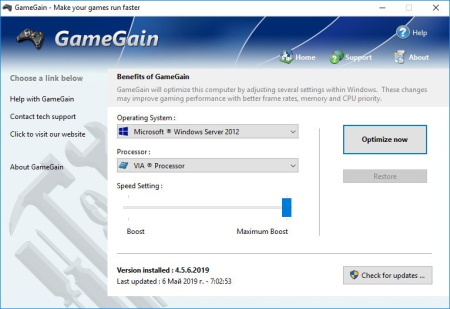
One of the first and most comprehensive products, GameGain sets the standard for PC gaming optimization software.​

GameGain instantly increases the performance of your computer and squeezes out every last bit of performance your computer gaming hardware is capable of. With many of the latest PC games requiring high hardware requirements to have a suitable gaming experience, it is important to optimize your computer's performance. Windows is a general operating system which is used for many everyday tasks; it is not optimized for gaming performance. With GameGain and a few clicks of your mouse, you will notice an increase in frames per second, smooth game play and less lag during gaming. GameGain makes several Windows registry and system changes to increase the performance of your current gaming hardware; this allows you to play the most recent games without having to spend hundreds of dollars to upgrade your computer hardware. These changes made to your computer improve memory usage, how foreground applications are prioritized with the CPU, hard drive access read and write speeds and how fast graphics can display on your screen. GameGain does not make changes, no patches and no modifications to games themselves, thus no anti-cheat detection software considers our software cheating software and you will not be banned from those gaming networks.

Constant Updates

We constantly update GameGain with new system performance tweaks; this allows your gaming computer to keep up with the latest games that demand fast hardware.

Faster Gaming Graphics

Increase the frames per second you are getting when playing the most current and exciting games without having to purchase a new graphics card, memory, or CPU.

CPU Prioritization

GameGain instructs the CPU to prioritize full screen applications so they are given the most power and access to more CPU cores; this allows games to work faster.

No Patches to Games

Games run faster and are not directly patched or modified, thus you are not banned from networks that have cheat detection software that detect modifications to games.

Somes even the most powerful computer gaming hardware can be slowed down by the latest games. Many of the newer games require faster graphics cards, more memory and faster processors to have a playable game experience. Also due to the popularity of home game consoles many of these games are ported to the PC poorly, impacting performance on the fastest of machines. With GameGain your computer hardware is optimized to the extreme, allowing you to get the best performance possible for these games without sacrificing graphics fidelity.

Optimizing your Windows desktop environment to work faster with games is a no brainer if you are a hardcore PC video game enthusiast. Just like tuning a sports car to get higher performance, GameGain tunes your PC's hardware to work faster which improves gaming performance. Get every last bit of horsepower out of your computer to play your games smoother and faster with a few clicks of the mouse. a trial version of GameGain today and unleash the full power of your computer hardware for faster gaming.

Compatible with Microsoft Windows 10, 8, 7, Vista, XP & Windows Server 2012, 2008, 2003. 32-BIT/64-BIT ready.

Optimizes your computer hardware to allow the latest games to run faster with the highest graphic settings possible.

Decreases the amount of lag and screen pop-in you get playing games that require large map files to load during game play.

Increase the frames per second that is displayed allowing games to play much smoother and increase your enjoyment of these games.

Advanced software based over-clocking feature which enhances memory speed, CPU prioritization of full screen applications, making games run faster.

Changes are made to the Windows system directly not patches to game files; this prevents anti-cheat systems from accusing you of game modification.

New and improved modern user interface, easy and intuitive to use and compliant with Windows user interface guidelines.

Software updates can be ed and installed directly from inside the application without having to visit our web site.


DOWNLOAD
uploadgig
Код:
https://uploadgig.com/file/download/59e41ead123Ac506/gLC8WfH4_gamegain4.4_.rar

rapidgator
Код:
https://rapidgator.net/file/a051e29ef9aba4fb9af6ce6012b97a28/gLC8WfH4_gamegain4.4_.rar

nitroflare
Код:
http://nitroflare.com/view/8A5DEE8772154BF/gLC8WfH4_gamegain4.4_.rar
 
PGWare PCBoost 5.4.13.2020 Multilingual

994c3690-5506-4e68-9367-cbbbb33f4426.png

File size: 7.0 MB

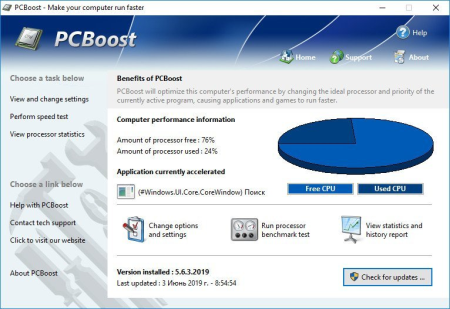
PCBoost allows you to run programs such as games, video production, photo editing software and any software that requires excessive processing power to run much faster than the software was originally designed for.​

With little to no effort you can instantly force programs & games to run faster on your computer without having to purchase new hardware. Most programs are designed to use a minimal amount of CPU (processor) power which often leads to the CPU being idle and not used to its fullest potential, with PCBoost your computer is able to take advantage of this by allocating more CPU power to the currently active application. PCBoost constantly monitors which application is running as the foreground and active program; it then tells the CPU to give this application priority over all other applications. This direct instruction to the CPU forces the application to get more attention and quickly finish any tasks that are required as soon as possible. If you switch to another program or game PCBoost instantly notices this change and instructs the CPU to set the old application to a normal priority and the newly active and foreground application to a higher priority. This approach allows the current and active program to always use the most CPU power as possible.

Performance Increase

Instantly makes the foreground application run faster by instructing the computer processor to give the application a higher priority than all other applications running in the background.

Artificial Intelligence

Constantly switches the foreground application to use the least used processor core on multi-core computers; ensuring applications always have the most CPU power available to them.

Unlock Your Hardware

Unlock the power of your computer hardware, no longer do you have idle processor power being wasted when you need critical applications to finish as soon as possible.

No More Waiting

Don't wait for programs that take forever to complete, applications now run much faster and tasks complete quicker when you take control of the CPU with PCBoost installed.

PCBoost also takes advantage of multi-core processors found in most computers today. Generally the more CPU cores you have the faster your computer will operate, however most applications are not written to take advantage of multi-core processors. When a multi-core processor is detected PCBoost instantly instructs the foreground application to run on a CPU core that is being used the least. For instance if your computer has two CPU cores and core one is at 75% and core two is at 25%, then PCBoost will make sure the application will run on core two. This feature allows applications to always have the most processing power available and instantly makes your computer run faster.

Any application that requires excessive processing power can instantly become faster when PCBoost is installed. It's as easy as ing the current version of our software, clicking the install button and letting everything work on its own. PCBoost's simple to use interface allows you to set it and forget it, and let PCBoost automatically make your applications work faster. For the power computer users we do offer many settings, such as how fast applications should be accelerated, which applications should be blocked from being accelerated, if PCBoost should start up with Windows and many numerous other settings that are available for you to control. You can decide if you want to fine tune PCBoost or let it work on its own - our software works with the novice all the way up to expert computer users. a trial version of PCBoost and take control of your computer.

Compatible with Microsoft Windows 10, 8, 7, Vista, XP & Windows Server 2012, 2008, 2003. 32-BIT/64-BIT ready.

Optimizes games and applications by increasing the processor priority thread of the currently active application, allowing these programs to run faster.

Runs in the background, which allows the software to run quietly and accelerate applications without user interaction.

New ideal processor setting automatically sets applications to use processor cores that are not being fully utilized.

Processor benchmark test feature has been added in to get an estimate of how fast and stable your computer processor is.

Built-in and fully editable block list of applications which are not compatible, to prevent problems with the software such as slowdowns or computer crashes.

New and improved modern user interface, easy and intuitive to use and compliant with Windows user interface guidelines.

Software updates can be ed and installed directly from inside the application without having to visit our web site.


DOWNLOAD
uploadgig
Код:
https://uploadgig.com/file/download/1a0d9a0d858928a5/VvVpVWVT_pcboost5.4_.rar

rapidgator
Код:
https://rapidgator.net/file/97d8d98830d1f5b566b24263a570b271/VvVpVWVT_pcboost5.4_.rar

nitroflare
Код:
http://nitroflare.com/view/67467218BC3465D/VvVpVWVT_pcboost5.4_.rar
 
PGWare PCSwift 2.413.2020 Multilingual

9c2a6e56-244e-4cdb-b514-2b99b8eaecdd.png

File size: 6.0 MB

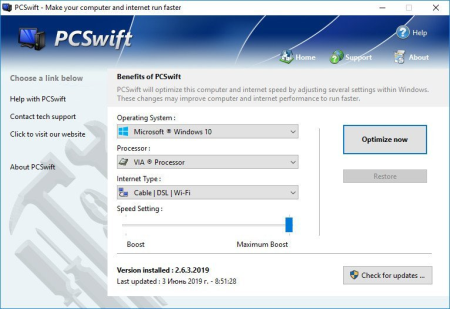
PCSwift sets the standard for PC and internet optimization software.​

A combination of our two products PCMedik and Throttle; PCSwift instantly makes your computer faster and fixes common problems associated with frustrating slowdowns and errors and squeezes out every last bit of performance your computer and internet connection is capable of. Do you remember when you first turned your brand new computer on and how fast it worked? With PCSwift and a click of the mouse you can bring back this speed to your computer instantly. PCSwift quickly scans your computer for common problems and fixes them, it then makes several permanent changes to Windows so your computer feels like it is brand new once again. Don't deal with a slow computer and make tasks take longer to complete, install PCSwift and make your computer run faster. Over as you install new and updated software, you get the impression your computer is slower due to these applications being more demanding of faster hardware. PCSwift makes your computer faster by making several changes to Windows settings; for instance it turns off several animations that degrade performance, instructs the CPU how to prioritize background tasks, how files are loaded and written to the hard drive, changes to the way memory is used when programs use the memory swap file and the overall speed of your internet connection and latency.

Heals Problems

Many small problems on your computer lead to a combined loss of performance over , PCSwift will scan your computer for these problems and instantly repair them.

Instant Speed Increase

PCSwift will instantly increase the speed of your computer's hardware by making permanent system wide Windows changes to how your computer operates.

Constant Updates

We constantly update PCSwift with new system performance tweaks; this allows your computer to keep up with the latest software that demand faster hardware.

Faster Internet Speed

Instantly increases the speed of your Cable, DSL, U-Verse, Fios and dial-up internet connection and improves latency issues that cause lag during multiplayer gaming.

PCSwift also improves the speed of your internet connection; these system changes work with all internet connections such as Cable, DSL, U-Verse, Fios and dial-up. If you notice during multiplayer gaming that you are getting long pings and lag, PCSwift can help improve the speed of your connection. PCSwift makes several Windows registry changes to improve how networking packets are transmitted and received, we increase the buffer sizes which allows data to be transmitted and processed faster on your computer, allowing games, web browsing and ing files to work much faster.

Optimizing your Windows environment to work faster is a no brainer. Just like tuning a car to get higher performance, PCSwift tunes your PC's hardware to work faster which improves your computer and internet performance. PCSwift performs a quick tune-up, fixes problems and optimizes the performance of your computer and the speed of your internet with a few clicks of the mouse. a trial version of PCSwift today and unleash the full power of your computer hardware for a faster computer and internet.

Compatible with Microsoft Windows 10, 8, 7, Vista, XP & Windows Server 2012, 2008, 2003. 32-BIT/64-BIT ready.

Optimizes your computer hardware to allow your computer to run faster and increase the speed of your internet connection for faster s and speed.

Increases the speed of all internet connection types such as Cable, DSL, U-Verse, Fios and dial-up.

Decreases the amount of for Windows to load, and makes loading and running your favorite programs much faster.

PCSwift repairs common problems found on most computers and instantly fixes them to improve computer stability and performance.

Changes are made to the Windows system permanently, allowing you to perform a single one tune-up to increase performance forever.

New and improved modern user interface, easy and intuitive to use and compliant with Windows user interface guidelines.

Software updates can be ed and installed directly from inside the application without having to visit our web site.


DOWNLOAD
uploadgig
Код:
https://uploadgig.com/file/download/834ec286d4d0DBb1/8oKyd4Hb_pcswift2.4_.rar

rapidgator
Код:
https://rapidgator.net/file/bac5eab739be885eb2b1e2dff5bc0ae5/8oKyd4Hb_pcswift2.4_.rar

nitroflare
Код:
http://nitroflare.com/view/541057A3FF24600/8oKyd4Hb_pcswift2.4_.rar
 
PGWare SystemSwift 2.4.13.2020 Multilingual

1837842f-8023-4cf9-b227-d5cb6119af40.png

File size: 6.0 MB

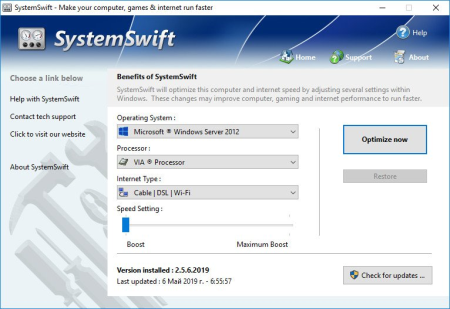
SystemSwift sets the standard for PC and game optimization software.​

A combination of our three products PCMedik, GameGain and Throttle; SystemSwift instantly makes your computer faster and fixes common problems associated with frustrating slowdowns and errors, squeezes out every last bit of performance your computer and games are capable of and increases the speed of your internet connection. Do you remember when you first turned your brand new computer on and how fast it worked? With SystemSwift and a click of the mouse you can bring back this speed to your computer instantly. SystemSwift quickly scans your computer for common problems and fixes them, it then makes several permanent changes to Windows so your computer feels like it is brand new once again. Don't deal with a slow computer and make tasks take longer to complete, install SystemSwift and make your computer run faster. Over as you install new and updated software, you get the impression your computer is slower due to these applications being more demanding of faster hardware. SystemSwift makes your computer faster by making several changes to Windows settings; for instance it turns off several animations that degrade performance, instructs the CPU how to prioritize background tasks, how files are loaded and written to the hard drive, changes to the way memory is used when programs use the memory swap file and the overall speed of your internet connection and latency.

Heals Problems

Many small problems on your computer lead to a combined loss of performance over , PCSwift will scan your computer for these problems and instantly repair them.

Faster s

Instantly makes s from the internet faster. Don't wait while ing large files, SystemSwift makes large s take much less to finish.

Constant Updates

We constantly update PCSwift with new system performance tweaks; this allows your computer to keep up with the latest software that demand faster hardware.

Faster Gaming Graphics

Increase the frames per second you are getting when playing the most current and exciting games without having to purchase a new graphics card, memory, or CPU.

SystemSwift also improves the speed of your internet connection; these system changes work with all internet connections such as Cable, DSL, U-Verse, Fios and dial-up. If you notice during multiplayer gaming that you are getting long pings and lag, SystemSwift can help improve the speed of your connection. SystemSwift makes several Windows registry and system changes to increase the performance of your current gaming hardware; this allows you to play the most recent games without having to spend hundreds of dollars to upgrade your hardware. These changes made to your computer improve memory usage, how foreground applications are prioritized with the CPU, hard drive access read and write speeds, how fast graphics can display on your screen, the overall speed of your internet connection and latency. SystemSwift does not make changes, no patches and no modifications to games themselves, thus no anti-cheat detection software considers our software cheating software and you will not be banned from those gaming networks.

Optimizing your Windows environment to work faster with games is a no brainer if you are a hardcore PC video game enthusiast. Just like tuning a car to get higher performance, SystemSwift tunes your PC's hardware to work faster which improves gaming and your computer performance. Get every last bit of horsepower out of your computer to play your games smoother and faster while also fixing problems with your computer with a few clicks of the mouse. a trial version of SystemSwift today and unleash the full power of your computer hardware for faster gaming.

Compatible with Microsoft Windows 10, 8, 7, Vista, XP & Windows Server 2012, 2008, 2003. 32-BIT/64-BIT ready.

Optimizes your computer hardware to allow your computer to run faster and increase the speed of your internet connection for faster s and speed.

Increases the speed of all internet connection types such as Cable, DSL, U-Verse, Fios and dial-up.

Increase the frames per second that is displayed allowing games to play much smoother and increase your enjoyment of these games.

SystemSwift repairs common problems found on most computers and instantly fixes them to improve computer stability and performance.

Changes are made to the Windows system permanently, allowing you to perform a single one tune-up to increase performance forever.

New and improved modern user interface, easy and intuitive to use and compliant with Windows user interface guidelines.

Software updates can be ed and installed directly from inside the application without having to visit our web site.


DOWNLOAD
uploadgig
Код:
https://uploadgig.com/file/download/8BF2d3fC3976a961/gAhIo4XC_systemswift.rar

rapidgator
Код:
https://rapidgator.net/file/dc09e776b2e75a3e8932842a54e7f7ee/gAhIo4XC_systemswift.rar

nitroflare
Код:
http://nitroflare.com/view/3294D2F64191D8A/gAhIo4XC_systemswift.rar
 
Назад
Сверху