• Здравствуйте. Сайт заработал в архивном режиме форум www.old.nado.in

Anthony's Software !!!

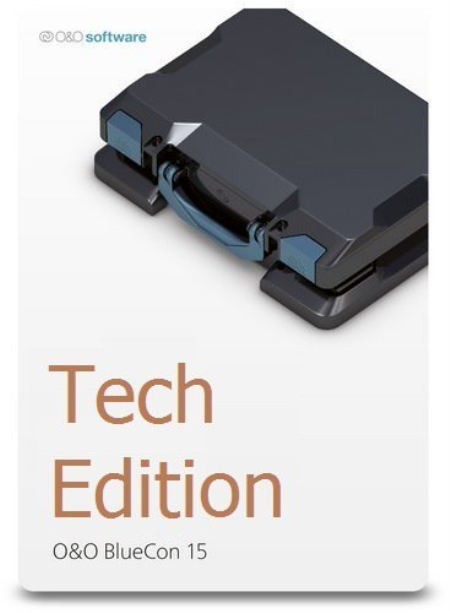
O&O BlueCon Admin / Tech Edition 17.0 Build 7021
fc5ae396-2ea4-43d1-a6aa-e50befe1ac72.png

File size: 441/442 MB

O&O BlueCon is the disaster recovery software when a PC or server no longer starts.​

It provides a collection of strong tools for users, administrators, and service technicians consequently damaged Windows systems can be made operational again without any prior installation. The Windows based user interface makes it so easy to use O&O BlueCon that less is needed for training. O&O BlueCon is at an administrator's side during the course of a daily routine as well as whenever disaster strikes. Disaster recovery when a pc or server no longer starts

A blue screen usually means a lot of work for administrators. When things get really bad, there's no other choice but to configure a new system setup. And this is where O&O BlueCon comes in. O&O BlueCon is at an administrator's side during the course of a daily routine as well as whenever disaster strikes. Based on Windows PE, it offers a wide range of programs for, among other things, repairing systems, searching and correcting errors, restoring lost data, resetting passwords, and the list goes on. O&O BlueCon is an administrator's IT first aid kit for day to day use.

O&O BlueCon starts all programs directly from a bootable medium (CD/DVD or USB stick) and can so avoid the risk of data loss caused by overwriting data on the computer, which might be the case with a new installation. Seamless integration of all O&O BlueCon components saves the user the -consuming job of collecting individual programs.

Restoring accidentally deleted data

Backing up and restoring data

Driver problems and service issues

Secure deletion of data volumes

Resetting passwords

Partitioning hard disks

Combat errors in the registry database

Advanced error detection - EventViewer and CheckDisk

Locating and removing data

ing additional tools: Integrated web browser

Creation of a PXE Boot Medium direct from the Boot Assistant

Bitlocker drives can be unlocked and accessed

Scripting over Windows 10 networks

Support too for Hyper-V

Windows 8, 10, Windows Server 2008 R2, Windows Server 2012, Windows Server 2012 R2, Windows Server 2016 and Windows Server 2019 (all Editions). 4 GB RAM recommended for the base functionality of O&O BlueCon, bootable CD or DVD drive. You also need Microsoft Internet Explorer 6.0 or higher for correct functioning of O&O BlueCon.


DOWNLOAD
uploadgig
Код:
https://uploadgig.com/file/download/8867c6c83a7114f5/aFI1vWQO_OOBlueCon17.rar
https://uploadgig.com/file/download/Daec3DeA8Aae8a61/aFI1vWQO_OOBlueCon17_.rar

rapidgator
Код:
https://rapidgator.net/file/5c779685bc97c3ba54304fb98710cd81/aFI1vWQO_OOBlueCon17.rar
https://rapidgator.net/file/540757fd7acdf1118c91e9d3513ff5bc/aFI1vWQO_OOBlueCon17_.rar

nitroflare
Код:
http://nitroflare.com/view/DEC32A23511493D/aFI1vWQO_OOBlueCon17.rar
http://nitroflare.com/view/4B750A135311964/aFI1vWQO_OOBlueCon17_.rar
 
Perspective 2.1 Build 2003.20

ace986df-7d2a-448b-b0f0-3ae64d18ef29.png

File size: 8.7 MB

Perspective is an Automatic Desktop Wallpaper Changer / Background Switcher with 26 Eye-Catching Animated Desktop Wallpaper Transitions, Panoramic (Dual Monitor) Support, 3-D Perspective Rendering, and Render Anywhere Technology.​

With it you can display your favorite wallpaper photos right on (under | behind) your Windows 10 desktop. Wallpaper Changer / Background Switcher

At its core, Perspective is designed to be an automatic desktop wallpaper changer.

You can select the interval, choose your wallpaper slideshow transitions, queue your favorite HD wallpaper and photos and it will automatically switch the desktop wallpaper for you.

Perspective also has a whole host of configurable options which can transform a boring desktop into something that will really stand out.

Eye-Catching Desktop Wallpaper Transitions

If you've used Windows 10 default Background Feature then you know it only provides for one photos folder and one wallpaper slideshow transition - Fade in.

With Perspective you can have any number of wallpaper photo folders and 26 eye-catching wallpaper slideshow transitions.

3D Perspective Rendering

Nearly all desktop background switching apps can display your wallpaper photos in either full screen, tiled or stretched mode.

What makes Perspective unique is its ability to render wallpaper photos using true 3D Perspective Warping (with reflective glass effect).

3D Perspective Rendering adds depth to your wallpaper photos when rendered on an appropriate background (solid color, gradient fill, or darker background image).

This is one of many features not found in any other desktop background wallpaper switching apps.

Render Anywhere Technology

Render Anywhere allows you to pick from a grid where to draw wallpaper and photos on your desktop. So even if your desktop is overflowing with icons you can still display your most memorable photos.

Complete Wallpaper Slideshow Control

You can fully customize how Perspective works. Simple things such as how and where to render onscreen wallpaper photo file information, what to do on startup, whether or not to leave the desktop wallpaper on exit. You can pick your favorite wallpaper slideshow transitions and even choose which image formats to include in your wallpaper slideshows.


DOWNLOAD
uploadgig
Код:
https://uploadgig.com/file/download/586269c82Be02b2B/QKgpDkKT_Perspective.rar

rapidgator
Код:
https://rapidgator.net/file/9a47df63df257c3345c72096b9e174f3/QKgpDkKT_Perspective.rar

nitroflare
Код:
http://nitroflare.com/view/1A0D5B5B3771B44/QKgpDkKT_Perspective.rar
 
Positive Grid BIAS FX 2.1.8.4840 Elite

00c5cb4e-e782-4c6b-b608-a995e7c76976.png

File size: 616/626 MB

Over the last several years, a range of high-powered digital guitar programs and mobile apps have changed the way millions of guitarists play and record.​

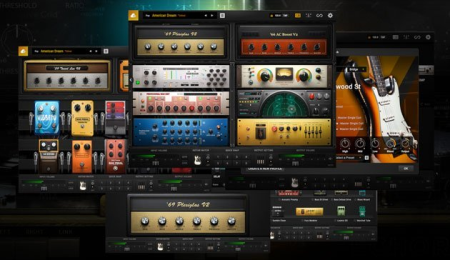
While most of these apps are variations on the same theme, we felt the world of guitar needed something new. The result is BIAS FX, designed from the ground up with a no-compromise mindset on sound quality and ultimate flexibility. It comes with all of the latest and greatest algorithms from our extensive audio signal processing research, providing significantly detailed and authentic emulations of analog pedals, studio rack gear and tube amplifiers. It also features dual signal paths and full integration with BIAS Amp, allowing you to utilize two custom Amp Match amplifier models in the same setup.

DUAL BIAS AMPSBIAS FX can utilize dual signal paths, allowing you to combine the sonic attributes of two different sets of amplifiers, speaker cabinets and microphones at the same , providing a world of sonic options not possible using a single amplifier. Featuring full integration with BIAS Amp software, BIAS FX automatically imports your custom BIAS Amp and Amp Match models, giving you immense power to create entirely new guitar tones and textures.

PEDALBOARDS ON THE CLOUD

You can easily create, share or custom pedalboards on ToneCloud. There are hundreds to choose from already, and we constantly work with professional artists and session players from all over the world to offer an ever-growing and massive number of virtual pedalboards and rigs for BIAS FX.

NO COMPROMISE

We take a no-compromise approach in eeering BIAS FX, from detailed touch-sensitivity in distortion emulations to double-precision modulated algorithms in chorus pedals, and we strive for the best possible sound quality in everything that we do. We are constantly working on new features and updates to our core technology, redefining what is possible in the world of guitar amp and effects emulation.

CUTTING EDGE TECHNOLOGY

BIAS FX has the most-advanced DSP sound ee in the industry, featuring full integration with BIAS Amp Pro software and a beautifully designed user interface. With a host of amps, rack and pedal effects and full integration with BIAS Pedal software, BIAS FX is a powerful cross-platform guitar processing environment. For the first , you can achieve truly authentic high-quality guitar sounds both in the studio for recording and on iPad for live performance and practice.

Re-Eeered High-Resolution DSP Ee: Provides unmatched responsiveness and dynamics to faithfully reproduce each player's unique feel. This powers the 100 NEW unbelievably accurate amplifier recreations, with tone and dynamics each replicated down to the last glowing tube and precision resistor. Positive Grid partnered with Celestion, the most trusted name in guitar amplifier speakers, to create official simulations of world-class Celestion cabs.

Hyper-Realistic Guitar Match: The groundbreaking, precision guitar emulation that transforms the original guitar tone into a collection of legendary models, each precisely recreated down to its pickups, body type and body thickness.

A Studio's Worth of New, Drool-Worthy Effects: Including Harmonizer, Fuzz and modelers plus ten brand-new studio rack processors-Echo Tape Delay, Tri-Chorus, Tube Compressor, Spring Reverb, Wah, Guitar Synth and more for a total of over 100 new effects.

New Easy-To-Use User Interface: Includes a new preset manager that makes it easy to organize and rapidly search, recall and preview favorite pedalboard setups and switch instantly among them on the fly.

Access to over 50,000 User-Generated Presets via ToneCloud, Plus 200 Onboard New Factory Presets: Created by world-renowned artists, studio eeers and session players, this complete library of presets will inspire your playing and unleash your creativity

Redesigned ToneCloud Access: Allows players to find and sort faster than ever using tags and keywords.

New Looper/Recorder Functionality: Quickly record ideas for riffs, vamps and songs with a simple click and loop your recording while you play it back through BIAS FX 2's foot pedals, amps and rack FX.

Dual Signal Path With Multiple Splitters: Allows players to to cherry-pick parts from two separate amps-their impulse responses, cabs, EQs, even the mics they use-and combine them to create a one-of-a-kind hybrid amp nobody else has. Or route two amps parallel to one another and hard pan them to create a freightliner-wide stereo setup with totally different guitar tones in left and right channels

Plus hundreds more improvements across the board.

Minimal Requirements (PC)

Windows 8 or later (64-bit)

4GB of RAM minimum, 8GB or more recommended

1.5GHz Dual core processor minimum, 2.0GHz Dual core or more recommended

Audio plug-in formats: VST 2, AAX Native

500MB free disk space

An Internet connection is required to activate your license and access ToneCloud. Positive Grid software products do not support offline activation at this moment. Offline mode is available after software activation.

Bug Fixes

Fixed "Guitar Match related wording issues"


DOWNLOAD
uploadgig
Код:
https://uploadgig.com/file/download/d5f5b80189D1a893/G8oE63MV_BIASFX2.1.8.rar
https://uploadgig.com/file/download/4ceefFa9D7df091e/G8oE63MV_BIASFX2.1.8_.rar

rapidgator
Код:
https://rapidgator.net/file/c0a262cb4bd97a68e44fa4292a974328/G8oE63MV_BIASFX2.1.8.rar
https://rapidgator.net/file/9359da9b64aef4ca852c78b96f38b236/G8oE63MV_BIASFX2.1.8_.rar

nitroflare
Код:
http://nitroflare.com/view/0E2D28D92D1C432/G8oE63MV_BIASFX2.1.8.rar
http://nitroflare.com/view/F4BDD2F79800C44/G8oE63MV_BIASFX2.1.8_.rar
 
TriSun Advanced Recent Access 6.0 Build 019 Multilingual

0d6f4c95-b7e4-4508-9aac-47cb34ae332d.png

File size: 0.8 MB

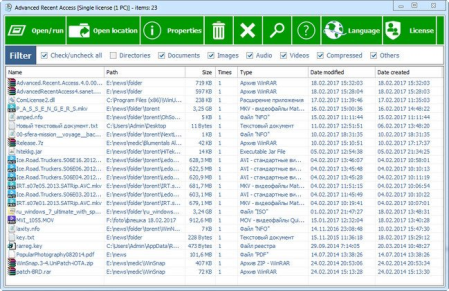
Advanced Recent Access is designed to see and open more recent used resources (files and directories).​

And you can see more properties of the recent resources, such as path, size, type, date modified and date created. + Shows path, size, type and date modified/created of recent used resources.

+ Automatically record accessed s.

+ Automatically delete the nonexistent recent resources.

+ Can quickly filter the recent resources by their types, such as

directories, documents, images, audio, videos, compressed and others.

+ Automatically refresh recent resources list.

+ Automatically remember the order and width of the columns,

sorting column and order.

+ Automatically remember the size and location of the main window.

+ Can hide some columns that you do not want to see.

Features / Improvements

Important (I): fully supports native Türkçe.

I: fully supports native Italiano.

I: can display the up/down arrows on the sorted column header.

Uses the new company logo on the "About..." interface.

Added the "Update history" menu item to the Help button.

Changed the text color of the list to default (black), some users do not like previous color.

Optimized Polish text.

Optimized internal efficiency.

Bug Fixes

I: if the main interface is maximized when exit program, then the location of main interface cannot be restored accurately when next run.

"Open database location..." feature works abnormally (it will open the program folder).


DOWNLOAD
uploadgig
Код:
https://uploadgig.com/file/download/478b69b51229A138/X0AXx2c8_ara6.0_.rar

rapidgator
Код:
https://rapidgator.net/file/8c74d01161904684c499d985f5e5b060/X0AXx2c8_ara6.0_.rar

nitroflare
Код:
http://nitroflare.com/view/C4874E4BFE451C6/X0AXx2c8_ara6.0_.rar
 
myResources 1.5.0.12

49379c8c-b4b5-4a42-b833-c11594eb9943.png

File Size : 0.4 Mb

myResources displays the load status of the computer's basic resources (disk, CPU, memory, network) using graphs and active icons.​

The program is also capable of displaying resources on a merged graphic chart (SumGraph), giving you an informative and spectacular way of monitoring your computer's internal processes. Active icons with adjustable colors provide information about the current status. Clicking on a resource icon will display the associated graph showing the values for the last 30 seconds with updates every 0.1 seconds.

Active icons are located on the system tray and their appearance can be customized. There is a special, "All in One" icon that shows the combined, instantaneous state of resources using the color of the most heavily loaded resource. It is possible to display the icon panel, which can be moved anywhere on the screen.

When you first start the machine or restart it after a Reset operation, all active icons and panels are displayed. Icon colors can be set by following the Others → Icon Colors path. The icons can display the 0-100% range in 10 steps, and you can set the desired color scheme for each step.

In case of startup error, the following command line option will reset all program settings to their default values: myresources reset

Resource monitoring with multiple display options

Active icons for the real- display of the instantaneous status

Graphs for monitoring processes

Easy setting and operation

Autostart operation option

No setup is required

Free to use

Supports for Windows 7/8/10 operating systems


DOWNLOAD
uploadgig
Код:
https://uploadgig.com/file/download/63cE6956db3b3CDf/NjUYAPkB_myresources..rar

rapidgator
Код:
https://rapidgator.net/file/fe7a1857b5ae0be6b5bee8f3a3669bd5/NjUYAPkB_myresources..rar

nitroflare
Код:
http://nitroflare.com/view/C3A89A176394550/NjUYAPkB_myresources..rar
 
AllMapSoft Google Satellite Maps Downloader 8.341

2000f224-b634-40ee-af25-05d04c05173d.png

File size: 12 MB

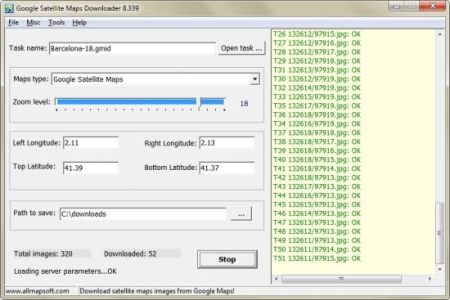
Universal Maps er is a tool that help you to get small tile images from Google Maps, Yahoo maps, Bing maps, OpenStreet Maps, Yandex Maps, Ovi Maps, MapQuest Maps.​

All ed small images are saved on the disk. You can view ed maps by Maps Viewer Or you can combine them into a big bmp, jpg or tif file by Maps Combiner, and also you can export all tiles into a MBTiles format database. Whats New:

Updates: official site does not provide any info about changes in this version.


DOWNLOAD
uploadgig
Код:
https://uploadgig.com/file/download/dd82462127d5c6cE/CjtKhgIh_AllMapSoft.rar

rapidgator
Код:
https://rapidgator.net/file/0ee7bf49690dea4568537090a25e5bf9/CjtKhgIh_AllMapSoft.rar

nitroflare
Код:
http://nitroflare.com/view/496C7ABE225F113/CjtKhgIh_AllMapSoft.rar
 
R-Studio 8.13 Build 176037 Network Technician Multilingual

bc62562d-d86d-435e-b296-2be440719b54.png

File size: 62 MB

R-Studio is a family of powerful and cost-effective undelete and data recovery software for experienced data recovery professionals.​

Empowered by the new unique data recovery technologies, R-STUDIO is the most comprehensive data recovery solution for recovery files from NTFS, NTFS5, ReFS, FAT12/16/32, exFAT, HFS/HFS+ (Macintosh), Little and Big Endian variants of UFS1/UFS2 (FreeBSD/OpenBSD/NetBSD/Solaris) and Ext2/Ext3/Ext4 FS (Linux) partitions. R-Studio also uses raw file recovery (scan for known file types) for heavily damaged or unknown file systems. It functions on local and network disks, even if such partitions are formatted, damaged or deleted. Flexible parameter settings give you absolute control over data recovery.

R-Studio functions on local and network disks, even if such partitions are formatted, damaged or deleted. Flexible parameter settings give you absolute control over data recovery.

The R-Studio data recovery software was originally developed for use by data recovery experts, system administrators, IT professionals, and advanced and experienced computer users. Some of R-Studio's features were even designed exclusively for computer forensic experts, and most R-Studio users don't need every single feature of the software.

is intended for data recovery businesses or individuals and provides them with a first-class professional data recovery tool set that can solve any task they could ever meet. Besides powerful data recovery features, it includes a versatile file previewer that helps you to estimate chances for recovery of the data, a flexible RAID reconstruction module with custom-defined RAID configurations, modules for data recovery over a network, and a professional text/hexadecimal editor-all in one integrated application.

In addition, R-Studio Technician License grants:

Rights to temporarily install R-Studio on any computer in your organization or even on your customer's computer, or run R-Studio from a removable device such as a CD or USB flash memory drive (R-Studio Technician Portable).

Rights and ability to run R-Studio Technician Emergency on any computer, yours or your customer's (be it a platform based on Windows, Macintosh, Linux, or UNIX operating systems), in cases calling for emergency data recovery from a machine that cannot start. Now there is a GUI version of R-Studio Technician Emergency, although not all video cards are supported.

All the Windows, Macintosh and Linux versions in one single package. You may select the version you need to use in each particular case.

R-STUDIO Technician is our professionally licensed product geared towards technical support teams or individuals who perform advanced data recovery tasks in-house, remotely, or on-site. R-Studio Technician is designed for flexibility and versatility, so your data recovery technicians have first-class professional data recovery tools whether they are working on your own machines or servicing a client's computer. In addition to the powerful data recovery features, R-Studio Technician features a flexible RAID reconstruction module with custom-defined RAID configurations, support for data recovery over a network and a powerful text/hexadecimal editor. Because each of these premium features is integrated into R-Studio Technician, R-Studio Technician is a true all-in-one data recovery solution.

Deleted without Recycle Bin, or when Recycle Bin has been emptied;

Removed by virus attack or power failure;

After the partition with the files was reformatted, even for different file system;

When the partition structure on a hard disk was changed or damaged. In this case, R-Studio utilities can scan the hard disk trying to find previously existed partitions and recover files from found partitions.

From hard disk with bad sectors. R-Studio Data Recovery Software can first copy the entire disk or its part into an image file and then process such image file. This is especially useful when new bad sectors are constantly appearing on the hard disk, and remaining information must be immediately saved.

Standard Windows Explorer - style interface.

Host OS: Windows 2000, XP, 2003 Server, Vista, 2008 Server, Windows 7, Windows 8, Windows 10, Windows Server 2012.

Data recovery over the Network. Files can be recovered on network computers running Win2000/XP/2003/Vista/2008/Windows 7/Windows 8/Windows Server 2012, Macintosh, Linux, and UNIX.

Supported file systems: FAT12, FAT16, FAT32, exFAT, NTFS, NTFS5, ReFS (a new file system introduced in Windows 2012 Server), HFS/HFS+ (Macintosh), Little and Big Endian variants of UFS1/UFS2 (FreeBSD/OpenBSD/NetBSD/Solaris) and Ext2/Ext3/Ext4 FS (Linux).

Scan for Known File Types (raw file recovery): if the disk file system is heavily damaged or unsupported, R-Studio searches for specific data patterns ("file signatures") typical for certain file types (Microsoft Office documents, jpgs, etc.). Such known file types can be custom-defined.

Recognition and parsing Dynamic (Windows), Basic(MBR) and BSD (UNIX) partitions layout schema and Apple partition map. Dynamic partitions over GPT are supported as well as dynamic partitions over MBR.

Damaged RAID recovery. If the OS cannot recognize your RAID, you can create a virtual RAID from its components. Such virtual RAID can be processed like a real one.

Creates IMAGE FILES for an entire Hard Disk, Partition or its part. Such image files can be compressed and split into several files to put it on CD/DVD/flash or FAT16/FAT32/exFAT. Then the image files can be processed like regular disks.

Data recovery on damaged or deleted partitions, encrypted files (NTFS 5), alternative data streams (NTFS, NTFS 5).

Recovering data if:

FDISK or other disk utilities have been run;

VIRUS has invaded; FAT is damaged; MBR is destroyed.

Recognizes localized names.

Recovered files can be saved on any (including network) disks accessible by the host operating system.

File or disk content can be viewed and edited with the advanced hexadecimal editor. The editor supports NTFS file attribute editing.

Integration with DeepSpar Disk Imager, a professional HDD imaging device specifically built for data recovery from hard drives with hardware issues. Such integration provides R-Studio with a low-level fine-tuned access to drives with a certain level of hardware malfunction. Moreover, it allows disk imaging and analyzing be performed simultaneously. That is, any sector R-Studio accesses on the source disk will be immediately cloned to a clone disk and any other data recovery operation will be made from that clone disk avoiding further deterioration of the source disk and great reduction in processing .


DOWNLOAD
uploadgig
Код:
https://uploadgig.com/file/download/e8A704284803ccaA/9jagciT7_rssnt8.13.1.rar

rapidgator
Код:
https://rapidgator.net/file/263cab5ba99a7c2a0bf970b48ec152b2/9jagciT7_rssnt8.13.1.rar

nitroflare
Код:
http://nitroflare.com/view/996ADF5F08663B0/9jagciT7_rssnt8.13.1.rar
 
HWiNFO 6.24 Build 4120

089beb3b-a8f6-485b-a67a-9ea7322fa6f8.png

File Size : 7.6 Mb

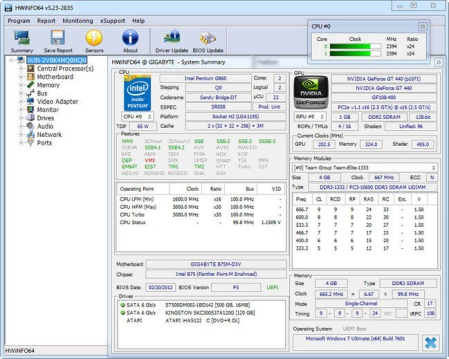
HWiNFO are professional hardware information and diagnostic tools supporting latest components, industry technologies and standards.​

These tools are designed to collect and present the maximum amount of information possible about computer's hardware which makes them suitable for users searching for driver updates, computer manufacturers, system integrators and technical experts as well. Retrieved information is presented in a logical and easily understandable form and can be exported into comprehensive hardware information of your computer

- system health monitoring (Thermal, Voltage, Fan, Power)

- table, Logfile, Graph, Tray, Gadget, LG LCD reporting

- text, CSV, XML, HTML, MHTML report formats

- frequent updates

- available as SDK (custom client)

- 3rd party add-ons (Rainmeter plug-in, Samurize plug-in, Sidebar Gadget to display any sensor value, LCDHost plug-in, Mini WebServer, RivaTuner/MSI Afterburner/EVGA Precision On-Screen Display, HWiNFOMonitor Sidebar Gadget including graphs, bars, etc.)


DOWNLOAD
uploadgig
Код:
https://uploadgig.com/file/download/28b2aB054521a62E/MlkHyu9f_hwi_624..rar

rapidgator
Код:
https://rapidgator.net/file/0100097e272701fc2244a4140c05c269/MlkHyu9f_hwi_624..rar

nitroflare
Код:
http://nitroflare.com/view/600DDBBF8F0B358/MlkHyu9f_hwi_624..rar
 
PureSync 5.1.0

786d85c9-34ce-459f-8a0f-2d4b16c086c1.png

File Size : 10.4 Mb

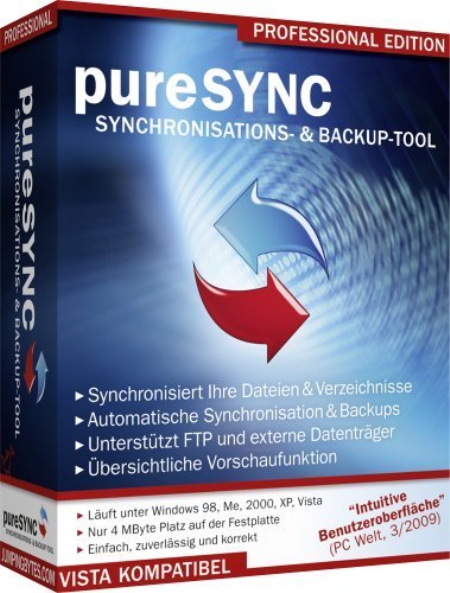
The PureSync application was designed to be a file synchronizer and backup tool.​

PureSync lets you compare, synchronize and backup file, easy to use, but still many features, such as conflict detection and resolving, multiple backups. Features:

Synchronize: Synchronize files and folders, FTP

Backup: Backup of files and complete folders

Compare view: Control what will be synced in which direction

Easy to use, clear user interface: E.g. there are wizard and tool tips, support for Drag & Drop of folders

Automatic synchronization and backups: Scheduler when a file has been modified

Special Foto-Sync for digital cameras: Copy e.g. only the new fotos from the camera-. Though fotos that have been sorted out but still at the camera are not copy again.


DOWNLOAD
uploadgig
Код:
https://uploadgig.com/file/download/a02df06E250e2192/8t0KRC8L_PureSyn..rar

rapidgator
Код:
https://rapidgator.net/file/ea8691163a246a840588e3f436ac93f3/8t0KRC8L_PureSyn..rar

nitroflare
Код:
http://nitroflare.com/view/A30AABED9048C8F/8t0KRC8L_PureSyn..rar
 
AllMapSoft Universal Maps Downloader 9.956

6eac9ab3-241d-4fd5-a0a4-42be61bc6cd9.png

File size: 13 MB

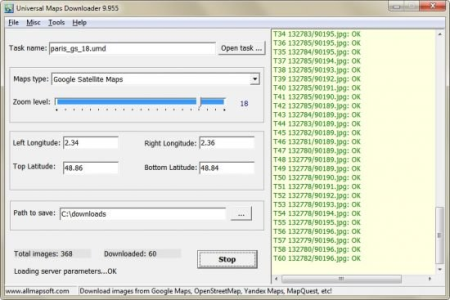
Universal Maps er is a tool that help you to get small tile images from Google Maps, Yahoo maps, Bing maps, OpenStreet Maps, Yandex Maps, Ovi Maps, MapQuest Maps.​

All ed small images are saved on the disk. You can view ed maps by Maps Viewer Or you can combine them into a big bmp, jpg or tif file by Maps Combiner, and also you can export all tiles into a MBTiles format database. Whats New:

Updates: official site does not provide any info about changes in this version.


DOWNLOAD
uploadgig
Код:
https://uploadgig.com/file/download/BeB82764fbeBe07d/dlYZZ23r_AllMapSoft_.rar

rapidgator
Код:
https://rapidgator.net/file/7db51e9ac57a9d37713c17c17b1badac/dlYZZ23r_AllMapSoft_.rar

nitroflare
Код:
http://nitroflare.com/view/BC81369F7C39503/dlYZZ23r_AllMapSoft_.rar
 
AnimaShooter Pioneer 3.8.12.9

db98887a-d4d7-49e3-a8ec-c92949cc9c02.png

File size: 24.47 MB

Working as an animation artist can be a challeg job, especially if you lack appropriate tools to help you generate your projects.​

While it is possible to rely on traditional methods, like pencil and paper, specialized software can yield faster and better results. Herefore, if you are interested in creating frame-by-frame animations, you can rely on AnimaShooter Pioneer, as it comes with a wide variety of useful features that can simplify your work.

Stylish user interface and polished buttons

This program can be easily installed, as it does not require you to perform additional configurations. It comes with a smooth, visually appealing design that organizes its functions neatly, most of them are available as buttons.

Note that you need medium to advanced PC skills and a good understanding of certain animation concepts to operate this application with minimal efforts.

Since most of the functions are available as buttons, you might need to rely on tooltips by hovering the mouse pointer over the desired feature.

Handy webcam frame grabber

You can generate stop-motion animations by relying on this software, as it allows you to use image files on your computer or content that you import from your webcam.

It is possible to add image files that you can link together and create a frame-by-frame animation project. Also, instead of individually importing files, you can add a series of documents, thus simplifying your work.

Exports to various video formats

After you are finished editing your document, it is possible to export the resulting content to a video file on your computer. This application supports various formats, including MPEG4, OGV, WebM or WebP and each of them can be customized according to your preference. Additionally, you can save your project as an uncompressed, large file.

To sum it up, AnimaShooter Pioneer is a reliable application that allows you to create frame-by-frame animation by relying on image files on your computer or webcam-generated content. However, note that you need to have certain PC skills in order to operate it accordingly.


DOWNLOAD
uploadgig
Код:
https://uploadgig.com/file/download/d817577f268f7602/RPddoKk3__AnimaShoot.rar

rapidgator
Код:
https://rapidgator.net/file/be7c140aa843402205039b9cbe8ec051/RPddoKk3__AnimaShoot.rar

nitroflare
Код:
http://nitroflare.com/view/42A93AE2BDF8A92/RPddoKk3__AnimaShoot.rar
 
Qimage Ultimate 2020.116

bfdbdf7f-d976-4fc9-87ff-b43a48e02ca4.png

File size: 16.61 MB

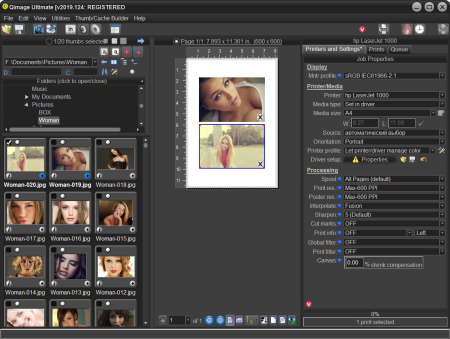
Qimage Ultimate is the most advanced photo printing software in the world.​

Continuing the Qimage legacy that has seen more than a decade of experience and innovation in photographic printing, it is the most frequently recommended photo printing software on the web. Used by everyone from casual shooters to professional photographers and studios, Qimage Ultimate is for people who recognize the importance of quality when it comes to photographic prints as they are the culmination of your efforts behind the lens. Uncompromising in its quality and control, Qimage Ultimate combines incredible power and performance with a purpose built interface designed specifically for photo printing. Once you see how easy it is to fly through print jobs, sizing on the fly, refining and correcting photos (even raw photos and 3D photos) as you go, you'll wonder why the other tools make it so difficult.

Whether you print your own photos or you are prepping photos to be printed online or in-store, you need Qimage Ultimate to ensure that the end result of your efforts is the best it can be. Qimage Ultimate offers everything you need to go from the photos on your flash card all the way to print, including powerful raw photo tools, editing tools, job logging, custom layout creation, full ICC aware color management, ability to print larger than your driver will allow, even HDR, exclusive tone targeted selective sharpening, and much more so be sure to check the menu at the top of this page to explore.

Full color management for monitor, printer, and images

Ability to print posters and print to image files for online printing

Easily auto-arrange multiple prints with a variety of styles

Vector, Pyramid interpolation for pro print quality/sharpness

Latest "Hybrid" interpolation method: incredible quality/speed

Individual color management settings on a print-by-print basis

Automated job logging (jobs automatically saved for later recall)

Batch conversion of multiple images

Ability to quickly rate images with 1-5 rating

Edit and search IPTC data

Soft Proofing

Raw image support for more than 300 cameras

"Hybrid SE" interpolation method: smoother with no artifacts

Organize photos using user defined photo albums

Ability to tag prints with custom copyright/signature

Ability to specify any size mirror borders/edges for canvas wraps

Hyper printing: dual core/HT technology for faster printing

Rulers and "snap" feature on full page editor

Ability to define up to 100 print sizes (Lite/Pro limited to 10)

New streamlined user interface

New image databasing: add & search folder/photo descriptions

Photo mats for unlimited (even or uneven) borders, text boxes, etc.

Grouping via placement on templates/photo mats

Thumbnail sorting by EXIF date shot

New print-to-file UI walks you through prepping for online printing

Exclusive Fusion interpolation offers incredible print detail

Exclusive DFS halo-free sharpening for incredible detail

More accurate color ee for all ICC profiles

New raw ee with auto-fill, HDR, highlight recovery, and more

On Deck area to defer printing/processing to a later date

New Instaview: hold mouse button over thumb/print for preview

Print quality meter: hold mouse over any print to evaluate

Darkroom skin for incredible UI clarity

Canvas shrinkage compensation corrects canvas length errors

Lightning Raw: view, print, and edit raw photos instantly

View, crop, and print 3D photos (MPO files) from 3D cameras

Built in FlashPipe image er

Tone targeted sharpening: selective sharpening

High precision sizing/positioning in metric mode (0.1mm)

EXIF data carried through to converted images

Ability to tally paper/ink usage from job logs

100% netbook and tablet compatible

Simple "codeless" registration and update process

Fast track updates: the "latest and greatest" new features


DOWNLOAD
uploadgig
Код:
https://uploadgig.com/file/download/3b83a8016388acf9/pC4fCPnD__Qimage.Ult.rar

rapidgator
Код:
https://rapidgator.net/file/511b38bbb6a397bdd98633759ef678aa/pC4fCPnD__Qimage.Ult.rar

nitroflare
Код:
http://nitroflare.com/view/BD95BADDD9F1875/pC4fCPnD__Qimage.Ult.rar
 
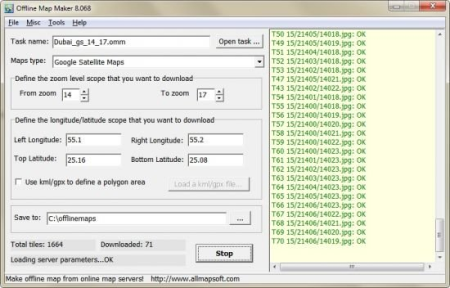
AllMapSoft Offline Map Maker 8.070

2c9ae8d6-5084-4b7e-885d-3bbd7cd2e6e3.png

File size: 12 MB

Offline Map Maker is a tool that help you to get offline tile images from Google Maps, Yahoo maps, Bing maps and Openstreetmap.​

All ed offline images are saved on your disk. You can view ed offline map by Offline Map Viewer. And you can zoom out or zoom in the offline map, or output the offline map as a .BMP file with a world file xxx.bpw, and can output a xxx.map file for OziExplorer. If you want to make a offline map of your city by yourself, it is very useful for you. Whats New:

Updates: official site does not provide any info about changes in this version.


DOWNLOAD
uploadgig
Код:
https://uploadgig.com/file/download/5792e0617836537e/o0BIE3Sc_AllMapSoft.rar

rapidgator
Код:
https://rapidgator.net/file/a516ff044693bf50a3bb50e830b8304c/o0BIE3Sc_AllMapSoft.rar

nitroflare
Код:
http://nitroflare.com/view/C68B3B7D1354FAB/o0BIE3Sc_AllMapSoft.rar
 
DVDFab 11.0.8.0 (x64) Multilingual

3b401733-8de4-4a04-998f-d2a9a74d5134.png

File size: 196 MB

DVDFab is the most powerful and flexible DVD or Blu-ray copying, ripping, creating and burning software.​

Also it's a fantastic file converter which can rip and convert DVD/Blu-ray movies or transfer your files to various portable devices. DVDFab supports all popular video and audio formats, HD video and almost all muldia devices. This software is simply the easiest way to copy a DVD/ Blu-ray movie. It can copy any DVD or Blu-ray disc with Cinavia watermark, and create a protected disc (BDMV-REC) to disable Civania for playback on PS3. Your entire movie - including menus, trailers and special features - is copied to a single DVD/ Blu-ray with just one click, and everything happens automatically. Backup your entire DVD/ Blu-ray - including menus, trailers, and special features - onto one or multiple discs. DVD Copy makes backup DVDs in an easy and fast manner. Copy, rip, clone, split, merge, burn, customize, and more.

Blu-ray Copy backs up Blu-rays easily and fast. Copy, rip, clone, burn, write data and more.

DVD Ripper can rip or convert any DVD movie for playback on popular portable and mobile devices, smart phones, tablets, and more.

Blu-ray Ripper (3D Plus) can rip or convert any Blu-ray movie to various formats that are compatible with portable and mobile devices, smart phones, tablets, and more.

DVD Creator allows you to create your own DVD discs/ ISO files/ folders from a variety of videos ed from Internet, taken by camcorders, etc.

Blu-ray Creator converts nearly all sorts of videos into Blu-ray format and saves them as Blu-ray ISO files and folders, and even into BDs.

Video Converter can convert videos from one format into almost any other standard format, so that you can view them on different devices.

2D to 3D Converter working together with DVD Ripper, Blu-ray Ripper or Video Converter, converts 2D DVD/Blu-ray/video into 3D format.

The BluPath analysis tool can quickly and precisely find the right playlist and region code for Blu-ray.

StealthyClone will help users backup/clone BDs regardless of Sony DADC Screen Pass and other structural protections.

Lightning Shrink - world's most efficient GPU-acceleration based Blu-ray compressing technology to rip or convert Blu-rays within one hour.

DVDFab can solve playback problem of the copy of Cinavia protected Blu-ray on PS3

Lightning-Recoding technology is the homebrew of DVDFab applied in Blu-ray Copy

.miniso file can be produced by Blu-ray Copy and mounted by Virtual Drive to simulate ISO image

Intel Quick Sync makes DVDFab quicker at video decodincoding during copy/rippionversion

NVIDIA CUDA and AMD APP accelerate DVDFab's speed in DVD/Blu-ray/video conversion

BD Shrink technology enables DVDFab Blu-ray Copy to compress Blu-ray (3D) movies to smaller sizes to fit on blank BD 25/BD 9/BD 5 discs.

BDInfo will help you get the detailed information on the Blu-ray you are backing up.

DVDFab supports 4K UHD (3840 x 2160) videos to help you enjoy ultra high definition experience.

H.265 codec compresses video files to the half size with the same video quality as the original and DVDFab supports it all roundly.


DOWNLOAD
uploadgig
Код:
https://uploadgig.com/file/download/f36A1E1637172bdB/tmEzBtIM_DVDFab_x64_.rar

rapidgator
Код:
https://rapidgator.net/file/8f24d10092000e584f50148e2c0da247/tmEzBtIM_DVDFab_x64_.rar

nitroflare
Код:
http://nitroflare.com/view/90C4DAB86C54695/tmEzBtIM_DVDFab_x64_.rar
 
XnViewMP 0.96 Multilingual

c2759e27-6711-4ebd-9499-18af262db2ac.png

File size: 97 MB

XnView MP is an advanced version of Xn5View, which is a powerful and reliable muldia viewer, manager and converter.​

It offers the same stylish and easy to use interface that makes it almost fun to rate, sort and catalog files while still being practical. The files are displayed in the central area of the main window and you are able to choose the type of view you want for them. The surroundings of that central browser can be fitted with a bunch of other tools. You can dock and rearrange the windows for the folder browser, document info and file preview. This comes in very handy when you want to create your own layout and speed up your workflow.

Just like its counterpart, XnView MP provides a wide range of ways to view files. You can change the size of the preview thumbnails, compare images and even edit them. Double clicking a picture automatically opens it in the editor. Here, you are able to analyze its histogram, resize and crop it, as well as apply various enhancement filters.

All the images you edit, as well as others that are simply chosen can be converted to popular formats such as JPEG, GIF, PNG, TIFF, BMP, PCX and TGA. This can be done using single files, or multiple ones in batch mode.

The biggest difference between XnView and XnView MP is that the latter is optimized for improved performance in loading s and caching. And since XnView MP is capable of working with large amounts of files, this means that you can save plenty of when it comes to organizing your files.

With the above to consider and much more to discover about what XnView MP can offer, it's safe to say that it is indeed a feature packed media viewing and cataloging application.

Unrivaled Compatibility

XnView MP supports more than 500 image formats (including Multipage and animated still formats APNG, TIFF, GIF, ICO, etc..) and export to about 70 different file formats.

Batch Conversion

XnView MP comes with an easy to use yet powerful batch conversion module. This same module also powers XnConvert

And much more.

Virtually all of standard XnView's much loved features have been preserved in XnView MP and many features have actually been tweaked and enhanced.


DOWNLOAD
uploadgig
Код:
https://uploadgig.com/file/download/F9b09e40D429Ae04/uwzgcZEB_XnViewMP096_.rar

rapidgator
Код:
https://rapidgator.net/file/5a36943164838799abba392a4e58137a/uwzgcZEB_XnViewMP096_.rar

nitroflare
Код:
http://nitroflare.com/view/C84936D4D124338/uwzgcZEB_XnViewMP096_.rar
 
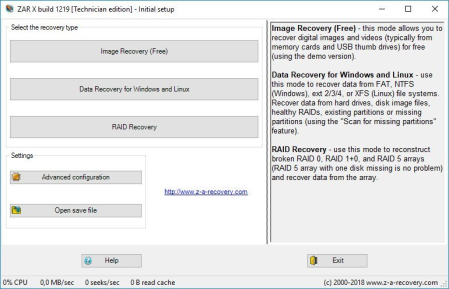
Zero Assumption Recovery 10.0 Build 1779 Technician Edition

0a9df44c-4270-44f3-b161-68f6cf06701f.png

File size: 5.5 MB

Zero Assumption Recovery - Somes disaster strikes.​

Data can be lost due to many different reasons. Accidental reformatting, power spikes, virus attacks and hardware malfunction are some of the scenarios where you will find yourself looking for a data recovery solution. Zero Assumption Recovery provides a suite of highly effective and thorough data recovery software for Microsoft Windows operating systems. We pride ourselves on having created tools that stand out from the crowd - our do it yourself data recovery software is far more persistent than many of the other solutions on the market. Even when you think your hard drive is beyond salvation, ZAR Data Recovery carries on crawling - and ultimately achieves the result.

ZAR Data Recovery is suitable for home users and small businesses who need a powerful data recovery solution for Windows FAT, NTFS, Linux ext/2/3/4, and XFS file systems. The default settings are reliable and thorough, but more technical users can benefit from a wealth of optional configurations.

General data recovery with ZAR software

- Windows FAT, NTFS, Linux ext2/3/4, and XFS volumes

- Formatted drive or "RAW filesystem"

- External drives, USB thumb drives, and memory cards

Digital image recovery

- Digital photo recovery with a free version of ZAR Data Recovery

Complex cases with ZAR Data Recovery

- RAID data recovery

- NAS data recovery

- MBR damage data recovery

- Partition table recovery with multiple logical drives


DOWNLOAD
uploadgig
Код:
https://uploadgig.com/file/download/2F511f81d4D5B5c2/ELKB33HC_AssumptionR.rar

rapidgator
Код:
https://rapidgator.net/file/432fa20708b88de8061e4c9f21800e01/ELKB33HC_AssumptionR.rar

nitroflare
Код:
http://nitroflare.com/view/61B430027C78AE2/ELKB33HC_AssumptionR.rar
 
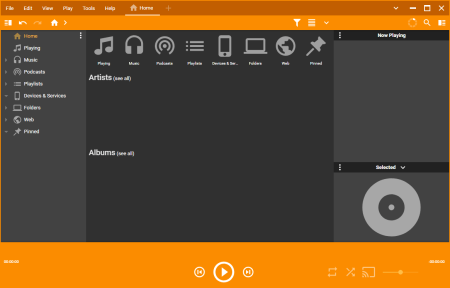
MediaMonkey Gold 5.0.0.2233 Beta

4bc0d86e-54b6-40c1-8130-e6d0f6860d7a.png

File size: 77 MB

MediaMonkey is a music manager and media jukebox for serious music collectors and iPod users.​

It catalogs your CDs, OGG, WMA, MPC, FLAC, APE, WAV and MP3 audio files. It looks up missing Album Art and track information via Freedb and the web, and includes an intelligent tag editor and an automated file and directory renamer to organize your music library. Its player automatically adjusts volume levels so that you don't have continually fiddle with the volume control and supports hundreds of Winamp plug-ins and visualizations; or if you prefer, it can use Winamp as the default player.

MediaMonkey includes a CD ripper, CD/DVD Burner, and audio converter for saving music, and manual or automated playlist editors for creating music mixes. It also includes portable audio device synchronization that allows you to synch tracks and play lists with devices such as the iPod and other portable audio devices.

Find music with advanced search functionality that digs through your collection to find tracks according to almost any criteria that you can think of. Search for Composer, Year, Beats per minute; find Lyrics, etc. and stop pulling your hair out trying to find music you know you have.

Customize your library by setting filters to display only Artists or Albums that match criteria that you set. For example, set a filter that causes Artists to appear in the tree only if they contain Albums that are currently available, and are of any genre other than 'Children'.

Encode unlimited MP3s without having to manually install a new MP3 encoder (the free version of MediaMonkey includes a -limited LAME MP3 encoder. If you're so inclined, you can manually replace it with the free LAME encoder, or you can just upgrade to MediaMonkey Gold).

Catalog your physical CDs and use the Virtual CD feature to keep track of what CDs you own and at the same see which subset of tracks from those CDs are copied to your hard drive. Instead of tracking your CDs and tracks separately, the virtual CD function gives you an integrated view..

Import and save audio tracks from Audio CDs and MP3 CDs with unprecedented flexibility using the Virtual CD. It allows you to sample tracks from various sources, select which ones you want to import, and then import and save the files in a single operation.

Create Previews, short samples of audio tracks, that you can use when trying to decide which audio files you want to add to your collection.

Use a Sleep r to play your music, gradually fade it over a set period of , and then turn off your PC - perfect for listening to tunes before you go to sleep.

Burn CDs at the maximum speed peted by your hardware.

Audio / Music Manager

Media Player (play MP3, OGG, WMA etc.)

Equalizer / DSP Effects / Volume Leveler

Party Mode & Auto-DJ

CD Ripper: Encode MP3, OGG, WMA, FLAC

Audio Converter

Auto Renamer / File Organizer

Auto Tag Editor with Album Art Lookup

Find Duplicate Tracks and Missing Tags

Playlist Manager (auto music mixes)

Generate reports and statistics

Customization via scripts

iPod and MP3 Player Synchronization

Integrated CD/DVD Burner (Audio & Data) (up to 48x) (up to 4x)

File Monitor (automatically updates library)

Advanced Searches and AutoPlaylists

Advanced Portable Device Synchronization with on-the-fly format conversion

Unlimited MP3 encoding

Virtual CD / Previews

Advanced Filters

Sleep r


DOWNLOAD
uploadgig
Код:
https://uploadgig.com/file/download/6ac0B8647B7b90Fa/BhEung8s_MediaMonkey.rar

rapidgator
Код:
https://rapidgator.net/file/9db7a3d7c82ab8db38b19cfd20b1ca2d/BhEung8s_MediaMonkey.rar

nitroflare
Код:
http://nitroflare.com/view/1F18C9E467605D3/BhEung8s_MediaMonkey.rar
 
AllMapSoft Google Maps Downloader 8.796

215a8524-18ce-4eee-8a09-12c1317f82a7.png

File size: 12 MB

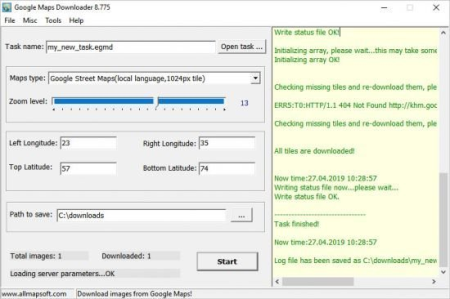
Google Maps er is a reliable application aimed at ing maps from Google at high speed.​

The result is a collection of small images that can be combined in a larger map. This can serve in a large variety of projects, from creating a tile map to presentations and tutorials. Lightweight and easy to use

The situations where a map is necessary can vary from going on a trip to educational purpose. After all, the method is more important than the reason and as far as map software is concerned, options are very rich. What differentiates the software belog to this category is the quality of the images and the speed.

Google Maps er successfully fulfills both of those conditions, providing simple means to quickly grab maps at satisfactory resolution. In addition, it's extremely easy to use and integrates an extensive help file for first users.

Following the complication-free installation process, the first acquaintance with the program's interface is of positive nature. Boasting a simple, yet intuitive GUI, the application mainly concentrates on purpose rather than looks.

Quickly get ahold of a specified area

Users should create a new project for each map, in case you need previous projects later. The application requires you to provide geographical data such as latitude and loude, as well as zoom level and output folder (can also be set from the Options window).

Once you hit the '' button, all that is needed is a dose of patience. During our tests, Google Maps er behaved honorably and was able to process a project in under two minutes (although it is true that the interval also depends on the map's size).

By default, the map is divided into several smaller pieces, but the application features an image combiner that can put the chunks together in an instant. You can use the integrated Map Viewer to view the final map.

To end with

All in all, Google Maps er is a fast and reliable choice in its field of work. Accessibility, speed and image quality are its strongest points, making it live up to expectations and serving a large variety of purposes.

Whats New:

Updates: official site does not provide any info about changes in this version.


DOWNLOAD
uploadgig
Код:
https://uploadgig.com/file/download/3330d3D48a751784/aHHB6TwH_AllMapSoft.rar

rapidgator
Код:
https://rapidgator.net/file/c66bb676c547751ebfe29db7a8093f0a/aHHB6TwH_AllMapSoft.rar

nitroflare
Код:
http://nitroflare.com/view/9EC678A5A89B168/aHHB6TwH_AllMapSoft.rar
 
AllMapSoft Yandex Maps Downloader 5.803

9eadc487-33d7-4eec-b966-c045bc82fc35.png

File size: 8.2 MB

Yandex Maps er is a tool that can automatically the Yandex Maps images to your PC.​

It can the small tiles and save them to your hard disk, including the normal maps, satellite maps. After ing, you can view the maps offline by its tool Maps Viewer, or you can combine the small images into one big map image. If you want to make a map of your city by yourself, it is very useful for you. Updates: official site does not provide any info about changes in this version.


DOWNLOAD
uploadgig
Код:
https://uploadgig.com/file/download/C65e4F7Ad5d83446/8Emp5OcK_Yandex.Maps_.rar

rapidgator
Код:
https://rapidgator.net/file/3182fc67847995c8f3024c36d093992c/8Emp5OcK_Yandex.Maps_.rar

nitroflare
Код:
http://nitroflare.com/view/675A169928C49E8/8Emp5OcK_Yandex.Maps_.rar
 
AllMapSoft google earth images downloader 6.364

25026c8f-5cd1-4c1a-99d6-66e950ad2346.png

File size: 8.1 MB

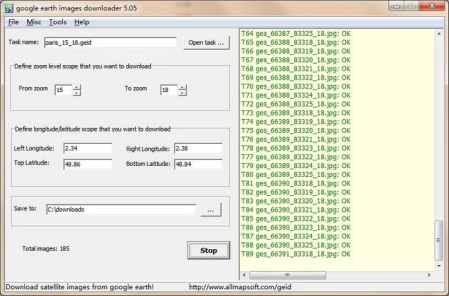
google earth images er is a tool that help you to get offline satellite tile images from google earth (not google maps).​

It can work without google earth installed. After ing, there are some ways to view the offline maps:

You can view ed offline map byMap Viewer, and you can zoom out or zoom in the offline map.

Output the offline map as BMP,JPG,TIFF file.

It can even export all tiles to a sqlite database with MBtiles format, then you use the sqlite db on some Android or iOS apps, such as MapBox, RMaps, Oruxmaps, etc.

When you created a mbtiles file, you can view the mbtiles file with MBTiles Viewer.

If you want to make a offline map of your city by yourself, it is very useful for you.

Updates: official site does not provide any info about changes in this version.


DOWNLOAD
uploadgig
Код:
https://uploadgig.com/file/download/a7a6979b5E119f1B/0n5M69bS_google.eart_.rar

rapidgator
Код:
https://rapidgator.net/file/c7e107af42af6b54a7689ecbcdd453b1/0n5M69bS_google.eart_.rar

nitroflare
Код:
http://nitroflare.com/view/B102AAFCE6B8C0E/0n5M69bS_google.eart_.rar
 
Назад
Сверху