• Здравствуйте. Сайт заработал в архивном режиме форум www.old.nado.in

Anthony's Software !!!

Navicat Essentials Premium 15.0.11

9c9c9535-a6f2-42e7-a9b7-4fc2b5200b4e.png

File size: 126 MB

Navicat Essentials is a compact version of Navicat which provides the basic and necessary features you will need to perform simple database development.​

Navicat Essentials is for commercial use and is available for MySQL, MariaDB, SQL Server, PostgreSQL, Oracle, and SQLite databases. If you need to administer all aforementioned database servers at the same , there is also Navicat Premium Essentials which allows you to access multiple servers from a single application. The All-New Ee

We focus strongly on improving responsiveness, usability, and performance. We eeered an entirely new mechanism and applied multithreading, so you can run certain tasks in parallel to increase the overall efficiency of your database development.

Cloud Database Navigation

Manage both on-premises and cloud databases such as Amazon RDS, Amazon Aurora, Amazon Redshift, SQL Azure, Oracle Cloud, and Google Cloud. Just simply establish connection using the pertinent information that your cloud databases provide.

Effortless Deployment Toolkit

Add your favorite tabs to On Startup and have them open automatically when Navicat launches, and use MacBook Pro Touch Bar to easily access Navicat features and controls.

Diversified Manipulation Tool

Use Import/Export Wizard to have data conversion from plain text formats such as TXT, CSV, XML and JSON. Add, modify, and delete records with our spreadsheet-like Grid View together with an array of data editing tools to facilitate your edits. Navicat Essentials gives you the tools you need to manage your data efficiently and ensure a smooth process.

Make Collaboration Easy

Synchronize your connection settings and queries to our Navicat Cloud service so you can get real- access to them, and share them with your coworkers any and anywhere. With Navicat Cloud, you can leverage every minute of your day to maximize your productivity. Learn more >

Advanced Secure Connection

Establish secure connections through SSH Tunneling and SSL ensure every connection is secure, stable, and reliable. Support different authentication methods of database servers such as PAM authentication for MySQL and MariaDB, and GSSAPI authentication for PostgreSQL. Navicat 12 provides more authentication mechanisms and high-performance environments so you never have to worry about connecting over an insecure network.


DOWNLOAD
uploadgig
Код:
https://uploadgig.com/file/download/0D3E6D4C818f3558/sSljyFQr_navicatess1.rar

rapidgator
Код:
https://rapidgator.net/file/5849d0bad61beb7fde1d32151db44064/sSljyFQr_navicatess1.rar

nitroflare
Код:
http://nitroflare.com/view/C770A316451E0E2/sSljyFQr_navicatess1.rar
 
Navicat Premium 15.0.11

da32c618-3e98-4a09-ba09-0c949e428e10.png

File size: 127 MB

Navicat Premium is a database development tool that allows you to simultaneously connect to MySQL, MariaDB, SQL Server, Oracle, PostgreSQL, and SQLite databases from a single application.​

Compatible with cloud databases like Amazon RDS, Amazon Aurora, Amazon Redshift, SQL Azure, Oracle Cloud and Google Cloud. You can quickly and easily build, manage and maintain your databases.Seamless Data Migration

Data Transfer, Data Synchronization and Structure Synchronization help you migrate your data easier and faster for less overhead. Deliver detailed, step-by-step guidelines for transferring data across various DBMS. Compare and synchronize databases with Data and Structure Synchronization. Set up and deploy the comparisons in seconds, and get the detailed script to specify the changes you want to execute.

Diversified Manipulation Tool

Use Import Wizard to transfer data into a database from diverse formats, or from ODBC after setting up a data source connection. Export data from tables, views, or query results to formats like Excel, Access, CSV and more. Add, modify, and delete records with our spreadsheet-like Grid View together with an array of data editing tools to facilitate your edits. Navicat gives you the tools you need to manage your data efficiently and ensure a smooth process.

Easy SQL Editing

Visual SQL Builder will help you create, edit and run SQL statements without having to worry about syntax and proper usage of commands. Code fast with Code Completion and customizable Code Snippet by getting suggestions for keywords and stripping the repetition from coding. Quickly locate and correct PL/SQL and PL/PGSQL coding errors using our debugging component such as setting breakpoints, stepping through the program, viewing and modifying variable values, and examining the call stack.

Intelligent Database Designer

Create, modify and manage all database objects using our professional object designers. Convert your databases into graphical representations using a sophisticated database design and modeling tool so you can model, create, and understand complex databases with ease.

Increase your Productivity

Our powerful local backup/restore solution and intuitive GUI for Oracle Data Pump/SQL Server Backup Utility guides you through the backup process and reduces the potential for errors. Set an automation for repeatable deployment process like database backup and script execution at a specific or day. No matter where you are, you can always get the job done.

Make Collaboration Easy

Synchronize your connection settings, models, queries and virtual groups to our Navicat Cloud service so you can get real- access to them, and share them with your coworkers any and anywhere. With Navicat Cloud, you can leverage every minute of your day to maximize your productivity. Learn more >

Advanced Secure Connection

Establish secure connections through SSH Tunneling and SSL ensure every connection is secure, stable, and reliable. Support different authentication methods of database servers such as PAM authentication for MySQL and MariaDB, and GSSAPI authentication for PostgreSQL. Navicat 12 provides more authentication mechanisms and high-performance environments so you never have to worry about connecting over an insecure network.


DOWNLOAD
uploadgig
Код:
https://uploadgig.com/file/download/860d4dF0e4A21145/5taBQwW4_navicat150_.rar

rapidgator
Код:
https://rapidgator.net/file/3dca0be1c23f44d1569014194e625119/5taBQwW4_navicat150_.rar

nitroflare
Код:
http://nitroflare.com/view/C8E70EEC8A7A676/5taBQwW4_navicat150_.rar
 
NoxPlayer 6.6.0.3 Multilingual

09fce6df-f72c-4a0e-afd5-33219080a251.png

File size: 377 MB

NoxPlayer is the best free Android emulator leading in technology and performance.​

It brings the best experience for users to play Android games and apps on Windows. NoxPlayer is stable, efficient and powerful. It ensures the fast response - bigger screen, easier operation. This app has some useful settings, including options to change your screen resolutions and other. You can root and access blocked features on your android using iRoot for PC. This app player gives the access to many games that you can control easily using different assistive utilities. You can use the mouse, keyboard or gamepad to play, giving us better control of plays. Full use of the keyboard proved especially handy when playing action role play games.

In addition, NoxPlayer also has support for several input/output devices - apart from the standard mouse and keyboard support, it also has compatibility for gamepads and controllers. The camera and microphone integration are basic functions. Also you can also map the WASD key to control your character in the game, and you can set other keys to release skills or take shots.

The multiplayer mode is an innovative feature which makes it possible for users to run several NoxPlayer window at the same . Each window could run a different app/game. So instead of pushing other apps to the background, user can switch between them with ease on the same computer screen. This is like having several phones for real- multi-tasking.

Google Play store is already integrated, so no need to or integrate it again

Just with a click, you can open unlimited multiplayer windows

No need to APKs if you already have it in your PC. Just drag and drop them into Nox App Player and go for it

Customizing CPU, RAM and resolution are now possible with NoxPlayer. Bluestacks still doesn't give this option.

You can easily backup the Nox data in your computer itself

Has a button to On/Off the root mode

Capture a picture in Nox and it will be automatically saved in your PC

Now record videos of whatever you want in this emulator

Operation tips also added to navigate users in a right way

Nox App Player allows you to customize the sidebar options as well


DOWNLOAD
uploadgig
Код:
https://uploadgig.com/file/download/d5a7df4858961038/9cYD6qPJ_nox_setup_v6.6.0.3_full_intl..rar

rapidgator
Код:
https://rapidgator.net/file/a900359629baefd67d597de993f8ae33/9cYD6qPJ_nox_setup_v6.6.0.3_full_intl..rar

nitroflare
Код:
http://nitroflare.com/view/002C43434729F84/9cYD6qPJ_nox_setup_v6.6.0.3_full_intl..rar
 
Movavi Photo Editor 6.2.0 Multilingual

1d9709f9-77cf-4195-a944-5ee68acb748b.png

File size: 114 MB

Movavi Photo Editor is the most amazing and user-friendly photo editing program you will ever need.​

Enjoy one-click image quality enhancing with Magic Enhance or try the advanced color correction tools for total precision. Give your portraits a makeover with advanced retouching tools. Crop, flip, rotate, and straighten images for more aesthetically pleasing composition. Compress photos that take up too much space on your PC. Movavi Photo Editor delivers much more than everyday photo editing apps - try the awesome object and background removal features! Make good photos spectacular - like a pro!

- Edit digital photos, add great filters

- Remove objects, replace backgrounds

- Crop, resize, flip and rotate frames

- Add captions and watermarks

Adjust Quality and Apply Cool Filters

Improve images, add stylish overlays and effects

Freely Transform Pictures

Adjust frames for better composition

Replace Backgrounds in an Instant

Magically transport your subjects to a new setting

Give Yourself a Makeover

Didn't have to apply makeup? Do it digitally!

Remove Blemishes

- Get rid of blotches, pimples, and freckles

- Erase wrinkles and scars

- Smooth out your skin

- Fix red eye

Remove Unwanted Objects

Simply erase anything that spoils the view!

Add Custom Captions for Fun

Personalize your pictures with cute captions and watermarks!

- Microsoft Windows XP/Vista/7/8/10 32-bit (works on all systems) with up-to-date patches and service packs installed

- Intel, AMD, or compatible processor, 1 GHz

- NVIDIA GeForce series 8, Intel HD Graphics 2000, AMD Radeon R600 or higher graphics card with up-to-date drivers

- 1280 x 720 screen resolution, 32-bit color

- 512 MB RAM for Windows XP and Windows Vista,

- 2 GB for Windows 7, Windows 8, and Windows 10

- 250 MB available hard disk space for installation,

- 500 MB for ongoing operations

- Administrator permissions are required for installation


DOWNLOAD
uploadgig
Код:
https://uploadgig.com/file/download/D02038Abf25d59a7/KthCkEkS_Movav.rar

rapidgator
Код:
https://rapidgator.net/file/930924cf99e94f8213987fbaf2691ec4/KthCkEkS_Movav.rar

nitroflare
Код:
http://nitroflare.com/view/D2C353C4F51B650/KthCkEkS_Movav.rar
 
Navicat for MariaDB 15.0.11

11864eb1-805b-400a-b2df-1e03d412090e.png

File size: 71 MB

Navicat for MariaDB provides a native environment for MariaDB database management and development.​

Connect to local/remote MariaDB servers and compatible with Amazon RDS. Navicat for MariaDB supports most of the additional features like new storage ees, microseconds, virtual columns, and more.Seamless Data Migration

Data Transfer, Data Synchronization and Structure Synchronization help you migrate your data easier and faster for less overhead. Deliver detailed, step-by-step guidelines for transferring data across databases. Compare and synchronize databases with Data and Structure Synchronization. Set up and deploy the comparisons in seconds, and get the detailed script to specify the changes you want to execute.

Diversified Manipulation Tool

Use Import Wizard to transfer data into a database from diverse formats, or from ODBC after setting up a data source connection. Export data from tables, views, or query results to formats like Excel, Access, CSV and more. Add, modify, and delete records with our spreadsheet-like Grid View together with an array of data editing tools to facilitate your edits. Navicat gives you the tools you need to manage your data efficiently and ensure a smooth process.

Easy SQL Editing

Visual SQL Builder will help you create, edit and run SQL statements without having to worry about syntax and proper usage of commands. Code fast with Code Completion and customizable Code Snippet by getting suggestions for keywords and stripping the repetition from coding.

Intelligent Database Designer

Create, modify and manage all database objects using our professional object designers. Convert your databases into graphical representations using a sophisticated database design and modeling tool so you can model, create, and understand complex databases with ease.

Increase your Productivity

Our powerful local backup/restore solution guides you through the backup process and reduces the potential for errors. Compile professional high-quality reports in minutes using an interactive design interface and efficient workflow, and set an automation for repeatable deployment process like report generation, database backup, and script execution at a specific or day. No matter where you are, you can always get the job done.

Make Collaboration Easy

Synchronize your connection settings, models, queries and virtual groups to our Navicat Cloud service so you can get real- access to them, and share them with your coworkers any and anywhere. With Navicat Cloud, you can leverage every minute of your day to maximize your productivity.

Advanced Secure Connection

Establish secure connections through SSH Tunneling and SSL ensure every connection is secure, stable, and reliable. Support different authentication methods of database servers such as PAM authentication. Navicat 12 provides more authentication mechanisms and high-performance environments so you never have to worry about connecting over an insecure network.


DOWNLOAD
uploadgig
Код:
https://uploadgig.com/file/download/b93E814030b4d405/ZQPVWWC9_navicat150_.rar

rapidgator
Код:
https://rapidgator.net/file/06e7eca029943ecdc9c2e76d18c316e5/ZQPVWWC9_navicat150_.rar

nitroflare
Код:
http://nitroflare.com/view/D07FF8D85548974/ZQPVWWC9_navicat150_.rar
 
Navicat for MongoDB 15.0.11

ac74a385-33b9-45f5-8cc8-304538233b36.png

File size: 79 MB

Navicat for MongoDB gives you a highly effective GUI interface for MongoDB database management, administration and development.​

Connect to local/remote MongoDB servers with MongoDB Atlas and Huawei Cloud compatibility. Navicat for MongoDB offers remarkable features for managing, monitoring, querying, and visualizing your data. You can easily increase productivity of routine MongoDB operations.Seamless Data Migration

Data Transfer and Data Synchronization help you migrate your data easier and faster for less overhead. Deliver detailed, step-by-step guidelines for transferring data across databases. Compare and synchronize databases with Data Synchronization. Set up and deploy the comparisons in seconds, and get the detailed script to specify the changes you want to execute.

Diversified Manipulation Tool

Use Import Wizard to transfer data into a database from diverse formats, or from ODBC after setting up a data source connection. Export data from collections, views, or query results to formats such as Excel, Access, CSV and more. Add, modify, and delete documents with our built-in editors and MongoDB 4 Transaction support, you can facilitate your edits in Tree View, JSON View, and the classic spreadsheet-like Grid View. With MongoDB 4 Transaction support, Navicat gives you the tools you need to manage your data efficiently and ensure a smooth process.

Easy Query Editing

Visual Query Builder will help you create, edit and run queries without having to worry about syntax and proper usage of commands. Code fast with Code Completion and customizable Code Snippet by getting suggestions for keywords and stripping the repetition from coding.

Intelligent Object Designer

Create, modify, and manage all database objects using our professional object designers. Preview results on each step and debug the sampled data before running your MapReduce jobs. Store and retrieve files from your MongoDB databases using our well-designed GridFS form that allows parallel upload/ process.

Increase Your Productivity

Our intuitive GUI for MongoDBDump Utility guides you through the backup process and minimizes potential errors. Set an automation for repeatable deployment process like MapReduce job and script execution at a specific or day. No matter where you are, you can always get the job done.

Smart Schema Analyzer

Discover and explore your schema with our built-in schema visualization tool. Analyze your documents and displays rich structures within your collections, so you can understand your data's schema, find schema anomalies, and inspect outliers easily.

Make Collaboration Easy

Synchronize your connection settings, queries and virtual groups to our Navicat Cloud service so you can get real- access to them, and share them with your coworkers any and anywhere. With Navicat Cloud, you can leverage every minute of your day to maximize your productivity.

Advanced Secure Connection

Establish secure connections through SSH Tunneling and SSL ensure every connection is secure, stable, and reliable. Support different authentication methods of database servers such as Kerberos and X.509 authentication. Navicat 12 provides more authentication mechanisms and high-performance environments so you never have to worry about connecting over an insecure network.


DOWNLOAD
uploadgig
Код:
https://uploadgig.com/file/download/135Bd5Af8Aced704/RVSKl6OJ_navicat150_.rar

rapidgator
Код:
https://rapidgator.net/file/938bddf2d1f0262e94e90192f4004c6d/RVSKl6OJ_navicat150_.rar

nitroflare
Код:
http://nitroflare.com/view/7F89D62DC6B4AF4/RVSKl6OJ_navicat150_.rar
 
Navicat for MySQL 15.0.11

6a1c5f68-3b9f-4abf-af40-33714bf60b51.png

File size: 71 MB

Navicat for MySQL is the ideal solution for MySQL/MariaDB administration and development.​

It is a single application that allows you to connect to MySQL and MariaDB databases simultaneously. Compatible with cloud databases like Amazon RDS, Amazon Aurora, Oracle Cloud and Google Cloud. This all-inclusive frontend provides an intuitive and powerful graphical interface for database management, development, and maintenance.Seamless Data Migration

Data Transfer, Data Synchronization and Structure Synchronization help you migrate your data easier and faster for less overhead. Deliver detailed, step-by-step guidelines for transferring data across databases. Compare and synchronize databases with Data and Structure Synchronization. Set up and deploy the comparisons in seconds, and get the detailed script to specify the changes you want to execute.

Diversified Manipulation Tool

Use Import Wizard to transfer data into a database from diverse formats, or from ODBC after setting up a data source connection. Export data from tables, views, or query results to formats like Excel, Access, CSV and more. Add, modify, and delete records with our spreadsheet-like Grid View together with an array of data editing tools to facilitate your edits. Navicat gives you the tools you need to manage your data efficiently and ensure a smooth process.

Easy SQL Editing

Visual SQL Builder will help you create, edit and run SQL statements without having to worry about syntax and proper usage of commands. Code fast with Code Completion and customizable Code Snippet by getting suggestions for keywords and stripping the repetition from coding.

Intelligent Database Designer

Create, modify and manage all database objects using our professional object designers. Convert your databases into graphical representations using a sophisticated database design and modeling tool so you can model, create, and understand complex databases with ease.

Increase your Productivity

Our powerful local backup/restore solution guides you through the backup process and reduces the potential for errors. Compile professional high-quality reports in minutes using an interactive design interface and efficient workflow, and set an automation for repeatable deployment process like report generation, database backup, and script execution at a specific or day. No matter where you are, you can always get the job done.

Make Collaboration Easy

Synchronize your connection settings, models, queries and virtual groups to our Navicat Cloud service so you can get real- access to them, and share them with your coworkers any and anywhere. With Navicat Cloud, you can leverage every minute of your day to maximize your productivity.

Advanced Secure Connection

Establish secure connections through SSH Tunneling and SSL ensure every connection is secure, stable, and reliable. Support different authentication methods of database servers such as PAM authentication. Navicat provides more authentication mechanisms and high-performance environments so you never have to worry about connecting over an insecure network.


DOWNLOAD
uploadgig
Код:
https://uploadgig.com/file/download/B7c4Fe93b6eDA993/NK9jWQJB_navicat150_.rar

rapidgator
Код:
https://rapidgator.net/file/fe307ea5d034c056708b88a7a96fdd7e/NK9jWQJB_navicat150_.rar

nitroflare
Код:
http://nitroflare.com/view/9649F5669494D79/NK9jWQJB_navicat150_.rar
 
Navicat for Oracle 15.0.11

6ac76e56-c86c-4a58-b298-1de0038d96a6.png

File size: 90 MB

Navicat for Oracle improves the efficiency and productivity of Oracle developers and administrators with a streamlined working environment.​

Optimizing your Oracle development - create, organize, access, and share information quickly and securely. Navicat for Oracle is compatible with cloud databases like Amazon RDS and Oracle Cloud, and supports local/remote Oracle servers.Seamless Data Migration

Data Transfer, Data Synchronization and Structure Synchronization help you migrate your data easier and faster for less overhead. Deliver detailed, step-by-step guidelines for transferring data across databases. Compare and synchronize databases with Data and Structure Synchronization. Set up and deploy the comparisons in seconds, and get the detailed script to specify the changes you want to execute.

Diversified Manipulation Tool

Use Import Wizard to transfer data into a database from diverse formats, or from ODBC after setting up a data source connection. Export data from tables, views, or query results to formats like Excel, Access, CSV and more. Add, modify, and delete records with our spreadsheet-like Grid View together with an array of data editing tools to facilitate your edits. Navicat gives you the tools you need to manage your data efficiently and ensure a smooth process.

Easy SQL Editing

Visual SQL Builder will help you create, edit and run SQL statements without having to worry about syntax and proper usage of commands. Code fast with Code Completion and customizable Code Snippet by getting suggestions for keywords and stripping the repetition from coding.

Intelligent Database Designer

Create, modify and manage all database objects using our professional object designers. Convert your databases into graphical representations using a sophisticated database design and modeling tool so you can model, create, and understand complex databases with ease.

Increase your Productivity

Our powerful local backup/restore solution guides you through the backup process and reduces the potential for errors. Compile professional high-quality reports in minutes using an interactive design interface and efficient workflow, and set an automation for repeatable deployment process like report generation, database backup, and script execution at a specific or day. No matter where you are, you can always get the job done.

Make Collaboration Easy

Synchronize your connection settings, models, queries and virtual groups to our Navicat Cloud service so you can get real- access to them, and share them with your coworkers any and anywhere. With Navicat Cloud, you can leverage every minute of your day to maximize your productivity.

Advanced Secure Connection

Establish secure connections through SSH Tunneling and SSL ensure every connection is secure, stable, and reliable. Support different authentication methods of database servers such as PAM authentication. Navicat 12 provides more authentication mechanisms and high-performance environments so you never have to worry about connecting over an insecure network.


DOWNLOAD
uploadgig
Код:
https://uploadgig.com/file/download/f57845635a2CeeDF/U2RFRaz6_navicat150_.rar

rapidgator
Код:
https://rapidgator.net/file/52fd2b2838e8e2e22d58c48fa20fc9b2/U2RFRaz6_navicat150_.rar

nitroflare
Код:
http://nitroflare.com/view/0D24E0561AF7451/U2RFRaz6_navicat150_.rar
 
Navicat for PostgreSQL 15.0.11

e37af294-b049-4c43-9ffa-2df31e30a503.png

File size: 70 MB

Navicat for PostgreSQL is an easy-to-use graphical tool for PostgreSQL database development.​

From writing simple SQL queries to developing complex databases, Navicat for PostgreSQL is designed to accommodate a wide range of users, from PostgreSQL bners to seasoned developers. Connect to local/remote PostgreSQL servers and compatible with cloud databases like Amazon Redshift, Amazon Aurora, Amazon RDS and Google Cloud, and all PostgreSQL database objects.Seamless Data Migration

Data Transfer, Data Synchronization and Structure Synchronization help you migrate your data easier and faster for less overhead. Deliver detailed, step-by-step guidelines for transferring data across databases. Compare and synchronize databases with Data and Structure Synchronization. Set up and deploy the comparisons in seconds, and get the detailed script to specify the changes you want to execute.

Diversified Manipulation Tool

Use Import Wizard to transfer data into a database from diverse formats, or from ODBC after setting up a data source connection. Export data from tables, views, or query results to formats like Excel, Access, CSV and more. Add, modify, and delete records with our spreadsheet-like Grid View together with an array of data editing tools to facilitate your edits. Navicat gives you the tools you need to manage your data efficiently and ensure a smooth process.

Easy SQL Editing

Visual SQL Builder will help you create, edit and run SQL statements without having to worry about syntax and proper usage of commands. Code fast with Code Completion and customizable Code Snippet by getting suggestions for keywords and stripping the repetition from coding.

Intelligent Database Designer

Create, modify and manage all database objects using our professional object designers. Convert your databases into graphical representations using a sophisticated database design and modeling tool so you can model, create, and understand complex databases with ease.

Increase your Productivity

Our powerful local backup/restore solution guides you through the backup process and reduces the potential for errors. Compile professional high-quality reports in minutes using an interactive design interface and efficient workflow, and set an automation for repeatable deployment process like report generation, database backup, and script execution at a specific or day. No matter where you are, you can always get the job done.

Make Collaboration Easy

Synchronize your connection settings, models, queries and virtual groups to our Navicat Cloud service so you can get real- access to them, and share them with your coworkers any and anywhere. With Navicat Cloud, you can leverage every minute of your day to maximize your productivity.

Advanced Secure Connection

Establish secure connections through SSH Tunneling and SSL ensure every connection is secure, stable, and reliable. Support different authentication methods of database servers such as PAM authentication. Navicat 12 provides more authentication mechanisms and high-performance environments so you never have to worry about connecting over an insecure network.


DOWNLOAD
uploadgig
Код:
https://uploadgig.com/file/download/8cac628aBF7bdc5f/rADLERyt_navicat150_.rar

rapidgator
Код:
https://rapidgator.net/file/7c7490888660b22526e397d041bc8aad/rADLERyt_navicat150_.rar

nitroflare
Код:
http://nitroflare.com/view/D42E459DAA57183/rADLERyt_navicat150_.rar
 
Navicat for SQL Server 15.0.11

f96bbe5a-fae4-4a16-a319-36677fa377e5.png

File size: 89 MB

Navicat for SQL Server gives you a fully graphical approach to database management and development.​

Quickly and easily create, edit, and delete all database objects, or execute SQL queries and scripts. Connect to any local/remote SQL Server, and compatible with cloud databases like Amazon RDS and SQL Azure.Seamless Data Migration

Data Transfer, Data Synchronization and Structure Synchronization help you migrate your data easier and faster for less overhead. Deliver detailed, step-by-step guidelines for transferring data across databases. Compare and synchronize databases with Data and Structure Synchronization. Set up and deploy the comparisons in seconds, and get the detailed script to specify the changes you want to execute.

Diversified Manipulation Tool

Use Import Wizard to transfer data into a database from diverse formats, or from ODBC after setting up a data source connection. Export data from tables, views, or query results to formats like Excel, Access, CSV and more. Add, modify, and delete records with our spreadsheet-like Grid View together with an array of data editing tools to facilitate your edits. Navicat gives you the tools you need to manage your data efficiently and ensure a smooth process.

Easy SQL Editing

Visual SQL Builder will help you create, edit and run SQL statements without having to worry about syntax and proper usage of commands. Code fast with Code Completion and customizable Code Snippet by getting suggestions for keywords and stripping the repetition from coding.

Intelligent Database Designer

Create, modify and manage all database objects using our professional object designers. Convert your databases into graphical representations using a sophisticated database design and modeling tool so you can model, create, and understand complex databases with ease.

Increase your Productivity

Our powerful local backup/restore solution guides you through the backup process and reduces the potential for errors. Compile professional high-quality reports in minutes using an interactive design interface and efficient workflow, and set an automation for repeatable deployment process like report generation, database backup, and script execution at a specific or day. No matter where you are, you can always get the job done.

Make Collaboration Easy

Synchronize your connection settings, models, queries and virtual groups to our Navicat Cloud service so you can get real- access to them, and share them with your coworkers any and anywhere. With Navicat Cloud, you can leverage every minute of your day to maximize your productivity.

Advanced Secure Connection

Establish secure connections through SSH Tunneling and SSL ensure every connection is secure, stable, and reliable. Support different authentication methods of database servers such as PAM authentication. Navicat 12 provides more authentication mechanisms and high-performance environments so you never have to worry about connecting over an insecure network.


DOWNLOAD
uploadgig
Код:
https://uploadgig.com/file/download/a77b748e2adc0632/2enP2aPx_navicat150_.rar

rapidgator
Код:
https://rapidgator.net/file/53c87bf2042f027924c3ba0ff7fa23f3/2enP2aPx_navicat150_.rar

nitroflare
Код:
http://nitroflare.com/view/F6B9A4BE6535BE3/2enP2aPx_navicat150_.rar
 
Navicat for SQLite 15.0.11

836e8e7b-42e9-4597-94f0-e8def82e62c5.png

File size: 69 MB

Navicat for SQLite is a powerful and comprehensive SQLite GUI that provides a complete set of functions for database management and development.​

Optimizing your SQLite workflow and productivity - you can quickly and securely create, organize, access, and share information.Seamless Data Migration

Data Transfer, Data Synchronization and Structure Synchronization help you migrate your data easier and faster for less overhead. Deliver detailed, step-by-step guidelines for transferring data across databases. Compare and synchronize databases with Data and Structure Synchronization. Set up and deploy the comparisons in seconds, and get the detailed script to specify the changes you want to execute.

Diversified Manipulation Tool

Use Import Wizard to transfer data into a database from diverse formats, or from ODBC after setting up a data source connection. Export data from tables, views, or query results to formats like Excel, Access, CSV and more. Add, modify, and delete records with our spreadsheet-like Grid View together with an array of data editing tools to facilitate your edits. Navicat gives you the tools you need to manage your data efficiently and ensure a smooth process.

Easy SQL Editing

Visual SQL Builder will help you create, edit and run SQL statements without having to worry about syntax and proper usage of commands. Code fast with Code Completion and customizable Code Snippet by getting suggestions for keywords and stripping the repetition from coding.

Intelligent Database Designer

Create, modify and manage all database objects using our professional object designers. Convert your databases into graphical representations using a sophisticated database design and modeling tool so you can model, create, and understand complex databases with ease.

Increase your Productivity

Our powerful local backup/restore solution guides you through the backup process and reduces the potential for errors. Compile professional high-quality reports in minutes using an interactive design interface and efficient workflow, and set an automation for repeatable deployment process like report generation, database backup, and script execution at a specific or day. No matter where you are, you can always get the job done.

Make Collaboration Easy

Synchronize your connection settings, models, queries and virtual groups to our Navicat Cloud service so you can get real- access to them, and share them with your coworkers any and anywhere. With Navicat Cloud, you can leverage every minute of your day to maximize your productivity.

Advanced Secure Connection

Establish secure connections through SSH Tunneling and SSL ensure every connection is secure, stable, and reliable. Support different authentication methods of database servers such as PAM authentication. Navicat 12 provides more authentication mechanisms and high-performance environments so you never have to worry about connecting over an insecure network.


DOWNLOAD
uploadgig
Код:
https://uploadgig.com/file/download/Cfda9fe3e3Dc5A37/ktgPhIrp_navicat150_.rar

rapidgator
Код:
https://rapidgator.net/file/a963ecdba858585a135382b5ff8999b0/ktgPhIrp_navicat150_.rar

nitroflare
Код:
http://nitroflare.com/view/A4975DE2C87EAD6/ktgPhIrp_navicat150_.rar
 
Affinity Publisher 1.8.0.584 RePack by KpoJIuK

4ac33eee-de55-4b7d-8296-3a8cd28a553f.png

File Size: 303 MB
​
Fluid publishing powerhouse.

Bring your vision to life with Affinity Publisher, the next generation of professional publishing software. From magazines, books, brochures, posters, reports and stationery to other creations, this incredibly smooth, intuitive app gives you the power to combine your images, graphics and text to make beautiful layouts ready for publication. Eeered for advanced technology

Eeered with the same no-compromise vision as our acclaimed photo editing and graphic design apps, thousands of global professionals have contributed to the development of Affinity Publisher to meet the demands of the 21st century designer.

Pioneering performance

Superpower your layouts with the latest and greatest publishing technology. The refreshing lack of unnecessary or obsolete features in Affinity Publisher means it runs like the sweetest dream, even on the most content-heavy documents.

Spectacular layouts

With essentials like master pages, facing page spreads, grids, tables, advanced typography, text flow, full professional print output and other amazing features, Affinity Publisher has everything you need to create the perfect layout - whatever your project.

Text to match the power of your words

Free yourself from the constraints of tired, traditional text layouts. Let Affinity Publisher help you visualise your text in creative new ways and flow it seamlessly through your document.

Text styles

Link the style of your text across all pages in your document

OpenType support

Open up all stylistic features of the latest OpenType fonts

Text decorations

Add lines and borders to elements of your typography

Drop caps

Add drop capitals to any paragraph

Text on a path

Draw any curve and type along it

Artistic text

Gain creative control over titling and other stand out text

Flow options

Avoid orphaned or widowed lines, among many other features

Baseline grid

Ensure the baseline of your text is aligned across all columns and spreads

Perfect graphics

Whatever the brief calls for, you can rely on Affinity Publisher to handle all the standard file types you'd expect, leaving you free to create the most ambitious, content-rich combination designs, pulling in raster or vector assets from multiple sources.

Fine tune your images

Ensure your images match the brilliance of your layout. Affinity Publisher comes with a full collection of powerful, non-destructive adjustment layers to make crucial image corrections right there in your document.

Advanced design tools

Create and edit vector graphics in your layout using the powerful pen, node and comprehensive shape tools - all with fine control over gradients and transparency.

Unrivalled compatibility

Import and export to all major raster and vector files, including layered PSD, PDF and EPS formats.

Full colour control

Affinity Publisher can handle RGB, LAB, greyscale and CMYK colour spaces, with advanced control over professional colour requirements for print.

Professional Output

Pantone support, end-to-end CMYK and ICC colour management are just part of it. You can also open, edit and output PDF/X files, set overprint controls and add bleed, trim and crop marks for press-ready output.

And so much more.

Here are just some of the other capabilities built into this incredible app.

Instant undo history

Instantly scrub through hundreds of undo steps with the history slider. Plus, save your history with your document.

Rotate canvas

Rotate your whole document by 90, 180 and 270 degrees.

Smart colour picker

Dedicated colour picker tool to accurately pick a colour, including single point or averaged sampling over an area.

Asset management

Create sets of regularly used assets which can be instantly accessed and dragged onto your project.

Transform panel

Precisely adjust an object's position, size, rotation and shear.

Transparency tool

Drag a transparency gradient over any object, with support for linear, radial, elliptical and conical types.

Glyph browser

Browse the full set of available glyphs for any font.

Stroke panel

Offering full control over dashed line styles, arrowheads and pressure properties.

Customisable keyboard shortcuts

Affinity Publisher comes loaded with default keyboard shortcuts, but you can tailor to your own muscle memory.

Add noise

Apply noise to colour fills for a textured look to your work.

Preview mode

Instantly switch from viewing grids, guides, bleed and mas to a completely clean preview of your document.

Blistering performance

Pan, zoom and scroll through documents at 60fps.

Organisational tools

Organise your documents with the section manager and automatically generate indexes and a table of contents.

General information:
Type: installation
Languages: multi, there is Russian
Treatment: serial number

Command line parameters:

Silent installation: / S
Select the installation location: / D = PATH

Key / D = PATH should be indicated with the most recent
Example: setup_file.exe / S / Q / D = C: \ MyProgram

What's New : Official Site Supported Windows Operating Systems:

7 SP1 (64-bit) 8.1 (64-bit) 10 (64-bit)


DOWNLOAD
uploadgig
Код:
https://uploadgig.com/file/download/d8d2f5a173014cfB/Affinity.Publisher.v1.8.0.584.rar

rapidgator
Код:
https://rapidgator.net/file/9227a4022ebd9318f614d4a3ff5f2474/Affinity.Publisher.v1.8.0.584.rar

nitroflare
Код:
http://nitroflare.com/view/742F43CE92CF488/Affinity.Publisher.v1.8.0.584.rar
 
Serif Affinity Designer 1.8.0.585 + Content RePack by KpoJIuK

796e9ca3-0ea4-471f-a40c-4d09db200623.png

File Size: 913 MB
​
Affinity Designer is the fastest, smoothest, most precise vector graphic design software available.

Whether you're working on branding, concept art, print projects, icons, UI, UX, or web mock ups, Affinity Designer will revolutionise how you work, on macOS and Windows.Design tools redefined

All the tools you need in a professional vector design app, from an incredible precise pen tool to a super smooth gradient tool. All carefully considered and meticulously developed, they just work-in precisely the way you want them to.

Built for your workflow

With core principles of performance, stability and lack of bloat, Affinity Designer has been meticulously crafted for a professional workflow.

Cross platform performance

With a professional pedigree forged on Mac, and matched step for step on Windows, common file format delivers stunning results on either platform.

Unsurpassed speed and accuracy

Pan at 60fps and zoom to an eye-popping 10,000,000%, you'll see all adjustments, effects, transformations and brushes in real .

Work in any color space

RGB, CMYK, LAB, Grayscale. End-to-end CMYK workflow with ICC color management, and 16-bit per channel editing.

Unsurpassed file compatibility

The best PSD import ee available and full support for SVG, EPS, PDF, PDF/X and FH files means injecting Affinity Designer into your workflow is painless.

Pixel perfect control

With real- pixel preview in standard or retina resolution available with a single click, you can always see what you're going to get. Can't achieve the perfect result purely in vector? Just edit the pixels - Affinity Designer has a full suite of raster tools too.

Non-destructive effects and adjustments

With a huge library of adjustment layers, effects and blend modes-combined with full support for masks and clipping layers-Affinity Designer offers the most advanced layer controls available in any vector based app.

Flexible workspaces. and workflows

With a focused, fully customisable workspace, including docked and floating UI modes, Affinity Designer lets you work how you want. Add regular and custom 2D and isometric grids for flexible layouts, work on multiple designs at once, and use macOS features like Split Screen and Full Screen. Plus, with savable history, unlimited undo and non-destructive filters and adjustments you can always go back and change your mind.

Natural brushwork

Use Force Touch, stylus pressure, tilt and other controls for natural-looking artwork. Edit vector brush strokes as cleanly and easily as regular curves, and add raster brushwork-on its own or with vector art-to add depth and high quality organic textures. Rotate the canvas, blend colors, edit brush parameters, create your own brushes and nozzles, and import .abr brushes for complete control over your work.

Throw some shapes

Affinity Designer delivers a comprehensive set of shape primitives with easy controls for adjusting geometry with corner settings and smart snapping indicators. A full set of Boolean geometry operations, non-destructive compound shapes, and full node editing means you can create beautiful complex geometry in no .

Just your type

Add artistic text for headlines, text frames of any shape, or text that follows any vector path. Apply sophisticated styling and ligatures, previewing all your available fonts and style sets in on-screen panels. All the controls you need are built in, including leading, kerning, baseline shift, tab stops - and now in version 1.5 you can create text styles across your document.

New professional print controls

Affinity Designer features full professional print output. Pantone support, end-to-end CMYK and ICC color management are just part of it. You can also open, edit and output PDF/X files, set overprint controls, use spot colors, and add bleed area, trim and crop marks.

Powerful export

In export mode you get a complete workspace dedicated to image export. Select areas, layers or objects to export, controlling each item's output settings independently. For efficient web and UI design, you can automatically create new files whenever your design changes, in whatever resolution, file format and folder structure you wish.

Common Affinity file format

Affinity's shared file format makes mixed discipline design as smooth and simple as it should be. Open any native Affinity file in any Affinity app on any platform and just keep working - with shared history, unlimited undo and seamless switching. And for export, Affinity Designer takes all major file types in its stride.

Incredibly powerful artboards

In Affinity Designer you can create an unlimited number of different design variants, sizes and screens - laying them out in one document to see them all at once. When you come to export you get full control over what artboards to output and with what settings, dramatically simplifying your workflow for responsive and app design.

General information:
Type: Installation
Languages: multi, there is Russian
Treatment: Serial Number
Optional: content

Command line options:

Quiet installation: / S
Choosing an installation location: / D = WAY

The / D = PATH key should be the most recent
For example: setup_file.exe / S / Q / D = C: \ MyProgram

What's New: Official Website

Supported Windows Operating Systems:
7 SP1 (64-bit) 8.1 (64-bit) 10 (64

DOWNLOAD
uploadgig
Код:
https://uploadgig.com/file/download/cdd5dEEC250f9D01/Affinity.Designer.1.8.0.585.part1.rar
https://uploadgig.com/file/download/B324408b024a2ceC/Affinity.Designer.1.8.0.585.part2.rar

rapidgator
Код:
https://rapidgator.net/file/fa4baeee1025a762237843b58cf08290/Affinity.Designer.1.8.0.585.part1.rar
https://rapidgator.net/file/69adbece9fd07c6401b4b19f06d3f6a9/Affinity.Designer.1.8.0.585.part2.rar

nitroflare
Код:
http://nitroflare.com/view/E68A61FCD6F5B9F/Affinity.Designer.1.8.0.585.part1.rar
http://nitroflare.com/view/2FC191B02DA6443/Affinity.Designer.1.8.0.585.part2.rar
 
Serif Affinity Photo 1.8.0.585 + Content RePack by KpoJIuK

3afb11fc-2752-49ba-8c43-87d34f8932a6.png

File size: 1.23 GB
​
Five years in the making, Affinity Photo redefines the boundaries for professional photo editing software.

With a meticulous focus on workflow it offers sophisticated tools for enhancing, editing and retouching your images in an incredibly intuitive interface, with all the power and performance you need.Eeered for professionals

Built on rock solid foundations with principles of performance, stability and lack of bloat, Affinity Photo is a professional photography tool to the very core.

Comprehensive RAW editing

Develop camera RAW files in a dedicated built-in workspace with all the processing adjustments and corrections you need.

Unsurpassed file compatibility

We've got the best PSD support out there, plus all the standards you'd expect including PNG, JPG, TIFF, EPS, PDF, and SVG.

Work in any color space

RGB, CMYK, LAB, Grayscale. End-to-end CMYK workflow with ICC color management, and 32-bit per channel editing.

Dedicated RAW editing workspace

Compatible with all major camera file formats, the Develop persona offers a dedicated processing workspace offering incredibly accurate editing in an unbounded linear color space.

Complete digital darkroom

Affinity Photo includes all the tools you need from a professional photography application. Every tool has been painstakingly eeered for speed, power and accuracy-and they work in precisely the way you want them to.

Fast, customizable effects

Affinity Photo comes with a huge range of high-end filters including lighting, blurs, distortions, tilt-shift, shadows, glows and many more. Full control is given over every aspect of a filter's properties with incredibly precise controls-all the while seeing a real- live preview of the result. Best of all, filters can be applied as live layers, enabling you to edit, erase away, or mask effects after they have been applied.

Advanced adjustment layers

Correct and enhance images with Levels, Curves, Black and White, White Balance, HSL, Shadows and Highlights and over a dozen other adjustments that are previewed instantly and can be edited any . Adjust, readjust, and drag and drop onto any layer, group, mask, or in any place in a stack to control how they're applied.

Live blend modes

Remove trial and error from your workflow-see changes to blend modes live as you edit without having to click apply each . Affinity Photo's 30 layer blends preview smoothly in real while you scroll through them.

Sophisticated selection refinement

Accurate selections are critical, whether cutting out objects, creating masks or selectively applying adjustments. Our selection refinement algorithm is one of the most advanced available, making selections-even down to individual strands of hair-easier than ever before.

Precise photo stitching

Affinity Photo's stitching algorithm is one of the most advanced available. On top of accurate automatic alignment and perspective corrections, you get full control over each image and boundary in the composite to fine tune to perfection.

Extensive retouching tools

Whether you want to make quick corrections, or spend an hour on a detailed retouch, Affinity Photo has all the tools you need. That naturally includes dodge, burn, clone, patch, blemish, and red eye tools. But you'll also find an incredibly accurate inpainting brush, frequency separation capability, and a full set of liquify features built-in.

Fixed 360 images losing their 360 functionality after being exported

Fixed crash when installing a new font

Fixed new fonts failing to appear when several thousand fonts have been installed

Changed selection refinement to be the same as in version 1.6

Fixed yellow colour cast opening some DNGs, such as converted Canon EOS 6D CR2 files

Fixed hang when pressing ESC to cancel Navigator panel Movement

Fixed Styles missing labels when using grid view

Improved Healing brush

Fixed inability to assign Backspace key as a shortcut

Added missing Select menu to Export Persona

Fixed Studio panel group gets disconnected after switching Personas

Added JXR file associations

Fixed import of JXR 16-bit half float documents properly

Fixed Crop tool Revea

General information:
Type: installation
Languages: multi, there is Russian
Treatment: serial number
Optional: content ( index sheet 1 , index sheet 2 ) Command line parameters: Silent installation: / S Select installation location: / D = PATH Key / D = PATH should be indicated with the most recent example: setup_file.exe / S / D = C: \ MyProgram What's New : official site Supported Windows Operating Systems:


DOWNLOAD
uploadgig

Код:
https://uploadgig.com/file/download/a9a72b537Fa09ab5/Affinity.Photo1.8.0.585.part1.rar
https://uploadgig.com/file/download/3d58d5B13C37f2f3/Affinity.Photo1.8.0.585.part2.rar

rapidgator
Код:
https://rapidgator.net/file/3bf07cf592c0624ef13b6ea995cb89ef/Affinity.Photo1.8.0.585.part1.rar
https://rapidgator.net/file/07c5eacbd70fbbbcc4e1086e55058267/Affinity.Photo1.8.0.585.part2.rar

nitroflare
Код:
http://nitroflare.com/view/502BC200F09A0AD/Affinity.Photo1.8.0.585.part1.rar
http://nitroflare.com/view/AF725A274D0C928/Affinity.Photo1.8.0.585.part2.rar
 
BurnInTest Professional 9.1 Build 1003 (x64)

b59b3801-f385-4400-a0a9-4904f3f40b83.png

File size: 50.11 MB

Passmark BurnInTest is a software tool that allows all the major sub-systems of a computer to be simultaneously stress tested for endurance, reliability and stability.​

Anyone who has used computers for any period of will understand the importance of having a stable system. The cost of a hardware failure can be enormous. If you are lucky your data will only become inaccessible while faulty components are replaced. If you're unlucky you can lose your files completely or have them permanently corrupted. Even if you have good backups, you can still lose days of work returning the PC to its pre-failure state. In many cases the lost data can never be replaced and businesses can be brought to their knees, with the loss of documentation, customer details and financial records. Online help & PDF manual

A customer style results certificate

Support for printing results

Logging of results to disk in user selectable levels of detail (in ASCII format & HTML formats)

d test runs that will stop automatically at the expiry of the selected or after a number of test cycles.

The ability to save your results to disk as log file.

'Notes' and 'Machine ID' fields for storing your own audit information along with the saved log file.

Support for copying the results to other applications (eg. MS-Word) via a variety of image formats. (BMP, GIF, EMF)

The ability to select the level of load placed on each component, via the setting of a duty cycle for each test.

Counters that count the total number of operations performed.

An easy to use point and click interface

Can be run from a USB drive or CD (under Windows)

Summary system information including CPU type, CPU speed & Serial number.

Temperature monitoring interface (with additional 3rd party Intel Active Monitor, HMonitor, MotherBoardMonitor and SpeedFan software)

Laptop battery & UPS monitoring interface (with additional BatteryMon software)

Support for production line automation and detailed logging

RAM testing beyond the 4GB barrier in Windows 2000, XP and Vista (up to 64GB of RAM)

Printer testing using raw print files, or standard B&W or color testing

MP3, Midi and Wave file playback for sound card testing

Testing of up to 20 hard and floppy disks simultaneously

Testing of up to 20 CD/DVD drives simultaneously

CD / DVD testing using specialized test CD/DVDs (or use the complementary CD-Maker software). CD burner testing

Windows shutdown and cyclic reboot testing (with complementary Rebooter software)

Scrolling 'H's for Electromagnetic Compliance (EMC) testing to ANSI standard C63.4-1992

Video RAM testing

Testing the playback of Videos

Support for SMART hard disk parameter checking


DOWNLOAD
uploadgig
Код:
https://uploadgig.com/file/download/d3187f6d972C05b5/ch14lP5c__BurnInTest.rar

rapidgator
Код:
https://rapidgator.net/file/f9a5732d493802eef12bb6d9ff9506ce/ch14lP5c__BurnInTest.rar

nitroflare
Код:
http://nitroflare.com/view/329D3B307EDB4A2/ch14lP5c__BurnInTest.rar
 
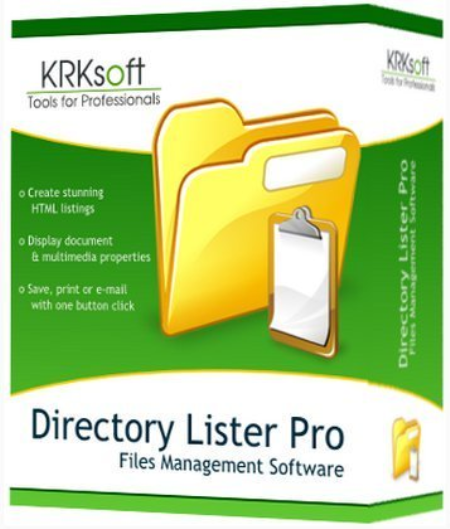
Directory Lister Pro 2.40 Enterprise Multilingual

ab0fdf0a-53fe-4e2a-8e4a-b733be5eaddc.png

File size: 20.8 MB

Directory Lister Pro allows you to list files or print folders, that is to create and then save, print or send via e-mail list of files from selected folders on hard disks, cd-roms, dvd-roms, floppys, USB storages and network shares.​

Listing can be in HTML, text, CSV format (for easy import to Excel) or stored directly to a database. Directory Lister Pro is one of the best and at affordable price application from a wide category of directory printers. Additional columns you can include when you print folder list

When you print a file list, you can include standard file information like file name, extension, type, owner and attributes as well as executable file information (EXE, DLL, OCX) like file version, description, company.

Also muldia properties (MP3, AVI, WAV, JPG, GIF, BMP) like track, title, artist, album, genre, video format, bits per pixel, frames per second, audio format, bits per channel can be listed.

Another set of columns you can print is for Microsoft Office files (DOC, XLS, PPT) so you can see document title, author, keywords etc. without opening these files one after another.

For each file and folder it is also possible to obtain its CRC32, MD5, SHA-1 and Whirlpool hash number so you can verify the file has not been modified.

Print files in folder - further customization

Extensive number of options allows you to completely customize the visual look of the output. You can set sorting for files and folders so they are always displayed as you want. You can define column order so the most important columns are immediately visible. International display format options allows you to adjust the output for your local needs. Listing can contain links to actual files and directories so you are able to put the listing on a web page with clickable contents.

HTML display style is fully customized - you can change background color, separate style for header, directory rows, odd and even file rows and for surrounding frame.

You can limit the files list by applying a filter for filename, date, size or attributes.

Directory Lister Pro can also be integrated into the context menu of Windows Explorer so you don't even need to open the application to generate listings.

Command line interface is supported for automated listings that can be run from Windows Task Scheduler.

Check folder size or find large folders

With Directory Lister Pro, you can also find out what is the given directory size, sort by folder size and check which folders occupy the most space on your disks. You can also find the largest files on your PC by using size filter options.
Windows 10 / 8 / 7


DOWNLOAD
uploadgig
Код:
https://uploadgig.com/file/download/DDcA629F9c272800/2jL6NsLD__Directory.rar

rapidgator
Код:
https://rapidgator.net/file/e741c48bbf3f5902fc407d38518bae9b/2jL6NsLD__Directory.rar

nitroflare
Код:
http://nitroflare.com/view/BE1777E9B7EE405/2jL6NsLD__Directory.rar
 
MOBILedit Forensic Express Pro 7.1.0.17619

2f857727-735d-48e0-8f68-1e6e172c549e.png

File size: 226/267 MB

MOBILedit Forensic Express is a phone and cloud extractor, data analyzer and report generator all in one solution.​

A powerful 64-bit application using both the physical and logical data acquisition methods, Forensic Express is excellent for its advanced application analyzer, deleted data recovery, wide range of supported phones including most feature phones, fine-tuned reports, concurrent phone processing, and easy-to-use user interface. With the password and PIN breaker you can gain access to locked ADB or iTunes backups with GPU acceleration and multi-threaded operations for maximum speed. Forensic Express offers maximum functionality at a fraction of the price of other tools. It can be used as the only tool in a lab or as an enhancement to other tools through its data compatibility. When integrated with Camera Ballistics it scientifically analyzes camera photo origins.

All-in-one tool used to gather evidence from phones

With MOBILedit Forensic Express, you can extract all the data from a phone with only a few clicks. This includes deleted data, call history, contacts, text messages, muldia messages, photos, videos, recordings, calendar items, rders, notes, data files, passwords, and data from apps such as Skype, Dropbox, Evernote, Facebook, WhatsApp, Viber, Signal, WeChat and many others.

MOBILedit Forensic Express automatically uses multiple communication protocols and advanced techniques to get maximum data from each phone and operating system. Then it combines all data found, removes any duplicates and presents it all in a complete, easily readable report.

Phone unlocking

Forensic Express has a built-in phone unlocking feature for many phone models, allowing you to acquire a physical image even when the phone is protected by a password or gesture. It can bypass the lock-screen on a wide range of Android phones. It is ready to utilize the full potential of modified recovery images in order to perform physical acquisition with just a few clicks. Lock-screen patterns, gestures, PINs and passwords are no longer an obstacle in your way of acquiring any data from a wide variety of Android devices.

Physical data acquisition and analysis

In addition to advanced logical extraction we also provide Android physical data acquisition, allowing you to extract physical images of investigated phones and have exact binary clones. Physical analysis allows you to open image files created by this process, or those obtained through JTAG, chip-off or other tools to recover deleted files plus all other deleted data where our product is known to be excellent.

Advanced application analysis

The use of apps to communicate and share has grown rapidly. Many apps are released or updated everyday. It is obvious that the analysis of apps is vital to retrieving as much evidence as possible. This is the strongest point of MOBILedit Forensic Express, we dedicate a large part of our team specifically for application analysis. We employ adaptive and in-depth methods to ensure you retrieve the most data available for each app- especially recovering deleted data. Data is analyzed for its meaning so you see it on a line as a note, a photo, a video or a flow of messages no matter what app was used to send them.

Live Updates

The use of apps to communicate and share has grown rapidly. Many apps are released or updated everyday. It is obvious that the analysis of apps is vital to retrieving as much evidence as possible. This is the strongest point of MOBILedit Forensic Express, you get updates of application analysis live and as often as needed. Data is analyzed for its meaning so you see it on a line as a note, a photo, a video or a flow of messages no matter what app was used to send them.

Deleted data recovery

Deleted data is almost always the most valuable information in a device. It often hides in applications; and because this is our strongest expertise, we deliver great results in finding deleted data. Our special algorithms look deeply through databases, their invalidated pages and within caches to find any data that still resides in a phone. MOBILedit Forensic Express retrieves the deleted data and presents it clearly in a special section of the report.

Fine-tuned reports

A tremendous amount of effort has been dedicated to refining reports so they are customizable, easy to read, concise and professional. An enhanced report configurator allows you to define exactly which data will be extracted from the phone and how the report will look. Each report is divided into sections, labeled with icons, pictures, and highlighted relevant data so you can find evidence quickly. A complete, configurable and comprehensive list of all events with a -stamp is shown on a line and messages can be filtered by conversation or by contact names.

Reports are available in PDF, XLS, or HTML formats, and you can generate data exports compatible with the other data analysis tools you use in your lab, such as UFED.

Password breaker with GPU acceleration

Gain access to locked backups of a phone by using our password and PIN breaker. Passwords can be cracked by perfog a dictionary attack using our built-in dictionary, or you can use your own dictionary for other languages. Password breaker uses GPU acceleration and multi-threaded operations for maximum speed. Although iOS has well-protected data due to its on-the-fly hardware encryption, MOBILedit Forensic Express is able to penetrate this protection and retrieve the data using the lockdown method.

Concurrent extractions and new 64-bit ee

The new 64-bit ee provides stability and the ability to analyze huge amounts of data, apps with hundreds of thousands of messages, photos and other items, plus several phones at once. Speed up your investigation process by extracting multiple phones at the same , and generating multiple outputs for each one. All you need is a USB hub, cables and a computer powerful enough to perform concurrent jobs. You can finish a week's worth of work overnight!

Easy to use UI

Having the right tool is not enough, you need the right staff to work with it. The shorter the learning curve the better. Because we have designed software for millions of consumers, it was a welcome challenge for us to make MOBILedit Forensic Express the most user-friendly forensic tool available. With a straightforward interface, each step is simple and guided with clear instruction. It is also optimized for touch screens allowing for easy use in the field.

Camera Ballistics - scientific image analysis

When combined with Camera Ballistics you are able to identify which images present on the analyzed phone were actually taken by the phone's camera using a sensor fingerprint. This process delivers new insight into the images such as make, model, GPS, camera settings, mean square error, fingerprint presence result, probability, and correlation will be organized into a well designed and comprehensive PDF report suitable for submission as evidence.

and more...


DOWNLOAD
uploadgig
Код:
https://uploadgig.com/file/download/31a8c9271478a7c0/rWA1ZjWA_MOBILeditFo.rar
https://uploadgig.com/file/download/0e2887AA415204fF/rWA1ZjWA_MOBILeditFo_.rar

rapidgator
Код:
https://rapidgator.net/file/233090083cb8656acdfd144830f14385/rWA1ZjWA_MOBILeditFo.rar
https://rapidgator.net/file/c25351709d918dc2ad630de4105fa1eb/rWA1ZjWA_MOBILeditFo_.rar

nitroflare
Код:
http://nitroflare.com/view/60CBE879EEBC3AB/rWA1ZjWA_MOBILeditFo.rar
http://nitroflare.com/view/C95DC45DE06294E/rWA1ZjWA_MOBILeditFo_.rar
 
Robin YouTube Video Downloader Pro 5.21.2

baafd550-23e1-452d-9b1b-a21cb68bd87d.png

English | File size: 22.2 MB

YouTube Video er is a small Windows app for ing and converting videos from YouTube, Facebook, Dailymotion, and thousands of other video sharing sites.​

It accelerates your by up to 5 s.YouTube Video er can videos from YouTube, Facebook, Dailymotion, Vimeo, Vine, Metacafe, and thousands of other video sites.

YouTube Video er features an advanced acceleration ee that lets you video up to 500% faster than normal speed.

YouTube Video er can 4K Ultra HD, 2K Quad HD, 1080p Full HD, 720p HD, and 3D video from YouTube if it is available.

YouTube Video er allows you to only audio stream from YouTube, without ing the entire video file.

YouTube Video er can automatically convert ed video to the format that you specify. It supports MP4, FLV, WMV, MOV, ASF, AVI, DV, M4V, MKV, MPG, OGV, SWF, TS, VOB, WEBM, DVD, VCD, SVCD, and many other formats.

YouTube Video er automatically converts and optimizes ed video for your mobile/desktop device, so you can watch it smoothly on your iPhone, iPad, iPod, Android phone, Android tablet, Xbox, PSP, PS4, PS3, Samsung Galaxy, or other device.

YouTube Video er allows you to extract audio stream from video, and save it as MP3, WAV, WMA, AC3, AAC, OGG, M4A, FLAC, MP2, or any other audio format.

YouTube Video er provides ready-made presets for all popular video and audio formats. You can also custom output video/audio format settings.

Optionally, YouTube Video er can automatically add ed video/music to your iTunes library, so you can easily synchronize your videos and music to your iPhone, iPad, iPod, etc.

YouTube Video er adds button and menu commands to the toolbar and the context menu of your browser, so you can and convert any video with just one click.

You may directly drag and drop video link/URL from your browser to the main window of YouTube Video er to start , you don't even need to copy and paste video URL manually.

Updates: official site does not provide any info about changes in this version.


DOWNLOAD
uploadgig
Код:
https://uploadgig.com/file/download/C3088bbe5e3fD846/N67xii8I_.Robin_YouT.rar

rapidgator
Код:
https://rapidgator.net/file/006caa6f85cca92d0d01c12fcbd1c7ee/N67xii8I_.Robin_YouT.rar

nitroflare
Код:
http://nitroflare.com/view/360C181B6D72E4D/N67xii8I_.Robin_YouT.rar
 
Unity Pro 2019.3.3f1 (x64)

th-xw-Jwt-UYIFxw6uc-HQQt-DPx4z-Zx-Vvz-Wi-St.jpg

File size: 1.6 GB

The world's leading real- creation platform.​

Unity is used to create half of the world's games. Our real platform, powered by tools and services, offer incredible possibilities for game developers, and creators across industries and applications.
Start brig your vision to life today. Unity's real- 3D development platform empowers you with all you need to create, operate, and monetize.

Performance by default, next-gen rendering and artist tooling

Unity 2019 enhances Unity's entire platform and gives creators the power to express their talents and collaborate more efficiently.

Rich & Extensible Editor

Multiplatform Support

Ee Performance

Instant Games

XR

Graphics Rendering

Artist & Designer Tools

CAD

Connected Games

Team Collaboration

Cloud Diagnostics

Live Ops Analytics

Monetization

Advertising

Unity Asset Store

Unity Connect


DOWNLOAD
uploadgig
Код:
https://uploadgig.com/file/download/8Af2f97D18de06ce/ee6ifnUK_Unity.2019.part1.rar
https://uploadgig.com/file/download/51d6f53282558c0A/ee6ifnUK_Unity.2019.part2.rar

rapidgator
Код:
https://rapidgator.net/file/28e24e520145f826a4b7cfe2ca4e8ca7/ee6ifnUK_Unity.2019.part1.rar
https://rapidgator.net/file/049fabc40fc9e55527aa51d2a2811c74/ee6ifnUK_Unity.2019.part2.rar

nitroflare
Код:
http://nitroflare.com/view/8CB1784ED424254/ee6ifnUK_Unity.2019.part1.rar
http://nitroflare.com/view/B4DC36C6BE01814/ee6ifnUK_Unity.2019.part2.rar
 
Wing FTP Server Corporate 6.2.5 Multilingual

75186039-1c1d-40d5-892e-f681355591d1.png

File size: 13.0 MB

Wing FTP Server is a highly functional, easy-to-use and secure FTP Server solution that can be used in Windows.​

It supports multiple file transfer protocols, including FTP, HTTP, FTPS, HTTPS and SFTP, giving your end-users flexibility in how they connect to the server. And it provides administrators with a web based interface to administrate the server from anywhere. You can also monitor server performance and online sessions and even receive email notifications about FTP (File Transfer Protocol)

- HTTP (Hyper Text Transfer Protocol)

- FTPS (FTP over SSL)

- HTTPS (HTTP over SSL)

- SFTP using SSH2 (File Transfer over Secure Shell)

- Unlimited accounts number

- Unlimited concurrent connections

- Database storage of accounts via ODBC

- Database storage of accounts via Mysql

- Event Manager

- Task schedulers with lua script

- Windows Authentication (NTLM or Active Directory)

- LDAP Authentication

- All features in the secure edition


DOWNLOAD
uploadgig
Код:
https://uploadgig.com/file/download/eb74e27478fc4081/xHDvZDNc_WingFTPServ.rar

rapidgator
Код:
https://rapidgator.net/file/f7ee47eae3dc67d8bf3c25d6e01144b6/xHDvZDNc_WingFTPServ.rar

nitroflare
Код:
http://nitroflare.com/view/C194857A58B674C/xHDvZDNc_WingFTPServ.rar
 
Назад
Сверху