• Здравствуйте. Сайт заработал в архивном режиме форум www.old.nado.in

Anthony's Software !!!

Disk Sorter Ultimate / Enterprise 12.4.16
411d67cf-d745-4ea4-ae58-68d9dc8d475a.png

File size: 27 MB

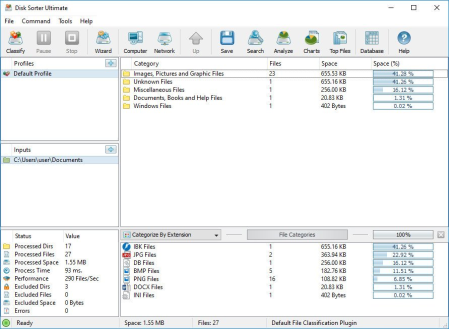
DiskSorter is a powerful file classification solution allowing one to classify files in disks, directories, network shares and NAS storage devices, save file classification reports, export file classification results to an SQL database, perform advanced history trend analysis operations and multiple types of file management operations on categories of files.​

DiskSorter Main GUI Application

DiskSorter provides a number of built-in file classification plugins capable of recognizing more than 3,000 types of files and allowing one to classify files by the file type, extension, user name, creation, last modification and last access dates, etc. Users are provided with the ability to generate various types of pie charts, categorize and filter file classification results and save file classification reports into a number of standard formats including HTML, PDF, Excel, text, CSV, XML and the DiskSorter native report format.

DiskSorter File Classification Pie Charts

IT and storage administrators are provided with the ability to submit file classification reports from multiple servers and NAS storage devices to a centralized SQL database and analyze disk space usage history trends for one or more file categories per server and/or per user across the entire enterprise.

Classifying Files in Network Servers and NAS Storage Devices

DiskSorter allows one to scan the network, discover network servers and NAS storage devices, automatically detect all accessible network shares and classify files in hundreds of network servers and NAS storage devices. In addition, the user is provided with the ability to export the list of detected servers and NAS storage devices (including lists of network shares for each server) into HTML, PDF, text and Excel CSV reports.

Classifying Files in Network Servers

In order to classify files in one or more servers or NAS storage devices, press the 'Network' button located on the main toolbar and wait while DiskSorter will scan the network and show a list of detected network servers and NAS storage devices. On the network servers and NAS storage devices dialog, select the required servers and press the 'Classify' button.

Classifying Files in Network Shares

DiskSorter will show all network shares hosted on the selected servers and NAS storage devices allowing one to classify files and save various types of file classification charts and reports. In addition, DiskSorter provides a large number of advanced file classification options allowing one to tune and customize file classification operations for user specific needs and hardware configurations.

DiskSorter Command Line Utility

In addition to the desktop GUI application, DiskSorter Ultimate and DiskSorter Server provide a command line utility allowing one to perform file classification operations, save various types of file classification reports, export file classification results to an SQL database and control one or more DiskSorter Servers locally or via the network.

DiskSorter Command Line Utility

DiskSorter Server

Enterprise customers are provided with DiskSorter Server, which runs in the background as a service and allows one to perform multiple, parallel file classification operations, schedule periodic file classification operations and provides advanced file classification capabilities optimized for servers and NAS storage devices.

DiskSorter Server Client GUI Application

DiskSorter Server may be controlled using a full-scale client GUI application, which provides all features available in the desktop product version and additional capabilities allowing one to schedule periodic file classification operations and perform multiple-parallel file classification operations on a number of servers and/or NAS storage devices.

DiskSorter Server Web-Based Interface

In addition to the client GUI application, DiskSorter Enterprise provides a web-based management interface allowing one to control one or more servers using a regular web browser locally or via the network.

Batch File Classification Operations

DiskSorter Server and DiskSorter Enterprise provide the ability to scan the network, detect all network servers and NAS storage devices, execute one or more pre-configured file classification commands on hundreds of network servers and NAS storage devices and generate an individual file classification report for each network server, NAS storage device or network share.

Batch File Classification Operations

In the simplest case, just press the 'Network' button located on the main toolbar, search all network servers and NAS storage devices on the network, select one or more servers, press the right mouse button and select the 'Batch File Classification' menu item. DiskSorter will show a list of pre-configured file classification commands allowing one to select one or more commands to be executed on all selected network servers and NAS storage devices.

Batch File Classification Mode

Depending on the selected configuration, DiskSorter will save in the built-in reports database an individual file classification report for each network server, NAS storage device or network share. Once the batch file classification operation is completed, the user will be provided with the ability to open saved file classification reports, review file classification results, generate various types of pie charts and export reports to a number of standard formats including HTML, PDF, Excel, text, CSV and XML.

DOWNLOAD
uploadgig
Код:
https://uploadgig.com/file/download/2Dc94E7ba45c8a35/HM23NKWK_DiskSorter12_.rar

rapidgator
Код:
https://rapidgator.net/file/3e04dc6f4281bbddb50fab2ea1662911/HM23NKWK_DiskSorter12_.rar

nitroflare
Код:
http://nitroflare.com/view/2DFC17485293857/HM23NKWK_DiskSorter12_.rar
 
Hard Disk Sentinel Pro 5.50.11 Build 10482 Beta Multilingual

985efc0a-b08b-4509-a4bf-4d5b27c730ec.png

File size: 33 MB

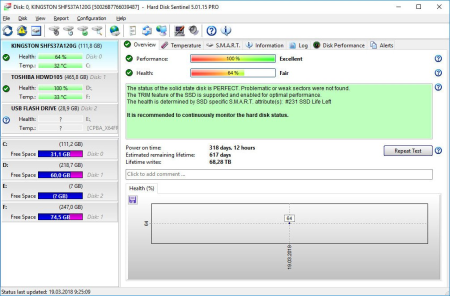
Hard Disk Sentinel is a multi-OS hard disk drive monitoring application.​

Its goal is to find, test, diagnose and repair hard disk drive problems, display hard disk health, performance degradations and failures. Hard Disk Sentinel gives complete textual description, tips and displays/reports the most comprehensive information about the HDD inside the computer or in an external enclosure (USB / e-SATA). Many different alerts and report options are available to ensure maximum safety of your valuable data. Hard Disk Sentinel monitors hard disk status, including health, temperature and all S.M.A.R.T. (Self-Monitoring, Analysis and Reporting Technology, built in most hard disks today) values for each hard disks. Also it measures the hard disk transfer speed in real time which can be used as a benchmark or to detect possible hard disk failures, performance degradations.Hard Disk Sentinel can be effectively used to prevent serious damage or data loss because it has the most sensitive hard disk health rating system which is extremely sensitive to disk problems. This way even a small problem can't be missed and a failure or data loss can be predicted. This gives opportunity to backup important and valuable data. The Professional version has scheduled and automatic (on-problem) backup options to prevent data loss caused by not only failure but by malware or accidental delete also.

· Easy to use interface

· All information are displayed in the main window of the application. Quick controls allow easy navigation to access all hard disks, partitions and different information. Intuitive user interface elements display information by using green/yellow/red color to indicate the level of problem. Detailed text description and context sensitive help guides the user thru the features and options.

· 1. Install > 2. Configure > 3. Stay protected

· Just install, configure alerts and backup options and your system is now safe. You'll be notified about the problems - but if everything is correct, Hard Disk Sentinel just sits on tray and displays current status. The data is protected even in 24 hours daily, 7 days a week.

· Instant S.M.A.R.T. analysing - Hard Disk Sentinel can communicate with IDE, Serial ATA and SCSI hard disks to detect their status and temperature. Disk status are displayed immediately as you launch the application, there is no need to analyse disks for a long period. It displays the current and maximum temperature for the hard disk.

· It can read all general and vendor-specific attributes and monitor their values. For advanced users, all raw data are displayed also including power-on hours or number of read/write errors. Hard Disk Sentinel interprets the performance and fitness related S.M.A.R.T. values and displays the calculated Performance and Health percentage, total power on time and estimated lifetime remaining.

· Disk status in Windows Explorer - View the current health status and used space in Windows Explorer or in any other application, so you'll always know the amount of used space for each partitions and the disk condition.

· Information on demand - It can display current hard disk temperatures and health on the system tray, in a small status window and on the desktop itself. Average and maximum temperatures are logged for all hard disks and these informations are displayed in graphs for statistical purposes.

· Logging - Hard Disk Sentinel logs all degradations in all SMART parameters. For example, if a new uncorrectable sector is found on your hard disk, you will be notified.

· Alerts - Hard Disk Sentinel can make different kind of alerts upon different problems. It can execute various tasks (even external applications) in case of a problem. There is an option to send daily emails about current status.

· Hard Disk Details - Detects and displays every information about the hard disk, from the revision number and buffer size to all features it has. The maximum available and current transfer modes are also displayed.

· Hard Disk Performance - Logs how much data were read from or written to the hard disk. Displays current transfer rates for both reading and writing and estimates the maximum available (theoretical) transfer rate for a particular hard disk.

· Hard Disk Partitions - Displays partitions for each physical hard disks and type and usage informations about them so you cannot run out of space. Hard Disk Sentinel sends this information automatically in alert/status messages.

· Shutdown - It offers option to shut down the computer on failure, overheat or parameter degradation. This option can be used to prevent further data loss.

· Acoustic Management - It offers option to control the acoustic level of IDE/S-ATA hard disk. It is possible to increase performance or make the disks more silent.

· Clock Synchronization - It offers option to synchronize the PC clock with an atomic clock via NTP (Network Time Protocol).

· Improvements - Hard Disk Sentinel is constantly improving. More features will be available soon. If you have any idea which can be useful, just let us know.

DOWNLOAD
uploadgig
Код:
https://uploadgig.com/file/download/2978C375Ce8032eC/foxFsDgS_HardDiskSen.rar

rapidgator
Код:
https://rapidgator.net/file/b52b1386f8c3b390ae180bc764d33e79/foxFsDgS_HardDiskSen.rar

nitroflare
Код:
http://nitroflare.com/view/1B9A51D82241F24/foxFsDgS_HardDiskSen.rar
 
PDF24 Creator 9.0.4 Multilingual

17f586b6-92b5-432a-a79f-fc62a4a60176.png

File size: 26 MB

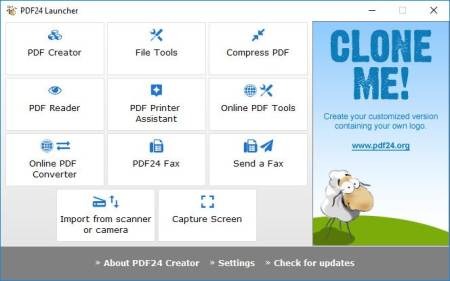
PDF24 Creator is a program to create PDF files from almost any application.​

The PDF software is a free PDF creator to create PDF files from any type of document. With the PDF creator you can convert documents into PDF files very easily. The PDF creator acts as a PDF printer. Once installed, create PDF files forever

Free upgrades included

Conversion is simple and possible from all current programs

Create PDF files from almost any application

Easy to use

Multilingual

Several features of PDF24 PDF Creator

Merge and split PDF

Extract pages from a PDF

Copy pages from one PDF to another PDF

Integrated preview for easy PDF editing

Secure a PDF (Prevent from unauthorised opening, printing, etc.)

Set PDF information such as author and title

DOWNLOAD
uploadgig
Код:
https://uploadgig.com/file/download/4bC905fad397a068/FhTe1ylF_pdf24creator..rar

rapidgator
Код:
https://rapidgator.net/file/3717dcaf95df60d931f002db8de78243/FhTe1ylF_pdf24creator..rar

nitroflare
Код:
http://nitroflare.com/view/A38C74916B251B5/FhTe1ylF_pdf24creator..rar
 
Red Gate SmartAssembly 7.3.0.3296

a8387e36-b30f-4c98-8d23-449b22855cac.png

File size: 16.2 MB

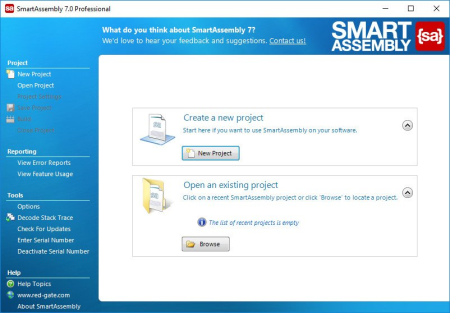
SmartAssembly is an obfuscator that helps protect your application against reverse-engineering or modification, by making it difficult for a third-party to access your source code.​

If your entire business rests on the IP embodied in your software or you don't want your C# or VB.NET code exposed internationally, then obfuscating your code becomes a necessity, not a luxury. With SmartAssembly, you get a comprehensive set of obfuscation features, including name mangling, control flow obfuscation, strings encoding, reference dynamic proxy, and declarative obfuscation.

Key features

Name mangling

Changes the names of methods and fields to make it hard to understand their purpose.

Control flow obfuscation

Converts the code inside methods to 'spaghetti code' to make it difficult to see how the application works.

References dynamic proxy

Creates a proxy for calls to methods outside of your assembly to make it hard to find external calls.

Strings encoding

Encodes the strings used in your software to hide such information as passwords and SQL queries.

Resources compression and encryption

Compresses and encrypts managed resources to make them hard to understand, and to reduce the size of the assembly.

Pruning

Removes non-useful metadata to make the code harder to reverse-engineer, reduce the size of the assembly, and improve loading time.

Dependencies merging

Takes all the DLLs and merges dependencies into the main assembly, so you don't have to load lots of DLL files, and so that they can also be obfuscated.

Dependencies compression and embedding

Compresses and embeds your dependencies into your main assembly, simplifying the deployment of your software and reducing the size of your program.

Method parent obfuscation

Moves methods in your code by changing the class they are in, making it harder to understand how methods and classes relate to each other.

Strong name signing with tamper protection

Signs your assembly and helps to protect it against modification (the additional tamper protection is not available in the Standard edition).

Declarative obfuscation

Excludes a member from obfuscation using custom attributes directly in your code.

Updates: official site does not provide any info about changes in this version.

DOWNLOAD
uploadgig
Код:
https://uploadgig.com/file/download/08D06f0c4dBCfE4E/V6mShx7S_SmartAssemb.rar

rapidgator
Код:
https://rapidgator.net/file/9f3f51c0d44ea07b3c610efa752ce5a7/V6mShx7S_SmartAssemb.rar

nitroflare
Код:
http://nitroflare.com/view/8B1E5AC29403F0E/V6mShx7S_SmartAssemb.rar
 
The Foundry Nuke Studio 12.0v4 (x64)

9541b398-3db5-4db8-8378-52f9026863c5.png

File size: 854 MB

Nuke, NukeX and Nuke Studio offer cutting-edge toolkits for node-based compositing, editorial and review.​

The Nuke family's unparalleled flexibility and collaborative workflows help you get the highest quality results-fast. Compositing and much more

All the tools you need to get the job done, no matter how you're working. From advanced node-based compositing, to 3D tracking and model building, to editorial and conform, the Nuke range can scale to suit your needs.

Highest quality results

Used by many of the best VFX houses in the industry, the Nuke family's state-of-the-art tools make producing pixel perfect, film-grade results both painless and creatively satisfying.

Power and performance

Built to meet the needs of modern production work, the Nuke family offers unparalleled levels of power and performance, whether you're a team with a deadline or tackling a solo project.

Collaborative workflow

Efficient, collaborative workflows lie at the heart of the Nuke range. Easily communicate, share and work together with others, whether you're sitting side by side or across the globe.

Speed and efficiency

Work fast and interactively with Nuke's cutting-edge toolkits, GPU acceleration and fluid workflows. Everything you need to complete your project on time is built in and ready to go.

The perfect fit for your pipeline

Open and customizable, Nuke fits perfectly into your pipeline, with major operating system support, low hardware requirements, support for industry standards like OCIO and Alembic, and a Python API and Pyside included.

Nuke's industry-leading nodel toolset making compositing and review faster and easier than ever before

With over 200 creative nodes, Nuke delivers everything you need to tackle the diverse challenges of digital compositing. This includes industry-standard keyers, rotoscope, vector paint tools, color correction and so much more.

Nodal toolset

With over 200 creative nodes, Nuke delivers everything you need to tackle the diverse challenges of digital compositing. This includes industry-standard keyers, rotoscope, vector paint tools, color correction and so much more.

Deep Image compositing

Deep Image compositing tools let you create and work with images that contain multiple opacity, color and camera-relative depth samples per pixel, so there's no need to re-render CG elements when content changes.

3D Camera Tracker

The integrated Camera Tracker in NukeX and Nuke Studio replicates the motion of a 2D camera with an animated 3D camera or point cloud in Nuke's 3D space, allowing you to composite 2D/3D elements accurately with reference to the original camera used for the shot. Refinement options, advanced 3D feature preview and lens distortion handling improve efficiency and accuracy on the trickiest tracking tasks.

3D workspace

Nuke offers a limitless, integrated 3D environment that lets you create and render complex scenes composed of 2D footage, 3D models, cards, basic geometry, cameras, lights, and meshes. Great for camera projections for set replacements and other tasks where you need to simulate a "real" environment.

User presets and node toolsets

Nuke's time-saving user presets enable you to set and save tailored node parameters for effects to use across multiple projects. Node toolsets let you automate your workflow by creating grouped configurations of nodes for specific tasks.

Versioning

Nuke's powerful versioning functionality allows you to bring new versions of shots into Nuke Studio's timeline or Nuke's nodegraph and swap between them quickly and easily. This capability makes comparing and reviewing work at different stages, and work done by different artists, simple.

SDI broadcast monitor support

All Nuke editions provide SDI broadcast monitor support on compatible AJA and Blackmagic SDI-out hardware. With this support, you can accurately check color space and aspect ratios on broadcast content during the review process.

Multi-track editorial timeline

Nuke Studio comes complete with a multi-track editorial timeline that lets you playback, review and edit multi-layered sequences of video, CG and audio tracks. You can stack unlimited tracks containing as many clips as you need and blend tracks to easily create overlays. Create timeline effects and flip them into the node graph, or edit and render compositions right from the timeline.

Python API and PySide

Available across the entire Nuke family, the Python API can be used for full pipeline integration and automating common tasks and procedures. PySide is also included to allow users to build custom user interfaces via Python and the Qt frameworks.

OpenColorIO color management

With OpenColorIO (OCIO), the open-source color management solution from Sony Picture Imageworks, Nuke can setup a single profile to provide consistent colors across all compatible applications to simplifying the color management process.

For full details on the requirements for GPU Acceleration see the release notes.

Windows 7 or Windows 10 (64-bit only)

*Note: Other operating systems may work, but have not been fully tested

DOWNLOAD
uploadgig
Код:
https://uploadgig.com/file/download/Ed3405a1c37BFdb6/qSpbIS08_Nuke12.0v4_.rar

rapidgator
Код:
https://rapidgator.net/file/b66b33036e77ba4987fee476b0143027/qSpbIS08_Nuke12.0v4_.rar

nitroflare
Код:
http://nitroflare.com/view/658194849FABB57/qSpbIS08_Nuke12.0v4_.rar
 
TunesKit iOS System Recovery 2.2.0.14

04476df5-9172-4ed2-b15d-f80ac9e37172.png

English | File size: 18.6 MB

Fix your iOS to normal with all iOS system issues repaired efficiently, including iPhone recovery mode, white Apple logo, black screen, etc.​

with no data loss.

With TunesKit iOS System Recovery, you are able to quickly fix any common iOS issue all by yourself without seeking for help from Apple technical specialist. No matter whether your iOS device stuck in recovery mode/DFU mode/white Apple logo, or becomes black/blue/frozen/disabled screen, this smart iOS repair tool will get you out of the trouble and recover your device back to normal easily and efficiently.Updates: official site does not provide any info about changes in this version.

DOWNLOAD
uploadgig
Код:
https://uploadgig.com/file/download/CdedcCE6be107ad7/UL7L7RrC_TunesKit_iO.rar

rapidgator
Код:
https://rapidgator.net/file/16a0ee34bdfa5756d817aea3e4047f8d/UL7L7RrC_TunesKit_iO.rar

nitroflare
Код:
http://nitroflare.com/view/5CC10526127394D/UL7L7RrC_TunesKit_iO.rar
 
Tuneskit Audio Capture 2.3.0.29

bc8515d0-8f5f-4fb7-a74c-7b57dcc4e365.png

English | File size: 21.1 MB

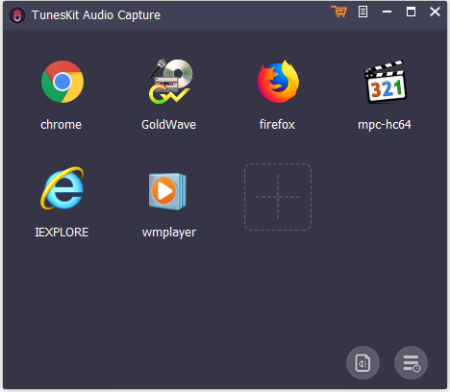
Smartest audio grabber to capture any audio playing on the computer and save the recorded tracks in MP3, WAV, AAC, FLAC, etc.​

formats with original audio quality and ID tags preserved for playing on any device.

All-purpose streaming audio capture to record all type of sounds on PC

As a powerful sound recorder, TunesKit Audio Capture for Windows is able to grab just about any sound that your computer's soundcard outputs, including streaming music, live broadcasts, in-game sound, movie soundtracks, etc. through browsers or web players, like Chrome, Internet Explorer, etc.

DOWNLOAD
uploadgig
Код:
https://uploadgig.com/file/download/82504dbd06C1300b/ObpHGIjs_Tuneskit_Au.rar

rapidgator
Код:
https://rapidgator.net/file/c1c5edf94dcb2813deefb966400a20cc/ObpHGIjs_Tuneskit_Au.rar

nitroflare
Код:
http://nitroflare.com/view/8199CC852EC4269/ObpHGIjs_Tuneskit_Au.rar
 
Tuneskit iPhone Data Recovery 2.3.1.28

63c2bb27-f646-4c19-8a4a-d0e1703bc1cf.png

English | File size: 30.9 MB

Recover all types of data lost in various scenarios from iOS devices, iTunes backup and iCloud backup easily and fast.​

100% secure, simple, and smooth.

uickly recover lost data on iPhone/iPad/iPod touch in 3 simple steps

What makes TunesKit iPhone Data Recovery stand out from all iOS data recovery solutions is its fastest speed of restoring the lost and deleted files on iPhone, iPad and iPod touch. With only three easy steps, you'll get back all the missing data to your iOS devices: choose data recovery mode, scan and preview the lost data, select and recover the desired files.The cause of the data loss on iPhone/iPad/iPod touch varies. No matter what it should be, TunesKit iPhone Data Recovery for Windows would intactly bring them back for you from any scenario, including mistaken deletion, iOS upgrade failure, device damage, password locked, jailbreak error, system crash, virus attack, improper operation, screen broken, device lost, factory reset, etc.

As the most efficient data recovery software for iPhone, TunesKit iPhone Data Recovery is capable of retrieving up to 20 kinds of lost data from your iOS devices, including contacts, SMS, iMessages, photos, videos, notes, calls, WhatsApp/Kik/Viber messages, voice memos, Safari bookmarks, reminders, calendars, and so forth.

Thanks to the most advanced data recovery technologies applied to TunesKit iPhone Data Recovery, you can find back all deleted data with 3 smart recovery modes according to different data loss situations. For accidental deletion, you can recover the lost data from iDevices directly. For device damage, you can easily restore the files from iTunes or iCloud backup. It's the most comprehensive iPhone data recovery with best recovery result you can ever find.

In addition to the strong ability of rescuing all data types on iPhone/iPad/iPod touch losslessly, TunesKit iPhone Data Recovery for Windows is also highly rated due to its full compatibility to a wide range of iOS devices running the latest iOS 12, including iPhone XS, iPhone 8, iPad 4, iPad Pro, iPad Air, iPod touch 5, and more.

Updates: official site does not provide any info about changes in this version.

DOWNLOAD
uploadgig
Код:
https://uploadgig.com/file/download/d1910c54A379043b/wQh8paZ0_tuneskit_iP.rar

rapidgator
Код:
https://rapidgator.net/file/989c6c0bb6ef220f2c939a91c88401e1/wQh8paZ0_tuneskit_iP.rar

nitroflare
Код:
http://nitroflare.com/view/547466A19FF5C0A/wQh8paZ0_tuneskit_iP.rar
 
VX Search Ultimate / Enterprise 12.4.16

e6aee165-a748-4ed6-9c3c-604b81d0022d.png

File size: 26.4 MB

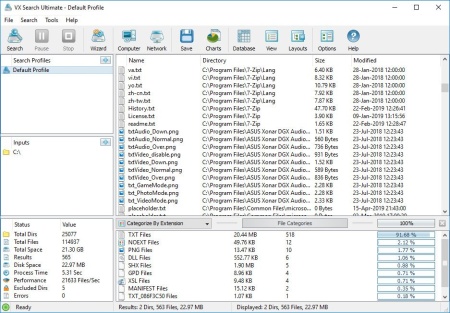
VX Search is an automated, rule-based file search solution allowing one to search files by the file type, category, extension, file name, file size, location, creation, modification and last access dates, regular expressions, user name, file attributes, binary and text patterns, JPEG EXIF tags, etc.​

VX Search Rule-Based File Search

The user is provided with the ability to categorize and filter file search results, perform file management operations, generate various types of pie and bars charts, save reports to a number of standard formats such as HTML, PDF, Excel, text, CSV, XML and export search results to an SQL database.

VX Search Main GUI Application

IT administrators are provided with advanced file search capabilities including the ability to search files in multiple servers and/or NAS storage devices simultaneously, periodic file search operations, automatic report generation, conditional file search actions allowing one to send E-Mail notifications and/or execute custom commands when a file search operation finds a user-specified number of files.

Searching Files in Network Servers and NAS Storage Devices

VX Search allows one to scan the network, discover network servers and NAS storage devices, automatically detect all accessible network shares and search files in hundreds of network servers and NAS storage devices. In addition, the user is provided with the ability to export the list of detected servers and NAS storage devices (including lists of network shares for each server) into HTML, PDF, Excel, text, XML and CSV reports.

VX Search Network Search Servers

In order to search files in one or more servers or NAS storage devices, press the 'Network' button located on the main toolbar and wait while VX Search will scan the network and show a list of detected network servers and NAS storage devices. On the network servers and NAS storage devices dialog, select the required servers and press the 'Search' button.

VX Search Network Search Command

VX Search will show all network shares hosted on the selected servers and NAS storage devices allowing one to search files and save various types of file search reports and charts. In addition, VX Search provides a large number of advanced file search options allowing one to tune and customize file search operations for user specific needs and hardware configurations.

VX Search Command Line Utility

In addition to the VX Search GUI application, the user is provided with a command line utility, which can be used to execute pre-configured file search operations and integrated into user-custom shell scripts and batch files. The VX Search command line utility may be used to execute file search operations locally or control file search operations in one or more VX Search Servers via the network.

VX Search Command Line Utility

VX Search Server

IT and storage administrators are provided with the server product version, which runs in the background as a service and provides the ability to perform fully-automated, periodic file search operations, generate various types of file search reports, analyze file search results and execute conditional actions based on user-defined rules and policies.

VX Search Client GUI Application

VX Search Server may be controlled using a full-scale client GUI application and the command line utility, which provides the ability to perform file search operations, review results and save reports locally and through the network. Finally, enterprise customers are provided with VX Search Enterprise - a server-based product version allowing one to perform search operations, review results and save reports using a regular web browser locally or through the network.

Batch File Search Operations

VX Search Server and VX Search Enterprise provide the ability to scan the network, detect all network servers and NAS storage devices, execute one or more pre-configured file search commands on hundreds of network servers and NAS storage devices and generate an individual file search report for each network server, NAS storage device or network share.

Batch File Search Operations

In the simplest case, just press the 'Network' button located on the main toolbar, search all network servers and NAS storage devices on the network, select one or more servers, press the right mouse button and select the 'Batch File Search' menu item. VX Search will show a list of pre-configured file search commands allowing one to select one or more commands to be executed on all selected network servers and NAS storage devices.

Batch File Search Mode

Depending on the selected configuration, VX Search Server will save in the built-in reports database an individual file search report for each network server, NAS storage device or network share. Once the batch file search operation is completed, the user will be provided with the ability to open saved file search reports, review file search results, generate various types of pie charts and export reports to a number of standard formats including HTML, PDF, text, Excel CSV and XML.

DOWNLOAD
uploadgig
Код:
https://uploadgig.com/file/download/8a3B813723d5e21e/C5K5GCqU_VXSearch12_.rar

rapidgator
Код:
https://rapidgator.net/file/9cd86026bd0482455aed41ce3dd64e08/C5K5GCqU_VXSearch12_.rar

nitroflare
Код:
http://nitroflare.com/view/FD1E326C72C87C7/C5K5GCqU_VXSearch12_.rar
 
Abelssoft JetDrive 9.4

663afdd9-75f9-4b63-8d20-f98255c4cd06.png

File Size: 2.5 MB

JetDrive is a very easy to use application with disk optimization and defragmentation abilities that also features a number of tools that further improve your system's efficiency.​

JetDrive can be set to run either manually or automatically according to the your preferences. JetDrive uses a highly effective defragmentation algorithm, and can also defragment the Windows Registry, resulting in a significant performance boost for most systems. JetDrive's Fast Defrag utility will defragment the Windows core files only, resulting in as much as 90% of the performance boost in only a few minutes. Harddisk-Turbo: JetDrive

Do you still remember the feeling when you bought your PC and everything everything ran so quickly? When applications opened almost instantly? With JetDrive you can regain this lost speed.

Defragmentation

There is a physical reason why your PC slows down with time. The arrangement of files on your hard drive becomes more and more chaotic, and individual files may be broken into many small parts over the entire drive, resulting in fragmentation. The outcome is a slowing down of your system, as the hard drive reads and merges these separate fragments every time you open a file. JetDrive defragments your drive and restores it to an optimal state.

Defragments your RAM

Also defragments your Registry because of our special registry defragmentation algorithm.

Checks for harddrive errors

JetDrive recognizes errors in your hard drives, and can even detect and fix errors automatically if you prefer.

Detailed Reports

JetDrive creates detailed reports of your hard drive defragmentastion process. It displays the current state in an easy to read 3D view and summarizes all operations.

What Does It Do:

Defragments your drives

Defragments your drives and also particular files. It is also possible to start the defragmentation by a pre-defined time schedule.

Defragments protected Windows-Files

Defragments also files that are protected against any access.

Defragments your Registry

Defragments also your Registry thanks to our special registry defragmentation algorithm.

official site does not provide any info about changes in this version.

DOWNLOAD
uploadgig
Код:
https://uploadgig.com/file/download/D022c2718aeE83d4/GgaUw0qv_jetdrive_pr.rar

rapidgator
Код:
https://rapidgator.net/file/3e89b7244b383471de0ab81b1a3b92c1/GgaUw0qv_jetdrive_pr.rar

nitroflare
Код:
http://nitroflare.com/view/AF4DCC94E82E611/GgaUw0qv_jetdrive_pr.rar
 
Amazing Slow Downer 3.6.4

f06a13d0-c527-40b1-b4b6-895122d83358.png

File Size: 2.3 MB

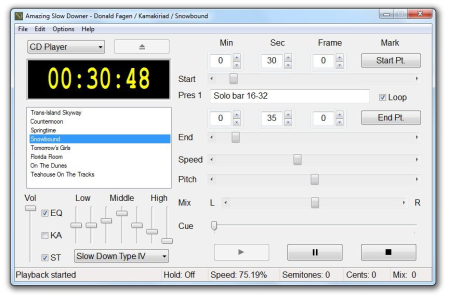
Amazing Slow Downer is a lightweight Windows utility built specifically for helping you play audio files in a slow mode.​

It sports a clean and intuitive GUI that gives users the possibility to add files to the list by using the built-in browse function or "drag and drop" support.Amazing Slow Downer works with the following file formats: WAV, MP3, WMA, OGG, FLAC, MPC, MP4, or AIF. 1. Bug fix - Some mp4 files could possibly crash the app

2. Change - Better command line support, -p for start playback

DOWNLOAD
uploadgig
Код:
https://uploadgig.com/file/download/fa7Cae50f792e4Bc/IuP71IH5_Amazing.Slo.rar

rapidgator
Код:
https://rapidgator.net/file/0754d4090a273bc53e869bf3757d5695/IuP71IH5_Amazing.Slo.rar

nitroflare
Код:
http://nitroflare.com/view/ADA2D5D07BAE6D4/IuP71IH5_Amazing.Slo.rar
 
Bongiovi Acoustics DPS Audio Enhancer 2.2.3.3

6c721e86-1fc3-463e-ad08-1c4ea46194f8.png

File size: 17 MB

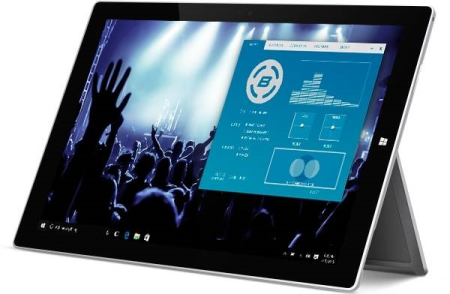
With Bongiovi DPS, instantaneously correct, improve and optimize the sound of any computer system.​

With Digital Power Station DPS technology, you'll experience added depth, clarity, bass definition, presence and enhanced stereo field imaging via your laptop or desktop computer. Video games, apps, music and movies, videos, VOIP and video conferencing software like Google Voice, Skype and Face-time; will all come to life through the computer's on board speakers, external speakers or headphones. The Legacy

It all started in a place called Motown. Tony Bongiovi began his legendary career working with artists such as Stevie Wonder, Marvin Gaye & The Supremes. He later went on to record historic albums with Jimi Hendrix, Talking Heads & The Ramones. The logical next step was building his own recording studio...

The Powerstation

The undisputed platinum standard of recording studios. The Stones, Nile Rodgers, Madonna, Aerosmith, Springsteen, Clapton: all part of an endless list of superstar artists who came to record at the Powerstation. A recorded sound so powerful, so deep and so satisfying, it was hailed as the Sound of Rock.

The Digital Age

Inspired by The Powerstation's ability make recorded music feel alive, Bongiovi Acoustics has developed a technology that delivers the same impact and experience for today's digital world. A software based solution that optimizes anything that utilizes sound.

DPS by Bongiovi Acoustics

Digital Power Station - DPS technology is a patented algorithm with 120 calibration points that optimizes any audio signal in real time. DPS adds depth, clarity, definition, presence and incredible stereo field imaging, just by implementing it into a device or system.

DOWNLOAD
uploadgig
Код:
https://uploadgig.com/file/download/a58c1c4bFC9Cb429/NnyQT9wz_Bongiovi_Ac.rar

rapidgator
Код:
https://rapidgator.net/file/523884375f5d2339602fb747eced6483/NnyQT9wz_Bongiovi_Ac.rar

nitroflare
Код:
http://nitroflare.com/view/FFA8A8C2E13BB98/NnyQT9wz_Bongiovi_Ac.rar
 
Dup Scout Ultimate / Enterprise 12.4.16

b1118503-80fb-48e3-a412-801de03a98a8.png

File size: 27 MB

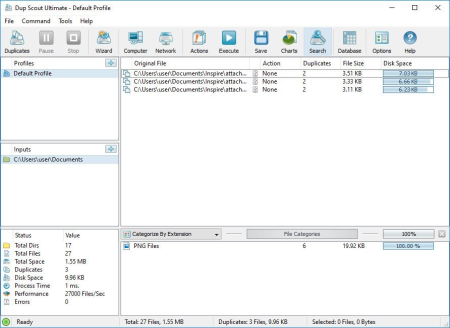
DupScout is a duplicate files search and removal solution allowing one to search duplicate files in disks, directories, network shares or NAS storage devices.​

The user is provided with the ability to review detected duplicate files, generate reports, replace duplicate files with shortcuts or hard links, move duplicate files to another directory, compress and move duplicates or delete all duplicate files. DupScout Desktop GUI Application

DupScout allows one to save HTML, PDF, Excel, text, CSV and XML reports. Advanced users are provided with the ability to export reports from multiple servers to a centralized SQL database and perform history trend analysis operations.

Pie Chart Duplicate Disk Space Per Extension

Searching Duplicate Files in Network Servers and NAS Storage Devices

DupScout allows one to scan the network, discover network servers and NAS storage devices, automatically detect all accessible network shares and search duplicate files in hundreds of network servers and NAS storage devices. In addition, the user is provided with the ability to export the list of detected servers and NAS storage devices (including lists of network shares for each server) into HTML, PDF, text and CSV reports.

Searching Duplicate Files in Network Servers

In order to search duplicate files in one or more servers or NAS storage devices, press the 'Network' button located on the main toolbar and wait while DupScout will scan the network and show a list of detected network servers and NAS storage devices. On the network servers and NAS storage devices dialog, select the required servers and press the 'Duplicates' button.

Searching Duplicate Files in Network Servers

DupScout will show all network shares hosted on the selected servers and NAS storage devices allowing one to search duplicate files and save various types of charts and reports. In addition, DupScout provides a large number of advanced duplicate files search options allowing one to tune and customize duplicate files search operations for user specific needs and hardware configurations.

DupScout Command Line Utility

In addition to the desktop application, DupScout Ultimate and DupScout Server provide a command line utility allowing one to perform automated duplicate files search and removal operations or control one or more DupScout Servers via the network. The DupScout command line utility provides a large number of command line options allowing one to search duplicate files, save HTML, PDF, Excel, text, CSV and XML reports, export duplicate files to an SQL database and execute duplicate files removal actions.

DupScout Command Line Utility

The DupScout command line utility may be used to execute duplicate file search profiles pre-configured in the DupScout GUI application. Power computer users and IT professionals are provided with the ability to fully-automate duplicate files search and removal operations by integrating the DupScout command line utility into custom shell scripts and batch files.

DupScout Server

In addition, to the desktop product versions, enterprises and IT professionals are provided with two server-based product versions, DupScout Server and DupScout Enterprise, which run in the background as a service and allow one to search duplicate files in servers and NAS storage devices over the network. Server-based product versions are especially optimized for multi-core and multi-CPU servers and can search duplicate files in tens of servers and/or NAS storage devices simultaneously.

DupScout Duplicate Files Search Server

The server product versions provide advanced duplicate files search, removal, reporting and history trend analysis capabilities and may be controlled using a full-scale client GUI application and the DupScout command line utility locally or via the network.

DupScout Summary Reports

The DupScout Server client GUI application provides a full set of features available in the desktop product version and additional capabilities allowing one to perform multiple, parallel duplicate files search operations, schedule periodic duplicate files search operations and perform history trend analysis operations.

DupScout Enterprise Web-Based Interface

Finally, DupScout Enterprise provides a web-based management interface allowing one to control one or more servers using a regular web browser through the network and provides the ability to perform duplicate files search operations, save various types of reports, perform history trend analysis, remove duplicate files, schedule periodic duplicate files search operations, etc.

Batch Duplicate Files Search Operations

DupScout Server and DupScout Enterprise provide the ability to scan the network, detect all network servers and NAS storage devices, execute one or more pre-configured duplicate files search commands on hundreds of network servers and NAS storage devices and generate an individual duplicate files report for each server, NAS storage device or network share.

Batch Duplicate Files Search Operations

In the simplest case, just press the 'Network' button located on the main toolbar, search all network servers and NAS storage devices on the network, select one or more servers, press the right mouse button and select the 'Batch Duplicate Files Search' menu item. DupScout will show a list of pre-configured duplicate files search commands allowing one to select one or more commands to be executed on all selected network servers and NAS storage devices.

Batch Duplicate Files Search Mode

Depending on the selected configuration, DupScout will save in the built-in reports database an individual duplicate files report for each network server, NAS storage device or network share. Once the batch duplicate files search operation is completed, the user will be provided with the ability to open saved duplicate files reports, review results, generate various types of pie charts and export reports to a number of standard formats including HTML, PDF, Excel, text, CSV and XML.

DOWNLOAD
uploadgig
Код:
https://uploadgig.com/file/download/b46ee70c623F493d/BVyMweox_DupScout12_.rar

rapidgator
Код:
https://rapidgator.net/file/b5d6818848717ef2c1b42ec0167ba5ce/BVyMweox_DupScout12_.rar

nitroflare
Код:
http://nitroflare.com/view/F405EE1DAACA33C/BVyMweox_DupScout12_.rar
 
High-Logic FontCreator 12.0.0.2554

98ffc0a1-75d3-40ec-96d1-72bb0179cece.png

File size: 38 MB

This professional font editor allows you to create and edit TrueType and OpenType fonts.​

It has the powerful drawing tools that typographers and graphic designers require, and an intuitive interface that allows beginners to become productive immediately. When you create or open a font, FontCreator displays an overview of all available characters. You can simply add missing characters, or select an existing character, and modify its appearance. You can import (scanned) images of your signature or company logo, or make a font from your own handwriting. With FontCreator you can also fix character mappings, font names, kerning pairs, and at all times you can preview your fonts before installing.

In the Professional Edition, font Create and edit TrueType and OpenType fonts

- Redesign existing characters

- Add missing characters

- Add up to 65,535 glyphs per font

- Import vector files (EPS, AI, PDF, etc) and bitmap images (BMP, GIF, PNG, etc)

- Edit and regenerate font names

- Fix character mappings

- Correct fonts that display incorrectly

- Convert OpenType fonts to TrueType fonts

- Generate, modify, import, export, and clean up kerning pairs

- Add or correct over two thousand composite glyphs

- Transform individual glyphs or an entire font (e.g. to make a bold version)

- Extract TrueType fonts from TrueType Collections

- Unicode support (including the private use area and supplementary planes)

- All popular encodings and code pages supported (ANSI, ASCII, Unicode, Symbol, Big5, PRC, Wansung, etc)

- Preview fonts before installing

- Install fonts in Windows
Home, Standard, Professional

DOWNLOAD
uploadgig
Код:
https://uploadgig.com/file/download/5Ce675a2383cf886/HGfSN20I_FontCreator.rar

rapidgator
Код:
https://rapidgator.net/file/234262f325479d631e84ae9fd1a70482/HGfSN20I_FontCreator.rar

nitroflare
Код:
http://nitroflare.com/view/2A224E4119043C4/HGfSN20I_FontCreator.rar
 
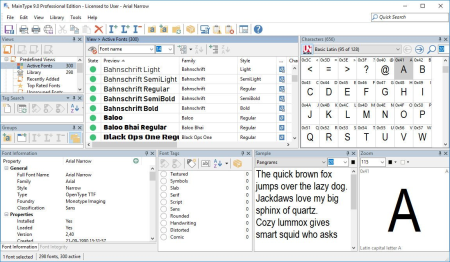
High-Logic MainType 9.0.0.1182

3f78839e-2b53-46eb-a3f0-c8824c2dd221.png

File size: 41 MB

MainType is a powerful but easy to use font manager and font viewer for Windows, that takes the frustration out of managing your fonts.​

It is packed with tons of intuitive features that makes it simple to find, preview, organize, install, and print your fonts. MainType makes it simple to find, preview, organize, install, and print your fonts. MainType supports all common font formats: TrueType, OpenType, TrueType Collections, and Postscript Type 1 fonts. Unlike simple font preview applications, MainType is designed for graphic artists, typographers, and other power users who demand high-end functionality such as network support, plug-ins, advanced categorizing, searching capabilities, and fast searches for the fonts that you need. Install, uninstall, load and unload fonts

Preview and browse fonts on any drive or directory without installation

Full Unicode support

Character grid with Unicode block navigation

Print and print preview your fonts

Support all popular font formats and more: TrueType, OpenType, TrueType Collections, Postscript Type 1, Vector and Raster fonts

Move, copy, rename and delete fonts

Full drag and drop support

Insert character to background application

Font export wizard generates a html based overview of all your fonts
Professional, Standard.

DOWNLOAD
uploadgig
Код:
https://uploadgig.com/file/download/c097adAf0875eC15/Mjd629xM_MainType9.0_.rar

rapidgator
Код:
https://rapidgator.net/file/ad7a203cf72d58e88ad2f18c1048f049/Mjd629xM_MainType9.0_.rar

nitroflare
Код:
http://nitroflare.com/view/FF177F5E327E0ED/Mjd629xM_MainType9.0_.rar
 
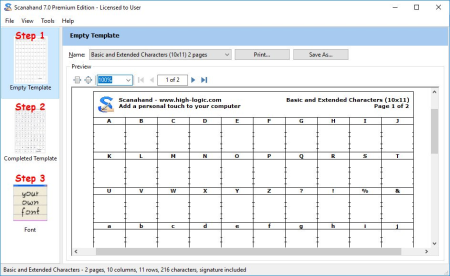
High-Logic Scanahand 7.0.0.299

c60a62da-57a7-4afc-af90-c9dd5ff38517.png

File size: 22 MB

Add a personal touch to your computer.​

It's never been easier to make your own fonts. Scanahand creates fonts that you can use like any other font, so use them in Microsoft Word, Excel, PowerPoint, Adobe Illustrator, InDesign, etc. You can even use your fonts on Macintosh computers, and since Scanahand allows you to save your fonts as Web Fonts, you can even use them in your websites! How does it work? Simply print a template, draw all of the characters using a black marker or felt-tip pen, and scan your drawing. Scanahand will build your font, and install it on Windows, ready for you to use. You don't need to use additional graphics software, but Power Users and Hobbyists alike can use Scanahand along with their favorite graphic drawing software to create or modify each character of their font. So even without a printer and scanner you'll be able to create custom fonts.

Scan Your Template

Scan your template directly from within Scanahand, or select pre-scanned images on your harddisk.

Generate Your Font

Generating the font takes only a few minutes depending on the selected template and your computer speed.

Test The Font

After the font is generated you can preview and test your font. If you are satisfied with the results you can directly install the font from within Scanahand

Template Editor

The premium edition includes a template editor that lets you define your own templates so you can decide which characters will be included in your fonts.

Fix Spacing

The Adjust Metrics feature allows you to find the best optical space before and after each Latin based character.

Personalize

Some specific data can be stored inside your fonts; for example a copyright notice and the name of the font designer, but also the font embedding rights.
Premium, Standard

DOWNLOAD
uploadgig
Код:
https://uploadgig.com/file/download/9d6d018d935FEE0f/P4ybsROf_Scanahand7.0_.rar

rapidgator
Код:
https://rapidgator.net/file/62d590b04627306bc815c613b7f421b8/P4ybsROf_Scanahand7.0_.rar

nitroflare
Код:
http://nitroflare.com/view/26057E5A7A46C70/P4ybsROf_Scanahand7.0_.rar
 
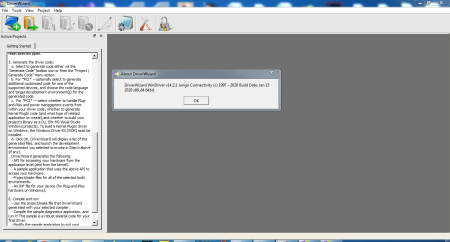
Jungo WinDriver 14.2.1 x64

2d315a54-ba83-42d4-803b-e3aae08ba49e.png

English | File size: 33.8 MB

The WinDriver 14.​

2.1 device driver development tool supports any device, regardless of its silicon vendor, and enables you to focus on your driver's added-value functionality, instead of on the operating system internals. WinDriver's driver development solution covers USB, PCI and PCI ExpressWinDriver provides hardware verification and diagnostics, automatic code generation and driver debugging, all through a graphical DriverWizard.

Immediate Hardware Access:

Test your hardware through a graphical user mode application, without having to write a single line of code.

WinDriver automatically generates skeletal driver code specific to your hardware, for

MS Developer Studio / MSDEV .NET/ Borland Builder / MS Visual Basic / Delphi.

In addition to supporting any PCI peripheral, WinDriver includes enhanced support for leading PCI vendors, such as PLX, Xilinx and Altera.

This enhanced support includes vendor-specific driver samples, which can be used to further accelerate the driver development process.

Included graphical Debug Monitor to monitor kernel level activity throughout the driver development process.

PCI Express Extended Support for Vista:

WinDriver enables you to utilize PCIe MSI and MSI-X now supported on Windows Vista. Read more on our PCI-Express page.

Detailed examples in C, C#, Delphi and Visual Basic 6.0.

The graphical DriverWizard can be used to automatically create and install an INF file for your Plug-and-Play hardware.

64-Bit Hardware Support on 32-bit Systems:

Allows utilizing the additional bandwidth provided by 64-bit hardware and enables 64-bit data transfers on x86 platforms running 32-bit operating systems. Drivers developed with WinDriver will attain significantly better performance results than drivers written with the DDK or other driver development tools that do not support this feature.

64-Bit Architectures Support: WinDriver supports the 64-bit AMD64 and Intel EM64T CPU architectures (known as "x64") on Windows XP Pro x64, Windows Server 2003 x64 and Windows Vista x64.

Updates: official site does not provide any info about changes in this version.

DOWNLOAD
uploadgig
Код:
https://uploadgig.com/file/download/4c7b390569a8e08c/iBuxsPCi_Jungo_WinDr.rar

rapidgator
Код:
https://rapidgator.net/file/d0ad2af7b37b2769565a3230834dccc1/iBuxsPCi_Jungo_WinDr.rar

nitroflare
Код:
http://nitroflare.com/view/38DEE45EBAAEED7/iBuxsPCi_Jungo_WinDr.rar
 
MusConv Ultimate 4.9.22

02dd586a-a208-46e9-930f-4547be93e903.png

Languages: English | File Size: 76.77 MB

MusConv - the easiest way to transfer your music data!​

Wanna transfer your playlists and songs across Transfer your playlists, tracks, albums and artists between all streaming platforms.

- Playlist management (Delete, Merge, Split, Clone...) Playlist management (Merge, Split, Clone...)

- 30+ music services supported 30+ music services supported.

- Export CSV, XML,TXT... Export CSV, XML,TXT...

- 20+ playlist file formats supported 20+ playlist file formats supported.

- Import M3U, WPL, XML, CSV, XSPF, Web URL Import M3U, WPL, XML, CSV, XSPF, Web URL.

- Transfer unlimited tracks

- Transfer unlimited playlists

- Supports over 30 music services

- Supports over 20 playlist file formats

- Transfer multiple playlists at once

- Delete duplicate tracks in your playlists

- Apple Music support

- Windows 10

- Windows 8

- Windows 7

DOWNLOAD
uploadgig
Код:
https://uploadgig.com/file/download/9336eF28b19f33bd/zAiEmxIi_.MusConv.4.rar

rapidgator
Код:
https://rapidgator.net/file/a40671ea70b67566a044bc264f6f8da6/zAiEmxIi_.MusConv.4.rar

nitroflare
Код:
http://nitroflare.com/view/F28297D18FB1F5D/zAiEmxIi_.MusConv.4.rar
 
QuarkXPress 2019 v15.1.3 Multilingual

6045d399-b72b-480b-936b-522254ef1f18.png

Windows x64 | Languages: Multilingual | File Size: 554.66 MB

The Most Flexible Software for Print and Digital Design.​

QuarkXPress introduces Flex Layouts, a first in digital publishing for graphic designers. Flex Layouts is a new layout space that lets designers create truly responsive HTML5 Web pages in a WYSIWYG environment. Flex Layouts do not require any HTML or CSS coding skills, which means graphic designers can start creating banner ads, landing pages, microsites, and more.Transform your print designs into modern web pages with Flex Layouts that enable users to deliver responsive web design without coding. Bring layouts to life with native HTML5 and CSS3 effects including drop shadows, gradients, vector shapes, video and a wealth of interactive elements.

The HTML output from the Flex Layout space is responsive to any device aspect ratio, including desktop, tablet and mobile phone screens. Designers can add any interactive element QuarkXPress supports, apply a parallax effect on background images, and test responsiveness without ever leaving QuarkXPress

The responsive HTML5 output from Flex Layouts complies with emerging Web standards, which means graphic designers can create native, app like experiences for the web directly in QuarkXPress. Once a Flex Layout is complete, designers can export and upload the code to any Web hosting service - or - use Flex Layouts as your prototyping tool and share the code with your web team.

- Design and Export Responsive Web Pages

- Test responsiveness within the layout

- Design Using Preset or Custom Grids

- Prebuilt Responsive Layout Blocks

- Apply Native HTML5 Drop Shadows

- Support for Advanced Typography

- Create Vector Shapes and Illustrations

- Non-destructive image effects and filters

- Use Videos as backgrounds

- Use exported responsive layouts in iOS and Android apps

- And More

Tables are a powerful tool for simplifying the presentation of complex information. However, it can be time consuming for designers to create and update tabular content. In QuarkXPress , Quark completely reimagined tables introducing its new table object that combines creative freedom with time saving automation.

The new table model in QuarkXPress introduces new styling rules for table, row, column and cell level formatting along with text styling rules. You can apply table styles to any table regardless of whether you created directly in QuarkXPress or auto imported a table from Excel. What's more, if you change the source Excel table, the data is updated in QuarkXPress without impacting your table design.

No restrictions! All table styling can be done in QuarkXPress through a new and intuitive user interface. Designers can access table styles from the measurement palette, which offers much finer control over formatting tables at the cell level, plus unlimited opportunity to format borders and shading.

To get you started quickly, QuarkXPress includes predefined table styles, which have all of the formatting options preset or you can build your own. When importing tables from Excel, you can even automatically create a table style as part of the import process.

Push image export to a new limit. For the first time you can now export your designs from QuarkXPress as professional grade images in JPEG, TIFF and PNG formats. Need an banner image for your email? No need to open another photo editing application! Use presets to control pixel DPI, quality, color profile, and file format when exporting your QuarkXPress layout or selected objects or images for use in other applications.

QuarkXPress improves image cache handling with dedicated multithreading support to make operations much faster on MacOS and Windows. Additionally, QuarkXPress Windows users will now benefit from Direct2D hardware acceleration to boost graphic engine performance. While this improves overall image handling, it also makes layout operations like scrolling, panning, image editing and many other operations faster for image heavy documents.

When exporting PDFs for digital consumption, ensure you meet the latest accessibility requirements and regulations. QuarkXPress now supports all PDF accessibility standards so you can export PDFs that are compliant with the PDF/UA (ISO 14289), PDF/A, and WCAG 2.0 requirements.

When creating or adjusting boxes and lines on a page, you often want to align items to specific coordinates or to other objects. To make this eas-ier, QuarkXPress adds a new grid-based selector that lets you specify the exact coordinates of an object and all four corners and four edges of a box.

No more back and forth between your layout and your image library! It takes time to import images individually, especially in image heavy layouts. Speed up the process by loading up your cursor with multiple images (or text files) at once and then populate existing boxes or create new boxes one at a time with the click of your mouse.

- Auto Growing Text Boxes

- Enhanced Paragraph Formatting

- Directional Spine Alignment

- Easy Access to Merge Shapes

- Enhanced Border Formatting Control

- Enhanced Retina Support

- New First-Class OpenType Controls

- New Color Fonts Support

- New Upgraded Font Listing

- New Hyphenation Strictness Levels

- New OpenType Support for Digital

- New Direct InDesign IDML Import

- New New PDF Print Engine

- New Tagged/Accessible PDF

- New Built-in JavaScript ES6+ V8

- New Digital-to-Print Conversion

- New Unlimited Android Apps

- New Digital Preview Improvements

- New HTML5 Export Optimizations

- New Grouped Interactivity

- New Collect for Output Digital

- Microsoft Windows 7 SP1 (64 Bit)

- Windows 8.1 (64 Bit) with April 2014 update rollup update (KB2919355) and March 2014 servicing stack update (KB2919442)

- Windows 10 Version 1607 (64 Bit)

- Microsoft .NET Framework 4.0 or later

- An update for Universal C Runtime is required on Windows 7 and 8.x.

DOWNLOAD
uploadgig
Код:
https://uploadgig.com/file/download/7727f83a85079A27/NPsf2uJ2_.QX.15.1.3_.rar

rapidgator
Код:
https://rapidgator.net/file/0e3ea2460ecda2fc8c4436f5bf409742/NPsf2uJ2_.QX.15.1.3_.rar

nitroflare
Код:
http://nitroflare.com/view/E08DC31296293C8/NPsf2uJ2_.QX.15.1.3_.rar
 
Task Explorer 1.1

3810db93-4154-476e-ad58-213743c03b4d.png

File Size : 37.4 Mb

Task Explorer is an advanced Task Manager tool with emphasis on, not just monitoring what applications are running, but on finding out what applications are doing.​

The UI focuses on expedience and getting real time data of what the processes are doing at any given moment. Relevant data are provided in easy to access (as less clicks as possible) panels, with no need to open windows or windows of sub windows, instead additional information's for selected entries are shown in the lower half of the panel. Allowing to browse the detailed information's using arrow keys. And most data are refreshed continuously, as seeing the dynamic of values often grants additional insight.The Thread Panel contains a stack trace for the selected thread giving even more insight in wat the selected application is doing right now. This is also very useful to debug deadlocks or performance issues. The processes memory can be viewed and edited from the Memory Panel, which provides an advanced memory editor and string search capability. In the Handles Panel all open handles are shown, with useful information's like file name the current file position and size, these allow to see what a program is actually working on right now disk wise. The Socket Panel shows all open connections/sockets per process providing also data rate information, in the settings one can enable the display of pseudo UDP connections created from ETW data. That is every destination endpoint for UDP packets will be shown as an own entry in the sockets panel allowing to monitor with whom a program is communicating. The Modules Panel shows all loaded dll's and memory mapped files, allowing to unload them as well as to inject a dll. And many more panels like Token, Environment, Windows, GDI, .NET, etc.. By double clicking on a process, the Task Info panels can be opened in a separate window enabling the viewing of properties of multiple processes simultaneously.

The system monitor aspect of the application is also well developed. The toolbar provides decently sized graphs providing not just CPU usage but also usage of Objects, handles, network and IO/disk access. The system info panels show All Open Files in the system, All Open Sockets by programs, and the services Panel allows viewing and controlling all system services including drives. The performance panels for CPU, Memory, Disk I/O, Network and GPU provide large graphs showing the usage of system resources in a detailed manner. The System info panel can be collapsed completely providing more space for the Task info panels. So Instead being a panel of the main window, or additionally, the system info panels can be opened in an own window using the appropriate toolbar button.

DOWNLOAD
uploadgig
Код:
https://uploadgig.com/file/download/9fe826c0d0667439/e31WK5u5_TaskExplorerv1.1..rar

rapidgator
Код:
https://rapidgator.net/file/a6fa2a21c145f7cd689feb0f7886e685/e31WK5u5_TaskExplorerv1.1..rar

nitroflare
Код:
http://nitroflare.com/view/AC83103DF6AA790/e31WK5u5_TaskExplorerv1.1..rar
 
Назад
Сверху