• Здравствуйте. Сайт заработал в архивном режиме форум www.old.nado.in

Anthony's Software !!!

TerminalWorks TSPrint Server 3.0.6.11

8809f8bc-7779-414a-be53-c7f8c29ac76f.png

File Size: 19.3 MB

TSPrint provides you with a simple remote desktop printing software, as well as additional tools that make operations with Windows terminal services easier.​

Selectively enable or disable features, so that you have complete control over your terminal server.
TSPrint is the RDP printing software for Terminal Services, Remote Desktop, VDI, or Citrix environments. Simple implementation and ease-of-use, coupled with an affordable licensing system, makes TSPrint one of the most popular remote desktop printing solutions on the market. Increase the stability of servers, without installing printer drivers on any terminal server. Clients print directly to their local printers from the terminal server, without additional administrator time required for implementation or configuration.
DRIVERLESS PRINTING
There's absolutely no need to install printer drivers on the terminal server when you install TSPrint. TSPrint includes its own virtual printer driver, which will receive the print job, compress it, and send it to the local workstation.
IMPROVED PRINTING PERFORMANCE
You encounter long wait times between print jobs when using Microsoft Printer Redirection, which sends the job directly through the RDP connection, without compression. With TSPrint, our print compression technology delivers extraordinary performance.
EASY AND FAST DEPLOYMENT
The TSPrint installation uses plug-and-play technology, requiring no configuration. Our installer comes with a 'silent install' option so you can deploy across your network. MSI packages are also available, with simple active directory deployment.
WORKS ON ANY NETWORK
TSPrint uses the Microsoft Virtual Channel technology. By using VC, TSPrint can work as long as you can connect to the terminal server. There is no need for any additional network configuration.
OPEN FILES LOCALLY
Right click on any document and select the 'TSPrint Open Locally' option. TSPrint transfers documents to the local workstation and opens it with the default application.
TRANSFER FILES
With a simple right-click, you can transfer your file to the local workstation. The standard save dialog will show up, and you can select where on the local workstation you wish to transfer the file.
NETWORK PRINTER
Be able to send your print jobs on your colleagues printer. Just print to the TSPrint Network printer and you will be shown the currently logged in remote desktop users and their local available printers making it easy for you to utilize other printer devices besides the one connected to your local computer.
official site does not provide any info about changes in this version.

DOWNLOAD
uploadgig
Код:
https://uploadgig.com/file/download/022fCc586B12Fccc/IVxrqPqS_TerminalWorks.TSPrint.Server.v3.0.6.11.rar

rapidgator
Код:
https://rapidgator.net/file/d2042a32de628f1df818a509faf9f170/IVxrqPqS_TerminalWorks.TSPrint.Server.v3.0.6.11.rar

nitroflare
Код:
http://nitroflare.com/view/3FE36DF7DA1841B/IVxrqPqS_TerminalWorks.TSPrint.Server.v3.0.6.11.rar
 
PrivateWin10 0.55 Multilingual

ef1b9c01-e43d-454b-8d2b-a10ccb713fc8.png

File size: 2.3 MB

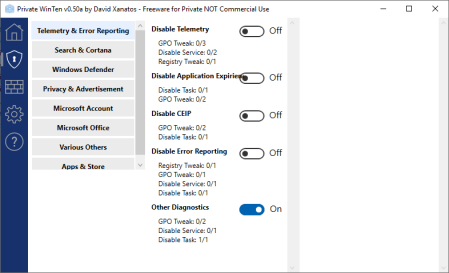
PrivateWin10 is an advanced Privacy tool for windows it provides a simple and comprehensive UI for tweaking privacy settings, as well as options to block system access to files and registry keys in order to enforce privacy whenever Windows does not provide a satisfying setting for that.​

Tweak privacy-related settings and features
While all of these modifications can be made without this utility, the process is far from intuitive, usually requiring you to edit the Registry. With Private WinTen, you can tweak everything from a simple GUI.
Among other things, you can disable telemetry, error reporting, Cortana, online searches, OneDrive, the Store, advertisements and location services. However, you will need to do a bit of research, as no explanations are provided, so it may not be entirely clear what each tweak does.
Manage the Windows Firewall from a new GUI
Private WinTen can also help you control which applications or services have access to the Internet by managing the built-in Windows firewall. Just make sure you don't set the filtering mode to White-List by accident, as Internet access will be blocked for all services that haven't been approved.
The firewall front-end is quite intuitive, and it does provide a more accessible alternative to the default Windows firewall configurator. However, if you only want this application for tweaking privacy settings, you can just stop it from managing the firewall altogether.
Useful tool for securing your privacy on Windows 10
Private WinTen does a great job of revealing tweaks that aren't normally available to most users. It allows you to prevent various types of data from being shared with Microsoft and third parties, as well as disable Windows features that are unnecessary and may compromise your privacy. It also includes a firewall GUI that many users could find helpful.

DOWNLOAD
uploadgig
Код:
https://uploadgig.com/file/download/e616bf1411b2310e/U153usRw_PrivateWin10_v0.55.rar

rapidgator
Код:
https://rapidgator.net/file/2073e3ab4d0b0bef97b5dc7a45c61b9c/U153usRw_PrivateWin10_v0.55.rar

nitroflare
Код:
http://nitroflare.com/view/B56C0C94178FF90/U153usRw_PrivateWin10_v0.55.rar
 
NCH WavePad 9.63 Beta

dec63491-e38a-4b5a-b26e-47ce13fb6437.png

File size: 3.3 MB

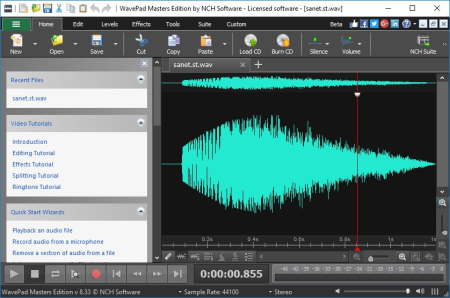
This audio editing software is a full-featured professional audio and music editor for Windows and Mac.​

It lets you record and edit music, voice and other audio recordings. When editing audio files, you can cut, copy and paste parts of recordings, and then add effects like echo, amplification and noise reduction. WavePad works as a wav or mp3 editor, but it also supports a number of other file formats including vox, gsm, wma, real audio, au, aif, flac, ogg, and more.

Sound editing functions include cut, copy, paste, delete, insert, silence, auto-trim and more
Audio effects include amplify, normalize, equalizer, envelope, reverb, echo, reverse and many more
Integrated VST plugin support gives professionals access to thousands of additional tools and effects
Supports almost all audio and music file formats including mp3, wav, vox, gsm, wma, au, aif, flac, real audio, ogg, aac, m4a, mid, amr, and many more
Batch processing allows you to apply effects and/or convert thousands of files as a single function
Scrub, search and bookmark audio for precise editing
Create bookmarks and regions to easily find, recall and assemble segments of long audio files
Tools include spectral analysis (FFT), speech synthesis (text-to-speech), and voice changer
Audio restoration features including noise reduction and click pop removal
Supports sample rates from 6 to 96kHz, stereo or mono, 8, 16, 24 or 32 bits
Works directly with MixPad Multi-Track Audio Mixer
Easy to use interface will have you editing in minutes
Trim sound bites out of longer audio files
Reduce vocals from a music track
Cut together audio for radio broadcasts or podcasts
Save files for your iPod, PSP or other portable devices
Create ringtones from music files or recordings
Record voiceovers for multimedia projects
Restore audio files by removing noise, hissing or hums
Normalize the level of audio files
Updates: official site does not provide any info about changes in this version

DOWNLOAD
uploadgig
Код:
https://uploadgig.com/file/download/810442F0576af48F/1q0neQBp_WavePad9.63.rar

rapidgator
Код:
https://rapidgator.net/file/a8f59ab0acdfd9881526fe8b6001beba/1q0neQBp_WavePad9.63.rar

nitroflare
Код:
http://nitroflare.com/view/92D522BE9069543/1q0neQBp_WavePad9.63.rar
 
TopoStitch 2.2.2

849603ec-782a-4fed-97cb-5a8c5d7b6801.png

File Size: 57.9 MB

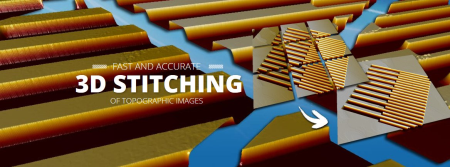
topoStitch is flexible, accurate, and easy to use.​

With topoStitch you can easily create accurate 3D stitches of topographic images from your AFM, SPM, Profiler, Interferometer, or Confocal Microscope. More than 90 file formats supported!

Automatic Layout
All images are placed automatically, if the images contain stage position information.
Grid Layout Wizard
The Grid Layout Wizard helps you lay out your images in seconds, when stage positions are not available.
Automatic 3D Rotation and XY Translation
Sub-pixel correlation algorithms increase your productivity by automatically rotating and aligning your images during stitching.
Up to 4 Billion Pixels
Advanced memory handling and performance optimization allow you to stitch hundreds and even thousands of 3D and greyscale images.
Automation, NEW!
Run topoStitchseamless controlled by external programs and perform automated stitching.
100+ File Formats Supported
topoStitch supports 100+ file formats from SPMs, AFMs, STMs, interferometers, confocal microscopes, and profilers.

DOWNLOAD
uploadgig
Код:
https://uploadgig.com/file/download/50f606bFf8476c44/3n5B8npX_TopoStitch.2.2.2.rar

rapidgator
Код:
https://rapidgator.net/file/e49a0b604a9510dd05a862895e88e6b6/3n5B8npX_TopoStitch.2.2.2.rar

nitroflare
Код:
http://nitroflare.com/view/2416CC776E3F7C7/3n5B8npX_TopoStitch.2.2.2.rar
 
NCH ClickCharts Pro 4.29 Beta

64121b01-ed90-49eb-a956-95d9043c1b1b.png

File size: 1.9 MB

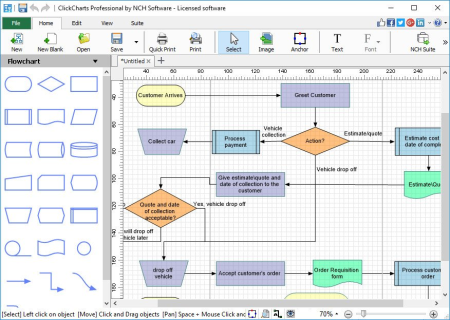
Easily create a visual representation of a process, organization, mind map or other diagram.​

Flowcharts provide a unique way of organizing and displaying data so that even highly detailed and complex processes are easier to understand. This makes our flow chart software an ideal method to troubleshoot, as well as an effective way to share information.

- Includes chart templates to get you started
- Choose from a variety of symbols and line connector styles
- Create UML (Unified Modeling Language) standard visual modeling diagrams
- Edit and customize colors, fills and strokes
- Simple editing functions include copy, paste, undo and more
- Seamless sheet overlapping for creating and printing large diagrams
- Open and edit multiple diagrams simultaneously
- Detail control for artistic styles for filling and lining
- Export flow charts as jpg, gif, png or other image file formats to share or use in other applications
Updates: official site does not provide any info about changes in this version

DOWNLOAD
uploadgig
Код:
https://uploadgig.com/file/download/f5f8fc7129f6acaA/4Ozil4ON_clickchart4.29.rar

rapidgator
Код:
https://rapidgator.net/file/19541e7d9cc82edb05704dee9cb2e60e/4Ozil4ON_clickchart4.29.rar

nitroflare
Код:
http://nitroflare.com/view/62379A4BF54A2C6/4Ozil4ON_clickchart4.29.rar
 
Wrap-R 2018.4 for Sketchup 2019

1060595c-af6a-4820-afc1-192d25028fba.png

File size: 25.2 MB

WrapR is a SketchUp extension that helps you create proper UV maps for SketchUp models.​

It supports triangulated and QuadFace meshes. Hundreds of SketchUp users are using it everyday. We are sure you'll love it too!
Highlights
Beautiful and Intuitive Interface
WrapR for SketchUp has an intuitive interface, which is designed to mimic SketchUp. It makes it easy to UV unwrap SketchUp models in seconds.
Built for SketchUp
WrapR looks and feels just like SketchUp. Tools and navigation are what you expect. No surprises just focus on the things you need to.
Real Time Preview
WrapR for SketchUp syncs the 3D and 2D viewports so changes are seen instantly. Easily identify texture distortion and texel density.
Fast Workflow
WrapR allows you to mark your UV seams directly in SketchUp. It even stores your seams so you can save your file and resume later.
Smart Edge Marking
WrapR for SketchUp automatically detects topological loops in your models. One click UV seams wherever you need them.
Smart Path Detection
WrapR for SketchUp uses a Smart Path detection to determine the best edge flow for UV seams.
No need to waste time picking edges. Just pick a start and end. It's that simple!
WrapR for SketchUp makes UV mapping and texture painting your SKP models so easy.
Texture Stretching/Shrink feedback
UV island pinning and alignment
SkektchUp texture import
Export to OBJ
UV Island packing
Save UV layouts to SVG
Updates: official site does not provide any info about changes in this version.

DOWNLOAD
uploadgig
Код:
https://uploadgig.com/file/download/4183aCa7ec90d9Ba/32ABIHtK_WrapRtpc.rar

rapidgator
Код:
https://rapidgator.net/file/bd2d371a5b79252b6a839ae0e6bfa49b/32ABIHtK_WrapRtpc.rar

nitroflare
Код:
http://nitroflare.com/view/598C45DF0733AF3/32ABIHtK_WrapRtpc.rar
 
Auslogics BitReplica 2.4.0

e3ce2916-313d-4ffa-a5f6-48ed243a6d5c.png

File size: 11 MB

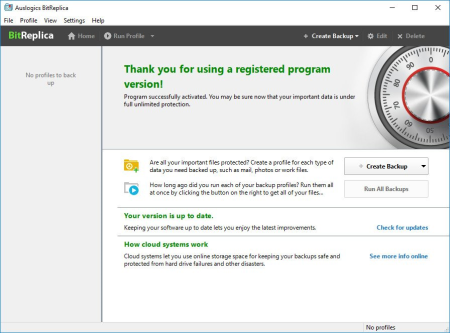
It`s a tool for backing up files stored on your Windows PC.​

It protects your photos, music, documents and any other data from being lost due to a hard drive crash, virus attack or accidental deletion. The program should be especially useful for anyone who has several storage drives (it could be several hard drives installed on one PC or several PCs networked together).
Back up any files you want
You can specify file groups to back up, such as IE favorites or Windows mail contacts, or select individual folders to back up under each profile you create.
Create custom backup rules for individual folders
By creating separate profiles, you can set individual rules for backing up different folders and file groups depending on how frequently you use or modify them.
Save your disk space with incremental and differential backup engines
To avoid wasting valuable disk space, you can select to back up only the files that have changed since the last backup or files that have changed since the last FULL backup.
Synchronize your files between multiple PCs
When selecting how to back up your files in the Profile settings, you can choose to synchronize files in the source and destination folders. This lets you create the exact same sets of files to work with on two networked computers.
Schedule backups to fit your timetable
Create your backups manually whenever it is convenient for you, or set them to be created automatically on an hourly, daily or weekly schedule. Specify your preference under each profile.

DOWNLOAD
uploadgig
Код:
https://uploadgig.com/file/download/9Af0576C1d6988e1/FbuuScnT_BitReplica2.rar

rapidgator
Код:
https://rapidgator.net/file/9d05b09913fb761916974c30637df9a0/FbuuScnT_BitReplica2.rar

nitroflare
Код:
http://nitroflare.com/view/DCC84A61ECAAE7A/FbuuScnT_BitReplica2.rar
 
Pixologic Zbrush 2020.0 (x64) Multilingual

1f6f07b6-f493-4732-b8f1-8df33a5fd183.png

File size: 1.4 GB

ZBrush 2020 empowers artists with greater sculpting flexibility via powerful additions to the award winning brush system.​

We have expanded the library of sculpting brushes with the new XTractor, HistoryRecall and DecoCurve brushes. In addition, you can now constrain your brush strokes to only forward gestures with the new No Back&Forth modifier.
Beyond the new brushes we've expanded the capabilities of the MorphUV feature, which makes it possible to view the unwrapped UV layout of a model within ZBrush. Sculpt & Paint in Morph UV allows you to sculpt and paint on the 2D unwrap of a model, applying all updates to the 3D model.
Sculpt & Paint in Morph UV
Now with the ability to sculpt and PolyPaint on the UV unwrap of a model, it's never been easier to apply long continuous strokes across a mesh. One such example would be applying a stroke from the waist up through an armpit to the wrist of a character. Or perhaps you wish to apply a pattern on a mesh that is too complicated in the 3D form.
Have you ever had a difficult time reaching certain areas of a sculpt? With Sculpt & Paint in Morph UV, that is a thing of the past!
XTractor Brushes
These three brushes convert detail from your model into a new alpha or texture for future reuse. Simply drag your stroke across the surface of any model to capture the details of your sculpt. The captured details can then be used elsewhere on the same model, or on any other model in the future.
HistoryRecall
Have you ever wished you could undo just a portion of your sculpting without losing everything else that has been done on the model? Now you can! This brush uses your model's Undo History but restricts the effect to the area where the brush is used. It can also be used in the other direction, projecting Redo History from part of one model to another regardless of any topology differences.
Move Infinite Depth
Alter your brush to apply details to anything that is directly inline with the brush cursor. For example, add volume to the front and hind legs of a dog or move several vertex points on multiple individual meshes without applying a mask. The infinite depth option can be applied to several brushes.
You Can't Pick Just One Color
Never again will you struggle contemplating what color combination to apply to a model. Now you can take any PolyPainted or textured model and adjust its color hue, intensity, contrast, gamma or tint on the fly using the new Texture Adjust by Color and PolyPaint Adjust by Color features.
Texture Adjust by Color & PolyPaint Adjust by Color
Texture Adjust by Color & PolyPaint Adjust by Color not only gives you the power to adjust the colors in a model's PolyPaint or Texture Map, it also allows you to restrict these adjustments to specific color selections. In addition you can use color picking to mask or unmask portions of the model.
Ready, Set, Analyze & Print
ZBrush 2020 continues to widen your ability to 3D print straight from ZBrush with new mesh analysis features: Wall Thickness, Real-Time Draft Analysis and Surface Area calculations. Now anyone will be able to easily prepare a model for production!
Highly Recommended:
OS: 64-bit editions of Windows Vista or newer.
CPU: Intel i5/7/Xeon technology or AMD equivalent.
RAM: 8 GB required for working with multi-million poly models. (16+ GB preferred.)
HDD: 100 GB of free hard drive space for ZBrush and its scratch disk. (SSD drive highly recommended.)
Pen Tablet: Wacom or Wacom compatible. (WinTab API.)
Monitor: 1920x1080 monitor resolution or higher with 32-bit color.
Video card: All types.

DOWNLOAD
uploadgig
Код:
https://uploadgig.com/file/download/4e2e9fafFdd12374/ckEOS0sH_ZBrush2020.part1.rar
https://uploadgig.com/file/download/90c2a0be637bf951/ckEOS0sH_ZBrush2020.part2.rar

rapidgator
Код:
https://rapidgator.net/file/9ad1cc02e31dd9d26423cc55675d5914/ckEOS0sH_ZBrush2020.part1.rar
https://rapidgator.net/file/fd9cfe91bf255fae61c114078c6af550/ckEOS0sH_ZBrush2020.part2.rar

nitroflare
Код:
http://nitroflare.com/view/734F87B7F50B313/ckEOS0sH_ZBrush2020.part1.rar
http://nitroflare.com/view/BAE5ECB9EA8A35D/ckEOS0sH_ZBrush2020.part2.rar
 
W10Privacy 3.3.2.0 Multilingual

ee89c29e-357b-479f-9bfc-74fb6d6ccd2c.png

File size: 1.9 MB

W10Privacy can display common Windows 10 security settings that can be activated as well as deactivated within the program.​

It also allows importing and exporting of your changes. While there are a lot of Windows 10 privacy tools out there, many of them lack the detail this program has. Of course, this means that it might take you a bit longer to go through your choices.
For those who don't want to go into detail you can choose from 3 predefined settings. While the design is very simple, there are also 3 colors so that you can easily spot the these 3 settings:
Green - Recommended - this is a conservative mode. Yellow - Conditionally recommended - probably the best bet but look over the choices. Red - Restricted - think of this as geek mode. Better know what you're doing. Must run as administrator.
Also, other similar apps don't always have a back or set a restore point making them a bit scary. This program however does offer a save, save as and load options so you can backup and import or export your settings anytime.
W10Privacy has a built in update checker and a handful of user settings as well.

DOWNLOAD
uploadgig
Код:
https://uploadgig.com/file/download/78d38fe9fd77Bcf2/v01ujftp_W10Privacy.rar

rapidgator
Код:
https://rapidgator.net/file/5fe780361e68bc9655147b29cd4d99b4/v01ujftp_W10Privacy.rar

nitroflare
Код:
http://nitroflare.com/view/B9D7FC0FF8855B6/v01ujftp_W10Privacy.rar
 
Viber for Windows 11.9.2.3

d47c6e8b-a8a2-4146-aeb0-4fc83e65de52.png

File size: 93 MB

Conveniently place phone calls and send SMS messages for free to smartphones running popular operating systems, by using WiFi or 3G.​

Viber is an approachable software tool that proposes a simple solution for getting in contact with friends and family, by making phone calls and sending SMS messages for free over the web. It is cross-platform and supports iOS, BlackBerry OS, Android, Windows Phone, Series 40, Mac OS, Symbian and Bada devices.
Cross-platform utility with a comfortable interface
In order to efficiently work with this app, it must be installed on both the computer and mobile devices that you're trying to reach. After confirming the activation code, data will be synchronized so you can make calls and send texts via Wi-Fi or 3G.
The application is wrapped in a clean and intuitive interface that permits anyone to quickly get used to it, displaying all the available contacts, recent conversations and calls. You can exchange emoticons and locations in addition to text, photo and video messages.
Notifications and automatic contacts finder
If you plan to carry on with your normal activity on the PC but still want to keep an eye on Viber, you will be pleased to know that it supports message notifications that pop up from the system tray. As far as the configuration is concerned, you can set the tool to display alerts only for calls, or for both messages and calls.
Regarding the contacts, you don't have to import anything into Viber. Instead of manually looking them up, you can let the program take care of this tedious task by granting it access to your device's address book, thanks to the fact that it is able to automatically identify and put the contacts to good use.
Evaluation and conclusion
In terms of performance, Viber ran smoothly during our evaluation, without triggering the operating system to hang, crash or pop up error messages. The sound quality during phone calls was excellent and the connections remained stable throughout our tests.
Thanks to its highly intuitive options, Viber proves to be one of the most helpful and convenient applications when it comes to chatting with friends and sending free SMS messages over the Internet.
Updates: official site does not provide any info about changes in this version.

DOWNLOAD
uploadgig
Код:
https://uploadgig.com/file/download/bc21e9079d7496Db/9W5UMMfi_ViberSetup..rar

rapidgator
Код:
https://rapidgator.net/file/4d2d0c923aba21002f15442bc96d7e6e/9W5UMMfi_ViberSetup..rar

nitroflare
Код:
http://nitroflare.com/view/61870A2E0EDE05B/9W5UMMfi_ViberSetup..rar
 
Office Timeline Plus / Pro Edition 4.01.00.00

714f9821-c69f-481e-b55c-01dade144e5f.png

Languages: English | File Size: 18.11 MB

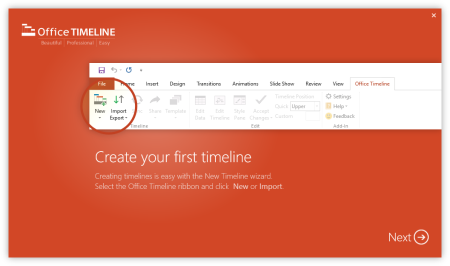
The #1 PowerPoint Timeline Maker for Windows and Office.​

Create PowerPoint timelines or roadmaps as fast as clients and executives need them. Simple but powerful PowerPoint add-in that anyone can use to quickly make and manage impressive timelines.

Build stunning PowerPoint timelines without the effort and cost.
Office Timeline helps you make timelines, Gantt charts and Swimlanes in PowerPoint almost instantly. Customize them with just a few clicks to create clear, elegant high-level presentations that everyone will understand.
Office Timeline works with all versions of PowerPoint. Give them stunning PowerPoint slides that can be viewed, edited and shared by anyone who has Microsoft Office.
The plugin's powerful Data wizard and drag & drop Visual Editor make timeline management agile and intuitive. Updating timelines when projects and plans change is quick and easy.
No complex steps. No learning curve. No hassle!
The timeline wizard was designed to make it simple. It all starts by selecting the type of timeline you want to make.
Once you've selected a timeline template, enter or import your key milestones and tasks. Set their dates, click the Create button, and voilà! Timeline created.
Use Drag & Drop to instantly rearrange or update your visual. Then customize it your way - colors, shapes, date formats, task duration, percent complete. change any detail, anyway you want.
While the Free edition is fully functional, Office Timeline Plus brings more! Plus Edition unlocks predesigned templates and gives you the freedom to add as much data as needed, so you can create detailed, unique PowerPoint timelines and Gantt charts.
Office Timeline Pro gives you everything you get with the Plus add-in, but adds powerful extra features. Pro Edition creates impressive Swimlanes and roadmaps, so you can manage complex projects with big-picture visuals that anyone can understand.
- Microsoft Windows Vista, Windows 7 (SP1), Windows 8, or Windows 10 (LTSB, CBB and CB). Office Timeline does not run on Windows 10 S. The add-in is functional on Windows XP and Windows Server but unsupported.
- 32-bit versions of Microsoft Office 2007 (SP3), 2010, 2013, or 2016. Although Office Timeline works with 64-bit versions of Office, we do not formally test or support it on 64-bit. The vast majority of the Office install base is the 32-bit version of Office. 32-bit is recommended by Microsoft unless you have very specific needs for 64-bit.
- .NET Framework 4.5.2 or greater.

DOWNLOAD
uploadgig
Код:
https://uploadgig.com/file/download/40C547B96514Fb49/5bDAhZLx_.Office.Timeline.4.01.rar

rapidgator
Код:
https://rapidgator.net/file/ca4a59eec9b1e2cbdf6294333bc3586d/5bDAhZLx_.Office.Timeline.4.01.rar

nitroflare
Код:
http://nitroflare.com/view/B6E25D6B7E2ED2B/5bDAhZLx_.Office.Timeline.4.01.rar
 
Zuken E3.series 2019 SP1 Build 20.10 Update Only (x86-x64)

5da46d51-6ad4-4047-8030-edb1e3565aca.png

x86,x64 | File Size: 671/660 MB

E3.​

series is a true concurrent electrical engineering environment supporting advanced requirements for electrical documentation, cabinet and wire harness design and manufacturing outputs. series facilitates an efficient and accurate design and manufacturing process for electrical and fluid planning, cable planning, and wire harness and cabinet layout. Its object-oriented architecture provides an integrated and consistent design approach to help eliminate errors, improve quality and reduce design time.
E³.series is available in different configurations as a node locked or floating license that can be accessed by mulitple users. In the configuration E³.enterprise, several users can work simultaneously on large projects, with all modifications being visible in real time to all users. E³.enterprise comprises integrated user and access management capabilities.
An object-oriented systems architecture built on a central database for all applications ensures continuous synchronization across all engineering stages. E³.series projects contain all views of an electrical and/or fluid system. With bidirectional interfaces into leading MCAD toolsets, and a large selection of modules for specific applications, E³.series is a complete design and manufacturing solution for wiring, cabinet and harness in an industrial environment.
series projects contain all aspects of your design (schematics, cable plans, control panels, formboards and fluid detail). All dynamically linked; a change in one is automatically reflected in all.
Core to series are the built-in design rule checks (DRCs) that include automatic part selection, duplicate device name prevention, short-circuit avoidance and incorrect wire gauge allocation.
A feature unique to series is its intelligent component library. Parts pulled from the component database include all symbols required by the engineer. The online bill-of-materials and master references automatically track contact locations, speeding up the design process and improving accuracy.
series enables collaborative design for cabinets, wire harnesses and fluid systems. Integrations with all major MCAD vendors enable efficent exchange of geometric and electrical parameters supporting full digital mock-ups.
OS:Windows Server 2008 R2 (x64)/Windows Server 2012 (x64)/Windows Server 2012 R2 (x64)/Windows Server 2016 (x64)/Windows 7 SP1/Windows 8.1/Windows 10 (x86-x64)
-CPU:2 GHz CPU or higher
-RAM:at least 4 GB RAM or more
-Display:19" monitor with 1280*1024 with True Color or Wide Screen monitor; alternatively DualScreen solution.
-Hard Space:at least 10 GB free disk space on the hard disk (for the normal installation)
-there's no special demand for the video card.

DOWNLOAD
uploadgig
Код:
https://uploadgig.com/file/download/727fB54a348c7d97/4au9Kg1G__Update.E3.201920.10_32bit.rar
https://uploadgig.com/file/download/b7920622cbACc2a8/4au9Kg1G__Update.E3.201920.10_64bit.rar

rapidgator
Код:
https://rapidgator.net/file/489cc0cca7adcfdefe0ae8885b54b94a/4au9Kg1G__Update.E3.201920.10_32bit.rar
https://rapidgator.net/file/fcfd556906ba491aa3f05db84d388dbe/4au9Kg1G__Update.E3.201920.10_64bit.rar

nitroflare
Код:
http://nitroflare.com/view/B8D91FAC6379ACD/4au9Kg1G__Update.E3.201920.10_32bit.rar
http://nitroflare.com/view/A868D602F5D3549/4au9Kg1G__Update.E3.201920.10_64bit.rar
 
Android-x86 9.0-rc1

b0e021d4-6ede-40f9-b160-992c5a7ee3bc.png

File Size : 719/909 Mb

This is a project to port Android open source project to x86 platform, formerly known as "patch hosting for android x86 support".​

The original plan is to host different patches for android x86 support from open source community. A few months after we created the project, we found out that we could do much more than just hosting patches. So we decide to create our code base to provide support on different x86 platforms, and set up a git server to host it. 64-Bit also available.

Burn the iso image to CDROM, or create a bootable USB disk (recommended).
Boot from the Android-x86 installation CD/USB, choose the 'Install Android to hard disk.
After seconds of booting, you will see a partition selection dialog. You can choose an existing partition to install Android-x86, or you can create or modify partitions by selecting 'Create/Modify partitions.' Note you can install Android-x86 to an external disk like USB drive. If the target drive is not shown, try 'Detect devices.'
Android-x86 can co-exist with other operating system or data on the chosen partition. If the partition is formatted, you may select 'Do not format' to keep existing data. Otherwise, choose a filesystem type to format. Note the type you have chosen must match the partition id, or the bootloader will fail to boot.

DOWNLOAD
uploadgig
Код:
https://uploadgig.com/file/download/8a26c6a593aFd95B/S4PyKa88_androidx86_649.0rc1..iso
https://uploadgig.com/file/download/4184d178c1f0125e/S4PyKa88_androidx869.0rc1..iso

rapidgator
Код:
https://rapidgator.net/file/d80709972bedae5bf9635f88da3c0cdf/S4PyKa88_androidx86_649.0rc1..iso
https://rapidgator.net/file/a631e7d9bf3bb8f59ae371ed97b14824/S4PyKa88_androidx869.0rc1..iso

nitroflare
Код:
http://nitroflare.com/view/EAD827E8AF3766F/S4PyKa88_androidx86_649.0rc1..iso
http://nitroflare.com/view/1A2DF482332AEFD/S4PyKa88_androidx869.0rc1..iso
 
Task Explorer 1.0.1

8a35618f-8d08-4e81-95bc-69b309b55c55.png

File Size : 37 Mb

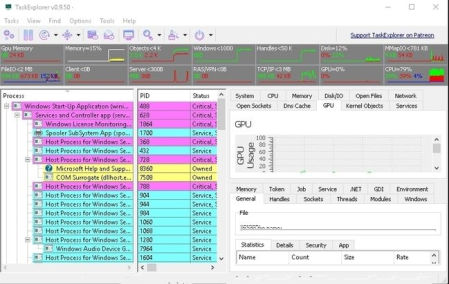
Task Explorer is an advanced Task Manager tool with emphasis on, not just monitoring what applications are running, but on finding out what applications are doing.​

The UI focuses on expedience and getting real time data of what the processes are doing at any given moment. Relevant data are provided in easy to access (as less clicks as possible) panels, with no need to open windows or windows of sub windows, instead additional information's for selected entries are shown in the lower half of the panel. Allowing to browse the detailed information's using arrow keys. And most data are refreshed continuously, as seeing the dynamic of values often grants additional insight.

The Thread Panel contains a stack trace for the selected thread giving even more insight in wat the selected application is doing right now. This is also very useful to debug deadlocks or performance issues. The processes memory can be viewed and edited from the Memory Panel, which provides an advanced memory editor and string search capability. In the Handles Panel all open handles are shown, with useful information's like file name the current file position and size, these allow to see what a program is actually working on right now disk wise. The Socket Panel shows all open connections/sockets per process providing also data rate information, in the settings one can enable the display of pseudo UDP connections created from ETW data. That is every destination endpoint for UDP packets will be shown as an own entry in the sockets panel allowing to monitor with whom a program is communicating. The Modules Panel shows all loaded dll's and memory mapped files, allowing to unload them as well as to inject a dll. And many more panels like Token, Environment, Windows, GDI, .NET, etc.. By double clicking on a process, the Task Info panels can be opened in a separate window enabling the viewing of properties of multiple processes simultaneously.
The system monitor aspect of the application is also well developed. The toolbar provides decently sized graphs providing not just CPU usage but also usage of Objects, handles, network and IO/disk access. The system info panels show All Open Files in the system, All Open Sockets by programs, and the services Panel allows viewing and controlling all system services including drives. The performance panels for CPU, Memory, Disk I/O, Network and GPU provide large graphs showing the usage of system resources in a detailed manner. The System info panel can be collapsed completely providing more space for the Task info panels. So Instead being a panel of the main window, or additionally, the system info panels can be opened in an own window using the appropriate toolbar button.

DOWNLOAD
uploadgig
Код:
https://uploadgig.com/file/download/f5282b1d3e895924/yyxP8HTV_TaskExplorerv1.0.1.rar

rapidgator
Код:
https://rapidgator.net/file/3aa46f47c2faaedec3693c927f766cfe/yyxP8HTV_TaskExplorerv1.0.1.rar

nitroflare
Код:
http://nitroflare.com/view/26DB1E053D2F73A/yyxP8HTV_TaskExplorerv1.0.1.rar
 
IDM UEStudio 19.20.0.38

c26339ae-bce1-4c19-b408-5f4d8c5bf993.png

File size: 100/109 MB

UEStudio is the powerful IDE (Integrated Development Environment) built on the chassis of UltraEdit, the world renowned text editor.​

As a full integrated development environment, UEStudio includes all the features of the powerful UltraEdit text editor plus native support for over 30 popular compilers (including Microsoft Visual C++, Java, GNU C/C++, PHP, Perl and over 30 others). UEStudio includes integrated debugging, VCS version control, built-in class browsing, language intelligence (like Intellisense), project conversion, and batch building features, as well as many other advanced features. Download your copy today to begin writing, debugging, and building applications in your favorite programming language.
IDM UEStudio
UEStudio, all the features of UltraEdit plus the power of an IDE. UEStudio '09 builds upon the highly acclaimed UltraEdit v14, but goes even further to bring you a must-see interface that offers stunning new functionality, as well as an array of powerful new features - such as an integrated PHP debugger, updated version control, and so much more... UEStudio '09...Designed to transform the way you work!
UEStudio is fast, stable, lightweight, and powerful and offers any UltraEdit user advanced programming functionality at a fantastic value!
» Visual Studio 6/05 project to UEStudio project conversion
» Integrated compiler support (note: compilers not included with IDE)
» Integrated CVS version control support
» Integrated SVN support
» Support for multiple SVN/CVS modules within a project
» Integrated tag support
» Powerful project manager
» Compiler-specific project templates
Application building features» Compile your projects from within UEStudio
» Build/batch build
» Debug
» Integrated debugger support for WinDbg for Microsoft C/C++ applications
» Run your application from within UEStudio
Script toolbar features
» Special PHP/Ruby scripting support
» Run and test your PHP/Ruby scripts from within UEStudio
» New PHP function checks syntax of all open PHP files
» Parse your PHP/Ruby documents
» Strip comments
» Highlight source

DOWNLOAD
uploadgig
Код:
https://uploadgig.com/file/download/aF63bA4F4b81a2dA/6wSIrFrO_ues19.20.rar
https://uploadgig.com/file/download/1e7b291a79646A8C/6wSIrFrO_ues19.20x64.rar

rapidgator
Код:
https://rapidgator.net/file/1fafc1fbd376fa0f51200e7973a04682/6wSIrFrO_ues19.20.rar
https://rapidgator.net/file/a0b893829b6f81cd6fcf89bd6c4434aa/6wSIrFrO_ues19.20x64.rar

nitroflare
Код:
http://nitroflare.com/view/E6C4C9E4015FB17/6wSIrFrO_ues19.20.rar
http://nitroflare.com/view/E50463EB3354AD8/6wSIrFrO_ues19.20x64.rar
 
Luminar 4.0.0.4810 Multilingual

b30d2ab2-5eca-4577-9aa5-5d4f1dc83bc0.png

Windows x64 | Languages: Multilingual | File Size: 531.46 MB

Your Photography.​

Elevated. Revolutionary tools and AI technologies in Luminar 4 bring new heights to photo editing. Luminar 4 is the next generation of our all-in-one image editing and photo management software. Luminar 4 is designed to deliver professional results in less time and to help photographers unlock their best images.

Replace the sky to change the mood of your photo - instantly. Thanks to intelligent algorithms, this challenging task is now automated.
Enhance your portraits faster than ever with revolutionary human-aware technology. Get amazingly realistic results on portraits shot outdoors or in a studio.
Quickly reveal important parts of each image without spoiling the rest of the photo. This content-aware tool detects areas that could look richer and enhances them.
Create realistic light rays. Add a source of sunlight and move it around your image. Watch volumetric sunbeams magically seep between objects such as trees and buildings.
AI Accent makes dozens of complex adjustments when you move just one slider. New human-aware technology recognizes people and applies adjustments selectively for ultra-realistic results.
Explore, rate, sort & enjoy images from all your folders with ease and pleasure.
Immerse in more than 70 Looks, handcrafted by recognized photo artists. Divided into seven Categories. Create and share your own unique Looks.
With Landscape Enhancer toolset it takes few slides to add more charm to your landscapes. Apply Dehaze to restore depth and color. Add warm sunlight with Golden Hour. Works perfectly on landscapes or outdoor portraits. Improve colors of plants, trees or flowers with Foliage Enhancer.
Get rid of unwanted objects, strangers, and odd details - in a click, with Erase tool.
- Use it for a gritty cinematic look. Often used in stylized fashion shoots and grungy athletic portraits.
- For an aged look with flat color and high contrast. Works great for both landscapes and portraits.
- Creates a dreamy look with increased contrast and a delicate glow.
- Remap the colors in an image for creative new options. LUTs can be used for color grading, B&W conversion, or digital film stocks.
- Textures give your photos a new appearance. They're especially great when you're trying to achieve a vintage or grungy look.
- Creates a lighting effect, especially around bright areas such as streetlights and sky.
- Emulates the structure of analog film stock by introducing a random, stylized texture into your image.
- Adds a strong softening or blurring effect to part of your photo, simulating fog.
Flawlessly remove digital noise from any type of photo. Get perfect images no matter the camera or shooting conditions.
Create more dramatic shots. Bring crystal-clear sharpness to your images. Enhance the clarity of small, medium or large details selectively.
- Graphics: Open GL 3.3 or later compatible
- Processor: Intel Core i5 or better
- OS: Windows 7 or higher (only x64-bit OS)
- RAM: 8 GB or more
- Disk Space: 10 GB free space

DOWNLOAD
uploadgig
Код:
https://uploadgig.com/file/download/a1ceAc02Aa29d963/8VRluxtQ_.Luminar.4.0.0.4810.rar

rapidgator
Код:
https://rapidgator.net/file/fd7855d172fdd81b4808d4079a4715a1/8VRluxtQ_.Luminar.4.0.0.4810.rar

nitroflare
Код:
http://nitroflare.com/view/533AAB5E0A45475/8VRluxtQ_.Luminar.4.0.0.4810.rar
 
Math Resource Studio Professional 6.2.0.2

8c616e2c-e325-4353-a023-9944d0ac1335.png

Languages: English | File Size: 36.51 MB

Provide students with the precise skills development and math practice they need as part of a differentiated numeracy program.​

Create individual or class sets of professional math worksheets, workbooks, or tests quickly and effortlessly saving valuable preparation time and resources.

A total of more than 120 unique math worksheet activities in all. And with the many optional settings for each activity, there are literally hundreds of activity configurations available.
- basic number operations
- advanced number operations
- number concepts
- algebra
- geometry
- fractions
- numeration
- number lines
- time
- consumer math
- math puzzles
- ratio and percent
- measurement
- tables and drills
- graphing
- coordinates
- Mixed Basic Operations
- Mixed Advanced Operations
- Reading Thermometers
- Temperature Conversion
- Volume Cubes
- Volume
- Custom Word Problems
- Custom Questions
- Multiplication Word Problems
- Time Conversions
- Sudoku
- Division Word Problems
- Number Lines - Integers
- Number Lines - Decimals
- Number Lines - Fractions
- Plot Lines
- Slope Intercept
- Inequalities
Advanced addition, subtraction, multiplication, multiplication with powers of ten, division, division with remainders, division with no remainders, mixed operations, multiple addends, and multiple operations.
Basic addition, doubles addition, addition with regrouping control, division, multiplication, subtraction, subtraction with regrouping control, fact families, input output, make sums, match-ups, mixed operations, pictorial addition, quick facts, word problems with addition, subtraction, multiplication, and division.
Addition, subtraction, multiplication, and division with fractions, comparing fractions, division with whole numbers, fraction identification with grids and rectangles, fractions and decimals, mixed numbers and improper fractions, mixed operations with fractions, multiplication and division with whole numbers, equivalent fractions, and simplifying fractions.
Solving equations with defined variables, equations with single variable, inequalities, number problems, and pre-algebra.
Across-downs, addition box, magic squares, multiplication box, number patterns, secret trails, and sudoku.
Circle and table drills for addition, subtraction, multiplication, and division practice, plus counting tables.
Angles, circumference and area of circles, measuring lines, measuring rectangles, perimeter and area of rectangles, triangles, parallelograms, and trapezoids, identification of polygons, pythagorean theorem, volume of rectangular and triangular prisms, cylinders, cones, and spheres, and introduction to volume with cubes.
Telling time and time passages with different clock faces in selected increments from 1 minute to 60 minutes, and time conversions: minutes to hours, hours to minutes, etc.
Activities for number identification and position, counting, expanded notation, factors and GCF, multiples and LCM, number comparison, ordering numbers, place values, prime numbers, and rounding numbers.
Exponents, mean, median, mode, and range, roman numerals, roots, and scientific notation.
Metric weights and measures, US weights and measures, conversion between metric and US measures, reading thermometers in fahrenheit and celsius, and conversion between fahrenheit and celsius.
Percent of numbers basic and advanced, ratio conversions, and percent and decimals.
Cartesian coordinates in single or four quadrants, plotting lines, and graphing lines in slope intercept form.
Activities for working with line and bar graphs.
Counting money with images of coins or bills (notes), money in words, word problems for compound interest, simple interest, shopping, and wages.
Number lines for placement of integers, decimals, and fractions.
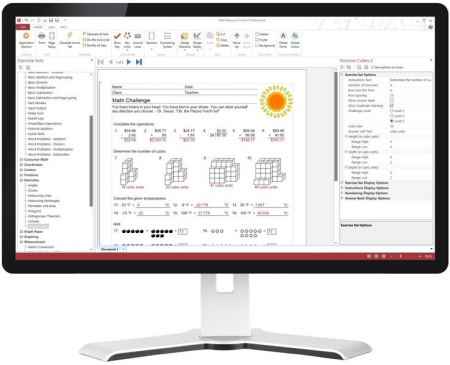
Producing math practice worksheets with Math Resource Studio is as simple as selecting the types of questions you want and how many, setting a few options to control the difficulty of the questions, and clicking the generate button. A powerful random generation engine takes over and creates an original set of questions, calculates the answers, and in just seconds you have a completely unique and original math worksheet.

DOWNLOAD
uploadgig
Код:
https://uploadgig.com/file/download/2e00d59Ad530c04a/U2DX66Aa_.Math.6.2.0.2.rar

rapidgator
Код:
https://rapidgator.net/file/ceea1ba551fe40fd5a689551c2469f84/U2DX66Aa_.Math.6.2.0.2.rar

nitroflare
Код:
http://nitroflare.com/view/4CC676D3DB6008B/U2DX66Aa_.Math.6.2.0.2.rar
 
3DP Net 19.11

dbf98b02-61e6-4921-9ef1-83d1129aa688.png

File Size : 116.5 Mb

3DP Net can quickly and easily get the drivers needed to bring your Windows computer back up to speed after a System Restore.​

This utility can connect to the Internet using its incorporated drivers in order to install the drivers your system requires to independently get online.
Very useful tool: Anyone that has worked on computers long enough knows what a hassle it is to get the right drivers installed on a computer that's been taken offline. This utility will get you online and download the appropriate drivers, so you'll be up and running again in no time. This means that when fixing a computer you can just carry the utility on a thumb drive rather than having to download drivers, install them, and then hope you've found the right one.
Initial connectivity scan: The app does a good job of checking to see if you're already online before proceeding. That way you don't waste time downloading redundant software.
If 3DP Net does not detect any issues with your Internet connection, it will prompt you with a message box informing you that you do not actually need to run the tool, so you can just carry on browsing the web.
In order to solve your problems with the installed drivers, 3DP Net identifies the connected Ethernet cards and provides you with the appropriate drivers. The installation process is quite straightforward, so even computer novices will be able to complete it and get the new drivers up and running.
Unlike other driver-dedicated tools, 3DP Net does not automatically offer you the newest version of the driver, it chooses the most suitable one instead, depending on the operating system your computer is running.
Additionally, the tool makes a comparison between the local and 3DP Net driver versions and lets you view the versions/dates of drivers that installed SD device driver information.
Another handy feature included in the package enables you to carry out backup operations by selecting the desired drivers from a list and restore data with just a few clicks.
To wrap it up, 3DP Net can help you make the most of your Ethernet card and refresh your Internet connection without significant efforts.

DOWNLOAD
uploadgig
Код:
https://uploadgig.com/file/download/9dA089b134442F9c/FIj8Cip2_3DP_Net_v1911.rar

rapidgator
Код:
https://rapidgator.net/file/ff198cff6bda7832f675b9a99eb2be56/FIj8Cip2_3DP_Net_v1911.rar

nitroflare
Код:
http://nitroflare.com/view/E5A71CCCFA7E7F1/FIj8Cip2_3DP_Net_v1911.rar
 
SimpleWall 3.0.9

37d5acc2-4fec-469f-9892-ac9ae2db93ee.png

File Size : 0.6 Mb

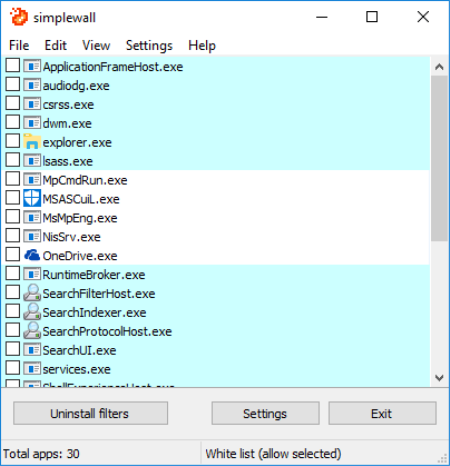
SimpleWall - simple tool to configure Windows Filtering Platform (WFP) which can configure network activity on your computer.​

Features: Simple configuration; Adware, telemetry blocking.

- Simple interface without annoying pop ups
- Dropped packets logging (Windows 7 and above)
- Internal blocking lists (malware, telemetry)
- IPv4/IPv6 support

DOWNLOAD
uploadgig
Код:
https://uploadgig.com/file/download/cec4e932e0D4401E/WCX0HalD_simplewall3.0.9setup.rar

rapidgator
Код:
https://rapidgator.net/file/71b581c9304f3731d4678fe5e050bacb/WCX0HalD_simplewall3.0.9setup.rar

nitroflare
Код:
http://nitroflare.com/view/33EF26F229B9F3C/WCX0HalD_simplewall3.0.9setup.rar
 
IDimager Photo Supreme 5.2.0.2523 Multilingual

103995bd-4cd7-44e6-a012-20514723f977.png

File size: 53/57 MB

Do you own a digital camera?​

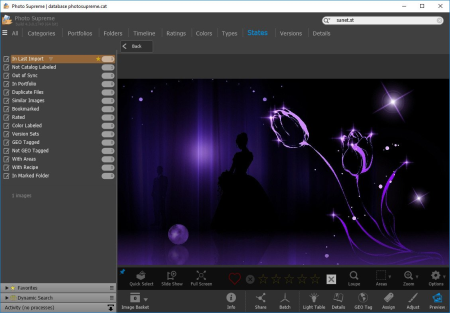
Then in no time you will have thousands of images on your computer, and finding that one image you are looking for will become a chore. But Photo Supreme can change all that. Whether you have 1,000 or 500,000 images in your archive, Photo Supreme's integrated photo cataloging and photo management features will help you quickly find and work with your desired image.
Extremely powerful yet easy-to-use
From the ground up, Photo Supreme was developed with easy-of-use as the primary focus. We were able to pack most of the features requested by our user base into a user interface that is clean and efficient, yet extremely powerful.
Photo Supreme comes with every essential image management feature you'll need to bring structure in your image archive. Assigning catalog labels, importing images to your computer, search features, etc. And once you have your images cataloged then you'll be able to find that one image you need within seconds to then view, duplicate, email, share on your favorite photo site, upload it to your FTP server, or edit it in your favorite photo editor.
Integrates with your favorite tools
Photo Supreme makes integration with your favorite photo editing tools seaminglessly. At installation it will automatically find and add the most common used image editing tools to the user interface.
Simply select an image and click on the application icon to start editing your image.
Unparalleled Speed
Digital Asset Management software uses a catalog database and should be optimized to work with thousands of images in the database. We took this seriously and were able to get the speed up, there where it belongs. Searches will return results in just milliseconds.
Always take your images with you
With Photo Supreme you can store previews of your images inside the database. Then, even if your images are physically located on your network, they travel with you. The previews can be stored in the size that you prefer, from small to large ones, up to 1680 pixels
Open architecture
Right from the start, Photo Supreme was designed with an open cataloging architecture in mind. Because existing industry standards are used to store its data, you can extract your information at any time, even without our software. Should you ever decide to switch applications (although once you've tried Photo Supreme, you'll never go back!), you won't have to repeat the time consuming operation of re-cataloging your data. After all, it is YOUR data, not the application's data!
Share with friends and family
Photo Supreme easily interfaces to public photo sharing sites like Facebook, Flickr, PicasaWeb, Zenfolio, or SmugMug. Resize or rename your images as you upload them to your on-line account without having to prepare them first. Also, add or remove your metadata, convert color space, or add your personal signature to your uploaded images.
Get started right away
If you already use some sort of image collection tool then Photo Supreme can help you get your existing data into Photo Supreme, saving you lots of time. There are import feature available for iPhoto, Aperture, Lightroom 3 and 4, iMatch, and FotoTime. At the same time, PSU is able to read and import meta-data that was written with XMP supporting tools, including Adobe products, Nikon software, iView, MediaPro.
Vocabularies
In addition there are import features to support market standard vocabularies, including David Rieck's ControlledVocabulary, UltraTAG, Lightroom-Keyword Files, or any other tool that supports exporting to Formatted Vocabulary Files.
Advanced search capabilities
Multi Tab Browsing
Import/Ingest images
Side-by-Side comparison (up to 6 images)
Keyword tagging
Advanced GEO Tagging
Image organization in portfolios
Duplicate Detection
Share images with Flickr, Smugmug, Zenfolio, Picasaweb, FTP, EMail
Dual Monitor Support
Creative Commons support
Face Detection
Area Tagging
Extensible metadata with Custom Fields
Take your previews with you while travelling

DOWNLOAD
uploadgig
Код:
https://uploadgig.com/file/download/5BdcD85d5Aa40eec/vpO2Uepd_PhotoSupreme5.1.rar
https://uploadgig.com/file/download/083ae5220E23260a/vpO2Uepd_PhotoSupreme5.1x64.rar

rapidgator
Код:
https://rapidgator.net/file/9c2e7fe90394f4a2734778e305ff5dec/vpO2Uepd_PhotoSupreme5.1.rar
https://rapidgator.net/file/8502ed8f0f105fe6437d2d4854c3c5f0/vpO2Uepd_PhotoSupreme5.1x64.rar

nitroflare
Код:
http://nitroflare.com/view/3C2BBCEE13DF129/vpO2Uepd_PhotoSupreme5.1.rar
http://nitroflare.com/view/03E354094B93A05/vpO2Uepd_PhotoSupreme5.1x64.rar
 
Назад
Сверху